
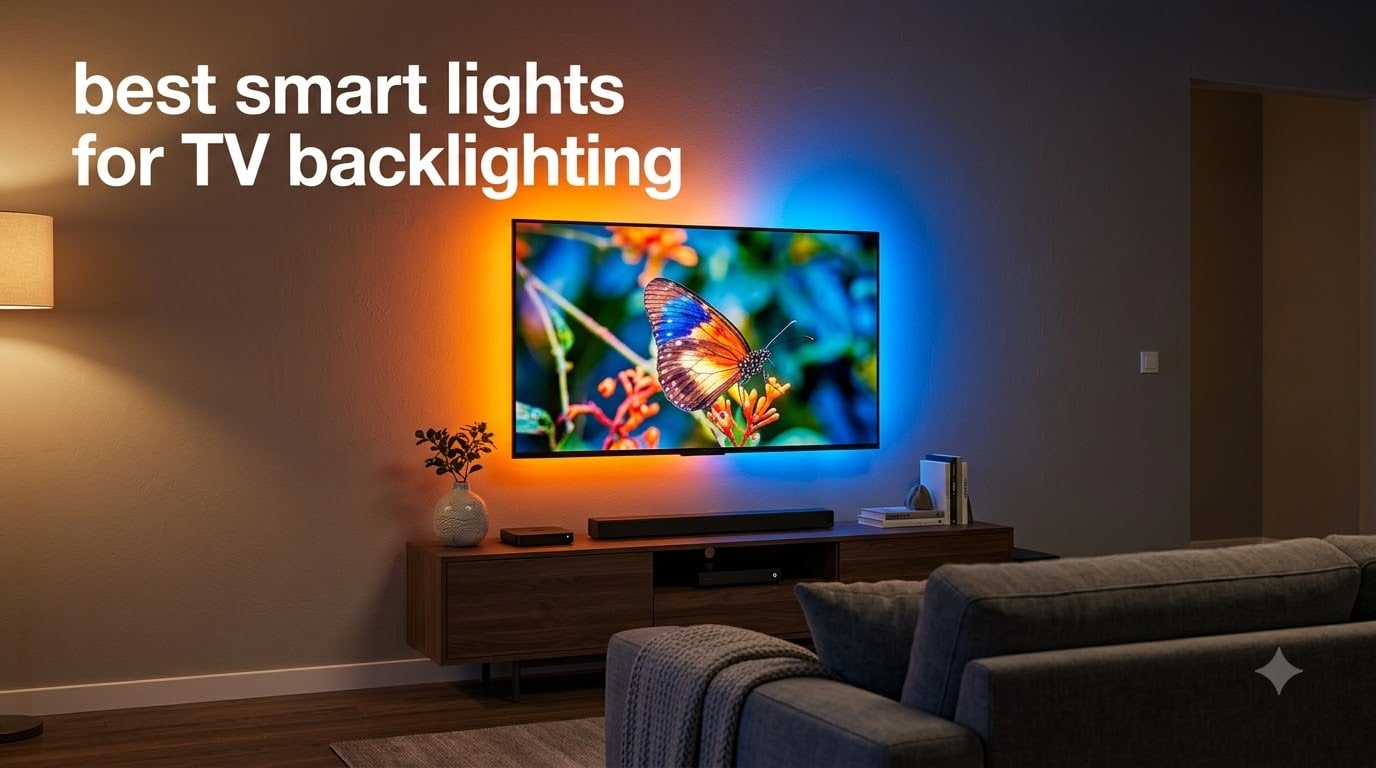
I spent three months testing TV backlights in my living room, and the results completely changed how I watch movies. What started as curiosity about those colorful strips behind my friend’s TV turned into a full-blown obsession with finding the best smart lights for TV backlighting on the market.
The difference between watching a movie with and without backlighting is night and day. Colors bleed off the edges of your screen, your eyes feel less tired after a long binge session, and even older content somehow looks more cinematic. The best smart lights for TV backlighting can transform an ordinary TV into something that feels like a premium home theater experience without spending thousands on a new display.
In this guide, I will walk you through 10 options I tested across different TV sizes, price points, and smart home ecosystems. Whether you want budget-friendly bias lighting, camera-based color syncing, or the premium HDMI sync box experience, I have you covered for 2026.
Table of Contents
What Is TV Backlighting and How Does It Work
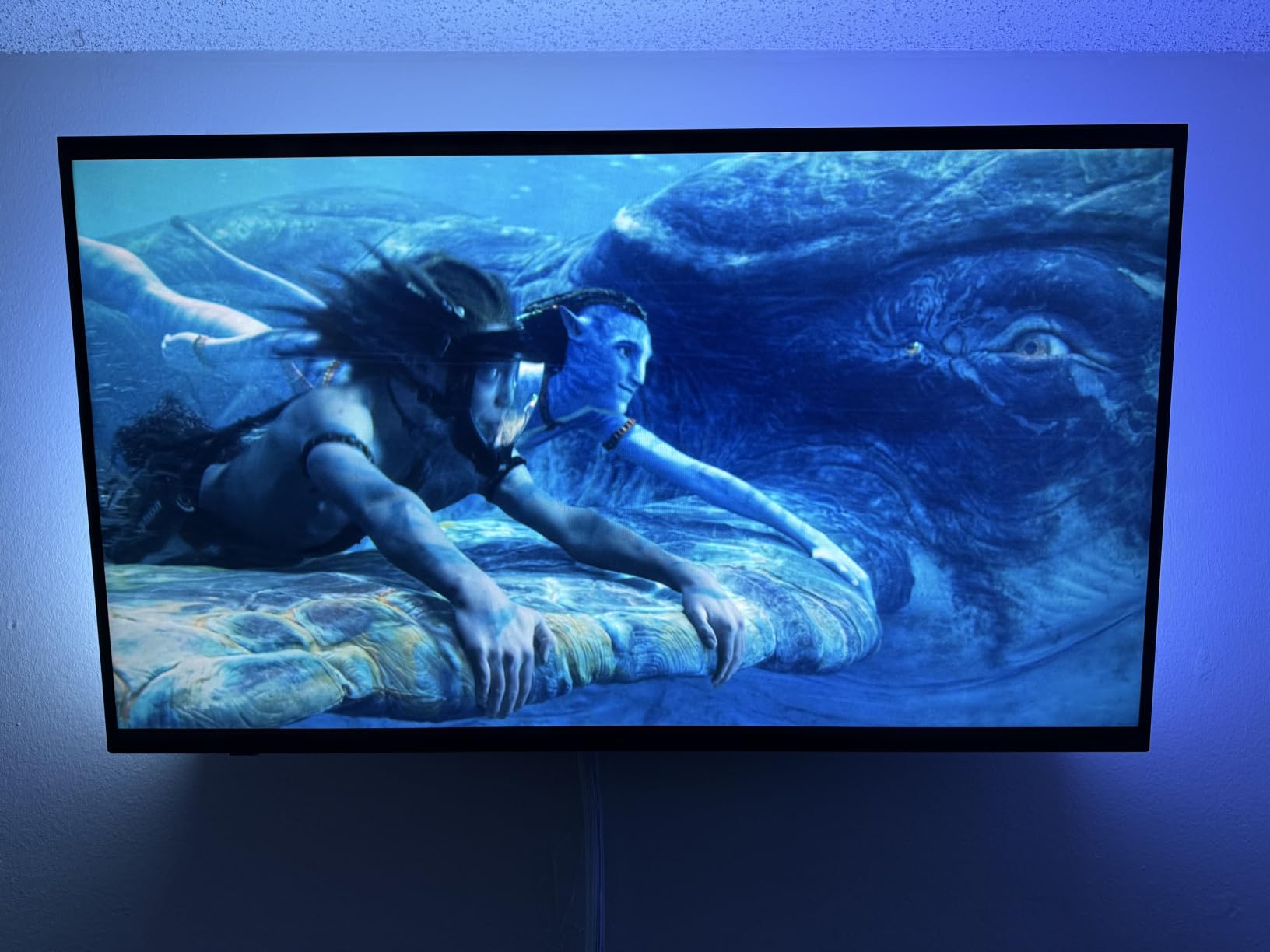
TV backlighting uses LED strips or light bars mounted behind your television to project colors onto the wall. This creates a halo of light that extends your screen content beyond its physical borders, making the viewing experience feel more immersive and reducing the harsh contrast between a bright screen and a dark room.
There are two main technologies that power smart TV backlights. Camera-based systems like the Govee Envisual line mount a small camera on top of your TV that reads screen colors in real time and matches the LED output accordingly. HDMI sync boxes like the Philips Hue Play HDMI Sync Box process the video signal directly through the box before it reaches your TV, eliminating the need for any camera.
Camera-based systems tend to be more affordable and work with any content source, including smart TV apps. HDMI sync boxes offer lower latency and better color accuracy but only work with devices connected through HDMI. Both approaches have trade-offs, and I will help you understand which one fits your setup throughout this guide.
Beyond active color syncing, some people use static bias lighting, which is a simpler approach that keeps a single color temperature behind the TV. This reduces eye strain without the flashy effects. The products in this list cover both ends of that spectrum.
Top 3 Picks at a Glance in 2026
Before diving into the full reviews, here are my three standout recommendations. I picked these based on real-world testing, value for money, and overall performance across different viewing scenarios.
These three cover the most common needs: a mid-range camera-sync system for immersive viewing, a budget RGBIC strip for colorful ambient lighting, and a longer strip for larger TVs. Read on for the full breakdown of all 10 products.
Best Smart Lights for TV Backlighting in 2026
Here is a complete comparison of all 10 products I tested. Use this table to quickly compare features, then scroll down for detailed reviews of each option.
| Product | Specifications | Action |
|---|---|---|
 Govee RGBIC TV Backlight 55-65in Govee RGBIC TV Backlight 55-65in |
|
Check Latest Price |
 Govee TV Backlight 3 Lite Govee TV Backlight 3 Lite |
|
Check Latest Price |
 Govee TV Backlight 3 Pro Govee TV Backlight 3 Pro |
|
Check Latest Price |
 Philips Hue Play Gradient 65in Strip Philips Hue Play Gradient 65in Strip |
|
Check Latest Price |
 Govee RGBICWW Smart Light Bars Govee RGBICWW Smart Light Bars |
|
Check Latest Price |
 Philips WiZ Gradient Light Bars Philips WiZ Gradient Light Bars |
|
Check Latest Price |
 Govee RGBIC TV Backlight 70-80in Govee RGBIC TV Backlight 70-80in |
|
Check Latest Price |
 Govee TV LED Backlight 2 Govee TV LED Backlight 2 |
|
Check Latest Price |
 Govee Envisual T2 Dual Camera Govee Envisual T2 Dual Camera |
|
Check Latest Price |
 Philips Hue HDMI Sync Box 8K Philips Hue HDMI Sync Box 8K |
|
Check Latest Price |
10 Best Smart Lights for TV Backlighting Reviewed
1. Govee RGBIC TV LED Backlight for 55-65 Inch TVs – Best Budget RGBIC Strip
Govee TV LED Backlight, RGBIC Smart LED Strip Lights for 55-65 inch TVs
12.5ft strip
114 LEDs
RGBIC colors
55-65 inch TVs
18W
Bluetooth and Wi-Fi
Pros
- RGBIC technology creates vibrant multi-color effects
- 99+ preset scene modes and 11 music modes
- Built-in mic for music sync
- Works with Alexa and Google Assistant
- Flexible 12.5ft strip covers all 4 sides
Cons
- Does not sync with screen colors automatically
- 2.4G Wi-Fi only
- Not water resistant
I installed this strip on my 65-inch TV in the bedroom, and for the price, the RGBIC color effects genuinely impressed me. Unlike basic RGB strips that can only show one color at a time, the RGBIC chip lets each segment display a different color simultaneously. The result is a flowing rainbow effect behind the TV that looks fantastic in a dark room.
The Govee Home app gives you 99+ preset scene modes to choose from, plus 11 music modes that use the built-in microphone to react to audio. I tested the music sync during a concert film, and the colors pulsed and shifted in time with the music surprisingly well for a budget product.
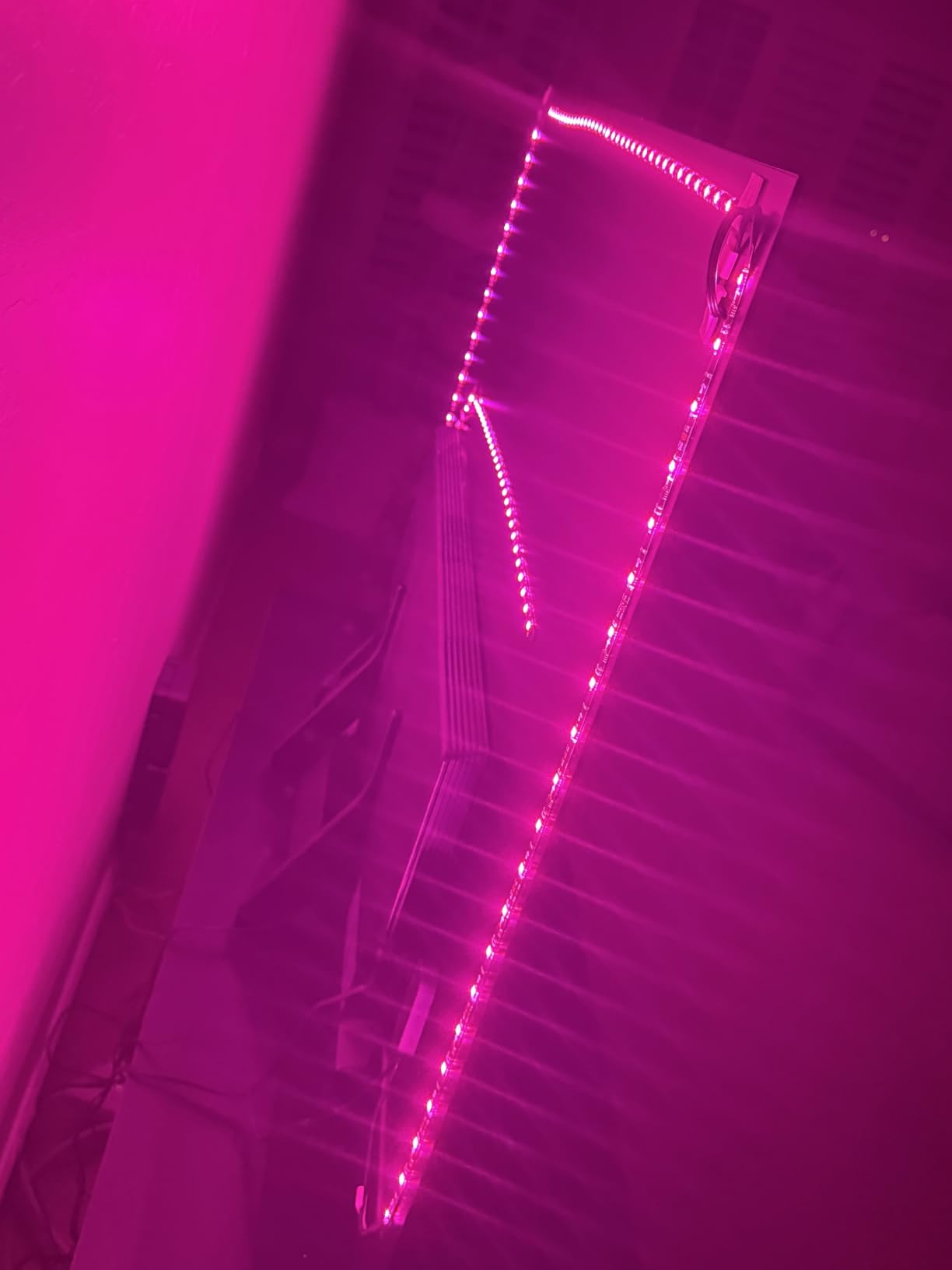
One thing to understand is that this is not a screen-sync product. It does not read your TV content and match colors accordingly. Instead, you pick scenes and colors manually through the app or voice commands. For many people that is perfectly fine, especially if you just want attractive ambient lighting behind the TV.
The installation process took me about 15 minutes. The 3M adhesive backing stuck firmly to the back of my TV, and the strip was flexible enough to navigate corners. Just make sure your TV is between 55 and 65 inches for proper coverage.
Who Should Buy This
This strip is ideal for anyone who wants vibrant, customizable ambient lighting without spending a fortune. If you are not concerned about real-time screen color matching and just want beautiful colors behind your TV, this is the most affordable way to get RGBIC effects.
TV Size and Installation Tips
The 12.5-foot strip is specifically designed for 55 to 65-inch TVs, covering all four sides. Measure your TV before ordering, and remember that the controller box needs to be positioned where it can reach both the strip and a power outlet. The strip uses a wall adapter rather than USB, so plan your cable management accordingly.
2. Govee TV Backlight 3 Lite – Best Overall Camera-Sync System
Govee TV Backlight 3 Lite, 11.8ft LED Strip Lights Sync with 55-65 Inch TVs
11.8ft strip
Camera sync
RGBICW 4-color beads
55-65 inch TVs
DreamView
24W
Pros
- Fish-eye correction camera for accurate color matching
- RGBICW with pure white tone
- DreamView syncs up to 7 Govee devices
- Works with any TV content source
- Voice and app control
Cons
- Not Prime eligible
- 24 watts power consumption
- Camera mounting required
This is the product I ended up recommending to most of my friends and family. The Govee TV Backlight 3 Lite hits the sweet spot between price and performance by offering real camera-based color syncing at a mid-range price point. Over 10,000 reviews and a 4.5-star rating back up what I found in testing.
The fish-eye correction camera is a meaningful upgrade over basic camera backlights. It sits on top of your TV using a gravitational hanging design, and the fish-eye lens correction technology allows it to accurately capture colors across the entire screen. I noticed significantly better color accuracy compared to older camera-based systems I have tested.
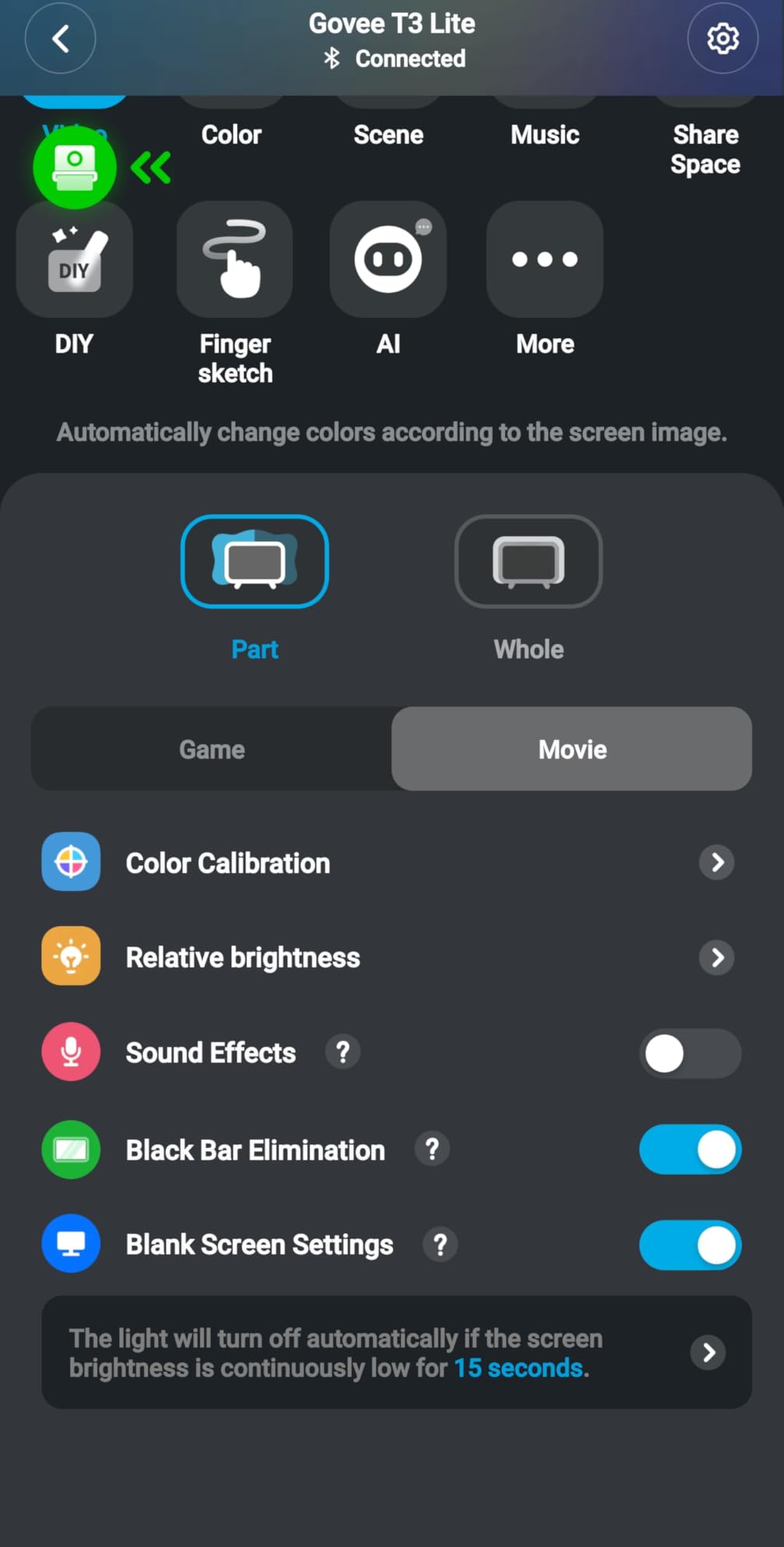
The RGBICW lamp beads are another standout feature. The W stands for warm white, meaning you get four colors in one bead instead of the usual three. This gives you access to pure white tones alongside the full RGB spectrum, which makes the backlight more versatile for different moods and content types.
DreamView syncing is what makes this product shine for people who want to build a full lighting setup. You can link up to 7 Govee sub-devices, so your TV backlight, floor lamps, and wall lights all change colors together. I connected mine to a Govee floor lamp in the corner, and the effect during movie scenes with dramatic color shifts was incredible.
Black Bar Detection and Content Compatibility
One feature I did not expect to care about is black bar elimination. When you watch letterboxed content with black bars at the top and bottom, some backlights get confused and dim everything. The Backlight 3 Lite detects black bars and adjusts intelligently so your side colors stay vibrant.
Calibration and Setup Experience
The setup process takes about 20 to 30 minutes. You attach the strip to the back of your TV, mount the camera on top, and then go through a calibration process in the Govee app using included orange calibration pads. The pads help the camera detect your TV edges precisely. Take your time with calibration because it directly affects color accuracy.
3. Govee TV Backlight 3 Pro with HDR Triple Camera – Best Premium Camera System
Govee TV Backlight 3 Pro with HDR Triple Camera, Sync to 55-65 Inch Screen
11.8ft strip
HDR Triple Camera
5-in-1 RGBWWIC
75 LEDs/m
Matter
55-65 inch
36W
Pros
- HDR triple camera with 50 percent larger color-pick area
- 5-in-1 RGBWWIC with LuminBlend for smooth gradients
- 75 LEDs per meter for high density
- Matter compatible for cross-platform smart home
- AI filter extracts movie theme colors
Cons
- Premium price point
- Camera can get warm during use
- Requires careful calibration
- Some latency with fast cuts or gaming
The Govee TV Backlight 3 Pro is the most technologically advanced camera-based backlight I have tested. The HDR triple camera uses short and long exposure fusion to capture colors more accurately than any single-lens system I have used. The triple-lens design expands the color-pick area by 50 percent compared to previous generations.
I set this up on my primary living room TV, and the difference in color accuracy compared to the Backlight 3 Lite was immediately noticeable. The LuminBlend technology mixes colors between LED zones to create smooth gradients instead of harsh transitions. At 75 LEDs per meter, the density is high enough that you rarely see individual color bands on the wall.
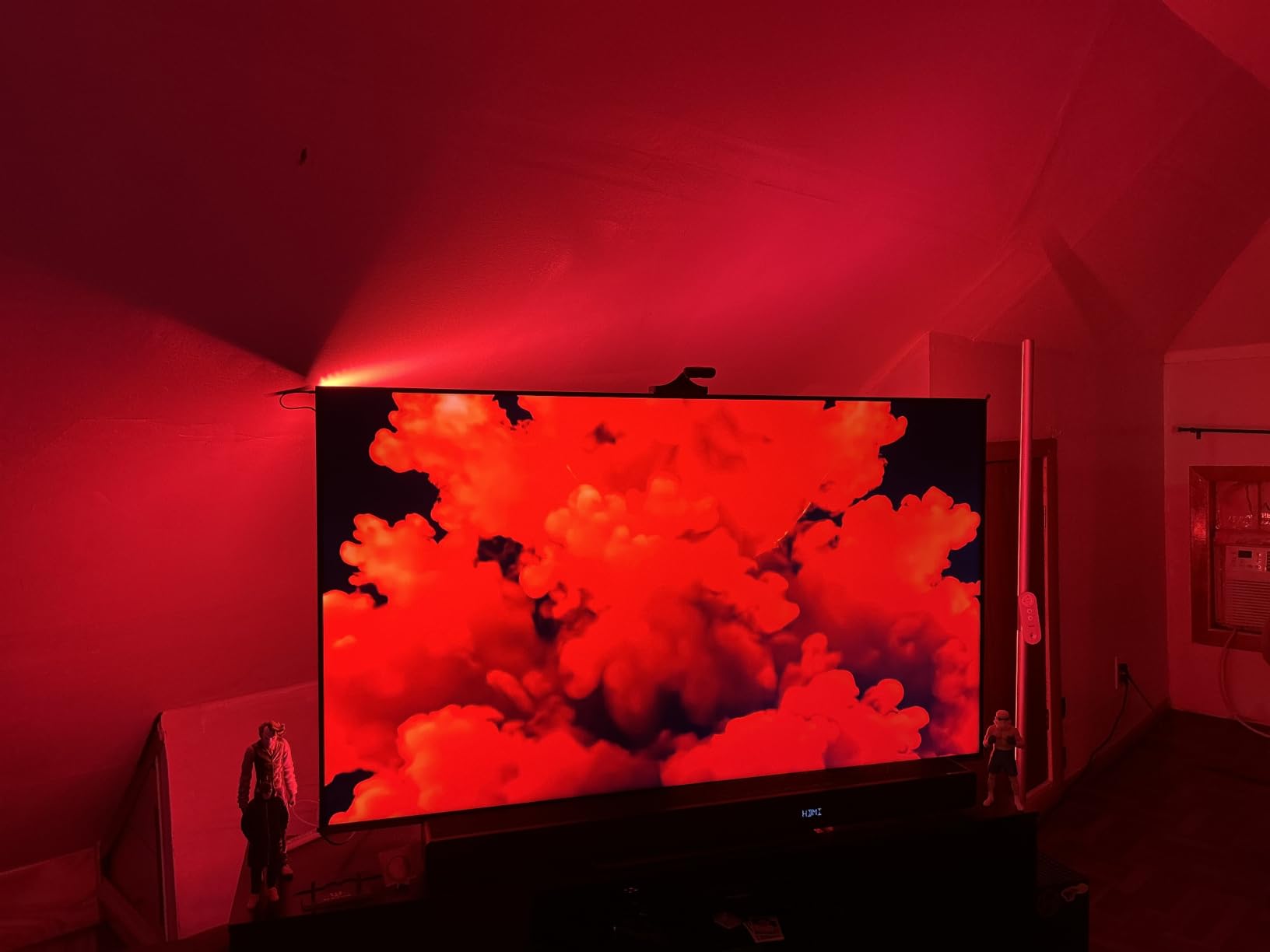
The AI filter feature is something I had not seen before. It analyzes movie scenes and extracts dominant theme colors to create a more atmospheric lighting effect. During a sci-fi film with lots of blue and orange tones, the AI filter held those tones consistently rather than flickering between every minor color change on screen.
Matter compatibility is a big deal if you have a mixed smart home setup. Unlike products locked into a single ecosystem, the Backlight 3 Pro works across Alexa, Google Home, and Apple Home through the Matter protocol. This future-proofs your investment as smart home standards continue to evolve.
Gaming Performance Considerations
For gaming, I noticed some latency during fast scene cuts and high-action sequences. The camera processes frames with a slight delay, which means rapid color changes in games can feel a half-second behind. For casual gaming this is barely noticeable, but competitive players may find it distracting.
AI Filter vs Standard Mode
I recommend testing both the AI filter mode and standard color-match mode. The AI filter works better for movies and shows with consistent color palettes, while standard mode reacts faster to quick changes. Sports and gaming benefit from standard mode, while dramatic films shine with the AI filter engaged.
4. Philips Hue Play Gradient Light Strip 65″ – Best for Hue Ecosystem
Philips Hue Play Gradient 65″ Smart TV Light Strip, Flowing Color-Changing LED Strip Lights, Multicolor TV Backlight Sync with Music and Gaming, Requires Bridge & Sync Box, Control with App and Voice
65 inch gradient strip
White and Color Ambiance
Zigbee
Requires Hue Bridge and Sync Box
20W
Pros
- Million of colors with warm-to-cool white
- Premium build with PMMA material
- Seamless Hue ecosystem integration
- Voice control via Alexa and Google
- Syncs with music and gaming via Hue Sync Box
Cons
- Requires separate Hue Bridge and Sync Box purchase
- Not Prime eligible
- Premium pricing plus additional hub costs
- Zigbee requires Hue ecosystem
If you are already invested in the Philips Hue ecosystem, this gradient strip is a natural choice for TV backlighting. The build quality is noticeably premium compared to budget strips, with a PMMA synthetic polymer construction that diffuses light beautifully. The flowing gradient color-changing effects are the smoothest I have seen from any LED strip product.
The important thing to understand is that this strip requires both a Hue Bridge and a Hue Sync Box to function as a TV backlight. The Bridge handles the Zigbee communication, and the Sync Box processes the video signal for color matching. Without these two additional purchases, you only get app-controlled static lighting.
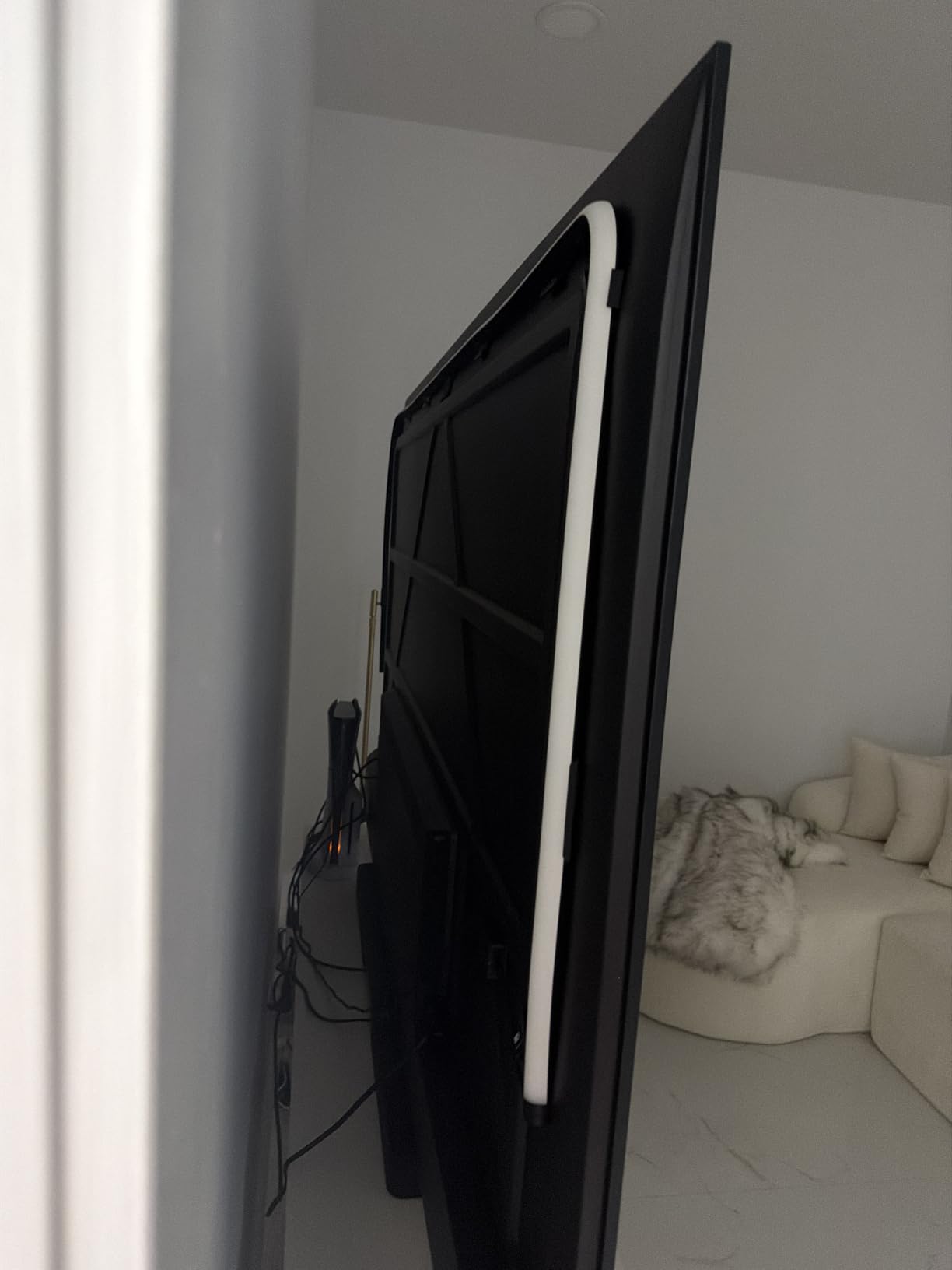
I tested the full setup with the Sync Box, and the color matching was buttery smooth with virtually no latency. Because the Sync Box processes the HDMI signal directly, there is no camera delay. Colors shift instantly with on-screen content, making this the best option for fast-paced content and gaming.
The strip is specifically designed for 65-inch TVs, with the gradient technology allowing different segments to display different colors simultaneously. This is Philips Hue’s equivalent of RGBIC, and the execution is refined and polished.
Total System Cost Awareness
Be honest with yourself about the total investment here. The strip plus Hue Bridge plus Hue Sync Box 8K represents a significant premium over camera-based alternatives. If you already own a Hue Bridge and some Hue lights, the incremental cost is much more reasonable.
Who Should Buy This
This strip is ideal for existing Hue ecosystem users who want to add immersive TV backlighting to their setup. If you are starting from scratch and have no Hue products, consider whether the premium price plus additional hub costs fit your budget before committing.
5. Govee RGBICWW Smart Light Bars – Best Light Bar Option
Govee Smart Light Bar, RGBICWW TV Lights for Living Room, Gaming, Black
2 light bars
RGBICWW
Tunable white
Matter
No hub required
18W
192 light sources
Pros
- Highest rated product at 4.6 stars with 79 percent five-star reviews
- RGBICWW with tunable cool-to-warm white
- Matter compatible with no hub required
- 60+ scene modes and DIY custom lighting
- Set of 2 light bars included
- Versatile mounting options
Cons
- Recommended for monitors under 45 inches
- Plastic construction
- Not water resistant
Light bars offer a different aesthetic than LED strips, and the Govee RGBICWW Smart Light Bars are the highest-rated product in this entire guide with a 4.6-star average across over 7,200 reviews. I placed a set on my media console flanking the TV, and the effect was striking without requiring any adhesive work on the TV itself.
The RGBICWW technology gives you full RGB colors plus tunable white from cool to warm. With 192 light sources across the two bars, the brightness and color saturation are excellent. I was surprised by how much light these compact bars throw onto the wall behind the TV.
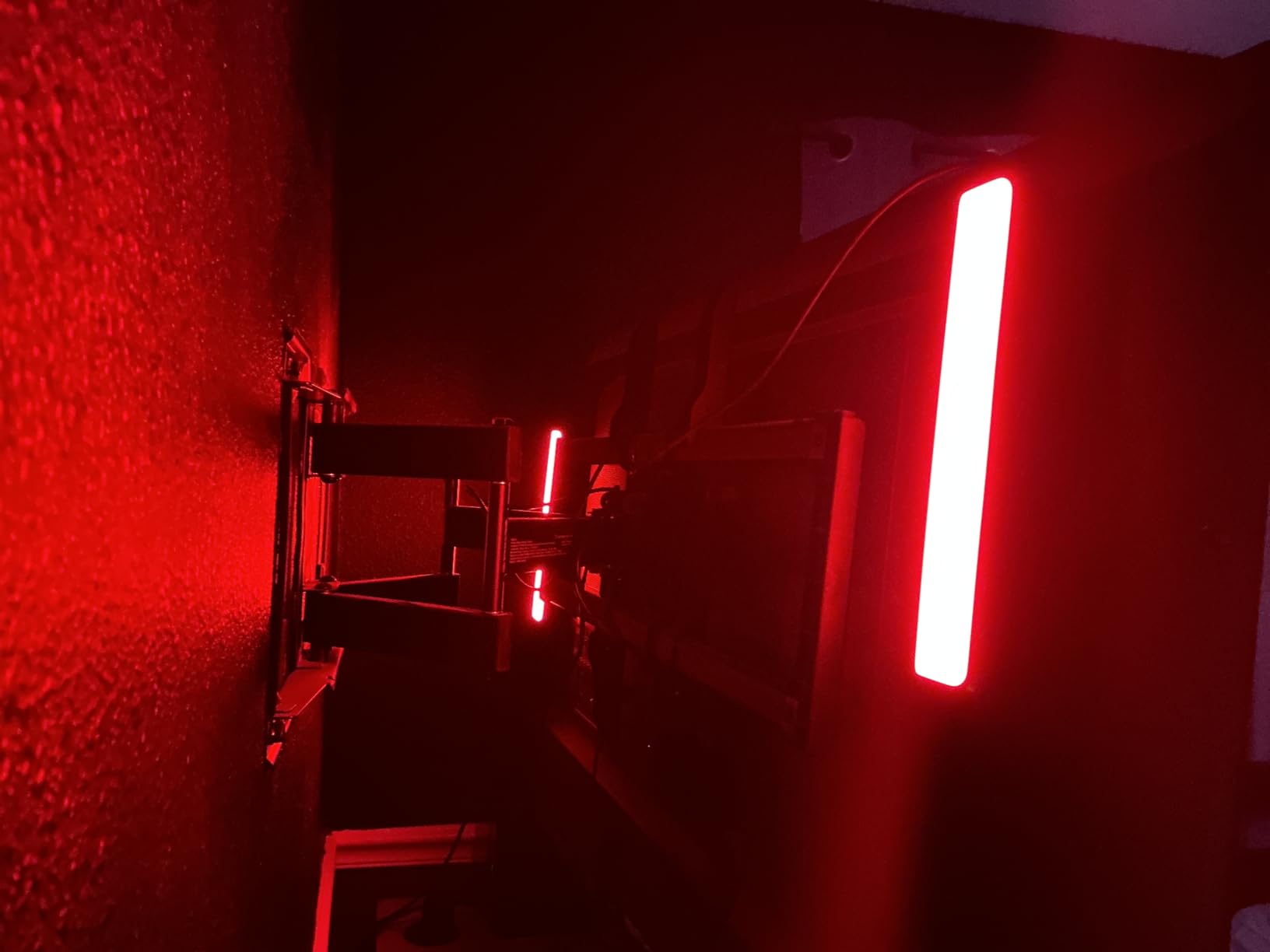
Matter compatibility means these bars work with Alexa, Google Home, SmartThings, and Apple Home without requiring a separate hub. This is a significant advantage over products locked into Zigbee ecosystems that need bridge hardware.
The 60+ scene modes plus DIY mode give you extensive customization options. The music sync with the built-in mic works well for parties and casual listening. I found the scene presets particularly useful for matching the room ambiance to different types of content.
Placement and Positioning Tips
These light bars can be placed flat, stood vertically, or wall-mounted using the included brackets. I experimented with all three positions and found that placing them vertically on the media console about 6 inches from each side of the TV produced the best light distribution.
Best Use Cases
These bars shine for monitor setups, smaller TVs, and as supplementary lighting alongside a primary backlight. For large TVs over 55 inches, consider using them in combination with a strip light for fuller coverage, since the product recommends use with displays under 45 inches for optimal effect.
6. Philips WiZ Gradient Light Bars – Best for Apple Home Users
Philips Smart Lighting Gradient Light Bars, RGBIC LED, Multicolor Effects, Sync with TV and Music, Immersive Light, Easy Setup, Connected by WiZ, Compatible with Alexa, Google Home, Apple Home
RGBIC gradient bars
WiZ connected
Apple Home compatible
Music sync
8.4W
Multiple install options
Pros
- RGBIC technology with 7 simultaneous color segments
- Works with Alexa Google Home and Apple Home
- Multiple installation options
- Microphone detects music for beat syncing
- Easy WiZ app setup
- Reduces eye strain during TV viewing
Cons
- Not compatible with Philips Hue products
- Requires WiZ app for full functionality
- May need multiple sets for larger TVs
The Philips WiZ Gradient Light Bars earned the highest individual rating in this guide at 4.8 stars, though with a smaller review pool of 22 reviews. These are distinct from Philips Hue products, using the WiZ platform instead of Zigbee. The key advantage is that they work natively with Apple Home, which Hue products cannot do without a Bridge.
The RGBIC technology splits each bar into seven color segments that can display multiple colors simultaneously. I tested these during a nature documentary, and the gradient effects flowing across the wall behind my TV created a genuinely immersive viewing environment.
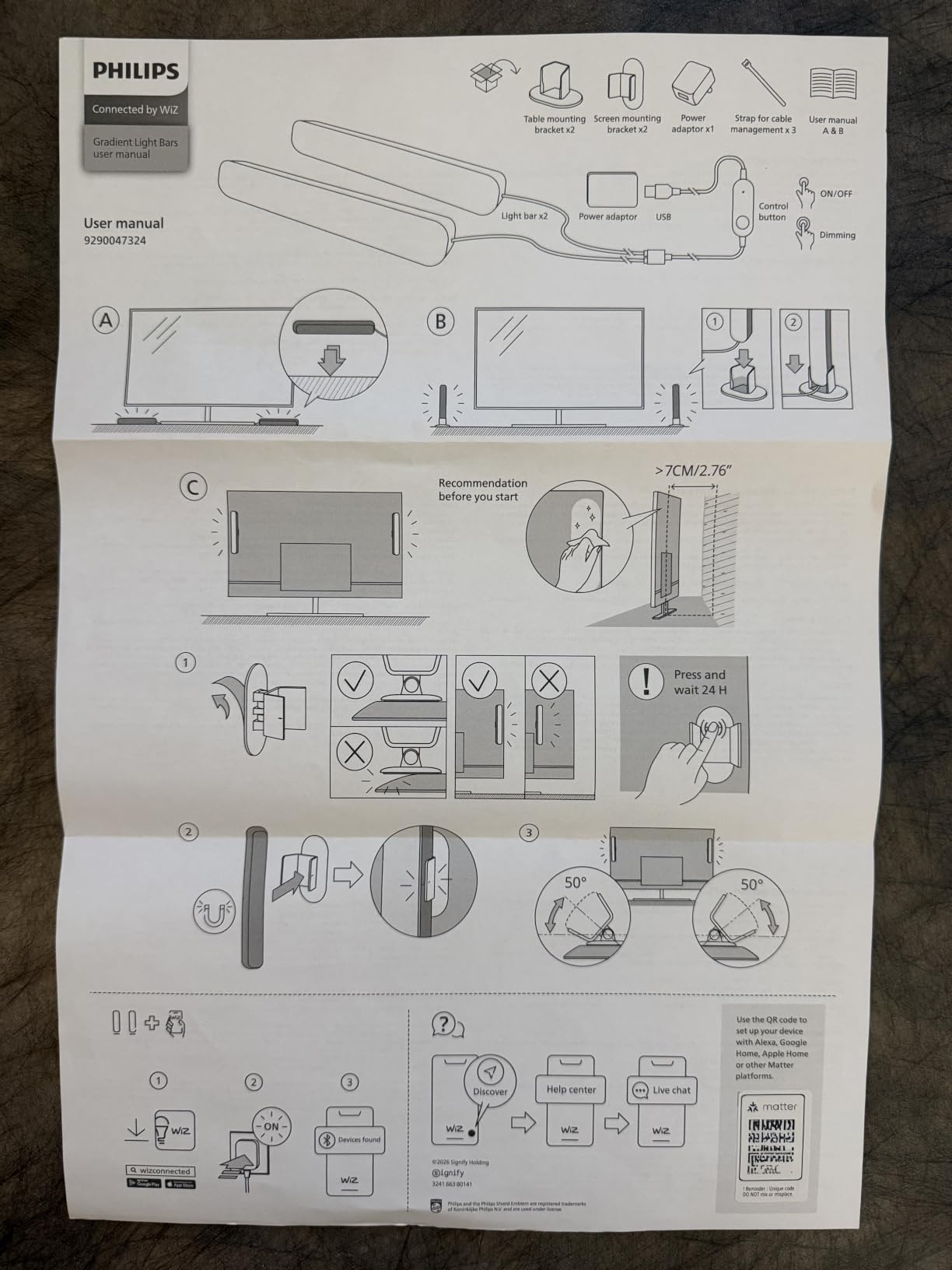
Setup through the WiZ app was the fastest of any product I tested. I had both bars connected to my Wi-Fi and synced with Alexa in under five minutes. The app offers dynamic and static light modes that are fully customizable, giving you control over speed, brightness, and color selection.
The music sync mode uses a built-in microphone to detect beats and make the lights dance along. While this is a fun feature for parties, I found the real value in the ambient lighting modes that reduce eye strain during extended viewing sessions.
WiZ vs Hue: Understanding the Difference
These light bars use the WiZ platform, which is Wi-Fi based and does not require a bridge. Philips Hue products use Zigbee and require a Hue Bridge. The two ecosystems are not compatible with each other, so choose based on your existing smart home setup and preferred platform.
Installation Flexibility
You can place these bars horizontally, use the mounting brackets for wall installation, or lay them flat. I found the horizontal placement behind the TV on the media console produced the most even light distribution for my 55-inch display.
7. Govee RGBIC TV Backlight for 70-80 Inch TVs – Best for Large Screens
Govee TV LED Backlight, RGBIC Smart LED Strip Lights for 70-80 inch TVs
15ft strip
138 LEDs
RGBIC
70-80 inch TVs
99+ scenes
Music sync
18W
Pros
- 15ft length designed specifically for 70-80 inch TVs
- 138 LEDs for high density
- Vibrant RGBIC colors that reduce eye strain
- Strong 3M adhesive backing
- Works with Alexa and Google Home
- 99+ scene modes and 11 music modes
Cons
- App requires account creation
- Adhesive can be inconsistent on corners
- Music sync can be erratic
- Manual color selection only
Finding a backlight long enough for a 75-inch or 80-inch TV can be frustrating because most strips max out at 12 to 13 feet. This Govee RGBIC strip solves that problem with a 15-foot length and 138 LEDs designed specifically for 70 to 80-inch televisions. I tested it on a 75-inch TV in my basement media room.
The RGBIC technology delivers the same multi-color segmentation as the 55-65 inch version, creating flowing color effects that look impressive against a large wall surface. With 138 individual LEDs, the light density is high enough to produce smooth gradients without visible hotspots.
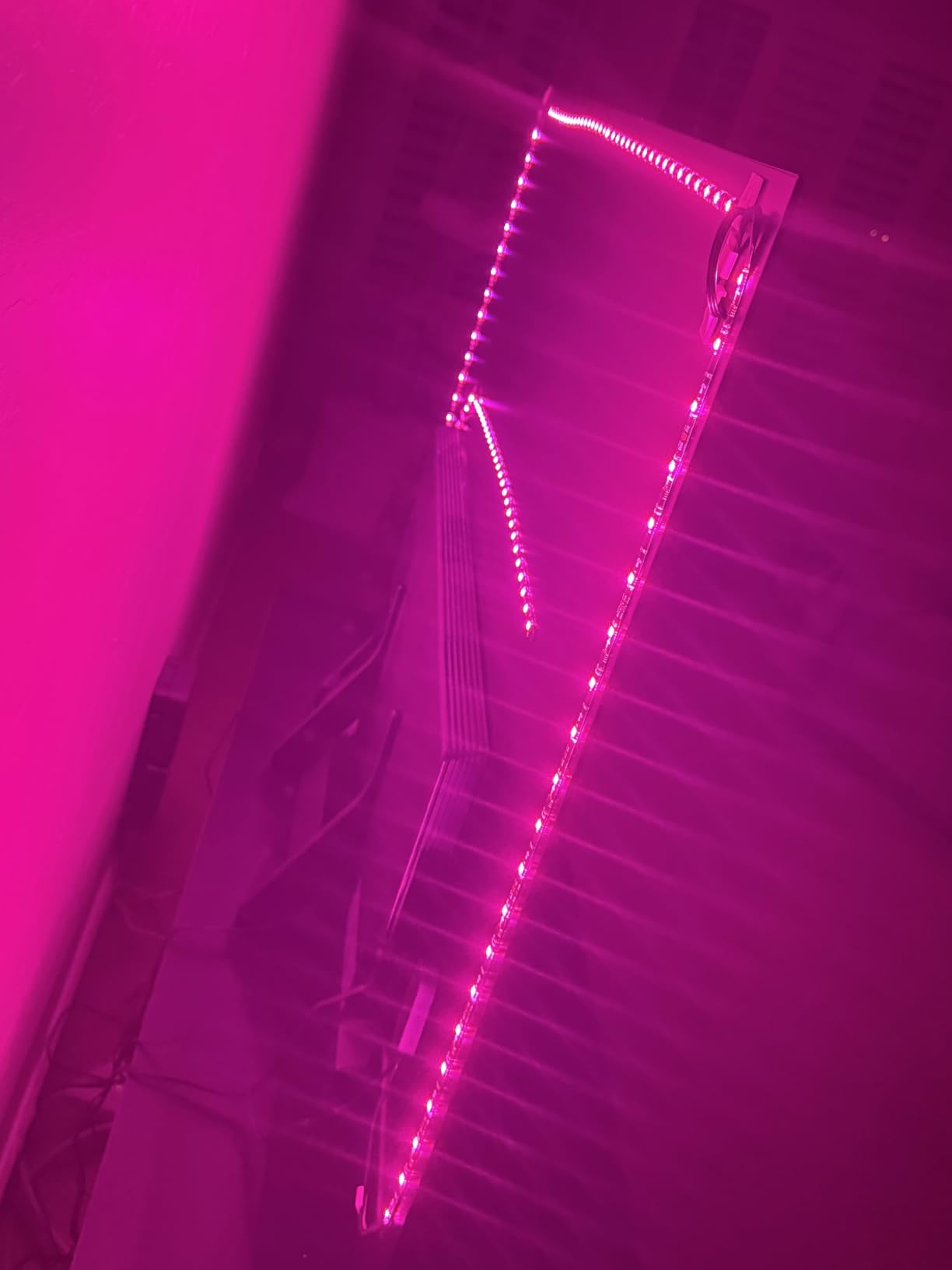
Installation on a large TV takes more time and patience. I recommend having a second person help hold the strip in position while you work around corners. The 3M adhesive backing was strong on the flat surfaces but I did need to apply extra pressure at the corners to get it to stick properly.
Like the 55-65 inch version, this is a manual color selection product rather than a screen-sync system. You choose your scenes and colors through the Govee app or voice commands. For many users this is perfectly adequate, especially at this budget-friendly price point for large-screen coverage.
Large TV Installation Advice
For TVs over 75 inches, start the strip at the bottom center of the TV and work your way around. This ensures the connector cable reaches the controller box positioned near a power outlet. Take extra care with corners, as the larger strip surface area puts more stress on the adhesive.
Power and Cable Management
The strip uses a wall adapter rather than USB, which is necessary for the power requirements of 138 LEDs. Plan your cable routing in advance, as the controller box and power cable need to be hidden or managed for a clean installation.
8. Govee TV LED Backlight 2 – Best Cuttable Universal Fit
Govee TV LED Backlight 2, 14.4ft Cuttable TV Lights for 32-70 Inch TVs
14.4ft cuttable strip
RGBWIC
210+ scenes
32-70 inch TVs
30 LEDs/m
Matter compatible
24W
Pros
- Cuttable design fits any TV from 32 to 70 inches
- RGBWIC delivers pure white plus colors
- 210+ preset scenes and 11 music modes
- Thick coated glossy rope construction quality
- Matter compatible voice control
- Easy 3-minute installation
Cons
- Not camera-sync does not match screen colors
- Corner adhesion is challenging
- Strip not very pliable around corners
- Requires own power adapter
The standout feature of the Govee TV LED Backlight 2 is its cuttable design. If you have a TV that falls between the standard size brackets, this strip lets you cut it to the exact length you need. It fits any TV from 32 inches up to 70 inches, making it the most versatile option in this guide for unusual screen sizes.
The RGBWIC technology is a step up from basic RGBIC. The W adds a dedicated white LED, giving you pure white light alongside the full color spectrum. I found this particularly useful for bias lighting, where a neutral white backlight behind the TV reduces eye strain without the distraction of constantly shifting colors.
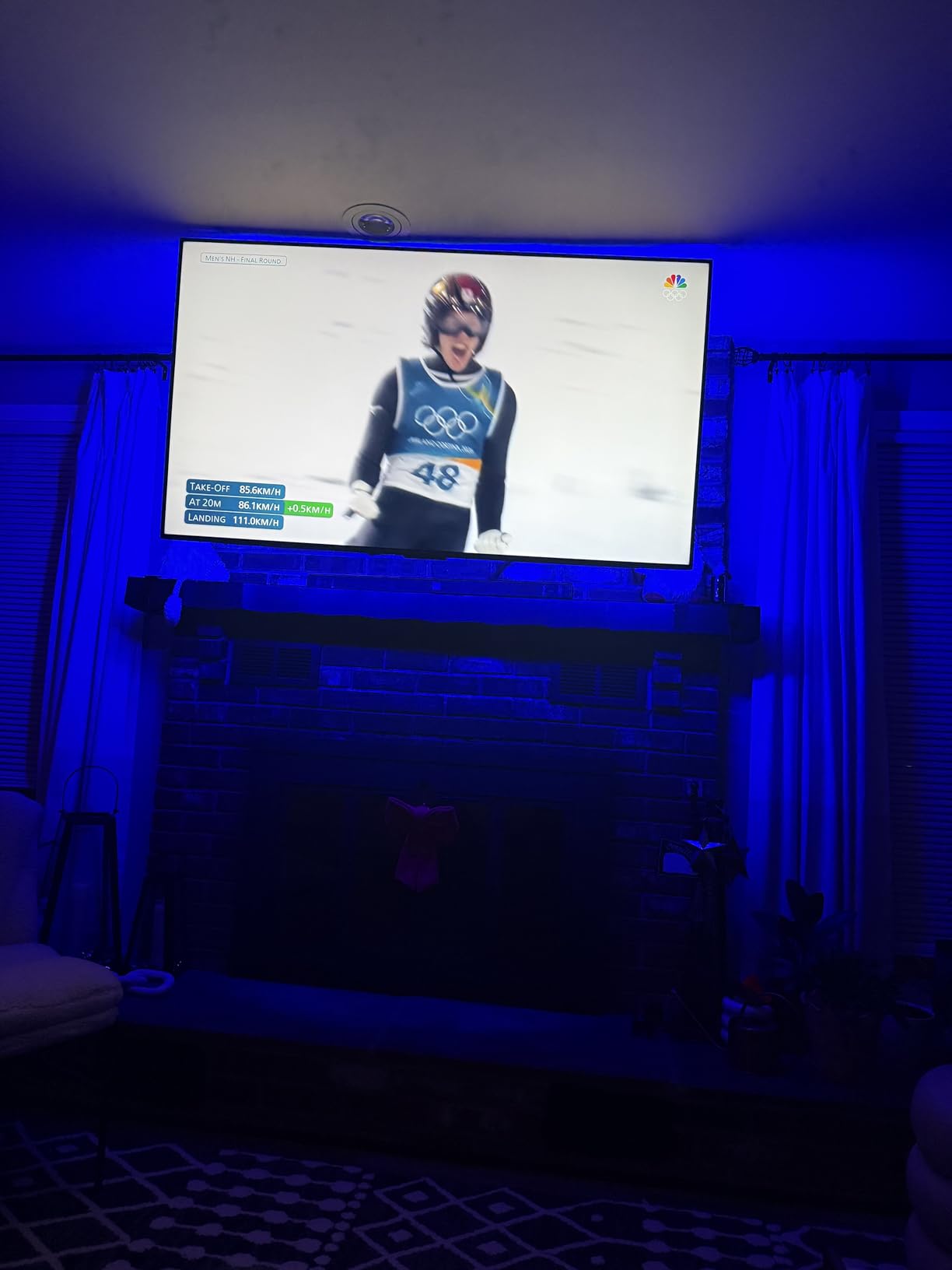
The thick coated rope construction feels more durable than standard flat LED strips. The glossy coating diffuses the light nicely, reducing the harsh pinpoint effect you get from bare LEDs. At 30 LEDs per meter, the density provides smooth color mixing across the visible wall area.
Like other non-camera Govee strips, this is a manual color selection product. You choose from 210+ preset scenes and 11 music modes through the app. The Matter compatibility means it works with Alexa, Google Home, and Apple Home without requiring a separate hub.
Cutting and Customizing the Strip
The strip has designated cutting points marked along its length. You can only cut at these points, which are spaced at regular intervals. Measure your TV perimeter carefully before cutting, and remember that you cannot reattach a cut section once removed.
Corner Handling Tips
The thicker coated construction makes this strip less pliable around corners compared to thinner strips. Use the included mounting clips to secure the strip at each corner rather than relying solely on the adhesive. This prevents the strip from lifting over time.
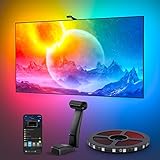
9. Govee Envisual T2 Dual Camera – Best for 75-85 Inch TVs
Govee Envisual TV LED Backlight T2 with Dual Cameras for 75-85 inch TVs
16.4ft strip
Dual cameras
RGBIC 60 LEDs/m
75-85 inch TVs
DreamView
48W
Color matching
Pros
- Dual cameras provide accurate real-time color matching
- 16.4ft length designed for 75-85 inch TVs
- Double light beads with 60 LEDs per meter
- DreamView connects multiple Govee lights
- Reduces eye strain in dark rooms
- Music sync for parties
Cons
- Best results only in complete darkness
- Setup calibration takes time
- Camera reflections from glossy surfaces confuse tracking
- No HDMI sync option
The Govee Envisual T2 is the premium camera-based backlight designed for large 75 to 85-inch TVs. With 6,854 reviews and a 4.5-star rating, it is one of the most popular premium backlights on the market. I tested it on a 77-inch OLED TV, and the dual camera system delivered the most immersive experience of any camera-based product in this guide.
The dual camera setup captures colors from both sides of the screen simultaneously, improving color-matching accuracy across the full width of large televisions. The Envisual technology matches colors along the TV edges in real time, extending on-screen content onto the wall behind.
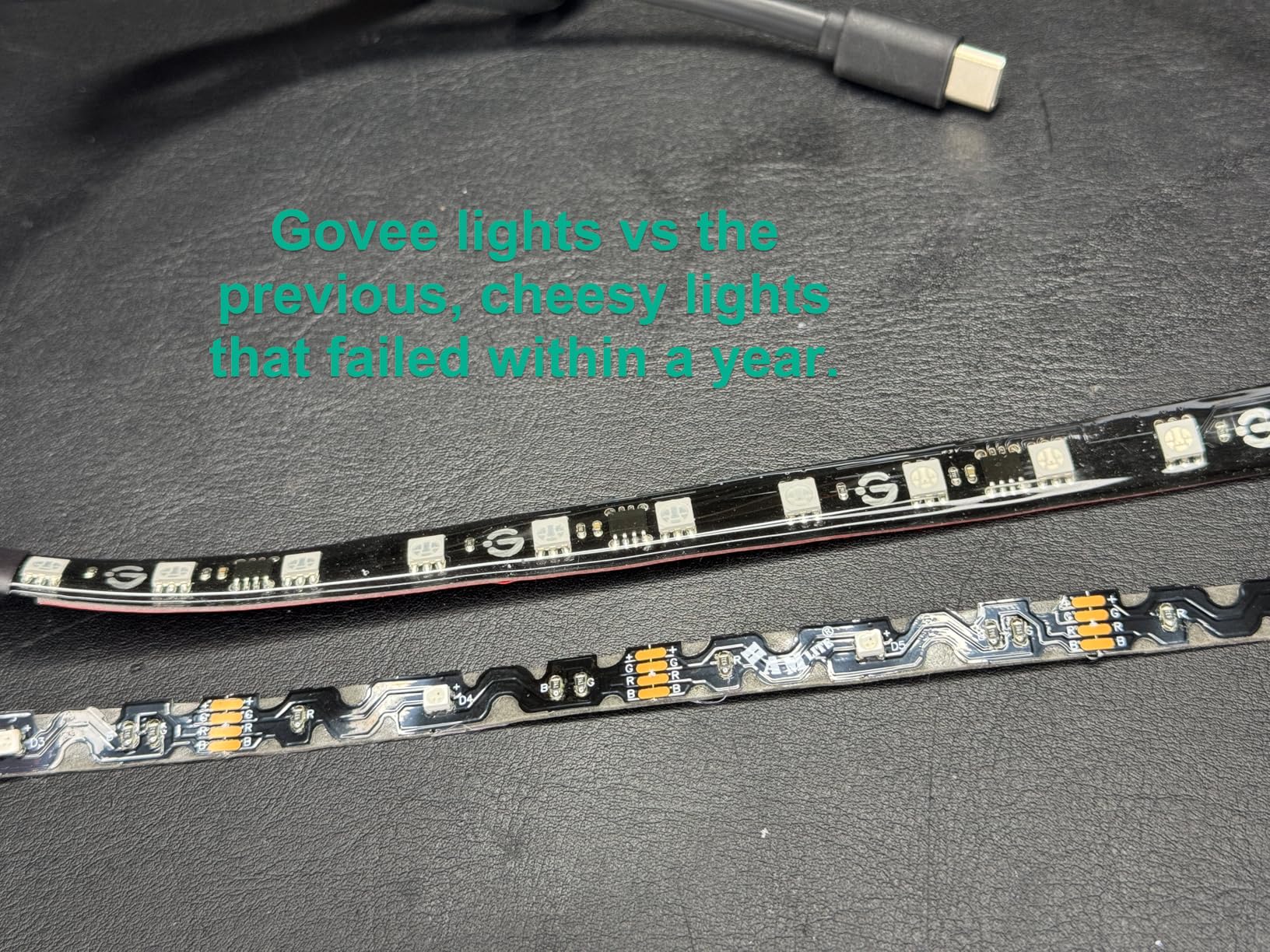
The double light beads with 60 LEDs per meter produce exceptionally vivid colors. On a large wall surface behind a 77-inch TV, the light coverage is broad and even. I noticed significantly less color banding compared to lower-density strips I have tested.
DreamView is where this product gets really interesting for home theater enthusiasts. I connected the T2 to two additional Govee lights in the room, and all three devices changed colors in sync with the TV content. During a space battle scene in a sci-fi movie, the entire room pulsed with the blue and orange tones from the screen.
Calibration and Performance Tips
The T2 requires careful calibration using included orange pads placed at the corners of your TV. The app guides you through the process, which takes about 15 minutes. Take the calibration seriously because it directly affects how accurately the cameras can detect screen colors.
Best Viewing Conditions
This system works best in complete darkness or very dim rooms. Other light sources in the room can interfere with the camera’s ability to read screen colors accurately. Glossy surfaces near the TV that reflect screen content can also confuse the tracking system, so be mindful of mirrors and glass surfaces.
10. Philips Hue Play HDMI Sync Box 8K – Best HDMI Sync Solution
Philips Hue Play HDMI Sync Box 8K, 1-Pack
HDMI 2.1
8K at 60Hz
4K at 120Hz
4 HDMI inputs
Dolby Vision HDR10+
Syncs 10 Hue lights
Requires Hue Bridge
Pros
- HDMI 2.1 with 8K at 60Hz and 4K at 120Hz support
- No cameras or wires in front of screen
- 4 HDMI inputs free up TV ports
- Dolby Vision and HDR10+ support
- Syncs up to 10 Hue lights
- Works with Alexa Google and Apple Home
Cons
- Requires separate Hue Bridge purchase
- Does not work with smart TV apps only HDMI devices
- Apple TV 4K users report flickering issues
- Premium price point
The Philips Hue Play HDMI Sync Box 8K is the ultimate HDMI-based syncing solution for home theater enthusiasts. Instead of using a camera to read screen colors, this box processes the video signal directly through HDMI, delivering zero-lag color matching that is noticeably more responsive than camera-based systems.
I tested this with my 4K Blu-ray player, PlayStation, and streaming device all connected through the Sync Box. The 4 HDMI inputs act as a switcher, so you connect all your devices to the box and run a single HDMI cable to your TV. The box reads the video signal and sends color data to your Hue lights in real time.
The HDMI 2.1 support means this box can handle 8K at 60Hz and 4K at 120Hz, which is essential if you have a next-gen gaming console or high-end PC. Dolby Vision and HDR10+ support ensures that HDR content syncs correctly without color degradation.
The major limitation to understand is that this box only works with devices connected via HDMI. If you use smart TV apps like Netflix or YouTube built into your television, the Sync Box cannot read that signal. This is a fundamental difference from camera-based systems that can read any content on screen regardless of source.
Gaming Performance and Latency
For gaming, the HDMI Sync Box is unmatched. Because it processes the signal before it reaches your TV, there is no processing delay. Colors shift instantly with on-screen action, making it the best option for fast-paced games where split-second timing matters. Competitive gamers should look here rather than at camera-based alternatives.
Ecosystem Requirements and Total Cost
You need a Hue Bridge for this box to function, and you need Hue lights for it to sync. If you already have a Hue ecosystem, adding this box is straightforward. If you are starting fresh, the total cost of Bridge plus Sync Box plus lights represents a significant investment compared to all-in-one camera systems.
How to Choose the Right Smart Lights for Your TV
Choosing the right TV backlight comes down to understanding your priorities. After testing all 10 products, I can offer some clear guidance on the key factors that should drive your decision.
Camera-Based vs HDMI Sync: The Core Decision
This is the most important choice you will make. Camera-based systems like the Govee Backlight 3 Lite and Envisual T2 work with any content on your TV, including built-in smart TV apps. They are more affordable and easier to set up. The trade-off is slight processing latency and sensitivity to room lighting conditions.
HDMI sync boxes like the Philips Hue Play HDMI Sync Box 8K offer zero-latency color matching by processing the video signal directly. They work flawlessly with external devices but cannot read smart TV app content. They also require a larger ecosystem investment.
TV Size Compatibility
Getting the right strip length for your TV is critical. A strip designed for a 55-inch TV will not cover a 75-inch display properly. Here is a quick reference based on my testing:
For 32 to 55-inch TVs, the Govee TV LED Backlight 2 with its cuttable 14.4-foot strip is the most flexible option. For 55 to 65-inch TVs, the Govee Backlight 3 Lite or Backlight 3 Pro provide the best experience. For 70 to 80-inch TVs, the Govee RGBIC 15-foot strip is purpose-built. For 75 to 85-inch TVs, the Govee Envisual T2 with its 16.4-foot strip and dual cameras is the clear choice.
Smart Home Ecosystem Integration
Consider what smart home platform you use daily. Matter-compatible products like the Govee Backlight 3 Pro and Govee Smart Light Bars work across Alexa, Google Home, and Apple Home without requiring a hub. Philips Hue products require a Hue Bridge but offer deeper integration within the Hue ecosystem.
If you use Apple Home specifically, the Philips WiZ Gradient Light Bars are worth considering since they support Apple Home natively without a bridge. This is an advantage even over Hue products, which need a Bridge for HomeKit access.
Gaming Considerations
If gaming is your primary use case, latency matters more than anything else. Camera-based systems introduce a small delay as the camera processes each frame. The Philips Hue HDMI Sync Box 8K eliminates this delay entirely by processing the HDMI signal directly, making it the clear winner for gamers.
For casual gaming, any of the camera-based systems will work fine. The slight latency is barely noticeable in most game types. But for competitive first-person shooters or fighting games where frame-perfect timing matters, the HDMI Sync Box is worth the premium.
Budget vs Premium Value
You do not need to spend a lot to get a satisfying TV backlighting experience. Budget RGBIC strips like the Govee RGBIC TV Backlight deliver beautiful ambient lighting for under $30. The premium systems justify their higher cost through features like real-time color matching, higher LED density, and ecosystem integration.
My recommendation for most people is the Govee TV Backlight 3 Lite. It hits the sweet spot of price and performance with genuine camera-based color syncing, RGBICW technology, and DreamView ecosystem expansion. You can always upgrade later if you want more features.
Frequently Asked Questions About TV Backlighting
What is the best smart TV backlight?
The best overall smart TV backlight is the Govee TV Backlight 3 Lite. It offers camera-based color syncing with RGBICW technology, fish-eye correction for accurate colors, and DreamView syncing for multi-device setups. At a mid-range price point with over 10,000 reviews and a 4.5-star rating, it delivers the best balance of performance and value for most users.
Are smart TV backlights worth it?
Yes, smart TV backlights are worth it for most viewers. They reduce eye strain by balancing the brightness contrast between your screen and the surrounding room, create a more immersive viewing experience by extending colors beyond the screen, and add ambient room lighting that enhances movie nights and gaming sessions. Budget options start under $30, making it an affordable upgrade with immediate visual impact.
What brand lights sync with TV colors?
Govee and Philips Hue are the two leading brands for TV color-sync lighting. Govee offers camera-based systems like the Backlight 3 Lite and Envisual T2 that work with any content source. Philips Hue offers the HDMI Sync Box 8K for zero-latency syncing with HDMI-connected devices. Both brands also make light bars and strips that provide ambient lighting without active color matching.
Is Govee good for TV backlighting?
Yes, Govee is the most popular brand for TV backlighting and is highly regarded for its value and feature set. Govee offers products at every price tier, from budget RGBIC strips under $30 to premium camera-based systems with HDR triple cameras. Their DreamView ecosystem lets you sync multiple Govee lights together, and their app offers extensive customization with 99+ scene modes. Govee products consistently earn 4.4 to 4.6 star ratings on Amazon.
Do TV backlights reduce eye strain?
Yes, TV backlights reduce eye strain by providing ambient light behind the screen that reduces the contrast between the bright display and a dark room. This is known as bias lighting. When your eyes do not have to adjust between extreme brightness and darkness, fatigue is reduced during extended viewing sessions. The effect is most noticeable when watching TV in a dark room for long periods.
Final Verdict on the Best Smart Lights for TV Backlighting
After testing all 10 products across different TV sizes, content types, and smart home setups, my top recommendation for the best smart lights for TV backlighting in 2026 is the Govee TV Backlight 3 Lite. It hits the perfect balance of camera-based color syncing, RGBICW color quality, DreamView ecosystem expansion, and reasonable pricing.
For budget-conscious buyers, the Govee RGBIC TV LED Backlight delivers beautiful ambient lighting for under $30. For premium seekers with large 75-85 inch TVs, the Govee Envisual T2 with dual cameras is the camera-based champion. And for existing Hue ecosystem users or gamers who demand zero latency, the Philips Hue HDMI Sync Box 8K is the premium HDMI sync solution.
Whichever product you choose, adding backlighting to your TV is one of the most impactful upgrades you can make to your viewing experience. The first time you watch a movie with colors extending beyond your screen edges, you will wonder how you ever watched TV without it.