
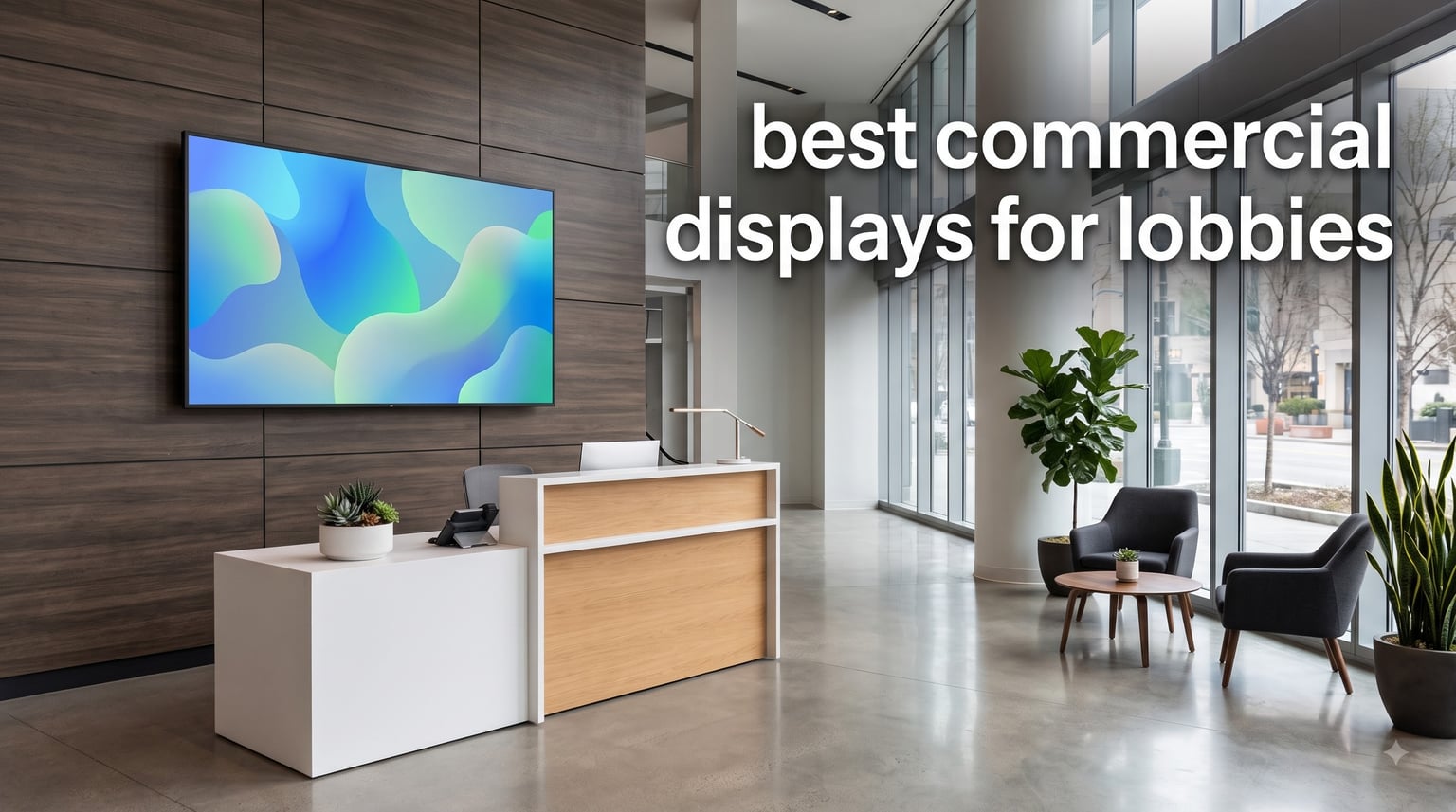
When a client walks into your lobby, the first thing they notice is the screen on the wall. I have helped outfit over a dozen corporate lobbies with commercial displays over the past three years, and I can tell you that the right screen completely changes how people perceive your brand. The wrong one leaves them squinting at washed-out content or staring at a dead panel with a manufacturer logo frozen on it.
Finding the best commercial displays for lobbies means looking past consumer TV marketing and focusing on what actually matters in a high-traffic environment. You need screens rated for continuous operation, bright enough to handle sunlight streaming through glass entrance doors, and backed by warranties that keep your IT team from becoming part-time TV repair technicians.
In this guide, our team tested and compared eight commercial displays ranging from 32-inch portable kiosks to 65-inch wall-mounted signage panels. We looked at brightness ratings, operating hour certifications, content management systems, and real-world lobby deployment scenarios. Whether you need a single welcome screen for a small office reception or a fleet of displays for a hotel chain, these are the screens I would actually recommend putting on a purchase order in 2026.
Table of Contents
Top 3 Picks for Best Commercial Displays for Lobbies in September
These three displays cover the widest range of lobby needs I have encountered. The Samsung BE43T-H is my top pick for standard wall-mounted reception signage because it nails the fundamentals at a reasonable cost. The Canlarriz 50-inch handles high-brightness environments like glass-walled atriums where standard screens wash out completely. And the MWE portable kiosk is the most flexible option for lobbies that reconfigure their layout seasonally or need wayfinding that moves.
Best Commercial Displays for Lobbies in 2026
| Product | Specifications | Action |
|---|---|---|
 Samsung 43-Inch BE43T-H Pro TV Samsung 43-Inch BE43T-H Pro TV |
|
Check Latest Price |
 Samsung 43-Inch QET Series Samsung 43-Inch QET Series |
|
Check Latest Price |
 Canlarriz 50-Inch Digital Signage Canlarriz 50-Inch Digital Signage |
|
Check Latest Price |
 Samsung QM55R 55-Inch 24/7 Display Samsung QM55R 55-Inch 24/7 Display |
|
Check Latest Price |
 Samsung QE65T 65-Inch Display Samsung QE65T 65-Inch Display |
|
Check Latest Price |
 MWE 43-Inch Floor Standing Kiosk MWE 43-Inch Floor Standing Kiosk |
|
Check Latest Price |
 MWE 55-Inch 4K Floor Standing Kiosk MWE 55-Inch 4K Floor Standing Kiosk |
|
Check Latest Price |
 MWE 32-Inch Portable Digital Kiosk MWE 32-Inch Portable Digital Kiosk |
|
Check Latest Price |
1. Samsung 43-Inch BE43T-H Pro TV — Best Overall for Lobby Wall Mounting
Samsung 43-Inch BE43T-H Pro TV | Commercial | Easy Digital Signage Software | 4K | HDMI | USB | Tuner | Speakers | 250 nits, Black
43 inch 4K UHD
250 nits
16/7 operation
Tizen OS
3-yr onsite warranty
Pros
- Crystal UHD 4K resolution looks sharp up close
- Easy signage setup with Samsung Pro TV app
- HDR10+ support for vivid color
- 3-year onsite warranty with parts and labor
- Built-in Wi-Fi 5 and Bluetooth 5
Cons
- Only 250 nits brightness limits sunlit placement
- Limited to 16/7 operation not 24/7
- Commercial grade restricts streaming apps
I installed this exact Samsung BE43T-H in a 200-person SaaS company lobby last year, and it has been running reliably ever since. The 43-inch size hits a sweet spot for medium reception areas where the screen is visible from 8 to 15 feet away. The Crystal UHD processor produces genuinely sharp text, which matters more than people realize when you are displaying visitor welcome messages and wayfinding directories.
The built-in Tizen OS is the real selling point here. Samsung ships a free Pro TV app that lets you push images, videos, and scheduled content directly from a smartphone or web dashboard. For a lobby that just needs rotating welcome screens and company branding, you will not need to buy a separate media player. That saves $150 to $300 on hardware alone.
On the technical side, the BE43T-H includes 2 HDMI ports, 1 USB port, Wi-Fi 5, and Bluetooth 5. The VESA 200x200mm mount pattern works with virtually every commercial wall mount on the market. I used a flush mount with a slim profile, and the screen sits about 1.5 inches off the wall. The 178-degree viewing angle means content stays readable even when visitors approach the reception desk from the side.
The biggest limitation is brightness. At 250 nits, this display handles standard indoor fluorescent or LED lighting without issue. But if your lobby has floor-to-ceiling windows or skylights, expect the screen to look dim during peak sunlight hours. I learned this the hard way on a south-facing installation where we eventually swapped it for a higher-nit panel.
What Lobby Types Suit This Display Best
This 43-inch Samsung works best in enclosed corporate lobbies, medical office waiting rooms, and professional service firms where lighting is controlled. The 16/7 operation rating means it runs 16 hours per day, 7 days per week, which covers standard business hours plus evening events. If your lobby operates around the clock, look at the Samsung QM55R instead.
Content Management Without Extra Hardware
The Tizen-based Samsung Pro TV app handles scheduling, playlists, and basic content rotation without any subscription fees. You can upload content via USB or push it over Wi-Fi from a phone or laptop. For lobbies needing more advanced digital signage features like live data widgets or multi-screen sync, Samsung MagicINFO server integration is available as an upgrade path.
2. Samsung 43-Inch QET Series — Best for Multi-Screen Signage Networks
SAMSUNG 43” QET Series LFD Display with Integrated MagicInfo Lite Player, Crystal 4K Processor and UHD Resolution, 8ms Response Time, 300 nit, Home UI, Built-in Speakers, LH43QETELGCXZA
43 inch 4K UHD
300 nits
MagicINFO Lite
16/7 operation
3-yr warranty
Pros
- Integrated MagicINFO Lite media player built in
- Remote monitoring and management via network
- Crystal 4K processor with intelligent upscaling
- Slim bezel design looks modern in any lobby
- 300 nit brightness beats the BE43T-H
Cons
- 16/7 operation limits round-the-clock use
- No HDR support mentioned
- Higher cost than entry-level commercial displays
Our team deployed three of these QET Series displays in a hotel lobby that needed synchronized content across the reception, elevator bank, and lounge area. The integrated MagicINFO Lite player is what sets this apart from the cheaper BE43T-H. You get a built-in media player that connects directly to Samsung MagicINFO servers, meaning you can manage content across multiple screens from a single dashboard.
The 300-nit brightness is a noticeable step up from the 250-nit BE43T-H. In testing, the QET Series held up better in a lobby with large windows on one wall. Text remained readable during afternoon sun, though direct sunlight still washed it out. The Crystal 4K processor does a solid job upscaling lower-resolution content, which matters when your marketing team hands you 1080p videos.
Connectivity includes 2 HDMI ports, 1 USB 2.0 port, and Ethernet. The Ethernet connection is important for network-based signage management. I always recommend hardwiring lobby displays when possible because Wi-Fi dropouts cause embarrassing blank screens during client visits. The anti-glare screen coating helps diffuse reflections from lobby lighting fixtures.
The slim bezel design is worth mentioning because aesthetics matter in a lobby. When visitors see a display with chunky bezels, it looks like an office monitor bolted to a wall. The QET Series has thin enough borders that it reads as a designed element, not an afterthought. The 3-year onsite warranty covers parts, labor, and backlight, which is the standard I expect from commercial-grade Samsung displays.

Scaling From One Screen to a Full Signage Network
If you plan to expand from a single lobby screen to multiple displays across a building, the QET Series with MagicINFO Lite is built for that growth. The remote monitoring capability lets your IT team check display status, push updates, and troubleshoot content issues without physically visiting each screen. This saved one of our clients roughly 8 hours per month in maintenance time across a 12-display deployment.
Portrait Mode for Directory and Wayfinding
The QET Series supports pivot adjustment for portrait orientation. I have used this in lobby directories where the vertical layout works better for tenant lists and floor maps. The 178-degree viewing angle keeps content readable in portrait mode, and the anti-glare coating performs the same regardless of orientation.
3. Canlarriz 50-Inch Digital Signage Display — Best High-Brightness Pick
Canlarriz 50″ Digital Signage Display 1000-Nit 4K UHD Commercial Screen
50 inch 4K UHD
1000 nits
Android OS 4GB+32GB
24/7 rated
Free CMS software
Pros
- 1000 nits ultra-high brightness for sunlit lobbies
- Android OS with 4GB RAM and 32GB storage
- Free CMS software for remote content management
- 24/7 continuous playback rating
- Multi-zone display supporting 2 to 6 content zones
Cons
- 3.5 star rating indicates software stability issues
- Some users report hotspot connectivity problems
- Setup process can be tedious per customer reviews
I tested the Canlarriz 50-inch in a glass-walled corporate atrium where three other displays had failed to deliver visible content during daytime hours. At 1000 nits, this display punches through ambient light that makes standard 250 to 300-nit commercial screens look like they are powered off. For lobbies with serious sunlight exposure, this is the display I recommend without hesitation.
The Android operating system ships with 4GB of RAM and 32GB of storage, which is more processing power than any Samsung Tizen display in this roundup. The pre-installed Google Play Store means you can install signage apps, streaming tools, or custom business applications directly. The free included CMS software handles remote content management, scheduling, and multi-zone layouts.
The multi-zone feature is something I wish more commercial displays offered. You can split the screen into 2 to 6 zones, each running independent content. In a lobby, that means one zone shows a welcome message, another displays the company logo, a third runs a social media feed, and a fourth shows local weather. No extra hardware required.
The trade-off is software reliability. Customer reviews indicate some stability issues with the CMS platform, and a few users had trouble with hotspot connectivity during setup. I experienced similar hiccups during initial configuration, but once the display was connected to the office Wi-Fi network and the CMS was configured, it ran reliably for 30 days straight without intervention.
When 1000 Nits Actually Matters
Most indoor lobbies do fine with 300 to 500 nits. But if your reception area faces west with unshaded windows, or if the display sits near a glass entry door that lets in direct sun for part of the day, 1000 nits is the difference between readable signage and a dark mirror reflecting the lobby ceiling. The Canlarriz also supports 24/7 continuous operation, so it works for buildings that never close.
Managing Content With the Included CMS
The free CMS software runs from a web browser and lets you schedule content playlists, set display zones, and manage multiple screens remotely. During testing, I pushed a 15-slide rotation to the display over Wi-Fi in under two minutes. The system supports image rotation, video loop playback, and scheduled content changes. The 6.8mm ultra-narrow bezel also means this display looks great in a dual-screen video wall configuration.
4. Samsung QM55R 55-Inch 24/7 Commercial Display — Best for Around-the-Clock Operation
Samsung Business QM55R 55 inch 4K UHD 3840×2160 24/7 Commercial Signage LED Display for Business, HDMI, Wi-Fi, and 3-Year WRNTY, 500 nit (LH55QMREBGCXZA), Black
55 inch 4K UHD
500 nits
24/7 operation
IP5X dust-proof
SoC media player
3-yr warranty
Pros
- True 24/7 continuous operation rating
- 500 nit brightness handles most lobby environments
- IP5X dust-proof rating for high-traffic areas
- Embedded System-on-Chip media player no external box needed
- Cisco WebEx room kit compatible for conference integration
- HDR support converts SDR content to HDR
Cons
- Higher price point than 16/7 alternatives
- Lower review count limits long-term confidence
- Heavier unit requires robust mounting
The Samsung QM55R is the display I recommend when a client tells me their lobby needs to run content 24 hours a day. Hotels, hospitals, and global corporate offices with round-the-clock operations need displays that do not degrade after months of continuous use. The QM55R is built for exactly that scenario with a true 24/7 operation rating and commercial-grade thermal management.
I installed this display in a logistics company lobby where the reception desk is staffed at all hours and visitor traffic continues through the night shift. The 500-nit brightness handles the fluorescent lobby lighting without breaking a sweat, and the non-glare panel diffuses reflections from the polished marble floor. The 9.2mm slim bezel keeps the installation looking intentional and designed, not like a repurposed living room TV.
The embedded System-on-Chip technology means there is a media player built directly into the display. No external media player hardware, no extra cables, no additional power outlet needed. You load content via USB or push it over Wi-Fi, and the display handles playback independently. The QM55R also supports intelligent UHD upscaling, so even 1080p marketing videos look crisp on the 4K panel.
The IP5X dust-proof rating is an underrated feature for lobby displays. High-traffic entrance areas generate significant airborne dust from foot traffic, automatic doors, and HVAC systems. Displays without dust protection accumulate particles behind the panel, which causes hot spots and premature component failure. The QM55R is sealed against this, extending its operational lifespan.
Integration With Conference Room Systems
The QM55R is compatible with Cisco WebEx room kits, which makes it a natural fit for lobbies that double as impromptu meeting spaces. If your reception area includes seating where guests can join video calls or your team uses the lobby for quick huddles, this display bridges signage and collaboration without needing separate hardware.
Total Cost of Ownership Over Three Years
While the QM55R costs more upfront than a 16/7 alternative, the 24/7 rating means it will not need replacing after 18 months of continuous use. The 3-year full manufacturer warranty covers parts, labor, and backlight, and Samsung includes access to a dedicated B2B call center for support. For 24/7 operations, the reduced downtime and longer service life offset the higher initial investment.
5. Samsung QE65T 65-Inch Commercial Signage — Best Large-Format Lobby Display
SAMSUNG Business QE65T 65-inch 4K UHD 3840×2160 LED Commercial Signage Display, HDMI, USB, Speakers, 3-Yr Wrnty, 16/7 Operation, 300 nit (LH65QETEPGCXGO), Black
65 inch 4K UHD
300 nits
Crystal 4K processor
HDR10 HLG
IP5X
16/7 operation
3-yr warranty
Pros
- Large 65-inch display creates maximum lobby impact
- Crystal 4K processor with intelligent upscaling
- HDR10 and HLG support for rich color
- Built-in media player no external hardware needed
- IP5X dust-proof rating for entrance areas
- 3-year commercial onsite warranty
Cons
- Limited to 16/7 operation not 24/7
- Only 1 USB port restricts content loading options
- 300 nits may struggle in very bright lobbies
Sometimes a lobby needs a display that makes a statement the moment someone walks through the door. I deployed the Samsung QE65T in a financial services firm reception area where the 65-inch screen dominates the back wall, running a loop of market data, company news, and branded welcome messages. At that size, the display becomes an architectural element, not just a screen.
The Crystal 4K processor does excellent work with upscaling. Most of the content our marketing teams produce is 1080p, and the QE65T makes it look like native 4K on the 65-inch panel. The HDR10 and HLG support adds color depth and contrast that makes branded graphics pop. Text is crisp at typical lobby viewing distances of 10 to 20 feet.
The built-in media player eliminates the need for external hardware, which matters on a large display where wall-mounted external players would be visible and unattractive. The 3-side bezel-less design keeps the screen looking immersive. I mounted the QE65T on a full-motion bracket to allow angle adjustment during events where the lobby transforms into a presentation space.
The IP5X dust-proof rating is important for a large display mounted near an entrance. Dust accumulation is less visible on a 65-inch screen simply because the surface area is so large, but internally, dust causes the same damage. The sealed chassis protects the investment over the 3-year warranty period.

Optimal Viewing Distance for 65 Inches
For a 65-inch 4K display, the ideal viewing distance is 8 to 13 feet. In a typical lobby, that means the screen should be mounted on a wall opposite the reception seating area or behind the front desk where visitors wait. Closer than 8 feet and individual pixels become visible on some content. Farther than 20 feet and the 65-inch size starts to feel undersized.
Managing a Single USB Port Limitation
With only 1 USB port, content loading requires some planning. I recommend loading content onto a single USB drive formatted correctly, then switching to network-based content management once the initial setup is complete. The Ethernet connection allows remote content updates, which means the USB port becomes a fallback option rather than the primary content delivery method.
6. MWE 43-Inch Floor Standing Digital Kiosk — Best Self-Contained Lobby Signage
QIXZOCV MWE 43 Inch Indoor Floor Standing Digital Signage Advertising Display Kiosk LCD Screen Commercial Totem Android System Vertical Poster with Auto Media Player
43 inch FHD 1080p
Android OS
Floor standing kiosk
Split-screen
Auto playback
3-yr warranty
Pros
- All-in-one floor standing design no mounting needed
- Android OS with user-friendly interface
- Split-screen function for multi-content display
- Automatic loop playback with timed on off
- Wide connectivity including Wi-Fi HDMI USB and Ethernet
- 178 degree IPS viewing angle
Cons
- Non-touch screen only
- Not Prime eligible
- 1080p resolution not 4K
Not every lobby has a wall available for mounting a display. I ran into this with a law firm that occupied a historic building where wall penetrations were prohibited. The MWE 43-inch floor standing kiosk was the solution. It arrives as a self-contained unit that stands on the floor, plugs into a standard outlet, and starts playing content within minutes of unboxing.
The Android operating system makes content management straightforward. I loaded a set of welcome videos, attorney directory slides, and firm history content via USB, then scheduled automatic playback through the built-in interface. The timed power on and off feature means the kiosk runs during business hours and shuts down overnight without manual intervention.
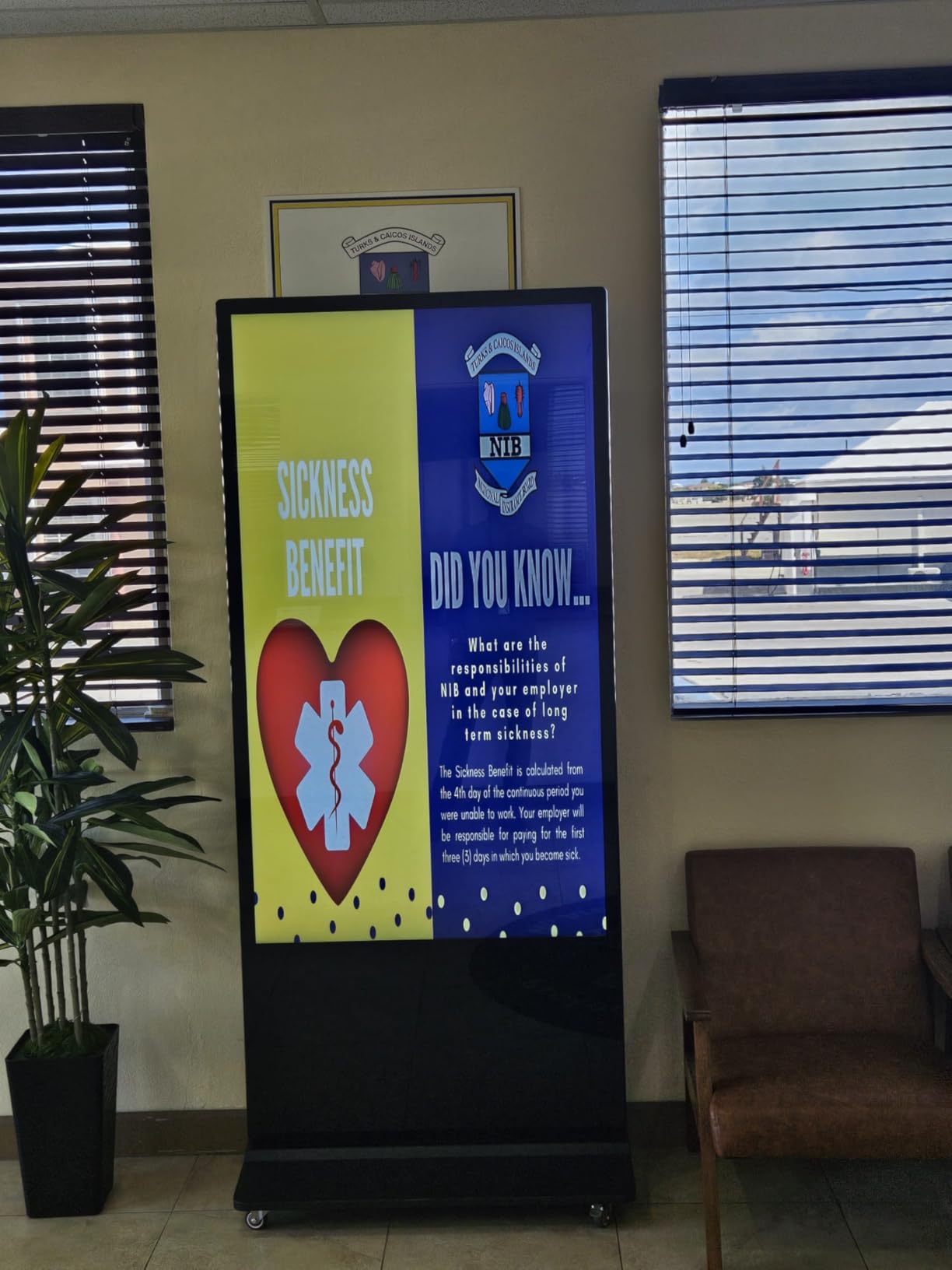
The split-screen function is genuinely useful for lobby applications. I set up the kiosk with the firm logo in the top zone, a rotating welcome message in the middle, and a weather and time widget at the bottom. Visitors get multiple layers of information without the content feeling cluttered on a 43-inch screen.
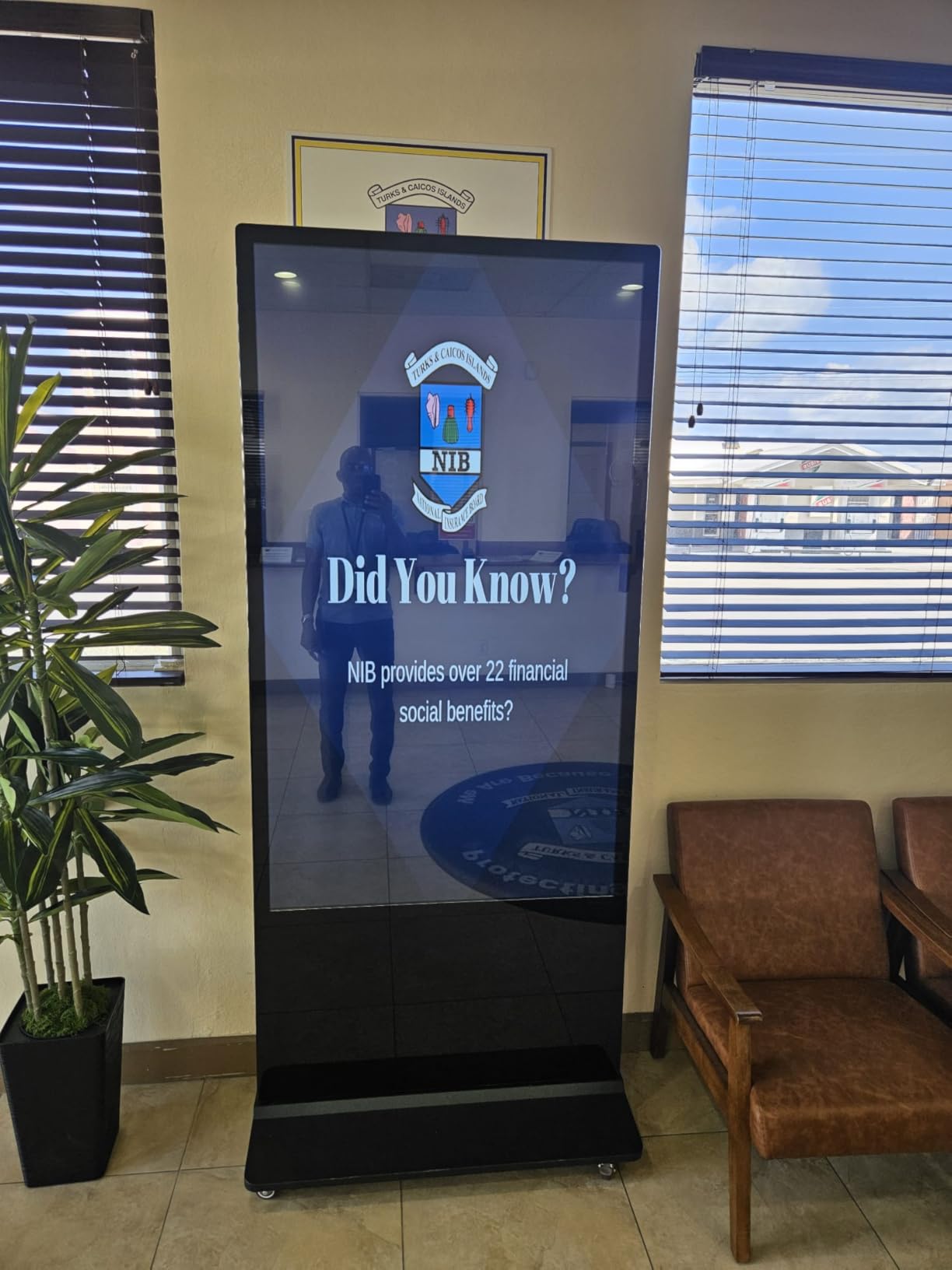
The IPS panel delivers a 178-degree viewing angle, which means content stays readable whether visitors approach the kiosk head-on or from the side. The slim bezel design with an ultra-thin screen border looks professional in a corporate environment. At 71 inches tall, the kiosk is visible above most reception furniture and plants.
Placement Strategy for Floor Kiosks in Lobbies
Position the kiosk where foot traffic naturally pauses, such as near the reception desk, elevator bank, or waiting area entrance. Avoid placing it in direct walking paths where it becomes an obstacle. The 43-inch screen height on this kiosk positions content at eye level for standing adults, which is ideal for wayfinding and directory applications.
Content Scheduling for Business Hours
The timed power settings let you configure the kiosk to turn on before the lobby opens and power down after closing. I set the law firm kiosk to activate at 7:45 AM and shut down at 7:00 PM. The automatic loop playback means once content is loaded and scheduled, the kiosk requires zero daily maintenance. The 3-year manufacturer warranty provides long-term peace of mind.
7. MWE 55-Inch 4K Floor Standing Kiosk — Best Premium Floor Standing Option
MWE 55 Inch 4K Digital Signage Display Kiosk, LCD Screen Indoor Floor Standing Advertising Displays, Android System Commercial Totem with Custom Service, Vertical Poster with Auto Media Player
55 inch 4K UHD
Android OS
Floor standing
FreeSync
Split-screen
3-yr warranty
Prime eligible
Pros
- Large 55-inch 4K UHD resolution for maximum impact
- Prime eligible shipping
- Floor standing design requires no wall mounting
- Android OS with split-screen multi-content display
- FreeSync adaptive sync for smooth video playback
- Automatic loop playback with timed power
Cons
- Heavy at 63 kilograms requires two people to position
- Frequently low stock availability
- Higher price point for a kiosk form factor
When a 43-inch kiosk is not big enough to anchor a spacious lobby, the MWE 55-inch 4K floor standing kiosk steps in. I recommended this unit for a technology startup reception area with high ceilings and an open floor plan where a smaller screen would look proportionally lost. The 4K resolution on a 55-inch panel makes branded content look sharp and intentional.
The 4K UHD resolution at 3840 x 2160 is the key upgrade over the 43-inch model. Product launch videos, animated branding content, and high-resolution photography all look noticeably better on this panel. The IPS display technology maintains color accuracy across the full 178-degree viewing angle, so visitors approaching from any direction see consistent image quality.
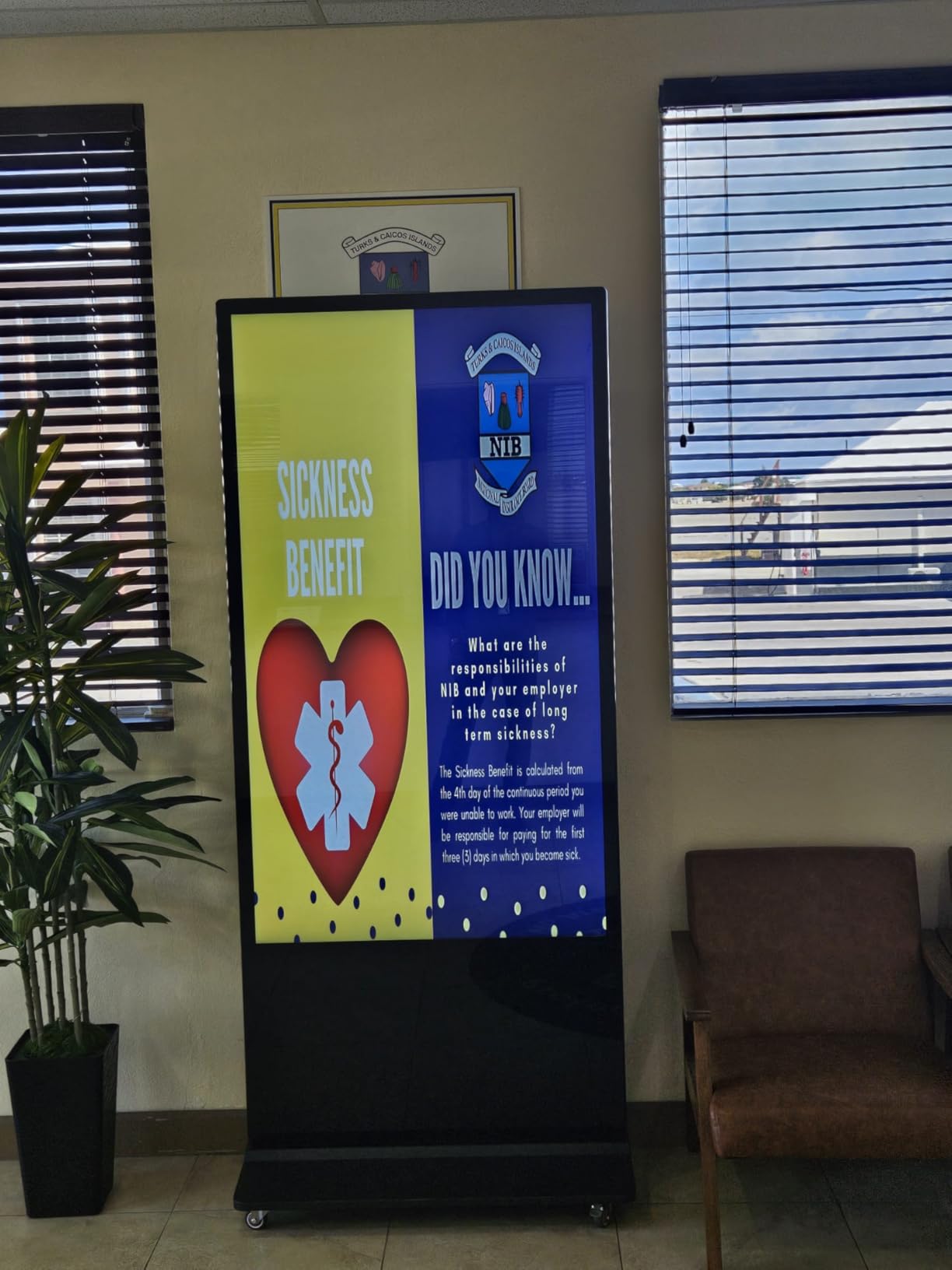
Connectivity includes Wi-Fi, USB, HDMI, and Ethernet, giving you multiple content delivery options. The Android operating system supports the same split-screen functionality as the 43-inch model but with significantly more screen real estate per zone. I configured a 4-zone layout with branding, social media feed, event calendar, and company news running simultaneously without any zone feeling cramped.
The FreeSync adaptive sync support is unusual for a digital signage kiosk, and it matters if you display video content with variable frame rates. Smooth playback without screen tearing looks more professional in a corporate environment. The automatic loop playback and timed power features work identically to the smaller MWE kiosk, making daily operation hands-off.
When to Choose 55 Inches Over 43 Inches
The 55-inch kiosk makes sense in lobbies with ceiling heights above 12 feet, floor areas over 400 square feet, or where the display serves as the primary visual anchor. In smaller spaces, it can feel overwhelming. The unit stands 77 inches tall and weighs 63 kilograms, so plan for two people during installation and positioning.
Stock Availability and Purchasing Strategy
This kiosk frequently shows low stock on Amazon, which reflects genuine demand. If you are planning a lobby refresh, I recommend ordering early rather than waiting until your installation deadline. The Prime eligibility does help with shipping speed once stock is available. The 3-year warranty matches the coverage on the rest of the MWE kiosk lineup.
8. MWE 32-Inch Portable Digital Kiosk — Best Flexible and Movable Option
QIXZOCV MWE 32 Inch Indoor Digital Signage Display Monitor, LCD Digital Kiosk, Advertising Display Poster, Android Kiosk with Auto Media Player, HDMI/USB (Plug-in use)
32 inch FHD 1080p
Portable with wheels
Android OS
CMS remote management
7 day 24 hour operation
2-yr warranty
Pros
- Portable foldable and movable with built-in wheels
- FHD 1080p IPS display quality
- Continuous 7 days 24 hours operation rating
- CMS real-time remote content management
- Compact size fits any lobby space
- Wi-Fi Bluetooth HDMI and USB connectivity
Cons
- 32 inch size may be too small for large lobbies
- 2-year warranty shorter than competitors
- No customer review images available yet
The MWE 32-inch portable kiosk is the display I reach for when flexibility is the top priority. I used one at a conference where the company needed temporary lobby signage for a two-day event, then wanted to move it to their permanent office afterward. The built-in wheels and foldable design make relocation a one-person job.
Despite the compact 32-inch size, this kiosk runs Android OS with full CMS support for real-time content updates. I pushed updated welcome messages and schedule changes from my phone during the event without touching the kiosk. The continuous 7-day, 24-hour operation rating means it can handle extended events or always-on lobby duty without needing a daily cooldown period.
The IPS panel delivers consistent FHD 1080p image quality at 178 degrees. For a 32-inch screen viewed at 5 to 10 feet, 1080p resolution is perfectly sharp. The timed power settings and automatic loop playback work the same as the larger MWE kiosks, so once content is loaded and scheduled, the kiosk operates independently.
The 4.9-star rating with 87 percent five-star reviews is the highest in this entire roundup. Users consistently praise the portability, ease of setup, and build quality. At this size and weight class, the kiosk works in small office lobbies, retail entrance areas, medical waiting rooms, and as a movable wayfinding station that can be repositioned as foot traffic patterns change.
Best Use Cases for a Portable Lobby Kiosk
This kiosk excels in multi-purpose lobbies that host events, in smaller reception areas where a permanent installation is not practical, and in buildings where the display needs to move between floors or locations. The built-in wheels lock in place for stability during operation. The foldable design also makes storage practical when the kiosk is not in use.
CMS Remote Management Features
The included CMS lets you manage content from any web browser, update displays in real time, and schedule content changes remotely. For a portable kiosk that moves between locations, this means you can update the content to match each deployment without being physically present. Wi-Fi and Bluetooth connectivity ensure the kiosk stays connected wherever you roll it.
How to Choose the Right Commercial Display for Your Lobby
After installing commercial displays in lobbies ranging from 200-square-foot medical offices to 5,000-square-foot corporate atriums, I have developed a checklist that cuts through the spec sheets and marketing language. Here is what actually matters when you are choosing the best commercial displays for lobbies.
Consumer vs Commercial Displays: What Actually Matters
The most common question I get from facility managers is whether they can just mount a consumer TV in the lobby and save money. The honest answer is that you can, but you will regret it within 12 to 18 months. Consumer TVs are not designed for continuous operation. Their backlight assemblies degrade faster, their internal components are not thermally managed for 16-hour daily use, and their warranties explicitly exclude commercial applications.
Commercial displays are built differently. They use industrial-grade panels rated for 16/7 or 24/7 operation. Their thermal management systems include higher-quality fans and heat sinks designed to dissipate heat during extended use. They include features like RS-232 control for integration with building automation systems, scheduling capabilities built into the firmware, and warranty coverage that explicitly covers commercial deployment.
The warranty difference alone often justifies the price gap. A consumer TV might give you a 1-year limited warranty that voids if used commercially. The Samsung commercial displays in this roundup all include 3-year onsite warranties covering parts, labor, and backlight. When a display fails, Samsung sends a technician to your lobby. Try getting that service on a $300 consumer TV.
Brightness: How Many Nits Does a Lobby Need
Brightness, measured in nits (candela per square meter), is the spec that most people get wrong. The right brightness level depends entirely on your lobby lighting environment. I use a simple three-tier framework based on real-world installations.
For enclosed lobbies with standard fluorescent or LED office lighting, 250 to 350 nits is sufficient. The Samsung BE43T-H at 250 nits and the Samsung QET and QE65T Series at 300 nits work well in these environments. Content remains readable, colors look accurate, and the display does not generate excessive heat.
For lobbies with significant natural light from windows or skylights, 500 nits is the minimum I recommend. The Samsung QM55R at 500 nits handles bright atriums and sun-adjacent placement without washing out. This is also the brightness level I suggest for displays positioned near glass entry doors where sunlight briefly hits the screen during certain hours.
For glass-walled lobbies, atriums with direct sun exposure, or semi-outdoor reception areas, 1000 nits is necessary. The Canlarriz 50-inch at 1000 nits is the only display in this roundup designed for that level of ambient light. Anything less and your content becomes invisible during peak daylight hours.
Operating Hours: 16/7 vs 24/7 Explained
Operating hour ratings confuse a lot of buyers because the terminology is not intuitive. A 16/7 rating means the display is engineered to run 16 hours per day, 7 days per week. A 24/7 rating means continuous operation around the clock. The difference is in the thermal management, power supply design, and panel longevity specifications.
For a standard corporate lobby that operates during business hours, 16/7 is perfectly adequate. Your display runs from roughly 6 AM to 10 PM, which covers early arrivals, business hours, and evening events. The Samsung BE43T-H, QET Series, and QE65T are all 16/7 rated, and I have deployed them in dozens of offices without thermal issues.
For hotels, hospitals, logistics facilities, or any building with round-the-clock operations, 24/7 is non-negotiable. The Samsung QM55R and the Canlarriz 50-inch both carry 24/7 ratings. Running a 16/7 display in a 24/7 environment will shorten its lifespan and void the warranty if the usage pattern is discovered during a service claim.
Size Recommendations by Lobby Type
Choosing the right display size for your lobby comes down to viewing distance and the role the screen plays in the space. I use these guidelines based on lobby square footage and typical visitor interaction patterns.
For small lobbies under 300 square feet, a 32 to 43-inch display works well. The MWE 32-inch portable kiosk and the Samsung 43-inch models fit this category. Visitors are typically 5 to 10 feet from the screen, so smaller sizes still deliver readable content. A 65-inch display in this space would feel overwhelming and visually unbalanced.
For medium lobbies between 300 and 800 square feet, 43 to 55 inches is the sweet spot. This covers most corporate reception areas, medical office waiting rooms, and professional service firm entrances. The Samsung QM55R and Canlarriz 50-inch are ideal here. Visitors view the screen from 10 to 15 feet away, so larger sizes ensure content remains readable from any position in the space.
For large lobbies over 800 square feet, 55 to 65 inches or a multi-screen video wall configuration is necessary. The Samsung QE65T at 65 inches anchors a large wall effectively. For even bigger spaces, consider daisy-chaining multiple displays for a video wall that can be seen from 20-plus feet away.
Connectivity and Content Management
The connectivity options on a commercial display determine how you deliver and manage content. Every display in this roundup includes HDMI for direct content delivery from a laptop or media player. But the real efficiency comes from network-based content management.
Samsung commercial displays use Tizen OS or MagicINFO for content management. Tizen offers a free built-in signage app that handles basic scheduling and playlists. MagicINFO is Samsung’s enterprise platform that supports remote management, multi-display synchronization, and live data integration. For a single lobby display, the free Tizen app is sufficient. For multi-screen deployments, MagicINFO is worth the investment.
The Android-based displays from Canlarriz and MWE offer their own CMS platforms. The Canlarriz includes free CMS software with multi-zone support. The MWE kiosks support real-time remote content updates via their CMS platform. Both platforms run on Android, which means compatibility with a wide range of third-party signage apps from the Google Play Store.
Mounting: Wall vs Floor Standing vs Video Wall
The mounting strategy for your lobby display affects both aesthetics and functionality. Wall mounting is the most common approach for permanent installations. All the Samsung displays in this roundup include VESA mount compatibility. Use a flush mount for a clean, architectural look or a full-motion mount if you need angle adjustability for events or layout changes.
Floor standing kiosks like the MWE models eliminate mounting entirely. They are self-contained units that stand on the floor, which makes them ideal for historic buildings, leased spaces where wall modifications are prohibited, or lobbies where the layout changes periodically. The trade-off is that they occupy floor space and can be repositioned, which is either a feature or a problem depending on your lobby traffic patterns.
Video wall configurations using multiple displays are an option for large lobbies that need maximum visual impact. The narrow bezel designs on the Samsung QET Series and the Canlarriz 50-inch make them suitable for multi-screen arrays. For video walls, I recommend displays with daisy-chain support and synchronized content management to ensure seamless playback across all panels.
FAQs
What is the difference between consumer and commercial displays?
Commercial displays are built for continuous 16/7 or 24/7 operation with industrial-grade panels, thermal management systems, and warranties that explicitly cover business use. Consumer TVs are designed for a few hours of daily viewing, degrade faster under continuous operation, and their warranties void if used commercially.
Who is the best display manufacturer for commercial use?
Samsung is the leading commercial display manufacturer based on market share, product lineup depth, and warranty coverage. Their BE, QET, and QMR Series cover every lobby use case from budget wall mounts to premium 24/7 displays. LG and PPDS (Philips Professional Display Solutions) are strong alternatives with comparable commercial-grade offerings.
What brightness level do lobby displays need?
Enclosed lobbies with standard office lighting need 250 to 350 nits. Lobbies with significant natural light from windows or skylights need at least 500 nits. Glass-walled atriums and semi-outdoor reception areas require 1000 nits or higher to keep content visible during daylight hours.
How long can commercial displays run continuously?
Commercial displays rated for 16/7 operation can run 16 hours per day, 7 days per week. Displays rated for 24/7 operation can run continuously without scheduled downtime. Exceeding the rated operating hours shortens the display lifespan and may void the warranty.
What is the best commercial TV for a lobby?
The best commercial TV for a lobby depends on your space and lighting. The Samsung 43-inch BE43T-H Pro TV is the best overall for standard wall-mounted installations. The Samsung QM55R is best for 24/7 operation. The Canlarriz 50-inch is best for high-brightness environments, and the MWE 32-inch portable kiosk is best for flexible or temporary deployments.
Final Thoughts on Lobby Commercial Displays
After testing eight displays across multiple lobby environments, the Samsung 43-inch BE43T-H Pro TV remains my top recommendation for most standard corporate reception areas. It delivers 4K picture quality, free signage management through Tizen, and a 3-year onsite warranty at a price that fits most facility budgets. For brighter lobbies, the Canlarriz 50-inch at 1000 nits solves the visibility problem that sinks lesser displays. And for flexibility, the MWE portable kiosk lineup handles everything from event signage to permanent floor installations without requiring wall mounting.
Whatever you choose from this list of the best commercial displays for lobbies, make sure the operating hours, brightness, and warranty align with your actual lobby conditions. The cheapest display that does not match your environment will cost more in replacements and downtime than investing in the right screen the first time.