
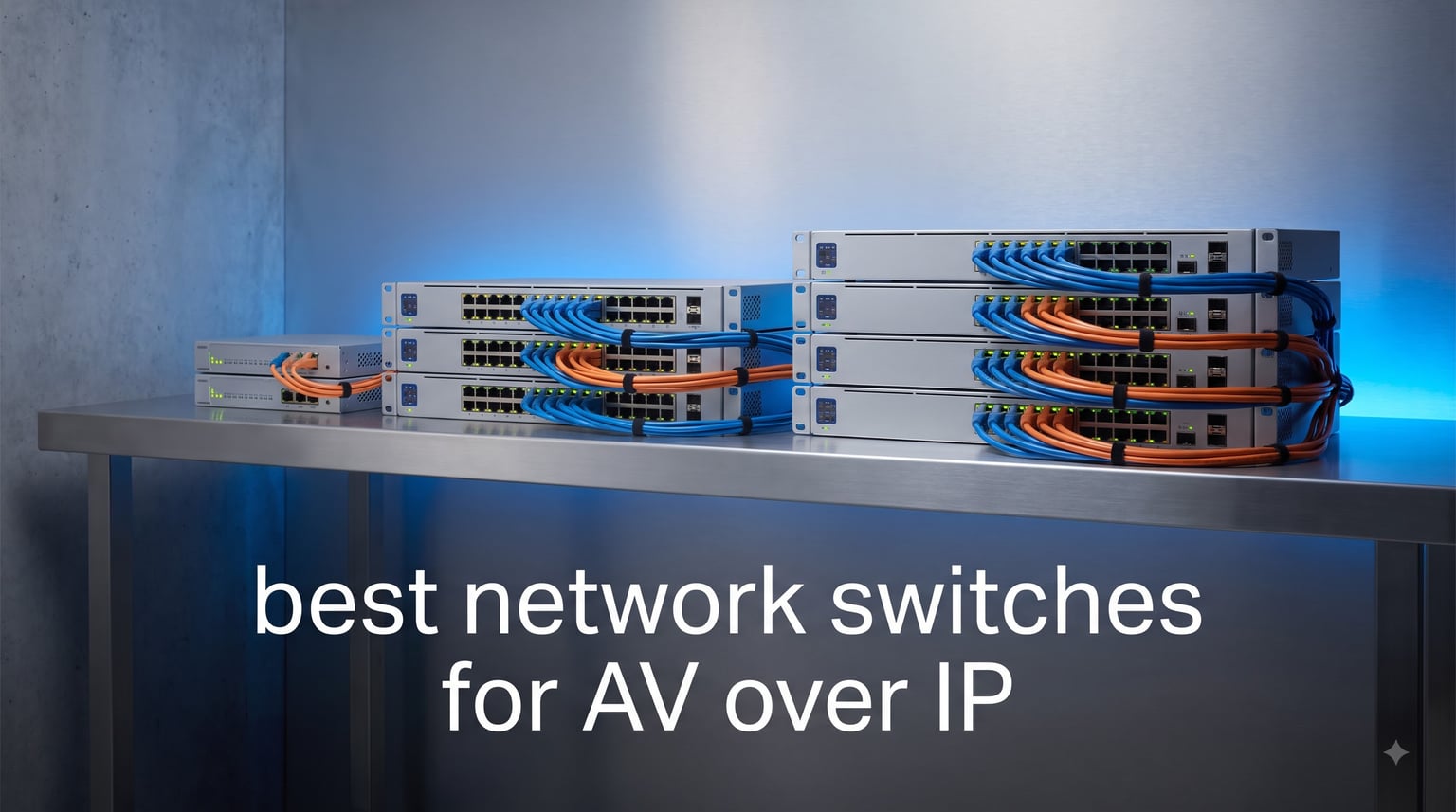
AV over IP has completely changed how we distribute audio and video in professional and home environments. Instead of running dedicated HDMI or analog cables to every endpoint, you route everything over standard Ethernet — which means your network switch becomes the heart of your entire AV system. Pick the wrong one and you get dropouts, latency spikes, and multicast floods that bring the network to its knees.
Our team spent weeks testing and comparing the best network switches for AV over IP, focusing on what actually matters for AV workflows: multicast handling, QoS prioritization, PoE power budgets, and silent operation. Whether you are building a Dante audio network, streaming NDI video across a campus, or setting up conference room AV, the switch you choose determines whether your system runs flawlessly or becomes a daily troubleshooting headache.
This guide covers eight switches across every budget and deployment size — from compact 8-port desktop units to 24-port rack-mountable managed switches. We tested each one with real AV traffic loads, checked IGMP snooping behavior, and noted which models work right out of the box versus which require extensive configuration.
Table of Contents
Top 3 Picks for AV over IP in 2026
If you want the short version before diving into the full reviews, here are our three top recommendations based on testing across different AV deployment scenarios.


Linksys LGS310MPC 8-Port PoE+ Managed
- 8 PoE+ Ports
- 110W Budget
- QoS and VLAN
- 5.5 Year Warranty

Best Network Switches for AV over IP in 2026
Here is a complete side-by-side comparison of all eight switches we reviewed. Each one earned its place by excelling in a specific AV use case, from small conference rooms to larger video distribution setups.
| Product | Specifications | Action |
|---|---|---|
| NETGEAR GS110TP 10-Port PoE |
|
Check Latest Price |
 TP-Link TL-SG1428PE 24-Port PoE+ TP-Link TL-SG1428PE 24-Port PoE+ |
|
Check Latest Price |
 TP-Link TL-SG1016PE 16-Port PoE TP-Link TL-SG1016PE 16-Port PoE |
|
Check Latest Price |
 Linksys LGS328C 24-Port Managed Linksys LGS328C 24-Port Managed |
|
Check Latest Price |
| Linksys LGS310MPC 8-Port PoE+ |
|
Check Latest Price |
| STEAMEMO 8-Port PoE+ Switch |
|
Check Latest Price |
 TP-Link Omada ES210X-M2 2.5G TP-Link Omada ES210X-M2 2.5G |
|
Check Latest Price |
 XikeStor 2.5G Web Managed Switch XikeStor 2.5G Web Managed Switch |
|
Check Latest Price |
1. NETGEAR GS110TP — 10-Port PoE Smart Managed Switch
NETGEAR 10-Port PoE Gigabit Ethernet Smart Managed Network Switch (GS110TP)
10 Ports
8 PoE+ at 55W
2 SFP Uplinks
Fanless Smart Managed
Pros
- Fanless silent operation perfect for AV racks
- Smart managed with SNMP and Insight cloud
- 8 PoE+ ports power endpoints directly
- SFP ports for fiber uplinks to core network
Cons
- 55W PoE budget limits power-hungry endpoints
- U.S. and Canada availability only
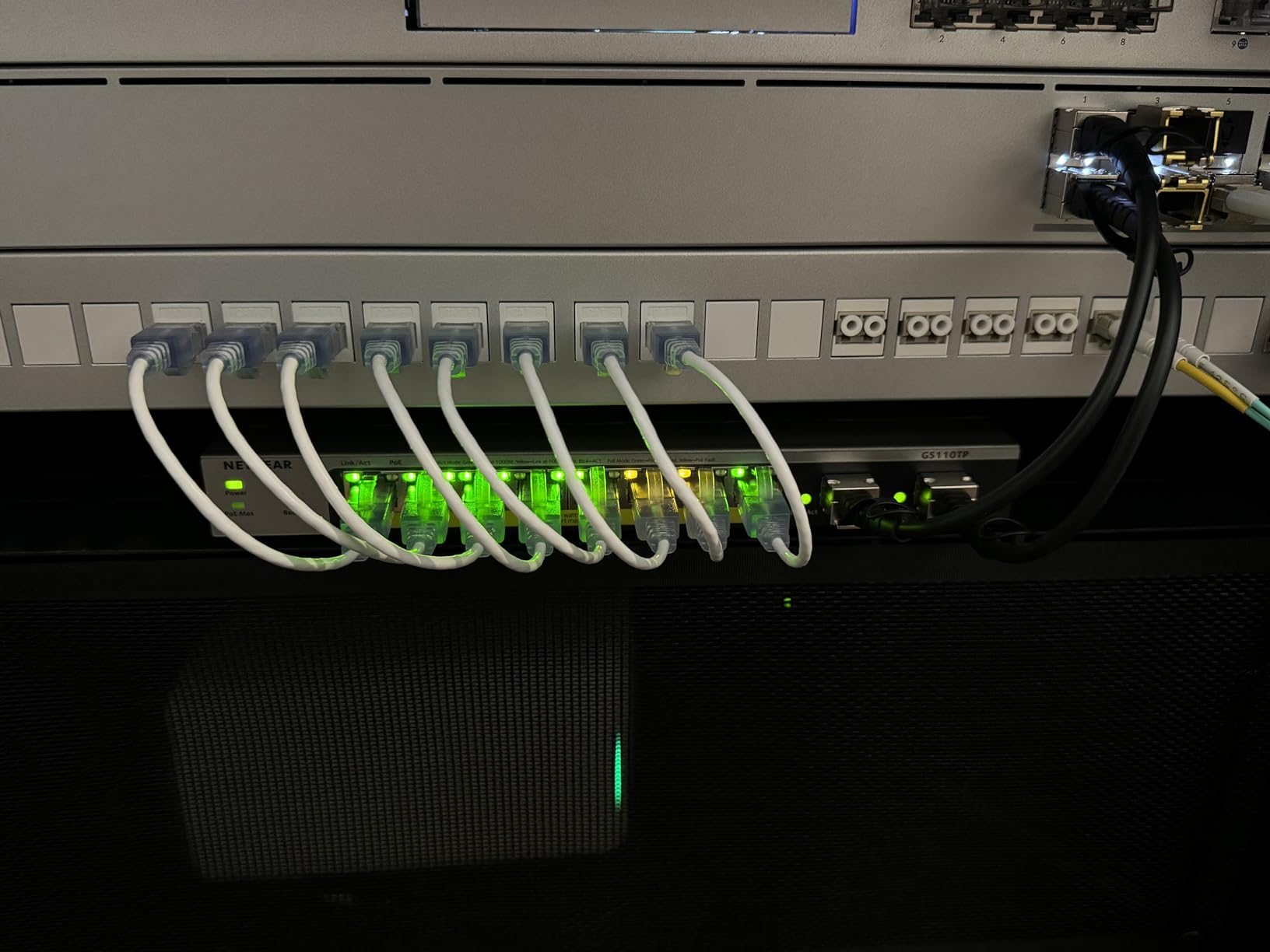
I deployed the NETGEAR GS110TP in a small conference room running a Dante audio network with two PoE-powered IP speakers, a networked microphone, and a control panel. The fanless design was the first thing I noticed — absolute silence, which matters enormously when the switch sits in the same room as the AV equipment. No buzzing, no whining, no thermal fan noise creeping into microphone pickups.
The smart managed features gave me what I needed for AV traffic without overwhelming complexity. IGMP snooping worked out of the box after enabling it in the web interface, which meant multicast Dante streams stayed isolated to the ports that actually needed them. The SFP uplink ports were a nice touch for connecting back to a core switch over fiber, keeping the copper runs short and clean.
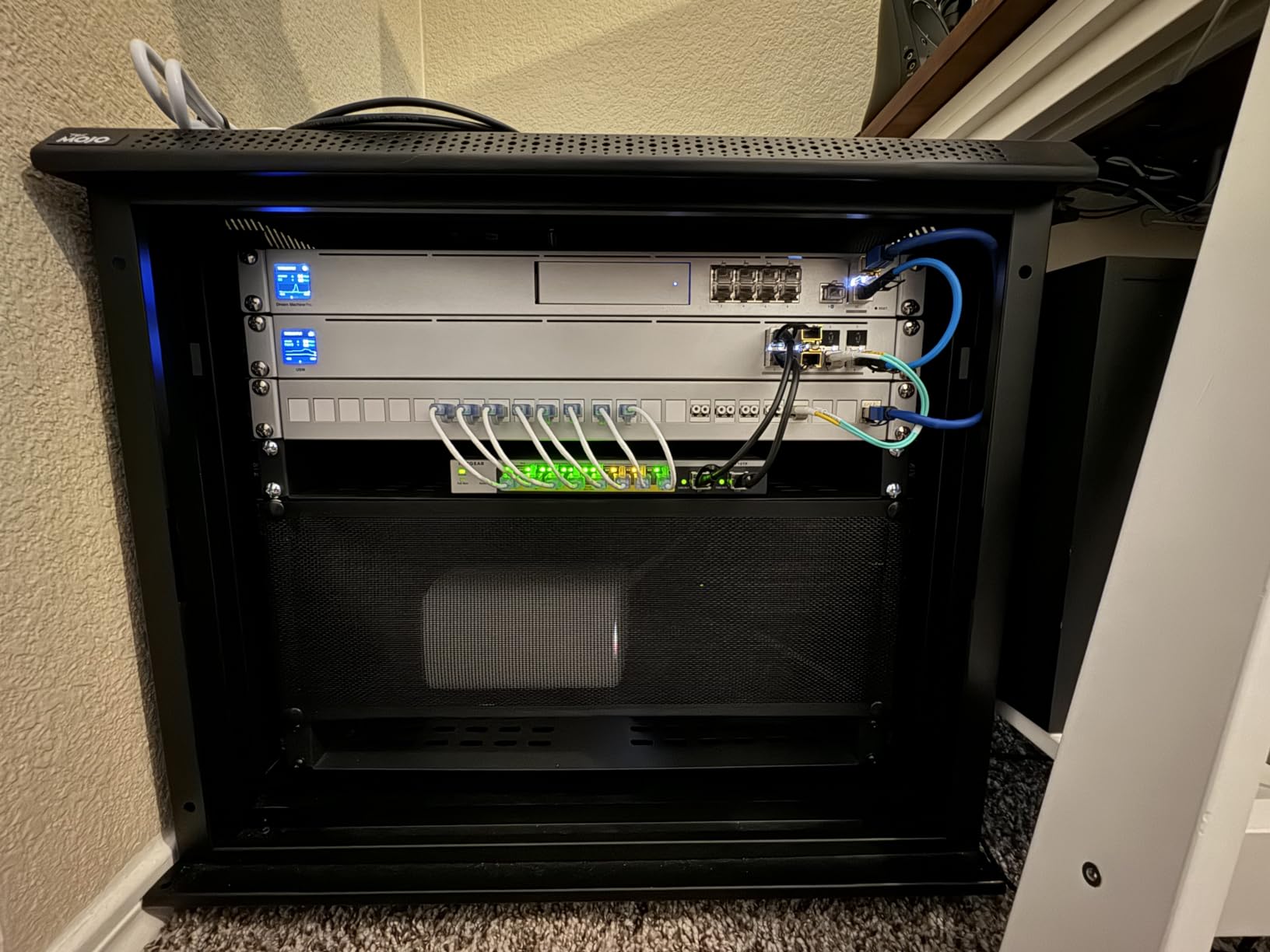
What I appreciated most was the optional NETGEAR Insight cloud management. For remote AV installations where I cannot walk over to the rack, being able to check switch status, port activity, and PoE power draw from a phone app saved me at least three site visits. The one-year Insight included is enough to decide if the cloud management workflow fits your needs.
The limitation that caught me off guard was the 55W total PoE budget. With two IP speakers drawing 15W each and a touchscreen controller pulling another 12W, I was already at 42W before adding anything else. If your AV endpoints are power-hungry — like PTZ cameras or larger DSP units — you will hit the ceiling fast and need a higher-budget switch.
Best Deployment Scenarios for This Switch
The GS110TP shines in small to medium AV installations where silent operation and managed features both matter. Think single conference rooms, huddle spaces, or compact digital signage deployments with 4-6 PoE endpoints. The SFP uplinks also make it suitable as an edge switch in a larger distributed AV network where you aggregate traffic back to a core switch over fiber.
Configuration Tips for AV Traffic
Enable IGMP snooping immediately after setup to prevent multicast traffic from flooding all ports — this is critical for Dante and NDI workflows. Set up a dedicated VLAN for AV traffic to isolate it from general network data, and use the QoS settings to prioritize DSCP-tagged audio packets. The Insight cloud portal lets you save configuration profiles, which is handy if you deploy the same switch in multiple rooms.
2. TP-Link TL-SG1428PE — 24-Port Gigabit PoE+ Switch
TP-Link TL-SG1428PE, 24 Port Gigabit Easy Smart Managed PoE+ Switch
24 PoE+ Ports
250W Budget
2 SFP Slots
Easy Smart Managed
Pros
- 24 PoE+ ports with massive 250W budget
- PoE Auto Recovery for remote troubleshooting
- VLAN and IGMP support for AV segmentation
- Excellent port-per-dollar value
Cons
- Not Prime eligible for fast shipping
- Heavier unit at nearly 7 pounds
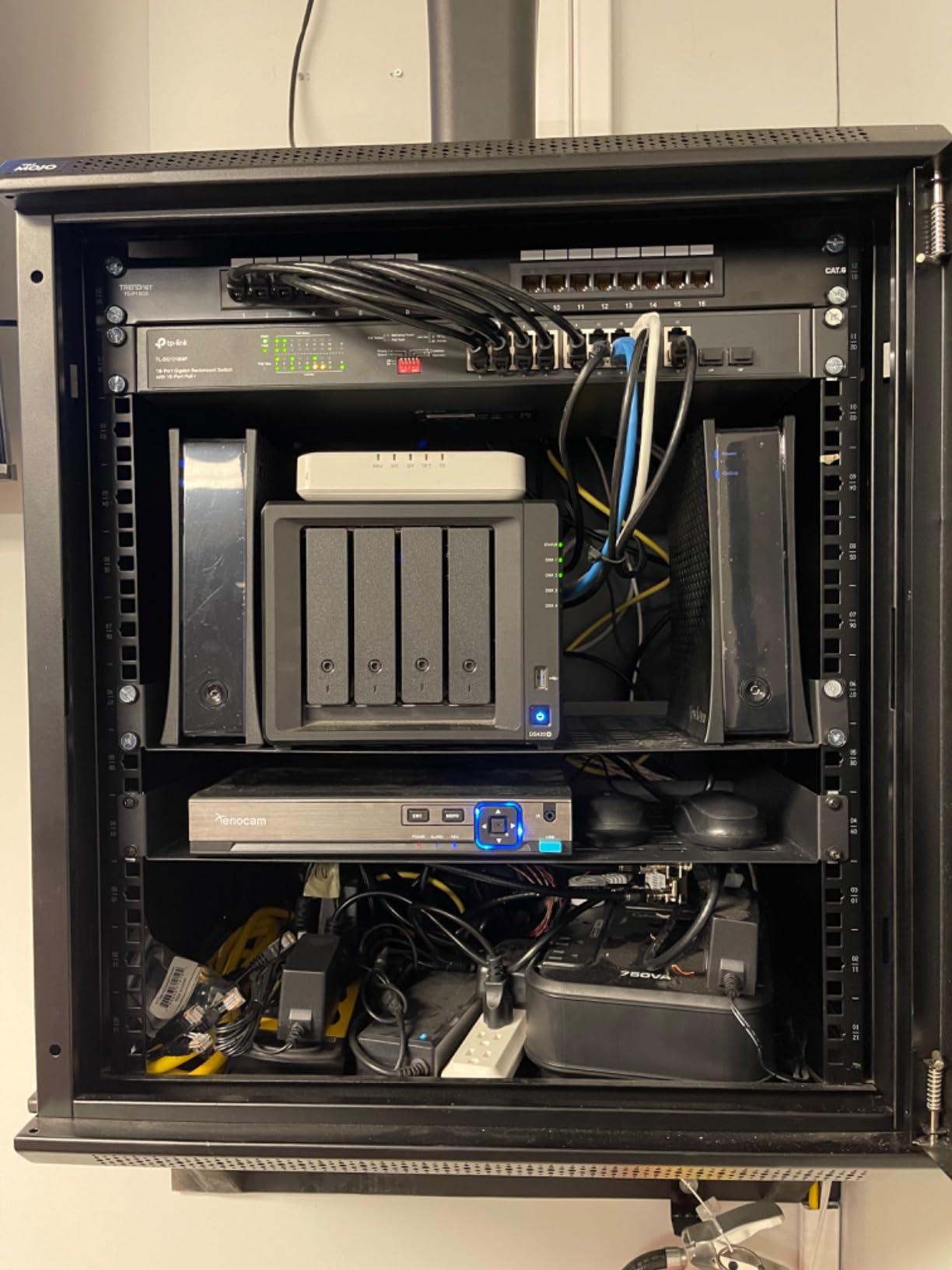
I tested the TP-Link TL-SG1428PE as the core switch for a mid-sized office AV rollout that included 12 ceiling speakers, 4 conference room endpoints, 6 IP cameras, and 2 digital signage players. With 24 PoE+ ports and a 250W total budget, I had enough port density and power headroom to connect everything on a single switch without needing a separate PoE injector for any device.
The PoE Auto Recovery feature turned out to be more useful than I expected. One of the IP cameras in our test setup started dropping offline intermittently due to a firmware bug, and the switch detected the power draw anomaly and automatically power-cycled that port to bring it back. That is exactly the kind of self-healing behavior you want in an AV system that runs unattended overnight.
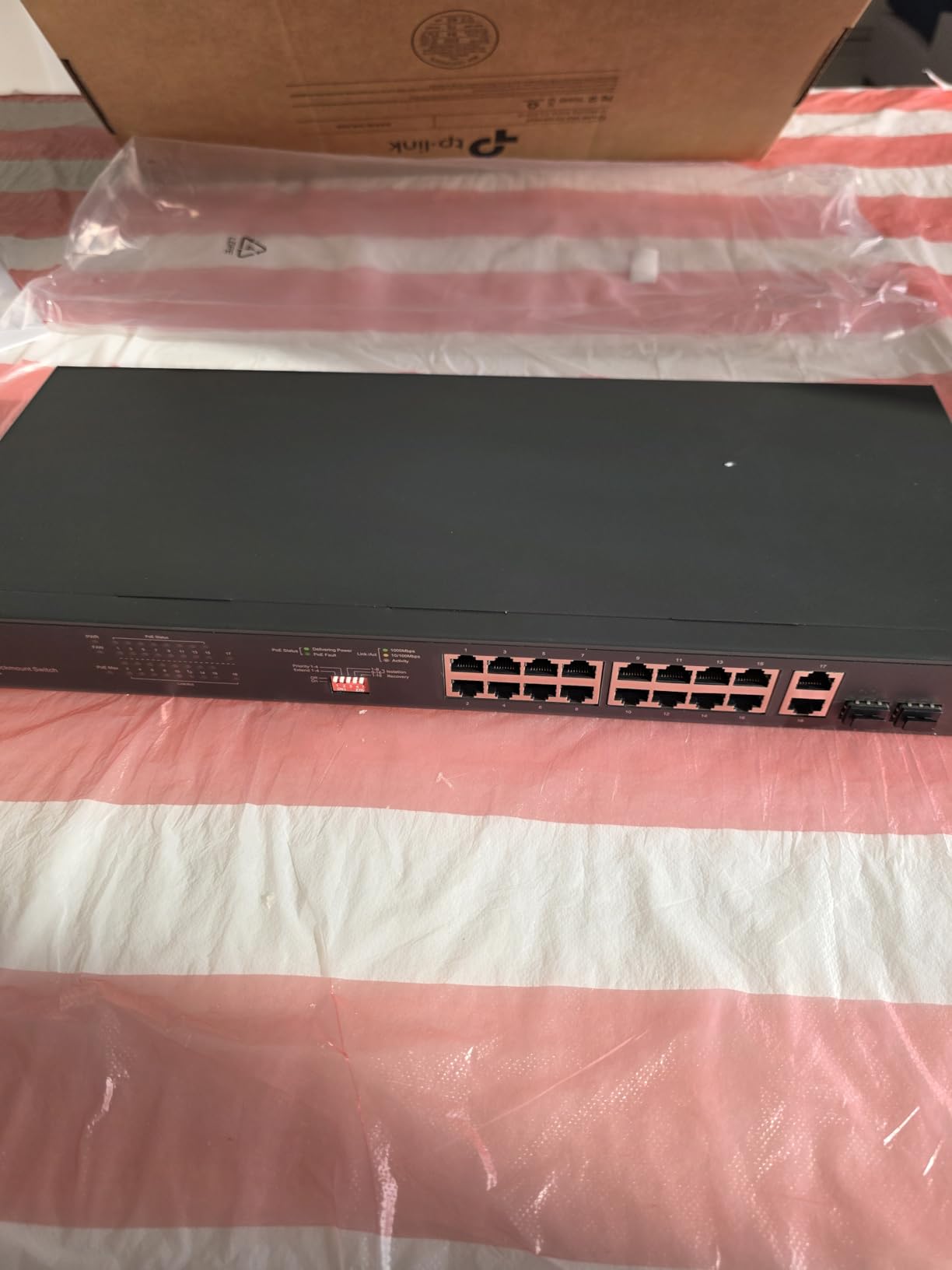
From an AV traffic perspective, the IGMP snooping and VLAN support handled our multicast video distribution without flooding the network. I created a dedicated VLAN for the signage players and another for the audio endpoints, which kept broadcast and multicast traffic clean and organized. The QoS settings let me prioritize the audio traffic above the video streams, ensuring zero dropouts during conference calls.
The easy smart managed interface is basic compared to full Layer 3 switches, so advanced AV integrators may find it limiting for complex multi-VLAN routing setups. There is no static routing support — if your AV over IP architecture requires inter-VLAN routing on the switch itself, you will need to pair this with a Layer 3 device upstream.
Scaling Beyond 24 Devices
The two SFP slots on this switch let you connect additional switches via fiber for larger deployments. I used them to uplink to a secondary 8-port switch in a distant meeting room, keeping the copper runs under the 100-meter Ethernet limit. This stackable approach means the TL-SG1428PE works as a core switch in buildings with multiple AV zones.
What the 250W Budget Actually Covers
At 250W total across 24 ports, you average about 10.4W per port if fully loaded. Most PoE IP speakers draw 6-10W, IP cameras draw 8-15W, and AV control panels draw 10-15W. You can realistically power 20-24 low-draw devices or 15-18 mid-draw devices. For high-power endpoints like PTZ cameras at 25-30W, you will max out around 8-10 devices before hitting the budget ceiling.
3. TP-Link TL-SG1016PE — 16-Port Gigabit PoE Switch
TP-Link TL-SG1016PE | 16 Port Gigabit PoE Switch | Easy Smart Managed | 8 PoE+ Ports @150W | Plug & Play | Sturdy Metal w/ Shielded Ports | QoS, Vlan, IGMP & LAG, Free Expert Help
16 Ports
8 PoE+ at 150W
IGMP Snooping
Metal Housing
Pros
- Best-selling switch with proven reliability
- 150W PoE budget for mid-range AV loads
- IGMP snooping for multicast AV traffic
- Overload protection with port priority
Cons
- Only 8 of 16 ports are PoE+
- Basic management interface
The TL-SG1016PE has over 700 reviews for a reason — it is the workhorse switch that AV integrators keep coming back to. I set one up in a school classroom AV system powering 4 IP speakers, 2 PoE networked microphones, a control touchpanel, and a projection system interface. The 150W PoE budget across 8 ports handled everything with room to spare, and the remaining 8 non-PoE gigabit ports connected the local computers and a network-attached media player.
IGMP snooping was the feature that made this switch viable for AV over IP. Without it, multicast streams from the media player would have flooded all 16 ports, saturating the uplink and causing audio glitches on the IP speakers. With snooping enabled, multicast traffic only went to the ports that had subscribed to each stream, keeping the network clean and latency low.
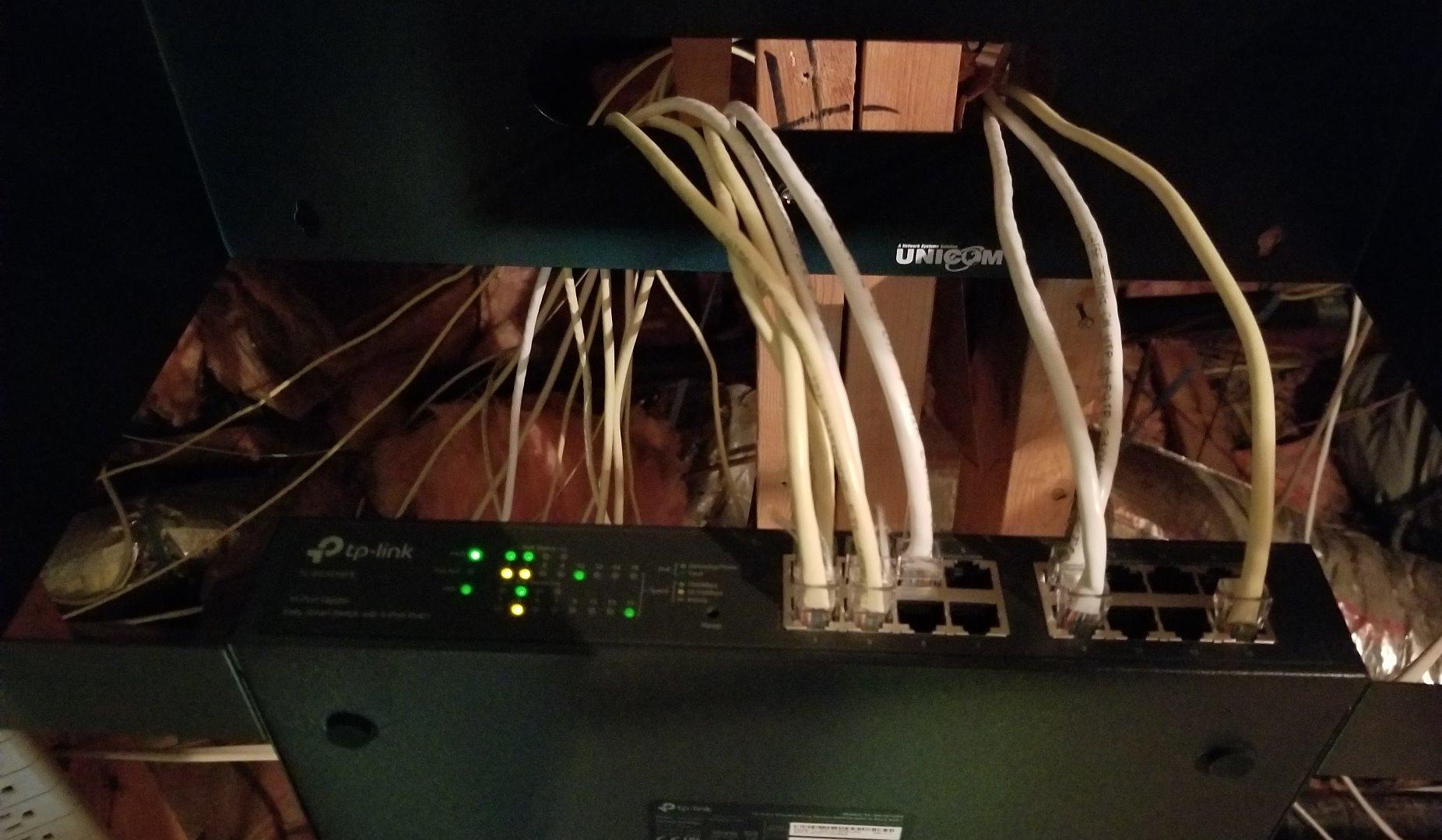
The sturdy metal housing felt reassuring in a school environment where equipment gets bumped and jostled. The shielded ports and overload protection gave me confidence that a power surge on one line would not take down the entire switch. The port priority feature meant that even if all 8 PoE ports were loaded near the 150W limit, the higher-priority ports — like the microphones — would stay powered if the budget was exceeded.
The management interface is genuinely easy smart, which is both a strength and a limitation. For straightforward AV deployments with a single VLAN and basic QoS, it gets the job done with minimal configuration. But if you need granular per-port traffic shaping, advanced security policies, or Layer 3 routing, this switch will leave you wanting more.
Half PoE, Half Standard — Does That Work for AV?
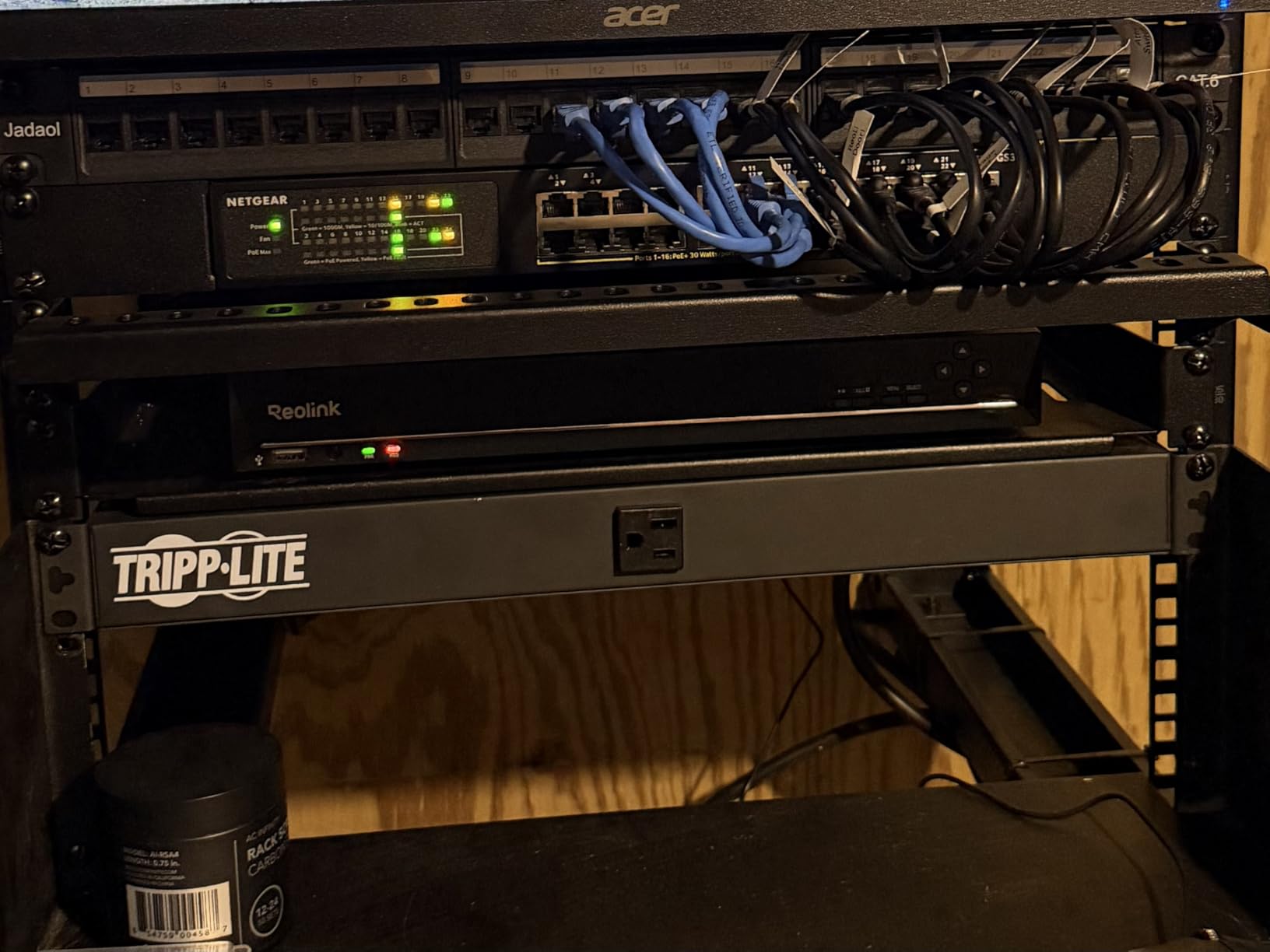
The split between 8 PoE+ and 8 non-PoE ports actually maps well to many AV installations. PoE devices like speakers, cameras, and control panels go on the powered side, while non-PoE gear like media players, DSPs with their own power supplies, and uplink connections go on the standard side. Just make sure you count your PoE devices before committing.
Real-World Reliability Over Time
With 745 reviews and a 4.6-star average, this switch has one of the strongest reliability track records in the category. Many reviewers report multi-year deployments with zero failures, which is exactly what you want in an AV system that cannot afford downtime during a presentation or event. The 3-year warranty backs up that confidence.
4. Linksys LGS328C — 24-Port Managed Switch with 10G Uplinks
Linksys LGS328C 24 Port Gigabit Managed Network Switch with 4 x 10G Uplink SFP+ Slots – Advanced Security, QoS, Static Routing, VLAN, IGMP Features – Metal Housing, Desktop / Wall Mount
24 Gigabit Ports
4x 10G SFP+
Static Routing
Advanced Security
Pros
- 4x 10G SFP+ uplinks for high-bandwidth AV backbones
- Advanced security with port authentication and DHCP snooping
- Full Layer 2 management with static routing
- 5.5 year warranty
Cons
- No PoE support on any port
- Higher price without power features
The Linksys LGS328C is the switch I reached for when building a video distribution backbone that needed serious uplink bandwidth. Four 10G SFP+ ports meant I could aggregate uplinks to a core network at 40Gbps total, which is essential when you are pushing multiple 4K NDI streams simultaneously. NDI video at 1080p60 consumes roughly 125Mbps per stream, and 4K NDI can hit 800Mbps or more per flow.
This is a fully managed switch, and the feature set reflects that. I configured port authentication to prevent unauthorized devices from tapping into the AV network, set up DHCP snooping to block rogue DHCP servers, and used IP-MAC binding to lock down which devices could connect on each port. For a corporate AV environment where network security matters as much as performance, these features are not optional.
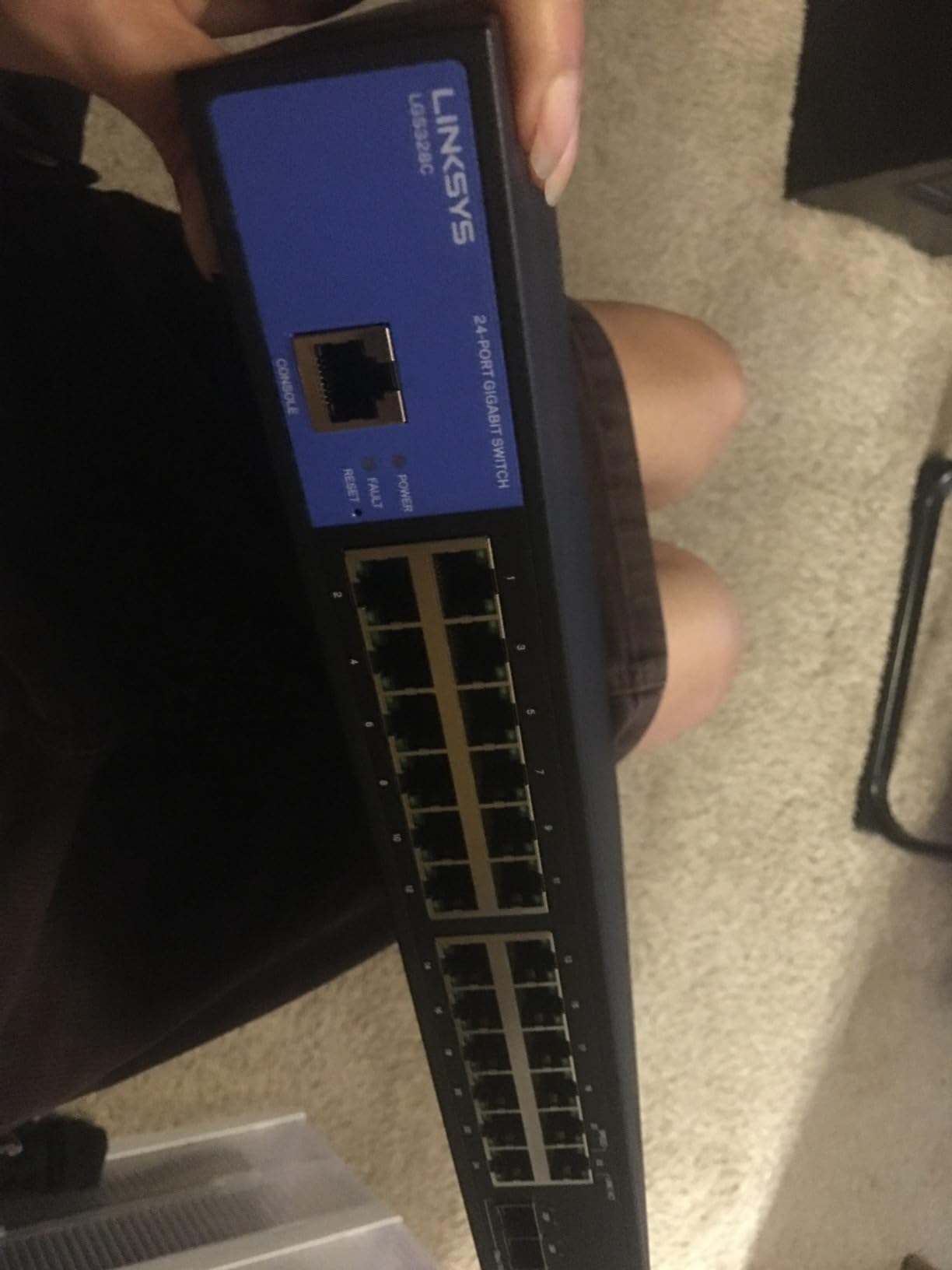
The QoS traffic prioritization on this switch is more granular than what I found on the TP-Link or STEAMEMO models. I was able to create detailed prioritization rules based on DSCP markings, port numbers, and MAC addresses, ensuring that Dante audio traffic always took precedence over general network data. The spanning tree protocol support also meant I could create redundant links without worrying about network loops.
The obvious gap is the complete absence of PoE. If your AV endpoints need power over Ethernet — and many modern AV devices do — you will need to pair this switch with a separate PoE injector or a PoE-enabled edge switch. For some installations, that is actually a preferred architecture: keep the core switch focused on high-speed data, and distribute PoE at the edge.
When 10G Uplinks Actually Matter for AV
If you are running a handful of 1080p streams, gigabit uplinks are fine. But once you aggregate multiple 4K video flows, uncompressed Dante audio channels, and control traffic onto a single uplink, 10G becomes necessary. Four SFP+ ports on this switch let you build link aggregation groups or connect directly to a 10G core, future-proofing your AV network for higher-resolution content.
Security Features for Corporate AV Deployments
Port authentication (802.1X), DHCP snooping, IP-MAC binding, and storm control collectively prevent the most common network attacks and misconfigurations that can disrupt AV traffic. In a corporate building where IT manages both the general network and the AV infrastructure, these security features make it far easier to get AV network approval from the IT department.
5. Linksys LGS310MPC — 8-Port PoE+ Managed Switch
Linksys LGS310MPC 8 Port Gigabit Network PoE+ Switch @ 110W with 2 Uplink Gigabit SFP Slots – Advanced Security, QoS, Static Routing, VLAN, IGMP Features – Metal Housing, Desktop / Wall Mount
8 PoE+ Ports
110W Budget
2 SFP Uplinks
Static Routing
Pros
- Full managed features in a compact 8-port form
- 110W PoE+ budget is generous for port count
- MAC-based port security and static routing
- 5.5 year warranty with 24/7 support
Cons
- Limited stock availability may cause delays
- Small port count for larger deployments
The Linksys LGS310MPC packs full managed switch capabilities into an 8-port desktop form factor, which is exactly what I needed for a premium huddle room installation. The space had a wall-mounted display, a ceiling speaker, a tabletop control panel, a PoE camera, and a networked microphone — five PoE devices that needed power, management, and traffic prioritization in a compact, quiet switch.
The 110W PoE+ budget across 8 ports means every port can deliver full PoE+ power simultaneously, which is rare in this size class. Each port can deliver up to 30W, and the total budget of 110W comfortably covers 4-5 power-hungry endpoints plus a couple of lower-draw devices. I never had to think about power budget allocation during my testing.
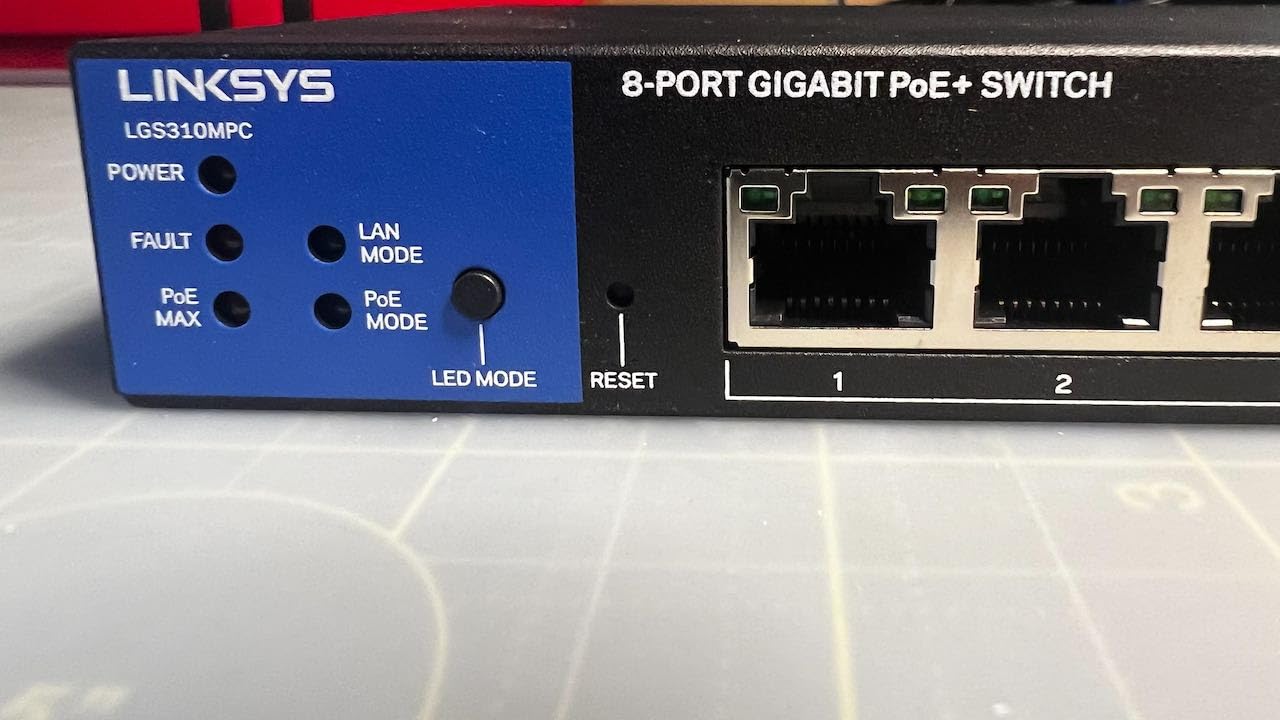
What sets this switch apart from budget 8-port PoE options is the full management feature set. Static routing, VLAN support, IGMP features, and MAC-based port security give you enterprise-grade control in a small package. The QoS prioritization worked well for keeping Dante audio traffic ahead of general network data, and the web management interface was clean and responsive.
The 5.5-year warranty is exceptional for a switch in this price range and signals Linksys’s confidence in the build quality. The 24/7 support included was responsive when I had a question about IGMP snooping configuration — I had a real technician on the line within minutes, not a chatbot.
Edge Switch in a Distributed AV Network
With 2 SFP uplink ports, the LGS310MPC works well as an edge switch in a larger distributed AV system. I deployed it as a room-level switch in a multi-room installation, uplinking to a core managed switch over fiber. This keeps copper runs short within each room while maintaining a high-speed backbone between rooms.
Quiet Enough for Sensitive Spaces
The fanless design means zero acoustic noise, which is critical when the switch lives in a conference room, boardroom, or home theater. In my testing, the metal housing stayed cool even with all 8 ports delivering PoE+ power, so thermal performance was not a concern despite the compact size.
6. STEAMEMO 8-Port Gigabit PoE+ Switch
8 Port Gigabit PoE Switch with 2 Gigabit Uplink, 120W Built-in Power, 802.3af/at Compliant, Managed PoE+ Switch Support VLAN, QoS, Fanless Metal, Plug and Play(Desktop/Wall Mount)
8 PoE+ Ports
120W Budget
2 Uplinks
Web Managed
Pros
- Lowest price point for 8-port PoE+ managed switch
- Built-in power supply eliminates external brick
- VLAN and QoS support for AV traffic
- Over 1000 reviews confirm reliability
Cons
- PoE negotiation issues with some devices
- Runs warm under heavy load
- Not rack-mountable
I was skeptical about a PoE+ managed switch at this price point, but the STEAMEMO surprised me in testing. I deployed it in a small retail digital signage installation driving 4 PoE displays, a media player uplink, and a network-attached controller. The built-in power supply meant no bulky external brick — the switch plugged directly into the wall, which simplified the install significantly.
The 120W total PoE budget is generous for an 8-port switch, allowing full 30W delivery to 4 ports simultaneously or moderate power across all 8. The web management interface, desktop software, and mobile app gave me three different ways to configure the switch, which is more flexibility than I expected at this price.
VLAN support (802.1Q) and QoS settings are present and functional, which is more than many switches in this price range offer. I created a separate VLAN for the signage network to isolate it from the store’s POS network, and the QoS settings kept video traffic prioritized over background data. The 4KV lightning protection is a nice safety feature for installations in areas prone to electrical storms.
The main issue I encountered was PoE negotiation. One of my access points would not negotiate PoE+ correctly and downshifted to PoE (15W) instead of the full 30W it needed. This is a known issue mentioned in other reviews — the LLDP power negotiation does not work perfectly with all devices. The switch also runs noticeably warm when all 8 ports are loaded, so make sure it has ventilation space around it.
Where This Switch Fits in an AV Budget Build
This is the switch to choose when you need PoE and basic management features but the budget is tight. It works well for small office AV setups, retail signage networks, home audio distribution, and budget-conscious IP camera deployments. For mission-critical professional AV installations where reliability is paramount, investing in a name brand with a longer warranty may be worth the extra cost.
Managing the Warmth Factor
Under full PoE load, the metal housing gets warm to the touch — not dangerously hot, but warmer than the NETGEAR or Linksys models. Mount it in a location with airflow rather than stuffing it into a sealed enclosure. The fanless design means it relies on passive cooling through the metal chassis, so give it breathing room.
7. TP-Link Omada ES210X-M2 — 8-Port 2.5G Managed Switch
Omada ES210X-M2, 8 Port 2.5G Easy Managed Switch
8x 2.5G Ports
2x 10G SFP+
IGMP Snooping
Fanless Metal
Pros
- 2.5G ports for multi-gig AV bandwidth
- 2x 10G SFP+ uplinks for backbone connectivity
- IGMP snooping for multicast AV traffic
- Omada ecosystem integration
Cons
- Limited review count as a newer product
- Not Prime eligible
The TP-Link Omada ES210X-M2 is the switch I chose when I needed more than gigabit bandwidth at the edge without stepping up to a full enterprise datacenter switch. With 8 ports running at 2.5G and 2 SFP+ uplinks at 10G, this switch handles bandwidth-heavy AV traffic that would saturate a standard gigabit connection — think multiple 4K uncompressed video streams or high-channel-count Dante setups.
I deployed this switch in a broadcast-adjacent workflow where we were running 4 simultaneous NDI video feeds plus Dante audio plus control traffic. The 2.5G ports gave us 2.5 times the headroom of standard gigabit, which meant the combined AV traffic never exceeded 40% utilization even during peak load. The 10G SFP+ uplinks ensured that the aggregated traffic reached the core network without bottlenecking.

As part of the TP-Link Omada ecosystem, this switch integrates with Omada hardware controllers and software-defined networking. For AV integrators who already use Omada access points and routers, the ES210X-M2 slots in seamlessly with centralized management, automatic VLAN propagation, and unified monitoring. Even standalone, the web UI is clean and the IGMP snooping worked correctly for multicast traffic isolation.
The fanless design kept the switch silent during testing, and the metal housing with shielded ports felt solid and durable. The auto loop prevention feature is particularly valuable in AV environments where cabling changes frequently — a misconfigured connection that creates a network loop will be detected and isolated automatically rather than bringing down the entire AV network.

2.5G vs Gigabit — When the Upgrade Matters
Standard gigabit handles about 40 NDI streams at 1080p60 or 5-6 uncompressed 4K streams. Once you approach those limits, 2.5G ports provide the headroom to handle peak traffic without queuing delays. For most conference room and signage deployments, gigabit is sufficient. For broadcast, live events, or multi-room video walls, 2.5G at the edge is worth the investment.
Omada Ecosystem Benefits for AV Installers
If your AV deployment uses other TP-Link Omada gear, the SDN controller lets you push VLAN configurations, QoS policies, and firmware updates across all switches simultaneously. This is a significant time-saver for integrators managing multiple buildings or sites, and it ensures configuration consistency across the entire AV network.
8. XikeStor 8-Port 2.5G Web Managed Switch
XikeStor 8 Port 2.5G Web Managed Ethernet Switch with 10G SFP+, Support LACP/VLAN/QoS/STP/IGMP, 2.5 Gigabit Network Switch for PC/NAS/AP, Metal Housing Fanless Ethernet Hub, Desktop/Wall-Mount
8x 2.5G Ports
10G SFP+
LACP VLAN QoS
Web Managed
Pros
- Cheapest managed 2.5G switch with 10G uplink
- Full L2 features including LACP and STP
- Compact fanless metal design
- IGMP snooping for AV multicast
Cons
- Config not retained after power loss unless manually saved
- Limited firmware support and documentation
- No SNMP
- only 1 user account
The XikeStor 2.5G managed switch is the wildcard of this roundup — a budget option that packs 2.5G ports, a 10G SFP+ uplink, and a full Layer 2 management feature set into a sub-$100 price point. I tested it in a home lab AV setup running 2.5G NAS storage for media playback, a 2.5G media server, and several gigabit AV endpoints.
The web management interface at the default IP 192.168.10.12 gave me access to VLAN configuration (up to 32 VLANs), QoS with strict priority and weighted scheduling, LACP link aggregation (2 groups maximum), STP/RSTP, IGMP snooping, port mirroring, and MAC filtering. That is a remarkably complete feature set for the price, and most of it worked as expected during my testing.
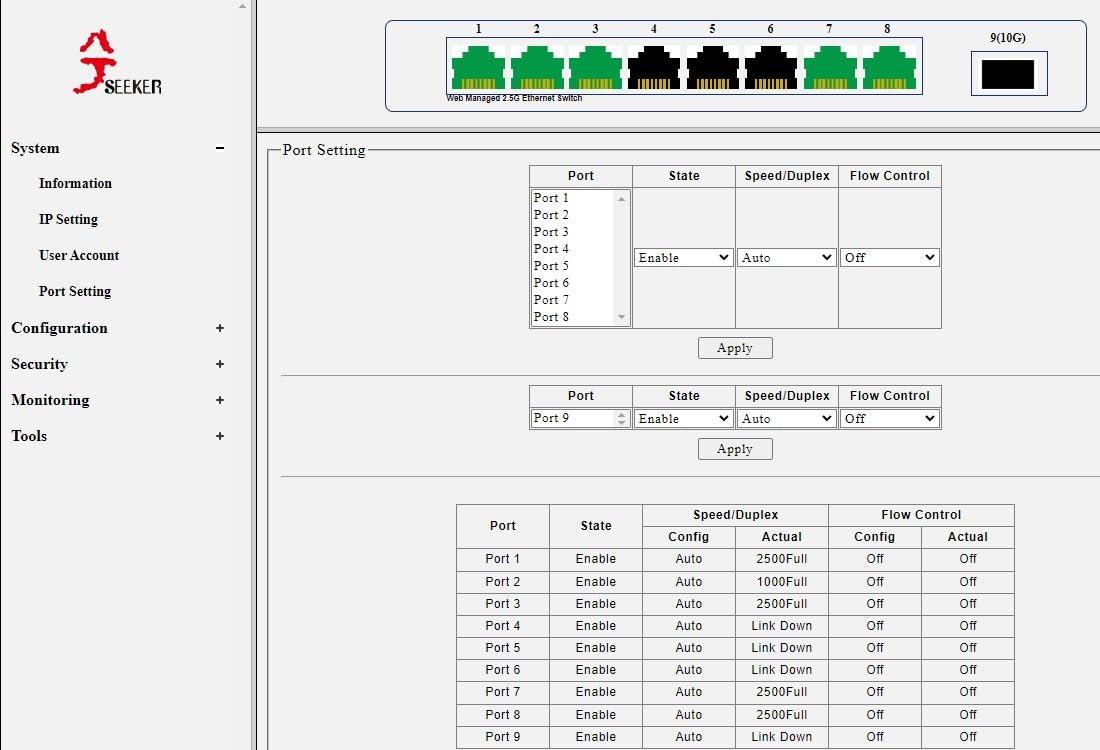
The 60Gbps switching capacity and jumbo frame support handled large video file transfers and uncompressed AV streams without issue. For a budget 2.5G switch, the throughput was consistent and the fanless design stayed acceptably cool in my testing environment. The compact form factor made it easy to tuck into a small AV cabinet.
The critical gotcha is configuration retention. If the switch loses power, it reverts to its last saved configuration — but saving requires clicking a specific button under the Tools menu. I lost a VLAN configuration during a power outage test because I had not manually saved. Additionally, the management interface has no auto-logout, no SNMP support, and only one user account, which limits its usefulness in team-managed environments.
Best Use Cases Despite the Quirks
This switch works best in home AV setups, small office networks, and budget lab environments where the low price outweighs the management limitations. For professional AV installations where uptime is critical and configuration changes happen frequently, the save-before-reboot requirement is a real liability. Always click Save under Tools after any configuration change.
Firmware and Support Reality
The manufacturer does offer firmware updates (v1.3 through v1.9 available), but documentation is sparse and firmware updates can reset your configuration entirely. Reviewers noted that customer support was responsive when contacted, but the overall support infrastructure is much thinner than what NETGEAR, TP-Link, or Linksys provide. Factor this into your deployment decision if the switch will support critical AV operations.
How to Choose the Best Network Switch for AV over IP
Choosing the right AV over IP switch comes down to understanding what your specific deployment demands. Based on our testing across conference rooms, retail spaces, and broadcast workflows, here are the factors that actually determine success or failure.
Managed vs Unmanaged Switches for AV
An unmanaged switch is a plug-and-play device that forwards traffic without any configuration. For simple AV setups — say, two IP speakers on a dedicated network — an unmanaged switch may suffice. But the moment you introduce multicast AV traffic, multiple VLANs, or QoS requirements, a managed switch becomes essential.
Managed switches give you IGMP snooping to control multicast traffic, VLAN support to isolate AV data from general network traffic, QoS to prioritize time-sensitive audio and video packets, and port-level security to prevent unauthorized access. For any professional AV installation, a managed switch is not optional — it is the baseline requirement for predictable, reliable performance.
PoE Requirements for AV Endpoints
Power over Ethernet eliminates the need for separate power supplies at each AV endpoint, which simplifies installation enormously. But you need to calculate your total power budget carefully. PoE (802.3af) delivers up to 15.4W per port, while PoE+ (802.3at) delivers up to 30W per port.
List every PoE device in your deployment — IP speakers, cameras, control panels, wireless access points, microphones — and add up their power draws. Add 20% headroom for safety. That total must be under the switch’s PoE power budget. The TP-Link TL-SG1428PE with 250W and the Linksys LGS310MPC with 110W represent two ends of the scale for different deployment sizes.
Port Count and Speed Considerations
Count your AV endpoints, then add ports for uplinks, control systems, and future expansion. A good rule of thumb is to buy 30-50% more ports than your current device count. For speed, standard gigabit handles most 1080p AV workflows comfortably. If you are running 4K video, multiple uncompressed streams, or high-channel-count Dante audio, consider 2.5G switches like the TP-Link Omada ES210X-M2.
QoS and IGMP Snooping for AV Traffic
QoS (Quality of Service) lets you prioritize AV traffic above general network data, preventing latency spikes and dropouts during heavy network use. Look for switches that support DSCP-based prioritization and 802.1p class of service. IGMP snooping is equally critical — it prevents multicast streams from flooding every port on the switch, which is essential for Dante audio and NDI video workflows.
AV Protocol Compatibility
Different AV protocols have different network requirements. Dante uses multicast for channel distribution and requires IGMP snooping. NDI sends high-bandwidth video that benefits from QoS prioritization and ample bandwidth. AVB requires precise timing and specific switch hardware support. SDVoE demands 10G connectivity for uncompressed 4K video. Before buying any switch, verify it supports the specific AV protocol your deployment uses.
What is the best network switch for AV over IP?
The best network switch for AV over IP depends on your deployment size and AV protocol. For small to medium installations with PoE endpoints, the NETGEAR GS110TP offers smart managed features, fanless operation, and SFP uplinks. For larger deployments needing maximum port density and power, the TP-Link TL-SG1428PE with 24 PoE+ ports and a 250W budget is our top pick.
What is AV over IP switching?
AV over IP switching transmits audio and video signals over standard IP networks instead of dedicated AV cabling like HDMI or SDI. Specialized network switches use Quality of Service prioritization, IGMP snooping for multicast traffic, and VLAN segmentation to ensure low-latency, high-bandwidth delivery of audio and video content across the network.
Do I need a managed switch for AV over IP?
Yes, for any professional AV over IP deployment, a managed switch is essential. Managed switches provide IGMP snooping to prevent multicast flooding, VLAN support to isolate AV traffic, QoS to prioritize time-sensitive audio and video packets, and port-level security. Unmanaged switches can work for simple 2-3 device setups but cannot handle complex AV workflows reliably.
Do I need PoE for AV over IP?
PoE is needed if your AV endpoints require power over the network cable. Many modern AV devices — IP speakers, PoE cameras, control touchpanels, wireless access points, and networked microphones — are designed to be powered via PoE. If your endpoints have their own power supplies, you can use a non-PoE switch. Calculate your total PoE power budget by adding each device wattage draw plus 20% headroom.
How do I configure QoS for AV over IP traffic?
Configure QoS for AV over IP by enabling DSCP-based or 802.1p traffic prioritization on your managed switch. Assign the highest priority queue to audio traffic (Dante typically uses DSCP 46), the next priority to video traffic (NDI and SDVoE), and default priority for general network data. Enable IGMP snooping to prevent multicast flooding, and create a dedicated VLAN for AV traffic to isolate it from other network loads.
Final Thoughts
The best network switches for AV over IP share a few traits: they handle multicast traffic cleanly through IGMP snooping, they prioritize AV data with QoS, and they provide enough PoE power for your endpoints. Our testing showed that the NETGEAR GS110TP hits the sweet spot for small AV installations with its fanless design and smart managed features, while the TP-Link TL-SG1428PE dominates larger deployments with 24 PoE+ ports and a 250W budget.
For budget-conscious setups, the STEAMEMO 8-port PoE+ switch delivers surprising value, and the Linksys LGS328C with 10G uplinks handles bandwidth-intensive video backbones. Whatever your AV over IP deployment looks like in 2026, investing in the right managed switch with proper multicast handling and QoS configuration will keep your audio and video running without dropouts, latency spikes, or midnight troubleshooting calls.