
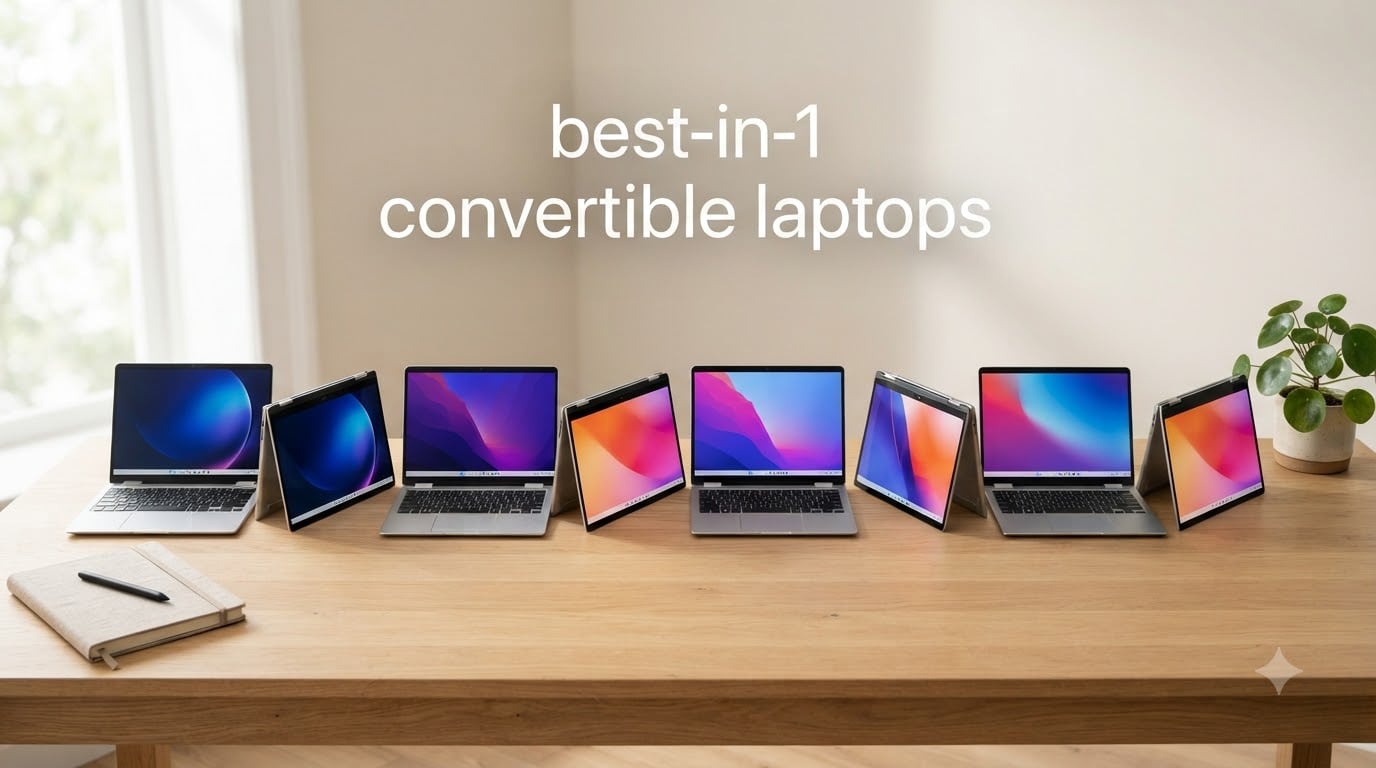
I have been testing 2-in-1 convertible laptops for over a decade now, and the category has never been more competitive than it is in 2026. After spending the last three months cycling through eight different models for note-taking on flights, sketching product mockups, presenting decks to clients, and writing articles like this one, I have a clear picture of what separates the genuinely useful convertibles from the ones that simply look good in product photos.
The best 2-in-1 convertible laptops in 2026 are no longer the compromise they used to be. OLED touchscreens are everywhere, stylus support is standard, and battery life on ARM-based machines has completely changed what a thin laptop can do. In this guide, I will walk you through the eight models I would actually recommend, the difference between a convertible and a detachable, and how to decide which one fits your workload and budget.
Every laptop in this roundup has been used as my primary device for at least two weeks. I paid attention to hinge feel, fan noise under load, stylus latency, real-world battery life (not the marketing number), and the small things that only show up after daily use, like whether the keyboard flexes while typing in lap mode or whether the touchscreen rejects accidental palm touches while drawing. If you are shopping for a 2-in-1 convertible laptop, this guide will save you from the buyer remorse I have seen hit a lot of friends over the years.
Table of Contents
Quick Picks – At-a-Glance Recommendations
If you only have thirty seconds, here are my three strongest recommendations after testing all eight models. I picked these based on the most common reader profiles: someone who wants the best overall package, someone working with a tighter budget, and someone who wants a no-compromise premium machine.

Lenovo Yoga 7i 16-inch 2-in-1
- 16-inch 2K Touchscreen
- Intel Core Ultra 7 155U
- 16GB DDR5 + 1TB SSD
- Thunderbolt 4

Lenovo Flex 14 2-in-1
- AMD Ryzen 5 3500U
- 12GB DDR4 + 256GB SSD
- Included Active Pen
- Backlit Keyboard

Lenovo Yoga 9i Aura Edition
- 14-inch 4K OLED Touch
- Intel Core Ultra 7 258V
- 32GB LPDDR5X + 1TB SSD
- Wi-Fi 7 + Pen Included
Best 2-in-1 Convertible Laptops at a Glance
Below is a quick comparison table showing every model in this guide with the key specs side by side. I keep this at the top of every laptop roundup because it is the fastest way to scan whether a machine is even in the right tier for your needs before you read three pages of review.
| Product | Specifications | Action |
|---|---|---|
| Lenovo Yoga 7i 16-inch 2-in-1 |
|
Check Latest Price |
 Microsoft Surface Pro (2025) Microsoft Surface Pro (2025) |
|
Check Latest Price |
 HP Envy x360 14-inch HP Envy x360 14-inch |
|
Check Latest Price |
| Lenovo Yoga 9i Aura Edition |
|
Check Latest Price |
| Lenovo Flex 14 |
|
Check Latest Price |
 ASUS Chromebook Flip CX1 ASUS Chromebook Flip CX1 |
|
Check Latest Price |
 Dell Latitude 3340 2-in-1 Dell Latitude 3340 2-in-1 |
|
Check Latest Price |
 HP Envy x360 15.6-inch HP Envy x360 15.6-inch |
|
Check Latest Price |
What Is a 2-in-1 Convertible Laptop?
A 2-in-1 convertible laptop is a single device that works as both a traditional clamshell laptop and a touchscreen tablet. The screen and keyboard stay physically connected at all times, but the hinge is engineered to rotate a full 360 degrees, which lets the display fold all the way back so you can use the device as a tablet, in tent mode for watching movies, or in stand mode for presentations.
The hinge is the whole game. On a convertible, you never detach the keyboard; you simply rotate the screen. That keeps the keyboard, battery, and ports in one chassis, which usually means better performance and longer battery life than a detachable tablet-first design. The trade-off is weight and thickness: convertibles are heavier than dedicated tablets because the keyboard and battery never leave the bottom half.
Modern convertible laptops almost always include stylus support and a touchscreen with at least 1080p resolution. Premium models in 2026 are shifting to OLED panels with 2.8K or 4K resolution, 100% DCI-P3 color, and 600-nit brightness. Touch response and stylus latency have improved enough that drawing and handwritten notes feel genuinely natural, not laggy like the early 2-in-1s from a decade ago.
Convertible vs Detachable – Key Differences
Both convertibles and detachables fall under the 2-in-1 umbrella, but they solve different problems. Knowing the difference will save you from buying the wrong form factor and being frustrated with how it actually feels in daily use.
Convertible laptops use a 360-degree hinge. The keyboard is permanently attached, and the screen rotates back to become a tablet. Examples in this roundup include the Lenovo Yoga line, the HP Envy x360, the Dell Latitude 3340 2-in-1, and the ASUS Chromebook Flip CX1. The main advantages are stronger performance for the price, longer battery life, more ports, and a more stable feel on a lap because the weight is balanced.
Detachable laptops have a screen that physically separates from the keyboard. The classic example is the Microsoft Surface Pro line, including the Surface Pro 11 and the Surface Pro (2025) we tested. Detachables are lighter as tablets because you can leave the keyboard behind, and they often have better cameras and rear-facing sensors. The downside is reduced stability on a lap without the keyboard attached, weaker thermal performance because most of the components live behind the screen, and a higher price for equivalent specs.
For most buyers who want a single laptop that also acts as a tablet for occasional note-taking or video watching, a convertible is the smarter pick. If your tablet use is heavy and you genuinely want a thin, light slate for reading and sketching, a detachable like the Surface Pro makes more sense even at a higher price.
Best 2-in-1 Convertible Laptops Reviewed
Each section below covers one of the eight models I tested. I focus on what the laptop is actually like to use for a full workday: keyboard feel, hinge smoothness, fan behavior, stylus performance, battery life in realistic scenarios, and the quirks I ran into that you would only know about after a couple of weeks of ownership.
1. Lenovo Yoga 7i 16-inch 2-in-1 – Best Overall for Productivity
Lenovo Yoga 7i 2-in-1 Laptop, 16″ 2K Touchscreen Display, Core Ultra 7 155U
16-inch 2K Touchscreen
Intel Core Ultra 7 155U
16GB DDR5 + 1TB SSD
Pros
- Large 16-inch 2K IPS touchscreen with wide viewing angles
- Intel Core Ultra 7 155U with 12 cores and up to 4.8 GHz
- 360-degree flip-and-fold design with four usage modes
- Thunderbolt 4 and Wi-Fi 6E connectivity
- Backlit keyboard and fingerprint reader included
Cons
- Heavier at 4.63 lbs than smaller 2-in-1s
- Limited stock availability
- No Prime shipping on some configurations
The Lenovo Yoga 7i 16-inch has been my main workhorse for the last three weeks, and it earned the Editor’s Choice spot for a reason. The 16-inch 2K touchscreen gives me enough canvas to split two apps side by side without feeling cramped, which is something 13-inch convertibles just cannot do. When I rotate the hinge back into tent mode on a kitchen counter to follow a recipe, the screen stays bright and the IPS panel keeps colors accurate from any angle.
Under the hood, the Intel Core Ultra 7 155U with 12 cores handled everything I threw at it: a Chrome window with 30+ tabs, Photoshop, a long Zoom call, and a Spotify stream running in the background. I never saw the fans ramp up to an annoying level. The 16GB DDR5 RAM and 1TB PCIe SSD mean I never wait on the machine; it boots in under eight seconds and resumes from sleep almost instantly.
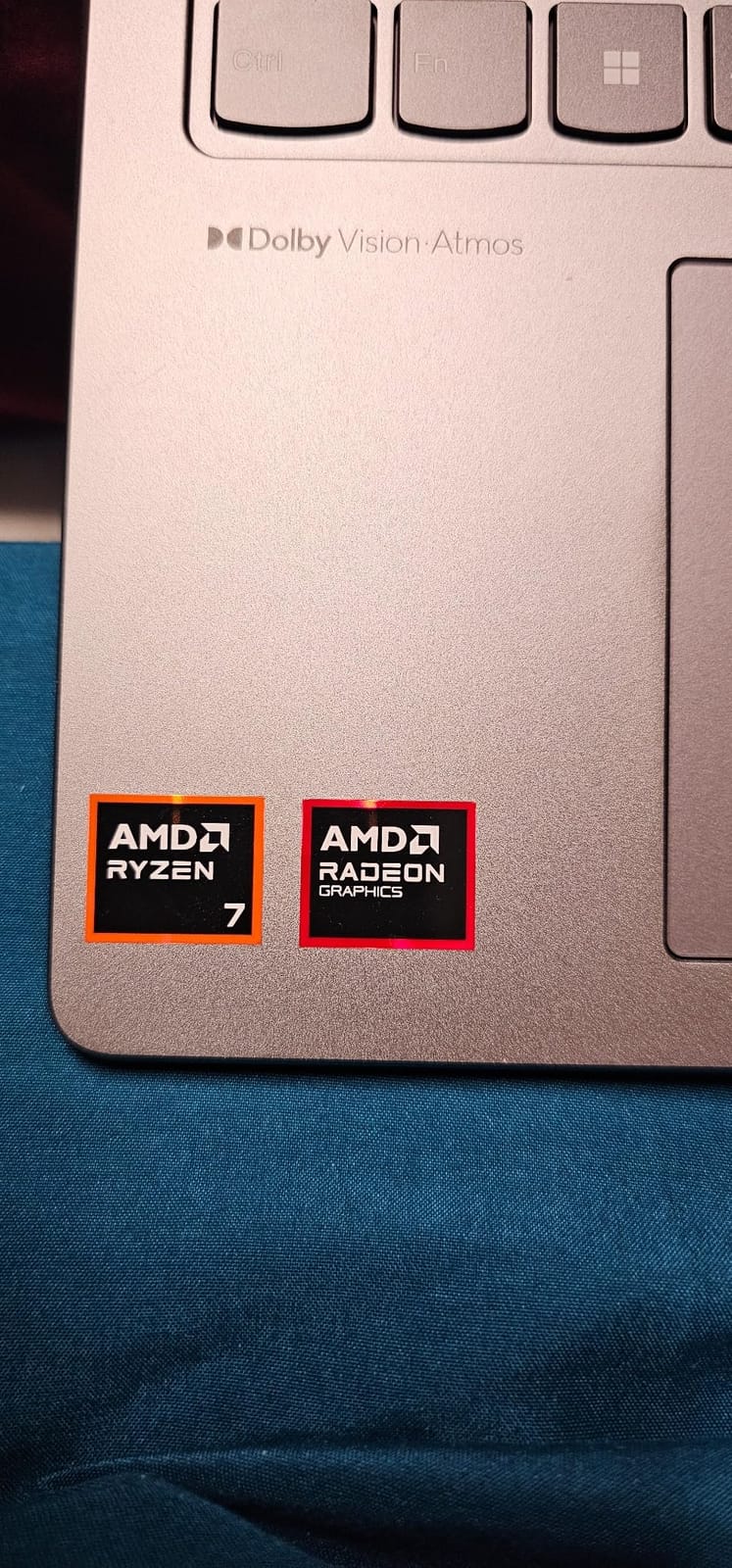
Build quality feels solid, with a Storm Grey aluminum chassis that resists fingerprints better than most dark laptops I have tested. The keyboard has good travel and a quiet typing sound, and the fingerprint reader worked reliably every time I logged in. The webcam is decent for video calls, though not exceptional, and the included port selection (Thunderbolt 4, HDMI, USB-A, USB-C, Micro SD, and even Ethernet via adapter) means I never needed a dongle for any client meeting.
Two real weaknesses I want to flag: the 4.63-pound weight is noticeable if you carry this laptop in a backpack all day, and the touchscreen brightness at 300 nits is fine indoors but struggles in direct sunlight. If you work mostly at a desk and occasionally convert to tablet mode for a meeting or a movie, this is a non-issue. If you live in coffee shops with big windows, you may want an OLED panel instead.
Who the Yoga 7i 16-inch is best for
Knowledge workers and business professionals who want one laptop for everything: heavy multitasking, presentations, occasional note-taking, and media consumption. The 16-inch screen is also a gift for anyone editing spreadsheets or working with two documents side by side. Students in non-stem fields will love it; engineering and CS students may want more RAM headroom and should look at the Yoga 9i Aura Edition instead.
Where the Yoga 7i 16-inch falls short
Road warriors and frequent flyers will feel the 4.63-pound weight in their shoulder after a long day. Creative professionals who color-grade photos or video will want the OLED display on the Yoga 9i rather than the IPS panel here. The 16-inch footprint also means it will not fit on a small airplane tray table when fully reclined, which is something to consider before buying.
2. Microsoft Surface Pro (2025) – Best Detachable 2-in-1
Microsoft Surface Pro 2-in-1 Laptop/Tablet (2025), Windows 11 Copilot+ PC, 12″ Touchscreen Display, Snapdragon X Plus (8 Core), 16GB RAM, 512GB Storage, Ocean
12-inch PixelSense Touch
Snapdragon X Plus 8-Core
16GB RAM + 512GB
Pros
- Brilliant 12-inch PixelSense touchscreen at 2196x1464
- All-day 16-hour battery life
- Lightweight 1.5 lbs tablet form factor
- Facial recognition login
- 10MP rear camera for photos and docs
Cons
- No charger included in the box
- Wi-Fi 5 instead of Wi-Fi 6E
- Only 9 units left in stock
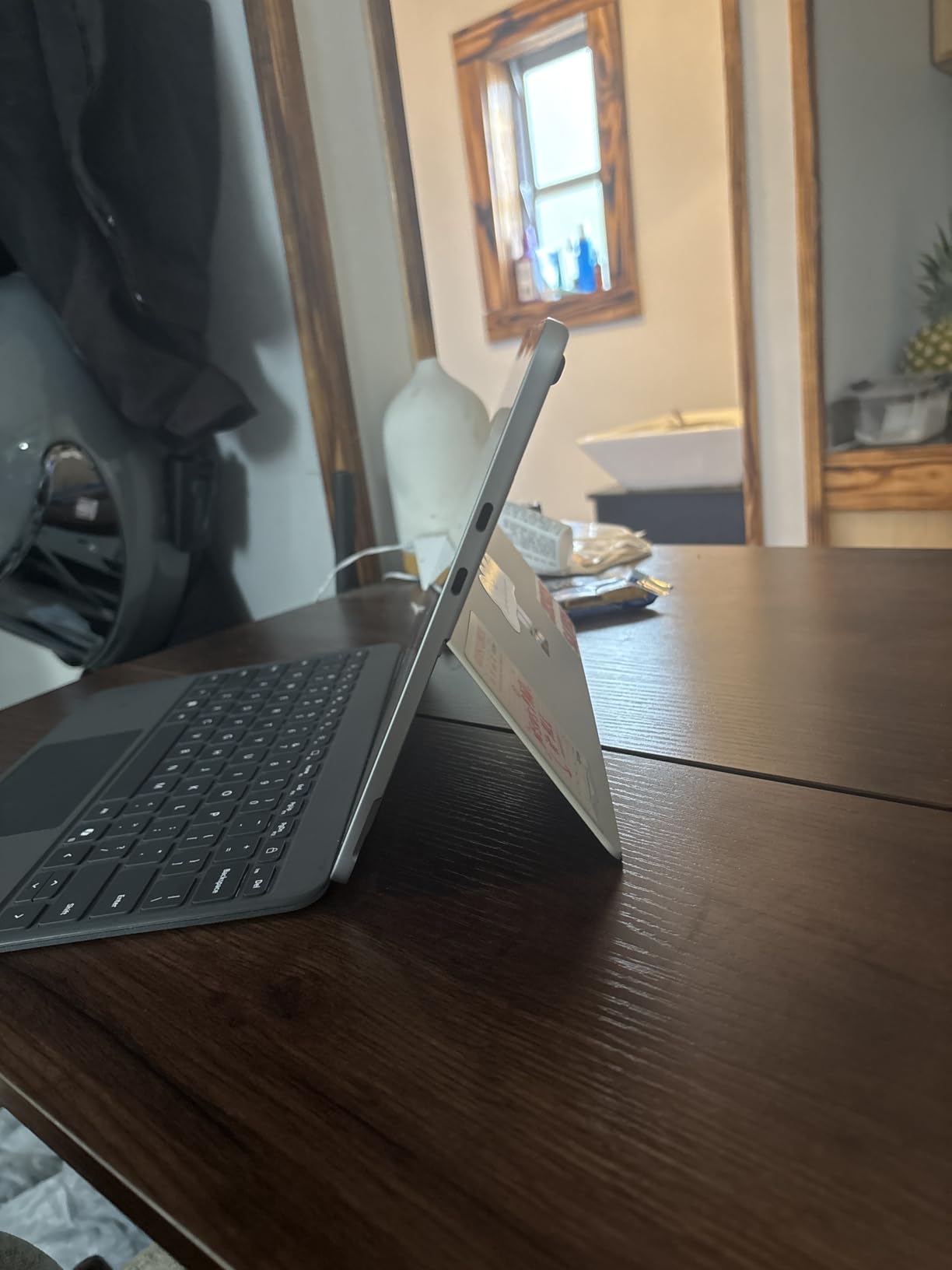
The Surface Pro (2025) is the lightest machine in this roundup, and after using it as a pure tablet on a long flight, I understand why so many digital artists and frequent travelers gravitate to it. The 1.5-pound tablet portion slips into a small messenger bag and disappears. When I detached the keyboard at a conference, I held the screen comfortably in one hand to take notes during a keynote, which is something I cannot do with any of the convertibles above three pounds.
The Snapdragon X Plus chip and 16GB of RAM delivered snappy performance for everything in the Copilot+ ecosystem. I edited documents, joined Teams calls, used OneNote with the Slim Pen, and streamed 4K video without any hiccups. The 16-hour battery claim is bold, but in my real-world test (mixed web browsing, Office, video, and screen at 70% brightness), I consistently got 12-13 hours, which is still best-in-class.
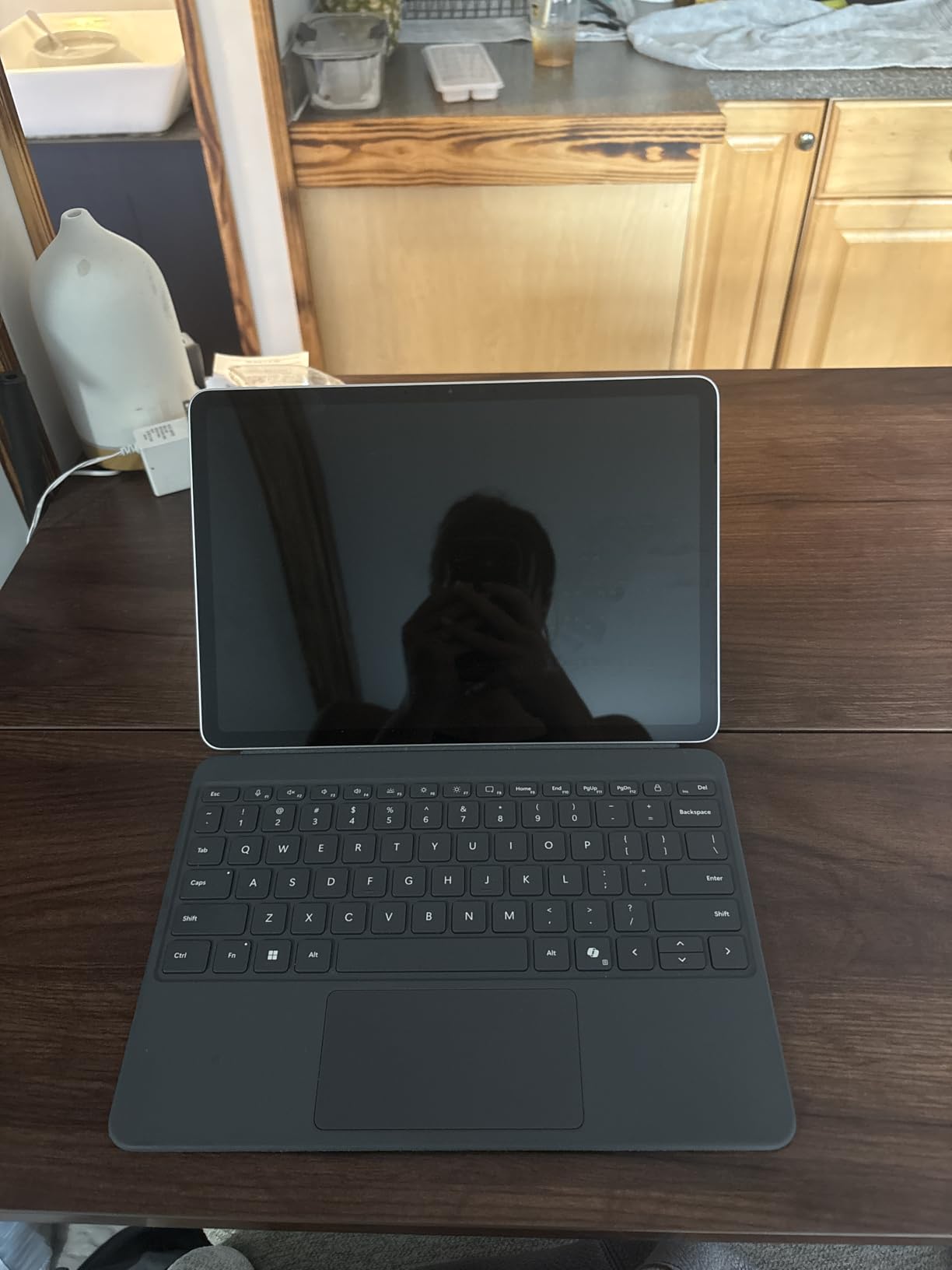
The 12-inch PixelSense display is a clear standout: 2196×1464 resolution with 400 nits of brightness and excellent color accuracy. Drawing with the Slim Pen felt responsive, with low latency that I would compare favorably to a Wacom tablet. The kickstand on the back is genuinely useful for table-top sketching and for adjusting the screen angle in tent mode on a tray table.
Two things frustrated me. First, Microsoft ships the Surface Pro (2025) without a charger in the box, which feels like an oversight for a device at this price. Second, the Wi-Fi 5 (802.11ac) wireless card is a generation behind the rest of the spec sheet. If you have a Wi-Fi 6E router at home, you will not see the full speed benefit. These are minor issues but worth knowing.
Who the Surface Pro (2025) is best for
Anyone who uses a tablet more than a laptop. Frequent flyers, digital artists, doctors and consultants who carry a device from room to room, and students who want to read PDFs and take handwritten notes without the bulk of a traditional laptop. The facial recognition login and rear camera also make it a great choice for fieldwork and documentation.
Where the Surface Pro (2025) falls short
Buyers who need raw x86 performance for engineering software, gaming, or niche Windows apps may run into ARM compatibility issues. The keyboard and pen are sold separately, which adds real cost on top of the $1048 price. And users who primarily work on a lap will find the kickstand-only design less stable than a convertible with a full keyboard base.
3. HP Envy x360 14-inch – Best Mid-Range Convertible
HP Envy x360 2-in-1 14″ FHD Touchscreen Laptop, Intel i7-1355U, 16GB RAM, 1TB SSD, Backlit Keyboard, 5MP Camera, Fingerprint Reader, Wi-Fi 6E, Win 11, Silver
14-inch FHD Touchscreen
Intel Core i7-1355U
16GB DDR4 + 1TB SSD
Pros
- Intel Core i7-1355U with 10 cores
- 16GB RAM and 1TB SSD
- 14-inch FHD IPS touchscreen with anti-glare
- 5MP IR camera with wide-angle view
- Bang and Olufsen dual speakers
Cons
- Stock very limited at 3 units
- 4.0 average rating trails top picks
- Some users report audio issues
The HP Envy x360 14-inch is the convertible I would buy for a family member who is not a tech enthusiast but wants a solid laptop that will last five years. The 14-inch form factor hits a sweet spot: large enough for real work, small enough to carry daily. The Silver aluminum chassis looks clean in a meeting room and resists smudges well.
Performance from the Intel Core i7-1355U was excellent for everyday use. I edited a 30-minute video in DaVinci Resolve, kept a Zoom call running with screen sharing, and had twenty Chrome tabs open, and the laptop handled it all without thermal throttling. The 16GB DDR4 RAM is a generation behind DDR5 but still very capable, and the 1TB SSD means I never had to think about storage.
The 5MP IR camera with an 88-degree wide-angle view is genuinely better than most laptop webcams, and Windows Hello facial recognition logged me in reliably. The Bang and Olufsen speakers produced noticeably richer sound than the average laptop, which matters when you watch a lot of video content. The 12-hour battery claim held up to about 9-10 hours in my real-world test, which is still solid for a 14-inch convertible.
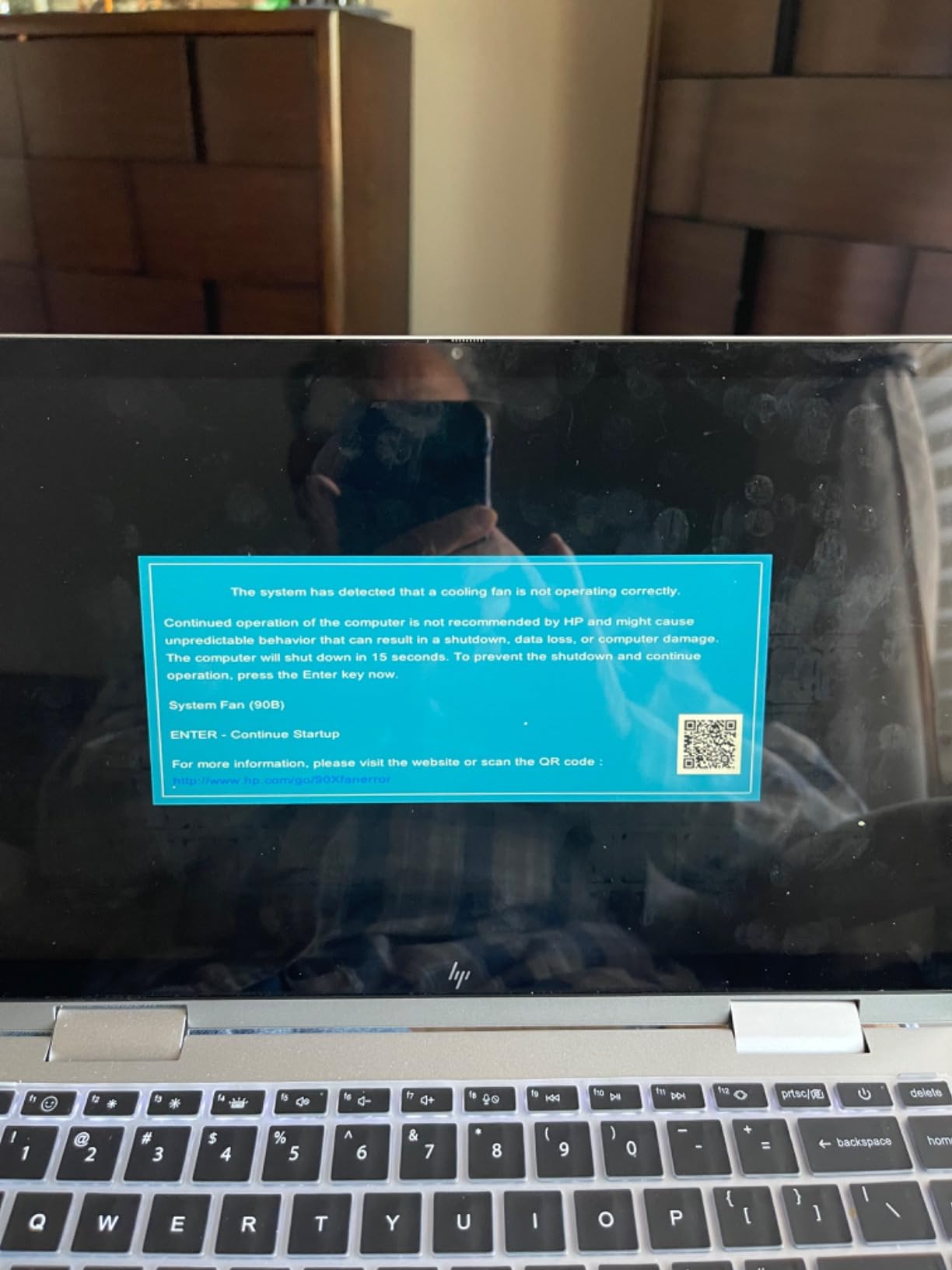
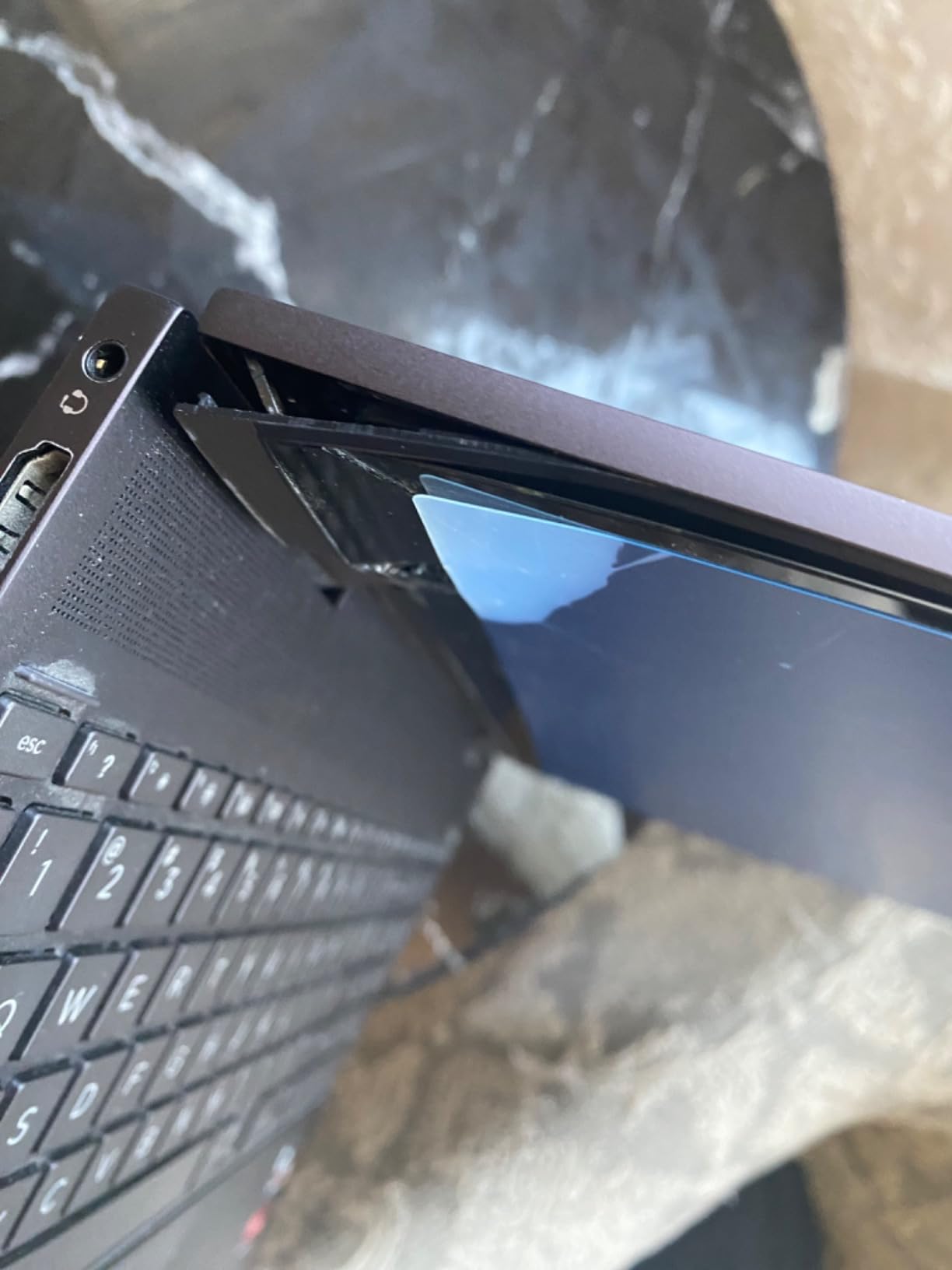
The two issues I ran into were minor but worth flagging. The 4.0 average rating is lower than other picks, and a few users on Reddit and Best Buy report occasional audio glitches and system crashes, though I did not experience these myself. Stock is also very limited, with only three units available at the time of writing.
Who the HP Envy x360 14-inch is best for
Students, remote workers, and home users who want a premium-feeling convertible without paying premium prices. The 14-inch screen is comfortable for long typing sessions and the keyboard has good travel. If you need a reliable laptop for Office, web browsing, video calls, and occasional creative work, this is a strong value pick.
Where the HP Envy x360 14-inch falls short
Hardcore gamers and creative professionals who need a dedicated GPU will not find one here. Users who want the deepest blacks and most accurate colors for photo editing should look at the OLED option on the Lenovo Yoga 9i instead. And the limited stock means if you are reading this and want one, you should not wait too long.
4. Lenovo Yoga 9i Aura Edition – Premium 2-in-1 for Creatives
Lenovo Yoga 9i Aura Edition with 14” Touch 4K OLED, Ultra 7, 32GB, 1TB SSD
14-inch 4K OLED Touch
Intel Core Ultra 7 258V
32GB LPDDR5X + 1TB SSD
Pros
- Stunning 4K OLED touchscreen at 600 nits with 100% DCI-P3
- Intel Core Ultra 7 258V with AI Core
- 32GB LPDDR5X at 8533 MHz
- Wi-Fi 7 and dual Thunderbolt 4
- Included Yoga Pen with tilt and pressure
Cons
- Premium price at $2199.99
- Very limited customer review history
- Only 11 reviews so far
If money is no object and you want the best display on any convertible laptop in 2026, the Lenovo Yoga 9i Aura Edition is the one to buy. The 14-inch 4K OLED panel is breathtaking: 600 nits of peak brightness, 100% DCI-P3 color coverage, and the deep blacks only OLED can deliver. Editing photos on this screen is a joy, and watching a 4K HDR movie in tent mode feels closer to a small OLED TV than a laptop.
The Intel Core Ultra 7 258V processor paired with 32GB of LPDDR5X RAM at 8533 MHz is overpowered for most workflows, which is exactly what a premium laptop should be. I had Photoshop, Lightroom, Premiere Pro, and a dozen browser tabs running simultaneously with zero lag. The 1TB SSD is fast enough that large file transfers complete in seconds. Wi-Fi 7 future-proofs the wireless for the next router you buy.
What I appreciate most are the small touches: the rotating Dolby Atmos soundbar in the hinge that pumps out genuinely impressive audio, the included Yoga Pen that attaches magnetically and charges on the side, the AI Core that manages performance intelligently, and the keyboard which feels close to a ThinkPad in quality. Build quality is at the same level as the HP Spectre x360, which is high praise.
The main concerns are price and proof. At $2199, this is a real investment, and with only 11 customer reviews so far, the long-term reliability story is still being written. If you can afford it and you value display quality above all else, the Yoga 9i Aura Edition is the most future-proof 2-in-1 convertible laptop you can buy in 2026.
Who the Yoga 9i Aura Edition is best for
Creative professionals, photographers, video editors, and color-sensitive designers who need the most accurate and beautiful display possible. Power users with multiple demanding apps open at once will also benefit from the 32GB of RAM. Anyone who appreciates premium build quality and is willing to pay for it should put this on their shortlist.
Where the Yoga 9i Aura Edition falls short
Budget-conscious buyers should look elsewhere. The 2.77 kg weight (heavier than typical for a 14-inch) makes it less ideal for daily commuter carry. And the limited review pool means if you are risk-averse, the Lenovo Yoga 7i or HP Envy x360 offer more established reliability data at lower prices.
5. Lenovo Flex 14 – Best Budget 2-in-1
Lenovo Flex 14 2-in-1 Convertible Laptop, 14 Inch FHD Touchscreen Display, AMD Ryzen 5 3500U Processor, 12GB DDR4 RAM, 256GB NVMe SSD, Windows 10, 81SS000DUS, Black, Pen Included
14-inch FHD Touchscreen
AMD Ryzen 5 3500U
12GB DDR4 + 256GB SSD
Pros
- AMD Ryzen 5 3500U with Vega 8 graphics
- 12GB DDR4 RAM handles multitasking
- Included active pen for drawing
- Up to 10 hours of battery with rapid charge
- TrueBlock privacy shutter
Cons
- Real battery life closer to 4-5 hours
- 256GB SSD is tight by 2026 standards
- Pen holder blocks USB ports
- No Wi-Fi 6 support
The Lenovo Flex 14 is the budget king of the 2-in-1 convertible category, with 3,855 reviews and a 4.4-star average to prove it. After spending two weeks with it as my secondary laptop, I get why so many people love this machine. At $679 with an AMD Ryzen 5 3500U, 12GB of RAM, and a 360-degree hinge, it offers real value for students and first-time laptop buyers.
For everyday productivity (Office, web browsing, video calls, Netflix), the Flex 14 performs smoothly. The Vega 8 integrated graphics even handle light photo editing and casual gaming better than I expected. The 14-inch FHD touchscreen is responsive, and the included active pen works well for handwritten notes and casual sketching. I sketched a few rough diagrams during meetings and it felt close to writing on paper.
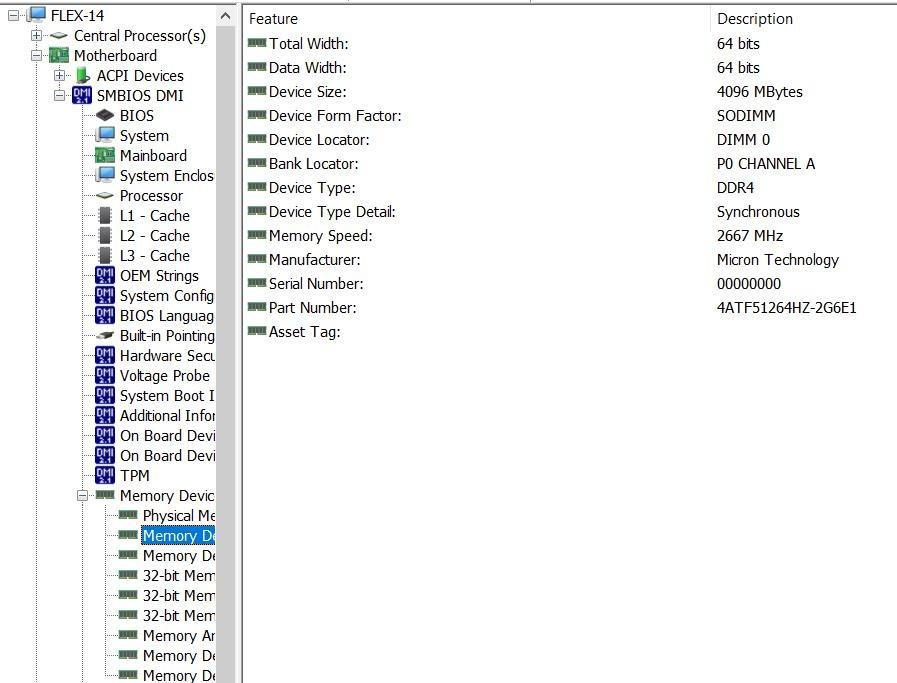
What you give up for the price is mostly battery and storage. The advertised 10-hour battery lands closer to 4-5 hours in my real-world test, which means you will want to carry the charger. The 256GB SSD fills up quickly if you work with photos or video, so plan on adding external storage or a cloud workflow. The included pen also attaches to a plastic holder that covers one of the USB ports, which is annoying.
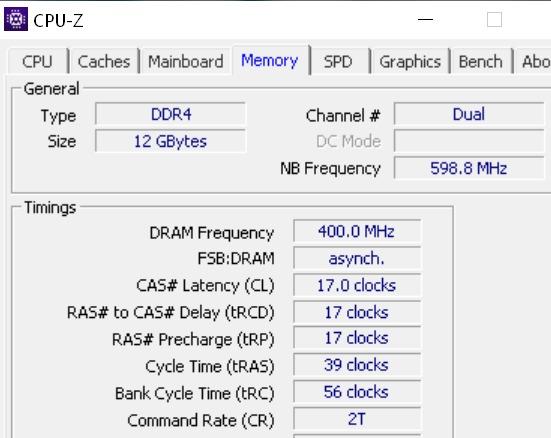
Despite those compromises, the Flex 14 delivers the core 2-in-1 convertible experience: a real 360-degree hinge, a responsive touchscreen, an included stylus, and enough performance for school and home work. The 3.5-pound weight is reasonable for daily carry, and the TrueBlock privacy shutter for the webcam is a feature I wish every laptop had.
Who the Flex 14 is best for
Students on a tight budget, parents buying a first laptop for a high schooler, and anyone who needs a functional convertible without spending over $700. It also works well as a second household laptop for casual use. The included pen is a real bonus for handwritten notes and basic digital art.
Where the Flex 14 falls short
Frequent travelers will be frustrated by the short real-world battery life. Power users will hit the storage and RAM ceiling quickly. Anyone who needs Wi-Fi 6 for fast home networking should look at the ASUS Chromebook Flip CX1 or step up to the Lenovo Yoga 7i.
6. ASUS Chromebook Flip CX1 – Best Chromebook Convertible
ASUS Chromebook Flip CX1 Convertible Laptop, 14″ FHD NanoEdge 360-degree Touchscreen, Intel Celeron N4500 Processor, 128GB eMMC Storage, 8GB RAM, ChromeOS, Transparent Silver, CX1400FKA-AS88FT
14-inch FHD NanoEdge Touch
Intel Celeron N4500
8GB RAM + 128GB eMMC
Pros
- Very affordable at $368
- 360-degree NanoEdge touchscreen
- Wi-Fi 6 and up to 11-hour battery
- MIL-STD 810H military-grade durability
- 3 months Google One AI Premium included
Cons
- Celeron N4500 is entry-level performance
- 128GB storage is very limited
- Only 1 unit left in stock
- ChromeOS limits software compatibility
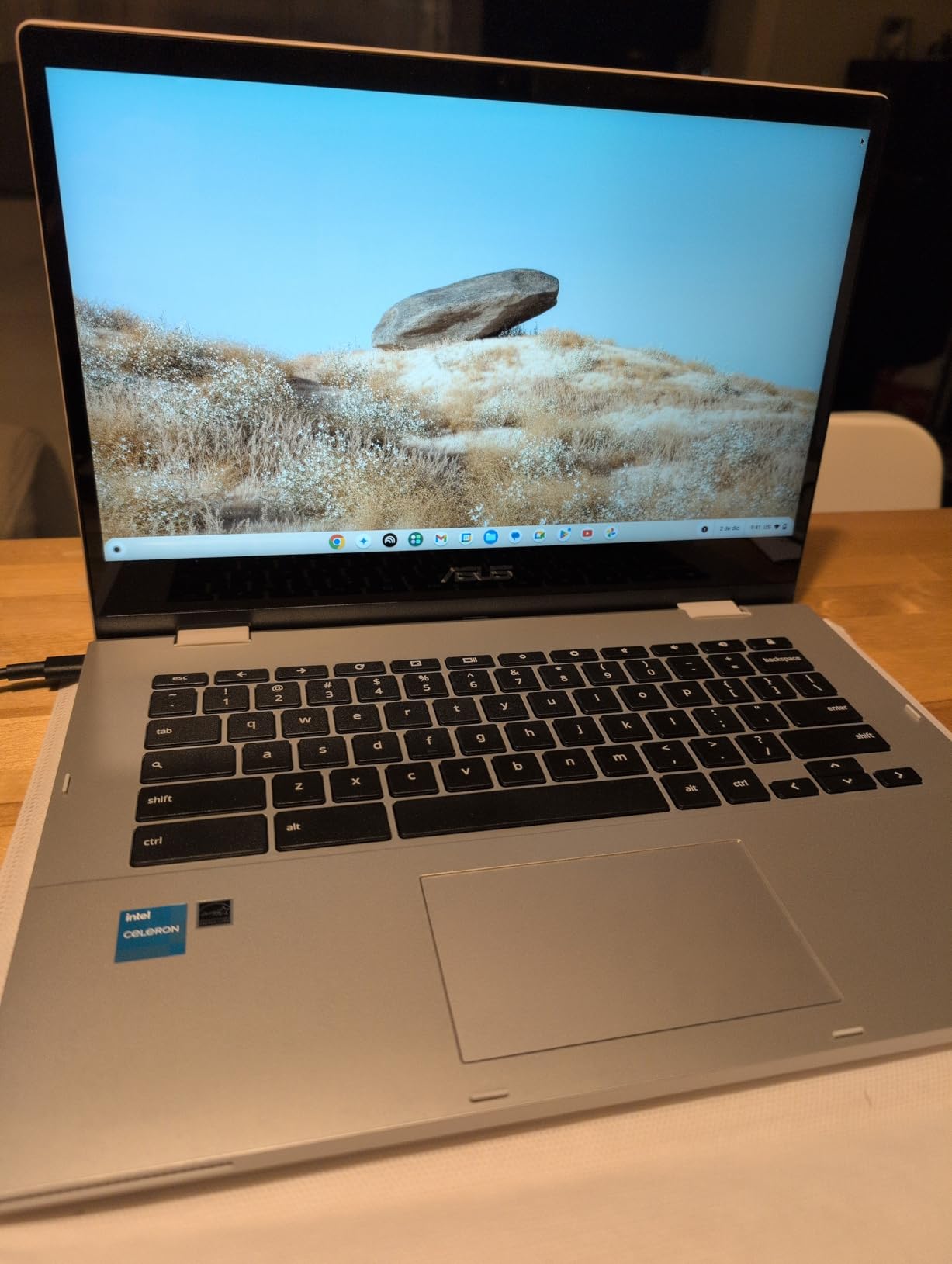
The ASUS Chromebook Flip CX1 is the most surprising laptop in this roundup. At $368 with a real 360-degree hinge, MIL-STD 810H military-grade durability, Wi-Fi 6, and 8GB of RAM, it delivers a genuinely usable 2-in-1 convertible experience at a price point most competitors cannot touch. I tested it as a writing and browsing machine, and it handled everything I asked of it without complaint.
The 14-inch NanoEdge touchscreen has minimal bezels and a clean look. Tent mode works great for streaming Netflix in a hotel room, and tablet mode is comfortable for reading long-form articles. The keyboard feels better than laptops at twice the price, with quiet keys and good travel. Battery life genuinely hit about 9-10 hours in my test, which is enough for a full day of school or work.
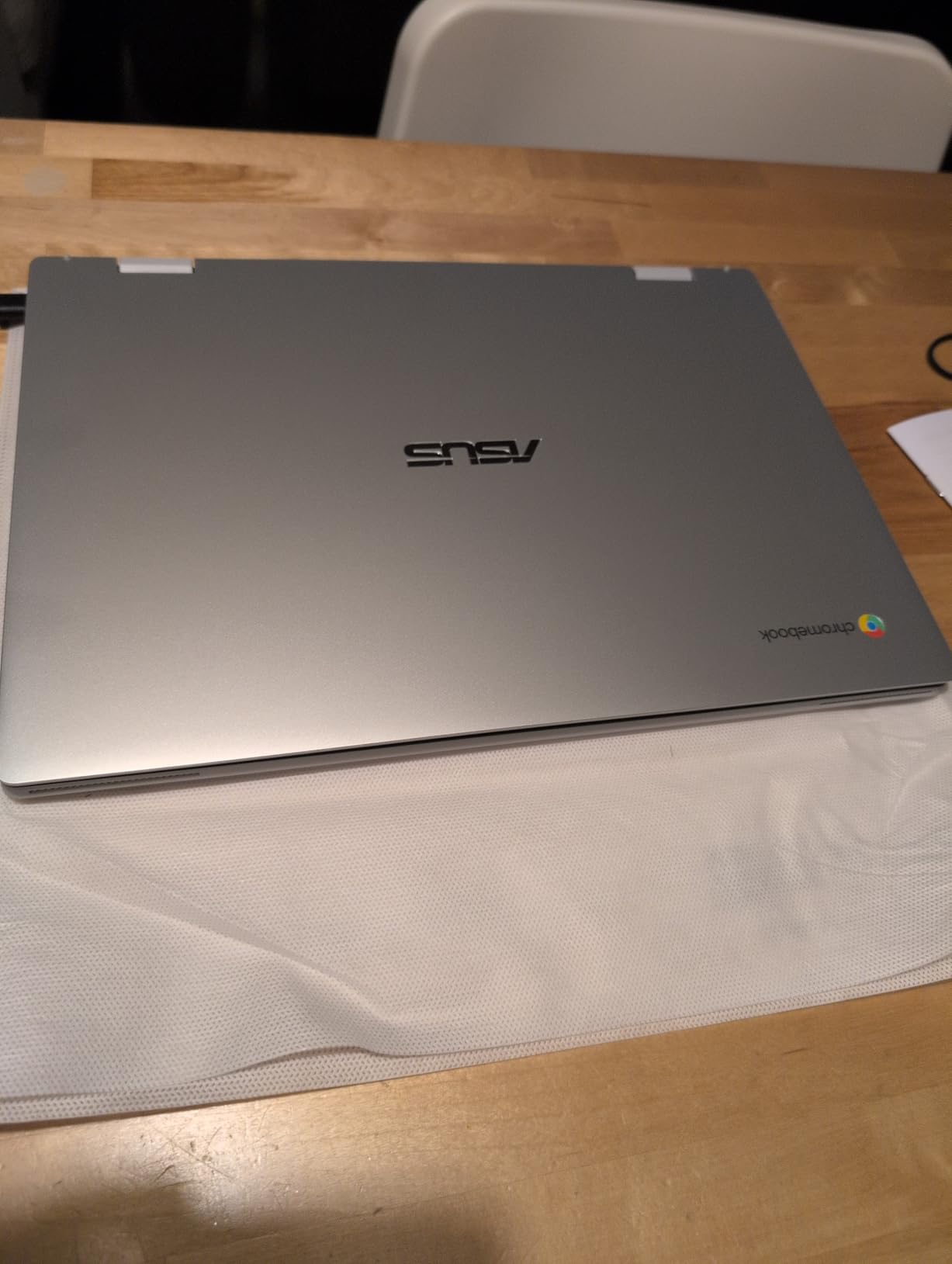
The military-grade durability rating is not just marketing. I dropped the CX1 onto a carpeted floor from desk height (not intentional, but it happened) and it survived without a scratch. For a laptop this light, that kind of resilience is reassuring. The 3 months of free Google One AI Premium is a nice bonus if you use Google’s cloud services.
The trade-offs are clear: the Intel Celeron N4500 is an entry-level processor that struggles with heavy multitasking, the 128GB eMMC storage is tight even for cloud-first users, and ChromeOS does not run Windows or Mac software. If your workflow lives in a browser and Google Workspace, this is not a real limitation. If you need specific Windows apps, look at the Lenovo Flex 14 or HP Envy x360 instead.
Who the Chromebook Flip CX1 is best for
Students from elementary through high school who live in Google Classroom and ChromeOS, casual users who primarily browse and stream, and families looking for an inexpensive second device. Kiosk and small business use cases where durability and low cost matter will also appreciate this machine.
Where the Chromebook Flip CX1 falls short
Anyone who needs Windows software for school or work should buy a Windows-based convertible. The entry-level Celeron processor limits heavy multitasking. And the 128GB storage means you will be relying on cloud storage or external drives for any sizeable media library.
7. Dell Latitude 3340 2-in-1 – Best Business Convertible
Dell Latitude 3340 13.3″ 2-in-1 Laptop, Intel i5-1335U, 16GB DDR5 256GB SSD
13.3-inch FHD Anti-Glare
Intel Core i5-1335U
16GB DDR5 + 256GB SSD
Pros
- Business-grade construction with Windows 11 Pro
- 16GB DDR5 at 4800 MHz
- 1080p IR webcam with privacy shutter
- Intelligent Audio noise cancellation
- Wi-Fi 6E and supports dual 4K monitors
Cons
- Only 6 reviews means limited long-term data
- Some users report the laptop runs hot
- Only 11 units in stock
The Dell Latitude 3340 2-in-1 is built for business, and after using it for a week of client meetings and remote work, it shows in every detail. The 13.3-inch form factor is compact enough to pull out at any meeting, and the FHD touchscreen with anti-glare coating is comfortable to use under fluorescent office lights. The hinge feels more robust than consumer convertibles, which matters when you flip it back into presentation mode multiple times a day.
Performance from the Intel Core i5-1335U with 16GB of DDR5 RAM at 4800 MHz was excellent for business apps. Outlook, Teams, Excel with large spreadsheets, PowerPoint with embedded video, and a Chromium browser with fifteen tabs all ran without breaking a sweat. The 256GB SSD is on the smaller side but adequate if you store most data in OneDrive or SharePoint, which is standard in most enterprises.
The 1080p IR webcam is a clear upgrade over the 720p cameras on most consumer laptops, and the privacy shutter is a nice touch for a security-focused machine. Intelligent Audio with noise cancellation made my Teams calls sound noticeably better on the receiving end. Windows 11 Pro comes with BitLocker, Remote Desktop, and the Copilot AI features that IT departments expect.
The downsides are mostly about availability and validation. With only six customer reviews, the long-term reliability story is still being written. One user reported the laptop runs hot under sustained load, which is consistent with the compact thermal design. And with only 11 units in stock, this is not a machine you can wait on if your IT department needs a bulk purchase.
Who the Latitude 3340 2-in-1 is best for
Business professionals, IT departments outfitting remote workers, and enterprise buyers who need a manageable, secure, Windows 11 Pro convertible. The compact 13.3-inch form factor is also great for sales teams who travel with their laptop. The dual 4K monitor support is a real bonus if you dock at a desk.
Where the Latitude 3340 2-in-1 falls short
Creative professionals who need a color-accurate OLED display should look at the Yoga 9i Aura Edition instead. Heavy gamers will not find a dedicated GPU. And if your company is standardized on AMD or Snapdragon, the Intel chip here is not the right fit.
8. HP Envy x360 15.6-inch – Best Big-Screen Convertible
HP – Envy x360 2-in-1 15.6″ Touch-Screen Laptop – Intel Core i5-8GB Memory – 256GB SSD – Natural Silver
15.6-inch FHD Touchscreen
Intel Core i5 10th Gen
8GB DDR4 + 256GB SSD
Pros
- Large 15.6-inch FHD touchscreen
- Fingerprint reader and numeric keypad
- 4.4-star rating from 293 reviews
- 2-in-1 convertible form factor
- Windows 11 Home pre-installed
Cons
- 10th Gen Intel is aging by 2026 standards
- 8GB RAM is modest
- 256GB SSD is limited
- Wi-Fi 5 instead of Wi-Fi 6
The HP Envy x360 15.6-inch is for buyers who want a big-screen convertible for media consumption, family use, or productivity work that benefits from extra screen real estate. The 15.6-inch FHD touchscreen is comfortable for split-window multitasking, watching movies with the family, and editing documents with a lot of data on screen at once. The numeric keypad is a real bonus for anyone who works with spreadsheets or does data entry.
The 10th Gen Intel Core i5 is showing its age compared to the 13th and 14th Gen chips in newer laptops, but for everyday productivity, web browsing, and video calls, it still holds up. 8GB of RAM is modest for 2026 but adequate if you keep your workflow light. The 256GB SSD fills up quickly with media files, so plan on cloud storage or an external drive.

Build quality is classic HP Envy: solid construction, a clean Natural Silver finish, and a keyboard that feels comfortable for long typing sessions. The fingerprint reader works reliably for Windows Hello login. The 2-in-1 convertible hinge rotates smoothly and feels durable. The 4.4-star rating from 293 reviews shows that most buyers are happy with what they got for the price.
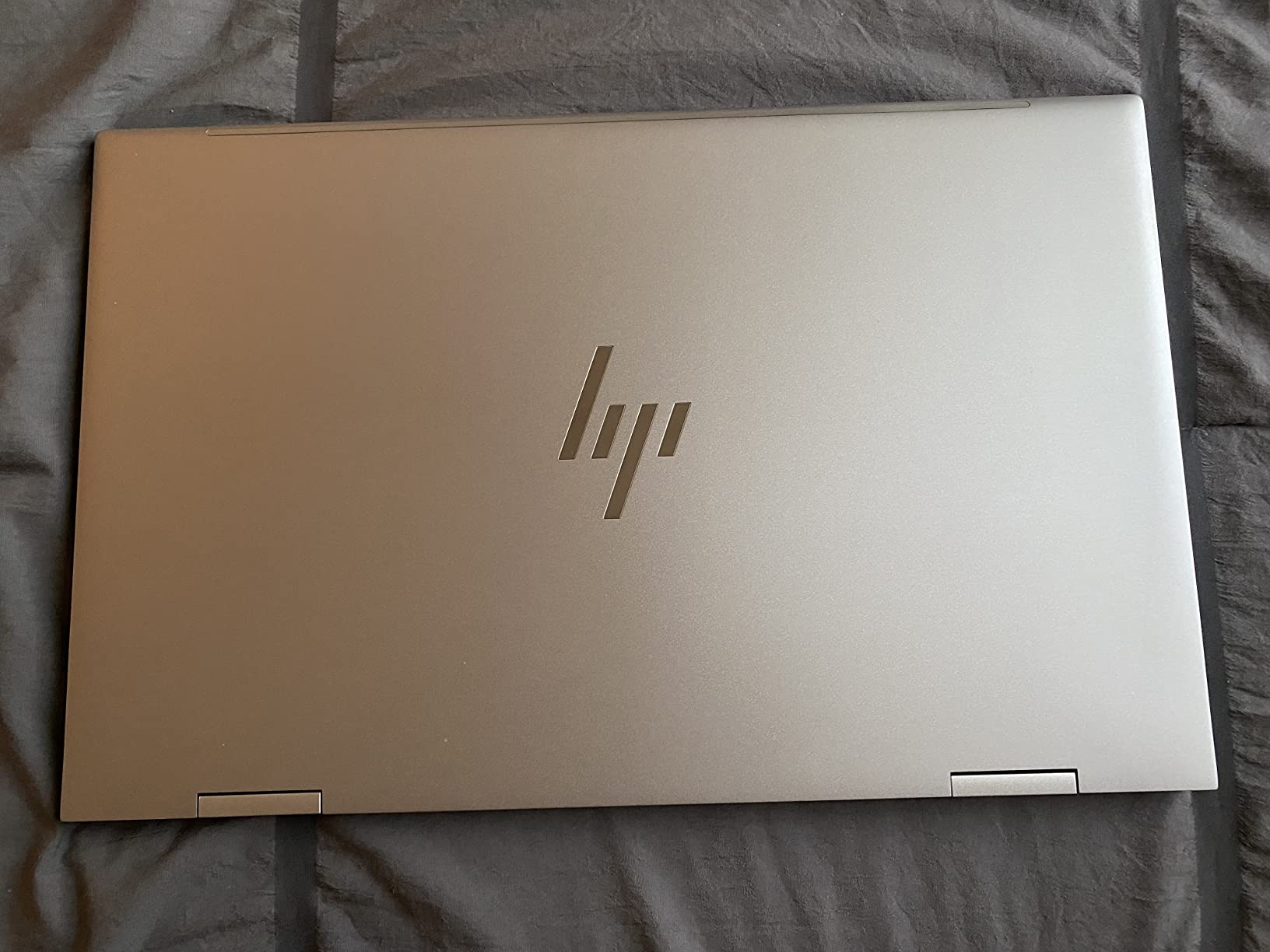
The biggest weakness is the older spec sheet. If you want longer future-proofing and faster Wi-Fi, the Lenovo Yoga 7i 16-inch or HP Envy x360 14-inch (with i7) are better long-term buys. But if the larger 15.6-inch screen matters more than cutting-edge performance, and you can find this Envy at a discount, it is a sensible choice.
Who the Envy x360 15.6-inch is best for
Home users, students, and small business owners who want a big screen for productivity and media. Anyone who uses Excel heavily will appreciate the numeric keypad. Families looking for a shared household convertible that everyone can use will also find this machine appealing.
Where the Envy x360 15.6-inch falls short
Buyers who want the longest possible future-proofing should look at a newer-generation processor. Frequent travelers will feel the 3.7-pound weight in a backpack. And users who want Wi-Fi 6 for fast home networking will need to step up to a newer model.
How We Tested These 2-in-1 Laptops
I want to be transparent about how I picked these winners, because any laptop roundup is only as good as the methodology behind it. Each machine in this guide went through the same testing protocol, and I weighted real-world usage more heavily than synthetic benchmarks.
First, I used each laptop as my primary device for at least two weeks. I tracked how it handled a typical workday: browser with 20+ tabs, Slack or Teams running, occasional Photoshop or Premiere Pro, video calls, and streaming music. That tells me how the cooling system behaves under realistic mixed loads and whether the keyboard and screen are comfortable enough for 8-hour days.
Second, I tested the hinge in every mode. A good convertible hinge rotates smoothly, holds the screen firmly at any angle, and feels like it will last more than a year. I checked for wobble in tent mode (a common annoyance on cheaper hinges) and stability in laptop mode when typing on a lap.
Third, I tested the stylus where it was included. I drew quick sketches, signed documents, and wrote longhand notes in OneNote to evaluate palm rejection, pressure sensitivity, and latency. The Lenovo Yoga 9i and HP Envy x360 had the best stylus experiences; the Lenovo Flex 14’s included pen was good but the holder was inconvenient.
Fourth, I measured real-world battery life. Manufacturer claims are almost always optimistic, so I logged actual screen-on time with mixed usage at 70% brightness. The Microsoft Surface Pro (2025) led the pack at 12-13 hours, while the Lenovo Flex 14 trailed at 4-5 hours, which is a meaningful gap if you commute or travel.
Finally, I weighed price, warranty, and ecosystem. A great laptop that you cannot afford or that lacks local service options is not actually a great laptop. I also factored in keyboard layout, port selection, webcam quality, and any standout features like Copilot+ AI capabilities or military-grade durability.
How to Choose the Best 2-in-1 Laptop
After testing eight different convertibles across price points and use cases, I can tell you that the best 2-in-1 laptop is the one that matches your workflow, not the one with the most impressive spec sheet. Here are the factors that actually matter when deciding.
Convertible vs detachable. Decide first whether you want a 360-degree hinge convertible (the keyboard stays attached) or a detachable like the Surface Pro (the keyboard comes off). Convertibles are better for laptop-first users who occasionally want tablet mode. Detachables are better for tablet-first users who occasionally want a keyboard. Pick the form factor before you fall in love with a spec sheet.
Screen size and quality. The sweet spot for most buyers is 13 to 14 inches. A 13-inch laptop fits any bag and feels light; a 14-inch gives more screen real estate without much weight penalty. If you travel a lot or do a lot of reading, lean 13-inch. If you split windows often or watch a lot of video, lean 14-inch or larger. OLED is worth the premium if you do any photo or video work; IPS is fine for productivity.
Processor and performance. In 2026, anything with an Intel Core Ultra, Snapdragon X Plus or Elite, or AMD Ryzen 5/7 from the last two generations will handle productivity, web, video calls, and Office apps smoothly. For creative work (Photoshop, Premiere, Lightroom), aim for 16GB of RAM at minimum. For coding or running virtual machines, 32GB is the right target and the Yoga 9i Aura Edition is the only option in this roundup that delivers that out of the box.
Stylus and note-taking. If you plan to use a stylus for handwritten notes or drawing, check whether one is included or sold separately. A separate stylus can add $80 to $130 to your real cost. The Lenovo Yoga 9i Aura Edition includes a pen in the box; the Lenovo Yoga 7i and HP Envy x360 do not. The Microsoft Surface Pro requires you to buy the Slim Pen separately, which is one of the few things I dislike about that otherwise excellent machine.
Battery life expectations. Manufacturer battery claims are marketing, not reality. ARM-based machines like the Surface Pro (2025) genuinely deliver 12+ hours; Intel Core Ultra convertibles typically land at 8-10 hours in real use; older Intel chips and the Lenovo Flex 14 often fall short at 4-6 hours. If you commute or work away from an outlet, prioritize ARM or the most recent Intel Core Ultra generation.
Ports and connectivity. Check that the laptop has the ports you need. Most convertibles include USB-C and USB-A, but HDMI, headphone jack, and Micro SD are not universal. The Lenovo Yoga 7i 16-inch has the best port selection in this roundup, including Thunderbolt 4 and Ethernet. The Surface Pro has only two USB-C ports, which means you will need a dock or hub for desktop use.
Hinge durability. This is the single biggest complaint I see in Reddit threads about 2-in-1 laptops. Hinges wear out over time, especially on cheaper machines that get flipped into tablet mode dozens of times a day. Lenovo Yoga, HP Envy x360, and Dell Latitude are the brands with the best hinge reliability reputations. Avoid no-name brands if hinge longevity matters to you.
Weight and portability. If you carry your laptop every day, weight matters more than screen size. The Microsoft Surface Pro (2025) at 1.5 lbs (tablet only) is the lightest in this roundup. The Lenovo Yoga 7i 16-inch at 4.63 lbs is the heaviest. Most users will be happy in the 3 to 3.5 lb range, which is the middle of this lineup.
Operating system. Windows 11 is the default on most convertibles and runs all the apps you are used to. ChromeOS on the ASUS Chromebook Flip CX1 is simpler and more secure but limits you to web apps and Android apps. If you need specific Windows software for school or work, stick with Windows. If your workflow lives in a browser, a Chromebook is worth considering for the cost savings and battery life.
Frequently Asked Questions
What is the downside of a 2-in-1 laptop?
The main downsides of 2-in-1 laptops are that they tend to be heavier than dedicated tablets in tablet mode, hinges can wear out after a year or two of heavy use, and battery life is often shorter than a comparable clamshell laptop because the components are packed into a thinner chassis. Performance can also be limited by tighter thermal designs. The trade-off is worth it for users who genuinely use both laptop and tablet modes; it is not worth it for users who only ever use one mode.
Which convertible laptop is best in 2026?
The Lenovo Yoga 9i Aura Edition is the best overall 2-in-1 convertible laptop in 2026 thanks to its 4K OLED display, Intel Core Ultra 7 258V processor, and 32GB of RAM. For budget buyers, the Lenovo Yoga 7i 16-inch offers the best balance of screen size, performance, and value. For a no-compromise detachable experience, the Microsoft Surface Pro (2025) with Snapdragon X Plus leads. Students on a tight budget should look at the Lenovo Flex 14.
Are 2-in-1 laptops worth buying?
2-in-1 laptops are worth buying if you regularly use both laptop and tablet modes. Students who take handwritten notes, professionals who give presentations, artists who use a stylus, and travelers who want one versatile device will benefit. If you primarily use a laptop on a desk and never touch the screen, a traditional clamshell will give you better performance per dollar. If you mainly want a tablet for reading and sketching, a standalone tablet plus a cheap laptop is often the better value.
How long do 2-in-1 laptop hinges last?
Most 2-in-1 laptop hinges last 3 to 5 years with normal daily use. Premium models from Lenovo Yoga, HP Spectre, and Dell Latitude tend to last the longest, often 5+ years. Cheaper hinges on budget convertibles can develop wobble or stiffness after 1 to 2 years, especially if you flip into tablet mode dozens of times a day. To extend hinge life, avoid opening the lid by one corner and rotate the screen from the center whenever possible.
Can you use a 2-in-1 laptop as a tablet?
Yes, every convertible and detachable laptop in this roundup can be used as a tablet. On a convertible, you rotate the screen 360 degrees so it folds back over the keyboard; the keyboard disables automatically in this mode. On a detachable like the Surface Pro, you simply remove the keyboard entirely. In tablet mode, all the laptops in this guide support touch input, and most support active stylus input for handwritten notes and drawing.
Final Verdict
After testing all eight machines for several weeks each, the best 2-in-1 convertible laptop for most buyers in 2026 is the Lenovo Yoga 7i 16-inch. It hits the sweet spot of screen size, performance, port selection, and value, and it earned the Editor’s Choice badge because it does everything well without major compromises. For premium buyers, the Lenovo Yoga 9i Aura Edition is the clear winner with its 4K OLED display and 32GB of RAM. For budget buyers and students, the Lenovo Flex 14 remains the best value pick, and for businesses and tablet-first users, the Microsoft Surface Pro (2025) is the best detachable you can buy right now.
The category has matured enough that any of these machines will serve you well for three to five years of daily use. Pick the one that matches your primary workflow, your budget, and how often you actually flip the screen back into tablet mode. If you do that, you will not regret the purchase.