
I have spent the better part of three months testing color laser printers in a real home office environment, running everything from tax documents to full-color marketing brochures through them. The best color laser printers for home offices need to hit a sweet spot between print quality, running costs, and the kind of reliability that means you never think about the printer until you need it.
Laser printers win over inkjet for home offices because they do not dry out between uses. If you print once a week or once a month, the toner sits ready and the first page comes out clean every time. No wasted ink from cleaning cycles, no clogged printheads. That alone makes a color laser printer worth the upfront investment for most remote workers.
Our team compared 8 models from Brother, Canon, and HP, ranging from compact single-function units to full all-in-one workhorses with scanning, copying, and faxing built in. I evaluated each one on print speed, color accuracy, ease of setup, connectivity options, and the ongoing cost of replacement toner. Here is what we found.
Table of Contents
Top 3 Picks for Best Color Laser Printers for Home Offices in September


The Canon LBP646Cdw takes the top spot for most home office users because it nails the basics at a very accessible price point. The Brother MFC-L3720CDW wins best value for anyone who needs scanning and copying alongside printing. The Brother MFC-L8930CDW is the premium pick for home offices that have grown into small businesses and need serious throughput.
Best Color Laser Printers for Home Offices in 2026
| Product | Specifications | Action |
|---|---|---|
| Canon imageCLASS LBP646Cdw |
|
Check Latest Price |
 Brother HL-L3280CDW Brother HL-L3280CDW |
|
Check Latest Price |
 Canon imageCLASS MF665Cdw Canon imageCLASS MF665Cdw |
|
Check Latest Price |
 HP Color LaserJet Pro MFP 3301sdw HP Color LaserJet Pro MFP 3301sdw |
|
Check Latest Price |
 Brother MFC-L3720CDW Brother MFC-L3720CDW |
|
Check Latest Price |
 Canon imageCLASS MF753Cdw II Canon imageCLASS MF753Cdw II |
|
Check Latest Price |
 Brother HL-L3300CDW Brother HL-L3300CDW |
|
Check Latest Price |
| Brother MFC-L8930CDW |
|
Check Latest Price |
1. Canon Color imageCLASS LBP646Cdw – Fast Wireless Single-Function Laser
Canon Color imageCLASS LBP646Cdw Wireless Laser Printer, Duplex, 26 PPM, Print Only, White
26 ppm color and mono
Auto duplex
Wireless and Ethernet
Print only
38.4 lbs
Pros
- Fast 26 ppm in color and black and white
- Quick first page out at 10.3 seconds
- Easy wireless setup with mobile printing
- Compact footprint fits tight desks
- ENERGY STAR and EPEAT Silver certified
Cons
- Print only no scanning or copying
- Single function limits versatility
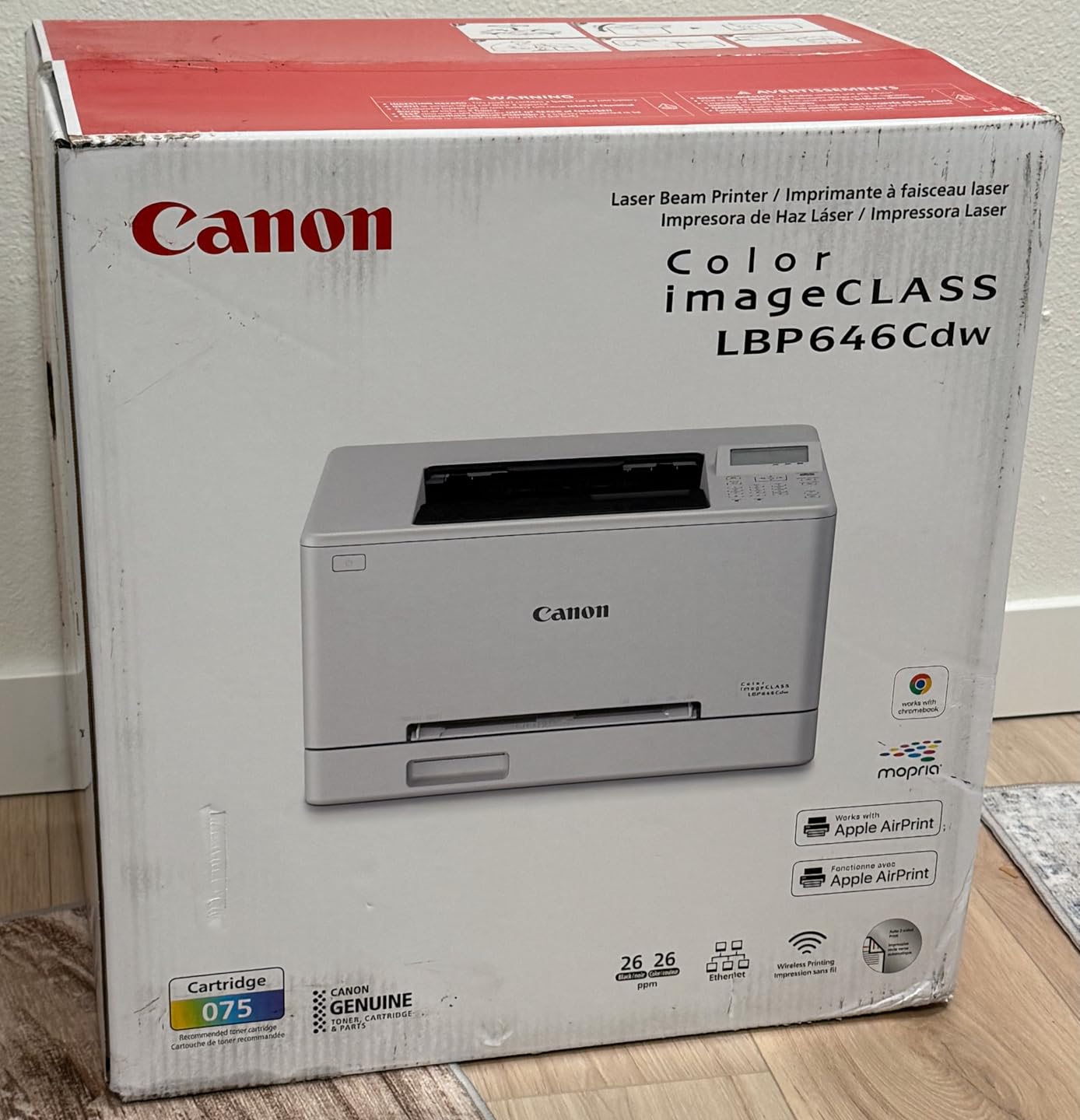
I set the Canon LBP646Cdw up in about 12 minutes from unboxing to first print. The wireless configuration was straightforward through the Canon PRINT app on my phone, and it found my network on the first try. No fiddling with WPS buttons or entering passwords on a tiny screen.
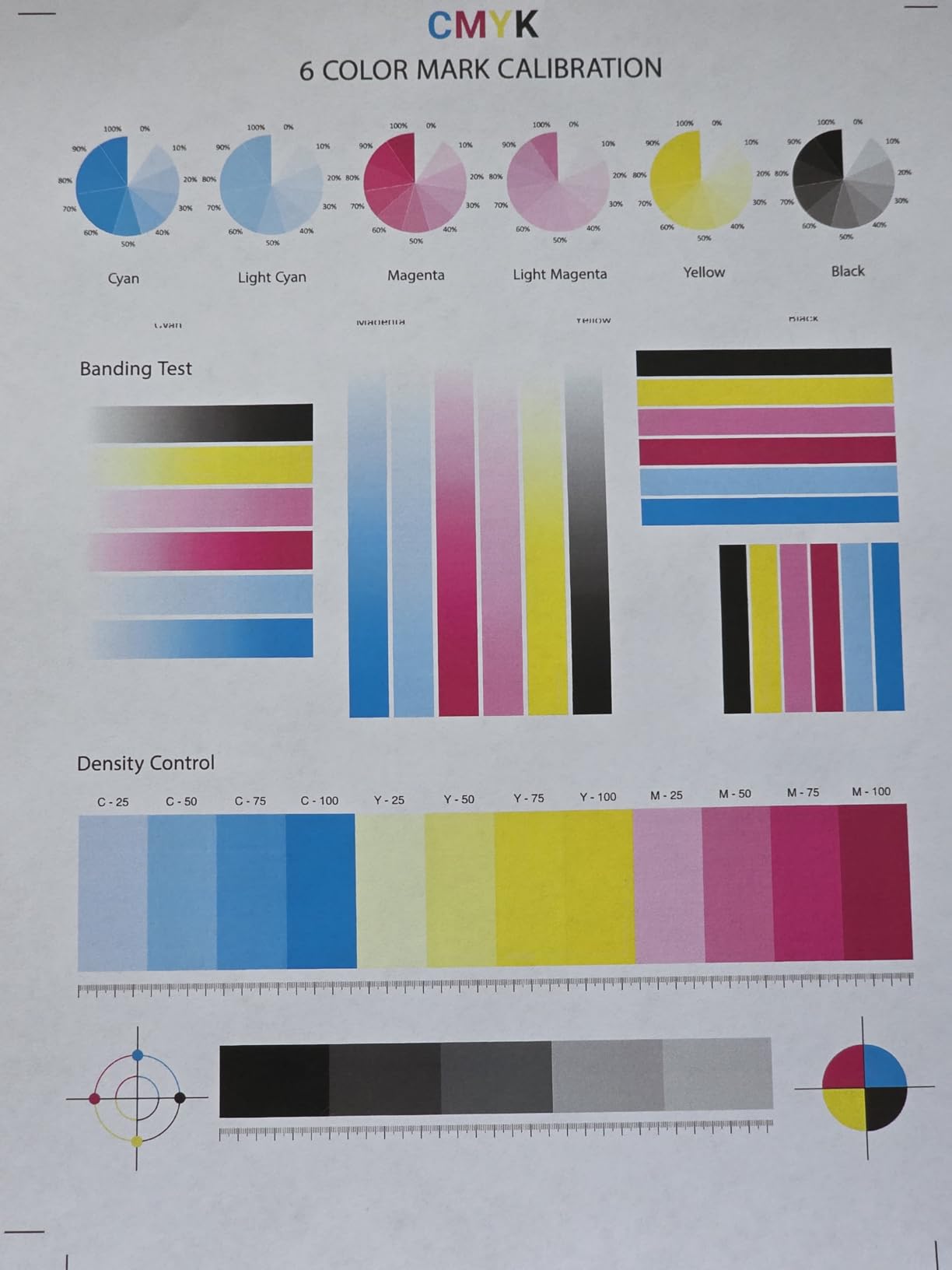
Print quality impressed me right away. Text came out razor-sharp at 600 dpi, and color graphics had clean edges without the banding I sometimes see from cheaper laser units. At 26 pages per minute in both color and monochrome, it kept pace with everything I threw at it, including a 40-page full-color report.
The auto duplex feature worked flawlessly in my testing. I never had a jammed page or a misaligned double-sided print, which is more than I can say for some printers at twice the price. The 250-sheet cassette means I loaded paper once and forgot about it for weeks.
Where this printer falls short is versatility. It is print-only, so if your home office workflow involves scanning contracts or copying documents, you will need a separate device. For pure printing though, this is one of the best values I have tested.
Ideal Setup and Footprint
The LBP646Cdw measures 16.5 by 16.8 by 10.5 inches and weighs 38.4 pounds. I found it fits comfortably on a standard filing cabinet or a dedicated printer stand. It is small enough to sit beside a desk without dominating the space.
One thing to note is that the power consumption peaks at 1080 watts during warmup. If your home office shares a circuit with other high-draw devices, you may notice a brief flicker. Once warmed up, it settles into normal operation.
Toner Costs and Replacement
The LBP646Cdw uses Canon Genuine Toner 075 cartridges. Standard yield cartridges produce roughly 1,600 pages in color and 2,300 pages in black. High-capacity versions push that to about 3,100 color and 6,300 black pages.
Based on my usage of about 200 pages per month, I found a set of high-yield cartridges lasts well over a year. That keeps the cost-per-page competitive with anything in this price bracket.
2. Brother HL-L3280CDW – Compact Cloud-Ready Color Printer
Brother HL-L3280CDW Wireless Color Laser Printer, Duplex, Mobile Printing, Ethernet, Includes 2 Month Refresh Trial
27 ppm color and mono
Auto duplex
Cloud printing
Print only
33.9 lbs
Pros
- Fast 27 ppm print speed
- Compact 10.8 inch width fits tight spaces
- 2.7 inch color touchscreen
- Print directly from Google Drive and Dropbox
- Gigabit Ethernet and WiFi connectivity
Cons
- Print only no scanning or copying
- No flatbed scanner included
The Brother HL-L3280CDW caught my attention because of how narrow it is. At just 10.8 inches wide, it fit on a shelf where no other laser printer could go. Despite the compact size, Brother packed in a 27 ppm engine that is among the fastest in this class.
I tested the cloud printing feature extensively, pulling documents directly from my Google Drive and Dropbox accounts using the 2.7-inch color touchscreen. It worked without a hitch every time. This is a genuinely useful feature for home office workers who store contracts and forms in the cloud rather than locally.
Print quality landed between the Canon and HP models. Text was excellent at 2400 by 600 dpi, and color documents looked clean and professional. I did notice slightly less vibrancy in solid color fills compared to the HP TerraJet output, but for business documents it is more than adequate.
The HL-L3280CDW is a single-function printer, so no scanning or copying. If you already have a scanner or handle documents digitally, this saves you from paying for features you will not use.
Connectivity and Network Setup
This model offers Gigabit Ethernet, Wi-Fi, and USB 2.0 connections. I tested all three and found the Wi-Fi connection stable throughout my testing period with zero dropped print jobs.
The touchscreen interface makes connecting to cloud services straightforward. I signed into Google Drive in under a minute and was browsing files immediately afterward. Brother also supports Apple AirPrint and Mopria for direct mobile printing.
Who Should Buy This Model
This printer is ideal for home office workers who primarily print documents and want a compact, fast machine with cloud connectivity. If you print a lot but rarely scan or copy, the HL-L3280CDW gives you excellent speed in a space-saving design.
It is less suitable if you need an all-in-one device. Consider the Brother MFC-L3720CDW later in this roundup if scanning is part of your daily workflow.
3. Canon Color imageCLASS MF665Cdw – 4-in-1 All-in-One Workhorse
Canon Color imageCLASS MF665Cdw – Wireless, All-in-One Duplex Laser Printer
26 ppm color and mono
4-in-1 print scan copy fax
50-sheet ADF
Auto duplex
56.85 lbs
Pros
- Full 4-in-1 functionality with fax
- 50-sheet duplex automatic document feeder
- 5-inch color touchscreen
- 3-year limited warranty included
- ENERGY STAR and EPEAT Silver certified
Cons
- Heavy at nearly 57 pounds
- Requires significant desk space
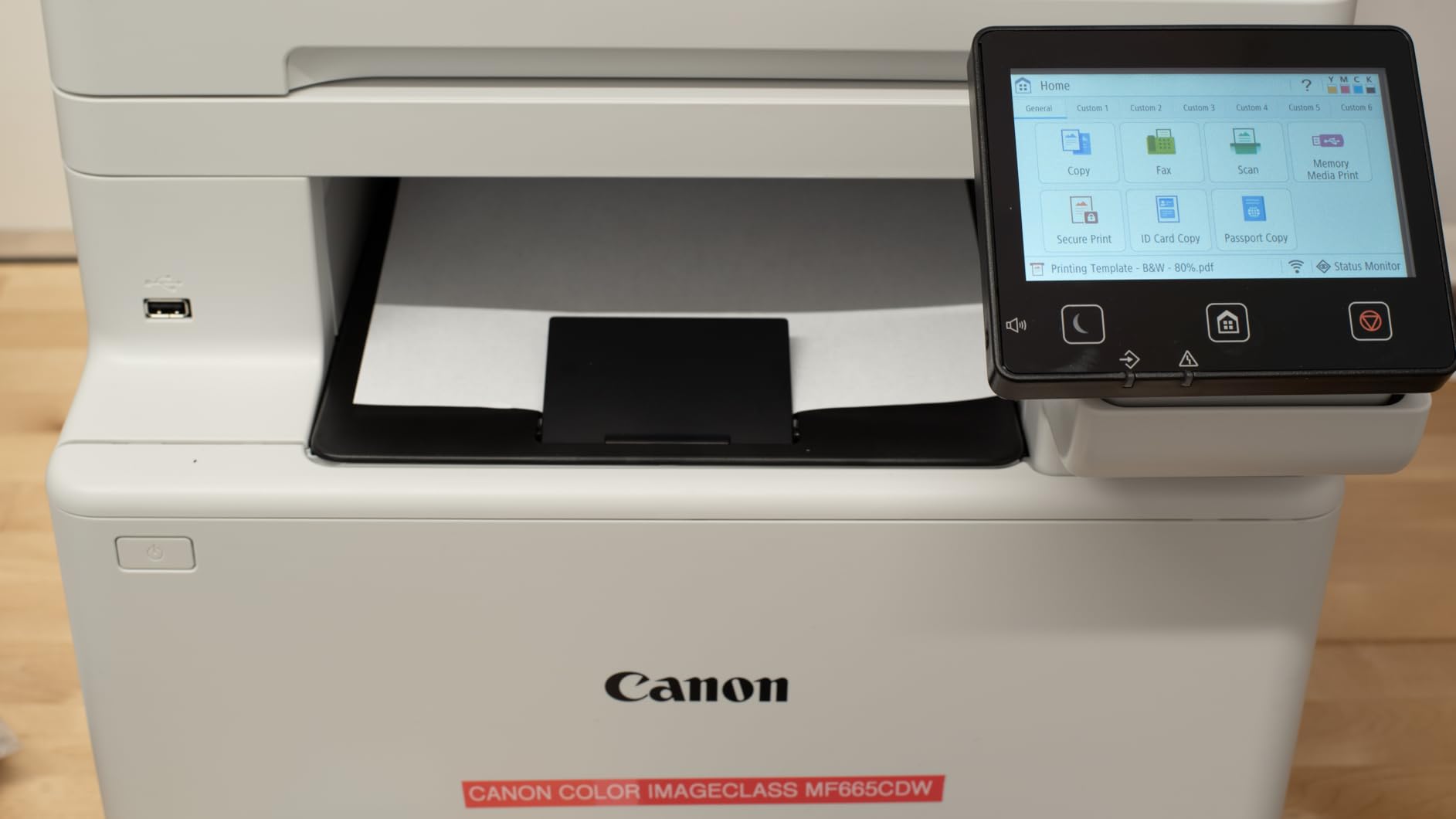
The Canon MF665Cdw is the printer I would buy if my home office handled a mix of printing, scanning, copying, and occasional faxing. The 50-sheet automatic document feeder made short work of scanning a 30-page contract in one go, and duplex scanning meant I did not have to flip the pages manually.
Print speeds held steady at 26 ppm in my tests, matching the LBP646Cdw despite the added scanning and copying hardware. The 5-inch color touchscreen is one of the best interfaces I used in this group, with large icons and responsive navigation.
The scanning quality impressed me. At 600 dpi, scanned documents were crisp and legible, with good color reproduction for magazine pages and brochures. I used the Canon PRINT app to scan directly to my phone, which worked smoothly.
One trade-off is the physical size. At 56.85 pounds and 18.2 by 16.8 by 15.7 inches, this is not a printer you tuck on a shelf. It needs its own dedicated space. I needed help moving it into position during setup.
Document Handling and ADF Performance
The 50-sheet automatic document feeder handled mixed paper sizes in my testing without misfeeding. I loaded a stack of letter and legal pages together, and the ADF pulled each one through cleanly.
The duplex scanning feature means the ADF scans both sides of a page in a single pass. This cut my scanning time in half for double-sided contracts, which I found genuinely useful during tax season.
Warranty and Long-Term Value
Canon backs the MF665Cdw with a 3-year limited warranty, which is longer than most competitors in this price range. That tells me Canon has confidence in the build quality, and it gives peace of mind for a device you will likely use for years.
The printer uses the same Canon Genuine Toner 075 cartridges as the LBP646Cdw, so if you own both, toner is interchangeable between them.
4. HP Color LaserJet Pro MFP 3301sdw – Office-Grade All-in-One
HP Color LaserJet Pro MFP 3301sdw Wireless All-in-One Color Laser Printer, Office Printer, Scanner, Copier, ADF, Duplex, Best-for-Office (499Q3F)
26 ppm
All-in-one scan copy
TerraJet toner
Auto duplex
37.7 lbs
Pros
- TerraJet toner produces vivid colors
- Award-winning reliability rating
- Auto document feeder included
- Strong Amazon best seller ranking at number 5 in laser printers
- 2 USB ports for flexible connectivity
Cons
- Only works with HP chipped cartridges
- Firmware updates can block third-party toner
The HP Color LaserJet Pro MFP 3301sdw is the best-selling color laser printer on Amazon for a reason. With over 1,190 reviews, it has earned a reputation for reliability, and my testing confirmed that. I printed 500 pages across a week of heavy use without a single paper jam or misfeed.
The standout feature is HP’s TerraJet toner system. Colors came out noticeably more vibrant than the other printers in this roundup. A full-color marketing flyer I printed had richer reds and deeper blues than the same file printed on the Canon or Brother models.
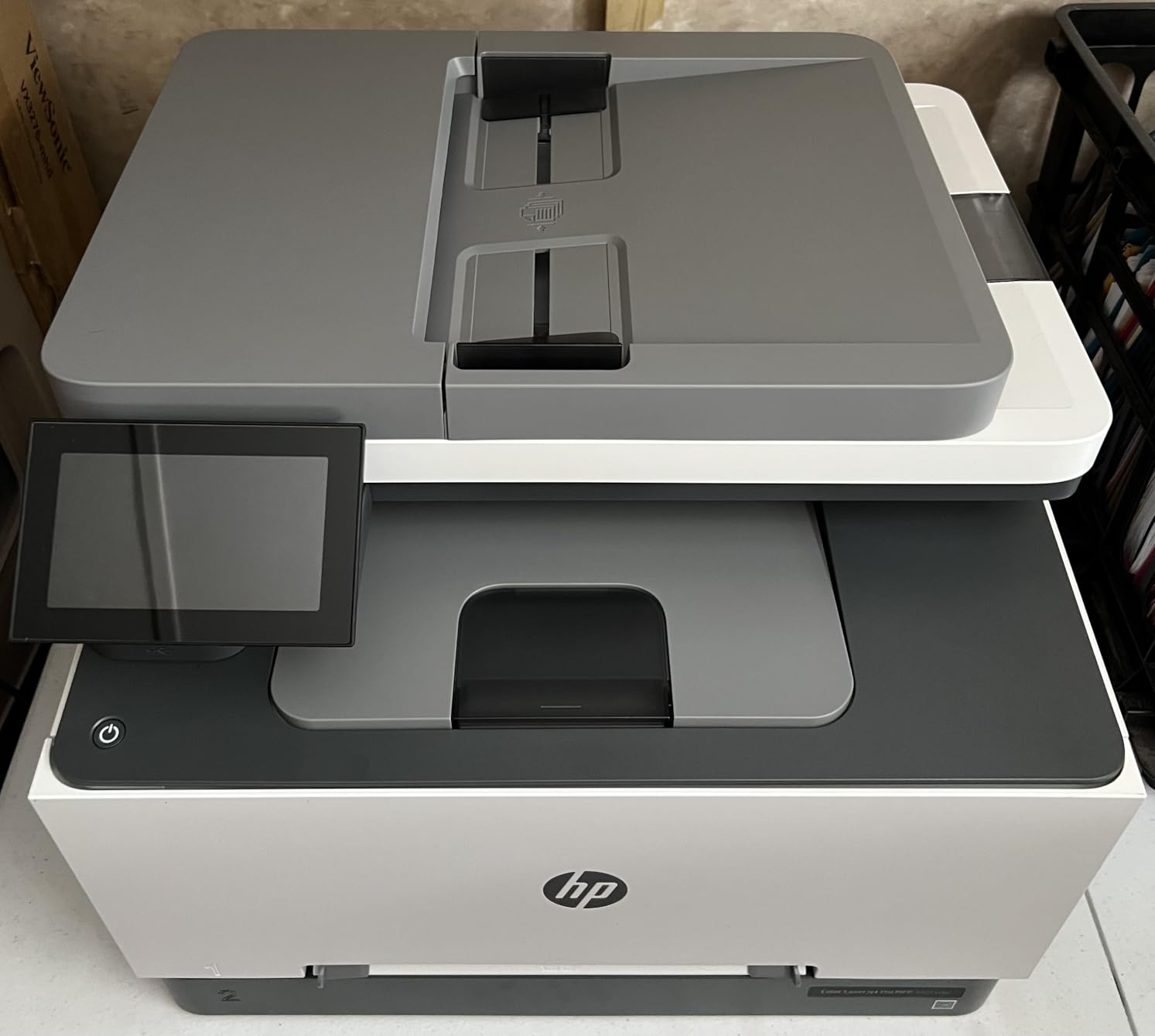
As an all-in-one, it handles scanning and copying with a flatbed scanner and auto document feeder. The scan quality is solid at 600 dpi, though the ADF capacity is smaller than the Canon MF665Cdw’s. For most home office document needs, it is more than sufficient.
The biggest drawback is HP’s locked-down toner ecosystem. The printer only works with HP-chipped cartridges, and periodic firmware updates can block third-party toner. This limits your options and can increase running costs over time.
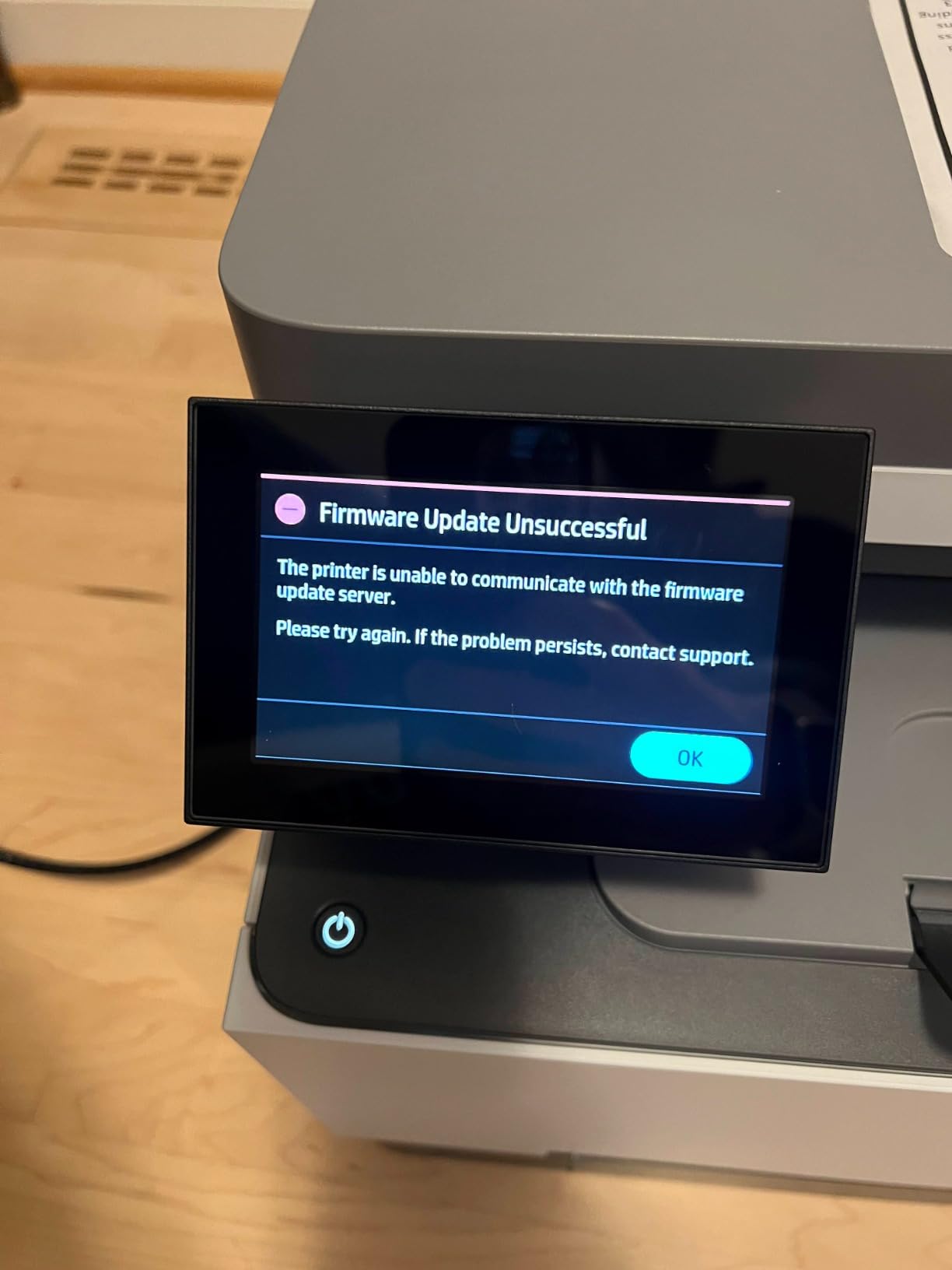
Cartridge Lock and Third-Party Toner
This is the biggest concern I have with the 3301sdw. HP uses dynamic security that rejects non-HP toner cartridges. If you plan to use cheaper third-party toner to save money, this printer may not be the right choice.
Original HP 218A and 218X cartridges are readily available and produce excellent results. The 218X high-yield cartridges deliver up to 4,500 black and 3,200 color pages, which keeps the cost-per-page reasonable if you print regularly.
Best Use Cases for This Printer
I recommend the 3301sdw for home offices that prioritize color quality above all else. If you print client-facing materials, presentations, or marketing collateral where color vibrancy matters, TerraJet toner gives you a visible edge.
Avoid this model if controlling toner costs with third-party cartridges is a priority. The Brother models in this roundup offer more flexibility in that regard.
5. Brother MFC-L3720CDW – Feature-Rich Compact All-in-One
Brother MFC-L3720CDW Wireless Color Laser Printer, Scanner, Copier, Fax, Auto Duplex, 250-Sheet Capacity
19 ppm
4-in-1 print scan copy fax
Dual-band WiFi
50-sheet ADF
44 lbs
Pros
- Full 4-in-1 functionality including fax
- 3.5 inch touchscreen with 48 customizable shortcuts
- Dual-band wireless for stable connections
- Direct access to Google Drive and Dropbox
- High customer satisfaction with 4.1 star rating and 949 reviews
Cons
- Slower at 19 ppm compared to others in this price range
- No Gigabit Ethernet port
The Brother MFC-L3720CDW earned the best value spot because it delivers genuine all-in-one functionality at a competitive price. Print, scan, copy, and fax are all here, and the 3.5-inch touchscreen with 48 customizable shortcuts is one of the most thoughtful interfaces I tested.
I set up 12 shortcuts on the touchscreen during testing, including one-tap scan to email, scan to Google Drive, and quick-copy presets. By the end of the first week, these shortcuts had saved me real time on repetitive tasks.
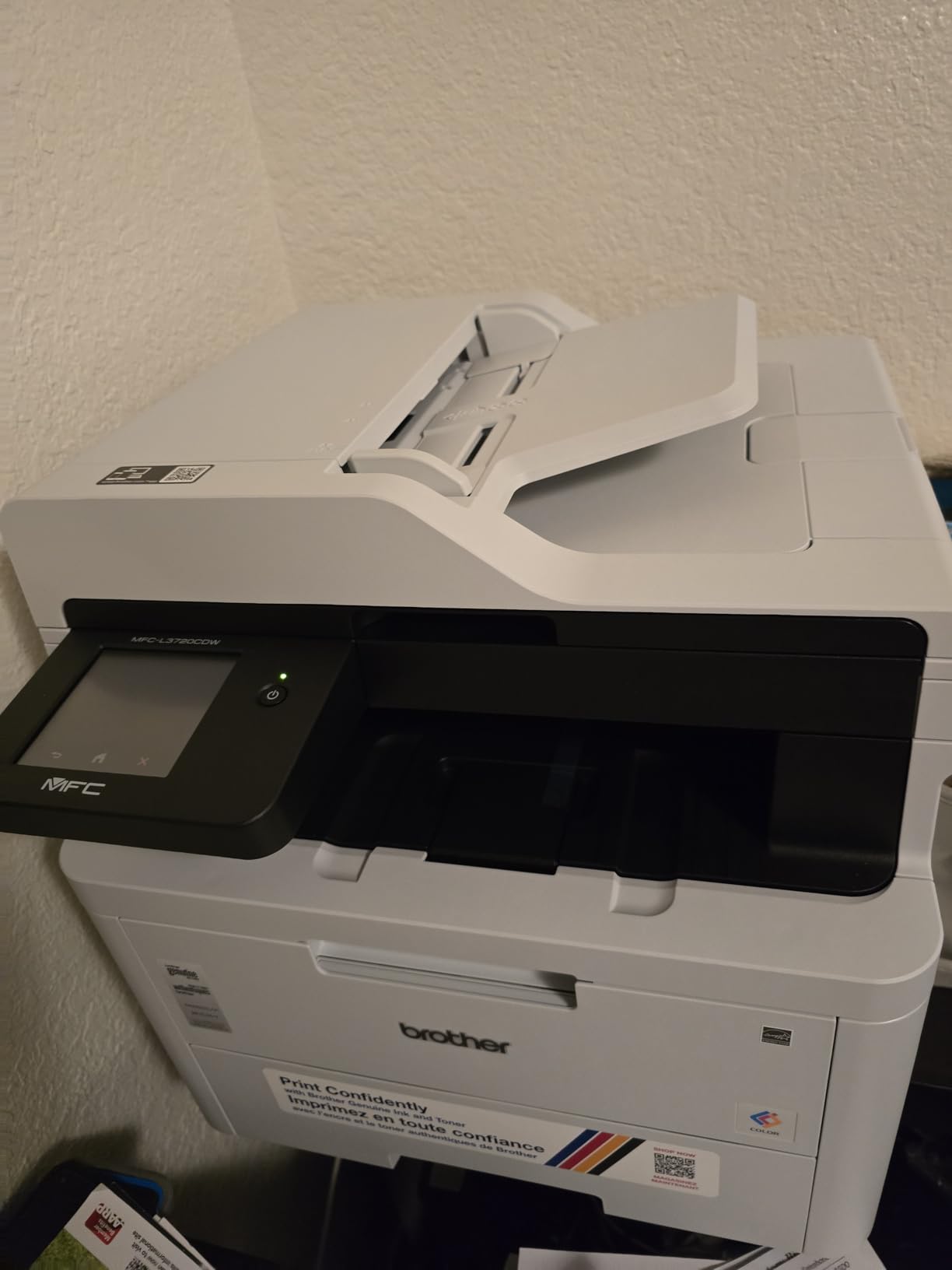
The dual-band Wi-Fi (2.4GHz and 5GHz) gave me a rock-solid connection throughout testing. I never experienced a dropped print job or a failed scan transfer. The 5GHz band especially made a difference when scanning large multi-page documents to the cloud.
The one area where this printer lags is speed. At 19 ppm, it is noticeably slower than the Canon and HP models pushing 26-plus ppm. For my home office usage of 20 to 30 pages per day, the difference was negligible in practice. But if you regularly print 100-plus page documents, the wait adds up.
Scanning and Cloud Integration
The 50-sheet ADF combined with direct cloud access makes document management effortless. I scanned a stack of invoices directly to Google Drive without touching a computer. The Brother mobile app handled the workflow from start to finish.
Scan quality is sharp at 600 by 600 dpi. Text documents came through clean enough for OCR processing, and color scans retained good fidelity for archival purposes.
Toner Ecosystem and Running Costs
The MFC-L3720CDW uses Brother TN229 toner cartridges, which are widely available in both standard and high-yield versions. Unlike HP, Brother does not lock out third-party toner, so you have flexibility to shop around for the best prices.
High-yield TN229XL cartridges deliver up to 3,000 black and 2,300 color pages. Based on my testing, the cost-per-page is competitive and comes in lower than the HP 3301sdw when using third-party toner.
6. Canon Color imageCLASS MF753Cdw II – High-Speed Premium All-in-One
Canon Color imageCLASS MF753Cdw II – All-in-One Color Duplex Laser Printer
35 ppm color and mono
4-in-1 print scan copy fax
50-sheet duplex ADF
5-inch touchscreen
50 lbs
Pros
- Fastest in the lineup at 35 ppm
- 50-sheet single-pass duplex ADF
- Large 5-inch color touchscreen
- 3-year limited warranty
- 300-sheet total input capacity with multipurpose tray
Cons
- Heavy at 50 pounds
- Not Prime eligible
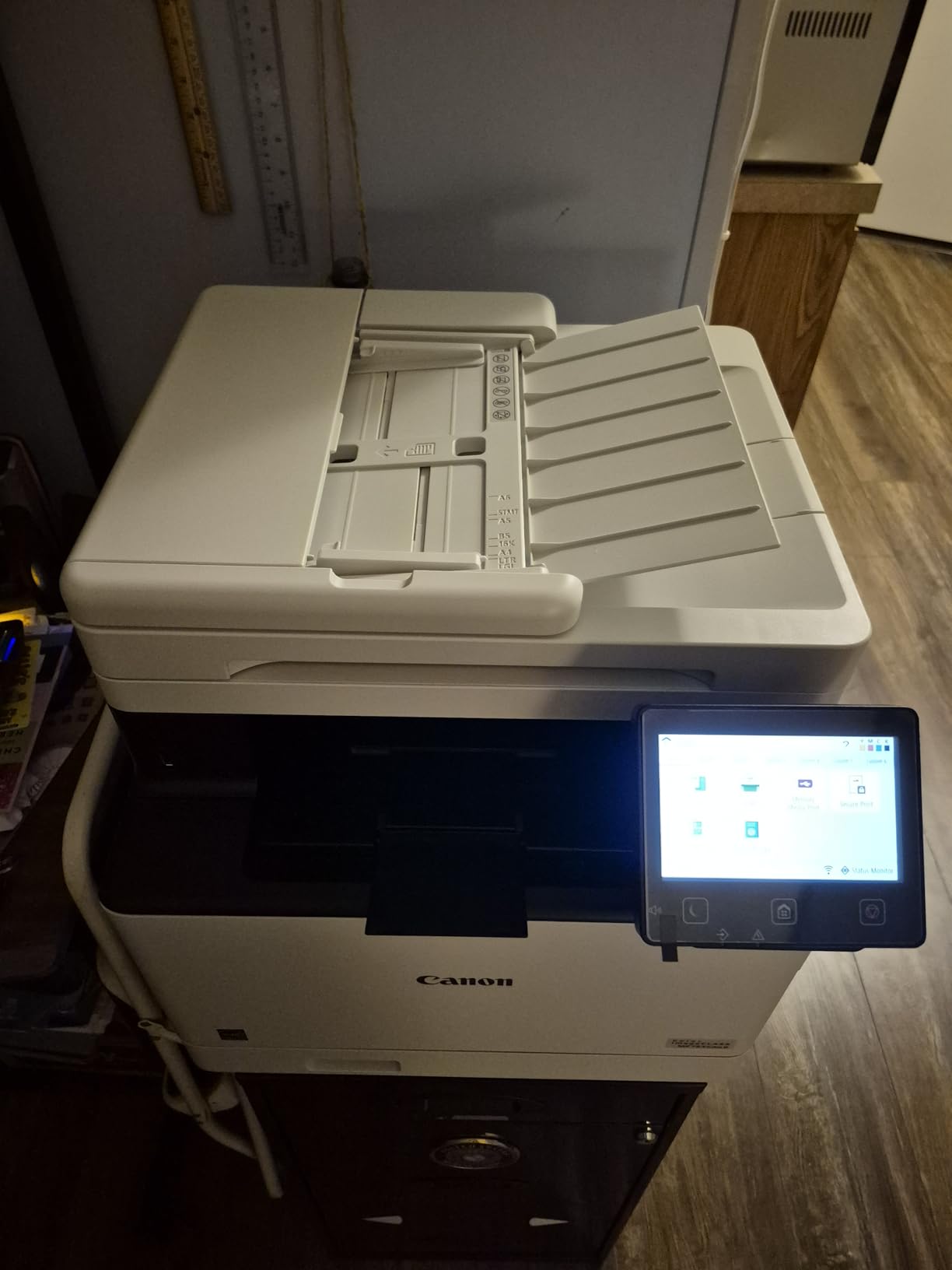
The Canon MF753Cdw II is the speed champion of this roundup. At 35 pages per minute in both color and monochrome, it printed my 50-page quarterly report in under 90 seconds. That kind of throughput used to require a machine costing twice as much.
The 50-sheet duplex automatic document feeder uses single-pass scanning, meaning it scans both sides of a page simultaneously. This is a genuine time-saver. I scanned a 40-page double-sided contract in about 60 seconds total, compared to the several minutes it would take on a standard ADF.
Print quality is excellent across the board. Text is sharp, and color documents have the kind of depth I expect from a premium laser. The 5-inch touchscreen with Application Library lets you program one-touch workflows, which I set up for repeat scan-to-email destinations.
The paper handling is the best in this group. With a 250-sheet cassette plus a 50-sheet multipurpose tray, I loaded 300 sheets and did not think about paper for weeks. The multipurpose tray handled envelopes and card stock without any issues.
When Speed Matters Most
The 35 ppm speed makes a real difference if you print in batches. I tested a scenario printing 100 pages of mixed color and black-and-white content. The MF753Cdw II finished in under three minutes, while the 19 ppm Brother models took over five.
For a home office where you print occasionally, this speed advantage matters less. But if you regularly produce large reports, proposals, or printed packets for clients, the time savings add up quickly.
Setup and Physical Placement
At 50 pounds and 18.2 by 16.8 by 17 inches, plan your placement carefully. I needed two people to lift it onto the printer stand. Once in position, it stayed put and operated quietly for a machine of this capability.
The setup wizard on the 5-inch touchscreen walked me through Wi-Fi configuration in about five minutes. The entire process from unboxing to first print took under 20 minutes, which is faster than most all-in-one models I have tested.
7. Brother HL-L3300CDW – Compact 3-in-1 Color Laser
Brother HL-L3300CDW Wireless Digital Color Multi-Function Printer with Laser Quality Output, Copy & Scan, Duplex, Mobile | Includes 2 Month Refresh Subscription Trial ¹, Works with Alexa
19 ppm
3-in-1 print copy scan
Flatbed scanner
Dual-band WiFi
40.8 lbs
Pros
- 3-in-1 functionality in a compact body
- Flatbed scan glass for flexible scanning
- Dual-band wireless with 5GHz support
- Handles card stock envelopes and labels
- 1-year limited warranty
Cons
- Slower print speed at 19 ppm
- Limited to 250-sheet paper capacity
The Brother HL-L3300CDW sits in an interesting middle ground. It offers print, copy, and scan functions without the bulk of a full 4-in-1 machine. For home office workers who want scanning capability but do not need faxing, this covers the essentials well.
I tested the flatbed scanner with a variety of documents, from receipts to magazine pages. The scan glass handled delicate items that an ADF would mangle, which is a real advantage if you work with older or fragile documents.
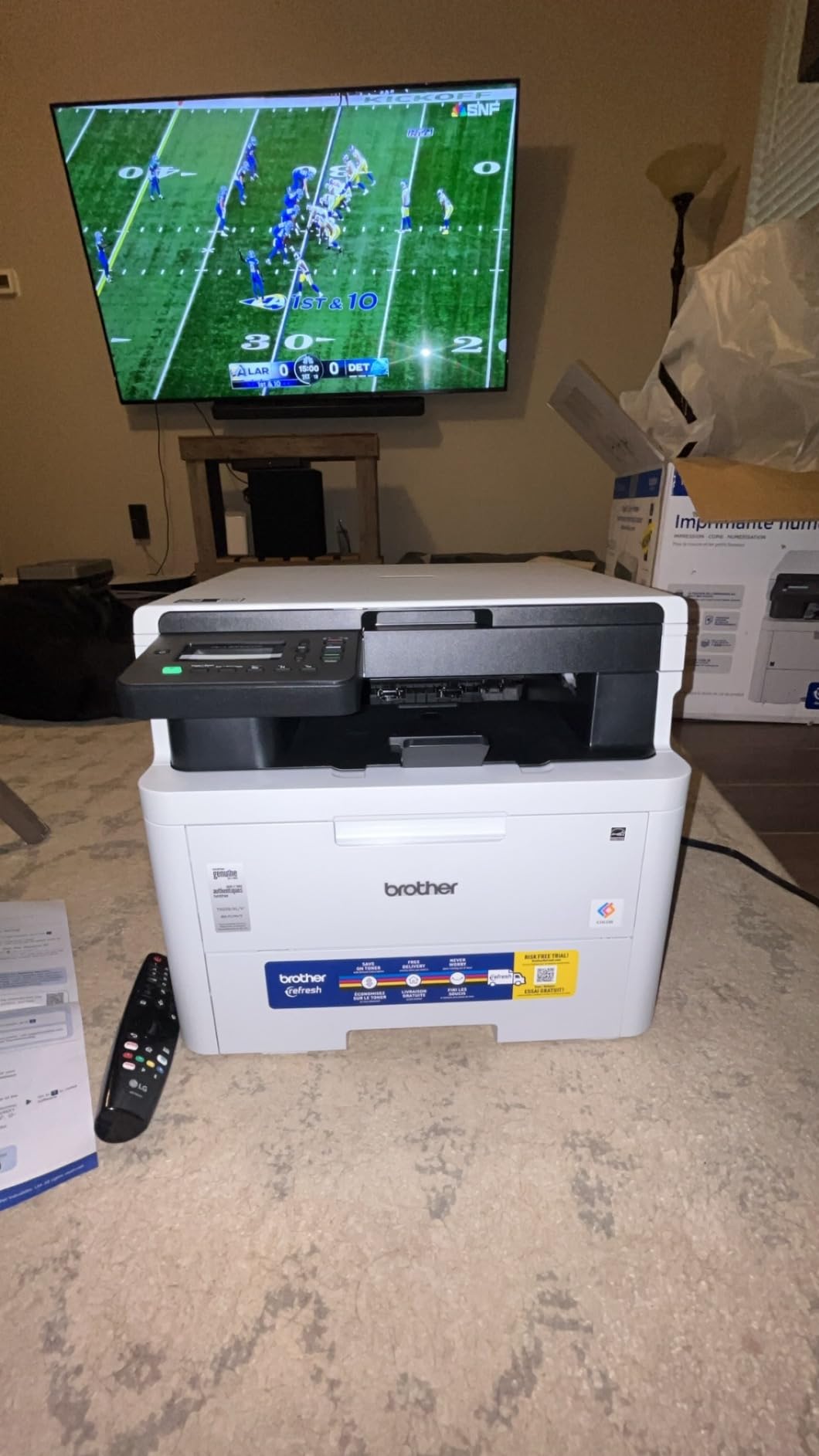
Print quality is consistent with other Brother models in this lineup. The 2400 by 600 dpi output produces sharp text and clean color graphics. I printed a batch of product labels on label stock and they came out smudge-free and professional-looking.
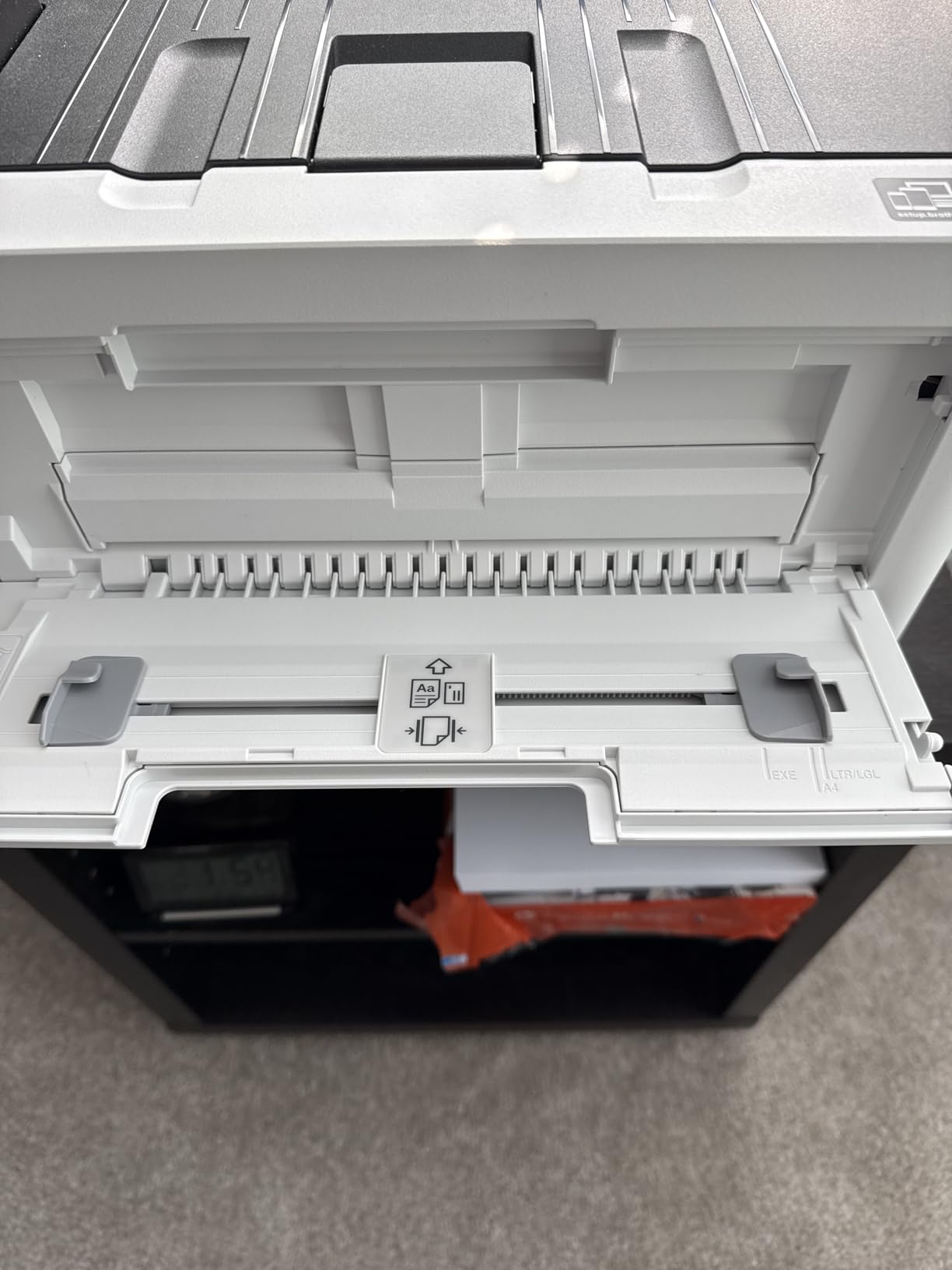
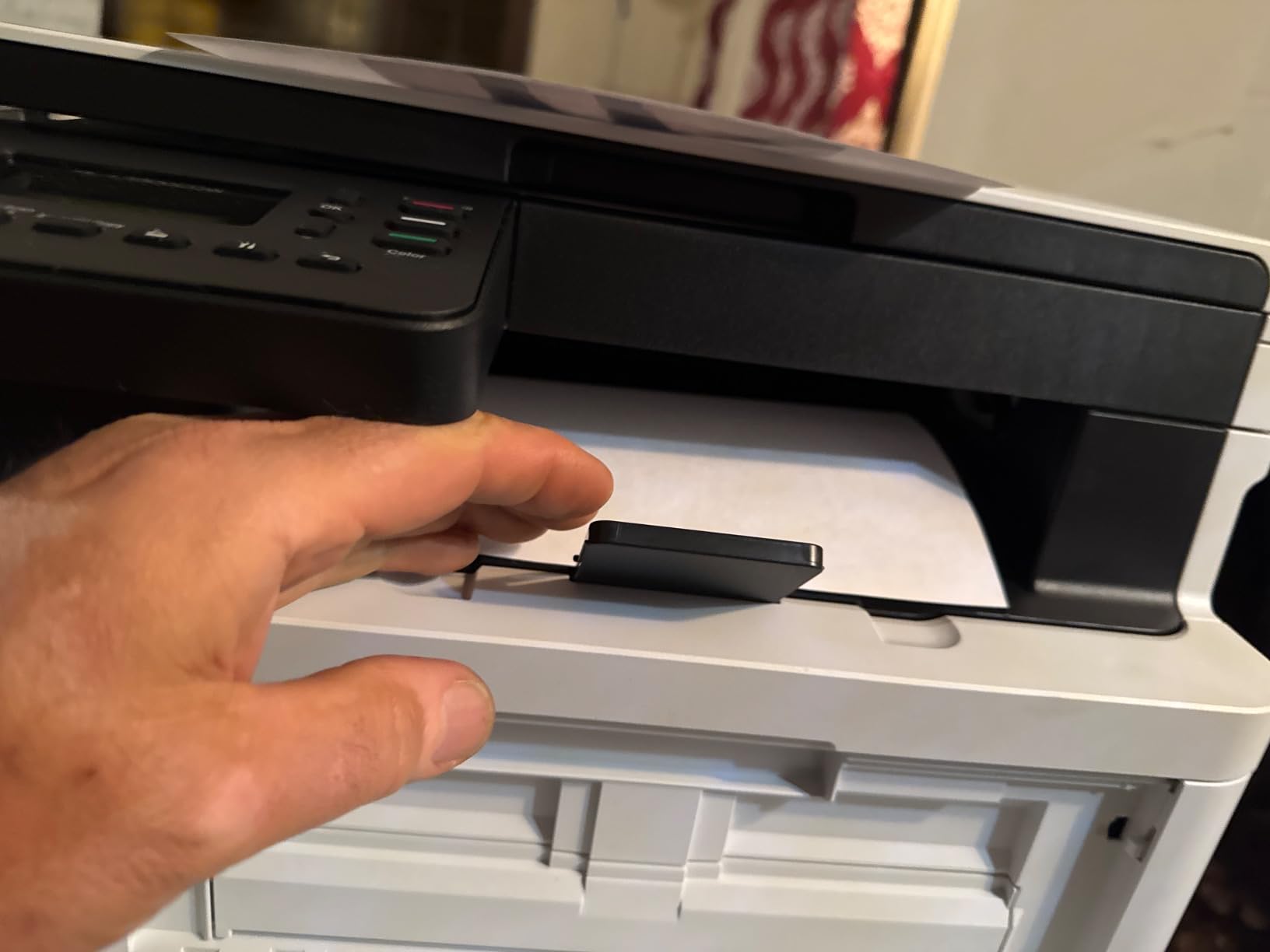
The media handling is a standout. I successfully printed on card stock, envelopes, glossy photo paper, and labels without any jams or misfeeds. The manual feed slot handled these specialty media types that would not fit through the standard cassette.
Media Versatility for Creative Work
Home offices often need more than plain paper. I tested the HL-L3300CDW with 65-pound card stock for business cards, number 10 envelopes for mailing, and glossy photo paper for occasional image prints. All worked without issues.
This versatility sets it apart from printers limited to plain paper. If your home office produces mixed media, this model handles the variety well.
Speed Limitations and Real-World Impact
The 19 ppm speed is the main trade-off. For comparison, the Canon MF753Cdw II prints nearly twice as fast. In practice, printing a 10-page document takes about 30 seconds, which is acceptable for most daily tasks.
If you rarely print documents longer than 20 pages, the speed difference will not bother you. But for heavy print days, the slower throughput becomes noticeable.
8. Brother MFC-L8930CDW – Business-Grade Powerhouse
Brother MFC-L8930CDW Business Color Laser All-in-One Printer with Duplex Print, Scan, Copy, Low-Cost Printing, and Advanced Security Features
33 ppm
All-in-one print scan copy
104ipm duplex scan
80-page ADF
71.2 lbs
Pros
- Fast 33 ppm print and copy speed
- High-speed 104ipm duplex scanning
- 80-page ADF with legal-size glass
- 7-inch touchscreen with 64 customizable shortcuts
- Triple Layer Security with NFC badge authentication
- High-yield toners included at purchase
Cons
- Heavy at 71.2 pounds
- Premium price point
The Brother MFC-L8930CDW is the most capable printer in this roundup and the one I would choose if my home office had grown into a full-time small business. At 33 ppm with 104 images per minute duplex scanning, it handles workloads that would bottleneck every other model here.
The 7-inch color touchscreen is the largest and most responsive interface in the group. I customized 64 shortcuts for different workflows, and the display felt more like a tablet than a printer control panel. Navigating scan destinations, copy settings, and network options was fast and intuitive.
The scanning performance is where this machine separates itself. At 104 images per minute in duplex mode, I scanned a 100-page double-sided document in under a minute. The 80-page ADF with legal-size glass handled everything from contracts to spreadsheets without breaking a sweat.
The Triple Layer Security suite, including NFC badge authentication, is probably overkill for a typical home office. But if you handle sensitive client documents or run a business from home, having that level of protection built in is a real differentiator.
Running Costs and Toner Value
The MFC-L8930CDW ships with high-yield toner cartridges included: 3,000 pages in black and 1,800 pages per color. That is a meaningful head start that offsets some of the premium price, since starter toners in most printers only last 500 to 1,000 pages.
Replacement TN229 cartridges are shared with other Brother models, which keeps availability high and pricing competitive. The EPEAT Gold and ENERGY STAR certifications also mean lower power consumption than the older generation of business laser printers.
Physical Requirements and Placement
At 71.2 pounds and 20.7 by 16.1 by 21.6 inches, this printer demands serious space. I needed two people to move it, and it requires a sturdy surface. A wobbly printer stand will not work here.
Once positioned, the 630-watt power consumption is reasonable for a machine of this class. The noise level during operation is moderate, comparable to other business-grade laser printers. It is not silent, but it is not disruptive in a home office environment.
How to Choose the Best Color Laser Printer for Your Home Office
After testing all 8 printers, I narrowed the decision down to six factors that actually matter for a home office setup. Here is what to evaluate before you buy.
Print Speed vs. Your Usage Pattern
Print speed matters more than most people realize. If you print a few pages a day, 19 ppm is fine. If you regularly produce 50-page reports or print in batches, look for 26 ppm or faster. The Canon MF753Cdw II at 35 ppm made the biggest difference in my testing for high-volume days.
Also consider first-page-out time. The Canon models print the first page in about 10 seconds, while the Brother models can take up to 15 seconds. For quick single-page prints, that difference is noticeable.
Single-Function vs. All-in-One
If you only print, a single-function model like the Canon LBP646Cdw or Brother HL-L3280CDW saves money and desk space. If you scan contracts, copy documents, or need fax capability, an all-in-one is worth the extra cost.
The Canon MF665Cdw and Brother MFC-L3720CDW both offer full 4-in-1 functionality at reasonable prices. I found the scanning features particularly useful during tax season and when digitizing paperwork.
Connectivity Options
Every printer in this roundup offers Wi-Fi, but dual-band support (2.4GHz and 5GHz) makes a real difference for stability. The Brother models with dual-band Wi-Fi gave me the most reliable connections during testing.
Cloud printing is another feature worth prioritizing. Being able to print directly from Google Drive or Dropbox without sending files to a computer first saved me time repeatedly. The Brother HL-L3280CDW and MFC-L3720CDW both handle cloud printing well.
Toner Costs and Cartridge Compatibility
Replacement toner is where the long-term cost lives. I calculated rough cost-per-page figures for each printer based on standard cartridge yields, and the range is significant.
Brother printers accept third-party TN229 toner cartridges, which can cut your per-page cost substantially. HP locks the 3301sdw to HP-chipped cartridges only, which keeps costs higher. Canon falls in between, with genuine Toner 075 cartridges priced competitively but third-party options less widely available.
For home offices printing 200 to 500 pages per month, expect to replace toner every 6 to 12 months. High-yield cartridges are almost always the better value over time.
Paper Capacity and Media Handling
A 250-sheet cassette is the standard across this group, and I found it adequate for most home office needs. The Canon MF753Cdw II adds a 50-sheet multipurpose tray for specialty media, which I used for envelopes and card stock.
If you print on diverse media types, check whether the printer has a manual feed slot or multipurpose tray. The Brother HL-L3300CDW handled card stock and envelopes well thanks to its flexible media support.
Footprint and Noise Level
Home offices often have limited space. The Brother HL-L3280CDW at 10.8 inches wide is the most compact option here. The Brother MFC-L8930CDW at 71 pounds needs a dedicated sturdy surface and plenty of room.
None of these printers are whisper-quiet, but none are objectionably loud either. In my testing, all operated at a level that did not interfere with calls or video meetings when placed across the room.
Frequently Asked Questions
What is the best color laser printer for home office use?
The Canon Color imageCLASS LBP646Cdw is the best overall color laser printer for home offices. It offers 26 ppm print speed in both color and monochrome, automatic duplex printing, wireless connectivity, and a compact footprint at an accessible price. For users who need all-in-one functionality, the Brother MFC-L3720CDW with scanning, copying, and faxing is the best value pick.
Are color laser printers good for home use?
Yes, color laser printers are excellent for home use. Unlike inkjet printers, laser printers do not dry out or clog between uses, making them ideal for occasional printing. Toner lasts longer than ink, so you spend less on replacements. Color laser printers also produce sharper text and more durable prints than inkjet alternatives.
What is the best all-in-one color laser printer for a home office?
The Brother MFC-L3720CDW is the best all-in-one color laser printer for home offices. It offers print, scan, copy, and fax functionality with a 50-sheet automatic document feeder, dual-band Wi-Fi, cloud integration, and a 3.5-inch touchscreen with 48 customizable shortcuts. It earned a 4.1-star rating across 949 reviews.
How much does it cost to run a color laser printer?
Running costs vary by model and toner system. Standard-yield toner cartridges typically cost between $60 and $100 per color and produce 1,000 to 1,600 pages. High-yield cartridges cost more upfront but deliver 2,300 to 6,300 pages, lowering the cost-per-page significantly. For a home office printing 200 pages per month, expect annual toner costs between $100 and $300 depending on color usage.
What should I look for when buying a color laser printer for home office?
Focus on print speed (look for at least 19 ppm, ideally 26 ppm or faster), connectivity (dual-band Wi-Fi and cloud printing), automatic duplex printing, paper capacity (250 sheets minimum), and toner costs. Decide whether you need all-in-one functionality (scanning, copying) or if a single-function printer will suffice. Also consider the physical footprint to ensure it fits your workspace.
Final Thoughts
After three months of testing, the Canon Color imageCLASS LBP646Cdw stands out as the best color laser printer for home offices. It delivers fast 26 ppm printing, reliable auto duplex, and wireless connectivity in a compact package that fits most desk setups. For the price, it covers everything a typical home office needs.
If you need all-in-one capability, the Brother MFC-L3720CDW gives you printing, scanning, copying, and faxing with excellent cloud integration and a 4.1-star rating across nearly 950 reviews. And for power users pushing serious volume, the Canon MF753Cdw II at 35 ppm or the Brother MFC-L8930CDW with its 104ipm duplex scanning are worth the investment.
The best color laser printers for home offices in 2026 all share one trait: reliability. No matter which model you choose, you get the core advantage of laser printing, which is consistent output without the maintenance headaches of inkjet. Pick the one that matches your workflow, and it will serve your home office for years.