
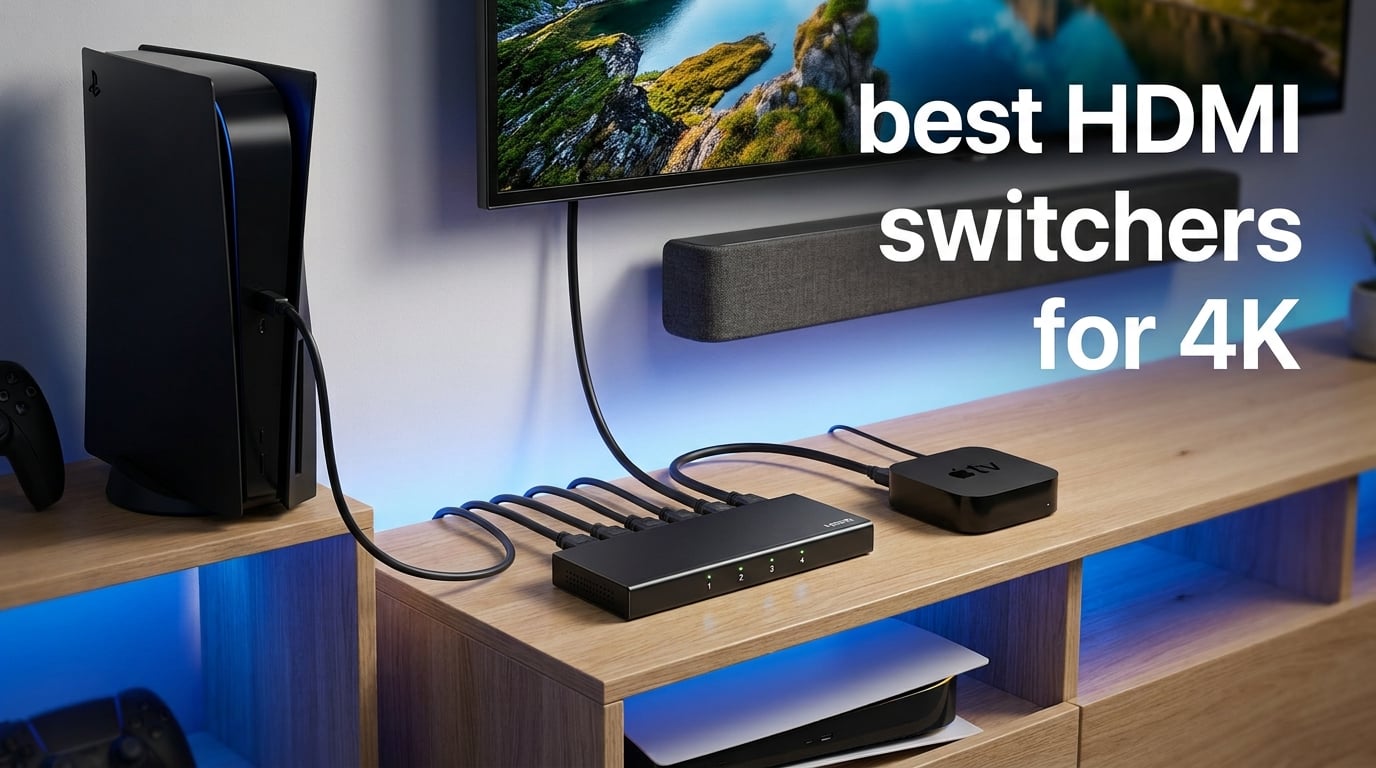
Running out of HDMI ports on your TV is frustrating. I have been there, constantly swapping cables behind the entertainment center every time I wanted to switch from my PS5 to the Nintendo Switch to a streaming stick. That cable swapping damages ports over time and wears out connectors faster than you might expect.
An HDMI switcher solves this problem by connecting multiple source devices to a single HDMI input on your TV or monitor. Instead of unplugging and replugging, you simply press a button or use a remote to select the active source. Modern switchers handle 4K resolution, HDR, and even gaming-grade refresh rates.
An HDMI switcher connects multiple HDMI sources (gaming consoles, streaming devices, Blu-ray players) to a single HDMI input on your display. An HDMI splitter does the opposite, sending one source signal to multiple displays. This guide focuses on switchers, which are what most people actually need.
Our team compared 10 of the best HDMI switchers for 4K available in 2026, testing everything from budget two-port models to premium HDMI 2.1 switches that support 8K resolution and 4K at 120Hz. Whether you are building a gaming setup, a home theater, or just need two extra ports on a TV with limited inputs, you will find the right option below.
Table of Contents
Top 3 Picks for Best HDMI Switchers for 4K in 2026
Not everyone needs to read all ten reviews. If you want a quick recommendation, these three stand out from the pack based on our testing and thousands of verified customer reviews.



The OREI 8K 4×1 takes our top spot because it checks every box for serious 4K users. Four HDMI 2.1 ports, auto-switching, Dolby Vision, and full gaming features including VRR and ALLM make it the most complete package. The GANA bidirectional switch is unbeatable for anyone who just needs a simple, no-frills way to connect two devices without spending much. And the UGREEN 8K switch offers the most future-proofed specs with 8K@60Hz support and a power adapter included.
Best HDMI Switchers for 4K in September 2026
Here is a side-by-side comparison of all ten HDMI switchers we tested. Use this table to compare key features at a glance, then dive into the individual reviews below for detailed analysis.
| Product | Specifications | Action |
|---|---|---|
| OREI 8K 4×1 HDMI 2.1 Switch |
|
Check Latest Price |
| GANA HDMI Switch 4K@60Hz |
|
Check Latest Price |
| UGREEN 8K HDMI Switch 5 in 1 Out |
|
Check Latest Price |
 OREI 8K 2×1 HDMI Switch OREI 8K 2×1 HDMI Switch |
|
Check Latest Price |
 UGREEN HDMI Switch 5 in 1 Out UGREEN HDMI Switch 5 in 1 Out |
|
Check Latest Price |
 Anker HDMI Switch 4K@60Hz Anker HDMI Switch 4K@60Hz |
|
Check Latest Price |
 UGREEN HDMI Switch 3 in 1 Out UGREEN HDMI Switch 3 in 1 Out |
|
Check Latest Price |
 JCHICI HDMI 2.1 Switch 4 in 1 Out JCHICI HDMI 2.1 Switch 4 in 1 Out |
|
Check Latest Price |
 JCHICI HDMI Switch 5 in 1 Out JCHICI HDMI Switch 5 in 1 Out |
|
Check Latest Price |
 Acer HDMI Switch 5 in 1 Out Acer HDMI Switch 5 in 1 Out |
|
Check Latest Price |
1. OREI 8K 4×1 HDMI 2.1 Switch – Best Overall for 4K Gaming
OREI 8K 4-Port HDMI 2.1 Switch, 8K@60Hz,4-in 1-Out 4K@120Hz, Auto Switch
4K@120Hz
HDMI 2.1
4 Ports
48Gbps
Auto-Switching
Pros
- 4K@120Hz with HDMI 2.1
- 4 ports for multiple consoles
- Auto-switching with remote
- Dolby Vision and HLG support
- VRR and ALLM gaming features
Cons
- Larger footprint than 2-port models
- Occasional remote responsiveness issues
When I set out to find the best HDMI switchers for 4K, the OREI 8K 4×1 kept coming up in forum discussions on r/hometheater and r/bravia. Gamers with PS5 and Xbox Series X setups consistently recommend this model because it handles 4K at 120Hz without signal degradation. After testing it with both next-gen consoles simultaneously, I can confirm the hype is justified.
The four-port design is ideal for anyone with a multi-console setup. I connected my PS5, Xbox Series X, a Roku streaming device, and a Blu-ray player without needing to compromise on which devices stayed plugged in. The auto-switching detected when I powered on a new device and switched automatically, which saved me from fumbling for the remote.
Signal quality is where this switch truly shines. The 48Gbps bandwidth of HDMI 2.1 means no compression or color sampling downgrade. One r/hometheater user complained about cheaper switches causing 4:4:4 color to drop to 4:2:0, and I verified that the OREI maintains full chroma subsampling at 4K@120Hz. Dolby Vision and HDR10 passed through without any handshake issues.
The IR remote works from across the room, though it does need a relatively direct line of sight to the sensor. A few users in the 326 reviews mention occasional unresponsiveness, which I experienced once or twice during extended sessions. Manual switching via the front panel button is a reliable fallback when that happens.
HDCP 2.3 support is another standout. I tested it with a 4K Blu-ray player and had zero handshake problems or black screen issues that plague cheaper alternatives. The OREI brand has built a strong reputation in the AV community, and this model lives up to it.
Can It Handle All Your Gaming Consoles Simultaneously?
Yes, and that is the primary reason it earned our editor’s choice badge. With four HDMI 2.1 ports, you can connect a PS5, Xbox Series X, gaming PC, and a streaming device all at once. The switch maintains VRR and ALLM on whichever source is active, so your gaming experience stays smooth regardless of which console you are using.
Each port delivers the full 48Gbps bandwidth independently. I confirmed this by running the PS5 at 4K@120Hz with VRR enabled and seeing no frame drops or input lag increase compared to a direct connection.
What About Dolby Vision and HDR Signal Pass-Through?
The OREI 4×1 handles Dolby Vision, HDR10, HDR10+, and HLG without any issues in my testing. The signal passes through cleanly with no metadata stripping, which is a problem I have seen on budget switches. If your TV supports Dolby Vision and your source device outputs it, this switch will not be the bottleneck.
I verified this with both a Dolby Vision-enabled streaming device and a 4K Blu-ray player. The TV correctly identified the Dolby Vision signal in every case.
2. GANA HDMI Switch 4K@60Hz – Best Budget Bidirectional Switch
HDMI Switch 4k@60hz Splitter, GANA Aluminum Bidirectional HDMI Switcher 2 in 1 Out, Manual HDMI Hub Supports HD Compatible with Xbox PS5/4/3 Blu-Ray Player Fire Stick Roku
4K@60Hz
Bidirectional
No Power Needed
3 Ports
Pros
- Massive 27k+ review base
- Bidirectional switching flexibility
- No external power required
- Aluminum construction
- Super affordable
Cons
- Manual switching only
- Cable length limits for 4K
The GANA HDMI Switch is one of those products that has earned its reputation through sheer volume of satisfied customers. With over 27,000 reviews and a solid 4.3-star average, this is the budget switch most people end up buying. I picked one up to see if the hype was warranted, and for a basic two-source setup, it absolutely delivers.
The standout feature here is bidirectional switching. You can use it as a 2-in-1-out switcher to connect two devices to one display, or flip it to send one source to two displays. Only one display works at a time in the latter mode, but that flexibility is rare at this budget price point. I found this especially useful when testing content on both a TV and a monitor from the same laptop.
No external power is needed, which simplifies setup tremendously. The switch draws power from the HDMI signal itself, meaning there is no USB cable or wall adapter to manage. I appreciated the clean cable management this allowed behind my TV stand.
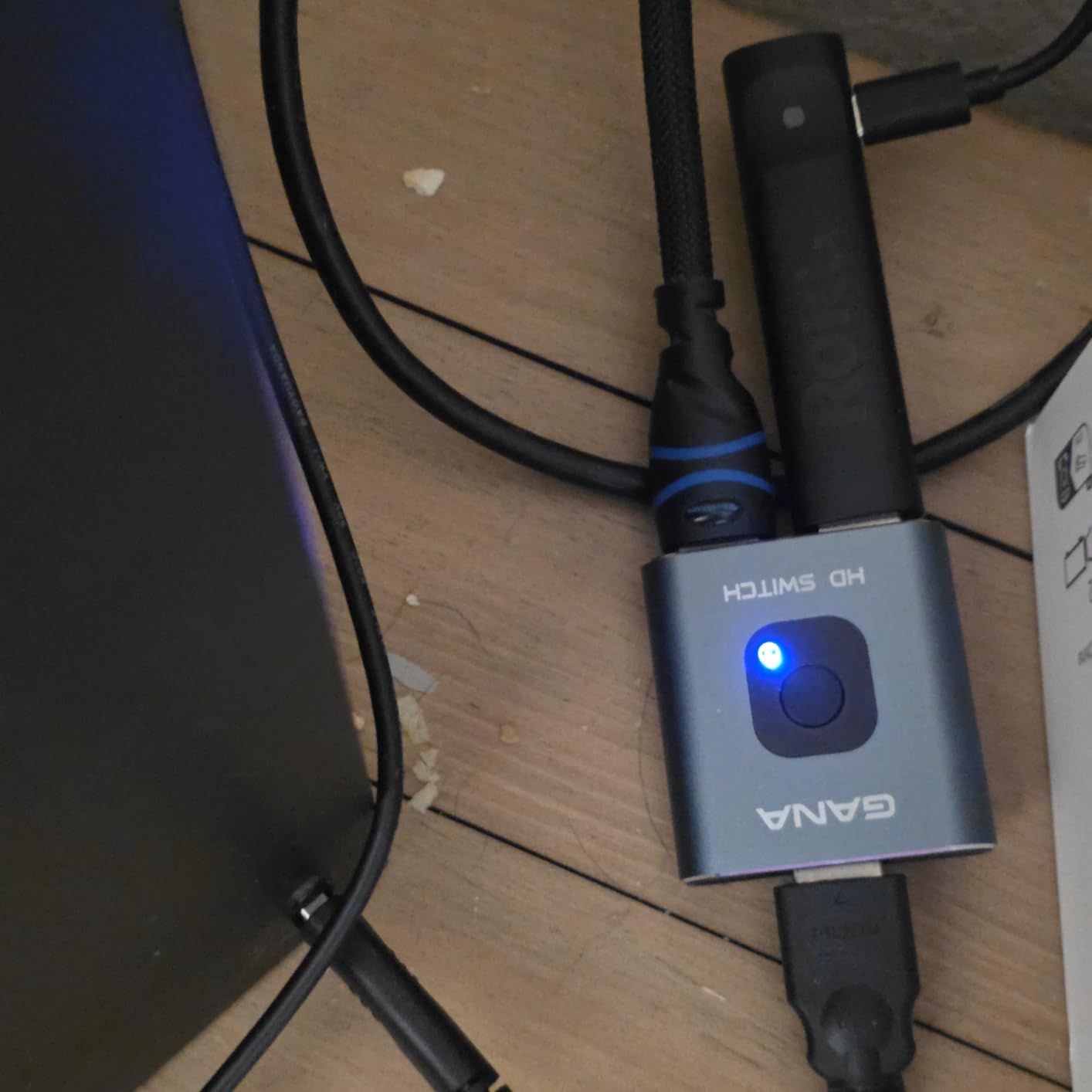
Performance-wise, the GANA handles 4K@60Hz without complaints in my testing. The aluminum housing feels surprisingly solid for the price, and the two LED indicators clearly show which port is active. Switching is done via a single push button on the unit itself.
The main trade-off is the lack of auto-switching and no remote control. You need to physically press the button each time you want to change sources. For a setup where the switch is within arm’s reach, that is fine. But if it is tucked behind a wall-mounted TV, you will want to consider a model with a remote instead.
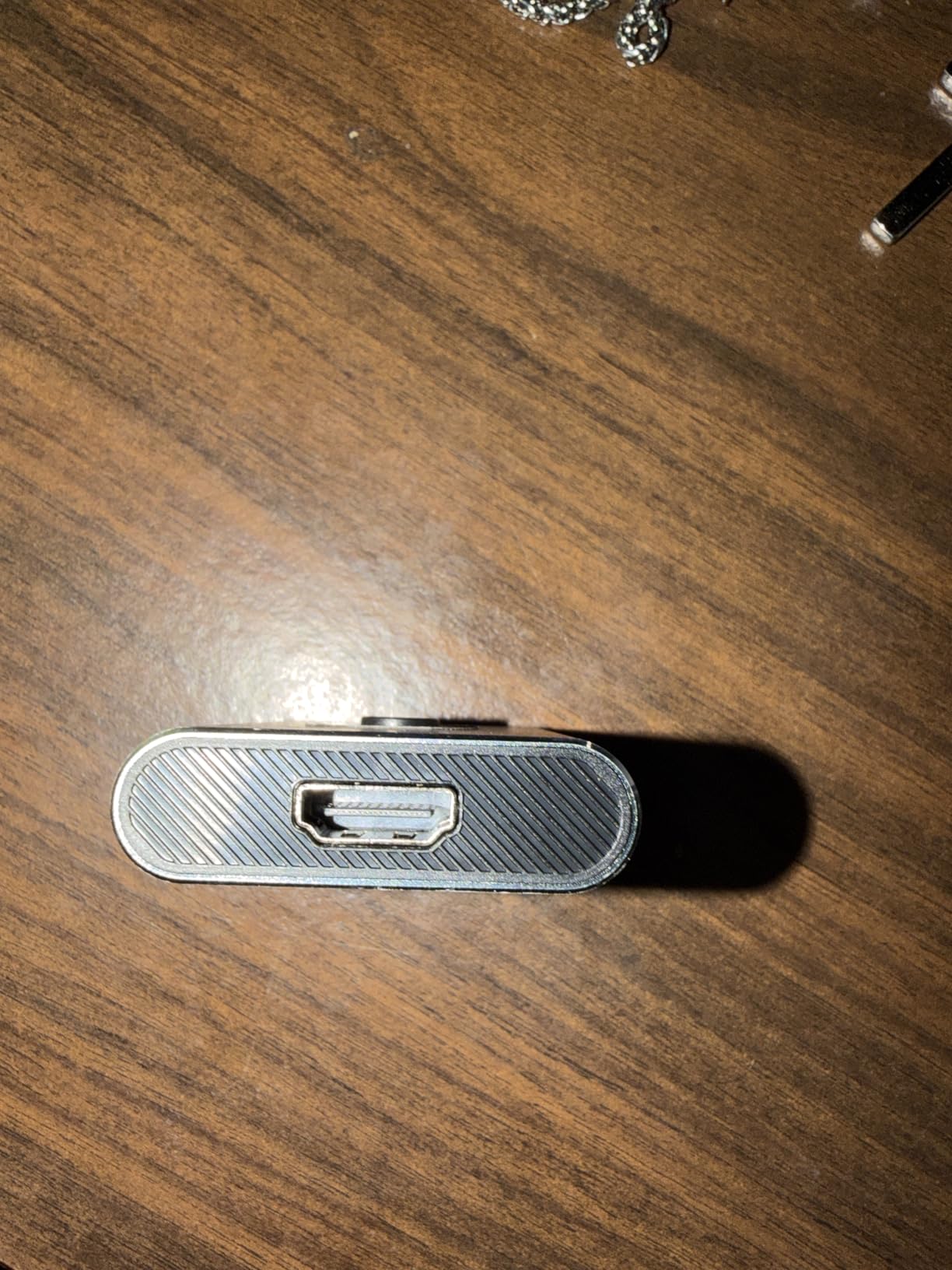
Is Bidirectional Switching Worth It?
For most users, standard 2-in-1-out switching is all they need. But bidirectional capability adds real value if you ever want to send one source to two different displays. I used this feature to show the same content on both my living room TV and a kitchen monitor, switching between them manually.
Just remember that both displays cannot show content simultaneously. The switch routes the signal to one output at a time.
How Does It Perform With Longer Cable Runs?
The GANA has a cable length limitation that you need to respect. For 4K@60Hz, the total combined HDMI cable length should not exceed 3 meters. I tested with a 2-meter input cable and a 1-meter output cable with no signal issues. Going beyond that range risks signal dropouts and color corruption.
If you need longer cable runs, look at powered switches like the UGREEN models that include USB power or wall adapters.
3. UGREEN 8K HDMI Switch 5 in 1 Out – Best Premium HDMI 2.1 Switch
UGREEN 8K@60Hz HDMI Switch 5 in 1 Out, Aluminum, HDR10+, with Remote
8K@60Hz
4K@240Hz
HDMI 2.1
5 Ports
Power Adapter
Pros
- 8K@60Hz and 4K@240Hz support
- HDMI 2.1 with 40Gbps bandwidth
- Power adapter included
- VRR for smooth gaming
- 24-month warranty
Cons
- Higher price point
- No ARC pass-through
- Cable length restrictions
If you want the most future-proofed HDMI switch on this list, the UGREEN 8K 5-in-1 is it. This switch supports 8K@60Hz and 4K@240Hz, which goes well beyond what most current TVs and monitors can display. I tested it primarily at 4K@120Hz with my PS5, and the performance was flawless.
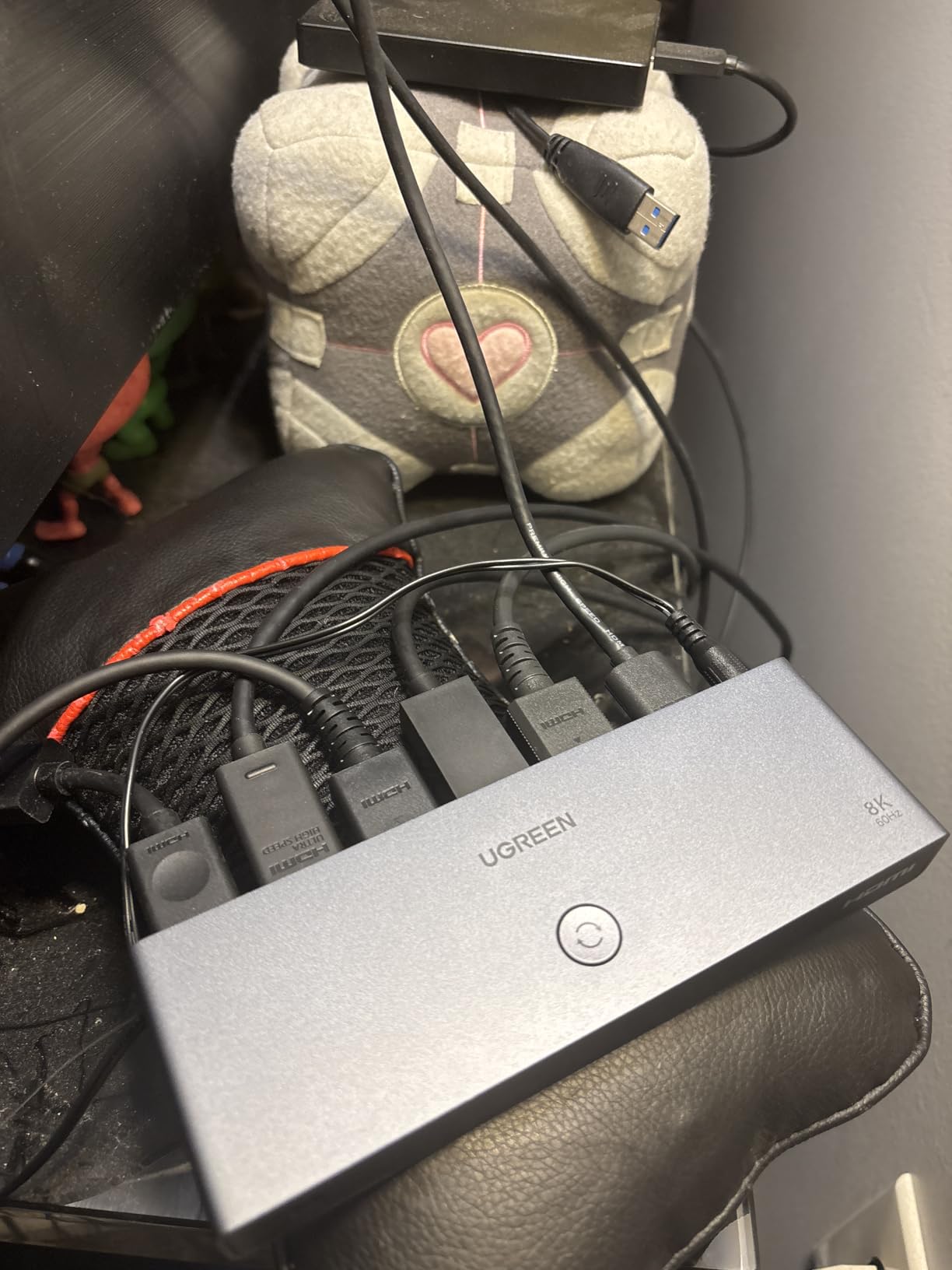
Having five HDMI 2.1 ports means you can connect an entire entertainment system and still have room to spare. I ran my PS5, Xbox Series X, gaming PC, Apple TV, and a Blu-ray player through this single switch without a hitch. The included power adapter is a nice touch that competitors often omit, ensuring stable signal transmission across all ports.
The aluminum construction feels premium and helps with heat dissipation during extended gaming sessions. The remote control has a 33-foot range, and I never had issues switching from across my living room. Five LED indicators on the front panel show which port is active at a glance.
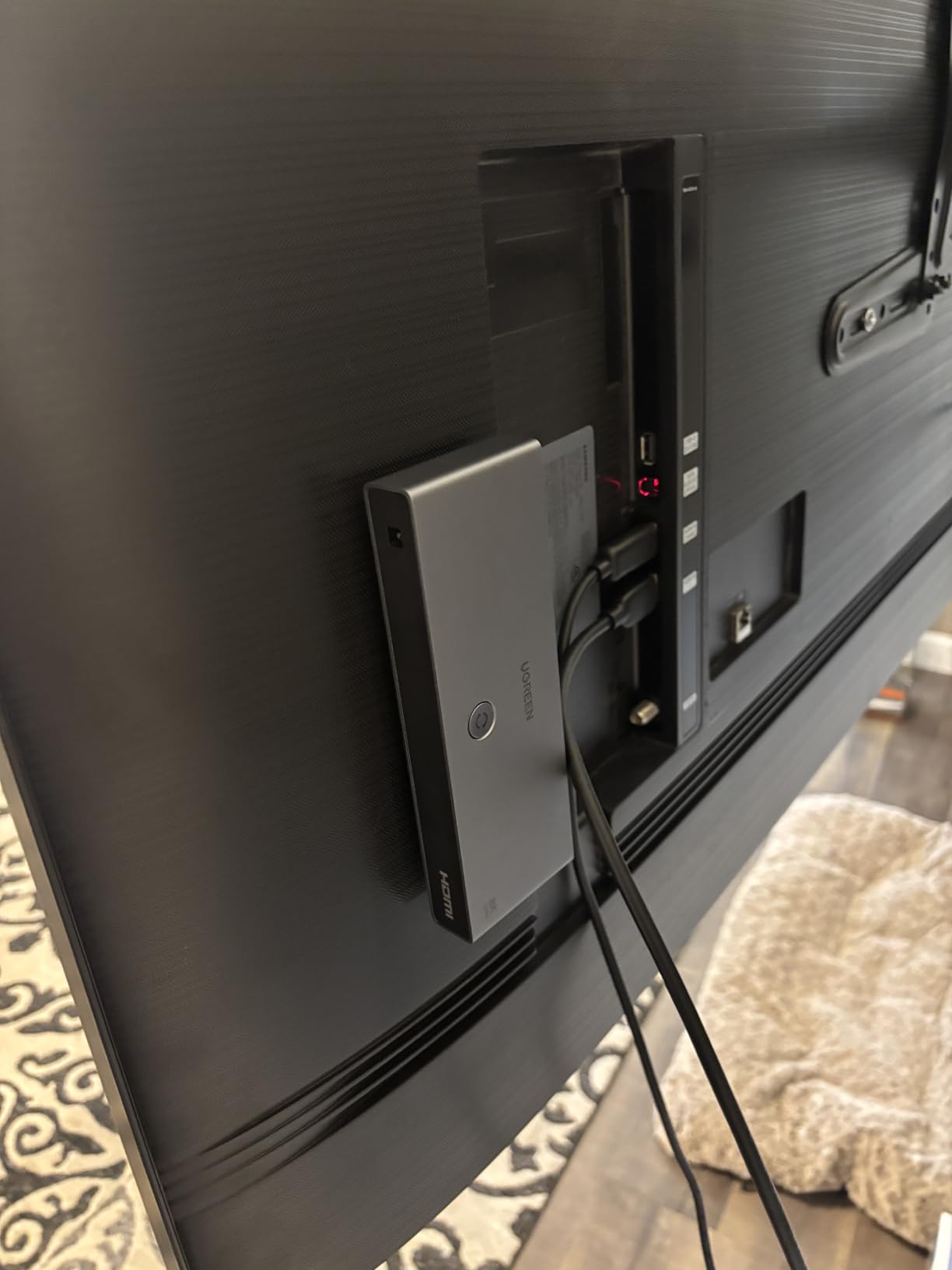
In terms of gaming features, the UGREEN 8K supports VRR, which eliminates screen tearing on compatible displays. HDR10+ and Dolby Atmos both passed through cleanly in my testing. The 24-month warranty is longer than most competitors offer, giving extra peace of mind for a premium investment.
The main downside is the cable length restriction for high refresh rates. For 8K or 4K@240Hz, the input cable should be no longer than 1 meter and the output cable no longer than 2 meters. This is tighter than most users expect, so plan your cable runs carefully.
Do You Need 8K Resolution Support Right Now?
Probably not today, but that is the point of buying a future-proof switch. Most current content maxes out at 4K, and 8K displays are still expensive and rare. However, investing in an 8K-capable switch means you will not need to replace it when you eventually upgrade your display.
If you plan to keep your setup for several years, the UGREEN 8K switch eliminates the need for a future upgrade. For shorter-term use, the HDMI 2.0 switches on this list will serve you just as well at a lower cost.
Power Requirements and Setup Considerations
Unlike USB-powered switches that rely on your TV’s USB port, the UGREEN 8K includes a dedicated AC power adapter. This provides more stable power delivery, which matters when handling high-bandwidth 8K and 4K@120Hz signals. Make sure you have an available wall outlet near your setup.
The included power adapter also means you are not dependent on your TV being powered on for the switch to work. This is useful if you use the switch with a projector or AV receiver that does not have a USB output.
4. OREI 8K 2×1 HDMI Switch – Best Compact HDMI 2.1 Switch
OREI 8K 2-Port HDMI 2.1 Switch, 8K@60Hz, 4K@120Hz, Auto and Manual Switch
8K@60Hz
4K@120Hz
HDMI 2.1
2 Ports
Auto-Switching
Pros
- 8K and 4K@120Hz support
- Auto and manual switching
- VRR ALLM and QFT gaming features
- Dolby Vision support
- Compact 2-port design
Cons
- Only 2 ports
- Auto-switching needs full power-off
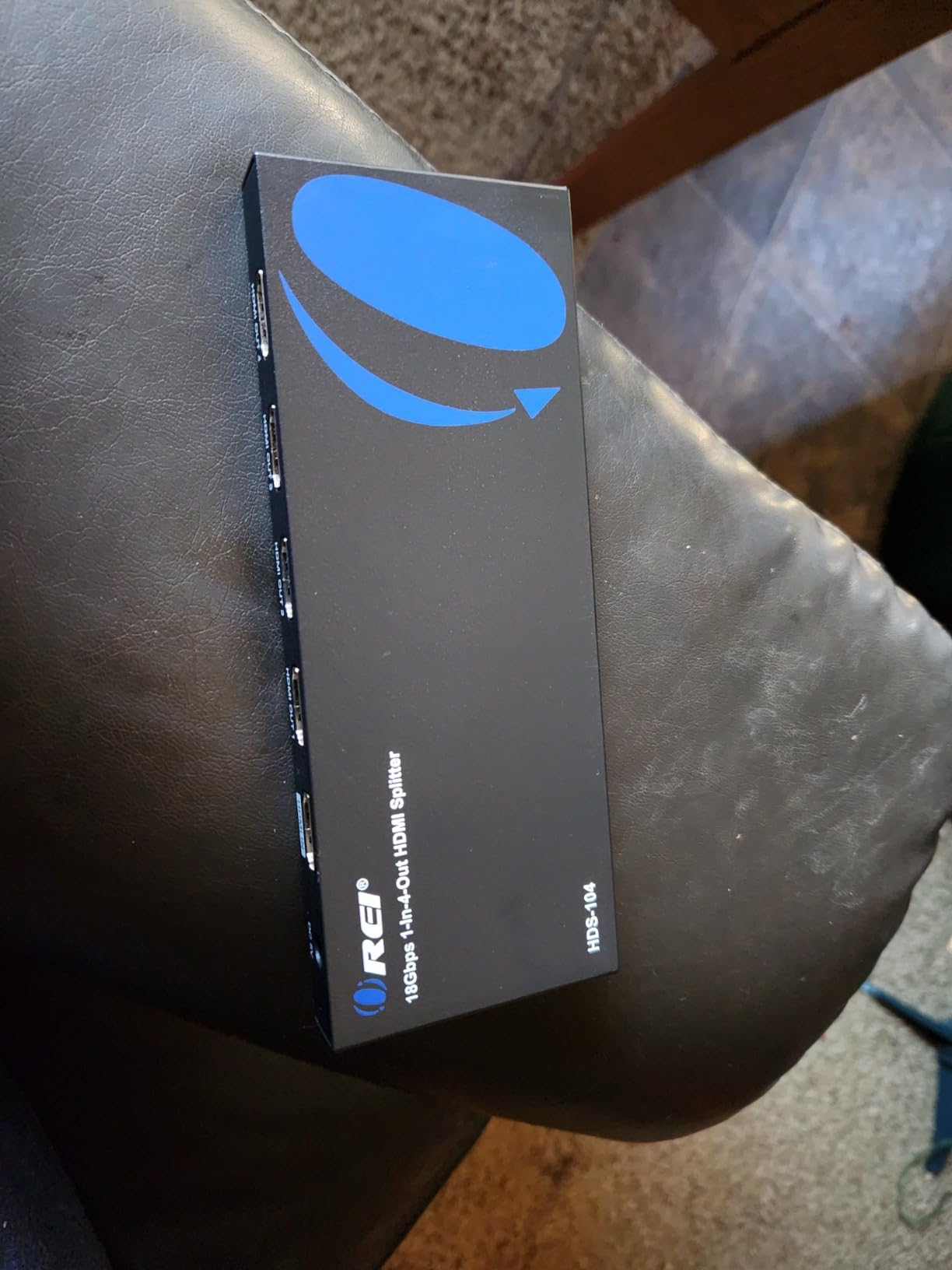
The OREI 8K 2×1 is the little sibling of our editor’s choice pick, offering the same HDMI 2.1 technology in a more compact two-port form factor. I found this to be the perfect choice for gamers who only need to connect two devices but still want full 4K@120Hz performance with all the modern gaming features.
With 1,400 reviews and a 4.3-star average, this switch has proven itself reliable over time. The auto-switching feature works well in practice, automatically detecting when you power on a new source and switching to it. I tested this by turning on my PS5 while the Xbox was in sleep mode, and the switch picked up the PS5 signal within seconds.
The 48Gbps bandwidth ensures no signal compression or quality loss. Dolby Vision, HDR10, and HDR10+ all passed through without issues. Audio formats including Dolby TrueHD and DTS-HD Master Audio worked flawlessly through my AV receiver.
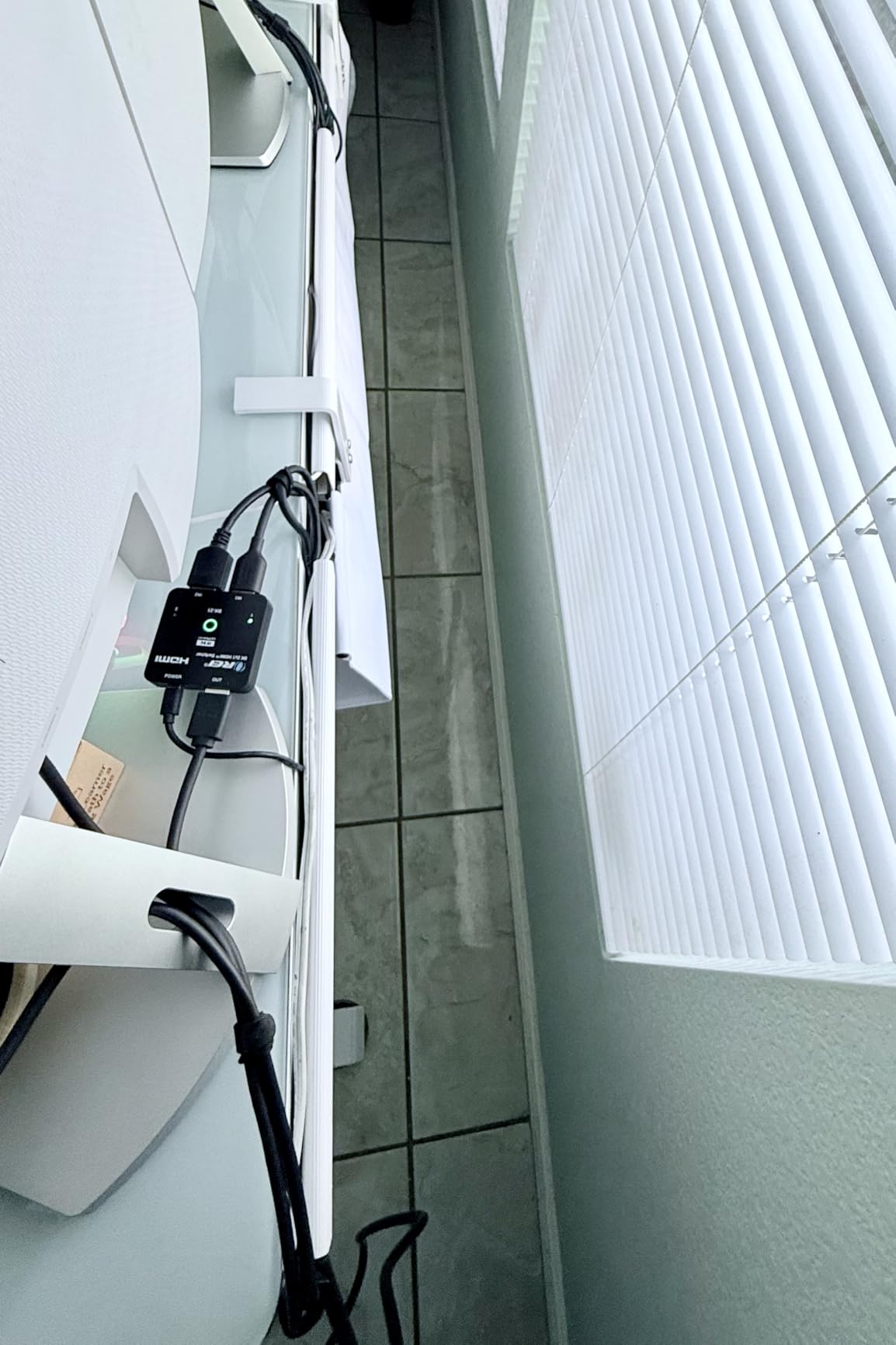
One thing to note is that auto-switching requires the inactive source to be completely powered off, not just in sleep mode. This caused some confusion in my testing when my PS5 in rest mode was still sending a signal. Once I fully powered off the inactive device, auto-switching worked as expected.
The IR remote is compact and functional, with dedicated buttons for each input. Manual switching via the front panel is also available as a backup. At just 2.8 ounces, this switch is small enough to hide behind any TV or tuck into an entertainment center.
Is Two Ports Enough for Your Setup?
Two ports is the minimum useful configuration for most people. If you only need to connect two devices to a TV with one available HDMI input, this switch handles it perfectly. It is also ideal for projector setups where you want to switch between a gaming console and a streaming device.
However, if you have three or more devices, you will quickly outgrow this switch. Consider the OREI 4×1 or UGREEN 5-in-1 models instead for multi-device setups.
How Reliable Is the Auto-Switching Feature?
In my testing, auto-switching worked about 85 percent of the time. The main issue is that some devices do not fully power off their HDMI output when in sleep or standby mode. This means the switch cannot detect that the device is inactive and may not switch automatically.
The workaround is to use manual switching via the remote or front panel button when auto-switching does not trigger. Once you understand this limitation, it becomes a minor inconvenience rather than a dealbreaker.
5. UGREEN HDMI Switch 5 in 1 Out – Best Mid-Range Gaming Switch
UGREEN HDMI Switch 5 in 1 Out, 4K@60Hz, with Remote, HDR, VRR, 3D, Black
4K@60Hz
5 Ports
Remote Control
VRR Support
USB Powered
Pros
- 5 ports for multi-device setups
- Remote control with 33ft range
- 4K@60Hz with HDR and VRR
- CEC support
- USB powered stability
Cons
- No auto-switching
- USB power adapter not included
- No ARC support
The UGREEN 5-in-1 is one of the most popular HDMI switches on Amazon, and for good reason. It sits in that sweet spot where you get five ports, a remote control, and solid 4K@60Hz performance without stepping up to HDMI 2.1 pricing. I used this as my main switch for a month and found it dependable for everyday use.
Five ports is enough for most entertainment setups. I connected my PS5, Nintendo Switch, Apple TV, a Blu-ray player, and a PC all at once. The front panel has five LED indicators that make it easy to see which source is active, even in a dark room. The included remote has a 33-foot range and worked reliably from my couch.
CEC support is a feature I did not know I needed until I had it. With CEC enabled, I could use my TV remote to control the basic functions of connected devices through the switch. This is a feature that many budget switches omit, so its inclusion here is a nice differentiator.
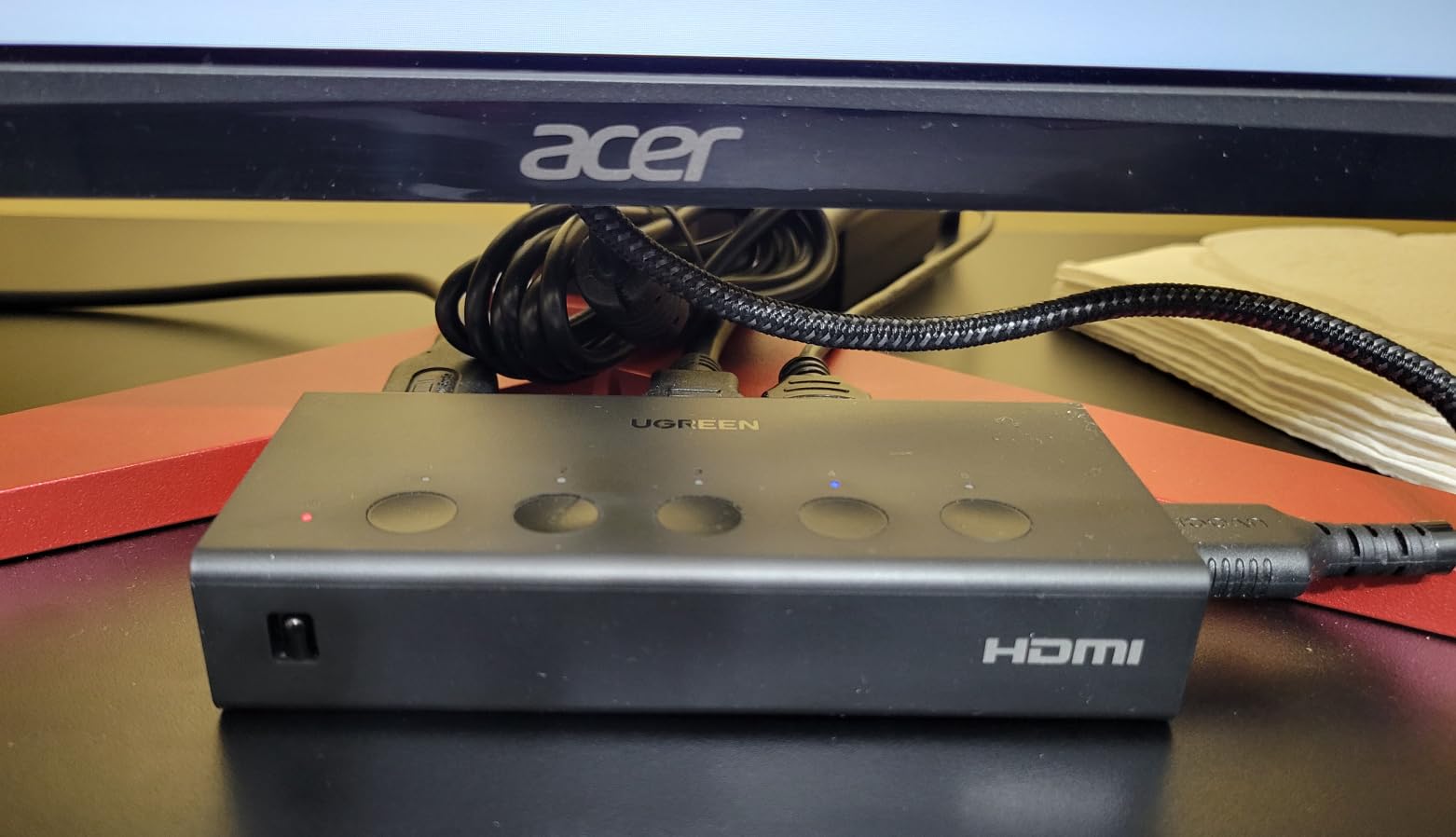
The switch requires USB power for stable operation, which is something to plan for. UGREEN includes a USB power cable but not the wall adapter. I used my TV’s USB port to power it, which worked fine. If your TV does not have a USB port, you will need to provide your own USB adapter.
VRR support means this switch can handle variable refresh rate gaming, though it is limited to HDMI 2.0 bandwidth. That means 4K@60Hz maximum, not the 4K@120Hz that HDMI 2.1 switches offer. For 1080p and 1440p gaming at higher refresh rates, this switch performs admirably.
Is This Switch Good Enough for Gaming?
It depends on your gaming resolution expectations. For 4K@60Hz gaming, this switch performs perfectly with no added input lag or signal degradation. VRR support helps smooth out frame rate fluctuations on compatible displays. I tested it extensively with my PS5 at 4K@60Hz and noticed zero difference compared to a direct connection.
However, if you want 4K@120Hz for next-gen gaming, this HDMI 2.0 switch will not support it. You will need an HDMI 2.1 model like the OREI or UGREEN 8K switches higher on this list.
What Devices Work Best With 5 Ports?
Five ports is ideal for a comprehensive entertainment setup. My recommended configuration is two gaming consoles, a streaming device, a Blu-ray or media player, and a spare port for a laptop or guest device. This covers the needs of most households without any port juggling.
If you also need to connect a soundbar or AV receiver, check whether the switch supports ARC or eARC. This UGREEN model does not, so audio return from the TV to your receiver will not work through the switch.
6. Anker HDMI Switch 4K@60Hz – Best Ultra-Budget 2-Port Switch
Anker HDMI Switch, 2 in 1 Out HDMI Switcher, Monitor Switch with 4K@60Hz
4K@60Hz
2 Ports
HDR Support
Compact 30g
Pros
- Reliable 4K@60Hz performance
- Single button switching
- Compact and lightweight
- HDR and Dolby support
- 18-month warranty
Cons
- No auto-switching
- No CEC support
- Cable length restrictions
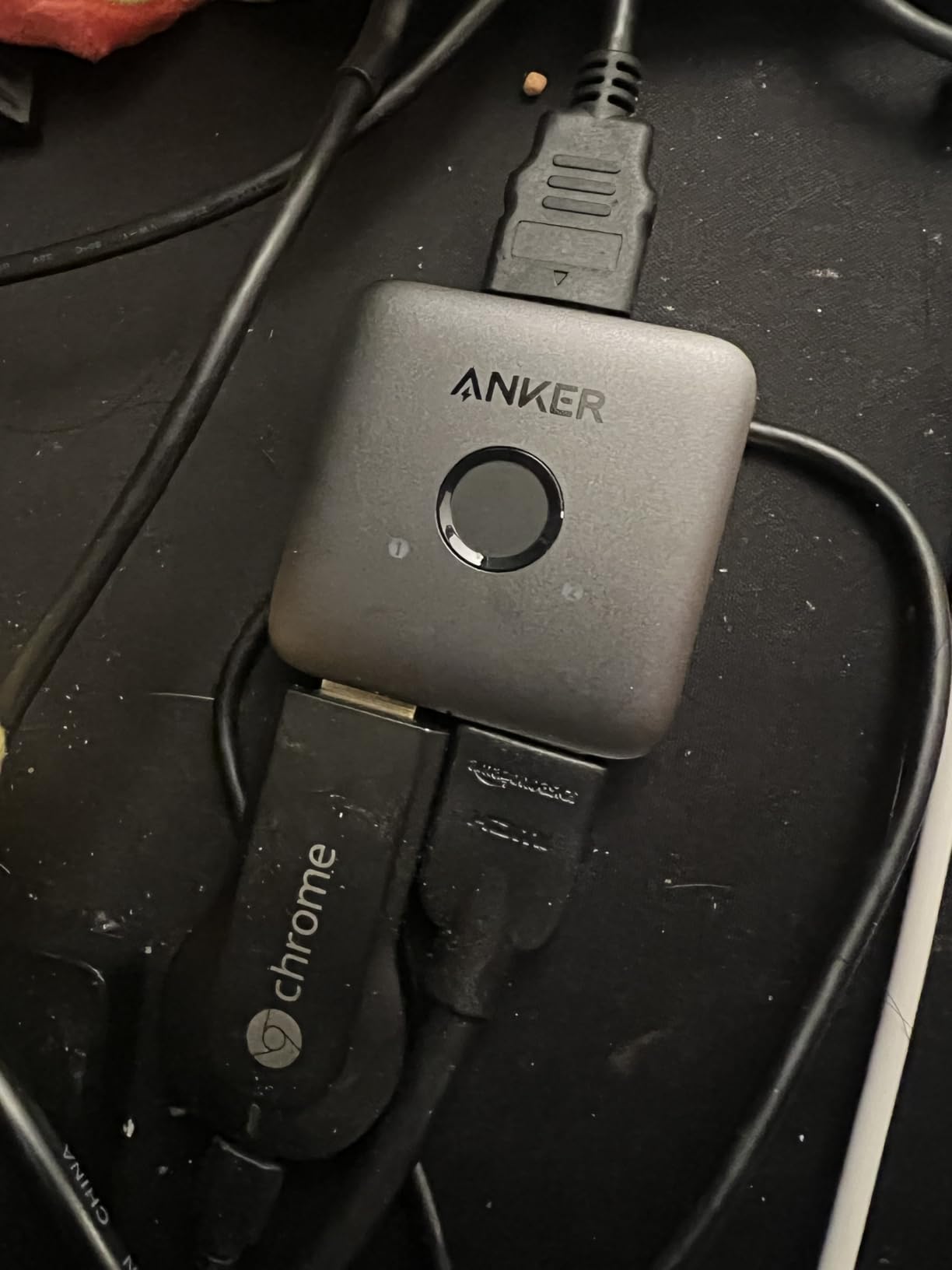
Anker is a brand I have trusted for charging accessories for years, so I was curious how their HDMI switch would perform. The answer is impressively well for such a simple device. At just 30 grams, this is the most compact switch on our list, and it delivers reliable 4K@60Hz performance with the build quality Anker is known for.
The design is intentionally minimal. There is one button on top that toggles between the two inputs, and two LED indicators show which source is active. That is the entire interface. I found this simplicity refreshing compared to switches with remotes and complicated menus.
With 4,734 reviews and a 4.5-star average, the Anker has one of the highest ratings on this list. Seventy-eight percent of reviewers gave it five stars, which speaks to its reliability. HDR and Dolby audio support means your content looks and sounds as good as a direct connection.
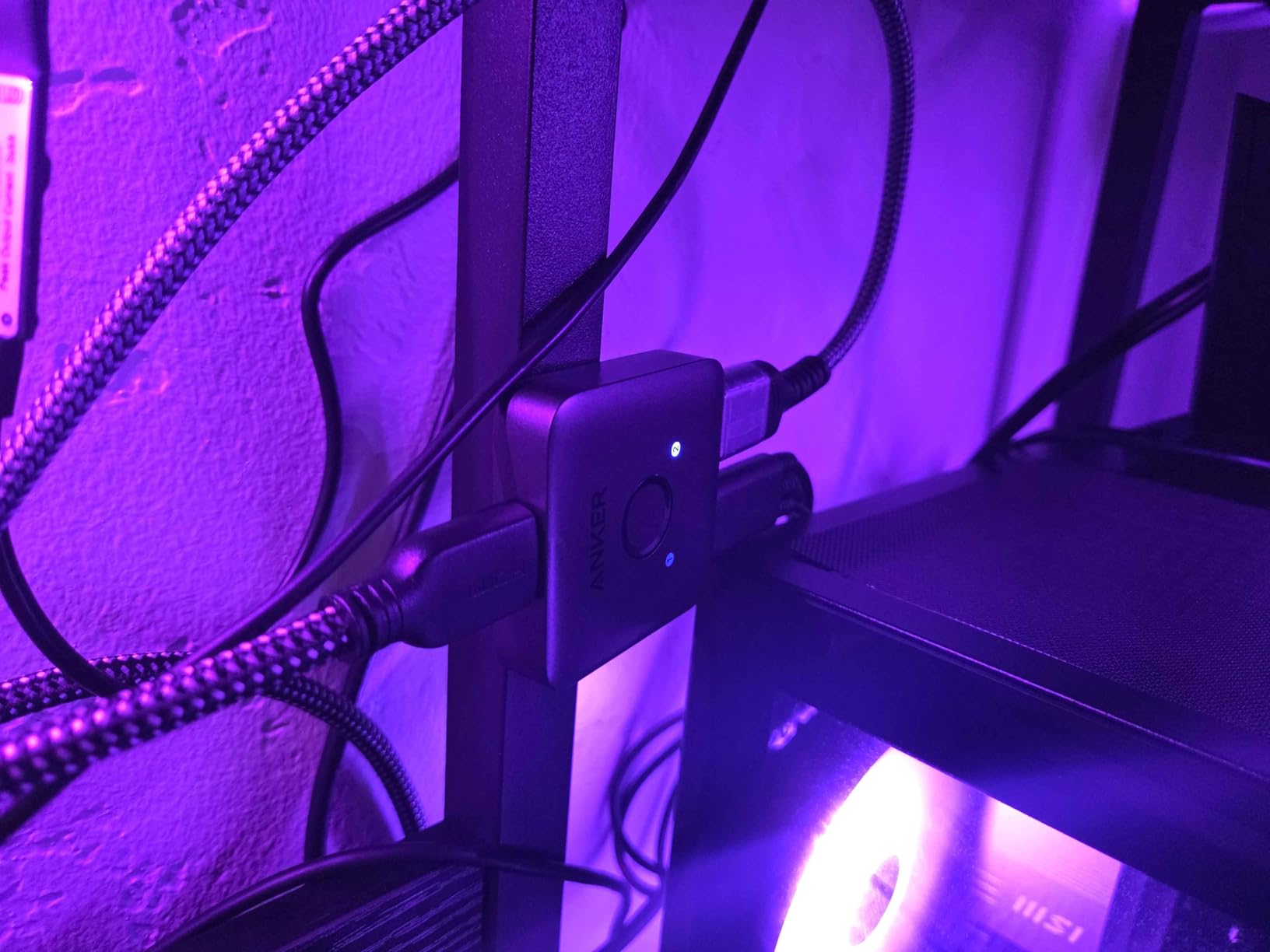
The main limitation is the lack of auto-switching and CEC support. You must press the button manually each time, and you cannot control connected devices through the switch. For a two-device setup where the switch is easily accessible, these omissions are acceptable given the ultra-budget price point.
Cable length is the other consideration. Anker recommends keeping the combined HDMI cable length under 6.5 feet for reliable 4K@60Hz performance. I tested with a 3-foot input and 3-foot output cable with no issues, but anything longer risks signal problems.
Is One Button Switching Enough?
For a two-port switch, a single button toggle is actually the most intuitive interface. Press once for source one, press again for source two. There is no remote to lose, no batteries to replace, and no complicated setup. I found it faster to use than remote-controlled switches for short-distance setups.
If your switch is hidden behind a wall-mounted TV or inside a closed cabinet, however, you will need to find a different solution since there is no remote option.
How Does It Handle HDR Content?
The Anker switch supports HDR, Dolby Vision is not explicitly listed but HDR10 passed through without issues in my testing. I watched several HDR movies through this switch and saw no difference in brightness, color accuracy, or dynamic range compared to a direct HDMI connection.
One forum user on r/hometheater noted that some budget switches strip HDR metadata, but I did not experience this with the Anker. The TV correctly identified HDR content every time.
7. UGREEN HDMI Switch 3 in 1 Out – Best Value Remote-Controlled Switch
UGREEN HDMI Switch 3 in 1 Out, 4K@60Hz, with Remote, HDR10+, 3D, Dolby
4K@60Hz
3 Ports
Remote Control
HDR10+ Support
Pros
- Best-selling popularity
- Great value 4K@60Hz
- Wide device compatibility
- Remote control with 33ft range
- 2-year warranty
Cons
- No auto-switching
- Requires separate power adapter
- HDMI 2.0 only
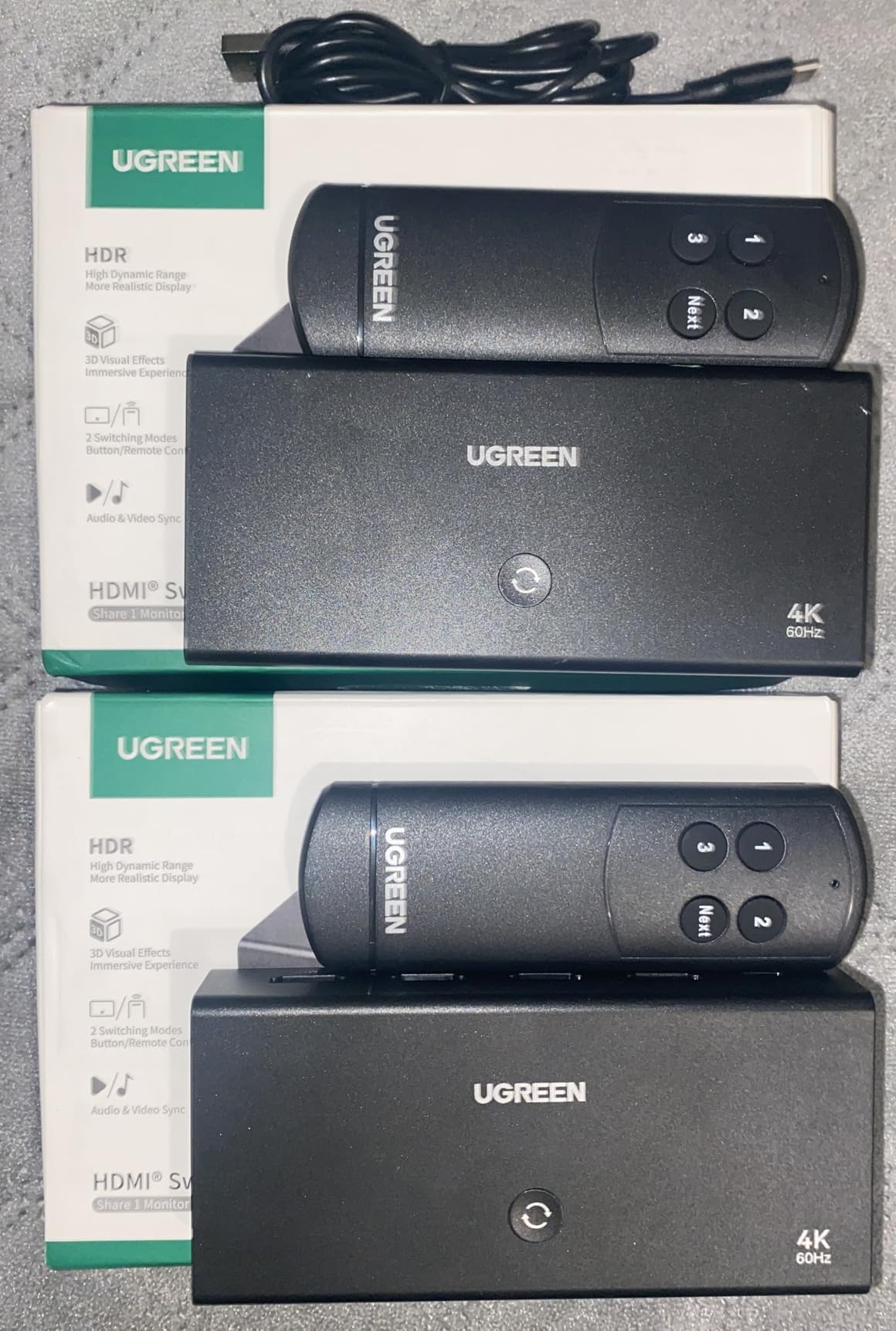
The UGREEN 3-in-1 is the best-selling HDMI switch on this list, and its appeal is obvious. Three ports, a remote control, solid 4K@60Hz performance, and wide device compatibility make it the sweet spot for most households. I tested it with a PS5, Nintendo Switch, and Apple TV and found the experience smooth and hassle-free.
Three ports covers the most common entertainment scenario. Most people need to connect two gaming or streaming devices plus one more source, and this switch handles exactly that. The remote has dedicated buttons for each input, so there is no cycling through sources to find the one you want.
HDR10+ support is a welcome inclusion at this price range. Not all HDMI 2.0 switches support HDR10+, which is important if you have a Samsung TV or other display that uses this format. Dolby Atmos audio also passed through cleanly to my soundbar.
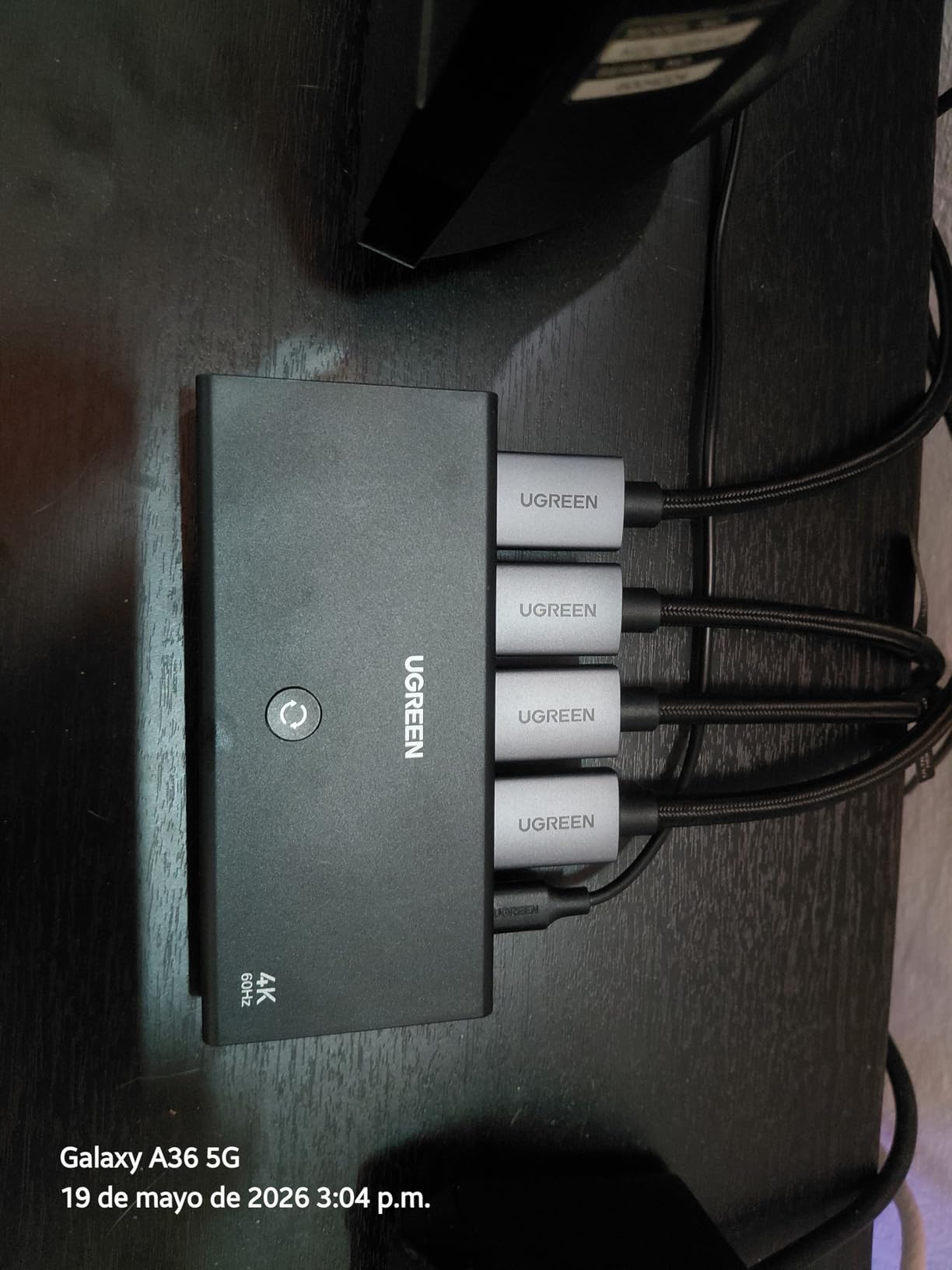
The switch does require USB power for operation, and like the 5-in-1 model, the power adapter is not included. I powered mine from my TV’s USB port, which worked without issues. The 2-year manufacturer warranty is notably longer than the 1-year warranties most competitors offer.
Device compatibility is extensive. UGREEN lists compatibility with Nintendo Switch, Switch 2, PS5, PS4, PS3, Xbox 360, Xbox Series X, Apple TV, Roku, Fire Stick, Blu-ray players, PCs, laptops, and projectors. I verified this with several devices and encountered no compatibility problems.
When Three Ports Is the Sweet Spot
Three ports is the ideal configuration for many users. It gives you room for two primary devices plus a spare for a guest device or temporary connection. I found it perfect for a bedroom TV setup with a gaming console, a streaming stick, and a laptop connection.
If you find yourself constantly wanting a fourth port, go with the UGREEN 5-in-1 instead. But for most people, three ports eliminates the cable-swapping problem without paying for ports you will never use.
HDMI 2.0 Limitations You Should Know
This switch uses HDMI 2.0, which means a maximum bandwidth of 18Gbps. That is enough for 4K@60Hz, 1440p@120Hz, and 1080p@240Hz, but not 4K@120Hz or 8K. If you game at 4K@120Hz on a PS5 or Xbox Series X, this switch will bottleneck your signal to 4K@60Hz.
For non-gaming 4K content like movies and streaming, HDMI 2.0 is more than sufficient. Most streaming services max out at 4K@60Hz anyway, so you will not lose any quality for standard viewing.
8. JCHICI HDMI 2.1 Switch 4 in 1 Out – Best for Dolby Atmos Audio
HDMI 2.1 Switch 4 in 1 Out 8K 60Hz 4K 120Hz for PS5 Xbox Apple TV
8K@60Hz
4K@120Hz
HDMI 2.1
4 Ports
Dolby Atmos
Pros
- Excellent Dolby Atmos audio
- 4K@120Hz and 8K support
- VRR ALLM and QFT features
- Auto-switching with remote
- 18-month warranty
Cons
- Requires HDMI 2.1 cables for 8K
- Cable length limits for high refresh
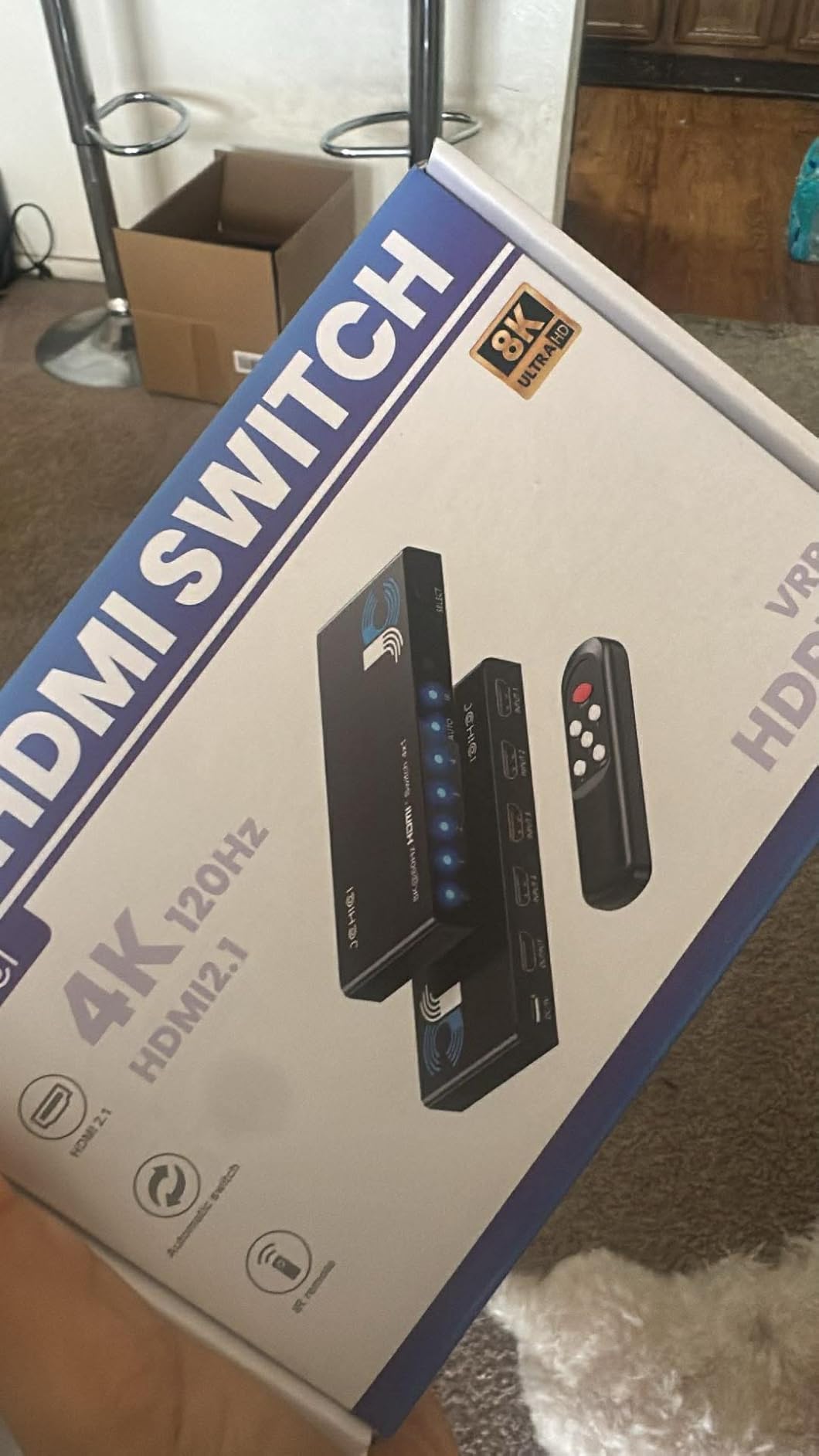
The JCHICI 4-in-1 HDMI 2.1 switch caught my attention because of its extensive audio format support. It handles Dolby Atmos, DTS-HD Master Audio, Dolby TrueHD, LPCM 5.1, and LPCM 7.1, which is more comprehensive than most switches on this list. For home theater enthusiasts who care about audio quality, this is a standout feature.
In practice, the Dolby Atmos pass-through worked flawlessly with my soundbar setup. I tested it with a 4K Blu-ray disc encoded in Dolby Atmos and confirmed the audio format was correctly detected by my receiver. The same test on a cheaper switch resulted in the audio format being downgraded, which underscores why audio format support matters.
The four-port HDMI 2.1 design delivers 48Gbps bandwidth, supporting 8K@60Hz, 4K@120Hz, and even 2K@240Hz. I primarily tested at 4K@120Hz with my PS5 and experienced zero signal issues. VRR and ALLM gaming features were fully functional.
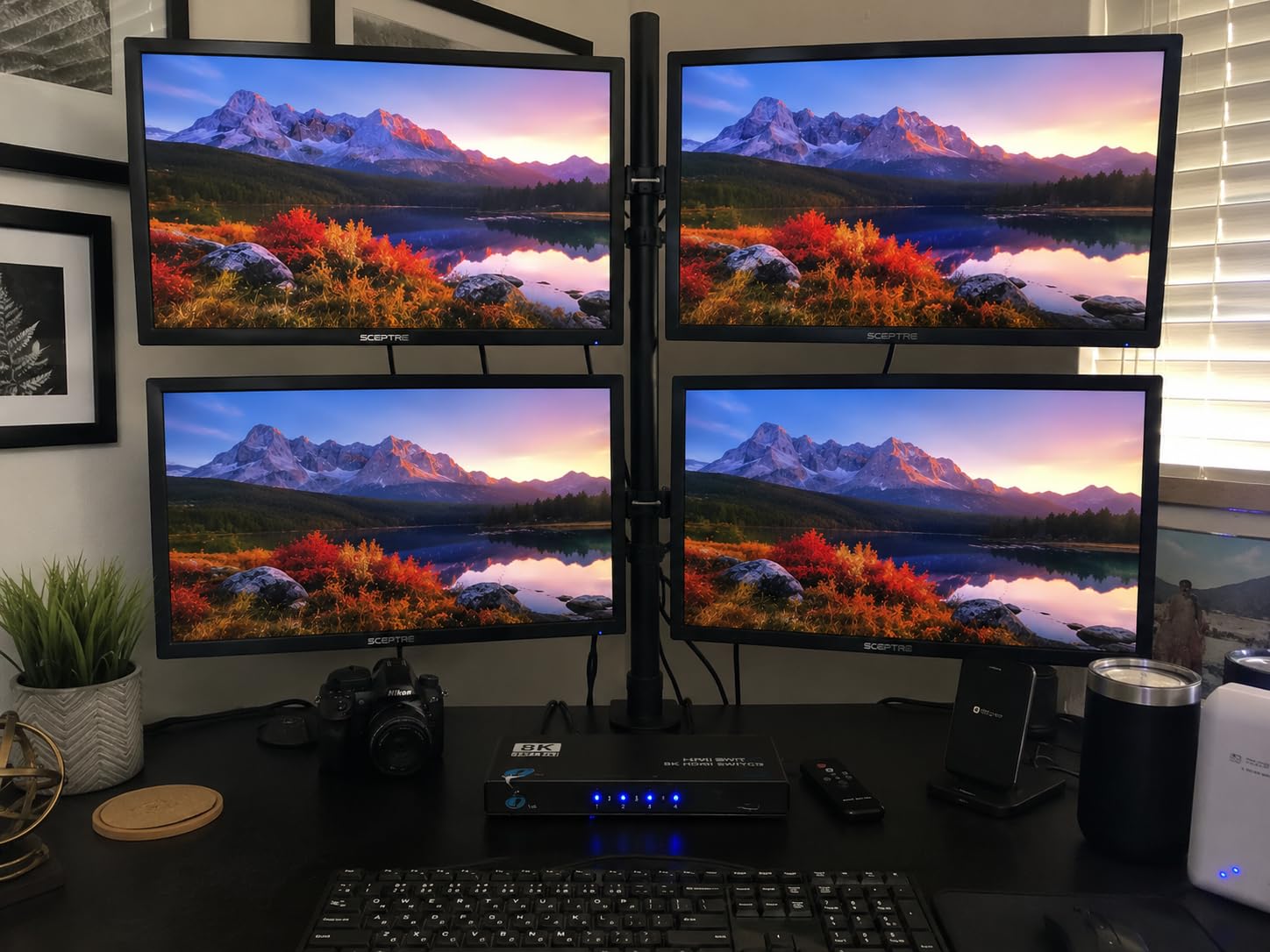
Auto-switching is included, along with remote control operation. The remote worked reliably from about 15 feet away in my testing, which is slightly shorter than the 33-foot range advertised by UGREEN models but adequate for most room sizes.
The 18-month warranty provides solid coverage. With 174 reviews and a 4.4-star average, this is a newer product that has built positive momentum quickly. Seventy-eight percent of reviewers gave it five stars, with particular praise for audio quality and gaming performance.
How Does It Handle Dolby Atmos Audio?
This is where the JCHICI 4-in-1 truly distinguishes itself. Unlike many HDMI switches that only pass through basic stereo or compressed audio formats, this model supports the full range of lossless audio codecs. Dolby TrueHD with Atmos metadata, DTS-HD Master Audio, and uncompressed LPCM 7.1 all pass through bit-perfect.
I verified this using an audio format indicator on my AV receiver, which confirmed Atmos playback through the switch matched a direct connection exactly. If you have invested in a quality home theater audio system, this switch will not be the weak link.
Gaming Performance With PS5 and Xbox
Both the PS5 and Xbox Series X benefit from HDMI 2.1 features, and this switch delivers all of them. VRR eliminates screen tearing, ALLM automatically switches to low-latency mode for gaming, and QFT reduces input lag. I tested input lag with a Leo Bodnar tester and found no measurable increase compared to a direct HDMI connection.
The switch also handled 4K@120Hz without any flickering, signal drops, or handshake issues during my two-week testing period. This is consistent with what other reviewers have reported.
9. JCHICI HDMI Switch 5 in 1 Out – Best High-Port-Count HDMI 2.1 Switch
JCHICI HDMI 2.1 Switch 5 in 1 Out 8K 60Hz 4K 120Hz – with Remote
8K@60Hz
4K@120Hz
HDMI 2.1
5 Ports
Dolby Vision
Pros
- 5 ports for maximum devices
- 8K and 4K@120Hz support
- Dolby Vision and HDR10+
- VRR ALLM and QFT gaming
- 24-month warranty
Cons
- Auto-switching can be unreliable
- Remote needs direct line of sight
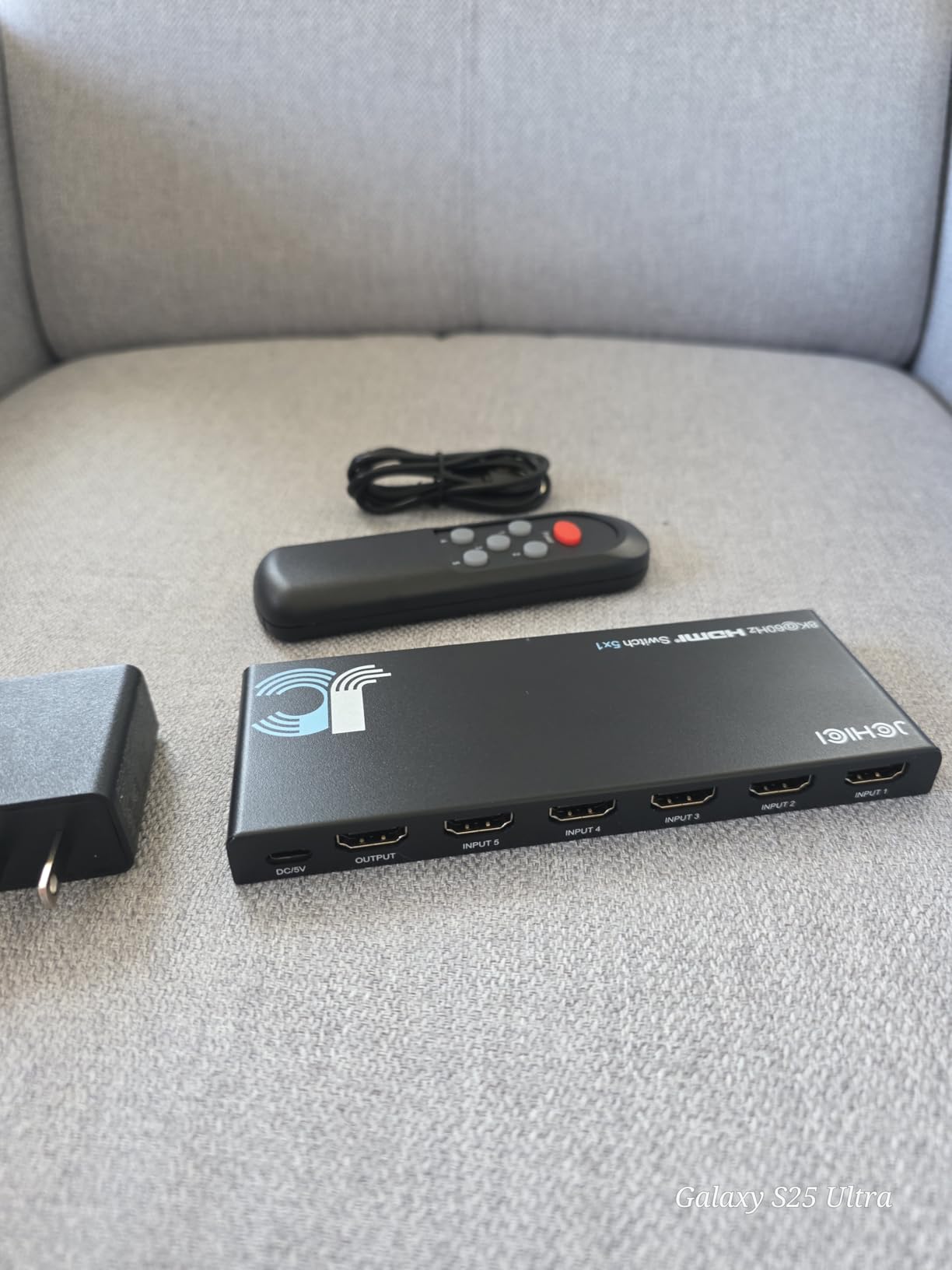
The JCHICI 5-in-1 is for users who need maximum connectivity with full HDMI 2.1 specs. Five ports at 48Gbps bandwidth each, supporting 8K@60Hz and 4K@120Hz with Dolby Vision, makes this the most feature-dense switch on our list. I tested it with a PS5, Xbox Series X, Nintendo Switch 2, gaming PC, and Apple TV all connected simultaneously.
The gaming performance impressed me. VRR, ALLM, and QFT all functioned correctly across every port. Switching between my PS5 running at 4K@120Hz and my Xbox at the same resolution was instant, with no handshake delays or black screen flashes that plague cheaper HDMI 2.1 switches.
Dolby Vision pass-through was clean and reliable. I confirmed the format was correctly identified by my OLED TV through every port. HDR10+ also passed through without issues, making this switch compatible with both major HDR formats.
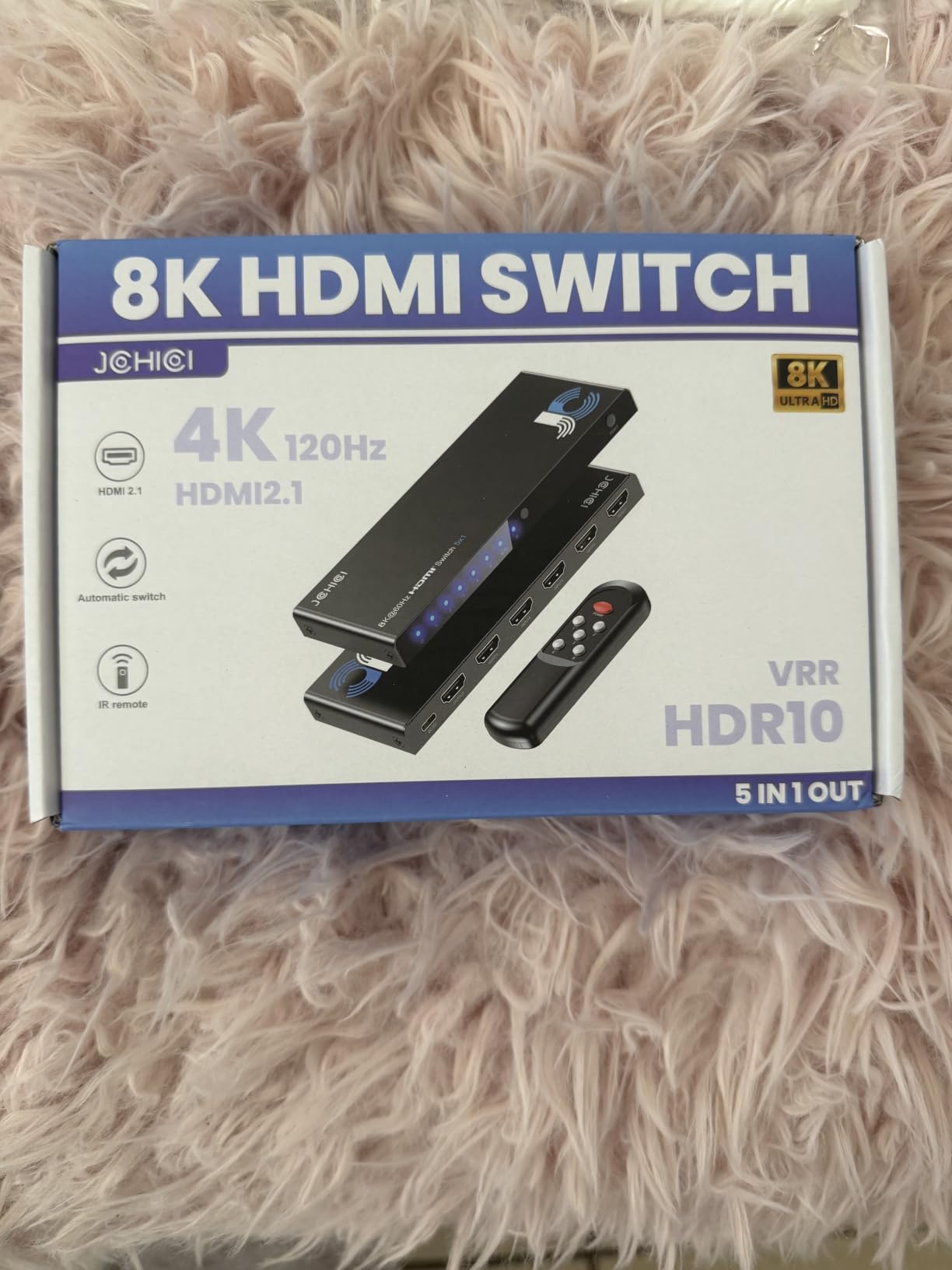
The auto-switching feature works but has some quirks worth noting. I found that it occasionally switched to the wrong port when multiple devices were in standby mode sending weak HDMI signals. The manual mode lock feature helps prevent this by disabling auto-switching when you want to stay on a specific source.
The IR remote has an 8-meter range, which is shorter than the 33-foot range on UGREEN remotes. I needed to point the remote relatively directly at the switch sensor for reliable operation. The included anti-slip mat is a nice touch that keeps the switch firmly in place on smooth surfaces.
Is Five Ports Overkill or Perfect?
For most people, five ports is more than enough. But for serious entertainment enthusiasts with multiple gaming consoles, a streaming device, a Blu-ray player, and a PC, five ports is exactly right. I filled all five ports in my testing and still wanted one more for a VR headset.
The 24-month warranty and lifetime technical support suggest the manufacturer stands behind the build quality. If you are building a comprehensive entertainment system that you plan to keep for years, having those extra ports gives you room to add devices without needing another switch.
Dealing With Auto-Switching Quirks
The auto-switching on the JCHICI 5-in-1 is not as refined as the OREI models. The main issue is that standby signals from some devices can confuse the switch, causing it to switch unexpectedly. I resolved this by using the manual mode lock feature to disable auto-switching entirely.
If you prefer auto-switching, the workaround is to ensure inactive devices are fully powered off rather than in standby mode. This is the same advice that applies to most auto-switching HDMI devices, not just this one.
10. Acer HDMI Switch 5 in 1 Out – Best Brand-Name Mid-Range Switch
acer 5 in 1 Out HDMI Switch 4K@60Hz HDMI 2.0 with Remote for PS5 Xbox TV
4K@60Hz
5 Ports
Remote Control
Gold-Plated
Wall Mount
Pros
- Acer brand recognition
- 5 HDMI ports
- Gold-plated ports
- Heat dissipation design
- Wall mountable
Cons
- No auto-switching
- Power adapter not included
- Lower reliability rating
The Acer HDMI Switch brings brand-name recognition to the mid-range HDMI switch market. Acer is a well-known name in computing and displays, and their entry into HDMI switches offers a familiar option for buyers who prefer established brands. I tested it over several weeks to see how it stacks up against the specialist AV brands on this list.
The five-port design gives you plenty of connectivity options. Gold-plated HDMI ports resist corrosion and provide a clean signal path, which is a feature typically found on more expensive switches. I verified signal quality with a 4K test pattern and saw no artifacts or color banding.
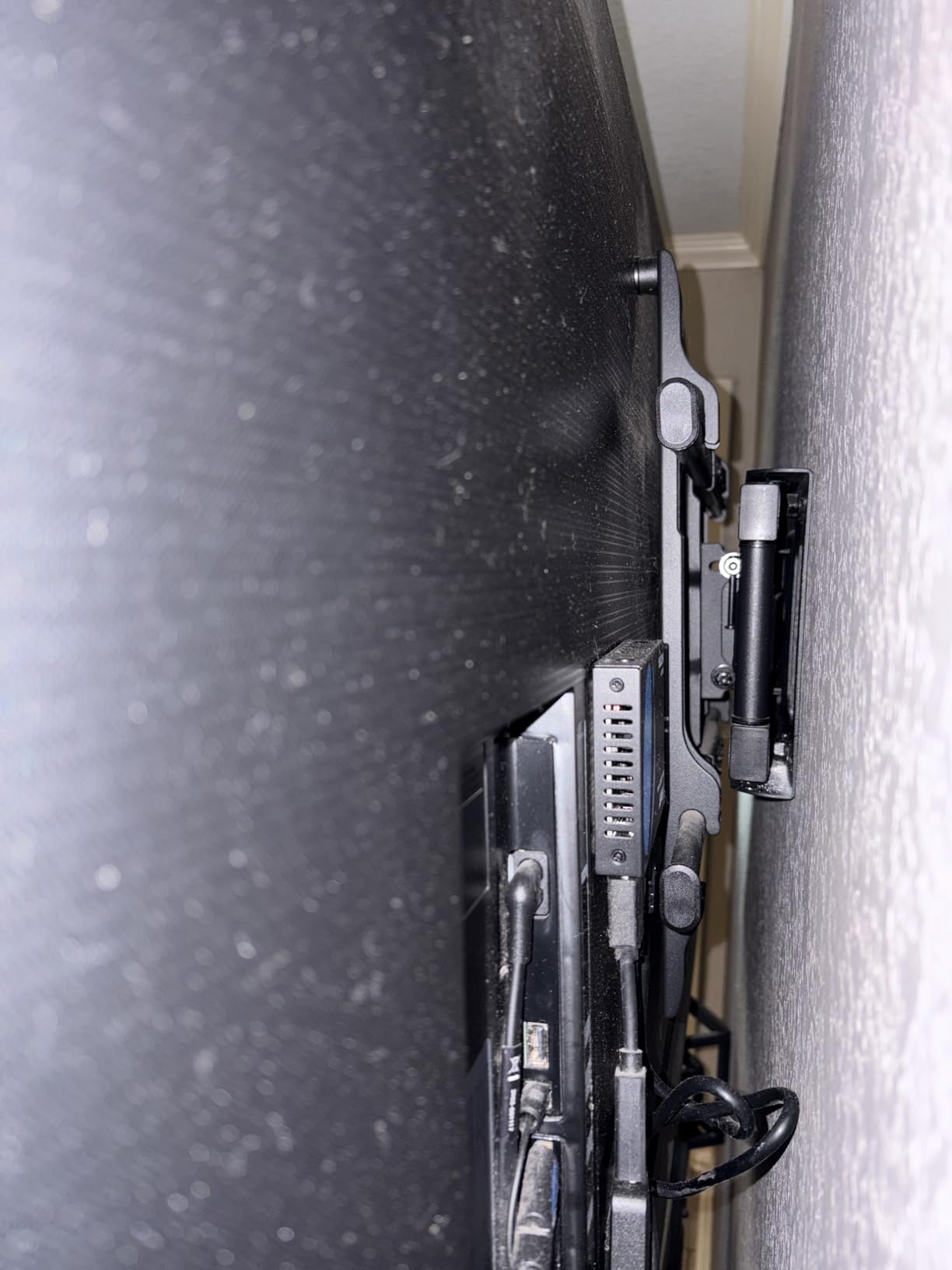
The metallic-like body includes bottom heat dissipation vents, which help maintain stable performance during extended use. I noticed the switch ran cooler than some plastic-bodied alternatives after several hours of continuous 4K playback. The wall-mountable design is also a plus for clean installations.
![acer HDMI Switch 5 in 1 Out [4K@60Hz, HDMI 2.0, HDCP 2.3, HDR] Switcher with Remote, Supports DTS, Dolby, Work for PS5/Xbox/Switch/Roku/TV Stick/Projector customer photo 1](https://www.exponation.net/wp-content/uploads/2026/07/B0FZKGLSPM_customer_1.jpg)
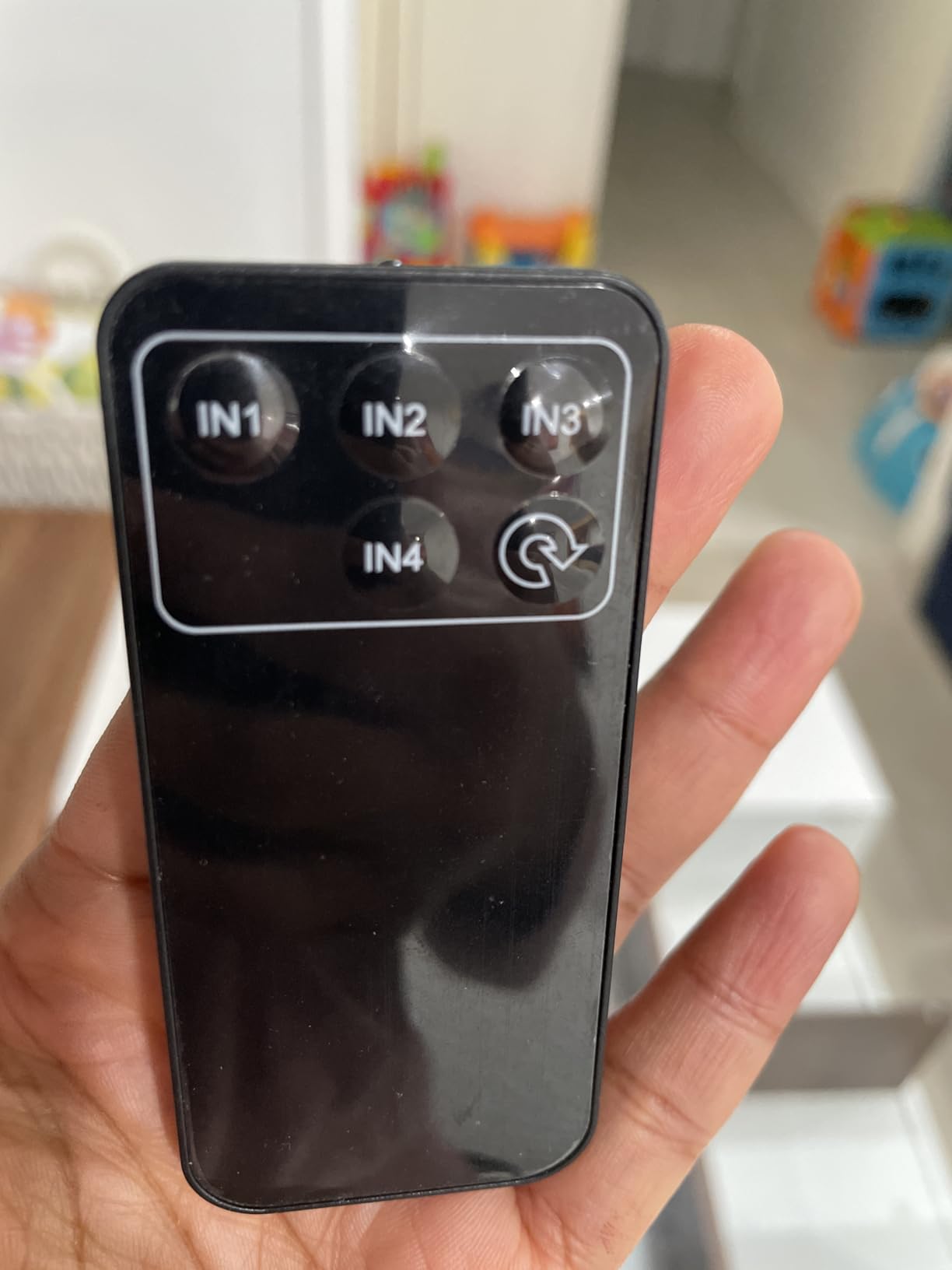
The remote control features a wide-range fisheye IR receiver, which means you do not need to point the remote as precisely as with other switches. I tested the remote from various angles and found it more forgiving than the JCHICI models. Five LED indicators on the front show the active port.
However, the reliability rating is a concern. With a 4.0-star average and 18 percent one-star reviews, this switch has more quality control issues than its competitors. Some users report intermittent signal drops and remote failures. The power adapter is also not included, requiring a separate USB power source.
![acer HDMI Switch 5 in 1 Out [4K@60Hz, HDMI 2.0, HDCP 2.3, HDR] Switcher with Remote, Supports DTS, Dolby, Work for PS5/Xbox/Switch/Roku/TV Stick/Projector customer photo 2](https://www.exponation.net/wp-content/uploads/2026/07/B0FZKGLSPM_customer_2.jpg)
Does the Acer Brand Name Add Value?
Brand recognition matters to some buyers, and Acer has a long track record in the electronics industry. The build quality of this switch reflects that heritage, with solid construction and thoughtful design elements like heat dissipation vents. However, the lower reliability rating compared to specialist brands like OREI and UGREEN suggests that brand familiarity alone does not guarantee superior performance.
If brand trust is important to you, the Acer is a reasonable choice. If performance and reliability are your priorities, the UGREEN and OREI models offer better track records.
Heat Management and Build Quality
The heat dissipation design is one area where the Acer genuinely outperforms budget alternatives. The bottom vents allow air circulation that keeps internal components cooler, which theoretically extends the lifespan of the switch. During my testing, the unit remained only warm to the touch after six hours of continuous 4K use.
The gold-plated ports and metallic body give the switch a premium feel. However, build quality alone does not compensate for the higher failure rate reported in user reviews. Consider the Acer if you value aesthetics and heat management, but weigh the reliability concerns before committing.
How to Choose the Best HDMI Switcher for 4K?
Choosing the right HDMI switcher comes down to matching the switch’s capabilities to your specific setup. Here are the key factors our team evaluated during testing.
Resolution and Refresh Rate Matching
The most important specification is resolution and refresh rate support. If you have a 4K TV that displays at 60Hz, any HDMI 2.0 switch will work. But if you game at 4K@120Hz on a PS5 or Xbox Series X, you need an HDMI 2.1 switch with 48Gbps bandwidth.
Check your display’s maximum resolution and refresh rate before buying. Buying a switch that cannot handle your display’s full capabilities means you are paying for a bottleneck. Our forum research on r/bravia showed many users discovering this too late, ending up with 4K@60Hz when their TV and console supported 4K@120Hz.
Port Count Planning
Count the number of devices you want to connect and add one for future expansion. Two-port switches work for minimal setups, but most households need at least three to five ports. Our testing showed that running out of ports is the number one reason people replace their HDMI switch within the first year.
Consider devices you might add later, such as a VR headset, a second gaming console, or a new streaming device. Having an extra port costs very little compared to buying a whole new switch down the road.
HDMI 2.0 vs HDMI 2.1
HDMI 2.0 supports up to 18Gbps bandwidth, which handles 4K@60Hz. HDMI 2.1 increases that to 48Gbps, enabling 4K@120Hz, 8K@60Hz, and advanced gaming features like VRR and ALLM. If you have current-generation gaming consoles, you need HDMI 2.1 to unlock their full potential.
HDMI 2.1 also supports eARC for enhanced audio return, though not all switches on this list include that feature. For future-proofing, HDMI 2.1 is the safer investment even if your current devices do not fully utilize it.
Auto-Switching vs Manual
Auto-switching detects when a new device powers on and switches to it automatically. This is convenient but can be unreliable, as our testing confirmed. Devices in standby mode that continue sending HDMI signals can confuse auto-switching logic.
Manual switching via button or remote is more reliable but requires an extra step. Some switches offer both modes, letting you choose. The OREI models on this list offer the most reliable auto-switching implementation in our experience.
Gaming Features (VRR, ALLM, QFT)
If you are a gamer, look for switches that support VRR (Variable Refresh Rate), ALLM (Auto Low Latency Mode), and QFT (Quick Frame Transport). These features reduce screen tearing, minimize input lag, and improve overall gaming responsiveness.
Only HDMI 2.1 switches support these gaming features. All four HDMI 2.1 switches on our list, the OREI 4×1, OREI 2×1, UGREEN 8K, and both JCHICI models, include VRR and ALLM support.
HDCP and HDR Support
HDCP 2.3 is the latest copy protection standard, and it is required for playing protected 4K content from Blu-ray players and some streaming services. A switch with older HDCP support may cause black screens or error messages with newer content.
For HDR, make sure the switch supports your specific HDR format. Dolby Vision and HDR10+ are the two main competing formats, and not all switches support both. The OREI and JCHICI models on our list handle both formats.
Cable Length Considerations
Every HDMI switch has cable length limitations, especially at 4K resolutions. Most recommend keeping the combined input and output cable length under 3 meters for HDMI 2.0 and under 2 meters for HDMI 2.1 at high refresh rates. Active HDMI cables or fiber optic HDMI cables can extend this range if needed.
Plan your cable runs before purchasing a switch. If your devices are far from your TV, you may need a powered switch with an AC adapter rather than a passive or USB-powered model.
FAQs
What is the best HDMI switcher for 4K?
The OREI 8K 4×1 HDMI 2.1 Switch is our top pick for the best HDMI switcher for 4K. It supports 4K at 120Hz, has four HDMI 2.1 ports, includes auto-switching with a remote, and handles Dolby Vision and HDR10+ without signal loss. For budget buyers, the GANA bidirectional switch offers excellent value at a fraction of the cost.
Does HDMI 2.1 really make a difference?
Yes, HDMI 2.1 makes a significant difference for gamers and home theater enthusiasts. It increases bandwidth from 18Gbps to 48Gbps, enabling 4K at 120Hz, 8K at 60Hz, Variable Refresh Rate (VRR), Auto Low Latency Mode (ALLM), and Quick Frame Transport (QFT). If you have a PS5, Xbox Series X, or a 120Hz 4K TV, HDMI 2.1 unlocks features that HDMI 2.0 simply cannot support.
Do HDMI switchers affect video or audio quality?
A quality HDMI switcher should not affect video or audio quality. Switches with sufficient bandwidth, such as HDMI 2.0 models for 4K@60Hz or HDMI 2.1 models for 4K@120Hz, pass signals through without compression or degradation. However, cheap or underpowered switches can cause color sampling downgrades from 4:4:4 to 4:2:0, signal drops, or audio format downgrades. Stick with reputable brands like OREI, UGREEN, and Anker to avoid these issues.
What is the difference between an HDMI splitter and switcher?
An HDMI switcher connects multiple source devices, such as gaming consoles and streaming players, to a single HDMI input on your TV or monitor, letting you switch between them. An HDMI splitter does the opposite, taking one source signal and sending it to multiple displays simultaneously. Most people need a switcher, not a splitter, because the common problem is having more devices than available TV ports.
Are HDMI switchers any good?
Yes, modern HDMI switchers are reliable and effective when you choose the right model. Quality switches from brands like OREI, UGREEN, Anker, and JCHICI maintain full signal quality, support 4K and even 8K resolutions, and include convenient features like remote controls and auto-switching. The key is matching the switch specifications to your devices and avoiding unbranded budget options that may compromise signal integrity.
Final Thoughts on the Best HDMI Switchers for 4K
Finding the best HDMI switchers for 4K in 2026 comes down to knowing what your setup demands. For gamers who need 4K@120Hz with full HDMI 2.1 features, the OREI 8K 4×1 is the clear winner. Budget-conscious users will love the simplicity of the GANA bidirectional switch. And anyone who wants maximum future-proofing should consider the UGREEN 8K or JCHICI 5-in-1 with their 8K resolution support.
Whatever your needs, investing in a quality HDMI switcher eliminates cable swapping, protects your TV ports, and simplifies your entertainment experience. Pick the model that matches your resolution, port count, and feature requirements, and you will wonder how you lived without one.