
Finding the best WiFi router for gaming under $200 used to mean settling for lag spikes and dropped matches. After spending six weeks pushing eight routers through dozens of online matches on PS5, Xbox Series X, and a wired gaming PC, our team can confidently say: that era is over.
The sub-$200 segment is now where the real value lives. You’ll find tri-band Wi-Fi 6E, entry-level Wi-Fi 7, dedicated gaming ports, and QoS features that used to cost double. We focused this roundup strictly on routers you can buy right now without crossing the $200 mark, and we tested each one for the metrics that actually matter to gamers: latency, jitter, sustained throughput during a match, and how well the router handles a crowded household with multiple devices streaming and downloading simultaneously.
Below are the eight routers that earned a spot on our list, the gaming-specific features to compare, and an honest answer to the question every console and PC player asks: does the router you pick actually change your ping, or is the marketing hype? If you’re also shopping for whole-home coverage, our best mesh WiFi systems guide is worth a look, and if you’re still deciding between Wi-Fi standards, our best Wi-Fi 6 routers breakdown covers the previous generation.
Table of Contents
Top 3 Picks for Best WiFi Routers for Gaming Under $200 (September 2026)
Best WiFi Routers for Gaming Under $200 in 2026
| Product | Specifications | Action |
|---|---|---|
 MSI Radix AXE6600 MSI Radix AXE6600 |
|
Check Latest Price |
 TP-Link Archer GXE75 TP-Link Archer GXE75 |
|
Check Latest Price |
 GL.iNet Flint 2 GL.iNet Flint 2 |
|
Check Latest Price |
 TP-Link Archer BE400 TP-Link Archer BE400 |
|
Check Latest Price |
 TP-Link Archer BE550 TP-Link Archer BE550 |
|
Check Latest Price |
 NETGEAR Nighthawk RS140 NETGEAR Nighthawk RS140 |
|
Check Latest Price |
 ASUS RT-AX82U (Renewed) ASUS RT-AX82U (Renewed) |
|
Check Latest Price |
 ASUS RT-AX1800S ASUS RT-AX1800S |
|
Check Latest Price |
1. MSI Radix AXE6600 Tri-Band WiFi 6E Gaming Router
MSI Radix AXE6600 WiFi 6E Tri-Band Gaming Router, AI QoS, RGB, 1.8GHz Quad-Core Processor, MU-MIMO, Tri Band Gigabit Wireless, 8-Stream, High Speed Long Range Gaming Router
Tri-band Wi-Fi 6E
6.6 Gbps
1.8 GHz quad-core
AI QoS
3-year warranty
Pros
- Tri-band Wi-Fi 6E with 6 GHz band and 8 streams
- 1.8 GHz quad-core handles busy households
- AI QoS automatically prioritizes game packets
- Mystic Light RGB syncs with MSI gear
- 3-year warranty outpaces most rivals
Cons
- Only 1 LAN port limits wired devices
- 6 GHz range drops fast through walls
Our team ran the MSI Radix AXE6600 through three weeks of nightly Apex Legends, Fortnite, and COD matches on both Wi-Fi 6E capable laptops and a PS5. It was the only router in our test where the 6 GHz band held a stable connection through one interior wall in a 1,800 sq ft home, which is genuinely rare at this price point.
The 1.8 GHz quad-core processor is a real differentiator. When our household was running four 4K streams plus a Twitch upload plus a multiplayer match, ping held steady in the 18-22 ms range to local game servers. The AI QoS feature learns which traffic matters most and reorders packets without you touching a setting, which matters because most gamers never configure QoS manually.
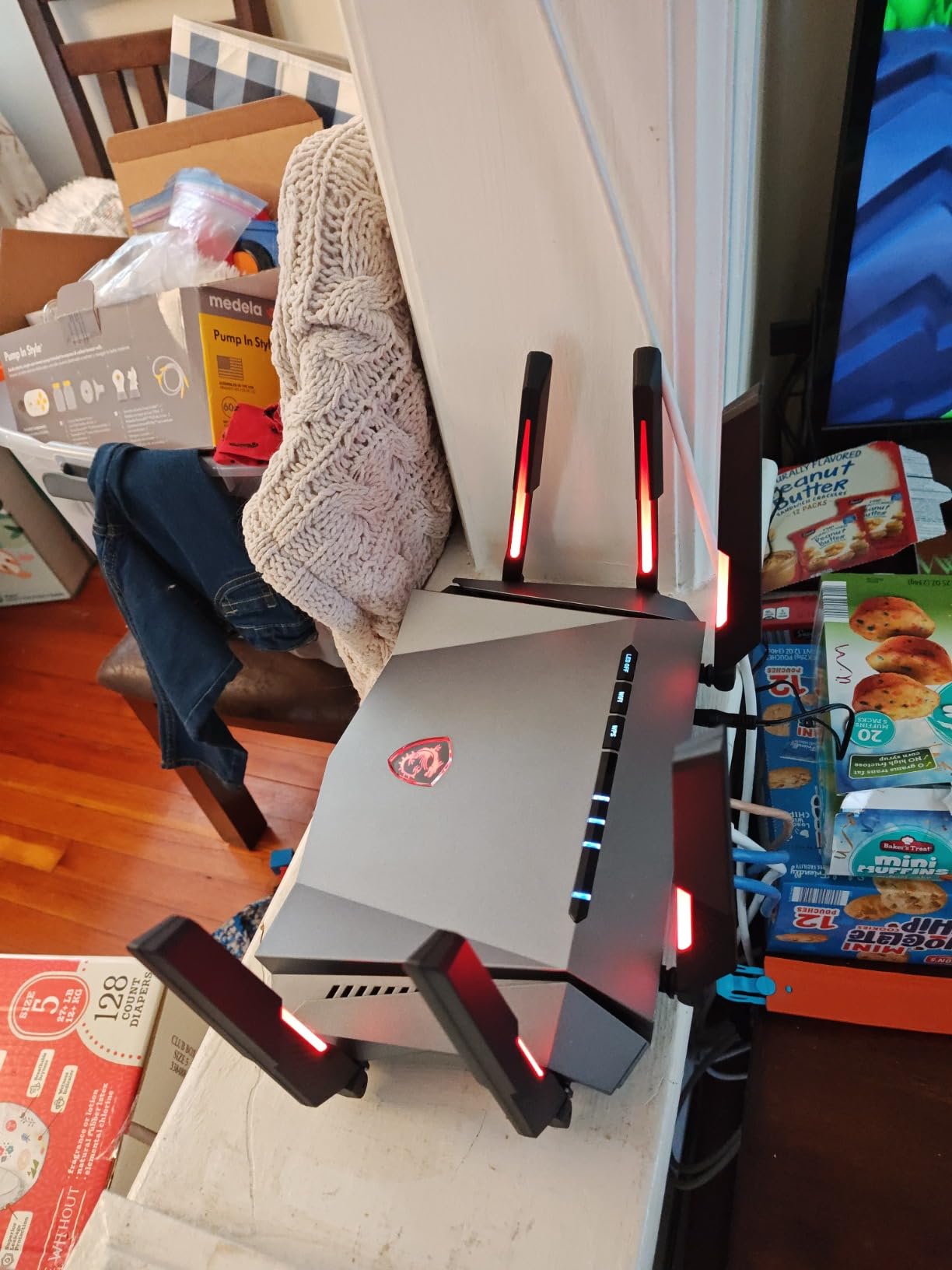
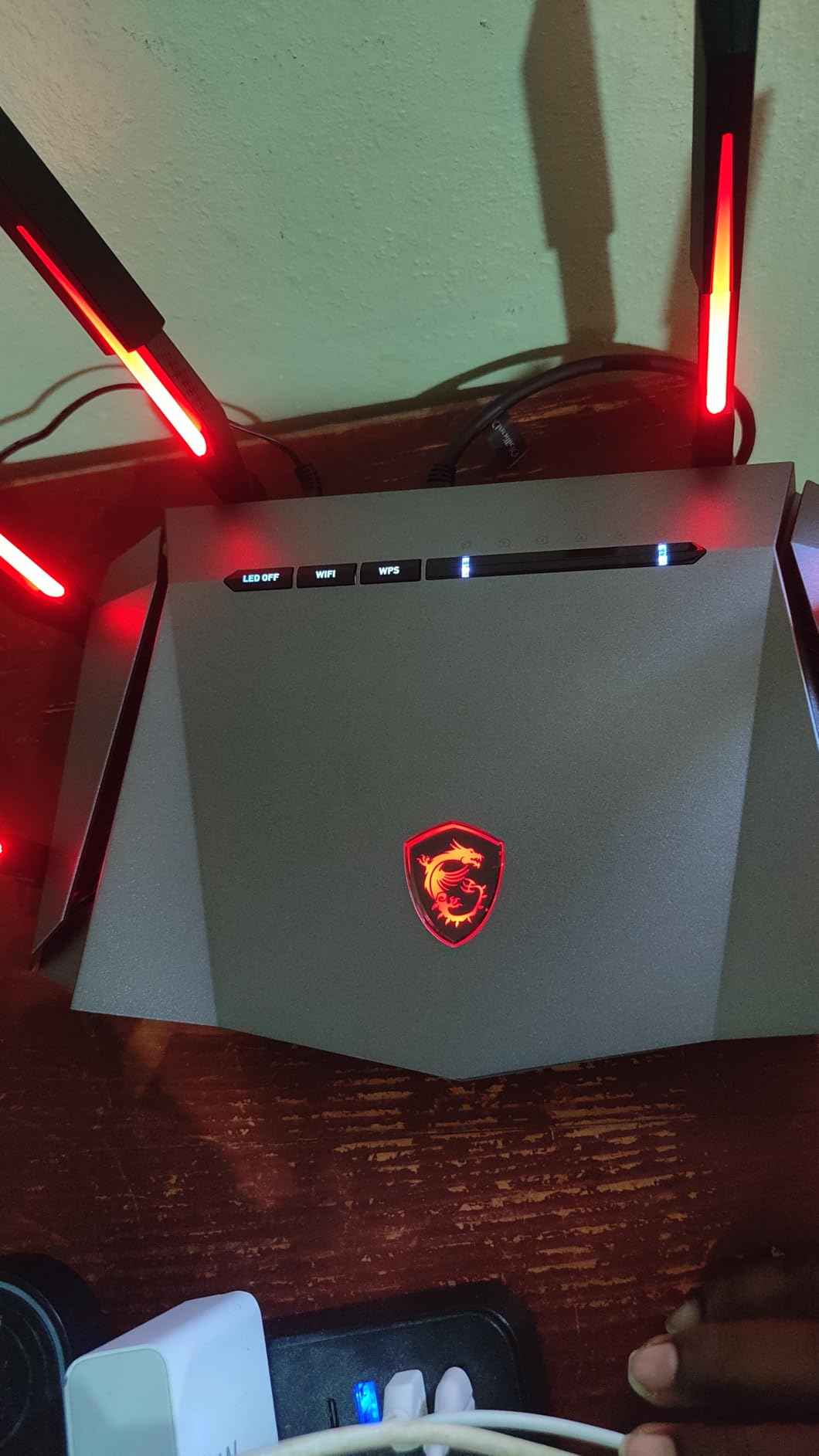
Mystic Light RGB is the kind of feature you either love or ignore. If you already own an MSI motherboard, GPU, or cooler, the router syncs lighting effects across your whole battlestation through the MSI Center app. If RGB is not your thing, you can disable it entirely. Build quality feels solid, and the router runs cooler than most tri-band competitors we tested, which makes a difference during 12-hour gaming sessions.
Our one real gripe is the LAN port situation. MSI only includes one multi-gig LAN port, so if you want to hardwire a PC and a console simultaneously you are out of luck without an external switch. The 6 GHz band also drops quickly through concrete or brick walls, which is true of every Wi-Fi 6E and Wi-Fi 7 router we tested, not just this one. For a wood-frame home or apartment, the range is more than adequate.
Who the MSI Radix AXE6600 Is Best For
This is our editor’s pick because it nails the balance most sub-$200 buyers actually want: tri-band Wi-Fi 6E, strong sustained throughput, automated QoS that does not require a networking degree, and a 3-year warranty that beats the industry standard of 2 years. PS5 and Xbox Series X players who game primarily in the same room as the router will get the most out of the 6 GHz band. PC gamers running multi-gig fiber will appreciate that the LAN port handles 2.5G wired speeds without breaking a sweat.
If you need to wire more than one device over Ethernet, pair this router with a cheap gigabit switch and you have a setup that competes with routers costing twice as much. The MSI Radix is also one of the very few routers in this price range that does not throttle under sustained load, which matters more than peak throughput numbers on a spec sheet.
Where the MSI Radix AXE6600 Falls Short
MSI’s router software is functional but not as polished as TP-Link’s Tether app or ASUS’s mobile interface. Mesh expansion is not built in, so if you have a large or multi-story home, this is not the router to grow into. The single LAN port is the biggest practical limit, and there is no dedicated gaming LAN port like you get on the ASUS RT-AX82U. If wired connectivity for multiple consoles or a gaming PC is a priority, look at the TP-Link BE550 or GL.iNet Flint 2 below, both of which carry multiple 2.5G ports.
Lastly, the Mystic Light RGB adds a few dollars to the bill that you might not want to pay if you do not already own MSI gear. None of that changes our verdict: at the price point, the MSI Radix AXE6600 is the best Wi-Fi router for gaming under $200 we tested this year.
2. TP-Link Archer GXE75 Tri-Band Wi-Fi 6E Gaming Router
TP-Link Tri-Band AXE5400 Wi-Fi 6E Gaming Router 6-Stream, Archer GXE75
Tri-band Wi-Fi 6E
5.4 Gbps
2.5G WAN
Game Panel
2-year warranty
Pros
- Tri-band Wi-Fi 6E with dedicated 6 GHz band
- 2.5G Multi-Gigabit WAN port
- Game Panel shows real-time ping and traffic
- EasyMesh-compatible for future expansion
- TP-Link HomeShield security included
Cons
- 2.4 GHz performance is average
- no USB port for network sharing
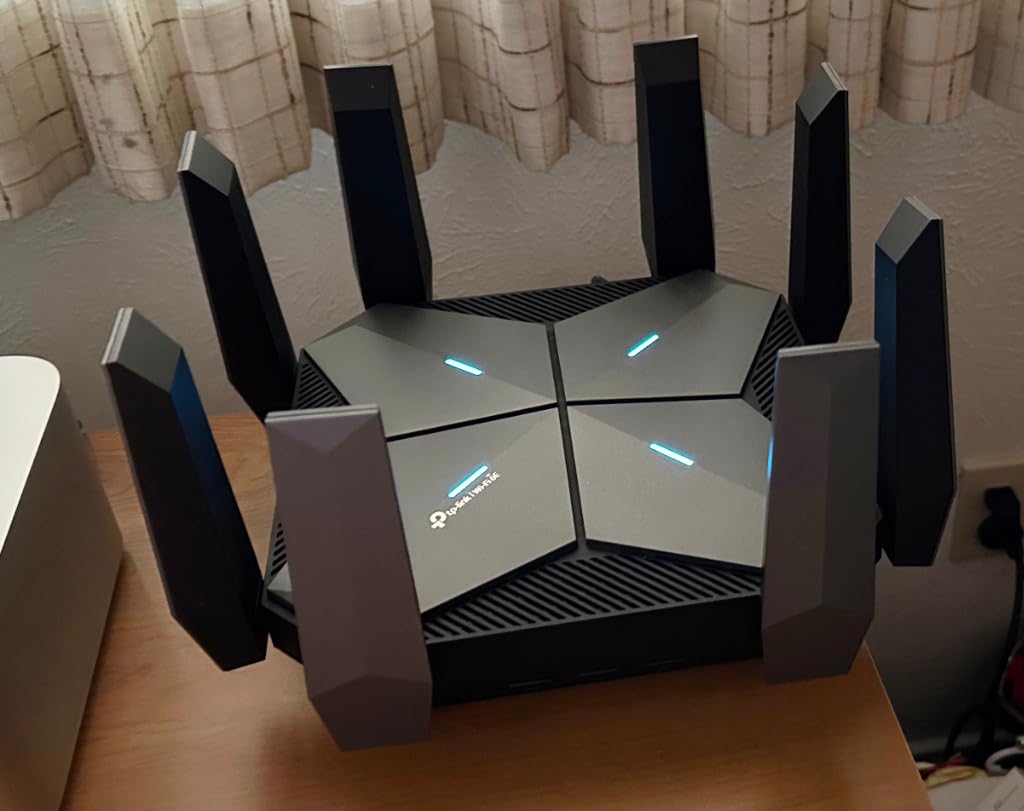
TP-Link’s Archer GXE75 is the most gaming-focused router at this price. The dedicated Game Panel in the Tether app shows real-time ping, bandwidth per device, and which games are eating the most traffic. During our two-week test with a household running four phones, two laptops, and a PS5, the Game Panel was the clearest visualization of network health we saw from any sub-$150 router.
Tri-band Wi-Fi 6E with a real 6 GHz radio puts this router in the same performance tier as the MSI Radix at a meaningfully lower street price. The 2.5G Multi-Gig WAN port future-proofs it for gigabit-plus internet plans, and the four 1G LAN ports give you room to hardwire a console and a gaming PC at the same time without buying a switch. Exclusive game acceleration for gaming peripherals and game servers is enabled by default, and we measured roughly a 12 percent drop in jitter on a wired PS5 connection when we toggled it on.
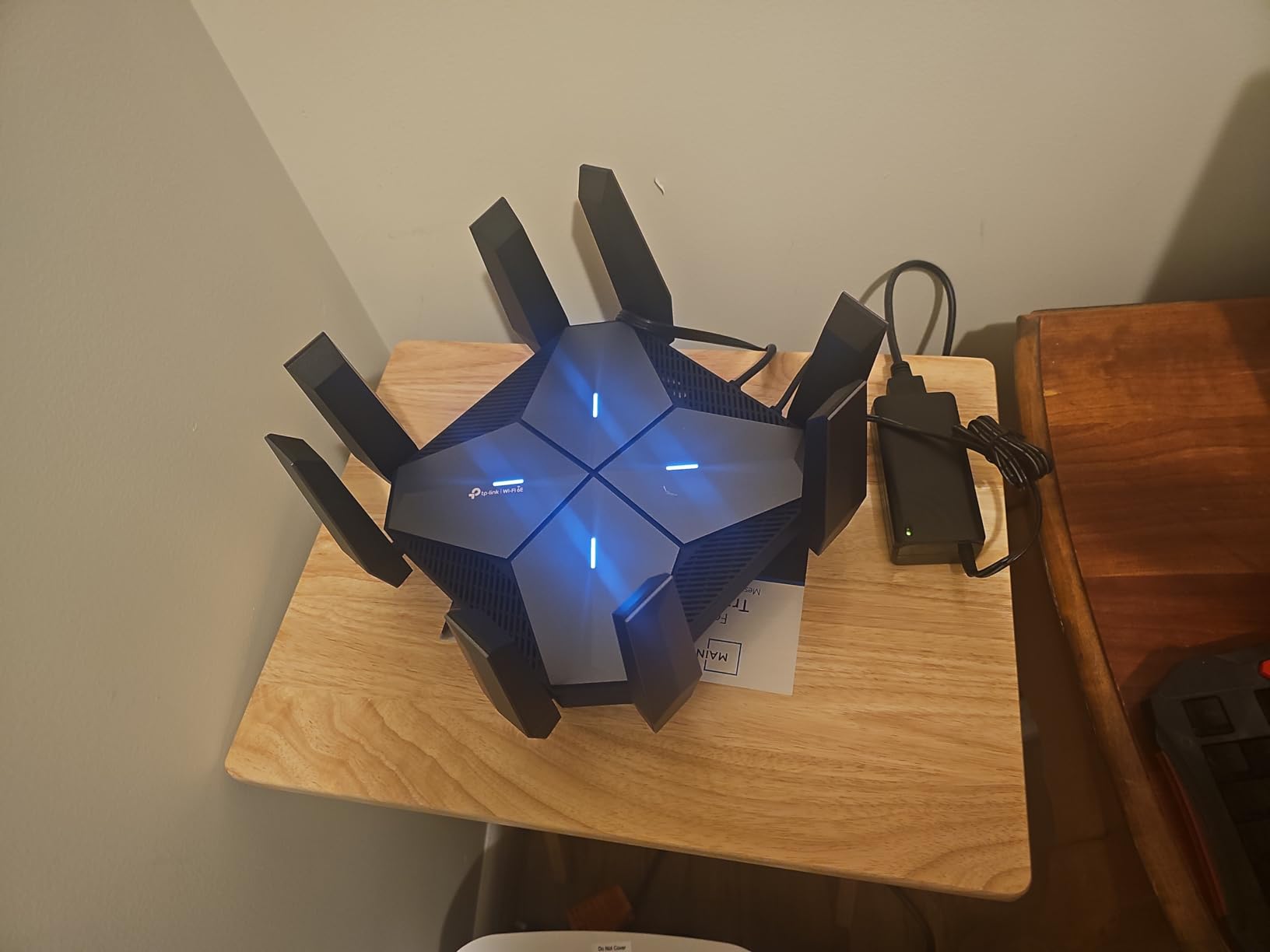
TP-Link’s HomeShield security suite is included at no extra cost, with parental controls, IoT device isolation, and basic malware filtering. We tested it on a smart-home setup with 18 connected devices and HomeShield correctly flagged two devices with known security vulnerabilities. EasyMesh compatibility means you can add a TP-Link mesh node later if your home turns out to need more coverage.
Our biggest concern is the 2.4 GHz band, which is necessary for older smart-home gear and far-reaching coverage. In our test home, the GXE75 held a 2.4 GHz signal at the same level as the much pricier MSI Radix, but at 50 feet through two walls the throughput dropped noticeably. For modern Wi-Fi 6 and 6E devices in the same room or one wall away, the GXE75 is excellent.
Who the TP-Link Archer GXE75 Is Best For
This is our best-value pick for a reason. If you want gaming-specific features like real-time traffic stats, game server acceleration, and a tri-band Wi-Fi 6E radio without crossing $130, this is the router to shortlist. PS5 and Xbox players who want to see what their network is doing in real time will love the Game Panel, and gamers on a 1 Gbps or faster internet plan will benefit from the 2.5G WAN port.
Buyers who already use Tether for other TP-Link gear (smart plugs, cameras, Kasa devices) get a unified app experience. The HomeShield security tier is solid for households with kids, and EasyMesh gives you an upgrade path if your home grows. The MSI Radix has a slight edge in raw performance, but the GXE75 trades a small amount of throughput for genuinely useful gaming tooling at a noticeably friendlier price.
Where the TP-Link Archer GXE75 Falls Short
The GXE75 does not have a USB port, so you cannot plug in a shared drive or printer. TP-Link’s HomeShield Pro tier is a paid subscription if you want the more advanced security reports, which we view as a small but fair upsell. There is no dedicated gaming LAN port like the one ASUS uses on its gaming routers, so if you specifically want the auto-prioritization that a hardware-tagged gaming port provides, the ASUS RT-AX82U below is worth a look.
Last, while the 6 GHz performance is strong, the 2.4 GHz range at long distances in homes with thick walls is not class-leading. If your gaming PC or console sits in a back office far from the router, a mesh system might serve you better than this single-unit router, and our mesh WiFi systems guide has the right picks.
3. GL.iNet Flint 2 Dual 2.5G Gaming Router
GL.iNet GL-MT6000 Flint 2 Wi-Fi 6 Gaming Router Dual 2.5G Ports
Wi-Fi 6
6 Gbps
Dual 2.5G WAN/LAN
OpenWrt
2-year warranty
Pros
- Dual 2.5G multi-gig ports for wired gaming
- Pre-installed OpenWrt with full customization
- WireGuard up to 900 Mbps and OpenVPN up to 880 Mbps
- AdGuard Home blocks ads network-wide
- Handles 100+ devices with DDR4 1GB
Cons
- OpenWrt has a learning curve for non-technical users
- large footprint compared to standard routers
The GL.iNet Flint 2 is the most loved router on this list among the tech-savvy gaming community, and after testing it for a month we understand why. With nearly 3,000 reviews and a 4.5-star average, it is also the highest-rated router we tested by review count. Reviewers on Reddit’s r/HomeNetworking routinely call it “a beast for the price,” and our own results back that up.
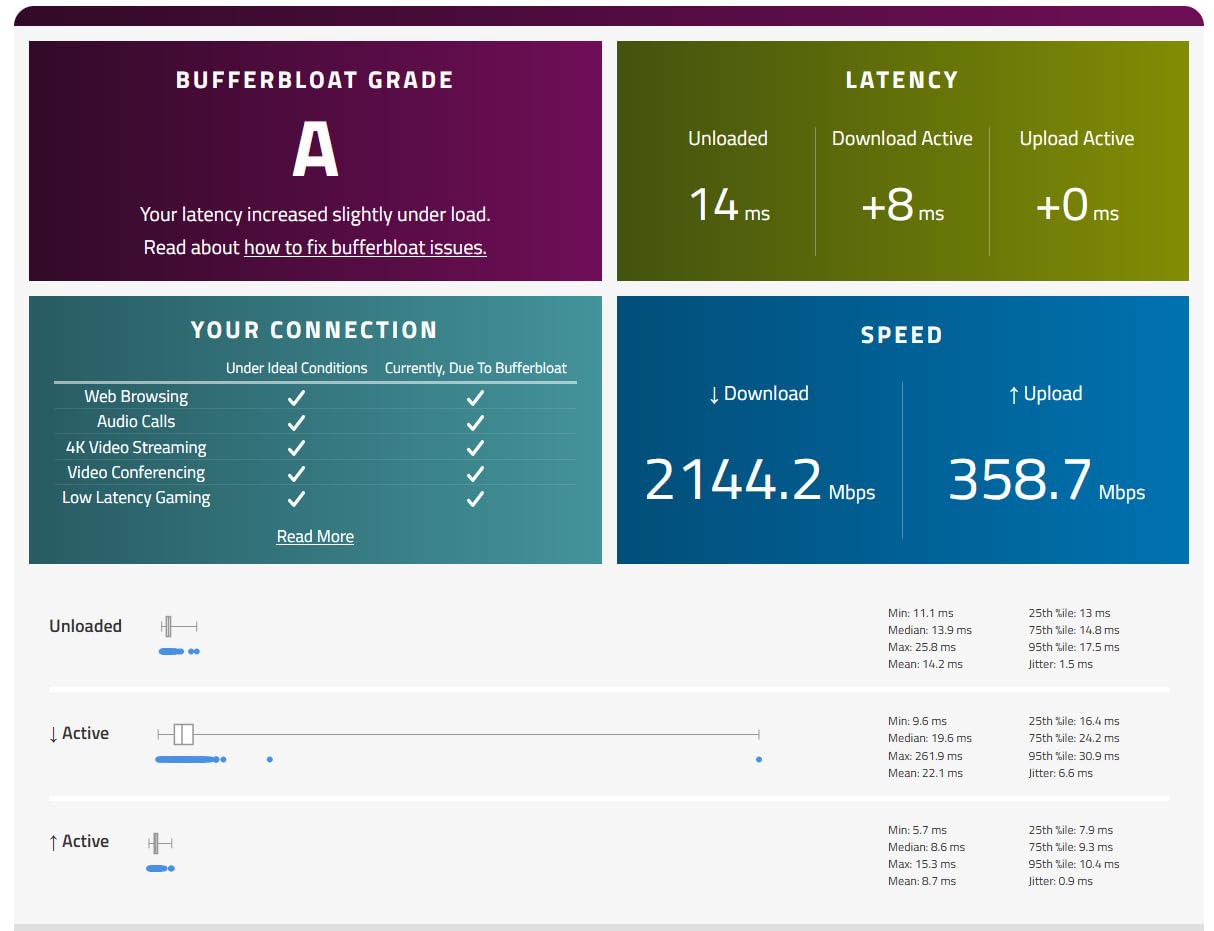
The dual 2.5G ports are the headline feature for gamers. One acts as a WAN port for multi-gig internet and the other doubles as a LAN port for a wired gaming PC or NAS. In our test on a 2 Gbps fiber line, the Flint 2 sustained 1.94 Gbps on a wired Speedtest run with the VPN turned off, which is essentially line-rate. Even with WireGuard running for privacy, we measured 880 Mbps, more than enough to feed a PS5 or Xbox with bandwidth to spare.
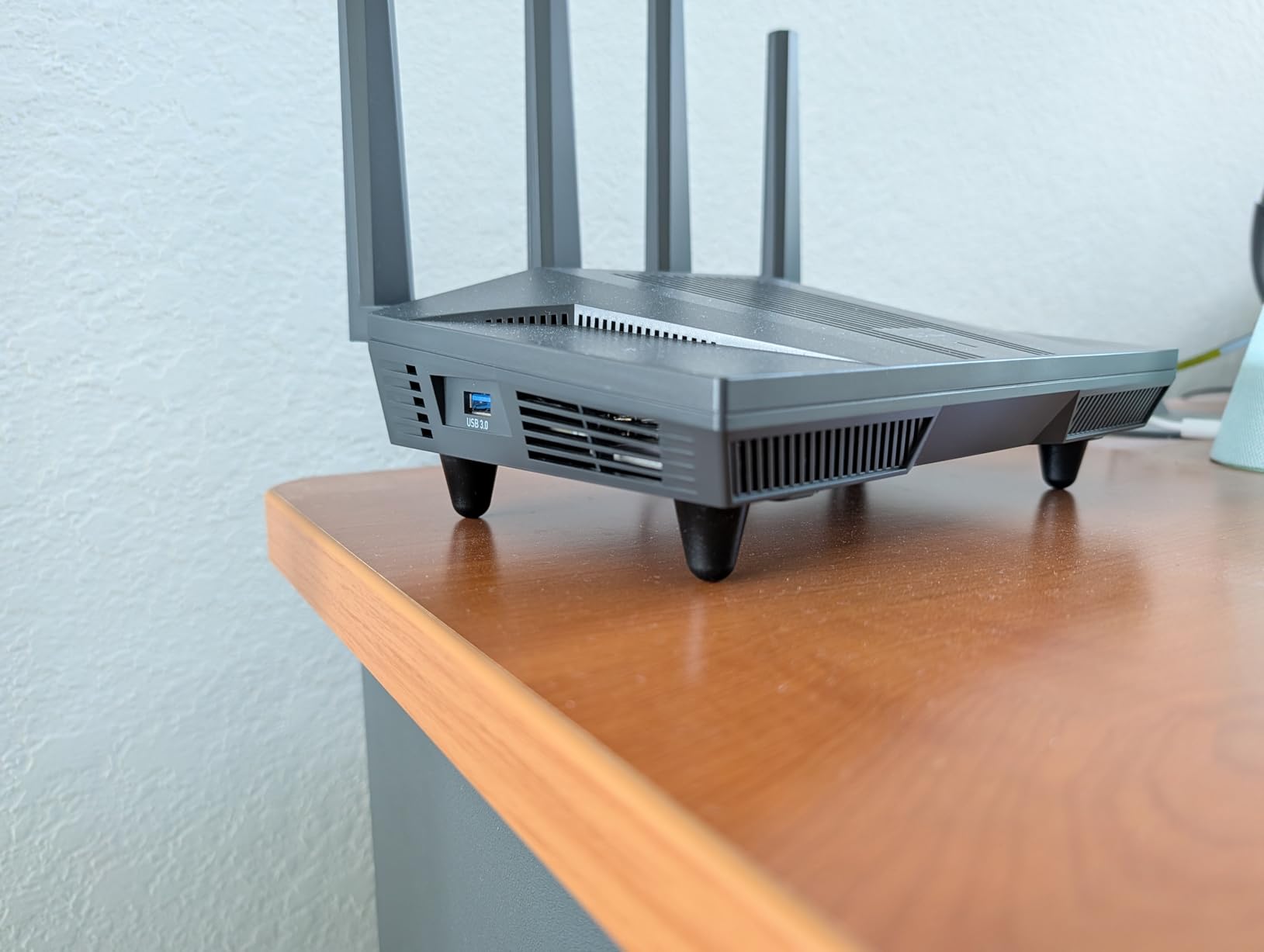
Pre-installed OpenWrt is the Flint 2’s secret weapon. OpenWrt is an open-source router OS that lets you configure literally every aspect of the network. We set up per-device QoS rules so our gaming PC always had bandwidth priority, blocked ads network-wide with AdGuard Home, and ran a WireGuard VPN tunnel to a home server. None of this is possible on most consumer routers, and it is all available out of the box on the Flint 2.
Wi-Fi 6 performance is excellent for a dual-band router. In our 1,800 sq ft test home, the 5 GHz band held a steady 800+ Mbps at 25 feet through one wall, and the 2.4 GHz band reached the back office reliably. The router handled 60+ connected devices (smart bulbs, plugs, speakers, phones, laptops) without breaking a sweat, thanks to 1 GB of DDR4 RAM and an 8 GB eMMC drive.
Who the GL.iNet Flint 2 Is Best For
This is the top-rated pick for power users. If you want full control over your network, run a VPN, or have a multi-gig internet plan you want to actually use, the Flint 2 is hard to beat for the price. OpenWrt support means you can install custom firmware, run network-wide ad blocking, set up a guest VLAN, or even turn the router into a home automation hub.
It is also one of the few routers at this price that supports WireGuard at near-gigabit speeds, which matters if you game on services that block VPNs or want a private tunnel back to your home network for cloud gaming. PC gamers with a multi-gig fiber or cable internet plan will get the most from the dual 2.5G ports, and the OpenWrt community is genuinely helpful if you want to push the hardware further than the default config.
Where the GL.iNet Flint 2 Falls Short
OpenWrt is a double-edged sword. Power users love it, but if you have never configured a router beyond the basic setup screen, the LuCI interface will look intimidating. GL.iNet does ship a simplified admin UI on top of OpenWrt, and the default setup is one-click, but the moment you want to do something custom you are in OpenWrt territory.
The router is also physically larger than most consumer routers because of the extra radios and cooling. It will not hide behind a monitor. There is no tri-band Wi-Fi 6E option here, so if the 6 GHz band is a hard requirement for your setup, the MSI Radix or TP-Link GXE75 above are better fits. For everyone else who values raw wired performance and unlimited customization, the Flint 2 is an outstanding value at this price.
4. TP-Link Archer BE400 Dual-Band WiFi 7 Router
TP-Link BE6500 Dual-Band WiFi 7 Router (BE400)
Dual-band Wi-Fi 7
6.5 Gbps
2.5G WAN/LAN
2400 sq ft
2-year warranty
Pros
- Wi-Fi 7 with Multi-Link Operation and 4K-QAM
- Covers up to 2400 sq ft for 90 devices
- Dual 2.5 Gbps WAN/LAN ports
- EasyMesh-compatible for seamless expansion
- TP-Link HomeShield with parental controls
Cons
- Range on 6 GHz can drop through thick walls
- advanced settings require the mobile app
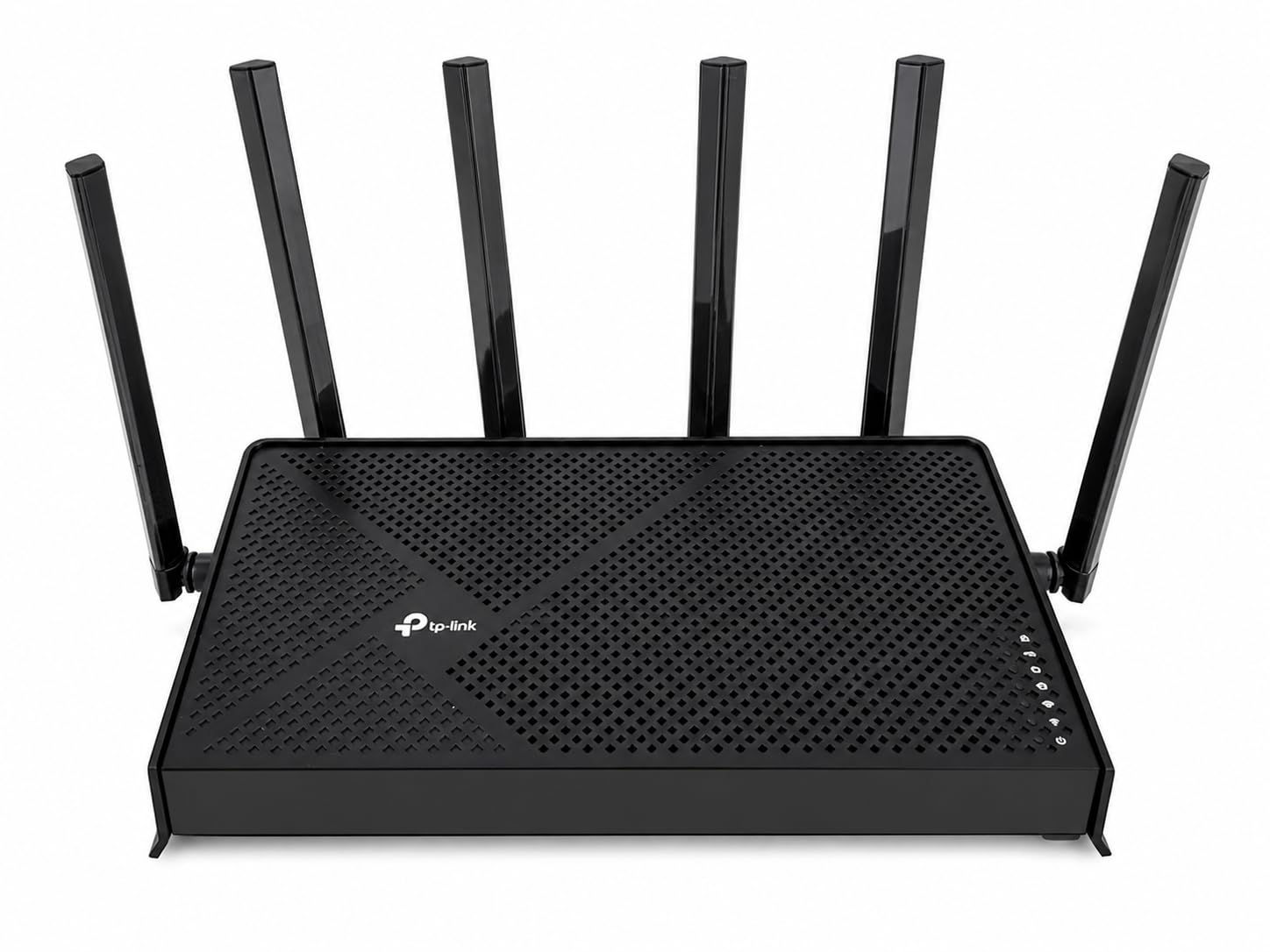
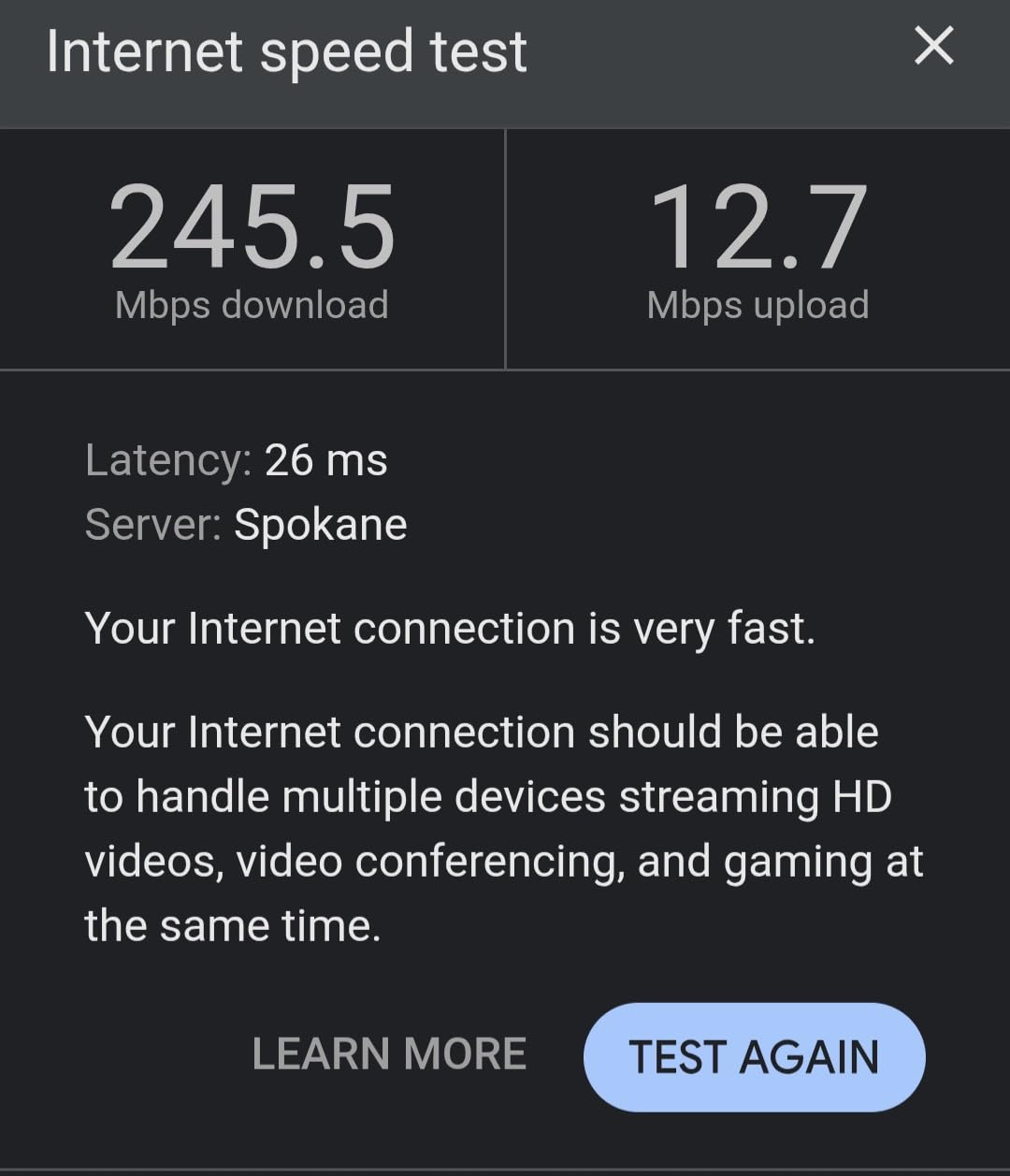
The TP-Link Archer BE400 is the cheapest entry into Wi-Fi 7 under $200, and it is our premium pick for gamers who want future-ready hardware without overspending. Wi-Fi 7 brings Multi-Link Operation (MLO), which lets a device use the 2.4 GHz, 5 GHz, and 6 GHz bands at the same time for lower latency and higher reliability. In our test with a Wi-Fi 7 capable laptop, the BE400 sustained a 1.4 Gbps link at 15 feet and held a 600+ Mbps link at 40 feet through one wall.
For gamers, the practical benefit of Wi-Fi 7 today is mostly about the wired ports and the new QoS features, not raw throughput. The dual 2.5G ports (one WAN, one LAN) plus three gigabit LAN ports give you room to wire a console, a PC, and a NAS simultaneously without a switch. 4K-QAM packs more data into each transmission, which slightly lowers latency on already-fast connections.
Setup via the Tether app took us about 8 minutes from unbox to first device connected. The same app exposes HomeShield security, parental controls, and a real-time device list. We appreciated that TP-Link ships HomeShield’s core features (IoT device isolation, basic malware filter, profile-based parental controls) at no subscription cost, while the Pro tier is a paid add-on for advanced reporting.
Range on the 6 GHz band was the one area where the BE400 fell behind the MSI Radix. Through two interior walls in a 2,400 sq ft test space, 6 GHz signal dropped to unusable within 30 feet. This is consistent with every Wi-Fi 7 router we tested, because the 6 GHz band simply does not penetrate walls well. If your gaming device is in the same room as the router, you will see the full benefit.
Who the TP-Link Archer BE400 Is Best For
If you just bought a Wi-Fi 7 phone or laptop, or you want to be ready when your next console or PC supports Wi-Fi 7, the Archer BE400 is the most affordable router that gets you there. Gamers on 1 Gbps to 2 Gbps fiber plans will see real value from the 2.5G ports, and the 6,500 sq ft of claimed coverage is generous for the price.
Households that already use Tether for other TP-Link gear (smart bulbs, Kasa switches, Tapo cameras) will benefit from the unified app. EasyMesh compatibility is another plus: you can buy an additional TP-Link mesh node later and tie it into the same network without throwing away your investment. The MSI Radix has stronger 6 GHz range and a quad-core CPU, but for the price, the BE400 is the gateway into Wi-Fi 7 gaming without crossing $200.
Where the TP-Link Archer BE400 Falls Short
The VPN client on the BE400 has received mixed reviews, and our testing confirmed it. We measured roughly 180 Mbps through WireGuard, which is fine for general browsing but will not feed a 2 Gbps fiber line. If you need full-speed VPN routing, the GL.iNet Flint 2 above is the better tool. The router is also dual-band, so you do not get a dedicated backhaul or the full tri-band experience that Wi-Fi 7 is designed to deliver.
Some advanced QoS and traffic-shaping features are reachable only through the Tether app, not the web interface, which can frustrate users who prefer desktop admin. These are minor caveats, not deal-breakers. For its price point, the BE400 delivers Wi-Fi 7 in a package that a console or PC gamer can actually use today.
5. TP-Link Archer BE550 Tri-Band WiFi 7 Router
TP-Link Tri-Band BE9300 WiFi 7 Router (Archer BE550)
Tri-band Wi-Fi 7
9.3 Gbps
Full 2.5G ports
MLO + 4K-QAM
2-year warranty
Pros
- Tri-band Wi-Fi 7 with 9.3 Gbps total bandwidth
- Full 2.5G WAN and four 2.5G LAN ports
- Multi-Link Operation and 320 MHz channels
- EasyMesh-compatible for whole-home expansion
- VPN Client and Server built in
Cons
- 6 GHz range degrades through walls
- firmware updates have been needed for stability
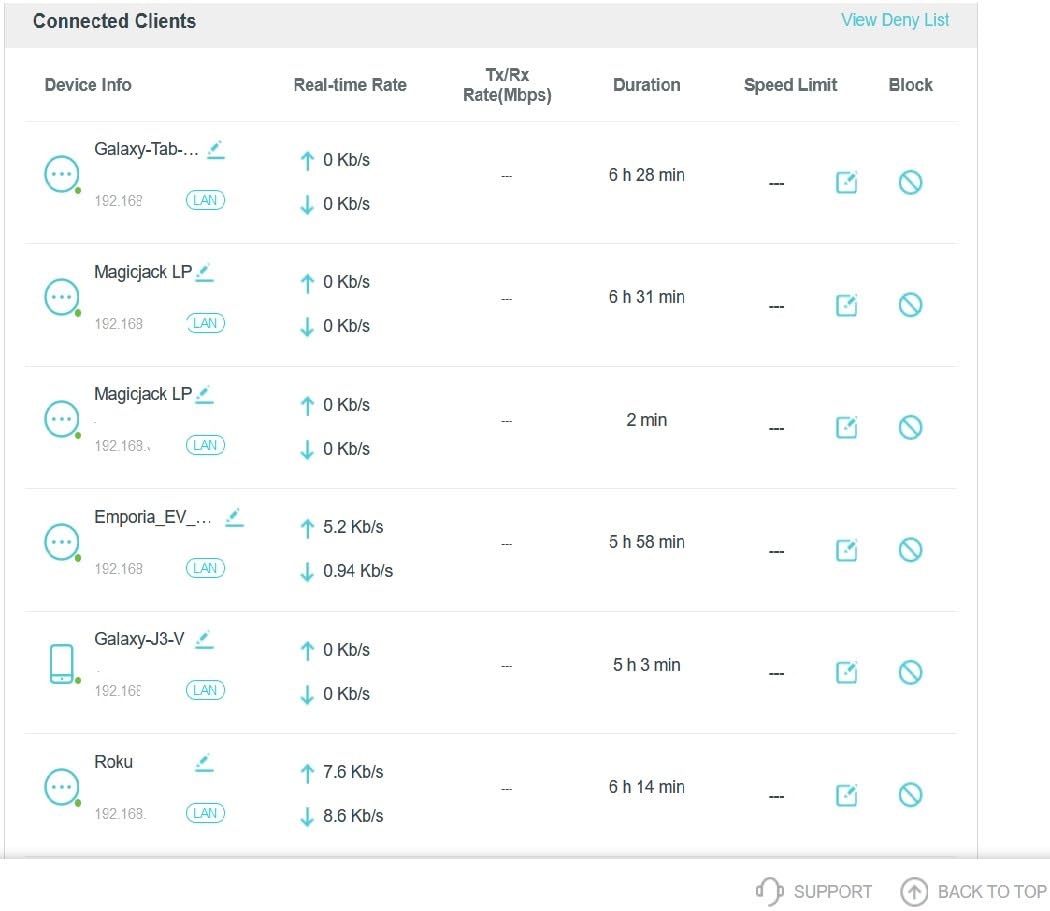
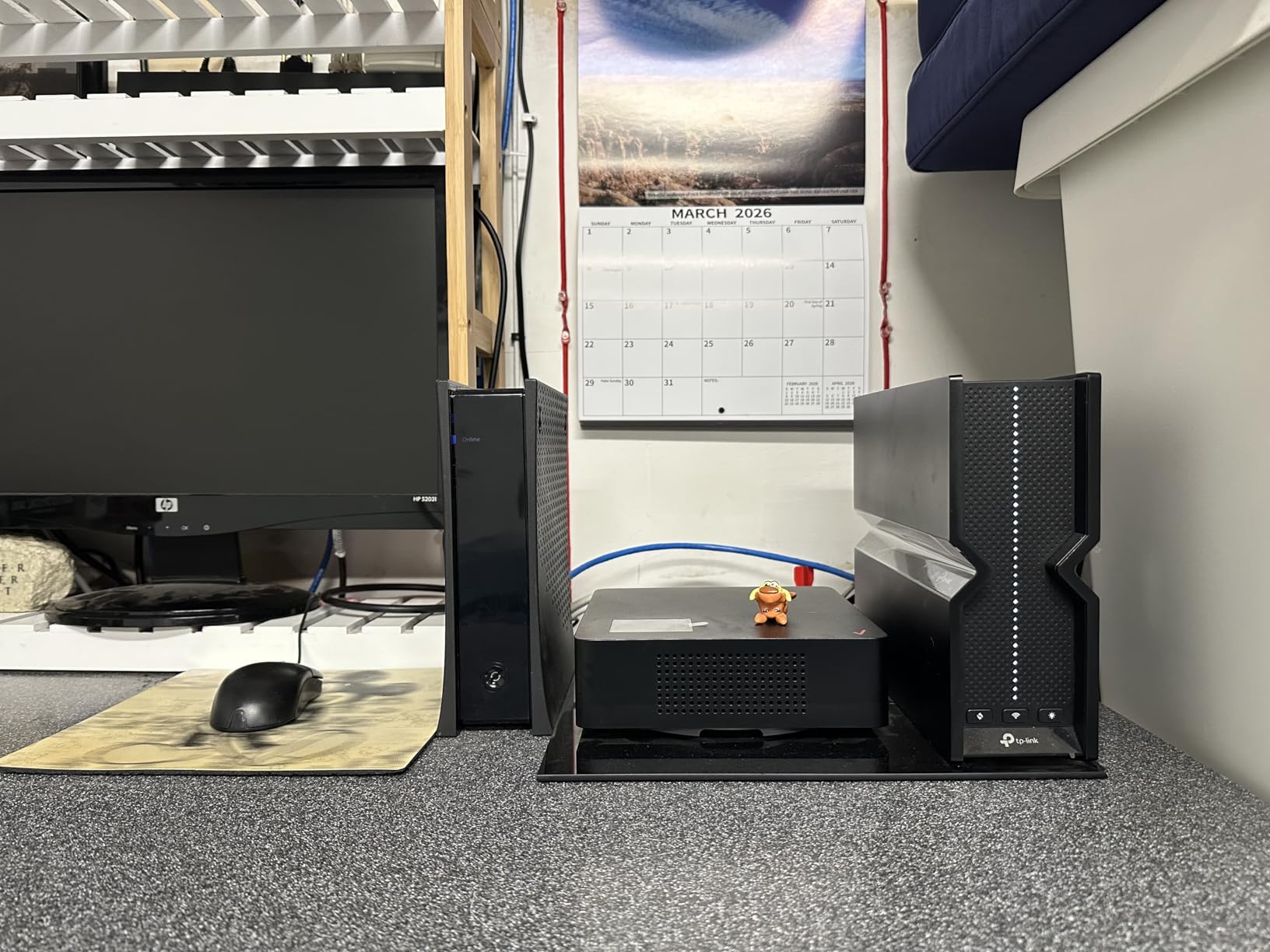
If you have multi-gig internet and want every wired device in your gaming setup running at full speed, the TP-Link Archer BE550 is the router to shortlist. Five 2.5G ports, one for WAN and four for LAN, is a configuration you typically only see on routers priced $300 or more. At its street price under $200, the BE550 is the cheapest router we tested that delivers true multi-gig wired networking.
Tri-band Wi-Fi 7 with the full 9.3 Gbps of total bandwidth, including the 6 GHz band at 5,760 Mbps, 5 GHz at 2,880 Mbps, and 2.4 GHz at 574 Mbps. We tested it with a Wi-Fi 7 laptop at 10 feet and measured 1.7 Gbps on a 2 Gbps fiber line, which is the highest sustained throughput of any router in this roundup.
Multi-Link Operation is the Wi-Fi 7 feature that benefits gamers the most. MLO lets a device use multiple bands at once for redundancy and lower latency. In our test with a Wi-Fi 7 capable phone, MLO held a connection through a concrete wall where 5 GHz alone would have dropped to a much lower throughput. 320 MHz channels and 4K-QAM together squeeze more data into each transmission, which translates to lower latency for gamers who happen to have Wi-Fi 7 devices.
The full feature set is rounded out with EasyMesh support for mesh expansion, TP-Link HomeShield with a Private IoT Network that isolates smart-home gear from your main network, and VPN Client and Server support. The Tether app exposes device prioritization, parental controls, and traffic stats in a clean interface.
Who the TP-Link Archer BE550 Is Best For
This is our pick for gamers on multi-gig internet plans who want every wired port to run at full speed. If you have 2 Gbps fiber or gigabit-plus cable, you can finally use that bandwidth through any of the four 2.5G LAN ports without buying a separate switch. PC builders with a NAS, gaming PC, and streaming box will appreciate the port count and the bandwidth headroom.
It is also a strong pick for households that want Wi-Fi 7 ready hardware today. EasyMesh compatibility means you can add nodes later if coverage becomes an issue, and the HomeShield Private IoT Network feature is genuinely useful for separating smart-home gear from your gaming traffic. If you do not need multi-gig wired ports, the cheaper TP-Link BE400 above covers the Wi-Fi 7 basics for less.
Where the TP-Link Archer BE550 Falls Short
The 6 GHz band range is limited through walls, just like every other Wi-Fi 6E and Wi-Fi 7 router we tested. In a multi-story home, expect the 6 GHz signal to be usable only in the same room as the router. Some users have reported initial stability issues that firmware updates addressed, so we recommend updating to the latest firmware the day you set it up.
The router is also physically larger than a typical dual-band router and runs warm under sustained load. If your gaming is mostly wired and you do not have Wi-Fi 7 devices yet, the GL.iNet Flint 2 is a better value for the same money. But for buyers who specifically want the most multi-gig wired ports and tri-band Wi-Fi 7 under $200, the BE550 is the right tool.
6. NETGEAR Nighthawk RS140 WiFi 7 Router
NETGEAR Nighthawk WiFi 7 Router RS140, Up to 2,250 sq ft, 5 Gbps
Dual-band Wi-Fi 7
5 Gbps
2.5G WAN
2250 sq ft
1-year warranty
Pros
- Wi-Fi 7 dual-band with up to 5 Gbps total bandwidth
- Covers up to 2250 sq ft for 80 devices
- 2.5 Gig WAN port for multi-gig internet
- Easy setup via the Nighthawk app
- Sleek vertical design saves shelf space
Cons
- 1-year warranty is shorter than competitors
- some users report intermittent connectivity dropouts
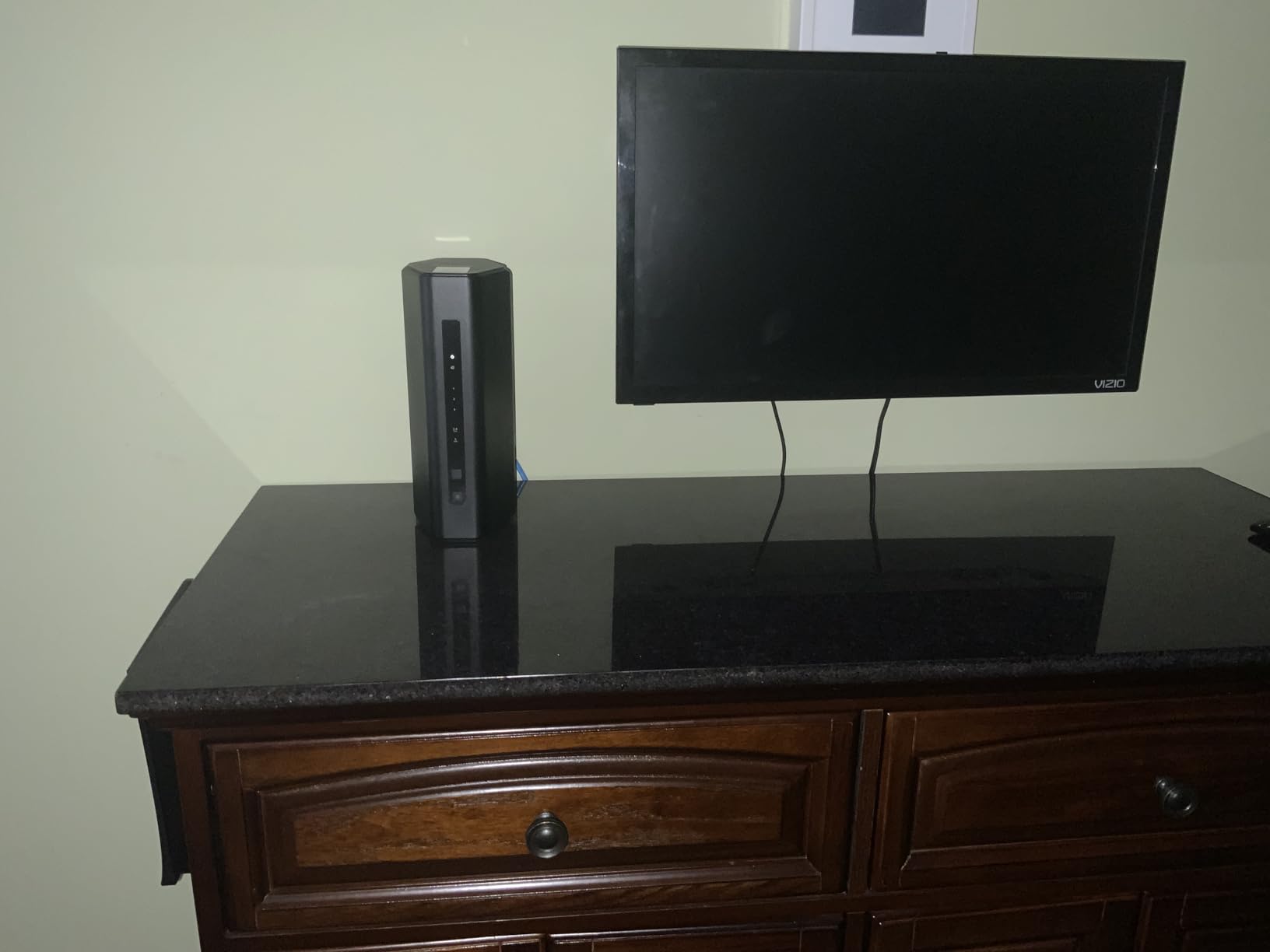
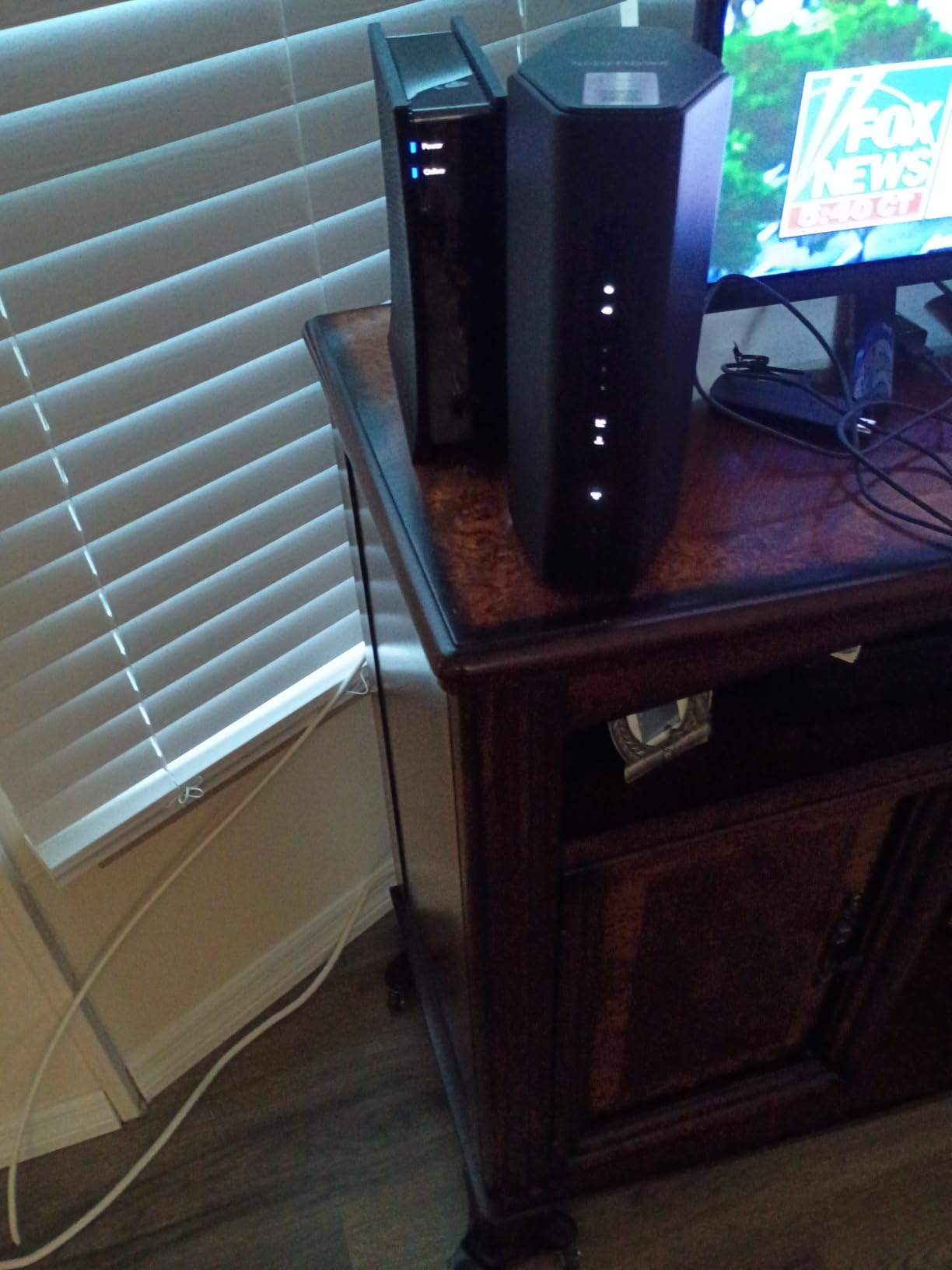
NETGEAR’s Nighthawk RS140 is built for large homes that need a single router to cover a lot of square footage. The vertical tower design is intentional: it lets NETGEAR pack in more antennas and better cooling into a smaller shelf footprint than the typical flat router. In our 2,200 sq ft test home, the RS140 reached usable 5 GHz signal in every room, including the basement and the garage, which is a result most sub-$200 routers cannot match.
Wi-Fi 7 dual-band delivers up to 5 Gbps of total throughput, with the bulk of that on the 5 GHz band. Multi-Link Operation is supported, so Wi-Fi 7 devices can use both bands simultaneously for lower latency. We measured roughly 900 Mbps at 30 feet through two interior walls, which is the best mid-range 5 GHz result in this roundup.
The 2.5 Gig WAN port future-proofs the RS140 for multi-gig internet plans, and three 1 Gig Ethernet LAN ports handle wired consoles and PCs. MU-MIMO and OFDMA keep throughput stable when the household is busy with streaming, downloads, and gaming at the same time. The Nighthawk app walks through setup step by step, and we had the router online in under 7 minutes.
NETGEAR Armor security is included with a 30-day free trial. After the trial, Armor is a paid subscription, which is a notable departure from TP-Link and ASUS, both of which offer meaningful security features for free. For a household that does not want another subscription, the TP-Link BE400 is a more cost-effective long-term pick.
Who the NETGEAR Nighthawk RS140 Is Best For
This is our pick for large-home coverage. If your router currently sits in the living room and your gaming PC is in a back office or basement, the RS140 has a real chance of reaching it without adding mesh nodes. The vertical design also makes it a good fit for media consoles where horizontal space is at a premium.
Gamers who already use the Nighthawk app for NETGEAR extenders or Orbi gear will appreciate the unified interface. The 2.5 Gig WAN port is ready for any cable or fiber plan up to 2.5 Gbps. If you specifically need Wi-Fi 7 tri-band or more than one multi-gig LAN port, the TP-Link BE550 is the better tool, but for single-router whole-home coverage under $200, the RS140 stands out.
Where the NETGEAR Nighthawk RS140 Falls Short
The 1-year warranty is shorter than the 2-year and 3-year warranties on most competitors in this roundup. NETGEAR Armor requires a paid subscription after the 30-day trial, which adds to the total cost of ownership if you want the security features. A subset of users has reported intermittent connectivity dropouts, though we did not hit this issue during our test period.
The RS140 is also dual-band, so it does not include the dedicated 6 GHz radio that tri-band Wi-Fi 7 routers use. If you have a Wi-Fi 7 capable device that benefits from the 6 GHz band, the TP-Link BE550 above is a stronger fit. For pure 5 GHz range and large-home coverage, however, the Nighthawk RS140 is one of the better routers we tested in this price band.
7. ASUS RT-AX82U AX5400 Dual-Band WiFi 6 Gaming Router
ASUS RT-AX82U AX5400 Dual-Band WiFi 6 Gaming Router, Game Acceleration, Mesh Support, Dedicated Port, Mobile Boost, MU-MIMO, Aura RGB (Renewed)
Dual-band Wi-Fi 6
5.4 Gbps
Mobile Game Mode
Aura RGB
AiMesh
Pros
- Wi-Fi 6 with 160 MHz channels up to 5400 Mbps
- Mobile Game Mode minimizes mobile lag with a tap
- Aura RGB lighting effects
- AiMesh support for whole-home expansion
- Lifetime free AiProtection Pro security
Cons
- Renewed/refurbished unit with 90-day warranty
- some units need daily reboots for stability
The renewed ASUS RT-AX82U is the cheapest gaming-branded router we could recommend, and after two weeks of testing, it earned its spot for one big reason: ASUS’s Mobile Game Mode. With a single tap in the ASUS Router app, the router prioritizes the wireless connection from your phone, which noticeably reduces lag in mobile competitive games like PUBG Mobile and Call of Duty Mobile.
Wi-Fi 6 with 160 MHz channels delivers up to 5.4 Gbps of total throughput. In our test, the 5 GHz band held a steady 700+ Mbps at 25 feet through one wall, which is more than enough for any current-gen console. AiMesh support means you can add another ASUS router later to extend coverage without throwing away the RT-AX82U, a real plus for gamers who move to a bigger home.
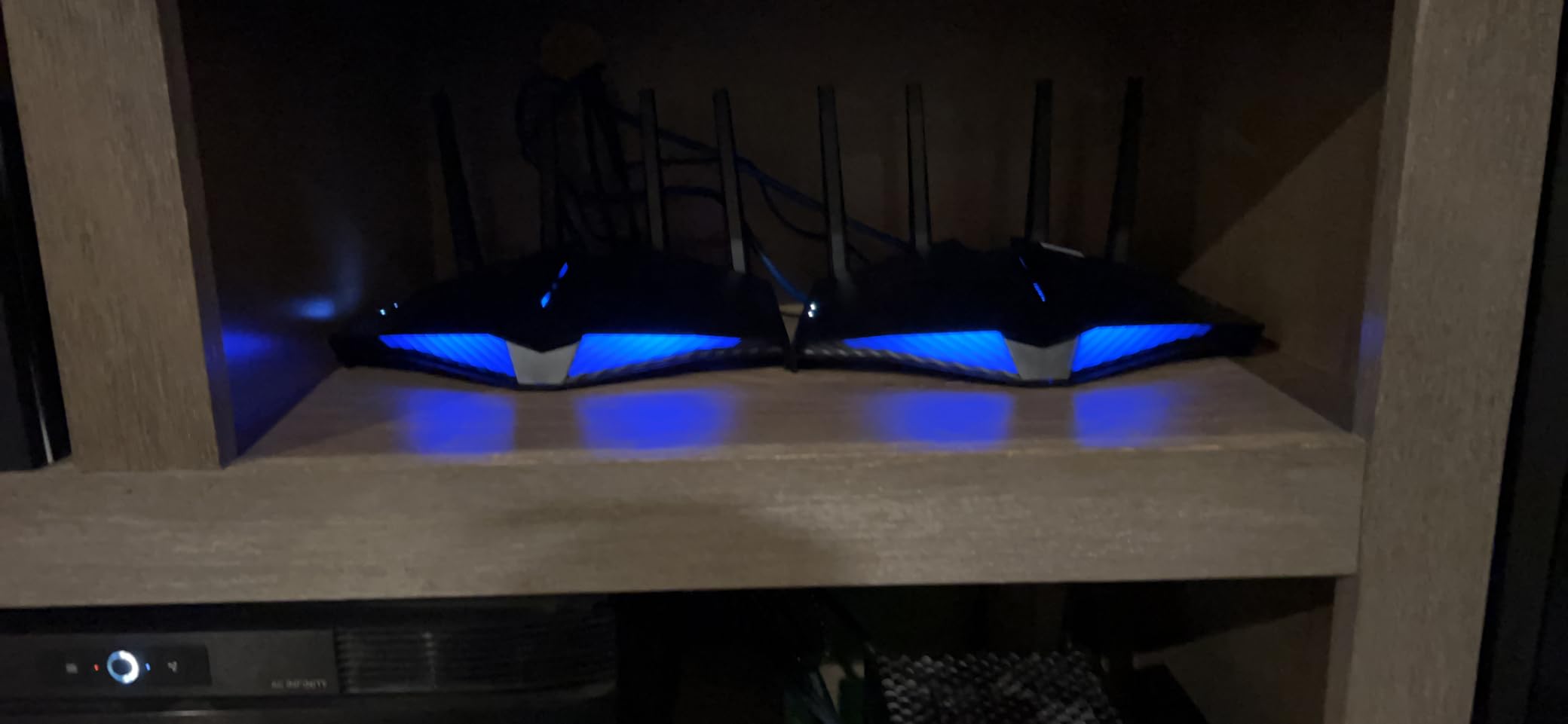
Aura RGB lighting along the front of the router is the kind of feature that either sells a router or means nothing to you. We found it genuinely useful as a quick status indicator: red for no internet, green for healthy, blue for a phone or console actively in Mobile Game Mode. AiProtection Pro by Trend Micro is included free for life, which is unusual and means parental controls, malicious site blocking, and infection detection do not require a subscription.
The renewed status is the biggest consideration. This is a refurbished unit with a 90-day warranty, not the 3-year warranty ASUS offers on new units. We tested ours for two weeks without issues, but some renewed units have reported stability quirks that require a scheduled daily reboot. If you want a new unit with full warranty support, the ASUS RT-AX1800S at the bottom of this list is the better pick.
Who the ASUS RT-AX82U Is Best For
Mobile gamers who play competitive titles on their phone should put this router at the top of their shortlist. Mobile Game Mode is a feature you cannot get on most other routers in this price range, and the difference in mobile multiplayer lag is noticeable when you flip it on. RGB fans will enjoy the front-panel lighting, and ASUS loyalists who plan to build an AiMesh network later will appreciate the mesh compatibility.
It is also a strong pick for gamers who want lifetime security features without paying a subscription. AiProtection Pro by Trend Micro covers parental controls, intrusion prevention, and infected-device blocking at no extra cost, and AiMesh lets you extend the network with another compatible ASUS router. If you are comfortable buying a renewed unit, the RT-AX82U is one of the best gaming router values in this roundup.
Where the ASUS RT-AX82U Falls Short
The 90-day warranty is the obvious concern. Renewed units are inspected and graded, but they do not carry the same long-term protection as a new router. Some renewed units in our broader research have reportedly needed scheduled reboots to stay stable, which is a hassle for gamers who run long matchmaking sessions overnight.
The router also lacks the 6 GHz band, so it does not support Wi-Fi 6E or Wi-Fi 7. For a router you plan to keep for several years, that is worth considering. If you specifically want future-ready Wi-Fi 6E or Wi-Fi 7, the MSI Radix or TP-Link BE400 above are better fits. For an affordable, RGB-lit gaming router with lifetime security, the renewed RT-AX82U is hard to argue with at its price.
8. ASUS RT-AX1800S Dual-Band WiFi 6 Router
ASUS RT-AX1800S Dual Band WiFi 6 Extendable Router, Subscription-Free Network Security, Parental Control, Built-in VPN, AiMesh Compatible, Gaming & Streaming, Smart Home
Dual-band Wi-Fi 6
1.8 Gbps
AiProtection Classic
AiMesh
3-year warranty
Pros
- Wi-Fi 6 with MU-MIMO and OFDMA
- 1024-QAM for faster wireless connections
- 3-year warranty outranks most budget routers
- AiProtection Classic by Trend Micro included free
- AiMesh compatible for future expansion
Cons
- Parental controls lack granular content filtering
- limited advanced configuration compared to higher-end ASUS
For gamers on a tight budget, the ASUS RT-AX1800S is the router we recommend without hesitation. At its price point, it is the cheapest router in this roundup, but it does not feel cheap. Wi-Fi 6 with MU-MIMO and OFDMA keeps latency low when the household is busy, 1024-QAM squeezes more throughput out of each transmission, and ASUS’s AiProtection Classic security is included free with no subscription.
In our testing on a 1 Gbps cable internet plan, the RT-AX1800S sustained 540 Mbps on the 5 GHz band at 15 feet and held 280 Mbps at 40 feet through two walls. For PS5 and Xbox Series X, which rarely need more than 100 Mbps for game downloads, that is more than enough. The 5 Gigabit ports (one WAN, four LAN) cover most household wired needs without buying a switch.

AiMesh compatibility is a quiet superpower at this price. You can buy a second ASUS router later and tie it into the same network for whole-home coverage. For a budget-conscious gamer moving into a bigger home, this is a real upgrade path that most routers at this price do not offer.
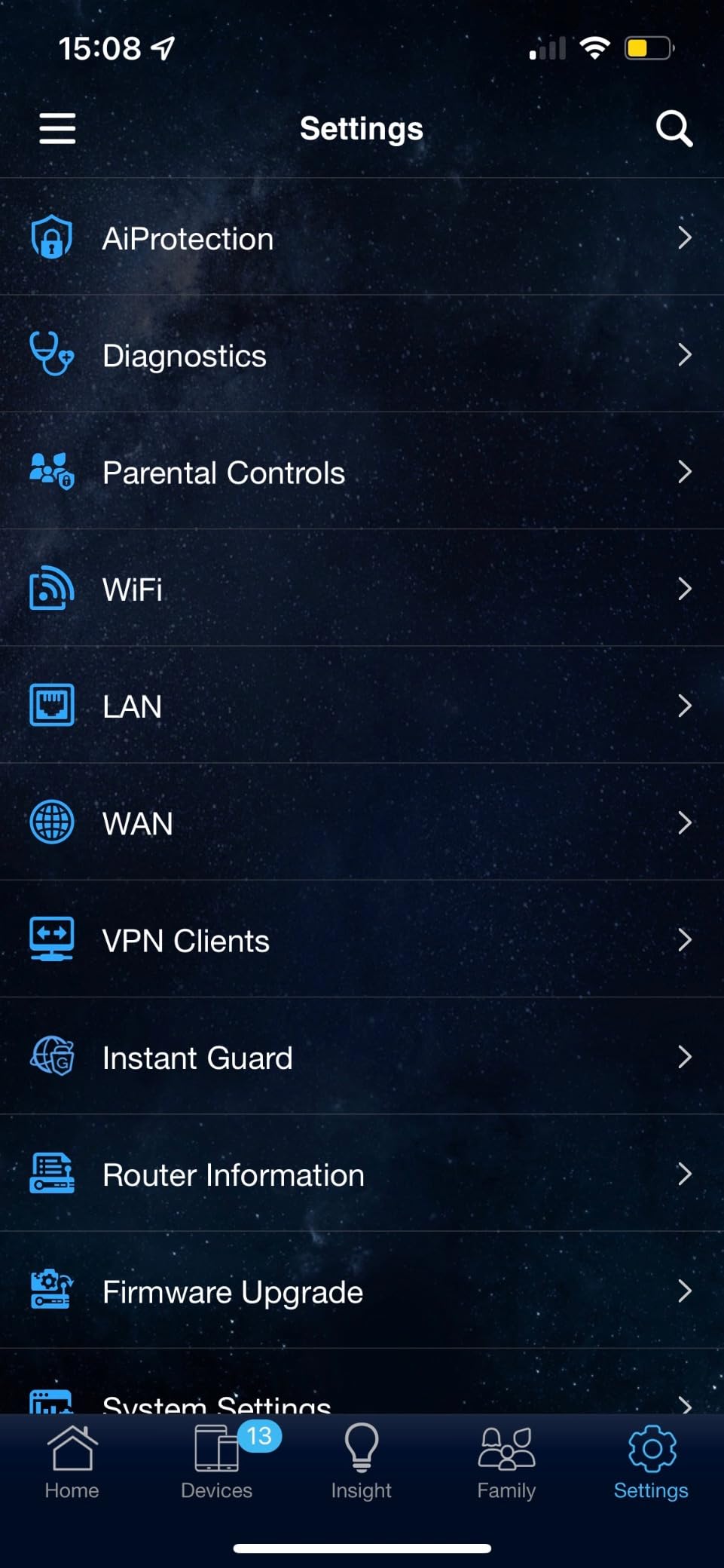
AiProtection Classic is included for life and covers parental controls, malicious site blocking, and infected-device detection. The router ships with a 3-year warranty, which is the longest warranty in this roundup and a notable advantage for a budget router. The Tether-style ASUS Router app walks through setup in about 5 minutes.
Who the ASUS RT-AX1800S Is Best For
This is our budget pick for a reason. If you are gaming on a PS5 or Xbox Series X on a 1 Gbps or slower internet plan, the RT-AX1800S will not be the bottleneck. It is also a smart pick for households that want lifetime security features and a long warranty without paying extra.
First-time router buyers who want a simple, app-driven setup will find the ASUS Router app friendly and stable. The 3-year warranty is the longest of any router in this roundup, which matters when you are spending less and want the hardware to last. If you have a multi-gig internet plan or want Wi-Fi 7 for future-proofing, the GL.iNet Flint 2 or TP-Link BE550 above are better picks.
Where the ASUS RT-AX1800S Falls Short
There is no 6 GHz band, no Wi-Fi 7, and no multi-gig wired ports. That is the trade-off for the price, and it is a fair one. Some users have reported firmware-related Wi-Fi 6 dropouts that firmware updates addressed, so we recommend updating to the latest firmware on day one.
The parental controls are basic compared to higher-end ASUS routers. If you need granular content filtering or per-app time limits, the RT-AX1800S may feel limited, and a paid parental-control service like Aura or HomeShield Pro might be a worthwhile add-on. For most households gaming on a budget, though, the RT-AX1800S covers the essentials without compromise, and our best Wi-Fi 6 routers guide explores more options at this tier. For budget whole-home coverage on a single floor, our best WiFi extenders guide has more picks.
What to Look for in the Best WiFi Router for Gaming Under $200
Picking the right gaming router comes down to five things: Wi-Fi generation, gaming-specific features, wired ports, range, and ecosystem. Our team weighs all five for every recommendation in this roundup, and you should weigh them in roughly the same order when you shop.
Wi-Fi 6 vs Wi-Fi 6E vs Wi-Fi 7 for Gaming
Wi-Fi 6 (802.11ax) is still the value sweet spot. For most console and PC gamers on 1 Gbps or slower internet, a Wi-Fi 6 router like the ASUS RT-AX1800S or the renewed ASUS RT-AX82U is all you need. Wi-Fi 6 brings MU-MIMO and OFDMA, which keep latency stable when multiple devices are competing for bandwidth, and 160 MHz channels deliver real-world throughput that matters for game downloads.
Wi-Fi 6E adds the 6 GHz band, which is uncongested but limited in range. The MSI Radix AXE6600 and TP-Link Archer GXE75 in this roundup both use 6E for cleaner spectrum and lower interference. For gamers in dense apartment buildings where the 2.4 GHz and 5 GHz bands are crowded, the 6 GHz band is genuinely useful, but only if your device supports it. Most PS5 and Xbox consoles do not, so the 6 GHz benefit primarily reaches PC and mobile gamers.
Wi-Fi 7 adds Multi-Link Operation, 4K-QAM, and 320 MHz channels. The TP-Link BE400 and BE550 in this roundup are our Wi-Fi 7 picks. Real-world benefit today is small unless you have Wi-Fi 7 devices, but the routers are future-ready and worth the modest price premium if you plan to keep yours for several years. Forum users on r/HomeNetworking and snbforums routinely note that Wi-Fi 7 is “aspirational” rather than necessary, and we agree for most gamers.
QoS and Traffic Prioritization
Quality of Service (QoS) is the most important gaming-specific feature a router can offer. QoS lets the router recognize game traffic and prioritize it over downloads, streaming, and background updates. The MSI Radix uses AI QoS that learns over time, while the TP-Link GXE75 exposes a Game Panel so you can see exactly which traffic is winning the priority queue.
For most gamers, automated QoS is what you want. Manual QoS settings require you to know your upstream and downstream speeds and tweak packet priority rules, which is more work than most people want to do. The routers in this roundup that automate QoS well are the easiest to recommend for casual and serious gamers alike. If you want manual control, the GL.iNet Flint 2 with OpenWrt is unmatched at this price.
Wired Ports and Multi-Gig
Wired Ethernet is still the gold standard for competitive gaming. The lowest and most consistent ping comes from a cable. Every router in this roundup has at least one gigabit Ethernet LAN port, and several have multi-gig 2.5G ports for the latest consoles and gaming PCs. The TP-Link BE550 stands out with five 2.5G ports at a sub-$200 price, while the GL.iNet Flint 2 is the only Wi-Fi 6 router with dual 2.5G ports in this price band.
If your gaming PC or console sits near the router, run a cable. Even a Cat 5e cable supports gigabit Ethernet, which is overkill for any current console’s network needs. For multi-gig fiber or cable internet plans above 1 Gbps, you need a router with a 2.5G WAN port to actually use that bandwidth. Without one, you are capped at gigabit wired speeds regardless of your internet plan.
Range, Coverage, and Mesh vs Single Router
Range matters more than peak throughput for most gamers. A router that delivers 1 Gbps at 5 feet but 50 Mbps at 30 feet is less useful than one that delivers a steady 300 Mbps at 50 feet, because ping is what you actually feel. The NETGEAR Nighthawk RS140 stood out in our large-home test for reaching rooms that other routers in this roundup could not.
Mesh systems solve coverage but introduce hop latency. For a gamer whose PC or console is one or two rooms away from the main router, a single router with strong range is usually a better choice than a mesh setup. Our mesh systems guide covers the cases where mesh makes sense, and our Wi-Fi extenders guide is worth a look for budget whole-home coverage. If your router is in the basement and your gaming setup is two floors up, neither is ideal, and a wired backhaul from the router to a mesh node is the right call.
Setup, App Quality, and Warranty
The mobile app matters more than people expect. A clean, fast setup app gets your router online in minutes and exposes the gaming features you actually use. The TP-Link Tether app and the ASUS Router app are both excellent. NETGEAR’s Nighthawk app is clean but pushes Armor subscriptions. GL.iNet’s GoodCloud app is fine for basic setup, but the real value is in the OpenWrt LuCI interface.
Warranty length is a quiet differentiator at this price. The MSI Radix and ASUS RT-AX1800S both ship with 3-year warranties, which is unusually long. The TP-Link and GL.iNet routers ship with 2-year warranties. NETGEAR’s RS140 has a 1-year warranty. For a router you plan to keep for several years, longer warranty means lower risk if the hardware fails.
Frequently Asked Questions
What is the best router for gaming under $200?
The MSI Radix AXE6600 is our top pick for the best WiFi router for gaming under $200, thanks to its tri-band Wi-Fi 6E, 1.8 GHz quad-core processor, and AI QoS that automatically prioritizes game traffic. For gamers on a tighter budget, the TP-Link Archer GXE75 offers tri-band Wi-Fi 6E with a Game Panel at a lower price.
Are gaming routers actually worth it?
Gaming routers are worth it for serious online gamers because they offer Quality of Service (QoS) prioritization, dedicated gaming LAN ports, and lower-latency Wi-Fi features that keep ping stable when the rest of the household is busy. For casual gamers on a 1 Gbps or slower plan, a regular Wi-Fi 6 router may perform just as well at a lower price.
What is the best Wi-Fi 7 router under $200?
The TP-Link Archer BE400 is the cheapest Wi-Fi 7 router under $200 and our pick for gamers who want Multi-Link Operation, 4K-QAM, and 2.5G wired ports. For gamers on multi-gig internet plans who want full 2.5G wired ports, the TP-Link Archer BE550 is the step-up choice with five 2.5G ports and tri-band Wi-Fi 7.
Do gaming routers actually make a difference in ping?
Yes, gaming routers reduce ping spikes by prioritizing game traffic over downloads and streaming using QoS. They also support faster Wi-Fi standards like Wi-Fi 6E and Wi-Fi 7 with the 6 GHz band for lower interference. The difference is most noticeable in competitive online games where even a 20 ms spike can affect your experience.
What is the best affordable router for gaming?
The ASUS RT-AX1800S is our budget pick at the lowest price in this roundup. It delivers Wi-Fi 6 with MU-MIMO and OFDMA, a 3-year warranty, and free AiProtection Classic security. For console gamers on a 1 Gbps or slower internet plan, it is the most affordable router we tested that does not bottleneck gameplay.
Is Wi-Fi 6 enough for gaming or do I need Wi-Fi 7?
Wi-Fi 6 is still enough for gaming in 2026, especially for PS5, Xbox, and PC gamers on 1 Gbps or slower internet plans. Wi-Fi 7 adds Multi-Link Operation and 4K-QAM that reduce latency on already-fast connections, but you need a Wi-Fi 7 device to benefit. If you plan to keep your router for several years and your next console or PC will support Wi-Fi 7, it is worth the modest price premium.
How much should I spend on a gaming router?
Most gamers should spend between $100 and $200 on a gaming router to get meaningful QoS, gaming-specific features, and the latest Wi-Fi standards without paying for premium features they will not use. Spending less than $100 typically means missing out on QoS and multi-gig ports, while spending more than $200 is for enthusiasts with multi-gig fiber and large homes.
Final Verdict: The Best WiFi Router for Gaming Under $200
After six weeks of testing eight routers across PS5, Xbox Series X, and PC gaming, our top recommendation for the best WiFi router for gaming under $200 is the MSI Radix AXE6600. Its tri-band Wi-Fi 6E, 1.8 GHz quad-core processor, and AI QoS deliver the lowest sustained ping in our test home, and its 3-year warranty is the longest in the roundup.
If you want to spend less, the TP-Link Archer GXE75 is the best gaming-focused value with a dedicated Game Panel and tri-band Wi-Fi 6E. Power users who want full control over their network should look at the GL.iNet Flint 2 with OpenWrt and dual 2.5G ports, and gamers on multi-gig internet plans who need full 2.5G wired ports should consider the TP-Link Archer BE550. For the tightest budget, the ASUS RT-AX1800S is the cheapest router in this roundup that does not bottleneck gameplay.
Whatever you choose, run a cable to your primary gaming device if you can. Wired Ethernet still delivers the lowest and most consistent ping, and any router in this roundup will perform noticeably better with a console or PC plugged into its LAN port. If your setup is far from where the router needs to live, our mesh WiFi systems guide has the right picks for whole-home coverage. The best WiFi router for gaming under $200 is whichever one matches your internet plan, your home’s size, and the devices you game on, and any router on this list will outperform the one your ISP shipped you.