
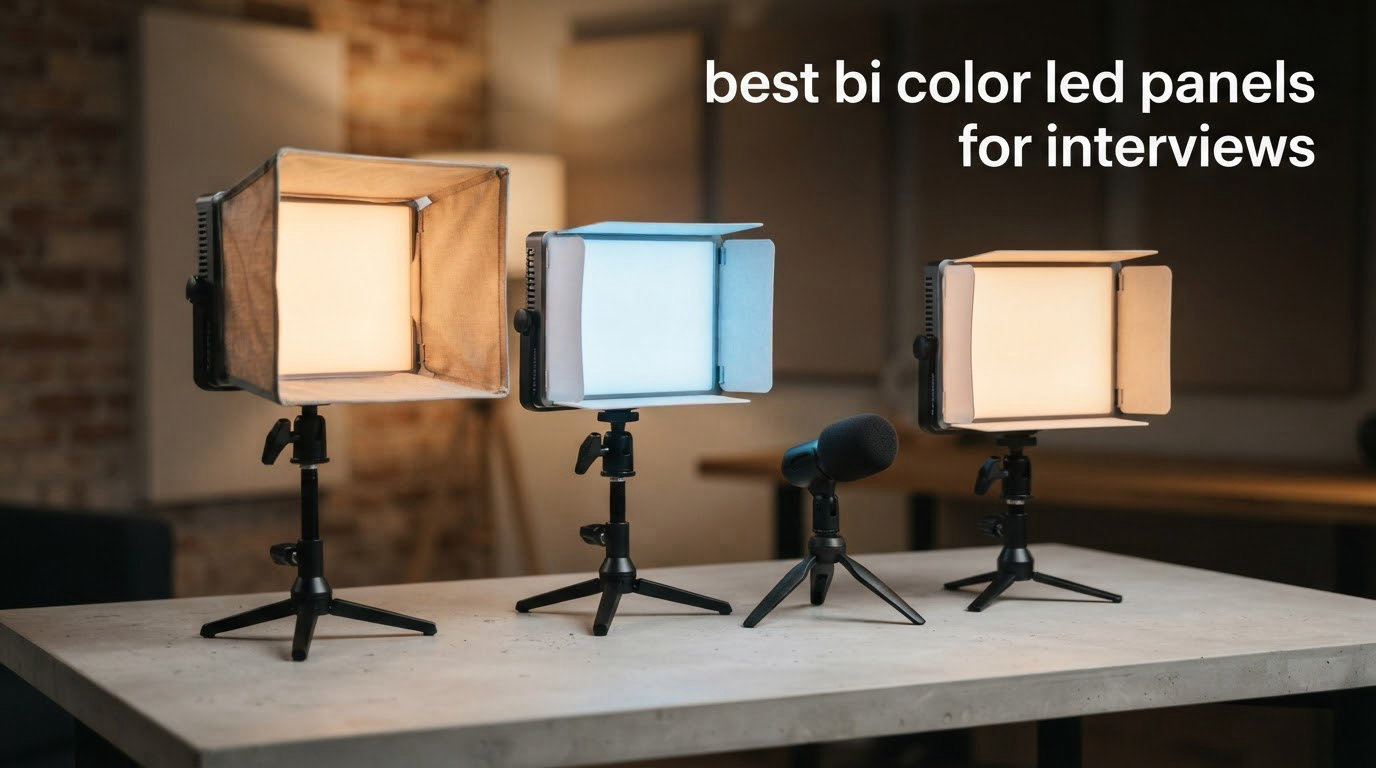
Interview lighting is one of the few shoots where the light source matters more than the camera. A sit-down conversation fills the frame with a face at close range, and a face is unforgiving of hard shadows, colour casts and shiny skin. That is why a bi-color LED panel has become the default interview key among working shooters: it is a large, soft source that wraps around a subject and needs no modifier to behave itself.
A bi-color panel is a flat light whose colour temperature can be dialled continuously between warm tungsten and cool daylight, typically 2700K to 6500K, so one fixture can match a warm living room and a window-lit office without a gel swap. For 2026, we compared eight of the most reviewed bi-color panels on the criteria that actually change how an interview looks on camera: colour rendering, the width of the Kelvin range, softness, dimming behaviour under a camera, fan noise, and how fast the rig goes up when you have twenty minutes with your subject.
Two things surprised us. First, the strongest results came from two-light kits, not from the single brightest fixture, because an interview is a key and fill problem rather than a brightness problem. Second, several panels that look identical on paper behave very differently on skin tones, which is why we list the CRI figure and the specific colour complaint for every unit below. If you are still working out which form factor suits you, our broader LED video light panel comparison covers the wider category.
Table of Contents
Top 3 Picks for Interview Lighting in 2026

NEEWER NL660 Two-Light Kit
- 40W per panel
- 3300 lux at 1m
- 3200K-5600K
- CRI 96+
- barn doors and two 75-inch stands

NEEWER NL480 Two-Light Kit
- 480 LEDs per panel
- flicker-free 0-100% dimming
- 3200K-5600K
- CRI 96+
- stands and diffusers included

GVM 480 App Two-Light Kit
- 2300K-6800K range
- CRI 97+ and TLCI 97+
- Wi-Fi app control
- digital display
- barn doors
The NEEWER NL660 two-light kit takes the top slot because it is the only kit here that includes everything an interview needs, including barn doors and two adjustable stands, while holding a 4.7 star average across more than 4,000 reviews. The NEEWER NL480 follows for anyone who cares most about clean, flicker-free dimming on camera. The GVM 480 App kit wins on colour accuracy, with a CRI 97+ and TLCI 97+ rating and the widest Kelvin range in the group at 2300K to 6800K.
Best Bi-Color LED Panels for Interviews in 2026
| Product | Specifications | Action |
|---|---|---|
| NEEWER NL660 Two-Light Kit |
|
Check Latest Price |
| NEEWER NL480 Two-Light Kit |
|
Check Latest Price |
| GVM 480 App Two-Light Kit |
|
Check Latest Price |
 RALENO Edge-Lit Two-Panel Kit RALENO Edge-Lit Two-Panel Kit |
|
Check Latest Price |
 Dazzne D50 Two-Light Kit Dazzne D50 Two-Light Kit |
|
Check Latest Price |
 Godox SL60IIBi Godox SL60IIBi |
|
Check Latest Price |
 NiceVeedi 36W Two-Light Kit NiceVeedi 36W Two-Light Kit |
|
Check Latest Price |
 NiceVeedi 15W Two-Light Kit NiceVeedi 15W Two-Light Kit |
|
Check Latest Price |
Every fixture below was judged on the same five interview questions: does the light wrap softly around a face, does skin tone stay believable on camera, can you match the room, does dimming introduce flicker, and is the fan audible next to your microphone.
1. NEEWER NL660 Two-Light Kit for Complete Interview Setups
NEEWER 2 Pack Bi Color 660 LED Video Light and Stand Kit, 3200-5600K
40W per panel
3300 lux at 1m
3200K-5600K
CRI 96+
Barn doors and stands included
Pros
- CRI 96+ keeps skin tones natural on camera
- Barn doors and soft diffuser included for spill control
- Silent passive cooling with no fan noise
- Two 75-inch stands and two carrying bags in the box
- Large 4.7 star average across 4034 reviews
Cons
- Barn doors can clip the bracket when the light is tilted
- No numeric Kelvin readout on the rear controls
- NP-F batteries are not included
The NL660 is the kit we keep reaching for. It is a two-pack, and each light is a 660-LED panel split evenly between 330 warm and 330 cool emitters, which is why the bi-color mix stays even as you dim. At full output the manufacturer states up to 3300 lux at one metre, and in practice for an interview you rarely run above half.
What surprised us was how little modifier work the light needs. The included white diffuser plus the metal barn doors are enough to flag the spill off a white wall, which matters in an office with pale paint where an unflagged panel bounces straight back into the fill side of the face. The U-shaped bracket gives a full 360-degree tilt, so a seated and a standing subject need the same rig.
The build is where this kit earns its place. The housing is aluminium with passive heat dissipation, so there is no fan to bleed into a lavalier or shotgun mic. The LCD status screen shows brightness, colour temperature and battery state, which is more feedback than most panels at this level give you.
The real compromises are small and honest. The barn doors can collide with the bracket when the light is tilted far over, so you adjust the angle before you tighten the doors. The rear control panel has no numeric Kelvin display, so matching a room means by eye and grey card. And the included stands are aluminium alloy, stable enough for a panel but not for anything heavier.
Two 75-inch stands that extend from 26 inches, two power adapters, two power cables and two padded bags are all in the box, at a total listed weight of 14.7 pounds for the package. Batteries are not included, so plan on AC power or add your own NP-F550 or NP-F970 batteries.
When the NL660 is the right interview key
Pick this kit when you are doing two or more interviews a week, or when the person you are filming is a founder or an executive who expects to walk in and start talking. Two lights, two stands, two bags and a full set of shaping tools means the entire kit fits in a car and needs about five minutes to rig.
It is also the safest first panel purchase for a corporate video producer who will be handed unfamiliar rooms. Flagging the spill, tilting to a standing subject and matching a warm interior at 3200K are all things the NL660 does without an app, a modifier, or a second trip to the vehicle.
Where the NL660 falls short
The 3200K to 5600K range is narrower than the best panels here, so matching a genuinely cool window on an overcast day means a CTB gel or a colour correction pass. There is also no step readout on the dial, which makes fine Kelvin matching slower than on the GVM kit below.
If your work is mostly daylight interiors or large rooms with a lot of ambient light, the 3300 lux at one metre figure will feel modest compared with a COB. In that case our pick is the Godox later in this list, which trades panel softness for output.
2. NEEWER NL480 Two-Light Kit for Flicker-Free Camera Work
Neewer 2 Packs Dimmable Bi Color 480 LED Video Light Kit, 3200~5600K CRI 96+ LED Panel with U Bracket, 75 inches Tripod Light Stand for YouTube Recording Studio Photography Streaming Key Lighting
480 LEDs per panel
3200K-5600K
CRI 96+
0-100% flicker-free dimming
Two stands
Pros
- Flicker-free dimming across the full 0-100% range
- CRI 96+ gives accurate on-camera skin tones
- Light enough for location work at 1.36 kg per light
- Included diffuser softens facial shadows
- Two telescoping stands and two carrying cases
Cons
- Power brick cords are short and dangle at full stand height
- Daylight end tops out nearer 5220K so matching true daylight needs a filter
- No barn doors included and the U-bracket threads can strip
The NL480 is the same basic two-light formula as the NL660 but lighter and simpler, and for many interview shooters it is the better buy. Each panel is 240 white plus 240 yellow LEDs at a listed 1.36 kg per light, which means one person can carry the whole kit up a stairwell without asking for help.
The headline feature for us is dimming behaviour. Reviewers consistently report flicker-free output across the full 0 to 100 percent range, and that is the single most important video specification in this group. A panel that pulses at low output will show up as rolling bands on a camera sensor, and no colour correction removes them.
Because the output is even enough that owners often run these at half brightness or lower as fill, the practical result is a soft, even face with skin texture intact. The included white diffuser does most of the work here; there are no barn doors in the box, so spill control comes from distance and angle rather than flags.
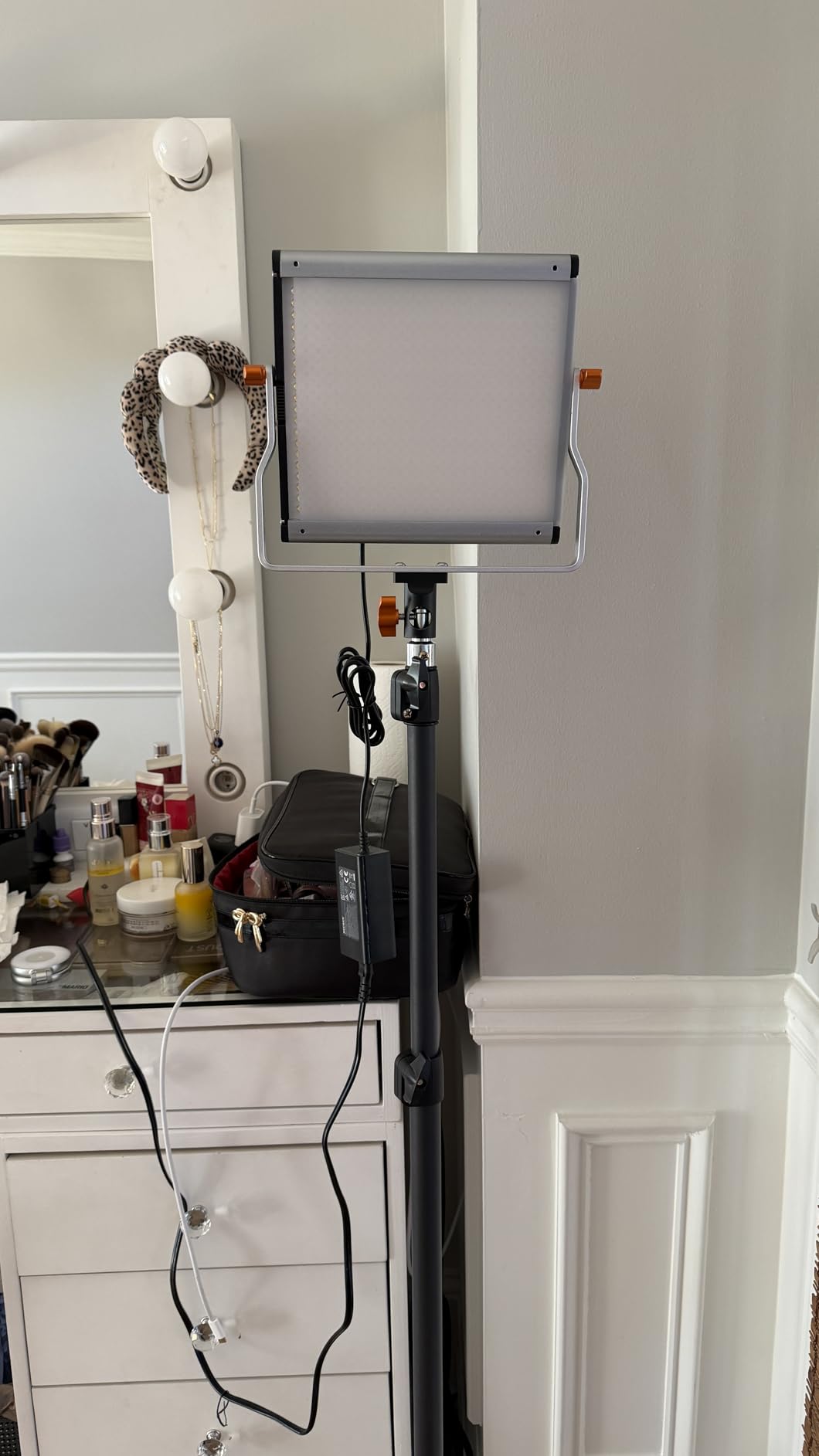
Spec details worth knowing: the rear knobs handle 0-100 percent brightness and 3200K-5600K colour temperature, the aluminium alloy stand telescopes from 3 to 6.2 feet on a standard quarter-inch screw, and the finish is described as rust and scratch resistant. Each light measures 10.4 by 10 by 1.9 inches, which is square and reads as a fairly large source from the subject’s side of the room.
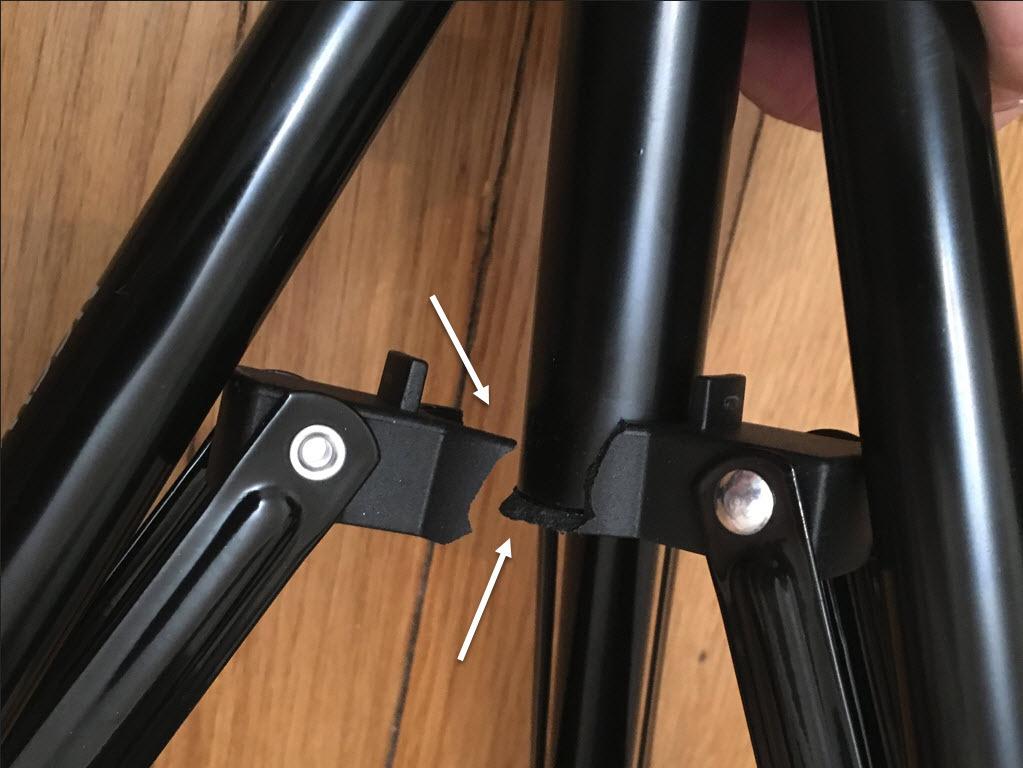
Two cons come up often enough to plan around. The power brick cables are short, so at full stand height the adapter dangles below the panel, and some crews tape the slack to the stand. The daylight end of the range is also reported to sit closer to 5220K than the advertised 5600K, so matching a true daylight window means adding a CTB filter or correcting in post.
There is also a faint green cast reported by some owners that a grey card white balance fixes in a few seconds. Batteries are not included, but NP-F series packs will run the light away from mains.
When the NL480 is the right interview key
This is the kit for a one-person operation. Two lights, two telescoping stands, two diffusers, two adapters, two cables and two carrying cases, at a per-light weight that stays under a small tripod’s rating. It suits a journalist who packs a car, a course creator who films in spare bedrooms, and anyone moving between locations weekly.
It is also the pick when your only camera is a laptop or a mirrorless body shooting at high shutter angles. Clean dimming is what keeps a panel usable when you are pushing the brightness down to sit under a window, and the NL480 does that well.
Where the NL480 falls short
Without barn doors, you have no in-box way to cut spill from a white ceiling or a glossy wall behind the subject, and the cheap U-bracket adapters can strip their threads if you overtighten them. The narrower Kelvin ceiling also makes it the weaker of the two NEEWER kits for daylight interiors.
The included folding stands are described by reviewers as adequate for home studios rather than heavy commercial work. If you are working in a hotel conference room every week, spend on better stands and keep the lights.
3. GVM 480 App Two-Light Kit for Colour Accuracy and Room Matching
GVM 2 Pack LED Video Lighting Kits with APP Control, Bi-Color Variable 2300K~6800K with Digital Display Brightness of 10~100% for Video Photography, CRI97+ TLCI97 Led Video Light Panel +Barndoor
2300K-6800K range
CRI 97+ and TLCI 97+
480 LEDs per panel
App and manual control
Digital display
Pros
- Widest bi-color range in the group at 2300K-6800K
- Highest colour accuracy here at CRI 97+ and TLCI 97+
- Lightweight at about 1 kg per panel and stays cool
- Digital display makes Kelvin and brightness easy to dial in
- Barn doors
- soft filters
- stands and a hard bag included
Cons
- App connects to one light at a time until you rename each one
- Each light broadcasts its own Wi-Fi network which can drop your phone's internet
- Not bright enough alone for daylight or outdoor work
Colour accuracy is the reason to buy this kit. A stated CRI 97+ with TLCI 97+ means the red channel, which carries most of skin tone, renders accurately rather than shifting warm and green the way a CRI 90 panel does under a camera white balance. Across 1,229 reviews it holds a 4.6 star average, and skin tones are the most common thing buyers single out.
The range is the other headline. 2300K to 6800K is the widest bi-color span of any kit in this roundup, which means you can go warmer than a tungsten interior and cooler than an overcast window without reaching for a gel. The digital display on the rear shows the exact setting you have dialled in, and brightness runs 10 to 100 percent.
Control is manual knobs or a Wi-Fi app for iOS and Android. The app is genuinely useful when the lights are rigged high or behind furniture, because you can walk into frame and change the temperature without touching a stand.
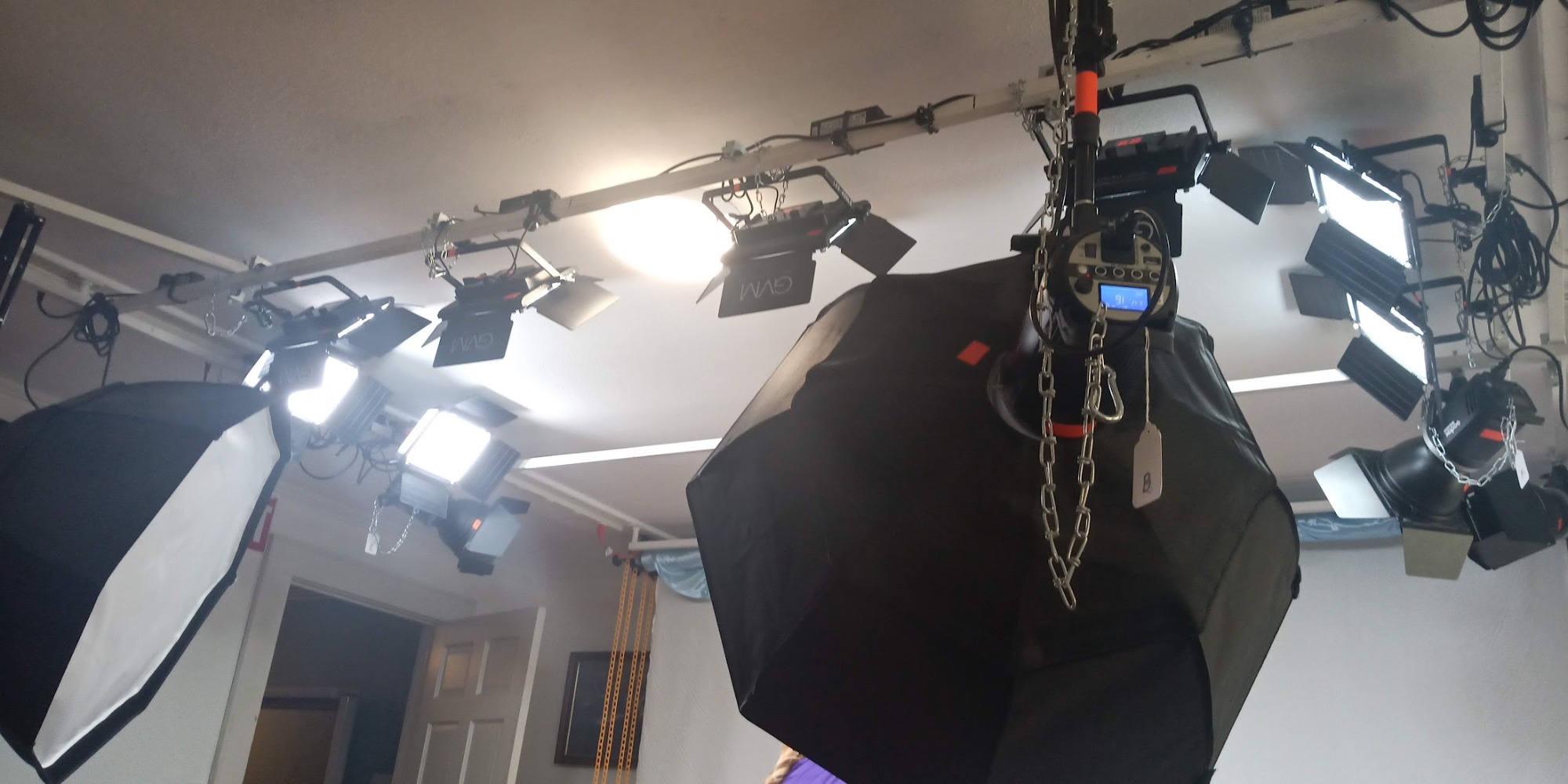
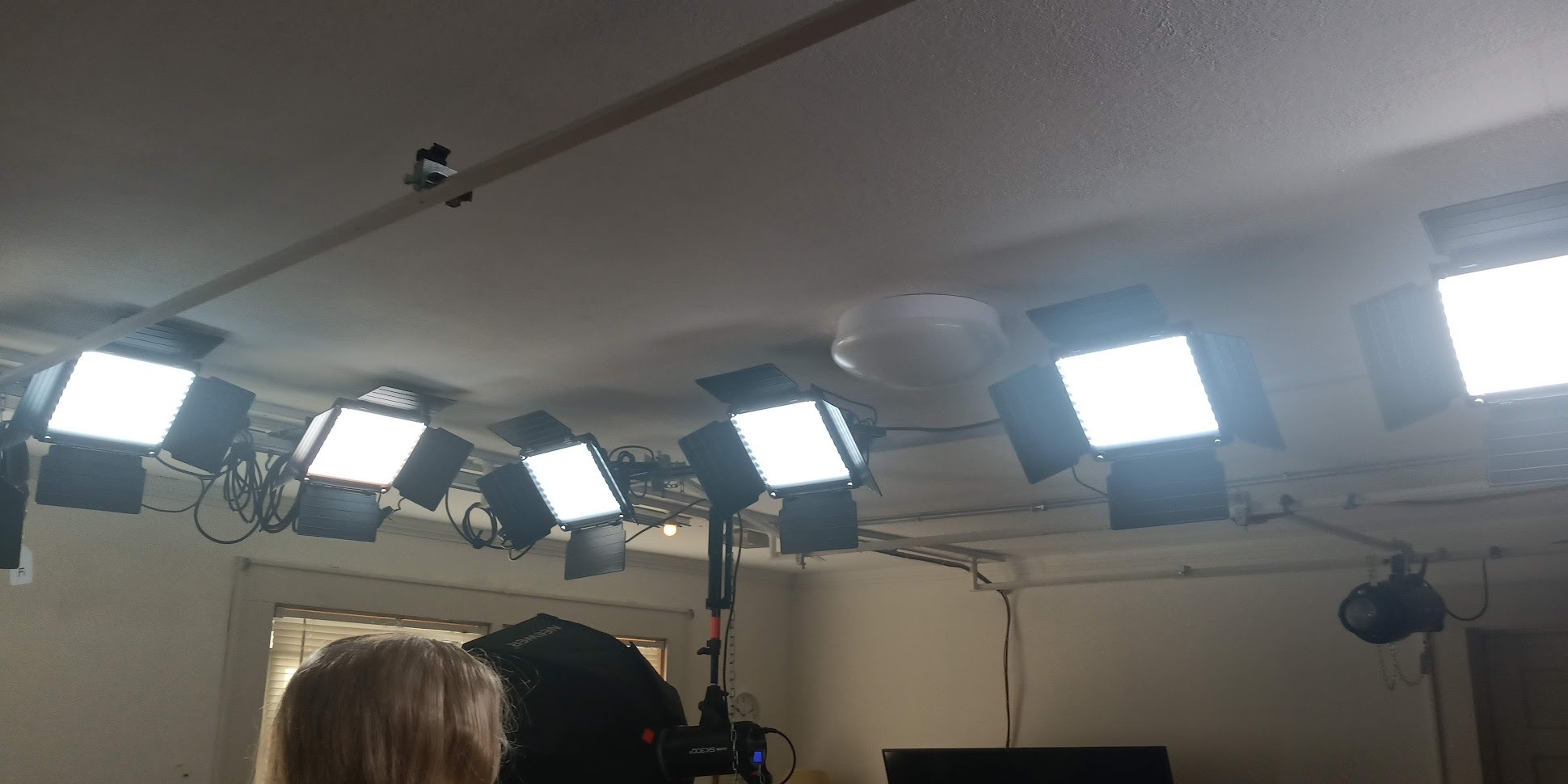
Each panel is 480 American-made LEDs rated beyond 70,000 hours in an aerospace aluminium alloy housing with passive cooling, weighing about 1 kg. Power is AC adapter or F750 and F970 batteries, which are not included. Barn doors, soft diffusion filters, two light stands and a hard hand bag are in the box, and the warranty is stated as 180 days on the light with a US-based support team.
The app is also where the criticism sits. It connects to one light at a time out of the box, each light broadcasts its own Wi-Fi network so your phone can lose internet access while you are connected, and the lights have to be individually renamed before they can be grouped. Owners also note it is not bright enough alone for many daylight situations, which is why it reads as a strong fill and secondary key rather than a sole source.
One more practical note: several reviewers rate the build as average rather than premium, so treat the housing as serviceable rather than road-proof.
When the GVM 480 App kit is the right interview key
Buy this when the room fights you. Mixed-temperature offices, a window at 6500K next to a practical at 3000K, a clinic with fluorescent overheads, these are exactly the situations where a wide range plus a real TLCI figure saves an hour of colour correction at the end of a long day.
It is also the strongest choice for on-camera training and e-learning content where faces are the whole frame and skin consistency across a series of videos matters more than raw output. The digital readout also makes it the easiest kit here to hand to a second operator with no lighting experience.
Where the GVM 480 App kit falls short
If you are shooting outdoors, near a window at midday, or in a large bright room, the output will not carry. And if your phone is your only internet device during the shoot, the per-light Wi-Fi behaviour is an irritation that takes a few minutes of setup to work around.
For a subject who moves during a long take, two lights on separate networks means you are walking between them rather than controlling both from one phone. The manual knobs remain, so this is manageable, just slower.
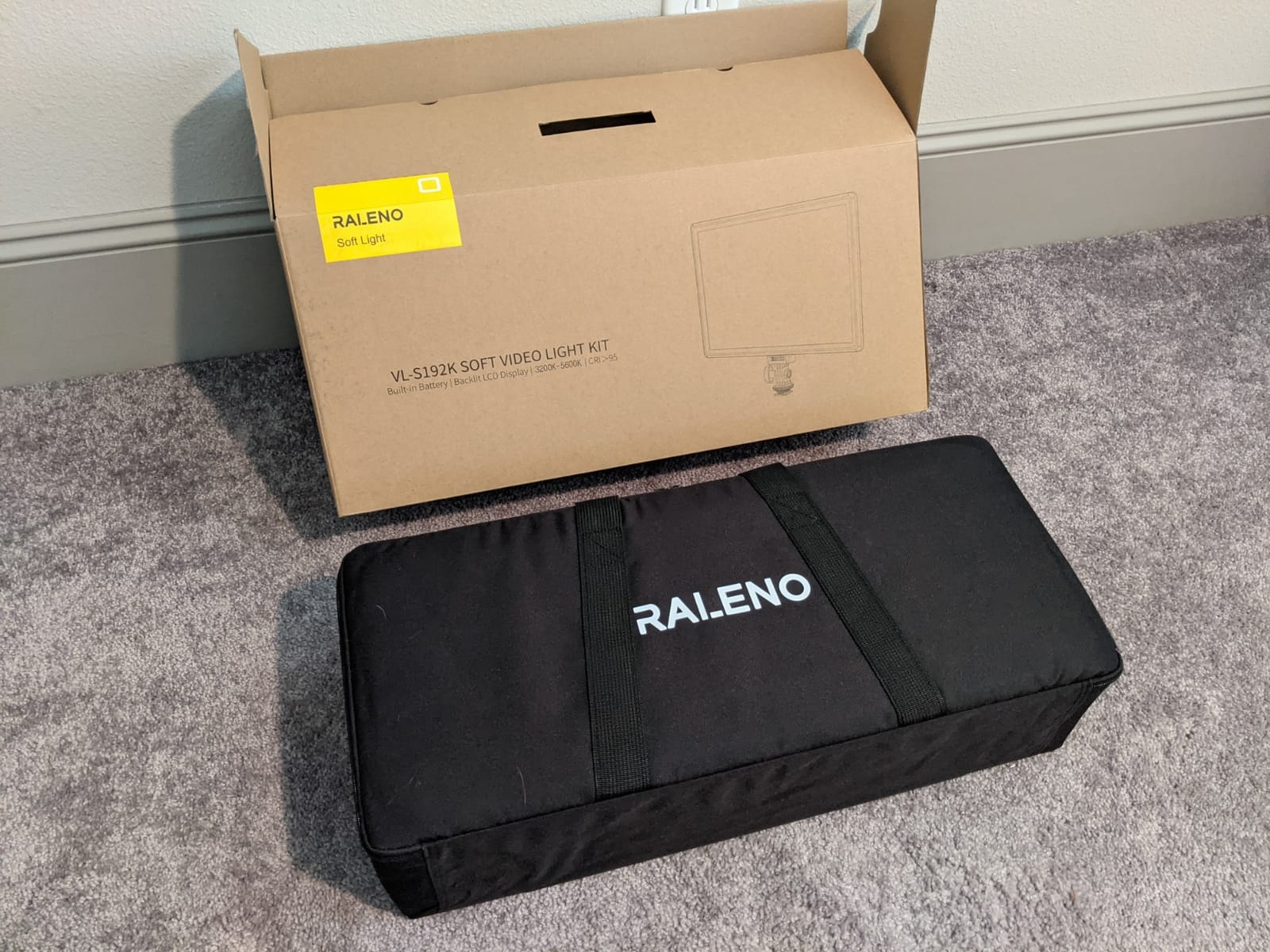
4. RALENO Edge-Lit Two-Panel Kit for Battery-Powered Location Work
RALENO 2-Pack 13″ Edge-Lit LED Video Light Panel Kit with 75″ Stand
13 inch edge-lit panel
2500K-6500K
CRI 95+
Built-in 8000mAh batteries
About 1 lb per panel
Pros
- Edge-lit panels give noticeably softer and more even light than bead arrays
- Built-in 8000mAh batteries free the setup from cables
- Back LCD shows brightness
- Kelvin and remaining battery
- Panels stay cool to the touch and weigh about a pound each
- Included folding stands are stable and pack down small
Cons
- Charging cords barely reach with the stands fully extended
- Dials can be turned while the lamp is off and change settings accidentally
- Only landscape orientation is supported with no sideways mounting
These are the only panels here with a battery in the body. Each 13 inch edge-lit panel carries a built-in 8000mAh lithium battery that runs about 90 to 100 minutes at full power, and the AC adapter is included for longer setups. For an interview in a room where there is nowhere sensible to run a cable, that changes the whole plan.
The edge-lit design is what makes the light quality good. Light is emitted from the panel edges and diffused through four layers, so the output is softer and more even than the bead-array panels above. Reviewers repeatedly describe the result as kind to eyes on camera, with fewer facial shadows and no visible hotspot.
Colour specs are CRI 95+ across a 2500K to 6500K bi-color range with 0 to 100 percent dimming, and the rear LCD shows brightness, colour temperature and battery level together. Output is listed around 650 lux per light, which is modest and is the trade for the battery and the one-pound weight.
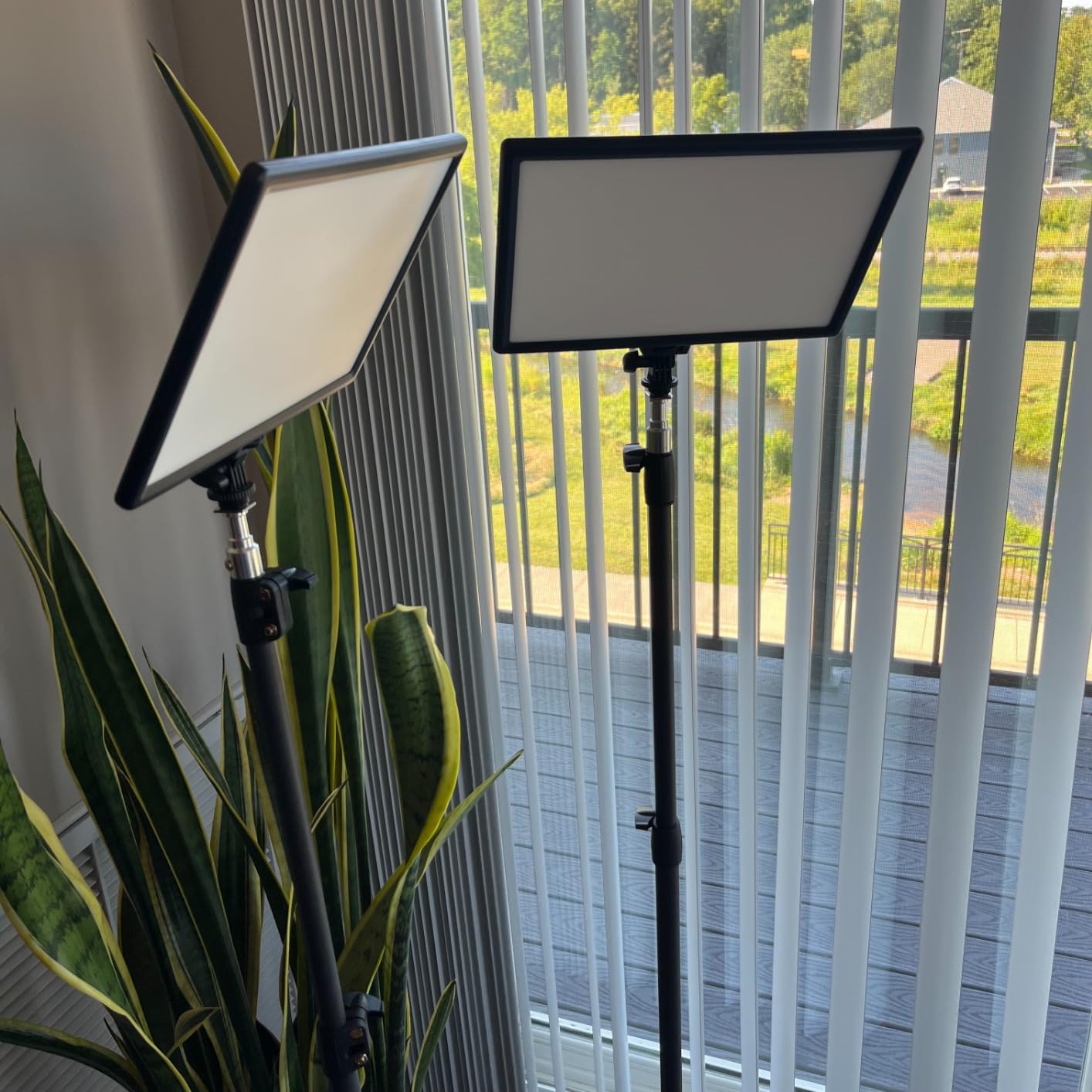
The physical design is genuinely clever: a slim one-inch-deep panel, roughly tablet-sized, with two aluminium stands adjustable from 27 to 75 inches on a quarter-inch cold shoe mount, plus two chargers, a storage bag and a pair of cold shoe adapters. At 4.4 stars from 1,151 reviews, it is the lowest-rated kit here, and the rating reflects a few specific flaws rather than light quality.
The most reported is cord length. With the stands fully extended, the charging cables barely reach the panels, so you either run the light closer to the floor or buy longer leads. The second is control behaviour: the brightness and colour dials can be turned while the lamp is switched off, which means a bumped dial silently changes your next setup.
Third, only landscape orientation is supported. There is no sideways mounting option, so a vertical phone or 9:16 streaming frame needs a separate support. The tripod legs also feel short and slightly unstable at full extension, and the 650 lux figure means a pair may need supplementing in a bright room.
When the RALENO kit is the right interview key
This is the location kit. A location interview in a home, a hotel room or a quiet office with no power near the subject is exactly the situation where a built-in battery earns its place, and the soft edge-lit output is well suited to a face at close range.
It is also the nicest panel here to run on camera in a small space, because a 13 inch source at about a pound will not overhang a desk the way a 27 inch panel does. The LCD battery readout means you can watch the take down rather than guessing.
Where the RALENO kit falls short
Output is the honest limit. At roughly 650 lux per light it is fine for a dim room and short on daylight, and you will want a third source or a brighter key in a bright interior.
The fixed landscape orientation rules it out for vertical-only streaming formats without an awkward extra bracket, and the accidental-dial issue will bite you on any multi-camera or multi-take shoot where settings must stay exactly as you left them.
5. Dazzne D50 Two-Light Kit for Remote and Multi-Channel Control
Dazzne D50 LED Video Light Panel Lights 15.4″, 2 Packs 45W 3000K-8000K Bi-Color Dimmable Photography Lighting, CRI 96+ Videography Lighting for Video Shooting/Gaming/Live Stream/Studio/Film
15.4 inch 45W panels
3000K-8000K
CRI 96+
Remote with 48 channels and 6 groups
Master and slave linking
Pros
- Large 15.4 inch panels produce soft even light with fewer blown areas
- Very wide 3000K-8000K range with an easy-to-read LCD
- Remote lets you change settings without touching the stands
- 48 channels and 6 groups is unusually capable grouping for this class
- All-in-one travel bag with separate compartments
Cons
- Some panels power on by themselves and the remote cannot switch them off
- Included remotes can stutter or skip channels
- Plastic construction and a loose rear dial feel inexpensive
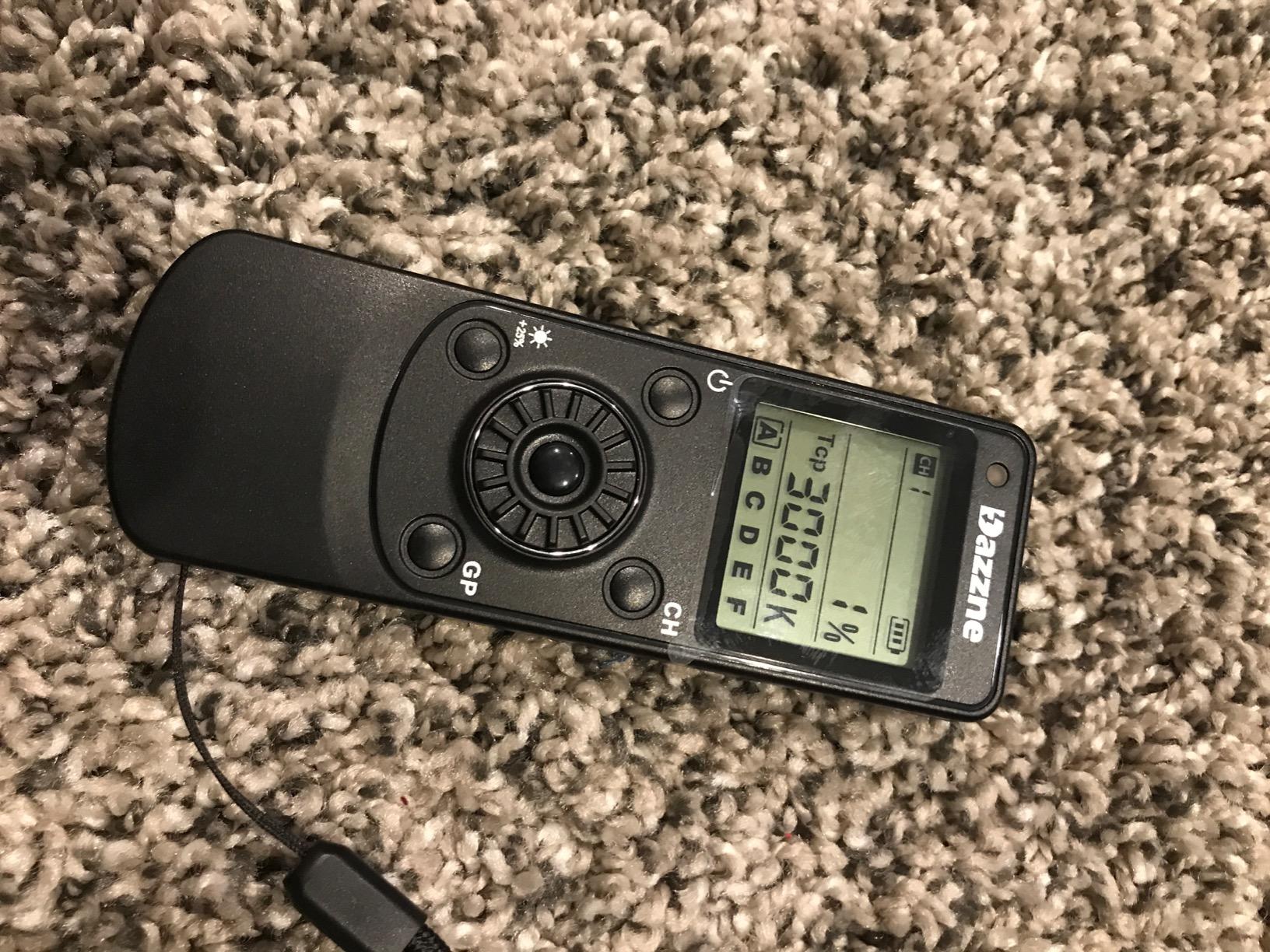
The D50 is the only kit here with master and slave linking across 48 channels and 6 groups, and that single feature changes how you work. Put both panels on the same channel, then adjust brightness and colour temperature on one and the other follows. For an interview that means one adjustment at the start of the take instead of two.
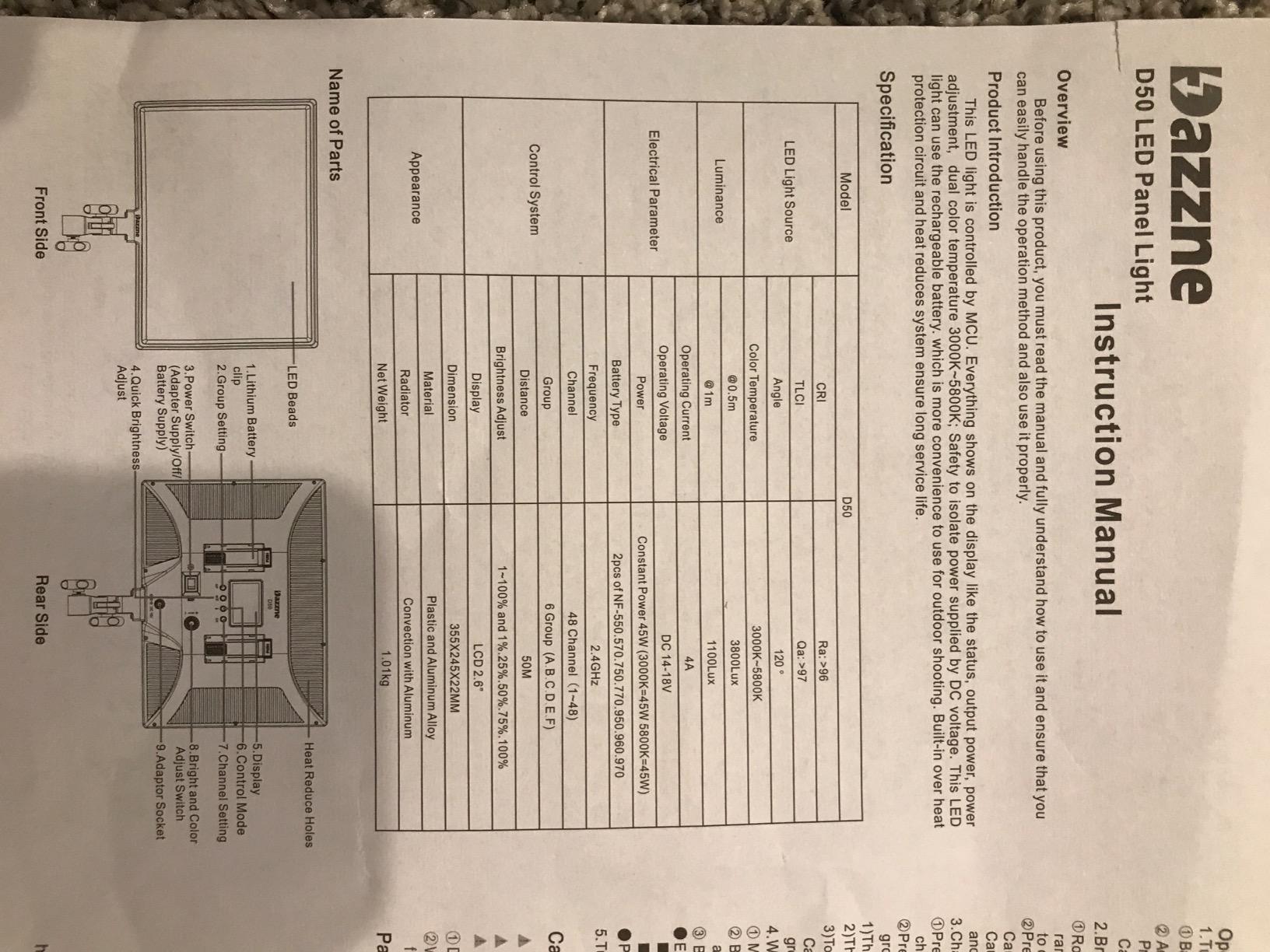
It is also a large panel for the class. Each light is 15.4 inches and 45W, producing up to 3600 lux at 0.5 metres and 1150 lux at 1 metre per the listing, across a very wide 3000K to 8000K bi-color range at CRI 96+. A panel that size is a genuinely soft source before you add anything to it.
The rear LCD shows brightness and colour temperature, and a wireless remote handles both plus channel and group selection. The remote reaching 8 metres or so is enough to change a setting from behind the camera.
Power is AC adapter indoors or two NP-F batteries outdoors, and the manufacturer recommends NP-F950 or higher, which are not included. The two aluminium tripod stands adjust from 20 to 74 inches with solid locking, and the travel bag has separate compartments for lights, stands and accessories.
Reviewers raise three issues consistently. Some panels power on by themselves, and the remote cannot fully switch the light off, so you may need to cut power at the adapter between takes. The remotes themselves can stutter or skip channels, and some do not work at all. The plastic construction and loose rear dial feel inexpensive for a light this size.
One documentation detail matters if you are matching carefully: the flash mode specification lists 3000K to 5800K while the product copy advertises 3000K to 8000K. The tripods are described as light rather than heavy duty, and there is no diffuser accessory in the box.
When the D50 is the right interview key
Choose it when you film a lot and want one control action to change both lights. The master and slave grouping is the most capable remote system in this roundup, and it also lets you add a third panel later and put it on the same channel.
The 15.4 inch surface is a good match for a wide two-person interview where both subjects sit side by side. A single panel of that width can cover both faces evenly, which is hard to do with a small panel without doubling up.
Where the D50 falls short
The remote is the strength and the weakness at once. Remotes that stutter or skip channels mean you may still end up walking to the stands, and a light that powers on by itself during a locked-off interview take is a real production risk.
Build quality is the other limit. Plastic construction and a loose dial do not survive a heavy touring schedule, and the absence of an included diffuser means you are relying on the bare panel surface for softness.
6. Godox SL60IIBi for Output and Modifier Flexibility
Godox SL60IIBi Bi-Color LED Video Light 75W, 2800K-6500K, CRI96+ TLCI97+, 25100Lux@1m, Bowens Mount LED Continuous Output Light w/11 FX Effects, APP/2.4G Wireless Control, Dimmiable Brightness
75W bi-color COB
2800K-6500K
CRI 96 and TLCI 97
25100 lux at 1m
Bowens mount
Pros
- By far the brightest output here at 25100 lux at 1 metre
- CRI 96 and TLCI 97 keep skin tones accurate
- Bowens mount accepts standard softboxes
- grids and modifiers
- App
- 2.4G remote and on-body dials for flexible control
- Ultra-silent cooling suits sound-sensitive recording
Cons
- Sold as a single light
- so a key and fill setup means buying twice
- Stands and softboxes are not included in the box
- Only one RF channel group limits multi-light sync control
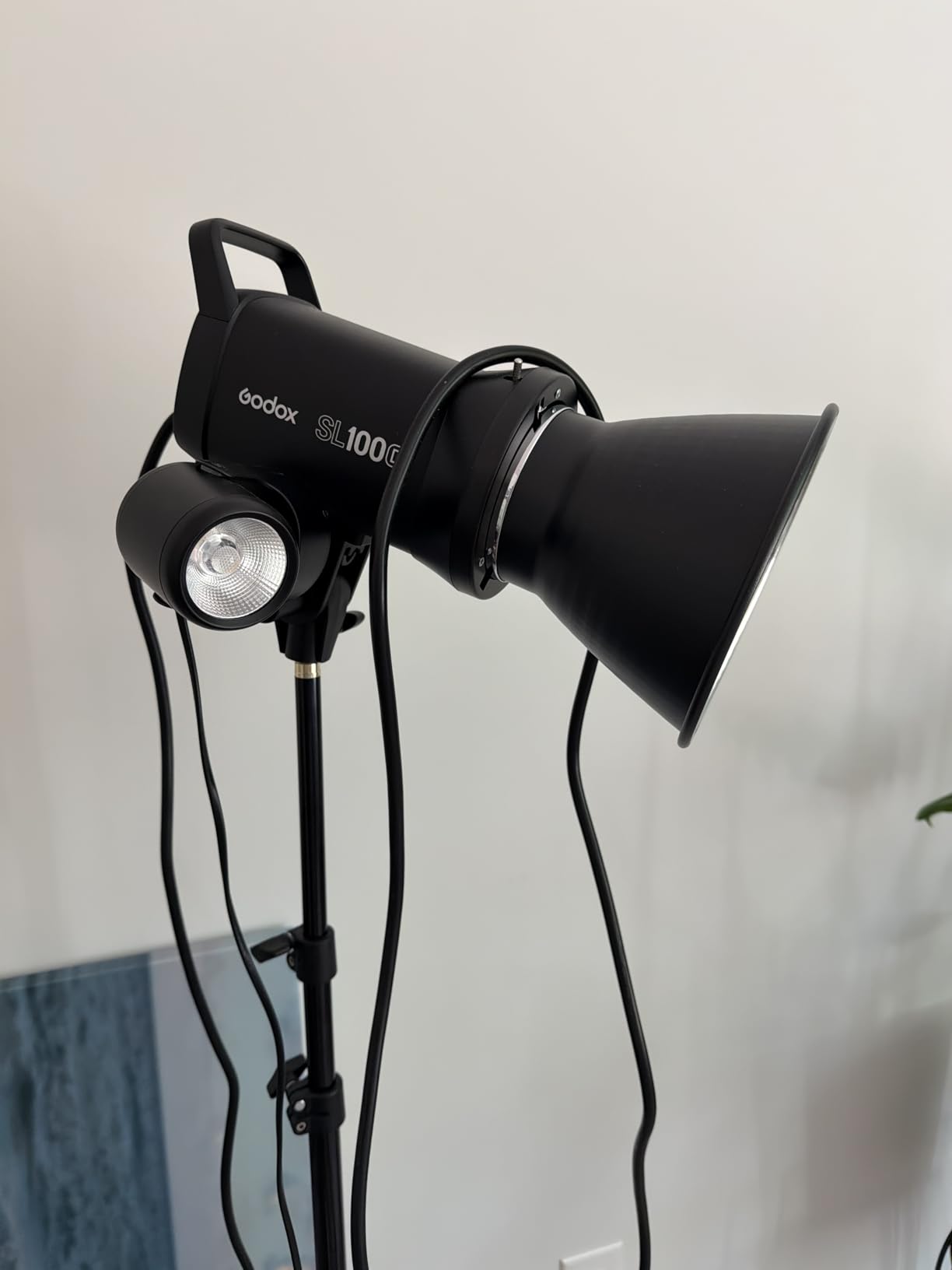
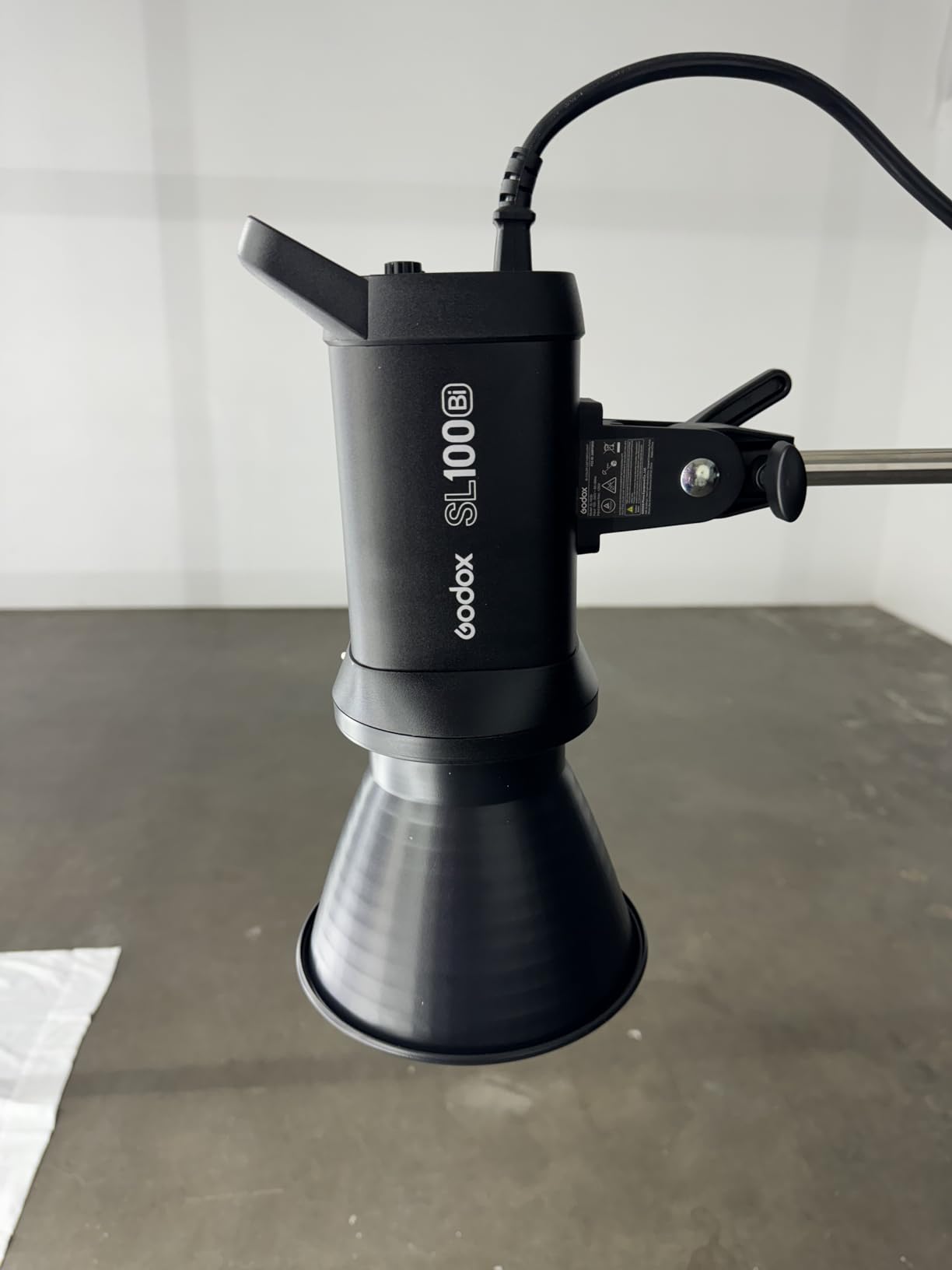
Be clear about what this is. The SL60IIBi is a 75W bi-color COB continuous light, not a flat panel, and it behaves differently. It is by far the brightest fixture in this roundup, with a stated 25,100 lux at one metre using the standard reflector, and at 4.7 stars from 478 reviews it is also the highest-rated item we tested.
Where a panel gives you soft light for free, a COB gives you light you can shape. The standard Bowens mount takes the softboxes, grids, reflectors and modifiers already in most rental houses, so you can dial in the softness yourself. For an interviewer who already owns a modifier bag, that flexibility is worth more than a panel’s convenience.
Colour is not a compromise: 2800K to 6500K, CRI 96 and TLCI 97, with 0 to 100 percent dimming. Control runs through on-body dials, a 2.4G RC-A6 remote and the Bluetooth Godox Light app, so you can adjust from a phone or a handheld remote.
Built-in effects are a bonus for video work, with 11 FX looks covering flash variants, storm variants, TV, broken bulb, candle, fire and firework. Cooling is described as ultra-silent, which matters when the light sits near your microphone.
What is in the box is modest: the light, a Bowens-mount LED reflector, a LETWING diffusion cloth, a protection cover, a power cord and the remote. A stand is not included, and neither is a softbox, so a full interview rig from this light means buying a stand and a modifier separately.
The other limitation is grouping. It has a single RF channel group, so unlike the D50 you cannot link two of these for a one-touch adjustment, and buying a second one doubles the cost of a proper key and fill interview setup. The compact body also means the reflector and any modifier add to the overall footprint.
When the SL60IIBi is the right interview key
Pick it when you are in a big room, a window-lit office or an outdoor location and a panel simply cannot push enough light onto the subject. That 25,100 lux figure is the difference between working at ISO 800 with a noisy image and shooting where you want to.
It also wins for anyone who already owns modifiers. A Bowens mount plus a decent softbox produces interview-grade softness with more control than a fixed-panel beam, and the CRI 96 and TLCI 97 figures hold up on skin tones at any output level.
Where the SL60IIBi falls short
As a first interview light it is an expensive way to start. One fixture plus a stand plus a softbox is a larger commitment than a complete two-light kit, and you still have a single light, which means no fill and no hair light from this purchase alone.
The bare reflector is a hard, specular source, so without a modifier the light will be noticeably harder than any panel here. The single RF channel group also limits you to manual matching if you add a second unit.
7. NiceVeedi 36W Two-Light Kit for Barn Door Spill Control
NiceVeedi 2-Pack Photography Lighting Kit, 36W Bi-Color Studio Lights 2700-6500K CRI 95+, Dimmable LED Video Light Kit with Remote Control & 72” Tripod Stand, Lighting for Video Recording/Photography
36W per panel
2700K-6500K
CRI 95+
Built-in four-leaf barn doors
IR remote to 26 feet
Pros
- Built-in four-leaf barn doors give real control of spill in interviews
- Two full lights with stands
- adapters
- remote and bag in one package
- Infrared remote changes settings without touching the stands
- CRI 95+ and a smooth 2700K-6500K range for clean skin tones
Cons
- Brightness moves mainly in 25% gear steps so dimming is coarse
- Large power adapter bricks take up a lot of plug space and cables are short
- AC adapters only with no battery option for cordless work
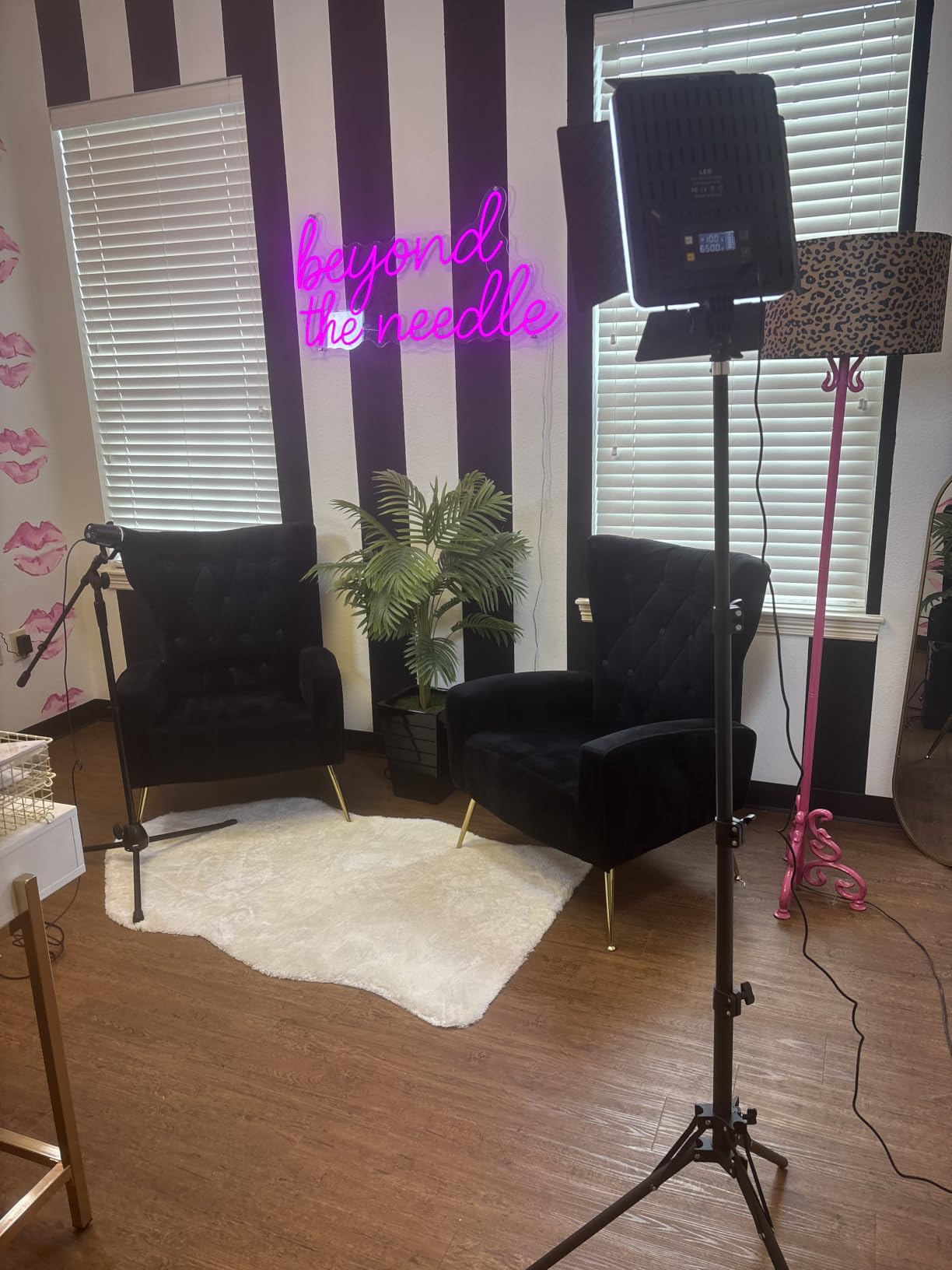
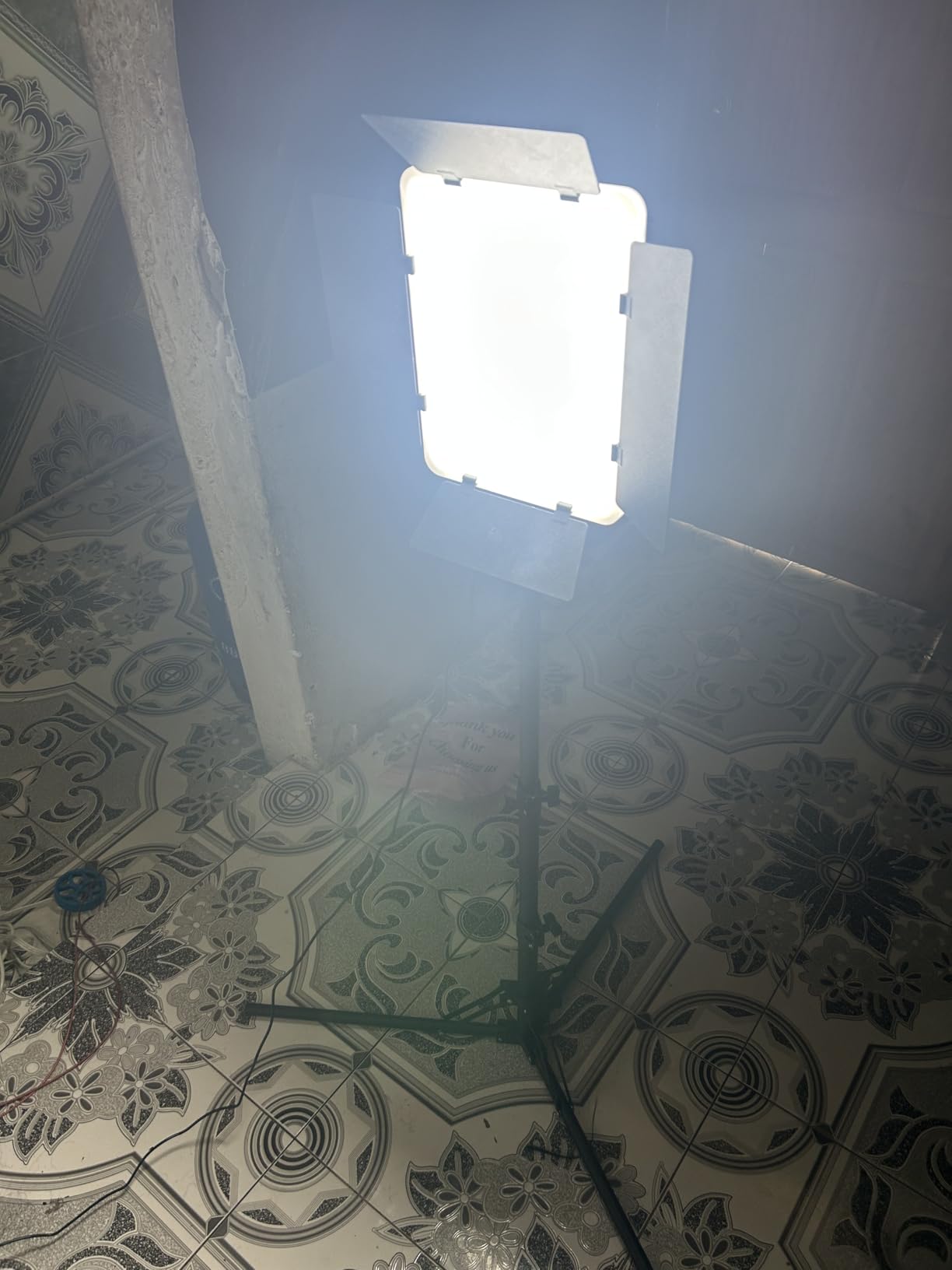
The NiceVeedi 36W kit is the most complete spill-control package in this roundup, because the four-leaf barndoors are built into each panel rather than sold separately. They adjust from 90 to 150 degrees, which lets you cut the light off a white wall or a window frame and keep the fill on the dark side of the face. That is a real interview tool, not a gimmick.
Colour is respectable: 36W per panel, a wide 2700K to 6500K range at CRI 95+, with a rear LED parameter display. Colour temperature moves in 1900K gear steps, and brightness offers 1% precision alongside the coarser gear adjustment, so you can fine-dim even though the gear steps are large.
The infrared remote works up to 26 feet, which is enough to change brightness and Kelvin from behind the camera, and the two aluminium tripods adjust from 41 to 72 inches with 180 degrees of panel tilt. Two panels, two tripods, two adapters, one remote and a storage bag are included.
At 4.3 stars from 273 reviews, this is a lower-rated kit, and the reason is the dimming granularity. Reviewers repeatedly note that brightness moves mainly in 25% gear steps, which makes it hard to land an interview key light precisely. The 1% precision control helps, but the coarse steps still set the rhythm.
The power supply is the other practical issue. The adapter bricks are large and occupy a lot of plug space, the included cables are short, and there is no battery option at all, so every location interview needs mains access or a power inverter.
One isolated report describes a panel that shorted and sparked on first use. That is a single account among hundreds of reviews rather than a pattern, but it is worth testing a new panel on a bench before you rely on it for a scheduled interview.
When the NiceVeedi 36W is the right interview key
It suits bright interiors with pale walls, offices with glass behind the subject, and any room where uncontrolled spill is what makes cheap footage look cheap. Barn doors on both lights means you can flag the key and the fill independently, which is something no other kit in this list does out of the box.
The wide 2700K to 6500K range also makes it a good low-cost match for mixed rooms, and CRI 95+ is adequate for clean skin tones on a close-up interview at normal exposure.
Where the NiceVeedi 36W falls short
Coarse brightness steps are the deal-breaker for anyone who needs to ride a key light down to match a window. You will find yourself alternating between gear positions rather than dimming continuously, which is exactly the situation where flicker and colour shift show up.
Mains-only power and short cables also make it a poor location kit, and the bulbs-free design means you cannot add a spare light later without matching the same remote protocol.
8. NiceVeedi 15W Two-Light Kit as the Budget Starter
2-Pack LED Video Light Kit, NiceVeedi Studio Light, 2800-6500K Dimmable Photography Lighting Kit with Tripod Stand&Phone Holder, 73″ Stream Light for Video Recording, Game Streaming, YouTube
15W per panel
CRI 97+
Three fixed Kelvin modes
USB-C power
Two tripods and phone holders
Pros
- Exceptionally low-cost two-light kit with stands
- phone holders and bag included
- Soft even output that reduces facial shadows for calls and streaming
- CRI 97+ is accurate for the class despite the low wattage
- Lightweight
- quick to set up and folds to 17 inches
- Phone holders are handy for streaming straight from a phone
Cons
- Colour temperature is limited to three fixed steps rather than a continuous range
- Needs a 5V 2A USB power supply which is not included and laptop ports fall short
- Brightness starts at 10% so there is little control at the low end
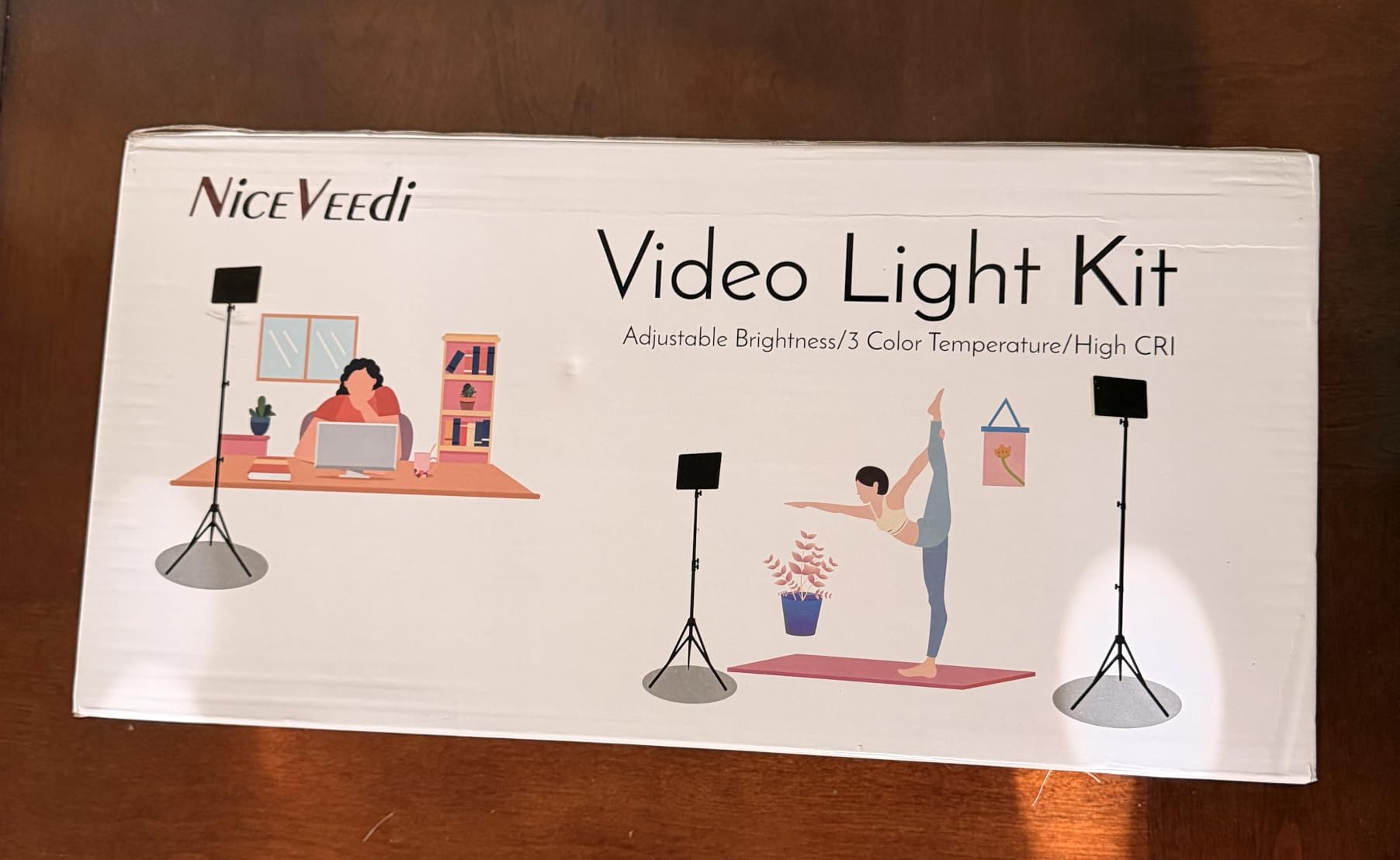
Start here if your interviews are on a laptop, a phone or a single camera in a quiet room. Two 15W panels with 356 LED beads each at CRI 97+ is a genuinely good-looking light for a Zoom call, a livestream or a first on-camera course, and the soft output reduces the facial shadows that make a cheap webcam setup look cheap.
The important limitation is that this is not a continuously adjustable bi-color panel despite being sold as one. Colour temperature is fixed at three steps: 2800K, 4800K and 6500K. If your room sits at 4000K, you have a choice of a warm 2800K or a cool 4800K, and you will be correcting the difference in post.
Brightness adjusts from 10% to 100% by remote button, which means the bottom of the range is not very low. That is a genuine problem if you are trying to sit under a window, since you cannot dim far enough to blend in.
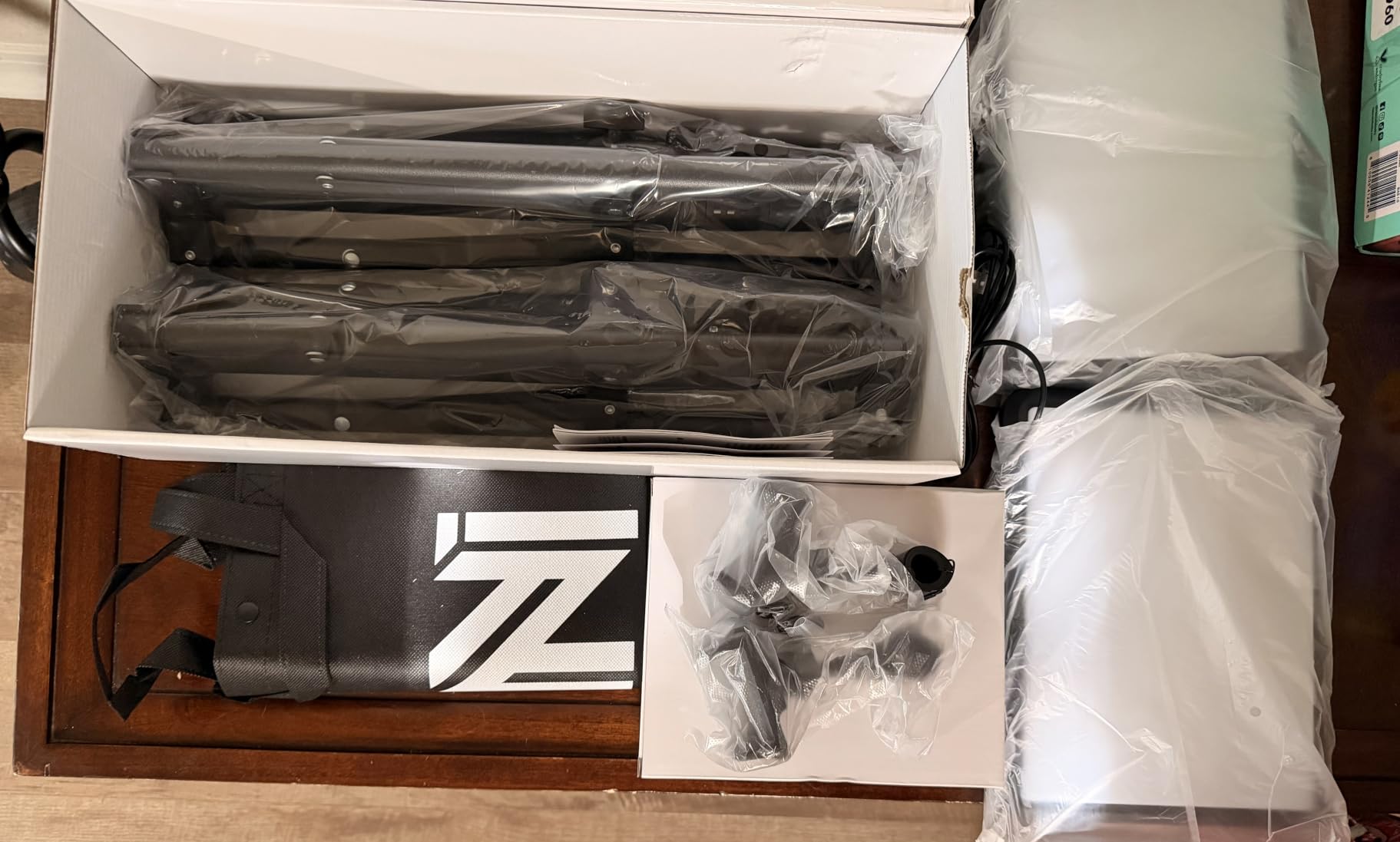
Power is the other thing to know before you buy. Each panel needs a 5V 2A USB supply, and no wall charger is included. Laptop USB ports are usually below that requirement, so you need a phone charger of the right rating or a power bank. USB-C adapters for phone or laptop power are in the box, along with two panels, two folding aluminium tripods that raise to 60 inches and fold to 17 inches on a quarter-inch mount with 180 degree rotation, a storage bag and a manual.
At 4.3 stars from 6,023 reviews, this is the most reviewed product in the roundup, and owners treat it as a starter or backup kit rather than a main light. Tripods are basic, with legs that cannot be adjusted individually, and one reviewer reported a panel that shut off randomly.
For anyone filming vertical content, the included phone holders are a genuine convenience that most kits in this list skip.
When the NiceVeedi 15W is the right interview key
It is the right call for a remote worker lighting a desk for a Teams or Zoom call, a streamer working from a laptop, and anyone recording their first interviews who wants a soft, flattering look for very little. Two lights let you put one on each side and halve the shadows on the face.
Because the panels are small at 10 by 7.8 inches, they will not dominate a home-office frame on camera the way a 27 inch panel does. The thickened shell doubles as built-in diffusion, so there is nothing extra to fit.
Where the NiceVeedi 15W falls short
Three fixed colour temperatures is the hard limit. You cannot match a mid-range office practical, and you cannot dial between tungsten and daylight, so this is not the panel we would use for a professional sit-down interview.
You will also need to buy a USB power supply, and the low end of the brightness range leaves you with no fine control for balancing against a window. Plan for both before you order.
How Many Lights Do You Actually Need for an Interview?
Two lights is the answer for almost every interview. Use one as a key at roughly 45 degrees to the subject, and the second as a fill on the opposite side set two stops lower. One light works for a single subject against a controlled background, and a third, placed behind and above, only earns its place if you need a hair light or a brighter background.
That is also why most of the kits in this roundup are sold as two-packs. Rather than one panel plus a reflector, you get two panels, two stands, two diffusers and a bag, which is the exact kit an interview needs and the reason we ranked the NEEWER NL660 first.
If you are only ever on camera in a home office, a single panel at 45 degrees with a white card or a bedsheet opposite for negative fill will carry you a long way, and you can spend the difference on better audio.
How to Place Your Panel: Key, Fill and Hair Light
Placement matters more than any spec on this page. A panel is soft by nature, so the job is mostly about angle, height and distance rather than modifiers.
Key light at 45 degrees. Place the key about 45 degrees to one side of the camera axis, slightly above eye level, and closer than you think. A panel at roughly 1.5 metres gives a noticeably larger apparent source than the same panel at 3 metres, and larger means softer. Raise it until you are looking slightly down on the subject.
Fill opposite, two stops lower. Put the second light on the other side of the camera, angled across the subject, and dim it to about 50 percent of the key. The goal is not to light the shadow side evenly but to keep it slightly darker than the key side so the face has dimension. A white card or a foam core opposite the key does this job for nothing if you are short on lights.
Hair light behind and high. A third light goes above and behind the subject, pointed down at the top of the head, separated enough to stay out of the lens. This is what separates a subject from a background in a shallow-depth-of-field interview shot, and it is the light most people skip and then wish they had.
Negative fill instead of a second light. If you only own one panel, place a black card or dark cloth on the shadow side, close to the subject. It deepens the contrast and reads as a professional lighting choice rather than a shortcut, and it costs nothing.
For a two-person interview, the same geometry works twice with one adjustment: key the person closest to camera, and place the second panel wider and further back to cover both. If your cameras are close together, a single large panel placed off to one side and pulled back can cover both faces, which is where a 15.4 inch panel like the D50 starts to earn its size.
Matching Panel Color Temperature to Window Light and Offices
Matching matters because the camera sees both the panel and the room, and a mismatch reads as a colour cast on skin. Our guide to matching color temperature covers the underlying method in detail, but the short version for interviews is below.
Identify the room first, then dial the panel to it. A north-facing window reads around 6500K to 8000K, direct sun around 5500K, an overcast sky higher still. An office with warm halogen overheads sits near 2800K to 3200K, and cool fluorescent or LED troffers run closer to 4000K to 5000K.
So for the common office question, 3500K or 4000K is the better match for a typical corporate interior with modern overhead lighting, while 3200K suits a warmer residential room with tungsten practicals. If the room is genuinely mixed, pick the panel with the widest range, and set a white balance from a grey card rather than guessing.
One practical note from the field: shoot a short grey card clip at the start of every interview. It costs ten seconds and it means the Kelvin dial is a starting point rather than a guess. If you are new to matching warm and cool light in living spaces, the difference between 2700K and 3000K is small but visible on skin, and the same principle applies in an interview.
For office ceilings specifically, our edge-lit LED panel guide for offices covers the fittings themselves, which is useful background on why office light is often cooler than you expect.
Panel vs COB Light for Interviews
A panel is a large, soft source that produces wrap light with no modifier. A COB is a small, bright point source that produces hard, shaped light until you attach something. For interviews, the panel wins by default because softness is the whole game on a face.
The panel’s fixed beam angle, typically around 120 degrees, spills widely, so you rely on distance, angle, barn doors or black card to control it. The COB’s beam is narrow and modifier-dependent, so you control it precisely but pay for the modifier and spend time rigging it.
Where a COB wins is output. The Godox SL60IIBi in this roundup produces 25,100 lux at one metre, which is several times a panel, and the Bowens mount means you can put a softbox on it and get panel softness with panel control. If your location is bright, the hybrid approach works: a COB as key through a softbox, panels as fill and background.
One warning for interviews specifically: a panel with thin diffusion can produce multiple micro-shadows, where a subject casts several faint shadows at once under the nose and in the eye sockets. Thicker diffusion or a softbox fixes it, and it is worth checking before a shoot rather than in post.
Do You Need RGB, or Is Bi-Color Enough?
For interviews, bi-color is enough. Almost every interview light needs a warm end, a daylight end and everything between, and that is precisely what a bi-color panel delivers. Full RGB adds hue and saturation control that you will use for music videos, narrative work and product hero shots, not for a person talking.
Buyers frequently overpay for RGB capability they will never switch on, because RGB panels dominate search results and listings. The money is better spent on a second light for fill, or on a panel with a higher CRI figure, which affects every frame you shoot.
The one exception is a physical gel stage or an effect you need to dial in quickly mid-shoot. Even then, a bi-color panel plus a small gel frame usually costs less than the RGB premium and works just as fast.
What to Check Before You Buy: The 7-Spec Checklist
1. CRI above 95, and ask for TLCI. CRI measures how faithfully the light renders reference colours, and it is what you see on the spec sheet. TLCI is the television version and is weighted for skin tones on a camera. Anything below 95 will give you a green or muddy cast that costs an hour to correct. Every panel here is rated 95 or above, but only the GVM and Godox panels publish a TLCI figure.
2. Lux at a stated distance. Output is only comparable if it is measured the same way. The Godox is quoted at 25,100 lux at one metre, the Dazzne at 3600 lux at half a metre and 1150 lux at one metre, and the RALENO at around 650 lux. If a listing gives you no distance, treat the number as marketing rather than a specification.
3. Colour temperature range, and step size. A wide range only helps if you can hit the value you need. The GVM at 2300K to 6800K with a digital readout beats a panel with a nominally similar range and no numbers on the dial. Stepless beats stepped, because stepped controls make precise room matching impossible.
4. Flicker-free dimming. This is a deal-breaker for interviews and slow-shutter work, and it is rarely disclosed in listings. A panel that pulses at low output produces rolling bands on the sensor that no grade will remove. The NEEWER NL480 is the one kit here where reviewers specifically confirm flicker-free behaviour across the full range.
5. Beam angle and diffusion quality. A fixed beam of roughly 120 degrees spills more than you may expect, which is why barn doors and flags matter in bright rooms. Check the diffusion thickness too, because a thin diffuser produces the multi micro-shadow effect we mentioned above.
6. Mount standard and included hardware. Most panels here use a quarter-inch thread inside a U-bracket, which is universal. Bowens mount is the upgrade worth paying for, since it opens up softboxes and grids you may already own. And count the stands in the box, because a panel with no stand is not a finished kit.
7. Power draw versus battery life. Mains power is fine indoors, but location interviews need a plan. Built-in batteries give roughly 90 to 100 minutes at full output on the RALENO panels, while NP-F and F-series packs let you swap batteries on the NEEWER, GVM and Dazzne kits. Note that V-Mount and Gold Mount plates are not interchangeable, so check the standard before buying spare plates.
One more interview-specific check that no spec sheet covers: fan noise. Silent passive cooling is a genuine advantage when a microphone is close to the light, and it is worth asking about. Two of the eight fixtures in this roundup are described as passively cooled with no fan at all.
Frequently Asked Questions
What is the best bi-color LED panel light?
For most interview shooters the NEEWER NL660 two-light kit is the best bi-color panel, because it includes two lights, two 75-inch stands, barn doors and diffusers with a 4.7 star average across more than 4,000 reviews. Choose the GVM 480 App kit instead if colour accuracy is the priority, with CRI 97+, TLCI 97+ and a 2300K to 6800K range.
How many lights do I need for an interview?
Two lights for almost every interview. Use one as a key about 45 degrees to the camera axis and slightly above eye level, and the second opposite as a fill set roughly two stops lower. A third light behind and above the subject is only needed for a hair light or to separate them from a background.
Is 3500K or 4000K better for office interviews?
Around 4000K is the better match for a typical office with modern LED or fluorescent overhead lighting, while 3500K sits between warm and neutral. If the office mixes ceiling light with a window, pick a panel with a wide range such as 2300K to 6800K and set white balance from a grey card instead of relying on the Kelvin dial alone.
What could be causing my LED panel to flicker on camera?
Most panel flicker is PWM dimming artefacts that appear when the light is dimmed to a low output level, and it shows up as rolling bands on a camera sensor. It can also come from a camera shutter angle that is not synchronised with the light frequency, or from an unsupported USB power supply. Choose a panel with confirmed flicker-free dimming across the full range.
Should I use an LED panel or a COB light for interviews?
Use a panel for most interviews, because the large soft source wraps around a face and needs no modifier. Use a COB when you are in a bright room and need serious output, and put a softbox on it to regain the softness. A hybrid of COB key plus panel fill is the standard answer for large commercial rooms.
Do I need RGB or just bi-color for interviews?
Just bi-color. An interview needs warm to daylight adjustment and nothing more, so a panel covering roughly 2700K to 6500K is sufficient. RGB adds hue and saturation control that matters for music video and narrative work, not for a person talking, and the money is better spent on a second light for fill.
Our Verdict for Interview Lighting in 2026
For most people shooting interviews in 2026, the NEEWER NL660 two-light kit is the right buy. It is the most reviewed fixture in this roundup, it is the only one that includes barn doors and two proper stands, it runs without a fan and flattering a face in under five minutes.
Choose the GVM 480 App kit instead when the room is a problem, because its 2300K to 6800K range and CRI 97+ with TLCI 97+ do more for skin tone accuracy than any other kit here. Choose the Godox SL60IIBi when you need real output in a bright room and already own modifiers, and choose the NiceVeedi 15W pair when the interviews are Zoom calls and on-camera courses on a laptop.
Whichever you pick, place the key at 45 degrees, keep the fill two stops under, and shoot a grey card at the start. That placement and one ten-second habit will improve your interview footage more than any other single purchase.