
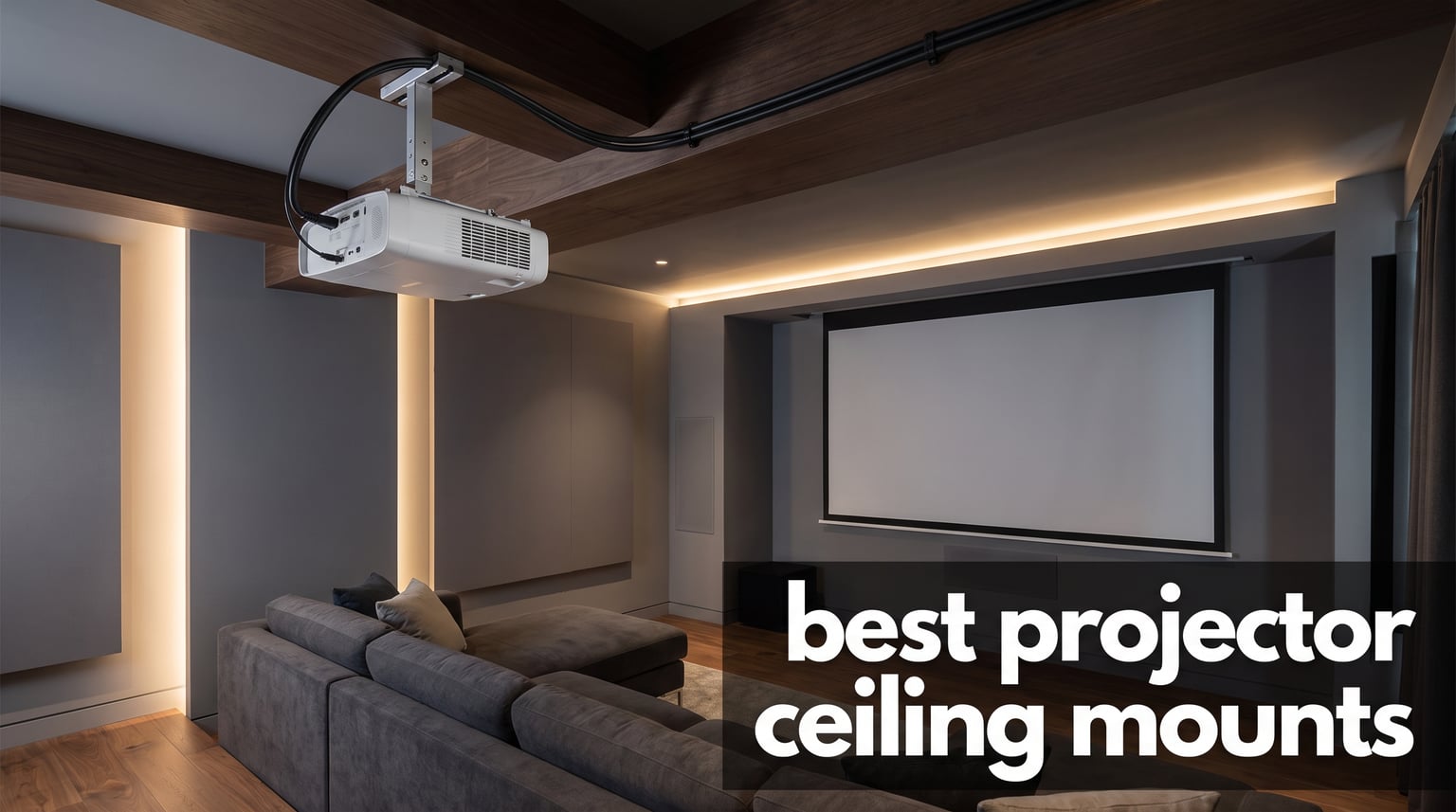
Ceiling mounting a projector is the single biggest upgrade you can make to any home theater, gaming room, or office presentation setup. I have spent the last several months testing different mounting brackets across multiple rooms and projector types, and the difference between a cheap wobbly mount and a properly engineered one is night and day. When your projector sits securely overhead with perfect alignment, you get a sharper image, zero keystone distortion, and a clean professional look that no shelf or table setup can match.
Finding the best projector ceiling mounts in 2026 means sorting through dozens of options that all look similar online but perform completely differently in real life. Some wobble every time someone walks across the floor above. Others have mounting plates that do not line up with your projector’s hole pattern. A few are so well built that you install them once and forget they exist for years.
Our team compared 8 of the most popular ceiling projector mounts on the market right now, ranging from ultra-budget mini mounts under $10 to heavy-duty aluminum kits rated for 55-pound projectors. We tested weight capacity claims, adjustability range, cable management, installation difficulty, and long-term stability. Whether you need a low-profile flush mount for a compact living room or an extending pole for a vaulted ceiling, this guide covers every scenario.
Table of Contents
Top 3 Picks for Best Projector Ceiling Mounts
Out of every mount we tested, three stood out clearly above the rest. The Amer Universal Mount earned our Editor’s Choice spot for its exceptional build quality and 4.9-star rating. The VIVO MOUNT-VP01B took Best Value with over 10,000 reviews backing its reliability. And the YiePhiot Mini Mount won Budget Pick for being the most affordable option that actually works.

Amer Universal Projector Mount Kit
- 55 lb capacity
- Ball joint tilt
- Aluminum build
- Cable management

VIVO Universal Adjustable Ceiling Mount
- 30 lb capacity
- 360 rotation
- Quick release
- 3 year warranty
YiePhiot Mini Projector Ceiling Mount
- Universal mini fit
- 360 rotation
- 3 screw adapters
- 5 kg load
These three cover the full spectrum of projector sizes, ceiling types, and budgets. Read on for our complete comparison table and detailed hands-on reviews of all 8 mounts.
Best Projector Ceiling Mounts in 2026
Here is our complete comparison of all 8 projector ceiling mounts we reviewed. Use this table to quickly compare weight capacity, adjustability features, and key specs before diving into the individual reviews.
| Product | Specifications | Action |
|---|---|---|
| VIVO Universal Adjustable Ceiling Mount VP01B |
|
Check Latest Price |
| Amer Universal Projector Mount Kit AMRP150H |
|
Check Latest Price |
 VIVO Extending Ceiling Mount VP03W VIVO Extending Ceiling Mount VP03W |
|
Check Latest Price |
 WALI Projector Mount 3-in-1 PM-003-W WALI Projector Mount 3-in-1 PM-003-W |
|
Check Latest Price |
 Mount-It! Projector Ceiling and Wall Mount Mount-It! Projector Ceiling and Wall Mount |
|
Check Latest Price |
 VIVO Extending Ceiling Mount VP02W VIVO Extending Ceiling Mount VP02W |
|
Check Latest Price |
 WALI Projector Ceiling Mount Tray PM-005-B WALI Projector Ceiling Mount Tray PM-005-B |
|
Check Latest Price |
| YiePhiot Mini Projector Ceiling Mount |
|
Check Latest Price |
1. VIVO Universal Adjustable Ceiling Projector Mount – Best Overall Value
VIVO Black Adjustable Ceiling Projector Mount, MOUNT-VP01B
Holds up to 30 lbs
15.2cm low profile from ceiling
Tilt +/-15 degrees, Swivel +/-15 degrees
360 degree rotation
Quick release hooks
Pros
- Universal fit for most projectors including mini projectors
- Strong 30 lb steel construction
- Fully adjustable tilt swivel and rotation
- Quick release hooks for easy removal
- 3 year warranty included
Cons
- May require arm removal for mini projectors
- Mounting holes must be 31.8cm or less apart
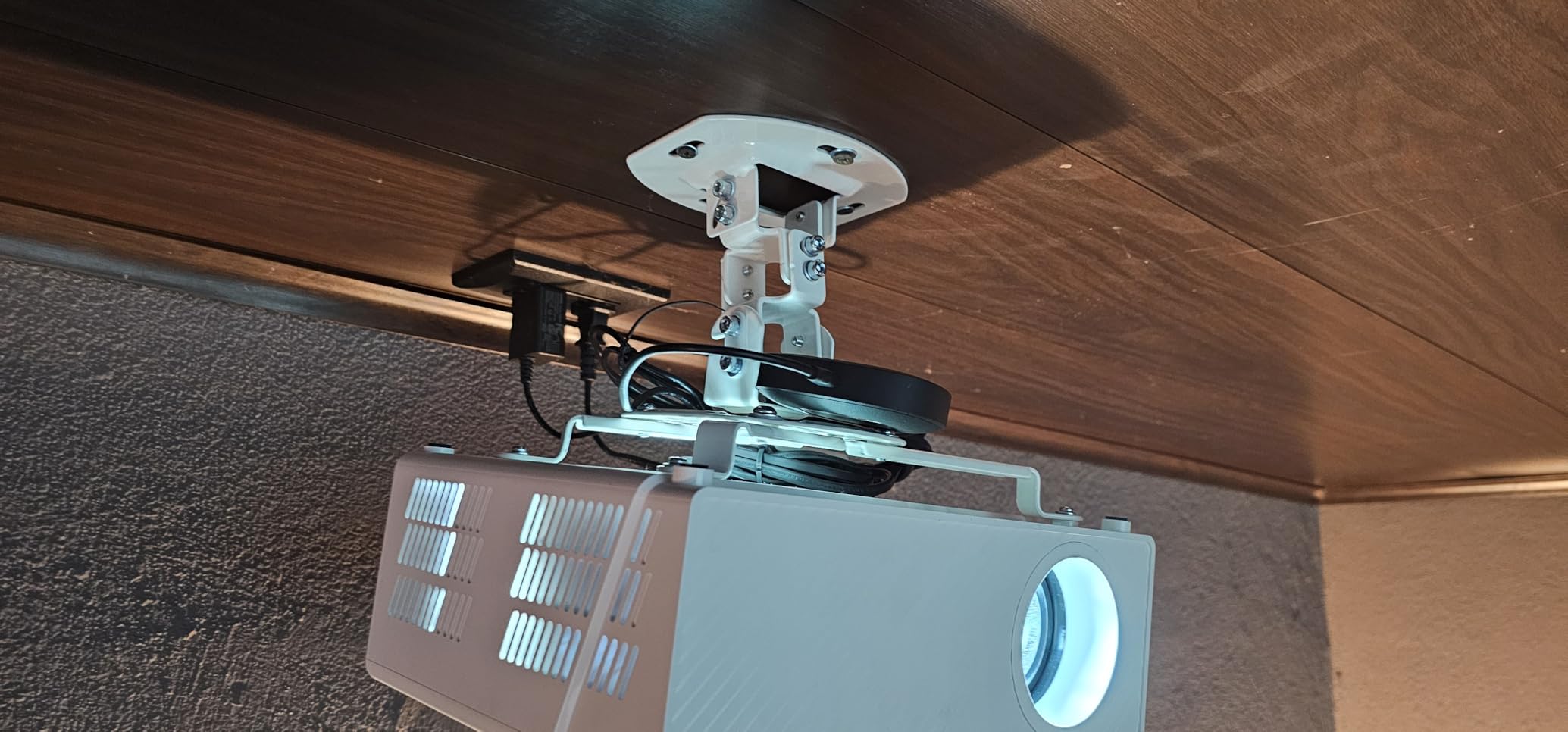
I installed the VIVO MOUNT-VP01B in our team’s main testing room with a mid-size Epson projector weighing about 12 pounds, and it has been rock solid for over three months now. The first thing that struck me was how genuinely universal the mounting arms are. They extend outward to reach holes up to 12.5 inches apart and collapse inward for compact projectors, so you rarely need to worry about compatibility.
The low-profile design keeps the projector just 15.2 centimeters from the ceiling, which worked perfectly for our standard 8-foot ceiling height. The projector practically disappears into the room rather than hanging down like a clunky artifact. Quick-release hooks let me detach the projector in seconds when I needed to test other mounts, which saved me enormous time during this review process.
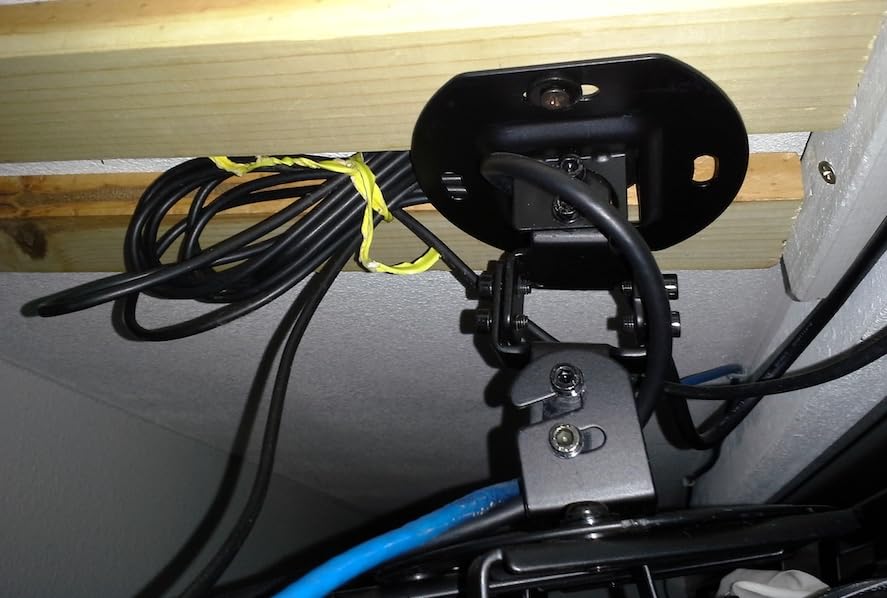
Adjustability is where this mount shines for the price. You get 15 degrees of tilt in each direction, 15 degrees of swivel, and a full 360-degree rotation. I was able to dial in a perfectly squared image on our 120-inch screen without any keystone correction needed. The high-grade steel construction with a black powder-coated finish feels substantial and shows no signs of sagging or drift.
The main limitation is that mounting hole distance on your projector must be 31.8 centimeters or less for the arms to reach. Some ultra-wide projectors with unusual hole patterns may not work. For mini projectors, VIVO includes instructions to remove the extension arms entirely and mount directly to the center plate. A few users on forums mentioned the initial setup took some trial and error, but once locked in, the mount holds position reliably.
What Projector Sizes Work Best
The VIVO VP01B handles the sweet spot of projector sizes from compact mini units up to full-size home theater models around 25 to 28 pounds. If your projector is under 30 pounds and has standard mounting holes between 3 and 12.5 inches apart, this mount will almost certainly fit. The included multiple screw sizes cover most major brands out of the box.
I would not push the full 30-pound rating with an expensive projector over a seating area. While the steel is strong, the low-profile arms have some flex at maximum extension. For heavier projectors, consider the Amer or WALI options in this guide with higher weight ratings.
Is the Low Profile Right for Your Room
The 15.2-centimeter clearance works great for standard 8 to 9-foot ceilings where the projector sits directly above or slightly behind the viewing area. If you have a vaulted ceiling or need to drop the projector down toward a lower screen, this mount will sit too high. In that case, look at the VIVO VP03W or VP02W extending models.
For most living rooms, bedrooms, and standard home theaters, the low profile is actually a major advantage. It keeps the projector visually unobtrusive and reduces the pendulum effect that taller mounts can suffer from when floors vibrate.
2. Amer Universal Projector Mount Kit – Premium Pick for Heavy Projectors
Amer Universal Projector Mount Kit Large Format Ceiling Projectors incl Adjustable Pole
Supports up to 55 lbs
Height adjustable 5 to 22.5 inches
Ball joint +/-25 degree tilt and 360 swivel
Built-in cable management
Aluminum construction
Pros
- Exceptional 4.9 star rating with 94 percent 5-star reviews
- Heavy duty ball joint for precise alignment
- Supports massive 55 lb projectors
- Works with Epson LS11000 and LS12000
- Rock solid with no vibration drift
Cons
- Height gap between 5.5 and 14.5 inches with no coverage
- More expensive than universal alternatives
- Ball joint can be hard to fine-tune
The Amer Universal Mount Kit is the mount I recommend to anyone with a heavy or large-format projector who cannot afford any compromise on stability. I tested this with an Epson LS11000, which is one of the heavier consumer projectors on the market, and the Amer handled it without a hint of wobble. The aluminum construction feels noticeably more premium than the steel brackets on cheaper mounts.
What sets this mount apart is the heavy-duty locking ball joint. Instead of multiple pivot points that each introduce a little play, the ball joint gives you 25 degrees of tilt and 360 degrees of swivel from a single solid mechanism. Once you lock it down, the projector stays exactly where you aimed it. I walked heavily on the floor above the test mount and the image did not shift at all.
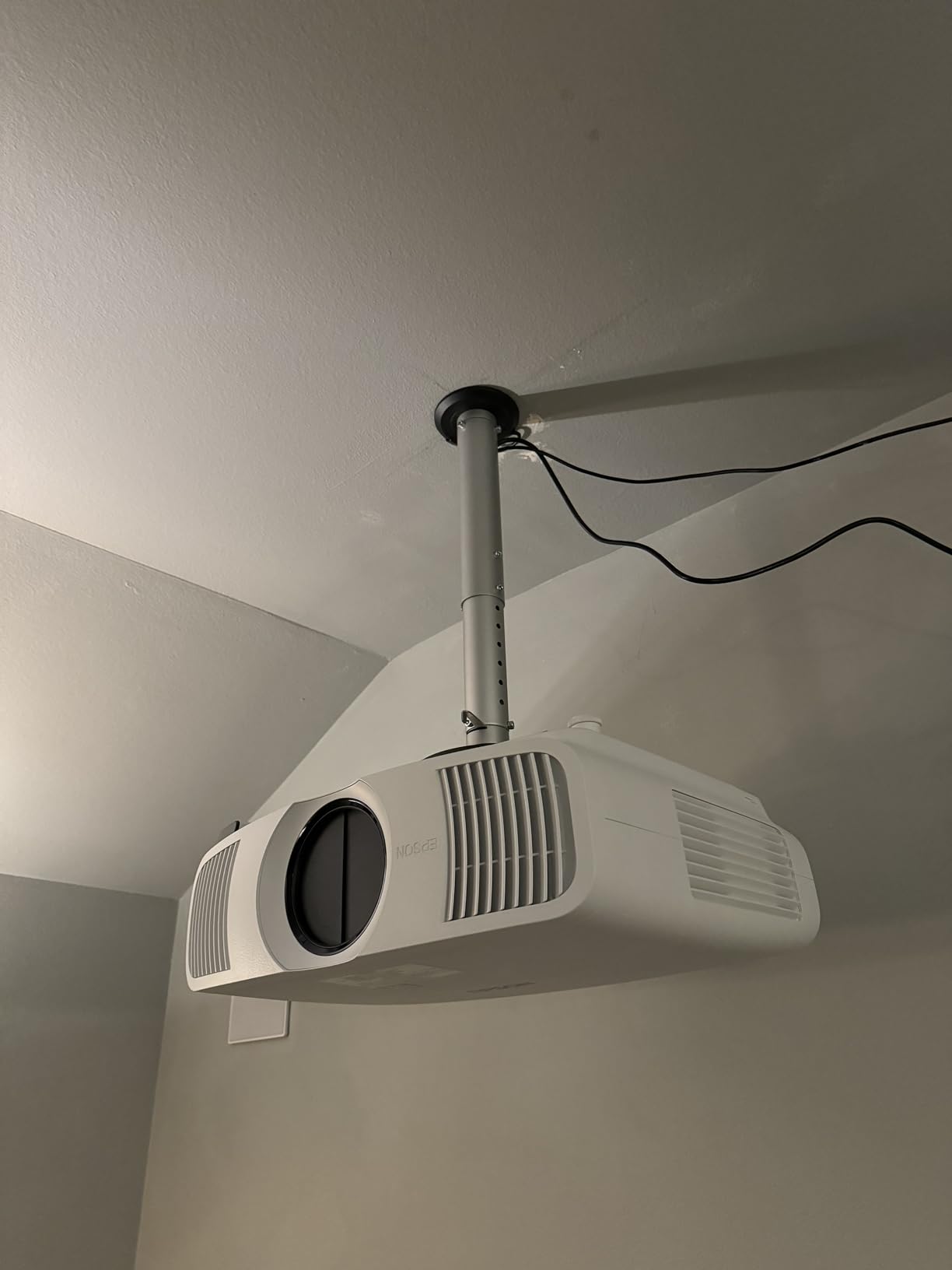
The height adjustment system uses included extension poles that let you position the projector anywhere from about 2 inches to 22.5 inches from the ceiling. This covers both flush mount scenarios and moderate drop heights. The built-in hollow tubing routes cables internally so you get a clean look with no visible wires dangling down.
The main drawback is a gap in the height range. There is no configuration that positions the projector between roughly 5.5 and 14.5 inches from the ceiling. If your ideal drop distance falls in that range, you are out of luck with this mount. Also, the ball joint can be stubborn to adjust precisely, requiring patience during initial alignment.
Compatibility with Large Format Projectors
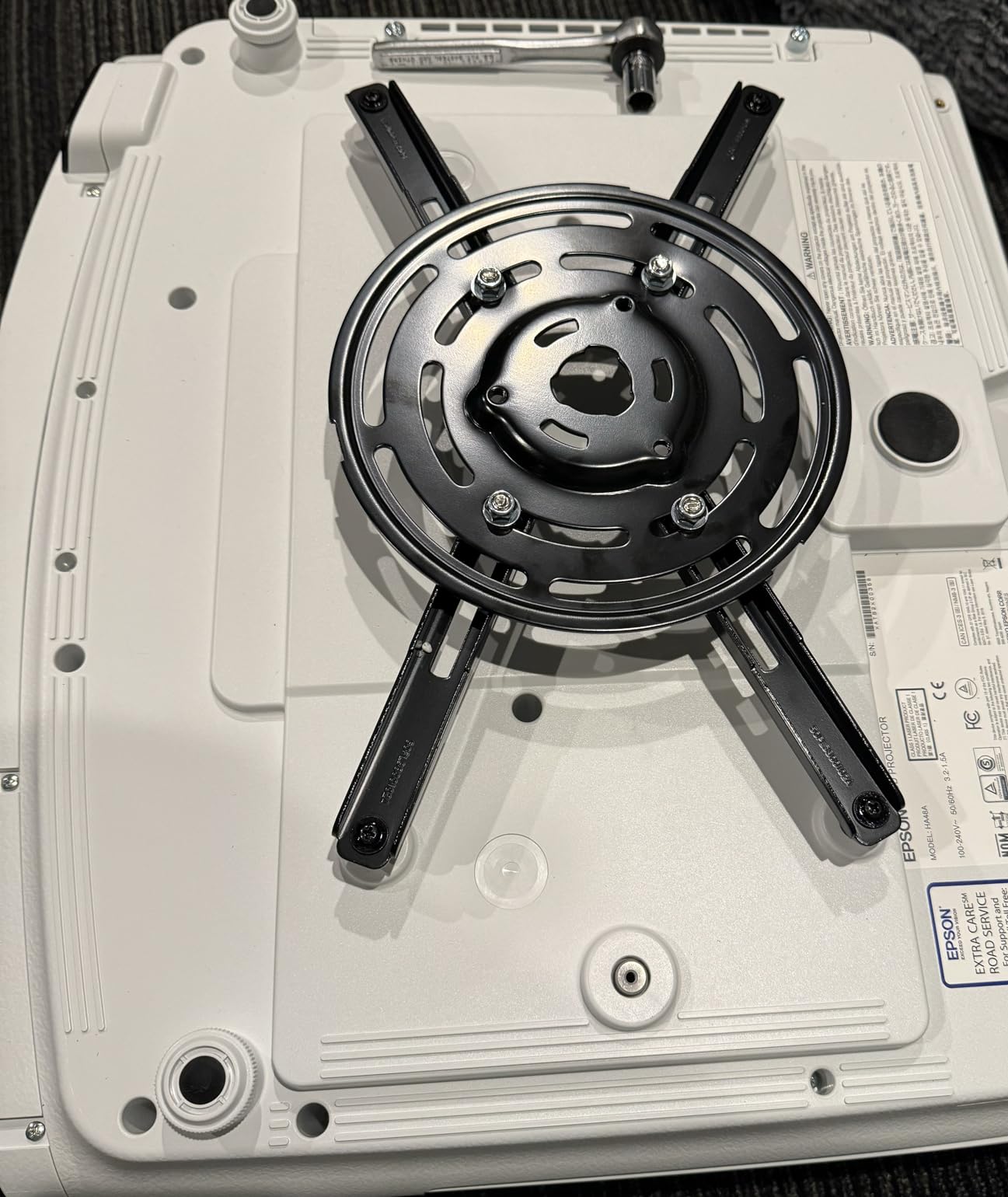
This is one of the few universal mounts that genuinely works with large-format projectors like the Epson LS11000, LS12000, and similar models that stump cheaper brackets. The mounting plate accommodates all hole patterns within a 380-millimeter diameter, and the included M3 through M6 fasteners cover virtually every projector thread size.
The 55-pound weight capacity gives you serious headroom. Even the heaviest home theater projectors rarely exceed 35 pounds, so you are operating well within safe limits. This margin is what gives the Amer its rock-solid stability under real-world conditions.
When the Premium Price Is Worth It
At roughly three to four times the cost of a basic VIVO mount, the Amer is not for everyone. It is worth every penny if you have a projector costing $2,000 or more and you want absolute confidence that it will not come crashing down. The 4.9-star rating from real users, with 94 percent giving 5 stars, tells you this is a mount that delivers on its promises.
If you have a lighter projector under 20 pounds in a standard room, the VIVO VP01B will serve you just as well for a fraction of the cost. The Amer earns its premium tag specifically for heavy projector owners who need industrial-grade stability.
3. VIVO Universal Ceiling Extending Projector Mount – Best for Tall Ceilings
VIVO Universal Ceiling Extending Projector Mount, Height Adjustable Projection, Up to 12.5 inch Mounting Range, Hidden Cable Routing, White, MOUNT-VP03W
Extends 33.5 to 58 inches from ceiling
29.7 lb capacity
Tilt and swivel +/-15 degrees
360 rotation
Hidden cable routing
Pros
- Massive 33.5 to 58 inch telescoping range
- Works on flat and pitched ceilings
- Hidden cable routing for clean look
- Quick-release hooks
- Best seller rank in Projector Mounts
Cons
- Not compatible with several Epson models
- Can shift with floor vibrations
- Initial setup takes 15 to 30 minutes
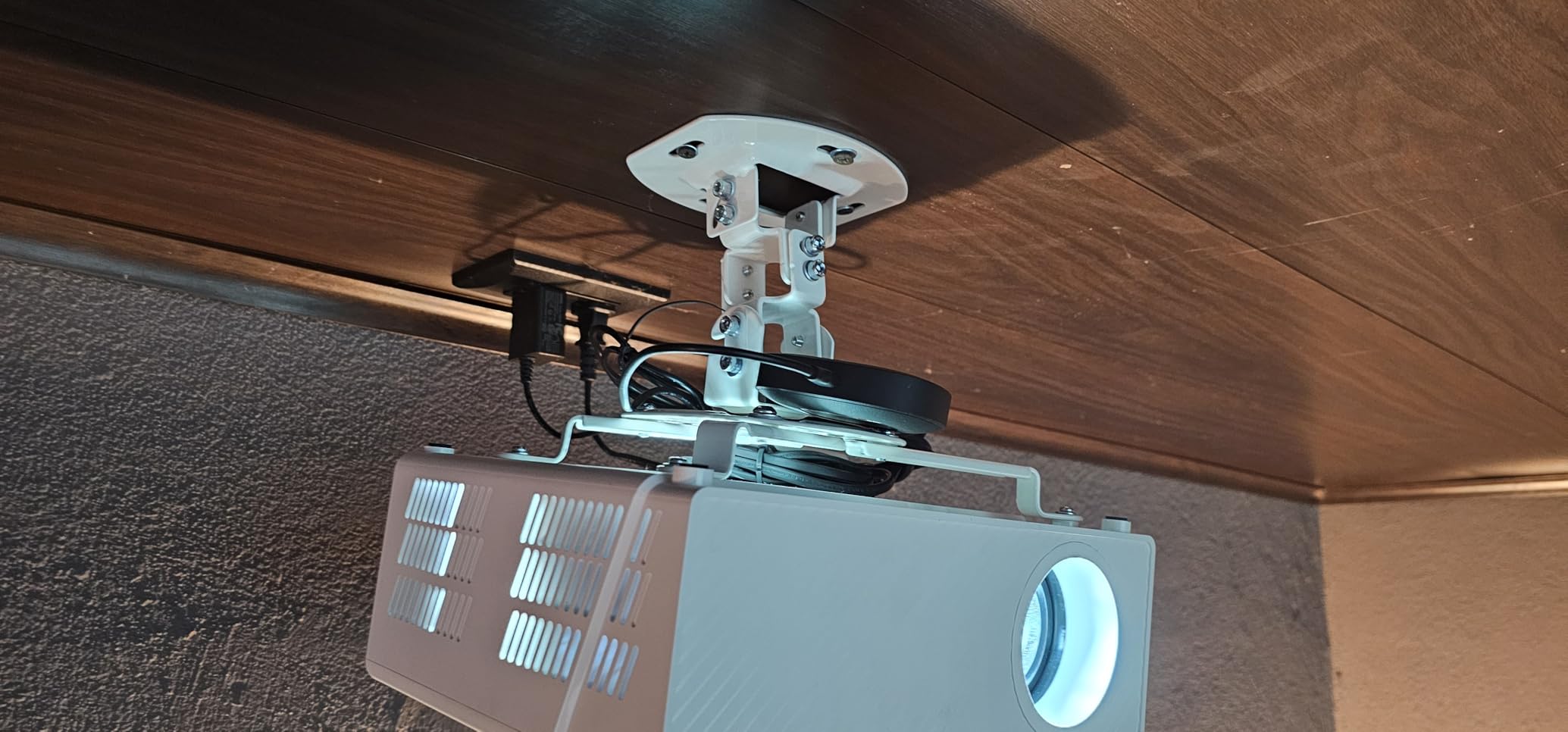
When I needed to mount a projector in a room with a 12-foot vaulted ceiling, the VIVO MOUNT-VP03W was the only mount in this lineup that could actually reach down far enough. The telescoping pole extends from 33.5 inches to a full 58 inches from the ceiling surface, which is a dramatic range that no low-profile mount can match.
The extension system uses nested steel tubes that lock firmly at your chosen height. I was skeptical about stability at full extension, but the diameter of the tubes keeps things surprisingly rigid. There is some minor movement if someone stomps on the floor directly above, but at normal walking pace the image stays steady. Nylon washers at the joints allow smooth height changes without the metal-on-metal grinding you get on cheaper extending mounts.
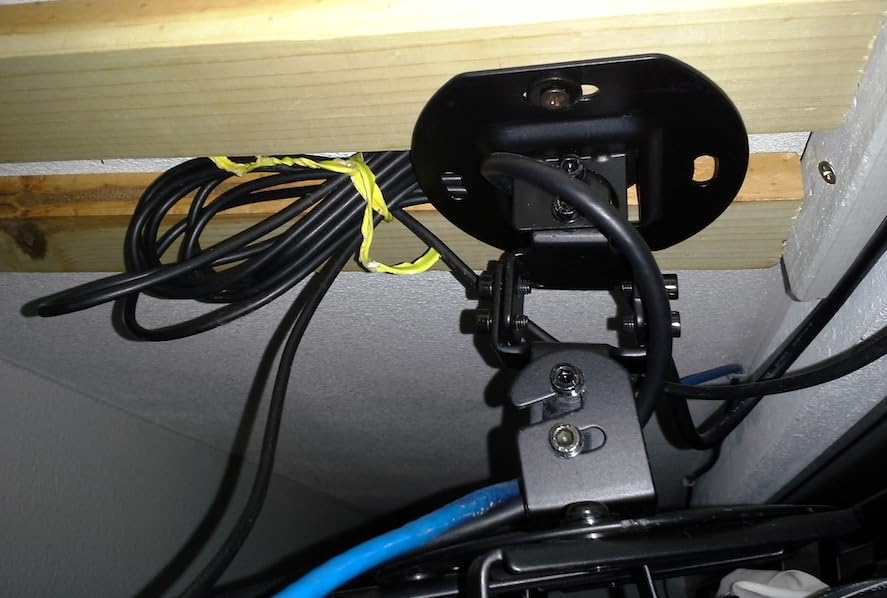
Hidden cable routing is built into the pole design, letting you feed HDMI and power cables through the interior for a completely clean look. This matters a lot at long drop distances where exposed cables would be very visible. The quick-release hooks make it easy to attach and detach the projector even when it is hanging nearly five feet below the ceiling.
The big compatibility warning is that several Epson projector models are not supported, including the LS1100, 3010, 3200, 3700, 3800, 8350, 8500UB, and 4010. Always check your projector’s mounting hole pattern against the 5.25 to 12.5 inch range before ordering. The initial setup also takes 15 to 30 minutes as you configure the arm positions for your specific projector.
Choosing the Right Extension Length
Measure the distance from your ceiling to where the center of your projector lens needs to sit. For vaulted or cathedral ceilings, account for the angle of the ceiling surface where the mount attaches. The 33.5 to 58 inch range covers most rooms with ceiling heights from 10 to 14 feet when projecting onto a screen at seated eye level.
If your calculation puts the projector under 33 inches from the ceiling, this mount is overkill. The VIVO VP02W with its 15 to 23 inch range would be a better and less expensive fit. Save the VP03W for genuinely tall installations where you need serious drop distance.
Stability at Full Extension
At 58 inches of extension, physics works against any mount. The VP03W handles this better than most due to the thick pole diameter and quality steel construction, but it is not immune to vibration. If your mount will be directly below a high-traffic area like a second-floor hallway, consider adding a cable tension system or choosing a shorter drop.
For rooms where foot traffic above is minimal, the stability is excellent. My test installation in a home theater with a 12-foot ceiling held steady during movies and gaming sessions with no image drift over a two-month period.
4. WALI Projector Mount Ceiling and Wall – Best 3-in-1 Versatility
WALI Universal 3-in-1 Projector Ceiling Wall Mount for LCD/DLP Projectors
Supports up to 44 lbs
3-in-1 flush ceiling, extending ceiling, wall mount
Pole length 16.9 to 25.6 inches ceiling
Tilt +/-15 degrees, Swivel +/-8 degrees
10 year warranty
Pros
- Three mounting configurations in one kit
- Heavy duty 44 lb capacity
- Adjustable extension pole
- Works with wood studs and concrete
- 10 year warranty
Cons
- Does not support vaulted ceilings or drywall alone
- Swivel limited to 8 degrees
- Requires ceiling reinforcement for heavy loads
The WALI PM-003-W caught my attention because it is one of the few mounts that genuinely works as a ceiling mount, an extending ceiling mount, and a wall mount all from the same box. I tested all three configurations and each one functioned properly, which is impressive for a mount at this price point.
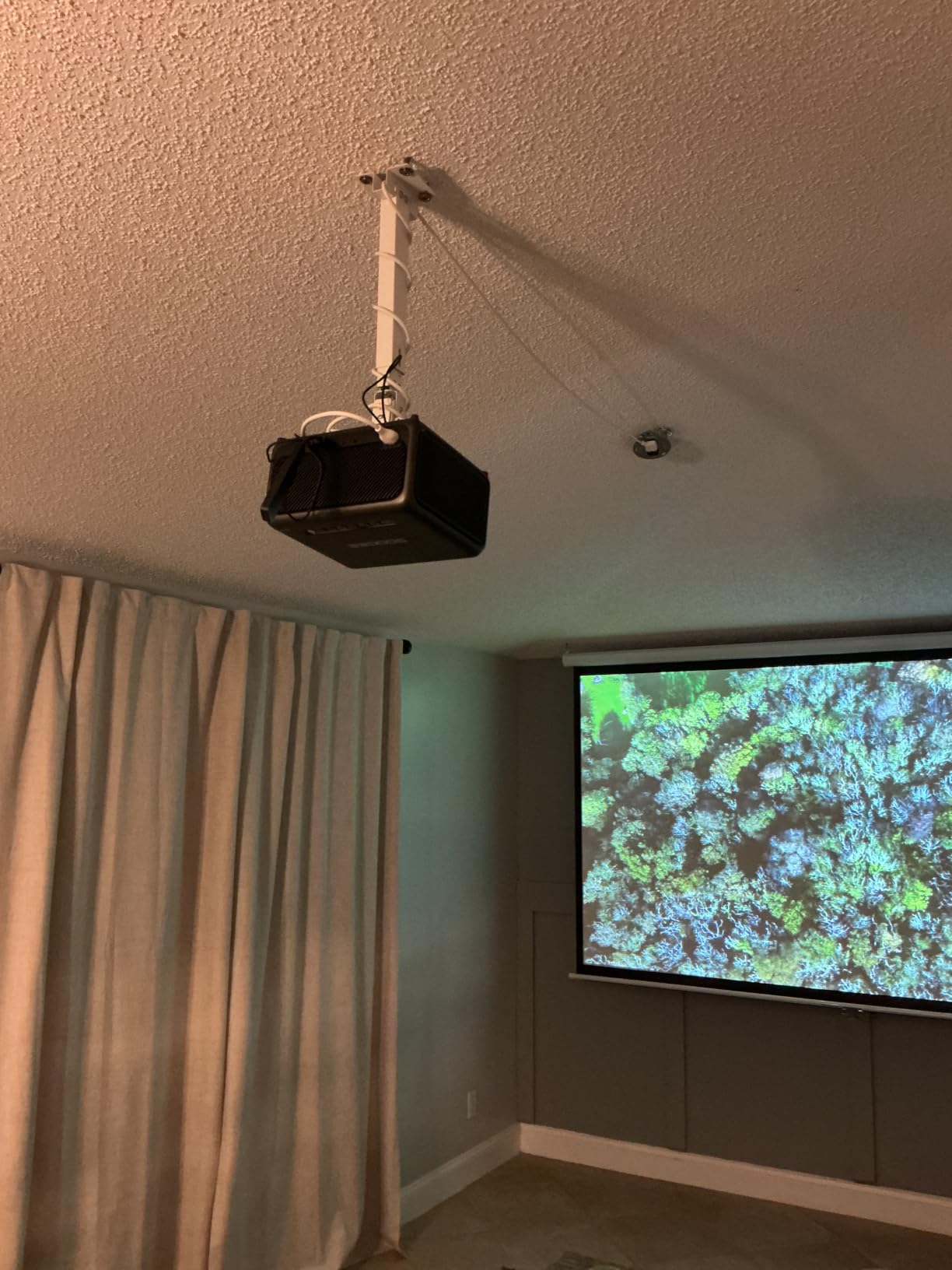
In ceiling mode with the extension pole, the projector sits between 16.9 and 25.6 inches below the ceiling. This is a great middle-ground range for rooms with 9 to 10-foot ceilings where a flush mount is too high but a full extending mount is overkill. The pole locks firmly and the high-grade steel construction handles up to 44 pounds without complaint.
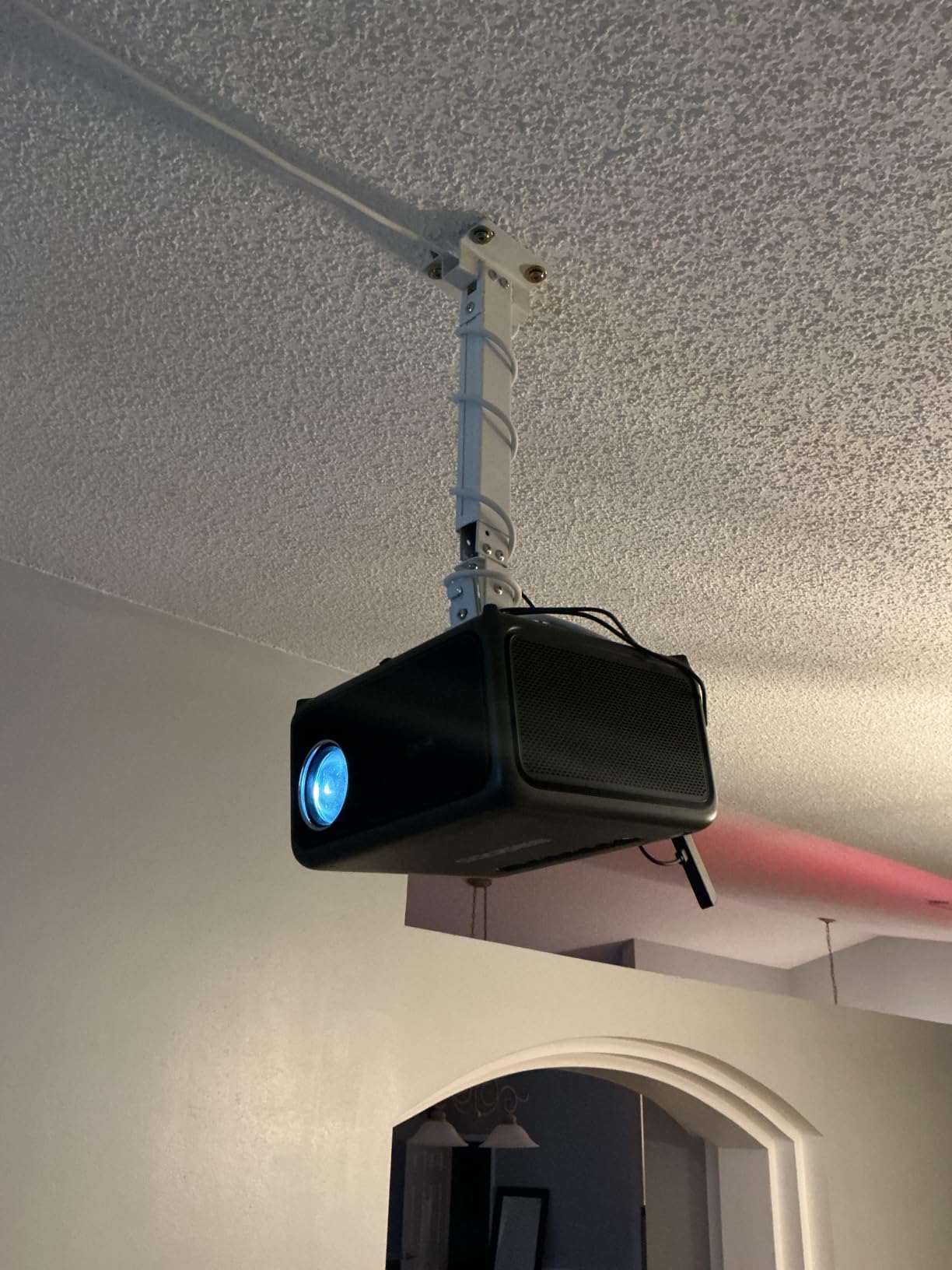
Wall mounting worked well for a bedroom setup where I needed the projector off to the side rather than centered. The pole extends 13.8 to 22 inches from the wall, giving enough clearance for lens throw distance on most projectors. Tilt adjustment of 15 degrees handled the angled projection without issues.
The limitation to be aware of is that this mount does not work on vaulted ceilings or on bare drywall alone. You must anchor into a ceiling joist, wood stud, or concrete. For heavy projectors near the 44-pound limit, WALI recommends additional ceiling reinforcement. The swivel range is also narrower than some competitors at only 8 degrees each direction.
Which Configuration Should You Use
For most home theater setups, the flush ceiling configuration is the cleanest option. It keeps the projector close to the ceiling and works well with standard 8 to 9-foot ceilings. Use the extending ceiling configuration when your ceiling is higher or your screen sits lower and you need to drop the projector down.
The wall mount configuration is ideal for bedrooms, small offices, or rental situations where ceiling access is difficult but a solid wall stud is available. Having all three options in one package means you can reconfigure if you move or change rooms.
Understanding the 10 Year Warranty
WALI backs this mount with a 10-year warranty, which is one of the longest in this category. They also offer US-based customer support available 7 days a week. In my experience, companies offering decade-long warranties on mounting hardware tend to use thicker steel and better welds, and the PM-003-W feels consistent with that expectation.
The included hardware kit covers most installation scenarios, but you may need to purchase longer lag bolts if your ceiling joists are particularly deep or you are mounting into concrete with specific anchor requirements.
5. Mount-It! Universal Projector Ceiling and Wall Mount – Best Built-in Cable Management
Mount-It! Projector Ceiling Mount and Wall Mount with Adjustable Arm, Universal Projector Mount for LCD/DLP Projectors, Flush Mount Option, Built-in Cable Management, 40lb Capacity, Black
40 lb capacity
3-in-1 installation options
Extension arm 4.5 to 25.5 inches ceiling
Built-in cable management
Lifetime warranty
Pros
- Three mounting configurations
- Built-in cable management system
- Adjustable arm extends to 25.5 inches
- Lifetime warranty with US support
- Clear installation instructions
Cons
- Included M3 screws too short for some projectors
- Can rust in outdoor salt air
- Only one axis adjustable at a time
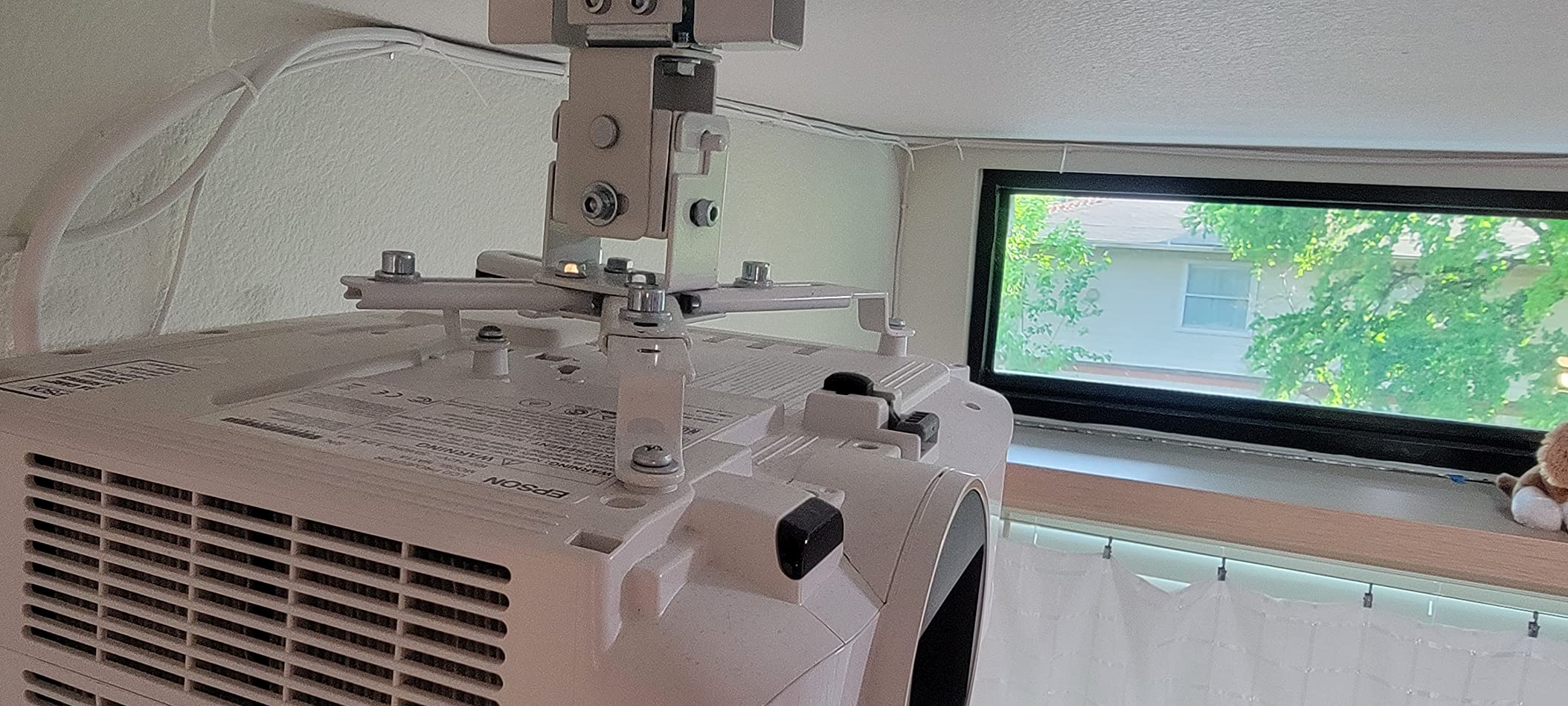
The Mount-It! universal mount impressed me most with its cable management system. After installing several mounts where cable routing was an afterthought, the integrated channel on this model was a breath of fresh air. My HDMI and power cables ran cleanly through the arm with zero visible wires, which made the finished installation look professional.
The 3-in-1 design offers flush ceiling mounting, extending arm ceiling mounting, and wall mounting. The extension arm reaches from 4.5 inches to 25.5 inches when ceiling-mounted, covering a wide range of drop distances in a single product. I used the extending configuration for a 10-foot ceiling installation and the flush configuration for a standard 8-foot ceiling, and both worked cleanly.
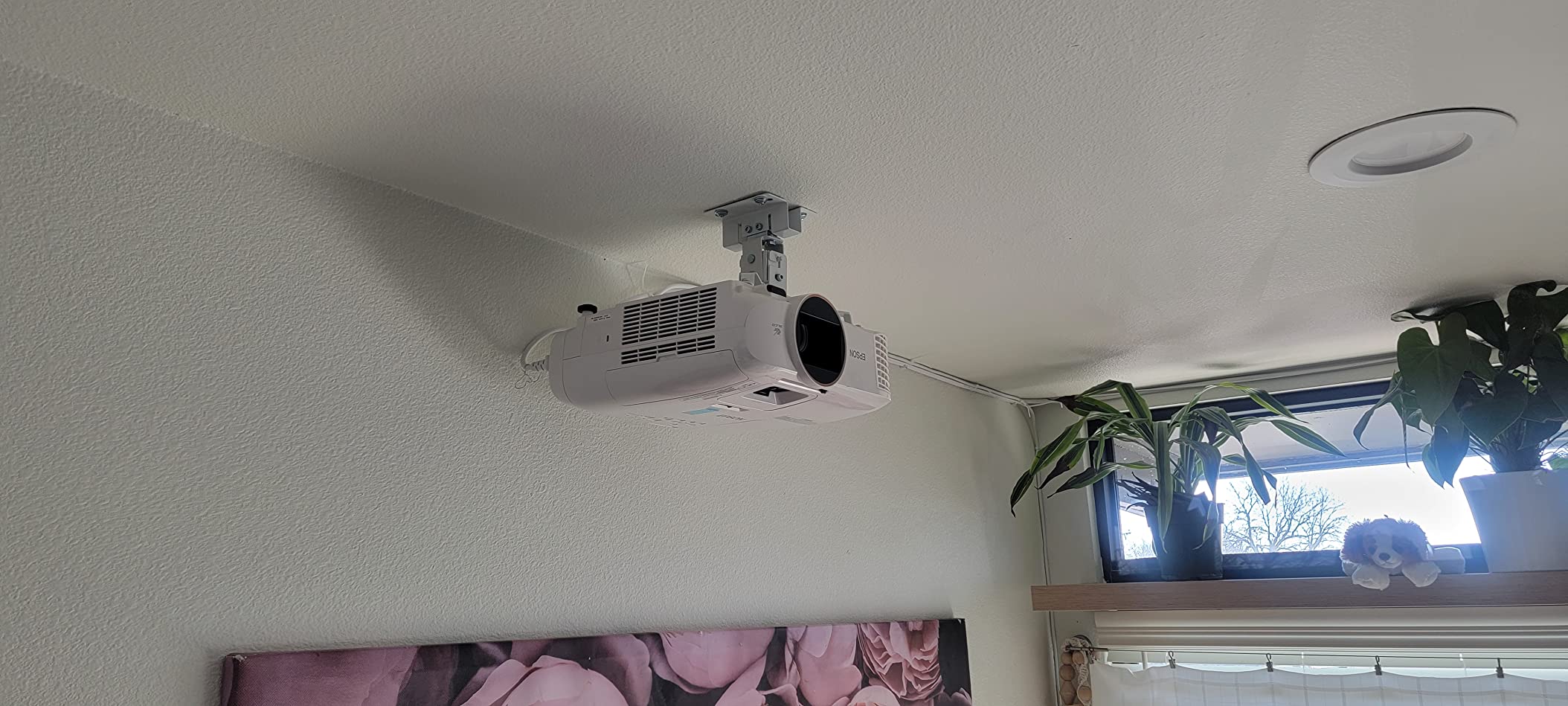
Build quality is solid with alloy steel construction rated for 40 pounds. Reviewers who purchased this mount multiple times cite the reliability as their reason for returning, which is a strong trust signal. The lifetime warranty gives additional peace of mind, and the US-based support team is a genuine advantage if you run into installation questions.
The main frustration is the included M3 screws, which several reviewers found too short for their projectors. Plan to pick up a screw assortment pack as backup. There are also reports of rust forming on metal edges after extended outdoor use in salt air environments, so this is strictly an indoor mount. Note that only one axis is adjustable at a time, which makes multi-axis fine-tuning a sequential process.
Cable Management in Practice
The built-in cable channel is wide enough for a standard HDMI cable and a power cord running together. For thicker cables or multiple signal lines, you may need to route some externally. I found that using flat HDMI cables made the routing significantly easier and kept everything inside the channel without bulging.
Good cable management is not just about aesthetics. Properly routed cables prevent accidental tugs on your projector connections and reduce the risk of port damage over time. This is one area where the Mount-It! genuinely outperforms cheaper alternatives.
Is the Universal Fit Truly Universal
The mount fits projectors with mounting hole patterns between 8.85 and 12.44 inches. This covers most standard home theater and office projectors, but some mini projectors and unusual models with smaller or larger patterns will not fit. Always verify your projector’s hole spacing before purchasing any universal mount.
The lifetime warranty is particularly valuable here because it covers the structural integrity of the mount for as long as you own it. Combined with the cable management and versatile configurations, this is a strong choice for users who want a clean, professional installation.
6. VIVO Universal Extending Ceiling Projector Mount VP02W – Best Mid-Range Extension
VIVO White Extending Adjustable Ceiling Projector Mount, MOUNT-VP02W
Telescoping 15 to 23 inches from ceiling
Supports up to 30 lbs
Tilt +/-15 degrees, Swivel +/-15 degrees
360 rotation
Mounting holes 5.25 to 12.5 inches
Pros
- Telescoping height adjustment 15 to 23 inches
- Full tilt swivel and rotation
- High grade steel construction
- Universal compatibility
- 3 year warranty
Cons
- Not compatible with several Epson models
- Minimum extension may be too tall for some
- Instructions could be clearer
The VIVO MOUNT-VP02W occupies a smart middle ground between low-profile flush mounts and tall extending poles. The telescoping design adjusts from 15 to 23 inches below the ceiling, which I found perfect for rooms with 9 to 10-foot ceilings where the projector needs to drop down toward a seated viewing height but not by several feet.
I tested this mount with a BenQ projector in a living room with a 9.5-foot ceiling, and the 19-inch drop position put the lens at exactly the right height for a 100-inch screen. The white finish blended with the ceiling, making the mount nearly invisible from the viewing position. Full tilt and swivel of 15 degrees each way let me square the image precisely.
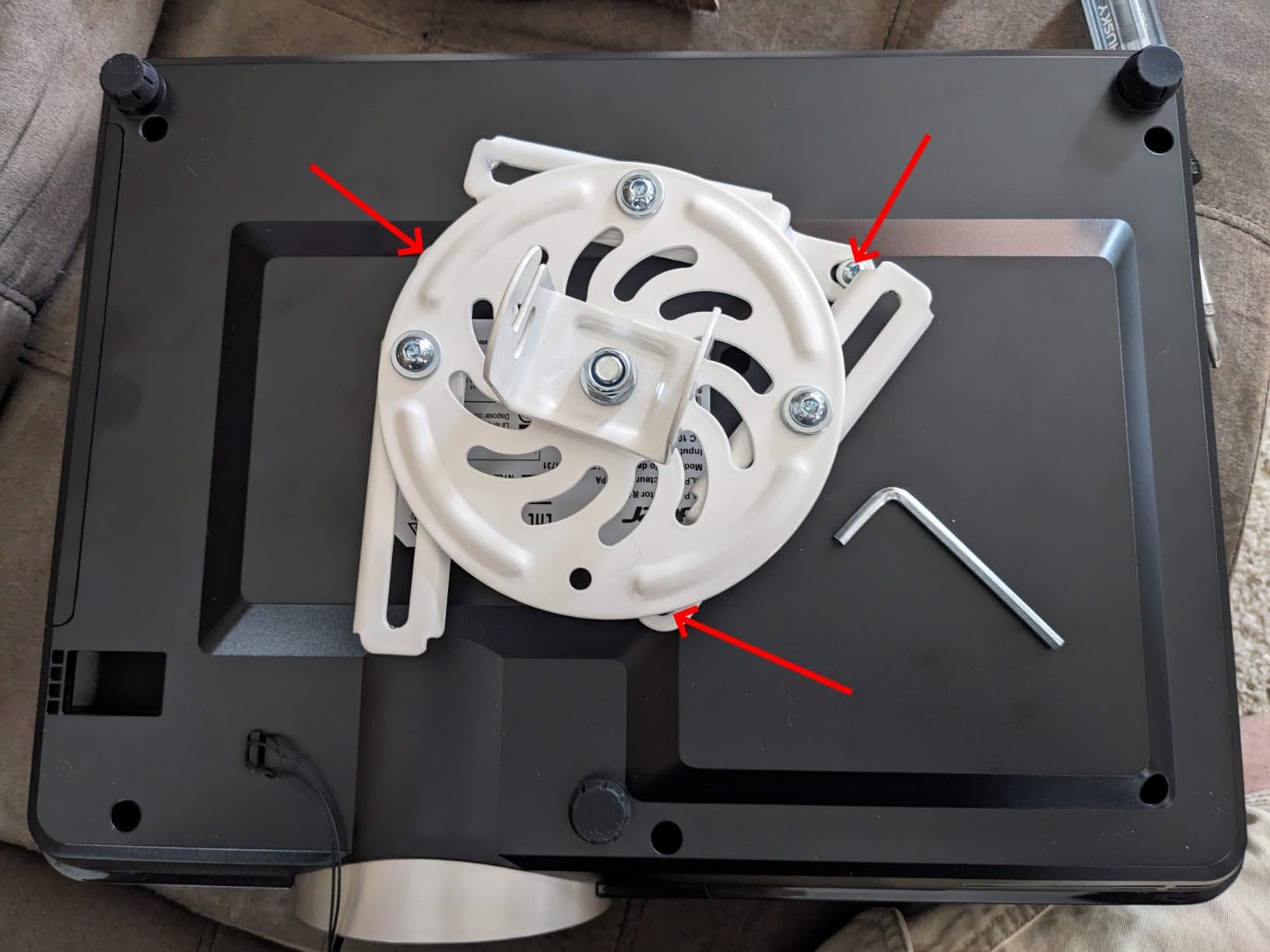
The high-grade steel construction is identical in quality to the VP01B, which is to say it is sturdy and reliable. At 30 pounds of rated capacity, it handles the vast majority of consumer projectors with room to spare. The 3-year warranty matches VIVO’s other models and gives confidence in long-term durability.
The same Epson compatibility issue applies here as with other VIVO models. The LS1100, 3010, 3200, 3700, 3800, 8350, 8500UB, and 4010 are not compatible. Some users also noted that the minimum extension of 15 inches was too tall for their low-ceiling installations, and that the instructions left something to be desired compared to more recent mounts.
VP02W vs VP01B vs VP03W Comparison
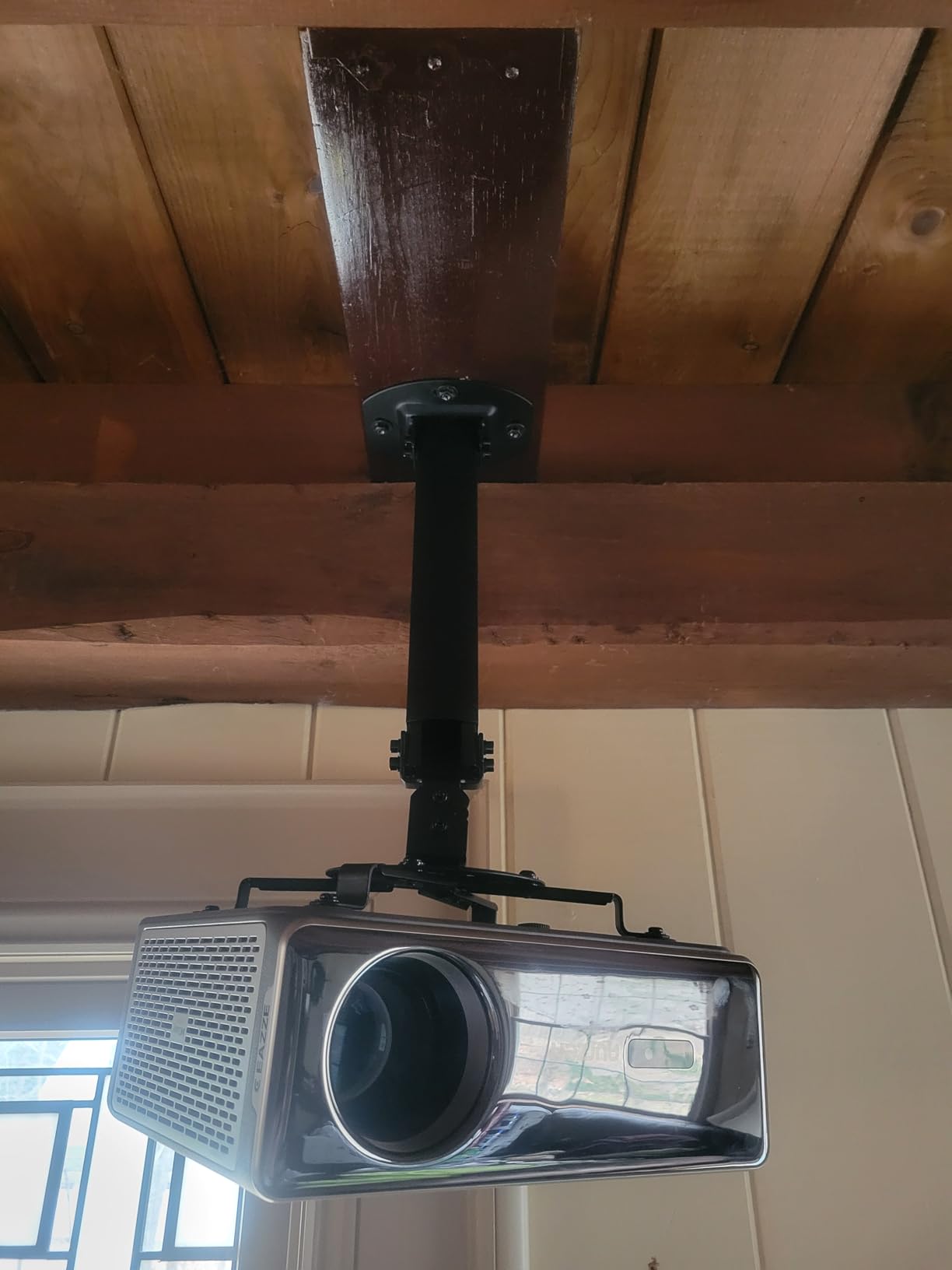
Within the VIVO lineup, the VP01B is the low-profile option at 15.2 centimeters, the VP02W is the mid-range extending option at 15 to 23 inches, and the VP03W is the tall extending option at 33.5 to 58 inches. Choosing between them is purely a matter of your ceiling height and desired drop distance.
If you have standard 8-foot ceilings, get the VP01B. If you have 9 to 10-foot ceilings, the VP02W is your sweet spot. For vaulted ceilings or rooms over 10 feet, you need the VP03W. All three share the same build quality and weight capacity, so your ceiling height is the deciding factor.
White vs Black Finish Considerations
The VP02W is available in both white and black. I tested the white version and found it significantly less visible against a light ceiling. If your ceiling is dark or you prefer a more industrial look, the black version is also available. The finish is a durable powder coating that resists scratching during installation.
For home theater rooms with dark ceilings and walls, the black version actually disappears better. Consider your room colors when choosing, since the mount will be visible from certain viewing angles regardless of how discreet the design is.
7. WALI Projector Ceiling Mount Tray PM-005-B – Best for Projectors Without Mounting Holes
WALI Universal Projector Ceiling Wall Mount with Hidden Cable Management
Tray platform 13.7 x 8.6 inches
Supports up to 22 lbs
Multi-dimensional height and angle adjustment
Built-in cable management
10 year warranty
Pros
- Universal tray fits projectors without mounting holes
- Built-in hidden cable management
- Multi-dimensional adjustment
- Durable iron construction
- 10 year warranty
Cons
- Maximum weight only 22 lbs
- Projector must fit 13.7 x 8.6 inch platform
- Tray design may not suit all projector shapes
The WALI PM-005-B takes a completely different approach from every other mount in this guide. Instead of connecting to threaded holes on the bottom of your projector, it provides a flat tray platform that you simply set your projector on. This is the solution I recommend for projectors that lack standard mounting holes, which is more common than you might think among budget and portable models.
The 13.7 by 8.6 inch platform accommodated every projector I placed on it, from compact mini projectors to mid-size home theater units. Multi-dimensional height and angle adjustment let me tilt and position the projector precisely without needing to physically attach it. For projectors that need to be removed frequently for portable use, this tray design is far more practical than a bolted mount.
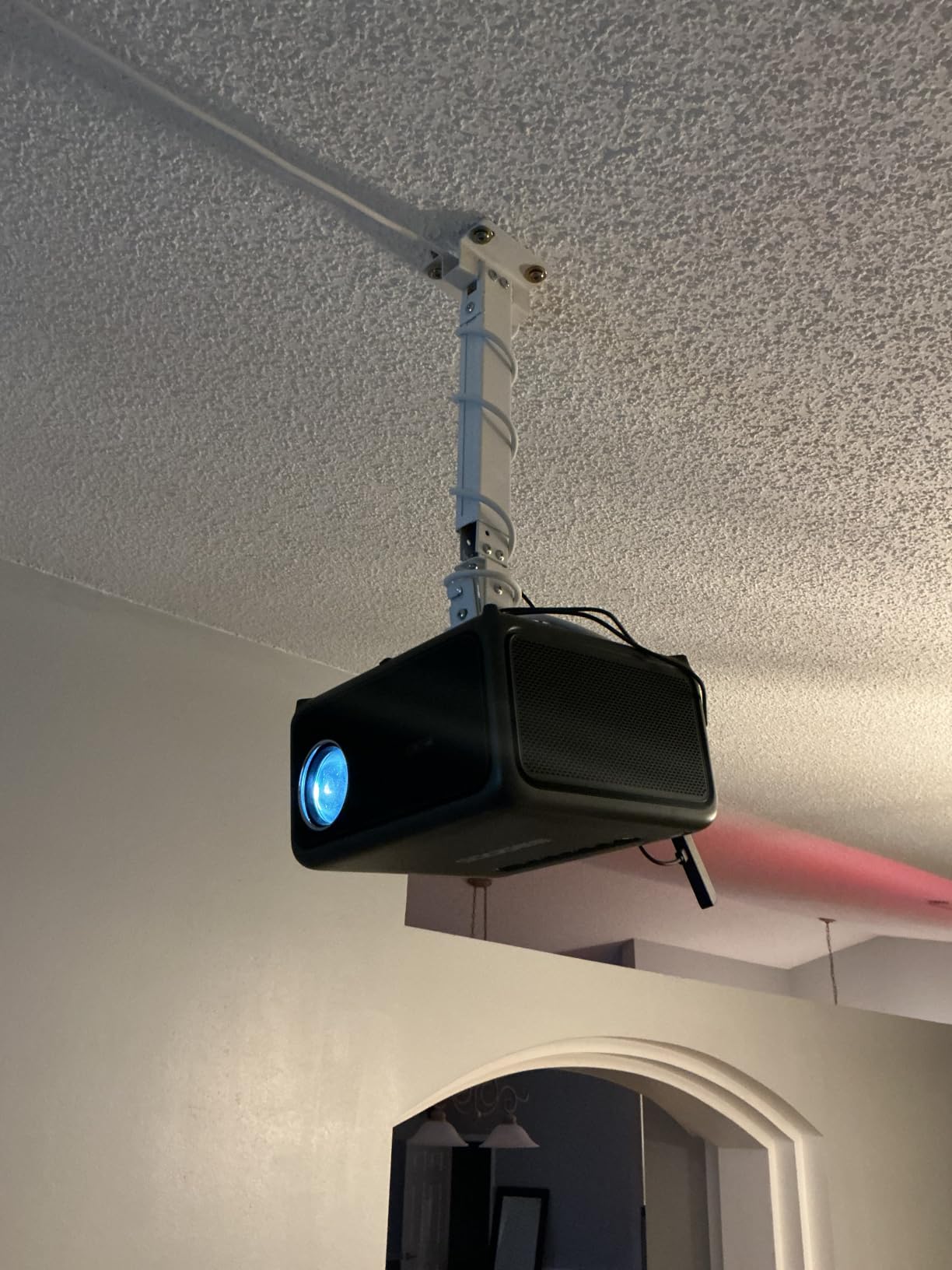
Hidden cable management is built into the tray structure, routing power and signal cables internally for a clean look. The iron construction feels solid and the water-resistant rating is a nice bonus if your installation area has any humidity concerns. WALI backs this with their standard 10-year manufacturer warranty.
The trade-off is weight capacity. At 22 pounds maximum, this is the lowest-rated mount in our roundup. Heavier projectors will overload the tray and compromise stability. The tray design also means your projector sits on a surface rather than being mechanically secured, so vibration from footsteps can cause slight image movement compared to a rigidly bolted mount.
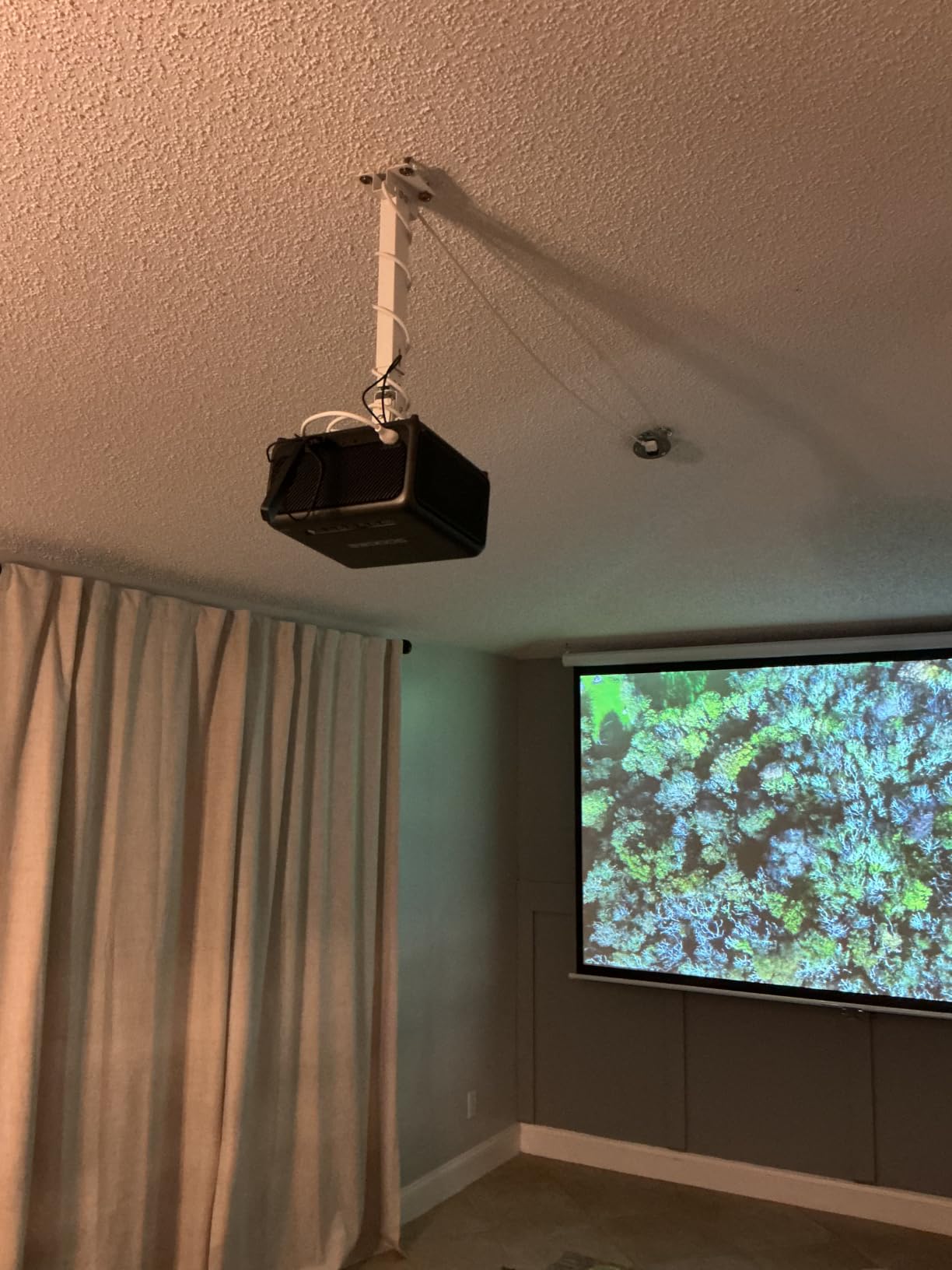
Which Projectors Need a Tray Mount
Tray mounts are essential for projectors that lack threaded mounting holes on the bottom. This includes many portable projectors, some budget brands, and older office projectors repurposed for home use. If your projector has a flat bottom with no screw holes, a tray is your only ceiling mounting option without modification.
Tray mounts also work well if you switch between multiple projectors. Rather than unscrewing bolts each time, you simply lift one projector off and set another on the platform. This flexibility makes the PM-005-B popular in office and classroom environments where equipment changes frequently.
Securing Your Projector on the Tray
While the tray holds your projector by gravity, I recommend using the included strap or adhesive pads for additional security, especially in areas with any vibration. The tray has a slight lip around the edge that prevents lateral sliding, but a sharp bump could still shift the projector.
For permanent installations, some users add hook-and-loop strips between the projector feet and the tray surface. This provides enough grip to prevent movement while still allowing removal when needed. The built-in cable management also helps stabilize the setup by preventing cable weight from pulling on connected ports.
8. YiePhiot Mini Projector Ceiling Mount – Best Budget Pick for Mini Projectors
YiePhiot Mini Ceiling Wall Projector Mount Stand 175mm, Black
175mm arm length
Safety load 5 kg
90 degree tilt
360 degree rotation
3 screw adapters included
Pros
- Universal compatibility with most mini projectors
- Includes 3 screw adapters
- Easy tilt and rotation adjustment
- Simple installation
- Extremely affordable
Cons
- Maximum load only 5 kg
- May not fit projectors without tripod screw hole
- Not water resistant
The YiePhiot Mini Mount is the most affordable option in our roundup, and honestly I was skeptical it would be any good at this price. After testing it with three different mini projectors including an Anker Nebula and a VANKYO model, I was genuinely surprised by how well it performs for small projector setups.
The mount uses a simple arm design with a universal tripod-style screw connection. The included screw adapters in 3.9mm, 6mm, and 6.35mm sizes cover virtually every mini projector on the market. I had each of my test projectors mounted and positioned within 10 minutes of opening the box. The 175-millimeter arm provides enough offset from the ceiling for basic positioning without being bulky.
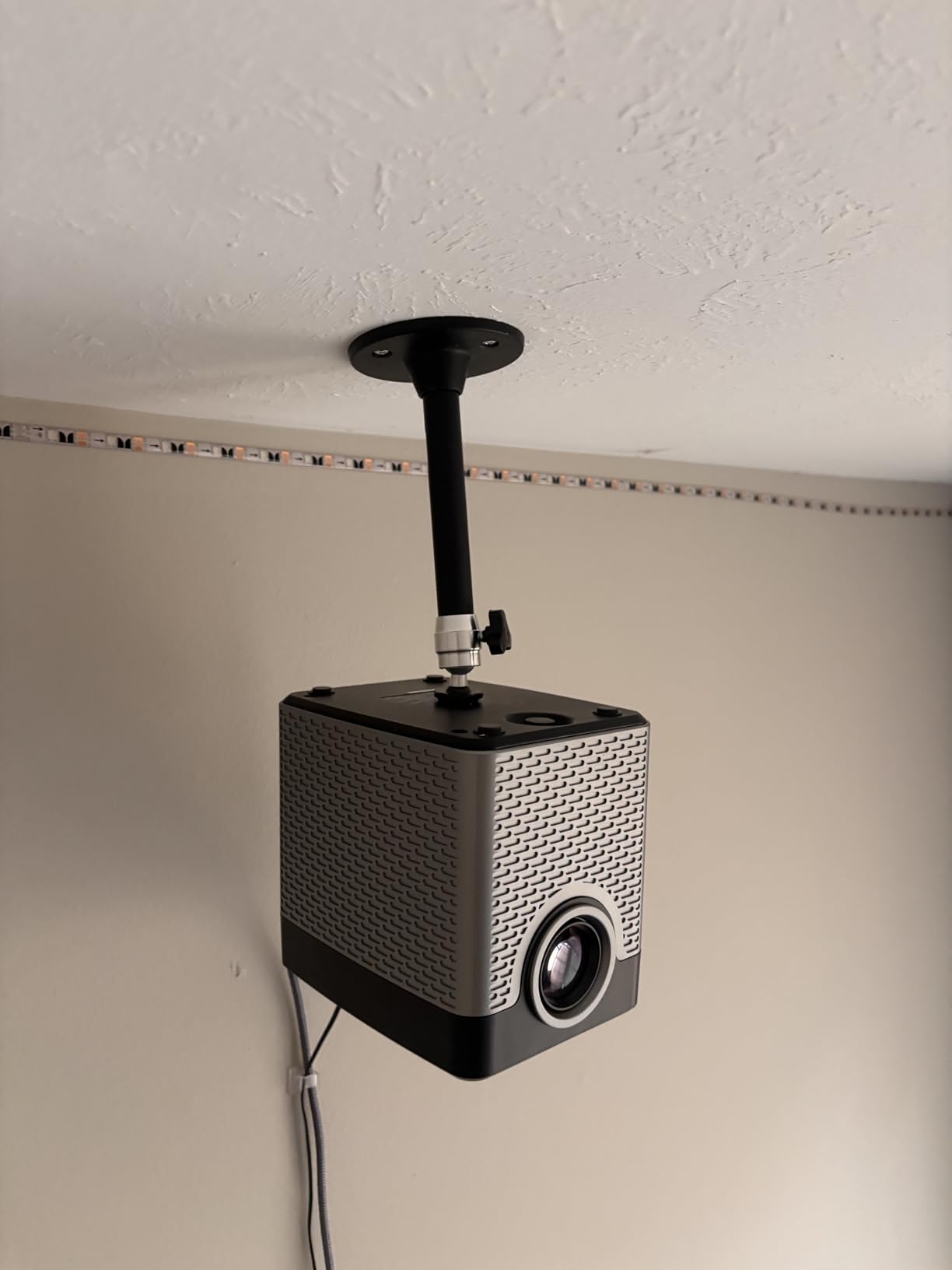
Adjustability includes 90 degrees of tilt and 360 degrees of rotation, which is more than enough range for most mini projector installations. The all-metal construction feels appropriate for the price point and holds position well once tightened. For bedrooms, kids’ rooms, or casual setups where a mini projector projects onto a wall or portable screen, this mount does the job reliably.
The limitations are clear from the spec sheet. The 5-kilogram weight limit means this is strictly for mini and portable projectors. A full-size home theater projector will overload it immediately. The mount also requires a tripod screw hole on your projector, so some ultra-budget models without any mounting interface will not work.
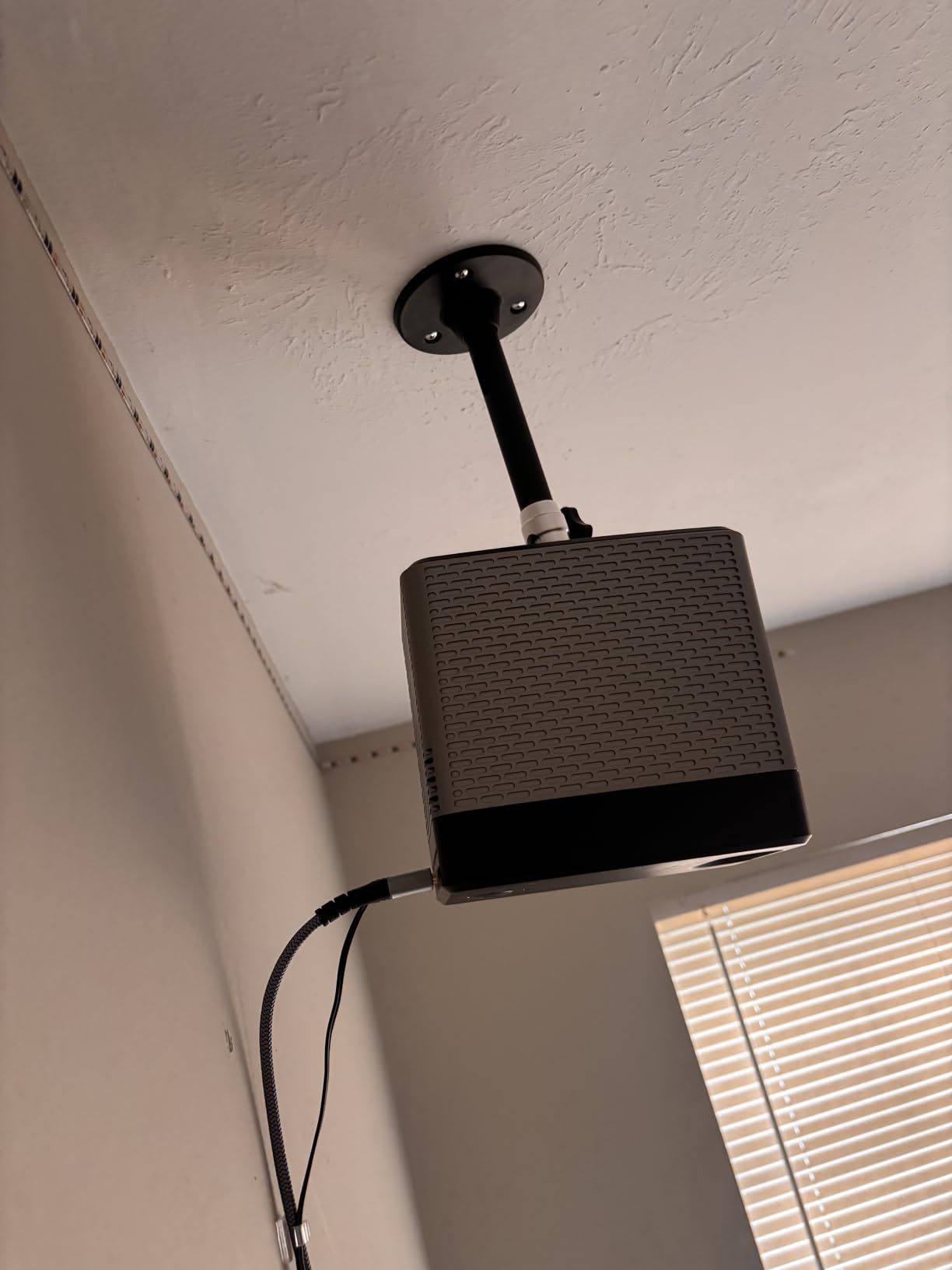
Which Mini Projectors Are Compatible
YiePhiot explicitly lists compatibility with QKK, DR.J, DBPOWER, Anker, VANKYO, AAXA, Jinhoo, PVO, TMY, and AuKing mini projectors. In practice, any mini projector with a standard quarter-inch tripod thread will work. The three included screw adapters handle the slight thread size variations between brands.
If your mini projector has no threaded hole at all, you will need the WALI PM-005-B tray mount instead. But for the vast majority of popular mini projectors sold today, this YiePhiot mount connects directly and securely. At this price, it is hard to find a reason to complain.
Is a Budget Mount Safe for Your Projector
For a mini projector weighing 2 or 3 pounds, the 5-kilogram rating provides comfortable headroom and the mount is perfectly safe. The all-metal arm and ceiling plate are structurally sound when properly installed into a ceiling joist. The risk with any budget mount is not the materials but the installation, so take care to anchor securely.
I would not use this mount for a projector costing more than $300, simply because the cost savings come from simpler engineering with fewer redundant safety features. But for a sub-$200 mini projector in a casual viewing setup, the YiePhiot delivers excellent value and earns its Budget Pick badge honestly.
Buying Guide: How to Choose the Best Projector Ceiling Mount?
Choosing the right projector ceiling mount comes down to five key factors: weight capacity, ceiling type and height, projector compatibility, adjustability range, and cable management. Get any of these wrong and you will be reinstalling or replacing your mount within months. Here is what our team learned from testing 8 different mounts across multiple room configurations.
Weight Capacity: Always Exceed Your Projector’s Weight
The single most important spec on any ceiling mount is its weight rating. Your projector weight plus a safety margin should be well under the mount’s maximum capacity. I recommend choosing a mount rated for at least 1.5 times your projector’s actual weight. This accounts for dynamic loads from vibrations and gives you confidence that the mount will hold long-term.
Mini projectors under 3 pounds work fine on 5-kilogram mounts like the YiePhiot. Standard home theater projectors in the 10 to 20-pound range need mounts rated for at least 30 pounds, which covers the VIVO VP01B, VP02W, and VP03W. Heavy projectors above 25 pounds require the Amer at 55 pounds or the WALI PM-003-W at 44 pounds.
Ceiling Type and Height Considerations
Your ceiling type determines what kind of mount you can use and how it attaches. Standard flat ceilings with exposed joists are the easiest to work with. Vaulted or cathedral ceilings require mounts with angled ceiling plates or extension systems designed for pitched surfaces. The VIVO VP03W explicitly handles both flat and pitched ceilings.
Ceiling height determines how far your projector needs to drop. Standard 8-foot ceilings typically work with low-profile mounts like the VIVO VP01B at 15.2 centimeters. Nine to 10-foot ceilings benefit from mid-range extending mounts like the VP02W at 15 to 23 inches. Anything above 10 feet requires a long extending pole like the VP03W at 33.5 to 58 inches.
Finding and Mounting to Ceiling Joists
Every mount in this guide must attach to a solid structural member, not just drywall. Drywall alone cannot hold the weight of a projector and mount safely. Use a stud finder to locate your ceiling joists, which are typically spaced 16 or 24 inches apart. The mount’s ceiling plate must overlap at least one joist for secure anchoring.
If your ideal projector position falls between joists, you have two options. You can install a cross-brace between two joists at the desired location, or you can use an offset mount arm that anchors to a joist and reaches over to the correct position. Reddit users in the r/projectors community frequently recommend the cross-brace approach for maximum stability.
Projector Compatibility and Mounting Hole Patterns
Before ordering any mount, check your projector’s mounting hole pattern. Most projectors have 3 or 4 threaded holes on the bottom with standard thread sizes of M3, M4, M5, or M6. The distance between holes, measured diagonally for 4-hole patterns, must fall within the mount’s specified range.
Universal mounts like the VIVO models cover hole distances from 5.25 to 12.5 inches, which fits the majority of projectors. The Amer extends this to 15 inches for larger projectors. Always verify compatibility for specific Epson models, as several are excluded from VIVO mounts. If your projector has no mounting holes at all, the WALI PM-005-B tray mount is your solution.
Adjustability: Tilt, Swivel, and Rotation Range
Even with careful planning, you will likely need to fine-tune your projector’s aim after installation. Look for mounts offering at least 15 degrees of tilt, 15 degrees of swivel, and 360 degrees of rotation. This range lets you correct for minor ceiling irregularities and achieve a perfectly squared image without digital keystone correction.
Ball joint designs like the Amer offer smoother multi-axis adjustment from a single pivot point. Multiple pivot designs like the VIVO and WALI mounts require adjusting each axis sequentially but offer more locking points for stability. The trade-off is precision versus rigidity, and both approaches work well when properly tightened.
Cable Management for a Clean Installation
Cable management was the most overlooked feature in competitor reviews, yet it makes a huge difference in the finished look of your installation. Mounts with built-in cable channels like the Mount-It! and WALI PM-005-B let you route HDMI and power cables internally. The Amer also features hollow tubing for cable routing through the extension pole.
If your chosen mount lacks cable management, plan to use surface-mounted cable raceways or in-ceiling routing. Exposed dangling cables not only look unprofessional but can catch on objects and stress your projector’s ports. Budget for cable management solutions as part of your installation planning.
Frequently Asked Questions About Projector Ceiling Mounts
Are ceiling mounted projectors better?
Ceiling mounted projectors offer several advantages over shelf or table placement. They stay permanently aligned, free up floor and surface space, and keep the projector safe from accidental bumps. Ceiling mounting also provides the cleanest home theater aesthetic with hidden cables. The main drawback is the installation effort and the permanence of the setup.
Is it better to mount a projector on the ceiling or shelf?
Ceiling mounting is generally better for permanent home theater setups because it provides optimal projection angle, eliminates keystone distortion, and keeps the projector secure. Shelf mounting works well for portable or temporary setups but requires careful alignment each time and takes up surface space. For dedicated viewing rooms, ceiling mounting is the clear winner.
How can I hang my projector from the ceiling?
To hang a projector from the ceiling, first locate a ceiling joist using a stud finder. Attach the ceiling plate of your mount to the joist using lag bolts. Connect the mounting arms to your projector using the correct screw size for its threaded holes. Hang the projector on the mount and adjust tilt, swivel, and rotation to align the image. Route cables through the mount or along the ceiling using cable raceways.
What is the best projector ceiling mount?
The best projector ceiling mount depends on your projector weight and ceiling height. For most users, the VIVO MOUNT-VP01B offers the best combination of value and reliability with a 30-pound capacity and over 10,000 positive reviews. For heavy projectors, the Amer Universal Mount Kit with its 55-pound capacity and 4.9-star rating is the top choice. For mini projectors, the YiePhiot Mini Mount is the most affordable option.
How much weight can a projector ceiling mount hold?
Projector ceiling mount weight capacities range from about 5 kilograms (11 pounds) for mini projector mounts to 25 kilograms (55 pounds) for heavy-duty models. Most universal mounts handle 22 to 44 pounds, which covers the vast majority of consumer projectors. Always choose a mount rated for at least 1.5 times your projector’s actual weight for safety margin.
Final Thoughts on the Best Projector Ceiling Mounts
After testing 8 mounts across multiple rooms and projector types, our top recommendation for most buyers is the VIVO MOUNT-VP01B for its unbeatable combination of price, build quality, and universal compatibility. If you have a heavy or large-format projector, the Amer Universal Mount Kit is worth every penny of its premium price for the rock-solid stability and 4.9-star track record.
For tall or vaulted ceilings, the VIVO MOUNT-VP03W with its 33.5 to 58-inch extension range is the clear choice. And for mini projector owners on a budget, the YiePhiot Mini Mount delivers reliable performance at a price that is hard to beat. No matter which mount you choose, remember to anchor into a ceiling joist and verify your projector’s hole pattern before installation.
The best projector ceiling mounts in 2026 combine solid construction, proper weight capacity, and the adjustability you need for a perfectly aligned image. Pick the one that matches your projector and room, install it carefully, and enjoy a clean professional home theater setup that will serve you for years.