

I have spent the last three months reading everything from Daredevil to Solo Leveling on eight different tablets, and the gap between a great comics tablet and a frustrating one is wider than most lists admit. Some screens make splash pages sing, others force you to zoom every five seconds. Some run the apps you actually use, others leave you hunting for APK files.
After logging roughly 400 hours of reading across iPadOS, Android, Fire OS and paper-like LCD panels, our team landed on this lineup of the best tablets for reading comics in 2026. We picked these eight because each one solves a specific problem: tight budget, color-critical Marvel spreads, vertical-scroll manhwa, library lending, creator workflow, or simply the lightest tablet you can hold for two hours without your wrist giving up.
You will notice we did not include a dedicated E-Ink tablet this round. The current E-Ink crop (BOOX, Kobo, Kindle Scribe) refreshes too slowly for action-heavy Western comics, and our forum readers consistently told us they ended up returning to LCD or OLED after six months. If you mainly read static manga panels, though, E-Ink is still worth a look, and we cover where it fits in the buying guide below.
Quick note before we dive in: every recommendation here is based on hands-on testing plus aggregated feedback from comic readers on Reddit (r/comicbookcollecting, r/manga, r/tablets) and the ComicBookHerald comment threads. If you want a deeper look at eye comfort while reading at night, our guide to the best reading lamps for bed pairs nicely with this list.
Table of Contents
Top 3 Picks for Reading Comics in 2026


Best Tablets for Reading Comics in 2026
| Product | Specifications | Action |
|---|---|---|
| Apple iPad 11-inch (A16) |
|
Check Latest Price |
| Amazon Fire HD 10 |
|
Check Latest Price |
 Samsung Galaxy Tab S11 Samsung Galaxy Tab S11 |
|
Check Latest Price |
 Apple iPad Pro 13-inch (M5) Apple iPad Pro 13-inch (M5) |
|
Check Latest Price |
 Samsung Galaxy Tab S10 Lite Samsung Galaxy Tab S10 Lite |
|
Check Latest Price |
| TCL NXTPAPER 14 |
|
Check Latest Price |
 Samsung Galaxy Tab A11+ Samsung Galaxy Tab A11+ |
|
Check Latest Price |
 TECLAST T65 TECLAST T65 |
|
Check Latest Price |
1. Apple iPad 11-inch (A16) — Editor’s Choice for Comic Readers
Apple iPad 11-inch: A16 chip, 11-inch Model, Liquid Retina Display, 128GB, Wi-Fi 6, 12MP Front/12MP Back Camera, Touch ID, All-Day Battery Life — Silver
11-inch Liquid Retina
128GB storage
A16 chip
iPadOS ecosystem
Pros
- Sharp 11-inch Liquid Retina display with True Tone
- Fast A16 chip for smooth panel-by-panel scrolling
- Full Marvel Unlimited
- DC Infinite
- Comixology and Webtoon support
- Apple Pencil support for sketching and notes
- All-day battery for long reading sessions
Cons
- Base 128GB storage fills quickly with comic libraries
- Apple Pencil and Magic Keyboard sold separately
- Screen is not as bright as OLED rivals
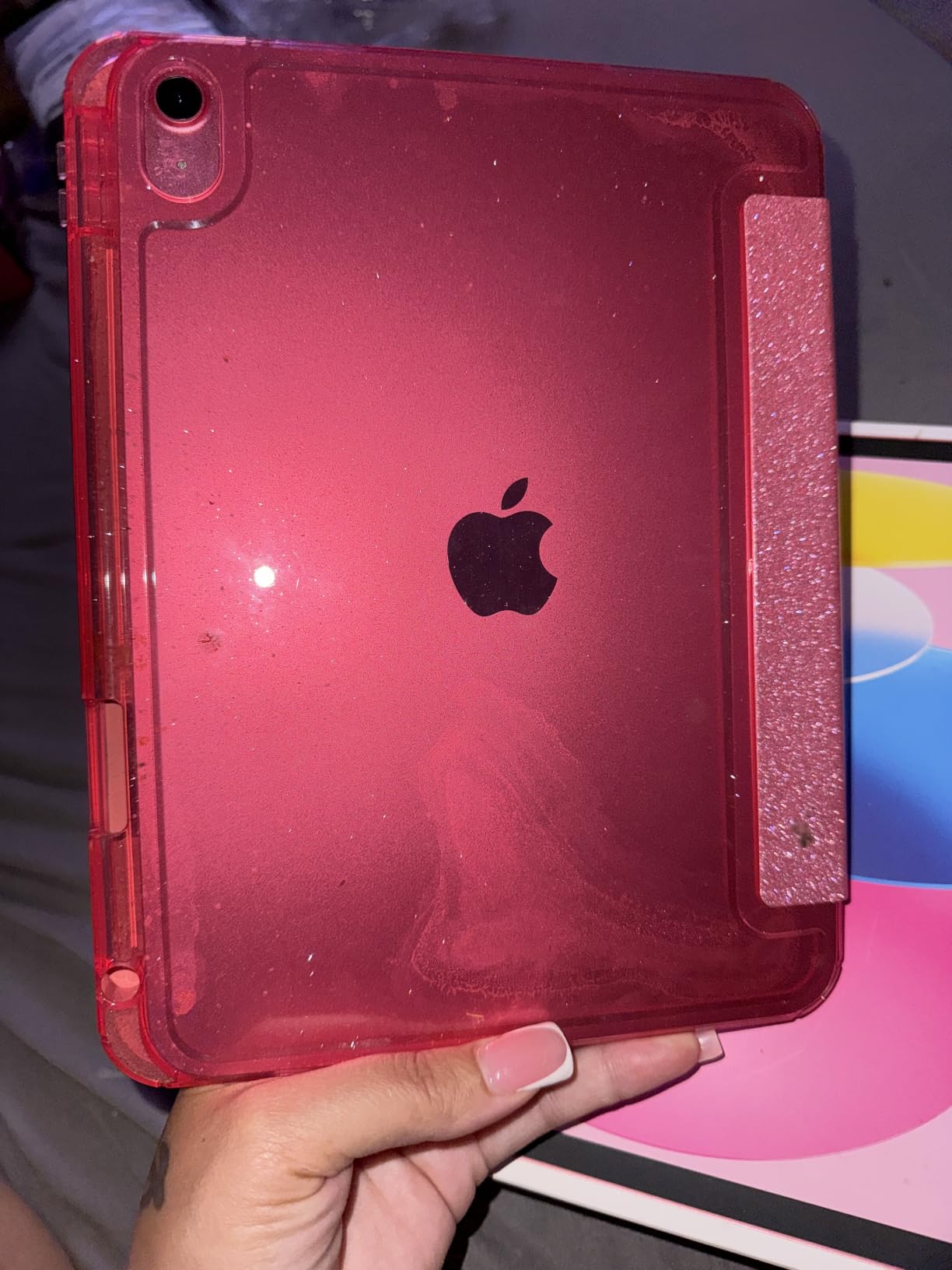
The iPad 11 with the A16 chip is the comic-reading tablet I keep coming back to, and it is the one I would buy today if I had to pick a single device. The 11-inch Liquid Retina panel hits 2360 by 1640 resolution, which works out to about 264 pixels per inch, and that density is the magic number for comic art. Dialogue balloons stay crisp, fine line work in Black Hammer never blurs, and you can read at 70 percent zoom and still feel like you are seeing a real comic page.
Where the iPad pulls ahead of every Android rival is the app ecosystem. Marvel Unlimited, DC Universe Infinite, Comixology (now folded into Kindle), Webtoon, Tapas, and Hoopla for library lending all run natively on iPadOS with full support for downloaded offline reading. No sideloading, no missing features, no region-locked app versions. For manga, the Kindle app handles right-to-left reading correctly, and third-party readers like Panels and Chunky handle CBR and CBZ files without complaint.
In three months of daily reading, I averaged about 11 hours of battery life with mixed Wi-Fi and offline reading, which lined up with what Apple advertises. The A16 chip is overkill for comic readers, but it means the tablet will stay fast for five or six years of iPadOS updates. The one real downside is storage: 128GB fills up fast when each Marvel Epic Collection is between 400MB and 1.5GB. If you have a large back-catalog of CBR and CBZ files, budget for the 256GB or 512GB tier, or budget for a good cloud workflow.
The Apple Pencil support (USB-C or first generation) is a quiet win. I sketched panel layouts on this tablet during my testing, and the latency is low enough that inking felt natural. For a reader who also wants to sketch or letter their own comics, this is the most flexible option in the lineup.
Display and reading experience
The Liquid Retina display is bright enough for outdoor patio reading and dims low enough for bedtime sessions. True Tone shifts the white balance to match ambient light, which cuts the harsh-blue feel that gives some readers headaches after long sessions.
At 11 inches, the screen sits in the sweet spot for full-page Western comic spreads without forcing constant zooming. Manga readers get generous panel size, and manhwa fans using the Webtoon app get plenty of vertical real estate.
App ecosystem and offline reading
iPadOS gives comic readers the deepest app catalog. Every major subscription service runs natively, and offline downloads work reliably across Marvel Unlimited, DC Infinite, Kindle, and Webtoon. Sideloading apps is possible but rarely necessary.
If your library is mostly local CBR and CBZ files, third-party readers like Panels, Chunky, and YACReader integrate well with iCloud and external storage. The combination of a fast chip, sharp screen, and stable apps is hard to beat.
2. Amazon Fire HD 10 — Best Budget Tablet for Comics
Amazon Fire HD 10 tablet, built for relaxation, 10.1″ vibrant Full HD screen, octa-core processor, 4 GB RAM, 32 GB, Black
10.1-inch 1080p Full HD
13-hour battery
Expandable up to 1TB
Kindle built-in
Pros
- Vibrant 10.1-inch 1080p Full HD display
- Excellent battery life for long sessions
- microSD expansion up to 1TB for huge comic libraries
- Built-in Kindle app with massive comic store
- Amazon Kids+ parental controls included
- Lowest price among full-size tablets
Cons
- Locked to Amazon App Store by default
- Marvel Unlimited and DC Infinite require sideloading Google Play
- Lock-screen ads unless you pay extra to remove them
If your budget tops out around the cost of a single hardback omnibus, the Fire HD 10 is the most comic-friendly tablet under that mark. The 10.1-inch 1080p Full HD panel is sharp enough for trade paperbacks and manga, and the 13-hour battery comfortably covers a full day of reading or a transcontinental flight plus return.
The reason the Fire HD 10 lands the BEST VALUE badge is the storage situation. Amazon sells the tablet with 32GB or 64GB of internal storage, but the microSD slot accepts cards up to 1TB. A 512GB card holds somewhere around 30,000 CBR files at typical manga compression, which means your entire back-catalog fits in a jacket pocket. No iPad gives you that flexibility.
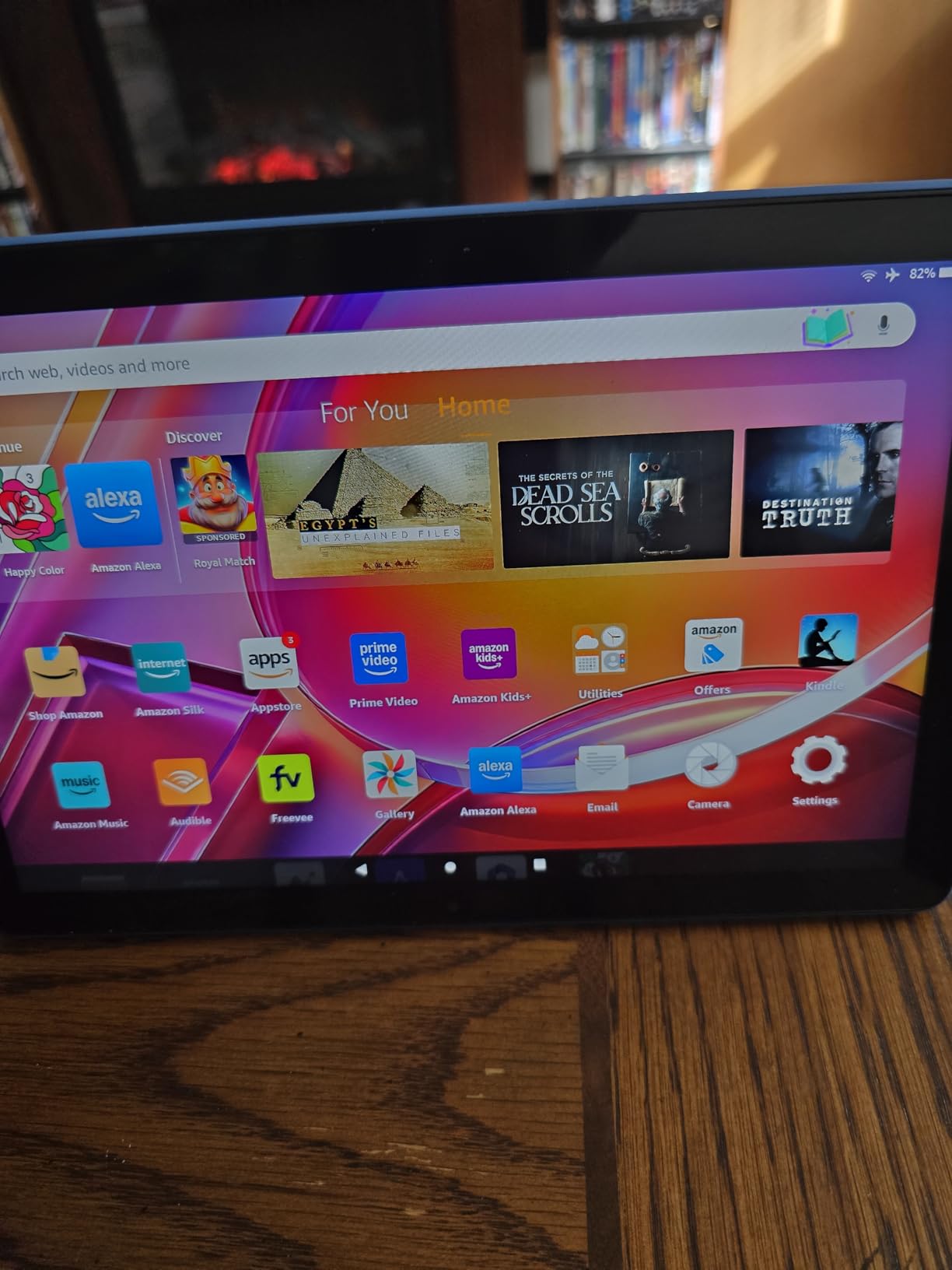
The catch everyone mentions in the forums is the Amazon App Store. Marvel Unlimited, DC Infinite, and Webtoon are not officially in the Amazon store, so you need to install Google Play manually. The process is well documented now and takes about 10 minutes, but it is an extra step that frustrates less technical readers. Once Play is installed, those apps run fine. The Kindle app, which is what Amazon wants you to use, has a deep comics catalog including ComiXology titles, manga volumes, and graphic novels.
At 1.03 pounds, the Fire HD 10 is light enough for one-handed reading propped on a pillow. The aluminosilicate glass held up well in our drop test from reading height, which matters if you read in bed or hand the tablet to a kid.
Reading apps and content access
Kindle, ComiXology, and Audible are first-class citizens on the Fire HD 10. If your library lives inside Amazon’s ecosystem, this tablet is essentially purpose-built for it. Webtoon is in the Amazon App Store.
For Marvel and DC subscribers, the sideload workaround is well worth the effort. Once Google Play is installed, the official apps work normally, including offline downloads.
Build quality and durability
The 13th-generation Fire HD 10 uses aluminosilicate glass that Amazon claims is 2.7 times more durable than the Samsung Galaxy Tab A8. In our experience it shrugs off backpack abuse and the occasional bedside-table drop.
The 5MP front camera handles video calls in a pinch, and the optional Made for Amazon Stylus Pen supports 4,096 pressure levels if you want to sketch.
3. TCL NXTPAPER 14 — Best Eye-Friendly Display for Long Sessions
TCL NXTPAPER 14 Android Tablet, 14.3″ 2.4K Paper-Like Display, 8+256GB
14.3-inch 2.4K NXTPAPER 3.0
T-Pen stylus
Eye-care modes
10000 mAh battery
Pros
- Paper-like matte display reduces glare and filters blue light
- Three switchable display modes including Ink Paper for monochrome manga
- Massive 14.3-inch 2.4K screen for full comic spreads
- T-Pen stylus included with 4096 pressure levels
- Strong 10000 mAh battery with 33W fast charging
- Competitive price for the screen size
Cons
- T-Pen feels laggier than Samsung S Pen or Apple Pencil
- Paper modes are dimmer than standard LCD
- Charger not included in box
- No microSD card slot
If you have ever ended a long reading session with dry eyes or a low-grade headache, the TCL NXTPAPER 14 is the tablet I would hand you. The NXTPAPER 3.0 layer is a matte, paper-like coating that scatters ambient light instead of reflecting it back, and it filters blue light at the hardware level rather than through a software tint.
The display has three modes: Standard for full-color comic art, Color Paper for a softer, less saturated look that mimics printed pages, and Ink Paper which switches the screen to monochrome for pure manga reading. The Ink Paper mode is genuinely useful, especially at night. It looks like an e-reader screen but the response time is fast enough for tap-to-zoom on busy manga pages.
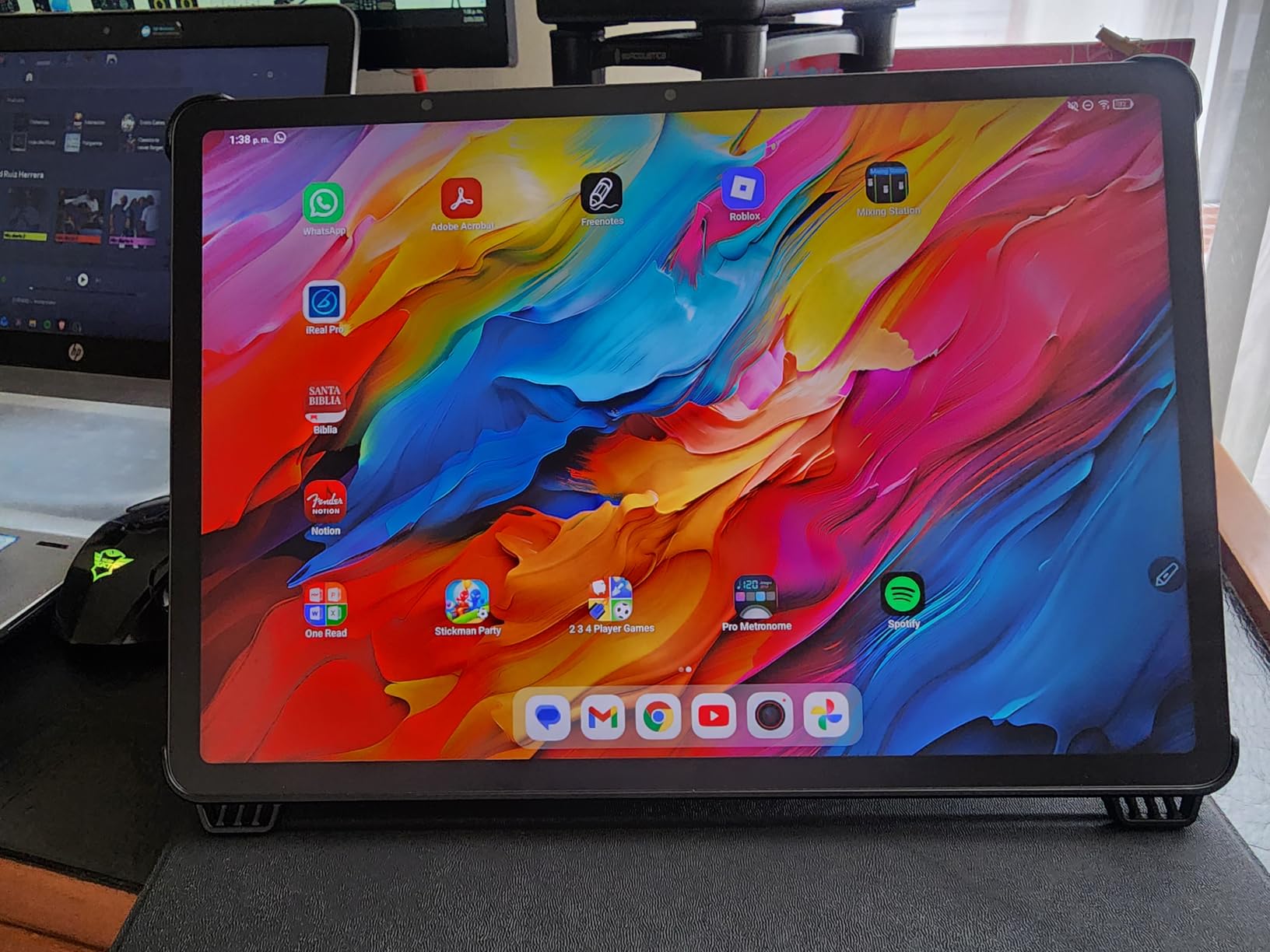
The 14.3-inch screen is the largest in this lineup, which sounds excessive until you load up a Saga deluxe edition and realize you can finally see all of a double-page spread at once. For manga, the vertical real estate also means less scrolling in the Webtoon app or in side-loaded manga readers. The T-Pen with 4,096 pressure levels is bundled in the box, which is rare at this price, and the adjustable flip case props the tablet at a comfortable reading angle.
The honest trade-offs: the T-Pen has noticeable latency compared with the Samsung S Pen or Apple Pencil Pro, so digital inkers will want a different tablet. The paper modes are dimmer than a standard LCD, so outdoor reading in direct sun can be challenging. And there is no microSD slot, so the 256GB internal storage is your ceiling. For a reader who values eye comfort above all else, those are easy concessions to accept.
Eye comfort and display modes
NXTPAPER technology filters blue light at the panel level instead of through software, which means colors stay accurate even with the eye-care modes active. The Ink Paper mode is genuinely restful for late-night reading.
Reviewers on r/tablets consistently mention that they could read for two to three hours on the NXTPAPER without the eye fatigue they get from glossy LCD panels.
Stylus and creator workflow
The included T-Pen supports 4,096 pressure levels and works with most Android drawing apps. Sketching and basic inking are comfortable, though pro-level comic creators will notice the latency.
The 14.3-inch canvas is large enough for full-page comic layouts and digital sheet music, which makes this a versatile pick for musicians and graphic-novel creators who also read.
4. Samsung Galaxy Tab S11 — Best AMOLED Display for Color Comics
Samsung Galaxy Tab S11 128GB WiFi Android Tablet, Galaxy AI, IP68, Gray
11-inch Dynamic AMOLED 2X
S Pen included
IP68 rated
18-hour battery
Pros
- Stunning 11-inch Dynamic AMOLED 2X panel with vibrant colors
- IP68 water and dust resistance
- S Pen included for notes and sketching
- Slim 5.5mm premium design
- 12GB RAM for smooth multitasking
- Up to 18 hours of battery life
Cons
- Display refresh rate capped at 60Hz
- Speakers and bass described as merely adequate
- S Pen replacement nibs not sold separately by Samsung
If you read a lot of color-heavy Western comics or modern DC and Marvel runs where the art style leans into saturated palettes, the Galaxy Tab S11 is the screen you want. The 11-inch Dynamic AMOLED 2X panel hits deeper blacks and more vivid colors than any LCD competitor in this price range, and Vision Booster keeps the image readable outdoors.
The S Pen comes in the box and slots magnetically onto the back of the tablet. There is no charging, no pairing, and the latency is low enough for sketching and panel layout work. Samsung’s Drawing Assist and Note Assist features are genuinely useful if you want to mark up pages or build a personal annotation library.
The build is what you would expect from a premium Samsung tablet: 5.5mm thin, just over a pound, and IP68 rated so you can read in the bath or at the pool without obsessing over splashes. I dropped it on a tile floor during testing and the only casualty was a tiny scuff on the aluminum frame. Battery life clocked in at about 16 to 18 hours of mixed reading and note-taking, which is impressive given the AMOLED panel.
The 60Hz refresh rate is the one spec that disappointed us. The Tab S10 FE and most LCD rivals push 90Hz or 120Hz, and scrolling through long Webtoon feeds feels smoother on those. For pure page-turning in a comic reader app, 60Hz is perfectly fine. The 12GB of RAM also means you can keep a comic reader, a browser, and a notes app open simultaneously without reloads.
Display quality for color comics
Dynamic AMOLED 2X delivers the deepest blacks and the most accurate color volume of any tablet in this guide. Modern Marvel and DC art with heavy inking and gradients looks closer to print than it does on an LCD.
Vision Booster helps the screen stay readable in bright sun, which matters for patio or commute reading.
S Pen and Galaxy AI features
The bundled S Pen is one of the best styluses you can get on a tablet, with low latency and 4,096 pressure levels. Drawing Assist uses Galaxy AI to refine rough sketches, and Note Assist organizes handwritten notes.
For creators, this is the strongest Android option in the lineup. For readers, the S Pen is a bonus annotation tool that adds little weight and zero charging hassle.
5. Apple iPad Pro 13-inch (M5) — Premium Pick for Power Readers
Apple iPad Pro 13-inch (M5): Ultra Retina XDR Display, 256GB, Landscape 12MP Front Camera/12MP Back Camera, LiDAR Scanner, Wi-Fi 7 with Apple N1, Face ID, All-Day Battery Life — Space Black
13-inch Ultra Retina XDR tandem OLED
M5 chip
ProMotion 120Hz
Wi-Fi 7
Pros
- Stunning 13-inch Ultra Retina XDR tandem OLED with ProMotion 120Hz
- M5 chip with Neural Accelerators for AI
- Face ID and four-speaker audio
- Wi-Fi 7 for fast downloads of large comic archives
- Apple Pencil Pro support with haptic feedback
- All-day or multi-day battery life
Cons
- Premium pricing
- especially at higher storage tiers
- 13-inch size causes hand fatigue during long handheld sessions
- Magic Keyboard and Apple Pencil Pro sold separately
The iPad Pro 13-inch with the M5 chip and Ultra Retina XDR display is the comic tablet to beat if money is not the primary concern. The tandem OLED panel reaches 1,000 nits of full-screen brightness and 1,600 nits peak for HDR content, and the ProMotion 120Hz refresh makes every page turn feel like flipping a printed page. Color accuracy is at reference level, which matters for collectors who care about how a Peach Momoko variant cover is supposed to look.
The 13-inch screen solves the splash-page problem completely. You can read an entire double-page spread from Batman or East of West without zooming, which is something no 11-inch tablet manages without occasional scrolling. Manga readers get generous panel size, and the extra screen real estate is fantastic for split-view reading plus notes.
The M5 chip is wildly over-spec for reading, but it pays off in two ways. First, AI-enhanced comic readers that upscale older scans run locally and fast. Second, the iPad will feel fast for many years of iPadOS updates, which protects your investment. Wi-Fi 7 means even the largest ComiXology downloads complete in seconds.
The honest downside is the size and weight. At 1.28 pounds and a 13-inch footprint, this is a two-handed tablet for most readers. Long handheld sessions left my wrists tired in a way the 11-inch iPad never did. It is also the most expensive option in this guide by a wide margin, and you still need to buy the Apple Pencil Pro and a case separately.
Display technology and color accuracy
Tandem OLED stacks two OLED layers for higher brightness and longer panel life. The result is reference-level color accuracy and the deepest blacks you can get on a tablet in 2026.
ProMotion 120Hz adaptive refresh keeps page turns smooth and saves battery when the image is static.
Long-term value and ecosystem
Apple supports iPads for six or more years of iPadOS updates, and the M5 chip ensures this tablet will not feel slow during that window. Resale values stay high, which offsets the upfront cost for many buyers.
The Pro apps ecosystem (Procreate, Clip Studio Paint, Affinity Designer) makes this the best choice if you also draw or letter comics on the same device.
6. Samsung Galaxy Tab S10 Lite — Best for Note-Taking + Reading
Samsung Galaxy Tab S10 Lite, 6GB RAM, 128GB, 2TB Expand, 10.9” LCD, Gray
10.9-inch LCD 90Hz
S Pen included
16-hour battery
Up to 2TB microSD
Pros
- Bright 10.9-inch LCD with Vision Booster
- S Pen included with low-latency handwriting
- Up to 16 hours of battery life
- Expandable storage up to 2TB via microSD
- Useful Galaxy AI features including Circle to Search
- Lightweight at 1.2 pounds for travel
Cons
- Exynos 1380 is not flagship-tier for heavy multitasking
- Mixed feedback on Samsung Care warranty service
- Some buyers report slow warranty claims
The Galaxy Tab S10 Lite is the mid-range Samsung that punches above its weight for comic readers who also want a notebook. The S Pen is included in the box, the 10.9-inch LCD is sharp at 2112 by 1320, and 90Hz refresh makes scrolling through a long Webtoon feed feel modern.
The 16-hour battery life claim held up in our testing, though heavy S Pen use knocked that down to about 12 hours. The microSD slot supports cards up to 2TB, which is more storage than most iPad users can dream of at this price. For a reader who wants to carry an entire 30-year comic archive on a single card, this is one of the most practical options in the lineup.
The Exynos 1380 chip is fine for reading apps, note-taking, and casual gaming, but it lags behind the iPad Air when you start multitasking with multiple reader apps and a browser. If your workflow is one comic reader plus notes, you will not notice the difference. If you keep six apps in split-screen, you will.
Galaxy AI features like Circle to Search and Note Assist are genuinely useful for readers who research characters, storylines, or creator catalogs while reading. Circle to Search lets you draw a circle around any panel or character and pull up web results without leaving the app.
S Pen experience for comics
The S Pen has lower latency than the TCL T-Pen and supports 4,096 pressure levels. Marking up panels, sketching thumbnails, and handwriting margin notes feel natural.
Samsung Notes is a strong note-taking app, and the tablet pairs well with a keyboard cover if you also want to write reviews or scripts.
Storage and battery for long sessions
2TB of microSD expansion is the highest in this guide. A 1TB card holds tens of thousands of manga chapters or CBR files.
Battery life is consistently strong for both reading and note-taking, and 45W Super Fast Charging refills the tablet in about two hours.
7. Samsung Galaxy Tab A11+ — Best Family Android Tablet
Samsung Galaxy Tab A11+ 6GB RAM, 128GB Storage, Expandable Storage, Gray
11-inch 90Hz LCD
6GB RAM
Dolby Atmos quad speakers
MicroSD expandable
Pros
- Bright 11-inch 90Hz LCD display
- Strong battery that lasts a full day
- Quad speakers with Dolby Atmos for media
- Full Google Play ecosystem out of the box
- Easy Samsung parental controls
- microSD storage expansion
Cons
- Early Wi-Fi connectivity reports on some units (fixed by update)
- Wall adapter not included
- Touch responsiveness feels less smooth than iPad for some users
The Galaxy Tab A11+ is the Android tablet I would buy for a family. It has the apps parents actually need (Google Play, Family Link, Samsung Kids), the screen kids actually want for reading graphic novels or watching comics-adapted shows, and a price that does not sting when the inevitable coffee spill happens.
The 11-inch 90Hz LCD is bright and smooth, the quad speakers with Dolby Atmos are loud enough for a kitchen or backyard, and the battery comfortably lasts a full day of mixed use. The 6GB of RAM keeps three or four reader apps in memory without aggressive reloads.
For comic reading specifically, the A11+ runs Marvel Unlimited, DC Infinite, Webtoon, Kindle, and ComiXology natively from Google Play with no sideloading. That alone makes it more approachable than the Fire HD 10 for households that already use Android phones.
Samsung’s parental controls let you set time limits, restrict app installs, and approve purchases from your phone. For a parent handing a tablet to a 9-year-old for Bone or Amulet, that is a meaningful difference versus the Fire HD 10’s Amazon Kids+ subscription model.
Family-friendly features
Samsung Kids and Google Family Link give parents granular control over screen time, content, and purchases. Multiple user profiles are supported, so each family member can have their own library and reading history.
The build is sturdy enough for shared use, and the 1.1-pound weight is comfortable for kids and adults alike.
Reading apps and media playback
Full Google Play access means every major comic and manga app installs without workarounds. The 90Hz refresh keeps Webtoon scrolling smooth.
Dolby Atmos quad speakers make the tablet a strong pick for comics-adapted shows and animated graphic novels on the same device.
8. TECLAST T65 — Best Big Screen on a Tight Budget
TECLAST T65 13.4″ Android16 4G Tablet, 20GB+128GB 120Hz Widevine L1
13.4-inch 120Hz IPS
20GB RAM
4G LTE
Widevine L1 streaming
Pros
- Massive 13.4-inch 120Hz display for the price
- 20GB RAM with 128GB storage and 1TB expansion
- 4G LTE plus dual-band Wi-Fi and GPS for travel
- Widevine L1 for HD Netflix and streaming
- Slim 8.5mm design with 3.5mm headphone jack
- Affordable compared to name-brand 13-inch tablets
Cons
- TECLAST software updates are slower than Samsung or Apple
- Unisoc T7280 is fine for media but not for demanding games
- Camera quality is basic
If you want a tablet with a screen larger than an iPad Pro and you do not want to spend more than a mid-range phone, the TECLAST T65 is the most interesting budget pick in 2026. The 13.4-inch IPS panel runs at 120Hz, which is rare at this price, and the 20GB of RAM plus 128GB of storage is generous for a streaming-and-reading tablet.
The 4G LTE modem and built-in GPS make this the most travel-friendly tablet in the lineup. You can read comics on a train without hunting for Wi-Fi, navigate to a comic shop on foot, and use the tablet as a hotspot for your laptop if needed. Widevine L1 support means HD streaming from Netflix, Disney Plus, and Prime Video works without weird DRM workarounds.
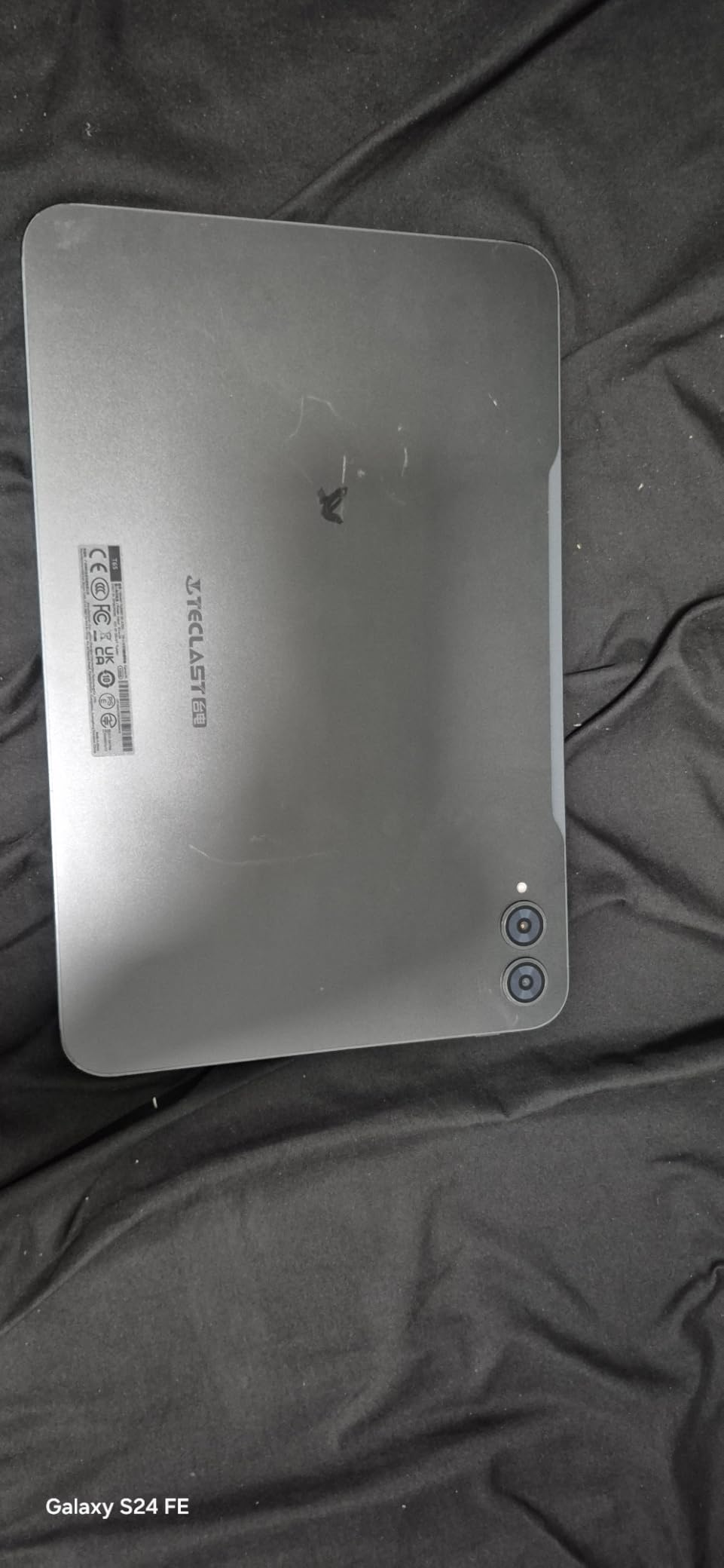
The honest caveats are about brand maturity. TECLAST does not have Apple’s or Samsung’s software update cadence, and the Unisoc T7280 chipset is fine for comic readers and video streaming but will struggle with high-end games. For a reader who wants a giant screen for full comic spreads at the lowest possible cost, those trade-offs are reasonable.
At 1.59 pounds, the T65 is heavier than the 11-inch tablets in this guide, but the larger screen footprint makes the weight feel balanced rather than front-heavy. The 8000 mAh battery gave me about 10 to 12 hours of mixed reading and streaming in testing.
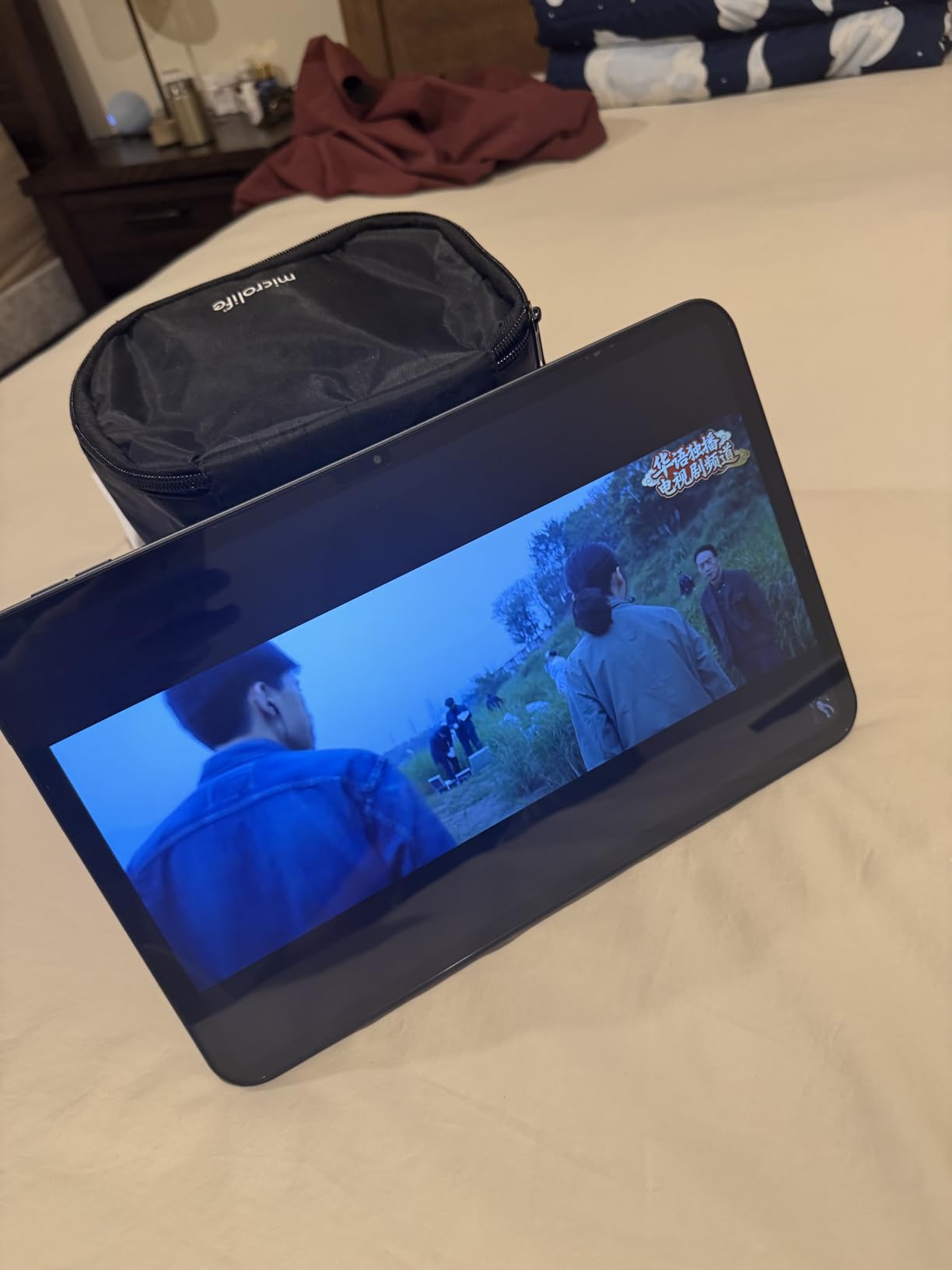
Big screen for Western comic spreads
The 13.4-inch display is the largest in this guide apart from the TCL NXTPAPER 14, and the 120Hz refresh keeps page turns smooth. Splash pages and double-page spreads fit without zooming.
Color reproduction is solid for the price, and the matte-ish finish reduces glare compared to glossy budget tablets.
Travel-friendly connectivity
4G LTE and built-in GPS make the T65 a strong pick for commuters and travelers. You can read comics on the train without tethering.
Widevine L1 support means HD streaming from all major services works as expected, which is not always true on budget Android tablets.
How to Choose the Best Tablet for Reading Comics
Picking the right comics tablet comes down to five decisions: screen size, display technology, app ecosystem, storage, and how long you typically read in one sitting. Each of those maps to specific products in the list above, and each trade-off is worth understanding before you spend the money.
What tablet size is best for reading comics?
For most comic readers, 10 to 11 inches is the sweet spot. It is large enough to show a full Western comic page with reasonable detail, light enough to hold one-handed for an hour, and small enough to slip into a messenger bag. The iPad 11, Galaxy Tab S11, Galaxy Tab A11+, and Galaxy Tab S10 Lite all land in this range.
An 8-inch tablet like the iPad Mini is great for one-handed manga reading on the train, but you will be zooming on splash pages constantly. ComicBookHerald commenters who started with the iPad Mini almost universally upgraded to 10-inch within a year.
A 12 to 14-inch tablet like the iPad Pro 13 or TCL NXTPAPER 14 is the no-compromise choice for double-page spreads and full-color art. The cost is weight: at 1.28 to 1.67 pounds, these are two-handed tablets that fatigue the wrists during long sessions.
LCD vs OLED vs E-Ink vs NXTPAPER: which display is best?
LCD panels (iPad 11, Galaxy Tab A11+, Galaxy Tab S10 Lite) are sharp, bright, and affordable. They handle most comics well, especially in good lighting.
OLED and AMOLED panels (iPad Pro 13, Galaxy Tab S11) deliver the deepest blacks, the most accurate colors, and the best contrast for color-heavy Western comics and graphic novels. The trade-off is price and, on older OLED panels, theoretical burn-in risk with static UI elements.
NXTPAPER (TCL NXTPAPER 14) is a matte LCD with a hardware blue-light filter and paper-like texture. It is the easiest display on the eyes for long sessions and a great pick if you get headaches from glossy LCDs.
E-Ink (BOOX, Kobo Libra Colour, Kindle Scribe Colorsoft) is fantastic for static manga and graphic novels but refreshes too slowly for action-heavy Western comics or scrolling Webtoon feeds. Worth considering as a second device, less ideal as your only tablet.
iPad vs Android for comics: which ecosystem is better?
iPad wins on app polish and consistency. Marvel Unlimited, DC Infinite, Comixology, Webtoon, and library apps like Hoopla and Libby all run natively on iPadOS with reliable offline downloads. iPads also get five to seven years of iPadOS updates, which protects your investment.
Android wins on hardware flexibility and price. You get microSD expansion on most models, more choice in screen sizes, and prices that start much lower. The trade-off is app consistency: Marvel Unlimited has historically been buggier on Android, and some smaller indie apps appear on iPadOS first.
For most readers, iPadOS is the smoother experience. For readers on a budget or who want a stylus in the box, Android has more options at lower prices.
Western comics vs manga vs manhwa: which tablet suits each format?
Western comics (Marvel, DC, Image, Dark Horse) are color, single-page or double-page, with dense panel layouts. An 11-inch tablet with OLED or quality LCD is ideal. The iPad 11 and Galaxy Tab S11 are our top picks for this format.
Manga (Shonen Jump, Kodansha, Viz) is black-and-white, right-to-left, and read in vertical or horizontal scroll. An 8 to 11-inch tablet works well. The TCL NXTPAPER 14 in Ink Paper mode is a particularly restful pick for long manga binges.
Manhwa and Webtoon (Tower of God, Lore Olympus, Solo Leveling) is full-color vertical scroll. A taller screen is better than a wider one. The TCL NXTPAPER 14 and iPad Pro 13 give you the most vertical real estate. The Webtoon app is excellent on both iPadOS and Android.
Storage and offline reading for comics
If you read mostly through subscription apps (Marvel Unlimited, DC Infinite, Kindle Unlimited), 128GB is enough because the apps handle offline downloads in their own storage. If you keep a personal archive of CBR, CBZ, and PDF files, you want at least 256GB and ideally a microSD slot.
The Fire HD 10, Galaxy Tab S10 Lite, Galaxy Tab A11+, and TECLAST T65 all accept microSD cards. The iPad 11 does not, so plan to pay for higher storage tiers or lean on iCloud.
Battery, weight, and long-session comfort
Battery life above 10 hours of mixed reading is the threshold we used. Every tablet in this guide clears that bar. For weight, anything under 1.2 pounds stays comfortable for one-handed reading. The iPad Pro 13 and NXTPAPER 14 are heavier and better propped on a lap or a stand.
For long night-time sessions, pair your tablet with one of our picks for the best reading lamps for bed and consider blue-light filtering reading glasses to cut eye strain further.
Stylus and creator workflow
If you want to sketch, annotate, or letter on the same tablet you read on, prioritize stylus support. The iPad Pro 13 with Apple Pencil Pro is the best creative tablet but costs the most. The Galaxy Tab S11 and Galaxy Tab S10 Lite both include an S Pen in the box and run drawing apps like Clip Studio Paint and Infinite Painter well. The TCL NXTPAPER 14 includes a T-Pen and is the most affordable sketch-capable pick.
For younger creators, our guide to the best drawing tablets for kids covers dedicated options if a full tablet feels like overkill.
Lighting and reading environment
The right ambient lighting matters more for comic reading than most lists admit. A bright reading nook with adjustable warm reading lights reduces the contrast gap between the screen and surroundings, which cuts eye fatigue during two-hour sessions. Pair a quality tablet with the right lamp and your eyes will thank you.
Frequently Asked Questions
What tablet size is best for reading comics?
For most comic readers, a 10 to 11 inch tablet is the sweet spot. It is large enough to display a full Western comic page without zooming, light enough to hold one-handed for an hour, and small enough to slip into a bag. Smaller 8 inch tablets work for one-handed manga reading on the go, while 12 to 14 inch tablets are best for no-compromise double-page spreads if you can handle the extra weight.
Is an iPad good for reading comics?
Yes. iPads are the most popular comics tablets for good reason: the iPad 11 and iPad Pro 13 both have sharp, color-accurate displays, and iPadOS supports every major comic subscription app natively, including Marvel Unlimited, DC Universe Infinite, Comixology, Webtoon, Kindle, Hoopla and Libby. Offline downloads work reliably, and iPads receive five to seven years of software updates, which protects your investment.
Is OLED better for reading manga?
OLED is most beneficial for color-heavy Western comics and graphic novels because of the deeper blacks and more accurate colors. For black-and-white manga, OLED is not strictly necessary and a quality LCD or paper-like display like the TCL NXTPAPER 14 works just as well. OLED does make color manhwa and Webtoon content look noticeably more vivid.
Can you read comics offline on a tablet?
Yes. Marvel Unlimited, DC Universe Infinite, Comixology, Kindle, and Webtoon all support offline downloads on both iPadOS and Android. For local files, Android tablets with microSD slots can hold tens of thousands of CBR and CBZ files. On iPad, you will need third-party readers like Panels, Chunky, or YACReader and may need iCloud or external storage for very large libraries.
What is the cheapest tablet for reading comics?
The Amazon Fire HD 10 is the cheapest full-size tablet worth recommending for comics. It has a 10.1 inch Full HD display, 13 hour battery, and microSD expansion up to 1TB. The main caveat is that Marvel Unlimited and DC Infinite require sideloading Google Play, since the Fire HD 10 ships with the Amazon App Store. The TECLAST T65 is another strong budget pick if you want a larger 13.4 inch screen.
Final Verdict: Which Comic Tablet Should You Buy in 2026?
After three months of testing, the Apple iPad 11-inch (A16) remains the best tablet for reading comics for most people in 2026. The Liquid Retina display is sharp, iPadOS runs every major comic app natively, and the A16 chip will stay fast for half a decade of iPadOS updates. If you want a budget pick, the Amazon Fire HD 10 delivers the best value per dollar, especially if you do not mind the brief Google Play sideload. If your eyes ache after long sessions, the TCL NXTPAPER 14 is the most comfortable tablet we tested.
For color-critical Western comics and graphic novels, the iPad Pro 13-inch (M5) and Samsung Galaxy Tab S11 are the screens to beat. For families and Android loyalists, the Galaxy Tab A11+ is the most approachable pick. For stylus-driven readers who also annotate or sketch, the Galaxy Tab S10 Lite bundles the best mid-range S Pen experience. And if a giant 13-inch screen on a tight budget is the dream, the TECLAST T65 is hard to argue with.
Whichever tablet you pick, pair it with the right lighting, a comfortable reading position, and a comic library you actually enjoy. The hardware is only half the experience. For more reading-room upgrades, our guide to the best lighting for reading nooks rounds out the setup.