
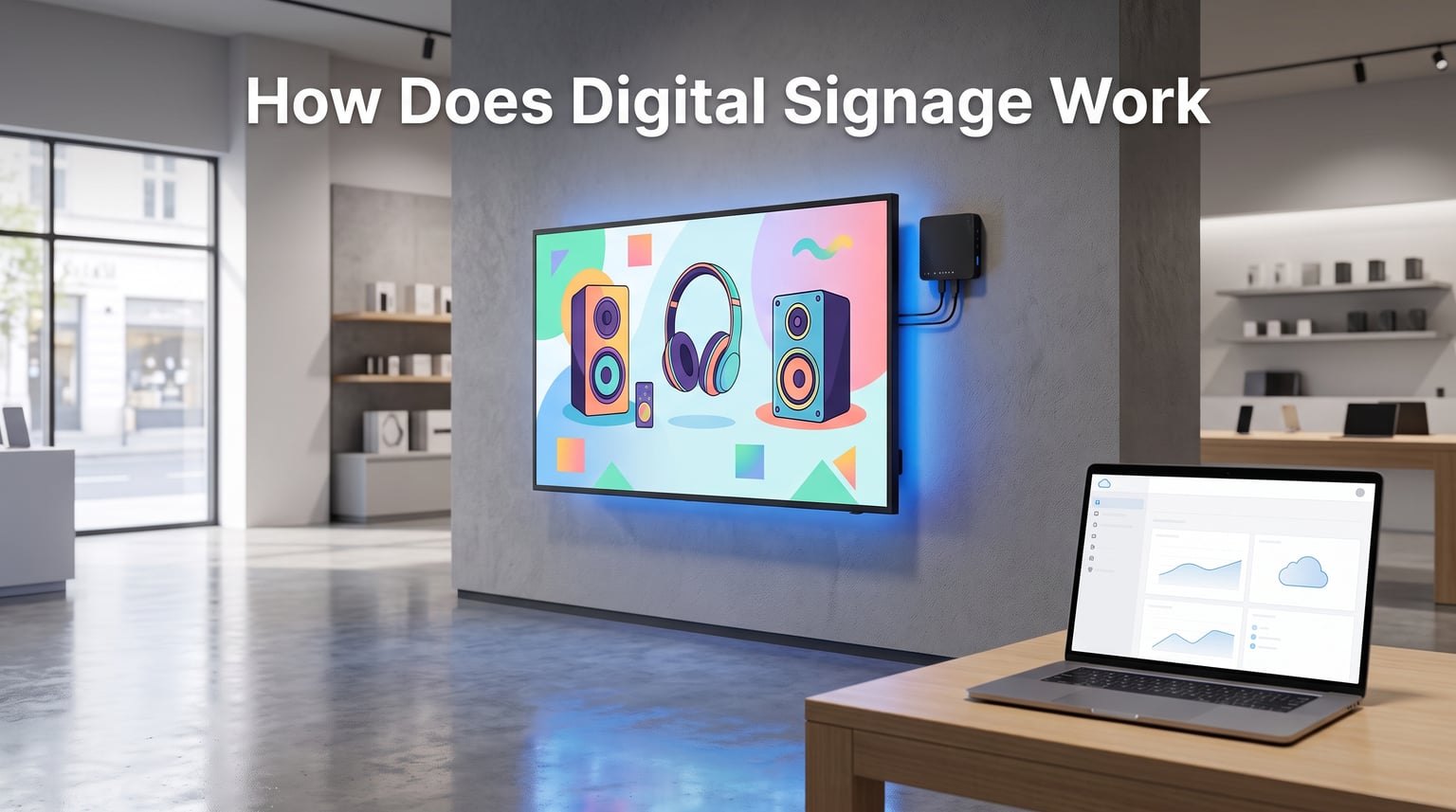
I still remember the first time I saw a digital menu board at a fast-food counter. The display swapped breakfast items to lunch in seconds, pulled in a live promo video, and updated pricing instantly. I walked out thinking, “that has to be a Hollywood stunt.” It wasn’t. That is exactly how digital signage works in the real world.
If you have ever asked yourself how does digital signage work, you are in the right place. We will walk you through every piece of the puzzle, from the software that schedules content to the screen on the wall. By the end, you will understand the architecture, the choices behind each component, and how the technology actually delivers real-time content to thousands of screens at once.
Quick Answer: Digital signage works by combining three core elements:
- Content Management System (CMS) – the software where you create, schedule, and manage media
- Media player – the small hardware device that fetches content and renders it to the screen
- Display screen – the commercial-grade monitor or LED panel that viewers see
Content flows from CMS to media player to screen, usually over Wi-Fi or ethernet, all controlled remotely from one dashboard.
Table of Contents
What Is Digital Signage?
Digital signage is any electronic display that shows dynamic content like images, video, animation, web pages, or live data feeds. You have seen it everywhere: airport flight boards, retail end caps, hospital waiting areas, gas station pumps, hotel lobbies, fast-food menu boards, and corporate elevator screens.
Unlike printed posters, a digital signage display can change its message in seconds. The same screen can show breakfast at 7 a.m., lunch at 11 a.m., and a happy-hour promo at 4 p.m., all on autopilot.
Modern digital signage solutions combine hardware, software, and content into a single networked system. The hardware is the screen and the small box (media player) behind it. The software is the cloud-based content management system (CMS) where your team builds, schedules, and pushes media. The content is whatever you want to show: videos, images, RSS feeds, social walls, dashboards, or live TV.
Digital Signage vs a Regular TV
Here is the simplest way I explain it to clients. A regular TV in your living room plays one thing at a time and you control it with a remote. A digital signage display is a smart network endpoint. It pulls fresh content from a cloud server, follows a daily playlist, and reports its health back to your dashboard.
Commercial-grade displays used in digital signage are built to run 24/7, with higher brightness, better cooling, and longer lifespans than consumer TVs. We will dig into that difference later in the guide.
How Does Digital Signage Work? A Step-by-Step Breakdown
The whole chain is surprisingly simple once you see it. Let me walk you through the exact flow that powers every screen you have ever walked past.
Step 1: Content Is Created in the CMS
Someone on your marketing team opens the digital signage software (the CMS) in a browser. They upload new images, drop in a video, design a layout with multiple zones, or drag in a live weather widget. The CMS acts like a hub for everything that will ever appear on the screen.
Step 2: Content Is Scheduled
That same person sets a playlist. Maybe slide A runs from 6 a.m. to 11 a.m. for breakfast, slide B runs from 11 a.m. to 3 p.m., and slide C runs during dinner. You can schedule by time of day, day of week, or even by triggers like weather or inventory data.
Step 3: Content Is Pushed to the Media Player
The CMS sends the new playlist and the media files to the media player connected to each screen. This happens over Wi-Fi, ethernet, or even 4G for remote locations. Most modern players are browser-based, meaning they decode HTML5 content just like a Chrome tab.
Step 4: The Media Player Renders the Content
The player grabs the current item from the playlist, lays it out on the screen, and updates dynamic data feeds in real time. If your promo price changes, the screen reflects it within seconds. No one has to physically visit the location.
Step 5: The Display Shows It
The display screen renders whatever the player sends. The screen can be a single LCD, an LED video wall, a kiosk, a stretched bar display, or even a projector. Most commercial displays accept HDMI input from the player, so the wiring is simple.
That is the whole loop. CMS creates, schedules, pushes. Player receives and renders. Display shows. Then the loop repeats, often for years on end.
The 5 Key Components of a Digital Signage System
Now that you see the flow, let me zoom in on each piece. Any working digital signage system, whether you are running one screen or five thousand, consists of these five parts.
1. Display Screens (The Visual Layer)
The display is what the audience actually sees. Most are commercial-grade LCD panels, LED video walls, or stretched bar screens designed to run 16 to 24 hours a day without burning out.
Consumer TVs look similar, but they are built for a few hours of evening use. Commercial digital signage displays have higher brightness (often 700 to 2,500 nits for outdoor), stronger cooling, metal chassis, and warranties that cover 24/7 operation. They also typically include a CMS player slot or built-in system-on-chip that lets you skip a separate media player entirely.
2. Media Players (The Engine)
The media player is a small computer that lives behind the screen. It pulls content from the CMS, decodes it, and renders it on the display. Players come in three flavors.
- Standalone boxes – like BrightSign, ChromeOS devices, or Android sticks. These connect via HDMI.
- System-on-chip displays – the player is built into the screen itself, no extra box needed.
- PC-based players – small Windows or Linux machines used for complex layouts or interactive kiosks.
I prefer system-on-chip screens for small setups because they cut the wiring and reduce failure points. For video walls or interactive kiosks, a PC-based player gives you the horsepower you need.
3. Content Management System (The Brain)
The CMS is where the work happens. It is a cloud-based or on-premise software platform that lets you upload media, design layouts, build playlists, and push updates to every screen in your network.
Popular options include Samsung VXT, ScreenCloud, Yodeck, Mvix, Appspace, and Broadsign. Most CMS platforms work on a monthly subscription per screen, with prices dropping as you scale. The CMS also handles user roles, approvals, and analytics, so a regional manager can update their store without bothering IT.
4. Content (The Message)
Content is anything you want to show. The best digital signage solutions support a mix of static images, video files (MP4, MOV), live web pages, RSS feeds, social media walls, weather data, queue numbers, and even real-time inventory feeds.
Creative content matters more than hardware. A great layout with one bold image and three lines of text beats a noisy video every time. I have seen cheap screens outperform expensive ones just because the content team cared about design.
5. Network and Connectivity (The Glue)
The network is what ties it all together. Most installations use the existing store Wi-Fi or hardwired ethernet. Remote locations, like billboards or transit hubs, often use 4G or 5G cellular modems. A strong network means faster content delivery and fewer playback errors.
For mission-critical screens, I always recommend a wired ethernet drop. Wi-Fi is fine, but a loose signal means frozen frames during your busiest hour.
Cloud-Based vs On-Premise Digital Signage
One of the first decisions you will make is whether your CMS lives in the cloud or on a local server. Both work, and the right answer depends on your team, your security policy, and how many screens you run.
Cloud-Based CMS
Cloud-based digital signage solutions run entirely in a web browser. You log in, design your layouts, and push content to any player with internet access.
- Pros: No servers to maintain, access from anywhere, automatic updates, easy scaling to hundreds of screens.
- Cons: Monthly subscription fees, requires internet at every site, less control over raw data.
On-Premise CMS
On-premise means your IT team installs the CMS software on a local server inside your data center. Players fetch content from that server.
- Pros: Full data control, no monthly fees over time, works even if your internet drops during business hours.
- Cons: Higher upfront cost, you manage updates and backups, harder to scale to remote branches.
For most small and mid-sized businesses, I recommend cloud-based. The subscription cost is predictable and the time savings are huge. For regulated industries like healthcare or finance, where data residency matters, on-premise may be the right call.
Where Digital Signage Is Used: Industries and Applications
Digital signage is one of those technologies that quietly runs the modern world. Once you know what to look for, you start seeing it everywhere.
Retail Stores
Retailers use digital signage displays for end cap promotions, product demos, and in-store advertising. Screens near the entrance can run daily deals, while screens in fitting rooms can suggest matching accessories. We helped a client swap 240 printed posters for 32 screens and cut their print spend by 71% in the first year.
Restaurants and Quick-Service
Digital menu boards are now standard in most fast-food chains. The staff pushes a button at 11 a.m. and the menu switches from breakfast to lunch automatically. Drive-thru screens can even adjust prices based on inventory, weather, or time of day.
Healthcare
Hospitals use digital signage for wayfinding, wait-time boards, donor recognition, and emergency alerts. One study found that digital queue management screens reduced perceived wait times by 35%. When patients feel like they know what is happening, complaints drop.
Corporate Offices
Internal communications teams rely on digital signage for company news, KPI dashboards, meeting room signs, and event signage. A single CMS can push the same message to 50 office lobbies in 15 minutes.
Transportation and Public Spaces
Airports, train stations, and bus terminals run wayfinding boards, flight information, and digital out-of-home (DOOH) advertising. These systems are mission-critical, so they often use redundant media players and cellular failover networks.
Hospitality and Events
Hotels use digital signage for lobby welcome boards, conference room schedules, and concierge directories. Event venues and trade shows love video walls for branding and sponsor rotations.
Benefits of Digital Signage (With Real Statistics)
Why bother with all this tech? Because the results are measurable. Here is what the data shows.
Higher Attention and Recall
Studies repeatedly show digital displays capture 400% more views than static signs. Recall rates for digital content sit around 65%, compared to just 35% for printed posters. When you need a message to stick, motion wins.
Faster Content Updates
Updating 200 printed posters across a chain takes a logistics team and a week of shipping. Updating 200 digital signs takes one marketer and a few clicks. You can react to breaking news, social media trends, or inventory changes in minutes.
Lower Long-Term Costs
Yes, the hardware costs more upfront. But once you factor in print runs, shipping, installation labor, and disposal, digital signage typically pays back in 12 to 24 months for high-traffic retail locations.
Improved Employee Productivity
One Statista study found that businesses using internal digital signage saw a 21% productivity lift, mostly because employees could find information faster and felt more informed. That number lines up with what we have seen inside larger organizations.
Better Customer Experience
People expect screens now. From self-checkout kiosks to interactive product finders, digital signage has become part of how modern retail and hospitality simply works. Cutting it out can actually make a brand feel dated.
DIY vs Professional Digital Signage Setup
You can absolutely roll your own digital signage system on a budget. We have seen clients run entire networks on Amazon Fire Sticks and free CMS tiers. The trick is knowing when DIY makes sense and when it does not.
When DIY Works
One to five screens, simple looping videos, no interactive content, and a small team to handle updates. In this case, a $40 Fire Stick, a free CMS like Yodeck Free, and a consumer TV under 55 inches will get you running. Setup is minutes, and maintenance just works, as one Reddit MSP put it.
When to Call a Pro
More than five screens, multi-zone layouts, video walls, outdoor displays, or any installation that involves rigging, electrical work, or custom enclosures. A professional AV integrator will design the cabling, choose commercial-grade hardware, and stand behind the install with a warranty.
If your signage is part of a customer experience or compliance program, the pro route pays for itself.
Frequently Asked Questions
What are the disadvantages of digital signage?
The main drawbacks are upfront hardware cost, the need for reliable internet at every location, and content creation effort. Cheap screens can look washed out in bright sunlight, and consumer TVs used 24/7 tend to fail within 18 months. For some small businesses, the monthly CMS subscription also adds up, and a failed media player can leave a blank wall until someone visits the site.
Can I do digital signage myself?
Yes, especially for one to five screens running simple content. A common DIY setup pairs a commercial-grade smart display or Fire TV Stick with a free cloud-based CMS like Yodeck, ScreenCloud Free, or OptiSigns. You upload media, schedule it in the browser, and the player pulls it over Wi-Fi. For larger networks, video walls, or outdoor installs, an AV integrator is usually worth the cost.
How long do digital signs last?
Commercial-grade digital signage displays are rated for 50,000 to 100,000 hours of use, which works out to roughly 5 to 11 years of 24/7 operation. Outdoor LED panels can last even longer with proper maintenance. The media player typically outlasts the screen, but most networks plan a full refresh every 5 to 7 years to keep up with brightness and resolution improvements.
How much does digital signage cost?
Costs vary widely. A basic DIY setup with one screen and a free CMS can run a few hundred dollars. A mid-sized retail rollout with five to twenty commercial displays, media players, professional installation, and a paid CMS plan typically lands in the low five-figure range. Enterprise networks with video walls and custom content often run into six figures, but the savings on print and labor usually pay back the investment in 12 to 24 months.
Conclusion
So, how does digital signage work in 2026 and beyond? It works because three simple pieces, a content management system, a media player, and a display, talk to each other over a network. Add good content and a reliable connection, and you have a screen that sells, informs, and entertains 24/7.
If you are exploring digital signage for the first time, start small. Pick one screen, sign up for a free CMS trial, and schedule a 10-slide loop. Once you see how fast you can update content remotely, scaling to additional locations feels like a natural next step. If you have questions about specific hardware, software, or installation choices, drop them in the comments and our team will dig in.