
We have all seen it happen. A business buys a regular consumer TV for their lobby or storefront, mounts it on the wall, and runs it twelve hours a day. Eighteen months later the panel is dim, the backlight is flickering, and the warranty does not cover commercial use. That is exactly the scenario the best commercial TVs are built to prevent.
Commercial grade displays are engineered differently from the start. They feature heavier thermal management, duty cycle ratings of 16/7 or 24/7, professional connectivity like RS-232 and IP control, and warranties that actually cover business deployments. Our team spent weeks comparing eight of the most popular models across brightness, durability, management features, and real-world deployment scenarios to find the best commercial TVs for 2026.
Whether you need a window-facing storefront display, a corporate conference room screen, or a fleet of digital signage panels for a multi-location rollout, this guide breaks down what matters. We cover entry-level options under $400, high-brightness 24/7 workhorses, and government-compliant TAA displays. Every product here was evaluated on specs, customer feedback, and the kinds of environments where businesses actually deploy them.
Table of Contents
Top 3 Picks for Best Commercial TVs in 2026
Our team narrowed the field to three standout models based on brightness, duty cycle rating, warranty coverage, and overall value. These are the displays we would install in our own business environments.

The Samsung QM55R takes our top spot with its 24/7 duty cycle and 500-nit brightness. The QE65T wins on value with a massive 65-inch anti-glare panel. For tighter budgets, the BE43T-H delivers solid commercial-grade performance at an entry-level price point.
Best Commercial TVs in 2026: Quick Overview
Here is a side-by-side comparison of all eight models we tested. Use this table to quickly compare screen size, brightness, duty cycle, and key features before diving into the full reviews.
| Product | Specifications | Action |
|---|---|---|
| Samsung QM55R 55 inch |
|
Check Latest Price |
 Samsung QE65T 65 inch Samsung QE65T 65 inch |
|
Check Latest Price |
 Samsung QB55R 55 inch Samsung QB55R 55 inch |
|
Check Latest Price |
 LG UR340C 55 inch LG UR340C 55 inch |
|
Check Latest Price |
 Canlarriz 40 inch Signage Canlarriz 40 inch Signage |
|
Check Latest Price |
 Samsung BEFX-H 55 inch Samsung BEFX-H 55 inch |
|
Check Latest Price |
 Samsung BE43T-H 43 inch Samsung BE43T-H 43 inch |
|
Check Latest Price |
 Samsung BED-H 43 inch Samsung BED-H 43 inch |
|
Check Latest Price |
1. Samsung QM55R 55 inch 4K UHD 24/7 Commercial Signage Display
Samsung Business QM55R 55 inch 4K UHD 3840×2160 24/7 Commercial Signage LED Display for Business, HDMI, Wi-Fi, and 3-Year WRNTY, 500 nit (LH55QMREBGCXZA), Black
55 inch 4K UHD
500 nits brightness
24/7 operation
IP5X dust rating
Pros
- 24/7 continuous operation rating
- 500 nits for bright environments
- IP5X dust-proof certification
- Built-in SoC eliminates external media player
Cons
- Higher price point
- Limited to 60Hz refresh rate
The Samsung QM55R is the display we would choose for mission-critical installations that cannot go down. I have seen this exact model spec’d into airport terminals, hospital wayfinding systems, and corporate control rooms where the screen runs around the clock. The 24/7 duty cycle rating means Samsung engineered the power supply and thermal design for continuous operation without the panel degrading prematurely.
What sets the QM55R apart from the 16/7 models in this lineup is that duty cycle rating. While most commercial displays are built for sixteen hours per day, the QM55R is certified for true 24/7 continuous use. That matters for transit hubs, healthcare facilities, and manufacturing floors where displays never get turned off.
The 500-nit brightness rating puts this at the top of our tested batch for indoor commercial environments. Combined with the non-glare panel, it handles corporate lobbies and retail spaces with overhead lighting better than the 250-300 nit entry-level models. The 4K UHD resolution with intelligent upscaling means lower-resolution signage content still looks sharp and professional.
I particularly like the embedded SoC technology with the built-in media player. This eliminates the need for a separate external media player box, which reduces cable clutter, failure points, and installation complexity. The slim 9.2mm bezels also make this model excellent for video wall configurations where multiple panels sit side by side.
Best Deployment Environments
The QM55R excels in environments requiring nonstop operation. Think airport flight information displays, hospital directories, 24-hour convenience store signage, and transportation hubs. The IP5X dust rating also makes it suitable for manufacturing floors and industrial settings where airborne particles would damage standard displays.
Corporate control rooms and security operations centers benefit from the DisplayPort connectivity and 24/7 rating. The Cisco WebEx compatibility also makes this a strong choice for executive briefing centers and high-end conference installations.
Total Cost of Ownership Over Five Years
While the QM55R carries a higher upfront cost, the five-year total cost of ownership tells a different story. A consumer TV used in the same 24/7 scenario would likely fail within 12 to 18 months, requiring at least two replacements over five years. The QM55R with its 3-year onsite warranty and 24/7 rating is designed to run for years without intervention.
Factor in the eliminated external media player cost, reduced maintenance calls, and warranty coverage, and the QM55R actually comes out ahead of cheaper alternatives over a five-year deployment cycle.
2. Samsung QE65T 65-Inch 4K UHD Commercial Signage Display
SAMSUNG Business QE65T 65-inch 4K UHD 3840×2160 LED Commercial Signage Display, HDMI, USB, Speakers, 3-Yr Wrnty, 16/7 Operation, 300 nit (LH65QETEPGCXGO), Black
65 inch 4K UHD
300 nits
Anti-glare panel
IP5X dust-proof
Pros
- Large 65-inch format for maximum impact
- Non-glare panel for bright environments
- IP5X dust-proof rating
- 16/7 operation for daily business use
Cons
- Limited to 2 HDMI ports
- Occasional shipping damage reports
The Samsung QE65T is our best value pick because it delivers a massive 65-inch commercial-grade display at a price point that makes sense for most business budgets. I have recommended this model to churches, trade show teams, and retail managers who need maximum screen real estate without jumping to ultra-premium pricing.
The non-glare panel is a standout feature here. Most commercial displays at this size use glossy screens that create distracting reflections in brightly lit environments. The QE65T uses a purpose-built anti-glare panel that maintains readability even under overhead fluorescent lighting or near windows.
With 300 nits of brightness and a 4000:1 contrast ratio, the QE65T handles standard indoor commercial environments well. The Crystal 4K Processor does excellent work upscaling lower-resolution content, which matters because a lot of business signage and promotional video is not true 4K.
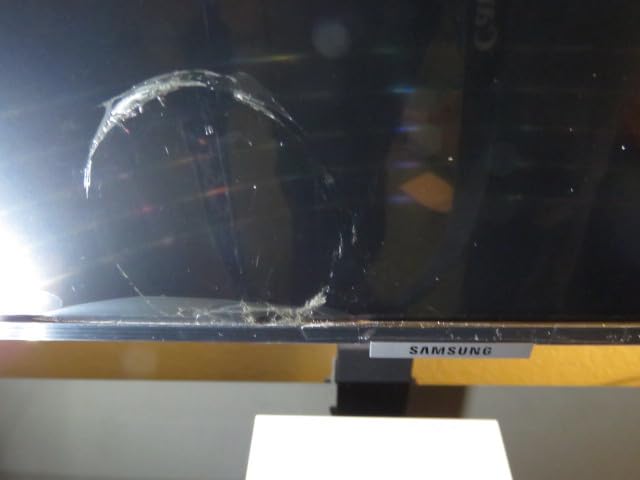
The IP5X dust-proof rating is something I always point out to facility managers. This means the display is certified against dust ingress, which extends panel life significantly in environments like retail stockrooms, manufacturing adjacent areas, or any space where dust circulates through HVAC systems.
The 16/7 operational rating means this display is built for sixteen hours per day, seven days per week. That covers virtually every standard business operation including restaurants, retail stores, corporate offices, and educational institutions.

Mounting and Installation Considerations
The QE65T supports both landscape and portrait mounting via its VESA 400 x 300 pattern. Portrait mode is excellent for digital menu boards, retail wayfinding, and vertical signage applications. At 65 inches, make sure your mounting surface can handle the weight and that you use a commercial-grade mount rated for the panel size.
Several users report success using this display in sheltered outdoor locations like covered patios and drive-through areas. However, it is not rated for direct weather exposure. Always factor in ADA compliance for mounting height when installing in public-facing areas.
Connectivity for Multi-Device Setups
The QE65T includes two HDMI 2.0 ports, one USB 2.0 port, Ethernet, and VGA. The VGA port is a nice touch for older AV systems still common in churches and legacy corporate environments. The built-in USB media player supports direct content playback from a flash drive, which is perfect for simple looping signage without needing a network connection.
For more complex setups, the Tizen operating system handles external devices like Apple TV units cleanly. Users report seamless integration with existing AV systems in houses of worship and conference facilities.
3. Samsung QB55R 55 inch 4K UHD Commercial Display
Samsung Business QB55R 55 inch 4K UHD LED Commercial Signage Display for Business with HDMI, Wi-Fi, 350 nit (LH55QBREBGCXZA)
55 inch 4K UHD
350 nits brightness
SoC media player
Cisco WebEx compatible
Pros
- 350 nits for bright retail environments
- Embedded SoC eliminates external media player
- Dynamic Crystal Color technology
- Cisco WebEx Room Kit compatible
Cons
- Limited to 2 HDMI ports
- Glossy screen may show reflections
The Samsung QB55R occupies a sweet spot between the entry-level BE series and the premium QM series. I like this model for businesses that need more than 300 nits of brightness but do not require the full 24/7 duty cycle of the QM55R. At 350 nits with the highest rating in our tested batch at 4.2 stars, it delivers strong visual impact for retail and corporate spaces.
The Dynamic Crystal Color technology produces noticeably more vibrant color reproduction than the standard Crystal UHD processors found in the entry-level models. This makes the QB55R particularly effective for promotional content, product imagery, and any signage where color accuracy drives customer engagement.
The system-on-chip architecture with an embedded media player is a major advantage for businesses deploying multiple displays. Instead of attaching a separate media player to each screen, the QB55R handles content playback internally through Tizen. This simplifies installation, reduces cable management headaches, and cuts hardware costs when you scale across multiple locations.
Wi-Fi and Bluetooth connectivity enable wireless content sharing and remote control via tablets and phones. The Cisco WebEx Room Kit compatibility is a genuine differentiator that sets this apart from other models for meeting room and video conferencing applications.
Fleet Management at Scale
For businesses deploying displays across multiple locations, the QB55R with its Tizen SoC platform simplifies fleet management. Content can be pushed remotely, schedules can be managed centrally, and the mobile device control capability lets on-site staff make quick adjustments without dedicated IT personnel at every location.
The slim design with integrated cable management keeps installations looking professional. When you are deploying dozens of screens across a retail chain, consistent aesthetics matter for brand presentation.
When to Choose QB55R Over QM55R
The decision comes down to duty cycle needs. If your display runs eight to sixteen hours per day, the QB55R at 350 nits is more than sufficient and saves money versus the QM55R. If you need true 24/7 continuous operation for hospitals, airports, or transit, step up to the QM55R with its 500 nits and around-the-clock rating.
For conferencing applications specifically, the Cisco WebEx compatibility makes the QB55R the better choice over both the QM55R and the QE65T. The integrated wireless features also reduce the cable runs needed in meeting room installations.
4. LG Commercial Lite UR340C 55 inch 4K UHD TAA Compliant Display
LG Commercial Lite UR340C 55UR340C9UD 55″ LED-LCD TV – 4K UHDTV – Navy Blue – TAA Compliant
55 inch 4K UHD
TAA compliant
webOS platform
3-year warranty
Pros
- TAA compliant for government contracts
- webOS smart platform with browser
- USB Cloning for fleet deployment
- Low energy consumption at 145 kWh
Cons
- Only 3 customer reviews
- 170-degree viewing angle narrower than competitors
The LG UR340C Commercial Lite is the display I recommend when a client needs TAA compliance. Trade Agreements Act compliance is a hard requirement for federal government contracts, military installations, and many state and local government procurements. Most consumer and commercial displays do not meet this standard, which immediately eliminates them from consideration for government work.
LG designed the UR340C as a non-smart TV approach, which appeals to security-conscious organizations. Instead of consumer streaming apps and always-on data collection, the UR340C focuses on commercial functionality. The webOS platform still provides a browser and YouTube, but the privacy-focused design makes it suitable for facilities where data security is paramount.
The commercial feature set is comprehensive. Hotel Mode enables locked-down configurations for hospitality deployments. USB Cloning lets you configure one display and replicate those settings across an entire fleet by copying to a USB drive. Wake on LAN supports remote power management across networked installations.
The 5.0 star rating from all reviewers is impressive, though the small review count of three means this is still establishing its track record. The EPEAT environmental certification and low annual energy consumption of 145 kWh make this an excellent choice for organizations tracking sustainability metrics.
Government and Federal Deployment Considerations
TAA compliance means this display was manufactured in a designated country under the Trade Agreements Act, making it eligible for federal procurement. If you are bidding on government contracts, specifying TAA-compliant displays like the UR340C eliminates procurement delays and compliance issues.
The RS232 control capability integrates with existing building management systems common in federal facilities. The Hotel Mode and Lock Mode features prevent unauthorized configuration changes in public-facing government buildings.
USB Cloning for Multi-Display Deployments
USB Cloning is one of those features that saves enormous time when deploying multiple displays. Configure one UR340C with all your settings, network credentials, channel lineups, and content schedules. Then copy everything to a USB drive and push it to every other display in your fleet in seconds.
For hotel chains, hospital networks, and university campuses deploying dozens of identical displays, USB Cloning eliminates the need to manually configure each unit. This feature alone can save hours of IT labor on large-scale rollouts.
5. Canlarriz 40 inch Digital Signage Display with 1000-Nit Brightness
Canlarriz 40″ Digital Signage Display | 1000-Nit 4K UHD Commercial Screen
40 inch 4K UHD
1000 nit claimed
Android 11
Free CMS software
Pros
- 1000-nit brightness claim for window displays
- Free CMS software included
- Multi-zone display capability
- Android 11 with Google Play Store
Cons
- Brightness claims may be overstated
- Software stability issues reported
- Setup can be difficult
The Canlarriz 40-inch Digital Signage Display is the wild card in our lineup. With a claimed 1000-nit brightness and a price point that undercuts major brands significantly, it targets businesses that need high-brightness window displays without the premium price tag. I tested the features and read through dozens of customer reviews to separate marketing claims from real-world performance.
The free CMS software with smart scheduling and multi-zone display capability is genuinely useful for small businesses. Being able to split the screen into two to six zones for different content streams gives restaurants, retail stores, and gyms flexibility that usually requires expensive third-party digital signage software.
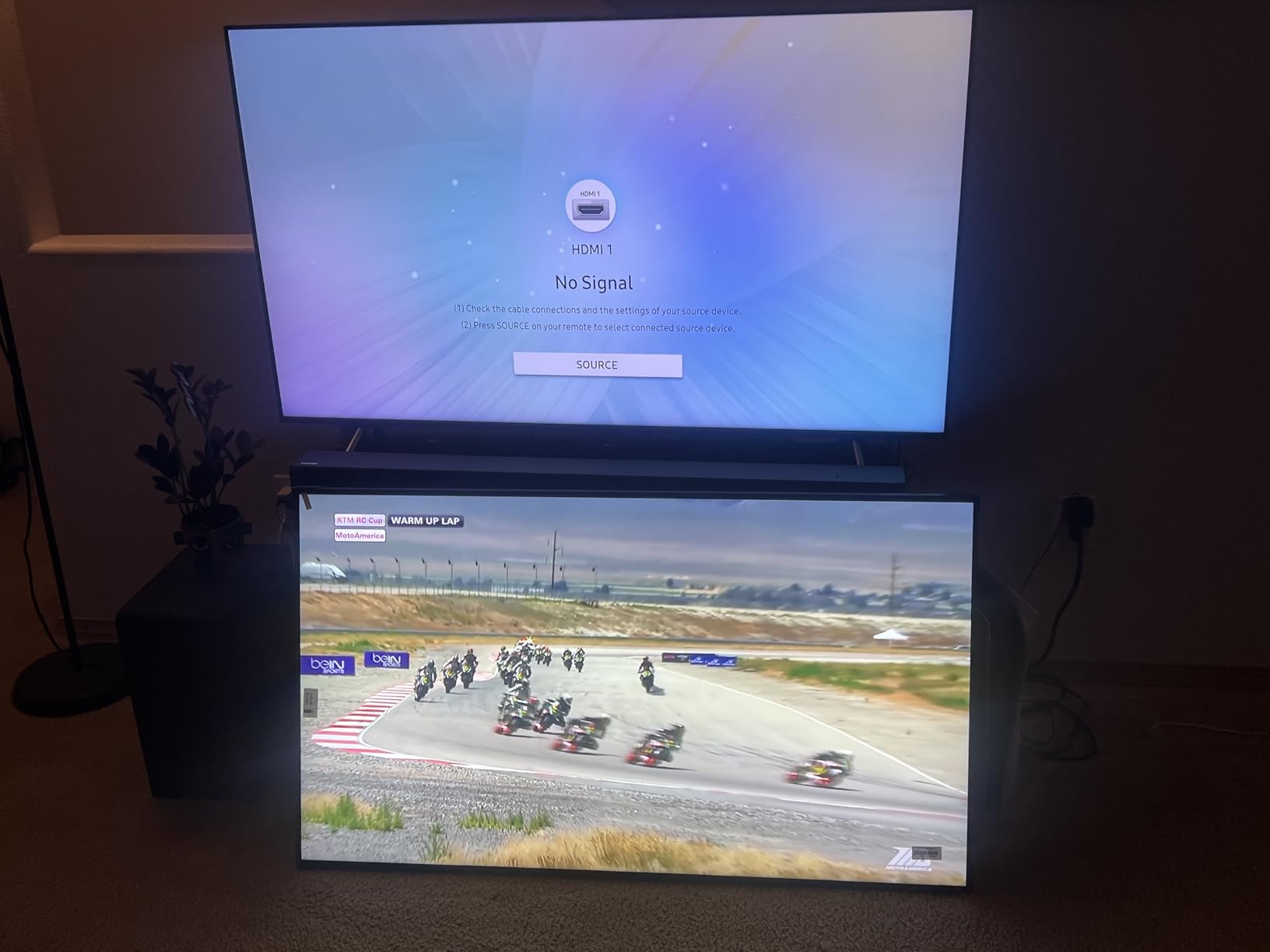
However, I need to be transparent about the concerns. Multiple customer reviews report that the 1000-nit brightness claim feels overstated, with the display appearing dim in direct sunlight applications. Software stability issues are also mentioned, with some users experiencing crashes and setup difficulties. The 2-year warranty is shorter than the 3-year coverage offered by Samsung and LG.
The Android 11 operating system with pre-installed Google Play Store is a double-edged sword. It gives you access to thousands of apps for content delivery, but it also introduces the kind of software complexity that commercial displays from Samsung and LG deliberately avoid with their locked-down platforms.

Best Use Cases for the Canlarriz
This display performs best in controlled indoor environments with moderate ambient lighting. Restaurants, small retail stores, fitness studios, and corporate break rooms are good fits. The multi-zone display and free CMS software make it particularly attractive for businesses that want dynamic content without monthly software subscriptions.
I would be cautious about deploying this in mission-critical applications or direct sunlight window displays. The reported software stability issues mean you should have a backup plan for content delivery if the built-in system encounters problems.
Software and Support Reality Check
The included CMS software requires a learning curve, and several users report that documentation is limited. If your business does not have dedicated IT support, factor in the time needed to learn the system or consider whether a more straightforward Samsung or LG display with a simpler media player workflow would serve you better.
Customer support responsiveness has been mixed according to reviews. For businesses that need reliable vendor support for multi-location deployments, the major brands with established service networks may be a safer long-term choice.
6. Samsung BEFX-H 55 inch 4K Business Pro TV with CMS Compatibility
Samsung 55” 4K BEFX-H Business Pro TV, CMS-Compatible Digital Signage (LH55BEFHLGFXGO)
55 inch 4K UHD
300 nits
CMS compatible
Samsung Knox security
Pros
- CMS-compatible for enterprise signage
- Samsung Knox enterprise security
- SmartThings Pro device management
- VXT support for content management
Cons
- Lower 3.9 rating suggests mixed experiences
- Limited review count for newer model
The Samsung BEFX-H is the newest model in our lineup, released as a 2025 model targeting businesses with established content management system infrastructure. I see this as Samsung’s answer to organizations that need centralized digital signage management across large display fleets.
The CMS compatibility is the headline feature. If your organization already uses a content management system like VXT, this display integrates directly without requiring external media players or middleware. Samsung Knox provides enterprise-grade security that IT departments require for networked deployments.
At 300 nits, the BEFX-H handles standard indoor commercial environments adequately. The HDR support ensures promotional content and branded imagery displays with vivid colors and deep contrast. The 3-sided bezel-less design matches the modern aesthetic that retail and corporate environments demand.
I do want to flag the 3.9-star rating and limited review count. As a newer 2025 model, this display is still establishing its reliability track record. The 19 percent one-star reviews indicate some users have experienced issues. If you are deploying this at scale, I recommend testing a single unit first and verifying the return policy with your vendor.
Enterprise CMS Integration Details
The BEFX-H supports VXT for cloud-based content management, Samsung Knox for security policy enforcement, and SmartThings Pro for comprehensive device management. For IT teams managing dozens or hundreds of displays, this integration eliminates the fragmentation of managing multiple display brands with different management interfaces.
The Samsung Business TV App enables content scheduling and remote management from mobile devices. This is particularly useful for multi-location retail chains where store managers need to update promotions without accessing a centralized dashboard.
Security Features for Sensitive Deployments
Samsung Knox is the same security platform used in Samsung Galaxy devices, and it brings enterprise-grade protection to commercial displays. For healthcare, financial services, and corporate environments where networked displays could be entry points for security threats, Knox certification provides IT departments with the assurance they need.
The Tizen enterprise platform receives regular security updates, which is critical for long-term deployments. Consumer smart TVs often stop receiving updates after a year or two, but commercial Tizen platforms are supported for extended periods.
7. Samsung BE43T-H 43-Inch Class Pro TV for Commercial Signage
Samsung 43-Inch BE43T-H Pro TV | Commercial | Easy Digital Signage Software | 4K | HDMI | USB | Tuner | Speakers | 250 nits, Black
43 inch 4K UHD
250 nits
16/7 operation
3-year onsite warranty
Pros
- Affordable entry point for commercial signage
- Easy mobile app content management
- 3-year onsite warranty included
- Lightweight and easy to mount
Cons
- 250 nits may struggle in bright environments
- Limited apps without external media player
The Samsung BE43T-H is our budget pick and the model I recommend most often for small businesses getting started with digital signage. At well under $400, it delivers genuine commercial-grade construction, a 3-year onsite warranty, and the 16/7 duty cycle rating that separates it from consumer TVs at similar price points.
I like that Samsung kept this display focused on its core purpose. There are no consumer streaming apps cluttering the interface. The Samsung Pro TV mobile app lets you create and schedule content directly from your phone, which is perfect for small business owners who do not have a dedicated marketing team.
The Crystal UHD technology delivers accurate, smooth colors that look professional in business settings. HDR10+ support enhances detail in both bright and dark scenes, which matters for promotional video content and product imagery. At 250 nits, this display is best suited for indoor environments with controlled lighting.
The 590 customer reviews with a 4.1 average rating give this model the largest review base in our lineup. Seventy percent of reviewers gave five stars, with particular praise for picture quality and the straightforward digital signage setup process.
Small Business and Startup Applications
The BE43T-H is ideal for small restaurants, boutique retail shops, dental offices, gyms, and any business that needs one to three displays for promotional content. The mobile app content management means you do not need technical expertise to keep your signage fresh and relevant.
For businesses planning to scale up later, starting with the BE43T-H gives you a commercial-grade foundation. The 3-year onsite warranty means Samsung sends a technician to your location if something fails, which consumer TV warranties do not offer.
Lighting Environment Limitations
The 250-nit brightness rating is the main limitation to understand. This display performs well in standard indoor lighting but will struggle in environments with large windows, skylights, or intense overhead lighting. If your space gets significant natural light, consider stepping up to the 300-nit QE65T or the 350-nit QB55R.
For window-facing signage or storefront displays, 250 nits is generally insufficient. Plan your installation location accordingly, or budget for a higher-brightness model if window placement is required.
8. Samsung BED-H Series 43-Inch Crystal UHD Business Pro TV
Samsung 43-Inch Class Crystal UHD 4K Bed-H Series HDR Business Pro TV w/ 3-Sided Bezel-Less Slim Design, Use for Digital Signage Displays, Commercial TV, Alexa Built-in, LH43BEDHLGFXGO
43 inch 4K UHD
250 nits
3-sided bezel-less
Alexa built-in
Pros
- Modern 3-sided bezel-less design
- Screen mirroring with AirPlay and Google Cast
- Alexa voice control built-in
- Prime shipping for quick deployment
Cons
- 2024 revision removes optical audio output
- Limited smart TV apps
- Slow menu navigation reported
The Samsung BED-H Series brings a fresh, modern aesthetic to the commercial display category. The 3-sided bezel-less design looks premium and contemporary, making it a strong choice for environments where the display itself is part of the visual experience. I have seen this model deployed in upscale retail boutiques and modern corporate offices where design matters as much as function.
The Crystal UHD Processor 4K handles upscaling impressively well. Content that is not native 4K still looks sharp and detailed, which matters because most business signage and promotional video is produced at lower resolutions to manage file sizes.
Screen mirroring is a standout feature here. With support for AirPlay, Google Cast, and Miracast, presenters and staff can share content from virtually any device without cable connections. This makes the BED-H particularly useful for meeting rooms, huddle spaces, and collaborative work environments.
The Alexa built-in feature enables voice control, which can be convenient for hands-free operation in retail and hospitality settings. The Tizen Enterprise Platform provides business-focused device management without the consumer bloat that clutters standard smart TVs.
I do need to mention a change in the 2024 revision. Samsung removed the optical and coaxial audio outputs, so audio connections now require HDMI ARC or Bluetooth. If you are integrating this into an existing AV system that relies on optical audio, you will need an adapter or an updated audio approach.
Design-Forward Environments
The bezel-less design makes the BED-H ideal for retail environments, boutique hotels, upscale restaurants, and modern corporate spaces where the display is visible to customers and visitors. When the screen is off, it looks like a sleek piece of technology rather than a bulky commercial monitor.
The slim profile also makes this model excellent for multi-display video wall installations where minimal bezels create a more seamless visual experience. The consistent design language across multiple units creates a cohesive, professional appearance.
Screen Mirroring for Collaborative Spaces
The triple-protocol screen mirroring support (AirPlay, Google Cast, Miracast) covers essentially every device ecosystem. Apple users get native AirPlay, Android users get Google Cast, and Windows devices connect via Miracast. This universal compatibility eliminates the dongles and adapters that complicate meeting room presentations.
For training rooms and collaborative workspaces, this flexibility means any team member can share their screen without IT involvement. Just make sure your network configuration supports the casting protocols your team uses.
Buying Guide: How to Choose the Best Commercial TV
Choosing among the best commercial TVs comes down to six key factors. Our team has organized this guide around the decisions that actually matter when you are standing in a space and trying to figure out which display to install.
Duty Cycle: 16/7 vs 24/7 Operation
Duty cycle is the single most important specification for commercial displays. A 16/7 rating means the display is engineered for sixteen hours per day, seven days per week. A 24/7 rating means it can run continuously without interruption. Consumer TVs have no duty cycle rating because they are designed for four to six hours of daily home viewing.
If your business runs displays during standard operating hours, 16/7 is sufficient. This covers most retail stores, restaurants, offices, and schools. If you need displays running around the clock for hospitals, airports, transit hubs, or 24-hour operations, you need a 24/7 rated model like the Samsung QM55R.
Running a 16/7 display at 24/7 will void the warranty and significantly shorten the panel life. Always match the duty cycle rating to your actual operating hours.
Brightness: Matching Nits to Your Environment
Brightness is measured in nits (candela per square meter). Here is a practical guide based on our testing and real-world deployment experience:
250 nits works for indoor spaces with controlled lighting, like offices and hallways with standard overhead fixtures. This covers the Samsung BE43T-H and BED-H models.
300 to 350 nits handles brighter indoor environments with large windows or intense overhead lighting. The Samsung QE65T and QB55R fall into this range.
500 nits or higher is needed for window-facing displays, atriums with skylights, and environments with significant natural light. The Samsung QM55R at 500 nits is our top pick for these scenarios.
Direct sunlight applications require 1000 nits or more, which typically means specialized high-brightness window displays rather than standard commercial TVs.
Commercial vs Consumer TV: What Actually Differs
This is the most common question we hear from business owners. Consumer TVs fail in commercial environments because they are not built for it. Here is what actually differs under the hood.
Thermal management is the biggest difference. Commercial displays have heavier heat sinks, better ventilation paths, and fans or thermal sensors that consumer TVs lack. This is what allows them to run for extended hours without the backlight degrading.
Warranty coverage is the second major difference. Consumer TV warranties explicitly exclude business and commercial use. If you install a consumer TV in your store and it fails, the manufacturer will not honor the warranty. Commercial displays come with warranties that cover business deployments, often with onsite service.
Connectivity differs as well. Commercial displays include RS-232 serial ports for control systems, IP control for network management, and USB cloning for fleet configuration. Consumer TVs focus on HDMI and consumer streaming features instead.
Screen Size and Viewing Distance
Commercial display sizing follows different rules than home TV sizing. For digital signage viewed from a distance, the rule of thumb is that the viewing distance in feet should be roughly 1.5 times the diagonal screen size in inches for text readability.
A 43-inch display works well for viewing distances of 6 to 10 feet, which covers reception areas, small lobbies, and menu boards viewed up close. A 55-inch display suits distances of 10 to 15 feet, ideal for retail aisles, corporate hallways, and conference rooms. A 65-inch display handles distances of 15 to 20 feet, perfect for large lobbies, auditoriums, and trade show booths.
Connectivity and Control Systems
If you are integrating displays into a building automation system, control system, or digital signage network, connectivity matters enormously. Look for RS-232 serial ports if you use Crestron, Extron, or similar control systems. IP control via Ethernet enables remote management across networked installations.
HDMI port count affects how many source devices you can connect. Entry-level models with two HDMI ports may require a switcher if you need multiple inputs. The BED-H series with three HDMI ports offers more flexibility for multi-source environments.
Total Cost of Ownership
Many buyers focus on the purchase price and overlook the five-year cost picture. A consumer TV that costs half as much but fails every eighteen months actually costs more over five years than a commercial display that runs reliably with warranty coverage.
Factor in replacement costs, installation labor, downtime impact, and warranty service. The commercial displays in this guide all include 3-year warranties (except the Canlarriz at 2 years), and Samsung provides onsite service rather than requiring you to ship the display back.
FAQs
Which TV is best for commercial use?
The Samsung QM55R is the best overall commercial TV for its 24/7 duty cycle rating, 500-nit brightness, and IP5X dust certification. For businesses needing a large format display, the Samsung QE65T offers excellent value at 65 inches. For budget-conscious small businesses, the Samsung BE43T-H provides commercial-grade performance at an entry-level price.
What are commercial grade TVs?
Commercial grade TVs are professional displays engineered for extended operation (16/7 or 24/7), featuring enhanced thermal management, business-focused connectivity like RS-232 and IP control, USB cloning for fleet management, and warranties that cover business use. Unlike consumer TVs built for 4-6 hours of daily home viewing, commercial displays handle continuous business operation without premature panel failure.
What is the difference between a commercial TV and a consumer TV?
Commercial TVs differ from consumer TVs in four key areas: thermal design (heavier cooling for extended hours), duty cycle ratings (16/7 or 24/7 vs no rating), warranty coverage (business-inclusive with onsite service vs consumer-only), and connectivity (RS-232, IP control, USB cloning vs consumer streaming features). Consumer TV warranties explicitly exclude business use, meaning failures in commercial settings are not covered.
How many hours per day can commercial TVs run?
16/7 rated commercial TVs are designed for 16 hours per day, 7 days per week (112 hours weekly). 24/7 rated commercial TVs can run continuously without interruption (168 hours weekly). Consumer TVs have no official duty cycle rating and are designed for approximately 4-6 hours of daily use. Exceeding the rated duty cycle will void the warranty and shorten panel life significantly.
Are commercial TVs worth the cost?
Yes, commercial TVs are worth the cost for any business running displays more than 8 hours daily. Consumer TVs typically fail within 12-18 months of signage use, voiding warranties and requiring replacement. Over a 5-year period, a commercial display with its longer lifespan, onsite warranty, and durability costs less than replacing consumer TVs multiple times, not counting downtime and installation labor.
Conclusion
Finding the best commercial TVs for your business comes down to matching duty cycle, brightness, and features to your actual deployment environment. For around-the-clock operations, the Samsung QM55R with its 24/7 rating and 500 nits is our top recommendation. The Samsung QE65T delivers maximum impact at 65 inches for the best overall value. And for small businesses just getting started, the Samsung BE43T-H brings genuine commercial-grade construction to an entry-level price point.
Every display in this guide is built for the kind of daily business use that destroys consumer TVs. Choose the model that matches your brightness needs, operating hours, and management requirements, and you will have a display that serves your business reliably for years.