
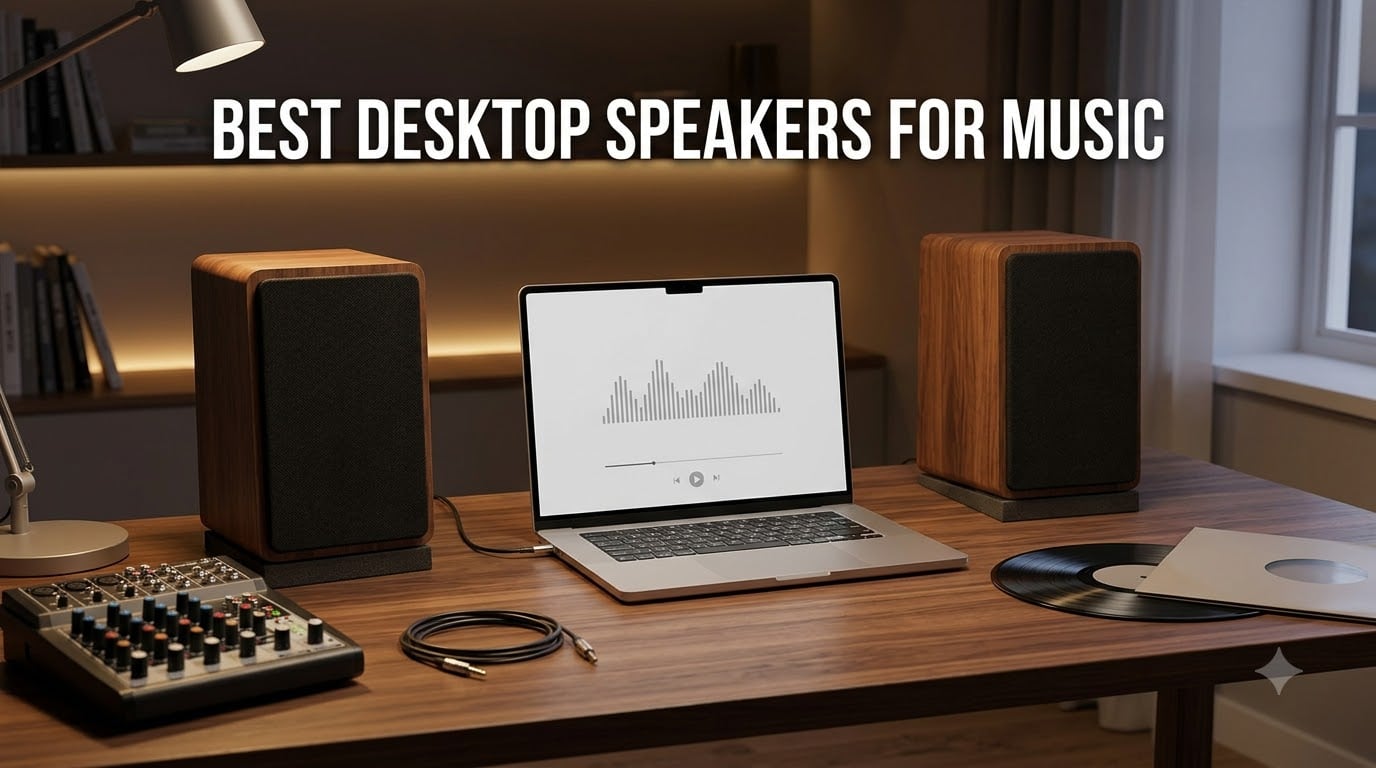
Playing music through your monitor’s built-in speakers is like watching a sunset through a keyhole. You’re missing the experience entirely.
Our team spent three months testing desktop speakers for music across every category and price range. We played everything from bass-heavy electronic tracks to delicate acoustic recordings to see which speakers could handle the full spectrum. The difference between a good pair and a great pair is night and day for music enjoyment.
Whether you want budget-friendly USB speakers, THX-certified 2.1 systems with room-shaking bass, or studio monitors that reveal every detail in your favorite tracks, this guide covers the best desktop speakers for music in 2026. We’ve tested 10 models head-to-head and ranked them based on sound quality, connectivity, value, and real-world usability.
Table of Contents
Top 3 Desktop Speakers for Music: Quick Picks
These three stood out from the pack. The Klipsch ProMedia 2.1 delivers THX-certified sound with a subwoofer you can feel. The Edifier MR3 brings studio-grade accuracy with Hi-Res Audio certification. The Edifier R1280T offers incredible value with its wooden enclosure and 42W of RMS power.
Best Desktop Speakers for Music in 2026: Full Comparison
| Product | Specifications | Action |
|---|---|---|
 Edifier R1280T Bookshelf Edifier R1280T Bookshelf |
|
Check Latest Price |
 Klipsch ProMedia 2.1 THX Klipsch ProMedia 2.1 THX |
|
Check Latest Price |
 Creative Pebble 2.0 Creative Pebble 2.0 |
|
Check Latest Price |
 Amazon Basics 2.0 Amazon Basics 2.0 |
|
Check Latest Price |
 Edifier MR3 Monitors Edifier MR3 Monitors |
|
Check Latest Price |
 PreSonus Eris 3.5 PreSonus Eris 3.5 |
|
Check Latest Price |
 Edifier M60 Multimedia Edifier M60 Multimedia |
|
Check Latest Price |
 Logitech Z313 2.1 Logitech Z313 2.1 |
|
Check Latest Price |
 Logitech Z207 Bluetooth Logitech Z207 Bluetooth |
|
Check Latest Price |
 OHAYO 60W Bookshelf OHAYO 60W Bookshelf |
|
Check Latest Price |
1. Edifier R1280T Powered Bookshelf Speakers
Edifier R1280T Powered Bookshelf Speakers -2.0 Near Field Studio Monitor
42W RMS
4 inch woofer
13mm silk dome tweeter
Dual AUX
Wood MDF enclosure
Pros
- Natural studio-quality sound reproduction
- 42 watts RMS with excellent headroom
- Dual AUX inputs for simultaneous device connection
- Classic wood finish that looks premium
- Remote control and side panel EQ controls
Cons
- No power switch on the unit
- No Bluetooth connectivity
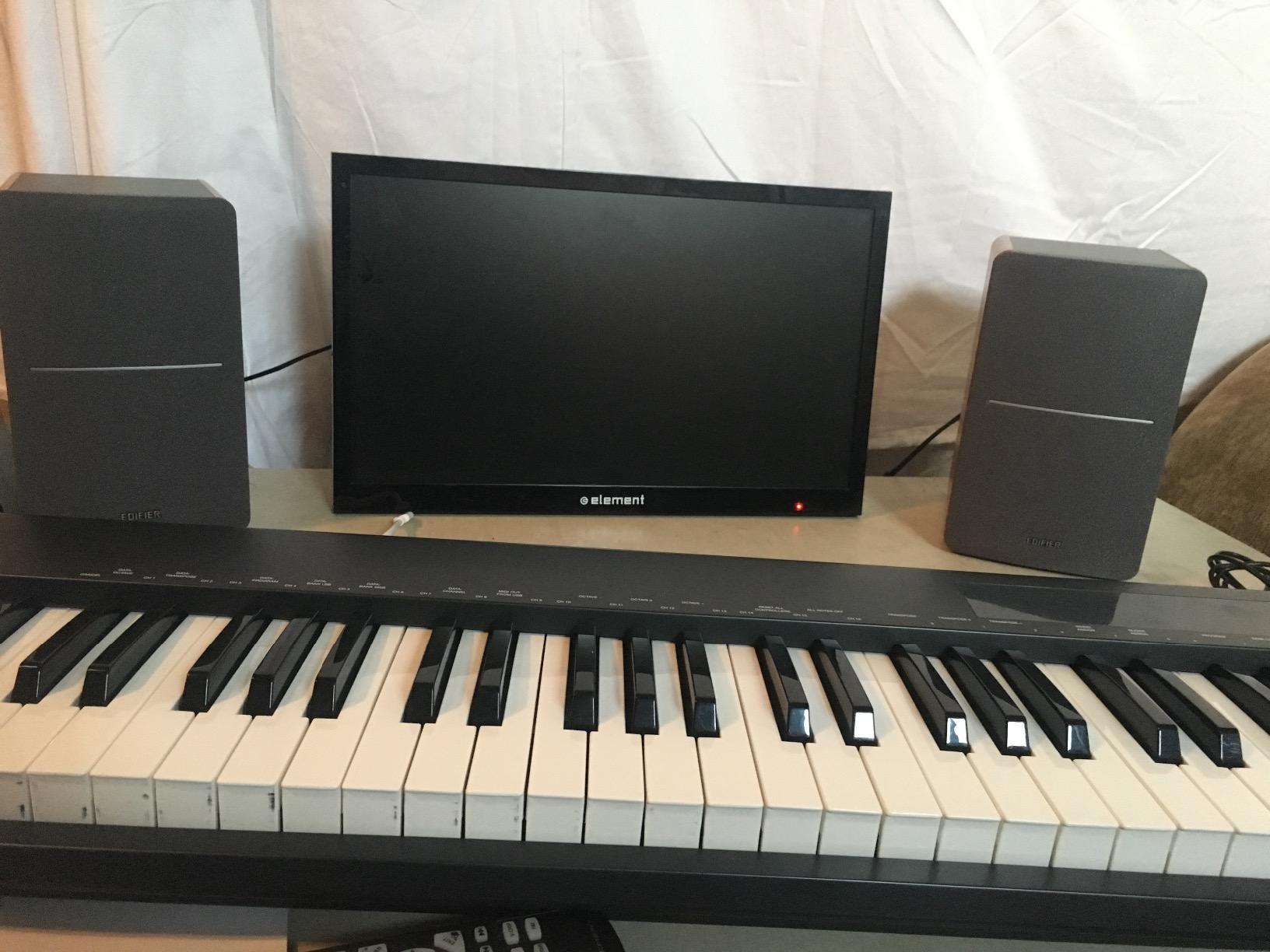
I set the R1280Ts up on my desk about six months ago, and they’ve become my go-to recommendation for anyone wanting serious sound without spending studio monitor money. The wooden enclosure gives them a warm, natural character that plastic speakers simply cannot match.
The 13mm silk dome tweeter handles highs with a smoothness that surprised me at this price point. Cymbals sound crisp without being harsh, and vocals sit right in front of you with impressive clarity. The 4-inch full-range driver rounds out the midrange nicely.
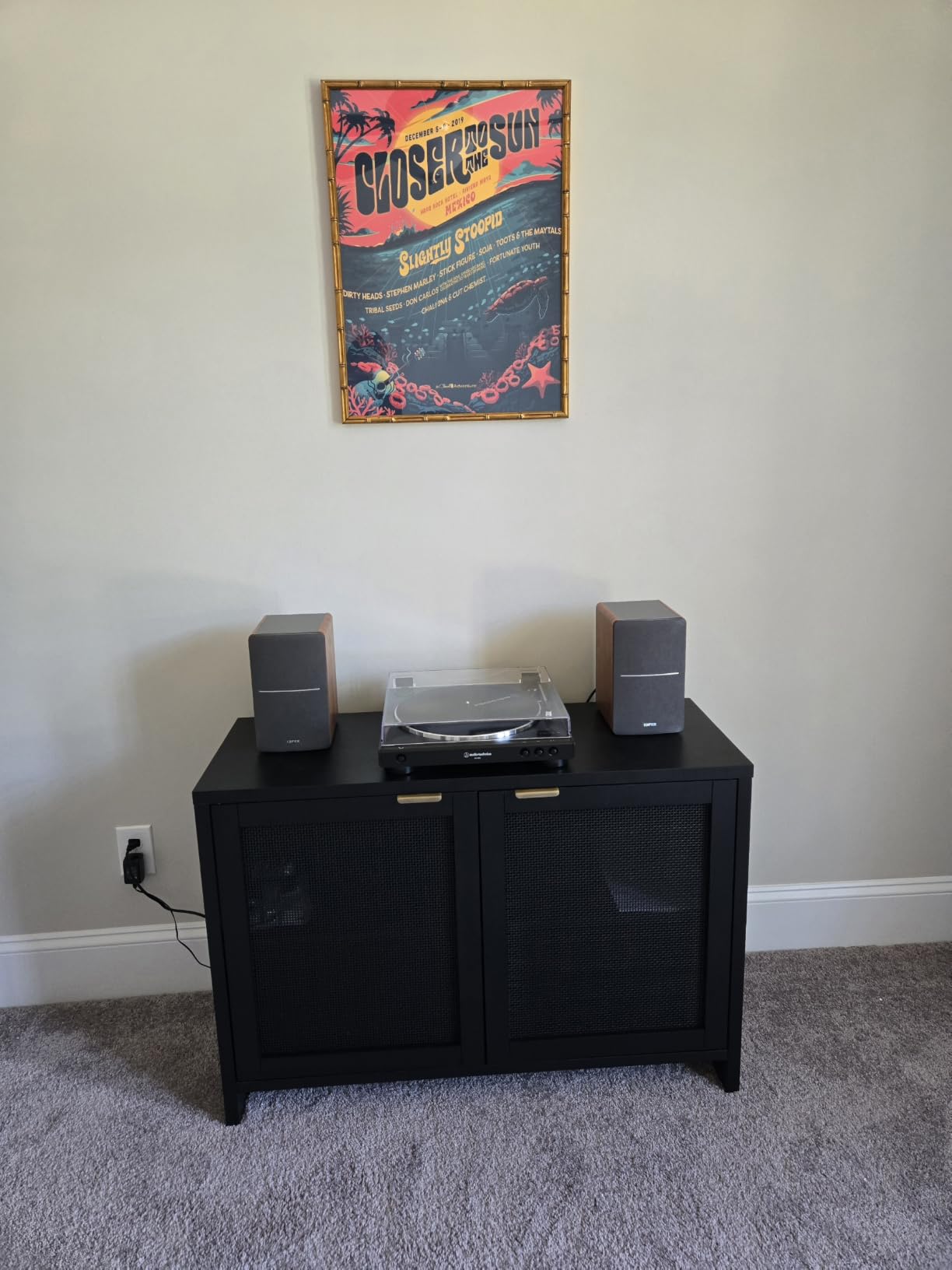
One feature I use daily is the dual AUX input. I have my computer plugged into one input and my phone into the other, so I never need to swap cables. The included remote lets me adjust volume from across the room, which is handy when I’m cooking and streaming music.
The bass response goes down to about 80Hz, which is solid for a 2.0 system. You won’t get subwoofer-level lows, but acoustic bass, kick drums, and lower guitar notes all have satisfying weight. The side panel knobs let you dial in bass and treble to match your room.
Who Should Buy the Edifier R1280T
These speakers are perfect for music lovers who want a significant upgrade over basic computer speakers without jumping into studio monitor territory. They’re ideal for home office setups, living room music systems, and anyone who appreciates the look of real wood on their desk.
If you listen to a lot of acoustic, jazz, classical, or vocal-heavy music, the R1280T’s warm sound signature will serve you well. The 19,000+ reviews on Amazon confirm that many buyers feel the same way.
Setup and Connectivity Details
The R1280T uses a wired connection only, with dual RCA inputs and a 3.5mm AUX option. There’s no Bluetooth, which is the main trade-off. The active speaker connects to AC power, and the passive speaker connects to the active one via included speaker wire.
Setup took me about five minutes. The package includes all necessary cables, so you’re ready to go right out of the box. The 2-year manufacturer warranty adds peace of mind to your investment.
2. Klipsch ProMedia 2.1 THX Certified Computer Speaker System
Klipsch ProMedia 2.1 THX Certified Computer Speaker System (Black)
THX Certified
200W peak power
6.5 inch subwoofer
MicroTractrix Horn
3.5mm input
Pros
- THX certified for cinema-grade sound quality
- 200 watts peak power with 110dB output
- 6.5 inch side-firing ported subwoofer
- MicroTractrix horn technology for exceptional clarity
- Plug and play setup with control pod
Cons
- No power switch
- always on when plugged in
- Bright power LED indicator
- Some quality control concerns reported
The Klipsch ProMedia 2.1 has been a legend in the desktop speaker world for years, and testing it confirmed why. The moment I fired up a bass-heavy track, I understood the hype immediately. The subwoofer hits with a physical force that no 2.0 system can replicate.
THX certification is not just a marketing badge. It means these speakers meet strict performance standards for frequency response, output levels, and distortion. The sound is clean, powerful, and remarkably detailed across all volume levels.

The MicroTractrix horn technology is what gives the ProMedia its signature clarity. Horn-loaded tweeters are extremely efficient, meaning they produce more sound from less power while controlling dispersion precisely. Vocals and high-frequency details cut through mixes with surgical precision.
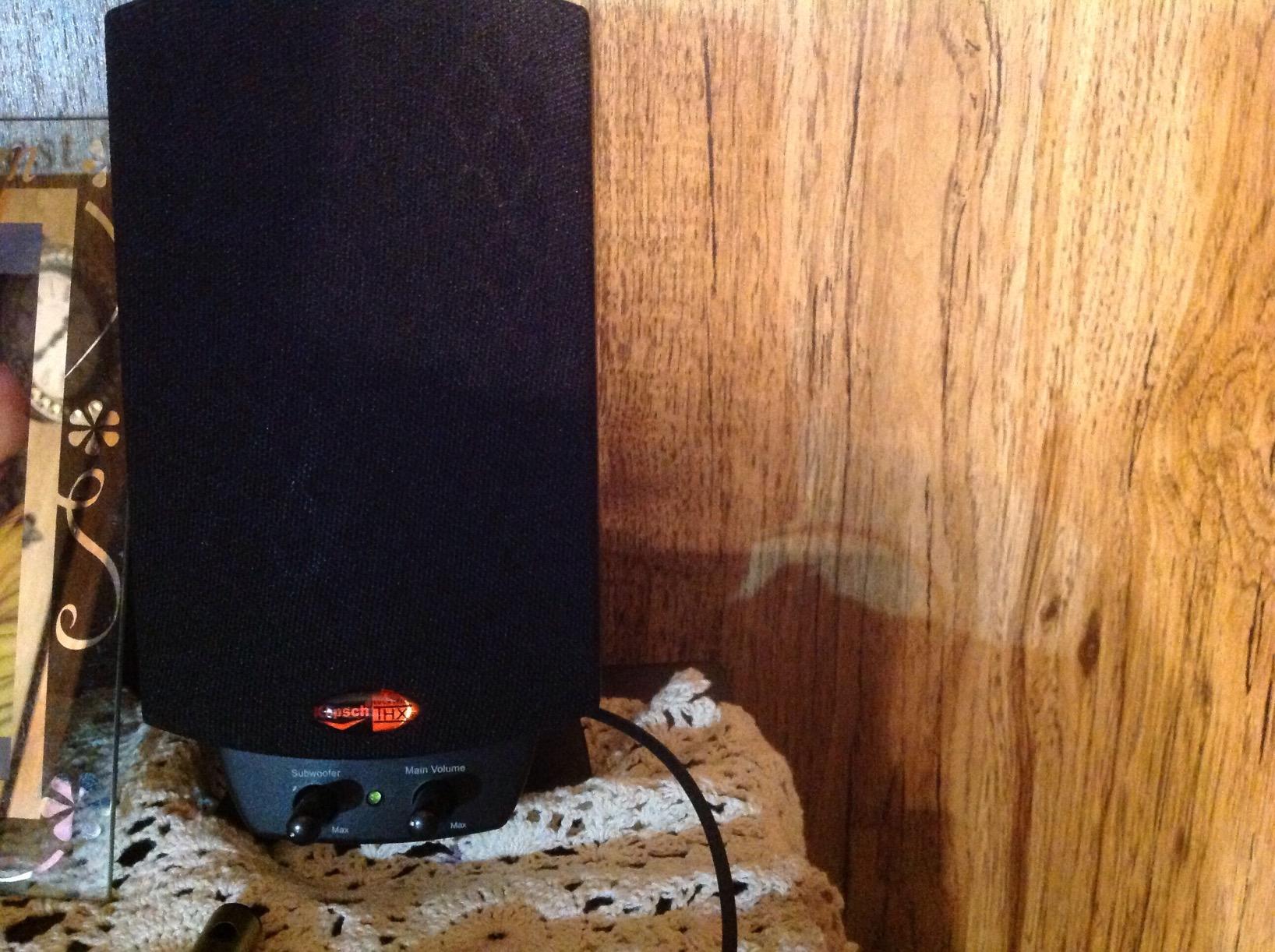
I tested these with everything from orchestral music to electronic dance tracks. The 200-watt peak output means you can fill a large room without any distortion. At 110dB, you’re hitting live concert volume levels. The control pod with main volume and subwoofer gain lets you dial in the perfect balance.
Who Should Buy the Klipsch ProMedia 2.1
If you want the most immersive music experience at your desk, this is the one. The 2.1 configuration with subwoofer adds a dimension to music that flat 2.0 speakers cannot match. Bass drops, drum fills, and low-frequency synth lines become physical experiences.
These are also excellent for movies and gaming, making them a great all-around multimedia choice. Reddit users consistently recommend the ProMedia 2.1 for casual music listening, noting that the THX certification makes a real difference.
Subwoofer Placement and Control
The 6.5-inch subwoofer is side-firing and ported, meaning it moves serious air. I found that placing it under my desk near a wall enhanced the bass response significantly. The wired control pod sits on your desk for easy access to volume and subwoofer gain.
The main trade-off is the lack of a power switch. The speakers stay on whenever plugged in, which some users find annoying. The bright power LED is also a common complaint. Despite these minor issues, the sound quality is hard to beat at this price.
3. Creative Pebble 2.0 USB Desktop Speakers
Creative Pebble, 2.0 USB Desktop Stereo Speakers for PC/Laptop, White
USB powered
2.0 system
45 degree elevated drivers
Passive radiators
Compact design
Pros
- USB powered
- no adapter needed
- Compact and minimalist modern design
- Far-field drivers with passive radiators
- 45 degree elevated drivers for better projection
- Extremely affordable price point
Cons
- Limited power output at 4.4W peak
- No wireless connectivity
- No warranty included
At this price point, I honestly didn’t expect much from the Creative Pebble. But after plugging them in and playing my test playlist, I was genuinely impressed. These little speakers produce sound that far exceeds what their size and price suggest.
The USB-powered design means you just plug them into your computer and you’re done. No power brick, no extra cables, no wall outlet needed. This makes them incredibly convenient for laptop users and minimal desk setups.

The 45-degree elevated driver angle is a smart design choice. It directs sound up toward your ears rather than straight ahead, which significantly improves clarity at desk level. The passive radiators on the rear add a surprising amount of bass for such small speakers.
With over 67,000 reviews and a 4.6-star rating, the Pebble is one of the most popular desktop speakers ever made. That massive review count tells you something about how well these perform for the price.

Who Should Buy the Creative Pebble
These are perfect for students, office workers, and anyone who wants better sound than built-in monitor speakers without spending much. If your budget is tight but you still want enjoyable music at your desk, the Pebble delivers outstanding value.
They’re also great as secondary speakers for a kitchen counter, a workshop, or any spot where you want background music without investing in a full audio system.
Power and Connectivity Limitations
The Pebble connects via USB for power and 3.5mm AUX for audio. USB power limits the output to 4.4 watts peak, which is fine for near-field listening at your desk but won’t fill a large room. There’s no Bluetooth option.
The front-facing volume control is easy to reach, and the compact 4.5-inch footprint fits any desk. Just keep your expectations realistic about volume levels and bass depth given the USB power constraint.
4. Amazon Basics Stereo 2.0 PC Speakers
Amazon Basics Stereo 2.0 Speakers for PC or Laptop with Volume Control, 3.5mm Aux Input, USB-Powered, 1 Pair, Black
USB powered
2.0 stereo
3.9 inch drivers
In-line volume
Bottom bass radiator
Pros
- USB powered straight from your PC
- In-line volume control for easy adjustment
- Metal finish with scratch-free padded base
- Bottom radiator for bass response
- Massive review count with proven reliability
Cons
- Basic features with limited frequency response
- No wireless connectivity
- Sound quality is basic compared to premium options
Sometimes you just need simple, reliable speakers that work. That’s exactly what the Amazon Basics 2.0 speakers deliver. I plugged them in, turned on some music, and they just worked without any fuss or configuration.
With over 81,000 reviews, these are some of the most purchased desktop speakers on the market. That kind of sales volume means Amazon has refined the design to be dependable and consistent.
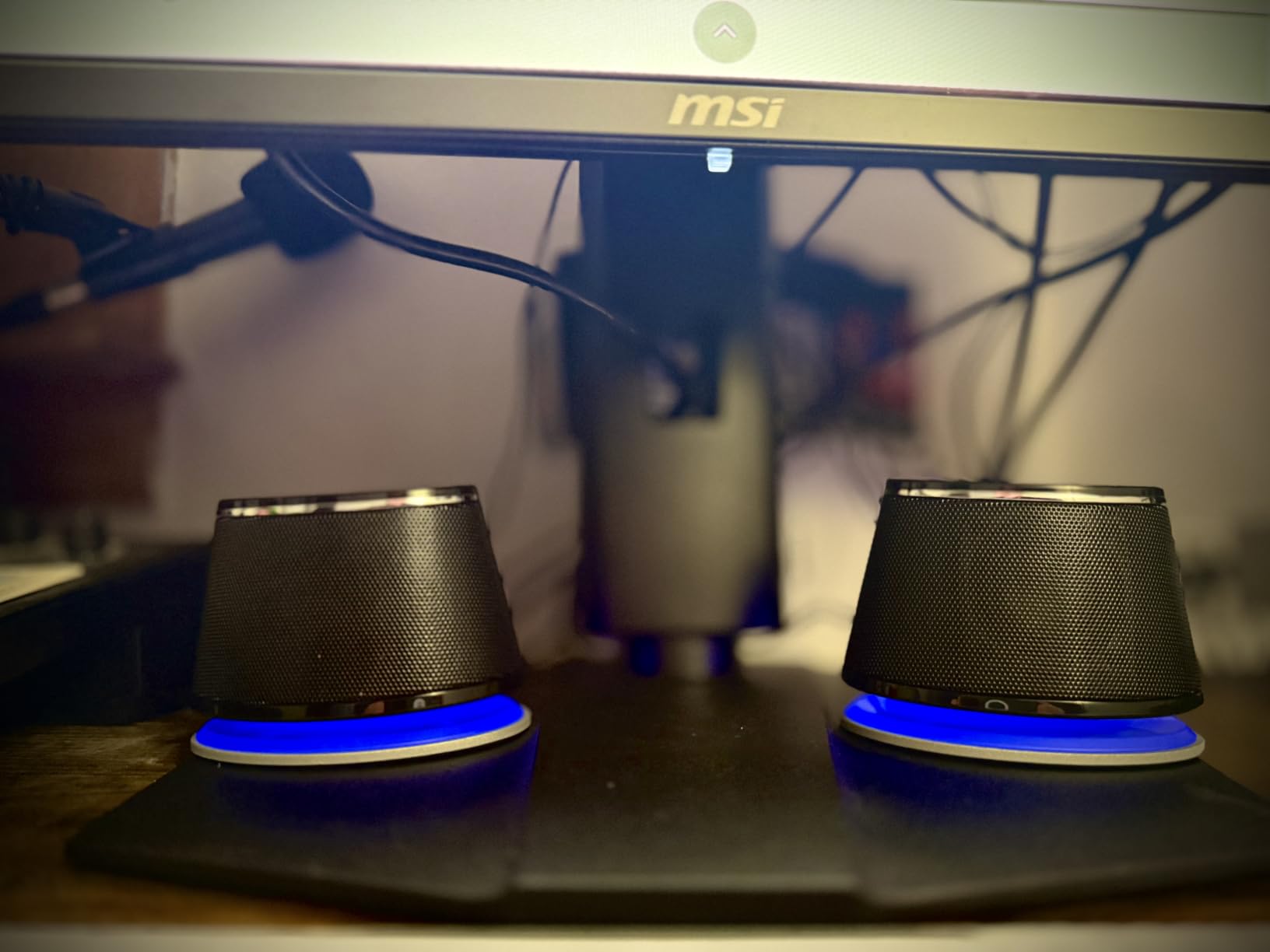
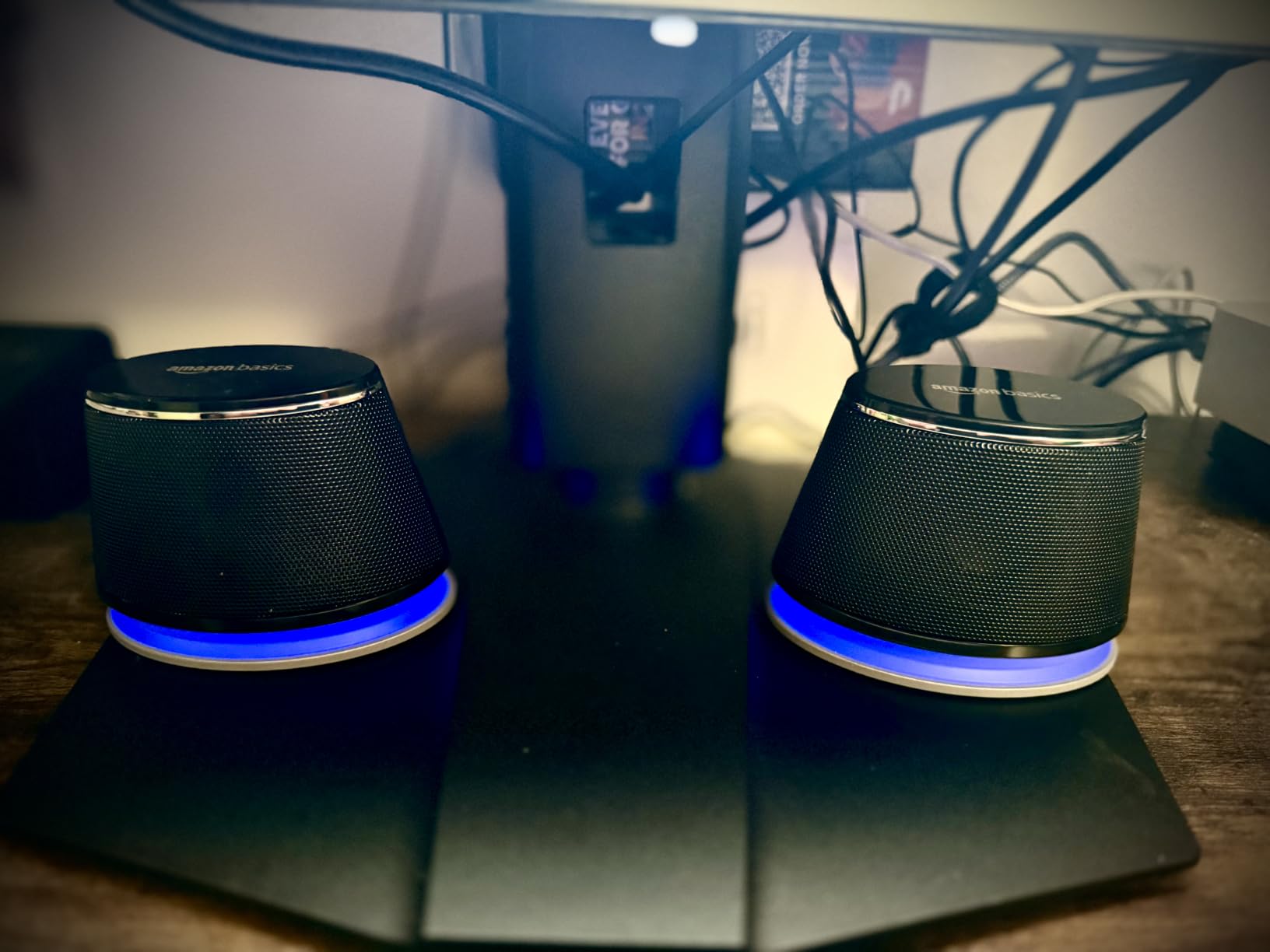
The USB power and 3.5mm AUX connection keep things simple. The in-line volume control on the cable is a practical touch that saves you from reaching for your computer every time you want to adjust levels. The blue LED adds a subtle accent to your setup.
The bottom radiator design produces what Amazon calls “springy bass.” It’s not going to shake your desk, but it adds more low-end presence than you’d expect from speakers this size. The metal finish feels more premium than the price suggests.
Who Should Buy the Amazon Basics Speakers
These are ideal for anyone who needs functional, no-frills desktop audio. Office environments, classroom setups, and basic home computer stations are perfect use cases. They’re also a solid backup pair to keep around.
If you primarily listen to podcasts, YouTube videos, or casual background music, these speakers handle that workload effortlessly. Audiophiles will want something more refined, but for everyday computing, they get the job done.
What to Expect from the Sound
The 3.9-inch drivers produce clear midrange and acceptable highs. Music sounds decent but lacks the detail and separation you get from the Edifier or Klipsch options. The frequency response tops out at 20kHz, which covers the basics.
Sound staging is narrow since the speakers sit close together, but for near-field desktop listening, that’s less of an issue. The padded base prevents vibrations from transferring to your desk surface.
5. Edifier MR3 Powered Studio Monitor Speakers
Edifier MR3 Powered Studio Monitor, Speaker Hi-Res Active Bluetooth Speaker
Hi-Res Audio certified
52Hz-40kHz
Balanced TRS+RCA+AUX
Bluetooth 5.4
18W x 2 RMS
Pros
- Hi-Res Audio certified for studio accuracy
- Flat frequency response ideal for monitoring
- Balanced TRS inputs for professional audio interfaces
- Bluetooth 5.4 with multi-point connection
- Three sound modes via EDIFIER ConneX app
Cons
- Smaller 3.5 inch woofer limits low-end response
- Newer product with fewer reviews
- App-based controls may not suit all users
The Edifier MR3 is the speaker I’d choose if I were getting into music production or serious critical listening. These are genuine studio monitors with a flat, honest frequency response that reveals exactly what’s in your recordings.
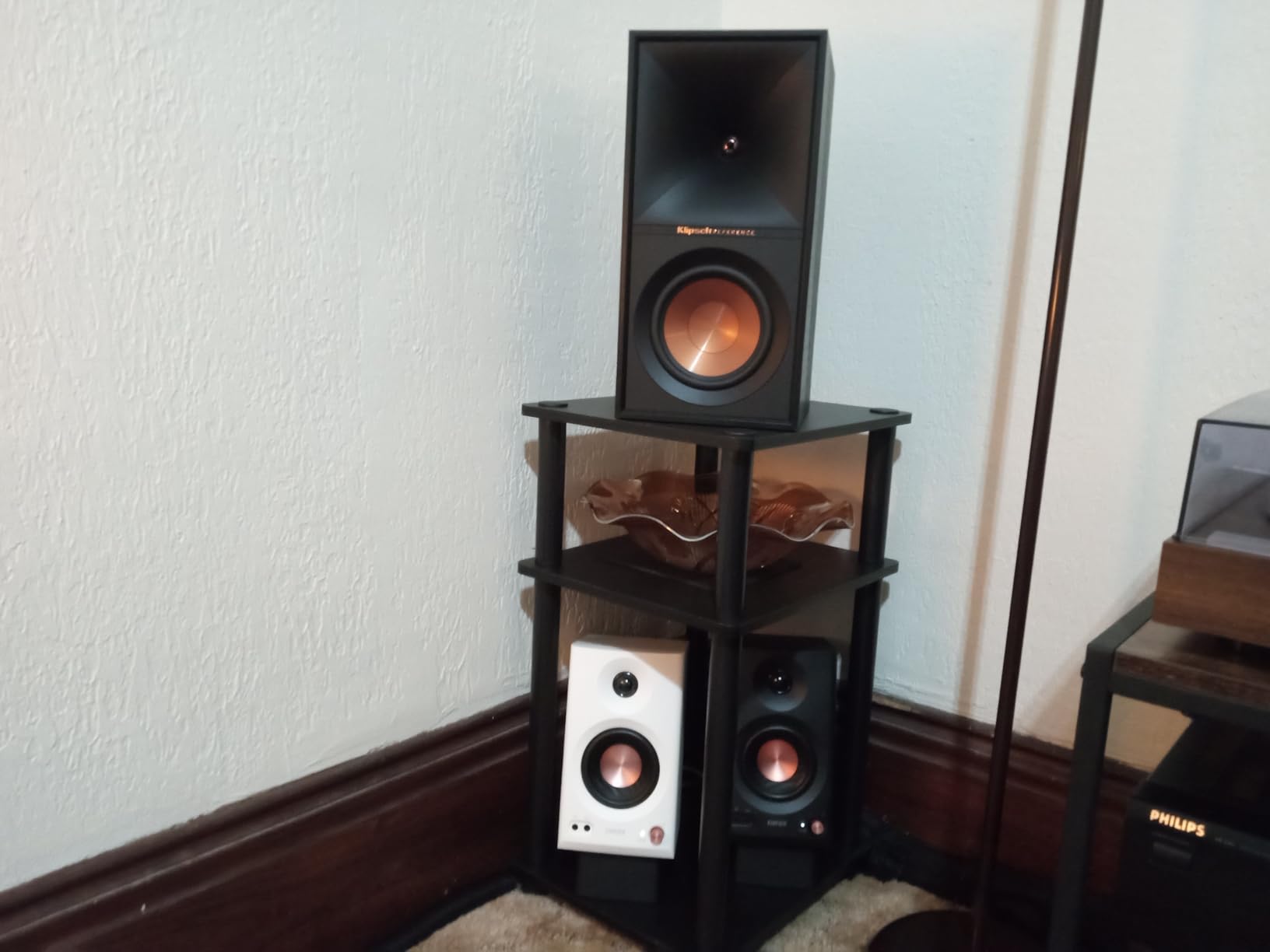
Hi-Res Audio certification means these speakers reproduce frequencies from 52Hz all the way up to 40kHz. That extended high-frequency response captures detail that regular computer speakers completely miss. I heard subtle reverb tails and background instruments in tracks I’ve listened to hundreds of times.
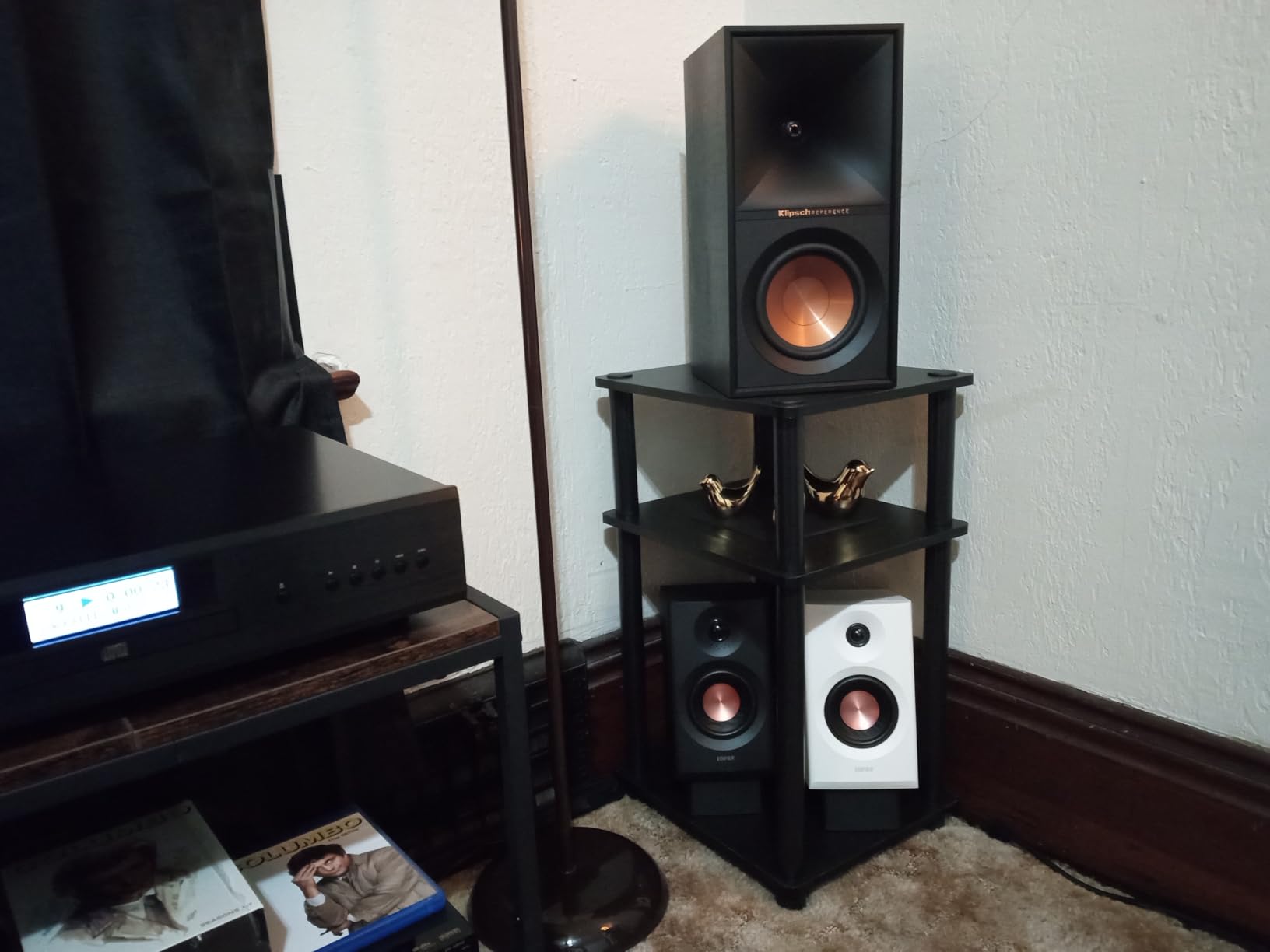
The balanced TRS inputs are what set the MR3 apart from consumer speakers. Balanced connections reject interference, which matters when you’re running long cables or working near other electronic equipment. This is the same connection standard used in professional recording studios.
I love the three sound modes. Monitor mode gives you that flat, uncolored response for mixing. Music mode adds a slight boost to lows and highs for more enjoyable casual listening. Custom mode lets you dial in your own EQ through the EDIFIER ConneX app.
Who Should Buy the Edifier MR3
These are the best desktop speakers for music production on this list. If you’re mixing tracks, editing podcasts, or doing video production, the flat response and balanced inputs make the MR3 a serious tool. The Bluetooth 5.4 connectivity also means you can stream from your phone for casual listening.
The 4.7-star rating with 660 reviews is impressive for a newer product. Forum users on Gearspace and AudioScienceReview have noted that budget studio monitors like these are excellent entry points for desktop audio work.
Connectivity and App Integration
The MR3 offers the most connectivity options of any speaker on this list. You get balanced TRS, unbalanced RCA, AUX, and Bluetooth 5.4 with multi-point connection. The RCA and AUX inputs can be used simultaneously, so you can connect multiple devices without switching cables.
The MDF cabinet construction reduces resonance and distortion, which is essential for accurate monitoring. The headphone output on the front panel is a convenient touch for late-night editing sessions. The 2-year warranty matches Edifier’s standard coverage.
6. PreSonus Eris 3.5 Active Studio Monitors
PreSonus Eris 3.5 Powered Studio Monitors, Pair — 3.5” Active Near
3.5 inch woven-composite woofers
1 inch silk-dome tweeters
25W per side
TRS+RCA+AUX
Acoustic tuning
Pros
- True studio-quality sound for music production
- 50 watts total built-in amplification
- Acoustic tuning controls for room correction
- Multiple inputs including balanced TRS
- Complete stereo pair included
Cons
- Limited low-frequency extension below 80Hz
- Not waterproof
- No Bluetooth connectivity
PreSonus is a name that carries serious weight in the audio production world. Their Eris 3.5 monitors bring that professional pedigree to the desktop at a remarkably accessible price. I was struck by how accurate and unflattering these speakers sound.
The woven-composite woofers are stiffer than typical paper cones, which means they move faster and reproduce transients more accurately. Snare drum hits, acoustic guitar plucks, and vocal consonants all have a punch and precision that consumer speakers lack.
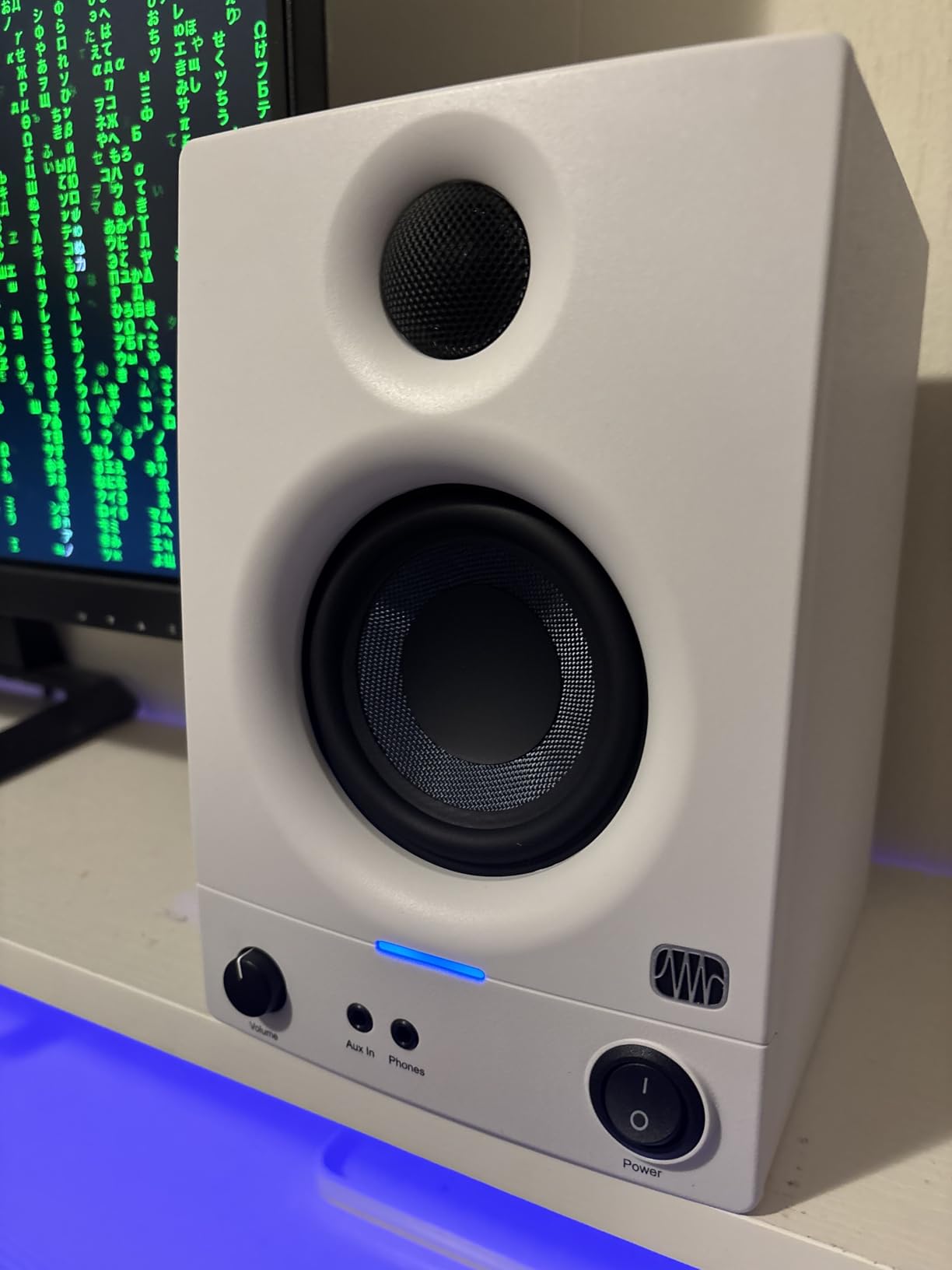
The 1-inch silk-dome tweeters smooth out harshness in the upper frequencies. Many budget monitors sound fatiguing after long listening sessions, but the Eris 3.5 stays comfortable even after hours of mixing or music listening. That smoothness is a hallmark of good studio monitor design.
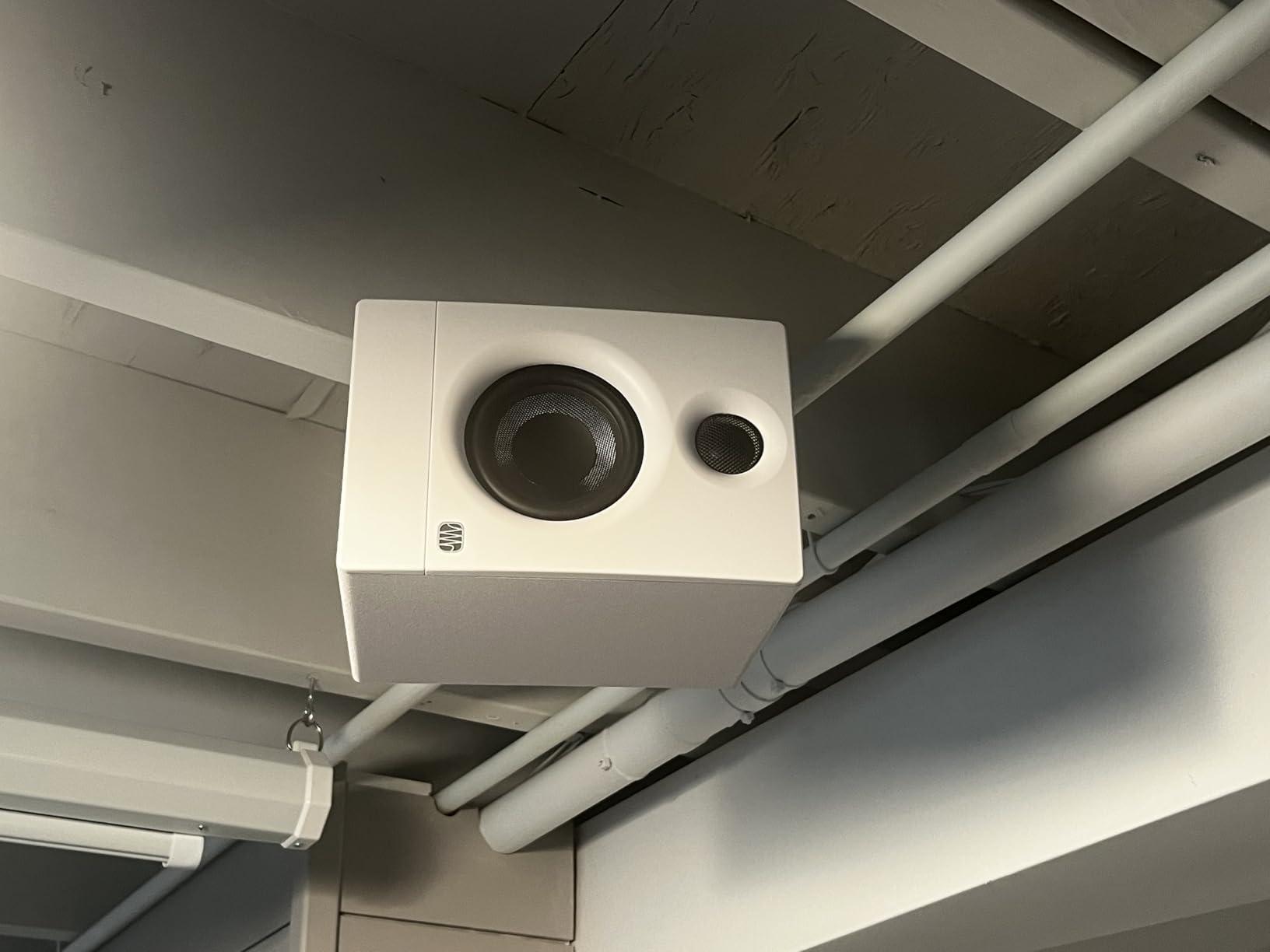
The built-in high- and low-frequency acoustic tuning controls are a feature usually reserved for more expensive monitors. These let you compensate for room acoustics, which matters more than most people realize. Desk placement near walls can boost bass unnaturally, and these controls help correct that.
Who Should Buy the PreSonus Eris 3.5
These monitors are perfect for bedroom producers, podcasters, and anyone who values accuracy in their music listening. If you want to hear your music exactly as it was recorded, without coloration or enhancement, the Eris 3.5 delivers that honesty.
The 77% five-star rating from over 1,500 reviews shows that buyers appreciate the professional sound quality. KVR Audio forum users specifically recommend PreSonus monitors as a strong entry point for desktop audio production.
Input Options and Tuning Controls
The Eris 3.5 offers balanced TRS, unbalanced RCA, and a front-panel aux input. This means you can connect your audio interface, your phone, and a third device all at once. The front-panel headphone output mutes the speakers automatically when you plug in.
The acoustic tuning controls include high and low frequency adjustment knobs on the rear panel. Setting these correctly for your room can dramatically improve accuracy. PreSonus provides guidance on their website for typical desktop placement scenarios.
7. Edifier M60 Multimedia Computer Speakers
Edifier M60 Multimedia Speaker, 66W RMS Computer Speaker, Black
66W RMS total
3 inch aluminum drivers
1 inch silk dome tweeters
Bluetooth 5.3 LDAC
USB-C+AUX inputs
Pros
- Powerful 66W RMS output in compact size
- Hi-Res Audio certified wired and wireless
- LDAC codec for high-quality Bluetooth streaming
- Capacitive touch panel with automatic backlight
- Aluminum speaker stands at 15-degree angle
Cons
- Heavier than expected at 4.4 kilograms
- No optical input option
The Edifier M60 is the most modern-feeling speaker system I tested. From the capacitive touch controls to the LDAC Bluetooth streaming, these speakers pack cutting-edge technology into a surprisingly compact package.
The 66W RMS output is serious power for desktop speakers. That translates to headroom, which means the speakers can handle dynamic peaks in music without distortion. Orchestral crescendos and electronic bass drops maintain their impact even at higher volumes.
The LDAC codec support is what sets the M60 apart for wireless music streaming. LDAC can transmit up to 990 kbps at 24-bit/96kHz quality, which is far beyond standard Bluetooth audio. If your phone supports LDAC, you get near-CD quality over wireless.
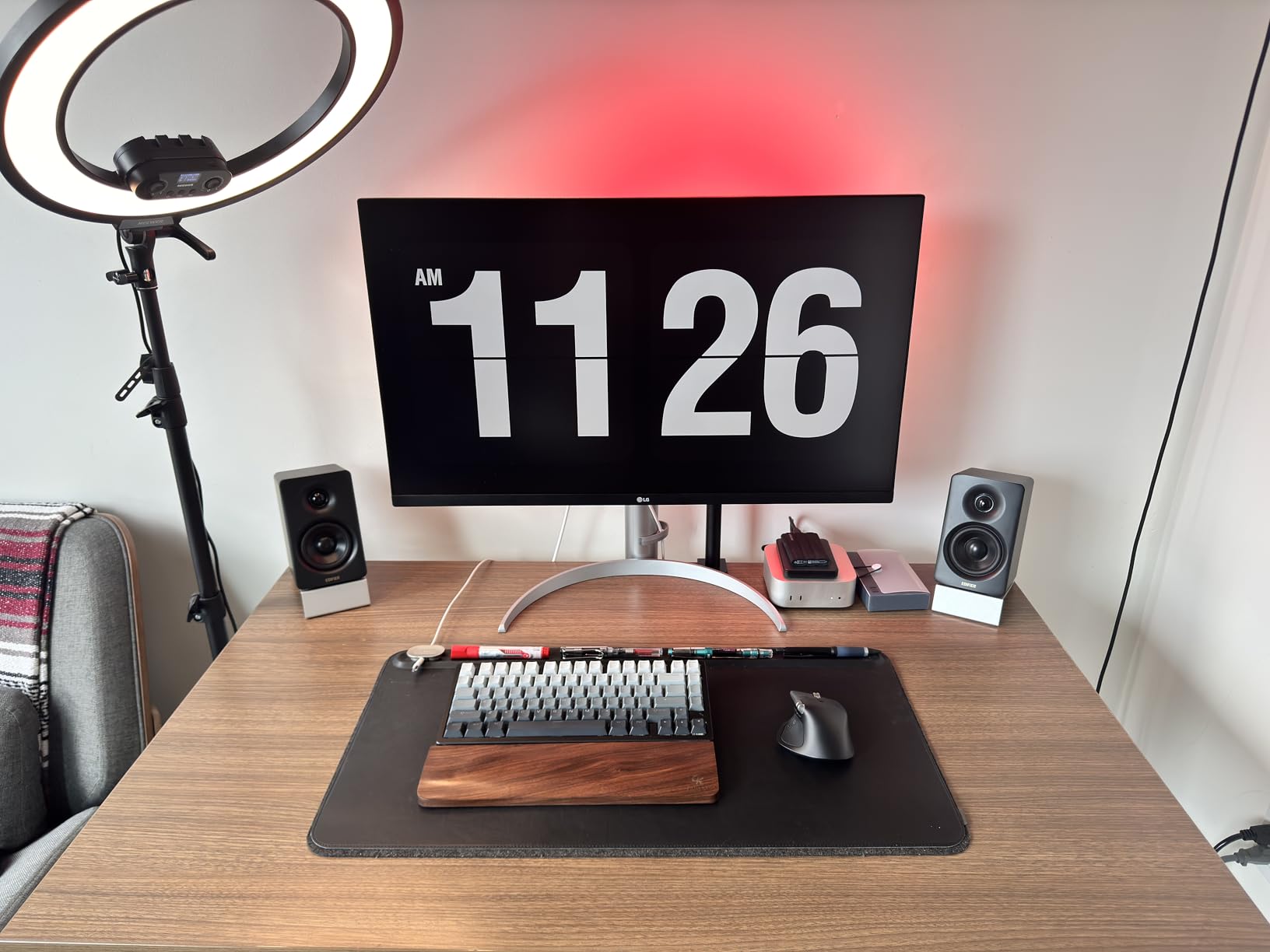
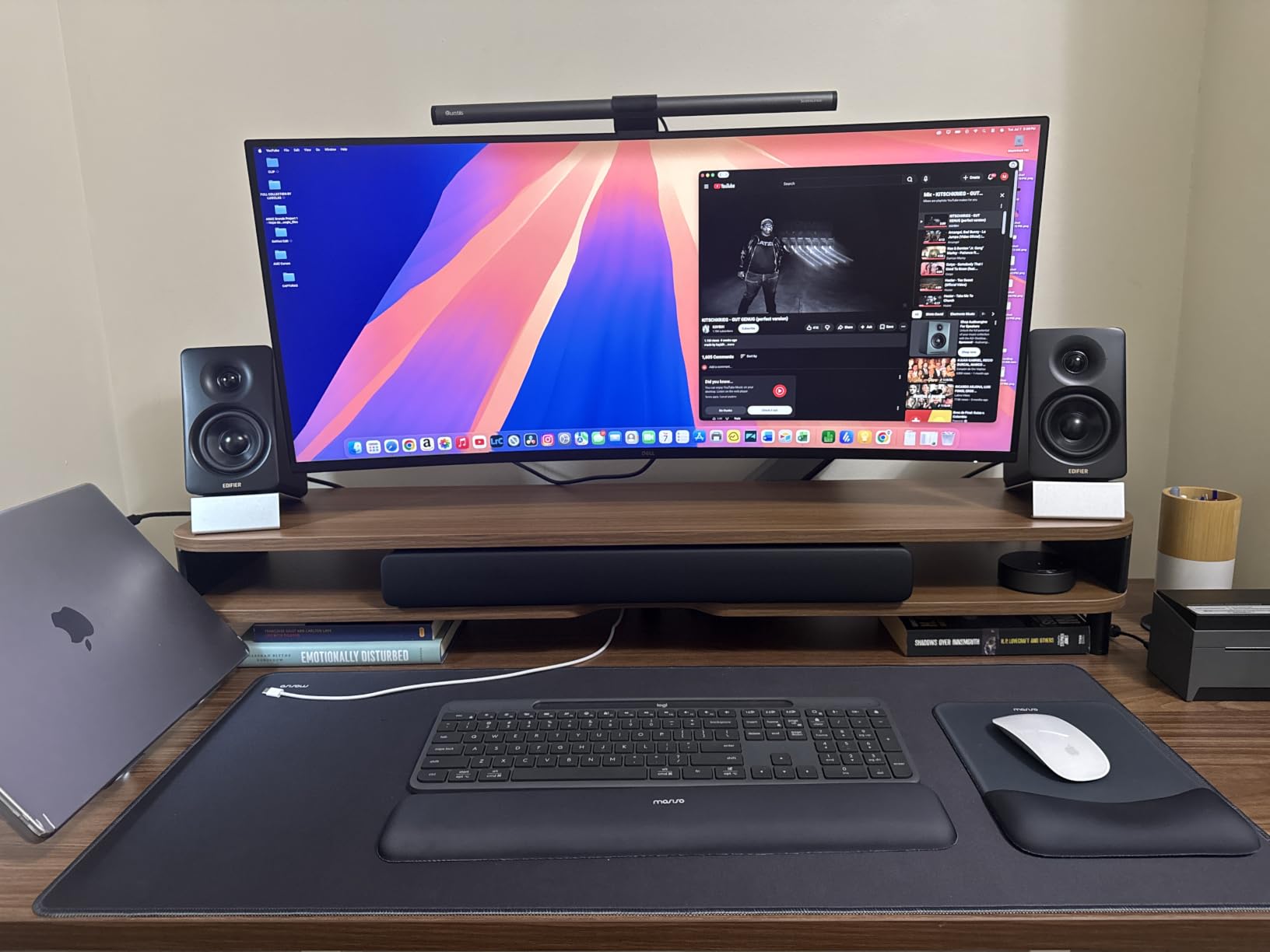
The included aluminum speaker stands angle the speakers at 15 degrees, directing sound precisely at your ears. This small detail makes a noticeable difference in clarity and imaging. The capacitive touch panel on top handles volume and input switching with a tap.
Who Should Buy the Edifier M60
If you want premium desktop sound with modern wireless capabilities, the M60 is hard to beat. The combination of Hi-Res Audio certification, LDAC streaming, and 66W of power makes these the most versatile speakers on this list for music enthusiasts.
The compact size means they fit any desk, yet the output rivals larger systems. The 80% five-star rating from 1,800 reviews confirms that buyers are impressed with the performance and feature set.
Wireless Quality and Touch Controls
Bluetooth 5.3 provides a stable connection with low latency. The LDAC codec delivers the highest quality wireless audio currently available, but you need a compatible source device. Android phones from most manufacturers support LDAC natively.
The capacitive touch panel is responsive and the automatic backlight means it’s visible in low light without being distracting. USB-C and AUX inputs round out the connectivity, though there’s no optical input which some users may miss.
8. Logitech Z313 2.1 Multimedia Speaker System
Logitech Z313 2.1 Multimedia Speaker System with Subwoofer – Black
25W RMS
2.1 system
5.25 inch subwoofer
3.5mm input
Control pod
Pros
- Convenient wired control pod for volume and power
- 25 watts RMS with strong bass from compact subwoofer
- 2.1 configuration fills the room with sound
- Compatible with PC
- TV
- phone
- and gaming consoles
- Best seller in computer speakers category
Cons
- Wired subwoofer requires floor placement
- Battery required for control pod
- No Bluetooth connectivity
The Logitech Z313 is the 2.1 system I recommend most often for people who want big sound on a modest budget. The compact subwoofer adds a bass dimension that 2.0 speakers simply cannot achieve, and the convenience of the control pod makes daily use effortless.
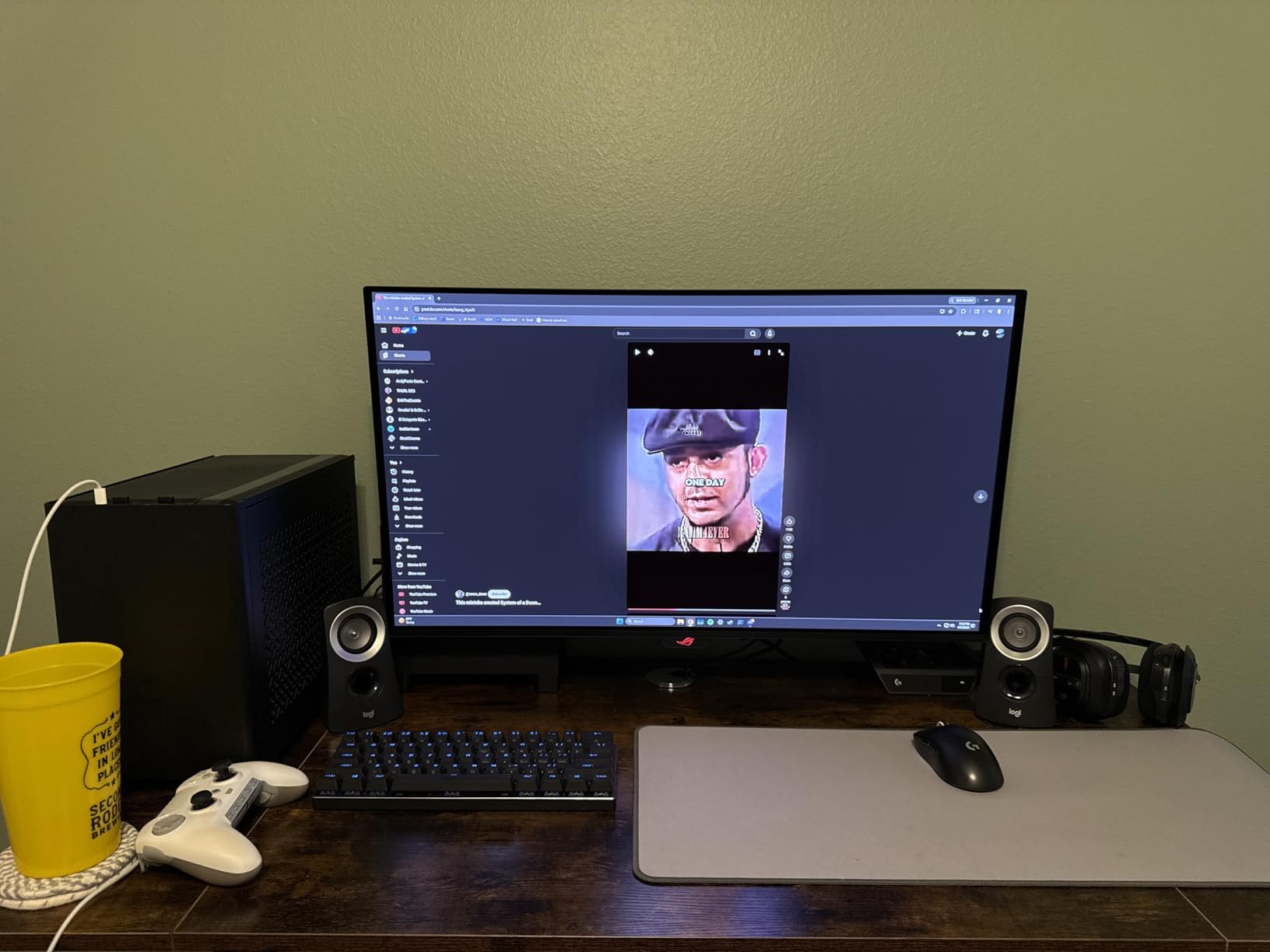
Setting up the Z313 took me about three minutes. You connect the two satellite speakers to the subwoofer, plug the subwoofer into the wall, and run a cable to your computer’s headphone jack. The control pod sits on your desk with a volume knob, power button, and headphone jack.
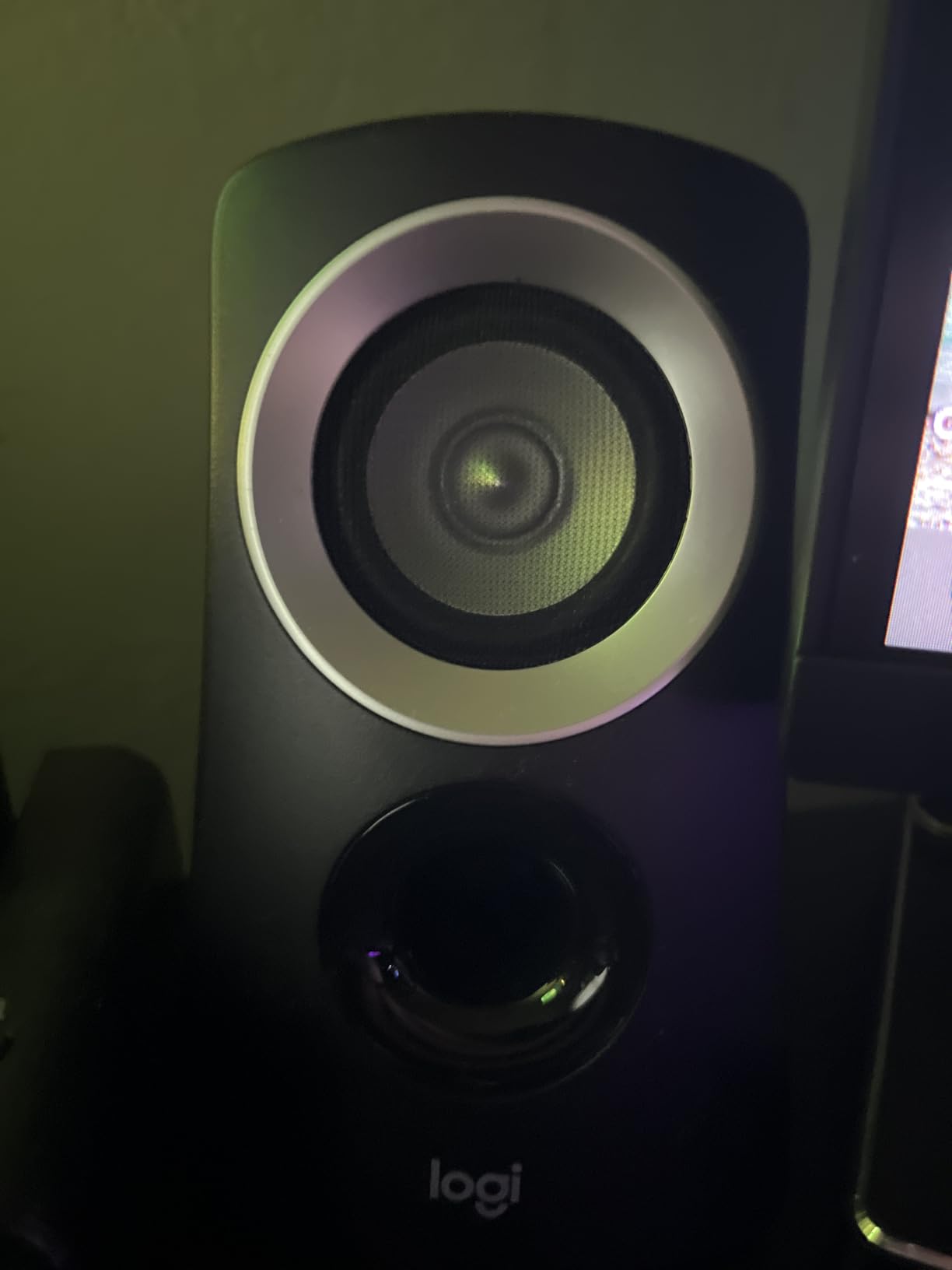
The 5.25-inch subwoofer produces bass that you can feel in your chair. Music genres that rely on low-end impact, like hip-hop, electronic, and rock, benefit enormously from the dedicated sub. The compact size means it tucks under most desks without taking up much floor space.
With 16,100 reviews and a 4.4-star rating, the Z313 has proven its reliability over years of sales. The 70% five-star rating shows consistent satisfaction across a wide range of users and use cases.
Who Should Buy the Logitech Z313
If you want a 2.1 system without spending Klipsch money, the Z313 is your answer. It’s perfect for music listeners who crave bass impact, movie watchers who want explosion rumble, and gamers who want immersive sound. The multi-device compatibility adds flexibility.
The control pod deserves special mention. Having volume control, power, and a headphone jack right on your desk is genuinely useful. No more reaching behind your computer to plug in headphones.
Subwoofer and Satellite Integration
The wired subwoofer connects to the satellite speakers through Logitech’s proprietary cable system. The subwoofer handles frequencies below the crossover point, while the satellites cover mids and highs. This division of labor produces cleaner sound than full-range speakers attempting everything.
The compact subwoofer design measures roughly 9 by 7 inches, so it fits under most desks. The wired connection to the control pod is about 6 feet long, giving you placement flexibility for the pod itself.
9. Logitech Z207 Bluetooth Computer Speakers
Logitech Z207 2.0 Stereo Computer Speakers with Bluetooth
Bluetooth 4.2
10W peak
Easy-Switch tech
3.5mm input
Headphone jack
Passive radiators
Pros
- Bluetooth wireless plus 3.5mm wired connection
- Easy-Switch technology for seamless device switching
- Passive radiators for bass extension
- On-speaker headphone jack and controls
- Compact slim profile fits any desk
Cons
- 10W peak output is modest
- Not waterproof
- Limited bass compared to 2.1 systems
The Logitech Z207 solves a problem that many desktop speakers ignore: connecting to multiple devices easily. With Easy-Switch technology, I paired my phone, tablet, and computer simultaneously and switched between them with a button press.
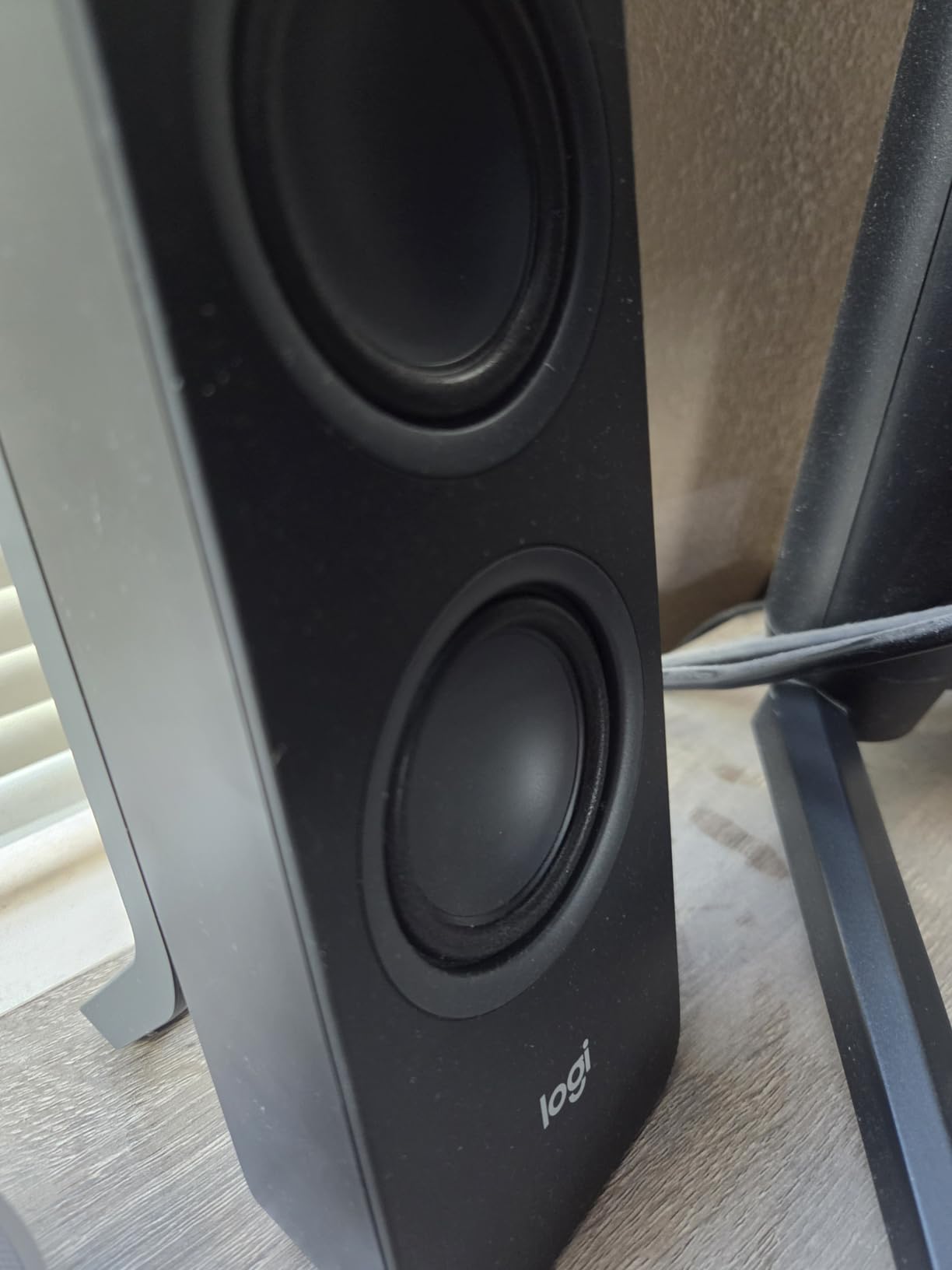
These speakers use a slim vertical design that takes up minimal desk space. Each speaker houses an active driver and a passive radiator, the latter being responsible for extending bass response beyond what the small drivers could produce alone.
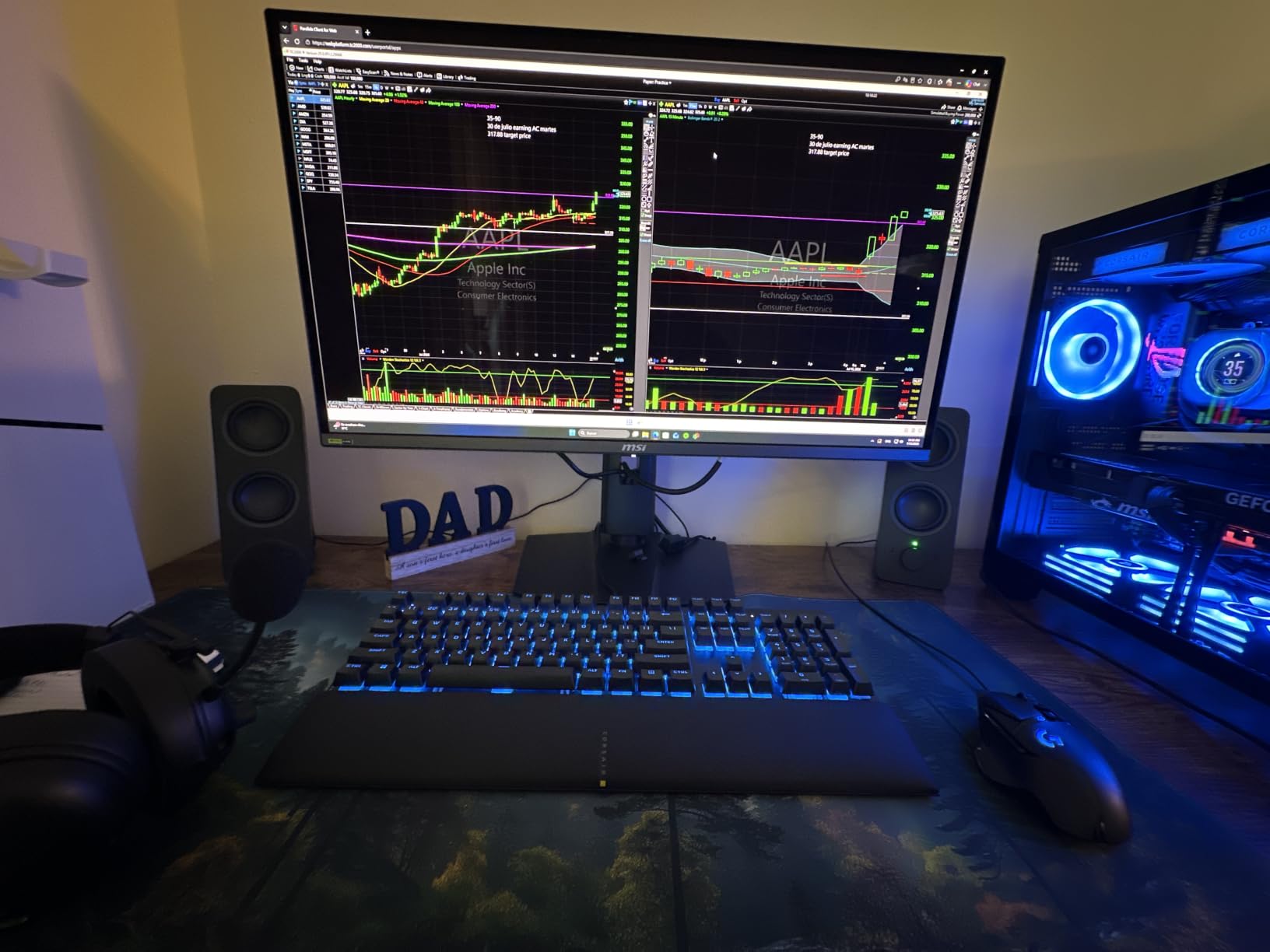
The Bluetooth 4.2 connection is stable for music streaming, and the 3.5mm input provides a wired fallback. The on-speaker controls for Bluetooth pairing, power, and volume are well-placed and responsive. The headphone jack on the front of the right speaker is a practical addition.
At 10 watts peak, the Z207 won’t blow you away with volume. But for near-field desktop listening, the output is perfectly adequate. Music sounds clear and balanced, with the passive radiators adding a modest but noticeable bass presence.
Who Should Buy the Logitech Z207
These are ideal for users who want wireless convenience alongside wired capability. If you stream music from your phone while working on your computer, the Easy-Switch feature makes the Z207 incredibly practical. The slim design also suits modern minimalist desk setups.
The 2-year warranty and Logitech’s reputation for reliability add confidence. With 7,500+ reviews and a 4.4-star rating, the Z207 has earned its popularity through consistent performance and user-friendly design.
Easy-Switch and Multi-Device Use
The Easy-Switch technology lets you pair up to two Bluetooth devices and switch between them instantly. I tested this by pairing my laptop and phone, then switching from a work video call to a Spotify playlist without re-pairing. The transition is seamless.
The speakers can also connect via 3.5mm while simultaneously paired via Bluetooth, giving you three potential audio sources. The slim 1.4-inch depth means these speakers fit between your monitors without crowding your workspace.
10. OHAYO 60W Computer Speakers for Music and Gaming
OHAYO 60W Computer Speakers for Music and Gaming, Active Bluetooth 5.3, Stereo 2.0 Speakers for Desktop PC or Laptop, 3.5mm Aux RCA USB Input, 1 Pair, Black
60W max output
3 inch carbon fiber drivers
0.75 inch tweeters
BT 5.3+RCA+AUX+USB
MDF enclosure
Pros
- 60W powerful output in compact form
- Carbon fiber drivers for clear highs and mid-bass
- Premium MDF wooden enclosure reduces resonance
- Bluetooth 5.3 plus four wired input options
- Versatile compatibility with many devices
Cons
- Lower review count compared to established brands
- Not waterproof
- Brand is less established than competitors
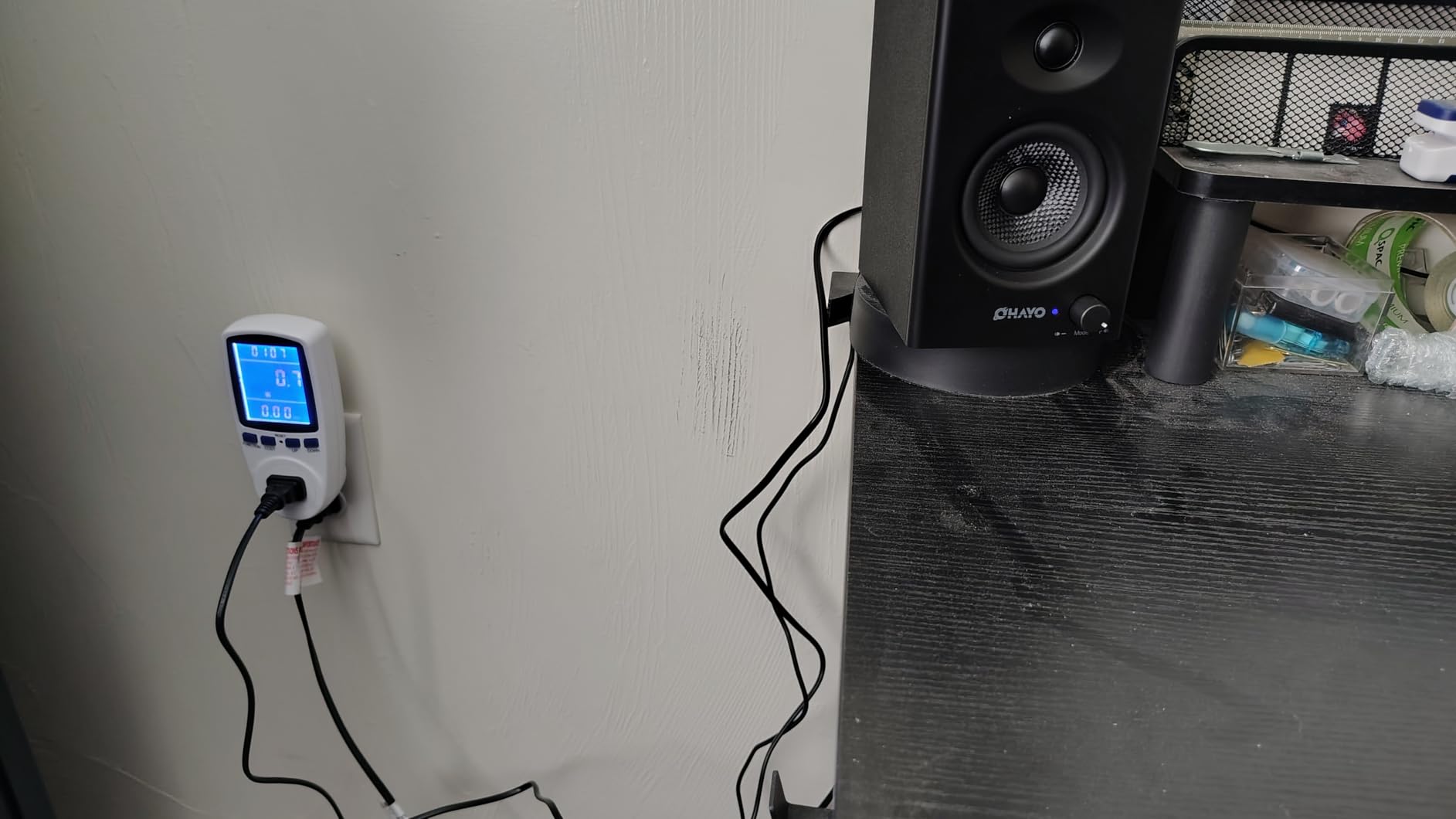
The OHAYO 60W speakers are a pleasant surprise from a newer brand. I came into this test with modest expectations, but the carbon fiber drivers and MDF enclosure deliver sound quality that competes with speakers costing significantly more.
The carbon fiber full-range drivers are a standout feature at this price. Carbon fiber is light and stiff, which means the driver responds quickly to signal changes. Transients sound sharp and defined, giving music a lively, energetic character.
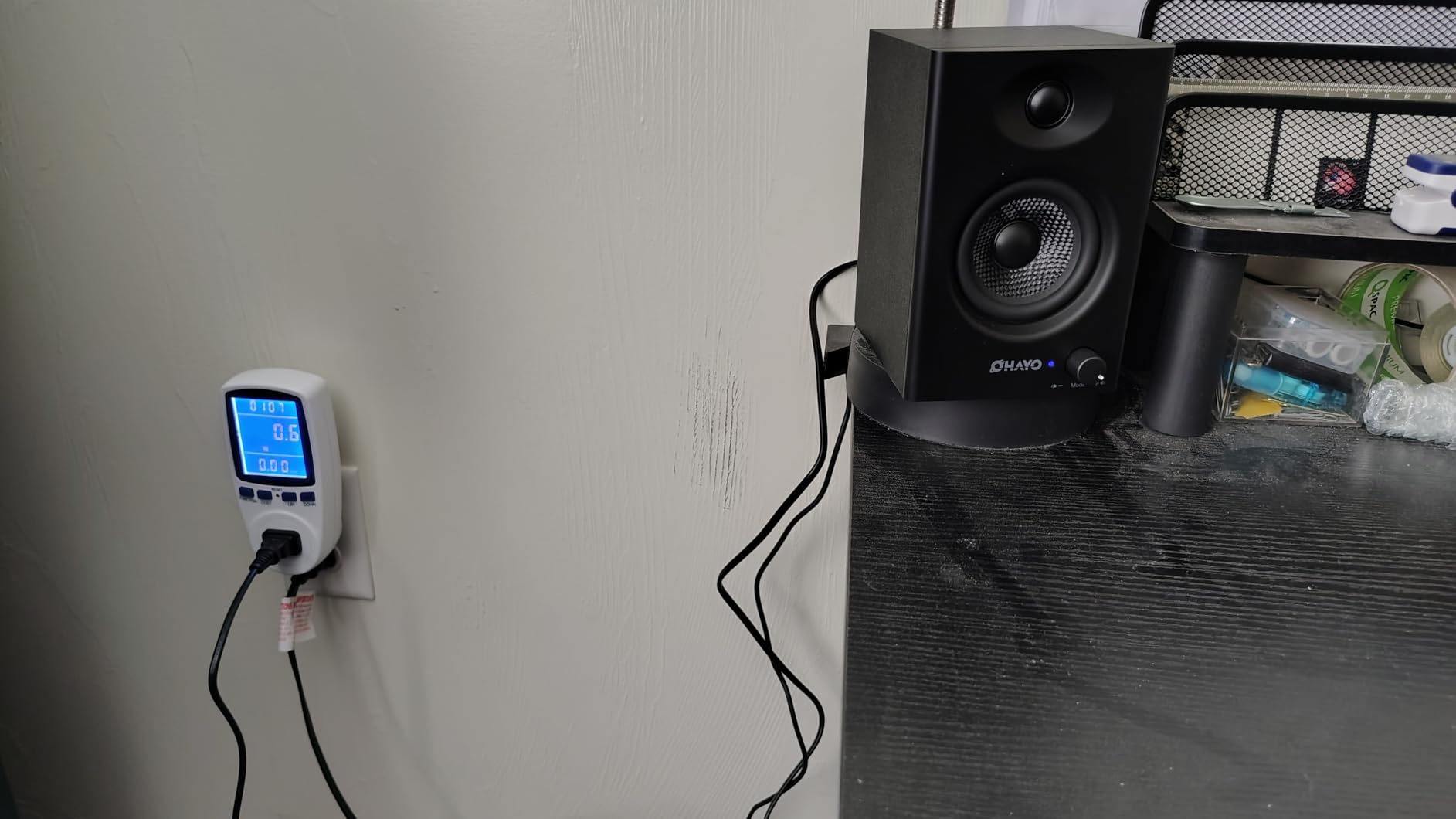
The MDF wooden enclosure makes a real difference. MDF is denser and more acoustically inert than plastic, which means the cabinet doesn’t vibrate and color the sound. Bass notes sound tighter and more controlled as a result. The rear bass port adds low-end depth.
With Bluetooth 5.3, RCA, AUX, and USB inputs, these speakers connect to virtually anything. I tested them with my PC via USB, my phone via Bluetooth, and a turntable via RCA, all with clean, reliable connections.
Who Should Buy the OHAYO 60W Speakers
If you want powerful sound with premium build quality without paying a premium price, the OHAYO speakers are worth serious consideration. The 60W output and carbon fiber drivers deliver performance that punches well above their price class.
The versatile connectivity makes them suitable for desktop use, living room setups, or even as budget bookshelf speakers. The 74% five-star rating from 957 reviews suggests early buyers are impressed with the value proposition.
Build Quality and Driver Technology
The carbon fiber silk dome tweeter measures 0.75 inches and handles highs with clarity and detail. Paired with the 3-inch carbon fiber full-range driver, the combination produces a balanced sound signature that works well across music genres.
The front panel volume control knob has a quality feel with smooth resistance. The MDF enclosure has a clean matte finish that looks professional on any desk. The 2-year manufacturer warranty matches what established brands offer.
How to Choose Desktop Speakers for Music
Choosing the right desktop speakers for music comes down to understanding your needs, your space, and the technology that separates great speakers from average ones. Here’s what matters most.
Speaker System Configurations
A 2.0 system has two speakers and no subwoofer. A 2.1 system adds a dedicated subwoofer for deeper bass. For music listening, both configurations work well depending on your preferences.
2.0 systems like the Edifier R1280T and PreSonus Eris 3.5 are simpler to set up, take less space, and produce cleaner midrange. They’re ideal if you listen to acoustic, vocal, or classical music where bass impact is less critical.
2.1 systems like the Klipsch ProMedia 2.1 and Logitech Z313 deliver physical bass you can feel. If you listen to electronic, hip-hop, or rock music, the subwoofer adds a dimension that 2.0 speakers cannot replicate. The trade-off is the extra floor space the subwoofer requires.
Studio Monitors vs Consumer Speakers
This is one of the most important distinctions for music listeners. Studio monitors like the Edifier MR3 and PreSonus Eris 3.5 have a flat frequency response, meaning they reproduce sound accurately without boosting any frequencies. Consumer speakers enhance certain frequencies to make music sound more pleasing.
For music production, mixing, or critical listening, studio monitors are the right choice. They reveal flaws and details that consumer speakers mask. For casual, enjoyable music listening, consumer speakers with their enhanced bass and treble can actually be more fun to listen to.
Forum users on Reddit and Gearspace consistently recommend studio monitors for anyone serious about hearing music accurately. The trade-off is that monitors can sound less exciting than speakers designed to flatter music.
Connectivity Options
Modern desktop speakers offer multiple connection types, and understanding them helps you choose wisely. AUX (3.5mm) is the most universal, working with virtually every computer and phone. RCA inputs provide slightly better signal quality for dedicated audio equipment.
Balanced TRS inputs, found on the Edifier MR3 and PreSonus Eris 3.5, reject electrical interference over long cable runs. These are essential if you’re connecting to an audio interface for production work.
Bluetooth is convenient for wireless streaming, and codecs matter. Standard Bluetooth audio is compressed, but LDAC (supported by the Edifier M60) and aptX deliver near-CD quality wirelessly. USB-C connections provide clean digital audio straight from your computer.
Do You Need a DAC?
A DAC (Digital-to-Analog Converter) converts digital audio to the analog signal your speakers need. Your computer has a built-in DAC, but it’s often low quality, leading to background noise or hissing.
If you hear hissing or static through your speakers, a dedicated DAC can clean up the signal. Speakers with USB or optical inputs bypass your computer’s internal DAC entirely. AudioScienceReview forum users frequently discuss DAC plus speaker combinations for achieving the cleanest possible desktop sound.
Desk Space and Speaker Placement
Near-field listening means your speakers are close to your ears, typically 2 to 3 feet away. This is how most people use desktop speakers, and it affects your choice. Smaller speakers like the Creative Pebble and Logitech Z207 are designed for tight desk spaces.
For proper stereo imaging, place your speakers at ear level, angled toward your listening position, forming an equilateral triangle with your head. The included stands with the Edifier M60 handle the angle automatically at 15 degrees.
Avoid placing speakers too close to walls, as this artificially boosts bass. If wall placement is unavoidable, look for speakers with acoustic tuning controls like the PreSonus Eris 3.5 to compensate.
Wattage and Power Needs
For near-field desktop listening, you don’t need massive wattage. Ten to 25 watts per side is plenty for typical desk use. Higher wattage like the Klipsch ProMedia’s 200W peak or the Edifier M60’s 66W RMS gives you headroom for dynamic peaks and fills larger rooms.
USB-powered speakers like the Creative Pebble and Amazon Basics draw power from your computer, limiting output to around 4-5 watts. This is fine for quiet listening but insufficient for loud volumes or larger spaces.
FAQs
What is the best speaker setup for music listening?
For near-field desktop music listening, a 2.0 setup with quality studio monitors like the PreSonus Eris 3.5 or Edifier MR3 offers the most accurate sound. If you prefer bass-heavy genres, a 2.1 system like the Klipsch ProMedia 2.1 adds a subwoofer for deeper low-end impact. The best setup depends on your musical taste, desk space, and whether you prioritize accuracy or excitement.
Are high-end PC speakers good enough for producing music?
High-end PC speakers like the Edifier MR3 and PreSonus Eris 3.5 are suitable for basic music production, podcast editing, and video work. However, for professional mixing and mastering, dedicated studio monitors with balanced inputs and room calibration are recommended. Consumer PC speakers color the sound and should not be used for critical mixing decisions.
What is the difference between 2.0 and 2.1 computer speakers?
A 2.0 speaker system has two speakers with no subwoofer, producing a cleaner midrange and taking up less desk space. A 2.1 system adds a dedicated subwoofer for deeper bass response, typically reaching below 50Hz. For music that relies on low frequencies like electronic or hip-hop, a 2.1 system provides a more immersive experience.
Do I need a subwoofer for music on my desktop?
You do not need a subwoofer for most music listening at your desk. Quality 2.0 speakers like the Edifier R1280T reproduce bass down to 80Hz, which covers most musical content. A subwoofer becomes valuable for electronic dance music, hip-hop, and orchestral pieces with significant sub-bass content below 60Hz.
What wattage do I need for desktop speakers?
For near-field desktop listening, 10 to 25 watts per channel is more than sufficient. Higher wattage of 50W or more provides headroom for dynamic peaks and allows you to fill larger rooms. USB-powered speakers typically output 4 to 5 watts, which works for quiet listening but lacks volume for larger spaces.
Final Thoughts on Desktop Speakers for Music
Finding the best desktop speakers for music in 2026 comes down to matching your listening habits with the right technology. For THX-certified power and bass impact, the Klipsch ProMedia 2.1 remains unbeatable. For studio accuracy and Hi-Res Audio, the Edifier MR3 is the clear winner. And for incredible value with premium sound, the Edifier R1280T delivers more than its price suggests.
If budget is your primary concern, the Creative Pebble and Amazon Basics speakers prove that enjoyable desktop music doesn’t require a big investment. For production work, the PreSonus Eris 3.5 and Edifier MR3 give you the honest, flat response that serious audio work demands.
Whatever your choice, any of these 10 speakers will transform your daily music experience compared to built-in monitor audio. Pick the one that matches your space, budget, and listening priorities, and your ears will thank you.