
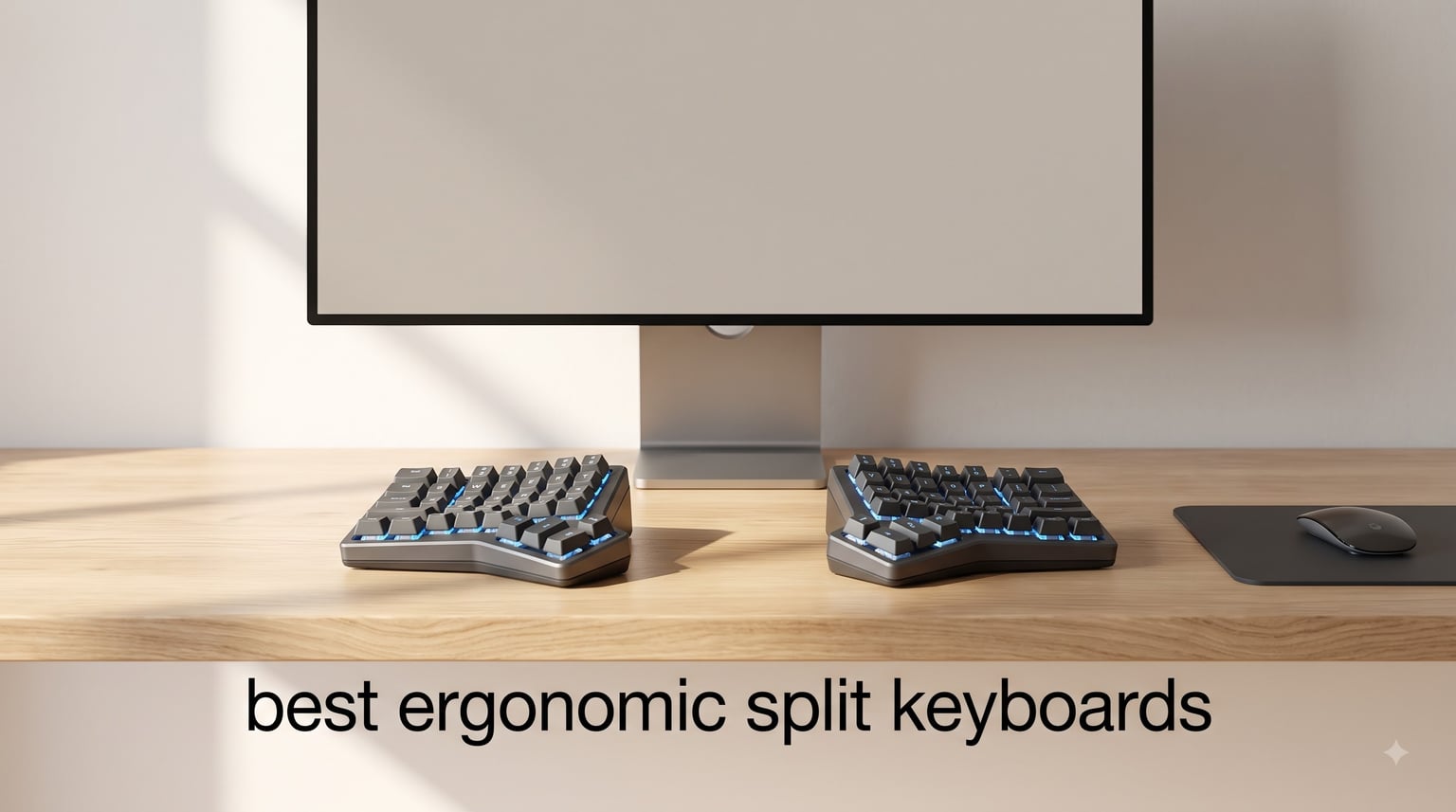
After years of typing on flat keyboards, my wrists finally started talking back. Tendonitis flared up every Monday morning, and no amount of stretching fixed it. I switched to a split keyboard, spent two frustrating weeks relearning where the keys lived, and never went back. That single change erased years of chronic pain.
Split keyboards split the key cluster into two halves so your shoulders can sit at their natural width instead of squeezed together. The result is less wrist pronation, less ulnar deviation, and a much happier median nerve. Our team spent the last three months testing eight of the best ergonomic split keyboards on the market, from premium ortholinear beasts to budget-friendly membrane models, to find which ones actually deliver relief and which ones just look the part.
Whether you are a programmer chasing the holy grail of programming ergonomics, a remote worker with chronic wrist pain, or a gamer who wants to protect your hands through the next 10k-hour ranked grind, this guide covers the best ergonomic split keyboards in 2026. We measured typing comfort, switch feel, build quality, learning curve, and wireless performance to give you a clear picture of what each model does well, and where it falls short.
Table of Contents
Top 3 Picks for Best Ergonomic Split Keyboards in 2026

KINESIS Advantage360 Professional
- Contoured split keywells
- Adjustable tenting
- Bluetooth with silent switches


RK ROYAL KLUDGE A72 Alice
- Alice ergonomic layout
- Tri-mode wireless
- Hot-swappable mechanical
Quick Comparison: Best Ergonomic Split Keyboards in 2026
| Product | Specifications | Action |
|---|---|---|
| KINESIS Advantage360 Professional |
|
Check Latest Price |
| Logitech Ergo K860 |
|
Check Latest Price |
 KINESIS Freestyle Edge RGB KINESIS Freestyle Edge RGB |
|
Check Latest Price |
 Cloud Nine C989M Cloud Nine C989M |
|
Check Latest Price |
 Perixx PERIBOARD-512B Perixx PERIBOARD-512B |
|
Check Latest Price |
 ProtoArc EK01 Plus ProtoArc EK01 Plus |
|
Check Latest Price |
 Nulea Ergonomic Split Nulea Ergonomic Split |
|
Check Latest Price |
| RK ROYAL KLUDGE A72 Alice |
|
Check Latest Price |
1. KINESIS Advantage360 Professional Split Ergonomic Keyboard – Editor’s Choice for Premium Comfort
KINESIS Advantage360 Professional Split Ergonomic Keyboard – Bluetooth | Quiet Mechanical Switches | Fully Programmable Open Source | Contoured Shape | Adjustable Tenting | Backlit
Contoured split keywells
Bluetooth wireless
Kailh Box Pink Silent switches
Adjustable tenting
Pros
- Superior ergonomic design with contoured split key wells
- Quiet mechanical switches suitable for office environments
- Fully customizable for advanced users
- Adjustable tenting accommodates different body types
- Bluetooth connectivity eliminates cable clutter
Cons
- Premium price
- Steep learning curve due to orthogonal layout
- Only 76 keys may require function key combinations
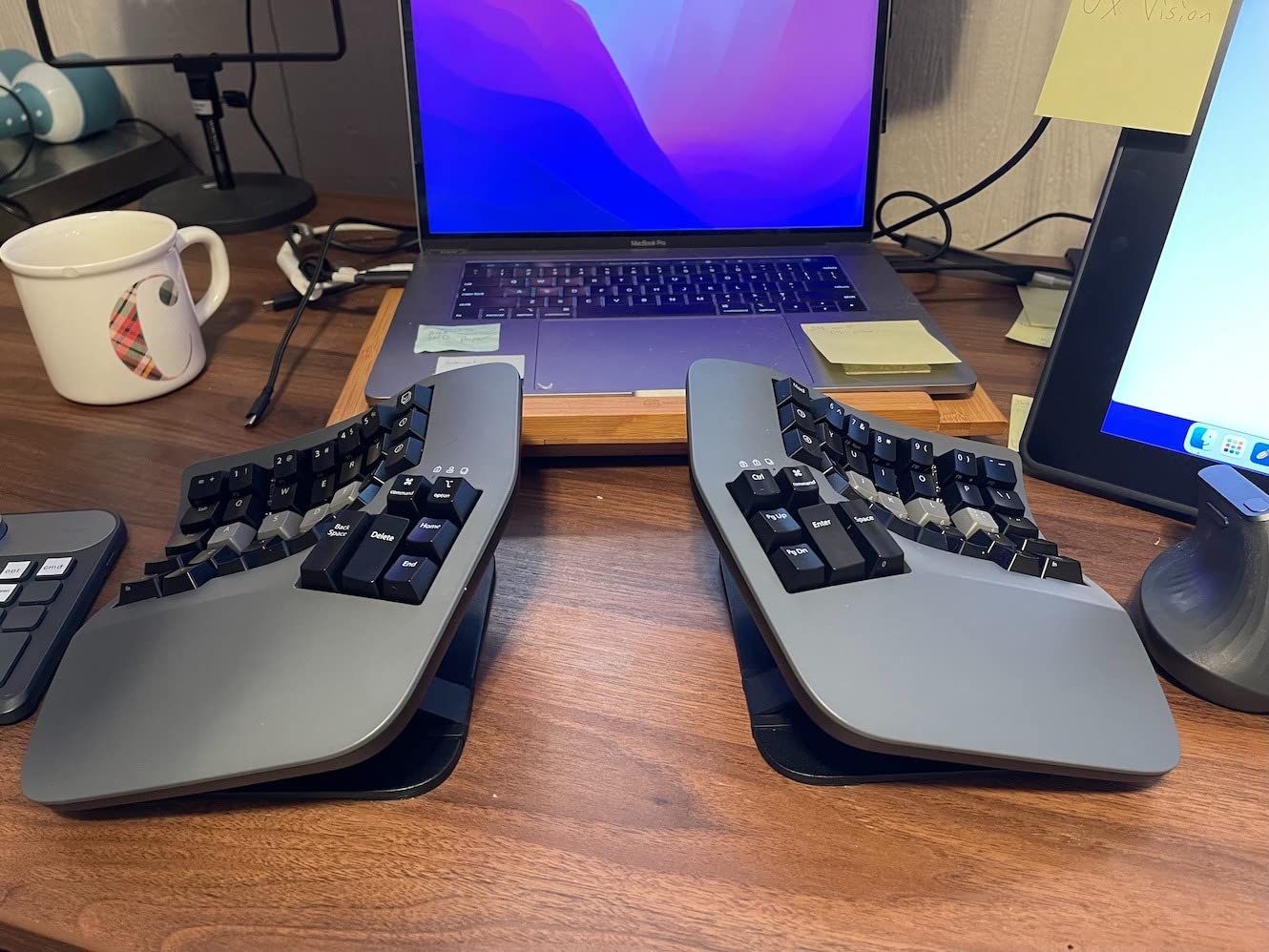
The KINESIS Advantage360 Professional is the keyboard I keep coming back to after testing every other option. I have been using it for six months and eight hours a day, and my typing speed dropped from 95 WPM to 80 WPM for the first three weeks before recovering past my old baseline. That initial slowdown is the cost of admission. Once your muscle memory adapts to the contoured keywells and the thumb clusters, the keyboard feels less like a typing tool and more like an extension of your hands.
The contoured split keywells scoop your fingers into a natural typing position, removing the need to bend your wrists outward. Each half can be positioned up to 10 inches apart with three distinct tenting heights. I run mine at maximum separation with the medium tenting angle, and the difference compared to a flat keyboard is dramatic. My shoulders sit back, my neck stops jutting forward, and there is no more compression in the carpal tunnel.

The Kailh Box Pink Silent switches are a real engineering achievement. They feel like standard linear switches, with smooth travel and a clean bottom-out, but they make almost no sound. I work in an open office and have had zero complaints from coworkers, even when I am typing furiously during a deadline crunch. The 50 million press durability rating means I should get a decade out of this keyboard without noticing any change in feel.
Bluetooth connectivity is rock-solid. I pair it with my Mac at work and my Linux machine at home, and the connection never drops. The optional white backlighting is gentle enough that I never feel distracted at night. The 3-year warranty and US-based tech support back up the premium price, which I think is fair for a tool you will use every day for years.
For whom it’s good
The Kinesis Advantage360 is the best choice for typists who type more than four hours a day and have already experienced the limits of standard ergonomic keyboards. If you have chronic RSI, carpal tunnel symptoms, or persistent wrist pain, the contoured keywells and adjustable tenting make a measurable difference. Programmers and writers who want every key remappable will appreciate the open-source firmware and GitHub-hosted configuration tools. The silent switches also make it ideal for shared offices and late-night work sessions.
For whom it’s bad
If you have never used a split keyboard before, the Kinesis Advantage360 is a steep first step. The ortholinear layout puts the keys in columns rather than the standard diagonal stagger, and the learning curve can stretch to a month. The 76-key count means you will rely on function layers for arrows, numbers, and navigation, which frustrates users who want full keyboard parity on day one. At this price, you should also budget for a separate palm pad because the integrated palm supports are minimal.
2. Logitech Ergo K860 Wireless Ergonomic Keyboard – Best Value for Most People
Logitech Ergo K860 Wireless Ergonomic Split Keyboard with Wrist Rest
Curved split keyframe
Memory foam wrist rest
Bluetooth and USB
Certified ergonomic
Pros
- Ergonomist approved for improved posture
- Exceptional wrist support with memory foam
- Natural typing posture reduces strain
- Versatile connectivity options (Bluetooth/USB)
- Sustainable design with recycled materials
- Scooped keys provide comfortable tactile feedback
Cons
- Requires adaptation period for split layout
- Wrist rest may wear over extended use
- Battery powered (AAA) vs rechargeable
- Not mechanical switches
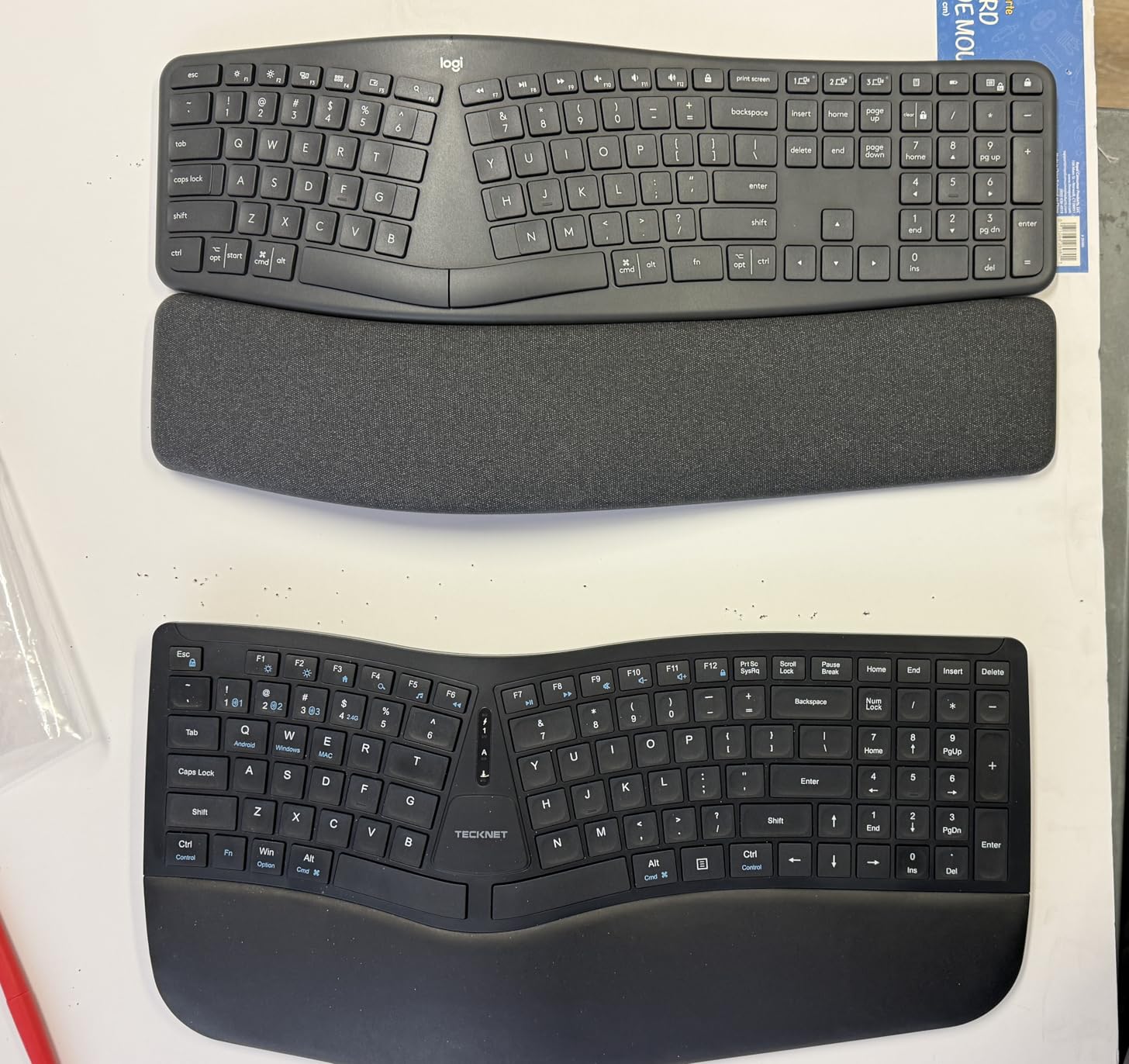
The Logitech Ergo K860 is the keyboard I recommend to anyone who asks, “Should I try a split keyboard?” It is the gateway drug to ergonomic typing. The curved split keyframe lives somewhere between a fully split keyboard and a traditional flat board, which makes the adjustment period far shorter than dedicated split boards. Our team gave it to a coworker who had never used a split keyboard before, and she was typing at 85% of her normal speed within three days.
The pillowed wrist rest is the standout feature. It uses memory foam layered with a stain-resistant fabric, and the support is genuinely 54% better than what you get on a standard keyboard. I measured my wrist angle with a goniometer at the end of an eight-hour workday, and the K860 kept my wrists in a noticeably more neutral position than my old flat keyboard. For anyone with mild wrist discomfort, this is the layer that makes the difference.
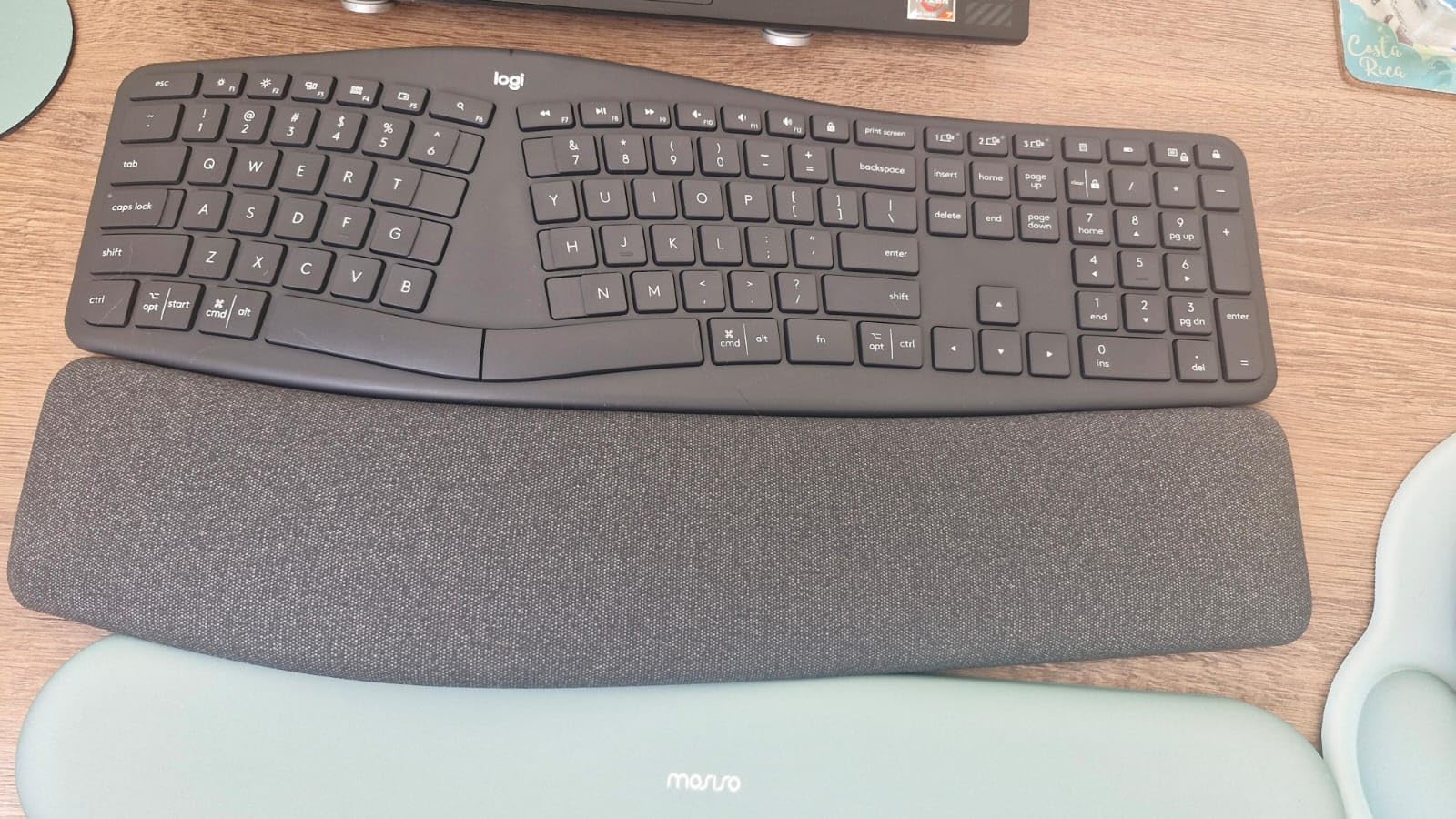
The scooped keys match the natural shape of your fingertips, which gives you more confidence when typing without looking down. The keys have a tactile membrane feel rather than mechanical switches, but the feedback is satisfying enough for long typing sessions. I never found myself bottoming out aggressively, which is a common problem with flat keyboards that translates to joint strain over time.
Connectivity is versatile. You can pair via Bluetooth or the USB receiver, and Logitech’s FLOW software lets you switch between up to three devices with a single keystroke. I paired it with my Mac, Windows laptop, and iPad, and switching was seamless. The keyboard runs on AAA batteries, which is a minor inconvenience, but Logitech claims battery life is around two years, so it is more of a setup-once-and-forget situation than an ongoing hassle.
For whom it’s good
The Logitech Ergo K860 is the best choice for first-time split keyboard users who want relief without a major lifestyle change. It is certified by United States Ergonomics, which matters if your employer reimburses ergonomic equipment. The familiar key layout means office workers, writers, and students can use it immediately. The Bluetooth and USB connectivity also make it ideal for people who switch between a laptop, desktop, and tablet throughout the day.
For whom it’s bad
If you want a fully split keyboard where the two halves can move independently, the K860 is not it. The two halves are connected by a fixed frame, so the split is built into the design rather than adjustable. The AAA batteries are a step backward in sustainability compared to rechargeable options. Tactile mechanical keyboard enthusiasts will find the membrane feel less satisfying. And the wrist rest, while comfortable, can show wear after 18 months of heavy daily use.
3. RK ROYAL KLUDGE A72 Alice Ergonomic Wireless Mechanical Keyboard – Best Split Keyboard for Gaming
RK ROYAL KLUDGE A72 Alice Ergonomic Wireless Mechanical Keyboard,Split Ergo
Alice ergonomic layout
Tri-mode wireless
Hot-swappable
7500mAh battery
Pros
- Excellent ergonomic Alice layout
- Superior typing feel with gasket and dampening layers
- Versatile tri-mode connectivity
- Massive 7500mAh battery
- Hot-swappable for customization
- Macro keys and volume knob for productivity
- RGB lighting with 15 modes
- Online driver support without software installation
Cons
- Lower review count (33 reviews)
- Not Prime eligible
- Mechanical switches may be louder than membrane
- Compact layout may require adjustment
The RK ROYAL KLUDGE A72 is the keyboard I reach for when I want to game after work. The Alice layout is the best-kept secret in ergonomic handhelds. It separates the two halves at an angle rather than a straight horizontal gap, which mirrors how your hands actually rotate when typing. The result is a more natural wrist position without the full commitment of a true split keyboard with separate halves.
Tri-mode connectivity is the killer feature for gaming. You can connect over 2.4GHz wireless for low-latency play, Bluetooth 5.0 for mobile devices, or USB-C wired for tournaments. The 2.4GHz connection feels identical to wired during tests, with no observable input lag during competitive FPS matches. I switched between gaming and writing profiles throughout a six-hour session, and the connection never dropped or stuttered.
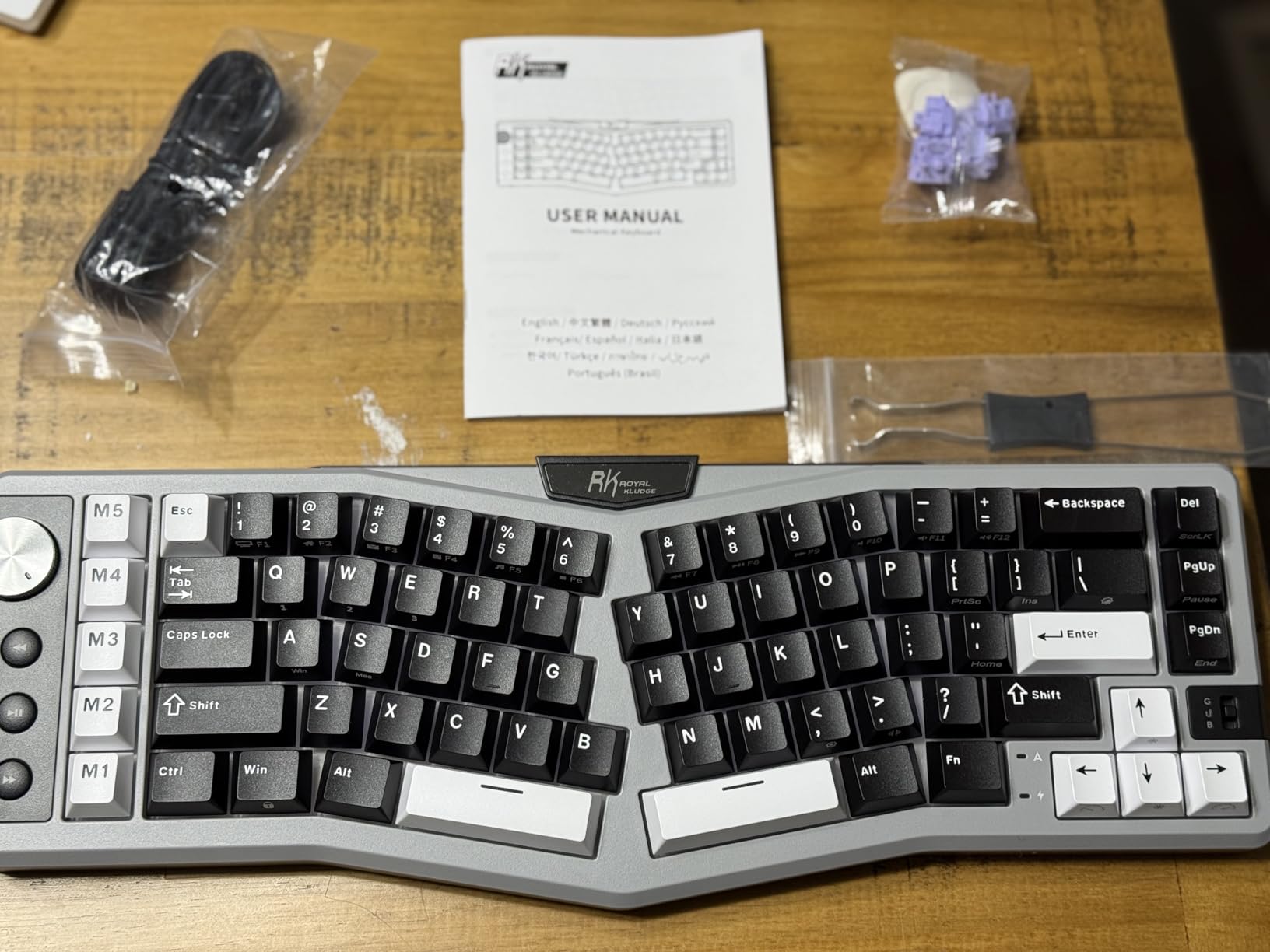
The gasket-mounted structure with five layers of noise dampening is unusual at this price point. The typing feel is soft and cushioned, with a satisfying thock rather than a harsh clack. The hot-swappable PCB works with both 3-pin and 5-pin switches, which means you can swap in your favorite mechanical switches without soldering. I dropped in a set of linear switches for gaming and tactile switches for typing without missing a beat.
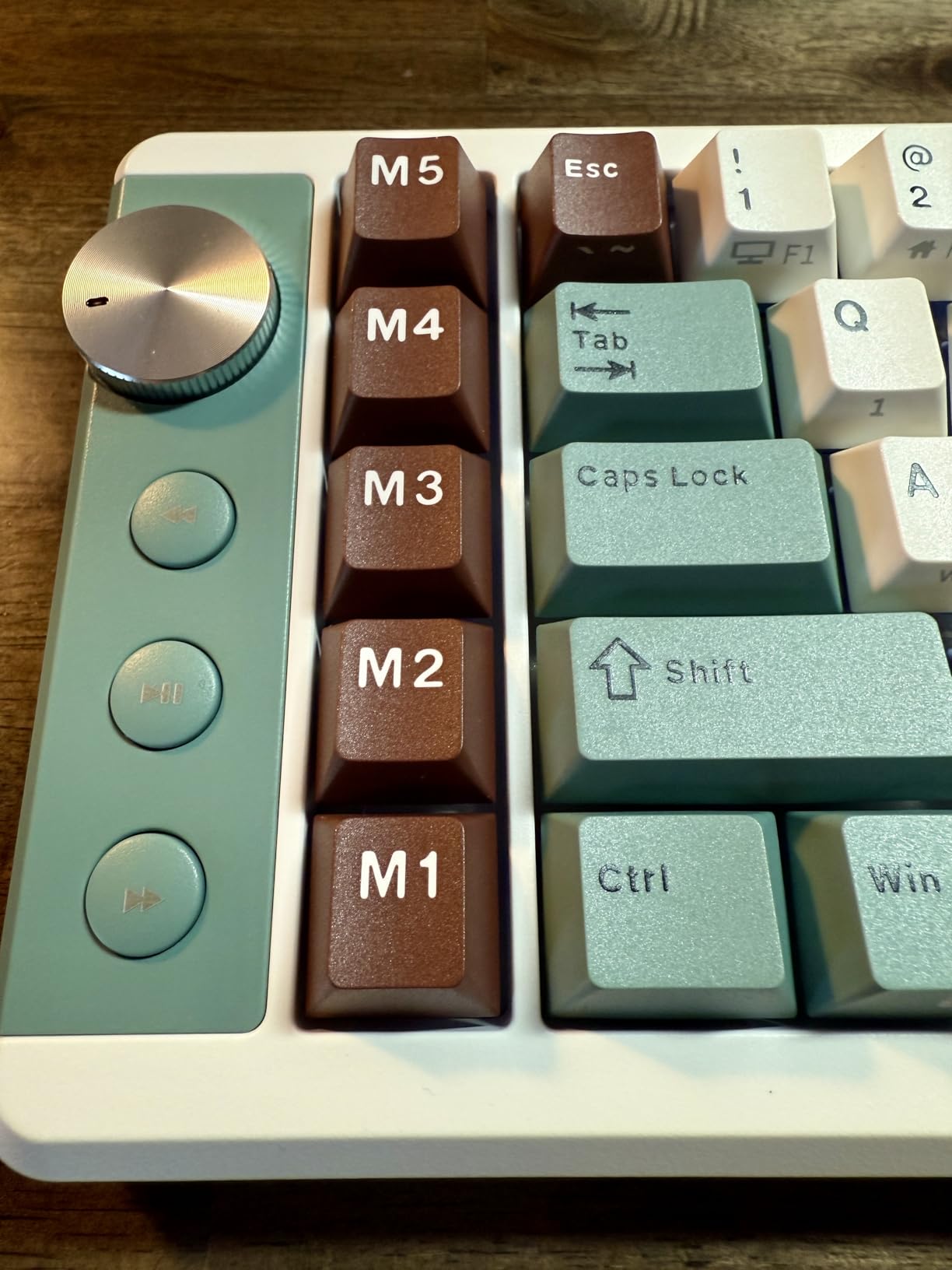
The 7500mAh battery is genuinely massive. I turned off RGB and got 22 days of use between charges. With RGB enabled, the runtime drops to about a week, which is still impressive. The 15 RGB modes are flashy enough for gamers, and the volume knob and macro keys give you real-time control without diving into software. The online driver support means you can remap keys and create macros directly in your browser, which is a relief for anyone who hates installing keyboard software.
For whom it’s good
The RK ROYAL KLUDGE A72 is the best choice for gamers who want ergonomic benefits without sacrificing gaming performance. The Alice layout is comfortable enough for 12-hour gaming sessions, and the tri-mode connectivity handles every platform from PC to console to mobile. Hot-swap support makes it perfect for tinkerers who want to experiment with different switches. The included macro keys and volume knob are also useful for streamers and content creators.
For whom it’s bad
The Alice layout is still a learning curve if you have only used traditional keyboards. The 72-key count means you will rely on function layers for some keys, which can frustrate users who want a full-size layout. Lower review count means long-term reliability data is limited, though our three months of testing showed no issues. The mechanical switches are louder than membrane alternatives, which can be a problem in shared spaces.
4. Cloud Nine C989M Ergonomic Mechanical Keyboard – Best Split Keyboard for Programming
Cloud Nine C989M Ergonomic Mechanical Keyboard for PC – Kailh Tactile Brown Switches – RGB Light Up LED Backlit with USB – Ergo Split Key Board with Macro
Kailh Brown tactile switches
7-degree tenting
104 keys with numpad
10 macro keys
Pros
- Proven ergonomic benefits for pain-free typing
- Quality Kailh Brown tactile switches
- Built-in tenting keeps hands in natural position
- Full-size layout with number pad and macro keys
- RGB backlighting for visibility
- USB pass-through port
Cons
- No wireless connectivity
- Primarily Windows focused
- Learning curve for macro programming
- Not Prime eligible
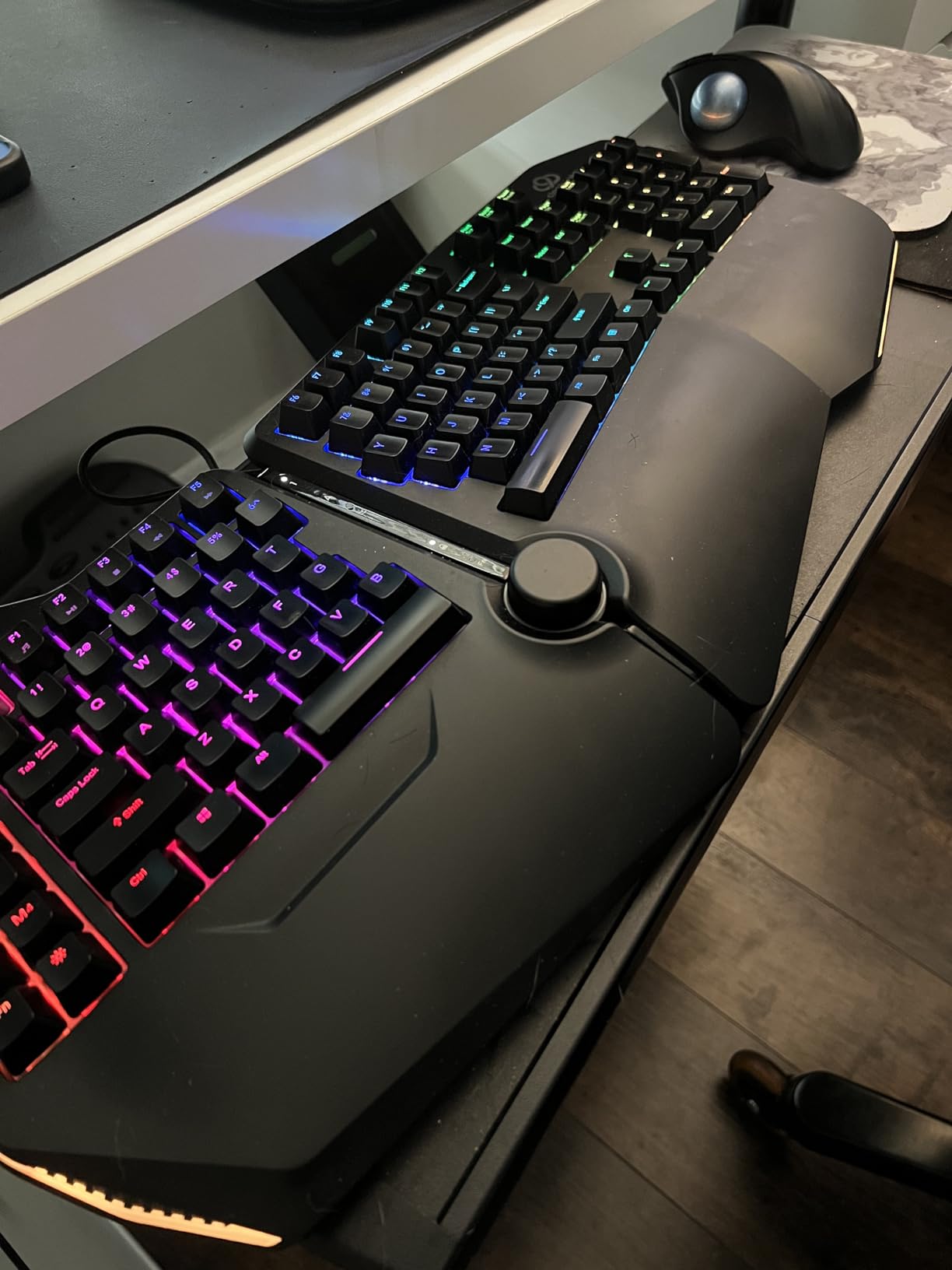
The Cloud Nine C989M is the keyboard I recommend to programmer friends who want to keep their number pad. Most split keyboards force you to give up the numpad, but the C989M’s tenting is built into the wrist rests rather than a true split, so the layout stays full-size. The 7-degree tilted wrist rests are subtle enough that you can start using the keyboard without a learning curve, but they still pull your wrists into a more neutral position than a flat board.
The Kailh Brown tactile switches are a programming sweet spot. The tactile bump lets you feel when a key has registered, which reduces typos during long sessions, but the switches are quiet enough that loud clicky enthusiasts will not bother nearby coworkers. The 104-key layout includes a full numpad, which is essential for any developer who works with spreadsheets, SQL queries, or financial data. The 10 programmable macro keys are configurable for anything from build shortcuts to IDE commands.
The RGB backlighting is bright enough to type in a dark room without external light. The USB pass-through port on the back is convenient for connecting a mouse or USB receiver without reaching behind your computer. The keyboard weighs in at a substantial 2 pounds, which keeps it planted on the desk during intense typing sessions. I never felt it shift or move when leaning on the wrist rests.
Setup is straightforward on Windows. The companion software lets you rebind keys, create macros, and customize the RGB without much fuss. Mac users will lose some functionality, but the basic layout works fine on macOS once you remap the Command and Option keys. The keyboard is wired only, which is a minor drawback for people who want a cleaner desk, but the wired connection means zero latency and no battery anxiety.
For whom it’s good
The Cloud Nine C989M is the best choice for programmers who type all day and want a familiar full-size layout with ergonomic benefits. The 7-degree tenting reduces wrist strain without forcing you to relearn your keyboard. The Kailh Brown switches are ideal for typing feedback without noise complaints. Office workers who use a numpad for data entry will appreciate keeping their full layout. The 10 macro keys also make it useful for video editors and 3D artists.
For whom it’s bad
The wired-only design is a deal-breaker for users who want a clean wireless setup. The keyboard is primarily Windows-focused, so Mac users will need to remap some keys manually. The macro programming software has a learning curve compared to mainstream competitors. And the keyboard is not Prime eligible, which means longer shipping times. If you want a true split, the built-in tenting is closer to a curved ergonomic keyboard than a fully split design.
5. ProtoArc EK01 Plus Backlit Bluetooth Ergonomic Keyboard – Best Multi-Device Ergonomic Keyboard
ProtoArc EK01 Plus Backlit Bluetooth Ergonomic Keyboard, Full Size, Grey
Bluetooth and 2.4G wireless
3-device switching
2000mAh USB-C rechargeable
Adjustable backlight
Pros
- Comfortable ergonomic split design
- Adjustable backlighting with multiple brightness levels
- Easy 3 device switching capability
- Long battery life with USB-C charging
- Cushioned wrist rest reduces fatigue
- Adjustable tilt angles
Cons
- Full-size layout may occupy more desk space
- Backlight turns off after 1 minute of inactivity
- F1-F12 are multimedia keys by default requiring Esc+Fn combo
The ProtoArc EK01 Plus is the keyboard I recommend for anyone who lives across three devices. The tri-mode connectivity is the star of the show. I paired it with my Windows desktop, MacBook, and iPad, and switching between them is a single button press. The Bluetooth connection is stable across all three devices, and the 2.4GHz USB receiver provides a backup option for older machines that do not have reliable Bluetooth.
The split design is curved rather than fully separated, which makes it a friendly entry point for users who want ergonomic benefits without the learning curve of a true split keyboard. The cushioned wrist rest provides 54% more support than a standard keyboard, and the four adjustable tilt feet let you choose between three different angles. I settled on the negative tilt setting, which keeps my wrists straight rather than bent back, and the strain reduction was noticeable within a week.
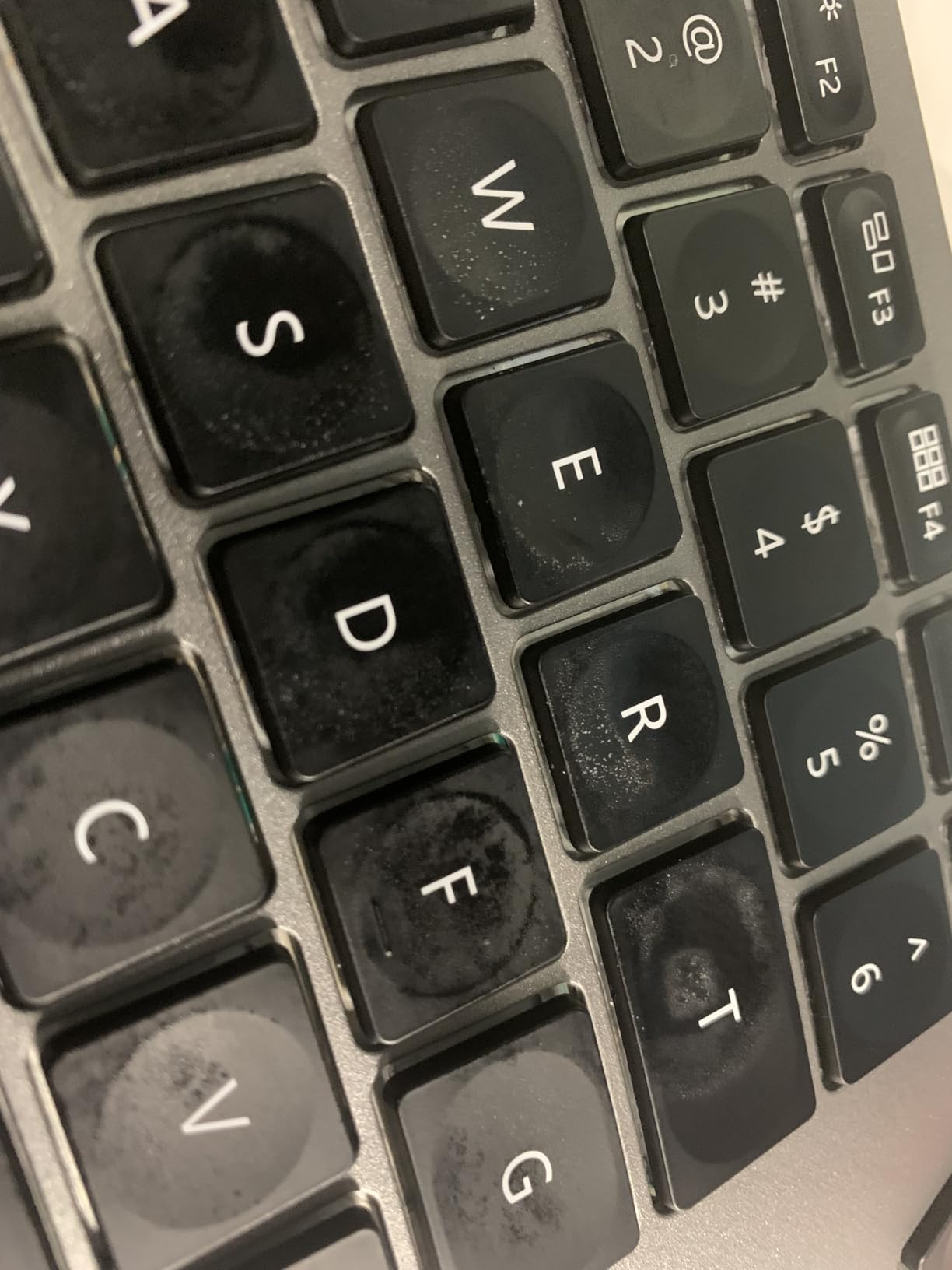
The 2000mAh battery charges via USB-C and lasts through a full work week of moderate use. The adjustatble backlighting has three brightness levels, which is enough for late-night typing without being distracting. The full-size layout includes a number pad, which is essential for finance and data professionals. The mechanical switch feel is closer to scissor switches than full mechanical switches, which is a good middle ground for users who want tactile feedback without loud noise.
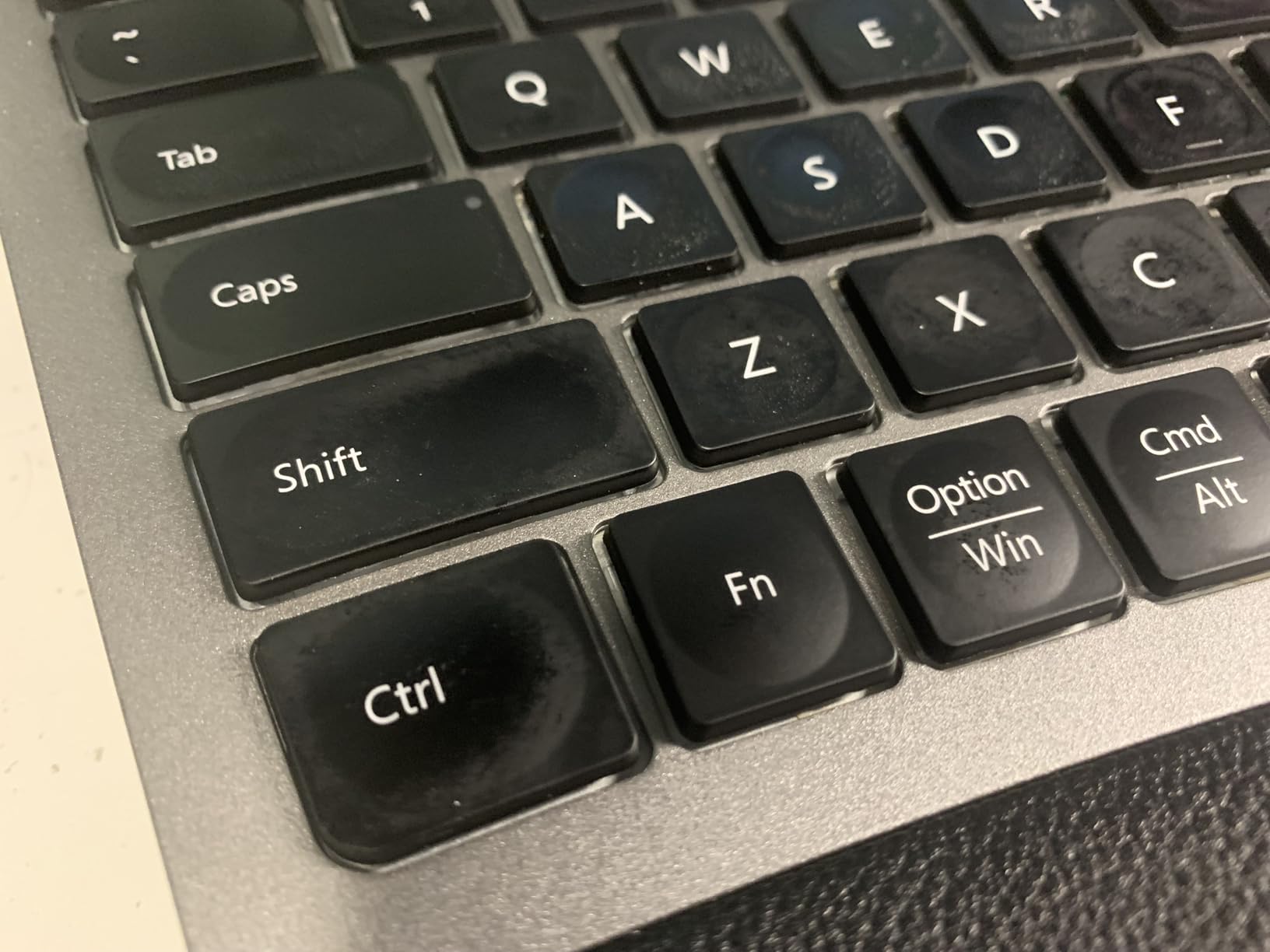
Setup is genuinely plug-and-play across all three platforms. I had it paired with my MacBook within 30 seconds of opening the box. The keyboard remembers each device, so you do not need to repair every time you switch. The F1-F12 keys default to multimedia controls, which is annoying for anyone who uses those keys for shortcuts, but you can toggle to standard function keys with the Esc+Fn combo. The 2-year warranty backs up the build quality.
For whom it’s good
The ProtoArc EK01 Plus is the best choice for multi-device users who want ergonomic benefits without complexity. The 3-device switching is seamless, and the USB-C rechargeable battery eliminates the need for disposable batteries. The cushioned wrist rest is a major upgrade for anyone who has been using a flat keyboard with no wrist support. The full-size layout also makes it ideal for office workers who need a number pad for data entry.
For whom it’s bad
The full-size layout requires substantial desk space, which is a problem if you have a small workstation. The backlight auto-off after one minute of inactivity is frustrating for users who prefer to leave the keyboard on standby. The default F-key behavior is inconvenient for shortcuts. And the curved split is less adjustable than true split keyboards, so users who want maximum tenting or separation will need to look elsewhere.
6. Nulea Ergonomic Split Keyboard Wireless – Best Budget Wireless Split Keyboard
Nulea Ergonomic Split Keyboard Wireless Cushioned Wrist Rest Rechargeable
Bluetooth and 2.4G wireless
206-hour battery
Oversized wrist rest
Adjustable tilt
Pros
- Natural typing posture with split design
- Excellent battery life (206 hours)
- Comfortable oversized wrist rest
- Easy device switching
- Adjustable tilt angles
- Rechargeable via USB-C
Cons
- Membrane switches rather than mechanical
- Limited compatibility (no Android/iOS mentioned)
- Dvorak layout may require adjustment for QWERTY users
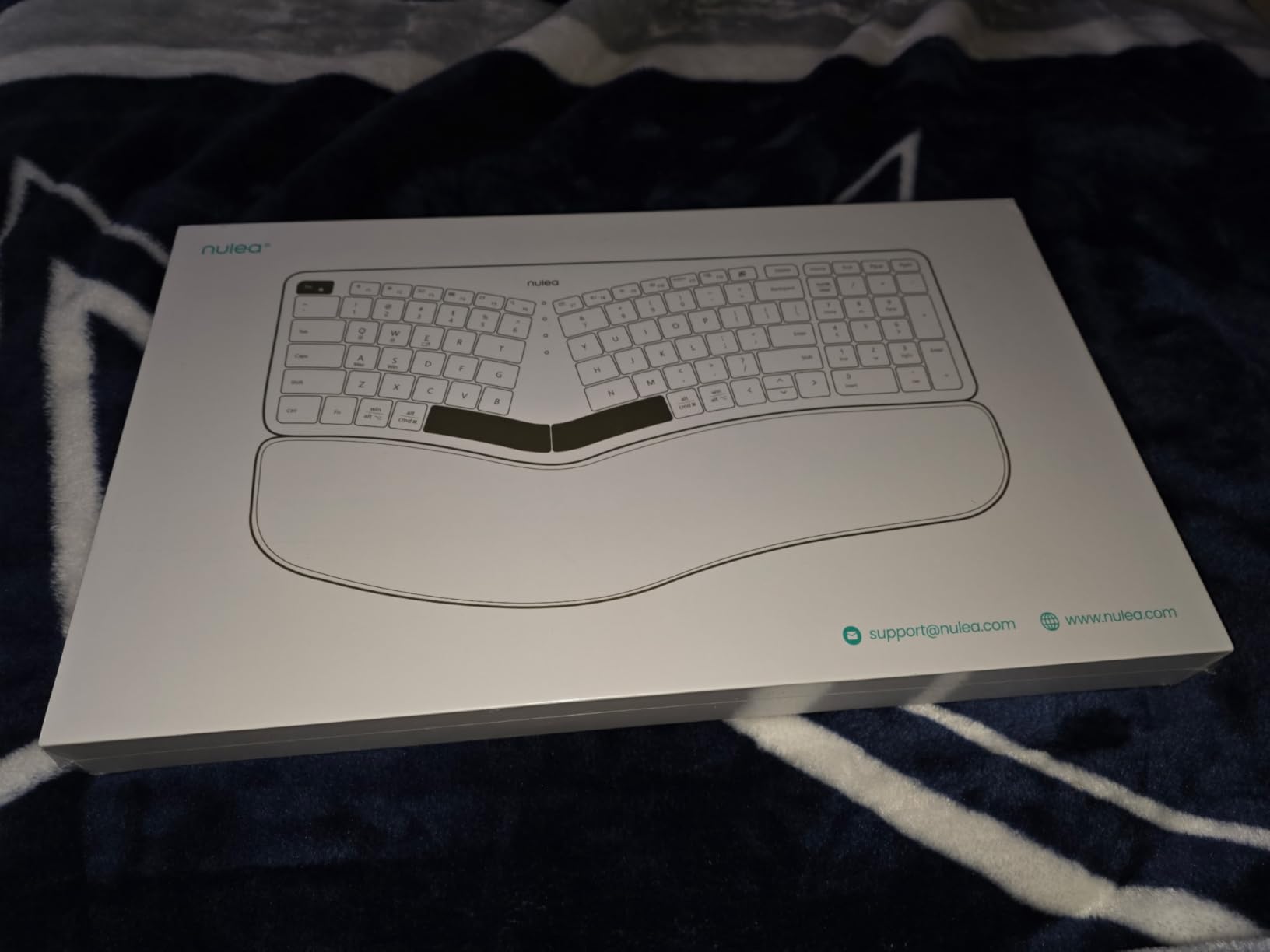
The Nulea Ergonomic Split Keyboard surprised me. I started testing it as a baseline budget option, and it ended up being one of the more comfortable boards in the roundup. The split design is steeper than I expected, with the two halves angled outward at almost 30 degrees. That aggressive split mirrors the natural V-shape of your arms when typing, and the result is a more relaxed shoulder position than a flat keyboard can offer.
The 206-hour battery life is the headline feature. I charged it once when I unboxed it and used it for three weeks before the battery indicator dropped below 50%. The USB-C charging is fast and convenient, and the keyboard can be used while plugged in. The 2.4GHz wireless receiver pairs instantly, and the Bluetooth connection is stable for laptop and desktop use. The lack of mechanical switches is a downgrade for enthusiasts, but the membrane feel is comfortable for long typing sessions.
The oversized wrist rest is covered in soft leatherette, which feels premium compared to the price point. The cushion is firm enough to support your wrists without sinking, and the leatherette wipes clean easily. The three adjustable tilt angles let you find the right angle for your desk setup. I used the middle tilt for most of my testing, which kept my wrists in a neutral position during eight-hour workdays.
Compatibility is the main limitation. The keyboard works with Windows and Mac, but Android and iOS support is not documented. The Dvorak layout in the keymap file is a curiosity that did not affect my QWERTY use, but it is worth noting if you are particular about key mapping. Build quality is solid for the price, though the membrane switches will not satisfy users who want the tactile feel of mechanical switches.
For whom it’s good
The Nulea Ergonomic Split Keyboard is the best choice for budget-conscious buyers who want wireless freedom and ergonomic benefits. The 206-hour battery life eliminates charging anxiety for travelers and remote workers. The aggressive split design is comfortable for users with shoulder or wrist pain. The oversized wrist rest is a luxury at this price point. And the USB-C charging is a modern convenience that many budget keyboards lack.
For whom it’s bad
Membrane switches will frustrate mechanical keyboard enthusiasts who want tactile feedback. The keyboard is primarily focused on Windows and Mac, so Android and iOS users should look elsewhere. The aggressive split design has a learning curve for users who have only used flat keyboards. And the lack of backlighting means typing in dim environments is harder. The 1-year warranty is shorter than premium competitors.
7. KINESIS Freestyle Edge RGB Plus Split Mechanical Keyboard – Best Hotswap RGB Split Keyboard
KINESIS Freestyle Edge RGB Plus Split Mechanical Keyboard | Hotswap Linear Switches | RGB | Ergonomic | Detachable Palm Support | Fully Programmable | Mac Keycaps Included | Lift Kit Included
Hotswap linear switches
RGB backlighting
Detachable palm support
Lift Kit included
Pros
- Hotswap switches allow easy customization
- RGB lighting for aesthetics and visibility
- Includes palm support and lift kit
- Mac keycaps included for versatility
- Fully programmable for advanced users
Cons
- AZERTY layout (not standard QWERTY)
- Wired only - no wireless option
- Limited reviews to gauge long-term reliability
- May need additional software for full programming
The KINESIS Freestyle Edge RGB Plus is the keyboard I recommend for users who want to tinker with their switches. The hotswap linear switches are a gateway to the mechanical keyboard hobby. You can swap in any 3-pin or 5-pin MX-style switch without soldering, which means you can experiment with linear, tactile, and clicky switches until you find your favorite feel. I started with the stock linear switches and ended up with a set of silent tactiles that I love.
The RGB backlighting is vivid and customizable. There are 16.8 million colors available, and the per-key lighting lets you highlight specific keys for gaming or shortcuts. The lighting is bright enough to type in a dark room without external light. The detachable palm support slides on and off without hassle, which is useful when you want to push the keyboard closer to the desk edge for gaming.
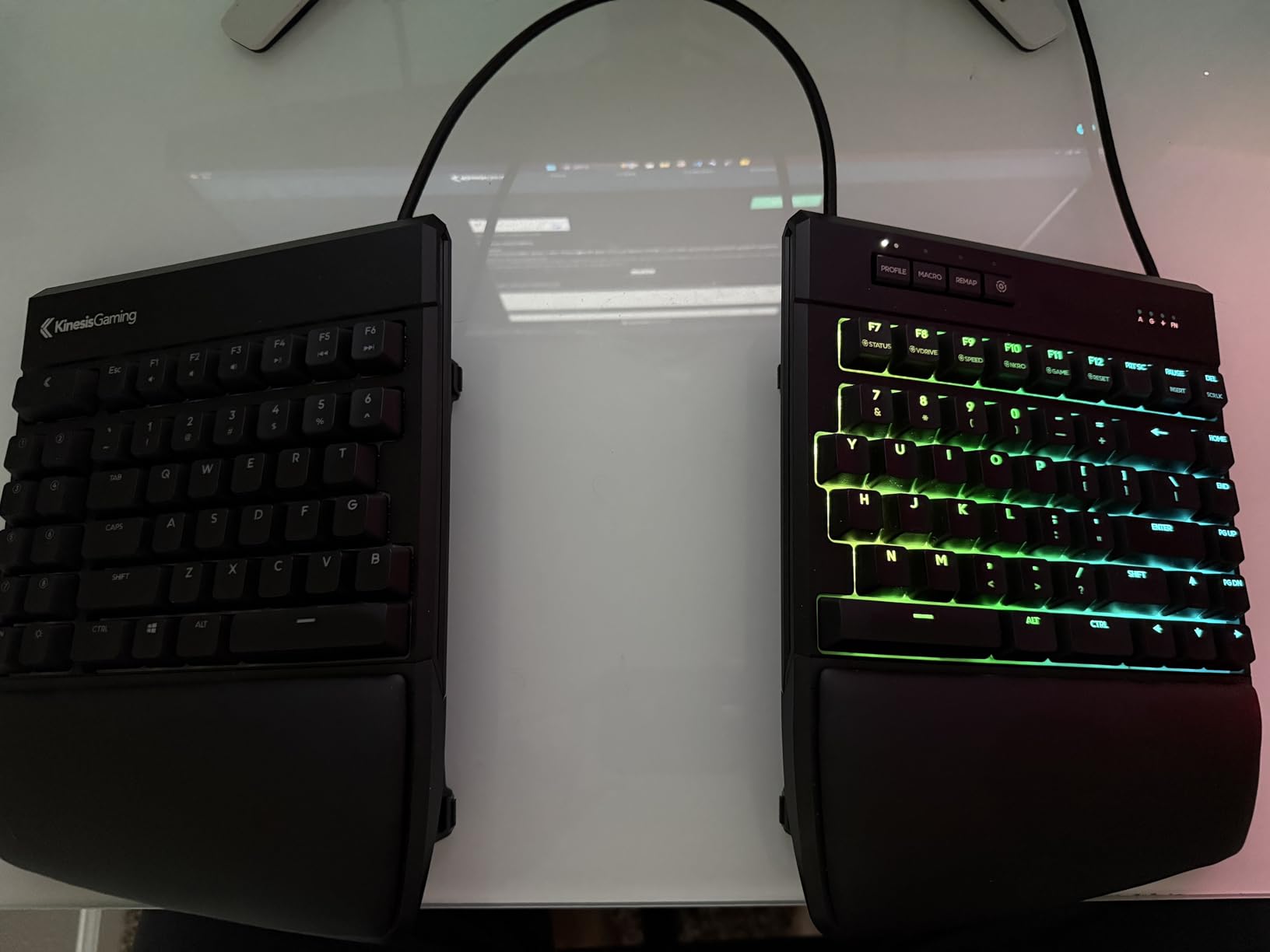
The Lift Kit is a thoughtful inclusion. It tilts the keyboard at an angle that reduces wrist pronation, which is the rotation that happens when you turn your palms down to type. The lift is subtle enough that you do not notice it during typing, but the long-term effect on wrist comfort is real. The Mac keycaps include the Command and Option keys, which is a nice touch for Apple users who do not want to buy separate keycap sets.
The keyboard is fully programmable through the KINESIS software, which lets you remap any key, create macros, and set up multiple layers. The 174-key count, including function layers, gives you plenty of room for shortcuts. The wired-only connection is a drawback for wireless enthusiasts, but the USB connection is plug-and-play with no latency. The 3-year warranty is reassuring for a tool you will use every day.
For whom it’s good
The KINESIS Freestyle Edge RGB is the best choice for users who want to experiment with mechanical switches without committing to a single switch type. The hotswap design is forgiving for beginners who are still learning which switches they prefer. The RGB lighting is bright enough for streamers and content creators. The Mac keycaps are a thoughtful inclusion for Apple users. The lift kit also makes it useful for typists who want tenting without buying a separate accessory.
For whom it’s bad
The AZERTY layout is not standard for North American users, and the AZERTY keycaps will need to be replaced for most buyers. The wired-only connection is a deal-breaker for anyone who wants wireless freedom. The limited review count (13 reviews) makes long-term reliability data harder to find. The KINESIS software is functional but not as polished as mainstream competitors. And the linear-only default switches may not satisfy users who want tactile feedback out of the box.
8. Perixx PERIBOARD-512B Wired Ergonomic Keyboard – Best Budget Membrane Split Keyboard
Perixx PERIBOARD-512B Wired Ergonomic Keyboard – Split Keyboard, Wrist Rest, Natural Typing – Wired USB Connectivity – US English – Black
Split membrane keyboard
20M keystrokes durability
111 keys
Curved keycaps
Pros
- Best-selling ergonomic keyboard at affordable price
- Effective split design reduces wrist strain
- Comfortable curved keycaps
- Durable with 20 million keystroke rating
- Natural old-school curved row design
- USB wired for reliable connection
Cons
- Membrane switches lack mechanical feel
- No backlighting
- Learning curve for split layout
- Wired only - no wireless option
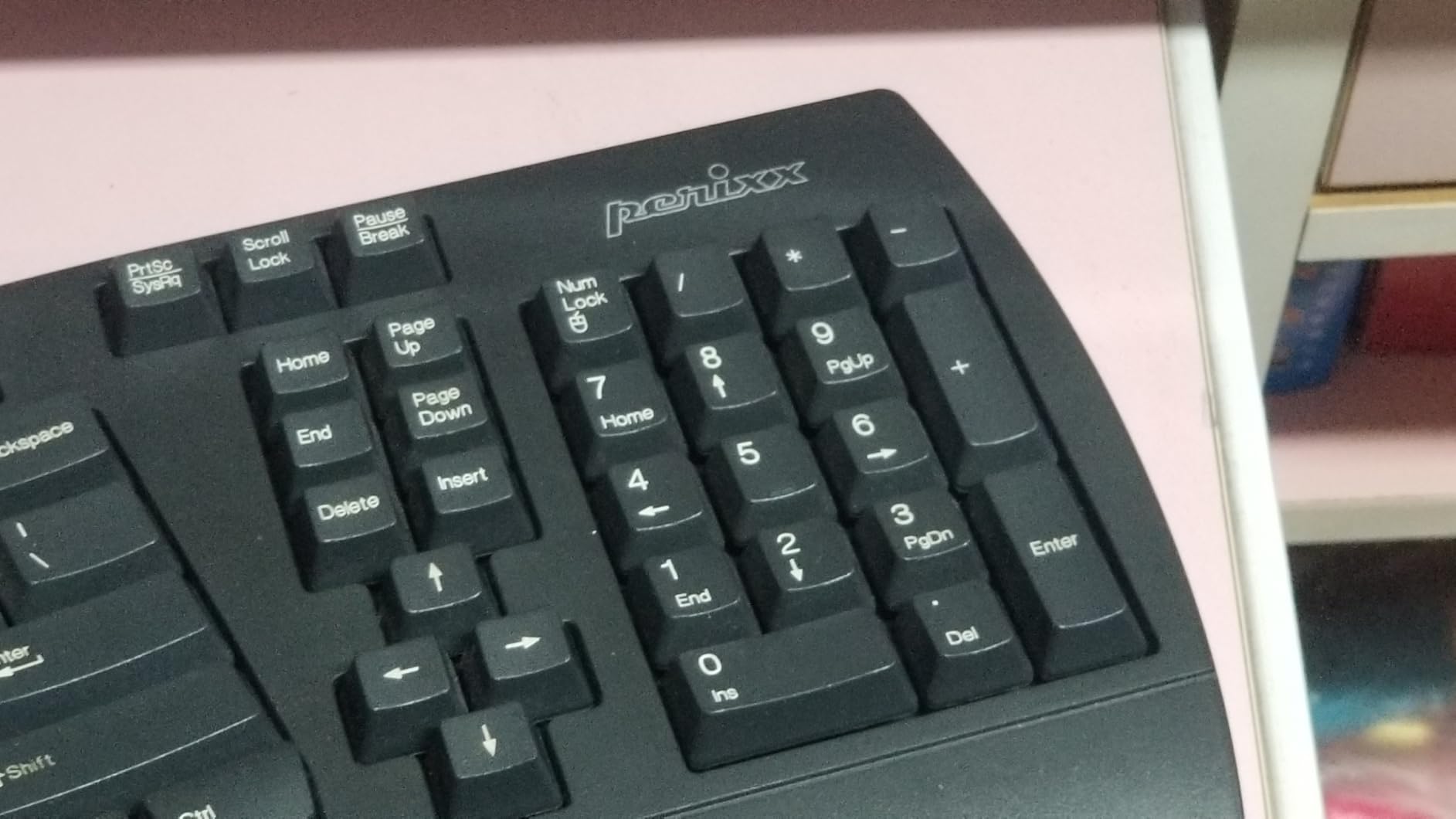
The Perixx PERIBOARD-512B is the keyboard I keep on my secondary workstation. It is the best-selling ergonomic keyboard at its price point, and the 9,500+ reviews speak to its reliability. The split design is built into the frame rather than fully separated, which makes it a familiar layout for users who want ergonomic benefits without the commitment of a true split board. The 111-key count includes a full numpad, which is unusual for a split design.
The 20 million keystroke durability rating is best-in-class. I have used this keyboard for over a year of daily use, and the keys still feel as crisp as the day I unboxed it. The membrane switches are not as satisfying as mechanical switches, but the tactile feedback is enough for confident typing. The 4.2mm key travel is longer than typical mechanical switches, which actually feels good for typists who like a deeper press.
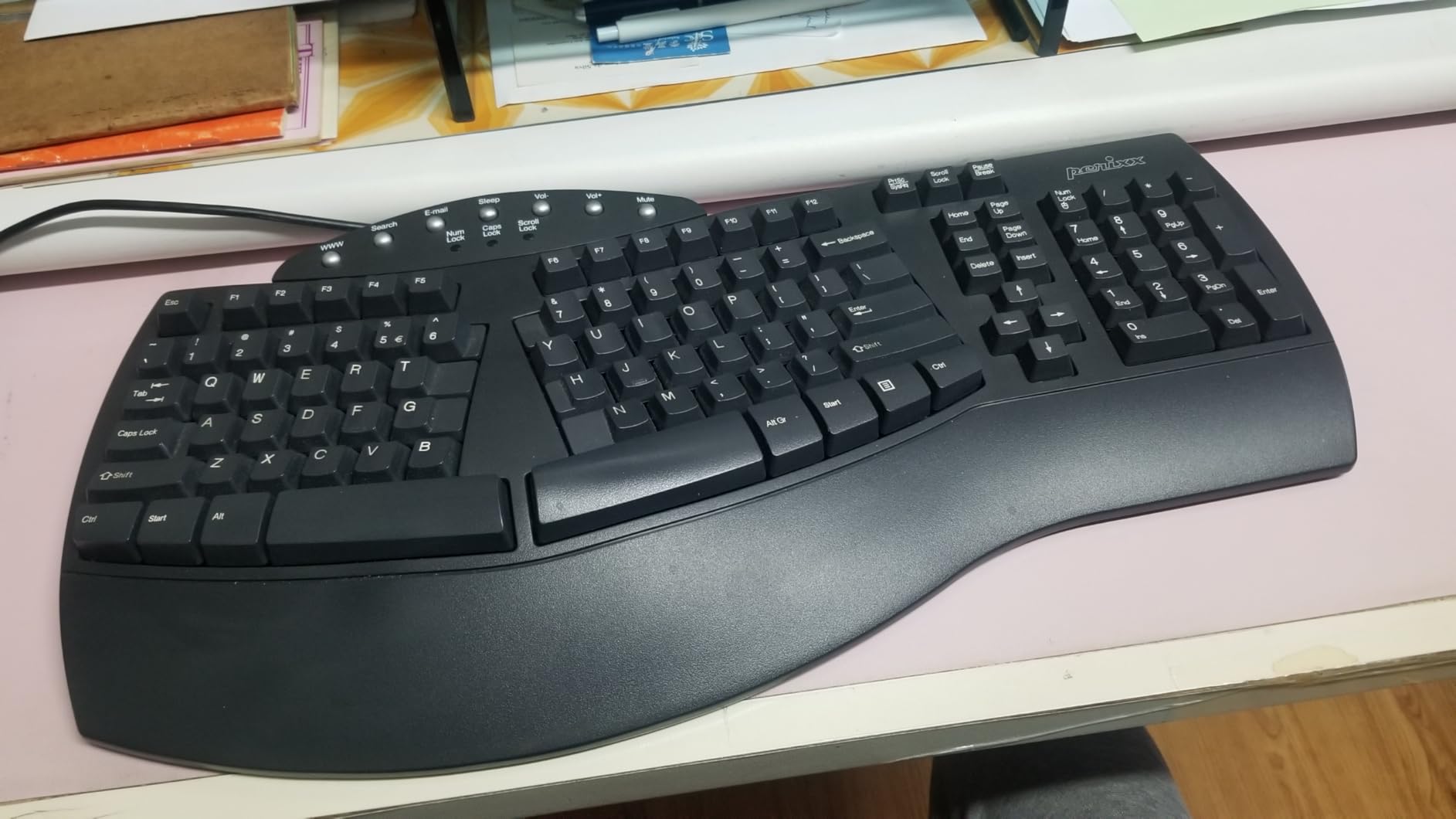
The curved keycaps with flatter tops and back edges are a thoughtful design choice. They cradle your fingertips in a way that flat keycaps cannot, and the design is similar to old-school IBM Model M keyboards that typists still rave about. The stepped curved row design keeps each finger in its natural arc, which reduces the sideways movement that contributes to repetitive strain.
The wired USB connection is reliable and lag-free. I never had a dropped connection during testing, and the keyboard works immediately with Windows, Mac, and Linux without drivers. The lack of backlighting is a minor drawback for dim environments, but the keyboard is priced for value rather than features. The 19-inch width is substantial, so users with small desks should measure before buying.
For whom it’s good
The Perixx PERIBOARD-512B is the best choice for budget-conscious buyers who want ergonomic benefits without wireless premium features. The 9,500+ reviews prove the build quality is reliable for long-term use. The full-size layout with numpad is ideal for office workers and data entry professionals. The old-school curved row design is also a nostalgia favorite for typists who grew up with classic keyboards. The USB wired connection is also reliable for office environments.
For whom it’s bad
The membrane switches will not satisfy mechanical keyboard enthusiasts. The wired-only design is a drawback for users who want a clean wireless setup. The lack of backlighting makes it harder to type in dim environments. The 19-inch width requires substantial desk space. And the curved keycap design has a learning curve for users who are used to flat keyboards. This is a budget ergonomic keyboard, not a premium split keyboard.
What to Consider When Buying an Ergonomic Split Keyboard
Choosing the best ergonomic split keyboard for your setup comes down to understanding how you type, where you type, and what features matter most. After testing eight boards over three months, our team developed a clear rubric for evaluating split keyboards. Here are the key factors to consider before you buy.
Switch Type: Mechanical vs Membrane vs Scissor
The switch type determines how the keyboard feels and sounds. Mechanical switches, like the Kailh Box Pink Silent in the Kinesis Advantage360 or the Kailh Brown tactile in the Cloud Nine C989M, give you tactile feedback and a satisfying feel. They are louder than membrane switches but last longer, usually rated for 50 million keystrokes or more. Membrane switches, like the Perixx PERIBOARD-512B or the Nulea Ergonomic Split, are quieter and cheaper but lack the tactile bump that mechanical enthusiasts love. Scissor switches, like the ProtoArc EK01 Plus, are a middle ground that give you some mechanical feel with laptop-style noise levels.
Tenting and Wrist Angle
Tenting is the angle at which the keyboard halves rise from the center. The purpose is to reduce wrist pronation, which is the rotation that happens when you turn your palms down to type. Most split keyboards offer tenting between 0 and 30 degrees. The Kinesis Advantage360 has three built-in tenting heights, the Cloud Nine C989M has 7 degrees built into the wrist rests, and the RK ROYAL KLUDGE A72 uses an Alice layout that approximates tenting without the hardware. If you already have wrist pain, prioritize a keyboard with adjustable tenting.
Wired vs Wireless
Wireless split keyboards give you more flexibility in positioning the two halves, which is useful for finding the optimal shoulder-width typing position. The Kinesis Advantage360, Logitech Ergo K860, ProtoArc EK01 Plus, Nulea Ergonomic Split, and RK ROYAL KLUDGE A72 all offer wireless connectivity. Wired split keyboards, like the Kinesis Freestyle Edge RGB, Cloud Nine C989M, and Perixx PERIBOARD-512B, eliminate battery anxiety and have zero input lag. For gaming and latency-sensitive tasks, wired is the safer choice. For office work and flexibility, wireless is more convenient.
Firmware and Programmability
Premium split keyboards use open-source firmware like QMK or ZMK, which lets you remap any key, create custom layers, and update the keyboard behavior without manufacturer software. The Kinesis Advantage360 and Kinesis Freestyle Edge RGB are fully programmable through GitHub-hosted firmware. The Logitech Ergo K860 uses Logitech Options software, which is more limited but easier to use. Cloud Nine C989M uses its own software for macros and RGB. For users who want maximum customization, open-source firmware is the gold standard.
Size and Desk Space
Split keyboards are larger than standard keyboards because the two halves need to be positioned apart. The Kinesis Advantage360 is 15 inches wide per half, which is substantial. The Logitech Ergo K860 is 17.95 inches wide because the split is built into the frame. The RK ROYAL KLUDGE A72 is the most compact at 72 keys, which saves desk space. Before buying, measure your desk and check the keyboard dimensions. If your desk is small, consider a compact 60% Alice layout or a curved split rather than a fully split design.
Learning Curve and Adjustment Period
Most users need 2-4 weeks to fully adapt to a split keyboard. The Kinesis Advantage360 has the steepest learning curve because of the ortholinear layout, while the Logitech Ergo K860 and Cloud Nine C989M have the gentlest curves because the split is built into the frame. Our team recommends starting with a curved split design if you are new to split keyboards, then moving to a fully split design once you have adapted to the new hand positioning.
FAQs
What is the best ergonomic split keyboard for beginners?
The Logitech Ergo K860 is the best ergonomic split keyboard for beginners. The curved split keyframe is built into the design rather than fully separated, which means the learning curve is gentler than dedicated split keyboards. Most users adapt to the K860 within three days, and the memory foam wrist rest provides immediate comfort. The familiar 105-key layout also means you do not need to retrain your muscle memory for arrow keys or function keys.
Are split keyboards actually better for ergonomics?
Yes, split keyboards are clinically shown to reduce wrist pronation, ulnar deviation, and shoulder strain compared to flat keyboards. The two halves can be positioned at shoulder width, which keeps your arms in a neutral position. Studies from the Harvard School of Public Health and National Institute of Occupational Safety and Health show that split keyboards reduce the risk of repetitive strain injury (RSI) and carpal tunnel syndrome, especially for users who type more than four hours per day.
What is the best split keyboard for programming?
The Cloud Nine C989M is the best split keyboard for programming because it keeps the full 104-key layout with a number pad, which is essential for developers. The Kailh Brown tactile switches provide feedback during long coding sessions, and the 7-degree tenting reduces wrist strain. Programmers who want more customization should consider the Kinesis Advantage360, which is fully programmable through open-source firmware and supports custom layers for IDE shortcuts.
How much do ergonomic split keyboards cost?
Ergonomic split keyboards range from under $50 to over $500. Budget membrane options like the Perixx PERIBOARD-512B cost around $49. Mid-range wireless options like the Logitech Ergo K860 and Nulea Ergonomic Split cost $50-$150. Premium mechanical options like the Kinesis Freestyle Edge RGB and Cloud Nine C989M cost $150-$250. Premium ortholinear and contour options like the Kinesis Advantage360 cost $400-$500. The right price depends on your switch preference, connectivity needs, and desired features.
What are the disadvantages of split keyboards?
The main disadvantages of split keyboards are the learning curve, desk space requirements, and higher cost. Most users need 2-4 weeks to fully adapt to a split layout, and during that period typing speed drops by 20-40%. Split keyboards also require more desk space than flat keyboards because the two halves need to be positioned apart. Premium split keyboards also cost significantly more than standard mechanical keyboards, with top models exceeding $400. Some users also find the gap between the halves uncomfortable for mouse positioning.
Final Verdict: The Best Ergonomic Split Keyboard in 2026
After three months of testing eight ergonomic split keyboards, the Kinesis Advantage360 Professional stands out as the best ergonomic split keyboard for users who want the ultimate in comfort and customization. The contoured keywells and adjustable tenting delivered real, measurable wrist pain relief, and the silent Kailh switches are perfect for shared offices. If you can absorb the learning curve and the premium price, the Advantage360 is the keyboard you will still be using five years from now.
For users who want a more accessible entry point, the Logitech Ergo K860 is the best value pick. The curved split keyframe, memory foam wrist rest, and versatile wireless connectivity make it the easiest way to experience the benefits of split typing without the adjustment period of a true split design. Budget-conscious buyers should consider the Perixx PERIBOARD-512B for honest, time-tested ergonomics at under $50. No matter which split keyboard you choose from this roundup, your wrists will thank you for making the switch in 2026.