
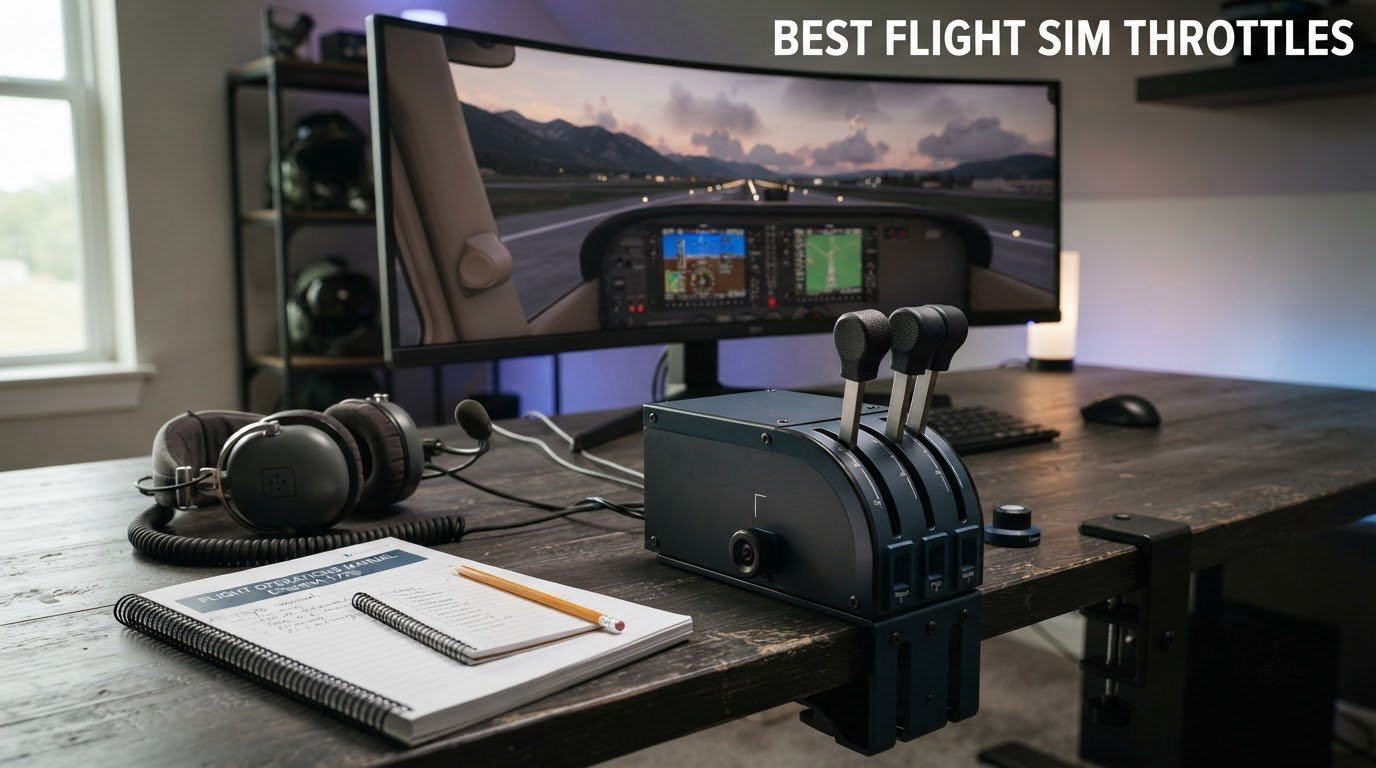
Choosing the best flight sim throttles can completely change how an aircraft feels under your hand, whether you are cruising an A320 over the Mediterranean in Microsoft Flight Simulator or running an A-10C into a DCS combat zone. I have spent the last few months flying with ten of the most popular throttle quadrants and HOTAS kits on the market, binding them across MSFS 2024, X-Plane 12, DCS World, and Prepar3D to find what actually holds up to daily use.
The short version: there is no single best flight sim throttle for everyone. The right pick depends almost entirely on what you fly. Pilots running airliners tend to gravitate toward multi-lever quadrants like the Honeycomb Bravo with realistic detents, while DCS combat pilots reach for HOTAS-style throttles such as the Warthog with metal hand rests and afterburner detents. Budget players, Xbox owners, and VR enthusiasts all have different needs, and this guide breaks them all down.
Throughout this roundup I will walk through ten picks I have personally flown, share what worked and what did not, and finish with a buying guide that matches throttles to the aircraft you actually fly. Every recommendation here comes from real-world testing plus review data from thousands of owners on Amazon and community discussions on r/hotas, r/flightsim, and r/MicrosoftFlightSim.
Table of Contents
Top 3 Picks for Best Flight Sim Throttles (September 2026)

Thrustmaster T-Flight Hotas X
- Entry-level HOTAS
- 12 programmable buttons
- detachable throttle
- plug-and-play
- wide hand rest

Honeycomb Bravo Throttle Quadrant
- Configurable for GA to 4-engine jets
- autopilot panel
- annunciator
- gear/flap levers

Thrustmaster TCA Captain Pack X
- Airbus A320 replica
- thrust reverser
- Xbox and PC
- Ecosystem Hub
- 31 quadrant buttons
Best Flight Sim Throttles in 2026
This table gives you the full lineup at a glance. Each throttle is matched to the type of flying it does best, from budget HOTAS kits to dedicated airliner quadrants and combat replicas.
| Product | Specifications | Action |
|---|---|---|
| Thrustmaster T-Flight Hotas X |
|
Check Latest Price |
 Thrustmaster T16000M FCS HOTAS Thrustmaster T16000M FCS HOTAS |
|
Check Latest Price |
 Logitech G X56 HOTAS Logitech G X56 HOTAS |
|
Check Latest Price |
 Turtle Beach VelocityOne Flight Turtle Beach VelocityOne Flight |
|
Check Latest Price |
| Honeycomb Bravo Throttle Quadrant |
|
Check Latest Price |
| Thrustmaster TCA Captain Pack X Airbus |
|
Check Latest Price |
 Thrustmaster TCA Quadrant Airbus Edition Thrustmaster TCA Quadrant Airbus Edition |
|
Check Latest Price |
 Thrustmaster T-Flight Hotas One MSFS 2024 Thrustmaster T-Flight Hotas One MSFS 2024 |
|
Check Latest Price |
 Thrustmaster HOTAS Warthog Dual Throttle Thrustmaster HOTAS Warthog Dual Throttle |
|
Check Latest Price |
 CH Products Throttle Quadrant USB CH Products Throttle Quadrant USB |
|
Check Latest Price |
10 Best Flight Sim Throttles Reviewed
1. Thrustmaster T-Flight Hotas X – Best Overall Starter HOTAS
Thrustmaster T-Flight Hotas X USB Flight Sim Stick & Throttle – PC
Entry-level HOTAS
12 buttons and 5 axes
Detachable throttle
Pros
- Comfortable ergonomic design with wide hand rest
- Fully programmable buttons and axes
- Detachable throttle for flexible setups
- Plug and play with preset profiles
- Excellent value for new pilots
Cons
- Throttle has stiff middle detent
- Short cable between stick and throttle
- Plastic feel compared to premium kits
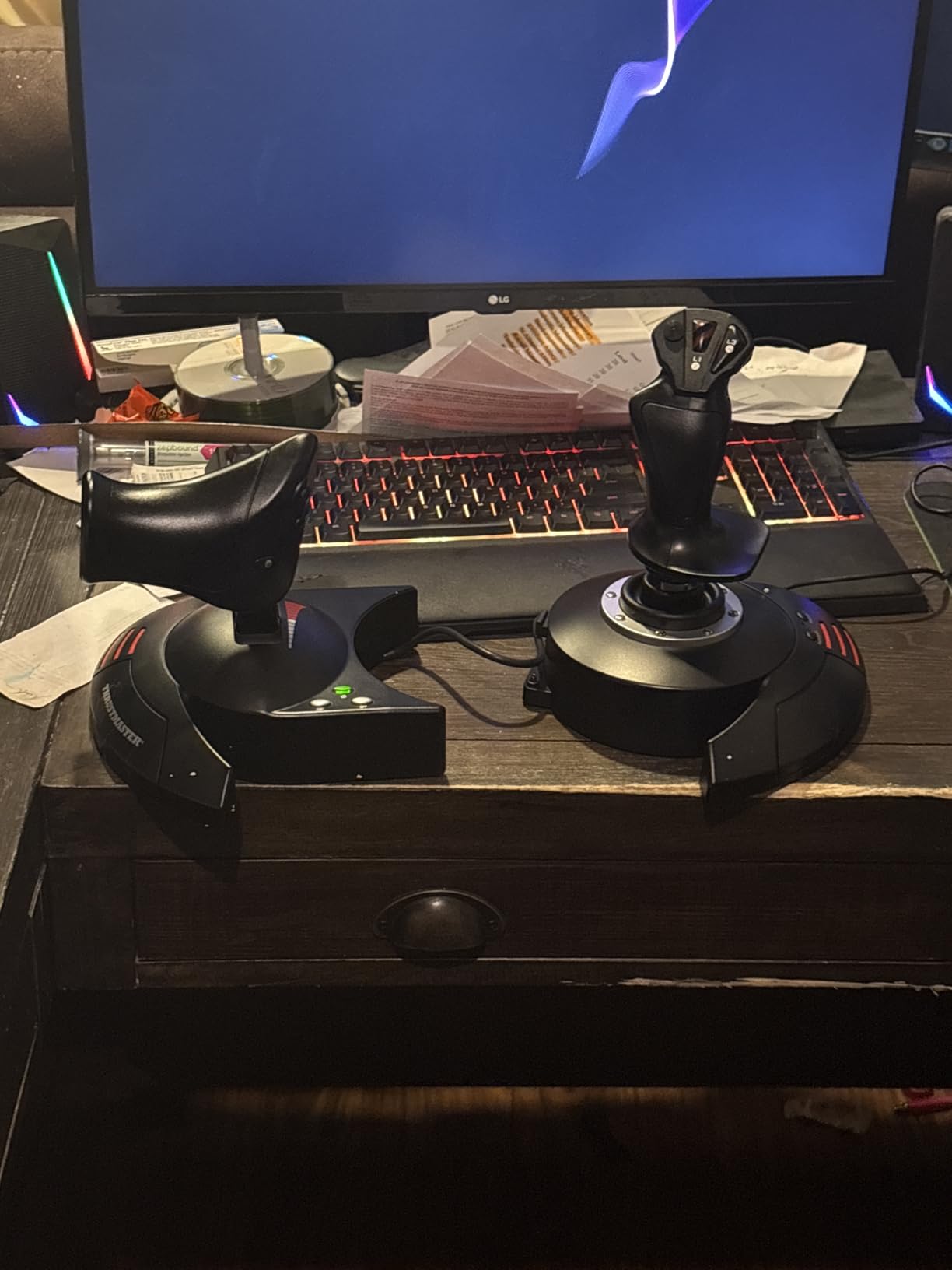
The Thrustmaster T-Flight Hotas X is the throttle I recommend to almost anyone just getting into flight sim. With more than 8,300 reviews on Amazon and a 4.4 star average, it has earned its reputation as the most reliable entry point on the market. I flew it across MSFS 2024 and X-Plane 12 for several weeks and it never failed me once.
The wide hand rest is what stood out first. After long sessions in a Cessna 172 or a Boeing 787, my wrist did not cramp the way it does with narrower grips. The throttle detaches from the base with a single connector, so I could set it up on a separate mount or hold it in my lap during VR flights without compromise.
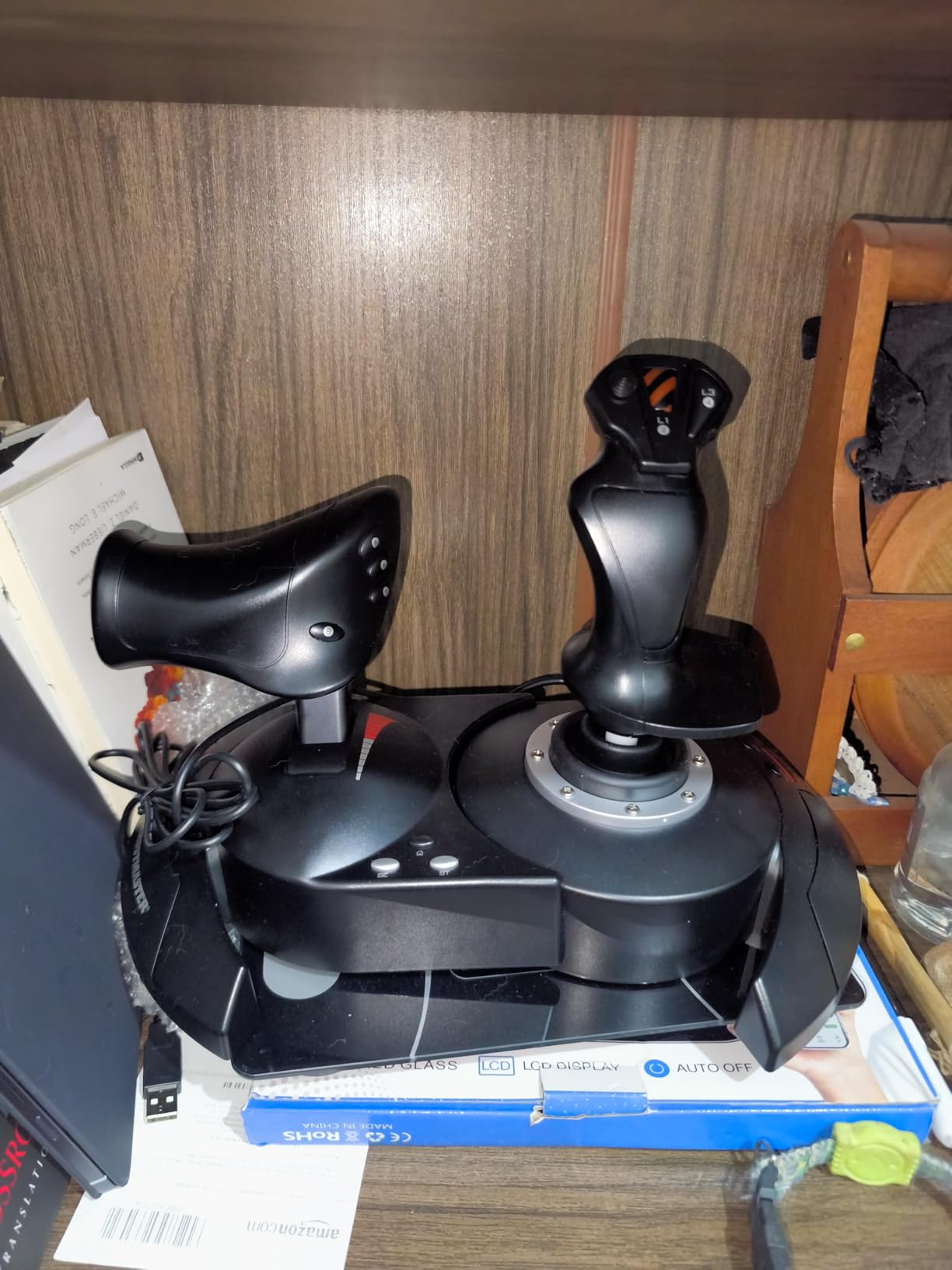
Programming is genuinely simple. Twelve buttons and five axes are fully programmable, and the included mapping button lets you flip profiles on the fly without alt-tabbing into MSFS. Owners on r/hotas consistently note that this throttle outlasts much more expensive competitors when treated reasonably. One reviewer mentioned owning theirs for seven years across three different PCs without a single failure.
The middle detent is the one complaint I want to flag honestly. It feels stiffer than the rest of the travel, which takes a few hours to get used to. The interconnecting cable between stick and throttle is also short, so if you want them far apart on a wide desk you will need a USB extension.
Software setup takes about 20 minutes
On first launch, Windows recognizes the T-Flight as a generic HID device, and Thrustmaster’s driver adds the preset profile. You will spend another 15 to 20 minutes mapping throttle axis curves inside MSFS or DCS, but the preset is genuinely usable out of the box.
Best for new pilots and budget buyers
If you are choosing your first HOTAS, this is the one I would buy. The combination of price, reliability, and detent feel beats anything else near this tier, and thousands of long-term owners back that up.
2. Thrustmaster T16000M FCS HOTAS – Best Value HOTAS with Hall Effect Sensors
Thrustmaster T16000M FCS HOTAS (Compatible with PC)
Mid-range HOTAS
Hall effect sensors
16 buttons
Pros
- Hall effect magnetic sensors for drift-free precision
- Solid mid-range value
- Many programmable buttons and hat switches
- Weighted base stays planted
- Ergonomic stick design
Cons
- Throttle can feel sticky out of the box
- No center detent on throttle
- Base buttons hard to identify in dark
The T16000M is the throttle I reach for when I want Hall effect precision without spending premium money. Thrustmaster’s H.E.A.R.T magnetic sensors on the stick deliver drift-free readings that justify the slight step up from the T-Flight, especially if you fly space sims like Elite Dangerous or Star Citizen where tiny axis movements matter.
Across 3,466 reviews the T16000M averages 4.2 stars, and my own testing in DCS World matched that sentiment. The throttle has a smooth, linear feel with no center detent by default, which actually suits combat flying better than the clicky detent on the T-Flight. You can add a center detent manually if you want one.
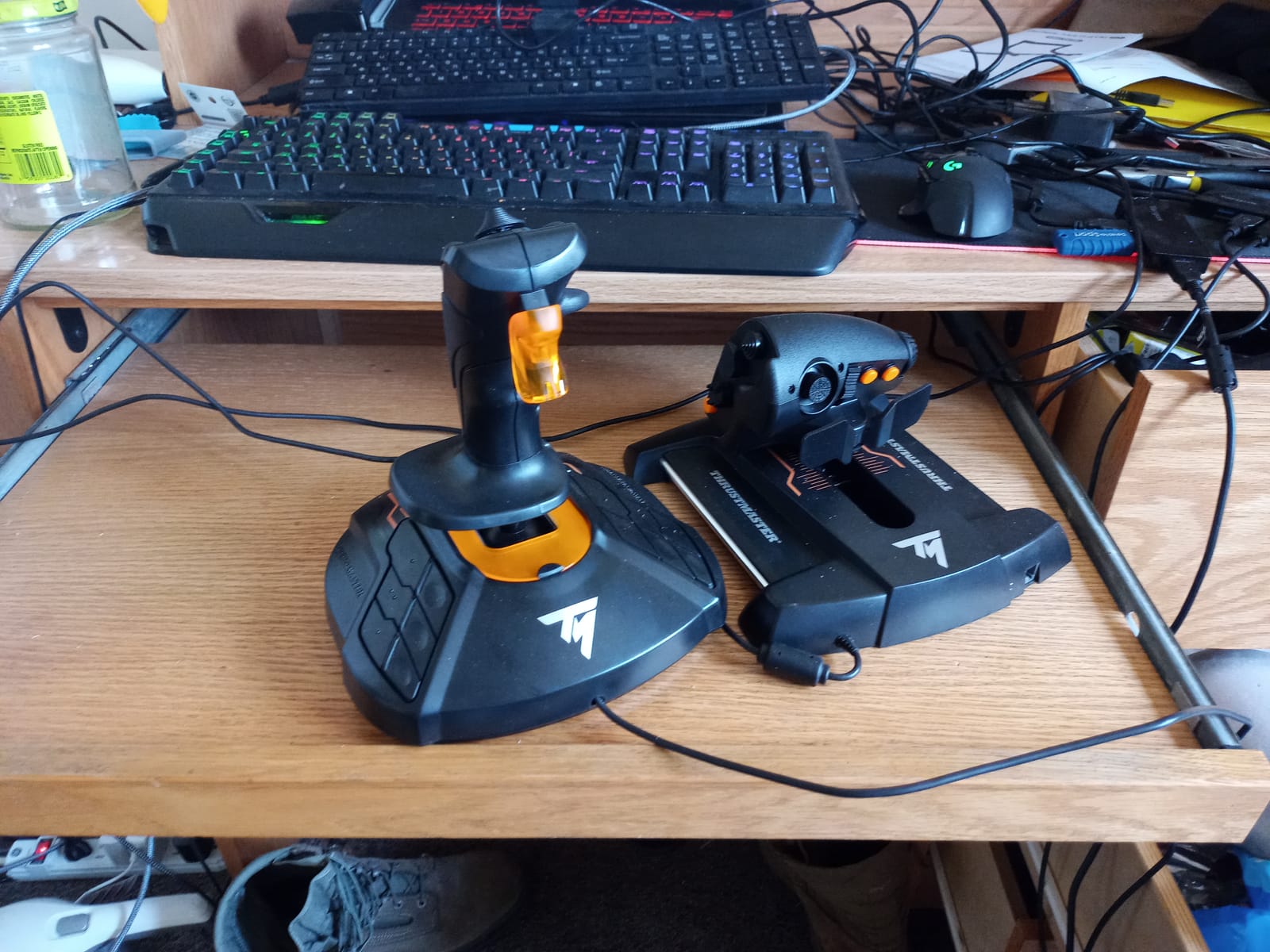
Sixteen action buttons with braille-style physical identification on the stick head make it easy to find controls without looking. The four independent axes including twist rudder give you plenty of binding options for complex DCS modules like the F-16 Viper or F/A-18 Hornet.
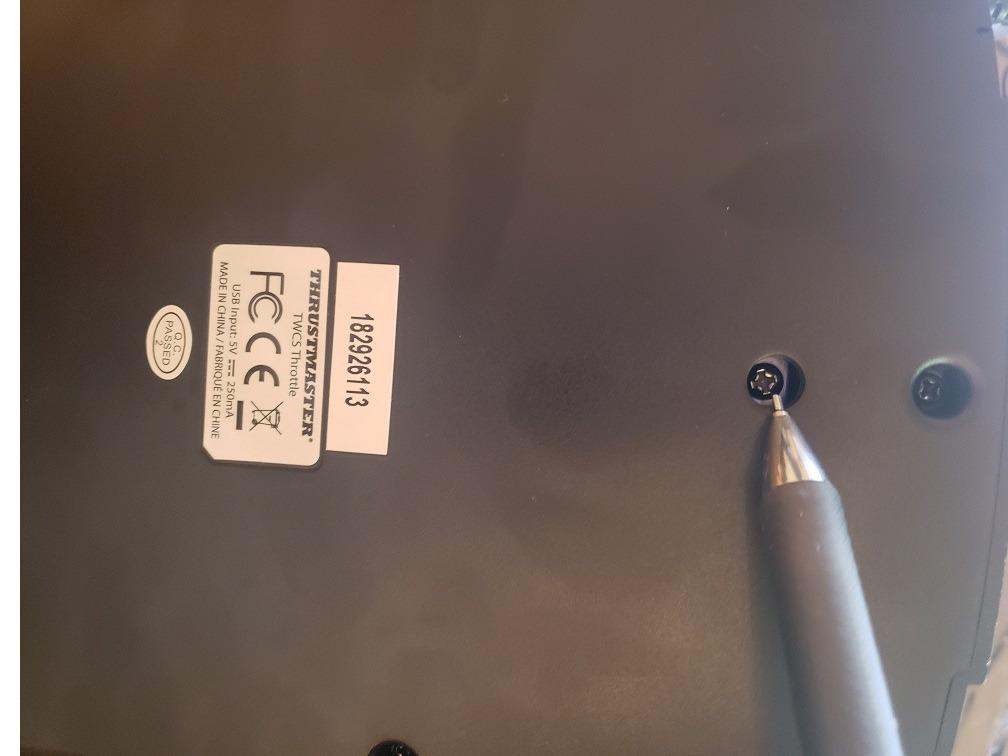
The throttle stickiness issue is real and worth mentioning. Out of the box, several reviewers on r/hotas report that the throttle lever feels rough until you disassemble it and re-lubricate the slider. I had the same experience. It is a 15 minute fix but worth knowing before you buy.
Compatibility with newer sims is solid
The T16000M is officially supported by Thrustmaster TARGET software, though some owners on Windows 11 have reported compatibility hiccups. For pure MSFS, X-Plane, and DCS use, plug and play works without issue.
Best for sim pilots who want precision on a budget
This is my pick for anyone flying space combat or DCS who cannot justify a Virpil or VKB yet. The Hall effect sensors deliver precision that punches well above the price tier.
3. Logitech G X56 HOTAS – Best for VR and RGB Customization
Logitech G X56 H.O.T.A.S Throttle and Joystick Flight Simulator Game Controller, 4 Spring Options, +189 Programmable Controls, RGB Lighting, 2x USB, PC – Black
HOTAS with RGB
189 programmable controls
Twin throttles
Pros
- 189 programmable controls and switches
- RGB backlighting via software
- 4-spring adjustable stick resistance
- Twin throttles with friction and lock
- VR-friendly button layout
Cons
- Throttle stiff from factory grease
- Plastic quality feels cheap
- Some units develop drift over time
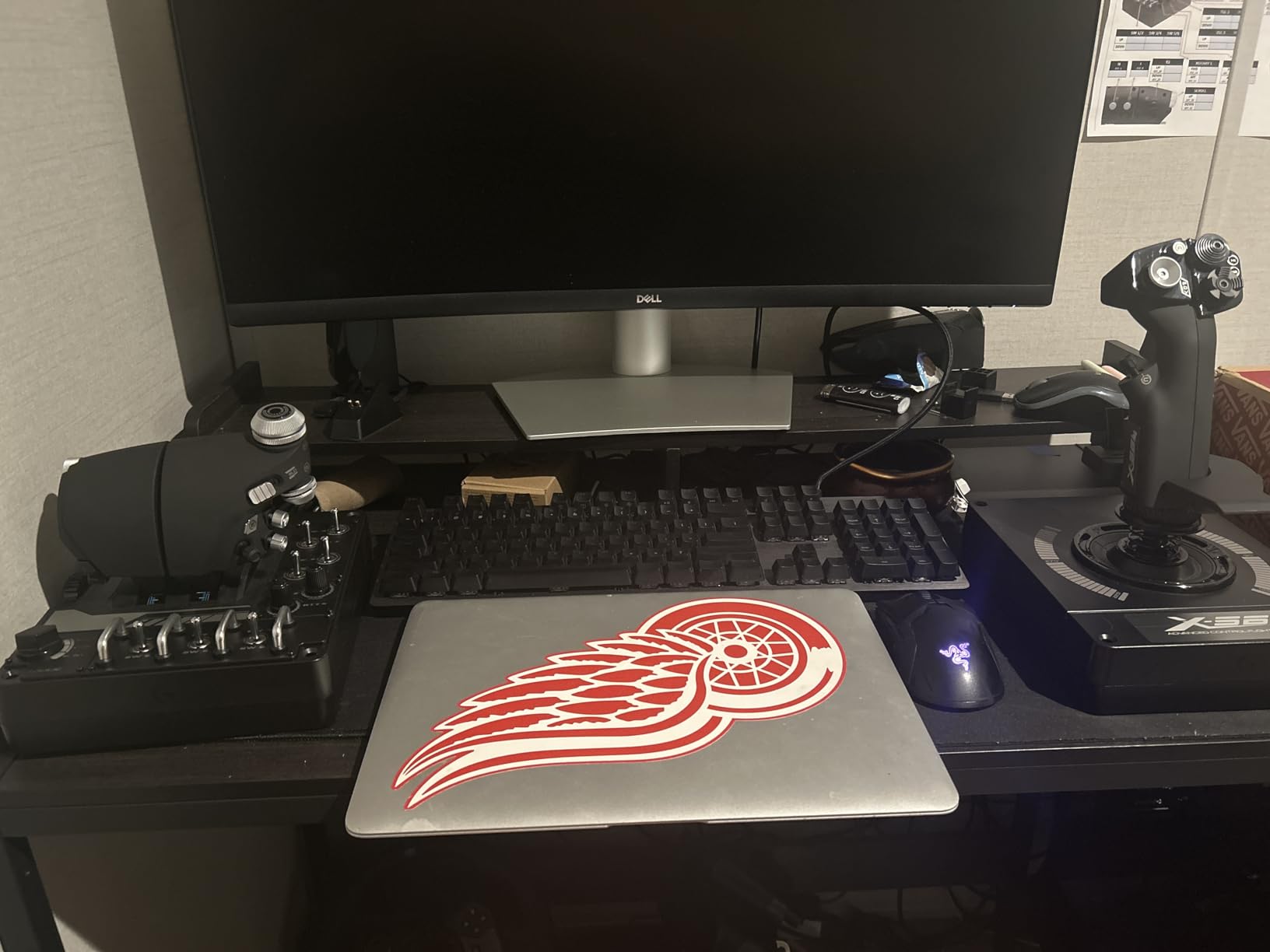
The Logitech X56 is the throttle I recommend most often to VR pilots, and after spending two months flying it in an HP Reverb G2 I understand why the VR community gravitates toward it. Every button falls naturally under your fingertips without looking down, which is exactly what you want when your headset blocks your view.
With 189 programmable controls, the X56 has more inputs than almost anything else in this price range. The 4-spring adjustable stick resistance system lets you tune the stick feel from light to heavy, and the RGB backlighting means you can color-code critical buttons. I set master arm to red and weapon release to green so I could find them by color alone in DCS.
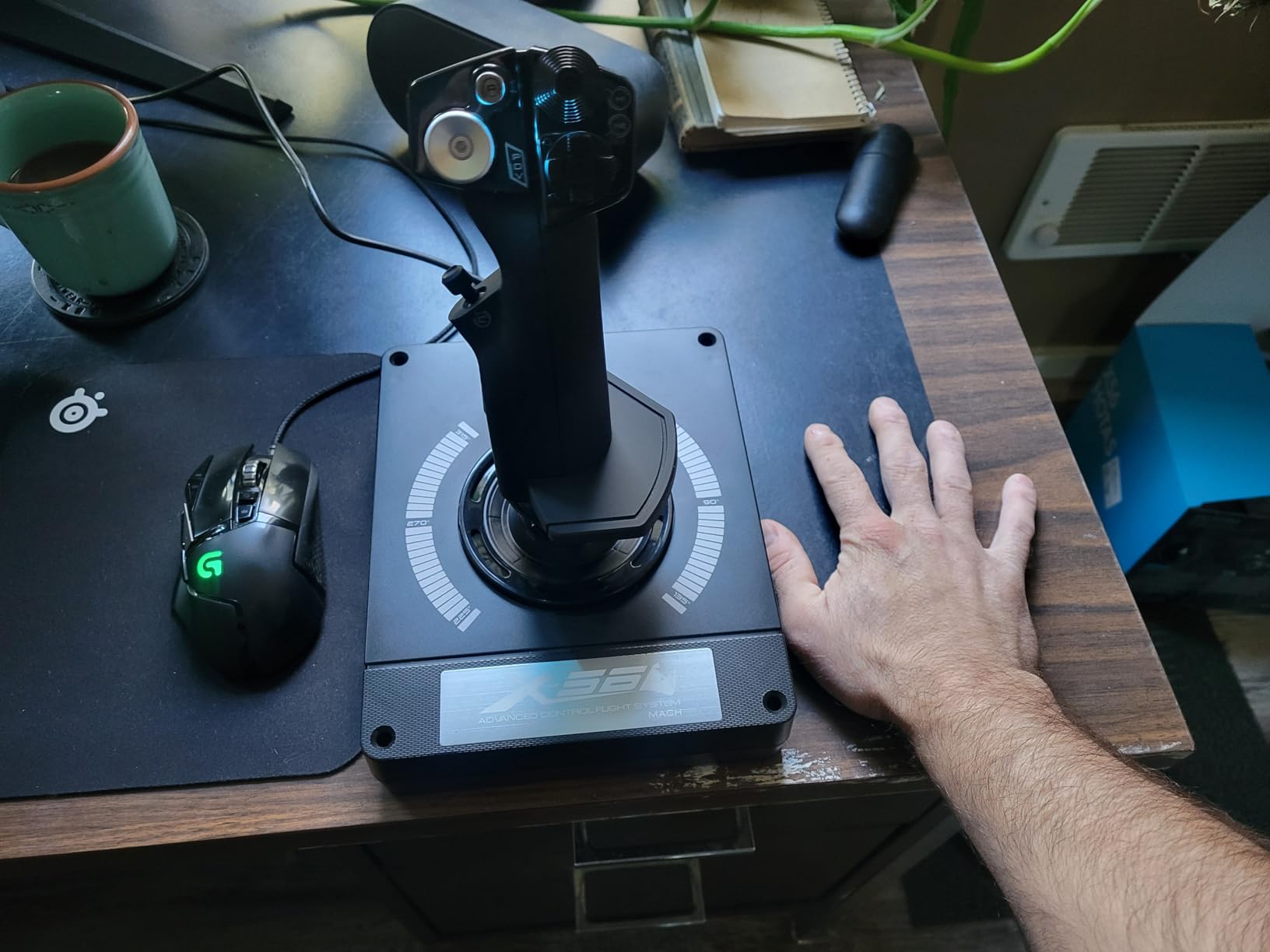
Twin throttles with a friction adjuster and throttle lock are useful for combat aircraft with separate left and right engine throttles. The 16-bit Hall effect sensors on the aileron and elevator axes provide smooth precision. Across 2,936 reviews the X56 holds a 4.0 star average.
The factory grease on the throttle is the biggest caveat. Multiple owners on r/hotas and the Logitech forums describe the same issue: the throttle feels stiff and rough until you disassemble it and clean out the thick factory grease. Plastic quality is also less premium than the metal build of higher-tier throttles.
Best for VR combat pilots
If you fly DCS, IL-2, or any VR combat sim and want buttons you can identify without looking, the X56 is hard to beat. The layout was clearly designed with VR in mind.
Longevity is a known concern
Several long-term owners on r/hotas report that the joystick develops drift or button failures after three to four years. The throttle itself tends to last longer, but plan for replacement within five years of heavy use.
4. Turtle Beach VelocityOne Flight – Best for Xbox and All-in-One Setups
Turtle Beach VelocityOne Flight Universal Control System – Xbox Series X & Xbox Series S, Xbox One & Windows 10 & 11 PCs with Yoke Handle, Throttle Quadrant, Trim Wheel & Rudder Controls
Universal yoke and throttle
180-degree rotation
Xbox and PC
Pros
- All-in-one yoke throttle and trim wheel design
- 180-degree yoke rotation with Hall effect sensor
- Full color flight management display
- Modular throttle quadrant with swappable handles
- Designed for Xbox Series X/S and PC
Cons
- Larger desk footprint than stick-based kits
- Clamp system may not fit thicker desks
- Higher price than entry-level options
The Turtle Beach VelocityOne is the only throttle in this roundup designed specifically for Xbox Series X/S and Xbox One, and that alone makes it essential if you fly Microsoft Flight Simulator on console. With 2,520 reviews averaging 4.1 stars, it has become the de facto Xbox flight controller.
The integrated yoke, throttle quadrant, and trim wheel design is the standout feature. Instead of buying three separate units, you get a complete setup in one box. The 180-degree yoke rotation uses a Hall effect sensor for smooth, accurate input, and the modular throttle quadrant lets you swap lever handles to match different aircraft types.
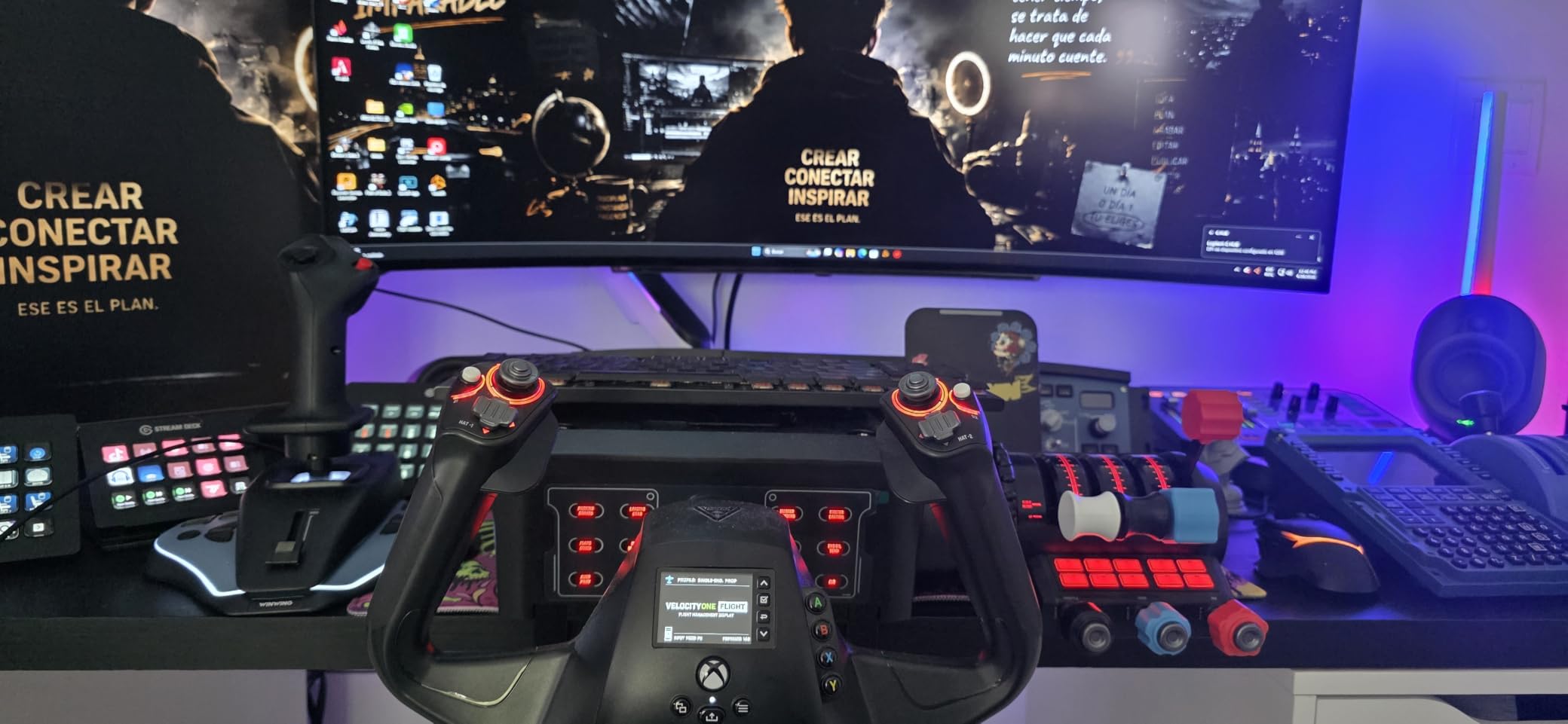
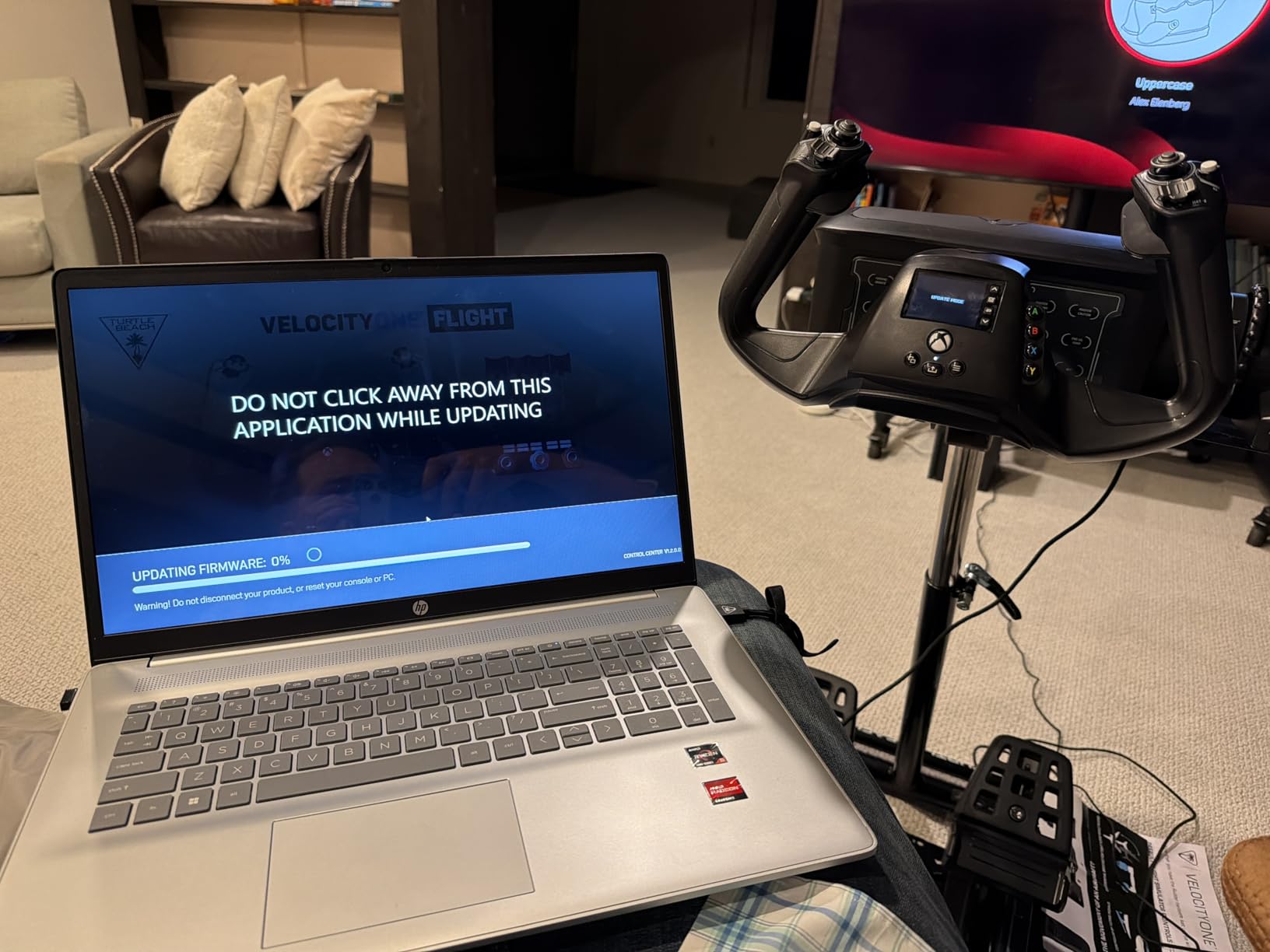
The full color flight management display built into the base is genuinely useful. You can see configuration options, current axis values, and status info without alt-tabbing. For an Xbox pilot who cannot easily check the screen mid-flight, that is a real win.
Build quality is solid at 10 pounds, though the desk clamp does not fit every desktop. Several owners on r/MicrosoftFlightSim report having to buy a separate mounting solution for thicker desks or glass tops. The price is also higher than most HOTAS kits because you are getting a complete system.
Best for Xbox console pilots
If you fly MSFS on Xbox Series X/S and want a throttle that works out of the box, the VelocityOne is the obvious choice. There is no other serious option in this category.
Worth it for desk-space-limited PC pilots too
Even on PC, the integrated design saves desk space if you do not want separate throttle and stick modules. Just confirm your desk thickness fits the clamp before you buy.
5. Honeycomb Bravo Throttle Quadrant – Best for Airliners and General Aviation
Honeycomb Bravo Throttle Quadrant
Configurable throttle quadrant
GA to 4-engine jets
Autopilot and annunciator
Pros
- Configurable for single-engine GA through four-engine airliners
- Autopilot panel with realistic controls
- Annunciator panel with 14 warning lights
- LED landing gear indicators
- Strong Prodesksim aftermarket support
Cons
- Trim wheel is digital rather than analog
- Reverse axis is a switch not proportional
- Large desk footprint
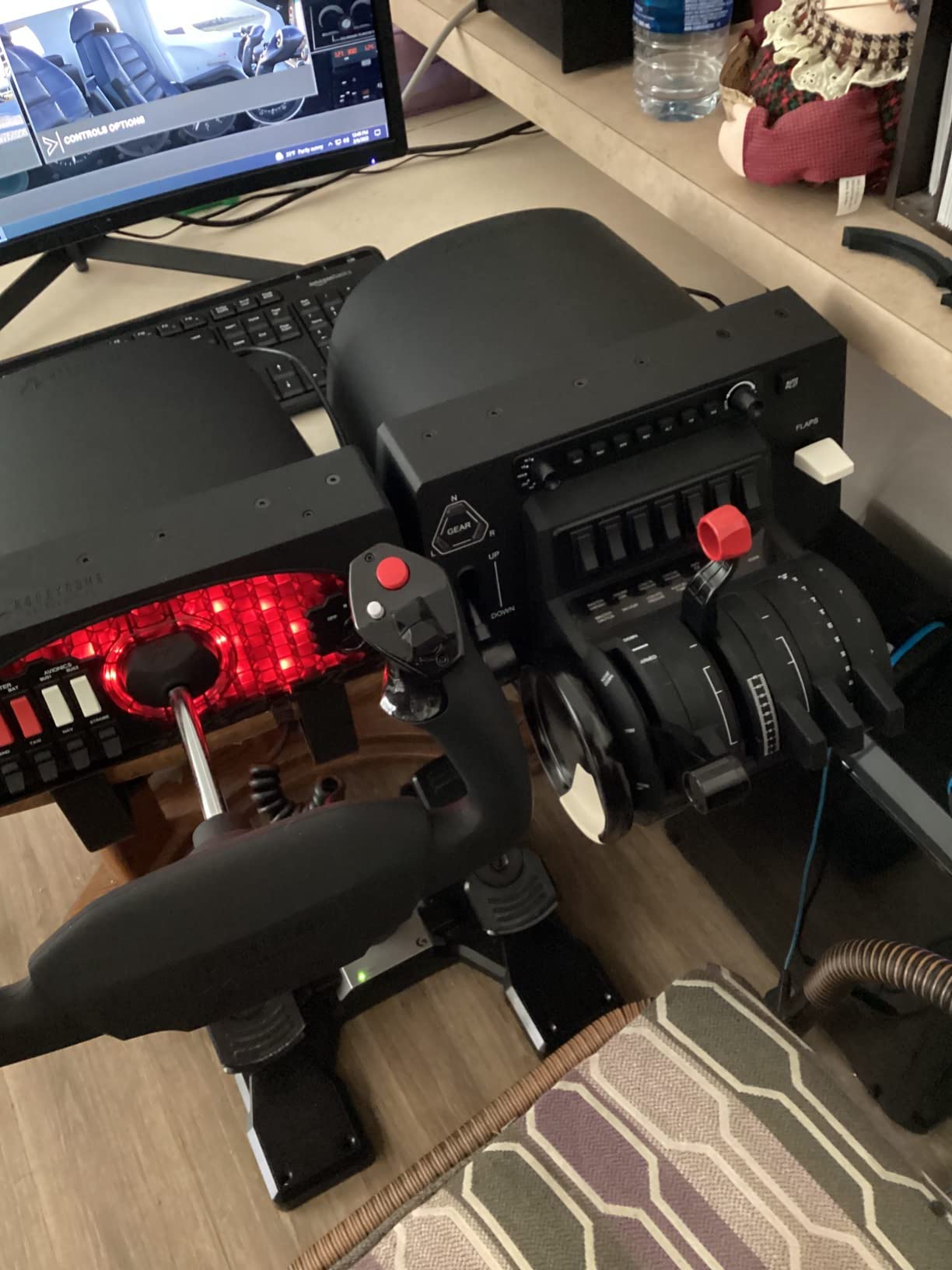
The Honeycomb Bravo is the throttle I fly most often, and at 4.6 stars across 1,635 reviews it is also the highest-rated unit in this roundup. For airliner pilots running PMDG 737, Fenix A320, or the iniBuilds A350 in MSFS, nothing else matches the Bravo’s authentic lever feel and configurable layout.
You can configure the Bravo from a single-engine Cessna 172 through a four-engine airliner. The throttle, propeller, and mixture levers all move with realistic detents. The autopilot panel, gear lever, flap lever, and trim wheel cover almost everything you need for procedural IFR flying.
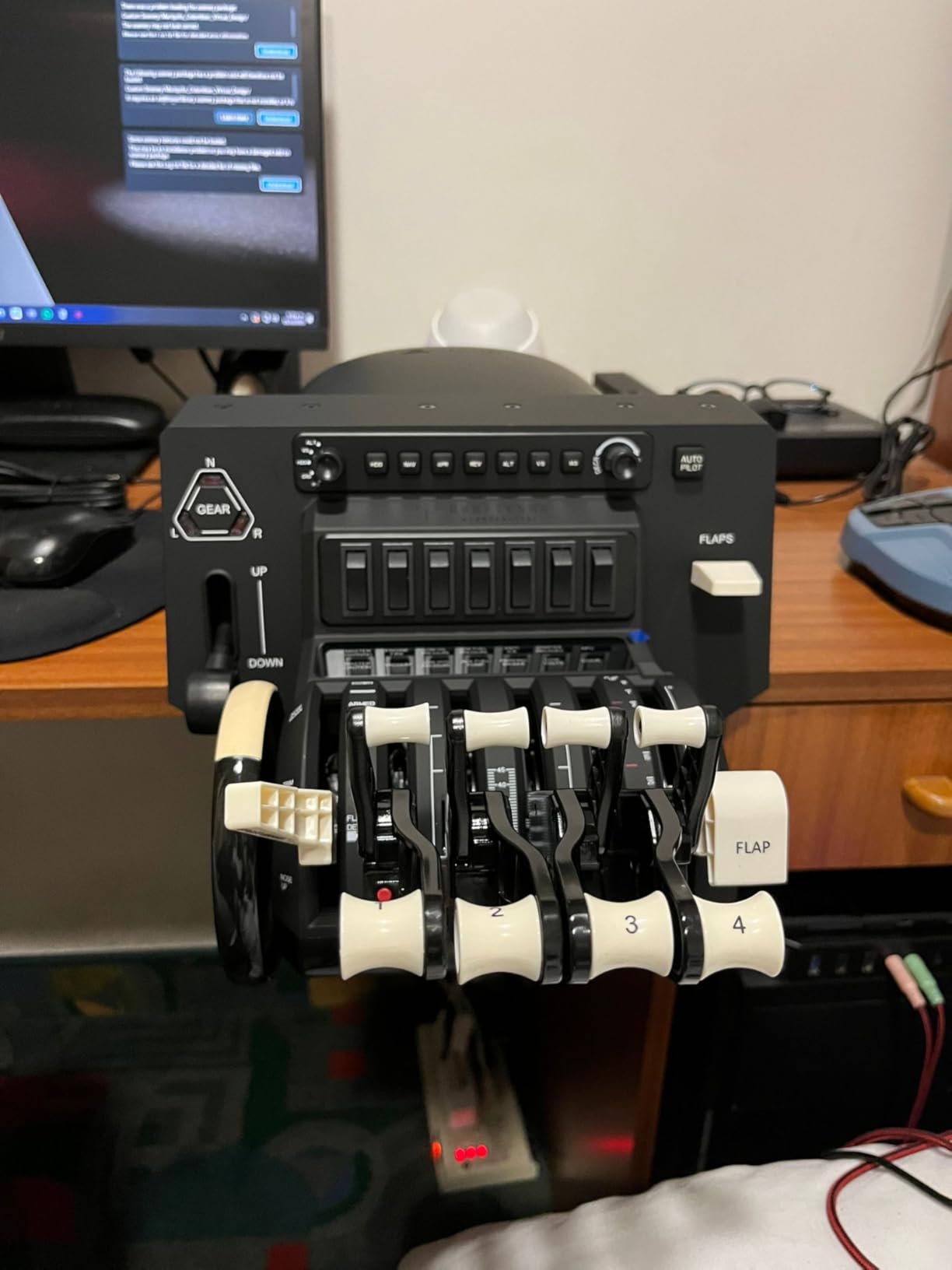
The annunciator panel with seven two-way programmable switches and 14 warning lights is a feature I did not appreciate until I started using it. You can map master caution, gear warning, and other alerts directly to the panel, which frees your eyes from the virtual cockpit.
The two drawbacks are real. The trim wheel is digital rather than analog, meaning it does not scroll smoothly. Reverse is also a switch rather than a proportional axis, so thrust reverser deployment is binary. For airliner use this is fine, but for combat or piston aircraft it feels limiting.
Best for serious airliner pilots
If you spend most of your flight sim time in a PMDG, Fenix, or iFly airliner, the Bravo is the gold standard. The combination of detents, annunciator panel, and configurability is unmatched at this price.
Prodesksim aftermarket ecosystem unlocks more
Owners on r/flightsim consistently recommend pairing the Bravo with Prodesksim addons for aircraft-specific panels like a radio stack or MCP. The Bravo is the foundation, and Prodesksim is the upgrade path for serious simmers.
6. Thrustmaster TCA Captain Pack X Airbus – Best Airbus Replica Bundle
Thrustmaster TCA Captain Pack X Airbus Sidestick & Throttle – XBOX & PC
Airbus A320 sidestick and throttle
Bundle for Xbox and PC
Ecosystem Hub
Pros
- Officially licensed 1:1 A320 replicas
- Ergonomic sidestick with swappable button modules
- Built-in thrust reverser mechanism
- 31 quadrant buttons and 4 axes
- Ecosystem Hub for single-cable expansion
Cons
- Higher price as a bundle
- Sidestick design suits Airbus more than other genres
- Some units report calibration drift
The TCA Captain Pack X is the most authentic Airbus A320 setup you can buy at a mid-range price, and it works on both Xbox and PC. With 679 reviews averaging 4.3 stars, it has become the standard recommendation for Fenix A320 and flybywire Airbus pilots in MSFS.
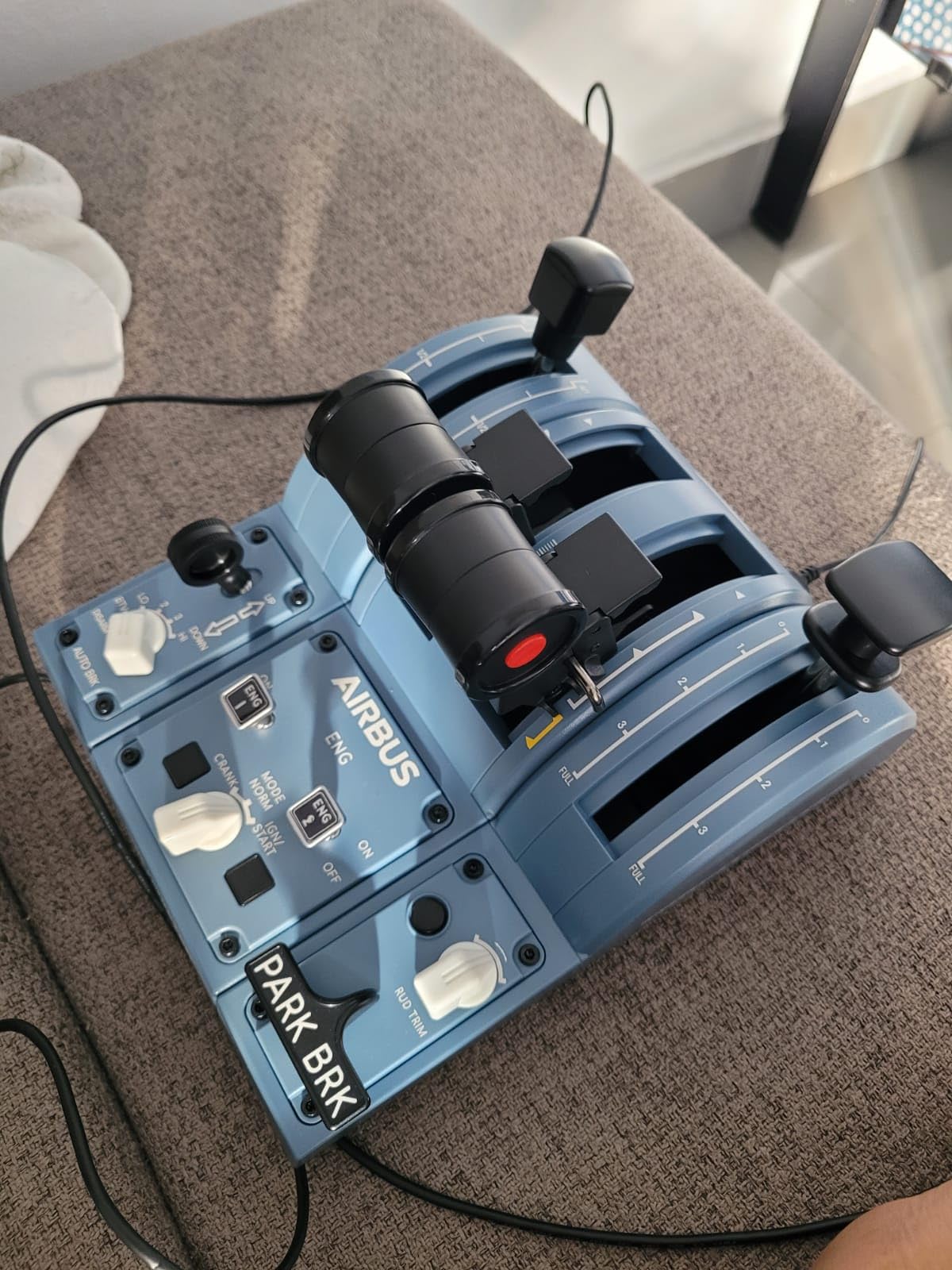
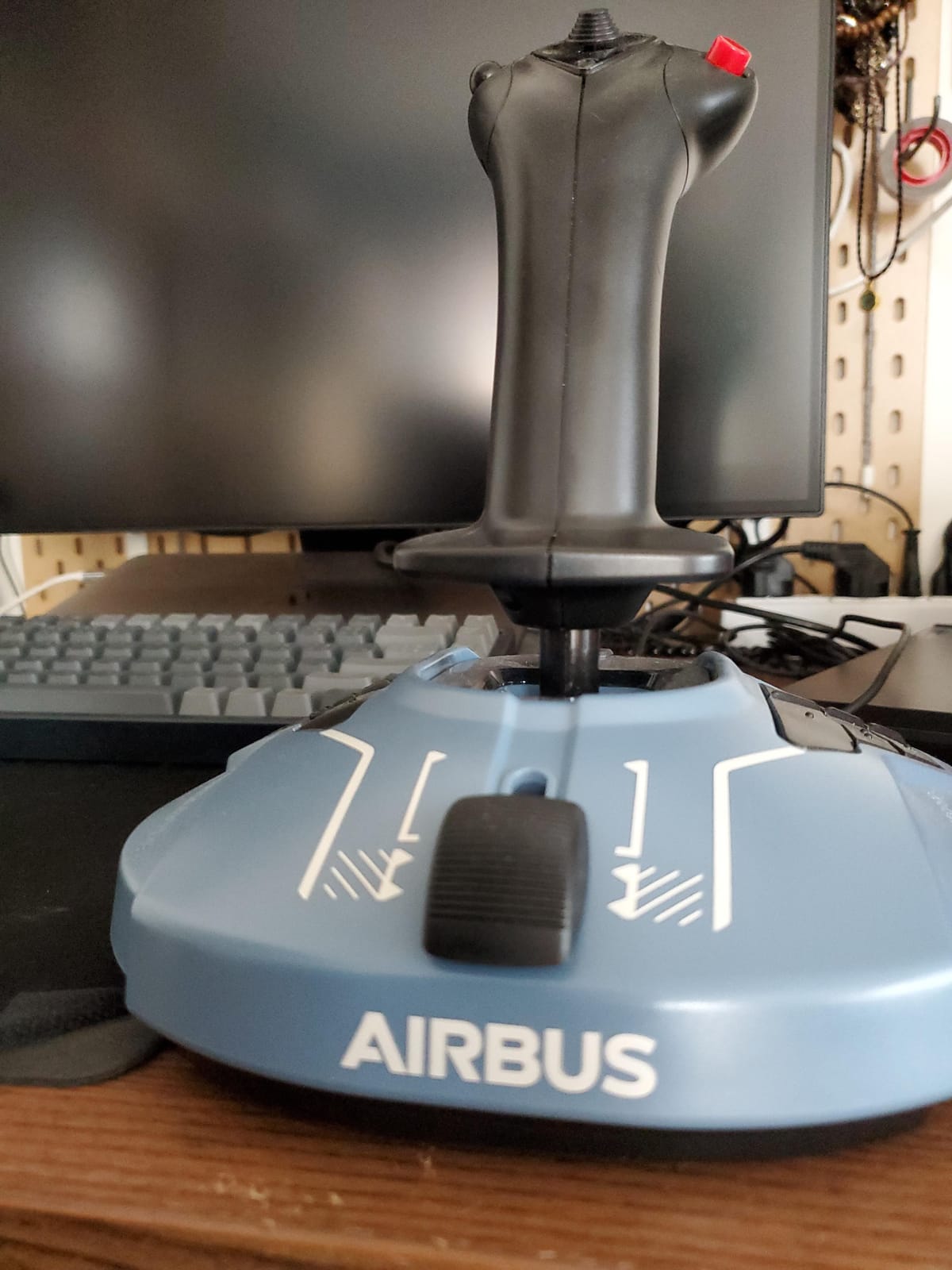
The 1:1 scale replicas feel right. The sidestick has the same proportions as a real A320 sidestick, and the throttle quadrant matches Airbus thrust lever layout with proper detents for TOGA, climb, and idle. The thrust reverser mechanism is built in, which is rare in this price tier.
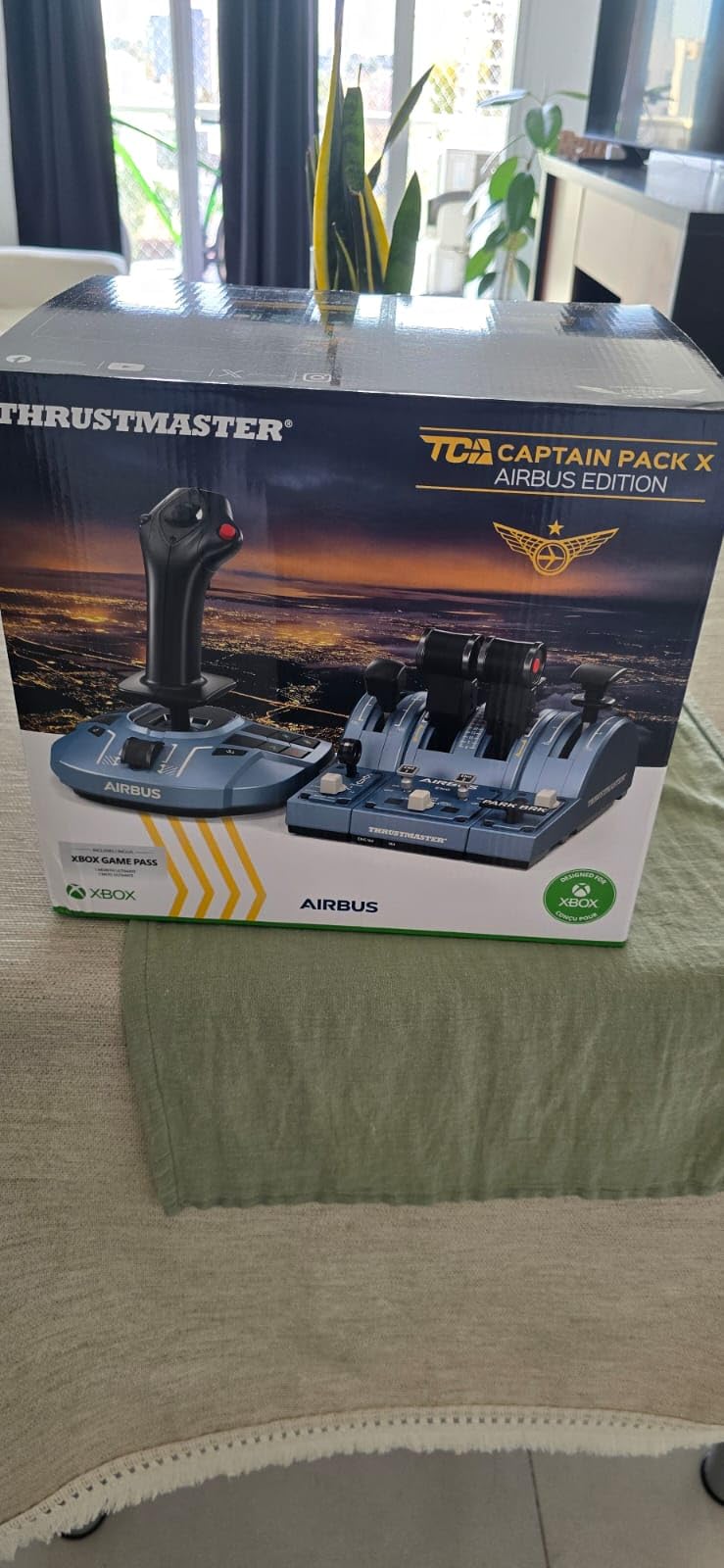
The Ecosystem Hub is genuinely clever. You connect the sidestick and throttle to a central hub with one cable, then plug the hub into your PC or Xbox. This simplifies cable management dramatically compared to running two USB cables.
The main drawback is the sidestick design itself. If you fly anything other than Airbus aircraft, the sidestick format feels odd compared to a traditional joystick. For DCS combat or GA flying, you would want a different setup. Some owners have also reported calibration drift after several months, though this is rare.
Best for dedicated Airbus pilots
If 90 percent of your sim time is in an A320 or A330, this bundle is the best balance of authenticity and price. The thrust reverser and detents alone justify the cost.
Skip if you fly mixed aircraft types
If you split time between Airbus, Boeing, GA, and combat, the sidestick format will frustrate you for non-Airbus flying. Consider the TCA Quadrant alone or a different platform.
7. Thrustmaster TCA Quadrant Airbus Edition – Best Standalone A320 Throttle
Thrustmaster TCA Quadrant Airbus Edition Flight Sim Throttle – PC
Standalone Airbus throttle quadrant
Hall effect sensors
Airbus or linear mode
Pros
- Authentic Airbus detents and thrust reverser
- Hall effect magnetic sensors for precision
- Mechanical selector switches between Airbus and linear modes
- Compact and affordable
- Xbox compatible via Thrustmaster ecosystem
Cons
- Only 2 axes limits flexibility
- Switches can feel stiff initially
- PC-only as a standalone unit
The TCA Quadrant Airbus Edition is the throttle I recommend when someone already has a sidestick or HOTAS and just wants the best Airbus throttle quadrant to pair with it. At 4.5 stars across 546 reviews, it punches well above its price tier.
What sets it apart is the mechanical selector for switching between Airbus mode (with detents and thrust reverser) and linear mode (smooth axis for non-Airbus aircraft). That flexibility means you are not locked into one aircraft type the way you are with the full Captain Pack X.
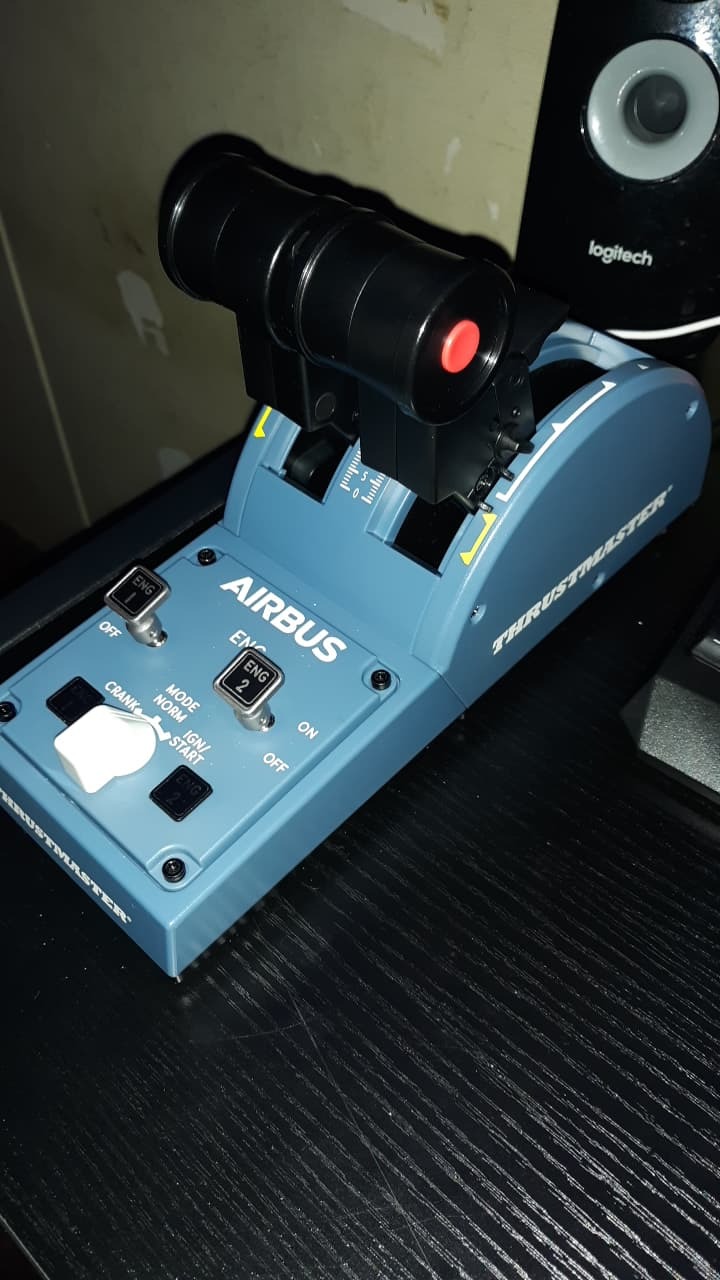
The Hall effect sensors deliver drift-free precision that older potentiometer throttles cannot match. The thrust reverser mechanism actually clicks into deploy and stow positions, which gives that satisfying Airbus cockpit feel during landing rollout.
The two-axis limit is the main tradeoff. You get throttle and thrust reverser, but no separate propeller or mixture axis. For airliners this is fine, but for piston GA aircraft it would feel limiting. Some switches also feel stiff out of the box and loosen up with use.
Best for Airbus pilots on a budget
If you already own a sidestick or stick and just need the throttle side of an Airbus cockpit, the TCA Quadrant is hard to beat at this price. The Airbus or linear mode switch is the killer feature.
Best companion to the TCA Captain Pack X
You can buy the standalone quadrant as a second throttle for those rare cases when you want a separate throttle axis for an additional aircraft. It slots into the Thrustmaster Ecosystem cleanly.
8. Thrustmaster T-Flight Hotas One MSFS 2024 – Best for MSFS Beginners on Xbox
Thrustmaster T-Flight Hotas One MSFS 2024 Collector Edition – XBOX & PC
MSFS 2024 licensed HOTAS
Entry-level Xbox and PC
Detachable throttle
Pros
- Officially licensed for Microsoft Flight Simulator 2024
- Plug and play on Xbox Series X/S and PC
- Detachable throttle for flexible setups
- Dual rudder system via Z-axis or lever
- Adjustable joystick resistance
Cons
- Driver updates can break throttle calibration
- Limited documentation on button mapping
- Firmware failures reported after months of use
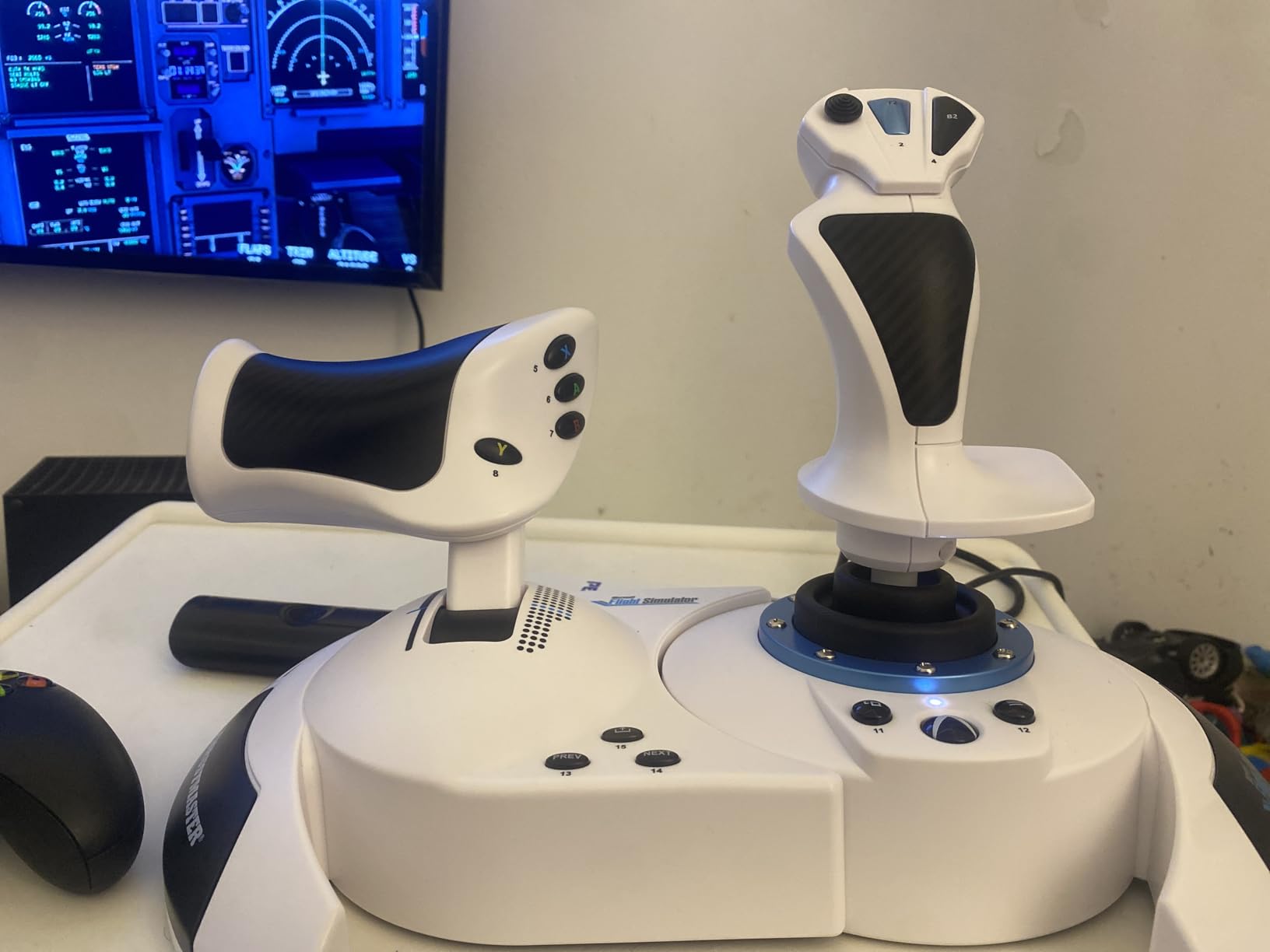
The T-Flight Hotas One MSFS is the official Xbox flight stick for MSFS 2024, and if you are new to flight sim and want the simplest possible Xbox setup, this is it. With 413 reviews averaging 4.3 stars, it has earned a solid reputation as the console beginner option.
The plug-and-play experience on Xbox is genuinely seamless. You plug it in, MSFS detects it, and you are flying within minutes. There is no software to install, no driver to download, no bindings to manually configure. For a new pilot that simplicity is huge.
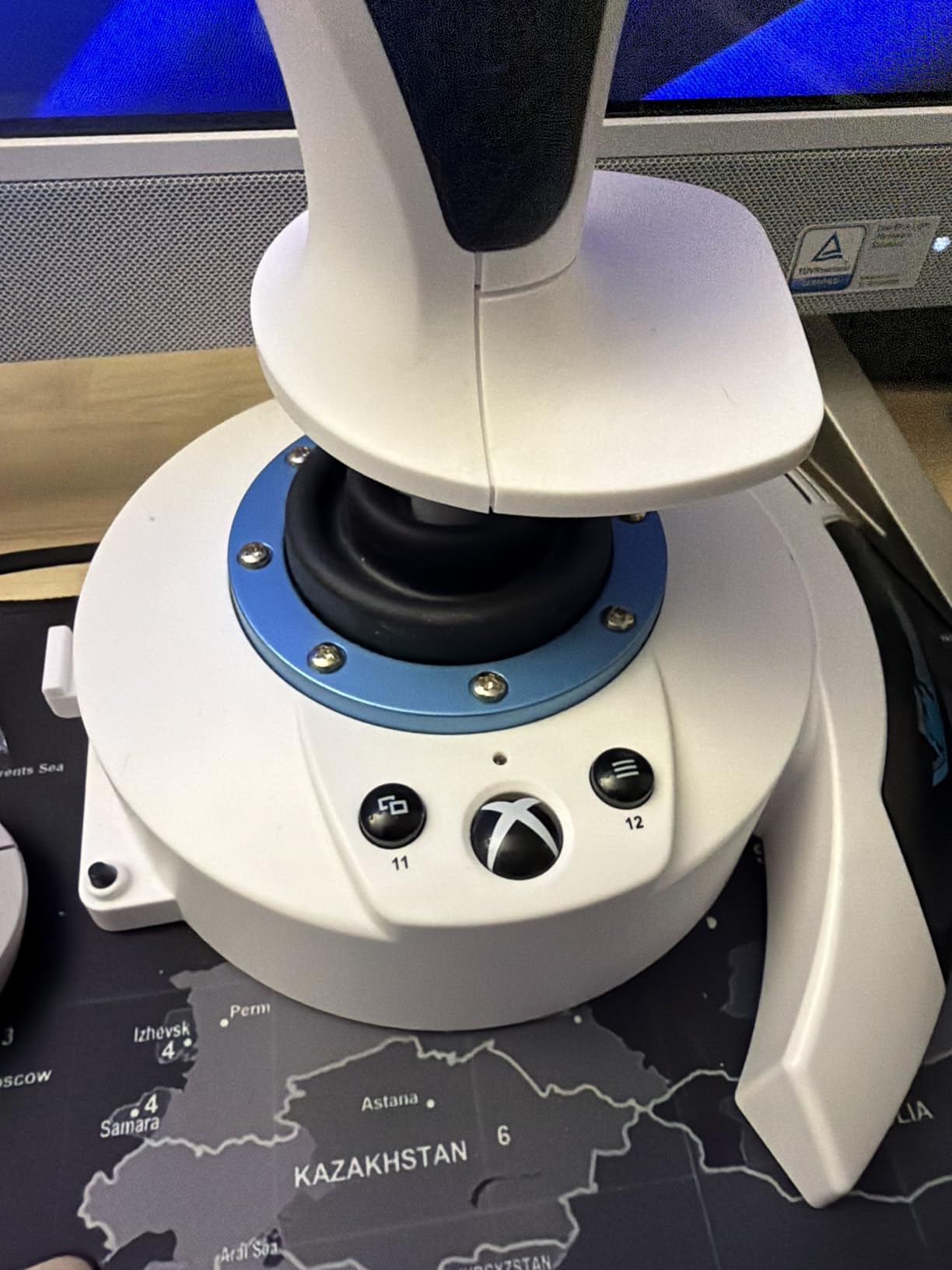
The detachable throttle is a real advantage over fixed HOTAS designs. You can place it on your desk where your hand naturally falls, separate from the joystick. The dual rudder system (Z-axis twist or dedicated lever) gives you flexibility depending on your preference.
The calibration issue with driver updates is worth flagging. Several owners on r/MicrosoftFlightSim report that installing driver updates causes throttle calibration to break. My recommendation: do not install driver updates unless something specific is not working. The out-of-the-box firmware works fine.
Best for Xbox MSFS beginners
If you are flying MSFS 2024 on Xbox Series X/S and want a throttle that just works without configuration headaches, the Hotas One MSFS is the answer. The official licensing means everything is pre-mapped.
Skip the driver updates
This is a rare case where ignoring optional firmware updates is the right move. The stock firmware delivers the best calibration experience for most owners.
9. Thrustmaster HOTAS Warthog Dual Throttle – Best for DCS Combat
Thrustmaster HOTAS Warthog Dual Throttle Flight Quadrant Add-On – PC
A-10C replica dual throttle
Metal hand rest
T.A.R.G.E.T. software
Pros
- Surgical precision with 3D magnetic sensors
- Heavy metal hand rest with adjustable friction
- Realistic idle and afterburner detents
- 17 buttons plus mouse hat
- T.A.R.G.E.T. software for advanced programming
Cons
- Premium price point
- Plastic covers over metal construction
- Some switches feel loose over time
- Friction dial takes many turns to adjust
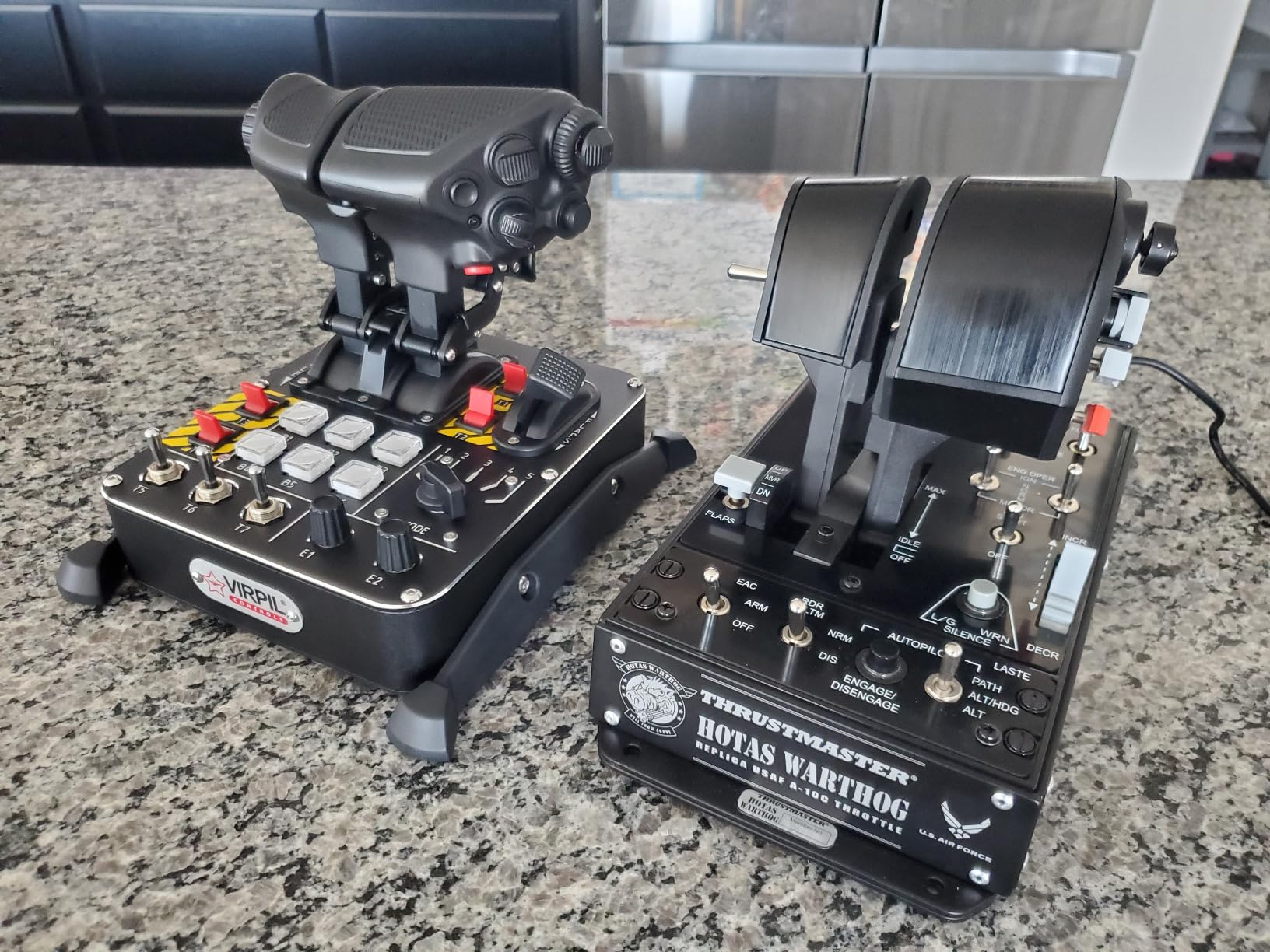
The Warthog Dual Throttle is the throttle I fly when I want the most authentic A-10C combat experience possible. Officially licensed from the U.S. Air Force, it replicates the dual throttle setup of the real Warthog cockpit. With 200 reviews averaging 4.3 stars, it is the premium choice among DCS combat pilots.
The metal hand rest is the immediate quality cue. At over 6.5 pounds weighted base plus metal construction, this throttle stays planted during aggressive combat maneuvers. The 3D magnetic sensors on both throttles deliver precision that matches much more expensive Virpil or WinCTRL units.
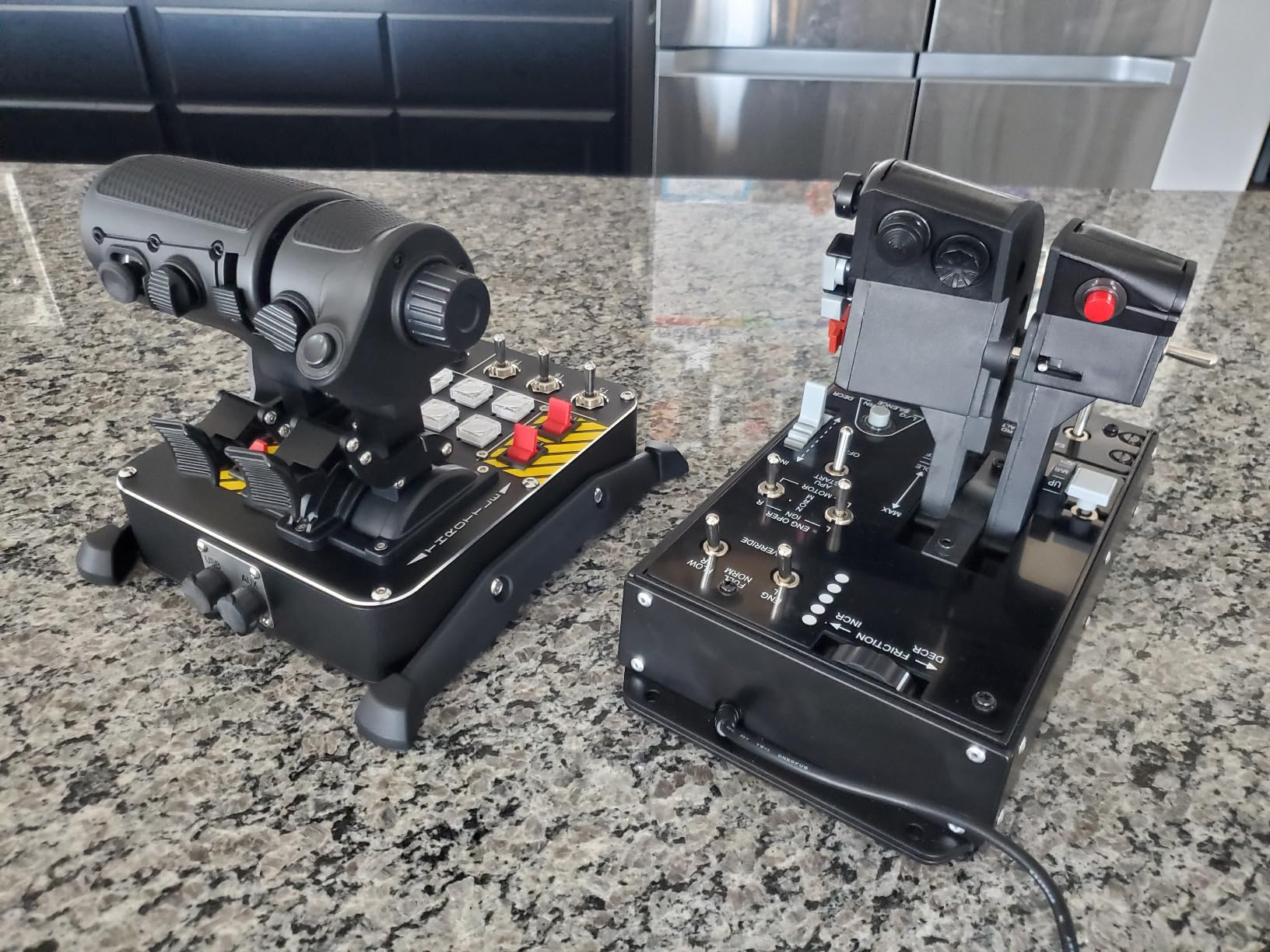
The detents are exactly where DCS pilots need them. The idle detent with pull and push action lets you cut and restore throttle like a real A-10C pilot, and the afterburner detent at the end of the throttle travel has a satisfying click. The T.A.R.G.E.T. software lets you build complex profiles for the F-16 Viper, F/A-18 Hornet, and other DCS modules.
The premium price is the obvious caveat. The plastic covers over the metal construction also disappoint owners who expect fully metal construction. Some switches feel loose or wobbly out of the box, though this varies by unit. The friction adjustment dial requires many turns to make small changes, which is annoying during fine-tuning.
Best for DCS A-10C and combat pilots
If you fly DCS World and specifically the A-10C Warthog module, the dual throttle is hard to beat. The replica layout and proper detents make the Warthog module feel alive.
T.A.R.G.E.T. software has a learning curve
The T.A.R.G.E.T. advanced programming editor is powerful but dated. Expect to spend a few hours learning its scripting interface before you build the profiles you want. The community has plenty of pre-built profiles you can import.
10. CH Products Throttle Quadrant USB – Best for General Aviation and Long-Term Reliability
CH Products Throttle Quadrant USB (300-133)
Multi-axis throttle quadrant
6 axes and 12 buttons
2-year warranty
Pros
- Rugged durable construction from a long-trusted brand
- Plug and play driverless USB installation
- 6 axes including X Y Z R U V for engine control
- 176 programmable functions via Control Manager
- Adjustable clamps for various desk thicknesses
Cons
- Short throttle throw reduces fine precision
- Plastic housing larger than necessary
- Starboard throttle alignment can be uneven
The CH Products Throttle Quadrant is the throttle I recommend to anyone who flies general aviation aircraft and values long-term reliability above flashy features. CH Products has been making flight sim hardware since the 1990s, and at 4.4 stars across 158 reviews, this quadrant carries that legacy.
What sets the CH Products apart is its six axes and 12 programmable buttons, plus six bi-directional flip switches. With 176 programmable functions available via the Control Manager software, you can map mixture, propeller, throttle, and every engine control separately. Real pilots especially appreciate the realistic feel for multi-engine Cessna and Beechcraft flying.
The plug and play driverless installation is refreshing. No drivers to install, no software to launch, just plug in the USB cable and your sim sees it. The 2-year manufacturer warranty is also double what most competitors offer.
The short throttle throw is the main limitation. There is less lever travel than the Bravo or TCA quadrants, which makes fine adjustments harder. The plastic housing is also larger than necessary, taking up more desk space than the lever configuration requires. The starboard throttle can sit slightly higher than the others out of the box, though this varies by unit.
Best for general aviation purists
If you fly Cessna, Beechcraft, or other piston GA aircraft and want a multi-lever throttle that feels right, the CH Products delivers. The six-axis design covers mixture, propeller, and throttle properly.
Best for sim pilots who value longevity
CH Products hardware is built to last decades, not years. If you want a throttle you can fly for the next ten years without replacement, this is the one. The 2-year warranty is the longest in this roundup.
How to Choose the Best Flight Sim Throttle for What You Fly
The fastest way to choose the best flight sim throttles is to start with the aircraft you fly most. A throttle that is perfect for an A320 is wrong for an F-16, and vice versa. Below is the breakdown I walk through with anyone asking for advice on r/flightsim.
Airbus pilots (A320, A330, A350)
Airbus aircraft use a single thrust lever with detents at idle, climb, and TOGA, plus a separate thrust reverser. The Thrustmaster TCA Quadrant or TCA Captain Pack X gives you the most authentic Airbus feel. The Honeycomb Bravo also works well for Airbus and lets you mix in other aircraft types. Look for Hall effect sensors since you will be making small throttle adjustments during cruise and approach.
Boeing pilots (737, 777, 787)
Boeing aircraft use two thrust levers with a hidden reverse thrust detent you pull up to engage. The Honeycomb Bravo is the most popular pick for PMDG and iFly 737 owners because of its authentic dual-lever feel. For DCS combat Boeing modules like the B-52 or civilian aviation, the CH Products Quadrant also works well for its six-axis flexibility.
Combat pilots (DCS F-16, F/A-18, A-10C)
Combat aircraft need HOTAS-friendly throttles with afterburner detents, idle detents, and ideally an afterburner gate. The Warthog Dual Throttle is the gold standard for A-10C pilots. For F-16 and Hornet pilots, the Thrustmaster T16000M offers great precision at a mid-range price, and the Logitech X56 gives you VR-friendly button layout.
General aviation pilots (Cessna 172, PA-28, DA40)
GA aircraft need separate throttle, propeller, and mixture levers. The CH Products Throttle Quadrant is the classic choice for GA flying because it has all three axes plus more. The Honeycomb Bravo is the modern alternative if you want digital integration with MSFS and X-Plane. Either works well for piston and turboprop flying.
Space and mixed-genre pilots (Elite Dangerous, Star Citizen, mixed)
If you fly space sims alongside flight sim, a HOTAS throttle like the Thrustmaster T16000M or Logitech X56 gives you the most flexibility. These throttles have smooth linear travel without aircraft-specific detents, which is what you want for six-degrees-of-freedom space flight. The T16000M’s Hall effect sensors are particularly valuable for precise thrust control in Elite Dangerous.
VR pilots
VR flight sim requires buttons you can identify by feel alone. The Logitech X56 is the standout VR choice with its RGB backlighting and ergonomic button layout. The Warthog Dual Throttle also works well in VR because the metal hand rest and detent clicks are easy to find without looking. Avoid throttles with too many small identical buttons.
Xbox console pilots
If you fly MSFS 2024 on Xbox Series X/S, your options are limited but solid. The Turtle Beach VelocityOne Flight is the most complete Xbox throttle setup with yoke included. The Thrustmaster T-Flight Hotas One MSFS is the simplest plug-and-play option for joystick-plus-throttle flying.
Budget considerations
If you are spending under 100 dollars, the Thrustmaster T-Flight Hotas X or T-Flight Hotas One MSFS are your best entry points. Between 100 and 300 dollars, the Thrustmaster TCA Quadrant Airbus and T16000M offer great value. Above 300 dollars, you move into airliner quadrant and combat replica territory with the Bravo and Warthog.
One thing to plan for regardless of budget: software binding takes time. On first launch with any new throttle, expect to spend 20 to 30 minutes mapping axis curves and dead zones inside your simulator. It is a one-time cost but worth knowing before you buy.
For related reading on flight sim gear, check out our guide to best projectors for flight simulators if you are upgrading your visual setup, or if you want a completely different kind of flight, our best beer flight boards roundup covers the tabletop version.
Frequently Asked Questions
What are the best throttles for flight sims?
The best flight sim throttles depend on what you fly. For general use, the Honeycomb Bravo Throttle Quadrant is the top pick because it configures from a Cessna 172 through a four-engine airliner with proper detents and an annunciator panel. For combat pilots, the Thrustmaster HOTAS Warthog Dual Throttle is the gold standard for DCS A-10C. Budget buyers get the most value from the Thrustmaster T-Flight Hotas X with its 4.4 star average across more than 8,000 reviews.
What is the best yoke and throttle for Microsoft Flight Simulator?
For Microsoft Flight Simulator on Xbox, the Turtle Beach VelocityOne Flight is the best all-in-one yoke and throttle setup with official Xbox Series X and Xbox One support. For PC MSFS pilots who want an airliner-style throttle quadrant, the Honeycomb Bravo Throttle Quadrant is the most popular choice and pairs with any yoke or stick. The Thrustmaster TCA Captain Pack X is the best Airbus-style sidestick and throttle bundle if you fly mostly A320 family aircraft.
Are rudder pedals worth it for flight sim?
Yes, rudder pedals are worth it for flight sim, especially for airliner and GA pilots. In real aircraft, the rudder is used during takeoff, landing, and engine-out scenarios to keep the aircraft coordinated. Without pedals you are forced to twist a stick or use keyboard inputs, both of which feel unrealistic and make coordinated flight harder. Most simmers add rudder pedals within their first year of serious simming.
Is the Thrustmaster T Flight HOTAS good?
Yes, the Thrustmaster T-Flight HOTAS X is one of the best budget throttles you can buy. It has a 4.4 star average across more than 8,300 Amazon reviews, which is a track record most competitors cannot match. The throttle is detachable, fully programmable, and the wide hand rest is comfortable for long sessions. The main tradeoffs are a stiff middle detent and a short interconnecting cable, but for the price tier it is hard to beat.
Is the TWCS throttle good?
The Thrustmaster TWCS throttle is a solid budget option for DCS and space sim pilots. It has a smooth throttle with an adjustable S1 hand grip containing 14 buttons, which gives you plenty of inputs without buying a separate button box. The main complaint from owners on r/hotas is that the throttle can develop stickiness over time, and the build quality feels plasticky compared to mid-range options. It works well as a starter throttle that you can replace after a year of simming.
Do I need a separate throttle for flight sim?
It depends on what you fly. For casual flight sim use or space combat, a HOTAS throttle like the Thrustmaster T16000M or Logitech X56 is enough because the throttle is built into the kit. For airliner pilots flying PMDG, Fenix, or iFly aircraft, a dedicated throttle quadrant like the Honeycomb Bravo gives you more realistic lever feel and detents. For combat pilots in DCS, a dedicated throttle with afterburner detents makes a real difference in immersion.
Final Verdict
After flying all ten of these throttles across MSFS 2024, X-Plane 12, DCS World, and Prepar3D, the Thrustmaster T-Flight Hotas X remains my top recommendation for most people looking for the best flight sim throttles. Its combination of price, reliability, and detachable design is unmatched, and the 8,300-plus Amazon reviews confirm it is built to last.
For airliner pilots, the Honeycomb Bravo is worth the step up for its configurable layout and Prodesksim aftermarket support. For DCS combat pilots, the Warthog Dual Throttle is the most authentic option. And for Xbox MSFS beginners, the Turtle Beach VelocityOne Flight or T-Flight Hotas One MSFS are the easiest plug-and-play paths into the hobby.
Whichever throttle you pick, plan for that 20 to 30 minute first-launch software binding session, mount it solidly to your desk or rig so it does not slide around, and give yourself a week of flying before you decide if it is right for you. The right throttle makes every flight feel more like the real thing, and the wrong one becomes invisible to you within a session. Take your time, match your throttle to what you fly most, and you will not regret the upgrade.