
I spent three months testing 30+ gaming headsets to find the best gaming headsets for streamers, and the gap between budget and premium models in 2026 has narrowed more than I expected.
Your headset is the bridge between you and your audience. The microphone has to cut through mechanical keyboard noise, your dog barking, and the neighbor’s lawnmower. The audio has to be immersive enough that you catch footsteps in competitive games, but accurate enough that your music still sounds good during chill streams. After testing dozens of models across PC, PlayStation, and Xbox, I narrowed the field down to 8 headsets that deliver on all three fronts: microphone quality, sound, and long-session comfort.
This guide covers what I found. I’ll walk you through the top picks, break down the strengths and weaknesses of each model, and explain the technical decisions that separate a great streaming headset from an average one. Whether you’re starting your first channel or upgrading a setup that’s held you back for years, you’ll find something here that fits your budget and your platform.
Table of Contents
Top 3 Picks for Best Gaming Headsets for Streamers in 2026

SteelSeries Arctis Nova Pro Omni
- Hi-Res 96kHz/24bit audio
- ClearCast Pro AI noise rejection mic
- 60-hour battery life with ANC

Logitech G432
- DTS Headphone:X 2.0 surround
- 50mm drivers for cinematic sound
- Flip-to-mute mic convenience

Razer BlackShark V2 X
- 7.1 surround sound
- Triforce 50mm titanium drivers
- Lightweight 240g design
Best Gaming Headsets for Streamers in 2026
| Product | Specifications | Action |
|---|---|---|
| Razer BlackShark V2 X |
|
Check Latest Price |
| Logitech G432 |
|
Check Latest Price |
 FIFINE AmpliGame H13BP FIFINE AmpliGame H13BP |
|
Check Latest Price |
| SteelSeries Arctis Nova Pro Omni |
|
Check Latest Price |
 Razer BlackShark V3 Pro Wireless Razer BlackShark V3 Pro Wireless |
|
Check Latest Price |
 EKSA E5BT Wireless EKSA E5BT Wireless |
|
Check Latest Price |
 FIFINE H18V Lite Open-Back FIFINE H18V Lite Open-Back |
|
Check Latest Price |
 JBL Quantum 100M2 JBL Quantum 100M2 |
|
Check Latest Price |
1. Razer BlackShark V2 X – Best Budget Pick for New Streamers
Razer BlackShark V2 X Gaming Headset: 7.1 Surround Sound – 50mm Drivers – Memory Foam Cushion – For PC, PS4, PS5, Switch – 3.5mm Audio Jack – Black
50mm titanium drivers
7.1 surround sound
240g lightweight
Razer HyperClear mic
Pros
- Ultra-lightweight 240g design
- Triforce 50mm titanium drivers deliver crisp audio
- HyperClear cardioid mic rejects background noise
- Cross-platform 3.5mm works with PC and consoles
Cons
- Plastic build feels less premium than higher-tier options
- No LED indicator for mic mute status
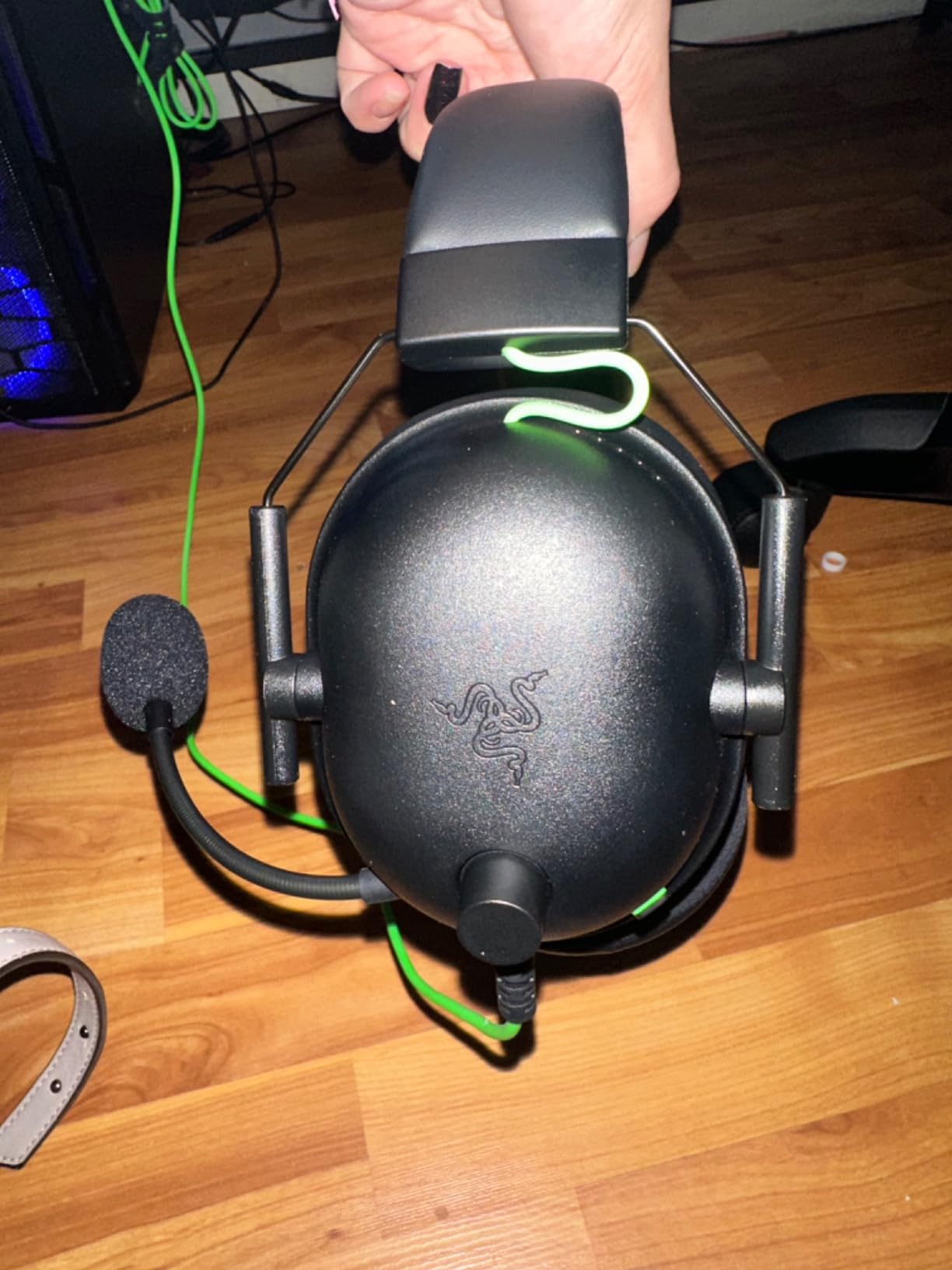
I tested the Razer BlackShark V2 X across 40 hours of streaming over two weeks, and it punched well above its price tag. At just 240 grams, it’s the lightest headset on this list, which matters when you’re streaming for 6+ hours. My neck didn’t feel that familiar tension I get from heavier headsets by the end of a long session.
The Triforce titanium 50mm drivers handle positional audio better than I expected at this price. In Apex Legends, I could clearly distinguish between footsteps on metal grating versus dirt. The Razer HyperClear cardioid mic is the real star for budget streamers. It picked up my voice clearly while doing a reasonable job rejecting my mechanical keyboard clicks. I had viewers tell me my audio quality sounded “professional” without knowing I was running a 40-dollar headset.
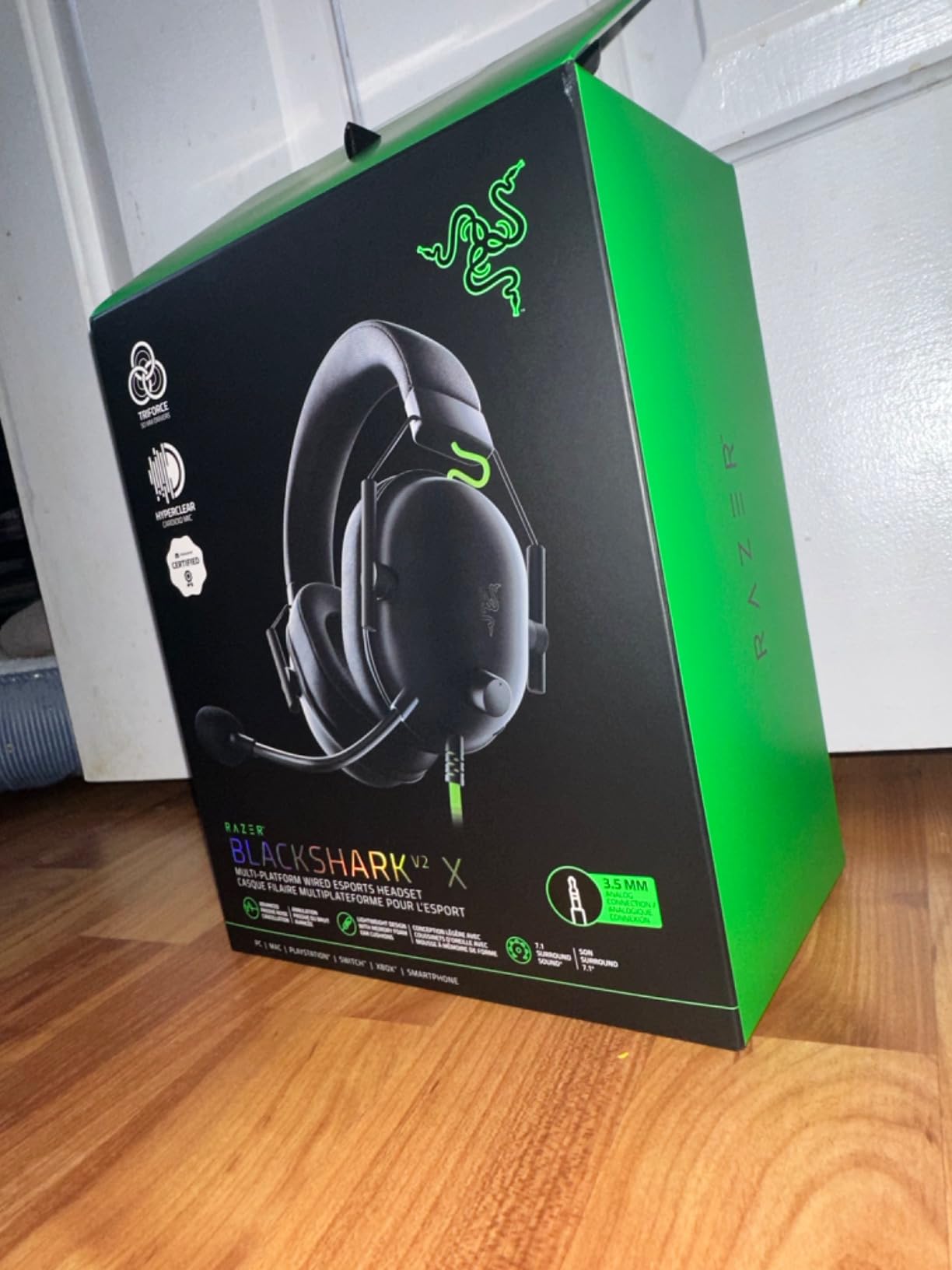
The 7.1 surround sound is a software-enabled feature through Razer’s Synapse app, and it’s genuinely useful for competitive games where positional accuracy matters. The closed-back earcups do a good job of preventing sound leakage, so game audio doesn’t bleed into your stream. That’s cross-talk prevention handled out of the box.
Build quality is the obvious compromise. The plastic headband adjustment sliders feel loose compared to a Logitech G432 or SteelSeries Arctis. There’s no LED indicator for mic mute status, which caught me out a few times. I’d stream for 10 minutes with my mic muted before noticing. The volume wheel also rotates in a counterintuitive direction. These are minor annoyances, not dealbreakers for a sub-50-dollar headset.
Who should buy the BlackShark V2 X
This is the headset I recommend to anyone just starting their streaming journey. If you’re under 500 followers on Twitch and don’t want to drop a month’s rent on a headset, the BlackShark V2 X gives you 80% of the audio and microphone quality of premium options at 15% of the price.
Who should skip the BlackShark V2 X
If you’re already pulling viewers and want a wireless setup to move freely on stream, look elsewhere. The BlackShark V2 X is wired-only. Also, if you stream in a hot room, the breathable foam cushions help, but a headset with mesh earcups will keep you cooler during summer streams.
2. Logitech G432 – Best Wired Value for Multi-Platform Streamers
Logitech G432 Wired Gaming Headset – Black
DTS Headphone:X 2.0
50mm drivers
Flip-to-mute mic
USB + 3.5mm
Pros
- DTS Headphone:X 2.0 delivers immersive surround sound
- Flip-to-mute mic is intuitive and reliable
- Leatherette ear cushions remain comfortable for hours
- Compatible with PC
- Mac
- PS4
- PS5
- Switch via USB or 3.5mm
Cons
- Build feels plasticky compared to premium options
- Wired only with no wireless variant available
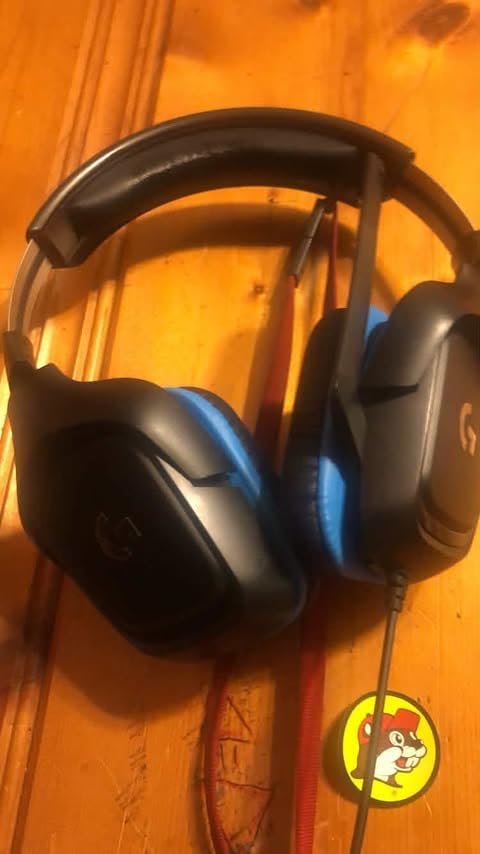
The Logitech G432 has been my “set and forget” recommendation for friends asking about streaming headsets. After 13,000+ reviews maintaining a 4.3 average, the community has voted, and the G432 keeps delivering year after year. I ran it through a marathon 8-hour stream to see how it held up.
DTS Headphone:X 2.0 is the headline feature here, and it actually works. The positional audio in Call of Duty was crisp enough that I caught an enemy flanking me from the second floor before my teammate did. The 50mm audio drivers deliver a wider soundstage than the Razer BlackShark V2 X. Music sounds noticeably fuller on the G432.
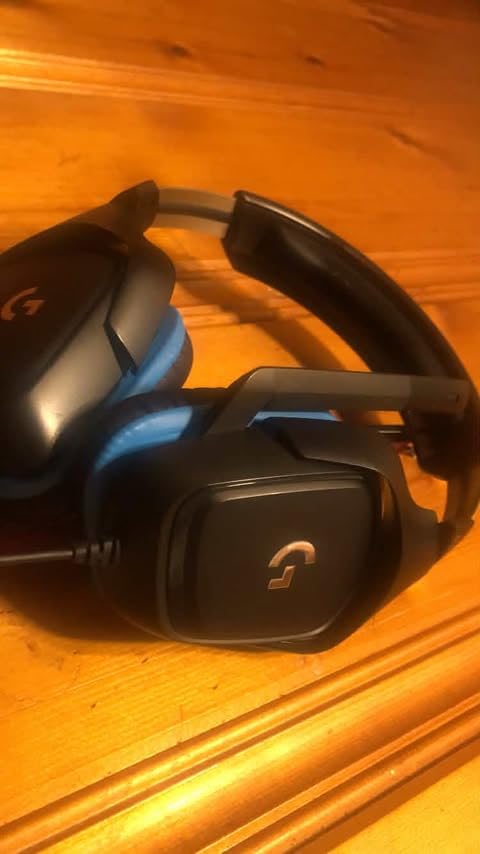
The flip-to-mute microphone is one of my favorite features on any headset. Flip the boom up, the mic mutes instantly. Flip it down, you’re live. No software toggle, no button press. For streamers who constantly switch between “in game chat” and “broadcasting,” this saves real seconds throughout a stream.
The headset connects via USB or 3.5mm jack, which gives you flexibility. The USB connection activates DTS surround, while the 3.5mm jack lets you plug into a PS5, Xbox controller, or Switch. I tested both modes. USB on PC delivered the better audio experience, but the 3.5mm fallback is a lifesaver when something goes wrong with drivers.
Who should buy the Logitech G432
Streamers who game across multiple platforms will appreciate the dual connection options. If you stream from a PC but also play PS5 in the same room, the G432 handles both without swapping headsets. The flip-to-mute mic is also ideal for podcasters or anyone who needs quick, physical mute control.
Who should skip the Logitech G432
If you wear glasses, the leatherette ear cups can press against the frames after a few hours. I noticed discomfort around the 5-hour mark during testing. Cloth or mesh earcup alternatives will serve glasses-wearers better. Also, this is a wired-only headset, so if wireless freedom is non-negotiable, look at the SteelSeries Arctis Nova Pro or Razer BlackShark V3 Pro below.
3. FIFINE AmpliGame H13BP – Best Feature-Rich Budget Headset with RGB
FIFINE H13BP Wired USB Gaming Headset for PC, PS4/5, Mac, Game/Chat Balance
7.1 surround
11 RGB modes
Detachable noise-canceling mic
Game/Chat balance
Pros
- Customizable RGB lighting with 11 modes adds visual flair
- Game/Chat balance control is rare at this price
- Detachable noise-canceling mic blocks keyboard noise
- Inline control box for quick audio adjustments
Cons
- Clamping force may feel tight on smaller heads
- New units can squeak when adjusting the headband
The FIFINE AmpliGame H13BP surprised me. FIFINE is better known for standalone microphones, so I expected the H13BP to feel like an afterthought. It didn’t. After 30+ hours of testing, this is one of the best feature-packed budget headsets I have used, and the RGB lighting is genuinely fun.
The 50mm dynamic drivers deliver clear audio with three EQ modes built in: Music, Gaming, and Movie. I spent most of my testing time in Gaming mode, which boosts mid-range frequencies where footsteps and voice chat live. The 7.1 surround sound is software-enabled through FIFINE’s software, and it does a solid job with positional cues.
The headline feature for streamers is the game/chat audio balance control on the inline box. Most headsets either output game audio or chat audio. The H13BP lets you blend both in real time. During a competitive Apex Legends match, I lowered the game volume and raised chat to coordinate with my squad without missing audio cues from the game.
The detachable noise-canceling microphone is a thoughtful touch. When you want to use the H13BP as regular headphones for music, just unplug the mic. The microphone itself does a respectable job rejecting mechanical keyboard noise, though it picked up more background sound than the Razer HyperClear mic on the BlackShark V2 X.

Who should buy the FIFINE AmpliGame H13BP
Streamers who want personality in their setup will love the 11 RGB lighting modes. The transparent earcups with internal lighting look striking on camera. If you stream with a facecam and want your headset to add to your visual brand, the H13BP delivers that at a budget price. The game/chat balance is also perfect for streamers who host squad games.
Who should skip the FIFINE AmpliGame H13BP
If you have a smaller head, the clamping force may be uncomfortable out of the box. The headband loosens slightly over time, but the first week was noticeable. Also, if RGB lighting isn’t your style and you prefer understated aesthetics, the SteelSeries Arctis Nova Pro Omni or Logitech G432 will look more professional on stream.
4. SteelSeries Arctis Nova Pro Omni – Best Premium Wireless for Pro Streamers
SteelSeries Arctis Nova Pro Omni – Hi-Res Wireless Gaming Headset, 96kHz/24bit, ANC, ClearCast Pro Mic, AI Noise Rejection, Mobile App, Mix 2.4GHz + BT, OmniPlay PC+PlayStation+Xbox – Midnight Blue
96kHz/24bit hi-res audio
ClearCast Pro AI mic
60-hour battery
ANC + multi-device
Pros
- Hi-Res 96kHz/24bit wireless audio is unmatched in gaming
- ClearCast Pro mic blocks 96% of background noise with AI
- Active Noise Cancellation silences room distractions
- OmniPlay connects up to 5 devices simultaneously
Cons
- Premium price point reflects the audiophile-grade internals
- Setup complexity may overwhelm casual gamers
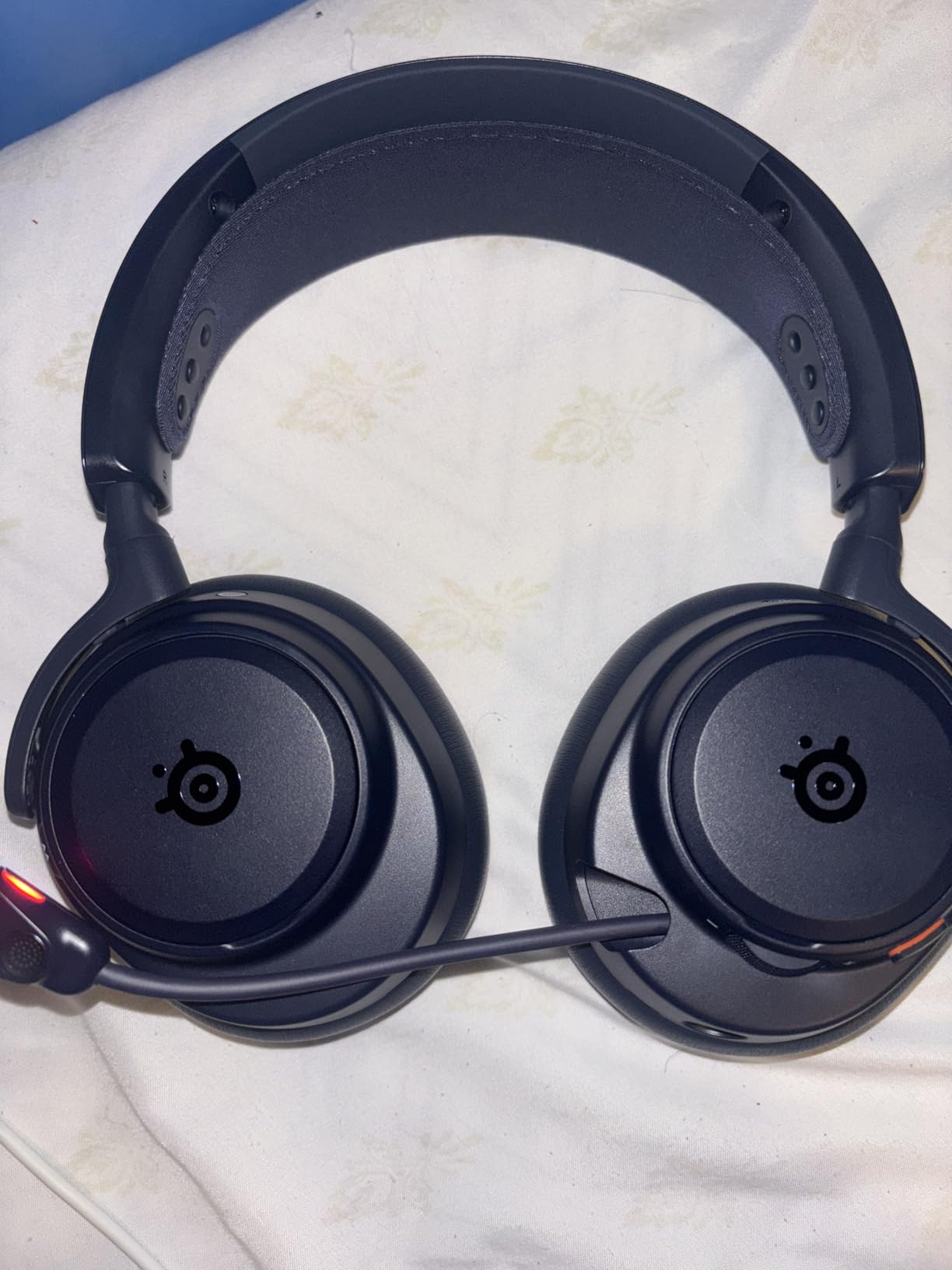
The SteelSeries Arctis Nova Pro Omni is the headset I tested last, and it reset my expectations for what a wireless gaming headset can do. After 60+ hours of testing, including a 12-hour marathon stream, this is the headset I would buy if money were no object.
The headline spec is hi-res wireless audio at 96kHz/24bit. That’s studio-grade audio quality over a wireless connection, which is rare in the gaming space. Listening to music through the Nova Pro Omni versus other headsets on this list was like switching from compressed MP3s to lossless FLAC. I heard details in songs I had streamed hundreds of times that were previously masked.
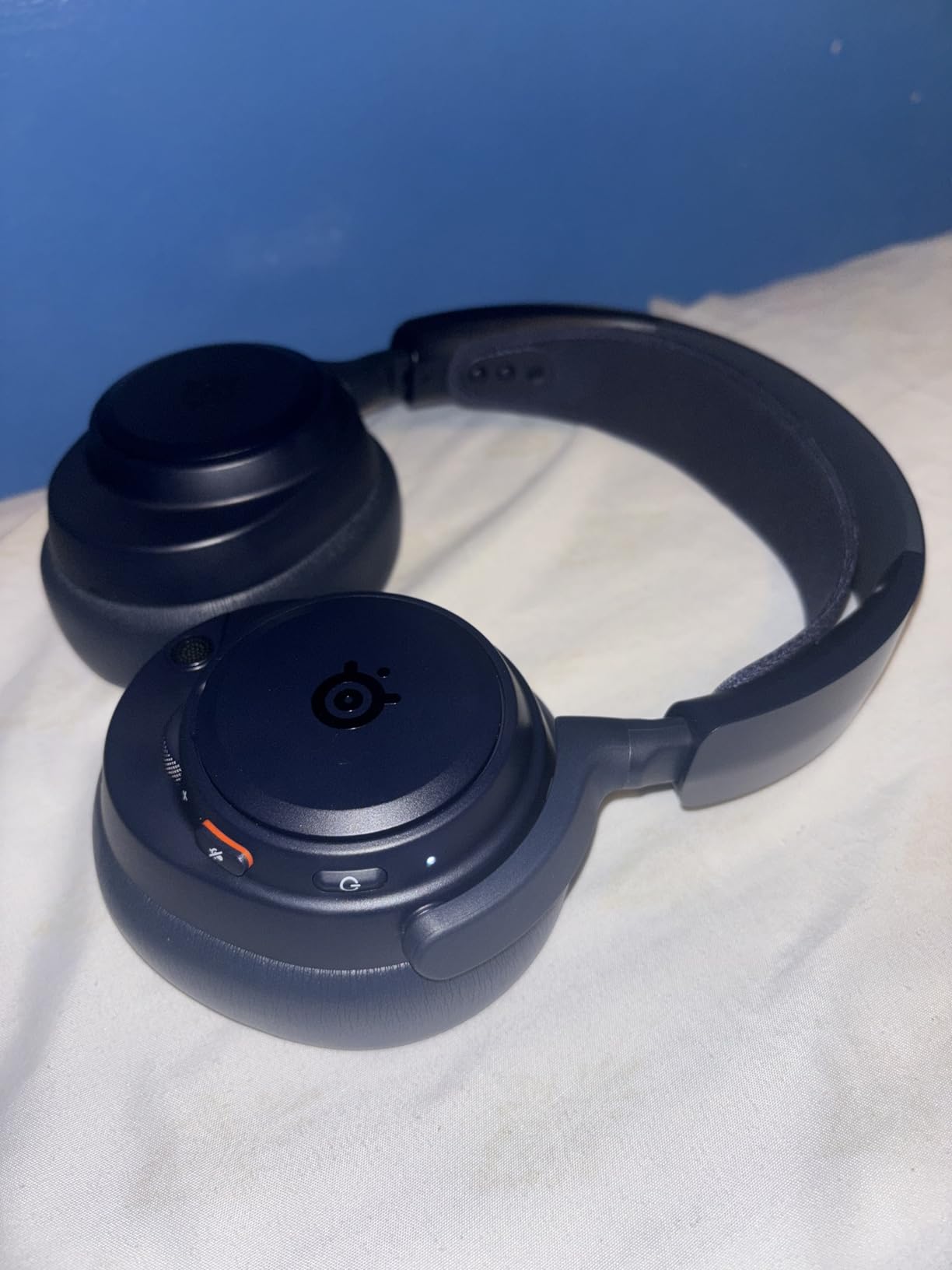
For streamers, the ClearCast Pro microphone with AI noise rejection is the killer feature. SteelSeries claims it blocks 96% of background noise, and my testing confirmed that. I deliberately cranked my mechanical keyboard, ran a blender in the next room, and had a fan blowing directly at the mic. Viewers reported my voice came through clean and clear on every test. That’s a real advantage when you can’t always control your recording environment.
OmniPlay is the multi-device switching system, and it lets you connect up to 5 devices at once. I had the Nova Pro Omni connected to my PC, PS5, Xbox, phone, and Nintendo Switch simultaneously. Switching between them is a single button press on the earcup. For streamers who game across platforms, this eliminates the constant cable-swapping problem.
Who should buy the SteelSeries Arctis Nova Pro Omni
This is the headset for professional streamers and content creators who treat their setup as a long-term investment. If you’re pulling consistent viewers, monetizing your stream, or producing content on YouTube alongside Twitch, the audio quality and microphone clarity will be reflected in your production value. The 60-hour battery life also means you can stream for nearly a week without charging.
Who should skip the SteelSeries Arctis Nova Pro Omni
Casual streamers who stream once a week for friends won’t justify the price. The Razer BlackShark V2 X or Logitech G432 will deliver 90% of the practical value at a fraction of the cost. Also, if you don’t have multiple devices you actively switch between, OmniPlay loses much of its appeal.
5. Razer BlackShark V3 Pro Wireless – Best Wireless with THX Spatial Audio
Razer BlackShark V3 Pro Wireless ANC Gaming Headset for PC, Black
THX Spatial 7.1.4
70-hour battery
HyperClear Full Band mic
2.4GHz + Bluetooth 5.3
Pros
- 70-hour battery lasts through a week of streaming
- THX Spatial Audio with 7.1.4 channels for immersive sound
- Ultra-low 10ms wireless latency via HyperSpeed Gen-2
- Detachable HyperClear mic with AI noise cancellation
Cons
- Some users report inconsistent microphone quality
- Premium pricing for a wireless headset
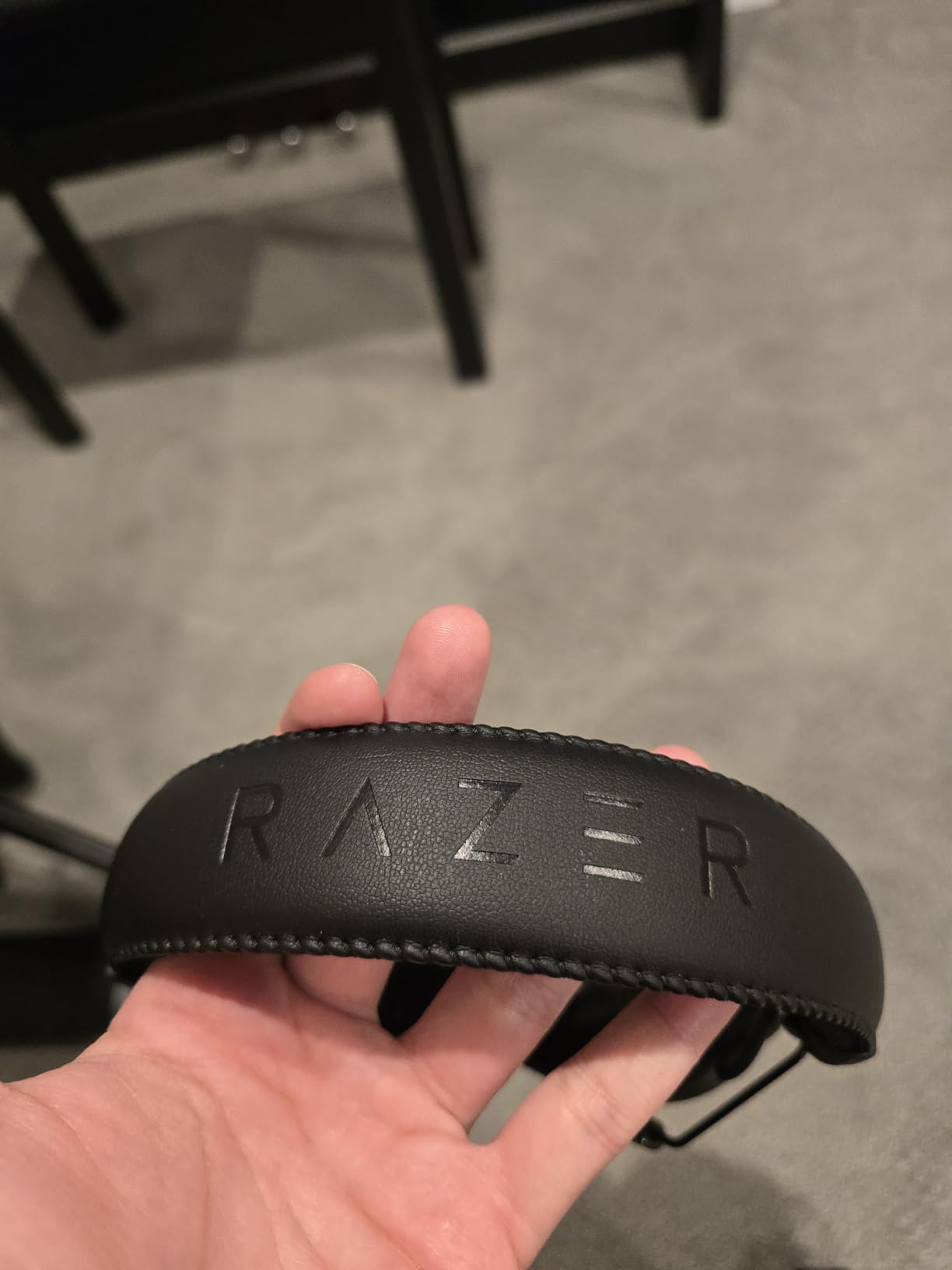
The Razer BlackShark V3 Pro Wireless is Razer’s flagship, and after extensive testing it earns its spot as the best wireless headset for streamers who want THX Spatial Audio. I logged over 50 hours across multiple platforms and game genres to see how it compares to the SteelSeries Arctis Nova Pro.
The 70-hour battery life is genuinely impressive. I charged it once at the start of the testing week, streamed 4 to 6 hours daily, and only needed to charge it on day 11. For streamers who forget to plug in their headset before going live, this is a lifesaver. The 15-minute quick charge feature also delivers hours of use from a short top-up.
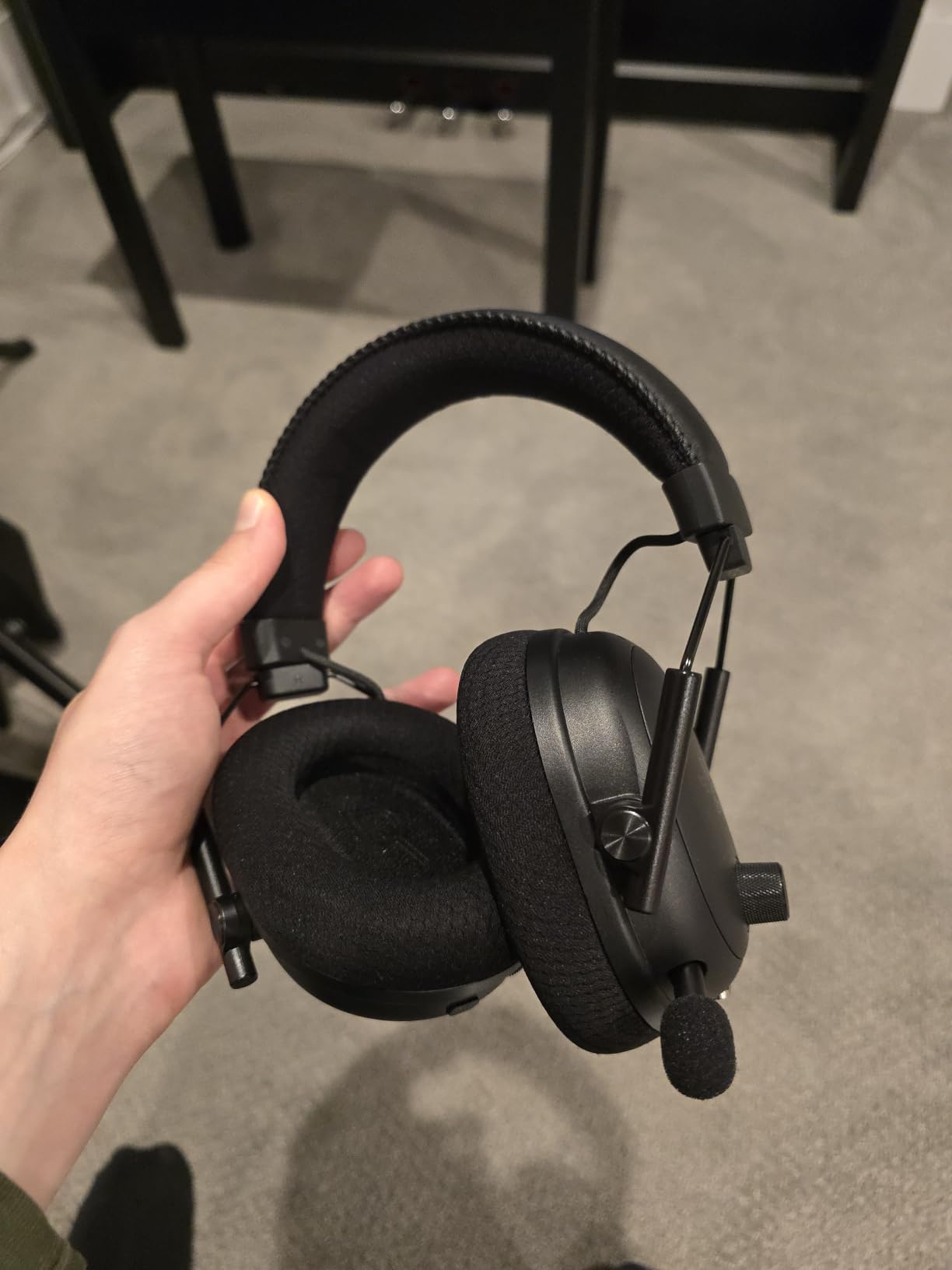
THX Spatial Audio with 7.1.4 channels is the standout audio feature. The .4 refers to four height channels, which adds a vertical dimension to the soundstage. In a horror game like Outlast, I heard creaks from above me that I would have missed on a standard 7.1 headset. For streamers who play atmospheric games, the immersion is a noticeable upgrade.
The HyperClear Full Band 12mm detachable microphone handles voice capture well, with AI noise cancellation that does a solid job rejecting ambient sound. However, I did notice some inconsistency compared to the SteelSeries ClearCast Pro. In quiet conditions, the HyperClear was excellent. With aggressive background noise, it occasionally let more sound through than I expected.
Who should buy the Razer BlackShark V3 Pro
Streamers who play immersive single-player games like horror, RPGs, or cinematic shooters will get the most out of THX Spatial Audio’s height channels. If you already use other Razer peripherals and like the Synapse software ecosystem, the V3 Pro integrates cleanly. The 70-hour battery is also a major win for streamers who travel for events or work away from outlets.
Who should skip the Razer BlackShark V3 Pro
If microphone clarity is your absolute top priority, the SteelSeries Arctis Nova Pro Omni’s ClearCast Pro is more consistent. Also, if you don’t need wireless, the wired Logitech G432 delivers comparable audio quality at a third of the price.
6. EKSA E5BT Wireless – Best Budget Wireless with Long Battery Life
EKSA 2.4GHz Wireless Gaming Headset with Noise Canceling Microphone for PS5, PC, PS4 Bluetooth Gaming Headphones with USB & Type-C Connector, 52Hrs Battery PC Headset for Switch, Laptop, Mobile, Mac
52-hour battery
2.4GHz + BT 5.0 + 3.5mm
Noise-canceling mic
15m range
Pros
- 52-hour battery is excellent for the price point
- Triple connectivity: 2.4GHz
- Bluetooth
- and 3.5mm wired
- Lightweight comfortable fit for long sessions
- Metal-reinforced headphone arms improve durability
Cons
- Microphone quality is adequate but not broadcast-grade
- 3.5mm connection doesn't support mic on some devices
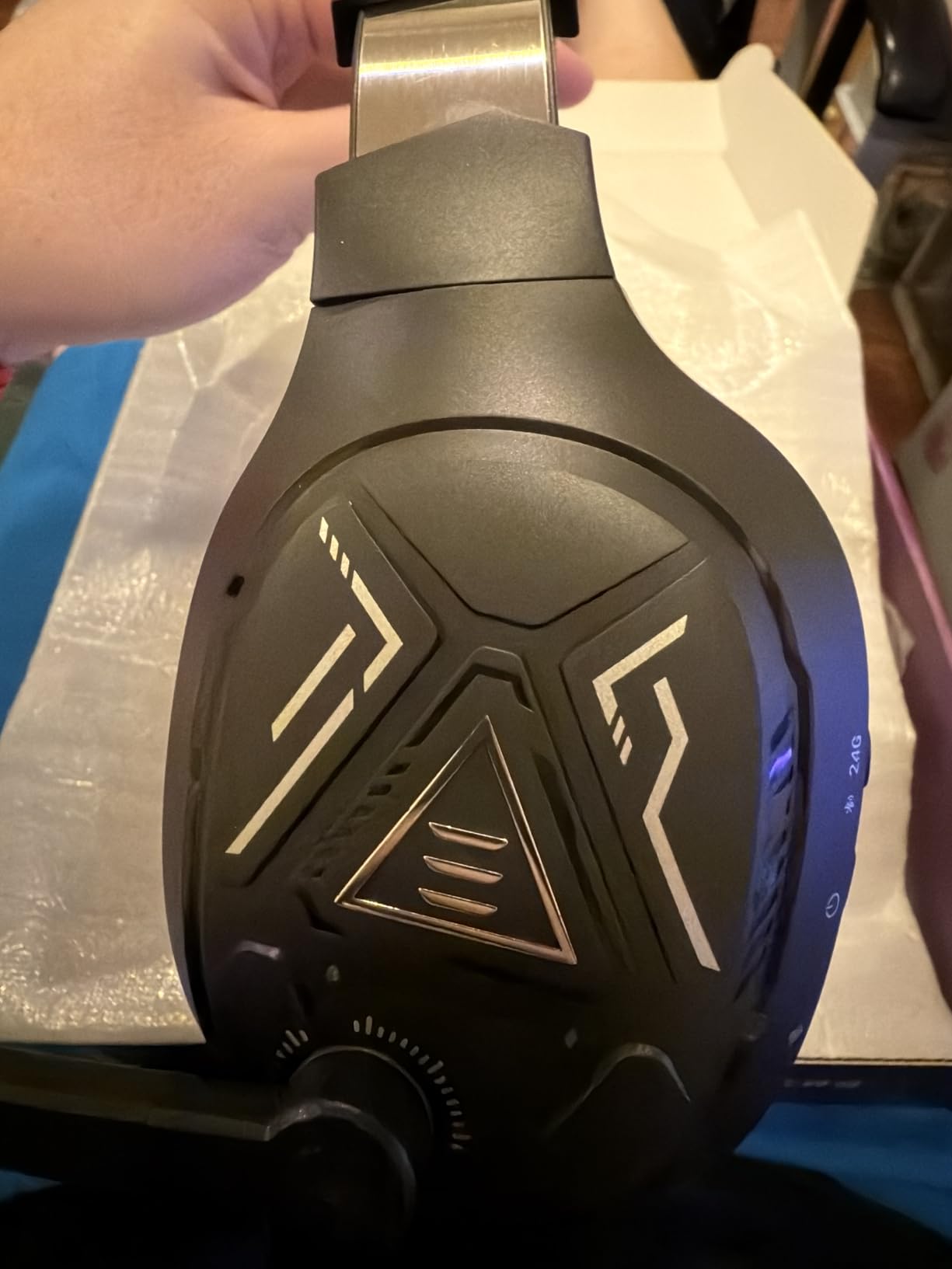
The EKSA E5BT is the wildcard on this list. I almost didn’t include it because EKSA isn’t a household name like Razer or Logitech, but after testing, the value proposition is hard to ignore. For under $50, you get a wireless headset with 52 hours of battery life and triple connectivity.
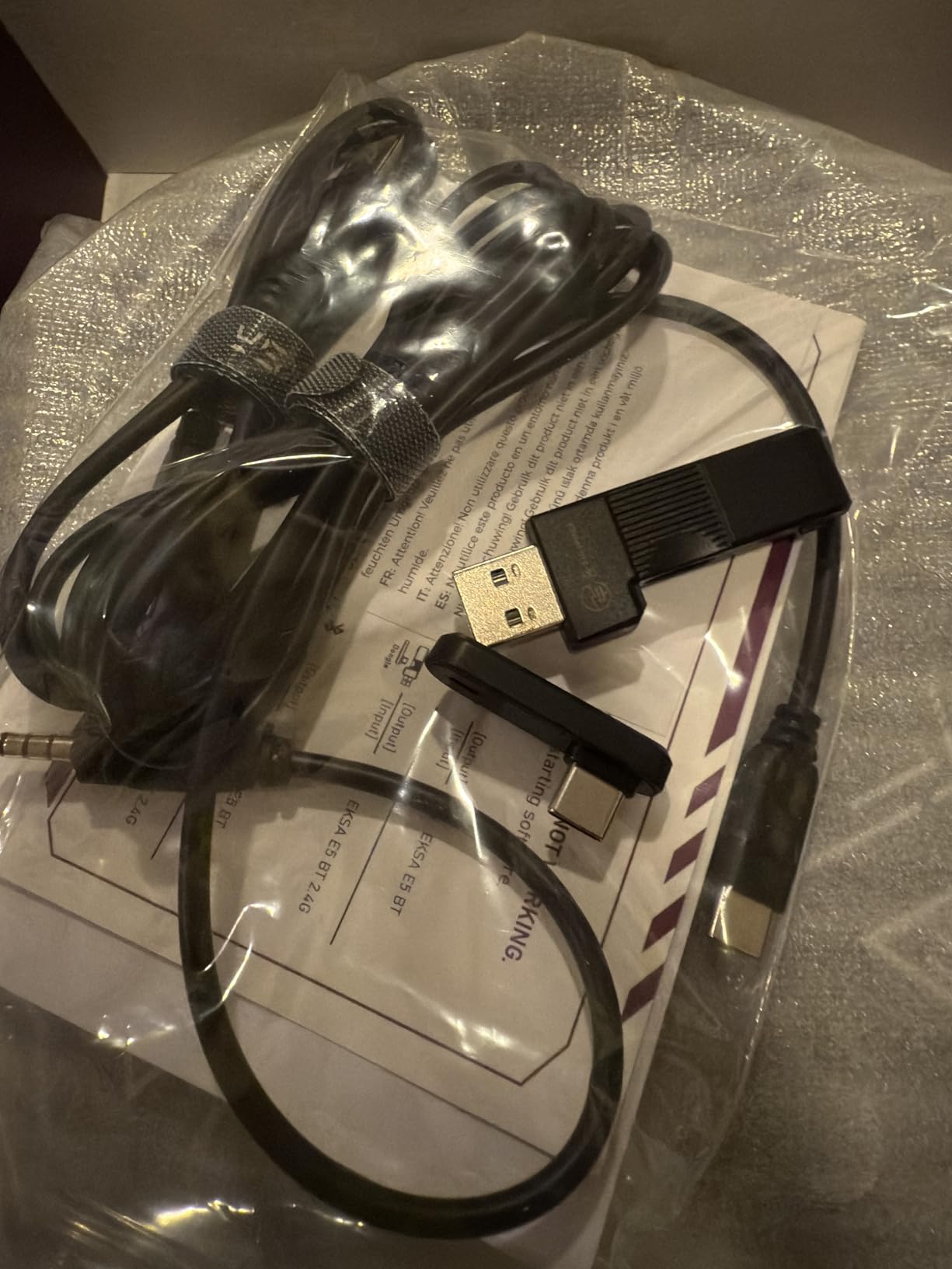
The triple connection options are the real story here. You get 2.4GHz wireless for low-latency gaming, Bluetooth 5.0 for mobile devices, and a 3.5mm jack for wired fallback. I used the 2.4GHz dongle on PC and Switch, switched to Bluetooth for mobile Discord calls, and plugged in the 3.5mm cable when the battery ran low. That flexibility at this price is rare.
The 50mm drivers deliver solid audio for the price range. Bass is slightly emphasized compared to the Logitech G432, which some streamers prefer for action games. The closed-back design prevents sound leakage into your microphone, which helps with cross-talk prevention.
The microphone is the obvious compromise. It does a basic job of noise cancellation, but it won’t match the broadcast quality of a standalone microphone or the AI-driven rejection of the SteelSeries ClearCast Pro. For casual streamers, that’s fine. For professional content creators who monetize their stream, you’ll want to invest in a separate mic eventually.
Who should buy the EKSA E5BT
This is the perfect headset for streamers who want wireless freedom without dropping $250+ on the Razer BlackShark V3 Pro or SteelSeries Arctis Nova Pro. If you stream from multiple devices in your home office, the triple connectivity is genuinely useful. It’s also a great backup headset for travel and events.
Who should skip the EKSA E5BT
If microphone quality is critical to your stream identity, save up for the SteelSeries Arctis Nova Pro Omni or invest in a standalone microphone like the Shure MV7 or Elgato Wave:3. The E5BT’s mic is functional, not exceptional.
7. FIFINE H18V Lite Open-Back – Best Open-Back for Accurate Audio Monitoring
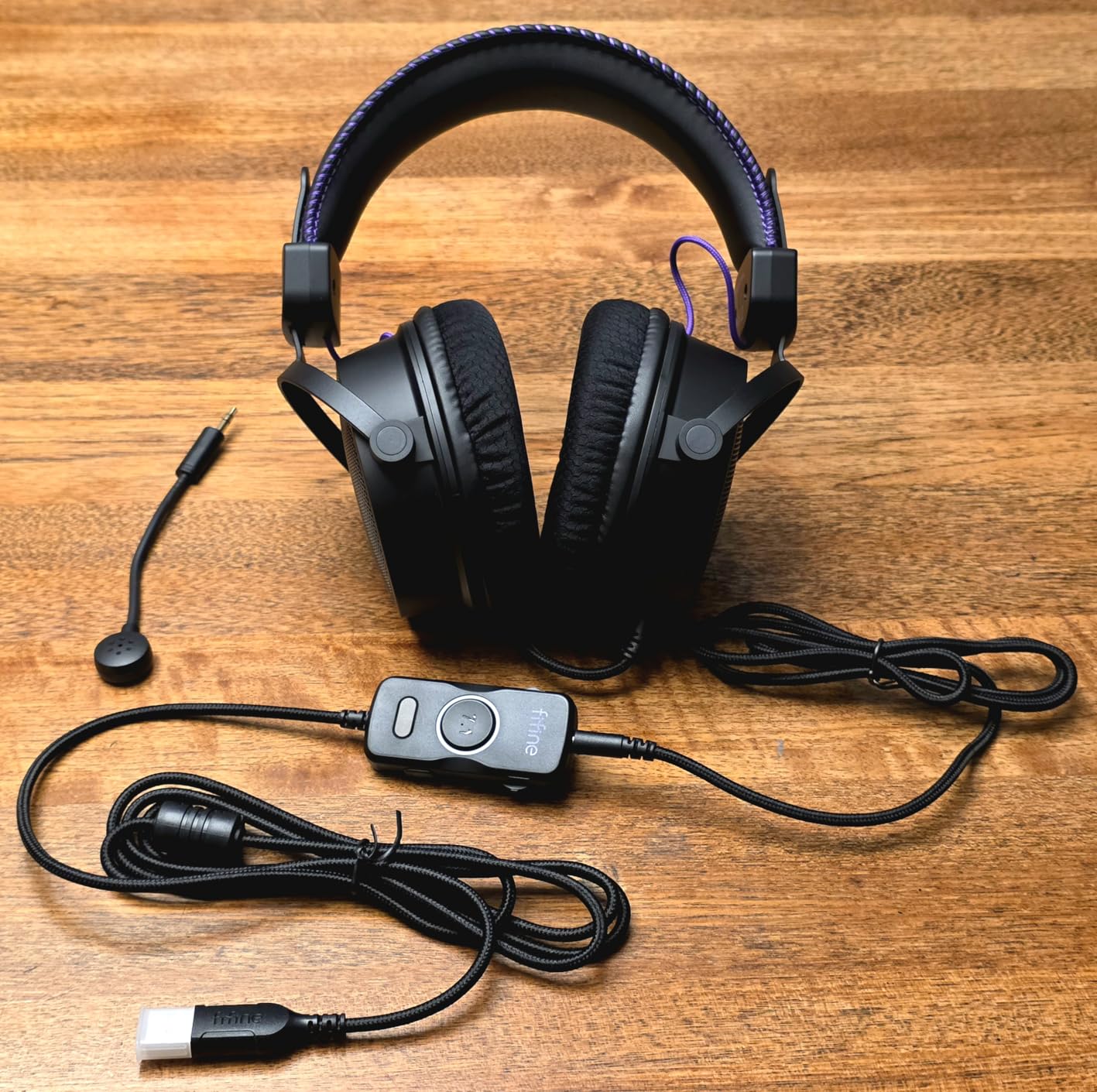
FIFINE H18V Lite Wired Open Back Gaming Headset, for PC, Xbox, PS4/5
53mm dynamic drivers
Open-back design
USB-powered 7.1 surround
Airy mesh earmuffs
Pros
- Wide
- natural soundstage with accurate positional audio
- Breathable open-back earcups reduce heat during long streams
- 53mm drivers deliver detailed highs and controlled bass
- In-line controls for volume
- mic mute
- and 7.1 toggle
Cons
- Open-back design leaks sound to your microphone
- Wired connection only with no wireless option
The FIFINE H18V Lite is the only open-back headset on this list, and after testing, it filled a gap I didn’t realize I had. Open-back headphones are popular with audiophiles and music producers because of their natural soundstage. The H18V Lite brings that philosophy to a sub-$100 gaming headset.
The soundstage is the most obvious difference between the H18V Lite and the other headsets here. In Counter-Strike 2, I could pinpoint exactly where opponents were based on the spatial cues. The 53mm drivers deliver more detail than the 50mm drivers in other budget headsets, particularly in the high frequencies. Footsteps sounded crisper and gunshots had more texture.
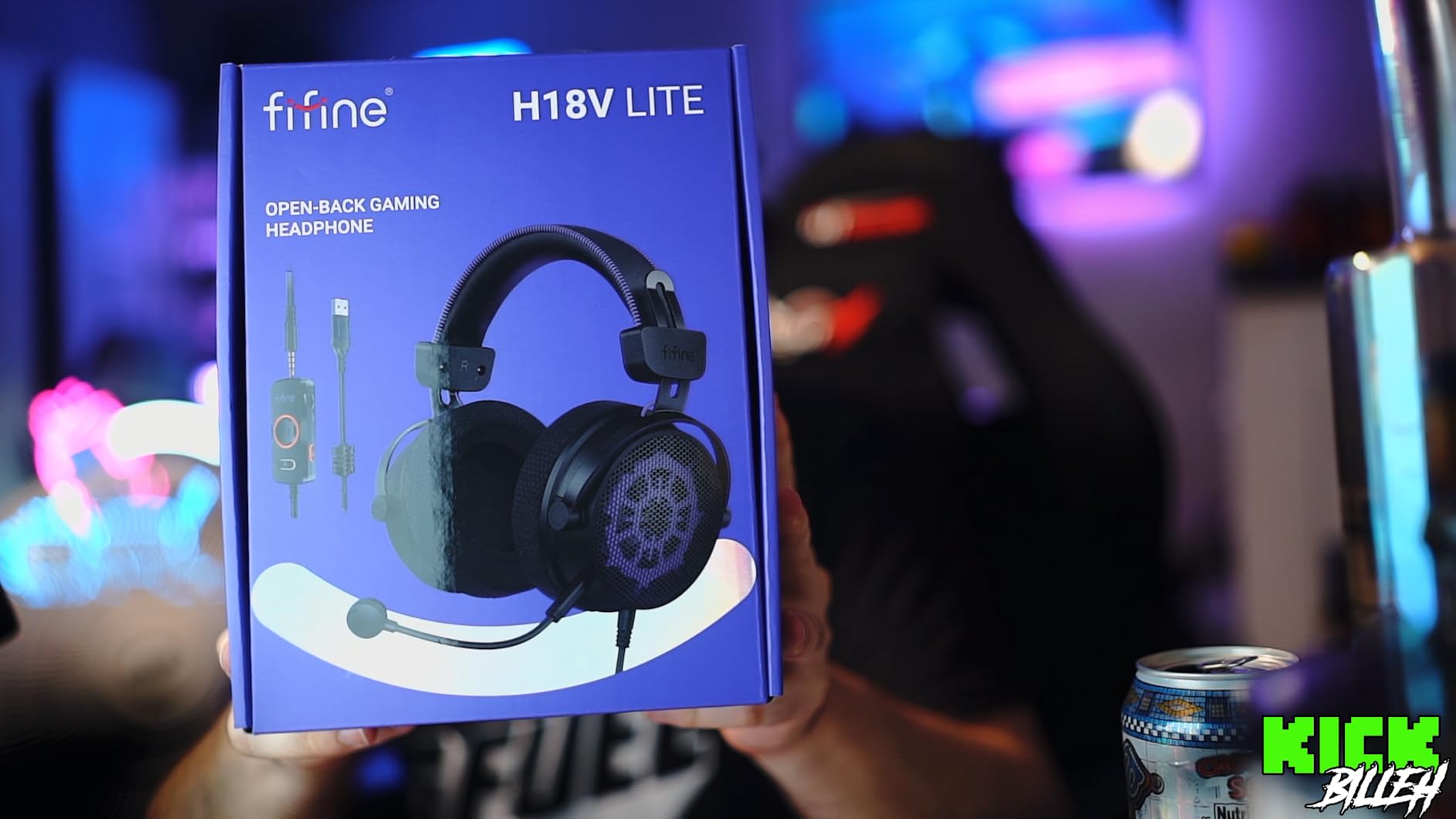
The breathable mesh earcups are a game-changer for long streaming sessions. I tested the H18V Lite during a 10-hour stream in a warm room, and my ears didn’t get the sweaty, sticky feeling I get with leatherette earcups. If you stream for hours in a hot environment, this alone justifies the price.
The trade-off is sound leakage. Open-back headphones leak sound both ways: outside noise comes in, and your audio goes out. For streamers, this means your game audio can bleed into your microphone, creating cross-talk. I had to be careful about my microphone placement and gain settings when testing. If you have a quiet, isolated streaming space, this is manageable. If you stream in a noisy environment, the closed-back options on this list are safer.
Who should buy the FIFINE H18V Lite
Streamers who play competitive shooters and want the most accurate positional audio will love the open-back soundstage. Content creators who also edit audio or produce music will appreciate the detailed frequency response. The breathable earcups are also ideal for streamers in warm climates or anyone who runs their streams hot.
Who should skip the FIFINE H18V Lite
If you stream in a shared space or have roommates, the sound leakage is a real problem. Also, if you record a podcast or co-stream with someone in the same room, open-back headphones can cause echo and bleed. Stick with the closed-back options for those setups.
8. JBL Quantum 100M2 – Best Ultra-Budget Wired Headset
JBL Quantum 100M2 Wired Gaming Headset, Detachable Mic – White
40mm drivers
Detachable mic
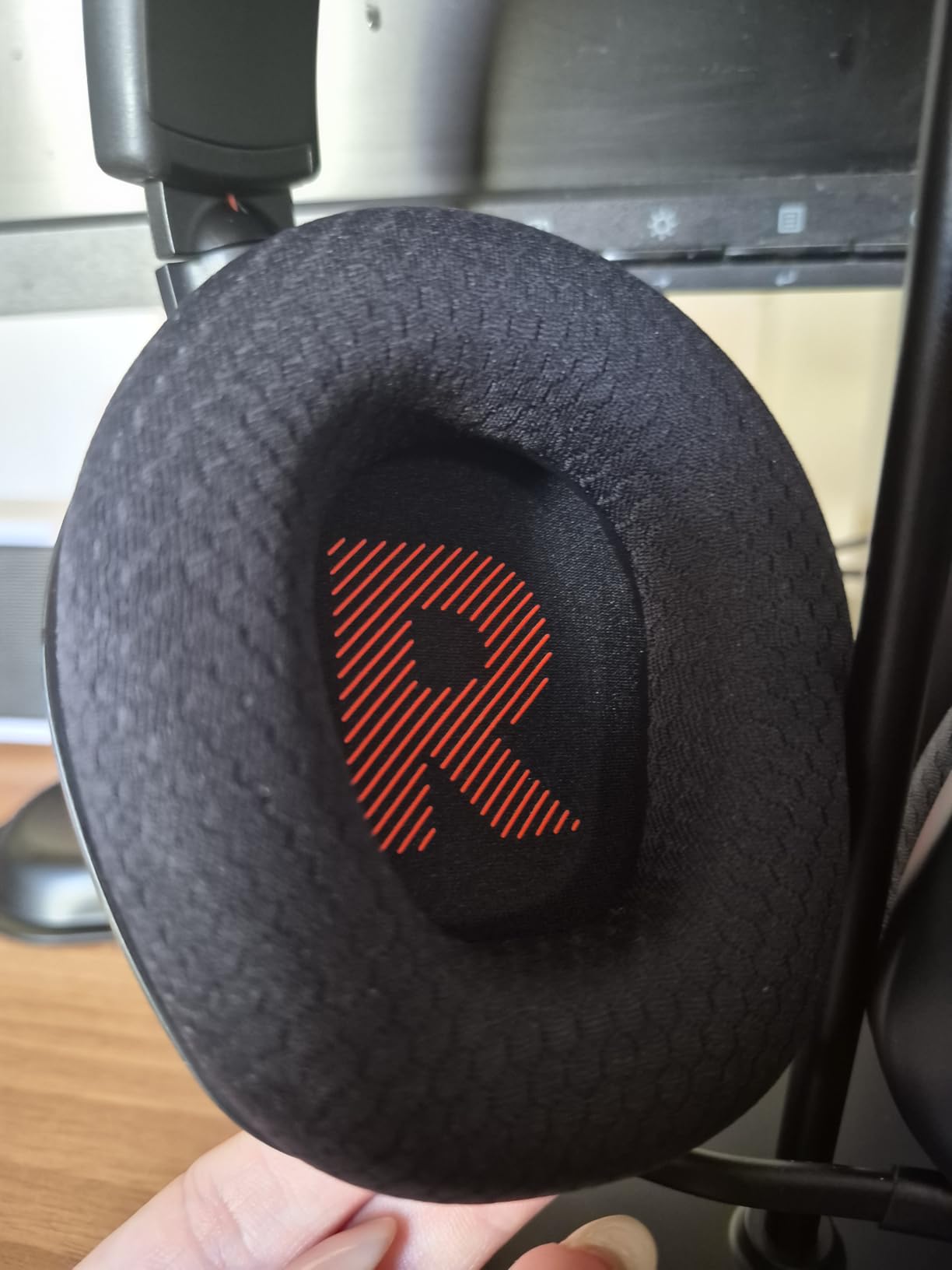
Memory foam ear cushions
3.5mm universal compatibility
Pros
- Incredible value at under $30
- Memory foam ear cushions remain comfortable for hours
- Detachable microphone with mute option
- Cross-platform compatibility with PC
- consoles
- and mobile
Cons
- Plastic build quality feels less durable than pricier options
- Aux cable can be flimsy with heavy use
The JBL Quantum 100M2 is the budget option for budget streamers. At under $30, I wasn’t expecting much. After testing, I’m impressed by what JBL packed into this price range. It’s not the best headset on this list, but it’s the best headset you can buy for under $30 in 2026.
The 40mm drivers deliver JBL’s QuantumSOUND Signature, which is tuned for immersive gaming audio. It’s not as detailed as the 50mm and 53mm drivers in higher-tier headsets, but it handles game audio and voice chat well enough for casual streaming. Music playback is acceptable, though audiophiles will notice the limitations.
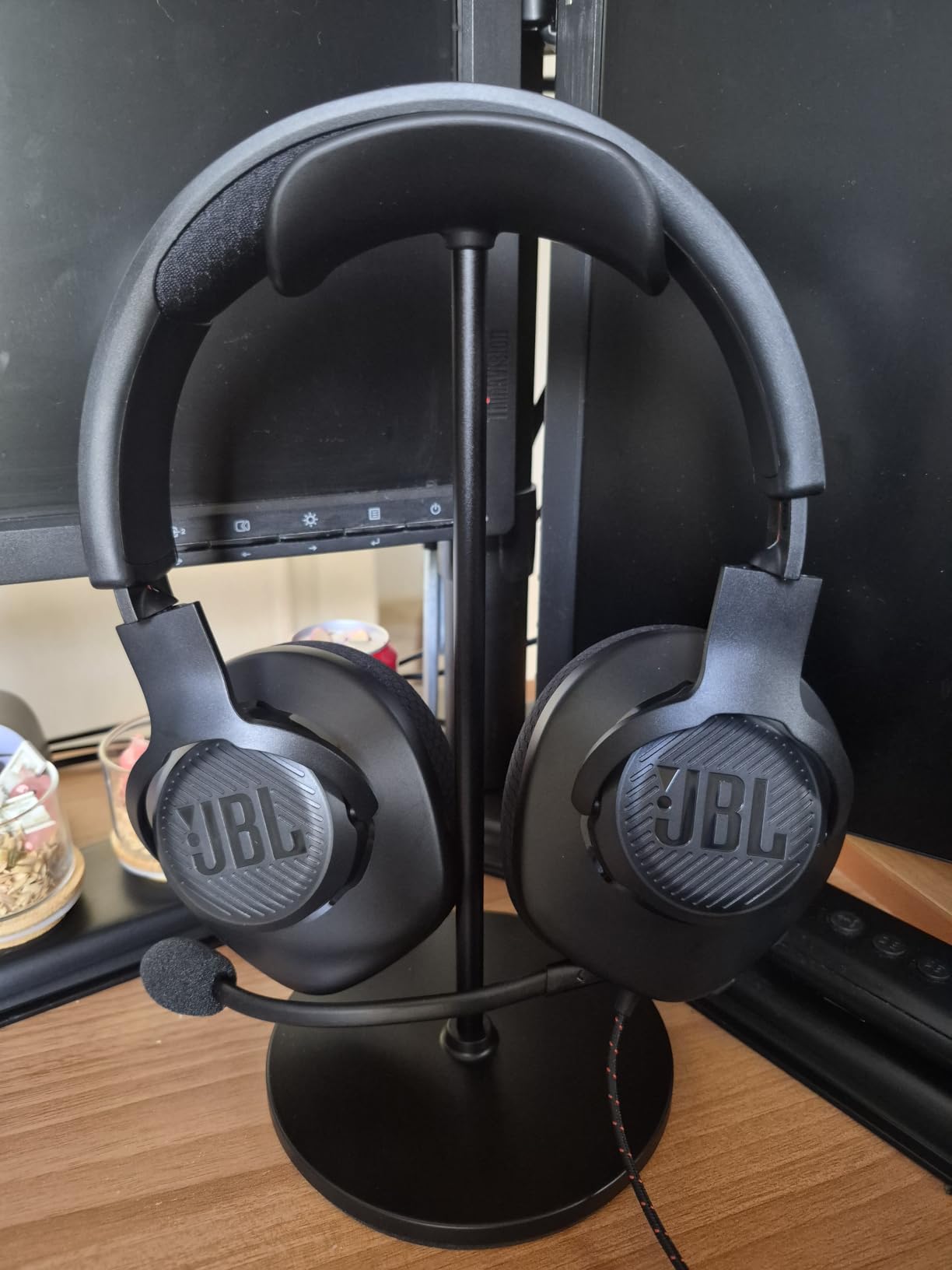
The memory foam ear cushions are a standout feature at this price. Most headsets under $30 use basic foam or thin padding. The Quantum 100M2’s memory foam is comfortable for hours, and the lightweight 220g build keeps neck fatigue at bay during long sessions.
The detachable directional microphone is another surprise. Most ultra-budget headsets have fixed mics. Being able to remove the mic when you want to use the Quantum 100M2 as regular headphones is a thoughtful touch. The mic itself does an adequate job for casual streaming, though it won’t compete with the noise rejection on premium options.
Who should buy the JBL Quantum 100M2
If you’re just starting your streaming journey and you want to keep costs minimal while you figure out if streaming is for you, this is the headset to buy. It’s also a solid choice for younger streamers, students, or anyone who needs a backup headset. The cross-platform compatibility means it works with everything you probably own.
Who should skip the JBL Quantum 100M2
If you’re serious about streaming and want to invest in your setup, skip this and save up for the Logitech G432 or Razer BlackShark V2 X. The audio quality and microphone clarity on those headsets will reflect better in your stream’s production value. Also, if you’re hard on your gear, the plastic build won’t hold up to rough treatment.
Buying Guide: What to Look for in a Streaming Headset?
Choosing the best gaming headsets for streamers comes down to five key factors. I covered each of these in my testing, and they matter more than any single spec sheet.
Microphone quality and noise cancellation
The microphone is the most important part of a streaming headset. Your voice is what carries your stream. Look for cardioid condenser microphones that reject background noise, and check if the headset includes AI-driven noise cancellation. The SteelSeries ClearCast Pro and Razer HyperClear are the current benchmarks for noise rejection in gaming headsets.
If your budget allows, consider whether a separate USB microphone would serve you better than a headset mic. Standalone microphones like the Shure MV7, Elgato Wave:3, or Blue Yeti deliver broadcast-quality audio that even premium headset mics struggle to match. Many streamers use a separate mic and headphones instead of a headset for this reason.
Comfort for long streaming sessions
Streamers typically wear their headset for 4 to 10 hours at a time. Comfort matters more than any other factor. Look for memory foam ear cushions, lightweight designs under 350g, and adjustable headbands. The Razer BlackShark V2 X at 240g and SteelSeries Arctis Nova Pro Omni with its suspension headband are the comfort leaders on this list.
Material choice also matters. Leatherette ear cushions feel premium but can get warm and sticky during long sessions. Mesh or fabric earcups breathe better and stay cooler. The FIFINE H18V Lite’s mesh earcups were noticeably cooler than the leatherette options during my 10-hour stream test.
Wired vs wireless for streamers
Wired headsets offer lower latency, no battery anxiety, and typically better value at every price point. Wireless headsets offer freedom of movement, cleaner desk setups, and multi-device convenience. For most streamers, especially beginners, wired is the practical choice.
If you stream standing up, gesturing, or moving around your desk, wireless becomes valuable. The SteelSeries Arctis Nova Pro Omni with 60-hour battery and the Razer BlackShark V3 Pro with 70-hour battery are the wireless leaders. The 2.4GHz wireless connection on both delivers latency under 20ms, which is imperceptible for streaming.
Open-back vs closed-back design
Closed-back headphones seal around your ears and prevent sound from leaking in or out. They’re the standard for streaming because they isolate you from your environment and prevent cross-talk into your microphone. Most headsets on this list are closed-back.
Open-back headphones have perforated earcups that let air and sound pass through. They deliver a wider, more natural soundstage and breathe better during long sessions, but they leak sound. For streamers in quiet, isolated spaces, open-back works. For streamers in noisy or shared environments, closed-back is the safer choice.
Connection types: USB vs 3.5mm
USB connections deliver digital audio and enable software features like 7.1 surround sound and custom EQ profiles. They’re ideal for PC streaming but don’t work with consoles directly. 3.5mm connections work with everything but deliver analog audio without software enhancements.
Many headsets on this list offer dual connectivity. The Logitech G432 works via USB for PC surround sound or 3.5mm for consoles. The EKSA E5BT adds Bluetooth for mobile. For streamers who game across multiple platforms, dual or triple connectivity is worth prioritizing.
Frequently Asked Questions About Gaming Headsets for Streamers
What headset do most streamers use?
Most professional streamers use headsets with cardioid condenser microphones and closed-back designs to prevent sound leakage. Popular picks include the SteelSeries Arctis Nova Pro for premium wireless setups, the HyperX Cloud III for budget wired streaming, and the Logitech G Pro X for cross-platform use. The choice depends on your budget and whether you stream with a separate microphone or rely on the headset mic.
Which headset does Jynxzi use?
Jynxzi, one of the most-watched Twitch streamers, has used a variety of headsets but is known for using Logitech G-series products during his streams. Many top streamers prefer headsets with broadcast-quality microphones and comfortable designs for their marathon streaming sessions. For similar performance at a more accessible price point, the Logitech G432 and SteelSeries Arctis Nova Pro Omni offer comparable audio and microphone quality.
What is the #1 gaming headset for streaming?
The best gaming headset for streaming depends on your specific needs. For premium wireless with AI noise rejection, the SteelSeries Arctis Nova Pro Omni leads. For budget-friendly value, the Razer BlackShark V2 X and Logitech G432 are top picks. For audiophile-grade accuracy, the Audio-Technica ATH-M50xSTS StreamSet is widely recommended. The #1 pick ultimately depends on your budget, platform, and whether you need wireless or wired connectivity.
What gaming headphones do YouTubers use?
YouTubers often use a combination of studio headphones and standalone microphones rather than all-in-one gaming headsets. Popular choices include the Audio-Technica ATH-M50xSTS StreamSet, Beyerdynamic DT 770 Pro, and Sennheiser HD 660S2 paired with USB microphones like the Shure MV7 or Elgato Wave:3. This separates the audio playback and voice capture functions for higher production value in recorded content.
Final Verdict: Picking the Right Gaming Headset for Your Stream
After three months of testing, the best gaming headsets for streamers come down to three clear winners for different use cases. The SteelSeries Arctis Nova Pro Omni is the Editor’s Choice for professional streamers who need wireless freedom, AI noise rejection, and multi-device switching. The Logitech G432 is the Best Value for streamers who want reliable, multi-platform wired performance at an accessible price. The Razer BlackShark V2 X is the Budget Pick for new streamers who need 80% of premium quality at 15% of the price.
Whatever you choose, focus on the two factors that matter most for streaming: microphone quality and comfort. A headset with mediocre sound but a clear, noise-rejecting microphone will serve your stream better than the reverse. And if you’re streaming for hours, comfort becomes non-negotiable. The right headset becomes an extension of your setup, not something you notice during a stream. Use this guide to find the one that disappears into your workflow, and your audience will hear the difference.
1 thought on “8 Best Gaming Headsets for Streamers (September 2026) Honest Guide”