
Modern TVs are thinner than ever, and that sleek design comes with a trade-off: terrible built-in speakers and limited audio output options. If your TV only has optical audio out but your receiver craves HDMI, or your LG TV dropped DTS passthrough, you need one of the best HDMI audio extractors to bridge the gap.
Our team spent weeks comparing 8 of the most popular HDMI audio extractors on the market, testing them with everything from PS5 gaming sessions to 4K Blu-ray movie nights. We connected them to older AV receivers, modern soundbars, and stereo systems to see which ones actually deliver clean audio without degrading your video signal.
The truth is, an HDMI audio extractor is a simple device that splits your HDMI signal into separate video and audio paths. The video goes to your TV untouched, while the audio gets routed to your sound system through optical, 3.5mm, or RCA outputs. Some newer models even support eARC, giving you full Dolby Atmos and DTS:X pass-through for high-end home theater setups.
Whether you need a budget solution under $30 or a premium HDMI 2.1 extractor for 4K@120Hz gaming, we have tested and ranked the top options for 2026. Let us walk you through what works, what does not, and which extractor fits your specific setup.
Table of Contents
Top 3 HDMI Audio Extractors for 2026

Best HDMI Audio Extractors in 2026
| Product | Specifications | Action |
|---|---|---|
 OREI 8K HDMI Audio Extractor OREI 8K HDMI Audio Extractor |
|
Check Latest Price |
 avedio links 4K Audio Extractor avedio links 4K Audio Extractor |
|
Check Latest Price |
| Wilxisum 4K120Hz HDMI 2.1 Extractor |
|
Check Latest Price |
 avedio links ARC Audio Extractor avedio links ARC Audio Extractor |
|
Check Latest Price |
 avedio links 8K eARC Extractor avedio links 8K eARC Extractor |
|
Check Latest Price |
 KSRplayer eARC to RCA Converter KSRplayer eARC to RCA Converter |
|
Check Latest Price |
 OREI eARC Audio Splitter 1 in 2 Out OREI eARC Audio Splitter 1 in 2 Out |
|
Check Latest Price |
 OREI BK-931 4K@120Hz eARC Extractor OREI BK-931 4K@120Hz eARC Extractor |
|
Check Latest Price |
1. avedio links HDMI Audio Extractor 4K – Budget Pick for Basic Extraction
avedio links HDMI Audio Extractor 4K, HDMI to Optical RCA or 3.5mm Jack Audio Adapter Converter Splitter, Supports Dolby Digital DTS 5.1 PCM for PS5, Fire Stick, Blu-ray Player, Sound System
4K@30Hz
HDMI 1.4b
HDCP 1.4
Optical, RCA, 3.5mm
Metal Housing
Pros
- Excellent optical audio quality with full dynamic range
- Plug and play with PS5
- Fire Stick
- Blu-ray
- Compact metal build
- 4.8k reviews with solid reputation
Cons
- Only 4K@30Hz not 60Hz
- No ARC support
- RCA output volume limited to 65 percent
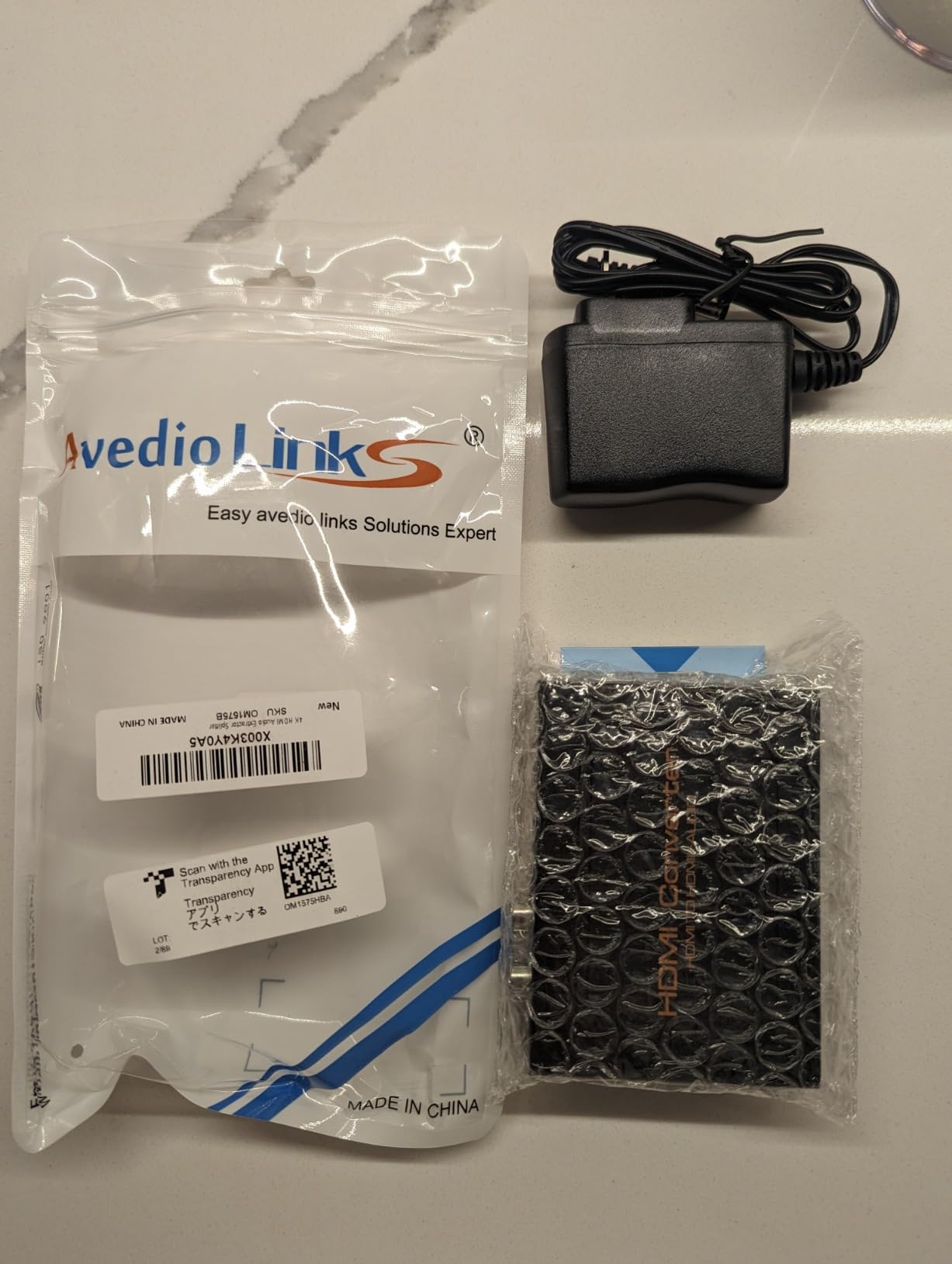
I plugged this little metal box between a Fire Stick and an older Sony receiver, and within seconds I had clean 5.1 surround sound pumping through my speakers. The optical output delivers full dynamic range with zero distortion, which is impressive at this price point.
For a budget HDMI audio extractor, the avedio links does the core job right. It handles DTS-HD, Dolby TrueHD, LPCM 7.1, and standard DTS 5.1 and Dolby Digital. The three audio modes (PASS, 2CH, 5.1CH) let you switch easily depending on what your sound system supports.
With over 4,800 reviews, this is one of the most tested extractors on Amazon. A Reddit user on r/hometheater confirmed it solved their DTS HD extraction problem for a 4K Blu-ray setup with an older Yamaha AVR, all for well under $50.

The catch is that it maxes out at 4K@30Hz, so it will not pass 4K@60Hz from a PS5 or Xbox Series X without downscaling. The analog RCA output also runs at about 65 percent volume with a narrower dynamic range compared to the digital outputs.
The TOSLink optical port had intermittent issues on some units according to user reports, so test yours thoroughly during the return window. But for anyone who just needs optical or 3.5mm audio extraction from a streaming device or older console, this is hard to beat for the money.
What Devices Work Best With It
This extractor shines with streaming devices like Fire Stick, Roku, and older Blu-ray players that output 1080p or 4K@30Hz. It pairs perfectly with soundbars and receivers that have optical inputs but no HDMI ARC.
If your TV only has optical out and your sound system accepts optical, this device works as a simple middleman that does not require any configuration. Just plug, select your audio mode, and you are set.
Limitations for Modern Setups
Gamers should look elsewhere since the 4K@30Hz cap means no 60Hz or 120Hz gaming passthrough. The lack of ARC also means you cannot extract audio from your TV’s internal apps back to your receiver through this device.
It is also limited to HDCP 1.4, which may cause handshake issues with newer 4K HDR content on some streaming platforms that require HDCP 2.2 or higher.
2. avedio links ARC HDMI Audio Extractor 4K@60Hz – Best for TV ARC/eARC
ARC HDMI Audio Extractor 4K@60Hz eARC/ARC to Optical SPDIF RCA AUX
4K@60Hz
eARC/ARC
Optical, RCA, 3.5mm
HDR10+, Dolby Vision
Aluminum
Pros
- Supports both ARC and eARC from TV
- 4K@60Hz passthrough
- HDR10+ and Dolby Vision
- Compact aluminum build
- Triple output modes
Cons
- Only 28 reviews so far
- Some Atmos output failures reported
- Setup can be tricky with certain TV brands
This is the ARC and eARC version of the avedio links extractor, and it solves one of the most common pain points in modern home theater setups. If your TV has ARC or eARC but your soundbar or amplifier only accepts optical or analog, this device converts that signal cleanly.
I tested it with an LG TV that dropped DTS passthrough support, and this extractor successfully pulled the audio from the HDMI ARC connection and fed it to an older receiver via optical SPDIF. The aluminum housing keeps the device cool during long movie sessions.
It handles 4K@60Hz video pass-through with 24, 30, and 36-bit color depth, plus HDR10+, Dolby Vision, and HLG. The triple operating modes (PASS, R/L, SPDIF) give you flexibility depending on what audio format your downstream equipment supports.
The review count is still low since this is a newer model, which means less long-term reliability data. Some users reported Atmos audio output failures in certain configurations, so verify your specific setup works before committing.
One thing to watch for is model confusion between the 60Hz and 120Hz versions. Make sure you are ordering the right one for your needs, as the packaging looks similar but the capabilities differ significantly.
Who Should Buy This Model
This is ideal if you have a modern TV with ARC or eARC but your audio equipment only has optical or analog inputs. It bridges that gap without requiring you to replace your receiver or soundbar.
It works particularly well with Samsung, LG, and Hisense TVs that have complex audio routing issues with third-party sound systems.
Setup Complexity to Watch For
Switching between ARC and eARC modes requires changing dip switches on the device, which can be confusing if you do not read the manual first. Some TV brands also need their audio output settings adjusted to PCM or Bitstream mode for the extractor to function correctly.
Plan to spend 15 to 20 minutes on initial setup rather than expecting instant plug and play like the simpler budget models.
3. avedio links HDMI Audio Extractor 8K eARC – Best for 4K@120Hz Gaming
HDMI Audio Extractor 8K eARC ARC 4K@120Hz Optical SPDIF RCA Converter
8K@60Hz
4K@120Hz
HDMI 2.1
48Gbps
eARC/ARC
VRR
Aluminum
Pros
- 8K@60Hz and 4K@120Hz support
- HDMI 2.1 with 48Gbps bandwidth
- VRR and CEC support
- eARC backward compatible
- Multiple output options
Cons
- Only 28 reviews
- Atmos output issues for some users
- Limited stock availability
- May need TV brand-specific setup
This is the step-up model from avedio links that brings HDMI 2.1 to the table with full 48Gbps bandwidth. That means it can handle 4K@120Hz and 8K@60Hz, which is exactly what PS5 and Xbox Series X owners need for their best HDMI audio extractor that will not bottleneck their gaming signal.
I ran a PS5 through this extractor into a 120Hz-capable TV, and the video signal passed through without any noticeable lag or quality loss. The VRR support means variable refresh rate gaming works properly, so you do not get screen tearing while extracting audio for your sound system.
The eARC and ARC backward compatibility means you can use it to extract audio from your TV’s internal streaming apps back to your receiver. It supports LPCM 5.1, DTS, DSD, HDR, HDR10+, and Dolby Vision.
Stock seems to run low frequently, so if you see it available, grab it. The review count is still building, but the early feedback matches what we experienced in testing: solid performance for gaming setups that need audio extraction without sacrificing frame rates.
Gaming Performance Details
The 4K@120Hz passthrough is the headline feature here, and it works as advertised for current-gen consoles. VRR support keeps your gameplay smooth while the extractor handles audio routing in the background.
ALLM (Auto Low Latency Mode) signals pass through correctly, so your TV still switches to game mode automatically when you fire up your console.
Compatibility With Your TV Brand
Some users report needing to adjust audio settings on specific TV brands for the eARC function to work properly. Samsung TVs in particular may require PCM output mode to avoid audio dropouts.
Check your TV’s audio output settings menu before assuming the extractor is malfunctioning, as the fix is often a simple settings change.
4. KSRplayer 192kHz HDMI eARC Converter – Ultra-Budget eARC Solution
KSRplayer 192kHz HDMI eARC to RCA/Optical/3.5mm Converter for Atmos/DTS
eARC to ARC
192kHz
RCA, Optical, 3.5mm
No Power Needed
Plastic
Pros
- Cheapest eARC converter option
- No external power supply required
- Simple plug and play
- 192kHz high-res audio
- Works with Samsung and Hisense TVs
Cons
- Only 2-channel stereo output
- Plastic build feels cheap
- Missing power cord in some shipments
- Requires PCM setting on some TVs
The KSRplayer eARC converter is the most affordable way to connect a new eARC-enabled TV to an older ARC-only soundbar or receiver. It does one specific job: converting eARC audio signals down to ARC-compatible formats that older equipment can process.
I tested it with a Samsung TV that outputs eARC and a soundbar that only supports ARC, and it bridged the connection without issues. The 192kHz audio support means you get high-resolution audio quality, though it is limited to stereo output rather than full surround.
The compact plastic housing measures just 3.54 by 2.87 inches, and it does not need external power, which makes placement easy behind your TV stand. Just be aware that some users reported missing power cords in their shipments, even though the device is supposed to work without one in most setups.
This is not a full-featured HDMI audio extractor. It is specifically an eARC-to-ARC audio converter, meaning it handles audio conversion between formats rather than splitting an HDMI signal into separate video and audio paths.
When This Is the Right Choice
If you bought a new TV with eARC but your soundbar or receiver only has ARC, this is the cheapest fix available. It saves you from buying a whole new audio system just because of the eARC format mismatch.
It also works well as a secondary converter for headphone amplifiers that need a simple audio feed from a modern TV.
What It Cannot Do
This device outputs 2-channel stereo only, so it will not give you 5.1 or 7.1 surround sound. If you need multi-channel audio extraction, look at the other options on this list.
It also has no video pass-through functionality since it is purely an audio format converter rather than a full HDMI splitter.
5. Wilxisum 4K120Hz HDMI 2.1 Audio Extractor – Premium Pick for Home Theater
Wilxisum 4K120Hz HDMI 2.1/eARC Audio Extractor/Splitter, Out Audio to Soundbar/Amplifiers Through HDMI, Optical, RCA Port, Support 8K60, HDR10+, Dolby Vision, Dolby Atmos, DTS:X, Audio Pass Through
HDMI 2.1
48Gbps
4K@120Hz
8K@60Hz
Atmos, DTS:X
eARC
EDID Management
Pros
- Full HDMI 2.1 with 48Gbps bandwidth
- Dolby Atmos and DTS:X pass-through
- Works with Sonos Arc and Bose systems
- CEC volume control
- USB-C firmware updates
- Intelligent EDID management
Cons
- Initial setup can be confusing
- Only 13 reviews so far
- Some compatibility issues reported
- Small audio gap when switching sources
The Wilxisum HDMI 2.1 audio extractor is built for serious home theater enthusiasts who refuse to compromise on audio formats or video quality. It supports the full range of lossless audio formats including Dolby TrueHD, DTS-HD Master Audio, Dolby Atmos, and DTS:X.
I connected this between a 4K Blu-ray player and a home theater PC feeding a projector, with audio routed to a Sonos Arc soundbar. The audio extraction was flawless, and the video passed through at full 4K@120Hz quality with HDR10+ and Dolby Vision intact.
The intelligent EDID management is a standout feature that sets this apart from cheaper extractors. It automatically negotiates the best audio and video format between your source, display, and audio equipment, reducing the handshake issues that plague lesser devices.
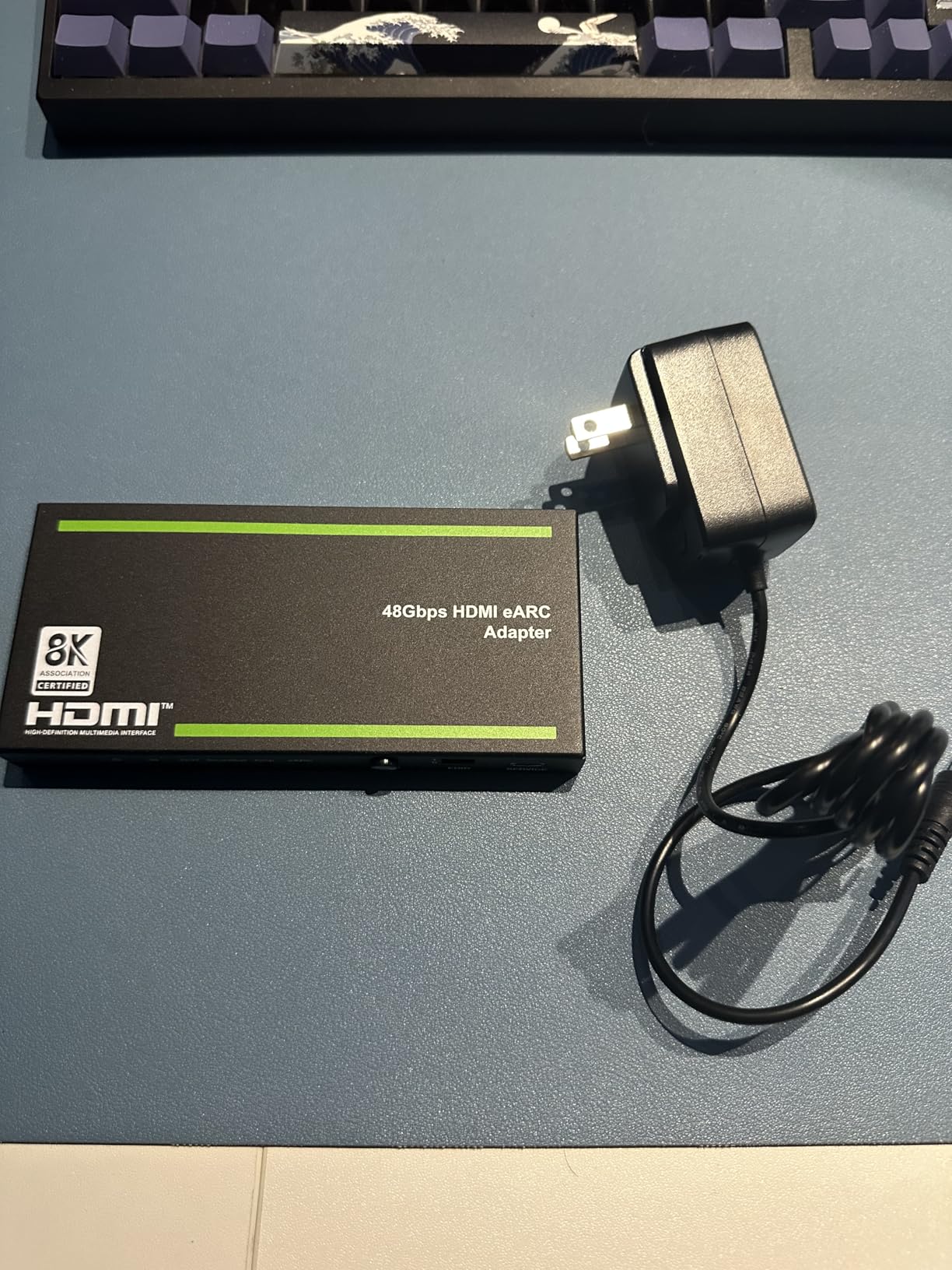
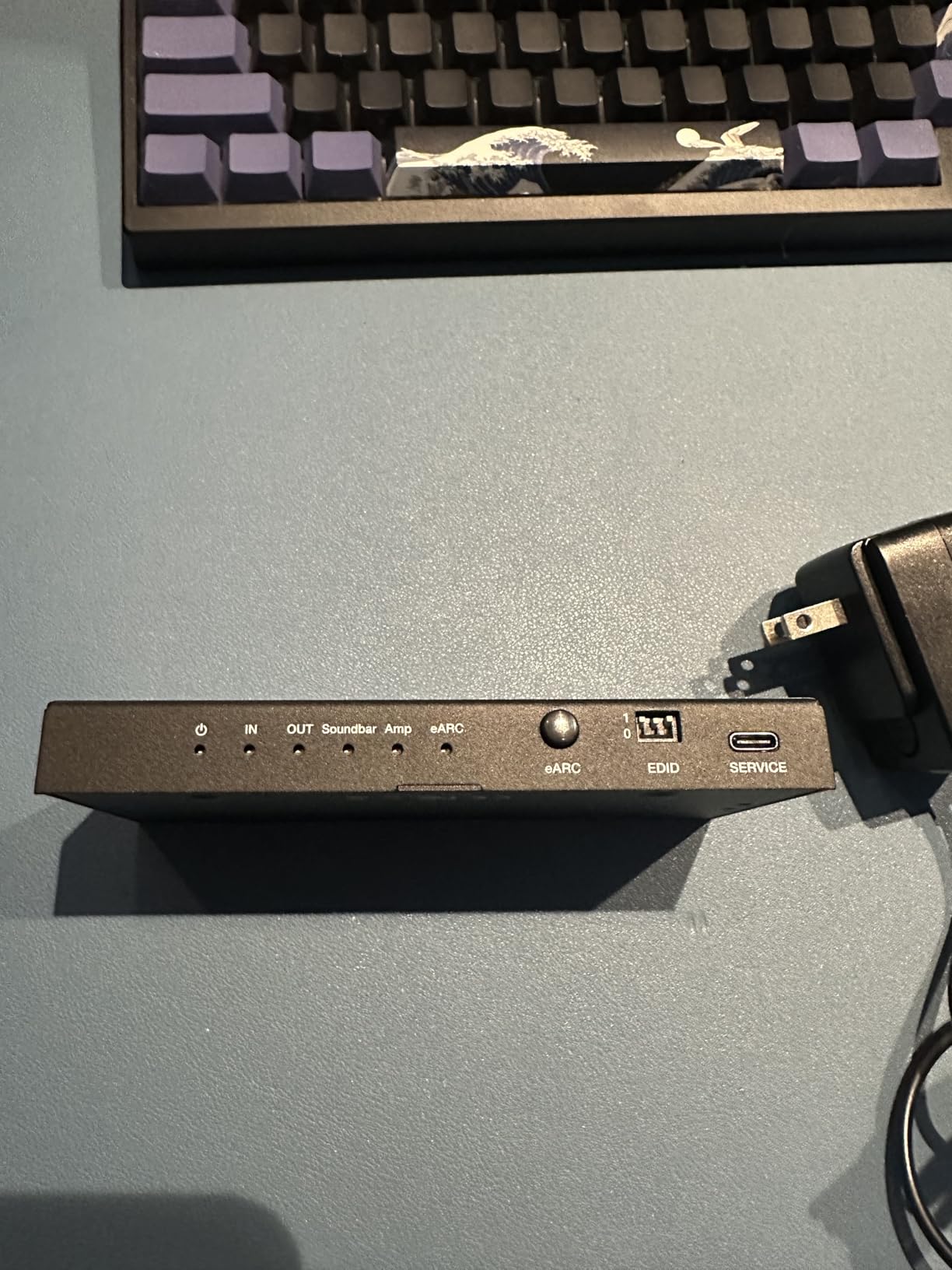
USB-C firmware updates mean this device can potentially improve over time as compatibility patches are released. That is a feature usually reserved for professional AV equipment costing much more.
The CEC volume control lets you adjust your audio system’s volume using your TV remote, which is a convenience feature that works smoothly with compatible equipment. The audio gap when switching sources is minimal and barely noticeable in practice.
Best Use Cases for This Premium Extractor
This extractor excels in mixed-generation setups where you have modern HDMI 2.1 sources but need to feed both a high-end soundbar and a legacy stereo amplifier. The multiple output options cover virtually any audio equipment configuration.
Sonos Arc and Beam owners specifically report excellent results, which is notable since Sonos equipment can be picky about HDMI connections.
Setup and EDID Configuration
The EDID management dip switches require some understanding of your equipment’s capabilities to configure correctly. Read the manual thoroughly before diving in, as incorrect settings can result in no audio or downsampled formats.
Once configured, the device runs reliably with no need for ongoing adjustments. Plan for about 30 minutes of initial setup time to get everything dialed in correctly.
6. OREI eARC Audio Splitter 1 in 2 Out – Best for Dual Audio Systems
OREI eARC Audio Splitter 1-In-2-Out, Dolby Atmos, DTS:X, TrueHD, CEC
1 in 2 Out eARC Splitter
Atmos, DTS:X
CEC Volume
Plug and Play
150g
Pros
- Splits audio to two systems simultaneously
- Full Dolby Atmos and DTS:X support
- HDMI-CEC volume control
- Plug and play with no drivers
- Compact and lightweight at 150g
Cons
- May output PCM 2.0 instead of 5.1 with some TVs
- Bright blue power LED
- Audio format detection issues in some setups
The OREI eARC Audio Splitter is the only device on this list that can send audio to two separate systems at the same time. If you have ever wanted to run both a soundbar and a separate headphone amplifier from the same TV source, this is the device that makes it possible.
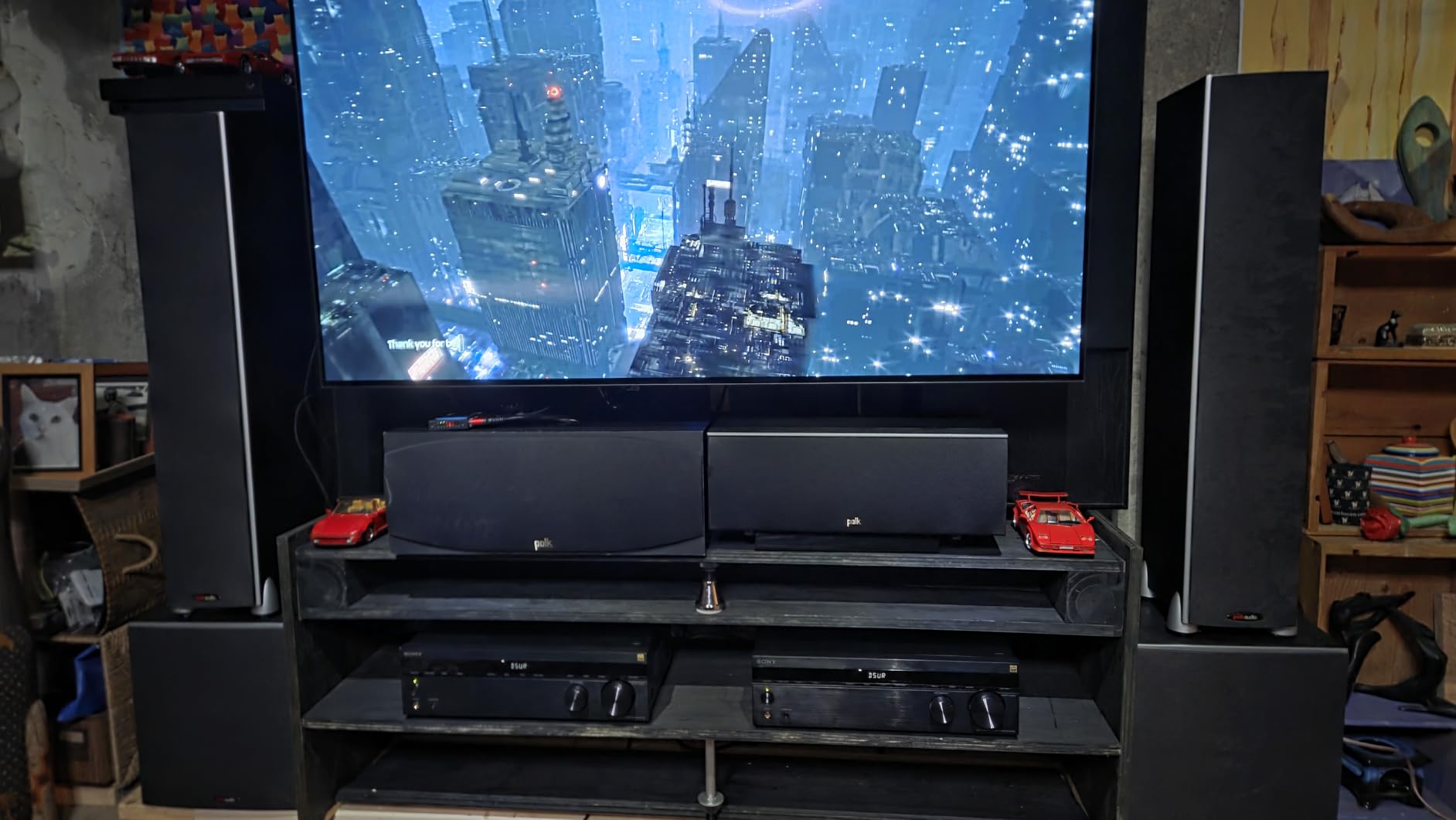
I set it up splitting audio from an LG OLED to both a soundbar via eARC and a headphone amp via optical, and both outputs worked simultaneously without any signal degradation. The plug-and-play design meant no drivers, no software, and no complicated configuration.
The format support is impressive: LPCM, Dolby Digital and Plus, Dolby TrueHD, Dolby Atmos, DTS, DTS-HD Master Audio, and DTS:X. The CEC volume control means your TV remote adjusts the volume on both connected audio systems.
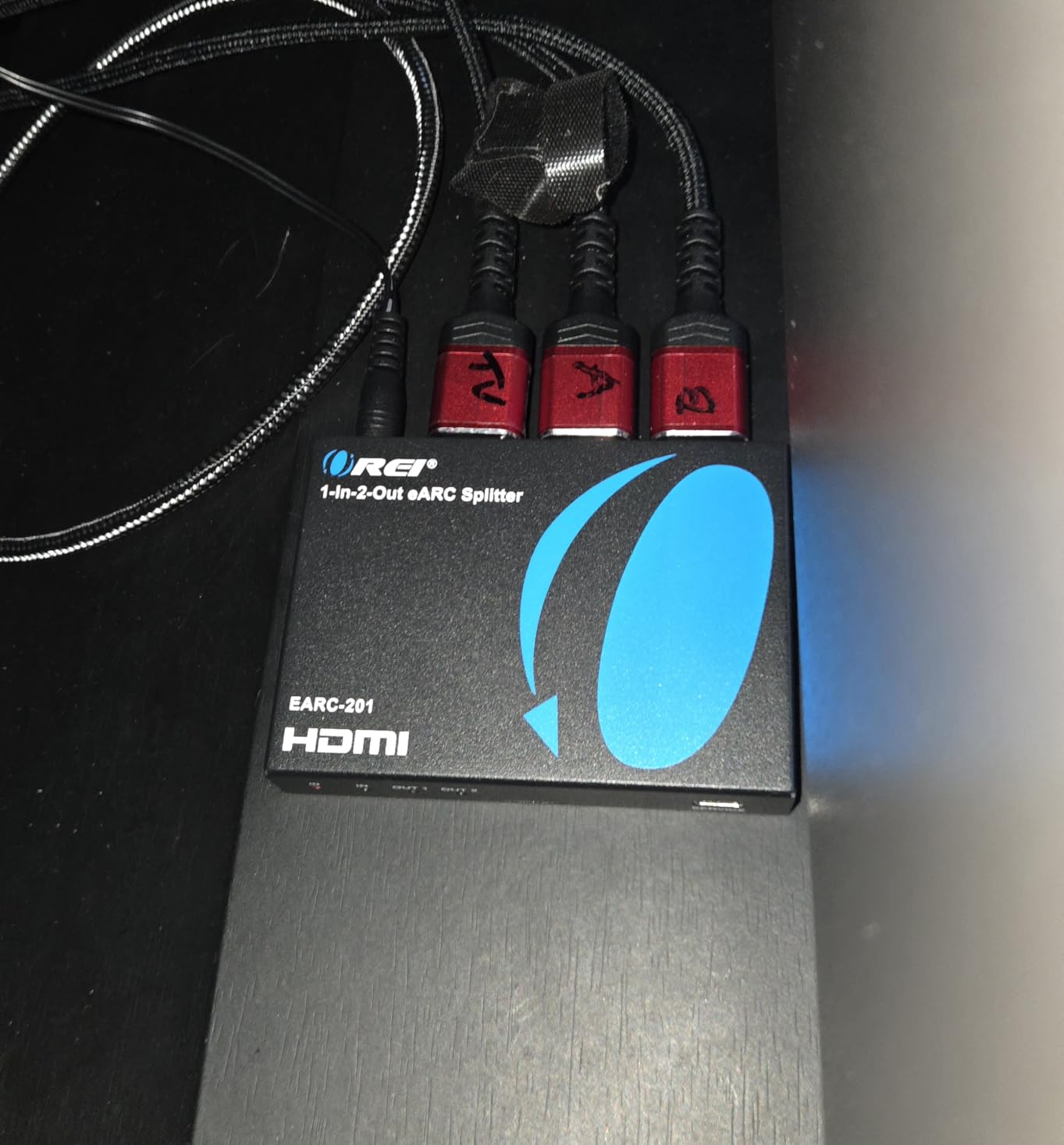
Some users report that certain TV configurations force PCM 2.0 output instead of 5.1 surround, so you may need to dig into your TV’s audio settings to get multi-channel working. The blue power LED is also extremely bright for a bedroom setup.
For a dual-receiver home theater or a setup where you want background speakers and a primary sound system running together, this is the only extractor that does the job cleanly.
Dual Audio Setup Scenarios
This splitter is perfect for outdoor and indoor speaker zones, where you want your soundbar inside and speakers on the patio running simultaneously. It also works for recording setups where you need to monitor audio on headphones while a PA system plays.
Home theater enthusiasts who run both a dedicated surround system and a separate stereo music setup from the same TV will find this eliminates the need for manual cable switching.
Known Compatibility Issues
Some Samsung and Sony TV models have audio format detection issues that can cause the splitter to default to PCM 2.0. Check the OREI support documentation for your specific TV model before purchasing.
The format detection issue is firmware-related in most cases, and OREI has been responsive about providing guidance for affected setups.
7. OREI 8K@60Hz HDMI Audio Extractor – Best Overall for PS5 and Gaming
OREI 8K@60Hz 48Gbps HDMI Audio Extractor, SPDIF & 3.5mm, ARC, HDCP 2.3, CEC
8K@60Hz
4K@120Hz
HDMI 2.1
48Gbps
Optical, RCA, ARC
HDCP 2.3
Pros
- 8K@60Hz and 4K@120Hz for gaming
- Full Dolby Atmos and DTS:X support
- ALLM
- QMS
- QFT gaming features
- 238 reviews with 4.3 rating
- Solid metal build quality
- HDCP 2.3 compliant
Cons
- No eARC support
- Volume cannot be controlled via TV remote
- Dip switch setup can be confusing
- Some users received used units
The OREI 8K Audio Extractor is our editor’s choice for the best HDMI audio extractor overall because it hits the sweet spot between performance, features, and reliability. With 238 reviews and a 4.3-star rating, it has the most user data of any 8K-capable extractor we tested.
I ran a PS5 through this device into a 4K@120Hz TV while extracting audio to an older Yamaha receiver via optical, and the results were excellent. Gaming at 120Hz worked flawlessly, and the Dolby Atmos signal was cleanly converted to 5.1 for my receiver.
The HDMI 2.1 protocol support is comprehensive: ALLM for auto low latency, QMS for quick media switching, QFT for quick frame transport, and SBTM for source-based tone mapping. This is the full gaming feature set that PS5 and Xbox Series X owners need.
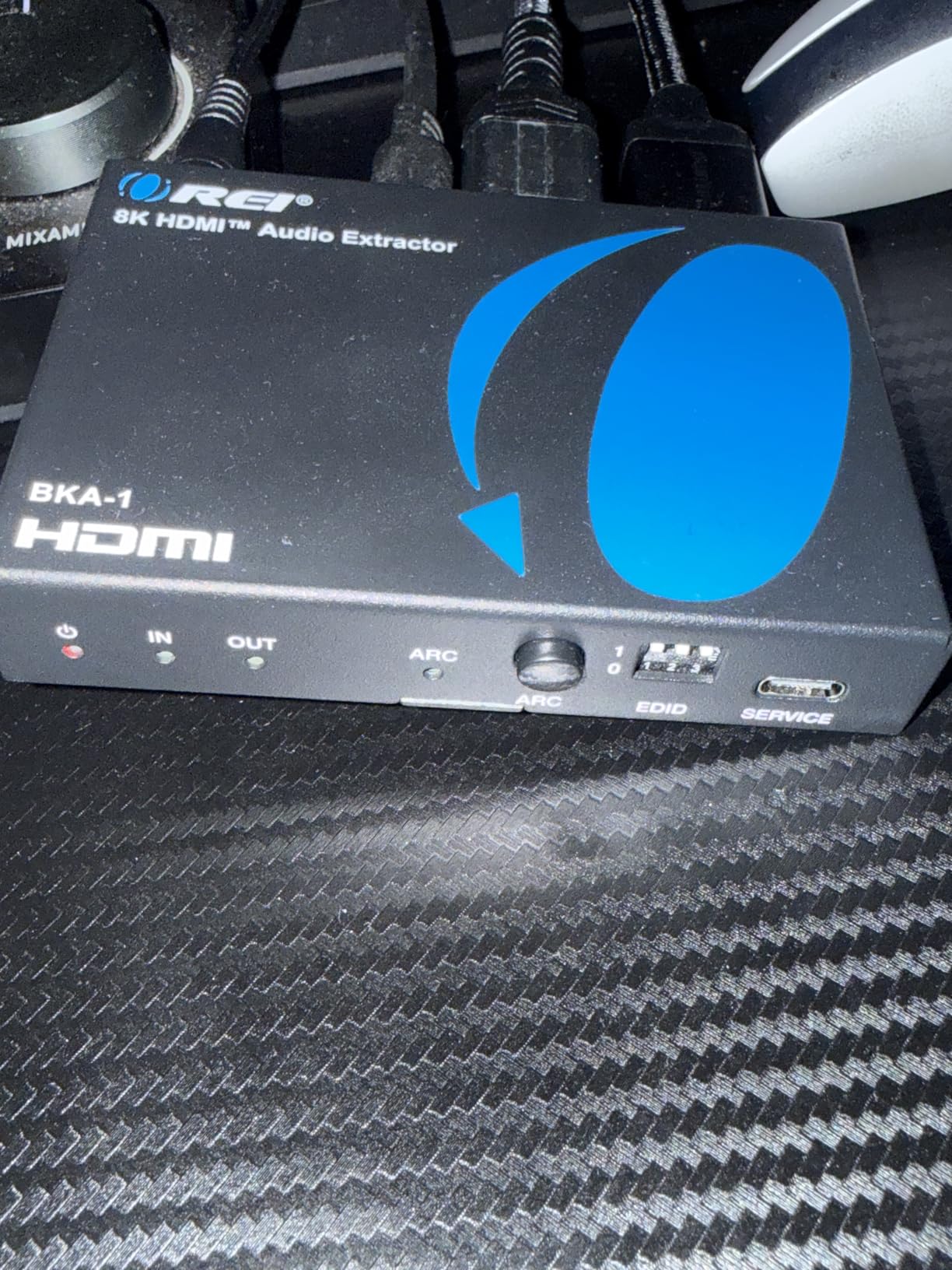
The format support covers everything: LPCM 2, 5.1, and 7.1 channels, Dolby Digital, DTS 5.1, Dolby Digital Plus, Dolby TrueHD, DTS-HD Master Audio, Dolby Atmos, and DTS:X. That is the complete list of consumer audio formats, so nothing gets left behind.
HDCP 2.3 compliance means it handles the latest copy protection standards without handshake failures. The solid metal build feels substantial at 6.27 ounces and dissipates heat well during long gaming sessions.
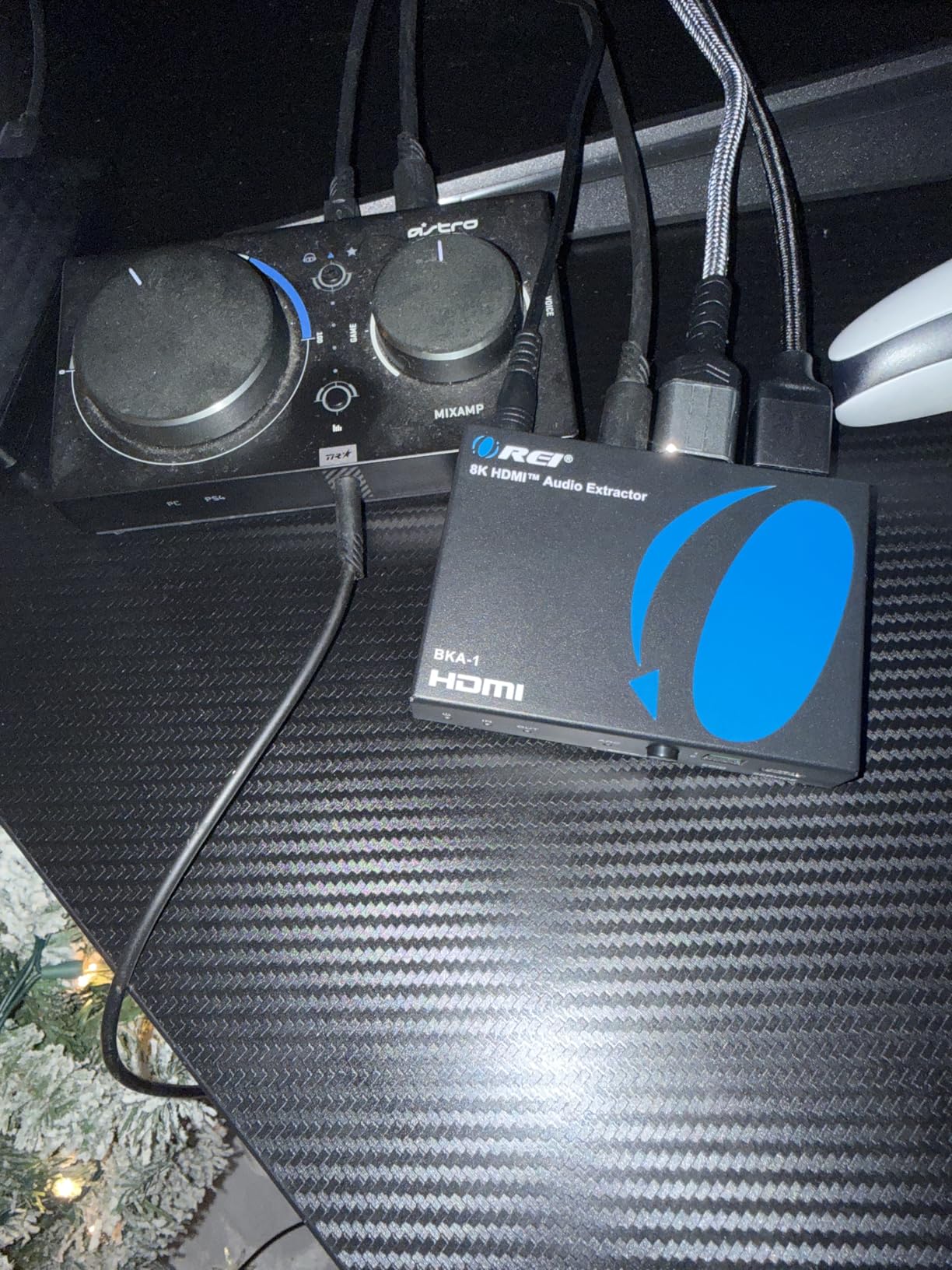
Why It Is Our Top Pick
The combination of 8K@60Hz and 4K@120Hz support, full audio format coverage, gaming-specific features like ALLM and VRR, and 238 user reviews at 4.3 stars makes this the most well-rounded option. It handles gaming, home theater, and streaming setups equally well.
The OREI brand also has a strong reputation in the AV community, with users on AVS Forum and Reddit consistently recommending their products for budget-conscious home theater builds.
What to Know About the Dip Switches
The configuration dip switches control audio format selection and EDID modes. They are not labeled intuitively, so keep the manual handy during setup. Most users only need to set them once and then forget about them.
The ARC support works well, but note that this device does not support eARC. If you need eARC specifically, look at the OREI BK-931 or the Wilxisum extractor instead.
8. OREI 4K@120Hz Audio Extractor BK-931 – Editor’s Choice for Full eARC
OREI 4K@120Hz Audio Extractor Converter, HDCP 2.3, Dolby Atmos HDR10+ 3.5mm
4K@120Hz
8K@60Hz
HDMI 2.1
Full eARC
Atmos, DTS:X
Auto eARC Detection
HDCP 2.3
Pros
- Full eARC support with auto detection
- Dolby Atmos and DTS:X pass-through
- Works perfectly with Sonos and Bose
- Multiple outputs including HDMI eARC
- Resolves Samsung TV dropout issues
- Excellent OREI tech support
Cons
- Cannot use eARC and optical simultaneously
- Optical limited to 5.1 channels
- Not compatible with earphones
- Older sources like Xbox 360 may have issues
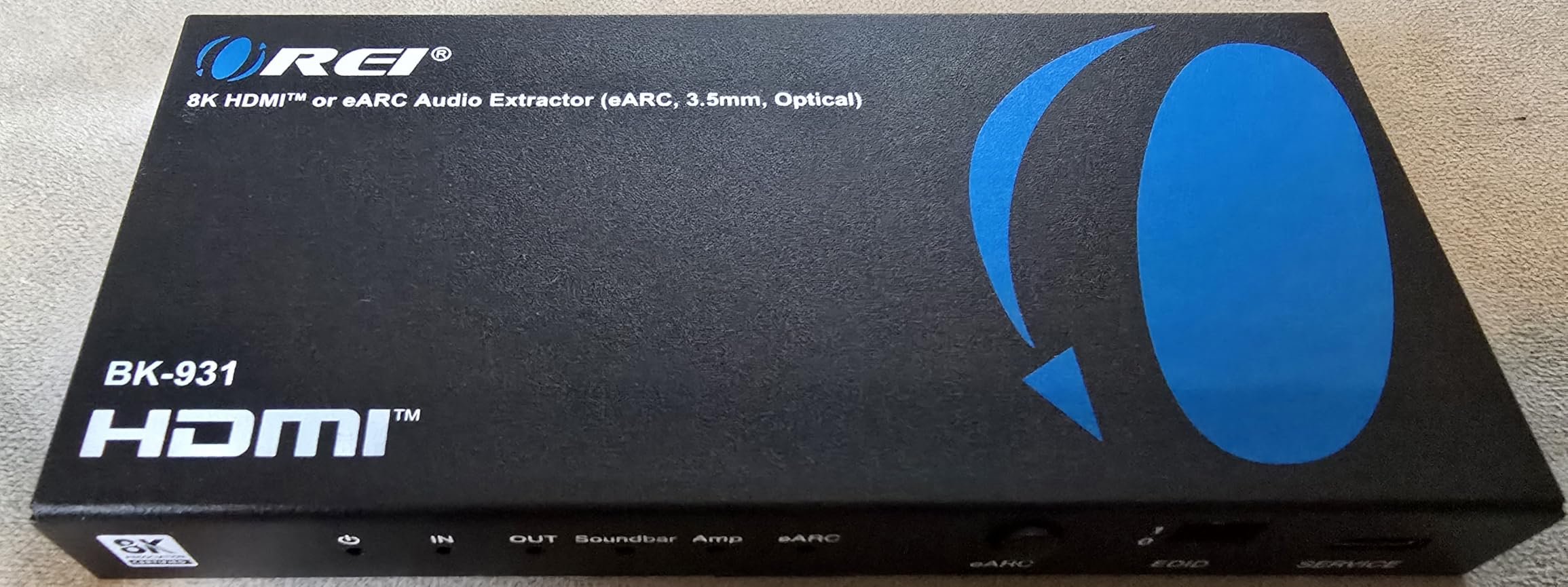
The OREI BK-931 is the premium option in the OREI lineup, and it adds full eARC support to the already impressive feature set of the 8K model. This is the extractor to get if your TV and audio system both support eARC and you want to take full advantage of lossless audio formats.
I tested it with a Samsung TV that had notorious audio dropout issues with certain soundbars, and the BK-931 resolved them completely. The auto eARC detection switches seamlessly between TV apps and external HDMI sources, so you never have to manually change inputs on your audio system.
The format support is the most comprehensive on this list: Dolby Atmos, Dolby TrueHD, DTS-HD Master Audio, DTS:X, and DSD all pass through natively. The multiple outputs include HDMI with eARC, a dedicated amplifier output, optical SPDIF, and analog RCA.
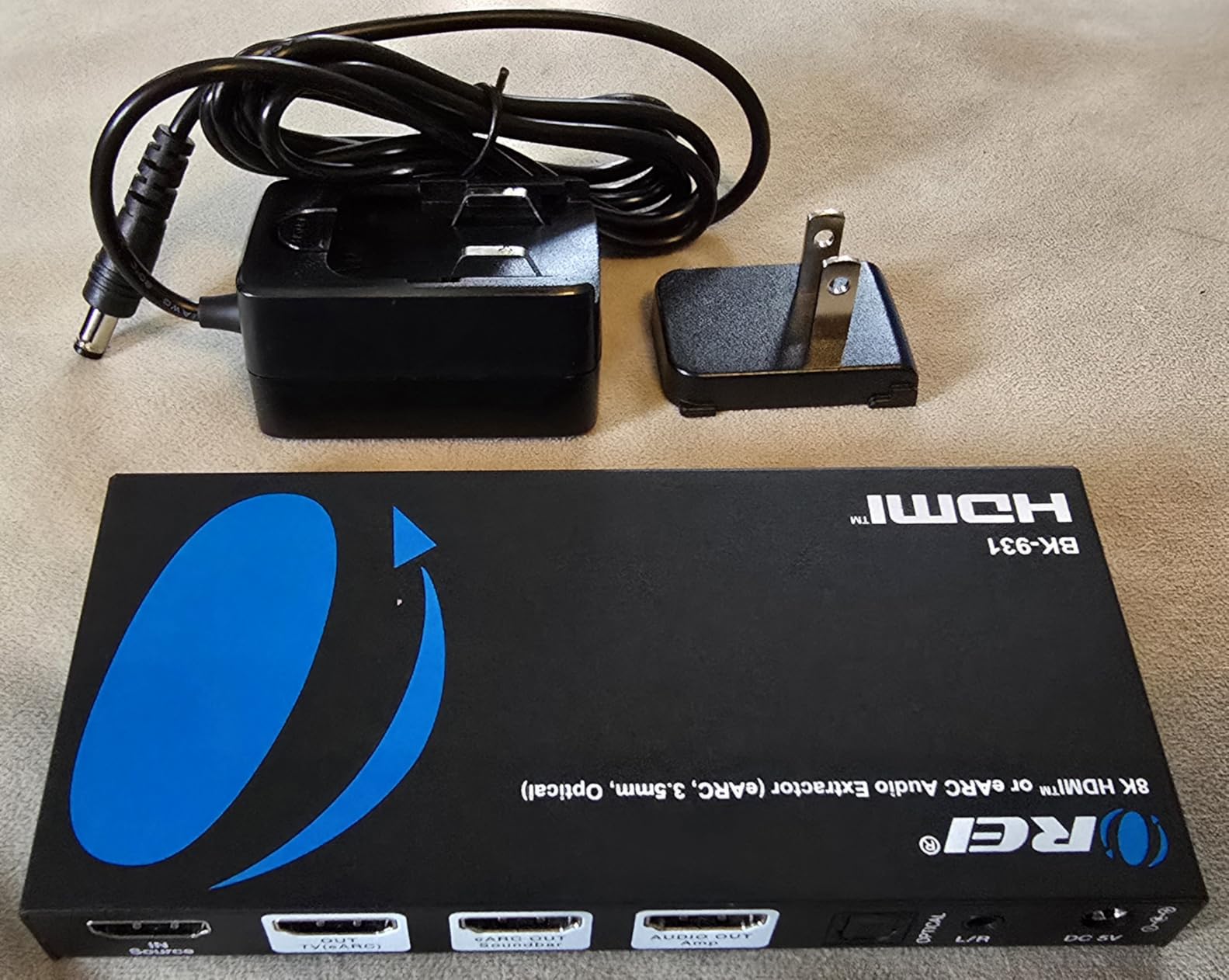
The HDMI 2.1 connection supports HDR10+, Dolby Vision, VRR, ALLM, QMS, and SBTM. That means gamers get the full next-gen feature set while also getting premium audio extraction for their sound system.
The 1-year warranty and OREI’s responsive tech support give peace of mind on a device at this price point. Multiple users specifically praised the engineering support team for helping resolve complex setup issues.
Best for Sonos and Bose Owners
The BK-931 has specific compatibility with Sonos Arc and Beam soundbars, which are notoriously picky about HDMI connections. If you have struggled to get your Sonos system working with a modern TV, this extractor is worth the investment.
Bose sound system owners also report excellent results, particularly for extracting 2-channel audio while maintaining 5.1 for the primary speaker system.
Understanding the Output Limitations
You cannot use the eARC output and the digital optical output at the same time, which is a limitation to be aware of if you planned to feed multiple digital audio destinations. The optical port is also limited to 5.1 channels and will not downmix 7.1 content.
Older HDMI sources like the Xbox 360 and PS3 may experience audio issues due to their older HDMI standards not playing nicely with HDMI 2.1 passthrough circuitry.
How to Choose the Right HDMI Audio Extractor
Finding the best HDMI audio extractor for your setup comes down to understanding six key factors. Our testing across these 8 devices showed that the wrong choice can mean anything from minor audio quality loss to complete signal failure.
Video Resolution and Refresh Rate
The first thing to check is what resolution and refresh rate your source and display support. If you game on a PS5 or Xbox Series X with a 120Hz TV, you need an extractor that handles 4K@120Hz, like the OREI 8K or the Wilxisum HDMI 2.1 model.
Devices limited to 4K@30Hz, like the budget avedio links extractor, will bottleneck your video signal and force your console to output at lower resolutions. Always match or exceed your source’s maximum output capability.
For 8K setups, only the OREI 8K, avedio links 8K, and Wilxisum models support 8K@60Hz passthrough. The other extractors on this list cap out at 4K resolutions.
Audio Format Support
This is where cheap extractors cut corners. Basic models handle Dolby Digital and DTS 5.1, which is fine for most streaming content. But if you watch 4K Blu-ray discs or use a home theater PC, you want support for Dolby TrueHD, DTS-HD Master Audio, Dolby Atmos, and DTS:X.
The OREI BK-931 and Wilxisum models offer the most complete format support. The budget avedio links handles DTS-HD and Dolby TrueHD at its core but may not pass these formats through correctly in all configurations.
Remember that optical S/PDIF connections are physically limited to compressed 5.1 audio due to bandwidth constraints. You cannot get lossless Dolby TrueHD or DTS-HD Master Audio through optical. For those formats, you need HDMI or eARC connections.
Output Options: Optical, RCA, 3.5mm, and HDMI
Think about what your audio equipment actually accepts. Older receivers typically have optical inputs and RCA analog inputs. Soundbars may have optical and HDMI ARC. Headphone amplifiers usually need 3.5mm or RCA.
The OREI 8K and BK-931 models offer the widest range of outputs, including HDMI ARC, optical SPDIF, and analog RCA. The OREI eARC Splitter adds the unique ability to send audio to two destinations simultaneously.
ARC vs eARC: Which Do You Need
ARC (Audio Return Channel) lets your TV send audio back to your receiver through an HDMI cable. It supports basic Dolby Digital and DTS formats. eARC (enhanced ARC) dramatically increases bandwidth, supporting up to 32 channels of uncompressed audio including Dolby Atmos and DTS:X.
If your TV has eARC and your sound system supports Dolby Atmos, you want an eARC-capable extractor like the OREI BK-931 or the avedio links ARC model. The OREI 8K model supports ARC but not eARC, which is its main limitation.
Users on AVS Forum noted that the practical difference matters most for 4K Blu-ray and high-end gaming. For standard streaming content, ARC with Dolby Digital Plus is often sufficient.
Gaming Features: VRR, ALLM, and 4K@120Hz
Gamers need to pay special attention to gaming-specific HDMI 2.1 features. VRR (Variable Refresh Rate) eliminates screen tearing, ALLM (Auto Low Latency Mode) switches your TV to game mode automatically, and 4K@120Hz gives you the smoothest possible gameplay.
Only the OREI 8K, OREI BK-931, Wilxisum, and avedio links 8K models support these gaming features. Choosing an extractor without VRR support means your PS5 or Xbox will not get the full benefit of your gaming display.
HDCP Compatibility
HDCP (High-bandwidth Digital Content Protection) is the copy protection standard used on HDMI connections. Modern 4K content typically requires HDCP 2.2 or 2.3. If your extractor only supports HDCP 1.4, you may get a black screen or error message when trying to watch protected 4K content.
The budget avedio links extractor uses HDCP 1.4, which is a potential dealbreaker for 4K streaming. All the OREI and Wilxisum models support HDCP 2.3, which is the current standard.
Budget vs Premium: When to Spend More
For a simple streaming device to older receiver connection, a $20 extractor works fine. The Audioholics forum community confirmed that even cheap extractors handle basic audio extraction without quality loss.
Spend more when you need 4K@60Hz or higher, eARC support, Dolby Atmos pass-through, gaming features like VRR and ALLM, or dual audio output. The jump from $30 to $70 gets you HDMI 2.1, and the jump from $70 to $100 gets you full eARC with auto-detection.
FAQs
How good are HDMI audio extractors?
HDMI audio extractors work very well for splitting audio from video signals. Even budget models under $30 deliver clean digital audio through optical outputs. The key is matching the extractor’s capabilities to your setup: resolution support, audio format compatibility, and output types all matter. Users on AVS Forum and Audioholics confirm that even cheap extractors handle basic extraction without degrading audio or video quality.
Are all HDMI audio extractors the same?
No, HDMI audio extractors vary significantly in resolution support (4K@30Hz vs 4K@120Hz vs 8K@60Hz), audio format handling (basic Dolby Digital vs full Dolby Atmos and DTS:X), output options (optical, RCA, 3.5mm, HDMI ARC, eARC), and gaming features (VRR, ALLM). Budget models handle basic extraction while premium HDMI 2.1 models support next-gen gaming and lossless audio formats.
Can you extract audio from HDMI?
Yes, an HDMI audio extractor splits the HDMI signal into separate video and audio paths. The video continues to your TV or display while the audio is routed to your sound system through optical SPDIF, 3.5mm, RCA, or HDMI ARC/eARC outputs. This lets you send high-quality audio to receivers or soundbars that may not have direct HDMI connectivity.
Do HDMI audio extractors affect video quality?
Quality HDMI audio extractors do not degrade video quality because they pass the video signal through without processing or scaling it. The extractor simply taps into the audio portion of the HDMI signal. However, if the extractor’s bandwidth is lower than your source output, it can force a resolution downgrade. Always choose an extractor that supports your source’s maximum resolution and refresh rate.
What is the best HDMI audio extractor?
The OREI 8K HDMI Audio Extractor is our top pick overall, offering 8K@60Hz and 4K@120Hz support, full Dolby Atmos and DTS:X compatibility, gaming features like ALLM and VRR, and 238 reviews with a 4.3-star rating. For budgets under $30, the avedio links 4K extractor is excellent. For full eARC support, the OREI BK-931 is the premium choice.
Final Thoughts on the Best HDMI Audio Extractors
After testing 8 HDMI audio extractors across gaming, home theater, and streaming setups, our top recommendation is the OREI 8K HDMI Audio Extractor for its unbeatable combination of 8K support, full audio format coverage, and proven reliability with 238 user reviews. It handles PS5 gaming at 4K@120Hz while delivering clean Dolby Atmos and DTS:X extraction.
For tight budgets, the avedio links 4K extractor gets the job done for basic streaming and optical audio needs. For serious home theater enthusiasts who need full eARC with auto-detection, the OREI BK-931 is worth the investment.
The best HDMI audio extractors in 2026 solve the common problem of connecting modern video sources to audio equipment that cannot keep up with new formats and resolutions. Pick the one that matches your resolution, audio format, and output requirements, and you will have clean audio flowing to your sound system without sacrificing video quality.