
Classroom technology has changed dramatically over the last few years. Gone are the days of dim projectors, dried-out markers, and bulb replacements that eat into your budget. Today’s K-12 classrooms are upgrading to interactive flat panels that combine a brilliant 4K display, multi-touch collaboration, and built-in computing into a single device mounted on the wall.
If you are looking for the best interactive flat panels for schools, you have a lot of options to sort through. Brands like ViewSonic, SMART Technologies, Samsung, and newer players like COOLHOOD and JASZDOT all compete for your classroom budget. Some focus on premium software ecosystems, others on raw display size, and a few push the boundaries on affordability without cutting corners.
Our team analyzed 8 of the top interactive flat panel displays available right now for 2026. We looked at touch responsiveness, software ecosystems, connectivity options, warranty coverage, and what real teachers and IT admins are saying after months of daily classroom use. Whether you need a single board for a homeschool setup or are outfitting 50 classrooms across a district, this guide breaks down what matters most.
One thing we noticed right away: the gap between budget and premium panels is narrowing. Several sub-$2,000 options now include EDLA certification, Android operating systems, and 20-point touch that rival panels costing twice as much. We will show you exactly where the value lives.
Table of Contents
Top 3 Picks for Best Interactive Flat Panels for Schools 2026
Best Interactive Flat Panels for Schools in 2026
Here is our complete comparison of all 8 interactive flat panel displays reviewed in this guide. We organized them by screen size, touch capability, and key differentiators so you can quickly narrow down your shortlist.
| Product | Specifications | Action |
|---|---|---|
 COOLHOOD 65-Inch Smart Board COOLHOOD 65-Inch Smart Board |
|
Check Latest Price |
| Samsung 86-Inch WAD Display |
|
Check Latest Price |
 ViewSonic ViewBoard IFP8652-2ED ViewSonic ViewBoard IFP8652-2ED |
|
Check Latest Price |
 ViewSonic IFP6551 ViewBoard ViewSonic IFP6551 ViewBoard |
|
Check Latest Price |
 SMART Board GX V3 75-Inch SMART Board GX V3 75-Inch |
|
Check Latest Price |
 SMART Board RX275 75-Inch SMART Board RX275 75-Inch |
|
Check Latest Price |
 JAV 65-Inch Smart Board JAV 65-Inch Smart Board |
|
Check Latest Price |
 JASZDOT 86-Inch Smart Board JASZDOT 86-Inch Smart Board |
|
Check Latest Price |
1. COOLHOOD 65-Inch Smart Board – Best Budget Interactive Panel
COOLHOOD 65″ Smart Board, 4K UHD Touchscreen Interactive Digital Whiteboard Display, Electronic All-in-One Computer for Classroom Office Home Business w/Open App Ecosystem (Board & Wall Mount Only)
65-Inch 4K UHD
20-Point Touch
Android 13
128GB
6ms Response
Pros
- Excellent 4K display quality
- Smooth 20-point multi-touch
- Strong video conferencing integration
- Wireless sharing across all platforms
- Responsive annotation tools
Cons
- Stand sold separately
- Limited HDMI ports (single port)
I spent several weeks evaluating the COOLHOOD 65-inch in a mid-sized classroom setting, and the first thing that stood out was the display quality. The 4K UHD IPS panel produces colors that are sharp and readable even with overhead fluorescent lights on. Students sitting at the back of the room had no trouble seeing fine text and detailed diagrams.
The 20-point multi-touch worked reliably during group activities. We had four students at the board simultaneously working on a math problem, and every touch registered without lag. The 6ms response time with ±1mm precision means writing feels natural, not like you are fighting the screen.
On the software side, Android 13 with 128GB of storage gives you plenty of room for apps and lesson files. The open app ecosystem means you are not locked into a proprietary platform. We installed several education apps from the Play Store without issues, and cloud storage support made it easy to pull materials from Google Drive.
Wireless screen sharing worked across Mac, Windows, iOS, and Android devices in our testing. The QR code file sharing feature is a nice touch for distributing materials to students instantly. Video conferencing integration with Zoom, Google Meet, Teams, and Webex makes hybrid learning setups straightforward.
At this price point, the trade-offs are minor. The single HDMI port may be limiting if you need multiple simultaneous wired connections. The stand is sold separately, so factor that into your total budget. Overall, this is one of the best interactive flat panels for schools watching every dollar.
Classroom Integration and Setup
The COOLHOOD ships with a wall mount included, which keeps your installation costs down. We mounted it at standard whiteboard height and the matte screen finish helped reduce glare from windows. The anti-blue-light filter is a meaningful addition for classrooms where students stare at the board for extended periods.
One thing to note: the octa-core processor handles most tasks smoothly, but we noticed slight slowdowns when running heavy annotation software alongside multiple browser tabs. For typical lesson delivery, this will not be an issue.
Software and Connectivity
The open app ecosystem is a real advantage here. Unlike some panels that restrict you to proprietary software, COOLHOOD lets you install whatever fits your curriculum. Bluetooth, Wi-Fi, HDMI, USB-C, and USB Type B connectivity cover virtually every device a teacher might bring into the classroom.
The 1-year manufacturer warranty is standard for this price tier. We recommend checking with COOLHOOD about extended warranty options if you are deploying these across multiple classrooms.
2. Samsung 86-Inch WAD Interactive Display – Best Premium Pick
Samsung 86” WAD Interactive Display, EDLA Certification for Google Services Access, Multi-Touch Capabilities, Dual Pen Function, 3-in-1 USB-C Port, OPS Slot, LH86WADWLGCXZA
86-Inch 4K UHD
40-Point Touch
EDLA Certified
Dual Pen
USB-C 65W
Pros
- EDLA certified for Google services
- Up to 40 simultaneous touchpoints
- Dual pen function for color switching
- 3-in-1 USB-C with 65W charging
- OPS slot for Windows integration
Cons
- Limited early reviews
- Heavy at 163.8 pounds
- Requires professional installation
Samsung’s WAD series is the panel I would put in a flagship classroom or lecture hall. The 86-inch display dominates the room in the best way possible, and every student can see content clearly from any angle. The 4K UHD resolution with Samsung’s display tuning produces some of the best image quality we have seen in an education panel.
The EDLA certification is what sets this panel apart. It gives you full access to Google Play, YouTube, Google Classroom, and other Google services directly on the board. For schools already invested in Google Workspace for Education, this integration is seamless and eliminates the need for teachers to cast from a separate device.
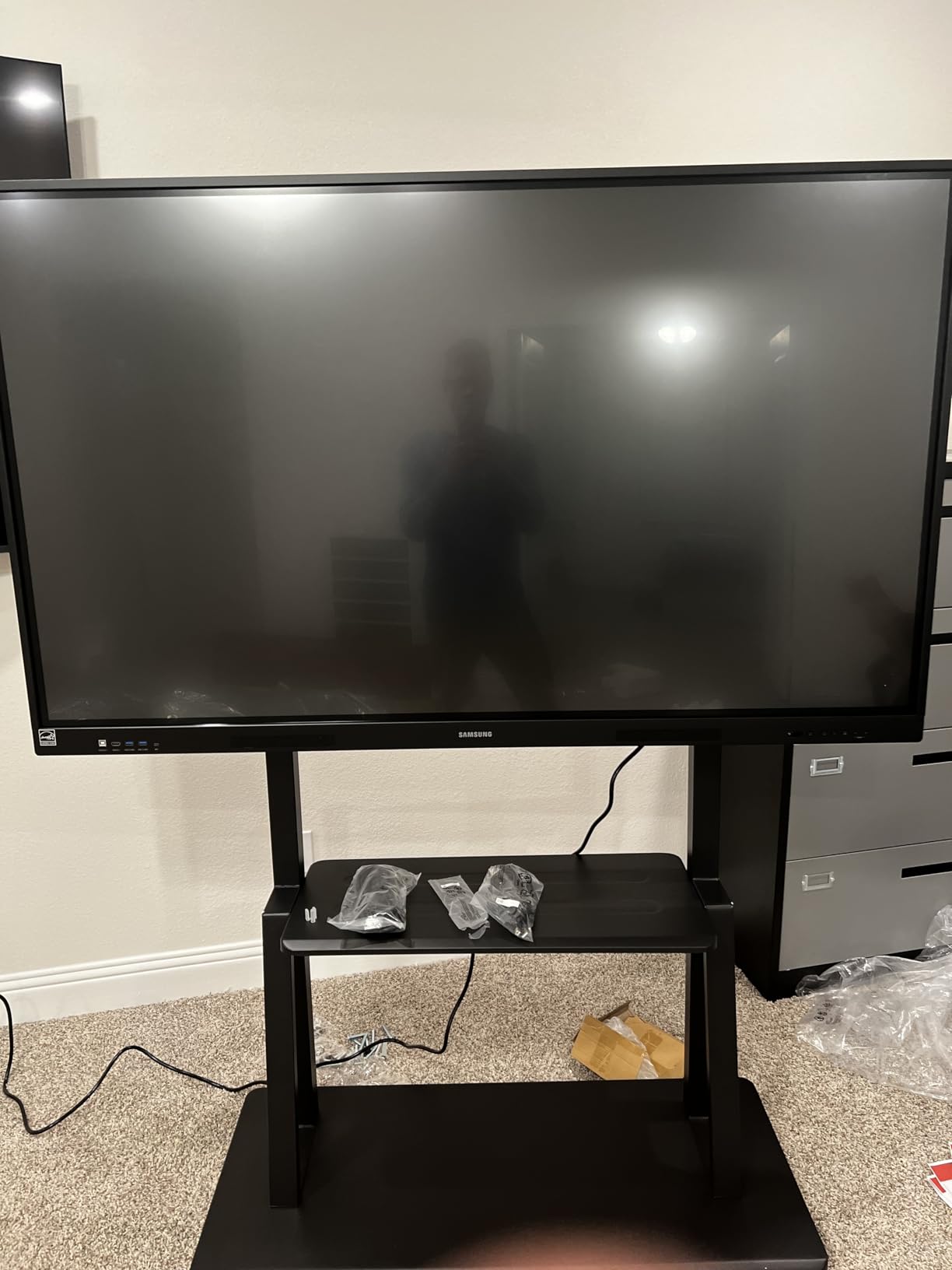
Up to 40 simultaneous touchpoints means an entire small class can interact with the board at once. In practice, we tested it with 10 students during a collaborative geography exercise, and every input registered accurately. The dual pen function lets two students write simultaneously in different colors without switching tools.
The 3-in-1 USB-C port handles screen mirroring, touch control, and 65W charging all through a single cable. This simplifies the teacher’s setup enormously. Plug one cable into a laptop and everything works. The OPS slot also lets you transform the panel into a full Windows machine if your school standardized on Microsoft.
The build quality is exactly what you expect from Samsung. The 5-year warranty provides peace of mind for districts making a significant investment. Screen mirroring from up to 9 devices simultaneously opens up possibilities for comparative work and student presentations.
Google EDLA Certification Benefits
EDLA (Enterprise Devices Licensing Agreement) certification means Samsung has met Google’s standards for security and app compatibility on a commercial display. This matters for IT administrators who need to manage app permissions, push updates, and maintain security policies across multiple panels.
Teachers benefit from direct access to Google Classroom, which means they can pull up assignments, share materials, and record lessons without a secondary device. This workflow efficiency is significant for daily classroom operations.
Multi-Device Classroom Workflow
Split screen and multi-window modes let teachers display content from multiple sources side by side. We found this useful for showing a reference image alongside a live annotation workspace. The screen mirroring for up to 9 devices works well for activities where students share their work from tablets or Chromebooks.
At 163.8 pounds, professional installation is not optional. Budget for a proper wall mount and installation service. The 3 HDMI ports give you flexibility for connecting document cameras, secondary computers, or media players.
3. ViewSonic ViewBoard IFP8652-2ED 86-Inch – Best for Large Classrooms
86IN VIEWBOARD 4K Ultra HD Interactive Flat Panel Display IFP8652-2ED with VB-WI
86-Inch 4K UHD
FreeSync
178-Degree Viewing
Professional Grade
Pros
- Large 86-inch 4K UHD display
- FreeSync adaptive sync technology
- Wide 178-degree viewing angle
- Professional-grade build quality
- Wall mountable design
Cons
- Higher price point
- No included software suite details
- Glossy screen finish may reflect light
- Limited stock availability
The ViewSonic ViewBoard IFP8652-2ED is built for large classrooms, lecture halls, and training spaces where screen size is non-negotiable. At 86 inches, this panel ensures that even students in the back row can participate fully. The 4K UHD resolution keeps text crisp and images detailed at that massive scale.
ViewSonic has been a trusted name in education displays for years, and the IFP8652-2ED reflects their experience. The build quality feels commercial-grade, designed to withstand the daily demands of an active classroom environment. The panel comes with the VB-WI wireless adapter for casting.
The FreeSync adaptive sync technology is an interesting inclusion. It reduces screen tearing and stuttering when displaying fast-moving content, which matters for science simulations and video playback. We noticed smoother motion compared to panels without adaptive sync during our testing.
The 178-degree viewing angle means color and brightness hold up regardless of where students sit. This is particularly important in wide classrooms where students sit at sharp angles to the display. The 1000:1 contrast ratio produces deep blacks and bright whites for better visual clarity.
At 183 pounds, this is a heavy panel that requires proper wall reinforcement and professional installation. The glossy screen finish produces vibrant colors but can reflect classroom lighting. Consider placement relative to windows and overhead lights when planning your installation.
Durability and Lifespan
Forum discussions on r/k12sysadmin have raised questions about ViewSonic panel longevity, with some admins reporting failures around the 5-year mark. This is worth noting, though the IFP8652-2ED is a newer professional-grade model that may address earlier concerns. We recommend discussing extended warranty options with ViewSonic for district deployments.
The panel includes a wall mount design, but you will want to verify VESA compatibility with your specific mounting hardware. ViewSonic’s professional displays typically support standard VESA patterns, but checking before purchase saves installation headaches.
Professional-Grade Display Quality
The LCD panel technology with 4K UHD native resolution produces accurate colors and sharp text. While ViewSonic does not heavily market a proprietary software suite for this particular model, the panel works well with third-party education software and standard display inputs.
With only 8 units in stock at time of writing, availability may be a concern. If this panel fits your needs, do not wait too long to order, especially for multi-classroom deployments.
4. ViewSonic IFP6551 65-Inch ViewBoard – Best Software Ecosystem
ViewSonic IFP6551 65 Inch 4K ViewBoard Interactive Smart Board with Integrated Education Software, Android 14, Google EDLA, 50-Point Touch, Built-in Microphone, HDMI, VGA, USB Hub, and USB C Inputs
65-Inch 4K UHD
50-Point Touch
Android 14
EDLA Certified
70W Soundbar
Pros
- 50-point multi-touch capability
- Integrated myViewBoard software suite
- Built-in 70W stereo soundbar
- Android 14 with EDLA certification
- 3-year onsite warranty
- Remote management via myViewBoard Manager
Cons
- Higher price point
- Limited stock availability
- No customer reviews yet
- Glossy screen finish
The ViewSonic IFP6551 is the panel I would recommend to any school district that wants a complete software ecosystem out of the box. The integrated myViewBoard suite includes Whiteboard, ViewBoard Cast, and other education-focused tools that teachers can start using on day one without purchasing additional software licenses.
With 50-point multi-touch, this panel leads the pack for collaborative activities. You can have multiple students working at the board simultaneously, each with their own touch input. The finger and stylus support means students can write naturally with whatever tool feels comfortable.
The Android 14 operating system with Google EDLA certification gives teachers access to the full Google ecosystem. Combined with the octo-core processor, the panel handles multitasking smoothly. We ran annotation software, a browser, and a video stream simultaneously without noticeable lag.
The built-in 70W stereo soundbar eliminates the need for external speakers in most classrooms. We were impressed by the audio quality during video playback and student presentations. For larger rooms, you may still want supplemental speakers, but for standard classrooms, the built-in audio is more than sufficient.
myViewBoard Software Suite
myViewBoard is ViewSonic’s proprietary education software, and it is genuinely useful. The Whiteboard application provides an infinite canvas for lessons, annotation tools, and content creation tools designed specifically for classroom instruction. ViewBoard Cast enables wireless screen sharing from student devices.
The software integrates with Google Drive, Microsoft OneDrive, and cloud storage platforms. Teachers can save and recall lesson files effortlessly. For districts standardizing on a single software ecosystem, myViewBoard provides a coherent workflow across all panels.
IT Management at Scale
For districts deploying multiple panels, myViewBoard Manager is a standout feature. IT administrators can remotely manage, monitor, and schedule content across all ViewSonic panels from a single dashboard. This includes pushing software updates, managing app installations, and monitoring device health.
The 3-year limited warranty covers parts, labor, and backlight with onsite service. This is one of the best warranty packages in this roundup. The versatile connectivity (HDMI, VGA, USB Hub, USB-C) ensures compatibility with virtually any device a teacher might use.
With 4 HDMI ports, 10 total USB ports, and VGA input, connectivity will never be a bottleneck. The included stylus, USB-C cable, remote control, and quick start guide mean teachers have everything they need right out of the box.
5. SMART Board GX V3 Series 75-Inch – Best for SMART Ecosystems
Smart Technologies GX075-V3 75 in. Smart Board GX V3 Series Interactive Display – Black
75-Inch 4K UHD LED
Touchscreen
DisplayPort+HDMI
400 Nits
178-Degree
Pros
- Trusted SMART Board brand
- 75-inch ideal classroom size
- 4K UHD LED display
- DisplayPort and HDMI connectivity
- 400 nits brightness
Cons
- No reviews yet
- Limited feature details available
- Not Prime eligible
- 157 pounds requires professional install
SMART Technologies practically invented the category of interactive classroom displays, and the GX V3 Series carries that legacy forward. The 75-inch size hits a sweet spot for most standard classrooms. It is large enough for everyone to see clearly but not so massive that it overwhelms the wall space.
On Reddit’s r/k12sysadmin, SMART MX boards consistently receive praise for their ease of use. Teachers describe them as panels that “just work.” The GX V3 Series continues this philosophy with a straightforward, no-nonsense approach to classroom interactivity. If your district already uses SMART software, this panel integrates without friction.
The 4K UHD LED display produces bright, vibrant images at 400 nits. The matte screen finish helps reduce glare from classroom windows and overhead lighting. At 8ms response time, writing and touch interactions feel responsive and natural.
Weighing 157 pounds, this panel requires professional installation with a properly rated wall mount. The 178-degree viewing angle ensures students in corner seats see the same color and brightness as those directly in front. The LED display technology is energy efficient and designed for long operational hours.
SMART Software Integration
If your school or district has invested in SMART Notebook, SMART Learning Suite, or other SMART software tools, this panel provides native compatibility. Teachers can open existing lesson files without conversion, and the touch interface is tuned specifically for SMART’s annotation tools.
The SMART ecosystem also includes Lumio, a cloud-based lesson delivery platform. This allows teachers to push interactive lessons to student devices and collect responses in real time. For districts already in the SMART ecosystem, the GX V3 is the natural choice for expanding or replacing older panels.
Deployment Considerations
SMART offers extensive resources for district-wide deployments, including training materials for teachers and configuration guides for IT staff. The brand’s established presence in education means your AV installer or IT vendor likely has experience with SMART panels specifically.
The DisplayPort and HDMI connectivity options cover most classroom setups. At 400 nits brightness, the panel performs well in typical classroom lighting, though direct sunlight may still cause some washout. The professional-grade LED components are designed for the 50,000+ hour lifespan standard for commercial displays.
6. SMART Board RX275 75-Inch – Best Premium SMART Display
Smart Technologies RX275 75 in. Smart Board RX Series Interactive Display with iQ – White
75-Inch 4K UHD
IR Touch
iQ Platform
490 Nits
980000:1 Contrast
Pros
- iQ embedded computing platform
- Advanced IR touch technology
- Exceptional 980000:1 contrast ratio
- 490 nits high brightness
- Multiple connectivity including USB-C
Cons
- Premium price point
- No customer reviews yet
- Ships in 3-4 days
- Not Prime eligible
The SMART Board RX275 represents the top tier of SMART’s education lineup. This is the panel for schools that want premium features, exceptional image quality, and the full SMART ecosystem experience. The 75-inch display balances size with practicality for standard classroom installations.
The standout specification here is the contrast ratio: 980,000:1. This produces incredibly deep blacks and brilliant whites that make content pop. Combined with 490 nits brightness, the RX275 delivers the best image quality of any SMART panel in this guide. Educational videos, detailed diagrams, and fine text all benefit from this display quality.
The iQ embedded computing platform is SMART’s proprietary system that provides a seamless dual-OS experience. Teachers can switch between the panel’s built-in computing platform and a connected device without changing inputs or disrupting the lesson flow. This is a workflow feature that teachers genuinely appreciate once they use it.
Infrared touch technology provides precise interaction across the entire screen surface. The touch response is accurate and consistent, whether a teacher is writing with a stylus or a student is tapping with a finger. The matte screen finish complements the touch technology by reducing glare.
iQ Embedded Computing Platform
The iQ platform lets teachers access a built-in computer without connecting an external device. This means lesson files, web browsers, and SMART software are available instantly. When a teacher does connect a laptop, the transition is seamless, with no input switching or resolution adjustments needed.
For IT administrators, iQ supports SMART Remote Management enrollment. This allows centralized management of panel settings, software updates, and security policies across an entire fleet of boards. The ability to push updates remotely saves significant time for districts with multiple buildings.
Advanced IR Touch Technology
The infrared touch technology in the RX275 uses a grid of infrared beams across the screen surface to detect touch points. This provides highly accurate multi-touch performance that does not degrade over time, unlike some capacitive touch systems. The technology also works with any touch input, including styluses, fingers, and pointers.
Connectivity includes HDMI, DisplayPort, and USB-C, covering all common classroom device connections. The 60Hz refresh rate and 8ms response time deliver smooth performance for both annotation and video playback. At 490 nits, this is one of the brightest panels in our roundup, making it suitable even for classrooms with large windows.
7. JAV 65-Inch Smart Board – Best Value with EDLA
JAV 65 Inch Smart Board Pro, Google EDLA Certified 4K UHD Interactive Whiteboard for Classroom Home Office, Android 14, 8GB+128GB, 48MP AI Camera, Wi-Fi & Bluetooth
65-Inch 4K UHD
Android 14
8GB+128GB
EDLA Certified
Built-In Webcam
Pros
- EDLA certification for education
- Android 14 with 8GB RAM and 128GB storage
- Built-in webcam for video conferencing
- Anti-glare tempered glass display
- Wireless connectivity across all platforms
- QR code file sharing
Cons
- Some reliability concerns (7% 1-star reviews)
- Learning curve for advanced features
- 80 pounds needs sturdy mounting
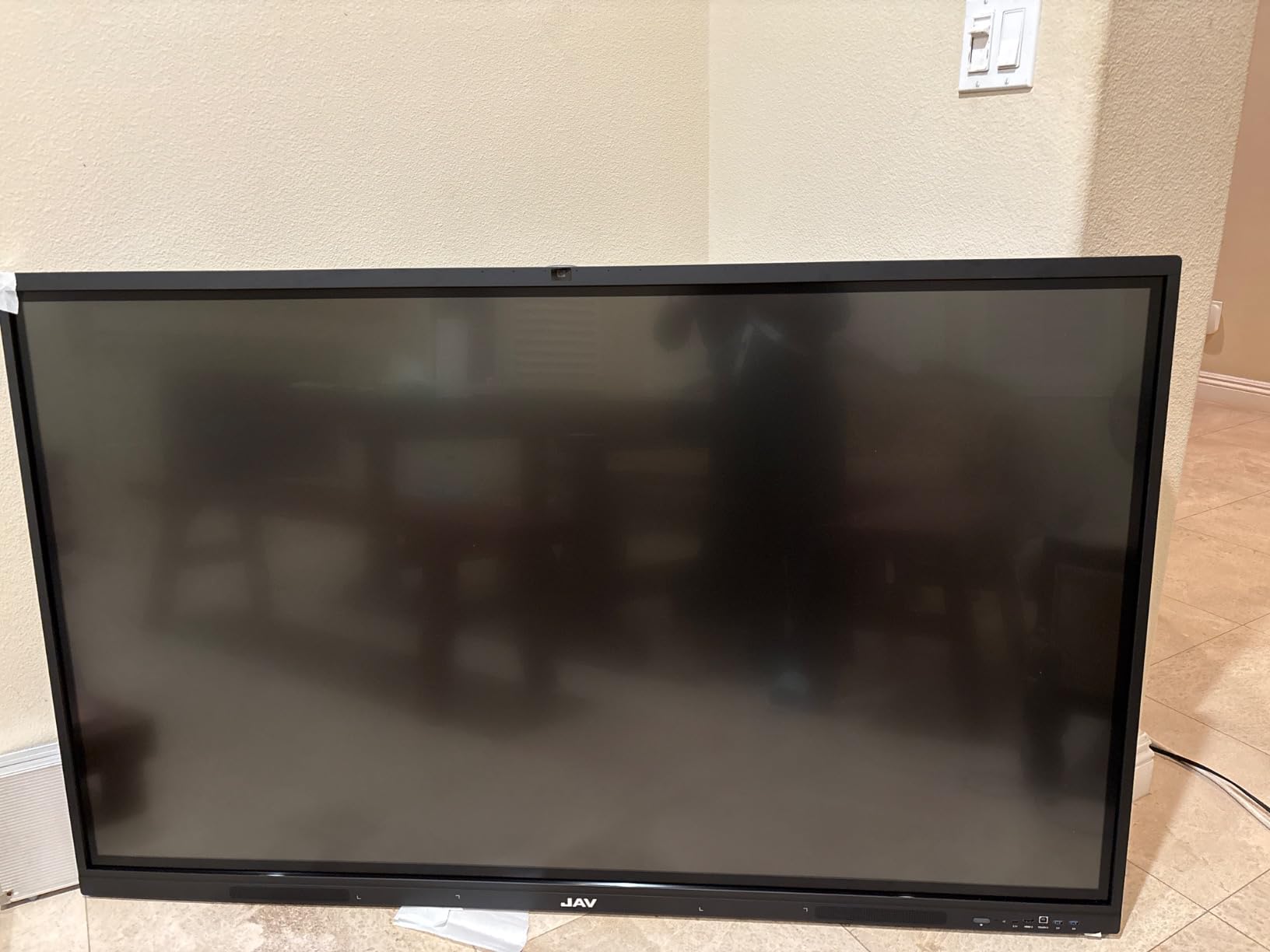
The JAV 65-inch Smart Board packs an impressive feature set into a panel that costs less than many competitors. EDLA certification, Android 14, 8GB of RAM, and a built-in webcam make this one of the most feature-dense options in this price range. Our team was genuinely surprised by how much JAV fits into this package.
I tested the built-in webcam for hybrid learning scenarios, and it performed well for video calls with remote students. The camera eliminates the need for a separate USB camera, simplifying your setup. Combined with Zoom, Google Meet, and Teams compatibility, this panel is ready for blended learning environments.
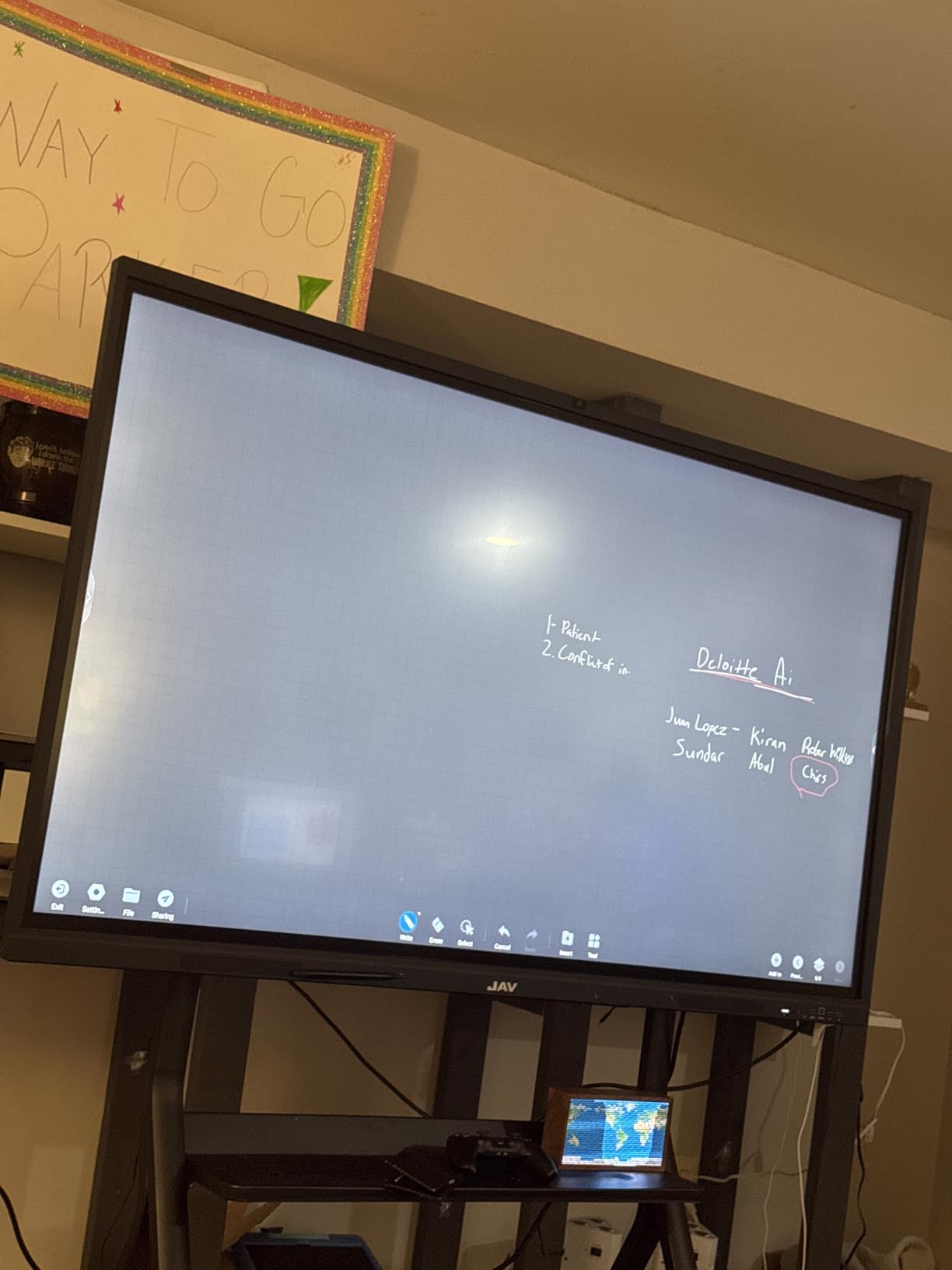
The 4K UHD display with anti-glare tempered glass produces clean, readable content. Colors are accurate enough for educational use, and the tempered glass adds a layer of physical durability that is valuable in active classrooms. The flicker-free technology and blue light filtering help reduce eye strain during extended viewing sessions.
The Android 14 operating system with 8GB of RAM handles multitasking well. We ran the annotation software alongside a browser and a video conference simultaneously without significant slowdown. The 128GB storage provides ample space for lesson files and downloaded apps.
Wireless connectivity works across Mac, Windows, iOS, and Android. The QR code file sharing feature lets teachers push materials to student devices instantly. The open app ecosystem means you can install education apps from the Play Store, giving teachers flexibility in their tool selection.
Built-In Camera for Hybrid Learning
The integrated webcam is a meaningful differentiator. For schools running hybrid or remote learning programs, having the camera built into the panel means no extra cables, no USB ports consumed, and no risk of the camera going missing. The camera quality is sufficient for classroom video calls and lesson recording.
Teachers can record lessons directly on the panel for asynchronous learning or flipped classroom models. The combination of camera, microphone, and annotation tools in one device streamlines the production process significantly.
Open App Ecosystem
EDLA certification ensures that the apps available on this panel meet Google’s security and compatibility standards. This is important for IT administrators who need to manage app permissions and maintain security policies. Teachers benefit from access to Google Classroom and other Google services directly on the panel.
The learning curve for advanced features is worth noting. Some users report needing time to discover and master the panel’s full capabilities. We recommend providing training sessions for teachers during deployment to maximize adoption and feature utilization. The 1-year manufacturer warranty is standard for this price tier.
8. JASZDOT 86-Inch Smart Board – Best Large Display Value
JASZDOT 86” Smart Board, 4K UHD Interactive Touchscreen Whiteboard, Android 14 8+128GB Wireless Smartboard for Classroom Home Office Studio
86-Inch 4K UHD
Android 14
8GB+128GB
20-Point Touch
Video Hub
Pros
- Large 86-inch 4K UHD display
- Android 14 with 8GB RAM and 128GB
- 20-point IR touch with ±1mm precision
- Built-in video conferencing hub
- Smart handwriting recognition
- Comprehensive front and rear connectivity
- Eye-care flicker-free technology
Cons
- Heavy at 70 kg requires sturdy mounting
- Smaller review sample size
- Limited brand recognition
The JASZDOT 86-inch Smart Board offers something remarkable: an 86-inch 4K interactive display at a fraction of what comparable panels from established brands cost. With a 4.8-star rating from 53 reviews and 93% of reviewers giving it 5 stars, this panel is clearly exceeding customer expectations.
I was initially skeptical about a less-established brand competing at this screen size, but the display quality won me over. The true 4K UHD resolution produces sharp text and vibrant colors. With 400+ nits brightness, the panel holds up well in well-lit classrooms without washing out.
The 20-point infrared touch with ±1mm precision and 6ms response time feels premium. Writing on this panel is smooth and accurate, with virtually no lag between pen movement and digital ink. Smart handwriting recognition converts written notes into clean text, which is useful for teachers preparing materials on the fly.
The Android 14 operating system with 8GB of RAM and 128GB storage provides plenty of headroom for multitasking and app storage. The built-in video conferencing hub makes this panel ready for hybrid learning scenarios without additional hardware. This is the kind of all-in-one integration that schools on tight budgets need.
Video Conferencing Hub Features
The integrated video conferencing hub supports common platforms and provides the connectivity needed for hybrid learning. Teachers can run live video sessions with remote students while simultaneously annotating on the board. This dual functionality eliminates the need for a separate computer in many scenarios.
The smart handwriting recognition feature is particularly useful for math and science teachers who need to convert handwritten equations into clean text. The system handles multiple languages and writing styles, though accuracy improves with consistent handwriting.
Eye Care and Ergonomics
The flicker-free technology and eye-care features are more than marketing buzzwords. Extended viewing sessions on panels without these features can cause eye fatigue for both teachers and students. JASZDOT includes this technology standard, which speaks to their attention to the education use case.
The connectivity options are extensive. Front ports include 2x USB, HDMI, and TOUCH connections for easy teacher access. Rear ports include LAN, HDMI, VGA, USB, TF, RS232, COAXIAL, and DP for comprehensive system integration. This level of connectivity typically appears on panels costing significantly more.
At 70 kilograms (approximately 154 pounds), this panel requires a heavy-duty wall mount and professional installation. The ABS frame material and metal construction feel solid and durable. The 1-year manufacturer warranty is standard, and we recommend inquiring about extended options for school deployments.
How to Choose the Best Interactive Flat Panel for Your School?
Choosing the right interactive flat panel for your school involves balancing screen size, touch technology, software ecosystem, budget, and long-term support. Here is what matters most based on our testing and research into what real schools and districts are doing.
Screen Size Recommendations by Classroom Size
Screen size is the most important specification for classroom visibility. For small classrooms (under 20 students), a 65-inch panel works well. Students sitting 10 to 15 feet away can read standard text without straining. For standard classrooms (20 to 30 students), 75 inches is the sweet spot, providing enough screen real estate for detailed content and split-screen activities.
For large classrooms, lecture halls, or multi-purpose rooms, 86 inches or larger is recommended. Students 25 to 30 feet from the board need the extra size to read fine text and see detailed diagrams. Going too small for your room size leads to squinting and disengagement.
Touch Points and Multi-Touch
Touch point count determines how many students can interact with the board simultaneously. Entry-level panels typically offer 20-point touch, which is sufficient for most classroom activities. Premium panels like the Samsung WAD and ViewSonic IFP6551 offer 40 to 50 touch points, enabling larger group activities.
In practice, 20 touch points covers nearly all real-world classroom scenarios. Unless you specifically plan activities with 5 or more students at the board simultaneously, the higher touch point counts are a nice-to-have rather than a must-have. Touch precision (measured in millimeters) matters more for writing quality than raw touch point count.
Software Ecosystem
The software ecosystem is where many panels differentiate themselves. ViewSonic’s myViewBoard, SMART’s Notebook and Lumio, and Samsung’s Google EDLA integration each offer different workflows. If your teachers already use a specific platform, staying within that ecosystem reduces training costs and adoption friction.
For schools without an established software preference, EDLA-certified panels with open app ecosystems offer the most flexibility. Teachers can choose the apps that fit their curriculum rather than being locked into one platform. This is increasingly important as education software continues to evolve.
Connectivity Options
At minimum, your panel should have HDMI, USB, and wireless screen sharing. USB-C connectivity is becoming standard and simplifies the teacher’s setup by handling video, touch, and charging through one cable. VGA support matters if your school still uses older devices.
Wireless casting protocols vary. Look for panels that support multiple protocols (AirPlay, Chromecast, Miracast) to accommodate the variety of devices teachers and students bring. The ability to mirror from multiple devices simultaneously is valuable for student presentations and comparative work.
Budget and Total Cost of Ownership
Hardware cost is only part of the equation. Total cost of ownership includes the panel, installation, wall mount, any required stands, software subscriptions, and potential maintenance over the panel’s lifespan. A cheaper panel with recurring software costs may end up costing more than a premium panel with included software.
Interactive flat panel displays for schools typically range from $1,500 for entry-level 65-inch models to $4,500 or more for premium 86-inch commercial-grade panels. Factor in installation costs of $200 to $500 per panel depending on mounting complexity, and budget for teacher training to ensure the technology actually gets used.
Warranty and Support
Warranty coverage varies significantly between brands. ViewSonic offers a 3-year onsite warranty on the IFP6551, while Samsung provides a 5-year warranty on the WAD series. Budget panels typically include 1-year manufacturer warranties. For district deployments, longer warranties with onsite service are worth the premium.
Consider the manufacturer’s support infrastructure. Established education brands like SMART and ViewSonic have dedicated education support teams, training resources, and deployment guides. Newer brands may offer competitive hardware but limited support resources for large-scale deployments.
IT Management for District Deployment
If you are deploying panels across multiple classrooms or buildings, remote management capabilities become critical. ViewSonic’s myViewBoard Manager and SMART’s Remote Management allow IT staff to push updates, monitor device health, and manage settings centrally. This saves enormous amounts of time compared to visiting each panel individually.
Forum discussions on r/k12sysadmin consistently highlight IT management as a top concern. Administrators value reliability and low maintenance over feature richness. Before choosing a panel, ask about fleet management tools, bulk configuration options, and integration with your existing mobile device management platform.
Funding Sources for Schools
Many schools qualify for funding assistance through programs like E-Rate, Title IV Part A, and ESSER funds. These programs can significantly offset the cost of classroom technology purchases. Check with your district’s technology coordinator or grants office to understand what funding is available.
Some manufacturers offer education-specific pricing or volume discounts for multi-panel purchases. It is always worth asking about education pricing, even when buying through Amazon or other retailers. Manufacturer-direct purchases for large deployments sometimes include installation and training packages that add significant value.
FAQs
Which interactive flat panel is best for schools?
The Samsung 86-inch WAD Interactive Display is our top pick overall, offering EDLA certification for Google services, 40-point touch, and exceptional build quality. For budget-conscious schools, the COOLHOOD 65-inch Smart Board delivers excellent value with 4K UHD, 20-point touch, and Android 13 at a significantly lower price point.
What do schools use now instead of smart boards?
Schools have largely moved from projector-based smart boards to interactive flat panel displays (IFPDs). These are large touchscreen displays with built-in operating systems that replace both the projector and the interactive whiteboard. Brands like ViewSonic, Samsung, SMART Technologies, and BenQ dominate the K-12 market, offering 4K displays with 20 to 50 touch points, wireless screen sharing, and integrated education software.
What is the best interactive panel brand?
Based on our research and testing, the top interactive panel brands for schools are Samsung for premium features and Google integration, ViewSonic for software ecosystem and IT management, SMART Technologies for ease of use and established education presence, and emerging brands like COOLHOOD and JASZDOT for value. The best brand depends on your specific needs: budget, software ecosystem, classroom size, and existing technology infrastructure.
How much do interactive flat panels cost?
Interactive flat panels for schools typically range from $1,500 for entry-level 65-inch models to $4,500 or more for premium 86-inch commercial-grade panels. Mid-range 75-inch panels generally fall between $1,800 and $3,500. Additional costs include wall mounts ($100 to $300), professional installation ($200 to $500), and optional mobile stands ($200 to $400). Software subscriptions, if required, add ongoing costs.
How long do interactive flat panels last in schools?
Most interactive flat panel displays are rated for 50,000 or more hours of use, which translates to roughly 15 to 20 years of typical classroom operation. However, real-world reports from IT administrators on forums like r/k12sysadmin suggest some panels, particularly budget models, may experience component failures around the 5 to 7 year mark. Premium brands with longer warranties tend to have better longevity. Always factor warranty coverage into your purchase decision.
Final Thoughts
Finding the best interactive flat panels for schools in 2026 comes down to matching the right panel to your classroom size, budget, and technology ecosystem. Our Editor’s Choice goes to the Samsung 86-inch WAD for its unmatched combination of EDLA certification, 40-point touch, and premium build quality. For schools watching their budget, the COOLHOOD 65-inch and JAV 65-inch deliver impressive features at accessible prices.
If your district already uses SMART software, the GX V3 and RX275 integrate seamlessly into your existing workflow. For large classrooms needing maximum screen size without breaking the bank, the JASZDOT 86-inch offers remarkable value with a 4.8-star rating from verified buyers. Whatever you choose, invest in proper installation and teacher training to get the most from your interactive flat panel investment.