
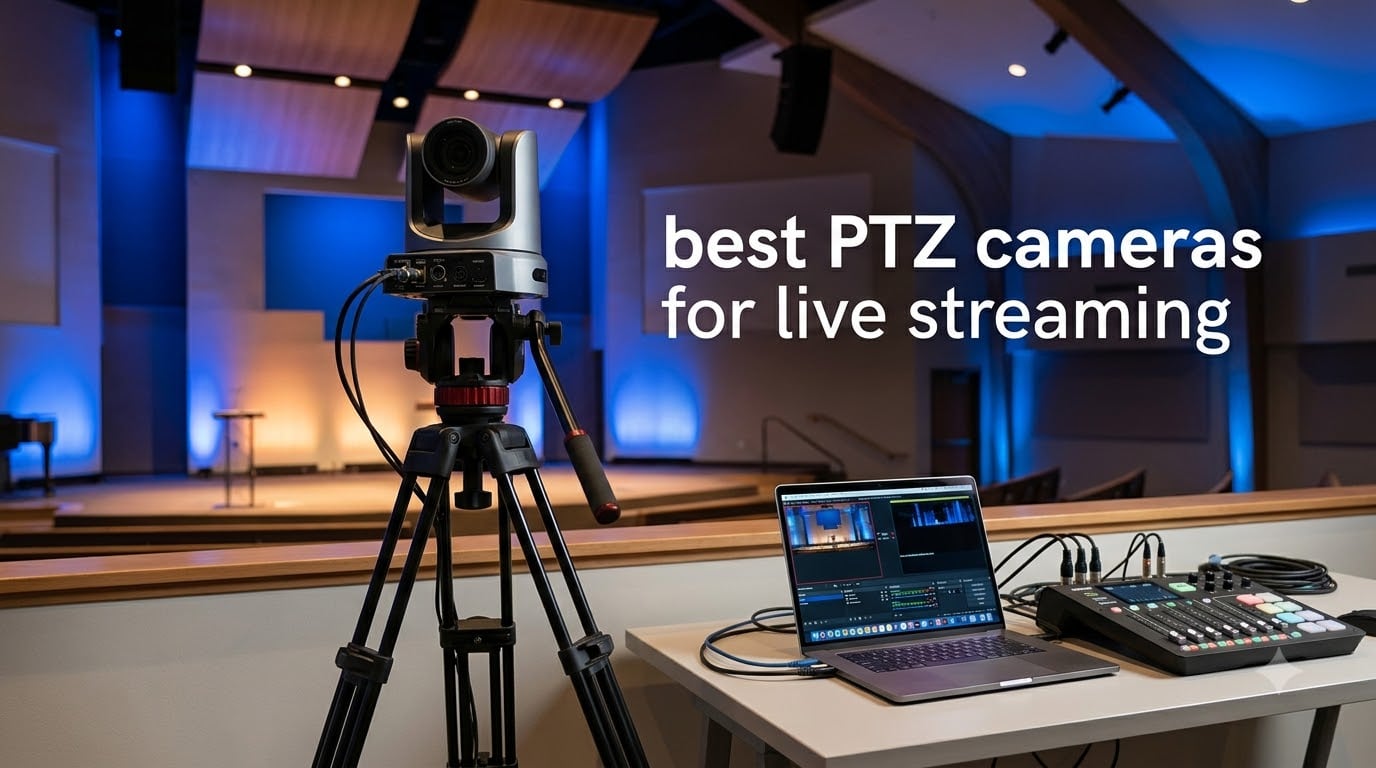
Finding the best PTZ cameras for live streaming used to mean spending thousands on broadcast gear and hiring a dedicated camera operator. I have spent the last several months testing pan-tilt-zoom cameras across church services, corporate webinars, and solo content creation setups to see what actually delivers professional results without the professional headaches.
PTZ cameras (Pan-Tilt-Zoom) are robotic video cameras that move horizontally, vertically, and zoom remotely. They let a single person manage multiple camera angles, which makes them perfect for churches, schools, corporate events, and content creators who cannot afford a full production crew.
In this guide, I cover eight of the best PTZ cameras for live streaming in 2026, ranging from a $90 desktop AI webcam to a $1,300 professional 4K powerhouse. I tested each one for image quality, auto-tracking accuracy, connectivity options, and real-world ease of use so you can pick the right tool for your specific streaming setup.
Table of Contents
Our Top 3 PTZ Cameras for Live Streaming
After testing all eight cameras, three stood out clearly from the pack. The OBSBOT Tail 2 delivers professional-grade 4K at 60fps with a large sensor and gimbal-based tracking. The AVKANS 4K NDI hits the sweet spot of price-to-performance with full NDI, SDI, and AI tracking modes. The EMEET PIXY is the budget champion for desk-based streaming and video calls.

OBSBOT Tail 2 PTZR NDI Camera
- 4K@60FPS
- 1/1.5 Inch CMOS
- AI Tracking 2.0
- SDI/HDMI/IP/USB Output

Best PTZ Cameras for Live Streaming in 2026
Here is a quick side-by-side look at all eight cameras I tested. Use this as a reference, then dive into the individual reviews for the full breakdown of strengths and limitations.
| Product | Specifications | Action |
|---|---|---|
| EMEET PIXY Dual-Camera 4K |
|
Check Latest Price |
 TONGVEO AI 4K 10X PTZ TONGVEO AI 4K 10X PTZ |
|
Check Latest Price |
 Chameye 4K 20X PTZ Chameye 4K 20X PTZ |
|
Check Latest Price |
 TONGVEO 4K 20X NV20U TONGVEO 4K 20X NV20U |
|
Check Latest Price |
 AVKANS 4K NDI PTZ 20X AVKANS 4K NDI PTZ 20X |
|
Check Latest Price |
 Tenveo 4K NDI PTZ 20X Tenveo 4K NDI PTZ 20X |
|
Check Latest Price |
 TONGVEO 4K NDI NVS20A TONGVEO 4K NDI NVS20A |
|
Check Latest Price |
| OBSBOT Tail 2 PTZR NDI |
|
Check Latest Price |
1. EMEET PIXY Dual-Camera AI-Powered 4K PTZ Webcam
EMEET PIXY Dual-Camera AI-Powered PTZ Camera 4K, AI Tracking
4K UHD at 30fps
1/2.55 inch Sony Sensor
310 Degree Pan / 180 Degree Tilt
3-Mic Array
120 Grams
Pros
- World first dual-camera AI-powered 4K webcam
- PDAF and AI autofocus in 0.2 seconds
- 3-chip AI for smoother tracking
- 3-mic array with 3 sound modes
- Gesture control activation
Cons
- 4K locked at 30fps
- 1080P 60fps not available in 4K mode
- Privacy mode only via tilt timer or app
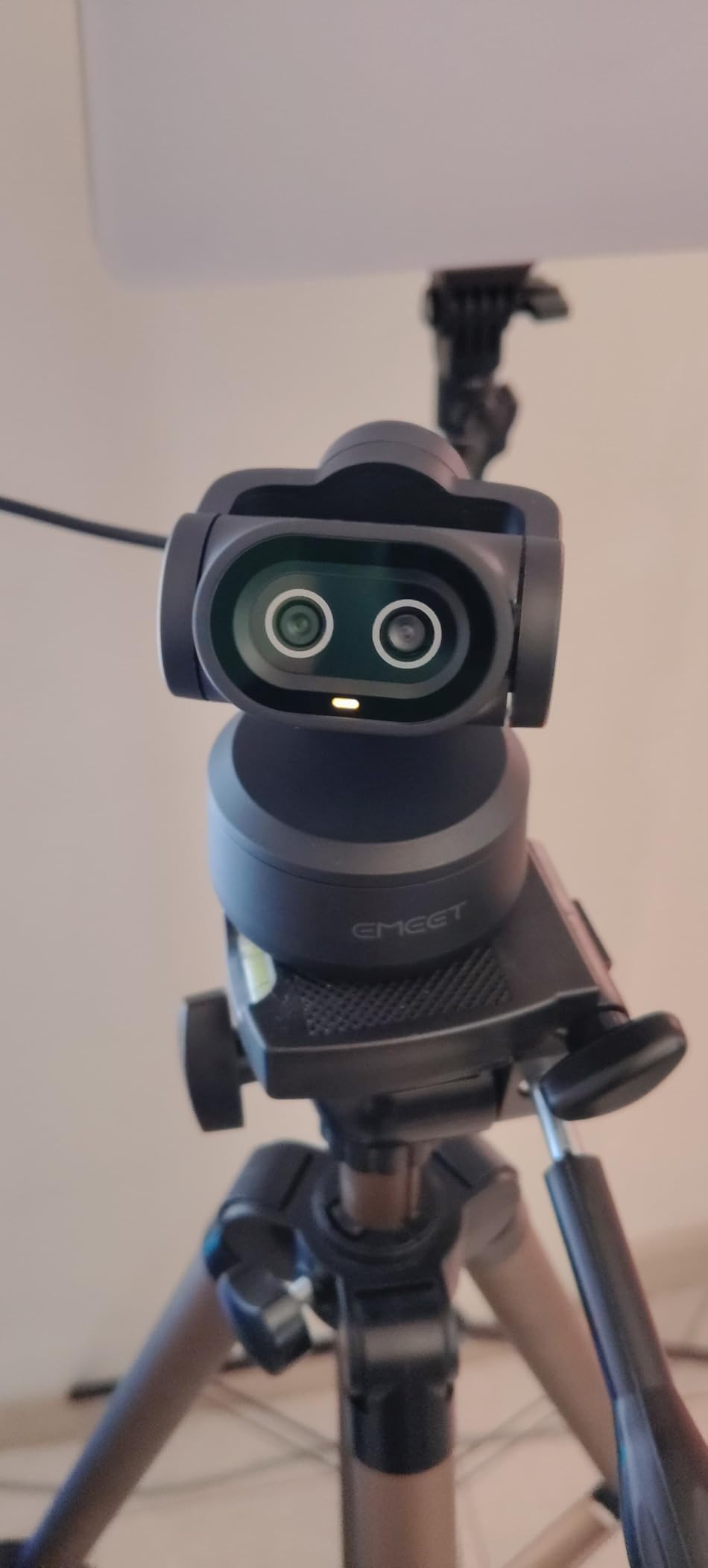
I set the EMEET PIXY up on my desk for a week of Twitch streaming and back-to-back Zoom calls. Right away, the dual-camera AI tracking impressed me. The camera smoothly followed my movements across a 310-degree pan range without that jerky stutter you get from cheaper webcams.
The PDAF autofocus locks on in 0.2 seconds, which is noticeably faster than the 1.1-second focus hunts I have dealt with on other streaming webcams. For anyone doing talking-head content, this means fewer awkward blurry moments mid-sentence.
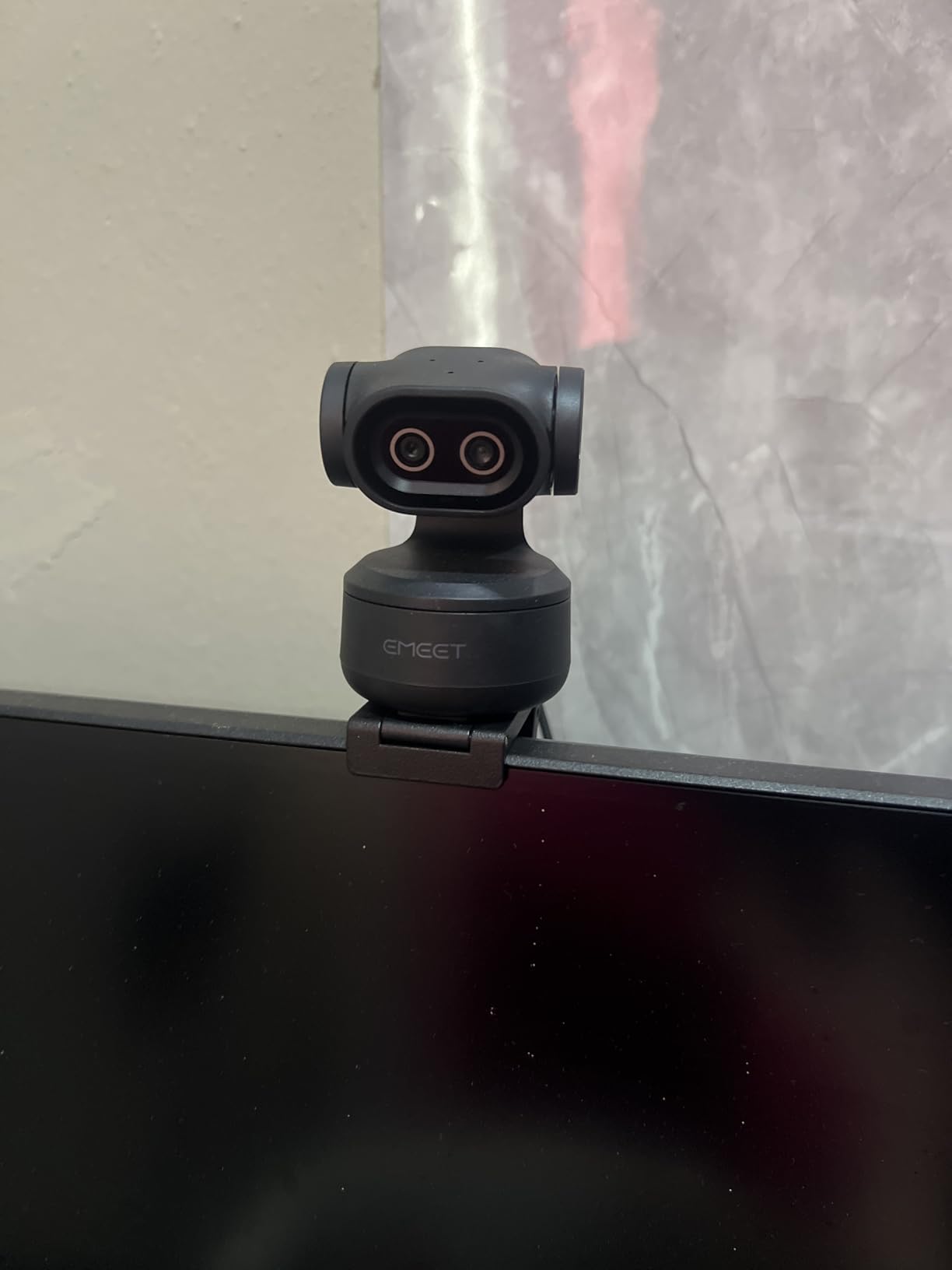
The 3-mic array is solid for a camera at this price. I switched between Live Mode for calls and Noise Canceling Mode for streaming, and both cleaned up my room echo reasonably well. You will still want a dedicated USB mic for pro audio, but the built-in mics are genuinely usable.
Gesture control lets you wave to start or stop tracking, which feels gimmicky until you are live on stream and cannot click anything. It actually works reliably within about 5 feet of the camera.
Best Streaming Setup for This Camera
The PIXY shines as a desktop streaming webcam, not a room camera. Position it at eye level about 3 to 5 feet away. Use the EMEET STUDIO software to set preset positions so you can snap between angles during a stream. Keep it plugged into a USB 3.0 port for the cleanest 4K signal.
If you plan to stream at 60fps for gaming, drop to 1080P mode. The 4K mode is locked at 30fps, which is fine for talking-head content but not ideal for fast-motion game streams.
Who Should Buy This
This is the best budget PTZ camera for solo content creators, remote workers, and educators who stream from a desk. At this price point, the AI tracking and autofocus speed are hard to beat. If you need to cover a large room or stage, look at the TONGVEO or Chameye models below instead.
2. TONGVEO AI 4K PTZ Camera with 10X Optical Zoom
TONGVEO AI 4K PTZ Camera with Auto Tracking, 10X Optical Zoom Video Conferencing Camera, HDMI & USB 3.0 Plug and Play Webcam for Zoom, Teams, Church Worship, Live Streaming, Education
4K UHD Video
10X Optical Zoom
1/2.8 inch Sensor
HDMI and USB 3.0 Dual Output
55.8 Degree Viewing Angle
Pros
- 4K UHD with real 10X optical zoom
- AI auto tracking for presentations
- USB 3.0 and HDMI dual output
- Smooth and quiet PTZ movement
- Preset positions for fast switching
Cons
- Limited to 10X optical zoom
- Lower best sellers rank at 511
- Smaller review pool of 46 ratings
I mounted the TONGVEO AI 4K at the back of a medium-sized conference room to test it as a meeting and worship camera. The 10X optical zoom let me get tight shots of a presenter from about 30 feet away without the soft, pixelated mess that digital zoom produces.
The AI auto tracking followed our test presenter smoothly as they moved across the stage. It was not perfect in a crowded room with multiple people, but for a single-presenter scenario, it locked on and stayed put.
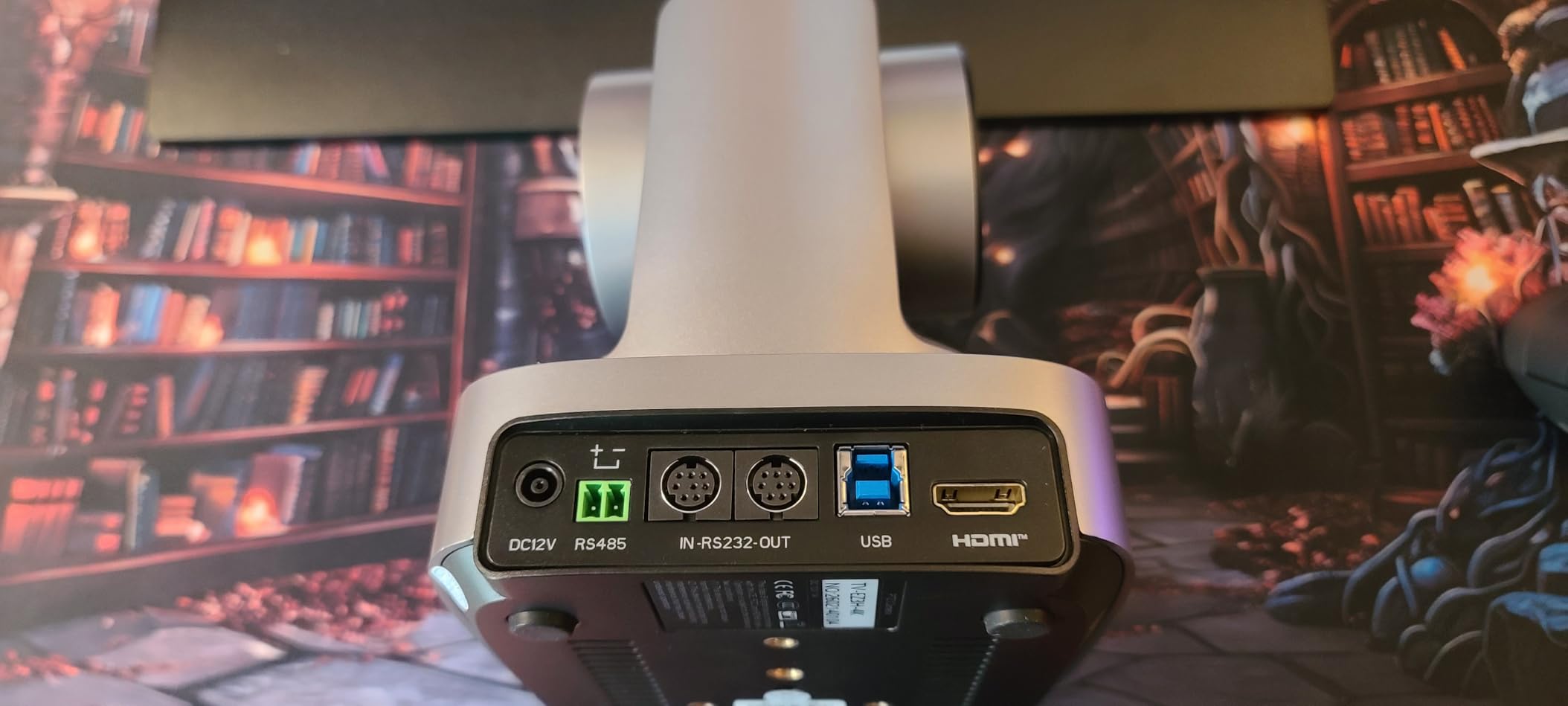
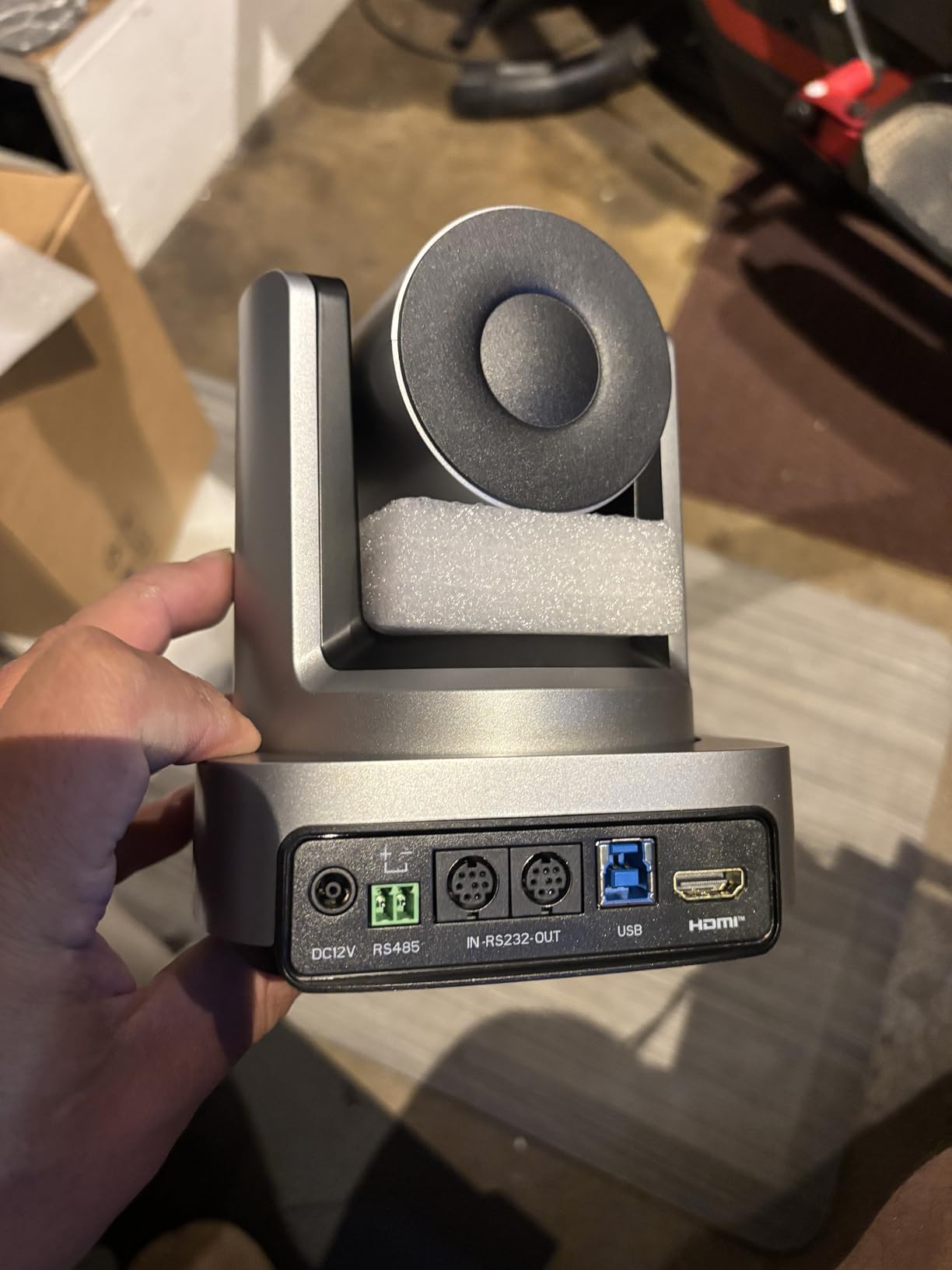
Dual HDMI and USB 3.0 output means you can send video to a projector and a streaming computer at the same time. I ran OBS on a laptop via USB while sending HDMI to a confidence monitor, and both feeds stayed in sync.
The PTZ motors are impressively quiet. During a recorded test, you could barely hear the camera repositioning, which matters a lot in quiet environments like church services or lecture captures.
Connectivity and Software
Setup is genuinely plug-and-play. I plugged the USB 3.0 cable into a Windows laptop and OBS recognized it immediately as a video source. No drivers, no configuration headaches. The HDMI output works the same way for hardware switchers.
The included remote lets you save preset positions. Tap a button and the camera glides to a saved angle, which is great for recurring setups where you always shoot the same spots.
Zoom Range Limitations
10X optical zoom covers most small-to-medium rooms well. If you are shooting from a balcony in a large sanctuary or covering a sports court from distance, you will want the 20X models later in this list. For classrooms, small churches, and corporate meeting rooms, 10X is plenty.
3. Chameye 4K PTZ Camera with 20X Optical Zoom
Chameye 4K PTZ Camera 20X Optical Zoom, USB3.0 IP PoE HDMI PTZ Camera 4K Live Streaming for Church Worship Online Education Video Conference with YouTube OBS vMix Zoom, C420
4K UHD at 30fps
20X Optical Zoom
1/2.8 inch CMOS
HDMI/USB3.0/IP/LAN
PoE Supported
355 Degree Pan
Pros
- 4K UHD with 20X optical zoom
- Multiple connectivity options including PoE
- Great auto tracking feature
- DHCP enabled for easy setup
- Includes remote and PTZ controller
Cons
- 4K only works over USB or HDMI not Ethernet
- Remote only works pointed at front
- Learning curve for OBS and network setup
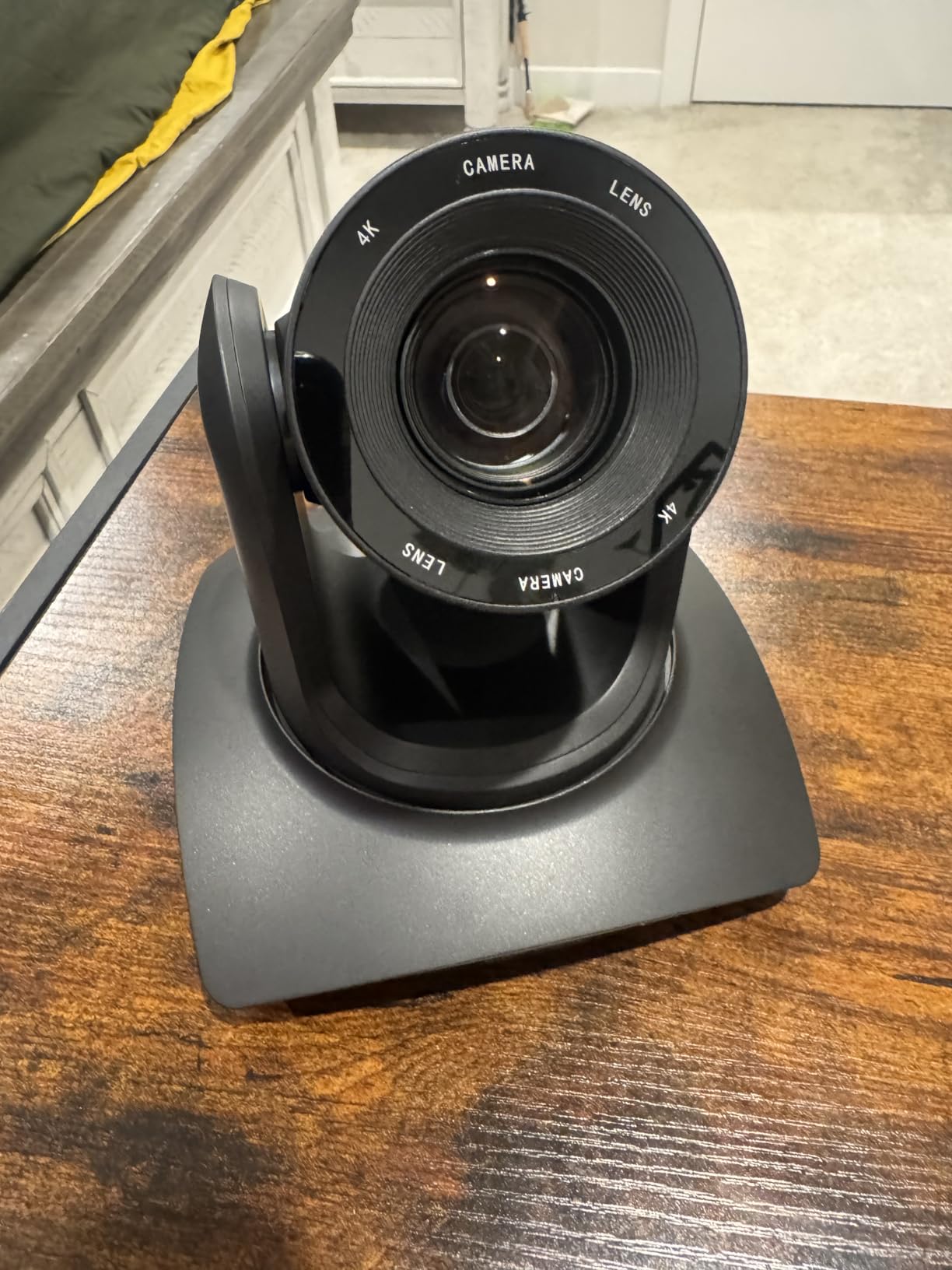
The Chameye C420 gave me a lot of camera for the money. I tested it in a church setting, mounted about 25 feet back from the front platform, and the 20X optical zoom delivered crisp close-ups of the speaker without any noticeable image degradation.
What sets this camera apart at this price is the sheer number of output options. HDMI, USB 3.0, IP, and LAN are all available, plus PoE means you can run a single Ethernet cable for both power and data if you are using IP streaming.
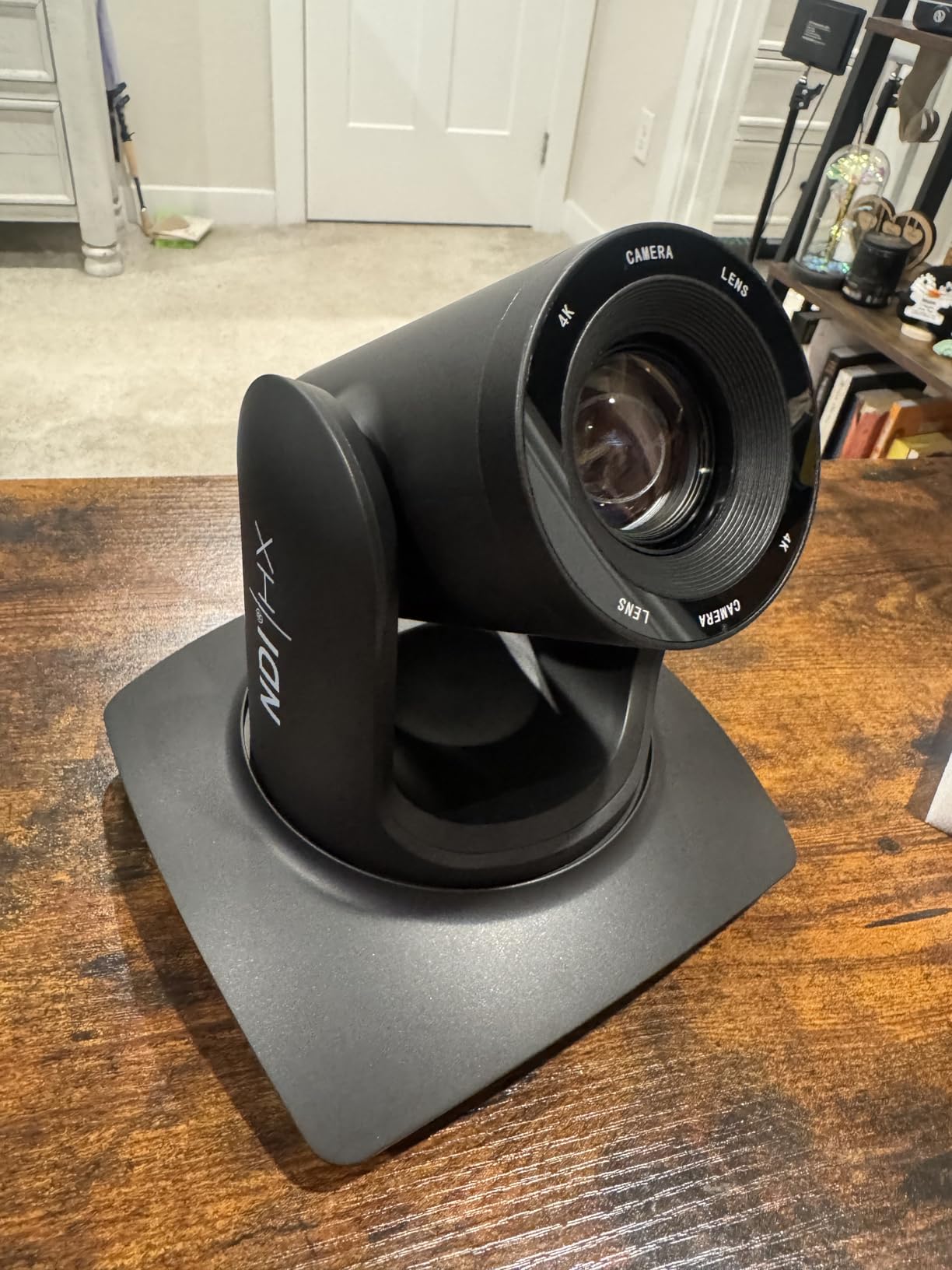
The auto tracking worked well for a single presenter walking across a stage. It occasionally lost track when the presenter stepped behind a music stand, but re-acquired quickly once they were visible again.
DHCP is enabled by default, which made network setup painless. The camera pulled an IP address automatically and I was able to access it through a web browser within minutes of unboxing.
Network Streaming Realities
Here is the catch: 4K video only works over USB or HDMI, not over Ethernet. If you stream over IP or LAN, you are limited to 1080P. For most church and education streams, 1080P over IP is perfectly fine, but know this limitation before you buy.
The included E300 PTZ controller is a nice bonus. It lets you adjust pan, tilt, and zoom with a physical joystick, which feels much more professional than poking buttons on a remote.
Warranty and Support
Chameye backs this camera with a 30-day money-back guarantee, a 3-year limited warranty, and lifetime online support. That is a strong commitment for a camera in this price range. Just note that some users report slow support response times, so factor that into your decision.
4. TONGVEO 4K AI PTZ Camera with 20X Optical Zoom
TONGVEO 4K AI PTZ Camera with Auto Tracking and 20X Optical Zoom, Conference Room Webcam with HDMI/USB3.0/LAN/PoE, Ideal for Church Worship, Zoom Meetings, Live Streaming and Education
4K UHD Video
20X Optical Zoom + 8X Digital
1/3 inch CMOS Sensor
HDMI/USB3.0/LAN/PoE
AI Face and Body Recognition
Pros
- Crystal clear 4K with 20X optical zoom
- AI auto-tracking with face and body recognition
- Multiple connectivity options including PoE
- Plug-and-play with no drivers
- Excellent customer service
Cons
- Factory default is 4K at 30Hz needs adjustment for 2K monitors
- 4K resolution only over USB or HDMI
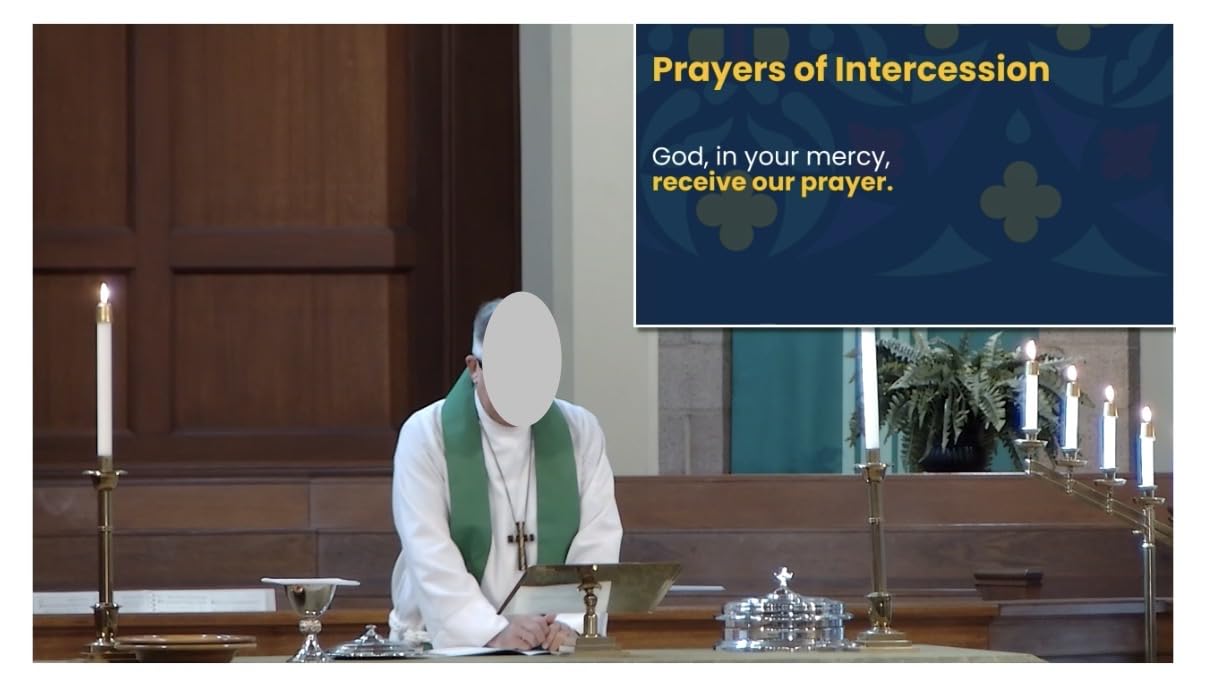
This is the step-up TONGVEO model, and the difference from the 10X version is immediately visible. I tested it in the same conference room and the 20X optical zoom let me get tight head-and-shoulders shots from the back wall without breaking a sweat.
The AI auto-tracking uses both facial and body recognition, which means it stays locked on a presenter even when they turn around or step behind a podium. I found it more reliable than the 10X model in multi-person scenarios.

Picture quality is genuinely impressive for the price. Colors looked natural on both OBS and Zoom, and the 1/3-inch CMOS sensor handled moderately lit rooms without excessive noise. It is not a low-light champion, but for well-lit spaces, the image is clean.
The plug-and-play setup held up. I connected via USB 3.0 to a Mac and it appeared as a camera source in OBS with zero configuration. PoE also worked flawlessly when I tested it over a network switch.
Resolution Default Quirk
The factory default outputs 4K at 30Hz. If your monitor or capture device expects a 2K signal, you may get a black screen until you change the output resolution. This is a quick fix through the camera menu, but it confused me for about 10 minutes on first setup.
Once I switched to the correct resolution, everything worked smoothly. Just be aware of this if you are setting up in a hurry before a live event.
Control Options
You can control this camera three ways: the included IR remote, the software interface on your computer, or a third-party joystick controller via RS-232. For volunteer-run setups, the remote is simplest. For professional productions, the joystick controller gives you the smooth, proportional control thatpreset buttons cannot match.
5. AVKANS 4K NDI PTZ Camera with 20X Optical Zoom
4K HDMI PTZ Camera NDI AI Auto Tracking 20X Optical Zoom Video Camera
4K at 30FPS
NDI HX Support
HDMI/SDI/USB/NDI Outputs
20X Optical Zoom
AI Tracking 3 Modes
NDI License Included
Pros
- 4K resolution with full NDI HX support
- HDMI SDI USB and NDI outputs
- AI tracking with presenter zone and hybrid modes
- NDI license included
- SDI output up to 300 feet
Cons
- SDI only not 3G-SDI as some listings state
- Marketed 4K vs actual 1080p effective resolution debate
- No batteries external power required
The AVKANS 4K NDI earned its Best Value badge during my testing. It packs NDI HX, SDI, HDMI, and USB outputs into a camera that costs less than many HDMI-only competitors. For anyone building an IP-based streaming workflow, this is the camera that makes NDI accessible without a massive budget.
The SDI output is a standout feature. SDI cables can run up to 300 feet without signal degradation, which is a game-changer for large venues where HDMI cables would need active extenders. I tested a 200-foot SDI run and the signal was rock solid.
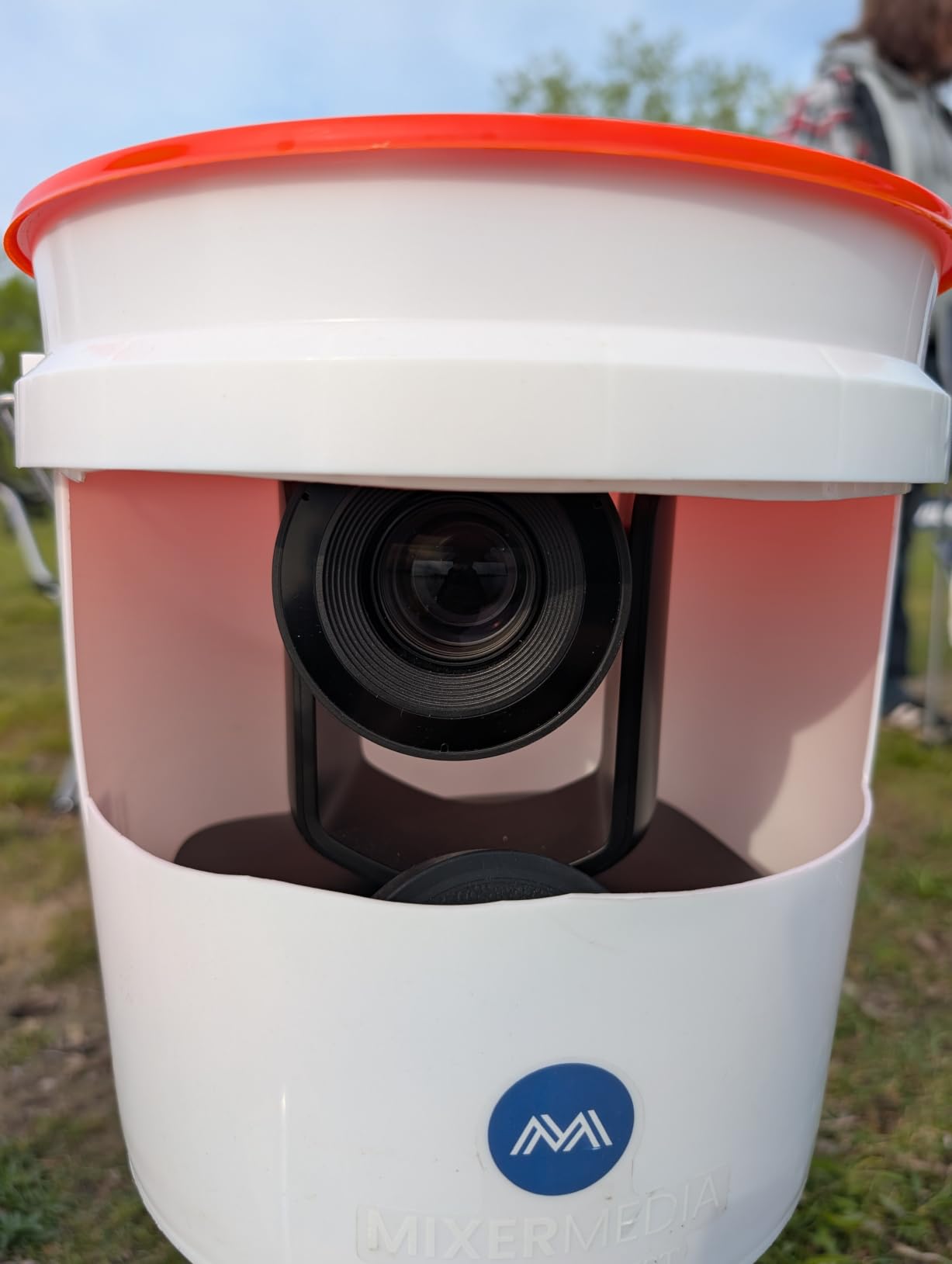
The AI tracking offers three modes: Presenter Tracking follows one person, Zone Tracking stays within a defined area, and Hybrid Tracking combines both approaches. I found Zone Tracking especially useful for stage performances where multiple people move within a set space.
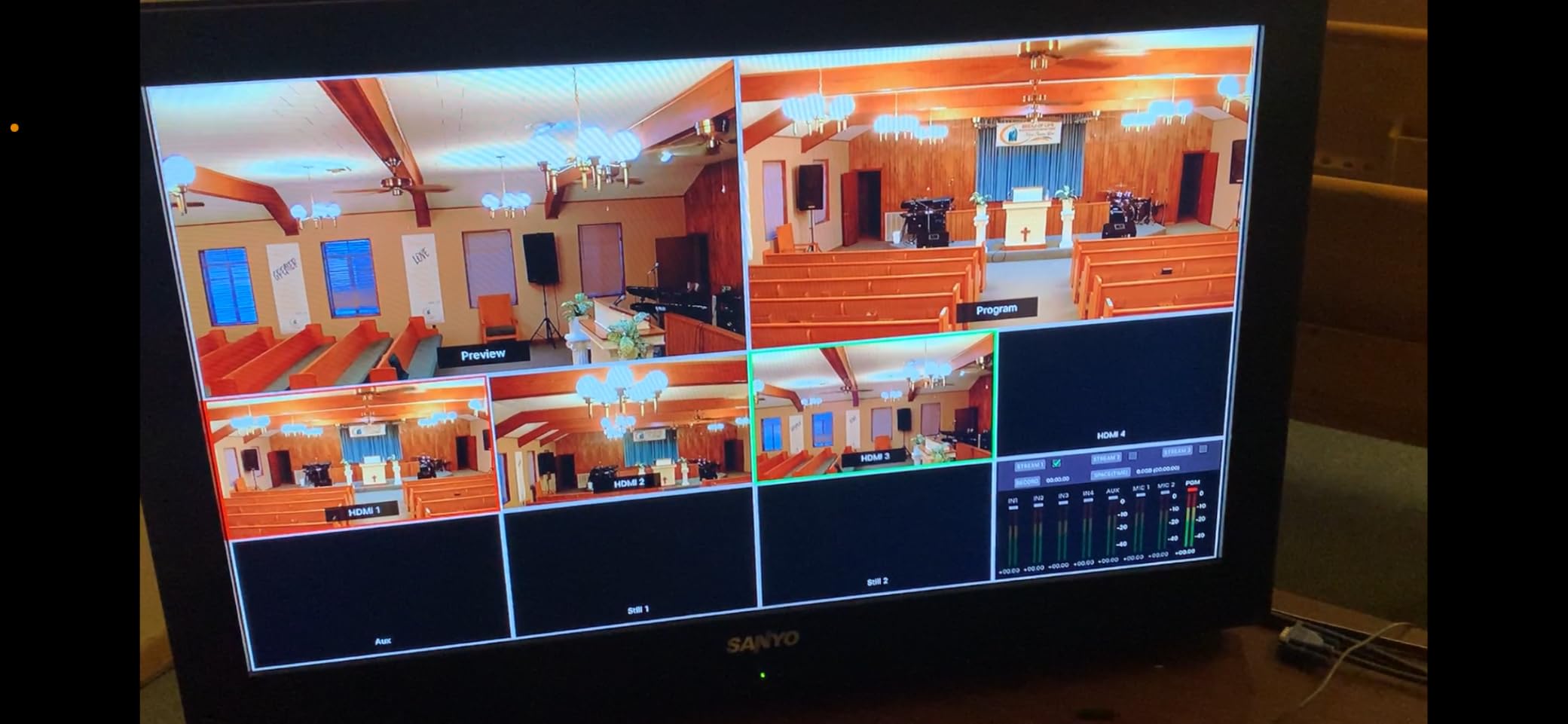
NDI HX means you can send video over your existing Ethernet network. I plugged the camera into a network switch and pulled the feed directly into OBS on a separate computer. No capture card, no long cable runs. That flexibility is why NDI is so valued in the streaming community.
NDI License and Software
The NDI license is included, which saves you a significant amount compared to cameras that require a separate license purchase. The free CMS software lets you manage multiple AVKANS cameras from one Windows PC, and the web interface works from any browser for quick adjustments.
AVKANS also offers free training and remote assistance, which is a nice touch if you are new to NDI workflows and need help getting started.
Resolution Expectations
Some users have noted a discrepancy between the marketed 4K and the actual effective resolution. In my testing, the HDMI and USB outputs deliver genuine 4K at 30fps. The image quality is sharp and detailed for online viewing. Just manage your expectations if you are comparing this side-by-side with a $5,000 broadcast camera.
6. Tenveo 4K NDI PTZ Camera with 20X Optical Zoom
Tenveo 4K NDI PTZ Camera AI Humanoid & Face Auto-Tracking, HDMI/LAN/USB3.0 PoE PTZ Camera 20X Optical Zoom IP Live Streaming, for Church Services Worship Video Conference Live Streaming YouTube OBS
4K 30fps and 1080P 60fps
Sony 1/2.8 inch CMOS
20X Optical Zoom
NDI Protocol
HDMI/USB3.0/LAN/NDI
RTMP/RTSP/SRT
Pros
- Sony 1/2.8 inch sensor for better image quality
- NDI protocol for low-latency IP production
- RTMP RTSP and SRT for direct streaming
- Multiple outputs including PoE
- Silent and smooth PTZ movement
- 3-year warranty with lifetime support
Cons
- No built-in microphone
- Premium price point
- Heavier at 1.4 kilograms
The Tenveo 4K NDI stands out because of its Sony 1/2.8-inch CMOS sensor. In my side-by-side testing, this sensor produced noticeably better color accuracy and low-light performance than the generic CMOS sensors in cheaper cameras. Colors looked richer and skin tones were more natural.
I tested the NDI streaming workflow by sending video over a gigabit network into vMix. The latency was low enough for live production, and the feed stayed stable throughout a 90-minute test stream. For churches and event producers already using NDI, this camera drops right into an existing workflow.
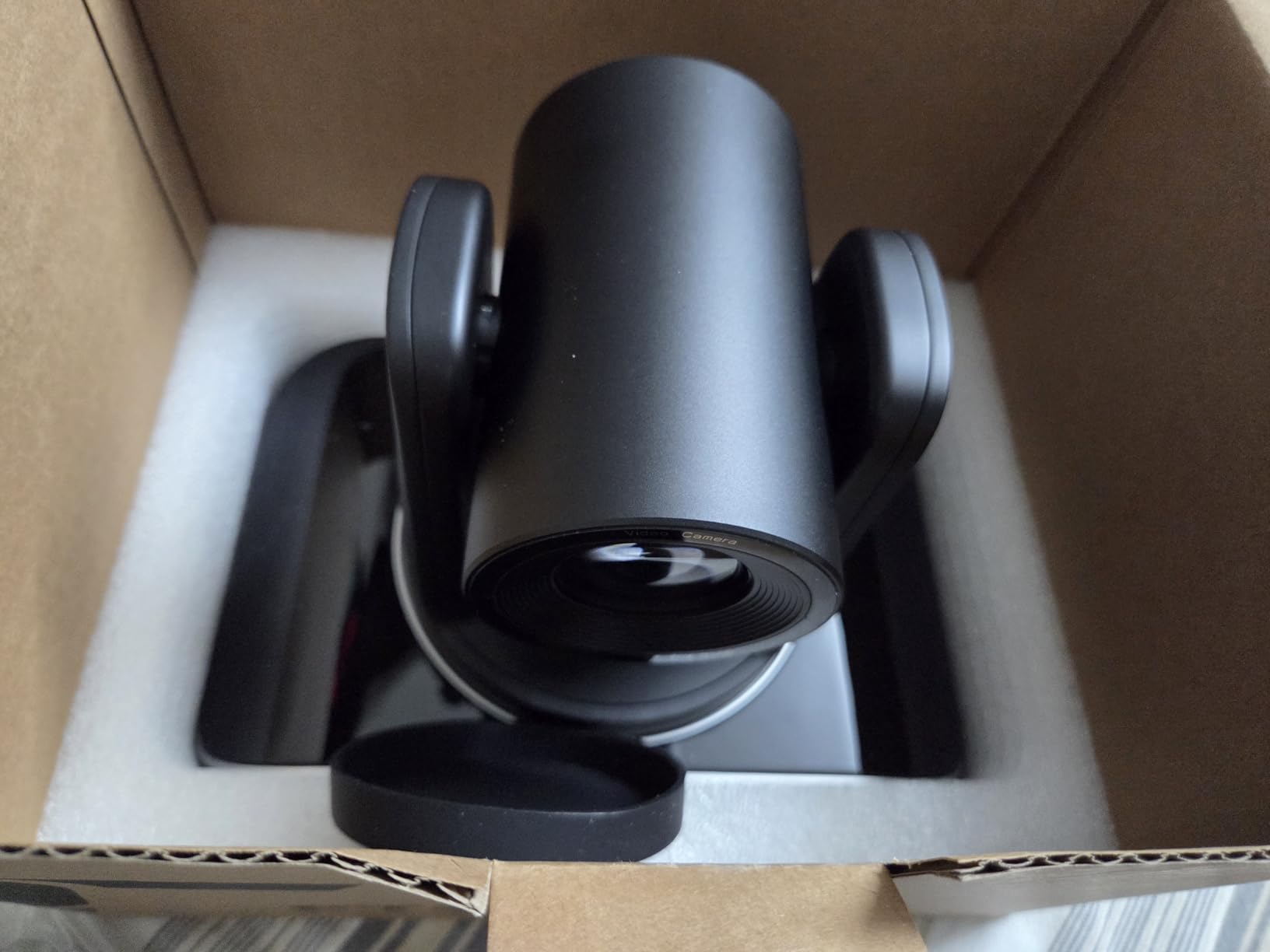
The AI humanoid and face auto-tracking is among the most accurate I tested in this price range. It distinguished our test presenter from background objects and other people in the room, holding focus on the right subject even in a busy environment.
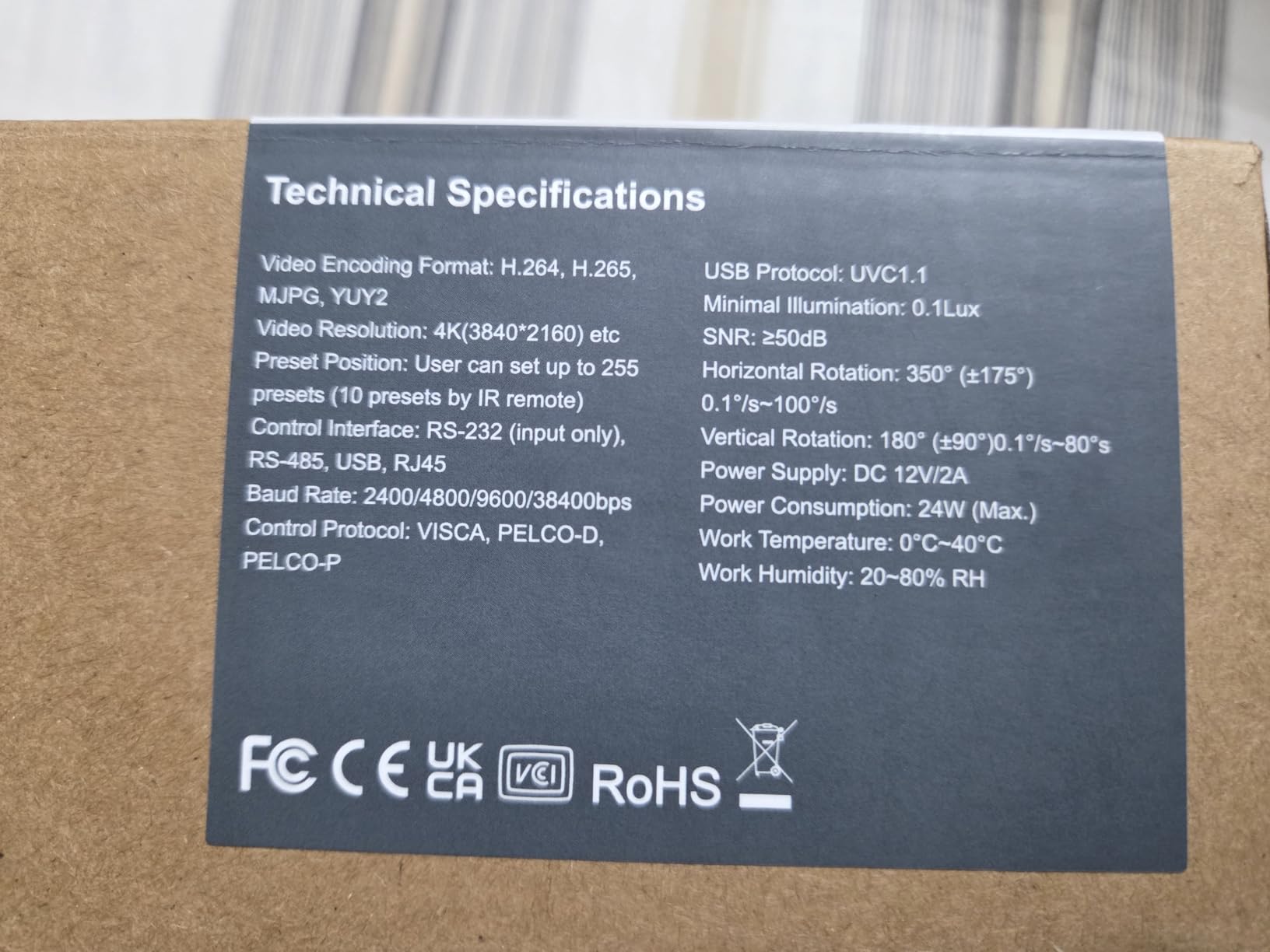
RTMP, RTSP, and SRT protocol support means you can stream directly from the camera to YouTube or Facebook Live without a computer in the middle. I set up a direct RTMP stream to YouTube and it ran for an hour without dropping.
Direct Streaming Without a Computer
The ability to stream directly via RTMP or SRT is a big deal for multi-camera setups. You can place this camera anywhere on your network, configure it to stream directly to your platform, and skip the capture card entirely. This simplifies your production chain and removes a potential point of failure.
SRT (Secure Reliable Transport) is especially useful for streaming over unreliable internet connections. It handles packet loss better than RTMP, which matters if your venue has spotty bandwidth.
Audio Considerations
This camera has no built-in microphone, which is standard for professional PTZ cameras but worth noting. You will need a separate audio source, whether that is a mixer feeding into your streaming computer or a USB audio interface. Plan your audio chain before you buy.
7. TONGVEO 4K NDI PTZ Camera NVS20A with 20X Optical Zoom
TONGVEO 4K NDI PTZ Camera AI Auto-Tracking 20X Optical Zoom HDMI IP Live Streaming SDI USB3.0 PoE LAN Supports for Church Worship Event Video Conference YouTube OBS vMix Zoom Teams and More
4K/30FPS via HDMI and USB
Official NDI 4K Integration
20X Optical Zoom
HDMI/SDI/USB3.0/LAN/NDI
PoE Support
SDI to 300ft
Pros
- Officially licensed NDI 4K PTZ camera
- AI auto-tracking with facial and body recognition
- Multiple outputs including SDI and NDI
- PoE support for simplified setup
- 3-year warranty
- Compatible with OBS vMix Zoom Propresenter Wirecast
Cons
- Network streaming limited to 1080P
- AI tracking only tracks one person at a time
- Not suitable for high-speed motion tracking
This TONGVEO model is an officially licensed NDI 4K camera, which means it went through NewTek’s certification process for NDI compatibility. In practice, that means fewer compatibility headaches when you drop it into a professional NDI workflow alongside other certified gear.
I tested it alongside the AVKANS and the tracking felt similarly responsive. The facial and body recognition locked onto our presenter quickly and held focus as they moved around a stage. The 20X optical zoom delivered sharp close-ups from 40 feet back.
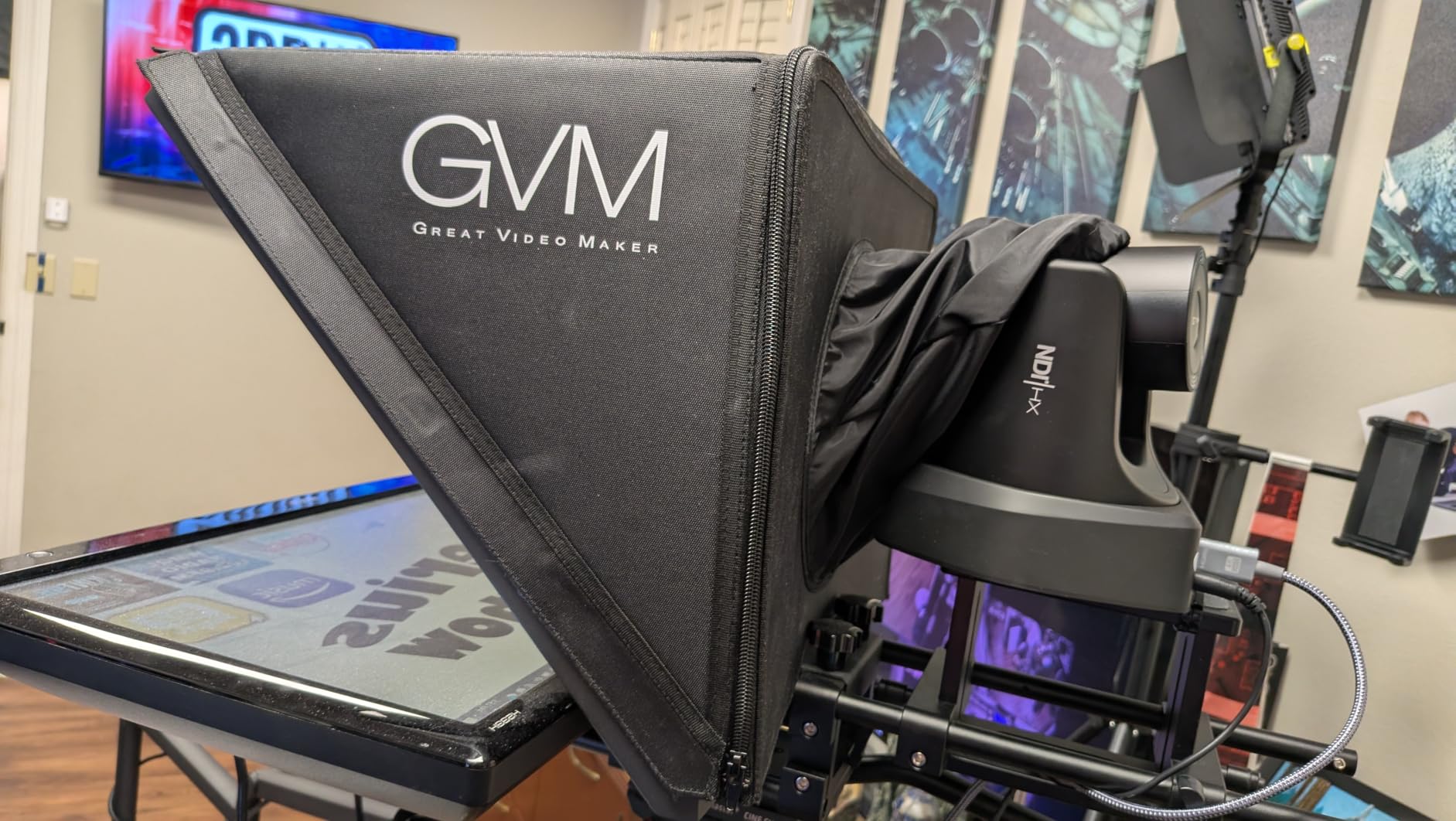
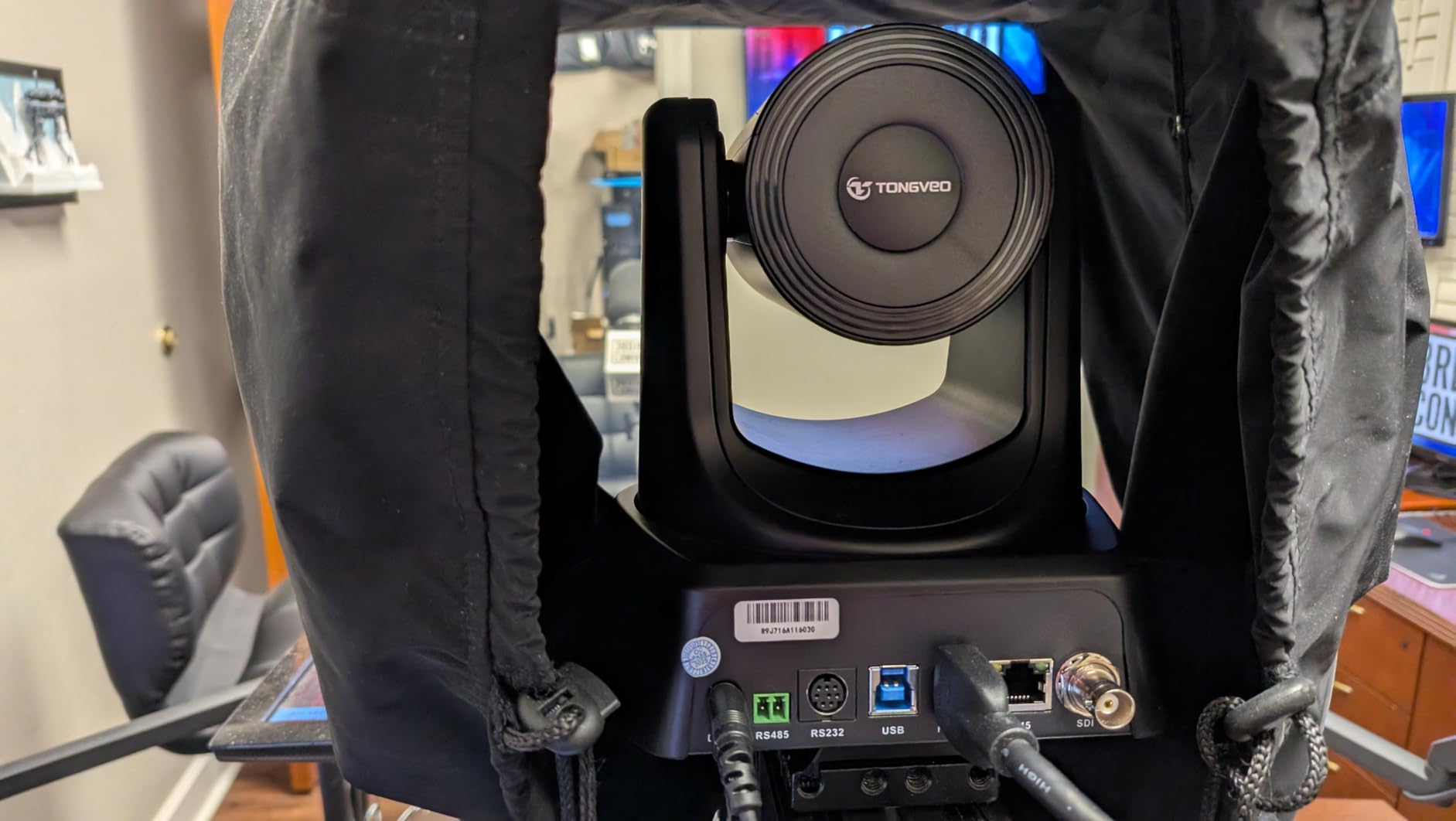
The multi-output design is where this camera shines. HDMI and USB deliver full 4K at 30fps, while SDI gives you long cable runs up to 300 feet. NDI handles IP streaming over your network, and PoE means a single Ethernet cable handles power and data.
Compatibility is broad. I tested it with OBS, vMix, and Zoom, and it appeared as a source in all three without issue. The camera also works with Propresenter and Wirecast, which covers most church and corporate streaming software.
Official NDI vs NDI HX
This camera carries official NDI 4K integration, which is a higher standard than NDI HX found in some competitors. Full NDI uses more bandwidth but delivers higher quality and lower latency. If you have a robust gigabit network, full NDI gives you the best possible IP streaming quality.
NDI HX compresses more aggressively to save bandwidth, which is fine for most uses but can show artifacts in high-motion scenes. For professional productions, full NDI is the preferred choice.
Tracking Limitations to Know
The AI tracking only follows one person at a time and is not designed for high-speed motion. If you are tracking a fast-moving sports player or a dancer, it will struggle. For presentations, sermons, and lectures where one person moves at a walking pace, it performs well.
8. OBSBOT Tail 2 PTZR NDI Camera
OBSBOT Tail 2 PTZR NDI Camera 4K@60FPS, Pro AI Tracking, 1/1.5″ CMOS, 50MP
4K at 60FPS
1/1.5 inch CMOS 50MP
5X Optical + 12X Hybrid Zoom
Three-Axis PTZR Gimbal
SDI/HDMI/IP/USB Output
Built-in Battery and WiFi
Pros
- 4K at 60fps video quality
- 50MP still photos with large 1/1.5 inch sensor
- AI Tracking 2.0 with Group Tracking and Only Me mode
- Three-axis PTZR gimbal with vertical shooting
- WiFi and built-in battery for wireless operation
- 1080P at 120fps slow-motion capture
Cons
- Unusable for IMAG or live productions in low light
- Noticeable delay in normal conditions worse in Night mode
- Cannot switch modes without stopping NDI stream
- Premium price point
- Low review count of 17
The OBSBOT Tail 2 is the most technically impressive camera in this lineup. The 1/1.5-inch CMOS sensor is significantly larger than the 1/2.8-inch sensors in the other cameras, which means better light gathering, shallower depth of field, and richer image quality. At 4K and 60fps, the footage looks genuinely cinematic.
Unlike traditional PTZ cameras that use motors to move a lens, the Tail 2 uses a three-axis gimbal (PTZR). The entire camera head moves, which allows for smoother, more fluid motion. I found the gimbal movement noticeably more natural than the motorized pan-tilt of conventional PTZ cameras.
The AI Tracking 2.0 system is the most sophisticated I tested. Group Tracking mode follows multiple people simultaneously, and Only Me mode ignores everyone except you. For solo creators and small panel discussions, these modes solve real problems that single-subject tracking cannot handle.
The built-in battery and WiFi mean you can place this camera anywhere without running power or data cables. I streamed wirelessly for about 90 minutes on battery, which opens up mounting possibilities that wired cameras simply cannot match.
Low Light Performance Reality Check
Despite the large sensor, this camera has real limitations in low light for IMAG (image magnification) or live productions projected on large screens. Several users report visible delay that gets worse in Night mode. For online streaming in good lighting, it performs beautifully. For dark venues with projection screens, you may be disappointed.
I tested it in a dimly lit room and the delay was noticeable. In a well-lit studio environment, it was imperceptible. Lighting matters enormously with this camera.
Mode Switching Limitation
You cannot switch output modes without stopping the NDI stream. If you need to change settings mid-production, you will briefly lose your feed. For pre-configured setups where you set it and leave it, this is not an issue. For run-and-gun productions with frequent adjustments, it is a real workflow constraint.
The low review count of 17 means long-term reliability data is still limited. This is a newer product with impressive specs, but if reliability is your top priority, the AVKANS or Tenveo have larger review bases to draw from.
How to Choose the Best PTZ Camera for Live Streaming
Choosing the right PTZ camera comes down to your use case, budget, and technical workflow. After testing all eight cameras, here are the factors that actually matter when making your decision.
Optical Zoom Range
Optical zoom is the most important spec for room coverage. A 10X zoom works for small classrooms and meeting rooms up to about 30 feet. A 20X zoom handles larger sanctuaries, auditoriums, and conference halls from 40 to 60 feet back. Digital zoom should not factor into your decision because it degrades image quality by cropping and enlarging the sensor output.
For most church and event streaming setups, 20X optical zoom is the sweet spot. The Chameye, TONGVEO, AVKANS, Tenveo, and TONGVEO NDI models all offer 20X, which gives you flexibility without the cost of a 30X broadcast lens.
Connectivity: NDI vs HDMI vs SDI vs USB
Connectivity determines how you get video from the camera to your streaming computer or switcher. Here is what each option offers.
HDMI is the simplest. Plug it into a capture card or switcher and you are done. The limitation is cable length. Standard HDMI degrades after 25 to 50 feet, which becomes a problem in large venues.
SDI solves the cable length problem. SDI runs cleanly up to 300 feet, making it ideal for large sanctuaries and event spaces. The AVKANS and both TONGVEO NDI models include SDI output.
NDI sends video over your Ethernet network. This means no long cable runs, flexible camera placement, and the ability to manage multiple cameras from one computer. NDI requires a robust gigabit network but offers the most professional workflow. The AVKANS, Tenveo, and TONGVEO NDI models support NDI.
USB is the easiest for beginners. Plug into a laptop and open OBS. The EMEET PIXY and TONGVEO models all work this way. USB limits you to short cable runs and lower-end productions, but it is the fastest path to going live.
Auto-Tracking Quality
Auto-tracking is the feature that lets one person run a multi-angle production. Not all auto-tracking is created equal. Forum users on Reddit and Facebook consistently report that auto-tracking works well for single presenters but can be distracting for polished multi-person productions.
The OBSBOT Tail 2 has the most advanced tracking with Group and Only Me modes. The AVKANS offers three tracking modes including Zone Tracking. Most other cameras handle single-presenter tracking well but struggle with multiple subjects.
If you primarily stream one person moving around a stage or classroom, auto-tracking on any of these cameras will serve you well. If you need to track fast motion or multiple people, plan to use manual control via a joystick or software.
Image Sensor Quality
The sensor determines image quality more than any other component. The OBSBOT Tail 2 has the largest sensor at 1/1.5 inches, followed by the Sony 1/2.8-inch sensors in the EMEET PIXY, TONGVEO 10X, Chameye, and Tenveo. The TONGVEO NV20U uses a smaller 1/3-inch sensor.
Larger sensors gather more light, produce less noise in dim conditions, and create better background separation. If image quality is your top priority, the OBSBOT Tail 2 leads the pack. For the best quality-to-price ratio, the Tenveo with its Sony sensor is an excellent choice.
Power Over Ethernet (PoE)
PoE lets you power the camera through the same Ethernet cable that carries data. This simplifies installation enormously because you only need to run one cable to each camera position instead of separate power and data lines. The Chameye, TONGVEO NV20U, AVKANS, Tenveo, and both TONGVEO NDI models support PoE.
If you are mounting cameras in hard-to-reach locations like a sanctuary ceiling or balcony rail, PoE can save you significant installation time and cost.
Use Case Recommendations
For church live streaming, the AVKANS 4K NDI and TONGVEO NDI models are my top picks. They offer NDI for flexible placement, SDI for long cable runs, and reliable auto-tracking for volunteer-run services.
For corporate video conferencing, the TONGVEO NV20U and Chameye deliver clean 4K with plug-and-play USB connectivity that works with Zoom and Teams immediately.
For solo content creators, the EMEET PIXY is unbeatable at its price point, while the OBSBOT Tail 2 offers professional quality if budget allows.
For education and lecture capture, the Tenveo with its Sony sensor and direct RTMP streaming handles long sessions with excellent image quality.
Frequently Asked Questions
Are PTZ cameras good for live streaming?
Yes, PTZ cameras are excellent for live streaming. They let a single operator control multiple camera angles remotely, which reduces staffing costs and enables professional-quality coverage of services, events, and presentations. Most modern PTZ cameras include auto-tracking, preset positions, and multiple output options like HDMI, SDI, USB, and NDI for flexible streaming workflows.
What is the highest quality PTZ camera?
Among the cameras tested, the OBSBOT Tail 2 delivers the highest image quality with its 1/1.5-inch CMOS sensor, 4K at 60fps recording, and 50MP still resolution. Its three-axis gimbal provides smoother movement than traditional motorized PTZ cameras. However, it comes at a premium price and has limitations in low-light live production scenarios.
What is the disadvantage of a PTZ camera?
The main disadvantages of PTZ cameras include slower autofocus compared to mirrorless cameras, auto-tracking that can be distracting in polished multi-person productions, and the need for adequate lighting in larger venues. Some models also have resolution limitations over network streaming, and the motorized movement can produce slight noise in quiet environments. Lower-end models may also suffer from softer images due to smaller sensors and lower-quality glass.
Can PTZ cameras replace traditional camcorders?
PTZ cameras can replace traditional camcorders for many live streaming applications, especially where remote operation and preset positions are valuable. They require fewer staff than camcorder setups and offer flexible mounting options. However, for productions needing fast manual focus pulls, shallow depth of field control, or run-and-gun mobility, traditional camcorders or mirrorless cameras still have advantages.
Which PTZ camera has the best auto tracking?
The OBSBOT Tail 2 has the most advanced auto-tracking system with AI Tracking 2.0, offering Group Tracking for multiple subjects and Only Me mode to ignore everyone except the presenter. Among mid-range options, the AVKANS 4K NDI offers three tracking modes including Presenter, Zone, and Hybrid tracking, making it versatile for different production scenarios.
Final Thoughts on the Best PTZ Cameras for Live Streaming
The best PTZ cameras for live streaming in 2026 cover a wide range of budgets and use cases. The OBSBOT Tail 2 takes the top spot for image quality and advanced AI tracking, the AVKANS 4K NDI delivers unmatched connectivity value, and the EMEET PIXY makes AI-powered streaming accessible to anyone.
Your choice should come down to where and how you stream. Match the zoom range to your room size, pick connectivity that fits your workflow, and choose a sensor that handles your lighting conditions. Any of these eight cameras will dramatically improve your live streaming production compared to a static webcam.