
Miniature printing lives or dies on detail, and detail lives or dies on pixel size. If you have been watching 28mm ranks of D&D minis, Warhammer 40k kits, and heroic scale busts come out of filament machines with visible layer lines, the switch people actually make is to the best resin 3d printers for miniatures.
I spent weeks comparing the six MSLA machines that survive a real hobbyist workflow, not just a spec sheet. That means wash station footprints, vat film waste, exposure calibration, cold garage mornings, and the honest truth about what 8K, 9K, 12K, 14K and 16K screens actually change on a 28mm figure. Every model below was judged on print quality first, then the friction around it.
What follows is a ranked breakdown of all six, a buying guide covering the specs that matter for tabletop minis, and a post-processing and safety routine that keeps uncured resin off your hands. If you are starting from zero, our beginner 3D printer guide covers the filament side so you can compare honestly.
Table of Contents
Top 3 Picks for Resin Miniatures in 2026
The short version: the ANYCUBIC Photon Mono 4 is the machine most beginners should start on, the ELEGOO Mars 5 Ultra is the better buy once you outgrow a small plate, and the ELEGOO Saturn 4 Ultra 16K is the sharpest screen here. Everything else earns its place for speed, leveling, or raw batch size.

ANYCUBIC Photon Mono 4
- 17x17 um XY pixel size
- 10K 7-inch mono LCD
- One-and-done 4-point leveling


All Six Best Resin 3D Printers for Miniatures (October 2026)
Here is the shortlist in one table. Pixel size and build volume are the two numbers that change your output most, so those lead the description for each row.
| Product | Specifications | Action |
|---|---|---|
| ANYCUBIC Photon Mono 4 |
|
Check Latest Price |
| ELEGOO Mars 5 Ultra |
|
Check Latest Price |
| ELEGOO Saturn 4 Ultra 16K |
|
Check Latest Price |
 ANYCUBIC Photon Mono M7 PRO 14K ANYCUBIC Photon Mono M7 PRO 14K |
|
Check Latest Price |
 ANYCUBIC Photon P1 14K ANYCUBIC Photon P1 14K |
|
Check Latest Price |
 phrozen Sonic Mega 8K S phrozen Sonic Mega 8K S |
|
Check Latest Price |
Why Resin Beats FDM for 28mm Miniatures
The best resin 3d printers for miniatures win on one number: XY resolution. An FDM machine deposits a bead of plastic roughly the width of its nozzle, which on a 28mm model means a visible ridge and a rounded-off arm or sword tip. MSLA printers cure liquid photopolymer with light, so the finest feature is defined by a screen pixel rather than a nozzle.
On the ANYCUBIC Photon Mono 4 that pixel is 17 by 17 micrometres. The Saturn 4 Ultra 16K and the two 14K machines push into the mid-teens. Printers in the r/PrintedMinis and r/resinprinting communities generally agree the visible jump happens from a 7K-class screen to 9K or better, and that gains flatten out above that for tabletop scale, which is why I do not treat a 16K badge as the deciding factor here.
There is a trade. Resin is a chemical process with real handling requirements, and FDM printers belong on a desk in a living room while resin printers want ventilation, gloves, and a wash station. If you mostly print terrain tiles, bases and dice, filament is the better tool. If you print faces, filigree and runes, resin wins every time.
1. ANYCUBIC Photon Mono 4 – Easiest On-Ramp to Crisp Miniatures
ANYCUBIC Photon Mono 4, Resin 3D Printer with 7” 10K Mono LCD Screen
7 inch 10K mono LCD at 17x17 um XY
6.04 x 3.42 x 6.49 inch build volume
7.7 pounds, quiet, desktop sized
Pros
- Four-point leveling is genuinely one-and-done
- Detail holds up on Hero Forge style miniatures
- Very quiet and compact
- Strong plate adhesion and resumes after a power cut
Cons
- Small build volume means constant model resizing
- Some warping on larger prints
- Occasional LCD or vat failures reported early in ownership
- Photon Workshop software is basic
The Photon Mono 4 is the one I recommend to someone printing their first 28mm rank this month. Setup took me one sitting: unbox, level the four points, run a test coupon, print. There is no calibration dance, no manual Z offset fiddling, and the laser-engraved Print Platform 2.0 grips standard grey resin hard enough that I stopped worrying about first-layer adhesion after the first plate.
Detail is the real story. At 17 by 17 micrometre pixels on a 10K mono LCD, faces and small weapons come out with a surface that needs very little sanding. Reviewers consistently call layer lines virtually invisible, and the LighTurbo matrix light source spreads exposure evenly enough that you are not chasing bright corners across the plate.
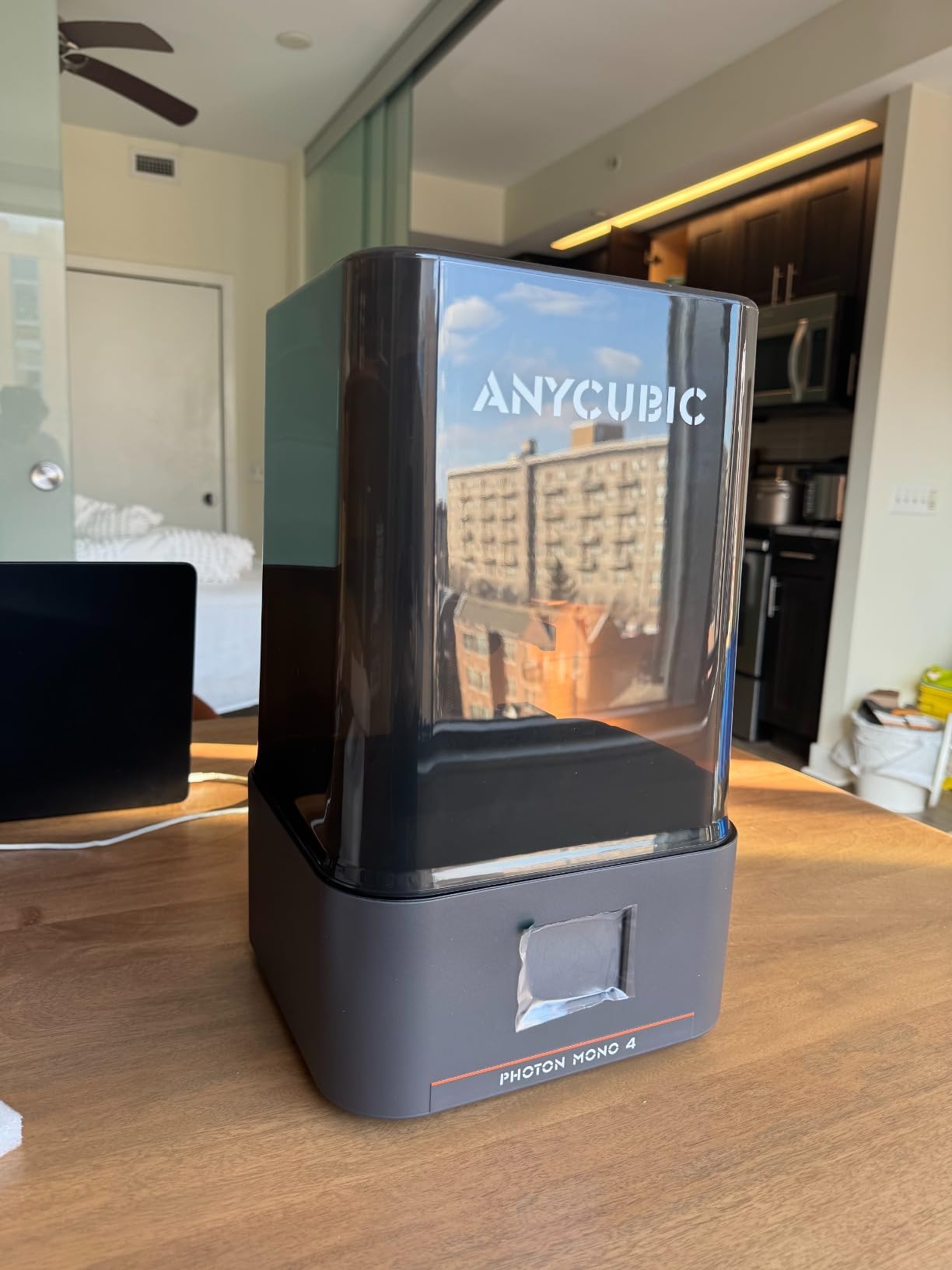
Where the small plate bites is scale. At 6.04 by 3.42 by 6.49 inches you are packing 28mm models, not busts or large monsters, and a full infantry plate plus a hero is a realistic ceiling. Reviewers report warping on larger prints and the occasional failed layer, which fits that envelope. For a large centerpiece, the trick hobbyists use is cutting the model into print-sized sections and assembling them after curing.
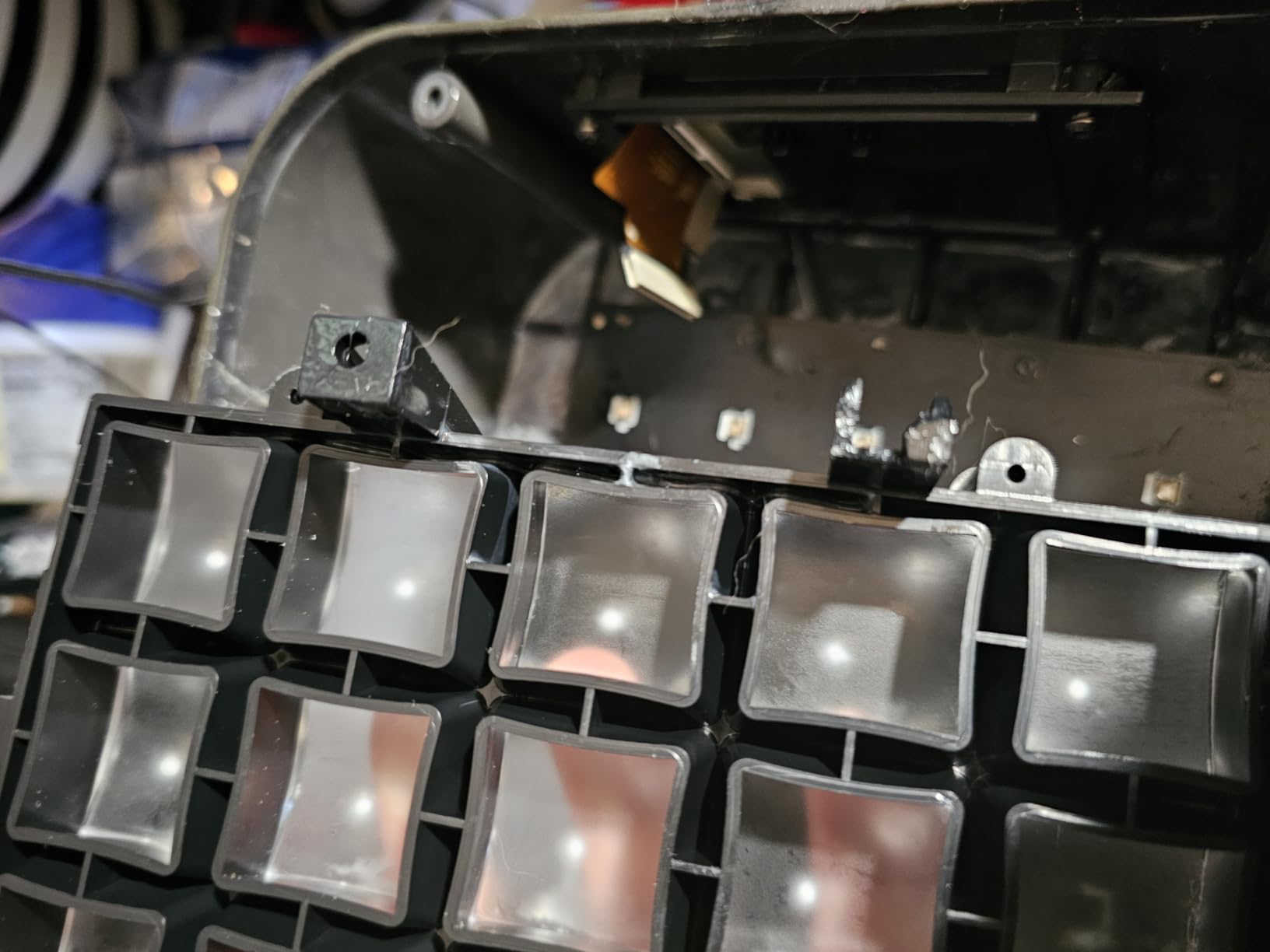
The other recurring gripe is hardware longevity rather than print quality. Some owners report resin vats or LCD screens breaking within weeks of heavy use, and the bundled Photon Workshop app connection is called unreliable in reviews. Parts for ANYCUBIC are widely available, so keep a spare vat and screen on hand.
What 17 Micron Pixels Actually Give You on a 28mm Model
At 17 micrometres, a 28mm figure standing about 32 millimetres tall with its base gives you roughly 1,900 pixels across the height. That is enough to separate a hood fold from a shoulder pad and to hold a raised sword edge instead of rounding it into a nub. It is also enough that a well-tuned print reads as smooth resin under a matte primer.
The catch is exposure, not resolution. If exposure is too high you get fat, blobby detail and a waxy surface. Too low and you get dry, chalky skin. The community advice that holds up best is to print a small test coupon, pick the exposure that keeps a full bottom layer, and add one or two seconds rather than a jump.
Where the Mono 4 Falls Short
Build volume is the honest limit. If your project list is busts, mounted cavalry on 40mm bases, or scatter terrain, you will spend more time splitting models than printing them. The screen and vat durability reports also matter if you run long unattended batches back to back.
Software is the softer knock. Photon Workshop handles the basics, but anyone moving from simple busts to hollowed, drain-holed models will outgrow it quickly. Our broader miniature printing guide covers the external slicer workflow that fills that gap.
2. ELEGOO Mars 5 Ultra – Best Value With a Camera On Board
ELEGOO Mars 5 Ultra Resin 3D Printer
7 inch 9K mono LCD at 18 um XY
Up to 150 mm/h via tilt release
AI camera with Wi-Fi cluster printing
Pros
- Self-leveling plate and fast first-time setup
- 9K resolution is sharp out of the box
- Tilt release roughly halves print time
- Remote monitoring and time-lapse
- Three month Chitubox Pro bundle
Cons
- Build plate is small for large pieces
- Camera is easily blocked by tall prints
- Spout and lid design makes pouring messy
- Exposure and adhesion still need tuning
The Mars 5 Ultra is the value pick in this lineup and the one I would buy if I could only buy one. It is a self-leveling machine with a 9K mono LCD at 18 micrometre XY resolution, which is a hair behind the Mono 4 on paper but indistinguishable in a finished print once you prime it.
Tilt release is what actually changes your day. By peeling the vat away at an angle instead of straight up, the machine reaches speeds up to 150 mm/h and reviewers consistently report print times roughly halved against earlier Mars models. On a 28mm infantry plate that turns an overnight job into an evening one, which means fewer resin bottles open on your desk at once.
The built-in AI camera is the feature no competitor at this level matches. It gives real-time failure detection, time-lapse capture, and the option to monitor over Wi-Fi. Owners also like the smart mechanical sensor that flags residue, low resin, and leveling faults before you waste a plate. Keep expectations in check: the camera is easily blocked by a tall print and its low resolution is hard to read for fine detail.
Resin handling is the least polished part. The hingeless lid has to be fully removed to open, and the rounded spout makes pouring messy in a way that shows up on your desk and your gloves. Those are annoyances, not dealbreakers, and the bundled three-month Chitubox Pro subscription covers the support and hollowing learning curve that most beginners hit.
Is 9K Enough When a 16K Machine Exists?
For 28mm models, yes. The 18 micrometre pixel on the Mars 5 Ultra resolves facial features, shields and weapon edges at a level where primer and a good wash hide the difference against a 16K screen. Where higher resolution starts to earn its money is busts, statues, and heroic scale prints you intend to display under lights.
There is a second reason to prefer this machine: the 9K screen is cheaper to replace than a 16K panel, and screens are the consumable most likely to need replacing. Fewer dollars of risk sits behind every plate you run.
Where the Mars 5 Ultra Falls Short
The plate size is the main limitation. A lot of hobbyists print dozens of infantry models per plate, and this is not the machine to scale that up, because throughput here comes from tilt release speed rather than from area. If you plan on army-scale output, look at the M7 PRO or the Sonic Mega instead.
The sensor suite is also worth calibrating with realistic expectations. Adhesion and exposure still need experimentation on any new resin, and owners report first-layer failures landing in the one-star share of reviews more often than with a fully manual machine where you can see the plate.
3. ELEGOO Saturn 4 Ultra 16K – Sharpest Screen and Warm Vat
ELEGOO Saturn 4 Ultra 16K Resin 3D Printer
16K mono LCD, heated vat at 30 C
Tilt release at up to 150 mm/h
Automatic build plate leveling
Pros
- Sharpest screen in the group for fine detail
- Heated vat at 30 C improves layer adhesion
- True plug-and-play automatic leveling
- Chamber light and AI camera aid long prints
Cons
- Large and heavy footprint
- AI camera detection varies with environment and resin
- Highest one-star share in this group
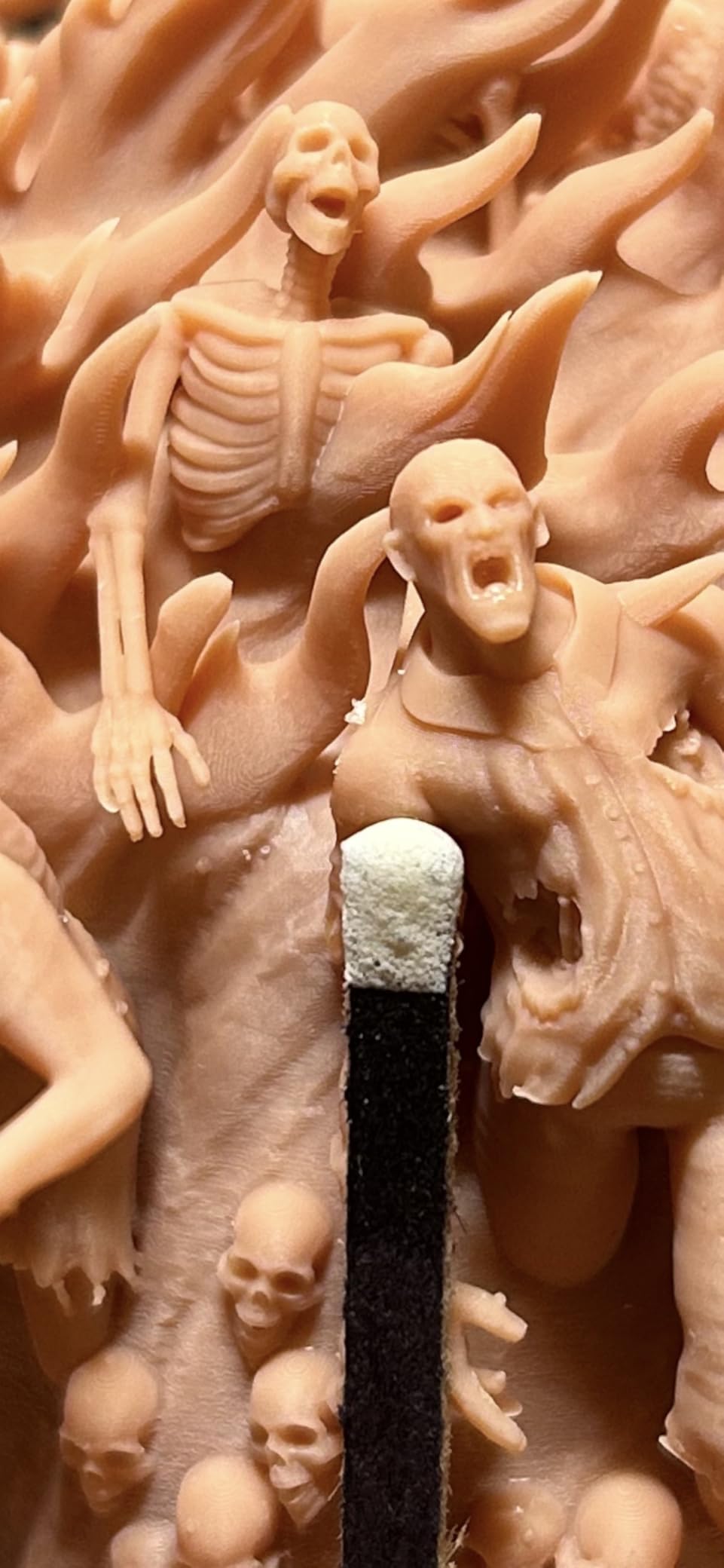
The Saturn 4 Ultra 16K is the resolution king of this set and the one to pick if your list is display pieces. The 16K mono LCD is widely considered the sharpest option here, and owners point to crisp texture reproduction and smooth surfaces on display miniatures, busts, and textured armour.
The feature I did not expect to care about as much as I do is the smart tank heating system that holds resin at 30 C. Cold resin is thick, and thick resin separates layers badly and traps bubbles, which shows up as pinholes and layer splitting on small figures. Holding temperature steady removes a whole category of failure, and it is the single best answer to the cold garage complaints that come up constantly in resin printing forums.
Automatic build plate leveling removes the single most common beginner failure, and the chamber light plus AI camera make long unattended runs easier to check on. Tilt release still runs up to 150 mm/h here as well, so the speed story matches the Mars 5 Ultra.
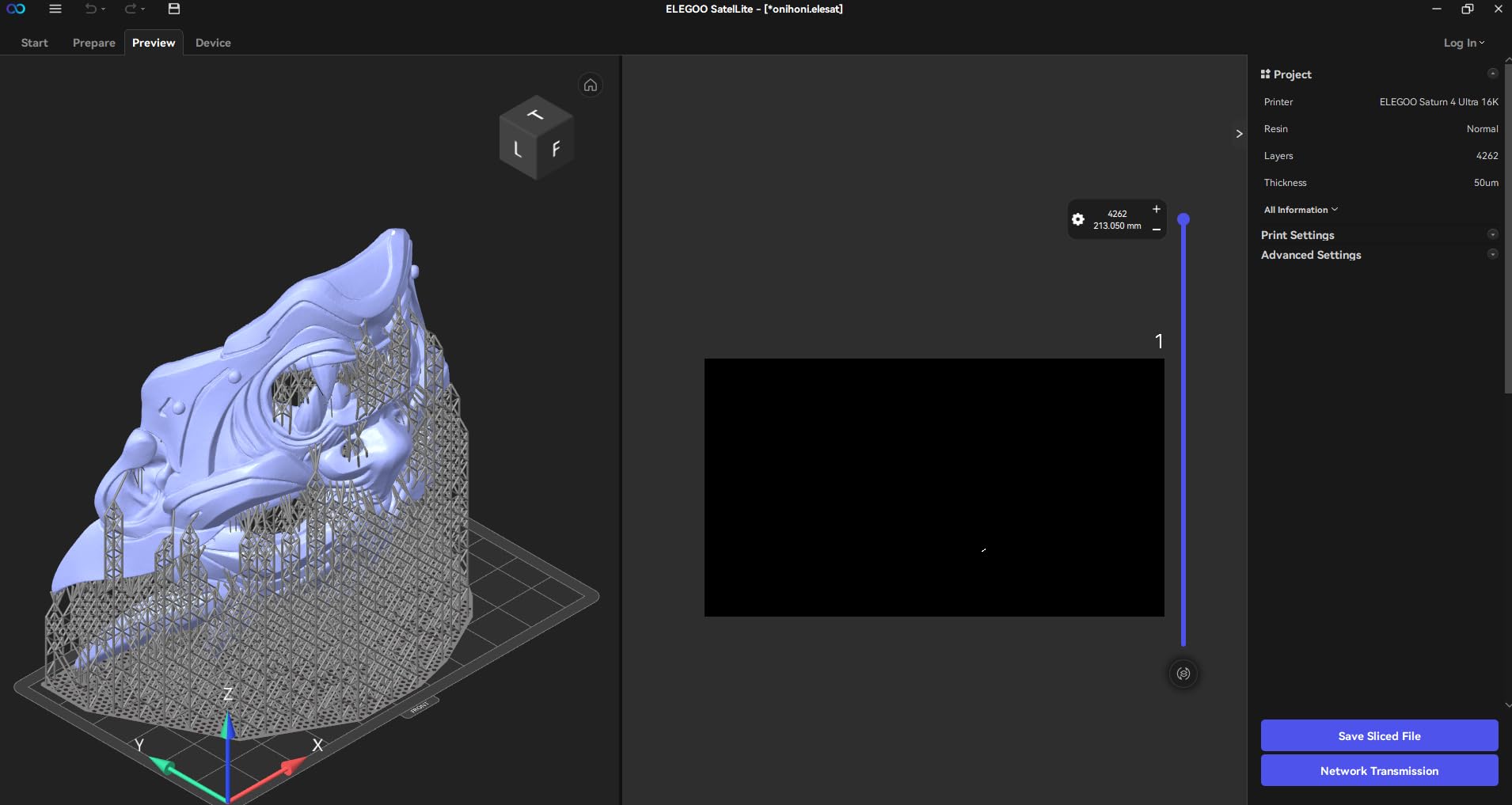
The costs of that feature set are size and weight. At 35.5 pounds and 24 by 17 by 15 inches, this is a bench printer, not a shelf printer, and it needs a dedicated spot with ventilation. The AI camera detection is also inconsistent in practice; owners report results varying with ambient conditions, model geometry and resin brand, so treat it as a helpful hint rather than a guarantee.
Review data shows the largest one-star share in this group at 13%, with the complaints pointing at occasional hardware or support friction rather than print quality. If your printing is going well and you are considering a step up, this is the destination.
Why a Heated Vat Matters More Than Pixel Count
Resin viscosity climbs sharply as temperature falls, and the higher-viscosity the resin, the more force the peel step needs. When that force exceeds what the film can hold, you get layer separation and prints lifting off the plate. Keeping the vat at 30 C means the same exposure settings and peel speeds behave the same way in January and in July.
It also reduces bubbles. Bubbles trapped against the film cure into pits that read as craters on a cape or a smooth shield. Warming the vat lowers viscosity enough that bubbles rise out on their own. If you print in a basement, a garage, or any unheated space during winter, this feature pays for itself in salvaged prints.
Where the Saturn 4 Ultra Falls Short
Resolution marketing is the only spec that disappoints in practice. Above 9K the gains for a 28mm miniature flatten out, so if your entire hobby is 28mm ranks you are paying for pixels you will not see after primer. The Saturn earns its place through the heated vat, the plate size, and the faster tilt release, not the number on the box.
The footprint is the practical limit. Reviewers who love the print quality still flag the space requirement, and a printer this size in a shared hobby room competes with your painting station. Measure before you commit.
4. ANYCUBIC Photon Mono M7 PRO 14K – Fastest Plate in the Group
ANYCUBIC Photon Mono M7 PRO 14K Resin 3D Printer, 170mm/h Fast Printing
14K mono LCD at 16.8x24.8 um XY
170 mm/h with high-speed resin
COB LighTurbo 3.0 light source
Pros
- Fastest layer speeds in the group
- 14K resolution holds 0.3 mm holes
- Strong plate adhesion and easy release
- Large build volume for batch printing
Cons
- Photon Workshop software is bare-bones
- High-speed resin is pricier and stronger smelling
- Consumable film and vats are printer specific
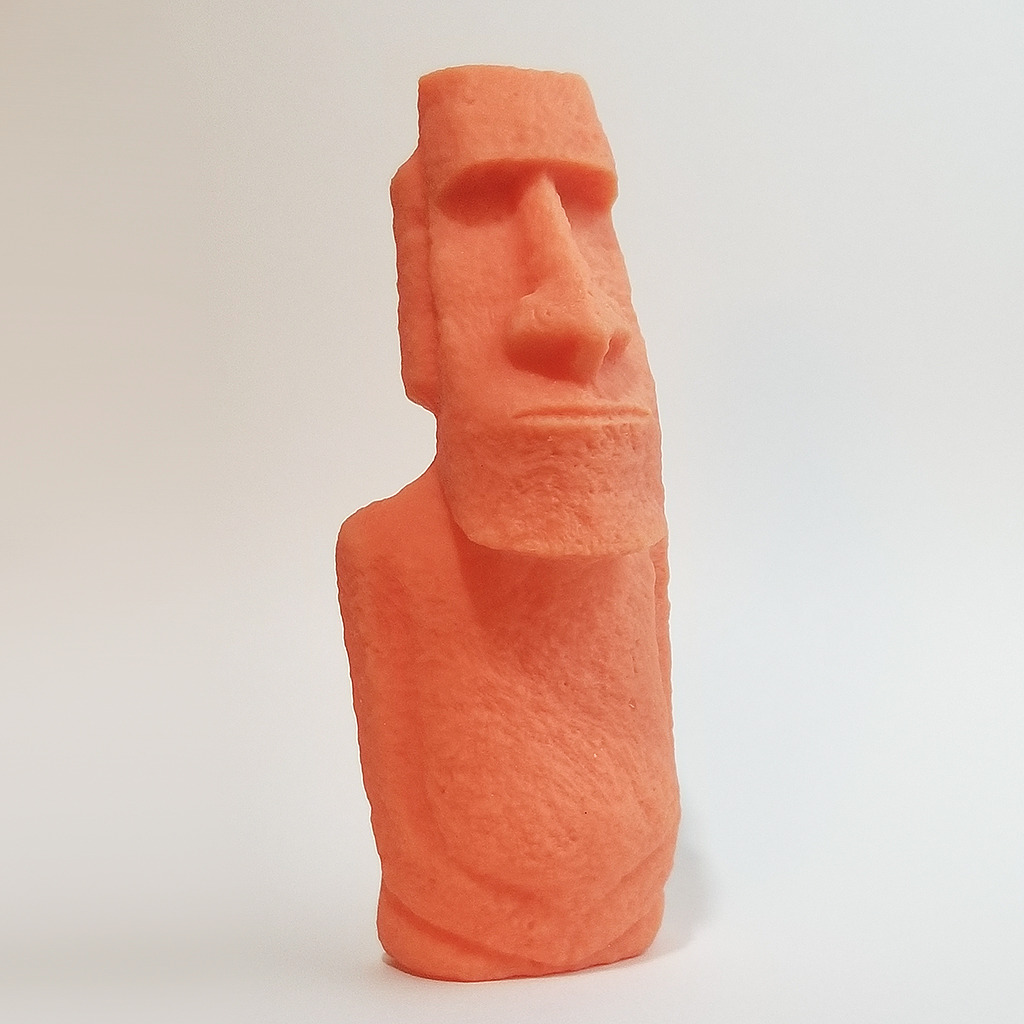
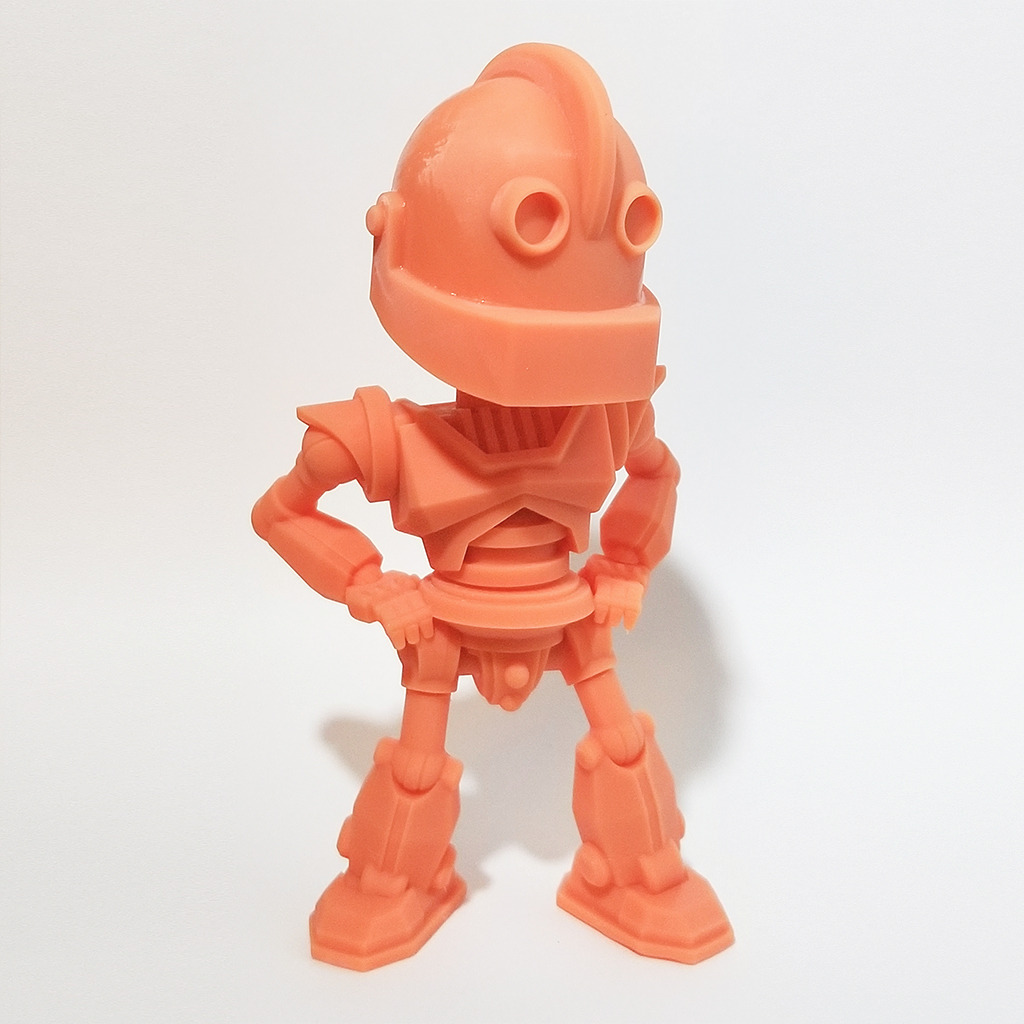
With 2,066 reviews behind it, the Mono M7 PRO has the largest sample size in this group and the most predictable behaviour. Reviewers regularly mention switching from FDM after seeing resin results side by side, which is the same reaction I saw from filament users visiting a hobby night.
Speed is the headline. It hits 170 mm/h with high-speed resin and 130 mm/h with standard resin, which makes it the quickest plate here when the goal is volume rather than single display pieces. The COB LighTurbo 3.0 light source keeps the light angle within 3 degrees and over 90 percent uniformity, so corners of a large plate do not print paler than the centre.
Detail is a 14K panel at 16.8 by 24.8 micrometre pixels, and the minimum print aperture of 0.3 mm is what lets you hold tiny holes in a lantern or a buckle strap. The dynamic temperature-controlled resin vat with automatic fill and recycle is genuinely useful on long batches, because you stop pouring resin by hand halfway through the night.
Six intelligent detection systems cover build plate installation, residue, resin level and failed prints, which is a lot of babysitting removed from a long run. The plate holds well and prints pop off easily once cured, which matters when you are pulling forty models off at once.
Consumption is where the cost hides. High-speed resin has a stronger odour and costs more per bottle, and FEP or ACF film plus vats are printer specific, so you keep separate stock for this machine. If the bundled slicer frustrates you, note that support generation and hollowing in Photon Workshop are called hit-and-miss by reviewers who get better results in Chitubox.
When Speed Beats Sharpness
If you are printing a 2,000-figure campaign army, the maths is simple. Faster layer speeds and a bigger plate compound, and the difference between a 0.3 mm hole and a 0.25 mm one is invisible on a model you will paint with three thin coats of Citadel. Throughput wins in that scenario, and this is the machine built for it.
Automatic resin fill and recycle matter more than people expect at volume. A vat that tops itself up means no midnight refills, no resin left going viscous in the bottle you half-poured, and fewer failed plates from a level that ran low an hour before you checked.
Where the M7 PRO Falls Short
Software is the honest gap. This is the machine with the most reviews and the most complaints about the bundled slicer, specifically because the settings are split between the device and the software. Budget an evening with an external slicer and a community profile rather than expecting the out-of-box path to be smooth.
Also notice the dimensions. At 25 by 15 by 35 inches and 33.3 pounds this is the tallest machine here, and it is only listed with the height that includes the resin tank arm. Check your ceiling clearance, not just your floor space.
5. ANYCUBIC Photon P1 14K – Set It and Forget the Leveling Knob
ANYCUBIC Photon P1 14K Resin 3D Printer with Auto-Leveling
10.1 inch 14K mono LCD at 16.8x24.8 um XY
Ball screw Z-axis with guide rails
Wave Release cuts release force 60 percent
Pros
- Factory-calibrated auto-leveling out of the box
- Rigid Z-axis reduces wobble and blur
- Wave Release lowers failure rate
- Handles resin up to 8000 cps
- AI inspection checks plate and bottom layer
Cons
- Newer model with a limited long-term track record
The Photon P1 is the newest machine here and the one I would watch. At 4.4 stars it holds the highest rating in this group, though with 58 reviews its track record is far shorter than the Mono 4 or the M7 PRO, so I would treat the early enthusiasm as provisional rather than proven.
What is genuinely distinctive is the Z-axis. A ball screw with precision guide rails replaces the belt-driven lift on cheaper machines, and that rigidity is why tall prints stop showing the soft, wobbly layer banding that plagues tall thin resin models. Combined with the 14K screen at 16.8 by 24.8 micrometre pixels and a 0.3 mm minimum print aperture, the detail ceiling is high.
Wave Release Technology is the quiet hero. It cuts release force by 60 percent, which means less force pulling on the part each peel, less suction on the build plate, and fewer parts ripped off the platform mid-print. For miniatures with fragile weapons raised above the body, that is a direct win.
Smart Leveling 3.0 is factory calibrated with four-corner pressure feedback, and AI inspection checks plate installation, bottom layer separation, resin level and residue before the job starts. It also handles resin up to 8,000 cps viscosity, so tough and castable blends will flow without a manual calibration routine.
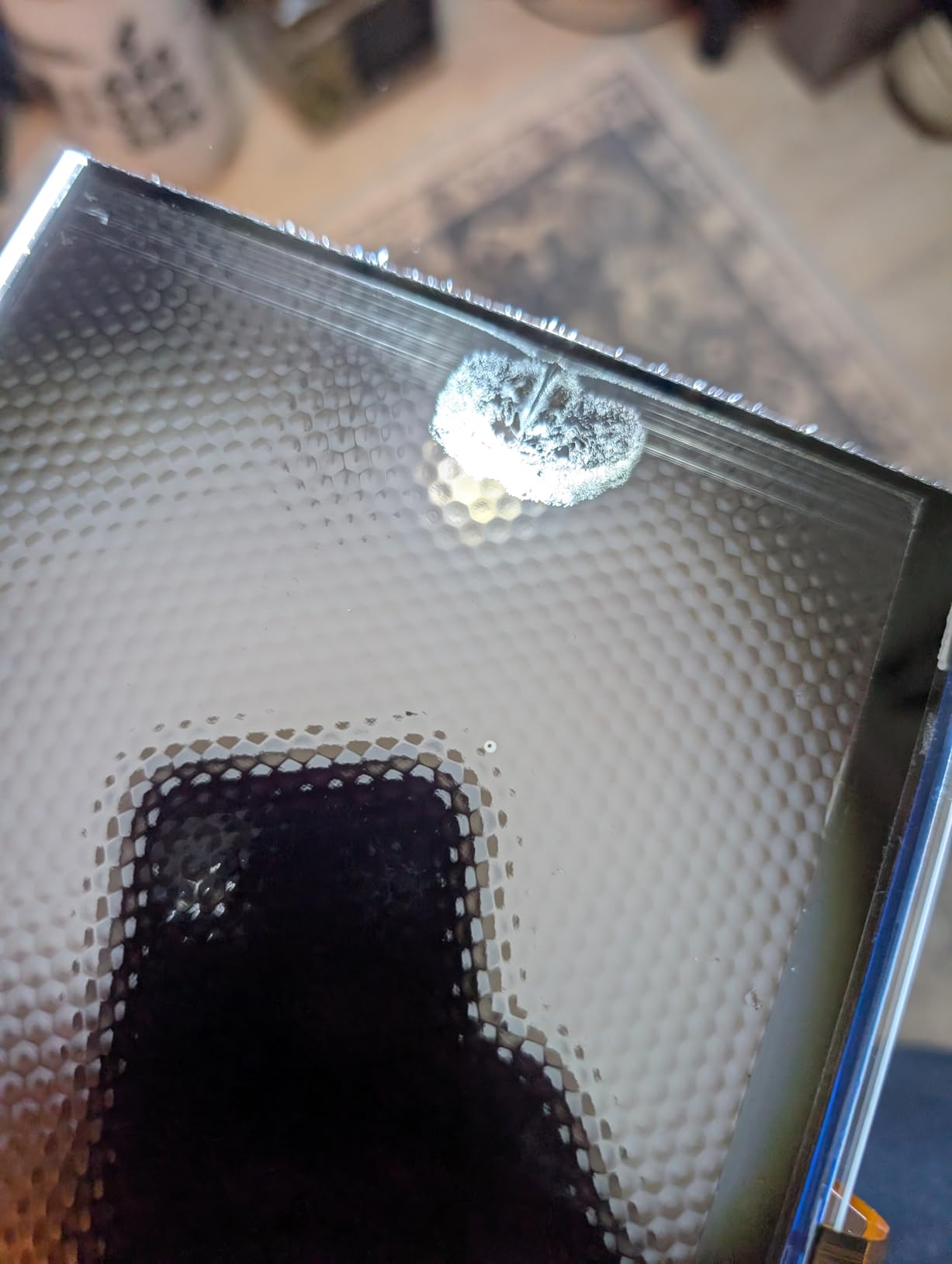
Owners highlight effortless auto-leveling, a rigid Z-axis and easy plate release. Those are exactly the three things that decide whether a first resin printer feels friendly or frustrating, and on paper this machine addresses all three at once.
The one con in the data is the one I will not dress up: this is a recent release, and 58 reviews is not enough to speak to screen longevity or electronics reliability over a few years. For a first machine you will keep for a decade, weigh that against the Mars 5 Ultra, which has a large body of owner history behind it.
Why a Stiffer Z-Axis Shows Up on Miniatures
Tall thin resin models are the hardest case for any lift system. If the plate shifts even a fraction of a millimetre during a peel, the layer that is being cured moves relative to the screen, and the result is soft detail on raised weapons, capes and antennae. A belt-driven axis on a heavier machine flexes more under load, which is the mechanism behind the waxy, smeared look some owners report.
Guide rails constrain the moving parts on two axes and a ball screw converts rotation to linear motion with far less backlash. In practice that shows as cleaner edges on vertical details and more consistent wall thickness on tall prints, which is exactly where a 28mm model with a raised sword will look best.
Where the Photon P1 Falls Short
Unproven longevity is the answer. Every other machine here has hundreds or thousands of reviews documenting how the screen, vat, and mainboard hold up, and this one does not yet. Secondarily, 8,000 cps resin support is helpful but the workflow still requires you to source matching film and vats for this specific model.
That is the trade for a machine that is otherwise the most technically ambitious at the entry point. Buy it if you want the newest engineering and can accept a shorter history, or wait a year and buy it used cheaper if you want the proven route.
6. phrozen Sonic Mega 8K S – Production Plate, Softer Pixels
phrozen Sonic Mega 8K S LCD/MSLA Resin 3D Printer, 43 µm High Resolution, 15 inch Mono LCD Screen, Fast Production Accurate Details, Large Printing Size L12.99xW7.28xH11.81 Printing Volume
15 inch 8K mono LCD at 43 um XY
33 x 18.5 x 30 cm build volume
Up to 80 one-thirty-second scale minis per 90 minutes
Pros
- Very large build plate for batch production
- Reliable and quiet once dialed in
- Fast throughput with ACF film and TR300 resin
- Lift-up lid and metal drip hanger ease resin recovery
Cons
- 43 um pixels are softer than 14K and 16K machines
- No Wi-Fi
- camera
- auto-leveling
- filter or vat heater
- Fixed perforated plate rules out a flex plate
- Reported LCD
- board and power supply failures
The Sonic Mega 8K S is the odd one out and worth including anyway. Its selling point is area: a 33 by 18.5 by 30 centimetre build volume that produces up to 80 one-thirty-second scale miniatures in about 90 minutes with ACF film and TR300 resin. Nothing else in this list approaches that throughput, and for a small business running commissions it is the reason to look.
Second, the design is genuinely production-minded. The lift-up lid and built-in metal drip hanger make draining resin and recovering it far cleaner than pouring it back into a bottle, which on a machine this size is the difference between an hour of cleanup and five minutes. Once tuned, reviewers with prior resin experience call printing reliable and quiet.
Here is the problem, and it is a real one for a roundup about miniatures. The 15-inch screen is 8K with a 43 micrometre XY pixel size, which is roughly two and a half times coarser than the 17 micron pixels of the Mono 4. Fine detail comes out softer, and one reviewer explicitly recommends this machine for large models rather than intricate miniatures. The 8K label sounds impressive until you put it next to a 14K number.
It also omits every convenience feature the others have: no Wi-Fi, no camera, no auto-leveling, no air filter, no vat heater. The plate is fixed and perforated, so a flex plate is not an option, and several owners report LCD, main board and power supply failures over time. The 21 percent one-star share centres on component failures and a limited three-month parts warranty, so read those terms carefully.
When a Big Plate Beats Fine Pixels
Throughput math decides this. If your project is a hundred 32mm models for a display case, plate area and print time dominate the schedule and pixel size becomes secondary. One plate of 80 small figures every 90 minutes is a fundamentally different production rate from a 12-figure plate every two hours, regardless of how the two screens compare.
ACF film and TR300 resin are also worth understanding before you commit. That pairing is what makes the ten-times-faster printing claim possible, and it means your consumable list is not interchangeable with a standard FEP setup. Budget for film and resin specific to this machine.
Where the Sonic Mega Falls Short
Miniature detail is the answer, and it is the one this roundup is about. At 43 micrometres, a face on a 28mm model will not hold the same definition as the same model printed on any of the 9K to 16K machines here. The absence of auto-leveling also means real setup work on every fresh film change, which adds friction that a beginner will feel.
Reliability reports are the tiebreaker for me. With a 4.0 rating, 49 reviews, and multiple component failure reports, this is a machine for someone who already knows resin and has a parts strategy. If that is you, the plate size is unmatched. If you are starting out, a smaller 14K machine will make you happier.
How to Choose a Resin Printer for Miniatures
Resolution first, but not the resolution you think. For 28mm tabletop minis, 17 to 19 micrometre XY pixels is the range where detail clearly improves over budget screens, and 14K to 16K panels help mostly on busts and statues. Both the Mono 4 and the Mars 5 Ultra sit in that sweet spot, and community consensus is that returns diminish above it for small scale.
Build volume is the number people get wrong. Bigger is not automatically better, because a large plate means a long peel distance and more time for a layer to shift. What actually matters is whether the area fits a full ranked unit plus a hero without splitting models, and whether you can lift the plate off a full vat without spilling.
Speed technology is the third filter, and tilt release is the one to understand. Peeling the vat at an angle rather than straight up reduces the force acting on the cured part, so higher lift speeds do not come at the cost of torn miniatures. The Mars 5 Ultra, Saturn 4 Ultra and M7 PRO all use it, and all three reach 130 to 170 mm/h.
Cold weather deserves its own paragraph because it is the most common thread in hobby forum complaints. Resin viscosity rises as temperature falls, and failures cluster in winter months for people printing in garages and basements. A heated vat that holds resin at 30 C solves it, which is the strongest argument for the Saturn 4 Ultra if your printing space is not climate controlled.
Auto-leveling is the single biggest quality-of-life upgrade. Every machine here except the Sonic Mega has it, and on this list the difference between Smart Leveling 3.0 with four-corner pressure feedback and a manual four-point routine is noticeable in the first week. The Z-axis design matters too; a ball screw and rails like the Photon P1 hold vertical detail better than a belt lift.
Then think about consumables, because that is the real total cost. Resin, FEP or nFEP or ACF film, replacement vats, isopropyl alcohol, nitrile gloves, spare screens and electricity all add up, and a machine that takes printer-specific film locks you into one supply line. The M7 PRO and the Sonic Mega are the two where owners most often report stocking separate consumables.
Software is the last filter and the one most buyers ignore. ANYCUBIC bundles Photon Workshop, which reviewers describe as basic for hollowing, drain holes and support generation, and ELEGOO includes a short Chitubox Pro subscription. If you plan to hollow models for resin saving and weight, learn an external slicer early. For anyone also working with castable resin, our resin casting guide covers the downstream side of that workflow.
Safety, Washing and Curing Without Guesswork
Uncured resin is a skin sensitiser and it is not hobby food safe, whatever the bottle says. Wear nitrile gloves from the moment you unbox the machine, ventilate the room with a window open or a carbon filter, and never pour resin down a drain. Keep printed parts away from food surfaces and wash your hands before you touch anything you eat.
Wash prints in isopropyl alcohol before curing, not after. Alcohol removes the bulk of surface resin and gives you a clean part to inspect for supports. A two-stage wash in separate containers catches the sludge that ruins a second miniature, and ultrasonic cleaners work well for those who print at volume.
Cure for the time your resin and your lamp actually call for rather than a fixed number, because under-curing leaves a tacky dent-prone surface and over-curing makes resin brittle and turns skin milky. A drawer-style curing station with a turntable gives the most even result, and 405 nm is the safe wavelength for most hobby resins. Wear gloves for this step too, and keep uncured parts out of reach of children and pets.
Dispose of cured prints in normal waste once fully hardened, and take liquid resin and alcohol containers to a household hazardous waste facility. Nobody enjoys that errand, and doing it once with a proper container is far easier than improvising with a full sink.
Frequently Asked Questions
Which 3D resin printer is best for miniatures?
For most 28mm tabletop printing, the ANYCUBIC Photon Mono 4 is the strongest all-round pick, with 17×17 micrometre XY pixels, one-and-done four-point leveling and the most forgiving setup. The ELEGOO Mars 5 Ultra is the better second machine because tilt release roughly halves print time and the AI camera handles monitoring. For display busts and statues, the ELEGOO Saturn 4 Ultra 16K gives the sharpest screen and a heated vat, and for high-volume army printing the ANYCUBIC Photon Mono M7 PRO 14K runs the fastest plates here.
Are resin printers better than FDM for miniatures?
Yes for detail. Resin cures liquid photopolymer with light, so edges are defined by a screen pixel of roughly 17 to 19 micrometres rather than by a nozzle bead. That is the difference between a defined sword edge and a rounded one on a 28mm model. Filament still wins for terrain, bases and dice, and it is far easier and safer to run in a shared living space.
What type of 3D printer is best for miniatures?
A masked stereolithography printer using a monochrome LCD screen, commonly called MSLA or LCD resin. These machines sit in the sweet spot between cost, detail and throughput, and every model in this roundup is an MSLA machine. DLP printers project a single point of light and can be excellent, while laser SLA machines deliver the sharpest results at the highest cost and highest safety demands.
What is the best resin to use for miniatures?
A standard grey photopolymer resin is the right starting material for 28mm and 32mm tabletop minis because it prints fast, sands easily and takes primer well. Tough or ABS-like resin is better for large solid bodies, thin weapons and models that get handled. Tough or castable blends suit anyone minting in metal, while flexible resin is worth it only for grips, capes and caul. Match the resin to the printer, since high-viscosity blends need a machine that can handle thick resin.
Is 8K resolution enough for miniatures?
For 28mm models, an 8K screen is workable but visibly softer than a 9K to 16K panel. Moving up to about 17 to 19 micrometre XY pixels is where hobbyists report a clear jump in face and filigree definition, and gains flatten out above that for tabletop scale. Higher resolutions matter most for busts, statues and heroic scale prints you display under lights, which is why a production-focused 8K machine is not the sharpest option for minis.
What safety equipment do I need for resin printing?
Nitrile gloves are the first requirement, worn for unloading, washing, scraping the vat and disposing of waste. You also need ventilation, either an open window with airflow or a carbon filter unit, plus containers for washing in isopropyl alcohol and a dedicated space to cure parts away from sunlight. Add a splash-resistant surface and a separate bin for alcohol and liquid resin, since none of it should ever reach a drain.
Final Verdict on the Best Resin Printers for Miniatures
After weighing all six, the ANYCUBIC Photon Mono 4 remains the best resin 3d printer for miniatures for anyone starting out, because setup failures are the main reason new resin printers get abandoned. Buy the ELEGOO Mars 5 Ultra if you want faster plates and remote monitoring, and step up to the Saturn 4 Ultra 16K when your project list moves toward busts and display pieces.
For volume work, the Mono M7 PRO 14K prints the fastest plates in this group, and the Photon P1 14K is the most promising machine for anyone who hates manual leveling, though its long-term record is still short. The Sonic Mega 8K S wins on batch area alone and makes sense for production work with softer detail tolerance.
Whatever you choose, plan the wash, cure and ventilation setup on the same day the printer arrives. If you are still comparing the resin and filament sides, our full miniature printer guide breaks down how to combine both for terrain and figures.