
The fastest way to make a webcam stream look expensive is not a better camera. It is a proper key light sitting roughly 45 degrees to one side of your monitor, slightly above eye level, throwing soft, even light across your face. The Elgato Key Light is our best overall pick in the best key lights for webcam streaming roundup for 2026 because it delivers 2800 lumens from a 97 CRI edge-lit panel, spans 2900K to 7000K, and mounts to your desk rather than your floor. Everything else in this guide is judged against that benchmark.
Here is the test we use before blaming a camera. Point your webcam at a white sheet of paper on your desk, open the stream preview and look at the paper. If it is dull grey, blown out, or unevenly yellow across the frame, your lighting is the problem. No amount of sharpening, bitrate or a 4K sensor fixes a face lit from the wrong direction.
Most streamers are not short of options, they are short of direction. Forum threads on r/Twitch and r/streaming are full of the same question: which light, and where do I even start. Answers there split into camps, with Elgato treated as the default and Neewer as the value alternative, while r/LogitechG owners argue a compact bar can displace two full panels on a tight desk. The one thing all of them agree on is the geometry of the light matters more than the brand on the box.
We spent six weeks comparing eight lights on desk footprint, output, colour rendering, control options and how each one behaved in a dim room. Every pick below works for video calls and hybrid work as well as streaming, and every pick lists who should skip it. If your room is dark most of the evening, start with lumen output. If you sit in a bright office and fight screen glare all day, start with the mount type. The difference between uplighting and downlighting explains why the ceiling light in your room is working against you on camera.
Table of Contents
Top 3 Picks: Key Lights for Webcam Streaming in 2026


RALENO 13 inch Soft Light Panel
- 8000mAh battery
- CRI above 95
- 650 lux per meter
- 1 inch profile

Those three cover the three most common setups. The Elgato is the all-rounder for a dark room, the RALENO is the one that travels because it runs on a built-in battery, and the Litra Glow is the pick when a tripod on the desk is simply not an option. If you want the wider context before you commit, our guide to the best key lights for streaming covers the gear around the light.
Best Key Lights for Webcam Streaming in 2026
| Product | Specifications | Action |
|---|---|---|
| Elgato Key Light |
|
Check Latest Price |
| Logitech Litra Glow |
|
Check Latest Price |
 Godox ES45 Desktop LED Key Light Godox ES45 Desktop LED Key Light |
|
Check Latest Price |
| RALENO 13 inch LED Soft Light Panel |
|
Check Latest Price |
 NEEWER NL-192AI LED Video Panel NEEWER NL-192AI LED Video Panel |
|
Check Latest Price |
 NiceVeedi 2-Pack LED Light Kit NiceVeedi 2-Pack LED Light Kit |
|
Check Latest Price |
 UBeesize 10 inch Desk Ring Light UBeesize 10 inch Desk Ring Light |
|
Check Latest Price |
 Weilisi 10.2 inch Desk Ring Light Weilisi 10.2 inch Desk Ring Light |
|
Check Latest Price |
Two things stand out immediately. Only three of these eight mount to a desk or monitor, and only four of the eight have no mains cable involved, which decides whether a light belongs in your shot at all.
1. Elgato Key Light: the best overall key light for webcam streaming
Elgato Key Light, Professional 2800 Lumens Studio Light
2800 lumens
97 CRI, 2900K-7000K
Desk clamp, 49 inch pole
Stream Deck control
Pros
- Even
- soft panel output with no hotspots or hard shadows
- Fast brightness and colour changes over Wi-Fi or Stream Deck
- Solid metal build that runs cool through long sessions
- Desk clamp frees desk and floor space
- 4287 reviews averaging 4.5 stars
Cons
- Wi-Fi pairing can drop off the network
- No physical knobs as a fallback control
- Cheap plastic ball head
We used the Elgato Key Light as the reference light for the whole test because its 2800 lumens put it head and shoulders above everything else here. In a dark room at a normal desk distance, one dimmer setting near the bottom was enough to hold skin tone evenly across the frame with the overhead light switched off entirely. That headroom is the reason it wins: you are not fighting the light, you are placing it.
Colour rendering is the quiet strength. The 160 OSRAM edge-lit LEDs are rated at 97 CRI, so skin tones stay natural rather than tipping green or orange under video compression. The opal glass diffusion face spreads the output evenly, which is why we never saw a hotspot on the panel or a hard nose shadow on any face we lit with it.
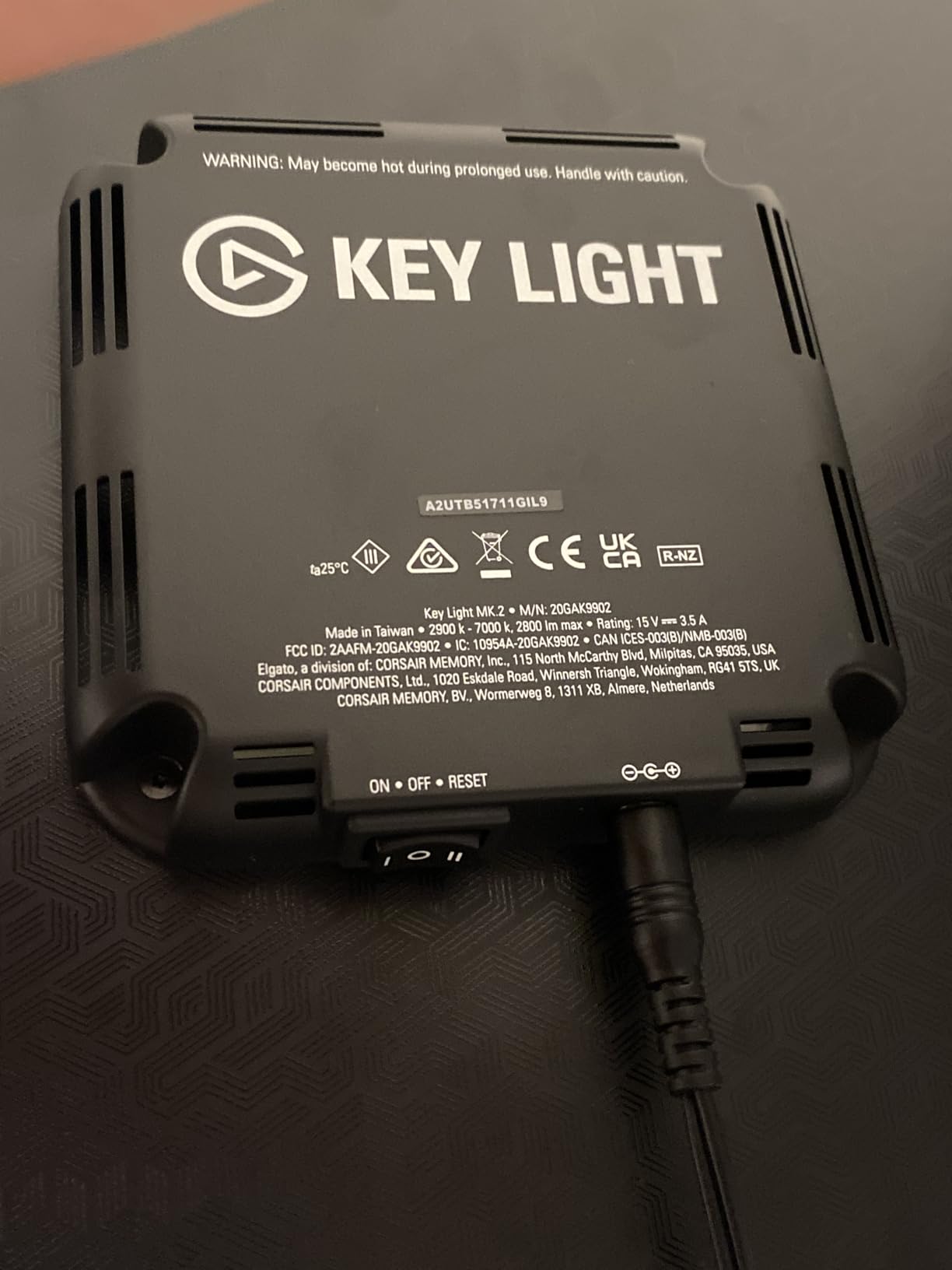
The control story is where this light earns its reputation. It runs Wi-Fi, so the desktop app changes brightness and colour temperature without anyone touching the desk, and it plugs straight into a Stream Deck if you have one. On hardware forums the Elgato ecosystem keeps coming up as the reason streamers stay with the brand beyond the light itself. During a live show you can fade a light up as you introduce a segment without touching your facecam.
The trade-offs are real. Wi-Fi pairing is the single most common complaint in reviews, and if your router is crowded the light can drop off the network mid-session. There are no manual knobs on the back, so a network hiccup leaves you adjusting brightness by eye. The included ball head is cheap plastic, fine for a light that stays put and not built for constant repositioning.
What you should check before buying
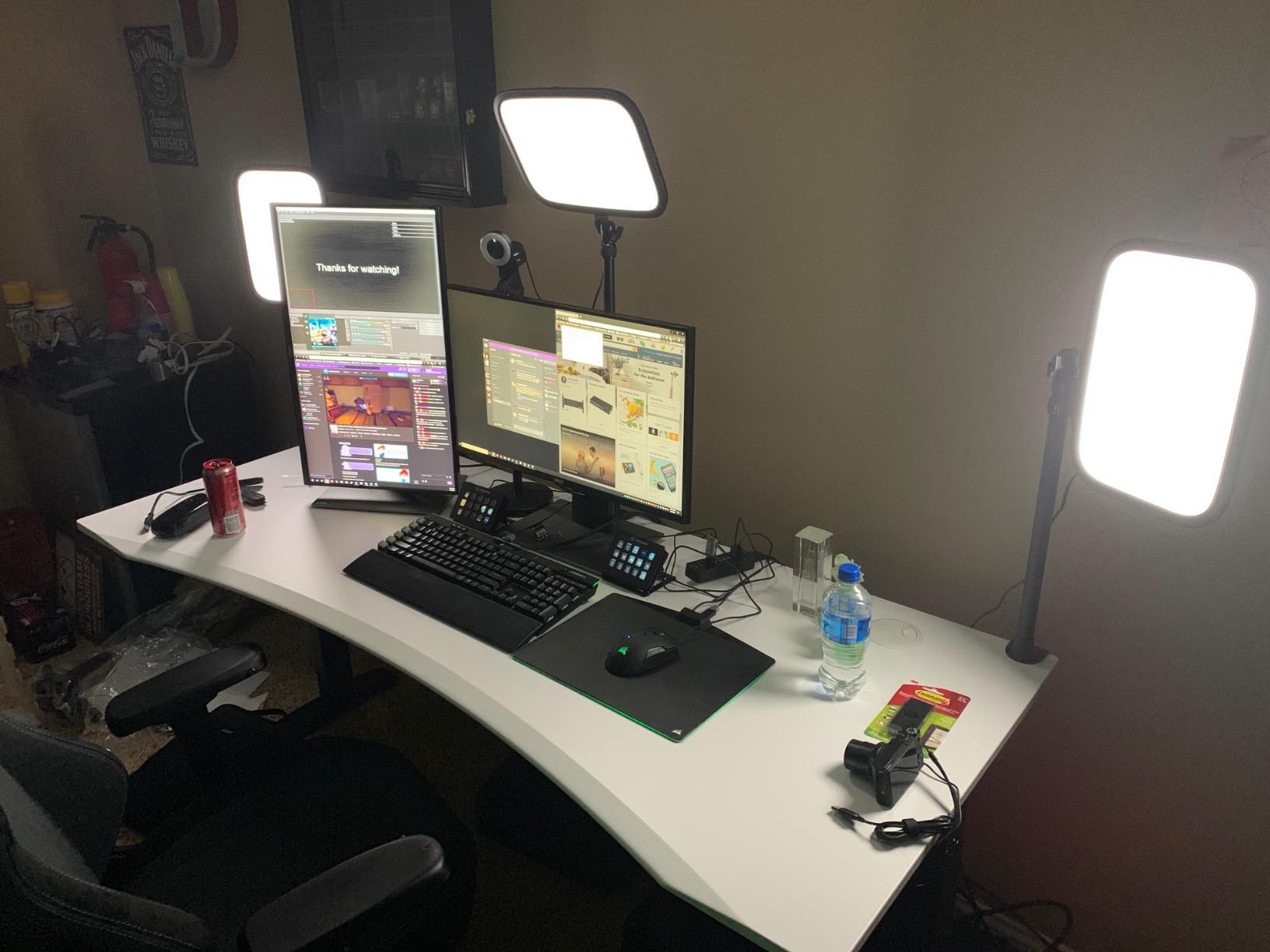
Check your desk edge thickness and make sure a clamp will fit, and check where your webcam sits relative to where the panel will hang. At 49 inches of pole the panel can clear the top of most monitors, but a tall display changes the geometry and you may end up lighting the side of your face rather than your front. A r/LogitechG owner described the opposite result, a bar so compact it replaced two full panels on a crowded desk, which is only possible because that light is far smaller than this one.
Also decide now whether you will ever run two of them. The Elgato Key Light is a single large panel, so a symmetric key-and-fill setup means buying two. There is no small version in this roundup that shares the same app and Stream Deck integration, so think about whether that second light is part of your plan within a year.
Who should skip it
Skip this light if your desk is narrow, curved or shared, because the base sits on the floor or the desk edge and needs somewhere solid to grip. It is also the wrong pick if you stream from a dim room with a very bright window behind you, where you will want to add a second source rather than push one panel harder. Anyone who insists on physical dials rather than app control will be frustrated, because everything routes through software.
If you need a single light that covers camera work, video calls and handheld shooting without a cable, look at the RALENO panel next instead. If your problem is desk space rather than output, read the Litra Glow section.
2. Logitech Litra Glow: the best key light for a small desk
Logitech for Creators Litra Glow Premium LED Streaming Light – Graphite
250 lumens
2700K-6500K
3-way monitor mount
USB, about 6W draw
Pros
- Monitor mount keeps the desk completely clear of stands
- Soft natural skin tones without a ring light catchlight
- G HUB presets make changes instant
- Runs cool on about 6W so a power bank works
- UL tested for long streaming sessions
Cons
- Monitor mount can wobble on curved displays
- Lowest brightness setting is still bright
- 250 lumens needs a close position in dim rooms
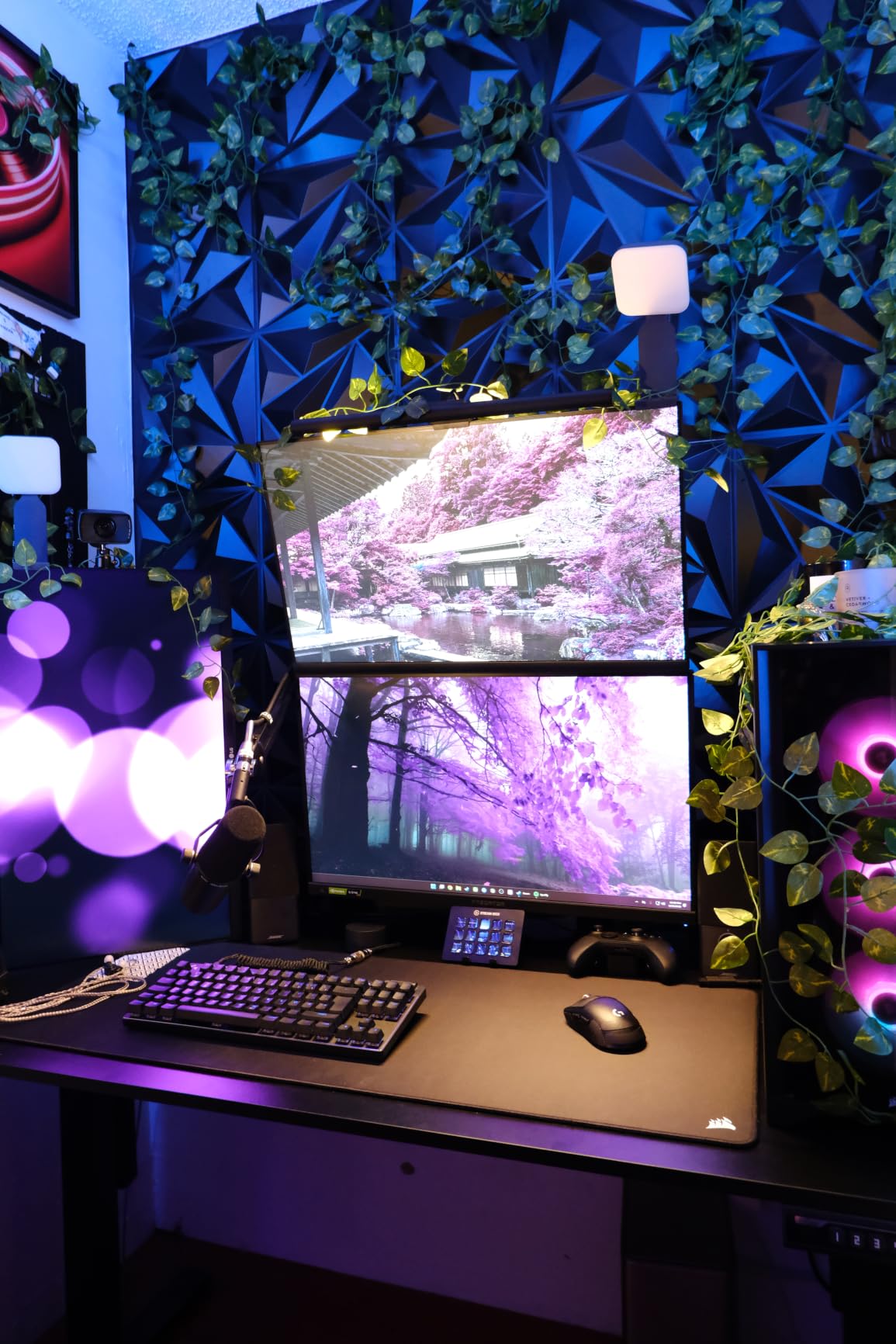
At 250 lumens the Litra Glow is nowhere near the Elgato on raw output, and in a dark room you have to bring it close to your face to make it work. What it does better than anything else here is disappear. It clamps to the monitor, so a full tripod never touches your desk, and at 13.44 ounces the whole unit is barely a paperback.
Light quality is where it punches above its size. The TrueSoft full-spectrum LED renders skin tones naturally, and the frameless wide diffuser avoids the harsh catchlight you get from a ring light. That is not a minor difference: the ring lights later in this list are excellent for calls, and the most common note from people switching over is how much calmer their face looks in the preview.
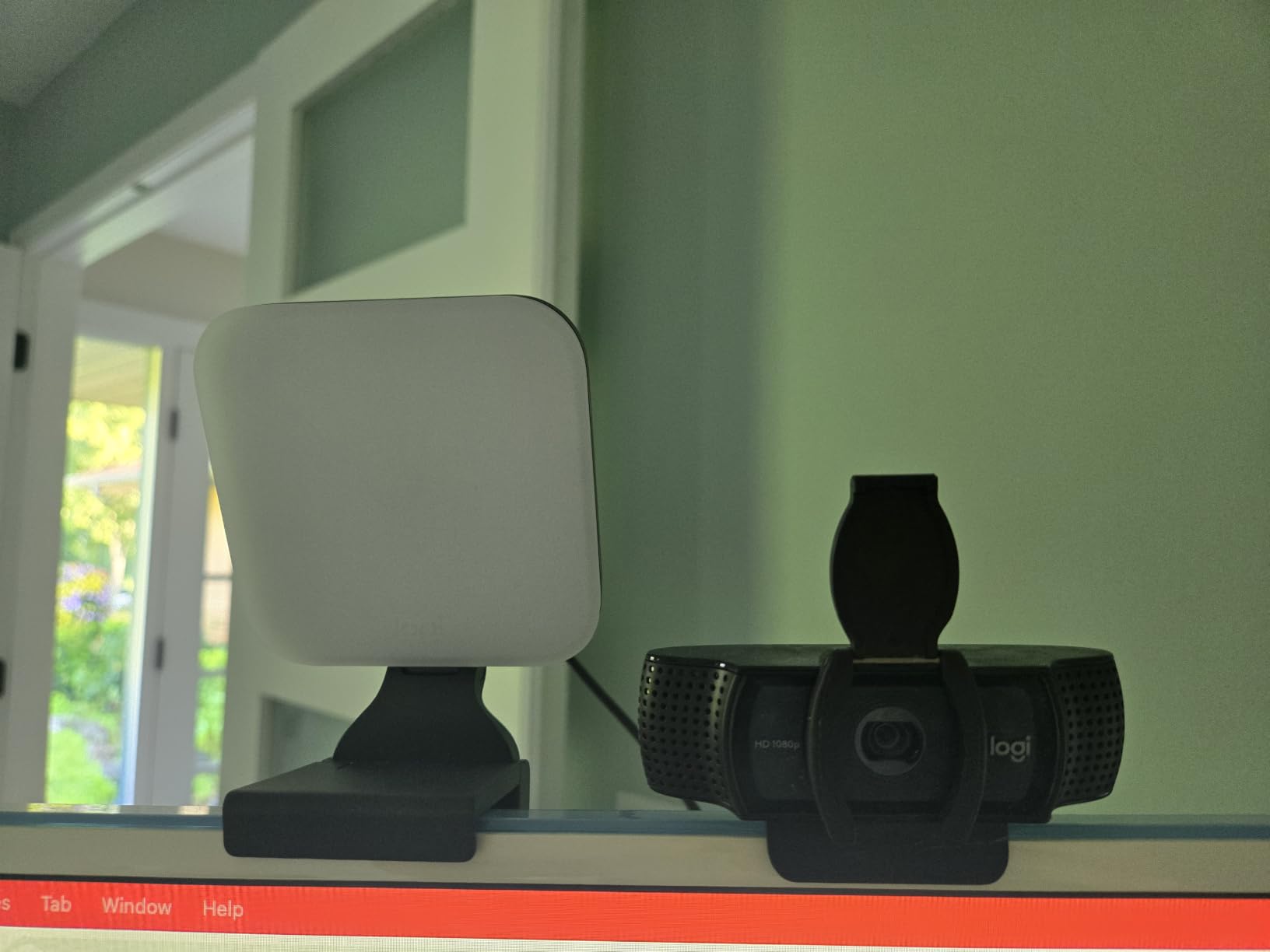
Control runs through G HUB on the desktop, with saved presets and a webcam preview, plus physical buttons on the back for when the software is not open. It also auto-activates with a Logitech webcam, which is a small touch that matters if you start a call without thinking. Power draw sits around 6W, so it runs happily from a laptop or a power bank and never warms the desk.
There is one structural weakness reviewers keep flagging. All the weight sits in the light body, so on a curved or non-flat display the hollow plastic mount can wobble, and the head is the part that moves when you adjust it. If your monitor is flat and mounted on a solid arm, you will probably never notice. If it is curved, test it first.
What you should check before buying
Look at your monitor shape and your desk darkness together, because this light trades output for footprint. In a bright office at a normal call height, 250 lumens is genuinely enough. In a dark room with a large screen, you will want it close to your face, and the monitor mount makes that angle awkward. Check that you have a spare USB port or a hub within reach of the display.
It also detaches from the mount onto a standard tripod, which turns it into a small stand light for a product shoot or a tabletop demo. And if you are deciding between ecosystems, the trade is real: G HUB and Stream Deck do not talk to each other, so mixing brands across a setup costs you one-button scene switching.
Who should skip it
Skip the Litra Glow if you stream from a genuinely dark room at more than arm’s length, because the output will not carry the distance. Skip it if you wear glasses and dislike reflections, since any monitor-mounted source will put a catchlight in the lens no matter how soft the diffusion is. And skip it if you already run a Stream Deck based setup and want one app to control everything, because this light will not join that ecosystem.
For a bigger panel on a clamp with a physical remote, the Godox ES45 is the more flexible option. For cordless operation on a desk, the RALENO solves the same problem from a different direction.
3. Godox ES45: the best key light for a cable-free clamp setup
Godox ES45 Desktop LED Key Light for Streaming&Video Calls, Soft Dimmable
0-100 percent dimming
2800K-6500K
Magnetic 2.4G remote
Clamp for 2 inch desks
Pros
- Soft edge-lit panel reduces harsh facial shadows
- Magnetic remote docks on the panel and recharges itself
- Wide dimming and Kelvin range covers most rooms
- Clamp stand keeps cables hidden and the desk tidy
Cons
- Newer listing with a much smaller review base
- Panel cannot rotate independently
- Desk clamp has a low maximum thickness
The Godox ES45 is built for a specific problem: you want a real key light panel but you refuse to run a cable across your desk. The magnetic 2.4G remote docks on the back of the panel and recharges automatically, so brightness and colour temperature changes need nothing but a tap and no phone app in the shot.
Output is soft and even. The edge-lit panel diffuses across its whole face, which produced the flattest, most forgiving facial lighting in our test on a face that normally shows shadow under the chin. Dimming runs the full 0 to 100 percent range across 2800K to 6500K, so you can match the panel to a warm bedside lamp or a cool office ceiling without guessing.
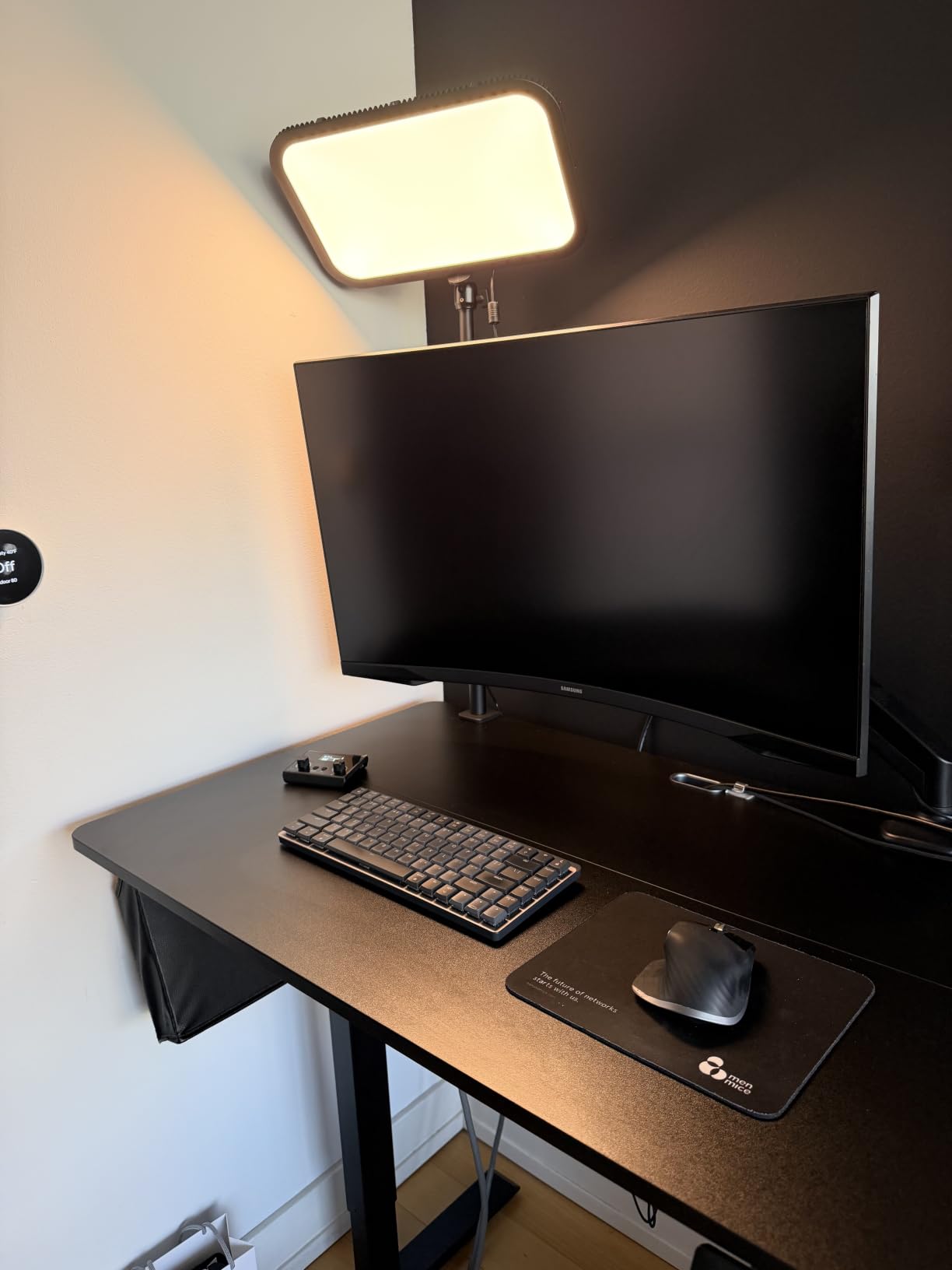
The Godox Light app handles grouping for multi-light setups, and the extendable clamp stand grips desks up to 2 inches thick while routing the cable down out of frame. Bluetooth control covers phones and tablets. It is also flicker-free, which matters more than it sounds: a light that flickers under a high shutter speed can band badly once a stream encoder gets hold of it.
The honest caveat is the review base. With 308 reviews at 4.4 stars, there is simply less long-term durability data behind this one than behind the established panels, and that is worth weighing if you are buying for years rather than months. Reviewers also note the panel cannot rotate independently, so getting a flatter, more directional angle takes more clamp adjustment than a ball head would allow.
What you should check before buying
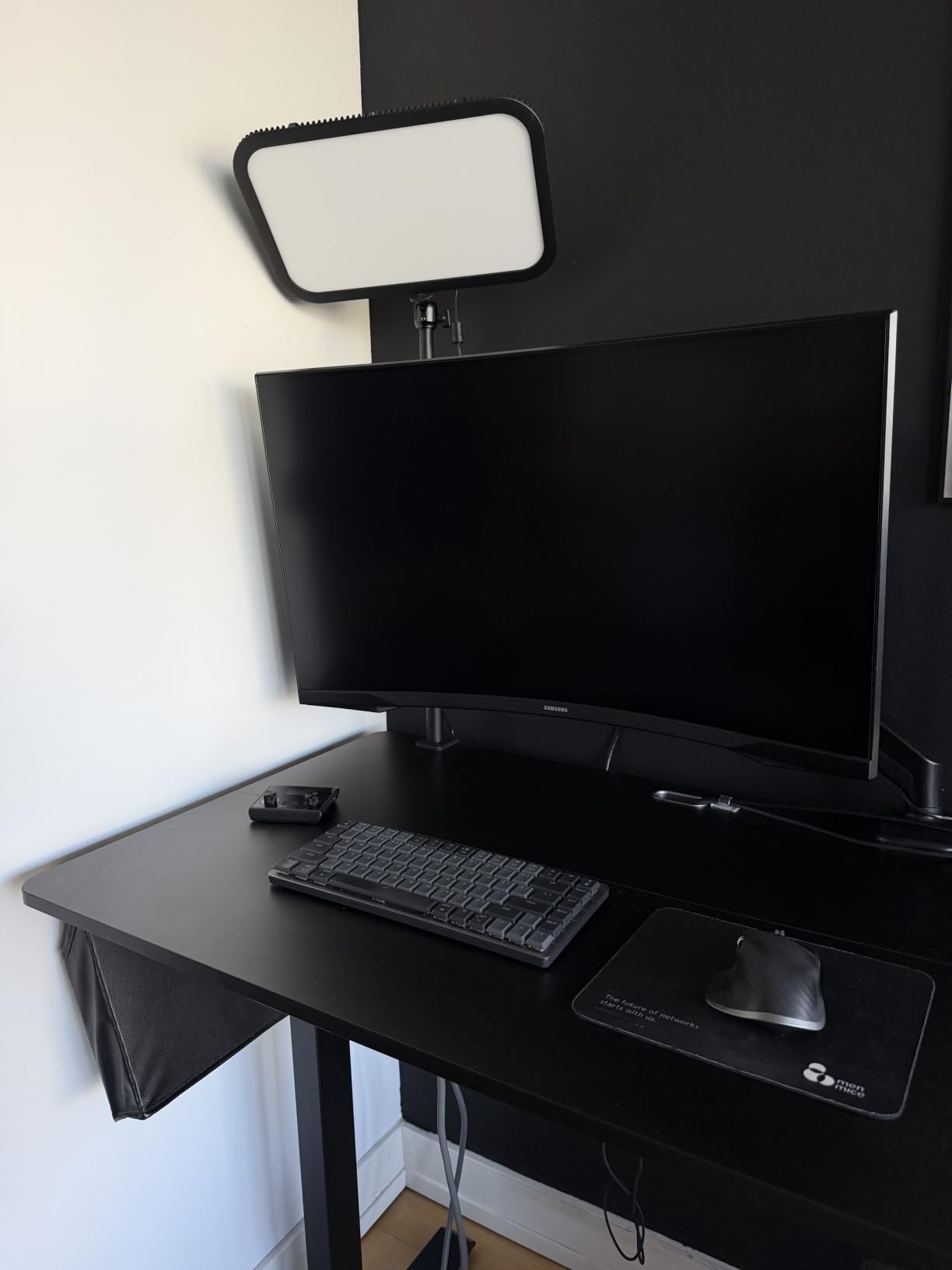
Measure your desk edge first. A 2 inch maximum clamp thickness excludes a lot of thick desks, and if yours is a solid slab rather than a veneer you may be out of luck. Then check your clearance above the desk, because a directional panel needs to sit high enough to angle down at your face without the top of your monitor blocking it.
Finally, decide whether wireless control is a genuine improvement or just a novelty for you. For someone filming alone, the docked remote is excellent. For someone running a two-light setup from a desk, the app grouping on the Godox is the feature that actually justifies the brand, and it is the one most likely to matter later.
Who should skip it
Skip the ES45 if you need the highest output available, because 2800 lumens of headroom from a full-size panel is a different class entirely. Skip it if you are on a very thick desk, and skip it if buying a light with only a few hundred reviews makes you nervous about build quality over a multi-year horizon. Anyone who plans a matching second light should confirm the app groups cleanly across two units first.
That missing headroom is exactly what the Elgato Key Light is built for. If your desk is generous and you want the most flexible mount, the Elgato pole is the taller, stronger answer.
4. RALENO 13 inch LED Soft Light Panel: the best cordless key light for travel
RALENO 13″ LED Video Soft Light Panel with Desk Stand
8000mAh battery
CRI above 95, 2500K-6500K
650 lux per meter
1 inch profile, 2.4 lb
Pros
- Built-in battery removes power cords from the shot
- Even flat output with no hotspots and CRI above 95
- Slim 1 inch profile fits behind a monitor or in a bag
- Back LCD shows exact brightness and colour settings
- Light at 2.4 lb yet sturdy on a camera arm
Cons
- Non-standard barrel power adapter
- Brightness adjustment is stepped not continuous
- Battery lasts about 90 minutes at full output
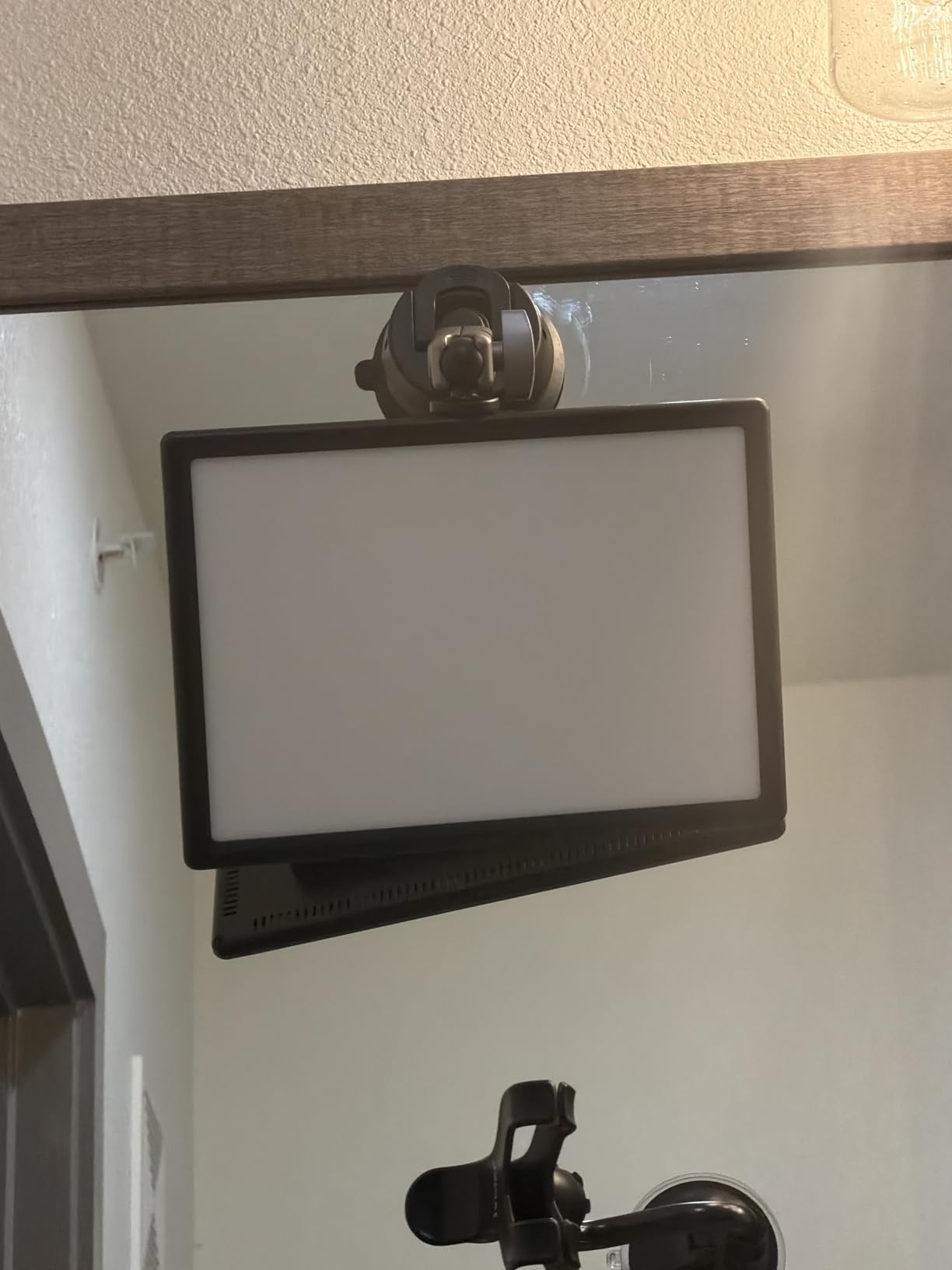
The RALENO is the only light here that is genuinely portable. An 8000mAh battery gives roughly 90 minutes at full output, which is not a long session, but it is a full shoot, and more importantly it means there is no cable running to the nearest socket when you are on location or when your desk has no usable outlet.
Colour rendering is the headline spec. The 13-inch panel uses 192 LED beads at CRI above 95 across a 2500K to 6500K range, and the output measured 650 lux per meter, which is soft and eye-friendly rather than punchy. On camera the skin tones stayed consistent as we moved the panel around, and the flat panel face produced no visible hotspot anywhere on the surface.
The rear LCD is a small thing that changed how we worked. Instead of guessing, you read the exact brightness percentage and colour temperature before you go live, which matters when you are matching a second light or reproducing a look from a previous stream. The panel is 1 inch thick and weighs 2.4 pounds, and the adjustable desk stand plus 1/4 screw mount with 180-degree tilt means it goes on a camera arm, a light stand or the desk without a conversion.
Reviewers who previously used tungsten fresnels or fluorescent tubes consistently describe this one panel replacing an entire rigged setup. That is the real story here, and the caveats are small ones. The wall adapter uses a non-standard barrel connection rather than USB-C, brightness steps in increments instead of dimming smoothly, and the plastic housing around the 1/4 screw can crack if you hang the panel vertically under real leverage.
What you should check before buying
Check how you will power it. Ninety minutes is fine for a shoot and wrong for a four-hour stream, so if you are a long-session streamer you will be running the mains cable most of the time and the battery is a backup rather than the main event. Bring your own adapter if the supplied barrel connector does not match your kit, because the cable is proprietary.
Check the mount before you check anything else. The underside 1/4 screw is the weakest point, so if you intend to mount vertically on a light stand arm, reinforce it or keep the panel on its desk stand. And check the stepped dimming against your tolerance, because some people find increments perfectly usable and others find them distracting in a live fade.
Who should skip it
Skip the RALENO if you need to light a face from three feet away in a dark room, because this is a near-field panel and it will not throw that far. Skip it if you dislike proprietary power connectors or stepped brightness, both of which are recurring notes in the reviews. It is also the wrong choice if you want app control with scene presets, since this light works from its own rear controls and the LCD.
For a thinner, lighter panel with a colder colour range and a cold shoe adapter, the NEEWER NL-192AI is the closer comparison. For maximum output at a desk, the Elgato is the only pick here that answers that need.
5. NEEWER NL-192AI: the best key light for colour accuracy on skin
NEEWER 192 LED Video Light Panel, 20W Ultra Thin Bi Color Camera Light
CRI 97 plus
3200K-5600K, 2400 lux at 0.5m
0.4 inch panel, 1.3 lb
Two 4000mAh cells
Pros
- CRI 97 plus gives accurate skin tone rendering
- Very thin at 0.4 inch and light at 1.3 lb
- Rear LCD shows brightness and colour at a glance
- Built-in batteries remove the need for a mains cable
Cons
- Battery lasts about 90 minutes and it will not run while charging
- Narrower 3200K-5600K range than most rivals
- Tripod stand and carry bag are not included
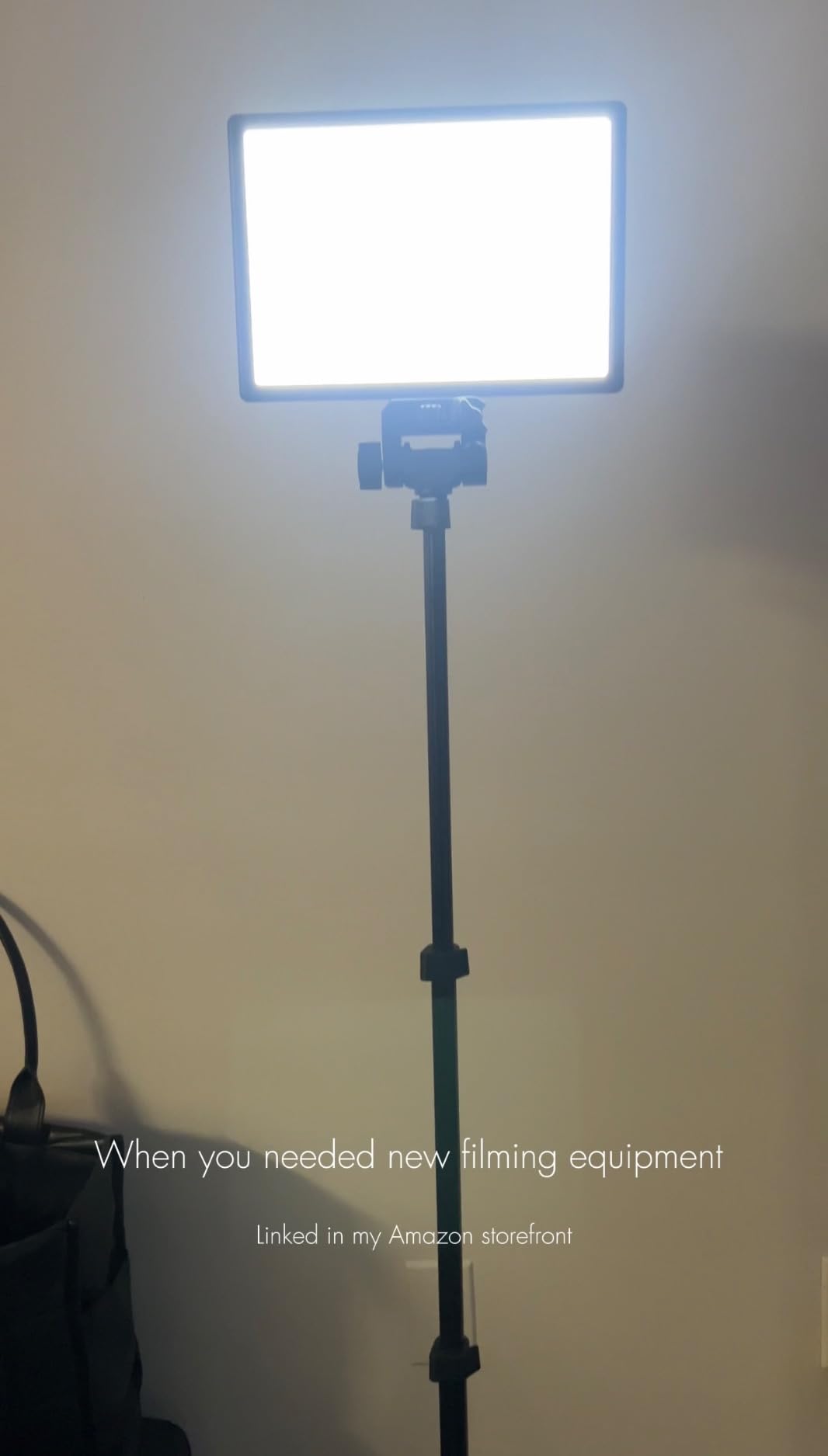
The NEEWER NL-192AI is the smallest thing in this roundup at 0.4 inches thick and 1.3 pounds, and it carries the highest rated colour rendering of the group at CRI 97 plus. If your priority is that skin looks like skin on camera, this is the panel to shortlist first. Nineteen two LEDs, 96 warm and 96 cool, deliver up to 2400 lux at half a metre.
That output figure tells you how to use it. Half a metre is arm’s length, which makes this a camera-mounted or desk-stand fill and key light rather than a room light. Set it close, angle it at your face, and it holds detail in the midtones that a larger panel at a distance would flatten.
The rear LCD is the control centre: brightness and colour temperature read out numerically, with 0 to 100 percent dimming across 3200K to 5600K. The 1/4-inch cold shoe adapter gives 180-degree tilt, so it mounts to a camera, a rig or a small stand without adapters. Two 4000mAh cells in series give about an hour and a half of continuous light with a two-hour recharge.
Two limitations define it. The colour range starts at 3200K and stops at 5600K, which is narrower than every other panel in this list, so you cannot dial in a very warm indoor tone or a very cool daylight tone. And the light should not be operated while charging, which turns the battery from a continuous power source into a fixed-length block of shooting time.
What you should check before buying
Check the colour temperature range against your room before anything else. If your existing lighting is warm, the 5600K ceiling will not match it and you will spend your stream fighting a colour cast. If you work in a neutral or cool room, this range is more than enough and the CRI 97 plus becomes the reason to buy it.
Then check what is in the box. The panel, the batteries and the cold shoe adapter are included; the tripod stand and carry bag are not. If you have no stand already, budget for that as a separate purchase, and confirm your tripod has a 1/4-inch thread.
Who should skip it
Skip the NEEWER if you want to light from across the desk, because 2400 lux is specified at half a metre and falls away sharply from there. Skip it if you need a wide colour temperature sweep or a long cordless session. And skip it if you are building a fixed streaming rig, because this is a portable panel designed to be carried rather than a fixture designed to be clamped and forgotten.
For a wider Kelvin range with a similar high CRI and a larger panel, the RALENO covers 2500K to 6500K and adds a battery. For output at a distance, step up to the Elgato Key Light.
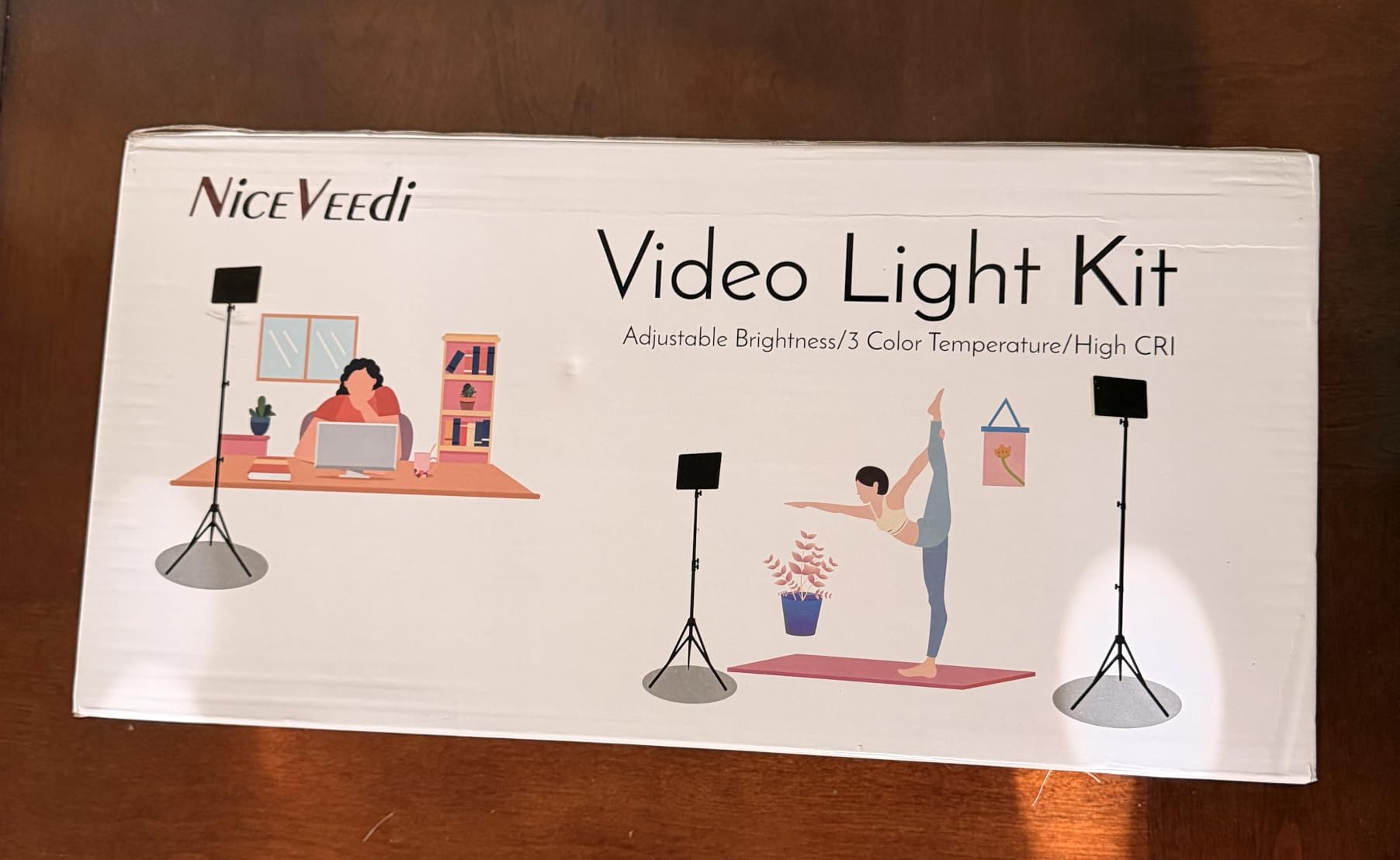
6. NiceVeedi 2-Pack LED Light Kit: the best value key light for two-sided lighting
2-Pack LED Video Light Kit, NiceVeedi Studio Light, 2800-6500K Dimmable Photography Lighting Kit with Tripod Stand&Phone Holder, 73″ Stream Light for Video Recording, Game Streaming, YouTube
Two 15W panels, 356 beads
CRI 97 plus
2800K, 4800K and 6500K
Tripods to 60 inches
Pros
- Two panels let you light from both sides and cut shadows
- Three colour modes plus 10-100 percent dimming
- Aluminium tripods reach overhead angles
- Phone holders and a storage bag included
- Even soft panels at a very low entry point
Cons
- No mains power supply included so you need USB-C or a power bank
- Tripod legs cannot be adjusted individually
- 15W panels are dimmer than the key lights above
Almost every other light in this guide does one job. The NiceVeedi kit does two, which is why it is on this list despite being the least sophisticated product here. Two 10 by 7.8 inch panels on adjustable aluminium tripods give you a key on one side and a fill on the other, and a two-sided setup removes the single shadow most single-light streamers live with.
Per panel, the specification is modest but honest. Fifteen watts, 356 LED beads, CRI 97 plus, three colour temperature modes at 2800K, 4800K and 6500K, and dimming from 10 to 100 percent by remote or the onboard buttons. The thickened light shell doubles as the diffuser, which is why the output reads as even rather than speckled at low brightness.
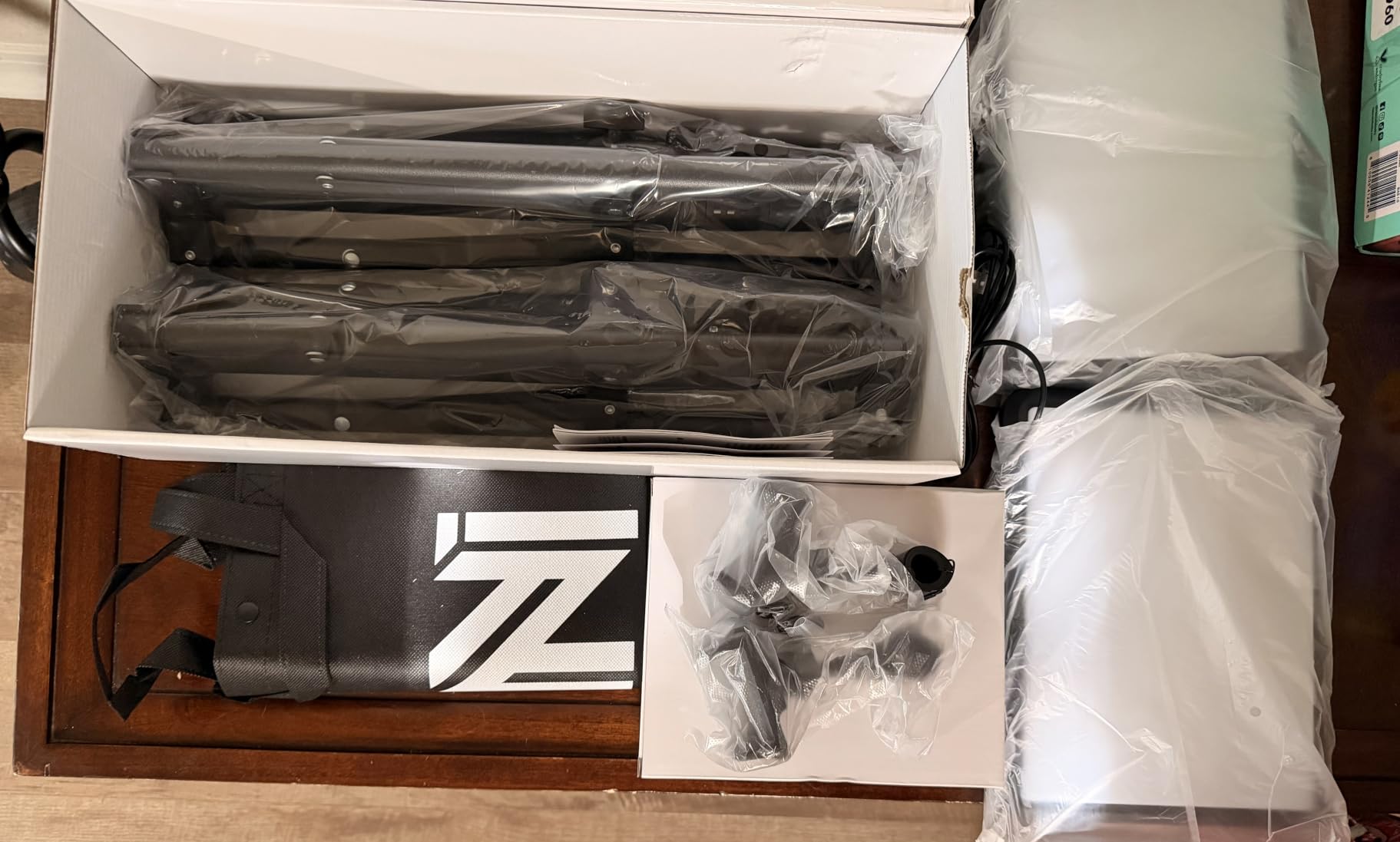
The tripods are the real upgrade over a single panel. They adjust to 60 inches, so you can raise a light above eye level and angle it down, which is the single positioning change that most improves a face on camera. The phone holders and storage bag are genuinely useful rather than filler, and with 6023 reviews at 4.3 stars this is by far the most battle-tested kit in the roundup.
Be clear-eyed about the trade-offs. No mains power supply is included, so you need a USB-C charger or a power bank capable of 5V 2A, and the lights will not run from a typical laptop or monitor USB port. The tripod legs do not adjust individually, which makes a desk versus wall setup awkward, and 15 watts per panel is genuinely dimmer than the single lights above it.
What you should check before buying
Check floor or desk space for two tripods before anything else, because that is the whole appeal and the whole limitation. Two 60 inch tripods need a footprint roughly three feet wide, which is fine in a spare room and impossible in a small home office. Our measurements stopped short of a full roundup, but the same desk-space complaint comes up repeatedly in streaming forums.
Check your power source too, since the missing adapter is the top complaint in the reviews. Then check whether three fixed colour temperatures meet your needs, because a streaming setup that needs to match a warm room continuously will find 2800K, 4800K and 6500K less flexible than a continuously tunable panel.
Who should skip it
Skip the NiceVeedi kit if you have one small desk, if you stream in a very dark room where 15 watts per panel will not keep up, or if you want fine Kelvin control rather than three presets. Skip it if you care about build longevity, because a small number of reviewers report a panel cutting out on its own. And skip it if you already own a decent panel, since a second matching light will do more for your image than a pair of entry-level ones.
If you have the desk space and want genuine output from a single fixture, the Elgato Key Light gives you more light in one head. If the footprint is your problem, the Litra Glow solves it without any stand at all.
7. UBeesize 10 inch Desk Ring Light: the best ring light for a webcam desk
UBeesize 10″ Desk Ring Light with Stand, Multi-Angle Adjustable Arm with C-Clamp for Home Office, Streaming Light with Inline Control for Video Conference, Podcast, Gaming, Recording, Live Streams
2000-2400 lm from AC power
10 brightness levels, 3 modes
360 degree rotating head
Metal C-clamp
Pros
- Soft even side-lit output that reduces harsh shadows
- Metal C-clamp frees desk space versus a tripod base
- 360 degree rotation makes positioning easy
- Runs on direct AC so output stays consistent
- Bluetooth shutter remote handy for self-recording
Cons
- Ring lights still create the donut catchlight some find unflattering
- Short telescoping stand limits height
- Stand and clamp joints are not built for heavy camera gear
Ring lights have a reputation problem they deserve, and it is worth naming before this section. The circular catchlight reflected in the eyes, and the hollow look that comes with it, is real, and it is why several of the panel lights above became popular with people who started out on rings. That said, for a first lighting setup, a ring light is genuinely good value and easier to position than anything else here.
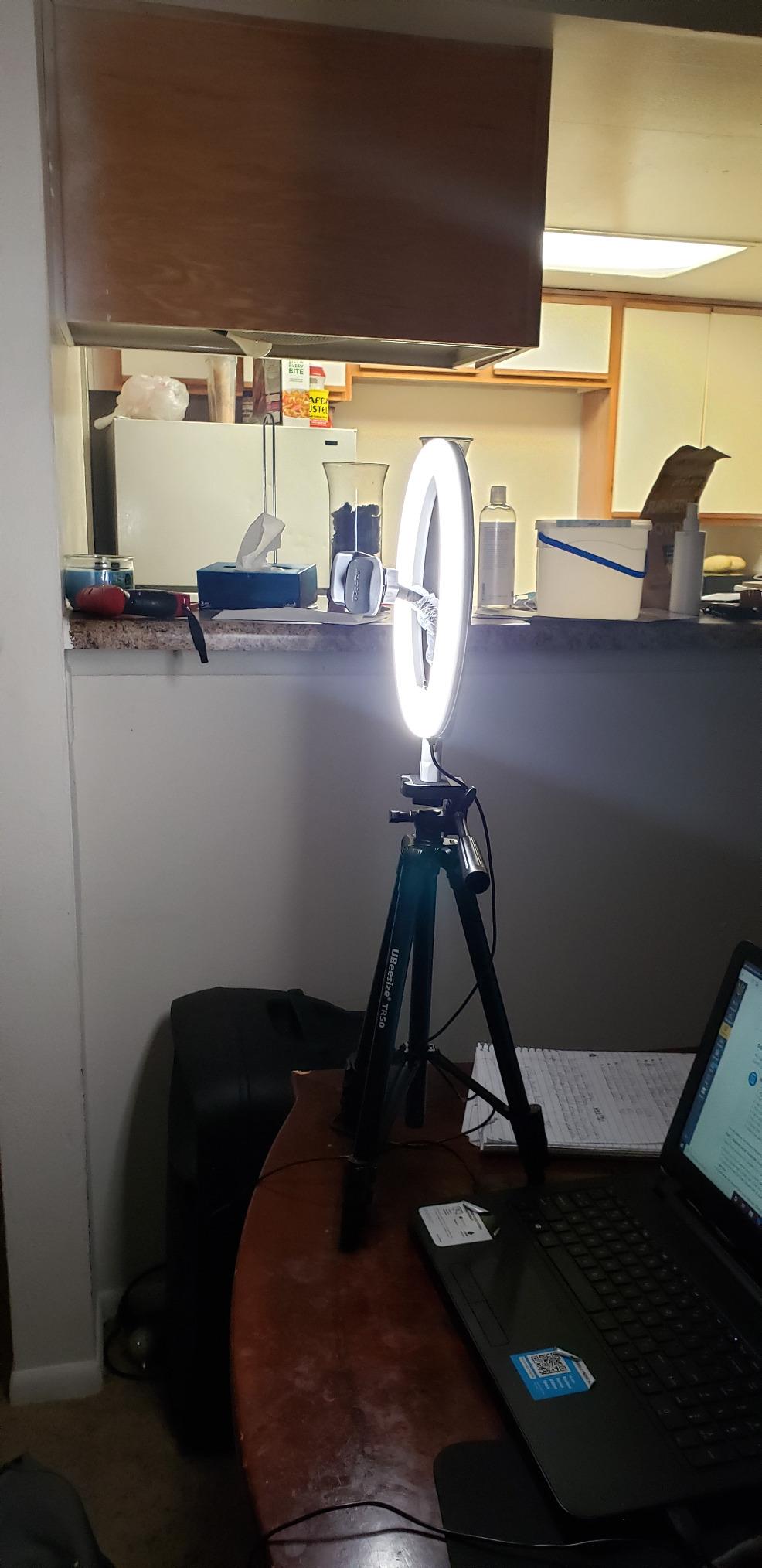
The UBeesize improves on cheap rings in two specific ways. The side-lighting technology spreads output across the 10 inch ring rather than from a bare ring of diodes, and the metal C-clamp with non-slip silicone padding grips desktops up to 2.5 inches thick without the wobble of a weighted base. Output runs 2000 to 2400 lumens on direct AC power, with 10 brightness levels and 3 colour modes.
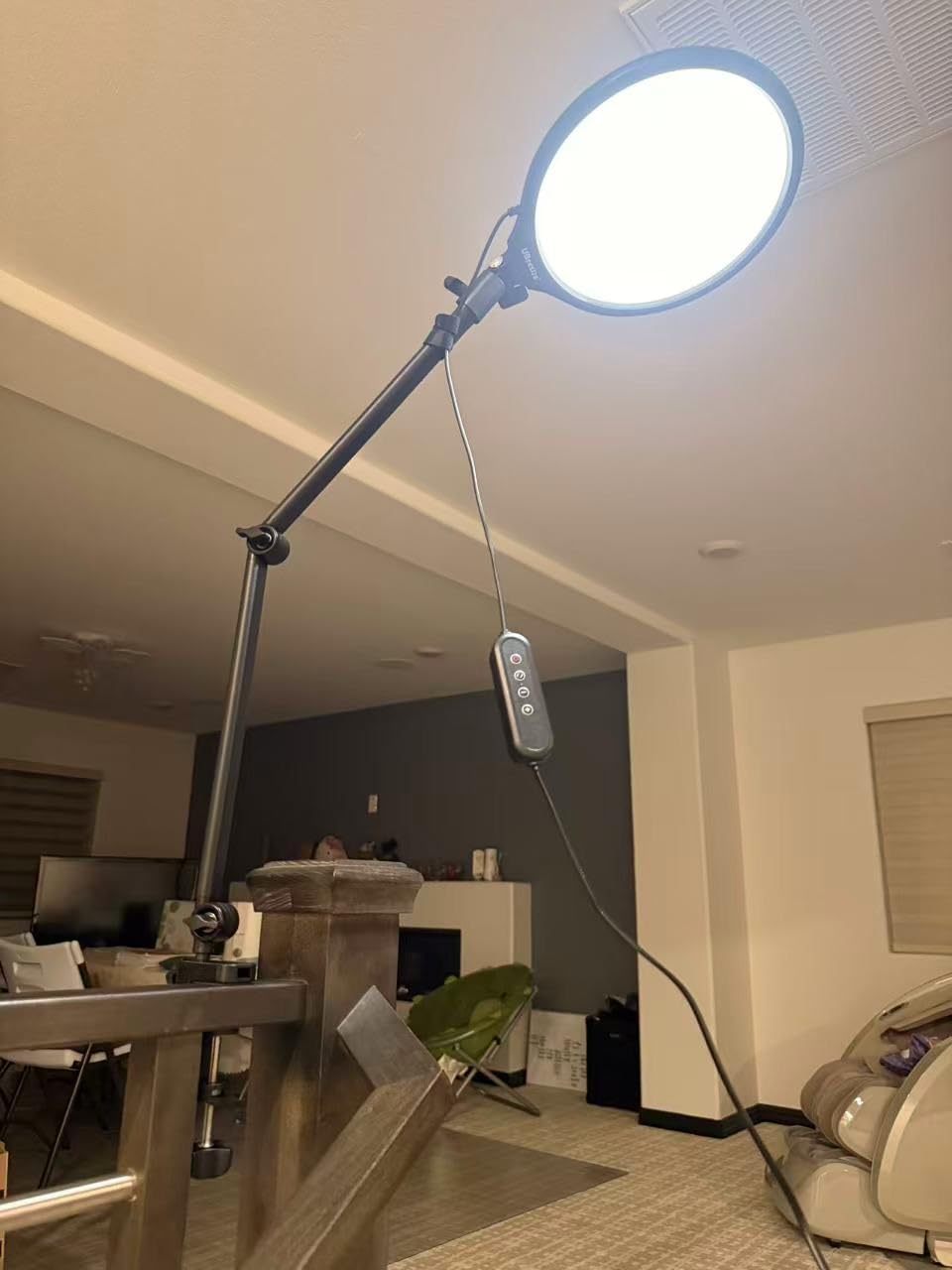
The head rotates a full 360 degrees and the telescoping stand extends to 13 inches, which is enough to raise the ring above a laptop screen and angle it down. A Bluetooth shutter remote is included for self-recording, and because it runs on mains power the output never drops as a battery would, which matters over a long stream.
The 13 inch pole is the real limitation, and it is the reason this is not higher on the list. A taller stand lets you angle the ring down from above, which softens the under-nose shadow, and 13 inches is short. The joints in the stand and clamp are also not rated for a camera or a heavy microphone, so keep heavy gear on a separate arm.
What you should check before buying
Check your desk thickness against the 2.5 inch clamp opening and check the ring diameter against your working distance. A 10 inch ring needs to sit fairly close to the subject to fill the face, so on a deep desk you will be leaning in rather than sitting back. This is the same near-field characteristic as the NEEWER panel, expressed differently.
Also decide whether the catchlight bothers you before you buy. If you wear glasses or glasses in your content, a ring puts a bright ring shape directly in the lens, and no amount of dimming removes it. If you do not care, the ring is a perfectly good light and the side-lighting here is gentler than most.
Who should skip it
Skip the UBeesize ring if you need to light a face from more than a couple of feet away, if your desk is thinner or thicker than the clamp range, or if you plan to mount a camera or microphone on the stand itself. Skip it if the donut catchlight is a dealbreaker for you, and skip it if you want colour temperature control in fine Kelvin steps rather than three modes.
For a more natural look on skin and a wider Kelvin range, the Weilisi ring is the step up. For no catchlight at all, the Litra Glow mounts to the monitor and costs you almost nothing in desk space.
8. Weilisi 10.2 inch Desk Ring Light: the best ring light for a home office
Weilisi 10.2″ Desk Ring Light with Stand, 360° Rotate Desk Lamps for Home Office with C-Clamp, Flexible Height Desk Light, Adjust Arm Ring Light for Desk, Podcast, Gaming, Recording, Zoom Lighting
10.2 inch edge-lit ring
10 brightness levels, 3 temperatures
360 degree rotate, 180 degree tilt
C-clamp and adapter included
Pros
- Uniform shadow-free full-screen diffusion suits a webcam desk
- Metal C-clamp saves desk space with a silicone base
- 360 degree rotation and 180 degree head tilt
- Covers most video call conditions
- Adapter and clamp are both included
- 3-year warranty
Cons
- Ring shape still produces a ring catchlight in the eyes
- 11.42 inch pole is short for an overhead angle
- 10.2 inch ring needs to sit close to the subject
The Weilisi exists because most people who need a light at their desk are not streaming eight hours a day, they are on calls and doing recorded content between meetings. For that use case it is well judged: a 10.2 inch full-screen ring using edge-lit LED technology, with a 5V 3A power adapter and a metal C-clamp both in the box.
Full-screen diffusion is the phrase that matters here. Instead of a hollow ring of light, the whole face glows, which spreads the light more evenly across a face than cheaper rings manage. With 10 brightness levels and 3 colour temperatures, you can cover the range of a bright office to a dim evening without a separate panel.
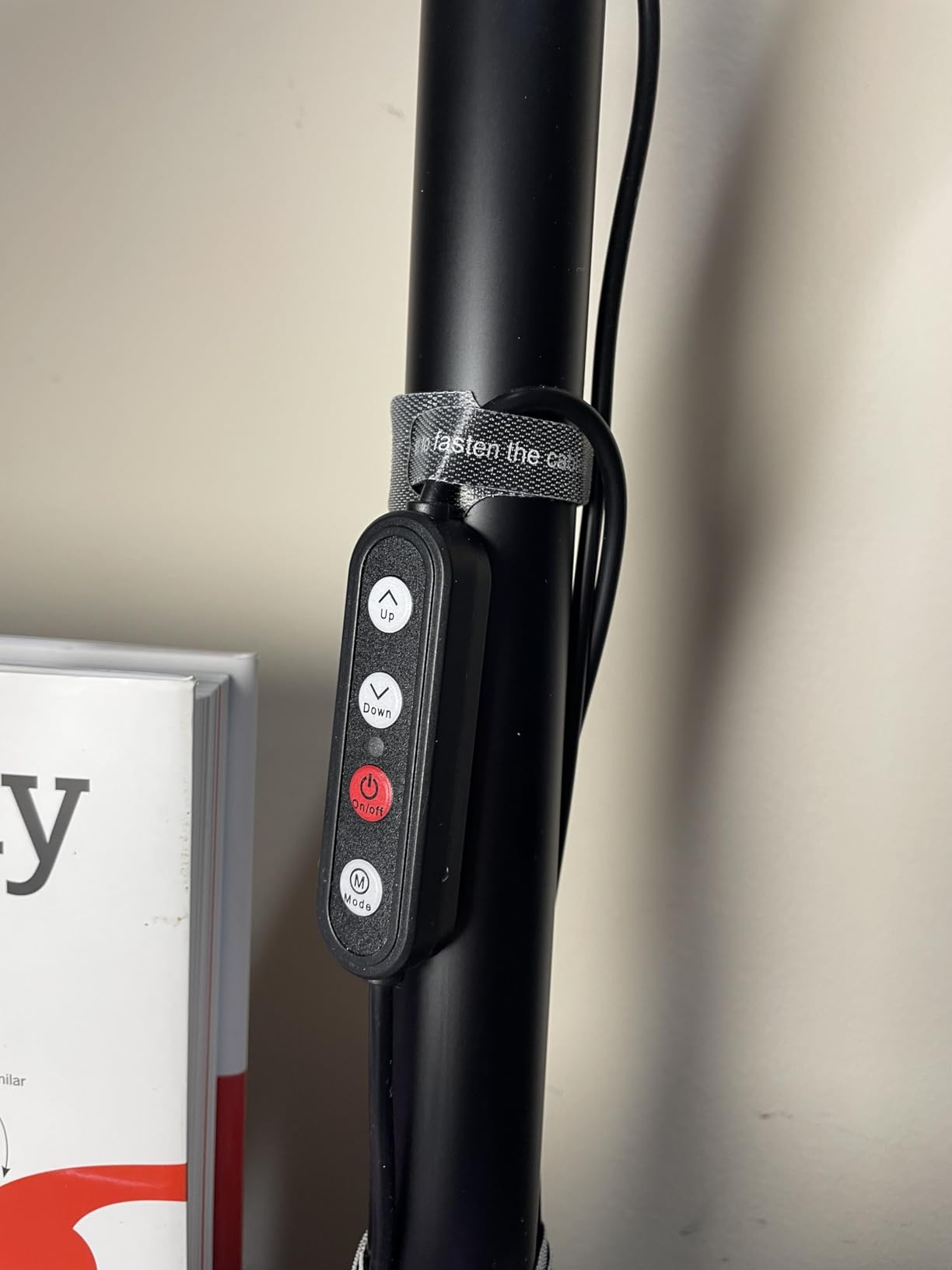
Adjustment is generous for a ring light. The head rotates 360 degrees and tilts 180, so you can bring it over the top of a laptop or swing it around to the side, and the telescoping pole extends 11.42 inches. The clamp opens to 2.34 inches and uses a non-slip silicone base, so it will not mark a wooden desk. The 3-year warranty is the longest on this list.
The honest limitation is the same one the UBeesize has, and it is inherent to the format. The ring catchlight is unavoidable, and the pole is short, so a true overhead angle is out of reach. The other note from reviews is practical: a 10.2 inch ring needs to sit close to your face to fill the frame evenly, so this works best on a small desk rather than a wide one.
What you should check before buying
Check desk thickness against the 2.34 inch clamp opening and measure the distance from your chair to the back edge of the desk. That measurement tells you whether a 10.2 inch ring can sit where you need it. If you work at a large desk with a monitor at the back, the ring may need to clamp to the monitor arm instead, which changes the whole geometry.
Check your power situation as well. Because the adapter is included and the light is mains powered, there are no battery runtime surprises, and that consistency is worth something over a multi-hour call day. Three colour temperatures is a limitation if your room lighting changes dramatically between morning and night.
Who should skip it
Skip the Weilisi if you wear glasses regularly or dislike the circular catchlight, if you need a high light position, or if you stream from a large desk where a 10 inch ring will sit too far from your face. Skip it if you want tunable colour temperature, since three presets is not the same as a 2700K to 6500K sweep.
If you want the desk footprint to be zero instead of small, the Litra Glow clips to the monitor instead of the desk. If you want real output and full Kelvin control in one fixture, the Elgato Key Light is the pick that keeps expanding as your setup does.
Key Light vs Ring Light vs Softbox: Which One Should You Buy?
A key light is a broad panel or bar that lights your face from one side. A ring light is a circular source that wraps light around your face from in front. A softbox is a large diffused surface, usually on a stand, that wraps light around your face from further away. All three produce flattering light. They differ in footprint, shadow hardness and how much they cost you in desk and floor space.
Softboxes give the softest, most even light of the three because the diffusion surface is the largest. That softness is why a photographer in a video forum thread recommended getting the biggest softbox you can afford rather than chasing a brighter panel. The problem for a streamer is that a softbox needs a stand, a floor or a boom arm, and most home desks cannot host one. If your ring light sits in a corner because it will not clamp to your desk, a cheaper route to softer light is understanding how beam spread changes the softness you actually see.
Ring lights are the most common first purchase and the easiest to position, because the circle is visible and self-evidently a light. They also produce the signature ring catchlight in the eyes and in glasses, and they rarely deliver enough output to sit far from the face. For calls and short content they are excellent. For a long stream where you are on camera for hours, a panel is the better long-term choice.
Key light panels win on output per unit of desk space, which is why four of the eight picks here are panels. They dim smoothly, they cover a wide colour temperature range, and the best of them mount to a desk or monitor rather than standing on it. If you are choosing one lighting type for webcam streaming, choose a panel. If you are adding a second light for ambience or fill, a cheap ring or light bar behind the monitor does the job without competing with the key.
How to Choose a Key Light for Webcam Streaming
Five specifications decide whether a key light works for you. Spend five minutes on these and you will avoid the most common disappointment, which is buying a light that is technically fine and practically unusable in your room.
Lumens against room darkness. Output is only meaningful relative to how dark the room is and how far away you sit. A bright office needs very little. A dark room at a full metre needs a panel with real output, and 250 lumens will not get you there, which is the honest limitation of the Litra Glow and both ring lights in this roundup. The single most useful number here is 2800 lumens, which is why the Elgato leads the list.
Colour temperature range. Kelvin is the one control that determines whether your face blends into the room or looks pasted onto the screen. Aim for 4000K to 5000K as your everyday setting. A wide range such as 2900K to 7000K lets you match a warm evening room in the morning and a cool office later. Three fixed presets, as on the two ring lights, is workable but coarse.
CRI. Colour rendering index is how accurately a light reproduces colour compared with a reference source. Above 90 is where skin tones stop looking off on camera, and 95 or above is where they look genuinely natural. Four of the picks here are rated above 95. This is the specification no competitor in this category bothers to explain, and it is arguably the one that matters most for a face on camera.
Mount footprint. Desk clamp, monitor mount or freestanding stand. Monitor mounts consume zero desk space but are weak on curved displays and force the light close to the screen. Desk clamps need a thick enough edge and a clear overhead path. Tripods need floor space and the ability to reach above eye level. Decide this before brightness, because a light you cannot position correctly will never look right.
Flicker and control. Flicker-free output matters because a flickering light can band visibly once a stream encoder compresses the frame. For control, an app with saved presets is genuinely useful mid-stream, but always confirm there are physical buttons as a fallback, since an app that will not connect leaves you adjusting brightness by eye. The Elgato leans entirely on software, the Godox gives you a docked physical remote, and the RALENO and NEEWER panels use their own rear controls.
The three questions worth asking yourself are simple. How dark is the room at your streaming hour. How much desk or floor space can you give up. And do you want app control or physical controls. Answer those and the eight picks above narrow to two or three almost immediately.
How to Position Your Key Light: the 45-Degree Rule
Positioning matters more than the light you bought. A well-positioned modest panel beats a powerful one pointed at the ceiling every time, and the whole geometry takes about two minutes to fix.
Place the light at roughly 45 degrees to one side of your webcam, not straight in front of it. Directly in front produces a flat, shadowless look that reads as artificial on camera. At 45 degrees the light wraps the far side of your face and leaves a gentle shadow on the near side, which gives your features definition.
Raise the panel so it sits slightly above eye level, then angle it downward toward your face. A light above eye level produces catchlights near the top of the iris, which reads as alert and natural, and it minimises the shadow under the chin and nose that comes from a light at desk level. If you use a monitor mount instead of a stand, check that the panel can still be raised above the screen.
Watch the glare. A panel placed close to or behind your monitor will reflect off the screen and wash the image out, which is the single most common complaint in streaming forums about monitor-mounted lights. If you see a reflection in your display, move the light further out from the screen or angle it away. If glare is unavoidable, dim the panel and raise your monitor brightness rather than moving the light behind the screen, which turns you into a silhouette.
Set the colour temperature to match the room, then dial the brightness until your face is the brightest thing in the frame. If the background is brighter than your face, the camera will expose for the room and your face will go dark. Finally, run the paper test from the start of this guide again, and check the preview for a shadow under the chin. If one is there, raise the light another few inches.
Once the single light is right, the upgrade path is a fill on the opposite side at roughly half the brightness, then a background light behind the monitor to separate your silhouette from the wall. That third step is where RGB accent lighting earns its place, and it is a background job rather than a key light job.
Frequently Asked Questions
What is the best type of lighting for a webcam?
A diffused LED panel is the best type of lighting for a webcam. Mounted at roughly 45 degrees to one side of the camera and slightly above eye level, a panel gives soft, even light with natural skin tones and no ring-shaped catchlight. A ring light is easier to position but produces a visible circle reflected in the eyes, and a softbox is the softest option but needs a stand most desks cannot host.
What is a good alternative to the Elgato key light?
The RALENO 13 inch LED Soft Light Panel is a strong alternative, with a built-in 8000mAh battery, CRI above 95 and a one-inch profile that runs without a cable. The NEEWER NL-192AI is another, rated at CRI 97 plus and only 0.4 inches thick. For the lowest cost, the NiceVeedi 2-Pack gives you two panels and two tripods, so you can light from both sides.
Is the Elgato Key Light worth it?
The Elgato Key Light is worth it if you stream in a dark room, because 2800 lumens and a 97 CRI panel give you output and colour accuracy that smaller lights cannot match. It also runs cool, mounts to your desk and integrates with Stream Deck. The honest caveats are Wi-Fi reliability, the lack of physical controls and a lowest brightness setting that is still brighter than some users want.
What is the best desk light for streaming?
The best desk light for streaming is the Logitech Litra Glow, because its three-way monitor mount uses no desk space at all and its frameless diffuser gives soft, natural skin tones. In a dark room, step up to the Elgato Key Light for 2800 lumens on a desk clamp. If your desk is wide enough for two tripods, the NiceVeedi 2-Pack lights both sides at once.
What is the 3 lighting rule?
The three-point lighting rule uses a key, a fill and a background light. The key is your main light, placed 45 degrees to one side and above eye level. The fill sits opposite the key at roughly half the brightness to lift the shadow side. The background light separates you from the wall behind you. Most streamers need only the key to start, and a fill is the most useful second addition.
The Best Key Lights for Webcam Streaming in 2026
Three decision paths cover almost everyone. If you stream in a dark room and want one light that will last years, the Elgato Key Light is the answer, with 2800 lumens, 97 CRI and Stream Deck control on a desk clamp. If your desk cannot spare the space, the Logitech Litra Glow clips to the monitor and disappears, even if you have to bring it closer to your face.
If your setup moves between locations or you shoot away from a socket, the RALENO 13 inch panel runs on a built-in battery at CRI above 95. If you want two-sided lighting and have the floor space, the NiceVeedi 2-Pack is the cheapest route to a key and a fill. The two ring lights here are the right call for everyday calls and short content, and the wrong call for a long stream.
Whichever you choose, position it at 45 degrees, above eye level, and check for glare on your monitor before you go live. That positioning pass takes two minutes and does more for your picture than any spec on any box.