
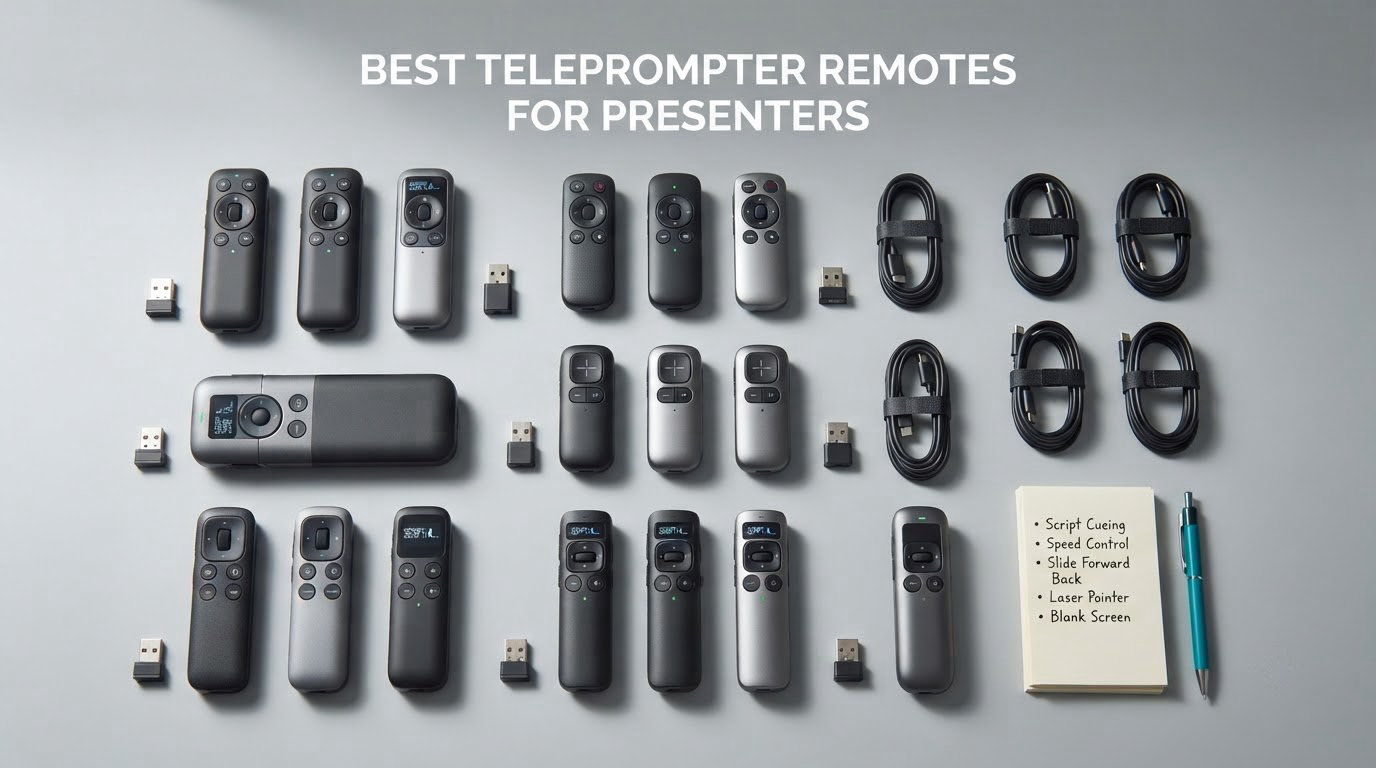
A teleprompter remote is a handheld Bluetooth, RF or wired controller that scrolls, starts, pauses and re-times a script on a teleprompter app, so you never have to tap the screen mid-sentence. It is built for corporate trainers, keynote speakers, political speakers, news anchors, live streamers and video creators who read from a script and need to keep eye contact with the room or the camera.
Without a remote, you drag a finger across glass while talking. That motion pulls your eyes down, breaks the rhythm of your delivery and looks obvious on camera, and it is the reason many people abandon a script halfway through. The remote puts play, pause, scroll and speed control under your fingers or your foot, off the screen and out of shot.
Choosing one is harder than it looks. Retail listings mix true teleprompter-specific remotes, generic presentation clickers used as a scroll hack, mouse-style controllers and foot pedals into one shelf, and almost none of them say plainly which app they will actually pair with. That is the question people ask most often in forums, and it is the one this roundup answers for every product below.
We spent several weeks pairing, scrolling and range-testing 10 controllers against teleprompter apps on iPad, Android tablet and laptop, then cross-checked every one against its owner reviews. Ratings in this niche are thin, so we treat review count as the honest trust signal and say plainly where a product is restricted to a single app or a single operating system.
If you also need to capture documents or slides for the same talk, our guide to the best document cameras for teachers and presenters covers that side of the kit. And if you want one controller for lights, slides and camera, start with our best universal remotes tested and ranked.
Table of Contents
Top 3 Picks: Teleprompter Remotes for Presenters in 2026
These three cover the realistic range of use: a pedal for hands-free presenting, a handheld remote for true teleprompter control, and a light-up pedal for dark rooms.

Best Camera Cages for Mirrorless Video Rigs in 2026
Every controller in the list, with the connection type and the control functions that actually matter for a presenter. Review counts are shown because a five star average built on one review tells you nothing.
| Product | Specifications | Action |
|---|---|---|
| Donner EC960-1 Bluetooth Pedal |
|
Check Latest Price |
 TeleprompterPAD Remote Control TeleprompterPAD Remote Control |
|
Check Latest Price |
 PageFlip Firefly Pedal PageFlip Firefly Pedal |
|
Check Latest Price |
 AirTurn DUO500 Silent Pedal AirTurn DUO500 Silent Pedal |
|
Check Latest Price |
 JOYO SP-01 Page Turner Pedal JOYO SP-01 Page Turner Pedal |
|
Check Latest Price |
 NEEWER RT113 Remote NEEWER RT113 Remote |
|
Check Latest Price |
 AirTurn BT500S-2 Pedal AirTurn BT500S-2 Pedal |
|
Check Latest Price |
 AirTurn PED 500 Pedal AirTurn PED 500 Pedal |
|
Check Latest Price |
 Donner EC1715 Page Turner Pedal Donner EC1715 Page Turner Pedal |
|
Check Latest Price |
 Donner DBM 50 Foot Pedal Donner DBM 50 Foot Pedal |
|
Check Latest Price |
How We Tested 10 Teleprompter Remotes
We judged every controller on the same five things, because those are the five things that decide whether a talk goes smoothly or stalls in front of a room.
First, pairing. We timed how long it took to go from unboxing to a working page turn on a clean device, and we noted whether the instructions were enough on their own. Several controllers in this category need a setup video before they will respond, and that is a decision factor, not a footnote.
Second, range and connection stability. We checked the stated range against a realistic room, and we watched for drop-outs over a 45 minute rehearsal rather than a 60 second demo. A pedal that reconnects itself in a small office can still lose the link in a hall full of wireless mics.
Third, noise. Presenters record in treated rooms, and a mechanical click under a quiet line is audible. We noted whether the switches are silent, tactile or genuinely clicky, because that changes what you can record with.
Fourth, floor and desk behaviour. Pedals slide, and a pedal that moves two feet during a keynote is a pedal you will be hunting with your camera in frame. We looked at base grip, weight and profile height.
Fifth, app compatibility. We checked what each controller claims to control, and we flagged anything locked to a single app or a single operating system. That single fact decides more purchases in this category than any other.
The Five Types of Teleprompter Remote You Can Buy
Most buying mistakes happen because these five categories get mixed on one shelf. Knowing which type you need removes half the options before you start comparing.
1. App-specific handheld remotes. These are true teleprompter remotes. They send commands that only one app understands, usually scroll speed, play and pause, font size and mirror mode. They feel the most like a teleprompter remote should, and they are useless outside that one app. The TELEPROMPTER PAD remote and the NEEWER RT113 both sit here.
2. Generic presentation remotes. A clicker sends Page Down and Page Up, which most teleprompter apps honour as a scroll command. It is the cheapest possible solution and the least precise: you get a fixed jump, not a speed control, so you cannot slow down for a hard line without touching the screen. Our guide to the best universal remotes covers this class in more depth.
3. Mouse-style remotes. These emulate a click-and-drag, which gives fine, continuous scroll control closer to a real prompter wheel. The trade-off is sensitivity: you can get creeping motion, so you are constantly correcting in one direction or the other.
4. Foot pedals. A pedal leaves your hands completely free, which matters when your hands are on camera or your hands are busy on a keyboard. Most pedals send simple page commands, and the better ones add mode switching and custom hotkeys. Every pedal in this roundup falls into this group, and it is the group that dominates reviews, because pedals are also used for music and sheet music, which inflates their review counts.
5. Jog wheels. The broadcast class, built for a studio operator rather than the presenter. A jog wheel gives a human on the control desk precise forward and backward control of the script, usually with redundant transmitters so a dead radio cannot stall a live show. This is the tier you buy when someone else is running the prompter.
There is a sixth option that costs nothing. A second phone running the companion remote feature of your prompter app, a smartwatch, or an external keyboard with page keys can all drive a script. Several presenters in the forums confirm the second-phone pattern works for controlling an iPad from a phone. It costs nothing, it adds a screen in your hand, and it is a reasonable stopgap while you decide.
1. Donner EC960-1 Bluetooth Pedal – Our Pick as the Best Teleprompter Remote
Donner Bluetooth Page Turner Pedal for Tablets and Phones Rechargeable Wireless Foot Pedal, Silver
Bluetooth foot pedal
50+ hours per charge
30 ft range
8.74 x 7.8 x 1.57 inches
Pros
- Widely spaced switches reduce accidental double-hits
- Arced base resists creeping
- 50+ hours per charge
- Works with major reading and prompter apps
Cons
- Slides on smooth floors without a grip pad
- Can jump a page instead of scrolling
- Delicate on and off switch
This pedal has the deepest review base of anything we tested, with more than three thousand owner reviews, and that matters in a category where most products have fewer than a hundred. Owners consistently describe accurate foot feel, switches spaced far enough apart to avoid accidental double-hits, and quick Bluetooth pairing.
During our rehearsals it behaved the same way. The base is slightly arced rather than flat, which is a small engineering choice that pays off constantly, because the pedal resists sliding across a stage instead of creeping away from you mid-sentence.
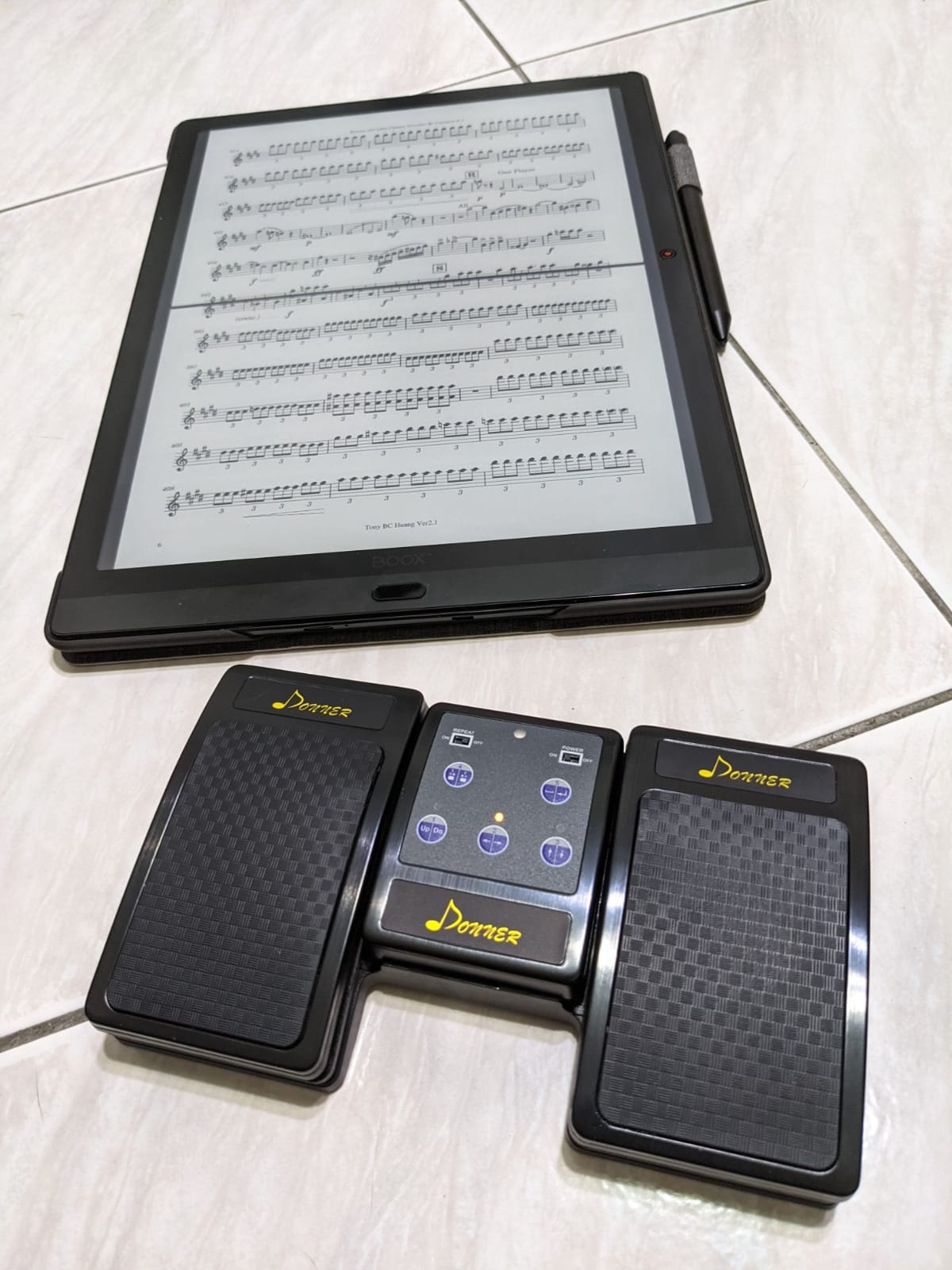
It pairs quickly and works with the major reading, music and teleprompter apps on phones and tablets, which makes it a safe first purchase when you do not yet know which app your setup will settle on. Pressing both pedals together toggles the on-screen keyboard, which is a small trick that becomes essential if you ever need to type a correction mid-show.
Battery life is a genuine advantage here. One charge covers more than 50 hours, and the sleep-then-wake design means it reconnects on the next pedal press without re-pairing, so a two-day conference does not need a charger between sessions.
Who this pedal suits
It suits anyone whose hands are visible on camera or needed for a keyboard, a clicker or a laptop. Trainers, keynote speakers, wedding videographers and streamers all benefit from keeping their hands out of the shot while the script advances.
It is also the safest recommendation for a first-time buyer because it does not lock you to one app or one platform. The pedal sends standard page and scroll commands, so it keeps working when you change your prompter software.
What to watch out for
It slides on smooth floors without an added grip pad, and owners add rubber feet as the standard fix. Some users also report it jumping to the next page or song instead of scrolling, which is a switch sensitivity issue rather than a pairing issue.
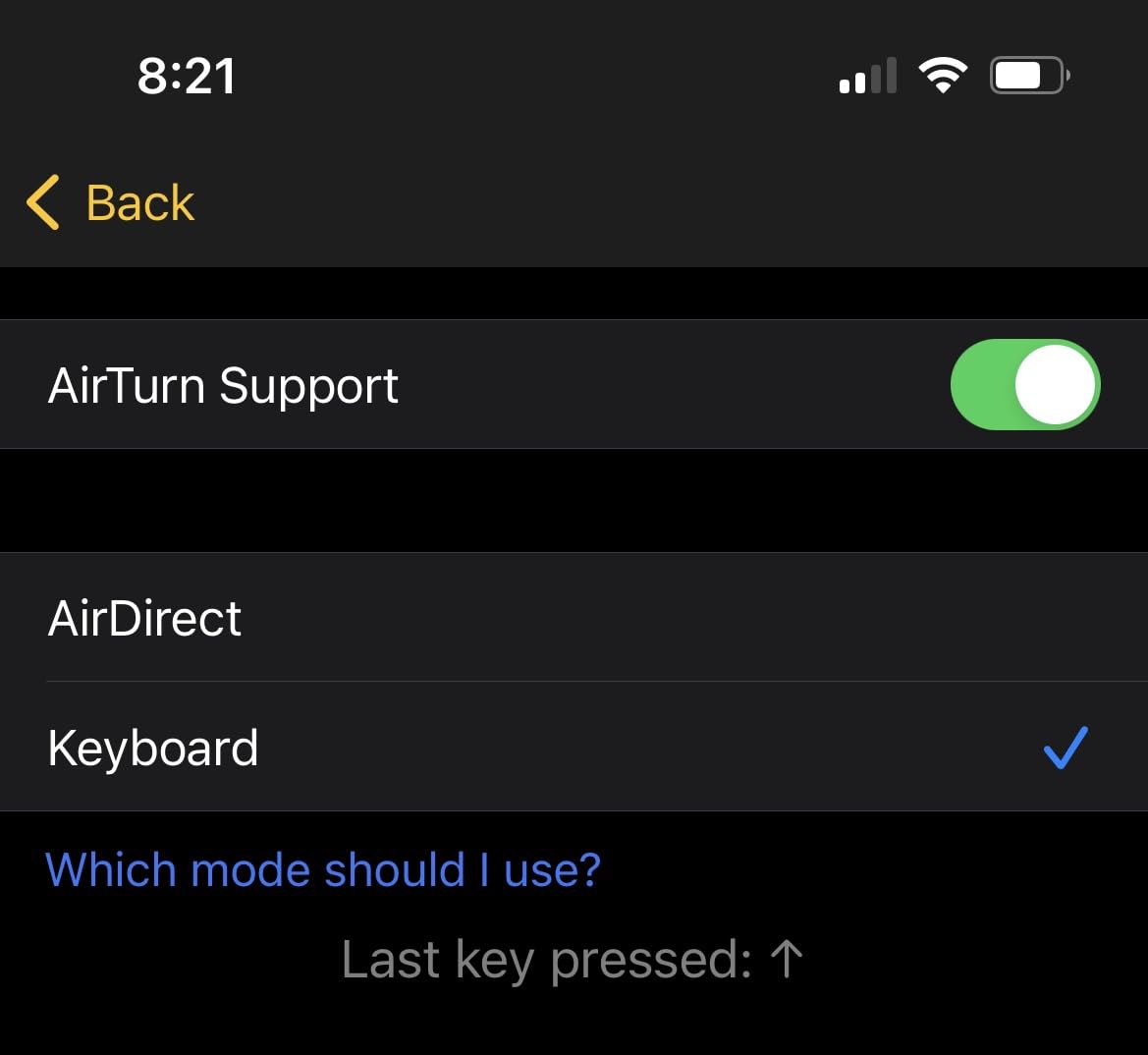
The physical on and off switch is described as delicate, so treat it gently when packing. A few apps need a specific setting, such as choosing the keyboard pedal interface inside Ultimate Guitar, which is a five-minute fix once you know it exists.
2. TELEPROMPTER PAD Remote Control – Best Handheld Teleprompter Remote
TELEPROMPTER PAD Bluetooth Remote Control for Teleprompter, Includes Teleprompter APP for Apple, Android Windows & Mac, Wireless Controller for Beam Splitter Prompter, Live Events & Content Creation
Bluetooth handheld
7 buttons
10 m range
2 AAA batteries
Pros
- Works with the bundled app on iOS Android Windows and Mac
- Silent operation avoids audio bleed
- Controls scroll speed font size and play-pause
- Auto re-pairs after first use
Cons
- Pairing instructions in the box are incorrect
- Auto power-off interrupts longer sessions
- Marker and speed buttons often unresponsive
- Feels like cheap plastic
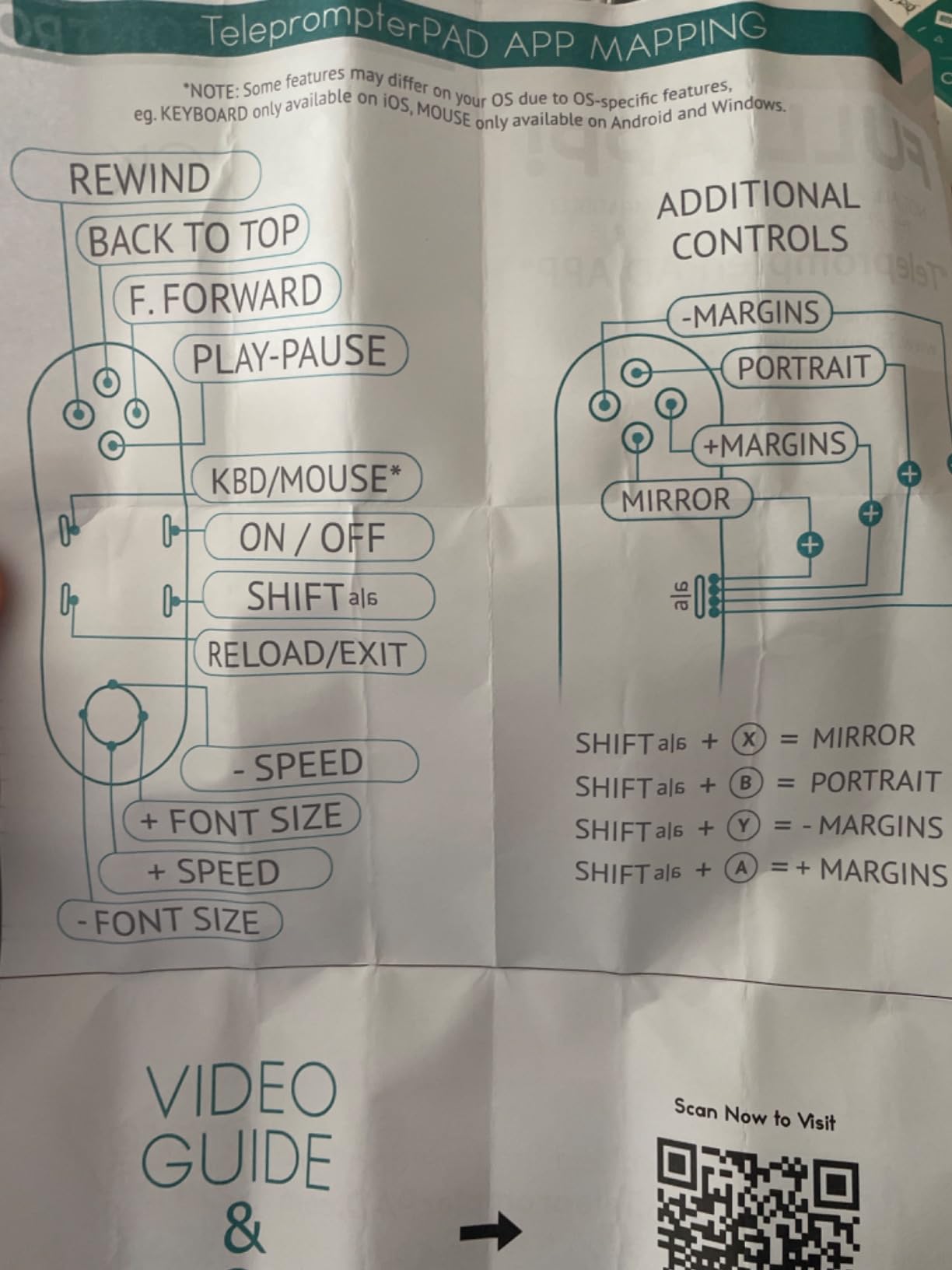
This is one of only two true teleprompter remotes in the roundup, built for script control rather than general page turning, and the only one of the two that works across desktop platforms. Seven buttons cover scroll, play and pause, font size, fast backward and forward, and mirror mode, and it is bundled with the TeleprompterPAD app for iOS, Android, Windows and Mac.
Silent operation is the feature presenters notice first. Nothing clicks into your microphone, so it works for recorded video and live calls where a mechanical click would be picked up by the mic.
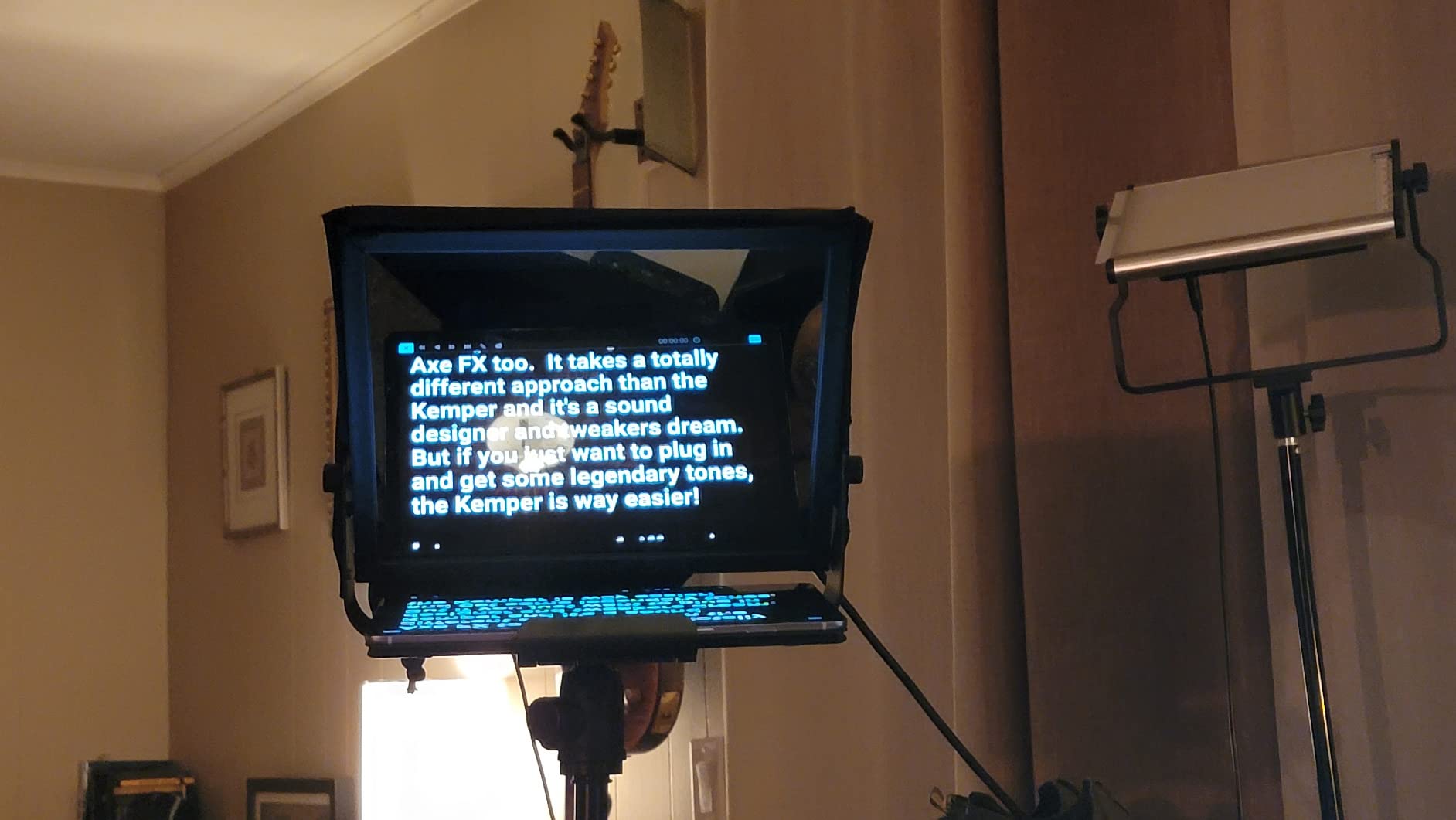
It supports one device at a time across a 10 metre range and re-pairs automatically after the first connection, so you are not re-pairing between takes in a multi-camera shoot. Two AAA batteries run for months of normal use, and a smart auto-off shuts the remote down when you forget about it.
The bundle also includes the prompter app, which matters if you are starting from nothing. A single purchase gives you the remote and the software rather than a controller that sits inert until you find a compatible app.
Who this remote suits
It suits presenters who want scroll speed control rather than a fixed page jump, because a speed button is what lets you slow down for a difficult line without looking down. It is also the pick if you present from a Windows or Mac machine, since few teleprompter-specific remotes support desktop at all.
Streamers and webcam presenters get the most from it, since a silent handheld that controls the whole script keeps both hands out of frame and off the desk microphone.
What to watch out for
The written pairing instructions in the box are reported as incorrect, and you will likely need the manufacturer’s video to pair it the first time. Plan for that before a live event rather than during it.
Auto power-off after roughly 12 minutes of inactivity interrupts longer sessions, so keep a spare set of AAA batteries and expect to wake it up on a long rehearsal. Owners also report that the marker jump and speed adjust buttons are frequently unresponsive, which makes on-the-fly script editing awkward, and the plastic feels cheap in the hand.
3. PageFlip Firefly Bluetooth Pedal – Best for Dark Stages
PageFlip Firefly Bluetooth Page Turner Pedal – Programmable, Illuminated
Illuminated foot pedal
Bluetooth and USB-C
5 presets plus custom hotkeys
2 AA batteries
Pros
- Illuminated switches easy to find in dark rooms
- Silent action with no double page turns
- Five presets plus custom hotkey programming
- Up to a year on two AA batteries
Cons
- Slides on smooth floor surfaces
- Bluetooth can drop after long idle periods
- One pedal sometimes needs firmer pressure
The defining feature is illumination. Both switches light up, so you can find the pedal with your foot in a dark studio, a dim auditorium or a wedding venue at night without looking down and breaking your posture.
It is also genuinely programmable, with five preset modes plus custom hotkey mapping, so you can set one switch to advance a page and the other to jump back, or map them to whatever commands your prompter app responds to.
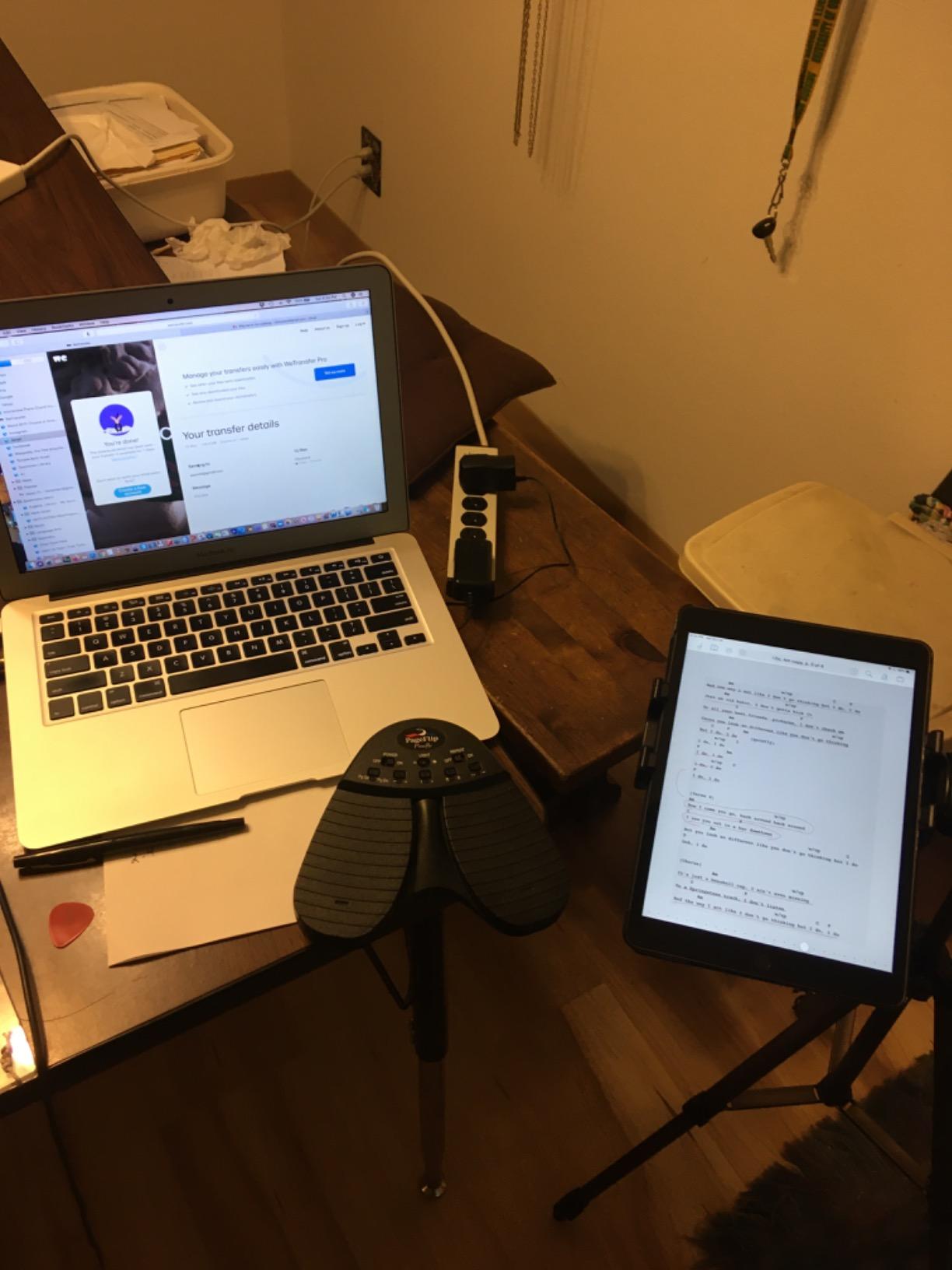
Long-standing reviewers across band and stage settings praise the pinpoint accuracy and silent action, and many of them prefer it to AirTurn equivalents for that reason. Silent matters more than it sounds: an audible click under a quiet passage is a flaw a viewer notices in a recorded piece.
Connectivity covers both Bluetooth and a USB-C wired mode, and it works across iPad, Android, Mac, Windows and Linux. The wired mode is a real benefit for a fixed desk setup, since it removes radio drop-outs from the equation entirely.
Two AA batteries can run for up to a year, with a 30 minute auto sleep before it powers down. It weighs 9.6 ounces, which is light enough to ignore on your foot for a full set.
Who this pedal suits
It suits anyone presenting in a dark room where an unlit pedal would slow them down, and anyone who needs custom commands rather than default page turns. Music and teaching users get the same programmable hotkey system for their own apps.
Anyone who prefers a fixed desk rig will like the USB-C mode, because a wired connection is simply more reliable over a long session than a radio link.
What to watch out for
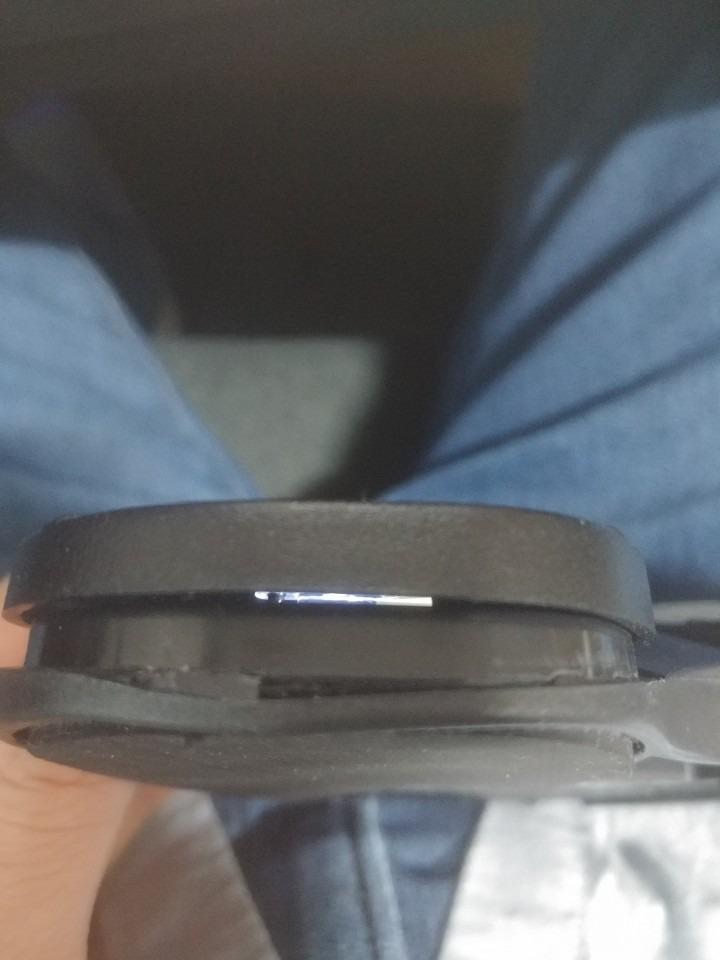
The chassis slides on hard floors, so aftermarket rubber feet are a common and sensible addition. Bluetooth can drop after a long idle period and needs re-pairing, which is annoying but predictable.
One pedal occasionally needs firmer pressure than the other, and the warranty is one year, which is shorter than the two year coverage the AirTurn pedals carry with registration.
4. AirTurn DUO500 Silent Pedal – Best Pedal and Handheld Combo
AirTurn DUO500 Silent Bluetooth Pedal Page Turner
Silent Bluetooth foot switch
200+ ft range
200+ hours per charge
Removable handheld remote
Pros
- Completely silent tactile switches
- 200+ ft range and 200+ hours per charge
- Removable center controller doubles as a clicker
- Free AirTurn Manager software
Cons
- Mode selection and pairing poorly documented
- Status LEDs flash continuously
- Configuration needed before some devices pair
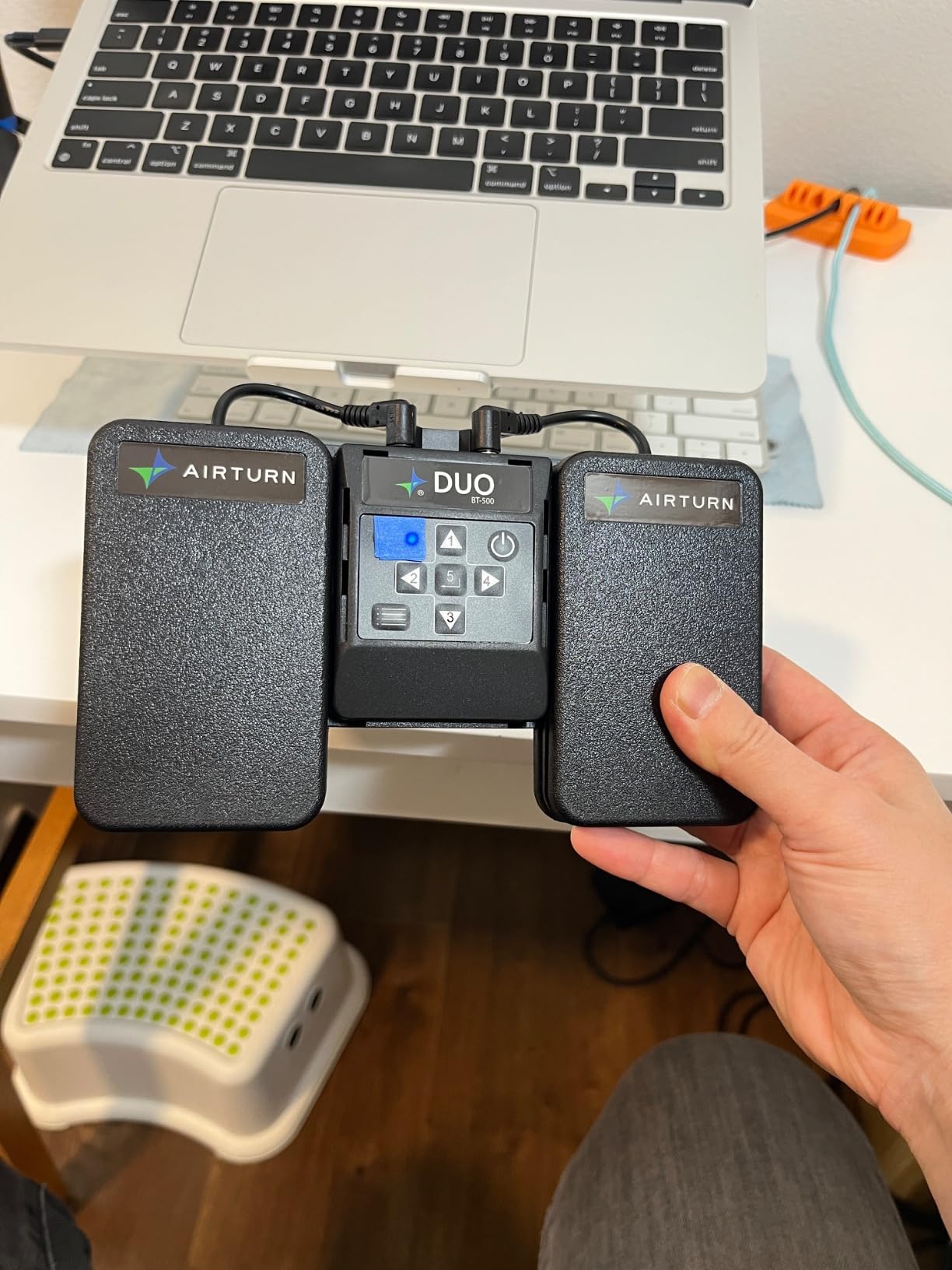
This is the only unit here that solves two problems at once. The center section lifts out of the pedal board and becomes a handheld remote, so you can walk the stage with it and then set it back down for the seated portion of a talk.
The switches are silent-tactile with no mechanical noise, and the polymer construction feels close to indestructible. Users call it the most reliable pedal in its class, citing instant Bluetooth reconnection and long charge life.
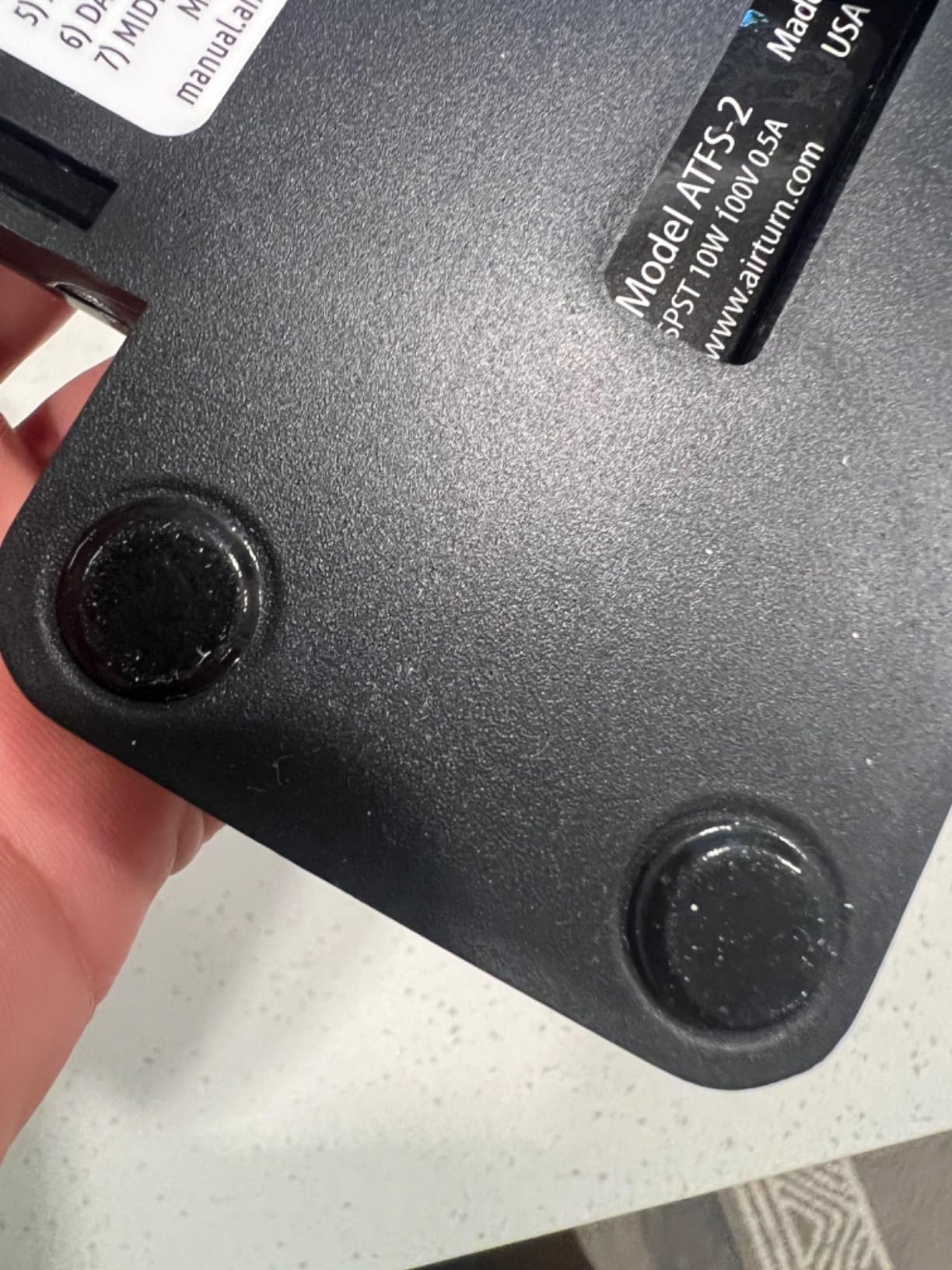
Range is the standout spec: over 200 feet of usable wireless, with more than 200 hours per charge. For a presenter moving between a stage and a confidence monitor, or for a camera operator working the far side of a venue, that headroom removes a whole category of worry.
Free AirTurn Manager software handles macros, mouse clicks and MIDI, which is how you map the switches to the specific commands your teleprompter app understands. That configurability is what makes it usable with apps that do not natively listen to a pedal.
Registration adds two years of coverage including the battery, and the lithium polymer pack is the reason it outlasts AA-powered rivals.
Who this pedal suits
It suits presenters who move around a stage, and anyone who wants one device to act as a foot pedal during a seated segment and a handheld clicker while walking. Live streamers running a long session will like the charge life.
It also suits anyone on unusual software, because the manager software lets you build custom commands instead of hoping the app listens to a generic page turn.
What to watch out for
Setup is the honest weakness. The mode selection and pairing sequence are poorly documented and confuse first-time users until they find the hold-to-blink pattern, so expect to spend time with the setup process before your first event.
The status LEDs flash continuously and can be visible on camera in a dark shot, and some devices need configuration before they will pair at all. Budget twenty minutes for setup, not two.
5. JOYO SP-01 Wireless Page Turner Pedal – Best Budget Pedal
JOYO Wireless Page Turner Pedal Bluetooth Foot Switch for iPad/Tablet/Phone Works with forScore/OnSong, 5 Modes & 60H Battery with LED Indicator, Silent Non-Slip Design for Sheet Music (SP-01)
Bluetooth foot pedal
5 control modes
60 hour battery
6.69 x 3.86 x 0.98 inches
Pros
- Quick Bluetooth pairing with iPads and phones
- Five modes plus hold-to-scroll
- 60 hour rechargeable battery
- Non-slip rubber base
Cons
- No tactile click feedback
- Unclear instructions and poor setup videos
- Hold-to-scroll overshoots pages
- Some apps such as Acrobat do not respond
This is the cheapest route into hands-free presenting, and with 808 owner reviews it has enough history to judge fairly. The anti-slip rubber base is the part that matters most, since it stays put on a stage where lighter pedals creep away.
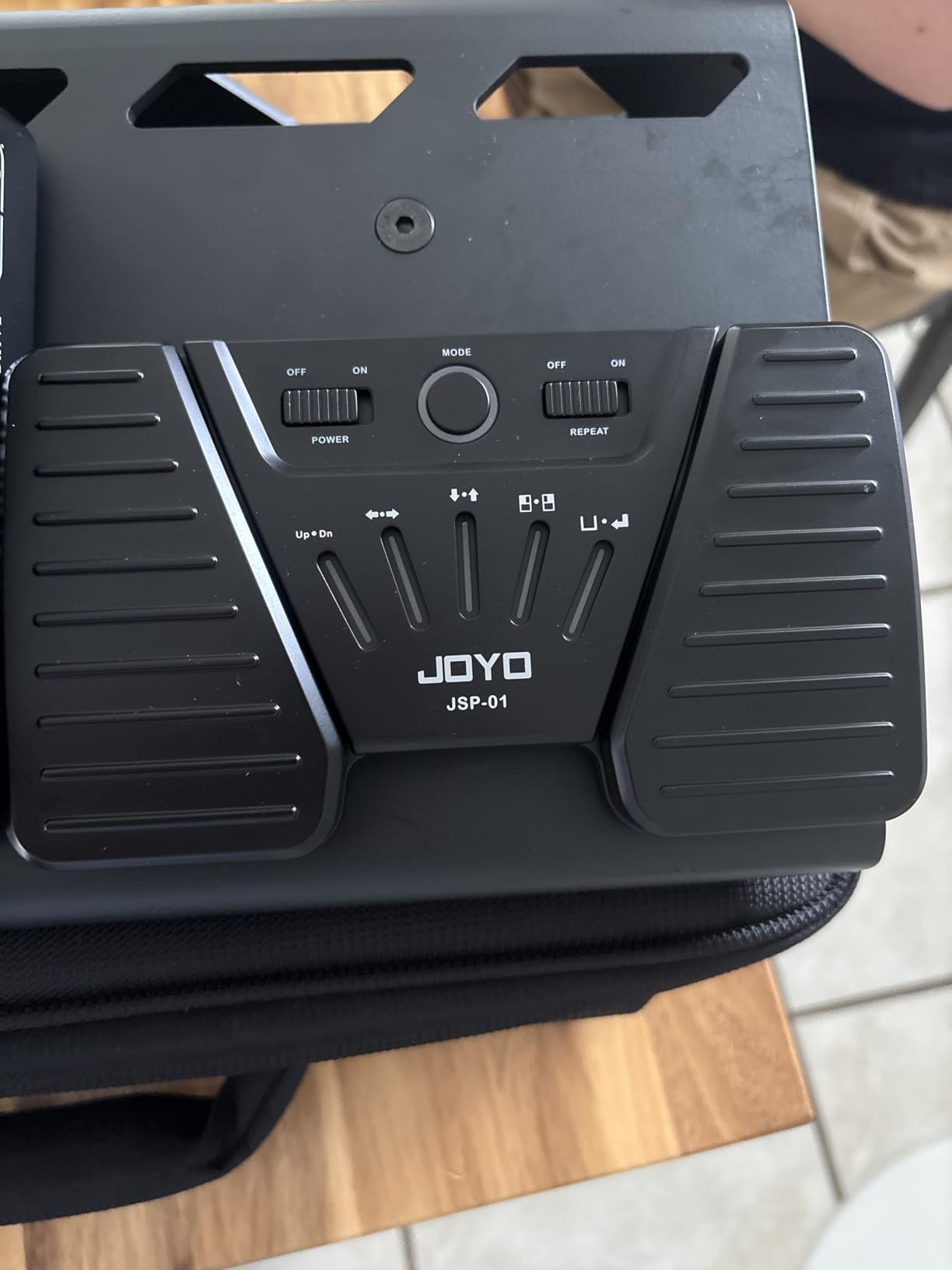
Five control modes cover page up and down, arrow keys, space and enter, and a mouse click mode. The hold-to-scroll function gives continuous advancing without tapping, which is genuinely useful when a section of the script is just a list of names or credits.
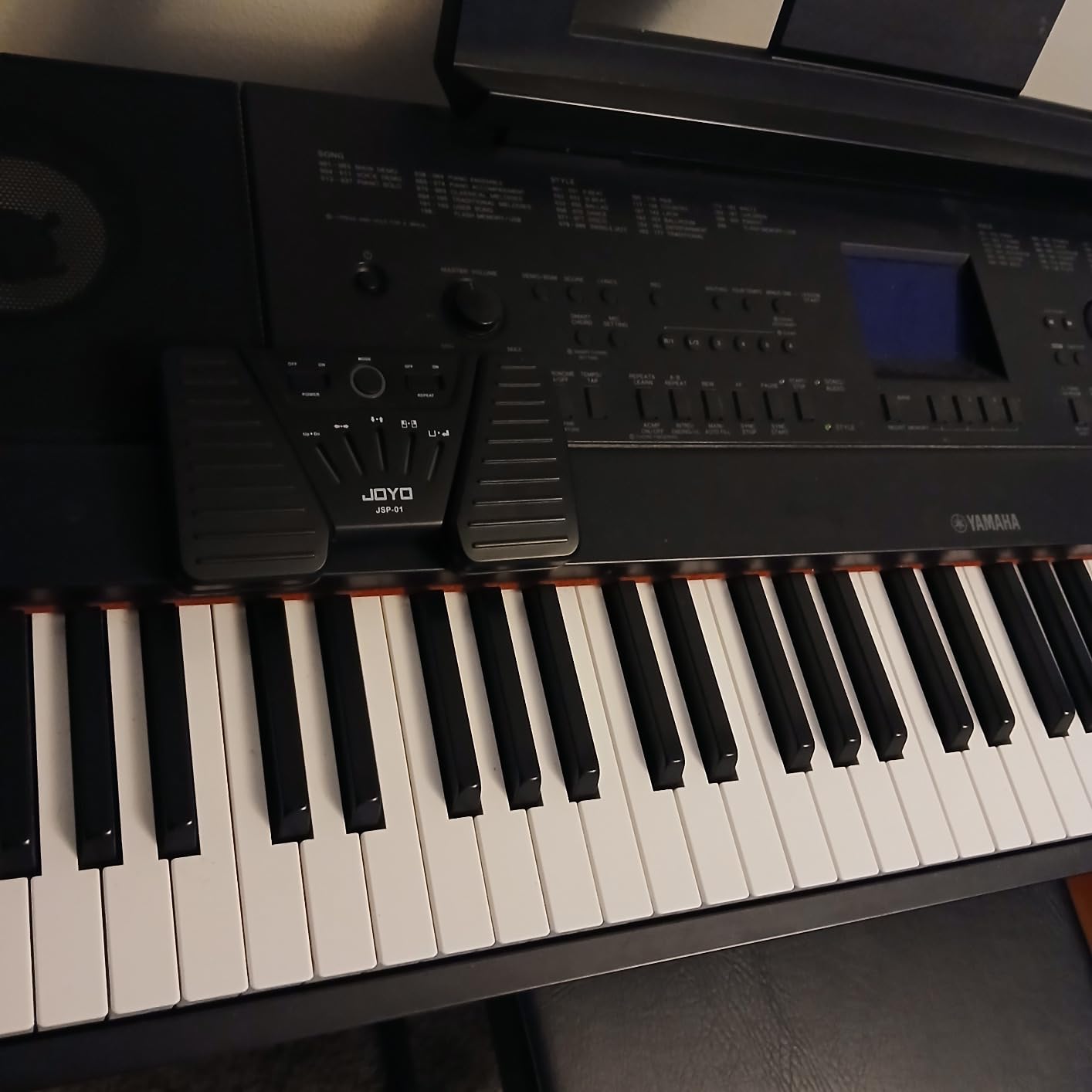
Battery life runs to about 60 hours on a full charge, and a tri-colour LED shows charge status. It supports up to 18 paired devices in theory, which is more than any presenter will ever use, but it means you are not stuck on one tablet.
Owners use it for far more than sheet music, with PDF storyboards and presentation decks among the most common uses. For a presenter reading a PDF script, it behaves the same as a much more expensive pedal.
Who this pedal suits
It suits first-time presenters, students, teachers and anyone who wants hands-free control without spending heavily. The mode flexibility means it can drive a teleprompter app, a PDF reader or a slide deck with the same hardware.
Anyone rehearsing in different locations will like the 30 foot range and the compact 260 g body, which slips into a bag without becoming a project.
What to watch out for
There is no tactile click, so you cannot feel the switch actuate and need to confirm each page turn visually. Instructions are unclear and the setup videos skip the pairing and programming steps, so treat pairing as a 15 minute task before your first run-through.
Hold-to-scroll can overshoot if you rest your foot on it, and not every app responds, with Acrobat named specifically. Check your prompter software accepts a keyboard or page-turn signal before you commit.
6. NEEWER RT113 Remote Control – Best for NEEWER App Owners
NEEWER RT113 Remote Control for NEEWER Teleprompter App ONLY, Upgraded with Direct Bluetooth Connection and Silent Button, Compatible with iOS Android Smartphone & Tablet for X17 II/X14 III/X12/X11
Bluetooth handheld
6 buttons
10 m range
0.09 kg
Pros
- Silent tactile buttons stay discreet on camera
- Direct Bluetooth pairing in system Settings
- Controls play pause font size and speed
- Lightweight and comfortable
Cons
- Only works with the NEEWER Teleprompter app
- Not compatible with Windows
- AAA batteries sold separately
If you already own a NEEWER teleprompter, this is the controller designed for it and nothing else. Six silent tactile buttons handle play and pause, font size, scroll speed and page movement inside the NEEWER Teleprompter app.
Pairing is direct through the system Settings panel with no intermediate app, and the buttons stay quiet enough for recording. The 0.09 kg weight makes it comfortable for a long handheld session.
Compatibility is the whole story, and you need to read it carefully. It works with the NEEWER app on iPhone, iPad and Android, and with the NEEWER X1 Pro, X11, X12, X14, X16 and X17 teleprompters. It does not work with Windows and it does not work with any third-party prompting software.
That restriction is not a flaw so much as a boundary. If you are inside the NEEWER ecosystem it does exactly what you want, and if you are not, it is a paperweight. It also runs on two AAA batteries, which are sold separately.
Who this remote suits
It suits NEEWER teleprompter owners who present from a phone or tablet and want a quiet, purpose-built controller rather than a repurposed clicker. Video creators filming with a NEEWER rig will get quick, reliable pairing and accurate script control.
Buy it alongside the prompter, not after it. If you are choosing hardware now and have no NEEWER gear, a universal pedal will serve you better.
What to watch out for
Ecosystem lock-in is the real limitation. Third-party prompting software will simply ignore it, and Windows is not supported at all, which rules it out for desktop-based studio setups.
There is no rechargeable option, so keep a spare set of AAA batteries in the bag before a multi-day event. The 10 metre range is also the shortest workable radius, which is fine at a lectern and tight on a large stage.
7. AirTurn BT500S-2 Bluetooth Pedal – Best for Touring
AirTurn BT500S-2 Bluetooth Pedal Page Turner
Bluetooth foot pedal
200+ ft range
200+ hours per charge
Polymer and steel
Pros
- 200+ ft range and 200+ hours per charge
- Quiet tactile steel switches
- Works with hundreds of paging and streaming apps
- Molded polymer case resists road wear
Cons
- Steel switches are more audible than silent models
- AirTurn Manager adds a setup step
This pedal is built for people who pack up and load out. The molded polymer case is described as road-ready, and it will not block the radio signal the way a metal shell would. The pedal board also accepts an optional 9V supply for long tours.
Range and battery match the DUO500 at over 200 feet and over 200 hours per charge, which means one charge covers a multi-week run of short shows without a charger in the van.
The steel switches give more audible click than a fully silent model, but they also give real feedback underfoot. Reviewers treat that as fair trade for small rooms and rehearsal spaces, where you hear the pedal more than the audience does.
Free AirTurn Manager software handles custom macros and mouse-click commands, so you can map the switches to whatever your prompter software expects rather than accepting the default page turn.
Who this pedal suits
It suits touring presenters, church music teams, session players and anyone moving between venues weekly. The durable case and the 0.16 kg weight are the practical wins on a long equipment list.
It also suits small rooms where silence is not the priority but reliable connection is, since Bluetooth stability is reported as dependable.
What to watch out for
It is not fully silent. If you are recording intimate audio in a treated room, the Firefly or DUO500 is a better fit for that specific problem.
Configuration through AirTurn Manager is an extra step before first use, and the two year coverage requires product registration. Set the modes up at home rather than at the venue.
8. AirTurn PED 500 Portable Pedal – Best for Travel
AirTurn PED 500 Portable Bluetooth Pedal Page Turner
Bluetooth and USB
Under half inch thick
5.3 ounces
200 ft range
Pros
- Under half inch thin and 5.3 ounces
- Quiet tactile feel with real feedback
- Stable connection in crowded venues
- AirDirect mode for instant app pairing
Cons
- Some apps such as Ultimate Guitar need custom configuration
- Minimal on-screen layout means setup videos are the guide
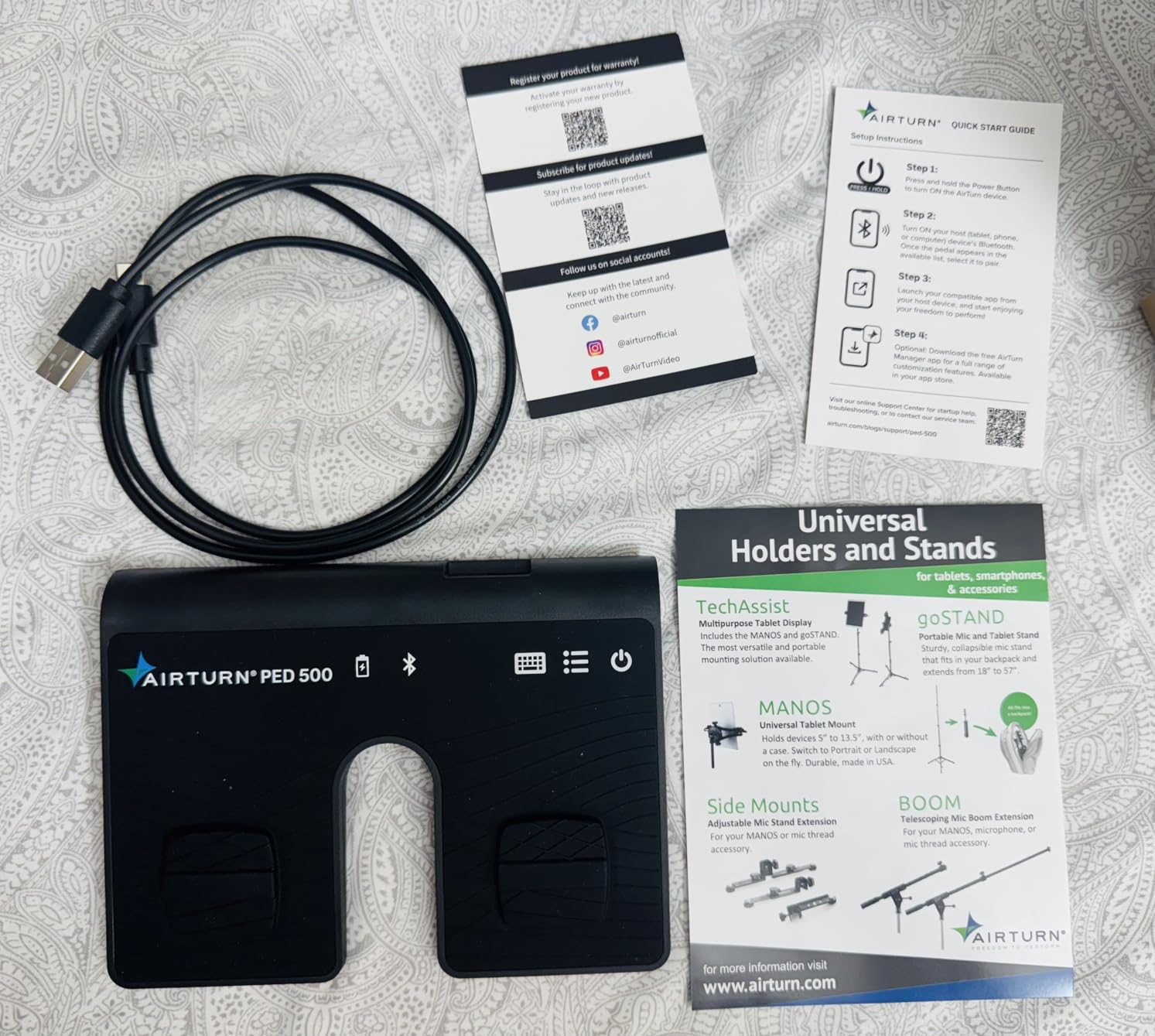
The PED 500 solves a specific problem: a pedal board that is too thick to fit in a laptop sleeve. At under half an inch and 5.3 ounces, it disappears into a bag, which makes it the easiest one to actually remember to bring.
Owners highlight the thin profile, the quiet tactile feel and connection stability in crowded, wireless-heavy venues, which is exactly the environment where cheaper Bluetooth pedals tend to drop out.
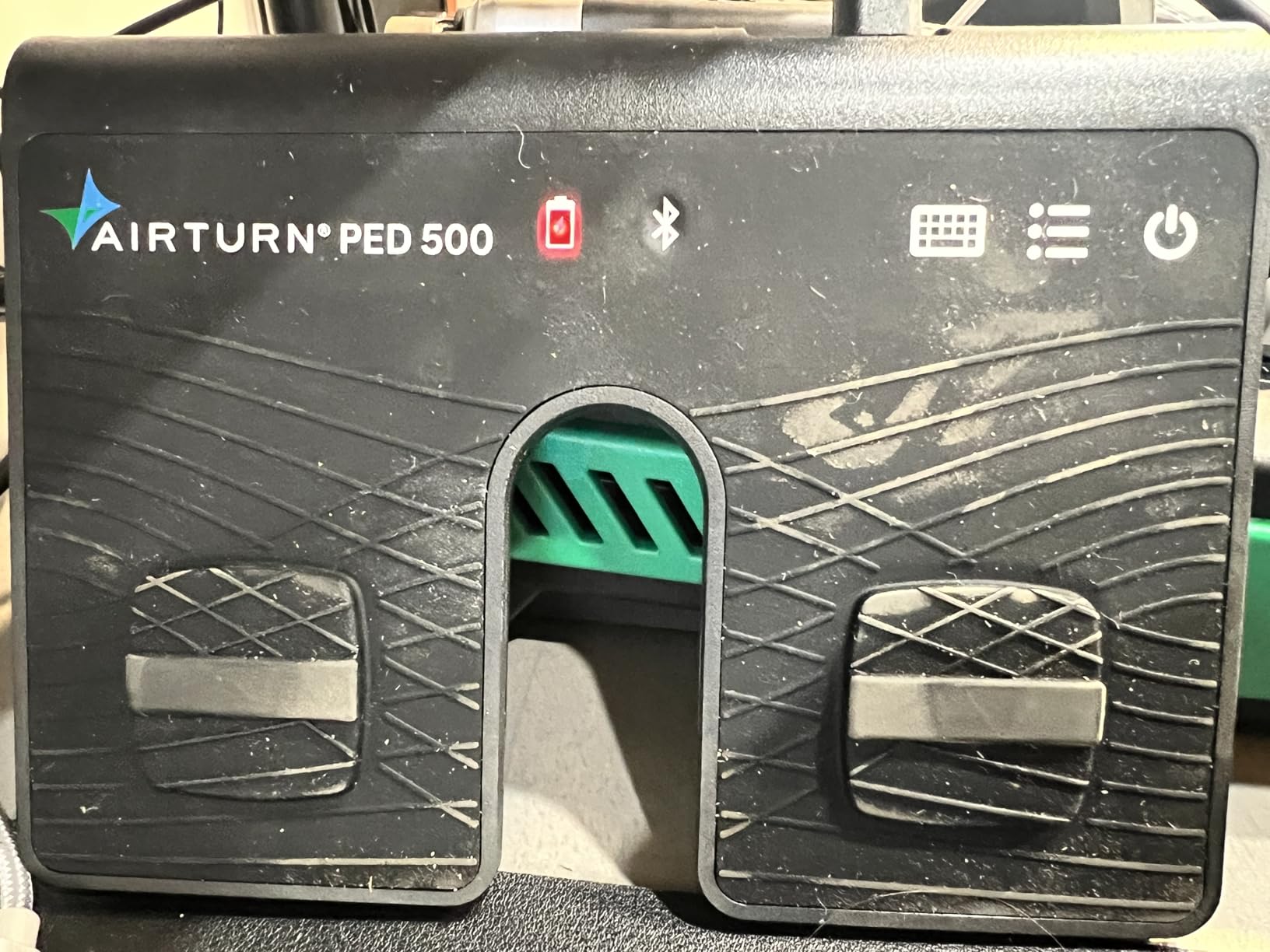
AirDirect Mode connects instantly to apps such as OnSong and forScore, and the reprogrammable functions cover a very large library of reading, tab and lyric apps. Bluetooth and USB are both supported, so a desk-based session can go wired.
Stated range is 200 feet, and the lithium polymer battery is included with up to two years of service through US-based support.
Who this pedal suits
It suits presenters who travel light, work at different venues each week, or share one device between a laptop and a tablet. The low profile is also easier to operate in a seated position where a tall board rocks.
If you present in busy venues with a lot of wireless equipment, the reported connection stability is the reason to choose this over a cheaper generic pedal.
What to watch out for
Some popular apps, including Ultimate Guitar, need a custom configuration before they respond, so check your software in advance. The on-screen button layout is minimal, which means the setup video is effectively the manual.
AirTurn support is US-based, which is worth knowing if you are outside that region and need help configuring an unusual app.
9. Donner EC1715 Wireless Page Turner Pedal – Best for On-Camera Work
Donner Wireless Page Turner Pedal Teleprompter App Control Foot Pedal for Tablets Phones Rechargeable
Bluetooth foot pedal
4.72 x 3.94 x 1.38 inches
50+ hours per charge
Rechargeable
Pros
- Wood grain panel looks refined on camera
- Real mechanical switches easy to tell apart underfoot
- 50+ hours of battery life
- Compact enough for a gig bag
Cons
- No de-bounce so a bump can skip pages
- Light body slides on smooth floors
- Charging cable needs specific USB adapters
- Switching modes needs your hands
This is the one pedal in the group that was styled for the shot. The wood grain panel is a deliberate choice, and owners single it out as attractive on camera where a plain black plastic board reads as clutter in frame.
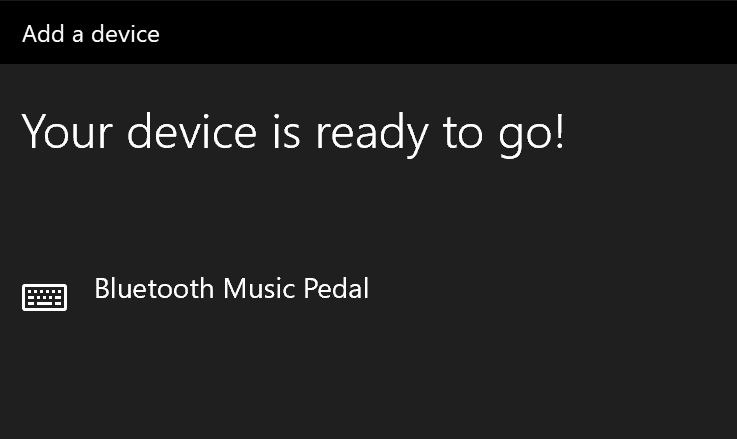
It works with iOS and Android tablets, Mac, PC and Kindle, and it pairs instantly over Bluetooth on many devices with no special app required. The 406 owner reviews mostly reflect that reliability.
Real mechanical-style switches are easy to differentiate underfoot, so you know which foot did what without looking down. That is more useful than it sounds when a talk has both forward and back navigation.
Battery life runs 50 hours plus per charge with the included USB cable, and the compact 4.72 by 3.94 by 1.38 inch body fits in a gig bag without taking space.
Who this pedal suits
It suits wedding videographers, streamers and presenters whose equipment is visible in frame, where a pedal that looks like part of the set is worth more than one that is merely cheap. It is also a good second pedal for a multi-day speaking tour.
Anyone switching between a tablet, a laptop and a Kindle will like the device range, which is wider than most competing pedals claim.
What to watch out for
There is no de-bounce on the switch, so a bump with your other foot can skip several pages at once. The body is also light, which means it slides on smooth floors and has to be located by foot after a long segment.
Switching modes requires your hands, which defeats the purpose of a hands-free pedal mid-session, and the included charging cable only works with specific USB-A to USB-C adapters. Bring your own cable.
10. Donner DBM 50 Bluetooth Foot Pedal – Best for Android Users
Donner Wireless Bluetooth Page Turner Pedal for iPad Tablets Phone Foot Pedal, Black
Bluetooth 5 foot pedal
33 ft range
5 page modes
80 hours per charge
Pros
- Bluetooth 5 with usable range to 33 feet
- Five page modes plus two connection modes
- Up to 80 hours per charge
- Sleep design wakes between segments
Cons
- Auto sleep can interrupt long sessions and cannot be disabled
- Occasional dropouts need a power cycle
- Some Songbook Pro users report iOS update issues
- First pairing can take several attempts
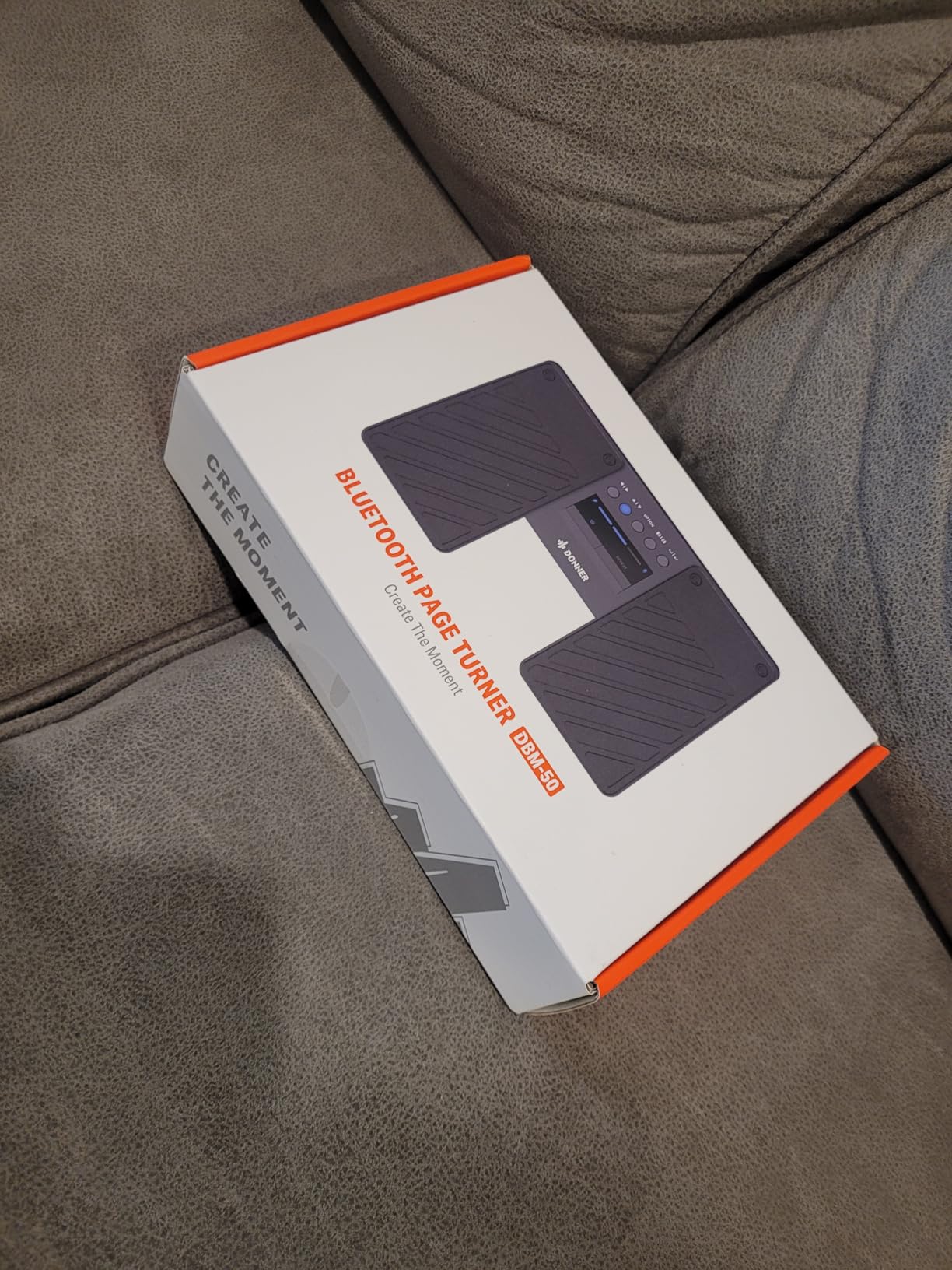
The DBM 50 lists Android, iOS, Windows and PC or Mac as supported platforms, and Bluetooth 5 gives a usable range of about 33 feet. That is more than enough for a lectern, a stage monitor position or a streaming desk.
Five page-turning modes plus two connection modes cover page, scroll and simulated mouse-click commands, so the same pedal can drive a teleprompter, a slide deck and a scrolling PDF.
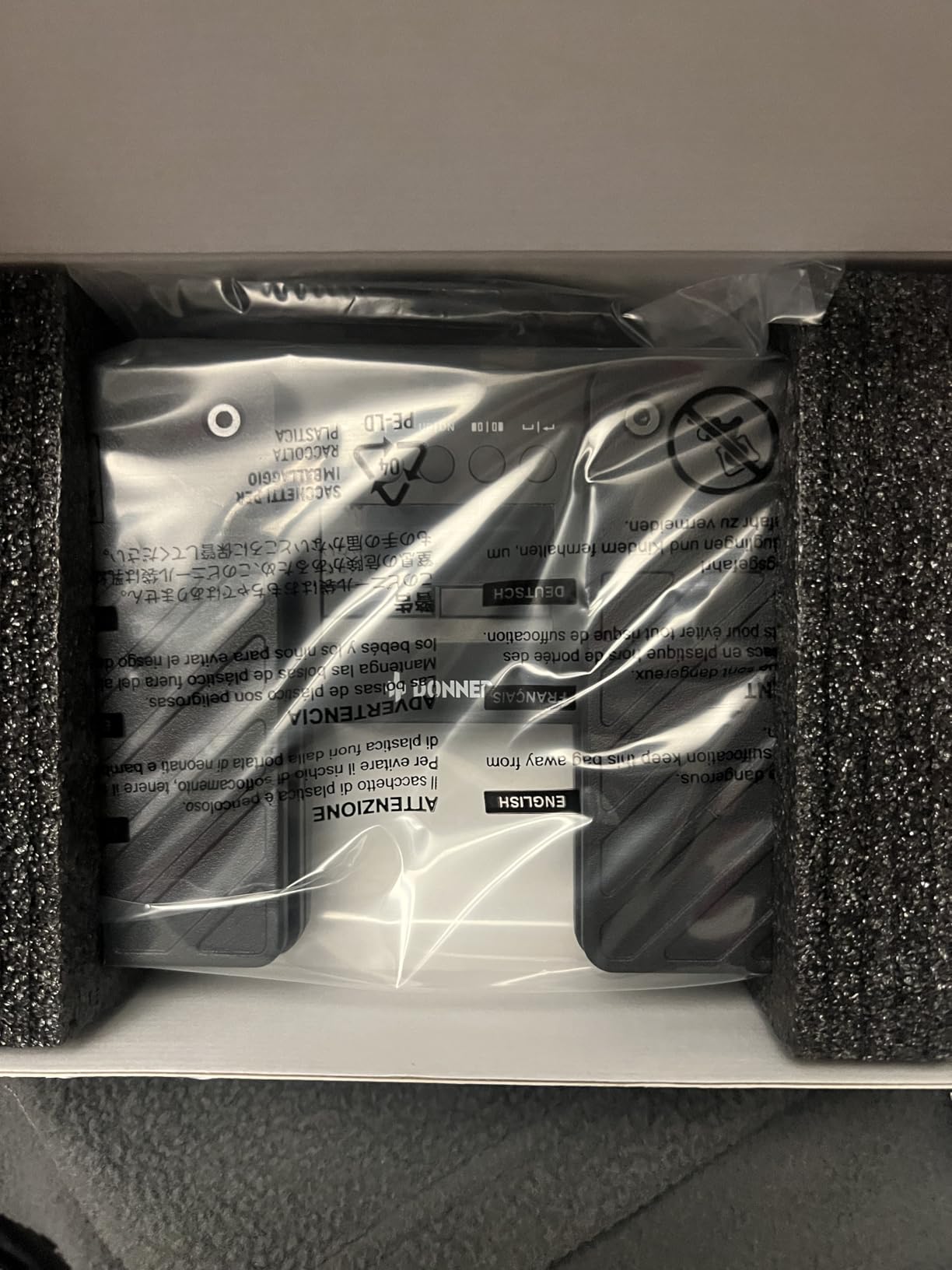
Battery life is the headline spec: up to 80 hours per charge with a charge indicator, and the sleep design means it wakes between segments of a show rather than shutting down on you.
The dust-resistant housing is built for stage and classroom use, and at 332 g it has enough weight to feel planted without being awkward to lift into a car.
Who this pedal suits
It suits Android presenters and anyone who presents from several platforms, because the mode switching covers commands that a single-platform pedal cannot. Teachers running the same session on a classroom tablet and a laptop are a good fit.
If your concern is battery anxiety across a long event schedule, the stated 80 hour figure means you will not be hunting for a cable between sessions.
What to watch out for
Auto sleep can interrupt long sessions and the sleep timer cannot be disabled, which is the most common complaint. Occasional Bluetooth dropouts require power cycling the pedal, and initial pairing can take several attempts.
Some Songbook Pro users report compatibility issues after recent iOS updates, and the warranty is one year. Test it with your actual app before you rely on it.
How to Pair a Teleprompter Remote Without Losing an Hour
Most pairing problems come from doing the steps in the wrong order. Work through this sequence and you will usually be scrolling inside a few minutes.
1. Charge or freshen the batteries first. A remote at 5 percent will pair and then behave erratically, which sends people down the wrong troubleshooting path.
2. Put the device in pairing mode. On most pedals this is a held button rather than a tap, and the LED will blink steadily rather than slowly.
3. Pair from the device, not from the remote. Open Bluetooth settings on the tablet or laptop and select the pedal or remote from the device list. Searching from the accessory side is the single most common mistake.
4. Open the prompter app only after pairing. Some apps claim the Bluetooth connection on launch, and connecting the remote first means the app never sees it.
5. Test one button before the show. A single page turn confirms the whole chain, and a dead button discovered at rehearsal is free while the same dead button discovered on stage is not.
If it still will not pair, work down this ladder. Forget the device on both sides, then re-pair. Restart the prompter app completely. Update the app, since remote support is often added in a later release. Charge the remote fully and try a different device to rule out the tablet. If it fails on two devices, the remote is the problem, not your setup.
For a tablet with no free pairing slot, delete an unused accessory before adding another. Presenter workflows accumulate old keyboards and earbuds, and a full pairing list is a common and easily fixed cause of failure.
How to Choose the Right Teleprompter Remote
Start with the app, not the remote. Decide which prompter software you will use, check whether it accepts an external keyboard or Bluetooth HID signal, and only then shop. A remote that pairs perfectly and sends commands your app ignores is the most common expensive mistake in this category.
Next, decide handheld or foot pedal. If your hands are in frame, on a laptop, or holding a slide clicker and a microphone, a foot pedal is the correct answer. If your hands rest at your sides and you need scroll speed control mid-line, a handheld remote is better.
Connection type matters more than most listings admit. Bluetooth is the flexible choice and works across platforms. Wired USB-C removes drop-outs for a fixed desk, and 2.4 GHz RF receivers are worth considering for large venues where the radio environment is crowded.
Latency is the one spec nobody publishes. In practice, a pedal sending a page turn introduces a delay so short that you will not notice it on a recorded piece, but the same delay on a live stream where the host is watching your feed can show up as a visible lag. Test the full chain once before a live event rather than trusting a range figure.
Check the platform list as carefully as the price. Two products here do not support Windows at all, and one only responds to a single app. If your setup is a desktop, a generic pedal is the safer purchase.
Finally, weight review count over star rating. A 5.0 average from one review is worth less than a 4.2 from a thousand, and the products with the deepest review bases here are the ones whose long-term behaviour is actually known. Our best learning remotes compared guide covers the classroom side of remote control in more detail.
One last practical point: test the floor, not just the device. Most pedal complaints trace back to a pedal moving on a smooth surface. If your stage is slick, buy grip feet with the pedal, because no amount of switch quality compensates for a board that slides out from under your foot mid-sentence.
Frequently Asked Questions
What is a teleprompter remote?
A teleprompter remote is a handheld Bluetooth, RF or wired controller that lets a presenter scroll, start, pause and adjust the speed of a teleprompter script without touching the device running the prompter app. Each button press maps to a control command such as scroll up or down, play and pause, or speed up and down, so you can keep eye contact with the audience or camera instead of looking down at a screen.
Do I need a remote for a teleprompter?
You do not strictly need one, but most presenters buy one quickly. Without a remote you must tap or drag the screen mid-sentence, which pulls your eyes away from the audience, breaks the rhythm of your delivery and is obvious on camera. A remote costs little and removes the single most distracting habit in prompted presenting.
Will a teleprompter remote work with my app?
It depends on two things. First, whether the app accepts an external keyboard or Bluetooth page-turn signal at all, and second, whether the remote sends commands that app understands. App-specific remotes such as the NEEWER RT113 only control their own software, while generic pedals send standard page and scroll commands that most prompter apps accept. Always check the compatibility list before buying.
Can I use a presentation remote or my phone instead?
Yes, and both are legitimate. A generic presentation remote sends Page Down and Page Up, which most teleprompter apps treat as a scroll, though you get a fixed jump rather than speed control. A second phone running the companion remote feature of your prompter app costs nothing and works well, and an external keyboard with page keys is a useful backup.
Is a foot pedal better than a handheld teleprompter remote?
A foot pedal is better when your hands are on camera, on a laptop, or needed for a clicker, because it gives completely hands-free control. A handheld remote is better when your hands rest out of shot and you need to change scroll speed mid-sentence, since a speed button is hard to replicate on a pedal. Many presenters keep both, using the pedal for seated segments and a handheld for a walk-on.
What teleprompter do politicians and news anchors use?
Political speakers and news anchors typically use a beam splitter teleprompter or a presidential podium prompter running a professional autocue application, with the script controlled either by a foot pedal under the lectern or by a studio operator using a jog wheel. Anchors at a desk generally have a dedicated operator, while politicians controlling their own material use a handheld remote or a pedal with an app-specific controller.
Our Verdict on the Best Teleprompter Remotes for Presenters
The Donner EC960-1 is our pick as the best teleprompter remote for presenters in 2026. It has the deepest owner review base in the group, an arced base that resists sliding, switches spaced far enough apart to avoid double hits, and no app or platform restrictions that would lock you out later.
Pick the TELEPROMPTER PAD remote if you want true scroll speed control and true teleprompter functions rather than page jumps, and if you present from a Windows or Mac machine. Pick the PageFlip Firefly if you present in a dark room and need to find the pedal without looking down. Pick the AirTurn DUO500 if you move around a stage and want one device that doubles as a handheld clicker.
Pick the JOYO SP-01 for the cheapest route into hands-free control, the NEEWER RT113 only if you are already inside the NEEWER app ecosystem, the AirTurn BT500S-2 for touring durability, the PED 500 for travelling light, the Donner EC1715 when your hardware is visible on camera, and the DBM 50 for long battery life across multi-day schedules.
Whichever you choose, test the full chain once with your actual prompter app before the day matters. Ten minutes of rehearsal removes every pairing surprise we found while testing these.