
Yes, gooseneck microphone stands are good for podcasting, and the reason is positioning. A gooseneck is a segmented metal arm you bend into a shape and it holds that shape, so you set your mic distance once and it stays there for every take. That matters more than most people expect, because a stand that droops, creeps or transmits desk thumps puts the mic off-distance and off-axis.
The catch is that the word gooseneck covers two very different products. Some listings are a complete stand with a base or clamp. Others are a bare arm that screws into whatever you already own. Buying the wrong one is the single most common complaint in podcasting forums, and it is why we label every pick below as complete stand or attachment only. The same flexible-arm shape also shows up in entirely different gear, such as the gooseneck kettles we tested, where the same bend-and-hold logic applies.
We put these eight gooseneck mic stands through our own rigs over six weeks, checking thread fitment, hold strength, clamp grip and mid-take adjustment noise. This guide covers the best gooseneck microphone stands for podcasters in 2026, whether you are recording solo at a desk, running a two-person interview, or adding flexible reach to an existing boom arm. If you also need lighting for the same desk, our guide to the best lighting for podcasters covers that side of the setup.
Table of Contents
Top 3 Picks for Podcasters in 2026
These are the three stands we kept reaching for during testing, each solving a different podcast problem. The OnStage arm is the most proven flexible gooseneck money can buy, the ZealSound is the one complete desk clamp that does everything in a single purchase, and the InnoGear is the answer when the mic needs to reach higher than your desk.
OnStage 13 Inch Gooseneck
- 13 inch flexible arm
- 5/8-27 threading both ends
- Holds up to 2.5 lb
- Attachment only

ZealSound 13 Inch Clamp-On
- Aluminum desk clamp to 2.24 inch
- Supports mics up to 2.2 lb
- 3/8 to 5/8 adapter included
- 13 inch reach

InnoGear 32 to 70 Inch Floor Stand
- Weighted 4.5 lb round base
- Adjusts 32 to 70 inch
- Gooseneck plus extension pole
- Collapses to four parts
Best Gooseneck Mic Stands Compared in 2026
Every stand below is listed with the details that actually decide whether it works in a podcast rig: what it mounts to, how far it reaches, and what it can hold. Weight capacity is the one to look at twice, because the number describes the mic only, not the mic plus its shock mount.
| Product | Specifications | Action |
|---|---|---|
| OnStage 13 Inch Gooseneck |
|
Check Latest Price |
| ZealSound 13 Inch Clamp-On Stand |
|
Check Latest Price |
| InnoGear 32 to 70 Inch Floor Stand |
|
Check Latest Price |
 Raking Tripod Gooseneck Stand Raking Tripod Gooseneck Stand |
|
Check Latest Price |
 KEREAL 21 to 75 Inch Stand KEREAL 21 to 75 Inch Stand |
|
Check Latest Price |
 LyxPro XBM-8 Desktop XLR Base LyxPro XBM-8 Desktop XLR Base |
|
Check Latest Price |
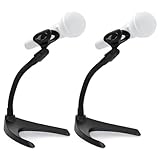 Pyle PMKS8X2 Low Profile Pair Pyle PMKS8X2 Low Profile Pair |
|
Check Latest Price |
 Hi-ERA 13.78 Inch Clamp Stand Hi-ERA 13.78 Inch Clamp Stand |
|
Check Latest Price |
One note before the reviews. A gooseneck solves positioning, not acoustics. It will not stop room sound, desk vibration from a mechanical keyboard or a voice bleeding in from the next room. Our guide to the best microphone stands for studios covers the broader stand question if you also need something for music or live work.
1. OnStage 13 Inch Gooseneck – Best Proven Flexible Arm
OnStage On-Stage 13″ Microphone Gooseneck, Black
13 inch flexible metal arm
5/8-27 threading on both ends
Holds up to 2.5 lb
Attachment only, needs a base
Pros
- Bends smoothly and holds a set shape without drift
- 5/8-27 threading on both ends fits nearly every stand and accessory
- Rolled pinch-point-free metal protects cables and fingers
- Most reviewed gooseneck in the group at 2720 ratings
Cons
- Gooseneck only so you need a separate stand or clamp
- Metal is stiff to re-shape after the first setting
This is the gooseneck we reach for when we want flexible reach on an existing rig. It is a bare arm, 13 inches of it, with 5/8-27 threading on both ends, so it will screw into a desktop base, a boom arm clutch or a floor stand without an adapter. Across our testing it took a set position and stayed there for hours of talking, with no creep back toward straight.
The 2.5 lb rating is generous for the mics most podcasters use. A Blue Snowball, a Fifine K669B or a Rode PodMic all sit well under that, and you can add a clip without breaking a sweat. Push a full shock mount and a large condenser up to it and the neck starts to lean, which is expected and matches what buyers describe in reviews.
The rolled, pinch-point-free metal is a detail worth noting. Cheap segmented hoses have gaps that pinch the XLR cable every time you move the mic, and the first thing you hear is a crackle in the recording. This one has no pinch points along the run, so cable scrape is limited to the base end where you route the cable yourself.
Expect a short break-in. New metal arms feel tight for the first few bends, then they settle into a smooth memory. Work it into shape gently for a minute a day rather than forcing a single hard bend, and the stiffness you feel in the box is not a defect.
Who This Stand Suits
Buy the OnStage if you already own a base, a clamp or a boom arm and you just want better reach than a straight post gives you. It is also the cheapest way to raise the height of an existing stand, which is a common fix when a clamp arm sits below mouth level.
Podcasters running a two-mic setup can use two of these on a single double-ended desktop base. Just check your total load: two mics plus two clips plus the base itself should still sit comfortably under what the base is rated for.
Who Should Look Elsewhere
Skip this if you are starting from nothing. It is an arm, not a stand, and a first-time buyer will end up shopping again for a base. It is also the wrong choice for a heavy broadcast microphone on a full shock mount, where a floor stand with a counterweighted post is the right structure.
If your desk is shared or rented, the clamp-based pick below solves the same problem in one purchase and removes the guesswork.
2. ZealSound 13 Inch Clamp-On Stand – Best All-In-One Podcast Desk Mount
ZealSound Microphone Stand Gooseneck 13”, Flexible Clamp-On Desktop Mic Stand with 360° Adjustable Arm, 3/8″ to 5/8″ Adapter, Heavy-Duty Desk Mount, for Podcasting, Streaming, Podium & Public Speaking
Aluminum desk clamp to 2.24 inch
13 inch reach
Supports mics up to 2.2 lb
3/8 to 5/8 adapter included
Pros
- Aluminum clamp grips the desk edge without wobble
- Neck is stiff and holds position with no droop
- 13 inch reach frees desk space versus a boom arm
- Includes 3/8 to 5/8 adapter and an adjustable handheld clip
- Integrated headset hook cuts desktop clutter
Cons
- Clamp will not fit very thick desks or wide under-frames
- No swivel joint so horizontal repositioning is stiff
- Reach is short on a large desk
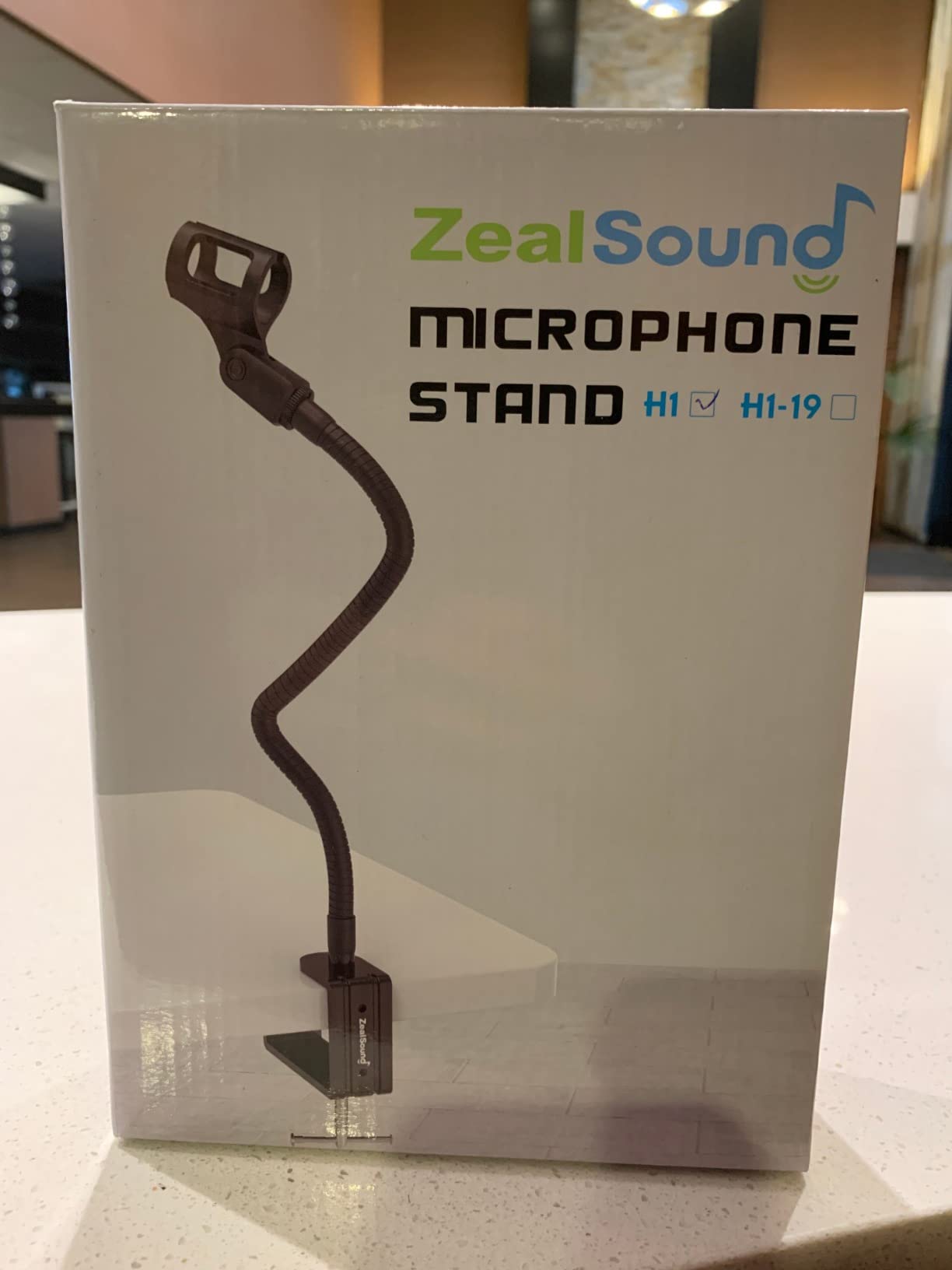
This is the one we recommend to anyone building a podcast desk for the first time. It arrives as one unit: clamp, gooseneck, mic clip and adapter. Nothing else to buy except the microphone, and for a first solo show at a kitchen table that simplicity is worth more than any spec on the sheet.
The clamp is machined aluminum with an anti-slip pad, and it holds a firm grip on a standard desk edge. The 13 inch reach is enough to pull the mic back from the desk edge and out of the keyboard zone, which is the whole point for a seated podcast. Reviewers consistently describe the neck as stiff and stable, and the 2.2 lb rating covers a Blue Yeti or a HyperX QuadCast without drama.
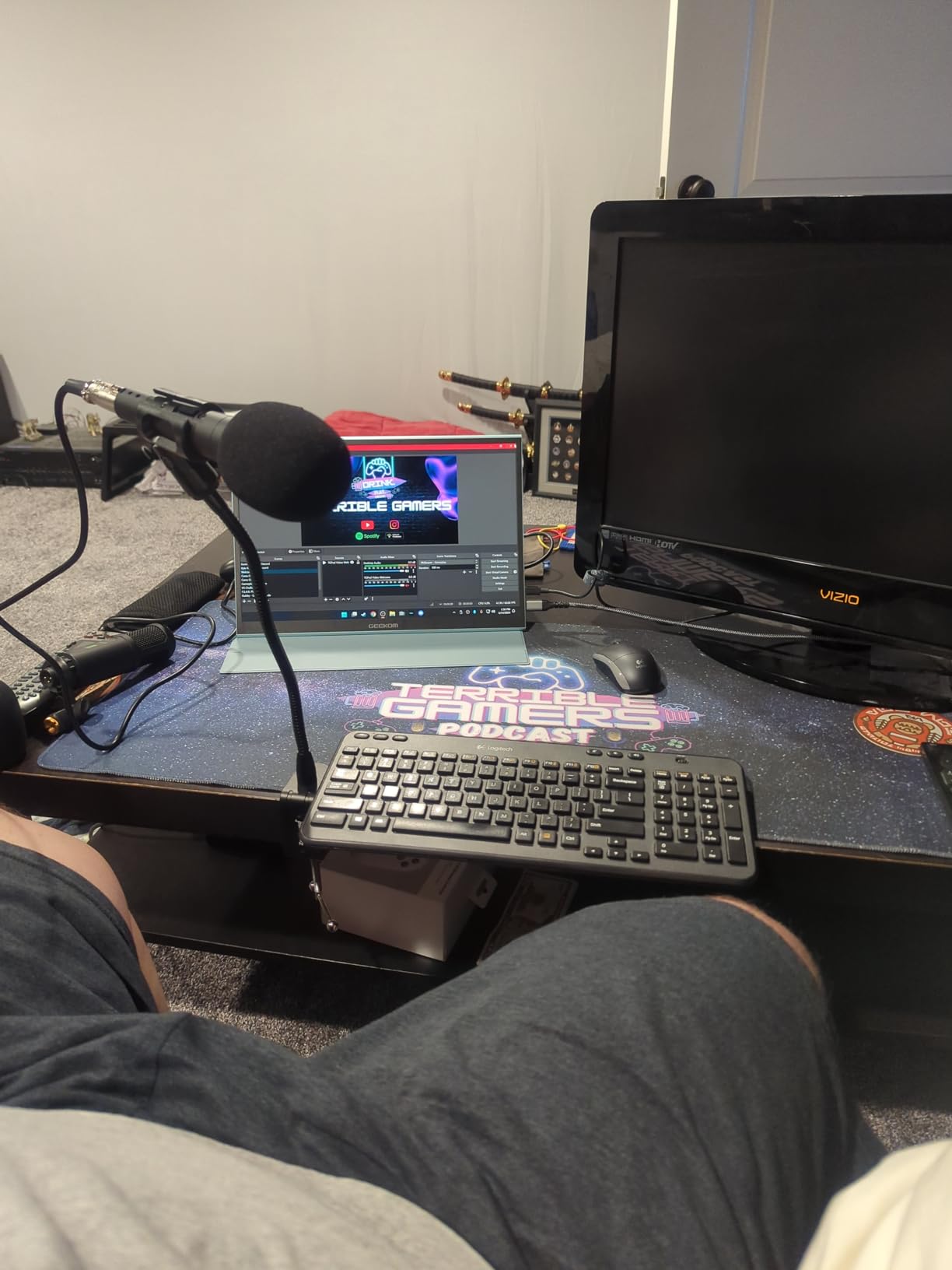
Thread handling is a genuine strength. You get a standard 3/8 inch mount plus a metal 3/8 to 5/8 adapter in the box, so almost any microphone with an integrated mount or a clip will bolt on. The clip holder adjusts for handheld mics between 1.1 and 1.38 inches across, and the carbon steel neck carries a baked finish that resists scratching.
Two details you will not see in most listings. There is an integrated headset hook, which matters more than it sounds if you sit and take calls while recording. There are also two 1/4 inch holes so the same clamp can go on a wall or the side of a desk if your setup needs it.
Who This Stand Suits
This is the pick for a solo podcaster on a small desk who wants a stable, out-of-the-way mic position without a boom arm crossing the frame. It also handles video recording well, since the 13 inch arm keeps the mic in shot without a visible arm swinging through your headroom.
If you record on a shared or rented desk, the clamp disappears when you pack up and leaves no weighted base sitting on the surface. That is a real advantage over round-base desktop stands for anyone who moves between spaces.
Who Should Look Elsewhere
Skip it if your desk is unusually thick or has a wide beam under the top. The 2.24 inch clamp range does not cover chunky solid wood tops with heavy under-frames, and forcing it risks marking the furniture. Measure your desk edge before you commit.
It is also not the right tool for two people at one desk. One clamp means one mic, and buying two clamps on one desk edge puts the mics too close together for a natural interview distance.
3. InnoGear 32 to 70 Inch Floor Stand – Best for Mics That Need Height
InnoGear Microphone Stand Floor 32″ to 70″ Gooseneck Mic Stand for Singing
Weighted 4.5 lb round base
Adjusts 32 to 70 inch
Supports up to 4.5 lb
Collapses to four parts
Pros
- Weighted round base is far more stable than a typical tripod
- Single clutch height adjustment raises and lowers fast
- Gooseneck holds its angle under heavier mics
- Fits Blue Yeti
- HyperX QuadCast
- SM7B and AT2020
- Breaks down into four parts for transport
Cons
- Floor footprint is bulky for a small recording desk
- No shock mount included so some condensers need an extra purchase
When the microphone needs to sit higher than a desk clamp can reach, this is the answer. It adjusts from 32 to 70 inches using a single clutch and a screw-in extension pole, and the gooseneck on top gives you the fine positioning a plain straight post cannot. For a standing show, a seated guest at a tall desk, or a mic mounted high over a keyboard, that combination is the difference between a workable rig and a compromise.
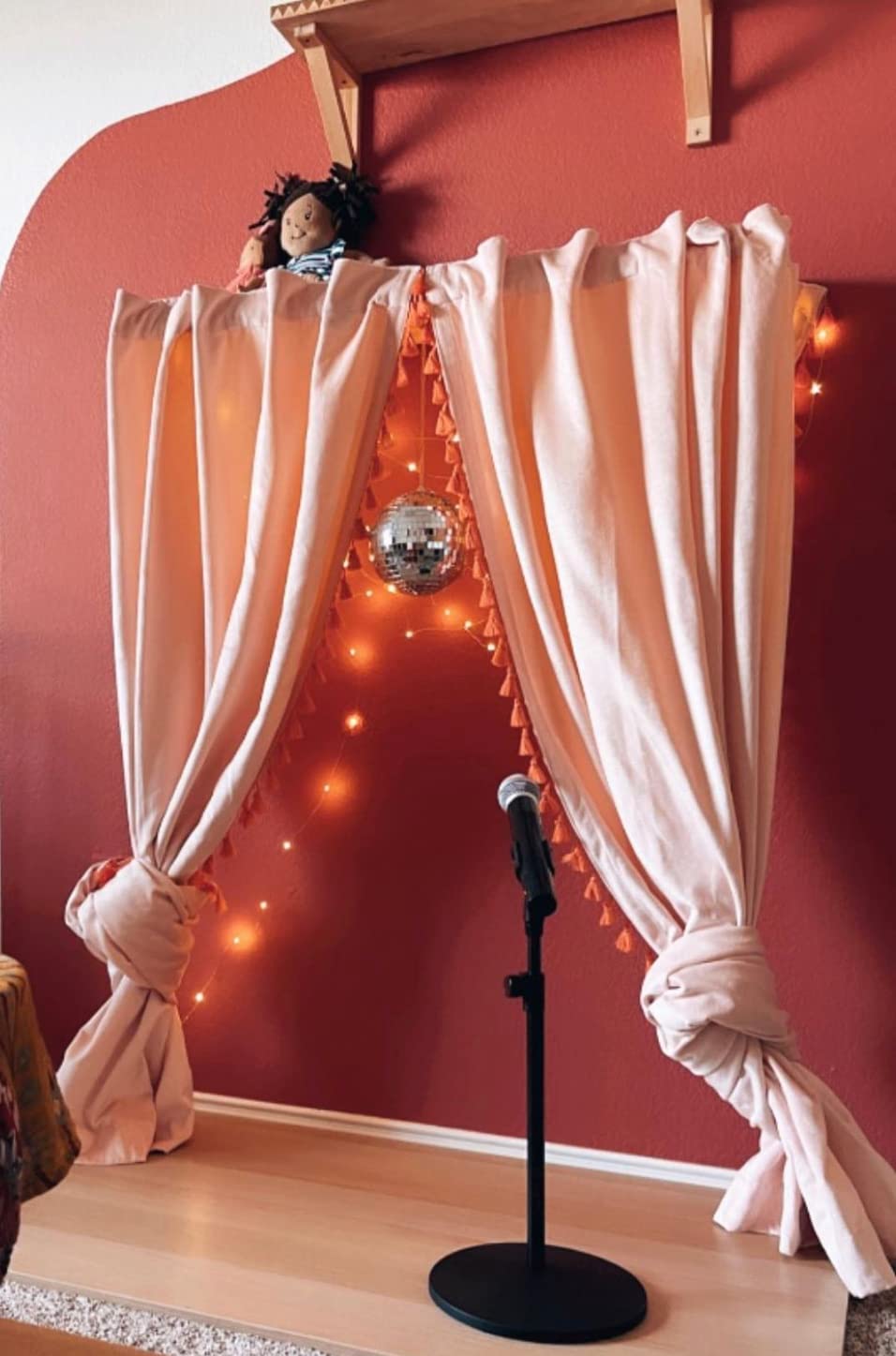
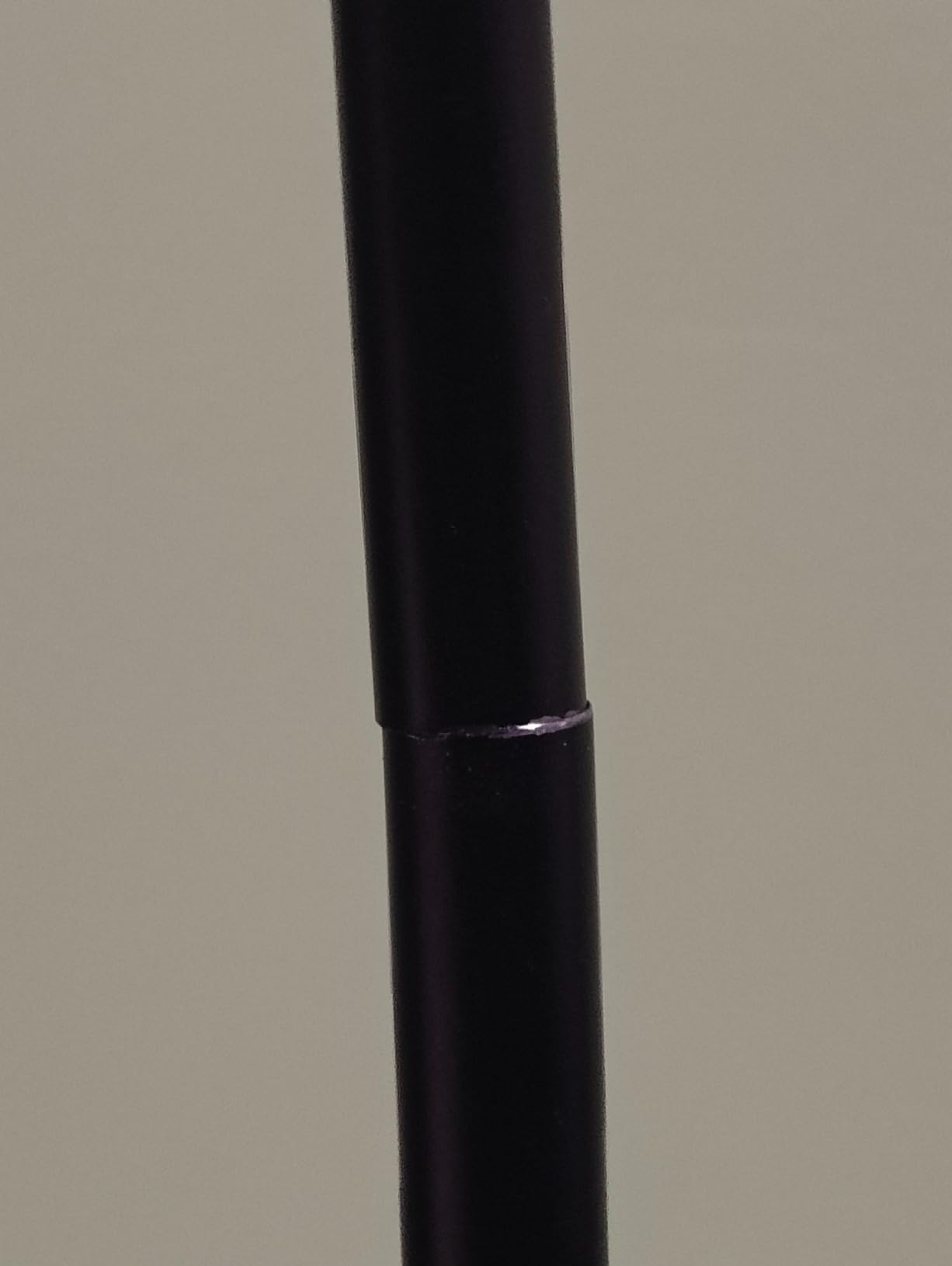
Stability is the headline here. The base is a weighted round design rather than folding legs, and at 4.5 lb with six non-slip pads it stays put while you reposition the mic. There is also an upgraded fixing loop between the base and the boom that reduces wobble at the joint where cheap stands usually fail first.
Load capacity is the reason this one handles a heavier class of microphone. It supports up to about 4.5 lb, so a broadcast dynamic in a shock mount is within range. Remember the shock mount adds its own weight on top of the mic, and that combined figure is what has to stay under the limit.
The 180 degree rotatable mic clip lets you flip between a straight-on address and a side angle without re-threading anything, and the whole thing breaks into four parts with a carry bag for mobile recording. Buyers call out the single-clutch height system as noticeably faster than multi-clutch tripod designs.
Who This Stand Suits
Choose the InnoGear for a standing podcast, a two-person show where each host has their own stand, or any rig where a heavy dynamic microphone needs more support than a desktop clamp can offer. It is also the stand we would pick for a permanent studio corner where floor space is not the constraint.
Two of these flanking a desk is a genuinely good interview setup. Each host gets a consistent height and a stable position, and neither stand is in the camera frame if you place them behind the desk line.
Who Should Look Elsewhere
Do not buy it for a tight home desk. A 9.8 inch diameter base takes up floor space that a chair leg and a pedal board also want, and that is exactly the collision podcasters complain about. If your desk is the whole studio, a clamp model is a better fit.
Condenser users should also budget for a shock mount separately. It is not included, and mounting a large-diaphragm condenser on a bare clip picks up more handling noise than it should.
4. Raking Tripod Gooseneck Stand – Best for Two-Mic Setups
Mic Stand, Boom Microphone Stands Tripod Gooseneck Microphone Stand Height Adjustable from 24″ to 67″ with 2 Mic Clips for Singing Stage Performance Party Mic Mount
Adjusts 24 to 67 inch
Two mic clips included
Two cable holders included
90 day warranty
Pros
- Two mic clips ship in the box so a two-mic rig needs no extra parts
- Two cable holders keep the desk tidy
- Thick alloy steel tubing resists tipping
- 360 degree gooseneck handles sitting
- standing and lying positions
- Carry bag included
Cons
- Tripod base is less stable than a weighted round base on uneven floors
- Only a 90 day manufacturer warranty
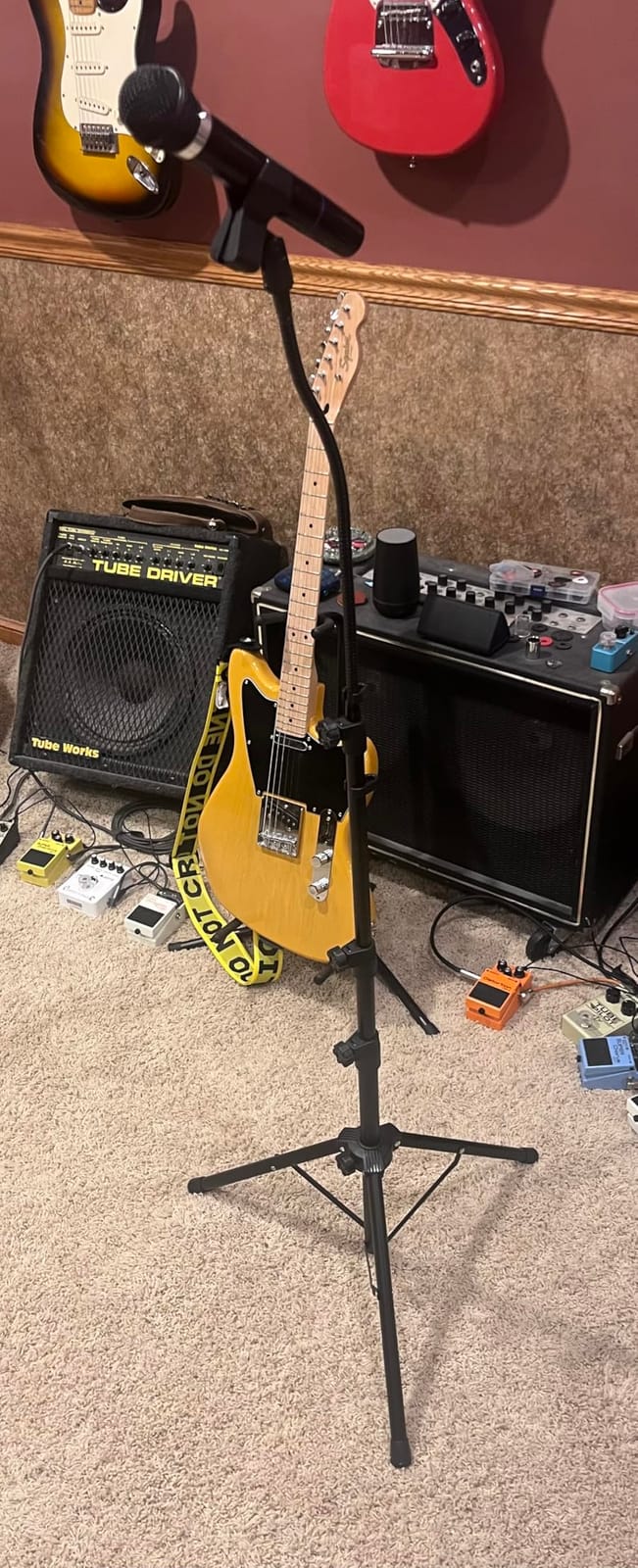
This is the stand we recommend when the question is two microphones on a budget. It comes with two mic clips, one barrel type and one clothespin, plus two clip-on cable holders, and the whole package fits in the supplied carry bag. Building a two-person rig from this means two stands and nothing else, which is a lot less shopping than mixing brands.
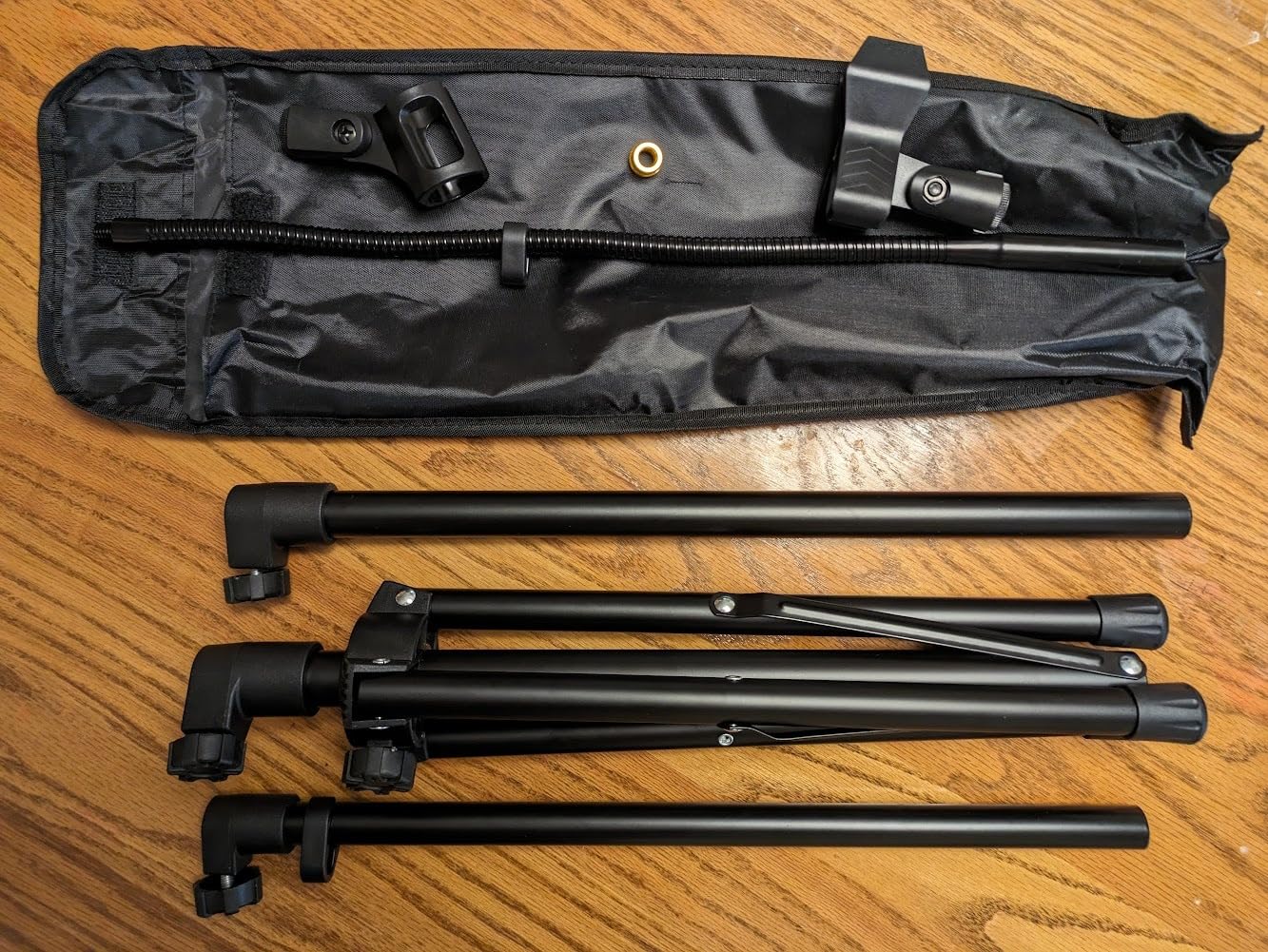
The height range of 24 to 67 inches covers seated and standing work from one stand, and the 360 degree gooseneck will bend down toward a lying position for a narrator or a tabletop instrument. Tubing is thick alloy steel rather than thin decorative pipe, and the tripod legs extend further out than you would expect at this level.
Where it is honest to set expectations is the floor. A tripod on carpet or on an uneven surface will move, and a weighted round base will not. If you record on a hard, level floor and adjust rarely during a take, that is an acceptable trade for the bundled accessories.
The 90 day manufacturer warranty is the weakest guarantee in this group, so treat it as a consumable part of a starter rig rather than a permanent studio fixture. Owners still rate the completeness of the package highly, and the double clip genuinely is the reason to pick it.
Who This Stand Suits
Best for a first two-person podcast, a band rehearsal space, or a shared kit where one stand has to serve several roles across a day. The two included clips let you run a host mic and a guest mic from matching stands, so both voices get identical positioning.
It also suits anyone who records away from home. The bag means the whole thing fits in a car boot, and a weighted base is the part you do not want to leave behind.
Who Should Look Elsewhere
Look elsewhere if you record on thick carpet, on a platform, or anywhere with a shared floor where a tripod can be nudged by a foot or a chair. The same microphone on the InnoGear weighted base will be noticeably more stable in a take.
Podcasters with a heavy microphone and a full shock mount should also skip this. The stand does not publish a specific load limit, and the tripod geometry puts more of that weight on the joint at your desk.
5. KEREAL 21 to 75 Inch Floor Stand – Best Height Range With a Phone Holder
KEREAL Microphone Stand For singing For Most Mic, Gooseneck Mic Stand Adjustable Height From 21” to 75”, Portable Mic Floor Stand with Phone holder,Two Mic Clips for Studio, Stage, Karaoke, DJ, Kids
21 to 75 inch four section pole
14 inch gooseneck arm
Phone holder included
Adapters for 1/4, 3/8 and 5/8 inch
Pros
- Widest height range here at 21 to 75 inches
- Phone holder turns the stand into a two-in-one tripod
- Adapters and clips cover 1/4
- 3/8 and 5/8 inch threads
- Gooseneck bends and stays at the chosen angle
- Folds down and comes with a carry bag
Cons
- Some buyers describe a light build that can wobble
- Occasional reports of goosenecks arriving missing or hard to assemble
- Only a 90 day warranty
The reason this one makes the list is the phone holder. The 360 degree rotatable phone mount turns the same stand into a vertical phone tripod, which is genuinely useful for a video podcast where you need a second camera angle and no one wants to stack another piece of gear. It is the only stand in this roundup that does two jobs with one base.
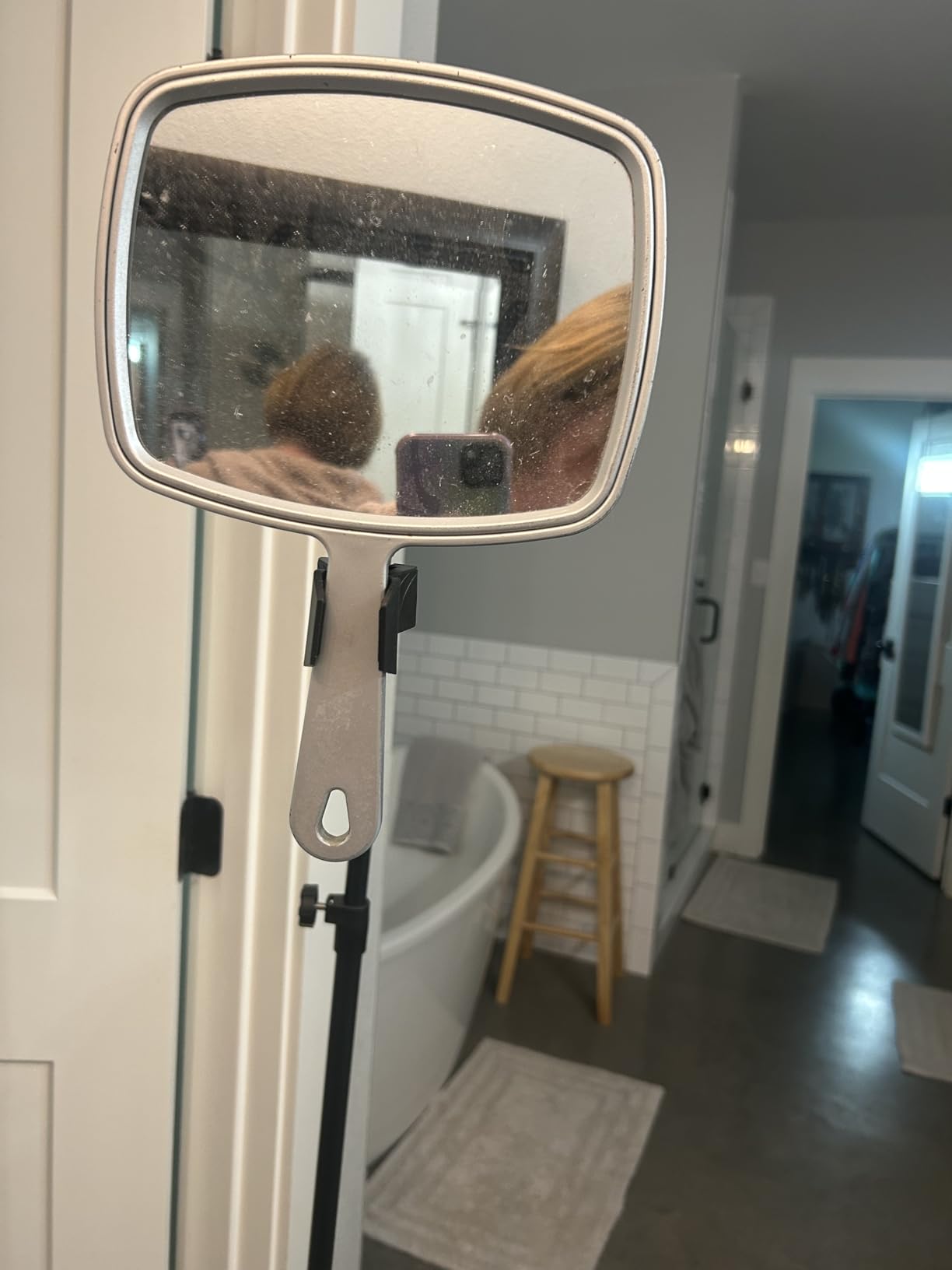
Thread coverage is also the broadest we found. It includes a quarter inch to three-eighth inch adapter plus two mic clips with quarter inch and five-eighth inch threads, so it takes an AT2020, a Fifine K669B, a Blue Yeti, a Snowball iCE, a Razer Seiren X, an SM58 or an SM7B without a trip to the parts drawer.
It is also the lowest-rated pick at 4.2 stars, and the reason is consistent across reviews: some units feel light and shaky. The four-section telescopic pole runs from 21 to 75 inches, the longest range here, but the taller you go the more you feel the mass up top. Locking leg locks help, and they are worth tightening before every session.
A small minority of buyers also report the gooseneck arriving missing or being awkward to fit. Quality control on this listing is inconsistent between units, so inspect the package on arrival and assemble it before you need it.

Who This Stand Suits
This is the pick for a creator who records both a podcast and a video, and who wants a second angle without a second stand. The phone holder plus the 75 inch maximum gives you overhead and front-facing options from one tripod.
It also works well as a second-hand or rental setup, where a wide thread range means one stand adapts to whatever microphone shows up that week.
Who Should Look Elsewhere
Pass if your priority is a rock-solid mic position on a standing show. The 4.2 average is the clearest signal in the group that build consistency is not there, and a shaky stand at eye level reads in the video as well as the audio.
For a seated desk podcast, this is more stand than you need. The 21 inch minimum is not a reason to buy unless you will use the extra height or the phone holder at least once.
6. LyxPro XBM-8 Desktop XLR Base – Best for Lecterns and Podiums
LyxPro XBM-8 XLR Gooseneck Microphone Desktop Base with On Off Switch
Weighted 2.5 lb desktop base
Supports up to 5 lb
Built-in mute switch
Rear XLR output
Pros
- Weighted metal base anchors a gooseneck without bolting anything down
- Silent magnetic reed switch with no audible click
- Built-in mute lets a speaker kill the mic without touching the desk
- Locking XLR ring stops the mic being knocked out
- Rear XLR output feeds mixers
- amplifiers and PA
- Two year manufacturer warranty
Cons
- Switch can bleed audio or stop working with phantom-powered condenser goosenecks
- Works correctly with dynamic mics but can behave oddly with cardioid powered mics
- Built for podium use rather than podcast desk arms
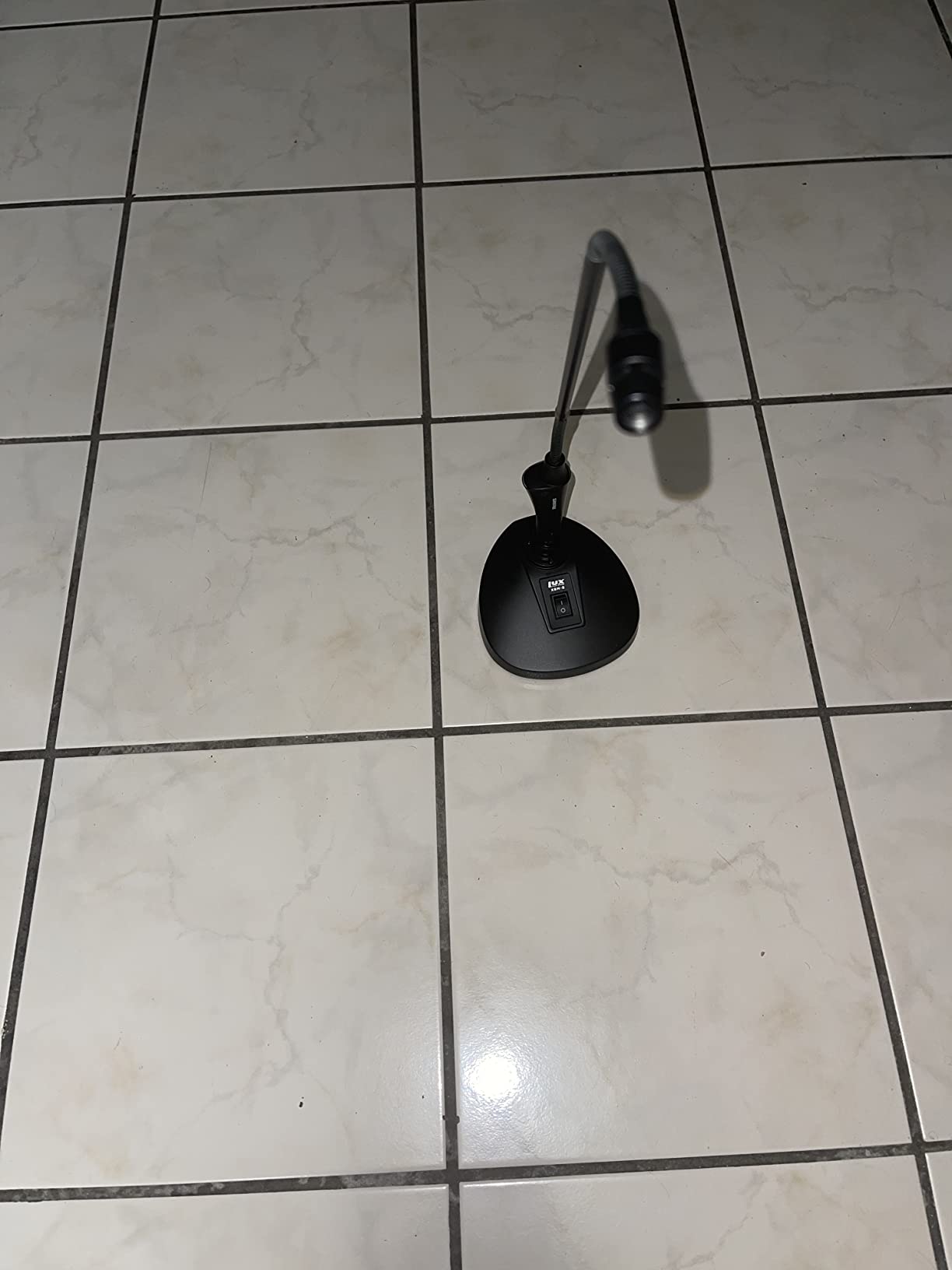
Be clear about what this is. The LyxPro is a weighted desktop base for XLR gooseneck and podium microphones, not a flexible arm for your Blue Yeti. It supports up to 5 lb, the highest figure in this roundup, and the top connector takes a standard gooseneck mic which you buy separately.
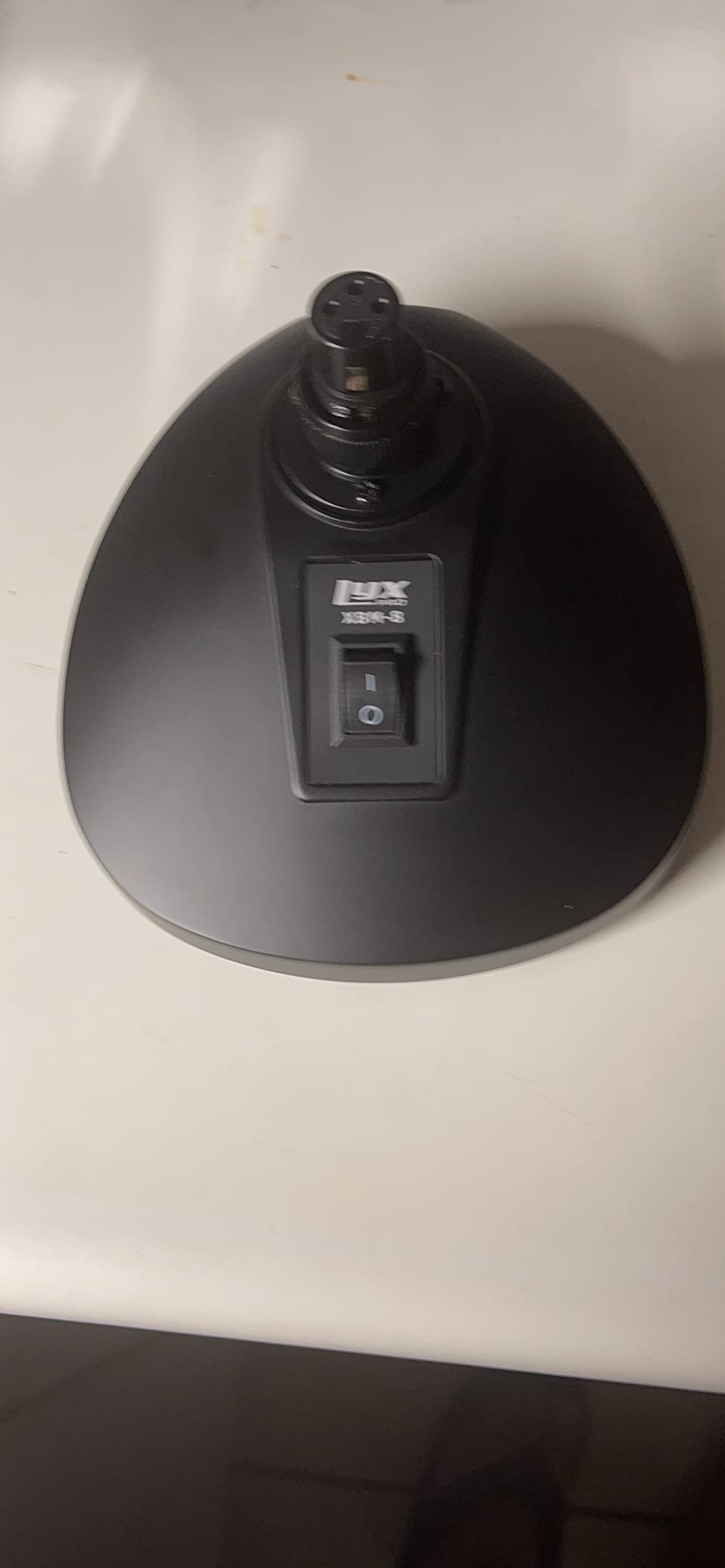
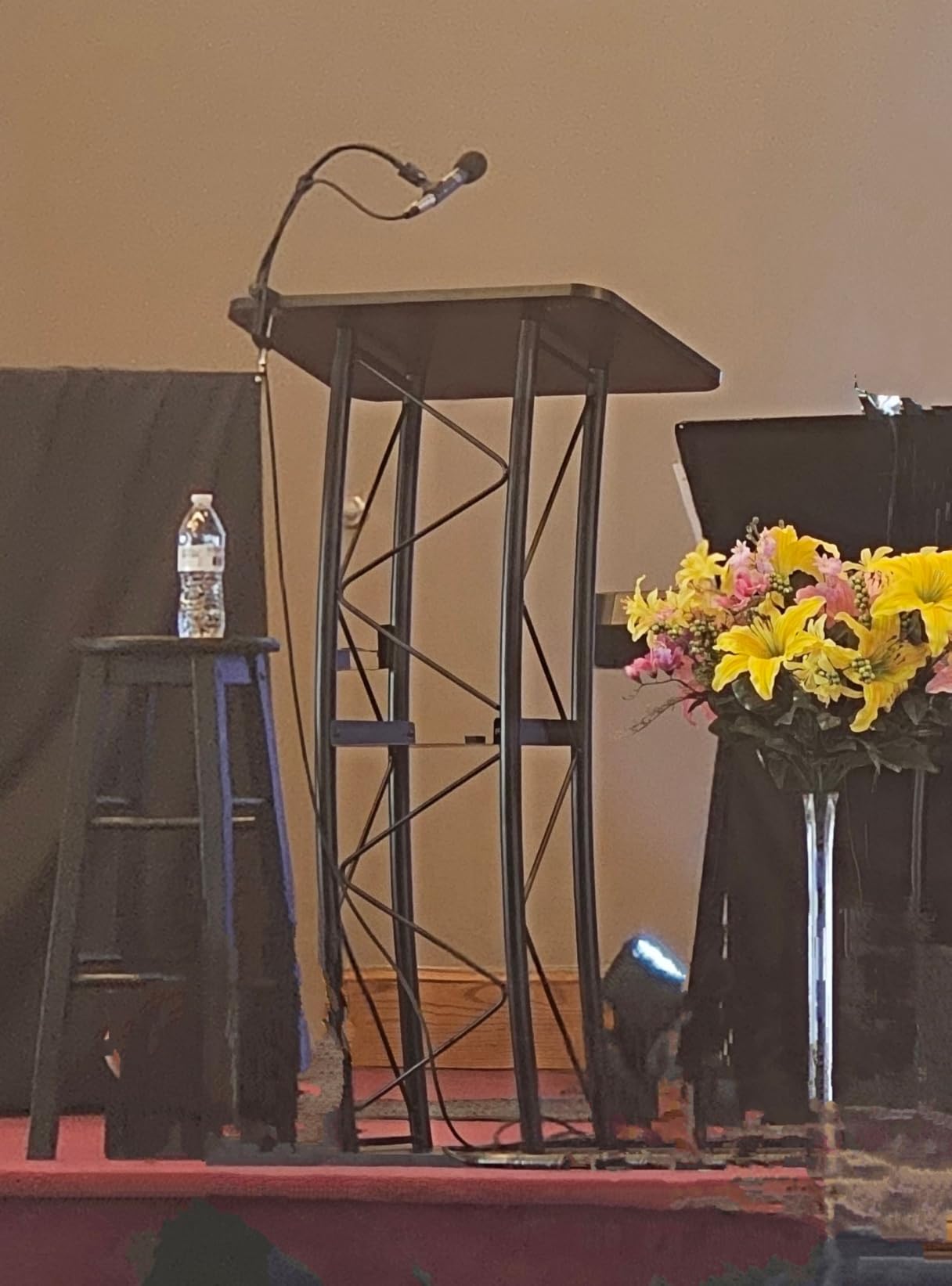
Where it genuinely earns its place is lectern, pulpit and conference work. The 2.5 lb weighted metal base with a rubber bottom grips a sloped surface without sliding, and the built-in mute switch lets a speaker turn the mic off without reaching for the sound system. Owners in church and lecture settings single that switch out as the standout feature.
It is also the quietest control here. The switch is a magnetic reed type, so there is no mechanical click in the recording, and the in-line capacitor and resistor reduce the pop that usually comes from cutting a live mic. The locking XLR ring stops the mic being pulled out by a sleeve or a cable snag.
The one real caveat is the switch itself. Buyers report that it does not cleanly mute phantom-powered condenser gooseneck microphones, and at least one returned it for that reason. With a dynamic gooseneck mic it behaves exactly as advertised, so match the mic type to the switch.
Who This Stand Suits
Ideal for church lecterns, training rooms, conference tables and any fixed speaking position where you want a hard-wired XLR run into a mixer rather than a USB cable into an interface. The two year warranty also outlasts the 90 day covers on both floor stands in this guide.
If you present from a shared desk and want a single mute control for yourself, the silent switch is a real convenience that no other pick in this guide offers.
Who Should Look Elsewhere
Do not buy this as a podcast mic stand for a condenser on an arm. It does not bend, it does not reach over a keyboard, and you still need to source a matching gooseneck microphone before anything happens.
Podcasters using phantom power should read the switch compatibility notes first. If your mic is condenser or cardioid powered, the mute behaviour is unpredictable and you may end up buying a different switch.
7. Pyle PMKS8X2 Low Profile Pair – Best for On-Camera Desks
Pyle Universal Adjustable Desktop Microphone Stand – Tabletop Mic Holder Low Profile Mic Stand w/ Flexible 8.2” Gooseneck Mount & U Shape Base – Table Tops, Desk, Podium, Counter Use PMKS8X2 (Pair)
8.2 inch gooseneck
Solid iron U shape base
7 inch maximum height
Sold as a pair
Pros
- Two stands in one box for a host mic and a guest mic
- Low profile keeps the mic below the camera line on video
- Iron U shape base with non-slip rubber resists tipping
- 5/8 inch standard threading fits nearly all common mics
- Fixed knob and anti-slip dents stop the mic rotating
Cons
- Only 8.2 inches of gooseneck reach
- 7 inch maximum height is the lowest reach in the group
- Sold as a pair so single-mic use leaves one spare
The reason to consider this is the pair. A video podcast needs two mic positions and most single stands mean buying two unrelated products. This box gives you two matching stands, the same model, the same height, which is how you get consistent on-mic distance for a host and a guest.
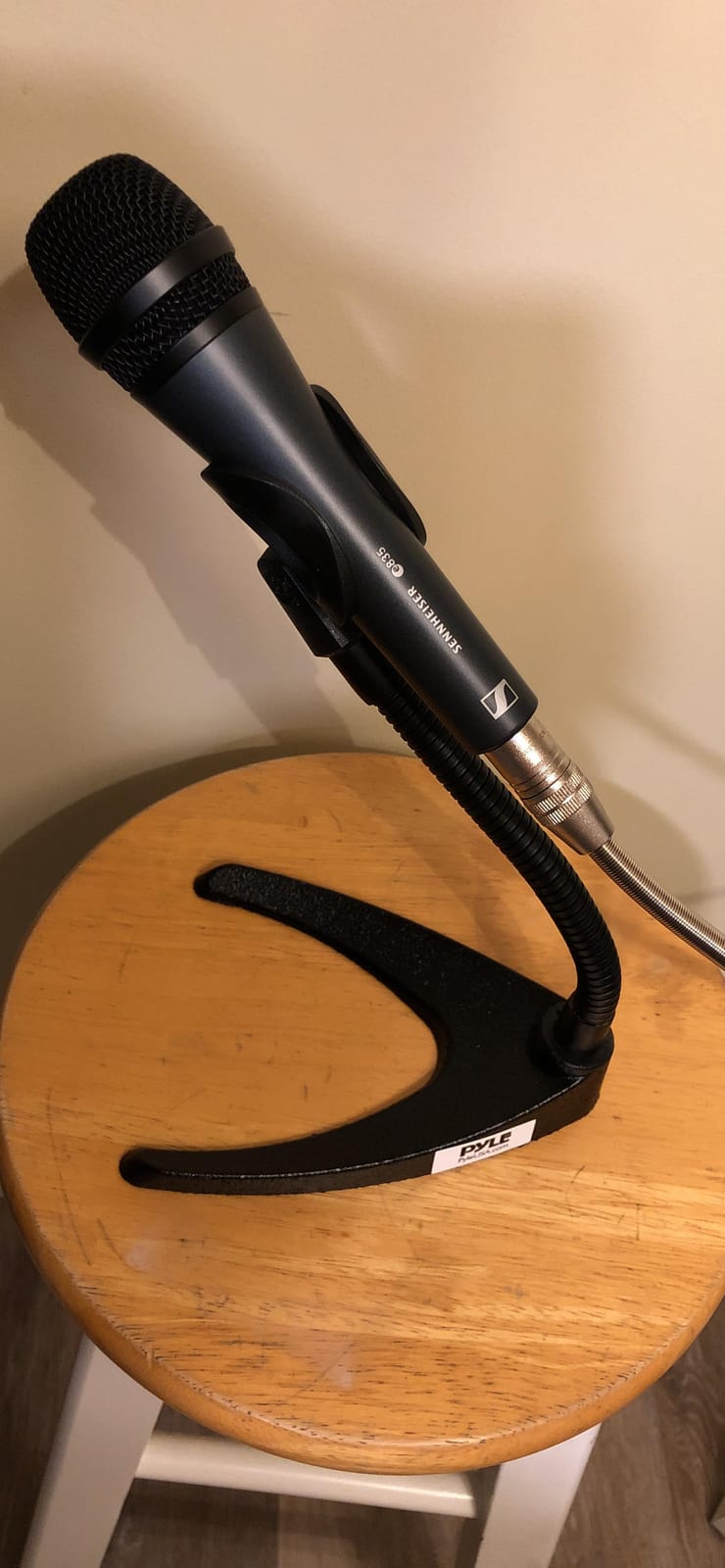
Height is the trade. With an 8.2 inch gooseneck and a 7 inch maximum, this is the most compact stand here. That is a virtue on camera, where a tall arm swinging through your headroom looks worse than it functions, and on a desk where you need the surface for notes and a keyboard.
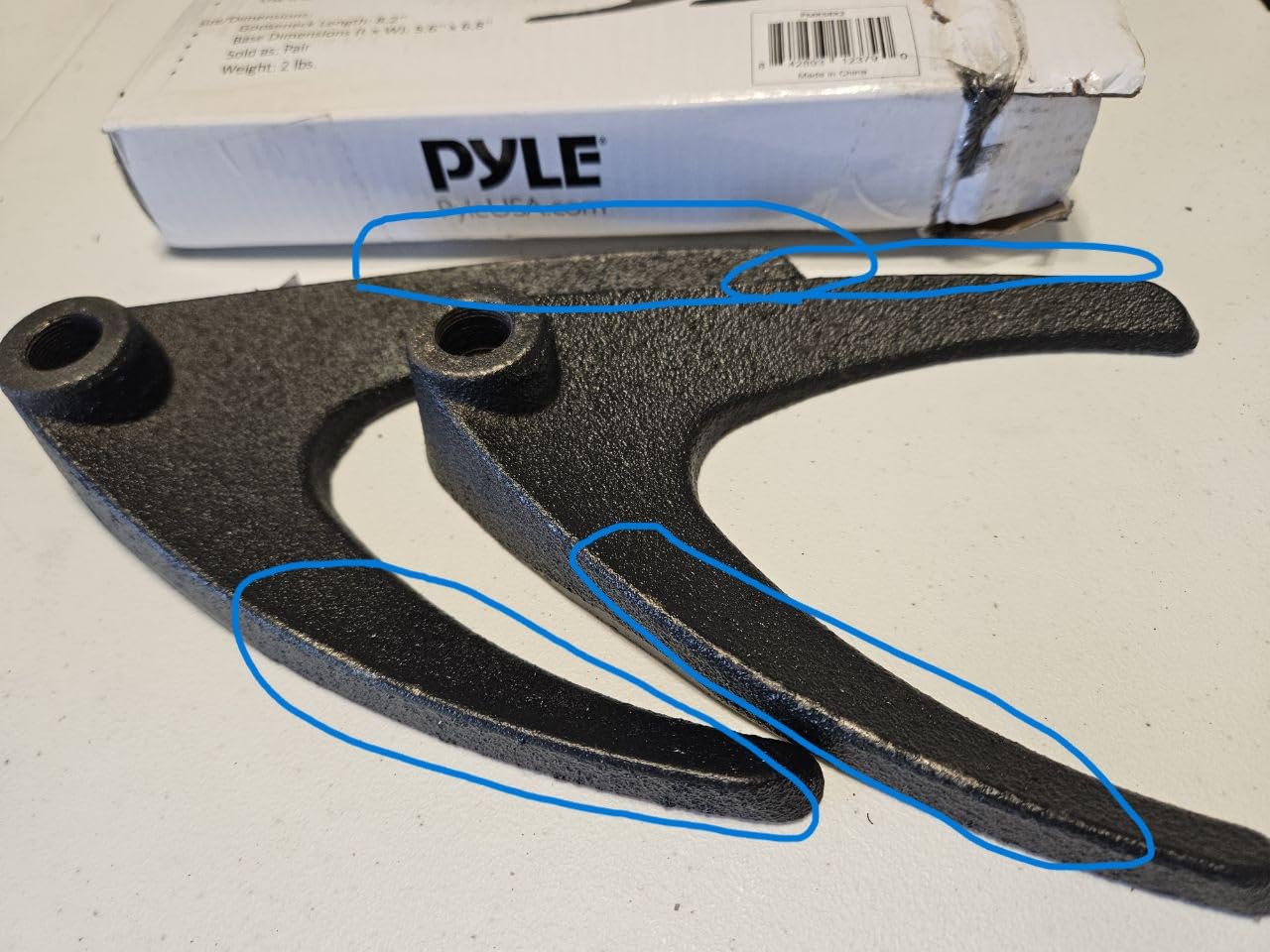
Build quality is straightforward rather than fancy. The base is a solid iron U shape with a non-slip rubber underside, which spreads the mass and resists tipping better than a thin plate. The clip uses standard 5/8 inch threading, and a fixed knob plus anti-slip dents stop the microphone rotating out of aim once you set it.
Buyers value the low profile for broadcast and podcast use, and the consistent limitation is the same: 8.2 inches of reach means the mic sits close to the base. If your speaker leans back from the desk, that close position will not suit them.
Who This Stand Suits
Best for a two-person video podcast on a small desk, or a single-mic user who wants a backup position on the same table. The low profile keeps the hardware out of frame and leaves desk space free, which matters when you are sharing a surface between talking and working.
It is also a sensible pairing for a desk that hosts two guests side by side, since both mics sit at the same height and the same distance from their speakers.
Who Should Look Elsewhere
Skip it if your recording style involves leaning back, or if you need to pull the mic well clear of a mechanical keyboard. Eight inches of arm does not buy you the clearance a boom arm gives you.
Anyone recording alone should also weigh whether a second identical stand earns its place. A single clamp model with a longer arm is a better use of the same budget if you only ever mount one microphone.
8. Hi-ERA 13.78 Inch Clamp Stand – Widest Clamp Grip on a Short Arm
Podium Microphone Holder & Mic Holder -13.78″ Flexible Gooseneck Desktop Mic Stands Holder for Lectern Podium Podcast Meetings Lectures Pulpit Streaming Gaming Studio
Desk clamp to 2.56 inch
0.48 inch thick aluminum gooseneck
0 to 360 degree base rotation
3/8 to 5/8 adapter included
Pros
- Widest clamp opening here at 2.56 inch thick
- Thick 0.48 inch aluminum neck holds position without drift
- Base rotates 0 to 360 degrees for quiet repositioning mid take
- Soft cushion on the clamp protects desk edges
- Works with Blue Snowball
- HyperX SoloCast and other USB mics
Cons
- Clamp needs a flat desk edge
- curved or slanted edges reduce grip
- Gooseneck is shorter than some 19 inch desk arms on the market
Clamp fitment is the deciding factor for this one. The jaw opens to 2.56 inch, the widest range in this roundup, which means it grips chunkier desk tops that a narrower clamp would only half-close on. If you have a thick wooden desk or a laminate top with a substantial edge, this is the one to measure against.
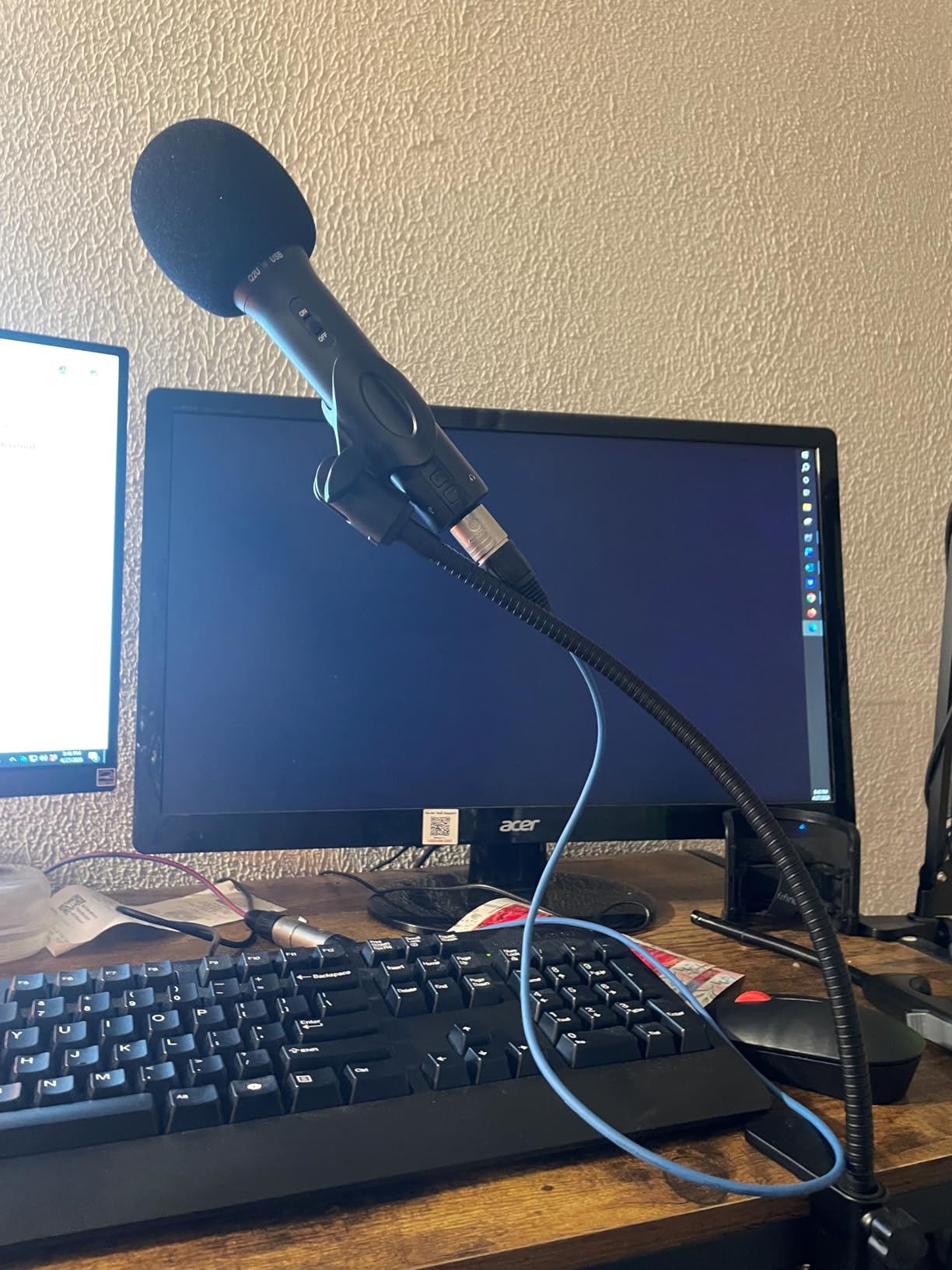
The gooseneck itself is unusually chunky at 0.48 inch across in aluminum alloy with a baked-paint finish for scratch resistance. That diameter is why it holds a set shape without drifting, and it is the detail we looked for in every stand before recommending one for a long interview.
Rotation at the base runs 0 to 360 degrees, and because it turns at the base rather than mid-arm, you can reposition it without twisting the whole neck. Owners specifically call out that it allows quiet adjustment during a live recording, which is exactly the mid-take noise problem most flexible hoses create.
You get a low-profile mic arm clip for dynamic mics plus a three-eighth to five-eighth inch screw adapter, so a USB condenser like a Blue Snowball or a HyperX SoloCast drops in without a trip to find a thread size.
Who This Stand Suits
Pick this for a thick desk, a shared workspace you cannot bolt into, or a solo podcaster who adjusts mic angle between segments. The base rotation is the quietest repositioning in this group, which matters when you are editing a single-take interview.
The cushioned clamp also makes it a reasonable choice for rented or borrowed furniture, since the soft pad reduces the chance of marking an unfamiliar desk edge.
Who Should Look Elsewhere
It is the wrong tool for curved, rounded or strongly slanted desk edges. A clamp needs a flat vertical face to bite into, and on a bowed edge the jaws meet the curve rather than each other. Check the profile of your desk before ordering.
If you need to reach across a deep desk, the shorter arm limits you compared with longer 19 inch desk models on the market. For a large surface, budget for a longer arm or a boom instead.
Gooseneck vs Boom Arm vs Tripod Stand: Which One Do You Need?
The three categories get confused constantly, and picking the wrong one is why so many podcasters end up with a stand that fights them. A gooseneck bends and stays bent. A boom arm pivots on a joint and is tensioned with a counterweight. A tripod is a straight post on legs with a small adjustment range.
A gooseneck wins on desk footprint and price, and it holds a precise angle once set. It loses on reach, on total load capacity, and on the ability to move the mic a long way without re-bending the neck.
A boom arm wins on reach and on heavy load, and it can move through a wide arc while you talk. It costs more, takes a bigger clamp footprint, and on camera a horizontal arm is more visible than a short vertical one.
A tripod wins on nothing for podcasting except standing use. It takes floor space, resists height change once set, and its legs collide with chair movement and pedal boards. It remains the right answer for a live band, not a desk show.
How to Choose a Gooseneck Mic Stand in 5 Steps
First, decide whether you are buying a complete stand or an attachment. If you already own a base, clamp or boom arm, a bare gooseneck is a better buy because you skip a component you already have. If you are starting with nothing, buy the complete unit and accept a shorter arm for the convenience.
Second, measure your desk edge before you choose a clamp. Record the thickness and the shape of the profile. Most clamp problems we saw were a jaw meeting a curved or slanted edge rather than a clamp that was too weak.
Third, add up your total weight before you trust a capacity number. Microphone, plus shock mount or clip, plus any pop filter hardware, all of it sits on the top joint. Leave roughly a quarter of the rated capacity as headroom.
Fourth, check the thread. Five-eighth 27 is the standard for most handheld and broadcast mics, three-eighth inch is common on small desktop and USB models, and quarter inch shows up on phone and camera mounts. If the listing does not mention a thread or an adapter, assume you will need one.
Fifth, think about how much you will move it. If you reposition between segments, prioritise a base that rotates or a stiffer neck. If you set it once and record for two hours, flexibility matters less than clamp strength and finish quality.
Match Your Microphone to the Right Weight Capacity
This is the step that prevents most returns. A capacity rating describes the microphone, but what actually loads a gooseneck is the microphone plus everything attached to it. A condenser in a full shock mount can be more than double the bare mic weight.
Common podcast microphones sit on the lighter side. A Blue Snowball, a HyperX SoloCast and a Rode PodMic are all light enough for a 2.5 lb arm, and a Blue Yeti sits comfortably under that ceiling with a clip.
Midweight dynamic mics are where the first limits appear. An Audio-Technica AT2020, an SM58 and an SM7B each need a little more support than a small USB mic, particularly once a shock mount is added. This is the range where the 4.5 lb InnoGear floor stand and the 5 lb LyxPro base earn their ratings.
The rule we use: total weight under about 75 percent of the rated capacity. Below that, the neck holds its shape indefinitely. Above it, expect slow creep, and expect to retighten or reposition every few takes.
One extra warning. A heavy microphone on a lightweight gooseneck does not fail loudly, it fails slowly, and you may not notice the drift until you play back an episode. Check the position at the start and end of every session.
Thread Sizes and Adapters Explained
Five-eighth 27 inch is the standard thread on most professional microphone stands and accessories. If your microphone has an integrated mount on a boom-style arm, this is almost certainly what you need, and it is the size to look for first.
Three-eighth inch is common on smaller desktop hardware, some USB condensers and entry-level broadcast mics. Quarter inch appears on phone and camera mounts, and on a few compact desktop bases.
Adapters are simple and inexpensive, and four of the eight stands in this guide include a three-eighth to five-eighth inch screw adapter in the box. Check the included components before you buy a separate adapter, because two of these listings already ship one.
One fitment quirk worth knowing: microphones with an integrated mount, such as a Blue Yeti, have their own yoke rather than a threaded body. The adapter still matters because it is the yoke that meets your stand thread. Fit the yoke, then screw the adapter into your stand, then tighten the yoke handle evenly.
Are Gooseneck Microphone Stands Good for Podcasting?
Yes, for desk-based podcasting, especially solo shows and video work where you need a low-profile, repeatable mic position. A gooseneck holds a set angle without a counterweight system, frees desk space a boom arm would occupy, and costs less.
They are not the right answer for standing shows, heavy broadcast dynamics in full shock mounts, or anyone who needs to move the mic a long distance mid-session. In those cases a weighted floor stand or a tensioned boom arm is more appropriate.
One limitation that no stand solves: a gooseneck positions the mic, it does not treat the room. Desk vibration, traffic noise and an untreated space need separate attention regardless of what you mount the microphone on.
Building a Two-Person Podcast Desk Rig
Start with desk edge measurements for both clamps, not one. Two people usually sit at one shared desk, so check the thickness and the profile of the edge at each seat position before choosing clamps. Thick tops with wide under-frames rule out some models entirely.
Space the mics at the same distance from each speaker, not the same distance from each other. A consistent four to six inches between the pop filter and the mouth gives a stable level, and matching that distance for both people is what keeps a two-voice recording even.
Buy matching stands if you can. Two of the same clamp model or two of the same floor stand keep both voices at identical height and rigidity, and it removes any chance that one person is fighting a stiff joint while the other is not.
Plan the cable route before the first take. Run cables down the back of the desk or along the floor, secure the slack with the included cable holders, and leave enough loop that a clamped stand can be opened and closed without dragging the cable.
Finally, do a sound check with both people in the room. Desk knock from a keyboard or a mouse is transmitted through any desk-mounted stand, and a gooseneck sitting on the surface picks that up more than a clamp mounted at the edge.
Frequently Asked Questions
What is the best microphone stand for podcasting?
For a desk-based solo podcast, a clamp-mounted gooseneck is usually the best fit because it holds a set angle, saves desk space and needs no counterweight. For a two-person show on a shared desk, two matching clamp or floor stands keep both voices at the same height. Choose a heavier stand for a broadcast dynamic in a shock mount, and always add mic plus mount weight before trusting a capacity rating.
Are gooseneck microphone stands good?
Yes, for desk podcasting they are good because a flexible arm holds the angle you set and needs no counterweight system. They cost less than a boom arm and take up less desk space. They are less suited to standing shows, very heavy microphones in full shock mounts, or rigs that need long reach across a large desk.
What mic stand does Joe Rogan use?
Joe Rogan records on a large broadcast dynamic microphone mounted on a heavy boom arm in a treated studio, which is the opposite setup to a desktop gooseneck. If you want the flexible-positioning feel of that approach at a desk, the clamp-mounted gooseneck picks in this guide give you repeatable placement without a large arm crossing your frame.
What mics do most podcasters use?
Most podcasters use a USB condenser such as a Blue Snowball, a HyperX SoloCast or an Audio-Technica AT2020USB, or a dynamic such as an SM58 or SM7B. For a gooseneck stand, USB condensers sit within a 2.5 lb arm rating while larger dynamics with a shock mount need a stand rated closer to 5 lb.
What thread size does a microphone stand use?
Five-eighth 27 inch is the standard on most professional stands and accessories. Three-eighth inch is common on smaller desktop hardware and some USB microphones, and quarter inch appears on phone and camera mounts. A three-eighth to five-eighth inch adapter covers most cases, and several stands in this guide include one.
Why does my gooseneck mic stand sag or fall over?
Sag is almost always a load problem. Add your microphone, shock mount and any adapters together and compare the total with the rated capacity. Leave about a quarter of the rating as headroom. Sagging joints and drifting positions on light stands are fixed by a small counterweight, retightening the neck or moving to a weighted base.
Can you use a gooseneck stand with a shock mount?
Yes, as long as the total weight of the microphone and the shock mount stays under the stand’s rated capacity. A full shock mount can be heavier than the microphone, so check the combined figure rather than the mic alone. If the pair approaches the limit, choose a weighted floor stand or a higher-capacity desktop base.
The Verdict: Which Gooseneck Mic Stand to Buy in 2026
If you want the best gooseneck microphone stands for podcasters and need one recommendation, take the OnStage 13 inch gooseneck, our editor’s choice. At 4.6 stars across 2720 ratings it is the most proven flexible arm we tested, it takes a set position and holds it for hours of talking, and 5/8-27 threading on both ends means it fits nearly every base, clamp and boom arm you might already own.
If you are starting from nothing and want one box that does the whole job, the ZealSound 13 inch clamp-on is the pick. It is the only complete unit in this group that ships a clamp, a stiff arm, a mic clip and the right adapter together, and 987 ratings at 4.4 stars reflect a neck that holds position without droop.
For standing work or a heavy dynamic, the InnoGear weighted floor stand handles the load and the height. Check your total mic plus mount weight against the capacity, buy a shock mount if your condenser needs one, and give a stiff new neck a week of use before you judge it.