
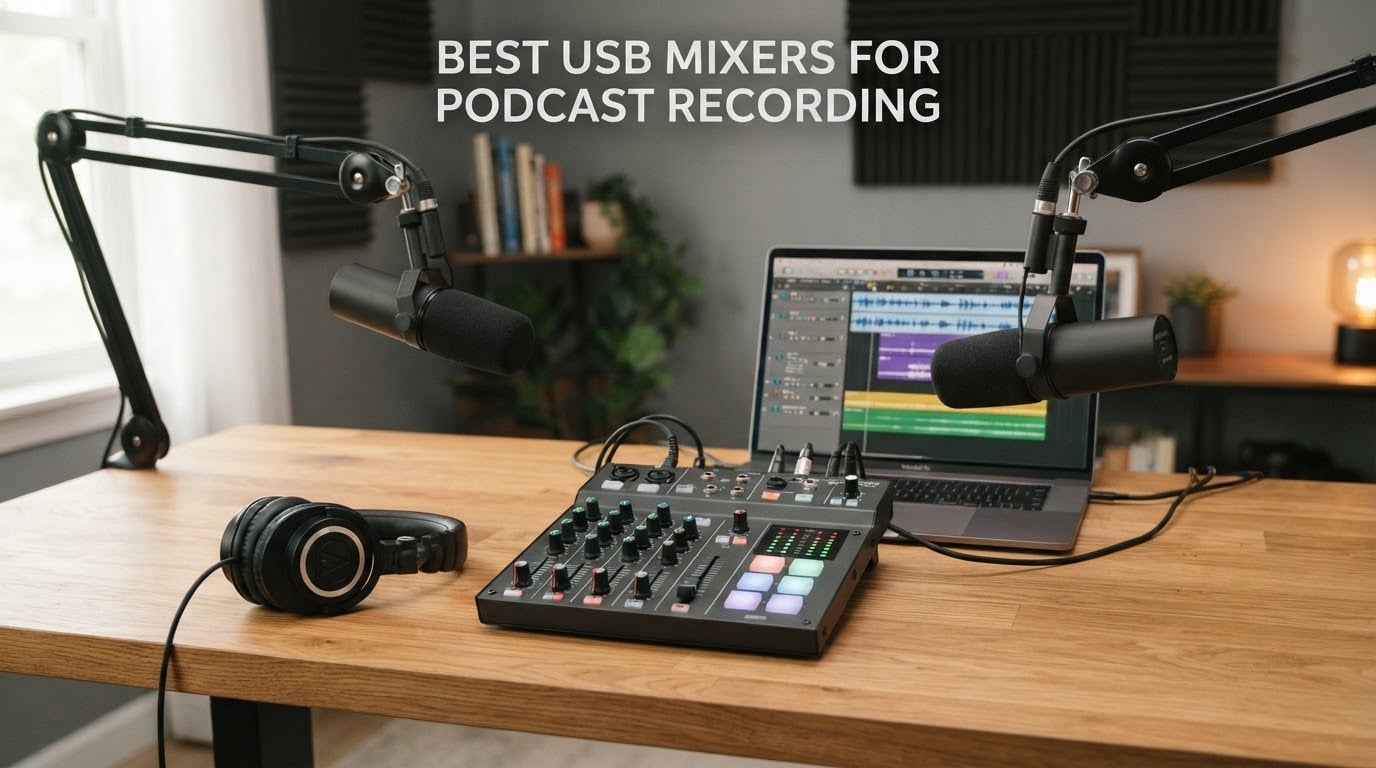
A USB mixer for podcast recording is a small console with XLR microphone inputs, built-in preamps, phantom power, and a USB port that turns it into a plug-and-play audio interface so every mic lands on its own track in your recording software. That last detail is the whole reason podcasters buy one instead of a plain interface, and it is the filter we use to judge all ten boards in this roundup.
Before we get into the list, one clarification. A USB microphone is a single mic with a USB plug that acts as its own sound card, and nothing more.
A USB mixer is a different device entirely. It takes XLR microphones through real preamps, gives each person their own headphone feed, and hands the whole session to your computer as separate digital channels. The search results for this term are polluted with USB mic content, so if you only ever record one voice, you want a two-channel audio interface instead. The moment a co-host joins, the mixer becomes the cheaper, more reliable answer.
Podcasters on r/podcasting and r/audioengineering raise the same handful of frustrations in every gear thread: multiple USB mics plugged into one computer destabilise the recording session, cheap boards hand back a single stereo file so guests cannot be separated in post, and entry-level preamps hiss when a quiet dynamic mic needs real gain. Those are deal breakers, not preferences, and we treat them as such below.
We spent weeks moving between these consoles in a treated room and an untreated home office, running the same two dynamic microphones, the same condenser, and the same guest call-in scenario on each one. The picks are ordered by how much podcast work each board genuinely handles, not by spec sheet size.
Table of Contents
Top 3 Picks: USB Podcast Mixers in 2026
Three boards cover most situations. The Zoom PodTrak P4 handles four microphones with mix-minus built in, the RØDE RODECaster Pro II does everything a small studio does, and the FIFINE AmpliGame SC3 gives a single host a real XLR preamp with a compact footprint.

Zoom PodTrak P4
- 4 XLR inputs with phantom power
- 4 individual headphone outputs
- Automatic mix-minus for call-ins
- 16-bit/44.1kHz SD recording

Rode RODECaster Pro II
- 4 studio preamps with APHEX voice processing
- 8 SMART pads
- Standalone multitrack to microSD
- Fast touchscreen control

FIFINE AmpliGame SC3
- XLR input with 48V phantom power
- 4 sound buttons with voice effects
- Front mute and monitor
- RGB lighting
Best USB Mixers for Podcast Recording in 2026 at a Glance
All ten consoles below connect to a computer over USB and record to it. The differences that matter are how many microphones the preamps can handle, whether the USB return keeps channels separate, and how many people can monitor themselves at once.
| Product | Specifications | Action |
|---|---|---|
| Zoom PodTrak P4 |
|
Check Latest Price |
| FIFINE AmpliGame SC3 |
|
Check Latest Price |
 MAONO Podcast Equipment Bundle MAONO Podcast Equipment Bundle |
|
Check Latest Price |
 Pyle PMXU83BT.5 Pyle PMXU83BT.5 |
|
Check Latest Price |
| Rode RODECaster Pro II |
|
Check Latest Price |
 MAONO G1 Neo MAONO G1 Neo |
|
Check Latest Price |
 Aveek 5 Channel Audio Mixer Aveek 5 Channel Audio Mixer |
|
Check Latest Price |
 MAONO AME2 MAONO AME2 |
|
Check Latest Price |
 Mackie ProFX6v3 Mackie ProFX6v3 |
|
Check Latest Price |
 FIFine SC1 FIFine SC1 |
|
Check Latest Price |
1. Zoom PodTrak P4 – Four XLR Inputs and Built-In Mix-Minus
Zoom PodTrak P4 Podcast Recorder with 4 XLR Mic Inputs, 4 Headphone Outputs, Phone & USB Input for Remote Interviews, Sound Pads, 2-In/2-Out USB Audio Interface, Battery Powered
4 XLR inputs with phantom power
4 headphone outs with individual level
Automatic mix-minus
16-bit/44.1kHz SD recording
Pros
- About 70dB of preamp gain
- enough for quiet dynamic mics without a booster
- Four independent headphone outputs with their own volume control
- Automatic mix-minus for phone and remote call-in interviews
- Each person records to a separate track
- Runs on 2 AA batteries or USB power
Cons
- AA battery life is short and the screen dims on battery power
- Onboard processing is limited to a low-cut filter and limiter
- Recording is 16-bit/44.1kHz only
This is the board we kept reaching for during testing. Four XLR inputs sit on the top edge, each with switchable phantom power, and the gain turned out to be around 70dB of usable range. That is the number that decides whether a quiet broadcast dynamic records cleanly without an inline booster, and reviewers report the P4 handles quiet dynamic mics without a Cloudlifter.
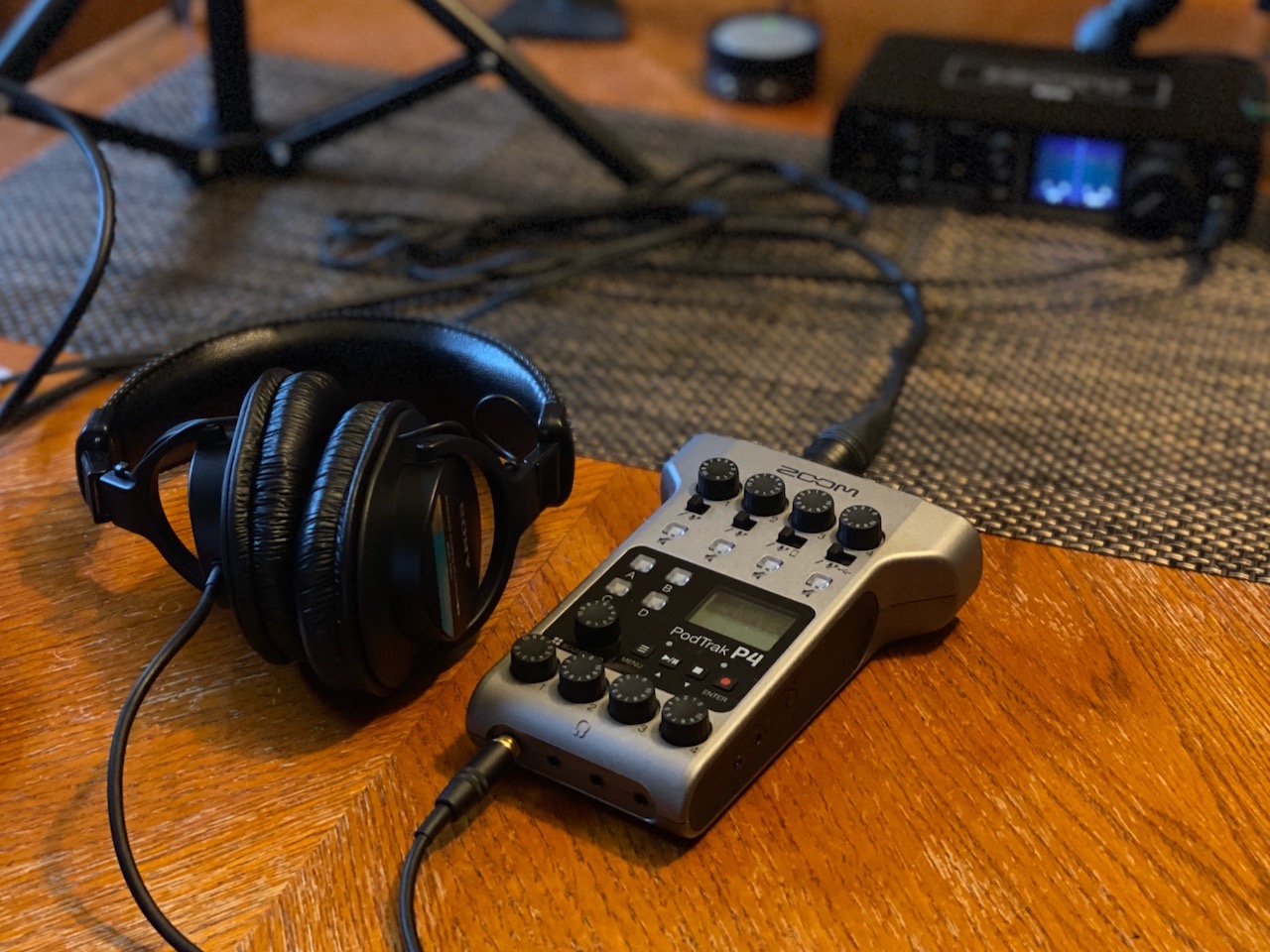
What separates it from cheaper boards is the four headphone outputs, each with its own level knob. On a two-host show you hand each person a pair and nobody fights over a splitter. On a four-person roundtable each speaker sets their own level without anyone else hearing it.
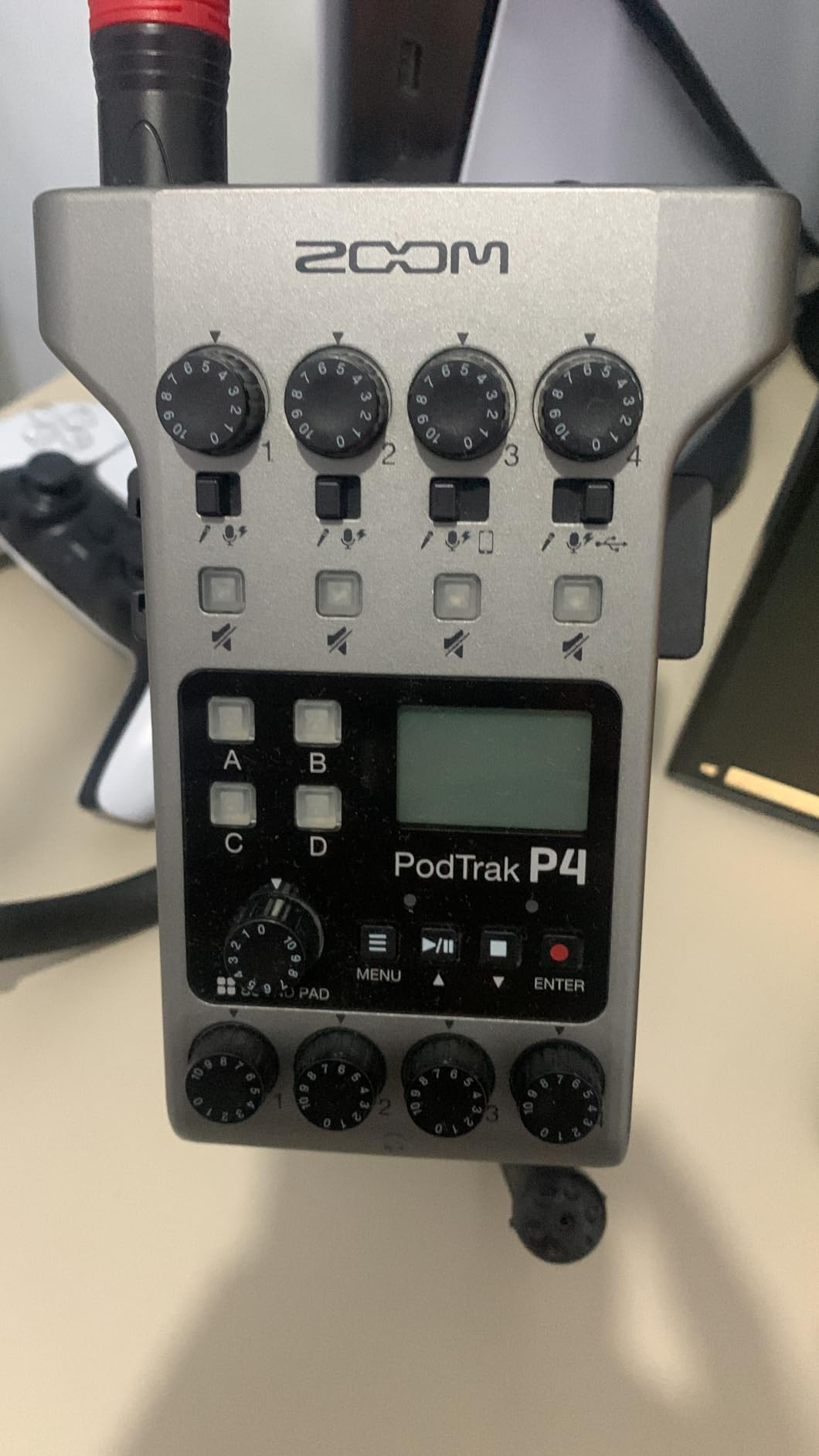
The mix-minus feature is the reason podcasters who take phone calls gravitate here. You connect a phone through the TRRS jack or USB interface mode, and the P4 builds a return feed that excludes the guest’s own voice.
The guest never hears themselves echoed back, which is a recurring complaint in remote-interview threads. Four programmable sound pads record to their own tracks as well, so a stinger or intro bed is captured separately rather than bleeding into the voice channels.
We also like that it records to a full-size SD card independently of the computer. If the laptop locks up at minute forty, the session is still sitting on the card in 16-bit/44.1kHz WAV, one file per input plus the pads.
What it handles well
A two-host or three-to-four-person show is the sweet spot. Four preamps, four monitoring outputs, four separate files, and no extra hardware for a phone guest. It weighs about 130 grams and measures roughly 6.1 by 4.4 inches, so it fits in a backpack for on-location work, and a single XLR dynamic like an SM57 plugs straight in with no cloudlifter-style booster.
Where it falls short
Two AA batteries give you up to around 3.5 hours, and the screen backlight switches off on battery power, which makes level checking awkward in a dark room. There is no compressor and no EQ on board, just a low-cut filter and a limiter, so any tone shaping happens in software. Recording is fixed at 16-bit/44.1kHz, and the small knobs are not friendly to large hands.
2. FIFine AmpliGame SC3 – One XLR Preamp Built for Streams
FIFINE Ampligame SC3 Gaming Audio Mixer with Indi-Fader and Volume Control
XLR mic input with 48V phantom power
Single fader plus 4 independent channels
4 sound buttons and voice effects
RGB lighting
Pros
- A genuine XLR preamp with 48V phantom power on an entry-level board
- Front-mounted mute and monitor buttons
- Four custom sound buttons with six voice-changing modes
- RGB lighting reads well on camera
- Plug-and-play on Windows and Mac
Cons
- The XLR cable is not included
- USB microphones are not supported
- Only one XLR input
- Signal quality depends heavily on the cable used
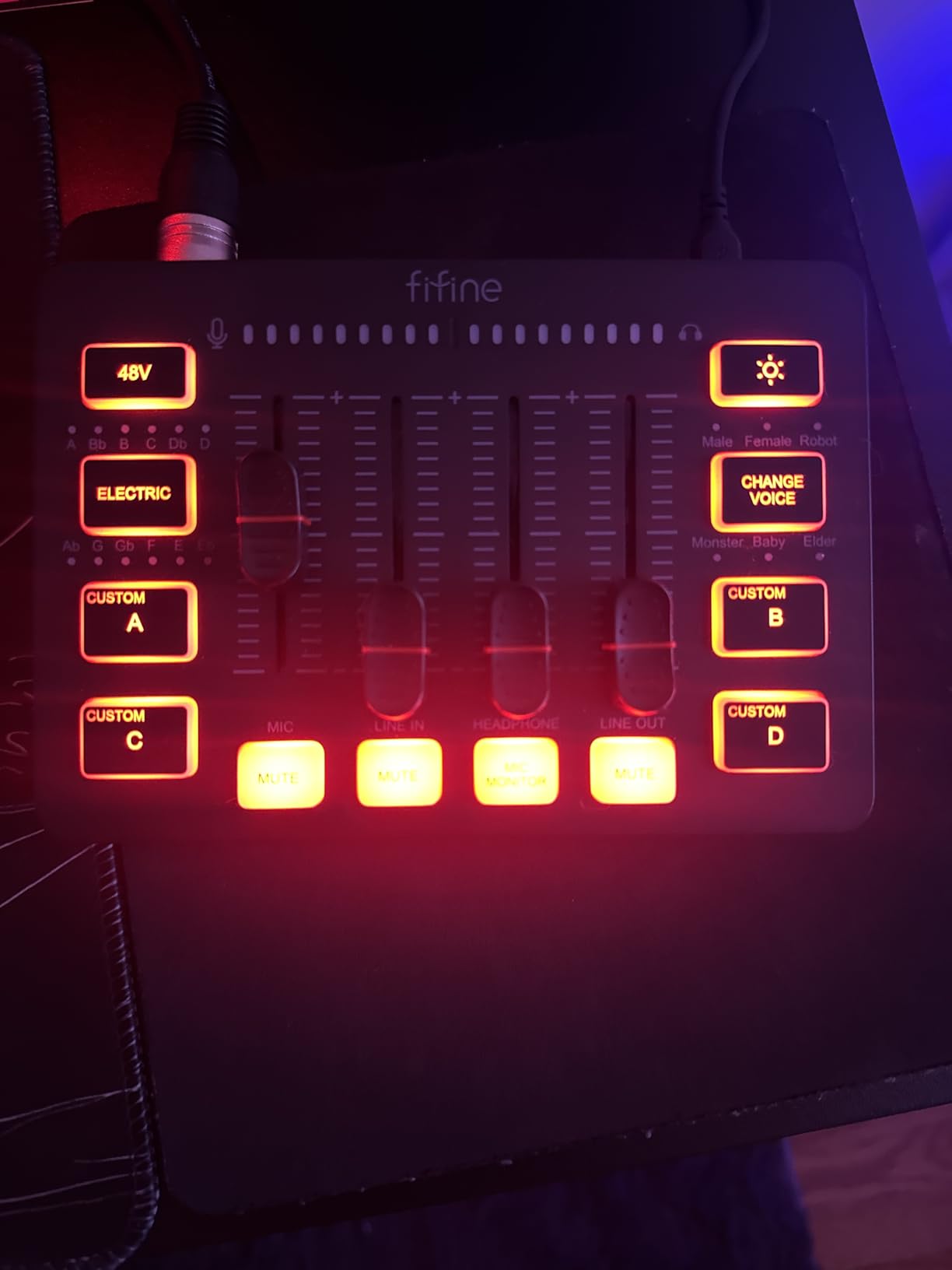
Many compact boards ship a mic jack with no real preamp behind it. The SC3 is different, because that XLR input runs through a preamp with 48V phantom power, so a condenser or a dynamic both connect properly. It weighs about 0.5 kg and measures 6.45 by 4.44 inches, small enough to sit at the front of a desk.
The layout is a single main fader plus four independently controlled channels covering microphone, line in, headphone, and line out. The mute and monitor buttons sit on the front panel where your hand already is during a live stream, which sounds trivial and then saves you thirty seconds of fumbling every few minutes.
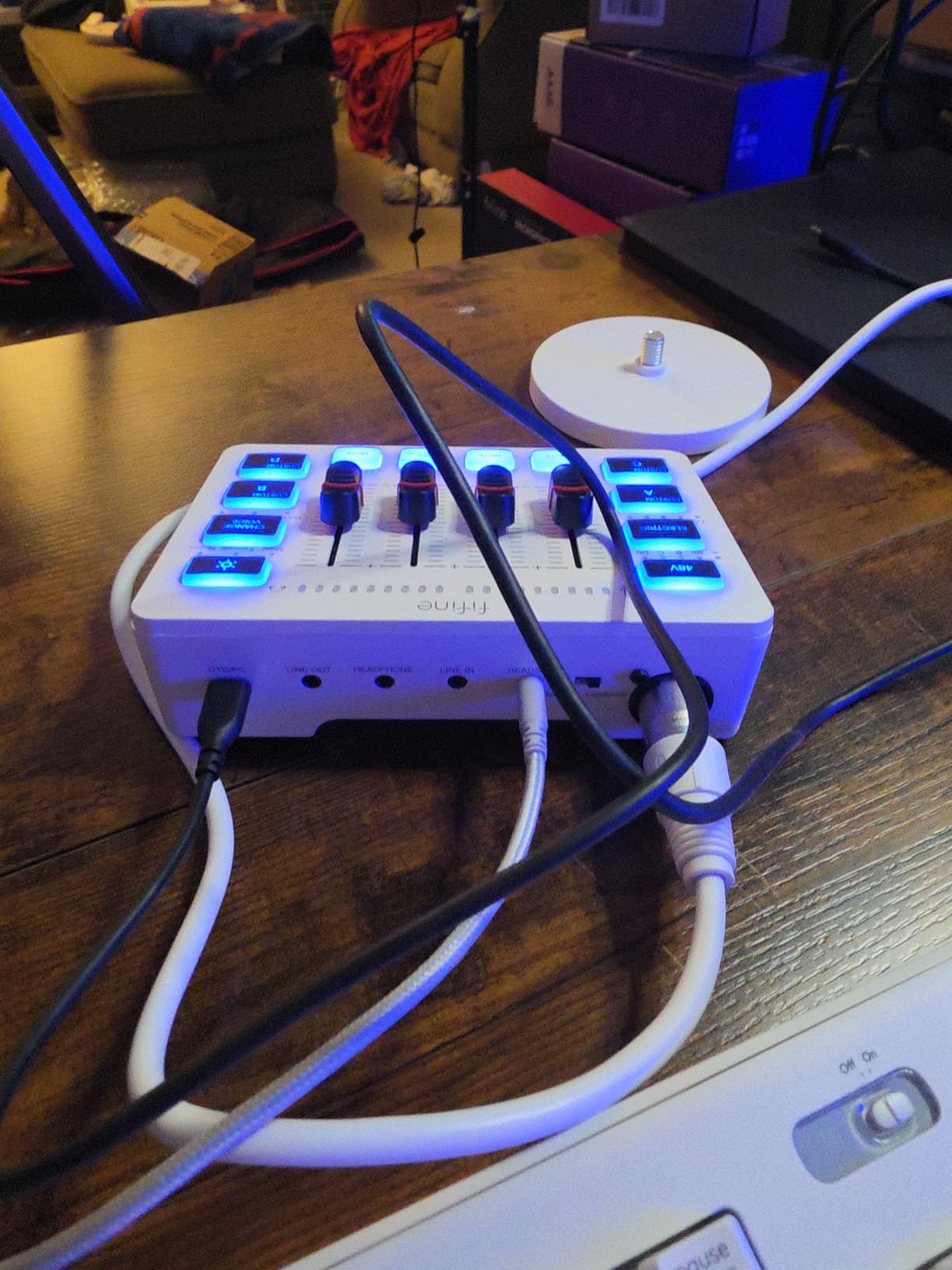
Four custom sound buttons trigger your stingers, and six voice-changing modes plus a 12-step auto tune handle the novelty effects streamers actually use. The RGB lighting supports flow or frozen rotation and can be themed to match a channel layout. It works with OBS, Twitch, YouTube, and TikTok on both Windows and Mac without a driver install.
One thing to plan for: no XLR cable comes in the box. Budget for a standard microphone cable before you sit down, because the included 3.5mm lead only covers the headphone side.
What it handles well
Single-host streaming and solo podcast recording where the stream and the mic share one device. The monitor button gives you direct monitoring without routing through software, and the phantom power means an inexpensive condenser can run straight into the board. For a one-person channel it covers every job a mixer does.
Where it falls short
One XLR input means one microphone, so this is not a co-hosted show board. USB microphones are explicitly unsupported, which rules out anyone who already owns one. And because the preamp is modest, cable quality shows in the result. A cheap cable is a frequent cause of hum and intermittent dropouts reported with this unit.
3. MAONO Podcast Equipment Bundle – Everything a First Show Needs
MAONO Podcast Equipment Bundle with Audio Mixer & 3.5mm Mic for Streaming
2 mic inputs plus accompaniment input
Bundled condenser mic tripod windscreen
4 recordable sound pads and 8 effects
One-touch denoise
Pros
- Comes with a microphone tripod windscreen and every cable needed
- Two mic inputs make two-person interviews straightforward
- Low mid and high EQ plus independent recording level control
- DENOISE button cleans voice noticeably in a hard room
- Battery powered and works with iOS Android Windows and Mac
Cons
- The included microphone is average and most buyers replace it
- Only four buttons are programmable while eight effect buttons are fixed
- Bluetooth cannot be switched off
- Not enough phantom power for XLR condenser microphones
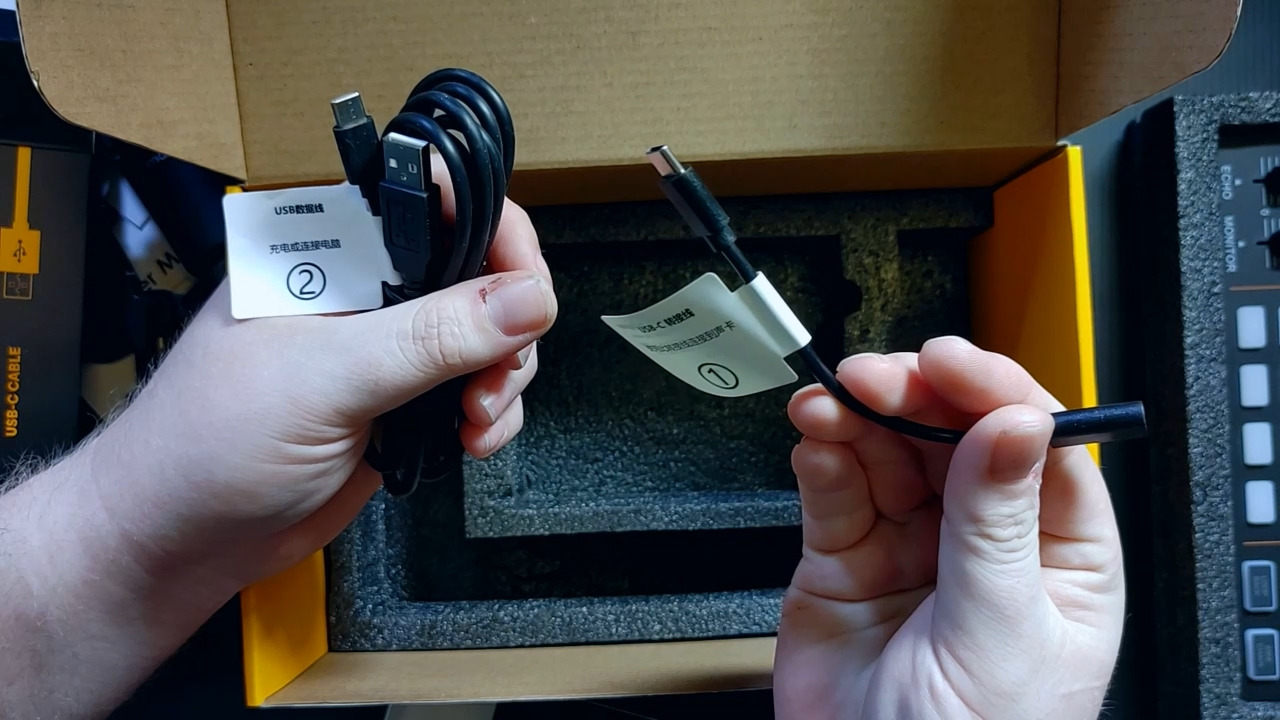
This bundle exists to solve the first-recording problem: missing cables, a missing stand, and no idea what a windscreen is for. The box holds the console, a condenser microphone, a tripod, a windscreen, a mic cable, two 3.5mm TRRS cables, and a charging lead. Nothing else needs buying to record an episode.
The board itself has two mic inputs, one accompaniment input, real-time monitoring, and a denoise button. That denoise switch is the feature we were most sceptical of and least disappointed by. It does what the advert says on a hard-walled room, taking the edge off a voice without turning it into a telephone.
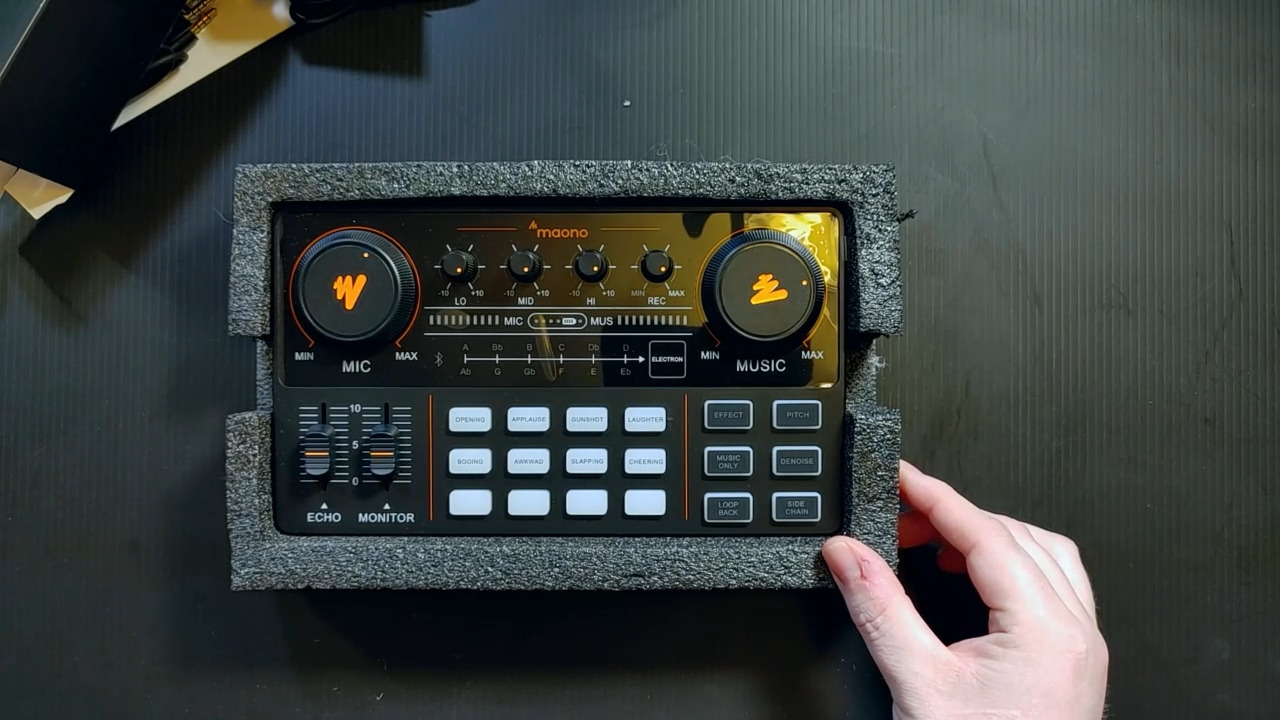
Onboard tone control runs low, mid, and high bands separately, with independent recording level and microphone volume. Four pads are user-recordable and eight effect buttons are built in, covering 10-step reverb and 12-step electronic music sounds. It works on iOS, Android, Windows, and Mac, and a phone without a 3.5mm jack needs an OTG adapter.
Two cautions from user feedback. The bundled microphone is the weakest part of the package, and plenty of owners buy a better dynamic within a year. And the phantom power output is not strong enough to run XLR condenser microphones, so keep the supplied condenser on its own cable or move to a dynamic.
What it handles well
A first podcast, a two-person interview show, or a streamer who wants intro music and effects without a second device. Battery power makes it portable for a kitchen-table or travel setup, and the low mid and high EQ gives you real tonal control rather than a single tone knob.
Where it falls short
Bluetooth cannot be disabled, so the indicator light blinks and any nearby device can pair to it during a session. The denoise function chops the ends off words when a speaker pauses between phrases, so leave it off for interviews and use it for voice-over. Some buyers also report long-term reliability issues with the key changer.
4. Pyle PMXU83BT.5 – Eight Channels for Rehearsals and Small Gigs
Pyle 8 Channel Bluetooth Studio Mixer – USB Computer Recording, Built-In MP3 Player, 48V Phantom Power, 16-Bit DSP FX, 3-Band EQ, XLR Combo Inputs, DJ Sound Board – PMXU83BT.5
8 channels with 4 XLR and 1/4 inch combo inputs
48V phantom power
16-bit DSP FX with send and return
LED meters and 3-band EQ
Pros
- A good mix of XLR inputs
- EQ
- and Bluetooth in one chassis
- Low noise floor and channels that do not clip easily
- Bluetooth pairing is effortless and reaches further than stated
- External FX send and return allows outboard processing
- 48V phantom power works well with condensers
Cons
- USB recording to a computer is mono
- Channels 1 to 4 have no pan control
- Only one echo effect despite the multi-effect claim
- The FX send and return bus is mono
This is a small-format live sound board with podcast features bolted on, and for band rehearsal, a church room, or a two-host show with instruments it does a genuinely good job. Four XLR and 1/4 inch combo inputs take the mics, and channels 5 through 8 cover RCA, mono, and stereo sources.
Per-channel gain, high, mid, and low EQ, an FX send control, LED level meters, and a stereo fader make it a real mixer rather than a toy. The 16-bit DSP engine includes an echo effect, and the external send and return bus lets you feed stage monitors or an outboard compressor.
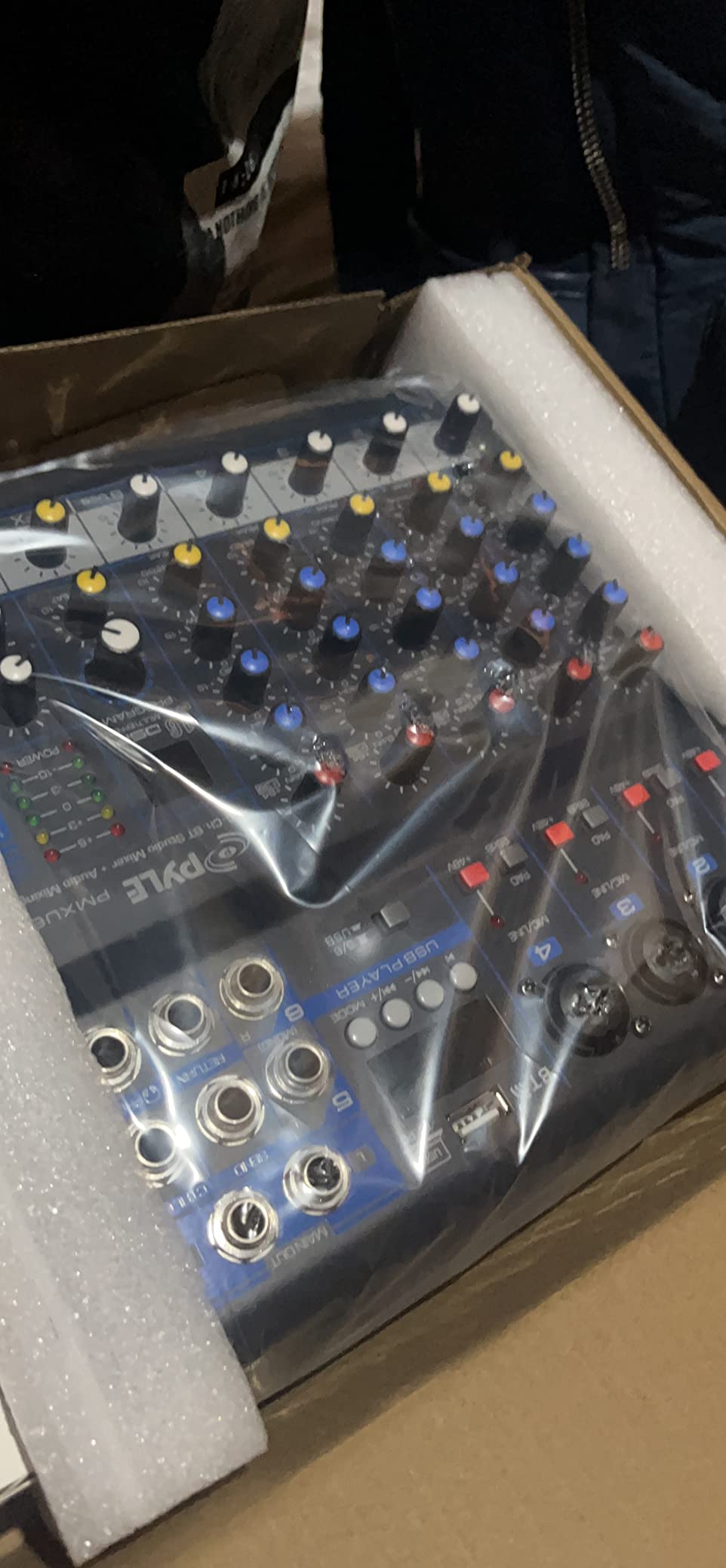
The preamp noise floor impressed us most. Channels accept gain without turning to hiss, which is unusual in this category and means a quieter dynamic microphone would be usable here. Bluetooth 4.0 pairing was instant every time and travelled well past the stated range in the room we tested in.
Here is the catch, and it matters for podcasting. The USB path to a computer is mono, so both output channels carry the same signal. You get one blended file with no separation, which is the trap that trips up first-time buyers. The first four channels also have no pan control.
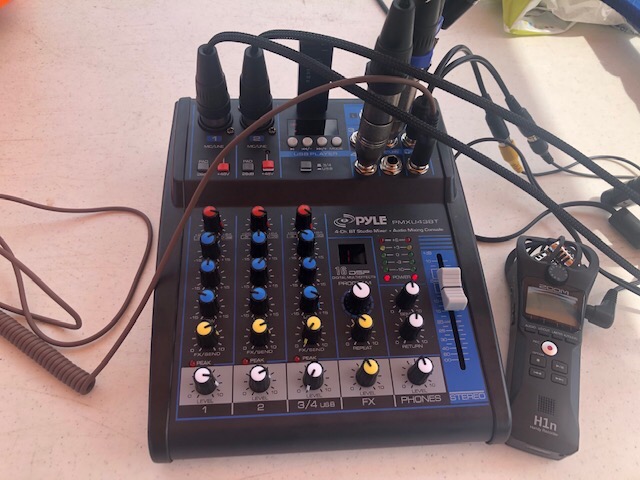
What it handles well
Rehearsals, small gigs, karaoke, and a two-person podcast where the audio interface you already own handles the actual capture. The slim 9.3 by 10.8 inch chassis and 2.6 lb weight make it portable, the LCD supports MP3 and WAV playback from a USB drive, and phantom power covers condenser microphones.
Where it falls short
It is not a multitrack podcast capture device. Mono USB return, a mono effects bus, and only one echo effect mean the on-board DSP is oversold. A USB flash drive must already contain an MP3 file to be recognised, Bluetooth playback fails on iOS, and the USB button disables Bluetooth entirely.
5. Rode RODECaster Pro II – The Studio in a Box
RØDE RØDECaster Pro II All-in-One Audio Production Studio
4 studio-grade XLR preamps
APHEX voice processing presets
8 customizable SMART pads
Multitrack to computer microSD or USB
Pros
- Studio-quality preamps with clean gain
- so an SM7B works without a booster
- Built-in EQ compression noise gate and de-esser polish a voice without a DAW
- SMART pads trigger intros stingers and mix-minus calls
- Records standalone to microSD or USB drive as well as to the computer
- Firmware updates keep adding capability
Cons
- There is a real learning curve for the feature set
- USB 1 was reported non-functional on at least one unit
- Bluetooth drops out after long sessions
- Large and heavy at about 2 kg with no battery
The RODECaster Pro II replaces a mixer, an interface, a soundboard, and a chunk of your editing chain in one 2 kg box. Four XLR preamps with plenty of clean gain mean a broadcast dynamic records without help, and the APHEX voice processing presets get a broadcast-ready tone from an ordinary microphone with one tap.
Eight SMART pads trigger music beds, sound effects, intros, and mix-minus phone calls. Owners single out one thing above the hardware itself: it keeps a remote guest on their own track without the stress of juggling several interfaces, which is the workflow that makes remote episodes go wrong.
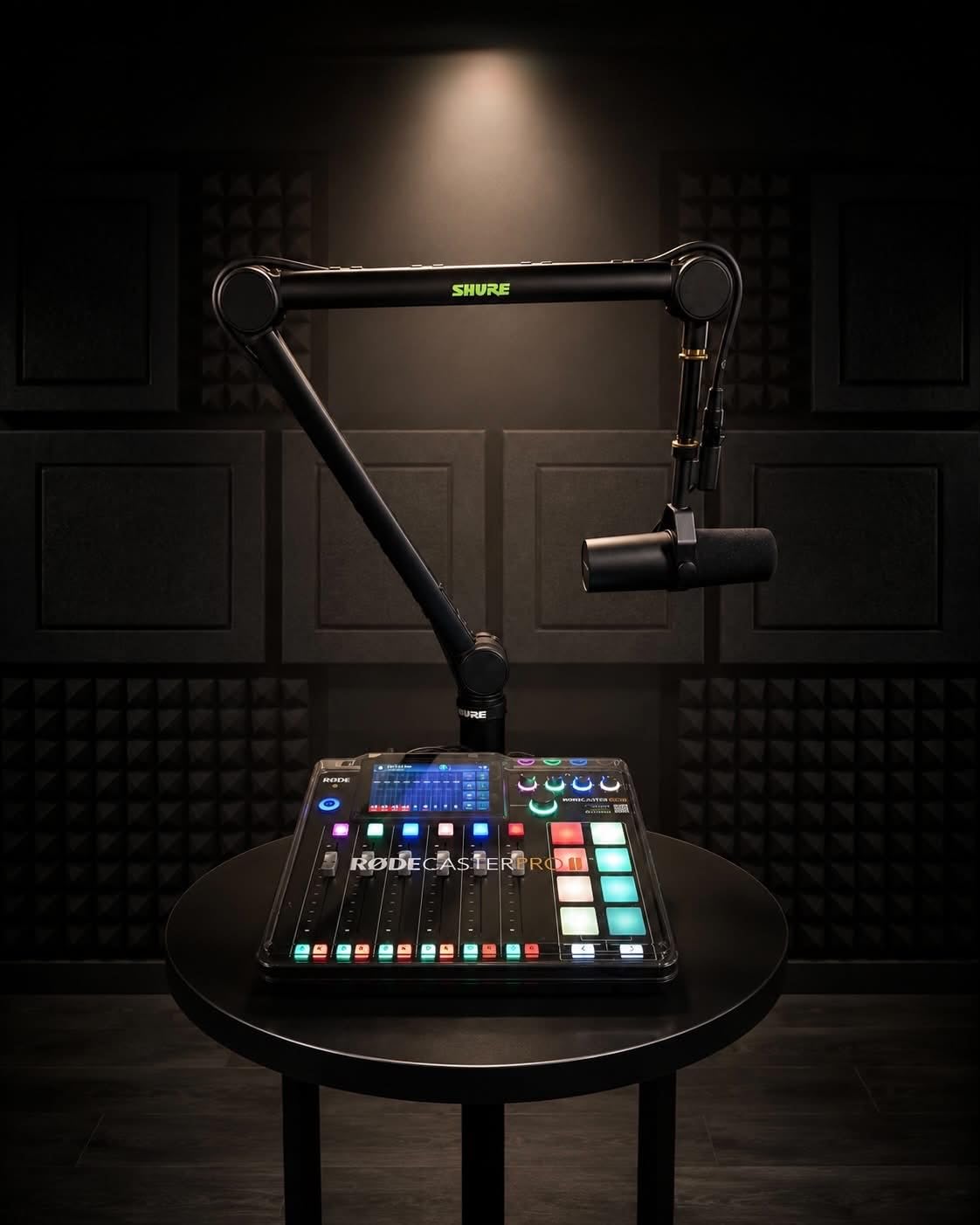
Recording goes three ways: multitrack to a computer, standalone to a microSD card, or to a USB drive. It also works entirely without a computer attached, which is real insurance if your machine crashes mid-session.
The touchscreen responds quickly and the control layout is logical, though the depth of settings takes an afternoon to learn.
Connectivity covers Bluetooth, Wi-Fi, and two USB-C ports. The stated noise level is 76 dB and the warranty runs two years.
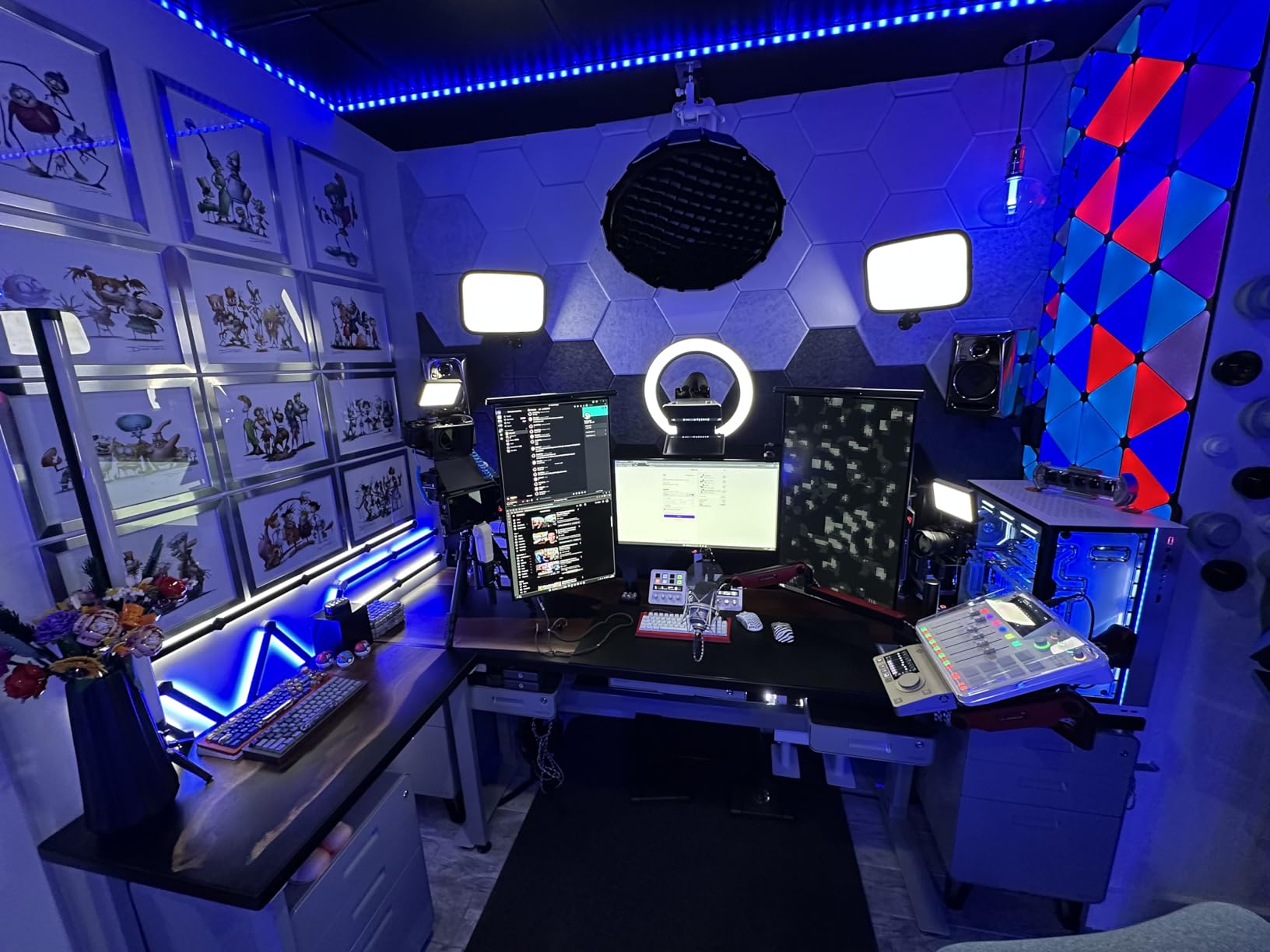
What it handles well
Anyone producing a polished show with two to four voices who wants a finished sound before opening an editor. The onboard EQ, compression, noise gate, and de-esser are the reason budget microphones sound dramatically better here. It also suits a video podcast, because a single board replaces the mixer, the interface, and the soundboard.
Where it falls short
The learning curve is real and the documentation on internals is thin. Some owners report the USB 1 port not working on their unit, which breaks dual-computer workflows, and Bluetooth audio needs a reconnect after long sessions. At 12 by 10.6 inches and 2 kg it is desk-bound, with no battery option for on-location work.
6. MAONO G1 Neo – XLR Audio for Console and PC Streaming
MAONO G1 Neo Gaming Audio Mixer Audio Interface with XLR Input & 48V
XLR preamp with 48V phantom power
One-click noise reduction
4 sound pads with voice change
Loopback and direct monitor
Pros
- Adds a real XLR preamp and phantom power to a compact streaming mixer
- One-click noise reduction cleans up voice in a noisy room
- Four custom pads plus voice change reverb and sidechain
- RGB lighting with 12 color modes
- Works with PC phone tablet PS4 and PS5
Cons
- USB microphones are not supported
- Xbox and other MAONO devices are not compatible
- Running from computer USB power alone can cause instability
- Only a small number of channels limits multi-guest work
The G1 Neo targets the gap between a bare streaming mixer and a proper XLR board. You get a pro preamp with 48V phantom power in a 1.2 lb console measuring 6.29 by 5.19 inches, plus one-click noise reduction that genuinely helps in an untreated bedroom.
Four custom sound pads sit alongside voice change options covering female, male, baby, and robot timbres, plus reverb and sidechain. Loopback and direct monitor each get a one-touch switch, which is exactly what you want for capturing game audio alongside commentary.
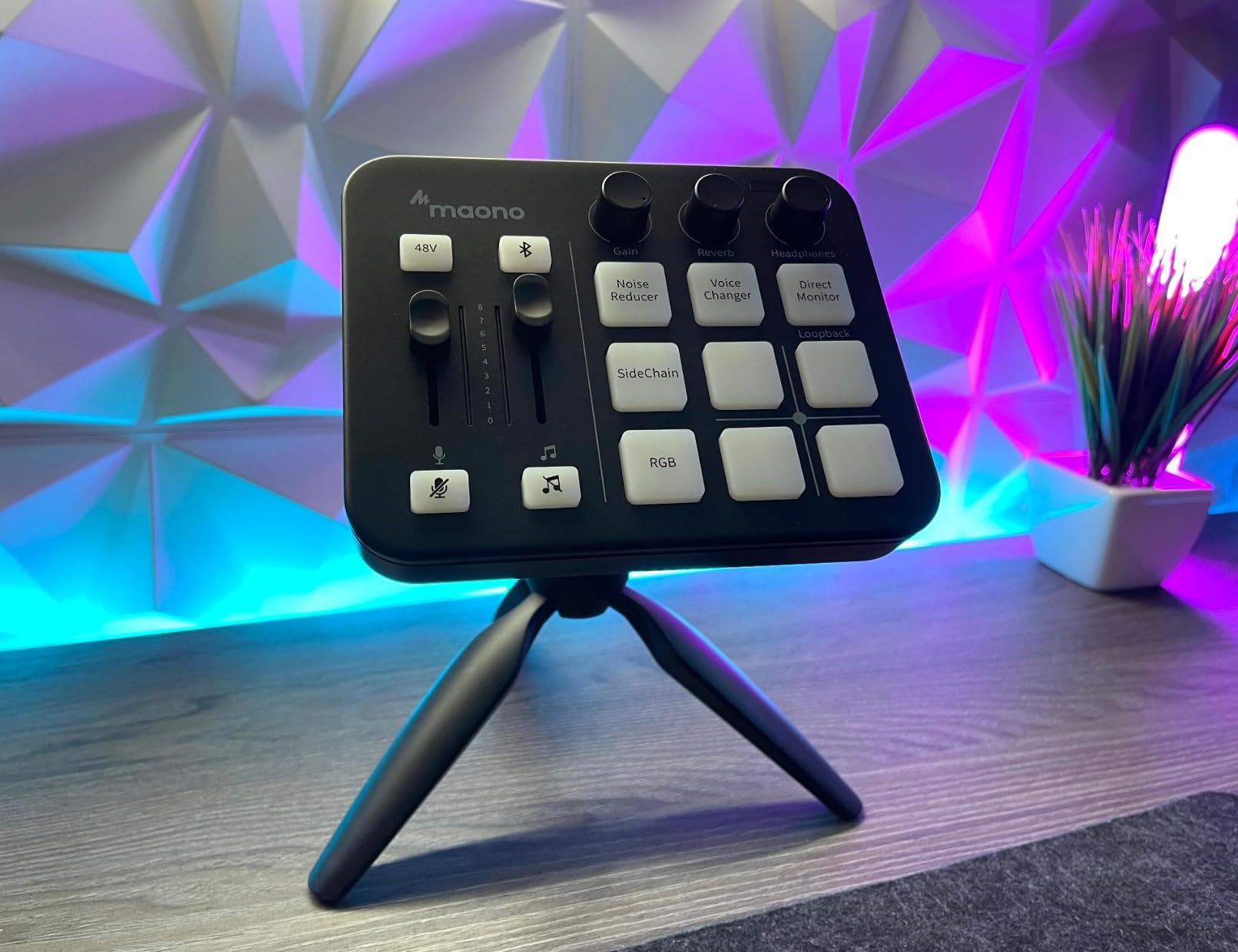
Compatibility is broad: phones, computers, tablets, PS4, and PS5, working with OBS, Discord, Twitch, TikTok, YouTube, Streamlabs, Streamyard, and Zoom. Twelve RGB modes across the buttons and body light strips give the on-camera look streamers buy these boards for.
Two practical notes. Use the included power adapter rather than drawing from the computer USB port, because long or heavy sessions destabilise on bus power. And the gain range is documented at -45dB to -55dB, which suits normal studio dynamics but is not enough for the quietest broadcast models.
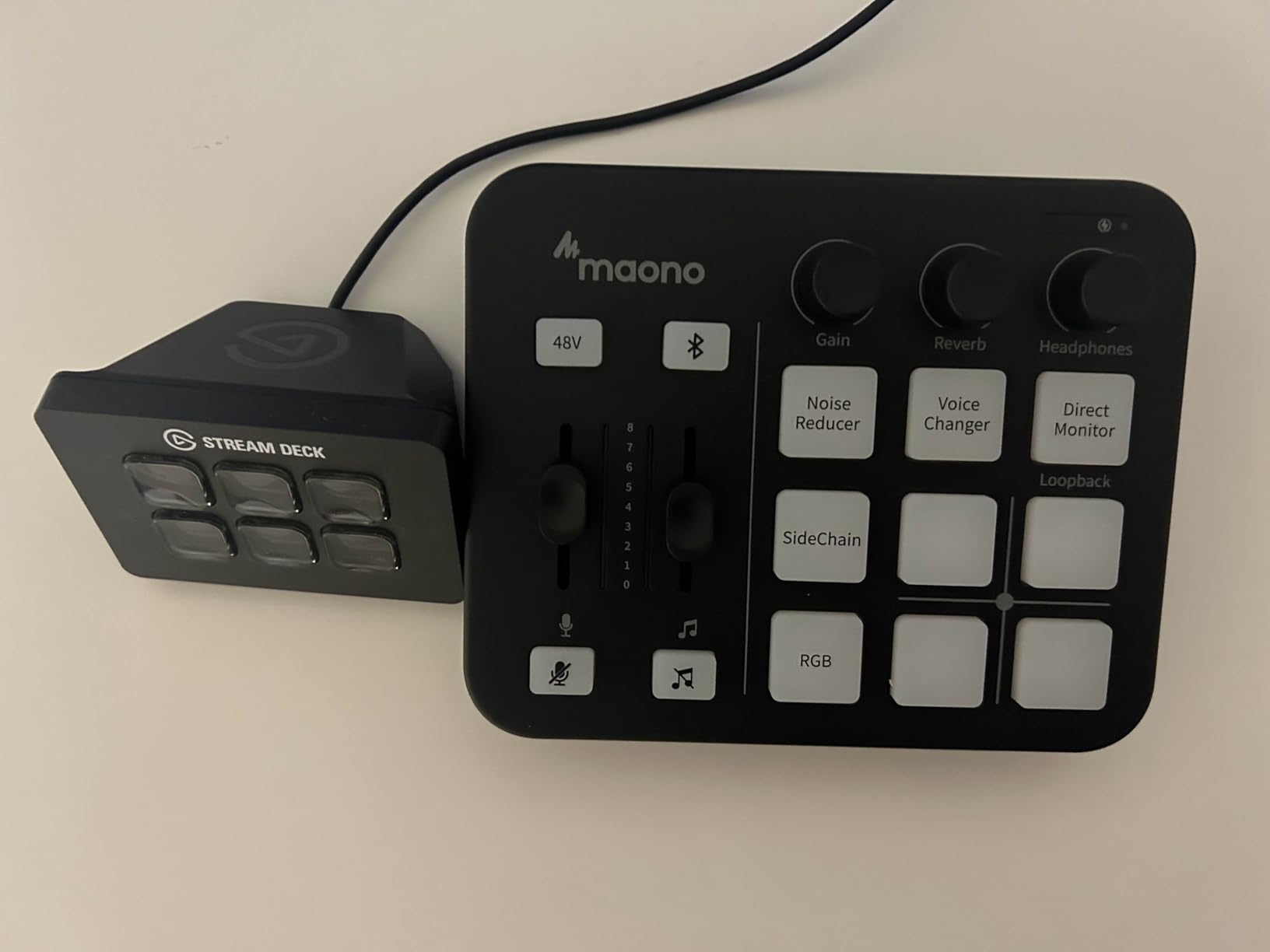
What it handles well
A solo streamer who wants a real XLR microphone and console support in one box, particularly on a PlayStation. The direct monitor and loopback switches make it a two-cable streaming setup, and the noise reduction button is a fast fix for a noisy gaming room.
Where it falls short
USB microphones are not supported, and neither is Xbox or other MAONO hardware, which is a strange restriction on a device priced to cross platforms. The channel count is low, so this is a single-voice board. Setup also needs the power adapter for stability, and the warranty is one year.
7. Aveek 5 Channel Audio Mixer – The Low-Cost Multi-Mic Desk Rig
Aveek 5 Channel Audio Mixer, Built-in PC Recording Interface Sound Board
3 XLR mic inputs with 48V phantom power
Built-in USB recording chip
2-band EQ and LED peak meters
3.5mm headphone monitor
Pros
- Clean undistorted output with no added hiss on recording
- Three XLR inputs cover most multi-mic podcast setups
- A low-cost route to three real mic inputs on one desk
- Condenser microphones run well on 48V phantom power
- Small square footprint that fits easily on a desk
Cons
- PC audio returns on line 4 and creates echo on desktop sound
- Unpowered dynamic mics run quiet and bring up hiss
- Bluetooth USB and channels 4 and 5 are mutually exclusive
- No ASIO drivers
- onboard echo and delay are gimmicky
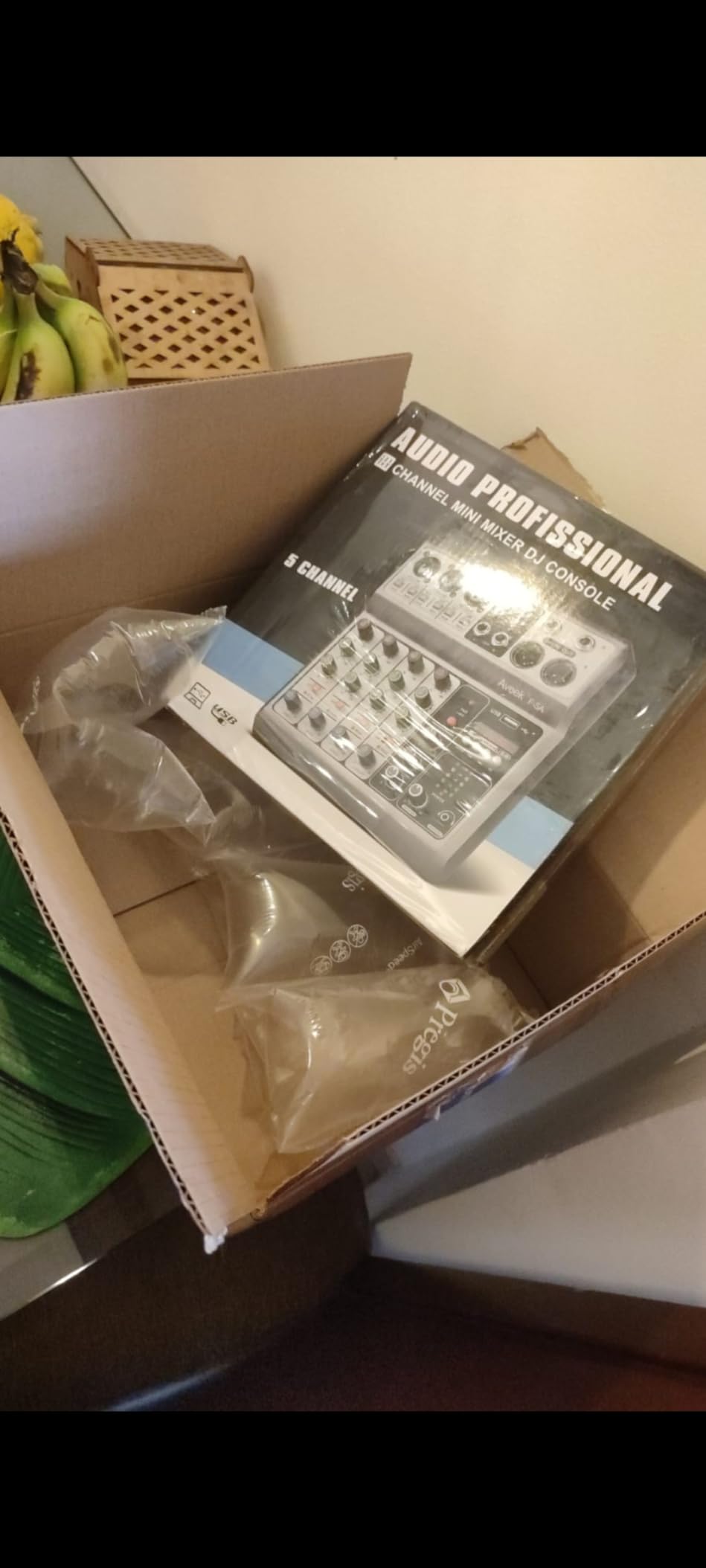
Three XLR inputs with 48V phantom power is unusual at this size, and it makes the Aveek a low-cost way to put three microphones on one desk. It also carries stereo 6.35mm and RCA inputs, RCA and 6.35mm main outputs, and a 3.5mm headphone monitor. The square chassis is 8.27 inches on a side.
The recording chip is the part that matters. It captures over USB-B straight to a computer with no extra software and no driver, so Audacity or your DAW sees a normal USB audio device. Two-band EQ, per-channel gain, an LED peak indicator, and a single 3.5mm headphone jack round out a usable desk rig.
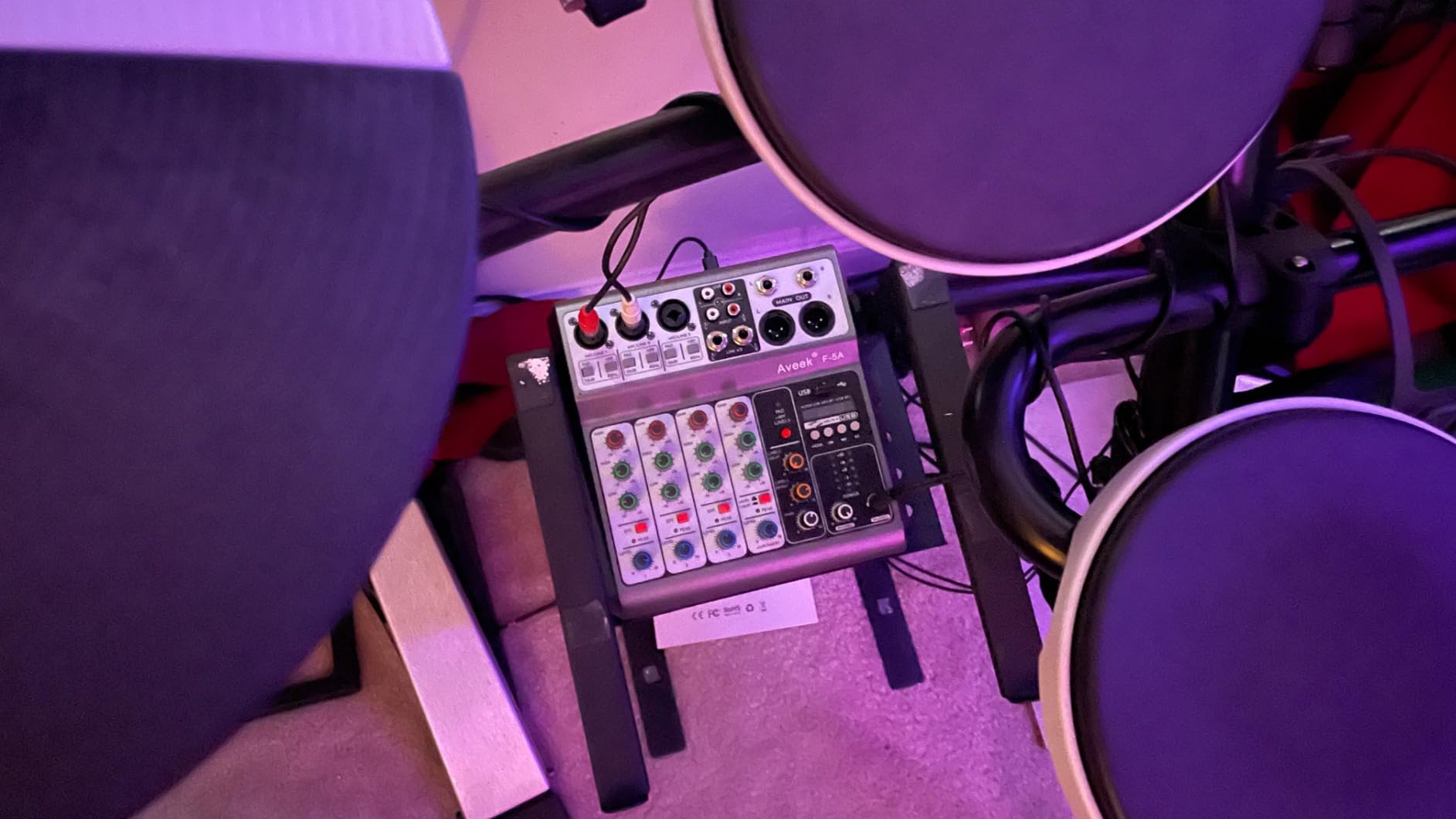
The honest limitation is the line 4 sharing arrangement. PC audio returns on the same channel as the mic inputs, so any desktop sound plays back through the board and creates an echo loop. Use headphones rather than speakers, and route music through a separate input, to keep that under control.
Unpowered dynamic microphones also come out quiet, and pushing the gain to compensate brings the mixer’s own hiss with it. Condenser microphones on phantom power are the better match for this board. Bluetooth, USB, and the channel 4 and 5 inputs are mutually exclusive, so pick one source at a time.
What it handles well
A two or three-person show on a tight budget, plus karaoke, weddings, and small band practice where three real mic inputs matter more than multitrack capture. Output is clean with no added hiss, the knobs glide smoothly, and the headphone monitor gets reasonably loud.
Where it falls short
There are no ASIO drivers, so it enumerates as a generic USB headphone and mic device and adds latency in a DAW. Only one headphone jack is provided, so co-hosts share or bring an amp. The echo and delay effects are novelty features rather than tools, and some dials feel tight.
8. MAONO AME2 – Eleven Sound Pads and 60dB of Gain
MAONO AME2 Audio Interface Mixer, Podcast Studio Console with XLR Input
Preamp up to 60dB with 48V phantom power
11 customizable sound pads
Dual front headphone outputs
32-bit chipset with denoise
Pros
- Up to 60dB of gain with phantom power for dynamic and condenser mics
- Eleven customizable pads
- three recordable for 60 seconds with one-key looping
- Real-time EQ pitch and reverb controls during a live show
- Dual front headphone outputs let two sets swap without unplugging
- Bluetooth accompaniment from a phone or tablet
Cons
- USB microphones are not supported
- Documentation for uploading custom sounds is unclear and OBS integration is difficult
- A driver update was needed to clear noise at higher output levels
- Buzzing can occur on noisy wall power while charging
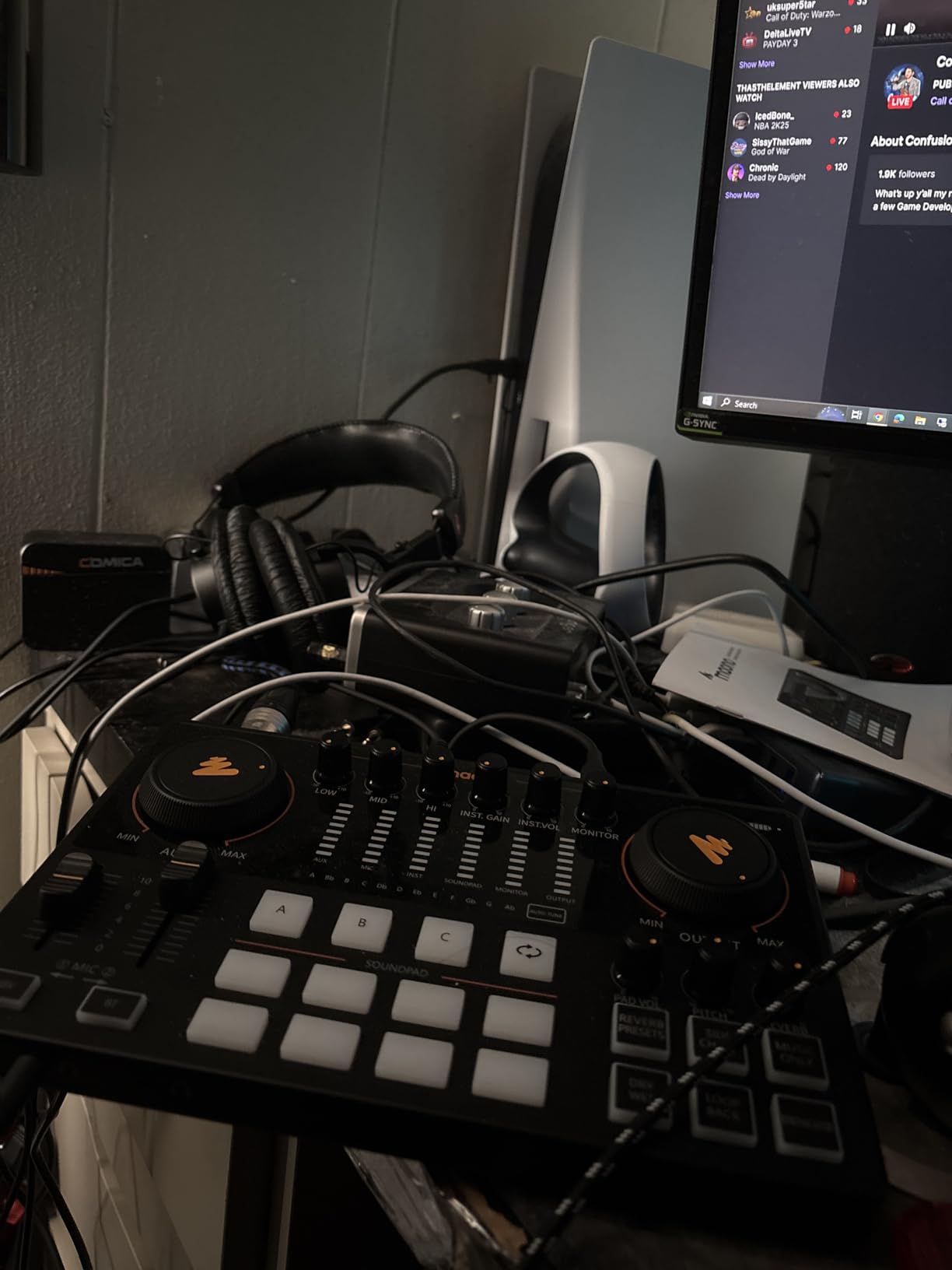
The AME2 packs a lot into a desktop footprint while staying well short of dedicated studio hardware. Its preamp offers three gain stages up to 60dB with 48V phantom power, driven by a 32-bit chipset with a one-touch denoise function. It weighs about 0.95 kg across a 9.64 by 6.18 inch footprint.
Eleven sound pads is the headline. Three of them record up to 60 seconds with one-key looping and eight record up to 20, so you can trigger a full musical bed or a long sponsor read live without cutting to another window. Six reverb modes, a 12-step auto tune, three-band tone, and a pitch changer cover the rest of the live-show toolbox.
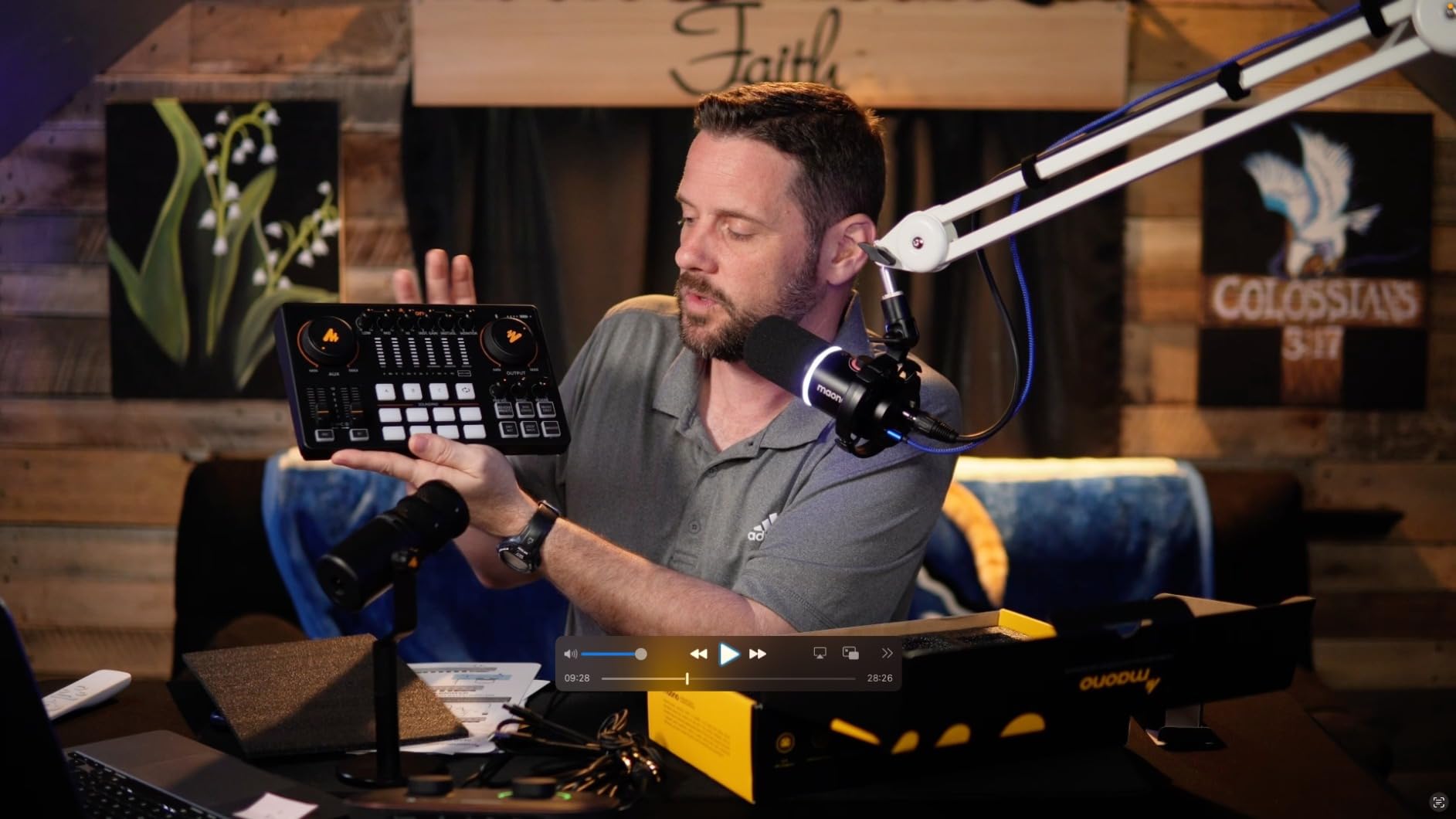
Dual front headphone outputs let two people swap between their own sets without unplugging anything, which is a small design decision that solves a daily annoyance on a two-host show. Sidechain, music-only, and loopback switches handle ducking and game audio, and a 6.35mm instrument input with high headroom takes a guitar or bass.
Routing covers USB-C to a computer, a live output to a smartphone, and a monitor output to studio monitors. If you are building that side of the setup, our guides to studio monitors and studio headphones cover the matching choices.
What it handles well
A live-streamed or recorded show with heavy use of music beds, stingers, and effects, on a two-host or three-person setup. The real-time EQ, pitch, and reverb controls mean you can adjust in the moment rather than in post, and the support experience is reported as quick and effective.
Where it falls short
USB microphones are not supported. The instructions for loading your own sounds onto the pads are unclear, and integrating with OBS takes work. A few buyers needed a driver update to clear noise at higher output levels, and buzzing appears on poorly grounded wall power while charging.
9. Mackie ProFX6v3 – Onyx Preamps for Two-Mic Shows
Mackie ProFX6v3 6-Channel Professional Analog Mixer with USB
2 Onyx mic preamps with up to 60dB gain
24-bit/192kHz recording
2x4 USB I/O for returning custom mixes
24 onboard FX
Pros
- Onyx preamps deliver up to 60dB of clean gain
- 24-bit/192kHz recording resolution
- 2x4 USB I/O returns two custom mixes to the mixer
- Single-knob blend between computer playback and direct feed
- Compact 6-channel footprint works for live sound and streaming
Cons
- Only 2 mic preamps
- so at most two microphones at once
- USB connection is 2x2 only with no multitrack of individual channels
- No sound pads or mix-minus for call-in interviews
- Needs a mains power supply
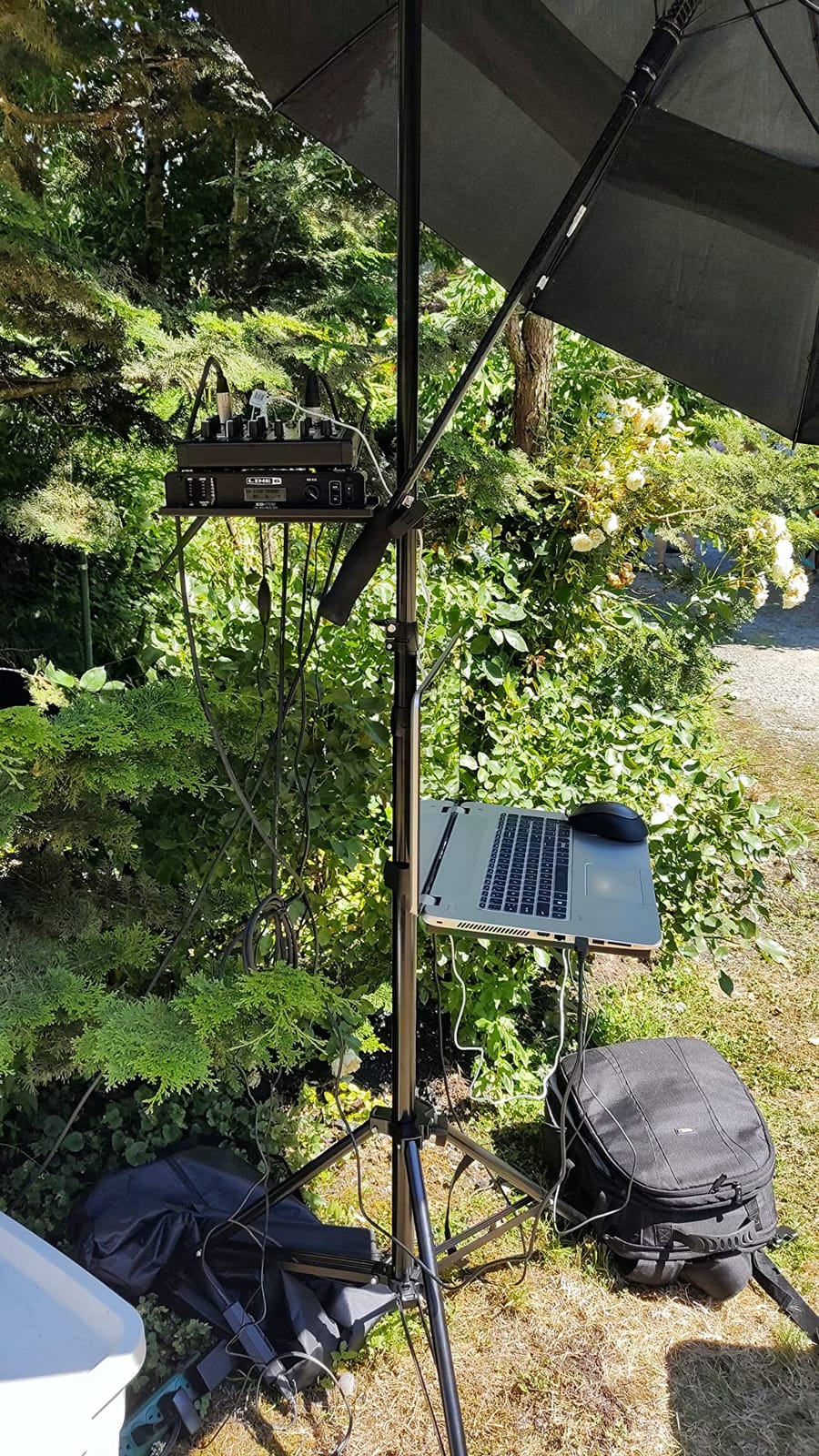
Mackie built this one for live sound and home recording, and the Onyx mic preamps deliver a genuine 60dB of gain with low noise. Recording runs at 24-bit/192kHz, and the capture stays clean at real recording gain.
The 2×4 USB I/O sends two custom mixes to the computer and returns them to the mixer, so each performer can monitor a mix made in software rather than the live board mix. A single-knob blend between computer playback and the direct feed makes overdubbing straightforward. Twenty-four onboard FX cover reverbs and delays, and the Musician Collection of plugins and instruments is included.
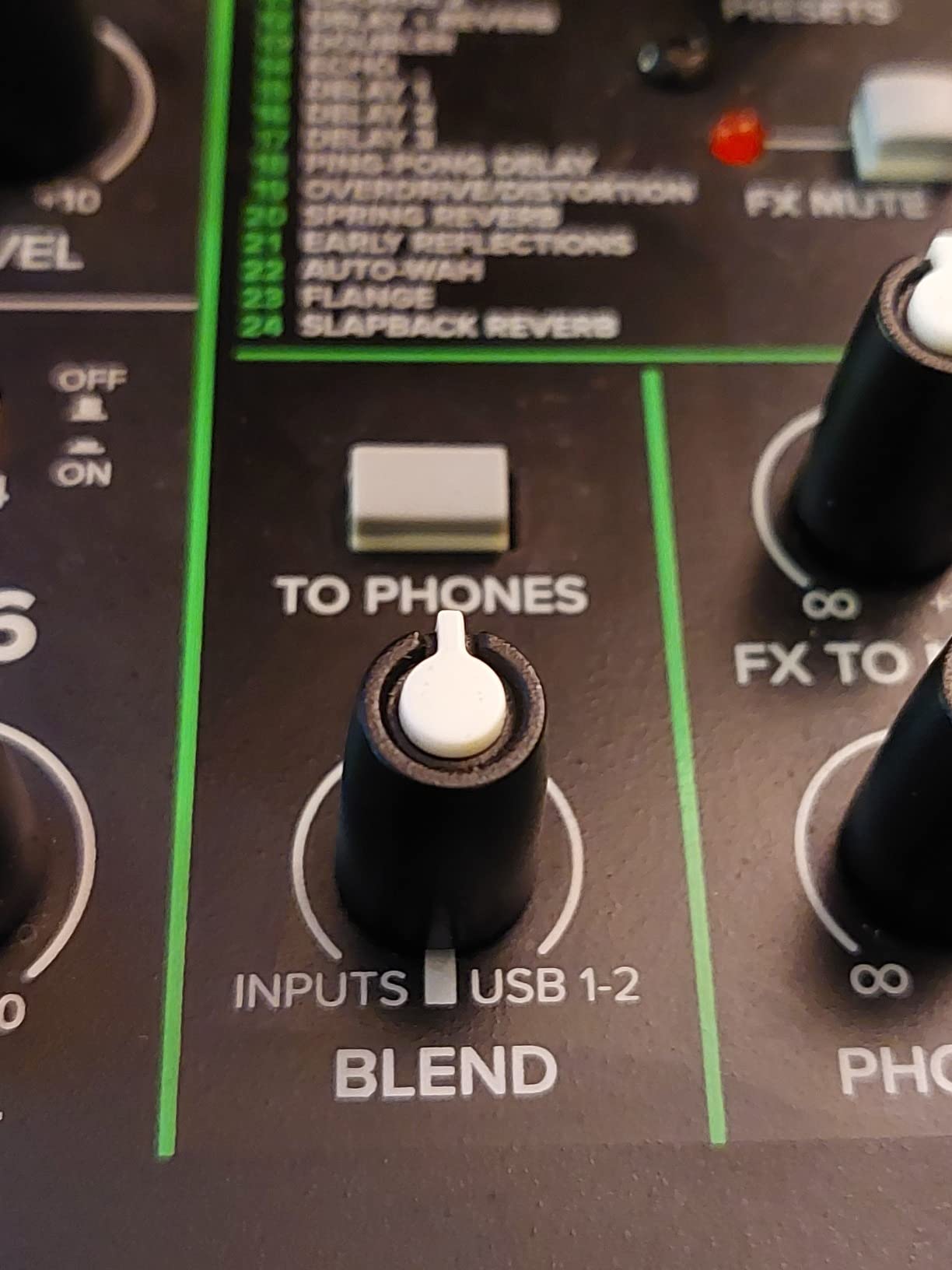
Physically it is 7.5 by 8.4 inches and 454 g, which is light for a six-channel board. There is a one-year all-inclusive warranty, and the power supply and USB cable are in the box.
For podcasting specifically, read the channel count carefully. Two Onyx mic preamps means two microphones, full stop. Channels 3 to 6 are line and stereo, so a third voice would arrive through a line input with no mic preamp behind it. There are no sound pads and no mix-minus, so call-in interviews need another route.
What it handles well
A two-host show recorded at broadcast resolution, especially when a music instrument or a live room is involved. It is also a sensible board for a rehearsal space or a small venue that doubles as a recording room, and the 2×4 return solves monitoring in ways a stereo mixer cannot.
Where it falls short
The USB connection is 2×2 only, so individual channels are not recorded separately to your computer. With two preamps and no mix-minus or call-in handling, this is a small-show board rather than a multi-guest podcast machine, and the digital controls feel less immediate than dedicated podcast hardware.
10. FIFINE SC1 – A Compact One-Mic Interface
FIFINE PC Audio Mixer for Recording Music, USB Interface for Streaming and Podcasting with XLR, Monitor, 48V Phantom Power, Gain Knob, for Instrument Guitar/Video Content Creation/Vocal-Ampli 1
XLR mic input with 48V phantom power
Instrument input for guitar or bass
Direct monitor with a dedicated knob
Up to 192kHz sample rate
Pros
- A real XLR preamp with 48V phantom power and a gain knob
- Instrument input records guitar or bass alongside vocals
- Direct monitor knob gives real-time monitoring without software
- Separate mic gain and output volume controls
- Plug-and-play on Mac and PC with no driver
- Supports up to 192kHz
Cons
- Only three channels and a single XLR input so multi-guest podcasting is out
- No sound pads
- effects
- or mix-minus for call-in interviews
- Small size means limited knob spacing
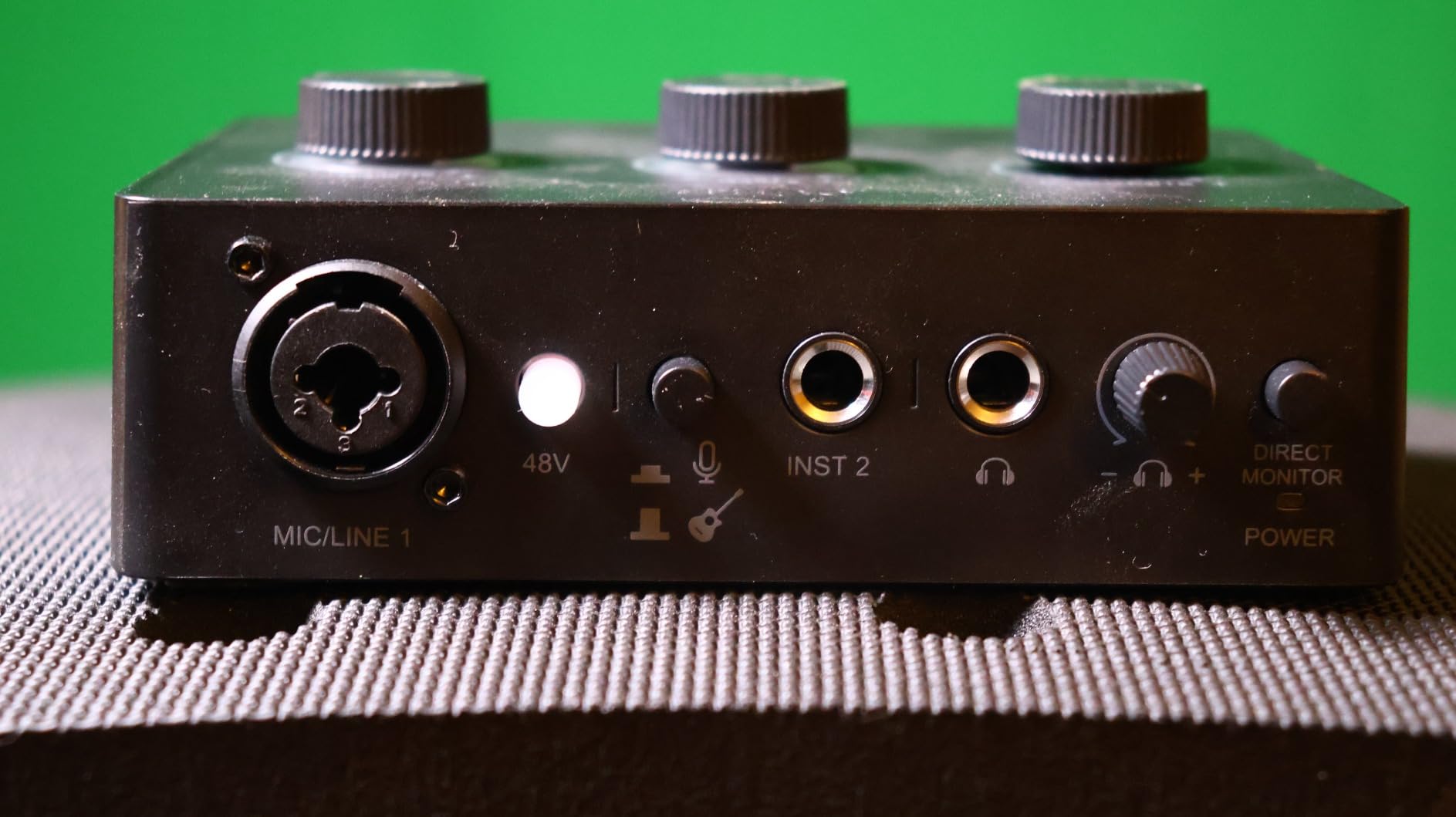
The SC1 is the honest answer for a single voice. It is a three-channel interface with one XLR microphone input, 48V phantom power, a mic gain knob, a dedicated instrument input for guitar or bass, and a separate output volume control. It measures 5.51 by 6.3 inches and weighs 500 g.
The direct monitor with its own knob is the part we liked most. Monitoring happens in the hardware instead of routing through software, so there is no round-trip delay when you speak. Sample rate goes up to 192kHz, it works on Mac and PC without a driver, and any software that supports USB audio will see it.
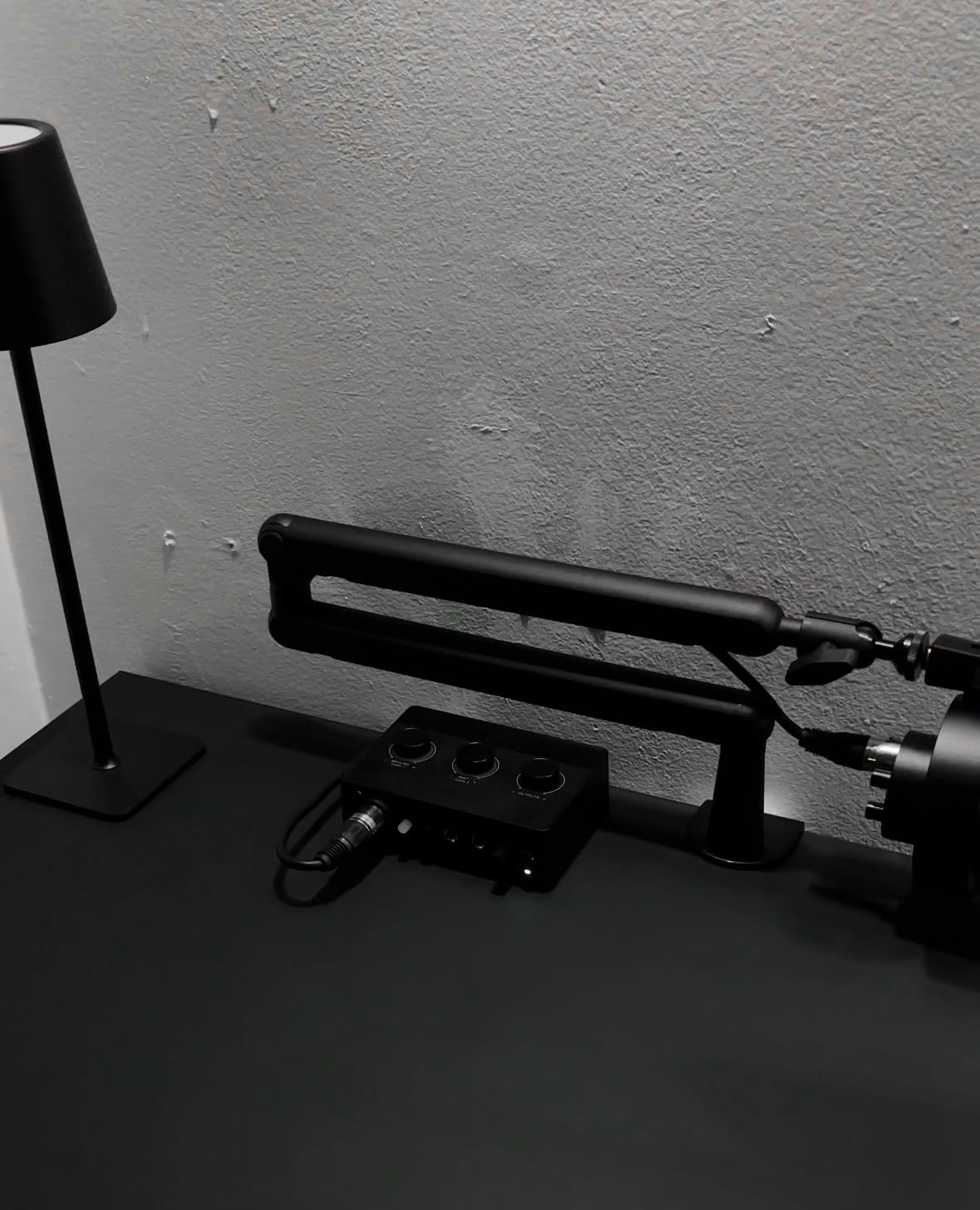
For a solo video creator who records a voice track and a guitar part in the same session, that instrument input changes what is possible on a single pass. The knob spacing is tight on a board this small, which is the only ergonomic complaint worth making.
Set expectations clearly: three channels, one XLR input, and no podcast-specific features. There is no sound pad, no effect, and no mix-minus, so a phone guest cannot be routed onto a separate track through this board. It is an interface that happens to look like a mixer.
What it handles well
Solo podcast recording, livestreaming commentary, and voice-plus-instrument sessions. It is plug-and-play on both platforms, the mic gain and output volume controls are genuinely separate, and the direct monitor means no monitoring latency while you perform.
Where it falls short
Multi-guest podcasting is out of the question with one XLR input. There is no call-in handling of any kind, so a phone guest means capturing that call separately. The size leaves the knobs close together, and a one-year warranty is the shortest cover on this list.
How to Choose a USB Podcast Mixer in 2026
Channel count gets all the attention, and it is not the decision that matters most. Work through these criteria in order and the right board falls out of the maths.
1. Check that the USB return is multitrack, not stereo
This is the filter that separates a usable podcast mixer from a live sound board with a USB port. A multitrack return sends each input as its own channel to your computer, so you can level, clean, and remove crosstalk per speaker afterwards.
A stereo or mono return hands you one blended file, and separating it in software is guesswork at best.
In this roundup, the Zoom PodTrak P4, the RØDE RODECaster Pro II, and the MAONO AME2 keep channels separate. The Mackie ProFX6v3 returns a 2×2 mix, and the Pyle and Aveek boards capture mono. Read the USB specification before you buy, not after.
2. Count microphones you will actually use
A solo host needs one input. A two-host show needs two. A three-person roundtable needs three, plus music and a phone guest if you have them. Beyond four speakers, buy for the panel format you actually record rather than the one you might record next year.
Unused channels add cost and desk clutter rather than flexibility, and every extra preamp is another gain stage you have to trust.
Two-person shows fit two XLR inputs and a pair of headphones. A four-person roundtable needs four preamps and four independent headphone outputs, which is a much shorter list than most roundups suggest.
3. Confirm enough gain and phantom power
Dynamic microphones are forgiving; broadcast dynamics like the Shure SM7B are not. Look for 55dB of gain as a practical floor and 60dB or more for quiet studio models, since anything below that leaves you reaching for an inline booster.
Condenser microphones need 48V phantom power, and a weak supply is a real limit on some compact boards. Check both before you commit to a mic.
4. Count headphone outputs, not headphone jacks
One headphone jack means one person monitors alone and everyone else hears the room mix. Two to four independent outputs with per-host volume control are what let co-hosts monitor properly.
This is the feature people miss most often. Browse our studio headphone picks for the monitoring side.
5. For streaming and gaming, look for loopback and direct monitor
Loopback returns computer audio to your headphones and the stream without feeding the computer microphone back in, which stops the echo that plagues first streams. Direct monitor routes your voice to your headphones in hardware with no round-trip delay.
Boards with neither, such as the Aveek, make a two-cable streaming setup awkward. Latency is the other half of that: boards that enumerate as a generic USB headphone device, with no ASIO driver, add noticeable delay, and we saw exactly that with the Aveek in a DAW.
If you capture video, that delay shows up as lip-sync drift. A capture card alone will not fix a monitoring problem in the audio chain.
6. Set gain in five steps, then record
Whatever board you choose, gain staging takes two minutes. Plug the mic in with the fader down and the gain at minimum, then turn on phantom power if the mic needs it and wait ten seconds for the voltage to settle.
Speak at the level you will actually use and raise the gain until your peaks hit the middle of the meter. Back it off slightly for headroom, leave every fader at unity, and do the level control in software where you can undo it. Check with headphones before you hit record.
7. Budget for the whole system, not the board
The consensus in every r/podcasting thread we read is blunt: a capable mixer with poor microphones still sounds poor. Budget for the mixer, two to four XLR microphones, XLR cables for each, closed-back headphones, and a USB-C cable. If you are starting from nothing, our beginner microphone kit guide covers the microphone half of that spend.
Frequently Asked Questions
What is the best audio mixer for podcasts?
For most two-host and three-person shows, the Zoom PodTrak P4 is the strongest all-round choice: four XLR inputs with phantom power, four headphone outputs with individual level control, automatic mix-minus for phone guests, and a separate recorded track per person. If you want a polished sound with no editing, the RØDE RODECaster Pro II adds APHEX voice processing and records standalone to a microSD card. Both keep every microphone on its own track, which is the single most important filter.
What do most podcasters use to record?
Most podcasters record into dedicated podcast consoles or multitrack audio interfaces rather than USB microphones. The reason is stability: several USB microphones plugged into one computer is a common cause of crashes and corrupted sessions mid-recording. A single board with multiple XLR preamps gives one stable connection, one clock, and one file per speaker. The dominant formats are a four-channel recorder, an all-in-one console, or a conventional mixer with a USB return.
Is a stereo USB mixer good enough for podcasting?
Only if you are recording one person. A stereo or mono USB return mixes every microphone into a single blended file, so crosstalk and level differences between speakers cannot be fixed afterwards. For two or more voices you need a multitrack USB return where each input becomes its own channel. Several boards in this roundup record mono to the computer, and they are fine for rehearsal, karaoke, and small live sound, but not for a multi-guest interview.
Do I need phantom power for a Shure SM7B?
A Shure SM7B is a dynamic microphone, so it does not need phantom power to operate. What it does need is a great deal of clean gain, because it is an exceptionally quiet output. Practical advice is to find at least 55dB of preamp gain and preferably 60dB or more. Boards in this roundup that reach that range include the Zoom PodTrak P4, the MAONO AME2, and the Mackie ProFX6v3. If you cannot get there, an inline booster such as a Cloudlifter solves it.
How do I connect a phone-call guest to a podcast mixer?
Use mix-minus. Connect the phone through the mixer’s TRRS input or USB interface mode, then enable the mix-minus channel. That channel sends everything except the guest’s own voice back to them, so they never hear an echoed copy of their own commentary. The Zoom PodTrak P4 does this automatically, and the RØDE RODECaster Pro II can trigger a mix-minus call from one of its SMART pads. Boards without mix-minus, such as the FIFINE SC1, need the guest call captured separately.
What is the best USB audio mixer for streaming?
For streaming, look for loopback, a hardware direct monitor switch, and a front-mounted mute button rather than channel count. The FIFINE AmpliGame SC3 and the MAONO G1 Neo both lead on that front: one-touch mute and monitor, loopback routing, and sound buttons for stingers. For voice and instruments together, the FIFINE SC1 adds a dedicated instrument input. The key rule is that loopback must return computer audio to the stream without feeding back into the computer microphone.
Bottom Line: Which USB Mixer Should You Buy?
For a two-host or three-person show, buy the Zoom PodTrak P4. Four preamps, four headphone outputs, mix-minus, and a separate track per speaker cover everything most podcasters need. If you want the finished sound before you edit and you value standalone recording, the RØDE RODECaster Pro II is the one to beat.
Streaming solo with a single XLR mic, the FIFINE AmpliGame SC3 does the job. Starting from nothing, the MAONO bundle saves the cable shopping. Anything on a genuinely tight budget that needs three mics, the Aveek board is the answer, with the mono USB return caveat understood.
Whichever route you take, confirm the USB return is multitrack before you order, and budget for microphones and headphones alongside the console. Our comparison of the audio interfaces on the market is worth a read if you decide a two-channel box is enough. These are the best USB mixers for podcast recording we tested in 2026, and each one suits a specific number of speakers rather than everybody.