
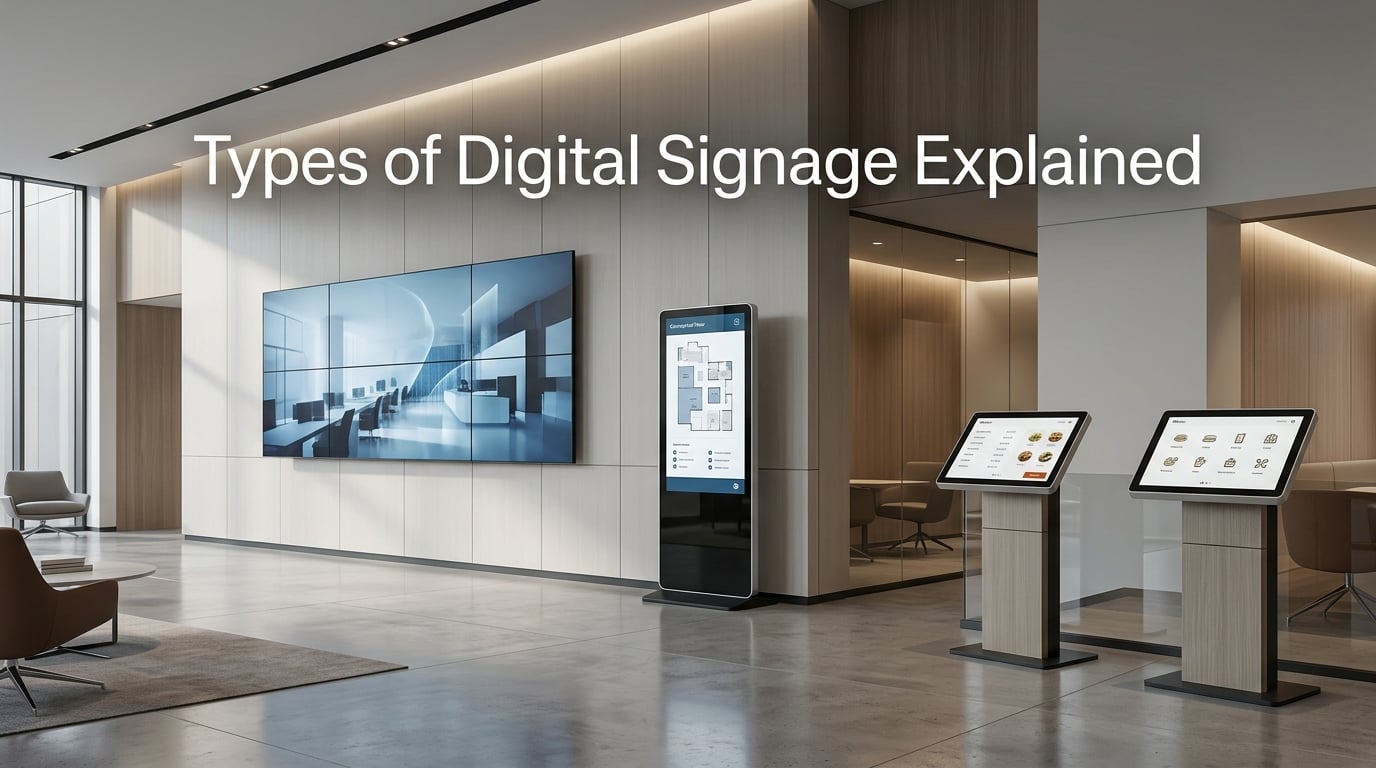
Walk through any airport terminal, step into a fast-casual restaurant, or pass through a corporate lobby and you will notice one thing immediately. Screens are everywhere, displaying everything from departure boards to menu items to welcome messages. That is digital signage in action, and it has become one of the most versatile communication tools available to businesses today.
If you have been trying to understand the types of digital signage explained in plain language, you are in the right place. Our team has spent years working with commercial display installations across retail, hospitality, healthcare, and corporate environments. We built this guide to cut through the technical jargon and give you a clear picture of what is available, how each type works, and which scenarios suit them best.
By the time you finish reading, you will know the seven main categories of digital signage, understand the screen technologies powering them, and have a practical framework for choosing the right solution for your space.
Table of Contents
What Is Digital Signage?
Digital signage is a screen-based communication system that displays dynamic content including images, videos, text, and animations to inform, engage, or influence an audience in various environments. Unlike static printed signs, digital signage allows you to update content remotely, schedule messages for specific times, and tailor what people see based on location or audience.
A complete digital signage system has three core components working together. First, there is the display itself, which can range from a small 10-inch touchscreen to a massive 100-foot LED billboard. Second, a media player or playback device processes content and sends it to the screen. Third, content management software lets you create, schedule, and control what appears on your displays from anywhere.
The adoption of cloud-based management systems has transformed digital signage over the past few years. Where once you needed dedicated on-site hardware and technical staff to manage a network of screens, now a single person can update hundreds of locations from a web browser. This shift has made digital signage accessible to small businesses that previously could not justify the investment.
The real value of digital signage lies in its flexibility. A retail store can highlight daily promotions without reprinting signs. A hospital can display real-time wait times and wayfinding directions. An office building can share company announcements and meeting room schedules. The use cases grow depending on your creativity and business needs.
Types of Digital Signage Explained
The digital signage industry categorizes displays in several ways, but most solutions fall into recognizable types based on their form factor, technology, or intended use. Below is a comprehensive breakdown of the main types you will encounter when researching digital signage options.
1. LCD Digital Signage
LCD, which stands for Liquid Crystal Display, represents the most common type of digital signage you will see in indoor environments. These displays use a backlit panel of liquid crystals to create images, and they have been the backbone of the commercial display market for over two decades.
Commercial LCD displays differ significantly from consumer televisions, and this distinction matters for business buyers. Consumer TVs are designed for 6-8 hours of daily viewing and typically lack the ventilation needed for portrait orientation or continuous operation. Commercial LCD displays, by contrast, are engineered for 16-24 hour operation, include portrait-mode venting, and carry warranties suited to demanding environments.
The brightness of LCD displays typically ranges from 250 to 700 candelas per square meter, which we measure as cd/m2. Standard commercial LCD panels fall in the 300-500 cd/m2 range, making them suitable for indoor use where ambient light is controlled. High-brightness LCD panels can reach 1500-3000 cd/m2, which allows them to perform well in brightly lit retail environments or window displays with direct sunlight exposure.
2. LED Digital Signage Displays
LED signage uses an array of light-emitting diodes to create images, and this technology has fundamentally changed what is possible for large-format displays. Where LCD panels have physical borders called bezels that interrupt the image, LED displays can be truly seamless across massive surfaces.
The key technical specification for LED displays is pixel pitch, which measures the distance between the center of one LED cluster to the next. A smaller pixel pitch number means LEDs are packed more densely, resulting in sharper images when viewed up close. For example, a 2.5mm pixel pitch display works well for indoor applications where viewers stand 10-15 feet away, while a 10mm pixel pitch display suits outdoor billboards viewed from hundreds of feet.
LED modules are assembled into larger panels that can scale to virtually any size. This makes LED technology the go-to choice for video walls in control rooms, sports arena scoreboards, and outdoor advertising displays. The initial investment is higher than LCD, but LED displays offer superior longevity and brightness that can reach 5000-10000 cd/m2 for outdoor applications.
3. OLED Digital Signage
OLED, or Organic Light Emitting Diode, represents the newest mainstream display technology and offers image quality that surpasses both LCD and standard LED in many respects. Unlike LCD displays that require backlighting, each pixel in an OLED panel produces its own light. This allows for true blacks, infinite contrast ratios, and colors that pop with remarkable vibrancy.
Commercial OLED displays are thin, lightweight, and can curve or bend to fit unique architectural spaces. You have likely seen OLED displays in high-end retail stores, luxury automotive showrooms, and corporate lobbies where aesthetics matter as much as information delivery. The technology enables ultra-thin bezels and even transparent display panels that blend into their surroundings.
The trade-off with OLED is brightness and longevity. OLED panels typically max out around 1000 cd/m2, which limits their usefulness in direct sunlight environments. They also carry a higher risk of burn-in when displaying static content for extended periods, though modern OLED signage displays include features to mitigate this issue. For indoor applications where image quality is paramount and content changes frequently, OLED remains an excellent choice.
4. Interactive and Touchscreen Digital Signage
Interactive digital signage engages users through touch, gesture, or mobile integration. These displays transform passive viewers into active participants, gathering input, answering questions, or guiding people through spaces. The technology ranges from simple touch overlays on standard displays to sophisticated multi-touch systems capable of recognizing dozens of simultaneous contact points.
Touchscreen kiosks represent the most recognizable form of interactive signage. You encounter them daily at airport check-in counters, retail stores for product lookup, hospitals for patient check-in, and quick-service restaurants for ordering. These freestanding units typically feature displays ranging from 22 to 55 inches with built-in computing capability and are designed for continuous public use.
More advanced interactive systems incorporate sensors like proximity detectors, QR code scanners, and even AI-powered cameras that can detect audience demographics and customize content accordingly. Some installations allow users to control signage through their smartphones, creating hybrid experiences that bridge physical and digital interaction. For organizations seeking engagement and data collection, interactive signage delivers measurable results that passive displays cannot match.
5. Video Walls
A video wall consists of multiple displays arranged in a grid pattern to create one seamless image across a much larger canvas. The applications span command centers monitoring critical infrastructure, corporate lobbies displaying brand content, broadcast studios providing dynamic backgrounds, and retail environments seeking maximum visual impact.
Video walls can use either LCD panels with narrow bezels or LED modules depending on the desired resolution and viewing conditions. LCD video walls offer higher pixel density and sharper images at close viewing distances, making them popular for control rooms and meeting spaces. LED video walls provide seamless images at any size and excel in environments where viewers stand farther away or where ambient lighting cannot be controlled.
Content management for video walls requires specialized software capable of splitting high-resolution content across multiple displays and compensating for bezel gaps in LCD configurations. Modern video wall processors can display multiple content sources simultaneously, scale inputs to fill the entire wall, and switch between layouts based on scheduled events or real-time triggers.
6. Outdoor Digital Signage
Outdoor digital signage encompasses all displays designed to operate reliably in external environments exposed to weather, temperature extremes, and sunlight. These ruggedized systems must function in rain, snow, extreme heat and cold, and remain readable under direct sunlight conditions that would wash out standard indoor displays.
The defining characteristic of outdoor displays is high brightness capability, typically ranging from 1000 to 7000 cd/m2 depending on whether the display sits in full sun or covered outdoor areas. This brightness level ensures content remains visible and impactful even on the sunniest days. Outdoor displays also incorporate climate control systems with heating and cooling to maintain optimal operating temperatures year-round.
Weatherproofing is measured using IP (Ingress Protection) ratings. A display rated IP65, for example, is completely dust-tight and protected against water jets. Outdoor digital signage enclosures may be rated IP54 through IP68 depending on their placement and exposure. Digital billboards alongside highways, transit shelters displaying arrival times, and drive-through menu boards all represent common outdoor digital signage applications.
7. Digital Menu Boards
Digital menu boards have become standard equipment in quick-service restaurants, fast-casual chains, cafes, and food halls. These displays replace traditional static chalkboards and printed menu cards with dynamic screens that can update prices, availability, and featured items instantly across an entire location or chain.
The primary advantage of digital menu boards is operational flexibility. Restaurants can highlight limited-time offers throughout the day, adjust pricing for different dayparts like breakfast versus lunch, and remove sold-out items without manual intervention. When suppliers change pricing, updates propagate across all locations within minutes rather than requiring reprinting and installation at each store.
Digital menu board displays typically range from 32 to 55 inches per screen, with most installations using a landscape orientation. However, portrait mode has become popular for displaying itemized menus in narrow spaces. Commercial displays designed for menu board use often include built-in scheduling software, simplified mounting systems, and configurations optimized for food service environments where grease and humidity can challenge electronics.
8. Wayfinding Kiosks and Digital Totems
Wayfinding kiosks and digital totems guide people through physical spaces, helping visitors navigate airports, hospitals, shopping malls, corporate campuses, and university buildings. These freestanding displays combine large-format screens with intuitive interfaces that allow users to search for destinations, view maps, and receive turn-by-turn directions to their intended locations.
Freestanding totems differ from wall-mounted displays in that they are self-supported and often portable. Totems can be single-sided for placement against walls or double-sided for visibility from multiple directions. Indoor totems typically use standard commercial LCD panels, while outdoor totems incorporate the same weatherproofing and high-brightness technology as other outdoor signage.
The software powering wayfinding kiosks has become increasingly sophisticated. Modern systems integrate with building management systems to display real-time information like room availability in corporate offices or wait times in healthcare settings. Some installations support multilingual interfaces, accessibility features like audio guidance, and QR code generation that sends directions to smartphones for continued navigation beyond the kiosk location.
Screen Technologies at a Glance: LCD, LED, and OLED
Understanding the underlying technologies helps you make informed decisions when evaluating digital signage options. Here is a practical comparison of the three dominant display technologies.
LCD displays offer the best value for most indoor applications under 100 inches. They provide reliable performance, wide availability, and a mature ecosystem of mounting solutions and accessories. Choose LCD when budget is constrained, when displays will be viewed from moderate distances, and when you need to minimize ongoing operational costs.
LED displays dominate large-format applications over 100 inches and any situation requiring seamless images or outdoor operation. The total cost of ownership often favors LED for installations exceeding 20 square meters of display area due to lower maintenance requirements and longer operational lifespans. Choose LED for video walls, outdoor signage, and anywhere image quality at varying viewing distances matters.
OLED displays deliver unmatched image quality for premium indoor applications where visual impact justifies the premium pricing. These displays excel in spaces where aesthetics matter, where ultra-thin form factors enable creative installations, and where content takes center stage. Choose OLED for luxury retail, high-end hospitality, and any environment where the finest picture quality is essential.
Interactive vs. Passive Digital Signage
The choice between interactive and passive signage fundamentally comes down to your communication goals and how you want your audience to engage with your displays.
Passive digital signage displays content for audiences to view as they pass by. The communication flows in one direction, from the screen to the viewer. Passive signage works best for delivering consistent messages, promotional content, general information, and branding that does not require user input. This approach suits high-traffic areas where the goal is to reach as many people as possible with standard messages.
Interactive digital signage invites participation and creates two-way communication. Users engage because they have a specific task to accomplish, whether finding a specific product, checking in for an appointment, or ordering food. Interactive displays generate valuable data about user behavior and preferences while delivering personalized experiences that passive signage cannot match.
Budget and technical complexity favor passive signage for most deployments. Interactive systems require more sophisticated content management, potentially more maintenance, and designs that encourage user interaction. However, when the use case demands engagement or data collection, interactive signage delivers results that justify the additional investment.
Indoor vs. Outdoor Digital Signage: Key Differences
Selecting the right display for indoor versus outdoor environments involves significantly different considerations. Understanding these differences prevents costly mistakes during planning and installation.
Brightness Requirements
Indoor environments typically have ambient lighting levels between 300-500 lux, which means displays with 300-700 cd/m2 brightness perform well in most interior spaces. Outdoor displays must contend with ambient light levels exceeding 50,000 lux on sunny days, requiring brightness of 2000 cd/m2 or higher to maintain visibility. This brightness difference directly impacts display cost and power consumption.
Weather Protection
Indoor displays operate in controlled climate environments without exposure to moisture, dust, or temperature extremes. Outdoor displays must function across temperature ranges that can span from -30 to 50 degrees Celsius while resisting rain, snow, humidity, and airborne contaminants. This protection comes at a premium, with outdoor-rated displays costing two to five times more than comparable indoor models.
Placement Considerations
Indoor placement allows flexibility in mounting, orientation, and access for maintenance. Displays can be recessed into walls, mounted on articulating arms, or integrated into furniture. Outdoor placement requires consideration of wind load ratings for freestanding displays, secure mounting to withstand environmental stress, and access planning for service without specialized equipment.
How to Choose the Right Type of Digital Signage
Selecting the appropriate digital signage type involves evaluating several factors that work together to determine the best solution for your specific situation. Here is a practical five-step framework our team uses when helping clients plan their installations.
Step 1: Assess the Environment First
Begin by evaluating where the display will live. Indoor spaces with controlled lighting and climate offer the widest range of options and lowest costs. Partially covered outdoor areas like covered walkways or parking structures need displays with moderate weather resistance. Fully exposed outdoor locations demand ruggedized displays with high brightness and complete weatherproofing. Understanding your environment immediately narrows your options and sets realistic budget expectations.
Step 2: Define What the Screen Needs to Do
Clarify the primary purpose of your digital signage. Will it show continuous promotional content to drive sales? Provide practical information like wayfinding or schedules? Enable customer self-service through interactive interfaces? Enable employee communication in corporate settings? The answer shapes everything from display technology to content management software. Some organizations need multiple signage types serving different purposes across their facilities.
Step 3: Match Viewing Distance to Resolution and Pixel Pitch
Consider how close viewers will stand to your display. Screens intended for close-range interaction, like menu boards or wayfinding kiosks, need higher resolution to deliver sharp, readable text. Standard 1080p resolution works for displays viewed from 6-10 feet away, while 4K resolution becomes important for screens people will stand within 3-5 feet of. For LED video walls, this means choosing a finer pixel pitch for close viewing and accepting coarser pixel pitch for distant viewing.
Step 4: Factor in Long-Term Operating Costs
Digital signage involves ongoing expenses beyond the initial purchase and installation. Power consumption varies dramatically between technologies, with high-brightness outdoor LED displays drawing significantly more electricity than standard indoor LCD panels. Maintenance requirements differ as well, with some LED displays promising 100,000-hour lifespans while consumer-grade displays may require replacement after 50,000 hours of operation. Factor in content creation costs, software subscription fees, and network infrastructure when building your budget.
Step 5: Choose a CMS That Fits Your Team’s Capability
The content management system determines how easily your team can create, schedule, and update content across your display network. Cloud-based CMS platforms offer the greatest flexibility and accessibility but require stable internet connectivity. Some organizations prefer on-premise solutions for security or reliability reasons. Evaluate whether your team can manage content independently or will require training and ongoing support. The best digital signage system is only as effective as the content flowing through it.
Common Digital Signage Mistakes to Avoid
After helping hundreds of organizations plan and deploy digital signage, our team has seen the same mistakes repeat across industries. Avoiding these pitfalls saves money, reduces frustration, and leads to more successful implementations.
Using consumer TVs instead of commercial displays. Consumer televisions are not designed for commercial use. They lack the ventilation for portrait orientation, typically lack warranties for continuous commercial operation, and often cannot achieve the brightness levels needed for demanding environments. We frequently see small businesses install consumer displays only to face premature failures within 12-18 months. Commercial displays cost more upfront but last significantly longer in commercial applications.
Failing to plan content in advance. The most sophisticated display hardware becomes useless without compelling content to display. Organizations often underestimate the ongoing effort required to keep digital signage fresh and relevant. Before purchasing displays, develop a content strategy that accounts for creation, approval workflows, and scheduling. Budget for ongoing content development or invest in templates that make updates simple for non-designers.
Ignoring brightness requirements for the environment. Installing a standard 300 cd/m2 display in a sunlit window results in content that is barely readable. Similarly, using an ultra-bright outdoor display in a dim corporate lobby creates an uncomfortably harsh viewing experience. Match brightness specifications to actual environmental conditions rather than assuming brighter is always better.
Underestimating network and connectivity needs. Digital signage requires reliable network connections for content updates, remote monitoring, and troubleshooting. Wireless connectivity can work for small installations but often struggles with larger deployments or locations with interference. Always plan your network infrastructure alongside display placement to avoid performance issues that frustrate users and administrators alike.
Skipping the pilot phase. Deploying digital signage across multiple locations or throughout an entire facility without testing first invites problems. A pilot program with two or three displays allows you to identify issues with content, software, hardware, and workflows before scaling. Use the pilot to train your team, refine your content strategy, and build internal expertise before committing to a larger rollout.
Common Use Cases by Industry
Digital signage adapts to virtually any industry and environment. Here are the most common applications across eight sectors where our team regularly deploys these systems.
Retail: Stores use digital signage for promotional displays at point-of-sale, window displays that capture foot traffic, fitting room mirrors with style recommendations, and electronic shelf labels that update pricing automatically. The retail sector leads adoption because digital displays directly influence purchasing decisions and can justify their cost through measurable sales lift.
Quick-Service Restaurants: Digital menu boards have become essential for QSR operations, enabling dynamic pricing, visual appeal that printed menus cannot match, and the ability to promote limited-time offers without reprinting costs. Drive-through displays extend the digital experience outdoors, with some restaurants reporting significant increases in average order values after implementing digital menu boards.
Corporate Communications: Office buildings and corporate campuses use digital signage for lobby directories, meeting room schedules, company news feeds, and safety information displays. The ability to update emergency messaging instantly makes digital signage valuable for organizations prioritizing employee communication and workplace safety.
Healthcare: Hospitals and clinics deploy digital signage for patient wayfinding, wait time displays, waiting room entertainment, and departmental directories. Healthcare environments benefit particularly from the ability to update wayfinding information when departments relocate or when special events change facility access.
Hospitality: Hotels use digital signage for lobby welcome displays, conference room directories, restaurant and bar menu boards, and in-room information screens. The hospitality industry values digital signage for its ability to create premium experiences that reinforce brand positioning.
Education: Universities and schools deploy digital signage for campus wayfinding, event promotion, emergency notifications, and departmental information. Modern campus directories can integrate with student information systems to display relevant announcements based on the viewer’s identity or affiliation.
Transportation: Airports, train stations, and transit authorities rely heavily on digital signage for departure and arrival information, wayfinding, advertising revenue generation, and operational messaging. Transportation environments challenge digital signage with 24/7 operation, high ambient light variability, and the need for extreme reliability.
Public Sector: Government buildings, courts, and public libraries use digital signage for service directories, queue management, public announcements, and community information. The reliability and easy updates digital signage provides make it valuable for organizations communicating with diverse publics.
Frequently Asked Questions About Digital Signage
What are the 7 key elements of digital signage?
The seven key elements of digital signage are: 1) Display hardware (LCD, LED, or OLED), 2) Media player or playback device, 3) Content management system (CMS) software, 4) Network infrastructure for content delivery, 5) Content itself (images, videos, text), 6) Mounting and enclosure solutions, and 7) Ongoing maintenance and support. These components work together to create a complete digital signage system.
What are the three types of signage?
The three main types of signage, in a broad sense, are: 1) Static signage (printed materials), 2) Digital signage (electronic displays showing dynamic content), and 3) Hybrid signage (combining physical elements with digital displays). For digital signage specifically, the primary technologies are LCD, LED, and OLED displays, each with distinct characteristics suited to different applications.
What are common digital signage mistakes?
Five common digital signage mistakes include: 1) Using consumer TVs instead of commercial displays designed for 16-24 hour operation, 2) Failing to plan content strategy before hardware purchase, 3) Ignoring brightness requirements for the environment, 4) Underestimating network and connectivity needs, and 5) Skipping a pilot phase before full deployment.
What are the four different types of signs?
The four main categories of digital signage types are: 1) Interactive signage (touchscreens, kiosks, wayfinding), 2) Non-interactive or passive signage (promotional displays, information boards), 3) Video walls (multi-display configurations for large-scale visuals), and 4) Outdoor signage (weatherproof displays for external environments). Each category serves different purposes and environments.
Understanding Types of Digital Signage: The Bottom Line
Digital signage has evolved from a novelty technology into an essential communication platform for businesses across every industry. Understanding the different types of digital signage explained in this guide helps you make informed decisions whether you are planning your first installation or expanding an existing network.
The core technologies, LCD, LED, and OLED each serve specific applications well. Indoor environments typically favor LCD displays for their value and reliability. Large-format displays and outdoor installations demand LED technology for its brightness and scalability. Premium indoor spaces where image quality is paramount benefit from OLED’s exceptional visual performance.
Beyond the technology, consider how interactive versus passive displays align with your communication goals. Think carefully about indoor versus outdoor requirements before purchasing. Most importantly, avoid the common mistakes we outlined, particularly the temptation to use consumer displays in commercial applications.
If you are ready to explore digital signage options for your organization, start by clearly defining your objectives, assessing your environment, and planning your content strategy alongside your hardware investment. The right digital signage system, properly planned and maintained, delivers measurable value through improved customer experiences, more effective communication, and operational efficiencies that printed signs simply cannot match.