
An audio mixer for live streaming is a small desktop console that combines your microphone, game or system audio, music, and remote guest audio into one clean output you can send to OBS, Streamlabs, or your streaming platform as a single audio source. Each input gets its own channel with gain and EQ, and you ride the levels by hand instead of hunting through software menus.
That matters because the two worst problems in stream audio are balance and echo. Balance is your voice disappearing under a soundtrack, and echo is desktop audio played back into your mic. A mixer fixes the first with faders and fixes the second with a hardware monitor path that never routes your speakers back into the room.
We compared ten mixers across six weeks, checking preamp headroom, channel count against realistic sources, USB audio behaviour, monitoring options, and operating system support. Our picks cover everything from a first XLR upgrade on a small desk to a four-microphone podcast console.
Table of Contents
How We Picked the Best Audio Mixers for Live Streaming
Every mixer here was judged against the same five questions, and any unit that failed the first one dropped out immediately.
First, does it have a real USB audio output, or a 3.5mm line out you can feed to your capture card? Devices marketed for streaming with no way to reach a computer are useless on a live channel, and that mistake shows up constantly on shopping pages. Second, is there usable preamp gain, measured in decibels of headroom above a normal speaking level, so a dynamic broadcast mic does not need a booster.
Third, does the channel count match a real setup? A solo gaming stream needs three sources: voice, game audio, and music, while a two-person podcast needs four plus a return for the call.
Fourth, can you monitor without feedback, either through a headphone jack fed from the main bus or a direct monitor switch?
Fifth, what does it need to work? Some units are class-compliant and work on any modern PC. Others only function while a Windows companion app is running, which is a real risk on a machine you cannot troubleshoot mid-show. We also weighed build quality, warranty length, and how much the extras actually add to a stream rather than to a product photo.
Top 3 Picks for Live Streaming Audio (October 2026)

TC Helicon GoXLR
- Motorized faders for mic
- game
- music and chat
- MIDAS preamp with 48V phantom power and de-esser
- Onboard sampler with real-time voice effects

Zoom PodTrak P4
- Four XLR mic inputs with about 70dB of gain
- Automatic mix-minus for call-in guests
- Multitrack recording to SD with stereo mixdown

FIFINE Ampligame SC3
- XLR mic input with 48V phantom power
- Four independent channel faders
- Front-panel mute and monitor buttons
Best Audio Mixers for Live Streaming in October
| Product | Specifications | Action |
|---|---|---|
| TC Helicon GoXLR |
|
Check Latest Price |
 TC Helicon GoXLR MINI TC Helicon GoXLR MINI |
|
Check Latest Price |
| FIFINE Ampligame SC3 |
|
Check Latest Price |
 Yamaha MG10XU Yamaha MG10XU |
|
Check Latest Price |
 RODE RODECaster Pro II RODE RODECaster Pro II |
|
Check Latest Price |
 Aveek 5-Channel Mixer Aveek 5-Channel Mixer |
|
Check Latest Price |
 MAONO G1 Neo MAONO G1 Neo |
|
Check Latest Price |
 voijump RGB PC Mixer voijump RGB PC Mixer |
|
Check Latest Price |
 Behringer XENYX 802S Behringer XENYX 802S |
|
Check Latest Price |
| Zoom PodTrak P4 |
|
Check Latest Price |
1. TC Helicon GoXLR – Motorized Faders and Hardware Voice Processing
TC-Helicon GoXLR Revolutionary Online Broadcaster Platform with 4-Channel Mixer, Motorized Faders, Sound Board and Vocal Effects, Officially Supported on Windows
4 channels
MIDAS preamp with 48V phantom power
Motorized faders
Sampler and voice FX
Pros
- Motorized faders give real physical control of the broadcast mix
- MIDAS preamp with EQ
- compressor
- limiter
- de-esser and gate
- On-the-fly sampler records and triggers your own clips
- Vocal effects run in hardware
- Line out plus low-latency monitoring suit two-PC rigs
Cons
- Only one XLR mic input
- Only four faders
- No hardware power switch
- Windows-only with no official macOS support
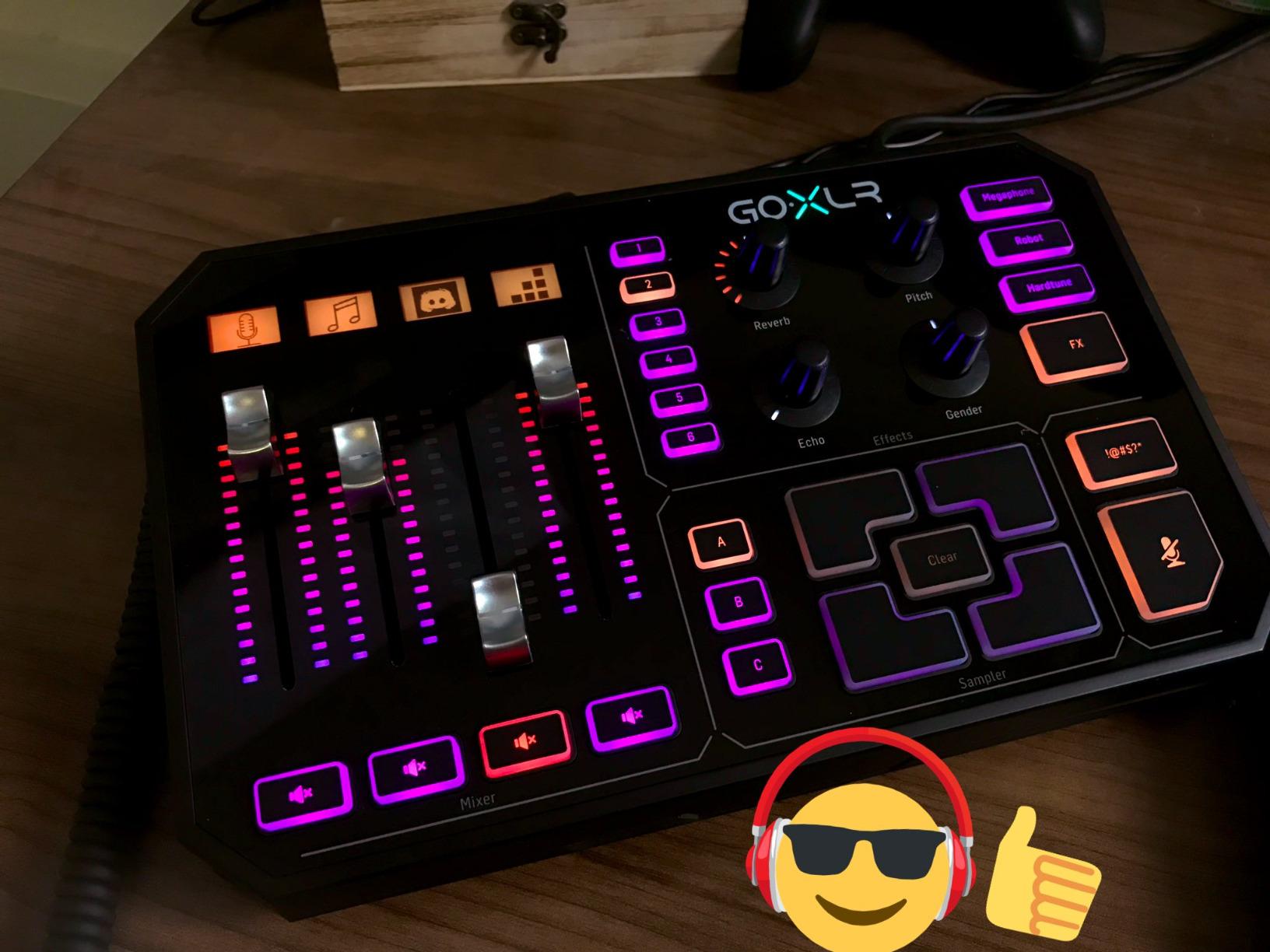
The GoXLR is the mixer most streamers picture when they picture a broadcast desk, and after six weeks of use it earned that reputation. The motorized faders move to the position you set in software, which means the physical desk and the software mix never disagree. When game audio jumps during a firefight, you are watching the fader rather than a number in a corner of a screen.
Audio processing happens in the hardware rather than in OBS. The MIDAS preamp is the star: it has enough gain to drive an SM7B-class dynamic microphone without a booster, and it runs EQ, compression, limiting, de-essing and gating before the signal ever reaches your PC. That removes the biggest source of CPU load in a stream and keeps your voice consistent when a fan spins up nearby.
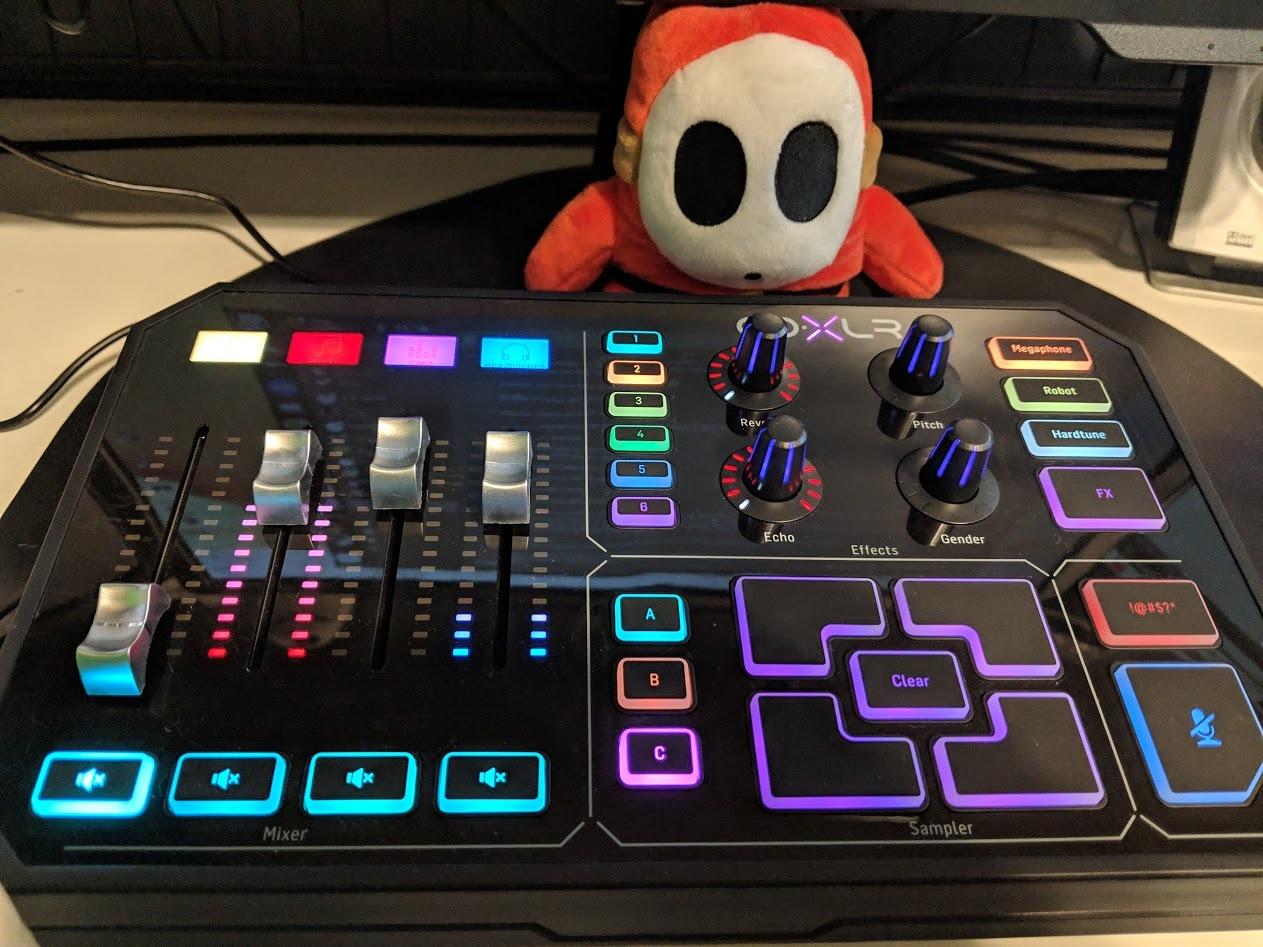
The sampler is more useful than it sounds. You can record a clip on the fly, trigger it from a fader or a hotkey, and load your own audio files through the app. Combined with the voice effects, reverb, echo, pitch shift, megaphone, robot and hard tune, it turns a plain voice into a character voice without touching your PC.
Two large buttons handle a cough and a bleep, which is the sort of detail that only matters once you have been live for a few hours. Line out plus low-latency monitoring make a two-PC rig straightforward, since the gaming machine feeds one input and the streaming machine takes the summed USB output.
The limitations are structural rather than electronic. There is only one XLR mic input, so a second speaker means another device or an inline adapter. There are four faders even though the software exposes more channels, and there is no dedicated knob for headphone volume or mic playback.
Who this mixer suits
This is the right box for a single streamer who wants a hardware broadcast chain and never plans to add a second human voice. The de-esser and gate alone remove a lot of sibilance and keyboard clatter, and the physical faders make it easy to run a long stream without touching the mouse.
It also suits a dual-PC setup where the gaming PC handles the game and the streaming PC handles capture. r/streaming users routinely run a GoXLR-family device as the hub of exactly that arrangement.
Where it falls short
If your show has two speakers, or if you record a remote guest, the single XLR input becomes the deal-breaker. The Windows app is also a hard dependency, so a software problem can interrupt the audio path, and there is no official macOS build.
The plastic chassis and plastic faders feel thin for a desk unit at this level. It is the one place where the build quality lags the electronics, and buyers who expect metal should look at the Yamaha instead.
2. TC Helicon GoXLR MINI – Compact Hub for Two-PC Setups
TC Helicon GoXLR MINI Online Broadcast Mixer with USB/Audio Interface and Midas Preamp, Officially Supported on Windows
1 XLR channel
MIDAS preamp with EQ, compression and gate
4 assignable faders
730 g
Pros
- MIDAS preamp is loud
- warm and low-noise
- Hardware EQ
- compression and gate handle most voice processing
- Five virtual output devices plus mic
- line and optical inputs
- Four assignable faders with mute buttons
- Compact at 730 g and roughly a third of the footprint
Cons
- No de-esser unlike the full-size GoXLR
- Only one XLR mic input
- EQ limited to six frequency bands
- Windows app must be running for the device to function
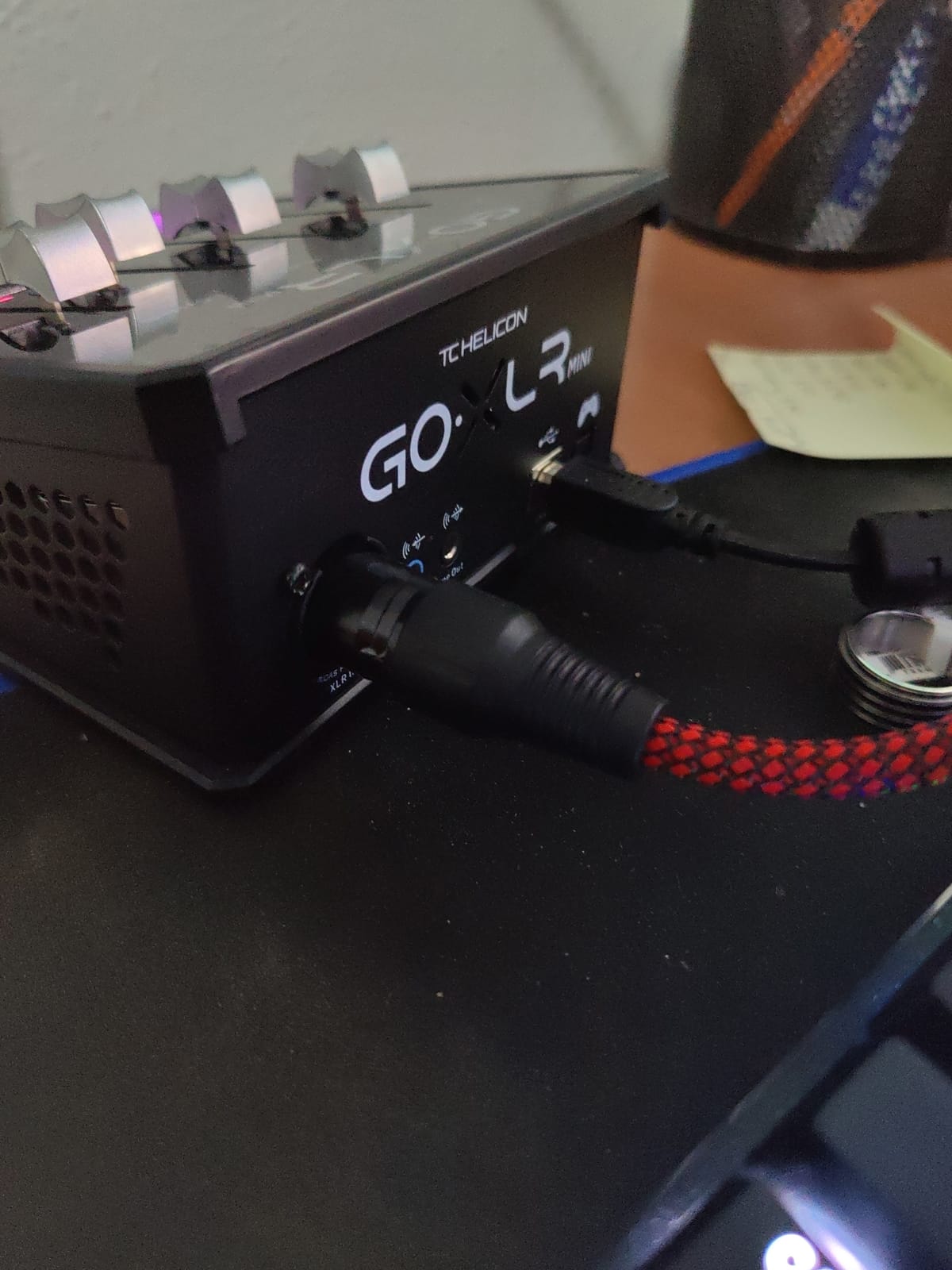
The Mini is the GoXLR idea compressed into a box that weighs 730 grams and fits in the palm of your hand. If you liked the full-size unit’s hardware processing but not its desk footprint, this is the version that fits next to a keyboard tray. It measures about 5.2 by 6.6 inches and runs on a 3-year manufacturer warranty.
The preamp is the reason to buy it. Reviewers consistently single it out as loud, warm and low-noise enough to make a mid-tier dynamic microphone sound broadcast-ready, and it drives an SM7B without a Cloudlifter. Hardware EQ, compression and gating do the heavy lifting, so the app barely touches your processor during a show.
Routing is where the Mini earns its place. It adds five virtual output devices plus mic, line and optical inputs, so the gaming PC, the streaming PC, Discord and a music player can each land on their own channel. Four assignable faders with dedicated mute buttons and configurable lighting keep the desk legible in a dark room.
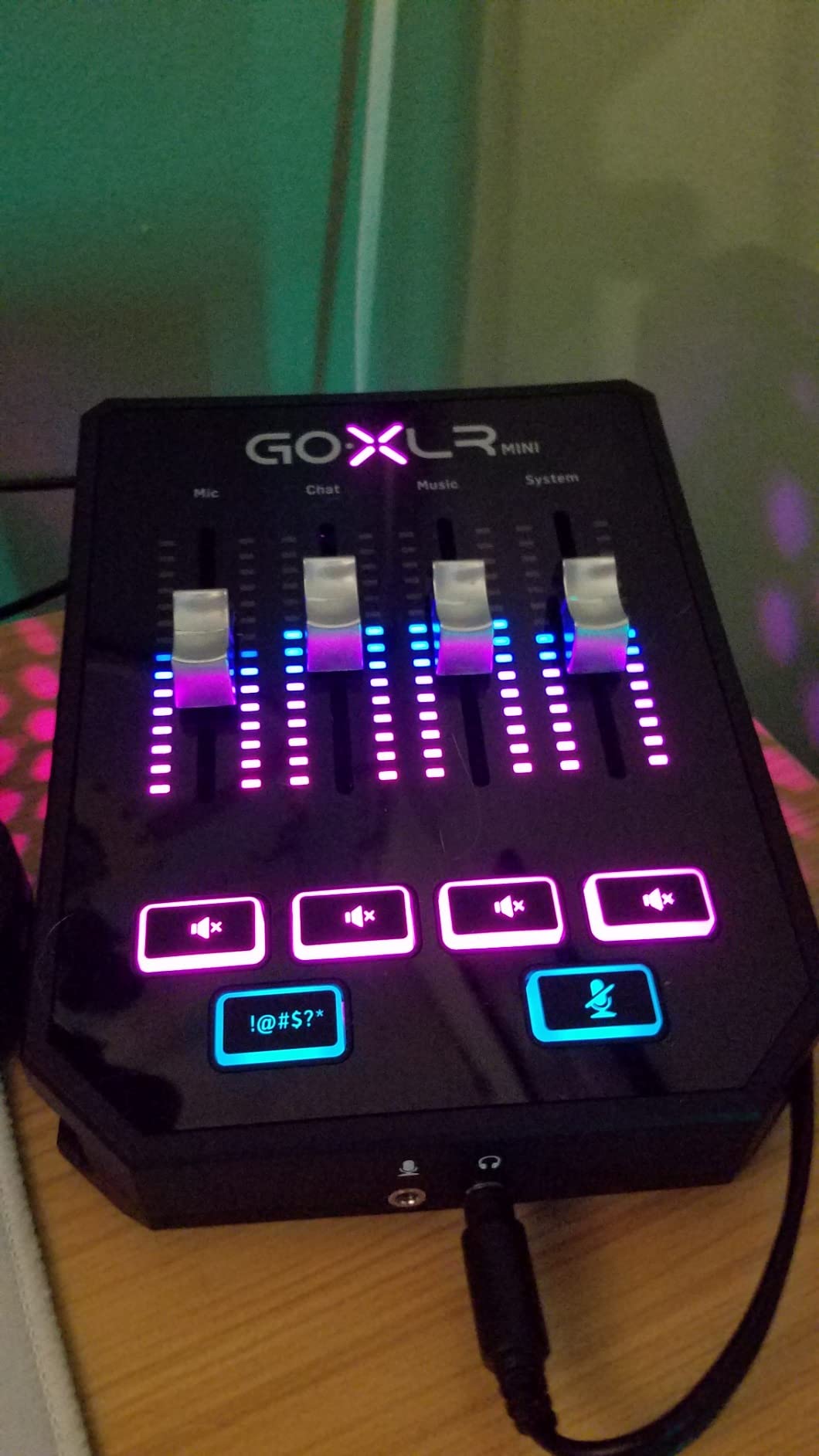
The trade-offs are the same family as the full-size unit. There is no de-esser, so sibilance has to be handled in software. The EQ is limited to six frequency bands, which is enough for voice but not for shaping music. And as with the larger model, the app must be running for the device to function at all.
A minority of owners also report preamp hiss becoming noticeable in live monitoring at high gain, plus occasional dropouts or a whine. Support is largely community-based, so check that your operating system is on the supported list before committing.
Who this mixer suits
A solo streamer on a dual-PC rig will get the most from it, since the extra virtual outputs exist for exactly that layout. It is also the easiest way to add real broadcast processing to a setup that currently has nothing but a USB microphone.
If you are still deciding, our guide to audio mixers for podcasting covers the channel-count questions in more depth.
Where it falls short
Any format with a second voice is out. One XLR input rules out a two-person podcast, a co-hosted stream, and a remote guest on a hardware XLR line. Multi-guest work belongs to the PodTrak P4 or the RODECaster Pro II.
Windows-only support is the other hard limit, and there is no physical power switch, so shutdown order matters. Budget for that before you build the rig.
3. FIFINE Ampligame SC3 – Best First Step Up to XLR
FIFINE Ampligame SC3 Gaming Audio Mixer with Indi-Fader and Volume Control
4 channels
XLR mic input with 48V phantom power
3.5mm line out and headphone jack
4 sound pads
Pros
- XLR mic input with 48V phantom power upgrades a basic setup
- Four independent faders for mic
- line in
- headphone and line out
- Front-panel mute and zero-latency monitor buttons
- Four recordable sound-effect buttons
- Sits at the top of the sales rankings in its category
Cons
- XLR cable is not included
- No support for USB microphones
- Only four channels
- Onboard effects are novelty-grade
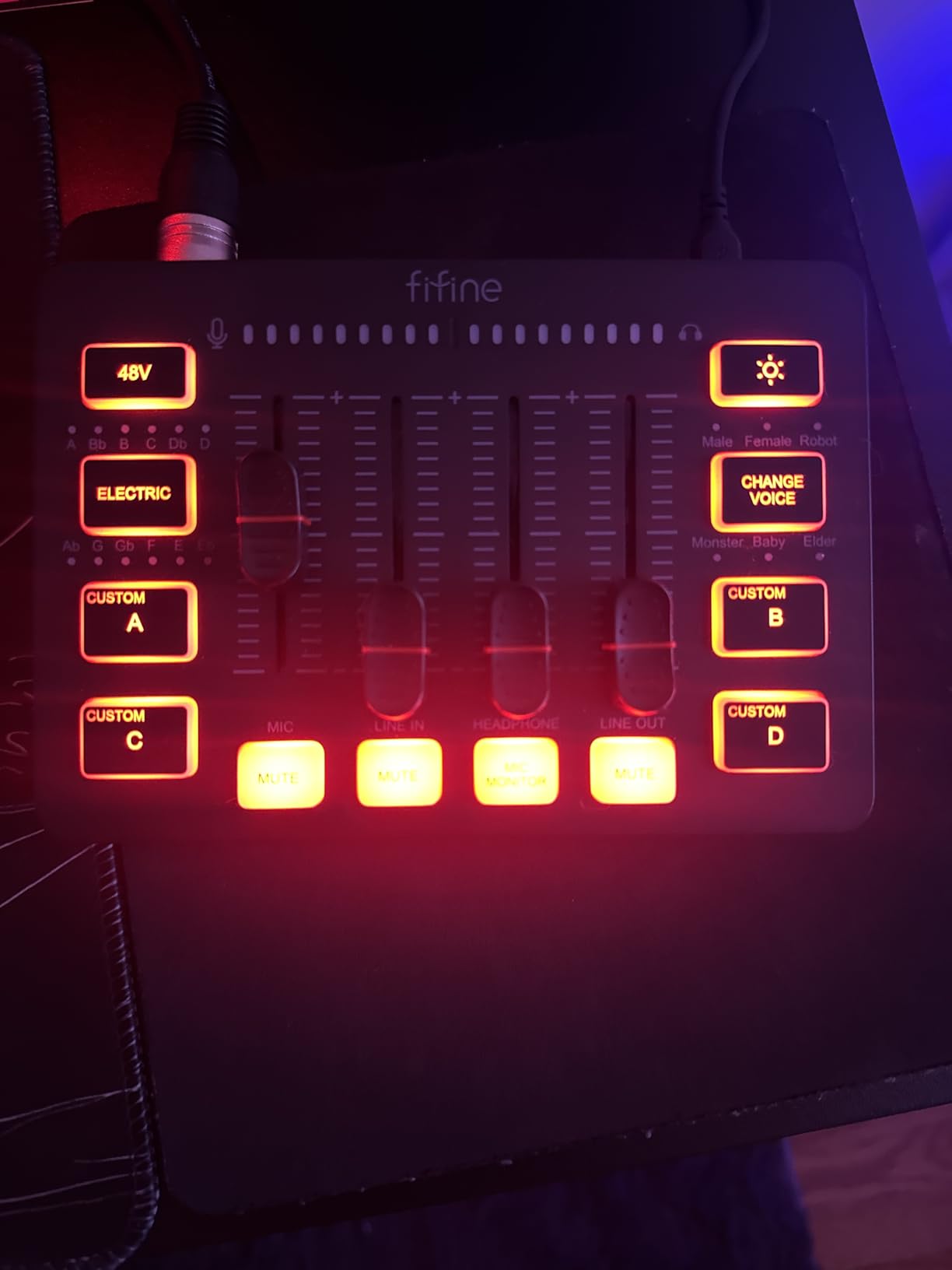
The SC3 is where most streamers should start. It has a genuine XLR mic input with 48V phantom power, so you can move off a plastic USB microphone and onto a proper dynamic or condenser mic without buying a separate preamp. The four independent faders cover mic, line in, headphone and line out, which is enough separation for a voice, music and a game.
Two front-panel buttons earn their place more than the lighting does. A mute button means you can kill your mic the instant a door slams, and the zero-latency monitor switch lets you hear yourself with no round trip, which is what you want when the mic sits on a boom arm away from your headphones.
The four customizable sound-effect buttons can record a clip directly to the pad, and there are six voice-change modes and 12 auto-tune effects. Buyers treat these as entertainment rather than production tools, and that is fair. The unit works with two-PC setups and plugs straight into OBS, Twitch, YouTube or TikTok without extra drivers.
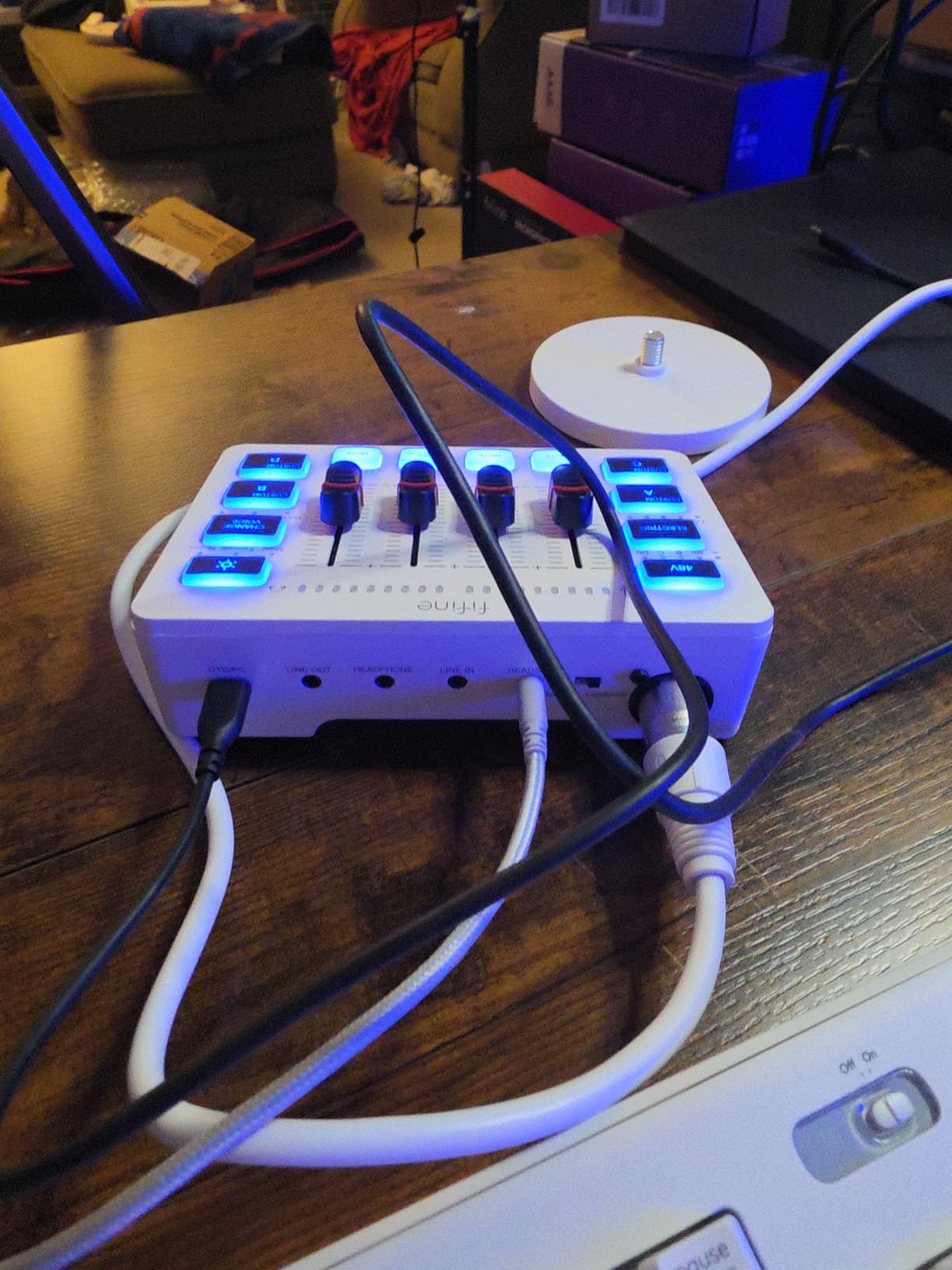
Owner feedback is unusually consistent at this price point. The praise lands on the XLR preamp, the per-channel faders, and the front-mounted mute and monitor buttons.
The complaint that comes back most often is simple and fixable: the XLR cable is not in the box. There is no support for USB microphones, so this is a move forward into XLR rather than a universal adapter, and with four channels a complex multi-source mix is out of reach. The onboard processing is also much lighter than a hardware compressor and gate, so plan on some software help for noisy rooms.
Who this mixer suits
A streamer moving from a bare USB mic to their first XLR setup gets more for their money here than anywhere else in this roundup. The phantom power means a condenser mic works, and the hardware faders are a genuine upgrade in control.
It also suits creators who want front-panel mutes and instant monitoring in a compact footprint, with sound pads for intro stingers and a voice tag. The RGB lighting is a bonus rather than a feature to justify the purchase.
Where it falls short
Buy the XLR cable separately, because it is not included, and check that your existing microphone is XLR rather than USB. The voice-change and auto-tune effects are novelty items, and four channels will not scale to a co-hosted show.
If you want real dynamics processing on the voice, look at the MAONO G1 Neo’s noise reduction or the Yamaha’s one-knob compressors instead.
4. Yamaha MG10XU – Ten Channels and a Class-Compliant USB Port
YAMAHA MG10XU 10-Input Stereo Mixer with Effects
10 inputs
Discrete class A D-PRE preamps
USB output at 24-bit
7.7 pounds
Pros
- Discrete class A D-PRE preamps deliver low noise and a full sound
- One-knob compressors on two channels
- 24 SPX digital effects with room and plate reverbs
- Class-compliant 24-bit USB output with no drivers
- Rugged powder-coated metal chassis
Cons
- Records only a stereo mix
- USB return sits outside the analog mix control
- Meters are fixed to the stereo bus
- Only two of four mic channels have compressors
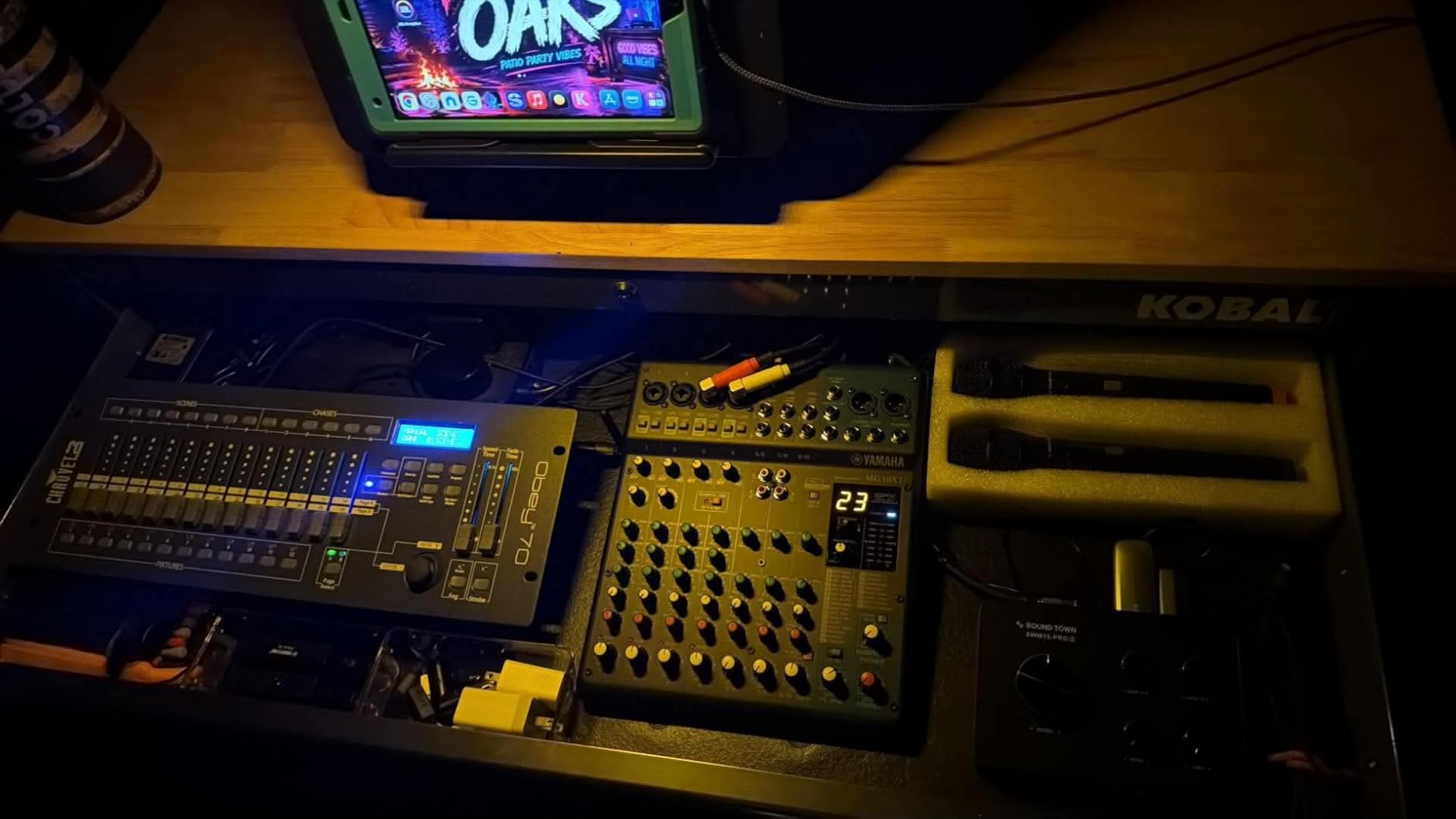
The MG10XU is the buy-once option here. It is a 10-channel analog mixer with a USB port, and reviewers describe it as an industry-standard compact mixer rather than a streaming gadget. The discrete class A D-PRE preamps with inverted Darlington circuitry are the reason for the low noise figure, and they give a rounder sound than a typical streaming interface.
Two channels carry one-knob compressors, which is the single most useful control on the panel for a first-time mixer owner. Turn the knob until the vocal stops pumping and stop. The 24 SPX effects include room and plate reverbs that glue a mix together, and a built-in high-pass filter on each channel takes care of desk rumble before it becomes a problem.
From a streaming angle, the USB output is the part that matters most. It appears as a class-compliant 24-bit device with no driver install, so the mixer behaves like any other audio interface. You also get separate main and monitor level controls, which lets you set your headphone cue independently of what goes to the stream.
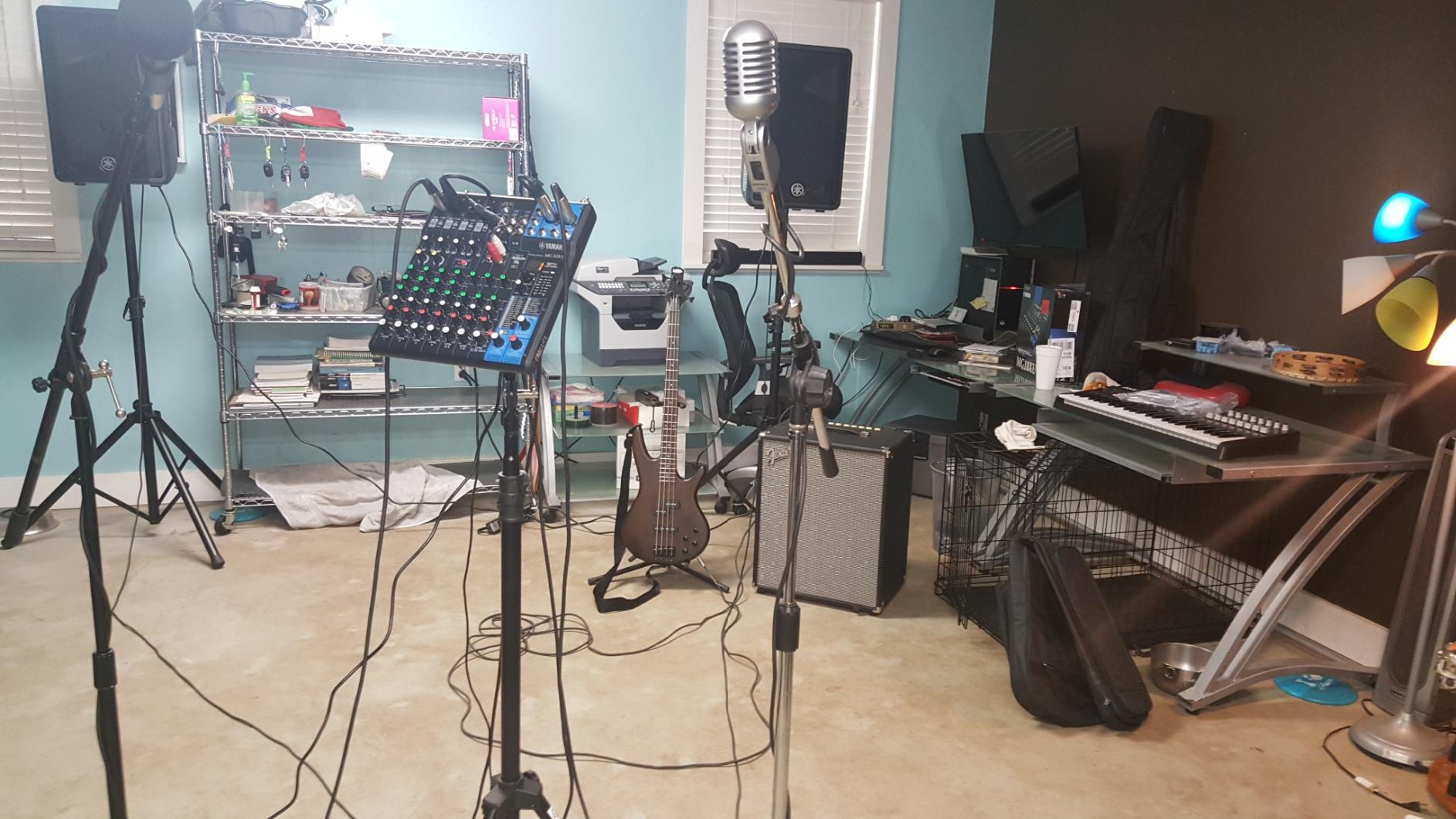
There are real constraints. It records only a stereo mix rather than individual tracks, so multitrack editing is not available. The USB return level is not affected by the stereo or monitor controls, which means you trim that channel in software instead. The meters always show the post-stereo bus and cannot be switched, and the back panel runs warm during long sessions.
Only two of the four mic channels have compressors, and the USB channel has no dedicated mid-range EQ knob. The listed noise rating is 128 dB, and residual output noise is measured at 102 dBu.
Who this mixer suits
A small podcast room, a mobile DJ rehearsal, or a streamer who wants more channels than a desk can offer. Ten inputs cover a host, a co-host and music without a separate interface.
It is also the pick for anyone who wants hardware that outlasts a streaming setup. The powder-coated metal chassis is rated impact-resistant, and a 1-year manufacturer warranty covers the electronics. If you also record music or instruments, the SPX effects make it a genuine small studio mixer.
Where it falls short
It is a 7.7-pound box with an 11.6-inch deep footprint, so it needs desk space.
If your main need is a low-latency voice chain with instant monitoring, the SC3 or the GoXLR MINI is a better fit.
5. RODE RODECaster Pro II – The All-in-One Podcast Console
RØDE RØDECaster Pro II All-in-One Audio Production Studio
4 XLR mic inputs
Onboard EQ, compression, gate and de-esser
8 SMART pads
Multitrack to SD or computer
Pros
- Four studio preamps with enough clean gain for an SM7B
- Onboard EQ
- compression
- noise gate and de-esser with APHEX presets
- Eight SMART pads trigger music
- effects and mix-minus calls
- Fast and intuitive touchscreen
- Records multitrack and works standalone
- Wireless and dual USB-C connectivity
Cons
- Reported USB port failures on some units
- Bluetooth audio can drop and has noticeable latency
- Steep learning curve for beginners
- Large
- heavy unit without motorized faders
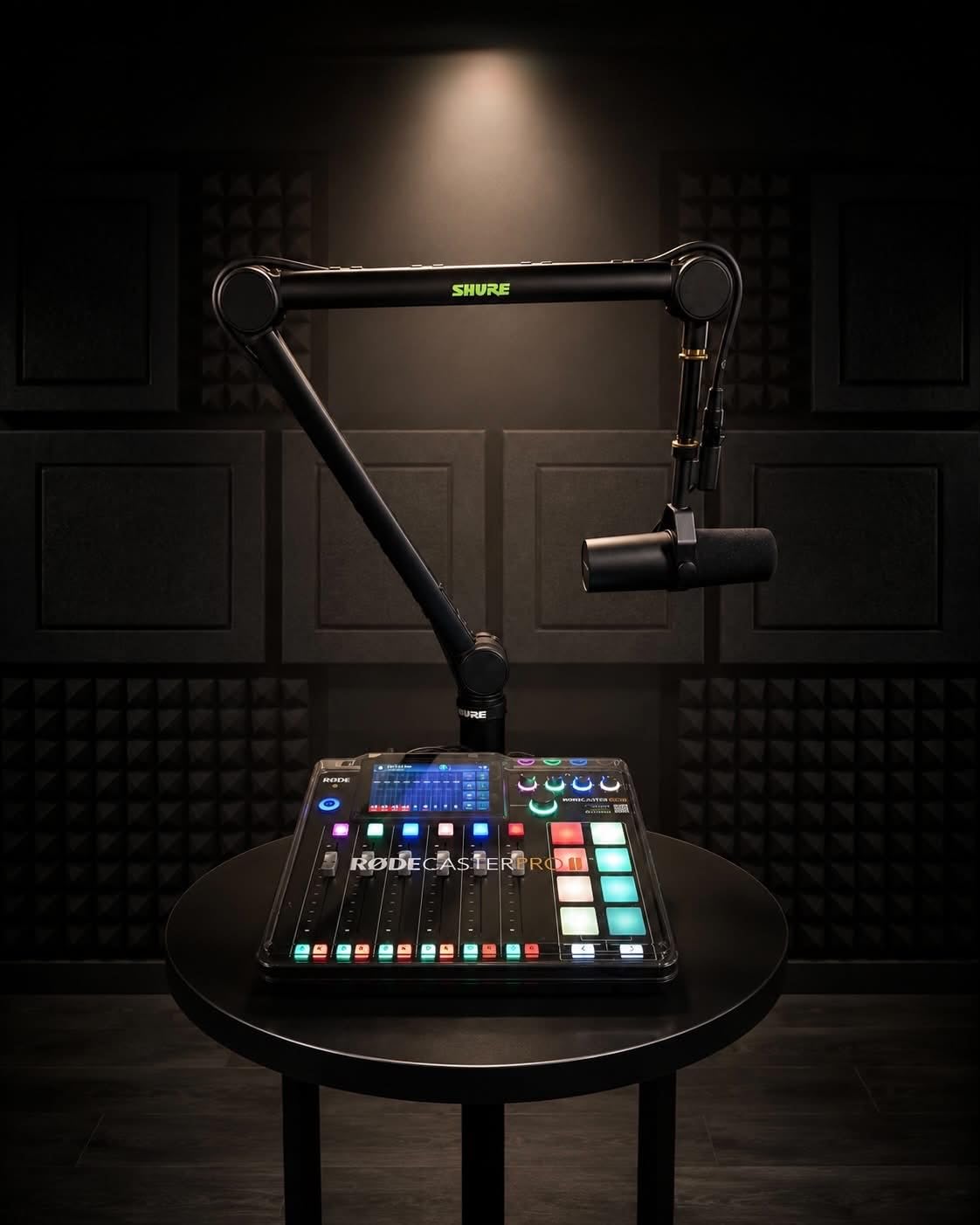
The RODECaster Pro II is not really a mixer in the analog sense. It is a production console with four studio preamps, a touchscreen, and a processing chain designed to make an inexpensive microphone sound finished. Owners routinely describe it as a studio in a box, and the reason is the software sitting on top of the hardware.
APHEX presets such as Invader and Expander sit behind a touch target for a de-esser and compressor that normally requires plugins. Four preamps have enough clean gain for an SM7B without an external booster, and the noise floor is listed at 76 dB. Processing is done on the console, so the streaming PC stays free for encoding and capture.
Eight SMART pads handle music, sound effects, and mix-minus for phone calls. Recording goes to computer, microSD or a USB drive as separate tracks, and the unit works standalone with no computer attached, which makes it a genuine backup if your stream PC fails. Bluetooth, Wi-Fi and dual USB-C cover call-ins and two-PC layouts.
The negatives are worth weighing. Some owners report USB 1 port failures that stop the unit connecting to a computer at all, and Bluetooth audio can drop after a few hours while the disconnect control stops responding. Bluetooth quality is basic with noticeable latency, so it is fine for reference music and poor for anything you time to.
The learning curve is steep despite the marketing, and the documentation is thin with no public API. At roughly 2 kg and 12 by 10.6 inches it is not a portable unit, and the faders are not motorized.
This is also the most expensive mixer in the group by a wide margin.
Who this mixer suits
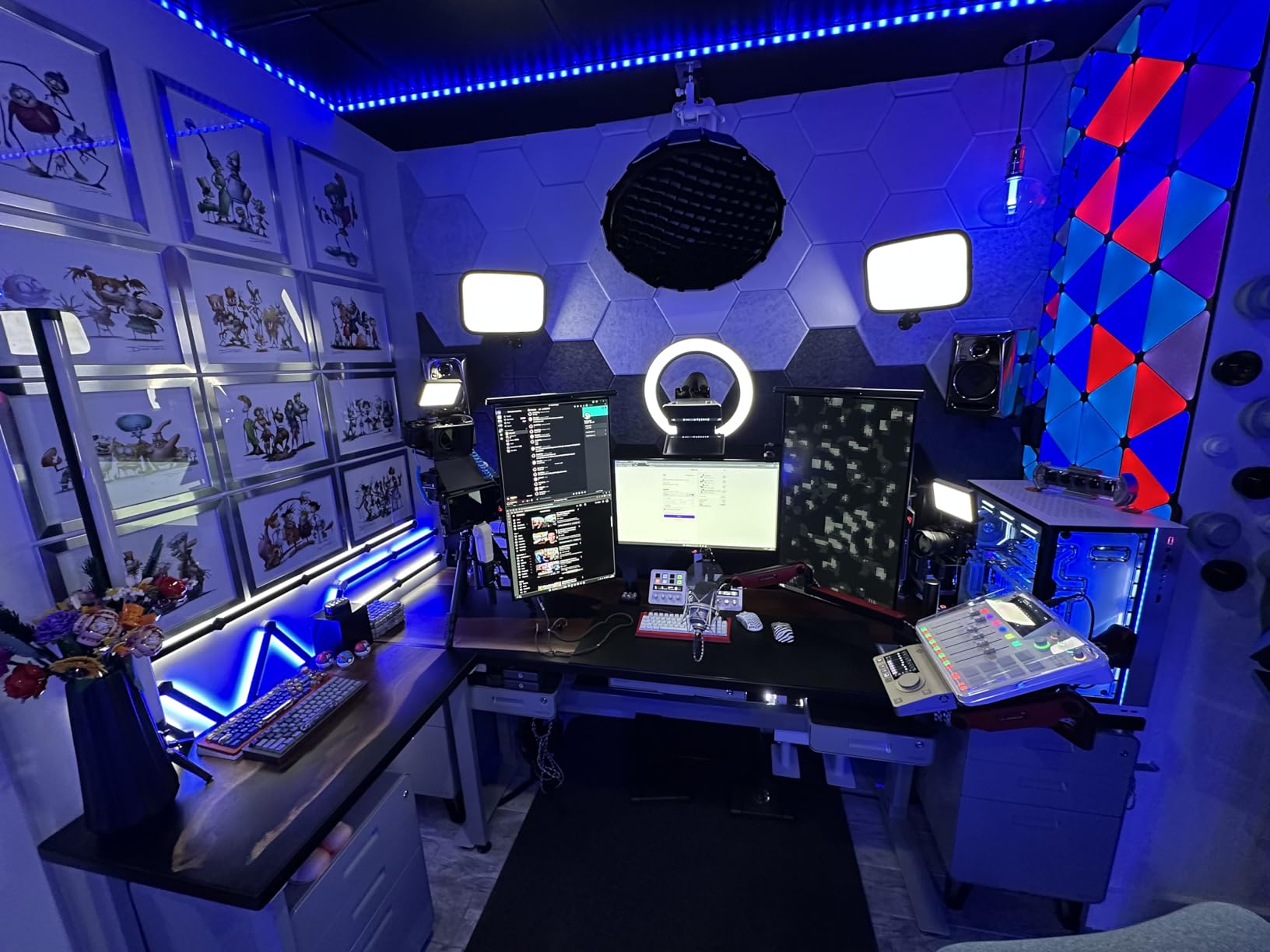
A two-person video podcast or a show that records and streams from the same desk. Four real XLR inputs, multitrack capture to SD, and a mix-minus pad for call-in guests cover the workflow without extra hardware.
It also suits creators who want one device that records even when nothing is plugged into a computer. If your audio setup is the weakest part of your production, this fixes the most problems at once.
Where it falls short
A solo streamer with one microphone and a game audio source will not use most of it. Check the USB port behaviour in reviews for your specific unit, and treat Bluetooth as a convenience rather than a monitoring path.
If you want the same four-input capability in a far smaller box, the PodTrak P4 also records to SD and costs considerably less.
6. Aveek 5-Channel Mixer – Recording and Playback for Rehearsal Rigs
Aveek 5 Channel Audio Mixer, Built-in PC Recording Interface Sound Board
5 channels
3 XLR inputs with 48V phantom
Built-in PC recording chip over USB-B
Bluetooth input
Pros
- Three XLR inputs plus 6.35mm and RCA stereo inputs
- Built-in recording chip for plug-and-play PC capture
- USB stick playback and Bluetooth streaming
- 48V phantom power
- Compact square footprint
Cons
- Bluetooth
- USB playback and multichannel mode are mutually exclusive
- No ASIO drivers
- PC audio returns on line 4 and can create echo
- Delay and echo effects are gimmicky
The Aveek is a rehearsal and karaoke box that happens to record. Three XLR inputs, two 6.35mm jacks, and RCA stereo inputs cover microphones, guitars, keyboards and a CD player in one square 8.27-inch footprint. The 48V phantom power means condenser microphones work, and the on-board 2-band EQ, gain controls and headphone monitor jack are more than most hobby mixers at this level provide.
The built-in recording chip is the interesting part for a streamer. Plug the USB-B cable into a PC and it enumerates as a capture device, so a rehearsal or jam session can be recorded without an interface. A USB stick can also hold tracks, and Bluetooth streaming includes on-board transport controls, which is genuinely useful for playing accompaniment from a phone.
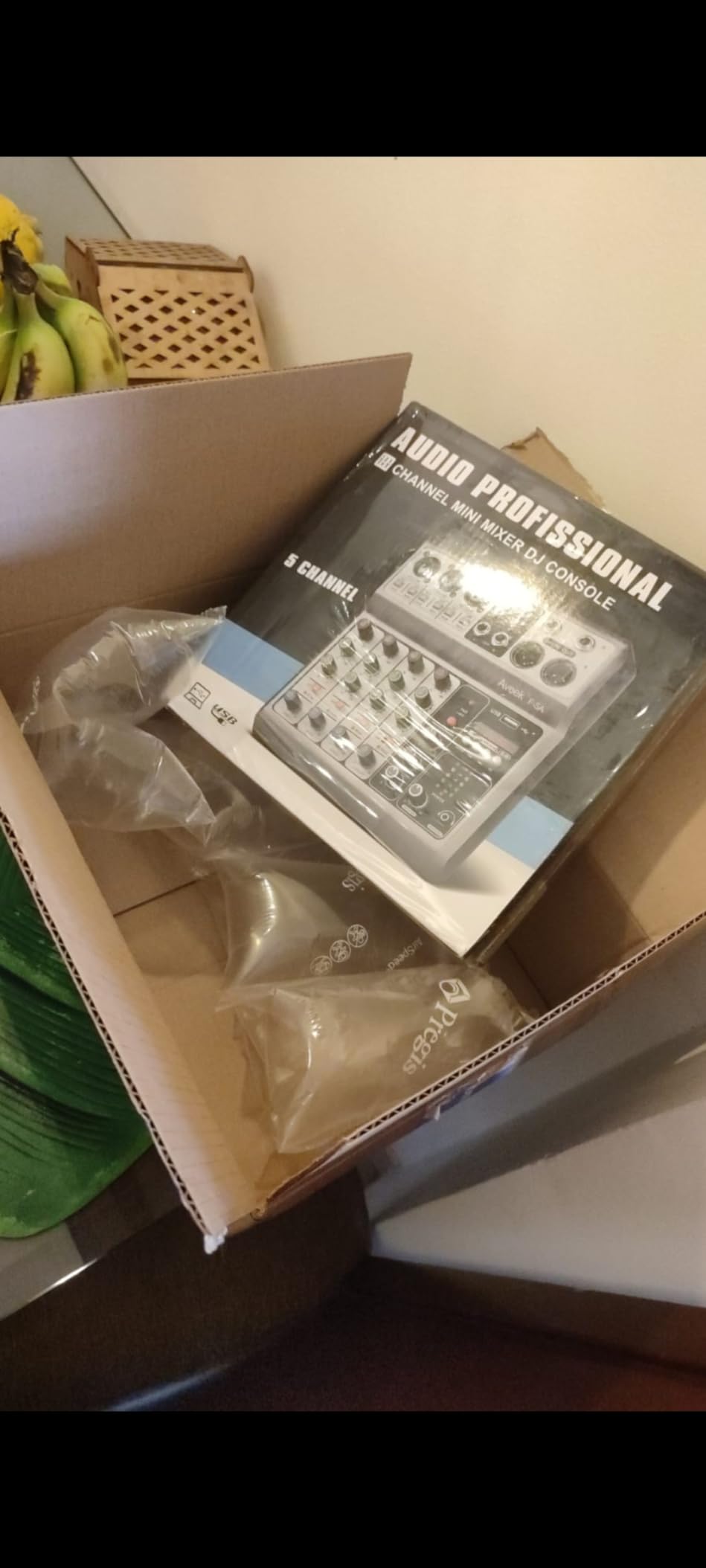
Buy the XLR cable separately, because none is bundled with the mixer. The included components are the mixer, an AC power adaptor, a Type-C power cable, a USB-B cable and a manual.
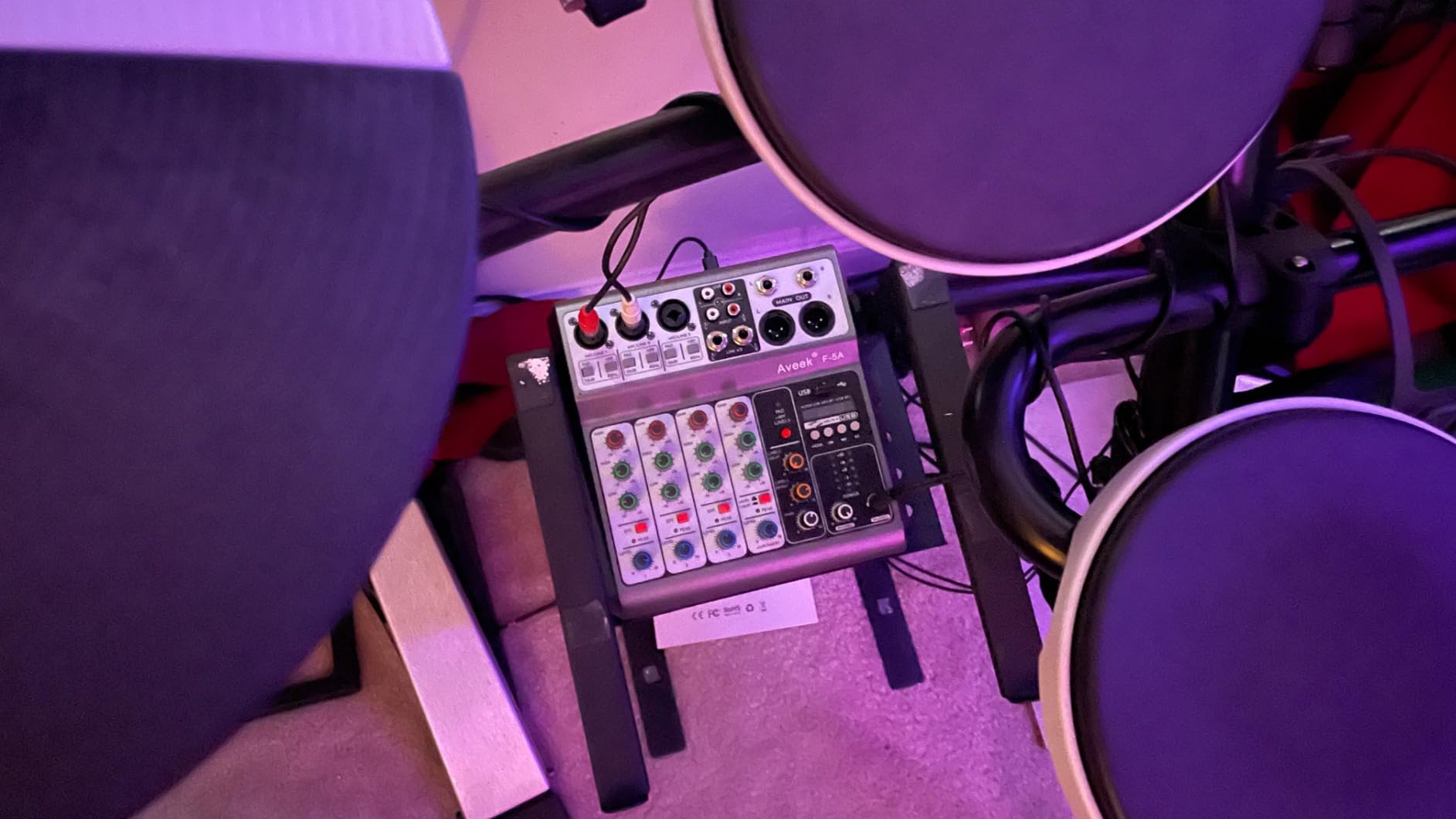
The structural limitation is the mode exclusivity. Bluetooth input, USB stick playback and the four or five channel functions cannot run at the same time, which removes options exactly when you want them. Only active speakers or an amplifier can be connected, and there is no Bluetooth output.
For streaming specifically, there is no ASIO driver support, it enumerates as a generic USB headphone and mic device, and PC audio returned on line 4 alongside the mic lines creates an echo when you capture desktop audio. The delay and echo effects are novelty items, and some owners report distortion and cheap-feeling knobs.
Who this mixer suits
Musicians rehearsing with two or three people, or anyone who needs a standalone recorder with a built-in mixer. The input variety and phantom power cover a band rehearsal in a small room, and the square chassis fits a cramped desk.
It works as a podcast starter too, as long as you only need a small number of sources and you handle routing in software. Several r/podcasting buyers name this price bracket as their entry point.
Where it falls short
Do not buy it as your only streaming device. The echo on the PC return is the single biggest problem reported by people capturing desktop audio, and the lack of ASIO drivers limits control in recording software.
Bluetooth adds latency and degrades audio, so treat it as an accompaniment input only. For a low-latency stream chain, pick a dedicated streaming mixer instead.
7. MAONO G1 Neo – Compact XLR Mixing with Built-In Noise Reduction
MAONO G1 Neo Gaming Audio Mixer Audio Interface with XLR Input & 48V
4 channels
XLR preamp with 48V phantom power
Gain range -45dB to -55dB
USB-C and 3.5mm outputs
Pros
- Preamp with 48V phantom power for XLR condenser and dynamic mics
- One-click noise reduction
- Voice change plus four custom sound pads
- Bluetooth accompaniment input with loopback and direct monitor
- 12 RGB colour variations
- Works with OBS
- Discord
- Twitch
- TikTok and Zoom
Cons
- Not compatible with USB microphones or Xbox
- Needs the 5V adapter for stability under load
- Some kits ship without a power adapter
- Onboard processing is lighter than a hardware compressor
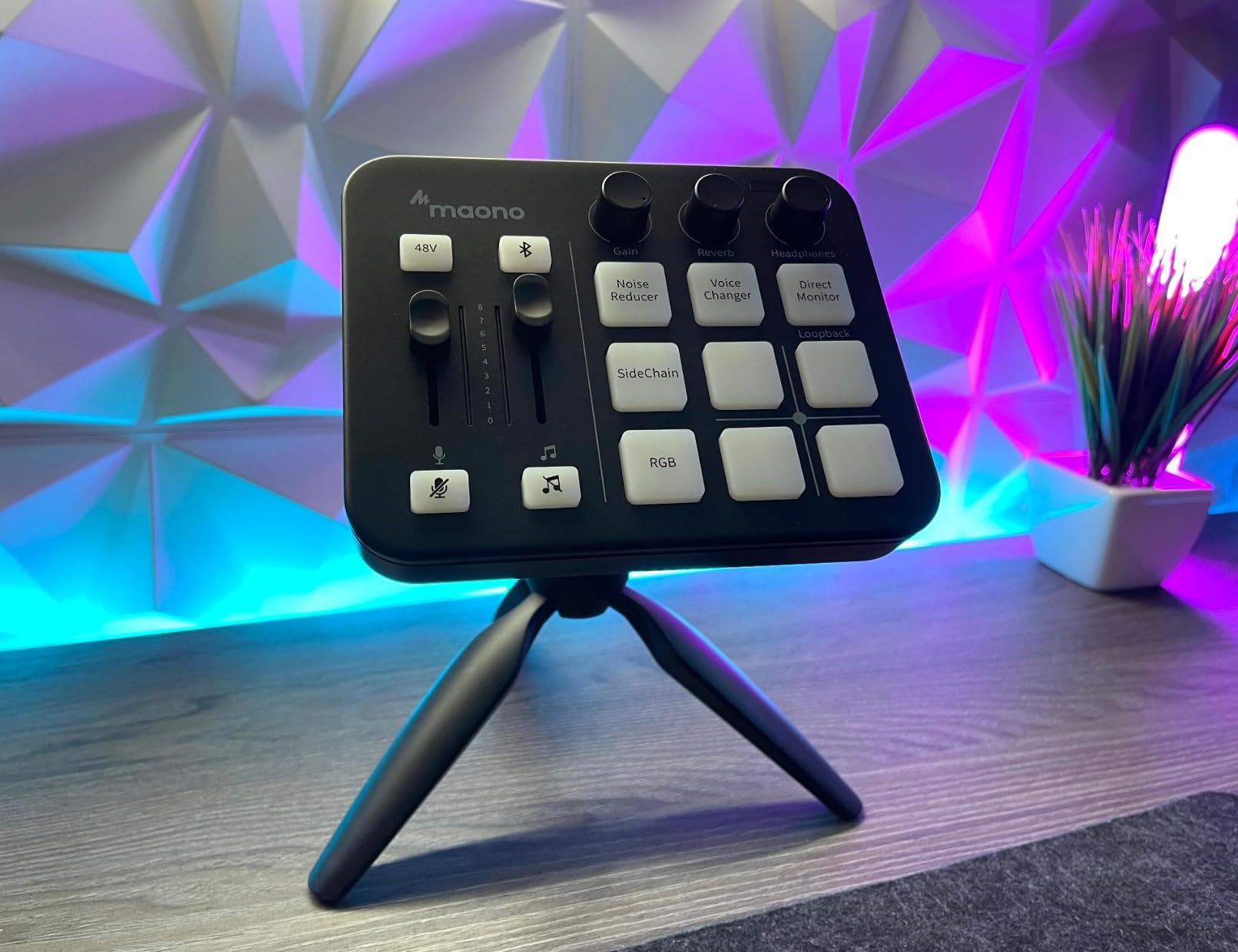
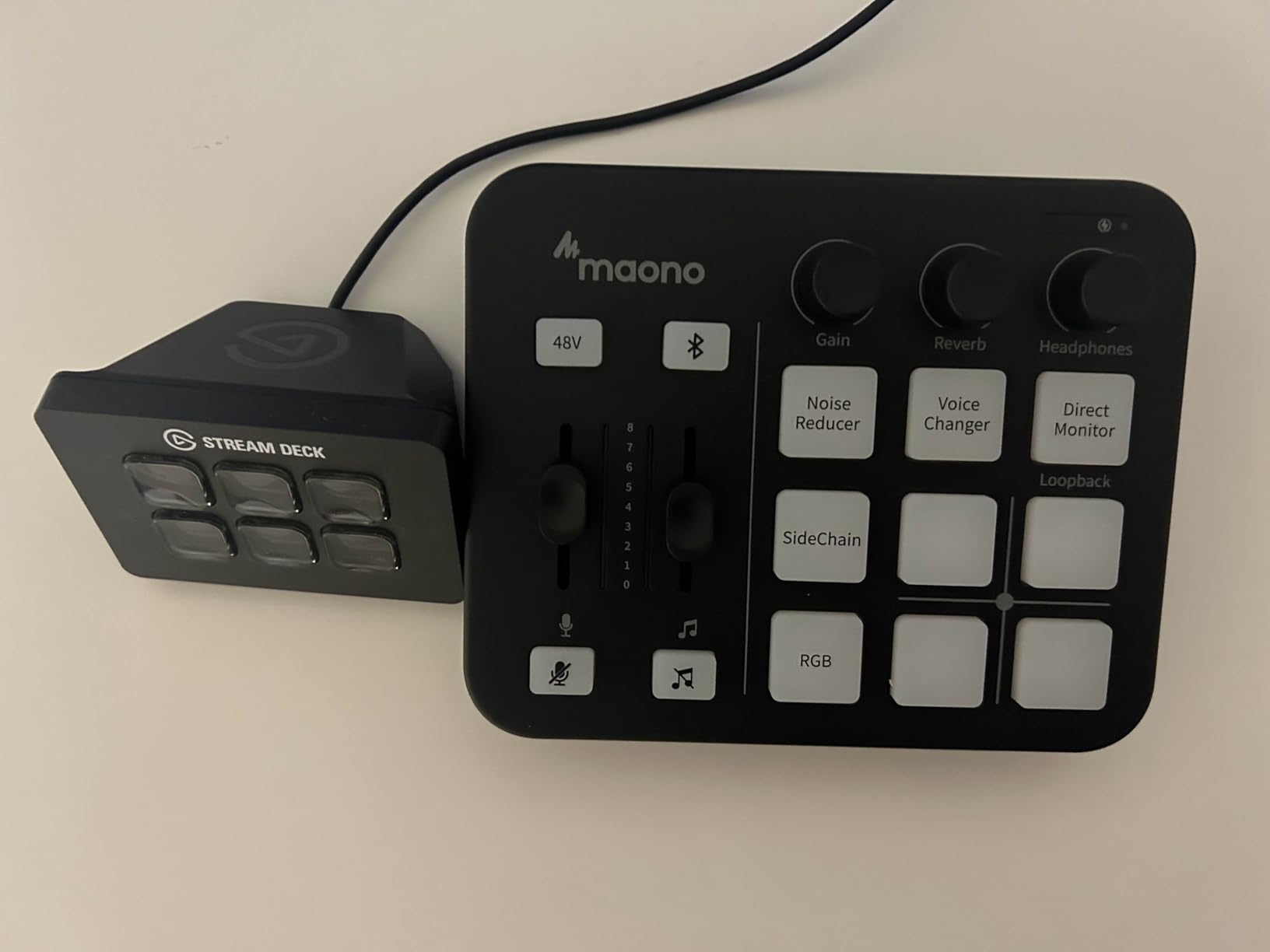
The G1 Neo is the smallest serious XLR mixer here, at 6.29 by 5.19 inches and 1.2 pounds. It carries a pro-grade preamp with 48V phantom power, and the listed gain range of -45dB to -55dB is a narrow window, so you will set gain precisely rather than dial it in by ear.
The genuinely useful control is the one-click noise reduction. It cleans a voice enough that teammates can hear you in a chat, which is the difference between a stream people mute and one they stay on. Loopback and direct monitor buttons handle the two routing cases you actually hit: playing desktop audio into the mix, and hearing yourself without delay.
Four custom sound pads cover intro stingers and a voice tag, and Bluetooth accompaniment input means music can come from a phone without occupying a line input. The 12 RGB variations across buttons and light strips are cosmetic, but they matter on a desk that appears on camera.
Compatibility is the catch. It does not support USB microphones, Xbox, or other MAONO devices, so it is a move into XLR rather than a universal hub. Owners consistently report that it runs reliably only on the 5V power adapter under long sessions, and some kits do not include that adapter, so check the box contents, which list the mixer, a USB A-C cable, a 3.5mm TRRS cable and a manual.
The onboard processing is limited compared with a hardware compressor and gate, so the noise reduction is doing a lot of the work on its own. Device compatibility covers phones, computers, tablets, PS4 and PS5, and a 1-year warranty applies.
Who this mixer suits
A streamer in a shared room who needs voice cleanup without opening OBS and stacking filters. The one-click noise reduction and the four pads give you a usable voice chain on day one, and the small footprint suits a laptop desk.
It also suits a console streamer who wants Bluetooth music from a phone and a mute button within reach. Audio connects over USB-C and 3.5mm, and it is listed as compatible with OBS, Discord, Twitch, TikTok, YouTube, Streamlabs, Streamyard and Zoom.
Where it falls short
Buy the power adapter, and do not expect it to work with a USB microphone. The gain range is narrow, so an SM7B on a boom arm will be quiet without a booster, which rules it out for large-diaphragm broadcast setups.
There is also a learning curve that belongs to the brand ecosystem, since the console software is part of the experience. If you want a real compressor and gate in hardware, the Yamaha MG10XU gives you both.
8. voijump RGB PC Mixer – Budget XLR Input with Lighting
Gaming Audio Mixer for Live Streaming, RGB PC Mixer with XLR Mic Interface
4 channels
XLR mic input with 48V phantom power
4 faders
Plastic enclosure
Pros
- Dedicated XLR mic input with 48V phantom power
- Four independent faders for mic
- line in
- headphone and line out
- Front-panel mute and zero-latency monitor
- 6 voice-change modes
- 12 auto-tune effects and 4 sound buttons
- 5 RGB lighting modes
- Plug-and-play dual-PC routing on macOS and Windows
Cons
- XLR cable is not included
- No support for USB microphones
- Xbox or Nintendo Switch
- Some buyers report static pops or audio loss
- All-plastic enclosure
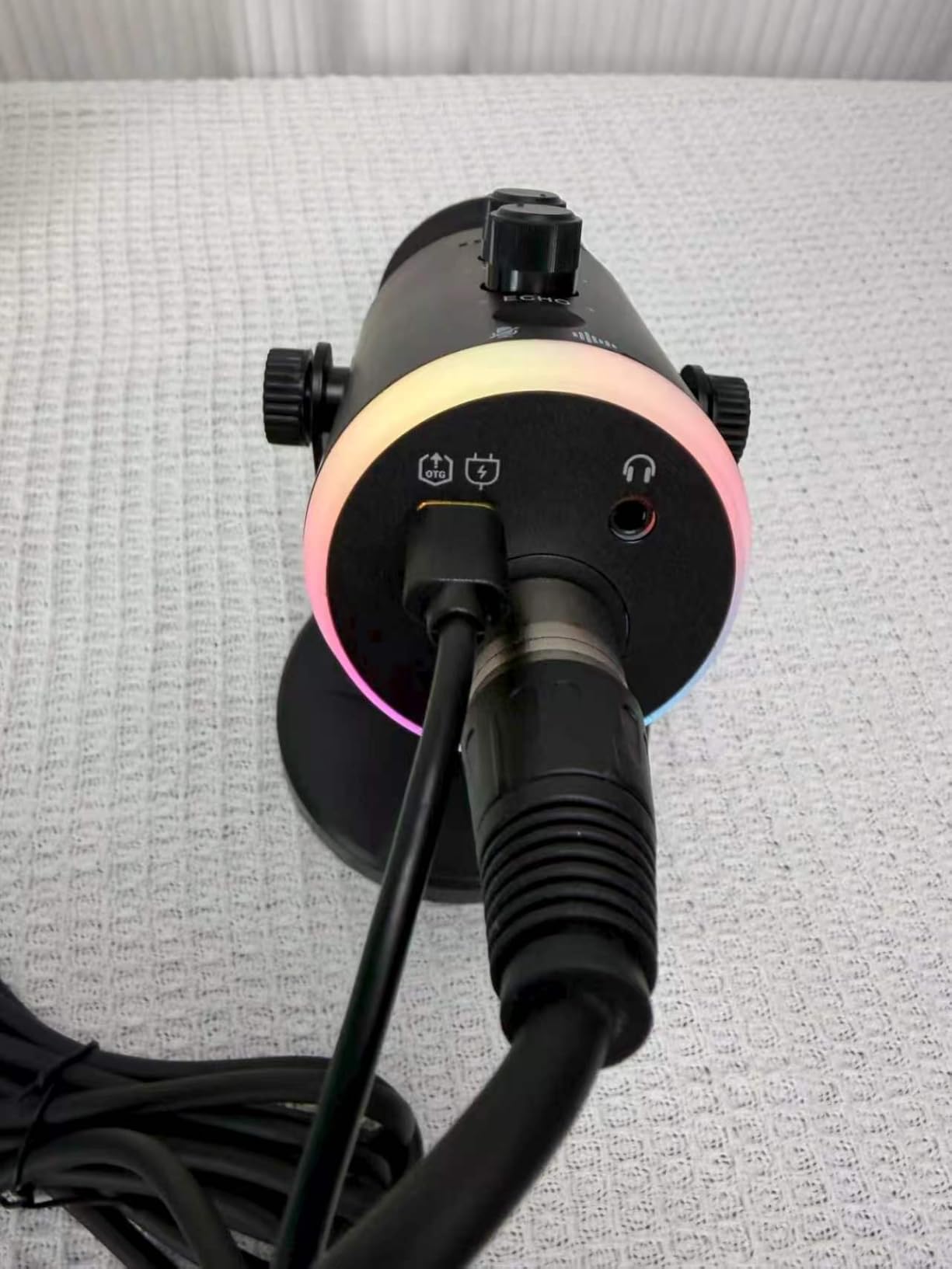
The voijump A660 does the same physical job as the SC3 at a slightly lower tier, and the layout will feel familiar if you have handled one of these before. Four faders for mic, line in, headphone and line out, a front mute button, and a zero-latency monitor switch, all on a 4.44 by 6.45-inch plastic body. The warranty runs three years.
The audio path is a genuine 2-in 2-out interface, and the connectivity spec lists USB plus an XLR mic input. Dual-PC routing works out of the box, and buyers report macOS and Windows both functioning without extra drivers. The 48V phantom power opens the door to condenser microphones, and 6 voice-change modes, 12 auto-tune effects and 4 customizable sound buttons cover the novelty features.
Included components are the mixer, a USB data cable, a 3.5mm audio cable and a manual. Note the parenthetical in that list: the XLR cable is not included, and you will need one.
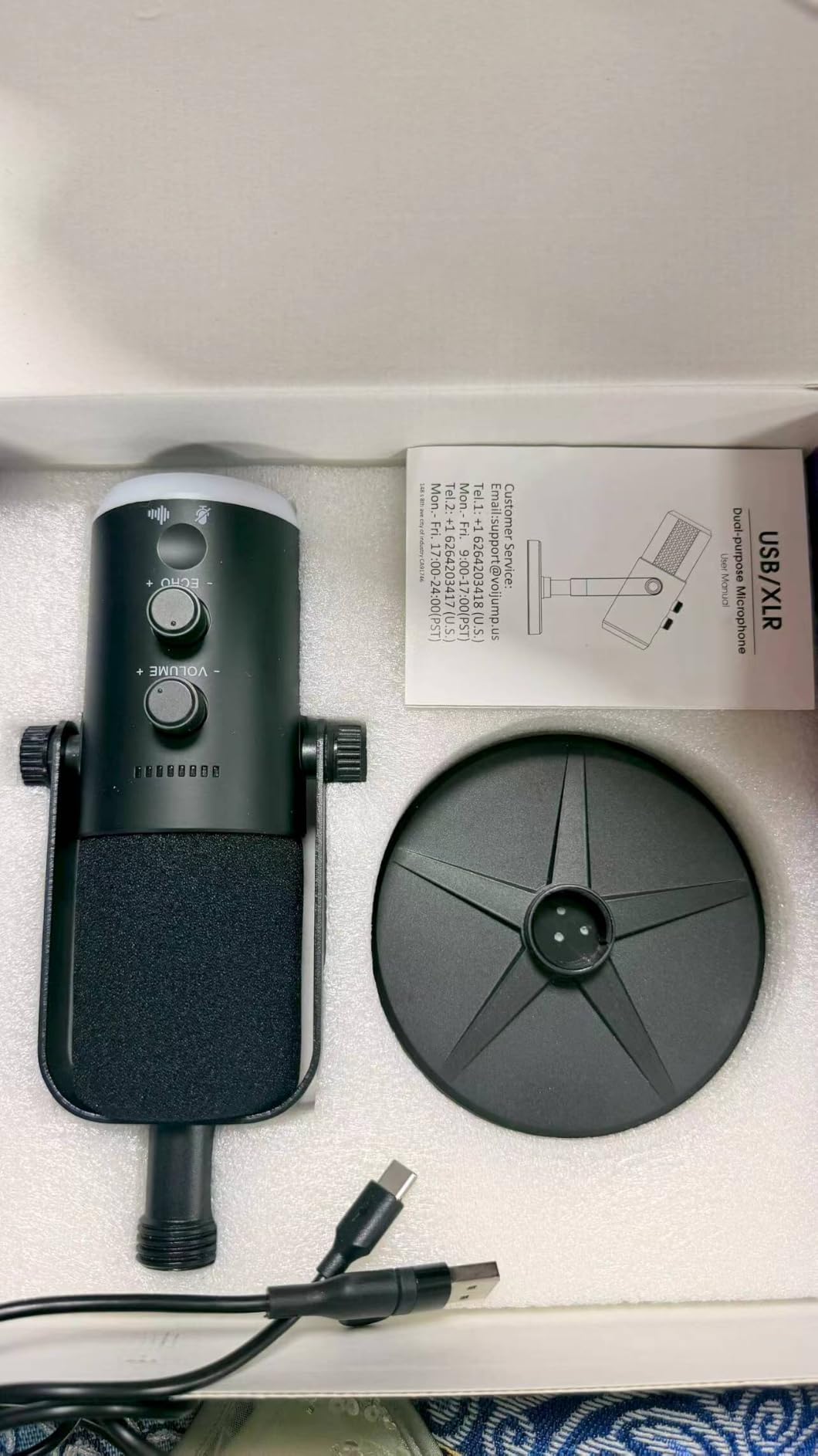
The caveats stack up quickly. USB microphones are not supported, nor are Xbox or Nintendo Switch, so this is a PC-only XLR box. Some buyers report static pops or a loss of audio on certain devices, and the all-plastic enclosure flexes under a firm hand on the faders.
There is also a data-quality issue worth flagging: a portion of the reviews on this listing describe a microphone rather than the mixer, so the aggregate rating of 4.3 from 631 reviews is noisier than the number implies. Read the reviews that mention faders, phantom power, or OBS rather than the ones describing a wireless mic.
Who this mixer suits
A streamer on a tight budget who wants an XLR input, phantom power, and per-channel faders with a mute button. If your stream has a visible desk, the five RGB lighting modes are a real benefit rather than a gimmick.
It also suits a beginner who will not use de-essers or gates, since the front-panel controls are self-explanatory and the three-year warranty reduces the risk on a first hardware purchase.
Where it falls short
Do not count the rating as reliable, and buy an XLR cable. There is no console support and no USB microphone support, which closes off several upgrade paths.
Compared with the FIFINE SC3, the extra features are similar but the warranty and build are weaker. If both fit your budget, the FIFINE has a much larger owner base to draw advice from.
9. Behringer XENYX 802S – Quiet Analog Mixing with a USB Return
Behringer XENYX 802S Premium Analog 8-Input Mixer with USB Streaming Interface
8 inputs
Stereo USB audio interface
Separate main and monitor control
1610 g
Pros
- Very low noise floor with no hum or hiss at normal levels
- Integrated stereo USB audio interface
- Monitors the USB return and analog inputs at the same time
- Eight inputs give room to add sources
- Physical faders and EQ instead of software panels
- Rugged enough for repeated transport
Cons
- Internal USB DAC is only average
- Cheaper power supply than the previous generation
- Not a powered mixer
- No built-in effects or per-channel processing
The XENYX 802S is the analog default in this category, and reviewers frame it as a dependable, quiet mixer with a useful bonus USB interface. The 8-input layout gives you more clean channels than a desk streamer needs, and the direct mixing of PC or gaming sounds into the streaming output is exactly the routing most people are trying to build.
The improvement over the previous 802 generation is simultaneous monitoring. You can hear the USB return and the analog inputs at the same time through separate main and headphones controls, which means you can judge the whole mix instead of half of it. The low noise floor is the other headline: owners report no hum or hiss at normal levels, and the faders and EQ are easier to work with than clicking through a software panel.
It also doubles as a small PA or studio monitoring hub, which extends its life beyond streaming. The chassis is rugged enough to be carried, set up and torn down repeatedly, and the unit comes with a community warranty from Musictribe rather than a longer manufacturer term.
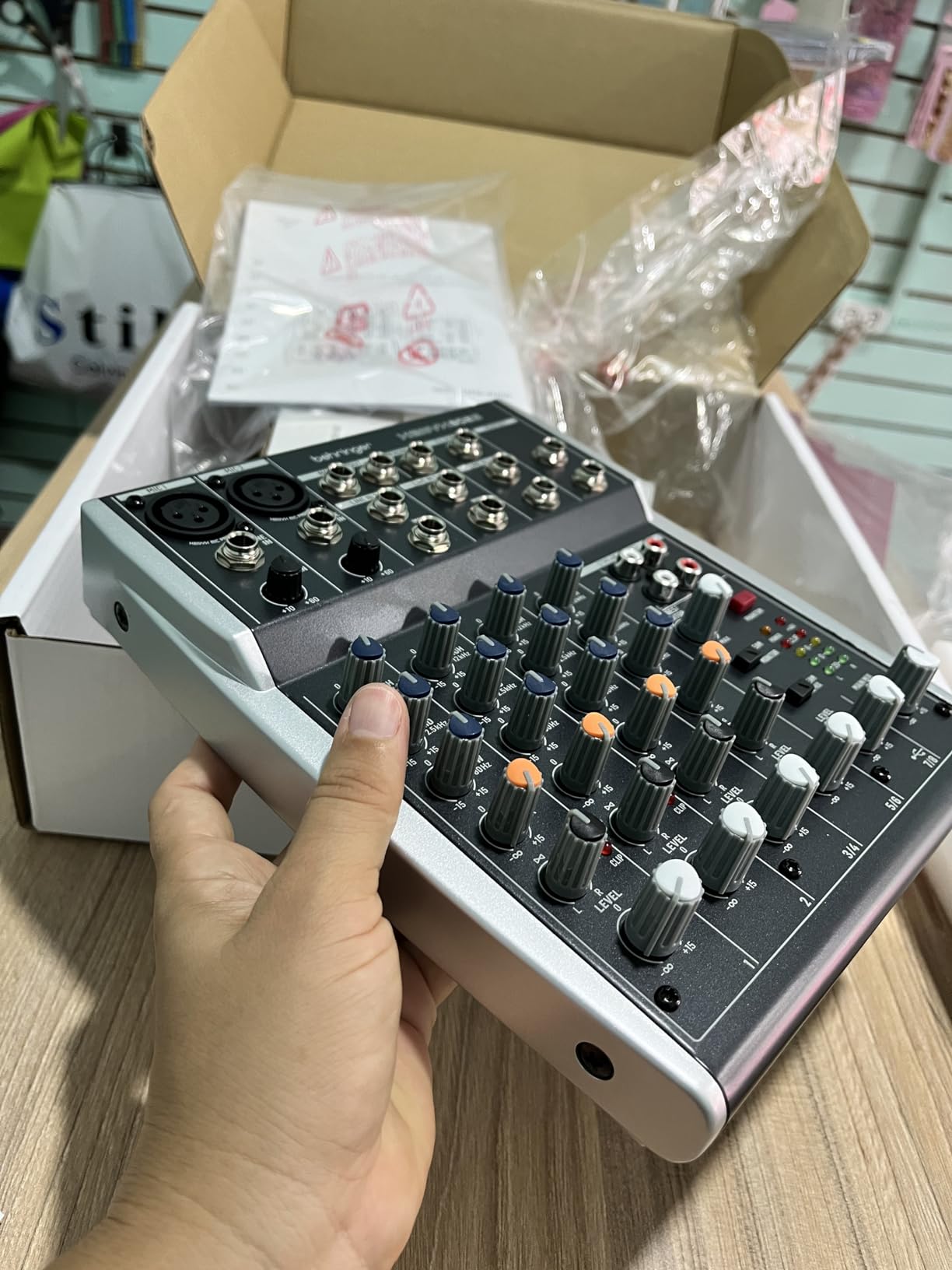
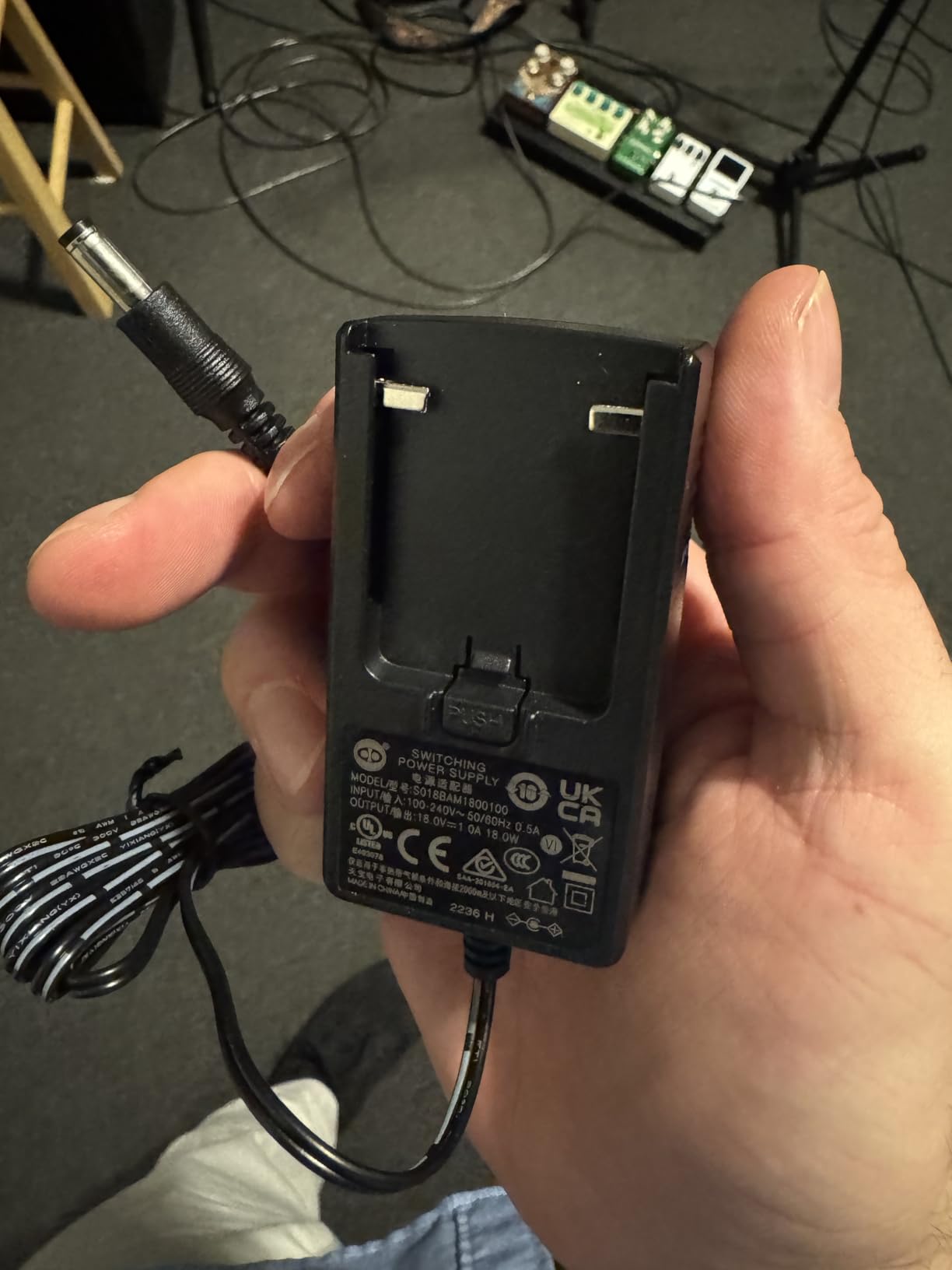
Three criticisms recur. The internal USB DAC is only average next to a dedicated external interface, so the analog side sounds better than the USB side. The power supply is cheaper than on the previous 802 generation, which is the most annoying part of an otherwise solid box. And there are no built-in effects, no compression, and no per-channel USB processing.
It is also unpowered, at 1610 g, with a listed footprint of 19.69 inches square, so it needs a sturdy surface and an external supply for the outputs. If your chain is voice-only, that extra capacity goes unused.
Who this mixer suits
A streamer who already has one microphone and wants to add a music channel, a second source, or a proper small PA for a room. The eight inputs mean you are not repatching anything the day a second device appears.
It is also the pick for anyone who wants a hardware EQ and faders and does not need sound pads, voice effects, or a companion app. Community recommendations across podcasting forums repeatedly name the Xenyx series as the budget analog default.
Where it falls short
There is no onboard processing at all, so voice cleanup is a software job. The mediocre USB DAC means your final stream audio is only as good as that converter.
The size and weight rule it out as a portable or travel mixer, and the shorter warranty is a fair reason to consider alternatives if you move equipment often.
10. Zoom PodTrak P4 – Four Mic Inputs with Automatic Mix-Minus
Zoom PodTrak P4 Podcast Recorder with 4 XLR Mic Inputs, 4 Headphone Outputs, Phone & USB Input for Remote Interviews, Sound Pads, 2-In/2-Out USB Audio Interface, Battery Powered
4 XLR inputs
4 headphone outputs
Automatic mix-minus
Battery powered, 3.5 hours
Pros
- Four XLR mic inputs with about 70dB of preamp gain
- Four separate headphone outputs with individual volume
- Four programmable sound pads recorded to their own track
- Automatic mix-minus plus TRRS and USB interface modes
- Multitrack recording of every input and an automatic stereo mixdown
- Intuitive layout
- Compact and battery powered at 130 g
Cons
- AA battery life is short and the backlight turns off
- Light
- somewhat fragile plastic build
- Records 16-bit/44.1kHz WAV only
- Only a low-cut filter and limiter
- USB interface mode sends no audio to the computer
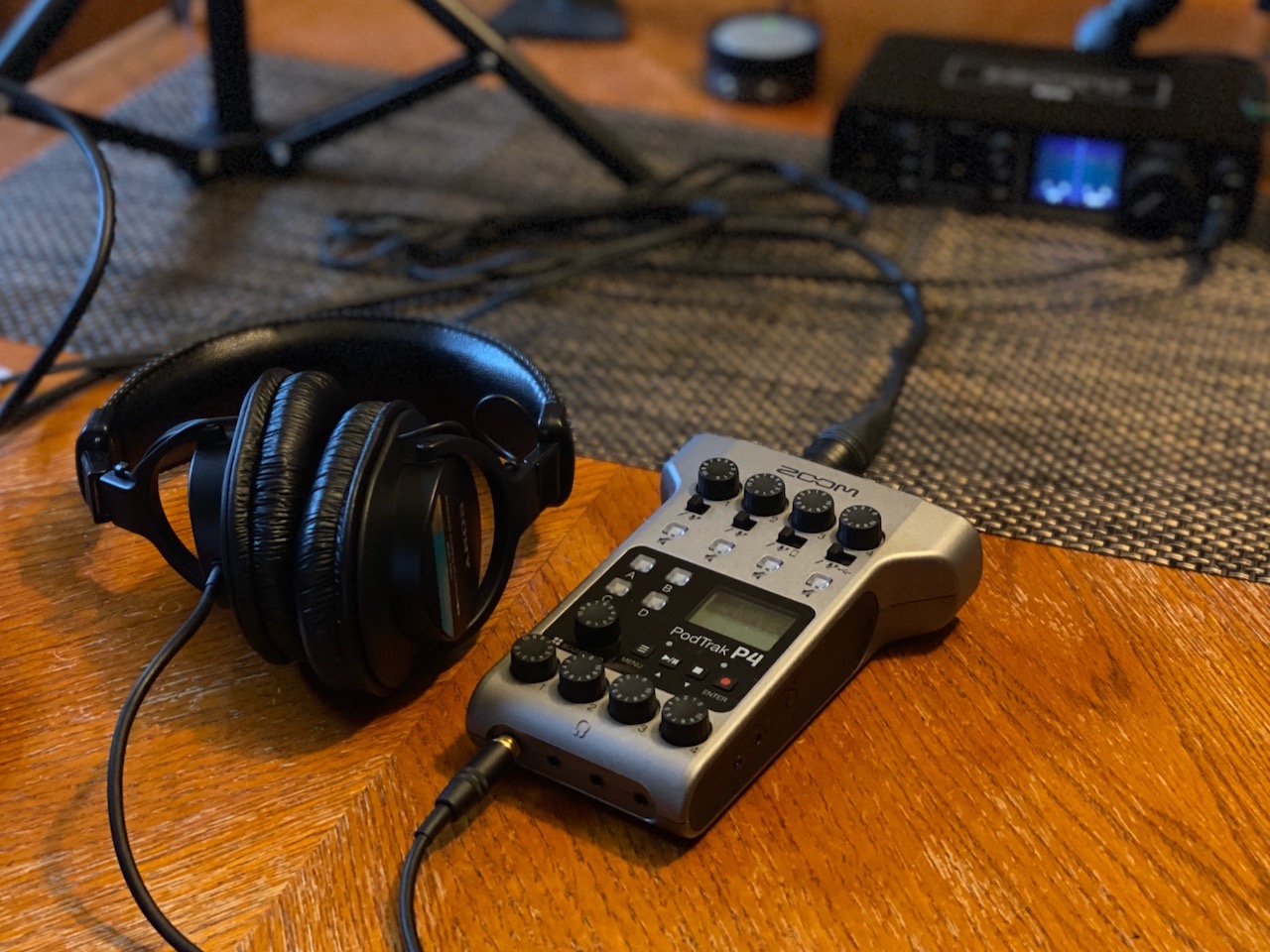
The PodTrak P4 is the highest-rated product we tested, at 4.7 stars from more than 1,800 reviews, and it is the only four-microphone recorder in this group that fits in a jacket pocket at 130 grams. Four XLR inputs with roughly 70 dB of preamp gain cover SM7B-class microphones without a booster, and each has phantom power.
Each of the four speakers gets their own headphone output with individual volume control. That is unusual at any price, and it is the reason the unit works for a two-person show where both guests need their own cue level. The four sound pads record to their own track, so a triggered jingle or sound effect is captured as a separate audio file rather than being buried in the mix.
Automatic mix-minus handles a phone call-in guest without the echo that plagues manual setups. TRRS mode covers a remote interview over a headset, and USB audio interface mode gives you 2-in 2-out streaming to a computer. Recording goes to SD as multitrack, and it writes an automatic stereo mix file you can use immediately.
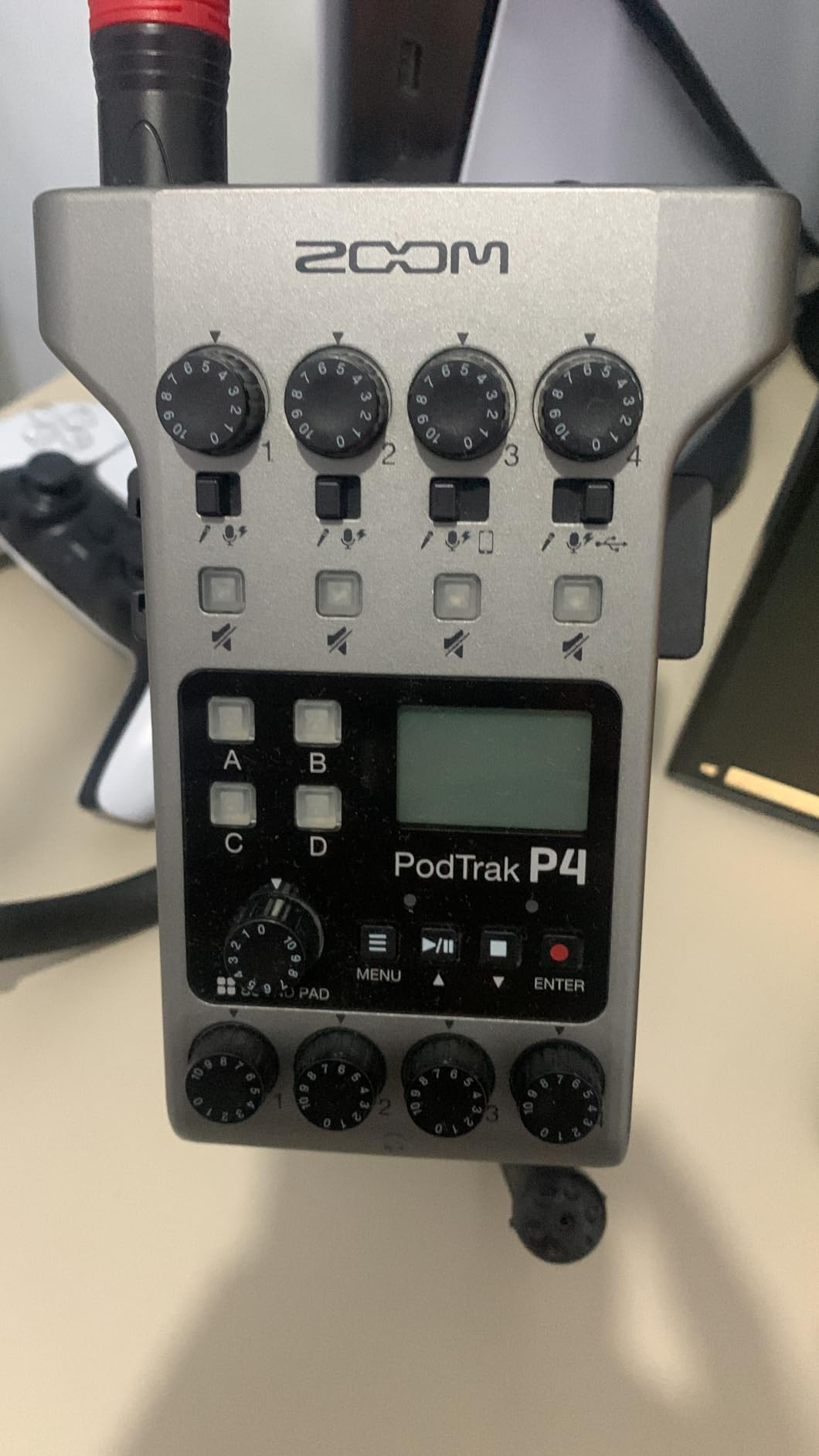
There are trade-offs. It records 16-bit/44.1kHz WAV only, with no higher sample rate or bit depth option, which matters if you are matching a high-resolution chain elsewhere. Processing is limited to a low-cut filter and a limiter, with no compressor or EQ.
Most important for streaming: in USB interface mode the computer does not receive audio, so you must record to SD instead of capturing live through the PC. AA battery life is around 3.5 hours and the screen backlight turns off on battery power, and the light plastic build feels fragile next to the Zoom H-series recorders.
Small knobs can be fiddly, a loose cable can knock a gain dial, and the two USB-C ports are identical, so it is easy to plug power into the data port by mistake.
Who this mixer suits
A two-person podcast, a video podcast, or an interview show that needs real mix-minus. Four headphone outputs and automatic mix-minus solve the problems that push people toward complicated software routing.
It also suits a streamer who wants a separate audio recording of a stream. Multitrack capture to SD plus an automatic stereo mixdown means you always have a clean copy even if the streaming PC fails. Most owners operate the layout without reading the manual.
Where it falls short
Plan around the 16-bit/44.1kHz ceiling and the lack of compression or EQ if your other gear runs at a higher standard. Battery life of 3.5 hours limits long sessions without mains power.
For live streaming to a PC, the interface mode limitation is the deciding factor. The RODECaster Pro II streams and records simultaneously; this one records and streams separately.
How to Connect an Audio Mixer to Your Streaming PC
This is the step that decides whether a mixer helps or hurts your stream, and it is where most echo problems begin. The rule is simple: never let your speakers or your mic hear the PC output, and route the mix to the computer as one clean device.
1. Choose your return path. A mixer with a USB audio output is the easiest option, because the PC sees a single device and you add it as one audio source in OBS. Without USB, use the 3.5mm line out to a capture card, and remember that a capture card also needs a matching audio input for your mic.
2. Set the streaming sample rate to match the mixer. If the mixer records or outputs at 48 kHz, set OBS to 48 kHz as well. A mismatch is the usual cause of audio that drifts out of sync with video over a long stream, and it produces crackling that sounds like a hardware fault.
3. Set bit depth only where it is supported. 16-bit is fine for voice. Some units, including the PodTrak P4, record at 16-bit/44.1kHz only, so pick a mixer whose output resolution matches what your capture chain expects.
4. Send desktop or game audio into the mixer on a line or 3.5mm input, not into the mic input. The mixer then sums it with your voice at a level you control, which is the whole point of the device. The XENYX 802S and the GoXLR family support this routing directly.
5. Set gain first, effects second. Get a clean signal with preamp gain and a compressor, then adjust EQ. Reverse that order and you are fixing a problem you created.
6. Monitor with headphones, not speakers. Direct monitor and zero-latency monitor switches, found on the SC3, the MAONO G1 Neo, the XENYX 802S and the GoXLR, let you hear yourself without a round trip through your operating system.
7. Add one audio source in OBS, not four. Because the mixer already summed everything, a single source labelled as your mix gives you a master fader and a meter. Adding each channel separately defeats the purpose and doubles your gain staging.
For the video side of a live production, our guide to video switchers covers the scenes and cuts that run alongside this audio chain, and our PTZ camera picks cover the other half of a two-camera stream.
What to Look for When Buying an Audio Mixer for Live Streaming
Most mistakes happen in the first ten minutes, usually because a buyer chose on channel count or on a lighting feature. These are the criteria that actually change the result.
How many channels you actually need
Count sources, not wishful features. A solo gaming stream is three channels: voice, game or desktop audio, and music. A two-person show is four, plus a return for the call if the guest is remote. A mobile stream that records a guest phone line is five. Everything above that is headroom for growth, not a requirement.
Buy the channel count you will use in the next two years, and buy the XLR inputs you will use. One XLR mic input cannot be upgraded with software, while an unused line input costs almost nothing in a bigger chassis.
XLR, 3.5mm, and phantom power explained
An XLR input is the balanced, professional microphone connection, and it is the one to buy for a dynamic or condenser microphone. Phantom power is the 48V supply that condenser microphones need, and it is listed as 48V phantom power on every XLR mixer in this roundup. A 3.5mm TRRS input is the headset-style socket found on many gaming headsets and USB microphones.
The important warning: every XLR mixer here explicitly does not support USB microphones. Moving from a USB mic to an XLR mixer means buying an XLR microphone, and the XLR cable is not included on several units. Budget for both.
Mixer type: analog, digital, or a dedicated streaming console
Analog mixers like the Yamaha MG10XU and the Behringer XENYX 802S do their summing in hardware and send a clean analog signal to the PC. They are quiet, repairable, and they fail gracefully. Digital recorders like the PodTrak P4 add conversion, multitrack capture, and pads. Dedicated streaming consoles like the GoXLR and the RODECaster Pro II run their processing in firmware and expose virtual routing to the operating system.
Most streamers end up with an analog mixer for a first rig, then a dedicated console when they want effects and sample pads without loading their PC. Bluetooth is not a signal of quality on any of these units: it adds latency and degrades audio, so treat it as a music source only.
USB audio output and monitoring
A class-compliant USB output that works without a driver is the single most valuable feature on this list, and the Yamaha MG10XU is a class-compliant 24-bit device with no install step. Windows-only companions, as on both GoXLR models, work but add a failure mode: if the app is not running, the audio path stops.
Monitoring decides whether you can work without an echo. A headphone jack fed from the main bus is enough. A direct monitor switch, which bypasses processing so you hear the raw mic, is better for tracking your own voice. Neither replaces good mic technique, but both remove the temptation to turn your speakers up.
Hardware Mixer or Software Mixer?
Software mixing means routing inside OBS or Streamlabs: per-source gain, filters, compressors and a noise gate, all free and all adjustable while you stream. Hardware mixing means those same controls are physical knobs on a box in front of you, and the mix reaches your PC as one already-balanced device.
Most streamers should use both. Let the mixer handle the physical balance of voice, game and music, then use OBS for the processing that needs to change per-scene. That way an automation or a filter change never disturbs your mic level.
Choose pure software mixing if you have one microphone, a quiet room, and no interest in faders. Choose hardware when you run a dual-PC rig, when you want monitoring without a round trip, or when a second person needs to control their own level.
The mixer-versus-interface question comes up constantly, and the distinction is simple. An audio interface takes one or two inputs and gives you a clean signal; it does not let you blend a guest, music and a game. A mixer sums multiple sources and mixes them. Several products here, including the GoXLR, the RODECaster Pro II, the MG10XU and the XENYX 802S, do both, which is why they serve as streaming devices as well as mixers.
Sample rate and bit depth matter more than most buyers expect. Match the mixer’s output to your streaming software, keep 48 kHz across the chain where you can, and remember that the PodTrak P4 records at 16-bit/44.1kHz only, so it needs a conversion step in your edit if the rest of your chain is higher.
Frequently Asked Questions
What is the best sound mixer for live streaming?
The TC Helicon GoXLR is our top pick for a single streamer, with motorized faders, a MIDAS preamp with 48V phantom power, a hardware de-esser and an onboard sampler. For a two-person show, the Zoom PodTrak P4 gives you four XLR inputs, four headphone outputs and automatic mix-minus. For a first step up from a USB microphone, the FIFINE Ampligame SC3 adds an XLR preamp and phantom power at the lowest cost.
What audio mixer do most streamers use?
Most solo streamers end up with a small XLR mixer with a USB audio output, often a GoXLR-family device or a compact four-channel unit with phantom power. Streamers who run a dual-PC rig choose a device with several virtual outputs, and podcast-style creators choose a four-microphone recorder with mix-minus. The common requirement is the same in every case: a real USB output and headphone monitoring.
Is an audio mixer necessary for streaming?
No, not for a single microphone in a quiet room, because OBS can handle gain, filters and compression for free. A mixer becomes worth it when you need to blend voice, game audio and music, when a second person needs their own level, or when you want to route PC audio into the mix without echo. It also gives you physical control you can adjust without looking away from the game.
What is the best audio mixer program for streaming?
OBS Studio is the most common choice and its audio mixer handles per-source gain, filters and compressors. Streamlabs Desktop and StreamYard do the same with a simpler interface, and Virtual Audio Cable or a hardware mixer can feed extra inputs into OBS as new sources. If you already own a USB mixer such as the Yamaha MG10XU, add it as one audio source rather than replacing the software mixer.
Can I use a regular audio mixer for streaming?
Yes, as long as it can reach your computer. A mixer with a class-compliant USB audio output, such as the Yamaha MG10XU or the Behringer XENYX 802S, is the simplest case. Without USB, use the 3.5mm line out into a capture card. Avoid Bluetooth as a monitoring path, since the added latency makes it unusable for timing your own voice.
What is the difference between an audio mixer and an audio interface?
An audio interface converts one or two inputs into a clean digital signal for your computer and does not blend sources. A mixer sums multiple sources, gives each one gain and EQ, and sends the combined mix to your PC as a single audio source. Several products, including the GoXLR, the RODECaster Pro II, the MG10XU and the XENYX 802S, act as both.
The Best Audio Mixer for Your Stream
After six weeks and ten mixers, the TC Helicon GoXLR is still the best audio mixer for live streaming in 2026 for a single streamer, because motorized faders and hardware voice processing solve balance and cleanliness at the same time. Pick the Zoom PodTrak P4 if two people share the show, and pick the FIFINE Ampligame SC3 if you are moving up from a USB microphone for the first time.
Whichever you choose, buy the XLR cable, match your sample rate in OBS, and add the mixer to your streaming software as one audio source. That last habit removes more echo and more audio problems than any setting on the box itself.