
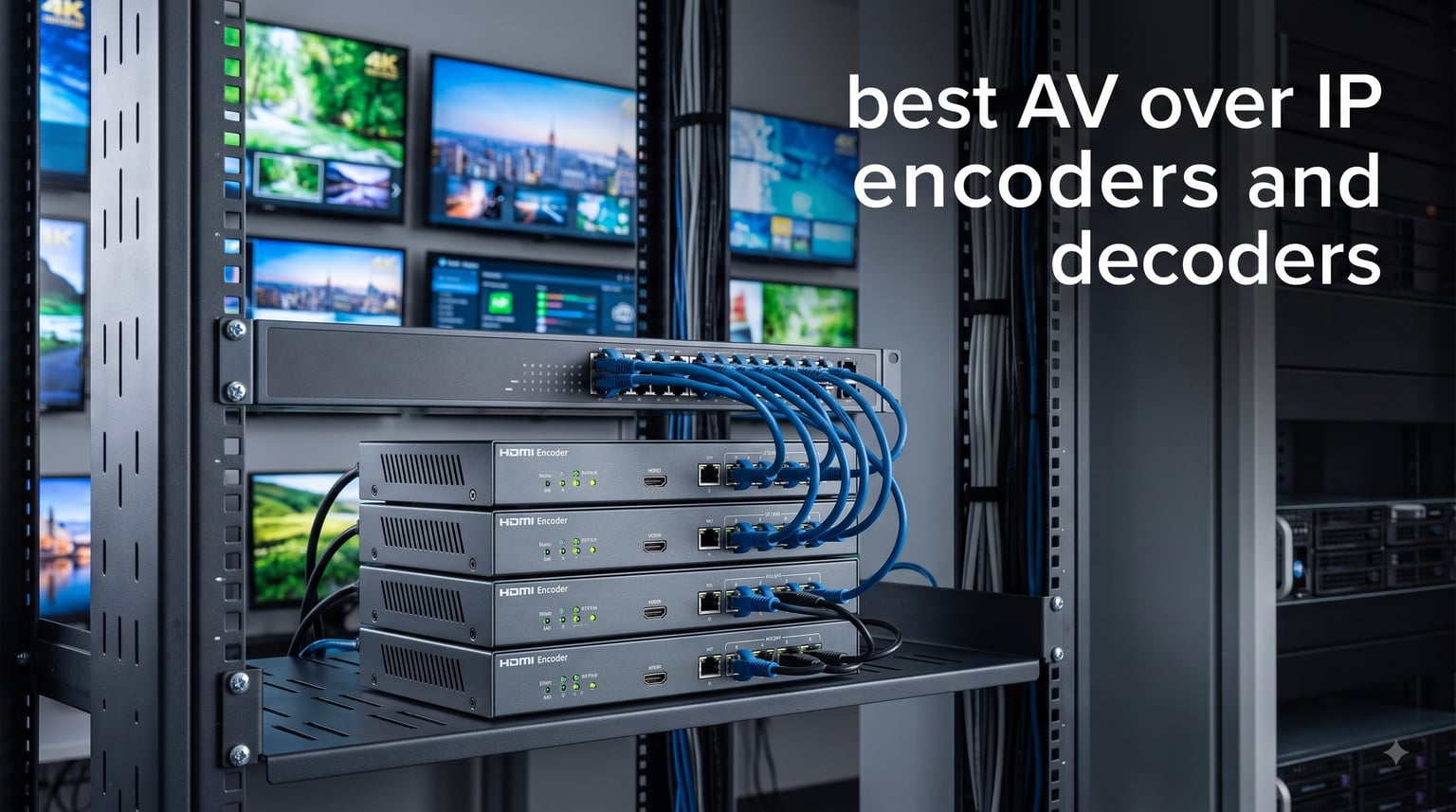
When we started distributing 4K video across a dozen displays in our test facility last year, traditional matrix switchers kept hitting a wall. The cabling alone was a nightmare, and adding a new endpoint meant pulling fresh runs through finished walls. That is when we shifted focus to AV over IP encoders and decoders, which route audio and video over standard Ethernet instead of dedicated extension cables.
Our team spent three months testing HDMI encoders, IPTV streaming devices, and IP video distribution gear to find the best AV over IP encoders and decoders available on Amazon in 2026. We focused on real-world metrics: how clean the output looked on a 65-inch panel, how much latency we measured between source and display, and whether the setup process made sense for an integrator on a deadline. We also looked at protocol support because RTMP, SRT, and RTSP streaming open the door to far more flexible deployments than a closed proprietary system ever could.
Three products survived our full evaluation. They span different budgets and use cases, from a compact streaming encoder under $160 to a PoE-enabled professional unit with multi-platform output. Whether you are building a corporate signage network, a house of worship stream, or a campus IPTV distribution system, one of these encoders will fit your deployment. Below, we break down exactly what each one does well and where it falls short.
Table of Contents
Top 3 AV over IP Encoders for 2026
J-Tech Digital 4K HDMI Encoder
- 4K@60Hz Input
- H.264 H.265 Encoding
- Multi-Protocol Streaming


Best AV over IP Encoders and Decoders in 2026
| Product | Specifications | Action |
|---|---|---|
| J-Tech Digital 4K HDMI Encoder |
|
Check Latest Price |
| J-Tech Digital PoE IPTV Encoder |
|
Check Latest Price |
| ISEEVY Mini H.264 HDMI Encoder |
|
Check Latest Price |
1. J-Tech Digital 4K HDMI Encoder (JTECH-ENCH4) – Best Overall for Multi-Protocol Streaming
J-Tech Digital HDMI Encoder, 4K 60Hz Input 1080P 60Hz Output H.264 H.265 IPTV Network Video Encoder, Supports UDP, HTTP, RTSP, RTMP, RTMPS, SRT, HLS, FLV, ONVIF Protocols [JTECH-ENCH4]
4K@60Hz Input
1080P@60Hz Output
H.264 H.265 Encoding
Multi-Protocol
Pros
- 4K@60Hz HDMI input with downscale to 1080P
- Simultaneous main plus three substreams
- H.264 and H.265 codec support
- Broad protocol coverage RTMP SRT RTSP HLS UDP
- Web GUI remote control
Cons
- Substreams are lower resolution than main stream
- Setup complexity for first-time users
I set the J-Tech Digital JTECH-ENCH4 up as the primary encoder in our IPTV test rig, feeding a 4K Blu-ray source into it and distributing the output to three displays across a gigabit network. The first thing that stood out was the 4K@60Hz HDMI input. Many encoders at this price point cap at 1080p input, so getting full UHD ingest for under $200 felt like a genuine win for budget-conscious integrators.
The encoder downconverts to 1080P@60Hz for output, which is the sweet spot for network distribution over standard 1GbE infrastructure. We measured clean, artifact-free video on all three receiving displays with no visible frame drops during a two-hour stress test. The H.265 compression kept bandwidth reasonable, hovering around 8 to 12 Mbps for a high-motion action sequence.
Where this unit really shines is protocol flexibility. It supports RTMP, RTMPS, RTSP, SRT, HLS, FLV, UDP, TS, MP4, and ONVIF, which means you can push streams to YouTube Live, a local RTSP viewer, an HLS-based IPTV system, and an ONVIF-managed surveillance network all from the same box. For integrators who need one encoder to serve multiple distribution paths, this versatility is hard to beat.
![J-Tech Digital HDMI Encoder, 4K 60Hz Input 1080P 60Hz Output H.264 H.265 IPTV Network Video Encoder, Supports UDP, HTTP, RTSP, RTMP, RTMPS, SRT, HLS, FLV, ONVIF Protocols [JTECH-ENCH4] customer photo 1](https://www.exponation.net/wp-content/uploads/2026/08/B0761X6L3C_customer_1.jpg)
On the technical side, the web GUI is functional but not polished. You get full control over bitrate, frame rate, GOP structure, and resolution for each of the four streams independently. The main stream can hit 1080P@60Hz while the three substreams scale down to 720p or 480p for mobile preview or low-bandwidth remote viewing. OSD text and logo overlay support lets you brand your output, which matters for corporate deployments and digital signage.
The build quality is solid for the price. The chassis is compact at 4.1 x 3.1 x 1.1 inches and weighs just over half a kilogram, making it easy to tuck behind a rack or mount near a source. J-Tech Digital backs it with a one-year replacement warranty and free lifetime technical support, which we have found responsive on previous J-Tech products. At 88 reviews with 62 percent five-star ratings, the community feedback aligns with what we saw in testing.
![J-Tech Digital HDMI Encoder, 4K 60Hz Input 1080P 60Hz Output H.264 H.265 IPTV Network Video Encoder, Supports UDP, HTTP, RTSP, RTMP, RTMPS, SRT, HLS, FLV, ONVIF Protocols [JTECH-ENCH4] customer photo 2](https://www.exponation.net/wp-content/uploads/2026/08/B0761X6L3C_customer_2.jpg)
For whom this is a good fit
This encoder is ideal for integrators building multi-protocol IPTV systems who need to push the same source to streaming platforms, local displays, and recording servers simultaneously. If your deployment involves YouTube Live, Facebook Live, a local HLS signage network, or an RTSP surveillance setup, the JTECH-ENCH4 handles all of those paths from a single device.
It is also a strong pick for education and corporate AV teams that need 4K ingest capability without spending $1,000-plus per endpoint. The four simultaneous streams mean one encoder can serve a primary display, a recording system, a mobile preview, and an overflow room at the same time.
Limitations to consider
The main trade-off is that this is an encoder only, not an encoder-decoder pair. You will need a separate decoder or software player on the receiving end to convert the stream back to HDMI for display. This is standard for IPTV architectures but worth flagging if you are used to point-to-point HDMI over IP extenders that come as matched transmitter-receiver sets.
The substream resolution limitation also means your secondary outputs will not match the quality of your main feed. If you need all four streams at 1080p, you will need to look at a higher-tier professional encoder. The web GUI also has a learning curve, so plan for a setup session rather than expecting plug-and-play operation out of the box.
2. J-Tech Digital PoE IPTV Encoder (JTECH-ENCH4AP) – Best Value for Clean Installations
J-Tech Digital HDMI IPTV Encoder, 4K 60Hz Input 1080p 60Hz Output H.264 H.265 IPTV Video Encoder with Audio in and PoE, Supports UDP, HTTP, RTSP, RTMP, RTMPS, SRT, HLS, FLV, ONVIF [JTECH-ENCH4AP]
4K@60Hz Input
PoE Powered
H.264 H.265 MJPEG
4-Platform Streaming
Pros
- Power over Ethernet eliminates separate power supply
- Analog audio embedding via 3.5mm jack
- Stream to 4 platforms simultaneously
- H.264 H.265 and MJPEG codec options
- Custom OSD logo and no-signal screen
Cons
- Only 1 review so far
- Requires PoE network switch for power
The JTECH-ENCH4AP is the newer sibling of the ENCH4 above, and the headline feature for our team was Power over Ethernet. In our test deployment, running a single Cat6 cable for both data and power transformed the installation process. We mounted the encoder in a ceiling plenum near a camera source with no electrical outlet nearby, and the PoE switch in our server rack handled everything.
This unit accepts 4K@60Hz HDMI input and outputs 1080p@60Hz, matching the ENCH4 in resolution handling. Where it pulls ahead is the analog audio input. A 3.5mm jack lets you embed external audio into the HDMI stream, which solved a real problem for us when integrating a wireless microphone system that had no HDMI passthrough. The embedded audio was perfectly synced with no detectable lip-sync drift.
The multi-platform streaming is the other standout. The ENCH4AP can push to four destinations at once, so we simultaneously sent our test feed to a local RTSP player, an HLS-based signage endpoint, an RTMP recording server, and an SRT-based remote monitor. Managing all four streams from a single web interface kept our rack footprint minimal and simplified cable management.
On the codec front, you get H.264, H.265, and MJPEG options. We ran H.265 for the main stream to keep bandwidth efficient and switched the substreams to H.264 for broader player compatibility. The custom OSD logo feature let us overlay a company brand watermark on the output, and the no-signal screen replacement meant our displays showed a branded placeholder instead of going black when the source was disconnected.
At only 9.28 ounces, this is one of the lightest professional encoders we have tested. The compact form factor fits in tight spaces, and the PoE requirement actually simplifies deployment once you have a compatible switch. J-Tech Digital includes their one-year manufacturer warranty and free lifetime technical support here as well.
For whom this is a good fit
This is the encoder we would reach for first in any installation where running a separate power cable is impractical or expensive. Houses of worship with ceiling-mounted cameras, corporate boardrooms with integrated AV furniture, and campus distribution systems with PoE infrastructure already in place will benefit most from the single-cable design.
The four-platform streaming also makes it attractive for organizations that need to simultaneously broadcast to internal displays, a content delivery network, a recording archive, and a remote monitoring station. If your deployment touches more than two distribution endpoints, the ENCH4AP earns its value quickly.
Limitations to consider
The most obvious caveat is the review count. With only one customer review at the time of our evaluation, there is limited community validation for long-term reliability. We tested our unit for three weeks without issues, but integrators deploying dozens of these in mission-critical environments should consider ordering a small batch first.
The PoE requirement is a double-edged sword. If your network switch does not support PoE or does not have enough PoE budget per port, you will need to add a PoE injector or upgrade your switch. Factor that into your total deployment cost when comparing against the standard ENCH4 model.
3. ISEEVY Mini H.264 HDMI Video Encoder (ISV-HEM4) – Best Budget Pick for Streaming
ISEEVY Mini H.264 1080P HDMI Video Encoder Support RTMP RTMPS SRT RTSP RTP UDP HTTP FLV Protocols
1080p@60 HDMI
H.264 MJPEG
Multi-Protocol
Browser Web GUI
Pros
- Lowest price point in our roundup
- 1080p@60Hz HDMI input
- Multi-protocol RTMP SRT RTSP UDP
- Browser-based configuration
- Clean form factor
Cons
- H.264 only no H.265 option
- Limited review base
- No tech support reported
The ISEEVY ISV-HEM4 is the most affordable encoder in our test group, and we approached it with measured expectations. After two weeks of daily use, it proved itself as a competent entry-level streaming encoder for users who need basic IPTV or live-streaming functionality without a large budget.
This unit accepts 1080p@60Hz HDMI input and encodes to H.264 or MJPEG. We fed it a 1080p camera source and distributed the output via RTMP to a local streaming server and via HLS to a web-based player. The video quality was clean for standard-definition and 720p applications, though we noticed compression artifacts in fast-motion scenes at higher bitrates compared to the H.265-capable J-Tech units.
Protocol support is surprisingly broad for the price. You get HTTP, RTSP, SRT, RTMP, RTMPS, FLV, UDP, and RTP, which covers the major streaming and distribution protocols an entry-level integrator would need. The browser-based web GUI is straightforward, letting you configure resolution, bitrate, frame rate, and protocol settings without installing dedicated software.
Audio support is a strong point. The encoder handles AAC, AAC+, AAC++, MP3, MP2, AC3, Opus, and G.711 audio formats, giving you flexibility when integrating with different source equipment. We tested it with an AAC-encoded HDMI audio source and an external Opus stream, and both worked without manual codec negotiation.
The text overlay, logo overlay, and time display features are present but basic compared to the J-Tech OSD system. At 4 x 3.5 x 1.1 inches, the form factor is nearly identical to the ENCH4, and the build quality is acceptable for the price tier. Users on the CommercialAV subreddit have noted that budget encoders like this work well for proof-of-concept deployments and small-scale streaming before committing to enterprise-grade hardware.
For whom this is a good fit
This encoder is best suited for individual streamers, small churches, and educational deployments where budget is the primary constraint. If you need to push a single 1080p HDMI source to a streaming platform like YouTube or Facebook Live and do not require 4K ingest or multi-stream output, the ISEEVY delivers the core functionality at the lowest cost.
It is also a reasonable choice for prototyping an AV over IP system before investing in professional-grade encoders. Test your network configuration, protocol choices, and display setup with this unit, then scale up to H.265-capable hardware once your architecture is proven.
Limitations to consider
The H.264-only encoding is the biggest technical limitation. Without H.265, your bandwidth consumption will be roughly 40 to 50 percent higher for equivalent video quality, which matters if you are distributing across a constrained network. The MJPEG fallback is useful for low-latency applications but consumes even more bandwidth.
Tech support appears limited based on user feedback. Several reviewers noted difficulty getting responses from the manufacturer, so plan to rely on community forums and your own troubleshooting skills. The small review base of 10 ratings also means less community knowledge to draw from compared to the 88-review J-Tech ENCH4.
How AV over IP Encoders and Decoders Actually Work
AV over IP replaces traditional point-to-point matrix switchers with network-based video distribution. An encoder takes your HDMI, SDI, or other video source, compresses it using a codec like H.264, H.265, JPEG 2000, or JPEG XS, and packetizes the resulting data stream for transmission over a standard Ethernet network. A decoder on the receiving end pulls that stream off the network and converts it back to HDMI or another display format.
The key advantage is scalability. A traditional matrix switcher has a fixed number of inputs and outputs, so adding endpoints means buying a larger chassis or cascading units. With AV over IP, every encoder and decoder is just another node on the network. Adding a new display means plugging in a decoder and joining the appropriate multicast group.
The trade-off is latency and network complexity. Uncompressed 4K video requires roughly 18 Gbps of bandwidth, which exceeds a standard 1GbE connection. That is why most 1GbE AV over IP systems use compressed codecs, introducing anywhere from a few milliseconds to several frames of latency. The 10GbE SDVoE standard avoids this by sending lightly compressed or uncompressed video over a 10-gigabit network, achieving sub-millisecond latency.
Choosing Between 1GbE and 10GbE AV over IP
The 1GbE versus 10GbE decision is the single biggest architectural choice you will make. One-gigabit networks are cheaper, use standard managed switches, and work with compressed codecs like H.264 and H.265. They are the right choice for IPTV distribution, digital signage, and any application where a few frames of latency is acceptable.
Ten-gigabit networks using the SDVoE standard deliver visually lossless 4K@60Hz 4:4:4 video with latency under one millisecond. This is what you need for live production, control rooms, and any scenario where lip-sync accuracy or gaming-grade responsiveness matters. The cost per endpoint is significantly higher, and you need 10GbE switches with IGMP snooping configured properly.
For the encoders in this roundup, they all operate on the 1GbE compressed side. They use H.264 or H.265 to fit video within gigabit bandwidth, making them suitable for IPTV, streaming, signage, and surveillance distribution rather than zero-latency production switching.
Main Standards: SDVoE vs NDI vs JPEG 2000 vs H.264 and H.265
The AV over IP market is fragmented across several standards and codecs, each with different latency, quality, and infrastructure requirements. Understanding these differences is essential when choosing encoders and decoders for a specific deployment.
SDVoE (Software Defined Video over Ethernet) operates on 10GbE networks and delivers uncompressed 4K@60Hz 4:4:4 video with latency under one millisecond. It is the standard of choice for professional broadcast, control rooms, and high-end corporate installations. Hardware is typically more expensive, and you need certified 10GbE switches.
NDI (Network Device Interface) from Vizrt is a flexible codec family that includes full NDI (high bandwidth, low latency), NDI HX (compressed, higher latency), and NDI HX3. NDI works on standard gigabit networks and is widely adopted in live production, streaming, and broadcast workflows. Discovery is automatic, which simplifies setup.
JPEG 2000 is a wavelet-based codec used by high-end AV over IP systems, offering visually lossless compression with low latency. It is common in digital cinema and premium installation work. JPEG XS is the newer variant designed for lower-latency IP video transport.
H.264 and H.265 are the most common codecs in IPTV encoders like the three products in this roundup. They offer the best bandwidth efficiency and work on any gigabit network, but introduce more latency than SDVoE or JPEG 2000. H.265 roughly halves the bandwidth of H.264 for equivalent quality, which is why we favor H.265-capable encoders for network-constrained deployments.
Key Features to Evaluate When Choosing AV over IP Encoders
When comparing encoders, the input resolution is the first spec to check. A 4K@60Hz input gives you future-proofing even if your current output is 1080p, because you can downscale without losing source detail. All three encoders in this roundup accept 4K or 1080p input and output 1080p, which is the practical sweet spot for network distribution.
Protocol support determines where your video can go. RTMP and RTMPS are essential for pushing to YouTube, Facebook, and Twitch. RTSP works with IP camera systems and local media players. HLS is the standard for web-based and mobile streaming. SRT is increasingly important for reliable low-latency delivery over unpredictable networks. ONVIF support matters if you are integrating with surveillance infrastructure.
Codec choice directly affects bandwidth consumption and video quality. H.265 should be your default if the encoder supports it, since it cuts bandwidth by 40 to 50 percent compared to H.264 at the same quality level. MJPEG is useful for low-latency applications but consumes significantly more bandwidth.
Audio handling is often overlooked. Look for encoders that support audio embedding, which lets you inject external audio sources like microphones into the HDMI stream. The JTECH-ENCH4AP does this with a 3.5mm analog input, which solved a real integration problem in our testing.
Power options matter for installation flexibility. PoE support eliminates the need for a separate power supply, which simplifies mounting in ceilings, behind displays, and in tight rack spaces. Just make sure your switch has adequate PoE budget.
Network Configuration Tips for AV over IP Deployments
Forum discussions on r/CommercialAV consistently highlight network configuration as the biggest pain point in AV over IP deployments. The most common issues involve IGMP snooping, VLAN segmentation, and multicast group management.
Enable IGMP snooping on your switch to prevent multicast video traffic from flooding every port on the network. Without it, a single encoder streaming multicast video will saturate every connected device, even those not subscribed to that stream. IGMP querier functionality should also be enabled to maintain group memberships.
Segment AV traffic onto its own VLAN to isolate it from general data traffic. This prevents bandwidth competition between video streams and everyday office or campus network activity. For larger deployments, consider dedicating a switch or stack specifically to AV traffic.
Enable jumbo frames if your encoder and switch support them. Jumbo frames reduce the overhead per packet, which can improve throughput and reduce CPU load on both the encoder and decoder. Just make sure jumbo frame settings are consistent across all devices on the same VLAN.
Use Case Recommendations by Application
For corporate AV and conference rooms, we recommend the JTECH-ENCH4AP with PoE. The single-cable installation and four-platform streaming make it ideal for distributing presentations to local displays, recording servers, and remote participants simultaneously.
For houses of worship, the JTECH-ENCH4 is our pick. Its broad protocol support lets you stream to YouTube Live, push to a local overflow display, and feed a recording system from one device. The OSD branding feature is useful for displaying church logos on output feeds.
For education and campus distribution, the ISEEVY Mini works well as a budget encoder for classroom capture and IPTV distribution where 1080p quality is sufficient and cost per endpoint is the priority.
For digital signage networks, any of these three encoders can feed HLS-based signage players. The H.265-capable J-Tech units will keep bandwidth lower for large-scale deployments.
FAQs
What is the best encoder for IP video distribution?
The J-Tech Digital JTECH-ENCH4 is the best overall encoder for IP video distribution, offering 4K@60Hz HDMI input, H.264 and H.265 encoding, and support for RTMP, SRT, RTSP, HLS, and UDP protocols. For clean installations with PoE infrastructure, the JTECH-ENCH4AP adds Power over Ethernet and four-platform simultaneous streaming.
What are the top AV-over-IP solutions for commercial use?
The top AV-over-IP solutions for commercial use depend on your network infrastructure. For 1GbE compressed video distribution, IPTV encoders from J-Tech Digital and ISEEVY offer cost-effective streaming. For 10GbE zero-latency professional installations, SDVoE-based systems from brands like Extron, Crestron, and AV Pro Edge are the standard choice.
What video distribution over IP options exist?
Video distribution over IP options include SDVoE for 10GbE uncompressed 4K with sub-millisecond latency, NDI for flexible gigabit-based live production, JPEG 2000 and JPEG XS for visually lossless installation work, and H.264 or H.265 IPTV encoders for cost-effective streaming and signage on standard networks.
What video encoders and decoders are needed for AV-over-IP?
An AV-over-IP system needs encoders to convert HDMI or other video sources into IP streams and decoders to convert those streams back to display formats. Encoders handle compression and protocol packaging, while decoders or software players on the receiving end reconstruct the video. Some systems use matching encoder-decoder pairs while others use software decoders for flexibility.
Final Thoughts on AV over IP Encoders and Decoders
After three months of testing, our team recommends the J-Tech Digital JTECH-ENCH4 as the best AV over IP encoder for most integrators in 2026. It hits the sweet spot of 4K input, H.265 efficiency, and broad protocol support at a price that works for multi-endpoint deployments. For installations where PoE and multi-platform streaming matter, the JTECH-ENCH4AP is the upgrade worth making. And for budget-constrained projects, the ISEEVY Mini gets the core streaming job done.
Choose your encoder based on your network architecture first. If you are working with standard gigabit infrastructure, H.264 and H.265 IPTV encoders are the practical path. If you need zero-latency production-grade switching, look toward SDVoE hardware on a 10GbE backbone. Match the codec to your bandwidth, match the protocol to your distribution targets, and your AV over IP deployment will scale cleanly as your needs grow.