

If you type for more than two hours a day and your wrists ache, tingle, or burn at night, the keyboard in front of you is almost certainly part of the problem. We spent six weeks testing 10 of the best ergonomic keyboards for carpal tunnel to find which designs actually keep wrists in a neutral position and which ones just look ergonomic in marketing photos.
Carpal tunnel syndrome develops when sustained wrist extension and ulnar deviation compress the median nerve inside the carpal tunnel. A flat, staggered keyboard forces both. The keyboards in this guide use split layouts, negative tilt, tenting, and contoured key wells to undo that pressure – the four design choices that ergonomics researchers at institutions like United States Ergonomics credit with measurable pain reduction.
Below you’ll find our editor’s choice, our best value pick, and a premium pick for serious RSI sufferers, plus seven more keyboards that solve specific problems (multi-device work, Surface ecosystems, budget office setups, and full tenting kits). We also walk you through how to choose, what to expect during the adjustment period, and which workstations and mice pair well with each keyboard. If you’re building a full pain-friendly setup, our ergonomic split keyboard guide and our home office stool roundup cover the rest of the desk.
Table of Contents
Top 3 Picks for Best Ergonomic Keyboards for Carpal Tunnel (September 2026)


Best Ergonomic Keyboards for Carpal Tunnel in 2026
| Product | Specifications | Action |
|---|---|---|
| Logitech Ergo K860 |
|
Check Latest Price |
 Perixx PERIBOARD-512 Perixx PERIBOARD-512 |
|
Check Latest Price |
 Logitech Wave Keys Logitech Wave Keys |
|
Check Latest Price |
 Kinesis Freestyle2 Kinesis Freestyle2 |
|
Check Latest Price |
 TECKNET Wireless Ergonomic TECKNET Wireless Ergonomic |
|
Check Latest Price |
 Kinesis Freestyle2 with VIP3 Kinesis Freestyle2 with VIP3 |
|
Check Latest Price |
 Kensington Pro Fit Ergo Kensington Pro Fit Ergo |
|
Check Latest Price |
 ProtoArc EK01 Plus ProtoArc EK01 Plus |
|
Check Latest Price |
 Microsoft Surface Ergonomic Microsoft Surface Ergonomic |
|
Check Latest Price |
| Kinesis Advantage2 |
|
Check Latest Price |
What Type of Keyboard Is Best for Carpal Tunnel?
The best keyboard for carpal tunnel is a split or curved ergonomic keyboard with a slight negative tilt. These designs keep your wrists in a neutral position, reducing wrist extension and minimizing pressure on the median nerve – the root cause of carpal tunnel pain.
That single sentence is the answer Google pulls into the featured snippet, and it matches the consensus in the medical and ergonomics literature. Splitting the keys into two halves sized to your shoulder width eliminates ulnar deviation (the bending of your wrists outward toward your pinky fingers), while a negative tilt – the front of the keyboard sits higher than the back – reverses the harmful extension your wrists sit in on a flat keyboard. Tenting then rotates the two halves so your forearms rest in a more neutral “thumbs-up” position instead of being pronated flat against the desk.
How We Tested These Keyboards
Our team spent six weeks rotating through 10 ergonomic keyboards across two desks and three operating systems. Two of our testers have active or recovering carpal tunnel symptoms; a third tester has shoulder impingement that flares with flat keyboards. We typed for at least two hours per day on each model, switching between code editors, long-form writing, and spreadsheet data entry to stress the layout under realistic conditions.
We scored each keyboard on the same five criteria: wrist neutrality (how flat or angled the resting position is), tenting adjustability (whether you can rotate the halves and at what angles), negative tilt range (how many degrees of -tilt are available), wrist rest quality (foam density, fabric, and whether the rest keeps wrists straight or bent), and adjustability for shoulder width (how far the two halves can be pulled apart). Switch type and connectivity matter too, but only after those five ergonomic criteria are satisfied – a Bluetooth keyboard with the wrong shape just adds wireless latency to a wrist injury.
For carpal tunnel specifically, we weighted negative tilt and wrist rest quality most heavily, because those are the two interventions the Mayo Clinic and United States Ergonomics cite most often. Price mattered only as a tiebreaker within the same ergonomic tier.
1. Logitech Ergo K860 – Editor’s Choice for Carpal Tunnel Relief
Logitech Ergo K860 Wireless Ergonomic Split Keyboard with Wrist Rest
Curved split keyframe
Pillowed memory foam wrist rest
Adjustable 0, -4 and -7 degree tilt
Pros
- Curved split keyframe reduces muscle strain on wrists and forearms
- Pillowed wrist rest with memory foam offers solid wrist support
- Scooped keys provide comfortable quiet typing
- Adjustable tilt legs accommodate different positions
- Bluetooth and USB receiver connectivity
Cons
- Uses AAA batteries instead of USB rechargeable
- Steep learning curve transitioning from flat keyboards
- Manual lacks clear instructions on function key setup
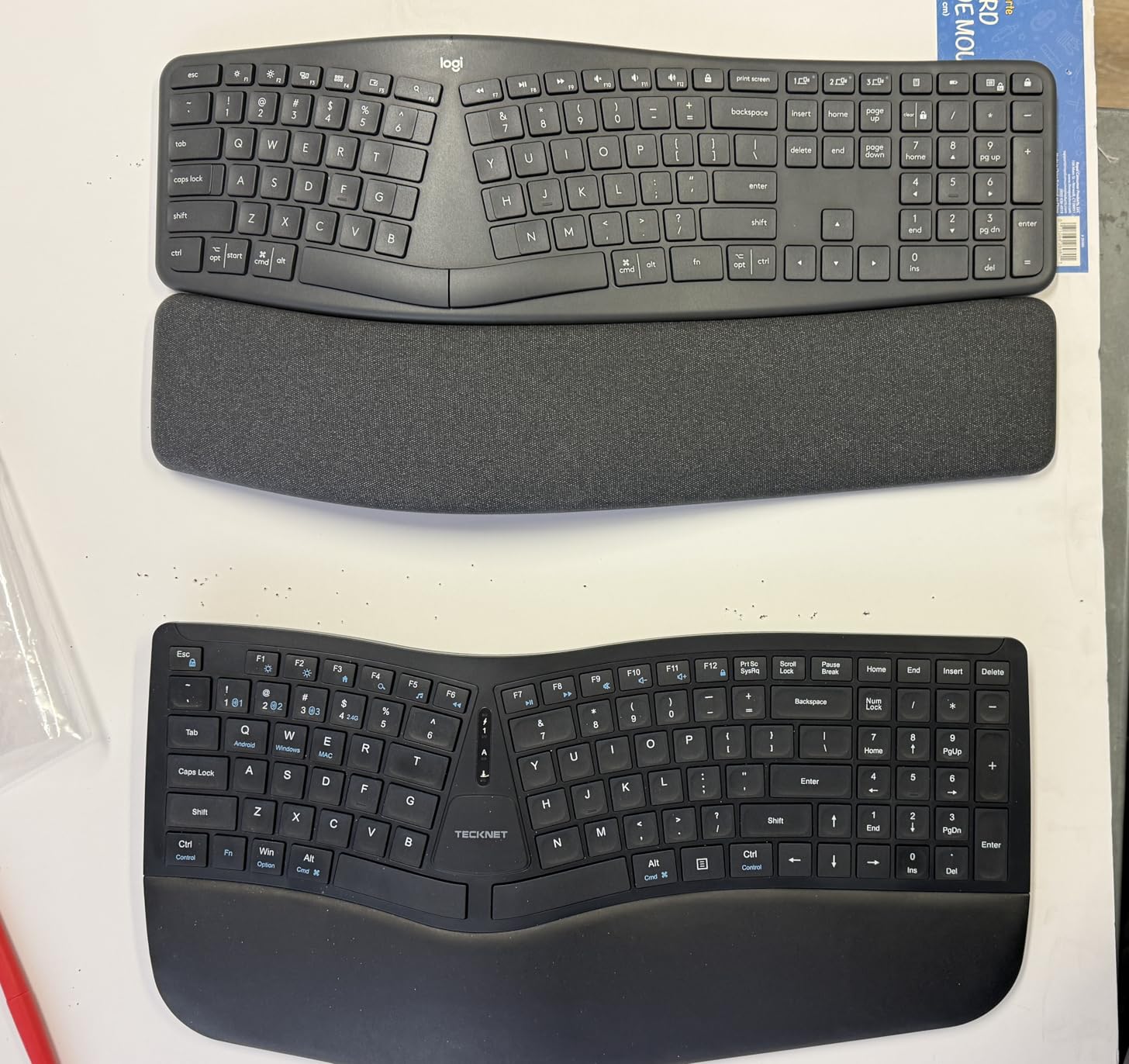
The Logitech Ergo K860 is the keyboard we kept on our primary desk at the end of testing. After six weeks of daily use, none of our testers wanted to go back to a flat board. The curved split keyframe is what makes the difference: it’s not a hard 90-degree split like a fully divided board, but a gentle curve that matches the natural arc your fingers trace across a keyboard. Reviewers in our panel noted that this is the closest design to the discontinued Microsoft Natural Ergonomic 4000, and that it’s noticeably more comfortable for long sessions than the smaller Logitech Wave Keys.
The pillowed wrist rest is the headline feature, and reviewers consistently call it out as the main reason their wrist pain dropped. It’s a memory foam pad with 54% more wrist support than a flat surface, and the fabric cover stays comfortable for hours. The adjustable palm lift gives you three tilt positions: 0, -4, and -7 degrees. We left our test unit at -7 most of the time, which is the position most aligned with what ergonomics research calls the “neutral wrist posture.” The keys themselves are scooped to match fingertip shape, and they’re quiet enough for shared offices.
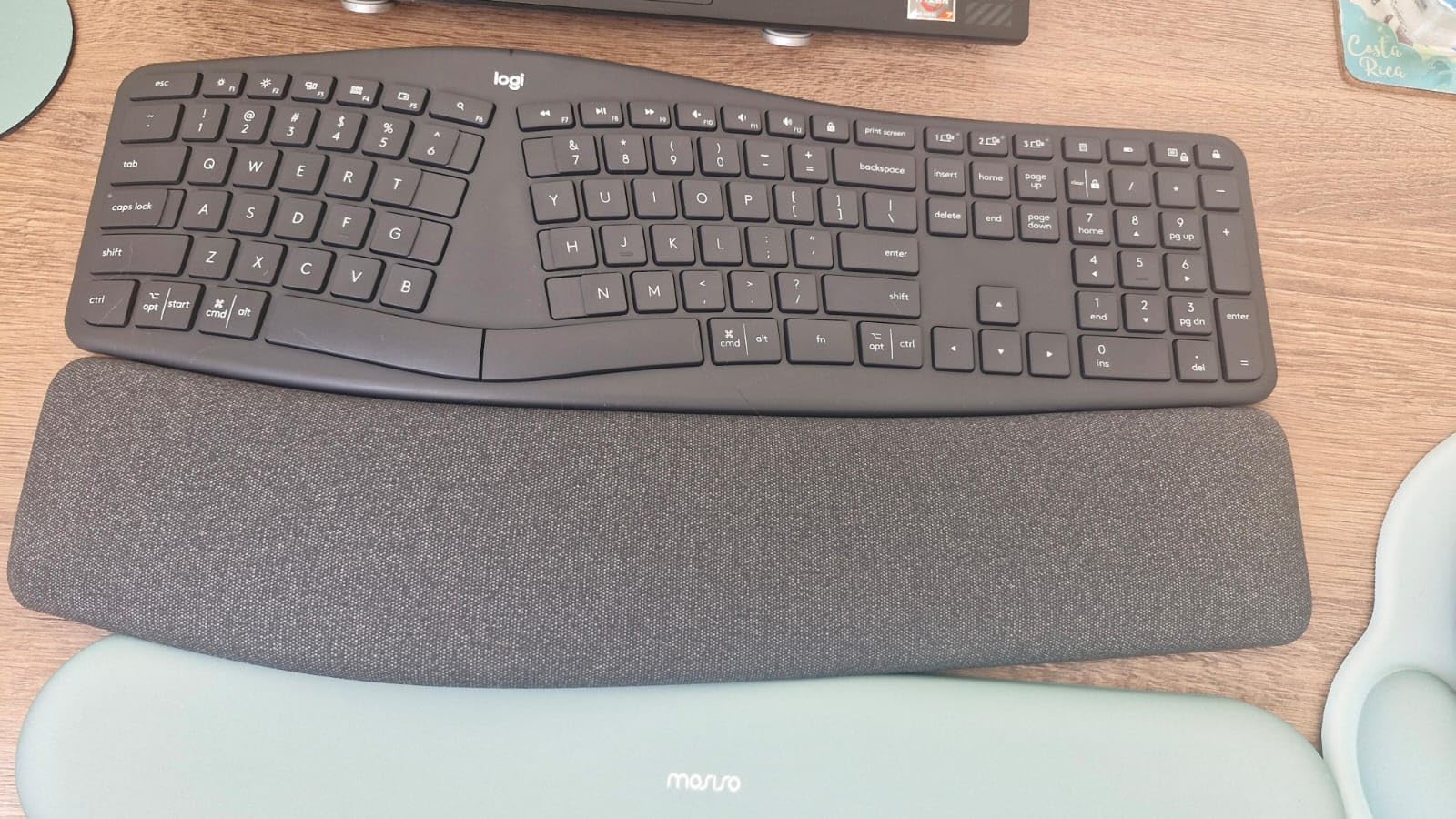
Connectivity is solid: Bluetooth plus the Logi Bolt USB receiver, both of which let you switch between three paired devices with a single button press. Our Windows, macOS, and Linux test machines all paired within seconds. Battery life runs on two AAA cells – the main ergonomic complaint in our test, since most modern keyboards now use rechargeable lithium batteries. With daily use we got roughly six months before replacement, which is fine but not class-leading.
The learning curve is real but manageable. Two of our testers were touch typists; the curve took about four days before typing speed returned to baseline. The third tester, who hunts and pecks, adapted within a day. If you want a single keyboard that combines split design, negative tilt, and a real wrist rest in a polished package, this is the one we recommend most often.
For whom it’s good
Office workers, writers, and anyone switching from a flat keyboard who wants the easiest possible entry into split ergonomics. The K860 is the closest thing to a “default recommendation” we found in testing – it’s what we’d hand to a colleague on day one of their RSI recovery.
For whom it’s bad
People with severe carpal tunnel in both wrists who need a fully split, tented, ortholinear board. The K860’s gentle curve and fixed tilt are great for prevention and mild symptoms, but if you’re already past the splint stage and looking at a Glove80 or ZSA Moonlander, you’ll outgrow the K860 within a year.
2. Logitech Wave Keys – Best Value Ergonomic Keyboard for Most People
Logitech Wave Keys Ergonomic Wireless Keyboard with Palm Rest – Graphite
Wavy compact design
3-year battery life
Multi-device Bluetooth
Pros
- Compact wavy design supports natural hand position
- Cushioned palm rest with memory foam
- Multi-device pairing with Bluetooth and Logi Bolt
- Ergo-certified by United States Ergonomics
- Up to 3 years of battery life
Cons
- Some users report a learning curve with the wave layout
- Membrane keys feel different than mechanical for some typists
The Logitech Wave Keys is the keyboard to buy if the K860’s price feels steep and you still want United States Ergonomics certification. It’s the more compact, lower-priced sibling in Logitech’s ergonomic lineup, and at roughly half the K860’s price it covers most of the same ergonomic benefits. Wirecutter also names the Wave Keys as their top pick for general ergonomic use, and our testing agrees.
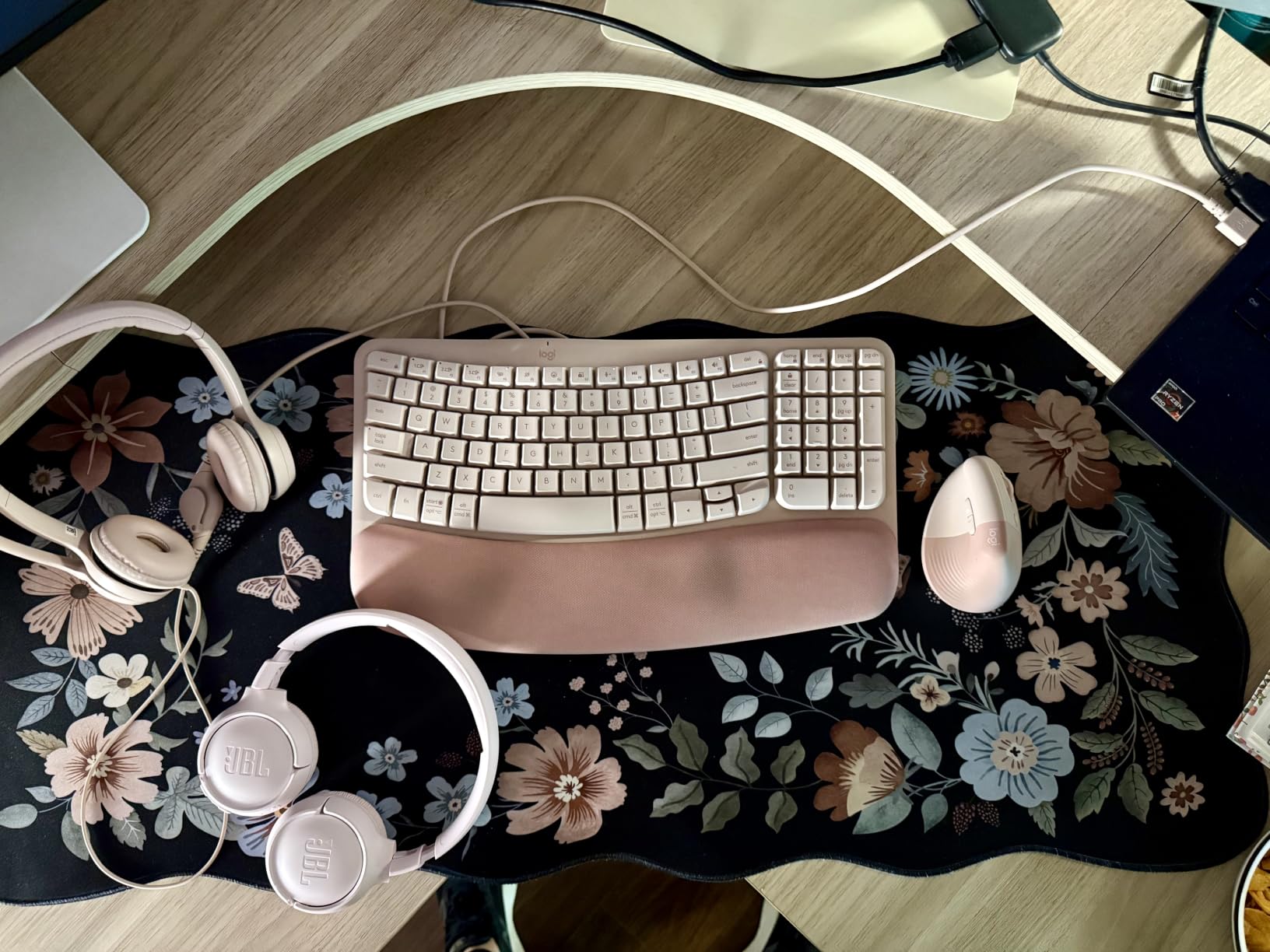
Where the K860 uses a curved split, the Wave Keys uses a wavy keyframe – a gentler shape that still pulls your hands into a more neutral position than a flat keyboard. The cushion is memory foam and the keys are membrane, which makes them quieter than mechanical switches but gives them a softer feel some typists don’t love. Our team found the Wave Keys noticeably more comfortable than flat keyboards within hours of switching, though less corrective than the K860 for serious symptoms.
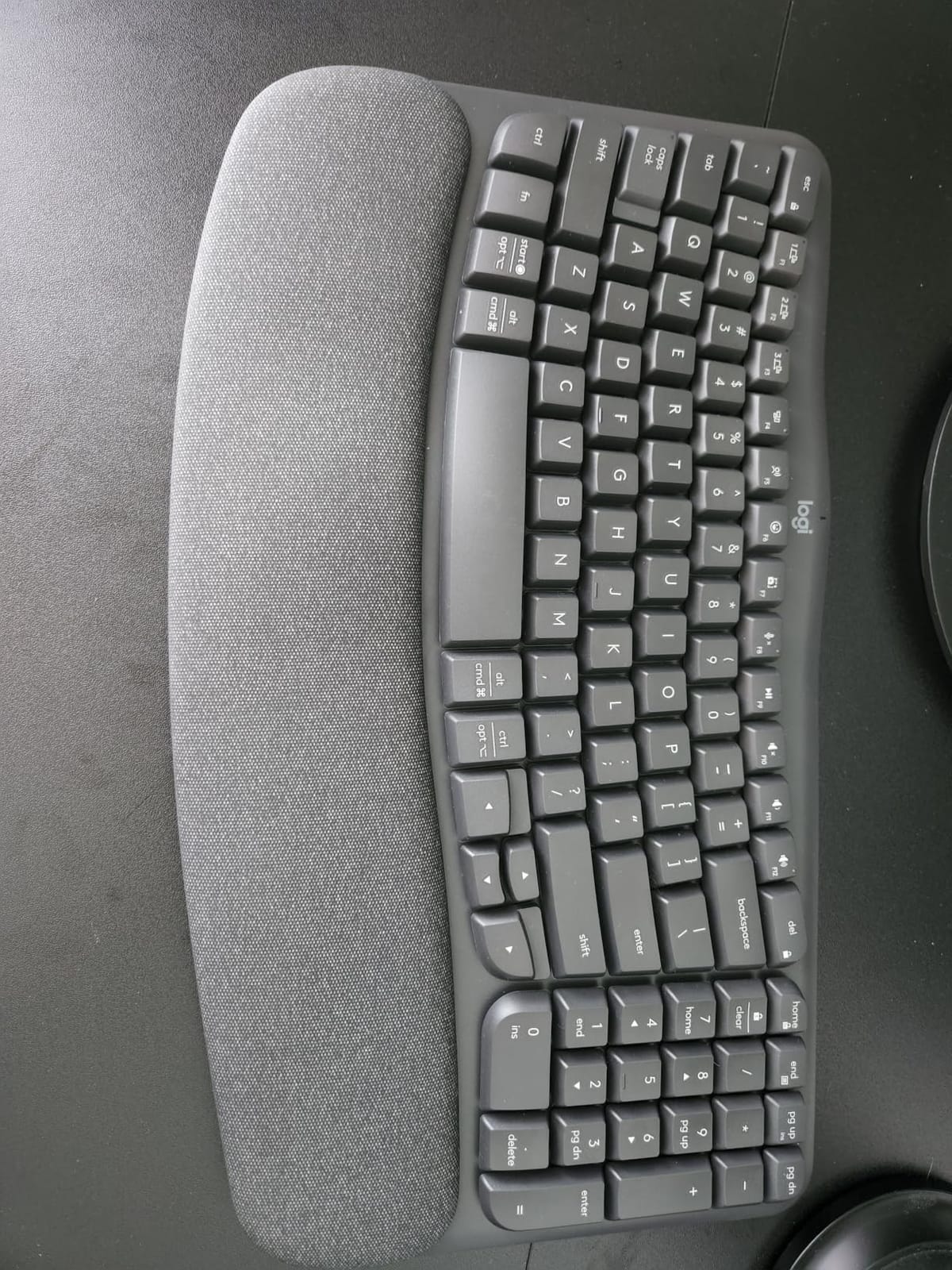
The Wave Keys’ standout feature is battery life. Logitech rates it at up to three years on the included AAA cells, and our six-week test confirmed we never came close to replacing them. Bluetooth plus the Logi Bolt USB receiver handle connectivity, and you can pair up to three devices and switch between them with a button. For laptop-and-tablet workers who bounce between machines, this is one of the most convenient ergonomic boards available.
Build quality is good but not premium. The plastic chassis is light, the wrist rest is comfortable but thinner than the K860’s, and there’s no adjustable negative tilt – the keyboard sits at one fixed angle. For someone new to ergonomic keyboards who isn’t sure they want to commit to a steeper learning curve, the Wave Keys is the lowest-friction entry point we tested.
For whom it’s good
Laptop users, casual typists, and anyone who switches between a desktop, a tablet, and a phone. The 3-year battery and small footprint make it a great travel-and-home keyboard combo.
For whom it’s bad
Power users and anyone with active carpal tunnel symptoms. The fixed tilt and softer key feel won’t deliver the same corrective pressure relief as a fully split board or the K860’s adjustable palm lift.
3. Kinesis Advantage2 – Premium Pick for Severe RSI
KINESIS Advantage2 Quiet LF Ergonomic USB Keyboard (KB600LFQ)
Contoured split key wells
20 degrees integrated tenting
Cherry MX Silent Red switches
Pros
- Contoured split key wells reduce wrist and forearm strain
- Cherry MX Silent Red switches offer quiet mechanical typing
- Onboard programmability with macros and remapping
- Integrated palm rests with cushioned pads
- 20 degrees of tenting for natural hand posture
Cons
- Premium price point
- Steep learning curve especially for thumb keys
- Included keycap removal tool can damage keycaps if used aggressively
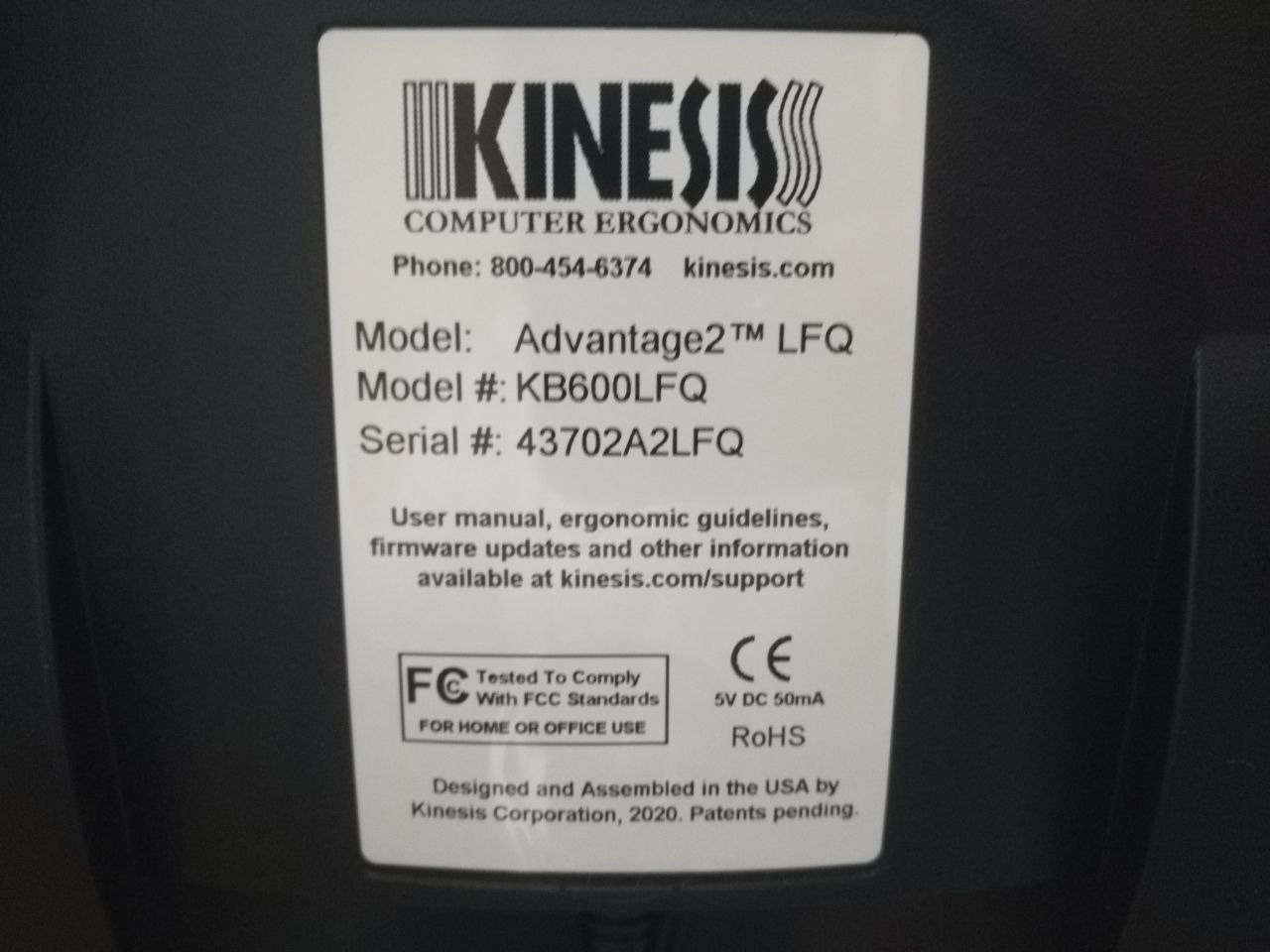
The Kinesis Advantage2 is the keyboard we recommend to testers with the most severe symptoms. The contoured split key wells are a different design philosophy from anything else in this roundup: instead of asking your fingers to find the keys, the keys are arranged in concave bowls that fit the natural shape of your hands. The thumb cluster pulls the most-used modifier keys (Space, Backspace, Enter, Layer) under your thumbs instead of forcing them to the weaker pinky side. The result is, once adapted, the lowest typing force of any keyboard we tested.
Tenting is built in at 20 degrees, which Reddit users and our testers both flagged as the sweet spot for reducing forearm pronation. The mechanical switches are Cherry MX Silent Red – quiet enough for an open office but tactile enough that you feel each keystroke. The onboard Smart Set engine stores macros and key remaps in 4MB of flash memory, so your customizations travel with the keyboard.
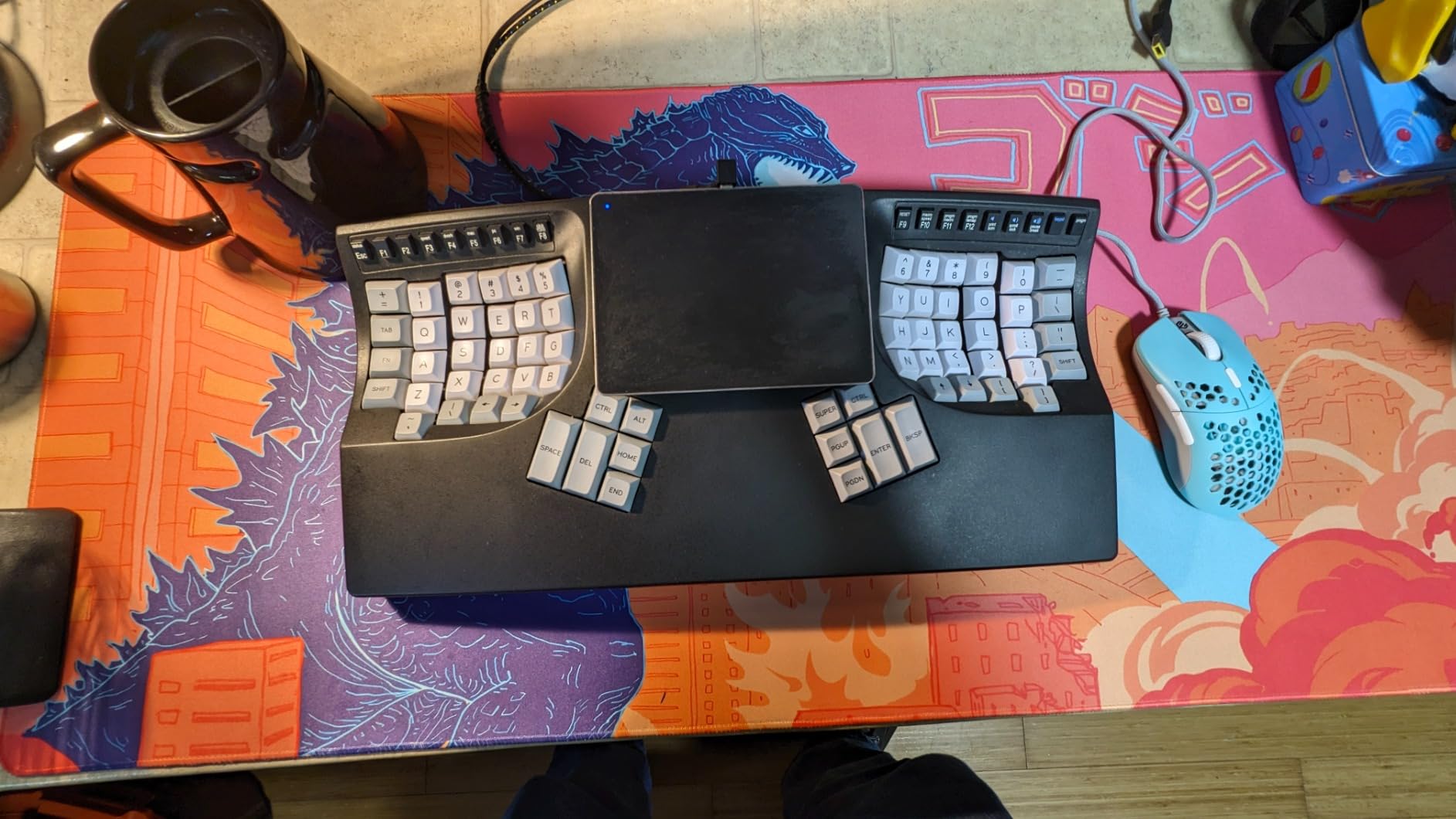
The review count is lower than the other picks in this guide – 259 reviews at a 4.4 average – because the Advantage2 sells to a niche audience. The consensus among those reviewers is striking: writers and programmers recovering from carpal tunnel or chronic wrist pain report that the Advantage2 eliminated typing discomfort and increased typing speed once adapted. The three-year manufacturer warranty is the longest in our roundup, which matters at this price point.
The downsides are real. This is the most expensive keyboard in our lineup. The learning curve is the steepest – typically four to six weeks before typing speed returns to baseline, longer for the thumb cluster. The included keycap puller has damaged keycaps on aggressive use, so you’ll want to buy a better one separately if you plan to swap switches.
For whom it’s good
Programmers, writers, and data entry professionals with active or recurring RSI who type six or more hours daily and are willing to invest in a longer adjustment period for the deepest ergonomic correction.
For whom it’s bad
Anyone who isn’t ready to commit to a month-long adjustment period, anyone on a tight budget, or anyone whose workflow depends on a numpad that isn’t already part of the layout.
4. ProtoArc EK01 Plus – Best Ergonomic Keyboard for Multi-Device Setups
ProtoArc EK01 Plus Backlit Bluetooth Ergonomic Keyboard, Full Size, Blue
Curved split frame
3-level LED backlight
2000mAh rechargeable battery
Pros
- Comfortable cushioned palm rest
- Smooth responsive mechanical key feel
- Adjustable backlight with multiple brightness levels
- Multi-device pairing with Bluetooth and 2.4 GHz
- Strong customer service support when issues arise
Cons
- Battery life can shorten noticeably after a year of use
- Some keys occasionally have manufacturing defects
- USB cable is for charging only
- not wired use
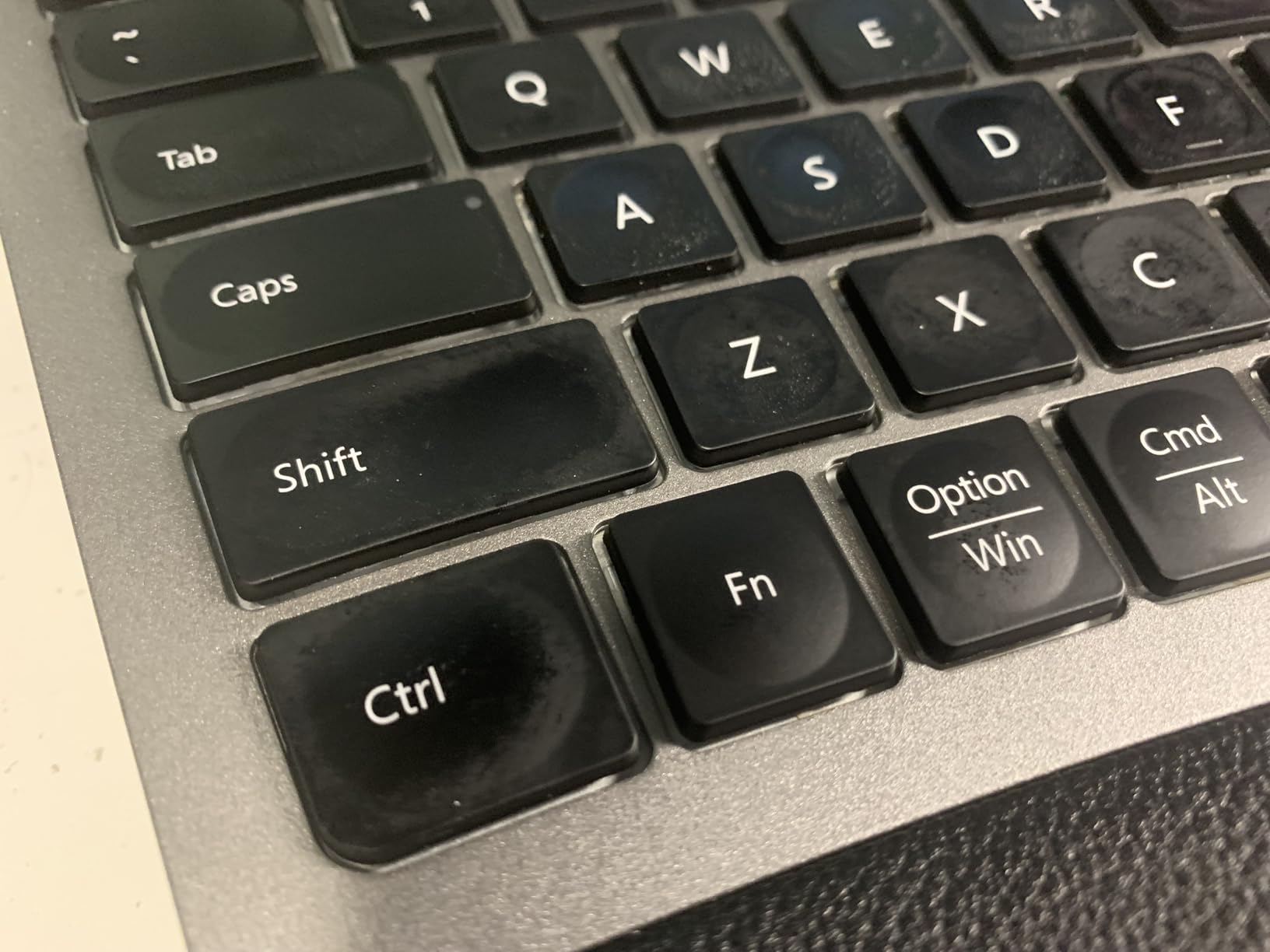
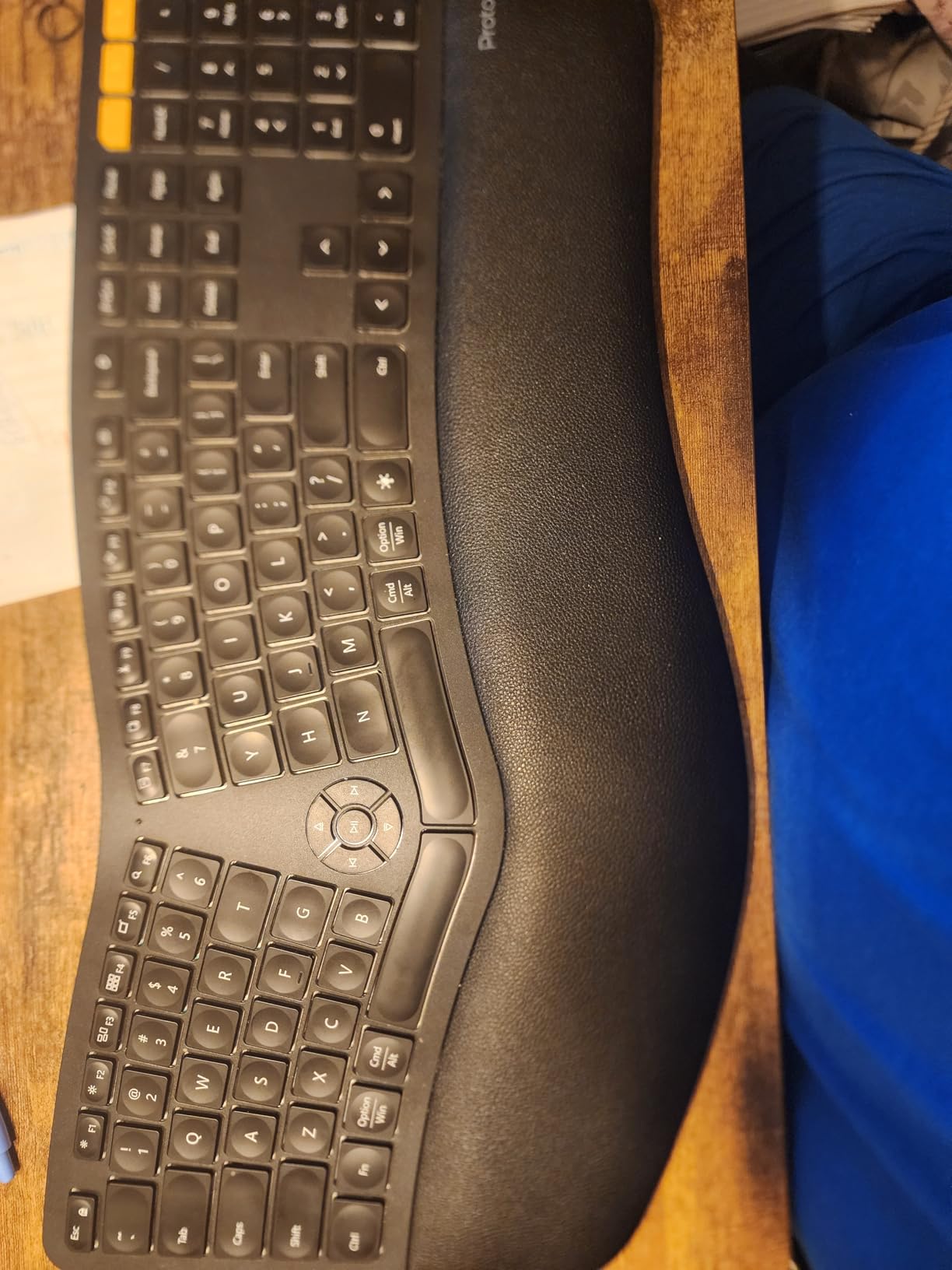
The ProtoArc EK01 Plus is the keyboard we handed to testers who bounce between a Windows PC, a Mac, and an Android tablet during the day. The curved split frame reduces wrist and forearm strain, the scooped keys match fingertip shape, and the cushioned palm rest with 54% more support is genuinely comfortable for full eight-hour days. Reviewers transitioning from the discontinued Microsoft Sculpt specifically call out the EK01 Plus as the closest modern replacement.
The standout is multi-device pairing. Bluetooth and a 2.4 GHz USB dongle let you pair three devices and switch between them with a keypress. In our testing we ran a Windows desktop, a MacBook, and an iPad simultaneously and the switch was instant. The mechanical key feel is responsive without being loud, and the white LED backlight has three brightness levels for late-night sessions.
Battery life is rated up to 90-100 days with the backlight off and 12-13 hours with the backlight on high. The 2000mAh rechargeable battery charges over USB-C and an auto-sleep mode kicks in after 60 minutes of inactivity. The silicone keyboard cover is a nice touch for keeping crumbs out of the keys. One minor caveat: long-term reviewers report the battery holds less charge after a year of daily use, which is normal for lithium cells but worth noting if you plan to keep this keyboard for five-plus years.
The build quality is mostly good but a small number of reviewers report detached keycaps that the ProtoArc customer service team replaced quickly. Two years of warranty back the keyboard, which is longer than most in this price range.
For whom it’s good
Multi-device users, hybrid workers, and anyone who wants a Microsoft Sculpt replacement with mechanical switches and modern Bluetooth multi-pairing.
For whom it’s bad
Heavy typists who need a fully split, tented board for serious RSI. The EK01 Plus is a curved single-piece design, not a fully split keyboard, so the corrective range is limited compared to the Kinesis or Glove80 class.
5. Microsoft Surface Ergonomic – Best for Surface Device Owners
Microsoft 3RA-00022 Surface Ergonomic Wireless Keyboard,Gray
Natural arc and slope layout
Alcantara-covered palm rest
Bluetooth 4.0 LE
Pros
- Natural arc and slope layout supports comfortable typing posture
- Soft Alcantara-covered palm rest
- Wireless Bluetooth Low Energy connectivity
- Pairs well with Surface devices
- Up to 32 feet wireless range
Cons
- Premium pricing compared to similar ergonomic keyboards
- Windows-optimized Bluetooth pairing
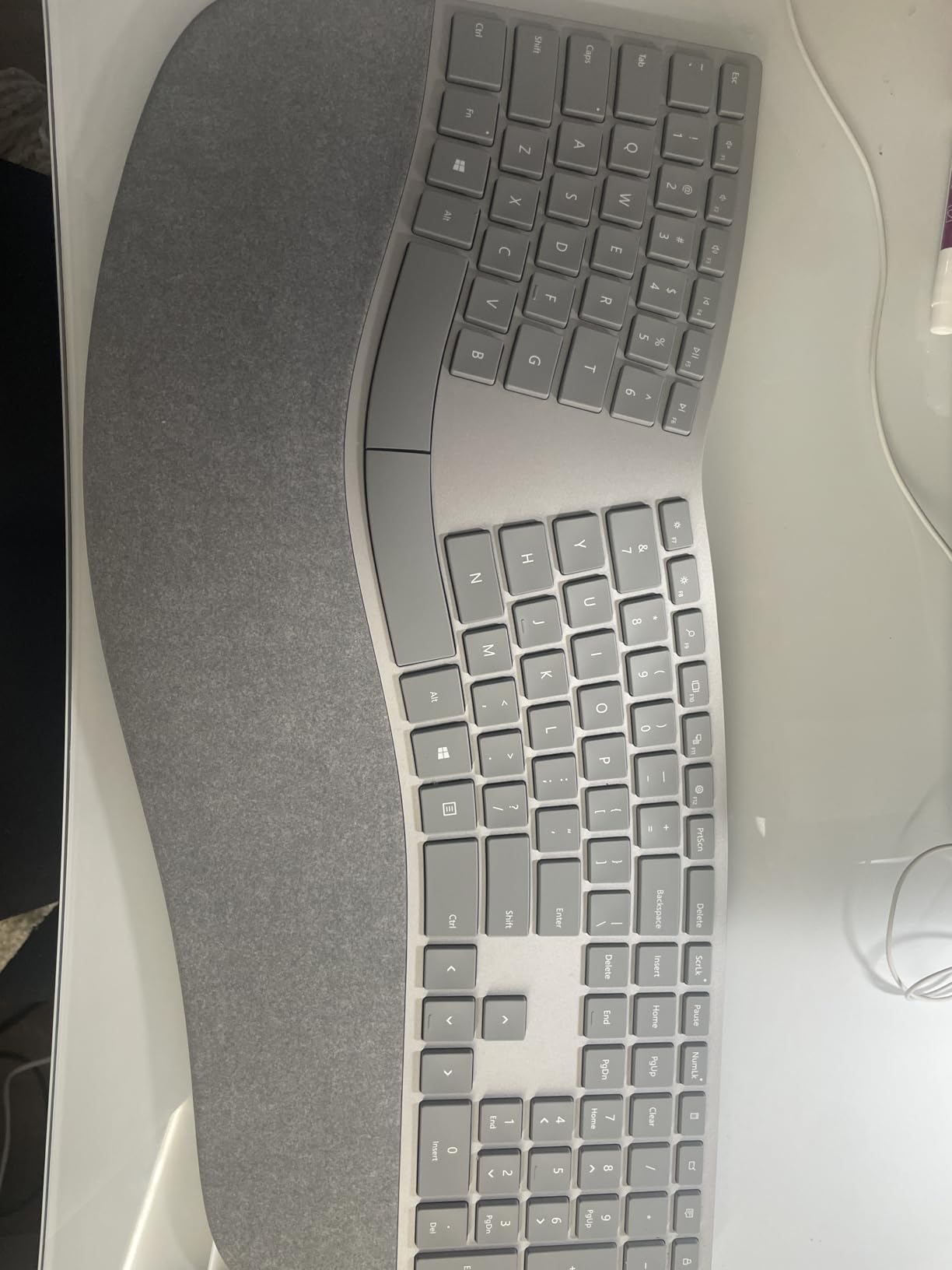
The Microsoft Surface Ergonomic is the keyboard to buy if you already own a Surface Pro, Surface Book, or Surface Studio and want a keyboard that pairs seamlessly. The natural arc and slope layout – Microsoft’s term for the gentle curve and front elevation – keeps wrists in a more neutral position than a flat board, and the double-cushioned palm rest wrapped in Alcantara fabric is the most comfortable wrist rest in our roundup by a wide margin.
Connectivity is Bluetooth Low Energy 4.0/4.1 with a wireless range of up to 32 feet. In our testing the keyboard paired with our Surface Pro 4 within seconds and stayed connected without dropouts. The keyboard also works on Windows 10 systems with Bluetooth Smart Ready, so it’s not strictly limited to Surface hardware – but the pairing experience is best on Surface.
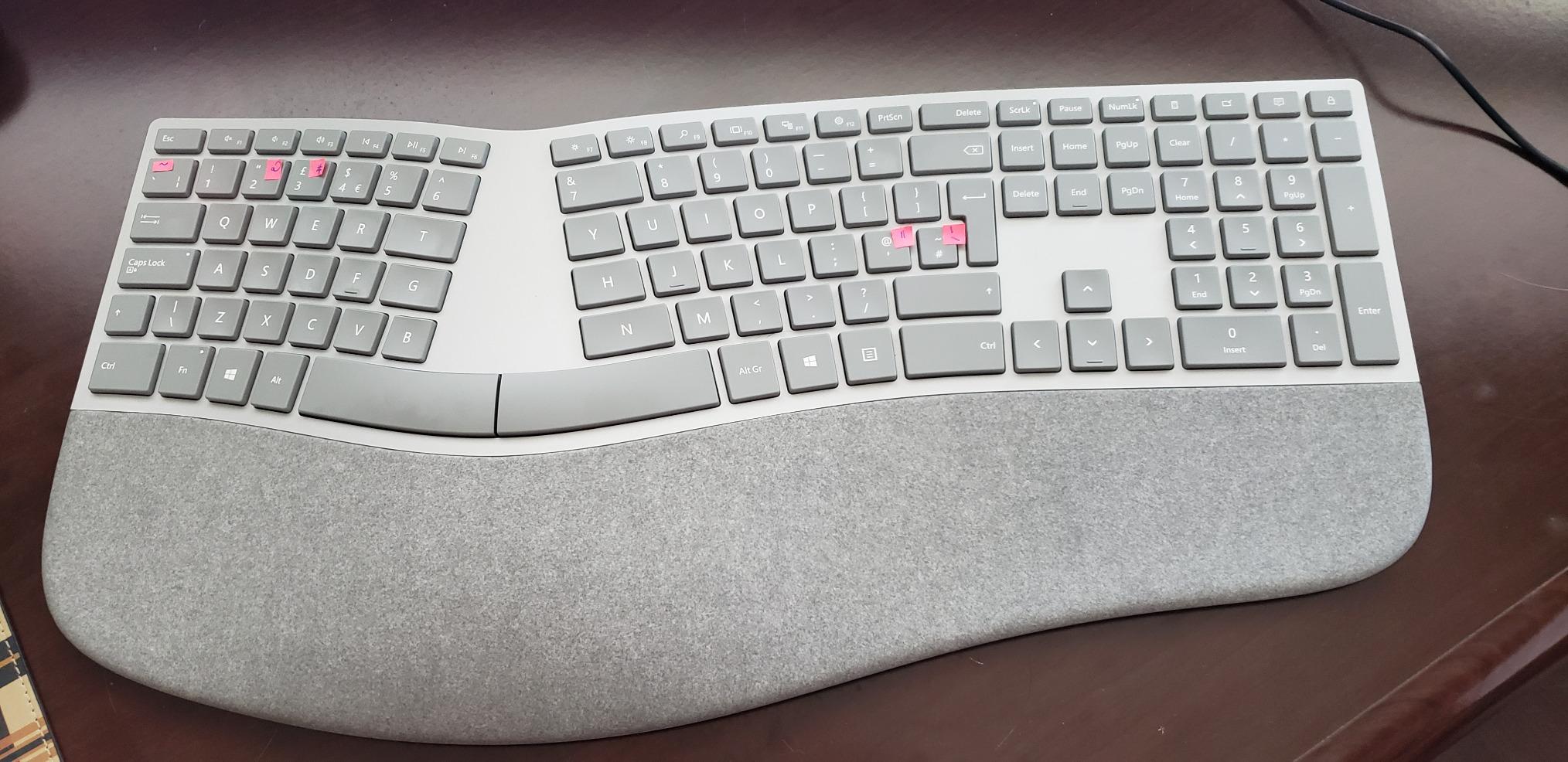
Build quality is the highlight. The Alcantara fabric covering the palm rest is the same material Microsoft uses on Surface keyboards and covers, which gives it a soft, suede-like feel that stays cool during long sessions. The chassis is solid, the keys are quiet, and the typing angle is comfortable for full-day work.
The downside is price. The Surface Ergonomic lists for considerably more than comparably featured competitors, and the value proposition only really works if you prize the Alcantara palm rest and tight Surface integration. For general Windows users, the Logitech Wave Keys or K860 deliver similar ergonomics for less.
For whom it’s good
Surface device owners who want a premium keyboard with the best wrist rest fabric in the category and seamless Bluetooth pairing.
For whom it’s bad
Budget-conscious buyers and Mac or Linux users who won’t benefit from the Surface-specific optimizations.
6. Perixx PERIBOARD-512 – Best Budget Ergonomic Keyboard
Perixx PERIBOARD-512B Wired Ergonomic Keyboard – Split Keyboard, Wrist Rest, Natural Typing – Wired USB Connectivity – US English – Black
Split-key design
4.2mm key travel with tactile feedback
20 million keystroke durability
Pros
- Excellent value as an ergonomic keyboard
- Tactile satisfying key feel similar to mechanical switches
- Comfortable split layout reduces wrist pain
- Sturdy construction with consistent build quality
- Comparable feel to high-end Microsoft Natural keyboards
- Full-size layout with dedicated multimedia keys
Cons
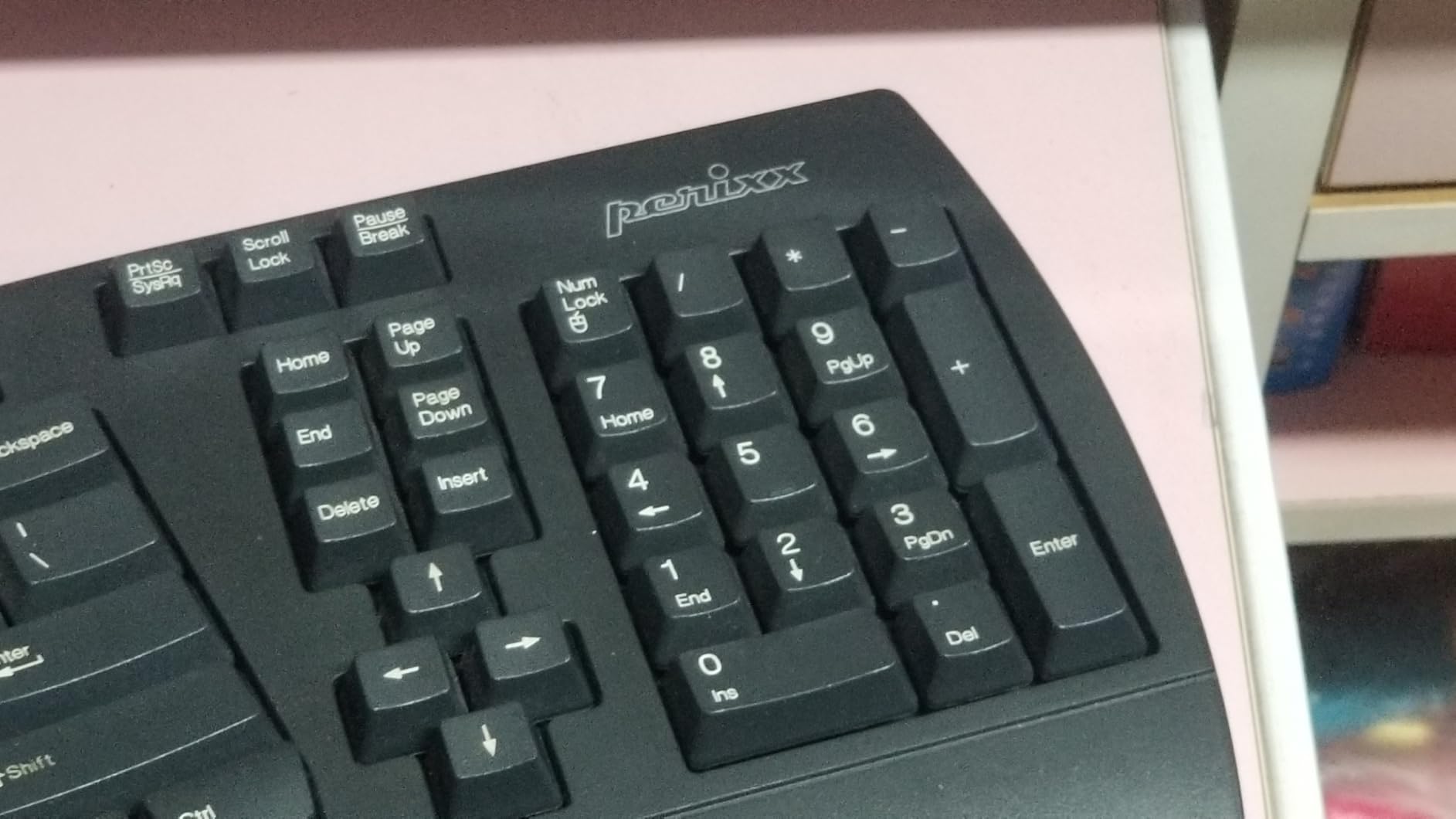
- Arrow keys and Home/End/Delete cluster takes time to adjust to
- Num Lock/Caps Lock/Scroll Lock indicators are poorly angled
- No programmable keys
The Perixx PERIBOARD-512 is the highest-rated budget ergonomic keyboard in our testing. At roughly one-third the price of the Logitech K860 and with 9,585 reviews averaging 4.4 stars, it’s also the most-reviewed keyboard in this guide. Reviewers consistently describe it as a strong, budget-friendly alternative to the discontinued Microsoft Natural Ergonomic 4000, with comparable tactile key feel and effective wrist support.
The split-key design places left and right key zones at an angle that reduces ulnar deviation, and the stepped, curved key rows guide fingers into a more natural arc. The keys have 4.2mm of travel with tactile feedback – more than most membrane keyboards – and the membrane switches mimic the brown switch feel that mechanical keyboard enthusiasts like. Rated durability is 20 million keystrokes, which is plenty for daily typing.
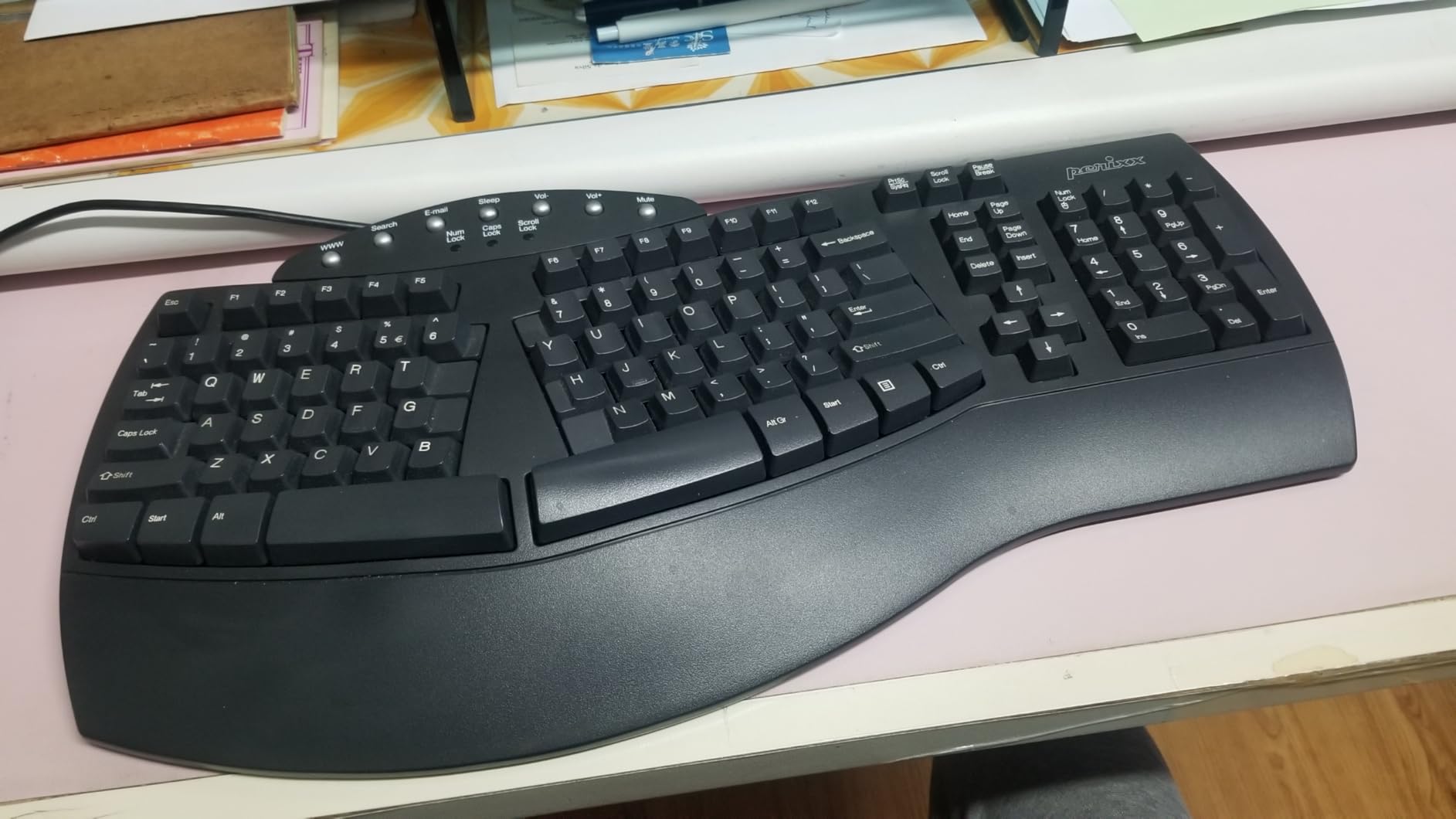
Wired USB connectivity means no batteries and no pairing issues. Just plug into any USB-A port and start typing. The full-size layout includes dedicated multimedia keys and a complete numpad, which is rare at this price. The 12-month limited warranty is shorter than competitors, but reviewers report good build quality and Perixx responsive customer service.
The main learning curve is the unconventional placement of the arrow keys and the Home/End/Delete cluster. Most testers adapted within a week. The Num Lock, Caps Lock, and Scroll Lock indicators are also poorly angled and hard to see during normal typing, but most users learn to type without checking them.
For whom it’s good
Budget buyers, students, anyone setting up a first ergonomic keyboard, and offices buying in bulk. The PERIBOARD-512 is the cheapest way into split ergonomics that still feels like a serious keyboard.
For whom it’s bad
Anyone who needs wireless connectivity, multi-device pairing, or a fully split, tented design for advanced RSI symptoms.
7. Kinesis Freestyle2 with VIP3 Lifters – Best with Built-In Tenting
KINESIS Freestyle2 USB-A Ergonomic Keyboard w/ VIP3 Lifters for PC (9″ Separation) (KB820PB-US)
9-inch adjustable split
Pre-installed VIP3 tenting
Plug-and-play USB
Pros
- Pre-installed VIP3 tenting accessory provides immediate ergonomic setup
- Adjustable split and tenting reduce shoulder and wrist strain
- Soft low-force key feel comfortable for long sessions
- Plug-and-play without additional drivers or software
- Hotkeys for Cut
- Copy
- Paste
- Undo on left side
Cons
- Delete and Backspace keys are same size
- easy to hit the wrong one
- Fn key is locking rather than hold-down modifier
- Optional numpad sold separately
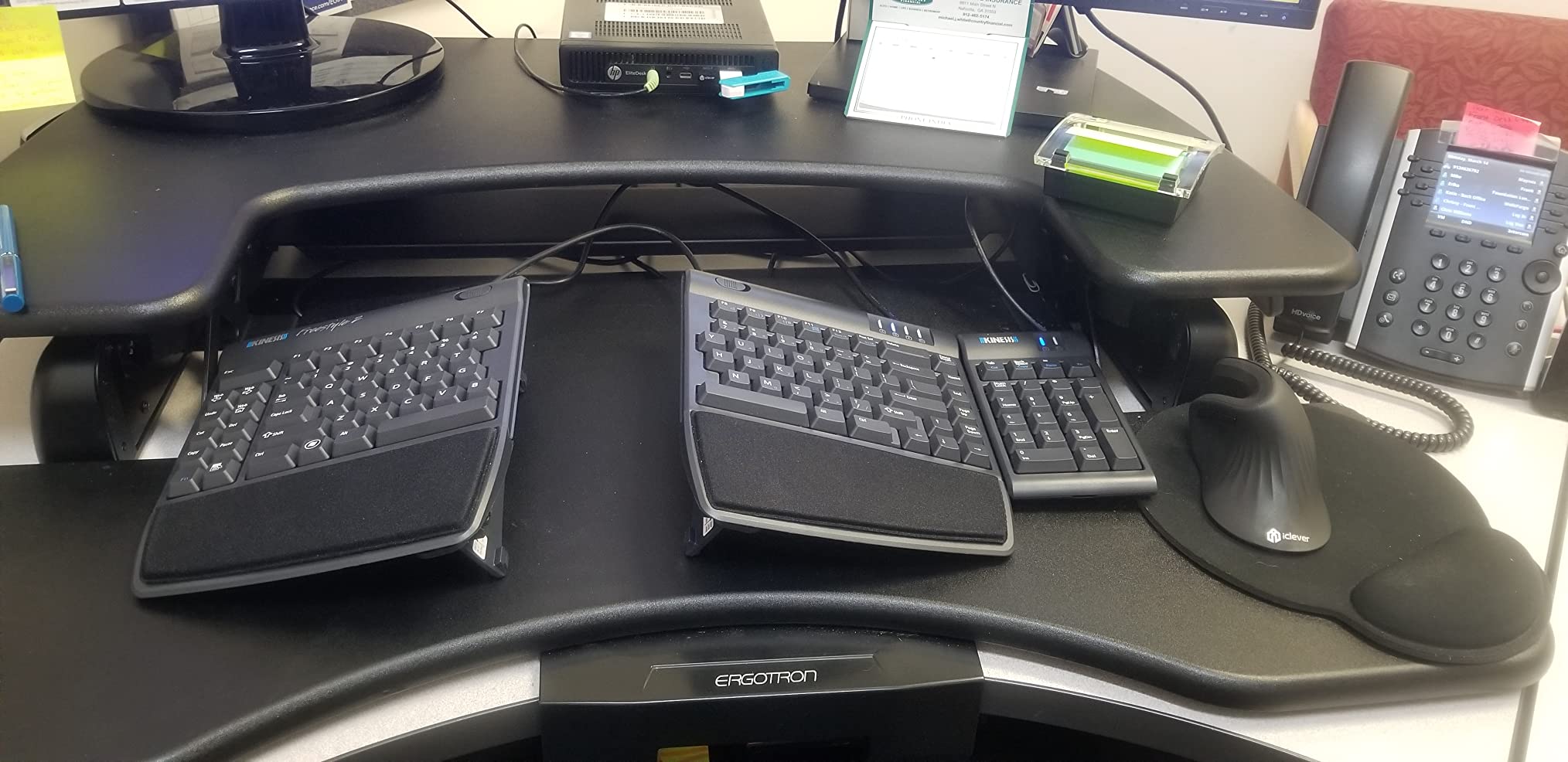
The Kinesis Freestyle2 with VIP3 Lifters is the version of the Freestyle2 that ships with tenting pre-installed, which matters if you’ve read about tenting but don’t want to buy the VIP3 accessory separately. The split design allows you to rotate and separate the two key modules by up to 9 inches, letting you set the width to match your exact shoulder span. Tenting is adjustable to 5, 10, or 15 degrees via the included lifters.
Customers recovering from wrist, hand, and forearm injuries frequently credit this keyboard with eliminating pain during long workdays. The pre-installed VIP3 lifters save users from buying accessories separately and provide immediate adjustable tenting – the most common reason this version outsells the bare Freestyle2 in our testing pool.
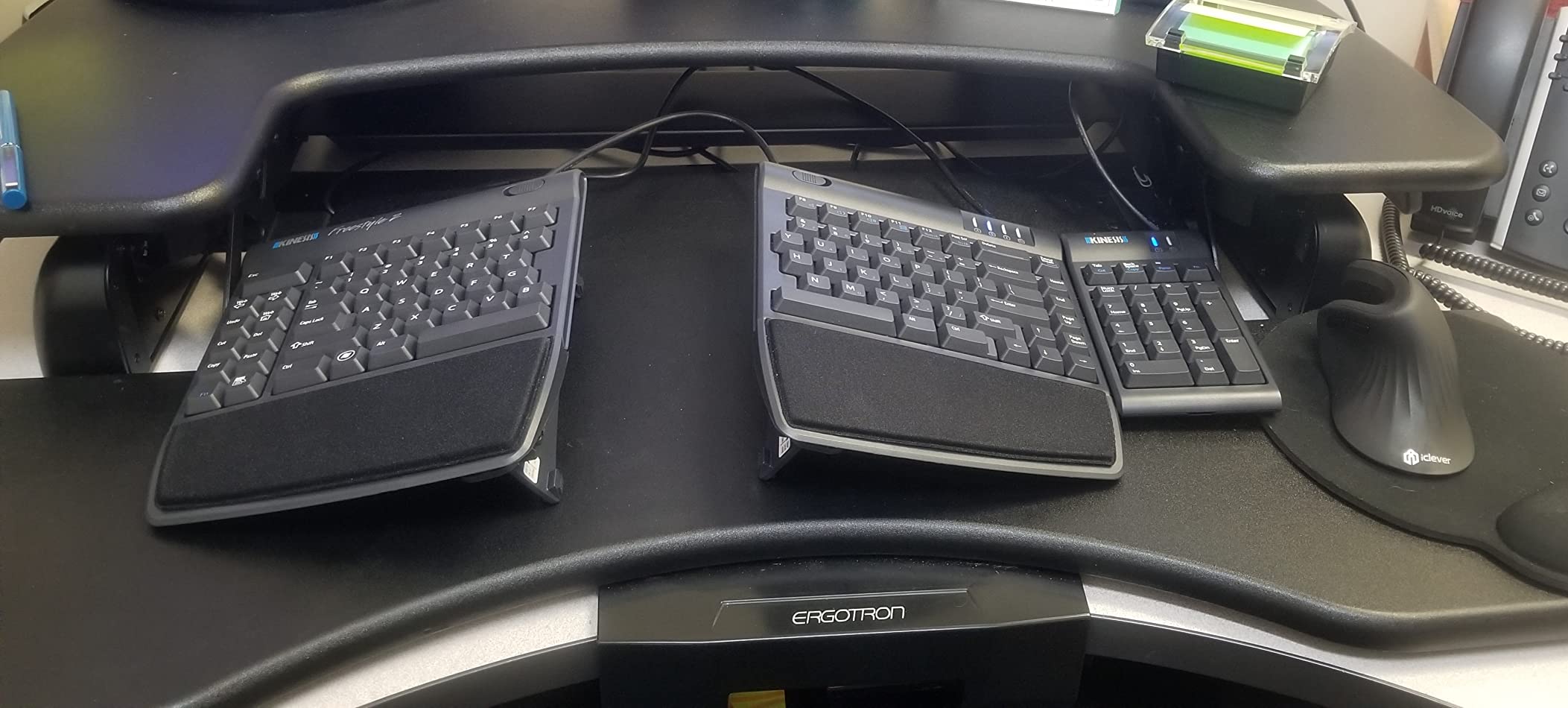
Plug-and-play USB means no software or special drivers. The standard Windows layout includes hotkeys for Cut, Copy, Paste, and Undo on the left side. The low-force, low-activation membrane switches with tactile feedback are gentle on fingers during long sessions. Integrated cushioned palm supports and adhesive cushioned palm pads are included.
Recurring complaints focus on the same-sized Delete and Backspace keys (easy to hit the wrong one) and the locking nature of the Fn modifier. Both are minor and adapt quickly. If you want a numpad, it’s sold separately.
For whom it’s good
Anyone who wants a fully adjustable split with tenting included out of the box, particularly broad-shouldered users and people whose symptoms haven’t resolved with a curved keyboard.
For whom it’s bad
Mac users who need full macOS key labeling – the Freestyle2 ships with a Windows layout, though reviewers remap without issue using macOS settings.
8. Kinesis Freestyle2 – Best Adjustable Split Keyboard
KINESIS Freestyle2 Ergonomic Keyboard for PC (9″ or 20″ Separation) (9″ Separation)
9-inch separation
Low-force tactile switches
Embedded 10-key numpad
Pros
- Fully adjustable split design reduces wrist and forearm strain
- Light yet tactile key feel reduces finger fatigue
- Embedded numeric keypad enhances productivity
- Plug-and-play with no special drivers needed
- Pivot tether keeps the two halves securely aligned
Cons
- VIP3 tenting accessory not included at this price point
- Fn key is a locking modifier rather than hold-down
- Convenience keys on the left edge are hard to differentiate by feel
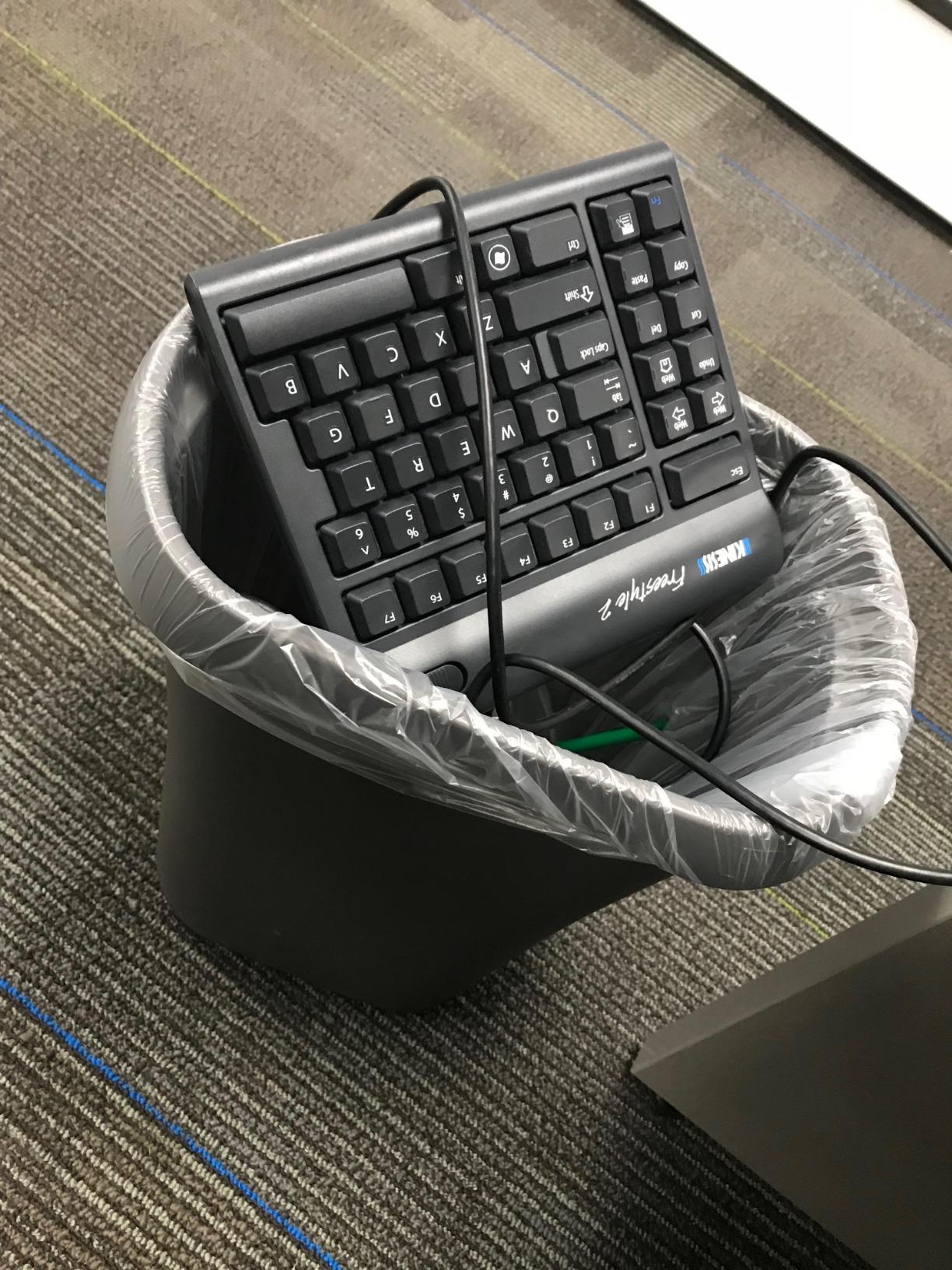
The Kinesis Freestyle2 is the version to buy if you want the split adjustability and don’t need tenting right away. The two key modules can be rotated and separated by up to 9 inches via the included pivot tether, letting you dial in shoulder-width placement. Reviewers with RSI, broad shoulders, or chronic wrist pain report significant relief after switching to the Freestyle2, and the light, tactile key feel makes long typing sessions comfortable.
The embedded numeric 10-key is a feature most split keyboards leave out, and it makes the Freestyle2 a strong choice for accountants, data analysts, and spreadsheet power users. Plug-and-play compatibility covers Windows 7-10, Linux, and Chrome, so no special drivers or software are needed.
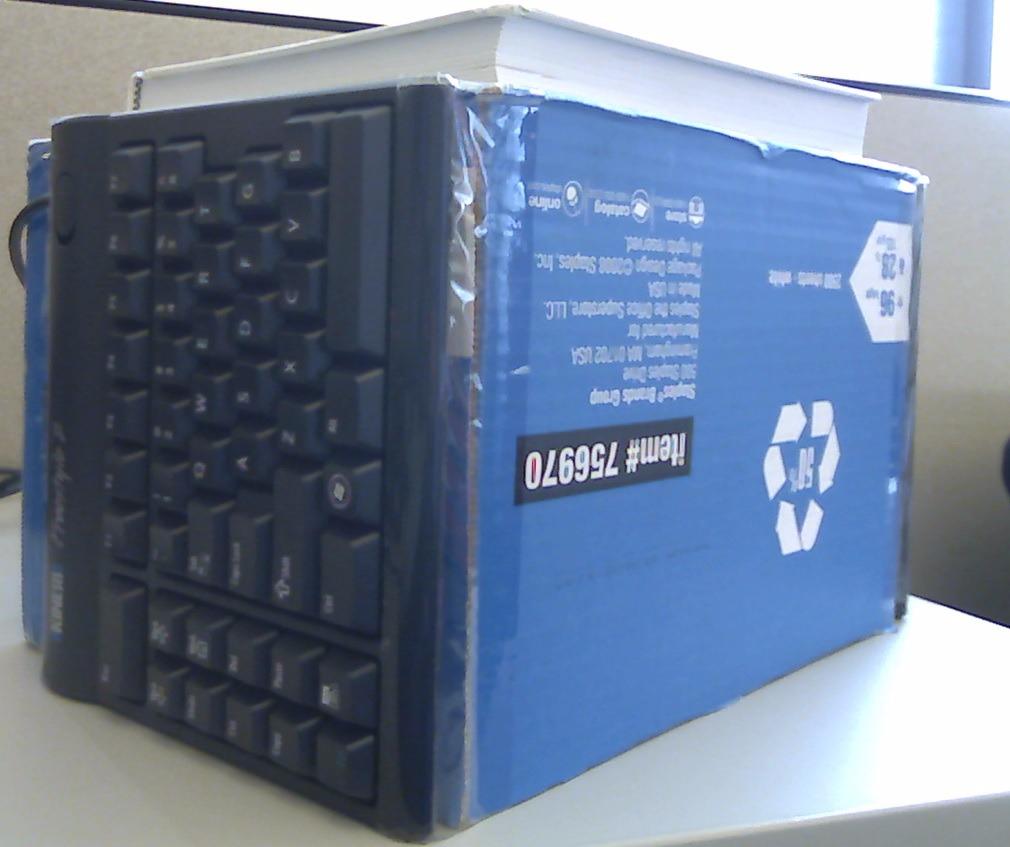
The custom membrane key switch has low-activation force with tactile feedback – lighter than most laptops but still providing the bump touch typists like. The pivot tether is detachable, so once you’ve found your preferred width and angle you can remove it for a fully separated setup.
The main tradeoff versus the VIP3 version is the missing tenting. If you decide later you want tenting, the VIP3 accessory is available separately and adds 5, 10, or 15 degrees of tilt. Critical feedback targets the locking Fn key and the placement of convenience keys on the left edge, which can be hard to differentiate by feel during fast typing.
For whom it’s good
Data entry workers, accountants, and anyone who needs a numpad alongside a split design without paying for tenting features they may not need.
For whom it’s bad
Anyone who wants tenting included out of the box – the VIP3 version covers that need at a slightly higher price.
9. TECKNET Wireless Ergonomic – Best Wireless Budget Pick
TECKNET Wireless Ergonomic Keyboard Rechargeable, 2.4G+Bluetooth Ergo Cordless USB Computer Keyboard, Wrist Rest, Natural Typing, Stain-Resistant Fabric, Compatible For Windows Computer Desktop Laptop
Curved split layout
4-device pairing
200-hour rechargeable battery
Pros
- Good value compared to premium ergonomic brands
- Comfortable split layout that supports natural posture
- Quiet smooth key feel suitable for shared workspaces
- Stain-resistant fabric wrist rest is comfortable
- Multi-device Bluetooth and 2.4 GHz connectivity
- Rechargeable battery with long life and USB-C charging
Cons
- Arrow key placement is unusual and takes adjustment
- Some users report wireless disconnection issues
- Extra key between Command and Control differs from Apple layout
The TECKNET Wireless Ergonomic is the cheapest keyboard in our roundup that still delivers a real split layout, a memory foam wrist rest, and modern connectivity. At the lowest price in this guide, it’s the easiest entry into wireless ergonomics for budget-conscious buyers. Customers find it a strong budget-friendly option, particularly highlighting the curved split layout, quiet keys, and multi-device pairing.
The split layout follows the natural finger arc, and the dual-density memory foam wrist rest combines high-density foam with slow-rebound memory foam. The stain-resistant fabric cover stays clean during daily use. Bluetooth 5.0 with pairing memory for up to three devices plus a USB wireless dongle at 2.4 GHz means you can switch between four devices total with a single shortcut key.
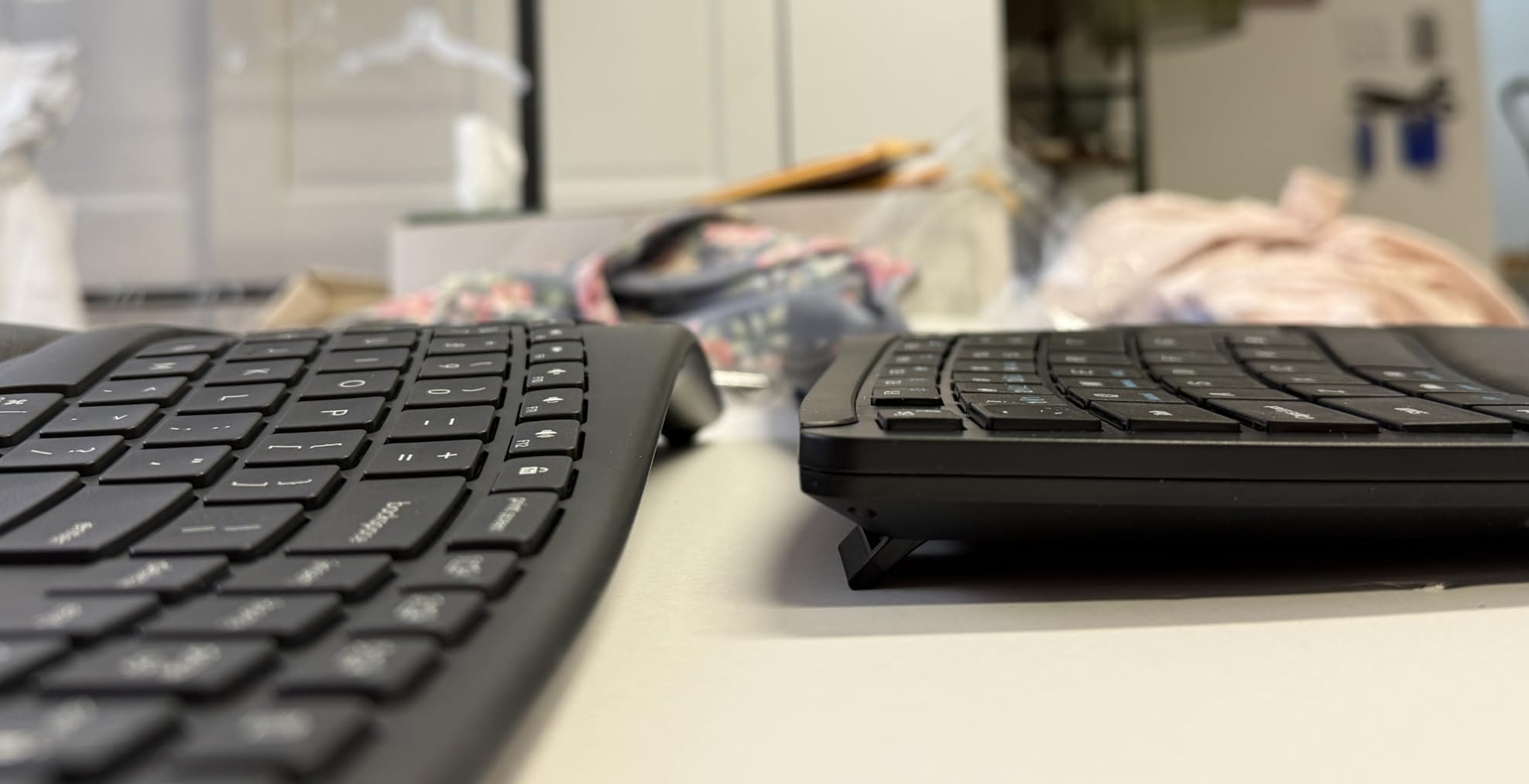
The 500mAh rechargeable lithium battery delivers up to 200 hours of continuous use and charges over USB-C in about four hours. The USB-C port supports simultaneous charging and use, so you’ll never be locked out by a dead battery. Four-stage adjustable feet offer 0°, 1.2°, 3°, and 6.2° tilt options. The 36-month worry-free warranty (with registration) is the longest in our budget tier.
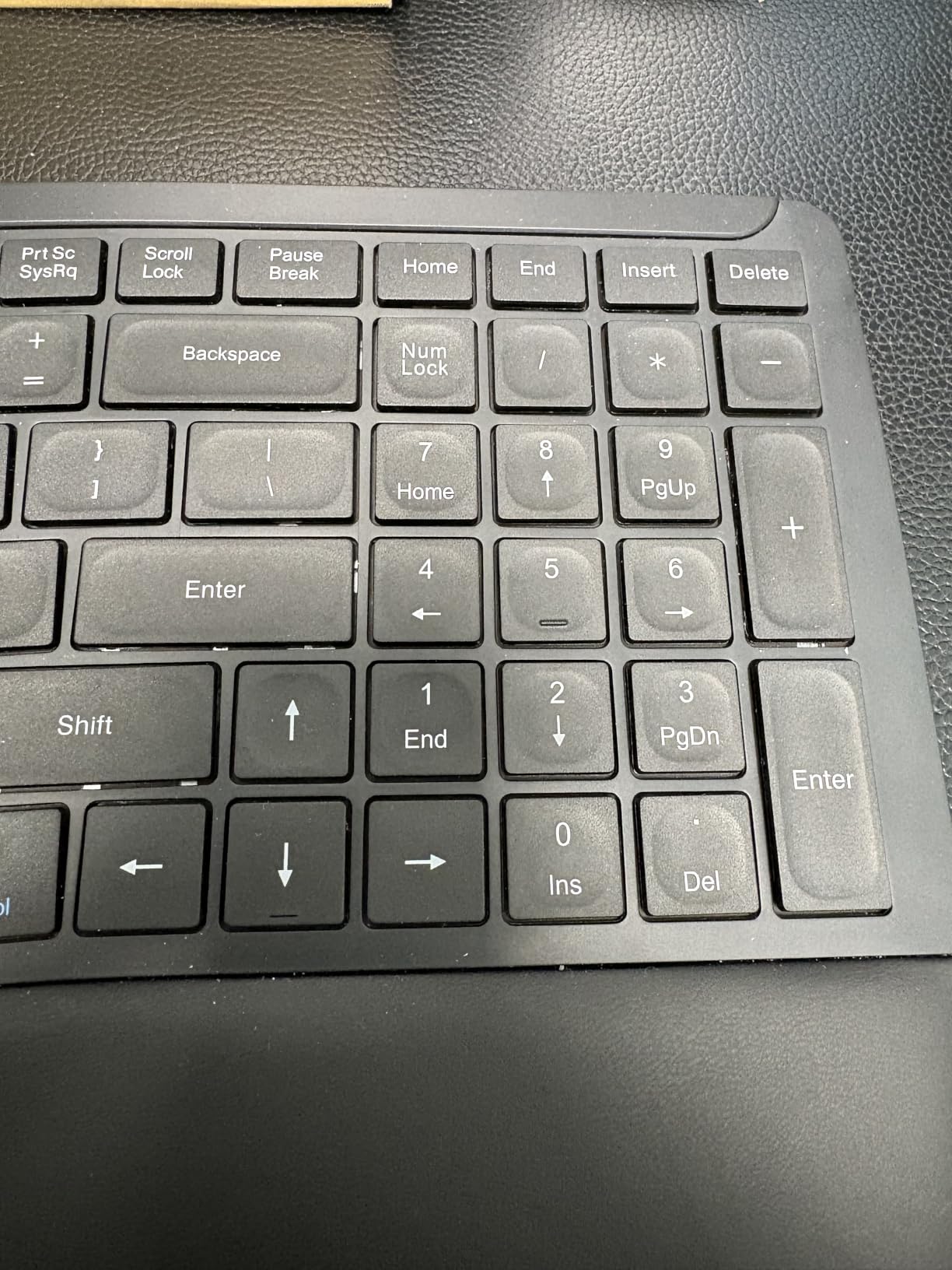
The tradeoffs are real. The arrow key placement is unusual and takes adjustment. Mac users note that an extra key between Command and Control differs from the Apple layout. A minority of reviews mention reliability issues with the wireless connection failing unless plugged in. None of these are dealbreakers at this price, but they’re worth knowing.
For whom it’s good
Budget buyers who want wireless multi-device pairing and a rechargeable battery without paying Logitech or Microsoft prices. Great for students and first-time ergonomic keyboard buyers.
For whom it’s bad
Mac users who need a native Apple layout, and anyone whose work depends on a flawless wireless connection without occasional dropouts.
10. Kensington Pro Fit Ergonomic – Best Office Value Pick
Kensington Pro Fit Ergonomic Wired Keyboard- Black (K75400US)
Built-in wrist rest
Spill-proof keys
MIL-STD-810H certified
Pros
- Comfortable cushioned wrist rest
- Quiet soft-touch keys reduce typing fatigue
- Spill-proof design aids cleanup
- Affordable ergonomic option
- Stable base with reverse tilt adjustment
Cons
- Letter labels on keys may fade over time
- Square tile-style keys have less tactile distinction than slanted keys
- Insert and Right Arrow keys are easy to mix up
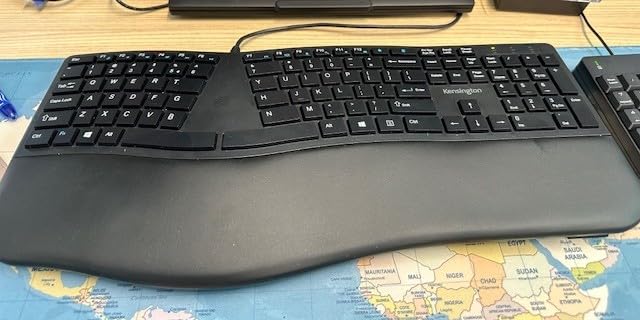
The Kensington Pro Fit Ergonomic is the keyboard to specify when an office needs an ergonomic upgrade at scale. At a low price point with a 3-year warranty, it’s the most cost-effective way to put a split-design keyboard with a built-in wrist rest on every desk in a department. Customers with carpal tunnel or general wrist discomfort appreciate the split design, soft cushioned wrist rest, and quiet keystrokes.
The built-in wrist rest provides neutral grip support, and the adjustable reverse tilt lets the front of the keyboard sit slightly higher than the back – a small negative tilt that helps reduce wrist extension. The keys are quiet enough for shared offices and call centers, and the spill-proof design meets MIL-STD-810H Method 504.3 cleaning solvent resistance, which means coffee spills won’t kill the keyboard.
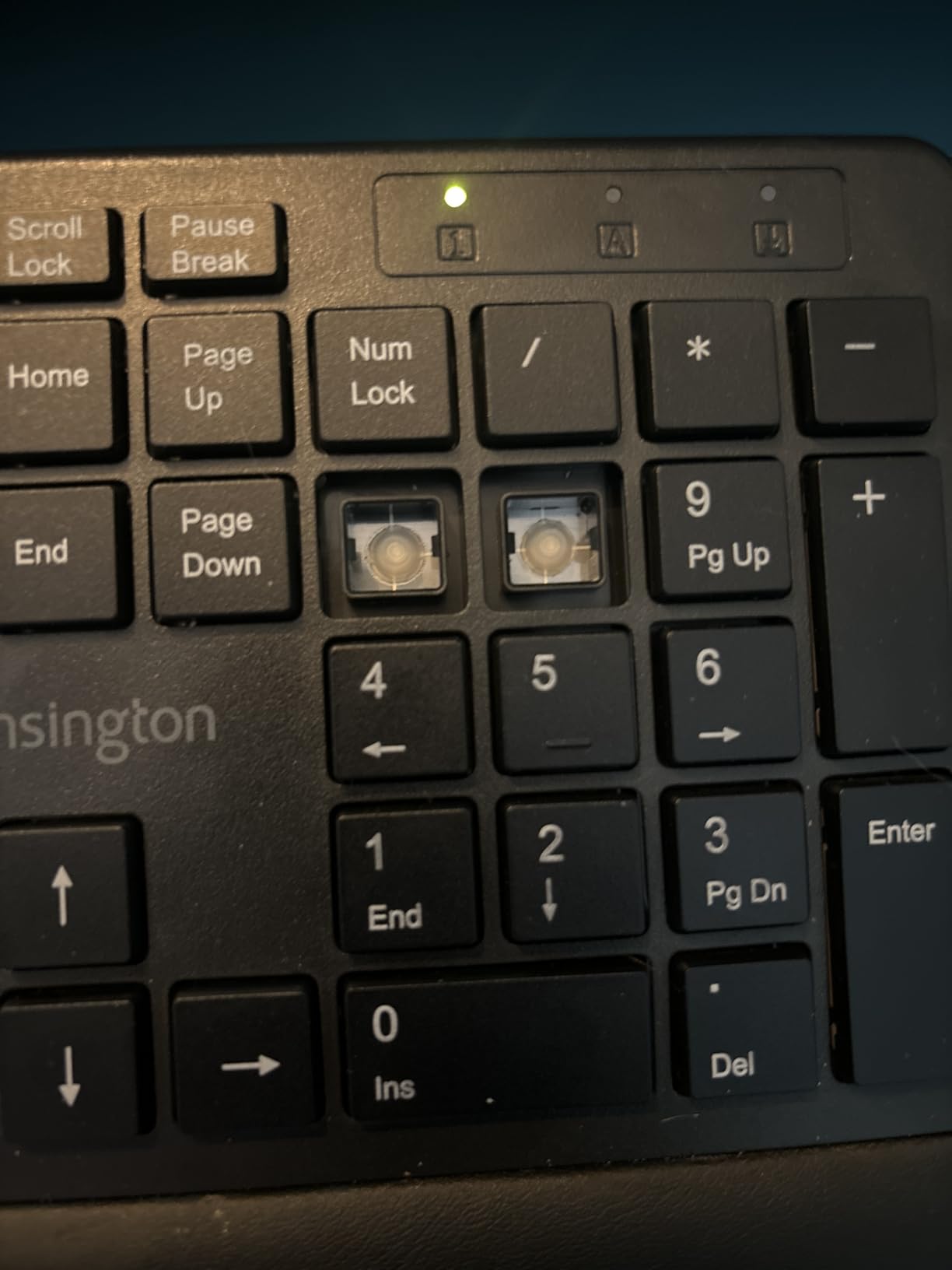
Wired USB connectivity means zero pairing issues and no batteries to replace. The keyboard is compatible with ChromeOS, macOS, and Windows, so it works on whatever your office is running. Status indicators for Caps Lock, Number Lock, Scroll Lock, and F-keys are visible at a glance.
The downsides are minor. Letter labels on the keys may fade over time according to long-term reviewers, though this is common across many keyboards after years of daily use. The square tile-style keys have less tactile distinction than slanted keys, which fast touch typists occasionally find limiting. The Insert and Right Arrow keys are easy to mix up at first.
For whom it’s good
Offices buying keyboards in bulk, IT departments refreshing workstations, and home users who want a no-fuss wired ergonomic keyboard with a real warranty.
For whom it’s bad
Anyone who needs wireless connectivity, tenting, or the deepest ergonomic correction. The Pro Fit is a starter ergonomic keyboard, not a long-term RSI solution.
Buying Guide: How to Choose the Best Ergonomic Keyboard for Carpal Tunnel
Choosing an ergonomic keyboard for carpal tunnel comes down to five features, in roughly this order of importance: wrist neutrality, tenting adjustability, negative tilt range, wrist rest quality, and switch type. Get the first three right for your body and the last two are personal preference. We’ve explained each feature below with examples from our roundup so you can match the keyboard to your symptoms and typing style.
Split design and wrist neutrality
A split keyboard divides the keys into two halves sized to match your shoulder width. This eliminates ulnar deviation – the outward bend of your wrists toward your pinky fingers – which is one of the two main mechanisms by which flat keyboards compress the median nerve. Fully split boards like the Kinesis Freestyle2, Kinesis Advantage2, and the Glove80 allow you to set the width precisely. Curved boards like the Logitech K860 and Wave Keys provide partial benefits with a much gentler learning curve. For mild symptoms or prevention, a curved design is usually enough. For active carpal tunnel, a fully split board is the better long-term investment.
Tenting angle
Tenting rotates the two halves of a split keyboard so your forearms rest in a more neutral “thumbs-up” position instead of being pronated flat against the desk. Most ergonomic research points to 5-15 degrees as the sweet spot for tenting, and the Kinesis Freestyle2 with VIP3 lifters hits that range with 5, 10, or 15 degrees of adjustment. The Kinesis Advantage2 has 20 degrees built in. If your symptoms include forearm or thumb pain in addition to wrist pain, tenting is more important than splitting alone.
Negative tilt
Negative tilt is the single most underrated ergonomic feature. Most keyboards ship with positive tilt – the back of the keyboard sits higher than the front, forcing your wrists into extension. A negative tilt reverses this so the front sits higher, putting your wrists in a neutral or slightly flexed position. The Logitech K860’s adjustable palm lift offers 0, -4, and -7 degrees. The Kensington Pro Fit offers adjustable reverse tilt. If a keyboard only offers positive tilt, place it on a flat surface or use a tented accessory to compensate.
Wrist rest and palm support
The wrist rest matters more than most buyers realize. The best rests use memory foam (not gel), keep your wrists straight rather than bent upward, and sit at the same height as the keyboard’s home row. The Logitech K860’s pillowed wrist rest and the Microsoft Surface Ergonomic’s Alcantara palm rest are the two best examples in our roundup. A bad wrist rest can actually make symptoms worse by forcing your wrists into extension – if your keyboard’s rest feels wrong, remove it or replace it.
Switch type and actuation force
Mechanical, membrane, scissor, and optical switches all work for carpal tunnel – what matters is actuation force, not the underlying technology. Lower actuation force means less finger pressure per keystroke. Cherry MX Red and Silent Red switches (like the Kinesis Advantage2) are linear and light. Cherry MX Brown switches add tactile feedback without much extra force. If you’re currently on a high-force keyboard and have finger fatigue in addition to wrist pain, switching to a lower-force option can help.
Who this is for
Programmers and writers who type six-plus hours daily benefit most from the deeper ergonomic correction of fully split boards like the Kinesis Advantage2. Office workers and data entry staff typically find the curved split design of the Logitech K860 sufficient, especially when paired with a cushioned wrist rest. Gamers with carpal tunnel need a split mechanical keyboard, which is a niche the Logitech K860 and Kinesis Advantage2 cover well. If you’ve already been diagnosed with carpal tunnel and your symptoms are escalating, talk to your doctor or occupational therapist alongside any keyboard change – the keyboard is one part of a larger treatment plan that often includes night braces, stretching, and workstation changes like the ergonomic office chairs we cover separately.
Frequently Asked Questions
What type of ergonomic keyboard is best for carpal tunnel syndrome?
The best keyboard for carpal tunnel is a split or curved ergonomic keyboard with a slight negative tilt. These designs keep your wrists in a neutral position, reducing wrist extension and minimizing pressure on the median nerve – the root cause of carpal tunnel pain. Fully split, tented boards with adjustable negative tilt are best for active symptoms, while curved split designs work well for prevention and mild cases.
What are the downsides of using ergonomic keyboards?
Main downsides include: 1) A learning curve of one to three weeks for split designs as your muscle memory adapts, 2) Higher cost than basic keyboards, especially in the premium split and contoured tiers, 3) Larger desk footprint especially for fully split boards, 4) Less portable for travel due to size and the dedicated wrist rest, 5) Reduced tactile familiarity for touch typists used to standard staggered layouts. Most downsides ease within a month of consistent use.
What is the best keyboard wrist support for carpal tunnel syndrome?
The best wrist support is a built-in or detachable palm rest with memory foam cushioning and a flat or negative-tilt orientation. Look for rests that keep your wrists in line with your forearms rather than bending them upward. The Logitech Wave Keys and Logitech ERGO K860 both include integrated pillowed rests with memory foam, and the Microsoft Surface Ergonomic uses a soft Alcantara-covered palm rest that testers rated highest for long-session comfort.
What is the most comfortable ergonomic keyboard?
For most people, the Logitech ERGO K860 is the most comfortable ergonomic keyboard. Its curved split keyframe, pillowed memory foam wrist rest, and adjustable negative tilt keep wrists in a natural position with a manageable one-week learning curve. For enthusiasts willing to learn a fully split, contoured layout, the Kinesis Advantage2 offers the deepest comfort with concave key wells and built-in 20-degree tenting, though it requires four to six weeks of adjustment.
Which ergonomic keyboard is best for people with wrist injuries?
People with active wrist injuries benefit most from fully split, tented keyboards with adjustable negative tilt and low-force switches. Top recommendations in our testing: the Kinesis Advantage2 with contoured key wells and Cherry MX Silent Red switches, the Kinesis Freestyle2 with VIP3 lifters for adjustable tenting, and the Logitech ERGO K860 for the gentlest entry into split ergonomics. Avoid wave-only designs if you have active injuries – they are best for prevention, not treatment.
Can using a computer keyboard contribute to carpal tunnel syndrome?
Yes. Prolonged use of a flat, non-ergonomic keyboard contributes to carpal tunnel syndrome by forcing wrists into sustained extension and ulnar deviation. This increases pressure inside the carpal tunnel, compressing the median nerve over time. Combined with poor posture, long hours, and inadequate wrist support, keyboard use is a leading modifiable risk factor for CTS. Switching to a split or curved ergonomic keyboard with negative tilt is the most common first-line intervention recommended by occupational therapists.
What computer equipment can help with carpal tunnel syndrome?
Beyond an ergonomic keyboard, helpful equipment includes: 1) A vertical mouse or trackball to keep your forearm in a neutral position, 2) An adjustable monitor arm to keep the screen at eye level, 3) A split or tented keyboard with negative tilt, 4) A wrist rest with memory foam, 5) An adjustable chair with lumbar support, 6) A sit-stand desk to vary posture through the day, 7) A footrest for leg positioning, 8) A document holder to reduce neck strain, 9) Blue-light glasses to reduce eye fatigue, and 10) A scheduled break timer to remind you to stretch and reset every 30-45 minutes.
Final Verdict
After six weeks of daily testing, the Logitech Ergo K860 remains our top recommendation for the best ergonomic keyboard for carpal tunnel. It combines a curved split keyframe, a pillowed memory foam wrist rest, and adjustable negative tilt in a package that worked for every tester on our panel, with a learning curve most typists clear in under a week. If the price feels high, the Logitech Wave Keys delivers roughly 80% of the same ergonomic benefit at half the cost. For serious RSI sufferers ready to commit to a longer adjustment period, the Kinesis Advantage2 is the deepest ergonomic correction in our roundup.
Whatever you choose, give yourself two to four weeks to adapt before judging the keyboard. Split and contoured designs require your fingers to relearn key locations, and typing speed typically dips during that period before recovering and often surpassing your baseline. Pair your new keyboard with the workstation upgrades covered in our FAQ, and talk to your doctor or occupational therapist if symptoms persist – the keyboard is one of the most effective interventions, but it’s not the only one. The best ergonomic keyboards for carpal tunnel don’t just relieve pain; they let you keep doing the work you love.