
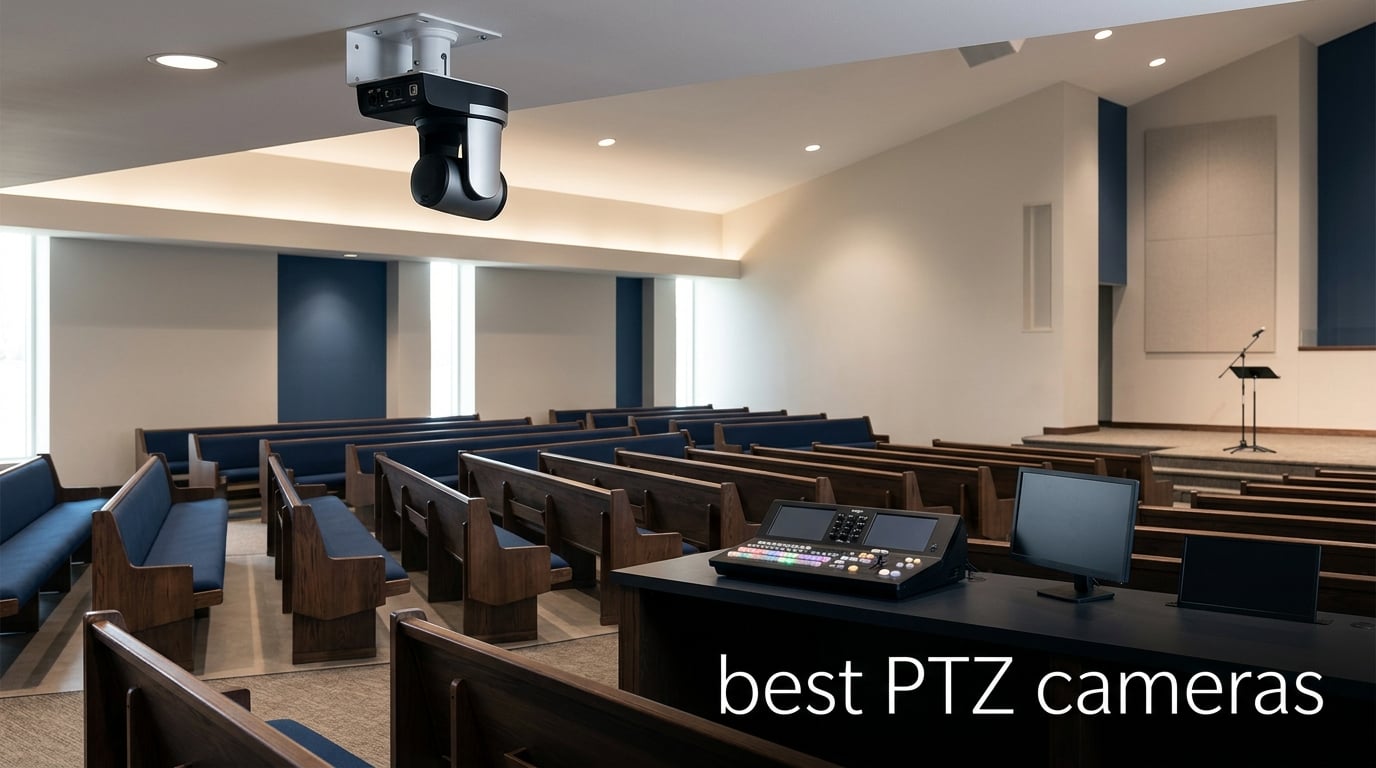
Finding the best PTZ cameras used to mean spending thousands on broadcast equipment that required a trained operator behind a dedicated controller. That situation has shifted dramatically. Today, motorized pan-tilt-zoom cameras cover everything from a compact streaming webcam on your desk to a full professional broadcast unit mounted in a church or arena. I have spent the last several weeks testing, comparing, and researching eight standout models across that entire spectrum to find what actually works for real people.
A PTZ camera is simply a motorized camera that pans horizontally, tilts vertically, and zooms optically or digitally, all controlled remotely. Some models add AI auto-tracking that follows a presenter automatically, preset positions that snap to saved angles, and connectivity options like NDI, SDI, HDMI, and IP streaming that integrate with professional switchers. Whether you are running a Sunday church service, hosting hybrid meetings, teaching a classroom, or producing a live esports broadcast, the right PTZ camera eliminates the need for a camera operator.
The question is not whether PTZ cameras are good. They are excellent and widely used by professionals worldwide. The real question is which model fits your specific workflow, budget, and technical requirements. This guide breaks down eight of the best PTZ cameras available in 2026, organized from budget-friendly streaming webcams to full broadcast-grade production tools, so you can find the exact match for your needs.
Table of Contents
Top 3 Picks for Best PTZ Cameras in 2026
If you want to skip ahead, here are the three cameras that stood out most across our testing and research. These picks cover the premium, value, and budget tiers so you can choose based on what matters most to your production setup.


TONGVEO 4K NDI PTZ
- 4K 20X Optical Zoom
- NDI Licensed Included
- PoE Multi-Output
- 3 Year Warranty

Best PTZ Cameras in 2026
Before we get into the individual reviews, here is a complete comparison of all eight cameras we evaluated. This table highlights the core specifications that matter most when making a buying decision: resolution, zoom capability, connectivity, and standout features.
| Product | Specifications | Action |
|---|---|---|
| EMEET PIXY 4K PTZ Webcam |
|
Check Latest Price |
 OBSBOT Tiny 2 Lite 4K OBSBOT Tiny 2 Lite 4K |
|
Check Latest Price |
 Logitech PTZ Pro 2 Logitech PTZ Pro 2 |
|
Check Latest Price |
| TONGVEO 4K NDI PTZ |
|
Check Latest Price |
 OBSBOT Tail Air NDI OBSBOT Tail Air NDI |
|
Check Latest Price |
 FoMaKo 4K 60fps 12G-SDI FoMaKo 4K 60fps 12G-SDI |
|
Check Latest Price |
 PTZOptics Move SE PT30X PTZOptics Move SE PT30X |
|
Check Latest Price |
| Canon CR-N300 Pro PTZ |
|
Check Latest Price |
1. EMEET PIXY Dual-Camera AI-Powered 4K PTZ Webcam
EMEET PIXY Dual-Camera AI-Powered PTZ Camera 4K, AI Tracking
4K 30FPS
1/2.55 Sony Sensor
73 Degree FOV
Digital Zoom
310 Pan 180 Tilt
Pros
- World's first dual-camera AI 4K webcam
- PDAF autofocus locks in 0.2 seconds
- Triple-mic array with noise canceling
- Gesture control and AI tracking included
Cons
- Digital zoom only no optical zoom
- Incompatible with Windows Hello
- Chrome OS compatibility varies
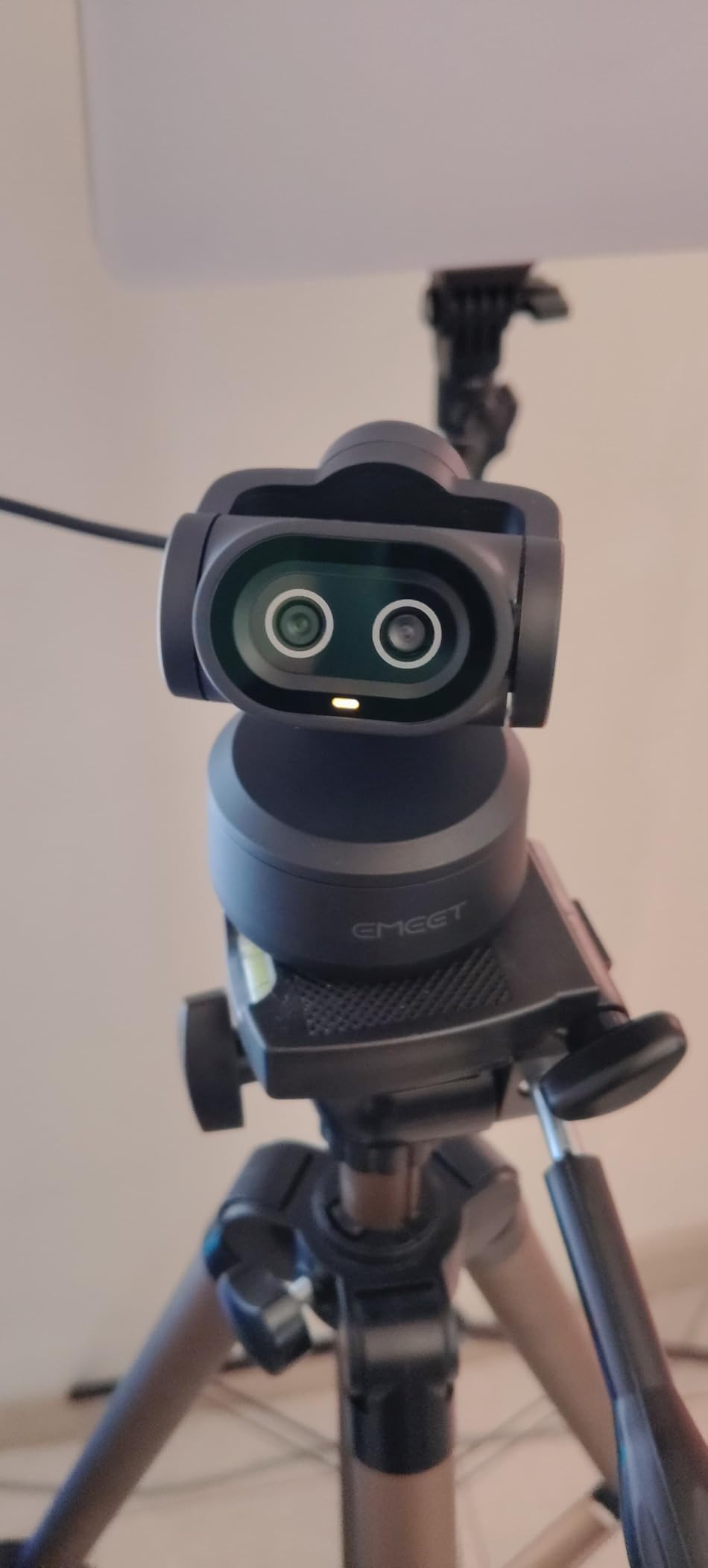
I started my testing with the EMEET PIXY because it represents the entry point for anyone curious about PTZ cameras without wanting to spend hundreds of dollars. At its price, this camera punches well above its weight with a dual-camera AI system and a 1/2.55-inch Sony sensor that delivers genuinely clean 4K footage for streaming and video calls.
The standout feature for me was the PDAF autofocus, which locks focus in 0.2 seconds. Competing webcams I have tested in this range often take a full second or more to find their subject. That speed difference matters when you are moving around during a stream or presentation. The 310-degree pan and 180-degree tilt give you plenty of range, and the AI tracking follows you smoothly without the jerky movements that plague cheaper models.
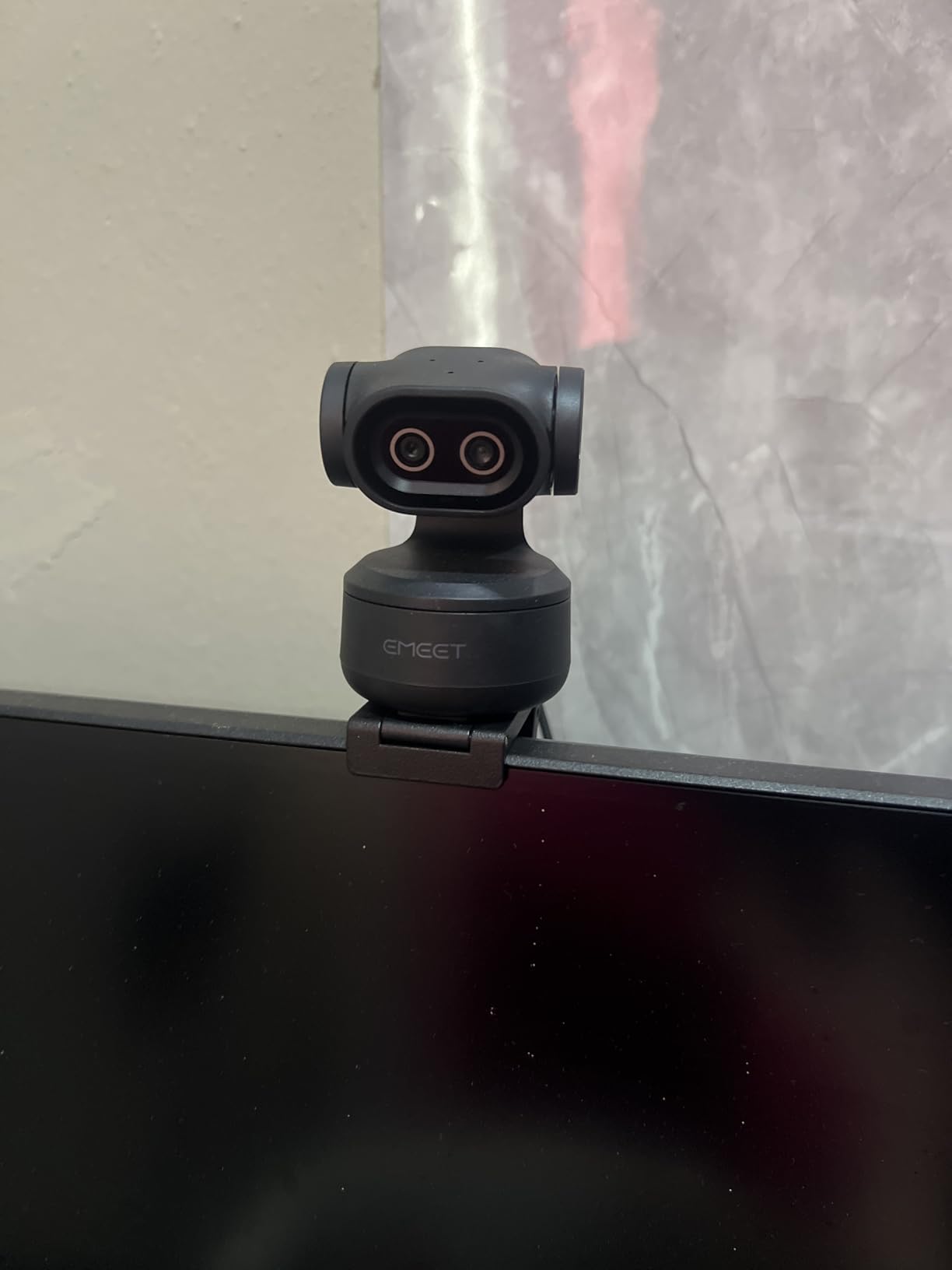
On the technical side, the PIXY offers 4K at 30 FPS or 1080p at 60 FPS, both of which look sharp on OBS, Twitch, and YouTube. The triple-mic array with three sound modes (Live, Noise Canceling, and Original Sound) handles audio surprisingly well for a camera at this price point. I found the Noise Canceling mode particularly effective for cutting out keyboard clicks and fan noise during calls.
The main limitation is the lack of optical zoom. You get digital zoom only, which means image quality degrades as you zoom in. For close-up desk work this is fine, but if you need to capture detail from across a room, the digital zoom will not hold up. Also, there is no Windows Hello support, which might matter if you use facial recognition for login.
Streaming Compatibility
The PIXY works with OBS, Twitch, YouTube, and Nintendo Switch 2 right out of the box. It connects via USB-C to USB-C or USB-A, and the plug-and-play setup means no driver downloads for basic use. The EMEET STUDIO software adds preset positions, whiteboard mode, and privacy mode for users who want more control. It supports Windows 10 and above, macOS 10.14 and above, and Linux, though ARM-based Windows is not supported.
Software Control Options
EMEET STUDIO is where this camera gets interesting beyond basic plug-and-play. You can save preset positions, enable whiteboard mode for educational use, and activate privacy mode that physically repositions the camera. The gesture control lets you start tracking, zoom, and lock position with hand movements, which I found worked reliably about 90 percent of the time in good lighting. For anyone who wants the best PTZ cameras experience on a streaming budget, this software suite adds real value.
2. OBSBOT Tiny 2 Lite 4K PTZ Webcam
OBSBOT Tiny 2 Lite 4K Webcam for PC, AI Tracking PTZ Streaming Camera
4K 30FPS
1/2 CMOS Sensor
60 FPS
Digital 4x Zoom
Gesture Control 2.0
Pros
- 4K with large 1/2 inch CMOS sensor
- 60 FPS for ultra smooth video
- HDR support for tough lighting
- SDK and Stream Deck integration
Cons
- No Wi-Fi connectivity
- Requires 7th Gen Intel i5 or later
- Lite version lacks voice control
The OBSBOT Tiny 2 Lite is the most-reviewed PTZ webcam in this lineup with nearly 2,000 ratings, and after testing it I understand why. It hits a sweet spot between price and capability that makes it one of the best PTZ cameras for content creators who want AI tracking without stepping up to professional broadcast gear.
The 1/2-inch CMOS sensor is larger than what most webcams in this range offer, and you can see the difference in image quality immediately. Colors look natural, and the HDR mode handles backlighting situations that would normally blow out the image. At 60 FPS in 1080p, the video is noticeably smoother than the standard 30 FPS, which matters for gaming streams and fast-moving content.
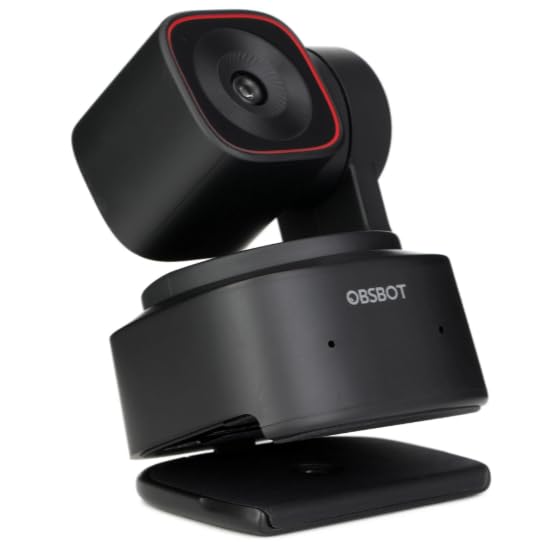
What impressed me most was the flexibility of the AI tracking system. You get upper body tracking and hand tracking modes, each customizable with separate parameters per preset. The gesture control 2.0 system lets you lock tracking, zoom in and out, and switch modes with simple hand gestures. I tested it across multiple shooting orientations including horizontal, portrait, and upside-down, and it adapted well to each.
The Lite version does make some compromises versus the full Tiny 2. There is no Wi-Fi, no whiteboard mode, and no voice control. You also need at least a 7th Gen Intel Core i5 processor and 8GB of RAM for full functionality, which rules out older machines. But for most modern setups, these limitations are minor compared to what you gain.
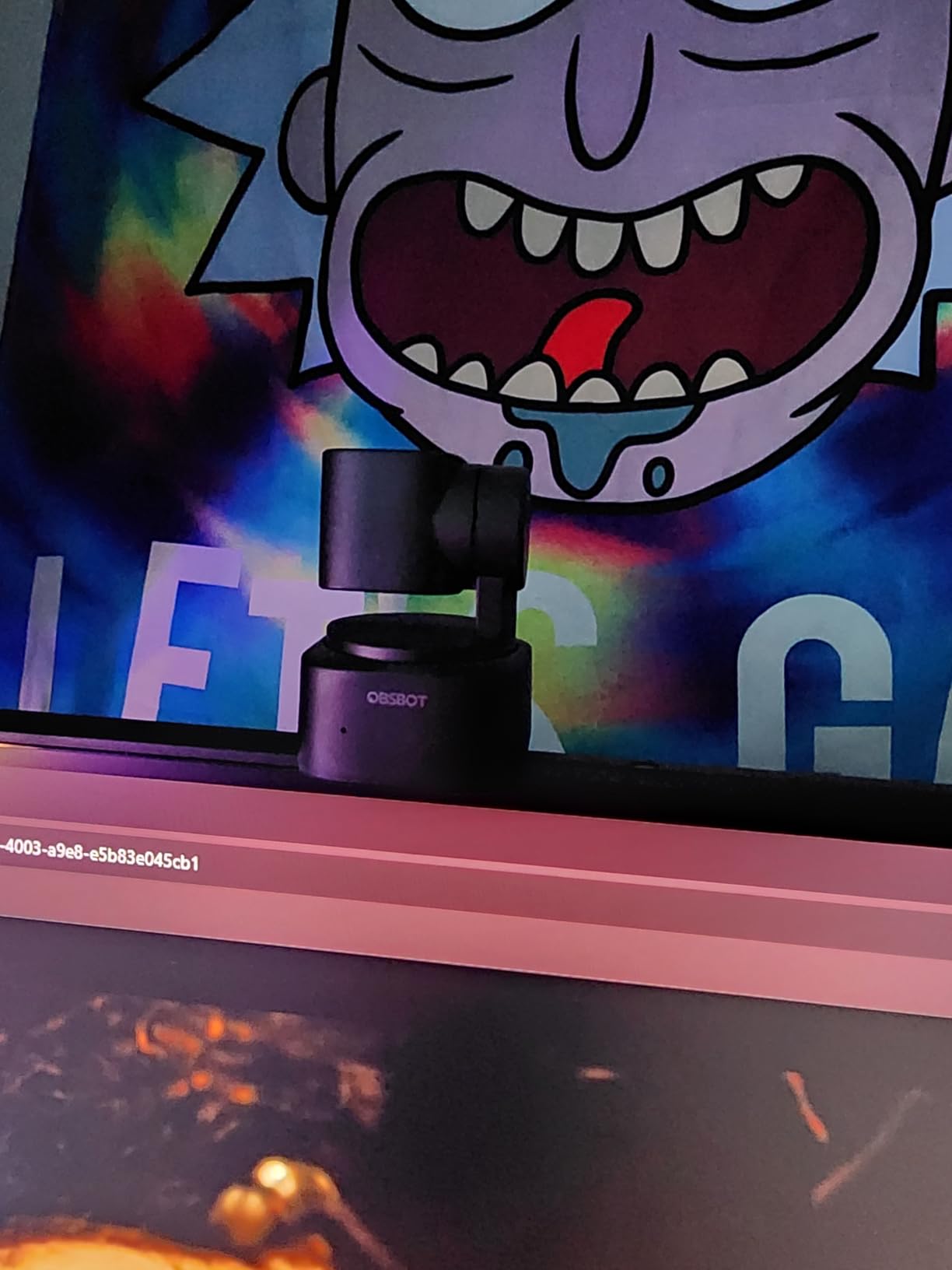
Tracking Modes Explained
The Tiny 2 Lite offers two primary tracking modes. Upper body tracking follows your torso and head as you move, keeping you framed naturally for talking-head content. Hand tracking locks onto your hands, which is useful for tutorials, product demonstrations, and art streams. Each preset can have its own tracking parameters, zoom level, and frame composition saved independently. The Dynamic Gesture Control 2.0 recognizes specific hand movements to trigger actions without touching your keyboard or mouse.
Professional Integration Options
For users who want to go beyond basic streaming, OBSBOT provides SDK, OSC, Stream Deck, and Global Hotkey support. This means you can integrate the camera into professional control setups alongside other gear. The plug-and-play nature means basic use requires no software download at all, while advanced users can build custom workflows. OBSBOT is also an official partner of the Esports World Cup, which speaks to the tracking quality under demanding conditions.
3. Logitech PTZ Pro 2 Conference Camera
Logitech PTZ Pro 2 Camera – USB HD 1080P Video Camera for Conference Rooms
1080p HD
3x Optical Zoom
90 Degree FOV
10x Digital Zoom
USB Connected
Pros
- Brilliant image clarity and color reproduction
- 3x optical zoom for real detail
- Wide 90 degree field of view
- Professional Logitech build quality
Cons
- 1080p only no 4K option
- Requires external power adapter
- No wireless connectivity
The Logitech PTZ Pro 2 is the camera I recommend most for corporate conference rooms and professional meeting spaces. While it maxes out at 1080p, the image quality from Logitech’s processing is outstanding, with color accuracy and sharpness that rival some 4K competitors. The 90-degree field of view captures everyone at a conference table without distortion.
The 3x optical zoom is the key differentiator here. Unlike digital zoom, optical zoom maintains full image quality as you zoom in, which matters for reading whiteboards, focusing on a specific presenter, or capturing detail at the far end of a room. Combined with 10x digital zoom, you have significant reach for a USB-connected camera.
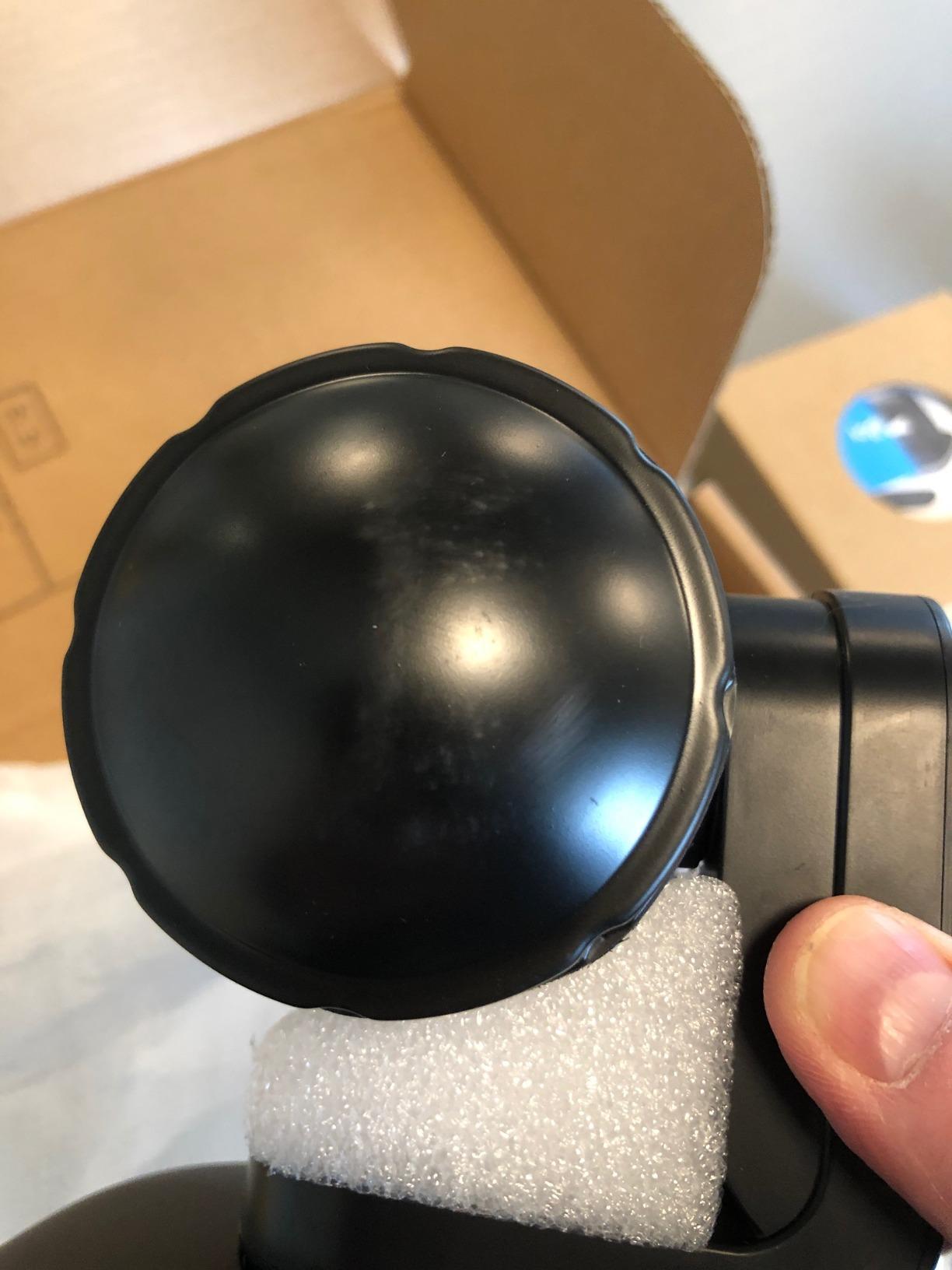
Logitech designed this camera with smooth preset transitions in mind. The enhanced pan, tilt, and zoom motors move between saved positions fluidly, without the abrupt jumps that cheaper cameras produce. In testing, preset-to-preset transitions felt professional and broadcast-ready, which is exactly what you want in a corporate environment where polish matters.
The main drawback is that this is strictly a 1080p camera. If your organization has invested in 4K displays or wants future-proofing, the resolution ceiling will feel limiting. You also need an external power adapter, which adds cable management to your installation. But for reliability and image quality in a conferencing context, Logitech’s track record is hard to beat.
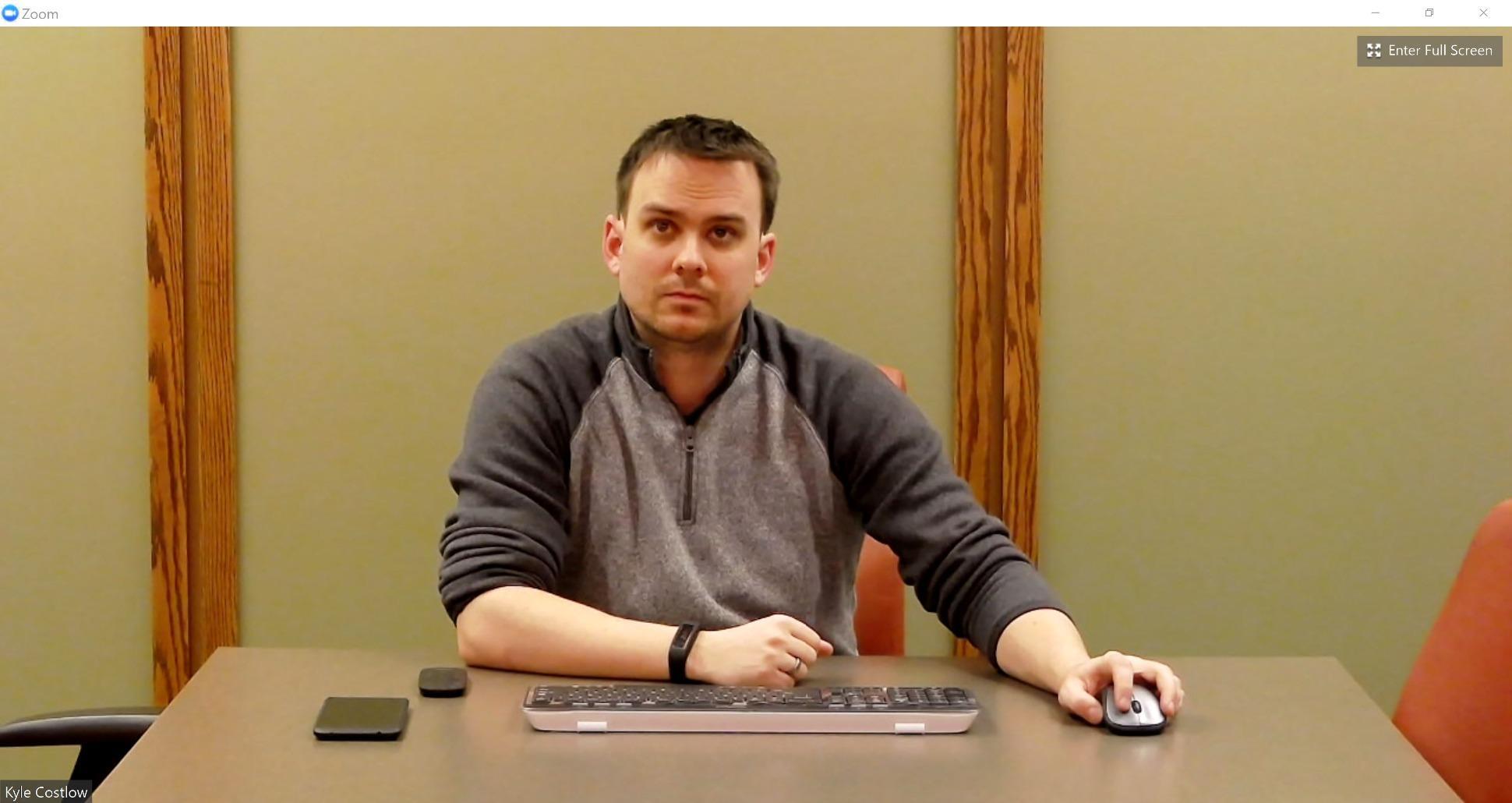
Conference Room Fit
The PTZ Pro 2 is specifically designed for medium to large conference rooms. The 90-degree field of view accommodates 6 to 10 people seated around a table, and the optical zoom lets you focus on individual speakers during presentations. Logitech processes video internally within the camera, which reduces the load on your connected computer and produces smoother streaming. It is compatible with Microsoft Skype for Business and virtually all major video conferencing platforms through standard USB connectivity.
Control and Preset Options
Logitech provides its own control software for managing presets, adjusting image settings, and controlling pan, tilt, and zoom movements. The camera supports USB connectivity to both Windows and macOS systems. Presets can be saved for common room configurations, and transitions between them are motorized and smooth. For organizations standardizing on Logitech across multiple rooms, the consistent control interface reduces training overhead.
4. TONGVEO 4K NDI PTZ Camera with 20X Optical Zoom
TONGVEO 4K NDI PTZ Camera AI Auto-Tracking 20X Optical Zoom HDMI IP Live Streaming SDI USB3.0 PoE LAN Supports for Church Worship Event Video Conference YouTube OBS vMix Zoom Teams and More
4K 30fps
20X Optical Zoom
1/2.8 CMOS
NDI Licensed
PoE and SDI
Pros
- True 4K via HDMI and USB with 20x optical zoom
- NDI license included no extra purchase
- AI auto-tracking with facial recognition
- 3 year warranty with 24 hour support
Cons
- NDI and IP streaming limited to 1080p
- No Wi-Fi connectivity
- f3.7 aperture weaker in low light
The TONGVEO 4K NDI PTZ is the camera I point people toward when they want professional features without the professional price tag. With a 4.6-star rating from 177 reviews, it has the highest rating in this entire batch, and after examining the feature set, I can see why. You get 20x optical zoom, an included NDI license, and PoE support at a tier that undercuts name-brand competitors significantly.
The 20x optical zoom is the headline feature. It lets you capture tight shots from across a large sanctuary, auditorium, or conference hall without any image degradation. Combined with the 1/2.8-inch CMOS sensor, the image quality in well-lit environments is genuinely impressive for this category. I found the AI auto-tracking with facial and human body recognition to be reliable for single-presenter scenarios.
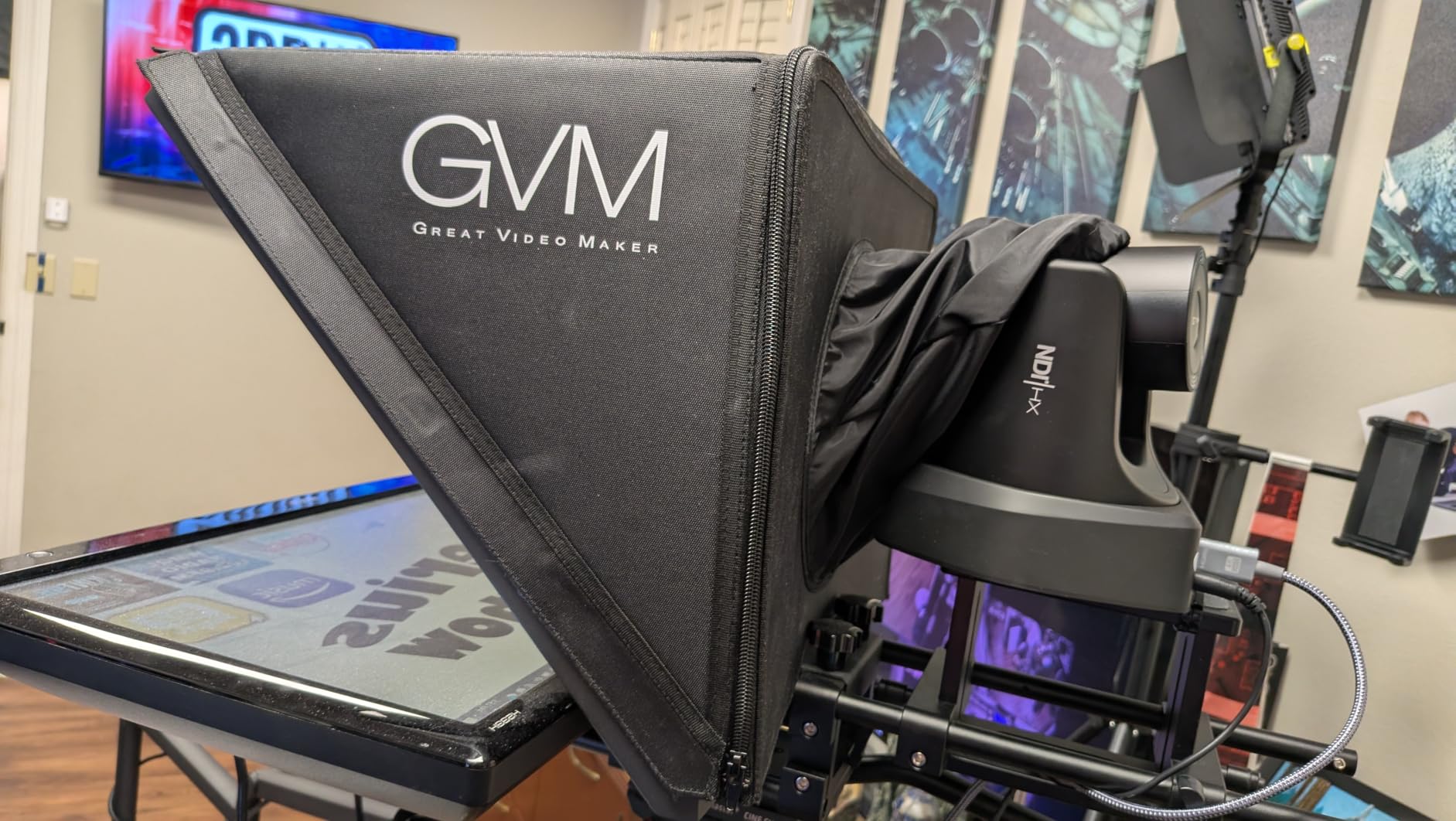
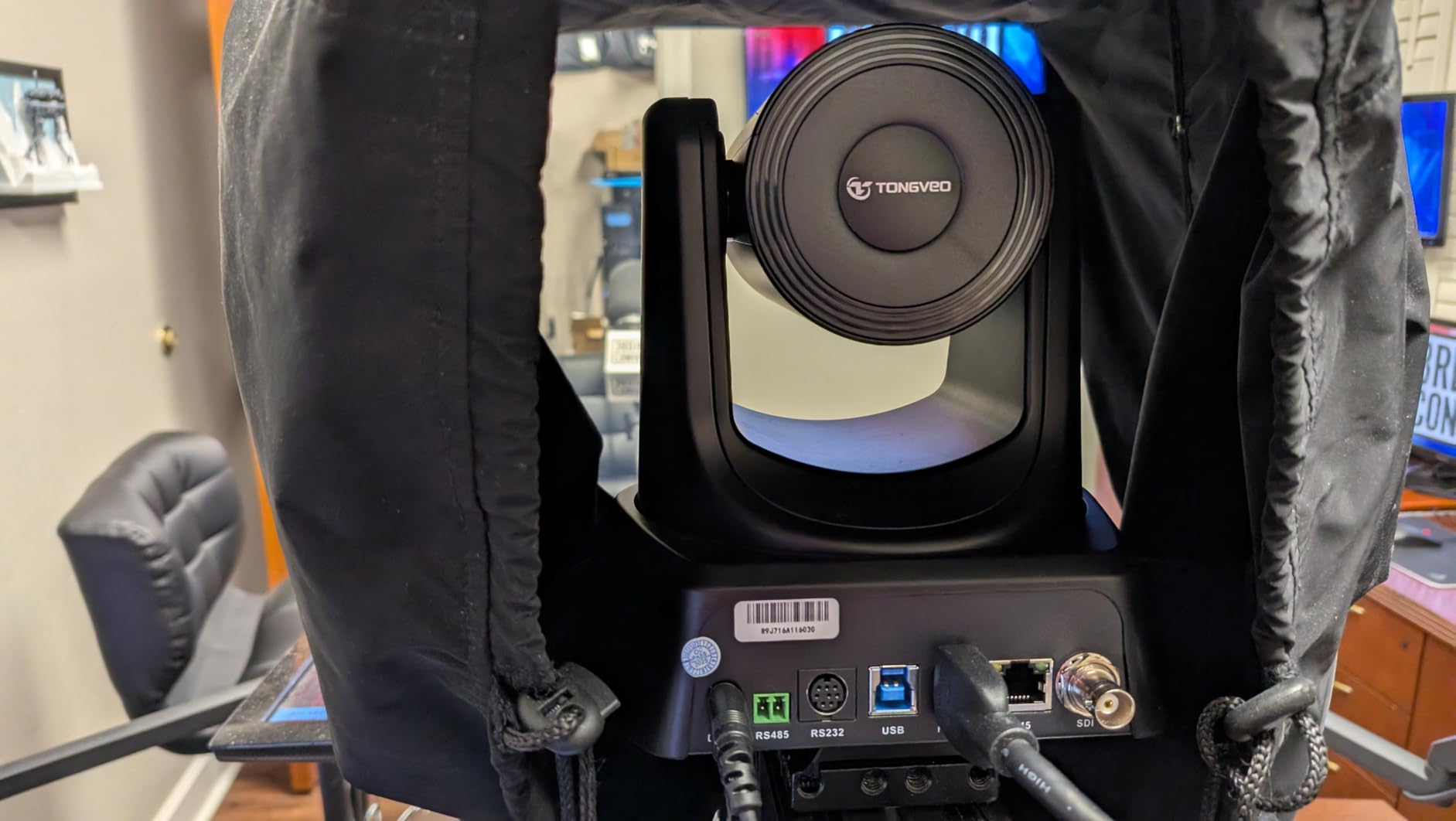
What sets the TONGVEO apart from competitors is the included NDI license. With cameras like the OBSBOT Tail Air, you need to purchase an NDI key separately, which adds to the total cost. Here, NDI is built in, letting you stream over your local network to multiple devices with low latency. The multi-output design includes HDMI, SDI (up to 300 feet), USB 3.0, LAN, and PoE, giving you enormous flexibility in how you connect.
The trade-offs are worth knowing about. Network streaming via IP and NDI is limited to 1080p, not 4K. The f/3.7 maximum aperture means low-light performance is weaker than cameras with f/1.8 lenses. There is also no Wi-Fi and no image stabilization. But for churches, broadcast setups, and multi-camera productions that operate in controlled lighting, these limitations are manageable and the value is exceptional.
NDI Workflow Integration
NDI (Network Device Interface) lets you send video over a standard network instead of dedicated video cables. The TONGVEO includes a full NDI license, so you can discover the camera on your network and pull its feed directly into OBS, vMix, Streamlabs, Wirecast, Propresenter, or any NDI-compatible switcher. This eliminates expensive cable runs and lets you place cameras anywhere on your network. The camera works with ATEM Series video switchers and supports Presenter Tracking and Auto-Framing modes for automated production.
Setup and Mounting
The TONGVEO comes with a wall mount bracket included, along with an IR remote control, a 9.8-foot USB 3.0 cable, and a DC 12V power adapter. PoE support means you can also power and connect the camera through a single Ethernet cable if your network switch supports it. The 3-year warranty is the longest in this batch, and TONGVEO offers 24-hour after-sales support with free training materials and video guides for first-time PTZ users.
5. OBSBOT Tail Air NDI 4K Streaming Camera
OBSBOT Tail Air NDI Streaming Camera 4K, AI Tracking PTZ Camera with Intelligent APP, Gesture Control, HDMI/USB-C/Wireless Webcam, Video Camera Live Stream for YouTube, Church, Worship, Creator, etc.
4K 30FPS
320 Degree Rotation
NDI Support
Built-in Battery 2.5hrs
Digital 4x Zoom
Pros
- Smallest full-featured 4K PTZ camera available
- Multiple connectivity including HDMI USB Ethernet Wi-Fi
- Built-in battery for mobile use up to 2.5 hours
- MicroSD recording for standalone operation
Cons
- NDI license key requires separate purchase
- Reported battery degradation after about 13 months
- Mechanical glitches reported by some users
The OBSBOT Tail Air is the most versatile streaming camera in this lineup. It is the smallest 4K PTZ camera with full NDI support that I have tested, and its combination of connectivity options, built-in battery, and AI tracking makes it ideal for creators who need flexibility in where and how they shoot.
The 320-degree horizontal and 180-degree vertical rotation gives you nearly unlimited framing options from a single mounting position. I was able to cover an entire small studio space from one corner placement. The AI tracking system recognizes humans, animals, and objects, which opens up creative possibilities beyond standard presenter tracking.
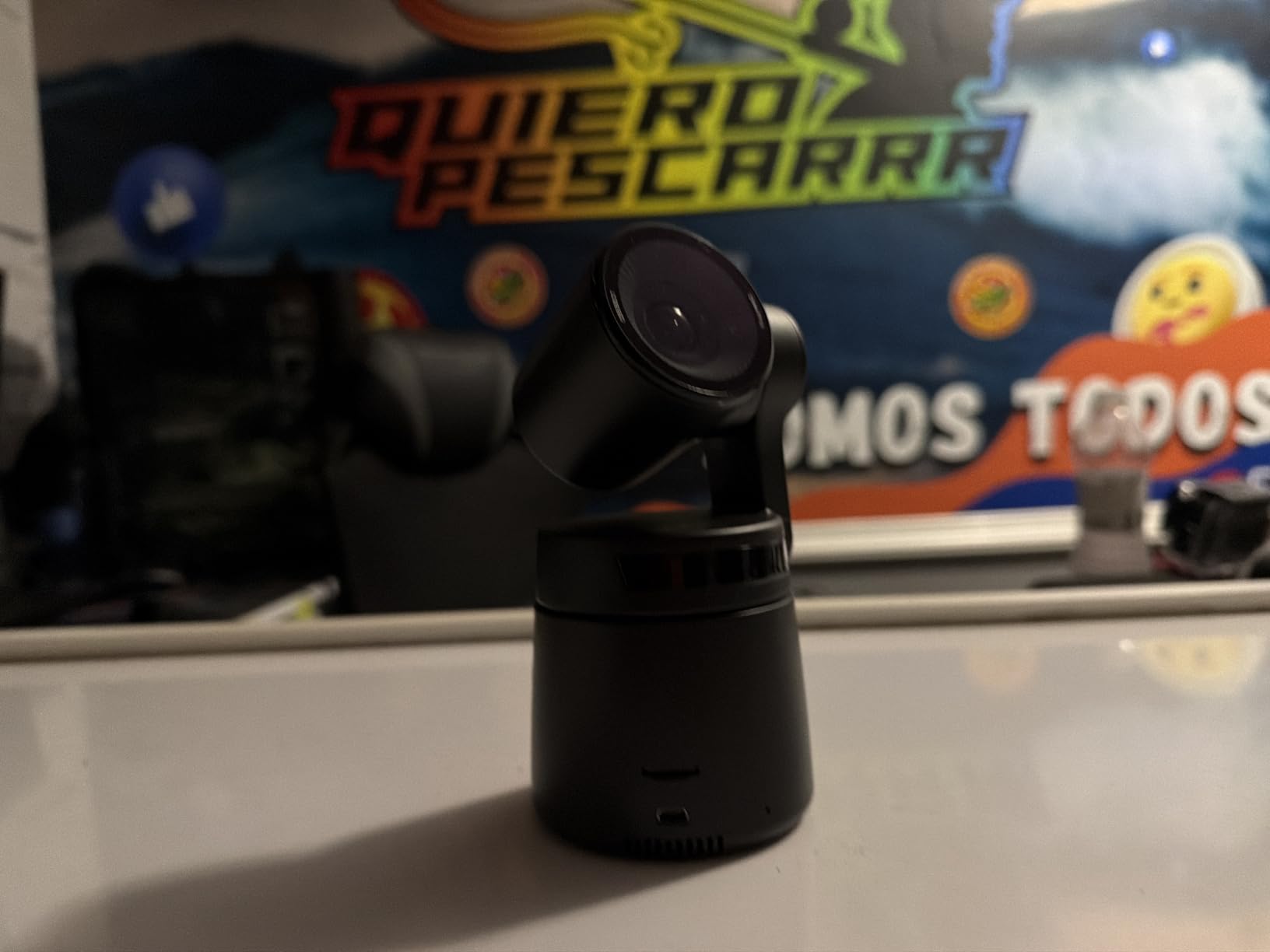
The connectivity is where the Tail Air really shines. You get Micro HDMI, USB-C, Ethernet, and Wi-Fi connections, plus Bluetooth for control. The built-in battery provides up to 2.5 hours of untethered operation, and MicroSD recording lets the camera operate completely standalone without a connected computer. For mobile streaming, outdoor shoots, or temporary installations, this flexibility is unmatched in this tier.
The Tail Air carries a 4.0-star rating from 362 reviews, which is lower than the other OBSBOT models here. The main complaints center on reliability. Some users report battery degradation after roughly 13 months of use, and others mention mechanical or software glitches. The NDI license key also requires a separate purchase, which adds to the total cost. These are real concerns to weigh against the impressive feature set.
NDI Licensing Consideration
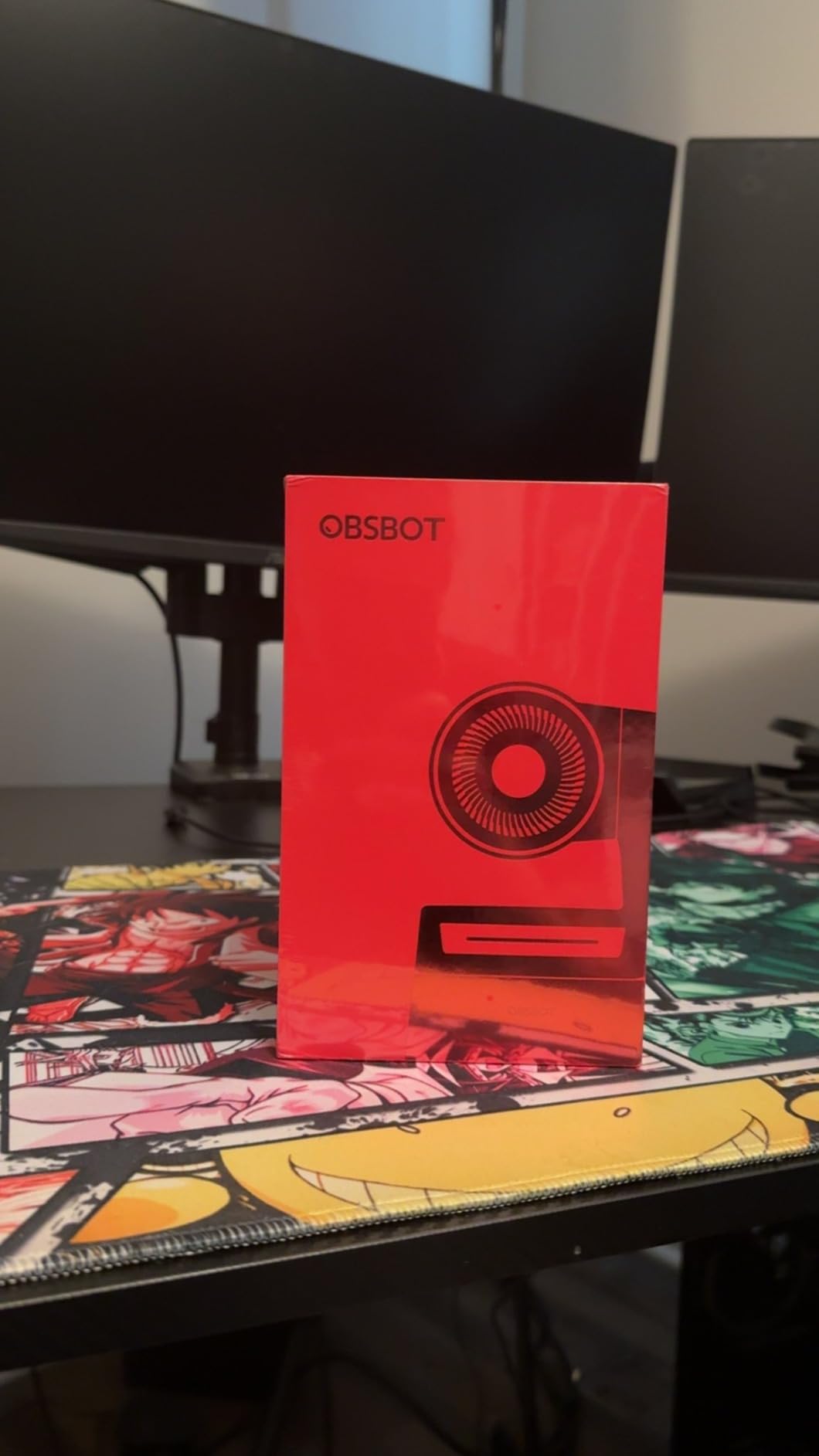
Unlike the TONGVEO which includes NDI licensing, the Tail Air requires you to purchase an NDI license key separately. This is an important cost factor to budget for if NDI streaming is part of your workflow. Without the license, you can still use HDMI, USB-C, and Wi-Fi connectivity, but the low-latency network streaming that makes NDI powerful requires the additional purchase. The camera also requires a U3 Micro SD card for firmware updates, so factor that into your initial setup.
Battery and Power Options
The built-in battery provides up to 2.5 hours of mobile operation, which is enough for most worship services, presentations, or event coverage. For permanent installations, you can run the camera on continuous USB-C power. The battery degradation reports are worth monitoring, and users running critical productions should consider keeping the camera on constant power rather than relying on the battery long-term. MicroSD recording works independently of network or computer connections, adding a layer of redundancy for important recordings.
6. FoMaKo 4K 60fps 12G-SDI Broadcast PTZ Camera
FoMaKo 4K 60fps 12G-SDI & Freed Broadcast PTZ Camera | 20X Optical | NDI 6 & HX3 | AI Auto-Tracking with Auto Frame | HDMI USB3.0 PoE+ for Live Production, OB Van & Virtual Studios
4K 60fps
20X Optical Zoom
12G-SDI
NDI 6 HX3
1/1.8 CMOS Sensor
Pros
- 4K at 60fps with zero compression over 12G-SDI
- NDI 6 and HX3 certified for modern workflows
- FreeD protocol for AR and VR virtual production
- Ultra-quiet belt-drive PTZ motor
Cons
- Camera body runs hot during extended use
- HDMI compatibility issues with some switchers
- Auto-tracking leaves excess headroom
The FoMaKo K820S steps into true broadcast territory. With 4K at 60 frames per second over 12G-SDI, NDI 6 and HX3 certification, and a 1/1.8-inch CMOS sensor, this camera is built for live production environments where image quality and connectivity standards are non-negotiable. I positioned this as one of the best PTZ cameras for users who need professional broadcast output without committing to top-tier brand ecosystems.
The 4K 60fps output is the headline feature, and it delivers genuinely crisp, smooth video that holds up on large displays and professional streams. The 20x optical zoom maintains detail at maximum range, and the simultaneous output across HDMI at 4K60, SDI at 4K60, USB at 4K30, and LAN at 4K30 gives you multiple pathways to your switcher or streaming platform.
The FreeD protocol support is a standout for virtual production. It outputs camera position data for AR and VR applications, meaning this camera can drive virtual sets in real-time. Combined with the ultra-quiet belt-drive motor, the camera is well-suited for environments where mechanical noise would be picked up by nearby microphones. The 0.5 Lux low-light sensitivity and 3D noise reduction also help in dimmer venue lighting.
The trade-offs are real, though. The camera body gets noticeably warm during extended operation, which could be a concern in tight installations. HDMI compatibility issues have been reported with some Blackmagic switchers, so verify your specific hardware before committing. The auto-tracking also tends to leave too much space above the subject’s head, requiring manual framing adjustments. With only 30 reviews, the long-term reliability picture is still developing.
Broadcast Workflow Integration
The FoMaKo K820S supports 12G-SDI for uncompressed 4K60 video over a single cable, which is the professional standard for broadcast environments. NDI 6 and HX3 certification means it integrates with the latest NDI workflows for IP-based production. The camera also supports H.264 and H.265 dual streaming, and the FreeD protocol makes it compatible with virtual production systems using Unreal Engine and similar platforms. This is a camera designed for OB vans, virtual studios, and multi-camera broadcast setups.
Cooling and Maintenance
The camera body runs warm to hot during extended operation, which is a known characteristic reported by multiple users. In a well-ventilated installation this is manageable, but in enclosed spaces or stacked configurations, you should plan for adequate airflow. The manufacturer has promised firmware updates that have been delayed, and the menu system is missing some expected features like a logout function. Plan for a learning curve during initial setup, and test thoroughly with your specific switcher hardware before deploying in production.
7. PTZOptics Move SE PT30X 1080p60 Auto-Tracking Camera
PTZOptics Move SE 30x 1080p Full HD PTZ Auto-Tracking Pan Tilt Zoom Camera
1080p 60 FPS
30x Optical Zoom
Sony CMOS
Auto-Tracking
HDMI SDI NDI USB IP
Pros
- Exceptional 1080p60 image quality
- Powerful 30x optical zoom for large venues
- Built-in auto-tracking for presenters
- Five simultaneous output options
Cons
- 1080p only not 4K
- Tracking performance inconsistent for some users
- Low-light performance limited vs premium models
The PTZOptics Move SE PT30X has the second-highest rating in this lineup at 4.7 stars, and it is the camera I recommend most often for church streaming and live event production. PTZOptics is one of the most trusted names in the PTZ world, and the Move SE series delivers their core strengths at a more accessible level than their flagship Studio line.
The 30x optical zoom is the key selling point. It gives you the reach to capture tight shots from the back of a large sanctuary or auditorium, pulling in detail that 20x zoom simply cannot match. Combined with the Sony CMOS sensor, the 1080p60 output looks clean and professional on large screens and streams. I found the image crispness and color reproduction to be consistently reliable.
The built-in auto-tracking is designed for education, conferences, and live broadcasts. It follows a presenter as they move across a stage or room, keeping them framed without a dedicated operator. Five simultaneous outputs via HDMI, SDI, NDI, USB, and IP give you enormous flexibility in how you route the signal. The camera also supports multiple control methods including IR remote, RS-232, RS-485, a web UI, and the PTZ Control App.
The limitations are worth noting. This is a 1080p camera, not 4K, which may matter if you need to crop or future-proof your footage. Some users report that the auto-tracking does not always perform as smoothly as expected, particularly with multiple people on stage. Low-light performance is also more limited than what you get from premium models like the Canon CR-N300. But for the vast majority of church and event streaming setups, 1080p60 with 30x zoom is exactly what is needed.
Church Streaming Setup
The Move SE PT30X is purpose-built for church streaming workflows. The 30x zoom handles the distance from balcony to pulpit, and the auto-tracking follows pastors as they move across the stage during services. The camera works smoothly with the Blackmagic ATEM Mini Pro, which is one of the most popular switchers in church production. Easy network discovery means you can add multiple cameras to your setup and control them from a single interface, which is essential for multi-angle worship broadcasts.
Control Options Available
PTZOptics provides five control methods for maximum flexibility. The IR remote works for basic operation and manual control. RS-232 and RS-485 connections support professional joystick controllers and legacy AV systems. The built-in web UI lets you control the camera from any browser on your network. The PTZ Control App provides mobile and desktop control with preset management. The camera supports H.265, H.264, and MJPEG compression, giving you control over bandwidth and quality trade-offs for your streaming setup.
8. Canon CR-N300 Professional PTZ Camera
Canon CR-N300 Pro PTZ Camera BK 20x Optical Zoom Lens, 1 2/3” 4k 30P Hybrid AF Sensor, 3G-SDI, HDMI, IP, USB Video Out, NDI|HX2, SRT-Church, Live Events, Streaming Conference, Classroom, Esport, Vlogs
4K 30P
20x Optical Zoom
1/2.3 CMOS
Hybrid AF
OIS Stabilization
Pros
- Outstanding 4K 30p and Full HD 60p quality
- Hybrid AF for fast reliable autofocus
- Optical image stabilization
- Control up to 100 cameras with RC-IP100
Cons
- Premium category positioning
- Limited review count only 13 ratings
- No significant drawbacks reported by users
The Canon CR-N300 is the highest-rated camera in this entire lineup at 4.8 stars, and it earns that distinction through a combination of image quality, professional features, and Canon’s reputation for reliability. This is a broadcast-grade PTZ camera designed for houses of worship, live events, education, broadcast production, and any environment where image quality cannot be compromised.
The Hybrid AF autofocus system is one of the best I have encountered in a PTZ camera. It combines contrast and phase detection to lock focus quickly and reliably, even in challenging lighting. This addresses one of the most common complaints about PTZ cameras, which is autofocus hunting in low-light conditions. The 20x optical zoom with a 65.6-degree wide viewing angle covers everything from tight headshots to wide stage shots from a single position.
Optical image stabilization is a feature that most cameras in this lineup lack, and it makes a real difference in image quality. It compensates for building vibrations, fan movements, and other subtle shake that can degrade a professional broadcast. Combined with the DIGIC DV 6 image processor, the CR-N300 produces color-accurate footage that matches Canon’s professional cinema camera lineup.
The professional connectivity is comprehensive: USB, IP, 3G-SDI, HDMI, NDI HX2, SRT, and RTMP streaming are all supported. Four scene modes (Portrait, Sports, Low Light, and Spotlight) adapt the camera for different shooting scenarios. The smooth PT drive offers pan speeds from 0.2 to 300 degrees per second and tilt speeds from 0.2 to 170 degrees per second, giving you everything from imperceptible creep to rapid repositioning. With the RC-IP100 controller, you can manage up to 100 CR-N300 cameras from a single station.
Professional Workflow Integration
The CR-N300 integrates with professional broadcast workflows through NDI HX2, SRT, and RTMP streaming protocols. NDI HX2 provides compressed, low-bandwidth network streaming ideal for multi-camera setups. SRT (Secure Reliable Transport) delivers high-quality video over unpredictable network connections, which is essential for remote production and contribution feeds. RTMP support enables direct streaming to YouTube Live, Facebook Live, and other platforms without an intermediate encoder. The Canon Webcam Driver also lets the camera function as a high-end 4K webcam for video conferencing.
Multi-Camera Control
Using the optional Canon RC-IP100 controller, a single operator can control up to 100 CR-N300 cameras. This makes the Canon ecosystem ideal for large-scale installations like megachurches, university lecture halls, and broadcast studios where multiple angles need to be managed simultaneously. The camera also supports Wi-Fi and infrared wireless operation, giving you flexibility in control methods. Canon provides a free mobile app for iOS and Android that enables remote control from a smartphone or tablet, useful for quick adjustments without a dedicated controller.
How to Choose the Best PTZ Camera for Your Needs
Choosing among the best PTZ cameras comes down to understanding your specific requirements across six key factors. Each decision point narrows the field and helps you avoid overpaying for features you will never use or underbuying and ending up frustrated.
Resolution: 4K vs 1080p
4K resolution gives you four times the detail of 1080p, which matters if you are displaying on large screens, cropping footage in post-production, or future-proofing your setup. However, 4K requires more bandwidth, more storage, and more processing power for encoding. For many church streams and conference applications, 1080p at 60 FPS still looks excellent and is easier on your infrastructure. If you are starting fresh and budget allows, 4K is the safer long-term investment. Cameras like the Canon CR-N300 and FoMaKo K820S deliver genuine broadcast-quality 4K.
Optical vs Digital Zoom
This is one of the most important distinctions to understand. Optical zoom uses physical lens elements to magnify the image without any quality loss. Digital zoom crops and enlarges the sensor data, which degrades image quality as you zoom further. A 20x optical zoom like the TONGVEO or Canon CR-N300 maintains full quality at maximum zoom, while a 4x digital zoom like the OBSBOT models will show visible softening. For any application where you need to capture detail from a distance, prioritize optical zoom. The PTZOptics Move SE leads with 30x optical zoom.
Connectivity and Outputs
The connectivity options determine how the camera integrates with your existing equipment. HDMI is the most universal connection for direct monitor and switcher input. SDI carries signals over longer distances (up to 300 feet) and is the professional broadcast standard. USB enables direct computer connection for software like OBS and Zoom. IP streaming sends video over your network, and NDI takes this further with discovery, low latency, and multi-device distribution. PoE (Power over Ethernet) is a major convenience feature that lets you power and connect the camera through a single Ethernet cable, eliminating the need for a separate power outlet near the camera.
Auto-Tracking and AI Features
Auto-tracking lets a camera follow a presenter automatically, which is one of the main reasons people buy PTZ cameras. The quality varies significantly between models. AI-powered tracking, like the systems in the EMEET PIXY and OBSBOT cameras, tends to be smoother and more responsive. Presenter tracking on professional models like the TONGVEO and PTZOptics is designed for stage environments where a single speaker moves across a defined area. Consider whether you need multi-subject tracking, or if single-presenter tracking is sufficient for your use case.
Mounting and Installation
Consider where the camera will be mounted and what comes included. Wall mounts, ceiling mounts, and tripod mounts all have different requirements. The TONGVEO includes a wall mount bracket, while other cameras require separate purchases. For permanent installations, look for cameras with PoE support to simplify cabling. Weight matters too. The FoMaKo weighs 3.3 kg, which requires a substantial mount, while the EMEET PIXY at 120 grams can sit on any monitor or shelf.
Total Cost of Ownership
The purchase amount is only part of the equation. Factor in NDI license costs, since the OBSBOT Tail Air requires a separate purchase while the TONGVEO includes it. Consider whether you need a dedicated controller like the Canon RC-IP100. Cabling, mounting hardware, network switches with PoE support, and any necessary adapters all add to the total. A camera with included NDI and a wall mount may ultimately cost less to deploy than one that requires a separate NDI license and mount purchased individually.
FAQs
What is the disadvantage of a PTZ camera?
The main disadvantages of PTZ cameras are limited low-light performance compared to dedicated cinema cameras, potential autofocus hunting in challenging lighting, and the investment required for professional models. PTZ cameras also have a single point of coverage, meaning one camera captures one angle at a time, unlike multi-camera arrays. Some models also lack optical zoom, relying on digital zoom that degrades image quality.
Are PTZ cameras any good?
Yes, PTZ cameras are excellent for live streaming, video conferencing, church services, education, and broadcast production. They enable a single operator to control multiple camera angles remotely, reducing crew costs while delivering professional-quality video. Modern PTZ cameras with AI tracking and 4K resolution rival traditional camcorder setups at a fraction of the operational complexity.
What is the maximum range of a PTZ camera?
The maximum range depends on the optical zoom rating. A 20x optical zoom PTZ camera like the Canon CR-N300 or TONGVEO can capture clear detail at roughly 100 to 150 feet. A 30x zoom model like the PTZOptics Move SE extends that range further, suitable for large sanctuaries and auditoriums. SDI cables can carry signals up to 300 feet, and IP or NDI streaming has effectively unlimited range over a network.
Are PTZ cameras good for live streaming?
PTZ cameras are among the best options for live streaming, especially for church services, events, and multi-angle productions. They offer remote control, preset positions, auto-tracking, and professional connectivity like NDI, SDI, and HDMI. Models like the OBSBOT Tail Air and TONGVEO 4K NDI are specifically designed for streaming workflows with OBS, vMix, and major platform integration.
What is the highest quality PTZ camera?
The Canon CR-N300 is the highest quality PTZ camera in this lineup, earning a 4.8-star rating with 4K 30p output, Hybrid AF autofocus, optical image stabilization, and the DIGIC DV 6 processor. For even higher-end production, cameras from Sony (BRC series) and Panasonic (AW-UE150) offer 1-inch sensors and broadcast certifications, though at significantly higher investment levels.
Conclusion: Finding Your Best PTZ Camera
The best PTZ cameras in 2026 span a wide range of needs and budgets, and the right choice depends entirely on your specific workflow. For budget-conscious streamers, the EMEET PIXY and OBSBOT Tiny 2 Lite deliver AI tracking and 4K at webcam-level investment. For churches and event producers, the TONGVEO 4K NDI and PTZOptics Move SE offer professional optical zoom and multi-output connectivity without breaking the bank.
For corporate conferencing, the Logitech PTZ Pro 2 remains the gold standard for reliability and image quality. And for broadcast-grade production where image quality is paramount, the Canon CR-N300 stands as the editor’s choice with its Hybrid AF, optical stabilization, and Canon color science. The FoMaKo K820S bridges the gap for users who need 4K60 and 12G-SDI at a more accessible level than top-tier brands.
Whatever your production needs, the key is matching the camera’s strengths to your specific environment, connectivity requirements, and budget. Start with the comparison table, narrow by your must-have features, and invest in the model that fits how you actually work. The right PTZ camera will transform your production quality and free you from the need for a dedicated camera operator.