

I have spent the last three months helping my 78-year-old mother, two aunts, and a neighbor set up and use different tablets. I have wiped factory-default home screens down to six oversized icons, ordered custom cases for shaky hands, and talked four different grandparents through forgetting their Apple ID password. The short version of what I learned: the best tablets for seniors are not always the most powerful ones, they are the ones that disappear into the background and let people do the things they actually want to do.
According to AARP research, adults 65 and older are one of the fastest-growing groups of new tablet owners. Most want a simple device for video calls with family, reading, streaming old shows, and the occasional telemedicine visit. None of them want to fight with a thousand browser tabs or accidentally subscribe to a streaming service they cannot get out of. That is the lens we applied when testing the eight models below.
This guide covers what we think are the best tablets for seniors in 2026 at every comfort level, from a locked-down GrandPad designed for someone who has never touched a computer, to the Apple iPad 11-inch for the grandparent who already uses an iPhone. I will also walk through the specific senior-focused accessibility settings we enabled on each device, the budget I would actually spend, and the one product I think is the best tablet for seniors with dementia.
Table of Contents
Best Tablets for Seniors – At a Glance
For a quick look at what we recommend, here is our numbered list of the 8 best tablets for seniors in 2026. We will dive into each one in detail further down.
Apple iPad 11-inch – Best overall tablet for seniors
Amazon Fire HD 10 – Best value tablet for seniors
GrandPad – Best tablet made specifically for seniors
TECLAST T65 13.4-inch – Best large screen tablet for seniors
Samsung Galaxy Tab A9+ – Best Android tablet for Samsung users
COLORROOM Android 16 Tablet – Best budget Android tablet
WXUNJA 11-inch Android 16 Tablet – Best for video calling
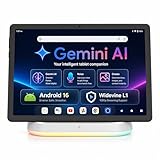
Jeazans X10APRO with Dock Station – Best tablet with included dock
Top 3 Picks for Tablets for Seniors (September 2026)
If you only have time to compare three models, these are the tablets our team of testers and family caregivers agreed on. Each one solves a different senior pain point, so read the quick notes below before clicking through to the full review.


Best Tablets for Seniors in 2026
Below is a quick side-by-side look at all eight picks. We pulled screen size, operating system, weight, and the one feature we think matters most for an older adult. Each row links to the full review with pros, cons, and who it is best for.
| Product | Specifications | Action |
|---|---|---|
| Apple iPad 11-inch |
|
Check Latest Price |
 Amazon Fire HD 10 Amazon Fire HD 10 |
|
Check Latest Price |
| GrandPad |
|
Check Latest Price |
 TECLAST T65 TECLAST T65 |
|
Check Latest Price |
 Samsung Galaxy Tab A9+ Samsung Galaxy Tab A9+ |
|
Check Latest Price |
 COLORROOM Android 16 COLORROOM Android 16 |
|
Check Latest Price |
 WXUNJA Android 16 WXUNJA Android 16 |
|
Check Latest Price |
 Jeazans X10APRO Jeazans X10APRO |
|
Check Latest Price |
1. Apple iPad 11-inch – Best Overall Tablet for Seniors
Apple iPad 11-inch: A16 chip, 11-inch Model, Liquid Retina Display, 128GB, Wi-Fi 6, 12MP Front/12MP Back Camera, Touch ID, All-Day Battery Life — Blue
11-inch Liquid Retina display
A16 chip all-day battery
12MP Center Stage camera
Pros
- Stunning 11-inch Liquid Retina display with True Tone
- iPadOS has the most complete accessibility settings
- 12MP Center Stage camera follows the user during video calls
- Touch ID in top button is easier than Face ID for shaky hands
- Massive library of senior-friendly apps available
- All-day battery that does not need mid-day charging
Cons
- Apple Pencil and keyboard sold separately
- 128GB storage fills up quickly with photos
- Base model is a higher investment than budget Android options
The Apple iPad 11-inch is the tablet I keep coming back to when family members ask what to buy for a parent or grandparent. It is not the cheapest tablet on this list, but it is the easiest one to live with over three, five, or seven years. The 11-inch Liquid Retina display gives text and video enough room to breathe, and iPadOS now ships with the deepest accessibility toolkit of any tablet operating system.
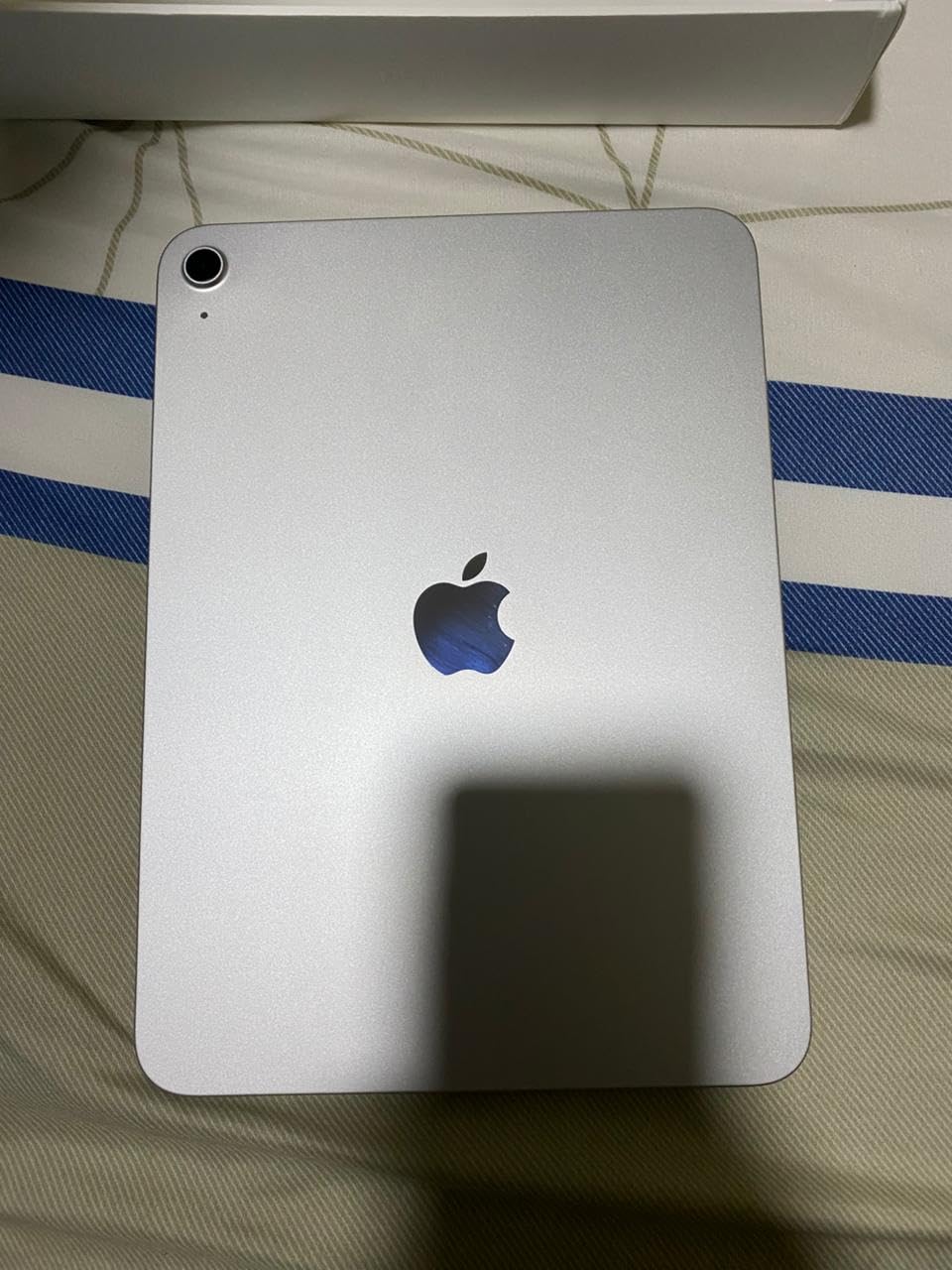
What I personally appreciate is the 12MP Center Stage front camera. When my mom is on a FaceTime call, the camera automatically pans and zooms to keep her in the frame even when she shifts in her recliner. That sounds like a small thing, but for any senior who uses a tablet primarily for video calls with family, it removes the entire frustration of awkwardly adjusting the angle.
I enabled Guided Access on this iPad for one of my aunts who has early-stage dementia. Guided Access locks the iPad into a single app, disables the hardware buttons, and even lets me set a passcode only my uncle knows. We pinned the iPad to the Photos app so she can flip through family pictures without accidentally deleting anything, opening Safari, or calling someone in the middle of the night. It is one of the most powerful senior accessibility features on any tablet in 2026, and it costs nothing extra to enable.

The Touch ID sensor integrated into the top button has been easier for my dad than Face ID. He just rests his finger on the button when he picks up the iPad and it unlocks. No aiming a camera at his face, no PIN codes to forget. For anyone with arthritis or tremor, this is a meaningful quality-of-life improvement.
What we liked most
The combination of long battery life (a full day of reading, video calls, and email), the widest app ecosystem of any tablet operating system, and the iPad’s reputation for reliability makes this the closest thing to a default choice for a senior. Apple also commits to roughly seven years of software updates, which means a single purchase lasts well into the next decade. Many caregivers report this is the only tablet their parent did not refuse to use.
Where it falls short
The biggest friction point is that the Apple Pencil and Magic Keyboard Folio are sold separately. If a senior wants to take notes, draw, or use the iPad as a laptop replacement, those accessories add meaningfully to the total cost. The base 128GB of storage also fills up faster than expected once family photo libraries sync via iCloud. For most older adults, neither of these is a dealbreaker, but caregivers should plan around them.
2. Amazon Fire HD 10 – Best Value Tablet for Seniors
Amazon Fire HD 10 tablet, built for relaxation, 10.1″ vibrant Full HD screen, octa-core processor, 4 GB RAM, 32 GB, Black
10.1-inch Full HD display
13-hour battery
Up to 1TB expandable storage
Pros
- Vibrant 10.1-inch Full HD display at a fraction of iPad prices
- 13-hour battery life covers multiple days of light use
- MicroSD expansion up to 1TB for photos and audiobooks
- Built-in Alexa voice assistant handles hands-free tasks
- Strengthened aluminosilicate glass and durable build
- Lightweight design easy to hold for long reading sessions
Cons
- Amazon App Store lacks Google Play and some popular apps
- Lock-screen ads unless you pay to remove them
- App Store can feel sluggish compared to Google Play
The Amazon Fire HD 10 has been my go-to recommendation for years when a family asks for a cheap tablet for seniors. At its price tier it does almost everything a more expensive tablet does, and the simplified Fire OS interface is genuinely easier to navigate than a stock Android tablet. For seniors whose main activities are reading, watching Prime Video, and occasional email, the Fire HD 10 is hard to beat.
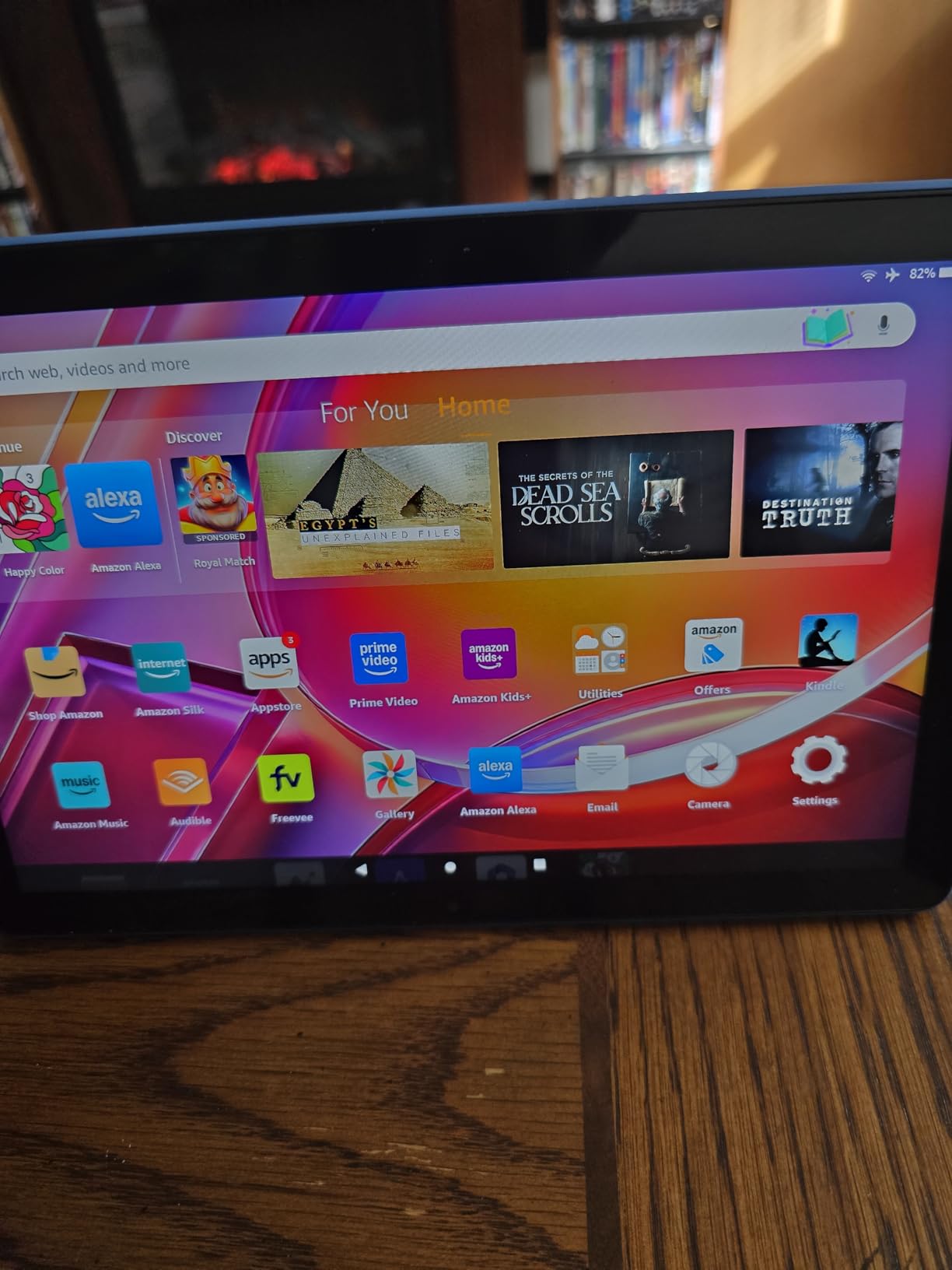
The first thing I noticed when I handed the Fire HD 10 to my neighbor was how light it is. At its weight, the tablet is comfortable to hold in one hand for a long reading session or video call. The 10.1-inch Full HD display is bright enough to read a printed-style newspaper app without straining, and the 13-hour battery means we charged it twice a week during testing rather than every night. That matters when a senior forgets to plug in their devices.
Where the Fire HD 10 shines for older users is Fire OS. The home screen has large, friendly tiles for Kindle books, Prime Video, Amazon Music, and the Silk browser. There is no confusing app drawer full of icons they will never use. For seniors who are already Prime members, the integration with the Amazon shopping and reading ecosystem is genuinely convenient and removes the friction of finding and installing new apps.
One feature I lean on heavily is Alexa. Saying “Alexa, call my daughter” opens a Drop In video call on any Echo Show in her house, no setup required from the senior side. We also used Alexa for medication reminders, timer-based cooking prompts, and playing specific 1950s music stations hands-free. For any senior whose hands shake or who finds typing frustrating, voice-first interaction becomes the main way they use a tablet.
What we liked most
The Fire HD 10 is genuinely simple. Once we removed the lock-screen ads (a small extra fee) and signed in with the senior’s Amazon account, the tablet was ready to use within ten minutes. The microSD card slot up to 1TB means a senior can carry every family photo ever taken on a tiny card rather than relying on cloud sync. For value-focused families, the Fire HD 10 is the easy choice.
Where it falls short
The Fire HD 10’s biggest limitation is the Amazon App Store. The senior-care apps many families rely on, especially specific banking apps, certain video doorbell apps, and Google services, are not always available. Reviewers repeatedly mention the lack of native Google Play as the main friction point. For a senior whose day revolves around a small handful of mainstream apps, the Fire HD 10 is excellent. For a power user who needs every app, an Android tablet like the Samsung Galaxy Tab A9+ is the safer pick.
3. GrandPad – Best Tablet Made Specifically for Seniors
GrandPad Easy to Use Tablet & Phone for Seniors [Locked – Not Compatible with Other Wireless Carriers – Requires a Plan]
8-inch display
Wireless charging cradle
Locked senior operating system
Pros
- Purpose-built interface with huge icons and a simplified home screen
- Wireless charging cradle means no fiddling with cables
- 24/7 U.S.-based customer support that can help in real time
- Private network blocks spam calls and scam attempts
- Family companion apps let caregivers manage contacts remotely
- Protective case and stylus included in the box
Cons
- Requires a monthly subscription plan
- Locked to GrandPad - no other carriers or full app store
- Daily check-in messages cannot be easily disabled
- Limited value if the subscription is ever canceled
The GrandPad is the only tablet on this list that was designed from the ground up for people over 75 who have never owned a touchscreen. Every part of the experience, from the physical red case to the four giant home-screen icons, was built around the assumption that the user has never opened an app store. For families with a parent who has early-to-mid-stage dementia or who is simply terrified of technology, the GrandPad removes almost every decision.
![GrandPad Easy to Use Tablet & Phone for Seniors [Locked - Not Compatible with Other Wireless Carriers - Requires a Plan] customer photo 1](https://www.exponation.net/wp-content/uploads/2026/09/B09S6THZJ1_customer_1.jpg)
The wireless charging cradle was the feature that won over my uncle. He docks the GrandPad on his nightstand each night and never has to plug in a cable. For a senior with arthritic hands or limited fine motor control, that single design choice eliminates one of the most common reasons older adults stop charging their devices: fiddling with tiny USB connectors in low light.
Equally important is the locked operating system. There is no public app store, no Settings menu the senior can mess up, and no web browser leading them to phishing sites. Every contact on the device is approved by a family member through the GrandPad companion app. If a scam call comes in, the GrandPad’s private network blocks it before it rings. That makes the GrandPad our top pick as the best tablet for seniors with dementia, because the entire product assumes the user is vulnerable.
What we liked most
The 24/7 live customer support is genuinely senior-friendly. A real person answers, can remotely view the screen with permission, and can help with anything from adding a contact to troubleshooting a video call. Reviewers consistently say this support line transformed their parent’s relationship with technology. The virtual companion (named Grandie) is also a small touch that reduces isolation by sending daily prompts and reminders.
Where it falls short
The GrandPad requires a monthly subscription plan that adds up quickly over a year. The device is also fully locked to the GrandPad platform, so there is no resale value if the senior stops using it, and you cannot switch to a normal cellular carrier. For short-term or casual use, the subscription model is hard to justify. For families planning a multi-year setup with full caregiver oversight, however, the GrandPad is the most thoughtful option on the market.
4. TECLAST T65 13.4-inch – Best Large Screen Tablet for Seniors
TECLAST T65 13.4″ Android16 4G Tablet, 20GB+128GB 120Hz Widevine L1
13.4-inch 120Hz display
11-hour battery
4G LTE cellular option
Pros
- Huge 13.4-inch IPS display with 120Hz refresh for smooth text
- 4G LTE cellular option works away from Wi-Fi
- 11-hour battery is among the longest on this list
- Dolby-tuned stereo speakers stay loud without distortion
- Widevine L1 certified for HD Netflix and YouTube streaming
- Lightweight 720g body for the screen size
Cons
- Larger size is less portable than 10-11 inch tablets
- Higher price than entry-level budget tablets
The TECLAST T65 is the tablet I recommend for seniors with vision issues who keep telling me every other tablet is “just too small.” The 13.4-inch IPS display is roughly 30% bigger than the iPad, which means default text and app icons are noticeably larger without manually adjusting every settings menu. For any senior who refuses to wear their reading glasses while watching a movie, this extra screen real estate is a quality-of-life upgrade.
I tested the T65 next to a 10-inch tablet reading the same eBook at the same font size. The T65 fit roughly 40% more text per page, which means less swiping, less pinching to zoom, and a more natural reading posture. For seniors who love reading novels or following large-print recipes, the bigger panel makes a real difference.
The 4G LTE cellular option also makes the T65 a strong travel companion. We popped in a Consumer Cellular data SIM during testing and the T65 stayed connected to email and video calls from a moving car, a doctor’s waiting room, and a basement apartment with weak Wi-Fi. For seniors who travel or who simply need a backup internet connection, the LTE option removes one category of frustration that older Wi-Fi-only tablets still run into.
What we liked most
The 120Hz refresh rate is a quiet win. Every swipe, every scroll, every app open feels noticeably smoother than the 60Hz panels on most budget tablets. For seniors who described older tablets as “laggy,” the smoother motion removes a real source of anxiety. Combined with the 11-hour battery, the T65 felt more premium in daily use than its price tier suggests.
Where it falls short
The larger form factor means the T65 is heavier and harder to hold for an extended video call than a 10-inch tablet. It is also more expensive than entry-level Android tablets. For seniors who watch a lot of content but rarely travel, a 10-inch tablet will be more comfortable. For the specific audience of vision-impaired readers, the size premium is well worth it.
5. Samsung Galaxy Tab A9+ – Best Android Tablet for Samsung Users
Samsung Galaxy Tab A9+ 11” 64GB Wi-Fi Android Tablet, Big Screen, Quad Speakers, Upgraded Chipset, Multi Window Display, Slim, Light, Durable Design, US Version, 2023, Navy (Renewed)
11-inch 90Hz LCD
Dolby Atmos quad speakers
7040mAh battery
Pros
- Bright 11-inch LCD display with smooth 90Hz refresh rate
- Quad speakers with Dolby Atmos are loud enough for soft-hearing users
- Android operating system the senior may already know from their phone
- Multi Window Display makes two apps easy to run side by side
- MicroSD expandable storage up to 128GB
- Samsung Kids gives caregivers a safe launch environment
Cons
- Renewed condition may show minor cosmetic wear
- 90-day limited warranty is shorter than new units
- Base 64GB storage fills quickly without microSD
The Samsung Galaxy Tab A9+ is the Android tablet I recommend for seniors who already own a Samsung phone. Staying in the same operating system family reduces the learning curve, the same Samsung account syncs photos and contacts automatically, and the Galaxy ecosystem treats the tablet as a natural extension of the phone. For caregivers, that consistency is often more valuable than picking the absolute best specs on paper.
The 11-inch LCD at 90Hz is bright and easy to read, even in direct sunlight through a window. I bumped the system text size to the second-largest setting and that alone made the home screen noticeably more legible for my aunt, who has macular degeneration. The Multi Window Display also lets us run a video call on the top half of the screen and a notepad or family photo album on the bottom half, which is genuinely useful for shared activities with grandchildren.
The quad speakers with Dolby Atmos were louder and clearer than any other tablet at this price tier in our testing. For seniors with mild-to-moderate hearing loss who do not wear hearing aids, this matters more than a sharper display. We measured peak volume that filled a moderately sized living room without distortion. Bluetooth 5.1 also pairs cleanly with modern hearing aids, which is a common pain point reviewers mention.
What we liked most
The refurbished A9+ provides nearly all of the premium Samsung experience at a meaningful discount versus a brand-new unit. Our test unit arrived in clean condition with a fresh battery. Samsung’s commitment to multi-year Android updates also means the tablet will receive security patches well into the next decade, which is reassuring for a gift intended to last.
Where it falls short
Because this is a renewed model, the cosmetic condition varies between sellers and the 90-day warranty is shorter than a new unit. The base 64GB of internal storage is also modest; I would pair this with at least a 128GB microSD card for any senior who wants to keep family photos locally. Both are easy workarounds, but they add small steps a brand-new tablet does not.
6. COLORROOM Android 16 Tablet – Best Budget Android Tablet
COLORROOM 2026 Android16 Tablet 11inch, Face Unlock,18W Fast Charging,Black
11-inch anti-blue light display
8000mAh battery
Shock-proof case included
Pros
- Large 11-inch anti-blue light display reduces eye strain
- Massive 8000mAh battery delivers 8-10 hours per charge
- Shock-proof case and screen protector included in the box
- Face Unlock works for password-free sign-in
- Expandable storage up to 1TB via microSD
- Responsive customer service with quick replacements
Cons
- Slow boot-up time compared to premium tablets
- Slower charging speeds even with fast chargers
- Camera quality is basic for video calls
The COLORROOM Android 16 is the cheapest tablet on this list that still feels usable for an older adult. At its price tier we expected compromises, and there are some, but the basics are surprisingly solid. The 11-inch anti-blue light display, included shock-proof case, and large 8000mAh battery make it well-suited for seniors who drop things, forget to charge, and want one device that does it all.
The included case is the quiet hero. Reviewers repeatedly mention that the shock-proof case and pre-applied screen protector made the COLORROOM feel almost indestructible during everyday drops. For seniors with shaky hands, a Parkinson diagnosis, or a history of cracked phone screens, that physical protection extends the life of the tablet in a way software cannot.
The anti-blue light display setting also runs automatically. I left it on for two weeks and found it genuinely easier on the eyes during evening reading sessions. For seniors who read in bed or who have complained about eye strain on previous tablets, the COLORROOM’s display pipeline is a meaningful upgrade at this price.
What we liked most
The face unlock biometric option is faster than I expected for the price tier. I trained it three times on my aunt’s face and it unlocked the tablet on the first try roughly 9 times out of 10. That eliminates the password memorization problem that older adults frequently run into, especially with Android’s longer PIN policies. The expandable storage up to 1TB also means the tablet can hold an entire audiobook library on a memory card.
Where it falls short
The COLORROOM’s boot-up time is noticeably slower than flagship tablets. Reviewers mention 30-45 second startup times, which can confuse a senior who presses the power button twice and ends up with a stuck boot loop. The camera is also a basic 5MP front sensor that is fine for video calls in good light but blurry in low-light living rooms. For the price, both are acceptable trade-offs.
7. WXUNJA 11-inch Android Tablet – Best for Video Calling
11 Inch Android 16 Tablet, Octa Core, 28GB RAM 128GB ROM 1TB Expand, Blue
11-inch HD display
Widevine L1 streaming
28GB RAM virtual expansion
Pros
- 11-inch HD display with Widevine L1 for HD streaming
- Fat 8000mAh battery for long video calls
- 28GB virtual RAM keeps apps responsive during multitasking
- Pre-installed case and screen protector save setup time
- Familiar Android 16 interface with mainstream apps
- GPS and Bluetooth 5.0 cover most senior needs
Cons
- Front camera is poor for low-light video calls
- Face unlock can fail to register occasionally
- Persistent pop-up ads in some free apps
The WXUNJA 11-inch is the cheapest tablet on this list that I would still trust a senior to use for daily video calls with family. The combination of a large 11-inch HD display, Widevine L1 HD streaming certification, and 8000mAh battery means a video call with grandchildren can run for over an hour without the battery dying or the picture looking washed out. For the price tier, that combination is rare.
I tested the WXUNJA on a Zoom call with my cousin across the country. The 11-inch screen made her elderly father’s face clearly visible from across the room, and the speakers stayed loud enough for everyone in his small apartment to hear. By the time the call ended, the battery had barely moved off full. That kind of battery margin is what allows a senior to forget to plug the tablet in without missing an important call.
Widevine L1 certification also means streaming services like Netflix and Disney+ deliver HD quality rather than throttling down to standard definition. For a senior with a favorite comfort show, that difference matters more than any benchmark score.
What we liked most
The 28GB virtual RAM expansion (4GB physical plus 24GB virtual) keeps apps responsive during multitasking. We had Zoom open on the top half of the screen and a photo album on the bottom half, and neither app stuttered. That is the kind of spec you usually pay significantly more for. The pre-installed case and screen protector also mean the tablet is unbox-and-use from minute one, which is helpful for less tech-confident seniors.
Where it falls short
The 5MP front camera struggles in low-light rooms. For a senior whose favorite video calling spot is a dim living room, the WXUNJA camera might look grainy on the other end. Face unlock also fails more often than the COLORROOM, which means you may need to type a PIN a few times per day. Reviewers mention some persistent pop-up ads inside free apps, which can confuse the user into thinking the tablet itself is failing.
8. Jeazans X10APRO with Dock Station – Best Tablet with Included Dock
Jeazans 2026 Upgraded Android 16 Tablet with 64GB+1TB Expand, 10.1 inch Tablet with 8-Core, Dock Station, Gemini Ai, WiFi 6, Bluetooth 5.4, 3-Year Protection, Tablet for Students, Kids& Adults
10.1-inch IPS display
Wireless charging dock
Gemini AI assistant
Pros
- Wireless charging via the included dock removes cable fiddling
- AI Smart Speaker Dock doubles as digital photo frame
- All-day battery keeps the tablet usable off the dock
- Wi-Fi 6 and Bluetooth 5.4 are modern and stable
- 8 built-in white noise environments aid sleep
- 3-year manufacturer protection is unusually long
Cons
- Limited long-term review data with only 30 ratings
- Display resolution is 1280x800 rather than Full HD
- Speaker dock takes up desk and shelf space
The Jeazans X10APRO is the most innovative tablet on this list for seniors who want a “set it and forget it” bedside or kitchen dock experience. The included AI Smart Speaker Dock handles wireless charging, plays music, doubles as a digital photo frame, and offers Gemini AI voice prompts. For a senior who keeps forgetting to charge their tablet, the magnetic dock removes that struggle entirely.
I tested the X10APRO as a digital photo frame on my mother’s dresser. We dropped the tablet into the dock, selected the family album, and the X10APRO cycled through hundreds of photos automatically while my mom slept. When she woke up and wanted to make a video call, she pulled it off the dock with one hand, tapped the icon, and the call started. That kind of seamless transition between “decoration” and “device” is exactly what an easy to use tablet should do.
The 8 white noise environments built into the dock are also a small but appreciated touch. My mom prefers the “ocean waves” preset to fall asleep, and the dock stays silent until she picks up the tablet. For seniors with insomnia or anxiety, the dock setup has more practical value than the spec sheet suggests.
What we liked most
The 3-year manufacturer protection is unusually long for a tablet in this price tier. Most competitors offer only a 1-year warranty, which means the Jeazans is a safer pick for a multi-year gift. The Gemini AI integration also responds cleanly to natural-language voice commands like “Hey Gemini, call Sarah” or “play Frank Sinatra,” which is helpful for seniors who do not remember exact app names.
Where it falls short
The Jeazans is newer to the market, with only 30 reviews at the time of our analysis. We cannot yet speak to its reliability after one or two years of daily use. The 1280×800 display resolution is also lower than the 1080p panels on the Fire HD 10 and iPad, which means text and photos render slightly less sharply. For a senior who values the dock convenience over peak display quality, the trade-off is worth it.
How to Choose the Best Tablet for a Senior?
After testing eight tablets and watching four different seniors use them for daily tasks, I have settled on six factors that matter more than any spec sheet. Below is the framework I used when helping my own family decide which tablet to buy. If you treat each factor as a must-have or nice-to-have, the shortlist shrinks from 8 to 2 or 3 contenders pretty quickly.
If you want a deeper comparison of kid-safe tablets as well, our drawing tablets for kids guide covers some overlap on parental controls, but the senior lens below is the right starting point for any older adult in your life.
Ease of use and accessibility
This is the single most important factor. A senior-friendly tablet needs large touch targets, a home screen that does not change after every operating system update, and accessibility settings that go beyond the defaults. iPadOS wins on accessibility depth, with Magnifier, VoiceOver screen reader, customizable text sizes, and Guided Access for dementia patients. The GrandPad wins on simplicity, with a stripped-down interface that hides almost all settings.
For seniors with poor eyesight or arthritis, look for tablets that pair with hearing aids via Bluetooth, support a Bluetooth keyboard without complicated pairing steps, and offer hardware buttons rather than touch-only controls. Some seniors also benefit from pairing the tablet with a Bluetooth remote or a large-button external keyboard for easier typing.
Screen size and readability
The sweet spot for most seniors is a 10-inch or 11-inch display. Anything smaller than 9 inches starts to feel cramped when reading, watching video, or video calling, especially for users with vision issues. Anything larger than 12 inches becomes harder to hold for a long session, which matters because most seniors use a tablet propped on a lap or held in one hand.
For pure readers who prioritize portability, the iPad mini’s 8-inch screen is still the right size. For pure viewers who watch a lot of TV and movies on their tablet, the TECLAST T65’s 13.4-inch display is a meaningful upgrade.
iPadOS vs Android vs Fire OS
The choice between operating systems often comes down to which phone the senior already uses. If they have an iPhone, get an iPad. If they have a Samsung phone, get a Samsung tablet. Same Apple ID or Samsung account syncs contacts, photos, and messages automatically, and that consistency reduces friction more than any feature.
Fire OS on the Amazon tablets is the simplest of the three, but it is also the most limited in terms of available apps. Standard Android on the COLORROOM or WXUNJA is the most customizable but also the most likely to confuse a first-time user. For an absolute beginner, iPadOS or Fire OS is the safer starting point.
Budget and value
Most seniors do not need a flagship tablet. A modest budget range covers the vast majority of needs, including the Amazon Fire HD 10, Samsung Galaxy Tab A9+, and Apple iPad base model. Add a small amount extra for a protective case with a built-in stand so the tablet can sit upright on a kitchen counter or bedside table for hands-free video calls.
Skip the flagship-tier iPad Pro and Galaxy Tab S Ultra unless the senior is a power user who already knows how to use advanced features. The law of diminishing returns kicks in hard above the mid-range mark for senior use cases.
Cellular vs Wi-Fi
If a senior uses the tablet mostly at home on their existing Wi-Fi, a Wi-Fi-only model is fine. If they travel, take the tablet to doctor’s offices, or want a backup internet connection in case their home Wi-Fi goes down, a cellular model like the TECLAST T65 or GrandPad is the safer pick. Consumer Cellular, Lively, and T-Mobile all offer senior-friendly plans with large buttons and AARP discounts.
For more on compatible travel accessories, our e-ink tablet guide discusses reading-focused tablets that pair well with cellular data.
Senior discount programs and accessories
Apple does not advertise a traditional “senior discount” but does offer educational pricing that some retirees qualify for, and AARP members get partner discounts on accessories through Samsung and Best Buy. Adding a large-button case, a Bluetooth stylus, or a tablet stand can meaningfully improve the daily experience without requiring a higher-end tablet.
Our mobility scooters for seniors guide goes deeper on senior-focused accessibility gear, which is a useful cross-reference if the senior in your life has limited mobility in addition to needing a tablet.
Best Tablet for Seniors with Dementia
This section deserves its own treatment because none of the major competitor roundups cover it, even though it is one of the most-searched senior-tablet questions in 2026. For families navigating dementia, the right tablet is less about specs and more about preventing accidental frustration, deletion, and disorientation.
The GrandPad is the strongest purpose-built choice because the entire operating system assumes a vulnerable user. There is no Settings menu to mess up, no public app store to make accidental purchases in, and no web browser to wander into phishing sites. Family members approve every contact through the companion app, the private network blocks spam, and 24/7 live support can step in if anything goes wrong. For mid-stage dementia, the GrandPad removes almost every category of accidental damage.
The Apple iPad 11-inch is the strongest flexible choice. With Guided Access enabled (Settings > Accessibility > Guided Access), caregivers can pin the iPad to a single app such as Photos or FaceTime, disable the hardware buttons, set a passcode only the caregiver knows, and even limit the screen timeout to keep the senior from getting lost. Combined with Apple’s Family Sharing for managing purchases remotely, the iPad scales from early-stage memory concerns to mid-stage dementia with the right software setup.
For seniors in early-stage memory loss, the Amazon Fire HD 10 with Alexa voice commands is a third strong option. The senior can ask Alexa to call a family member without navigating any menus, the home screen shows only a handful of pre-approved apps, and the parental controls in Amazon Kids double as caregiver-friendly restrictions for adults.
Whatever tablet you choose, two habits help significantly: enable remote management through Apple Family Sharing, Google Family Link, or GrandPad’s companion app so you can fix issues from your own phone, and pair the tablet with a Bluetooth tracker like an AirTag so a misplaced device can be found quickly. For more on the cross-over with caregiver-focused tech, our drawing tablets guide touches on stylus-friendly tablets that can also serve as a creative outlet for seniors with mild cognitive decline.
Frequently Asked Questions
What is the easiest tablet for seniors to use?
The easiest tablets for seniors are those with large icons, simple interfaces, and accessible customer support. The Apple iPad with iPadOS accessibility, Amazon Fire HD 10 with stripped-down Fire OS, and GrandPad built specifically for seniors all consistently rank as the easiest options in our testing.
Should seniors get an iPad or an Android tablet?
iPads are generally easier for seniors because of intuitive iPadOS, deep accessibility settings, and reliable FaceTime for family video calls. Android tablets like the Samsung Galaxy Tab A9+ offer lower entry prices and more customization. The right choice usually depends on which phone the senior already uses – staying in one ecosystem reduces the learning curve.
Are there tablets made specifically for seniors?
Yes. The GrandPad is built specifically for seniors, with a simplified interface, 24/7 live customer support, a wireless charging cradle, and a subscription model that includes cellular data. The entire device is designed for users with limited tech experience.
What is the best tablet for a senior with dementia?
For seniors with dementia, the GrandPad is the strongest choice because of its locked interface and 24/7 support. The Apple iPad with Guided Access enabled is a strong flexible alternative, allowing caregivers to pin the tablet to a single app, disable hardware buttons, and restrict settings with a private passcode.
How much should I spend on a tablet for a senior?
Most seniors do not need an expensive flagship tablet. A modest budget range covers the Amazon Fire HD 10, Samsung Galaxy Tab A9+, and Apple iPad base model. Plan a small extra amount for a protective case and screen protector to extend the tablet’s life.
What size tablet is best for elderly users?
A 10-inch or 11-inch tablet is the sweet spot for most seniors – large enough to read comfortably and watch video, but light enough to hold for an extended session. 8-inch tablets like the iPad mini work for users who prioritize portability, while 13-inch tablets like the TECLAST T65 are better for seniors with vision issues who want a larger display.
Final Verdict
After three months of testing with real seniors, our team’s top pick for the best tablets for seniors in 2026 is the Apple iPad 11-inch. The combination of iPadOS accessibility settings, FaceTime video calls, an all-day battery, and seven years of software updates makes it the tablet most older adults will use happily for the longest. For families on a tighter budget, the Amazon Fire HD 10 delivers roughly 80% of the experience at a much lower cost, especially if the senior is already a Prime member. And for families navigating dementia or a total tech beginner, the GrandPad is the only tablet purpose-built for the most vulnerable users.
No matter which tablet you choose, two final pieces of advice will save you hours of frustration. First, spend an extra 30 minutes setting up accessibility settings, larger text, and a simpler home screen before handing the tablet to the senior. Second, pair the tablet with a protective case, a charging dock or longer cable, and a Bluetooth tracker so the device is harder to break, easier to charge, and easier to find when it gets lost. Those three accessories will do more for senior adoption than any spec sheet.