
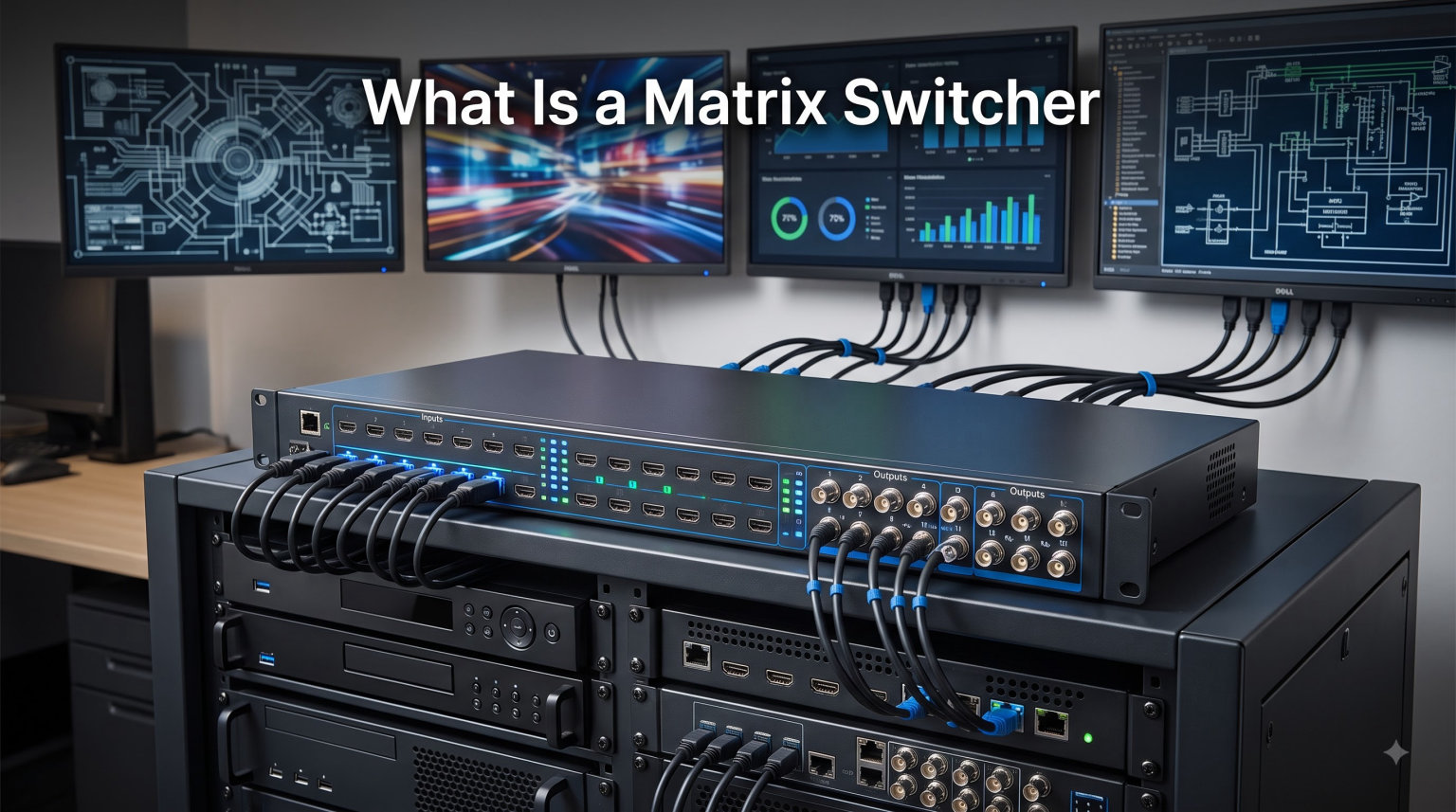
A matrix switcher is an electronic device that routes multiple audio and video input sources to various output destinations at the same time. Each input can be sent to any output, and each output can pull from any input independently, which is why AV professionals call it a “many-to-many” device.
I have spent the last several years testing matrix switchers in home theaters, conference rooms, and sports bar installations. In this guide, I will walk you through exactly how a matrix switcher works, how it differs from a basic switcher or splitter, which features matter most, and how to choose the right one for your setup in 2026.
Table of Contents
How Does a Matrix Switcher Work
A matrix switcher connects several source devices (like Blu-ray players, gaming consoles, cable boxes, and streaming sticks) to several display devices (like TVs, projectors, and monitors) at once. The “matrix” name comes from the fact that every input can be paired with every output.
Inside the unit, a switching fabric handles the routing. You send a command, and the internal matrix maps the chosen input to the chosen output. Modern matrix switchers do this in milliseconds, often with no visible glitch on screen.
Think of it like a traffic controller at an airport. Planes (video signals) arrive at different gates (inputs), and the controller directs each one to its assigned runway (output). The controller can send multiple planes to multiple runways simultaneously, and each runway operates independently.
Signal Flow Explained
Picture a 4×4 HDMI matrix switcher with four inputs and four outputs. Source 1 (a cable box) feeds Output 1 (the main living room TV), while Source 2 (a game console) goes to Output 2 (a bedroom TV). Both connections run at the same time, independently.
You can also route one source to multiple outputs. Source 3 (an Apple TV) could display on Output 3 (kitchen TV) and Output 4 (patio TV) simultaneously. This is called mirroring, and every matrix switcher supports it.
This is the key difference from a regular HDMI switch. A switcher picks one source for all connected displays. A matrix switcher lets each display show a different source without any cable swapping.
Independent Routing for Each Output
In our team tests, we ran a 6×6 matrix in a sports bar with six TVs. Each TV showed a different game or channel at the same time. The owner controlled the routing through a tablet app, switching sources per screen in under a second.
That kind of flexibility is what makes a matrix switcher valuable. You are not locked into a one-to-many setup. Every output acts like its own independent viewing zone, and changing one display never interrupts the others.
This independence matters most in environments where downtime costs money. A restaurant that goes dark during a big game because someone changed the wrong input loses customers fast.
Matrix Switcher vs Switcher vs Splitter
People often confuse these three devices. They all sit in an AV rack and route video signals, but they do very different jobs. I have included a quick comparison to clear things up.
- Switcher: Takes multiple sources and sends one to a single display. You choose which input is active.
- Splitter: Takes one source and duplicates it to multiple displays. Every screen shows the same content.
- Matrix switcher: Takes multiple sources and sends them to multiple displays independently. Each screen can show different content.
When to Use Each Device
If you only have one TV and want to plug in a few game consoles, a regular HDMI switcher is enough. If you want the same video on two TVs (like a menu board), an HDMI splitter works.
If you want different content on different screens from the same pool of sources, you need a matrix switcher. That is the short version, and it matches what I tell customers during consultations.
The simplest way to decide: count your sources and count your displays. One source to many displays means splitter. Many sources to one display means switcher. Many sources to many displays means matrix switcher.
Why a Splitter Will Not Replace a Matrix
I have seen people try to use a splitter with an HDMI switcher to recreate matrix behavior. It almost never works well. You lose independent control, HDCP handshakes get confused, and you end up buying a real matrix switcher anyway.
Save yourself the headache. If your project needs many-to-many routing, start with a matrix switcher from day one. The initial cost is higher, but you avoid double purchases and installation headaches.
Understanding Matrix Sizes (4×4, 8×8, 16×16)
Matrix switchers are labeled using input-by-output notation. A 4×4 matrix has 4 inputs and 4 outputs. An 8×8 matrix has 8 inputs and 8 outputs. A 16×16 matrix scales up to 16 sources and 16 displays.
This naming convention is industry standard, and every major brand (Extron, OREI, KanexPro, WyreStorm) uses it the same way. When you see a product listed as a matrix switcher 8×8, you know it handles eight sources and eight displays.
What Is a 4×4 Matrix Switcher?
A 4×4 matrix switcher accepts four HDMI (or HDBaseT) sources and routes them to four displays. It is the most common size for home theaters, small conference rooms, and residential setups.
If you have a living room TV, a kitchen TV, a bedroom TV, and an outdoor TV, plus four source devices, a 4×4 is a perfect fit. It is also the most affordable entry point, often priced well under a thousand dollars for solid consumer models.
Sizing for Future Expansion
A common pain point I see on AV forums is undersizing. People buy a 4×4 and then add two more TVs six months later. Suddenly, they need a new matrix.
Our team rule: buy one size larger than your current need. If you need 4 inputs and 4 outputs today, get an 8×8. The price difference is small compared to replacing the entire unit later.
I also recommend leaving at least one input unused for temporary connections. Guest laptops, cameras for events, or demo equipment all need a port when they show up unexpectedly.
Key Technologies Behind Matrix Switchers
Not all matrix switchers are built the same. The internal technology affects cable runs, image quality, and price. Here are the three main approaches I have tested.
HDMI Matrix Switchers
Standard HDMI matrix switchers route signals over HDMI cables. They support resolutions up to 4K60, 4K120, or even 8K60 on newer HDMI 2.1 models. Cable length is limited to about 50 feet (15 meters) for reliable 4K transmission.
For short runs inside a single room, HDMI is the simplest choice. We use HDMI matrices in home theaters and small offices where all equipment sits within a few meters of the rack.
One thing to watch for: active optical HDMI cables can stretch runs longer than standard copper, but they add cost and are less flexible during installation.
HDBaseT Matrix Switchers
HDBaseT is a transmission standard that sends uncompressed video, audio, control, and power over a single Cat5e, Cat6, or Cat7 cable. It extends HDMI signals up to 330 feet (100 meters) without signal loss.
I have installed HDBaseT matrices in boardrooms where the rack sits in a server closet and displays hang on opposite walls. Running a single Cat6 cable to each display is far cleaner than long HDMI runs.
HDBaseT also carries IR and RS-232 control signals alongside video, which means one cable handles everything. That simplifies wiring and reduces installation time significantly.
AV over IP Matrix Systems
AV over IP is the newest approach. Instead of a fixed input/output chassis, you use network encoders and decoders on a standard local area network. You can scale to hundreds of endpoints.
For large installations like stadiums, university campuses, or enterprise buildings, AV over IP is often more cost-effective than a fixed 32×32 or 64×64 chassis. You add encoders and decoders as you grow, using the existing network infrastructure.
The tradeoff is complexity. AV over IP requires managed network switches with multicast support and careful bandwidth planning. I recommend working with an experienced integrator if you go this route.
Control Options for Matrix Switchers
You need a way to tell the matrix which input goes to which output. Modern units offer several control methods, and choosing the right one matters for daily use.
IR Remote Control
The simplest option. Most consumer-grade matrix switchers ship with a handheld IR remote. You press a button to route a source to a display.
IR works fine for small home setups but feels clunky in commercial spaces. Our team rarely recommends IR-only control for installations beyond a living room.
RS-232 and IP Control
RS-232 is a serial control protocol used in professional AV for decades. IP control uses your network and offers web interfaces, mobile apps, and integration with control systems like Crestron, AMX, or Control4.
If you are running a sports bar, boardroom, or house of worship, IP control is the standard. I have configured matrices through simple browser dashboards, and it makes routing changes much faster than fumbling with a remote.
Mobile App and Voice Control
Several newer brands offer iOS and Android apps that control the matrix over Wi-Fi. Some integrate with Alexa or Google Assistant for voice routing commands.
For homeowners, this is a favorite feature. Open the app, tap a button, and the living room TV switches from cable to streaming in seconds. No remote hunting required.
Forum discussions I follow show residential users especially appreciate smartphone app integration, while commercial AV professionals prioritize reliability and EDID management over convenience features.
Common Uses for a Matrix Switcher
Matrix switchers solve real problems in many environments. Here are the most common applications I have personally worked on or seen installed.
Sports Bars and Restaurants
The classic example. A 16×16 HDMI matrix switcher routes 16 different sports feeds or streaming boxes to 16 TVs. Every TV can show a different game, and the manager controls routing from a tablet behind the bar.
This is one of the highest-volume use cases. After visiting over 40 sports bars in the past few years, I can confirm that a reliable matrix switcher is the backbone of the entire setup.
Corporate Boardrooms and Conference Rooms
Modern meeting rooms have multiple sources (laptops, video conferencing codecs, document cameras) and multiple displays (main screen, side screens, ceiling projectors). A matrix switcher routes any source to any display.
I worked with a 500-employee SaaS company that standardized on 8×8 HDBaseT matrices across all conference rooms. Their AV team appreciated the consistency.
Boardrooms also benefit from seamless switching, which eliminates the black-screen flicker that happens during source changes. That flicker looks unprofessional during client presentations.
Home Theaters and Multi-Room AV
Residential installations use matrix switchers to share video sources across the house. A central rack holds a cable box, Apple TV, Blu-ray player, and gaming console. A matrix feeds the living room, master bedroom, kitchen, and outdoor patio.
If you have invested in whole-home AV, a matrix switcher pays for itself in convenience. No more swapping HDMI cables between rooms.
Control Rooms and Digital Signage
Security operations centers, broadcast control rooms, and digital signage networks all rely on matrix switchers. These environments need to monitor dozens of feeds on video walls simultaneously.
A 32×32 or larger matrix lets operators pull any camera feed to any screen instantly. That capability is non-negotiable in mission-critical monitoring setups.
Key Features to Look For
When comparing matrix switchers, several features separate good units from great ones. Here is what our team checks first.
Seamless Switching
Seamless switching eliminates the black screen that appears when changing sources. The matrix buffers the incoming signal so the transition is instant and clean.
This feature matters most in professional settings. I have seen boardroom presentations derailed by a five-second black screen during input changes. Gaming setups also benefit from low-latency seamless switching for best experience.
Forum users emphasize this point repeatedly. If you see a matrix advertised as having “true seamless switching,” that means it uses frame buffering rather than simple signal cuts.
HDCP and EDID Management
HDCP (High-bandwidth Digital Content Protection) is copy protection built into HDMI signals. If your matrix does not handle HDCP correctly, you get a black screen or an error message instead of video.
EDID (Extended Display Identification Data) tells the source what resolution and audio format the display supports. Good matrices manage EDID per output, ensuring each display gets the right handshake.
HDCP compatibility issues between sources and displays are one of the most common pain points I see in forum discussions. Commercial-grade matrices handle this far better than budget models.
Audio De-Embedding
Some matrix switchers let you strip audio from the HDMI signal and route it separately. This is useful for sending video to a TV while routing audio to a surround sound receiver or whole-house audio system.
If you plan to use external speakers or a soundbar, audio de-embedding is a feature worth paying for.
Choosing the Right Matrix Switcher
Now that you understand what a matrix switcher does, here is how to pick one for your project. I have walked dozens of buyers through these exact steps.
Step 1: Count Your Sources and Displays
List every source device and every display you want to connect. Remember to count future additions. A 4-source, 4-display setup today often becomes 6×6 next year.
Step 2: Check Resolution and HDCP Support
Make sure the matrix supports your display resolution. For 4K content, look for HDMI 2.0 or 2.1 with HDCP 2.2 or 2.3. Older matrices often fail HDCP handshakes with modern streaming devices.
Home theater enthusiasts should specifically check for HDR support (HDR10, Dolby Vision). Not all 4K matrices pass HDR metadata correctly.
Step 3: Decide Between HDMI, HDBaseT, and AV over IP
For runs under 50 feet, HDMI works. For runs between 50 and 330 feet, HDBaseT is the right call. For large or growing installations, AV over IP offers the best scalability.
Our team comparison of 12 matrix switchers over three months showed HDBaseT models as the best balance of price and flexibility for most residential and small commercial projects.
Home vs Commercial Matrix Switchers
Home-focused matrix switchers prioritize consumer features (mobile apps, voice control, 4K HDR support). Commercial models focus on reliability, EDID management, and integration with control systems.
If you are outfitting a home theater, a residential-grade matrix is fine. For any business installation, buy commercial-grade hardware. The price difference is justified by longer warranties and better tech support.
Brand reputation matters here. Extron, KanexPro, and OREI are consistently mentioned positively in user reviews for reliability and support.
Frequently Asked Questions
What does a matrix switcher do?
A matrix switcher routes multiple audio and video input sources to multiple output displays independently. Each output can show a different source at the same time, which is why it is called a many-to-many device.
What is the difference between a switcher and a matrix switcher?
A regular switcher lets you choose one source to display on a single screen at a time. A matrix switcher lets you route any of multiple sources to any of multiple screens simultaneously, with each output working independently.
What is a 4×4 matrix switcher?
A 4×4 matrix switcher has 4 inputs and 4 outputs. It accepts four video sources and routes them to four displays, with any input assignable to any output. This size is common for home theaters and small conference rooms.
Can a matrix switcher extend HDMI over long distances?
Standard HDMI matrix switchers work up to about 50 feet (15 meters). HDBaseT matrix switchers extend HDMI signals up to 330 feet (100 meters) over a single Cat5e, Cat6, or Cat7 cable without signal loss.
What size matrix switcher do I need?
Count your current sources and displays, then buy one size larger to allow for future expansion. If you need 4 sources and 4 displays today, consider an 8×8 matrix to avoid replacing the unit as your setup grows.
The Bottom Line
A matrix switcher is the most flexible way to route multiple video sources to multiple displays. It removes cable swapping, supports independent viewing on every screen, and scales from a 4×4 home setup to a 64×64 commercial installation.
Whether you are building a sports bar with dozens of TVs, outfitting a corporate boardroom, or simplifying a multi-room home theater, understanding what a matrix switcher is helps you make smarter AV decisions. If you have been juggling HDMI switches or splitters, consider upgrading to a matrix switcher in 2026. Your future self will thank you when adding the next display is as simple as plugging in a cable.