
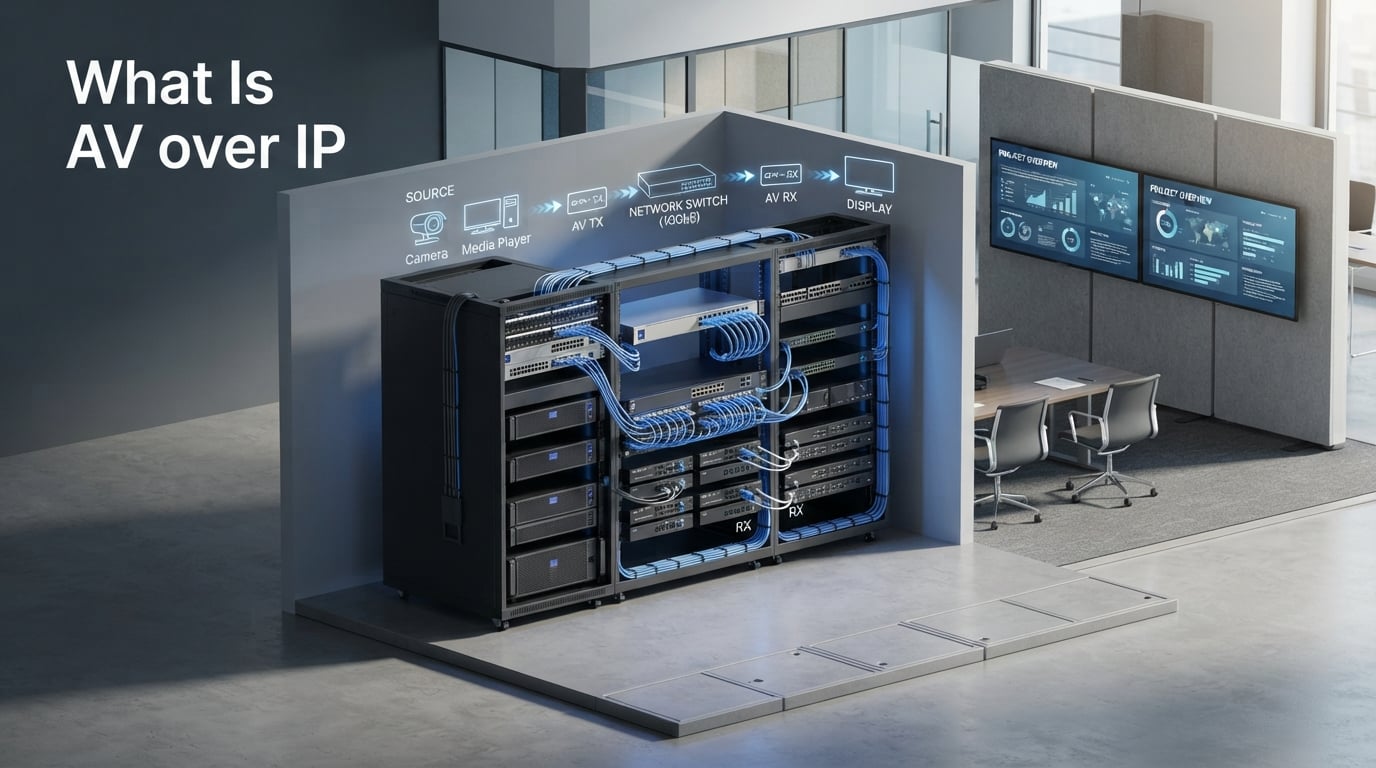
AV over IP (Audio Visual over Internet Protocol) is the transmission of audio and video signals over standard network infrastructure using IP, replacing traditional point-to-point cable connections with packet-based distribution that scales from a single room to a global campus. It is the technology quietly running the broadcasts you watch, the operating rooms that train tomorrow’s surgeons, and the campus-wide digital signage at the university two towns over.
I have spent the last few years helping broadcast studios, hospitals, universities, and corporate campuses move off legacy AV matrices and onto IP. The questions I get most often are the same ones you are probably asking right now. I have answered versions of them at integrator booths, in client boardrooms, and over late-night calls with engineers troubleshooting their first deployment.
This guide is written for AV professionals, IT teams, and technology buyers who want a clear, no-jargon explanation of what AV over IP is, how the technology works under the hood, and whether it makes sense for your organization. You will find real numbers, real costs, and the practical gotchas I wish someone had told me before my first cutover.
By the end, you will know the difference between AVoIP and traditional AV, how encoders and decoders fit into the picture, which standards matter, and what real-world tradeoffs to plan for. You will also see how trends like AI, 5G, and edge computing are reshaping what an AV over IP system can do this year and into 2026.
Table of Contents
What Is AV over IP? A Clear Definition
If you have ever wondered “what does AV over IP mean?”, the short answer is this: it is the practice of encoding audio and video signals into data packets and sending them across an Ethernet network the same way the internet delivers everything else. Instead of running a dedicated HDMI cable from every source to every display, you connect each source to an encoder, each display to a decoder, and let a managed network switch route the streams wherever they need to go.
The acronym AVoIP (sometimes written AV/IP or AVoIp) shows up constantly in vendor literature. All three refer to the same thing: an AV system whose transport layer is Internet Protocol rather than a fixed wiring topology. Once a signal lives on the network, it can travel hundreds of meters over copper, kilometers over fiber, or across the public internet with the right configuration.
The term video over IP overlaps with AV over IP but usually focuses on the video part of the equation. HDMI over IP specifically refers to systems that extend and distribute HDMI signals over a network, and that is the most common entry point for AV over IP in meeting rooms and home theaters. Audio over IP (AoIP) covers the audio-only systems used in radio studios and large venues, though most production AVoIP hardware carries both video and audio together.
For anyone searching for an “AV over IP for dummies” explanation, think of it like email versus postal mail. Traditional AV is postal mail: one physical letter, addressed to one recipient, delivered by a specific courier. AV over IP is email: one message, copied as many times as you want, routed to any recipient, with no need for dedicated infrastructure between sender and receiver.
AV over IP vs Traditional AV: The Quick Story
Traditional AV distribution relies on a fixed matrix switcher, a physical box with a defined number of HDMI, DisplayPort, or SDI inputs and outputs. Need a new source or a new display? Add another cable, buy a bigger matrix, and pray you do not outgrow the chassis next quarter. AV over IP removes that ceiling. Add another encoder, plug a new decoder into the network, and your “matrix” just got bigger without anyone opening a server rack.
How AV over IP Works: The Step-by-Step Process
Understanding how AV over IP works is easier once you see the signal flow. Every system, from a 4-screen conference room to a national broadcaster, follows the same five-step path from source to display. I have walked technicians through this diagram on whiteboard after whiteboard, and it never fails to make the abstract feel concrete.
Capture the source signal. The source (a camera, laptop, media player, or microphone) outputs a native video or audio signal, typically HDMI, DisplayPort, SDI, or USB-C.
Encode into IP packets. An encoder device converts that signal into a compressed or uncompressed data stream and wraps it in standard IP packets. Compression standards include JPEG-2000, H.264, H.265, and the newer visually lossless codecs used by SDVoE.
Route through a network switch. A managed Gigabit or 10 Gigabit Ethernet switch forwards the packets to any decoder on the network. Multicast routing is used for one-to-many distribution; unicast is used for dedicated streams.
Decode at the destination. Each decoder receives the relevant stream, converts it back into an HDMI or SDI signal, and outputs it to the connected display, projector, or speaker system.
Display or record the result. The reconstructed signal appears on screen with frame-accurate timing. Latency for compressed systems sits between 30 and 100 milliseconds; uncompressed systems can hit sub-frame latency below 10 milliseconds.
Quality of Service (QoS) settings on the switch prioritize AV traffic above email and file transfers so a packet drop does not show up as a flicker on screen. In professional broadcast environments, IEEE 1588 Precision Time Protocol (PTP) keeps every device locked to a single master clock so multiple streams stay in sync across studios.
Where the Packets Actually Live
Most AV over IP deployments ride on a dedicated VLAN carved out of an existing campus LAN. That keeps video traffic away from voice and data, makes troubleshooting predictable, and lets the AV team apply its own QoS rules without negotiating with the IT team’s “no special cases” policy. Larger deployments move AV onto its own physical network with 10GbE or 25GbE fiber backbones.
Multicast, Unicast, and Why It Matters
When one source needs to drive several displays (a CEO’s video going to every regional office, a stock ticker to every trading screen), the encoder publishes a single multicast stream. The switch replicates it as needed without sending a separate copy to each receiver. This is what makes one-to-many distribution practical at scale. Unicast is the right choice when the stream is encrypted, or when a destination needs its own private buffer (for recording or low-latency monitoring).
Key Components of an AV over IP System
A working AVoIP system has more parts than the cables and boxes you see at first glance. Here is the component map I share with procurement teams when they ask what they are actually buying.
Encoders. Hardware (or software) that captures the AV signal and converts it to an IP stream. Common form factors include standalone boxes, USB sticks, and PCIe cards for PCs.
Decoders. The matching device at the display end. Plug it in, give it an IP address, and it pulls the right stream on demand.
Network switches. Managed Gigabit switches at minimum; 10GbE for 4K or higher. Layer 2+ features like IGMP snooping and QoS are required to keep multicast traffic from flooding the network.
Cabling infrastructure. Cat6a handles up to 100 meters at 10Gbps; single-mode fiber extends that to kilometers for campus-wide distribution.
Control software or controller. Lets operators drag-and-drop sources to displays, build presets, and manage permissions. Many vendors ship a hardware controller appliance, others run everything from a browser.
Power over Ethernet (PoE). Most modern decoders run on PoE+, which means a single cable carries data and power. One less power brick in the rack.
Optional components include KVM-over-IP extenders for keyboard and mouse sharing, audio breakout devices for connecting to legacy sound systems, and redundant power supplies for mission-critical rooms like control centers and operating theaters. Many setups also include transceivers for converting between copper and fiber when a building’s cabling plant mixes both.
Encoders and Decoders Under the Hood
An encoder takes a baseband AV signal (HDMI, DisplayPort, SDI) and produces an IP stream using a specific compression or transport profile. Common compression choices are H.264 (broadest device support), H.265 (half the bandwidth at the same quality), JPEG-2000 (visually lossless, common in command-and-control rooms), and JPEG-XS (ultra-low latency for live production).
Decoders are mirrors of encoders. They join the network, advertise the streams they want, receive the packets, reconstruct the signal, and output it as HDMI or SDI to a downstream device. Pair the encoder and decoder with the same codec family on the same vendor platform for the smoothest experience.
Benefits of AV over IP
The reason AV over IP has moved from niche to mainstream over the past decade is that the benefits compound at exactly the moment IT budgets are flattening. Here is the list I share with executives who want to know why an AVoIP upgrade is worth signing off on.
Limitless scalability. Add a source or a display by adding an endpoint. There is no fixed matrix size to outgrow, no firmware license to chase.
Any-to-any routing. Any source can drive any display, many displays, or a wall of screens, all from the same control panel.
Long-distance distribution. Fiber carries AV signals kilometers without signal degradation, far past the 15-meter ceiling of passive HDMI cables.
Lower total cost of ownership. A single category cable replaces expensive AV-specific copper. Standard network switches are cheaper than proprietary matrices at scale.
IT-friendly infrastructure. Uses the same switches, cabling, and management tools as the rest of the network. One team can support the whole stack.
Future-proofing. 4K today, 8K tomorrow, HDR and high-refresh-rate content as codecs mature. The network is the bottleneck you can plan for; the endpoints swap out.
Built-in redundancy. Dual-network paths, redundant power supplies, and network failover can be built in from day one. Hard to do with a single HDMI cable.
Centralized management. Monitor every endpoint across a campus from one dashboard. Push firmware updates at 2 AM and never visit a room again.
In my experience, the facilities that adopt AV over IP usually cite two benefits as their “why”: the ability to send any source to any display (a flexibility win) and the cost savings on cabling (a budget win). Those two together tend to clear most approval committees. Once the system is in, the centralized management and future-proofing bonuses take over as the reasons teams are glad they switched.
Traditional AV vs AV over IP: A Comparison
Side-by-side, the differences between a legacy AV matrix and an AVoIP setup look like this. Every comparison table I have drawn up for clients ends with the same conclusion: traditional AV wins on simplicity for tiny installs, and AV over IP wins almost everywhere else.
Infrastructure. Traditional AV uses dedicated point-to-point cables (HDMI, SDI, HDBaseT) between sources, the matrix, and displays. AV over IP uses standard Ethernet network infrastructure with category or fiber cabling.
Scalability. Traditional AV is capped by the matrix size, often 8×8, 16×16, or 32×32 inputs and outputs. AV over IP scales by adding endpoints; the only real limit is switch port count and bandwidth budget.
Distance. Traditional AV signals degrade past 15 meters (HDMI) or 100 meters (HDBaseT). AV over IP reaches 100 meters over copper and kilometers over fiber with no quality loss.
Cost model. Traditional AV has a high up-front cost (matrix hardware) but lower ongoing cost. AV over IP has lower entry cost per endpoint, with cost shifting to switches, cabling, and management software.
Flexibility. Traditional AV routes signals only within the matrix chassis. AV over IP routes signals anywhere the network reaches, including across buildings and campuses.
Maintenance. Traditional AV requires AV specialists for changes. AV over IP can be managed by IT teams using familiar network tools.
Common Use Cases for AV over IP
AV over IP fits cleanly into environments where video or audio needs to reach multiple places reliably and at scale. The use cases below cover the deployments I see most often in 2026, and they double as a shopping list for organizations starting to map their own requirements.
Broadcast and production. Live TV studios, OB trucks, and playout centers use SMPTE ST-2110 to carry uncompressed video, audio, and ancillary data as separate synchronized streams. Replacing SDI routers with IP routers collapses hardware racks and unlocks remote production workflows.
Corporate meeting rooms. Boardrooms, huddle spaces, and town hall venues use IPMX to feed the same presentation to multiple rooms, mirror laptop screens to wall displays, and integrate with conferencing platforms.
Higher education. Universities use AVoIP to distribute lecture capture, live-stream across campuses, and centralize lecture recording for online programs.
Control rooms. Utilities, transit operators, and emergency dispatch centers command-and-control environments use low-latency, visually lossless codecs (JPEG-2000, JPEG-XS) for situational awareness walls with dozens of simultaneous feeds.
Digital signage. Retail chains, airports, and stadiums run hundreds of displays with AV-over-IP for live video, wayfinding, and emergency alerts without a separate distribution network per screen.
Healthcare. Operating rooms use AVoIP to stream procedures to lecture halls, record them for training, and route imaging feeds to the right specialists in real time.
Live events and venues. Stadiums, concert halls, and convention centers push content between stage displays, broadcast feeds, and concession signage from a single control room.
Key AV over IP Standards: IPMX and SMPTE ST-2110
If you spend any time on AV integrator forums, you will see two acronyms come up constantly: IPMX and SMPTE ST-2110. Both are open standards, but they target different environments. Picking the right one for your project is the single biggest architectural decision you will make after choosing AV over IP in the first place.
What Is IPMX?
IPMX (Internet Protocol Media Experience) is the open standard developed by the Alliance for IP Media Solutions (AIMS) for the ProAV market. It is built on the same foundations as SMPTE ST-2110 but adds features ProAV installations actually need: HDCP content protection for protected sources, USB transport for KVM and touch interactivity, video wall support, and plug-and-play discovery using NMOS.
IPMX is the right answer for most corporate, higher education, healthcare, and government installations that need interoperability between vendors. If you are tired of vendor lock-in, IPMX is the standard to follow.
What Is SMPTE ST-2110?
SMPTE ST-2110 is the broadcast-focused standard that defines how to transport uncompressed video, audio, and ancillary data as separate synchronized IP streams. It is the backbone of modern broadcast facilities and is mandatory for any IP-based studio build in 2026. ST-2110 gives you bit-perfect quality, frame-accurate timing via PTP, and the flexibility to handle every format from SD to 8K.
ST-2110 assumes controlled, well-engineered networks with trained staff. It is unforgiving of sloppy switch configurations, which is why most ProAV deployments prefer IPMX, where the standard itself absorbs much of that complexity.
IPMX vs ST-2110 at a Glance
Target market. IPMX is aimed at ProAV integrators and end users. ST-2110 is aimed at broadcast and production facilities.
Compressed vs uncompressed. IPMX supports both compressed and uncompressed video. ST-2110 is built around uncompressed video for broadcast-grade quality.
Ease of deployment. IPMX is designed for plug-and-play AV installations. ST-2110 typically requires engineer-led setup and ongoing tuning.
HDCP and content protection. IPMX has HDCP built into the standard. ST-2110 implementations rely on external solutions.
Common use cases. IPMX is common in corporate, education, healthcare, government, and live events. ST-2110 dominates broadcast studios, OB trucks, and playout centers.
The honest answer when clients ask which standard to use: if your environment resembles a broadcast facility, run ST-2110. If your environment resembles a campus with classrooms and meeting rooms, run IPMX. Many large organizations run both, with ST-2110 inside the broadcast plant and IPMX carrying content out to the rest of the campus.
Security Considerations for AV over IP
Every forum thread about AV over IP eventually circles back to one question: is it secure? The answer is “yes, when configured correctly”, but the configuration work is non-trivial. Security is the most common reason IT teams block AVoIP rollouts, and it is also the most solvable problem on this list.
The first layer is network segmentation. Putting AV endpoints on their own VLAN prevents a compromised display from becoming a doorway into the corporate data network. Most managed switches support this with a few clicks.
The second layer is access control. Restrict who can route streams where, especially for sensitive content like board meetings or patient imaging. Most AVoIP control platforms support role-based permissions and audit logs.
The third layer is encryption. AES encryption protects streams from sniffing on the wire, and AES-256 is now standard on professional AVoIP hardware. Some vendors also support signed firmware to prevent rogue device impersonation.
The fourth layer is content protection. HDCP (High-bandwidth Digital Content Protection) is required any time you distribute protected HDMI sources like Blu-ray, cable boxes, or streaming media. IPMX supports HDCP natively; ST-2110 deployments typically rely on external HDCP-aware encoders.
The common misconception is that AV over IP is inherently less secure than traditional AV because it rides on the network. In practice, a properly segmented AVoIP installation is far more secure than a stack of unencrypted HDMI cables running through ceilings. The cables do not authenticate; the network does.
Implementation Challenges to Plan For
Every AV over IP rollout I have been part of has hit the same handful of friction points. None of them are deal-breakers, but budget, timeline, and training plans should account for them up front.
Skill gap between AV and IT teams. AV professionals think in signals and matrix crosspoints. IT professionals think in VLANs and routing tables. AVoIP systems live in the overlap, and most projects stall until one side learns enough of the other’s vocabulary to have a productive meeting. Cross-training, vendor-led workshops, or hiring a hybrid AV/IT engineer solves this.
Bandwidth planning. A single uncompressed 4K stream at 60fps consumes about 12 Gbps. Twelve of them across a campus will saturate a 10GbE uplink. Build the switch fabric with headroom; 25GbE and 100GbE uplinks are becoming the new normal for 4K and 8K deployments.
Latency sensitivity. Most AV content tolerates 50 to 100 milliseconds of latency with no issues. Live performance, interactive kiosks, and conferencing need single-digit frame times. Pick the codec and gear accordingly, and document the latency budget end-to-end before procurement.
Initial complexity. A first-time AVoIP install takes longer than swapping a matrix because the network side has to be planned and tuned. Subsequent rooms go faster because the network is already there and the team already knows the workflow.
Future Trends: AI, 5G, and Edge Computing
The areas most competitors leave empty are the same areas moving fastest. Here are four trends I am tracking closely in 2026 that will reshape what AV over IP systems look like for the rest of the decade.
AI integration. Real-time video analytics, automatic camera switching, on-the-fly transcription, and quality monitoring are all becoming AI features that run alongside the AV stream. Vendors are embedding neural accelerators into encoders so streams come out pre-tagged with metadata for downstream automation.
5G wireless transport. Private 5G networks can carry uncompressed 4K video from a roaming camera or a mobile workstation back to the control room without a single cable. Adoption is still early, but the standard is maturing fast and the hardware is dropping in price.
Edge computing for AV. Pushing processing out to the encoder or decoder (instead of a central server) reduces latency and bandwidth for things like real-time overlays, multi-view composition, and AI-driven switching. Expect to see more “edge-aware” encoders on the market over the next 18 months.
Cloud-based control. SaaS dashboards that manage AVoIP endpoints across thousands of sites are already here. The shift is moving from on-prem controllers to hybrid models where local control stays on site but fleet management and analytics live in the cloud.
Frequently Asked Questions
What is AV over IP in simple terms?
AV over IP is the practice of converting audio and video signals into data packets and sending them across a standard Ethernet network. Instead of running dedicated AV cables from every source to every display, you connect sources to encoders and displays to decoders, then route everything through a managed network switch. This makes it possible to send any source to any display, scale beyond a fixed matrix size, and distribute content across long distances.
What are the main benefits of AV over IP?
The biggest benefits of AV over IP are unlimited scalability (add endpoints as you grow), any-to-any routing (any source to any display), long-distance distribution over fiber, lower total cost of ownership compared with large AV matrices, IT-friendly infrastructure that uses familiar network tools, and built-in redundancy. For most organizations, flexibility and cabling savings are the two wins that justify the upgrade.
What is the difference between IPMX and SMPTE ST-2110?
Both are open standards for transporting AV over IP networks, but they target different environments. IPMX is built for the ProAV market (corporate, education, healthcare) and adds ProAV features like HDCP, USB transport, and plug-and-play discovery on top of ST-2110 foundations. SMPTE ST-2110 is built for broadcast facilities and focuses on uncompressed video with frame-accurate timing. Pick IPMX for campus-style installs and ST-2110 for broadcast plants.
Can AV over IP run on my existing network?
Small AVoIP installs can often share an existing network if it is well-managed, but most organizations put AV traffic on its own VLAN for predictable performance. For uncompressed 4K or higher resolutions, a dedicated physical network with 10GbE or faster uplinks is recommended. Running AV over IP on the same flat network as office traffic is the most common cause of poor performance.
How much latency does AV over IP add?
Compressed AVoIP systems typically introduce 30 to 100 milliseconds of latency, which is fine for most viewing and presentation use cases. Uncompressed systems using SDVoE or ST-2110 can reach sub-frame latency under 10 milliseconds, suitable for live performance, KVM, and interactive applications. Plan your codec choice around the latency tolerance of your content.
Is AV over IP secure?
Yes, when properly configured. Best practice includes placing AV endpoints on a dedicated VLAN, enabling role-based access control on the management platform, encrypting streams with AES, and supporting HDCP for protected content sources. A well-segmented AVoIP installation is typically more secure than unencrypted HDMI cabling running through ceilings.
Key Takeaways
AV over IP is the practical replacement for fixed AV matrix switchers, and it is no longer a bleeding-edge choice. The technology is mature, the standards are stable, and the talent pool to design and run AV over IP systems is growing every year. Every campus, studio, and venue I work with that has made the move says the same thing: they wish they had done it sooner.
The clearest way to remember what AV over IP offers is this: any source to any display, any distance, on infrastructure you already know how to run. If your team is comfortable with managed switches, you are most of the way to a successful AVoIP deployment. The rest is codec selection, bandwidth planning, and a clear change-of-mind for what “AV control” means in an IP world.
For most organizations, the next practical step is a pilot project. Pick one room or one building, run an IPMX-based stack, document the latency and bandwidth reality, and let the success speak for itself before scaling across the rest of the campus. The teams that do this in 2026 are the teams that will be running the most flexible AV infrastructures going into 2026 and beyond.