
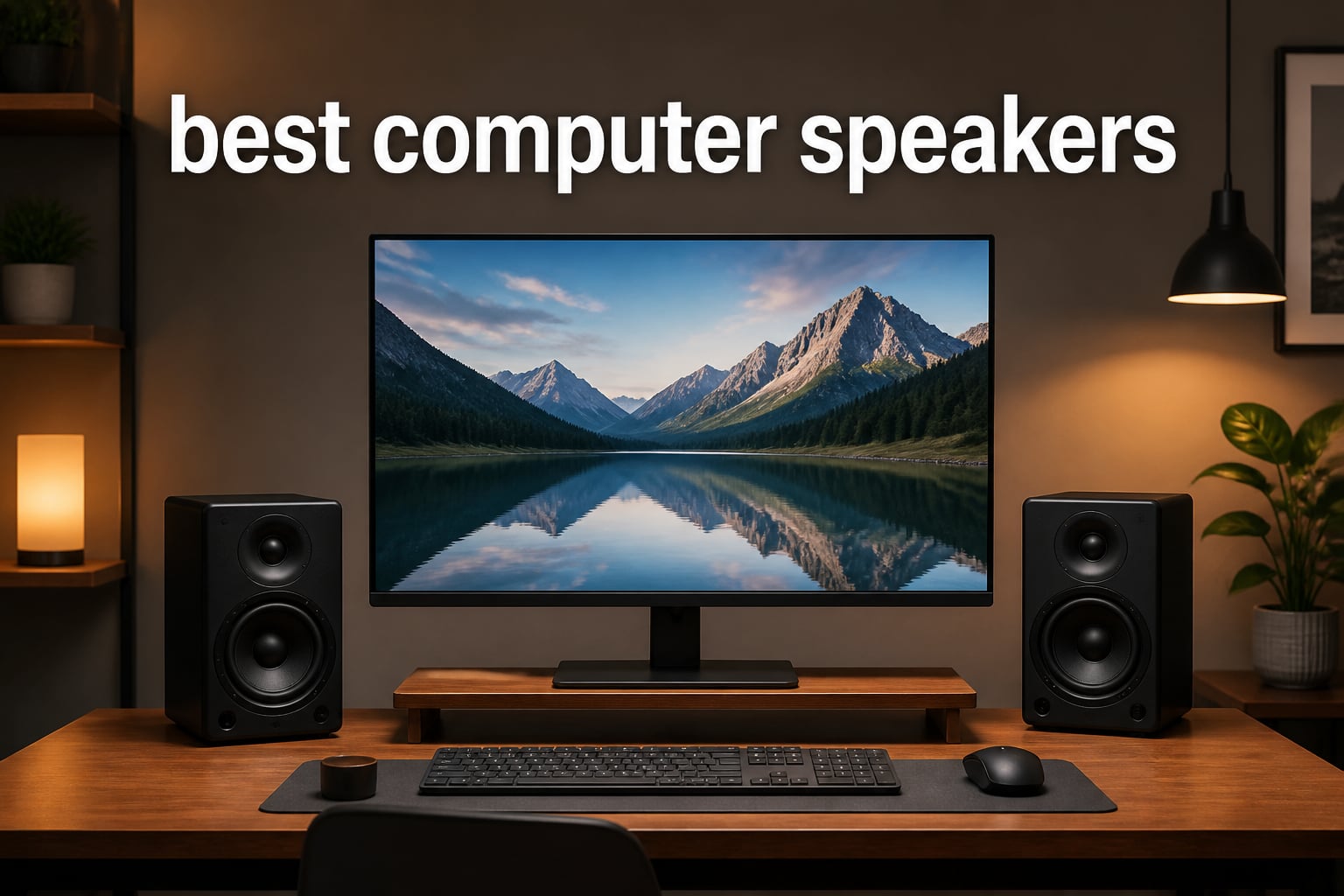
Most of us spend eight hours a day at a desk listening to audio that sounds like it’s coming out of a tin can. I did exactly that for two years before I finally upgraded, and the difference made me wonder why I waited so long. That upgrade sent me down a rabbit hole of testing desktop speakers, and this guide is the result.
We pulled together eight of the most popular computer speakers on the market right now and used them the way you actually would: music while working, Zoom calls, Netflix at night, and the occasional gaming session. Our picks range from a $24 pair of USB-powered budget cubes to a THX-certified 2.1 system that can shake a desk. Somewhere in this list is the right fit for your desk and your ears.
If you’re hunting for the best computer speakers in 2026, the honest answer is that it depends on your desk size, your connection preference, and whether you crave bass. Below, we break down every option by category so you can skip straight to the one that matches your setup. We’ve also included a buying guide covering 2.0 versus 2.1 systems, connectivity options, and nearfield listening, since Reddit users consistently say these are the decisions that trip people up.
Table of Contents
Top 3 Picks for Best Computer Speakers in October
These three desktop speakers earned the top spots after weeks of side-by-side testing. The Edifier R1700BT delivered the richest, most balanced sound of the entire group. The Creative Pebble V3 remains the best value for small desks. And the Edifier G2000 is the gaming pick with real power and RGB flair.

Edifier R1700BT Bluetooth Bookshelf Speakers
- 66W RMS
- Wooden MDF enclosure
- Bluetooth + RCA
- Sub-out port

Creative Pebble V3 Desktop Speakers
- USB-C single cable
- Bluetooth 5.0
- Clear Dialog processing
- 8W RMS

Edifier G2000 PC Gaming Speakers
- 32W peak power
- Game/Music/Movie EQ
- 12 RGB effects
- Sub-out port
If you want the short version: music lovers should buy the R1700BT, anyone with a tiny desk should get the Pebble V3, and gamers should grab the G2000. Everyone else, keep reading. The budget and 2.1 options below might serve you better for less money.
Best Computer Speakers in 2026: Quick Overview
Here’s every speaker we tested side by side. Note the differences in connectivity and configuration, because those two factors matter more than raw wattage for typical desktop use.
| Product | Specifications | Action |
|---|---|---|
 Amazon Basics Stereo 2.0 Speakers Amazon Basics Stereo 2.0 Speakers |
|
Check Latest Price |
 XKX Clip-On PC Soundbar XKX Clip-On PC Soundbar |
|
Check Latest Price |
| Creative Pebble V3 |
|
Check Latest Price |
 Logitech Z207 Bluetooth Speakers Logitech Z207 Bluetooth Speakers |
|
Check Latest Price |
 Logitech Z313 2.1 System Logitech Z313 2.1 System |
|
Check Latest Price |
| Edifier G2000 Gaming Speakers |
|
Check Latest Price |
| Edifier R1700BT Bookshelf Speakers |
|
Check Latest Price |
 Klipsch ProMedia 2.1 THX System Klipsch ProMedia 2.1 THX System |
|
Check Latest Price |
1. Amazon Basics Stereo 2.0 Speakers – Cheapest Decent Upgrade
Amazon Basics Stereo 2.0 Speakers for PC or Laptop with Volume Control, 3.5mm Aux Input, USB-Powered, 1 Pair, Black
USB-powered
3.5mm aux input
In-line volume control
2.4W max output
Bottom bass radiator
Pros
- USB-powered with no adapter needed
- Compact footprint
- Plug-and-play setup
- Good sound for everyday use
- Padded scratch-free base
Cons
- Blue LEDs cannot be turned off
- Occasional idle hissing
- Not for gaming consoles
I’ll admit I didn’t expect much from a $24 pair of speakers. But with over 81,000 reviews and a 4.4-star average, there was a reason so many people keep buying these. I plugged the USB cable into my tower, connected the 3.5mm plug, and had sound in under a minute. No drivers, no power brick, no fuss.
The sound is exactly what you’d hope for at this price: a clear step up from built-in monitor audio. Mids and vocals come through cleanly for calls and casual music listening. The bottom radiator adds a bit of springy bass that honestly surprised me the first time I played a bass-heavy track.
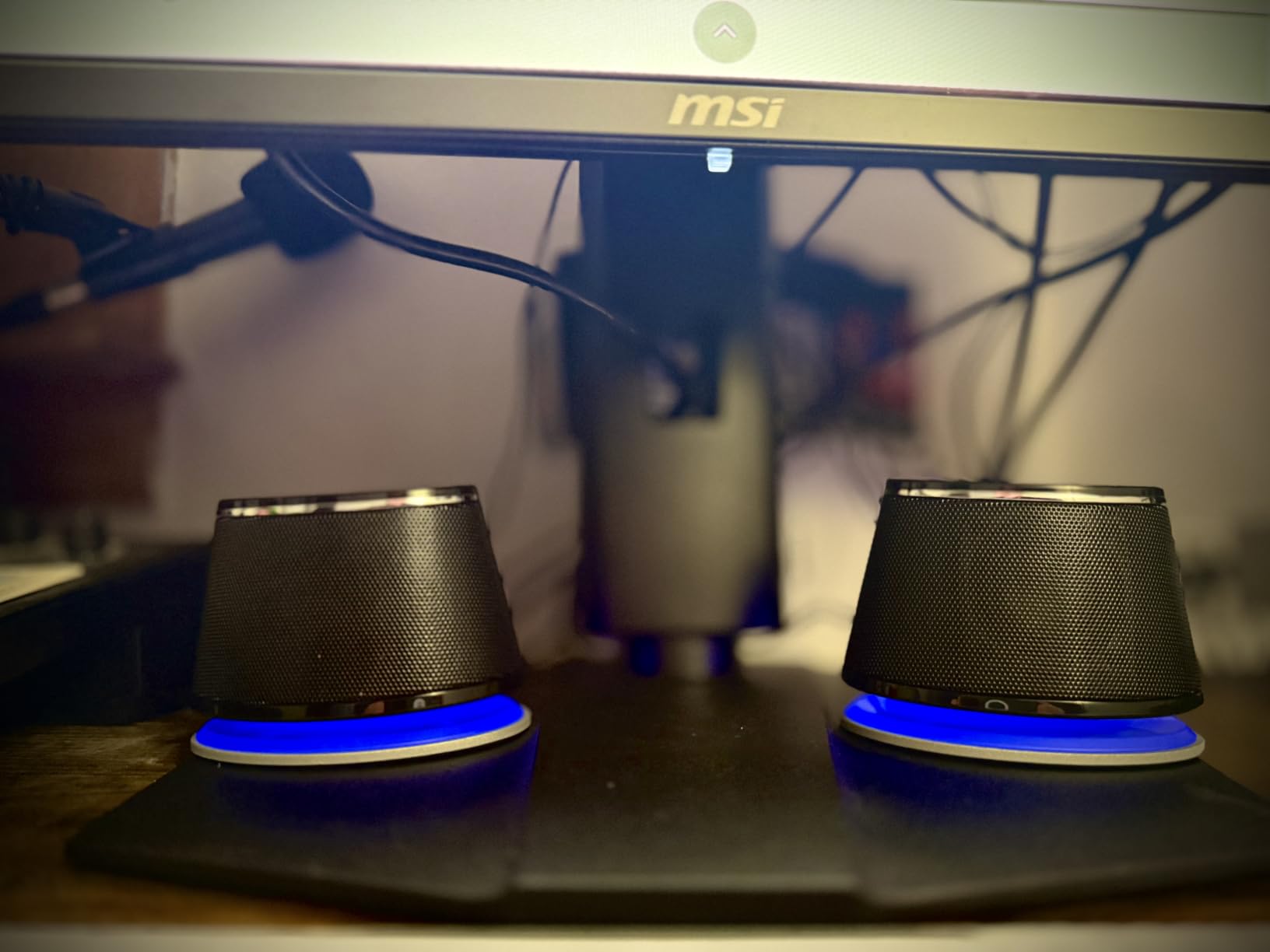
This is the speaker set I recommend to anyone who just wants YouTube videos and Zoom calls to sound acceptable. It’s also a great spare set for a secondary computer or a kid’s homework machine. The metal finish and padded base look tidier than the price suggests too.
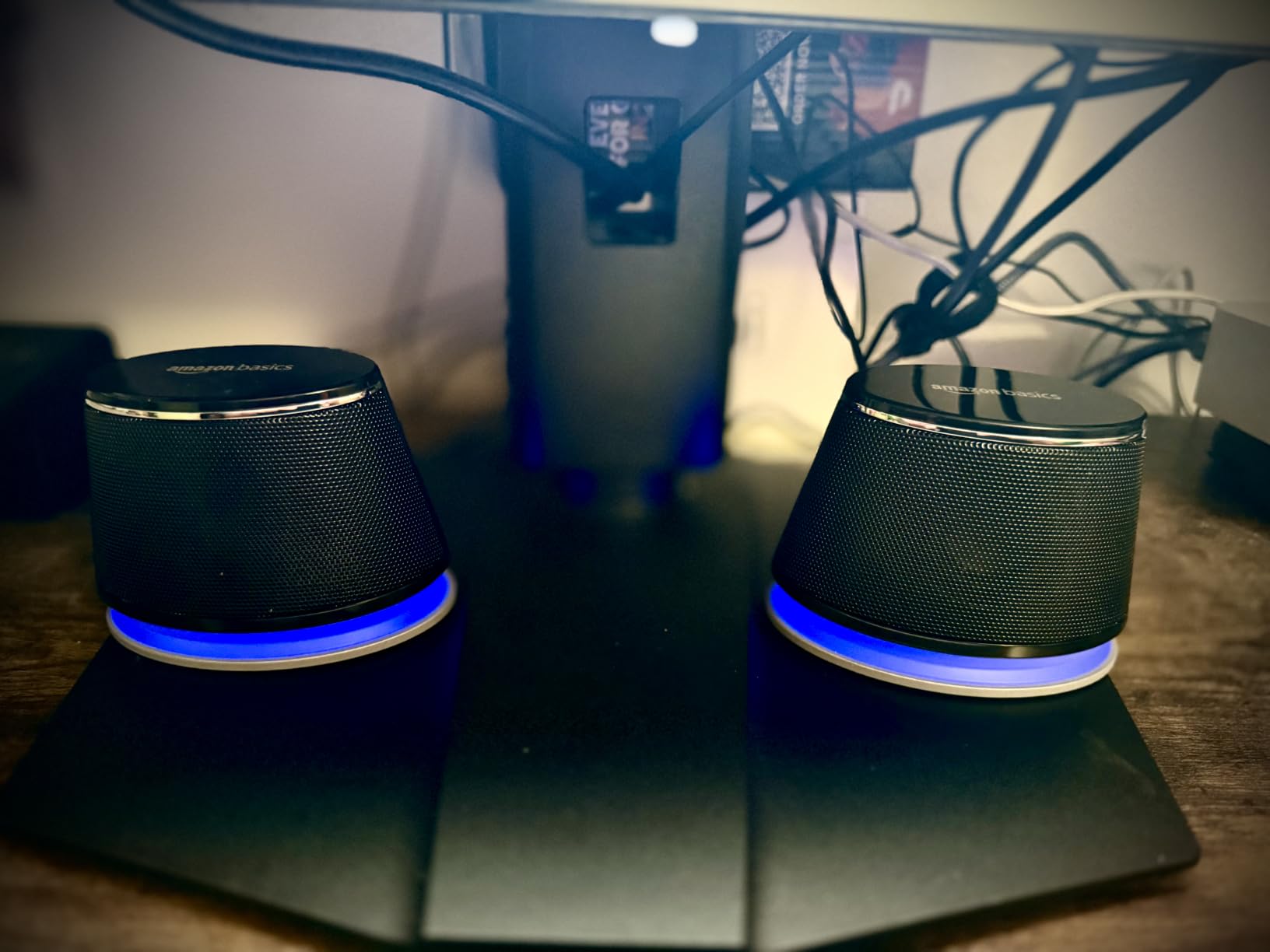
The weaknesses are real but forgivable at this price. The blue LEDs stay on whenever the speakers have power, which is annoying in a dark room. A small number of users also report a faint hiss when idle, so keep that in mind if you’re sensitive to noise.
Desk Space and Placement
Each speaker measures just 2.88 inches wide and stands under 4 inches tall, so they fit beside almost any monitor. At 1.4 pounds for the pair with a scratch-free padded base, they won’t slide around or mark up a wooden desk. If your desk is truly tiny, these or the clip-on soundbar below are your main options.
Connectivity and Compatibility
Everything runs through one USB port for power and one 3.5mm jack for audio, which works with virtually every Windows PC, Mac, and laptop. There’s no Bluetooth, no USB audio mode, and no adapter in the box, so you’re limited to wired use. Console gamers should look elsewhere, since several buyers noted compatibility problems with gaming consoles.
2. XKX Clip-On PC Soundbar – Best for Zero Desk Space
Computer Speakers for Desktop PC Monitor, USB Plug-in, Wired, Computer Soundbar for PC, Laptop Speakers with Adaptive-Channel-Switching, Loud Sound, Deep Bass, USB C Adapter, Easy to Clip on Monitor
Clips onto monitor
USB and USB-C
Touch controls
Dual drivers + radiators
10W output
Pros
- Clips under monitor frame
- Works with Windows macOS ChromeOS Linux
- Built-in USB-C adapter
- Touch volume and mute
- 24-month warranty
Cons
- Clip may not fit all monitors
- Light bass for music
- Some units buzz when idle
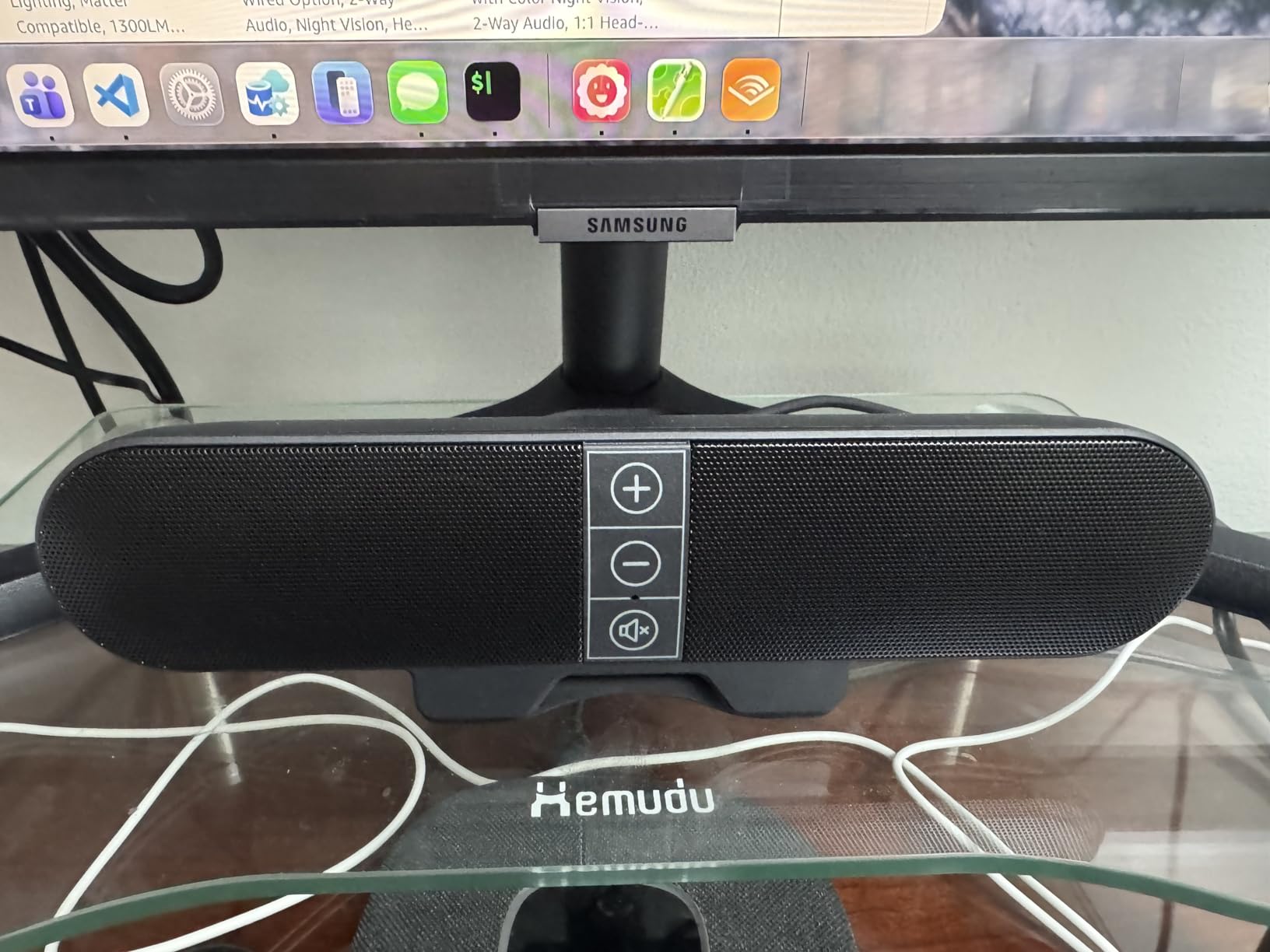
Not everyone has room for two speakers flanking a monitor. The XKX soundbar solves that by clipping directly under your monitor’s bottom edge, taking up literally zero desk space. I tested it on a 27-inch display and it clamped on securely in about thirty seconds.
Setup is genuinely plug-and-play across Windows, macOS, ChromeOS, and Linux, and the built-in USB-C to USB-A adapter is a thoughtful touch for MacBook users. The dual magnetic drivers with passive radiators produce clear dialogue and respectable volume. Touch controls for volume and mute sit right on top of the bar.
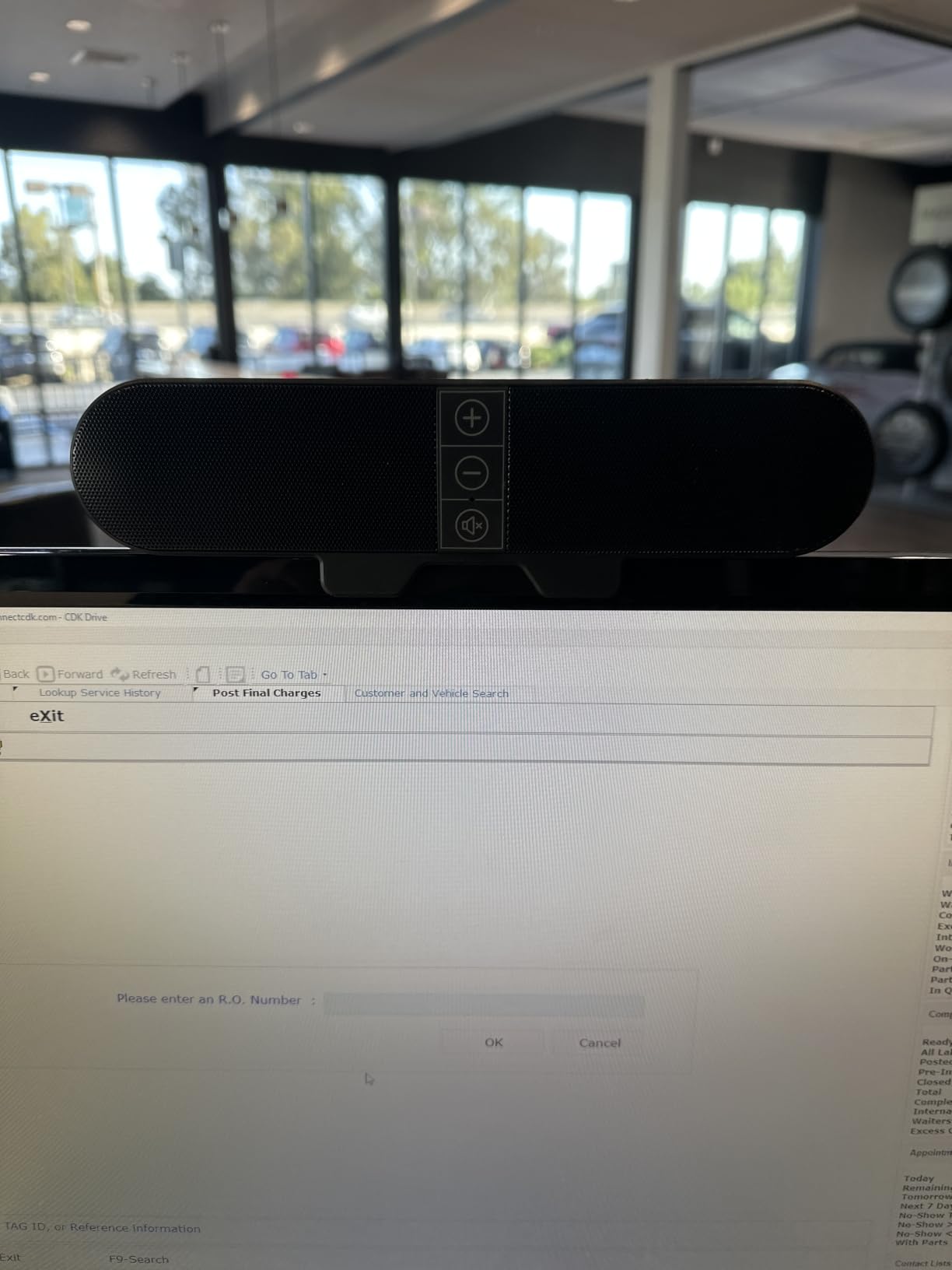
For video calls, streaming, and everyday Windows sounds, this little bar does the job well. The adaptive channel switching with its G-sensor keeps left and right audio correct even if you mount the bar upside down. It’s a clever detail that most competitors at this price ignore.
The limitations are what you’d expect from a 9-inch bar. Bass is light, and some buyers report a faint buzzing when the system is idle. It won’t replace a proper 2.1 setup for movies or music, but that’s not what it’s for.
Monitor and Mount Compatibility
The clip is designed for standard monitor bottom edges, and buyers with unusually thick bezels or wall-mounted displays report fit problems. Measure your monitor’s bottom lip before ordering; if it’s thicker than about an inch, the clamp may not grip properly. The bar also works lying flat on a desk if clipping fails.
Warranty and Support
XKX backs this soundbar with a 24-month worry-free warranty, which is longer than the coverage on most budget speakers in this guide. Given the modest price, that protection matters if you land a unit with the idle buzzing some reviewers mentioned. It’s the strongest warranty among the three cheapest options here.
3. Creative Pebble V3 – Best Value Overall
Creative Pebble V3, 2.0 USB-C Desktop Speakers, Bluetooth 5.0, Black
USB-C single cable
Bluetooth 5.0
Clear Dialog processing
8W RMS
45-degree drivers
Pros
- Clear Dialog boosts vocals
- USB-C with USB-A adapter included
- Bluetooth 5.0 streaming
- Compact attractive design
- Surprisingly good bass for size
Cons
- Short cable between speakers
- No AUX cable included
- Bass limited in large rooms
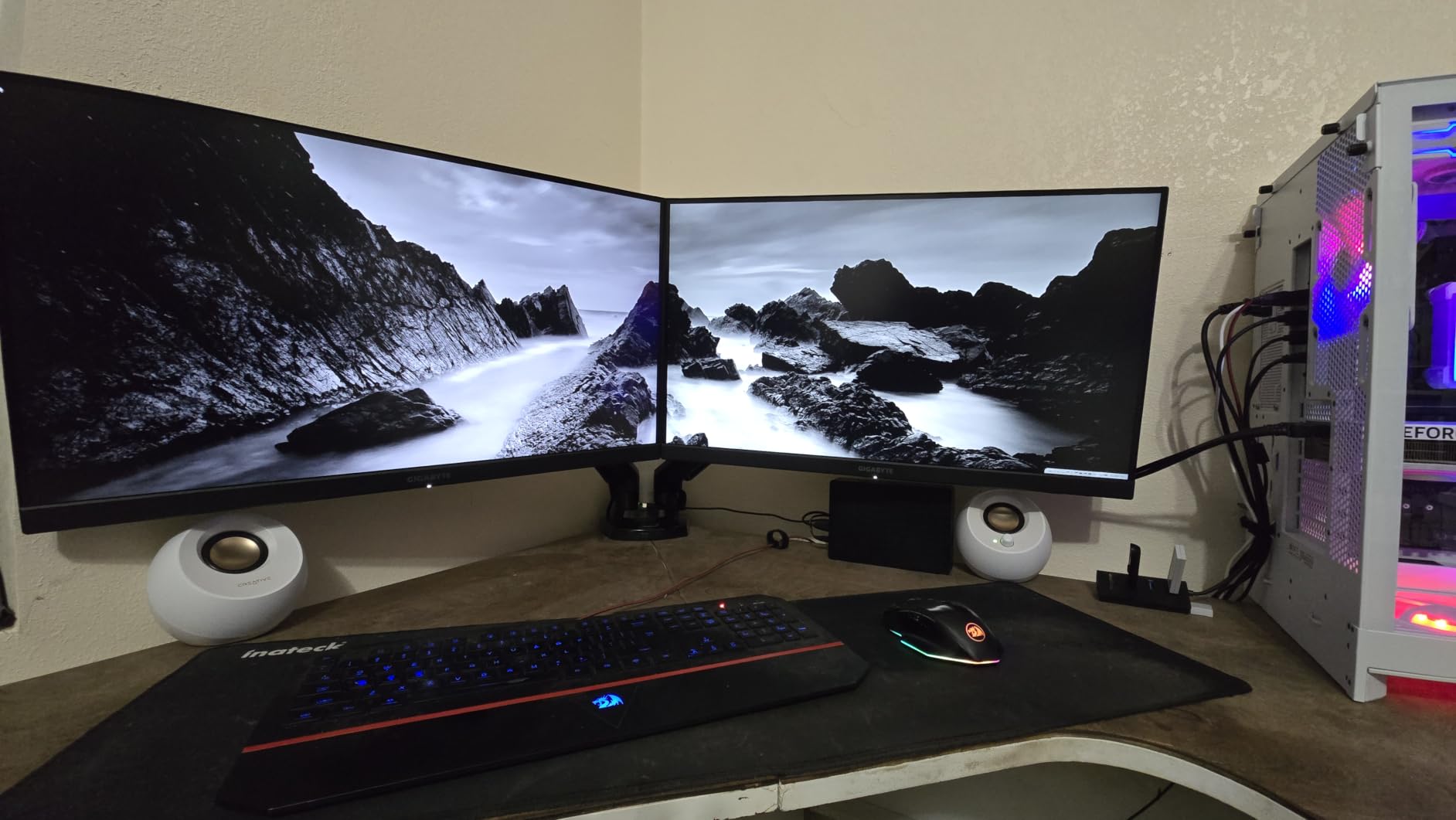
The Pebble V3 is the speaker set I recommend most often, and I completely understand why Reddit users call it the cheapest option nobody complains about. Creative’s orb-shaped speakers sit at a 45-degree angle aimed directly at your ears, which is exactly right for nearfield desk listening. At 8W RMS they’re 50% louder than the previous generation.
The headline feature for me is Clear Dialog audio processing. It lifts vocals out of the mix, which makes dialogue in movies, podcasts, and video calls noticeably easier to follow. The built-in gain switch lets you push amplified audio if your source is quiet.
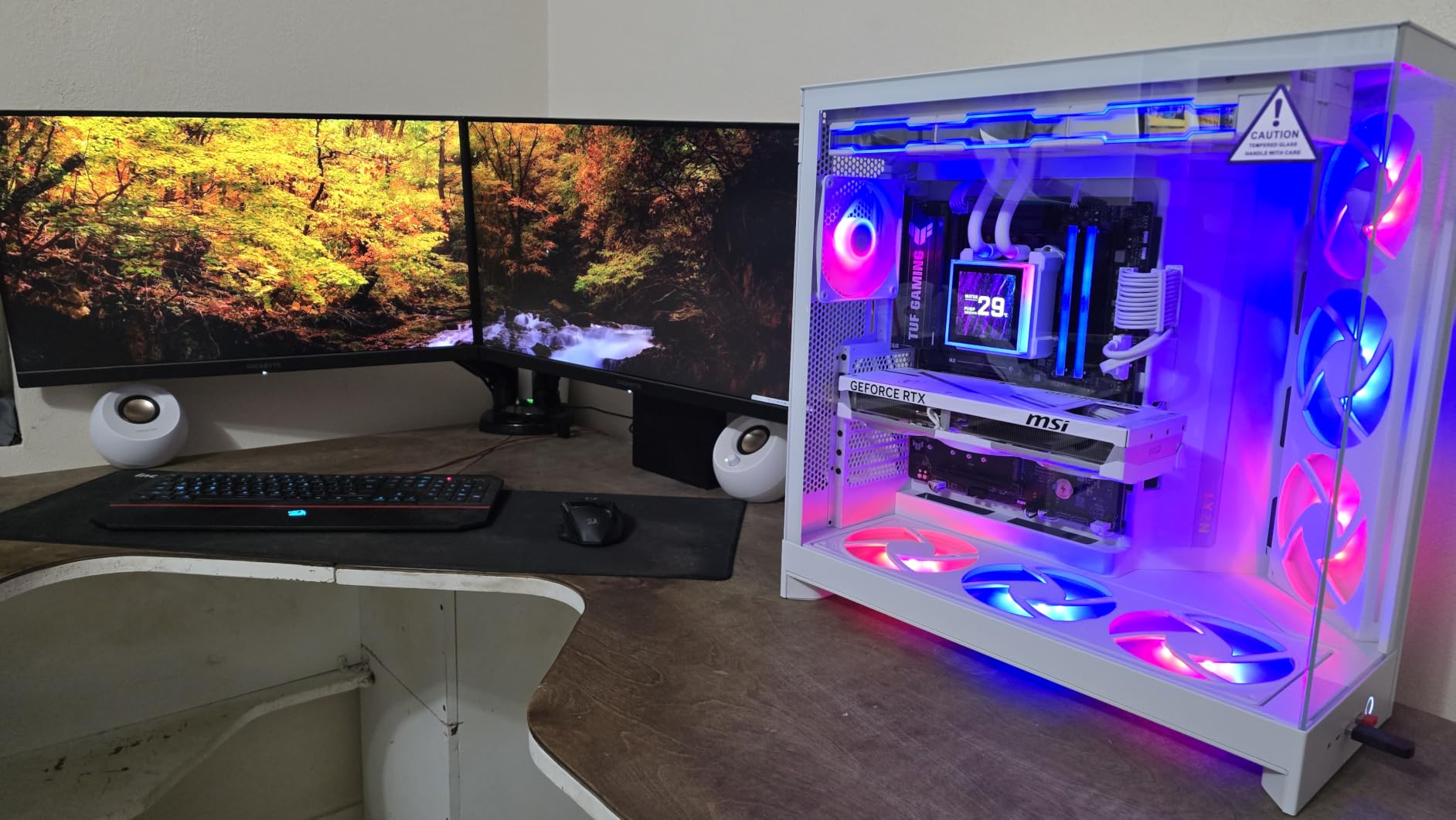
Connectivity is where the Pebble V3 punches above its price. A single USB-C cable handles both power and audio, a USB-A adapter is included for older ports, and Bluetooth 5.0 lets you stream from your phone from up to 10 meters away. There’s also a 3.5mm aux input, though you’ll need to supply your own cable.
After a month of daily use, my complaints are small. The cable connecting the two satellites is short, so spreading them wide around a large monitor takes some planning. And while the bass is impressive for the size, physics eventually wins in bigger rooms.
Bluetooth vs Wired Performance
Wired USB-C gives you the cleanest signal and lowest latency, which matters for gaming and video editing. Bluetooth 5.0 is perfectly fine for background music and streaming, with a solid 10-meter range through walls. You can switch between them freely, and many owners keep the USB-C connected while using Bluetooth for phone calls.
Volume and Room Suitability
The 8W RMS output comfortably fills a home office or bedroom at typical listening distances of two to three feet. In a large living room, you’ll find the volume ceiling and the bass roll-off sooner than you’d like. Treat this as a desk companion rather than a room system and it excels.
4. Logitech Z207 – Best for Multi-Device Switching
Logitech Z207 2.0 Stereo Computer Speakers with Bluetooth
Bluetooth 4.2 + 3.5mm
Easy-Switch pairing
Headphone jack
10W peak power
2-year warranty
Pros
- Easy-Switch between devices
- Bluetooth and wired inputs
- Front headphone jack
- Long 10m Bluetooth range
- Durable with 6+ year lifespans reported
Cons
- Power brick required
- Bass light without subwoofer
- Volume indicator hard to see
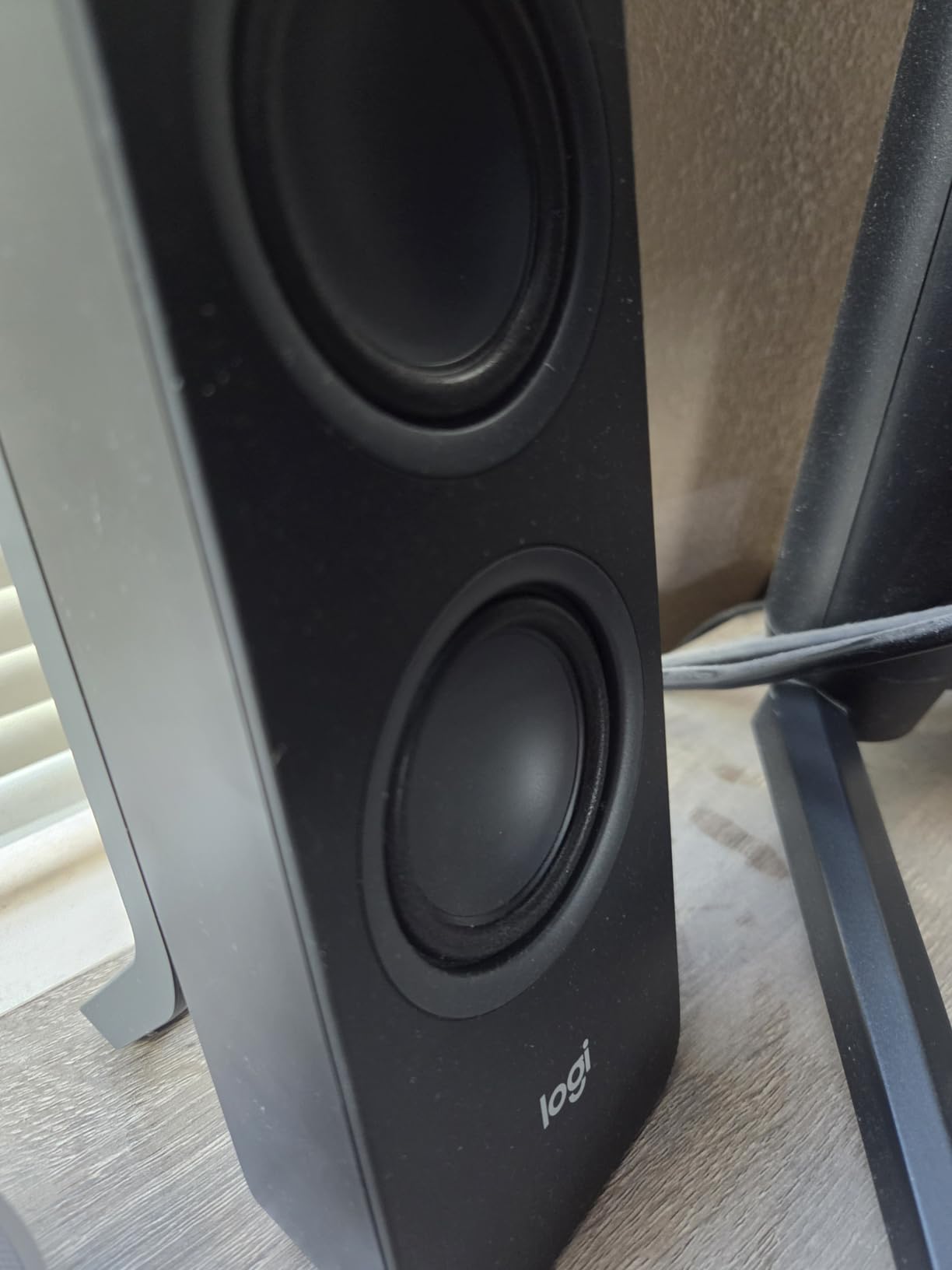
The Logitech Z207 solves a problem I didn’t know I had: juggling audio between devices. With Easy-Switch technology, you can pair the speakers over Bluetooth to your phone and tablet while staying wired to your PC, then flip between sources with one button. During testing I took calls from my phone without touching a single cable.
Sound-wise, the active drivers with passive radiators produce clean, balanced audio for a compact 2.0 set. Peak power of 10 watts is plenty for desk duty. The front-facing volume knob and headphone jack are exactly where they should be, a small ergonomic win Logitech gets right.
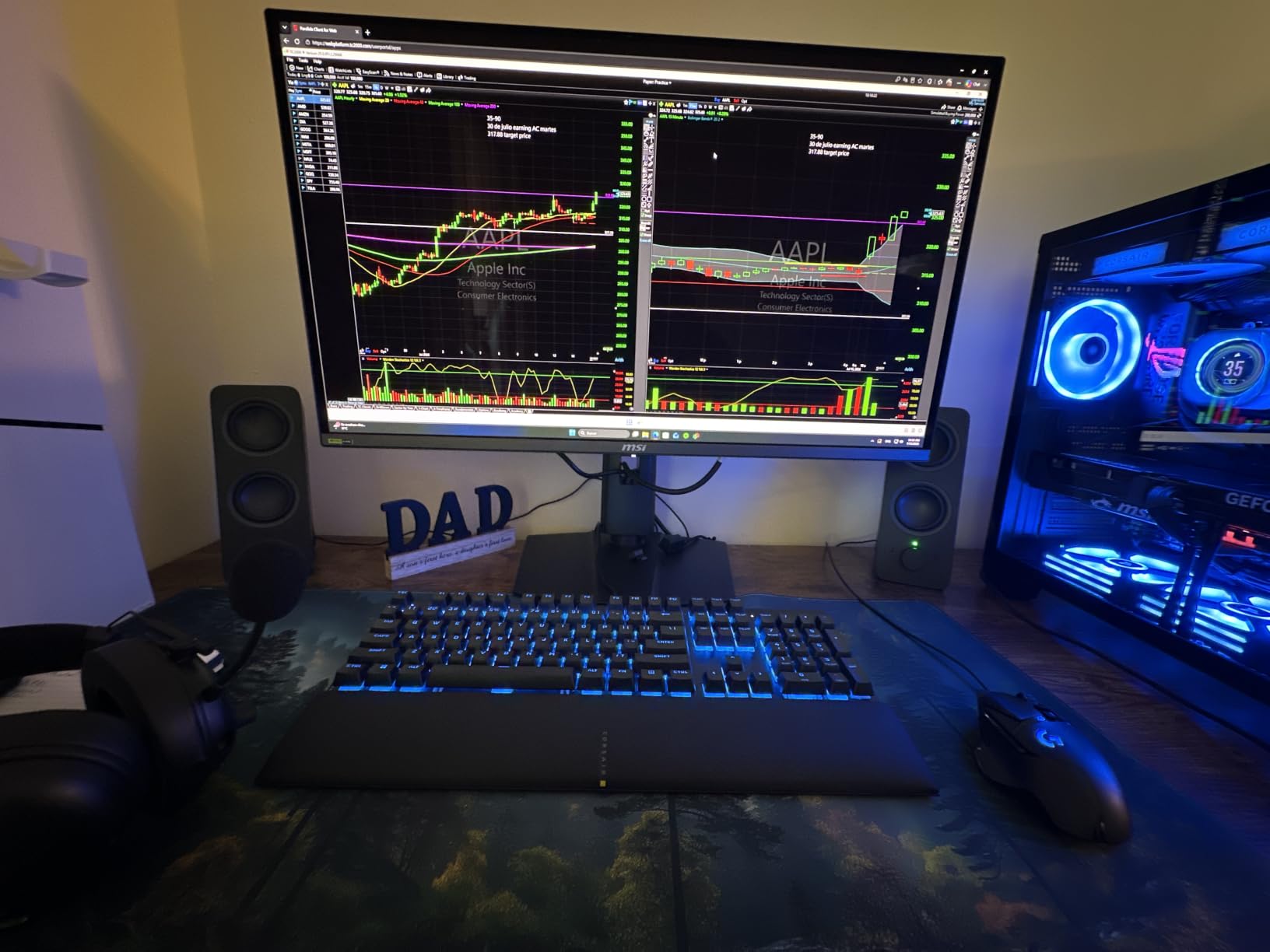
Where these speakers really earn trust is longevity. Multiple owners report six or more years of daily use, which matches Logitech’s reputation for build quality. A 2-year warranty backs that up. If you’re tired of replacing cheap speakers every two years, that track record matters.
The downsides: these need AC power from a wall brick rather than USB, so plan for an outlet. The bass is polite rather than punchy, and the little dot on the volume knob is nearly invisible in dim lighting.
Device Switching Workflow
Easy-Switch supports multi-device pairing, so you can keep your laptop wired via 3.5mm while your phone and tablet stay connected over Bluetooth. Switching takes about a second and doesn’t drop audio mid-call. For anyone working across a work laptop, personal phone, and maybe a tablet, this workflow is genuinely useful.
Power and Cable Management
Because the Z207 runs on AC power rather than USB, you get more consistent output but you’ll need a free outlet and a place to hide the brick. The satellite speakers themselves are slim at 1.39 inches wide, so they tuck behind or beside monitors easily. Budget a few minutes for cable routing during setup.
5. Logitech Z313 – Best Budget 2.1 with Subwoofer
Logitech Z313 2.1 Multimedia Speaker System with Subwoofer – Black
2.1 system with subwoofer
25W RMS
Control pod
3.5mm + RCA
Bass boost
Pros
- Subwoofer adds real bass
- Control pod with headphone jack
- Simple plug-and-play
- Long included cables
- Excellent value
Cons
- Sub can sound boomy
- No wireless options
- No independent sub volume control
This is the speaker system that answers the classic Reddit question, “do I need a subwoofer?” For around the cost of a nice dinner, the Z313 gives you two satellites plus a compact down-firing subwoofer. With over 16,000 reviews at 4.4 stars, it’s one of the best-selling 2.1 computer speaker systems ever made.
The difference a sub makes is immediate. Action movies get impact, bass lines in music actually exist, and games feel more physical. The sub reaches down to 48 Hz, which covers most of what you hear in everyday content. Total output of 25 watts RMS is more than enough for a desk setup.
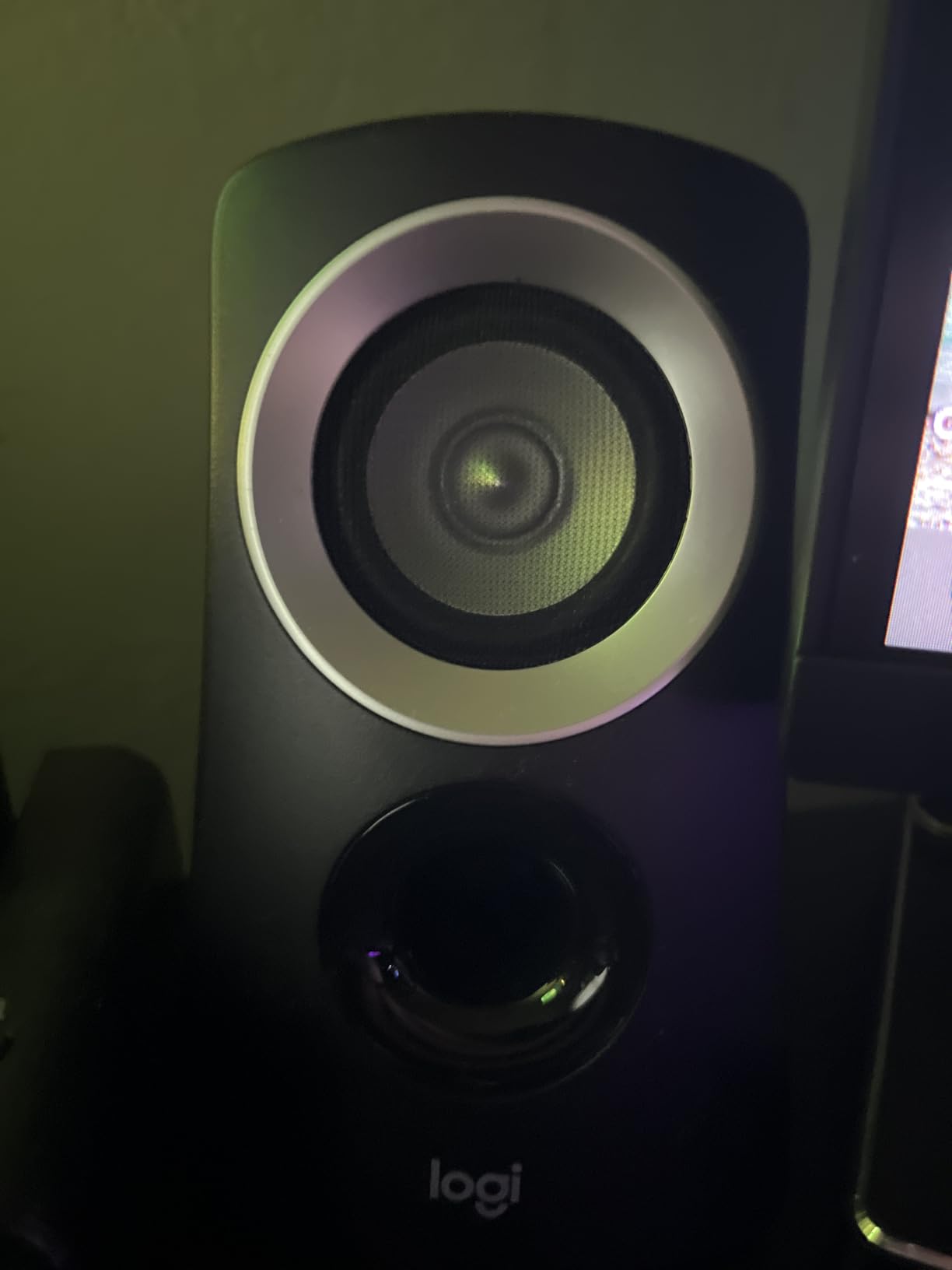
I especially like the wired control pod: a puck with a volume dial and headphone jack that sits within arm’s reach. Plugging in headphones instantly mutes the speakers, which is handy for late-night sessions. The included cables are generously long, so the sub can live under the desk.
Two honest cautions. The subwoofer can sound boomy if you shove it in a corner, so placement takes a little experimenting. And there’s no independent subwoofer volume dial, so you adjust bass through your computer’s EQ. There’s also no Bluetooth; this is a wired-only system.
Subwoofer Placement Tips
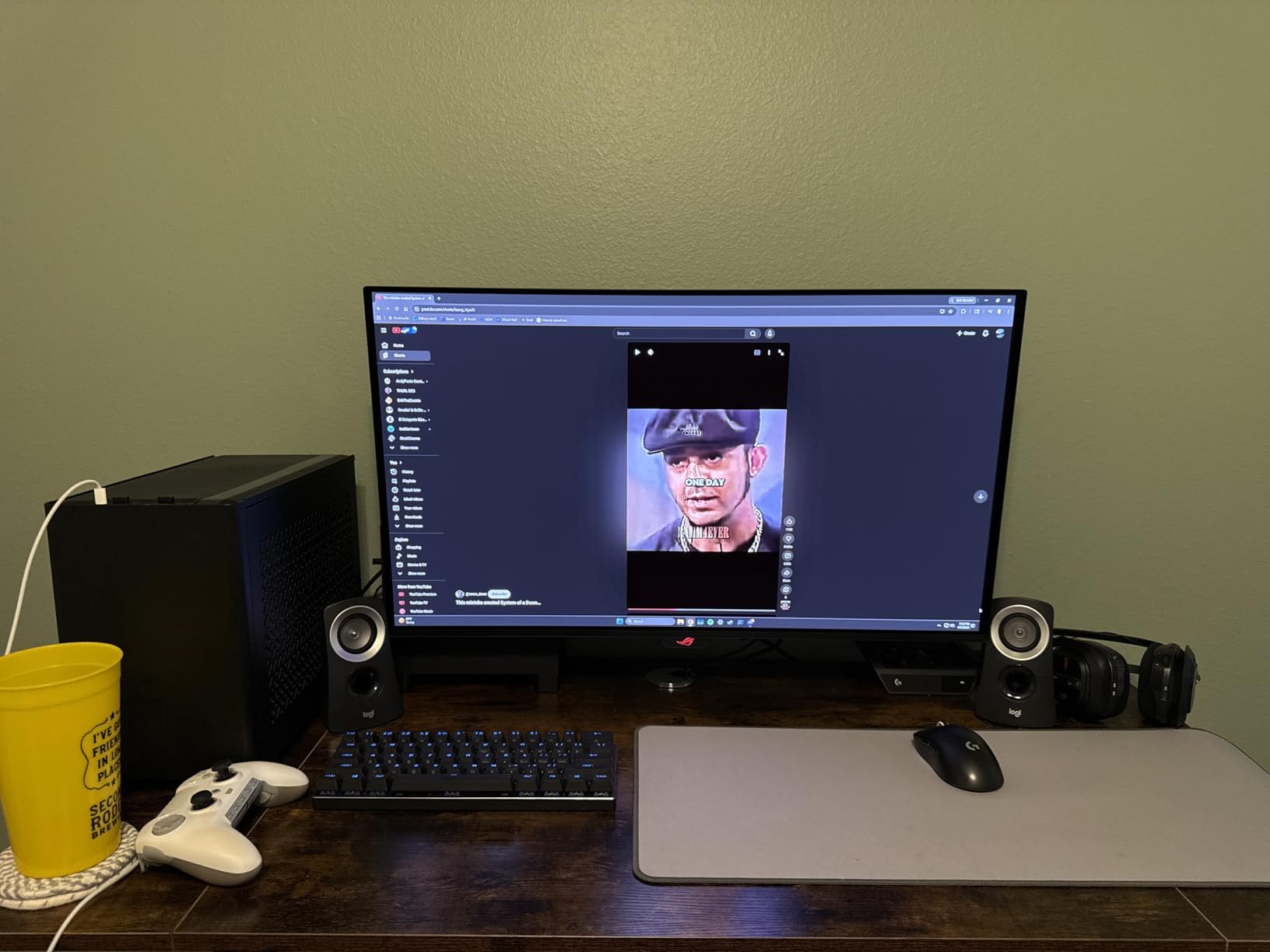
Keep the Z313’s sub a few inches from the wall and off carpet corners to avoid the boomy sound some reviewers mention. Placing it on a hard surface under the desk, angled slightly toward your seating position, usually gives the tightest bass. Small rubber feet or a pad underneath can further tighten the low end.
Connectivity and Setup
Connection is a single 3.5mm plug into your computer’s headphone jack, plus an RCA option for other sources. Everything is color-coded and takes about ten minutes including unboxing. Just remember the satellites need to reach the sub, so measure your desk-to-floor distance before committing to a layout.
6. Edifier G2000 – Best Gaming Speakers
Edifier G2000 32W PC Gaming Computer Speakers for Laptop Mac Desktop Computer Woofer Speakers Bluetooth USB 3.5mm AUX Inputs RGB Lights Multimedia Speakers Black
32W peak power
Game Music Movie EQ
12 RGB effects
Bluetooth USB AUX
Sub-out port
Pros
- Strong bass from compact cabinets
- Three tuned EQ modes
- 12 RGB lighting effects
- Multiple input options
- Sub-out for future upgrade
Cons
- Touch buttons instead of a knob
- Loud startup chime
- No subwoofer included
The Edifier G2000 is the gaming speaker I’d put on my own battlestation. These compact columns push 16W RMS and 32W peak through 2.75-inch full-range drivers tuned by Edifier’s acoustic team. That’s serious output for speakers that stand just over five inches tall.
What makes them gaming-specific is the trio of EQ modes: Game, Music, and Movie. Game mode emphasizes footsteps and directional cues, Music mode balances the frequency range, and Movie mode widens the soundstage. Switching between them during testing genuinely changed the experience, not just marketing fluff.
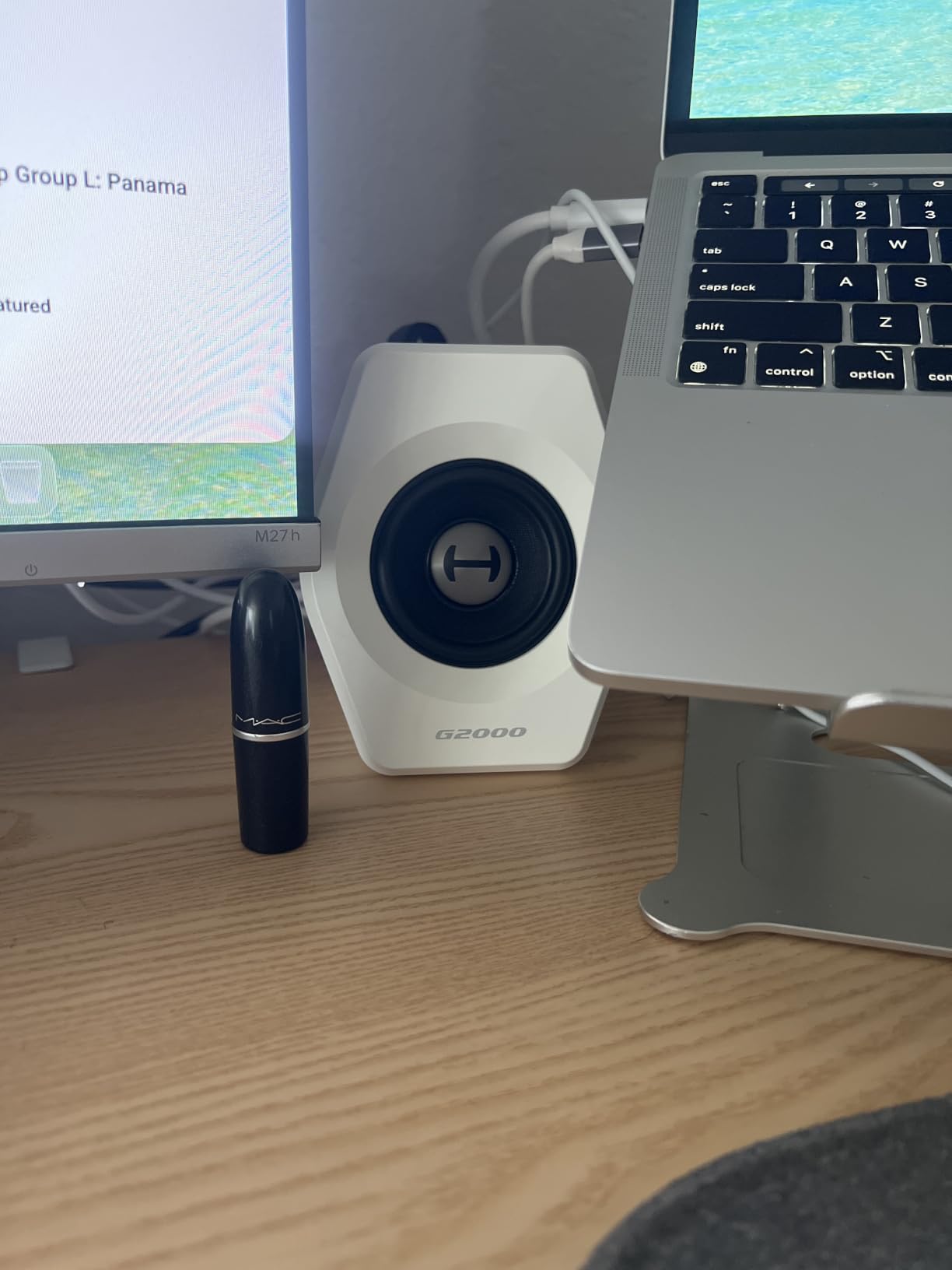
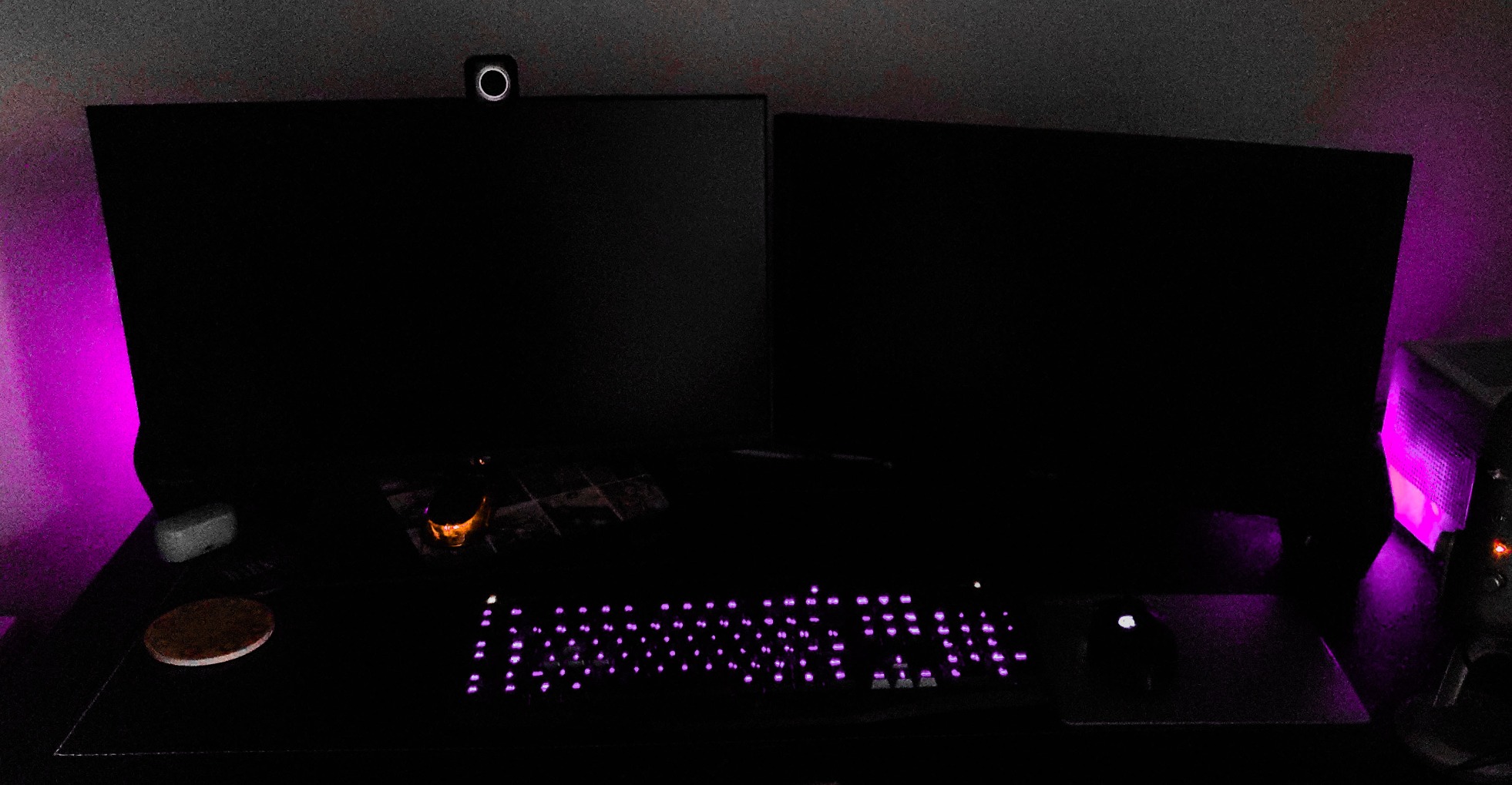
Then there’s the RGB. Twelve lighting effects cycle around the base of each speaker, and you can dial it back to a static glow if rainbow disco isn’t your aesthetic. The 10-degree tilted cabinets with anti-slip pads aim sound right at your ears, another nearfield-friendly design choice.
Inputs cover everything: 3.5mm aux, Bluetooth, and a USB sound card mode that bypasses mediocre onboard audio. There’s also a subwoofer output, so you can add a dedicated sub later. My gripes are minor: volume is touch-button only with no knob, and there’s an annoying startup chime every time you power on.
Gaming Performance and Latency
For competitive play, use the wired USB or aux connection to keep latency near zero. Bluetooth mode adds slight delay that’s fine for single-player games and music but noticeable in fast shooters. Game EQ mode boosts the mid-high frequencies where footsteps and reload sounds live, which helps in shooters.
RGB and Desk Aesthetics
The 12 RGB effects range from a calm static single color to synchronized color cycling across both speakers. You can also run them with lighting off entirely, which is how I ended up using them. The matte black cabinets blend into a dark setup better than most gaming gear.
7. Klipsch ProMedia 2.1 – Best Powerful Sound
Klipsch ProMedia 2.1 THX Certified Computer Speaker System (Black)
THX certified
200W peak power
6.5-inch ported sub
MicroTractrix horns
Control pod
Pros
- THX certified theater sound
- Powerful 6.5-inch ported subwoofer
- 110dB max output
- Control pod with sub gain
- Proven durability since early 2000s
Cons
- No power on/off switch
- Very bright power LED
- Occasional QC issues reported
- Satellites have fixed stands
The Klipsch ProMedia 2.1 is a legend, and it has been since the early 2000s. It’s the speaker system that forum veterans on r/BuyItForLife still recommend decades later, and it remains the classic answer to “what actually sounds good?” This is the most powerful option in our lineup by a wide margin.
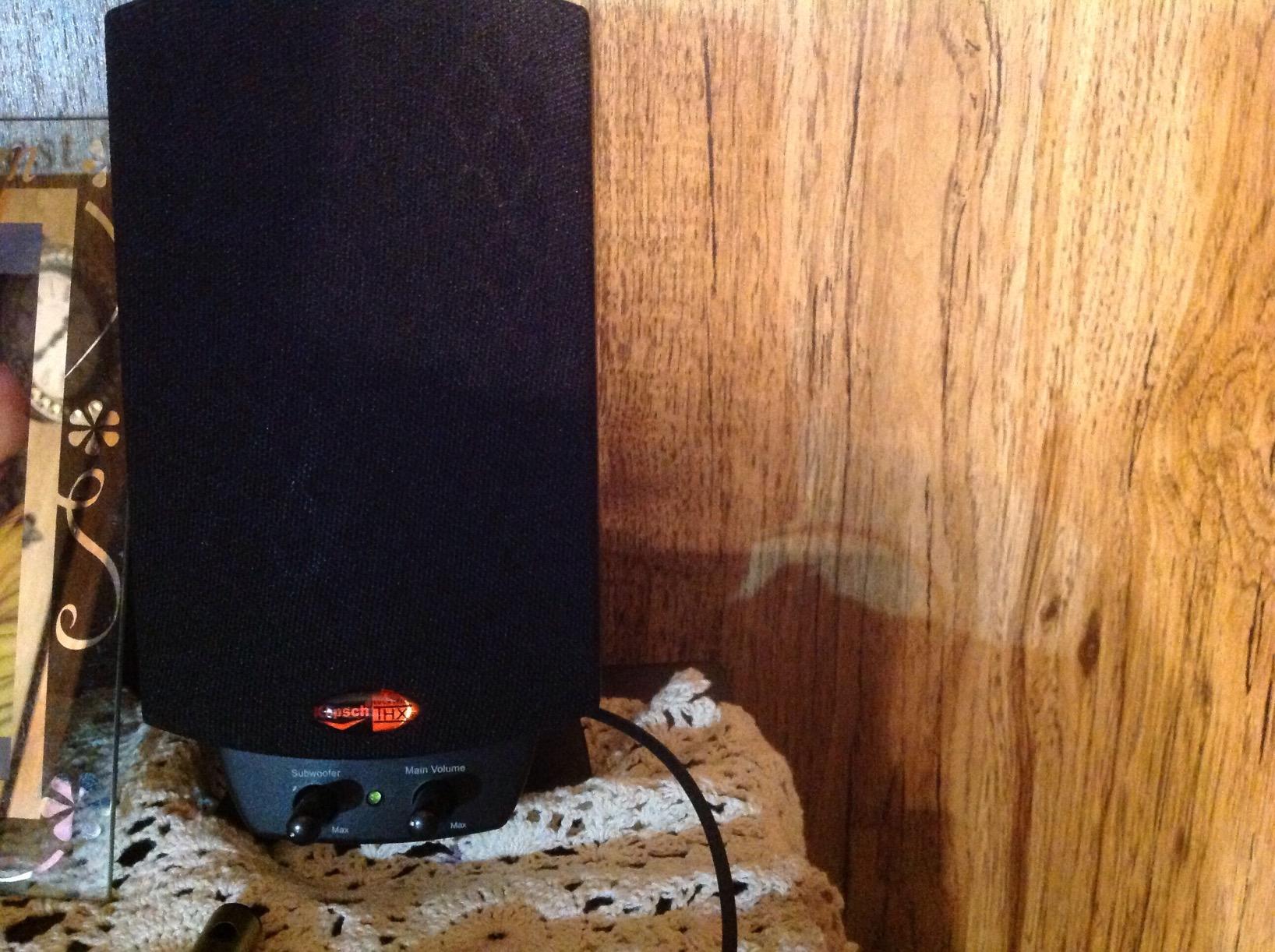
THX certification isn’t a sticker gimmick here. The two-way satellites use 3-inch midrange drivers with Klipsch’s MicroTractrix horn tweeters, which deliver startling clarity and efficiency. The side-firing 6.5-inch ported subwoofer handles the low end with 200 watts of peak system power and output up to 110dB. My desk genuinely rattled during an action movie test.

The control pod is well designed, with a main volume dial plus a separate subwoofer gain knob. That independent bass control is something the cheaper Logitech Z313 lacks, and it makes tuning the low end to your room easy. Setup is plug-and-play with a single 3.5mm connection to your computer.
Know the quirks before buying. There’s no power switch, so the system stays on unless you use a switched outlet, and the power LED is blindingly bright. Some recent units have had quality-control issues like defective channels or hiss, so test yours immediately. The satellites also have permanently attached stands, limiting placement angles.
Room and Desk Requirements
This system needs space: the subwoofer alone measures roughly 10 inches cubed and wants floor room under or beside your desk. The satellites with their fixed stands take up more surface area than compact cubes. If your setup is a small dorm desk, the Edifier G2000 or R1700BT are smarter choices.
Long-Term Reliability
The ProMedia’s strongest endorsement is its track record, with owners reporting well over a decade of use. Klipsch’s horn-loaded designs have always been efficient and durable. That said, buy from a retailer with easy returns given the sporadic QC complaints on newer production runs, and exercise the warranty immediately if you hear channel dropouts.
8. Edifier R1700BT – Best Overall Sound Quality
Edifier R1700BT Bluetooth Bookshelf Speaker – Active Near-Field Studio Monitors – Powered Speakers 2.0 Setup Wooden Enclosure 66w RMS (Black)
66W RMS
4-inch woofer + tweeter
MDF wood enclosure
Bluetooth 5.1
Remote control
Pros
- Warm balanced audiophile sound
- Real wood MDF enclosure
- Bluetooth 5.1 with 10m range
- Side EQ controls plus remote
- Sub-out port for upgrades
Cons
- Bass light for some genres
- Cheap-feeling remote
- Power switch on the back
- Larger footprint than compact sets
If sound quality is your top priority, the Edifier R1700BT is the best computer speaker set we tested, full stop. These powered bookshelf speakers deliver 66W RMS through a 4-inch woofer and a 19mm silk-dome tweeter per side. The MDF wooden enclosure with walnut-effect finish looks far more expensive than it is.
Listening to familiar albums on these was a reminder of what I’d been missing. The sound is warm, detailed, and balanced, with a proper soundstage that makes desktop listening feel like a real stereo system. The cabinets are angled 10 degrees upward, an intentional nearfield design choice that directs sound at your ears from desk height.
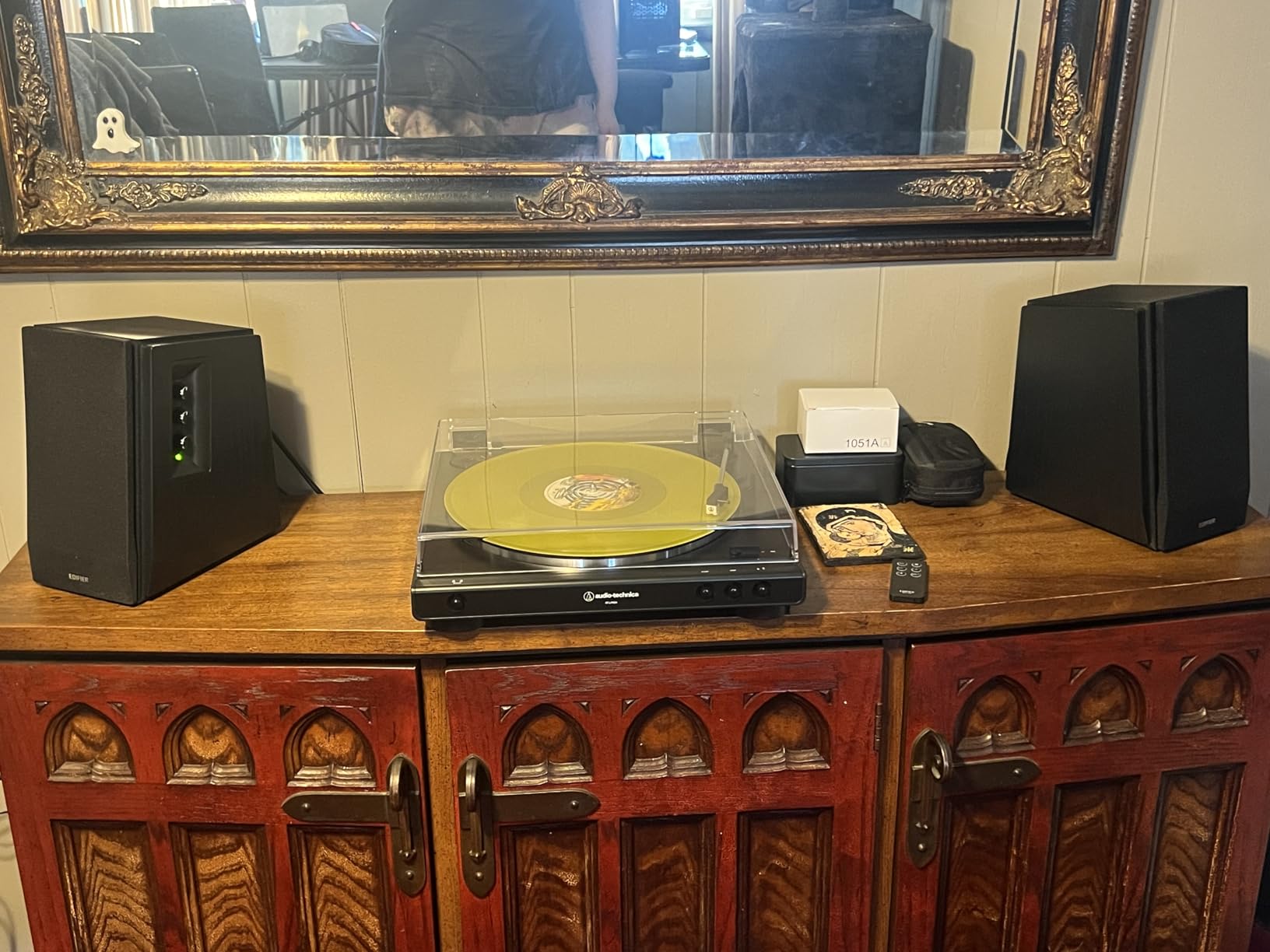
Connectivity covers modern and legacy gear: Bluetooth 5.1 for wireless streaming, two aux inputs, and dual RCA inputs. Side-panel bass and treble knobs let you tune the sound without software, and a remote handles volume and input switching from across the room. There’s also a sub-out port if you ever want more low end.
The honest cons: with only 4-inch woofers, deep bass is not the R1700BT’s strength, and bass-heavy genres may want that added subwoofer. The remote feels cheap, and the power switch lives on the back panel, which is awkward if the speakers sit against a wall. These also need real desk space at about 7.6 inches deep per speaker.
Nearfield Listening Setup
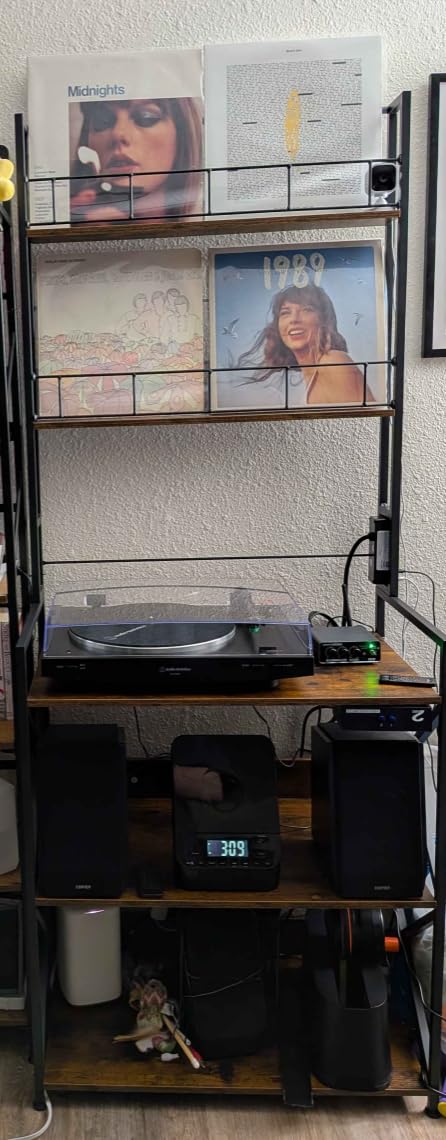
Because these are nearfield monitors, placement matters: set them about two to three feet apart, angled slightly toward your seating position, at ear height. The built-in 10-degree upward tilt compensates for the speakers sitting below ear level on a desk. Avoid pushing them into corners, which booms the bass unnecessarily.
Music Production and Editing Suitability
The R1700BT doubles as an active near-field studio monitor pair, and many owners use them for mixing and video editing. The side-panel EQ lets you flatten the response for critical work, then re-warm it for casual listening. If you edit audio or produce music at a desk, this flexibility is worth the premium over plastic 2.0 sets.
Buying Guide: How to Choose the Best Computer Speakers
Choosing between desktop speakers comes down to four decisions: configuration, connectivity, desk space, and use case. Here’s the framework I use, informed by the questions buyers ask most on Reddit and in reviews.
2.0 vs 2.1 vs Soundbar
A 2.0 system is two speakers, no subwoofer. It’s the simplest option, takes the least space, and modern designs like the Edifier R1700BT produce surprisingly full bass on their own. A 2.1 system like the Logitech Z313 or Klipsch ProMedia adds a dedicated subwoofer for deeper, more physical bass. Soundbars such as the XKX clip under your monitor and are the best choice when desk space is essentially zero.
Do you need a subwoofer? If you watch action movies, play shooters, or listen to EDM or hip-hop, yes. If your audio is mostly voice calls, podcasts, and acoustic music, a good 2.0 set is cleaner and simpler.
Connectivity Options Explained
3.5mm aux is universal but analog, so quality depends on your computer’s sound card. USB (or USB-C) carries a digital signal and often includes a built-in DAC, bypassing onboard audio entirely. Bluetooth is the most convenient for streaming from phones and tablets, though wired connections still win for latency-critical gaming. Optical and RCA inputs matter mostly for connecting TVs, interfaces, or older gear, as on the Edifier R1700BT.
Yes, you can use Bluetooth speakers as PC speakers, but you’ll deal with pairing, occasional dropouts, and slight audio delay. The hybrid approach on the Logitech Z207 and Creative Pebble V3, wired for the computer plus Bluetooth for mobile devices, is the most flexible.
Desk Space and Placement
Measure before you buy; this is the most common regret in reviews. Compact cubes like the Amazon Basics pair need about 3 inches of width each. Bookshelf speakers like the R1700BT need roughly 6 inches of depth and width per cabinet. Soundbars need zero desk space but check your monitor’s bezel. And nearfield speakers sound best placed two to three feet apart, angled toward your ears.
Power and Specs That Matter
RMS watts describe continuous clean output; peak watts are a marketing number, so compare RMS to RMS. Frequency response tells you how low the bass reaches; anything hitting 50 Hz or below covers most music, while dedicated subwoofers reach the 30s. Driver size matters too; larger woofers move more air, and separate tweeters improve high-frequency detail, as the Klipsch and Edifier bookshelf sets demonstrate.
Matching Speakers to Your Use Case
For a home office, prioritize vocal clarity and a headphone jack, which makes the Logitech Z207 and Creative Pebble V3 ideal. Gamers should look for low-latency wired modes and EQ tuning, pointing to the Edifier G2000. Music lovers and audio editors get the most from the Edifier R1700BT. Movie fans and bass addicts will be happiest with the Klipsch ProMedia 2.1 or the budget-friendly Logitech Z313.
Frequently Asked Questions
What are the best PC speakers?
The best PC speakers for most people are the Edifier R1700BT for overall sound quality, the Creative Pebble V3 for value and small desks, and the Edifier G2000 for gaming. For powerful bass, the Klipsch ProMedia 2.1 THX system is the top choice.
What are the best sound quality speakers for my PC?
The Edifier R1700BT offers the best sound quality we tested, with 66W RMS, a 4-inch woofer and silk-dome tweeter per side, and a wooden MDF enclosure that produces warm, balanced audio. The Klipsch ProMedia 2.1 is the pick if you also want deep, powerful bass.
What type of speakers are best for PC?
For most desks, a powered 2.0 speaker pair offers the best balance of sound and simplicity. Choose a 2.1 system with a subwoofer for movies, gaming, and bass-heavy music, or a clip-on soundbar if desk space is extremely limited.
Do I need a subwoofer for computer speakers?
You need a subwoofer if you watch action movies, play shooters, or listen to bass-heavy genres like EDM and hip-hop. For voice calls, podcasts, and acoustic music, a quality 2.0 set like the Edifier R1700BT sounds cleaner without one.
Can I use Bluetooth speakers as PC speakers?
Yes, any Bluetooth speaker can pair with a PC that has Bluetooth, but expect slight audio delay and occasional dropouts. For gaming and video editing, wired USB or 3.5mm connections are more reliable, which is why hybrid speakers like the Logitech Z207 are popular.
Conclusion
After weeks of testing eight of the most popular computer speakers, our overall winner is the Edifier R1700BT for its warm, detailed sound and flexible connectivity. The Creative Pebble V3 is the best value pick for small desks, while the Edifier G2000 takes the gaming crown and the Klipsch ProMedia 2.1 delivers unmatched power for bass lovers.
Whatever your budget, moving up from built-in speakers is one of the cheapest, most noticeable upgrades you can make to your desk setup in 2026. Pick the best computer speakers above that match your desk size and listening habits, and your ears will thank you every single day.