
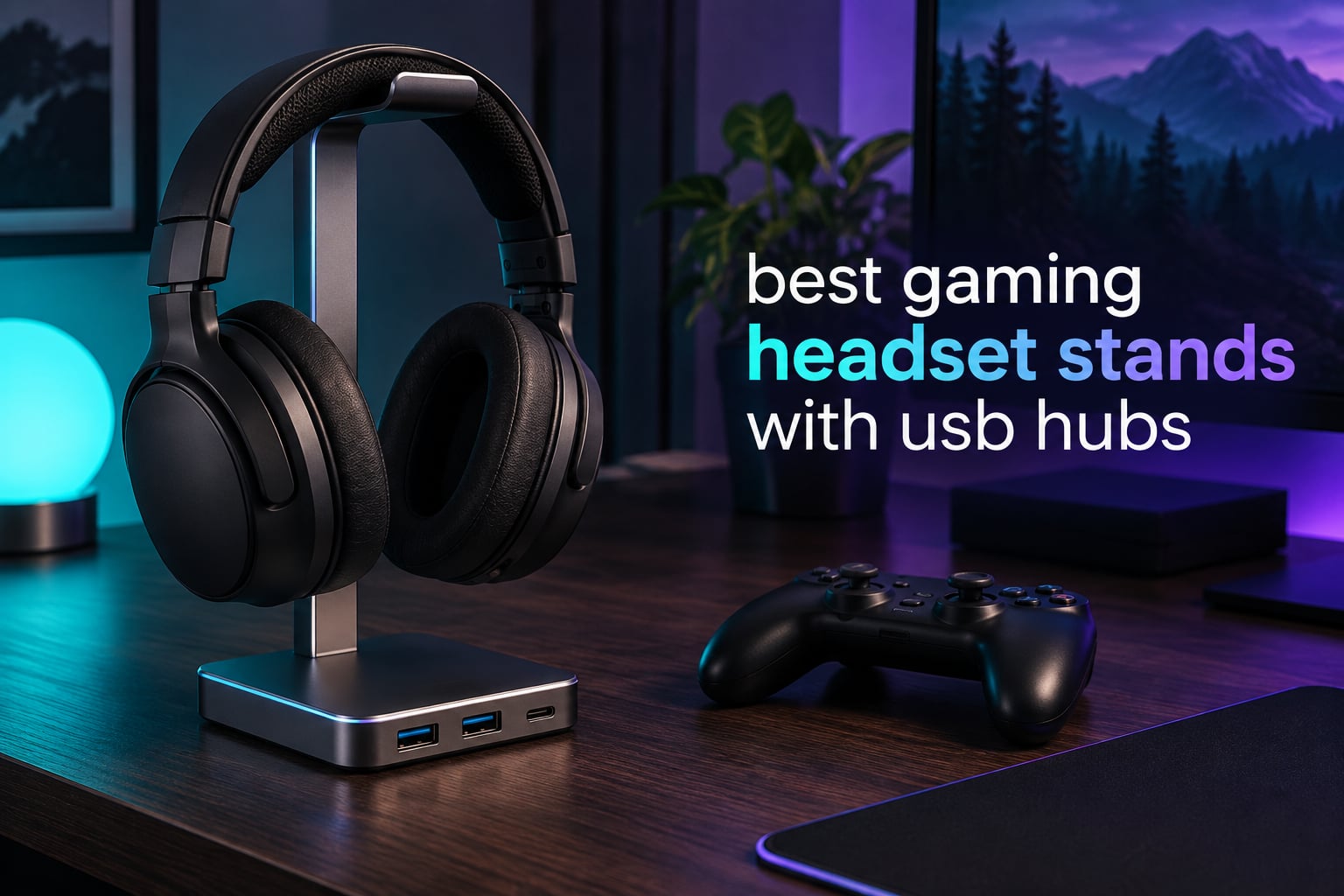
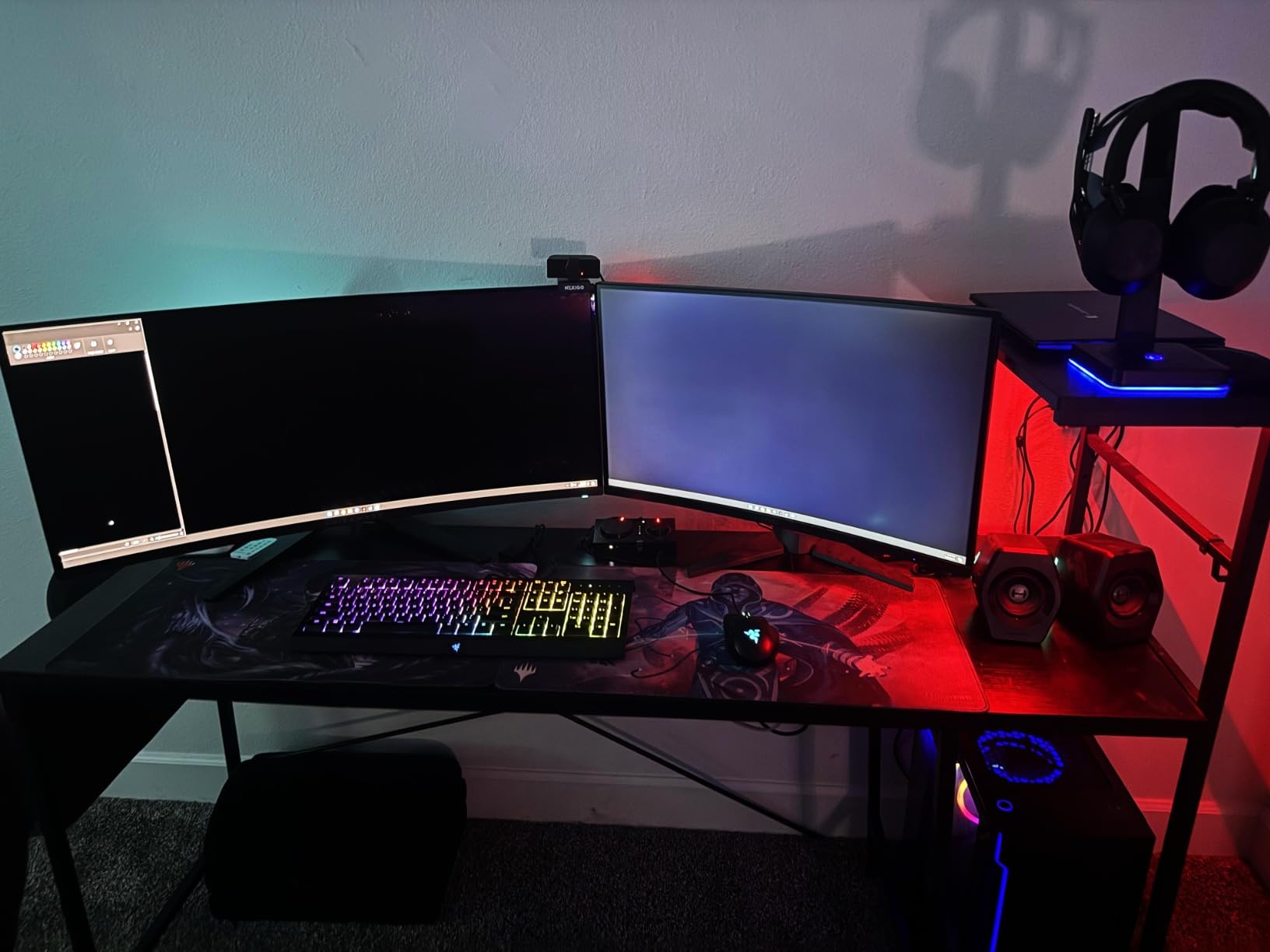
A gaming headset stand with a USB hub is a desk stand that holds your headset on a weighted post while doubling as a USB hub, usually with two to four USB-A or USB-C ports built into the base. You need one if you own a wired headset, your PC or laptop only gives you two or three spare ports, and you would rather not route a dongle across the desk.
That is the whole pitch, and it is worth being blunt about the limits. The hub in a stand like this adds a cable to route rather than removing clutter, and if your headset is wireless with its own dock then the data ports sit idle. Reviewers on r/pcmasterrace keep asking the same two questions: what the 3.5mm jack is actually for, and whether a basic four-port USB-A hub is worth folding into a stand at all.
So this roundup covers all ten stands in the category and sorts them by what they actually do. We compared port counts and USB versions, AC outlets, audio jacks, controller slots, wireless charging, base weight and mounting style, and we flagged clearly which ones are data hubs, which are charging stations, and which are both. If you want the wider picture on ports first, our USB-C hub guide covers the wider port landscape, and our USB headset picks for conference calls covers the headsets these stands are built around.
Updated for 2026. Every rating and review count below is copied from the listing at the time of writing, and no prices appear here because they move daily.
Table of Contents
Top 3 Picks: Best Gaming Headset Stands with USB Hubs (September 2026)
The three stands below cover the three genuinely different ways to solve this problem. The cozoo model is the one we would put on a desk first because it is the only stand here that hands you AC mains outlets as well as USB, and it carries the largest validated review base in the category at 4.7 stars across more than 4800 ratings.

cozoo Stand with 2 AC Outlets
- 3 USB ports including 1 USB-C
- 2 AC outlets rated 1250W
- QC3.0 and PD fast charging

Tilted Nation RGB USB Hub Stand
- 2-port USB 2.0 data hub
- Integrated mouse bungee
- Dynamic and static RGB lighting

New Bee RGB Aluminum Stand
- 1 USB-C and 1 USB-A port
- 7 RGB lighting modes
- Aluminum body with TPU padded rest
All 10 Best Gaming Headset Stands with USB Hubs at a Glance (September 2026)
One row per stand, features drawn from the listing specifications. Scan the port column first: if your peripherals are a keyboard, mouse, controller and headset, any hub here is fast enough. If you plan to move files to an external drive or run a high-bandwidth webcam, read the USB version section of the buying guide first.
| Product | Specifications | Action |
|---|---|---|
| cozoo Stand with 3 USB Ports and 2 AC Outlets |
|
Check Latest Price |
| Tilted Nation RGB Stand with USB Hub |
|
Check Latest Price |
| New Bee RGB Aluminum Stand with USB-C |
|
Check Latest Price |
 KAFRI RGB Stand with 3 USB Ports and 2 Outlets KAFRI RGB Stand with 3 USB Ports and 2 Outlets |
|
Check Latest Price |
 New Bee RGB Stand with Wireless Charging New Bee RGB Stand with Wireless Charging |
|
Check Latest Price |
 IFYOO RGB Metal Stand with 2 USB Ports IFYOO RGB Metal Stand with 2 USB Ports |
|
Check Latest Price |
 EKSA RGB Stand with 3.5mm Jacks and 7.1 Sound EKSA RGB Stand with 3.5mm Jacks and 7.1 Sound |
|
Check Latest Price |
 KDD Stand with Controller Holder KDD Stand with Controller Holder |
|
Check Latest Price |
 KDD Stand with Wireless Charging and Controller Slots KDD Stand with Wireless Charging and Controller Slots |
|
Check Latest Price |
 cozoo Touch RGB Stand with 2 USB 2.0 Ports cozoo Touch RGB Stand with 2 USB 2.0 Ports |
|
Check Latest Price |
1. cozoo Stand with 3 USB Ports and 2 AC Outlets: Best All-Round Pick
cozoo Headphone Stand with Charger for Desk, Gifts for Gamers Men, Black
3 USB ports incl 1 USB-C
2 AC outlets, 1250W total
QC3.0 and PD up to 2.4A
400 g, 4.17 x 3.94 x 10.4 in
Pros
- Weighted base holds a full-size headset steady
- 3 USB charging ports plus 2 AC outlets in one unit
- Cord hook just below the headset rest
- Multi-protection circuitry in a fire-resistant shell
Cons
- Built-in lighting cannot be fully switched off
- Plugs into a wall outlet so it claims a socket
- USB-A ports favour charging over high-speed data
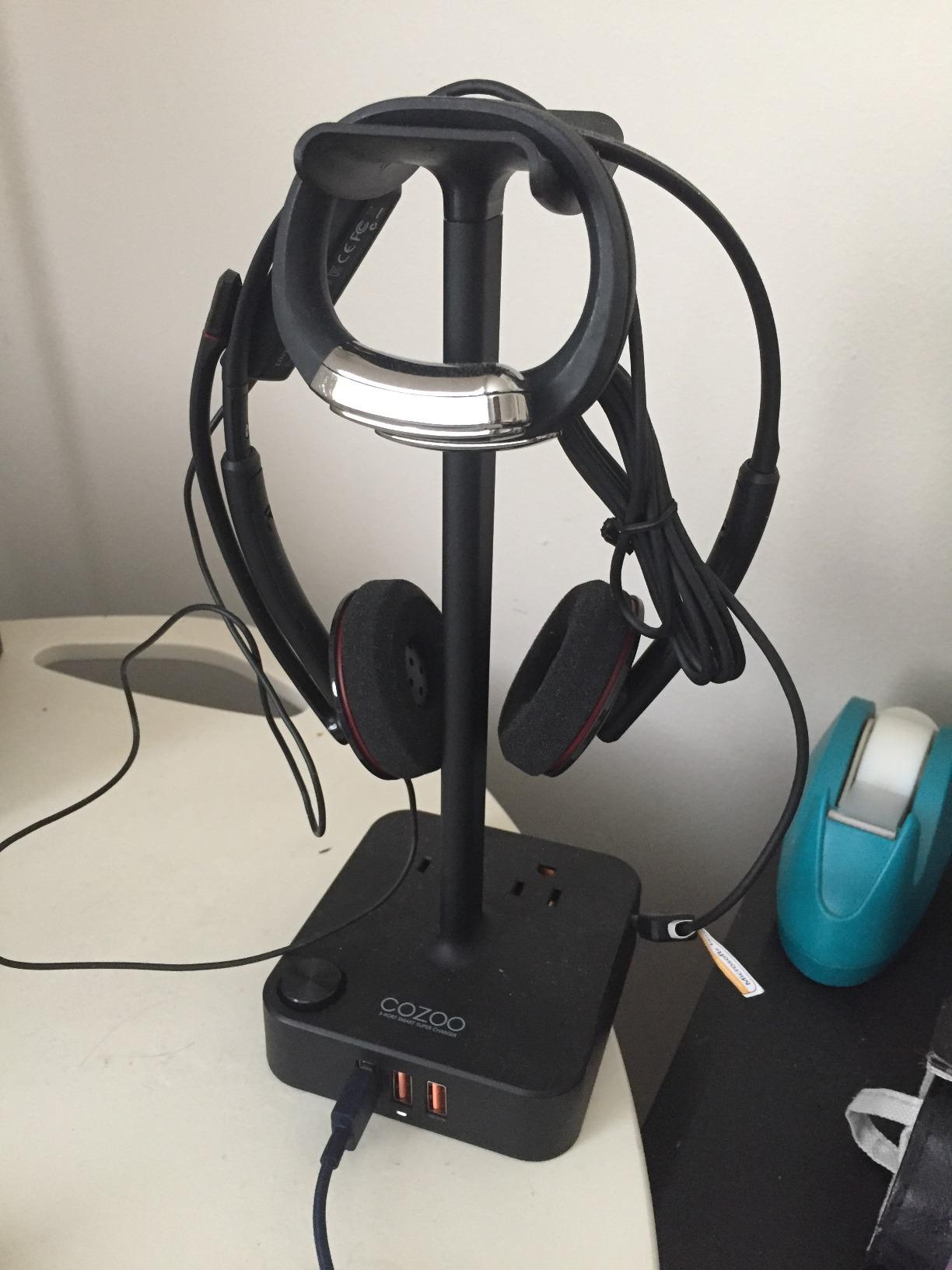
This is the stand we would put on a desk first. It weighs 400 g across a 4.17 x 3.94 inch base, and that weight is the reason it does not creep across a desk when you yank a cable out of it. The headset rest is high enough at 10.4 inches that a full-size over-ear hangs clear of the base rather than resting on it.
The power side is where it pulls away from every other stand here. You get one USB-C port rated at 20W, two USB-A ports at 18W, and two AC outlets rated at 1250W combined, with QC3.0 and PD fast charging up to 2.4A. That means a lamp, a controller charger and a phone can all live in one footprint instead of fighting for the strip behind your monitor.
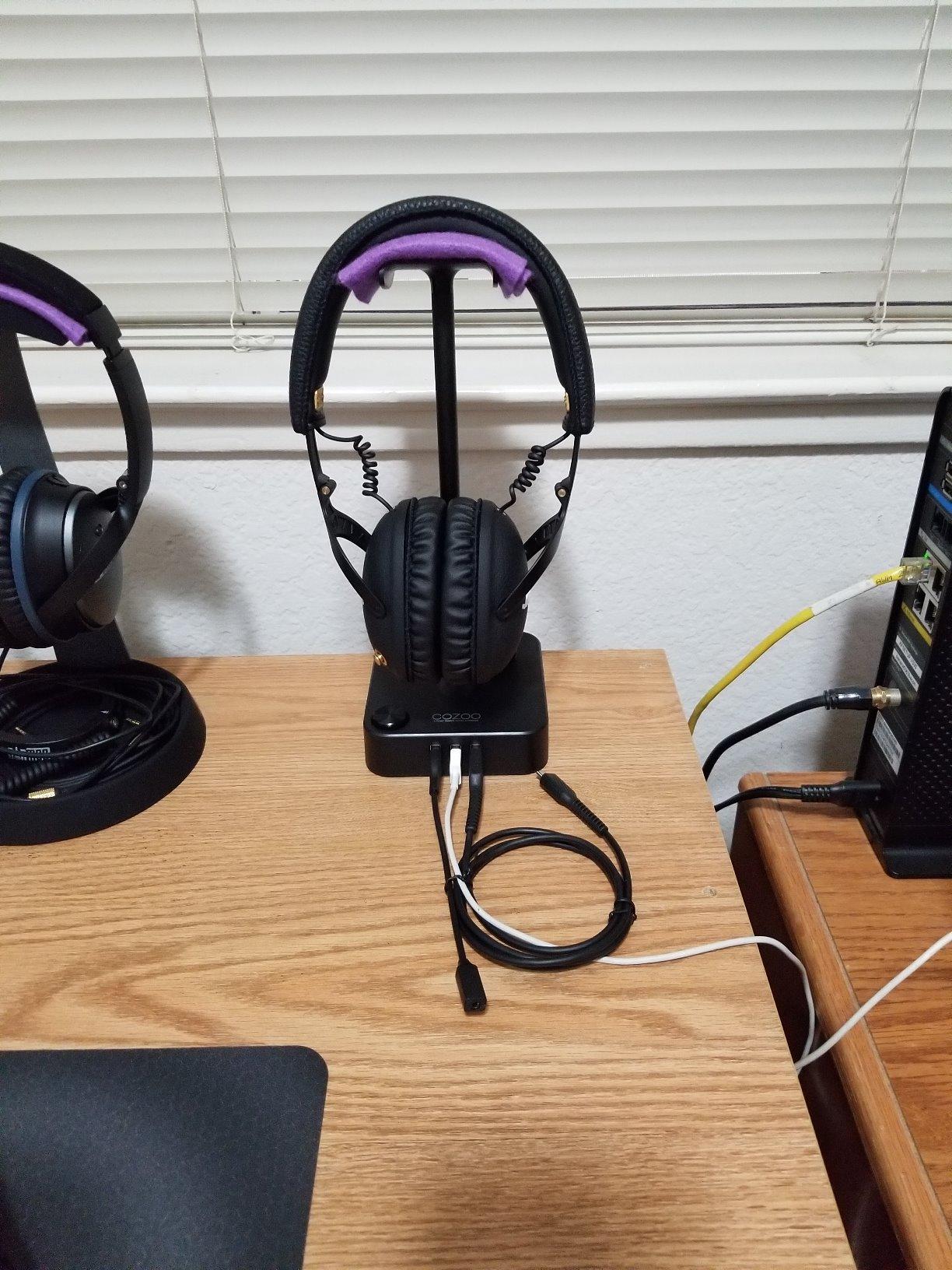
Reviewers repeatedly point out the cord hook below the rest, which is exactly where your headset cable wants to sit when the headset is parked. The shell is fire-resistant hardened plastic and the internal multi-protection system covers overload, short-circuit and over-current, which matters given you are running mains sockets through desk furniture.
Two things temper the recommendation. The lighting cannot be fully turned off, which owners in shared rooms and bedrooms call out repeatedly, and the unit occupies a wall socket, so you need a free one within reach of where your monitor sits. The USB-A ports are also charge-focused rather than high-speed data ports, which is fine for a headset and a controller but not for file transfers.
Who this stand is right for
Pick this one if you are short on wall sockets as well as USB ports, or if you want one object on your desk that does the job of a stand and a power strip. It is also the safest recommendation in this roundup on evidence, since 4.7 stars across 4844 ratings is by a distance the most validated product in the category, and that matters when every competitor listing has thin review counts.
Who should skip it
Skip it if your only free wall socket is behind a monitor arm, if you are running a wireless headset with its own dock, or if the always-on lighting is a deal-breaker for a shared room. A plain clamp-on hanger handles the parking job in a fraction of the desk space.
2. Tilted Nation RGB Stand with USB Hub: Best for Wired Desks
Tilted Nation Gaming Headset Stand | RGB Headphone Stand for Desk with Mouse Bungee and USB Hub (Cool and Clean Setup) Gaming Headset Holder – Perfect Gamer Gift Accessory
2-port USB 2.0 hub
Integrated mouse bungee
Dynamic and static RGB
Plug and play, no drivers
Pros
- Two-port USB hub genuinely useful for peripherals
- Integrated mouse bungee keeps a wired mouse cable off the desk
- Weighted base and non-slip grips stop it moving in play
- RGB lighting ties the desk together
- 1 year warranty
Cons
- USB 2.0 speeds only
- No charging or AC outlets at all
- Stand only
- headset not included
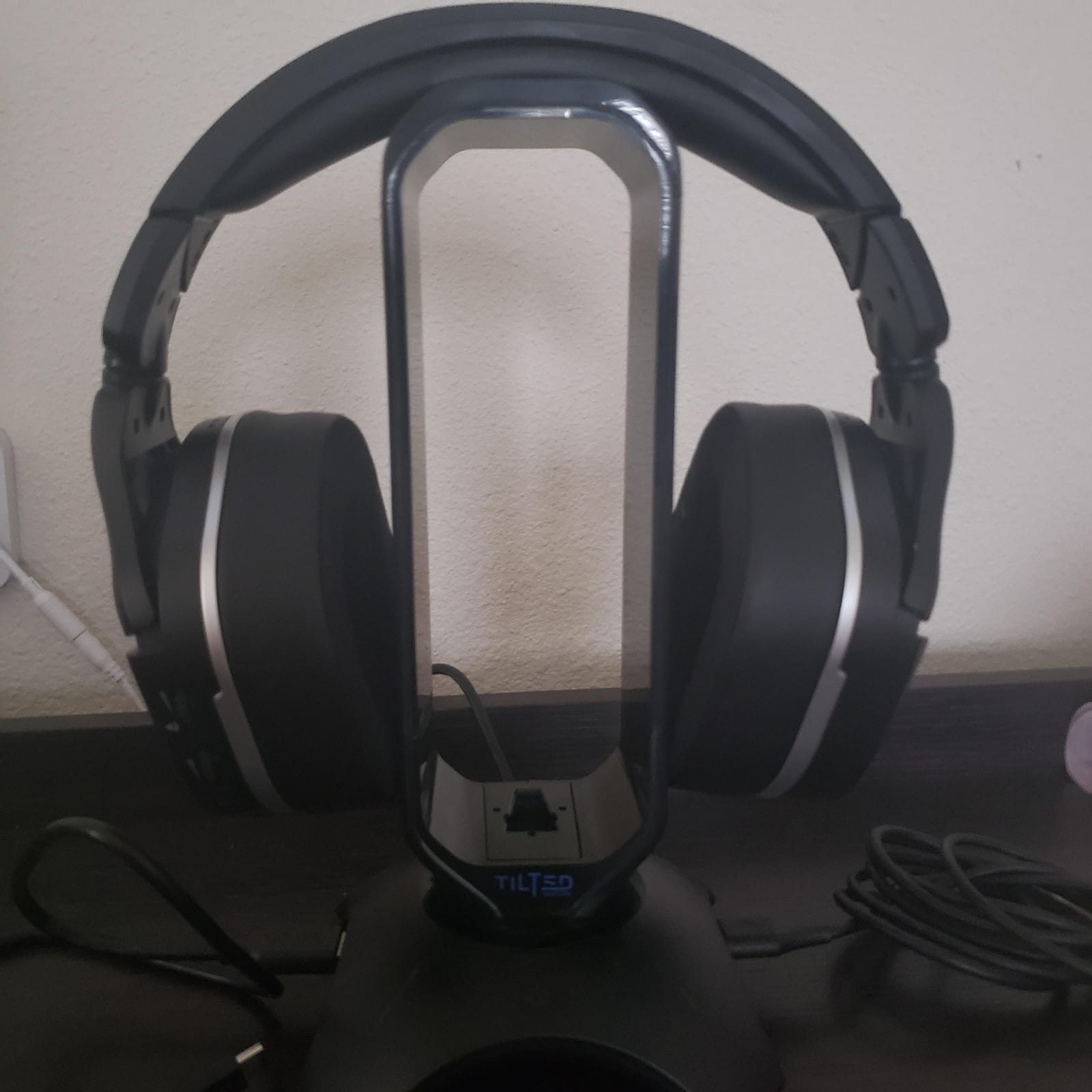
This is the stand for a desk where everything is wired. The hub is a real 2-port USB 2.0 data hub, which means your keyboard, mouse, controller or headset dongle can hang off the base instead of the back of the tower. It is plug and play with no drivers, so it behaves the same on Windows, Linux and Mac.
The feature that quietly beats every rival for cable hygiene is the built-in mouse bungee. If you play with a wired mouse, the bungee holds the cable in an arch so it stops catching on the desk edge. Reviewers treat that as the reason to buy this stand rather than a generic one, and it is a real fix for a real annoyance.
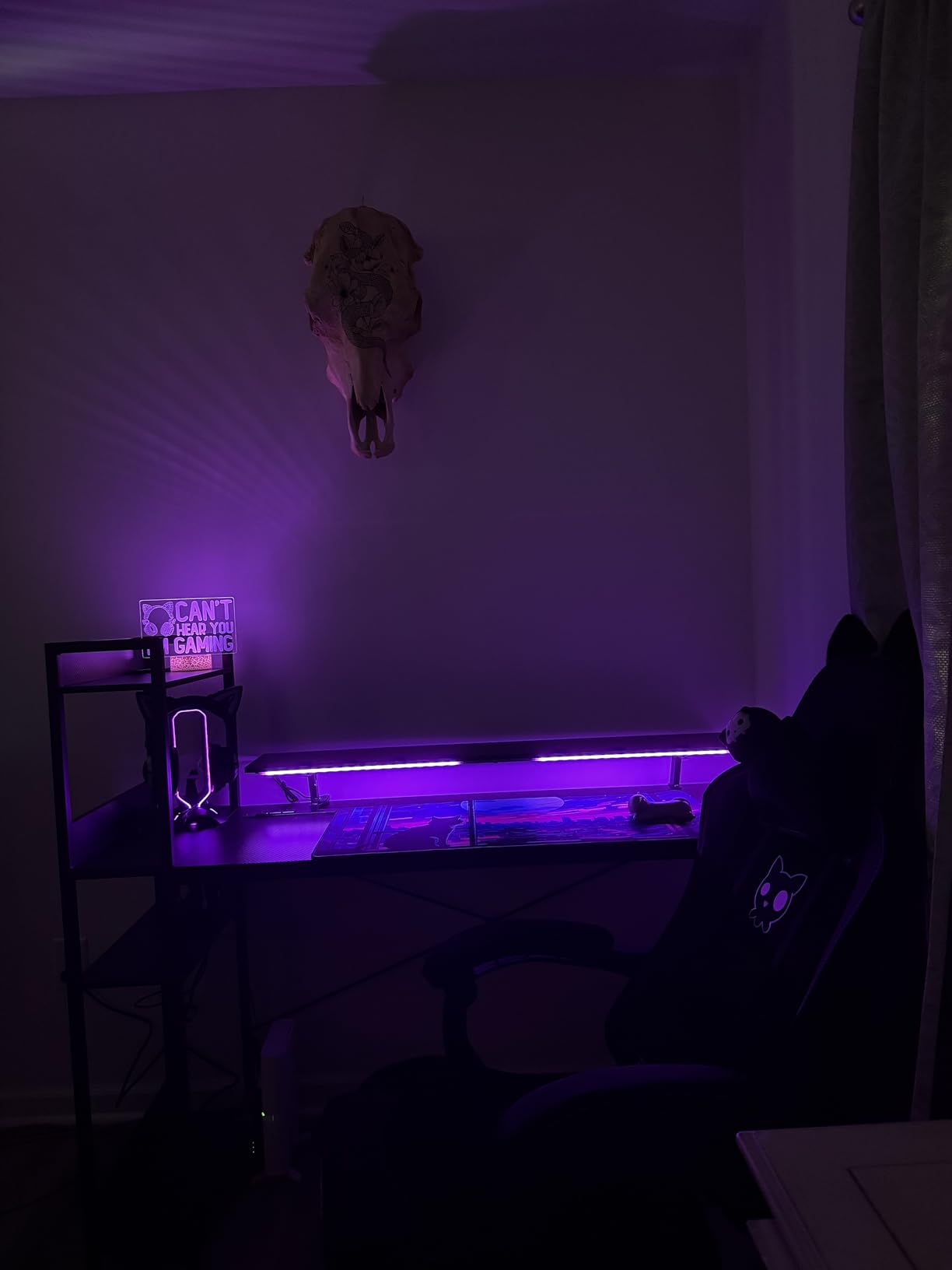
Build is silicone and ABS with a weighted base and non-slip grips, so it stays put under a heavy headset and during a flick of the mouse. Lighting runs dynamic or static RGB, which is enough to match a battlestation without a full Chroma integration.
The trade-off is real: there is no AC outlet, no wireless charging and no USB-C, so this is a data hub rather than a charging station. At 4.7 stars across 4639 ratings it is also the second most validated stand here, and the sheer volume of feedback is itself a reason to feel comfortable here given how thin review counts are elsewhere in this category.
Who this stand is right for
This suits a fixed PC desk with a wired mouse, a wired keyboard and a controller on charge, where the problem is cable routing rather than power. If you also record or stream, our USB microphone guide covers the other desk device most setups end up short on ports for.
Who should skip it
Skip it if you need charging. The hub here passes data and a modest amount of power, but there is no dedicated charging bank and no mains sockets, so a phone left on it overnight will drain slowly at best. Anyone moving large files to an external SSD should also look past USB 2.0.
3. New Bee RGB Aluminum Stand with USB-C: Best Budget Pick
New Bee Headphone Stand with RGB Lighting, Sturdy Aluminum Gaming Headset Holder with USB-C & USB Charging Ports, Stable Desktop Earphone Stand for All Headphones Size, Black
1 USB-C and 1 USB-A port
7 RGB lighting modes
Aluminum and TPU construction
Non-slip silicone base pads
Pros
- Metal construction feels solid next to plastic stands at this price
- Wide weighted base resists tipping
- Bright RGB without being overwhelming
- Small footprint for a two-port hub
- Works plug and play on Windows Linux and Mac
Cons
- Some owners report the base sliding when plugging cables in
- Assembly needs the threaded shaft fitted in the correct direction
- Not every RGB mode holds a fixed colour
Two ports, an aluminium body and seven lighting modes for very little money. The body is aluminum alloy with a thermoplastic polyurethane curved rest, and the base sits on non-slip silicone pads, which is a better contact material than bare plastic at this tier. It stands 9.4 inches tall and fits headsets up to 9.53 inches.
One USB-C and one USB-A is a deliberately thin port count, but it is the right shape for the most common gaming desk: one device charging, one device passing data, or a phone and a wireless controller taking turns. Both ports handle data transfer and charging, and there is no driver step on any platform.
The honest weakness is build feel at the contact points. Reviewers report the base sliding a little when plugging and unplugging USB cables, and the beam and rest can feel cheap for the price even though the material is metal. There is also an assembly trap: fit the threaded shaft the wrong way and the lighting dims, which catches people out on the first attempt.
Who this stand is right for
This is the sensible first headset stand for a student desk, a shared office or anyone who just wants a parking spot with two ports attached. At 4.7 stars across 2887 ratings, the feedback volume here is high enough that the light build criticisms are well understood rather than a surprise.
Who should skip it
Skip it if your peripherals already fill two ports and you are hoping to expand, since there is no room to grow and no AC outlet. If you want lighting you can set to one solid colour and leave it, the mode set here leans on cycles, and the RGB cannot be fully disabled on some units.
4. KAFRI RGB Stand with 3 USB Ports and 2 Outlets: Most Ports Per Dollar
KAFRI RGB Headphone Stand with USB A&C Charger Desk Gaming Headset Holder Hanger Rack with 3 USB Charging Port and 2 Outlet – Suitable for Gamer Desktop Table Game Earphone Accessories Boyfriend Gifts
1 USB-C plus 2 USB-A up to 2.4A each
2 AC outlets, 1250W combined
9 RGB effects via touch switch
5.51 x 3.9 x 9.84 in
Pros
- 3 USB charging ports and 2 AC outlets in one unit
- 9 RGB effects across 16.8 million colours
- Fire-resistant shell with overload and short-circuit protection
- Detachable 1.5m power cord
- Single and dual stand variants
Cons
- USB-C port does not charge current iPhone models
- AC outlets mean the stand must sit near a wall socket
- Stand is noticeably tall at 9.84 inches
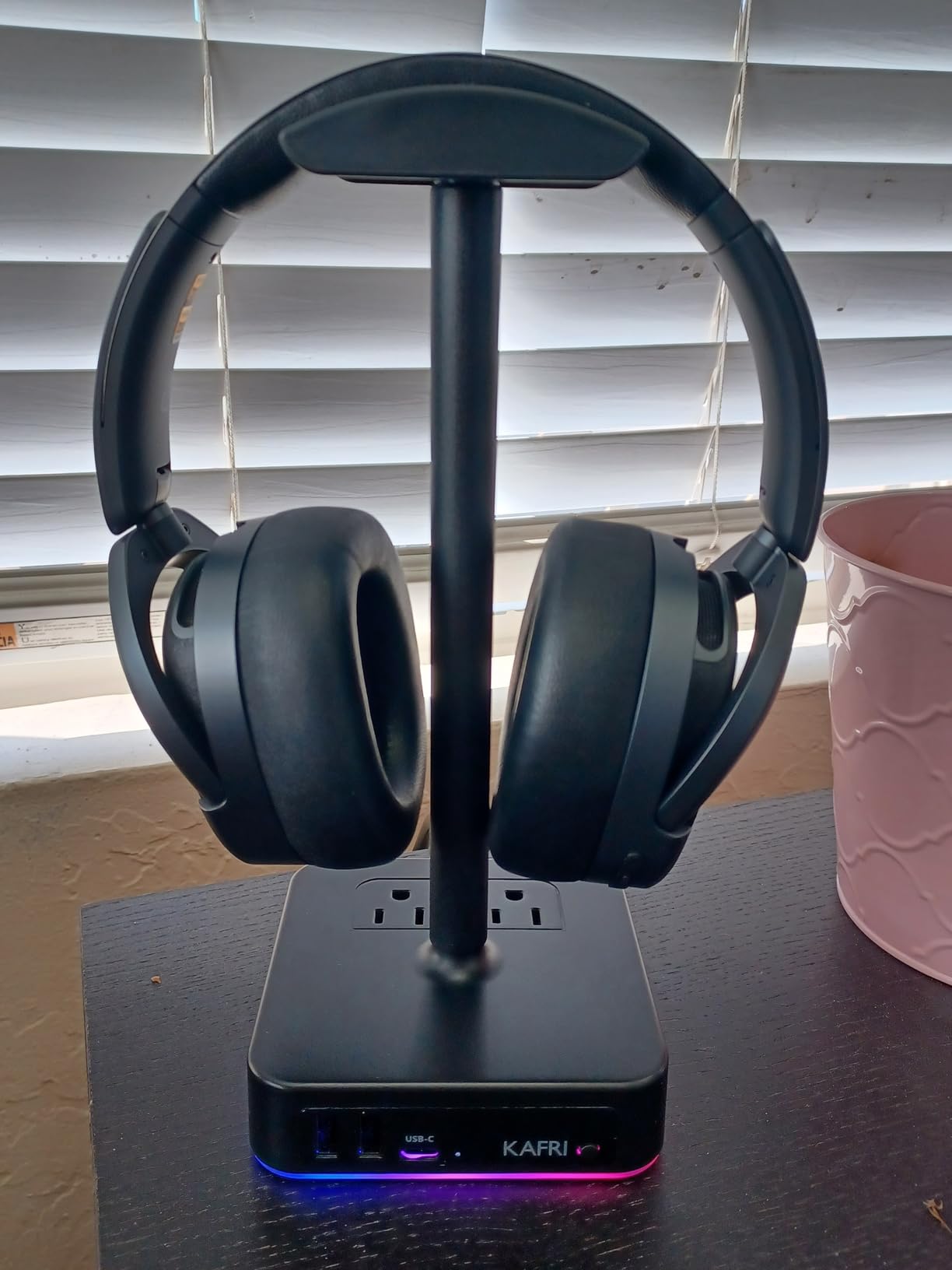
This is the port-count champion of the group. One USB-C plus two USB-A charging ports, each rated up to 2.4A, alongside two AC outlets rated 1250W combined. At 4.6 stars across 3129 ratings, the buyer feedback consistently frames it as a budget charging station that happens to hold a headset.
The lighting is the other draw. A touch switch cycles nine RGB effects across a large colour range, which is more modes than most stands in this roundup offer, and the shell is fire-resistant hardened plastic with a multi-protection system covering overload and short-circuit. The detachable 1.5m power cord is a small thing that matters if your socket is awkward to reach.
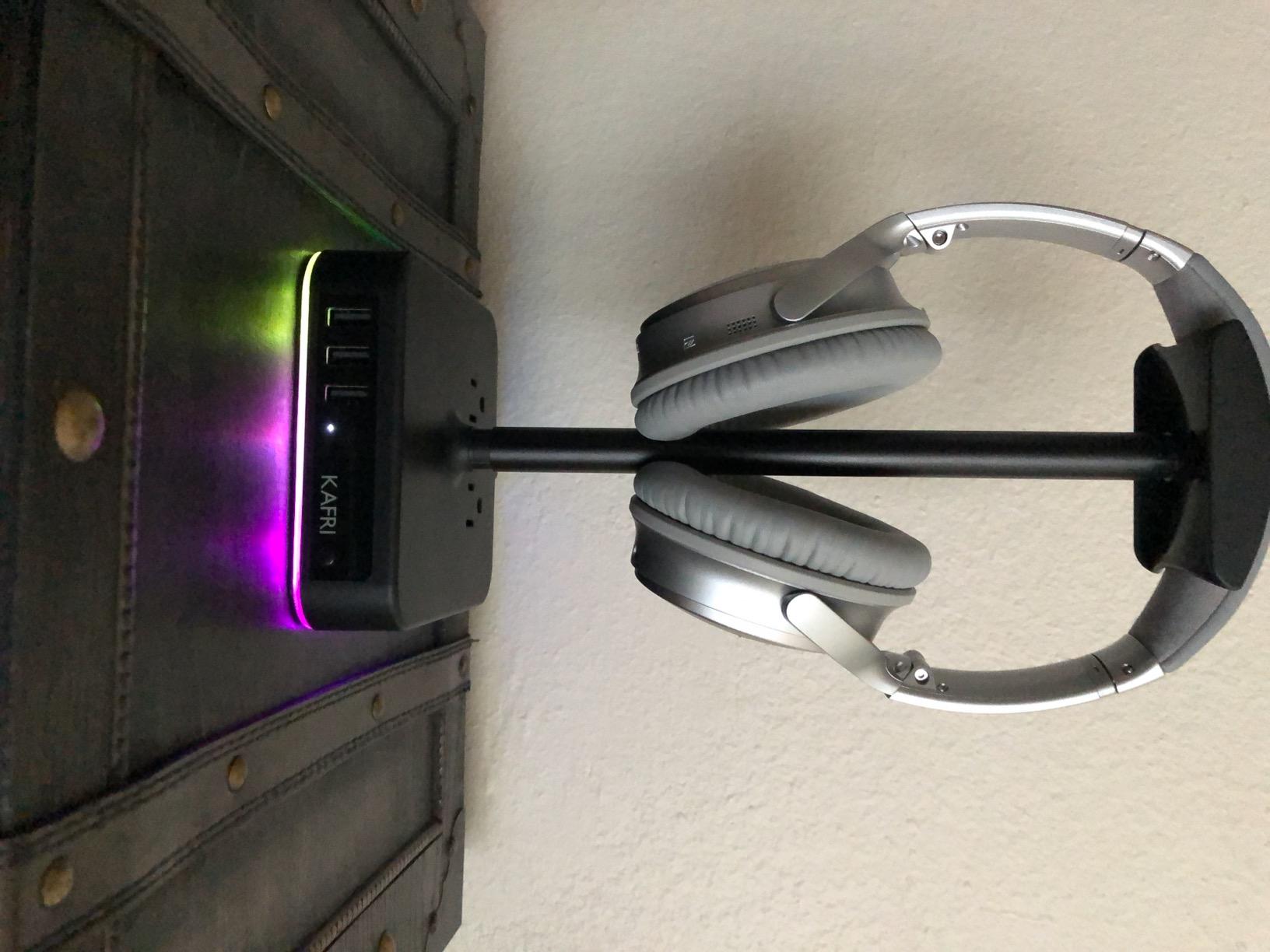
Reviewers do flag a specific compatibility trap: the USB-C port does not support charging on current iPhone models, so an iPhone owner with only that port is better off using the two USB-A ports. That is the single most useful thing to know before buying, and it is exactly the kind of detail listings leave buried.
Second caveat is placement. Because the mains outlets make this a desk power strip as much as a stand, it needs to sit near a wall socket, and at 9.84 inches tall it is one of the higher posts here, which matters if your headset is small.
Who this stand is right for
Best for a desk that is short on both USB ports and mains sockets, and for anyone whose peripherals are the usual gaming mix. If you like visible lighting, nine effects with a touch switch is the most variety in this group, and 4.6 stars across 3129 ratings is a well-tested product.
Who should skip it
Skip it if you charge an iPhone from USB-C, if your free wall socket is far from the monitor, or if you want a data hub rather than a charger. These ports prioritise power delivery over data throughput, so they are the wrong tool for storage or high-bandwidth devices.
5. New Bee RGB Stand with Wireless Charging: Most Versatile
New Bee RGB Headphone Stand with 2 USB-C & 1 USB Charging Ports, Desk Gaming Headset Holder with 7 Light Modes and Non-Slip Rubber Base Suitable for All Earphone Accessories
Wireless charging pad,2 USB-C,1 USB-A
7 RGB lighting modes
Aluminum body,350 g
10.4 in tall by 5.98 in wide
Pros
- Only stand here pairing a wireless charging pad with a multi-port hub
- Two USB-C ports is a sensible modern port mix
- Heavy 350 g base that does not wobble with large headsets
- Soft silicone rest spreads force and avoids marking headbands
- Cables route through the stand to cut clutter
Cons
- Some owners report the wireless pad not working reliably
- USB-C connections can drop in and out
- Wireless charging is slow so it suits top-ups only
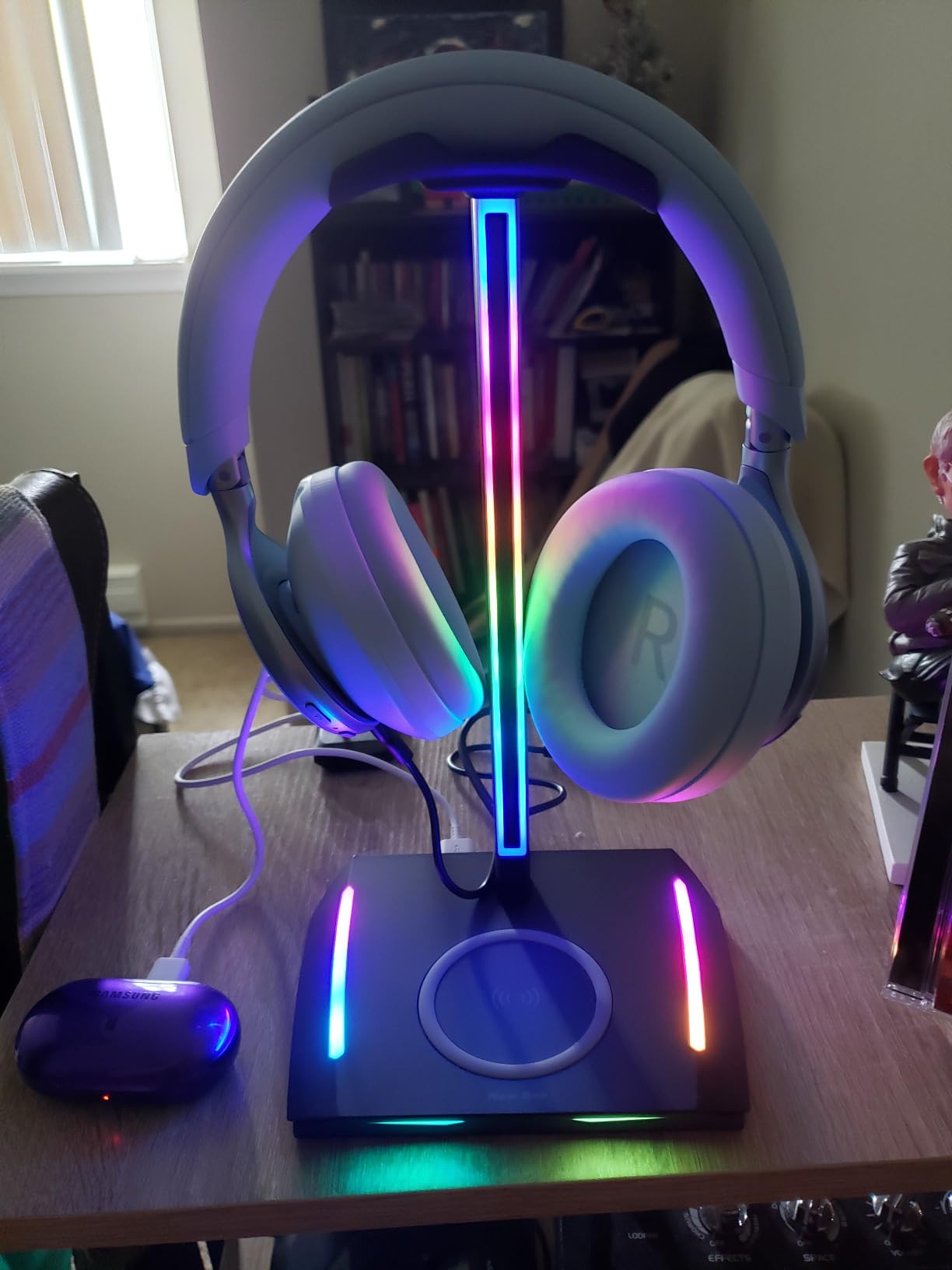
This is the only stand in the group that pairs a wireless charging pad in the base with a real multi-port hub. You also get two USB-C ports and one USB-A port, plug and play on Windows, Linux and Mac with no drivers, and seven RGB lighting modes where a three-second press toggles power.
The build is where it justifies the tier. At 350 g in an aluminum body with soft silicone base pads, it is heavy enough that a large over-ear headset does not shift the stand, and the soft rubber rest spreads the load so the headband is not pinched at a hard edge. Cables pass through the body of the stand, which genuinely reduces desk clutter rather than adding to it.
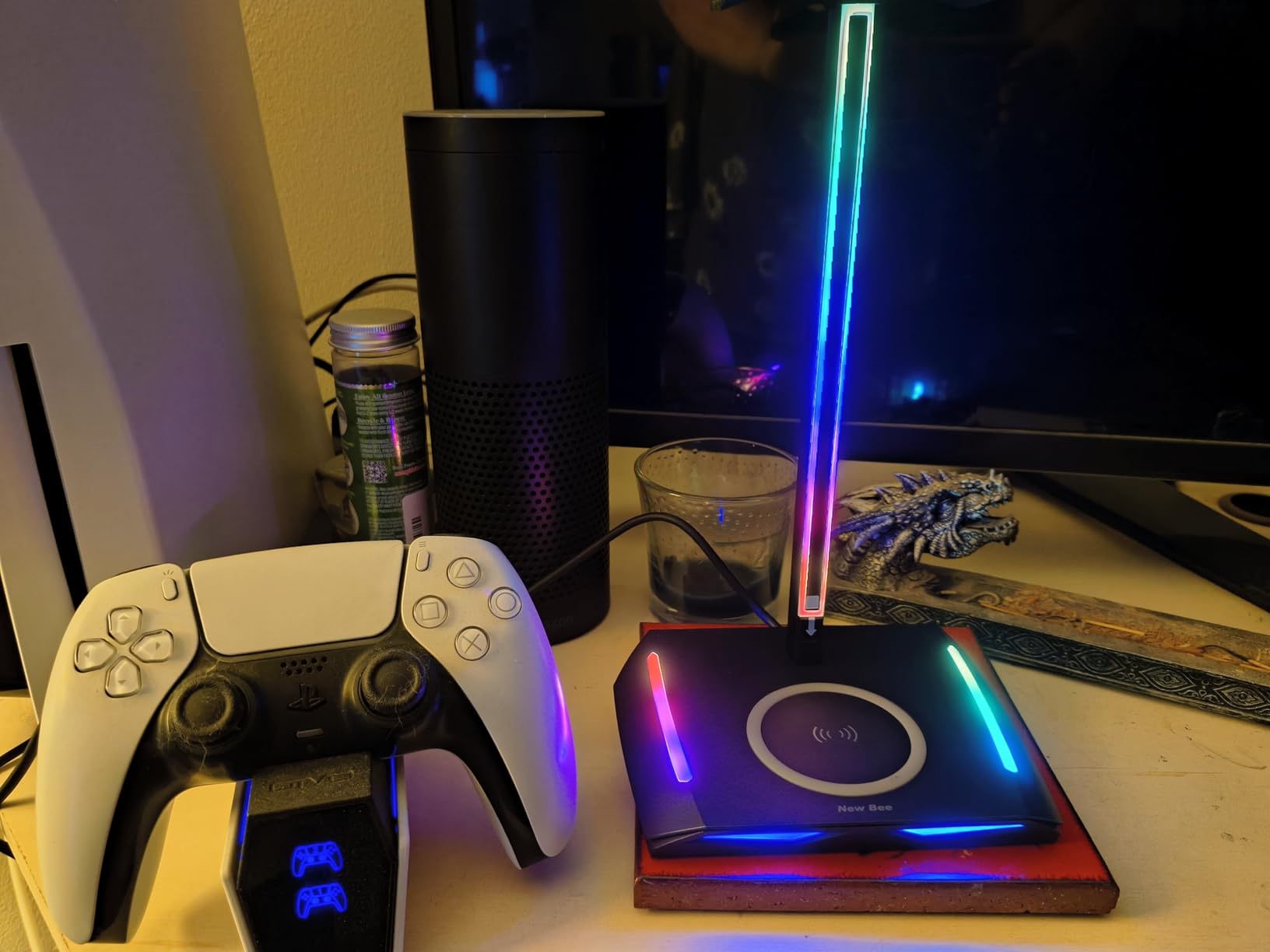
The wireless pad is the reason this one has a reservation list. Reviewers report it working inconsistently, and owners who leave a phone on it overnight end up with a partial charge because inductive charging is slow. Treat it as a between-session top-up for a wireless headset or phone, not a replacement for a proper charger.
There is a second, quieter complaint about loose USB-C connections dropping in and out. If you live in and out of those two USB-C ports with a controller, it is worth testing before committing.
Who this stand is right for
This suits a wireless-first setup where a headset and a phone both need charging overnight and you want the ports in the same object. It is also the pick if a large, heavy headset is what tends to wobble lighter stands, and the 4.7 star rating across 1614 ratings gives a reasonable read on quality.
Who should skip it
Skip it if you need fast overnight charging, since the pad is a top-up device. Anyone who plugs and unplugs USB-C several times an hour should look for a stand with firmer port retention, and buyers who cannot confirm the pad works with their device should check that before ordering.
6. IFYOO RGB Metal Stand with 2 USB Ports: Best for Full-Size Headsets
IFYOO RGB Gaming Headset Stand with 2 USB Ports, Game Headphone Mount for PC, Xbox One, PS4, Switch, Earphone Holder Hanger, Great for Gaming Stations, Fancy Desk Gamer Accessories, Black
2 USB 2.0 data and power ports
3 dynamic RGB modes
Weighted metal base,1.3 lb
Wide hanger clearance
Pros
- Wide hanger clearance lets a full-size headset hang without touching the desk
- You can plug and unplug a headset while it is still on the stand
- Heavy stable metal build that holds larger headsets
- Two side ports are easy to reach for a mouse or phone
Cons
- Limited static RGB palette with no solid white or teal
- Supplied grey cable clashes with white builds
- On and off button is stiff to press
- USB 2.0 data speeds only
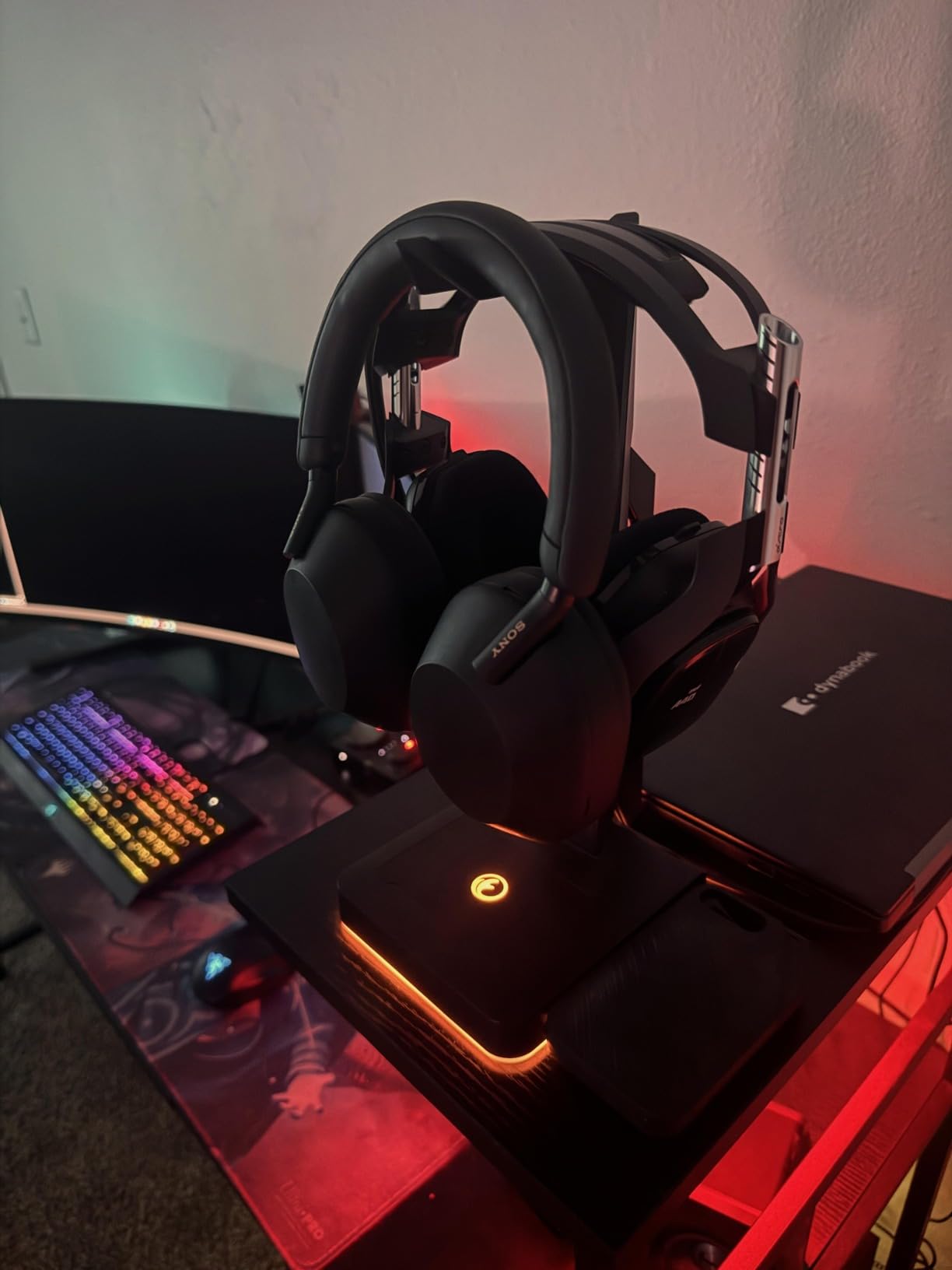
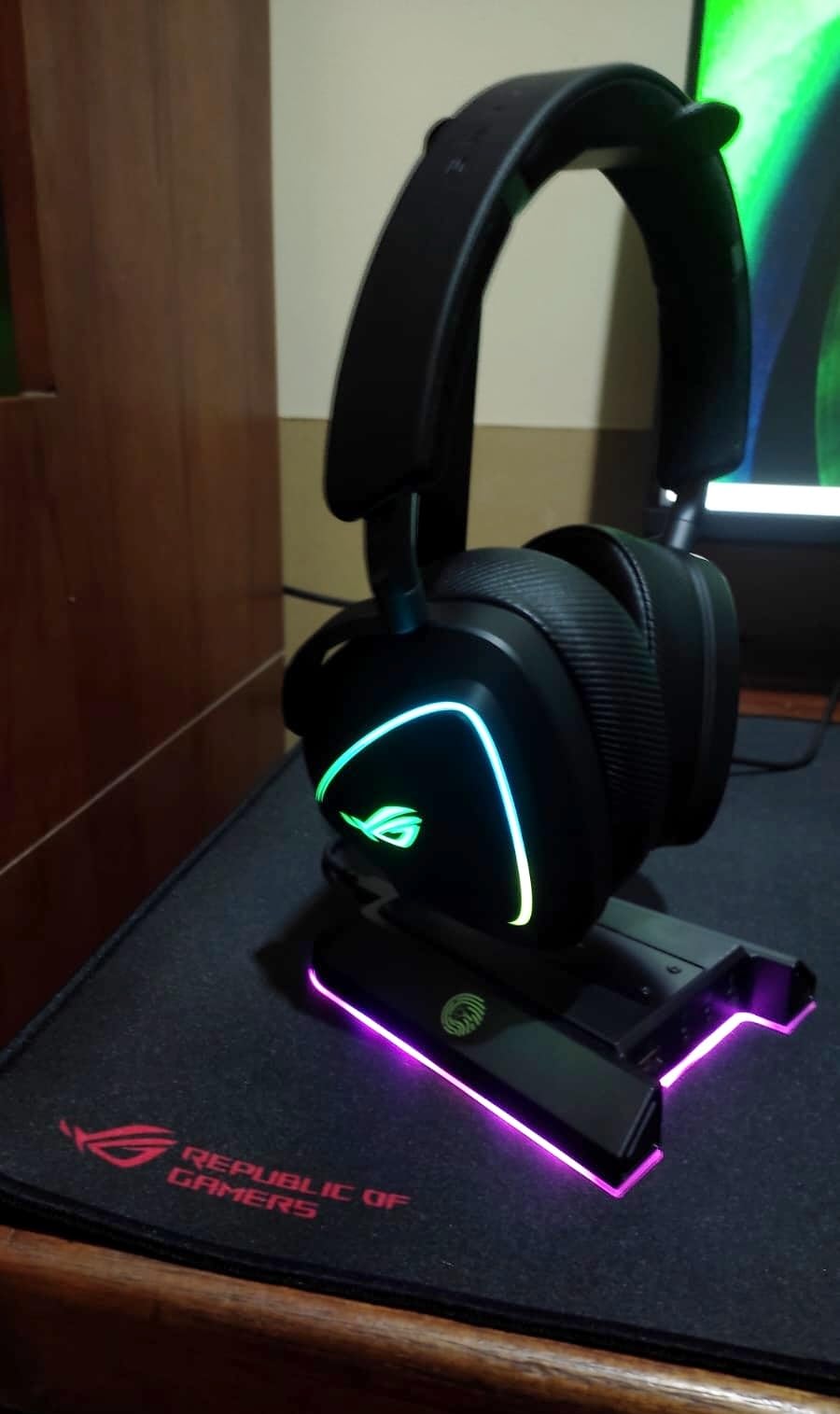
The geometry is the story on this one. The hanger is wide enough that a full-size over-ear headset hangs clear instead of resting on the desk, and reviewers single that out as the reason the stand works with bulky headsets. It weighs 1.3 lb on a weighted base with an anti-slip rubberised mat, which is the heaviest base in this group relative to its size.
That weight combines with the wide hanger in one specific, useful way: you can plug a headset in and out of the side ports while the headset is still hanging on the stand, without the stand walking across the desk. Both ports are USB 2.0 with data transmission and power supply, plug and play with no drivers.
Lighting is three dynamic modes: a flowing rainbow, a colourful breathing effect and four static colours. The criticism owners keep making is that the static set is narrow, with no solid white or teal even though a rainbow mode exists. Two smaller gripes: the supplied cable is plain grey, which looks wrong on a white build, and the power button is stiff.
At 4.5 stars across 1360 ratings this is the lowest-rated product in the roundup, and the complaints are cosmetic rather than functional. Nothing here is broken; it is simply less refined than the aluminium options above it.
Who this stand is right for
Pick it if you wear a large headset with a thick headband or protruding earcups and you have been fighting smaller stands that let it slide. It is also a good fit for console-side desks, since the wide hanger suits headsets shared between PC and a TV-side setup, and it is listed as compatible with Xbox One, PS4 and Switch era setups.
Who should skip it
Skip it if lighting accuracy matters to you, if you run a light-coloured build and care about matching cables, or if you need fast data. USB 2.0 is fine for a keyboard and mouse and useless for an external drive, and there is no AC outlet or wireless charging here.
7. EKSA RGB Stand with 3.5mm Jacks and 7.1 Sound: Best for Virtual Surround
EKSA RGB Headset Stand, Headphone Stands with 7.1 Surround Sound & USB/3.5mm Port, Desk Gaming Headsets Holder with Aluminum Alloy Rod & Non-Slip Rubber Pad, Suitable for Most Gamer Desktop Earphones
7.1 virtual surround over USB or 3.5mm
2 USB data ports
3 x 3.5mm audio jacks
8 RGB zones, 3 modes, 2-year warranty
Pros
- Only stand here with virtual 7.1 plus multiple 3.5mm jacks
- Three 3.5mm jacks cover different connector types
- 8 RGB colour zones with three lighting effects
- Aluminium alloy rod feels solid and does not wobble
- Two-year warranty from an audio-focused brand
Cons
- Low current design means it cannot charge two devices at once
- USB ports are data only so it is not a charging station
- Virtual surround only applies to headphones without their own sound card
This is the stand that finally answers the 3.5mm question that dominates the forum threads. There are three 3.5mm audio jacks in the base, and when a headset is connected through USB or 3.5mm the stand applies 7.1 virtual surround processing. That is a genuinely different feature family from every other product here, which are all power and data carriers.
The build is an aluminium alloy rod with a non-slip rubber pad across a 5.2 x 4.65 inch base and 9.76 inches of height, plus RGB across eight colour zones with three lighting modes on a touch switch. The two-year warranty is the longest in this roundup, which is what we would expect from a brand that actually makes audio gear.
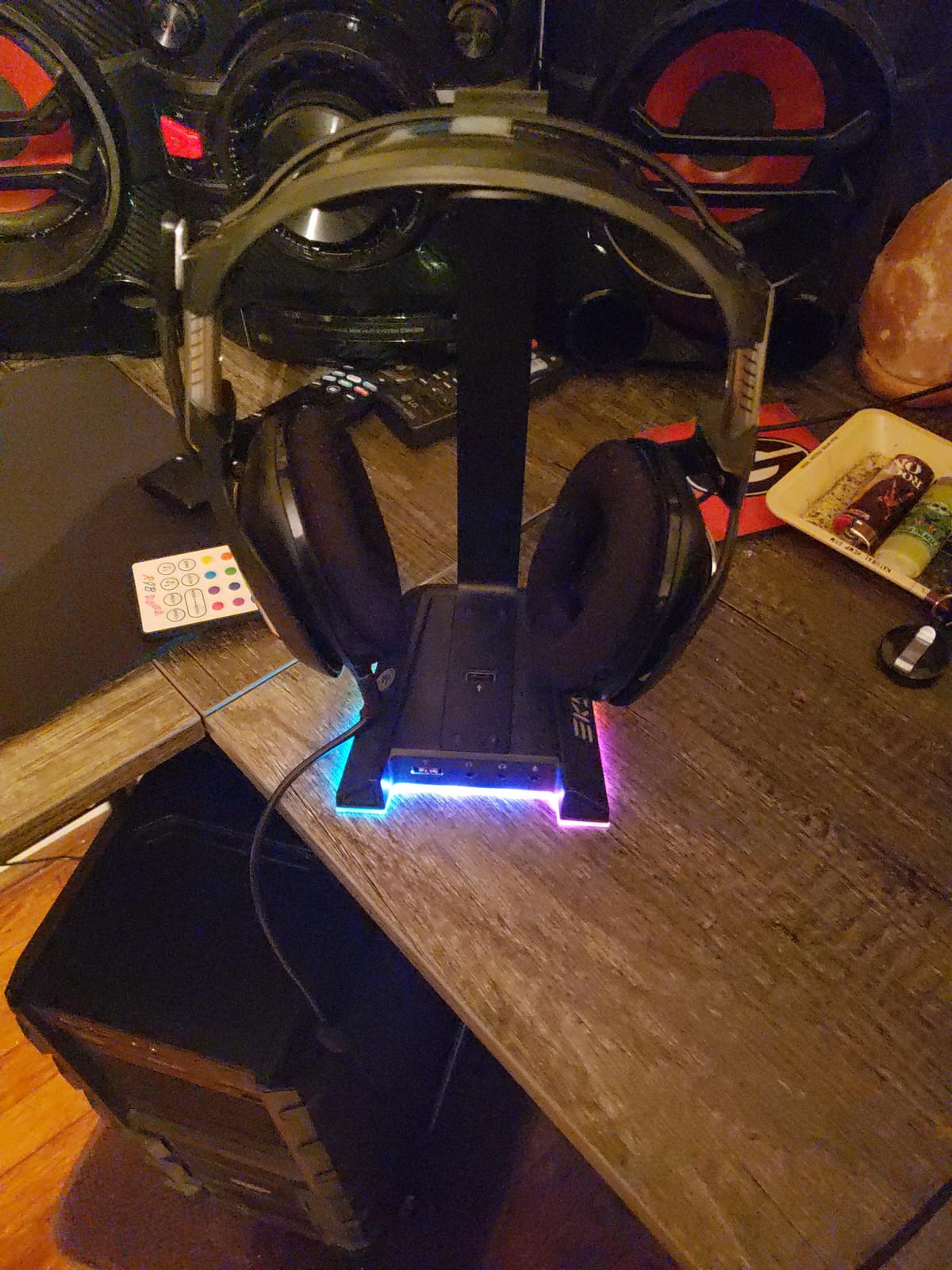
The important limitation is power. The ports are data ports, and the low-current design means the stand cannot charge two devices at once. If you were hoping to use this as a charging station, it is the wrong tool, and the honest way to read it is that this is a desktop audio interface shaped like a stand.
Second, virtual surround is a software effect and it only applies to headphones that do not bring their own sound card. Plug in a headset with onboard USB audio and the stand hands the signal straight through, which makes the feature something you switch on deliberately rather than something that always happens.
Who this stand is right for
This suits someone on analogue headphones who wants positional cues for competitive shooters or flight and sim games without buying a sound card. It is also the natural pick if you rotate between headsets with different connector types, since three 3.5mm jacks means fewer adapters on the desk.
Who should skip it
Skip it if you use a wireless headset with its own processing, if you want the stand to charge anything, or if you already have a USB headset doing surround on its own. The feature that makes this stand special simply does not apply to you in those cases, and you would be paying for a data hub you may not need.
8. KDD Stand with Controller Holder: Best for Console-Side Desks
KDD Headset Stand with Charging Station – Detachable Controller Holder with 9 Light Modes – Rotatable Headphone Hanger with USB A&C Charger Ports – Earphone Hook for PC Gaming Accessories Storage
Holds 1 headset and up to 4 controllers
2 USB-A plus 1 USB-C charging
9 lighting modes with memory
360-degree rotating hanger,0.72 kg
Pros
- Holds a headset plus two controllers or four controllers in one tower
- Rotating hanger lets you angle the headset to suit the desk
- 9 lighting modes with a memory function for your colour
- Charging ports sit next to the slots so short cables reach
- Wide base with four rubber pads and a power cut-off button
Cons
- USB-C port cannot charge an iPhone
- Lightweight plastic casing despite the stable base
- No wireless charging on this model
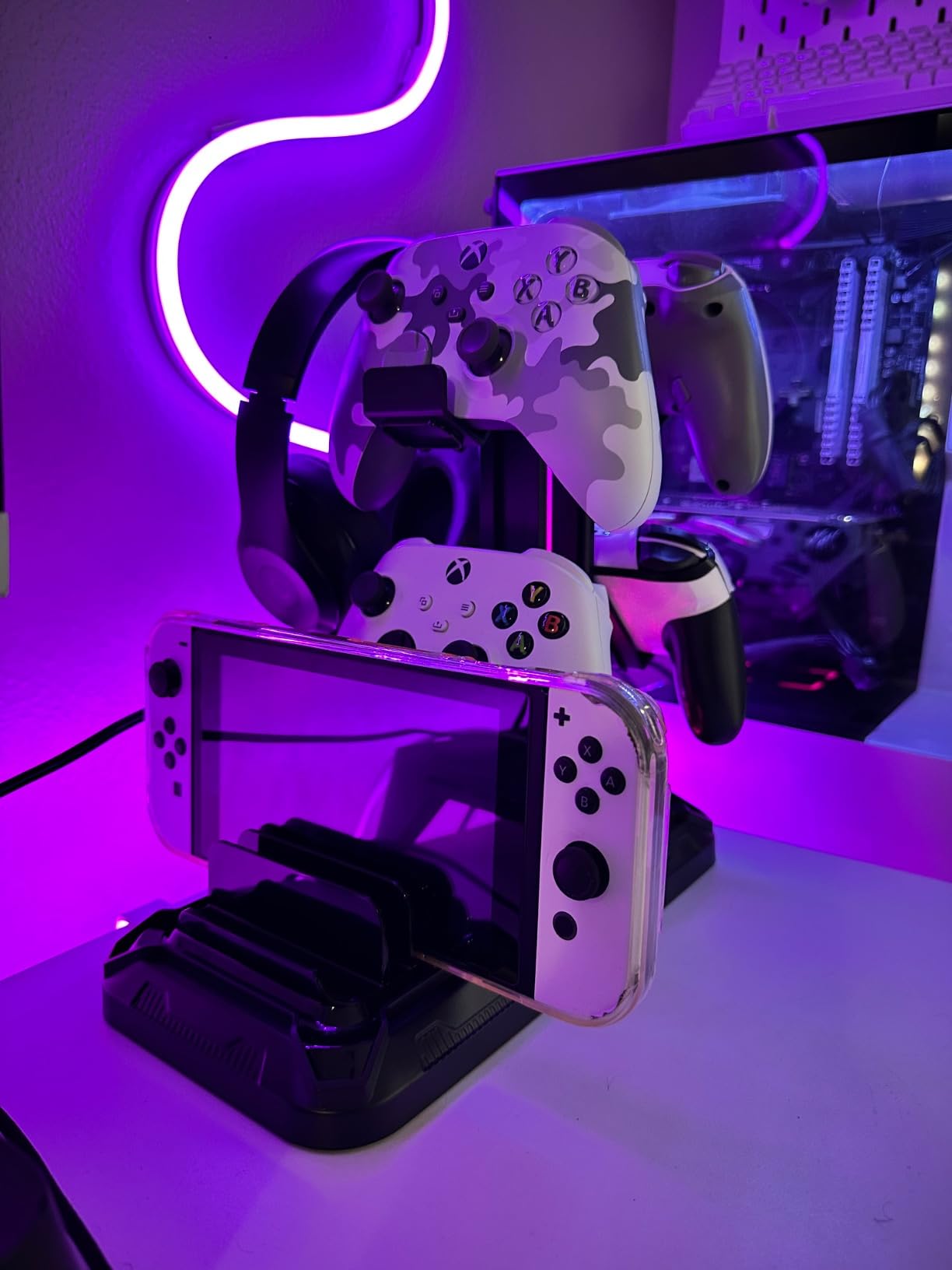
This is a storage tower rather than a simple post. It holds one headset and two controllers, or up to four controllers if you are not using the headset slots, and the 360-degree rotating hanger lets you turn the headset to face whichever direction suits the desk. The detachable controller section can be removed entirely if you only want the stand.
Power is two USB-A ports plus one USB-C charging port, positioned close to the slots so short cables actually reach. Lighting runs nine modes including a 7-colour flash, 7-colour breathing and single-colour, and the memory function recalls your preferred setting after a power cut, which removes the most annoying part of RGB hardware.
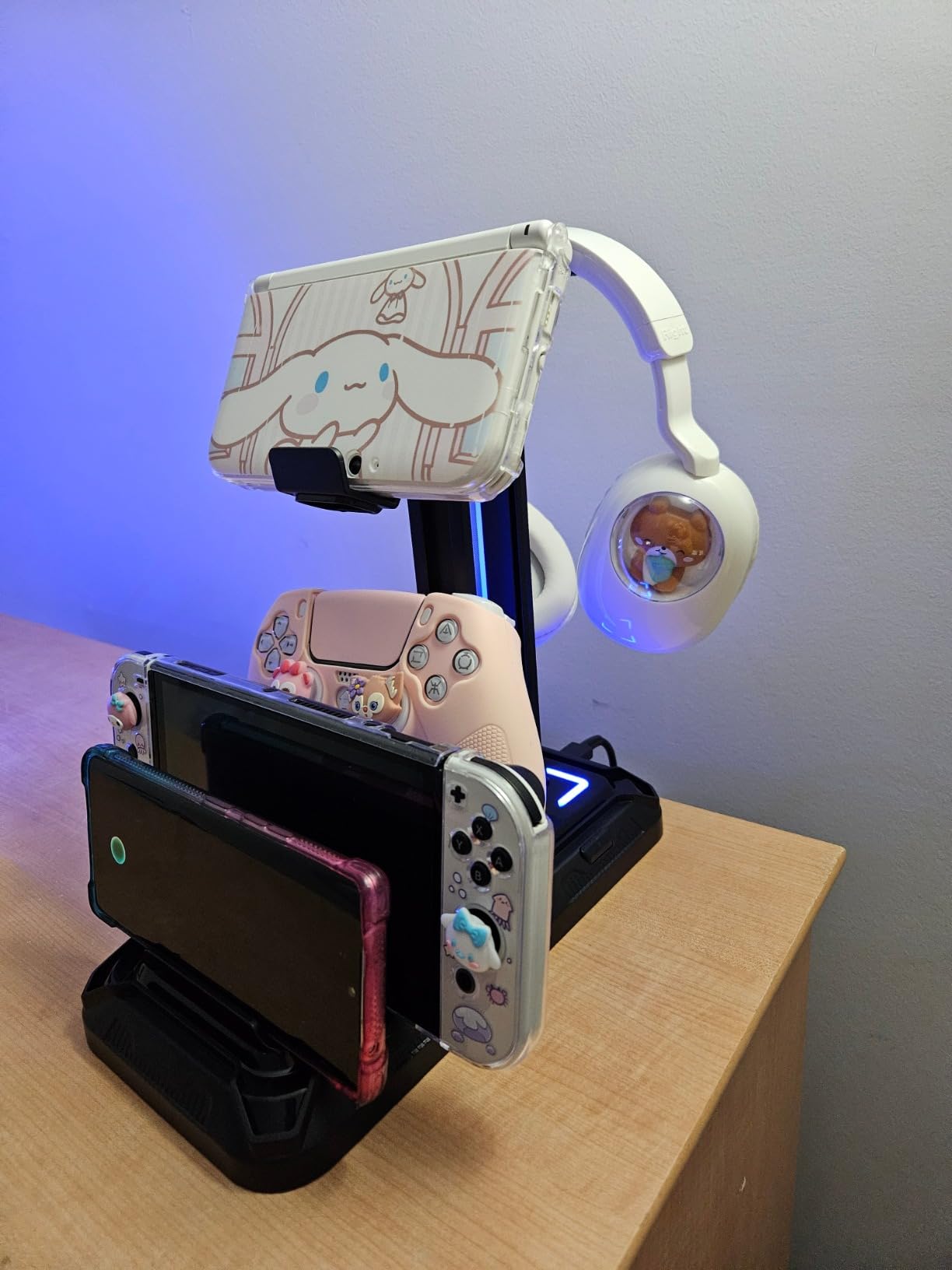
There is a built-in power cut-off button, and the base is widened with four rubber pads, which is what keeps a 0.72 kg tower holding two controllers without creeping. The enclosure is plastic, so it needs a little more care than an aluminium post, but reviewers do not report wobble in practice.
The recurring complaint is the USB-C port not charging an iPhone, the same limitation as the other plastic-bodied stands here. If your phone is your only charge target, use one of the USB-A ports instead.
Who this stand is right for
Pick it if you are the sort of player with controllers permanently in rotation: pad games, console play, a handheld docked alongside. It is the only stand in this roundup that solves controller storage and headset parking at once, and the rotating hanger means the headset can face the camera or away from it depending on your stream angle.
Who should skip it
Skip it if you play with keyboard and mouse only and own one controller, since you would be paying for slots you never fill. PC players short on desk space should also note this is a tower with a wider footprint than a single-post stand.
9. KDD Stand with Wireless Charging and Controller Slots: Best Organiser
KDD Headphone & Controller Stand with Wireless Charging – Rotatable Headset Stand with 9 Light Modes – Controller Holder with 2 USB and Type C Ports – for Gamers Desktop Accessories
Wireless charging pad,2 USB-A,1 USB-C
Holds 1 headset and 2-4 controllers
9 lighting modes with memory
3-part assembly, about 30 seconds
Pros
- Combines a wireless charging pad with two USB-A ports and a USB-C port
- Rotating headset arm with built-in cable storage
- Holds a headset and two controllers or four controllers
- Lighting memory recalls your chosen colour
- Assembles from 3 parts in about 30 seconds
Cons
- USB-C port cannot charge an iPhone
- Light-duty plastic construction
- Thin outer retail box can arrive scuffed
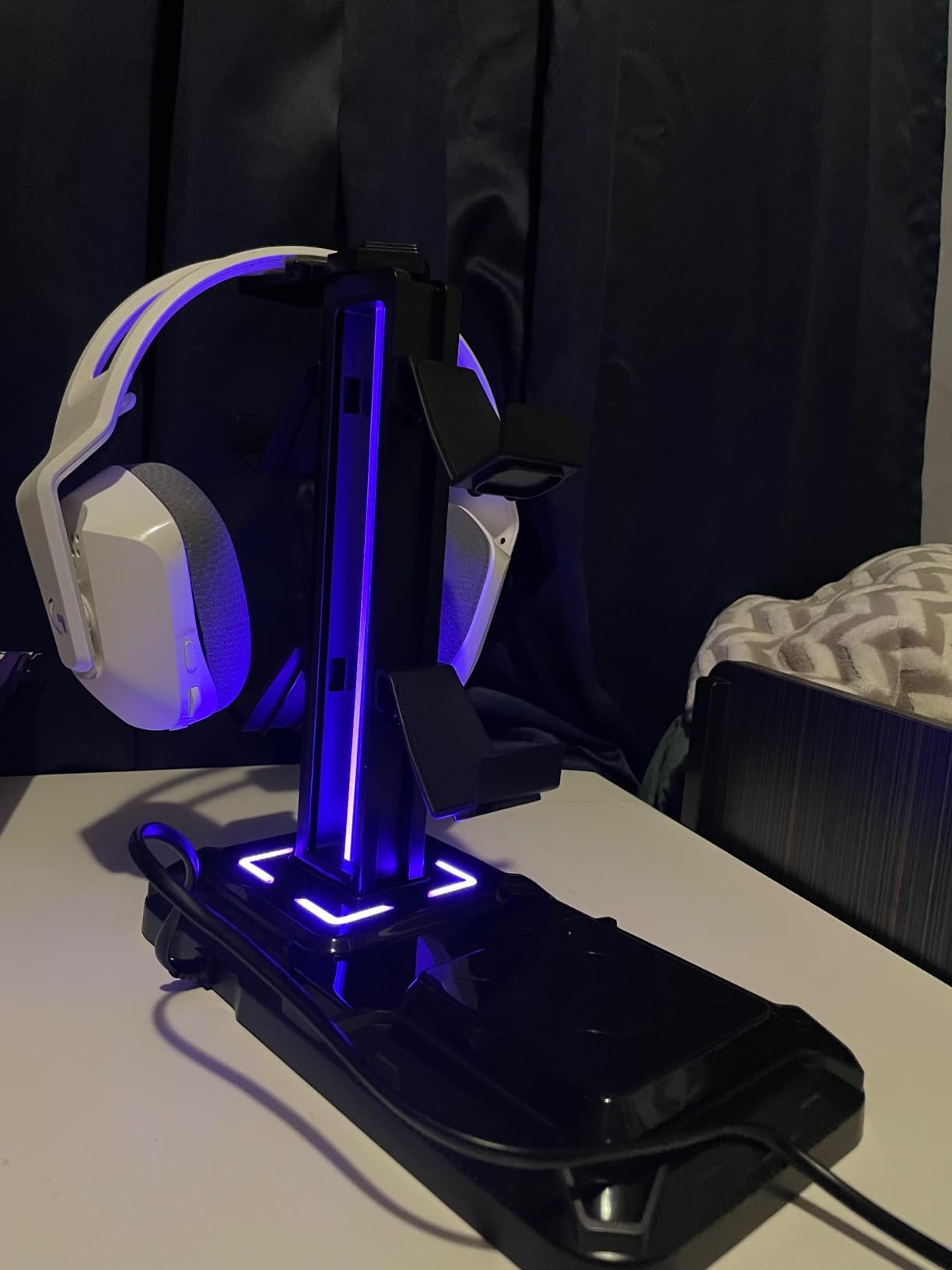
This is the most complete organiser in the group. It combines a wireless charging pad with two USB-A ports and one USB-C port, a 360-degree rotating headset hanger with built-in cable storage, and detachable controller hooks that hold a headset plus two controllers or up to four controllers. Assembly is three parts and about 30 seconds.
It also ranks #1 in Xbox One Stands in its category, which tells you what the buyer profile actually is. Reviewers describe it as the object that tames a cluttered desk, and the cable storage inside the rotating arm is a detail the cheaper towers do not have.
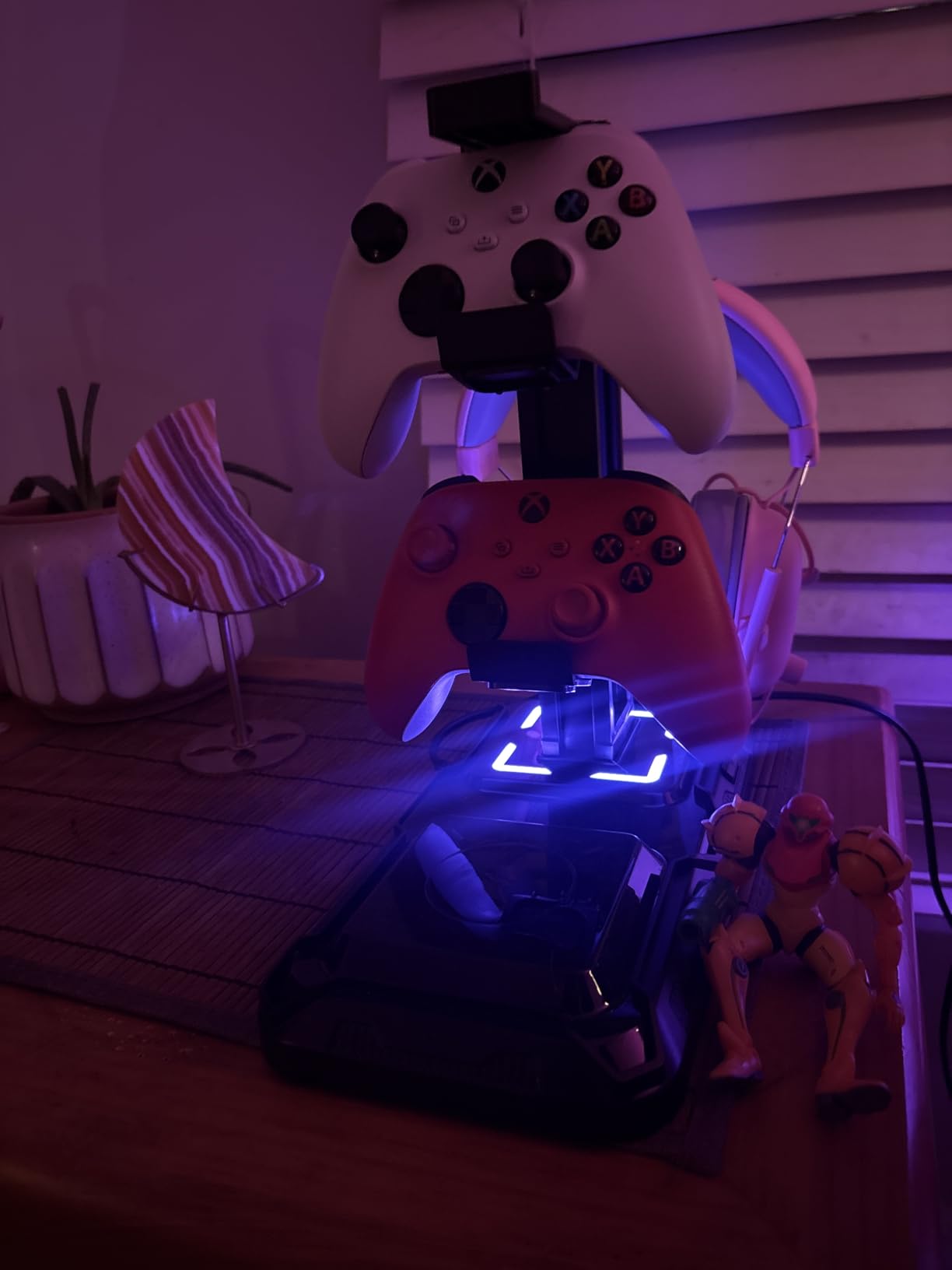
Same iPhone caveat as its sibling tower: the USB-C port does not charge current iPhone models, so the USB-A ports are the practical choice for a phone. Construction is light-duty plastic with fire-proof hardened housing and multi-protection circuitry, and owners note the outer retail box is thin, so a scuffed box on arrival is cosmetic rather than a defect.
At 4.7 stars across 977 ratings the rating is excellent, though the review base is the second thinnest in this roundup. That matters less here than it does elsewhere, because the feature set is verifiable from the listing and the failure modes reported are minor.
Who this stand is right for
Pick it if you own more than two wireless controllers and a wireless headset, and you want all of them parked and charging in one place. For a console-side desk, a shared household setup, or a streaming desk where the camera frame includes everything on the surface, this is the most capable option here.
Who should skip it
Skip it if you own one headset and no controllers, or if you need a metal post that will survive being moved constantly. Wireless charging here is a top-up rather than a full charge, and the plastic build is the one to consider carefully if you tend to knock things over.
10. cozoo Touch RGB Stand with 2 USB 2.0 Ports: Cheapest Route to a Lit Hub
cozoo Desk headset stand Touch RGB Light Stand 4 Color Modes 2 USB Black
2 USB 2.0 ports up to 480 Mbps
USB Type-C input and output
4 fixed colours plus rainbow cycle
4.1 x 3.9 x 9.86 in, 0.38 kg
Pros
- Two-port hub and lighting on a small budget
- Two-way USB-C pass-through input and output
- Touch button switches 4 fixed colours and a rainbow mode
- Cord hook built into the base
- Fire-resistant shell with multi-protection circuitry
Cons
- USB 2.0 caps transfers at 480 Mbps
- Plugs into the wall so it takes up a socket
- Fixed colour set limited to red blue green and white
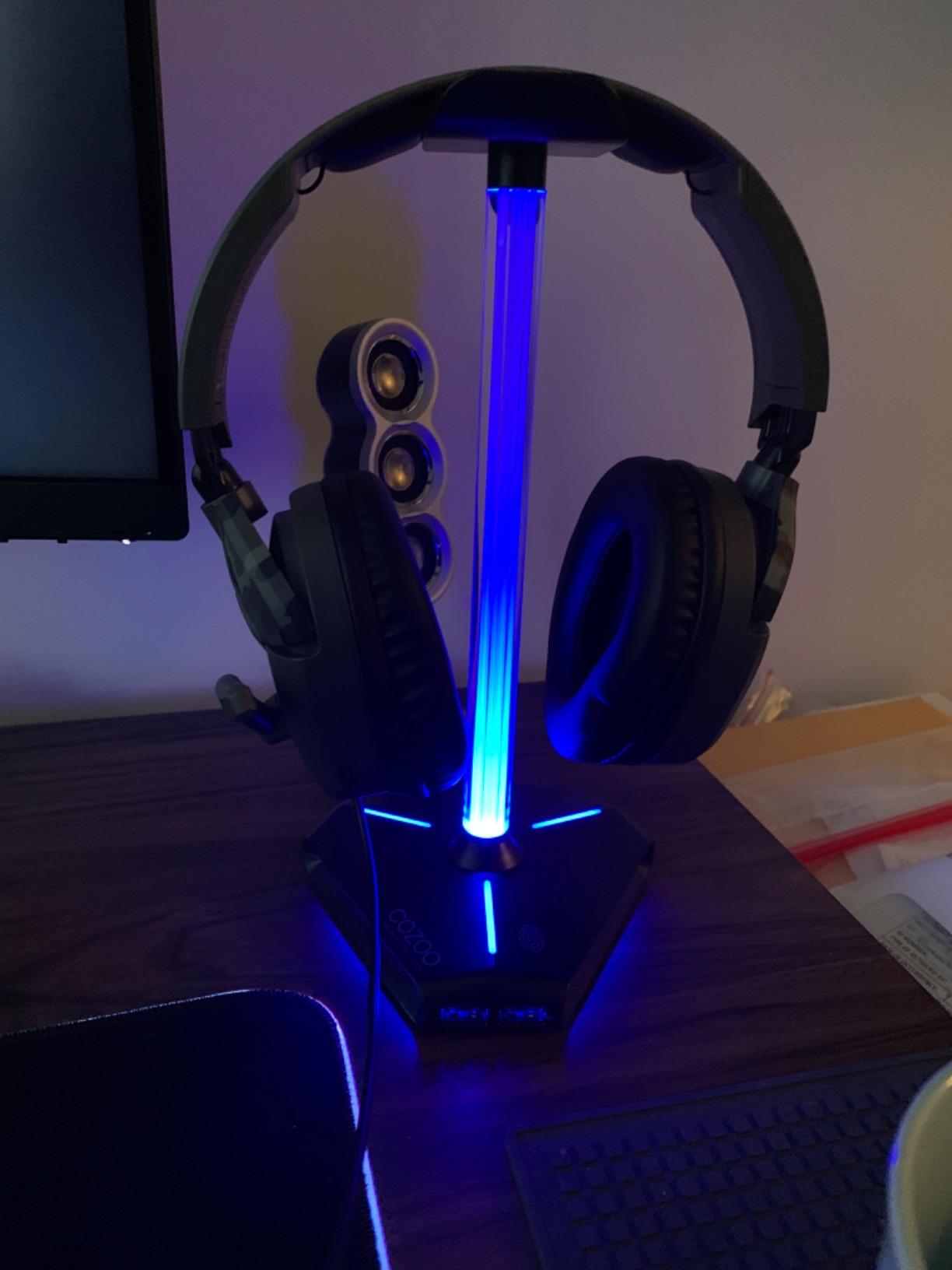
The simplest way to get two USB ports and some lighting on a stand without spending much. The base measures 4.1 x 3.9 inches and stands 9.86 inches tall, weighing 0.38 kg, and a cord hook is built into the base for the headset cable. A touch button cycles four solid colours plus a rainbow mode across a blue-lit base and multi-colour light pole.
The detail worth knowing is the two-way USB-C pass-through, with both input and output on the stand. That gives you a cleaner single-cable arrangement to the PC than a stand that only accepts a hard-wired host cable, and it is the reason this one feels tidier behind the monitor than its size suggests.
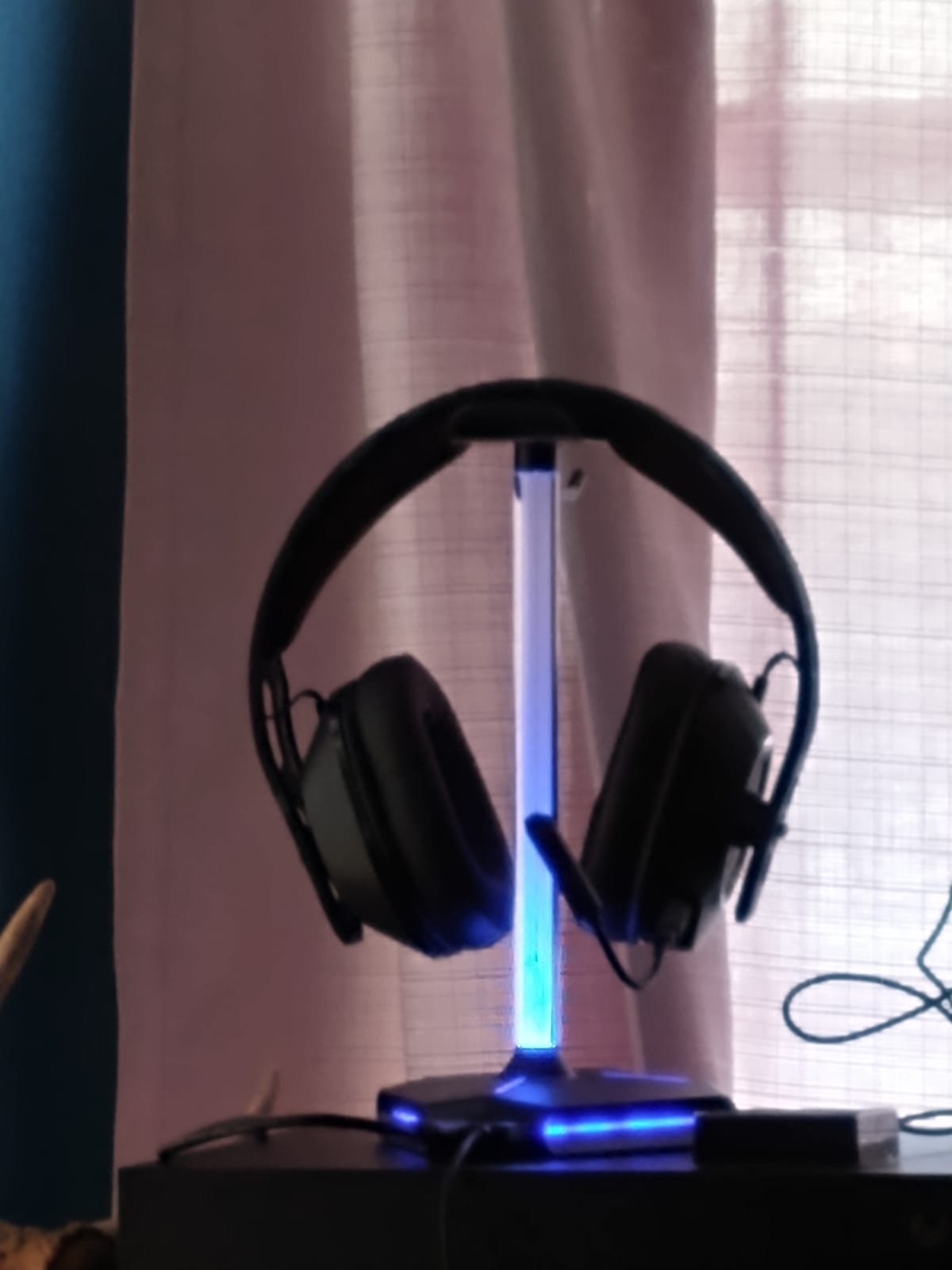
Data throughput is capped at 480 Mbps by the USB 2.0 spec, which is fine for a keyboard, a mouse, a controller and a headset dongle, and irrelevant to anything else. It plugs into the wall, so like the other outlet-equipped stands it claims a socket, and the fixed colour set is only red, blue, green and white.
At 4.5 stars across 844 ratings this has the thinnest review base and the lowest share of top ratings in the roundup. The complaints are consistent and mostly accepted: the speed ceiling and the limited palette. Nothing suggests a fault rate problem, but it is the pick we would least want you to rely on without checking the return window.
Who this stand is right for
Pick it if your setup is keyboard, mouse, controller and a wired headset, you want the desk to look finished under a camera, and you would rather not spend much. The touch lighting control is easier to use than most of the physical buttons in this roundup, and plug and play works on Windows, Linux and Mac.
Who should skip it
Skip it if you need mains outlets, fast data or a wide colour choice. Anyone chasing a specific shade for a coordinated lighting setup will find the four-colour limit restrictive, and if you rely on an RGB sync ecosystem, this stand keeps its own lighting rather than joining a wider scene.
How to Choose a Gaming Headset Stand with a USB Hub
Pick your stand in four questions
1. Is your headset wired, or does it have its own wireless dock? If it has a dock, the data ports in a stand add little, and you should be choosing on wireless charging or AC outlets instead.
2. How many free ports do you actually have on the PC or laptop? Count the keyboard, mouse, headset, webcam and controller before you buy. Two spare ports is the trigger for a hub; zero is the trigger for a different hub entirely.
3. Is there a free wall socket within reach of your monitor? Every stand with AC outlets has to sit near mains power, which constrains placement more than anything else on the list.
4. Do you own more than one controller? If yes, look at the tower stands. If no, a single post with a wider hanger is a smaller footprint and often a sturdier build.
USB 2.0 vs USB 3.0: does hub speed matter for gaming?
For a keyboard, mouse, controller and headset dongle, USB 2.0 at up to 480 Mbps is more bandwidth than those devices will ever consume. A gaming mouse moves a fraction of a megabyte per second even during a pixel-perfect flick, so the port version in a headset stand is almost never the reason to choose or reject it.
It becomes the deciding factor only when you route storage or high-bandwidth video through the stand. An external SSD, a multi-camera capture card or an uncompressed capture interface will all run poorly on a USB 2.0 path no matter how good the stand looks. In this roundup, the stands that call out 2-port USB 2.0 hubs are the honest, budget options, and we would keep storage off them deliberately.
If you need speed, our USB-C hub guide covers the port standards in detail, including why USB-C is a connector rather than a speed rating.
Charging ports vs data ports: the question listings never answer
A USB port on a headset stand is either a power port, a data port, or both, and most listings do not make this clear. Power ports deliver current and nothing else: plug a flash drive in and it will not appear on your desktop. Data ports move files but deliver less current, which is why a phone left on a data-only port barely charges.
The practical test is what the listing says the port is for. Terms like fast charging, PD, QC3.0 or a wattage figure point to power. Terms like data transfer, data transmission or a Mbps figure point to data. A few of these stands, including the aluminium and RGB models in this roundup, do both, and we have called that out in each review rather than letting you infer it from a port count.
One more thing: a hub powered only by the PC is powered only when the PC is on. Stands with their own mains supply and a battery-free charging bank will still deliver current to a phone while your machine is off, which is the practical difference between the outlet-equipped stands and the data-hub stands on a desk that also doubles as a charging spot overnight.
3.5mm passthrough and virtual 7.1: what the audio jack is really for
A 3.5mm jack on a headset stand does one of two things, and the difference explains most of the confusion in the forum threads. A passthrough jack simply relays an analogue audio signal, so you can connect headphones with a 3.5mm plug through the stand and hear them. A built-in digital-to-analogue converter does more: it takes a USB digital signal and produces an analogue output, which is what allows a stand to add virtual surround processing to headphones that have no sound card of their own.
Whether that is worth anything depends entirely on your headset. On a plain analogue headset with a motherboard jack, a passthrough adds routing convenience and nothing else. On a headset with its own USB connection and onboard processing, the stand’s DAC is redundant, because the headset is already doing that work. The virtual surround effect is a software simulation, and it only engages for headphones that arrive without their own sound card.
That is the whole answer to the question the long-running r/pcmasterrace threads keep asking. Buyers who expected a sound upgrade tend to be disappointed; buyers who wanted a tidier way to route an analogue cable tend to find it fine.
AC outlets and wireless charging: the power tier
AC outlets put a stand in a different category from everything else. Two mains sockets rated at 1250W combined means a lamp, a controller charger and a small speaker can all live in the base, and a device plugged into them keeps working when your PC is off. The cost is placement: the stand has to sit near a wall socket, and that single constraint eliminates more setups than any other feature here.
Wireless charging pads are the more compact version of the same idea, and they are worth it only for a device that sits on the stand regularly. A headset or phone parked overnight will top up rather than fully charge, and owners report inconsistent pad performance. If you want full overnight charging, a proper charging dock is still the right tool, and we covered that thinking in our smart lighting hub guide, alongside the broader question of what belongs on a desk at once.
Freestanding base, clamp or tower: which mount fits your desk
Every stand in this roundup is a freestanding desktop unit, and that is deliberate for this category. A clamp-on under-desk hanger takes zero desk surface, but it cannot house a USB hub, mains outlets or lighting, so it answers a different question: where the headset goes, not what the base does for you.
Towers, like the two KDD models, take the most surface area and give back the most storage. Single-post stands, like the IFYOO and New Bee models, take the least and hold one headset cleanly. The deciding factor is weight: the heaviest headsets we see need a base of at least 300 g or a weighted rubberised mat to avoid creeping when you move a mouse beside it.
Base weight, contact pads and headband shape
The contact surface matters more than the material of the post. Silicone or thermoplastic polyurethane rests spread the load across the headband, while hard plastic concentrates it into a narrow band that can dent a headband over months. The stands listed as fitted with soft rubber or TPU rests are the safer choice for an expensive headset.
Clearance is the second detail. A wide hanger lets a full-size headset hang without the earcups touching the desk, which prevents the slow pad compression that owners notice months later as a flat or misshapen cushion. If your headset is large, measure the hanger width and the headset height before you order, and check that the post height clears it.
Frequently Asked Questions
Do I need a headset stand with USB ports, or is a basic USB hub enough?
If your main problem is a shortage of ports and your headset just needs somewhere to sit, a separate four-port USB-A hub does the same job for far less money. The stand earns its place when you also want lighting, cable routing, AC outlets, controller storage or a wireless charging pad in the same footprint. Choose a stand-with-hub when desk clutter is the real issue, not just port count.
What is the 3.5mm jack on a headset stand for?
On most stands it is a passthrough, which simply relays an analogue signal so you can connect 3.5mm headphones through the base. On a few, such as the aluminium RGB models in this roundup, the jack feeds a digital-to-analogue converter that applies virtual surround processing. Virtual surround only engages for headphones that do not have their own sound card, so headset owners with onboard USB audio gain nothing from it.
Are the USB ports on a headset stand charging ports or data ports?
It depends on the model, and listings rarely make it clear. Ports described with wattage figures or terms like fast charging, PD or QC3.0 deliver power, while ports described with data transfer or a speed figure move files. Several stands in this roundup do both, and the budget stands are usually power-first. Check the specification wording rather than assuming a port count tells you which is which.
Is USB 2.0 fast enough for gaming peripherals?
For a keyboard, mouse, controller and wireless headset dongle, yes, by a wide margin. USB 2.0 caps out at 480 Mbps and those devices use a tiny fraction of that. You will notice the limit only with an external SSD, a high-resolution capture card or uncompressed video, so keep storage and capture gear on a faster port elsewhere on your desk.
Will a headset stand with a USB hub work with a PS5 or Xbox console?
Yes, the stands themselves are platform-neutral. The headset cradles are universal and several are sized for full-size over-ear headsets. The hub ports work with any USB device including controllers, though a console only has a limited number of USB ports, so a hub-equipped stand can be genuinely useful on a TV-side setup as well as on a PC desk.
Do these stands work with a wireless gaming headset?
They work, but the data ports usually sit idle because a wireless headset has its own transmitter or dock. For a wireless setup, judge these stands on wireless charging pads, AC outlets and lighting instead of port count. Stands with a mains supply and charging ports will keep topping up a headset or phone while your PC is switched off, which a bus-powered hub cannot do.
Final Verdict: Which Headset Stand with a USB Hub Should You Buy
The best gaming headset stands with USB hubs split into three honest groups. The cozoo stand with 3 USB ports and 2 AC outlets is the one to buy first, because it is the only unit that covers charging, mains power and parking in a single 400 g base with the largest validated review base in the category at 4.7 stars across 4844 ratings.
Buy the Tilted Nation instead if your desk is all wired and cable routing, not power, is the problem. Buy a KDD tower if controllers are part of the rotation, and buy the EKSA if you run analogue headphones and want virtual surround. If you only need somewhere to hang a headset, a clamp-on hanger costs less and adds no cable to route.
Whichever you pick, check whether the ports are charging or data before you order, and count your free USB ports first. Prices shift constantly, so use the buttons above to see the current listing for the 2026 market.