
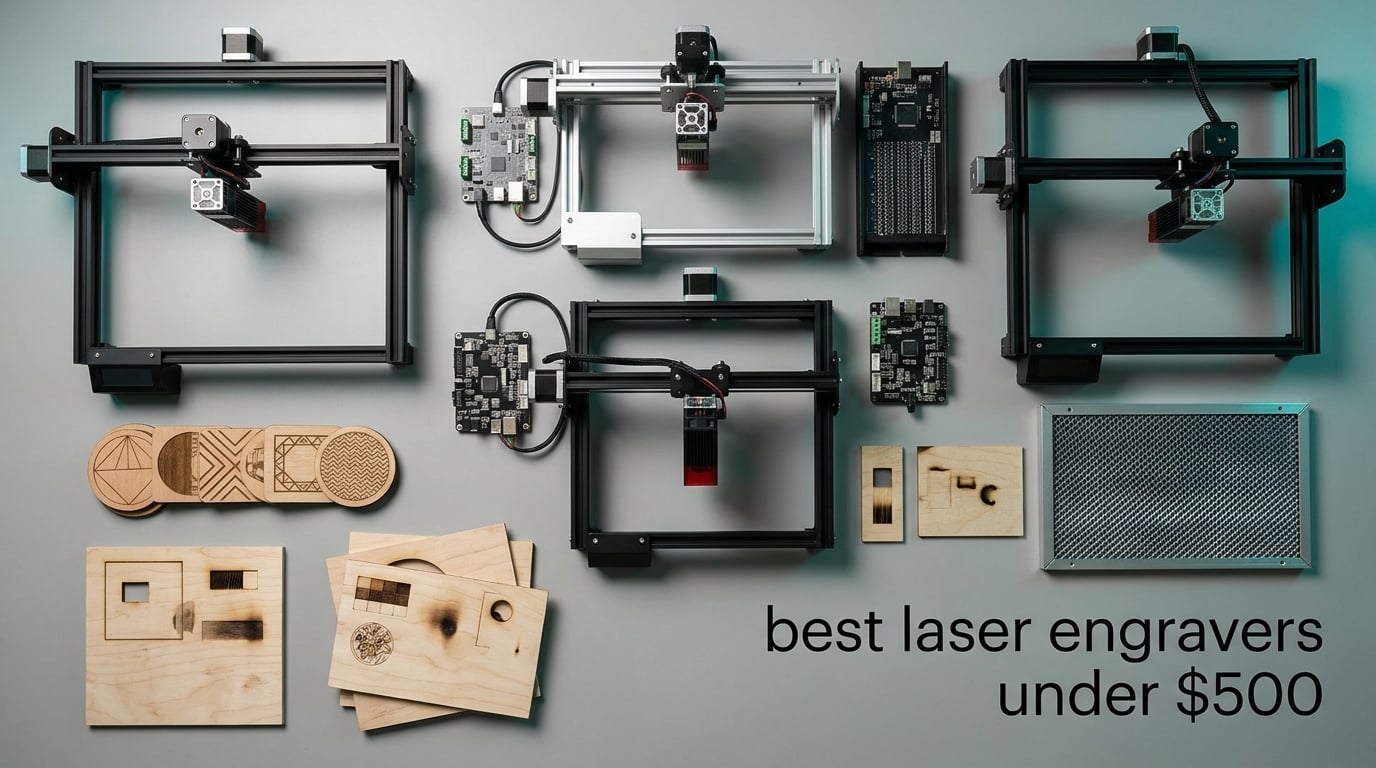
If you want the short answer, here it is: the Ortur Laser Master 2 S2 10W is the best laser engraver under 500 for most people, the Longer RAY5 wins on rating and touchscreen control, and the Twotrees TTS-10 Pro is the smoothest machine for a first-time owner. All three are open-frame 10W diode machines, which tells you something important about this price band. Under 500 dollars, you are buying a well-made gantry engraver for wood, leather, acrylic and coated metal. You are not buying a fiber laser, a CO2 tube, or a production machine.
I spent several weeks working through ten of the most-reviewed laser engravers in this range, reading hundreds of buyer reviews side by side, and mapping every spec that actually changes the result of a job. What follows is the honest version, including the machines that lost points for reliability and the two things no budget diode can do.
The sub-500 tier is genuinely the sweet spot for hobbyists and side-hustlers right now. You can skip the tiny USB engravers that only mark cork boards, and you can skip the thousand-dollar machines that sit above this ceiling. In between you get 10W optical power, bed sizes from 80mm square up to roughly 400 by 415mm, air assist, and LightBurn compatibility. That combination covers keychains, coasters, pet tags, leather goods, acrylic name tags, thin plywood, and small batch production.
Two expectations need resetting before you spend anything. First, a diode laser in this range will not mark bare steel or bare aluminum. It will mark anodized and coated surfaces, and it will mark plastics and wood beautifully. Second, fume extraction is not included in any of these boxes, and a room in a home cannot safely run a Class 4 laser without a dedicated exhaust path. I cover both in detail below, plus the specs that separate a machine you will keep for five years from one you will be troubleshooting in month three.
One quick note if you are also outfitting a small workspace. A laser engraver cuts and marks material. If you need to put finished pages and product labels in front of customers, our picks for the best laser printers for small business cover a different machine class entirely, and plenty of makers own both.
Table of Contents
Top 3 Picks: Best Laser Engravers Under $500 in 2026

Ortur Laser Master 2 S2
- 10000mW diode
- 390 x 410mm bed
- cuts 20mm wood
- LightBurn and LaserGRBL

Best Laser Engravers Under $500 in October
Every machine below is a diode laser. The differences that matter are optical power, bed size, how you control it, and whether it helps keep you safe. Read this table first, then jump to the full review for whichever two or three fit your projects.
| Product | Specifications | Action |
|---|---|---|
| Ortur Laser Master 2 S2 10W |
|
Check Latest Price |
| Twotrees TTS-10 Pro 10W |
|
Check Latest Price |
 Longer RAY5 Dual-Beam 10W Longer RAY5 Dual-Beam 10W |
|
Check Latest Price |
 ACMER S1 6W ACMER S1 6W |
|
Check Latest Price |
 ATOMSTACK Swift 7W ATOMSTACK Swift 7W |
|
Check Latest Price |
 WAINLUXPRO K10 5W Enclosed WAINLUXPRO K10 5W Enclosed |
|
Check Latest Price |
 Carverall K15 Pro 10W Carverall K15 Pro 10W |
|
Check Latest Price |
 Creality Falcon 10W Air Assist Creality Falcon 10W Air Assist |
|
Check Latest Price |
 AlgoLaser 10W with AlgoOS AlgoLaser 10W with AlgoOS |
|
Check Latest Price |
 Creality Falcon 5W Creality Falcon 5W |
|
Check Latest Price |
1. Ortur Laser Master 2 S2 10W – Best Laser Engraver Under 500 Overall
ORTUR Laser Master 2 S2 LU2-10A Laser Engraver Laser, 10000mW Engraving Cutting Machine, Class 4 High Accuracy Laser Cutter, DIY Laser Marking for Metal
10000mW diode
390 x 410mm bed
Cuts 20mm wood, 30mm acrylic
Full metal frame
Pros
- Cuts 20mm wood and 30mm acrylic
- 390 x 410mm bed in a compact footprint
- Rigid full-metal modular frame
- Works with LightBurn and LaserGRBL
- G-sensor tilt stop plus stall and disconnect cutoff
Cons
- Class 4 output means goggles and ventilation are mandatory
- Bundled ground wire does not suit the 10W module
- Steep learning curve for power and speed settings
This is the machine I recommend to most people reading this page. It has 1474 ratings behind it, more than any other engraver in this price band, and that volume of long-term ownership is worth more to me than a single higher star average from a newer release. Owners keep coming back to it years later, which tells you the frame and the electronics hold up.
The Ortur Laser Master 2 S2 is not a toy. The full-metal industrial frame is rigid enough that a deep cut in 20mm wood does not visibly flex the gantry, and the modular design means you can service parts rather than replace the machine. The 390 by 410mm bed is a genuinely useful size. It fits a full sheet of thin plywood and most standard coaster blanks without you needing to split the job in half.
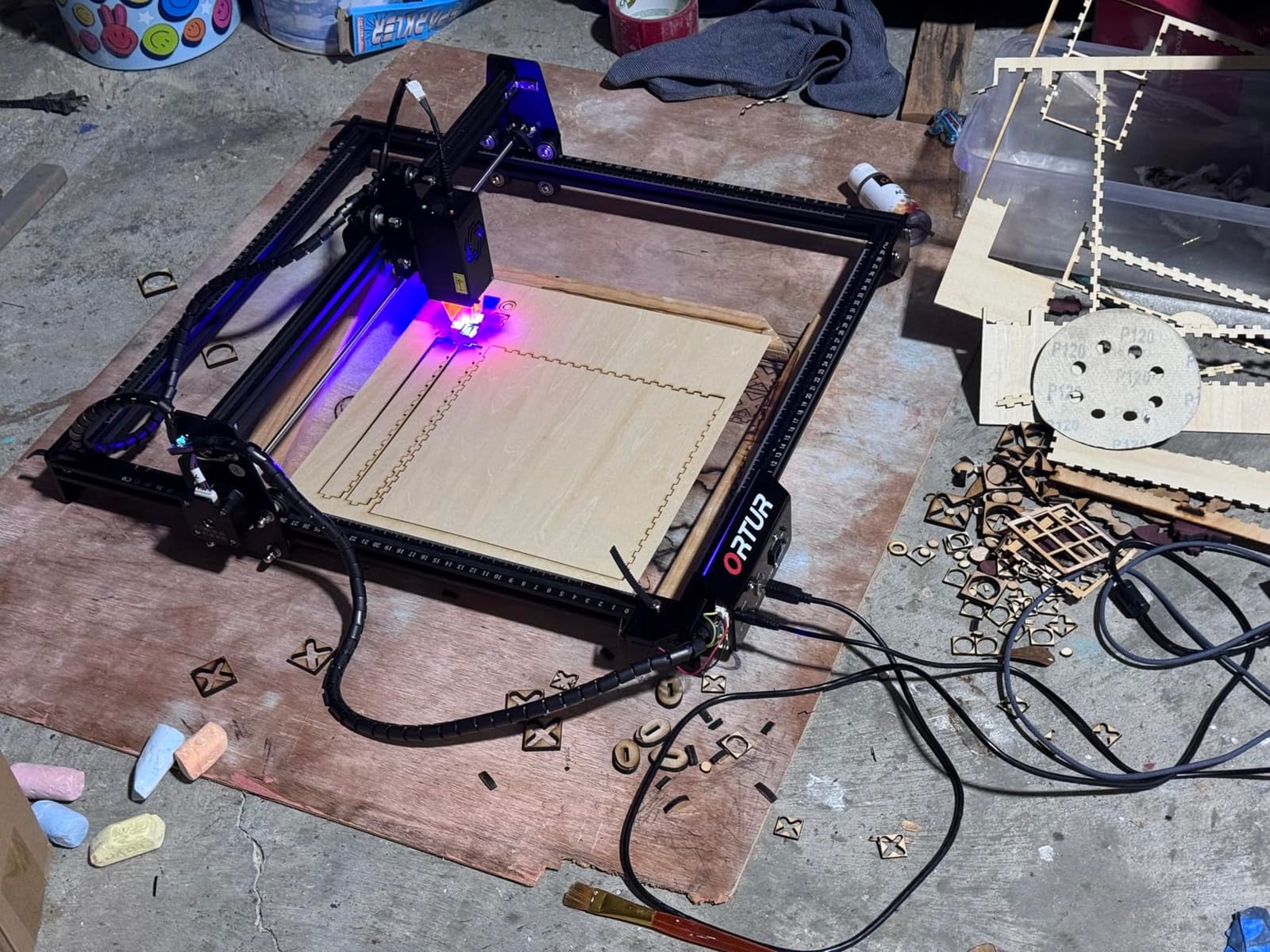
The optics are the reason to stretch here. A 10000mW true optical output module with a compressed 0.05 by 0.1mm spot gives you fine detail on leather and thin acrylic, and the dual-fan cooling keeps the module stable on longer cuts. The listed cut capability of 30mm acrylic and 20mm wood is at the top end for this budget, and it is a real difference when you are cutting rather than only marking.
Safety hardware is unusually thoughtful for an open-frame machine. The G-sensor stops the laser if the unit is tilted or moved, and it cuts out automatically on a motor stall or a USB disconnect. The included cover filters 98 percent of UV light, and a pair of safety glasses in the box. That still leaves a Class 4 open frame, so an exhaust plan is on you.
One practical note that catches people. The ground wire included in the box is a leftover from the smaller 2.1W and 5W kits and does not suit the 10W module that comes with this version. Several buyers discovered that the hard way. It is a five-minute fix, but it is the first thing to check when you unbox it.
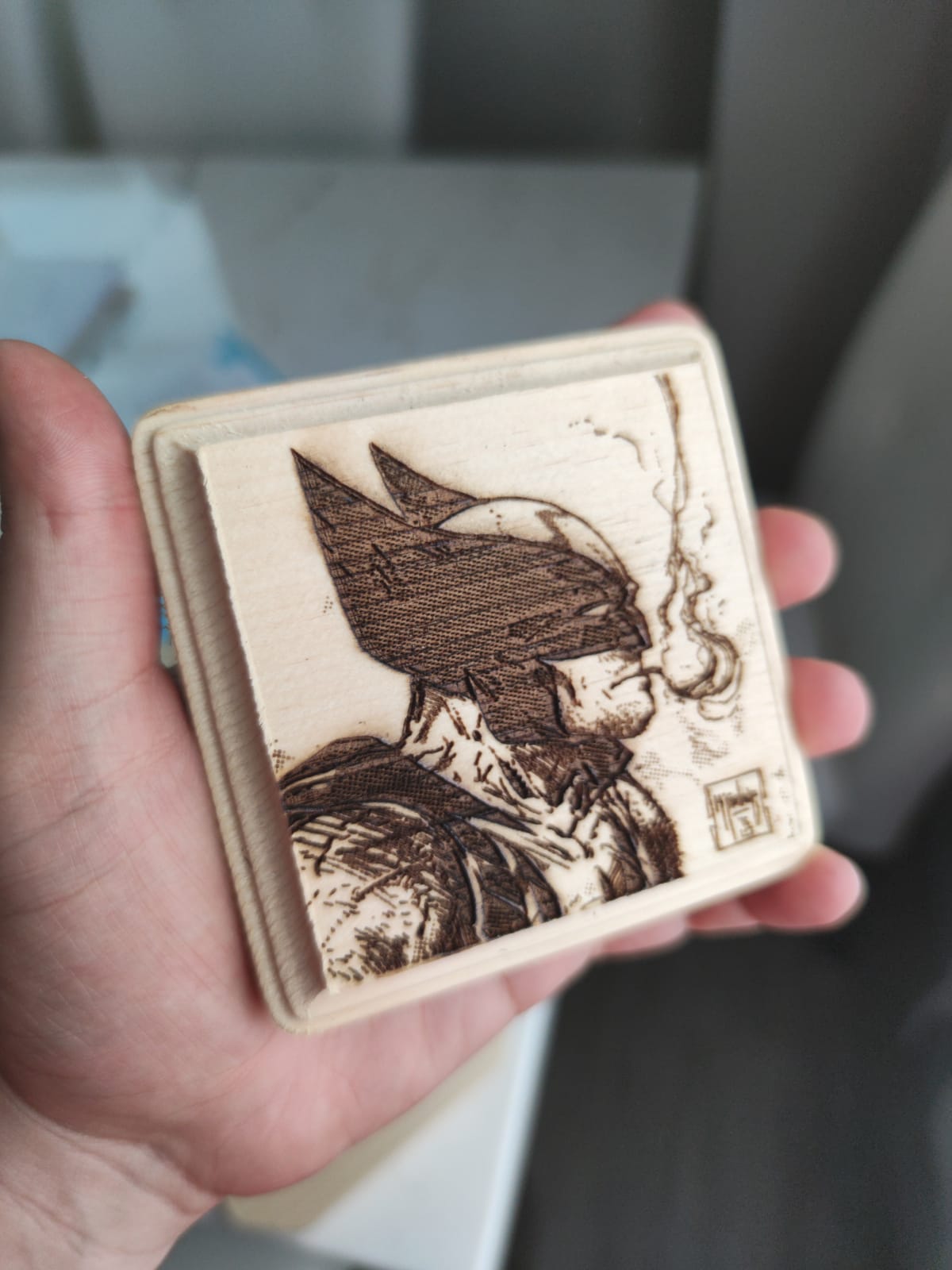
Is the Ortur Laser Master 2 too powerful for a first machine?
For a beginner who will follow a settings guide, no. It is the machine I would put in front of someone who wants to grow into cutting rather than outgrow engraving. The 10W module handles thin plywood and acrylic cuts in a single pass, which is where most entry-level machines stall out.
The learning curve is real, and it shows up in reviews more than any other complaint. Power, speed, passes, focus height and air assist all interact, and getting a clean edge on your tenth job takes a few sessions. If you want something you will be productive with in an afternoon, look at the enclosed or pre-assembled options further down.
When should you pick a different machine instead?
Choose something else if you work in a shared room with children or pets, since this is an open Class 4 frame. The WAINLUXPRO K10 in this roundup is fully enclosed and certified Class 1, which changes the safety conversation completely for a small footprint.
Also pick a different machine if your work is small, precise items rather than full-size sheet goods. A 10W gantry laser is a lot of machine for a 50mm pet tag. In that case the Creality Falcon 10W with the bundled rotary roller is a better match for cylindrical work, and the ACMER S1 is a better match for tags and jewelry on a small bench.
2. Twotrees TTS-10 Pro 10W – Best for First-Time Owners
Twotrees TTS-10 Pro Laser Engraver,10000mW High Precision Laser Engraving
10000mW 450nm diode
300 x 300mm bed
30000mm per min
Offline TF card
Pros
- Cuts wood
- bamboo
- acrylic
- leather and coated metal
- 30000mm per min head speed
- Certified electronics and 12-month warranty
- TF card and card reader are included in the box
Cons
- Will not mark bare steel without a coating or spray
- 300 x 300mm bed limits larger projects
- Assembly and first setup is demanding
- LightBurn is a paid upgrade
The Twotrees TTS-10 Pro is the one I recommend to someone who wants to be productive on day one and does not care about a huge bed. It covers 589 ratings, sits at 4.3, and the specification sheet is the most complete of anything in this budget range. It is also CE, FCC, ROHS, FDA and UL62368 certified, which is unusual at this level.
The headline spec is speed. The 32-bit dual-core control board drives the head to 30000mm per minute, roughly triple what most of the machines here quote, and the 42 stepper motors on dual Y-axes with GT2-6mm belts handle that speed without drama. If you are engraving hundreds of small identical pieces, this is the machine that gets you through the batch fastest.
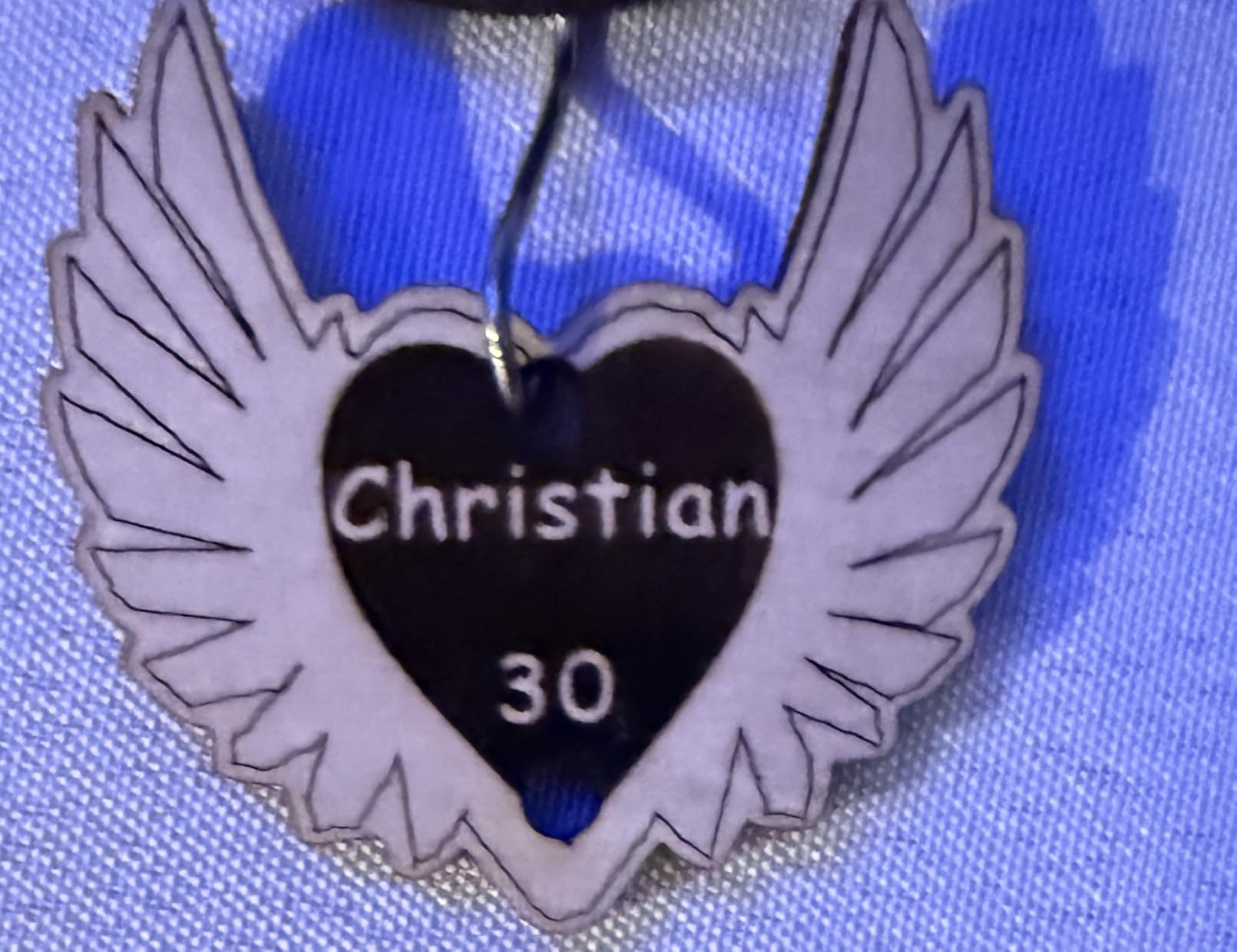
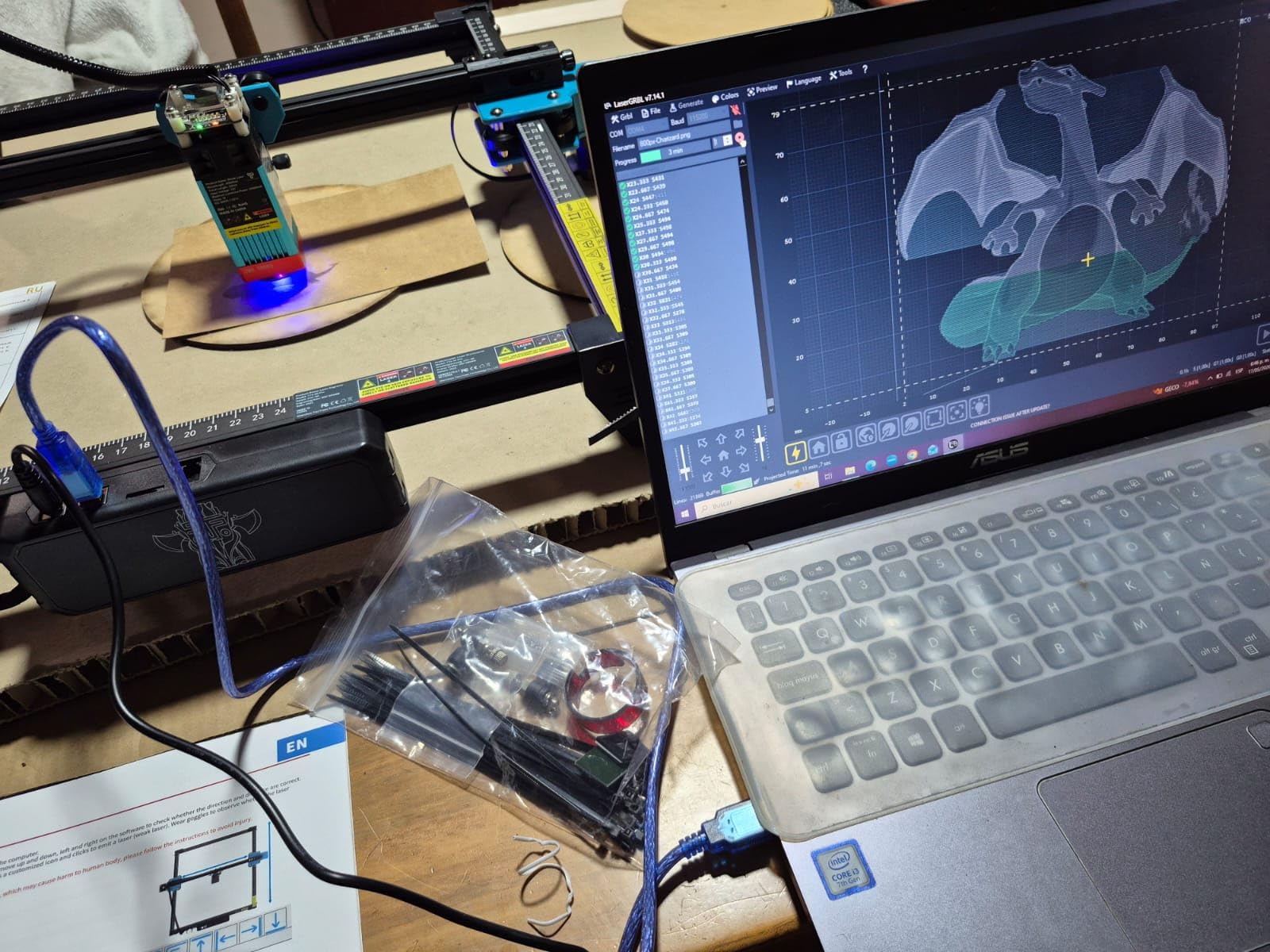
Workflow is where Twotrees put real thought. You can control it online, from a mobile app, over a web connection from your computer, or completely offline from the 4GB TF card and reader included in the box. LightBurn and LaserGRBL both work, and you can export .lbrn and .nc files. A 0.069mm spot and a compact 10 inch by 5 inch by 7 inch frame make it a tidy unit on a small bench.
Reviews consistently confirm good results on wood, bamboo, acrylic, leather, dark glass, and coated or anodized metal. The 300 by 300mm bed is a square roughly 11.8 inches on a side, which is a sweet spot for keychains, coasters, small signs and jewelry blanks rather than sheet goods.
The one caution is the setup. Buyers report that assembly and first-time configuration is difficult, and some had to disassemble and redo a step to get it right. Budget an afternoon for the first session rather than an evening. The pay-off is a machine that handles almost anything you throw at it once you understand power and focus.
Does the TTS-10 Pro really engrave metal?
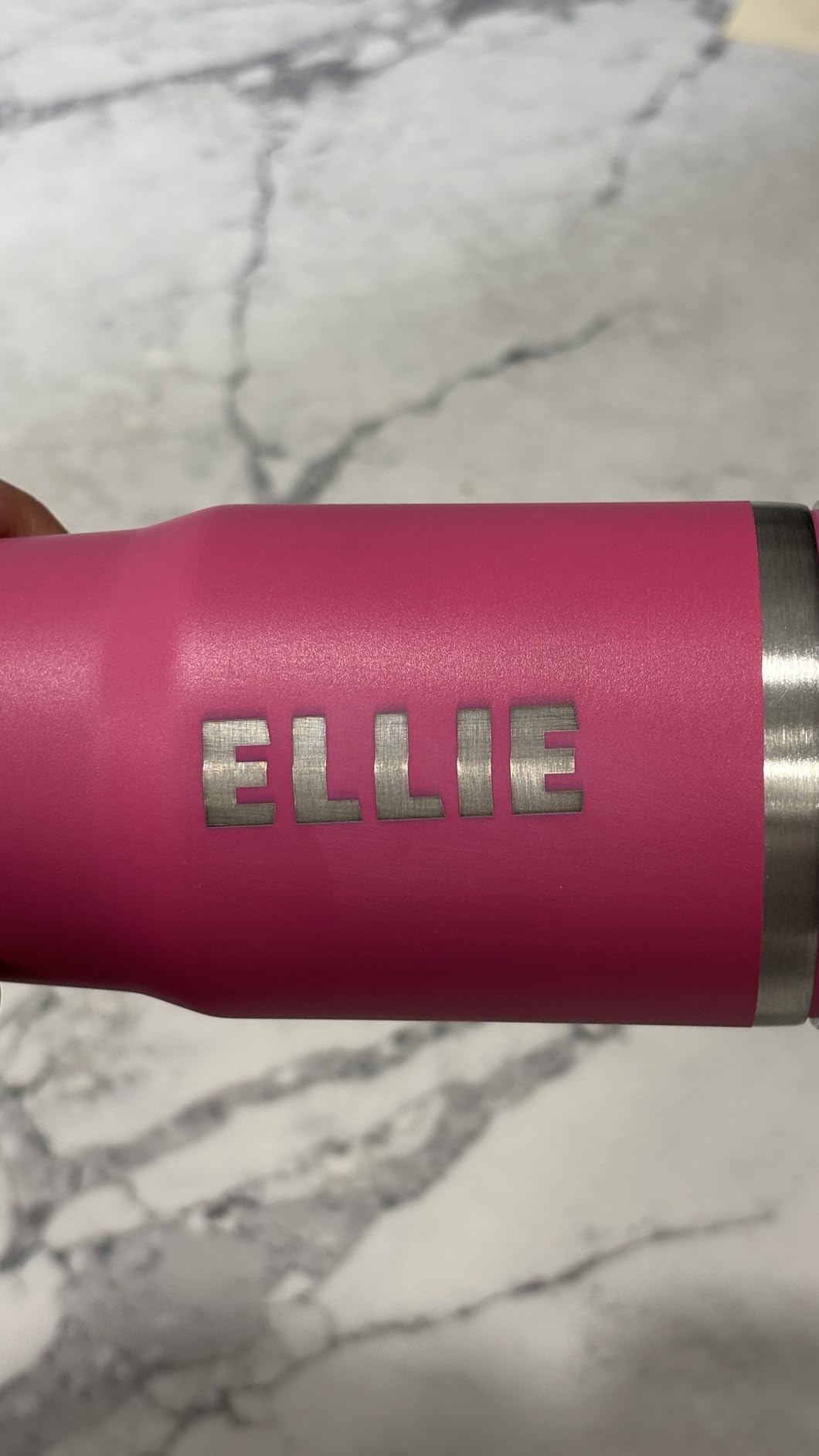
It marks coated and anodized metal, which covers tumblers, name plates, key tags and most consumer goods you would want to personalize. That is a different claim from engraving raw metal, and sellers blur the two constantly. Bare stainless and bare aluminum will not mark at 10W blue light.
Carverall, later in this roundup, is the one to look at if raw metal matters, because it takes an optional 1W infrared head. The infrared head is invisible to the eye and is a genuinely different tool, so treat it as an upgrade rather than a default expectation for a sub-500 machine.
Is a 300 by 300mm bed going to frustrate you?
Only if you cut sheet material. Anything up to roughly 11.8 inches square fits, which is most keychains, most coasters, most pet tags and most small plaques. Full plywood sheets and large signs need the 400mm-class beds from the Longer RAY5 or the Ortur.
For a first machine on a hobby budget, a manageable bed is often better than a large one. Large beds need more calibration, more waste material, and more ventilation because you are running a bigger surface area. Twotrees pairs fast, forgiving hardware with a bed size that matches the first projects most people actually make.
3. Longer RAY5 Dual-Beam 10W – Top Rated and Best Expandable
Longer New Upgrade RAY5 Laser Engraver Cutter,Working Area 15.75″×15.76″
Dual beam 10W
400 x 400mm bed
Cuts 20mm wood
3.5 inch touchscreen
Pros
- Highest average rating in this group
- 24000mm per min dual beam speed
- Touchscreen makes standalone operation straightforward
- Expansion kit extends the bed to 850 x 400mm
Cons
- Written instructions are weak and assembly needs video guidance
- Out of bounds errors sometimes need manual homing
- Some machines arrived without the focus tool
- Firmware updates are Windows only
The Longer RAY5 carries the highest average rating of any machine here at 4.4 across 383 ratings, and the review pattern explains why. Owners consistently mention speed, the touchscreen, and the fact that this is the only machine in the list with a documented path to a much larger bed later.
Dual-beam technology is the technical headline. Instead of one pass, the module fires two beams to speed up engraving to a stated 24000mm per minute, and the 400 by 400mm bed covers a 15.75 inch square. The listed cut capability is 20mm wood and 30mm acrylic, matching the Ortur at the top of the range.
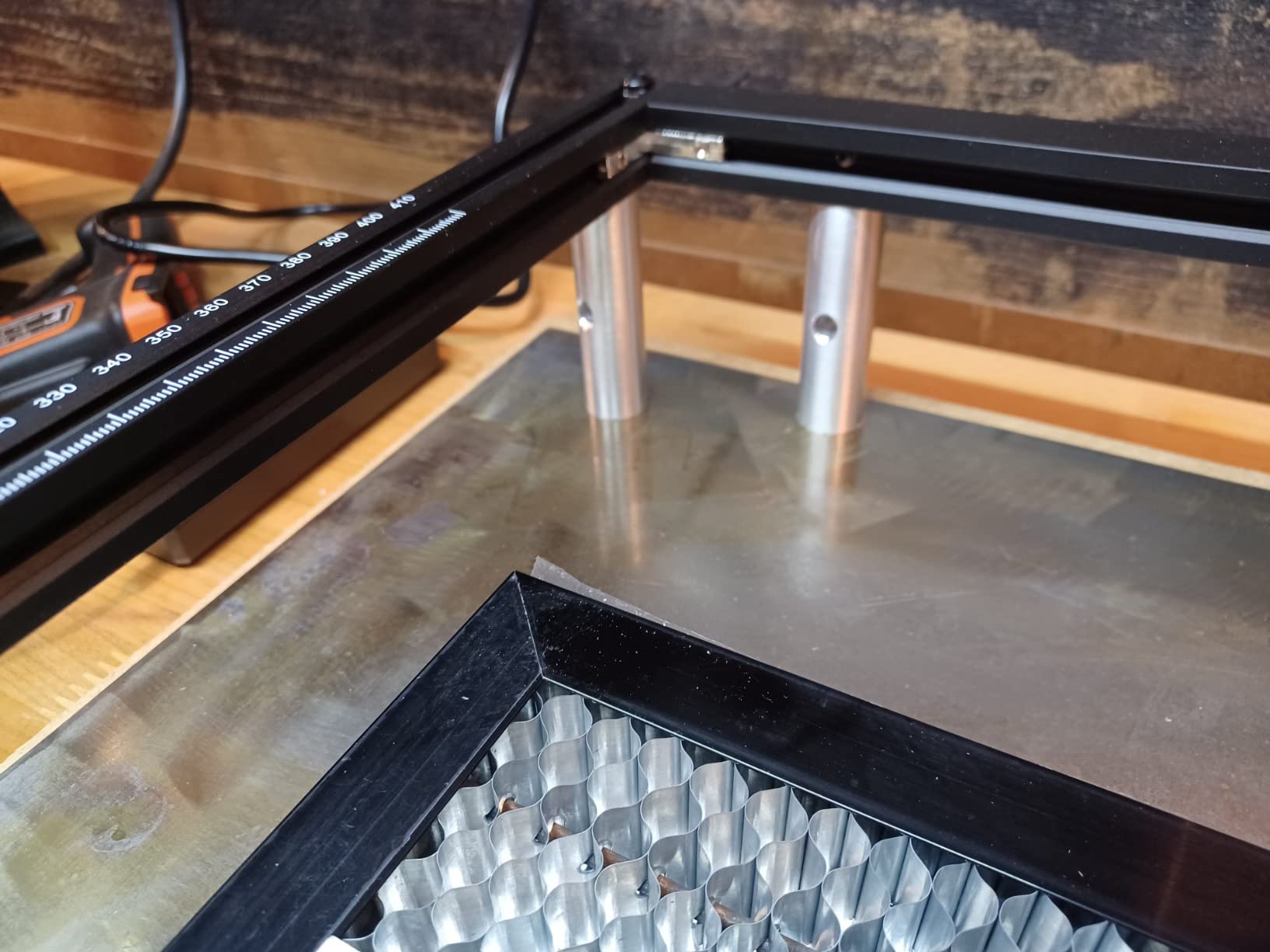
Control is what separates it from every other open-frame machine here. The 3.5-inch touchscreen gives you a standalone path for previewing and running jobs, backed by a 32-bit core mainboard with Wi-Fi, USB, app transfer and TF card, plus full offline operation. That is a lot of ways in, and it matters when you are printing a queue of jobs rather than making a single gift.
The extension kit is the real differentiator. An optional kit expands the working area to 850 by 400mm, roughly 33.46 by 15.75 inches, which turns a hobby machine into one that can handle sheet material and small production runs. None of the other nine picks here has a manufacturer-supported bed expansion of that size.
The weak point is documentation, not hardware. Owners report falling back on video guides for assembly, and some hit out-of-bounds framing errors on first runs that need a manual homing or a frame command. Several also note that firmware updates come as Windows executable files, so Mac users cannot update. Customer support hours are China-based, which is a real factor if you need urgent troubleshooting.
Is the Longer RAY5 worth choosing over the Ortur?
It depends on two things: whether you want a touchscreen, and whether you might need a bigger bed in a year or two. If you plan to stay on small items, the Ortur has more owner history behind it and a tighter, more serviceable frame. If you want to grow, the RAY5 is the better buy.
The rating gap is small enough that I would not pick on stars alone. The RAY5 is 4.4 with 383 ratings and the Ortur is 4.2 with 1474. That second number is a much longer track record of people still using the machine, which for a tool that lives in a garage matters as much as the average.
Will a dual beam actually show up in my work?
On batch jobs, yes. Two beams mean a job finishes roughly twice as fast on the engraving pass, so a run of coasters or keychains takes noticeably less machine time. On a single detailed piece the difference is small because you are usually limited by design, handling, and focus rather than by scan speed.
If your projects are one-off personal gifts, do not chase the speed figure. If you are producing inventory for a side business, the RAY5 and the Creality Falcon 10W are the two machines here where throughput genuinely changes your day.
4. ACMER S1 6W – Best Value with Free Design Software
ACMER S1 Laser Engraver Machine, 6000mW Lazer Cutter for Wood and Acrylic
6000mW diode
130 x 130mm bed
99 percent assembled
Free ACMER Studio
Pros
- Cheapest full feature entry here
- Arrives 99 percent assembled with only the laser head to fit
- Free bundled software includes AI design tools
- Compact 2kg aluminum body stores easily
Cons
- Smallest bed in the group at 130 x 130mm
- 6W is slow on thicker material
- Homing and out of area alarms are inconsistent
- Bundled software is limited next to paid suites
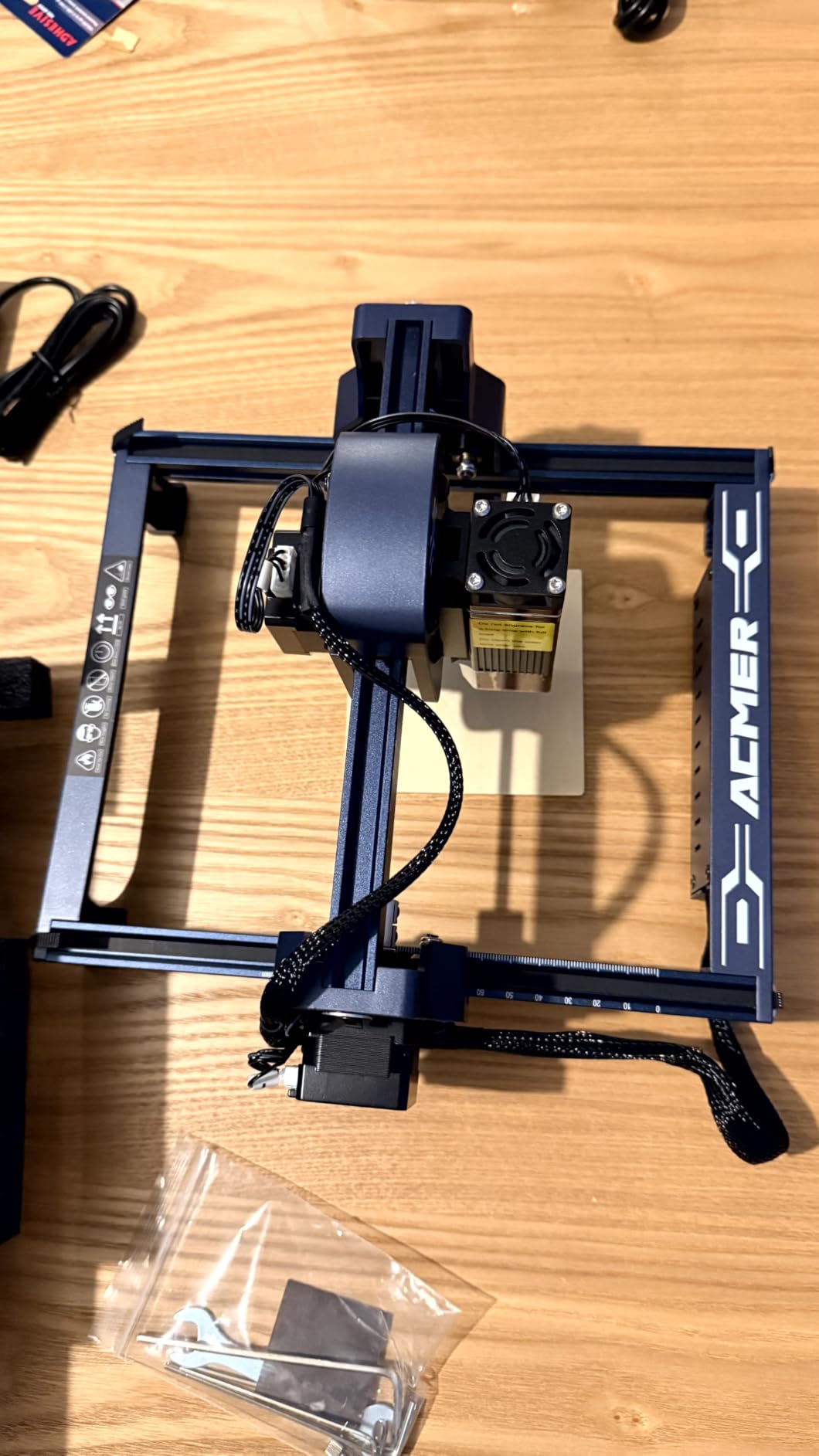
The ACMER S1 answers a different question than the machines above it. If your budget is measured in what is left after you buy a rotary attachment and a fume extractor, this is the machine that makes sense. It is Class 4 certified, IEC 60825-1 compliant, and carries a 12-month warranty with 24/7 support.
Setup is the headline. It arrives 99 percent assembled and the only remaining fitting is the laser head, which takes about a minute. For a buyer who has never run a gantry machine, that removes the single most common reason first attempts go badly. Reviewers repeatedly describe clean results on wood, plywood and leather once focus and power are set.
The software story is better than the price suggests. ACMER Studio is free and includes AI design tools that turn a text prompt or a photo into an engraving file, which removes the usual first obstacle of having nothing to engrave. LightBurn and LaserGRBL are both supported, and it runs on macOS, Windows and Linux. The control board handles multiple machines from a multi-core processor, which matters if you later add a second unit.
Specs are modest and honest. 6000mW optical power at a 455nm wavelength, a 2mm focal length, 0.01mm repeatable positioning accuracy, speeds to 10000mm per minute, and a 130 by 130mm bed inside a 2kg aluminum body. That is a jewelry-and-tags machine, not a cutting machine.
The recurring complaint in reviews is mechanical consistency rather than capability. Owners report homing that varies between jobs and out-of-area alarms firing when the work is well inside the bed. One 1-star review describes that reliability gap as outweighing the easy setup entirely, which is fair to surface here.
What can a 6W diode actually cut?
Thin plywood, MDF, thin acrylic and card. That is the realistic list at this power, and the machine is honest about describing it as an engraver first. It will score and etch deeper material with multiple passes, but you will not be cutting 10mm board in one go the way the 10W machines can.
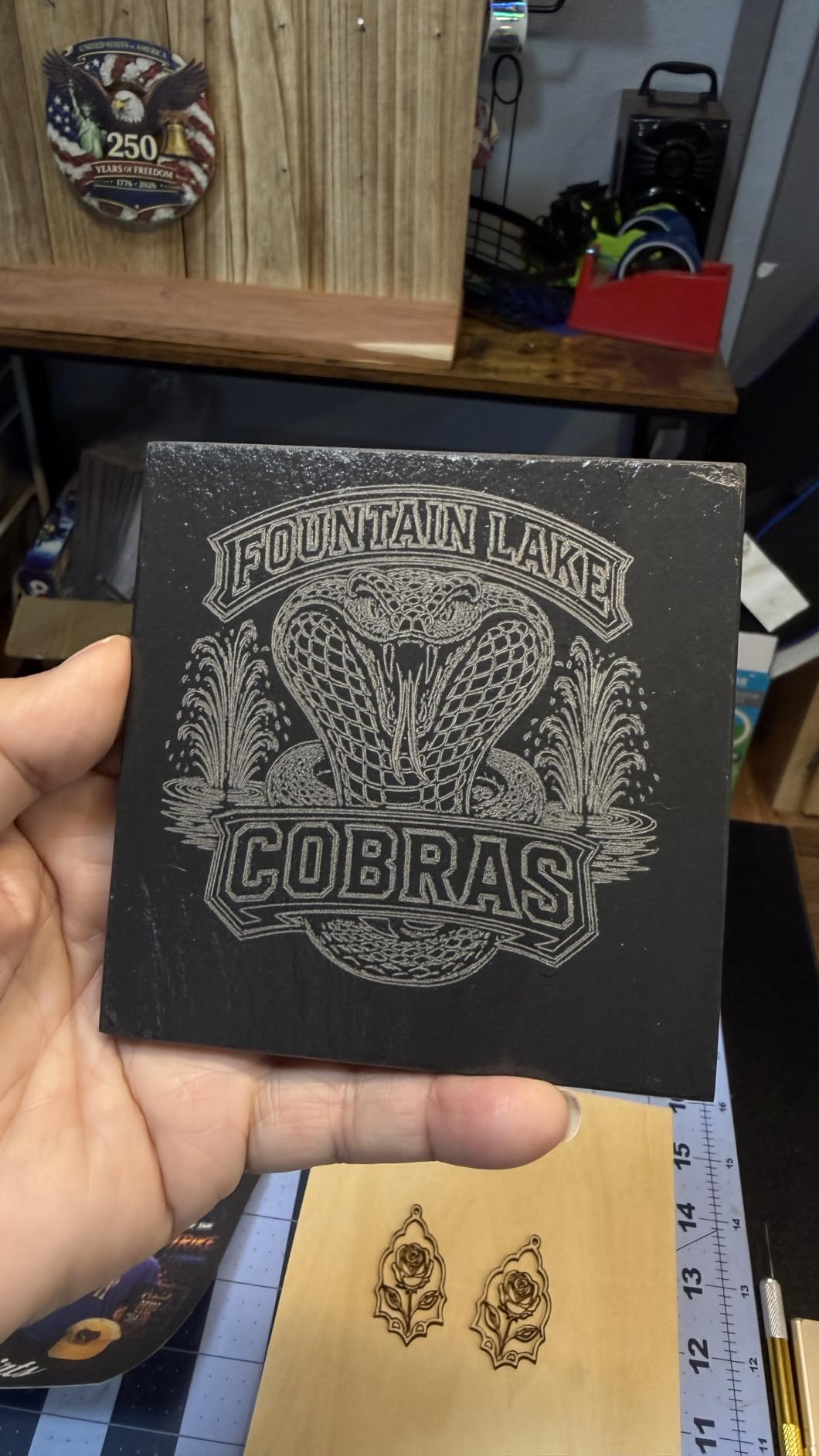
If your project list is tags, initials on dog bowls, keychain blanks, leather patches, small wooden labels and photo engravings on tile or slate, the S1 handles all of it cleanly. If you are producing cut parts, step up to a 10W machine rather than fighting the power ceiling.
Is the small bed a dealbreaker?
It is a real constraint. At 130 by 130mm you are working on a square a little larger than a coaster, so anything sign-sized means outsourcing or splitting the job. Several buyers recommend stepping up in wattage as their main next purchase.
My view is that the bed is only a dealbreaker if you already know you need larger work. Many owners use this class of machine for personalization batches where the whole point is repeating a small design many times, and a small bed makes waste and focus repeatable rather than a headache.
5. ATOMSTACK Swift 7W – Best Value 7W for Small Batch Work
ATOMSTACK Swift 7W Laser Engraver, Swift 7W Laser Cutter, 0.06mm High Accuracy Laser Engraving Machine for Wood and Metal, Dark Acrylic, Glass, Leather Black
7000mW diode
300 x 300mm bed
400mm per second
App and PC control
Pros
- Low entry cost with genuine 7W cutting ability
- 400mm per second engraving speed
- Works with phone app plus LightBurn and LaserGRBL
- Fast simple assembly for most owners
Cons
- Unit to unit quality control is inconsistent
- No altitude or Z reference included
- Wi-Fi pairing is finicky and Bluetooth is unsupported
- Open frame means goggles are required
The ATOMSTACK Swift 7W is the odd-number machine in this roundup. Most sellers offer 5W or 10W, and 7W is the sweet spot between them: enough to cut thin material, cheap enough to be a low-risk first purchase, and quick enough for small batches.
Speed is the standout number. A stated 400mm per second engraving rate is fast for the class, and the 0.06mm spot holds fine detail on wood. The 300 by 300mm bed matches the Twotrees, and the module uses a built-in screw rod with a long focal length, which means a taller working gap and less chance of a focus mistake on thick stock.
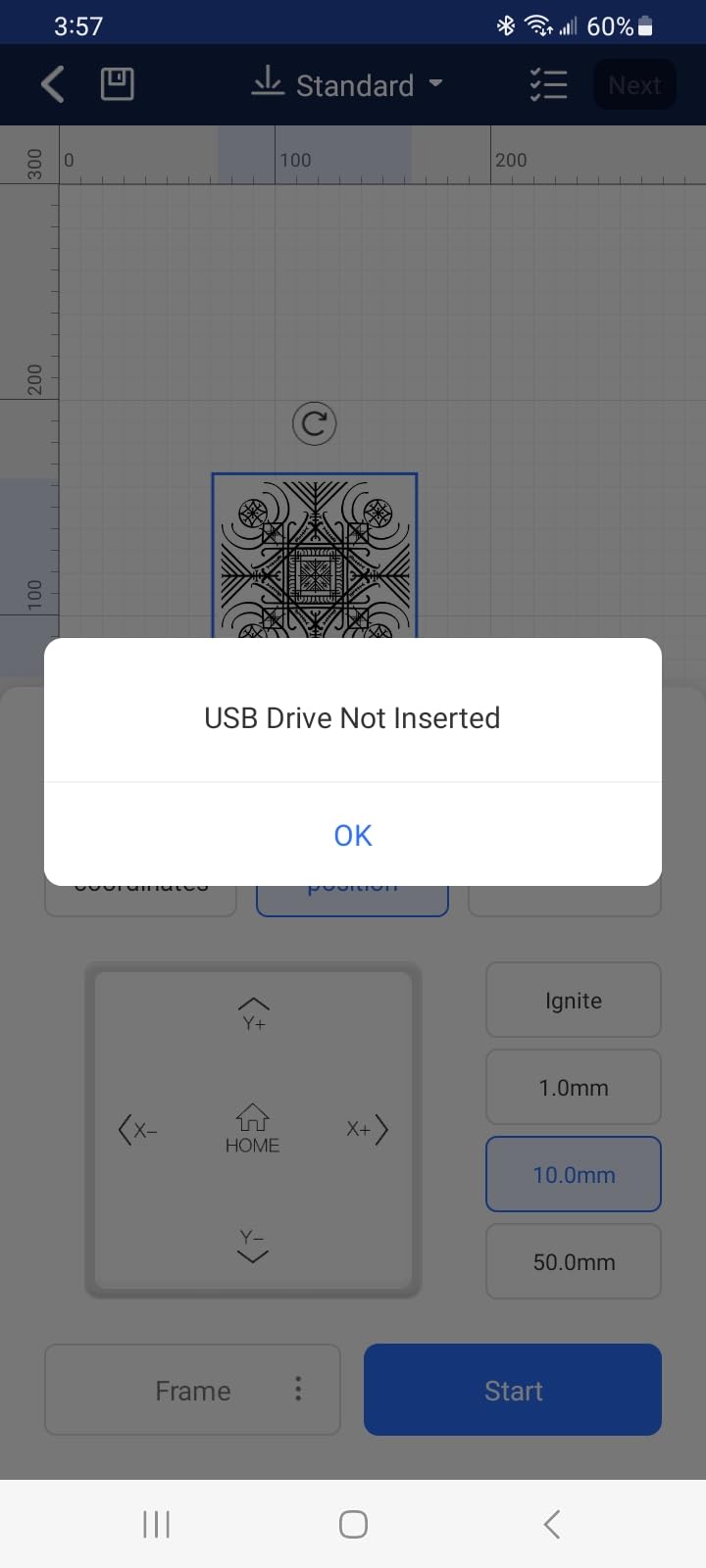
It engraves wood, dark acrylic, glass, leather and coated metal, connects over Type-C and USB, and works with the phone app as well as LightBurn, LaserGRBL and ATOMSTACK’s own software. The removable magnetic UV cover and included safety glasses are a nice touch for an open frame, and the warranty runs 365 days with 24/7 support across more than 40 countries.
Reliability is where the reviews split. This machine has the highest one-star share of the 10W-adjacent options, and the complaints cluster on machine-to-machine variation. One buyer went through two machines, one dead on arrival and one throwing spurious USB drive errors. Others report slow support responses and finicky Wi-Fi pairing.
Onboarding is the other friction point. No altitude or Z reference is included, so centering a workpiece is fiddly, and the beginner documentation is thin. If you are comfortable with a small amount of setup work, the value is genuinely good. If you want everything handed to you on a plate, the ACMER S1 or WAINLUXPRO K10 are calmer choices.
Is 7W better than 5W or 10W for a hobbyist?
For most hobby work, 7W sits in the useful middle. 5W engraves beautifully and marks coated metal well but is slow and thin for cutting. 10W opens up thin plywood and acrylic in a single pass at a higher hardware cost. 7W gives you most of the cutting ability for a lower entry point.
The upgrade path matters more than the exact wattage. Several brands in this roundup let you replace or add a laser head later, so buying a slightly smaller module in a solid frame can be a smarter long-term move than buying the largest module you can afford on day one.
Should I worry about the open frame?
You should respect it, not fear it. This is a Class 4 laser, so goggles and a UV cover are included, and the correct routine is goggles on, exhaust running, and the machine on a surface where nobody can walk a hand into the beam path while it is moving.
Experienced users on buyer forums consistently rank enclosure and exhaust above wattage when they advise beginners. If you work in a busy family room rather than a workshop, put the WAINLUXPRO K10 or the AlgoLaser at the top of your list instead, and treat the open frame as a workshop tool.
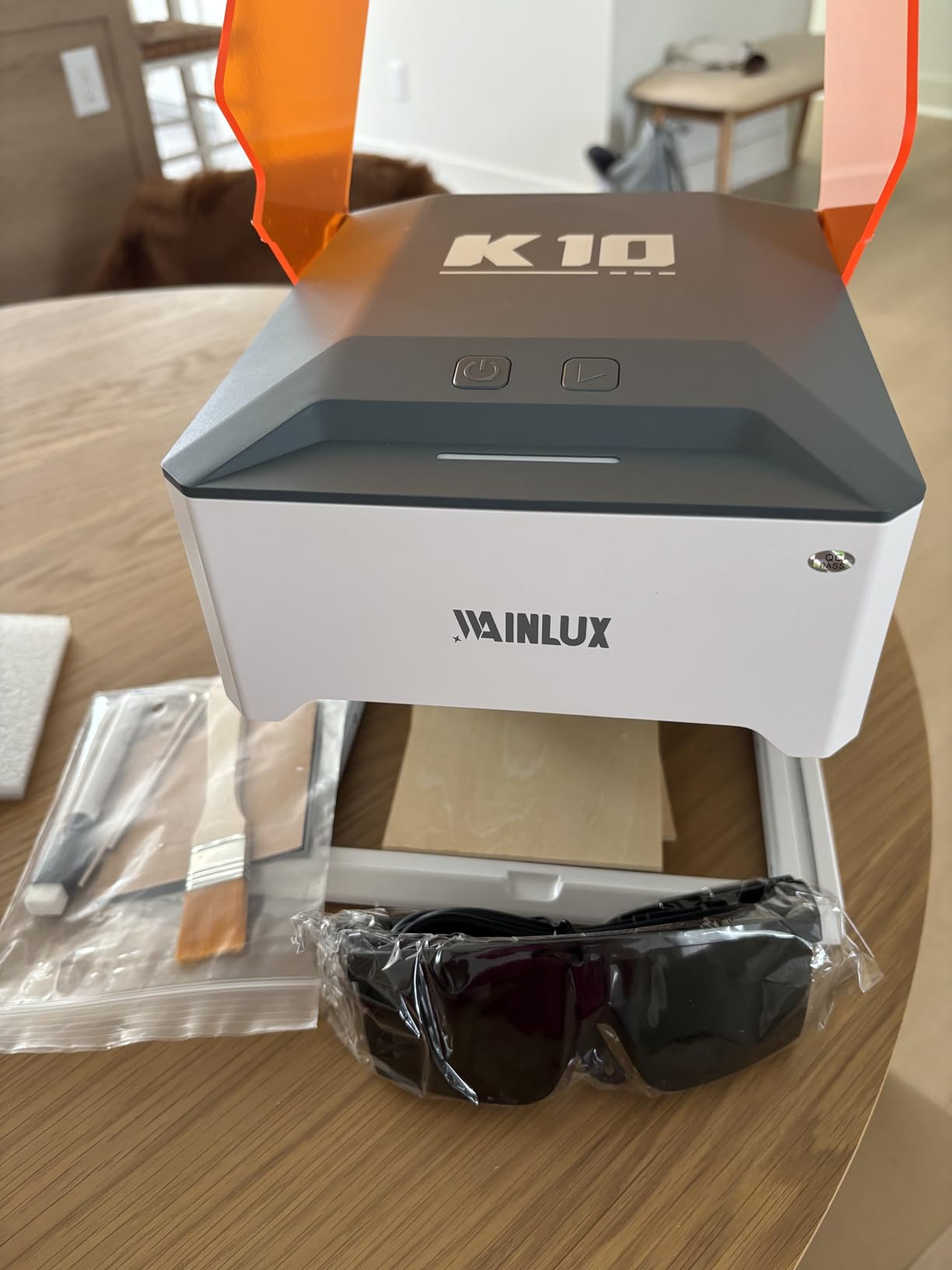
6. WAINLUXPRO K10 5W – Best Enclosed Class 1 Machine for Home Use
WAINLUXPRO K10 5W Laser Engraver, Class 1 Enclosed Engraving Machine
Class 1 enclosed
5W laser
80 x 80mm bed
Zero assembly
Pros
- Fully enclosed and Class 1 certified for home use around kids and pets
- Essentially zero setup and works out of the box
- Sharp consistent results on wood leather and glass
- Offline TF card mode for repeat production
Cons
- Smallest bed in the group and smaller effective area still
- Cutlabx has no image preview
- Home position is fixed and cannot be recentred
- Cannot mark bare or mirror metal
The WAINLUXPRO K10 is the only fully enclosed machine in this roundup, and that single fact changes how it should be used. A certified Class 1 enclosure means the laser is safe to run in a home with children and pets, with no goggles and no open beam. Experienced users rank enclosure above power for exactly this reason.
It is also the least demanding machine here to get running. It comes assembled, and the smart memory stores your last file so a repeat job is one button. It cuts 3mm basswood and engraves wood, leather, glass, acrylic, cardboard and fabric, at 0.01mm precision. The body is 1.9kg, small enough to store away between sessions.
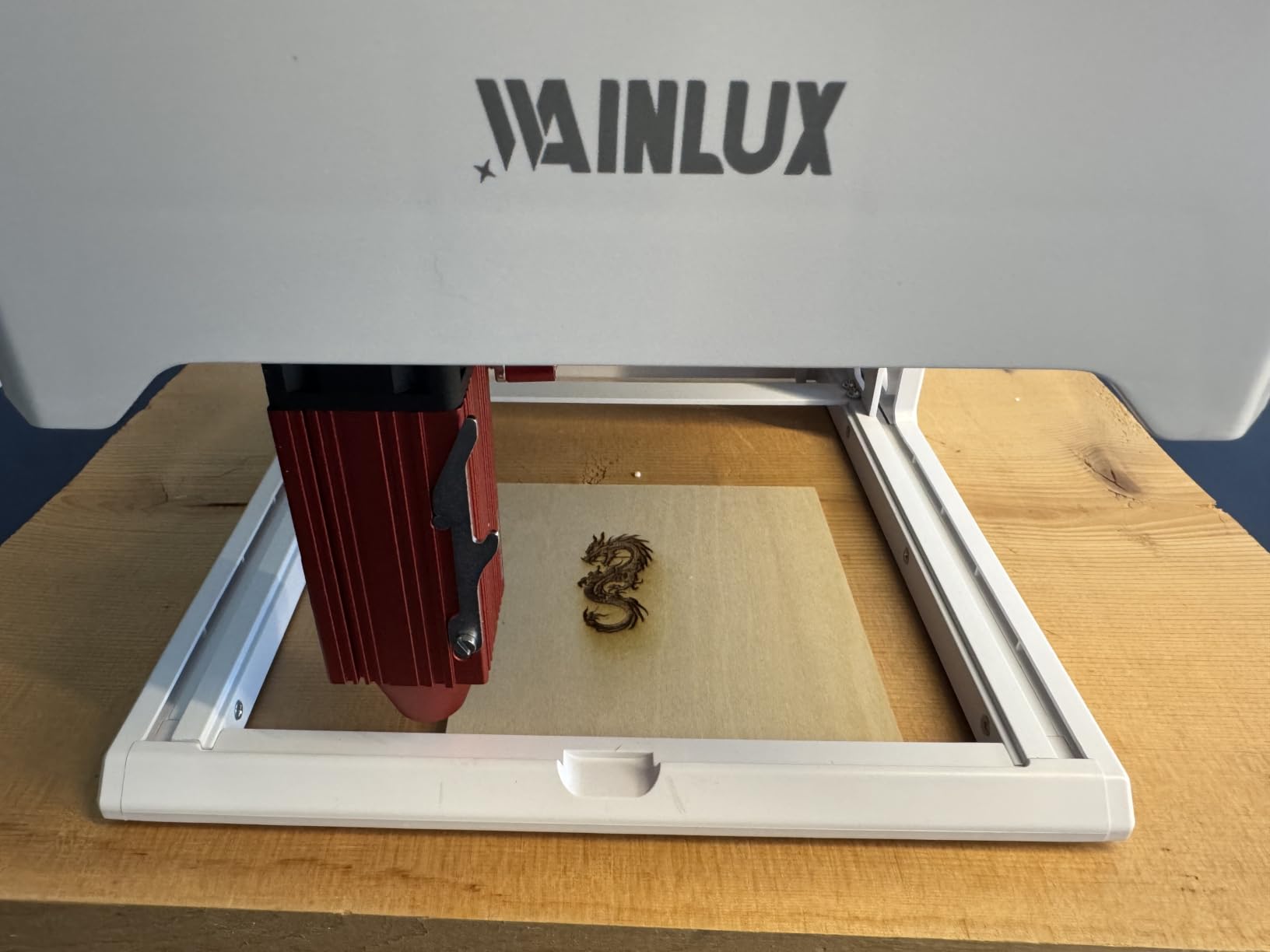
Connectivity covers the bases. Wi-Fi, USB, and a built-in TF card slot for offline batch work with no computer or phone, plus LightBurn, LaserGRBL and a free Cutlabx app. For someone making twenty identical gifts in a row, the offline repeat workflow is the feature that makes this machine pleasant to own.
Support is worth noting here. Owners report the manufacturer reaching out proactively to resolve a negative review, and the machine carries a one-year warranty with tutorial videos and an active user community. That is a small thing, but support quality is where budget machines most often disappoint.
The limits are obvious and real. The 80 by 80mm bed is the smallest here, the effective working area inside that is smaller again, and the home position is fixed at the bottom left with no way to recentre it, so a slice of usable space goes unused. Cutlabx also has no image preview, only a bounding box, which means you cannot tile or overlap images.
Is a tiny enclosed machine worth owning if I am serious?
As a first machine or a gift machine, emphatically yes. As a production tool, no. An 80mm square bed is a coaster-and-tag footprint, and no amount of finesse gets around the fact that you cannot lay a full sheet of material on it.
The case for it is that it lets you make things safely, cheaply and often. Many people who start on a machine this size use it for years on jewelry, labels and small gifts before they feel the need for a bigger bed. If you skip straight to a large open frame, you are buying the capability before you have learned what you want to make.
What materials should I avoid putting in any of these machines?
PVC and vinyl are the two that matter, and they are the reason exhaust is non-negotiable. When a laser touches PVC it releases chlorine gas, which is genuinely dangerous to inhale and corrosive to your machine. Unknown plastics are the same problem without the label to tell you. Never engrave a material you cannot identify.
Carbon fiber, vinyl, and anything with an unknown resin are common mistakes. Absorbent materials like unfinished wood and cardboard can also catch a stray beam, which is why fire watch matters even on a machine with a proper exhaust path. Check the material before you engrave, every time.
7. Carverall K15 Pro 10W – Best Working Area and Metal Upgrade Path
Carverall K15 Pro Laser Engraver 10W-Laser Engraving Machine for Coated Metal Wood Acrylic Glass Stone, Near A4 Work Area Offline Engraving CNC DIY Lazer Cutter for Home & Crafting 10000mW Class 1
10.5W verified diode
11.8 x 7.9 inch A4 bed
Four riser columns
Cuts 12mm plywood
Pros
- A4 workbed avoids both cramped and bulky alternatives
- 3 minute assembly with 6 screws
- Verified 10.36 to 10.58W optical output
- Optional 1W infrared head upgrades raw metal work
Cons
- Bundled CutLabX software is unstable on some hardware
- Air pump honeycomb bed and enclosure are extra purchases
- Manual has incorrect page cross references
- LightBurn costs extra
The Carverall K15 Pro solves a problem the other machines in this list all have. Nearly every sub-500 gantry laser is either a small 130mm square or a large 400mm square, and neither shape fits the work most people actually want to do. The K15 Pro uses an A4 footprint, 11.8 by 7.9 inches, which is a landscape rectangle rather than a square.
A landscape bed matters more than it sounds. It fits signage, nameplates, gift boxes and rectangular blanks without the wasteful trimming you get on a square bed. Buyers consistently single out the workbed as the reason they picked it over smaller or bulkier rivals, and the four heightening columns let you engrave tall items like gift boxes and skateboards without a separate riser.
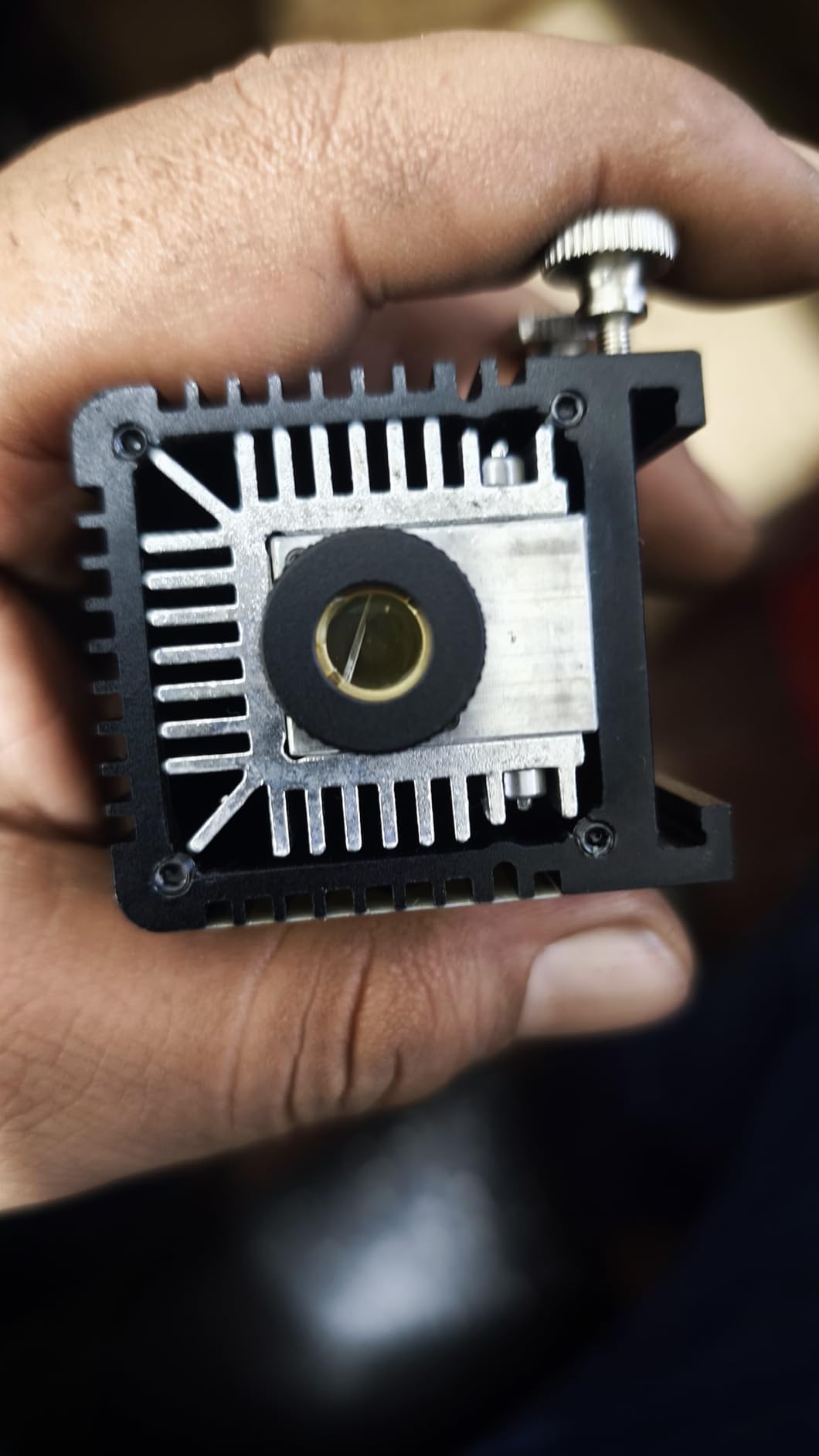
The module is verified rather than claimed. Output measures 10.36 to 10.58W optical with dual-fan cooling that cuts heat buildup by 50 percent on long batch runs, at up to 15000mm per minute and 0.01mm precision. It cuts 12mm plywood and 8mm acrylic and works with more than 300 material types.
Assembly is 3 minutes with 6 screws, and one-touch smart focus plus last-file memory handle the repetitive setup. CutLabX is free across computer, tablet and phone with AI design from a photo or a prompt, and TF card offline operation and LightBurn compatibility are both supported.
The important detail for metal work is the optional 1W infrared head. Infrared is invisible to the eye and marks stainless steel and bare aluminum in a way the blue diode cannot. It is a real upgrade path, and no other machine in this roundup offers one. Everything else on the expandability list, including the honeycomb bed, air pump, rotary roller and air purifier, is a separate purchase.

Should I count the extras in my budget?
Yes, and this is where most disappointed buyers of budget machines go wrong. The machine is the starting point, not the finished setup. Air assist, a honeycomb bed, an enclosure, exhaust, goggles and a first batch of blanks are all separate, and on this machine they are itemized accessories rather than included.
That said, the extras for this one are cheap and genuinely useful. Air assist is the highest-value upgrade in the category because it keeps cut edges cleaner and extends module life, and a honeycomb bed is a cheap way to stop small parts tipping. Budget for those two first and skip the rest until you know what you need.
Is the A4 bed better than a 400mm square bed?
For signage and rectangular objects, yes, and it is not close. A landscape bed uses the material far more efficiently for anything wider than it is tall, and you stop paying for square footage of bed you cannot use.
For nested shapes and circular cutouts, a square bed is better because a square is the most efficient shape to cut round parts from. It is a genuine trade-off rather than a clear win, and it depends on whether your projects are signs or charms. Neither bed size matters if you have not calibrated focus properly, so budget a honeycomb bed and a height gauge before you size up.
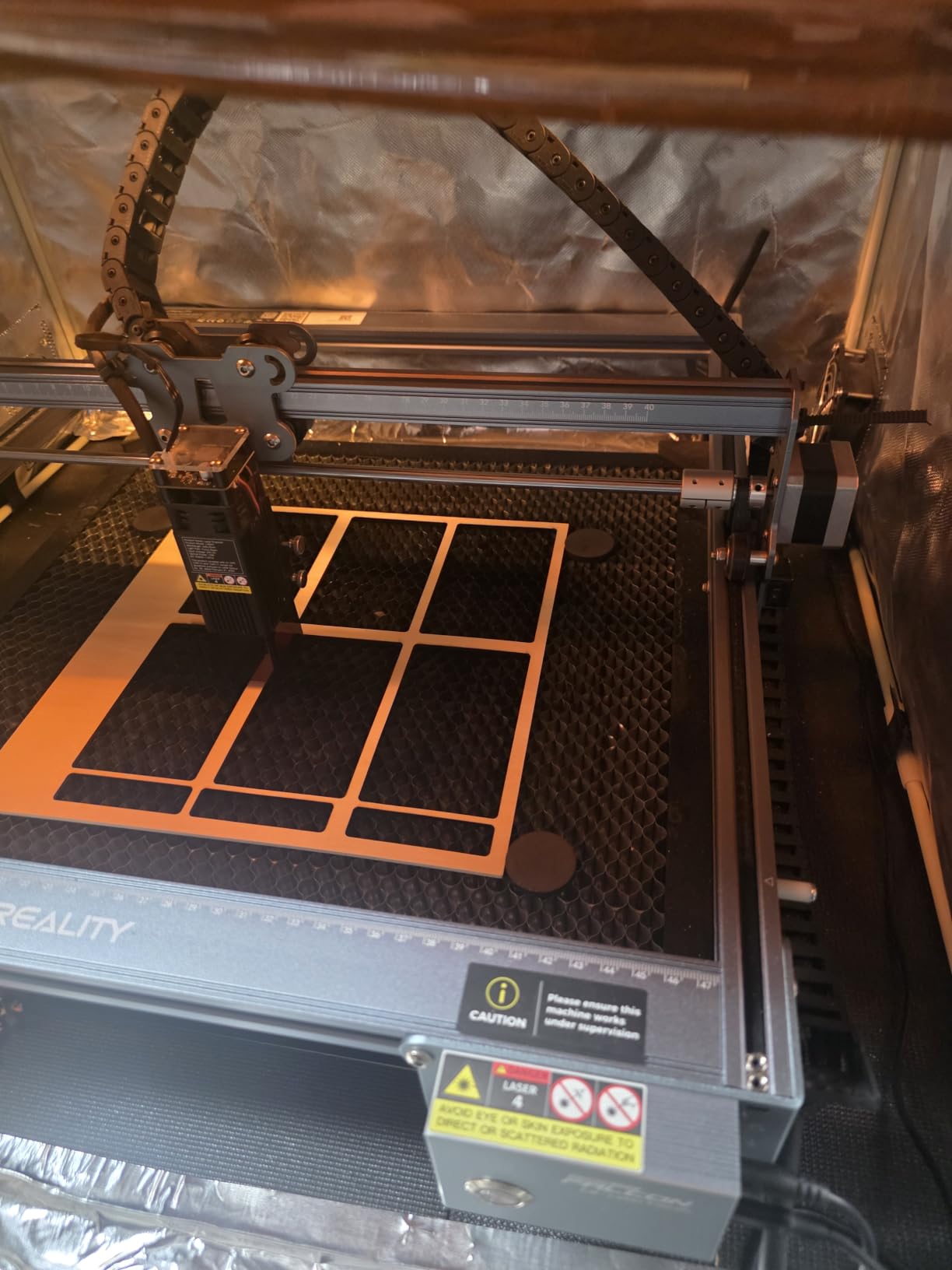
8. Creality Falcon 10W with Air Assist – Best for Tumblers and Cylindrical Work
CREALITY FALCON 10w Laser Engraver with Air Assist, Laser Engraving Machine with Rotary Roller, 72W High Precision Laser Cutter and Engraver for Wood, Metal, Acrylic, Cylindrical Objects, Tumblers
10000mW diode
Air assist pump included
4 in 1 rotary roller
Cuts 12mm wood
Pros
- Air pump and 4 in 1 rotary roller bundled
- 0.06mm spot with 0.004 inch accuracy
- Cuts 12mm wood in a single pass
- Emergency stop and tilt auto stop included
Cons
- Heaviest machine here at 20.4 pounds
- Rotary cable is hidden in the packaging foam
- No enclosure
- Class 4 with an anti-UV module filter only
If your target product is a tumbler, a mug, or anything round, the Creality Falcon 10W is the machine in this roundup built for it. The air assist pump and the 4-in-1 rotary roller both come in the box, which removes the two accessories that most buyers end up ordering separately anyway.
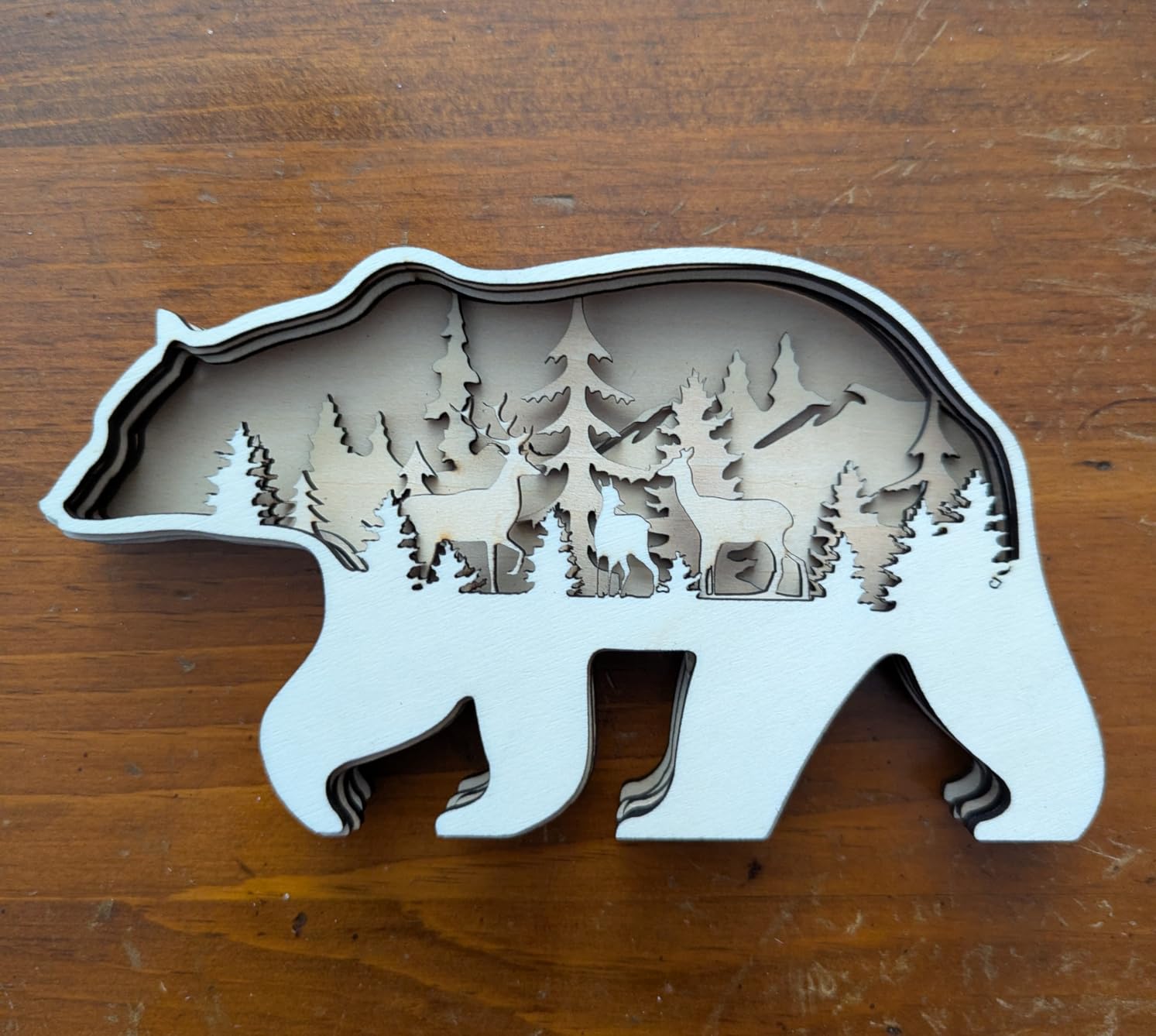
The rotary attachment is unusually well thought out. One roller covers four clamping setups: 1 to 110mm external clamping, 25 to 75mm internal propping, 10 to 130mm for spheres and 15 to 100mm for rings. That covers the full range of drinkware in a single kit, and it is the reason buyers choose this machine over a cheaper 10W frame.
Precision is the other draw. The 0.06mm laser spot with accuracy within 0.004 inches and repositioning under 0.007 inches produces the crisp results people want on a coated tumbler surface. It cuts 12mm wood board or 3mm black acrylic in a single pass at up to 10000mm per minute, and the adjustable air assist keeps cut edges clean while running the module cooler.
Safety hardware includes an emergency stop button, anti-UV filter acrylic on the module, and an active stop on tilt or drop with a buzzer and indicator alert. Assembly takes 10 to 20 minutes, and LaserGRBL and LightBurn both work on Windows and macOS with offline TF card operation.
The trade-offs are weight and enclosure. At 20.4 pounds with a 24.8 inch tall frame, this is by far the heaviest machine here and needs a real stand, not a folding table. There is no enclosure. Also budget for LightBurn if you want the full feature set, because the software is not bundled.
One setup detail worth knowing before you open the box. The rotary connection cable is tucked inside the packaging foam and is easy to miss entirely. Several owners found it days later. Check the foam before you assemble anything.
Is a bundled rotary roller worth more than a bigger bed?
For most personal projects, yes. A 400mm square bed is valuable if you cut shapes and sheet material, and nearly worthless if every job is a wrap on a cylindrical surface. The roller is what turns this from a general engraver into a product-making machine.
If you want both, the AlgoLaser later in this list is the counterpoint. It also includes a rotary roller and riser base, adds a touchscreen for standalone design, and carries a Class 1 safety design, but you give up the air assist pump and the precision figures here.
Can a 10W diode really mark a tumbler?
A coated or anodized tumbler, yes, and that is where this machine earns its place. The 0.06mm spot resolves lettering cleanly on a curved surface, and air assist is what stops the mark from blurring across the coating under a moving head.
A bare stainless tumbler, no. That needs infrared or fiber, and neither is in this price range as a bundled feature. If bare stainless is the core of your business rather than a nice-to-have, the honest answer from experienced buyers on maker forums is to save past this budget entirely.
9. AlgoLaser 10W with AlgoOS – Best Standalone Touchscreen Workflow
Algolaser 10W Laser Engraver and Cutter with Rotary Roller & Riser Kit
10000mW diode
3.5 inch AlgoOS touchscreen
Rotary and riser included
Class 1 safety design
Pros
- Onboard touchscreen removes the computer from most jobs
- Rotary roller and riser base included
- Large 25 inch class frame gives room to work
- Network setup displays the IP and pairs straight into LightBurn
Cons
- Cable loom is a split type rather than the braided loom shown in the video
- Feet and limit switch mounts are plastic not aluminum
- Reports of mid job stops and lost driver communication
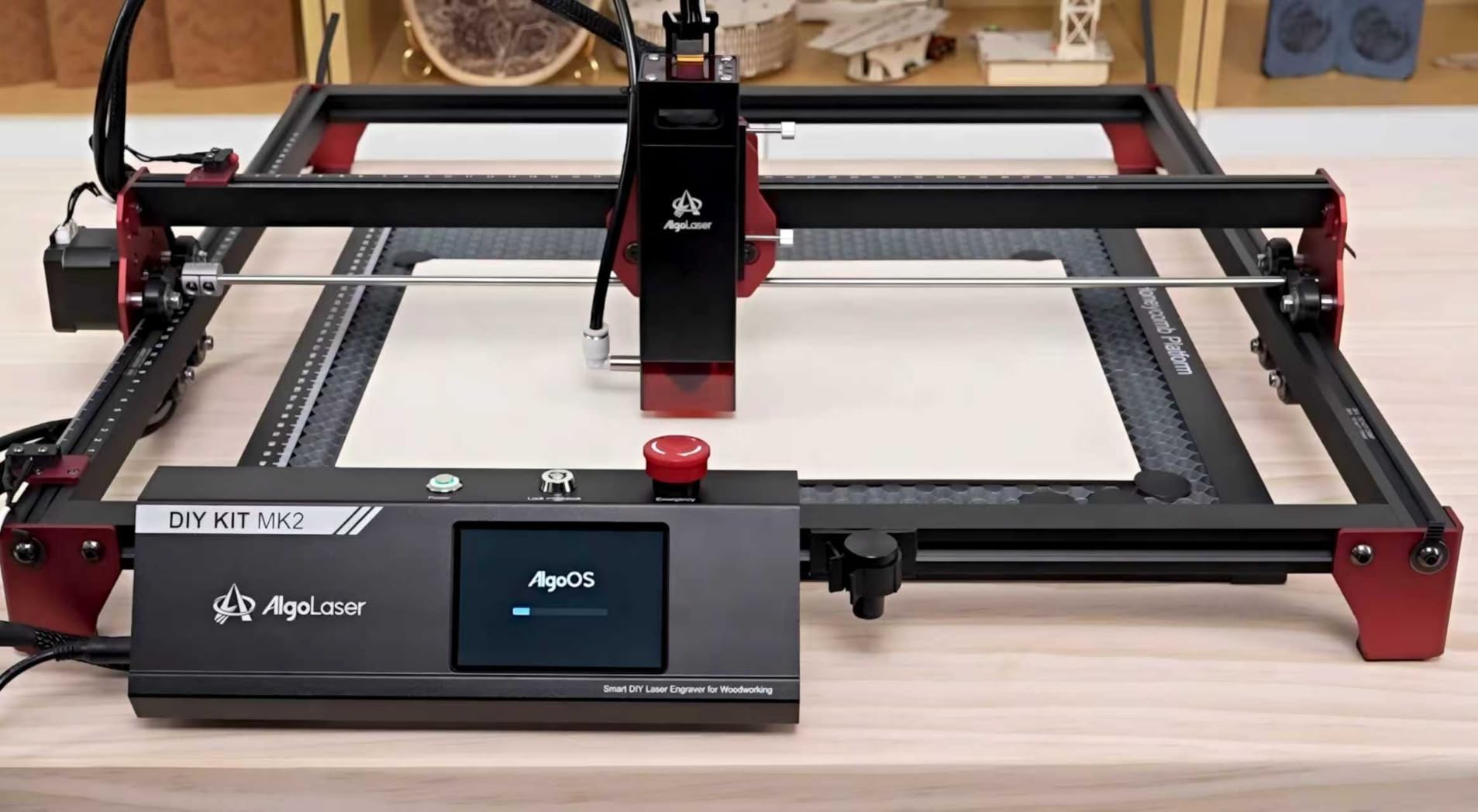
The AlgoLaser is the machine here that most directly attacks the reason people get frustrated with budget lasers. You can design, preview and run a job from the 3.5-inch touchscreen without opening a laptop. For a first-time owner or someone who does not want to learn a desktop toolchain, that is a bigger deal than another 2W of optical power.
The rest of the spec sheet is competitive. A 10000mW module running to 12000mm per minute, a large 25 inch class frame, and a bundled rotary roller and riser base for tumblers, mugs, cups and bottles. Connectivity covers Wi-Fi, USB, TF card and app control, and LightBurn and LaserGRBL work on Windows and Mac OS if you outgrow the touchscreen.
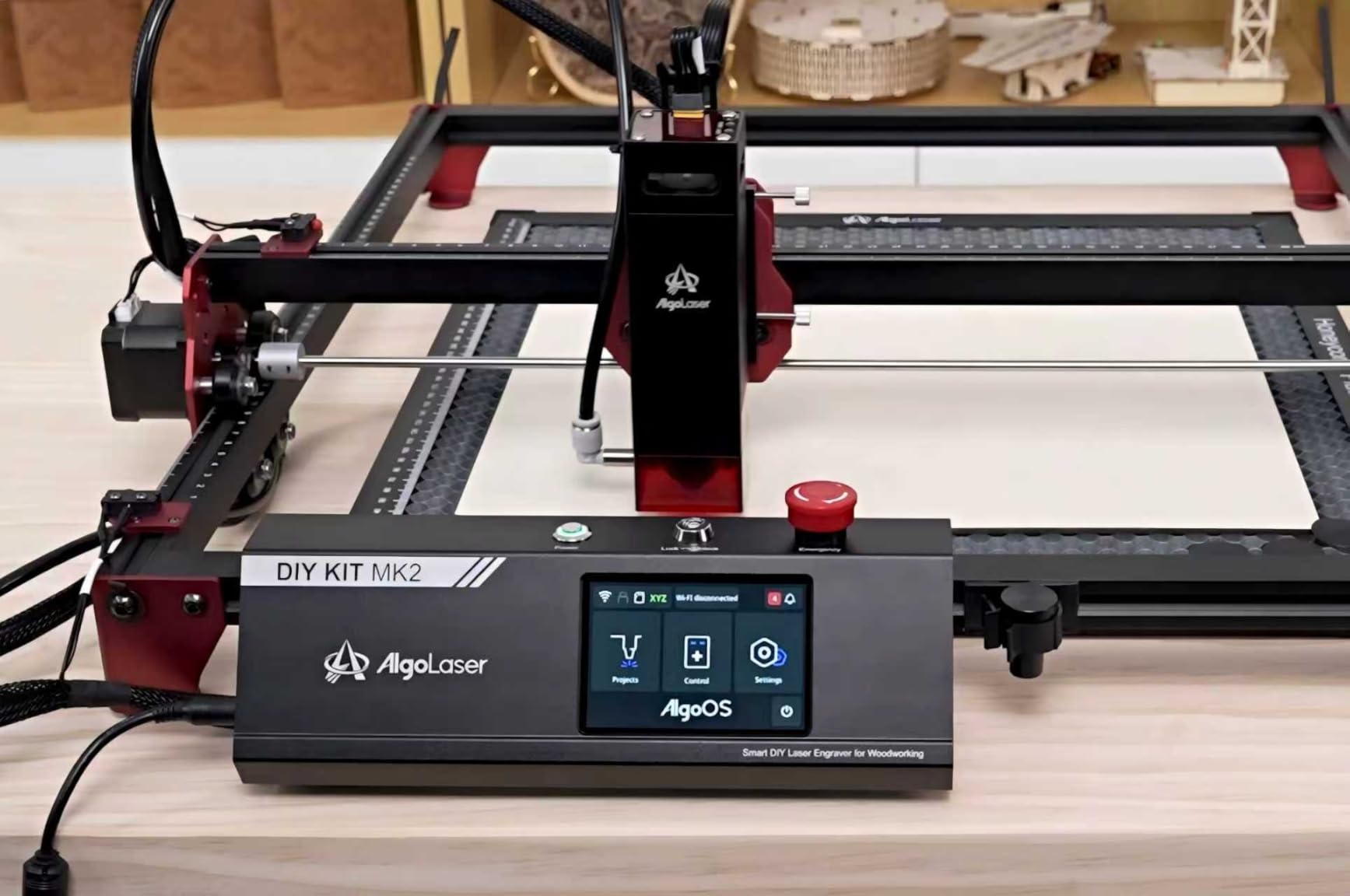
Safety design is a notch above most open frames. It is a Class 1 safety design with flame detection, an emergency stop button, and a dual-lock authorization before the laser fires. Flame detection is genuinely useful in a home, because it is the one fault condition that turns a bad cut into a fire.
Network setup is the detail reviewers praise most. The IP address is displayed on the screen and pairs straight into LightBurn, which removes the single most tedious step in setting up a network laser from scratch. The laser head and cabling also feel well engineered, and limit switches are included.
The finish does not fully match the marketing videos. Reviewers report a split-type cable loom rather than the woven braided loom shown in the install video, which kinks and is noisy, and plastic feet and limit switch mounts instead of anodized aluminum. There are also documented cases of the unit stopping mid job with lost communication to the driver board, and one return over an internally fogged lens after a few photo engraves.
Is a touchscreen a gimmick or a real upgrade?
For occasional makers, real. You can preview a design, nudge the focus, and run a job without a computer, which removes the barrier that stops a lot of people from ever making their first piece. For anyone running production files, it is a convenience and you will still be in LightBurn.
The honest caveat is that the touchscreen does not improve precision or cut quality. If you already know how to run LightBurn, you are paying for a different kind of convenience. If you do not, it is the difference between a machine you use and a machine you leave in the cupboard.
What should I check before buying this?
Check the cable loom and the mounting hardware, because those are the two finish complaints that appear repeatedly and neither is mentioned in the listing. If the machine you receive has braided loom and metal mounts, you received a better unit than the reviews describe.
Also confirm the voltage. This is a 110V design, so buyers outside North America need a converter, and that is a real limitation for anyone shopping internationally. Support and warranty are 1 year with lifetime technical support, though one reviewer reports the support site refusing ticket submissions, so test the contact route before you rely on it.
10. Creality Falcon 5W – Budget Pick for the Working Area
Creality Falcon 5W Laser Engraver Machine, 72w High Precision 0.06mm Laser Cutter and Engraving Machine for Wood Leather Acrylic Glass, 10000mm/min, Offline Usage, Working Area 400 * 415mm
5000mW diode
400 x 415mm bed
10000mm per min
97 percent UV cover
Pros
- Lowest cost here with a 400 x 415mm working area
- 32 bit chip reaches 10000mm per minute
- 0.06mm spot gives sharp detail once focus is set
- Assembles and runs within about an hour
Cons
- No focus gauge or honeycomb mat included
- Head can strike the guide rails if not parked
- Software is not included and LightBurn costs extra
- Reports of machines failing after several months
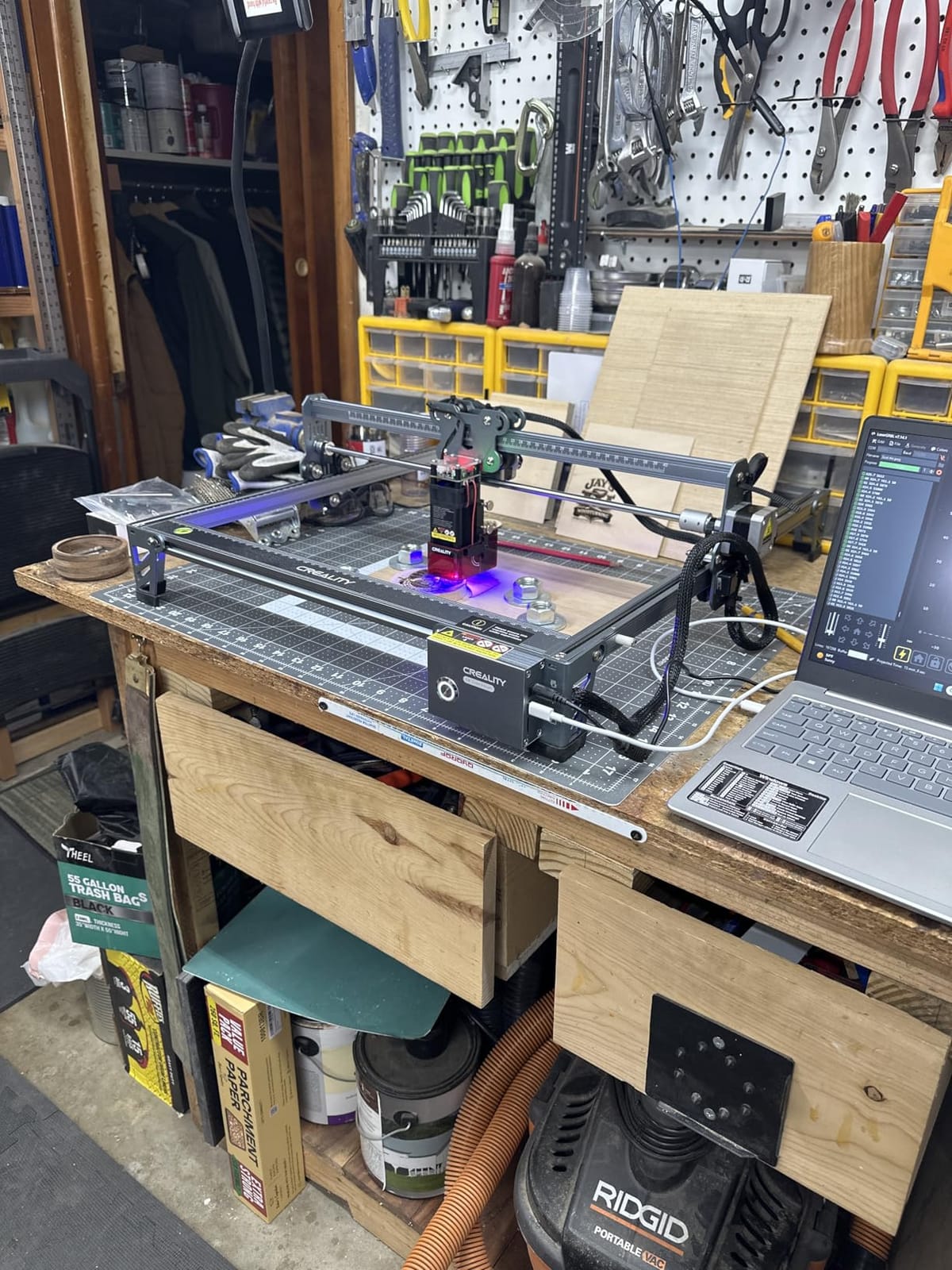
The Creality Falcon 5W is the value answer to this entire roundup. It is the lowest cost machine here and it still gives you a 400 by 415mm working area, which is larger than four of the ten machines on this list. If your budget is genuinely tight, that ratio is hard to argue with.
Speed does not scale down as much as you would expect. The 32-bit chip drives it to 10000mm per minute, matching the far more expensive 10W machines, and the 0.06 by 0.06mm compressed spot with 0.004 inch accuracy produces the on-point detail buyers praise once focus is dialled in. It works with more than 200 material types including wood, leather, acrylic and glass.
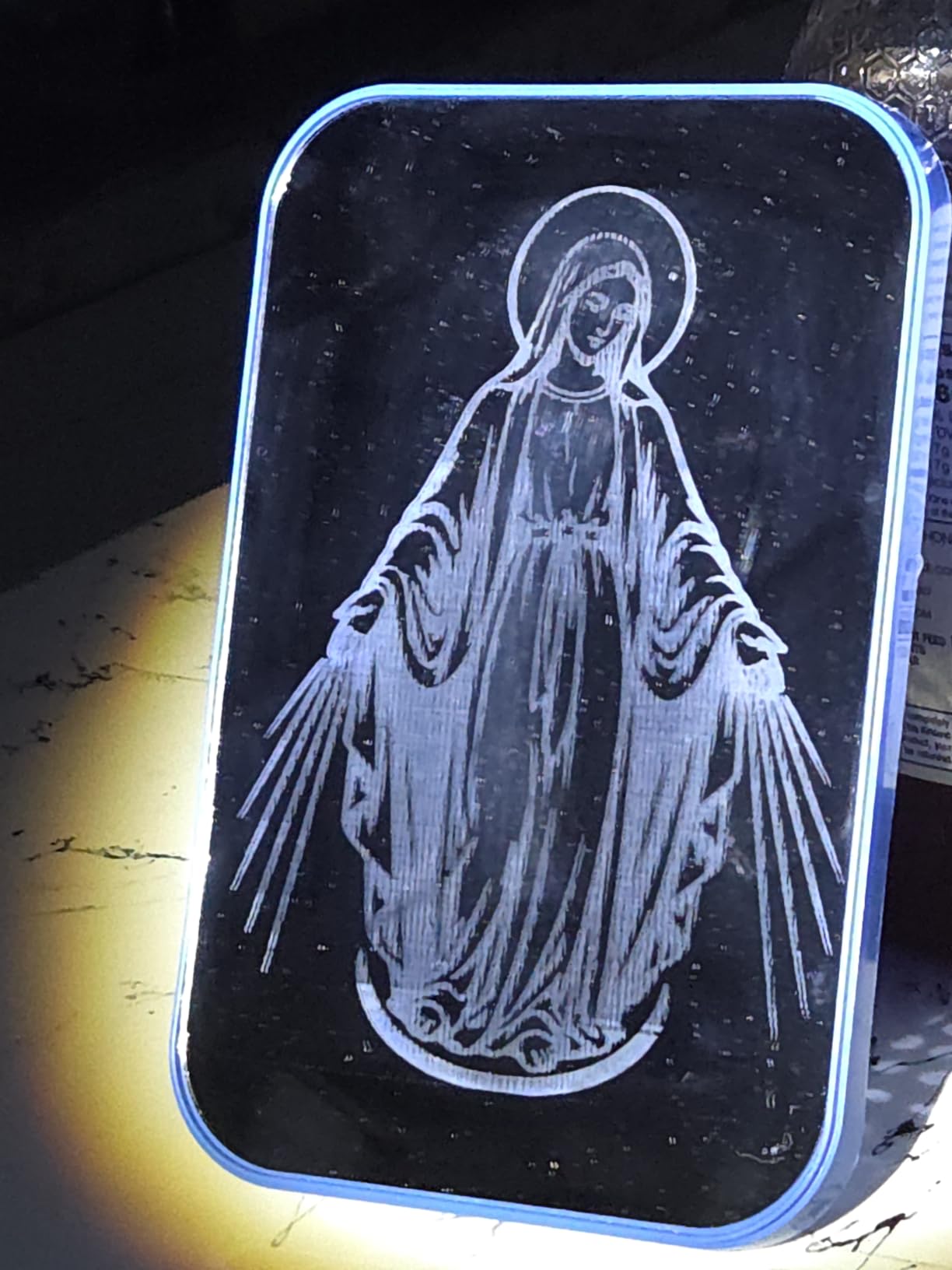
Both LaserGRBL, which is free, and LightBurn work, from a flash drive or directly from a computer. For most buyers on this machine, the free LaserGRBL plus a manual focus routine is enough. A first-time engraver can be assembling and running within about an hour.
Safety hardware is basic but present. An eye-protective cover filters 97 percent of UV with an active stop triggered by movement detection. It remains a Class 4 open frame, so goggles and exhaust are still required, and a rotary roller and risers are optional extras if you later need cylindrical work.
Two practical gaps to know about. No focus-height gauge and no honeycomb mat are included, and both are things you will want within a week. The head can also strike the guide rails if it is not parked at the start point, and owners would like the machine shipped with G-code parking lines that return it home.
The reliability signal is the reason this sits at tenth rather than higher. Sixteen percent of reviews are one star, and the complaints are machines that stopped engraving after several months, plus bundled drive failures. It is the best price-to-area ratio here and the least assured long-term ownership record of the ten.
Is a 5W laser enough to learn on?
More than enough for engraving, and that is where most first projects live. 5W gives you clean, dark marks on wood, leather, and coated surfaces and cuts thin material like balsa and card with multiple passes. Experienced buyers on maker forums treat 10W as the floor for serious work, and that is worth knowing before you buy.
My read is that 5W is a good learning machine and a poor production machine. If your goal is to discover whether you enjoy this, it is the cheapest sensible way to find out. If you already know you want to sell cut and engraved goods, spend the extra on a 10W with air assist and a rotary.
Is this a good first machine overall?
It is a good first machine on budget and a weak one on support. Creality is an established brand, which matters for parts and firmware, but the 16 percent one-star share on this specific model is the highest of the ten here, and the failures described are total rather than partial.
If you want the largest bed for the least money and you are willing to treat focus setup as part of the hobby, this is the pick. If reliability and a support path matter more to you than bed size, add a hundred dollars and choose the Ortur or the Twotrees, where the review volume suggests far fewer people hit hardware failure.
How to Choose a Laser Engraver Under 500
Diode, galvo, CO2 or fiber: what this budget can actually contain
Almost everything in this price band is a diode laser, and that is not a marketing compromise. A diode is a solid-state 450nm blue light source that is cheap, small, and extremely well suited to wood, leather, acrylic, cardboard, and coated metals. Every machine on this list uses one.
A galvo laser scans with mirrors instead of moving a gantry. It is dramatically faster on small repeated items because there is no rail travel, which is why it appears on small engravers rather than cutters. No dedicated galvo machine made this list, so if your entire project is hundreds of identical jewelry tags, note that a gantry will feel slower than you expect.
CO2 lasers use a gas tube and cut wood and acrylic beautifully, but a genuine CO2 unit is well above this ceiling. Fiber lasers at 1064nm mark bare metal and are the correct answer for stainless and steel, and they also sit far above this band. Anyone telling you a sub-500 machine will engrave raw steel is describing a different machine, usually a K40-style CO2 clone with a much more demanding safety and ventilation profile.
One honest note from buyer forums. Opinion splits sharply at this budget. Some experienced makers advise beginners to skip everything under a thousand dollars and buy a higher class machine, while others buy budget diode machines and use them daily without regret. Both experiences are real, and the difference usually comes down to expectations rather than hardware quality.
What 500 buys you over a 150 machine
The jump from a 100 to 200 dollar machine to a 300 to 500 dollar machine buys you four specific things, and they are worth more than the wattage increase suggests.
First, real cutting ability. A 10W module with air assist cuts 12mm wood board or 3mm black acrylic in a single pass. Lower-power units mark beautifully but need repeated passes on anything substantial, and repeat passes mean more heat, more distortion, and much more time.
Second, frame rigidity. Full-metal industrial frames hold calibration under load. That means the tenth cut of a session lands in the same place as the first, which is what makes batch production viable at all.
Third, bed size. Moving from a 130mm square to a 400mm square bed changes what you can make more than any other single spec. It is the difference between jewelry and signage.
Fourth, safety and workflow features. Air assist, emergency stops, tilt sensors, flame detection, and enclosure options all live in the upper part of this range. None of them are available in a micro-engraver.
Metal engraving reality check: what works and what never will
Here is the single biggest expectation gap in this category, and experienced users on maker forums say the same thing repeatedly: a lot of people expect a 500 dollar laser to engrave on metal and everything else. It will not. It marks coated and anodized surfaces only.
A 10W blue diode at 450nm works on anodized aluminum tumblers, coated steel tags, painted metal, powder-coated parts, and laser-markable plastics. Those cover most personalization work you would actually sell. Bare stainless steel and bare aluminum reflect the beam instead of absorbing it, and no amount of focus or power fixes that.
There are two honest routes to raw metal. The Carverall K15 Pro takes an optional 1W infrared head, which is the only built-in upgrade path for bare metal in this roundup. Otherwise you need infrared or fiber, which means a different price band entirely.
Safety first: enclosure, exhaust and the materials that never go in
A Class 4 laser is a real hazard, and the enclosures matter more than buyers expect. Class 1 certification means the machine is safe to operate with the lid closed, because the enclosure contains the beam. An open-frame Class 4 machine needs goggles, controlled access, and a dedicated exhaust path every single time it runs.
Fumes are the issue most roundups skip, and they are the reason experienced users rank exhaust first. Engraving leather and acrylic produces an acrid plume that should never be in a room with people or pets. A window fan is not adequate. You need a ducted exhaust that leaves the building, and a window screen or filter so the plume is not simply vented back in.
On banned materials, the short list is non-negotiable. Never engrave PVC or vinyl, because the released chlorine gas is dangerous to inhale and corrosive to the machine. Never engrave an unidentified plastic, because the risk profile is the same. Avoid carbon fiber, which behaves like a fine powder, and treat any unknown material the same way you would treat an unknown chemical.
For anyone setting up a workshop, the alignment and layout side of the build matters as much as the machine. Our picks for the best laser levels cover accurate leveling for frames and workbenches, and every machine here benefits from a flat, rigid, level surface before you touch focus settings.
Total cost of ownership: budget past the machine
This is where first-time buyers get surprised, and it is worth planning as a list rather than a surprise.
1. Exhaust. A ducted fume extractor that vents outdoors. Treat this as required, not optional, for any machine on this list.
2. Air assist. Some machines include a pump, most do not. It is the highest-value accessory in the category because it improves cut quality and extends module life at the same time.
3. A honeycomb bed and a focus-height gauge. Both are low cost and both change how consistently you work. Several machines here arrive without one or both.
4. Safety glasses. Some boxes include them, most do not, and you need them for every open-frame session regardless.
5. A rotary attachment, if you are making tumblers, mugs, or anything cylindrical. This runs from a modest add-on to a dedicated bundle.
6. LightBurn, if you want the full software feature set. It is the standard control package across this whole category and it is a separate cost. Free LaserGRBL works on most of these machines.
7. Materials. A first batch of blanks, plywood, acrylic, and leather is a real line item, and having consistent stock on hand is what makes batch work efficient.
Running that list on a mid-range open-frame machine typically adds a couple of hundred dollars before your first job. Budget for it up front rather than discovering it in week two. For context, if you also print labels or product cards, our guide to the best laser printers for small business covers the print side of a small product operation.
What to avoid under 500
Most laser regret in this price range comes from four categories, and all four show up repeatedly in buyer forum discussion.
1. K40-style clones and unlicensed CO2 tubes. These are a different machine class disguised by similar marketing. A 40W CO2 tube needs far more ventilation, far more electrical headroom, and real water cooling. If it appears near this budget, the reason is missing safety hardware, not a bargain.
2. No-support white-label machines. Unbranded boxes with no wiki, no parts, and no reachable seller are the biggest source of abandoned machines. Every pick on this list has a warranty and a support path, however imperfect.
3. Machines that bundle an enclosure and count it as the selling point. An enclosure does nothing if you cannot vent through it. Check whether the enclosure has a real duct port before paying for the safety benefit.
4. Anything sold purely on peak wattage claims without verified optical output. Marketing wattage and optical output are different numbers. The verified figures on the machines here, like the 10.36 to 10.58W optical output on the Carverall, tell you what you are actually getting.
When to save past 500 instead
Save your money and buy higher in three situations. If you need to mark bare metal, you need infrared or fiber and this band cannot help. If you need to cut thick plywood or hardwood consistently, a genuine CO2 machine in the next tier up is a different tool.
If your work is full production with continuous cutting, a 500 dollar diode is a prototype and hobby machine, and a CO2 or higher-wattage setup will pay back the difference in time saved. Experienced buyers are consistent on one point: buy the machine that matches the job you will actually do, not the machine at the top of a budget.
Frequently Asked Questions
What are some good budget laser engravers?
For most buyers, the Ortur Laser Master 2 S2 10W is the strongest all-rounder, with a rigid full-metal frame, a 390 x 410mm bed, and 1474 ratings behind it. The Longer RAY5 has the highest average rating and adds a touchscreen plus a bed expansion kit. The Twotrees TTS-10 Pro is the smoothest first machine, and the WAINLUXPRO K10 is the safest choice for a home because it is fully enclosed and Class 1 certified.
Are cheap laser engravers any good?
Yes, for engraving and light cutting, and the machines in this range are far better than their reputation suggests. What changes at the budget level is power, bed size, and safety hardware rather than build quality. A 10W diode with air assist will cut 12mm wood or 3mm black acrylic in a single pass. What a budget machine cannot do is mark bare metal, cut thick hardwood, or run without proper exhaust.
What is the best laser engraver under 500 for hobbyists?
The Ortur Laser Master 2 S2 is our pick for hobbyists because it combines a rigid full-metal frame, a 390 x 410mm working area, and a serviceable modular design with the longest ownership record in this price range. If your hobby work is small items and you want the simplest possible setup, the ACMER S1 at 6W is cheaper and nearly assembled. If safety in a shared home matters most, choose an enclosed Class 1 machine instead.
What is the best diode laser engraver?
Among the diode machines in this roundup, the Ortur Laser Master 2 S2 and the Longer RAY5 lead, both at 10W with roughly 400mm square beds. The Ortur wins on build rigidity and serviceability, and the Longer wins on rating, touchscreen control, and the option to expand the bed to 850 by 400mm. Both work with LightBurn and LaserGRBL, so you are not locked into one software path.
Is diode laser good for metal engraving?
A diode laser is good at marking coated and anodized metal, which covers tumblers, tags, and nameplates. It cannot mark bare stainless steel or bare aluminum, because the blue beam reflects off the metal instead of being absorbed. Infrared or fiber lasers handle raw metal and sit well above this budget. The one exception here is the Carverall K15 Pro, which accepts an optional 1W infrared head as an upgrade.
Do laser engravers need ventilation?
They do, and no machine in this category includes a proper exhaust system in the box. Engraving leather, acrylic, or PVC produces a fume plume that should not be in an occupied room, and PVC in particular releases chlorine gas that is dangerous and corrosive. A window fan is not enough. You need a ducted extractor that vents outdoors, and you should run it every time an open-frame machine is operating.
The Best Laser Engraver Under 500 for Most Buyers
After working through all ten, the Ortur Laser Master 2 S2 10W is the best laser engraver under 500 for most people. It has the longest ownership record in the group, a rigid serviceable full-metal frame, a 390 by 410mm bed, and real single-pass cutting on 20mm wood and 30mm acrylic. Buy the Longer RAY5 instead if you want a touchscreen and a documented path to a larger bed later.
Match the machine to the work rather than the wattage. Tumblers and cylinders point to the Creality Falcon 10W with its bundled air pump and rotary roller. No computer, please, points to the AlgoLaser. A quiet shared home points to the enclosed WAINLUXPRO K10. And if you are not yet sure what you will make, that is fine, because every machine here makes a first project within an hour of setting up focus.
Whatever you choose, add exhaust and air assist to your budget before you order, and skip bare metal expectations entirely. 2026 is a genuinely good year to buy in this category, and the machines at this tier have never been better built. Prices in this band move quickly, so check the current listing before you commit and revisit the comparison whenever your project list changes.