
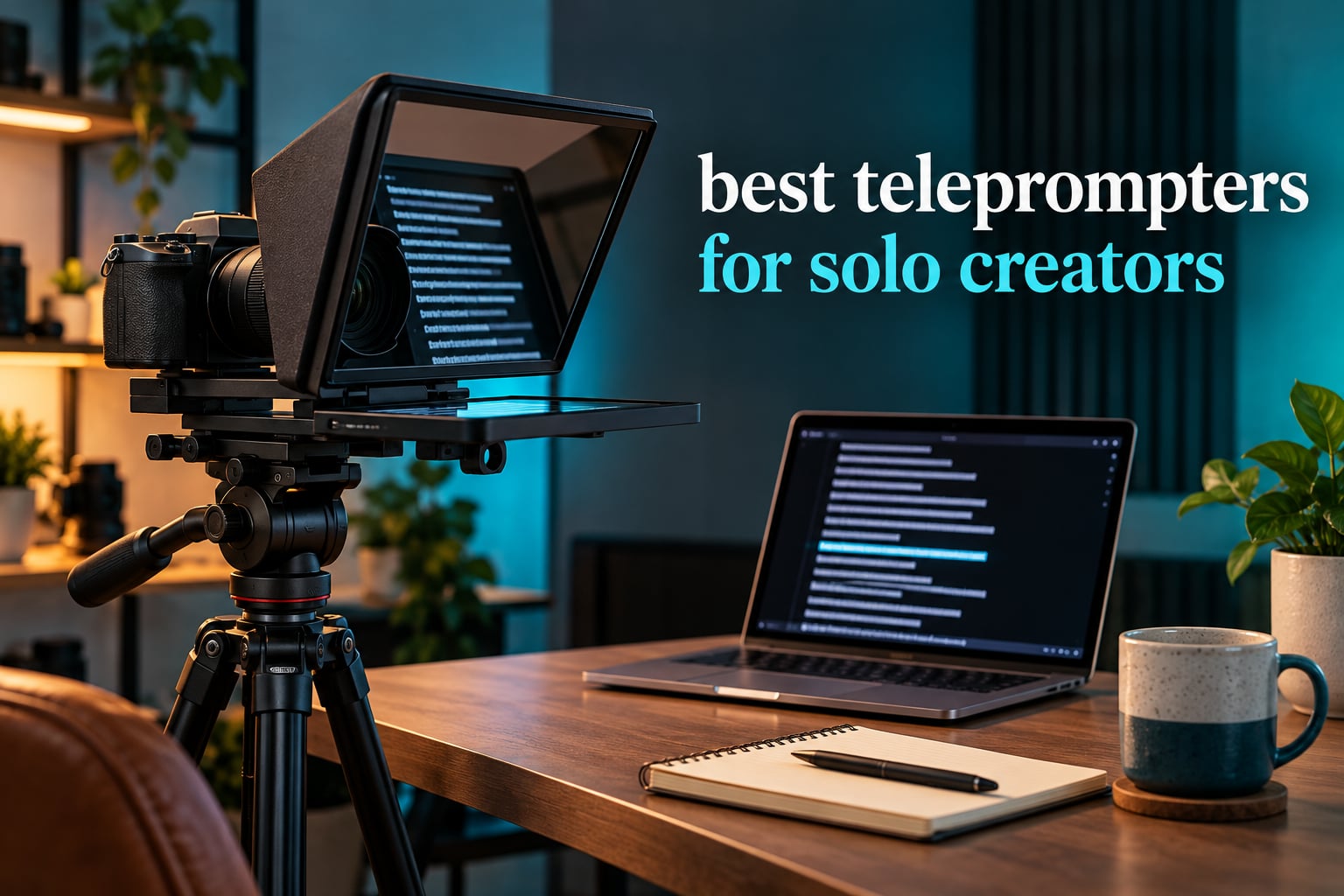
A teleprompter for a solo creator has one job that matters more than any spec: it keeps your eyes on the lens while the words arrive on their own, with nobody on the other end of the scroll wheel. That single constraint drives this entire ranking. The Elgato Prompter is the best teleprompter for solo creators overall, because its 9 inch built-in screen means there is no second device to rig, no second app to sync, and no second person needed to start or stop the read. Everything else in this list is a different answer to a different solo situation, from a folding tablet rig you can carry on location to a 17 inch studio prompter for long scripted sessions.
What YouTubers and other solo creators use most often is not one device but a pattern: a beam-splitter glass rig clamped over the lens, with the script running on a phone or tablet sitting just below the camera. The glass reflects the text back to your eyes while the lens shoots straight through it, so the audience sees your eyes and the reflection never enters the shot. The eight products below all use that optical trick, and the differences come down to screen size, weight, how you control the scroll, and how much time you lose every time you set the thing up.
If you want a wider look first, our 10 best teleprompters for content creators guide covers more use cases, and 8 best teleprompters tested and ranked covers the entry tiers in more depth. This one is filtered specifically for people working alone. Pairing any of these with one of our 10 best vlogging cameras for creators is the most common setup we see, since the prompter determines the lens distance and the camera choice determines the adapter ring.
Table of Contents
Top 3 Picks: Teleprompters for Solo Creators in 2026

Elgato Prompter
- 9 inch built-in display
- No extra tablet needed
- Works as a regular monitor
- Camera Hub app control

NEEWER X11 2-in-1
- 11 inch beam splitter glass
- Built-in monitor included
- Screen mirroring
- Adjustable Arca holder

NEEWER Basics X12B
- 12 inch coated glass
- No assembly aluminum design
- Bluetooth remote and app
- Folds flat for travel
Best Teleprompters for Solo Creators in 2026
The table below ranks every pick in this roundup. Screen size, weight, and control method are the three columns that decide the fit for a one-person setup, so they lead the list.
| Product | Specifications | Action |
|---|---|---|
| Elgato Prompter Teleprompter with Built-in Screen |
|
Check Latest Price |
| NEEWER X11 2 in 1 Teleprompter 11 inch with Monitor |
|
Check Latest Price |
| NEEWER Basics X12B Aluminum Alloy Teleprompter 12 inch |
|
Check Latest Price |
 Desview T3 Teleprompter for Camera and Smartphone Desview T3 Teleprompter for Camera and Smartphone |
|
Check Latest Price |
 AMBITFUL 7.5 inch Mini Teleprompter with Desktop Tripod AMBITFUL 7.5 inch Mini Teleprompter with Desktop Tripod |
|
Check Latest Price |
 Desview T5 Teleprompter for Smartphone and Tablet Desview T5 Teleprompter for Smartphone and Tablet |
|
Check Latest Price |
 Desview P13 13 Inch Aluminum Teleprompter Desview P13 13 Inch Aluminum Teleprompter |
|
Check Latest Price |
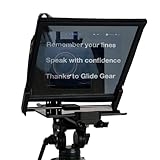 Glide Gear TMP 750 Teleprompter 17 inch Glass Glide Gear TMP 750 Teleprompter 17 inch Glass |
|
Check Latest Price |
1. Elgato Prompter: The Best Overall Pick for Working Alone
Elgato Prompter, Teleprompter with Built-in Screen
9 inch built-in screen
1080p effective video
0.69 kg
USB desktop control
2 year warranty
Pros
- Built-in display removes the extra tablet
- Works as a normal monitor for chat and calls
- Camera Hub app controls text appearance
- Works with Stream Deck
- Simple plug and play on Mac or Windows
Cons
- Needs a computer and cannot run standalone on a phone
- DisplayLink software for wider Mac compatibility
- 9 inch screen is smaller than tablet prompters
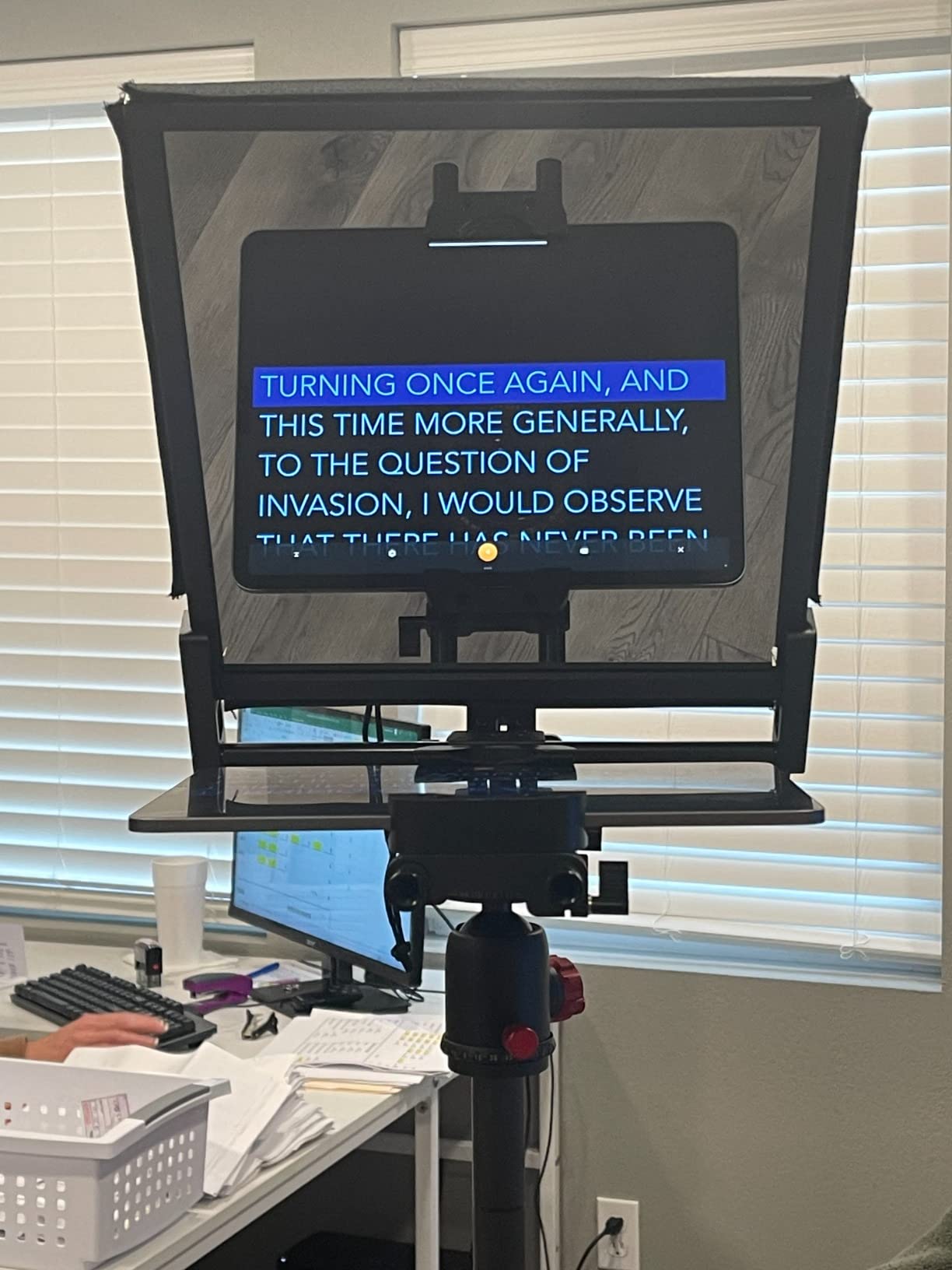
The thing that sets this one apart for a solo operator is that the screen is part of the rig. You are not hunting for a tablet, balancing it on a plate, and hoping the mirror setting in your scrolling app lines up with the glass. You drag a window onto the built-in 9 inch display and the text shows up in the right place, every time.
Weighing 0.69 kg, it is the lightest full rig in this roundup that still works with a mirrorless or DSLR body, and the whole thing mounts on a standard tripod head. It runs over USB and is controlled from a desktop, which sounds like a limitation until you realise how often you are already at that computer editing the previous take.
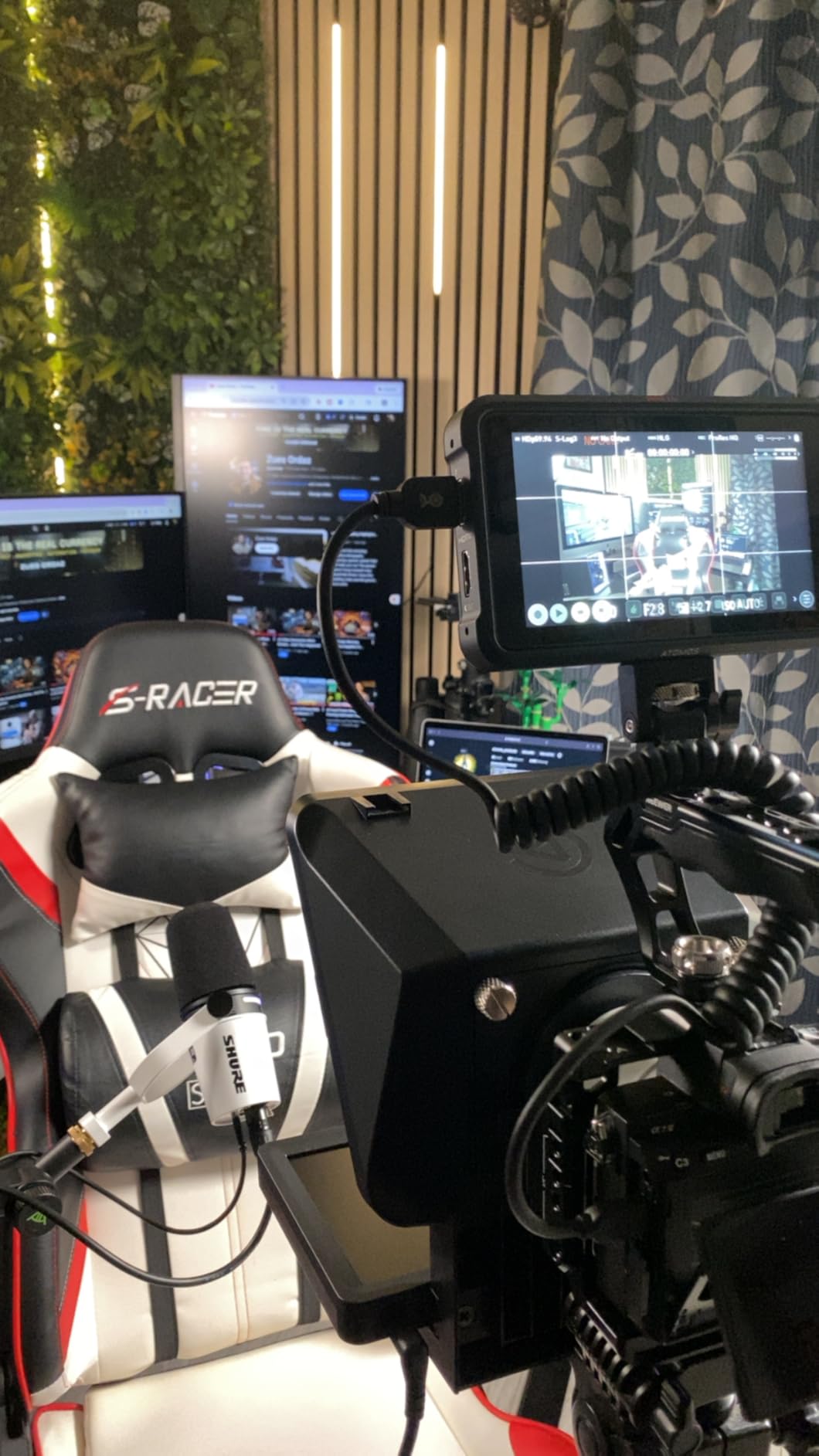
Because it doubles as a plain monitor, you can read live chat while presenting, run a Zoom or Teams call with the camera looking straight into your face, and keep the script in the same window. The Camera Hub app handles the text itself, so mirror mode, font, and position are settings rather than guesswork, and Stream Deck compatibility means you can start a scroll with a button press instead of a keyboard hunt.
Compatibility is broad across DSLR cameras, webcams, smartphones, and computers. That range matters when you shoot talking-head video at your desk with a webcam one week and outside with a camera body the next, because the rig does not change between them.
Who the Elgato Prompter suits
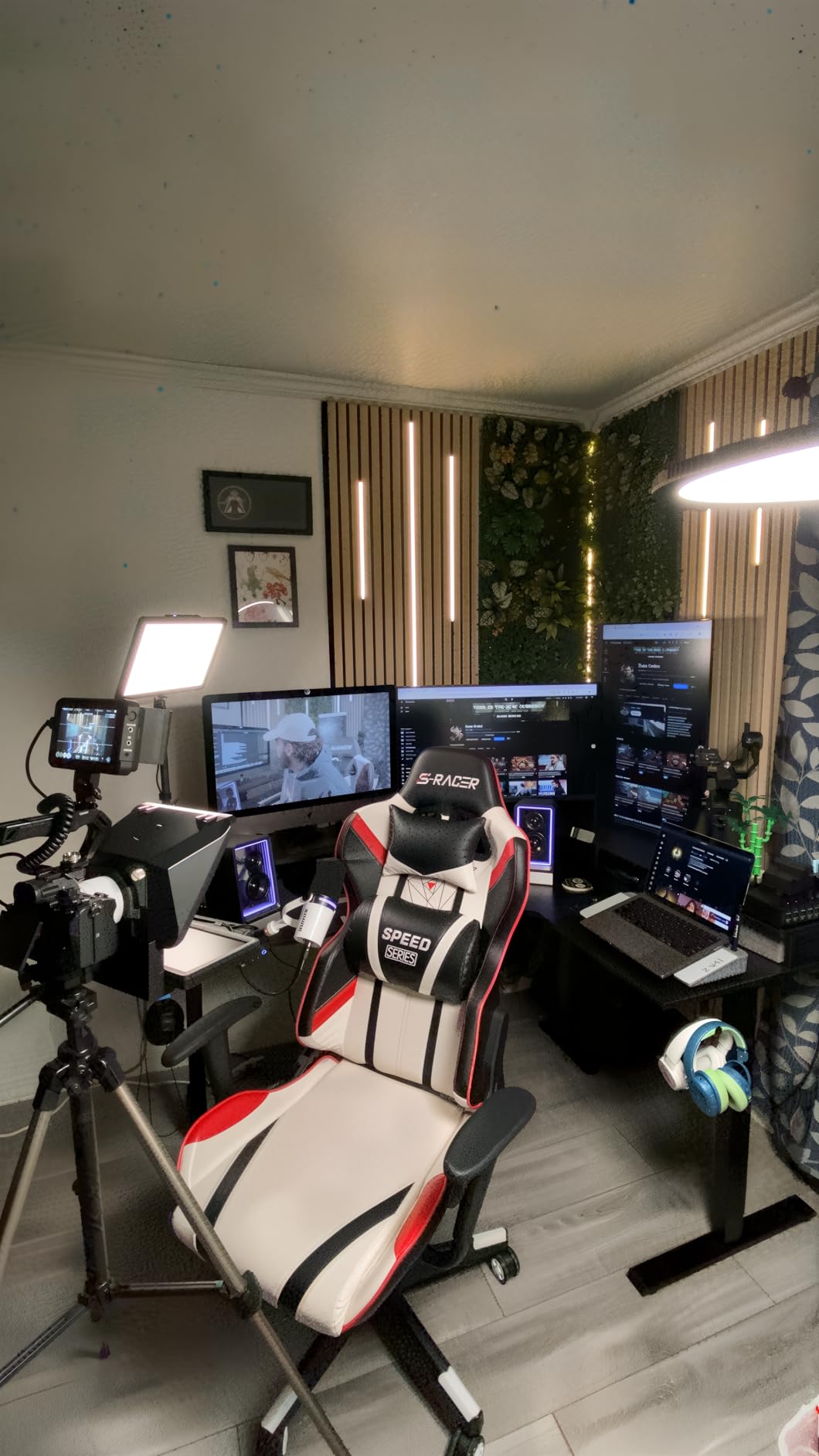
This is the right pick for a creator whose desk is already the studio. If your camera lives near your computer, the built-in screen removes an entire category of setup problems, and the ability to run it as a normal monitor makes it useful even on shoots where you are not scripting.
Reviewers consistently point at the integrated display and the simple PC-based setup as the reasons it holds a 4.4 rating across 1375 reviews. Video calls and streaming get a genuine lift, because the camera sits directly behind the glass with no screen offset to correct for.
Who should skip the Elgato Prompter
Skip it if you shoot entirely on a phone in vertical orientation away from a desk, because it needs a computer and cannot run as a standalone phone or tablet prompter. DisplayLink software on Mac, or DisplayLink Presenter on Android, is needed for wider compatibility, and that is one more install in an already long setup chain.
The 9 inch screen is also smaller than the tablet-based rigs below, so long paragraphs of script need a smaller font and more careful line breaks. If your scripts run to two pages, test the readability before committing.
2. NEEWER X11 2-in-1: Best Value With the Monitor Included
NEEWER X11 2 in 1 Teleprompter 11″ with Monitor, Supports Screen Mirroring
11 inch beam splitter glass
Built-in LCD monitor
2 kg payload
1.3 pounds
1 year warranty
Pros
- Teleprompter and monitor in one package
- Mirroring cable included
- Built-in screen doubles as a second display
- Glass readable to 2.5 m
- Adjustable Arca-type holder
Cons
- Driver needed for first HDMI and USB-A setup
- Mirroring limited to DP protocol phones
- No voice sync so a prompting app is required
- Tripod and mic arm sold separately
Where the Elgato needs a computer, the X11 ships with the monitor inside the box. You get an 11 inch beam splitter rig, a TM8 monitor, a hood, a base, a quick release plate, a phone clamp, and the data cables, so the box you open is the rig you shoot with.
The multi-coated glass passes 75 percent of light and stays readable up to 2.5 m, which is enough distance for a desk setup. The Arca-type holder gives 10 cm of horizontal and 3 cm of vertical adjustment on a 2 kg payload, so you can centre the lens without stacking washers.
Two details make it friendlier than most glass rigs for one person. The mirroring cable copies the script from a phone or tablet straight to the built-in screen, so you run the scrolling app you already like instead of installing a vendor app. And the built-in LCD can run in external monitor mode on Windows and macOS, which turns the same box into a second screen for editing.
Lens support covers threads up to 72 mm and focal lengths from 35 to 200 mm. That range covers most mirrorless and DSLR kits, and it is the reason the X11 has the second largest review base in this roundup at 1653 reviews with the same 4.4 rating as our top pick.
Who the NEEWER X11 suits
It suits creators who want a complete desk rig without buying a monitor separately, and who shoot on a lens between 35 mm and 200 mm. The 11 inch screen reads comfortably at normal talking-head distance, and the single-box approach removes the most common assembly mistake.
Reviewers like the all-in-one package and how quickly mirroring comes together. For a solo creator, fewer boxes to reconcile means fewer reasons to abandon a setup on shoot day.
Who should skip the NEEWER X11
Skip it if you rely on phone mirroring with a handset that does not speak the DP protocol, since some iPhone and Android models are excluded. A driver is required for the first HDMI setup and for USB-A connections, and voice sync is not supported, so a separate prompting app has to handle the scrolling itself.
The base accessories, including the TL283 tripod and MAST002 mic arm, are sold separately. Budget for them or plan to use a stand you already own.
3. NEEWER Basics X12B: The Best for Travel for Tablet Shooters
NEEWER Basics X12B Aluminum Alloy Teleprompter 12″ for Tablet DSLR Camera
12 inch coated glass
0.25 kg
No assembly
Folds flat
1 year warranty
Pros
- Largest glass in the entry tier at 12 inch
- Weighs 0.25 kg
- Folds flat into a carry case
- RT113 remote and app control
- No assembly or screws to lose
Cons
- Not built for phone-only shooting
- Not a monitor so no self-viewing
- Remote needs AAA batteries that are not included
The X12B is the pick if your budget is a fixed number and you shoot on a tablet. At 0.25 kg it is the lightest glass teleprompter here by a wide margin, and the 12 inch coated glass passes 75 percent light with text readable up to 10 ft away.
There is no assembly. The liftable platform and glass keep the lens centred across a range of gear, which removes the single most tedious part of putting a prompter together. You open the case, unfold it, and mount your camera.
Control comes from the RT113 Bluetooth remote plus the NEEWER Teleprompter App, covering play and pause, scroll speed, page turns, and font size. For a solo creator that remote matters more than it looks, because it lets you run the scroll from the same hand position as the camera without touching a screen you are trying not to touch mid-sentence.
The design folds flat into a 12 by 12 by 2 inch package with a carry case. If you shoot in different rooms, at a client’s office, or in a co-working space, that flatness is worth more than a heavier rig that stays in one place.
Who the NEEWER X12B suits
It suits creators who read long scripts on a tablet and need a large surface for them. The 12 inch reading area is the biggest in the entry tier here, and the 10 ft readability range means you can stand back from the camera rather than crowding it.
It is also the one to pick if portability is a requirement. Reviewers highlight the foldable, no-assembly design and the readable glass as the reasons it holds 4.4 across 776 reviews.
Who should skip the NEEWER X12B
Skip it if you film vertically with a phone as the recording device, because the holder is oriented around tablets and cameras rather than phone-only shooting. It is also not a monitor, so there is no on-screen self-viewing while you record, which adds a check-your-framing step to every take.
The bundled remote runs on AAA batteries that are not included, a small annoyance worth remembering the first time the scroll fails mid-sentence.
4. Desview T3: Budget Pick and Phone-First Shooting
Desview T3 Teleprompter for Camera & Smartphone – Supports iPad/Tablet up to 10″ – Beam Splitter Glass with Bluetooth Remote – Wide Angle Support for YouTube, TikTok & Live Streaming
26 layer optical coating
Up to 97 percent light transmission
2.2 pounds
Phones and tablets to 10 inch
12 month warranty
Pros
- Clips to the lens quickly for fast gear swaps
- 70/30 glass with 26 layer coating
- Nine adapter rings plus a phone clamp
- Bluetooth remote and free app
- Works with a phone as the recording device
Cons
- Device holder suits small devices like an iPad mini
- Small screws must be removed for packing
- Mostly plastic chassis feels light
- Mounting on the lens adds strain over time
The T3 is the smallest serious glass prompter in this list and the one built for shooting away from a desk. It clips onto the lens rather than sitting on a base, so gear swaps take seconds and the whole unit lives in a small bag between locations.
Glass quality is the surprise. The 70/30 beam splitter carries a 26-layer optical coating rated at up to 97 percent light transmittance, with 7H hardness, and that coating is what keeps the reflected text readable and free of ghosting when the light is not ideal.
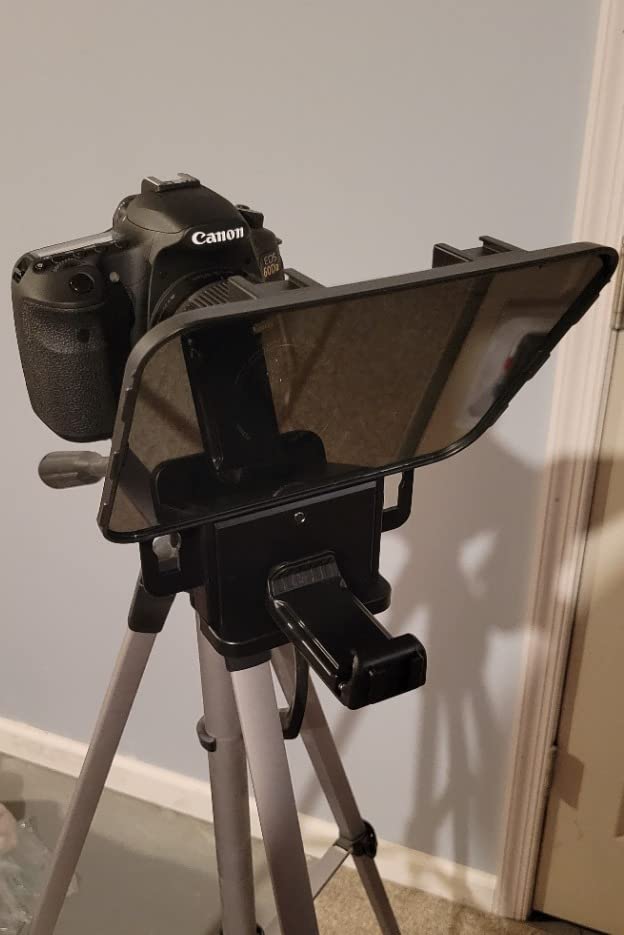
Compatibility is the other strength. Nine adapter rings cover 49, 52, 55, 58, 62, 67, 72, 77, and 82 mm, and the clamp handles phones as well as cameras. Wide-angle shooting works from 24 mm horizontal, with 35 mm or more recommended for vertical content.
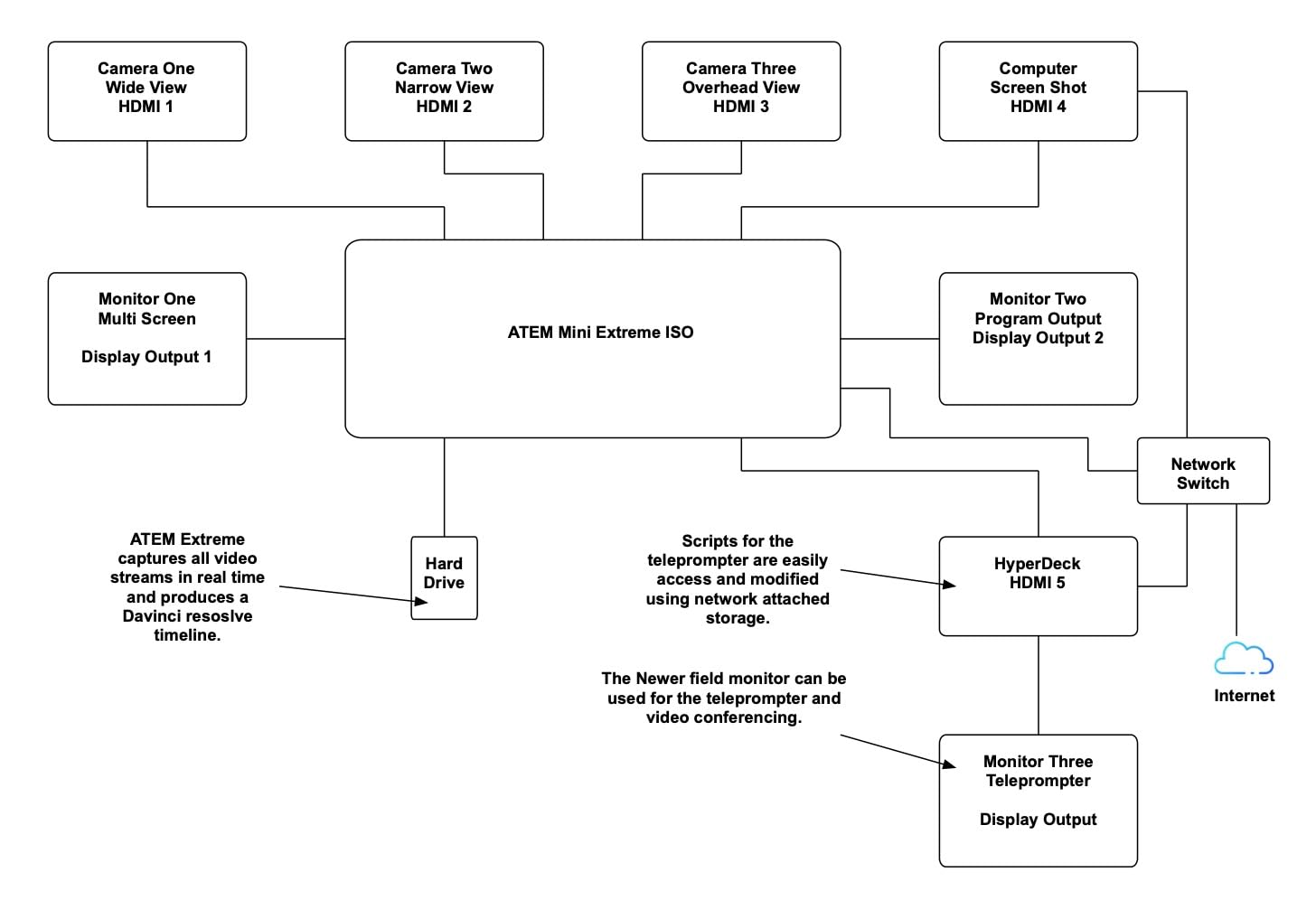
The Bluetooth remote and the free DESVIEW app handle scrolling, play and pause, and text speed. For a creator filming shorts on location, having a physical remote means the scroll is controlled without unlocking the phone that is doing the recording.
Who the Desview T3 suits
It suits a creator whose primary camera is a phone, or who shoots in changing locations and cannot justify a rig that needs a table. The coating and the wide adapter range mean it adapts to whatever body is in the bag.
Reviewers rate the portability, the clear coated glass, and the simple lens-clip mounting as the standouts across 451 reviews. At 4.1, it sits below the three NEEWER and Elgato rigs, so treat it as the travel option rather than the studio option.
Who should skip the Desview T3
Skip it if you plan to use a full-size tablet, because the device holder is sized for small devices such as an iPad mini. The phone holder uses small screws that have to be removed before packing, and the locking nut is fiddly to tighten in a dark room.
Most of the chassis is plastic and feels light next to the glass, and attaching directly to the lens mount adds strain to the mount over time. If your camera is heavy, a stand-mounted rig is a better long-term home.
5. AMBITFUL 7.5 inch Mini Teleprompter: Best Starter Kit for a Phone Setup
AMBITFUL 7.5” Mini Teleprompter W/Desktop Tripod for Smartphone & DSLR
7.5 inch coated glass
350 g with tripod
Adapter rings 49 to 77mm
USB interface
3.5 mm headphone jack
Pros
- Complete kit with tripod remote and rings
- 350 g so it fits a camera bag
- Assembly-free setup in seconds
- Coated glass avoids double images
- Remote and app control text and speed
Cons
- No tablet PC compatibility
- Camera use needs a 1/4 inch thread and the included ring sizes
- 7.5 inch reading area is small for long scripts
Nothing else in this roundup arrives as complete a kit for someone starting out. The AMBITFUL package includes a 7.5 inch coated glass head, a mini desktop tripod, a Bluetooth remote, adapter rings, a phone holder, and a manual, so there is nothing else to source before your first shoot.
At 350 g the whole thing is the easiest to carry here, and the desktop tripod means you can shoot a talking-head piece from a kitchen table without a tripod head of your own. Setup is assembly-free, which keeps the first attempt from turning into an hour of hunting for the right screw.
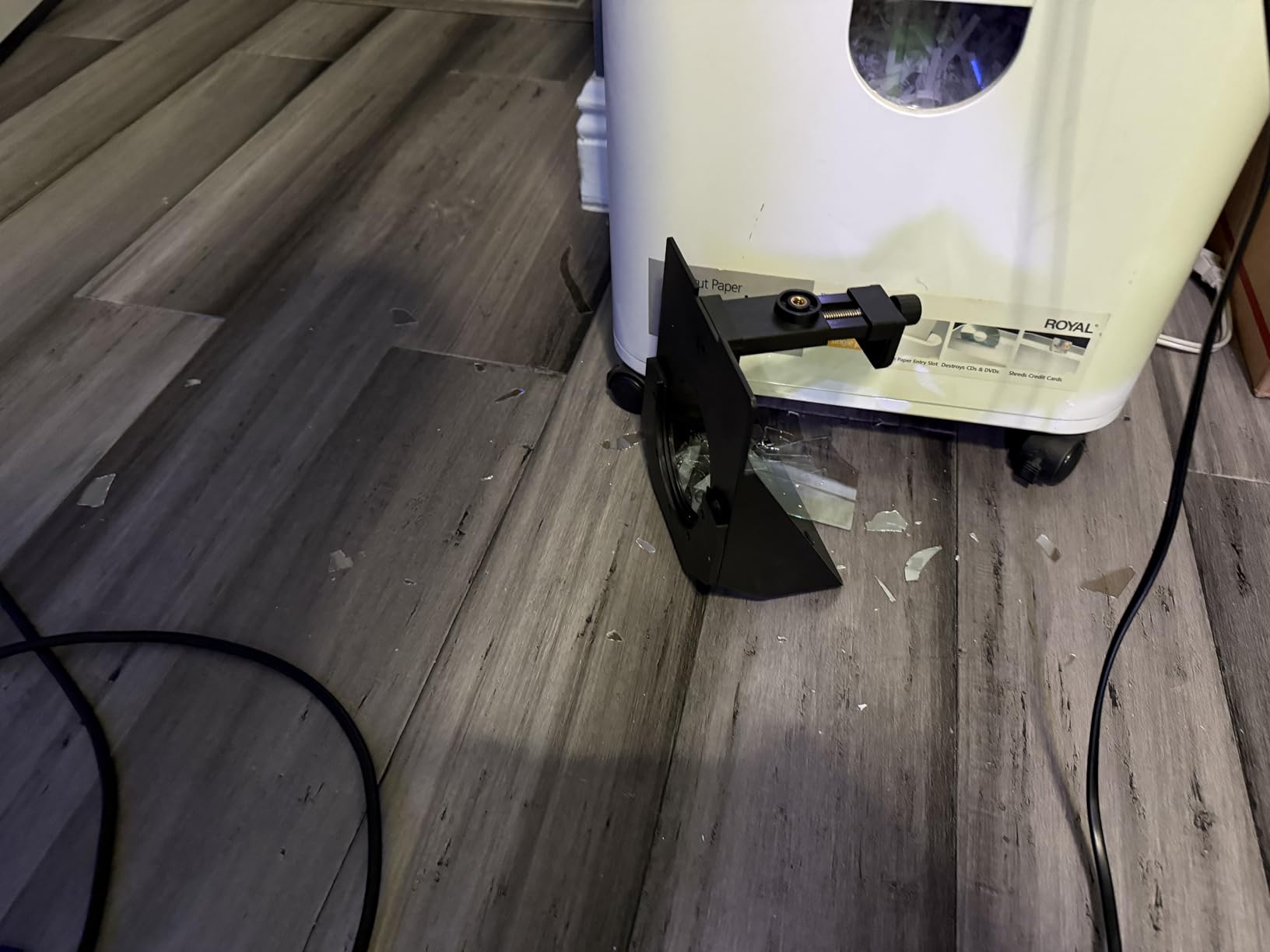
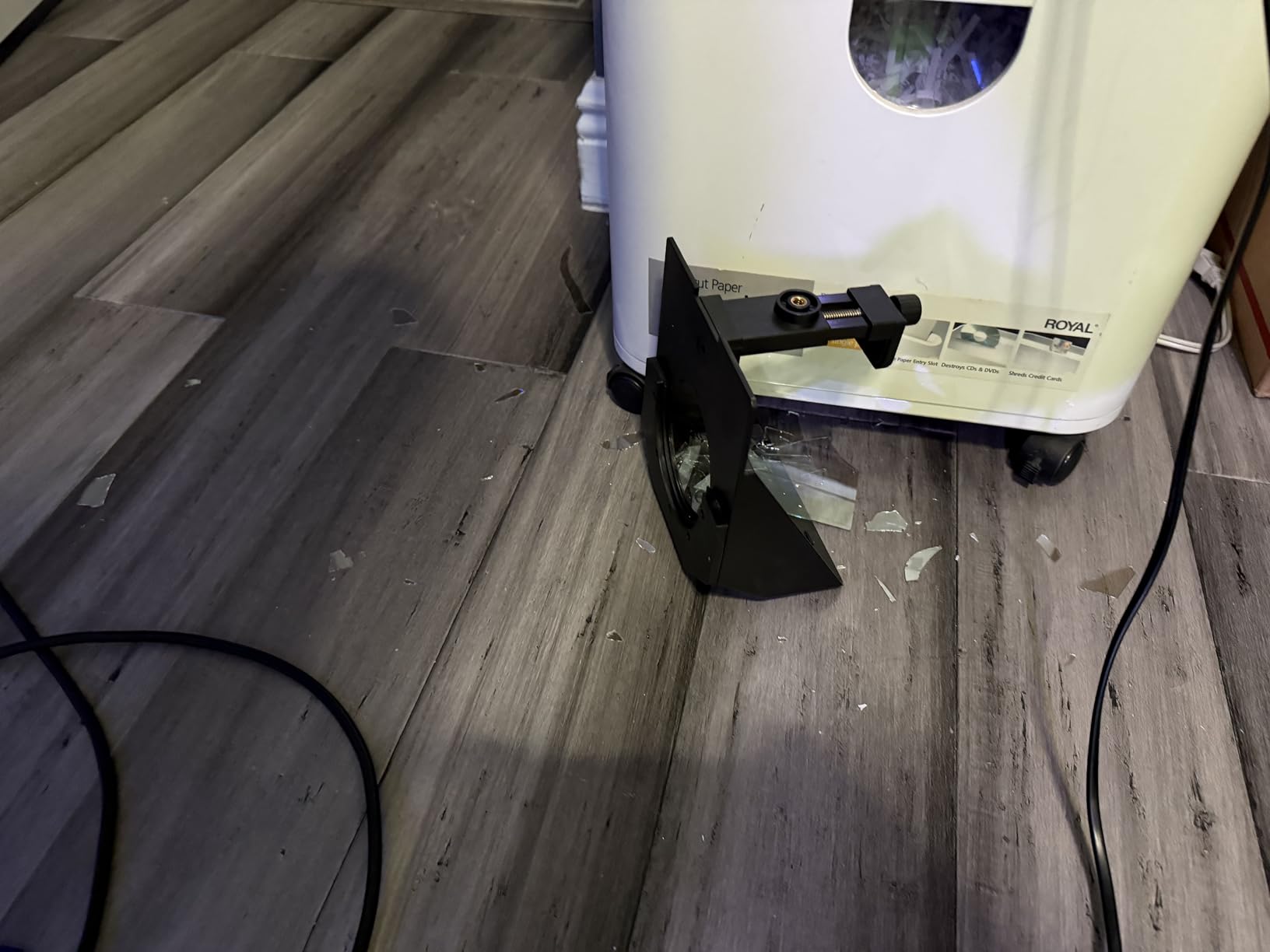
The coated glass is designed to avoid double images and ghosting, which is the failure that makes cheap prompters unusable. Remote and app control handles scroll speed, font size, colour, and screen orientation, so a script written on a laptop can be mirrored onto a phone without editing the layout on the phone itself.
Adapter rings from 49 to 77 mm cover most camera lens threads, and the standard 1/4 inch screw mount means it also attaches to a small stand or a light stand top. Wide-angle lenses over 35 mm are supported.
Who the AMBITFUL 7.5 inch suits
It suits a first purchase, or a creator who wants a prompter they can throw in a bag between jobs. Everything needed to shoot is in the box, and the 350 g weight means you can carry it with the phone and a small tripod rather than a full stand.
Reviewers single out the ready-to-use kit, the low weight, and fast setup. It is the lowest rated product here at 4.0 across 440 reviews, and the gap is mostly about screen size rather than build quality.
Who should skip the AMBITFUL 7.5 inch
Skip it if you plan to read scripts on a tablet, since tablet PCs are not supported and the 7.5 inch reading area crowds anything longer than a few paragraphs. Camera use also depends on having a 1/4 inch tripod thread and a lens thread covered by the included rings.
For long-form talking-head scripts, the reading area is the limiting factor. Something with a 12 or 13 inch panel will save you more time in the edit than the size difference costs to buy.
6. Desview T5: Best for Vertical Short-Form Video
Desview T5 Teleprompter for Smartphone & Tablet, Video Recording | Compatible with DSLR Cameras. Includes 49-82mm Adapter Rings, Coated Glass, Bluetooth Remote, Free App for Streaming
Tablets under 11 inch and phones
Adapter rings 49 to 82mm
0.52 kg
1 year warranty
Lifetime free maintenance
Pros
- Switches between horizontal and vertical phone shooting
- Free app imports txt and docx scripts
- Bluetooth remote with speed and page turn
- Light seal foam reduces glare
- Real-time self-check helps avoid reshoots
Cons
- Phone holder can block side buttons on large handsets
- Some scripts sit slightly off the viewing area
- Adapter rings do not cover every lens thread
If your channel is Reels, TikTok, and Shorts, the T5 is the one to build around. The switchable orientation is the feature that matters, because a fixed horizontal prompter forces you to re-mount the whole rig every time you change aspect ratio, and a solo creator doing that between takes loses minutes.
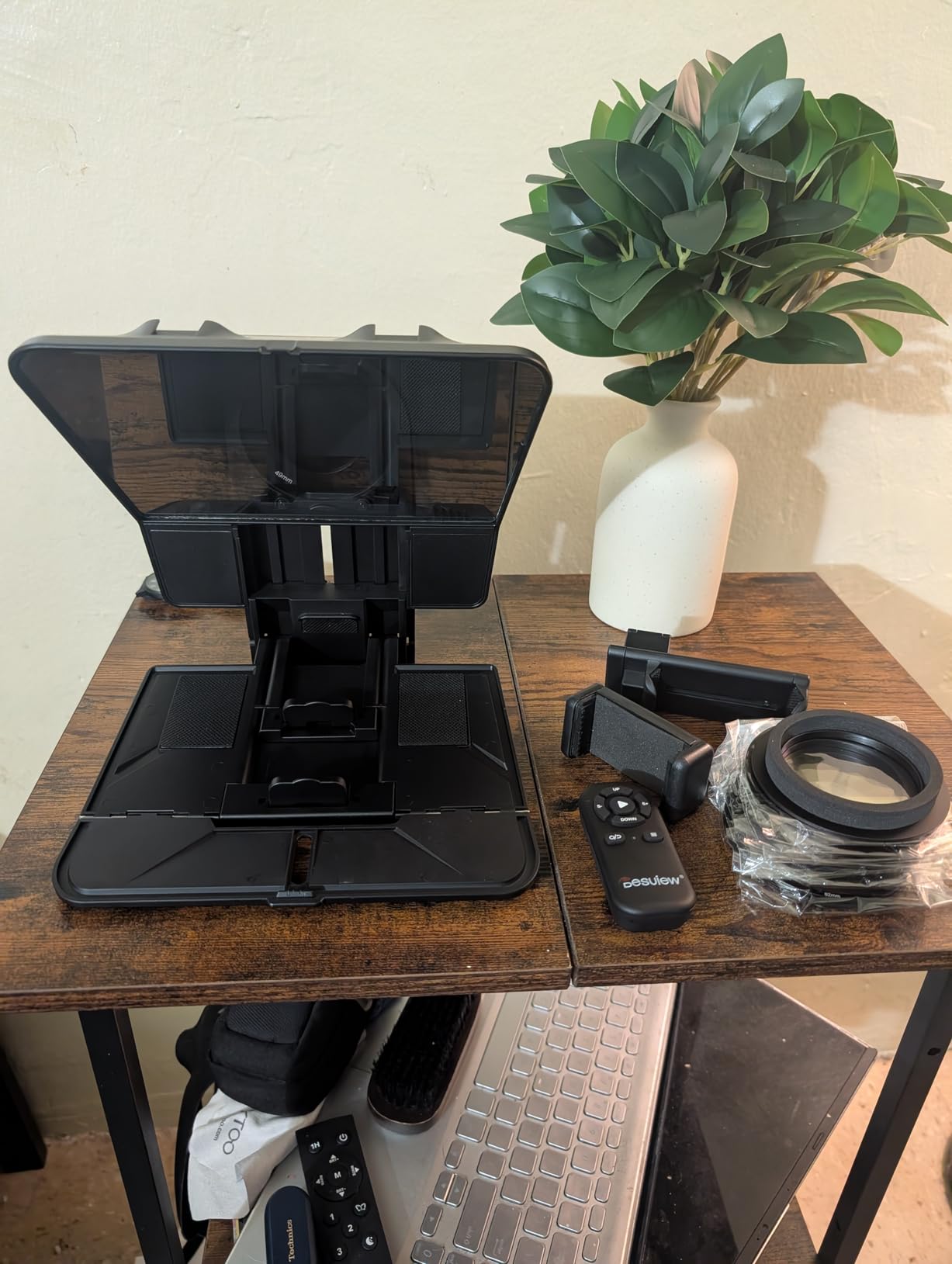
The free DESVIEW app for iOS and Android imports txt and docx scripts and controls font, background colour, and mirror or rotate. The Bluetooth remote covers play and pause, playback speed, page turn, and auto sleep, so you can leave the phone alone once the scroll is running.
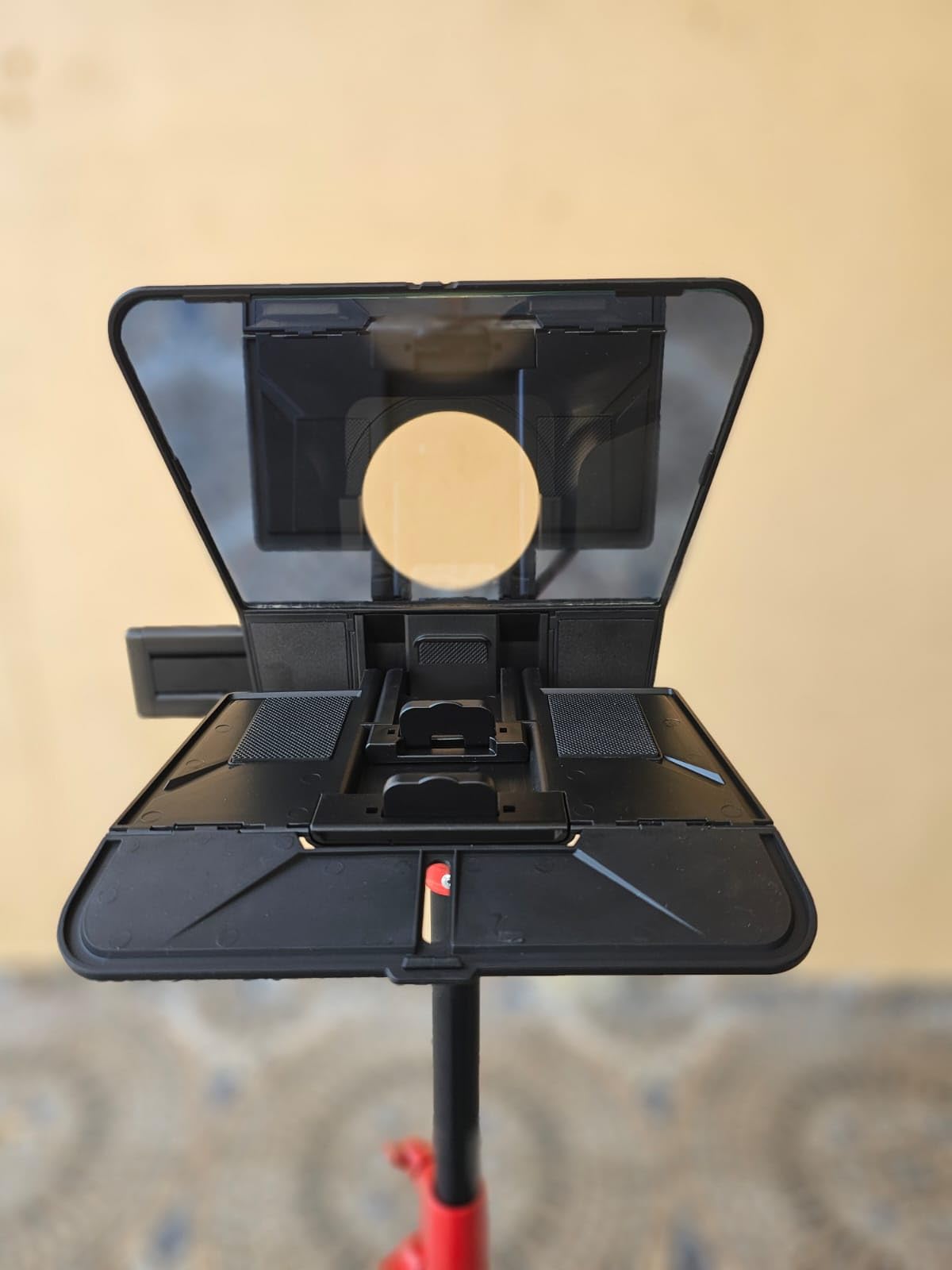
At 0.52 kg it is light enough to hand-hold a short sequence or set on a small stand, and it takes smartphones, tablets under 11 inches, and DSLRs with nine adapter rings from 49 to 82 mm. The foam cushion and light seal foam cut the glare that otherwise washes out the reflection in a bright room.
There is a real-time self-check feature, which works by adding a second phone to view shooting status. It is not a substitute for checking framing, but it catches the most common solo-creator mistake, which is a vertical video framed slightly off centre.
Who the Desview T5 suits
It suits a short-form creator shooting vertical on a phone, especially anyone moving between landscape and 9:16 in the same session. The orientation switch, the glare foam, and the self-check are all built for that workflow rather than adapted to it.
Reviewers across 358 reviews name the broad device compatibility and the app and remote control as the reasons to buy it. The 1 year warranty and lifetime free maintenance are unusual for a rig at this level.
Who should skip the Desview T5
Skip it if you use a large phone with a thick case, because the holder can block the side buttons and cases may not fit. Some users also find the script sits slightly off the viewing area, which needs margin adjustments in the app before every shoot.
For long scripted pieces the 11 inch tablet ceiling is the limit. If your videos run past a few minutes with dense paragraphs, move up to a 13 inch panel rather than fighting the reading area.
7. Desview P13: Best for Long Scripts and Daylight Work
Desview P13 Teleprompter 13 Inch Aluminum Alloy with High Definition Glass, Compatible with iPad Tablet Camera DSLR, Portable No-Assembly Design for Video Recording
13 inch 7H glass
70/30 light transmission
1.7 kg
Detachable sun hood
1 year warranty
Pros
- Largest tablet capacity at 13 inches
- Sun hood for bright outdoor conditions
- Bluetooth remote and free iOS and Android app
- No assembly setup
- Carry bag included for travel
Cons
- Lens mounting can affect focus so a 1/4 inch stand is better
- Prompter edge shows in wide-angle framing
- Bundled phone mount may not fit every phone
- Instructions are unclear for first-time setup
The P13 is the answer when a script is genuinely long. At 13 inches it accepts any iPad or tablet up to 13 inches, and the 7H hardness beam split glass runs 70/30 visible light transmission, so lines stay readable without shrinking the font until you are squinting.
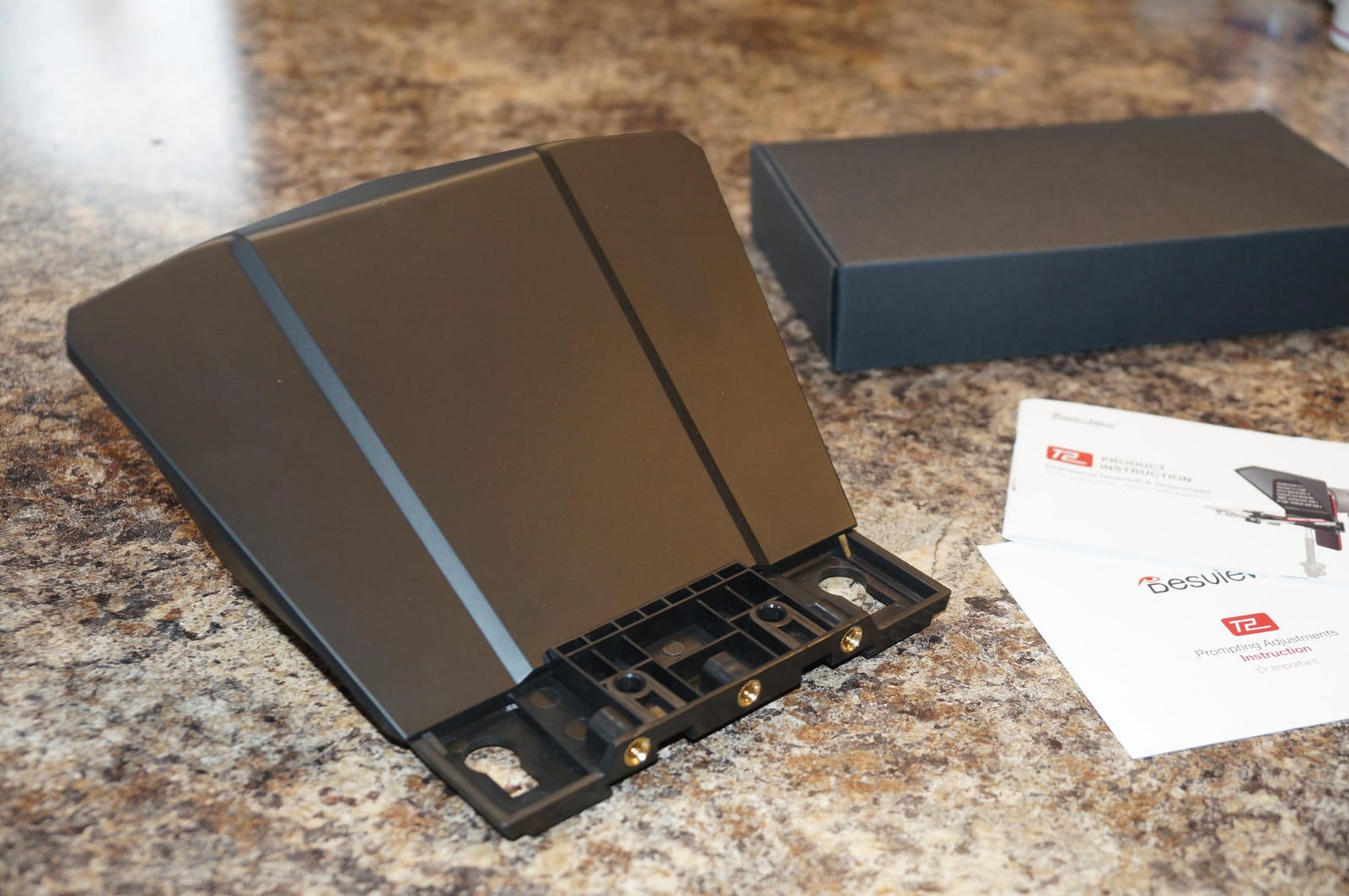
The detachable sun hood is the detail that separates it from the cheaper rigs. Glass prompter users regularly report the reflection washing out in direct sunlight, and the hood is the physical fix for the one condition no coating fully solves.
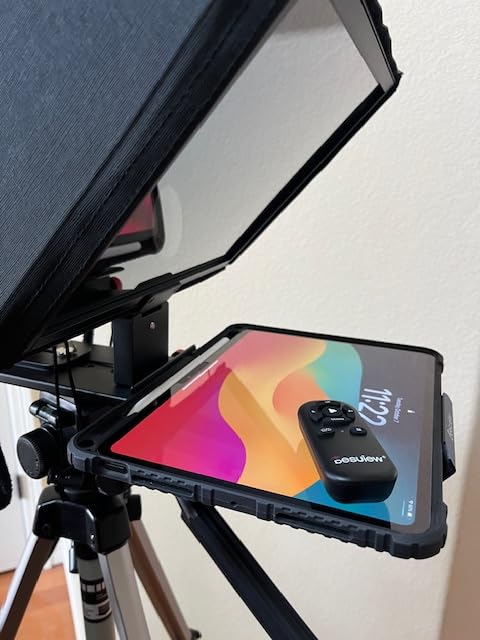
Wide-angle support runs from 35 mm for both horizontal and vertical shooting, and the whole unit is a no-assembly design, so setup stays short. A Bluetooth remote and the free Desview app cover iOS and Android, and an Oxford cloth carry bag is included for moving between locations.
At 1.7 kg it is the heaviest portable option here, which is the trade for the larger panel. Reviewers note it works well for video conferencing and online teaching as much as for recorded content, which is a fair signal that the eye-line result is genuine.
Who the Desview P13 suits
It suits a creator recording longer scripts, or filming anywhere with daylight in the room or out of it. The 13 inch panel means fewer, longer lines, and the sun hood removes the most common reason a glass prompter gets abandoned on location.
Reviewers across 245 reviews call out quick assembly, straightforward remote and app control, and readable glass. Video conferencing and teaching setups get a similar benefit, since the camera sits directly behind the glass.
Who should skip the Desview P13
Skip it if you attach it directly to your lens and shoot with a heavier body, because the added weight on the mount can cause focus issues. A light stand on 1/4 inch threads is the better mounting point, and it takes an extra step before you can shoot.
It is also built for close-up framing. In wide-angle shots the edge of the prompter can enter the frame, and the bundled phone mount may not fit every handset or seat every tablet perfectly in the viewing area.
8. Glide Gear TMP 750: Best for a Fixed Studio Setup
Glide Gear TMP 750 Teleprompter – All Camera & Smartphones, Tablets – 17″ Glass, Hard Case, No Assembly
11 by 12 inch 70/30 glass
Readable to 15 ft
8 pounds
15mm rail mount
Folds to 22 by 15 by 5 in
Pros
- Largest glass with text readable to 15 feet
- 15mm rail system accepts third-party gear
- All-aluminum build holds a 17 inch screen
- Collapses with hood and hard case
- Flexible camera and device mounting
Cons
- Hard case clasps are weak for transport
- Glass angle has no locking stop
- Documentation is thin
- No wide-angle lens support
- Single camera mount screw for heavy bodies
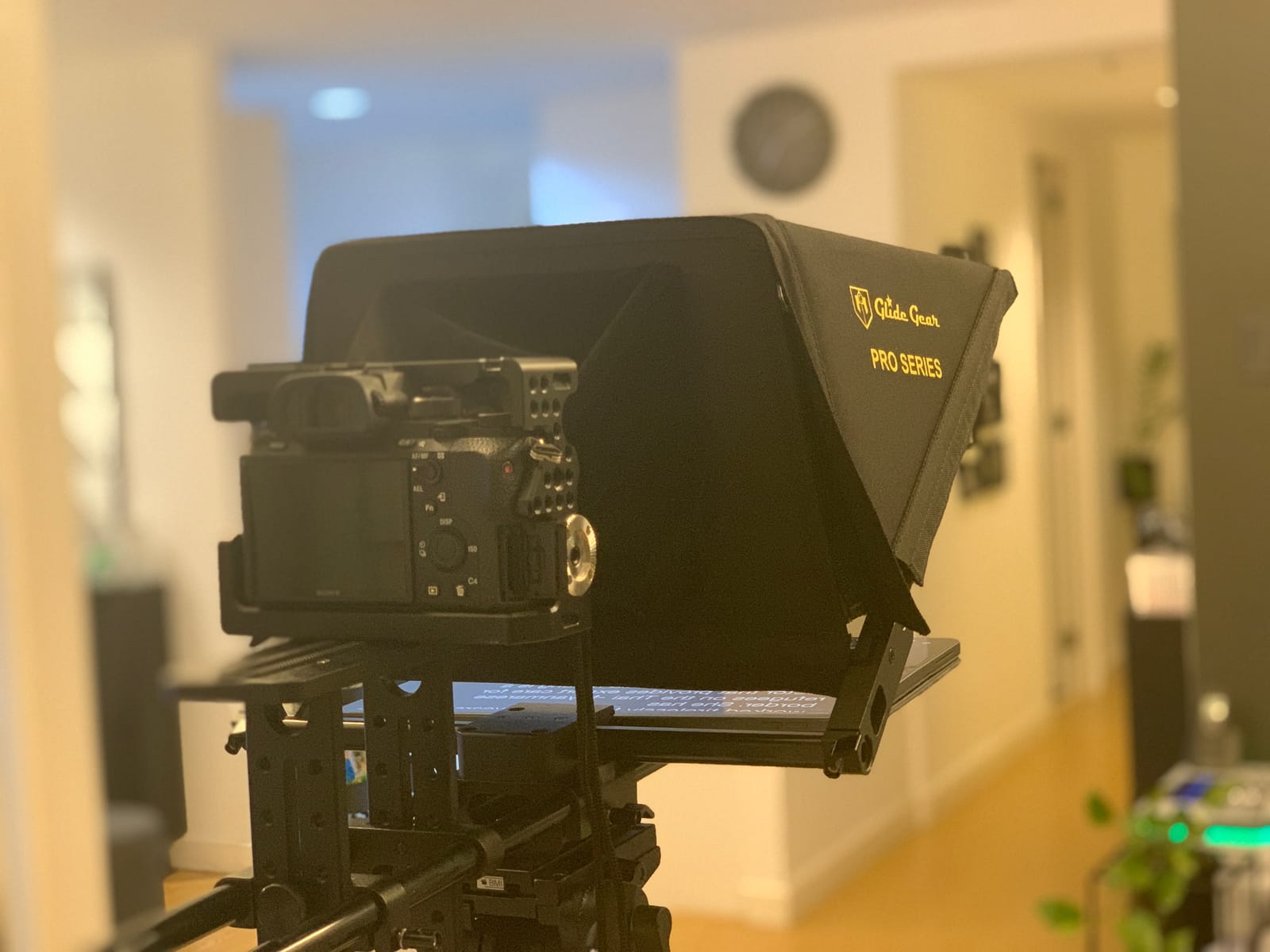
The TMP 750 is the only true studio rig in the list. Its 11 by 12 inch 70/30 beam-splitting glass stays readable up to 15 feet away, which means you can stand back from the camera far enough that the movement of your eyes behind the glass stops reading as a glance away.
Standing back is the single most effective fix for the eye-line problem, and it is a fix that only a large panel makes possible. Everything else here asks you to manage the tell with a small screen close to the lens.
The 15mm rail mounting system accepts third-party cheese plates, clamps, and rails, so it integrates into an existing camera rig instead of fighting it. The glass angle and the camera platform are both adjustable, and the all-aluminium construction holds a 17 inch tablet or monitor comfortably.
It collapses and ships with a protective hood and a hard case. You will need a teleprompter app with a mirror text feature, since the glass does the reflecting and the software does the scrolling.
Who the Glide Gear TMP 750 suits
It suits a creator with a dedicated room, a long production day, and a script long enough that eye movement becomes the giveaway. The 4.4 rating reflects the glass and the build, both of which hold up under daily use.
It is the choice when you record courses, weekly shows, or anything where you are standing back from the camera rather than sitting at a desk. A 17 inch screen and 15 ft readability give you room to move like a presenter rather than a reader.
Who should skip the Glide Gear TMP 750
Skip it if you shoot on location or on a phone. At 8 lb and 22 by 15 by 5 in folded, it is the heaviest item here by a wide margin, and wide-angle lenses do not work because the tablet sits very close to the glass.
The included hard case has weak clasps, so treat it as a carry case rather than a shipping case. The glass angle has no locking stop and can drop onto the device holders if moved carelessly, the single knurled camera-mount screw is thin for heavy bodies, and the documentation is thin enough that first-time setup is slow.
How to Set Up a Teleprompter So Your Eye Line Holds
Setup is where most of the benefit gets lost, and the fix is mostly about distance rather than hardware. Follow these five steps in order the first time and the result is repeatable on every shoot after it.
Mount the glass as close to the lens as you can. Every centimetre between the lens and the glass becomes a visible eye movement for the audience. Lens-clip designs like the Desview T3 get this right by design.
Centre the lens, not the screen. Raise or slide the camera platform until the lens sits in the middle of the reflection. The X11 gives you 10 cm horizontal and 3 cm vertical adjustment for exactly this.
Stand further back than feels natural. Users who moved 6 to 10 ft from a small rig report the eye-line tell largely disappears. The TMP 750 is designed for that distance; a 7.5 inch panel is not.
Set scroll speed by script, not by habit. Read the first paragraph at a pace you can sustain for the full script, because a scroll that is too fast at the start is still too fast at minute four.
Kill the glare before you record. Use the hood on the P13 and TMP 750, and the light seal foam on the T5. Direct sunlight washes out the reflection regardless of coating quality.
Two habits separate a readable read from a robotic one. Keep script lines short enough to take a breath over, and rehearse the opening line until you can deliver it without looking down. Once the first fifteen seconds sound natural, the prompter does the rest of the work for you.
App or Hardware? Where a Free Scrolling App Fits
A free scrolling app solves the script delivery half of the problem and none of the eye-line half. That is still a useful half, and for a lot of solo creators it is the whole first phase of a channel.
If you are starting out, shooting on a phone, and editing on the same phone, a teleprompter app costs nothing, weighs nothing, and needs no adapter ring. The compromise is the eye line: with the script on the phone screen itself, you either look slightly down or you look away from the lens, and that read is the most common giveaway in amateur talking-head video.
So the decision comes down to how much the read matters for your format. Short informal updates, where the delivery matters more than the eye line, can look fine with an app alone. Anything scripted, where the audience is reading your words and your credibility at the same time, is where glass starts paying back.
Forum regulars on creator communities generally advise moving to a paid setup somewhere around the twentieth to thirtieth video, which lines up with the point where a script becomes a habit rather than an event. Buy the rig when the scripting becomes routine, not before.
One honest limitation applies to every app option: voice-tracking apps desync when you pause, stumble, or ad-lib, so the script races ahead or stalls. For a creator working alone, a physical Bluetooth remote gives more reliable control than any voice mode, which is why every rig above includes one.
When Not to Use a Teleprompter
There are real drawbacks to prompting, and they show up in the edit more than they do on the day. Knowing when to skip it saves reshoots.
The delivery goes flat. Read word-for-word without rehearsal and the result sounds flat and scripted. Prompting reinforces the words you wrote, so anything you intended to say loosely gets overwritten.
It slows you down. Setup, centring, and recalibration take time, and adding weight and moving parts to a small rig creates more ways for a shoot to go wrong on location.
Glare beats the coating. In direct sunlight the reflection washes out on most rigs, and you end up crouching into a shadow to read your own script.
It does not fix a weak script. A prompter delivers structure, not content. If the outline is thin, you will simply deliver a thin idea more fluently.
The eye-line read can worsen it. If the panel is mounted low or the glass is poorly angled, viewers see the glance more clearly than they would with a confident unscripted delivery.
The honest summary is that a teleprompter is a delivery tool, not a content tool. If your strength is spontaneous and the material does not need to be exact, an unscripted take is usually stronger, and a small set of key beats you can recall beats a full page you have to read.
How to Choose a Teleprompter as a Solo Creator
Six criteria separate the eight picks above. Weigh them in this order, because the first two decide the shortlist and the rest are refinements.
1. How you actually record. Phone only, tablet, or a camera body plus a computer. This single question eliminates most of the list. A phone-first creator should look at the T3 or the T5; a tablet reader should look at the X12B or the P13; a camera-plus-computer setup should start at the Elgato Prompter or the X11.
2. How you control the scroll. With nobody else in the room, a Bluetooth remote is the minimum bar. Voice tracking sounds appealing and desyncs the moment you pause or ad-lib, so a physical remote wins for solo work. Stream Deck support, on the Elgato Prompter, is a step above that, and a stable editing machine such as one of our 10 best workstation laptops for creators keeps that computer link dependable on long shoot days.
3. Screen size against script length. Readable text and a longer script pull in the same direction. Seven and a half inches handles a tight segment; twelve and thirteen inches handle a full talking-head script without shrinking the font.
4. Weight and packability. The X12B at 0.25 kg and the AMBITFUL at 350 g travel anywhere. The TMP 750 at 8 lb stays in one room, and that is fine if the room is where you work.
5. Glare and hooding. A detachable sun hood, on the P13 and TMP 750, or light seal foam, on the T5, is what makes outdoor and bright-room shooting workable.
6. Lens compatibility and mount. Check your lens thread against the included adapter rings, and prefer a 1/4 inch stand mount over a lens mount if your body is heavy. Mounting weight on a lens is the most common source of focus problems reported on these rigs.
Free tiers on prompting apps are worth testing before you buy glass, because if your delivery works on a phone app you may not need a rig yet. Once you do, a Bluetooth remote plus a mirror-mode app covers the scrolling, and the rig’s only job is to hold the glass in the right place.
Frequently Asked Questions
What do YouTubers use for teleprompters?
Most solo YouTubers use a beam-splitter glass teleprompter clamped over the lens, with the script running on a phone, tablet, or monitor mounted just below the camera. The glass reflects the scrolling text back to your eyes while the lens shoots through it, so your eye line stays on the camera. In our tests of the current field, the most common picks are the Elgato Prompter for desk-based computer setups, the NEEWER X11 for complete monitor-plus-prompter packages, and the Desview T3 or T5 for phone-based shooting on location.
What are the drawbacks of using a prompter?
The main drawbacks are flat, over-rehearsed delivery, setup time and added bulk on a small rig, glare washing out the reflection in direct sunlight, and a worse eye-line read if the panel sits low or the glass angle is wrong. A prompter also does not improve a weak script, it only delivers it more fluently. Voice-tracking apps that follow your speech can desync whenever you pause, stumble, or ad-lib.
Which teleprompter app is the best?
For a solo creator there is no single best app, because apps only handle script scrolling and the eye-line correction comes from the glass rig. The most practical setup is a free or paid scrolling app in mirror mode, controlled by the Bluetooth remote included with most rigs. The Elgato Prompter stands apart because its built-in screen means you drag a window onto the display instead of running a separate app.
What is the best mobile teleprompter app?
For phone-based shooting, the Desview T5 and the Desview T3 are the rigs built around mobile use, with phone clamps, Bluetooth remotes, and free companion apps for iOS and Android that handle font, background, and mirror or rotate. The T5 adds switchable horizontal and vertical shooting, which matters for Reels, TikTok, and Shorts. If your phone is the only camera, these two are the ones to start with.
Is there a teleprompter app that can be used for self-tapes?
Yes, and for self-tapes a scrolling app is often enough on its own. Self-tape submissions are usually short, watched on a phone or laptop, and judged on content rather than eye-line precision, so a mirror-mode teleprompter app with a Bluetooth remote will carry you through. Move to a glass rig when you are producing longer content for your own channel where the eye-line read affects how credible you come across.
Final Verdict for Solo Creators in 2026
For most solo creators, the Elgato Prompter is the best teleprompter in 2026 because its built-in 9 inch screen removes every second device from the setup. If your desk already has a computer and you want a complete box, the NEEWER X11 is the strongest value. Shoot vertical on a phone and the Desview T5 handles the orientation change; read long scripts on a tablet and the NEEWER X12B gives you the biggest panel for the least effort; work in a fixed room and the Glide Gear TMP 750 lets you stand back far enough that the eye-line tell disappears.
Start with the rig that matches the camera you already own, pair it with a mirror-mode app and the bundled Bluetooth remote, and rehearse the first line until it sounds like you talking. That combination does more for a solo channel than any other single piece of gear.