
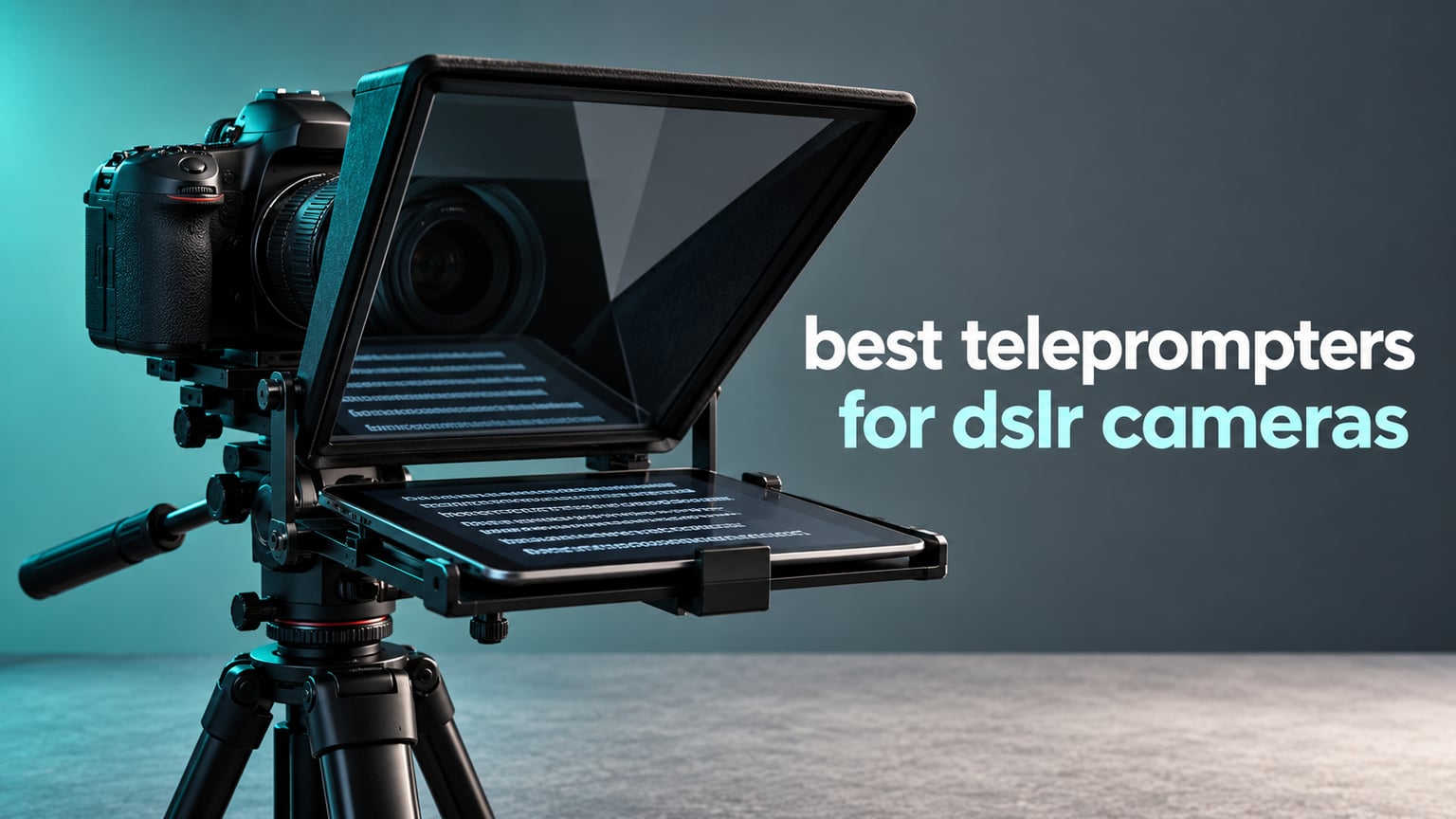
Reading a script while keeping your eyes in the lens is the hardest part of shooting scripted video on a DSLR. Look down and the eyeline breaks. Look up and you are guessing the words. That is why the best teleprompters for DSLR cameras exist at all: they put a beam splitter glass panel between you and the lens, bounce a scrolling script off it into the lens axis, and let the camera record you straight through the glass looking directly at the audience.
We spent weeks going through ten of the most-reviewed prompters built for DSLR and mirrorless bodies, checking glass coatings, adapter ring coverage, mount types, device bays and what owners actually complain about after a few months of use. Nothing here is a phone accessory pretending to be camera gear. Every rig below either mounts on a lens thread, on a camera body, or on standard tripod threads behind your DSLR.
What surprised us most is how much the format decision matters. A prompter that clamps onto your lens filter thread and a freestanding floor prompter can cost the same and behave completely differently, and almost every list we found skipped that entirely. We also included a section on measuring your lens thread, because mismatched adapter rings are the number one reason these purchases get returned. If you are still choosing a camera body, our guides to the best DSLR cameras and the best mirrorless cameras are worth a read first.
Table of Contents
Top 3 Picks: DSLR Teleprompters in 2026
Our top three cover the three genuinely different ways to solve this: a traditional collapsible glass-and-tablet rig, an all-in-one unit with a screen built in, and a desktop prompter that needs no tablet at all.

NEEWER X12 14 Inch Teleprompter
- 75% transmittance glass readable to 10ft
- Collapsible aluminum alloy frame
- Hard case and RT-110 remote included

NEEWER X11 2-in-1 Teleprompter
- Built-in 9-inch HD monitor
- 11-inch multi-coated beam splitter glass
- Arca-type adjustable quick release holder

Elgato Prompter
- Built-in 9-inch display
- Drag-and-drop window prompting
- Works with Stream Deck and Camera Hub
Best Teleprompters for DSLR Cameras in 2026 at a Glance
All ten rigs below work with a DSLR or mirrorless body. The differences are in glass size, how the camera is supported, how many lens adapter rings you get, and whether the prompter needs a tablet or brings its own screen.
| Product | Specifications | Action |
|---|---|---|
| NEEWER X12 14 Inch Aluminum Teleprompter |
|
Check Latest Price |
| NEEWER X11 2 in 1 Teleprompter with Monitor |
|
Check Latest Price |
| Elgato Prompter Teleprompter with Built-in Screen |
|
Check Latest Price |
 NEEWER Basics X12B Aluminum Teleprompter NEEWER Basics X12B Aluminum Teleprompter |
|
Check Latest Price |
 Desview T3 Teleprompter with 9 Adapter Rings Desview T3 Teleprompter with 9 Adapter Rings |
|
Check Latest Price |
 AMBITFUL 7.5 Inch Mini Teleprompter AMBITFUL 7.5 Inch Mini Teleprompter |
|
Check Latest Price |
 Desview T5 Teleprompter for Phone and Tablet Desview T5 Teleprompter for Phone and Tablet |
|
Check Latest Price |
 LENSGO TC7 9.7 Inch Teleprompter LENSGO TC7 9.7 Inch Teleprompter |
|
Check Latest Price |
 Desview P13 13 Inch Aluminum Teleprompter Desview P13 13 Inch Aluminum Teleprompter |
|
Check Latest Price |
 iLight PRO 12 Inch Autocue Teleprompter iLight PRO 12 Inch Autocue Teleprompter |
|
Check Latest Price |
What Is the Best Teleprompter for DSLR Cameras?
The best teleprompter for a DSLR camera is the NEEWER X12: a collapsible aluminum rig with 75% light transmittance beam splitter glass, a 10 foot readable range and enough structure to carry a DSLR with a mid-size zoom without wobbling. Shooters who want zero extra devices should look at the NEEWER X11, and creators already working at a desk should check the Elgato Prompter.
Our picks, in one line each:
Best overall DSLR teleprompter: the NEEWER X12, which folds flat, ships with a hard case and holds up on a tripod.
Best all-in-one: the NEEWER X11, which has a monitor built into the hood so you need no tablet.
Best for desktop creators: the Elgato Prompter, which runs from a PC or Mac over USB and doubles as a second display.
For a wider look at the category, including phone-first and stand-alone formats, our general teleprompter guide covers the formats this one skips.
1. NEEWER X12 14 Inch Aluminum Teleprompter: Best Overall DSLR Teleprompter
NEEWER X12 14 Inch Aluminum Alloy Teleprompter for iPad Tablet Phone Camera
75% transmittance glass readable to 10ft
Fits devices to 9.84 x 8.68 inch
6.5 lb collapsible aluminum body
Pros
- Beam splitter glass stays sharp and readable at 10 feet
- Sturdy aluminum alloy build that does not flex under a zoom lens
- Collapses flat and comes with a hard case
- Adjustable lens hood fits most DSLR and mirrorless bodies
- RT-110 remote handles pause and page turns
Cons
- Darkbox zipper banding is thin and can leak light from behind
- Display tray does not clamp the tablet so it can slide on moving rigs
- Included instructions are sparse and the app has limited margin control
- Not compatible with iPad Pro 12 inch or lenses under 28mm
We ran the X12 for a month of daily talking-head work, and the glass is the reason it wins. Owners consistently rate the reflection as clear and sharp, and the spec sheet puts readable distance at 10 feet, which means you can sit back from a tripod-mounted body without losing the line. The aluminum alloy frame does not flex when you mount a body with a mid-range zoom attached, and that rigidity is the difference between a stable take and a wobbling one.
Setup takes under a minute. The frame collapses flat, the adjustable lens hood lines up with different body shapes, and the included hard case means this is the one rig we were willing to put in a car without wrapping it in a towel. Our general creator teleprompter roundup covers the cheaper options if you want a second unit.
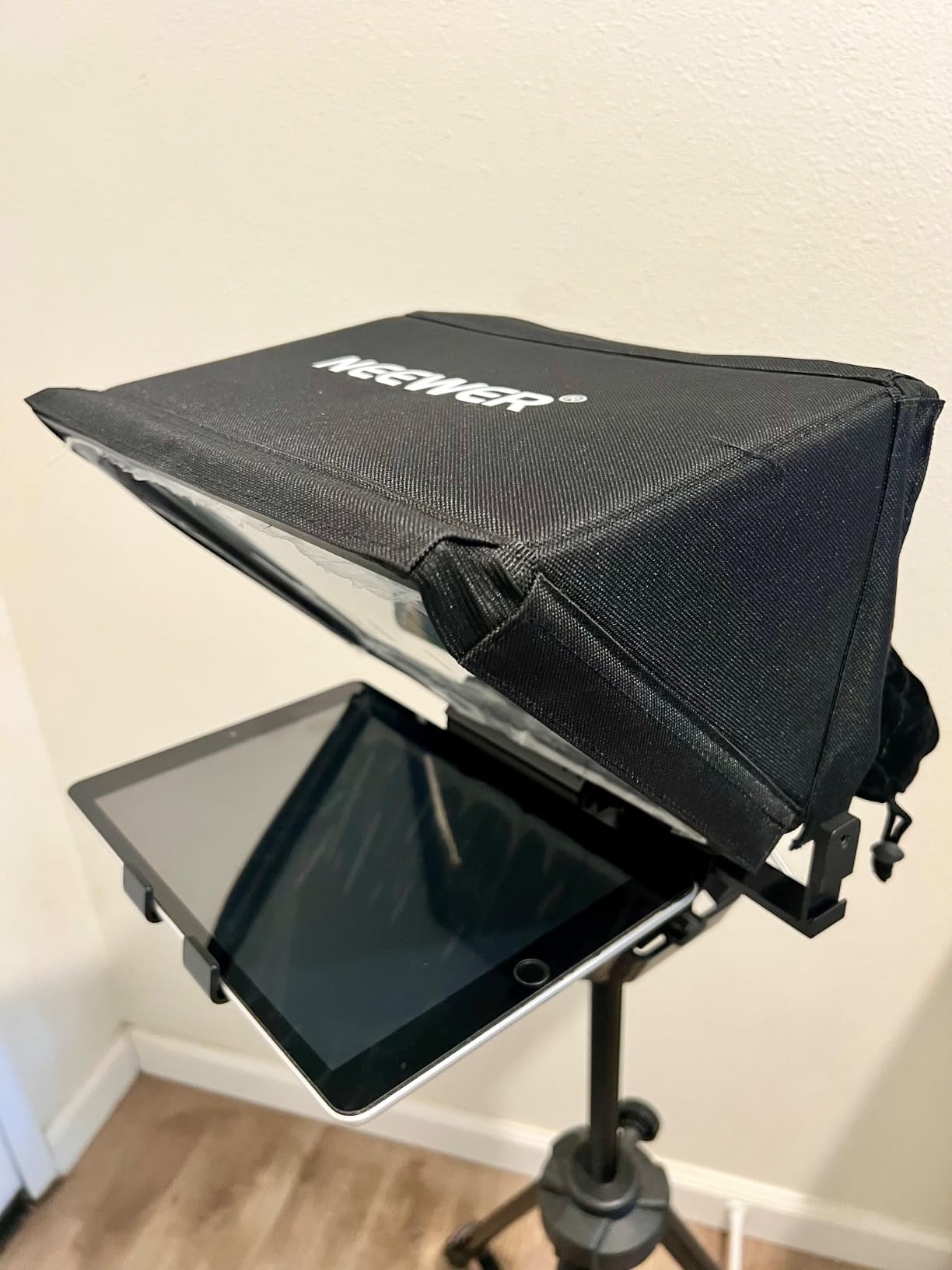
Two things surfaced repeatedly in owner feedback. First, the darkbox zipper banding is thin, so a bright room behind the glass can wash out the script. Second, the display tray rests on a shelf rather than clamping, so on a rig that gets bumped or moved between takes the tablet can slide. Neither mattered on a locked tripod, and both would matter on a handheld vlog setup.
There are also two hard compatibility limits to know before you buy. It does not fit an iPad Pro 12 inch, and it is not compatible with wide-angle lenses under 28mm. If you shoot a 24mm prime as your main lens, this rig is the wrong shape for the job.
Check the focal length before you commit
The 28mm floor is a lens issue, not a glass issue. Under that focal length the lens barrel can see past the edge of the prompter housing, and you get the frame of the rig in the corner of the shot. Shooters on kit zooms that stay above 28mm will never notice the limit.
Best for tripod-based talking heads
This is the rig to buy if your camera sits on a tripod and stays there. The hard case, the 10 foot reading distance and the rigid frame all point at a fixed shooting position. If you move while you record, look at a unit with a clamping tray instead.
2. NEEWER X11 2 in 1 Teleprompter with Monitor: Best All-in-One Rig
NEEWER X11 2 in 1 Teleprompter 11″ with Monitor, Supports Screen Mirroring
Built-in 9-inch HD LCD at 1024 x 768
11-inch glass at 75% transmission
Lens threads to 72mm, 35-200mm focal lengths
Pros
- Built-in LCD means no tablet or phone is required
- Multi-coated glass reduces ghosting
- Functions as a second display on Windows and macOS
- Arca-type holder with generous lens travel
- Two-in-one design also works as a phone and webcam prompter
Cons
- Screen mirroring only works with DP-protocol phones
- First HDMI connection needs a driver installed
- Voice sync is not supported
- Quick release plate is rated for only 2 kg
The X11 answers the question most buyers never think to ask: what happens when the tablet dies mid-session? This one has its own 9-inch HD display built into the hood, so the rig prompts with nothing but power. For a solo shooter filming interviews in a hotel room, that removes a whole class of failure.
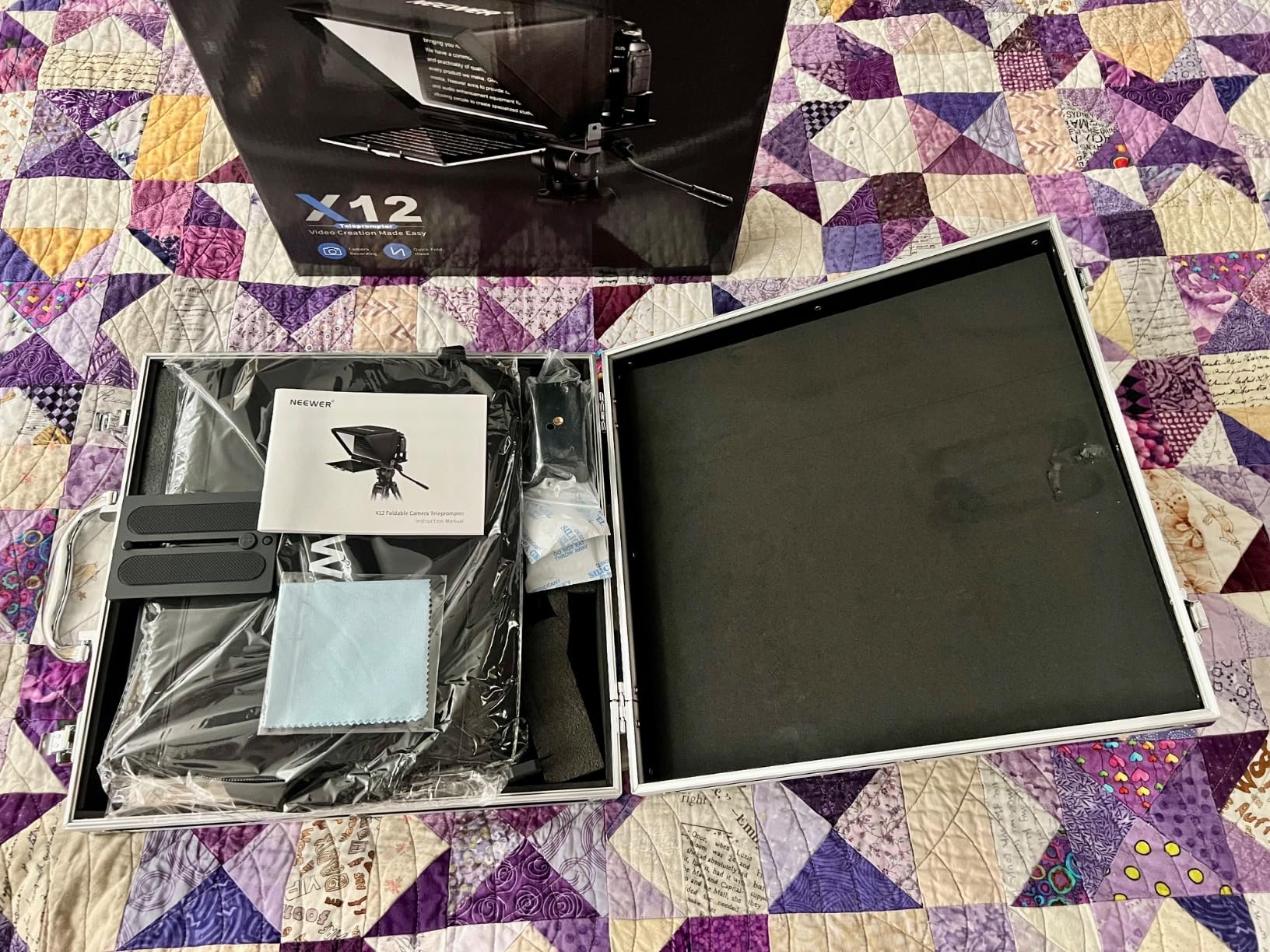
The box includes the teleprompter, the TM8 monitor, hood, base, quick release plate, a phone clamp and a data cable set. The Arca-type holder gives 10cm of horizontal and 3cm of vertical travel, which is what makes it easy to line a DSLR lens up with the reflection. Base holes for 1/4 inch and 3/8 inch mounts mean it sits on a tripod or a microphone arm.
Owners praise the 11-inch multi-coated glass for cutting down ghosting, a problem you get when the room lights and the screen both reflect. The mirroring route works well for pulling script onto the built-in display, but the spec is narrow: it only handles DP-protocol iPhones and Androids, so not every phone will cast to it. The first HDMI hookup also needs a driver installed on the computer. The 2 kg plate limit is the real constraint for DSLR users, because a stills body with a normal zoom sits under that comfortably while a heavier cinema-style body will not, and there is no fix short of a sturdier baseplate. Voice sync is also not supported, so if you plan to auto-follow your read, this is not the rig.
When the built-in screen genuinely saves you
Any shoot where you cannot rely on a personal device: multi-camera days, location work with no reliable charging, or a setup shared by several people. The display is dimmer than a modern tablet, so bright rooms still need the light seal treatment described later in this guide.
Where it falls short
If you script on a tablet and want the app to run the scroll, you are back to a two-device workflow. And if you are recording alone on a laptop and want your script window dragged straight onto the glass, the Elgato Prompter further down the list does that natively.
3. Elgato Prompter: Best for Desktop Creators and Live Streams
Elgato Prompter, Teleprompter with Built-in Screen
9-inch built-in display at 1080 pixels
11.1 x 8.82 x 8.62 inch body,0.69 kg
Compatible with DSLR, webcams, PCs and phones
Pros
- Built-in display removes the need for any extra screen
- Prompts any window like a normal monitor
- Camera Hub app tunes text size and chat appearance
- Widest lens and camera compatibility in its class
- Desktop-controlled with no third-party mobile app
Cons
- Requires a PC or Mac connection so it is not a standalone prompter
- DisplayLink software must be installed on Mac and Android
- Priced above conventional glass-and-tablet prompters
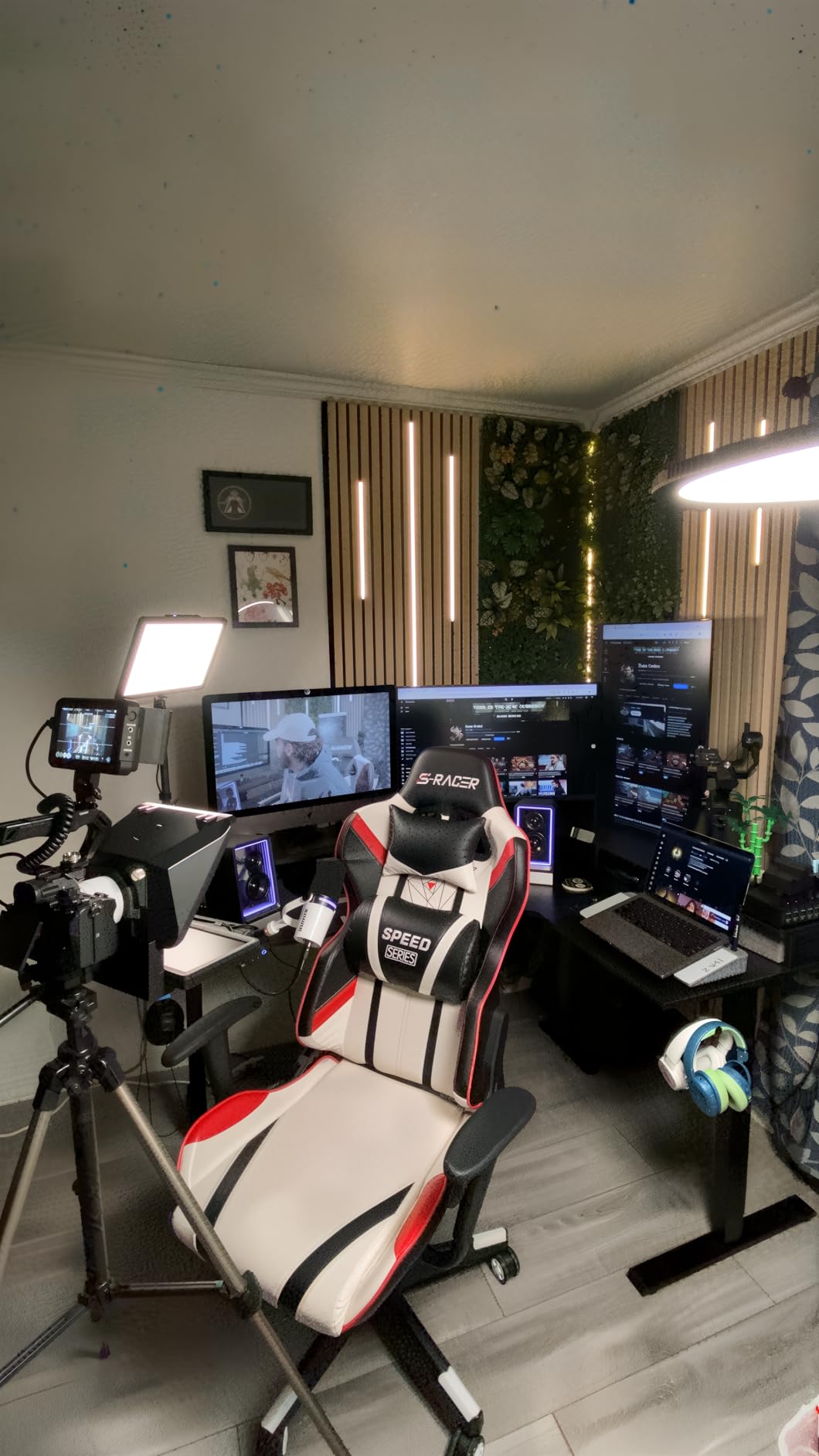
The Elgato takes a completely different approach. There is no tablet cradle and no phone clip; the glass reflects whatever you drag onto the built-in 9-inch display, connected over USB to a PC or Mac. That means your script can sit in a text editor, a teleprompter app, a browser-based tool or a live chat window, and you get the same treatment for each.
That is why it suits streamers and remote presenters. Reviewers regularly use it as a Twitch chat reader, a Zoom or Teams eye-contact aid and a plain script display for webinars, and the Camera Hub app handles text size and how the chat is styled. It also works with a Stream Deck, so scroll control can sit on a hardware button rather than a keyboard shortcut.
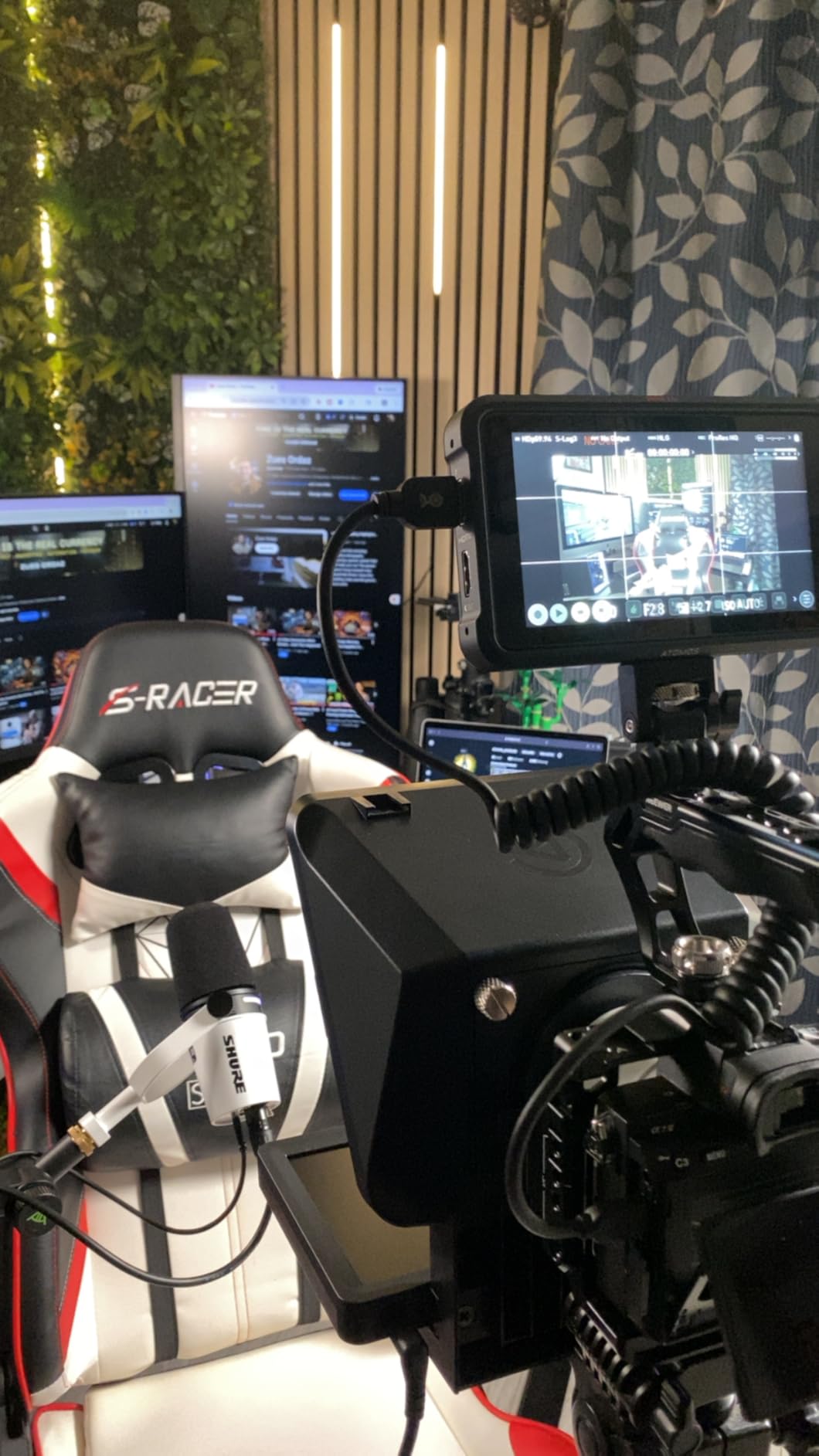
The lens compatibility is the quiet strength here. Owners call out that it works with more camera and lens combinations than anything else in its class, which matters if you swap bodies between a DSLR, a webcam and a phone on the same rig. The two-year manufacturer warranty is also the longest in this roundup, and Elgato publishes spare part availability for seven years in the EU.
The trade is dependency. It needs a computer connected, so it is not a field rig for a location shoot with no laptop. Mac and Android users need DisplayLink software installed, and Android additionally needs the DisplayLink Presenter app. There is also no voice sync, so a desktop app handles the scroll rather than the hardware.
Is it worth the extra cost?
Worth it if your day already involves a computer. You remove the tablet, remove the app juggling, and gain the ability to prompt any window including live chat, which is a real advantage for streaming and remote teaching. The cost stops making sense the moment you need to shoot somewhere without a laptop.
Lens and body flexibility is the deciding factor
Anyone running a mixed kit will appreciate the range of bodies it accepts. Anyone filming outdoors on battery and a tripod will not, because the whole thing is useless without a screen to mirror from.
4. NEEWER Basics X12B: Most Versatile for a First Rig
NEEWER Basics X12B Aluminum Alloy Teleprompter 12″ for Tablet DSLR Camera
12-inch glass at 75% transmittance
0.25 kg folding aluminum body
Folds to 12 x 12 x 2 inches
Pros
- No assembly required so setup is essentially instant
- Light 0.25 kg aluminum body is easy to carry
- 12-inch glass gives a clear readable reflection
- RT113 remote plus NEEWER app for speed and font size
- Collapses flat into the included carry case
Cons
- No built-in monitor so there is no self-viewing while recording
- Aimed at tablets and cameras rather than phones
- AA batteries for the RT113 remote are not included
- Platform design is basic next to the higher-end NEEWER models
The X12B is the cheapest way into a real aluminum DSLR teleprompter rather than a plastic one. The no-assembly liftable platform means you unbox it, set the device down and mount the camera, which removes the single biggest frustration new buyers report. Reviewers repeatedly describe the glass quality as rivaling units costing considerably more.
At 0.25 kg it is the weight you can carry in one hand, and it folds to 12 by 12 by 2 inches with a carry case in the box. That makes it a sensible second rig or a travel companion. The RT113 remote and the NEEWER app cover play and pause, scroll speed, paging and font size, which is everything a scripted shoot needs.
Be clear about what it is not. There is no built-in display, so it is a prompter only, and there is no on-screen self view while you record. The spec sheet also says it is not designed for phone shooting, so treat it as a tablet-and-camera rig. The AA batteries for the RT113 remote are not included, which is a small annoyance on a first unboxing. Compared with the full-size X12, the liftable platform is simpler and does not offer the same adjustable hood, so if you film in bright rooms or mount a heavy telephoto, the step up is mostly about rigidity and hood adjustment.
Who should start here
A creator who scripts on a tablet, shoots on a tripod, and wants a durable metal frame without spending pro-tier money. The 10 foot readable range and 75% transmittance glass are the same class of numbers as the more expensive NEEWER units.
Where the money would go if you upgraded
Moving up buys you a heavier frame, a better light seal around the darkbox and an adjustable hood that handles odd body shapes. If you film in bright rooms or mount a heavy telephoto, those are the features worth paying for. If you film indoors with a kit zoom, this rig is already enough.
5. Desview T3: Best Coated Glass in a Compact Kit
Desview T3 Teleprompter for Camera & Smartphone – Supports iPad/Tablet up to 10″ – Beam Splitter Glass with Bluetooth Remote – Wide Angle Support for YouTube, TikTok & Live Streaming
26-layer coating with up to 97% transmittance
Nine adapter rings from 49mm to 82mm
Supports 24mm horizontal, 35mm vertical
Pros
- Very affordable entry into beam splitter prompting
- 26-layer coating gives high transmittance and little ghosting
- Nine adapter rings cover most DSLR and mirrorless threads
- Bluetooth remote with the free DESVIEW app
- Protective pull-off cover for transport
Cons
- Limited to devices up to 10 inches
- Vertical shooting needs a 35mm or longer focal length
- Narrow reading distance compared with larger desk-style rigs
- Plastic body and holder are the most basic parts
The Desview T3 is the value pick for anyone who cares about glass quality above all else. The 26-layer optical coating is specified at up to 97% light transmittance with 7H hardness, and owners single out the lack of ghosting and the brightness of the reflection in a normally lit room as the standout traits. Nine adapter rings ship in the box, which is joint-best ring coverage in this group.
Those rings cover 49, 52, 55, 58, 62, 67, 72, 77 and 82mm, which is effectively every filter thread you will meet on a kit zoom. The Bluetooth remote pairs with the free DESVIEW app, and a pull-off cover protects the glass in a bag. Focal length support starts at 24mm for horizontal shooting, wider than most rigs in this roundup.
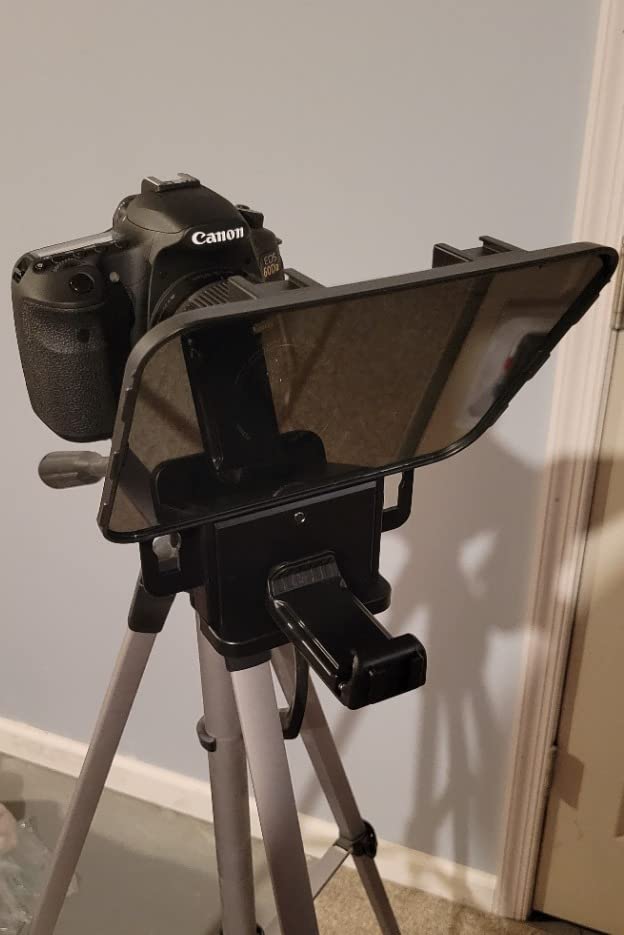
The limits are size and construction. The device bay takes screens up to 10 inches with a maximum width of 170mm, so larger tablets will not fit, and the reading distance is shorter than a desk-style rig. The body and holder are plastic, which is where the money was saved. For a DSLR with a kit zoom on a tripod, that is an acceptable trade.
Vertical shooting needs a 35mm or longer focal length or the prompter frame enters the shot. Point-and-shoot cameras without filter threads are also excluded. Check both of those against your setup before buying.
Why the ring set matters more than the brand
Forum consensus in the sub-tier is that adapter ring coverage and a standard tripod thread matter more than branding. The T3 scores well on both. Nine sizes means you are very likely to have a ring that fits your prime lens, not just your kit zoom.
When the plastic build becomes a problem
Mounting a body with a telephoto lens and shooting handheld is where light construction shows. Flex in the platform translates into a reflection that wobbles across the glass, and no coating fixes that. On a tripod with a normal zoom, reviewers report no such issue.
6. AMBITFUL 7.5 Inch Mini Teleprompter: Most Portable Option
AMBITFUL 7.5” Mini Teleprompter W/Desktop Tripod for Smartphone & DSLR
7.5-inch coated glass
350g head with desktop tripod
49mm to 77mm adapter rings included
Pros
- Small and light at roughly 350g so it fits a camera bag
- Desktop tripod included so it needs no other support
- Adapter rings from 49mm to 77mm cover common threads
- Coated glass gives a clear reflection without double images
- Bluetooth remote and app control font and orientation
Cons
- 7.5-inch glass is the smallest here and reads at close range only
- Not compatible with tablet computers
- Lenses under 35mm are not supported
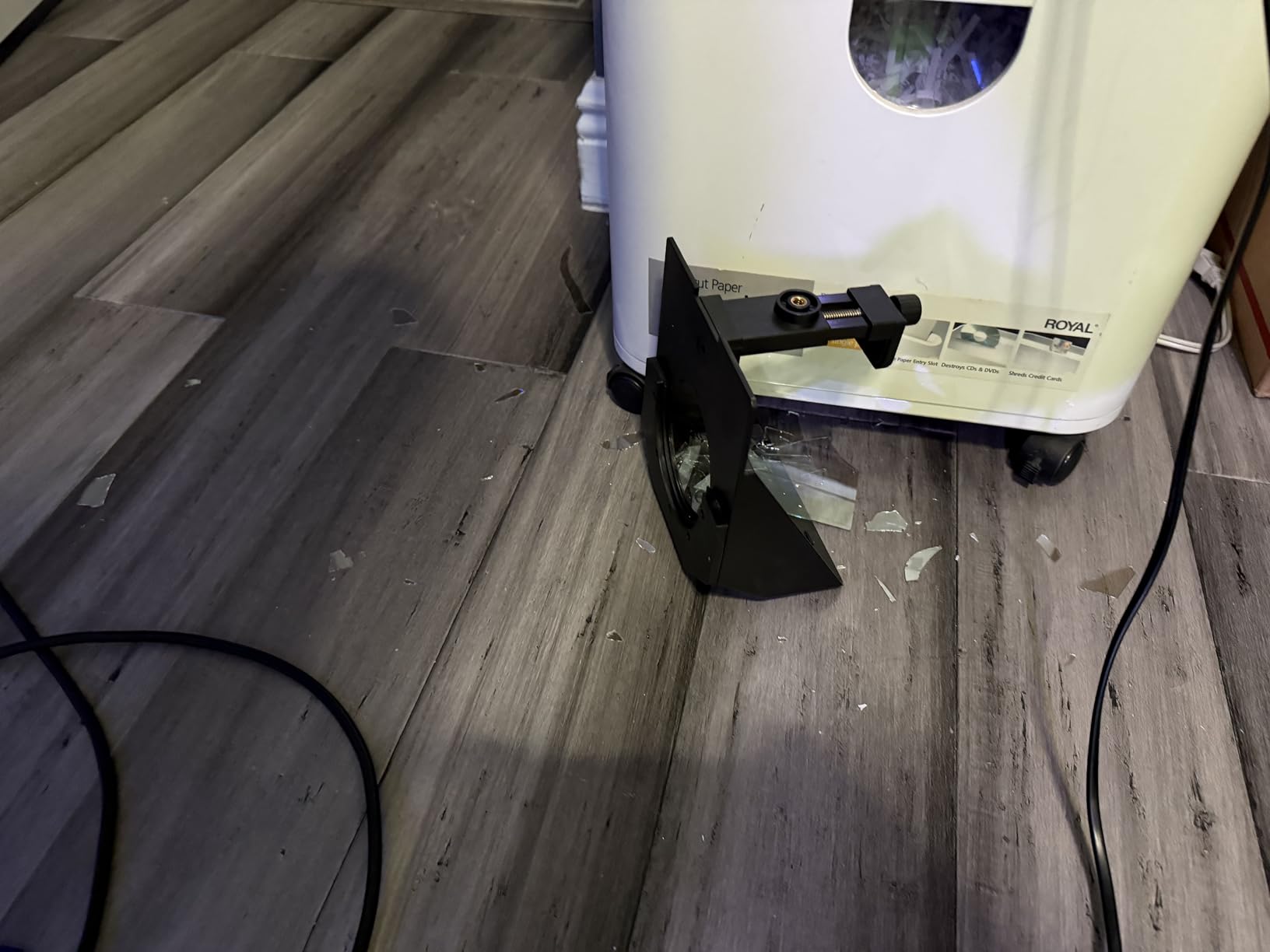
- Lowest average rating in the group with a 14 percent one-star share
This is the rig for someone who prompts from a phone and carries one piece of kit. The teleprompter head is about 350g and the whole package is 1.09 kg including the desktop tripod, the Bluetooth remote, the adapter rings and a phone clip. Owners consistently point out that the tripod being in the box is what makes it usable immediately.
The coated glass gives a clear reflection with no double image, and the app handles font, colour and orientation changes. Adapter rings run from 49mm to 77mm, and the mount is a standard 1/4 inch screw, so it fits a tripod or a light stand rather than requiring a proprietary clamp.
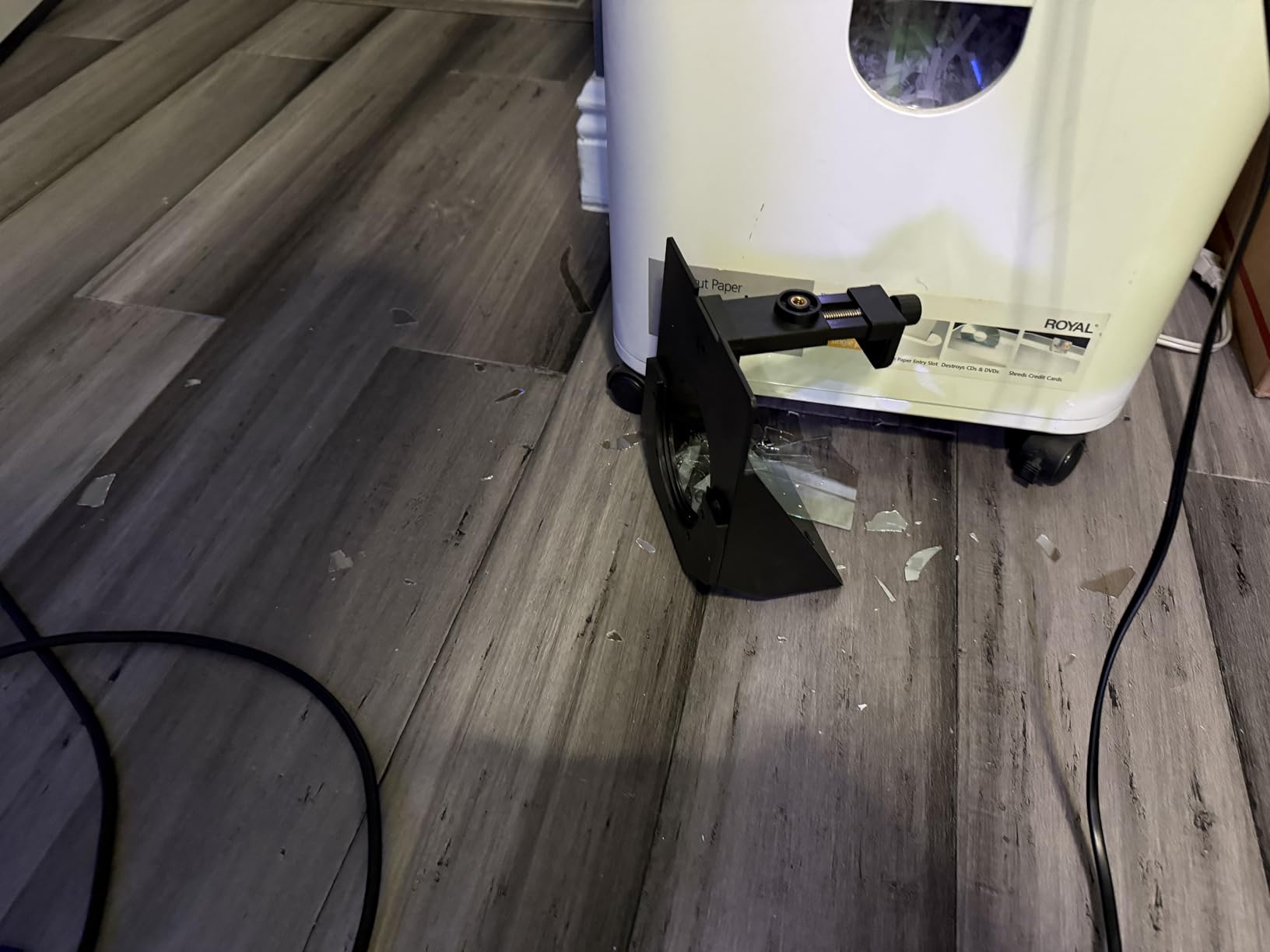
There is one structural limit that shapes everything else: a 7.5 inch glass is the smallest reading area in this roundup. Text has to be larger, and you have to sit closer to the camera. That is fine for a desk setup at arm’s length and wrong for a wide studio shot. Tablets are not supported at all, so if your script lives on an iPad, this is not your rig.
Wide-angle lenses under 35mm are excluded, and the group carries the lowest average rating with a 14 percent one-star share. Most of the complaints trace back to the small glass rather than a fault in the rig itself, which is worth remembering before you dismiss it for the wrong reason.
What a small glass actually costs you
Readability is a function of glass size and distance. A 7.5 inch panel forces you closer or the font bigger, and a bigger font scrolls faster for the same script length. In practice that means more retakes on long passages, which is exactly the problem a teleprompter is supposed to remove.
Best for travel and phone-based scripting
If you already script on a phone, travel regularly and shoot close to the camera, this is the correct choice. If you script on a tablet or sit more than a few feet back, skip it and spend on a 12 inch glass.
7. Desview T5: Best Mid-Budget All-Rounder
Desview T5 Teleprompter for Smartphone & Tablet, Video Recording | Compatible with DSLR Cameras. Includes 49-82mm Adapter Rings, Coated Glass, Bluetooth Remote, Free App for Streaming
Works with phones and tablets under 11 inches
Full 49-82mm ring set
Foam light seal and cushion
Pros
- One kit covers phones and sub-11-inch tablets and DSLR bodies
- Complete set of 49-82mm adapter rings
- Desview app imports txt and docx with font and background control
- Foam light seal noticeably cuts glare and stray light
- Real-time self-check lets a second phone monitor the shot
Cons
- Phone holder can block side buttons on large modern phones
- Phone shade is thin and offers limited glare control
- Screw-on holder must be removed with a screwdriver before packing
- Folded form leaves a hard block near the glass so a hard case is advisable
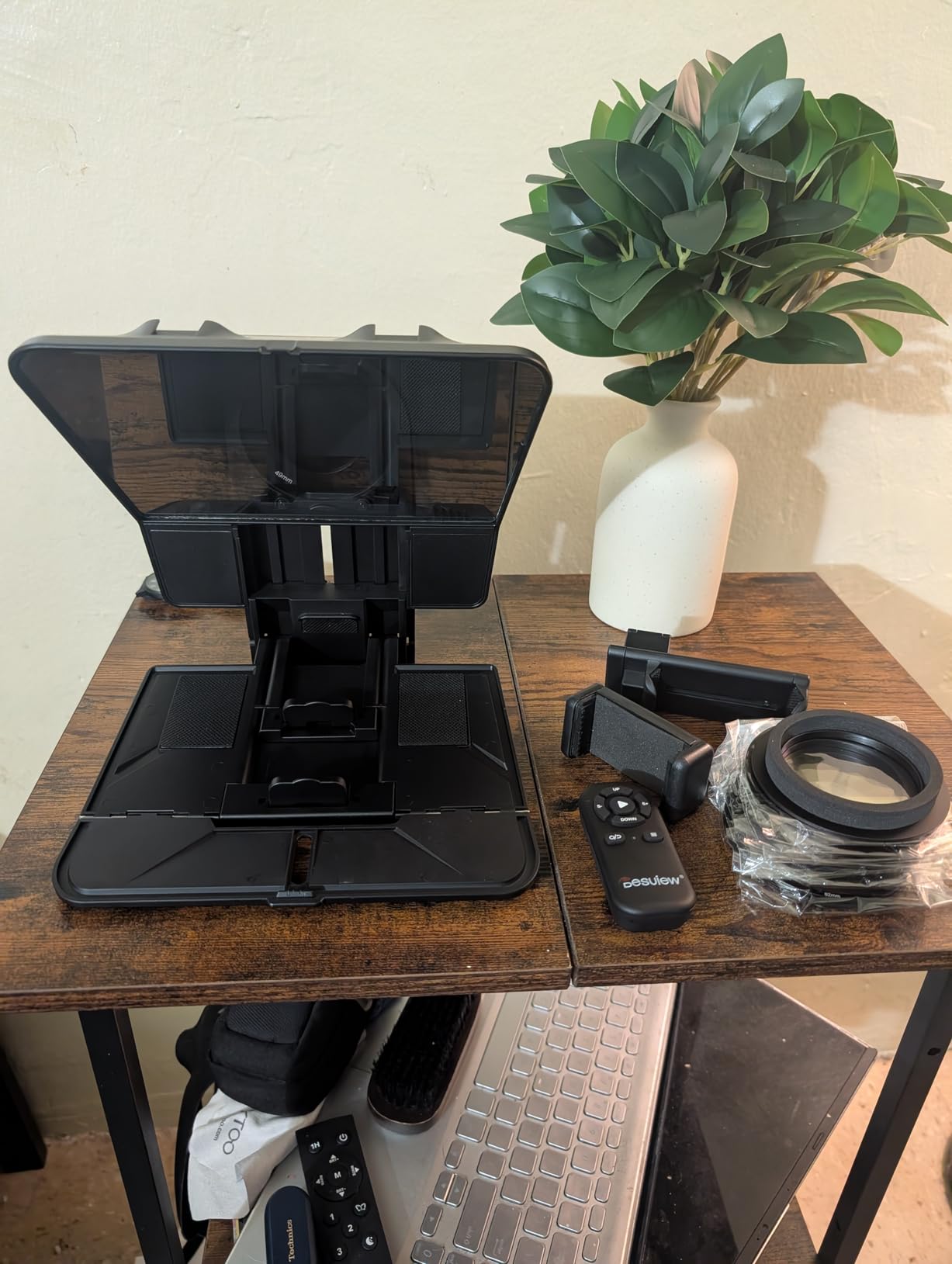
The T5 is the kit we would hand to a creator who has not decided what they will shoot with yet. One box handles a phone, a tablet under 11 inches and a DSLR body, and the full 49 to 82mm ring set is included, so lens changes do not mean buying more hardware. Reviewers describe the versatility and mounting options as beating similarly priced rivals.
The app is more capable than most at this level. It imports txt and docx files and adjusts font size, colour, background, mirror and rotate settings plus a countdown timer. The Bluetooth remote has a five-minute idle-off and a 30-minute auto sleep, with a one-key on and off, which stops the battery draining between setups.
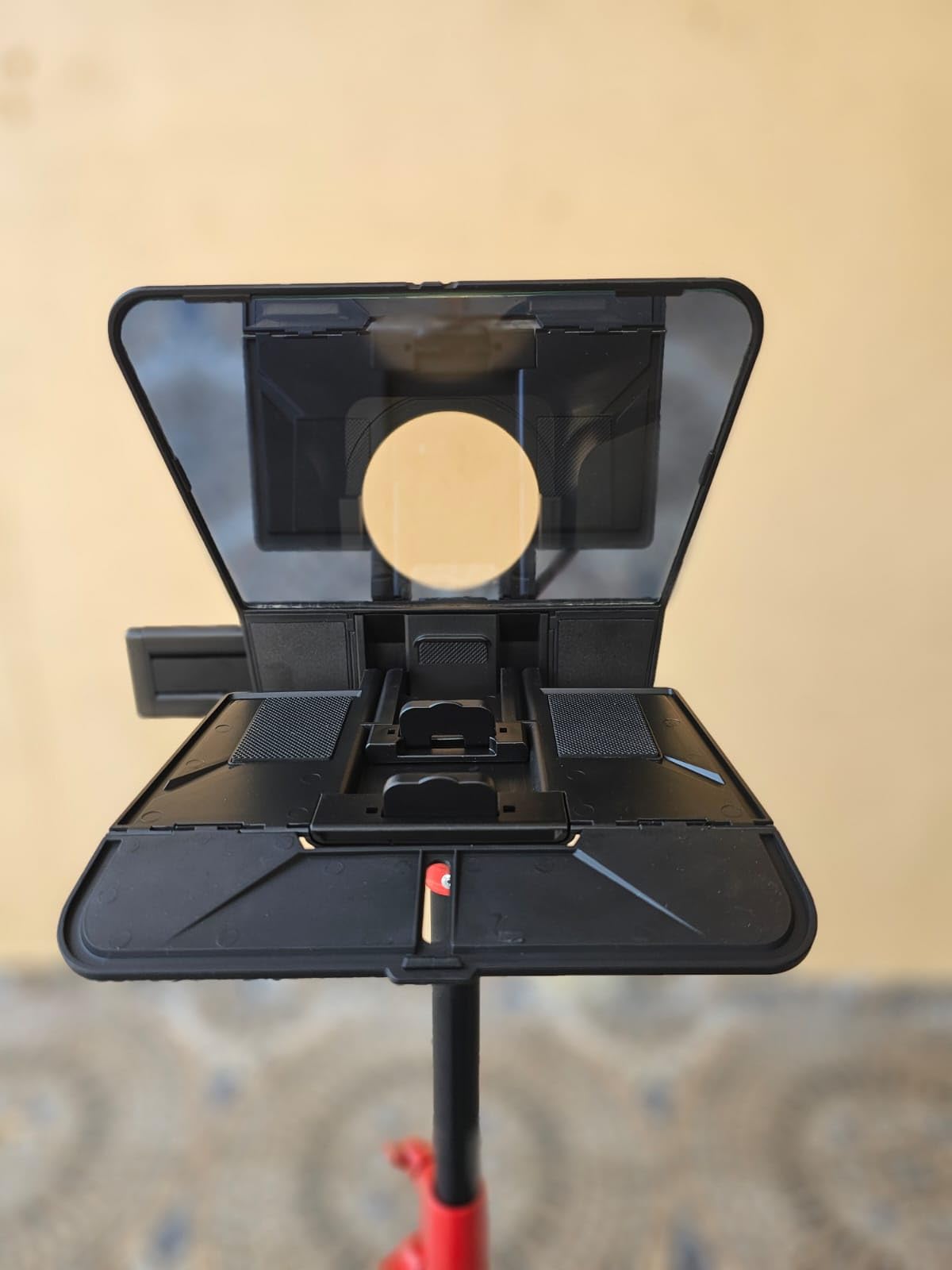
The foam cushion and light seal foam are the parts that separate this from cheaper kits in daylight. Owners report a visible reduction in stray light around the glass, which is the single most effective anti-glare measure short of a proper sun hood. The real-time self-check feature, where a second phone can monitor the shot, is unusual at this level and useful for solo shooters.
Travel is the weak point. The screw-on holder has to be undone with the included screwdriver before the kit fits in a bag, the phone shade is thin, and the folded form leaves a rigid block near the glass that wants a hard case rather than a soft sleeve. The phone holder can also cover side buttons on large current phones.
The light seal is the reason to pick it
If you film in a bright room, glare on the glass is what will ruin your takes, not the glass quality. The foam seal around the darkbox blocks the stray light that creates a second, competing reflection, and it is the cheapest effective fix available.
Know what you are buying into with travel
Field shooters should factor in a hard case and time to unscrew the holder at teardown. For a fixed studio corner that stays assembled, the T5 is one of the more flexible kits you can own.
8. LENSGO TC7: Best for Wide-Angle Lenses
LENSGO 9.7” Teleprompter for Camera iPad Tablet Smartphone w/Remote Control, APP Compatible with iOS & Android System for Online Teaching Vlogger Live Streaming Interview, Fold in One Sec
Supports lenses from 17mm
Nine camera adapter rings included
450g, folds flat in one second
Pros
- Folds flat in one second for very fast pack-down
- Handles phones and small tablets and DSLR bodies in one kit
- Unusually wide 17mm focal length support
- Glass fixed at a 45 degree angle for comfortable reading
- Multiple cold shoes accept a microphone or light
Cons
- Only fits tablets below 9.7 inches
- TCQI app needs occasional updates and image scripts cannot be resized
- Assembled unit is front-heavy and needs weighted tripod feet
- Glass needs careful handling in the soft pouch
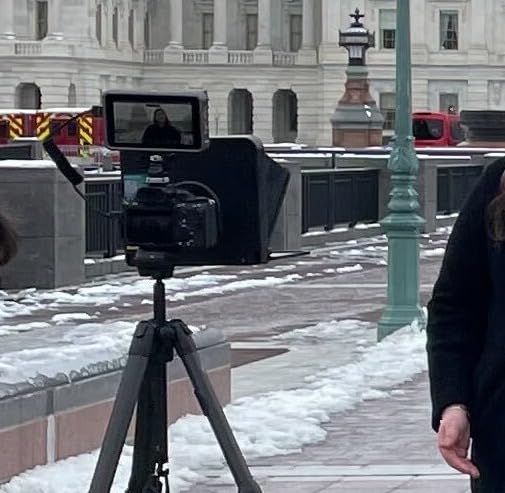
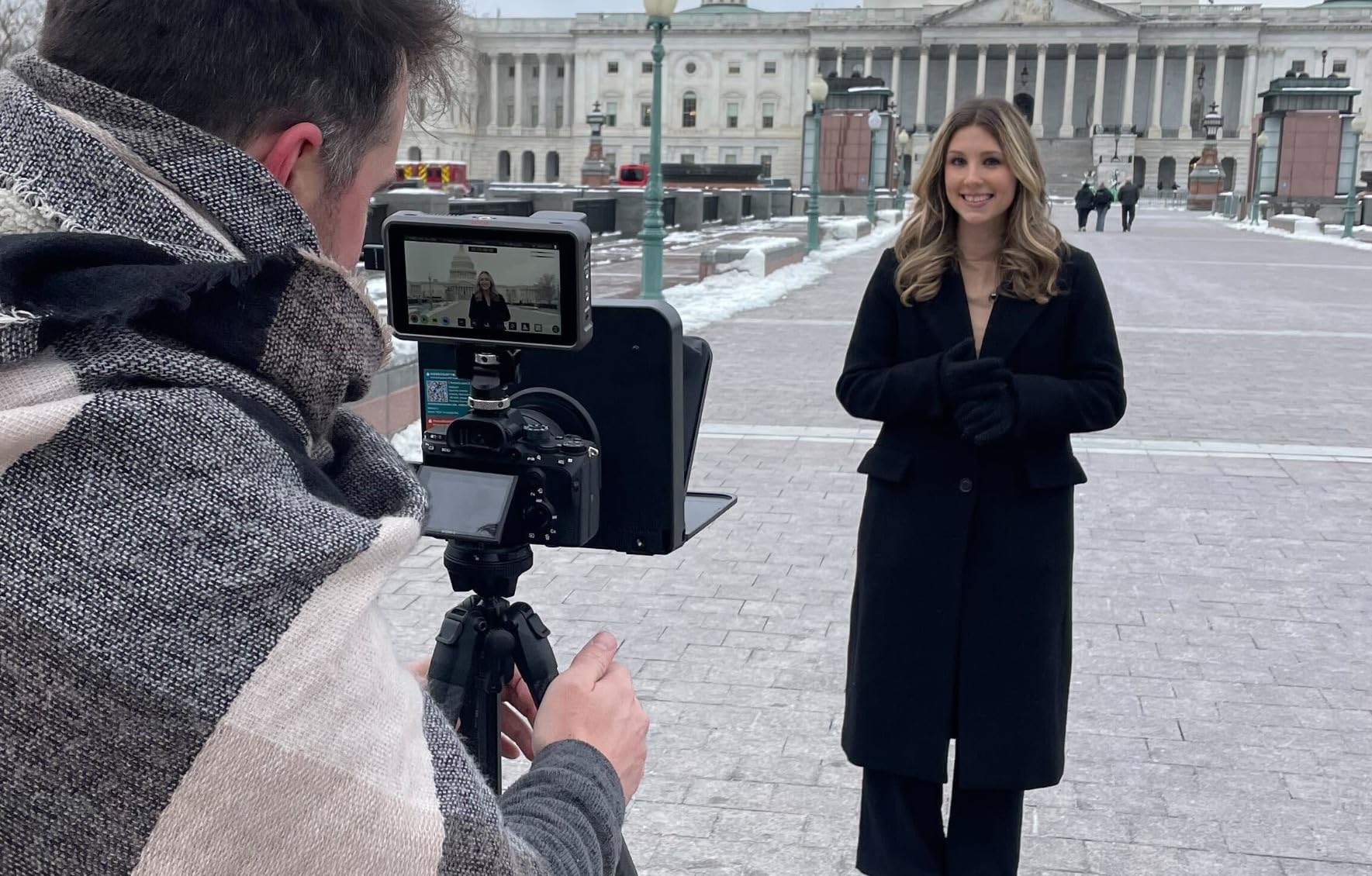
The TC7 solves the problem that stops most shooters using a teleprompter at all. Where other rigs refuse anything under 28mm or 35mm, this one supports lenses from 17mm, so a wide prime in a small housing or a wide kit zoom will not drag the edge of the prompter into frame. That makes it one of the few budget rigs that genuinely works for indoor and vlogging setups.
It also folds flat in one second, at 450g, with the glass fixed at a 45 degree angle that reviewers call comfortable for reading. The box includes the camera lens adapter ring set, mobile phone shade rings and a phone clip, plus multiple cold shoe mounts for a microphone, tripod or video light.
Two practical warnings. The device bay takes flexible tablets below 9.7 inches, so a larger iPad will not fit, and the TCQI app needs occasional updates while image-based scripts cannot be resized, which means those scripts are fixed at whatever size they were exported. Both are minor if you script in plain text files.
The other is balance. Once assembled, the weight sits over the lens, so reviewers recommend a tripod with weighted feet. Pack it carefully too; the soft pouch is not much protection for coated glass if it is knocked in a bag.
Why focal length beats glass size here
If your widest lens is 24mm or narrower, focal length support is a hard requirement rather than a preference. Among the rigs that also fold flat and include a full ring set, this is the one that clears 17mm.
Where the small bay bites
If your script is written and edited on a full-size tablet, the sub-9.7 inch limit means you are reformatting to a phone. For vloggers who draft in a notes app and keep the script on the phone anyway, that is not a problem at all.
9. Desview P13: Largest Reading Area in the Lineup
Desview P13 Teleprompter 13 Inch Aluminum Alloy with High Definition Glass, Compatible with iPad Tablet Camera DSLR, Portable No-Assembly Design for Video Recording
13-inch 7H hardness 70/30 glass
1.7 kg aluminum alloy body
Supports 35mm focal lengths both ways
Pros
- 13-inch glass is readable from further back than anything else here
- Aluminum alloy body feels solid and resists flex
- 7H hardness 70/30 glass stays legible in bright outdoor light
- No-assembly design is ready to mount quickly
- Works at 35mm focal lengths for both directions
Cons
- Documentation is thin so framing takes experimentation
- Supplied camera mount does not fit phones
- 1.7 kg is heavy for one-handed carry
- Wide-angle shooting can show the prompter edge without careful positioning
When a script will not fit on screen, the answer is a bigger glass. The P13 has the largest reading area in this roundup at 13 inches, and it accepts any iPad or tablet up to that size, so a full-size tablet finally fits without a workaround. Owners credit the 7H hardness 70/30 glass with staying legible outdoors, which is where smaller coated panels tend to wash out.
The aluminum alloy body resists flex, so a mounted DSLR does not visibly shake the reflection, and the no-assembly design means you can be rolling in minutes. Focal length support is 35mm for both horizontal and vertical shooting. A detachable sun hood and an Oxford cloth carry bag are included.
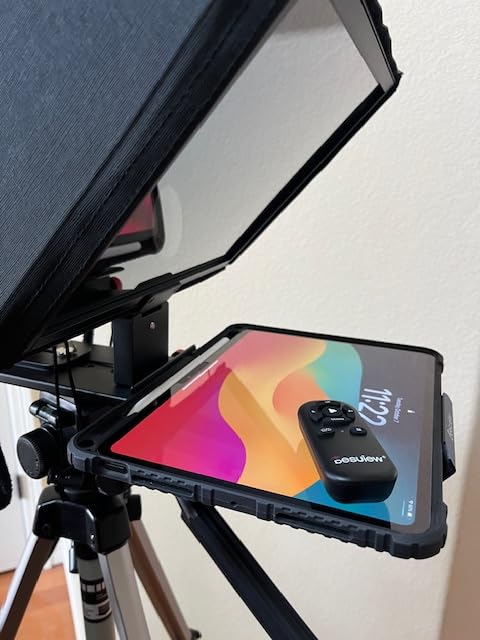
Two trade-offs. At 1.7 kg it is the heaviest kit here and awkward for one-handed carry, which undercuts the portability argument a 13 inch glass would otherwise make. The instructions are also thin, so getting the framing right takes some experimentation on your own.
Phone users should note that the supplied mount is aimed at cameras, not phones. And because 13 inch is a large panel, wide-angle shooting can bring the edge of the prompter into frame unless the position is set carefully. Mount it on a tripod and lock the position once.
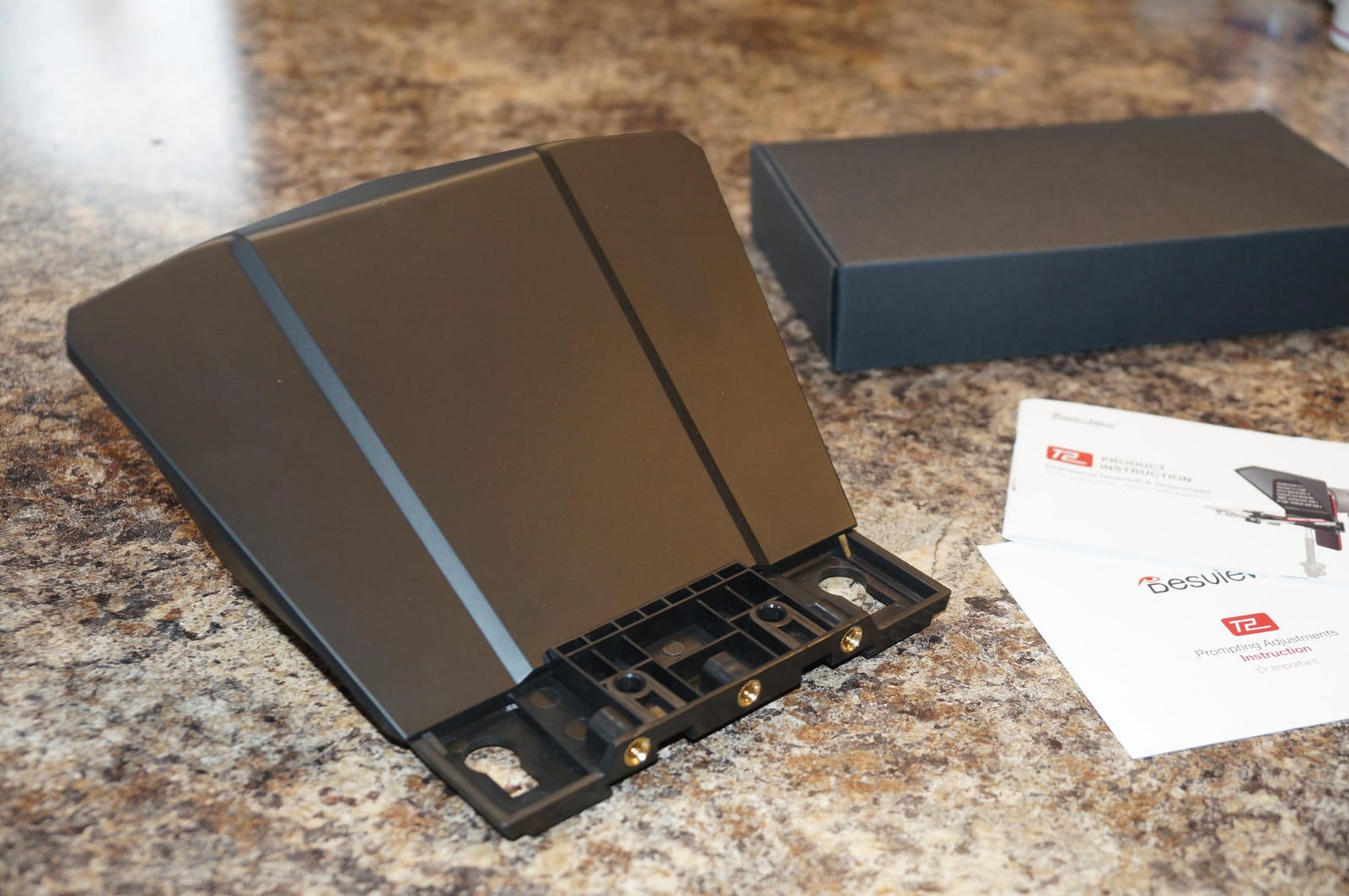
Long scripts and seated delivery
This is the rig for a seated interview, a lecture or a long-form explainer where the camera sits several feet from you. At 13 inches you can keep a comfortable font size and still sit back, which is the combination smaller panels force you to give up on.
When the extra size is wasted
Close-range vlogging, handheld work and travel shoots all work against it. A 1.7 kg panel that needs careful positioning is not something you want to reposition between every take.
10. iLight PRO 12 Inch Autocue Teleprompter: Best 60/40 Glass
TELEPROMPTER PAD iLight PRO 12″ Autocue teleprompter iPad Tablet – Kit teleprompter for Video with Remote Control, APP & Carry Bag, Beam Splitter Prompter DSLR, iPhone, APP for Apple Android Mac Win
Premium 4mm 60/40 beamsplitter glass
Tilt-to-frame angle system
16.14 x 11.02 x 9.84 inch body, 1.7 kg
Pros
- Tilt-to-frame angle system speeds up alignment
- 4mm 60/40 glass reads bright and resists scratching
- Fits the widest device range at up to 10.2 by 7.8 inches
- Long-standing model with over 1200 reviews and a video help center
- Aluminum build with carry bag included
Cons
- Heavier and bulkier than the aluminum-plate competitors
- Older design compared with newer no-assembly prompters
- App-based workflow needs separate downloads per platform
- Pro camcorder bridge options add cost and bulk
The iLight PRO is the oldest design here and the one that uses 60/40 beam splitter glass where most rivals use 70/30. That ratio sends more light through to the lens than a 70/30 panel, which makes the reflected text brighter in a lit room, at the cost of a slightly dimmer image on the recording itself. Owners who shoot in bright spaces specifically call out the brightness of this glass.
The tilt-to-frame angle system is the feature that speeds up setup. Rather than loosening screws until the reflection lines up, you tilt the glass until the frame is framed. With 4mm plates and a microtextured paint coating, the build has held up over a long production life, and the model carries a video help center alongside a companion app for Apple, Android, Mac and Windows.
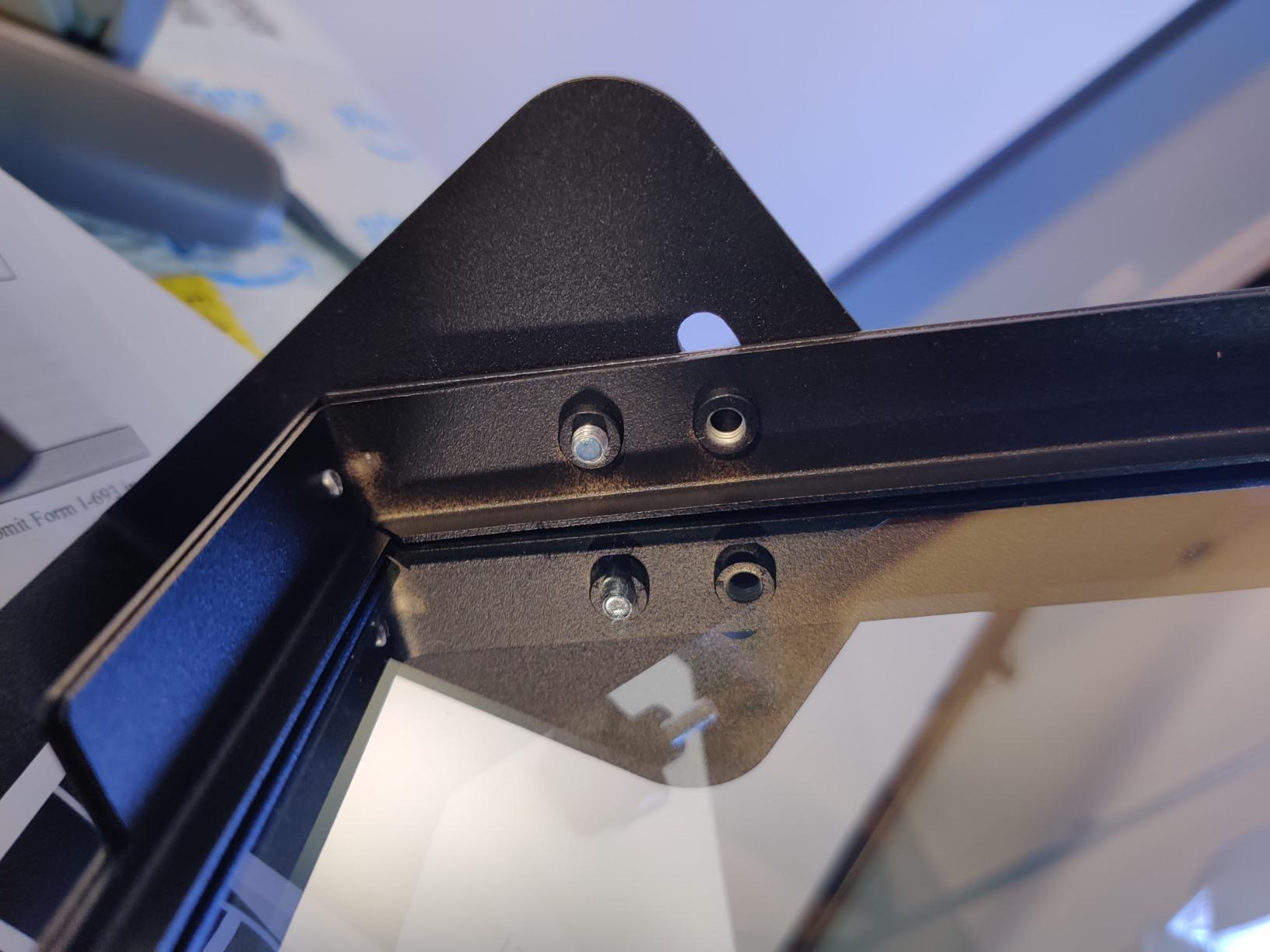
The device bay is unusually accommodating for a 12 inch class rig, fitting tablets up to 10.20 by 7.8 inches, which covers a 10 inch iPad and several larger models. It also works with DSLR bodies and standard tripods, and with HDVCAM, XDCAM and NXCAM camcorder formats for anyone bridging into professional video.
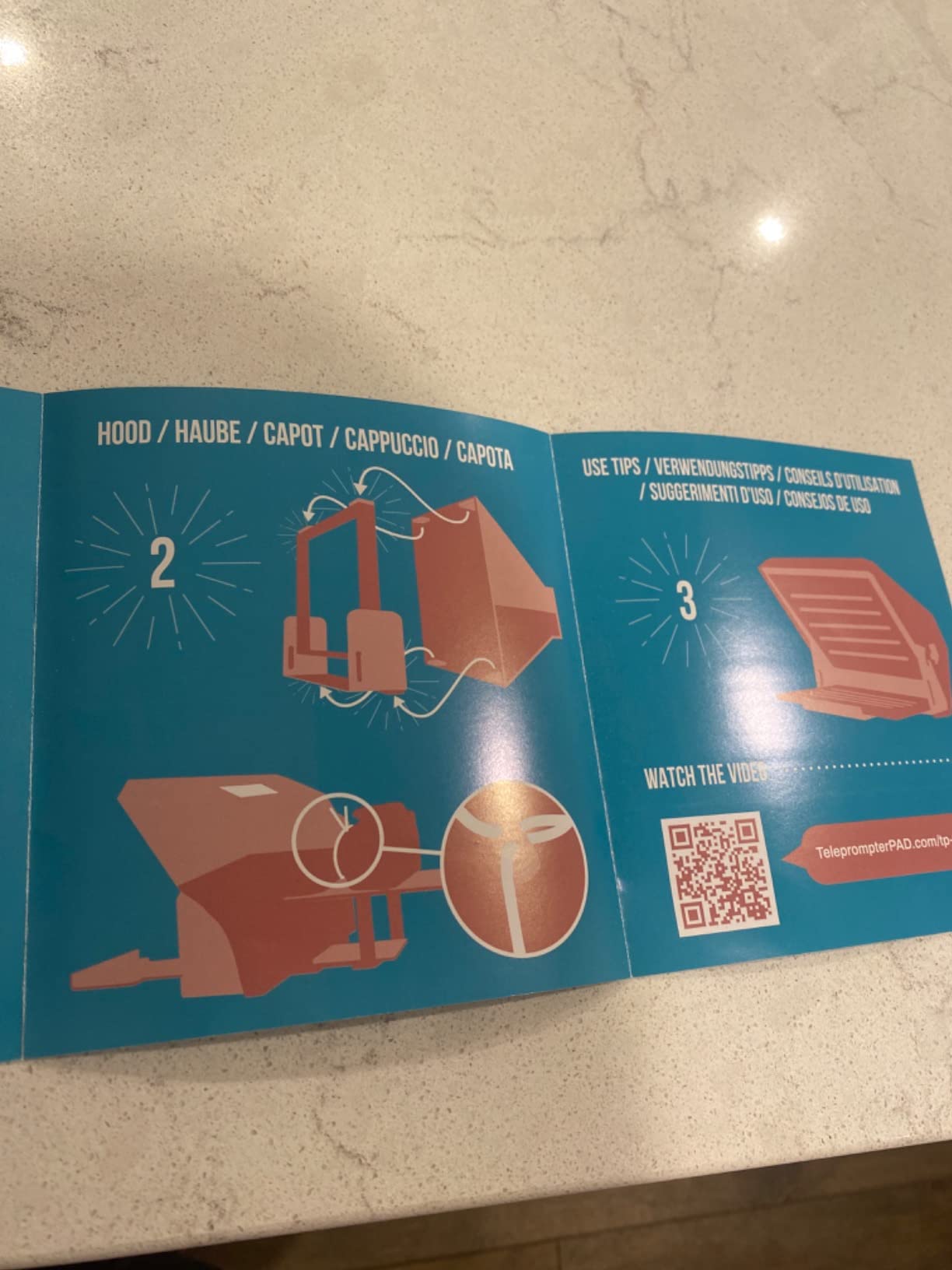
Those pro bridges are also part of the bulk. At 1.7 kg and larger than most aluminum-plate competitors, it is a two-hand carry, and the design is dated next to the new no-assembly prompters. The app workflow means separate downloads on each platform, so plan your devices before committing.
Why 60/40 glass suits bright rooms
The ratio determines how light is split between the reflected script and the transmitted image. A 60/40 panel passes more light to the sensor, so the reflected text stays legible under lights that would wash out a 70/30 panel. If your room cannot be dimmed, that trade is worth making.
Who should look past it
If your shooting happens in a controlled room, a 70/30 panel gives a slightly brighter recording and the same usable script. If you shoot a lot of formats, the camcorder bridge options are useful; if you do not, they are just weight.
How to Choose a DSLR Teleprompter in 5 Steps
Most buying mistakes come from skipping the first step, so start with the format rather than the glass.
Step 1: Pick the format. On-lens prompters clamp to the lens filter thread with an adapter ring and put the camera behind the glass. Camera-mounted platforms hold the body on a quick release plate in front of the glass. Stand-alone and floor-standing systems place the glass and screen on their own stand several feet from the camera, which gives the steadiest eyeline but the least portability. Ask in a forum which one you want and you will get a dozen opinions; the honest answer is that stand-alone rigs win on stability and lose everywhere else, which is why ten of the ten picks here are camera-mounted or on-lens.
Step 2: Check the glass ratio and size. A 70/30 beam splitter panel is the most common compromise, sending 70% of the light through to the sensor. 60/40 gives a brighter reflection in lit rooms. 90/10 is used where the image matters more than the script. Glass size drives readability: 7.5 inch works at close range, 11 to 13 inch lets you sit several feet back.
Step 3: Verify the mount. A standard 1/4 inch-20 tripod thread with an optional 3/8 inch-16 insert is what makes a rig reusable across tripods, light stands and microphone arms. Arca-type quick release plates are convenient but come with weight limits, often around 2 kg, which rules out heavy broadcast glass. Check the rated load against your body plus lens.
Step 4: Count the adapter rings. This is the number that causes returns. Nine rings covering 49 to 82mm covers essentially every DSLR and mirrorless lens thread you will encounter.
Step 5: Test the software before you commit. Every rig here needs an app or a mirrored desktop window to scroll the script. Voice-following features, mirror mode control and script import formats vary, and some rigs do not support them at all.
How to Measure Your Lens Thread and Pick the Right Adapter Ring
Get this wrong and the prompter simply will not clamp. It is a two-minute check.
Step 1: Look at the front of the lens. The filter thread size is printed on the front ring or the side of the barrel, in millimetres, often preceded by a phi symbol. A 58mm marking means a 58mm thread. If the number is only in the manual, the barrel is the faster place to check.
Step 2: Measure if there is no marking. Put a ruler across the front element where the thread sits and read the diameter. Add roughly 1mm to allow for the ring flange when you compare it against the ring list.
Step 3: Match the number to a ring. The standard sizes are 49, 52, 55, 58, 62, 67, 72, 77 and 82mm. Common kit zooms sit at 58mm or 62mm, while 77mm and 82mm tend to appear on fast primes and wide consumer zooms.
Step 4: Check whether you are looking at a filter thread or a hood mount. Some lenses have a separate step-up ring for filters. Always thread the adapter ring onto the lens bare, without a UV or polariser filter in the way, and confirm it locks without force.
If the kit you want only includes two or three rings, buy the extra sizes before you order. It is cheaper than returning the whole prompter, and forum buyers consistently report that ring coverage mattered more to them than the brand on the box.
How to Set Up a DSLR Teleprompter the First Time
Ten minutes of setup saves an hour of frustration. Work through this in order.
Mount the camera first. Set the tripod, attach the camera and lens, then attach the prompter to the tripod head or lens thread. Mounting the prompter first means supporting the whole assembly in your hands while you try to thread a collar.
Fit the correct adapter ring. Thread it on by hand until it stops, then tighten gently. The ring should seat flat against the barrel, not at an angle.
Centre the lens behind the glass. This is the step everyone skips and it is the one that causes eyeline drift. Slide the camera on its plate until the front element sits centred in the glass, then check from the side. If the lens is off-centre, the reflection sits at an angle and you will find yourself looking down and across rather than forward.
Load the script and enable mirror mode. In the teleprompter app, turn on horizontal flip. The text must read normally to you while appearing reversed to the camera. Font size should be roughly the same apparent size as the text, not the raw pixel size.
Kill the glare. Close the hood and side panels fully, block any light from behind the tablet, and set the device brightness as high as it will go without washing out the recording. A light seal or foam gasket makes a bigger difference than any coating.
Set the scroll speed to your delivery. Around 120 to 150 words per minute suits deliberate corporate and training delivery, and 150 to 170 works for conversational YouTube and vlogging. Always leave a foot pedal or Bluetooth remote within reach so you can stop without reaching for the tablet.
Record ten seconds and check the eyeline. Watch it back. If you look down, the glass is too low or the lens is too high. If you look sideways, the lens is off-centre. Fix it now rather than after the full script.
Which Teleprompter App Should You Pair With Your DSLR Rig?
Every hardware pick here ships with or expects an app, and pairing it correctly matters as much as the glass.
PromptSmart VoiceTrack is the app most owners mention for voice-following, where the script scrolls as you speak rather than on a fixed timer. It removes the gap between reading and speaking, which is the most common complaint in creator forums about scrolling too fast or too slow.
NEEWER, DESVIEW, LENSGO and TCQI apps come bundled with their respective rigs and cover the basics: script import, font size, colour, background, mirror or rotate, and a countdown timer. The DESVIEW app also imports docx files, which saves a step if you write in a word processor.
Desktop window mirroring is the option for studio and streaming work. The Elgato Prompter is built for it, and the NEEWER X11 can act as a second display on Windows and macOS. Note that the X11 mirroring is limited to DP-protocol phones.
Whichever you choose, test the import format before a shoot day. Scripts exported as images cannot be resized, and scripts with heavy formatting can break the line spacing enough to make reading harder than it should be.
Troubleshooting: Five DSLR Teleprompter Problems and Fixes
Text appears backwards or not at all. Turn on horizontal flip in the app. If the script is upright but unreadable, it is almost always mirror mode, not the hardware. If nothing at all appears, the device brightness is too low or the app is not in the foreground.
The script shows up in the recording. This happens when the glass angle is wrong or the tablet is too bright. Close the hood, drop the device brightness, and re-centre the lens behind the glass. A vertical flip in the app is the other common cause: it corrects text that is mirrored but leaves the orientation wrong, so check both settings together.
You visibly look down or to the side. The camera is not centred in the glass. Slide the plate until the front element is centred, then raise or lower the glass until your eyes meet the lens at rest. Check it with a ten-second test recording rather than guessing.
Glare in a bright room. Use the hood and side panels, block light from behind the tablet, and add a foam light seal. If glare persists and the room cannot be dimmed, a 60/40 panel passes more light to the sensor and reads brighter than 70/30.
Wobble or a shaking reflection. The plate is overloaded or the tripod is light. Check the rated weight of the quick release plate against your body and lens, and weight the tripod feet. This is the most common complaint about plastic-bodied kits with heavy telephoto lenses.
The Drawbacks of Using a Prompter and How to Avoid Them
Prompters are not automatically better, and forum users are honest about the trade-offs.
It can make delivery sound flat. Reading suppresses the inflection a memorised script would have. Read more than you need to, in short runs, and paraphrase the delivery rather than reciting.
It adds gear that can fail. A dead battery mid-take stops the session. This is the single strongest argument for a rig with a built-in monitor.
It can look obviously read. A presenter who stares at a fixed point with no blinking reads as rehearsed. Vary your position slightly and keep breaths natural.
Glare and reflections can ruin takes. Solved with the hood and light seal, but only if you test the lighting before the shoot rather than after.
Setup is not instant. A fold-flat design and a no-assembly platform save real time, and the difference is obvious after the first few sessions.
The other reported benefit is worth keeping in view: vloggers say the main thing they notice is fewer retakes and better eye contact, not higher production value. A prompter buys you time, and what you do with that time is the actual skill.
Frequently Asked Questions
What is the best teleprompter for DSLR cameras?
The NEEWER X12 is our pick for most DSLR shooters: a collapsible aluminum frame with 75% light transmittance beam splitter glass readable at 10 feet, an adjustable lens hood and a hard case. It suits a tripod-based talking-head setup with a lens above 28mm. If you want no extra devices, the NEEWER X11 adds a built-in 9-inch monitor, and desktop creators should look at the Elgato Prompter.
What are the drawbacks of using a prompter?
The main drawbacks are that reading can flatten delivery, the added equipment can fail mid-shoot, and glare on the glass can ruin takes in bright rooms. Prompters can also make a presenter look like they are reciting. Buyers should also account for setup time and the weight of a large rig if they shoot handheld.
Which teleprompter is better, the NEEWER X11 or the Elgato prompter?
The NEEWER X11 is the better DSLR teleprompter because it is a standalone camera rig: it has a built-in 9-inch HD monitor, 11-inch multi-coated glass, and an Arca-type holder that takes most stills bodies, though the plate is rated for only 2 kg. The Elgato Prompter is the better choice for desktop work, because it runs over USB from a PC or Mac and can prompt any window, including live chat, but it is useless without a computer.
What is the best teleprompter app for recording with my camera?
For voice-following that scrolls as you speak rather than on a timer, PromptSmart VoiceTrack is the most commonly recommended app. For hardware basics, each brand ships its own: NEEWER, DESVIEW, LENSGO and TCQI apps handle script import, font size, colour and mirror mode. For studio work, mirroring a desktop window gives you the most control, which is how the Elgato Prompter is designed to be used.
Is the Elgato prompter worth the cost?
It is worth it if your work already happens on a computer. The built-in 9-inch display removes the tablet from the setup entirely, any window can be dragged onto the glass, the Camera Hub app handles text and chat styling, and the body accepts a wide range of cameras and lenses. The cost stops making sense for location work with no laptop, since the rig needs a USB connection to do anything.
Final Verdict: Which DSLR Teleprompter Should You Buy?
The NEEWER X12 is the DSLR teleprompter to buy for most people. The glass stays sharp at 10 feet, the aluminum frame does not flex under a mid-size zoom, and it folds into a hard case, which covers every common shooting position in one purchase.
Buy the NEEWER X11 if you want to stop depending on a tablet, the Elgato Prompter if you script at a desk, and the Desview P13 if your sessions are long and seated. For travel with a phone, the LENSGO TC7 is the one that supports wide lenses. Whatever you choose, measure your lens thread first and test the eyeline with a ten-second take before the real shoot.
Our wider guides cover the other formats: the best teleprompters for content creators, the best film cameras, and the general teleprompter roundup if you want phone-first and stand-alone options covered too.