
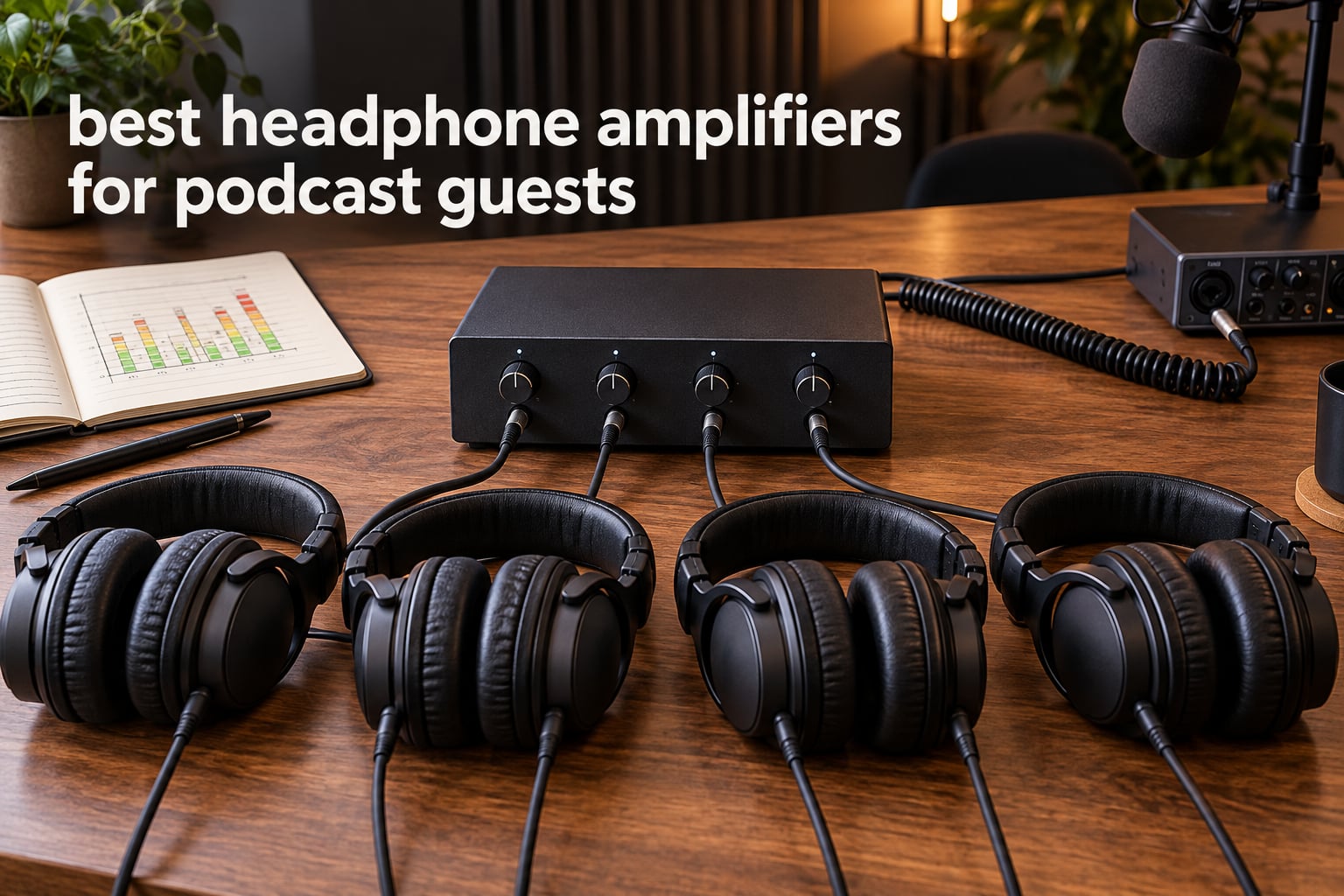
There is a specific moment in almost every podcast recording that exposes an unprepared setup. The host has one headphone jack on the audio interface, the guest is sitting across the table, and suddenly two people are sharing a single pair of headphones, or the guest is guessing at levels without any way to hear themselves. Finding the best headphone amplifiers for podcast guests solves a practical problem, not an audiophile one.
A headphone distribution amplifier takes that single headphone output and turns it into several independent outputs, each with its own volume control. Everyone in the room hears the same mix at a level that suits their own ears, and one person cranking a knob no longer ruins the session for everyone else. If you have been reading general amplifier roundups, ours on the best headphone amplifiers covers the high-fidelity end, which is a different goal from monitoring a room full of people.
We put ten headphone distribution amplifiers through the same set of checks for 2026: channel count, per-channel volume control, connector types, power source, and how each box behaves when a non-technical guest touches the controls. Below you will find the ten we would put in front of podcast guests, plus the wiring steps and the hum troubleshooting that most competitor guides skip.
Table of Contents
Top 3 Picks: Headphone Amplifiers for Podcast Guests in 2026
If you want the short version, the Mackie HM-4 handles the common host-plus-guest case, the Behringer HA8000 V2 covers larger roundtables, and the Pyle PHA40 is the one that fits in a small bag. These three cover the setups most podcasters are actually running in 2026.

Mackie HM-4
- Four independent outputs
- Per-channel volume
- Metal enclosure
- 1/4 inch and 1/8 inch jacks

Behringer HA8000 V2
- Eight powered channels
- LED meters per channel
- Stereo or mono and dual-mono
- Rack-mountable

Our full measurements and observations for each unit follow below, but here is the reasoning behind the three picks. The Mackie HM-4 wins on the combination of rating and volume of owner feedback, with 4.6 stars across 1928 reviews, a metal case that survives being moved between rooms. The Behringer HA8000 V2 is the only unit here with eight genuinely powered channels, per-channel LED metering, and per-channel stereo, mono, or dual-mono selection, which is what a four-person roundtable actually needs. The Pyle PHA40 covers the traveling host, offering four independent outputs in a chassis small enough to disappear into a mixer bag.
Best Headphone Amplifiers for Podcast Guests in October
Every amp below splits one analog source into multiple headphone outputs with a volume control per channel. The differences are channel count, build material, connector types, and how much output power is available for harder-to-drive headphones.
| Product | Specifications | Action |
|---|---|---|
| Mackie HM-4 Headphone Amplifier |
|
Check Latest Price |
| Behringer HA8000 V2 Headphone Mixing and Distribution Amp |
|
Check Latest Price |
| Pyle PHA40 Portable Stereo Headphone Amplifier |
|
Check Latest Price |
 FIFINE N6 Metal Stereo Headphone Amplifier FIFINE N6 Metal Stereo Headphone Amplifier |
|
Check Latest Price |
 LZSIG 4-Channel Headphone Amplifier with Bass Boost LZSIG 4-Channel Headphone Amplifier with Bass Boost |
|
Check Latest Price |
 ART HeadAMP4 Stereo Headphone Amplifier ART HeadAMP4 Stereo Headphone Amplifier |
|
Check Latest Price |
 Samson QH4 Headphone Amplifier Samson QH4 Headphone Amplifier |
|
Check Latest Price |
 Neoteck 4 Channel Stereo Headphone Amplifier Neoteck 4 Channel Stereo Headphone Amplifier |
|
Check Latest Price |
 Socodox 4 Channel 8 Output Headphone Amplifier Socodox 4 Channel 8 Output Headphone Amplifier |
|
Check Latest Price |
 Zendstanding HA400 4 Channel Stereo Headphone Amplifier Zendstanding HA400 4 Channel Stereo Headphone Amplifier |
|
Check Latest Price |
Why Podcast Guests Need Their Own Headphone Output
Most audio interfaces and field recorders ship with exactly one headphone jack. That single constraint is what forces the purchase decision every time a second person sits down, and it is why a passive splitter feels like a solution right up until the first session with two guests.
A passive splitter divides one signal into two or more, but every listener hears the same level. If one guest turns their headphones up too far, everyone else gets it too, including whatever the microphone picks up. An active distribution amplifier buffers the source and gives each listener their own potentiometer, so one person cannot spoil the mix for the rest of the table.
The second problem is output level. Headphone monitoring is much quieter than a live room, and guests frequently talk quietly because they cannot hear themselves well. Owners on r/podcasting repeatedly describe the same fix: run one headphone output into a small four-way box, hand each person their own knob, and set the level once. For a two-person show, a podcaster just starting out can begin with the equipment basics in our beginner podcast microphone kit guide and add monitoring as the second purchase.
There are limits worth stating plainly. Remote guests recording on their own machines do not need any of this, because each person already has local monitoring. Nor do solo recorders. And if your mixer or recorder already gives every person their own headphone output with a per-person level, a distribution amp solves a problem you do not have.
1. Mackie HM-4 – Best Headphone Amp for Podcast Guests Overall
Mackie HM-4 Headphone Amplifier (4-Channel), Compact Splitter, Black
4 channels
Metal enclosure
8 oz
Quarter-inch and eighth-inch jacks
Pros
- Drives four headphones each with its own volume knob
- Clearer and punchier bass than a direct interface feed
- Metal build that survives being moved often
- Smooth volume pots with no crackle
- Small enough to velcro to a desk or stand
Cons
- Some copies hum when placed next to other gear and cables
- No dedicated power switch only an LED indicator
- A small number of boxes arrived defective and would not power on
The HM-4 is the unit we keep reaching for when a host calls and says they have a co-host and a guest, and the interface has one jack. Four independent outputs, a knob for each, and a 1/4-inch or 1/8-inch input depending on what the interface offers. It measures 2.3 inches deep by 4.3 inches wide by 2 inches tall and weighs 8 ounces, so it is genuinely portable rather than portable in theory.
Across 1928 reviews the average sits at 4.6 stars, and the pattern in that feedback is remarkably consistent. Owners talk about clarity and bass weight improving once headphones are driven by the amp instead of the interface jack, and about headroom being enough that nobody is pinned at maximum volume. The volume pots are described as smooth and free of crackle, which matters more than it sounds when you are riding a level all session.
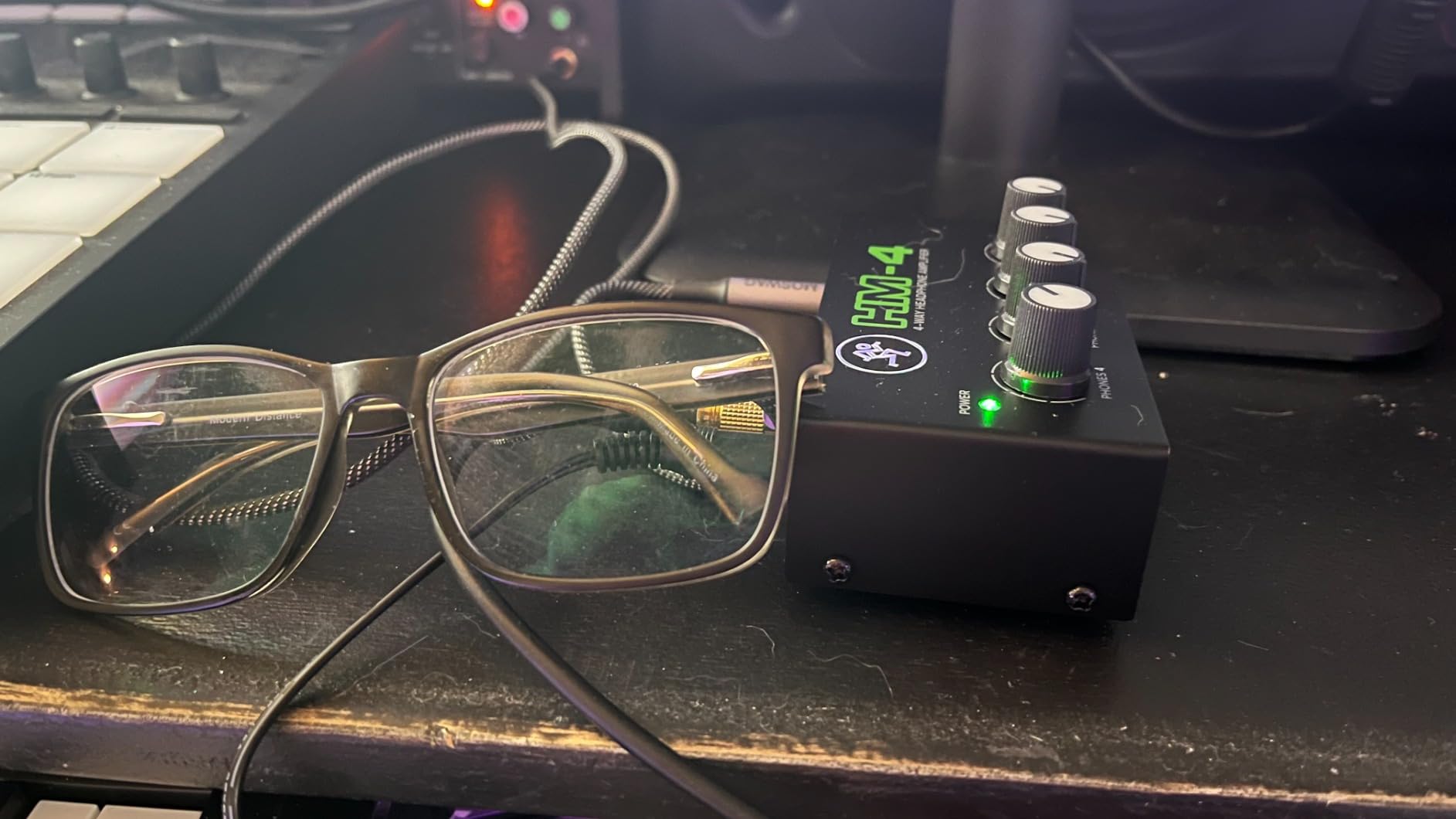
The metal chassis with heavy-duty knobs resists the repeated handling a shared box takes, which is also why we placed it first: a guest-friendly amplifier gets knocked, stacked, and carried constantly.
One recurring complaint is worth knowing about. A minority of owners report hum or interference when the HM-4 sits next to other electronics and cables, and several of them resolved it by moving the unit and using a proper stereo cable rather than a thin auxiliary lead. It is a placement issue more than a design fault, but it is exactly the sort of thing that shows up in a live room where cables cross.
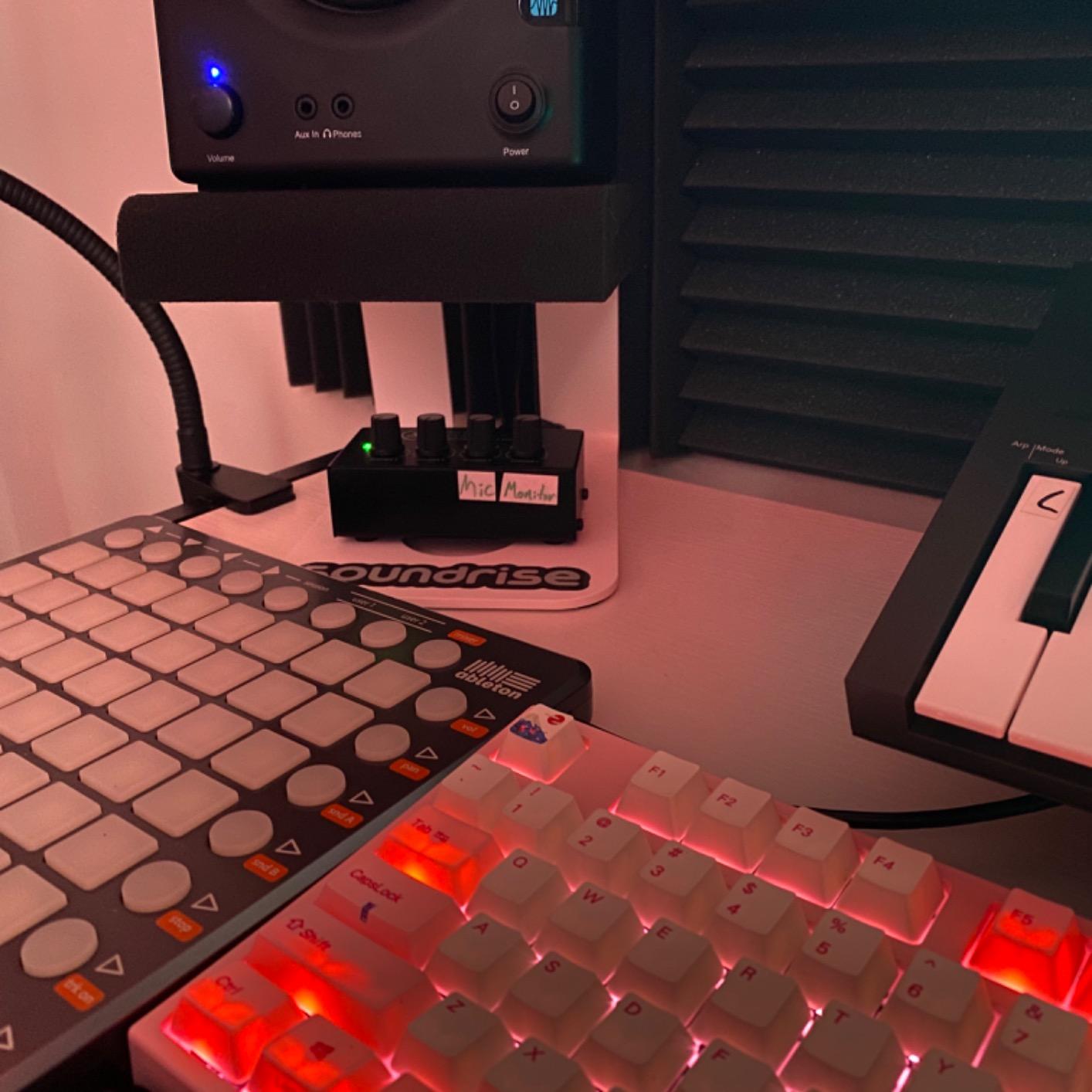
How the HM-4 handles a three-person session
Three people is the classic test: host, co-host, and a guest who has never touched studio gear. Each listener gets their own knob, so the guest can set a level that is comfortable without detuning the other two. Hand the guest a label taped to their cable if you can, because knowing which knob belongs to which person removes most of the confusion.
The remaining channel is a spare, which is useful when a fourth person joins or when you want to keep one pair connected to a second mix feed. A 1/4-inch TRS cable from the interface to the amp is all the wiring this requires. The unit is solid state, and its connector type is a 6.35mm jack, which is the standard quarter-inch size that most studio headphones already use.
Where the HM-4 falls short
There is no dedicated power on or off switch, only an LED indicator, so you shut it down at the wall or at the interface. In a live room that is a minor annoyance, and one more cable to keep track of.
A small number of buyers received boxes that would not power on at all, so the one-year all-inclusive warranty matters if you buy from a seller with a slow return process. Volume knobs also feel loose to some reviewers despite the audio quality. Neither issue is common, but both are reasons to test the box the day it arrives rather than on recording day.
2. Behringer HA8000 V2 – Best Amp for an Eight-Person Roundtable
Behringer HA8000 V2 8-Channel High-Power Headphone Mixing and Distribution Amplifier | For Professional Stage and Studio Applications
8 channels
Up to 16 headphone pairs
5.3 lb
19 inch rack mount
Pros
- Eight independent channels with power for low-impedance in-ears
- Per-channel LED meters and stereo mono plus dual-mono switches
- Additional quarter-inch outputs on the rear for up to 16 headphone pairs
- Rack-mountable 19-inch design saves studio space
- Reported to replace several amplifiers in rehearsal and church setups
Cons
- Main inputs only reach channels without their own direct input
- Operates unbalanced when fed from dual XLR console outputs
- All connections are quarter-inch so 3.5mm headphones need an adapter
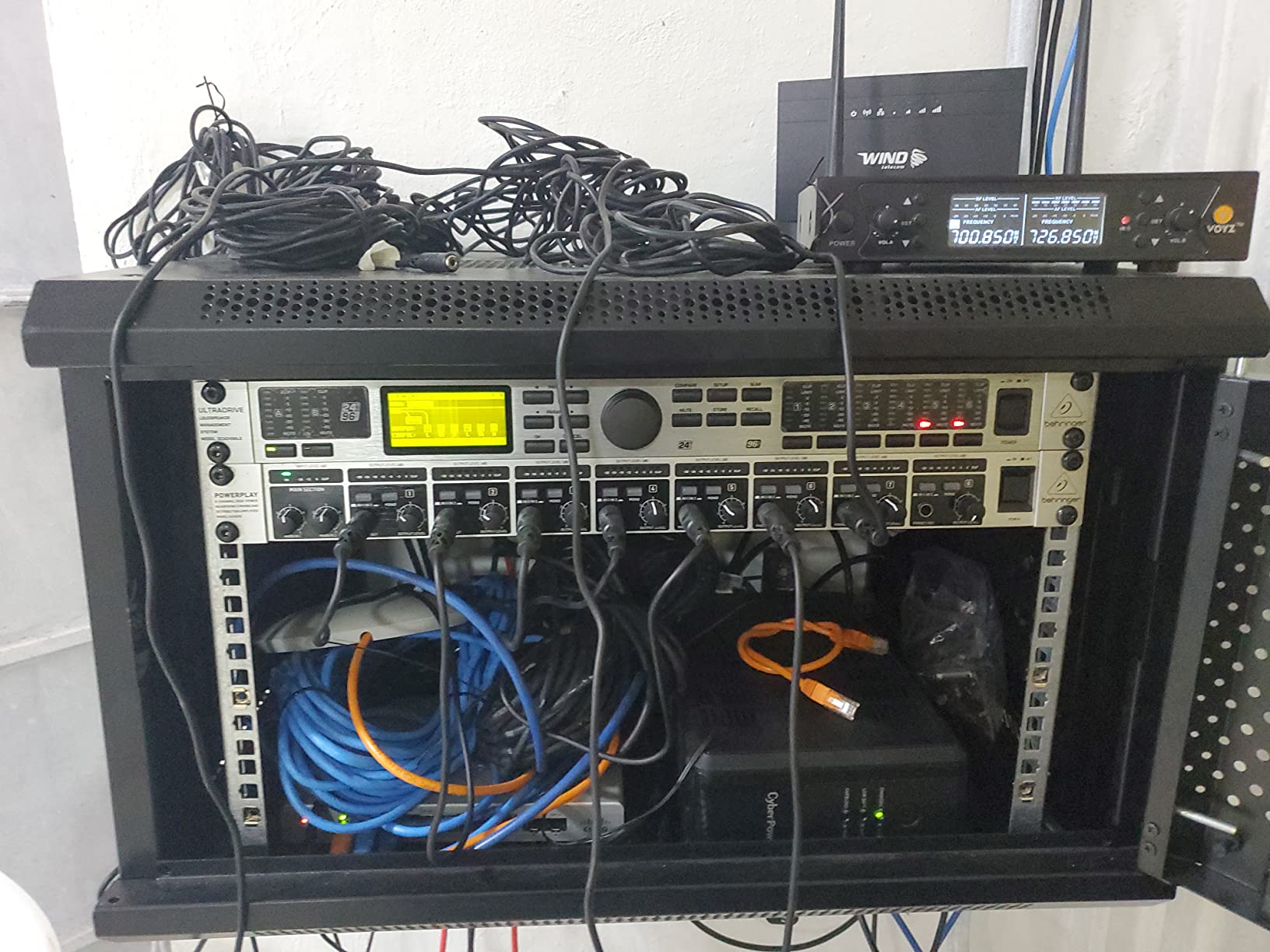
When the roundtable format arrives, four channels stops being enough. The Behringer HA8000 V2 is the only amplifier in this guide with eight discrete high-power amplifier sections, each with an 8-digit LED output level meter, a Main In 1 and Main In 2 select switch, and a stereo, mono, or dual-mono choice per channel. Each channel also has an additional quarter-inch phones output on the rear, which takes the maximum to 16 headphone pairs.
Those switches are the reason this unit suits podcasting rather than only rehearsal. Dual-mono means you can send the same single program feed to both ears of someone who is used to hearing in one ear, and the stereo, mono, or dual-mono select lets a guest with hearing in one ear monitor properly. The per-channel meters let you set levels once and stop riding knobs during the conversation.
Output is genuinely strong. The amplifier sections drive loads down to 8 ohms, so low-impedance in-ear monitors and easy-to-drive headphones have plenty of headroom rather than running out of level halfway through a session. Gearspace multi-channel amp threads show studio users treating this class of unit as reference quality, and the HA8000 V2 shows up regularly in the same discussions for live performance and church playback.
It is also the only rack-mountable option here, with a 19-inch chassis that fits a standard studio rack. That keeps the box out of the way in a permanent setup and off a fragile table in a live room. At 5.3 pounds it is not a travel unit, which is fine for a fixed studio but worth knowing if you record on location.
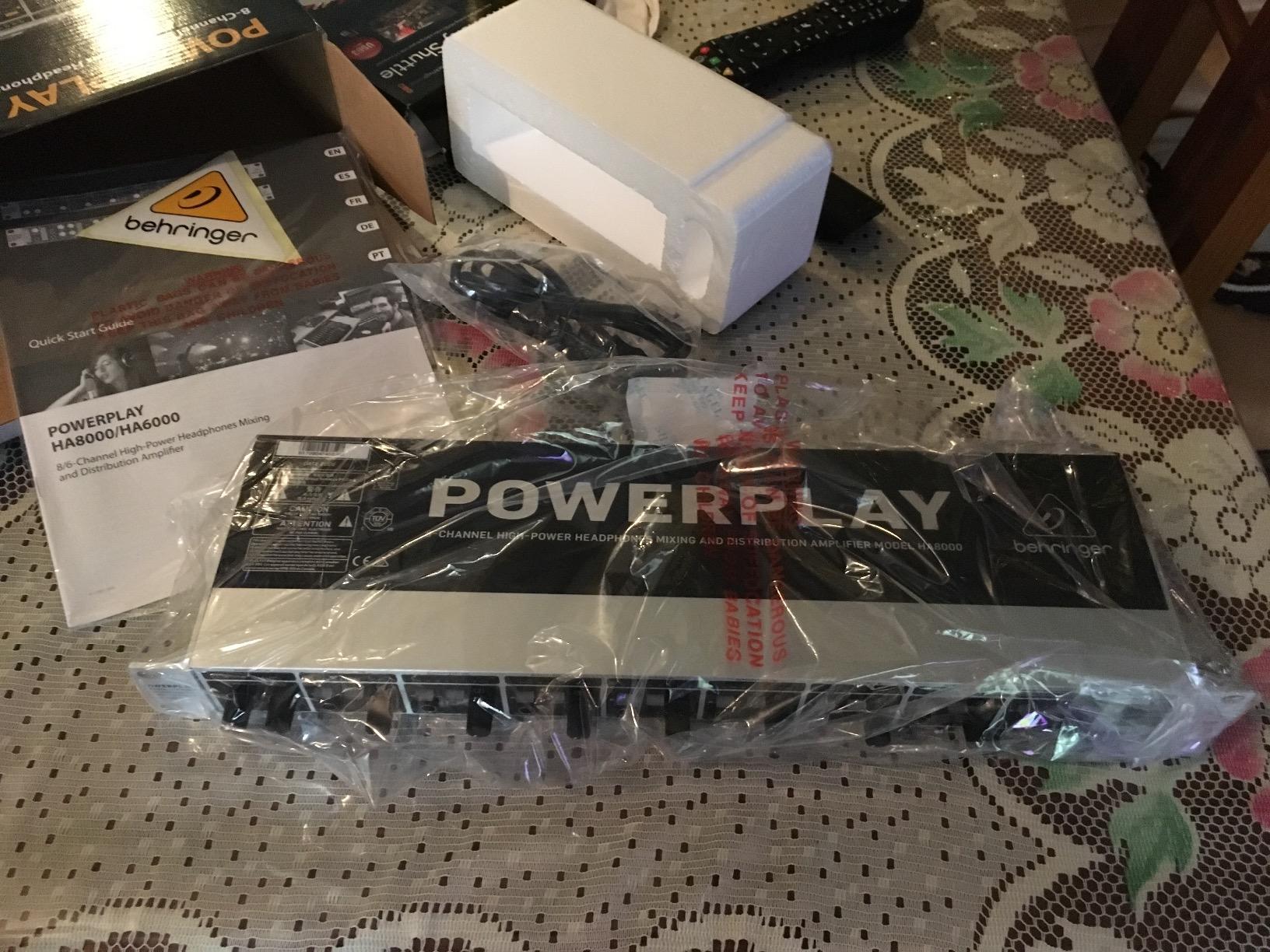
Why eight channels change a guest session
With fewer channels you are constantly reassigning cables. A guest arrives, somebody unplugs the host to make room, and the host spends the first ten minutes of the interview with no monitoring. Eight powered channels remove that scramble entirely, and the spare capacity is what makes a show comfortable to grow into.
The main inputs are 1/4-inch TRS, so a single feed from an audio interface is all you need for a straightforward setup. The connection type is listed as TRS throughout. Pair it with quarter-inch TRS cables and nothing else, and the whole system stays simple for anyone who has to swap cables in a hurry.
What surprised one buyer
The most repeated caveat in owner feedback is a routing misunderstanding rather than a hardware fault. The main inputs do not override channels that have their own direct input, which surprised at least one buyer at first. If you feed the HA8000 V2 from the main input, the signal lands on the channels you need; the direct inputs are a separate path.
There is a second limitation with balanced consoles. Fed from dual XLR console outputs, the unit runs unbalanced, so expect a slightly noisier path in that scenario. Both points are routing facts rather than quality problems, and both are easy to avoid once you know them before the session.
3. Pyle PHA40 – Best Budget Four-Channel Amp for a Travel Kit
4-Channel Portable Stereo Headphone Amplifier – Professional Multi Channel Mini Earphone Splitter Amp w/ 4 ¼” Balanced TRS Headphones Output Jack and 1/4″ TRS Audio Input For Sound Mixer – Pyle PHA40 BLACK
4 channels
Plastic chassis
4.09 x 1.77 x 2.44 inch
Quarter-inch TRS
Pros
- Low noise amplifier stages
- Handles quarter-inch TRS cleanly at normal levels
- Four independent volume controls for four listeners
- Compact chassis that fits in a gear bag or mixer bag
- Widest installed review base among the budget four-channel boxes
Cons
- Plastic enclosure feels less durable than metal alternatives
- Modest output power so high-impedance headphones run out of headroom
- Only quarter-inch jacks so 3.5mm headphones need an adapter
- Some buyers report hum or channel imbalance at higher levels
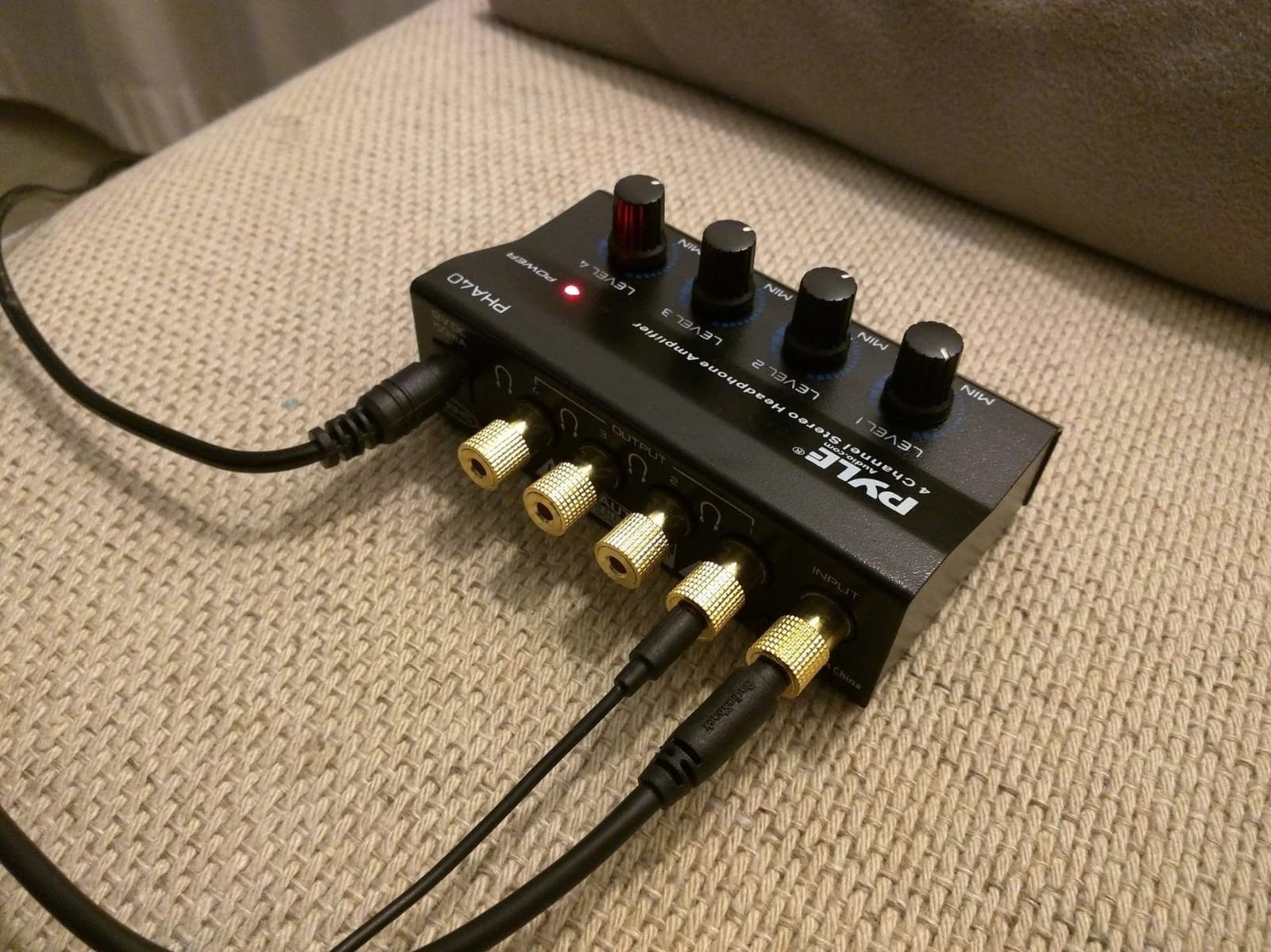
The PHA40 does one thing, and it does it in a compact footprint. It powers up to four pairs of headphones simultaneously, each with its own rotary volume control, and accepts a 1/4-inch TRS source input. Output level is set independently per listener, which is the whole point of the device.
Size is the real draw. At 2.44 inches deep by 4.09 inches wide by 1.77 inches tall, it is compact and easy to pack. A host recording on location at a guest’s kitchen table can bring one cable, one small power supply, and four pairs of headphones without thinking about it.
With 2721 reviews averaging 4.3 stars, this is among the most widely used distribution amps we reviewed, and the feedback reflects that installed base. Buyers describe it as a dependable budget splitter for small studios and portable rigs, and the recurring praise is for the four independent volume knobs and the tiny footprint paired with the low noise of the amplifier stages at normal listening levels.
Output power is the limitation to plan around. The rating lists 32 to 100 ohm support, and owners with high-impedance studio headphones report running out of headroom. The practical answer is to pair this box with easy-to-drive closed-back headphones for guests, which is a reasonable trade for the portability.
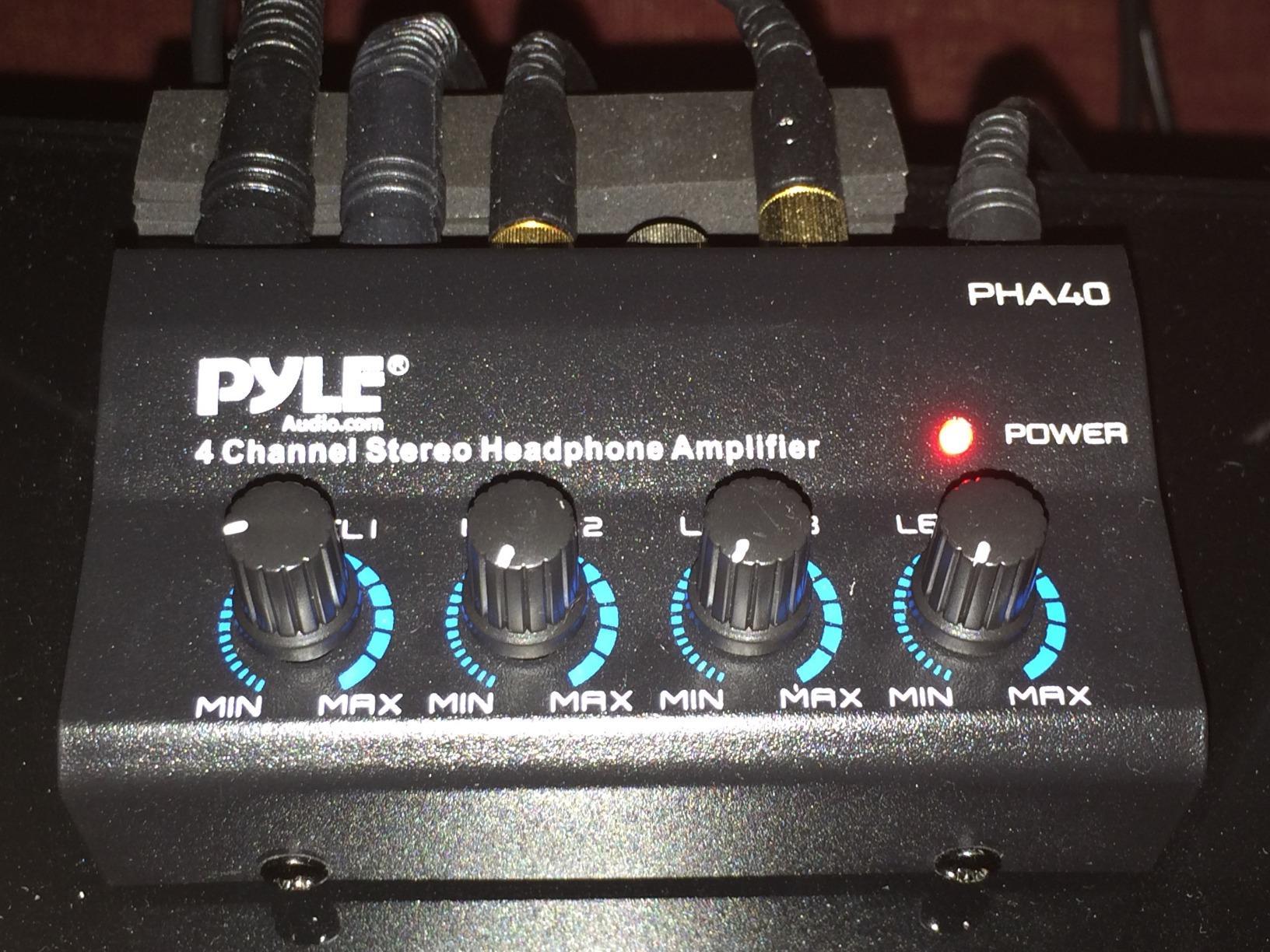
Best paired with easy-to-drive guest headphones
Because the output is modest, treat the PHA40 as a monitoring convenience rather than a reference path. Closed-back dynamic headphones with low impedance and high sensitivity will play at normal levels with room to spare, and those are also the right choice for bleed control in a shared room.
The amplifier stages are described as ultra-low noise for low-distortion listening, so the signal reaching a guest is clean at sane levels. The risk appears only when you push it toward maximum to gain extra level on a demanding headphone, which is also where buyers report hum and channel imbalance. Set the gain sensibly and the problem stays away.
Where it will not suit the session
The plastic enclosure is the first limitation. It feels less substantial in the hand than the metal Mackie and FIFINE units, and a live room is a hard place for a plastic box that gets bumped. It is a travel-first choice, not a permanent studio choice.
Only 1/4-inch TRS jacks are fitted, so any guest arriving with phone earbuds needs an adapter. Budget for a couple of adapters and a set of disposable earcup covers in the same bag, and this unit handles a two-guest remote session without incident.
4. FIFINE N6 – Best Value Metal Four-Channel Amp
FIFINE N6 4 Channels Metal Stereo Headphone Amplifier for Audio Mixer
1 in 4 out topology
Metal chassis
12V DC adapter
4 x quarter-inch TRS
Pros
- Metal build at a budget level
- Four independent knobs with no signal loss when all outputs are in use
- No crackle and minimal distortion at high volume
- Compact enough for stage use as well as studio monitoring
- 12V power adapter included
Cons
- TRS and TS cables are not included so an extra purchase is needed
- Listed item weight of 1 g is inaccurate and says nothing about portability
- Quarter-inch jacks only so 3.5mm earbuds require an adapter
- Some buyers mistake it for a mixer
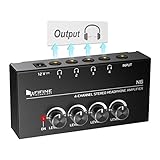
The FIFine N6 sits between the PHA40 and the Mackie HM-4 in metal build while keeping the entry-level footprint. It uses a one-input, four-output distribution topology rather than being a mixer, with four quarter-inch stereo TRS headphone outputs and a quarter-inch TRS source input. Each output has its own volume control, and the listing includes a 12V DC power adapter with a power indicator light.
Owners consistently highlight two things. The first is that there is no crackle and minimal distortion at the highest volume with all four headphones connected, which is the failure mode that most often ruins an otherwise good session. The second is the solid metal build with tight connections and knobs that move smoothly rather than skipping.
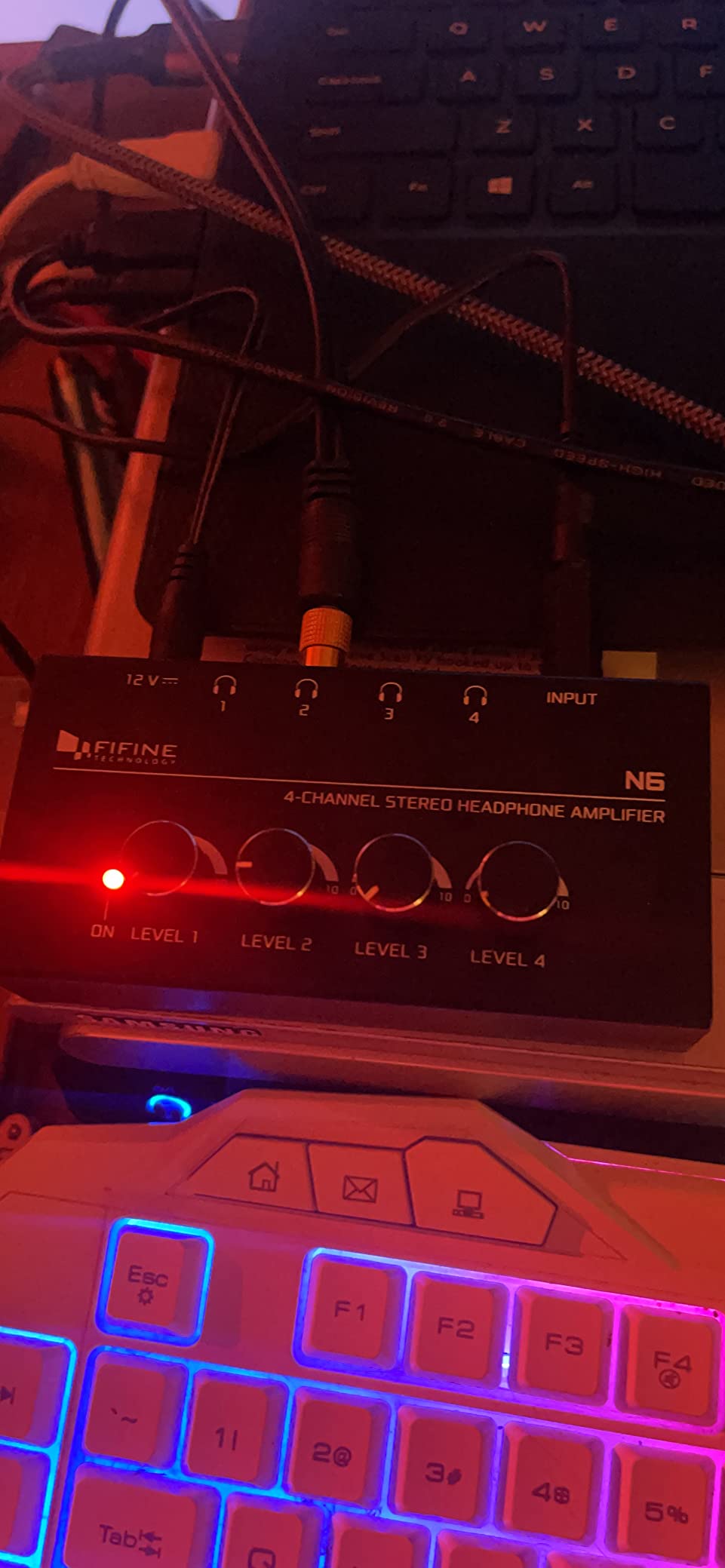
With 1951 reviews at 4.4 stars, the feedback describes a favourite budget splitter for tracking sessions and multi-listener monitoring. That installed base matters practically: when a guest asks what to plug in, the answer is the same four outputs every time, and the box has been proven by a large number of home studio users.
The single most useful piece of advice in the reviews is that this is a one-in, four-out amplifier and not a four-channel mixer. Guests who think they can send their own microphone into it will be disappointed, and clarifying that before the session prevents ten minutes of confusion.
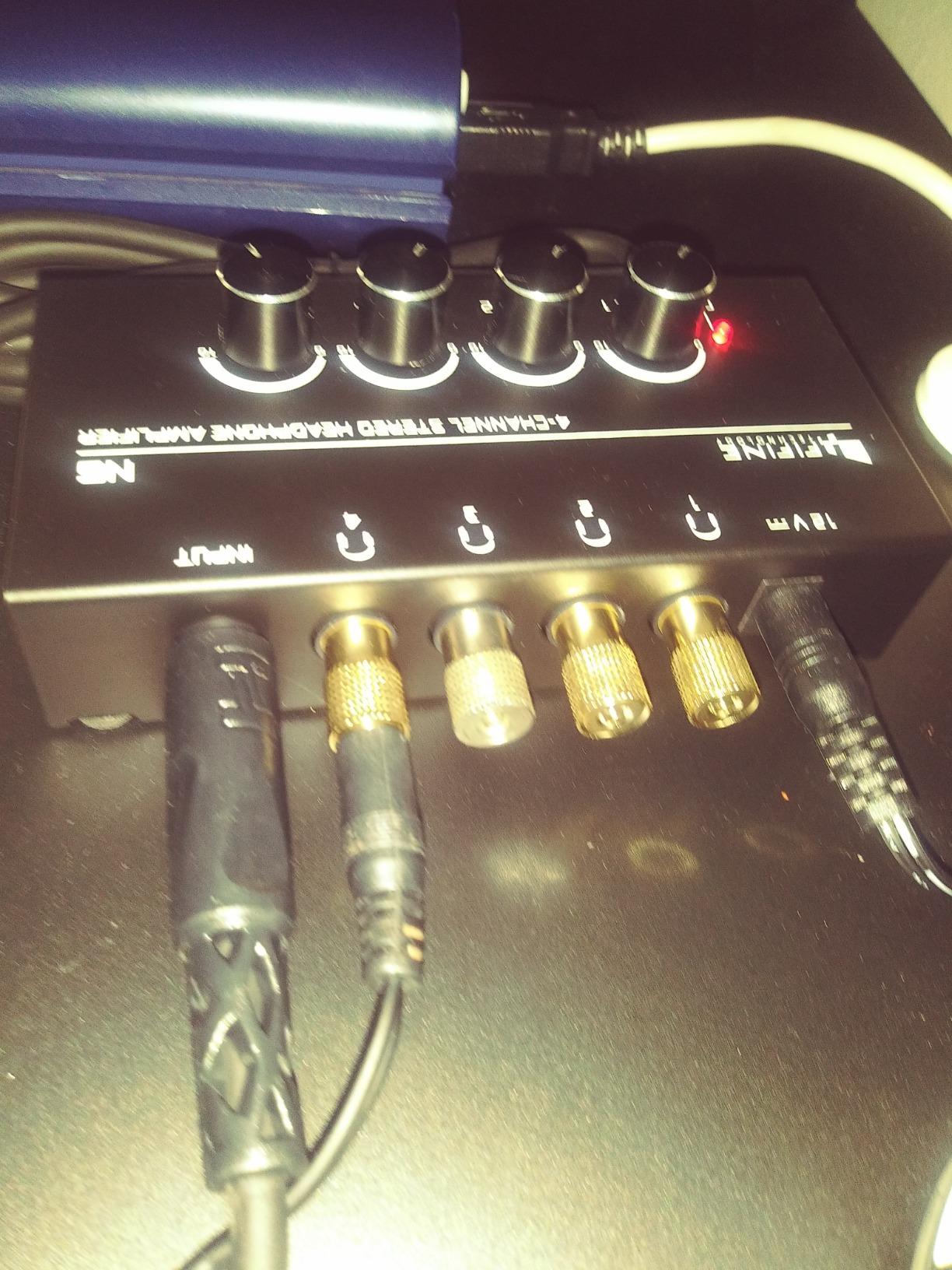
What the one-in, four-out layout means for you
Every listener hears the same program feed, which is what a podcast needs: the mix as everyone else hears it. What each listener changes is only their own level. If you want one person hearing a different mix, you need a unit with per-channel direct inputs, such as the Behringer or the socodox below.
Because the noise floor stays clean with all four outputs loaded, this is a safe pick for a host, two co-hosts, and a guest. Pair it with a metal-bodied label strip and the setup is about as foolproof as a monitoring chain gets.
The cable situation
Cables are not included, so plan to buy a quarter-inch TRS from the interface plus however many headphone cables your guests need. That is a small setup step, but it is the reason some first-time buyers rate the box lower on arrival than they would after wiring it properly.
Only quarter-inch jacks are provided, so 3.5mm earbuds need an adapter. The listed item weight of 1 g is also clearly wrong, so do not use it to judge how portable the unit is. The one-year warranty is among the shortest in this group.
5. LZSIG LHA1 – Best Amp When Voice Clarity Matters Most
LZSIG Headphone Amplifier with Bass Boost, 4 Channel, 1‑IN 4 OUT, 12V
4 channels
Five ROHM op amps
Bass boost switch
32 to 100 ohm
Pros
- Five ROHM low-noise operational amplifiers keep the noise floor inaudible
- Bass boost switch helps voices cut through in shared monitoring
- Handles both 3.5mm and 6.35mm headphones on every output
- Enough power to drive 250 ohm headphones despite the 100 ohm figure
- Metal chassis with heavy-duty knobs
Cons
- One reviewer found the added circuitry shifts tonal balance and loses warmth
- Some copies produce degraded or very quiet output in mono mode
- The stereo and mono button feels loose
- Included cable is short and no shielded 3.5mm cable is provided
This is the most interesting four-channel box here for spoken-word work. It supports up to four pairs of 32 to 100 ohm headphones with 50mm drivers, and it accepts both 3.5mm and 6.35mm headphones on every output, which removes the adapter problem that trips up several other units here.
Two switches set it apart. A bass boost switch lifts the 400 to 600 Hz and 3000 to 7200 Hz bands, which makes a voice cut through when a guest is monitoring alongside louder source material. A stereo, mono, and single-channel mode switch handles sources that arrive on one channel, and it is compatible with quarter-inch and eighth-inch TS and TRS plugs.
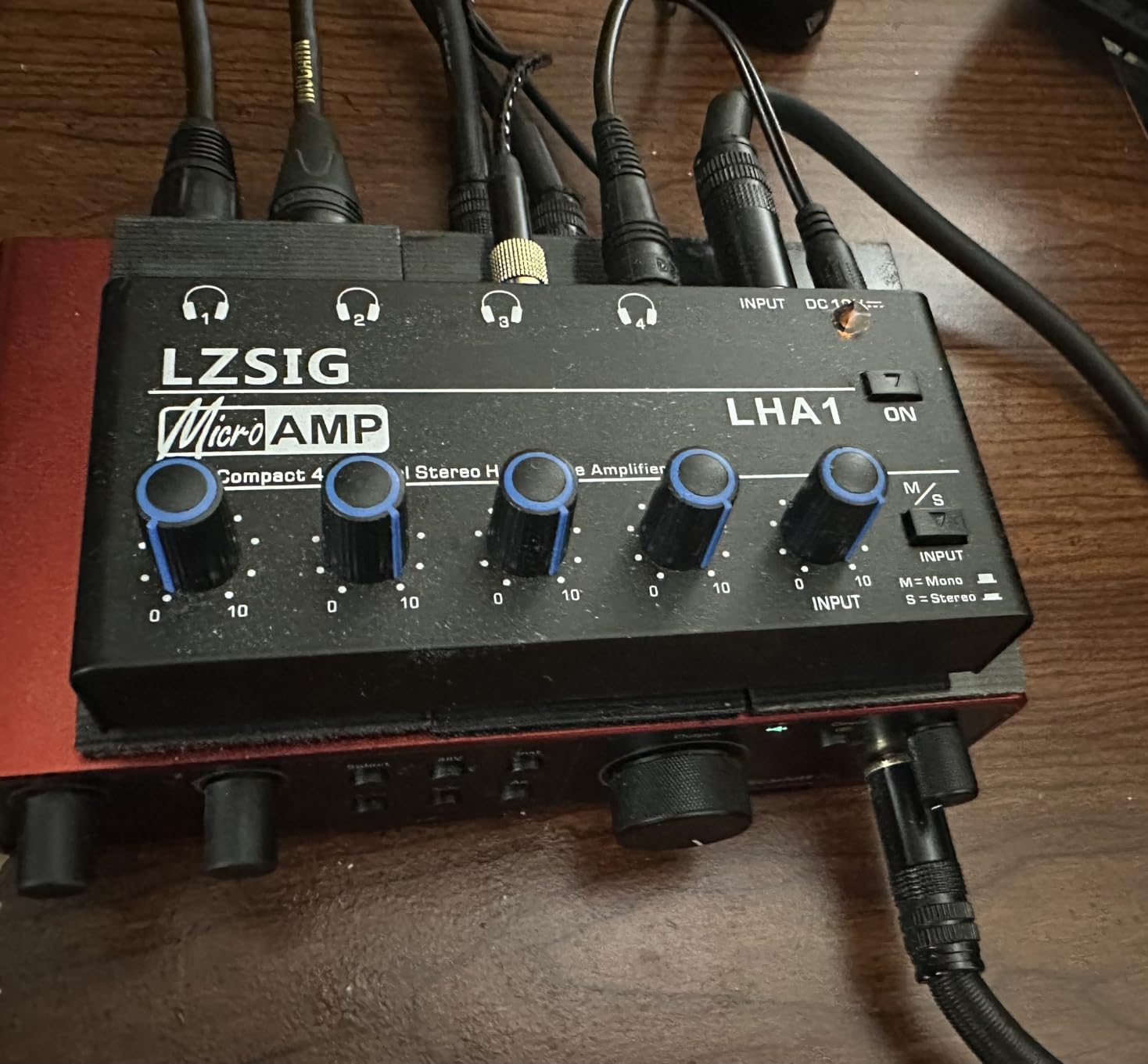
Underneath, five ROHM low-noise operational amplifiers with anti-crosstalk circuitry and independent volume per channel keep the noise floor effectively inaudible. That detail matters when the whole point is to make an untrained guest comfortable. Owners also report enough power to comfortably drive 250 ohm headphones such as the DT 770 Pro, which is more than the 100 ohm figure in the specification would suggest.
With 695 reviews at 4.5 stars, the feedback calls it a well-regarded four-way monitor splitter. The metal chassis and heavy-duty knobs are praised, and the bass boost is singled out as genuinely useful in shared monitoring rather than a gimmick.

Where the bass boost earns its place
Podcast monitoring is mostly about intelligibility. When a guest monitors a mix that includes a loud music bed, the voice can sit too far back and the guest starts talking over the interviewer. The boost affects the midrange and upper-mid bands per channel, so you can give the guest more voice without changing the mix for anyone else.
The anti-crosstalk design means one guest raising their level does not bleed into the others, which is the specific problem the Focusrite community threads about shared volume knobs describe. Independent volume per channel is the fix, and this unit implements it cleanly.
Listen critically elsewhere
The most substantive criticism comes from a mixer who found the added circuitry alters the mix character, losing warmth and becoming overly bright. That is a real limitation: use this box for performance and rehearsal monitoring, and keep final mix decisions on a reference path.
Also some copies produce noticeably degraded or very quiet output in mono mode, and the stereo, mono, and single-channel button feels loose to some reviewers. The included cable is short, and there is no shielded 3.5mm cable in the box for reaching a laptop jack.
6. ART HeadAMP4 – Best Premium Amp for Eight Headphone Pairs
ART HeadAMP4 Eight Output Stereo Headphone Amplifier
4 channels, 8 outputs
4 watts output
Eighth-inch and quarter-inch jacks
Metal case
Pros
- Eight headphone outputs from four amplifier channels
- Accepts eighth-inch and quarter-inch inputs and outputs so most headphones plug straight in
- Stackable metal case that fits a project or home studio rack
- Low noise and low distortion design rated at 4 watts of output
- Long-standing project studio accessory
Cons
- Costs more than the generic four-channel alternatives
- Older utilitarian styling compared with newer illuminated units
- No per-channel headphone-specific gain trim beyond the level controls
The HeadAMP4 has been a project-studio fixture for years, and the reason is the topology. Four amplifier channels feed eight headphone outputs, so eight listeners can monitor from a single interface jack. No other four-channel unit in this guide offers that topology except the socodox.
It also accepts 1/8-inch as well as 1/4-inch inputs and outputs, so most headphones plug straight in without an adapter. With 4 watts of output and a design aimed at lower noise, lower distortion, and more output, it handles sturdier headphones better than the entry-level units in this guide.
Across 297 reviews at 4.5 stars, buyers cite the stackable metal chassis and the ability to feed eight headphone pairs as the reasons it earns a permanent place in a small studio. The custom extruded case stacks neatly, which keeps a permanent installation tidy and lets you add units later if the show grows.
Weight is 1.1 pounds, so it is portable enough to move between a studio and a live room without being a burden. The enclosure material is listed as metal, and the amplifier type is solid state.
When eight outputs from four channels help
Two people sharing a mix is a real pattern. A host and co-host on one pair each, a guest couple on a second pair each, or two guests who prefer a shared set. The extra outputs let you do that without asking anyone to share earcups, which is also a hygiene benefit when different people rotate through the same session.
Because the input and outputs come in both 1/8-inch and 1/4-inch, you can feed it from a laptop headphone jack as easily as from an audio interface. For a remote kit that is the difference between a smooth ten-minute setup and a hunt for adapters.
What you give up for the metal and the brand
It costs noticeably more than the generic four-channel alternatives, and the styling is utilitarian compared with newer units that add illuminated knobs. Neither matters functionally, but both show immediately next to a newer desk setup.
There is also no per-channel headphone-specific gain trim beyond the level controls, so pairing very different headphone impedances on the same box requires ear-level matching. It is compatible with any device that offers a line-level source or a headphone output, which covers essentially every recorder and interface.
7. Samson QH4 – Best Amp for Balanced Inputs and Long-Term Ownership
Samson QH4 4-Channel Headphone Amplifier
4 channels
Two balanced quarter-inch inputs
Eighth-inch aux in and out
2-year warranty
Pros
- Four independent channels each with its own volume control
- Two balanced quarter-inch inputs plus eighth-inch aux input and output
- Stainless steel construction for repeated studio use
- Marketed for podcasting and shared listening
- Backed by a 2-year limited warranty
Cons
- Costs more than the metal four-channel budget alternatives
- Balanced input claims are not consistently confirmed by buyers
- Listing attribute fields are inconsistent so some specs read unevenly
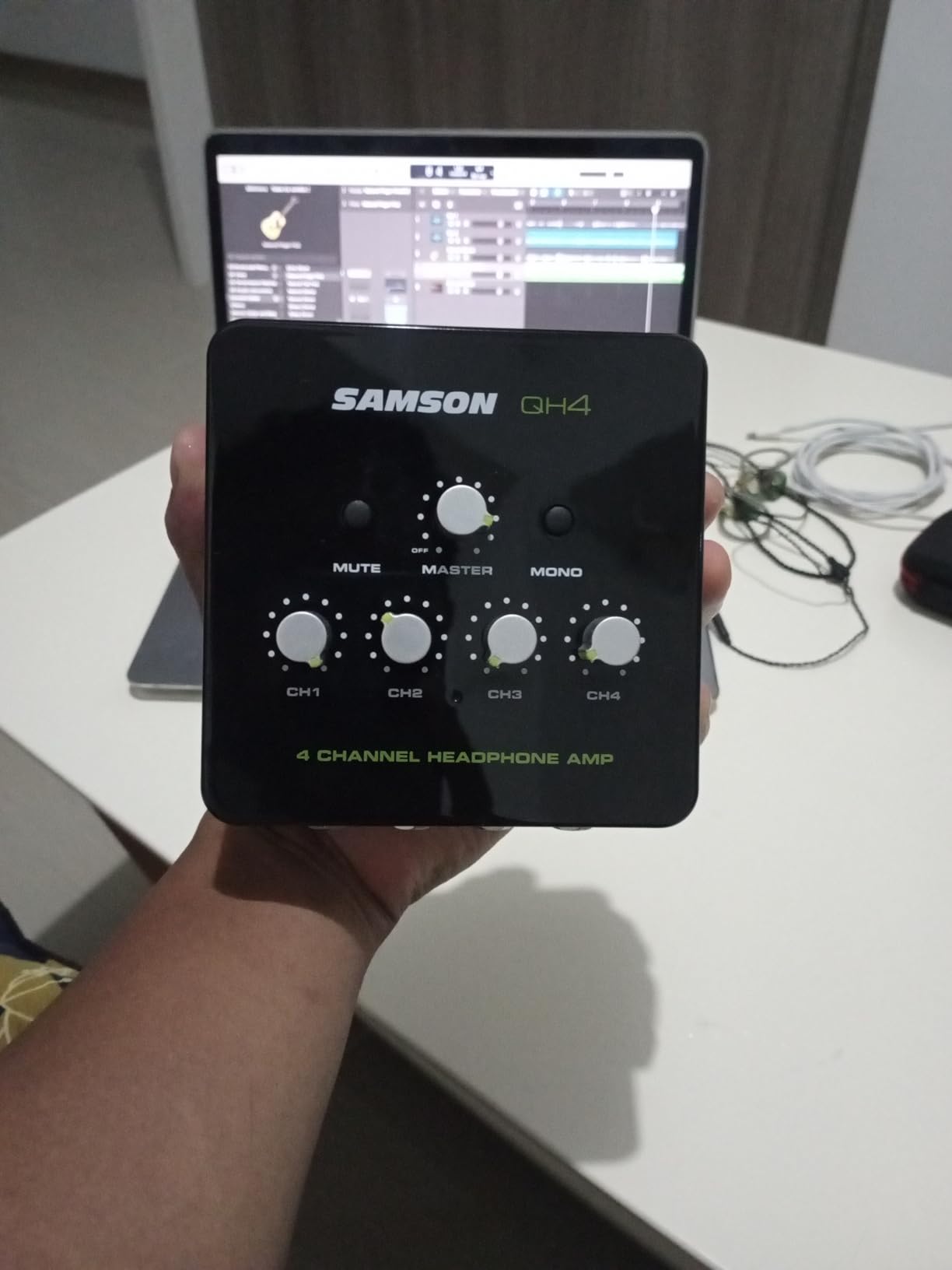
The Samson QH4 is a four-channel stereo headphone distribution amplifier with four independent quarter-inch stereo headphone channels and individual volume control on each. What separates it from most of the four-channel units here is connectivity: two balanced quarter-inch input connectors plus a stereo 1/8-inch aux input and output.
Those two balanced inputs are useful in a podcast room where the interface already has balanced monitor outputs. You can run a short balanced line from the interface rather than an unbalanced headphone-level feed, which is a cleaner path in a room with a lot of connected computers.
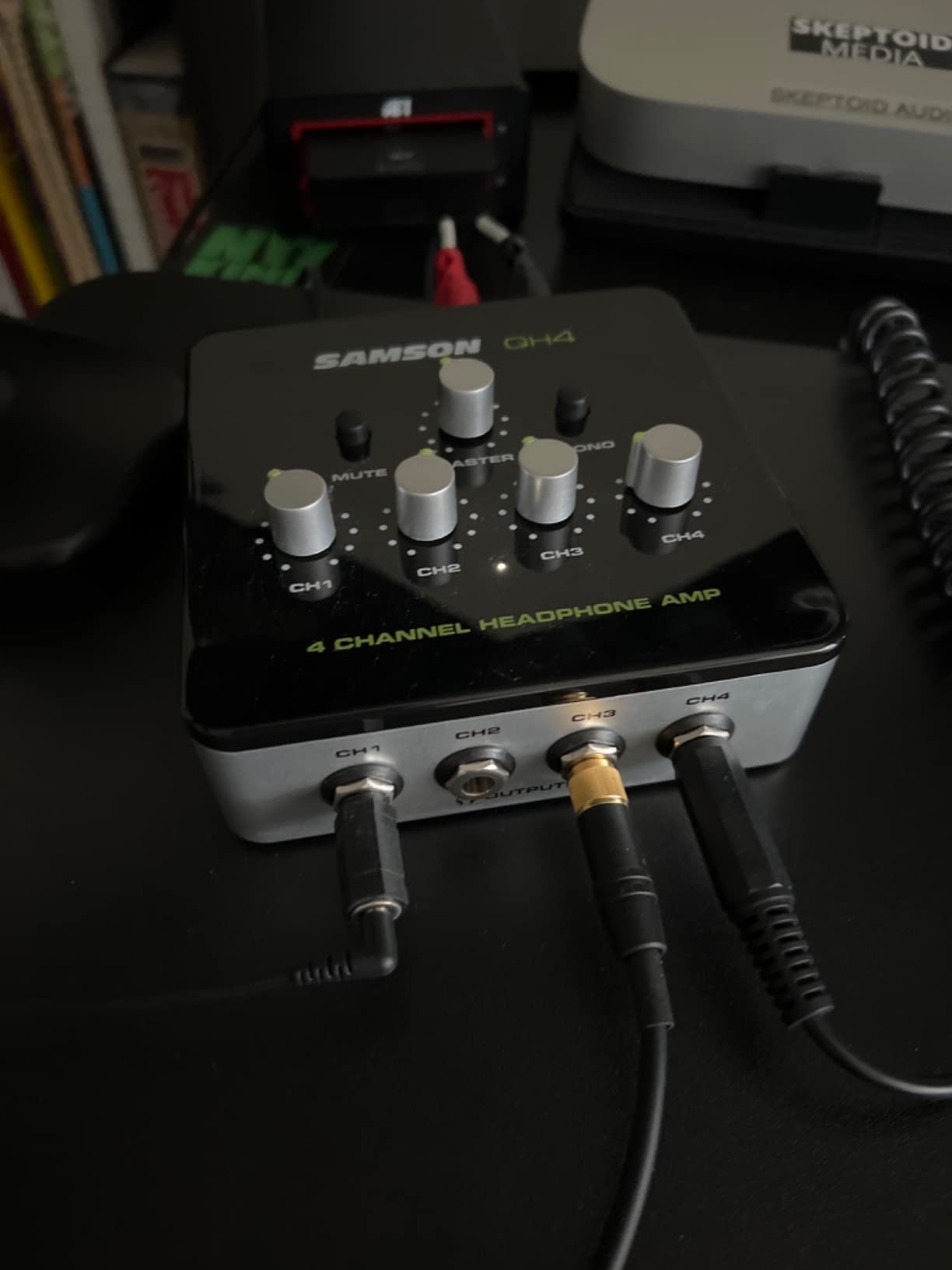
Construction is stainless steel, and the weight is 1.5 pounds, so it reads as a permanent fixture rather than a portable accessory. Listed uses include music production, podcasting, shared entertainment, personal entertainment, and study, and the 2-year limited warranty is among the longest in this group. For equipment that stays in a studio for years, that coverage is a real part of the value.
With 208 reviews at 4.5 stars, owners cite straightforward four-channel distribution, solid metal construction, and per-listener volume as the main strengths, and describe it as sitting at the premium end of the four-channel category. That framing is fair: you are paying for build, connectivity, and warranty rather than for a feature the budget units lack.
Why the aux input and output matter
The stereo 1/8-inch aux input lets you feed the amp from a phone, a laptop, or a secondary source, which covers the guest who arrives with a laptop and a different interface than yours. The matching aux output is the quieter of the two ways to pass a feed along to another device.
Frequency response is listed as 17Hz to 47kHz, and impedance as 600 ohm. The listed impedance figure is one of several specifications that buyers find inconsistently reported, so treat the published numbers as guidance rather than measurement.
Where the premium does not pay off
If you are replacing a box every year or moving between locations constantly, spending more than a metal four-channel unit is hard to justify. The budget metal options give you the same four independent volume controls.
Balanced input claims are also not consistently confirmed by buyers in practice, and some listings carry noisy or irrelevant attribute fields that make the specification sheet inconsistent. The most defensible reason to choose this unit is the two-year warranty combined with stainless steel construction.
8. Neoteck 4-Channel – Best Amp for Loud Output and Hard-of-Hearing Listeners
Neoteck 4 Channel Stereo Headphone Amplifier Audio Mono/Stereo Amplifier
4 channels
5 watts output
Mono and stereo switch
2.56 x 5.43 x 1.06 inch
Pros
- Very high output level for its size with headroom for hard-of-hearing listeners
- Four independent high-power sections with firm-feeling volume controls
- Metal housing and anti-slip pads reduce interference and stay stable
- No noticeable hum or heating after hours of use for most buyers
- Mono and stereo switch removes the need for special cables
- A 3.5mm cable is included
Cons
- A few copies emit a constant high-pitched white noise hiss
- Output is powerful enough that an accidental high level can be dangerous
- Bass response is weaker than a direct feed
- No wireless headphone support
Accessibility is the reason this unit earns its place. It delivers 5 watts of output across four independent high-power stereo amplification sections, and owners specifically describe using it to add gain for listeners who have difficulty hearing. When a guest cannot hear the monitoring at all, extra headroom is the actual fix, and its 5 watts is the highest four-channel output figure in the guide.
The build supports that use. The full metal housing reduces electromagnetic interference, non-slip bottom pads keep it stable on a crowded table, and several have a front-panel power switch rather than relying on a wall adapter alone. The box measures 2.56 inches deep by 5.43 inches wide by 1.06 inches tall.
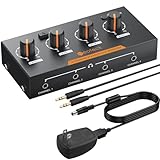
Connectivity is friendly for guests. The connector type is 3.5mm, and the box includes a 3.5mm audio cable alongside the power adapter, power cord with a magnetic ring, and a manual. A mono and stereo switching function handles single-channel sources without special cabling.
Most buyer feedback describes the box as loud, clean, and stable over long sessions with no measurable heat build-up, which is exactly what you want in a room where someone is listening for two hours. With 171 reviews at 4.4 stars, the volume of feedback is smaller than the big-budget units, but the performance claims are consistent.
One detail worth copying: the included power cord has a magnetic ring, which reduces noise on the power side. Given how often hum shows up in podcast rooms, a manufacturer thinking about that is a good sign about the rest of the design.
Setting safe levels for a shared session
This is the unit in the guide where a caution label matters most. Owners note the output is so powerful that an accidentally high channel level can be dangerously loud. Set every knob to minimum before plugging anyone in, then bring levels up one at a time while talking to the guest, and tell them which knob is theirs.
For a listener who needs more level than a standard box provides, the same caution applies twice over. Write the safe starting level on a card taped to the unit, and treat the physical level as set by the host rather than by the guest.
Weaknesses to know before you buy
A few copies emit a constant high-pitched white noise hiss, which is audible in quiet passages and awkward in a recorded interview. Bass response is also weaker than a direct feed, and owners wish for an equalizer to compensate, so this is a monitoring tool rather than a reference path.
There is no wireless headphone support, which some buyers would prefer. The warranty is 18 months, and the weight is listed as 0.44 kg.
9. Socodox 4-Channel 8-Output – Best Amp for Dim Rooms and Shared Mixes
socodox 4 Channel Headphone Amplifier, 8 Outputs Stereo Audio Amplifier
4 channels, 8 outputs
Quarter-inch, eighth-inch TRS and RCA inputs
Illuminated knobs
Stereo mono toggle
Pros
- Eight headphone outputs from four channels for pairs of listeners
- Widest input selection in the group with quarter-inch
- eighth-inch TRS and RCA
- Illuminated 7-colour knobs make level setting easy in dim rooms
- Metal housing with anti-slip feet stays steady in active use
- Compact and portable enough for live performance
- podcasting and streaming
Cons
- Lowest average rating in this guide at 4.0 with 15 percent one-star reviews
- Some copies hum and the manual recommends isolating the mains socket
- The 7-colour lighting is decorative and its button does nothing else
- The 12V charger cable is short at 5.5 ft
Two features set this box apart from most other four-channel units in the guide. The first is eight headphone outputs fed from four input channels, so two guests can share a mix on one channel each. The second is input flexibility: 1/4-inch, 1/8-inch TRS, and RCA inputs all appear on the unit, which means it will accept a feed from almost anything the guest brings.
The internal design uses dual 5532 and 4580 operational amplifiers, and every output has its own volume control with 7-colour illuminated level knobs. A front-panel button turns the lighting off. In a dim room or a small treated booth, being able to see which knob belongs to which person is a genuine usability win, especially with an untrained guest.
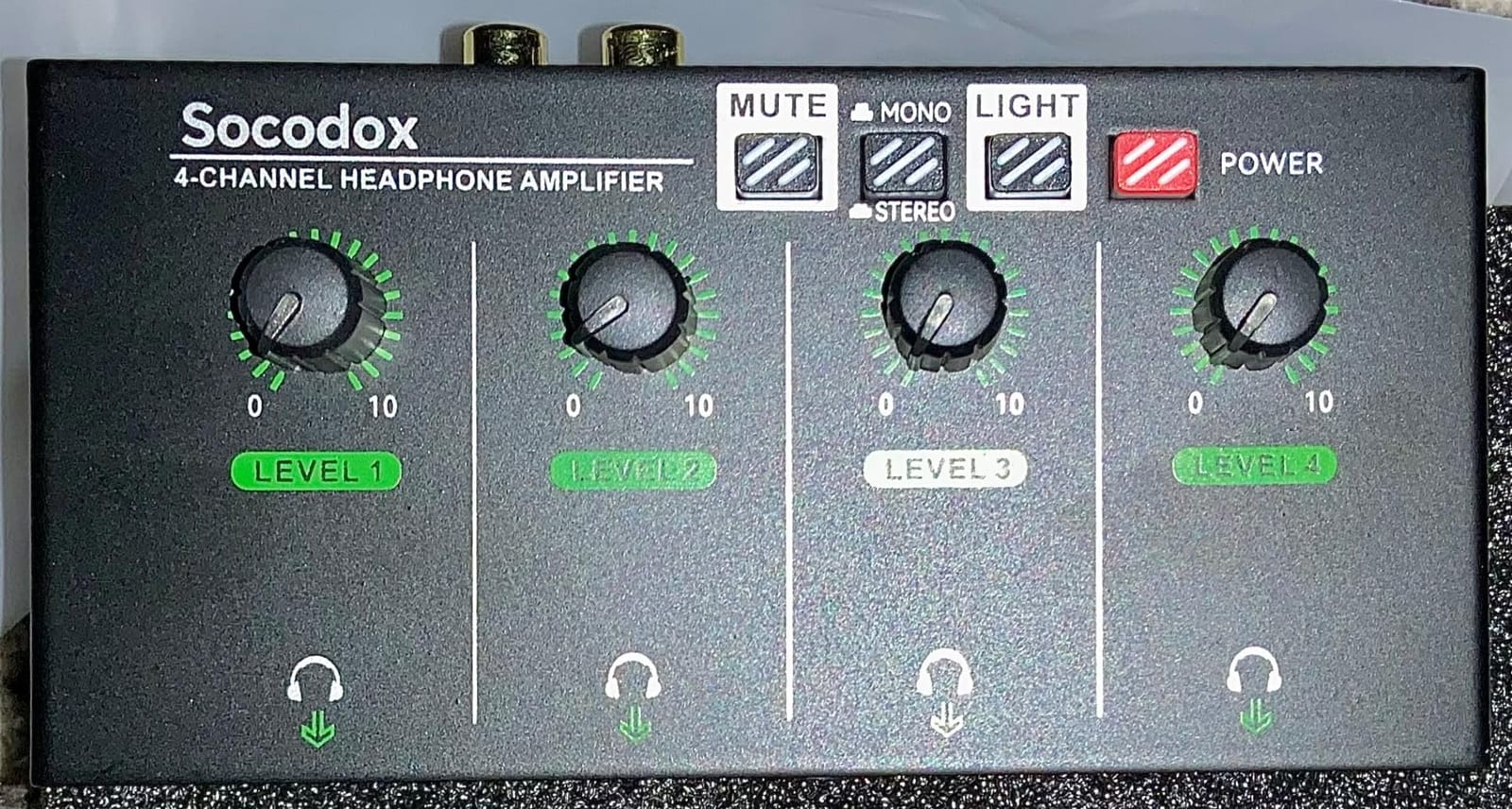
A stereo and mono toggle switch handles single-channel sources, and the metal housing with anti-slip rubber feet keeps the unit steady on an active desk. A 12V DC charger with a 5.5-foot cable and a manual are included, and the listed use cases explicitly include podcasting and streaming.
We need to be direct about the quality picture. Across 204 reviews the average is 4.0 stars, the lowest in this guide, with 15 percent of reviews at one star. Buyers still value the flexible inputs, the eight outputs, and the illuminated knobs, but the feedback suggests the hardware is sound while quality control is inconsistent between units.
When eight outputs earn their cost
Two guests who do not want separate cables, a host and co-host sharing a mix while a second pair monitors something else, or a panel where pairs of listeners share. Four input channels mean you can build two separate mixes and distribute each one to two listeners, which no other unit in this guide does at this size.
The RCA input is the practical highlight for guests. If someone arrives with a consumer interface or a mixer that only has RCA monitor outs, this box connects without an adapter, which removes a step that regularly delays a setup.
The hum caveat is real
Some copies report hum or interference, and the manual itself recommends isolating the mains socket to avoid it. That is a meaningful warning in a room with several computers on the same circuit, so place the amp on a different outlet from the interface where you can.
The lighting is purely decorative, and the button that controls it does nothing else. At 4.0 stars this is the pick to buy only when the eight outputs or the RCA input solve a problem you actually have, and to test the unit on arrival rather than on recording day.
10. Zendstanding HA400 – Best Amp for a Two-Guest Remote Kit
HA400 Headphone Amplifier 4 Channel Metal Stereo Audio Amplifier
4 channels
Cassette sized 90 x 55 x 40 mm
40mA into 100 ohm
2-year warranty
Pros
- Four independent volume controls share a single source cleanly
- Compact enough to sit in a gig case or a laptop sleeve
- Functionally equivalent to the Behringer HA400 according to buyers
- No scratching or popping reported during normal monitoring
- Two-year manufacturer warranty
Cons
- A number of copies suffer a constant loud buzz regardless of input or output
- Volume knobs are stiff and need more force than normal
- Composite rather than true metal despite the listing wording
- Modest 40mA output into 100 ohm rules out high-impedance headphones
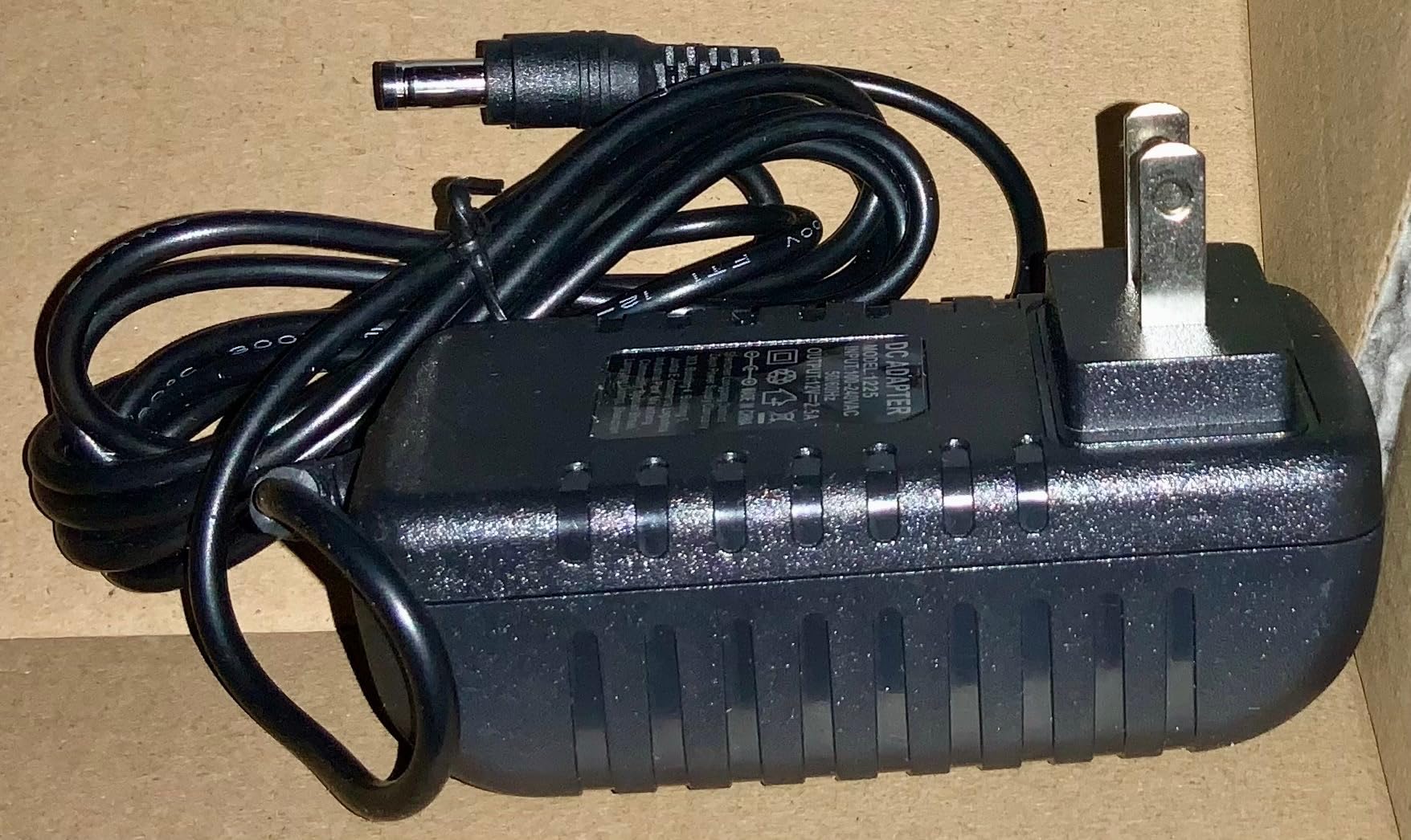
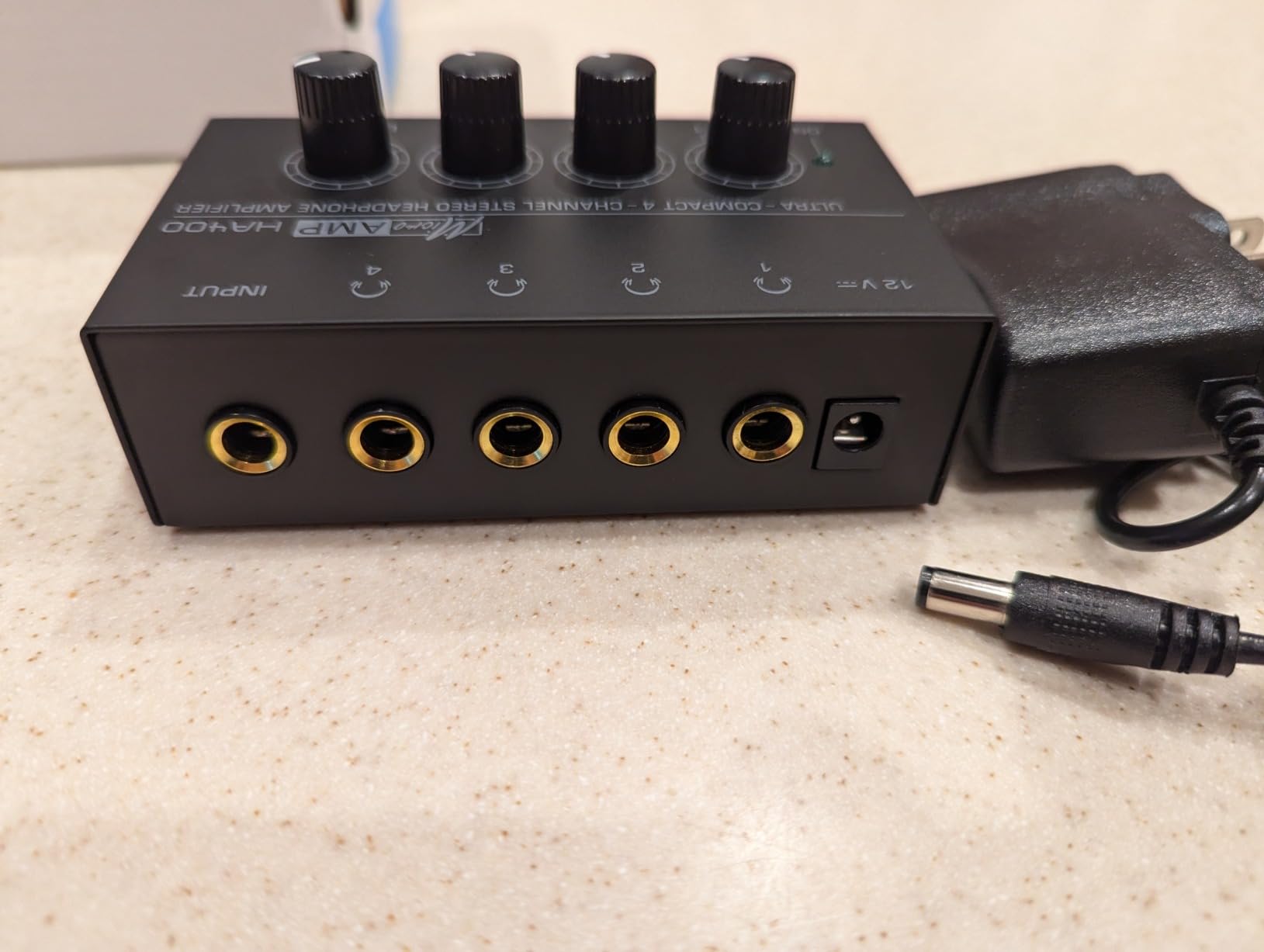
One of the most compact options in the guide measures 90 by 55 by 40 millimeters, roughly the size of a cassette tape, and the box includes a cable, instructions, and a 12V DC adapter. Four independent volume controls share a single 1/4-inch TRS source input, and the headphone jack is 6.35mm. For a host packing a bag for an on-location guest interview, the size is the entire argument.
Output is specified at approximately 40mA into 100 ohm, aimed at 32 to 100 ohm headphones with 50mm drivers, and it uses an upgraded JRC4580 low-noise operational amplifier chip. The listed impedance is 32 ohm, which is the honest number to design around: this is a box for easy-to-drive headphones and nothing else.
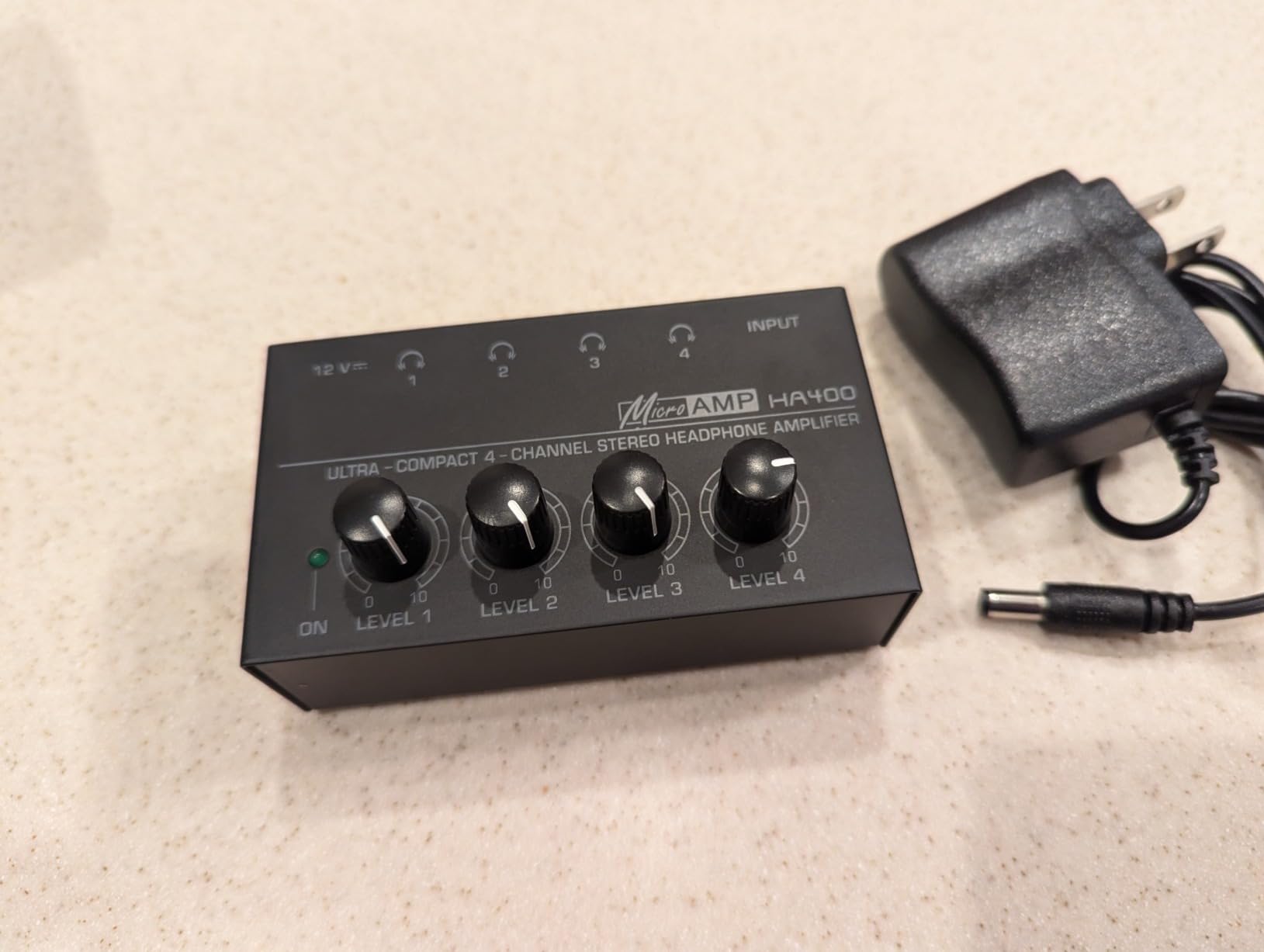
With 132 reviews at 4.2 stars, most owners are satisfied and describe it as a compact, dependable four-way splitter that tracked a band session without complaint. Buyers comparing it directly to the Behringer HA400 describe it as essentially equivalent in function, which tells you where it sits in the category.
The stated uses are studio, stage, karaoke, and conference speeches, and the manufacturer warranty is two years from purchase. That is a longer warranty than most of the budget units here, which is useful for gear that travels.
A two-guest bag that stays small
Host plus guest, recorded somewhere that is not your studio, is the case this handles. Four outputs mean you and your guest each get a level, and the enclosure is small enough to sit in a laptop sleeve next to the interface. Add a short quarter-inch TRS cable, a pair of 3.5mm adapters, and disposable earcup covers and the kit is complete.
Keep the headphone pairing conservative. Because the output ceiling is around 40mA into 100 ohm, use closed-back dynamic headphones with high sensitivity rather than studio models that need a serious amplifier. That combination avoids the constant volume adjustment that distracts a guest.
Check for buzz the day it arrives
The dominant complaint in a small share of reviews is a constant loud buzzing or hiss that appears regardless of input or output, and that failure mode accounts for most of the one-star feedback. It is not something you can tune out, so test the unit with all four outputs connected before you rely on it.
Volume knobs are also reported as stiff, and the housing is composite rather than the true metal the listing wording suggests. If either of those matters to you, step up to the metal Mackie or FIFINE units, which are built for repeated handling.
How Many Headphone Channels Do You Need?
Count heads in the room, not microphones. Every person who needs to hear the mix during the recording needs one independent output, even if two of them share a pair of headphones. This is the decision most competitor guides skip, and it is the one that determines whether a four-channel box is enough or wastes money.
Two people, host and one guest: A four-channel box is the minimum sensible purchase because you want a spare. The Mackie HM-4 or the FIFINE N6 both cover this for years.
Three people, host plus two guests: Four channels, one spare, no cables to reshuffle mid-session.
Four or more, a roundtable: Four channels means sharing, which works if pairs are happy to share. For independent levels per person, look at the ART HeadAMP4 or the socodox unit, which feed eight headphone pairs from four amplifier channels.
Six to eight people, a panel or live stream: The Behringer HA8000 V2 is the only unit in this guide with eight individually powered channels, per-channel LED meters, and per-channel stereo, mono, or dual-mono selection.
Remote guests on their own machines: No distribution amp at all. Each person monitors locally, and your job is a clean mix feed rather than extra hardware.
A second decision follows from the first: does everyone need the same mix, or do some people need a different one? If everyone monitors the same program feed, any one-in, four-out box works. If you want two separate mixes, you need per-channel direct inputs, which narrows the field to the Behringer and the socodox.
Finally, think about headphone pairing before you buy the amp. Guest headphones should be closed-back to control acoustic bleed into the microphones, and they should be easy to drive if you are choosing a lower-output unit. If a guest may have difficulty hearing, buy headroom rather than saving money, and the Neoteck covers that case better than any other four-channel unit here.
How to Connect a Headphone Distribution Amp to Your Interface
Wiring a distribution amp is a five-step job, and the reason it feels confusing is usually cable types. Recorders such as the Zoom H6 ship with a single headphone out, and users on r/podcasting state the fix plainly: you need a splitter or an amp for two or more people to hear the audio.
Confirm the source. Find the single headphone output on your interface, mixer, or recorder. It is usually a 1/4-inch TRS jack, and some smaller devices use 3.5mm instead.
Match the input on the amp. Every unit in this guide has a single quarter-inch TRS source input, with a few accepting 3.5mm as well. Use a quarter-inch TRS cable for the run, or a 3.5mm to quarter-inch adapter if your interface is the small type.
Power the amp first. Most of these need a 12V DC adapter or a mains lead, and several have a power switch on the box. The Neoteck is the clearest example.
Set every channel volume to minimum before plugging in any headphones. This matters most on the Neoteck, where the output is powerful enough to be uncomfortable in an instant.
Plug in each guest pair and label it. Assign one output per person, bring levels up one at a time while speaking, and tape a label to each cable. Then have each guest say a few words and confirm their own level before you hit record.
Two extra steps are worth adding for remote and call-in guests. A mix-minus feed, where a person’s own microphone is removed from what they hear, prevents the classic echo of hearing yourself doubled. It is a mixer function rather than a headphone amp function, and a Focusrite community thread about four-channel headphone monitoring makes the same point about per-person control.
On hygiene, rotating guests should not share earcups without covers. Wiping pads between listeners and keeping a small pack of disposable covers with the loaner headphones takes seconds and removes an awkward conversation from the start of every session.
Fixing Hum, Buzz, Crackle and No Output
Almost every problem with a headphone distribution amp in a podcast room comes down to placement, cables, or power. Work through this list in order before blaming the unit, because a surprising share of complaints in owner feedback resolve themselves after a two-minute change.
Move the amp away from other gear. Hum when the unit sits next to electronics and cables is the most common complaint on the Mackie, the socodox, and the Pyle. Physically separate it and use a proper stereo cable rather than a thin auxiliary lead.
Try a different mains socket. The socodox manual itself recommends isolating the mains socket to avoid hum. A separate circuit from the interface and laptops is the fastest test.
Swap the source cable. A worn or unshielded cable between interface and amp is a common cause of buzz. The LZSIG listing notes that no shielded 3.5mm cable is included, which matters when the run is longer than a foot.
Test with fewer headphones attached. If noise appears only with all four outputs loaded, you are likely at the unit’s output ceiling. Back the levels off and use easier-to-drive headphones.
Check for a dead channel. A few boxes on the Mackie and the Zendstanding arrived unable to power on, and the socodox shows inconsistent quality control. Test every output on the day the box arrives.
Rule out a source at maximum. If the mix is already maxed at the interface, no headphone amp can add level upstream. Turn the interface down and let the amp do the work.
For remote guests who complain their own voice sounds doubled or hollow, the cause is almost never the amp. It is a missing mix-minus feed or a double-monitored input, both of which live in the mixer and are fixed there.
Distribution Amp vs Passive Splitter vs Mixer With Built-In Monitoring
Passive splitters are cheap and they do one thing: divide one signal into several. The problem is that everyone hears the same level, which is exactly the pain point described in community threads about shared volume knobs. One guest turning up the mix changes what the microphones pick up.
A distribution amplifier fixes that with a potentiometer per channel. It also adds gain, which matters when an interface’s own headphone output cannot drive the headphones you want to lend. The step up from a passive splitter is small relative to the improvement in a shared room.
A mixer with built-in per-person monitoring, such as a multitrack field recorder aimed at podcasting, is the third option and it is a legitimate choice when the show needs separate recording tracks for each voice anyway. If you are buying one, you may not need a headphone distribution amp at all, because the monitoring is already handled per person.
Users with large guest counts report the Zoom PodTrak P8 and the Zoom LiveTrak L12, with the L12’s headphone output feeding distribution amps, as the scalable route. That is a different purchase from the boxes in this guide, and it is worth considering once a show passes five or six in-room voices.
For a general look at amplification for hearing support rather than monitoring, our hearing amplifier guide covers a different category of device entirely.
Frequently Asked Questions
Are headphone amplifiers worth it for podcasting?
Yes, if two or more people need to monitor the same mix in one room. A headphone distribution amplifier splits your interface’s single headphone output into several independent outputs, each with its own volume control, so one guest cannot change the level for everyone else. It is not needed for solo recording, for remote guests monitoring on their own machines, or when your mixer already gives every person a separate headphone output.
How many headphone outputs do I need for a 3 person podcast?
Four independent outputs is the right target for a three-person show: one per person plus a spare. Any four-channel distribution amp in this guide covers it. Count every person who needs to hear the mix during the recording, including a guest who shares headphones with someone else, and remember that remote guests on their own machines need nothing.
How do I split one headphone output for multiple people?
Run a single cable from your interface, mixer, or recorder headphone jack into the input of a headphone distribution amplifier, then connect one pair of headphones per person to the amp’s outputs. Each listener sets their own volume. A passive splitter also works, but every listener shares one level, so one person can ruin the mix for the rest of the room.
What headphones do most podcasters use for guests?
Most podcasters lend closed-back dynamic headphones to guests, because the closed design limits acoustic bleed into the microphones and they are easy to drive. Choose high-sensitivity, low-impedance models so even a lower-output four-channel amp has enough headroom. If a guest may have difficulty hearing, buy an amp with more output power rather than expecting the guest to turn up the level themselves.
Why does my headphone amp hum or buzz?
Hum in a podcast room usually comes from placement, power, or cables rather than a faulty unit. Move the amp away from other electronics and power supplies, try a different mains socket away from the interface and laptops, and replace a thin or unshielded source cable with a proper stereo cable. If the noise only appears with every output loaded, back the levels off and check whether you are at the amp’s output ceiling.
The Verdict: Which Amp Your Podcast Guests Need
The best headphone amplifiers for podcast guests are the ones that give every person a knob and stay quiet doing it. For a host and one or two guests, the Mackie HM-4 is our pick: four independent outputs, a metal case, and the strongest combination of rating and owner feedback in this group. It is the box we would put on the table first.
For a roundtable of six or eight, choose the Behringer HA8000 V2, the only unit here with eight individually powered channels, per-channel meters, and per-channel stereo, mono, or dual-mono selection. When pairs of listeners can share, the ART HeadAMP4 or the socodox unit feed eight headphone pairs from four amplifier channels, with the socodox adding RCA inputs and illuminated knobs for dim rooms. When a guest needs real volume, the Neoteck has the most headroom, set it carefully.
Whichever box you choose, test it with every output connected before the session, keep every channel volume at minimum when you power up, and label the cables. The best headphone amplifiers for podcast guests in 2026 are the ones that make a first-time guest comfortable in the first thirty seconds, and independent volume control is what buys you that.