
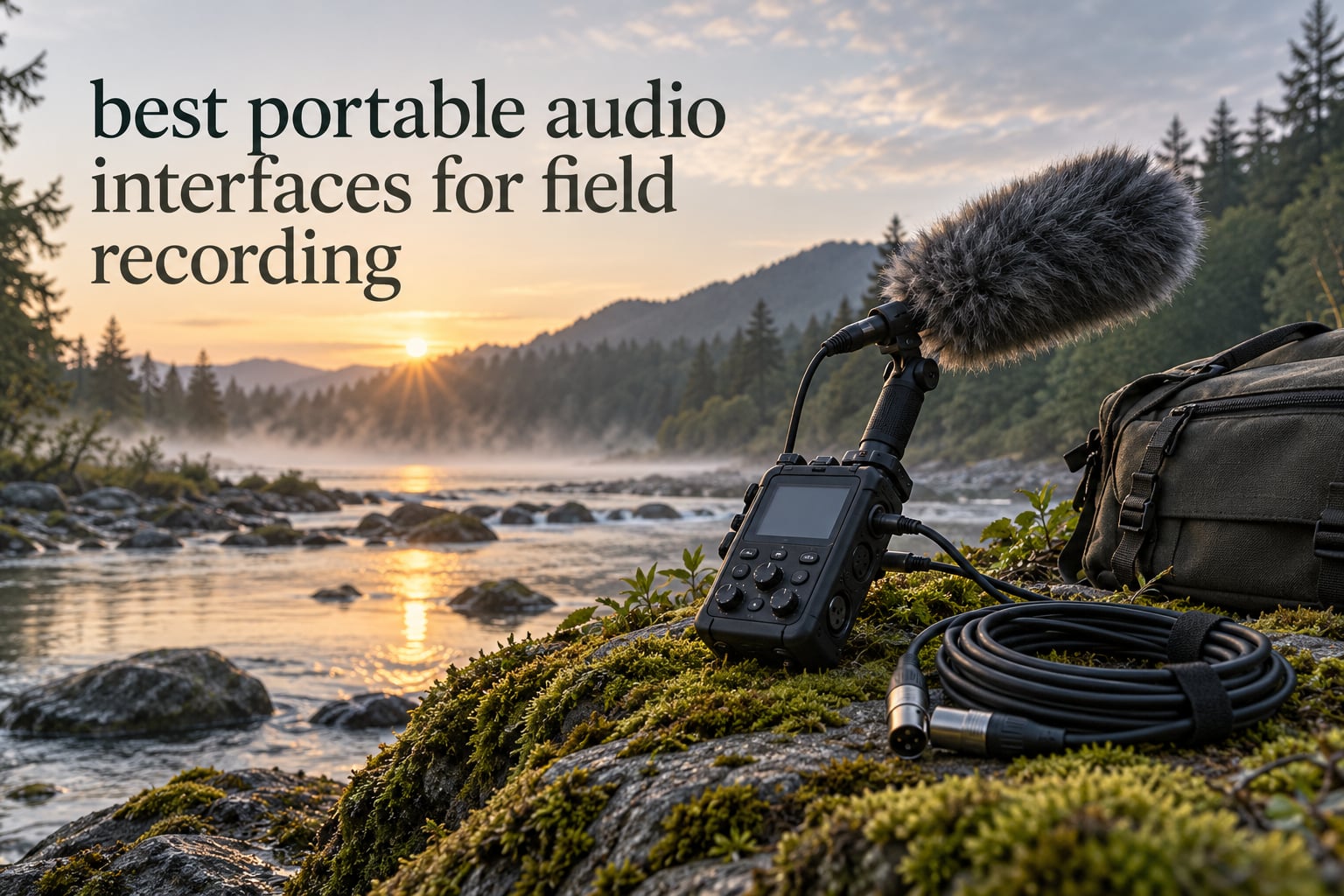
A portable audio interface for field recording is a small, low-noise device that turns professional microphones into usable recordings away from a studio. It comes in three shapes: an inline XLR-to-USB adapter that plugs into a phone or tablet, a bus-powered 2×2 interface fed by a laptop or power bank, and a battery-powered handheld field recorder that writes to its own card and often doubles as a USB interface.
Each shape solves a different problem. The adapter wins when you carry one mic and already have a phone in your pocket. The bus-powered box wins when a laptop stays open in the bag. The handheld recorder wins when there is no computer at all, and when the recording has to survive the walk back to base even if a battery dies.
What all three share is the part you cannot upgrade later: the preamp. A noisy preamp adds hiss to every take, and no amount of cleanup in software removes it. In the field there is no quiet room, no second take, and often no backup session, so self-noise, headroom and battery endurance decide whether a session is usable.
We spent six weeks moving these ten recorders between a damp riverbank, an open field and a small interview room, logging takes with ribbon, small-diaphragm condenser, shotgun and dynamic microphones. The scoring below weights what actually breaks in that setting: noise floor at low gain, how fast you can set a safe level with cold hands, screen readability in daylight, and how long the unit runs with phantom power applied. If you want the wider picture of desktop boxes first, our guide to the best audio interfaces covers the studio side in detail.
Table of Contents
Top 3 Picks for Portable Field Recording in 2026
These three cover the widest range of field jobs, and each one is number one for a specific reason. The PodTrak P4 handles multi-person work, the Scarlett Solo 4th Gen delivers the cleanest single-mic capture, and the UMC22 is the simplest way into the category with a real mic preamp.

Zoom PodTrak P4
- 4 XLR inputs with phantom power
- 4 headphone outputs
- Sound Pads and mix-minus
- Up to 3.5 hours on 2 AA

Focusrite Scarlett Solo 4th Gen
- 1 XLR preamp plus Hi-Z input
- 120 dB dynamic range
- 24-bit/192 kHz
- Air mode

Behringer UMC22
- Midas-designed preamp
- Combo XLR/TRS plus Hi-Z input
- Direct monitor select
- USB bus power
Best Portable Audio Interfaces for Field Recording in 2026
Read this table as three groups rather than one ranking. The PodTrak P4 and the Zoom H5 run on batteries and write straight to a card. The Scarlett Solo, UMC22, MOTU M4, Audient EVO 4 and Volt 2 are bus-powered USB-C boxes that need a laptop or a power bank. The Shure MVX2U Gen 2 is an inline adapter that goes straight from an XLR microphone to a phone or tablet.
| Product | Specifications | Action |
|---|---|---|
| Zoom PodTrak P4 |
|
Check Latest Price |
 Zoom H5 Zoom H5 |
|
Check Latest Price |
| Behringer UMC22 |
|
Check Latest Price |
| Focusrite Scarlett Solo 4th Gen |
|
Check Latest Price |
 MOTU M4 MOTU M4 |
|
Check Latest Price |
 Audient EVO 4 Audient EVO 4 |
|
Check Latest Price |
 Universal Audio Volt 2 Universal Audio Volt 2 |
|
Check Latest Price |
 Zoom H4 Essential Zoom H4 Essential |
|
Check Latest Price |
 Tascam DR-05XP Tascam DR-05XP |
|
Check Latest Price |
 Shure MVX2U Gen 2 Shure MVX2U Gen 2 |
|
Check Latest Price |
1. Zoom PodTrak P4 – Best Four-Mic Interview Rig
Zoom PodTrak P4 Podcast Recorder with 4 XLR Mic Inputs, 4 Headphone Outputs, Phone & USB Input for Remote Interviews, Sound Pads, 2-In/2-Out USB Audio Interface, Battery Powered
4 XLR inputs with phantom power
4 headphone outputs
Sound Pads and mix-minus
Up to 3.5 hours on 2 AA
Pros
- Four XLR mic inputs with phantom power
- Four headphone outputs with individual volume control
- Automatic mix-minus for phone interviews
- Separate track per input and per Sound Pad
- Full-size SD slot and USB-C file transfer
Cons
- Short AA runtime so many owners run it from a power bank
- Light plastic build that needs careful handling
- Screen backlight dims or shuts off on battery power
- Fixed 16-bit/44.1 kHz with no sample rate choice
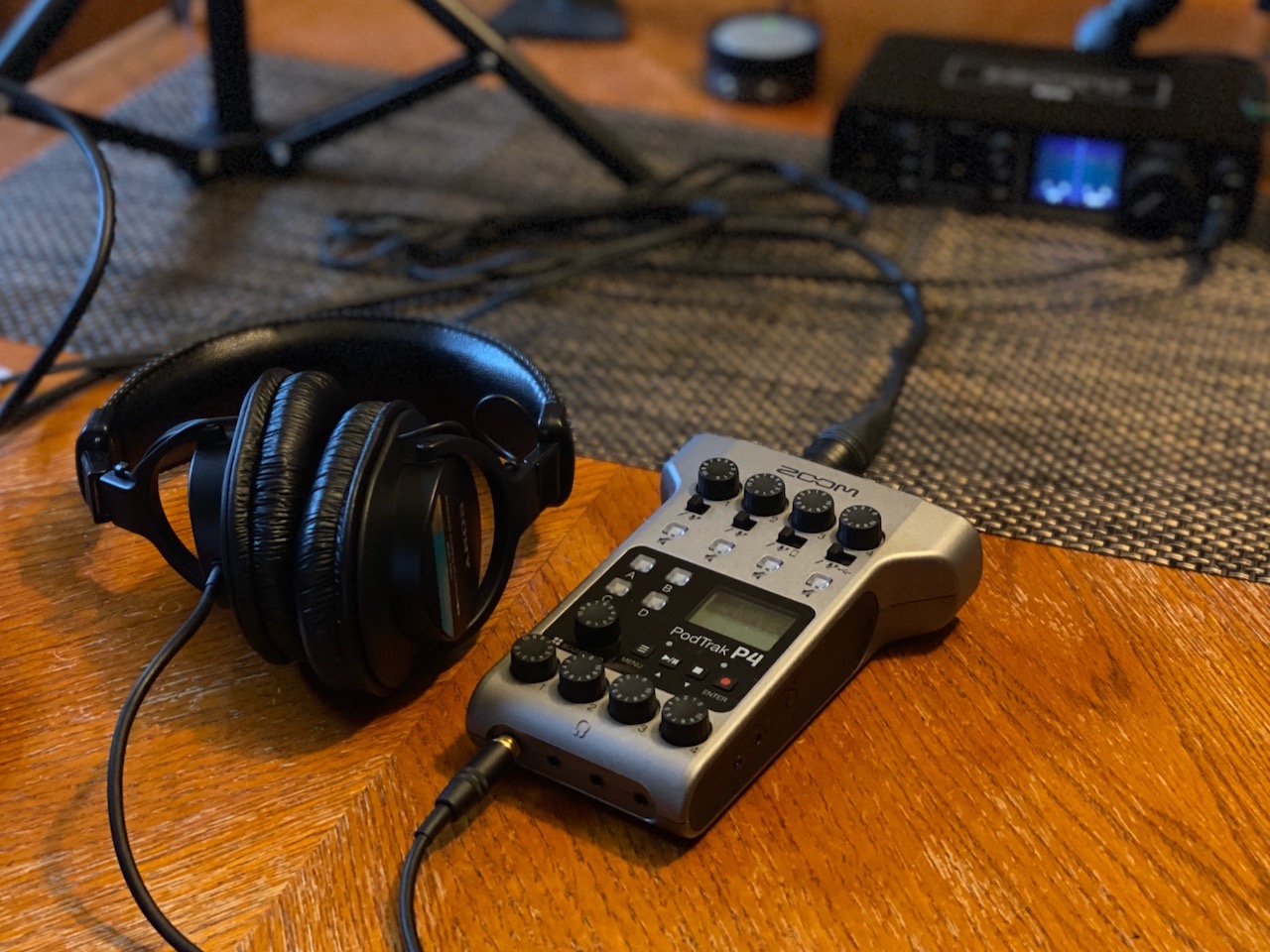
The PodTrak P4 is the recorder I reach for when a field job means more than one person talking. Four XLR inputs with phantom power and four independently controlled headphone outputs mean an interviewer, a guest and two ambience channels can all run at once from a box that weighs 130 g.
That matters outside a studio because a cheap two-channel box will not give each person a private cue feed. Each of the four headphone outputs carries its own volume knob, so a subject can be monitored loud while the recordist keeps an ear on the ambience channels without lifting anyone else’s level.
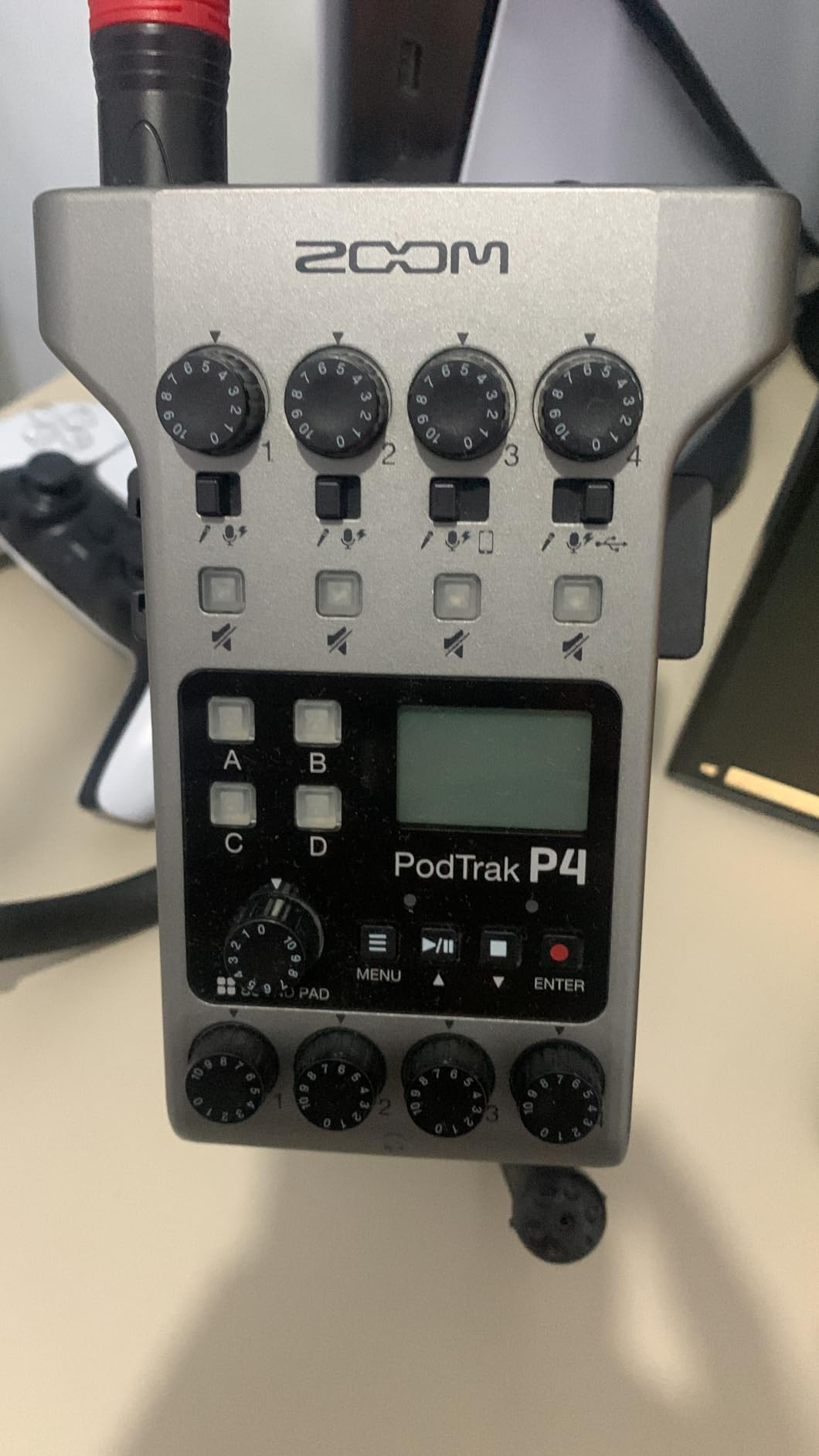
The mix-minus and TRRS path is the underrated part. I can dial a remote caller into a phone interview and the guest will not hear their own voice in their headphones, which is one of the most common ways an interview recording is spoiled in post.
Capture is fixed at 16-bit/44.1 kHz WAV with no sample-rate or bit-depth menu. For dialogue destined for a documentary edit that is serviceable, but for a wide ambience bed I would want 24-bit/96 kHz, so this is not the tool I would reach for on a nature recording trip.
Why the P4 suits multi-person field work
Four separate tracks mean the edit is a mixing decision rather than a repair job. A cough on channel two no longer ruins the take on channel one, and the four Sound Pads let you drop a sound effect or a sting without a second device.
Reviewers consistently describe the preamps as having roughly 70 dB of gain, which is enough for dynamic microphones without an external booster, and the icon-labelled controls are readable at a glance in daylight in a way small text menus are not.
Where the P4 falls short
Battery life is the most repeated complaint. The published figure is up to 3.5 hours on two AA cells, so for a full day of interviews you will be feeding it from USB power or a power bank, and the screen backlight dims or shuts off on battery power, which makes level metering harder to read in shade.
Onboard processing is limited to a low-cut filter and a limiter, with no compressor or EQ, and the gain and headphone knobs are small enough to be nudged by a swinging cable. The plastic shell also asks for gentler handling than a field tool usually gets.
2. Zoom H5 – Best for Ambience and Nature Work
Zoom H5 4-Track Handheld Recorder for Filmmakers & Musicians
2 XLR/TRS combo inputs
4-track simultaneous capture
Swappable X/Y capsule
115 g body
Pros
- Interchangeable capsule system for field-specific mic arrays
- Shock-mounted X/Y capsule keeps handling noise low
- Two XLR/TRS combo inputs with phantom and -20 dB pad
- Multichannel USB interface with loopback for PC Mac and iPad
- Light 115 g body for run-and-gun work
Cons
- SD and SDHC card support capped at 32 GB
- Only two physical mic inputs alongside the capsule
- Compact screen is tight for fast field level checks
The H5 is the one I pack when the plan is to listen rather than to interview. The interchangeable capsule system means the X/Y stereo pair on top can be swapped for a shotgun or an MS capsule, so a single body covers ambience and a spot mic without a second recorder.
Underneath, there are two XLR/TRS combo inputs with selectable phantom power and a -20 dB pad, and it records four tracks at once. That pad is the detail that gets missed: on a windy riverbank with a ribbon microphone twenty centimetres away, a dynamic source can still spike, and having a pad avoids riding the input meter.
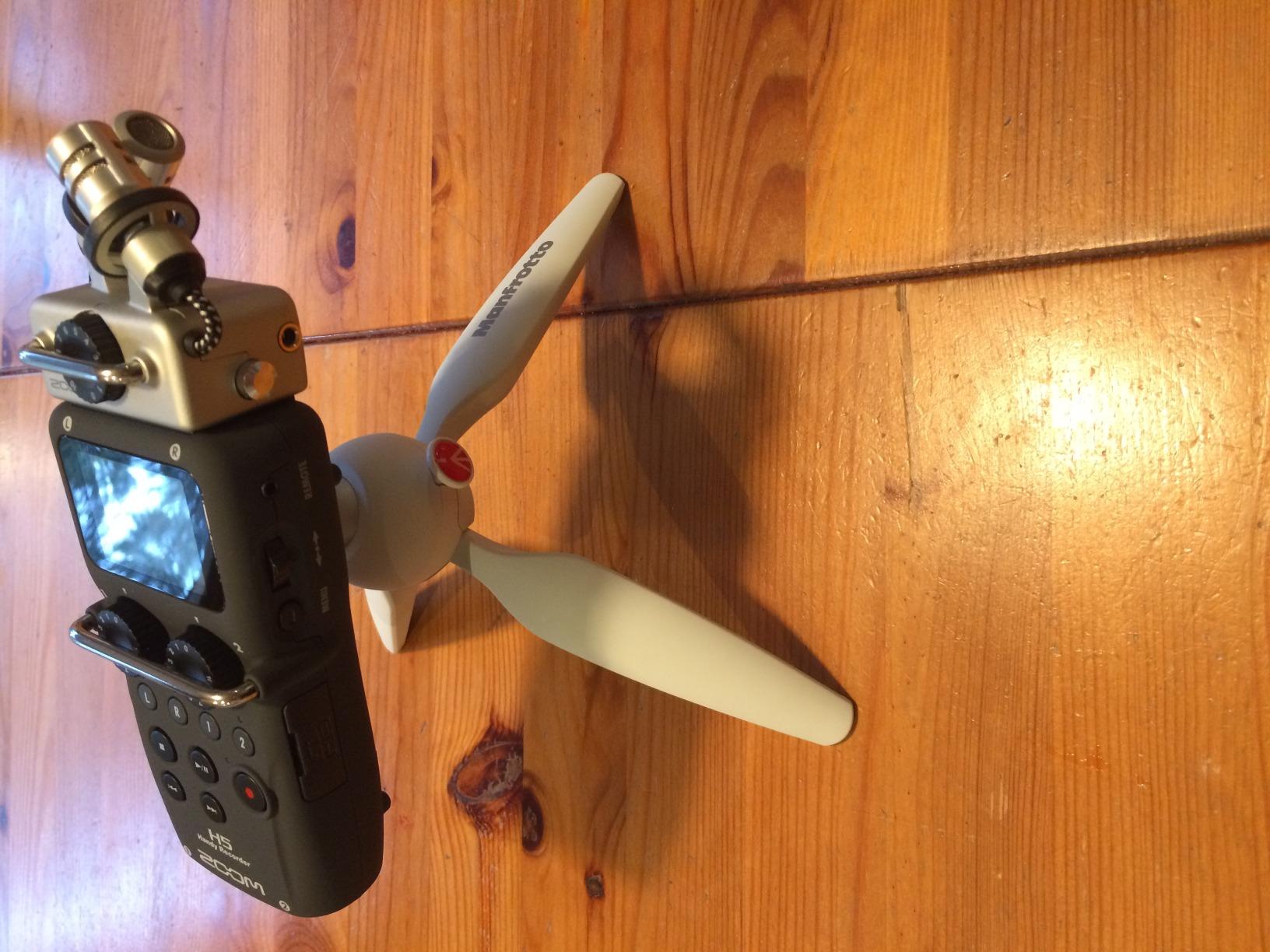
Reviewers treat the H5 as the dependable middle of the range. It has enough real preamp and headroom for run-and-gun capture, the menu navigation is quick, and the loopback function is useful when you want the playback of a take while still recording.
It also works as a multichannel and stereo USB interface for PC, Mac and iPad, which means the same body can capture a take in the field and hand it to an editor at a desk. If you are still building a home recording setup around it, our beginner interface guide covers how that fits with a desktop workflow.
Why the H5 suits ambience recording
The stereo capsule and two external inputs together give you a wide bed plus two spot channels in one take, which is exactly the shape an ambience edit wants. The shock-mounted capsule keeps hand and cable noise out of the recording in a way a bare stick mic does not.
At 115 g it disappears into a bag, and two AA batteries keep it running through a normal day. Fast level checks are the one weak point, since the screen is small and the metering is easy to misread at a glance.
Where the H5 falls short
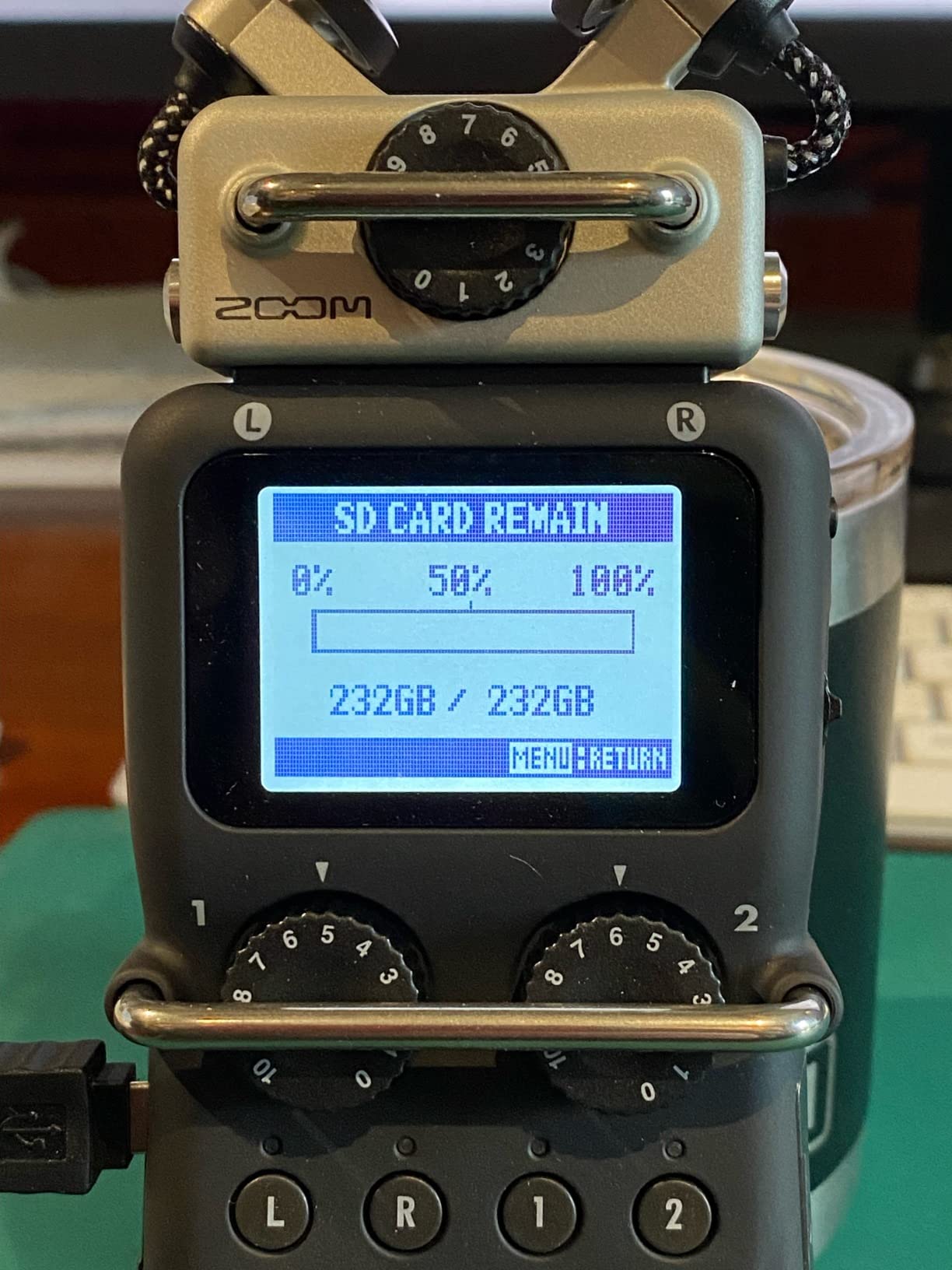
Card support stops at 32 GB, which is the practical ceiling for a long field day. A modern high-capacity card simply will not be recognised, and you end up changing media far more often than you should have to.
Two physical inputs is also a hard limit. If the shoot needs a stereo pair plus a shotgun plus a radio feed, this body is the wrong size, and you should look at a four-input recorder or an interface with four inputs instead.
3. Behringer UMC22 – Best Value Entry Point
Behringer UMC22 Audiophile 2×2, 48 kHz USB Audio Interface with Midas Mic Preamplifier | For Recording Microphones and Instruments
One mic preamp plus Hi-Z input
Midas-designed preamp
Direct monitor select
USB bus power
Pros
- Midas-designed preamp with clean usable gain
- Combo XLR/TRS/TS jack plus separate instrument input
- Direct monitor select with a strong headphone output
- Status and Signal Clip LEDs for quick input checks
- Compact and fully USB powered
Cons
- Only one mic channel so no stereo pair in one take
- 48 kHz class conversion with no higher-rate option
- Basic stereo output with no monitor level blend
The UMC22 is the box I suggest to people who want one good mono take from one microphone and nothing else. It is a single-input device, and pretending otherwise is the fastest way to be disappointed by it.
Used correctly it is genuinely capable. The Midas-designed preamp delivers clean, usable gain for typical dynamic and condenser microphones, the combo jack accepts balanced XLR plus quarter-inch TRS and TS, and the separate quarter-inch instrument input means a guitar or a DI box is covered without another device.
Direct monitor select and a strong headphone output make tracking without a recording app in the loop straightforward, and the Status and Signal Clip LEDs tell you the health of the input at a glance. The whole unit runs from USB, so one cable to a laptop carries data and power.
Why the UMC22 suits a first field kit
It is the least complicated way to get a real XLR microphone into a computer. With more than 12k reviews behind it, the failure modes are well documented and the unit itself is unremarkable in the best sense.
It is bus powered and needs no external supply, so it works from a laptop, a phone or a small power bank, which keeps the kit simple. Direct monitoring with no software in the path also means a blown mic cable is obvious immediately rather than after the session.
Where the UMC22 falls short
One channel is the binding constraint. You cannot record a stereo pair of microphones, a spaced pair, or an interview and a room tone at the same time, and for ambience work that rules it out of contention.
Conversion is 48 kHz class with a 96 kHz maximum, which sits below what most current boxes offer, and the output is a basic stereo pair with no hardware blend between the input and computer playback. Monitor balance has to happen inside the software, which slows down a live check.
4. MOTU M4 – Best for Multichannel Desktop Capture
Motu M4 4×4 USB-C Audio Interface
4-in/4-out USB-C
2 mic preamps
Colour LCD with meters
Hardware monitoring
Pros
- Four inputs and four outputs for two microphones plus an instrument
- Colour LCD shows meters and settings
- Low-latency hardware monitoring for reliable cueing
- Loopback for streaming and playback capture
- MIDI I/O plus bundled Mac PC and iOS software
Cons
- Larger footprint than a pocket adapter
- Only two mic preamps so no stereo pair plus spare
- Desktop-style box rather than a battery field recorder
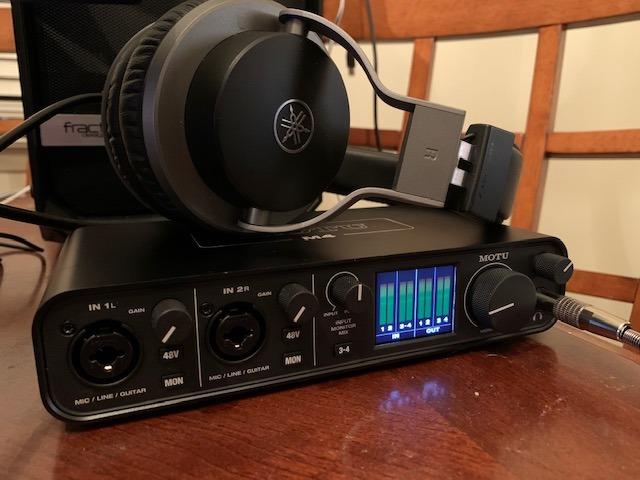
The M4 earns its place through the screen. Almost every interface this size shows you two LEDs, and the M4 shows a colour LCD with meters and settings, which removes the guesswork from a level check when you are holding a microphone in one hand.
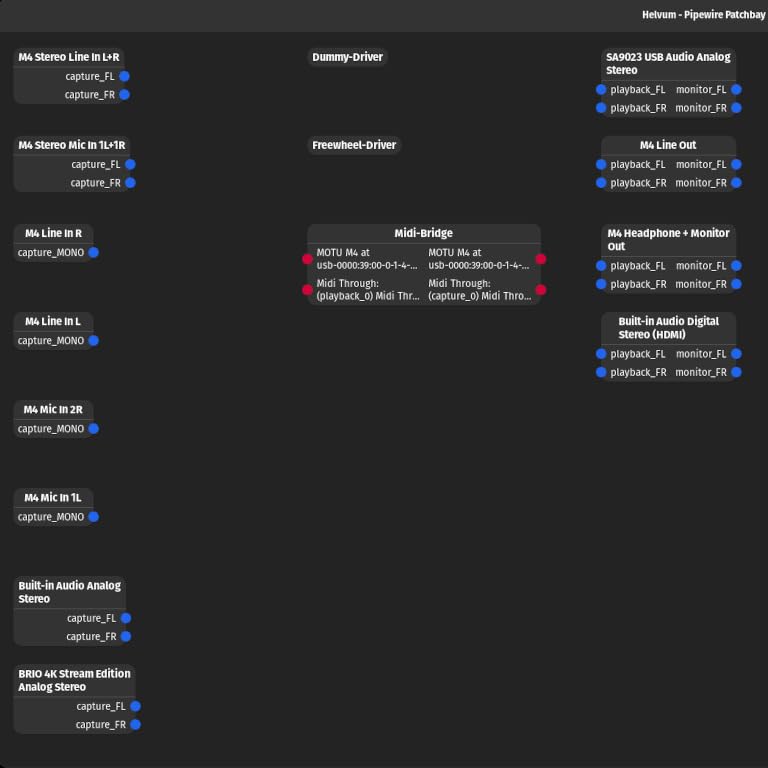
Underneath it is a 4-in/4-out USB-C box with two MOTU preamps and hardware monitoring at low latency. That means you can run a mix-minus style feed or cue a subject without a round trip through the recording software, which is the difference between a confident take and a retake.
There is also MIDI I/O, useful if a keyboard or controller is part of the session, and 6 GB of bundled software for Mac, PC and iOS. Loopback is there when you need to capture playback alongside a live input.
That screen matters more in a field context than the spec sheet suggests. With a shotgun on a boom outside the shot, you rarely get the luxury of crouching down to check a level on a computer display, and a colour meter you can read at arm’s length is worth more than an extra input nobody needs.
Why the M4 suits a laptop-based field session
Four inputs and four outputs give room for two microphones plus an instrument or a playback feed, and the hardware monitor means a performer hears themselves without software latency. Reviewers single out the LCD and the monitoring as the two reasons it stands out from simpler two-input boxes.
For a run-and-gun shoot where a laptop stays open in a bag, that combination is closer to what a location sound mixer actually wants than a bare desktop box. It works with a phone as well as a laptop, so the same box covers both capture styles.
Where the M4 falls short
At 4.25 by 8.25 by 1.75 inches it is a desk unit that travels, not a device you hang on a boom pole or drop in a coat pocket. Weight and bulk in the bag matter more than spec sheets once stands, cables and windshields are already loaded.
There are only two mic preamps, so a stereo pair plus a spare microphone is not possible, and the box is designed to be mains powered rather than run from batteries for a day in the field. If there is no computer in your kit, this is the wrong category.
5. Focusrite Scarlett Solo 4th Gen – Most Versatile for Clean Single-Mic Capture
Focusrite Scarlett Solo 4th Gen USB-C Audio Interface
1 XLR preamp plus Hi-Z input
120 dB dynamic range
24-bit/192 kHz
Air mode
Pros
- 120 dB dynamic range using Focusrite flagship converters
- 24-bit/192 kHz capture for high resolution
- Air mode adds presence to voice and guitar
- One XLR preamp plus Hi-Z instrument input at once
- Strong headphone amp with near-zero latency monitoring
Cons
- Single XLR input so no two-person interview
- Focusrite Control drivers reported to cut level for some dynamic mics
- Included cable is USB-A to USB-C
- Bus powered with no battery option
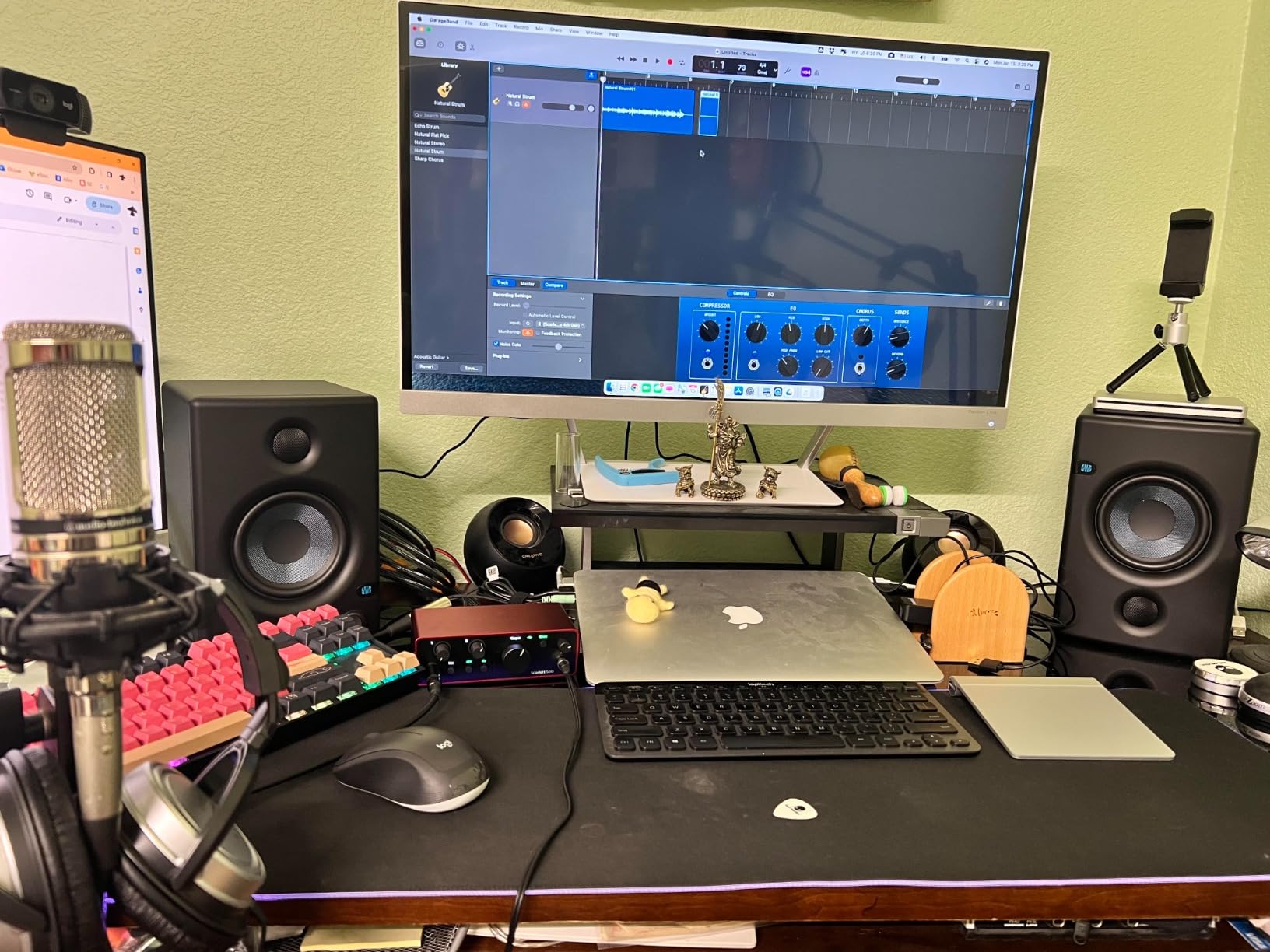
For a single microphone on a single subject, the Scarlett Solo 4th Gen is our quietest converter by published spec, at 120 dB dynamic range from the same converter family used in Focusrite flagship interfaces. That headroom is what lets a quiet ribbon microphone sit at a usable level without hiss.
It records 24-bit/192 kHz, so a wide ambience pair recorded in a church or a quiet courtyard keeps real resolution rather than a compressed approximation. The Hi-Z instrument input runs alongside the XLR preamp, so a mic and a guitar can be captured together in a rehearsal room.
Reviewers repeatedly note the simple controls and the strong headphone output, and working engineers in the reviews describe it as capable for serious work rather than a beginner box. Pro Tools Intro, Ableton Live Lite and Cubase LE are included, which shortens the path to a first session.
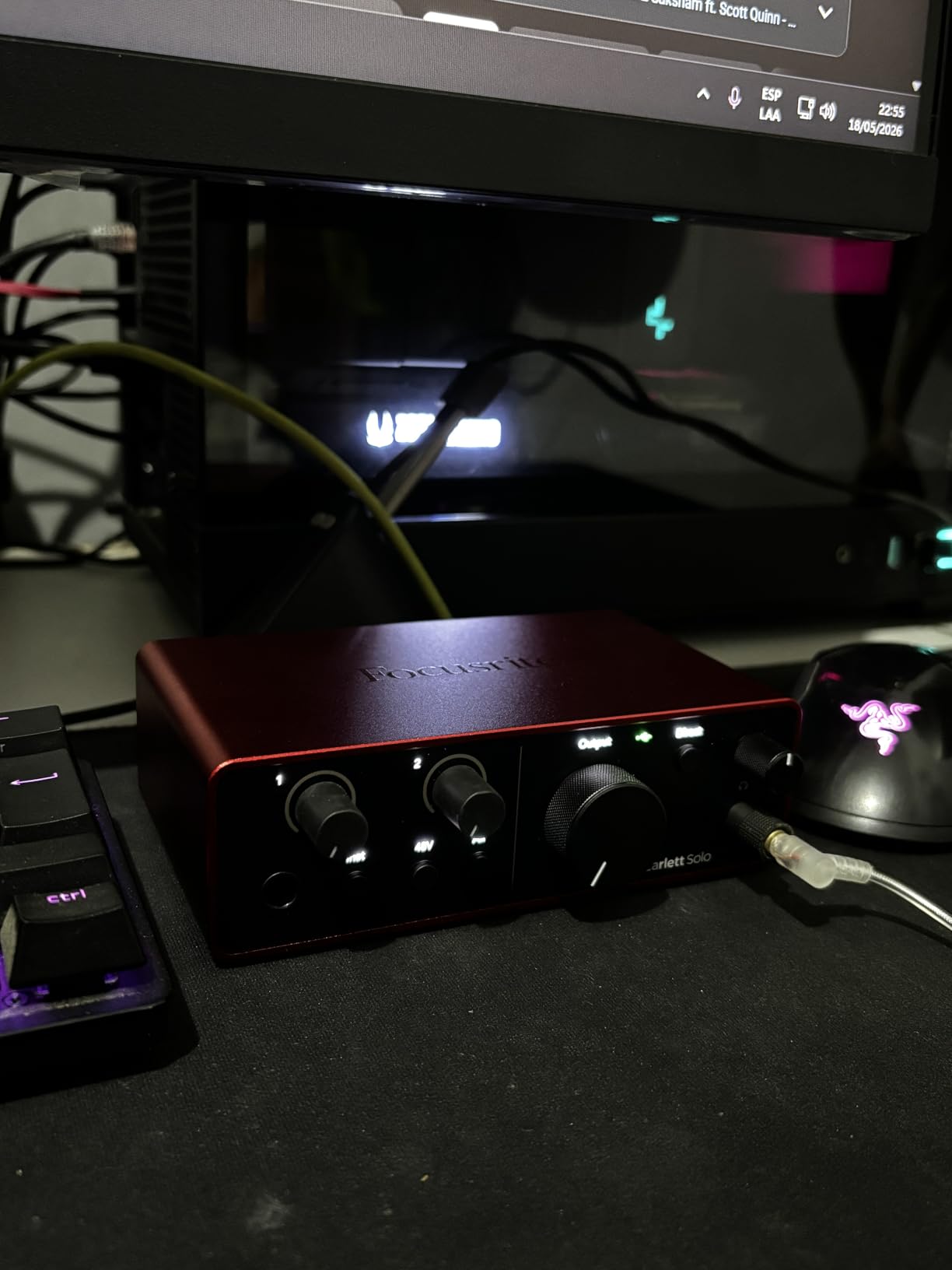
The Air mode is worth knowing about. It lifts vocals and guitars forward with added harmonic drive, which is a processing choice rather than a conversion change, so decide in the room whether you want colour or a flat take.
Our broader audio interface reviews tested honestly page goes deeper on how converter tiers compare when you move from a bus-powered box to a desktop unit.
Why the Solo suits one-mic location work
Low self-noise at moderate gain is the whole point, because field sources are often far quieter than a studio voice. Recording a small-diaphragm condenser twenty metres from a road is where converter quality shows and where a noisy preamp cannot be rescued later.
It is small, light at 14.4 ounces, and needs nothing but a laptop or a power bank, so it fits into a kit that already has a computer in it. Near-zero latency monitoring also lets a performer or subject be cued without the software in the loop.
Where the Solo falls short
There is one XLR input, so a two-person interview or a stereo pair is impossible on its own. That single fact decides it for most documentary work, where a second microphone is rarely optional.
Focusrite Control drivers have been reported in reviews to reduce input level in Windows with certain dynamic microphones such as the SM58 until the drivers are removed, which is a software issue rather than a hardware fault but still costs time. The included cable is USB-A to USB-C, and there is no battery option, so a modern laptop may need a different cable.
6. Universal Audio Volt 2 – Best for a Fuller Studio Sound
Universal Audio Volt 2 USB Audio Interface
2x2 USB-C with 610 emulation
24-bit/192 kHz converters
MIDI I/O
Bus powered
Pros
- Vintage mode emulates the character of a UA 610 preamp
- 24-bit/192 kHz converters described as clean under computer load
- Bus powered over USB-C for a laptop-only rig
- Plug and play on macOS and Windows with no driver hunting
- On and off button to leave it connected without idle power
Cons
- Only two LEDs for input metering
- No way to blend direct monitor with computer playback
- Modest gain for very quiet dynamic microphones
- Heavier than most portable options at 650 g
The Volt 2 is a heavier box at 650 g, and that mass comes from building the preamp stage around analog circuitry. Vintage mode emulates Universal Audio classic 610 preamp character on the captured signal, which is a fast way to get a warmer voice track without a second device.
Converters run at 24-bit/192 kHz and reviewers describe them as clean with no audible internal interference even when the computer is under load. It is plug and play on macOS and Windows with automatic device identification, so there is no driver hunt when you are unpacking in a car park.
It also carries MIDI I/O, and it works with LUNA plus a set of UAD plug-ins. A separate on and off button lets the interface stay physically connected without drawing idle power, which matters on a long session.
Why the Volt 2 suits a hybrid kit
If the same box has to work for a location session with a laptop and for tracking at a desk, the combination of bus power, high-resolution conversion and an on-board preamp character is unusually complete. Several owners report it sounded better than the Focusrite Solo it replaced.
Two XLR and two outputs also give you a stereo pair with a little headroom, which the single-input boxes cannot offer. Mobile use works on MacOS, Windows, iPad and iPhone, though the phone path needs the supplied external power supply and, for iPhones, a Lightning to USB camera adapter.
Where the Volt 2 falls short
Metering is two LEDs, so setting a precise gain by eye takes practice, and there is no hardware way to balance direct monitor against computer playback. Levels have to be trimmed inside the DAW, which slows down a live check.
Owners also describe the preamp gain as modest for very quiet dynamic sources, so a very low-output microphone may still need help. At 650 g it is the heaviest item we carried, and the companion app failed to launch for at least one registered user.
7. Shure MVX2U Gen 2 – Best for Phone and Tablet Capture
Shure MVX2U Gen 2 XLR-to-USB-C Audio Interface
XLR-to-USB-C inline adapter
Up to +60 dB gain
48V phantom power
100 g
Pros
- Plugs straight into a microphone XLR port with no cable
- Truly pocketable at 100 g for a boom or a shirt pocket
- Up to +60 dB of gain removes the need for an inline booster
- 48V phantom power works on mobile with no battery
- Onboard DSP with Auto Level
- denoiser and pop stopper
- Zero-latency headphone monitoring
Cons
- Full DSP control needs the MOTIV software
- Windows MOTIV build reported to add noise at zero gain
- Latest MOTIV version no longer supports Windows 10
- About +60 dB is not enough for extremely quiet dynamics
- Single XLR channel only
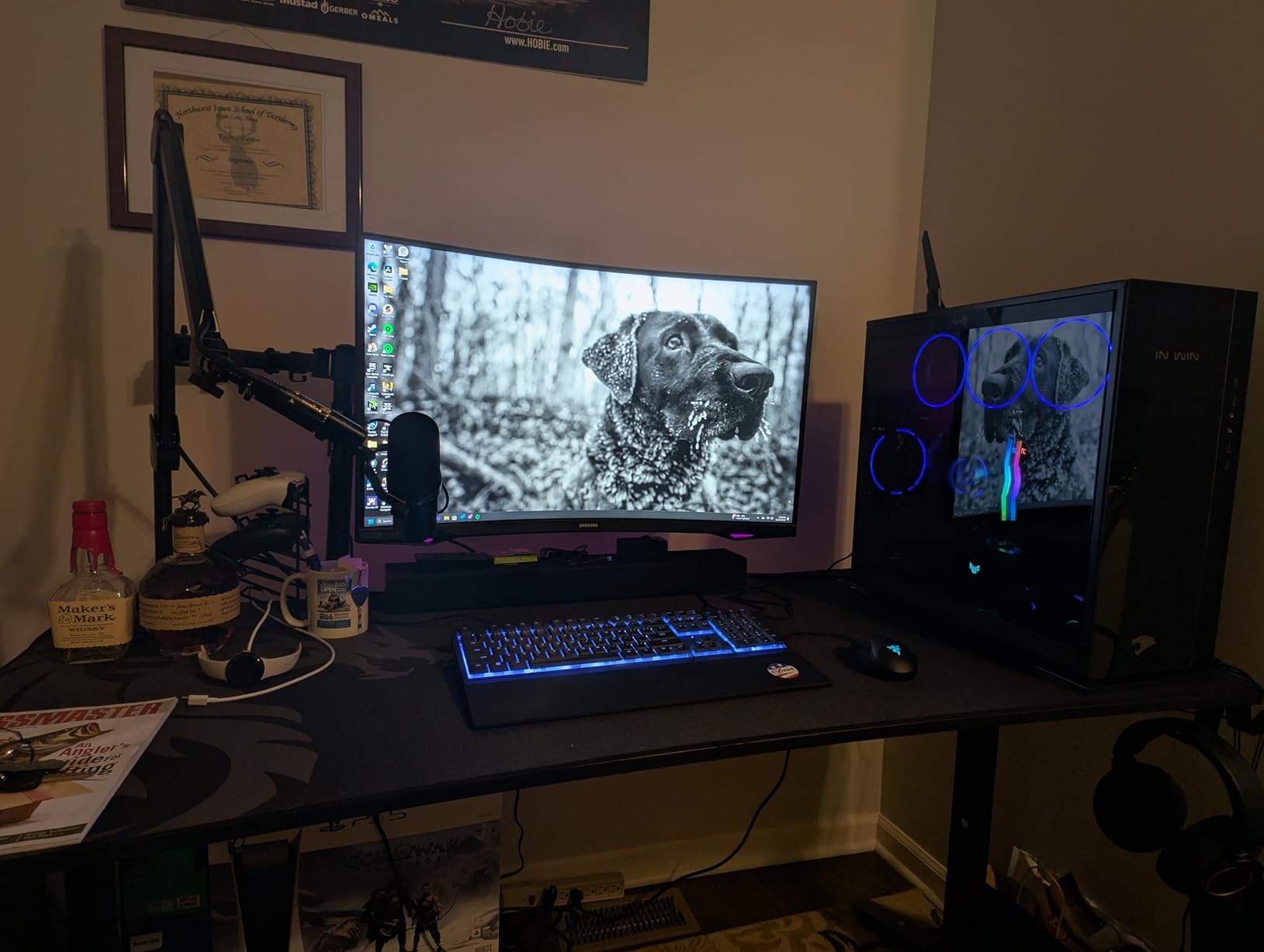
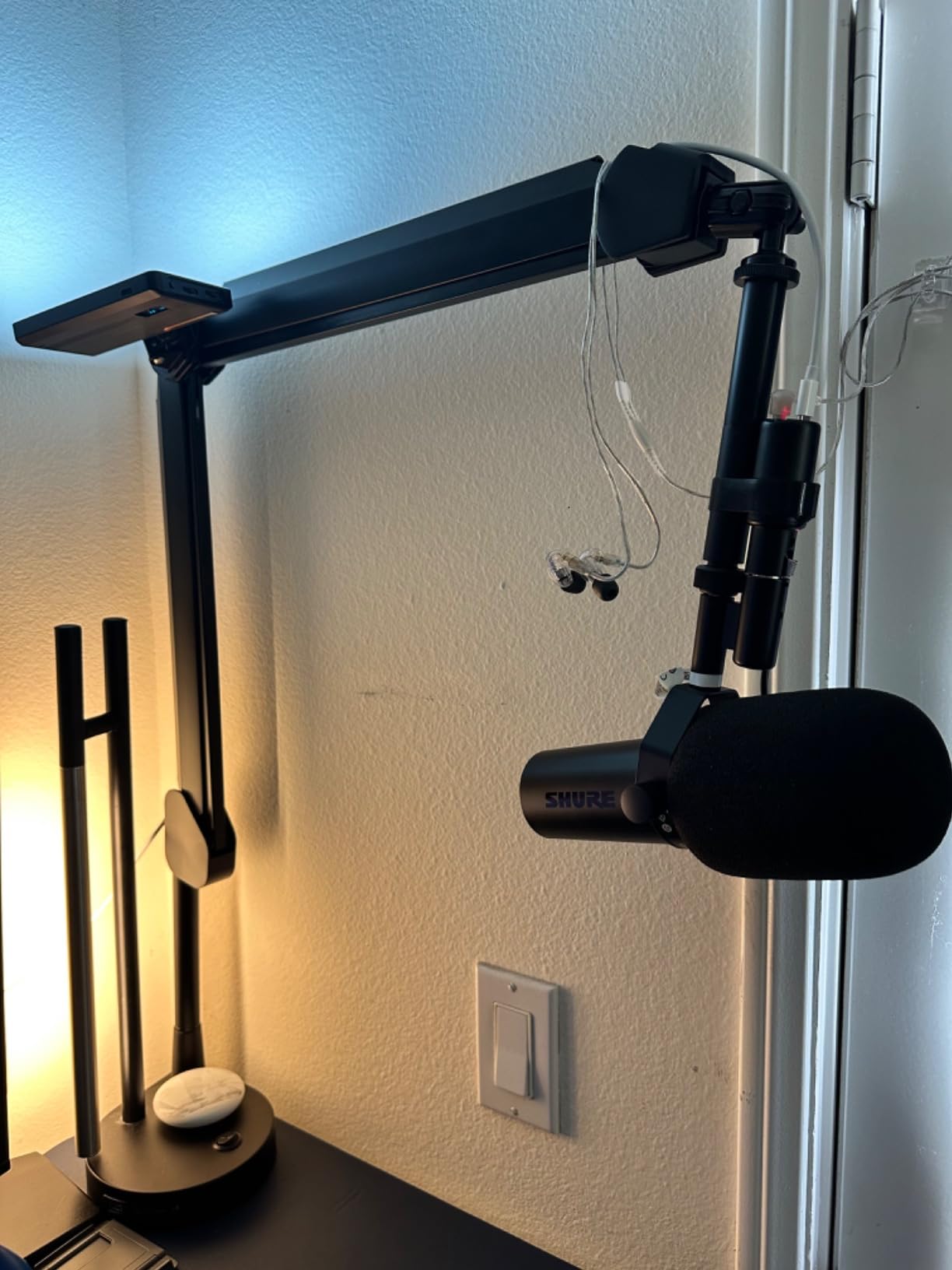
The MVX2U Gen 2 is the smallest useful tool in the group. It screws directly onto the XLR output of a microphone, so there is no cable, no box and no interface to lose, and at 100 g it will sit on a boom pole or in a pocket without complaint.
It supplies up to +60 dB of clean gain and 48V phantom power, and it runs from the device it is plugged into, so a condenser microphone on a phone needs no external supply at all. Onboard processing includes Auto Level Mode, a real-time denoiser and a digital pop filter, all of which work with zero latency.
Because it appears to the phone or tablet as a standard digital microphone, the same adapter works on Windows, macOS, iOS and Android over USB-C. That makes it the simplest travel kit in this group: one mic, one adapter, one phone.
Why the MVX2U suits mobile capture
Removing the XLR cable between mic and recorder removes a whole category of field problem. Cables snag on stands, pick up handling noise and break in cold weather, and an inline adapter is immune to all three.
Zero-latency headphone monitoring makes it practical for interviews, because the person wearing the headphones is hearing themselves with no delay. Reviewers also value the +60 dB of gain, which removes the need for a Cloudlifter-style booster with dynamic microphones such as the SM7B.
Where the MVX2U falls short
Reaching the full gain range and the processing needs the MOTIV software, and reviewers report the Windows build adding constant update prompts and introducing low-frequency noise at zero amplification. Recent MOTIV versions also no longer support Windows 10, which is a real problem on an older field laptop.
There is one channel, so a stereo pair or a two-person interview is out, and +60 dB is not enough for extremely low-output dynamics such as the RE20 without an inline booster. It is also not compatible with PS5 or Xbox because of the USB Audio Class 2.0 requirement.
8. Zoom H4 Essential – Best 32-Bit Starter Recorder
Zoom H4 Essential Handheld Recorder for Musicians, Podcasters & Filmmakers
32-bit float capture
Built-in X/Y stereo mics
2 XLR/TRS inputs
USB-C plus SD backup
Pros
- 32-bit float removes clipping and manual level setting
- Dual AKM converters switch automatically for extra headroom
- Built-in X/Y stereo microphones give usable imaging
- Two XLR/TRS inputs with phantom power for shotgun or condenser
- USB-C interface with simultaneous SD backup recording
Cons
- Levels set automatically so gain trimming moves to the edit
- No mix-minus and no TRRS for phone interviews
- Light-feeling plastic and soft buttons compared with older bodies
- Some owners report glitches corrupting long recordings
- Files split at roughly 40 minutes even at top quality
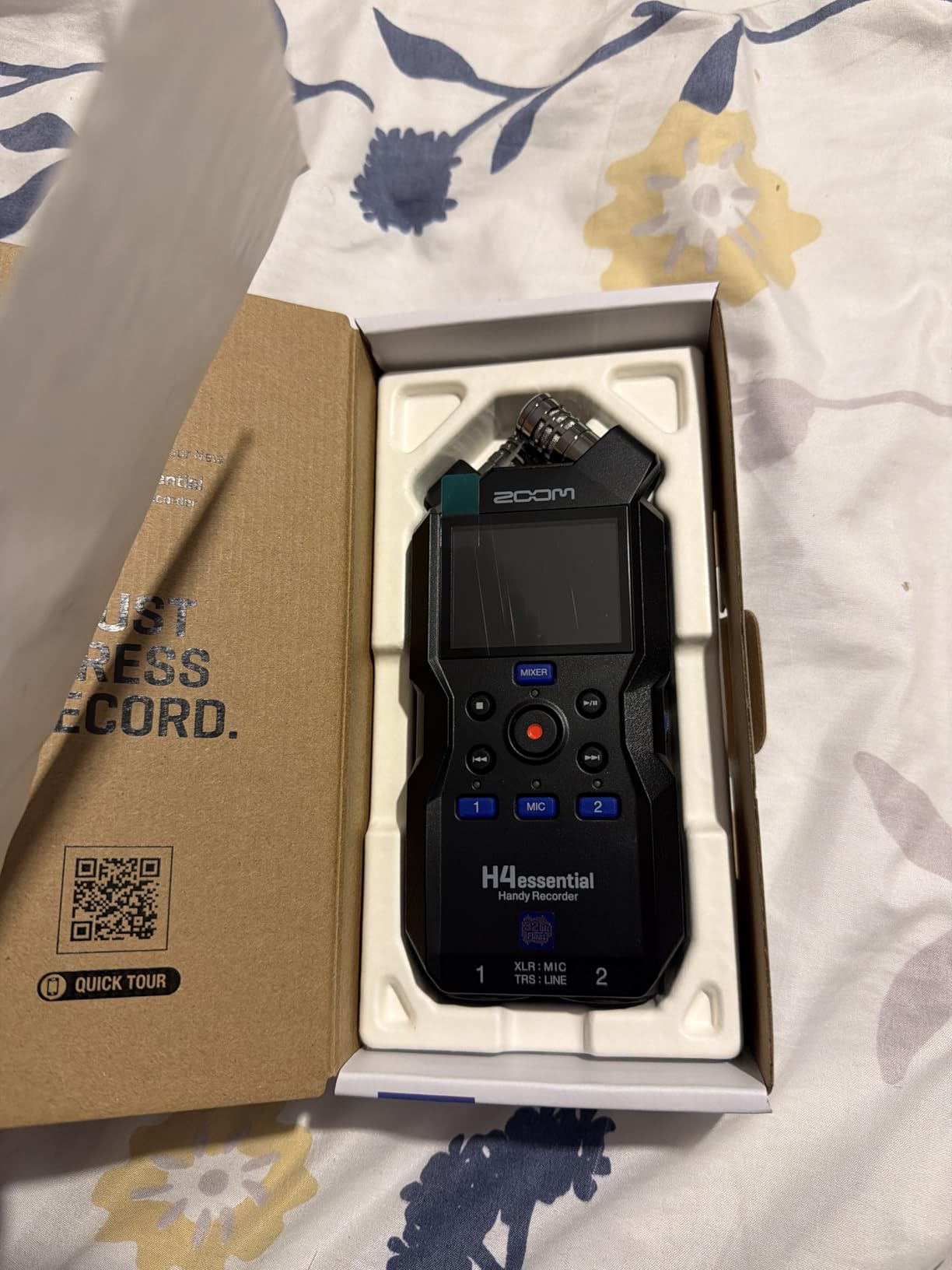
The H4 Essential is the easiest way to understand why 32-bit float matters. Because the recorder writes every level into a huge headroom, you can set it rolling and walk away, which removes the single most stressful part of location work.
Dual AKM converters switch automatically to add headroom on loud sources, and in practice that means a bird call close to the capsule and a distant road can live on the same card without either one clipping. It records 32-bit float, 24-bit and 16-bit at 44.1, 48 and 96 kHz, and in WAV or MP3.
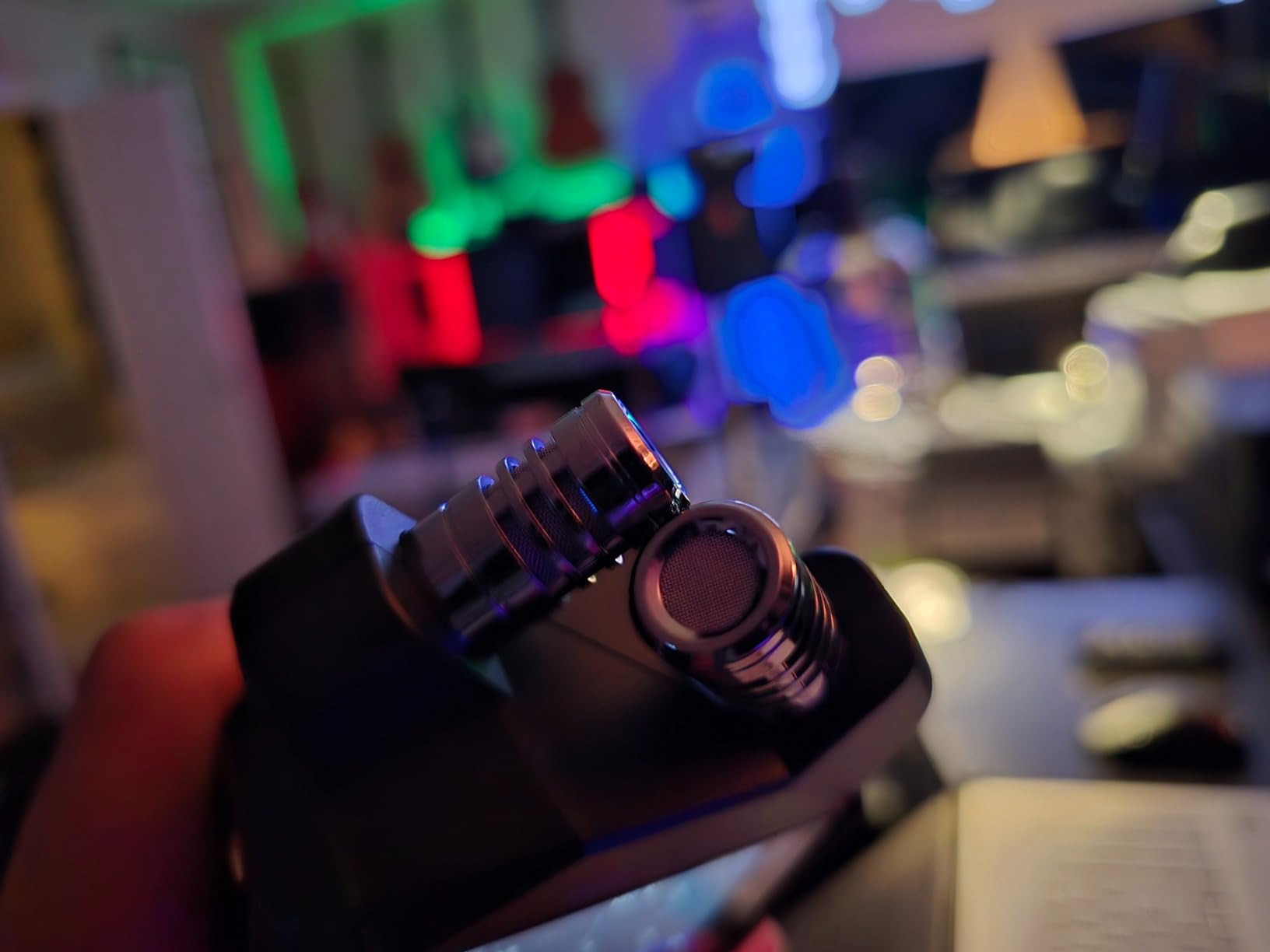
The built-in X/Y stereo microphones give usable detail and imaging without external mics, and two XLR/TRS inputs with phantom power take a shotgun or a condenser for location work. SD cards are supported up to 1 TB, which removes the capacity anxiety of older recorders.
The USB-C port works as an audio interface and, at the same time, writes a backup to the SD card. For a run-and-gun shoot that redundancy is worth more than another feature in the menu.
Spoken menu guidance is a small touch that makes the box usable for visually impaired recordists, and the 2 inch screen plus 243 g weight keep it in a reasonable field bag.
Why the H4 Essential suits unpredictable sources
It is a set-and-forget recorder for ambience, wildlife and documentary work where levels change without warning. Reviewers value the float capture precisely because it removes level-setting stress on unpredictable field sources.
It also handles both halves of a session: built-in stereo mics for a wide bed, and the two XLR/TRS inputs when you need a spot mic. That combination covers most single-operator field work without a second body in the bag.
Where the H4 Essential falls short
Because levels are set automatically, gain trimming moves to the edit, which is extra workflow if you need a specific level at capture. There is no mix-minus and no TRRS input, which is a significant limitation for phone-call interview recording, and the P4 covers that job properly.
Owners also report a light-feeling plastic body, soft buttons and a rocker switch that compares poorly with older H-series recorders, plus intermittent glitches that have corrupted longer takes. Files still split at roughly 40 minutes at the highest quality, and the 4.4 average across 658 reviews reflects a more divided owner base than the other Zoom recorders in this group.
9. Audient EVO 4 – Best for Musicians and Instrument Recording
Audient EVO 4 USB Audio Interface
2 Audient EVO preamps
JFET instrument input
24-bit/96 kHz AKM
Smart Gain touch control
Pros
- Console-derived Audient preamps with a clean chain
- JFET instrument input with a different character for guitar and DI
- Smart Gain makes gain staging quick without a menu
- Loopback records computer audio alongside mic input
- USB 2.0 bus power means one cable for data and power
Cons
- 24-bit/96 kHz ceiling is below most current competitors
- Minimal meters and controls for level matching
- Bus powered only with no battery option
- Touch controls unusable with gloves or in wet conditions
The EVO 4 is built for a microphone and an instrument in the same take. Two Audient preamps with 48V phantom power handle the mic, and the JFET instrument input gives a noticeably different character for guitar or a DI box, which is a cheap way to record two sources at once in a rehearsal room.
Smart Gain and the interactive touch point mean gain staging takes seconds without a menu, and the loopback function records computer audio alongside the mic input for streaming and voiceover. One USB cable carries data and power, so the box is ready the moment a laptop is open.
It works on macOS, Windows and iOS, and it comes with a free software and plug-in package. At 5.5 by 2.6 by 2.6 inches the footprint is easy to pack into a mobile kit.
Why the EVO 4 suits a musician who records on the move
Two mic inputs plus a JFET instrument channel is the right shape for songwriters, and reviewers regularly use this box as a step up from an entry-level interface. The Audient preamp character is the reason many people move up to it.
Bus power and a compact footprint mean it fits a rehearsal room, a small stage or a hotel room without a power supply. If the kit also needs a guitar-specific chain, our guitar interface guide covers that angle.
Where the EVO 4 falls short
Conversion stops at 24-bit/96 kHz, below the 192 kHz ceiling that several boxes in this list offer, and the meters and controls are minimal, so matching levels with dynamic microphones takes practice. There is no hardware balance between input and playback monitoring.
It is bus powered only, so it has no battery option and cannot record standalone, and the touch-based control is not usable with gloves or with wet hands. In a wet field in winter, that is a genuine limitation rather than a nitpick.
10. Tascam DR-05XP – Best for Travel and Nature Recording
TASCAM DR-05XP 32-Bit Float Portable Handheld Field Recorder and USB-C Audio Interface — Digital Stereo Recording of Music, Sound, Voice, Audio for Video and Podcasting
32-bit float capture
Built-in omnis to 125 dB SPL
2-in/2-out USB-C
17.5 hours on 2 AA
Pros
- 32-bit float removes level-setting stress for unpredictable sources
- Omnidirectional condenser capsules handle sources up to 125 dB SPL
- Very light at 4.48 oz for pockets and long sessions
- Doubles as a 2-in/2-out USB-C interface for computer recording
- Up to 17.5 hours on two AA batteries
- Records 32-bit float 24-bit and 16-bit at up to 96 kHz plus MP3
Cons
- Built-in microphones only with no XLR or line input
- SD card and batteries are not included
- Owners want a physical gain control and larger transport buttons
- Speaker playback is basic so headphones are required
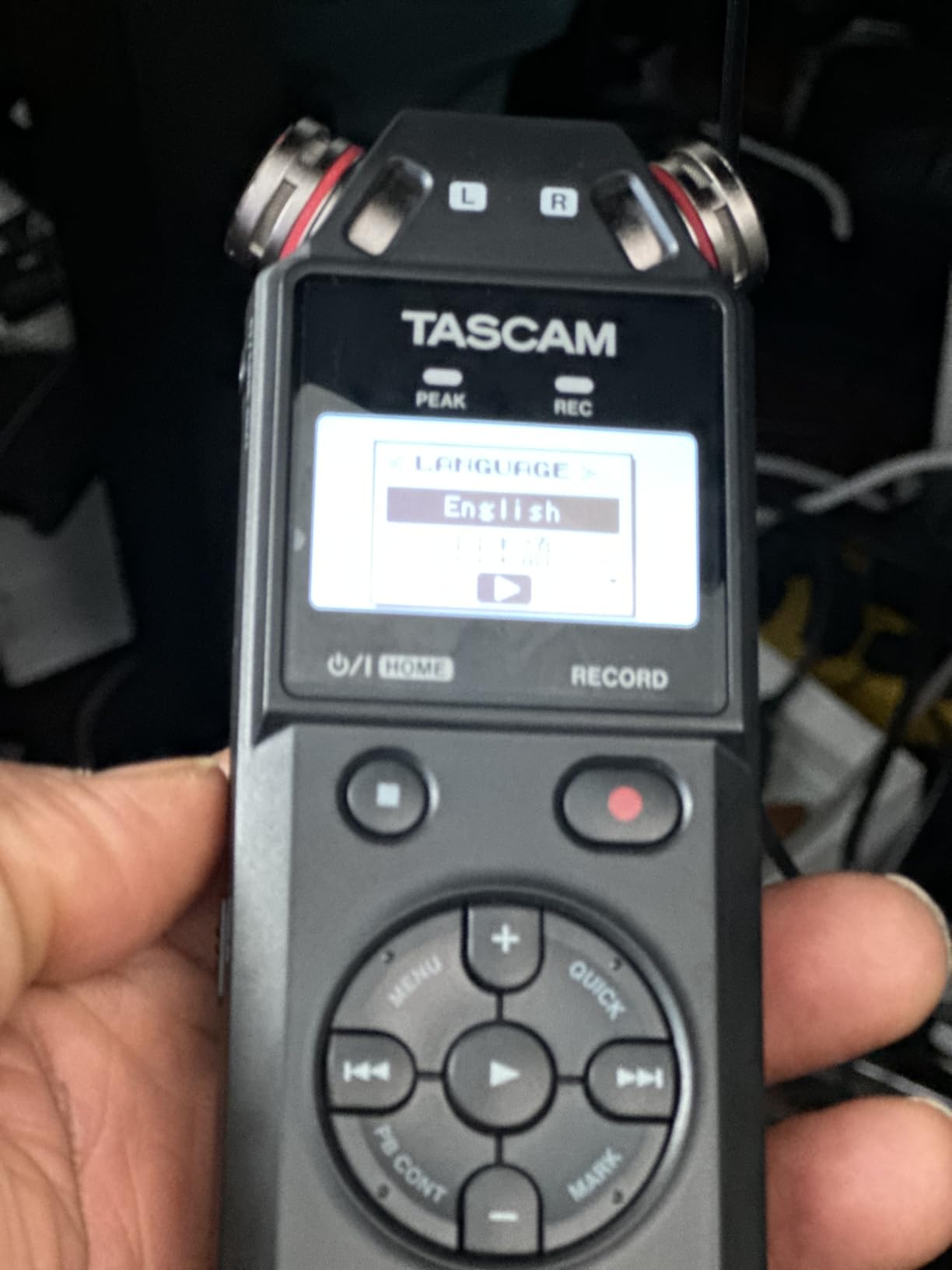
The DR-05XP is the recorder I would hand someone who wants to carry nothing. At 4.48 ounces and 5.6 inches long it lives in a jacket pocket, and the built-in omnidirectional condenser capsules handle sources up to 125 dB SPL without clipping.
It records 32-bit float, 24-bit and 16-bit at 96, 48 and 44.1 kHz, plus MP3, and runs for up to 17.5 hours on two AA alkaline batteries, which is a longer working day than most handhelds give you.
It also works as a 2-in/2-out USB-C interface, so a take can be moved to a computer at the end of the day without a card reader. microSD recording goes up to 512 GB, though the card is not included.
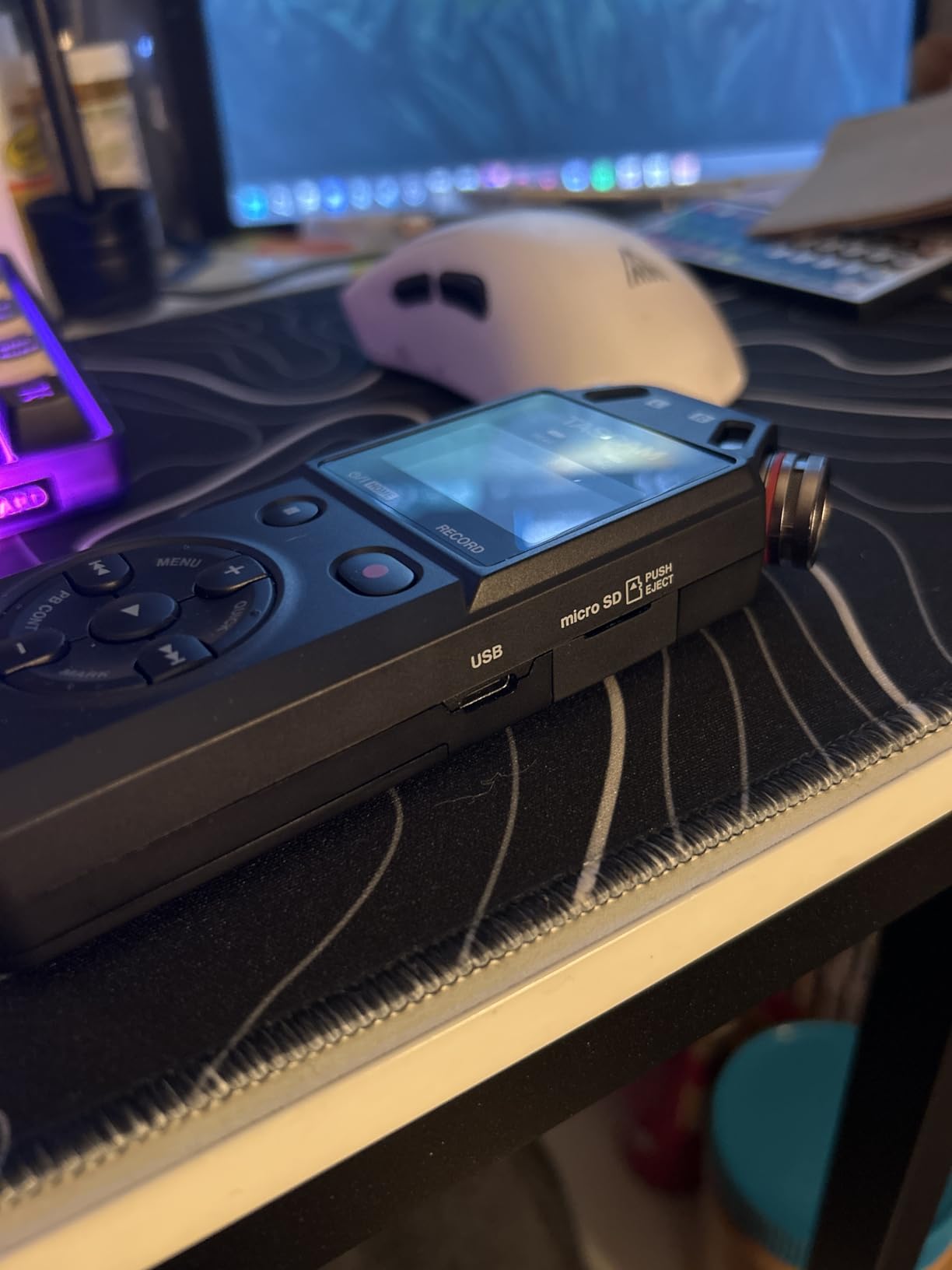
The interface mode matters for a working day. Capture a bed straight to the card in the field, then plug the same body into a laptop and pull the files across without a card reader, which is one less thing to lose in a bag.
Why the DR-05XP suits travel and ambience
It is the lightest unit we carried, and 32-bit float means a walker does not have to stop to check levels while a bird or a bus goes past. The capsules are described as handling loud environments as well as quiet ones.
For soundwalks, travel documentation and ambience beds, having no external input is not a limitation, it is the design. Nothing to connect means nothing to fail, and the box is small enough to record one-handed.
Where the DR-05XP falls short
There is no XLR and no line input, so it cannot take a professional field microphone, and no adapter will change that. A shotgun or a good stereo pair is simply not an option with this body.
Owners frequently want a physical gain control and faster transport buttons than the small keys provide, and the on-board speaker playback is basic, so headphones are effectively required. SD card and batteries are sold separately, and the 4.2 average across 295 reviews with a 10 percent one-star share shows a more divided owner base than most of the units here.
How to Choose a Portable Audio Interface for Field Recording in 2026
Preamp noise floor and gain staging
Do I need a mic preamp with an audio interface? Yes. The preamp is what raises a microphone’s small output to a usable recording level, and the one you cannot upgrade later. A noisy preamp adds hiss to every take, which is why the quietest published preamp spec here, the Scarlett Solo 4th Gen at 120 dB dynamic range, is our premium pick for single-mic work.
Gain staging is the part most beginners get wrong. Set the level so a loud passage lands just under clipping, use the -20 dB pad on the H5 for very close sources, and never rely on post-processing to remove noise that was baked in at capture.
32-bit float and its real limits
Should I use a 32-bit float recorder? Yes, if your sources are unpredictable and you cannot babysit a level meter, because it records a huge amount of headroom and recovers audio that would otherwise clip. The H4 Essential and DR-05XP both do this, and users in field-recording forums treat it as a genuine stress reducer on run-and-gun jobs.
It is not a free pass. 32-bit float does not change the maximum input level of the preamp, so recorders with a fixed mic input ceiling will still distort a hot source. Treat it as protection against accidents rather than a licence to point a condenser at a jet engine.
Channel count and matching your microphones
Count the microphones you actually need, not the ones you might need. One channel suits a single interview or a spot mic, the two-input recorders handle a stereo pair plus nothing else, and four inputs such as the PodTrak P4 give you two people plus two ambience channels with a private headphone feed each.
Decide how you will monitor before you buy. Per-channel headphone outputs change an interview from a one-take gamble into a routine job, and they are the single feature on this list that most changes how the work feels.
Power source and battery runtime in the field
Work out how long you will be away from a car. A wall adapter kills portability, and a bus-powered box needs a laptop or a power bank. The published runtimes are worth comparing honestly: the DR-05XP claims up to 17.5 hours on two AA cells, the H4 Essential lists 20 hours, and the PodTrak P4 manages up to 3.5 hours, which is not enough for a full interview day without USB power.
Phantom power draws meaningfully more current, so runtime figures assume no phantom power. Always check the type of cell the recorder expects, because mixing rechargeable and alkaline cells in the same compartment is the fastest way to lose a session.
Outdoor usability, wind protection and mic choice
Test the controls with cold hands. Small buttons, no physical gain knob and a screen that dims on battery power are the three complaints that show up again and again, and a unit you cannot read at a glance is a unit you will mis-set.
Forum consensus across sound recordists is consistent on the point that matters most: microphone choice, placement and wind protection affect the result far more than the recorder. A shotgun twenty centimetres from a subject, or a fuzzy windshield in a breeze, will not be rescued by any preamp on this page. Start with a close-mic technique and a decent windshield, then upgrade the recorder.
If you are still working out the basics of signal flow, our USB interface guide for beginners explains the gain and monitoring basics this page assumes.
Frequently Asked Questions
What is the best portable recorder for field recordings?
The Zoom PodTrak P4 is the most capable all-rounder in this group, with four XLR inputs, four independently controlled headphone outputs and automatic mix-minus for phone interviews. If you need the quietest single-mic capture, the Focusrite Scarlett Solo 4th Gen has the lowest self-noise. For pure travel recording with no external microphones, the Tascam DR-05XP is the lightest and longest-running option.
Should I use a 32-bit float recorder?
Use one when your sources are unpredictable and nobody can watch the level meter, because it captures a very large amount of headroom and recovers audio that would otherwise clip. It does not raise the maximum input level of the preamp, so a hot source can still distort on recorders with a fixed input ceiling. The Zoom H4 Essential and Tascam DR-05XP both record 32-bit float.
Do I need a mic preamp with an audio interface?
Yes, because the preamp raises a microphone’s small output to a usable level and it is the one stage you cannot upgrade later. A noisy preamp adds hiss to every take and no software removes it cleanly. That is why conversion quality and self-noise mattered most in our ranking, with the Focusrite Scarlett Solo 4th Gen leading on a 120 dB dynamic range.
Can a portable audio interface work with a phone or tablet?
Most of them can. The Shure MVX2U Gen 2 connects an XLR microphone directly to a phone or tablet over USB-C and works on iOS, Android, Windows and macOS. The Zoom H4 Essential, Tascam DR-05XP and Zoom H5 also double as USB audio interfaces, and the Motu M4 and Focusrite Solo 4th Gen work with iPad and smartphone recording as well.
Which field recorder has the best sound quality?
Among the boxes here the Focusrite Scarlett Solo 4th Gen leads on published converter spec with 120 dB dynamic range and 24-bit/192 kHz capture, followed closely by the Universal Audio Volt 2 with its 24-bit/192 kHz converters and 610 preamp emulation. Real differences between tiers are subtler than most buyers expect, so microphone choice and placement usually matter more than the upgrade.
What is the 3 to 1 rule for microphones?
The 3 to 1 rule says a directional microphone should be at least three times further from the source than the previous microphone, which helps keep reverb and room tone from dominating. In the field it is a practical way to set ambience and spot levels, and it works with any of the recorders on this page provided the preamp has enough clean gain for the quieter source.
Final Verdict for Portable Field Recording in 2026
The Zoom PodTrak P4 is the best portable audio interface for field recording in 2026 for most working recordists, because four XLR inputs with four private headphone feeds and mix-minus remove almost every reason a field take fails. The runner-up for single-mic work is the Focusrite Scarlett Solo 4th Gen, which has the quietest conversion in the group, and the sensible first purchase is the Behringer UMC22 if you only need one microphone.
Whichever you pick, spend the saved effort on microphone choice, placement and wind protection, and use our full audio interface guide if you are building out a desk setup alongside the field kit.