
Most condenser microphones will not make a sound until an audio interface sends 48V phantom power down the XLR cable. That single switch decides which boxes on the market can record your mic at all, and it is the filter we used to build this list of the best audio interfaces with phantom power for condensers in 2026. Every pick below ships with switchable 48V on a real XLR microphone input, and we note how the switching is wired so you do not find out after buying.
We compared 12 interfaces across entry, mid and project-studio tiers, weighing usable preamp gain, phantom power configuration, converter resolution, monitoring options, driver support and how much of the interface is genuinely usable with a condenser rather than a dynamic. If you want the wider picture first, our general guide to the best audio interfaces covers the fundamentals before we get into the phantom power detail here.
One clarification before the picks: phantom power is not an upgrade. It does not make a microphone sound better, it makes it function. A true condenser has no internal battery, so without 48V the capsule produces no output at all. Dynamic microphones do not need it, ribbon microphones should never receive it, and USB condenser microphones bring their own power supply and never need an interface.
Table of Contents
Top 3 Picks for Audio Interfaces with Phantom Power in 2026
Best Audio Interfaces with Phantom Power for Condensers in 2026
Twelve interfaces, every one of them able to power a condenser microphone through a real XLR input. The differences that matter for a condenser are the amount of clean gain on offer, whether phantom power is switched globally or per channel, and whether the interface can do more than one mic at a time.
| Product | Specifications | Action |
|---|---|---|
 Behringer UMC22 Behringer UMC22 |
|
Check Latest Price |
 M-Audio M-Track Duo M-Audio M-Track Duo |
|
Check Latest Price |
 Behringer UMC202HD Behringer UMC202HD |
|
Check Latest Price |
 PreSonus AudioBox 96 PreSonus AudioBox 96 |
|
Check Latest Price |
 Focusrite Scarlett Solo 4th Gen Focusrite Scarlett Solo 4th Gen |
|
Check Latest Price |
 Audient EVO 4 Audient EVO 4 |
|
Check Latest Price |
 MOTU M2 MOTU M2 |
|
Check Latest Price |
 Audient iD4 MKII Audient iD4 MKII |
|
Check Latest Price |
 Arturia MiniFuse 2 Arturia MiniFuse 2 |
|
Check Latest Price |
 Audient iD14 MKII Audient iD14 MKII |
|
Check Latest Price |
 Universal Audio Volt 2 Universal Audio Volt 2 |
|
Check Latest Price |
 Solid State Logic SSL 2 MKII Solid State Logic SSL 2 MKII |
|
Check Latest Price |
How We Picked These Interfaces
Every interface here was filtered for a real, switchable 48V supply on an XLR input. Anything that only offered phantom power on an instrument jack, or buried the switch in software, dropped out immediately, because condenser work depends on that input being live before you open your DAW.
From there we looked at usable clean gain rather than headline numbers, since a condenser that needs a lot of voltage will show you the difference between a quiet preamp and a generous one. We also weighted the phantom power switching style, because a global switch is a real constraint when you want a ribbon, a dynamic guitar mic and a condenser in the same session.
Converter resolution, monitoring options, bus power behaviour and driver stability across macOS, Windows and iOS completed the picture. Our beginner interface guide covers the same ground for anyone still deciding which category of box to buy.
1. Behringer UMC22 – The Most Proven Phantom-Powered Starter Box
Behringer UMC22 Audiophile 2×2, 48 kHz USB Audio Interface with Midas Mic Preamplifier | For Recording Microphones and Instruments
Two combo inputs
48V phantom power
Midas-designed preamp
24-bit/96 kHz
Pros
- Midas-designed preamp with switchable 48V phantom power
- Combo inputs accept XLR
- 1/4 inch TRS and unbalanced TS
- Direct monitor select plus signal and clip LEDs
- Bus-powered and instantly recognised by macOS and Windows
- Proven across more than 12k reviews
Cons
- Two inputs only
- so no stereo pair or duo tracking
- 96 kHz sample-rate ceiling over USB 2.0
- All-plastic chassis feels light on a busy desk
This is the interface we hand to someone whose first condenser has just arrived and needs to work that day. The UMC22 has been in continuous production for years, and that longevity is the point: the driver is old enough to be invisible, the combo front jack takes whatever cable you have, and the rear-panel 48V switch is a physical toggle rather than something you find in a menu.
Phantom power here is global, which is worth understanding before you build a signal chain. It feeds both microphone preamps at once, so if you plug a ribbon or a passive ribbon-style dynamic into input two while 48V is engaged on input one, that mic gets the voltage as well. Our workaround is to keep phantom engaged for condenser takes and switch it off whenever the ribbon is the source.
The preamp is Midas-designed, the same lineage as Behringer’s touring and studio consoles, and for a vocal chain that translates into a clean capture with no obvious noise floor colouring the recording. On a quiet room tone you can hear the preamp working, which is not something you can say for every interface in this price bracket.
How the phantom power and gain behave in practice
Gain runs from the front-panel preamp knob in the usual way, and the signal and clip LEDs give you a coarse reference rather than a precise meter. For vocals that is enough. We set the knob, watch the clip LED stay dark, and check the peak reading in the DAW to confirm we have somewhere between 8 and 12 dB of headroom left for the peaks a singer will naturally hit.
Direct monitor select routes the input straight to the headphone output so you can track without hearing the software round trip. That is a genuinely useful feature at this level, and it is why the UMC22 is a reasonable first box rather than a stopgap.
Where it stops being enough
Two inputs is the ceiling. If your next step is a stereo pair of small-diaphragm condensers for a drum overhead or a guitar pair, this box physically cannot take them, and the same applies to tracking a duo singer live.
The 96 kHz ceiling is a USB 2.0 limit rather than a converter limit, and it is irrelevant for most tracking work at 44.1 or 48 kHz. It only matters if you plan to print stems at 192 kHz, which is rare outside mastering.
2. M-Audio M-Track Duo – Two XLR Inputs for the Smallest Budget
M-AUDIO M-Track Duo USB Audio Interface
Two XLR inputs
48V phantom power
USB/direct switch
16-bit/48 kHz
Pros
- Two XLR inputs with phantom power in a low-cost box
- Transparent Crystal preamps suit condenser microphones
- USB/direct switch for zero-latency monitoring
- Recognised immediately by macOS
- Windows and iOS
- Includes MPC Beats
Cons
- Phantom supply is under-driven
- so condenser gain needs pushing
- Poor gain taper makes the top of the range very sensitive
- Lightweight plastic chassis that shifts under cable strain
- Resolution tops out at 16-bit/48 kHz with no MIDI I/O
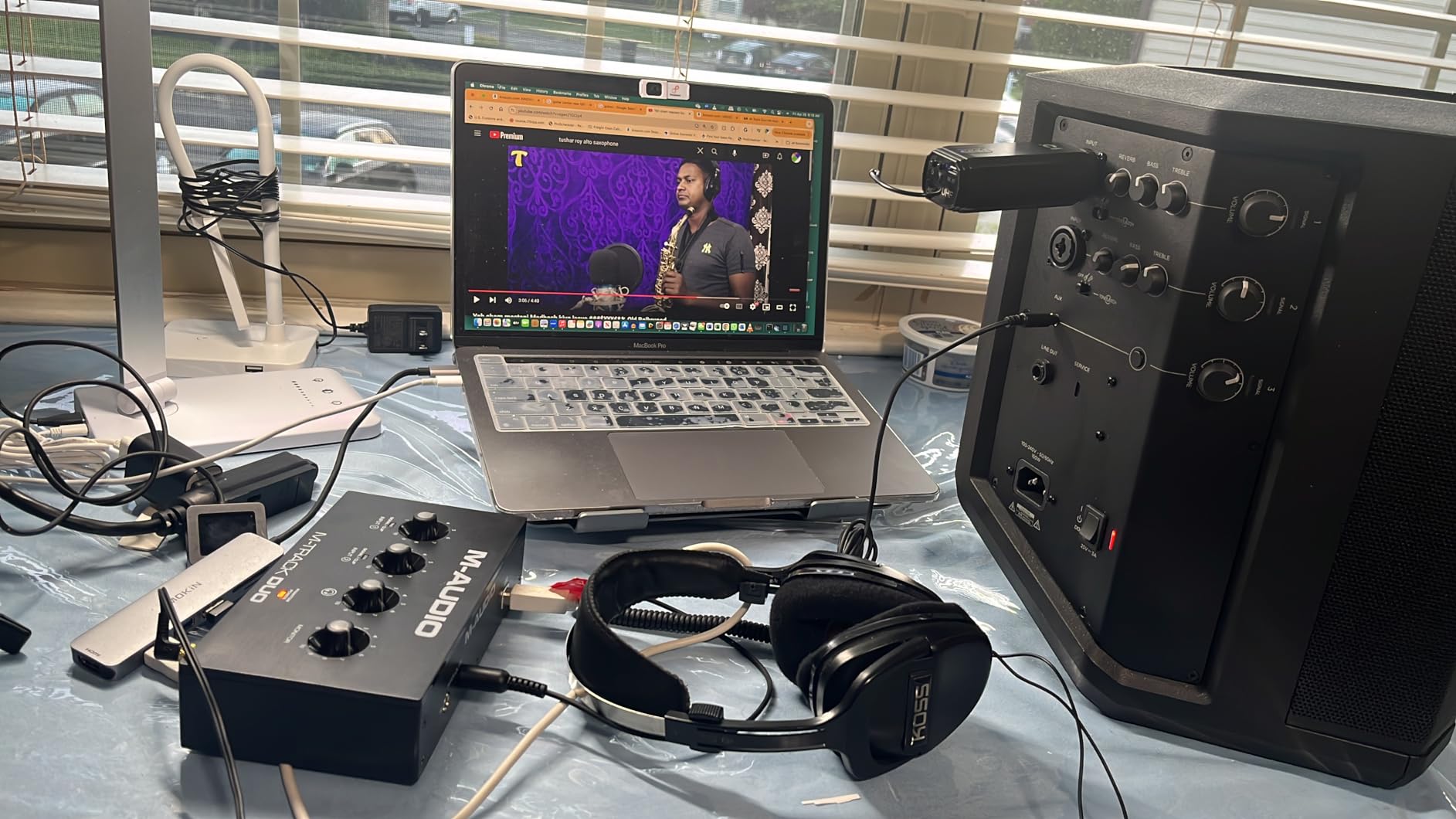
The M-Track Duo is a low-cost way on our list to have two genuine XLR inputs with phantom power, and for a singer and an acoustic guitarist sharing one interface that is exactly enough. Both combo inputs accept XLR, line and instrument sources, so a condenser in one and a guitar DI in the other needs no extra hardware.
Phantom power is switchable on the inputs, which makes this box more flexible than the UMC22 for mixed-source sessions. The limitation reviewers raise most often is the strength of the supply itself: on a demanding condenser you end up running the gain control further than feels comfortable, and the low end of the range is where the preamp is least flattering.
Reviewers consistently describe the sound as clean, with no audible hiss even when gain is high, which matches our own impression on quiet material. The Crystal preamps are transparent rather than coloured, so whatever character your microphone has survives the chain intact.
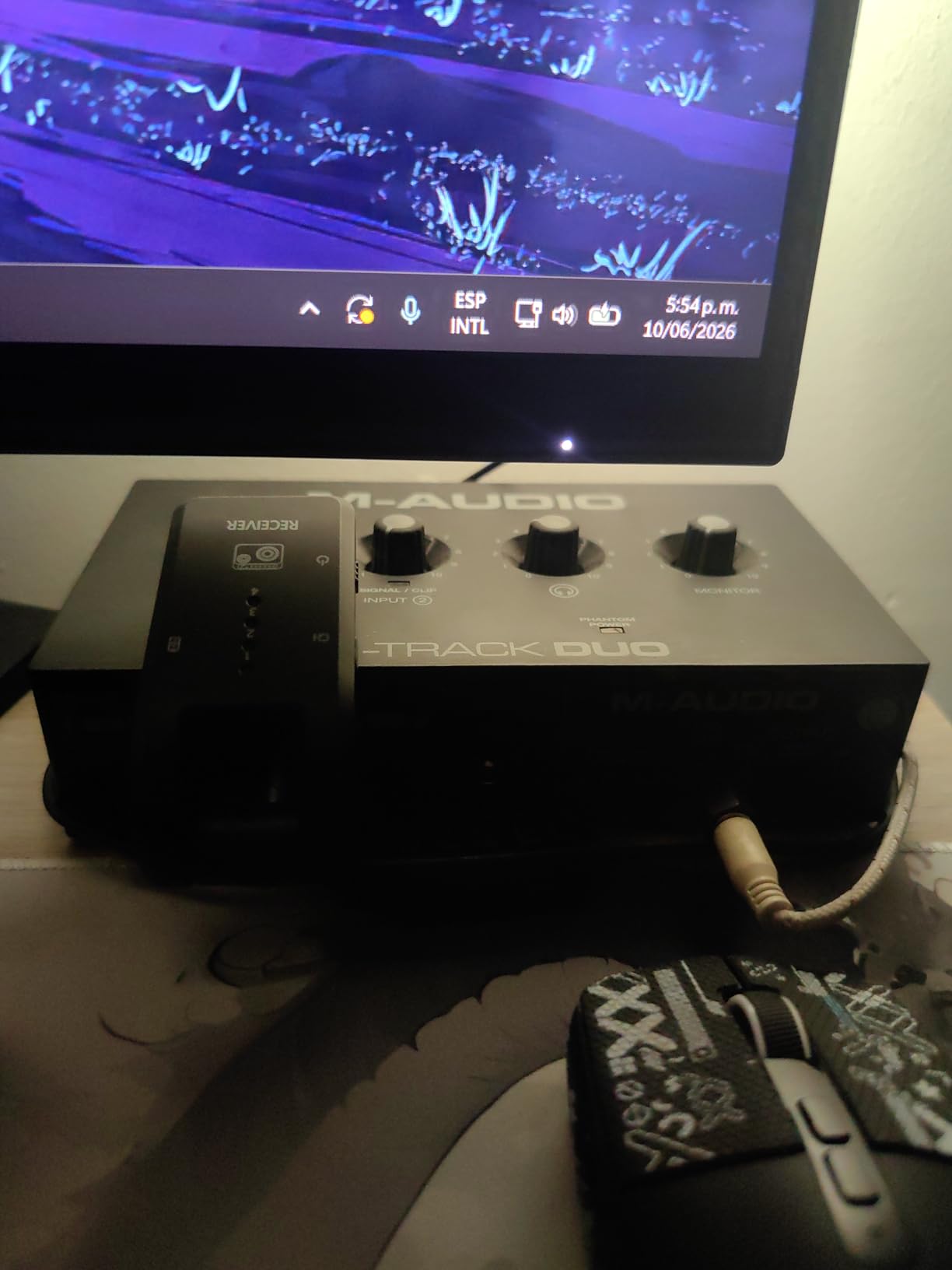
Monitoring is handled by a USB/direct switch. Flip it to direct and the signal bypasses the computer entirely, so there is no round-trip latency while you sing. Flip it to USB and you hear the DAW playback as well, which is what you want once you are overdubbing against an existing track.
The dimensions, 4.34 by 7.5 by 2.13 inches, make this the most portable box we list, and it runs on macOS, Windows and iOS. That combination is why it keeps showing up as a podcast and livestream interface as well as a tracking box.
Where the gain taper gets in the way
The single biggest practical complaint is the gain pot taper. The top of the range is extremely sensitive, so a small movement can jump several decibels and clip a vocal. Work around it by backing off, setting a level, and doing your finer adjustments inside the DAW.
There is also the headphone detail worth knowing: listening to computer audio through the headphone output rather than direct monitoring changes the sound, because that path goes through the interface DAC. For tracking, stay on the direct setting.
Where it stops being enough
16-bit/48 kHz is the real ceiling on quality. For tracking and mixing it is workable, but the resolution is below what every other interface in this list delivers, and there is no MIDI I/O at all.
The chassis is light plastic and the front jacks take a lot of leverage from a heavy XLR cable, so give it a stable spot rather than letting it sit at the edge of a desk.
3. Behringer UMC202HD – 192 kHz and a Metal Shell for a Step Up
Behringer UMC202HD Audiophile 2×2, 24-Bit/192 kHz USB Audio Interface with Midas Mic Preamplifiers | For Recording Microphones and Instruments
Two Midas preamps
48V phantom power
24-bit/192 kHz
Metal chassis
Pros
- Two Midas-designed preamps with switchable 48V for condenser microphones
- 24-bit/192 kHz resolution at this level is unusual
- Impact-resistant metal chassis built for daily use
- Direct monitor select with a level-controlled headphone output
- Consistent 4.6 average across more than 3k reviews
Cons
- Bus power limits headroom on high-power condenser microphones
- Two inputs means no stereo pair or duo tracking
- No MIDI I/O despite the software bundle marketing
- Plastic knobs and unlit buttons on a metal body
The UMC202HD is the version of the UMC22 we would recommend to someone who can stretch a little further. It keeps the two-channel Midas preamp architecture and adds a 24-bit/192 kHz converter path, a metal chassis and a headphone output with its own level control.
Phantom power is switchable for the microphone preamps, so a condenser is powered from the rear toggle before you touch the gain knobs. Reviewers confirm in practice that it powers condenser microphones without fuss, and the 4.6 average across more than 3,300 reviews is the highest of any two-channel box here.
Recording at 192 kHz is rarely necessary, but the converter design underneath it is the part that matters. The step up from 96 kHz to 192 kHz is really a step up to a better conversion stage, and that shows on quiet vocal detail rather than in a spec sheet.
How it handles condenser gain staging
Because the box is bus-powered over USB, reviewers note that headroom is limited on the hungriest condenser microphones. The practical fix is gain staging: pull the interface gain back, get closer to the mic, and let the preamp work at a level where the supply is not straining.
Direct monitor select handles zero-latency tracking, and the headphone output has a proper level control rather than sharing a single knob with the main outputs. For a small project room with one engineer and one performer, that is the right balance.
Where it stops being enough
Still two inputs. No stereo condenser pair, no live duo, no drum overheads. If the interface is going to grow into a small session, look at one of the four-channel options further down this list.
There is no MIDI I/O despite the bundled software being pitched partly at MIDI users, and the plastic rotary controls and unlit buttons feel a step below the metal body they sit in.
4. PreSonus AudioBox 96 – Class-A Preamps and MIDI for Beginners
PreSonus AudioBox 96 25th Anniversary USB Audio Interface
Global 48V phantom power
Class-A preamps
24-bit/96 kHz
MIDI I/O
Pros
- Class-A mic preamps with global 48V phantom power for condenser mics
- MIDI input and output included at this level is rare
- Zero-latency monitor blend via the mixer control
- Bus-powered over USB 2.0 so it is genuinely portable
- Comes with Studio One Artist and Ableton Live Lite
Cons
- Global phantom power
- so it reaches both mic inputs at once
- 24-bit/96 kHz ceiling below many current rivals
- An 8% one-star share with steady driver complaints
- Headphone and speaker outputs share one level control
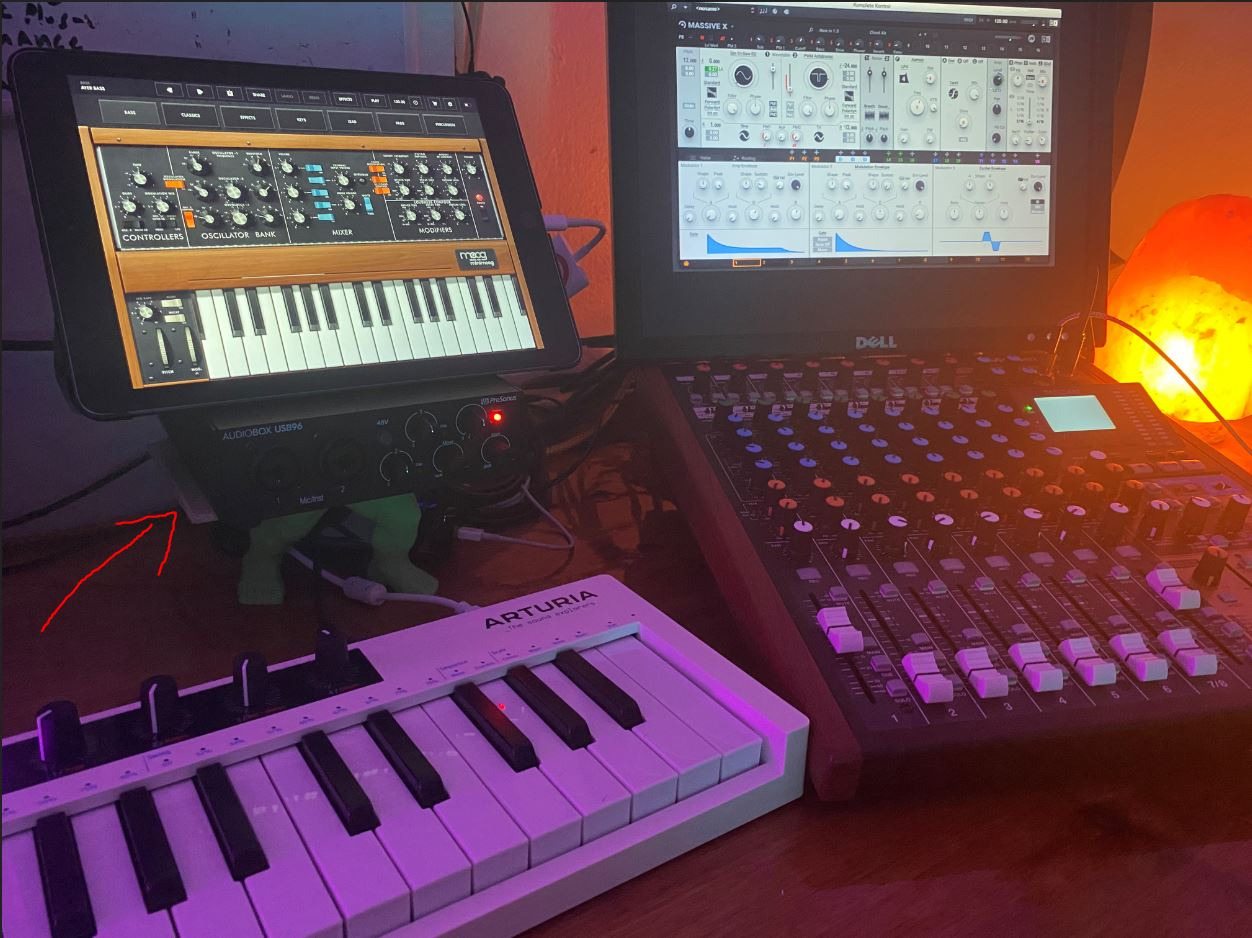
The AudioBox 96 is the pick for someone who wants a condenser chain and a keyboard in the same box. MIDI input and output at this level is unusual, and combined with the included software it covers the first stages of a home studio without another purchase.
The two mic preamps are Class-A, which is a design choice that shows up as a warmer, less clinical capture than the ultraportable boxes. Phantom power is onboard and global, so a single switch energises both microphone inputs. You need to remember that before plugging in a ribbon or an older passive dynamic.
Monitoring is handled by a mixer control that lets you blend the input against playback, so you can dial in direct monitoring without a hardware switch. Reviewers treat this as the feature that makes tracking feel uncomplicated for a first-time recorder.
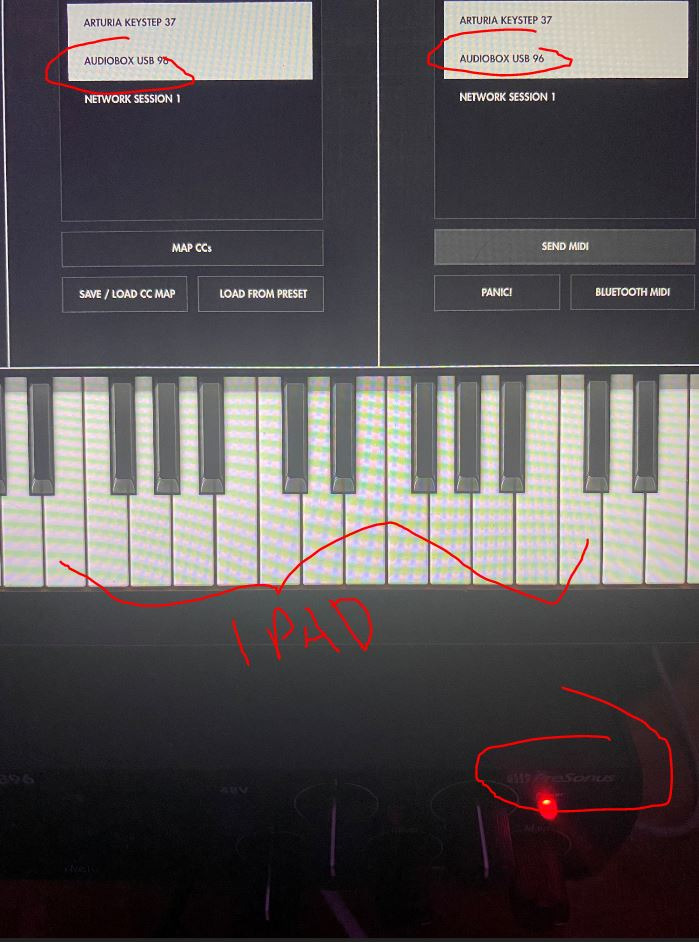
The 4.3 average is the lowest on our list, and the review breakdown shows why: 8% of ratings sit at one star. The complaints cluster around driver stability rather than the preamps, so if you are on a recent macOS or Windows build it is worth checking the current driver before buying.
Converters run up to 24-bit/96 kHz, and there are two high-headroom instrument inputs alongside the mic inputs. The unit is bus-powered over USB 2.0, weighs 2 pounds and measures 5.5 by 5.5 by 1.75 inches, so it fits a laptop bag without a fuss.
When the bundled software matters most
A substantial package of recording software comes with it, including Studio One Artist, Ableton Live Lite and the Studio Magic plug-in suite. For a beginner who would otherwise hit a trial period on day one, that removes the most common early stumbling block.
Balanced 1/4 inch TRS main outputs and a high-powered headphone output are both present, so the box drives normal studio monitors and ordinary headphones without an extra amp.
Where it stops being enough
Global phantom power is the deciding limitation. A performer who wants a condenser on one input and a passive ribbon on the other will have to re-patch constantly, and the thread in r/StudioOne about phantom power engaging on both combo inputs is exactly the kind of surprise people buy this box without anticipating.
There is no rack or mounting option and the construction is rigid plastic, so this is a desk box rather than something to install permanently.
5. Focusrite Scarlett Solo 4th Gen – The Songwriter’s Single Preamp
Focusrite Scarlett Solo 4th Gen USB-C Audio Interface
One XLR preamp with 48V
120 dB dynamic range
24-bit/192 kHz
Air mode
Pros
- Switchable 48V phantom power on the XLR preamp for condenser microphones
- 120 dB dynamic range from Focusrite's flagship converter design
- Air mode adds presence and harmonic drive to vocals
- USB-C and works with Mac
- PC and iPad
- Three-year manufacturer warranty
Cons
- Only one mic preamp
- so no two-channel tracking
- Gain can struggle with low-output dynamics such as the SM58 on Windows
- No MIDI I/O and a light compact chassis
- Ships with a USB-A to USB-C cable rather than C-to-C
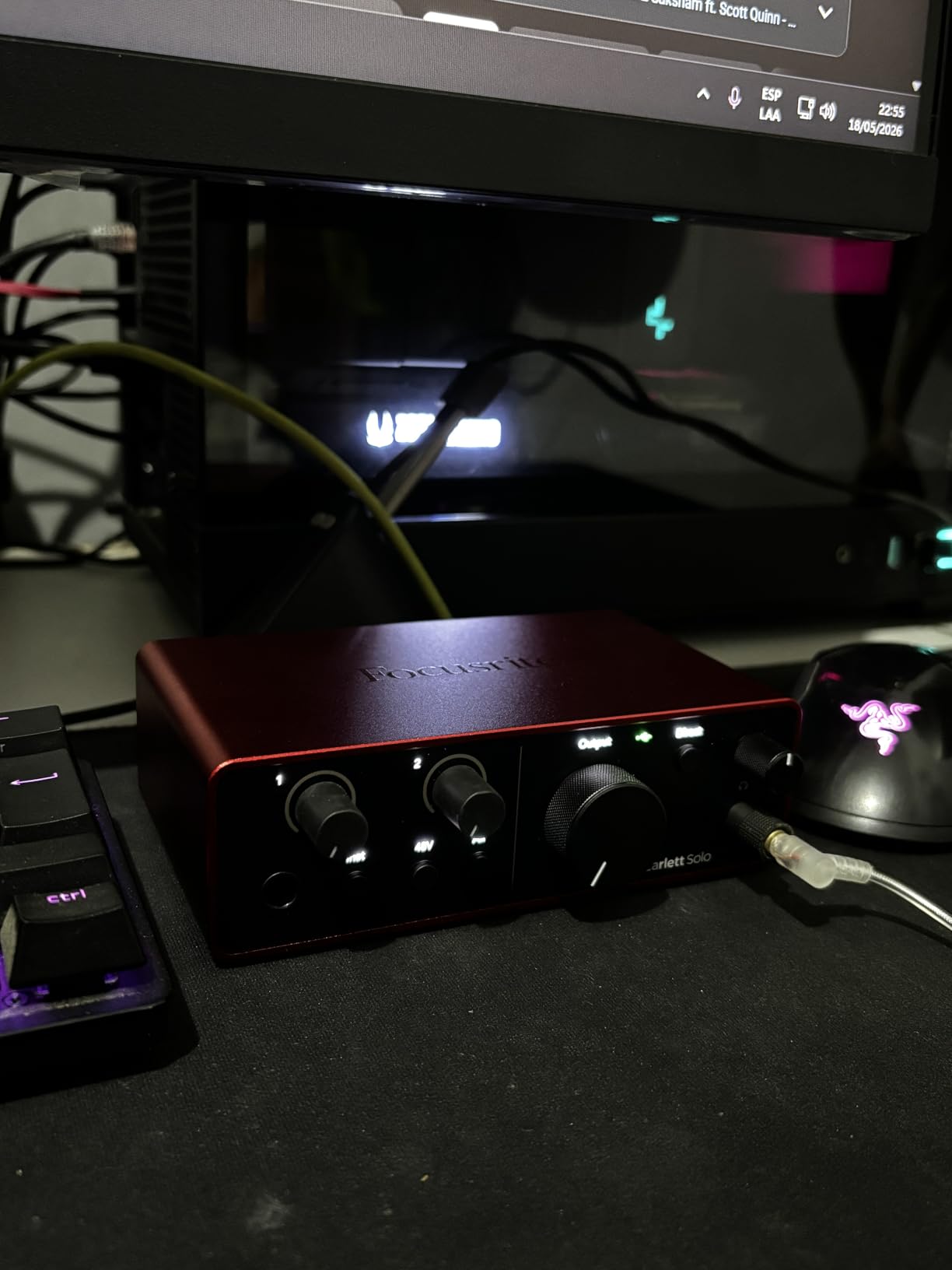
The Scarlett Solo is built for exactly one job: one singer, one instrument, one take at a time. If your plan is vocals and acoustic guitar recorded separately, the single XLR preamp is not a compromise. If you need a stereo pair or a live duo, move on.
Phantom power is switched on the XLR preamp itself, so the supply is dedicated to the microphone input rather than shared across a bus. That makes it a safe choice if you plan to keep a passive ribbon or a vintage dynamic on the same box later.
The converter section is the standout single-channel argument in this list, with 120 dB of dynamic range from Focusrite’s flagship converter design and operation up to 24-bit/192 kHz. On quiet vocals that headroom shows up as detail you can raise later without pulling noise up with it.
Air mode is the signature feature and it is not a gimmick. It adds presence and a touch of harmonic drive to vocals and guitars, which is the closest thing on this list to a console flavour you can dial in from the front panel.
Gain LEDs give you a visual level reference, latency is effectively nil, and the headphone amp is clean and powerful for the bundled headphones most people start with. Setup is genuinely plug-and-play, with no configuration needed before the first take.
Why singers keep coming back to it
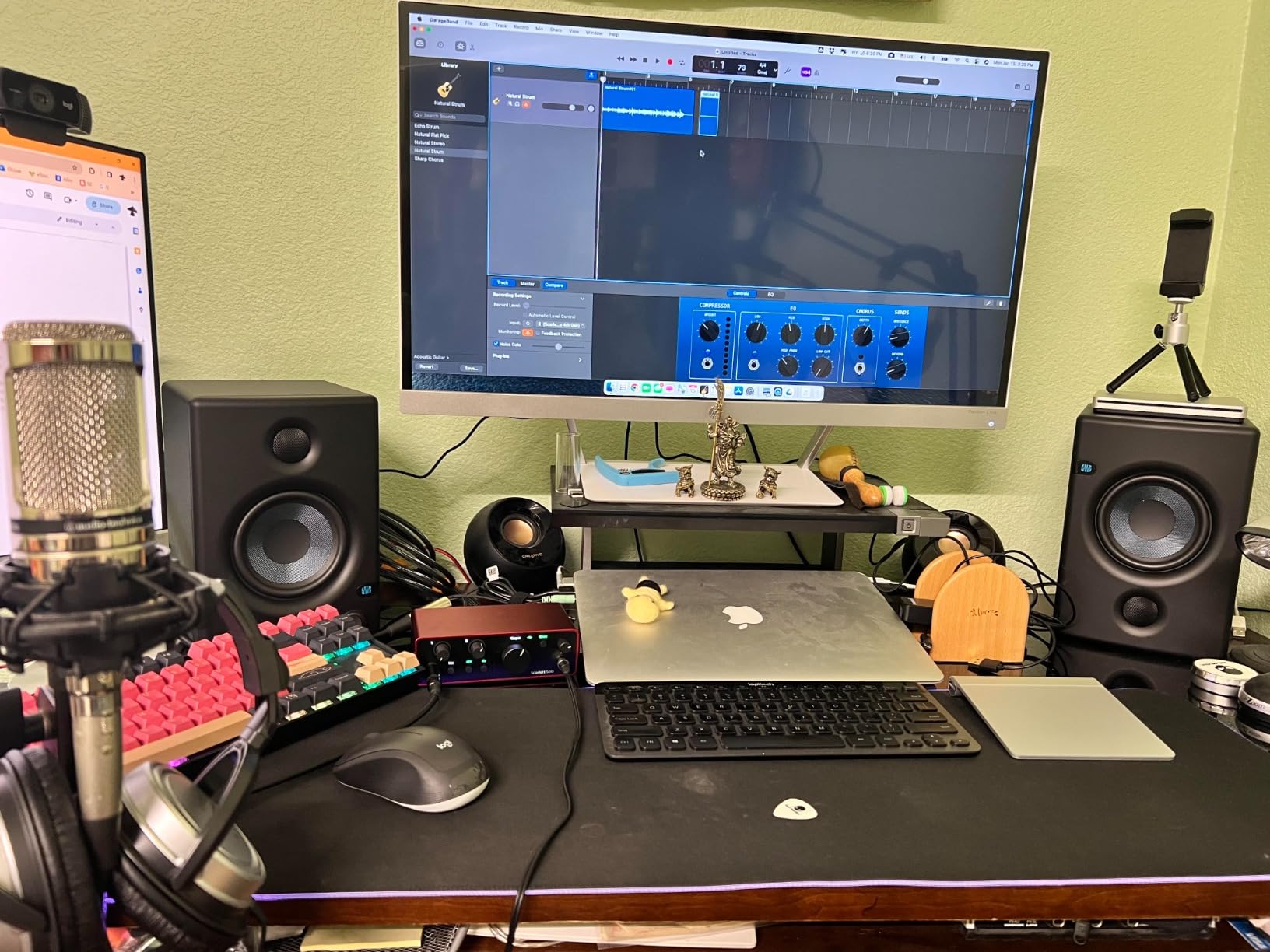
The bundled software is substantial: Pro Tools Intro, Ableton Live Lite, Cubase LE and the Hitmaker Expansion collection. A new user can record, edit and bounce a first song without installing a paid subscription or hunting for a separate DAW.
At 14.4 ounces and 3.78 by 5.63 by 1.83 inches, this is the box that goes in a bag for a session at someone else’s house, and the USB-C connection means one cable to a modern laptop or an iPad.
Where it stops being enough
One preamp is one preamp. No stereo condenser pair, no two-person interview recorded live, no acoustic guitar and vocal capture in a single take.
A minority of Windows users report the gain struggling with quiet dynamic microphones such as the SM58 under the Focusrite drivers. That complaint is specific to low-output dynamics, not to the condensers this interface is recommended for, but it is worth knowing if you plan to record speech as well as vocals.
6. Audient EVO 4 – Two Project-Studio Preamps With Smart Gain
Audient EVO 4 USB Audio Interface
Two preamps with 48V
Smart Gain touch points
24-bit/96 kHz
Loopback
Pros
- Two Audient EVO preamps with switchable 48V phantom power
- AKM high-definition converters give clean low-noise capture
- Smart Gain touch points set levels fast and repeatably
- Bus-powered over USB 2.0 with very low latency
- Three-year manufacturer warranty
Cons
- Capped at 24-bit/96 kHz with no 192 kHz option
- No MIDI I/O at all
- Headphone output shares its volume control with the speaker output
- Small footprint and rubber feet are less stable with heavy cables
The EVO 4 gives you two preamps from a name recording engineers recognise, without moving up to the iD range. For a project studio tracking vocals and an instrument together, the channel count and the preamp quality land in the right place at the same time.
Phantom power is switchable, so you can enable 48V for a condenser on one channel and leave it off for a dynamic or instrument on the other. That flexibility is the reason we prefer it to globally switched boxes for a two-source session.
The Smart Gain touch points are the detail that changes workflow. Instead of hunting for a knob, you tap a predefined gain step and the level is repeatable, which matters when you are matching a sound take after take rather than adjusting by feel.
What the converters and monitoring add
AKM high-definition converters handle 24-bit/96 kHz, and reviewers describe the capture as clean and low-noise. The loopback function is genuinely useful for streaming, letting you fold software or in-game audio into a recording alongside a condenser voice.
The JFET instrument input gives guitars and basses a clean DI path without a separate box. Latency is low, and bus power over USB 2.0 keeps the box to 360 g in a 5.5 by 2.6 by 2.6 inch footprint.
Where it stops being enough
The 96 kHz ceiling is the headline limitation. It does not affect 44.1 or 48 kHz tracking at all, but there is no 192 kHz option for anyone who wants one.
There is no MIDI, and the headphone output shares its volume control with the speaker output, so you cannot set a headphone level independent of what the monitors receive. For a single engineer that is a workable compromise.
7. MOTU M2 – Hardware Monitoring and 192 kHz in a Metal Case
MOTU M2 USB-C Audio Interface
Two preamps with 48V
Hardware direct monitoring
24-bit/192 kHz
Metal chassis
Pros
- Two clean preamps with 48V phantom power for condenser microphones
- Hardware monitoring gives true zero-latency tracking with no software setup
- 24-bit/192 kHz converters in a metal chassis
- Only 2% one-star reviews in this group
- Includes more than 6 GB of free samples plus loopback and MIDI
Cons
- Only two inputs
- so no stereo pair or drummer tracking
- Headphone volume shares a level control with the main outputs
- No bundled DAW
- only samples and drivers
- Meters are basic next to the EVO and iD-series
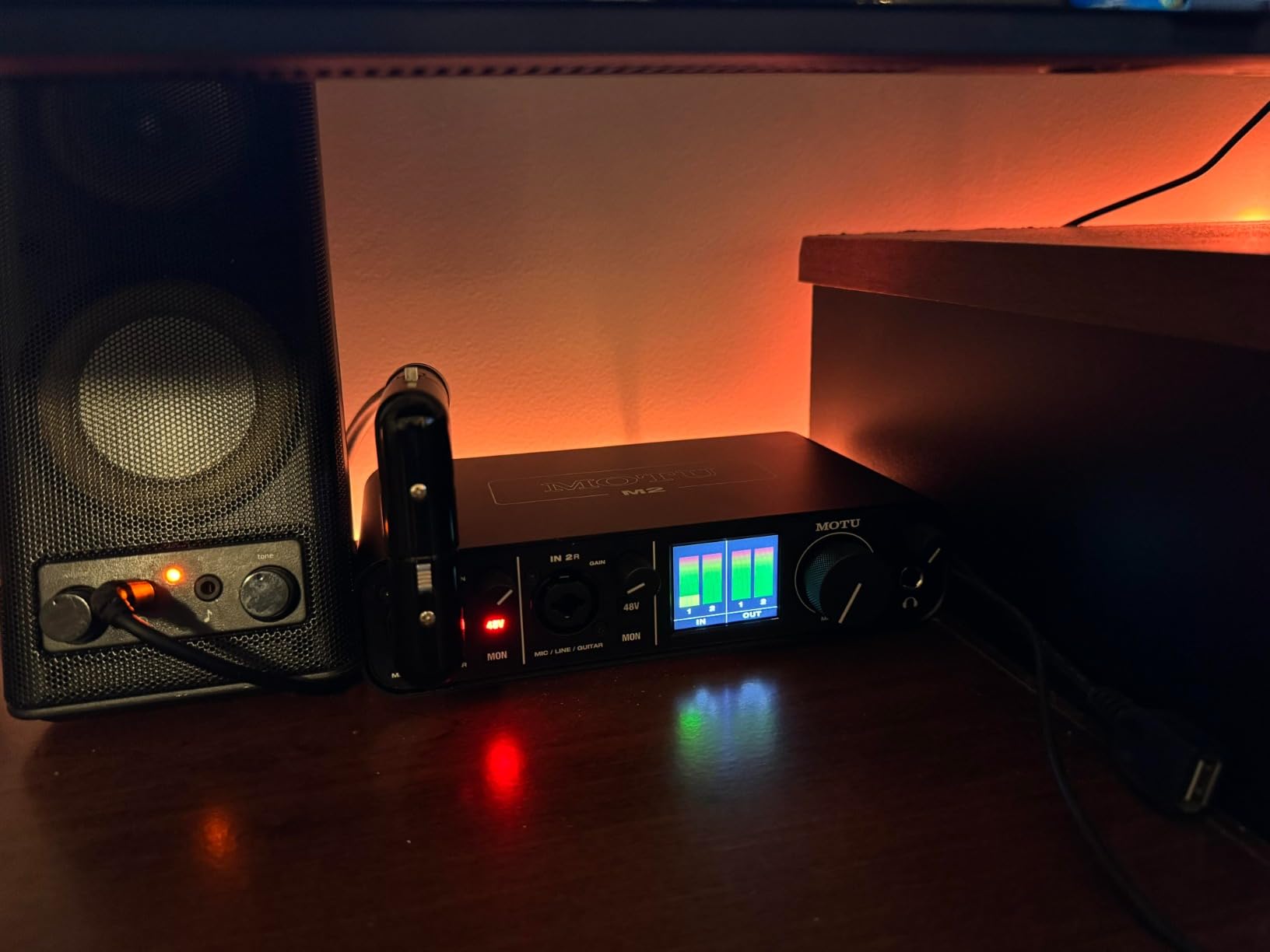
The MOTU M2 has the most consistent owner feedback of any box in this roundup, with 83% of ratings at five stars and only 2% at one.
Phantom power is switchable across the two preamps, so a condenser and a dynamic can be set up independently. That is the configuration the r/WeAreTheMusicMakers workflow describes: electric guitar into input one in instrument mode, condenser into input two with 48V on.
The distinguishing feature is hardware direct monitoring. The signal is routed through the box rather than through the computer, so tracking latency is effectively zero without opening a control panel or hunting for a setting. When you record a vocal overdub, that is the difference between confidence and doubt.
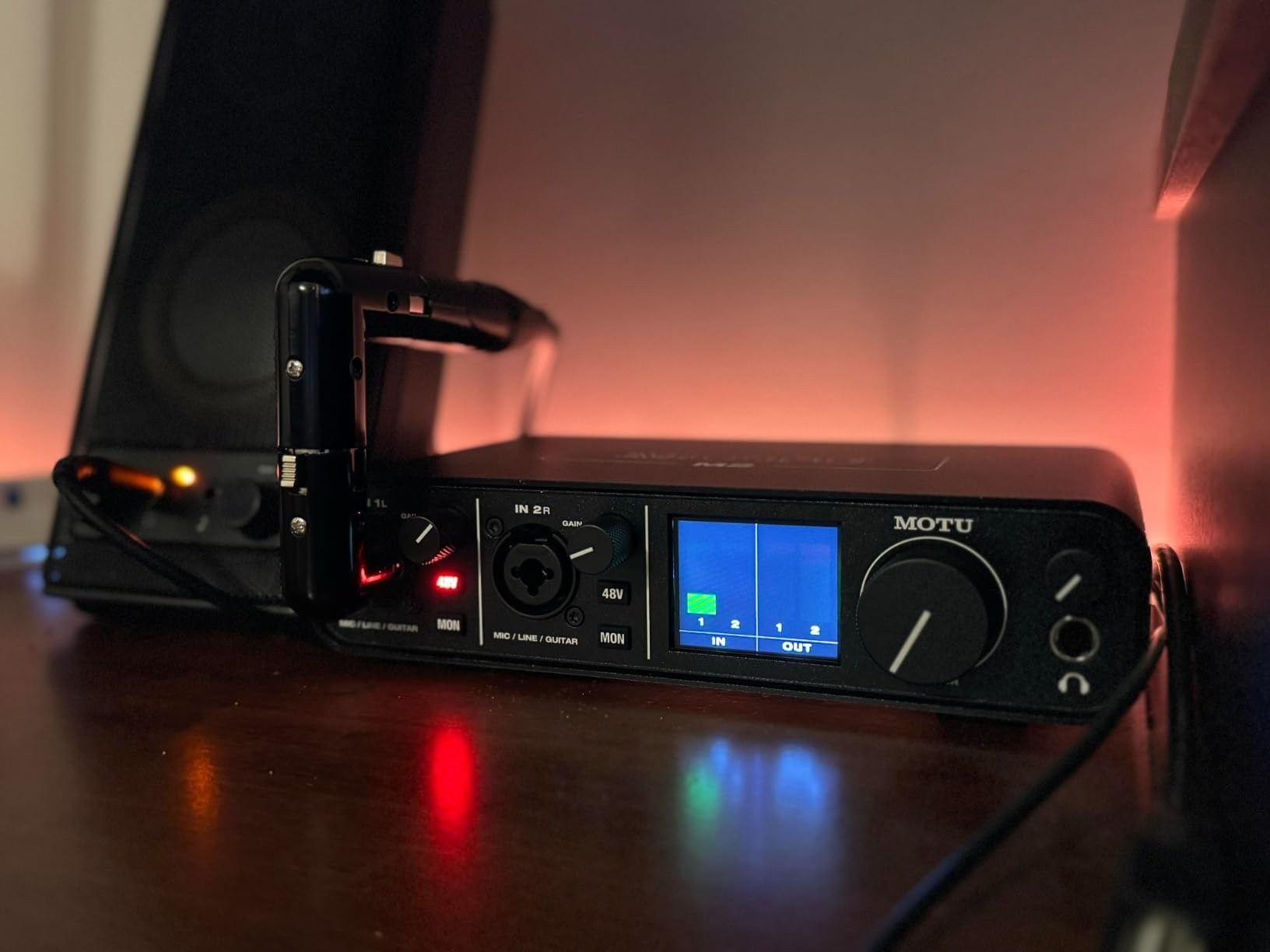
Converters run at 24-bit/192 kHz, and owners describe them as accurate against more expensive reference gear. The metal chassis is 7.5 by 4.25 by 1.75 inches and weighs 612 g, which is stable on a desk and still portable.
Loopback and MIDI I/O are both included, along with more than 6 GB of sample content for macOS, Windows and iOS. The two-year warranty sits below the three-year and five-year coverage of some rivals.
When hardware monitoring changes the take
Direct monitoring means you hear the microphone and the DAW playback through the same output, mixed in hardware, with no round trip through the operating system. The result is a latency number low enough to ignore, which singers with tight phrasing rely on.
The basic meters are the trade-off. There is no fine-grained metering on the front panel, so accurate level setting happens in the DAW. For most home sessions that is fine, and it keeps the front panel uncluttered.
Where it stops being enough
Two inputs, again. Everything that needs more than one simultaneous microphone is out of reach, including stereo condenser pairs, drum overheads and two-person interviews.
There is no bundled DAW, only drivers and samples, so you need recording software already installed or you will be reading about how to install it on the same afternoon you want to record.
8. Audient iD4 MKII – Console Class-A Preamp With Two Headphone Outs
Audient Audio Interface iD4 MKII, Class A Console Microphone Preamp (High Speed USB-C, Monitor Mix and Monitor Panning Function, 2 Headphone Outputs, Mac/PC/iOS Compatible), Black
Class-A console preamp
48V phantom power
Two headphone outputs
24-bit/96 kHz
Pros
- Audient Class-A console preamp derived from the ASP8024 HE desk
- Switchable 48V phantom power for condenser microphones
- Two headphone outputs let a second person monitor without a splitter
- All-metal housing feels durable and stable on a desk
- Monitor mix and monitor panning give flexible zero-latency monitoring
Cons
- One mic preamp and one instrument input
- so no two-channel tracking
- 24-bit/96 kHz maximum resolution
- Some macOS users report driver and routing frustration
- No MIDI I/O despite MIDI-oriented bundled software
The iD4 MKII is a single-channel box with a genuinely pro preamp behind it. The Class-A circuitry is derived from Audient’s ASP8024 HE console, and reviewers describe the capture as transparent, which is what you want from a chain you plan to add EQ and compression to later.
Phantom power is switchable on the mic input, so the supply is dedicated and you are not feeding voltage to anything you did not intend to. Pair it with a condenser on the XLR and a guitar on the JFET instrument input and you have a complete songwriter chain.
The feature no other single-preamp box here offers is two headphone outputs. For a singer-songwriter session where a second person needs to hear the take without a splitter, that removes an entire category of problem.
How monitor mix and panning work
The monitor mix blends input against playback in hardware for zero-latency monitoring, and the monitor panning function places those two sources where you want them in the stereo image. Reviewers treat this as more flexible than a plain direct switch, because you can hear a balance of both sources instead of choosing one.
High-speed USB-C is used for both data and power, which is a real convenience compared with the USB Type-B connectors on older boxes. At 740 g in a 4.72 by 5.2 by 1.57 inch body it is the heaviest desktop unit in this roundup, and it feels solid for it.
Where it stops being enough
One preamp means no stereo condenser pair and no live two-person recording. If your condenser work ever involves a matched pair, you will outgrow it quickly.
Some macOS users report driver and routing frustration, including cases where output to monitors was hard to establish. Audient’s three-year warranty is solid, but expect to spend a few minutes on routing before your first take rather than assuming it will just appear in the system.
9. Arturia MiniFuse 2 – Best-Rated Box With MIDI and Loopback
Arturia MiniFuse USB Audio & MIDI Interface, MiniFuse 2
Two XLR combos with 48V
24-bit/192 kHz
MIDI I/O and loopback
5-year warranty
Pros
- Two XLR combo inputs with 48V phantom power for condenser microphones
- Highest average rating here at 4.7 across more than 1k reviews
- Only 2% one-star share
- indicating very consistent build and reliability
- 24-bit/192 kHz operation plus loopback for game or app audio
- MIDI input and output included alongside the audio I/O
- Five-year warranty
- the longest coverage in this group
Cons
- Minimal control surface with a single gain knob per channel
- Single headphone output
- so only one person can monitor
- Bundled software requires registration and a download before use
- No rackmount options
The MiniFuse 2 suits a small production room rather than a tracking booth. It has two XLR combo inputs with 48V phantom power, two additional line and instrument TRS inputs, 192 kHz operation, loopback and MIDI, which is more usable I/O than anything else at this level.
Phantom power covers the combo mic inputs, so a condenser plugs straight in and a guitar DI sits in the instrument input without an adapter. Because there are two phantom-powered mic inputs, you can run a matched pair of small-diaphragm condensers, which almost nothing else on this list supports.
Owners rate it at 4.7 on average with a 2% one-star share, the most consistent owner feedback in this roundup.
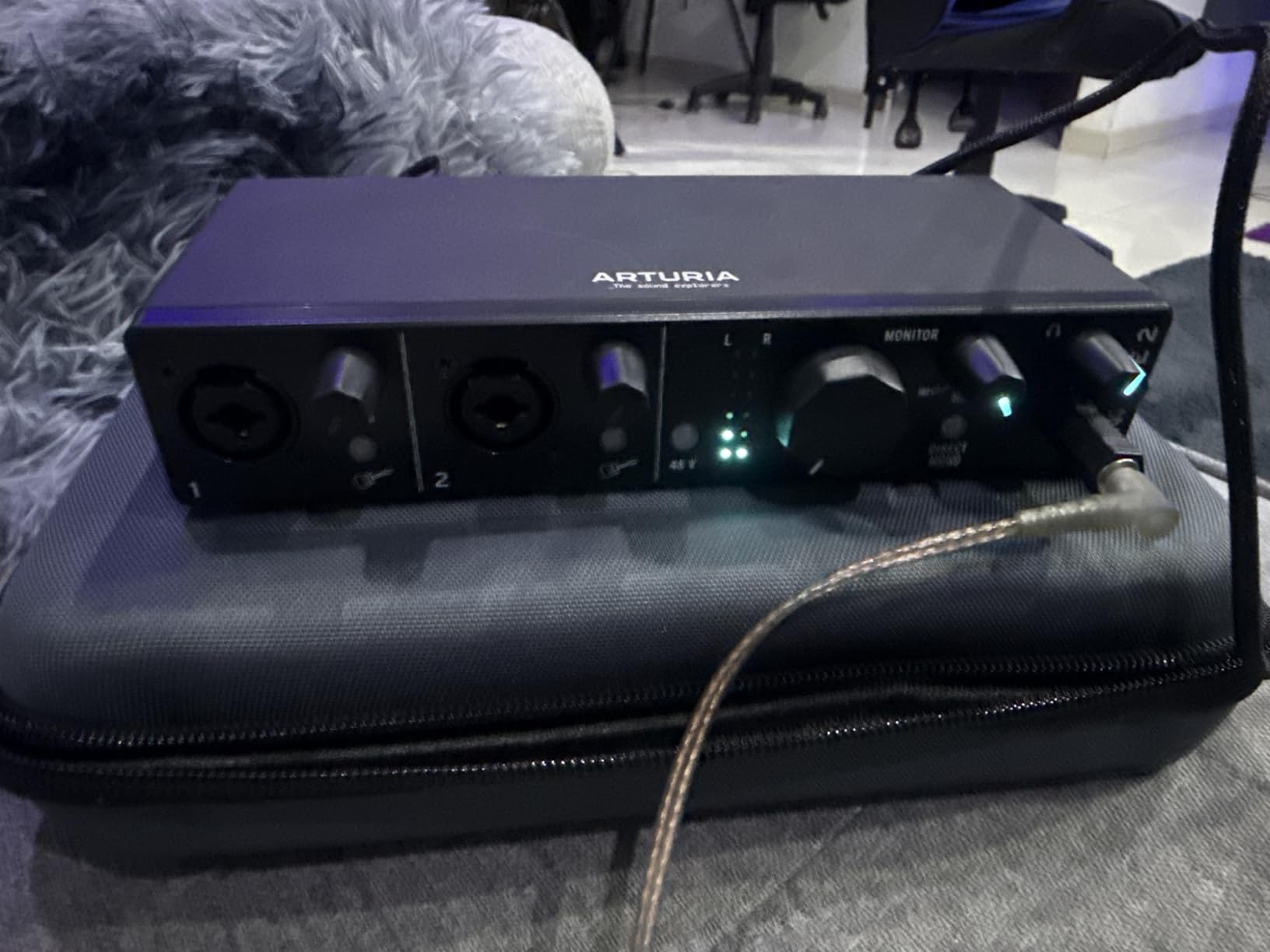
Loopback is the feature that makes it relevant to streamers and podcasters as well as recordists. You can capture in-app or in-game audio alongside a condenser voice from the same box, which saves carrying a second device for streaming.
The five-year warranty is the longest in this roundup and is backed by over 200 reliability tests. The USB type-A hub supplying 250 mA is a small nicety for powering a controller or a small interface downstream.
What you give up for that I/O
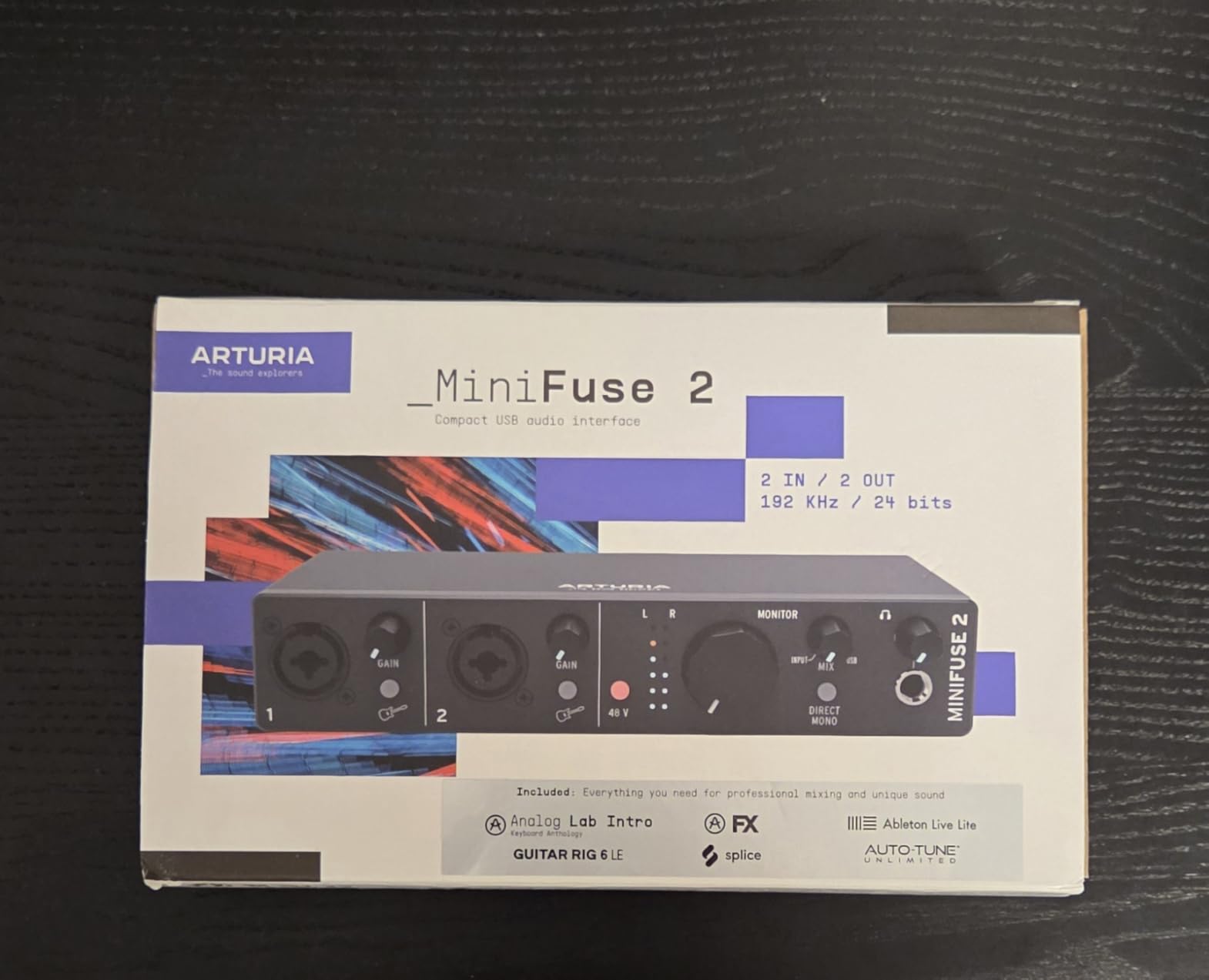
The control surface is minimal: a single gain knob per channel and a few buttons. There is no per-channel fader array or hardware metering strip, so level discipline and mixes live in the DAW.
There is one headphone output, so a second person cannot monitor directly. The bundled software, including Ableton Live Lite, Analog Lab Intro, Arturia FX, Guitar Rig 6 LE and Auto-Tune Unlimited, needs registration and a download before it is usable.
Where it stops being enough
While the two combo inputs take a matched condenser pair, the bus is still small. Recording a full kit, a live duo or a multi-instrument session will outrun it, and there are no rackmount options if you want it fixed into a studio rack.
10. Audient iD14 MKII – Two Preamps Plus ADAT Expansion
Audient Audio Interface iD14 MKII, 2 Class-A Microphone Preamps (High Performance USB Audio Interface, USB-C Connector, Monitor Mix and Monitor Panning Function, 2 Headphone Outputs), Black
Two Class-A preamps
48V phantom power
ADAT optical input
24-bit/96 kHz
Pros
- Two Class-A mic preamps from the ASP8024 HE console with 48V phantom power
- Two JFET instrument inputs plus two balanced line inputs for flexible tracking
- Two independent headphone outputs for an engineer and a second listener
- ADAT optical input allows adding a preamp or converter later
- All-metal chassis with monitor mix and panning functions
Cons
- 24-bit/96 kHz maximum resolution
- so no 192 kHz recording
- No built-in MIDI I/O despite the bundled MIDI-oriented software
- Menu-driven settings take time to learn
- Heavier and deeper than the two-inch alternatives
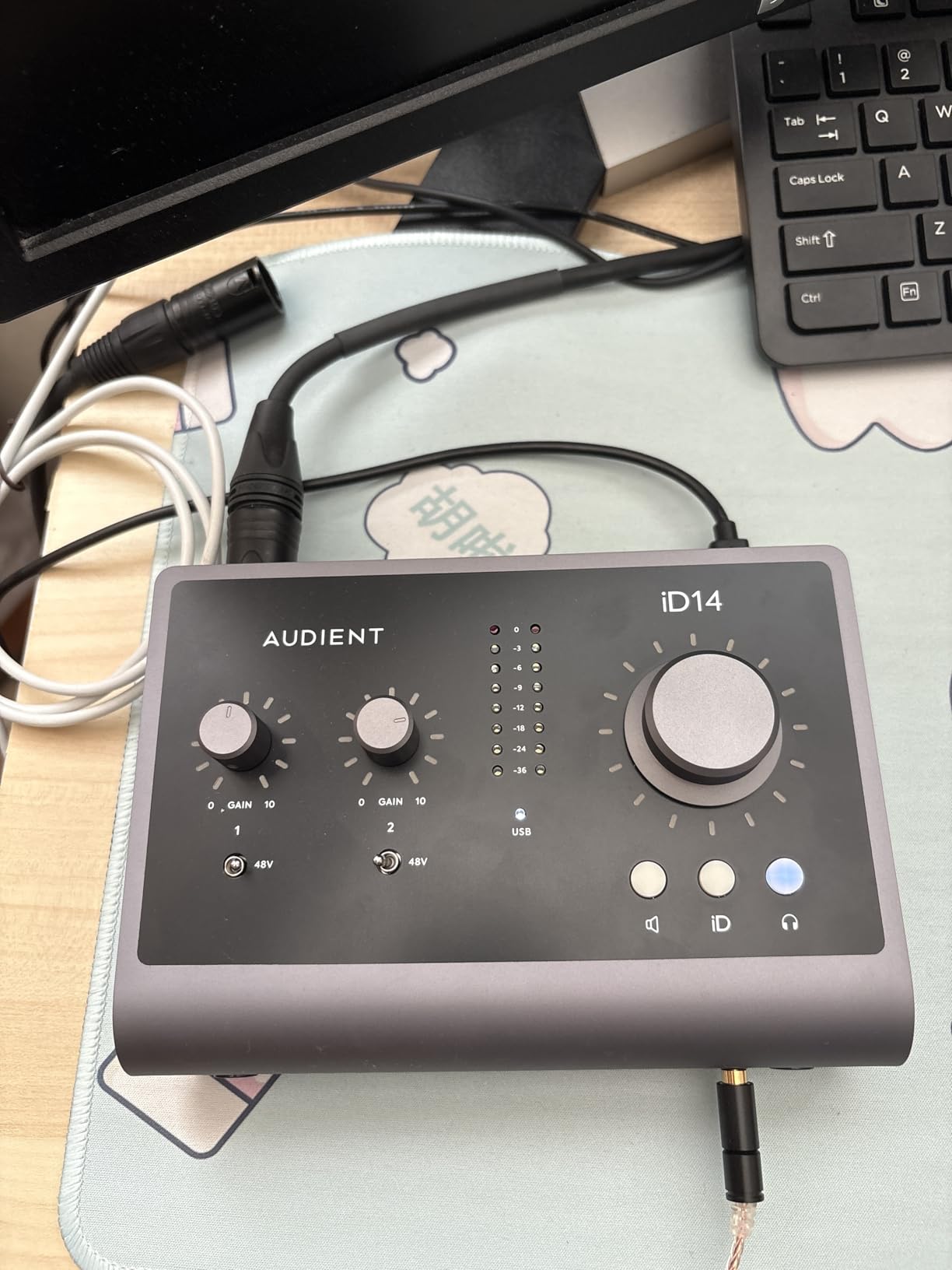
The iD14 MKII is the version of this roundup that assumes you will grow. It gives you two Audient Class-A console preamps with switchable 48V phantom power today, plus an ADAT optical input so you can add a preamp or converter and double the channel count later without replacing the box.
Phantom power is switchable on the mic preamps, so the two channels can be configured independently. With two JFET instrument inputs and two balanced line inputs alongside them, the routing options cover a condenser, a guitar DI, a keyboard line feed and a stereo pair of small-diaphragm condensers in one session.
Two independent headphone outputs mean the engineer and a second listener get their own level control, which is a genuine convenience in a project room where a producer wants to hear the take without a splitter.
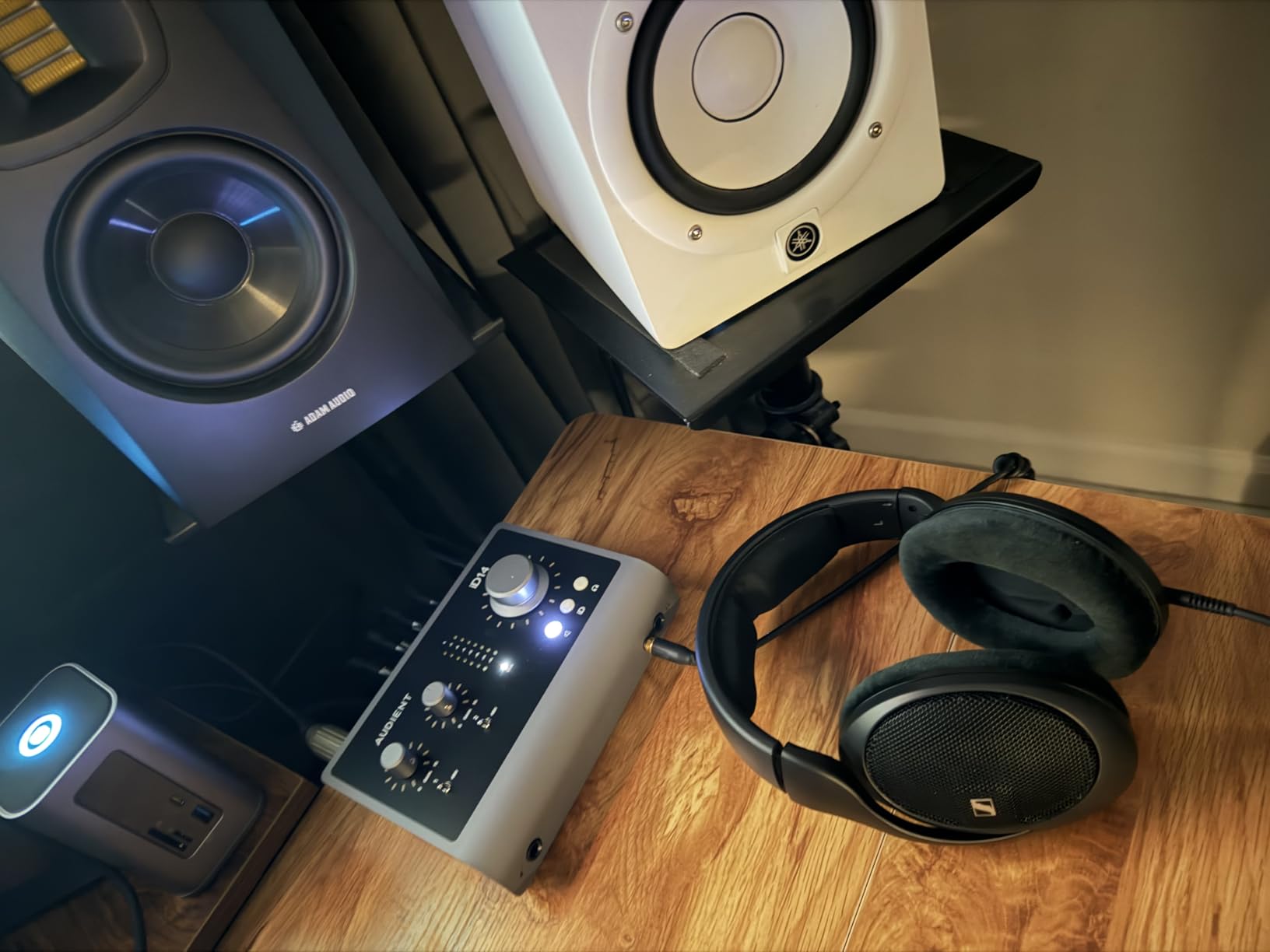
Monitor mix and monitor panning give hardware zero-latency monitoring with a blend of input against playback, and the all-metal housing is described as stable and durable on a desk. The chassis measures 5.91 by 4.72 by 0.59 inches and weighs 907 g, so it is a real piece of studio hardware rather than a plastic accessory.
The 4.6 average is supported by 84% five-star ratings, and reviewers consistently place it as the sweet spot in the Audient range, with preamp transparency the most cited strength.
Why ADAT matters more than the input count
ADAT optical gives you eight additional digital channels. Pairing this with an external preamp or converter that also has 48V means you can bring in ribbon microphones, which need far more gain than any of these onboard preamps provide, without changing how the rest of your studio is wired.
That makes the iD14 MKII a sensible starting point for a room that will eventually handle classical or orchestral recording, where quiet sources and headroom matter.
Where it stops being enough
There is no 192 kHz option, so the ceiling is 24-bit/96 kHz. It is irrelevant for tracking at 44.1 or 48 kHz, but it is a permanent limit if you ever want high-resolution recording from this box.
There is no built-in MIDI I/O despite the bundled Cubase, Retrologue and Waldorf content, and the menu-driven settings take longer to learn than the knob-and-button layouts on the EVO or MOTU boxes.
11. Universal Audio Volt 2 – 610 Character With a UAD Software Bundle
Universal Audio Volt 2 USB Audio Interface
Two preamps with 48V
Vintage 610 emulation
24-bit/192 kHz
MIDI I/O
Pros
- Two mic preamps with phantom power plus 610 tube emulation in Vintage mode
- 24-bit/192 kHz converters with low latency
- Solid metal build and bus-powered USB-C operation on Mac and Windows
- MIDI input and output included
- Users report the DAC cleans up electrical interference
Cons
- Only two LEDs for level setting
- so metering is imprecise
- No balance control between direct monitoring and computer playback
- Preamp gain is described as soft for some microphones
- iOS use requires the external power supply and a camera adapter
The Volt 2 is the pick when you want a chain with some character rather than pure transparency. Vintage mode emulates Universal Audio’s classic 610 preamps, and users describe the result as a fuller, warmer vocal capture that flatters a condenser without flattening it.
Phantom power is switchable on both mic preamps, so a condenser and a dynamic can sit on the two channels without either one receiving voltage it should not. Converters run at 24-bit/192 kHz and the operation is bus-powered over USB-C on desktop and laptop.
MIDI input and output are included, which is convenient for a keyboardist building a small project room. The metal build is solid, and several users note that the DAC cleaned up electrical interference compared with cheaper interfaces on their setup.
What the UAD bundle adds
The LUNA digital audio workstation comes with the interface, along with a substantial set of UAD plug-ins and instruments, including Marshall and Ampeg emulations. None of that is required to record, but for a singer building tracks at home it removes a recurring software expense.
Loopback and zero-latency direct monitoring are both present, so this works for streaming as well as tracking. The box measures 5.12 by 6.85 by 2.09 inches and weighs 650 g.
Where it stops being enough
Level metering is the weak point. With only two LEDs for setting gain, precise level matching has to happen in the DAW, and reviewers call the input gain sensitive. There is also no balance control between direct monitoring and computer playback, so you adjust those levels in software rather than on the box.
Preamp gain is described as a little soft for some microphones, which matters if you are pairing it with a demanding condenser. The warranty is one year, the shortest here, and using it on iOS requires the external Volt power supply and an Apple Lightning to USB camera adapter.
12. Solid State Logic SSL 2 MKII – SSL Console Character With 4K Enhancement
Solid State Logic SSL 2 MKII – 2×2 USB Audio Interface
Two XLR preamps with 48V
32-bit/192 kHz
4K analog enhancement
MIDI I/O
Pros
- Two XLR mic preamps with 48V phantom power confirmed in reviews to power condenser mics
- Legacy 4K analog enhancement reproduces classic SSL console character
- 32-bit/192 kHz converters with an open detailed vocal sound
- Built-in high-pass filters clear rumble other interfaces pass through
- Powerful clean headphone amp with plenty of headroom
Cons
- Not 32-bit float
- so inputs can still clip if levels are pushed
- Advertised loopback does not behave like a capture card loopback
- Physically larger and heavier than the two-inch competition
- About 7% one-star reviews with driver and support complaints
The SSL 2 MKII is the newest and least reviewed interface here, and the one we would pick specifically for vocals.
SSL’s console lineage is the reason for the recommendation: Legacy 4K analog enhancement reproduces the character of the classic SSL console preamp stage, and owners describe the vocal result as warm, open and detailed.
Both XLR mic preamps carry switchable 48V phantom power, confirmed in reviews to power condenser mics without complaint. Two 1/4 inch line and Hi-Z instrument inputs sit alongside them, so a condenser and a guitar can be tracked together with independent settings.
The high-pass filters on the mic inputs are the feature reviewers single out most. A condenser is extremely sensitive to handling noise and low-frequency rumble, and being able to clear that on the way in saves an afternoon of EQ work later.
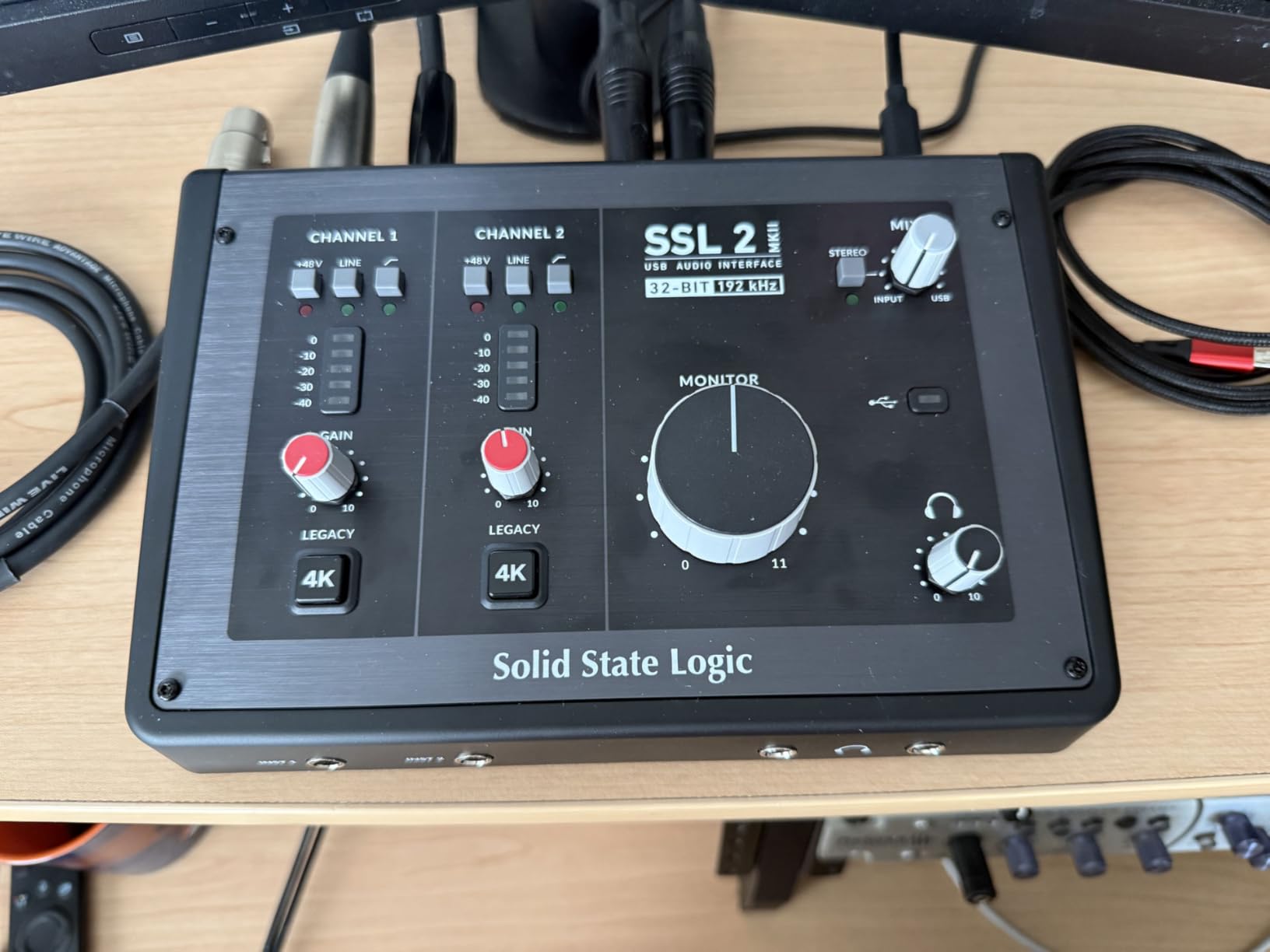
Converters are 32-bit/192 kHz, and the headphone amp is described as clean with plenty of headroom for studio headphones. Two headphone outputs, stereo loopback, MIDI I/O on 5-pin DIN jacks and bus-powered Mac and Windows operation round out a well-equipped box.
The stainless steel chassis and 2.25 pound weight mean this is a desktop unit, not a portable one, at 10.63 by 7.87 by 4.33 inches. It is still a recent release, so the 205-review base is building.
What 4K enhancement actually does
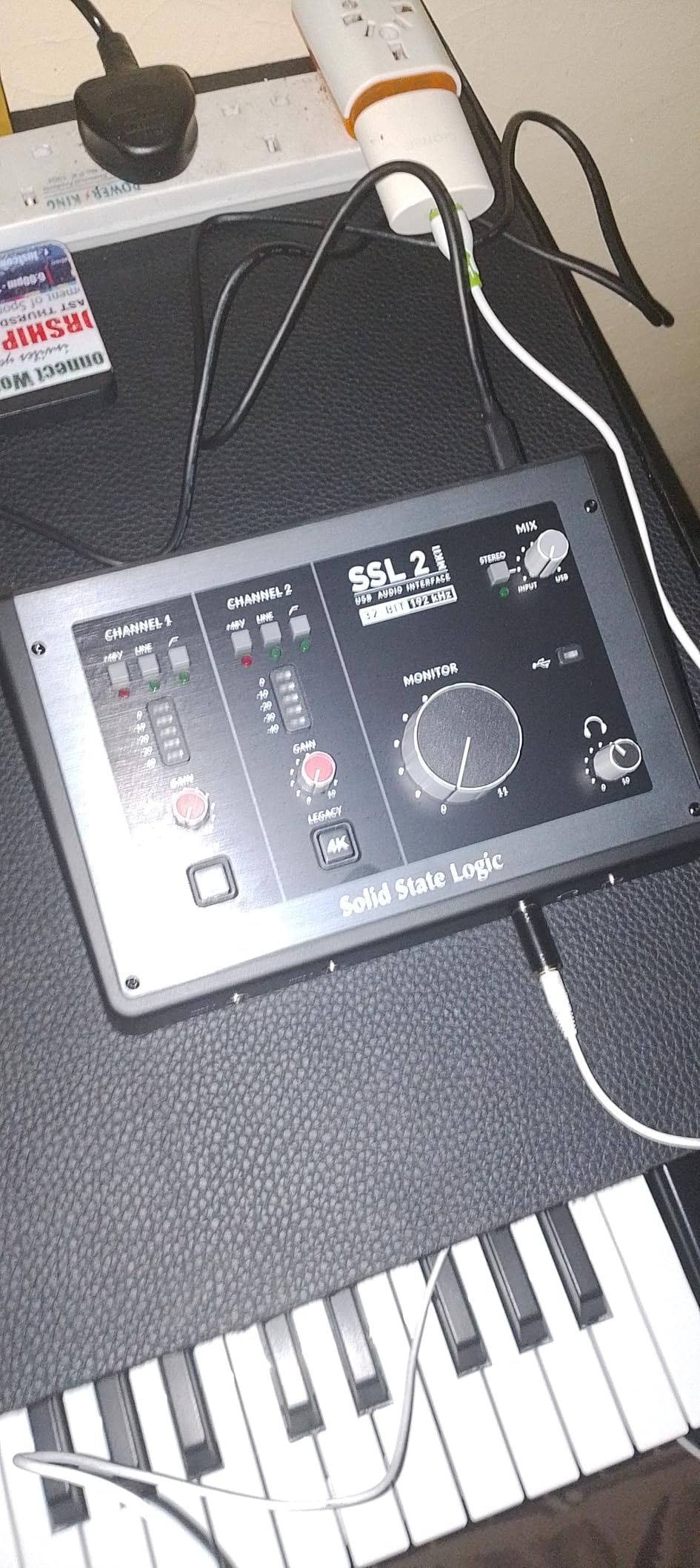
It is an analog-style voicing applied in the signal path to move the input closer to the sound of SSL’s console hardware. On a large-diaphragm condenser it adds a little weight and presence that can cut through a mix without needing as much compression or EQ afterwards.
It is a taste decision, not a technical upgrade. If you are matching a take recorded on another interface, switch it off and compare, because the difference is audible enough that you will want the choice.
Where it stops being enough
Despite the 32-bit label, this is not 32-bit float, so inputs can still clip if levels are pushed hard. Treat the stated resolution as a converter figure, not as unclippable headroom.
The advertised loopback is not standard capture-card loopback, and at least one reviewer could not use it for Zoom-style microphone-plus-audio streaming. If live streaming is your main use, verify the routing before you commit. About 7% of ratings sit at one star, with driver and support complaints accounting for most of that.
What to Check About Phantom Power Before You Buy
First, confirm the 48V supply sits on an XLR microphone input. Some boxes offer phantom power only on a 1/4 inch instrument input, which will not feed a condenser correctly. All twelve products here switch 48V on a real mic preamp.
Second, work out whether the switch is global or per input. A global switch energises every microphone preamp at once, which is the single most repeated buying surprise in the r/StudioOne threads we read. If you plan to record a condenser and a passive ribbon in the same session, per-input switching is worth paying for.
Third, look at what the interface is powered from. Bus-powered designs draw current from the laptop, and the review consensus is that bus power limits headroom on high-power condenser microphones. If your condenser is a hungrier studio model rather than a small-diaphragm pair, a self-powered box gives you more clean gain before the noise floor.
Fourth, check the output path. If you plan to stream or podcast alongside music, loopback matters more than another preamp, because it lets you capture software or game audio together with a condenser voice in a single take.
Preamp Gain, Noise and Headroom
Condenser microphones vary enormously in output. A quiet studio large-diaphragm condenser may need most of the gain range an interface offers, and a ribbon needs more than any of these preamps can deliver alone. The practical figure to look for is usable clean gain: the amount of gain you get before the noise floor becomes audible on a quiet take.
Headroom is the other half. We aim to record vocals peaking between 8 and 12 dB below full scale in the DAW, which leaves room for the performer to push on a take without clipping. That is the practice users in r/Bass describe when they blame the wrong link in the chain for noise.
A common thread across the forums is that microphone placement and room acoustics dominate the audible result, and that is true in our tests. A well-positioned condenser in a treated corner will outperform an expensive interface in an untreated room every time. If you are still deciding where to spend, our interface guide for guitar recording covers the instrument side of the same signal chain.
Latency, Direct Monitoring and Buffer Size
Latency is the delay between you singing and hearing yourself back. It comes from the buffer size, the round trip through the operating system and the monitor path. On Windows, ASIO drivers cut that dramatically compared with the default DirectSound setting, and on macOS, Core Audio handles it more efficiently.
Direct monitoring routes the input straight to the headphone output and bypasses the computer entirely. The MOTU M2, the SSL 2 MKII, the EVO 4 and the AudioBox 96 all provide some form of hardware direct monitoring. The Audient boxes go further with a monitor mix and monitor panning function that blends input against playback without a software setting.
For vocal tracking we use a 64 or 128 sample buffer. That is low enough that almost nobody notices the delay and high enough that a typical laptop does not glitch. Lower buffers sound marginally better for monitoring but cause dropouts during recording, which is a worse trade.
Connectivity, Drivers and Build Quality
USB-C is now standard on this list, and the difference from USB Type-B is that a single cable handles data and power. Two of these interfaces also run on iOS, either natively or with an adapter, which is the pattern behind the portable phantom-powered setups described in the Facebook condenser-to-interface-to-iPad posts that surface on search results.
Driver stability deserves more weight than converter specifications. Users consistently trust advice based on real-world driver reputation over headline dynamic range figures, and the interfaces with the highest one-star shares here are the ones with driver and support complaints rather than sound complaints.
Build quality is a reasonable proxy for longevity. The metal units here, including the MOTU M2, the UMC202HD, the Volt 2, the SSL 2 MKII and both Audient boxes, sit better on a desk and shrug off the cable leverage that cracks plastic shells. The light plastic units travel more easily and cost less to replace.
Matching Your Interface to Your Condenser Microphone
Large-diaphragm condensers are the most common home studio choice and the easiest case. They need 48V, they need moderate gain, and every interface on this list handles them comfortably.
Small-diaphragm condensers, typically used in matched stereo pairs, need almost no gain and are extremely sensitive to handling noise and rumble. This is where the SSL 2 MKII high-pass filters earn their place, and where a two-XLR box like the MiniFuse 2 or the EVO 4 becomes necessary rather than optional.
Ribbon microphones are the awkward case. They need more gain than these preamps provide and they must never receive phantom power. The Audient iD14 MKII, with its ADAT optical input, is the box on this list that lets you add an external preamp with high gain and bring ribbons in later.
USB condenser microphones sit outside this whole article. They have their own power, preamp and converter, and they connect straight to a computer. If your needs are a podcast and a voiceover, that is a different and cheaper product category entirely, covered in our USB audio interface guide.
Interface vs USB Condenser Mic vs External Preamp
A USB condenser is one device. It gives you a microphone, a preamp, a converter and monitoring in a single box, and it needs no interface at all. It cannot take a second microphone, a guitar DI or a ribbon, and the preamp and converter inside it are fixed.
An audio interface is a separate box that turns any XLR microphone into a computer input. It costs less than you might expect relative to a decent condenser, it accepts dynamics and ribbons alongside condensers, and it upgrades independently of the microphone you already own.
An external preamp makes sense only when a specific interface lacks the gain you need, usually for ribbons or very quiet studio condensers. It still needs converters downstream, so most home recordists should buy a better two-channel interface with phantom power and per-input switching instead of a preamp plus a converter.
Frequently Asked Questions
What audio interface is best for condenser mics?
The Behringer UMC22 is the most proven choice, with switchable 48V phantom power on two combo inputs, a Midas-designed preamp and more than 12k reviews behind it. For vocal colour rather than raw reliability, the Solid State Logic SSL 2 MKII is the strongest option, and for two preamps in a project room the Audient EVO 4 is the better buy.
Do condensers need phantom power?
True condenser microphones need it. 48V phantom power is a DC supply sent through pin 2 of a balanced XLR cable that powers the capsule electronics, and without it a true condenser produces no output at all. Electret condensers also run from it. Dynamic microphones do not need it, ribbon microphones must never receive it, and USB condensers bring their own power supply.
Which audio interfaces have 48V phantom power?
All twelve interfaces in our roundup provide switchable 48V on a real XLR microphone input. The key difference is how it is switched. The Behringer UMC22 and PreSonus AudioBox 96 use global switching that energises both preamps at once, while the M-Track Duo, UMC202HD, EVO 4, MOTU M2, iD4 MKII, MiniFuse 2, iD14 MKII, Volt 2 and SSL 2 MKII allow per-input control.
Can phantom power damage a dynamic microphone?
No, not on a modern balanced dynamic microphone. The 48V rides on the same pins as the audio signal at a level a dynamic coil and magnet are unaffected by, and forums such as r/audioengineering and r/microphone treat phantom power on dynamics as routine practice. The one exception is a ribbon microphone, whose fragile foil transducer can be damaged, so switch phantom power off before connecting one.
How much gain does a condenser mic need?
It depends on the microphone. A large-diaphragm condenser typically needs around 40 to 50 dB of gain, small-diaphragm condensers need very little, and a ribbon microphone needs more gain than most entry and mid-tier interface preamps provide. Aim to record peaks 8 to 12 dB below full scale so the performer can push without clipping.
Does a more expensive audio interface sound better?
Only up to a point, and usually not as much as the price suggests. Microphone choice, placement and room acoustics dominate the audible result, which is the consistent conclusion across the r/audioengineering and r/WeAreTheMusicMakers discussions we read. Beyond a clean preamp with adequate gain and headroom, spending more tends to buy features like MIDI, loopback, ADAT expansion and longer warranties rather than a better recording.
Conclusion
For most people buying their first condenser, the Behringer UMC22 remains the safest starting point in 2026: switchable 48V on two combo inputs, a Midas-designed preamp and a decade of driver history behind it. If you can stretch a little further, the Behringer UMC202HD adds 192 kHz converters and a metal chassis for the same two-channel architecture.
Buy the M-Audio M-Track Duo if the budget is the deciding factor and two XLR inputs matter more than headroom. Move up to the Audient EVO 4 or the MOTU M2 for a project studio with two preamps, and pick the MOTU specifically if zero-latency hardware monitoring matters to your performer.
When vocal character is the priority, the Solid State Logic SSL 2 MKII is the most rewarding box here, and the Universal Audio Volt 2 is the alternative if you want 610 flavour plus a UAD software bundle. Whatever you choose, check whether phantom power is switched globally or per input before you buy, and confirm the interface is a true XLR condenser input rather than a USB microphone pretending to be one.