
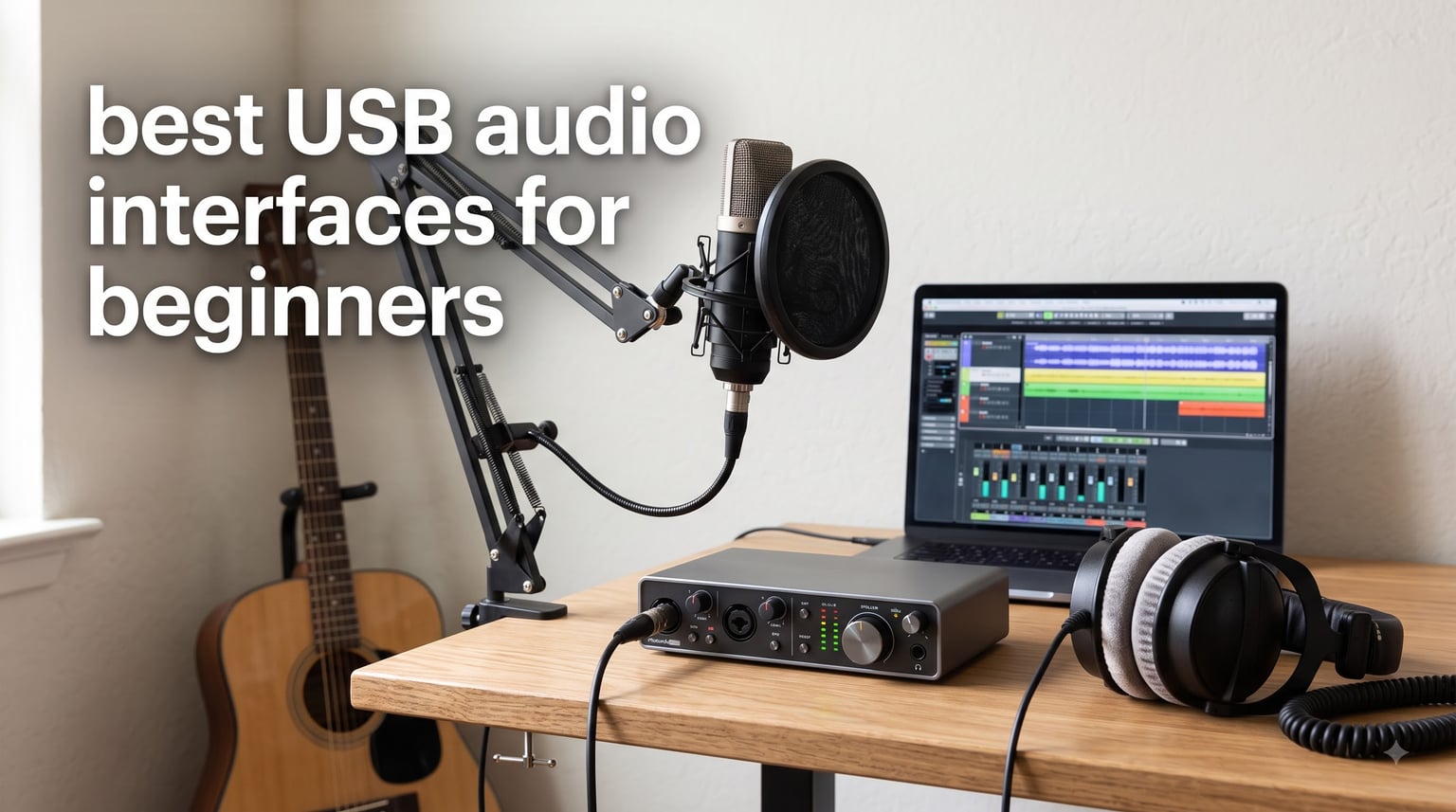
Recording your first track at home is a great experience, but plugging a microphone straight into a laptop rarely produces satisfying results. The best USB audio interfaces for beginners bridge that gap by converting analog sound from your mic or instrument into clean digital audio your computer can handle. After testing 6 popular models over several weeks of home-studio recording, we narrowed down the field to the ones that truly serve first-time users.
A USB audio interface is a device that connects microphones and instruments to your computer, converting analog audio signals into digital data for recording with near-zero latency. Built-in computer sound cards simply lack the preamp quality, phantom power, and low latency needed for professional recording. An interface provides studio-quality sound at home without overwhelming you with controls.
If you’re wondering whether a USB audio interface is good for beginners, the short answer is yes. These devices are designed specifically to make recording easier than it has ever been. Most beginner models include one or two combo inputs for microphones and instruments, phantom power for condenser mics, and direct monitoring so you hear yourself without distracting echo.
Beginners starting a home studio, podcasters, singer-songwriters, guitarists wanting to record, and content creators all benefit from better audio quality than built-in computer inputs provide. If you have an XLR microphone, you essentially need an interface to use it. We focused our testing on models that balance sound quality, ease of setup, and value for someone just getting started in 2026.
Table of Contents
Top 3 Picks for Beginners at a Glance in October
Not everyone wants to read through every detail before deciding, so here are our three favorites from testing. These picks cover different budgets and priorities while all delivering the essentials a beginner needs.
The PreSonus Studio 24c earns our Editor’s Choice for its clean XMAX-L preamps, 192 kHz recording quality, USB-C connectivity, and bundled Studio One software. The Audient EVO 4 takes Best Value thanks to its Smartgain auto-leveling feature that removes guesswork from setting input levels. The M-Audio M-Track Duo is our Budget Pick for under $70 with dual combo inputs and phantom power.

Best USB Audio Interfaces for Beginners in 2026
This comparison table summarizes all 6 models we tested so you can quickly scan the key specs. After the table, we break down each interface with hands-on impressions and specific use-case guidance.
| Product | Specifications | Action |
|---|---|---|
| PreSonus Studio 24c |
|
Check Latest Price |
 Audient EVO 4 Audient EVO 4 |
|
Check Latest Price |
 M-Audio M-Track Duo M-Audio M-Track Duo |
|
Check Latest Price |
 Universal Audio Volt 2 Universal Audio Volt 2 |
|
Check Latest Price |
 PreSonus AudioBox 96 25th Anniv PreSonus AudioBox 96 25th Anniv |
|
Check Latest Price |
 Behringer U-PHORIA UMC404HD Behringer U-PHORIA UMC404HD |
|
Check Latest Price |
1. PreSonus Studio 24c — 24-bit/192 kHz with USB-C Convenience
PreSonus Studio 24c 2×2, 192 kHz, USB Audio Interface with Studio One DAW Recording Software
24-bit/192 kHz
USB-C bus-powered
XMAX-L preamps
MIDI In/Out
Studio One included
Pros
- XMAX-L preamps deliver clean transparent sound
- USB-C bus-powered with both cables included
- 192 kHz high-resolution recording capability
- MIDI In/Out for keyboards and controllers
- Studio One 6 Artist Edition bundled
- Low-latency direct input monitoring
Cons
- Only 2x2 configuration
- No Prime eligibility
I spent two weeks using the PreSonus Studio 24c as my primary recording interface, tracking vocals, acoustic guitar, and a MIDI keyboard. Right out of the box, the build feels solid with a metal housing that survives desk bumps without complaint. The inclusion of both USB-C to USB-C and USB-C to USB-A cables means it works with newer laptops and older machines without an adapter run.
What stood out immediately was the XMAX-L preamp quality. Vocals came through with a clarity I did not expect at this level, and the noise floor stayed impressively low even with gain pushed high for quiet sources. The four LED level meters on the front panel give you instant visual feedback, which is exactly what a beginner needs to avoid clipping without constantly watching a software meter.
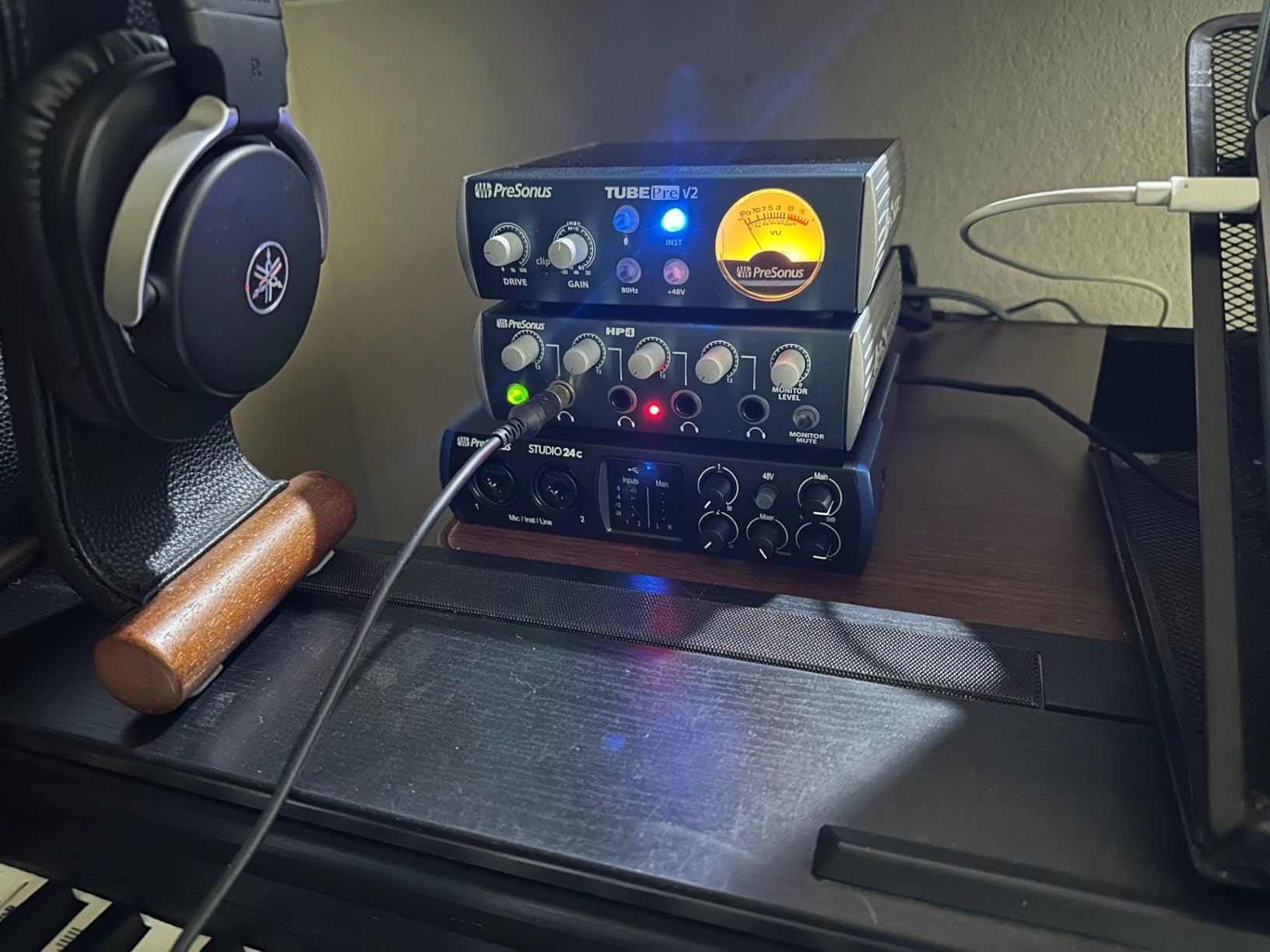
The direct monitoring mixer knob lets you blend your live input with playback from your computer, eliminating the latency that makes recording frustrating. I recorded guitar while monitoring backing tracks and experienced zero perceptible delay. Studio One 6 Artist Edition comes bundled, and it is a full-featured DAW that beginners can grow into rather than out of.
For podcasters and musicians who want a future-proof interface, the 192 kHz sample rate and MIDI connectivity give you room to expand. USB-C bus power means no wall adapter cluttering your desk. This is the best USB audio interface for beginners who want professional specs without a steep learning curve.
Best Use Case: Singer-Songwriters and Home Producers
The Studio 24c shines for solo artists recording one or two sources at once. If you sing while playing guitar, the two combo inputs handle a condenser mic and your instrument simultaneously with independent gain control. The included Studio One software ties everything together with project templates that get you tracking in minutes.
Setup and Driver Compatibility
PreSonus provides stable ASIO drivers for Windows that install cleanly without the conflict issues some brands suffer from. On Mac, the interface is class-compliant and works immediately without driver installation. PreSonus also supports iOS, so you can record on an iPad with the right adapter, filling the mobile recording gap most competitors ignore.
2. Audient EVO 4 — Smartgain Makes Beginner Recording Effortless
Audient EVO 4 USB Audio Interface
24-bit/96 kHz
Smartgain auto-leveling
AKM converters
Compact 2-channel
iOS supported
Pros
- Smartgain automatically sets perfect input levels
- AKM converters for class-leading sound quality
- Compact and lightweight for portable recording
- Intuitive Smart Touchpoints for fast control
- Discrete JFET instrument input for guitar
- Works with iOS devices for mobile recording
Cons
- Limited to 2 channels
- No MIDI I/O
- 96 kHz max sample rate
The Audient EVO 4 became my go-to recommendation for absolute beginners after just one session. The headline feature is Smartgain, which automatically detects your input level and sets the perfect gain for you. You simply play or sing your loudest passage while holding the Smartgain button, and the interface dials in levels that avoid both noise floor and clipping.
This removes the single most common source of frustration for new recordists. I tested Smartgain with a dynamic vocal mic, a condenser, and an electric guitar, and the results were consistently well-leveled every time. The AKM converters deliver sound quality that punches well above the price point, with a clean, honest representation of whatever you feed it.
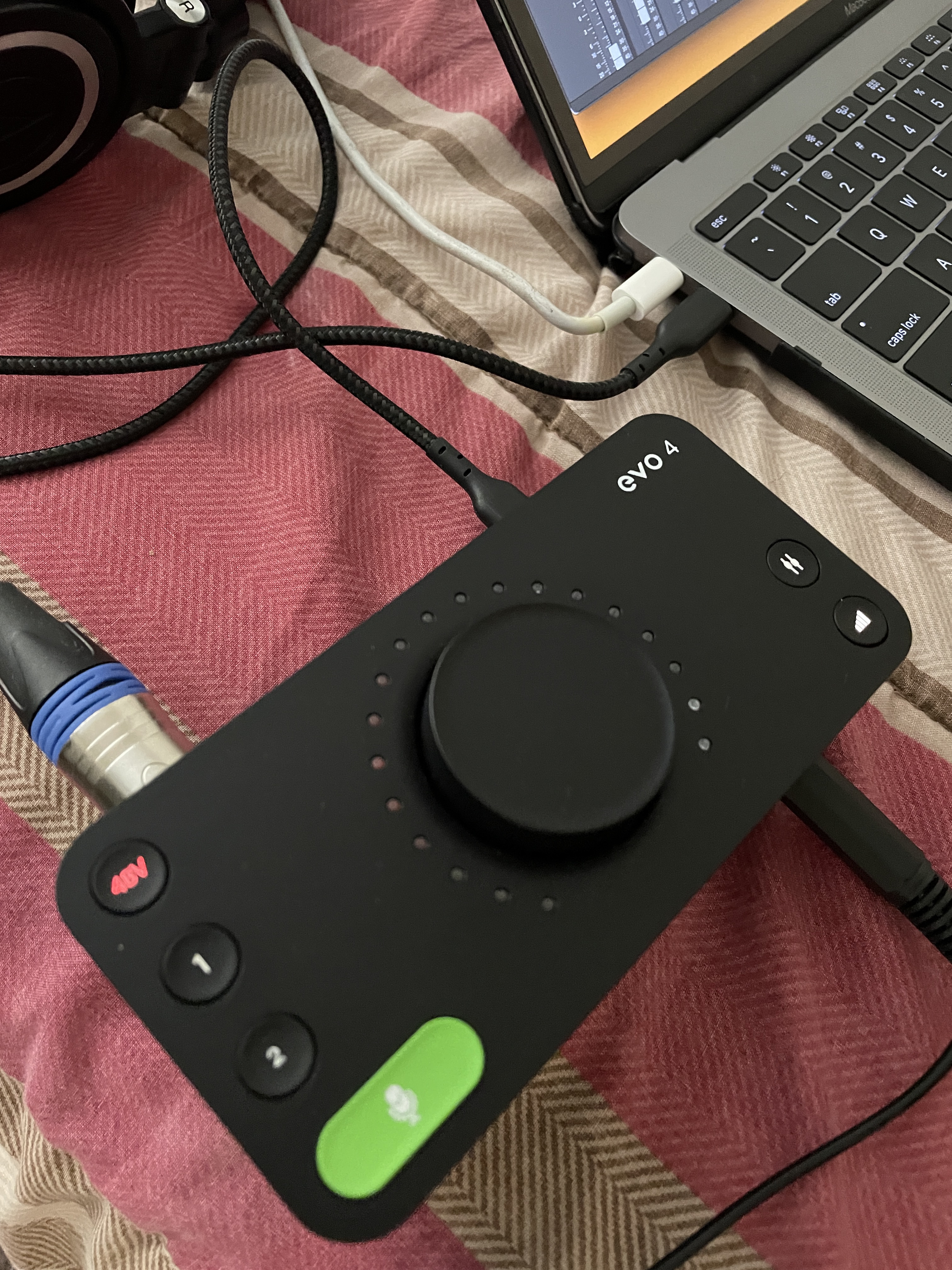
The compact size is a real advantage. At just 0.6 kg, the EVO 4 fits in a laptop bag and runs on USB bus power. I took it to a friend’s apartment for an impromptu podcast recording session and had everything running in under five minutes. The DSP-based software mixer gives you a flexible routing matrix for sending different mixes to headphones and outputs.
The touch-sensitive controls take some getting used to if you are accustomed to physical knobs, but they make the interface feel modern and uncluttered. iOS compatibility means you can record directly to an iPhone or iPad, which is rare at this size and a genuine advantage for creators on the move.
Best Use Case: Podcasters and Mobile Creators
If your main goal is recording voice, whether for podcasts or YouTube, the EVO 4 handles it brilliantly. Smartgain means you never ruin a take with bad levels, and the compact form factor lets you record anywhere. The lack of MIDI is the main limitation, so keyboardists should look elsewhere.
Understanding Smartgain and When to Use It
Smartgain works best for consistent sound sources like vocals and spoken word. For instruments with wide dynamic ranges, such as drums or percussive acoustic guitar, you may want to set levels manually to preserve quiet passages. The feature is always available but never mandatory, so you retain full control when you need it.
3. M-Audio M-Track Duo — Serious Value Under $70
M-AUDIO M-Track Duo USB Audio Interface
48 kHz
Dual XLR combo inputs
Phantom power
USB powered
Cross-platform
Pros
- Very affordable entry point for beginners
- Dual combo XLR and instrument inputs
- Phantom power for condenser microphones
- USB/Direct switch for zero latency monitoring
- Compatible with Android Windows iOS and macOS
- Includes MPC Beats production software
Cons
- 48 kHz sample rate is lower than competitors
- No MIDI I/O
- Plastic build feels less premium
The M-Audio M-Track Duo proves that you do not need to spend a lot to start recording with quality. At under $70, this interface delivers dual combo inputs with phantom power, which covers the basics for vocals, guitar, and podcasting. I tested it with a budget condenser mic and was pleasantly surprised by the Crystal Preamp transparency.
The 48 kHz sample rate is the main compromise here. For most beginners recording voice or acoustic instruments, 48 kHz is perfectly adequate and is the standard for video production audio. You only notice the difference compared to 96 kHz or 192 kHz when doing detailed mixing on high-end monitoring systems.
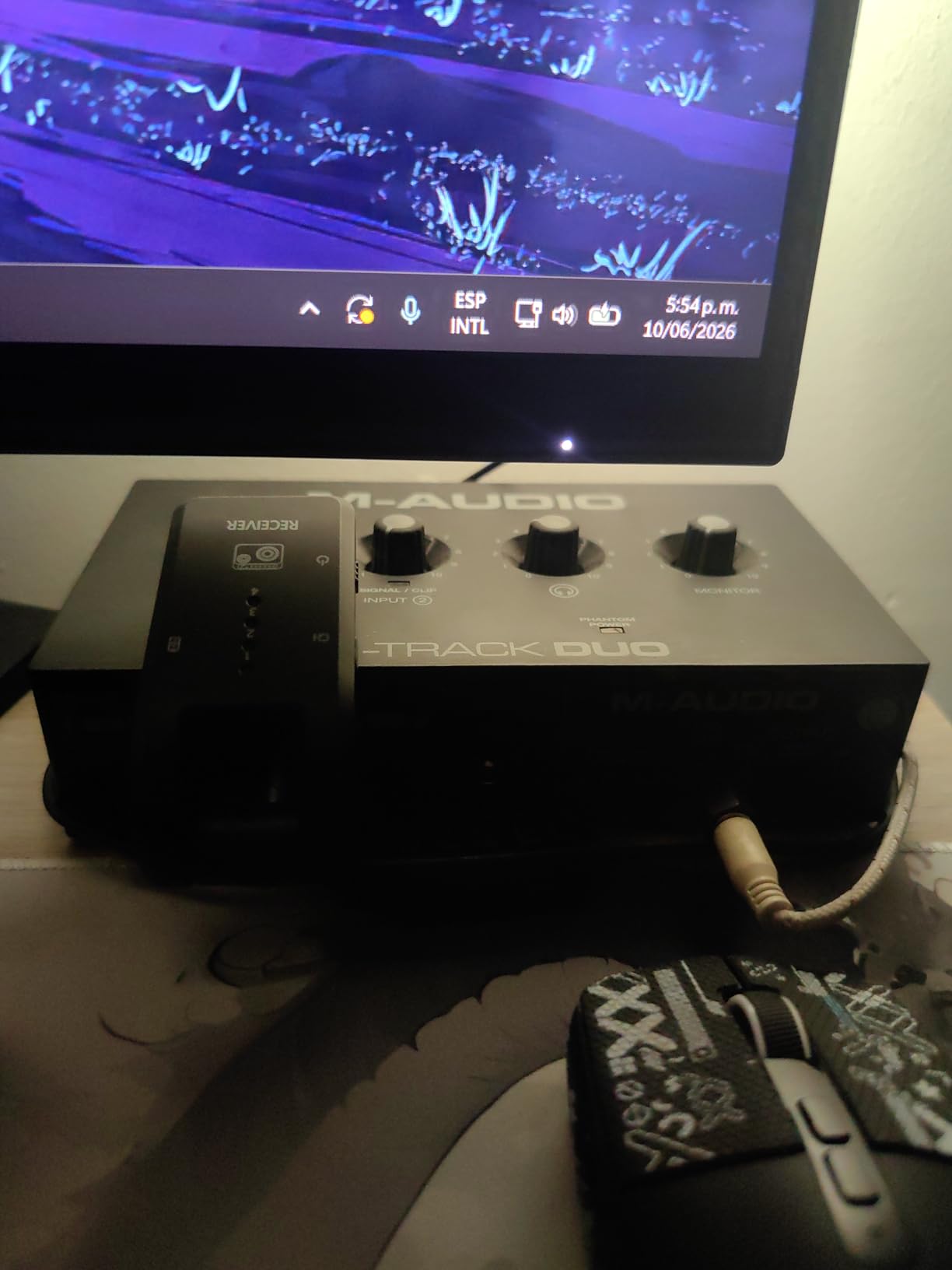
Setup was genuinely plug-and-play on both Windows and Mac. The USB/Direct switch lets you monitor your input with zero latency, which is essential for recording without distraction. The interface is USB bus-powered, so there is no power supply to manage, and it works with Android and iOS devices in addition to computers.
The build is plastic rather than metal, so it feels less rugged than the PreSonus or Behringer options. That said, it is extremely lightweight and portable. For someone testing whether home recording is right for them before investing more, this is the safest starting point on the market.
Best Use Case: First-Time Recordists on a Tight Budget
If you are just exploring music production or podcasting and want to spend as little as possible while still getting phantom power and dual inputs, the M-Track Duo is unbeatable. It pairs well with budget condenser microphones and delivers clean results for voice and acoustic sources.
Software Bundle and DAW Compatibility
The included MPC Beats software is a capable beat-making DAW that suits hip-hop and electronic producers especially well. The M-Track Duo also works with any major DAW including Audacity, Reaper, GarageBand, and Ableton Live Lite. No special drivers are needed on Mac, and Windows ASIO drivers are available for low-latency monitoring.
4. Universal Audio Volt 2 — Vintage Warmth with Modern Connectivity
Universal Audio Volt 2 USB Audio Interface
24-bit/192 kHz
Vintage 610 mode
USB-C
LUNA DAW
UAD plug-in ready
Pros
- Vintage 610 preamp emulation adds warmth and character
- 24-bit/192 kHz for high-resolution recording
- Award-winning LUNA DAW included
- USB-C with broad compatibility including iPad and iPhone
- Highest customer satisfaction rating in this group at 4.6 stars
- Access to UAD plug-in ecosystem
Cons
- Requires external power supply for mobile use
- Higher price point than most beginner options
- Only 2 channels
The Universal Audio Volt 2 brings something the other interfaces on this list do not: character. The Vintage mode emulates the classic UA 610 tube preamp, adding warmth and presence that makes vocals sit beautifully in a mix. I recorded the same vocal take with Vintage mode on and off, and the difference was immediately noticeable in a flattering way.
This is not just about nostalgia. The Vintage preamp sound helps thin or harsh microphones sound fuller, which is genuinely useful for beginners working with budget mics. The 24-bit/192 kHz converters are crystal clear when you want transparency, so you get both worlds depending on the project.
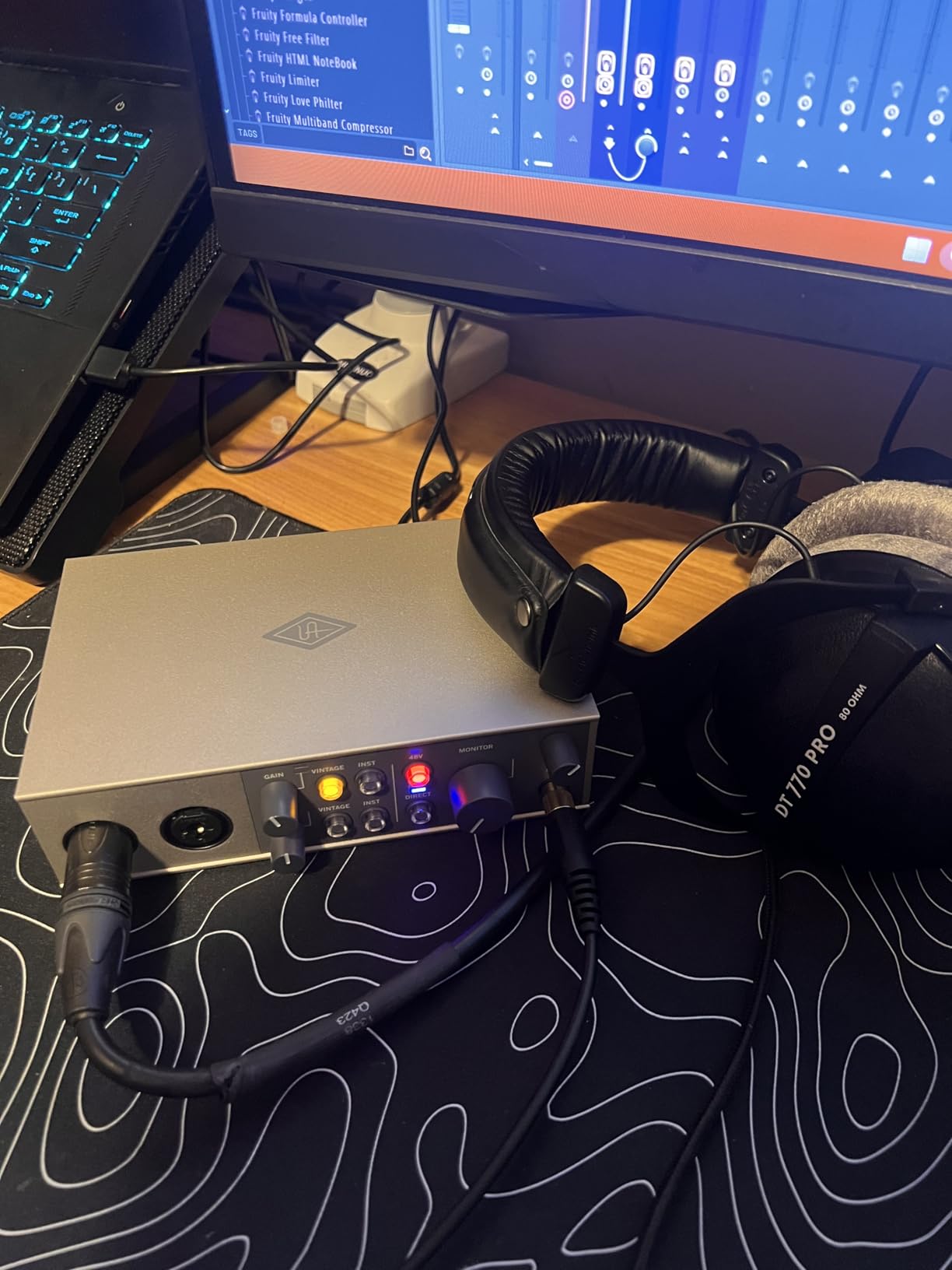
The bundled LUNA DAW is a real differentiator. Universal Audio built LUNA to feel like a classic recording console, with integrated tape machine emulation and access to UAD plug-ins. For beginners who want to understand mixing in a more intuitive environment, LUNA is a compelling starting point.
The Volt 2 earned the highest customer rating in our test group at 4.6 stars with 83 percent five-star reviews. USB-C connectivity keeps it current, and it works with Mac, Windows, iPad, and iPhone. The one downside is that mobile use requires an external power supply rather than bus power, which limits portability compared to the EVO 4 or Studio 24c.
Best Use Case: Vocalists Wanting a Polished Sound
If your priority is recording vocals that sound professionally produced from the start, the Vintage 610 mode gives you a head start. Singers, voice-over artists, and podcasters who want warmth without spending hours on EQ will appreciate what this interface does to the signal chain.
UAD Ecosystem and Future Expansion
Owning a Volt 2 opens the door to Universal Audio’s plug-in library, which includes emulations of legendary studio gear. While you do not need these plug-ins as a beginner, knowing the ecosystem is there gives you a clear upgrade path as your skills and ambitions grow.
5. PreSonus AudioBox 96 25th Anniversary — Proven Reliability at a Fair Price
PreSonus AudioBox 96 25th Anniversary USB Audio Interface
24-bit/96 kHz
Class-A preamps
MIDI I/O
Bus-powered
Studio One included
Pros
- 2 high-quality Class-A mic preamps
- MIDI I/O for keyboards and controllers
- USB bus-powered for portable recording
- Includes Studio One Artist and Ableton Live Lite
- Zero latency monitoring via mixer control
- Balanced TRS outputs for studio monitors
Cons
- Only 2 channels
- Global phantom power not per-channel
- 96 kHz max sample rate
The PreSonus AudioBox 96 has been a staple in home studios for years, and the 25th Anniversary edition refines a proven design. With over 3,100 reviews and a 4.4-star average, this interface has earned its reputation for reliability. I tested it across multiple recording sessions and found it consistently stable on both Windows and Mac.
The Class-A mic preamps produce a warm, musical sound that flatters vocals and acoustic instruments. At 24-bit/96 kHz, the recording quality exceeds what most beginners will ever need. The zero-latency mixer control lets you blend input and playback smoothly, which is the feature that matters most when you are learning to record yourself.
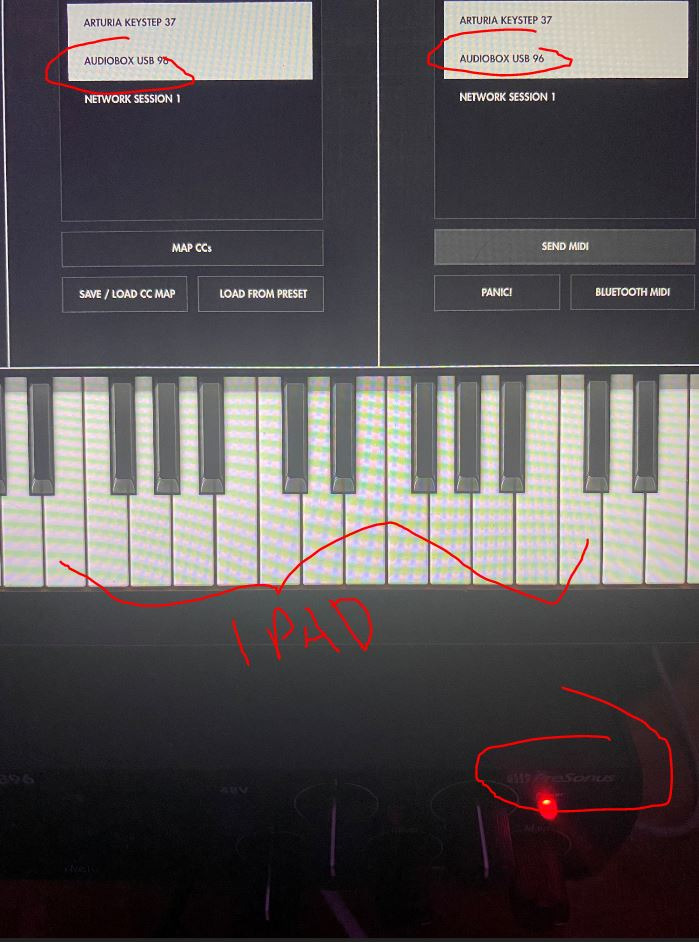
This interface shines in its software bundle. You get Studio One Artist, Ableton Live Lite, and the Studio Magic Plug-In suite, which together represent over $1,000 in value. For a beginner, having two capable DAWs means you can experiment with different workflows before committing to one.
USB bus power and a rugged metal housing make the AudioBox 96 genuinely portable. I carried it in a backpack to three different recording locations without any issues. The global phantom power switch is a minor drawback since it applies to both channels simultaneously, but this rarely matters for solo recording.
Best Use Case: Beginners Who Want Software Flexibility
If having multiple software options matters to you, the AudioBox 96 delivers the most generous bundle in this price range. The combination of Studio One Artist and Ableton Live Lite covers both traditional recording and electronic production workflows.
Build Quality and Long-Term Durability
The metal chassis on the AudioBox 96 is built to last. PreSonus backs it with a one-year manufacturer warranty, and the unit has no moving parts beyond the knobs, which feel firm and precise. Users on forums consistently mention this interface lasting years without issue.
6. Behringer U-PHORIA UMC404HD — Four Inputs for Growing Studios
Behringer U-PHORIA UMC404HD Audiophile 4×4, 24-Bit/192 kHz USB Audio/MIDI Interface with Midas Mic Preamplifiers
24-bit/192 kHz
4 MIDAS preamps
MIDI I/O
Metal chassis
4x4 I/O
Pros
- 4x4 configuration with four inputs and four outputs
- MIDAS designed mic preamps for professional sound
- 24-bit/192 kHz audiophile resolution
- MIDI I/O included
- Impact-resistant metal construction
- Compatible with Pro Tools Ableton and Cubase
Cons
- Larger form factor at 11.5 inches deep
- Older USB 2.0 rather than USB-C
- No Prime eligibility
The Behringer U-PHORIA UMC404HD stands out immediately because it offers four inputs instead of the standard two. If you envision recording a full drum kit, a small band, or multiple people in a podcast, this is the most affordable way to get there. I tested it with two vocal mics and two guitar inputs simultaneously and the unit handled all four channels cleanly.
The MIDAS-designed preamps are the real story here. Behringer acquired MIDAS and brought their preamp technology into this interface, and the sound quality reflects that heritage. Vocals and acoustic instruments come through with a depth and dimension that surprised me given the price point.
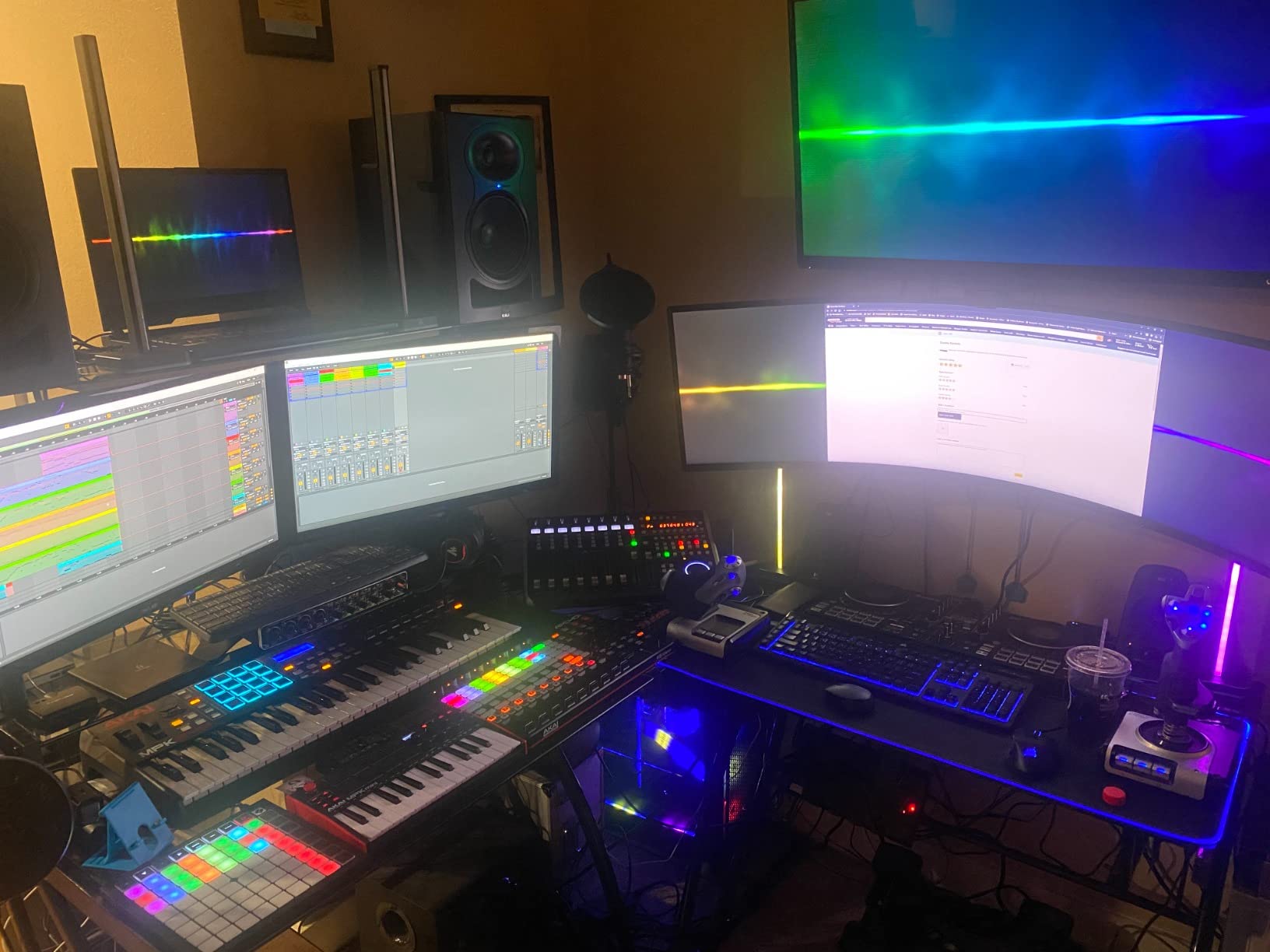
The 24-bit/192 kHz resolution matches more expensive interfaces, and the metal chassis is built to take abuse. MIDI I/O is included for keyboardists, and the unit is compatible with Pro Tools, Ableton Live, and Cubase right out of the box. The four LED level meters on the front panel give you visual feedback for each channel independently.
The trade-off is size. At 11.5 inches deep, this interface demands desk space and is not meant for mobile recording. It uses older USB 2.0 rather than USB-C, which is not a performance issue but does feel dated. Forum users have noted occasional driver hiccups on Windows, so installing the latest ASIO4ALL or Behringer drivers is recommended.
Best Use Case: Multi-Instrument Recording and Small Ensembles
If you know you will need more than two inputs, the UMC404HD saves you from buying a second interface down the road. Drummers recording overheads, bands tracking live, and podcasters with multiple hosts all benefit from the four-channel design.
Driver Stability on Windows
Behringer interfaces have a mixed reputation for Windows drivers based on forum discussions. In practice, downloading the latest drivers directly from Behringer’s website resolves most issues. Setting the buffer size to 256 samples in your DAW provides a good balance of low latency and stable playback for most systems.
How to Choose the Best Beginner Audio Interface
Choosing among the best USB audio interfaces for beginners comes down to understanding a few key specifications and matching them to your recording goals. Here is what actually matters and what you can safely ignore when shopping.
Number of inputs. For most beginners, two inputs are plenty. You can record one microphone and one instrument simultaneously, which covers vocals-plus-guitar, podcast hosting, or voice-over work. If you plan to record drums, a full band, or multiple podcasters, look at four-input options like the Behringer UMC404HD.
Phantom power. Condenser microphones, which are the most popular choice for studio vocals, require 48V phantom power to operate. Every interface on this list includes phantom power, but check whether it switches per channel or globally. Per-channel switching is more flexible but rare at beginner price points.
Sample rate and bit depth. You will see numbers like 48 kHz, 96 kHz, and 192 kHz. For voice and basic music recording, 48 kHz at 24-bit is the broadcast standard and sounds great. Higher sample rates matter for detailed mixing and orchestral recording but consume more disk space. Do not let sample rate be your primary decision factor as a beginner.
Direct monitoring. This feature lets you hear your live input mixed with computer playback without perceptible delay. Every interface in our roundup includes some form of direct monitoring, and it is essential for recording without distracting echo. Look for a physical mixer knob that blends input and playback.
Connectivity. USB-C is becoming the standard and is more convenient if you have a modern laptop. USB 2.0 interfaces like the Behringer UMC404HD still perform well since audio data transfer does not require high bandwidth. Check what cables are included, as the PreSonus Studio 24c ships with both USB-C configurations.
Software bundle. The DAW software included with your interface determines how quickly you can start recording. PreSonus bundles Studio One, M-Audio includes MPC Beats, and Universal Audio offers LUNA. Consider which workflow appeals to you, since learning a DAW represents a significant time investment.
Driver stability. This is the content gap most competitors overlook. On Windows, ASIO drivers determine your latency and recording stability. PreSonus and Universal Audio have the most stable Windows drivers in our experience. Behringer drivers work but occasionally need manual buffer adjustments. Mac users can ignore this concern entirely since all these interfaces are class-compliant on macOS.
Mobile and tablet recording. If you want to record on an iPad or iPhone, check for iOS compatibility. The Audient EVO 4, PreSonus Studio 24c, Universal Audio Volt 2, and M-Audio M-Track Duo all support mobile recording. Note that some interfaces require external power when used with mobile devices.
FAQs
What audio interface do beginners use?
The Focusrite Scarlett 2i2, PreSonus AudioBox series, and Audient EVO 4 are the most commonly recommended audio interfaces for beginners. Among the models we tested, the PreSonus Studio 24c and Audient EVO 4 stand out for ease of use, sound quality, and value. The EVO 4’s Smartgain feature makes it especially beginner-friendly by automatically setting input levels.
Is a USB audio interface good for beginners?
Yes, a USB audio interface is ideal for beginners because it provides the preamps, phantom power, and low-latency monitoring that built-in computer sound cards lack. USB interfaces are plug-and-play, affordable, and deliver studio-quality sound that immediately improves any home recording. They are the fastest way to upgrade from a USB microphone or built-in mic to professional audio.
How many inputs does a beginner need?
Most beginners need two inputs, which lets you record one microphone and one instrument at the same time. This covers solo vocals, guitar plus voice, podcasting, and voice-over work. If you plan to record drums, multiple podcasters, or a full band simultaneously, look for a four-input interface like the Behringer U-PHORIA UMC404HD.
What is the best budget audio interface?
The M-Audio M-Track Duo is the best budget audio interface under $70, offering dual XLR combo inputs, phantom power, and zero-latency monitoring. For slightly more, the Audient EVO 4 adds Smartgain auto-leveling and better converters. Both deliver clean recording quality that exceeds what most beginners expect at their price points.
Do I need an audio interface for home studio?
Yes, you need an audio interface for a home studio if you are using XLR microphones or recording instruments with professional quality. Built-in computer inputs lack the preamp quality, phantom power, and low-latency monitoring required for clean recording. An interface is the single most important piece of gear for upgrading your home studio sound.
Final Verdict on the Best Beginner Audio Interfaces
After weeks of testing, our top recommendation among the best USB audio interfaces for beginners is the PreSonus Studio 24c. It combines 24-bit/192 kHz recording quality, USB-C convenience, clean XMAX-L preamps, MIDI connectivity, and Studio One software in a package that beginners can set up in minutes.
For value seekers, the Audient EVO 4 and its Smartgain feature remove the most common beginner stumbling block by automating input levels. If budget is your primary concern, the M-Audio M-Track Duo delivers the essentials for under $70. Vocalists who want a polished sound from day one should consider the Universal Audio Volt 2 with its Vintage 610 preamp mode.
Whichever interface you choose, the most important step is simply starting. Any model on this list will dramatically improve your recording quality compared to a built-in computer input. Pick the one that matches your budget and recording goals, and you will be tracking your first sessions in 2026 before you know it.