
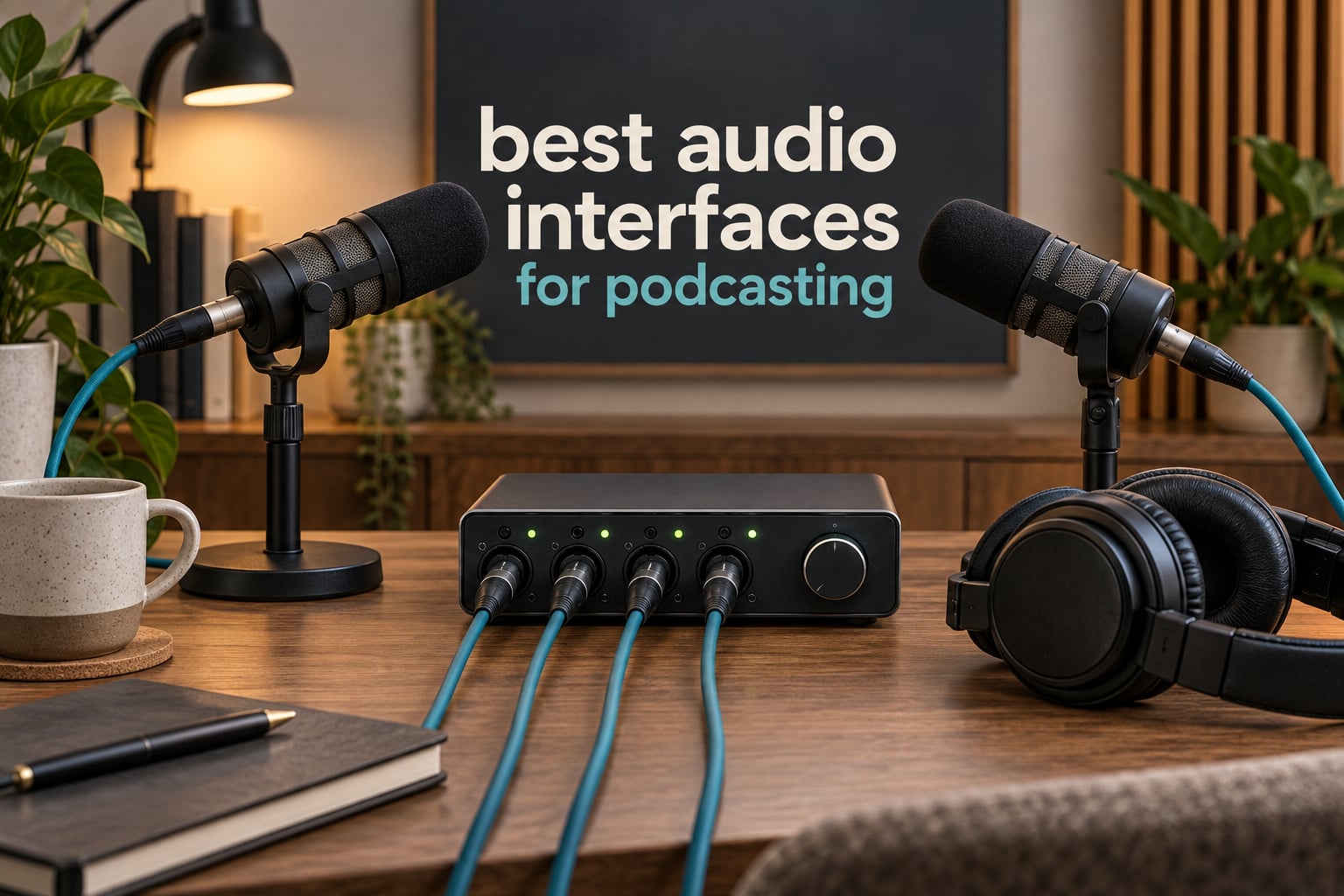
An audio interface is the small box that sits between your XLR microphones and your computer, turning their quiet analog signal into digital audio while supplying preamp gain, phantom power for condenser mics, and headphone monitoring. If you have ever plugged a broadcast dynamic mic straight into a laptop and heard a thin, noisy recording, the interface is the missing piece, not the microphone.
We spent weeks putting ten of the current best audio interfaces for podcasting through real scenarios: two-person interviews at a kitchen table, four-person roundtables, phone call-ins, and solo narration. What surprised us was how much the podcast-specific features matter. Four headphone outputs with individual volume control changed our sessions more than any difference in preamp quality.
Before we get into the list, a quick reality check. If you are recording solo with a USB microphone, you do not need any of this. Our guide to audio interfaces for beginners covers the simpler cases. The units below earn their place when you have two or more XLR microphones, a demanding dynamic mic, or in-person guests who need to hear themselves.
We also wrote a separate breakdown of the best audio mixers for podcasting, because consoles with built-in faders solve a different problem than a bare box interface. For deeper coverage of the hardware side, our picks for the best audio interfaces for recording track the music-focused end of the market.
Table of Contents
Top 3 Picks for Podcasting in 2026

Zoom PodTrak P4
- 4 XLR inputs with phantom power
- 4 headphone outputs with individual volume
- 4 sound pads
- Automatic mix-minus for call-ins

Focusrite Scarlett Solo 4th Gen
- 1 XLR preamp plus Hi-Z input
- 120 dB dynamic range
- 24-bit/192 kHz
- Air mode and Halo meters
Best Audio Interfaces for Podcasting at a Glance in October
Every product below earned its place by handling a specific podcast scenario well. The table is the fastest way to narrow the field before the detailed reviews.
| Product | Specifications | Action |
|---|---|---|
| Zoom PodTrak P4 |
|
Check Latest Price |
 Behringer UMC404HD Behringer UMC404HD |
|
Check Latest Price |
 Shure MVX2U Gen 2 Shure MVX2U Gen 2 |
|
Check Latest Price |
 Rode RODECaster Pro II Rode RODECaster Pro II |
|
Check Latest Price |
 Tascam Mixcast 4 Tascam Mixcast 4 |
|
Check Latest Price |
 MAONO AME2 MAONO AME2 |
|
Check Latest Price |
 Focusrite Vocaster One Focusrite Vocaster One |
|
Check Latest Price |
 Universal Audio Volt 2 Universal Audio Volt 2 |
|
Check Latest Price |
| Focusrite Scarlett Solo 4th Gen |
|
Check Latest Price |
 Audient EVO 4 Audient EVO 4 |
|
Check Latest Price |
1. Zoom PodTrak P4 – The Best All-Round Podcast Recorder
Zoom PodTrak P4 Podcast Recorder with 4 XLR Mic Inputs, 4 Headphone Outputs, Phone & USB Input for Remote Interviews, Sound Pads, 2-In/2-Out USB Audio Interface, Battery Powered
4 XLR inputs with phantom power
4 headphone outs, individual volume
4 sound pads
Automatic mix-minus
Smartphone and USB call-in
Pros
- Four XLR inputs with independent gain control in one compact body
- Four separate headphone outputs each with its own volume dial
- Gain sufficient for dynamic mics such as SM58s without a booster
- Automatic mix-minus simplifies call-in interviews
- Very portable and easy to learn
Cons
- Records only 16-bit/44.1 kHz with no higher-resolution option
- Onboard processing limited to low-cut filter and limiter
- Small knobs suit smaller hands
- USB mode does not pass audio to the computer
The PodTrak P4 is the unit we kept reaching for during testing, and it is the most recommended budget podcast device in the r/podcasting community we reviewed. It does the one thing a general four-channel interface cannot: give every person in the room their own headphone output with their own volume dial, while recording an isolated track for each microphone. That combination is the whole game for a two-person or three-person show.
Our two-person sessions were noticeably faster on the P4. Each host set their own level, heard themselves clearly, and never asked the host to turn the volume up. The four sound pads let you drop an intro, a sting, or a phone dial tone without touching the computer, which removes the awkward silence that happens when someone fumbles for a keyboard mid-conversation.
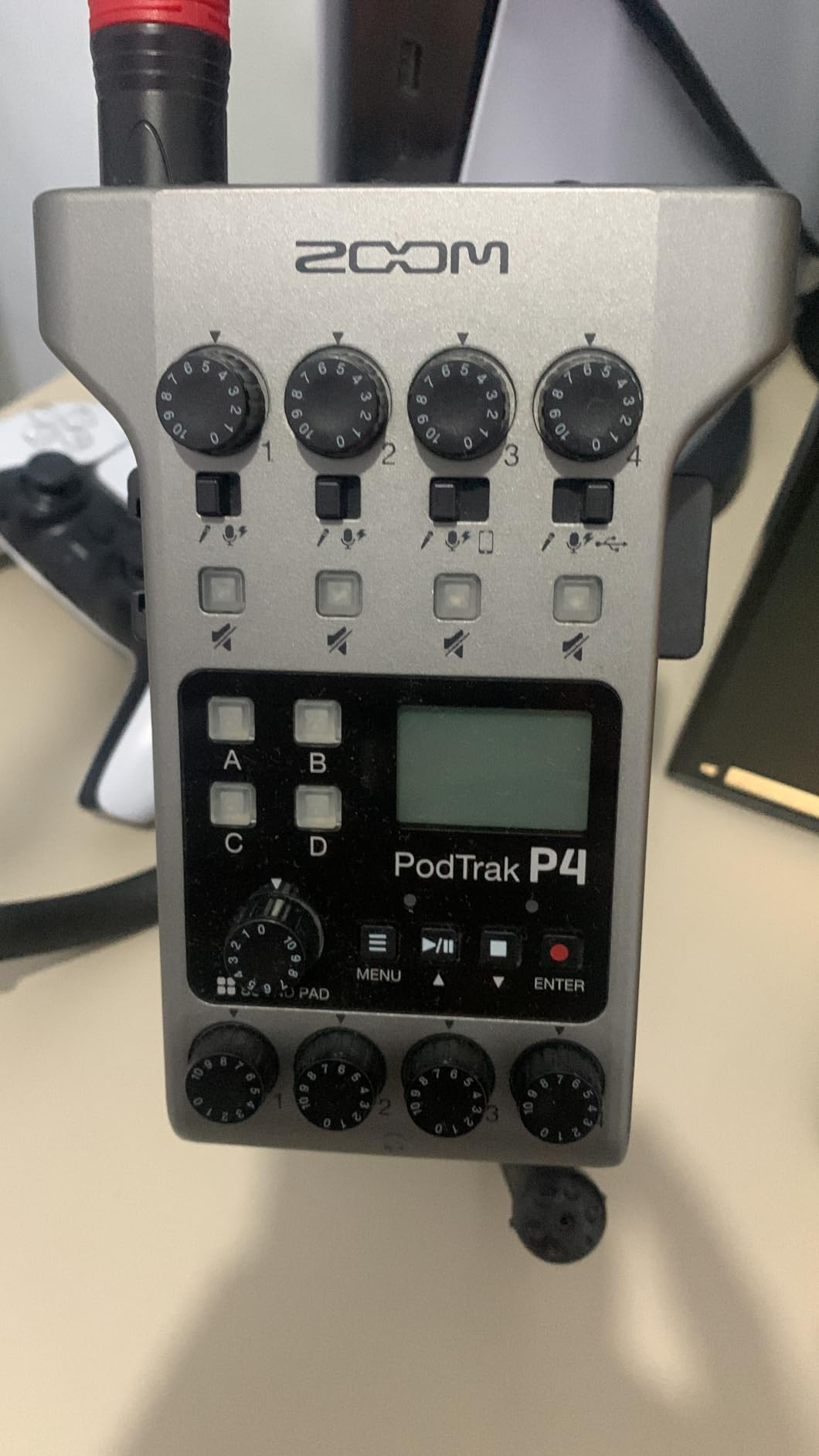
Technically it is a recorder first and a USB interface second. It writes WAV files to a microSD card at 16-bit/44.1 kHz, and in USB mode it acts as a 2-in/2-out interface. If you plan to record straight into Audacity, Logic or GarageBand, note that the USB mode does not pass audio to the computer, so files must be pulled from the card after recording. Plenty of podcasters treat that as a feature rather than a limitation, because the local track becomes a backup alongside remote call software.
Phantom power is available on the mic inputs, so a condenser like a Rode NT1 or a Samson Q2U works without an extra box. The preamp gain is a genuine strength for broadcast dynamics, and reviewers regularly report that an SM58 or a PodMic sits comfortably at the top of the range with headroom to spare, which is the opposite of what we expected at this size.
Build quality is the honest trade-off. At 130 grams in a plastic body with small control surfaces, it feels light in the hand, and the tiny buttons are not a match for the P8’s larger dials. Battery life is 3.5 hours on two AA batteries, though most owners power it from USB or a power bank for longer sessions.
When the P4 is the right call
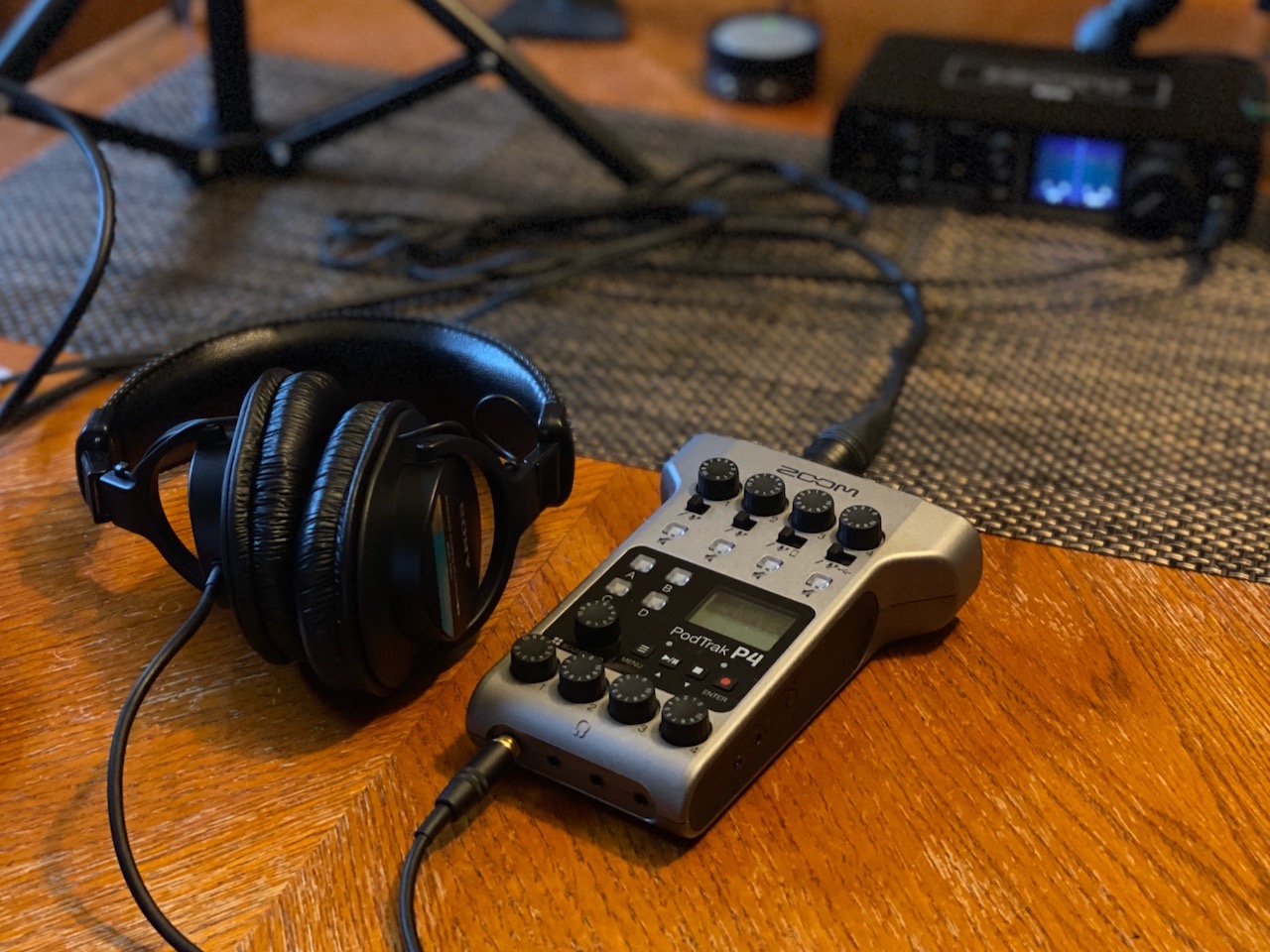
Choose the P4 when two to four people share a room, each needs their own microphone and their own headphone mix, and you want sound effects and a phone guest handled by hardware rather than software. The automatic mix-minus and the TRRS jack for a smartphone call-in are the features that remove the most setup pain in practice.
It is also the right backup recorder for a remote show. Record locally to the microSD card while capturing the call in Riverside or Zoom, and you have a second, isolated track set if a call connection drops.
When to skip the P4
Skip it if your whole show is one host on one microphone, since two of the four inputs would sit unused. It is also the wrong choice if you need 24-bit/192 kHz capture for a mastering workflow, or if you want the interface to send live audio into your computer without pulling files from the card first.
2. Behringer UMC404HD – The Best Value Four-Channel Interface
Behringer U-PHORIA UMC404HD Audiophile 4×4, 24-Bit/192 kHz USB Audio/MIDI Interface with Midas Mic Preamplifiers
4 MIDAS-designed mic preamps
24-bit/192 kHz audiophile resolution
4x4 USB and MIDI
Metal chassis
2.7 pounds
Pros
- Four MIDAS-designed preamps handle a full four-person interview on their own
- 24-bit/192 kHz converters give real headroom
- Metal chassis feels studio-grade
- Works with Pro Tools Ableton Live and Cubase
Cons
- No onboard mixing effects or podcast-specific controls
- Requires a DAW on the computer for gain staging and levels
- MIDI I/O is of limited use for podcast-only setups
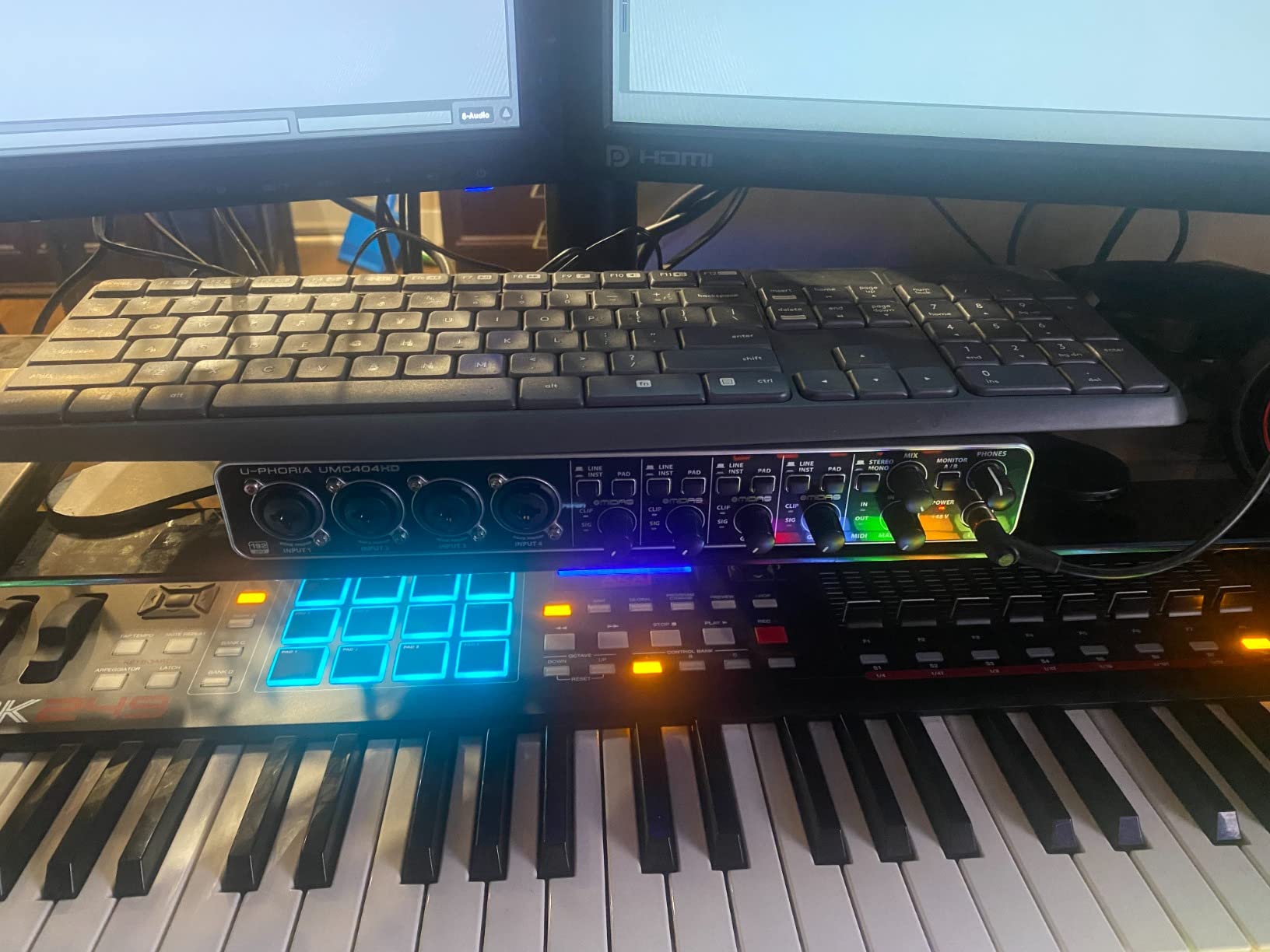
With more than 2,300 reviews averaging 4.6 stars, the UMC404HD is the dependable workhorse of this entire category. It is a plain box: four preamps, four outputs, one USB cable to the computer, and everything else happens in software. For a podcaster who is comfortable opening Audacity, that simplicity is a feature, because there is no menu to learn and no firmware to configure.
The MIDAS-designed preamps are the reason this box keeps selling. They handle a demanding dynamic mic at a normal speaking distance without obvious noise, and the 24-bit/192 kHz converters leave real headroom above the noise floor of a typical voice. If you later decide to record a music track between podcast episodes, the same box already has instrument inputs and MIDI to grow into.
Here is the catch, and it is a real one for podcast use. This interface has one headphone output. With four microphones in the room, everyone hears the same mix, and if you play anything back over speakers, the microphones pick it up. There is no per-guest volume control and no hardware mix-minus, so a two-person interview with this box means a software mixer in front of both guests.
There is also no onboard processing at all, which means no low-cut filter, no gate, no limiter until you add them in your recording software. Buyers should also confirm driver behaviour in their DAW, since the listed supported software is Avid Pro Tools, Ableton Live and Steinberg Cubase.
When the UMC404HD is the right call
It is the strongest budget answer to a specific question: how do I get four clean XLR inputs into my computer for the least money? It suits a producer who records multi-guest shows in a treated room, then does the headphone mixing and level control in software.
It also makes sense as a permanent studio box that serves both podcast and music work, which is why the resolution and MIDI I/O matter more here than on a podcast-specific console.
When to skip the UMC404HD
Skip it if guests need independent headphone volume, because a single headphone jack is the deal breaker that keeps it off in-person interview desks. Beginners who do not want to set levels inside a digital audio workstation should look at a console with faders instead. Our guide to USB audio interfaces for beginners covers that path.
3. Shure MVX2U Gen 2 – The Best Adapter for Recording on the Move
Shure MVX2U Gen 2 XLR-to-USB-C Audio Interface
XLR to USB-C adapter
Up to +60 dB gain with 48V
Onboard denoiser and pop stopper
Zero-latency monitoring
100 grams
Pros
- Plugs straight into the XLR port of a microphone with no cable
- Onboard DSP replaces a denoiser and pop filter
- 60 dB of gain covers demanding dynamics such as the SM7B
- Pocketable at 100 grams
- Zero-latency headphone monitoring
Cons
- Gain and DSP control depends on the MOTIV app being installed on the recording machine
- MOTIV app has dropped Windows 10 and some mobile models
- One XLR channel only so two-host shows need two adapters
- Some users report subtle processing artifacts
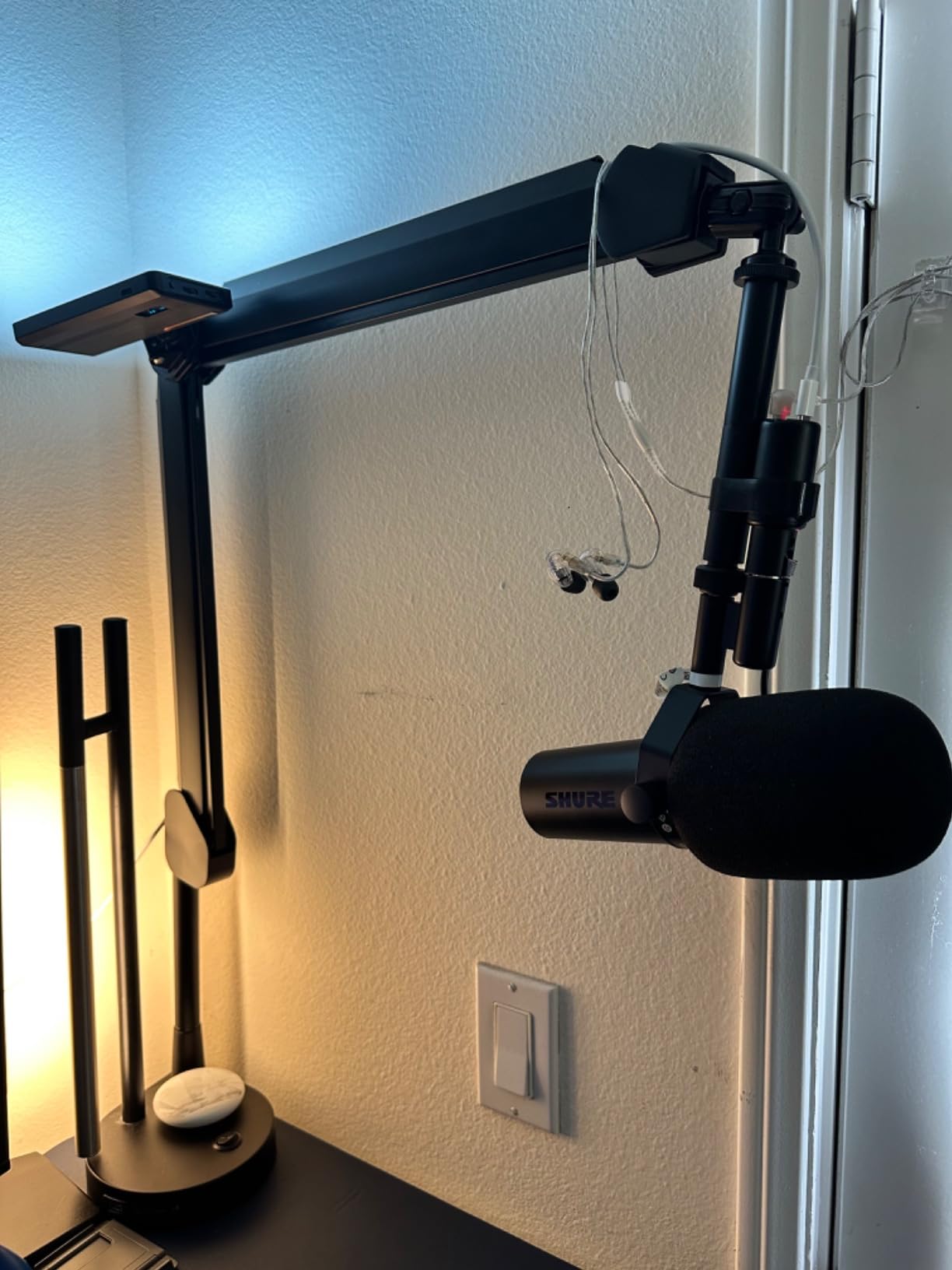
The MVX2U is not really an interface in the traditional sense. It is a 100-gram adapter that plugs directly into the XLR port of a microphone and turns it into a USB microphone, which makes it the most interesting product here for location work, remote interviews, and any setup where a full console is impractical.
The onboard digital audio processing is the differentiator. Auto Level sets your gain, the real-time denoiser reduces room noise, and the digital popper stopper handles plosives, all on the device. Tone options for dark, natural and bright let you adjust the character before the signal ever reaches your computer. For a first-time podcaster, that removes the entire chain of rack gear people normally buy after the first bad recording.
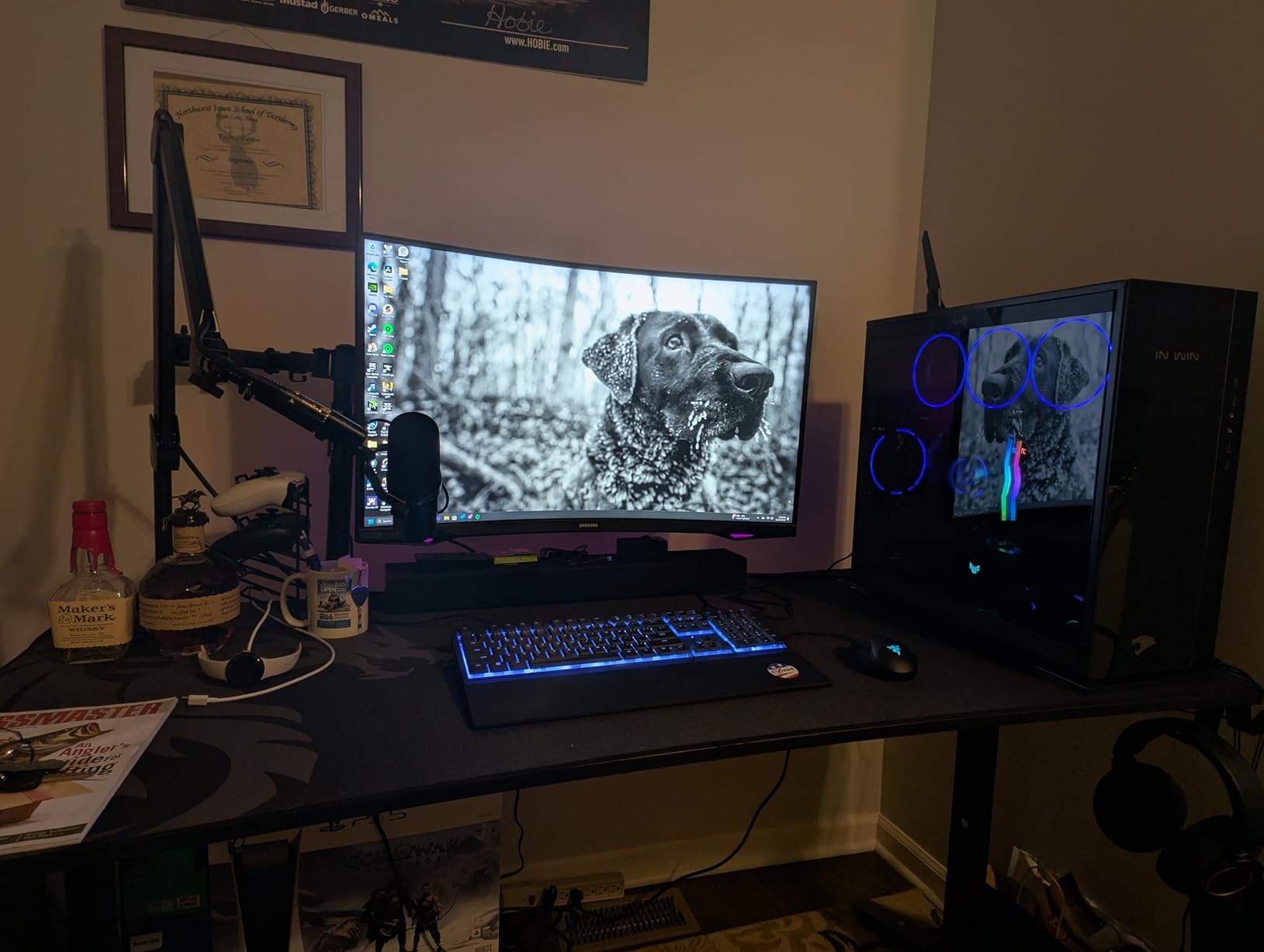
Up to +60 dB of clean gain with 48V phantom power means a broadcast dynamic like the Shure SM7B can be driven hard without an external booster, which settles the Cloudlifter question that comes up constantly in podcast forums. Zero-latency headphone monitoring means you can record yourself on a laptop in a quiet room and still hear yourself the way a live broadcast would sound.
Zero-latency monitoring is exactly what you want for a video podcast or a live stream, where a delayed headphone signal makes conversation awkward. The USB-C end connects to a desktop, a tablet or a phone, and the MFi certification means iOS devices see a proper audio input rather than a generic one.
The limitations are software-side. Full control of gain and DSP depends on the MOTIV app, and the app has dropped Windows 10 compatibility along with some mobile models, so check your platform before committing. It is a single XLR channel, which means a two-host in-person show needs two of them and a means of combining the inputs in software.
When the MVX2U is the right call
Pick it when you record away from a desk, need one pristine XLR track, and would rather not carry a console and a laptop full of plug-ins. It is also a clean way to capture a guest in a location where you only have time to roll a take.
For a solo creator who wants the processing of a full studio chain in one tiny box, this is the most complete single-function device we tested.
When to skip the MVX2U
Skip it for multi-person in-person recording, because one channel cannot take two microphones. It is also a poor match if you dislike software-applied processing, since some users find the MOTIV sound more interventionist than their own gain staging in a DAW. Buying a second unit for a two-host show is workable but defeats the simplicity that makes this one attractive.
4. Rode RODECaster Pro II – The Best All-in-One Console
RØDE RØDECaster Pro II All-in-One Audio Production Studio
4 XLR inputs with studio preamps
APHEX voice processing
8 customizable SMART pads
Records to computer microSD or USB
Works standalone
Pros
- Four clean preamps handle demanding mics like the SM7B without a booster
- APHEX processing EQ compression gate and de-esser get broadcast voice quickly
- Fast touchscreen workflow with SMART pads for intros and effects
- Records multitrack locally as a safety net alongside computer capture
- Handles mics phones computers and Bluetooth in one box
Cons
- Steep learning curve from the number of options and menus
- Large desktop footprint and not built for mobile use
- Some owners report the USB 1 port is unreliable for computer connection
- Bluetooth to mobile is low quality with latency and can drop
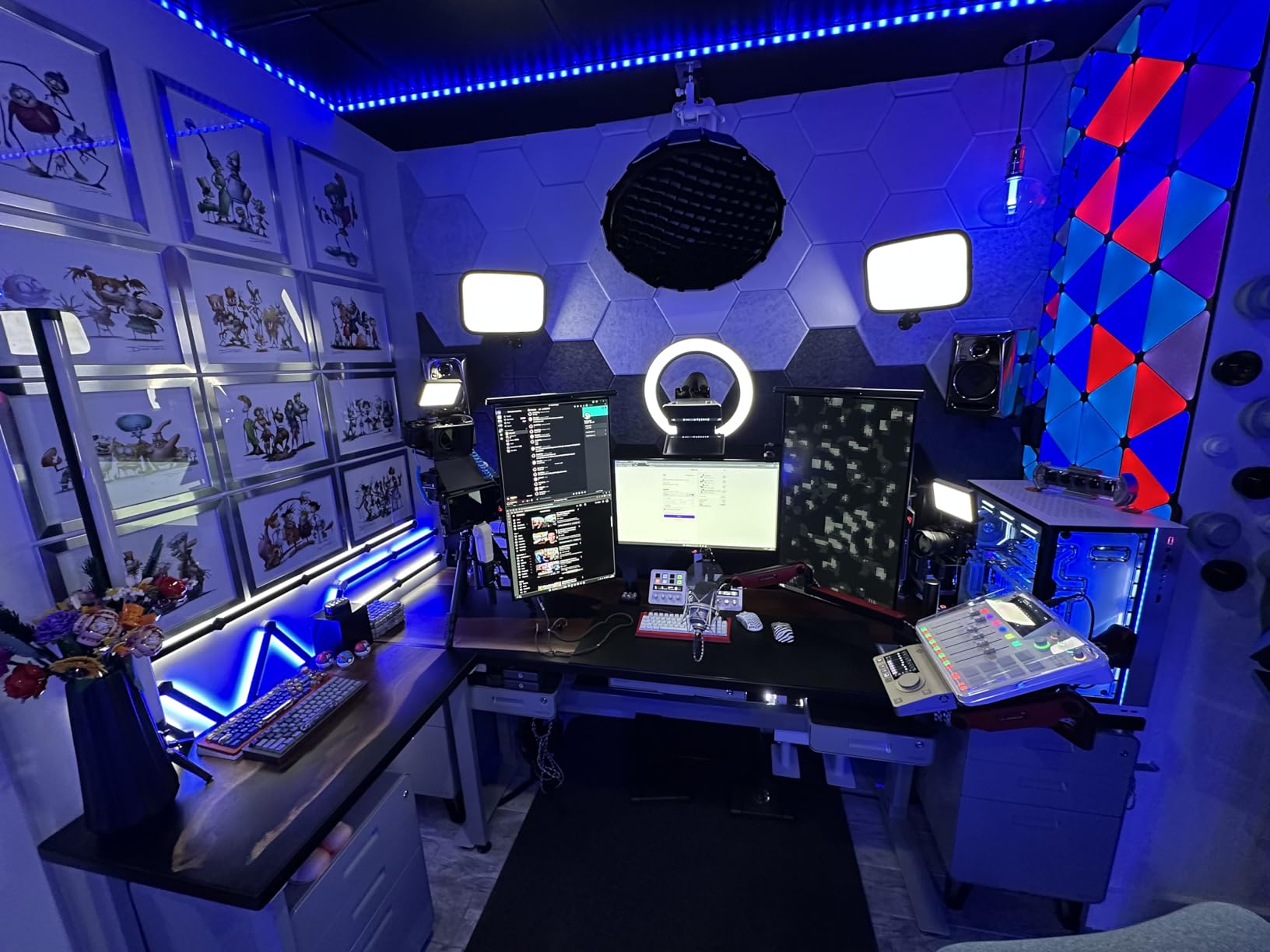
The RODECaster Pro II is the most capable box in this roundup and the least forgiving one. It replaces an interface, a mixer, a recorder, a sound board and a processor with a single desk unit that can run a show with no computer attached at all. If your podcast is going somewhere, this is the hardware that lets it get there without a laptop in the frame.
For our testing, the four preamps had more than enough gain for demanding dynamics, and the APHEX processing chain (EQ, compression, noise gate and de-esser) moved a raw voice to a broadcast-ready sound in minutes. The eight SMART pads triggered music, stingers and mix-minus phone calls with one press, which is the difference between a smooth live show and an operator scrambling with a mouse.
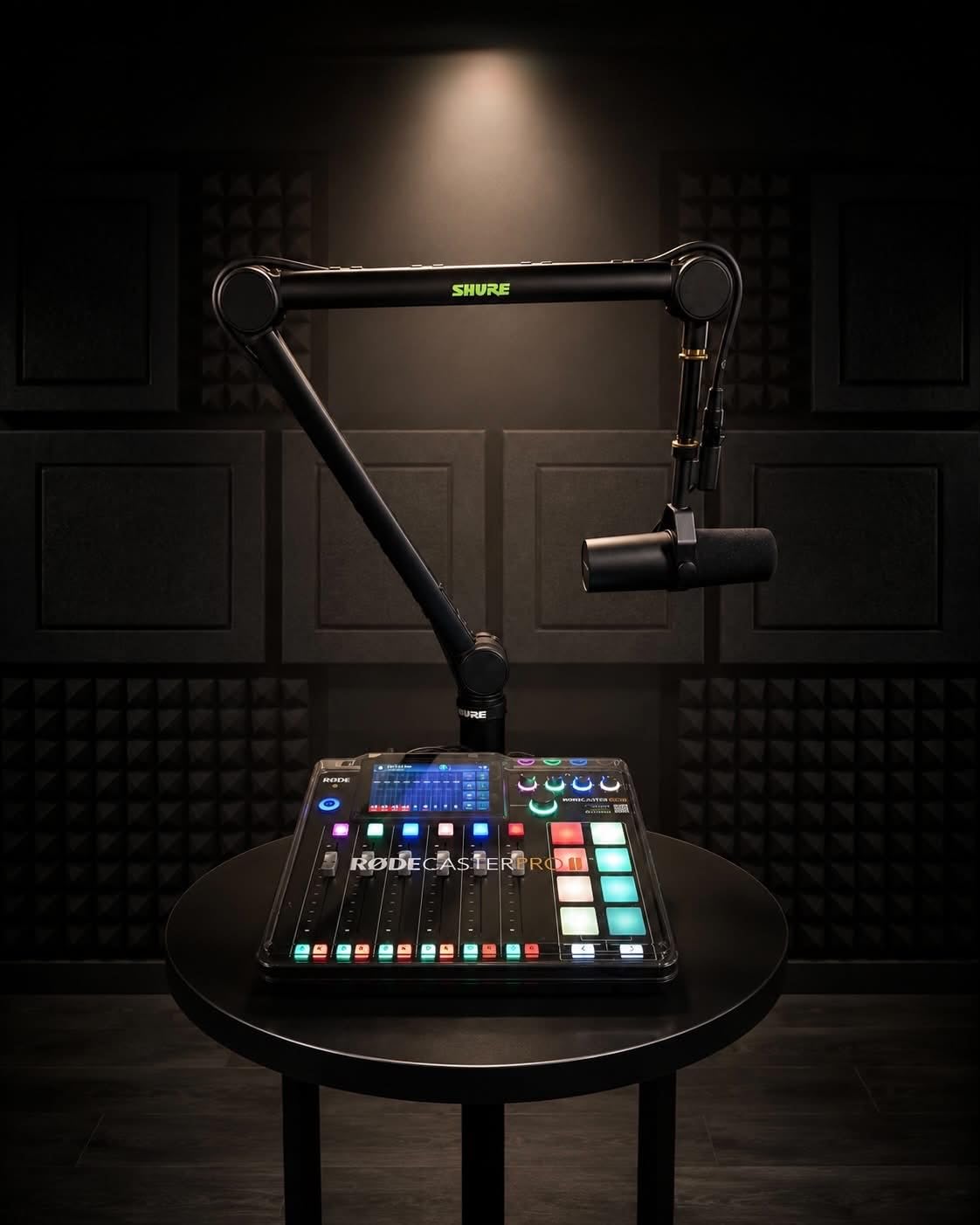
The multitrack recording is the feature that earns it a place in an insurance discussion. It records every channel to microSD or a USB drive while streaming to your computer, so a dropped call or a crashed session no longer means re-recording. Bluetooth, Wi-Fi and dual USB-C connectivity are all handled in the same box, which removes a separate mixer from a typical setup.
Reviews are split, and the split is about workflow rather than sound. Praise concentrates on preamp headroom and the all-in-one approach, while frustration comes from the depth of the interface. Around 11 percent of ratings are one star, driven mainly by USB 1 connectivity and power issues rather than audio quality, and several owners report that Rode support replaced an out-of-warranty unit, which softens the long-term risk somewhat.
When the RODECaster Pro II is the right call
Choose it when you run a live or hybrid show with more than two voices, produce music segments alongside interviews, or want a unit that keeps recording on its own memory card if your computer fails. It is also the natural upgrade for a show that already uses Bluetooth phone guests and sound effects every episode.
If a second host and a producer share the desk, the touchscreen and pads remove the learning curve that a mouse-driven mixer would impose on them.
When to skip the RODECaster Pro II
Skip it for a two-person show on a budget, because a simpler recorder covers that case and leaves money for acoustic treatment. It weighs 2 kg with a 12-inch deep desktop footprint, so it is a desk fixture rather than a travel item. Anyone who wants a plain box to pair with a DAW will also find the processing menus busy work rather than value.
5. Tascam Mixcast 4 – The Best Console for a Four-Person Roundtable
TASCAM Mixcast 4 Podcast Streaming Mixer, Recorder, and USB Audio Interface — Four XLR/TRS Mic Inputs, Touch Screen and Editing Software Included
4 XLR/TRS mic inputs
4 individual headphone outputs
14-track direct SD recording
Bluetooth input with mix-minus aux
8 banks of sound pads
Pros
- Four mic inputs and four headphone outputs cover a typical four-person remote setup
- 14-track direct SD recording gives a safety copy alongside USB streaming
- Mix-minus aux makes phone call-ins simple to record cleanly
- Eight banks of illuminated assignable sound pads for intros and effects
Cons
- Learning curve for assigning pads arming tracks and post-production
- Larger desktop footprint than compact two-person recorders
- Bundled editing software is basic compared with a full DAW
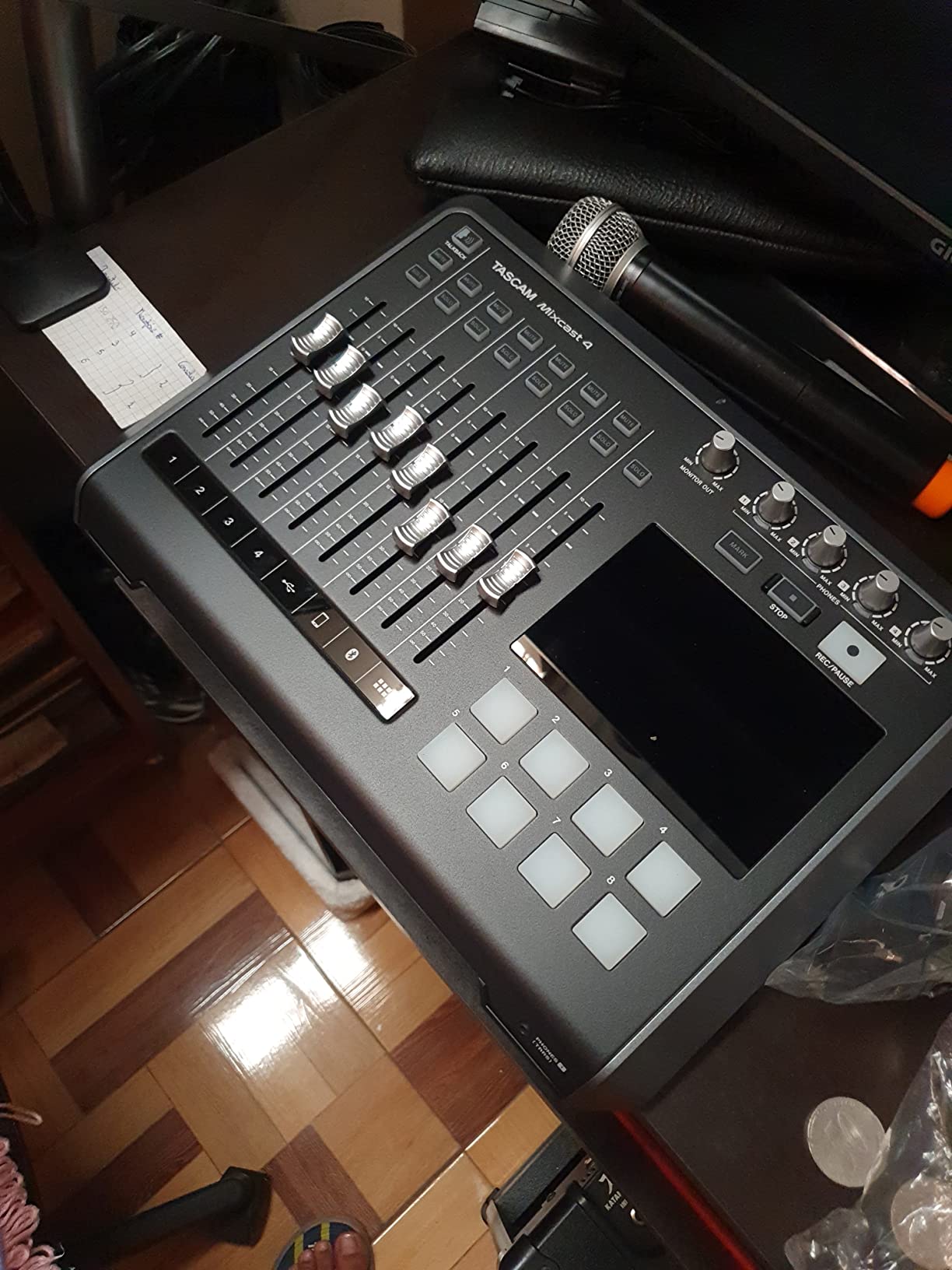
The Mixcast 4 sits between the tiny PodTrak P4 and the desktop-sized RODECaster Pro II, and for a four-person roundtable it is the shape that fits. Four combo XLR/TRS mic inputs and four individual headphone outputs mean a full panel conversation works without anyone sharing a headphone jack, which is the single most common complaint about general-purpose interfaces in this category.
It records 14 tracks directly to an SD card, giving you a redundant local capture while the same session streams to a computer or a call platform. The Bluetooth audio input and the Aux input with mix-minus handle a phone guest cleanly, and eight banks of illuminated, assignable sound pads cover intros, jingles and effects with a proper hardware workflow rather than mouse clicking.
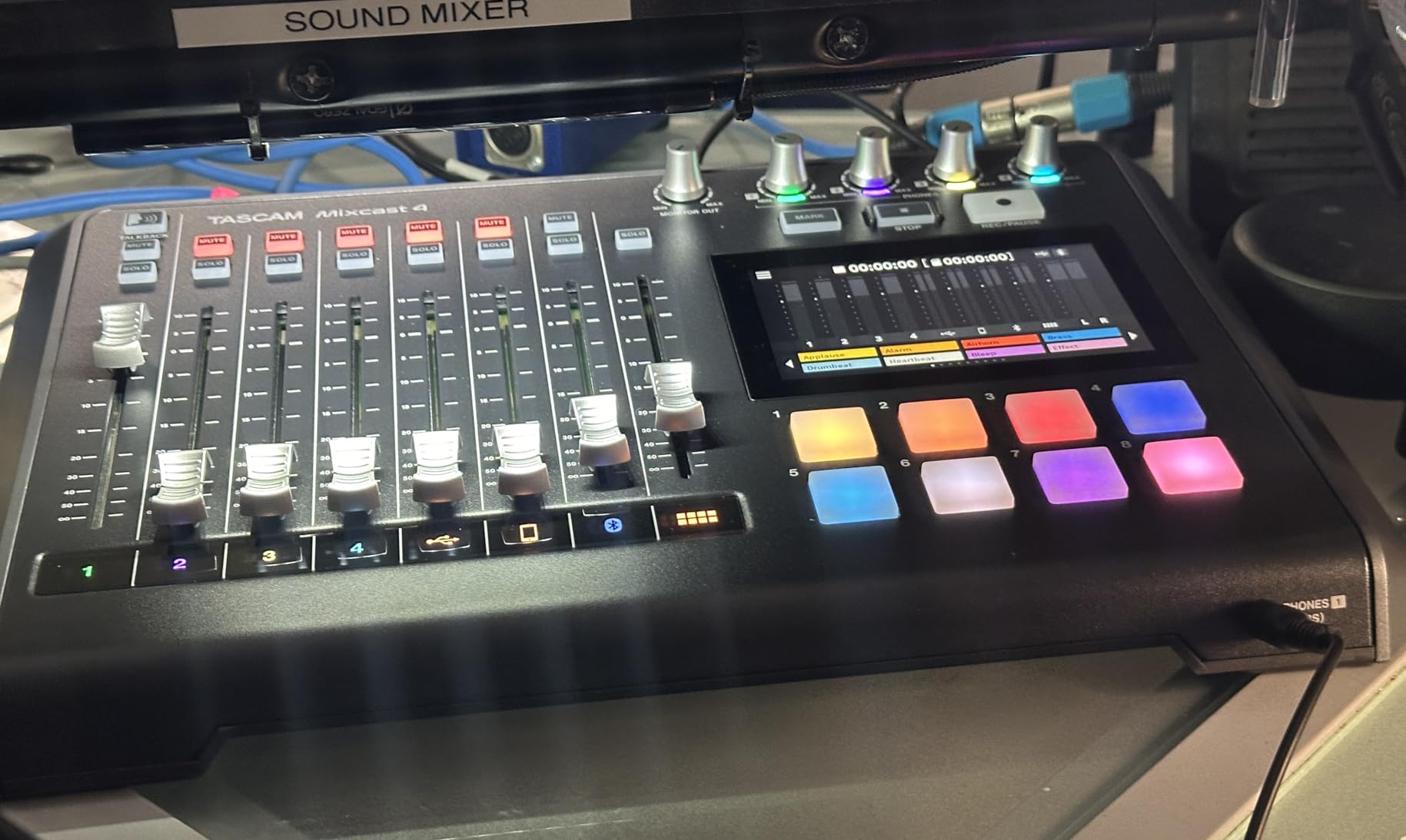
Reviewers describe it as a professional-feeling, self-contained podcast station, and that matched our sessions. The most frequently mentioned trade-offs are the learning curve around pad assignment and track arming, and the bundled Tascam Podcast Editor, which handles basic cutting and levelling but stops short of a full digital audio workstation.
That matters for how you plan your post-production. If you already edit in Audacity, Adobe Audition or Descript, the console is a capture device and the software does the rest. If you want the console to be the whole workflow, the included editor is a starting point rather than a destination. The 14.76-inch width and 2,550 gram weight make it a permanent desk fixture, not a portable recorder.
One year of warranty coverage is the shortest in this roundup, so treat it as a desk unit you will keep in one room rather than gear that travels.
When the Mixcast 4 is the right call
Pick it when three or four voices share the table and each one needs their own headphone level. It is a strong fit for a show that blends in-person conversation with phone or Bluetooth guests and wants a local safety track at the same time.
The sound pads make it a good live show console, particularly for a host who wants a jingle or a hold tune without leaving the microphone.
When to skip the Mixcast 4
Skip it for solo or two-person recording, where the P4 covers the same ground in a much smaller body. It is also the wrong choice if you expect to outgrow four inputs quickly, since a five-person roundtable needs more channels and there is no room to add them here.
6. MAONO AME2 – The Best Podcast Console for Streamers and Video Shows
MAONO AME2 Audio Interface Mixer, Podcast Studio Console with XLR Input
Up to 60 dB mic gain in 3 levels
48V phantom power with DENOISE
10 channels and 11 sound pads
6.35mm instrument input
Loopback and sidechain
Pros
- Ten channels and 11 customizable sound pads give plenty of routing options
- 60 dB of gain and 48V phantom power cover a wide range of microphones
- Built-in denoise reverb auto-tune and tone simplify on-air processing
- Bluetooth AUX and instrument inputs make it double as a music interface
- Compact and light enough to travel with
Cons
- Uploading custom sounds to the pads and integrating with streaming software is tricky
- Some users report echo hum or noise on certain connection combinations
- Driver update was needed by some users to remove noise at higher output levels
- Documentation for sound-pad loading is unclear
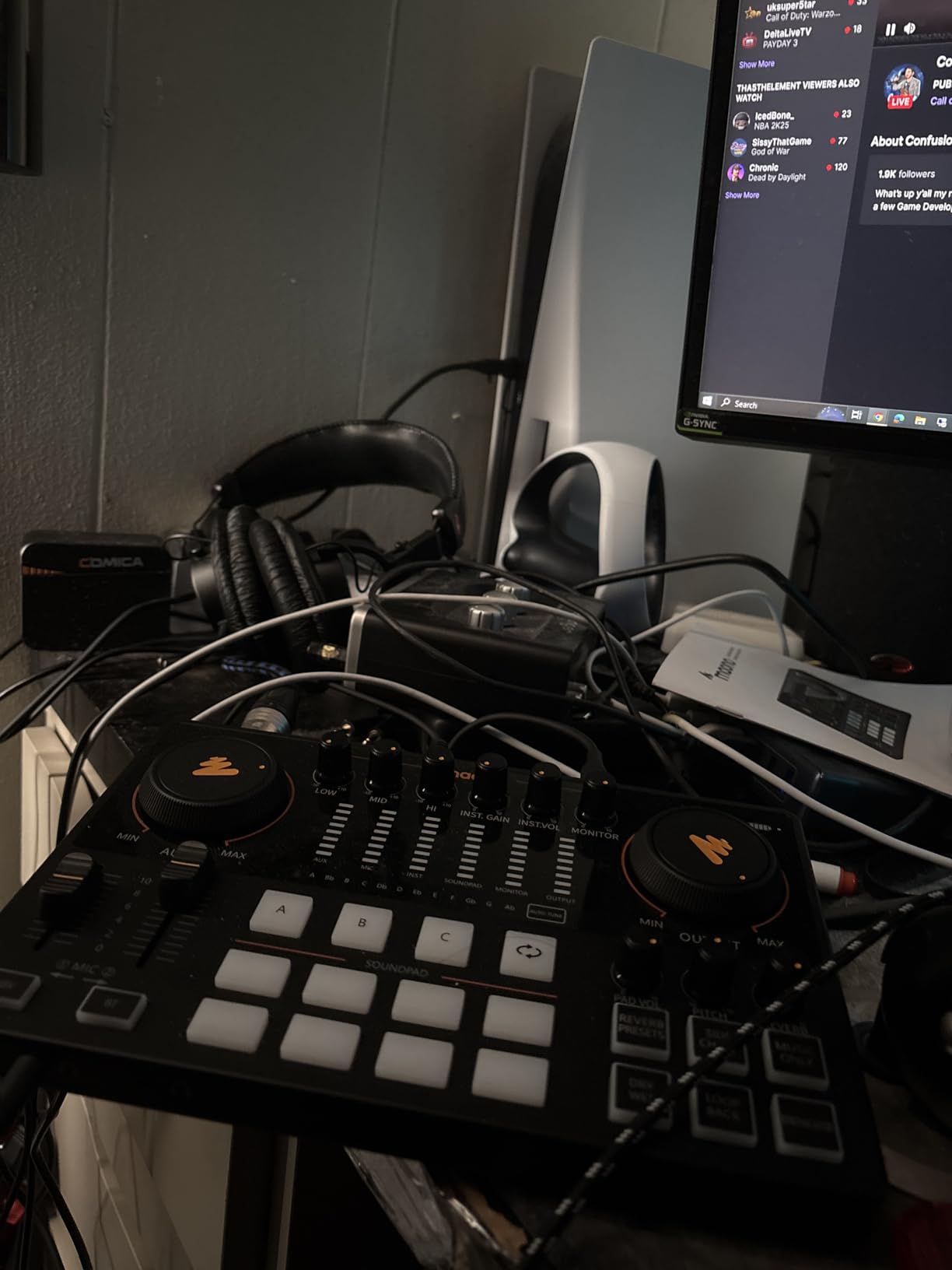
The AME2 is the most feature-dense box per pound of anything we tested, and for a podcaster who also streams or records video it is the most flexible. A 10-channel mixer, 11 customizable sound pads, a 6.35mm instrument input for guitar or bass, and Bluetooth, AUX-IN, USB-C and LIVE-OUTPUT connectivity give you a routing matrix rather than a fixed signal path.
On the audio side it is genuinely capable. The built-in preamps offer three mic gain levels up to 60 dB with 48V phantom power, and the 32-bit chipset carries a DENOISE function. There are six reverb modes, a 12-step auto-tune, three tones, a pitch changer, sidechain and loopback, which is more on-air processing than most podcasters will ever touch but genuinely useful for a live stream where nobody will be riding a compressor in real time.
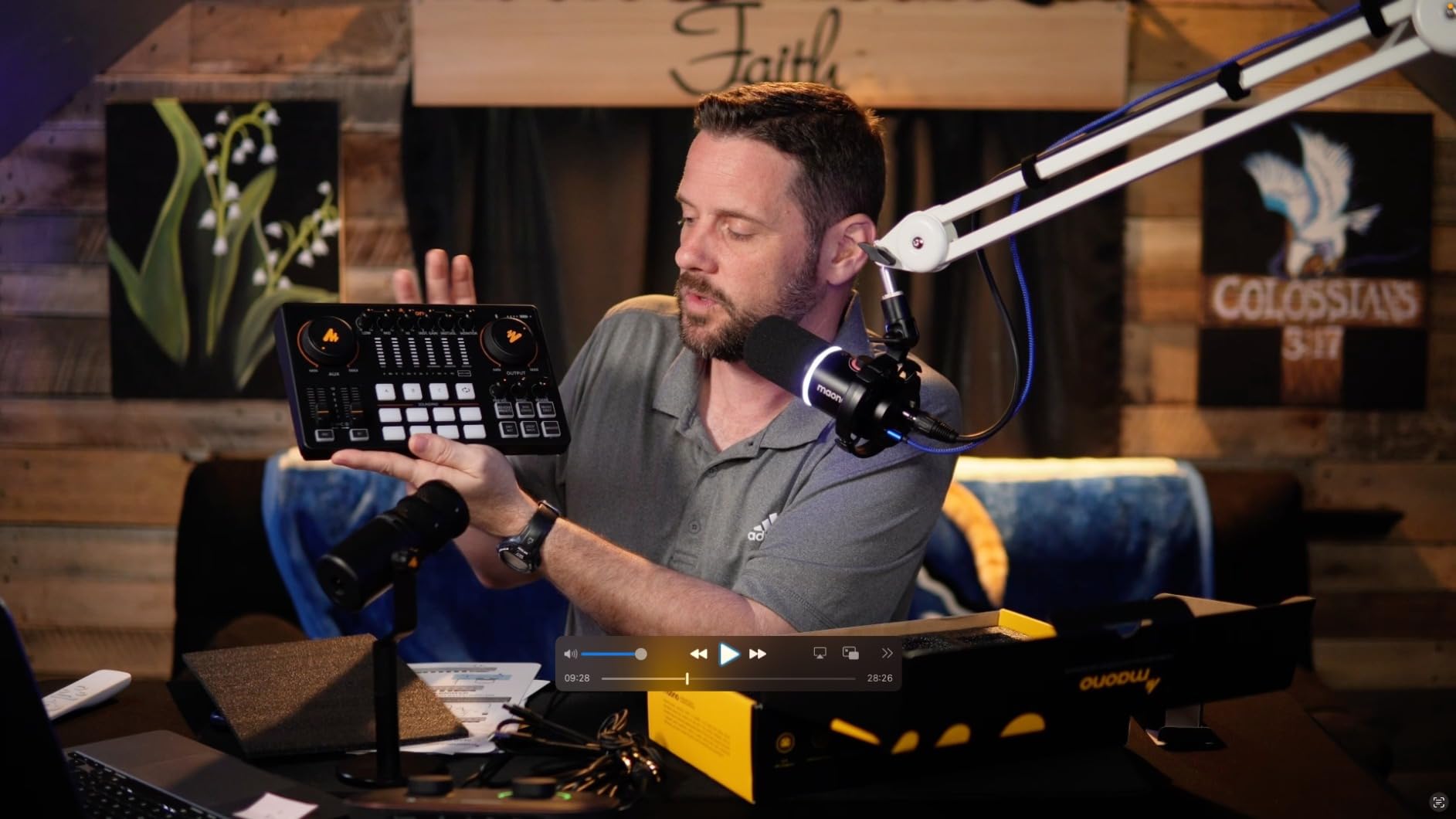
Owners generally find it packed with features for its weight and praise the channel count and pads for livestreaming. The recurring negatives are software-side. Getting custom audio into the sound pads and integrating with streaming software can be a long troubleshooting session, and the documentation for pad loading is often aimed at other models in the range.
A slice of reviews report echo, hum or noise on particular connection combinations, especially dual-computer setups, and some users needed a driver update to remove noise at higher output levels. At 0.95 kg with a 9.64-inch footprint, it is the easiest console here to move between a desk and a different room, and it carries a one year warranty.
When the AME2 is the right call
Choose it when your podcast overlaps with livestreaming or video, you want sound effects and stingers triggered from hardware, or you need a second channel for an instrument in a music segment. The loopback and sidechain functions are the two features that make it work for video work as well as audio.
It is also a good first console for someone who wants a lot of routing control without learning a full digital audio workstation.
When to skip the AME2
Skip it if clean, quiet capture matters more than on-air effects, since a long chain of onboard processing is a liability when you plan to mix properly afterwards. Anyone in a dual-computer streaming setup should read the recent reviews about echo and hum first. It is also not the choice for a serious condenser studio, because the phantom power and gain range are adequate rather than generous.
7. Focusrite Vocaster One – The Best Choice for a First-Time Podcaster
Focusrite Vocaster One
Over 70 dB of gain on one input
Auto Gain plus four Enhance presets
One-touch Mute
TRRS phone input and stereo loopback
48 kHz maximum
Pros
- Auto Gain Enhance and Mute make level setting and voice cleanup nearly one-touch
- Over 70 dB of gain covers demanding dynamic mics without a booster
- TRRS phone input and stereo loopback cover the common call-in workflows
- Small and simple enough for a first-time podcaster
- Three year warranty
Cons
- Single mic input so it suits solo creators rather than multi-guest shows
- 48 kHz maximum sample rate is lower than most current interfaces
- No hardware metering beyond a simple gain indication
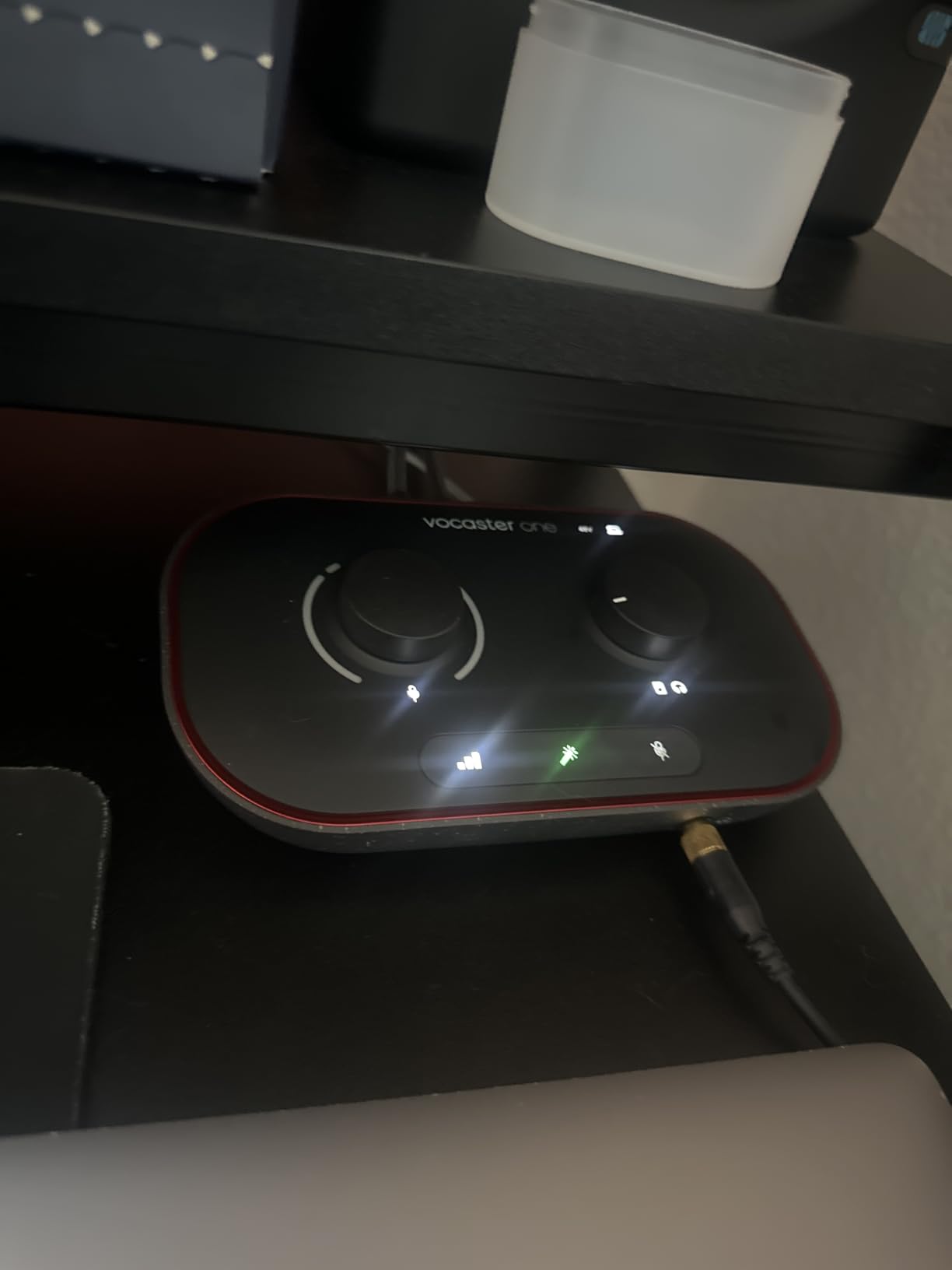
The Vocaster One is built around a specific assumption: that the person using it has never set a gain knob. Auto Gain sets your level with one button press, Enhance applies one of four podcaster-approved voice presets, and a one-touch Mute handles a cough or an interruption mid-sentence. Those three controls are the product, and for a solo creator they remove the entire barrier that keeps new podcasters on a USB microphone for a year.
Underneath, the input is a broadcast-quality mic preamp with over 70 dB of gain, which is enough headroom for demanding dynamics without an external booster. The TRRS phone input handles a dial-in guest and the TRS output sends audio to a camera, while stereo loopback pulls computer audio into the show for intros and music. Bus-powered USB means one cable and no power supply.
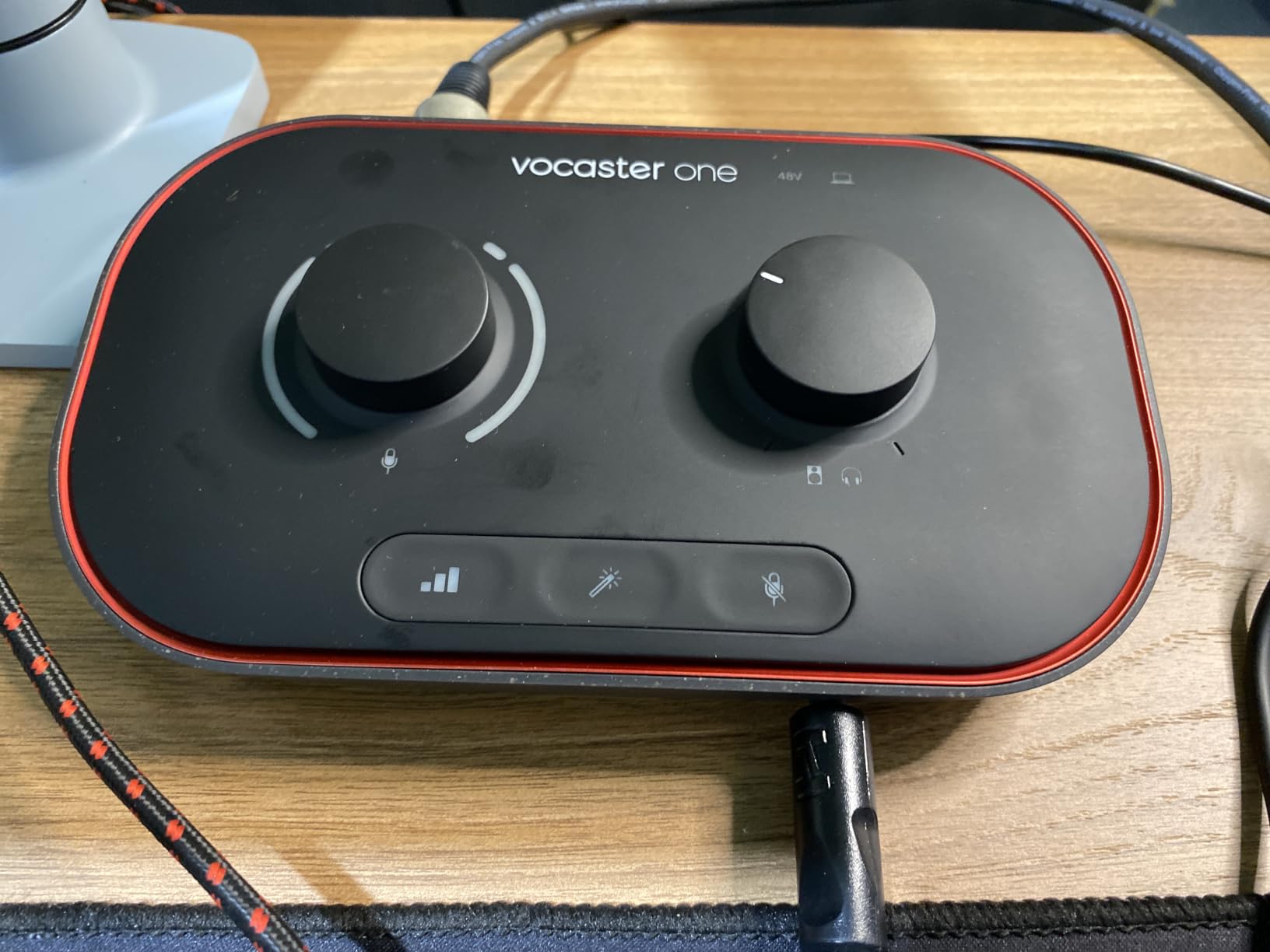
The honest limitation is channel count. This is a one-person device, and a two-host in-person show needs two microphones and two headphone outputs, which this box does not offer. A secondary limitation is the 48 kHz maximum sample rate, which is modest against 96 kHz and 192 kHz competitors, and there is no hardware metering beyond a simple gain indication, so you set the level and trust it.
Reviewers consistently highlight Auto Gain, the Enhance presets and the phone and loopback connectivity as the deciding features, while noting that it is a one-person device and that 48 kHz is modest by modern standards. The three year warranty is among the longest in this roundup, which matters for a device that is bus-powered and travels well.
When the Vocaster One is the right call
Buy it when you are a solo host, a narrator, or a video podcaster who wants a broadcast voice without opening a plug-in. It handles the two call-in workflows beginners actually use, a TRRS phone line and stereo loopback from the computer, without any routing menus.
It is also an excellent second box for a two-person show where the other host is remote and you want a dedicated, reliable local capture.
When to skip the Vocaster One
Skip it the moment a second person shares the room, since there is no second input and no second headphone jack. Anyone who plans to sample above 48 kHz or work in a video pipeline that wants headroom will find the ceiling restrictive. If you already know how to set levels, the processing here is something you will switch off after a month.
8. Universal Audio Volt 2 – The Best Choice for Podcasters Who Also Record Music
Universal Audio Volt 2 USB Audio Interface
UA 610 preamp emulation with Vintage mode
24-bit/192 kHz conversion
Bundled LUNA DAW and UAD plug-ins
Bus-powered USB-C
2-in/2-out
Pros
- Clean transparent converters with no audible noise even with a loaded computer
- Vintage mode adds a genuinely pleasing analog-style tone
- Bundled LUNA and a substantial set of UAD plug-ins at no extra cost
- Plug-and-play USB-C setup with automatic device identification
- Bus-powered and compact enough to travel with a laptop
Cons
- Only two channels so it cannot handle a multi-guest podcast directly
- Two-LED gain indication is hard to set precisely on a noisy source
- Direct monitoring cannot be balanced against computer playback without DAW changes
- Some users find the preamp gain soft for certain microphones
The Volt 2 is the only product here aimed at a specific creative outcome rather than a podcast format: turning a voice into a finished track. The UA 610 preamp emulation, with its Vintage mode, gives vocals and instruments a modelled analog character that most interface preamps do not offer, and the review consensus is that it sounds genuinely good rather than merely present.
The converters are clean and transparent even when the computer is loaded, which is a real advantage if you record while streaming or running a virtual instrument. The 24-bit/192 kHz conversion, bus-powered USB-C connection and automatic device identification make setup a one-cable job, and it runs on macOS, Windows, iPad and iPhone.
The headline value is the software. LUNA, Universal Audio’s digital audio workstation, and a substantial set of UAD plug-ins come included at no extra cost, which is worth more over a few years of regular recording than a hardware feature would be. Reviewers frequently call the bundled DAW and plug-ins a major part of why the box feels like a bargain.
What you give up is podcast-specific ergonomics. It is a two-channel box, so it cannot take a multi-guest conversation. Monitoring is minimal: two LEDs indicate gain, which is hard to set precisely on a noisy source, and direct monitoring cannot be balanced against computer playback without changes in the DAW. Some users find the preamp gain a little soft for certain microphones, so check the mic you already own before committing.
When the Volt 2 is the right call
Pick it when your show includes original music, theme tunes or voice-over work, and you want recording and mixing in one package without a subscription. It is also the right choice for a single host who records alone and wants a polished, treated vocal sound out of the box.
If you travel to record, the bus-powered, compact design and multi-platform support make it a natural travel companion.
When to skip the Volt 2
Skip it for any show with more than one person in the room, because two channels is a hard limit. It is a poor match if you need live headphone monitoring for guests with independent volume, and the minimal gain indication makes it a frustrating first interface for someone who has never staged a signal chain.
9. Focusrite Scarlett Solo 4th Gen – The Best Interface for Solo Recording
Focusrite Scarlett Solo 4th Gen USB-C Audio Interface
1 XLR mic preamp and 1 Hi-Z input
120 dB dynamic range
24-bit/192 kHz
Air mode and Halo gain meters
Bundled software
Pros
- Clean transparent preamps with enough gain for common dynamic mics
- 120 dB dynamic range and near-zero latency
- Air mode and Halo meters make a polished vocal sound easy
- Compact bus-powered and instantly recognizable plug-and-play setup
- Large software bundle gets a new user recording quickly
Cons
- Single mic input which limits it to solo recording
- Some Windows users report low input level with the Focusrite drivers on quiet dynamics like the SM58
- Supplied cable is USB-A to USB-C rather than USB-C to USB-C
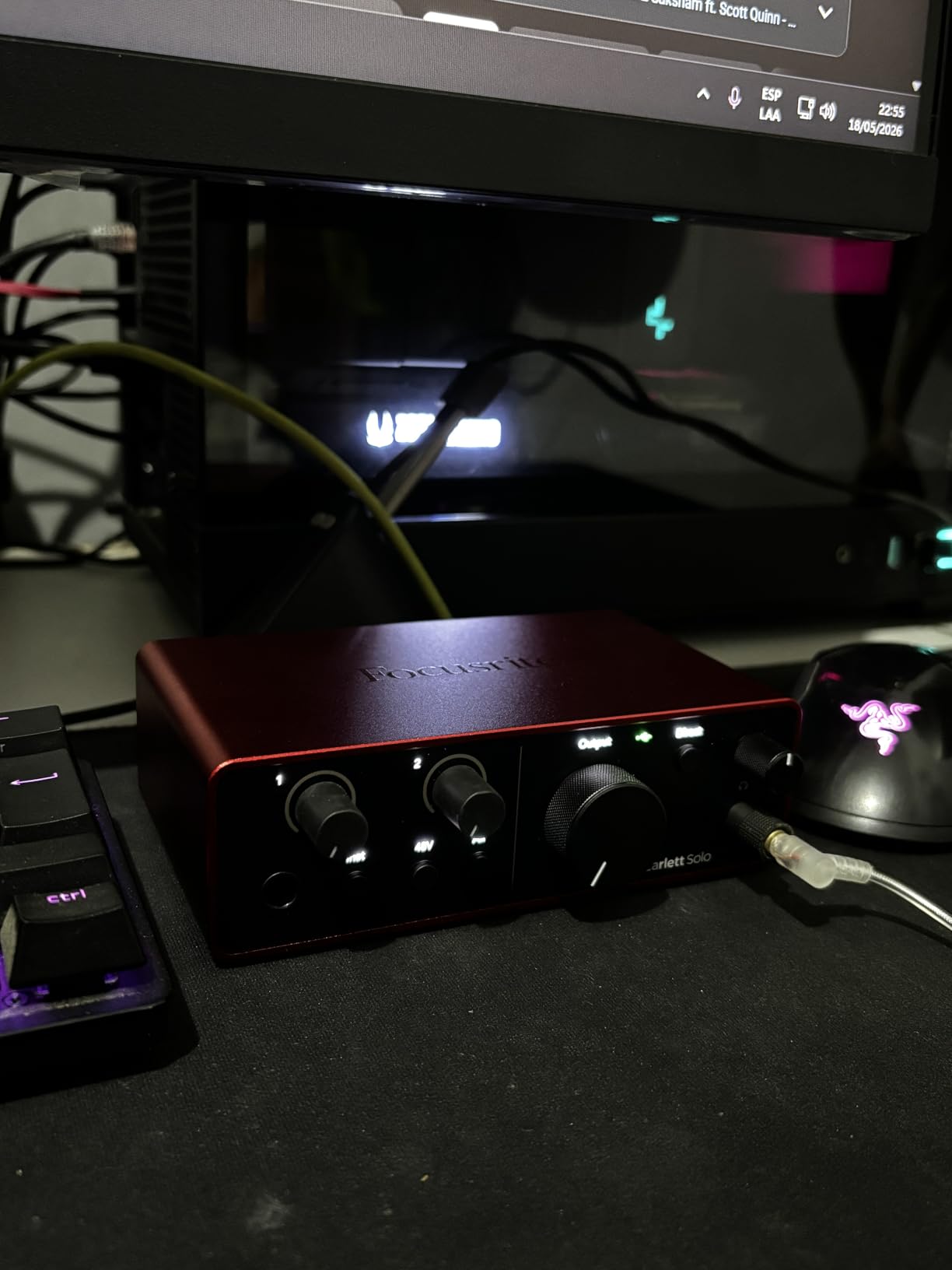
With more than 2,700 reviews, the Scarlett Solo 4th Gen is the most thoroughly proven interface in this roundup and the one we would hand to a solo creator who plans to upgrade their craft. The single XLR preamp pairs with a Hi-Z instrument input, and the 120 dB dynamic range from Focusrite’s flagship converters gives a clean floor that broadcast dynamics need.
Two details make daily use pleasant. The improved Air mode adds vocal and guitar presence in a way that genuinely helps a thin podcast voice, and the Halo gain meters show level and clipping in one glance without menu diving. It is bus-powered over USB-C, 14.4 ounces, and the bundled Pro Tools Intro+, Ableton Live Lite, Cubase LE and Hitmaker Expansion mean a new user can produce a finished episode without buying anything else.
The documented problem is a Windows driver issue that produces very low input levels with quiet dynamic microphones such as the SM7B-style broadcast mics, and some buyers worked around it with a booster or by moving up to a two-input model. This matters more for podcasting than for music, because podcast dialogue is recorded at a normal speaking distance with a quiet dynamic rather than a loud condenser close to the capsule. If you are on Windows and use a quiet dynamic, test the input level before you commit to a full season.
Two smaller notes: it is a single mic input, so it is a solo and instrument tool rather than an interview tool, and the supplied cable is USB-A to USB-C rather than USB-C to USB-C, which is inconvenient on a laptop with only Type-C ports. Owners otherwise cite clean preamps, strong headphone output, the halo metering and Air mode as the reasons it feels studio-grade, and it carries a three year warranty.
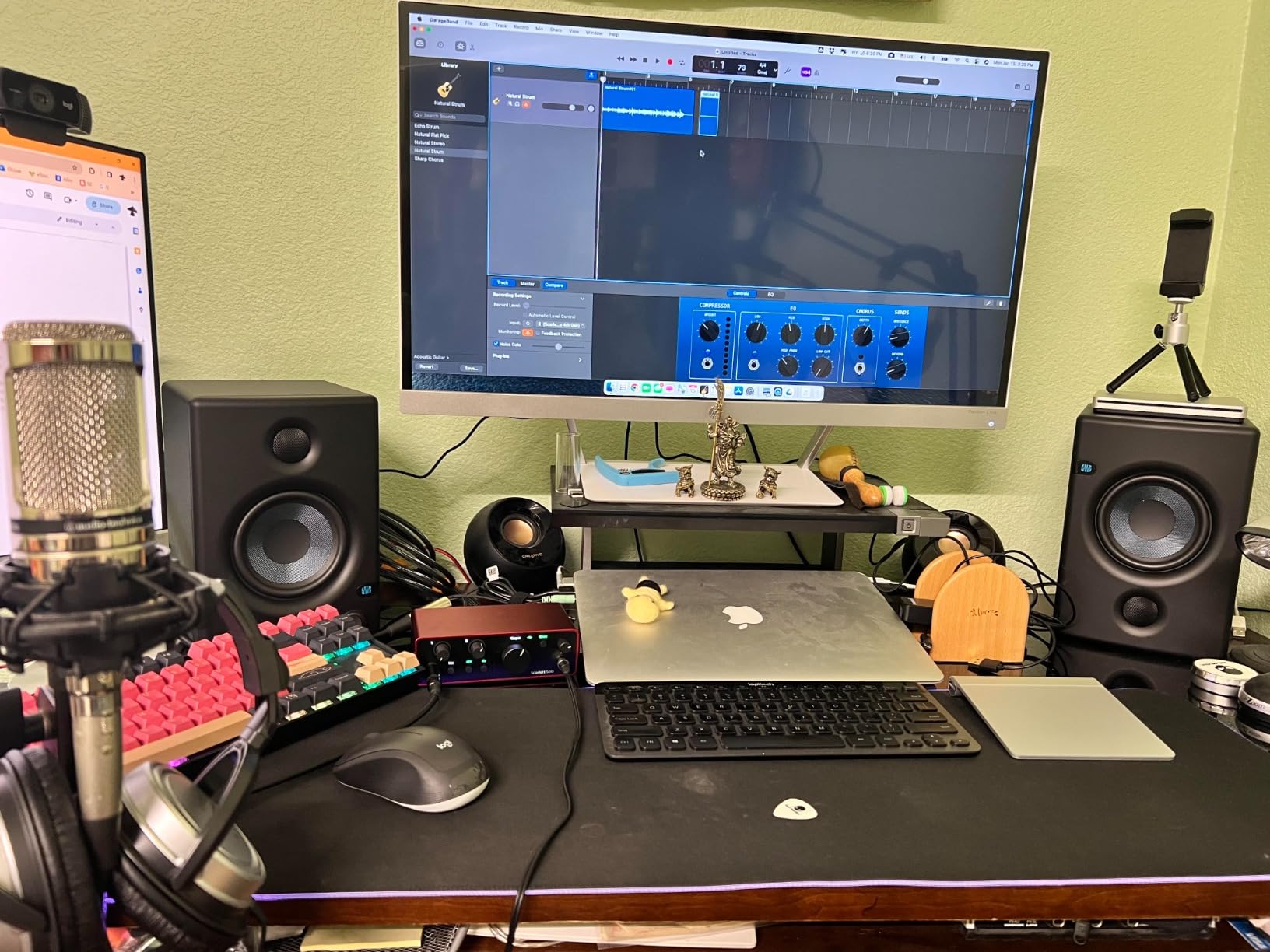
When the Scarlett Solo is the right call
Choose it when one person, one microphone, and one computer define your show, and you want a recording chain that will still feel current in a few years. It is also a strong second interface for a two-host show where the second host records separately on their own machine.
The bundled software makes it the least risky purchase for a beginner who does not yet know whether they want a digital audio workstation.
When to skip the Scarlett Solo
Skip it for any in-person conversation with a guest, because one input means you would need a second interface and a way to combine the two. On Windows with a very quiet dynamic microphone, check the driver issue in recent reviews first, and be prepared to need extra gain.
10. Audient EVO 4 – The Best Budget Two-Input Interface With Loopback
Audient EVO 4 USB Audio Interface
2 EVO mic preamps with 58 dB gain
24-bit/96 kHz AKM converters
Smart Gain and Smart Touch Point
Loopback for streaming
Bus-powered
Pros
- Audient mic preamps deliver a clean detailed vocal sound
- Smart Gain and Smart Touch Point simplify level setting without a menu dive
- Bus-powered over USB with headphone and speaker outputs on board
- Loopback function handles streaming intros and music easily
- Three year warranty
Cons
- 96 kHz maximum sample rate is below current 192 kHz competitors
- Only two mic preamps so multi-guest sessions need another interface
- Rotary encoder and small display suit basic control more than advanced routing
The EVO 4 is a two-input interface with a specific podcast advantage: loopback. That single function lets you capture computer audio, a music bed or a video soundtrack into your recording without a second playback device, which is exactly what a two-person show with an intro theme needs.
The two EVO microphone preamps provide 58 dB of gain, which handles a broadcast dynamic at a normal podcast distance without an external booster, and the AKM converters run at 24-bit/96 kHz. Smart Gain and the Smart Touch Point control remove the menu dive that usually slows a first session down. Bus power over USB, a JFET instrument input, a speaker output and a headphone output make it a complete little desktop box.
Reviewers single out the preamp quality, the compact footprint and the bus-powered simplicity, and the Smart Gain workflow is regularly called out as making a fast, menu-free setup for solo recording and streaming. The most common buyer limitation is the 96 kHz ceiling against 192 kHz competitors, plus the obvious two-channel capacity.
Controls are deliberately simple: one rotary encoder and a small display. That is a virtue for a solo host who wants to press one button and record, and a limitation for anyone planning complex routing. The three year warranty is a strong point at this tier, and at 0.6 kg it is small enough to sit in a bag with a laptop.
When the EVO 4 is the right call
Buy it for a two-person show recorded into the same computer, where loopback is needed for music and a second voice is not. It is a strong fit for a solo creator who wants a speaker output alongside headphones for a nearfield check.
If your editing workflow happens in a digital audio workstation, the clean preamps and simple bus-powered design keep the signal chain short and reliable.
When to skip the EVO 4
Skip it for three or more people, since a third microphone means another device. Anyone who plans to sample above 96 kHz should choose a 192 kHz box, and if you need per-guest headphone control in the room, no two-channel interface can provide it.
How Many Audio Interface Inputs Do You Need?
Count microphones, not people, and add one spare input if you can. The number of XLR inputs sets your ceiling on how many voices you can record at once, and it is the decision that narrows this entire roundup faster than any other.
One person, one microphone. You need a single XLR preamp and headphone monitoring. The Focusrite Vocaster One and the Focusrite Scarlett Solo 4th Gen both cover this, and the Vocaster One is the easier of the two for a beginner.
Two people in the same room. You need two inputs and, ideally, two headphone outputs so each person can set their own level. The Zoom PodTrak P4 and the Audient EVO 4 are the answers here, and the P4 is better when in-person guests are involved because of the independent headphone dials and the built-in mix-minus.
Three or four people. Four inputs, four headphone outputs, and local multitrack recording become table stakes. The Zoom PodTrak P4, the Tascam Mixcast 4 and the Rode RODECaster Pro II all handle a full roundtable, and the Behringer UMC404HD handles the inputs if you are willing to mix headphones in software.
Five or more voices, or a live show. Look for a console with pads, stand-alone recording and a learning curve you actually have time for. The RODECaster Pro II is the only unit in this roundup built for that scale, and the MAONO AME2 is the flexible cheaper alternative for a streamer who also wants instrument inputs.
Gain, Phantom Power, Loopback and Monitoring Explained
These four specifications decide whether an interface suits podcasting. Everything else on the spec sheet is secondary, which is why the biggest general-purpose interfaces in this roundup still lose to podcast consoles despite having better converters.
Gain and equivalent input noise. A broadcast dynamic such as the Rode PodMic, the Shure SM7B or the Samson Q2U produces a quiet signal and needs real headroom. A common question on r/podcasting is whether an entry interface has enough gain or whether a Cloudlifter is required. In practice, the units here cover a quiet dynamic without an external booster: the Shure MVX2U Gen 2 offers up to 60 dB, the Focusrite Vocaster One exceeds 70 dB, and the Audient EVO 4 provides 58 dB across both preamps. Podcasters also ask about equivalent input noise, since it describes how quiet the preamp itself is. A noisier preamp forces you to turn gain up further, which raises the noise floor of the whole recording.
Phantom power. Condenser microphones need 48V phantom power; dynamic microphones do not and can even be damaged by it. Any of the XLR units here with a preamp will supply it, and the PodTrak P4, UMC404HD, MAONO AME2 and EVO 4 all list phantom power explicitly. If your microphone is a ribbon or a broadcast dynamic, phantom power is simply not a deciding factor, and you should spend your attention on gain instead.
Loopback. Loopback records your computer’s audio back into the interface as a new input. That is how you capture a music bed, a video soundtrack or a video podcast’s other audio source into a single file. The Audient EVO 4 and the Focusrite Vocaster One both have it, and the MAONO AME2 includes it among its effects. If your show needs a theme song or remote call audio on a separate track, loopback is the feature that saves the most routing work.
Headphone outputs and mix-minus. One headphone jack means everyone hears the same mix, which is a problem the moment a guest wants a different level. Independent headphone outputs with per-channel volume are the defining feature of the Zoom PodTrak P4, the Tascam Mixcast 4 and the RODECaster Pro II. Mix-minus is the companion feature: it sends a guest their own voice without the host’s voice, which prevents the echo that otherwise makes guests talk over each other. The P4 and the Mixcast 4 both provide automatic mix-minus for call-in interviews.
Multitrack and standalone recording. Recording each microphone to its own isolated track is what makes editing possible. The P4 records multi-track to microSD, the Mixcast 4 records 14 tracks to SD, and the RODECaster Pro II records to computer, microSD or a USB drive while running without a computer at all. This is also the double-ender setup: a local isolated track as a backup while a remote call is captured in software.
Sample rate and monitoring latency. For voice, 24-bit at 48 kHz is enough, and 96 kHz or 192 kHz matters mainly for music work. Latency matters more for a live or streamed show, where a delayed headphone signal makes conversation awkward. Direct monitoring, as on the Shure MVX2U Gen 2, removes that delay; the Universal Audio Volt 2 cannot blend direct monitoring with computer playback without changes in the digital audio workstation, which is worth knowing before a live show.
Which Microphones Pair Well With Each Interface?
Interface choice and microphone choice are the same gain-staging decision, and pairing them sensibly saves money on unnecessary hardware.
Broadcast dynamics. The Rode PodMic, the Shure SM7B, the Shure MV7, the Samson Q2U and the Electro-Voice RE20 all produce low output. Pair them with the units that publish the most gain: the Focusrite Vocaster One at over 70 dB, the Shure MVX2U Gen 2 at up to 60 dB, the MAONO AME2 at up to 60 dB, and the RODE RODECaster Pro II, whose owners routinely report driving an SM7B without a booster.
Condensers. A Rode NT1, a sE Electronics or a Neumann need 48V phantom power, which every XLR unit here provides. The Scarlett Solo 4th Gen and the Universal Audio Volt 2 are the natural pairings when the condenser is a musical instrument rather than a voice, because both have a Hi-Z or instrument input and higher-resolution converters.
One mic, moving between locations. The Shure MVX2U Gen 2 was designed for this. It turns whatever XLR microphone you already own into a USB source with onboard denoising and pop control, so a broadcast dynamic you travel with becomes a clean recorded track on a laptop or phone.
Four-person panels. Match each seat to a combo input. The Tascam Mixcast 4 and the Zoom PodTrak P4 take XLR microphones, and the P4’s smaller chassis makes it the easier of the two to arrange around a round table, though its smaller knobs are the trade-off.
When You Do Not Need an Audio Interface
Most people searching for the best audio interfaces for podcasting do not need one. Four situations cover most of them.
You are recording solo with a USB microphone and no guest ever shares the room. A quality USB microphone already contains a preamp, converter and headphone output, and adding an interface adds a failure point rather than quality.
Your show is entirely remote. If every guest joins through a call platform and nobody shares a physical space, each participant records on their own machine and the platform handles the mix. Local hardware adds nothing.
You have one dynamic microphone and a quiet room, and you are happy to process everything in software. Free noise reduction and compression in your editor can handle a mediocre preamp more cheaply than new hardware can.
You are just starting and unsure you will publish. Spend on acoustic treatment and a microphone first, because a treated room improves every future recording while an interface only improves the one you already have set up.
Frequently Asked Questions
What is the best audio interface for podcasting?
The Zoom PodTrak P4 is the best all-round choice, with four XLR inputs, four headphone outputs that each have their own volume control, four sound pads and automatic mix-minus for call-in guests. For a two-person show, the Audient EVO 4 is a cheaper two-input option. For a four-person roundtable, the Tascam Mixcast 4 and the RODE RODECaster Pro II add more inputs, multitrack local recording and stand-alone operation.
What audio interfaces do streamers use?
Streamers usually pick a box with loopback, onboard effects and pads, because the stream needs music, alerts and a second source captured live rather than added in post. The MAONO AME2 is the clearest example, with ten channels, eleven customizable sound pads, reverb, auto-tune, sidechain and loopback. The Audient EVO 4 and the Focusrite Scarlett Solo 4th Gen cover simpler streaming setups, while the RODE RODECaster Pro II suits a streamed video podcast with more than two voices.
What do most podcasters use to record?
Most podcasters record into a computer, and the choice of hardware follows the number of people in the room. Solo creators use a USB microphone or a one-input interface such as the Focusrite Vocaster One. Two-person shows use two XLR inputs and separate headphone outputs, most often a Zoom PodTrak P4. Larger shows use four-input podcast consoles, and they frequently keep a local multitrack recording as a backup alongside remote call software.
Do I need phantom power if I have an audio interface?
You need phantom power only if you use a condenser microphone, which requires 48V to power its internal circuitry. Dynamic microphones such as the Rode PodMic, the Shure SM7B and the Samson Q2U do not need it, and ribbon microphones can be damaged by it. Every XLR interface in this roundup supplies phantom power, so check the switch is off for a ribbon mic and on for a condenser.
What is the best audio interface for multiple inputs?
For multiple inputs, the Behringer UMC404HD gives four MIDAS-designed preamps at 24-bit/192 kHz in a simple box, which suits a producer who mixes in software. For a roundtable where each guest needs their own headphone volume, the Zoom PodTrak P4 or the Tascam Mixcast 4 is a better answer, since both have four independent headphone outputs. The RODE RODECaster Pro II adds stand-alone multitrack recording for live shows.
How much gain should I use on my audio interface?
For a broadcast dynamic such as the Rode PodMic or the Shure SM7B at arm’s length, you need roughly 50 to 60 dB of preamp gain, which is why podcasters compare interface gain figures before buying. The Focusrite Vocaster One offers over 70 dB, the Shure MVX2U Gen 2 up to 60 dB and the MAONO AME2 up to 60 dB. Set the level so peaks sit around 12 dB below clipping and do not raise the gain in software to fix a quiet recording.
What is the purpose of loopback on an audio interface?
Loopback records your computer’s audio back into the interface as an extra input, so you can capture a music bed, a video soundtrack or a streaming app’s audio into the same recording as your voice. The Audient EVO 4 and the Focusrite Vocaster One both include stereo loopback. It is different from a TRRS or Bluetooth phone input, which bring a remote guest’s audio in on a separate track instead.
Do I need an audio interface if I have a USB microphone?
Only if you are adding a second microphone, using a demanding broadcast dynamic that needs more gain, or recording in a room where guests need their own headphone mix. A USB microphone already contains a preamp, converter and headphone output, so for solo recording it is genuinely enough. If a guest ever sits in the room with you, the single input and single headphone jack of a USB mic become the limit, and that is the point to move to an interface.
Which Audio Interface Should You Buy?
After testing all ten of the best audio interfaces for podcasting in 2026, the Zoom PodTrak P4 is the one we recommend most often. Four XLR inputs, four headphone outputs with individual volume, four sound pads, automatic mix-minus and a body light enough to carry anywhere add up to the least amount of friction between you and a finished episode.
Match it to your situation instead. A solo host who wants one-touch level control should take the Focusrite Vocaster One. A two-person in-room interview on a tighter budget should take the Audient EVO 4 for its two clean preamps and loopback. A producer comfortable in a digital audio workstation who just wants four inputs should take the Behringer UMC404HD. A four-person roundtable or a live show should take the Tascam Mixcast 4, or the RODE RODECaster Pro II when music, effects and stand-alone recording are part of the format. A streamer should take the MAONO AME2, a creator who also writes music should take the Universal Audio Volt 2, and a traveler with one XLR mic should take the Shure MVX2U Gen 2.
Whichever you choose, spend what remains on treating the room. A microphone cannot fix reflections, and an expensive interface cannot either. Our broader guides to the best audio interfaces overall and to podcast mixers cover the next step when your setup outgrows one of these ten.