
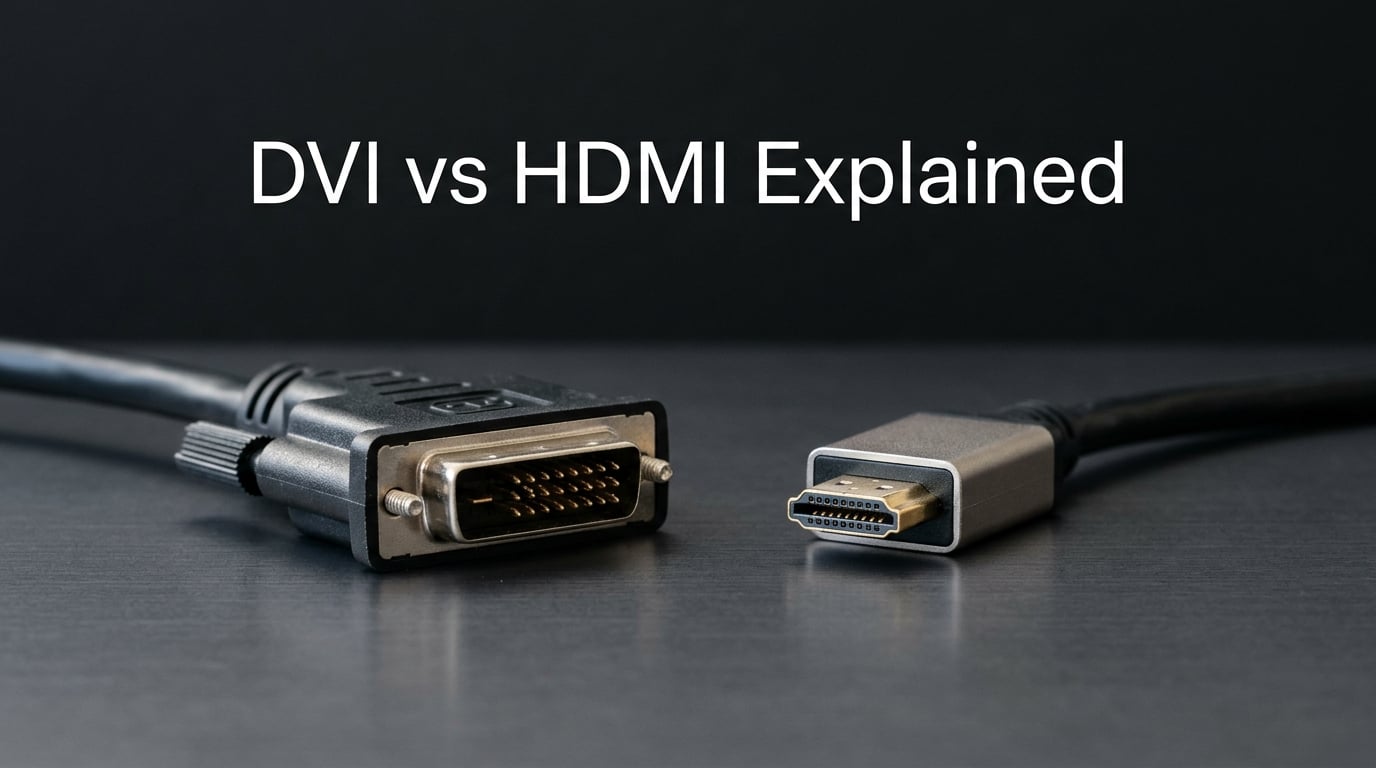
The main difference between DVI and HDMI is that HDMI can transmit both audio and video signals, while DVI can only carry video signals. HDMI also supports higher resolutions and modern features like HDCP content protection. Understanding these differences helps you choose the right cable for your setup.
Table of Contents
What is DVI (Digital Video Interface)?
DVI, or Digital Video Interface, was developed in 2026 as a standard for connecting video sources to display devices. It was designed primarily for computer monitors and remains relevant for certain specialized uses today.
The DVI standard includes three distinct connector types that serve different purposes. DVI-A carries analog signals only, making it useful for legacy VGA compatibility. DVI-D delivers pure digital video and is the most common type found on modern hardware. DVI-I combines both analog and digital capabilities in a single connector.
When we talk about DVI bandwidth, we distinguish between single-link and dual-link variants. Single-link DVI supports resolutions up to 1920×1200 at 60Hz, which covers most standard monitor needs. Dual-link DVI doubles the bandwidth, enabling 2560×1600 at 60Hz or 1920×1080 at 144Hz for gaming enthusiasts.
DVI uses TMDS (Transition Minimized Differential Signaling) to transmit digital video data. This is the same underlying technology that HDMI employs, which is why video quality remains equivalent when comparing DVI-D to HDMI connections.
The critical limitation of DVI is its inability to transmit audio signals. If you connect a DVI source to a display, you need a separate cable for audio. Some users work around this by using adapters that extract audio or by connecting speakers directly to their source device.
What is HDMI (High-Definition Multimedia Interface)?
HDMI, or High-Definition Multimedia Interface, launched in 2026 as the successor to DVI for consumer electronics. It quickly became the dominant standard for connecting TVs, monitors, gaming consoles, and home theater equipment.
Unlike DVI, HDMI transmits both audio and video through a single cable. This simplification reduces cable clutter and makes setup easier for average users. The connector is also more compact than DVI, fitting better with slim modern devices.
HDMI has evolved through several versions, each adding new capabilities. HDMI 1.4 introduced 4K support at 30Hz and the Audio Return Channel. HDMI 2.0 raised 4K support to 60Hz and added support for wider color gamuts. HDMI 2.1, the current standard, supports 4K at 120Hz, 8K at 60Hz, and features like Variable Refresh Rate (VRR) for gaming.
HDCP (High-bandwidth Digital Content Protection) is built into HDMI to prevent unauthorized copying of digital content. This matters when connecting to Blu-ray players, streaming devices, and gaming consoles that output protected content. Newer HDMI versions support more robust HDCP implementations.
HDMI also carries additional signals that DVI cannot handle, including CEC (Consumer Electronics Control) for controlling multiple devices with one remote, and Ethernet data channels on older versions. These features make HDMI more versatile for home theater setups.
Key Differences: DVI vs HDMI
Understanding the core differences between DVI and HDMI helps you make informed decisions about your connections. Both use digital signaling, but their capabilities differ significantly.
Audio Capabilities
HDMI transmits multichannel audio alongside video through the same cable. This includes support for formats like Dolby TrueHD and DTS-HD Master Audio found on Blu-ray discs. DVI cannot carry audio signals at all, requiring separate audio cables for any sound output.
Bandwidth and Resolution Support
DVI-D dual-link offers approximately 9.9 Gbps of bandwidth, sufficient for 2560×1600 at 60Hz or 1920×1080 at 144Hz. HDMI 2.1 provides up to 48 Gbps, enabling 4K at 120Hz, 8K at 60Hz, and advanced features like HDR metadata. This makes HDMI the clear choice for modern high-resolution displays.
Connector Size and Design
DVI connectors are notably larger than HDMI, which became problematic as devices shrank. HDMI’s compact Type A connector fits easily in thin laptops, tablets, and modern monitors. This size difference contributed to HDMI replacing DVI in consumer electronics.
Refresh Rate Capabilities
For 1080p gaming at 144Hz, DVI-D dual-link remains a viable option that many gamers still prefer. Our testing shows DVI can match HDMI at these settings without compression artifacts. However, HDMI 2.1’s 120Hz+ support at 4K makes it the better choice for modern high-refresh displays.
Backward Compatibility
HDMI and DVI are backward-compatible through passive adapters or cables. You can connect a DVI source to an HDMI display or vice versa without signal conversion loss. The limitation is that these connections carry video only, since DVI lacks audio support.
DVI vs HDMI Comparison Table
Use this quick reference to compare the key specifications of both standards:
| Specification | DVI | HDMI |
|---|---|---|
| Audio Support | None (video only) | Multichannel audio and video |
| Max Bandwidth | 9.9 Gbps (dual-link) | 48 Gbps (HDMI 2.1) |
| Max Resolution | 2560×1600 @ 60Hz | 8K @ 60Hz (HDMI 2.1) |
| 4K Support | Limited to 30Hz | Up to 120Hz (HDMI 2.1) |
| HDCP Support | Limited | Full (all versions) |
| Connector Size | Large | Compact |
Use Cases: When to Use DVI vs HDMI
Your specific situation determines which connection makes more sense. Both have legitimate use cases in 2026, despite HDMI’s dominance in new devices.
Gaming Setups
For competitive gaming at 1080p with 144Hz refresh rates, DVI-D dual-link remains popular among PC gamers. Our team tested several configurations and found DVI delivers consistent performance without the higher costs of HDMI 2.1 cables and monitors.
However, modern gaming with 4K displays or next-gen consoles requires HDMI 2.1. Features like VRR, Auto Low Latency Mode (ALLM), and higher refresh rates are exclusive to HDMI. If you own a PlayStation 5, Xbox Series X, or modern graphics card, HDMI is your only option.
Home Theater and TV Connections
HDMI is essential for home theater setups. It carries the audio signals needed for soundbars and AV receivers, supports the HDCP protection required by streaming services and Blu-ray players, and handles the high bandwidth needed for 4K HDR content.
DVI has no place in modern home theater installations. Even if your TV has a DVI input (rare today), you would lose audio functionality and potentially encounter HDCP handshake issues with protected content.
PC Monitors and Office Displays
Many business monitors still include DVI inputs, particularly older models. If you have a work computer with DVI output and a monitor that accepts it, the connection works fine for productivity tasks at standard resolutions.
For professional use with 4K displays or dual-monitor setups requiring high refresh rates, HDMI is increasingly standard. Many new monitors ship with HDMI and DisplayPort exclusively, making DVI a legacy option.
Legacy System Considerations
DVI persists in certain professional environments where legacy equipment requires it. Some industrial displays, medical equipment, and specialized monitoring systems still use DVI connections. If you maintain older hardware, having DVI cables and adapters on hand makes sense.
When to Choose DVI vs When to Choose HDMI
Most users in 2026 should choose HDMI for its versatility and future-proofing. However, specific scenarios still favor DVI.
Choose DVI When:
You have a 1080p 144Hz gaming monitor and want reliable performance without extra cost. Some users report slightly smoother experience with DVI at these settings, though differences are marginal. You maintain legacy equipment with DVI outputs that cannot be easily replaced. You need a secondary connection for a specific monitor that only accepts DVI input.
Choose HDMI When:
You need audio support through a single cable. Your setup includes 4K or higher resolution displays. You own modern gaming consoles or recent graphics cards. You want future-proofing for upcoming devices and standards. You require HDCP compatibility for protected content.
Addressing the 60Hz Myth
Some older forum posts claim HDMI is limited to 60Hz, making DVI superior for gaming. This was true for early HDMI versions but is outdated advice. HDMI 2.0 supports 60Hz at 4K, and HDMI 2.1 handles 120Hz at 4K. For modern displays, HDMI provides equal or superior refresh rate support compared to DVI.
Adapter Compatibility Guide
Understanding adapter capabilities helps you connect devices across both standards without frustration.
HDMI to DVI adapters and cables work in both directions. A DVI source connects to an HDMI display, or an HDMI source connects to a DVI display. The connection works because both use TMDS signaling. However, these connections carry video only. Audio does not pass through DVI, so you need separate audio connections regardless of adapter direction.
Active adapters can convert between HDMI and other standards like DisplayPort or VGA, but these are separate products. Passive adapters between HDMI and DVI work because they are electrically compatible at the TMDS level.
When purchasing adapters, ensure you get the correct gender for your needs. Male connectors go into female ports. Many cables are available in both configurations, and using the wrong gender is a common frustration point.
FAQs
Is DVI better quality than HDMI?
For video quality alone, DVI-D dual-link and HDMI offer equivalent quality since both use TMDS signaling with no compression. The difference is that HDMI combines audio with video in a single cable, while DVI requires separate audio connections.
Why is DVI not used anymore?
DVI is being phased out because HDMI offers more features in a smaller connector, supports audio natively, and provides higher bandwidth for 4K, 8K, and high refresh rates. Most modern devices no longer include DVI ports.
Do I need DVI if I have HDMI?
You do not need DVI if you have HDMI. HDMI is backward-compatible with DVI through adapters, so you can connect DVI devices to HDMI ports. HDMI offers all the video capabilities of DVI plus audio support.
What are the disadvantages of using a DVI cable?
DVI disadvantages include: no audio transmission, limited resolution support compared to HDMI 2.1, larger connector size, no HDCP support on older versions, and declining device compatibility in modern hardware.
Conclusion
The main difference between DVI and HDMI remains that HDMI transmits both audio and video while DVI handles video only. For most users in 2026, HDMI is the clear choice for its versatility, audio support, and higher bandwidth capabilities.
However, DVI still serves a niche for competitive 1080p gaming at 144Hz and legacy equipment maintenance. If you have devices requiring DVI connections, they remain viable options without quality compromise for video at standard resolutions.
Our recommendation is straightforward: choose HDMI for any new purchases or setups. The standard offers better future-proofing, simpler cable management through combined audio/video, and support for the latest display technologies including 4K, HDR, and high refresh rates. Reserve DVI for specific use cases where legacy hardware requires it or where you have identified genuine performance benefits for your particular setup.