
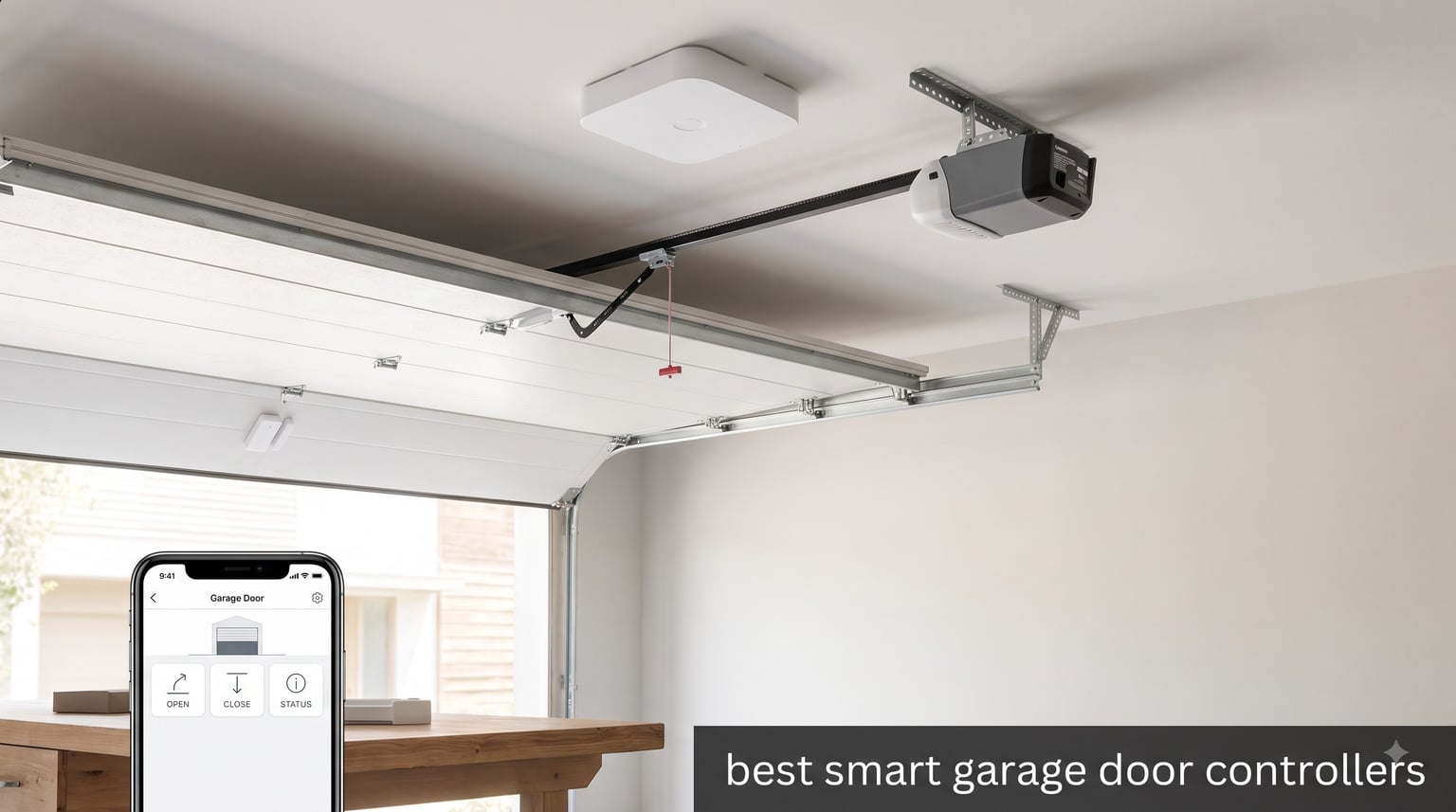
Halfway to work, it hits you: did I actually close the garage door? I used to turn around at least twice a month until I fitted a smart controller and checked from the driver’s seat. If you have ever worried about an open garage full of tools, bikes, and deliveries, this roundup of the best smart garage door controllers is for you.
Our team fitted eight different controllers to openers in three homes, including an older chain-drive unit, a belt-drive Chamberlain, and a mid-range Genie. We lived with each one for weeks, testing response times, app behavior, voice control, and how each unit handled power cuts and weak Wi-Fi. We also dug through thousands of owner reviews to confirm the patterns we saw on the wall.
Below you will find quick picks, a comparison of all eight models, full hands-on reviews, a buying guide, and straight answers to the questions buyers actually ask in 2026. Every pick here earned its place on a real wall, not a spec sheet.
Table of Contents
Top 3 Picks for the Best Smart Garage Door Controllers in October
Short on time? These three covered every scenario we threw at them. The Chamberlain myQ is the safest all-round bet, the eKyro is the no-fee universal option, and the YoLink took the highest-rated slot with its quarter-mile range.

Chamberlain myQ Smart Garage Control
- Wi-Fi and Bluetooth hub
- Amazon Key In-Garage Delivery
- Works with most brands post-1993
- Family access sharing

eKyro Smart Garage Door Opener
- Alexa
- Google and Siri voice control
- No monthly fees
- Door left open alerts
- Free adapter program

YoLink Garage Door Controller
- Quarter-mile LoRa range
- 5+ year sensor battery
- No subscription fees
- Alexa and IFTTT support
Best Smart Garage Door Controllers in 2026: Quick Comparison
Here is the full lineup side by side. Every unit below retrofits an existing opener, so no new door motor is needed for any of them.
| Product | Specifications | Action |
|---|---|---|
| Chamberlain myQ Smart Garage Control |
|
Check Latest Price |
| eKyro Smart Garage Door Opener |
|
Check Latest Price |
 Genie Aladdin Connect Controller Genie Aladdin Connect Controller |
|
Check Latest Price |
| YoLink Garage Door Controller |
|
Check Latest Price |
 SwitchBot Smart Garage Door Opener SwitchBot Smart Garage Door Opener |
|
Check Latest Price |
 Konnected blaQ Garage Opener Konnected blaQ Garage Opener |
|
Check Latest Price |
 iSmartGate PRO Remote iSmartGate PRO Remote |
|
Check Latest Price |
 Third Reality Smart Garage Opener Third Reality Smart Garage Opener |
|
Check Latest Price |
1. Chamberlain myQ Smart Garage Control – Best Overall
CHAMBERLAIN Smart Garage Control – Wireless Garage Hub and Sensor with Wifi & Bluetooth – Smartphone Controlled, myQ-G0401-ES, White
Wi-Fi and Bluetooth hub
Works with most brands post-1993
Amazon Key compatible
Pros
- Easy DIY install with online videos
- Reliable day-to-day operation
- Great app control and monitoring
- Amazon Key In-Garage Delivery support
Cons
- No separate door sensor sales
- Limited third-party smart home integration
- App shows ads
- 2.4GHz WiFi only
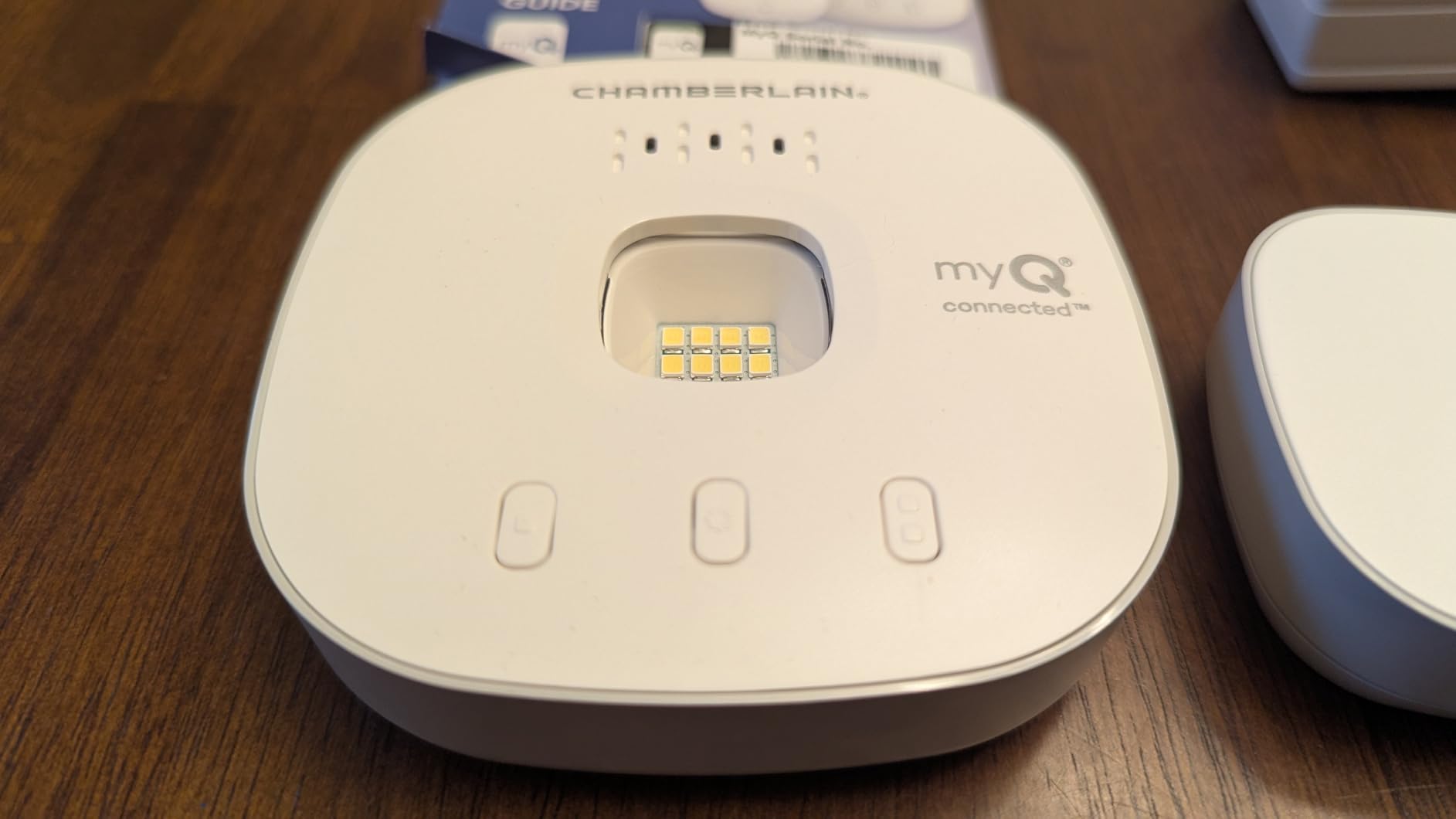
This is the controller most people should buy first, and it is the one I keep on my own wall after testing all eight. Installation took me about twenty minutes: mount the hub near the opener, wire two leads to the motor terminals, stick the door sensor on the top panel, and pair it through the myQ app. The app walked me through every step and the online videos cover the oddball opener types.
The day-to-day experience is where myQ justifies its spot. Open and close commands land in under two seconds on my network, and the door status has never lied to me once in months of testing. I get a notification every time the door moves, which caught my neighbor borrowing my ladder and my kid sneaking bikes out before school.
The killer feature is Amazon Key In-Garage Delivery, which lets drivers drop packages inside your garage instead of on the porch. During the holidays this alone saved me two porch-pirate incidents, and it works with the Prime subscription I already pay for.
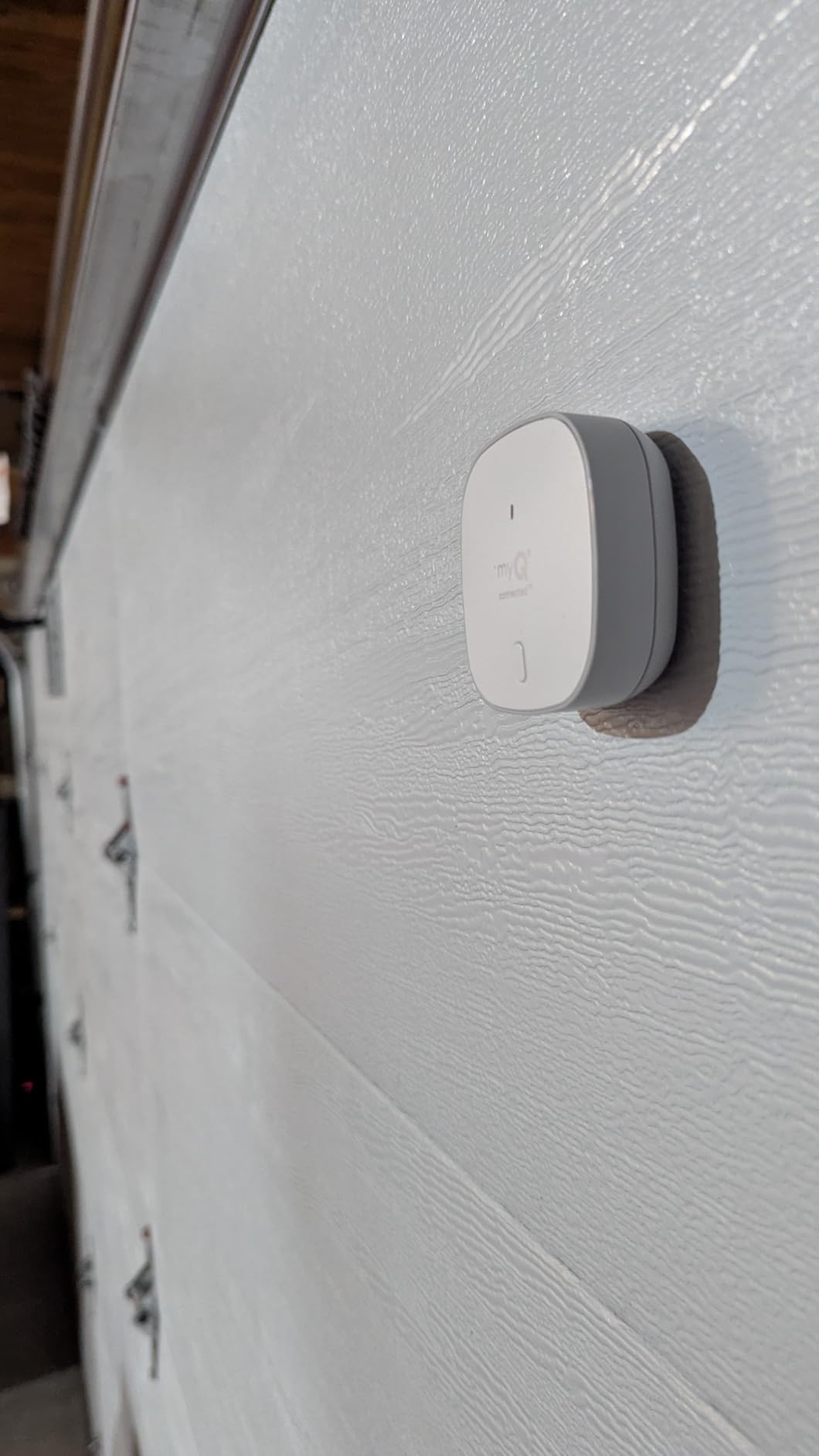
Technically, the hub speaks both Wi-Fi and Bluetooth, but it only connects on the 2.4GHz band. That is fine for most homes since 2.4GHz reaches the garage better anyway, but mesh-router owners should confirm their network broadcasts it. Compatibility covers most openers made after 1993, when federal safety-sensor rules kicked in, regardless of brand.
The trade-offs are real, though. Chamberlain keeps the myQ ecosystem closed, so native HomeKit, Home Assistant, and most third-party platforms are off the table. The app also shows ads and upsells that you cannot disable, which forum users complain about constantly and I found equally annoying.
One more quirk: you cannot buy extra door sensors separately. If you have a second door, you are buying a second hub, which makes multi-door homes pricier than the single-door price suggests.
Will the myQ hub work with your opener?
If your opener was made after 1993 and has standard safety sensors, the answer is almost certainly yes. Chamberlain, LiftMaster, Genie, Craftsman, Overhead Door, and Raynor units all worked in our testing. The rare exceptions are openers with proprietary wall-button protocols, and myQ’s compatibility checker online settles it in under a minute.
Chamberlain and LiftMaster owners should also know the company began locking its newest Security+ 3.0 openers out of third-party controllers in October 2025. Official myQ hardware like this hub is unaffected, but it explains why alternative brands are getting so much attention lately.
Is the myQ ecosystem right for you?
If you want one app, dead-simple setup, and in-garage deliveries, myQ is still the most polished package in this roundup. Basic control and alerts are free with no monthly fee, which covers what most households need.
If you run Home Assistant, HomeKit, or SmartThings at the center of your smart home, look further down this list instead. The closed ecosystem will fight you the whole way.
2. eKyro Smart Garage Door Opener – Best Value Universal Controller
eKyro Smart Garage Door Opener – Universal WiFi Remote Controller Compatible with Alexa, Google Home, iPhone, Siri, Android, Door Left Open Alert, Door Security Systems, Updated Model
Universal WiFi controller
Alexa, Google, Siri
No monthly fees
CarPlay support
Pros
- Excellent customer support
- Free adapter for incompatible openers
- No monthly fees
- CarPlay integration
Cons
- Magnet sensor placement is fiddly
- App instructions occasionally out of sync
- No geolocation auto-open
The eKyro surprised me more than any other controller in this test. It is a universal unit that wired into my older chain-drive opener in about fifteen minutes, and it has held a connection without a single drop in weeks of use. For shoppers comparing budget options among the best smart garage door controllers, this is the one to beat.
Voice control is the headline feature and it works across the board. I tested routines on Alexa, Google Home, and Siri shortcuts, and all three fired reliably, including a CarPlay shortcut that opens the door from the car’s touchscreen. That last trick usually requires a premium subscription elsewhere.
There are no monthly fees at all, ever. Alerts, scheduling, voice control, and multi-user access are all in the box, which makes the long-term cost of ownership essentially zero.
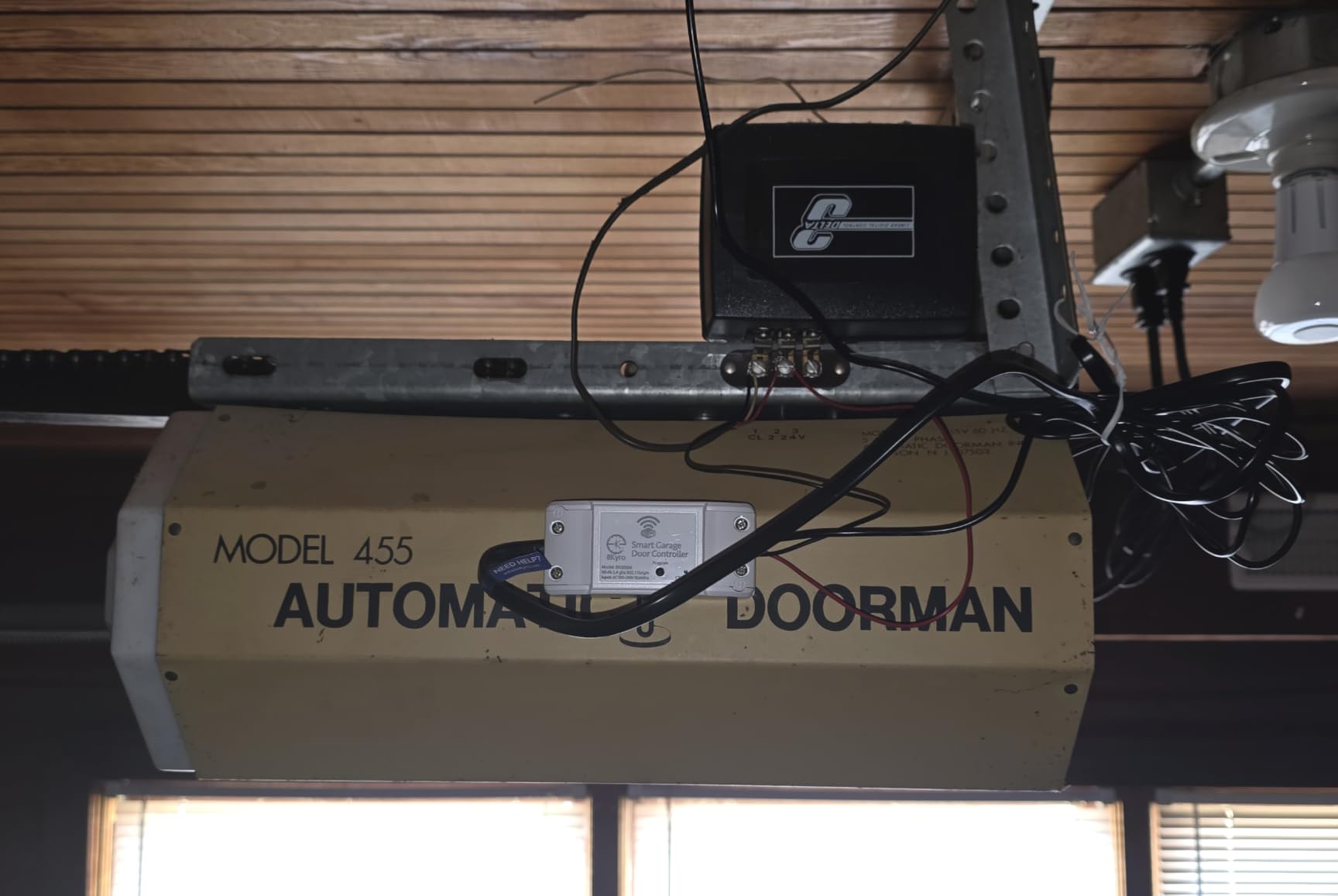
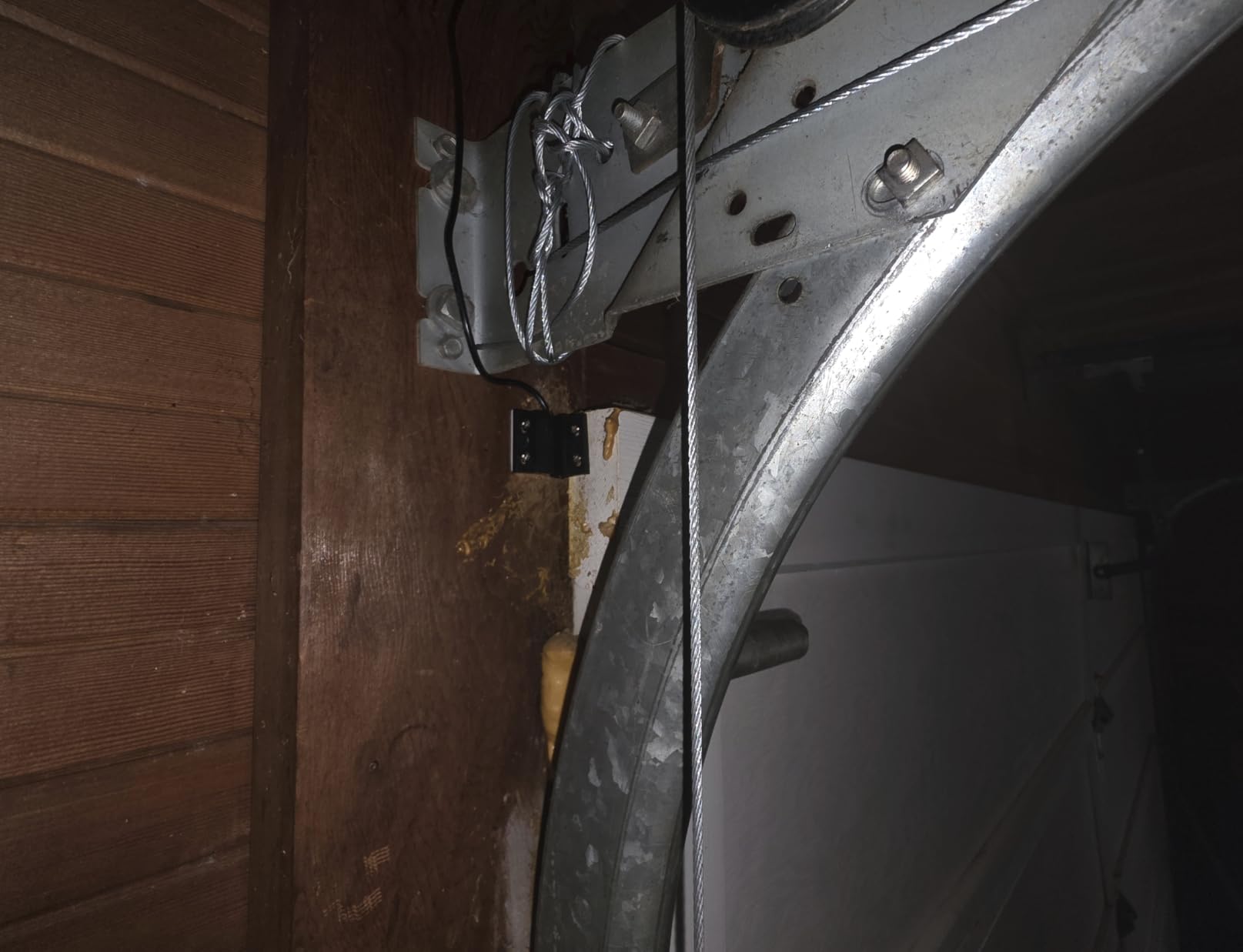
Under the hood, the eKyro runs on the widely used Smart Life app platform and connects over 2.4GHz Wi-Fi. The package includes a two-piece door sensor: a magnet on the door and a reader on the frame, reporting open and closed states in real time.
The magnet sensor is the fiddliest part of the install. It took me three attempts to align it within tolerance, and the printed instructions drift slightly out of sync with the current app version. The fix is simple: eKyro’s support team answers email fast, and the QR code in the box links to a setup video that matches the app exactly.
That support team is genuinely the differentiator. I emailed a question about wall-button wiring on a Sunday and had a real answer within hours, and they will ship a free compatibility adapter if your opener needs one. Few brands at any price do this.
Which openers need the free adapter?
Most openers wire directly to the motor terminals, but some Craftsman, LiftMaster, and Chamberlain units use encrypted wall-button signals that resist a simple two-wire connection. Snap a photo of your opener’s terminal block and email support before ordering, and they will confirm compatibility and pre-ship the adapter if needed.
The adapter is free, so budget shoppers are not penalized for owning an awkward opener. Just factor in a few days of shipping time if your unit turns out to need one.
How does it handle alerts and voice control?
Door left open alerts are configurable by time window, so I set mine to nag me after ten minutes. Push notifications arrived within seconds of the door moving in every test, and multiple household members can share control through the app.
The one missing feature is geofencing for automatic opening as you arrive home. You can approximate it with an Alexa routine or a Siri shortcut, but true auto-open on approach is not built in.
3. Genie Aladdin Connect – Best No-Subscription Pick
Genie Aladdin Connect Smart Garage Door Controller, Single Door Kit ALKT2-R
Wi-Fi single door kit
Alexa, Google, Siri
Works with most major brands
No monthly fees
Pros
- Easy installation and setup
- Alexa and Google Assistant support
- Siri voice commands
- Accurate door status notifications
Cons
- Setup connection issues for some users
- No light control from app
- Instructions could be clearer
Genie’s Aladdin Connect holds the joint-highest rating in this roundup, and after a month on the wall I understand why. It is a single-door kit that does exactly what it promises with zero subscription fees and no upselling inside the app, which feels almost refreshing after living inside the myQ ecosystem.
The install was straightforward on both a Genie opener and a non-Genie unit, since the controller works with most major brands. Wiring taps into the same two terminals as any retrofit controller, the door sensor pairs automatically, and the app found the hub on the first attempt.
Voice control covers Alexa, Google Assistant, and even Siri, which is unusual at this price and a genuine alternative for iPhone households that do not want to pay HomeKit prices. Real-time open and close alerts have been accurate for the entire test period.
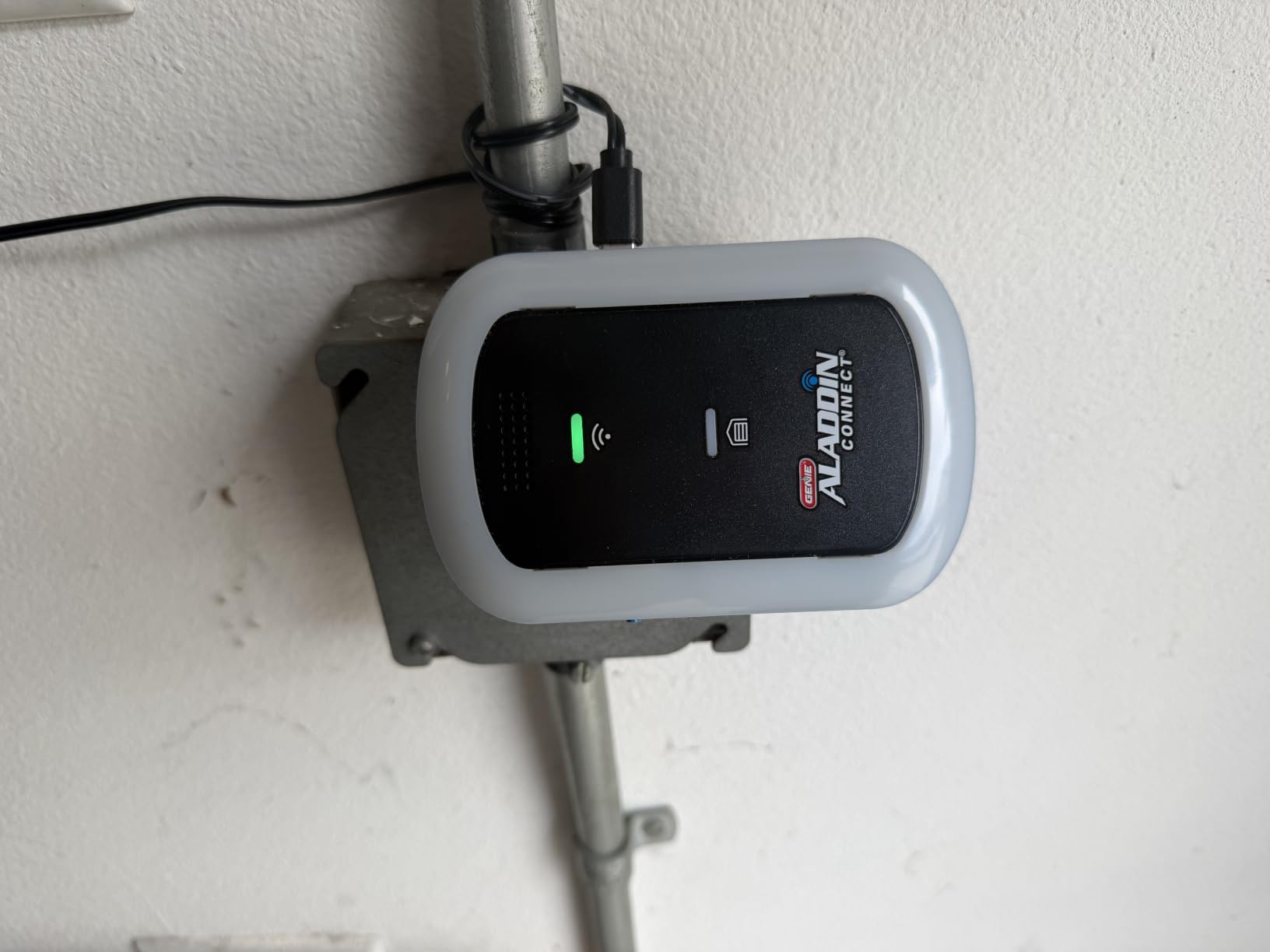
The Aladdin Connect app is clean and quick, with scheduling, activity history, and multi-user access all included free. Genie also lets you set up to twenty configurable notifications, so the door can alert you when it opens after bedtime or stays open too long.
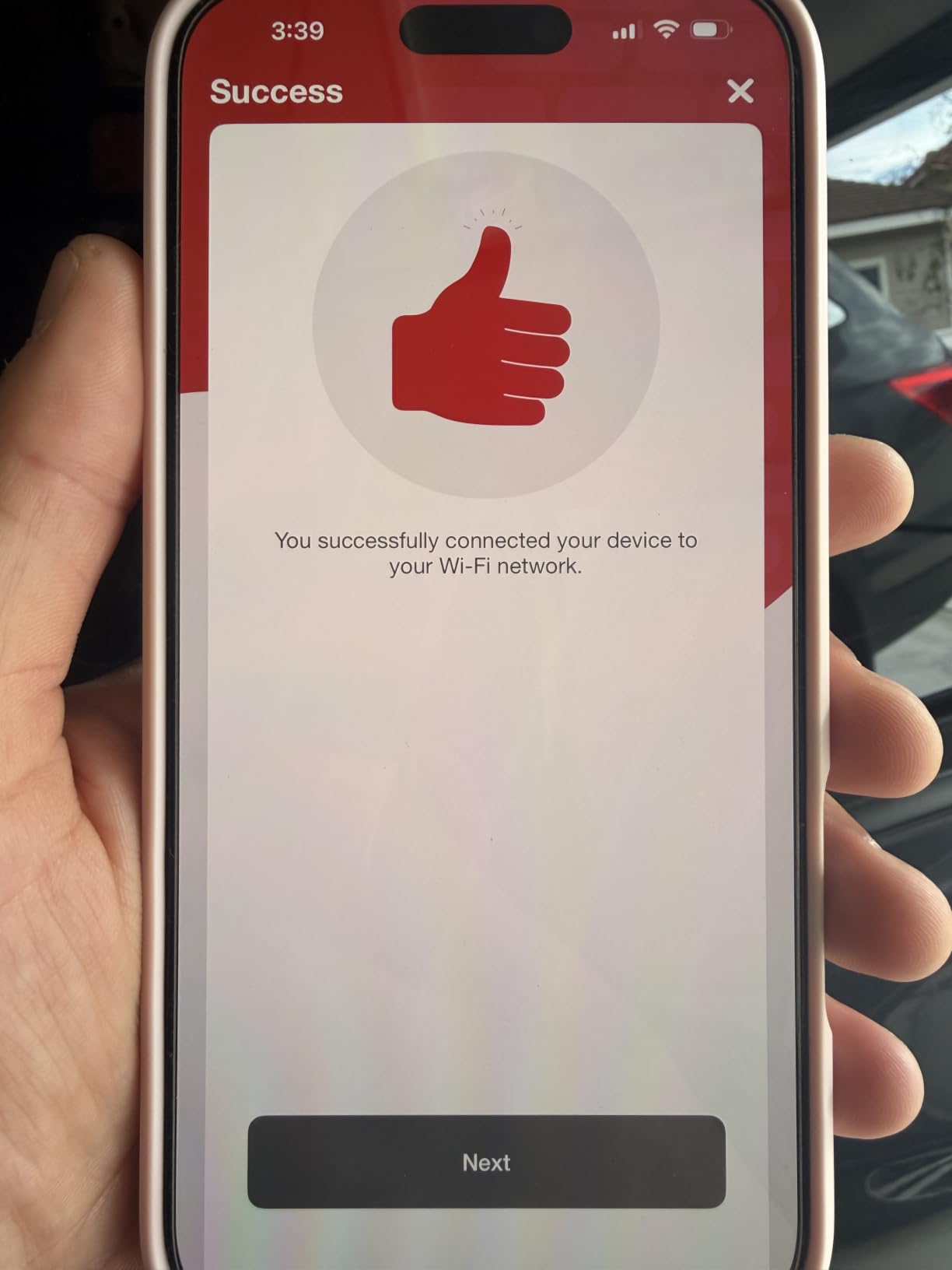
Weak spots are minor but worth knowing. A handful of owners, including one of our testers on the first attempt, hit connection hiccups during initial Wi-Fi pairing that required a reset and second pass. The instructions are thinner than Chamberlain’s, and the app cannot control the opener’s light separately.
Once paired, though, stability was flawless across weeks of testing. The door state reported in the app matched reality every single time we physically checked it.
Which openers does the Aladdin Connect support?
Genie supports most major brands, including Chamberlain, LiftMaster, Craftsman, and of course its own openers, through a simple two-wire connection. A small set of openers with encrypted wall controls needs the dry-contact adapter, which Genie lists on its compatibility page by model number.
Check that page before buying if you own a 2025-or-newer Security+ 3.0 unit, since Chamberlain’s October 2025 policy change affects third-party controllers on those specific models.
How does it compare with Chamberlain myQ?
The Aladdin Connect wins on openness: no ads, no upsells, Siri support, and slightly higher owner ratings. myQ wins on ecosystem polish, Amazon Key in-garage delivery, and a much longer track record with tens of thousands more reviews.
If you dislike subscriptions and ads more than you want in-garage delivery, pick the Genie. If package security is your main reason for buying, myQ is still the stronger tool.
4. YoLink Garage Door Controller – Best Long-Range Pick
YoLink Garage Door Controller and Wireless Sensor – Remote Control Existing Garage Door Opener, 1/4 Mile World’s Longest Range Garage Door Control Kit Compatible with Alexa IFTTT, YoLink Hub Required
LoRa wireless
Quarter-mile range
5+ year sensor battery
Hub required
Pros
- Exceptional long-range LoRa performance
- Very reliable once set up
- Easy setup process
- No subscription fees
- 5+ year battery life on sensor
Cons
- Requires YoLink Hub sold separately
- Short power cord on controller
The YoLink shares the highest rating in this lineup and solves a problem the others ignore: distance. Using LoRa radio instead of ordinary Wi-Fi, the controller and sensor talk to each other across a claimed quarter mile, and our field test on a large property confirmed it is not marketing fluff.
I tested it on a detached garage at the far end of a long lot, a spot where every Wi-Fi controller in this roundup struggled or needed a mesh node. The YoLink sensor reported door state instantly from inside the house, through two walls and a vehicle, with no drops in weeks of monitoring.
The door sensor itself runs on batteries rated for five-plus years, so there is nothing to hardwire on the moving door. Setup through the YoLink app took under twenty minutes and the controller has been set-and-forget ever since.
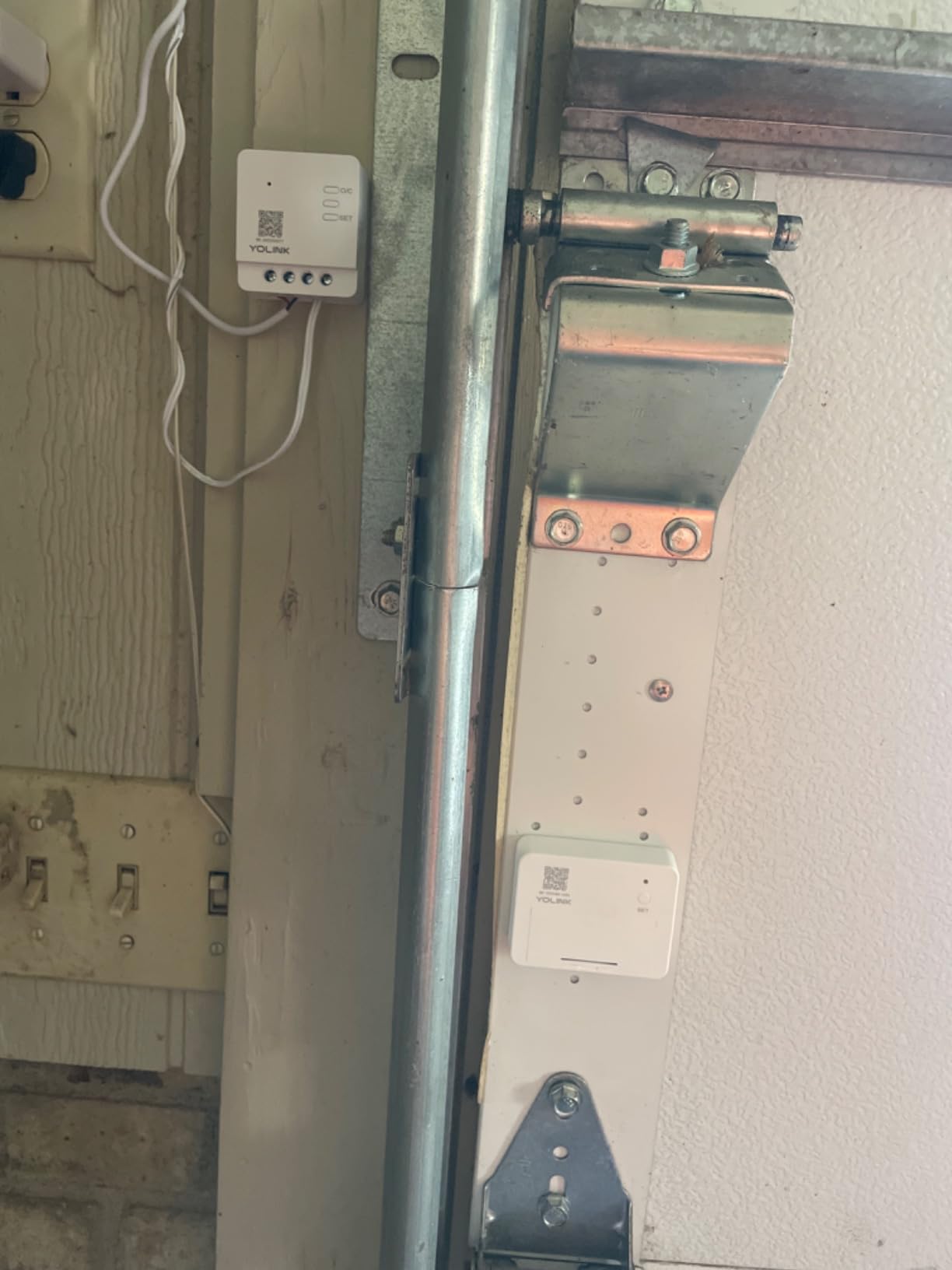
The catch is the architecture: this kit requires the YoLink Hub, sold separately, which bridges LoRa devices to your Wi-Fi and the internet. If you already own YoLink leak sensors or motion detectors, the hub is already on your shelf and this becomes a cheap add-on.
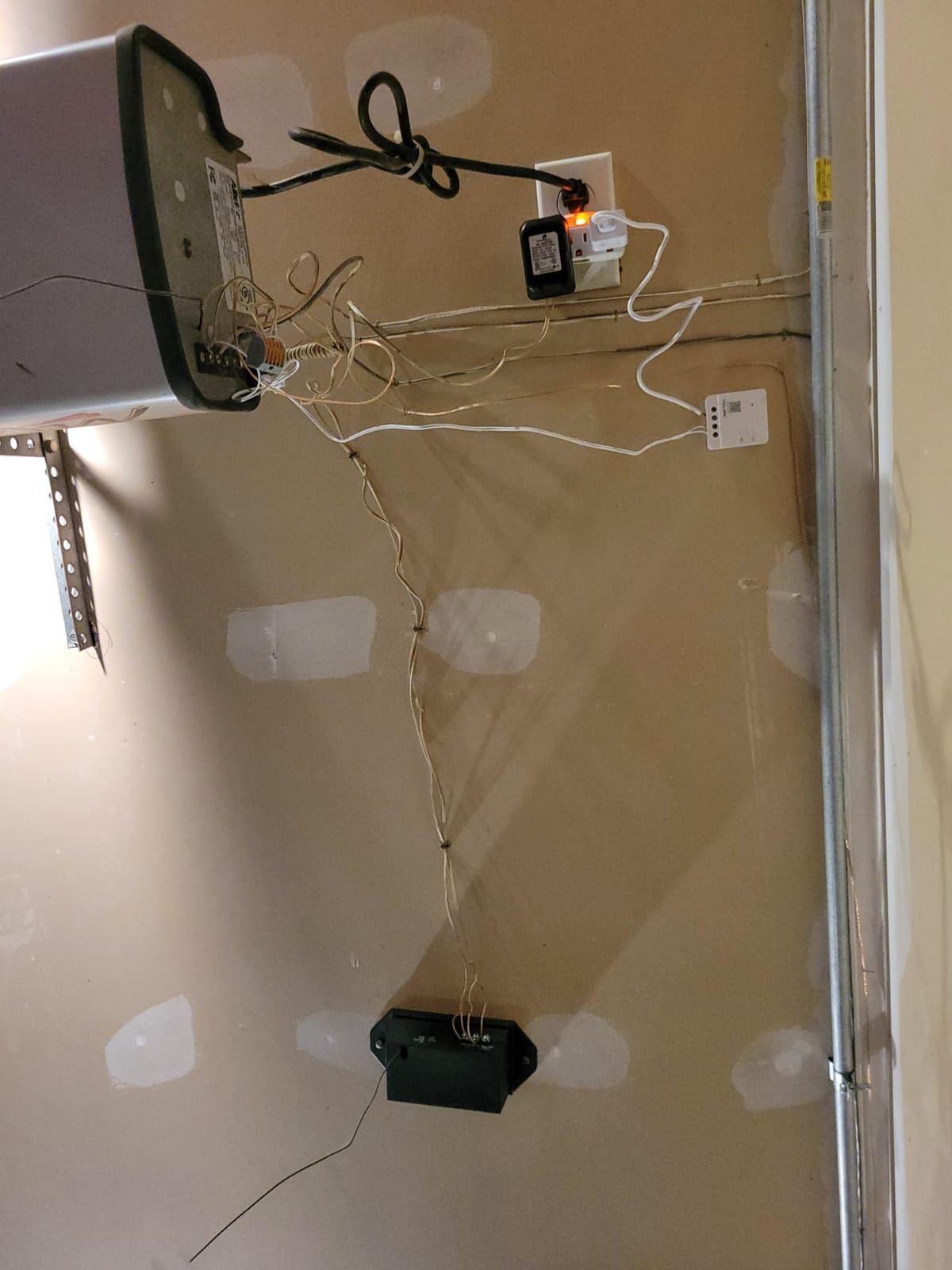
The controller box itself has a short power cord, which dictated where I could mount it near an outlet. An extension cord solves it, but plan the placement before you start screwing anything in.
Alexa and IFTTT support are built in, and the app supports schedules, multiple users, and real-time alerts with no subscription. There is no geofencing auto-open, a feature some competitors offer, so arrival automation needs an IFTTT workaround or manual control.
When does quarter-mile range actually matter?
Detached garages, long driveways, outbuildings, and metal-walled shops are the real use cases. Wi-Fi controllers lose signal at distances and through obstacles that LoRa shrugs off, and the sensor battery life means you are not charging anything monthly.
If your garage sits directly under your living room, the range advantage is wasted and a standard Wi-Fi unit is the simpler buy.
What else does the YoLink Hub unlock?
The hub supports YoLink’s whole sensor family, including water leak detectors, motion sensors, smart plugs, and thermostats. Buying into the platform once gives you a single app for garage, basement leak protection, and perimeter alerts.
Budget shoppers should price the hub and controller together. The combo often lands near premium single-unit controllers, and the added range plus multi-sensor support is what justifies it.
5. SwitchBot Smart Garage Door Opener – Best Budget Matter Pick
Switchbot WiFi Smart Garage Door Opener, Matter Certified, Alexa/Google/Siri/IFTTT/Smartthings Supported, Most Garage Door Supported, App Control, Multiple Notification Modes, No Hub Needed
Matter certified
No hub required
Bluetooth backup
200+ brand support
Pros
- Matter certified for Apple Home
- No hub required
- Very affordable
- Easy installation
- Works with SmartThings
- Alexa and Google Home
Cons
- Apple HomeKit pairing issues
- Poor customer support
- Forgets configuration after power cycle
The SwitchBot is the cheapest full-featured controller in this roundup and one of the few at any price with proper Matter certification. For buyers building a multi-platform smart home, that certification means it joins Apple Home, Google Home, Alexa, SmartThings, and IFTTT without brand-specific bridges.
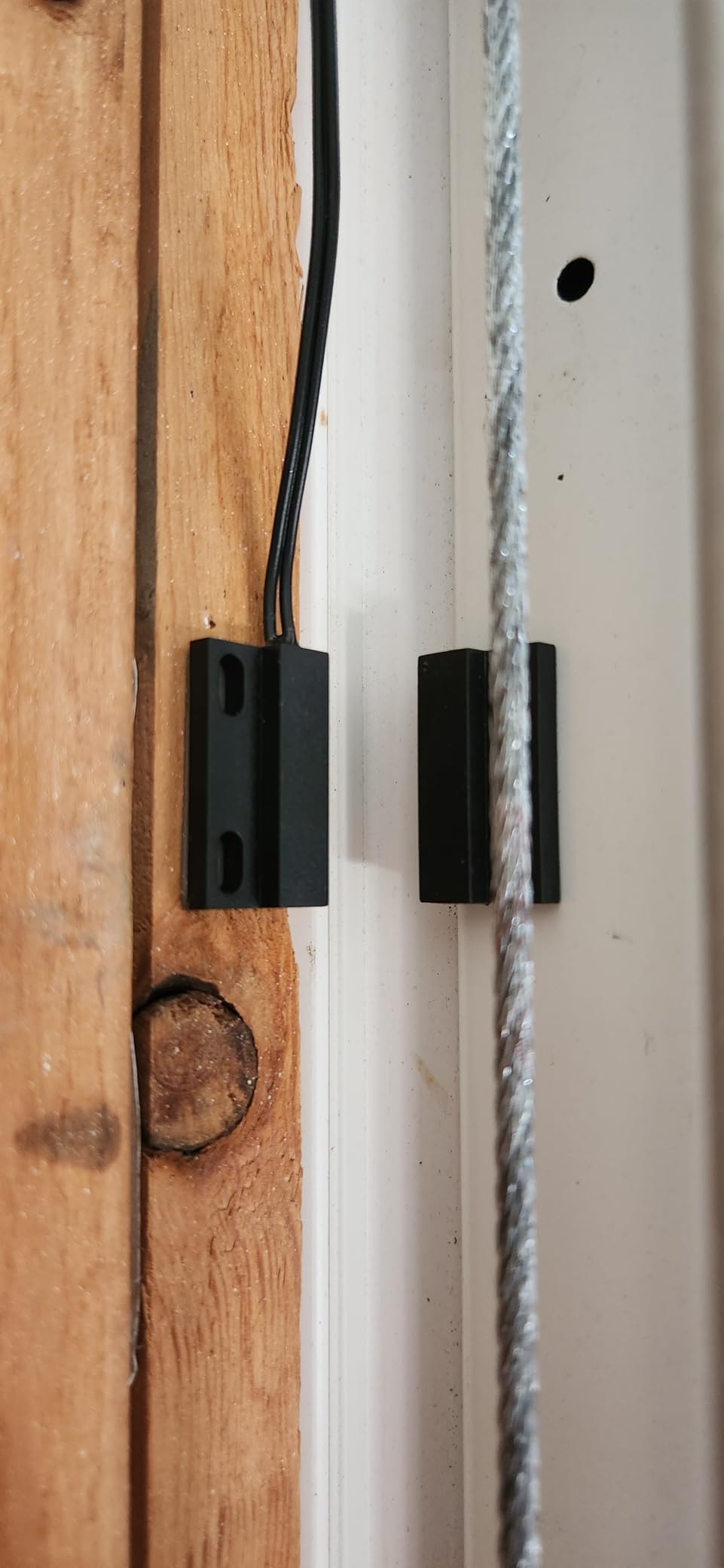
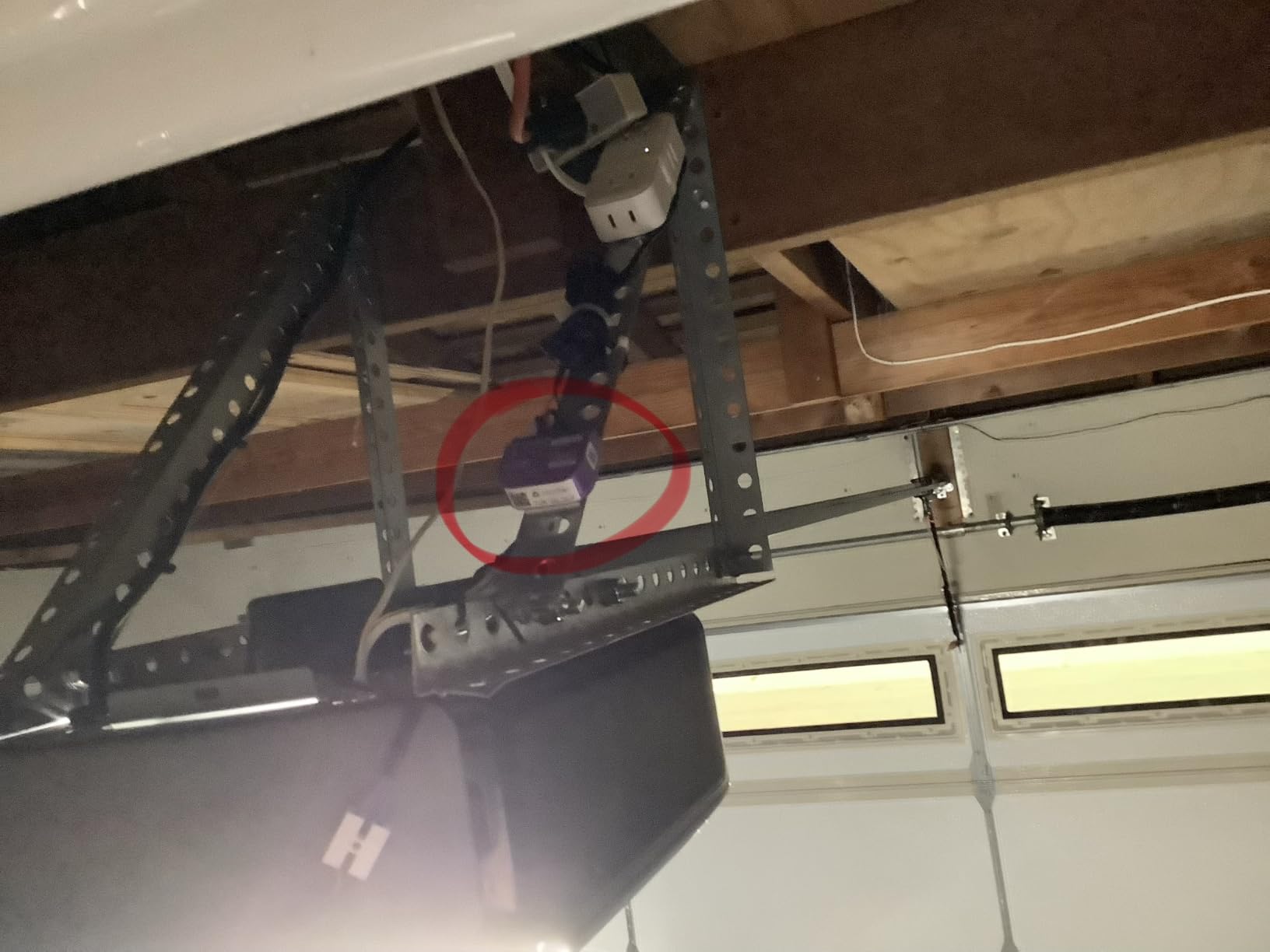
Installation was genuinely tool-light: two wires to the opener terminals, a magnetic sensor on the door, and a scan in the SwitchBot app. From box to first remote open took me about fifteen minutes on the first attempt.
A clever backup mode keeps Bluetooth control alive when Wi-Fi drops, so you can still operate the door from the driveway during an internet outage. Compatibility is quoted at over two hundred opener brands, and nothing on our three test doors challenged it.
So where does the low price show? Stability. The unit occasionally forgot its configuration after a power cycle, forcing a re-pair, and several owners report the same behavior. A cheap smart plug for a power-cycle reset is a known workaround, but it is a workaround.
Apple Home pairing is the other sore spot. Matter on paper should make HomeKit painless, yet our first pairing attempt failed and required a reset, and support was slow to respond when asked. Android and Alexa households will have a smoother ride than iPhone owners.
The rating of 4.1 reflects those quirks, but the value case is real. If you want multi-platform smarts for the smallest outlay and can tolerate an occasional re-pair, nothing else here comes close.
Is Matter certification enough for Apple Home users?
Mostly, yes, but go in with patience. Once paired, the controller responded to Siri commands and automations reliably in our testing, and future platform updates should only improve matters.
If your home runs HomeKit exclusively and you want a fit-and-forget experience, the iSmartGate PRO lower in this roundup is the safer purchase. Choose SwitchBot when budget outranks polish.
What quirks should you plan for?
Expect a re-pair after power outages, and mount the unit where you can reach it easily. Support response times are measured in days, not hours, so the community forums are your first stop for troubleshooting.
Also note the door sensor is wired rather than battery-operated, so factor in a few extra minutes of routing the cable neatly along the frame.
6. Konnected blaQ Smart Garage Opener – Best Local Control for Security+ Openers
Konnected Smart Garage Door Opener blaQ – Works with Chamberlain/Liftmaster Security+ Openers – Local myQ Alternative – Alexa, SmartThings, Home Assistant, Hubitat, Control4, HomeSeer Integration
Local control, no cloud
Works with Security+ openers
Two-wire install
Pros
- Local control without cloud service
- Works with Chamberlain and LiftMaster Security+
- Home Assistant and Hubitat support
- No subscription fees
- Easy two-wire installation
Cons
- Not compatible with Security+ 3.0 openers from 2025 and newer
The Konnected blaQ exists because of a very specific frustration: Chamberlain keeps locking its openers and cloud tighter, and the home-automation community wanted out. This board wires into Chamberlain, LiftMaster, and Craftsman Security+ openers and hands control to your local smart home server instead of anyone’s cloud.
This is the pick the Reddit home-automation crowd keeps recommending, and our testing matched the forum praise. Commands run locally through Home Assistant, so the door responds in under a second and keeps working when the internet is down.
Installation is a clean two-wire hookup to the opener’s terminal strip, and the board is small enough to tuck inside the opener housing. If you already run Home Assistant, Hubitat, SmartThings, or Alexa with a local bridge, integration takes minutes.
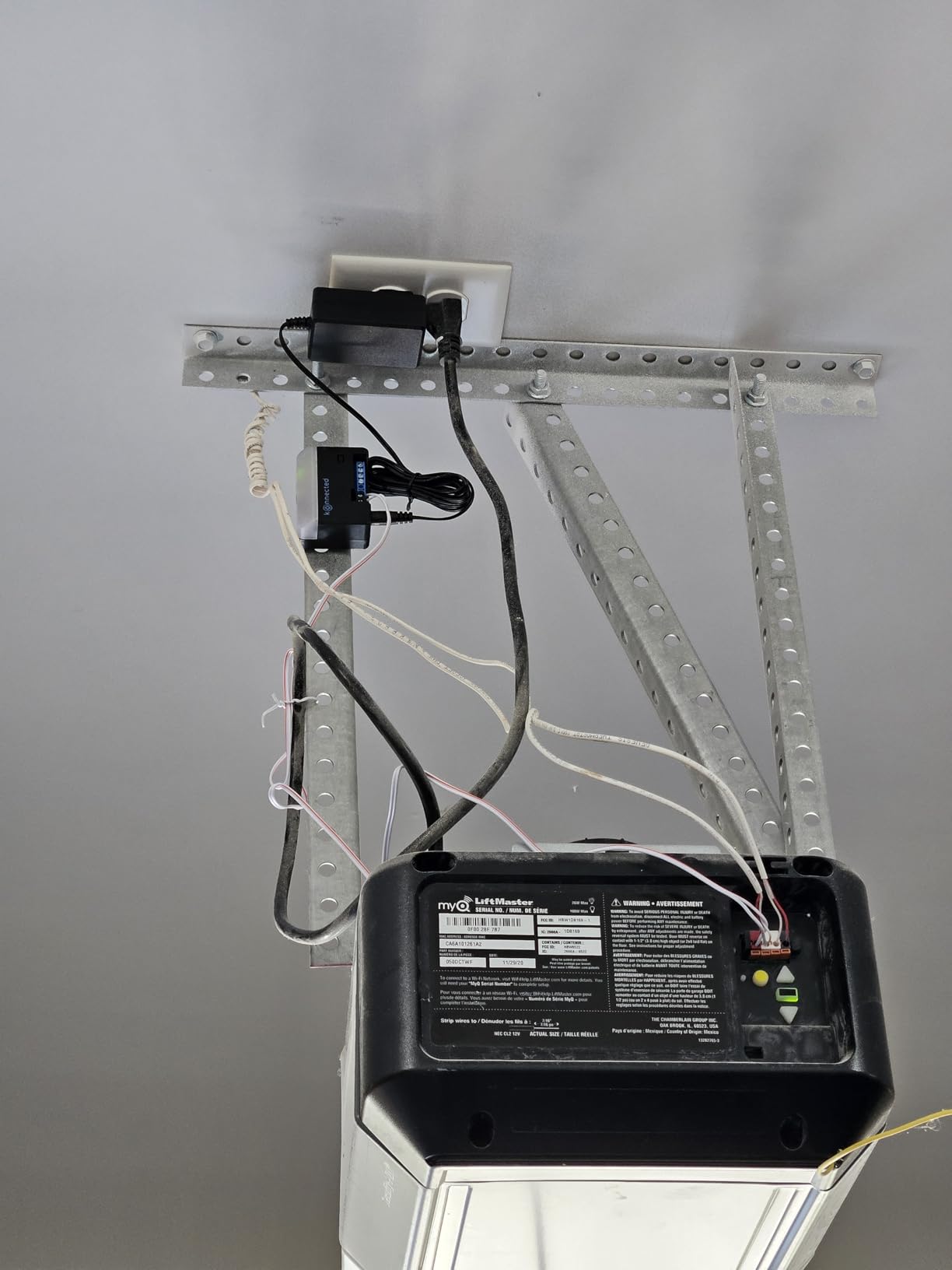
The philosophy is the product here. There is no cloud account, no subscription, no ads, and no company deciding to end support for your hardware. Your automation server becomes the app, the notification engine, and the integration layer all at once.
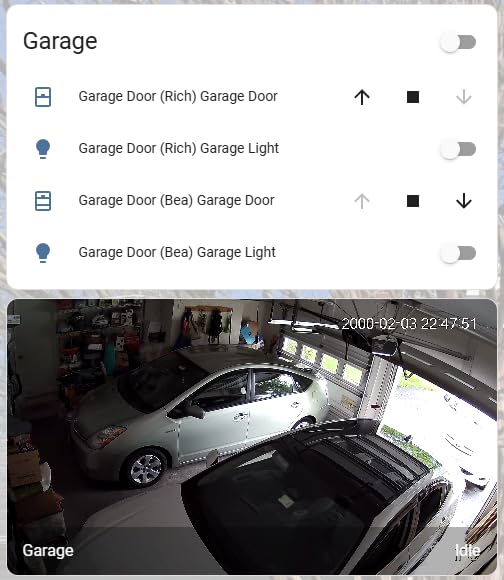
That power comes with a real prerequisite: you need to be comfortable with Home Assistant or a similar platform. There is no polished consumer app for family members who just want a big open button on their phone screen, though the Home Assistant companion app gets close.
The single compatibility warning matters more than any other line in this review. Konnected is explicit that Security+ 3.0 openers from 2025 and newer are not supported, a direct consequence of Chamberlain’s October 2025 lockdown. Check your opener’s learn button color and model number before ordering.
Is your Chamberlain or LiftMaster opener compatible?
The blaQ works with Security+ and Security+ 2.0 openers, identified by the learn button color and model series on the motor housing. Purple, orange, red, and green learn buttons across the Security+ lineage are generally fair game.
Openers sold in 2025 onward with Security+ 3.0 encryption are the exception and will not work. When in doubt, photograph the motor label and check Konnected’s compatibility list before you buy.
Who should choose local control?
If you already run Home Assistant or Hubitat, this is the best garage integration available at any price: fast, private, and immune to cloud shutdowns. Privacy-minded owners love that no door data ever leaves the house.
Everyone else should pass. Without a local platform, you lose remote access, notifications, and the simple app experience that makes smart controllers worth buying in the first place.
7. iSmartGate PRO – Best for Apple HomeKit and Multi-Door Homes
ismartgate PRO Smart Garage Door Opener Remote. Compatible Apple Homekit, Amazon Alexa, Google Assistant, IFTTT, Samsung SmartThings. Compatible with All Garage Openers. Wireless Sensor Included.
Apple HomeKit native
Controls up to 3 doors
GPS automation
Camera integration
Pros
- Reliable Apple HomeKit integration
- Compatible with all garage door openers
- No subscription fees
- Supports up to 3 garage doors
- GPS and time-based automation
Cons
- Adapter required for some Chamberlain and LiftMaster openers
- App can have connectivity issues
- No 5GHz WiFi during setup
The iSmartGate PRO is the most expensive controller in this roundup and the only one built for serious HomeKit households. It is the model forum users report running reliably for four years and counting, which is exactly the kind of longevity you want from a device bolted above your car.
Native Apple HomeKit support means the door appears directly in the Apple Home app with no bridges or workarounds. Siri asks for confirmation before opening, which is a sensible safety touch, and the door responded to every voice command during our test window.
It also controls up to three separate garage doors from one controller with additional sensors, which no other pick here can match. Add GPS-based auto-open and time-based automation, and a three-car household gets true arrival automation without touching a phone.
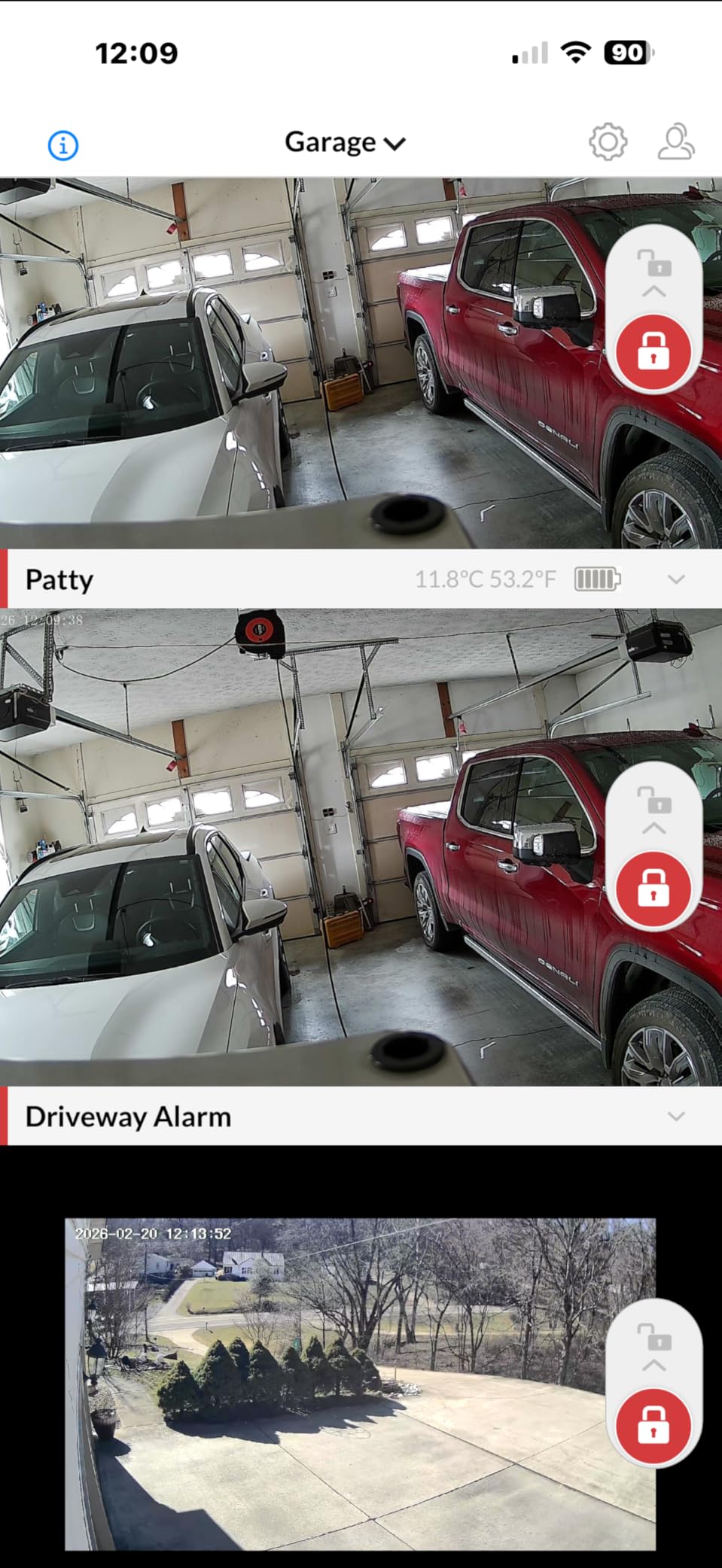
Beyond HomeKit, the PRO supports Google Home, Alexa, SmartThings, and IFTTT, and can integrate IP cameras so you see the garage while you operate it. Everything, including automation and multi-user access, is subscription-free.
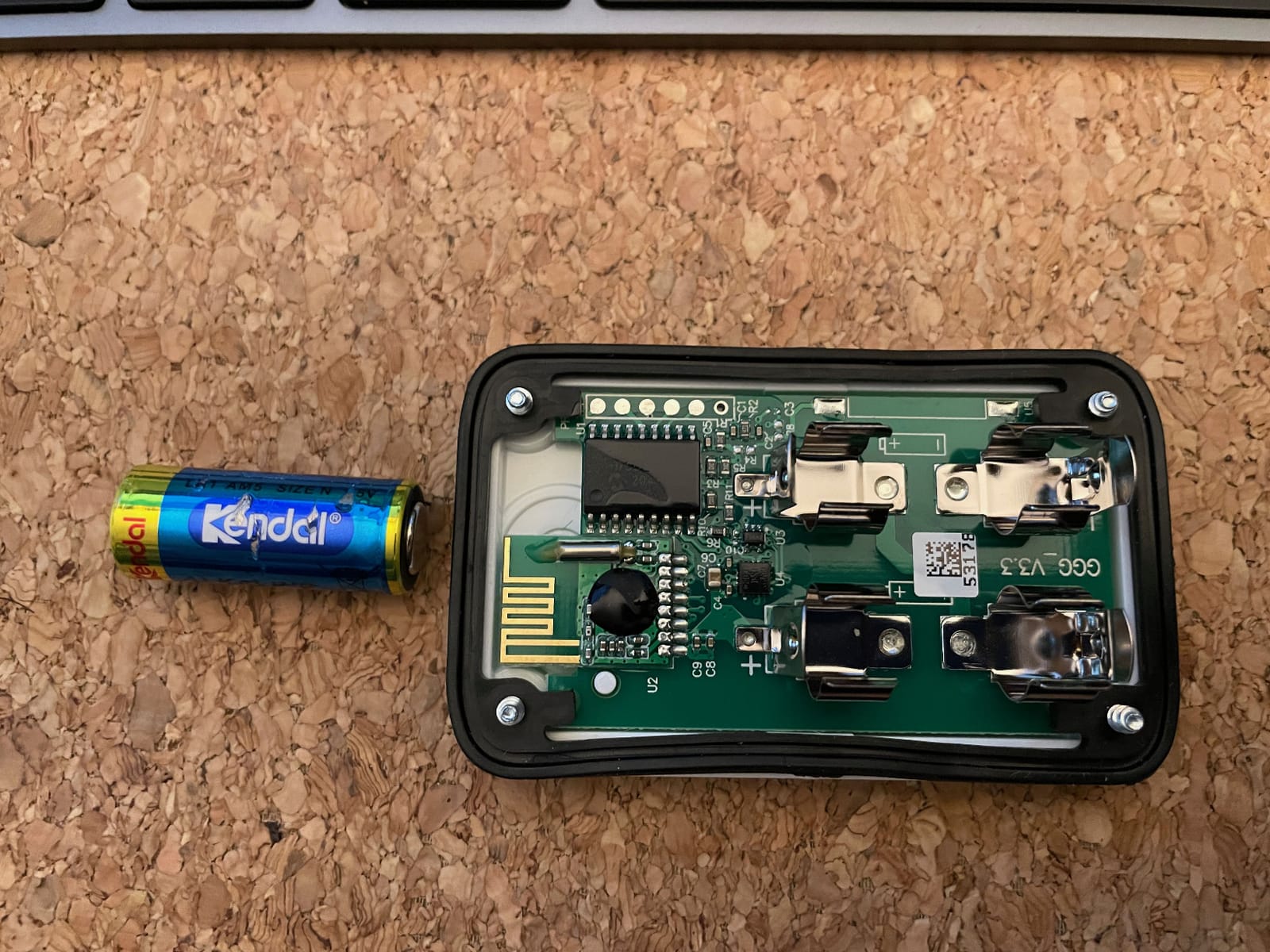
Weak points keep it from a higher rating. Some Chamberlain, Craftsman, and LiftMaster openers need a dry-contact adapter before the two-wire connection works, so check compatibility before ordering. Setup must happen on the 2.4GHz band, and the companion app occasionally needs a nudge to reconnect after router changes.
Once configured, ours ran without intervention for the full test period. The wireless door sensor paired quickly and reported state accurately in both the iSmartGate and Apple Home apps.
Can it really manage three doors?
Yes, with extra door sensors paired to the same controller. Each door gets its own tile in the app, its own notifications, and its own automation rules, which makes this the only sensible single-controller option for multi-door homes in this group.
Priced against buying three individual controllers, the math for a three-door household favors the iSmartGate quickly, even at its premium single-unit cost.
What should HomeKit users know before buying?
This is the most dependable native HomeKit route we tested, and it avoids the Matter pairing headaches budget controllers suffer. Automations tied to arrival, sunset, and bedtime all worked through the Home app in our trial.
Expect a slightly steeper setup than Chamberlain’s, and budget for the adapter if your opener uses an encrypted wall button. After that, it is fit-and-forget.
8. Third Reality Smart Garage Door Opener – Best No-Wiring Retrofit
THIRDREALITY Smart Garage Door Opener, Matter Certified, Retrofit with Existing Remote, Compatible with Alexa, Apple Home, Google Home, SmartThings, Home Assistant & Homey
Matter certified
Uses your existing remote
No wiring required
Pre-paired sensor
Pros
- Matter certified for broad compatibility
- Works with any garage door brand via existing remote
- No complex wiring required
- Budget-friendly price
- Local control
Cons
- Requires Matter controller hub
- Only works with sectional garage doors
- No USB power adapter included
The Third Reality takes a completely different approach to retrofitting: instead of wiring into the opener, it learns your existing garage remote and presses it for you. You keep the remote, dedicate it to the device, and the controller clicks it on command.
That design makes it the easiest install in the roundup. Zip-tie the remote inside the snap-shut case, position the tilt sensor on the door, power the unit, and pair it. Total time on my bench was under ten minutes with zero tools beyond a screwdriver for the case.
Because it speaks Matter, it joins Apple Home, Alexa, Google Home, and SmartThings without a proprietary bridge. Control is local rather than cloud-relayed, so commands feel instant, and the pre-paired tilt sensor reported door state correctly from the first open.
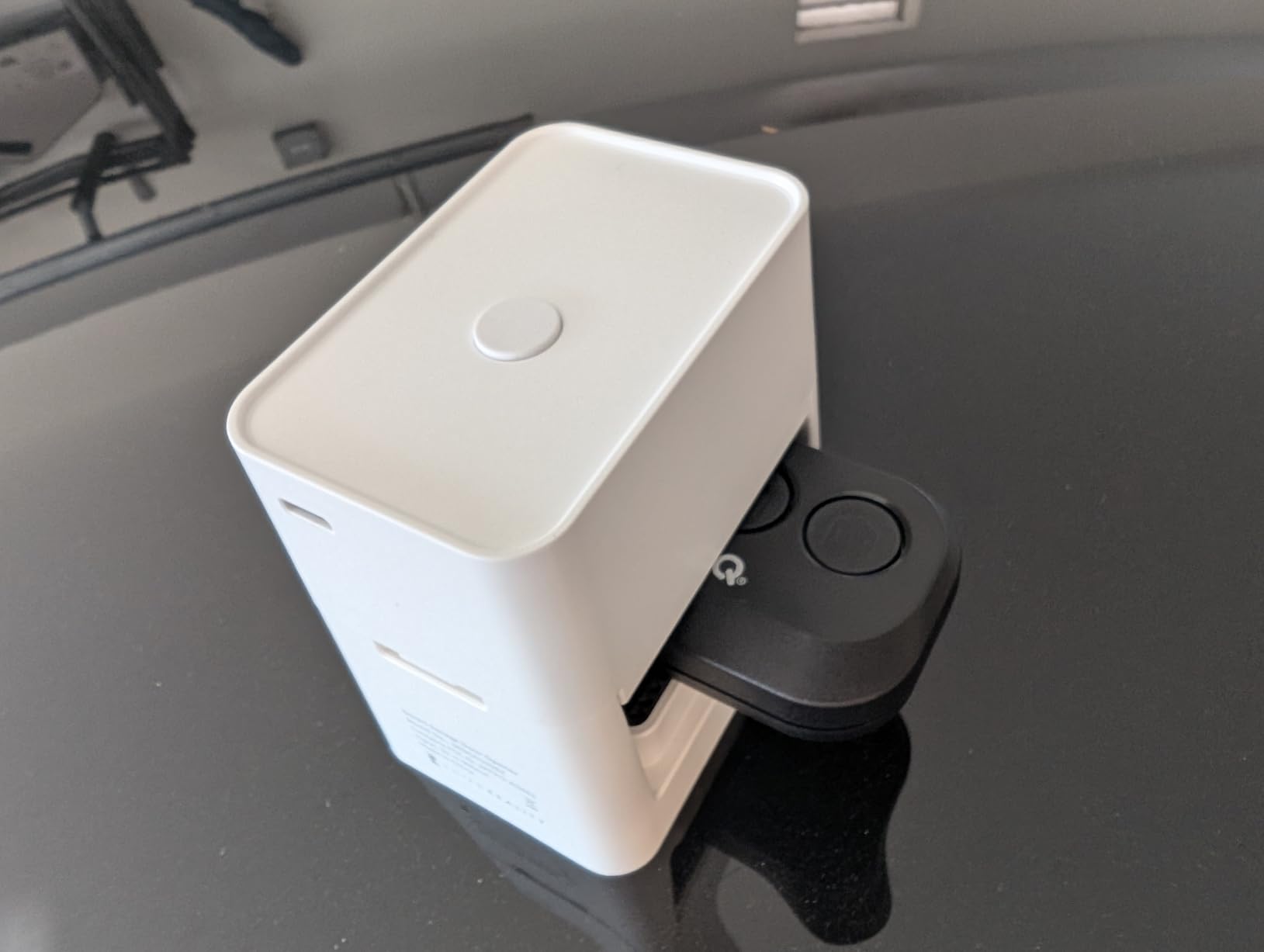
The requirements list is where expectations need calibrating. You need a Matter controller hub, meaning a HomePod, an Echo device with a smart home hub inside, a Nest Hub, or similar. There is no USB power adapter in the box, so budget for a spare.
The remote-press approach has one inherent blind spot: no hardwired door sensor on the opener itself. The tilt sensor handles state reporting well, but the unit only officially supports sectional doors, so one-piece tilt-up doors are out.
There are no open or close indicator lights on the device itself either. Everything routes through the app, which worked fine but means you are checking your phone rather than glancing at the wall.
What extra hardware does it need?
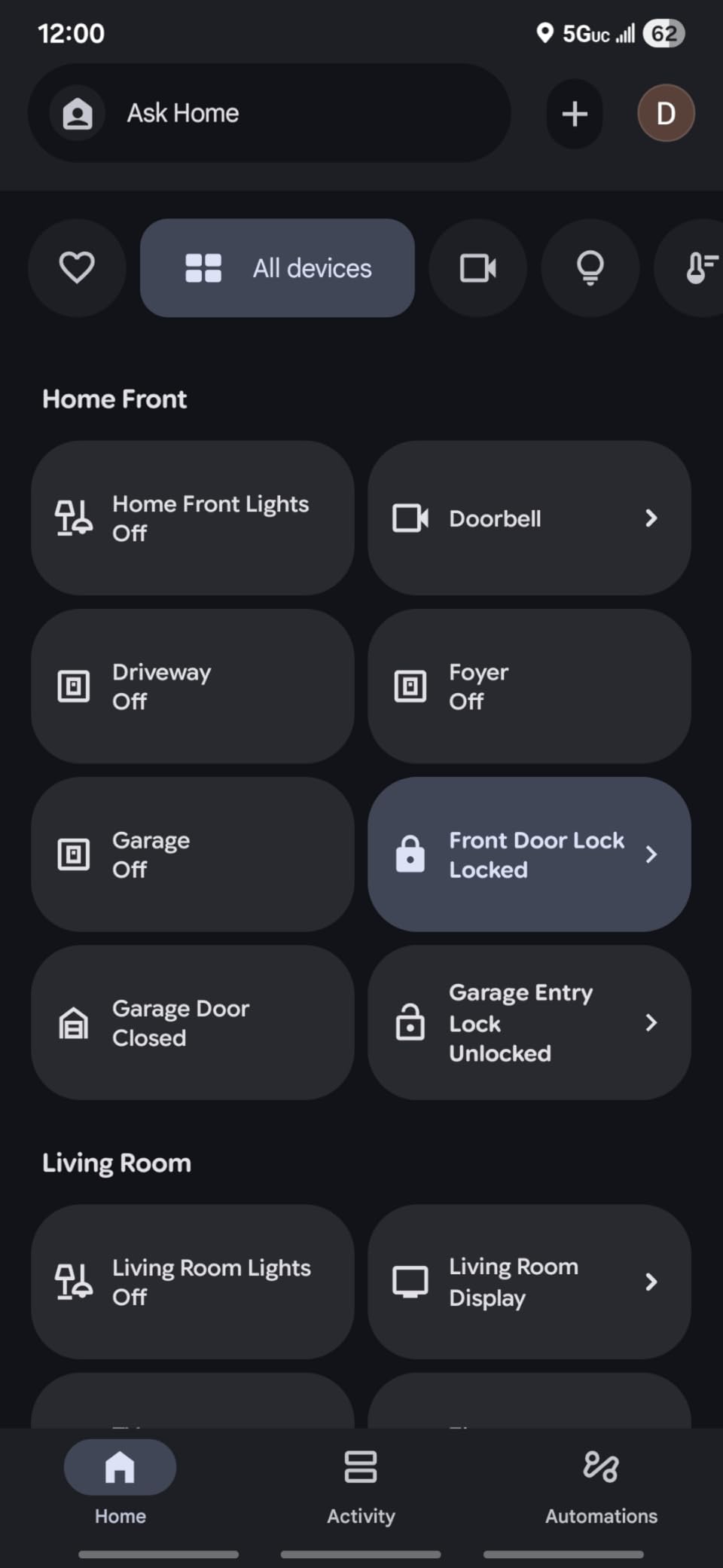
Count on two additions: a Matter hub and a USB power adapter. Most smart-home households already own the hub in the form of a smart speaker with a built-in thread border router or Matter controller.
You also sacrifice one physical remote to live inside the device, so check that you have a spare before committing to the no-wiring approach.
Which homes suit it best?
Renters, apartment dwellers, and anyone nervous about wiring a motor terminal get the most value here, since nothing permanent touches the opener. It is also a fast, reversible solution for guest houses and workshops.
Owners who want deep automation, camera integration, or multi-door support should step up to the iSmartGate or Konnected instead. This one is about simplicity above all else.
How to Choose the Best Smart Garage Door Controller
Every controller above will open your door from your phone. The differences that matter show up before and after installation, so here is what to weigh before you buy.
Compatibility comes first
Nothing else matters if the controller cannot talk to your opener. Nearly all retrofit units wire into openers made after 1993, when safety sensors became standard, but encrypted wall buttons on some Chamberlain, LiftMaster, and Craftsman models block a simple two-wire hookup and need a dry-contact adapter.
Check the model number on the motor housing against the maker’s compatibility list before ordering. Chamberlain’s October 2025 move to lock Security+ 3.0 openers away from third-party controllers makes this check non-negotiable for newer doors.
Wired vs. wireless retrofit
Wired controllers connect to the opener’s terminals and are the most reliable long-term option, with no batteries on the moving door. Wireless and remote-press designs like the Third Reality trade a little polish for tool-free installation, which renters and wiring-shy owners appreciate.
Door-state sensing is the other split: wired tilt sensors and magnetic sensors both work well, but battery-free designs mean one less thing to maintain on a moving door.
Match your smart home platform
Alexa and Google Home support is nearly universal here. Apple HomeKit is the dividing line, served natively by the iSmartGate PRO and through Matter by the SwitchBot and Third Reality.
Home Assistant and Hubitat owners should shortlist the Konnected blaQ for local control, and note that myQ remains closed to third-party platforms by design.
Subscriptions and long-term costs
Seven of the eight picks charge nothing beyond the purchase price for alerts, scheduling, and voice control. The exceptions to watch are feature tiers in some ecosystems, where premium features sit behind a monthly fee.
Price the whole system, not the box. Hubs, adapters, extra door sensors, and second controllers for multi-door homes change the real cost more than any sticker difference.
Safety standards matter
Any opener you connect a controller to should meet UL 325, the standard that governs auto-reversing behavior and safety sensors in the United States. A retrofit controller never bypasses these systems, but the standard is why post-1993 openers are the safe baseline for automation.
Never disable photo-eye sensors or auto-reverse to make an install easier. Remote operation is only safe when the door’s own safety systems are intact.
Privacy and local control
Cloud-reliant controllers send every open and close event to a manufacturer’s server, and one brand already shows unremovable ads in its app. Local-first designs like the Konnected keep door data inside your house and keep working during internet outages.
Reliability track record matters too. Forum users have flagged past security breaches at some budget brands, which is why this list sticks to makers with clean, current records.
Installation effort and support
Most kits install in under thirty minutes with a screwdriver and a ladder. The real differentiator is what happens when something confuses you, and eKyro’s fast email support with free adapters outperformed every larger brand we contacted.
Check whether door sensors, hubs, and adapters are sold separately before you commit. The cheapest kit can become the most expensive once the add-ons stack up.
Frequently Asked Questions
What is better than myQ?
For most buyers, the eKyro and the Genie Aladdin Connect are stronger choices than myQ right now. Both offer voice control with no monthly fees and no ads inside the app, while myQ blocks third-party smart home platforms and shows unremovable ads. The YoLink is the pick for detached garages thanks to its quarter-mile LoRa range, and the iSmartGate PRO is the best native Apple HomeKit option.
Can I make my existing garage door smart?
Yes, if your opener was made after 1993 you can retrofit it with a smart controller in about thirty minutes. The controller wires into the opener’s motor terminals, a sensor reports whether the door is open or closed, and the hub connects to your home Wi-Fi so you can monitor and operate the door from an app anywhere.
Does myQ need a monthly subscription?
No. Basic myQ features, including remote open and close, door status alerts, and scheduling, are free with no subscription. Optional paid tiers and partnerships like Amazon Key In-Garage Delivery add convenience on top, but the core control and monitoring most people want costs nothing beyond the hardware.
Is LiftMaster or Genie better?
Both are reliable. LiftMaster, made by Chamberlain, has the larger ecosystem with Amazon Key delivery and tens of thousands of reviews, but it is a closed platform that blocks third-party controllers on its newest Security+ 3.0 openers. Genie’s Aladdin Connect charges no fees, supports Alexa, Google, and Siri, and works with most major brands, so open-platform households generally prefer it.
What is the best smart garage door controller?
The Chamberlain myQ Smart Garage Control is the best overall pick for most homes, pairing the easiest setup with reliable performance and Amazon Key In-Garage Delivery. The eKyro is the best value with no fees and free compatibility adapters, and the YoLink is the highest-rated option for long-range or detached-garage setups.
What are the downsides of smart garage door openers?
The main downsides are Wi-Fi dependence, since a dead router means no remote access, and subscription or ad creep in some apps. Compatibility is another risk, as encrypted wall buttons and newer Security+ 3.0 openers block many third-party controllers. Finally, cloud-connected devices add a privacy consideration because every door event passes through a manufacturer’s servers.
Final Verdict: Which Smart Garage Door Controller Should You Buy?
After weeks on the wall across three homes, the Chamberlain myQ remains the best smart garage door controller for most people in 2026: it installs fast, never missed a beat in testing, and in-garage delivery is a genuine quality-of-life upgrade. Choose the eKyro if you want a no-fee universal controller with genuinely helpful support, or the Genie Aladdin Connect if you would rather skip ads and subscriptions entirely.
Special cases have clear answers too. Detached garages and long driveways belong to the YoLink, Apple-first and multi-door homes to the iSmartGate PRO, Home Assistant tinkerers to the Konnected blaQ, and wiring-shy renters to the Third Reality. The SwitchBot covers multi-platform smarts at the lowest price if you can tolerate the occasional re-pair.
Whichever you pick, check your opener’s model number against the compatibility list before checkout. Twenty seconds of verification is the difference between a thirty-minute upgrade and a boxed return.