
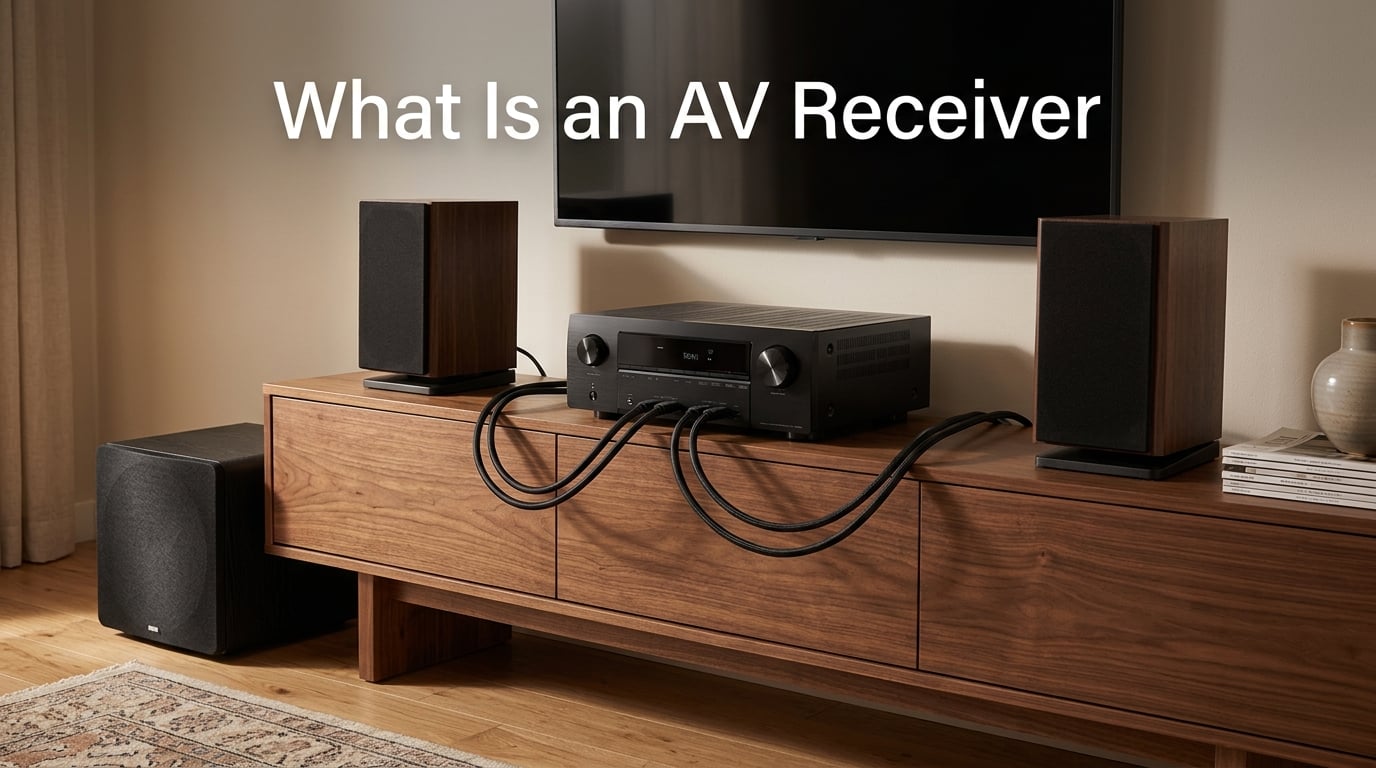
An AV receiver (audio/video receiver) is the central hub of a home theater system. It receives audio and video signals from your sources, decodes surround sound formats, amplifies audio to drive multiple speakers, and sends a single video output to your TV or projector. Think of it as the traffic controller of your entire home entertainment setup.
In this beginner’s guide, I’ll walk you through what an AV receiver actually does, how it works, and how to decide whether you need one for your living room.
Table of Contents
Quick Answer: What Does an AV Receiver Do?
- Amplifies audio to power multiple speakers at once
- Switches video between sources like game consoles and Blu-ray players
- Decodes surround sound formats such as Dolby Atmos and DTS:X
- Routes signals through a single HDMI cable to your TV
- Centralizes control so you replace five remotes with one
If you’ve ever wondered why home theaters sound so much better than TV speakers, the AV receiver is usually the reason.
What Does an AV Receiver Do? The 4 Core Functions
An AV receiver combines four jobs that used to require separate components. Modern AVRs pack a preamplifier, surround sound processor, multi-channel amplifier, and video switcher into one chassis.
1. Audio Amplification
The amplifier section powers all of your speakers. A typical 7.2 channel receiver delivers power to seven speakers and two subwoofers from a single box. Power ratings are measured in watts per channel, and most entry-level units sit between 80 and 100 watts per channel.
2. Video Switching and Routing
The video switcher accepts HDMI inputs from your devices and sends a single output to your TV. Instead of plugging a game console, streaming box, and Blu-ray player directly into your TV, you plug them into the receiver. One HDMI cable to the TV replaces the mess of cables behind your cabinet.
3. Surround Sound Decoding
The processor decodes compressed and uncompressed audio formats. It takes a Dolby Atmos or DTS:X signal from your source, splits it into individual channels, and sends each channel to the correct speaker. This is what creates the helicopter-flying-overhead effect in modern movies.
4. Central Control Hub
Most modern receivers include HDMI CEC, app control, and voice assistant compatibility. You can run your whole system from a single remote or smartphone app. One input button can dim your lights, lower a projector screen, and start the movie.
Inside an AV Receiver: Key Components and Ports Explained
The back panel of an AV receiver looks intimidating, but each port has a specific job. Here’s what you’ll find on a typical mid-range unit in 2026.
Front Panel Connections
- HDMI input for temporary devices like a laptop or game console
- Headphone jack (1/4 inch) for late-night listening
- USB port for playing music from a flash drive
- Setup microphone input for auto-calibration routines
- Display screen showing volume, input, and audio format
Rear Panel Connections
- HDMI inputs (4 to 7 ports) for permanent sources
- HDMI output (with ARC or eARC) going to the TV
- Speaker terminals accepting banana plugs or bare wire
- Subwoofer pre-out (one or two) for powered subs
- Ethernet port for wired network streaming
- Coaxial and optical digital audio inputs for legacy gear
- RCA analog inputs for older sources like a CD player or turntable with a built-in phono stage
- FM/AM antenna terminals for terrestrial radio
Wireless and Streaming Features
Most new AV receivers ship with Bluetooth, Wi-Fi, Apple AirPlay 2, Chromecast, and Spotify Connect built in. Many support multi-room audio platforms like MusicCast, HEOS, or DTS Play-Fi, letting you send music to speakers in other rooms from the same unit.
Surround Sound Formats Compared: Dolby Atmos vs DTS:X vs Legacy
Surround sound decoding is where most of the magic happens. Each format sends different information to your speakers, and not all receivers support every format.
- Dolby Digital: The classic 5.1 format from DVDs and basic streaming. Compressed but reliable.
- Dolby TrueHD: Lossless 7.1 audio found on Blu-ray discs.
- Dolby Atmos: Adds height channels for 3D sound. Supports up to 7.1.4 layouts in most home receivers.
- DTS: A 5.1 competitor to Dolby Digital, often considered slightly better at higher bitrates.
- DTS-HD Master Audio: Lossless 7.1 alternative to Dolby TrueHD.
- DTS:X: Object-based audio similar to Atmos, also adds height channels.
- THX: A certification standard rather than a format, ensuring certain quality benchmarks.
If you’re shopping for an AV receiver in 2026, Dolby Atmos support is now standard on most models above entry level. DTS:X is also widely supported.
HDMI Connections Explained: ARC, eARC, and HDMI 2.1
HDMI is the most important connection on a modern AV receiver. It carries both audio and video through a single cable and supports a growing list of features.
What HDMI ARC Does
HDMI ARC (Audio Return Channel) sends audio from your TV back down the same HDMI cable to the receiver. Without ARC, you’d need a separate optical cable to get TV apps like Netflix sound through your surround speakers.
The eARC Upgrade
HDMI eARC (enhanced ARC) is the current standard. It supports lossless audio formats like Dolby TrueHD and Dolby Atmos from your TV’s built-in apps. If your TV and receiver both have eARC, you can stream Atmos content from Netflix or Disney+ without extra cables.
Why HDMI 2.1 Matters
HDMI 2.1 unlocks features gamers care about: 4K at 120Hz, 8K at 60Hz, Variable Refresh Rate (VRR), and Auto Low Latency Mode (ALLM). If you own a PlayStation 5 or Xbox Series X, you want an HDMI 2.1 receiver to get the full gaming experience.
Channel Configurations: What 5.1, 7.1, and 5.1.2 Really Mean
Channel numbers tell you exactly how many speakers the receiver can power and where they go. Reading them is simpler than it looks.
- 5.1: Five speakers (left, center, right, two surrounds) plus one subwoofer
- 7.1: Adds two rear surround speakers to the 5.1 layout
- 5.1.2: Five speakers, one sub, plus two height speakers for Atmos
- 7.1.4: Seven speakers, one sub, four height speakers for full Atmos immersion
- 9.1.4: Nine ear-level speakers with four height channels for top-tier home theaters
For most living rooms, 5.1.2 is the sweet spot in 2026. It gives you real Atmos immersion without dominating your space.
AV Receiver vs Soundbar: Which One Do You Actually Need?
This is one of the most common questions in home theater forums, and the honest answer depends on your room and expectations.
When a Soundbar Makes Sense
Soundbars win in small rooms, minimalist setups, and situations where simplicity matters more than absolute sound quality. A good Dolby Atmos soundbar with upfiring drivers can simulate surround sound without any speakers in the back of the room. Setup takes about five minutes.
When an AV Receiver Wins
An AV receiver beats a soundbar when you want real surround separation, future expandability, and accurate movie sound. Discrete rear speakers create a true bubble of sound that no soundbar can replicate. Receivers also last 10+ years, accept any new HDMI standard with a firmware update or board swap on higher-end models, and work with any speakers you upgrade to over time.
Honest Comparison
- Soundbar: Easier setup, smaller footprint, lower cost, good for TV audio upgrade
- AV receiver: Better true surround, upgradeable, more inputs, longer lifespan, more cables and boxes
If you watch mostly TV shows and casual streaming, a soundbar is fine. If you want theater-grade movie nights or care about music fidelity, an AV receiver is the better long-term choice.
AV Receiver vs Amplifier: What’s the Real Difference?
An amplifier does one thing: it takes a line-level audio signal and makes it louder to drive speakers. A stereo amplifier has two channels. A multichannel amplifier has more.
An AV receiver includes an amplifier, but it also adds the preamp stage, surround sound decoder, video switcher, and streaming features. When someone asks about the difference between an amplifier and an AV receiver, the simplest answer is that an AV receiver is an amplifier plus everything else you need for a home theater in one box.
For dedicated two-channel music listening, some audiophiles prefer a separate stereo amplifier because it can be built with higher-quality components focused on one job. For movies, gaming, and mixed use, an AV receiver gives you more functionality for less money.
Common Myths About AV Receivers
After reading hundreds of forum threads on r/hometheater and AVS Forum, I’ve noticed the same myths come up again and again. Let me clear them up.
Myth 1: More Watts Always Means Better Sound
Watts per channel matter, but doubling your power only adds 3 decibels of volume. The difference between 80W and 160W is rarely audible in a normal room. Speaker sensitivity and room size matter far more than raw wattage numbers on the spec sheet.
Myth 2: Expensive Receivers Sound Dramatically Better
Entry-level Denon and Yamaha receivers satisfy most users for years. The jump from a $400 receiver to a $1,500 receiver is subtle in blind tests. You pay more for extra features, more HDMI ports, and better room correction, not necessarily better sound.
Myth 3: You Need to Replace Your Receiver Every Few Years
Speakers usually outlast three or four receiver generations. Your speakers from 2010 will pair just fine with a brand-new 2026 receiver. The reverse is less true: old receivers often can’t pass 4K HDR signals.
Myth 4: Receivers Are Obsolete Because of Smart TVs
Smart TVs improve every year, but they still can’t decode Dolby Atmos with real height speakers or power a 7.1 surround system. For pure home theater, the AV receiver is more relevant in 2026 than it was a decade ago.
Are AV Receivers Still Worth It in 2026?
Yes. The AV receiver market is alive and well in 2026. Every major brand has refreshed its lineup with HDMI 2.1, 8K passthrough, and Dirac Live room correction. New gaming features like VRR and ALLM are now standard on mid-range models.
Soundbars have improved, but they still can’t match a real surround setup. Streaming has made content easier to access, but it hasn’t replaced the experience of true home theater audio. If anything, the rise of Dolby Atmos content on Netflix, Disney+, and Apple TV+ has made a good AV receiver more valuable than ever.
When future-proofing, look for HDMI 2.1 with at least three inputs, Dolby Atmos and DTS:X decoding, 4K at 120Hz support, and room correction software like Audyssey, YPAO, or Dirac Live. These features will keep your receiver relevant well into the late 2026s.
How to Connect an AV Receiver to Your TV
Hooking up an AV receiver is easier than it looks. Here’s the basic sequence most people follow on their first setup.
- Connect your sources (game console, streaming box, Blu-ray player) to the receiver’s HDMI inputs
- Connect the receiver’s HDMI output to your TV’s HDMI ARC or eARC port
- Connect your speakers to the matching terminals on the receiver
- Plug in the supplied setup microphone and run the auto-calibration routine
- Update the receiver’s firmware through the network or USB
- Adjust speaker distances and crossover settings if needed
The whole process usually takes 30 to 60 minutes, including running auto-calibration. Most modern receivers walk you through it on-screen.
Frequently Asked Questions
Do I really need an AV receiver?
You need an AV receiver if you want true surround sound with multiple speakers, plan to connect more than two HDMI sources to your TV, or care about Dolby Atmos and DTS:X decoding. If you only use your TV speakers or a basic soundbar, an AV receiver is overkill.
Are AV receivers still a thing?
Yes. AV receivers are still very much a thing in 2026. Every major brand ships new models each year with updated HDMI standards, room correction, and gaming features. Dolby Atmos content on streaming services has actually increased demand for them.
What is the difference between an amplifier and an AV receiver?
An amplifier only makes audio signals louder to drive speakers. An AV receiver includes an amplifier plus a preamp, surround sound decoder, video switcher, and streaming features. An AV receiver is essentially an amplifier and several other components combined into one box.
How do AV receivers connect to TV?
AV receivers connect to a TV with a single HDMI cable running from the receiver’s HDMI output to the TV’s HDMI ARC or eARC port. All your sources plug into the receiver instead of the TV, and the TV sends audio back down the same cable when you use its built-in apps.
Final Thoughts
An AV receiver is the brain and muscle of any home theater. It switches your video, decodes your surround sound, powers your speakers, and ties your whole system together with a single remote. If you’re building a real surround setup with discrete speakers or want Dolby Atmos from streaming services, an AV receiver is the right tool for the job.
Start with the basics: decide your speaker layout, count your HDMI sources, and pick a receiver that supports the formats you actually use. From there, your AV receiver will run your home theater for the next decade or more.