
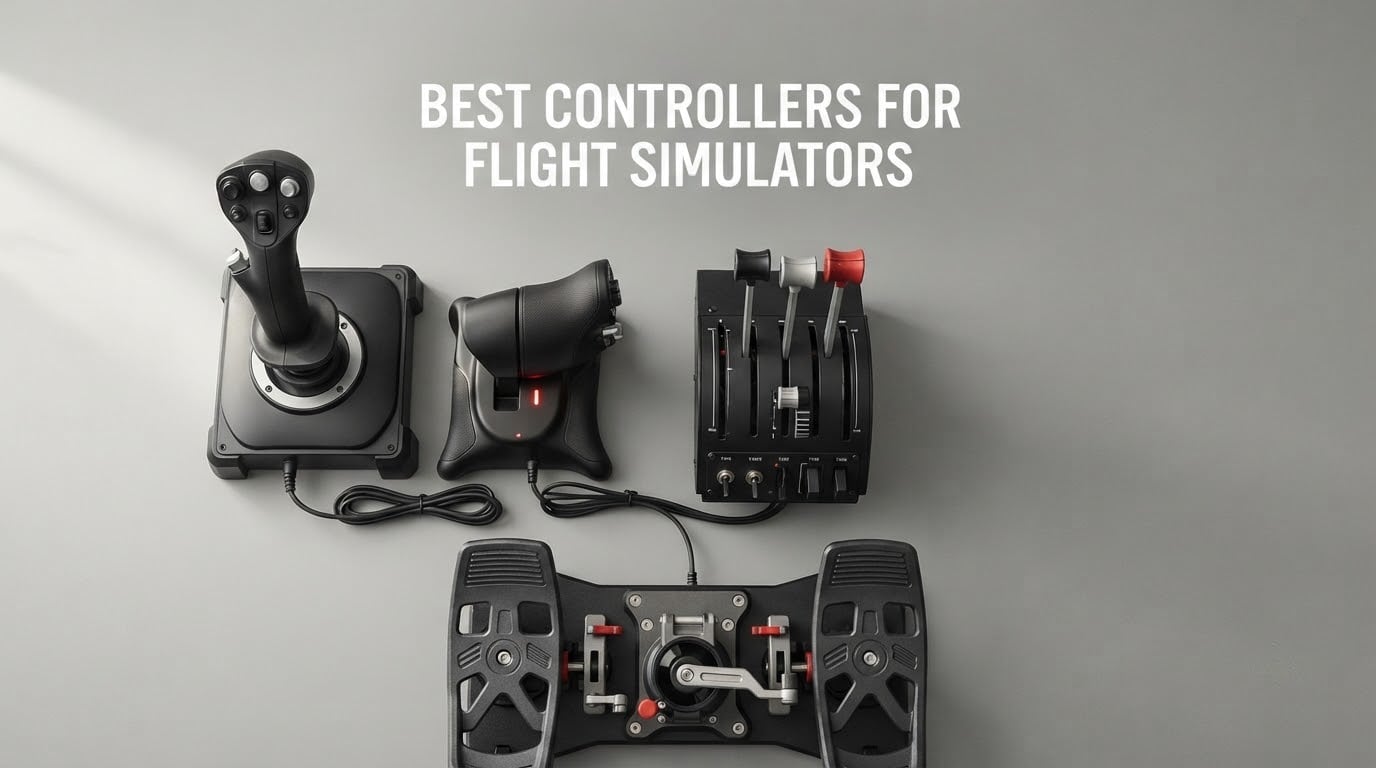
Flying a virtual aircraft with a keyboard and mouse feels nothing like flying. The controls are on/off instead of proportional, there is no self-centering, and no amount of practice fixes a landing that needs a nudge of elevator on flare. Put your hands on a real flight simulator controller and the same aircraft becomes flyable.
We spent 2026 season comparing the hardware that serious simmers actually use: HOTAS units, yokes, rudder pedals and throttle quadrants. The best controllers for flight simulators fall into a few very different camps, and the right pick depends almost entirely on what you want to fly. Our testing covered general aviation on a Cessna 172, airliner procedures in an A320, and combat sorties in DCS.
This roundup covers eight picks that earned their place, from an entry-level stick and throttle combo to a metal A-10C replica and an all-in-one console rig. We break down axis count, gimbal and sensor technology, self-centering behaviour, dead zones, platform compatibility and the build issues that only show up after months of use. If you already own a stick, you may also want our guides to the best flight sim joysticks and the best flight sim throttles.
One note on prices: they move constantly, so we do not print them here. Every product card links straight to the current listing.
Table of Contents
Top 3 Picks: Best Controllers for Flight Simulators in 2026

Thrustmaster T.Flight HOTAS X
- 12 buttons and 5 axes
- Detachable real-size throttle
- Adjustable stick resistance
- PC only

Thrustmaster HOTAS Warthog A10
- H.E.A.R.T hall effect sensors
- 55 programmable buttons
- Dual metal throttle
- Metal A-10C replica

Logitech G X56 H.O.T.A.S.
- 189 programmable controls
- Four-spring tension system
- Twin throttles with lock
- RGB lighting
Best Controllers for Flight Simulators at a Glance in 2026
Every pick below is in the same order as the detailed reviews, so you can scan this list and jump straight to the one that matches the aircraft you want to fly.
| Product | Specifications | Action |
|---|---|---|
| Thrustmaster T.Flight HOTAS X |
|
Check Latest Price |
| Thrustmaster HOTAS Warthog A10 |
|
Check Latest Price |
 Logitech G PRO Flight Rudder Pedals Logitech G PRO Flight Rudder Pedals |
|
Check Latest Price |
 Thrustmaster T.Flight HOTAS One Thrustmaster T.Flight HOTAS One |
|
Check Latest Price |
| Logitech G X56 H.O.T.A.S. |
|
Check Latest Price |
 Logitech G PRO Flight Yoke System Logitech G PRO Flight Yoke System |
|
Check Latest Price |
 Turtle Beach VelocityOne Flight Turtle Beach VelocityOne Flight |
|
Check Latest Price |
 CH Products Throttle Quadrant USB CH Products Throttle Quadrant USB |
|
Check Latest Price |
Joystick vs Yoke vs HOTAS: Which Controller Do You Actually Need?
A joystick, a yoke and a H.O.T.A.S. all move the same three axes. The difference is what they feel like in your hands and how many spare inputs sit under your fingers while you fly.
A joystick is a self-centering stick with pitch and roll on the gate and a twist or lever for rudder. It suits fighter jets, turboprops, gliders and general aviation, and it is the only realistic option if you fly helicopters or want rudder held over for long cross-country legs.
A H.O.T.A.S. puts the throttle on the stick base so both hands stay on one unit. That matters more than spec sheets suggest: one hand never leaves the grip, so you never break your sight picture looking down for a lever. The trade is a wider desk footprint and a throttle that can drift out of position on cheaper models.
A yoke is a wheel on a shaft, and it exists because airliner sidestick and control-wheel flying is what Airbus and Boeing pilots actually train on. If your goal is an A320neo or a 737 in the A32NX, a yoke plus a multi-lever throttle quadrant is the correct pairing. It is a poor fit for a P-51 or a Diamond DA40, where a small stick feels far better.
Here is the decision in one view.
- General aviation, Cessna 172 and King Air: stick or HOTAS with a twist axis, plus dedicated pedals if you want long cross-country legs.
- Airliners, A320neo and 737: yoke with a separate multi-lever throttle quadrant for the throttles, flaps and speed brake.
- Military and combat sims in DCS: compact stick with hats and a trigger, plus a separate throttle.
- Beginners: one affordable HOTAS, nothing else, until you know which aircraft you prefer.
- Console players on Xbox: your options are narrow, and the T.Flight HOTAS One is the only mainstream choice.
There is one binding problem that catches almost every new sim pilot. A four-axis stick or yoke can bind a single throttle, flaps and trim, but it cannot cleanly handle twin-engine throttles, plus prop and mixture together. If you fly a twin, you need six axes, which in practice means a separate throttle quadrant. That is the single most common reason people end up buying a second device six months after their first.
Rudder is the other decision. A twist axis is convenient and free, but it is a mechanical part that wears, and it is less precise for sustained turns. Dedicated pedals cost extra and take desk space, and r/flightsim regulars describe them as covering essentially every need once you start flying properly.
1. Thrustmaster T.Flight HOTAS X: Best Overall PC Flight Sim Controller
Thrustmaster T-Flight Hotas X USB Flight Sim Stick & Throttle – PC
12 buttons, 5 axes
Wired USB, PC only
4.3 lb, 10.4 x 9.5 x 10.4 inch
One year warranty
Pros
- Plug and play with controls pre-configured for takeoff
- Detachable real-size throttle
- 12 buttons and 5 axes fully programmable
- Adjustable stick resistance dial
- Weighted base stays put on a desk
Cons
- Twist rudder is less precise than dedicated pedals
- Plastic construction feels basic next to metal units
- Fewer inputs than higher-end HOTAS units
The Thrustmaster T.Flight HOTAS X is the best pick for anyone starting out on PC, because it removes every decision between you and your first flight. You unbox it, plug in one USB cable, and the controls are already mapped for a takeoff. There is no configuration step, no driver, and no software to install.
What you get is a genuine HOTAS rather than a stick with a toy throttle bolted on. The throttle is full size, detaches from the base, and uses the same spring feel as units costing several times more. That matters more than it sounds, because a short plastic throttle makes fine power management in the flare genuinely hard.
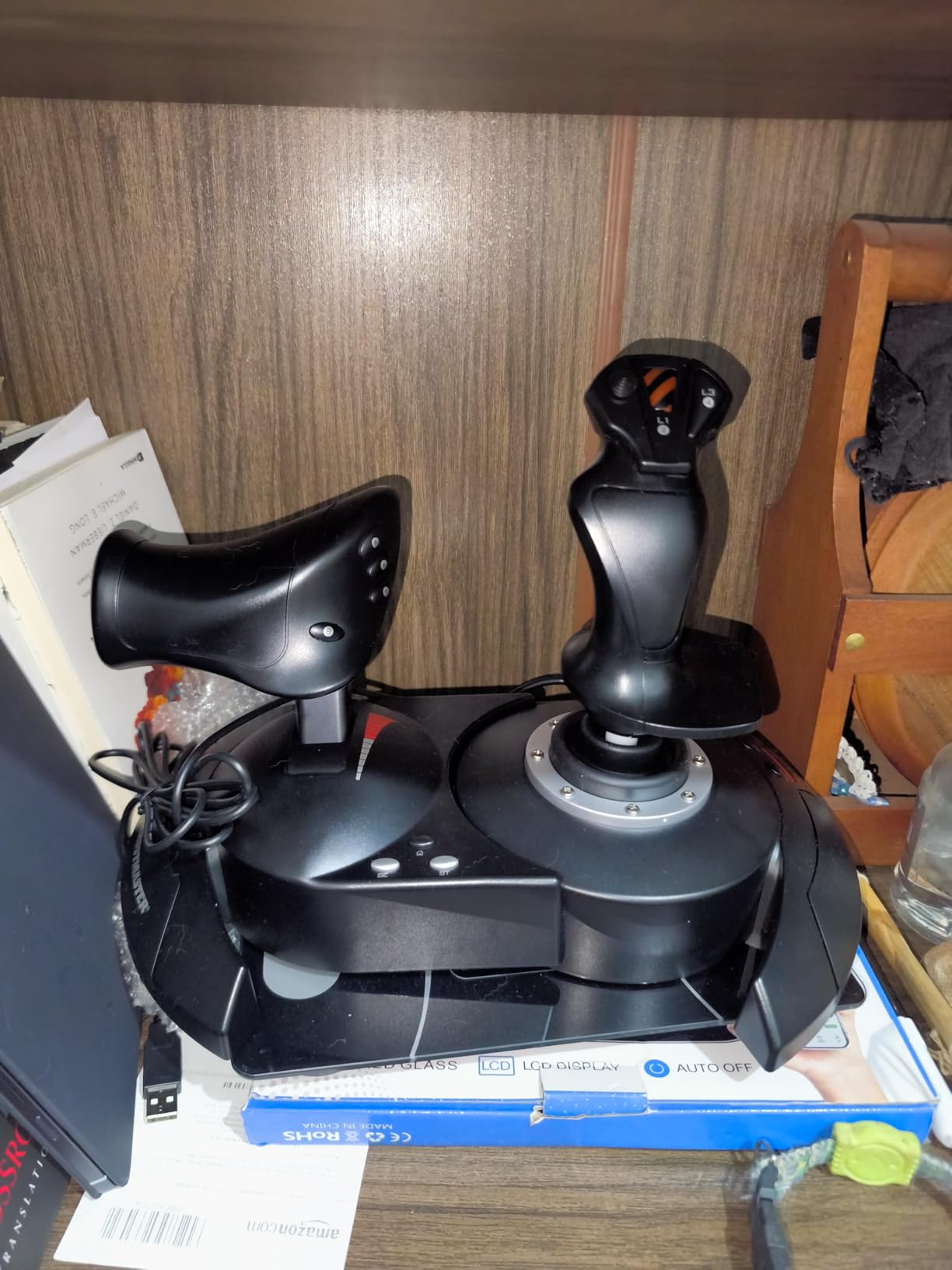
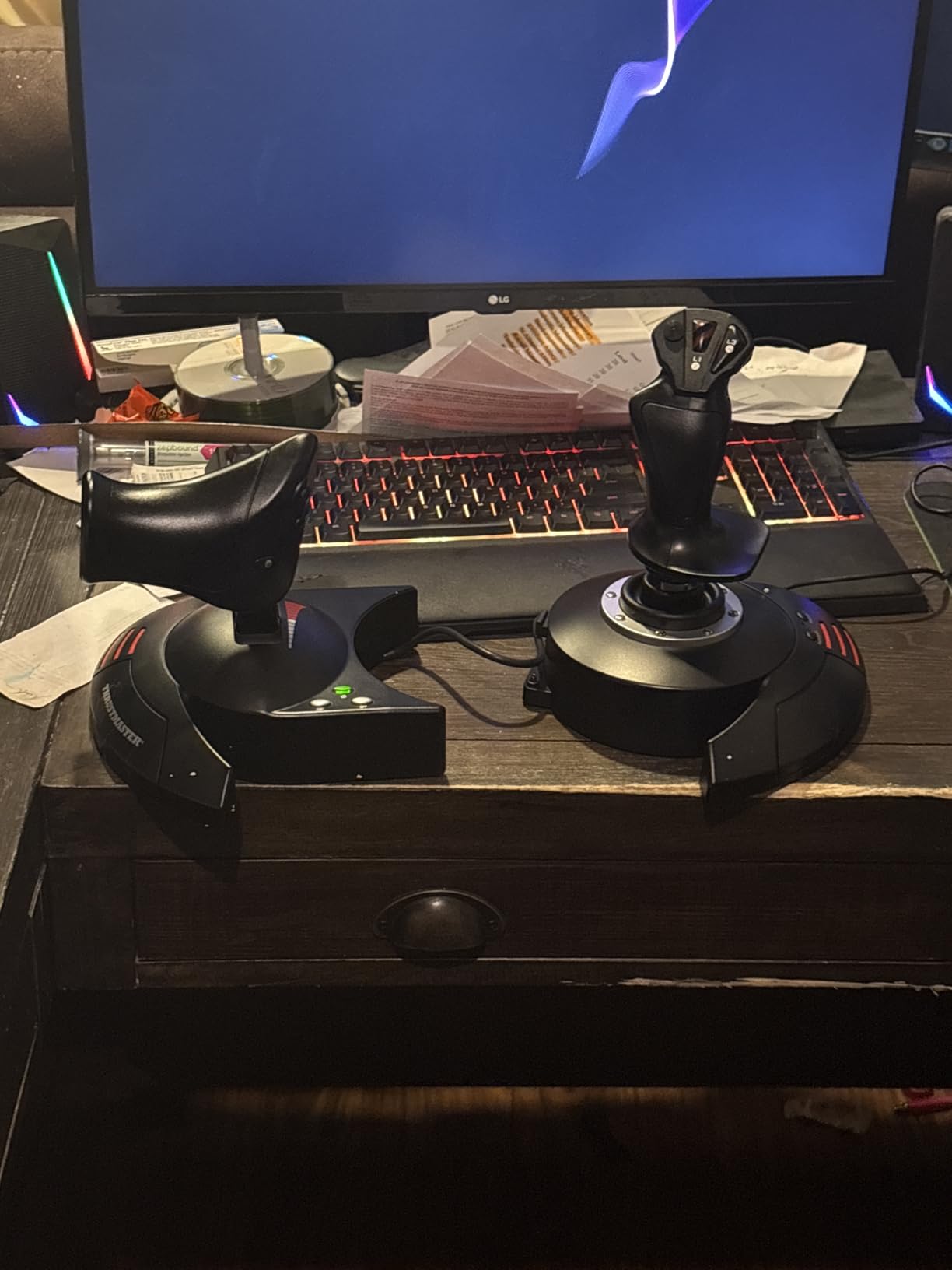
Twelve action buttons and five axes cover a light general aviation aircraft with room to spare, and the resistance dial underneath the stick lets you tune the spring for a slow Cessna or a faster approach. The weighted base does not slide when you lean into a turn, which is a small detail you notice immediately on a desk with no room to spare.
The twist rudder is the weak point. It is perfectly adequate for straight-and-level flying and for short cross-country hops, but it is not precise enough for long thermalling turns or for anyone who later buys pedals. Reviewers also point out that the plastic shell and internal switches feel basic next to a metal HOTAS, and 71% of ratings are five stars with a 12% share at one or two stars for build complaints.
How the stick performs in long sessions
The wide hand rest on the throttle side is what makes this stick usable for a full evening. My longest sessions with it were four to five hours of general aviation and short airline hops, and the hand never cramped the way a bare stick grip does. The real-size throttle lever has enough travel to feather a propeller properly instead of hunting between positions.
Resistance is genuinely adjustable rather than a single fixed spring, so the same unit works for a trainer and for a faster single. The mapping button is more useful than it sounds: you can hold a preset and swap the entire layout mid-flight, which is a fast way to test a different aircraft without reconfiguring every axis.
Where it falls short for serious simmers
Five axes is the limit. Bind that set to a twin-engine aircraft and you will spend your flight fighting the binding dialog rather than flying. If you already know you want to fly a DC-3, a 737 or anything with two throttles and a mixture lever, buy a stick and a separate throttle quadrant instead of stretching this one.
The other weakness is durability of the internal wiring and switches, which owners on the Microsoft Flight Simulator forums describe as basic next to metal-gimmed sticks. For a first or second sim purchase that is an acceptable trade. For a rig you expect to keep for a decade, it is not.
2. Thrustmaster HOTAS Warthog A10: Best Premium HOTAS
Thrustmaster HOTAS Warthog A10 Replica Flight Stick & Throttle Set – PC
55 buttons plus 8-way hat
Wired USB, PC only
13.2 lb, 18.1 x 9.8 x 12.6 inch
One year warranty
Pros
- H.E.A.R.T hall effect sensors with no mechanical wear
- 55 programmable buttons and an 8-way POV hat
- All-metal build in a 1:1 A-10C replica
- Dual metal throttle for independent engine control
- 84% of ratings are five stars
Cons
- Very heavy at 13.2 lb and needs a sturdy desk or mount
- Grip can get slippery over long sessions
- Costs far more than entry-level HOTAS units
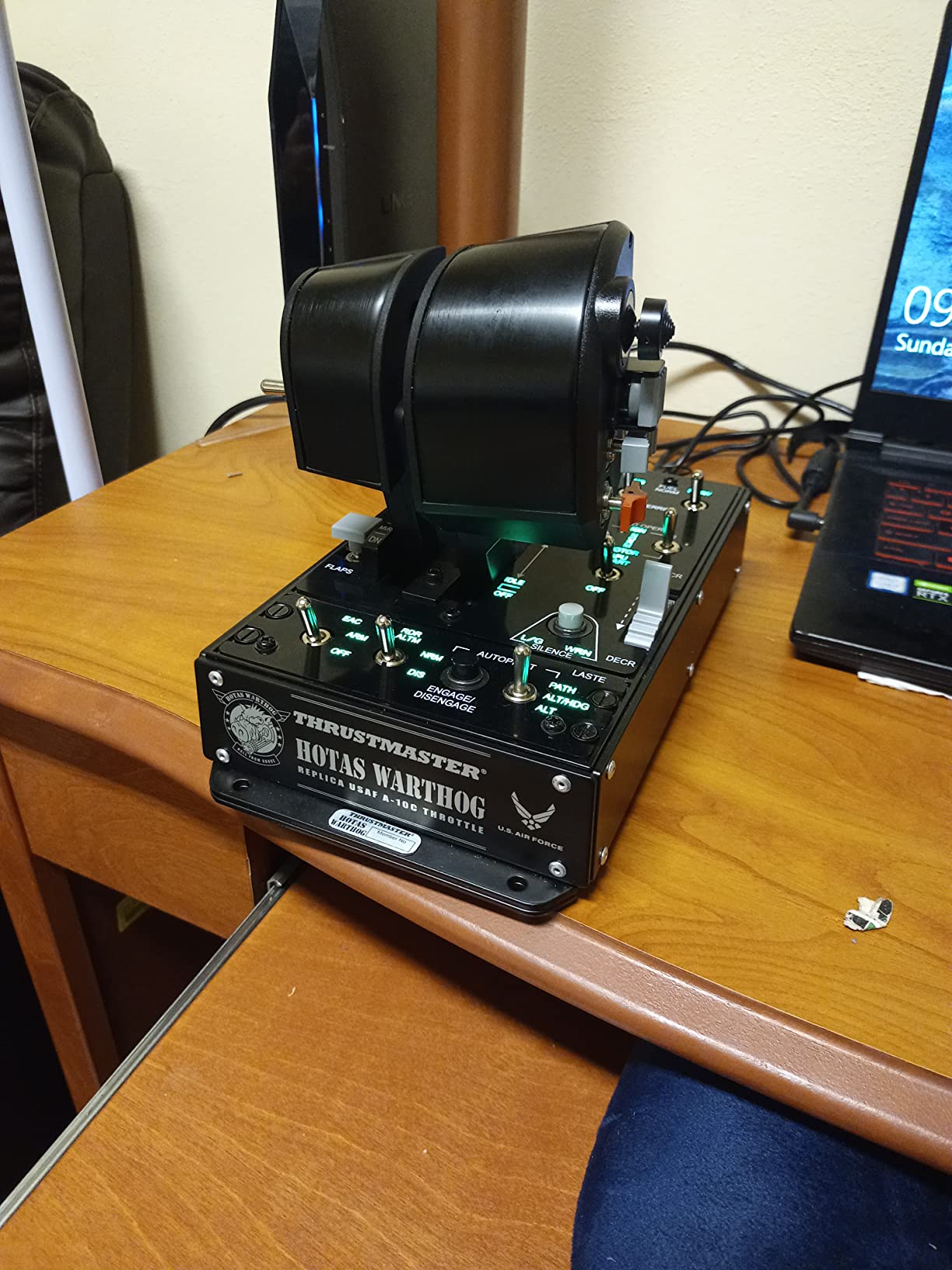
The Thrustmaster HOTAS Warthog A10 is the reference HOTAS for serious PC sim pilots, and the reason is not the replica styling. It is the sensor package and the metal construction. Everything else on the market is measured against this stick.
H.E.A.R.T sensors read the stick position magnetically, with no physical contact between the sensing element and the moving parts. That removes the main wear mechanism in a plastic ball-and-socket gimbal, which is exactly the failure mode that the community on forums.flightsimulator.com describes over and over when comparing budget sticks to premium ones.
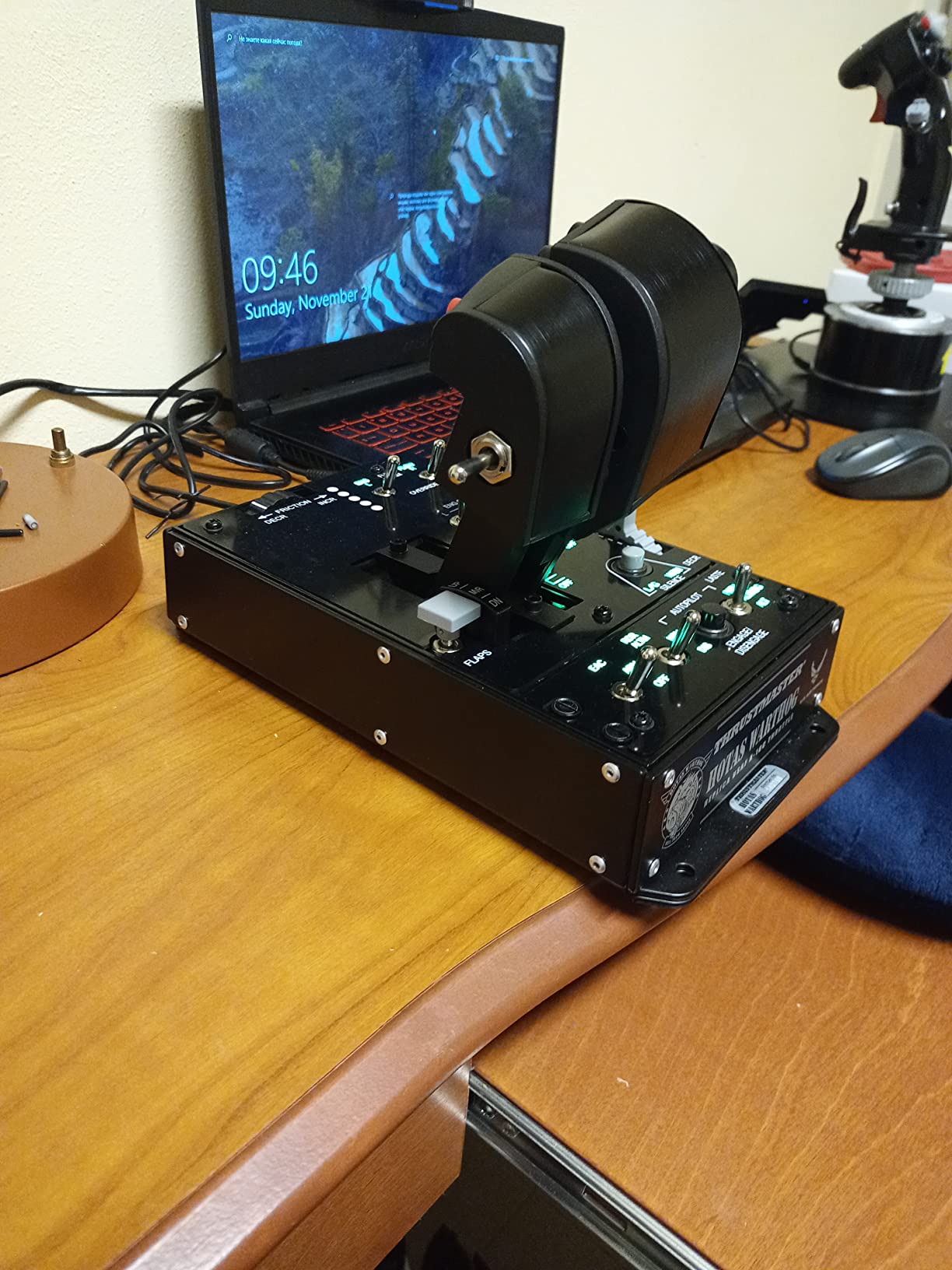
Fifty-five programmable buttons plus an 8-way point of view hat is far more control than most pilots use in a given aircraft, which sounds wasteful until you fly a jet with a trim wheel, a mode selector, a radar altitude hold and a targeting system. The layout is designed so those inputs sit under your fingers rather than on a keyboard.
The dual metal throttle handles independent engine management, so twin-engine aircraft do not need a separate quadrant for the basics. It is the single most complete package here for combat sims, and owners of a DCS or Hornet setup report that the hat and trigger layout shortens the time between deciding to act and acting.
What the metal build actually changes
At 13.2 pounds the Warthog stays planted, and that is a functional benefit rather than an inconvenience. A light stick that creeps across the desk mid-turn adds noise to your input, and a heavy metal base simply does not move. Most owners bolt it to a desk mount or a wheel plate for that reason.
The grip is the main comfort complaint. It is well shaped and the trigger is excellent, but the bare surface can become slippery over a long session, and several owners add a grip pad or an aftermarket cover. The buttons themselves are solid, with a defined click and no reported double-triggers.
Where the price hurts most
This is a serious commitment, and the honest reason many pilots wait is that it solves problems a first-time buyer does not have yet. Five axes was never the bottleneck for a beginner, and the plastic entry-level sticks cover light aircraft perfectly well.
The case for buying it now is longevity and axes. Hall effect sensors do not degrade the way potentiometer-based gimbals do, and 55 buttons means you will not outgrow the layout when you move from a trainer to a military aircraft. If you fly jets and VR, it is the best buy in this list. If you fly a single-engine prop on a small desk, it is overkill.
3. Logitech G PRO Flight Rudder Pedals: Best Rudder Pedals for the Money
Logitech G Pro Flight Rudder Pedals
9-bit rudder, 7-bit toe brake
Weighted rubber feet, no clamp
5.1 lb, 17.8 x 14.4 x 9.1 inch
Windows 7 to 10
Pros
- Wide pedal spacing mirrors real aircraft
- Single dial adjusts tension for light aircraft or heavy jets
- Differential toe brakes for runway stand control
- Recognised immediately in MSFS and X-Plane
- Self-centering mechanism
Cons
- Rubber feet let the unit slide on carpet or hard floors
- No USB pass-through port and no printed instructions
- Tension dial effect is subtle across its range
- Noticeable detent at neutral rudder
The Logitech G PRO Flight Rudder Pedals are the highest-rated pedal set in this roundup, and the reason is the spacing rather than the electronics. Wide-set pedals match the geometry of a real cockpit, which makes small rudder corrections far easier to make than on a narrow set where your feet are close together.
A self-centering mechanism returns both pedals to neutral when you relax, and the spring-loaded centre button adjusts pedal length quickly without tools. Owners on r/flightsim and r/MicrosoftFlightSim consistently describe this set as the sensible first pedal purchase, and several report units that have run for well over a decade.
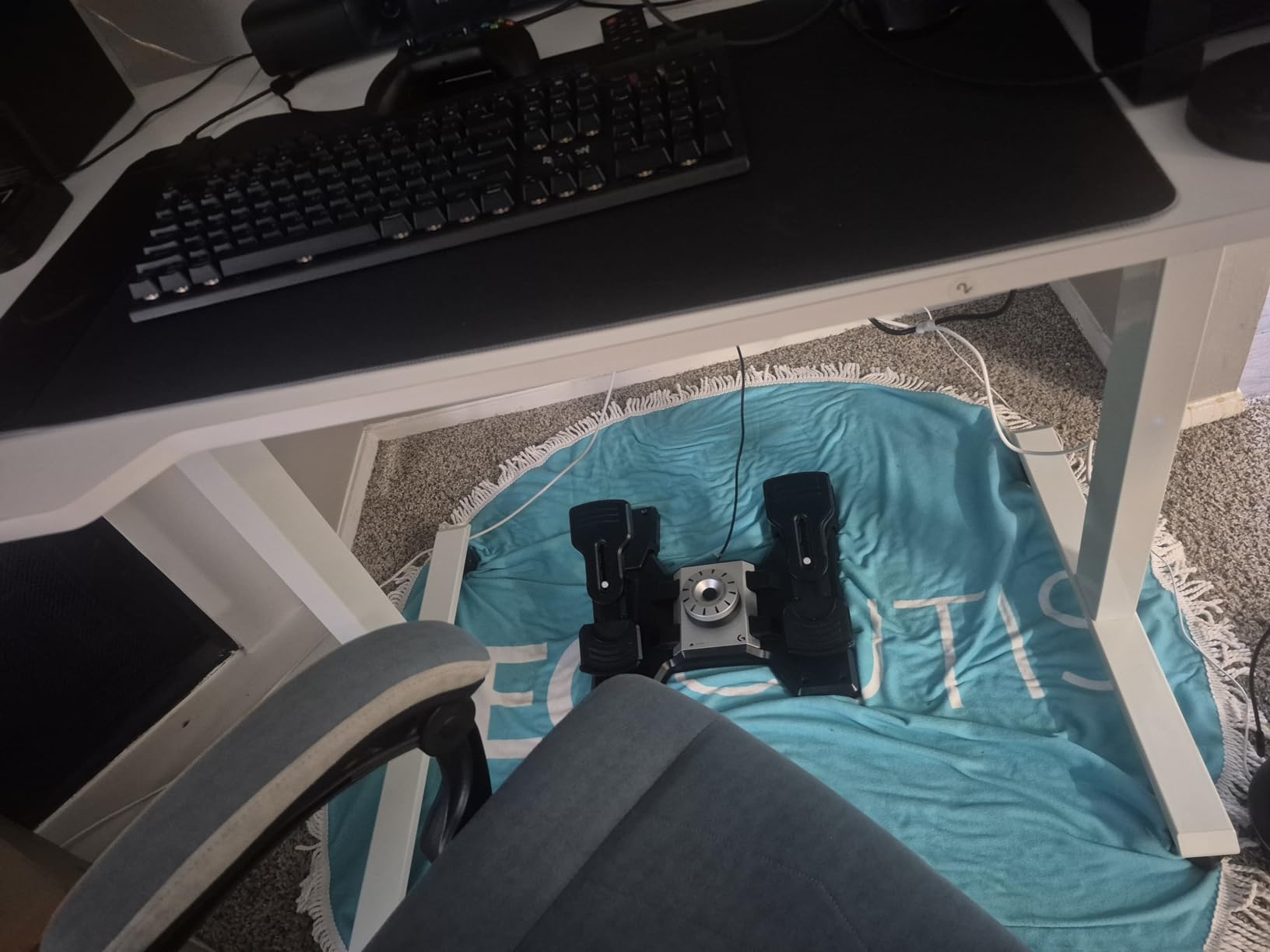
Differential toe brakes let you hold one brake and release the other, which is what you actually do to bring a light aircraft to a stop on a runway rather than stamping on both and fighting the yaw. A single tension dial moves the feel from a light aircraft to a heavy jet, and while the effect is subtle across its range, it is enough to stop one set feeling identical for every airframe.
Recognition is the unglamorous advantage. These pedals show up in Microsoft Flight Simulator and X-Plane without extra software, and the 9-bit rudder axis gives smooth resolution that cheaper potentiometer-based pedals struggle to match.
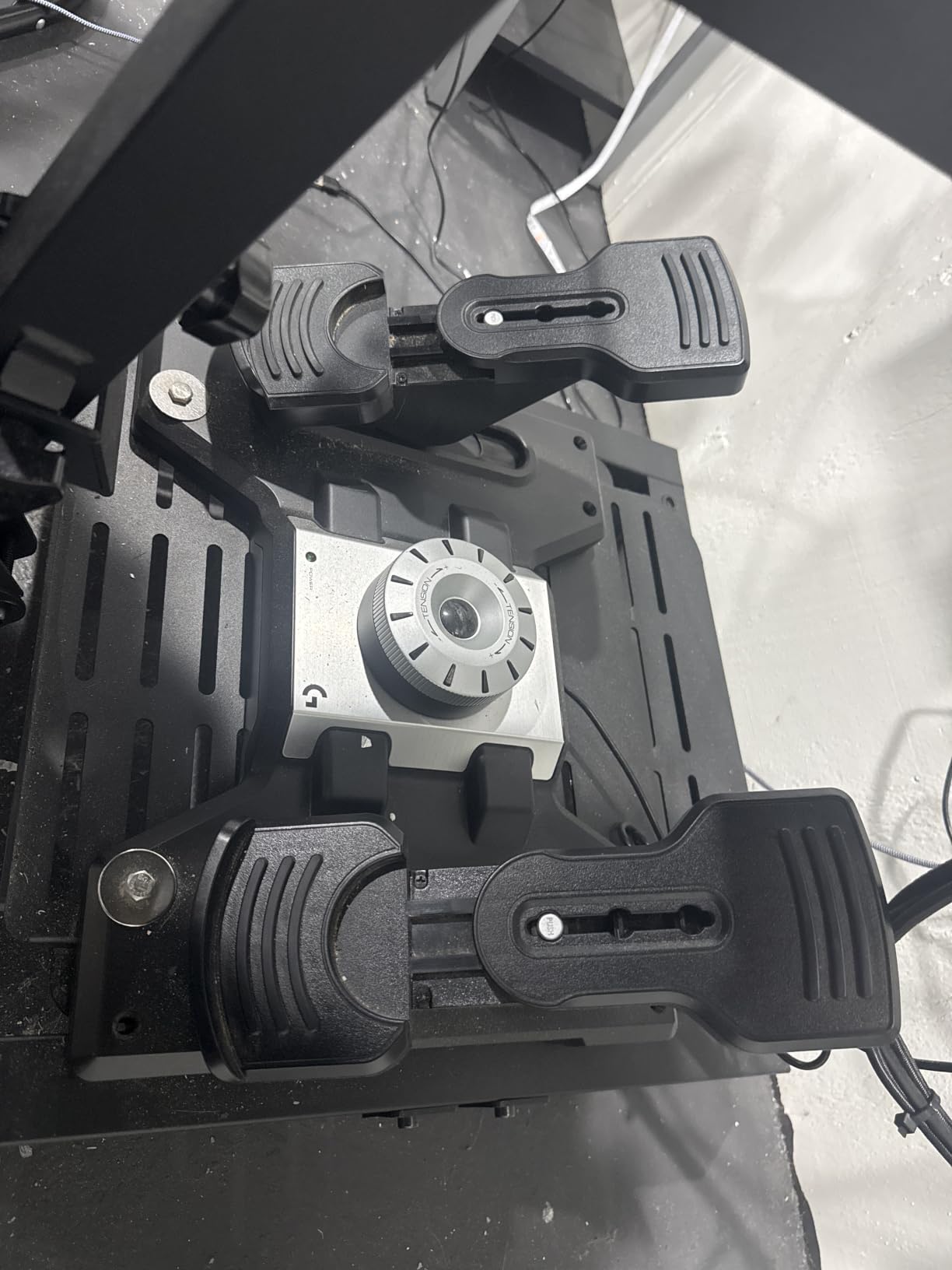
Why pedal spacing changes how you fly
Rudder is a coordination axis. If your feet sit too close together, a small input is a large physical movement and the correction arrives late. Wide spacing lets you move one foot a few millimetres and the aircraft answers immediately, which is the difference between a smooth cross-country correction and a wobble.
For sustained turns, pedals also win outright. A twist axis has to be held against the grip, and holding it while managing pitch is tiring in a way that is hard to predict until you fly a long leg. Pedals take the load and leave your hands alone.
What to watch out for
The rubber feet slide. On carpet or a hard floor the set creeps forward during hard braking, so most owners either add a mat or accept that they will reposition it. There is no clamp included, and no USB pass-through port if you want to chain another device through the pedals.
Some pilots dislike the detent at neutral, which gives a small step as you pass through centre. It is a matter of taste, and testers who prefer a linear feel find the Sim settings can smooth it out.
4. Thrustmaster T.Flight HOTAS One: Best Controller for Xbox
Thrustmaster T-Flight Hotas One Flight Stick & Throttle – XBOX & PC
14 buttons, hat and trigger
Wired USB, PC and Xbox
1644 g, 20.5 x 11.4 x 22.2 inch
One year warranty
Pros
- Works on Xbox One
- Series S and Series X
- Detachable throttle with a hex wrench included
- 14 programmable buttons across stick and throttle
- Expands to Thrustmaster TFRP pedals on the S.M.A.R.T rail
- Plug and play on Windows 10 and 11
Cons
- Throttle lever drifts out of position under light touch
- 50 percent throttle detent cannot be disabled
- Console mapping limits you to layered function buttons
- No console calibration tool as axes wear
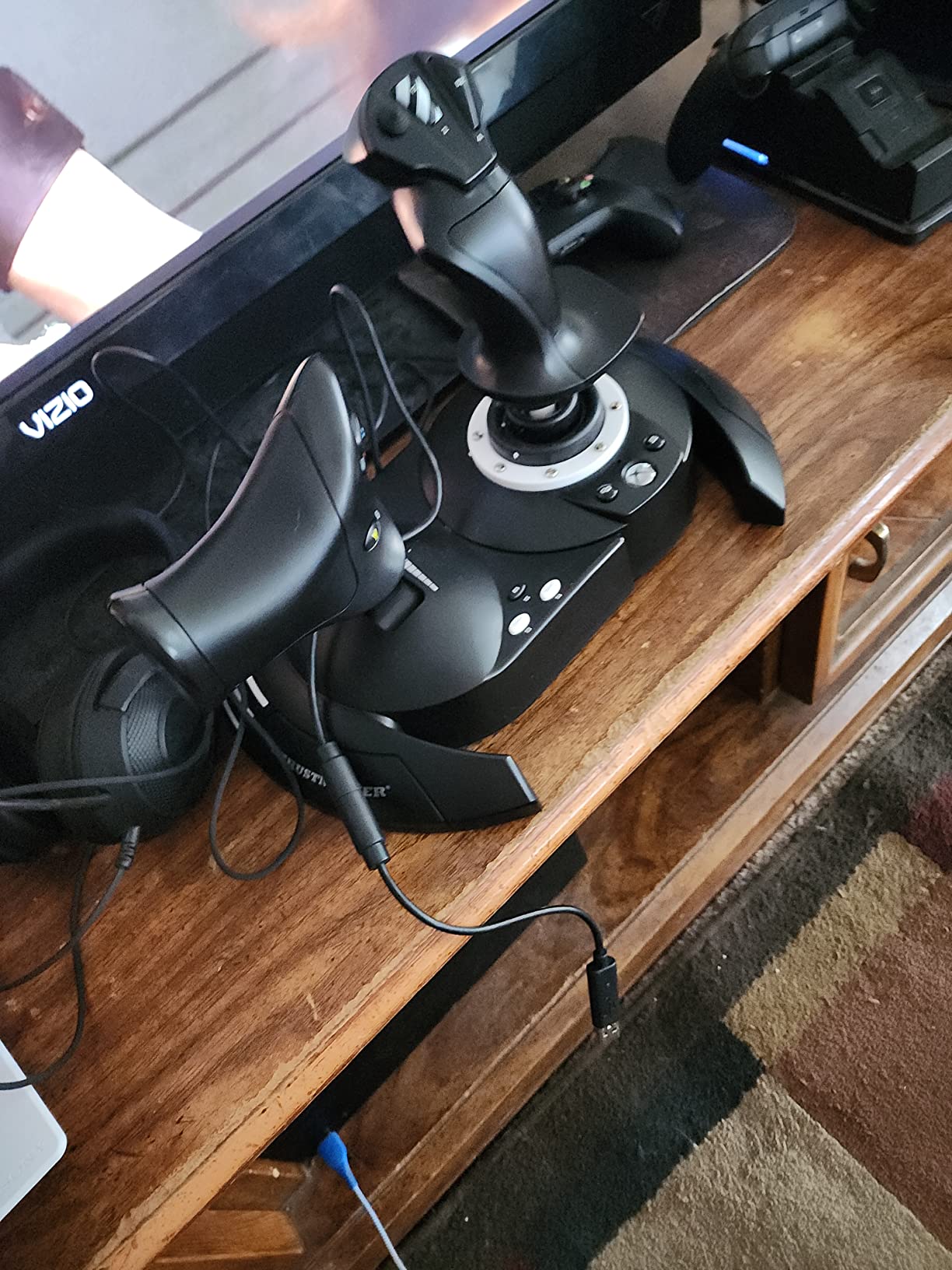
The Thrustmaster T.Flight HOTAS One is the only mainstream HOTAS with official Xbox support, and that makes it the answer for anyone flying Microsoft Flight Simulator or a space sim on a console. Community threads on r/flightsim describe console players as having effectively one real choice, and this is it.
The hardware is a close relative of the T.Flight HOTAS X with extra buttons. You get a detachable throttle, a trigger, a hat switch, 14 programmable buttons and adjustable stick resistance, all on a single USB connection that works on both PC and Xbox.
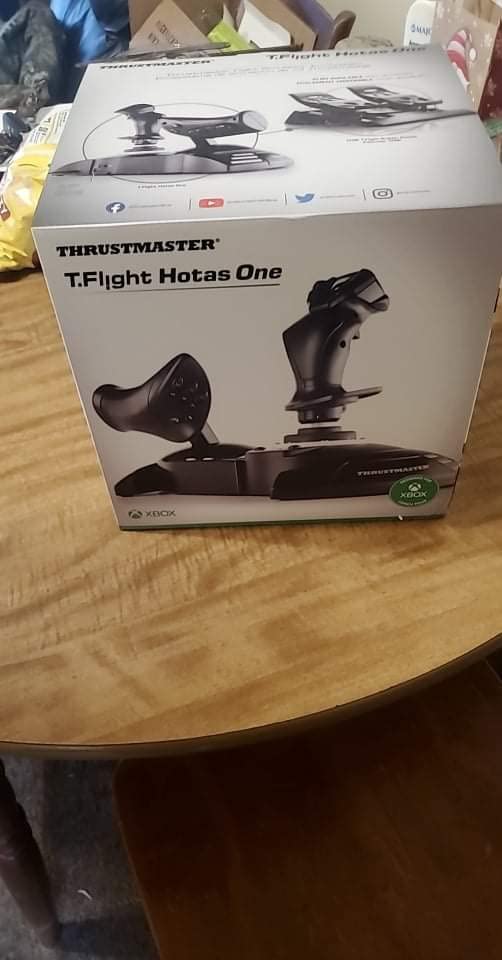
What makes it genuinely useful on console is the expansion path. It slides onto the Thrustmaster TFRP rudder pedals using the S.M.A.R.T rail system, so a console pilot is not locked into the twist axis forever. The included miniature hex wrench lets you bolt the throttle base to the stick base for a rigid single-unit rig.
For Elite Dangerous and Star Wars Squadrons, the layered button set on the throttle is enough to run most of a ship without leaving the grip. For airliner flying on console, the axis count starts to feel thin, and that is a platform limit rather than a product flaw.
What console support changes about your setup
On PC, every axis has a calibration tool and a sensitivity curve you can shape. On Xbox you get a fixed mapping layer where a function button has to be held to reach a second layer, which slows complex procedures. Experienced pilots on the Microsoft Flight Simulator forums set up button macros on PC precisely because the console layer feels limited.
It also means button mapping is limited to what the console exposes. Any custom software you would use on PC to assign functions is unavailable, so plan your layout before you fly rather than during.
Where the throttle causes trouble
The most common complaint, and the one that shows up again and again, is that the throttle base is loose and the lever drifts forward or backward under the slightest touch. On a desk-mounted PC rig the stick is anchored by a heavy base; on a console setup the unit is often on a lap tray, where drift matters more.
Reviewers also note that the 50 percent detent cannot be disabled, which gets in the way of reverse thrust setups, and that the axes wear over time with no console calibration tool available to compensate. The stick still earns its rating because there is no alternative.
5. Logitech G X56 H.O.T.A.S.: Best HOTAS for VR and Space Sims
Logitech G X56 H.O.T.A.S Throttle and Joystick Flight Simulator Game Controller, 4 Spring Options, +189 Programmable Controls, RGB Lighting, 2x USB, PC – Black
189 programmable controls
Hall effect 16-bit roll and pitch
6.9 lb, 11.5 x 12.2 x 9.1 inch
2 m cable, 2x USB 2.0
Pros
- More control density than most sims can use
- Hall effect sensors on 16-bit aileron and elevator axes
- Four included springs tune stick force
- Two mounting holes per throttle half for custom rigs
- RGB lighting dimmable in software
Cons
- Factory silicone grease makes the throttle near immovable
- Mouse-style mini stick sits under the thumb and drifts
- Switches 1 to 6 sit under the resting wrist
- Pinky slider stops centering after a few months
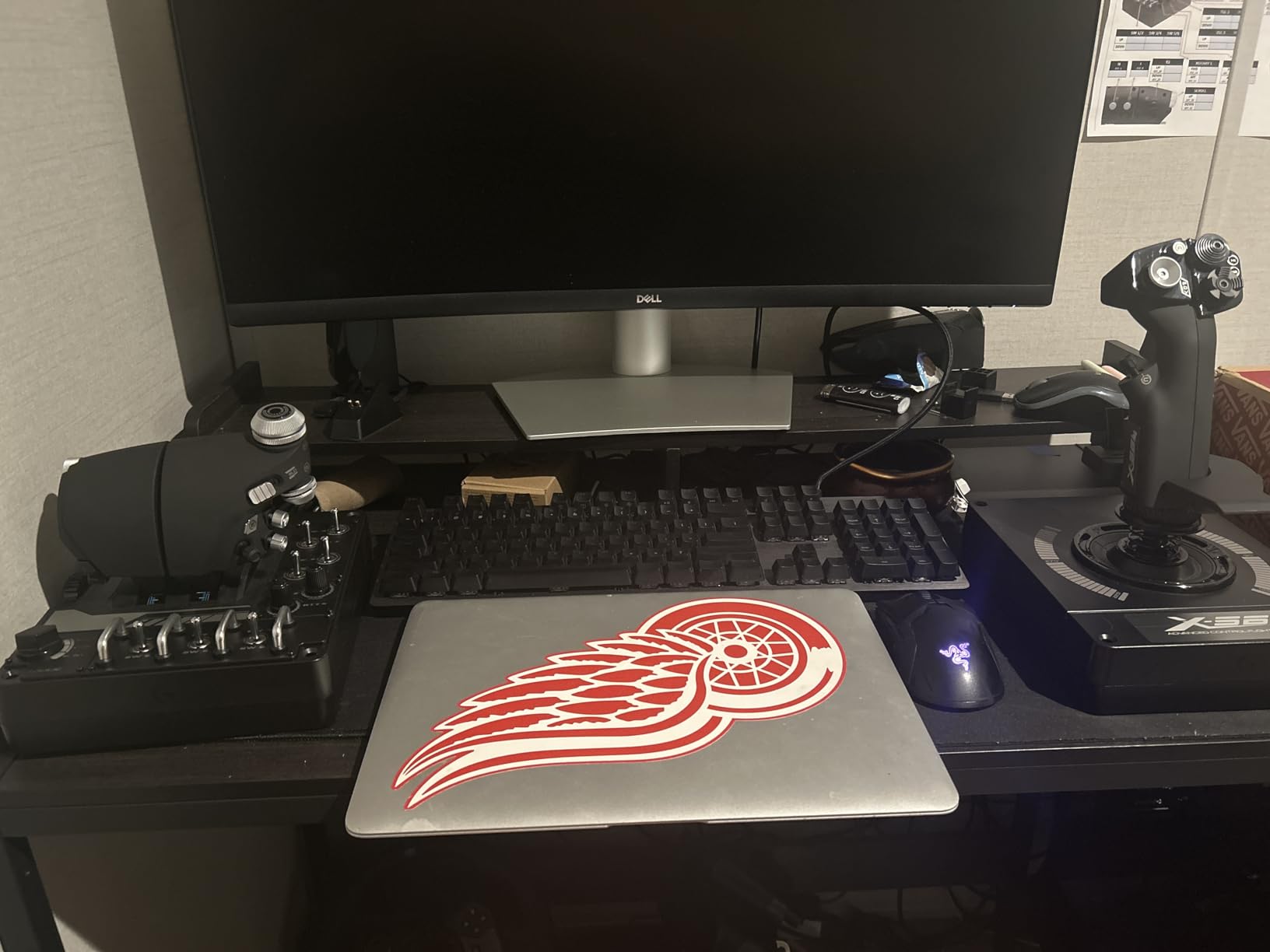
The Logitech G X56 H.O.T.A.S. is the control density champion, with more switches, dials, hats and mini sticks than most simulators can bind. That is exactly what makes it the right pick for VR and for space sims, where you fly in a headset and cannot reach for anything outside your hands.
The 16-bit aileron and elevator axes use hall effect sensors, the same contactless technology as the premium metal sticks, and reviewers report no noticeable wear. The Advanced 4-Spring system ships with four springs so you can match stick force to your preference and change it later.
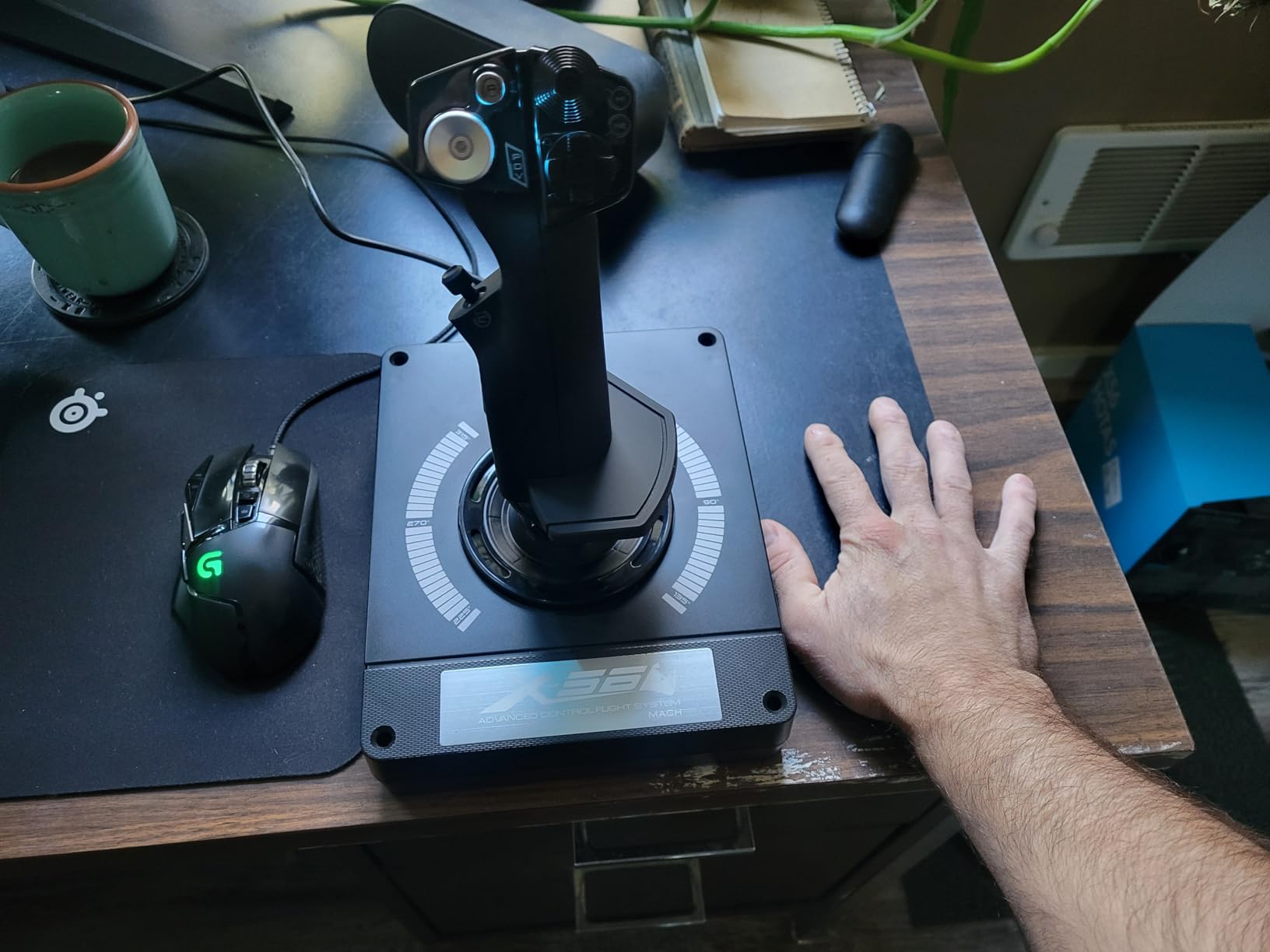
Twin throttles with a friction adjuster and a throttle lock handle multi-engine setups, and two mounting holes on each throttle half make custom desk rigs straightforward. The palm rest spacer keeps the wrist supported across a long session, and the RGB backlighting is dimmable in software to cut power draw and avoid glow bleeding into a VR view.
At 4.0 stars this is the most polarising product we tested, with a 12 percent one-star share. The control count is genuinely exceptional, and so is the list of things that get in the way of it.
Why control density matters more in VR
In a headset you have no peripheral vision and no way to look down at a panel. Every switch you need has to be somewhere your fingers already are, and the X56 keeps everything within reach of a hand that never leaves the grip. For a cockpit build in VR that is the difference between a usable panel and a paper checklist.
The hall effect axes also suit VR better than potentiometer ones because they stay smooth and centred over long sessions, and the four-spring system lets you dial up the force you need to hold a heavy jet steady without over-gripping.
What you will want to change on day one
The throttle arrives coated in a thick silicone compound that owners describe as making it nearly immovable. Most people clean it out or replace the grease before their first flight, and it is the single most common early complaint in reviews.
The mouse-style mini stick sits exactly where your thumb naturally rests, which causes drift or accidental input. Some owners correct the drift by unscrewing and retightening the stick base, but the ergonomic problem remains. Switches 1 to 6 also fall under the resting wrist, and the pinky slider has a sharp plastic ridge and stops centering after a few months of use.
None of that is a dealbreaker for a VR cockpit build. It is a dealbreaker for a keyboard-and-mouse flyer who wants a simple yoke-and-stick feel, and the fix list is longer than on any other pick here.
6. Logitech G PRO Flight Yoke System: Best Starter Yoke for Airliners
Logitech G PRO Flight Yoke System Professional Simulation – Black
Stainless steel yoke shaft
14 buttons plus 3-position mode switch
6.2 lb, 18.9 x 15.8 x 9.1 inch
2 year manufacturer warranty
Pros
- Bundle includes yoke
- throttle quadrant and desk clamps
- Stainless steel shaft gives smooth accurate control
- Keyboard-emulation software controls functions outside the sim
- Modular design accepts trim wheels and add-on quadrants
Cons
- Not supported on macOS despite some listings
- No forced feedback for turbulence or wind shear
- Soft aileron response with a wide dead zone
- Reports of recent units failing within months
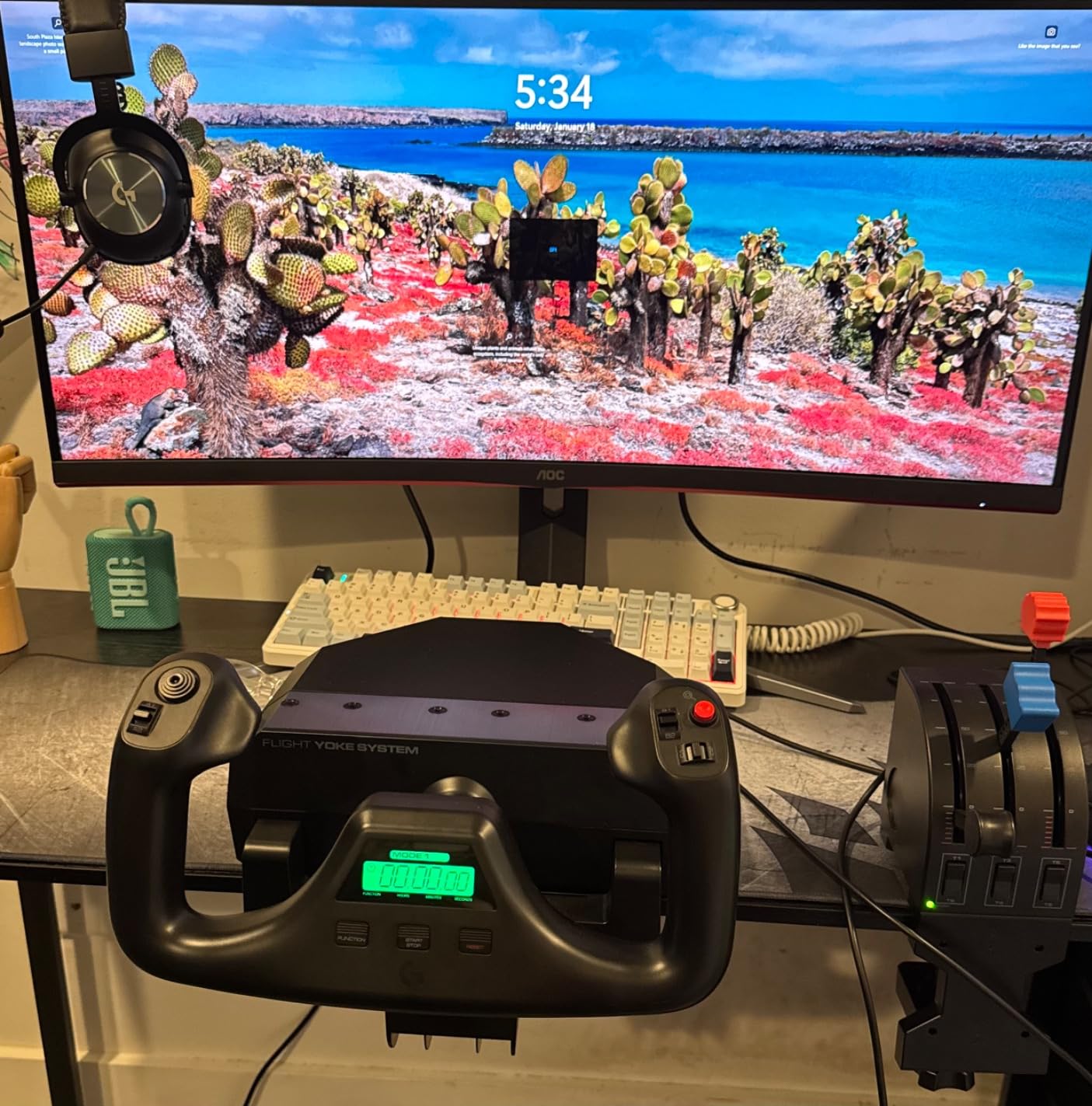
The Logitech G PRO Flight Yoke System is the pick if your goal is airliner procedures and you want everything in one box. It ships with a yoke, a separate throttle quadrant and two desk clamps, which is more than most people buy in their first year.
The stainless steel yoke shaft is the reason it feels better than the plastic alternatives. It stays smooth and accurate, and the fact that the shaft can need lubrication over years is a small maintenance note rather than a defect.
Fourteen buttons, a point of view hat and a three-position mode switch add up to at least 54 programmable controls, and the bundled quadrant covers twin throttles plus flaps. The keyboard-emulation software lets you pull the buttons out of the sim entirely for things like head tracking recentring and screenshots, which is a genuinely useful trick that few rivals support.
That modularity extends further than the box suggests. Third-party trim wheels, lever extensions and add-on quadrants for six-engine aircraft all bolt on, so a rig that starts as a two-lever airliner setup can grow into a widebody.
Why a yoke changes airliner technique
Airbus and Boeing training starts with a control wheel for a reason. Pulling a yoke to one side and pushing it to the other is the physical motion the procedural manuals describe, and the muscle memory you build transfers to the sim in a way that a small stick never does. For a first A320 or 737 flight, that translation is worth more than any extra button.
The bundled quadrant is what makes it usable in a twin. Two levers for engine thrust plus a flaps lever covers the approach and go-around phases without any extra purchases, and the desk clamps hold both units firmly enough that nothing drifts.
What to set up and what to watch
There is no forced feedback, so turbulence, wind shear and gyro drift are not reproduced. That is a hardware fact you cannot configure away, and pilots who care about that sensation should test a force-feedback stick first. The soft aileron response with a wide dead zone is usually a sensitivity curve setting in the sim rather than a flaw in the shaft, and tuning the curve fixes most of it.
Two real cautions: this does not work on macOS despite some listings saying otherwise, and there is a cluster of reports of current-production units failing within months, often at the throttle quadrant rather than the yoke. Check that the warranty and the included quadrant are both covered when you buy.
7. Turtle Beach VelocityOne Flight: Best All-in-One Console and PC Rig
Turtle Beach VelocityOne Flight Universal Control System – Xbox Series X & Xbox Series S, Xbox One & Windows 10 & 11 PCs with Yoke Handle, Throttle Quadrant, Trim Wheel & Rudder Controls
180-degree hall effect yoke
12 analog axes, 26 buttons
10 lb, 19 x 7.2 x 19.5 inch
Console and Windows titles
Pros
- One box gives a yoke
- throttle quadrant
- trim wheel and rudder controls
- Hall effect sensor avoids the drift common to cheap yokes
- Full colour flight display makes setup and learning straightforward
- Modular throttle with swappable lever handles
- Works on Xbox One
- Series X and S
- and Windows 10 and 11
Cons
- Large desktop footprint
- No native configuration software for keyboard emulation
- Heavier and pricier than entry-level sticks for the same core axes
- Hats can need recalibrating after reconnection
The Turtle Beach VelocityOne Flight is the choice if you want one box instead of four, and it is one of the few all-in-one rigs that works on both console and PC. The yoke, throttle quadrant, trim wheel and rudder controls all ship together and clamp to a normal desk.
The yoke rotates a true 180 degrees through a non-contact hall effect sensor, which is the part that separates it from cheap plastic yokes that drift after a few months. Twelve analog axes, two point of view switches and two four-way hats give more analog inputs than most pilots need, and the integrated rudder and brake controls sit under your fingers.
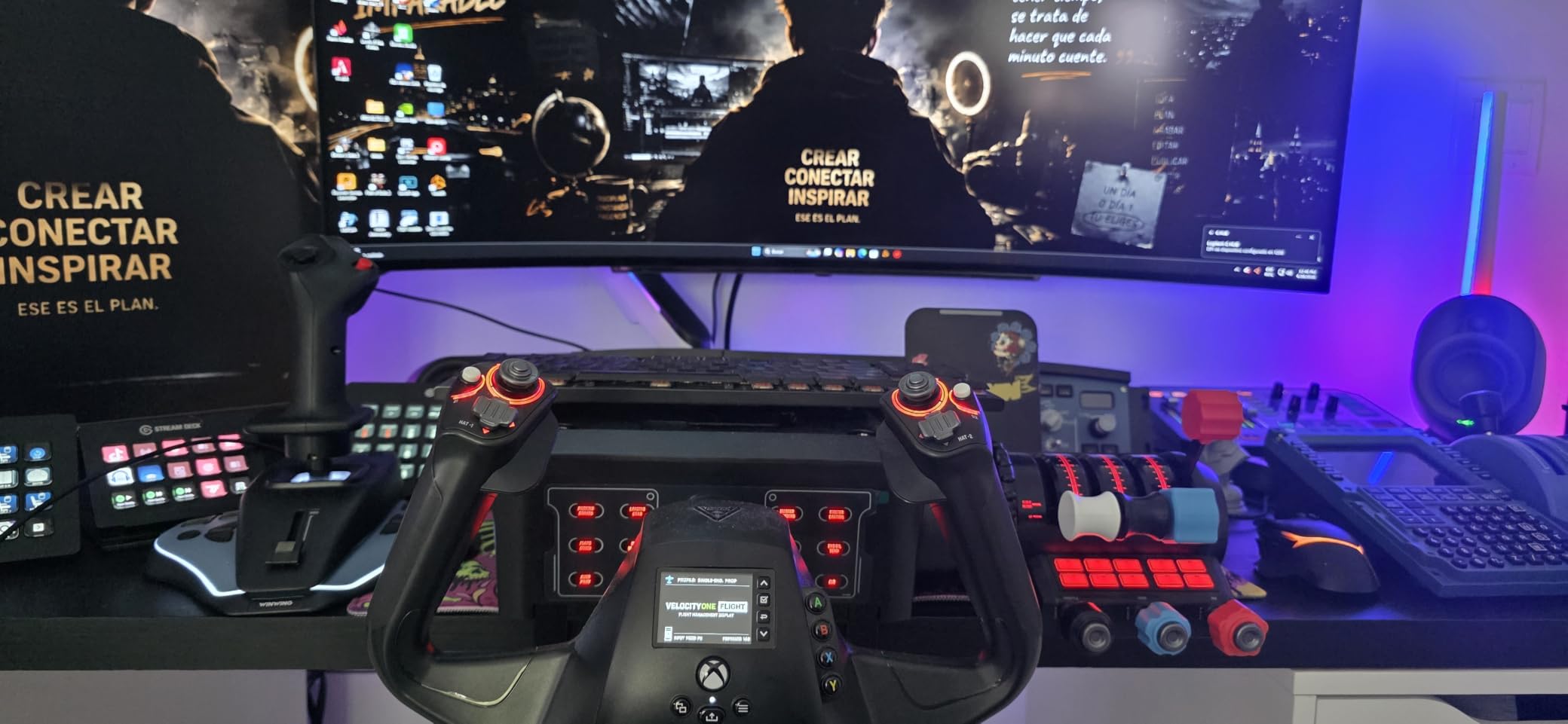
The full colour flight management display is the sleeper feature. It turns setup and initial learning into a guided process rather than a hunt through a software manual, and for a new simmer flying an airliner it is genuinely helpful. The modular throttle quadrant accepts swappable lever handles, so the same unit suits a twin airliner and a smaller piston.
It also works across Xbox One, Xbox Series X and S, and Windows 10 and 11 titles, including Microsoft Flight Simulator 2020 and 2024. For a console player who wants more than a single stick, this is the only serious one-box option.
When one box beats building a rig
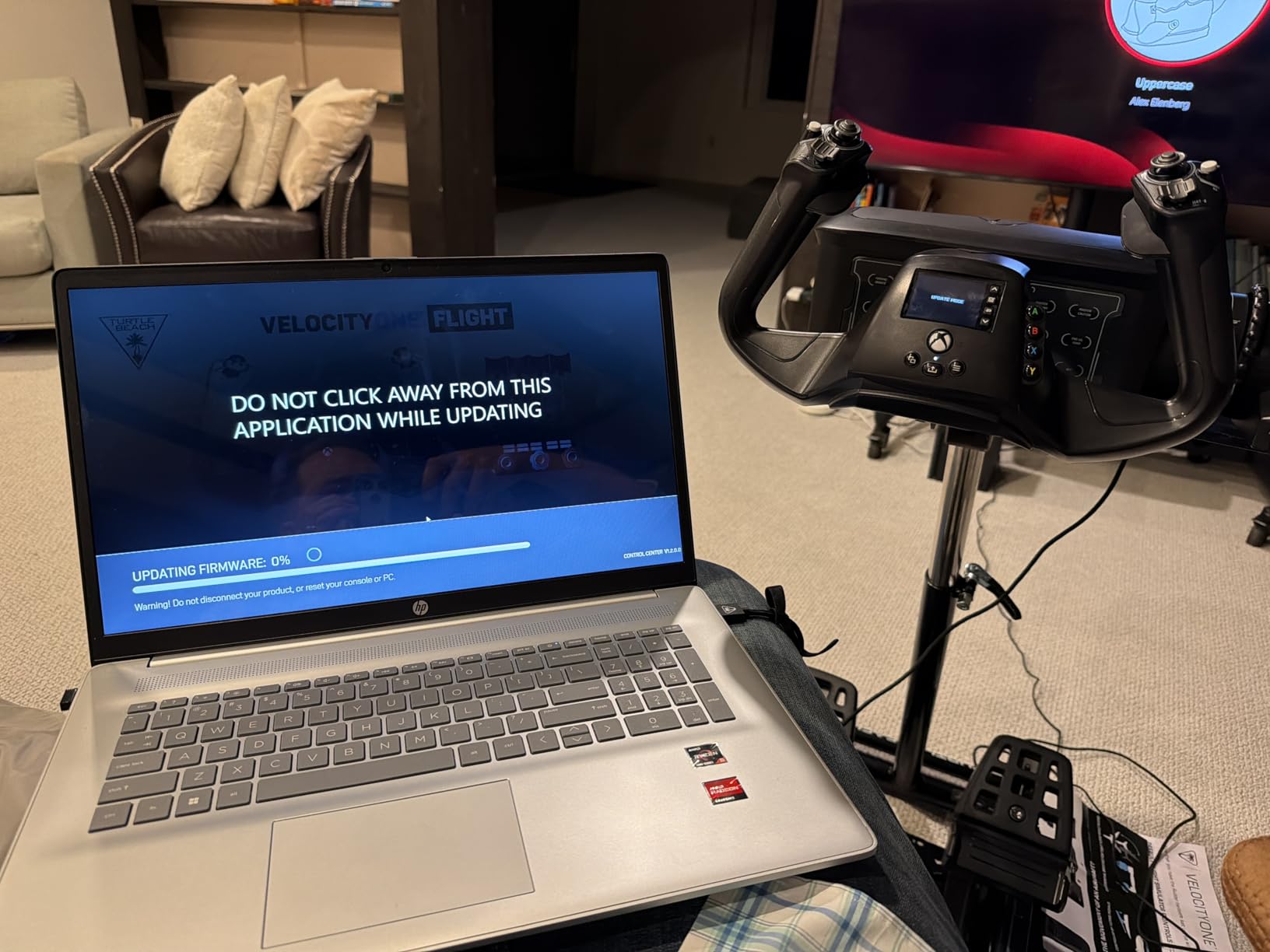
The case for an all-in-one is simplicity and console compatibility. Nothing needs a second USB cable, nothing needs a separate purchase to make the basics work, and the whole system is recognised by the console without a PC in the loop. If you are sharing a setup with family members who are not technical, that matters more than the specs.
The community criticism of the brand is around build quality for the price, and it is worth taking seriously. The yoke shell is lighter and thinner-feeling than the metal airliner hardware, and there is no forced feedback. The hall effect sensor is doing a lot of work to keep up the feel.
What you give up for the convenience
There is no native configuration software, so you cannot use the buttons to emulate keyboard functions outside the sim the way the Logitech yoke can. If you use head tracking recentring, external panels or desktop shortcuts, that is a real loss.
The footprint is also substantial at roughly 19 inches on each axis, the 10 pound weight is noticeable when you move it, and the analog stick and hats occasionally need recalibrating after the console reconnects. At 4.1 stars with a 13 percent one-star share, the compromises are visible in the score.
8. CH Products Throttle Quadrant USB: Best Throttle Quadrant for Real Pilots
CH Products Throttle Quadrant USB (300-133)
6 axes and 12 buttons
Detached lever handles
USB, PC and Mac
2 year manufacturer warranty
Pros
- Lever feel and detents match real multi-engine aircraft
- Reconfiguring for a new airframe takes under a minute
- Driverless plug-and-play USB on PC and Mac
- Swappable lever handle tops for piston
- turboprop or jet
- Sturdy mounting base with adjustable desk clamps
Cons
- Short lever throw and short handles limit engine matching precision
- Second full-back detent has no clear practical use
- Starboard throttle sits lower in the reverse notch
- Desk clamps barely hold on thin desks and the unit can wobble
The CH Products Throttle Quadrant USB is the pick for licensed pilots and for anyone flying a twin who has run out of axes, and it is the only throttle-only device in this roundup. Everything else here gives you a stick or a yoke; this gives you the levers a real cockpit has.
Six axes and 12 buttons cover X, Y, Z, R, U and V for engine control, plus six bi-directional flip switches for flaps, trim and gear. Control Manager software provides 176 programmable functions across 350 button positions, and re-profiling the quadrant for a different airframe takes under a minute.
Real-pilot owners describe the lever feel and detents as matching a small-to-medium multi-engine aircraft, which is a specific endorsement rather than a generic one. Six physical detents, a sturdy mounting base with adjustable clamps for desks from three-quarter inch to two and a quarter inch thick, and a seven foot cable round out a unit that is built to stay on your desk for years.
It is also one of the few picks here that works on macOS out of the box. Driverless plug-and-play USB across both platforms means no driver hunting, which matters if you switch machines or fly on a laptop.
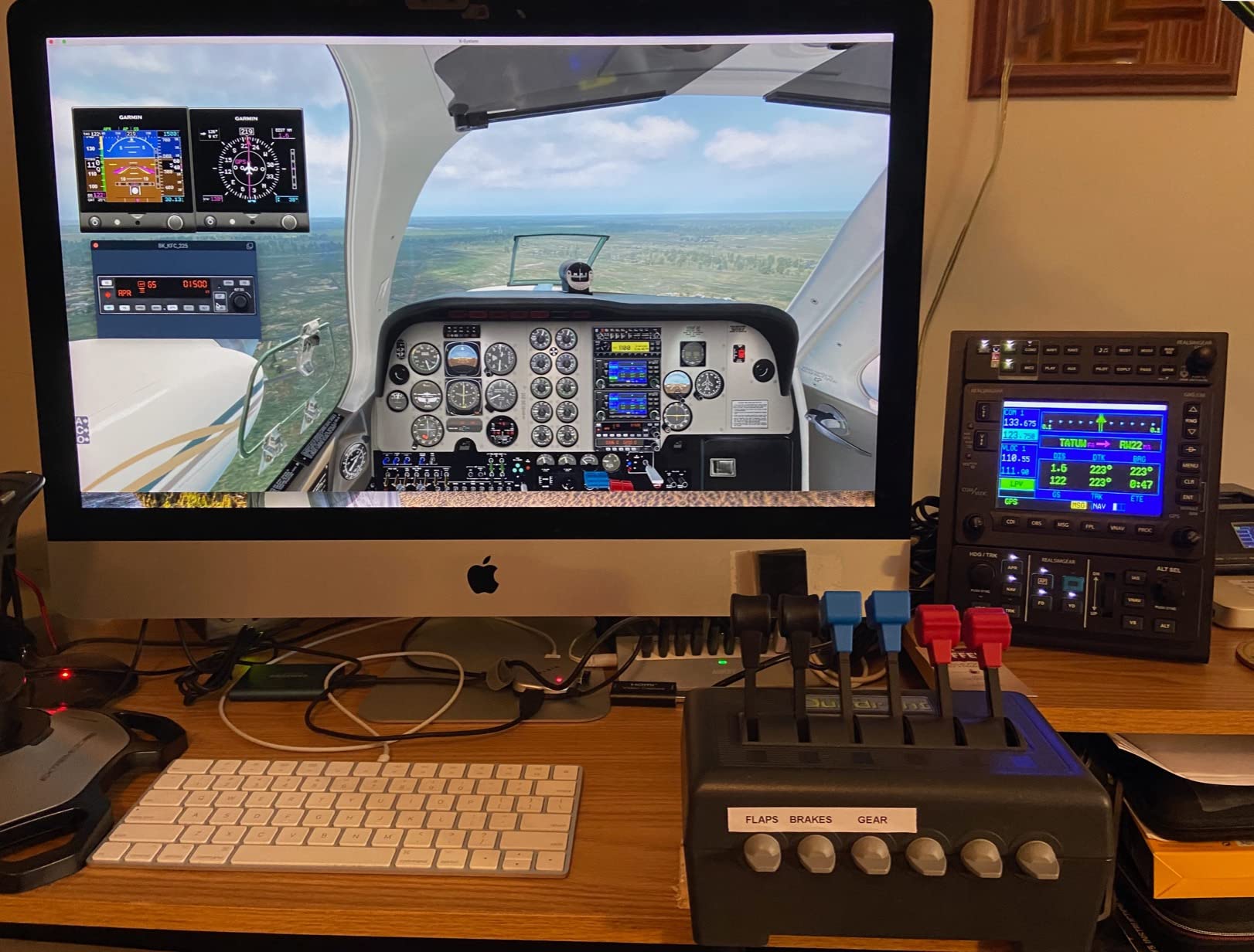
Why a separate quadrant fixes twin-engine flying
Binding a four-axis controller to a twin means stacking throttles, prop and mixture onto the same axis pairs, and the result is a binding dialog you fight every time you load a new aircraft. A dedicated quadrant with six axes gives each engine its own throttle plus a separate lever for prop and mixture, which is how the aircraft actually works.
That is also why the CH unit pairs well with a simple stick on the other side of the desk. It is the layout r/flightsim users describe as a staple: stick, quadrant and pedals, one from each category, none of them fighting for the same axes.
What the reviews hold against it
The short lever throw and short handles are the main limitation. Precise engine matching between two throttles is harder than it should be, and pilots who want finer resolution will need to adjust the axis curve. One of the six detents, a second one at full back, does not map to anything useful in the aircraft we tested and simply feels imprecise.
It also has to be clamped to a desk, and the clamps are marginal on thin or curved desktops, where the unit can wobble. The housing is bulkier than the levers strictly need, and internal servo connections can degrade with heavy long-term use. The quadrant is only sold as a complete unit, so there is no partial upgrade path if something fails.
How to Choose a Flight Simulator Controller: Eight Criteria That Matter
Most buying mistakes come down to buying the wrong category rather than the wrong model. Work through these criteria in order and the choice narrows quickly.
1. Start with the aircraft, not the hardware
Decide what you want to fly before you compare anything. A yoke and a throttle quadrant for an A320, a stick with hats for a fighter jet, or a HOTAS with a twist axis for general aviation. Buying a premium stick and then only ever flying a single-engine trainer is the most common regret reported in the flight sim communities.
2. Count axes, and count them for twins
Roll, pitch, yaw and throttle is four axes. Add flaps and trim and you are at six. Anything more, or anything with two engines and a mixture, needs a separate throttle quadrant. Check the axis count before the button count, because you cannot add axes in software.
3. Understand the gimbal and sensor inside
This is the single most technical difference between cheap and expensive sticks, and it determines how long the stick lasts. A ball-and-socket gimbal with potentiometer sensors wears because the measuring surface physically rubs against a moving part. A hall effect sensor reads position magnetically with no contact, so there is nothing to wear. The Warthog and the X56 both use hall effect sensors; most entry-level sticks do not.
On forums.flightsimulator.com, users describe budget Thrustmaster and Logitech gimbals as plastic ball-and-socket designs with basic switches and thin wiring, and the same thread notes that most twist rudder axes eventually wear. That is not a reason to avoid a budget stick, but it is a reason to know the difference when one fails.
4. Spring tension and self-centering
A stick that self-centers reliably makes the aircraft feel stable in cruise. Spring tension sets how much effort it takes to hold a heavy jet in a turn. Systems that ship with interchangeable springs, like the four-spring setup on the X56, let you tune this once and change it later instead of living with whatever the factory set.
5. Dead zones and axis calibration
The dead zone is the small movement near centre that the sim ignores. Too small and the aircraft drifts on its own; too large and you lose precision on the most important inputs. A wide default dead zone is a common complaint on entry-level yokes, and it is usually fixable with a sensitivity curve.
Calibration matters just as much. On PC every axis can be calibrated, curved and inverted in the sim settings. On Xbox, that tooling is limited to a basic mapping layer, which is a genuine reason many pilots eventually move to PC.
6. Button count and layout, honestly
More buttons are only better if you can reach them. The X56 has more controls than any sim can bind, but several sit under your resting wrist. Fifty-five well-placed buttons on a Warthog beat 189 awkward ones for most pilots. Think about thumb position before you count switches.
7. Platform and compatibility
Every product here is USB, so PC connection is never the problem. The platform question is really about Xbox. If you fly on a console, the T.Flight HOTAS One and the Turtle Beach VelocityOne Flight are the realistic options, and there is no equivalent of a premium metal HOTAS for that platform. If you use a Mac, the CH Products quadrant and pedals work natively while the Logitech yoke does not.
For Microsoft Flight Simulator specifically, all eight products are recognised without extra software, and the Logitech yoke adds optional configuration software for MSFS, FSX, X-Plane 10 and Prepar3D.
8. For kids and first-time simmers
If the pilot is a child around nine or ten, or brand new to flight simming, the advice that keeps coming out of the community is the same: buy one affordable HOTAS and nothing else. Let them learn axis control, self-centering and throttle management before adding pedals or a quadrant. A single stick with a twist axis handles light general aviation and most arcade-style combat, and it does not take up the desk space a full rig needs.
The Thrustmaster T.Flight HOTAS X is the usual first recommendation for exactly this reason, since it is pre-configured and takes a few minutes to set up. Once they have a preference for a specific aircraft, upgrade to pedals or a yoke rather than pre-buying for them.
A sensible upgrade path runs from a budget HOTAS, to dedicated rudder pedals once cross-country flying starts, to a throttle quadrant when you move to a twin, to a hall effect stick or a metal yoke if you want force feedback and longevity. One step at a time means you never pay for hardware you cannot use.
Last thing on the rig itself: a controller is only half the immersion. A curved display or a good projector makes the difference between a window and a cockpit view. Our guides to the best projectors for flight simulators cover the setup that makes a yoke feel real.
Frequently Asked Questions
What controller do you need for flight simulator?
You need at least a self-centering stick or yoke that gives proportional control of roll, pitch and yaw, plus a throttle. Most beginners start with a H.O.T.A.S., which combines the stick and throttle in one unit. Add rudder pedals for sustained turns and a separate throttle quadrant only when you start flying twin-engine aircraft, which need more than four axes for engine and prop control.
Can I use an Xbox controller in Flight Simulator?
Yes, and Microsoft Flight Simulator is fully playable on a gamepad. The problem is that a gamepad gives you on/off rather than proportional inputs, so landings, spotting and coordinated turns are much harder. It is fine for casual flying and for learning the menus, but dedicated controls change the experience far more than any graphics setting. If you own a console, a HOTAS with official Xbox support is the step up.
Should I buy a joystick or a yoke?
Buy a joystick for general aviation, fighters, gliders and helicopters, and a yoke for airliners. A yoke mirrors the control wheel that Airbus and Boeing pilots train on, so the muscle memory transfers directly to an A320 or 737 procedure. A stick feels far better in a small single-engine aircraft, where a wide control wheel is awkward. Match the hardware to the aircraft you actually want to fly.
Do I need rudder pedals for flight simulator?
You do not need them on day one, because every stick with a twist axis gives you rudder. You will want them once you start flying long legs, because a twist axis is a mechanical part that wears and is harder to hold for a sustained turn. Wide-set pedals are also far more precise, since they match the spacing of a real cockpit. Most simmers treat pedals as the first upgrade after the stick.
What is the best flight simulator controller for a beginner?
The Thrustmaster T.Flight HOTAS X is the easiest starting point on PC because it is plug and play, its controls are pre-configured for takeoff, and the detachable full-size throttle makes power management manageable. It covers twelve buttons and five axes, which is more than enough for a light single-engine aircraft. Buy this first, then add pedals only once you know which type of flying you prefer.
What is a H.O.T.A.S.?
A H.O.T.A.S. stands for hands-on throttle and stick. It is a single unit that puts the throttle on the same base as the joystick, so both hands stay in one place and you never look down to find a lever. The advantage is immersion and fast access to throttle, flaps and trim. The trade is a wider desk footprint and, on cheaper models, a throttle that drifts out of position.
What controllers are available for Microsoft Flight Simulator?
For Microsoft Flight Simulator you can choose a standalone stick, a H.O.T.A.S. that bundles stick and throttle, a yoke with a throttle quadrant for airliners, or an all-in-one console and PC rig. All of the picks in this roundup are recognised by the sim without extra software. Beyond the stick itself, the usual additions are rudder pedals, a separate throttle quadrant for twins, and a curved display for a cockpit view.
Final Verdict: Which Flight Sim Controller Should You Buy?
The Thrustmaster T.Flight HOTAS X is our overall pick for the best controllers for flight simulators in 2026 because it works immediately, costs less than almost anything else here, and covers everything a new simmer needs. Add the Logitech G PRO Flight Rudder Pedals when you start flying longer legs.
Buy the Thrustmaster HOTAS Warthog A10 if you fly military sims or want hall effect sensors and metal construction that will outlast cheaper sticks. Buy the Logitech G X56 H.O.T.A.S. for VR and space sims where every switch has to be under your fingers. On a console, the T.Flight HOTAS One is the only serious HOTAS and the Turtle Beach VelocityOne Flight is the only complete one-box rig.
Go with the Logitech G PRO Flight Yoke System for airliner procedures on a budget, and the CH Products Throttle Quadrant USB when twin-engine aircraft mean you have run out of axes. Check the listing on each card for the current configuration, and start flying before you spend anything else.