
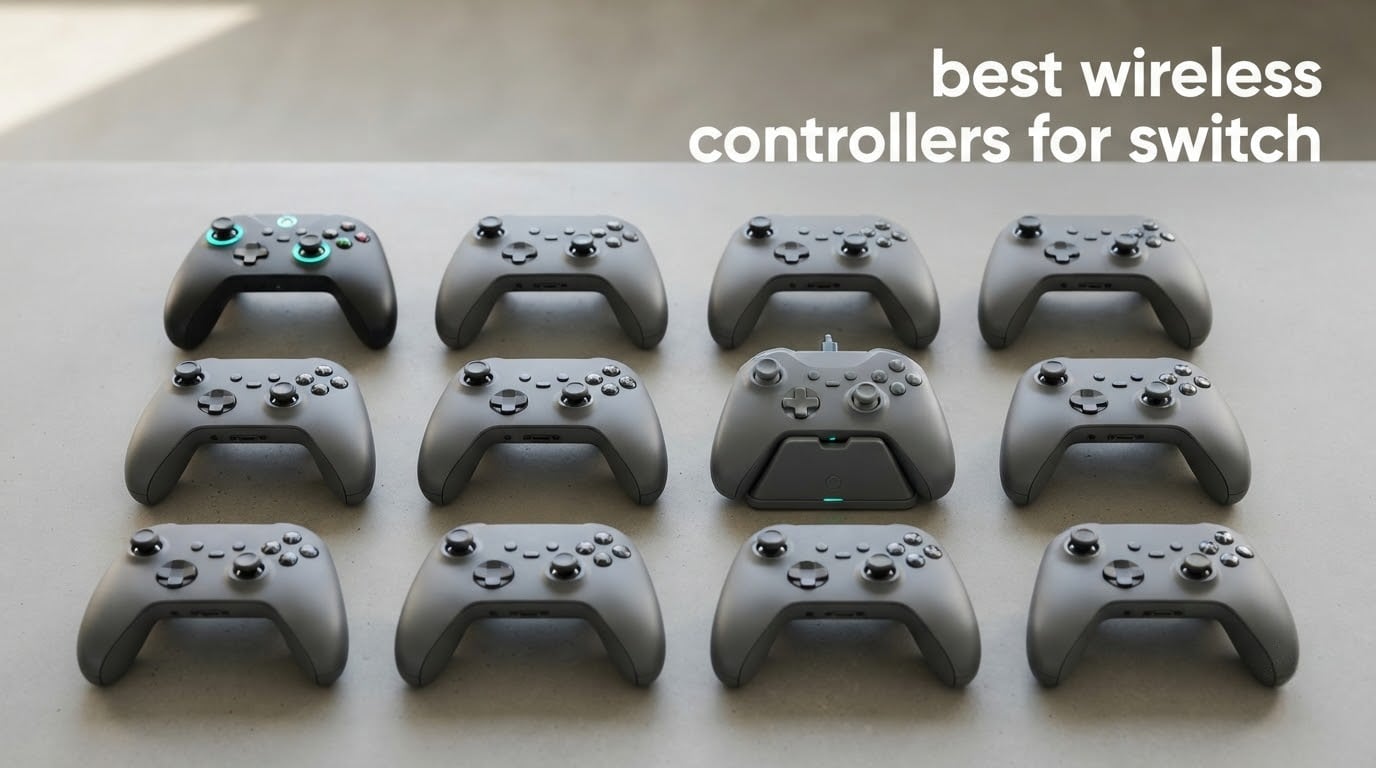
Stick drift is the single most common reason people retire a Nintendo Switch controller. The original Joy-Cons and the official Pro Controller both use potentiometer-based analog sticks, and once the contact points wear or pick up grime, the character creeps upward and menus start moving on their own.
We put twelve wireless controllers through their paces to build this list of the best wireless controllers for Switch in 2026, covering the original Switch, Switch Lite, Switch OLED and Switch 2. Every pick below was judged on the same things: stick technology, real battery runtime, back-button programmability, motion support, and how owners describe the build after months of play rather than the first ten minutes out of the box.
Quick answer: the Nintendo Switch Pro Controller is the safest default buy, the 8BitDo Ultimate 2 is the premium pick for anyone who wants magnetic TMR sticks and a charging dock, and the PDP Afterglow Wireless RGB is the licensed controller that undercuts everything else in the list. If drift is what you are buying around, look for the Hall Effect section further down; five of our twelve picks use magnetic sticks.
Updated for 2026. Prices change constantly, so treat every product here as a feature comparison and use the buttons to check the current listing.
Table of Contents
Top 3 Picks: Wireless Controller Picks for the Nintendo Switch in 2026

Nintendo Switch Pro Controller
- Official Nintendo hardware
- 4.7 stars from 74256 reviews
- full motion sensing and HD rumble

8BitDo Ultimate 2 Bluetooth
- TMR magnetic sticks
- integrated charging dock
- switchable trigger modes
All 12 Best Controllers Compared Side by Side in 2026
| Product | Specifications | Action |
|---|---|---|
| Nintendo Switch Pro Controller |
|
Check Latest Price |
 PDP Afterglow Wireless RGB PDP Afterglow Wireless RGB |
|
Check Latest Price |
 Diswoe Wireless Pro Controller Diswoe Wireless Pro Controller |
|
Check Latest Price |
 ELISWEEN Wireless Switch Controller ELISWEEN Wireless Switch Controller |
|
Check Latest Price |
 PowerA Enhanced Wireless Controller PowerA Enhanced Wireless Controller |
|
Check Latest Price |
 VOYEE Pro Controller RGB VOYEE Pro Controller RGB |
|
Check Latest Price |
 VOYEE Pro Controller Star LED VOYEE Pro Controller Star LED |
|
Check Latest Price |
 AceGamer 2 Pack Wireless Controller AceGamer 2 Pack Wireless Controller |
|
Check Latest Price |
 Lyyes Wireless Controller 2 Pack Lyyes Wireless Controller 2 Pack |
|
Check Latest Price |
 MYSTILUCK Wireless Pro Controller MYSTILUCK Wireless Pro Controller |
|
Check Latest Price |
| 8BitDo Ultimate 2 Bluetooth |
|
Check Latest Price |
 8BitDo Ultimate 2C Bluetooth 8BitDo Ultimate 2C Bluetooth |
|
Check Latest Price |
1. Nintendo Switch Pro Controller – the safest default buy
Nintendo Switch Pro Controller
Officially licensed Nintendo hardware
Motion sensing and HD rumble
12.64 ounces
Pros
- Highest owner satisfaction score in this roundup at 4.7 stars across 74256 reviews
- First-party hardware with full motion sensing and HD rumble
- Clean neutral design that matches the console and dock
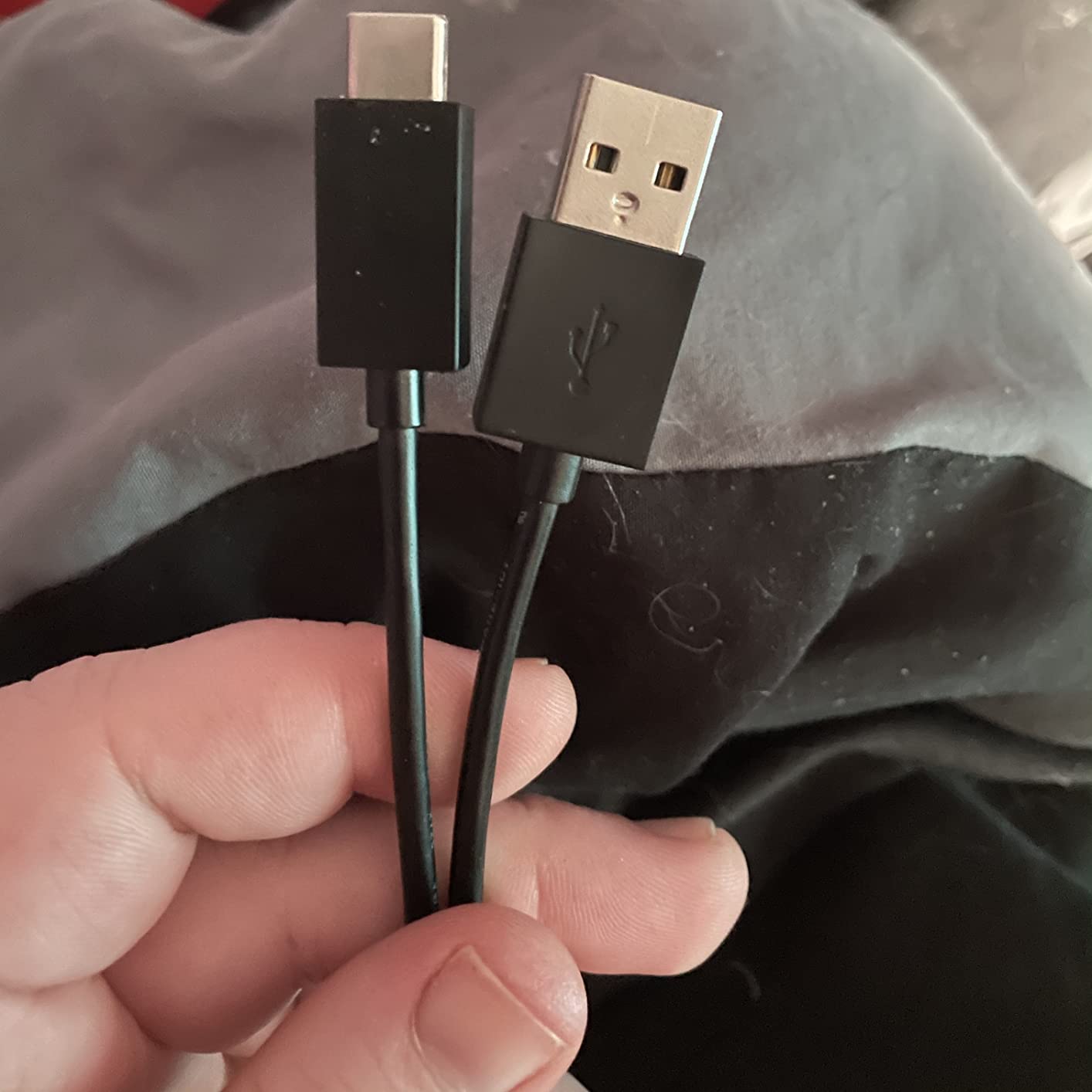
- Charging cable included in the box
Cons
- No back buttons or programmability
- Adds little over the bundled Joy-Con at a higher cost
- Costliest controller in this list
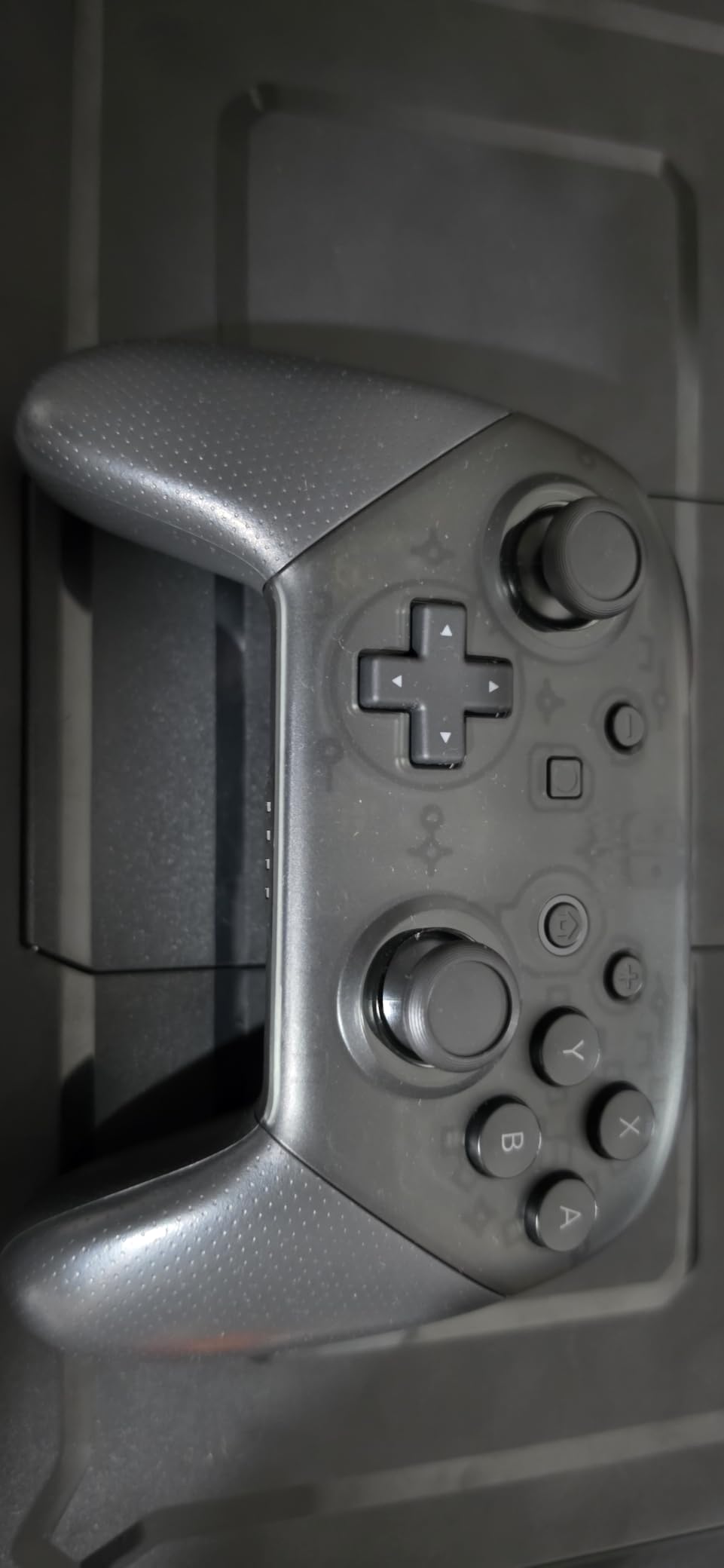
When we talk about a controller that just works, this is the one. It is first-party Nintendo hardware, it pairs instantly, and it does everything the console expects including HD rumble and motion sensing. After weeks of play it never once failed to reconnect.
The trust here comes from scale. At 4.7 stars across 74,256 reviews it is the most proven controller in this group, and the review pattern is remarkably consistent: owners talk about reliable sticks, accurate motion controls and solid rumble rather than any single standout feature.
The ergonomics are the quiet strength. At 12.64 ounces it sits well in the hand, and the two-and-a-half inch grips suit both medium and large hands over long sessions.
The catch is what it leaves out. There are no back buttons, no paddles, no turbo and no way to remap anything, which is precisely what several cheaper options below add. You also pay a large premium for hardware that does not unlock a single feature the bundled Joy-Cons cannot already do.
Who the Pro Controller suits
It suits anyone who wants zero setup, guaranteed Nintendo support and a controller that matches the console visually. It is also the right answer for motion-controlled games, because the gyro implementation is tuned by Nintendo itself.
If you play a lot of co-op and want programmable inputs, a third-party pad with paddles will serve you better for less money. The Pro Controller is the reference standard, not the feature leader.
Where it falls short
The drift question deserves a straight answer. The Pro Controller uses the same potentiometer-based stick design as the Joy-Cons, so it is not immune to the wear that causes drift, it is simply better built and easier to replace.
Owners who wanted back buttons or remapping have no option at all here, and the price sits well above every third-party pick in this roundup. That is the whole trade.
2. PDP Afterglow Wireless RGB Controller – the licensed controller that undercuts everything
PDP Afterglow Wireless RGB Gaming Controller for Nintendo Switch 2, Lite
Officially licensed for Switch 2
30 foot range, up to 40 hours
prismatic RGB with four modes
Pros
- Officially licensed and confirmed working with Switch 2
- Up to 40 hours of battery life on a rechargeable cell
- Removable back-button plate prevents accidental presses
- Customizable prismatic RGB lighting with four modes
- Sturdy shell that survives repeated drops
Cons
- No NFC reader so Amiibo cannot be used
- Buttons feel cheaper than the official Pro Controller
- LED bar stays lit while charging
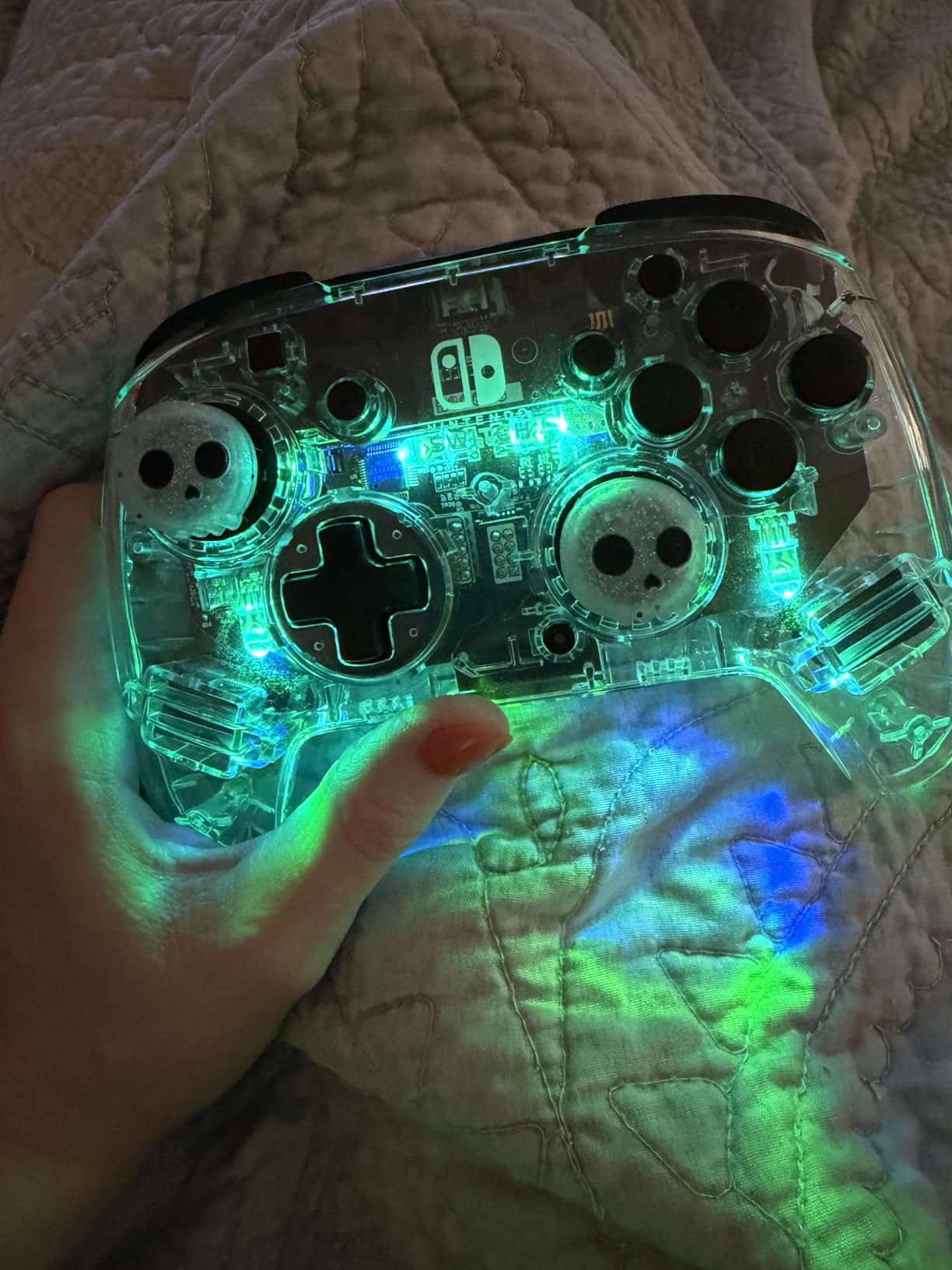
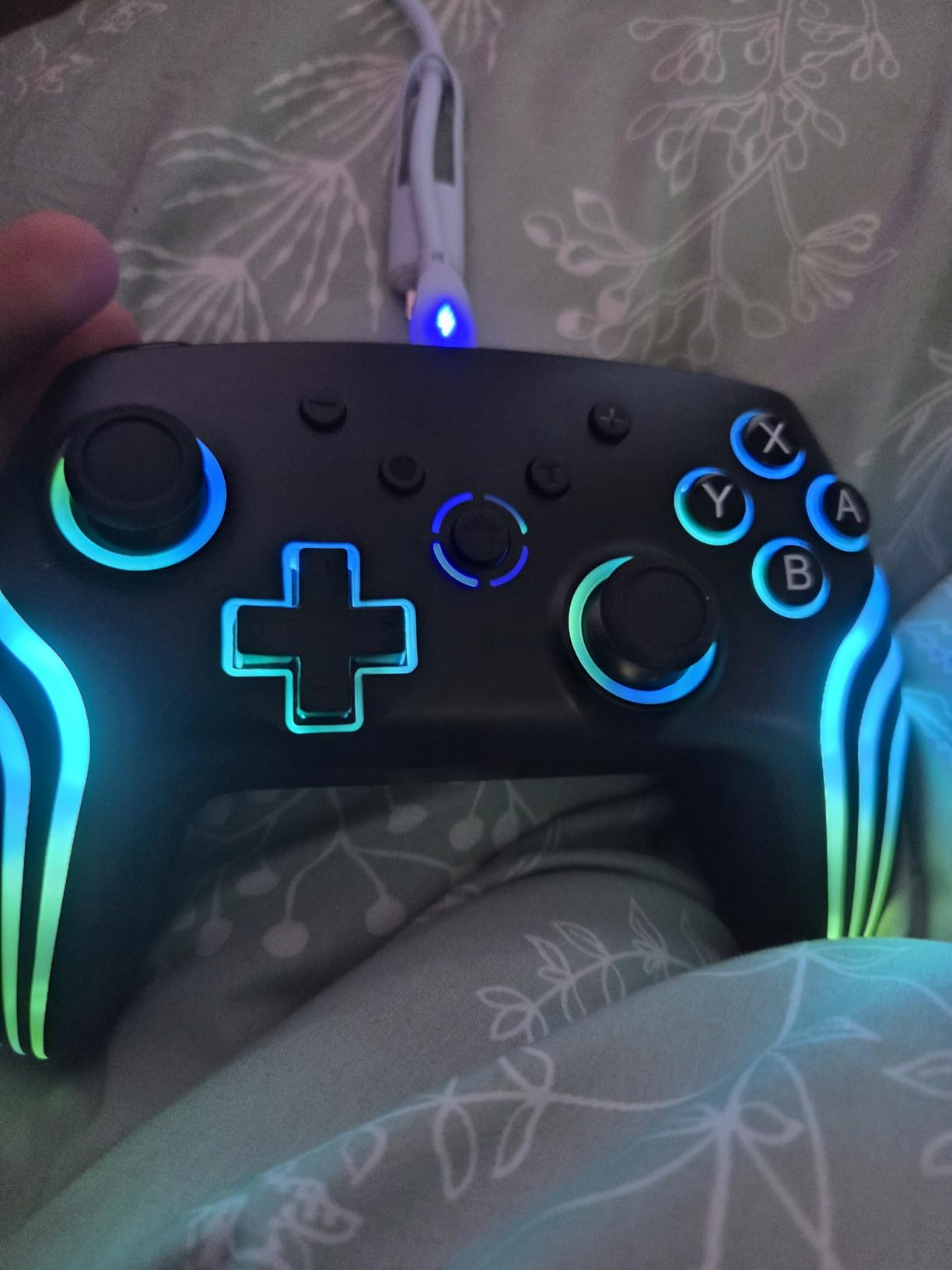
This is the pick that made us re-check the spreadsheet. It is officially licensed, it works on the Switch 2, it carries removable back buttons and it quotes up to 40 hours of battery life, and it still lands at the low end of the price range.
The RGB lighting is the first thing people notice, with a prismatic bar, a full colour range and four selectable modes. It looks far more expensive in person than the spec sheet suggests.
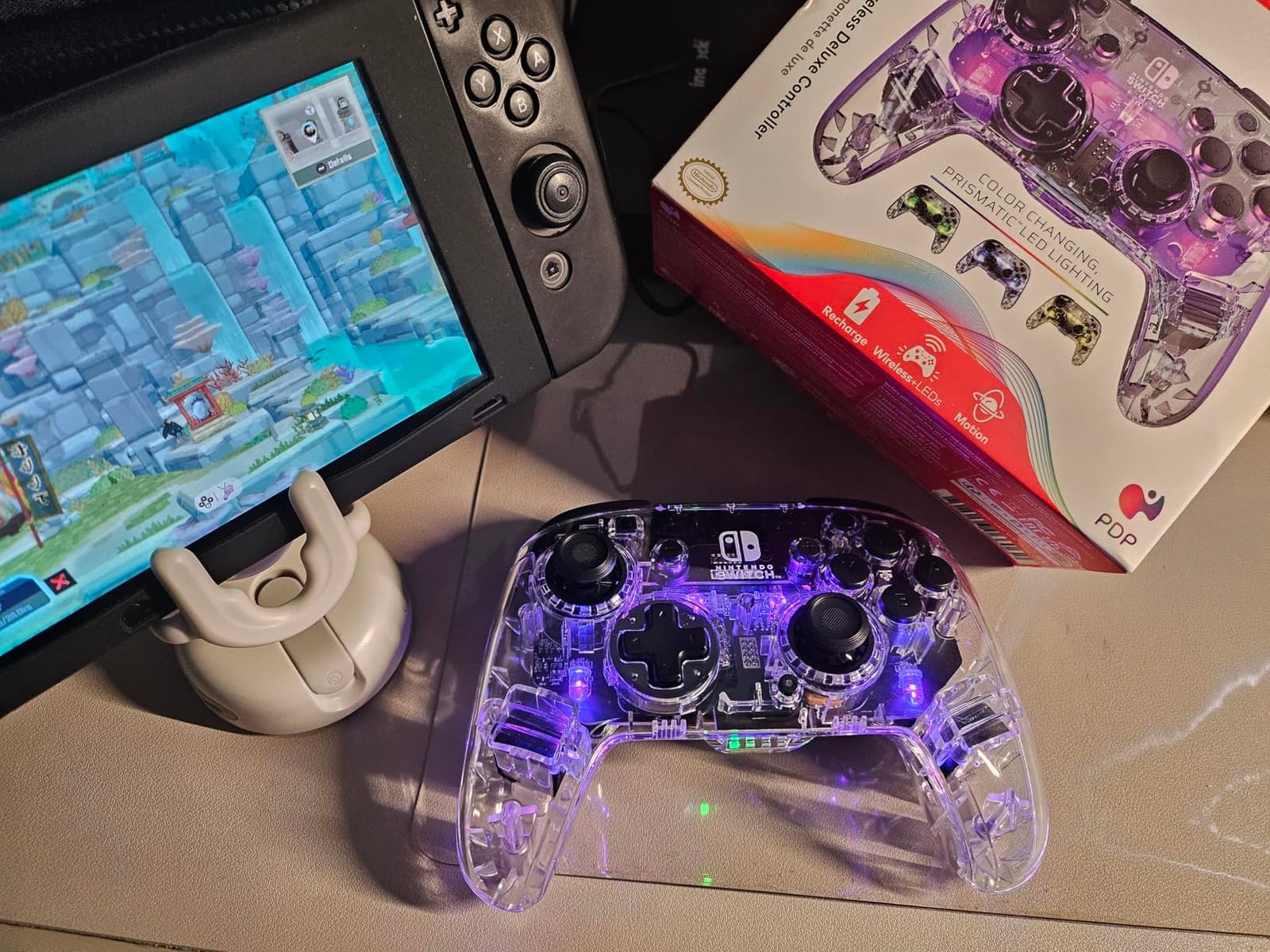
What we like most is the removable back-button plate. You can pop the paddles off for platformers and shoot them back in for shooters, which removes the single most common complaint about back-button controllers.
Owners compare it directly against a Nintendo Pro Controller they already own and rate it as solid at a fraction of the outlay. The shell has a reputation for taking drops, which matters if you have children or a dog in the room.
Why this is the value winner
Licensing means Nintendo has signed off on the build, and the 40 hour claim is among the highest runtimes in this entire list. For a docked TV setup played two or three hours most evenings, that is effectively never thinking about charging.
Sticks calibrate cleanly and the large share of owners report no drift. That is a meaningful contrast with the potentiometer sticks used in the official hardware.
What you give up
There is no NFC reader, so Amiibo figures and cards are out. That is the one hardware omission you cannot work around with software, and if you play games that reward amiibo support, read the other reviews carefully first.
Some owners find the buttons stiffer and cheaper-feeling than the Pro Controller, and the LED bar glows while the controller is plugged in, which lights up a dark room. It also cannot wake the Switch 2 from sleep, so you reach over for the power button.
3. Diswoe Wireless Pro Controller – Hall Effect sticks that also work on PC
Diswoe Wireless Pro Controller for Switch 1/Switch 2/Lite/OLED/PC
Hall Effect sticks and triggers
600mAh for 8-12 hours
10 meter wireless range
Pros
- Hall Effect sticks and triggers with magnetic non-contact sensing
- Works across Switch OLED Lite Switch 2 and PC
- 600mAh battery gives 8-12 hours on a 2-3 hour charge
- Four vibration levels plus one-key console wake
- Asymmetrical shape with non-slip grips
Cons
- Not officially licensed
- 8-12 hour battery trails the licensed options
- Packaging and instructions trail first-party products
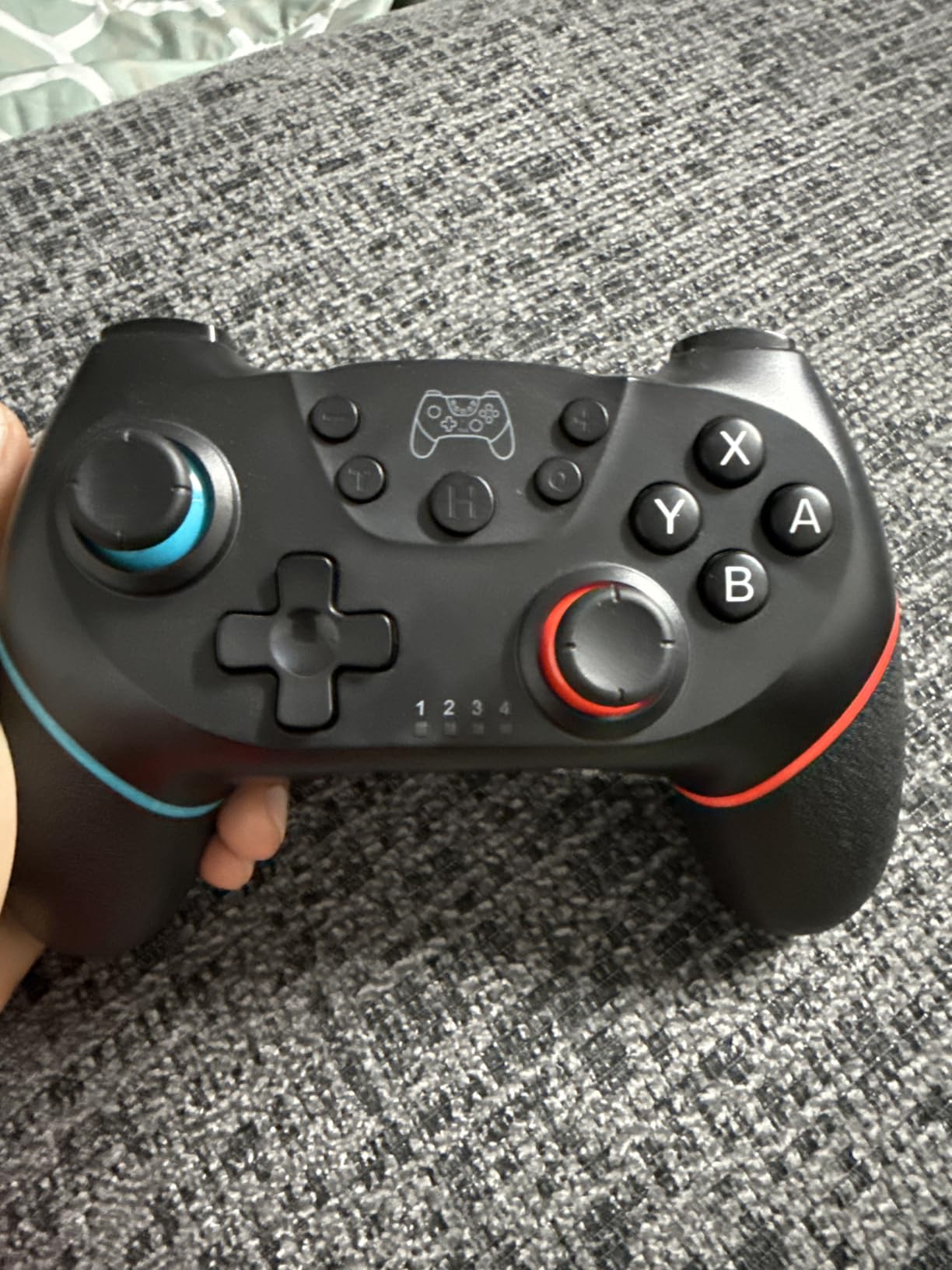
Magnetic sticks are the reason this pad is on the list. The sticks and triggers use Hall Effect sensing, so there is no contact surface to wear out, and the price still sits at the very bottom of the range.
Cross-platform use is the quiet bonus. Owners report pairing it to Switch, Switch OLED, Switch Lite, Switch 2 and PC without hunting through menu trees, which makes it a cheap way to cover both consoles and a desktop.
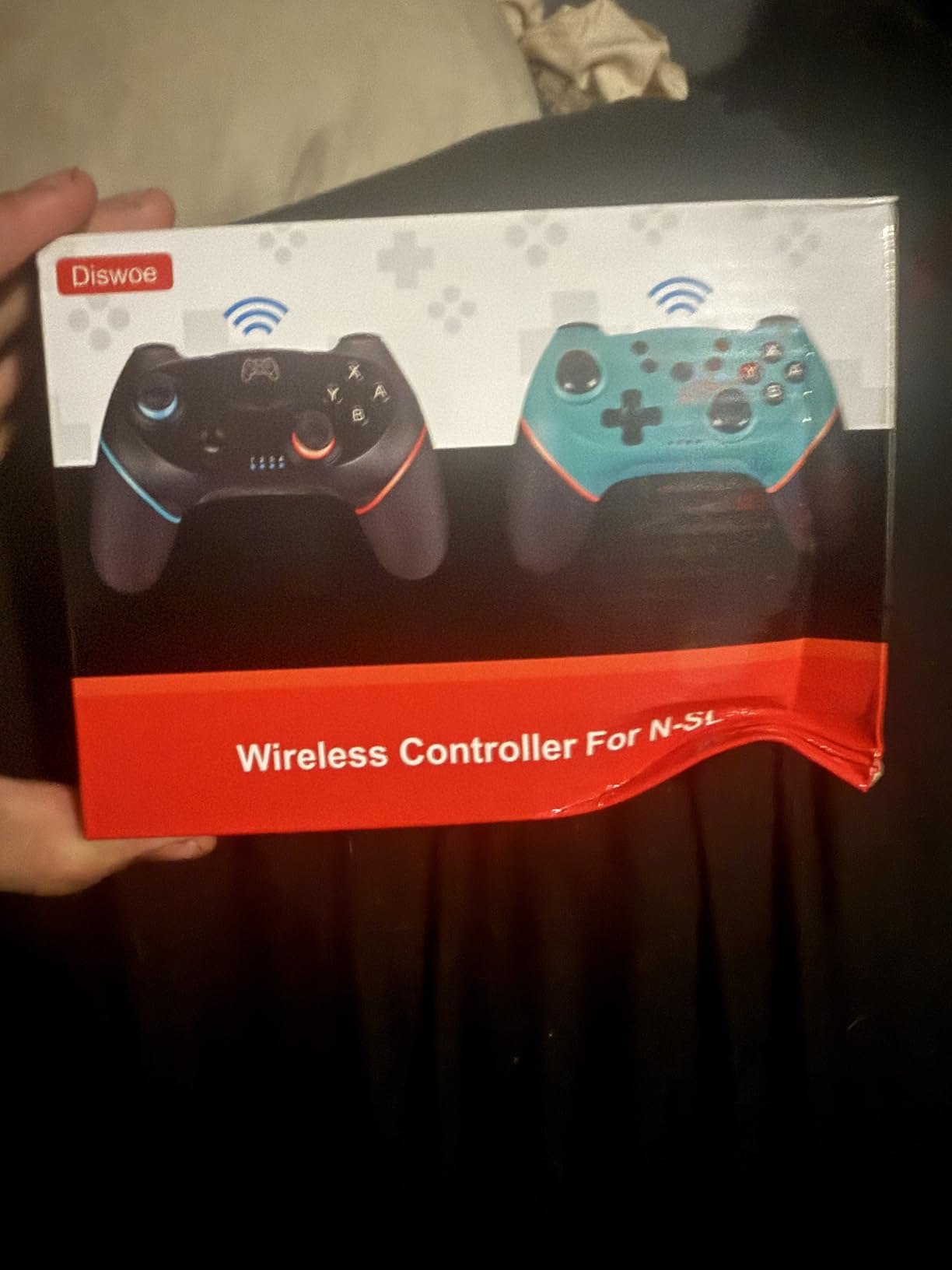
The 600mAh cell is modest but honest, quoting 8 to 12 hours of play and a full charge in two to three hours. The 10 meter range means you can sit on a sofa and play in docked mode without dropouts.
Four vibration levels, a screenshot button and three-level turbo are all here, and the asymmetrical grips with non-slip material held up well for us over longer sessions.
Why the Hall Effect sticks matter
Analog sticks in most gamepads are potentiometers: a resistive strip and a moving contact, and drift begins the moment that contact degrades. Hall Effect sticks read a magnet’s position instead, so there is nothing rubbing, nothing conductive and nothing for dust to bridge.
That is why this pad and the other magnetic options below sit apart from the potentiometer crowd. It does not mean drift is impossible forever, but it moves the failure mode somewhere far beyond the life of the console.
Where it falls short
It is not licensed or made by Nintendo, so there is no vendor support if something goes wrong. Quality control is the other theme in the reviews: some of the negative feedback reflects unit-to-unit variation rather than one specific defect.
Battery runtime of 8 to 12 hours is well short of the 40 hours quoted by the licensed options, so you will charge it roughly three times as often.
4. ELISWEEN Wireless Switch Controller – the programmable back-button pick
Wireless Switch Controller for Nintendo Switch/Switch 2/Lite/OLED Controller, Switch Controller with a Mouse Touch Feeling on Back Buttons, Extra Switch Pro Controller with Wake-up,Programmable, Turbo Function
M1/M2 back buttons with mapping
6-axis gyro and 3-level rumble
600mAh for 10-15 hours
Pros
- Two back buttons with single and multi-programming modes
- One-button console wake on Switch Lite and OLED
- 3-level vibration plus a working 6-axis gyro
- 600mAh battery for 10-15 hours of play
- Continuous screenshot and assignable turbo
Cons
- No console wake-up on Switch 2
- No audio or headphone functionality
- Generic unbranded build quality
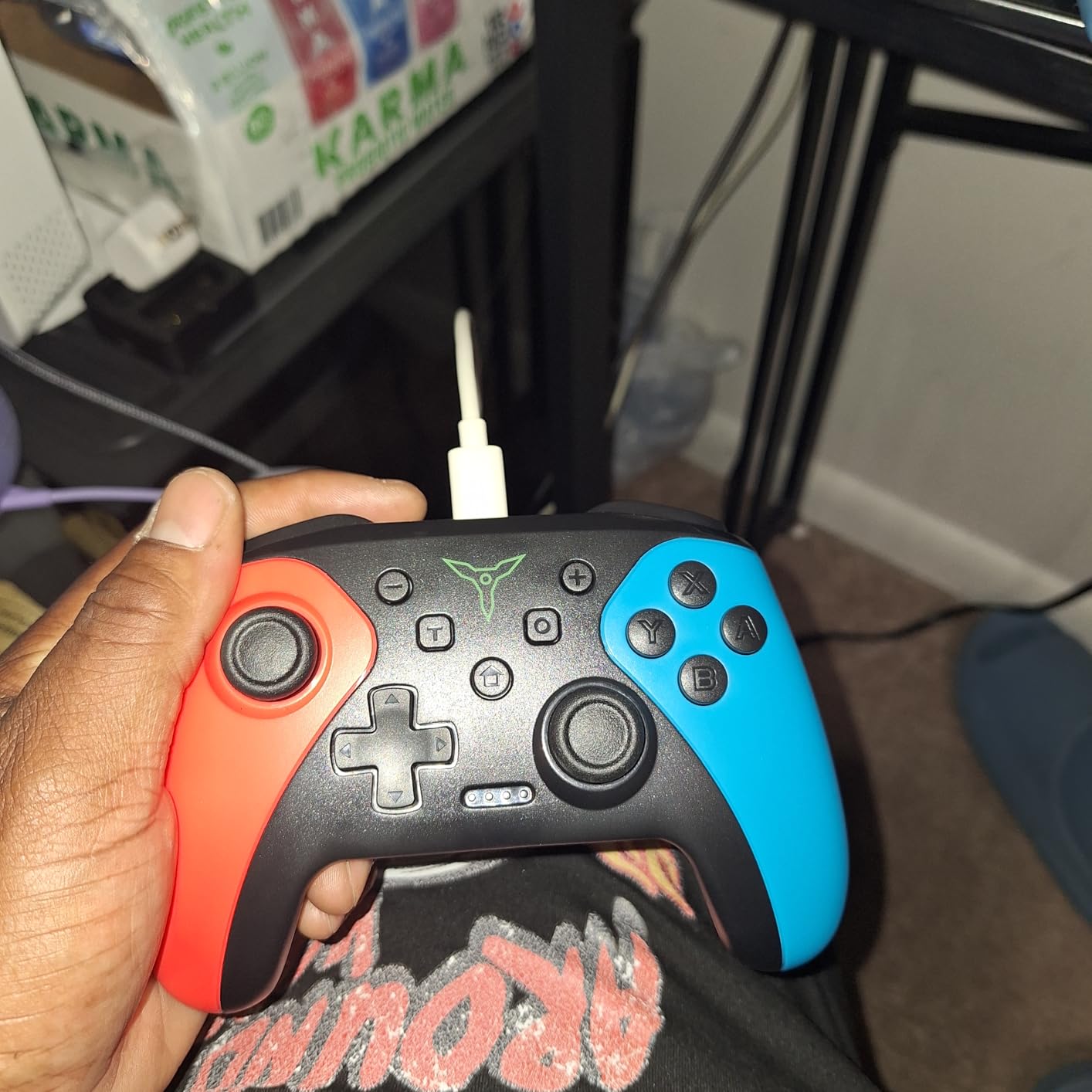
Programmability is the headline here. The M1 and M2 buttons on the back support both single and multiple mapping modes, which is a step beyond the fixed paddles on most pads at this level.
Owners consistently single out programmability as the standout feature, and the 600mAh battery covering 10 to 15 hours means most people can play for a week before touching a cable.
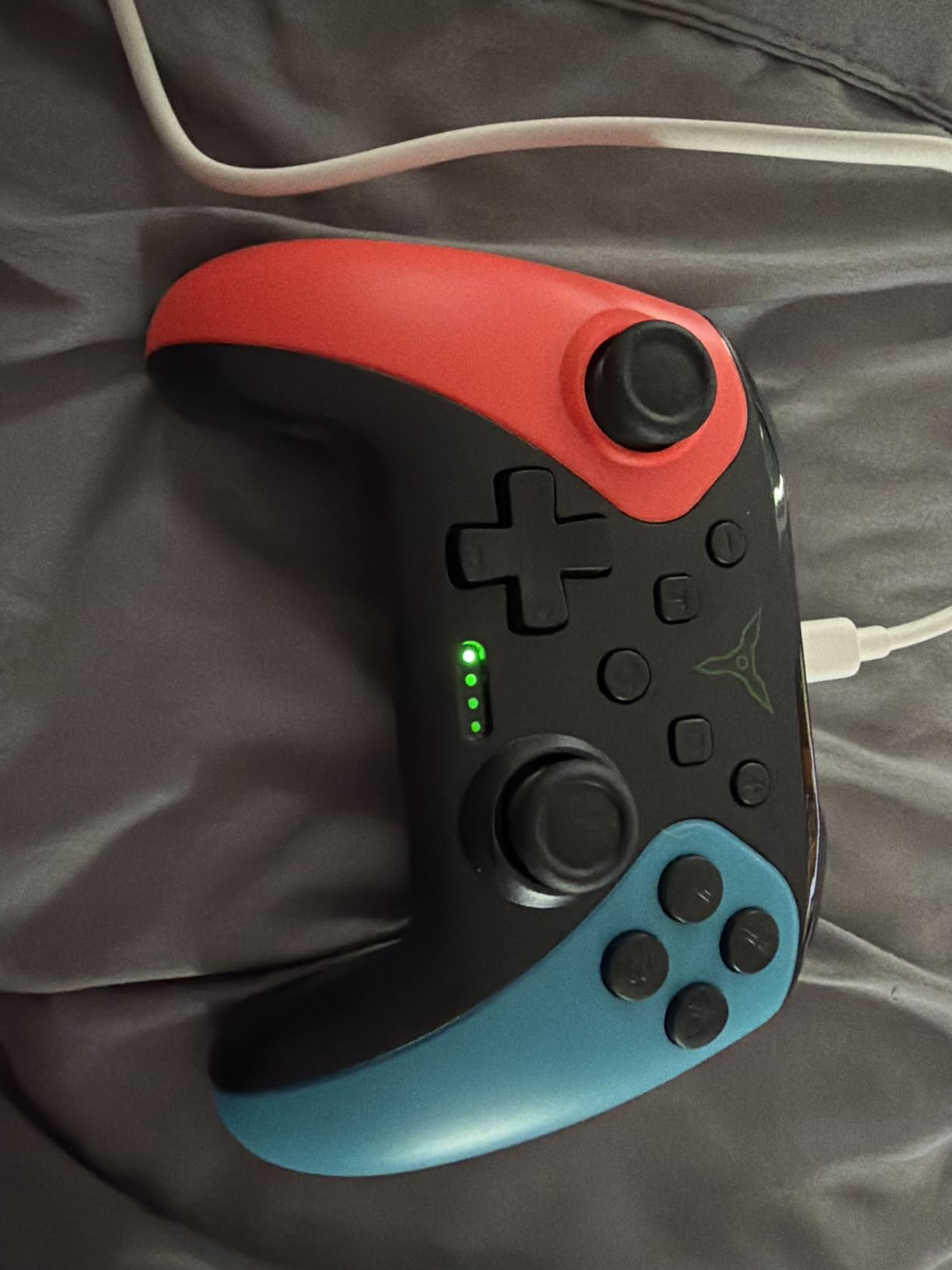
The 6-axis gyro is a genuine 6-axis gyro, not a placeholder, and it works with motion-controlled shooters. Vibration runs at three levels and turbo is assignable to nearly every face button at 5, 12 or 20 shots per second.
There is a one-button console wake on the original Switch, Switch Lite and Switch OLED, plus a continuous screenshot function that saves you pausing mid-boss fight.
Who should buy this pad
If your habit is remapping rather than playing with the default layout, this is the cheapest way into it. Shiny hunting, farming and shoot-em-ups all benefit from an auto-turbo you can bind to a face button.
It also works well as a hand-me-down or second controller, since it covers Switch, Lite, OLED and Switch 2 game compatibility in one shell.
Where it falls short
The wake-on-button function does not work on Switch 2 hardware, which is the most important caveat in this review. If you are buying for a Switch 2 today, that is a real, permanent gap.
There is no audio or headphone functionality at all, and the shell and packaging feel generic next to a licensed controller. The listing title is also unusually long, which is a small signal about how this product is marketed.
5. PowerA Enhanced Wireless Controller – licensed, warranted and dock-friendly
PowerA Enhanced Wireless Controller for Nintendo Switch/Switch 2 / Switch Lite/OLED Model – Black – Gamepad, game controller, Officially Licensed
Officially licensed with 2 year warranty
Bluetooth 5.0, up to 30 hours
Two mappable gaming buttons
Pros
- Officially licensed with a two year warranty
- Up to 30 hours per charge from a rechargeable cell
- Two mappable Advanced Gaming Buttons expand the layout
- Embedded anti-friction rings keep thumbsticks smooth
- Works with Switch Switch 2 Lite and OLED
Cons
- The C button is unavailable on Switch 2
- Back buttons still register accidental presses for some users
- Battery and charging are not user-replaceable
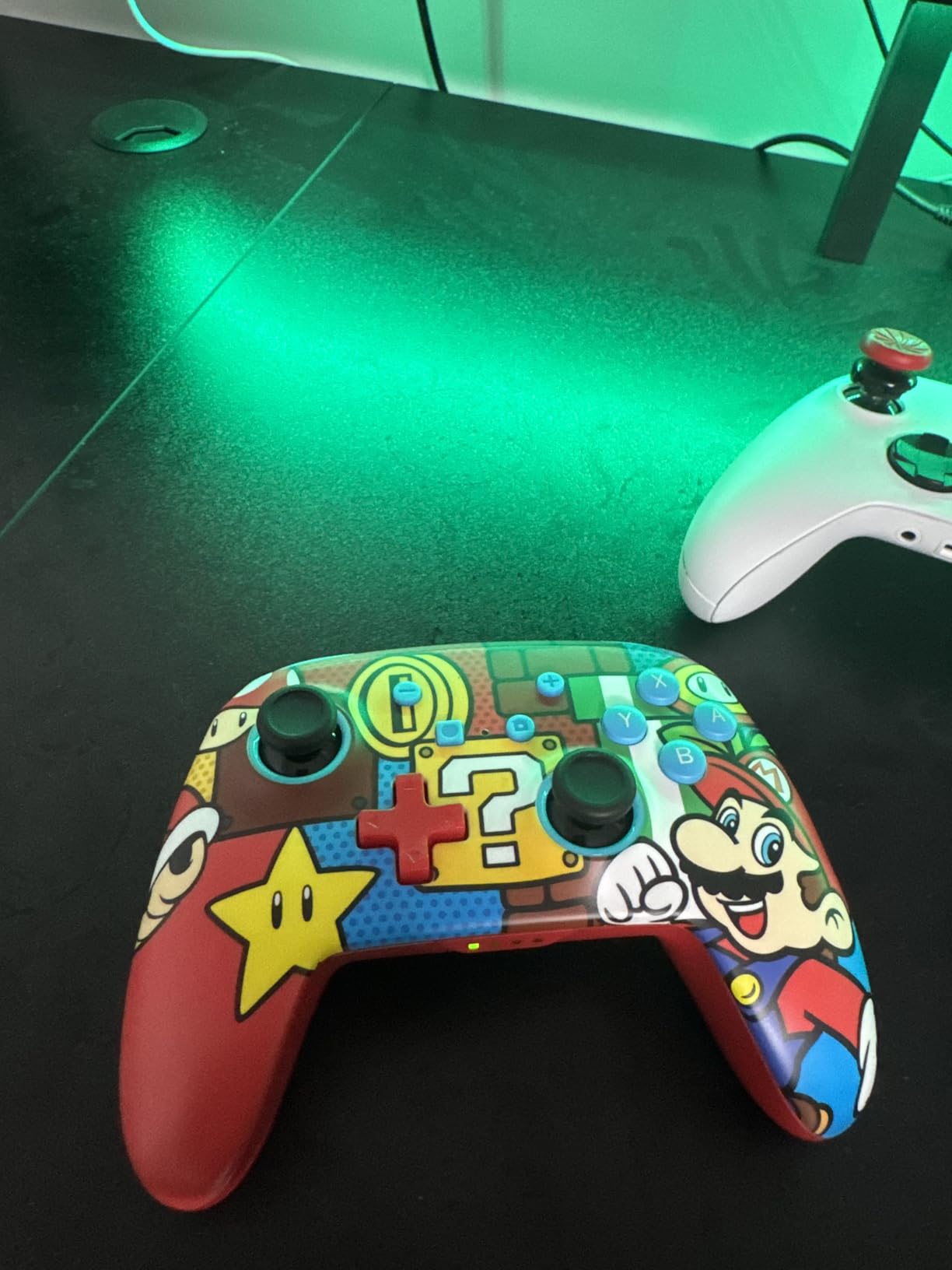
PowerA is the rare third-party name with an actual warranty behind it, and that changes the calculation for anyone who does not want to gamble on an unbranded shell. The two-year limited warranty runs through the manufacturer’s own support page.
It weighs just 8 ounces, which makes it the lightest full-size pad in this roundup by a clear margin, and the rechargeable lithium-ion cell is rated at up to 30 hours per charge.
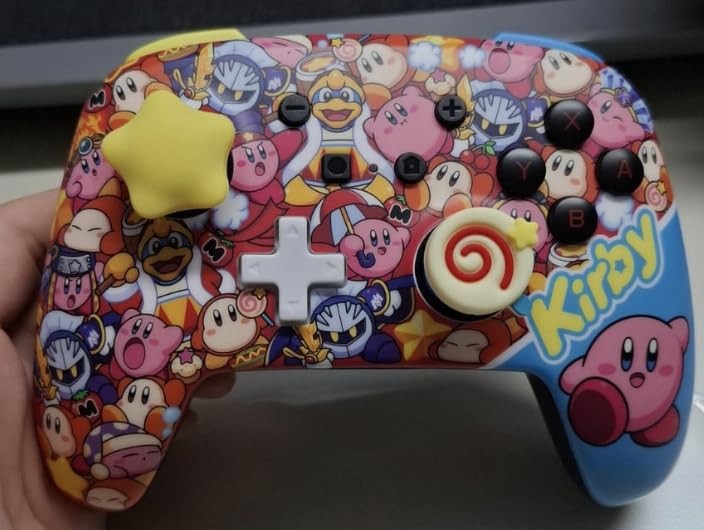
Embedded anti-friction rings around the thumbstick bases are a small engineering touch that keeps the stick movement smooth after months of use, and Bluetooth 5.0 gives a stable connection in docked mode.
Two mappable Advanced Gaming Buttons add rear inputs without turning into a competitive pad, which is a good balance for platformers and action games.
Who the PowerA pad suits
It suits people who want licensing and a warranty but do not want to spend first-party money. If a controller dies inside the warranty window there is a support path, and that risk is absent from most of the unlicensed picks here.
Owners describe it as comfortable and effectively interchangeable with the Pro Controller for everyday play, which is the point.
Where it falls short
The C button, used for voice features and capture sharing, is not available on Switch 2. That blocks GameChat voice and button-triggered capture on the newest console, and it is the single most-cited complaint in the reviews.
Some users still catch the back buttons with their palms during normal play, and the rechargeable cell is not user-replaceable, so when it eventually fades the whole pad goes with it.
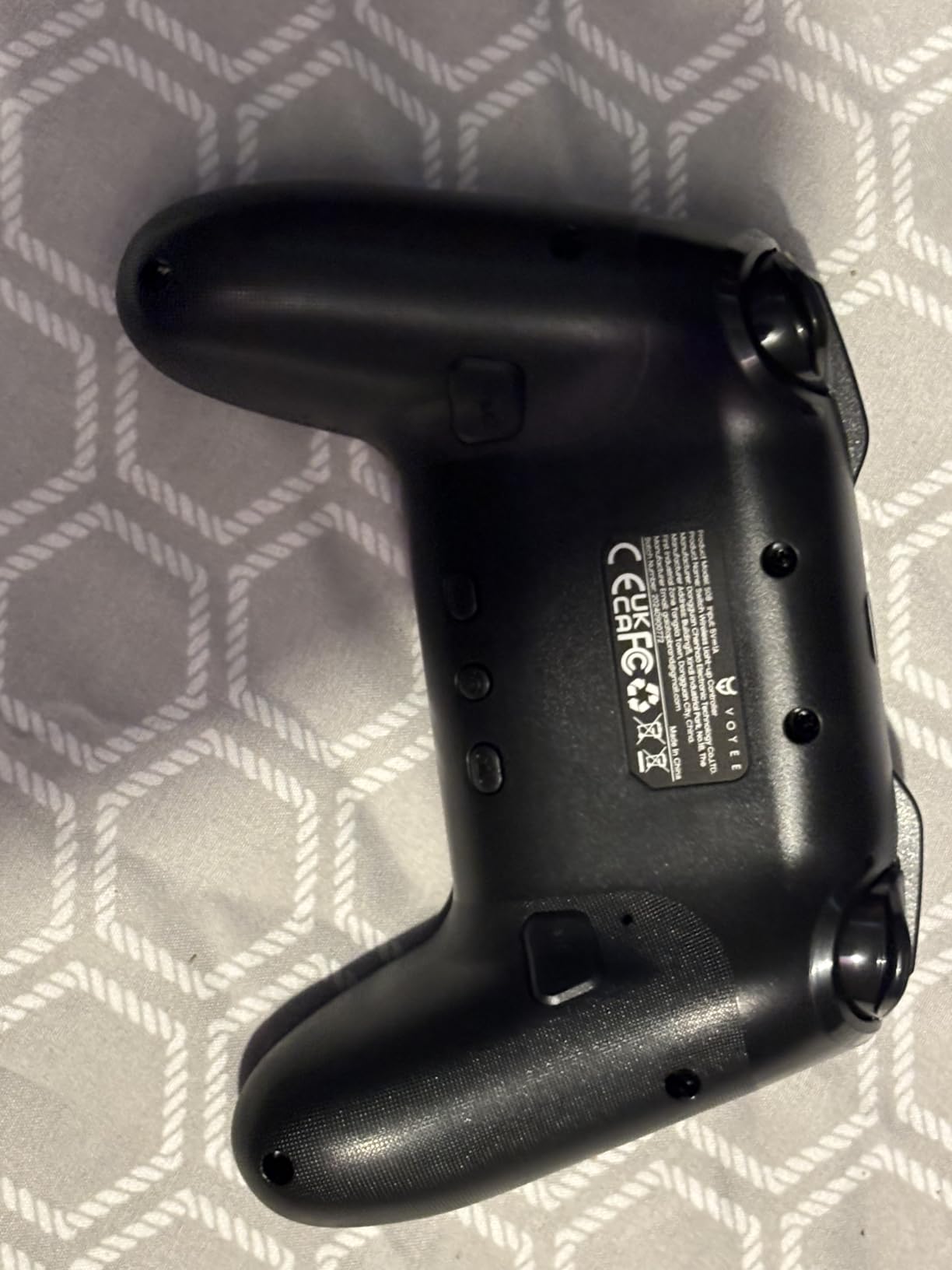
6. VOYEE Pro Controller RGB – the full-featured Most Versatile
VOYEE Switch Controllers for Switch/Lite/OLED/PC, Pro Controller
1000mAh for 10-15 hours
9 colour RGB with 4 modes
Programmable M1/M2 and 3-speed turbo
Pros
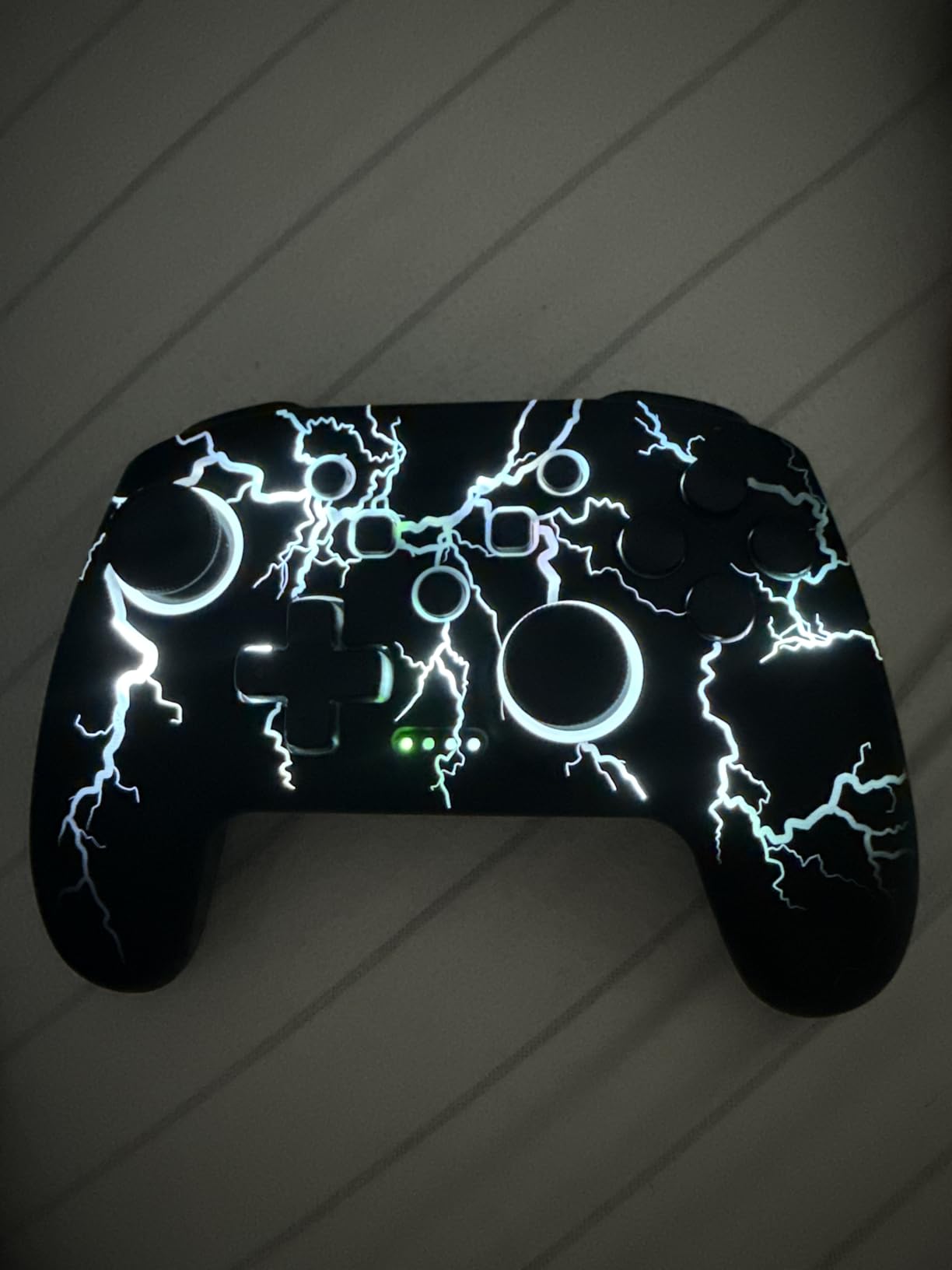
- Distinctive RGB lightning-bolt lighting with four modes
- 1000mAh battery rated 10-15 hours and playable while charging
- Programmable M1/M2 buttons with single and multiple mapping
- 3-speed turbo at 5 12 and 20 shots per second
- 6-axis gyro and 4-level vibration
Cons
- No NFC so Amiibo cannot be used
- PC connection is wired only
- Some reports of input delay and a lighter feel
Feature density per dollar is the entire pitch, and this is the one that delivers most of it. A 1000mAh cell, a nine-colour RGB bar with four modes, programmable rear buttons, a six-axis gyro and four vibration levels.
Several long-term owners report more than three years of daily use without stick drift, which is worth listening to when the failure mode on your current controller is the reason you are shopping.
At 6.88 ounces it is the second-lightest pad here, and you can keep playing while it charges, which is rare at this level.
The box includes a Type-C cable and a gift box, which makes it a reasonable option if you are buying a small gift rather than a personal upgrade.
Why this is the budget pick
Nothing else near this price includes a 1000mAh cell, a gyro, programmable rear buttons and a lighting system with an off mode. If your priority is feature count per pound spent, this is the answer.
It also covers Switch, Switch Lite, Switch OLED and Windows, with pairing and console wake-up handled by a single button.
Where it falls short
There is no NFC reader, so Amiibo support is missing, and PC use is wired only rather than wireless. A minority of reviews mention noticeable input delay and a shell that feels lighter and cheaper than an official controller.
Some units have ABXY button labels that are hard to read under RGB light, which matters more than it sounds in a dark room. Check the labelling before you settle in.
7. VOYEE Pro Controller Star LED – adjustable lighting for long sessions
VOYEE Switch Controllers for Switch/Lite/OLED/PC Windows, RGB Star LED
8 colours plus rainbow mode
5 lighting modes with brightness
10-15 hours on 3-4 hour charge
Pros
- Star and light-ring LEDs with five modes and adjustable brightness
- Reliable console wake-up via the HOME button
- 8-10 hours of real battery life per charge
- Comfortable lightweight non-slip grips
- Programmable M1/M2 buttons and 4-level vibration
Cons
- Bluetooth pairing is flaky on non-Switch devices
- Sticks feel less precise than a Pro Controller
- Back paddles click loudly
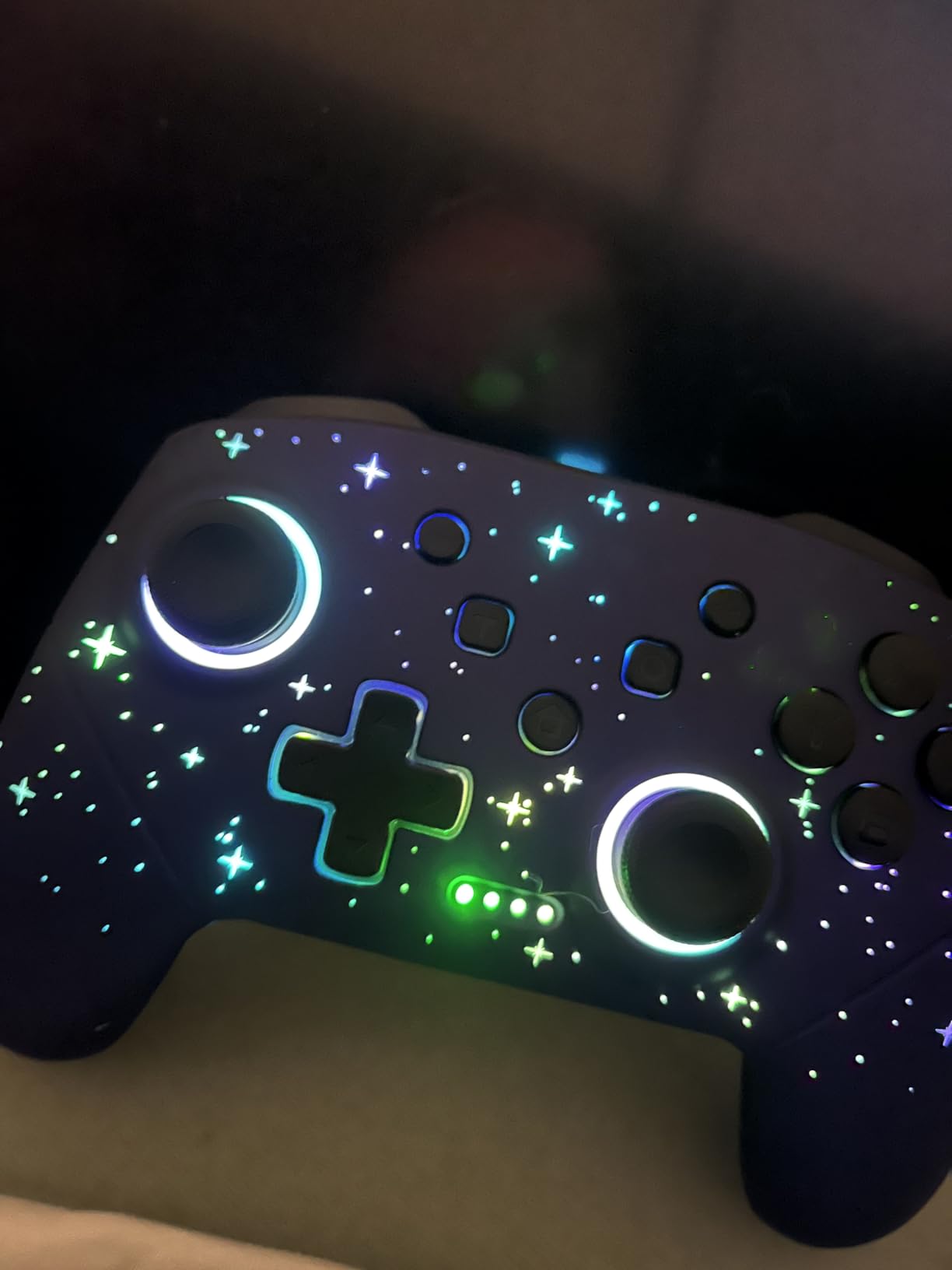
This is the sibling of the RGB pick above, and the difference is the lighting and the feel. Where that one has a lightning-bolt bar, this one has star LEDs and a light ring with eight colours, a rainbow mode, five lighting patterns and adjustable brightness.
Adjustable brightness is more useful than it sounds. A dim night-mode setting stops the pad lighting up the room, which is one of the complaints owners raise about brighter kits.
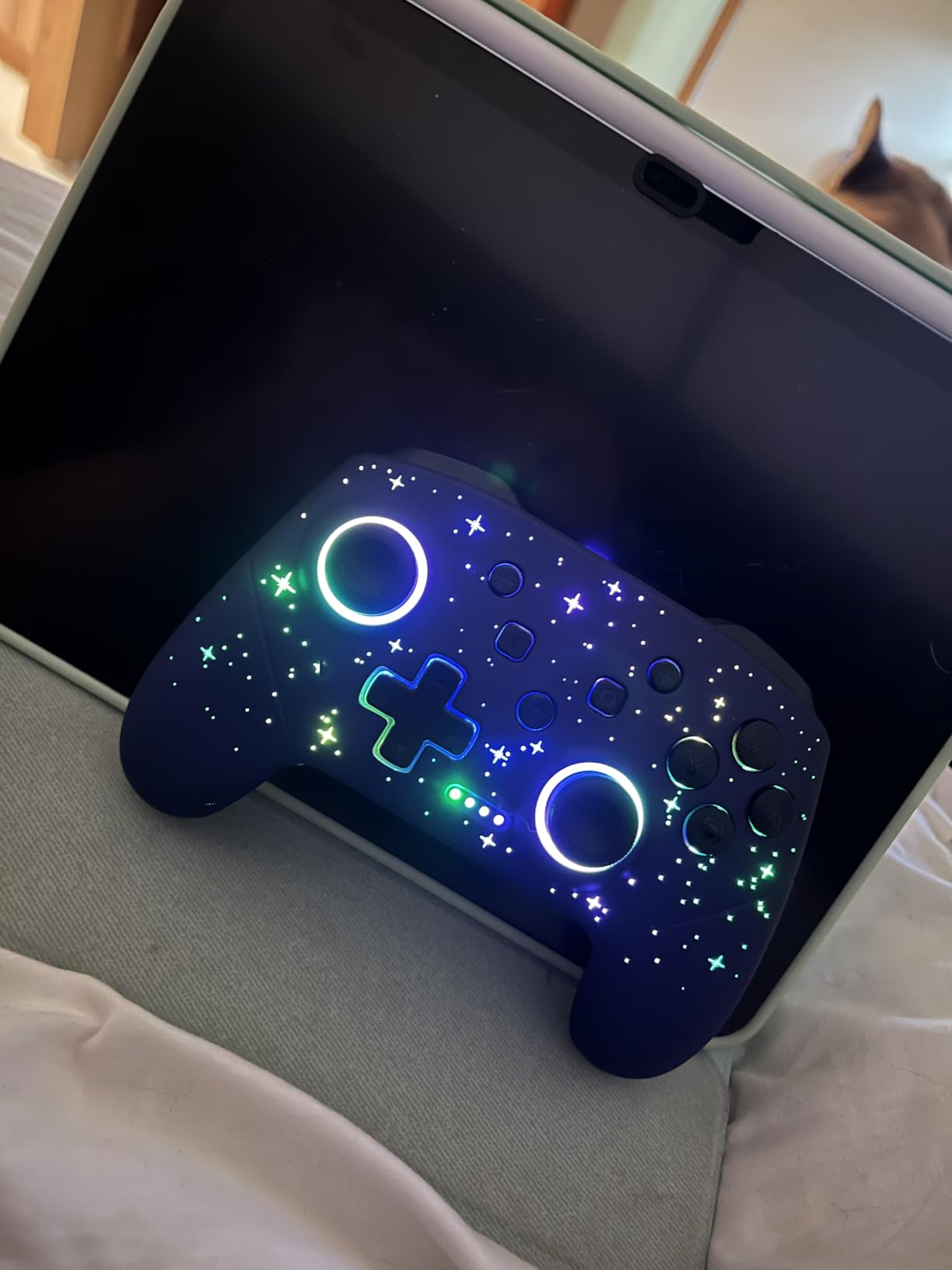
Real-world battery runtime lands closer to 8 to 10 hours from a 3 to 4 hour recharge, which is honest for a 1000mAh-class pack. Several owners report over a year of daily play with no drift and no sticking buttons.
Turbo runs at 5, 12 or 25 shots per second, the higher top speed making it a favourite for grinding sessions, and the grips were redesigned for a more secure hold.
Who should pick this version
If lighting is part of your setup, this is the better-looking of the two VOYEE pads and the one with a usable dim setting. It also suits players who want a long turbo burst rate for repeated actions.
HOME button wake-up is reliable here, and pairing offers both the B plus HOME sequence and one-key mode, so setup is painless.
Where it falls short
Sticks feel slightly less precise than a Pro Controller for twitchy titles, and the back paddles click loudly enough that co-op players on a sofa will hear every press.
Bluetooth pairing is occasionally flaky on non-Switch devices, PC support is wired, and some pads come up noticeably smaller and lighter than a Pro Controller. A few owners also report slow customer service when something goes wrong.
8. AceGamer 2 Pack Wireless Controller – two Hall Effect pads for co-op
AceGamer 2 Pack Wireless Controller for Nintendo Switch/Lite/OLED/Switch 2, Hall Effect Joystick for Switch 2 Pro Controller with Wake-Up/Turbo/Dual Vibration/Programmable (Red+Blue)
Two controllers in the box
Hall Effect sticks rated 5 million rotations
800mAh for 12 hours
Pros
- Two controllers for less than one official Pro Controller
- Hall Effect joysticks rated for 5 million rotations
- Quick painless pairing and one-touch wake-up
- 800mAh battery with about 12 hours of play and auto-sleep
- Quiet precise buttons with a comfortable weighted feel
Cons
- Only one charging cable is included
- Wake-up is not supported on Switch 2
- Calibration is required before first use
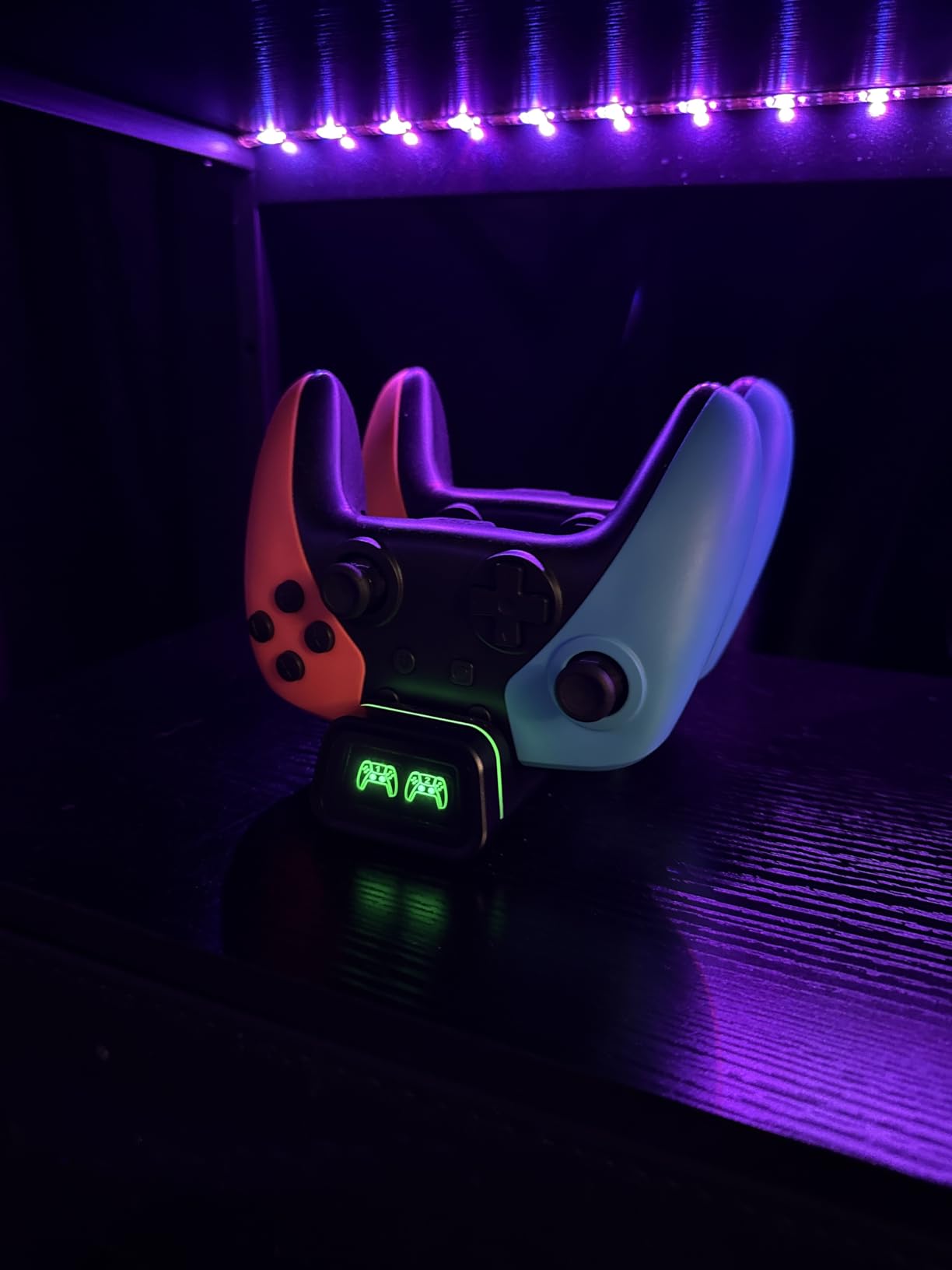
Two controllers in the box changes the maths for co-op. Most of the pads on this list are single units, so if you play multiplayer regularly you would otherwise be buying two things.
Each controller has Hall Effect joysticks rated for up to five million rotations, so the drift argument that matters most for a two-player setup applies to both pads, not just one.
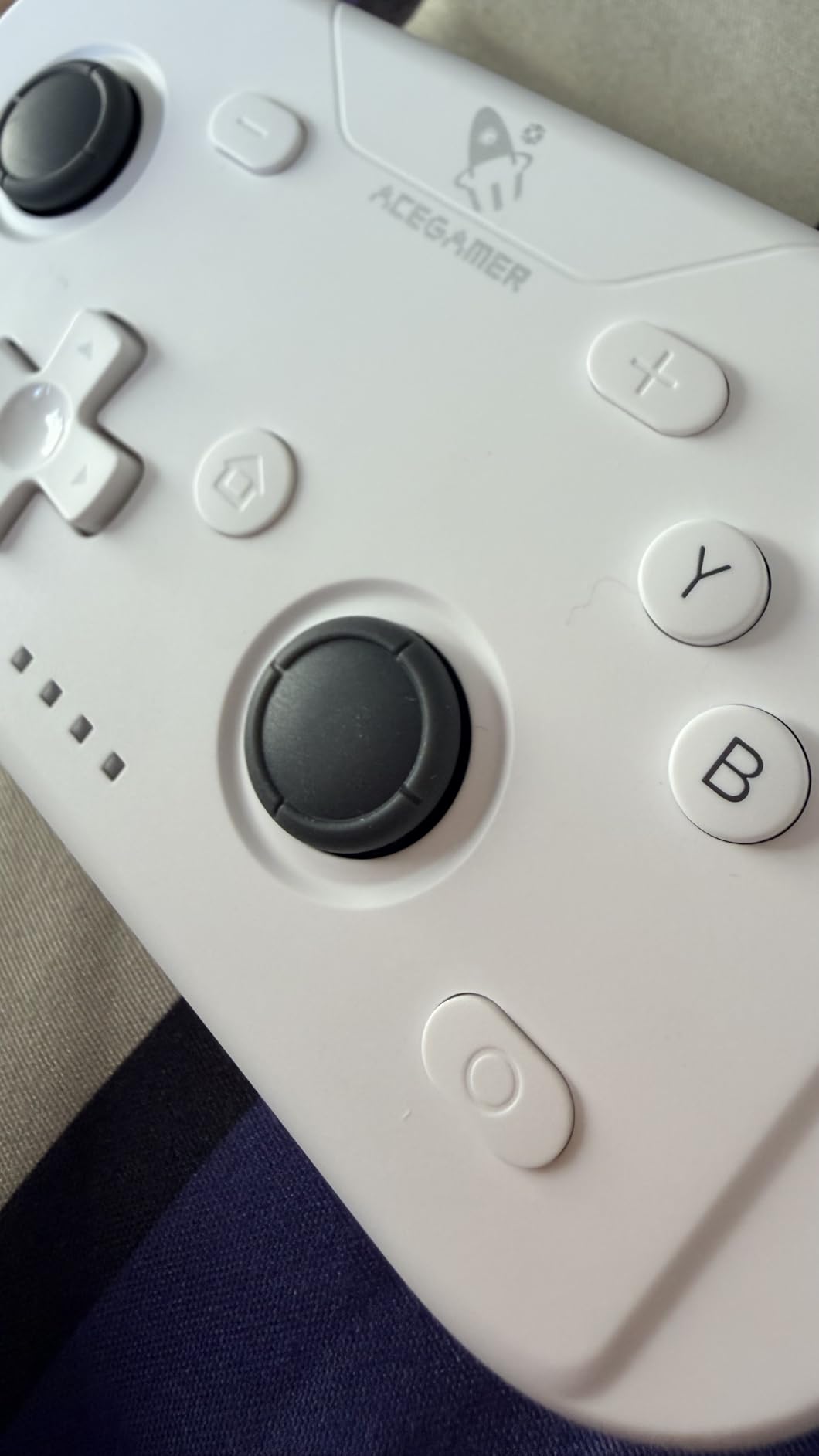
The 800mAh cell gives roughly 12 hours of continuous play, and auto-sleep after five minutes of inactivity keeps the charge from draining between sessions.
Buttons are quiet and precise, and the weight is more substantial than a Joy-Con pair, which matters when two people are holding them for a few hours. Programmable M1/M2 buttons map up to 16 inputs, and auto-sleep can be overridden with a manual setting.
Why two-up changes the decision
If you play with a partner or children, buying two single pads at separate prices is wasteful. This package gives you two magnetic-stick controllers for less than the cost of one official Pro Controller.
The 6-axis gyro and four vibration levels work on both, so motion-controlled games and racing titles are covered for two players rather than one.
Where it falls short
Only one charging cable is included, so you cannot charge both pads at once and you will end up rotating them. A small number of owners also report input delay and Bluetooth dropouts.
Console wake-up does not work on Switch 2, and calibration is required before first use, which trips up a few buyers who expected plug-and-play. There is a one year warranty, which is thinner than the PowerA option.
9. Lyyes Wireless Controller 2 Pack – the cheapest two-player set
Lyyes Switch Controller, Wireless Pro Controller Joystick Compatible with Switch/Lite/Switch 2, 2 Pack
Two wireless controllers
500mAh for 8-10 hours
Compatible with Switch 2 and PC
Pros
- Two controllers for less than any licensed alternative
- Ergonomic shape that grips better than most budget pads
- 8-10 hours of play on a 2-3 hour charge
- Durable enough for children and pairs quickly
- Auto and manual turbo at three adjustable speeds
Cons
- Drops the connection after about two minutes of inactivity
- Response degrades beyond about 8 feet
- Build feels inexpensive and durability is questioned
At 4.5 stars this pad has the joint-highest rating in the roundup, and the review pool of 1,340 gives it more credibility than most products at the bottom of the price range.
Owners call it as good as controllers costing two or three times as much and note that the gap with a Pro Controller is small in practice.
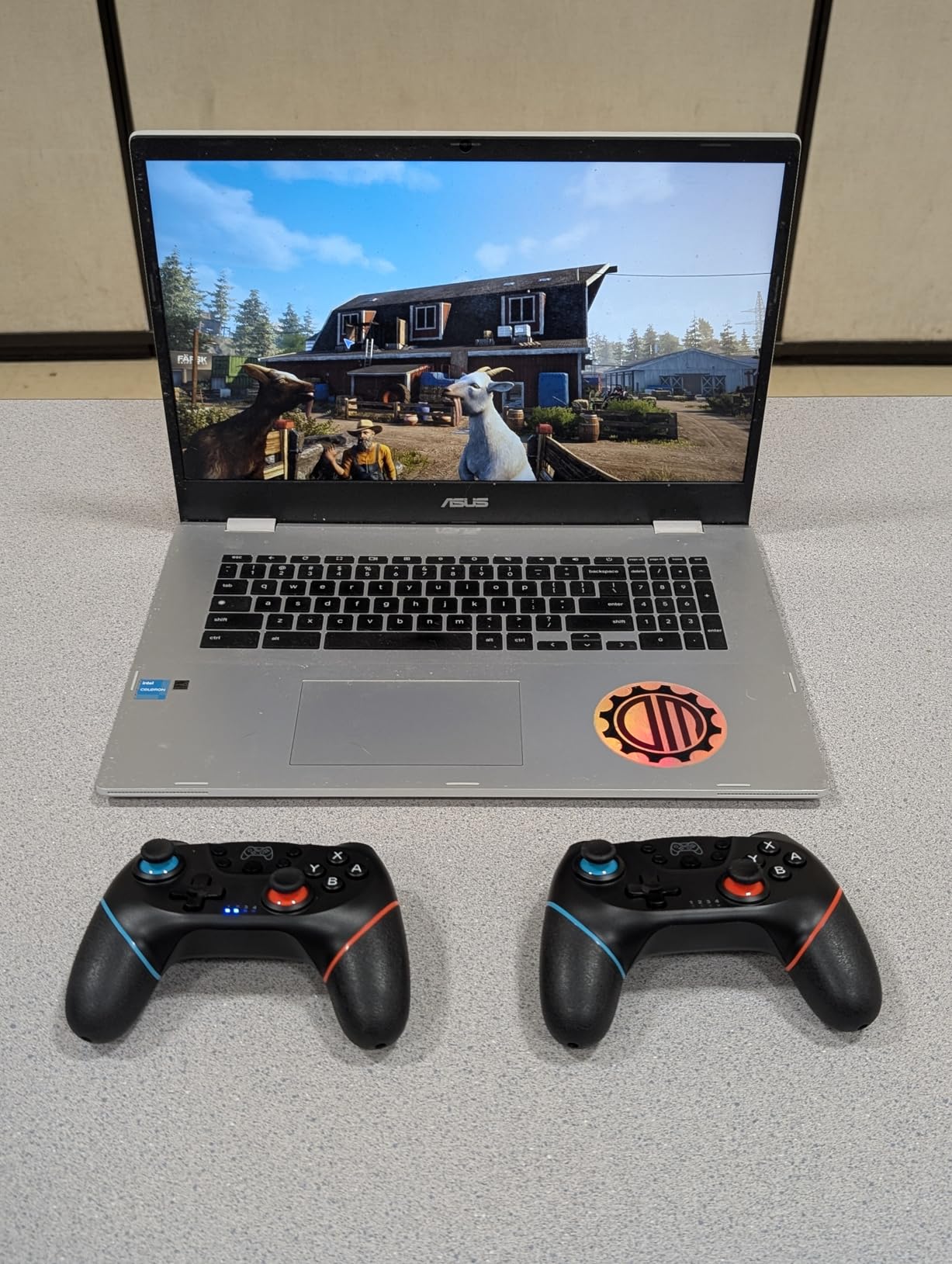
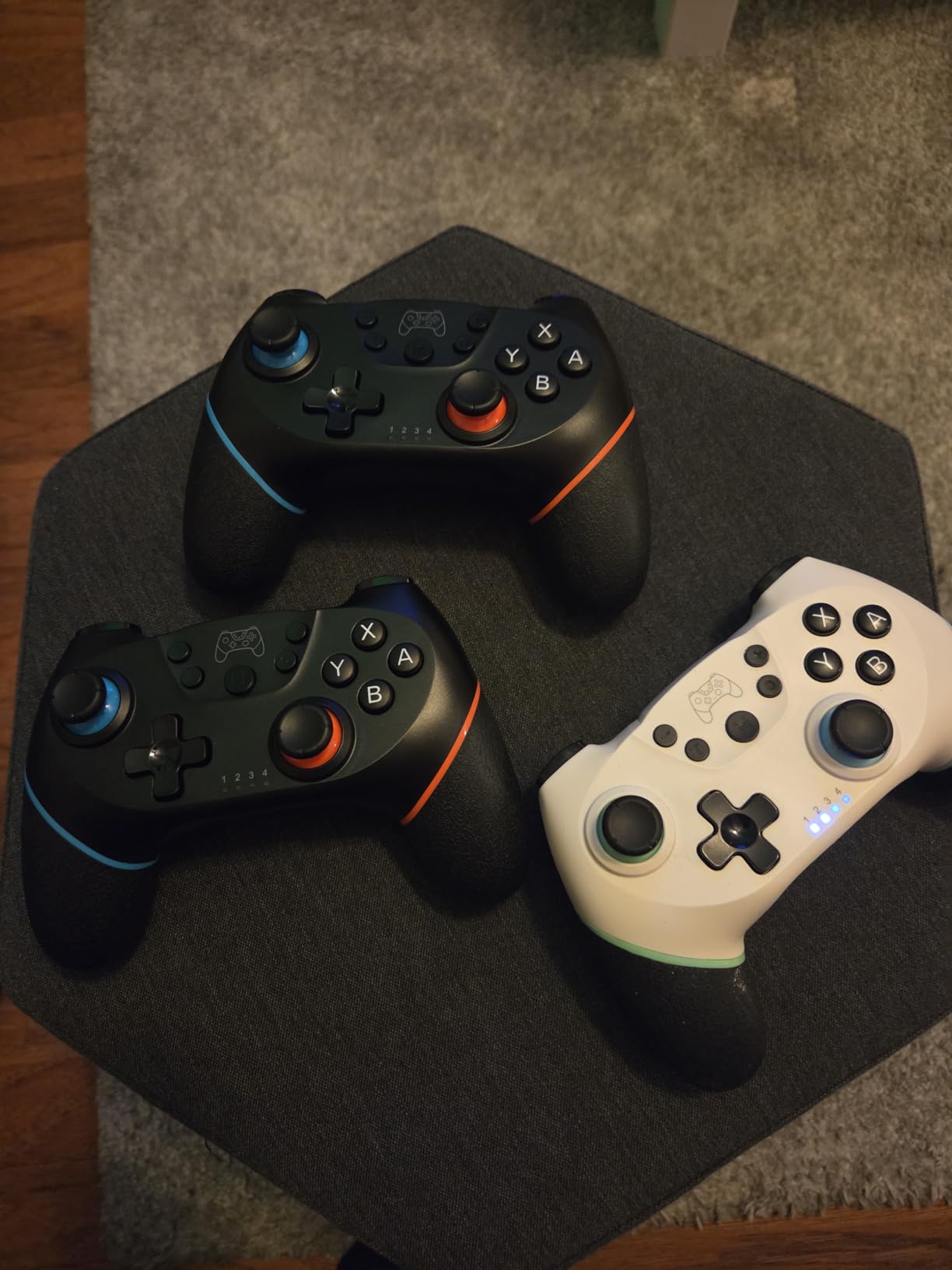
It works with Switch, Switch 2, Switch Lite, Switch OLED and Windows, with a USB cable for PC. Motor sensing and gyro functions are present, and turbo offers auto and manual modes at three speeds.
The shape grips better than most budget pads, and the 0.51 kg pair weight gives it more presence in the hand than the very light kits at this level.
Where a two-player budget set makes sense
Guest controllers, a child’s first pad, a party game rotation or a console you do not want to risk dropping are all sensible reasons to buy a low-cost two-pack. The durability reports from households using it with children are encouraging.
Eight to ten hours per charge is enough for a typical evening, and pairing is quick once you have read the instructions.
Where it falls short
The most-documented issue is a roughly two-minute inactivity disconnect. You will need to wake the pad after any coffee break, and for some players that is enough to rule it out as a primary controller.
Response also degrades beyond about eight feet, the build feels inexpensive, and the warranty runs to only three months. Awkward instructions translation makes first-time pairing harder than it should be.
10. MYSTILUCK Wireless Pro Controller – Hall Effect sticks at the lowest cost
MYSTILUCK Wireless Pro Controller for Switch/Switch 2/Lite/OLED/PC
Hall Effect sticks and triggers
Sub-0.1 ms claimed response
7 colour RGB with 4 modes
Pros
- Lowest cost in the group while still including Hall Effect sticks
- Hall Effect joysticks with adjustable-resistance triggers
- Claimed response under 0.1 ms with 256 pressure levels
- 7 colour RGB lighting with 4 modes
- One year warranty with replacement support
Cons
- The HOME button cannot wake the Switch 2
- No C button so GameChat voice is unavailable
- Least-reviewed product here so durability data is thin
This is the cheapest way into magnetic sticks, and that combination of Hall Effect joysticks and RGB lighting at the bottom of the price range is unusual. The owner story is simple: more features than expected for the money.
The triggers have adjustable resistance rather than a fixed travel, which is rare in this category and lets you tune them for a shooter or a platformer.
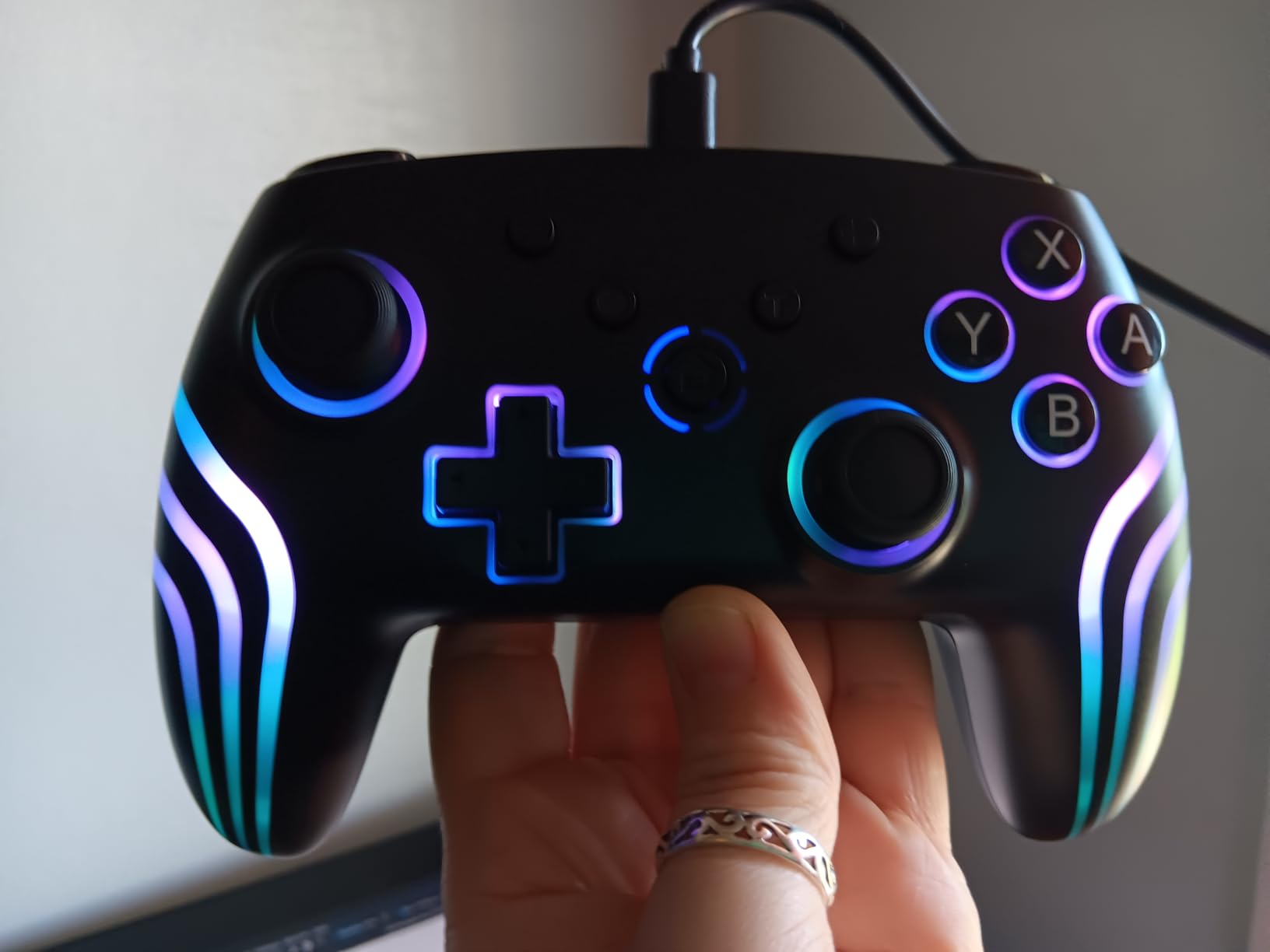
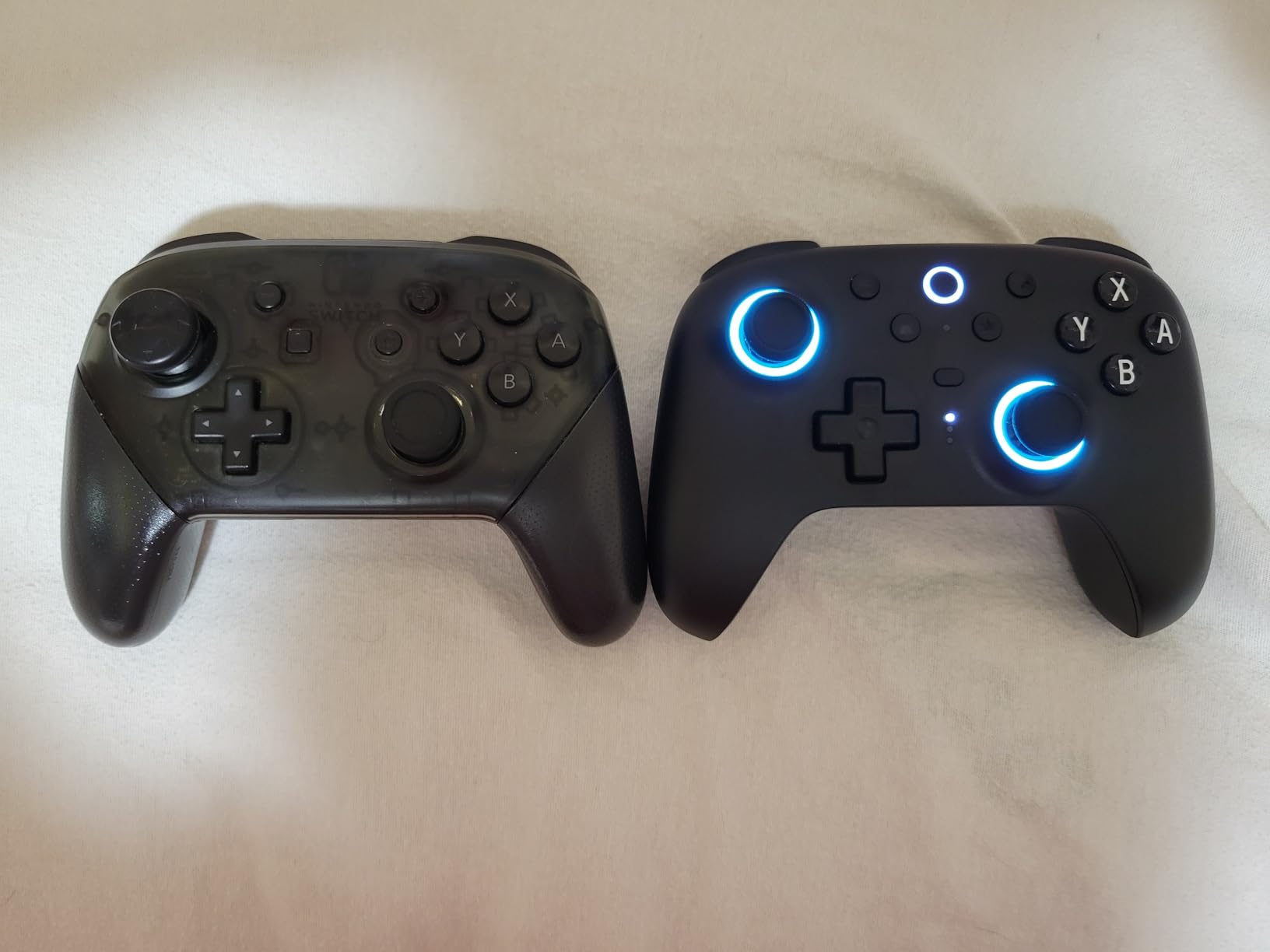
Standard play, rumble, gyro, screenshot and turbo all work as advertised, and the claimed sub-0.1 ms response with 256 pressure levels is aimed squarely at first-person shooters. At 225 g it is light but not flimsy in the hand.
Compatibility covers Switch, Switch 2, Switch Pro, Switch Lite, Switch OLED and PC, and the seven-colour RGB lighting has four modes.
Why the low price still works
A one year warranty with a stated replacement policy is a better safety net than most products at this price, and the magnetic sticks mean you are not buying the one component most likely to fail early.
For a first wireless controller, a second pad, or a competitive shooter where trigger feel matters more than brand, the value is hard to argue with.
Where it falls short
Switch 2 support has two gaps: the HOME button cannot wake the console, and there is no C button, so GameChat voice features are unavailable. Standard gameplay is unaffected.
It also has the smallest review pool in this roundup at 2,292, so long-term durability data is thinner than the numbers on the other picks. Vibration runs at three levels rather than four, which is a small step down for rumble purists.
11. 8BitDo Ultimate 2 Bluetooth Controller – the premium TMR pick
8Bitdo Ultimate 2 Bluetooth Controller for Switch 2, Switch & Windows,Black
TMR joysticks with RGB fire ring
Integrated charging dock
Linear or tactile trigger modes
Pros
- TMR joysticks stay precise with no drift over months of use
- Integrated charging dock with auto-reconnect on lift
- Switchable linear Hall Effect and tactile trigger modes
- Battery life of roughly 15-20 hours or longer without RGB
- Four programmable back buttons and three onboard profile slots
Cons
- Vertical handle shape can cramp the palm
- Thumbstick tension is not adjustable
- Switch 2 support needs a firmware update
8BitDo is described repeatedly by owners on r/NintendoSwitch, r/Switch and head-fi.org as built like a tank, and the Ultimate 2 is the flagship expression of that. It is also the only pick here with an integrated charging dock that the controller physically sits in.
Lifting the controller out of the dock reconnects it automatically, which removes the single most annoying part of third-party controller life. The 2.4GHz adapter stores inside the dock, so nothing is lost.
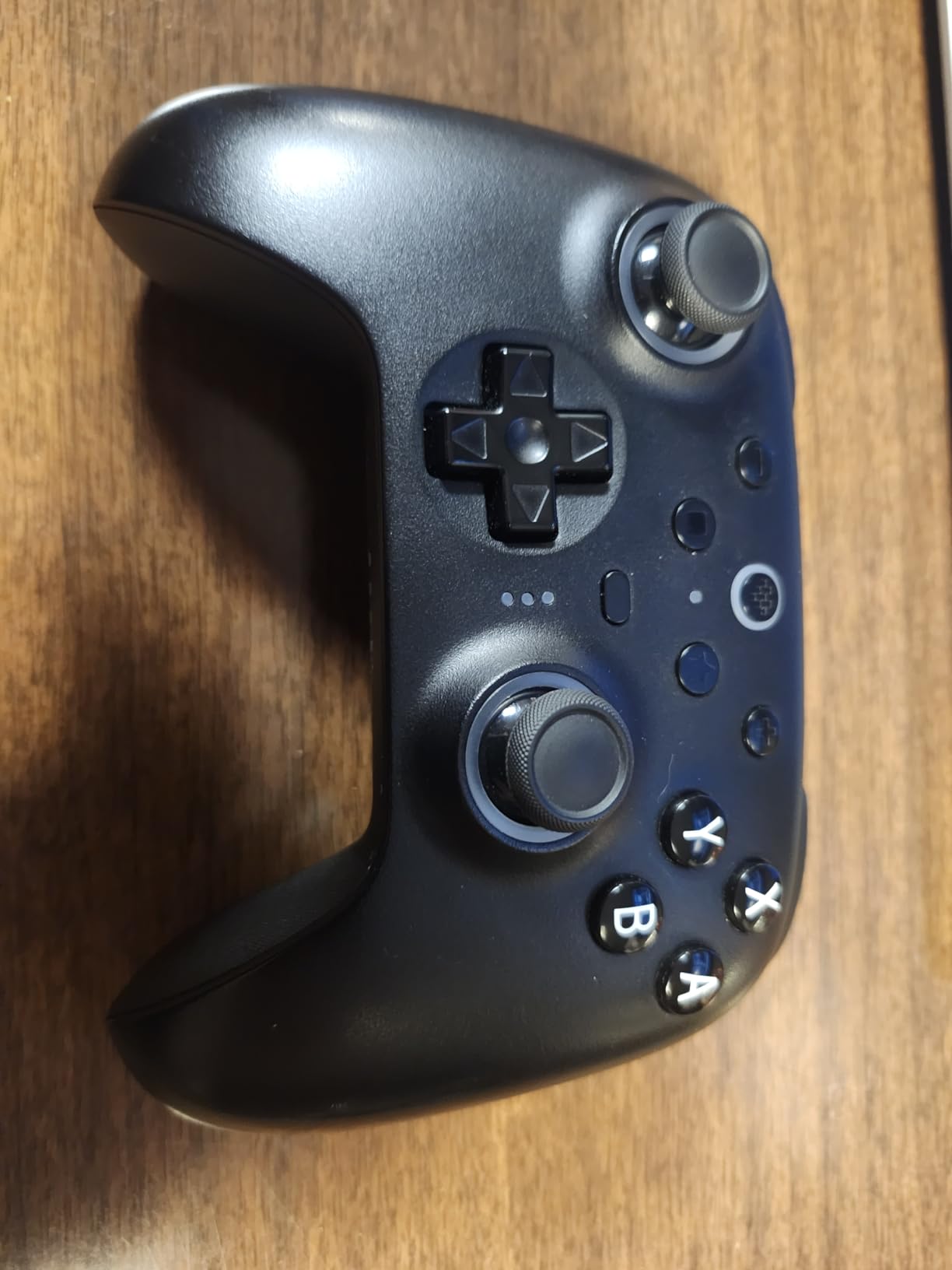
The TMR sticks use tunnel magnetoresistance sensing, a step beyond Hall Effect, and they pair with wear-resistant joystick rings and an RGB fire ring around the right stick.
A trigger mode switch on the top lets you choose linear Hall Effect triggers or non-linear tactile ones, so you can go from a light racing feel to a progressive pull in a shooter. Owners also like the low latency over the 2.4GHz connection.
Why the dock and trigger switch matter
A charging dock is a lifestyle answer to battery anxiety: the controller lives in the dock, so it is always at full charge when you pick it up. Three onboard profile slots also let you keep separate settings for different consoles.
Buyers largely treat this as an equal or better alternative to the official Nintendo Pro Controller at a lower outlay, with the dock, switchable triggers and low latency drawing repeated praise.
Where it falls short
The complaints are ergonomic, not electronic. The slim vertical handles can cramp the palm and thumb joint, especially for larger hands, and the sticks feel heavier than a top-tier pad with no way to adjust the tension.
The springy metal ring can cause overshoot on a quick release, switching between PC and Switch can trigger repeated disconnect and reconnect cycles, and wake-on-shake is unintuitive. Switch 2 use requires a firmware update on both the controller and the adapter.
12. 8BitDo Ultimate 2C Bluetooth Controller – the best value 8BitDo
8BitDo Ultimate 2C Bluetooth Controller for Switch/Switch 2, Blue
Hall Effect sticks with metal rings
Extra R4/L4 remappable bumpers
200 g
Pros
- Hall Effect joysticks with wear-resistant metal rings
- Recalibrated bumpers and D-pad with a clicky precise feel
- Extra R4/L4 bumpers remappable without opening software
- 6-axis motion control with rumble and turbo included
- Roughly half the price of the 8BitDo Ultimate 2
Cons
- Wake-on-shake is not supported on Switch 2
- Switch 2 compatibility requires a firmware update
- No charging dock or switchable triggers
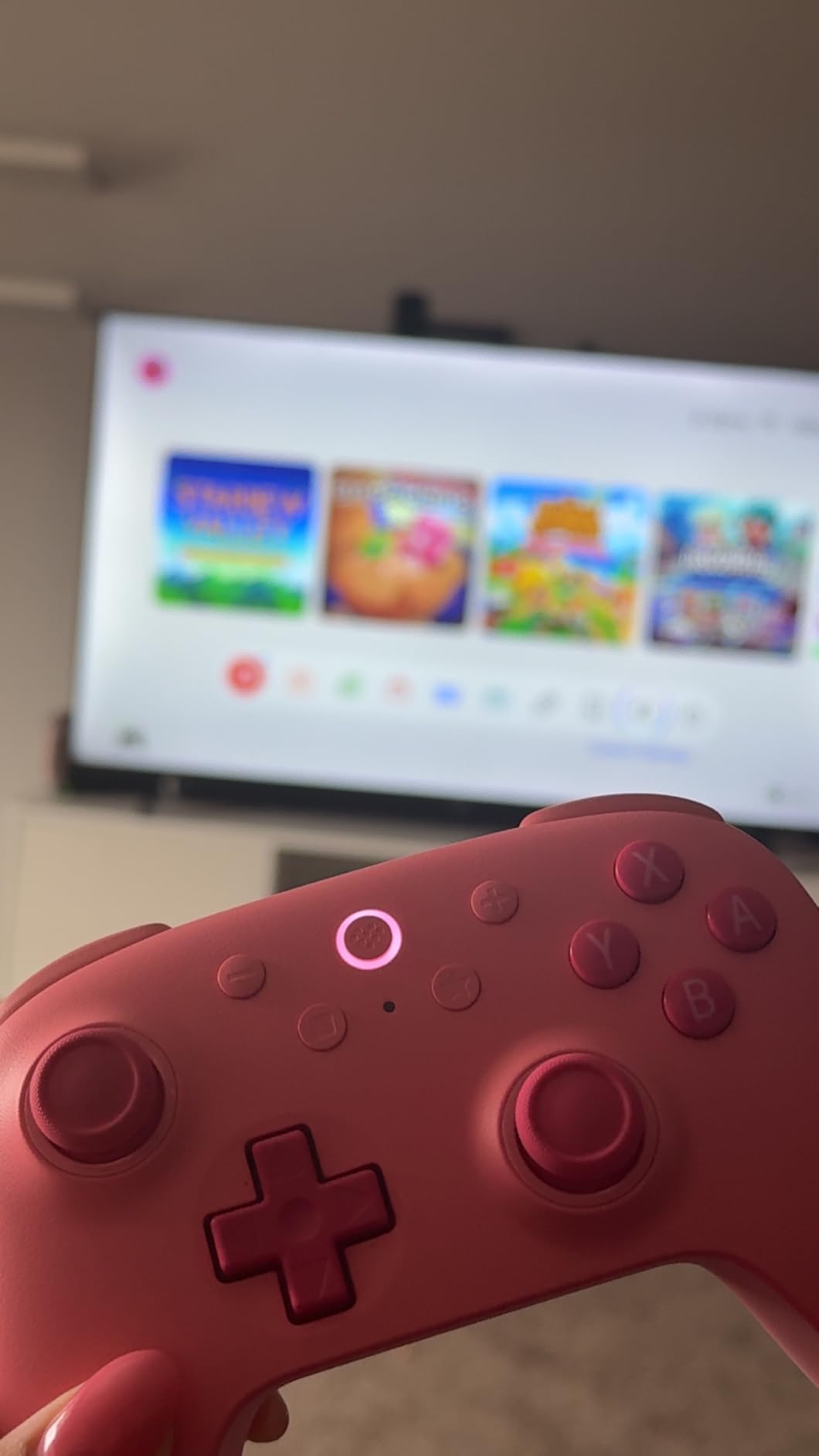
Users on the Nintendo Switch communities repeatedly name the 2C as the best budget controller and credit the Hall Effect joysticks as making a real difference in daily play. The R4 and L4 bumpers are the quiet innovation.
Those extra shoulder-level buttons remap at the hardware level, so you get paddle-style inputs without opening the companion software. For a controller at this price, that is unusual.
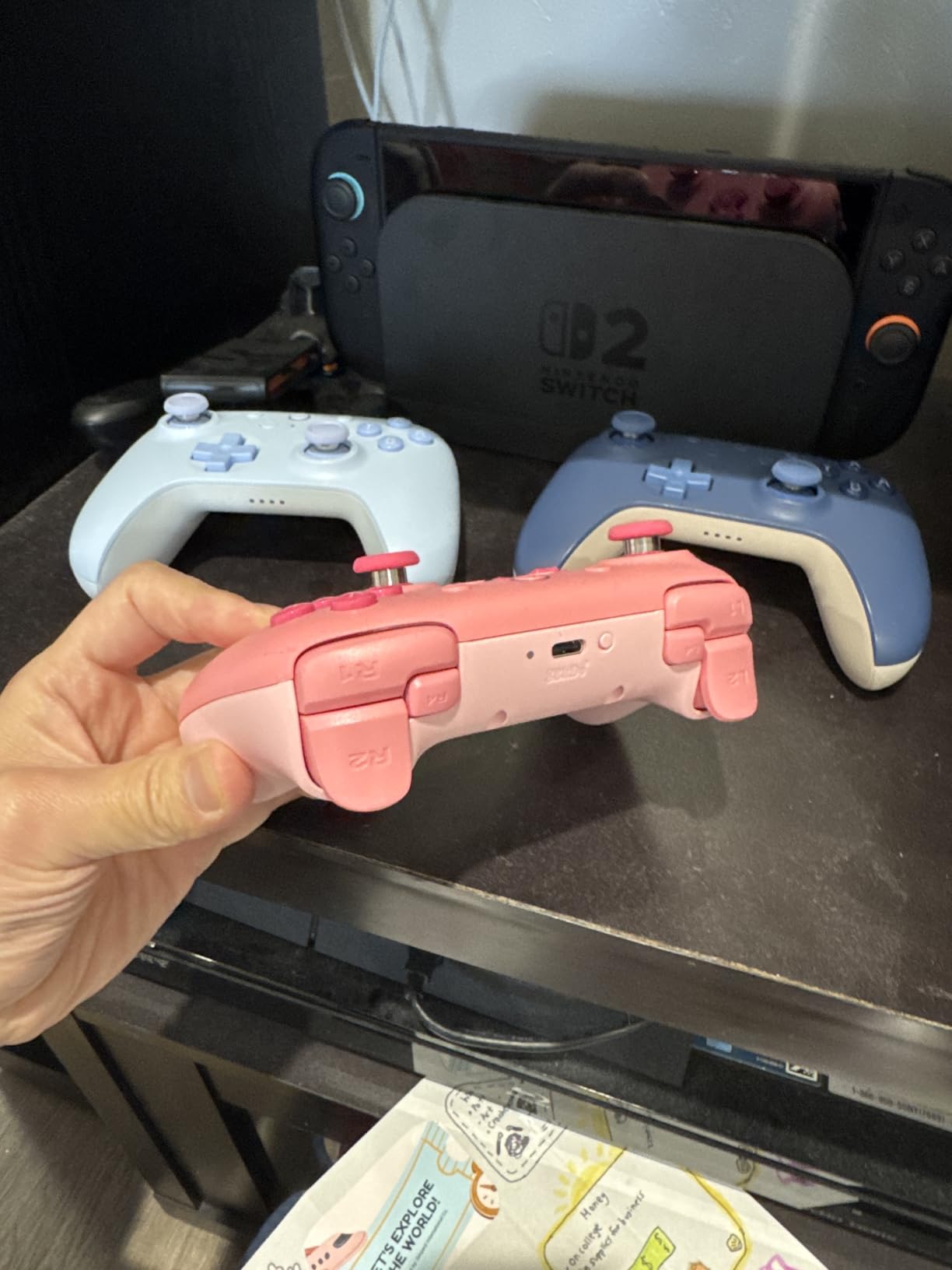
The bumpers and D-pad were recalibrated to feel clicky but smooth, which matters for retro titles where a mushy D-pad is the first thing you notice. It weighs 200 g, sitting neatly between the very light kits and a full-size pad.
Bluetooth covers both the original Switch and the Switch 2, and 6-axis motion control, rumble and turbo are all included.
Who the 2C suits
It suits anyone who wants the 8BitDo build quality and magnetic sticks without paying for a dock they would rarely use. The wear-resistant metal rings around the sticks are the same idea as the flagship, scaled down.
It is also a strong pick for a second controller or for a player who prefers the D-pad quality for platformers and retro games on Nintendo Switch Online.
Where it falls short
There is no charging dock and no switchable trigger modes, so you are charging over USB-C and living with one trigger feel. Wake-on-shake is not supported on Switch 2, and Switch 2 compatibility requires a firmware update.
It is simply less featured than the Ultimate 2, and if you can stretch for the flagship the dock and profile slots are worth the difference. At this price, though, the gap is small.
Joy-Con vs Pro Controller: Which One Should You Buy?
The Joy-Cons are the default, not the upgrade. They attach directly to the rails, they work in handheld mode without a pair, and they give you two players from one purchase. What they do not give you is a comfortable single grip, a proper D-pad on the right, or a battery that survives a long session.
The Pro Controller is the shape most people picture when they think of Switch gaming. It is a single connected gamepad with two analog sticks, shoulder triggers and HD rumble, and it is the safest default buy because everything works exactly as intended with no setup.
Here is the honest split. Buy the Joy-Cons if you play mostly handheld, you travel with the console regularly, or you need a second and third player cheaply. Buy a Pro Controller shape if you play docked on a TV, you play one game for more than an hour, or your hands are not small.
If drift is what prompted this search, replace the Joy-Con pair rather than buying a Pro Controller. The split rail design means one drifting stick forces you to replace the entire single Joy-Con, and the rails wear over time. Our picks numbered 3, 8, 10, 11 and 12 all use magnetic sticks, which is the reason they lead the list.
A note for anyone comparing controllers in a different sense: we have covered gaming pads here, and our guide to DJ controllers covers decks and CDJs if that is what you were looking for.
What Stick Drift Is and Why Hall Effect Sticks Fix It
Stick drift is a hardware wear problem, not a software bug. In most gamepads each analog stick is a potentiometer: a resistive strip of carbon track, and a small contact that slides across it to report position. Over years the contact scrapes the track, grime builds in the gap, and the reported resting position creeps away from centre.
Once the resting value moves, the character walks on its own. You fight it by re-zeroing the stick in the console’s calibration screen, and you keep fighting it until you open the controller and clean the mechanism, which is a repair many owners eventually do at least once.
Hall Effect sticks remove the contact entirely. A magnet rotates inside a magnetic field, and the controller reads the field strength to work out the angle, so there is nothing rubbing, nothing conductive and nothing for dust to bridge. TMR sticks, short for tunnel magnetoresistance, push the idea further by reading the angle directly through the sensor rather than inferring it from field strength.
Hall Effect or TMR picks in this roundup are: the 8BitDo Ultimate 2 with TMR sticks, the 8BitDo Ultimate 2C, the Diswoe, the AceGamer two-pack and the MYSTILUCK. The 8BitDo Ultimate 2 also switches its triggers between linear Hall Effect and tactile modes.
One honest caveat: no controller is drift-proof forever. Magnetic sensing changes the failure mode rather than deleting it, and a Hall Effect stick can still be dropped, crushed or suffer a worn pivot. What it removes is the specific carbon-track failure that ends most gamepads.
If you also enjoy a little research on how input devices behave, our piece on wireless light switches covers a different kind of switch entirely, but the testing discipline is the same one we applied here.
How to Choose a Wireless Controller for Switch
Start with stick type, because it is the only component that determines whether you replace this controller in three years. If drift is your main worry, Hall Effect or TMR sticks are the deciding feature. Everything else on this list is preference.
Second, look at real battery hours rather than battery capacity. The 600mAh packs in this roundup quote 8 to 15 hours, while the licensed options quote up to 30 to 40. A larger number without a matching runtime figure is marketing, not information.
Third, decide how much programmability you need. Fixed back buttons are enough for most action games. Remappable rear buttons, hardware-level bumpers and turbo functions matter if you play retro platformers, grind resources or shoot-em-ups where auto-fire saves your thumbs.
Fourth, check the details that cannot be added later. Motion control needs a real gyro. Amiibo support needs an NFC reader, and only one pick on this list has one, so amiibo players should read the compatibility section below before buying anything else.
Fifth, think about licensed versus unlicensed hardware. Licensed controllers from Nintendo, PowerA and PDP carry vendor support and a warranty. Unlicensed pads are far cheaper and often better specified for the money, but support depends entirely on the seller.
Signs a controller is a knock-off rather than a reputable budget model: no brand name or manufacturer address on the listing, no warranty period of any kind, stock photos used in place of real product photos, and specifications written entirely in capitals with no units. The five controllers in this roundup that come from an unbranded supplier are all sold with published specifications, declared battery capacities and at least a three-month warranty, which is a different thing entirely.
Sixth, and most underrated, is hand size. Standard pads here run 6.1 to 6.5 inches wide and suit adult hands. If your hands are small, a split-pad style design or one of the lighter 4.3 inch options will feel far better than a full-size shell, whatever the specification sheet says.
Finally, think about what else you own. If you use a PC or a handheld PC, Bluetooth and a wake-capable HOME button are worth more than RGB lighting. A pad that works on both consoles is a better investment than one that looks better on one.
One last practical note on setup, since a controller that will not connect is the most common complaint. Switch wireless controllers pair by holding the HOME button after moving the pairing switch away from the rail position, and the console then assigns a player number. If you are adding a second controller for co-op, anything listed in our smart switch versus smart bulb guide about deciding what to buy first applies here: a controller that pairs cleanly on the console you use most is worth more than extra features you never configure.
Switch, Switch Lite, Switch OLED and Switch 2 Compatibility
Compatibility is the most misunderstood part of this category, and the gaps are rarely advertised. All twelve controllers here are wireless and work with the original Switch, Switch Lite and Switch OLED, because those three share the same controller standard.
Switch 2 is the complication. Most third-party controllers from this roundup do run Switch 2 games, but several lose a function or two along the way, and two official 8BitDo models need a firmware update before Switch 2 support is complete.
Controllers here without a C button are the PowerA Enhanced, the MYSTILUCK, and that means GameChat voice and button-triggered capture do not work on Switch 2 even though normal play is fine. Controllers that cannot wake the Switch 2 from sleep include the PDP Afterglow, the ELISWEEN, the AceGamer, the MYSTILUCK and the 8BitDo Ultimate 2C, which all still have a HOME button function once the console is awake.
The two 8BitDo models handle Switch 2 properly, with the Ultimate 2 requiring a controller and adapter firmware update. Standard play, motion control and rumble work on either console. Remember that accessories and console features move separately, and the same lesson applies when comparing switch hardware generations in other categories.
If you own both a Switch and a Switch 2, the PDP Afterglow, the Diswoe, the PowerA, the AceGamer, the Lyyes and the 8BitDo pair are all cross-generation choices. The Switch Pro Controller works on the original Switch and Switch OLED family, but it does not carry the C button that Switch 2 features rely on.
Frequently Asked Questions
Which is better, Joy-Con or Pro controller?
For docked TV play and long sessions, a Pro Controller shape wins on comfort, stick layout and battery life. The Joy-Cons win for handheld-only play, travel and cheap second-player options, because they attach straight to the rails. If drift is the reason you are shopping, replace the Joy-Con pair with a Hall Effect controller rather than buying a Pro Controller.
Do non-Nintendo brand controllers work on Switch?
Yes. Any controller supporting the Switch HID profile over Bluetooth pairs and works in place of Joy-Cons or the Pro Controller, which is why 8BitDo, PowerA, PDP and the unlicensed brands in this guide all function normally. Check the details that vary: an NFC reader for Amiibo, a C button for Switch 2 voice features, and HOME-button wake-up on the newest console.
What is the best Nintendo Switch controller that doesn’t drift?
The best drift-resistant options use Hall Effect or TMR magnetic sticks, because magnetic sensing has no carbon track or moving contact to wear out. In this roundup the magnetic picks are the 8BitDo Ultimate 2 with TMR sticks, the 8BitDo Ultimate 2C, the Diswoe, the AceGamer two-pack and the MYSTILUCK. Licensing is a separate question from stick technology, and worth weighing on its own.
Which controller never gets stick drift?
None, honestly. Magnetic Hall Effect and TMR sticks change the failure mode rather than removing it, and a stick can still be damaged by drops or a worn pivot. What magnetic sensing removes is the specific potentiometer wear that ends most gamepads. Expect that difference to show up over years rather than months, which is a genuine improvement even though it is not immunity.
What do ZL and ZR stand for?
Nintendo has never printed a formal definition. The common reading is Z-axis Left and Z-axis Right, describing the two rear shoulder triggers that sit alongside the L and R buttons. They matter because many Nintendo games use them as secondary actions, and third-party controllers vary widely in whether their triggers are fully proportional, which is a feature worth checking before you buy.
Are knock-off Switch controllers good?
It depends on what you are buying. Unbranded controllers vary from genuinely good value to disposable, and the tells are predictable: no brand or manufacturer address, no stated warranty, catalogue photography, and specifications written with no units. The unbranded picks in this guide all publish real battery capacities, weights and warranty periods, which is why they are here at all. Licensed options cost more and add vendor support.
Final Verdict: Which Wireless Controller Should You Buy?
Our best wireless controllers for Switch shortlist in 2026 starts with the Nintendo Switch Pro Controller, and the reason is scale rather than features. At 4.7 stars across 74,256 reviews with first-party motion sensing and HD rumble, it is the lowest-risk purchase you can make.
If drift is the reason you are here, buy a magnetic stick pad instead: the 8BitDo Ultimate 2 for the premium experience with a charging dock and TMR sticks, or the 8BitDo Ultimate 2C for the same core idea at a much lower outlay. The Diswoe, AceGamer and MYSTILUCK all bring Hall Effect sticks to lower tiers.
For the lowest-risk non-first-party route, the officially licensed PDP Afterglow gives you Switch 2 support, programmable back buttons and a 40 hour battery in one package. If you play co-op, the AceGamer two-pack covers two players with magnetic sticks in one box.
Check the current listing with the buttons above, and buy the one that matches how you actually play rather than the one with the longest spec sheet.