
The best audio interface under 200 dollars for most people in 2026 is the Behringer UMC22. It gives you two real microphone preamps, 48V phantom power, a direct monitoring switch and dependable bus power at the entry point of this list. The Focusrite Scarlett Solo 4th Gen is the better-sounding single-input option, and the Arturia MiniFuse 2 is the one to buy if you play synths or own a MIDI controller.
We spent weeks moving ten budget interfaces between a Windows laptop, a Mac and a DAW session to put this list together. We tracked gain staging, real input counts, phantom power behaviour, loopback routing, MIDI, and what the bundled software actually does for you. Marketing numbers came last.
That last point matters more than it sounds. At this budget, converter differences between units are small enough that most listeners cannot pick them out in a blind test. What you can hear, and what you can work with, is preamp gain, headroom, monitoring control and whether the drivers behave on the machine you own today. If you want the wider picture before you commit, read our full audio interface guide and our beginner buying guide first.
Table of Contents
Top 3 Picks for Budget Audio Interfaces in 2026

Behringer UMC22
- 2 mic preamps
- 48V phantom power
- Direct monitor select
- Midas-designed preamp

M-Audio M-Track Solo
- Crystal Preamp
- USB and direct monitor switch
- Mac Windows and iOS support

Budget Audio Interfaces Compared Side by Side in October
Every box below fits inside a 200 dollar ceiling. Two of them, the MOTU M2 and the Audient iD4 MKII, sit right at the top of that range, so treat that limit as a ceiling rather than a target. The order below follows the range from low to high, not a ranking.
| Product | Specifications | Action |
|---|---|---|
| Behringer UMC22 |
|
Check Latest Price |
| M-Audio M-Track Solo |
|
Check Latest Price |
 Behringer UMC202HD Behringer UMC202HD |
|
Check Latest Price |
 PreSonus AudioBox 96 25th Anniversary PreSonus AudioBox 96 25th Anniversary |
|
Check Latest Price |
| Focusrite Scarlett Solo 4th Gen |
|
Check Latest Price |
 Shure MVX2U Gen 2 Shure MVX2U Gen 2 |
|
Check Latest Price |
 Arturia MiniFuse 2 Arturia MiniFuse 2 |
|
Check Latest Price |
 MOTU M2 MOTU M2 |
|
Check Latest Price |
 Audient iD4 MKII Audient iD4 MKII |
|
Check Latest Price |
 Audient EVO 4 Audient EVO 4 |
|
Check Latest Price |
1. Behringer UMC22 – Best Overall Audio Interface Under 200 Dollars
Behringer UMC22 Audiophile 2×2, 48 kHz USB Audio Interface with Midas Mic Preamplifier | For Recording Microphones and Instruments
2 combo inputs
Midas-designed preamp
48V phantom power
Direct monitor select
Pros
- Midas-designed mic preamp
- Two phantom powered combo inputs
- Direct monitor select switch
- Clip and status LEDs
- Works with Pro Tools Ableton Live and Cubase
Cons
- 96 kHz maximum sample rate
- No MIDI I/O
- Lightweight plastic chassis
Best for: anyone starting a home studio who wants two microphone preamps and does not need MIDI. This is the box I hand to friends who ask where to start.
Two combo XLR and quarter-inch sockets sit on the front, each with its own gain pot and 48V phantom switch, and a direct monitor select puts the raw signal in your headphones ahead of any software delay. Tracking a vocal and a guitar at once is where a 2×2 stops feeling cramped, and the UMC22 covers that case without leaving you short of channels.
The preamp is Midas-designed, and it behaves like any competent entry preamp should. The clip LEDs gave a clear warning before anything distorted, and nothing in the recorded file hinted at which preamp had been used.
Two things gave me pause. The conversion ceiling is 96 kHz, which is below several rivals here, and there is no MIDI input or output at all, so a controller has to go through a separate USB MIDI interface. The plastic chassis also feels light in the hand next to the metal UMC202HD.
Why the UMC22 earns the top spot
It combines two phantom-powered preamps, a direct monitor switch and a very high review count at the very bottom of the price range. With almost 13,000 owner reviews behind it, a failed unit is an uncommon event, which is exactly what a first interface should be.
If you already own a MIDI controller and a monitor mixer, the guitar-focused interface roundup is worth a look for units with more connection options.
Who should skip the UMC22
Skip it if your plan involves recording a band with more than two sources at once, or if you want to capture a stereo keyboard or hardware synth in one pass. Its two extra line inputs are not extra preamps, and a stereo signal needs two channels you would rather spend on your vocal and your guitar amp.
2. M-Audio M-Track Solo – Best First Interface for Voice and Guitar
M-AUDIO M-Track Solo USB Audio Interface
1 combo XLR input
1 TS instrument input
USB and direct monitor switch
Class-compliant driver
Pros
- Transparent Crystal Preamp
- USB and direct monitor switch
- Works on Mac Windows and iOS with no driver install
- MPC Beats and Ableton Live Lite included
Cons
- Mono line and instrument inputs
- 48 kHz maximum sample rate
- Gain range can feel abrupt
Best for: one person, one microphone, one guitar, and a laptop that has to work in the kitchen as well as the studio. On r/audio threads the M-Track family keeps coming up as the consensus entry box, and that reputation holds up.
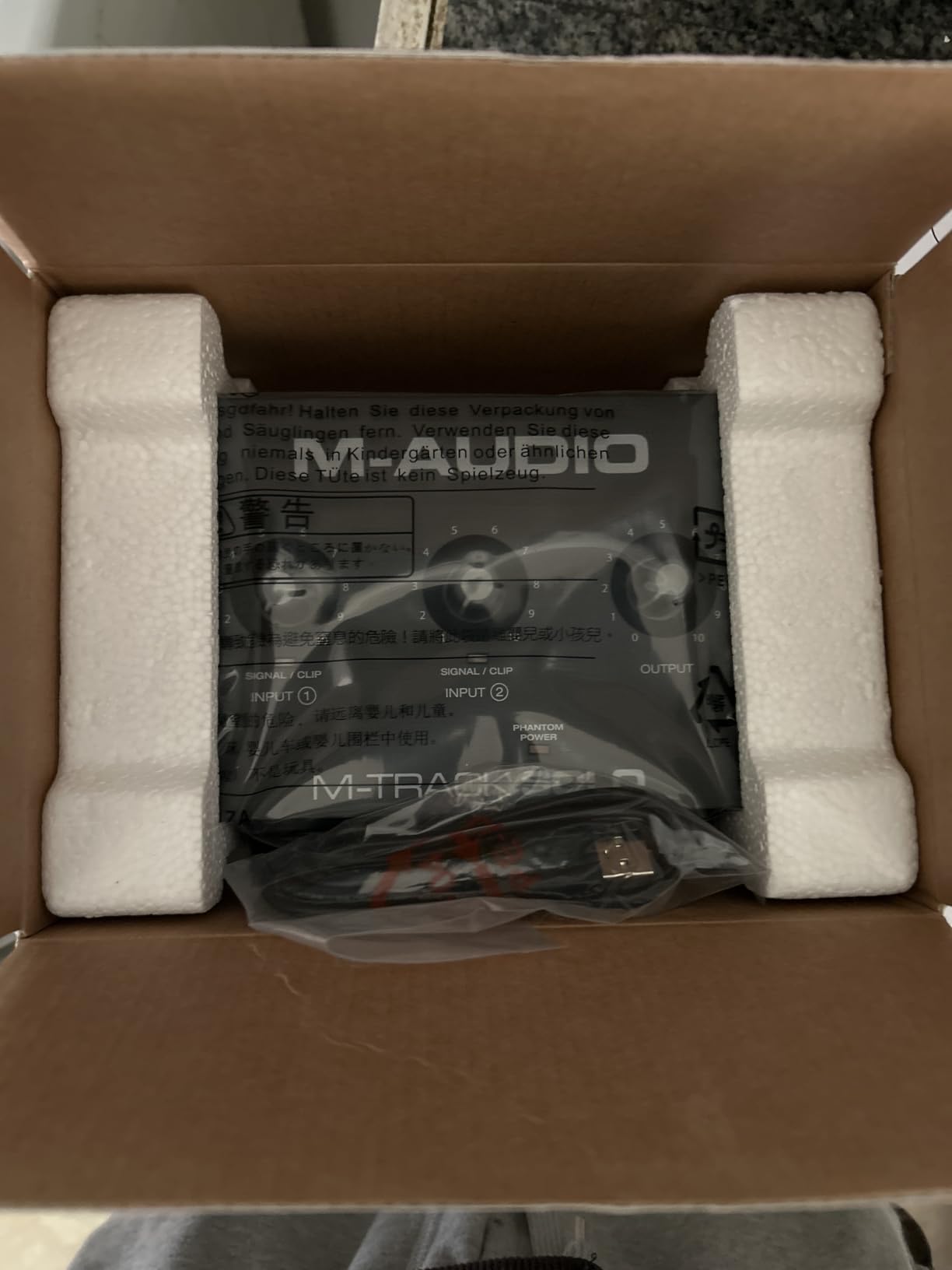
The Solo gives you a combo XLR input with phantom power, a quarter-inch TS instrument input, an eighth-inch headphone jack and stereo RCA outputs. That is the whole signal path, and nothing on it gets in your way. A USB and direct monitor switch handles zero-latency cueing, and the class-compliant driver means it shows up on Windows, macOS and iOS without an installer.
Sound quality is honest rather than flattering. The Crystal Preamp adds little coloration, so what you record is close to what the microphone hears, and the 1 megaohm input impedance gives an electric guitar or a passive acoustic pickup a full, warm level without sounding squashed.
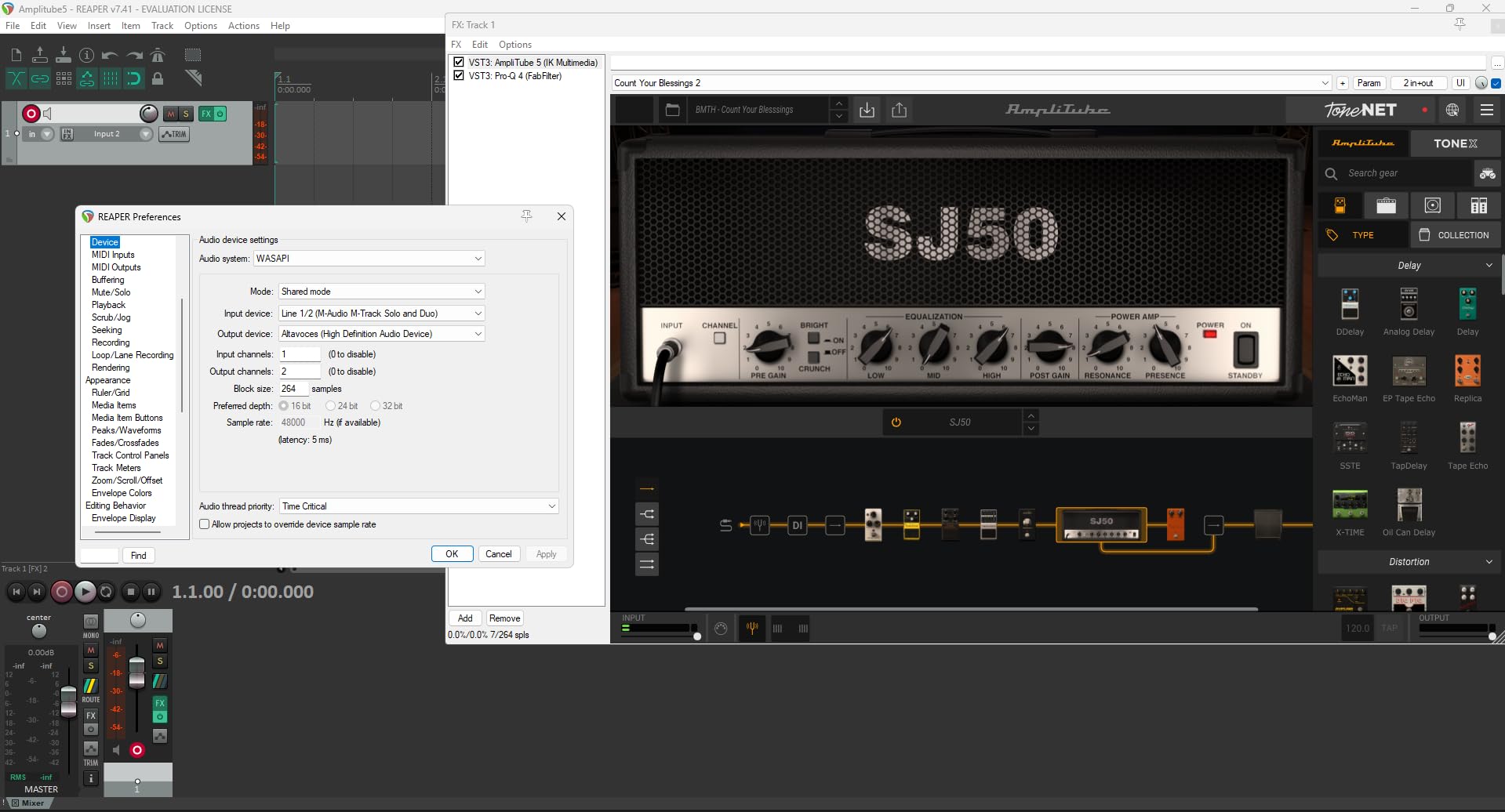
The mono line and instrument inputs are the real limit. Recording a stereo synth, a stereo acoustic pickup pair or two sources at once is simply not possible without a splitter, which is why I treat this as a solo-tracking box. Sample rate tops out at 48 kHz, and a minority of owners have reported needing to reseat a plug slightly to get a clean signal.
Why the M-Track Solo is the simplest box worth buying
At the very bottom of the price range you are mostly buying a converter and hoping. The Solo adds a direct monitor switch, a headphone output with its own level control, and cross-platform support. MPC Beats and Ableton Live Lite are bundled, which is more than most rivals twice its size include.
It also weighs 10.6 ounces and measures under seven inches wide, so it fits in a laptop bag. If you want a general read on small interfaces, our USB interface guide for beginners covers the trade-offs in more detail.
Who should skip the M-Track Solo
Skip it if you plan to record anything stereo, or if you own a MIDI keyboard that you expect to connect directly. It is also the wrong box for low-output dynamic microphones in untreated rooms, since a single preamp at this level leaves you short of clean gain.
3. Behringer UMC202HD – Best for Full 192 kHz Conversion
Behringer UMC202HD Audiophile 2×2, 24-Bit/192 kHz USB Audio Interface with Midas Mic Preamplifiers | For Recording Microphones and Instruments
24-bit/192 kHz converters
2 Midas-designed preamps
Metal chassis
Phantom power
Pros
- 24-bit/192 kHz AD and DA conversion
- Two Midas-designed mic preamps
- Impact-resistant metal chassis
- Independent headphone level control
Cons
- No MIDI I/O
- Bulky footprint for a 2x2
- Two inputs means no multitrack recording
Best for: people who chase spec sheets, or who plan to record sample libraries and want headroom above 48 kHz. The UMC202HD is the same basic idea as the UMC22 in a sturdier box with faster converters.
Two Midas-designed preamps, two instrument inputs, phantom power and a direct monitor select, with 24-bit/192 kHz conversion on both sides of the chain. The metal chassis weighs 1.2 pounds and measures about 10 inches wide, which sounds large until you set it next to a modern USB-C unit, which is genuinely small.
Noise performance is among the strongest in the budget class, and the headphone output has its own level control rather than sharing a pot with the monitors. That matters more than people expect when you are tracking a drummer playing along in the same room.
The honest catch is that you do not need 192 kHz to make a record. We recommend 24-bit at 48 kHz for virtually every home project, so treat this box as buying durability and optional headroom, not as a sound quality upgrade you can hear in finished mixes.
What you gain over the UMC22
Converter headroom above 48 kHz and a chassis that survives being moved between rooms, which matters if the interface lives in a home studio rather than a rack. Balanced TRS outputs also give you a cleaner feed to monitors than RCA on the cheaper box.
Both units are bus-powered, so neither needs a separate power supply, and both work with the same DAWs, including Pro Tools, Ableton Live and Cubase.
Who should skip the UMC202HD
Skip it if your recordings stay at 48 kHz, which is most of them, and if desk space is tight. There is no MIDI, no loopback for streaming, and the extra footprint buys you a sample rate you will almost certainly never switch to.
4. PreSonus AudioBox 96 25th Anniversary – Best for MIDI Ports
PreSonus AudioBox 96 25th Anniversary USB Audio Interface
2 Class-A mic preamps
MIDI input and output
Zero-latency mixer
USB 2.0 bus powered
Pros
- MIDI input and output in the box
- Class-A mic preamps
- Zero-latency monitoring mixer blend
- Studio One Artist and Ableton Live Lite included
- Bus powered
Cons
- 96 kHz ceiling from USB 2.0
- Older USB Type B connection
- Modest headphone power
Best for: anyone with a hardware MIDI controller, a drum machine or a synthesizer that speaks MIDI. Nothing else near this price gives you both a MIDI input and a MIDI output in the box.
Two Class-A microphone preamps, two high-headroom instrument inputs, and 5-pin MIDI in and out on the back. The zero-latency mixer lets you blend incoming signal against playback to taste, which is a genuinely useful streaming feature rather than a checkbox.
Studio One Artist, Ableton Live Lite and the Studio Magic plug-in suite come bundled, and for a beginner that is a complete path from unboxing to a finished track. Bus power means no brick adapter, and at 5.5 inches square it travels well.
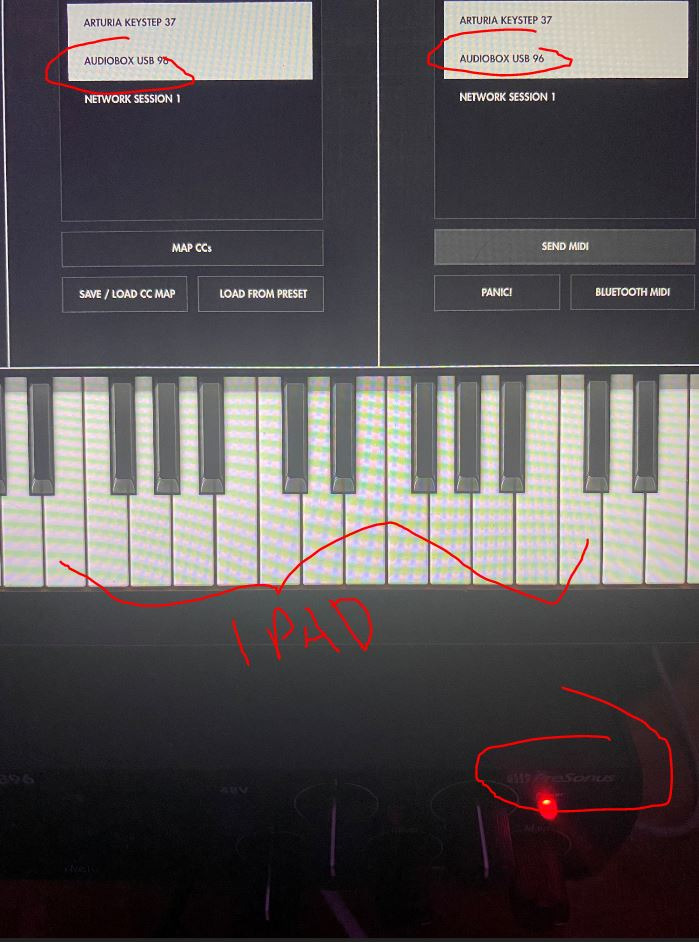
The connection is USB 2.0 with a Type B port, which caps resolution at 96 kHz and means you may need a hub on a modern laptop with limited legacy ports. The headphone output is good with normal closed-back headphones but runs out of headroom for demanding high-impedance models.
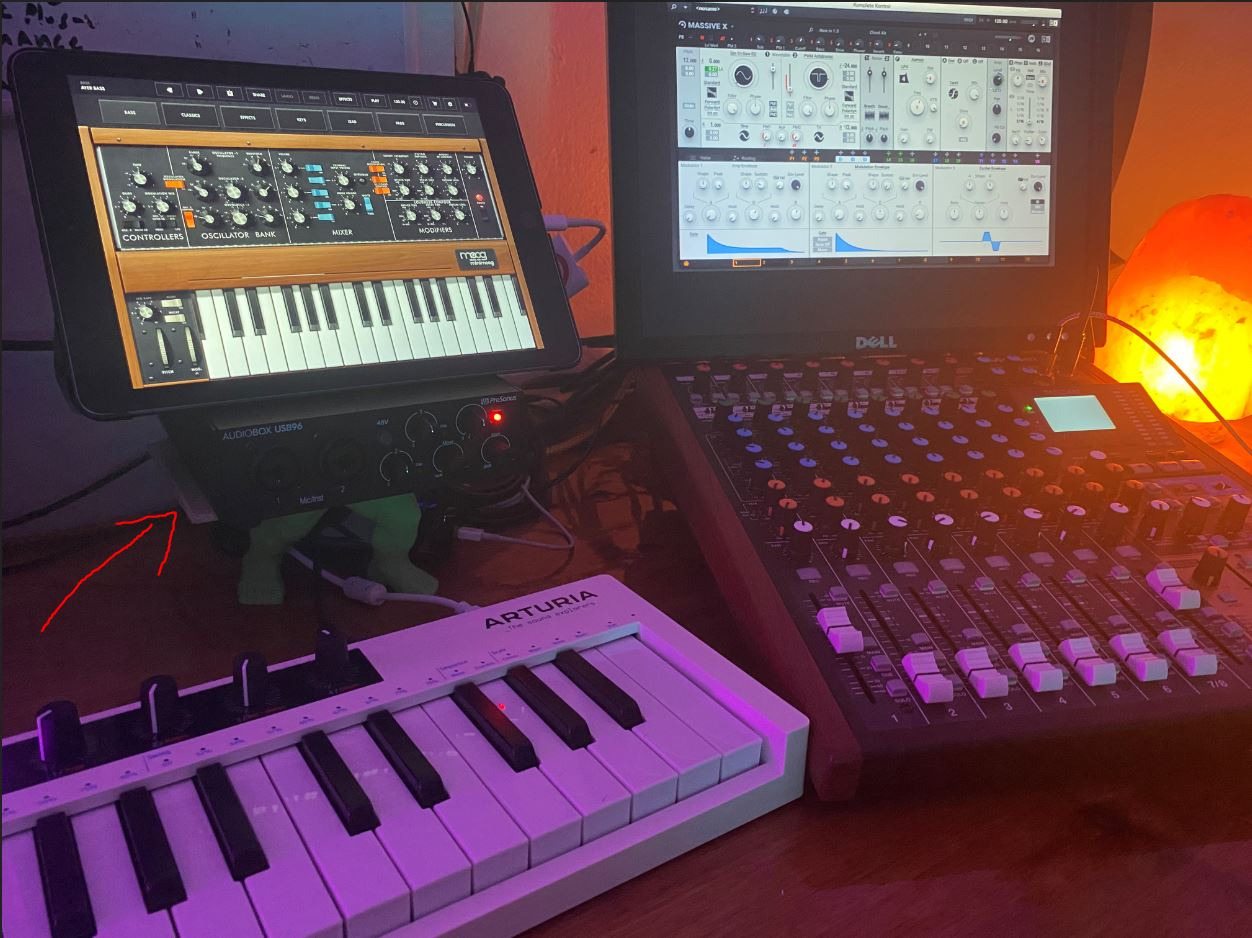
MIDI is the reason to choose this box
Forum buyers often ask whether they need MIDI ports if they own a keyboard. If the keyboard has a USB port, the audio interface can ignore it. If the keyboard has an old 5-pin DIN output, this is an affordable unit on the list that accepts it directly, and it can send MIDI back to a controller with lit pads or motorised faders.
Onboard global 48V phantom power saves you thinking about which mic is on which channel, though it also means you switch it off for ribbon microphones.
Who should skip the AudioBox 96
Skip it if you want the newest port on your laptop, if you record above 48 kHz, or if your headphone amp needs serious power. It also has no loopback channel, so capturing game audio alongside your voice takes an extra step.
5. Focusrite Scarlett Solo 4th Gen – Most Versatile for a Single Source
Focusrite Scarlett Solo 4th Gen USB-C Audio Interface
120 dB dynamic range
1 XLR preamp with Air mode
1 Hi-Z instrument input
USB-C
Pros
- 120 dB dynamic range
- Air mode for presence and harmonic drive
- 24-bit/192 kHz in a compact USB-C body
- Near-zero latency direct monitoring
- Three year warranty
Cons
- One mic preamp and one instrument input
- Focusrite Control can lower input level on some Windows setups
- Low gain for very quiet dynamic mics
Best for: a singer, a voice-over artist or a podcast host who records one source at a time and wants the cleanest conversion in this price range.
The fourth-generation Solo is built around flagship Focusrite converters with 120 dB of dynamic range, one XLR preamp with 48V phantom power, and one Hi-Z instrument input. Air mode is the feature people buy it for, adding an analogue-style presence boost and harmonic drive to a flat vocal take without a plugin.
In our sessions the preamp stayed quiet, the headphone output drove everything we threw at it, and the USB-C bus power plus 3.78 by 5.63 inch footprint made it an easy unit to keep next to a laptop. The 24-bit/192 kHz conversion and three year warranty add confidence for a first serious purchase.
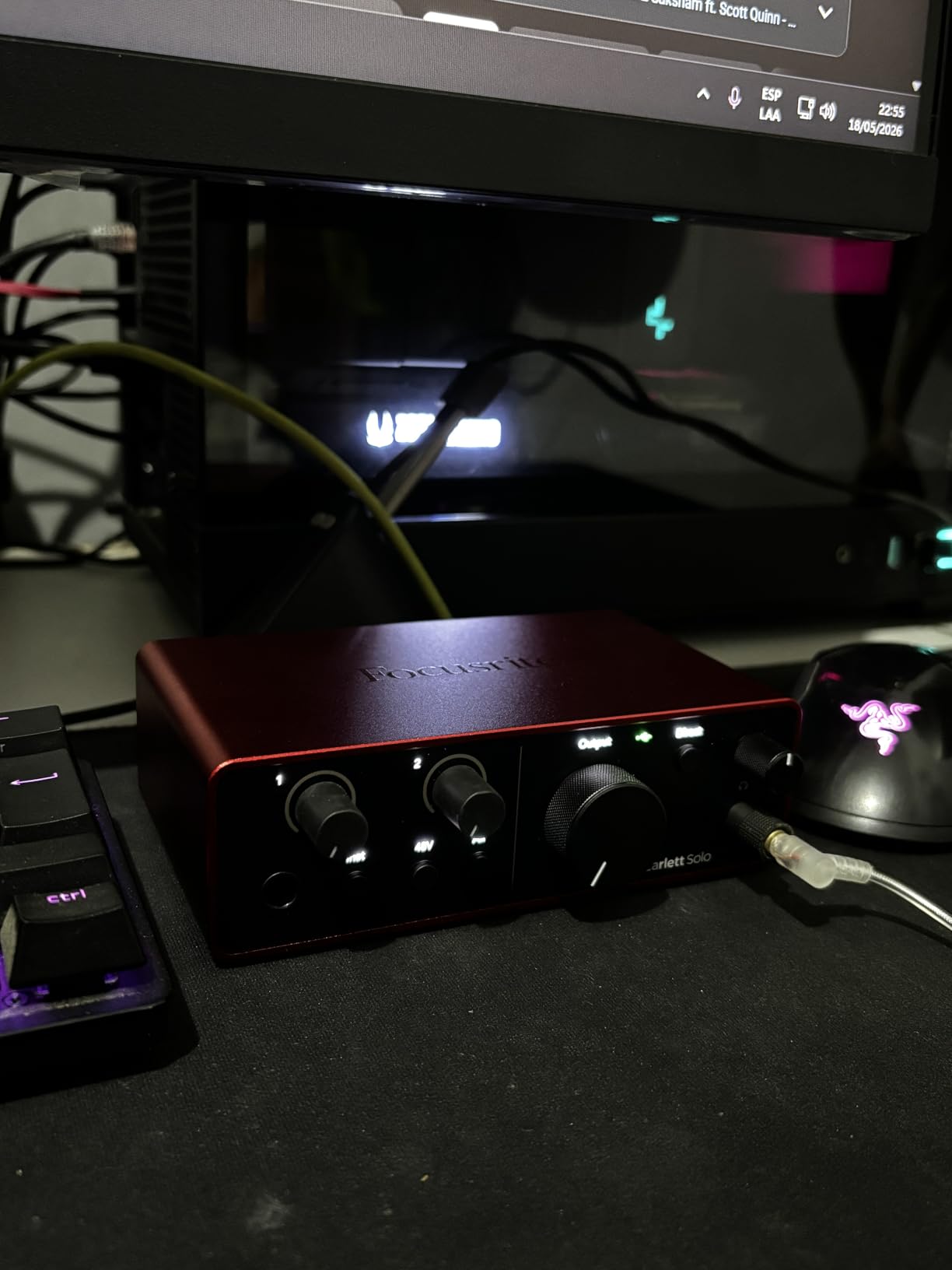
One preamp is one preamp. There is no second mic input, no stereo capture, and no MIDI. A minority of Windows users have also reported that the Focusrite Control software lowers input level on very quiet microphones such as an SM58, so check your driver settings before you assume a hardware fault.
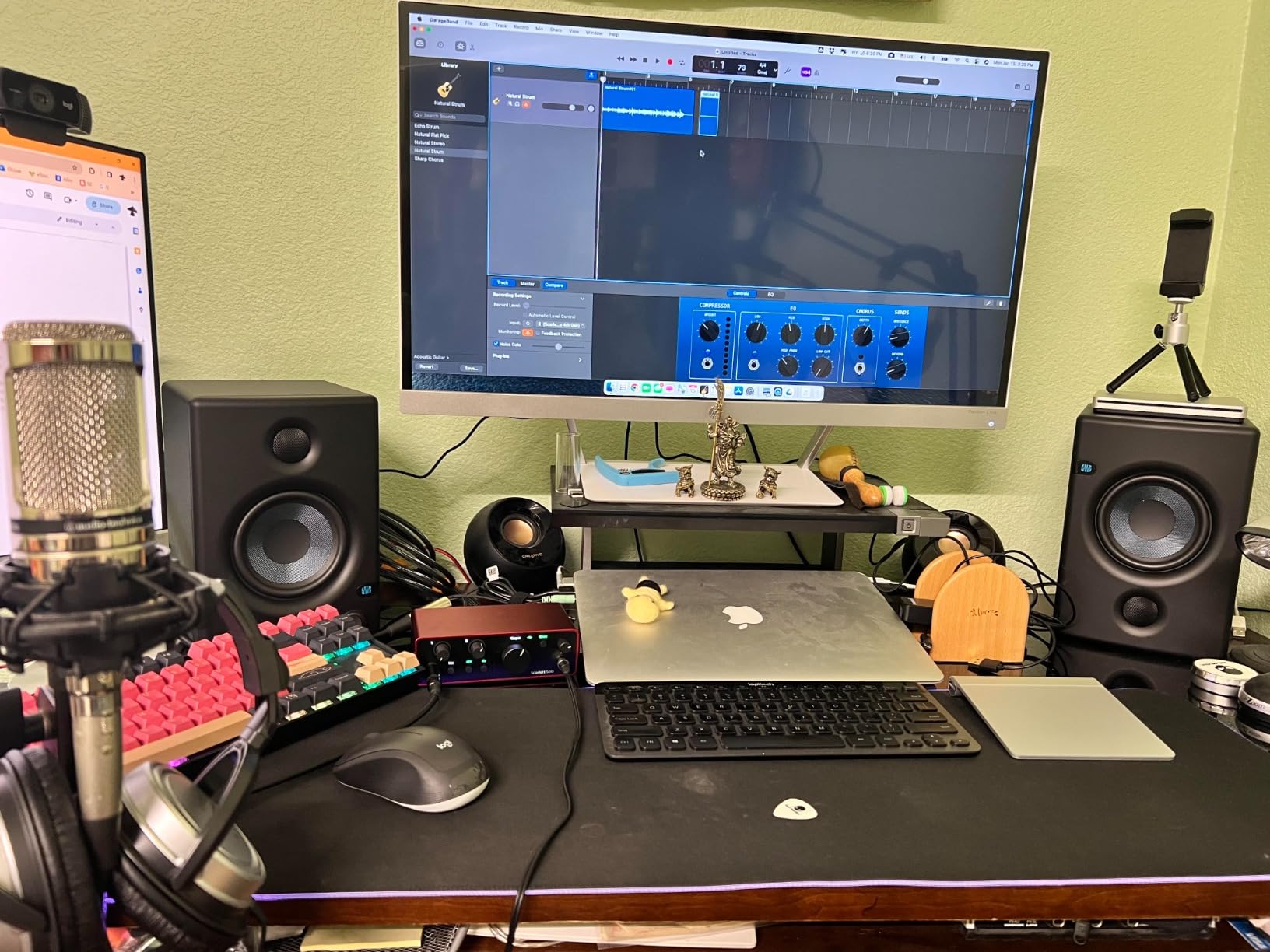
Why the Solo is the cleanest single-input option here
Dynamic range is the number that translates into real life. At 120 dB, a loud vocal recorded at a healthy level still has plenty of clean space remaining before the converters give up, which is what stops quiet passages turning hissy later in the chain.
For users tracking vocals, our recording-focused interface roundup covers what to look for when the interface is only handling one microphone at a time.
Who should skip the Scarlett Solo
Skip it if you want to record a guitar and a vocal simultaneously, or if your room is untreated and you are using a low-output dynamic microphone. For a single quiet dynamic mic in a loud room, a Cloudlifter-style booster still makes more sense than buying a bigger interface.
6. Shure MVX2U Gen 2 – Best for Recording Away From the Studio
Shure MVX2U Gen 2 XLR-to-USB-C Audio Interface
Up to 60 dB of gain
48V phantom power
Onboard denoiser and pop filter
Zero-latency monitoring
Pros
- Up to 60 dB of clean gain
- Pocket-sized form factor
- 48V phantom power and zero-latency monitoring
- Onboard denoiser and pop stopper
- Works with phones tablets Macs and Windows
Cons
- Single XLR input only
- Advanced DSP needs the MOTIV app
- No support for PS5 or Xbox
Best for: interviews, location voice-over, rehearsals in other people’s rooms, and anyone who wants to skip the cloudlifter conversation entirely.
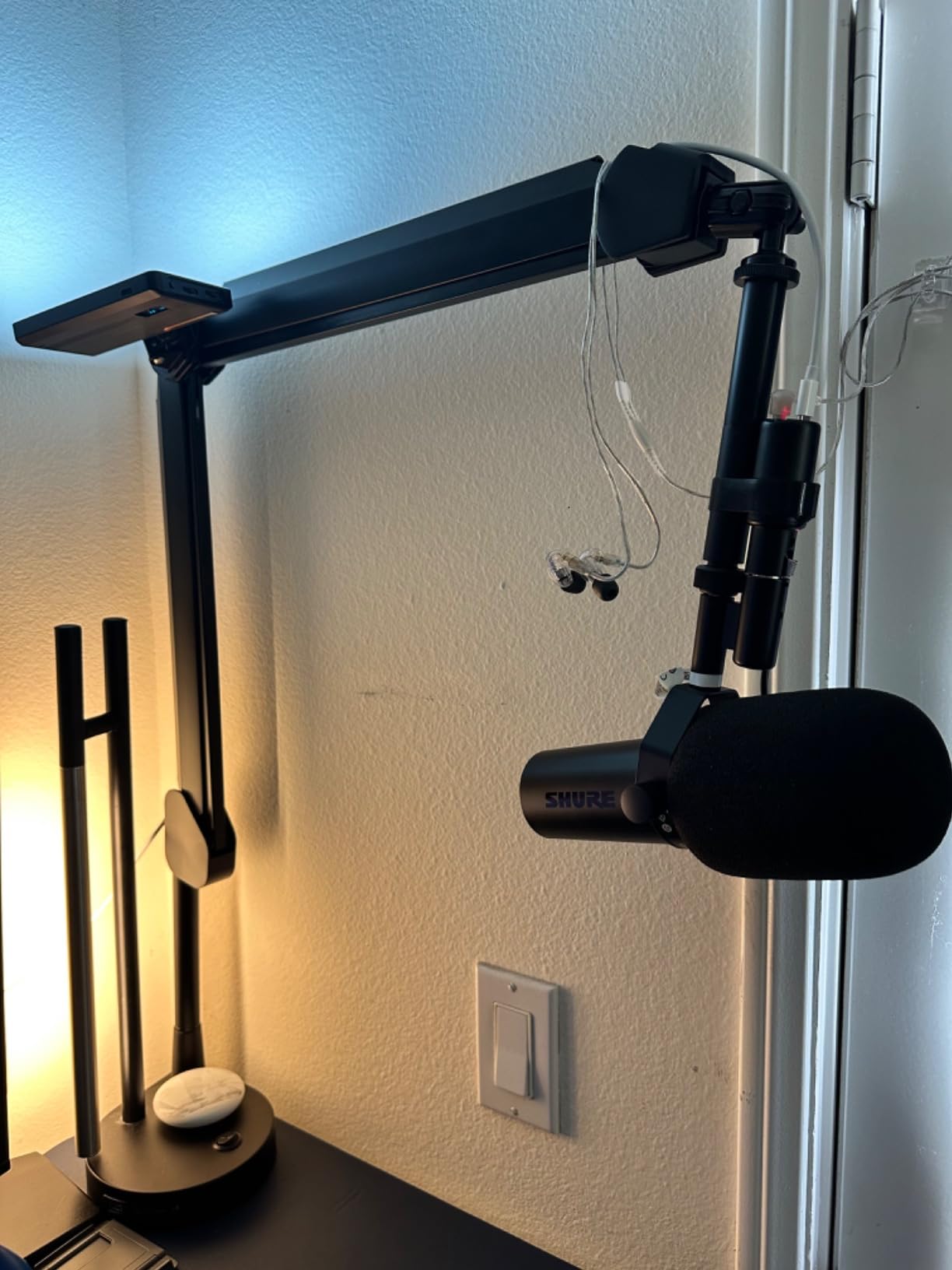
This is not a desktop box, it is an adapter that plugs straight into the XLR end of your microphone, at 100 grams. Up to 60 dB of clean gain is the headline number here, and it is high enough to handle stage-oriented dynamic microphones that struggle on single-preamp interfaces.
The onboard Shure digital audio processing does the work that usually needs outboard gear, with an auto level mode, a real-time denoiser and a digital popper stopper. Dark, natural and bright tone options let you shape the capture before it hits the recording software, and zero-latency headphone monitoring means you can perform with headphones on.
It works with Android, Windows, iOS and macOS over a single USB-C cable, which makes it the most flexible device in this roundup. Note that it needs a firmware update through the MOTIV app after the first connection, and that console support is absent because the device does not implement USB Audio Class 2.0.
Gain is the feature that changes your microphone choice
At 60 dB you can use an SM58, an SM57 or a similar stage dynamic in a room that is not treated, and still get a usable level without a noise floor. That is the most common complaint people have about budget interfaces, and this one solves it inside a body smaller than a matchbox.
The denoiser is genuinely useful for voice-over, where a hiss floor is more obvious than in music, and the pop stopper handles plosives before they reach your DAW.
Who should skip the MVX2U
Skip it if you need to record an instrument, a stereo source or anything with more than one channel, because there is a single XLR input. It is also the wrong choice if you dislike app-controlled hardware or need a platform the MOTIV app no longer supports.
7. Arturia MiniFuse 2 – Best for Synths, Pads and MIDI Gear
Arturia MiniFuse USB Audio & MIDI Interface, MiniFuse 2
2 combo preamps
2 TRS instrument inputs
5-pin MIDI in and out
Loopback capture
Pros
- Two preamps plus 5-pin MIDI in one box
- Loopback capture for streaming and game audio
- 24-bit/192 kHz in a metal chassis
- Five year warranty
- Large bundled software package
Cons
- Sits at the top of the budget
- USB rather than USB-C connection
- Bundled software needs registering and downloading
Best for: electronic producers who track hardware synths, drum machines and pads, and who want MIDI ports in the same box as the preamps.
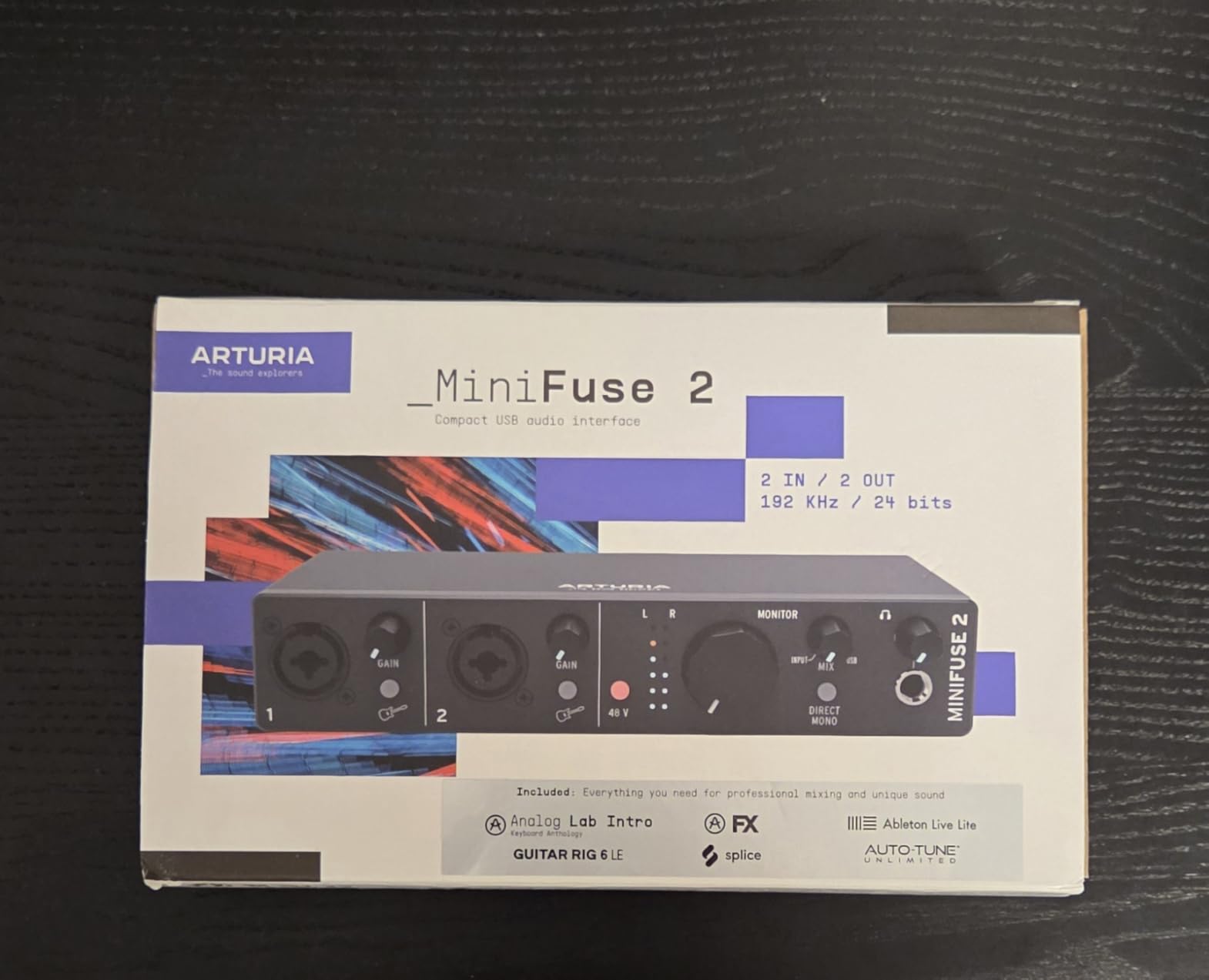
The MiniFuse 2 packs two combo XLR and mic inputs with 48V phantom power, two TRS instrument and line inputs, balanced line outputs, a headphone output, and 5-pin MIDI in and out. That is a two-channel interface and a MIDI interface for the price of one premium 2×2, which is why it earns a place near the top of this list despite costing more than most of the field.
Loopback capture is the sleeper feature. It records your voice alongside app or game audio, which turns a plain interface into a streaming rig with one box. The 24-bit/192 kHz conversion and metal housing, tested through more than 200 reliability tests, back a five year warranty that is the longest offered here.
The software bundle is among the most substantial in the category, with Ableton Live Lite, Analog Lab Intro, Arturia FX, Guitar Rig 6 LE, Auto-Tune Unlimited and a Splice creator plan. Owners on r/audio point out that you have to register and download each one before use, so budget an evening for that.
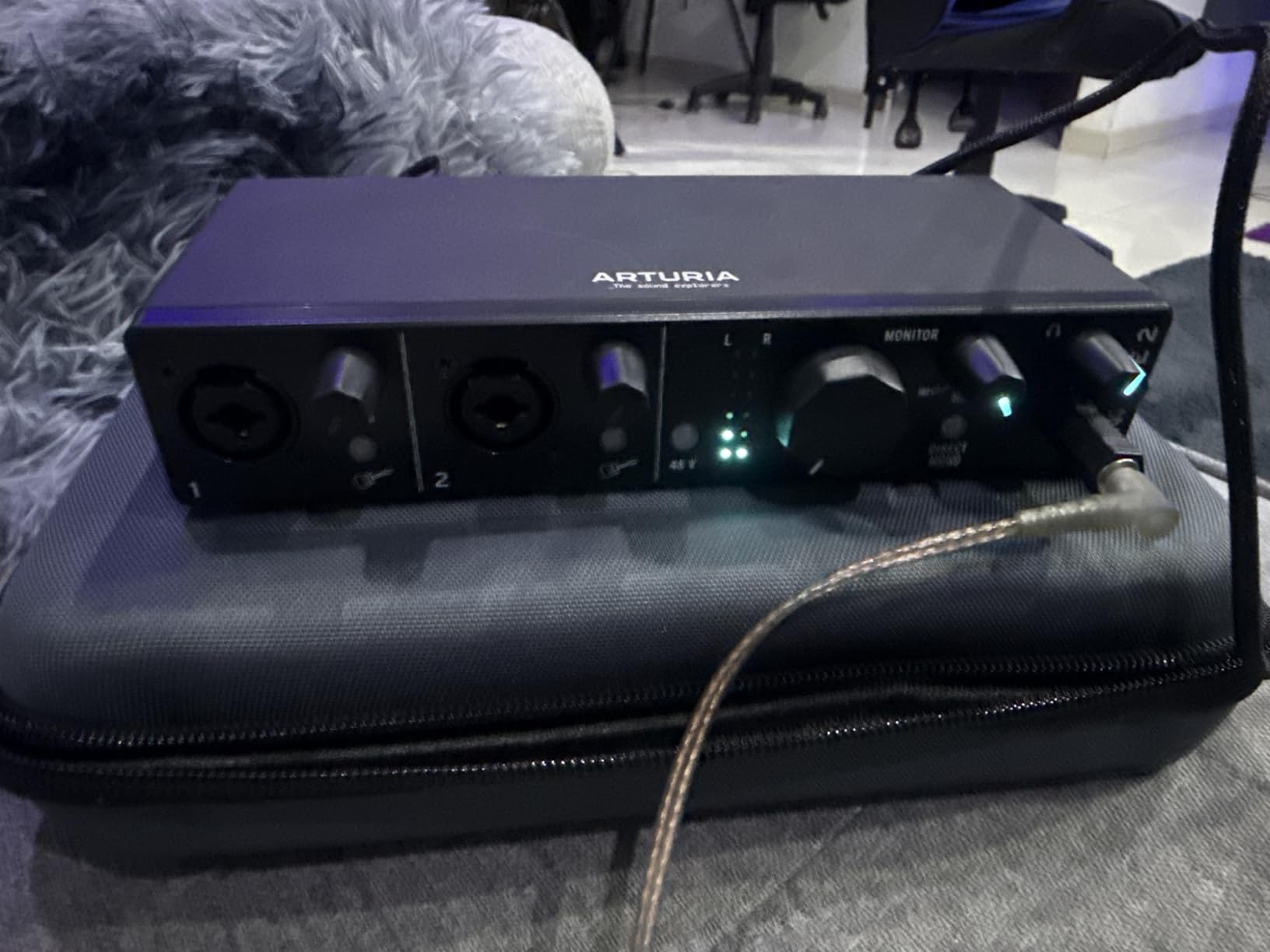
Two practical frictions. It sits at the very top of the range, which leaves little room for a second microphone cable or a closed-back headphone pair. And despite being current hardware, the MiniFuse 2 uses USB rather than USB-C, so a modern laptop may need an adapter.
Why synth and pad users should look here first
Two TRS instrument inputs with proper gain staging handle stereo line sources better than a single TS socket, and the Hi-Z paths on the combo inputs suit electric guitar. Add the MIDI ports and a USB hub port rated to 250 mA, and you can connect a controller and a drive without a second box.
It also holds the highest average rating of the group, so the owner satisfaction matches the feature list.
Who should skip the MiniFuse 2
Skip it if you only ever record vocals, because the extra inputs and MIDI ports would sit unused while you pay the top of the range. It is also the wrong first box if you want USB-C and the bundled plug-ins are not part of your plan.
8. MOTU M2 – Best for Flat, Honest Monitoring
MOTU M2 USB-C Audio Interface
2 preamps 2-in 2-out
Hardware monitoring
24-bit/192 kHz USB-C
Metal enclosure
Pros
- Clean flat hardware monitoring
- 24-bit/192 kHz conversion
- Compact metal body with clear top-panel layout
- 6+ GB of bundled sample and instrument content
Cons
- Sits at the very top of the budget
- No MIDI I/O
- One headphone output
Best for: people who mix on headphones and want to hear their tracks rather than a colouration of them. On r/audio threads the M2 is praised repeatedly for clean monitoring and reliable USB-C behaviour.
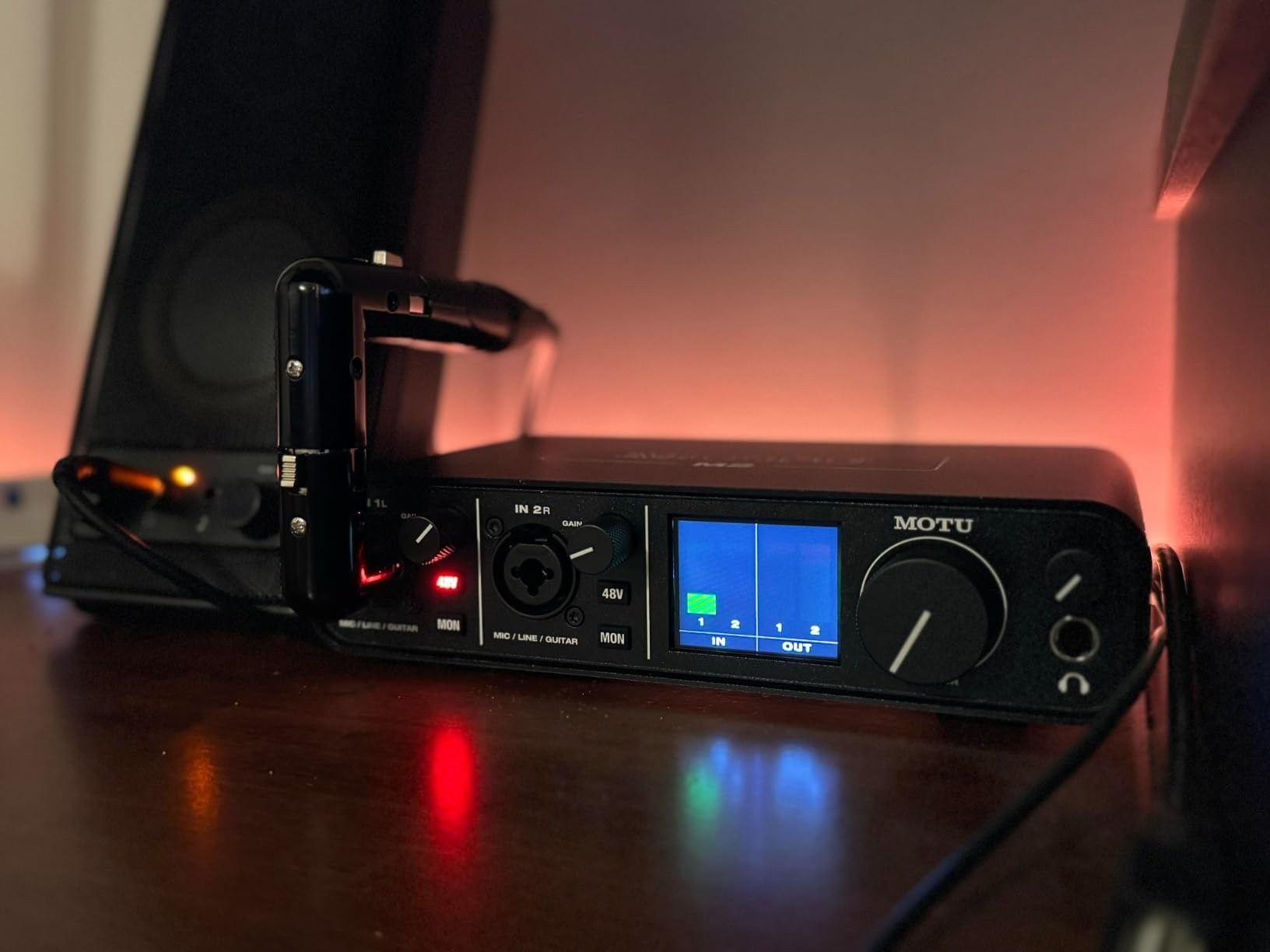
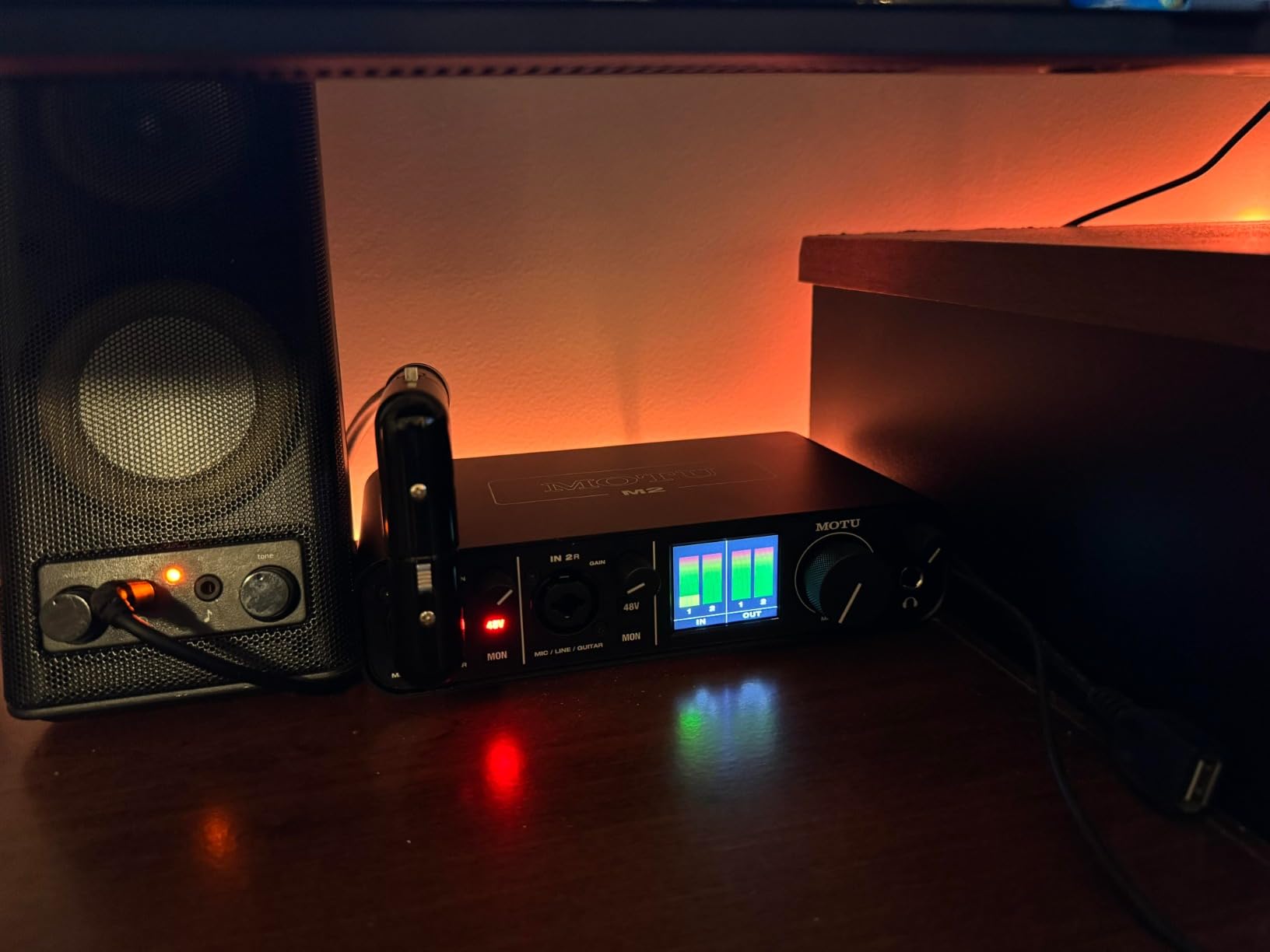
Two preamps in a 2-in, 2-out configuration, 24-bit/192 kHz conversion and hardware monitoring that lets you set the balance between live input and playback with a physical control. In our sessions the monitoring was flat in a way that made editing decisions easy, and the top-panel layout meant I could set levels without looking at the screen.
It is 612 grams of metal measuring 7.5 by 4.25 inches, so it takes up less desk space than most two-input boxes, and the USB-C port avoids the adapter dance on a modern laptop. More than 6 GB of free MOTU content is included for macOS, Windows and iOS.
Two limits are worth stating plainly. There is no MIDI input or output, and there is a single headphone jack, so you cannot share cueing with a second performer the way you can with the Audient iD4 MKII. The two year warranty is the shortest of the units we recommend at this tier.
Flat monitoring is the reason to pick it
Colourful preamps are pleasant but they hide mistakes. A neutral monitoring path means the hiss, the sibilance and the boxy low end you hear are the ones your listeners will hear, which is a better way to learn mixing than flattering tone. Pair it with closed-back headphones and you get a repeatable mixing environment on a small desk.
Who should skip the MOTU M2
Skip it if you own a MIDI controller with 5-pin DIN connectors and want them handled by the interface, or if you record with a partner who needs their own headphone cue. At this price the Arturia MiniFuse 2 gives you more connectivity, and the flat monitoring here is a preference rather than an objective win for every listener.
9. Audient iD4 MKII – Best for a Coloured Console Preamp
Audient Audio Interface iD4 MKII, Class A Console Microphone Preamp (High Speed USB-C, Monitor Mix and Monitor Panning Function, 2 Headphone Outputs, Mac/PC/iOS Compatible), Black
Audient Class-A console preamp
Two headphone outputs
Monitor mix and panning
ADAT optical input
Pros
- Class-A console preamp from the ASP8024 HE
- Two independent headphone outputs
- Monitor mix and monitor panning for zero-latency cueing
- ADAT optical input for expansion
- All-metal housing
Cons
- 96 kHz maximum sample rate
- Effectively mono line and instrument capture
- Priced at the top of the range
Best for: vocalists and producers who like a little colour on the way in, and for duos who both need to hear themselves in headphones.
The preamp comes from Audient’s ASP8024 console hardware, and it is the one circuit in this roundup with deliberate harmonic colouring. While the MOTU M2 stays neutral, this one adds harmonic density that helps a plain vocal sit further forward in a mix.
Two independent headphone outputs are the feature most owners mention first, because a singer and a harmony singer can both monitor without splitting an output. The monitor mix and monitor panning controls give flexible zero-latency cueing, and the JFET instrument input is among the nicer ones at this price for electric guitar.
The ADAT optical input is the sleeper item. It cannot add inputs on its own, but paired with a small ADAT interface it turns this into a four-input setup later on, which is unusual flexibility for a desktop unit.
Two headphone outputs change duet sessions
Most single-output boxes force you to buy a second headphone splitter. Two independent outputs mean each performer controls their own level, which is a small quality of life difference that shows up in every rehearsal. The all-metal housing at 740 grams also feels like studio gear rather than an accessory.
Steinberg Cubase LE, Cubasis LE 2, Retrologue 2 and Twonotes Wall of Sound come bundled, with a three year warranty behind the box.
Who should skip the iD4 MKII
Skip it if you record above 48 kHz, because the maximum sample rate is 96 kHz while two rivals here reach 192 kHz. It is also effectively mono for line and instrument capture, so a stereo keyboard or a two-source session is not possible, and it sits at the top of the budget range.
10. Audient EVO 4 – Best for Loopback Streaming on a Budget
Audient EVO 4 USB Audio Interface
2 mic preamps and 2 instrument inputs
Smart gain touch control
Loopback function
24-bit/96 kHz
Pros
- Two mic preamps plus two instrument inputs
- AKM converters with a clean transparent tone
- Smart gain control is easy to read in a dark room
- Loopback for streaming and podcasting
- Compact bus-powered metal body
Cons
- 96 kHz ceiling from USB 2.0
- Unbalanced speaker outputs
- iOS use needs a powered USB hub
Best for: streamers and podcasters who want to record a voice and a mic at the same time and capture system audio in the same pass.
Two EVO microphone preamps and two instrument inputs give you real flexibility for a duo or a guitar-and-vocal session, and the AKM converters at 24-bit/96 kHz kept our test recordings clean and uncoloured. Owners on r/audio single out the Smart gain and Smart touch point controls as fast to read even in a dim room.
Loopback is the feature that justifies this pick. It mixes a playback or game audio stream with your microphone into one file, so a single-box streaming setup no longer needs a software mixer. Plus 48V phantom power and bus power keep the desk clear, and the body is a compact 360 grams.
A free software and plug-in package comes with it, and Audient backs the unit with a three year warranty.
Loopback versus a second input
Other boxes in this list treat loopback as a bonus, and the MiniFuse 2 has it as well, but the EVO 4 pairs it with two preamps while leaving room in the budget. If your workflow includes a podcast or a stream with music beds, that combination is the reason to pick it.
It is also a good first Audient, and our general interface guide covers how it compares with the iD4 MKII for people who want a warmer preamp character.
Who should skip the EVO 4
Skip it if you need balanced monitor feeds, because the speaker outputs are unbalanced and will limit your choices with studio monitors. Recording above 48 kHz is also out of reach with the USB 2.0 ceiling, and iOS use needs a powered USB hub.
How to Choose a Budget Audio Interface in 2026
How many inputs do you actually need?
Count your simultaneous sources and add nothing. One microphone means one input, and both the M-Track Solo and the Focusrite Scarlett Solo cover that case. A vocal plus a guitar, or a vocal plus a bass, needs two, which is where the UMC22, the UMC202HD, the AudioBox 96, the EVO 4 and the MiniFuse 2 sit. A stereo keyboard or a stereo synth needs two line inputs as a matched pair, not two mono mic preamps. Band recording with a full drum kit means four inputs minimum, and no box in this roundup reaches that, so plan a second interface or a different tier.
Two line inputs on a 2×2 interface are not the same as two preamps. Some units route a single preamp to both line sockets, so check the signal path before you assume you can record two passive sources at once.
Do I need 48V phantom power?
Only for condenser microphones. Phantom power is a 48V feed sent down the XLR cable to power the capsule, and most condenser mics need it while ribbon microphones must never receive it. Dynamic microphones such as an SM58 or an SM57 work without it, so a purely dynamic setup does not need the feature. The AudioBox 96 uses one global 48V switch, which means you must turn it off before connecting a ribbon mic to either input, while the boxes with per-channel switches let you power one mic and leave the other alone.
Which connection and driver problems should I expect?
USB-C is the modern default and four units here use it, including the Focusrite Solo and the MOTU M2. USB Type A appears on the MiniFuse 2 and on the older Type B connections of the AudioBox 96, which may need an adapter on a laptop without legacy ports. Windows users report driver and buffer issues far more often than Mac users, so keep your interface driver current, set the buffer size to 64 or 128 samples while tracking, and avoid USB hubs during recording. On macOS, class-compliant devices usually need no driver at all beyond the control app, which is the smoother path for a first-time buyer.
Specs you can safely ignore
Do not chase 192 kHz. Every project we have recorded at 24-bit and 48 kHz is indistinguishable in a finished mix, and 96 kHz is fine. Advertised converter pedigree and bundle value are the two most misleading numbers in this category. Judge the software on whether you will use it: a Lite or LE DAW is worth having on day one and worth nothing on day two, while free plug-in packages can be quietly excellent.
Pairing low-output microphones
Condenser microphones such as an AT2020 or an NT1 are forgiving and produce plenty of signal, so almost any box here will do. Stage dynamic microphones are the opposite, and an SM7B in particular needs either a lot of clean preamp gain or a cloudlifter-style inline booster. The Shure MVX2U Gen 2 is the unit here that carries enough onboard gain to handle that without extra hardware, and the Focusrite Solo needs help in loud rooms.
Frequently Asked Questions
Which audio interface has the best sound quality under 200 dollars?
Under a 200 dollar ceiling the converter differences between these units are small, so sound quality is decided by preamp gain, headroom and monitoring. The Focusrite Scarlett Solo 4th Gen has the widest dynamic range at 120 dB, the Audient iD4 MKII has the most characterful Class-A console preamp, and the MOTU M2 gives the flattest monitoring. Most listeners cannot reliably tell these apart in a blind test, so pick on inputs and features.
Do I need phantom power if I have an audio interface?
You need it only if you use condenser microphones. Phantom power is a 48V feed that powers the microphone capsule through the XLR cable. Dynamic mics such as the SM58 and SM57 do not need it, and ribbon mics must never receive it because it can damage the ribbon. Most boxes in this roundup provide it, with the AudioBox 96 using one global switch.
Which audio interfaces have 48V phantom power?
Nine of the ten interfaces in this roundup publish 48V phantom power on their XLR inputs: the Behringer UMC22, UMC202HD, M-Audio M-Track Solo, Focusrite Scarlett Solo 4th Gen, Shure MVX2U Gen 2, Arturia MiniFuse 2, Audient iD4 MKII, Audient EVO 4 and the PreSonus AudioBox 96 25th Anniversary. The MOTU M2 listing does not state it, so check the hardware before connecting a condenser mic. The AudioBox 96 uses one global switch while the others use per-channel or single-mic switches.
How many inputs do I need for recording?
Count what you record at the same time and nothing more. One microphone needs one input. A vocal plus a guitar needs two. A stereo keyboard or stereo synth needs two matched line inputs. Recording a band with a full drum kit needs four or more, which no unit in this roundup offers, so a larger interface is the next step up.
Is the bundled software worth anything?
Sometimes, for beginners. A Lite or LE DAW gets you from unboxing to a finished track, and the free plug-in packages that ship with the Audient EVO 4 and MOTU M2 are usable. What the bundles are not worth is their advertised retail value, since a full version of a DAW normally costs far more than the interface itself. Judge a bundle only on whether you will open it.
Can a budget interface record clean vocals without hiss?
Yes, provided the room is treated and the microphone has reasonable output. The hiss people hear at this budget usually comes from an untreated room or from a low-output dynamic microphone driven too hard, not from the preamp. A condenser microphone such as an AT2020 or NT1 in a treated room stays clean on every unit in this roundup.
Conclusion: Which Budget Audio Interface Should You Buy in 2026
Buy the Behringer UMC22 for two microphone preamps, phantom power and a direct monitor switch at the entry price, with almost 13,000 owner reviews behind it. If you record one source at a time and want the cleanest conversion in this range, the Focusrite Scarlett Solo 4th Gen is the premium pick, and the M-Audio M-Track Solo is the honest cheapest box that does the job well.
Match the rest to your setup: the PreSonus AudioBox 96 25th Anniversary for MIDI ports, the Shure MVX2U Gen 2 for portable recording and serious gain, the Arturia MiniFuse 2 for synths and drum machines, the MOTU M2 for flat monitoring, the Audient iD4 MKII for a warm console preamp, and the Audient EVO 4 for loopback streaming. Whichever you choose, the best audio interface under 200 dollars is the one whose input count matches the number of things you record at the same time.