
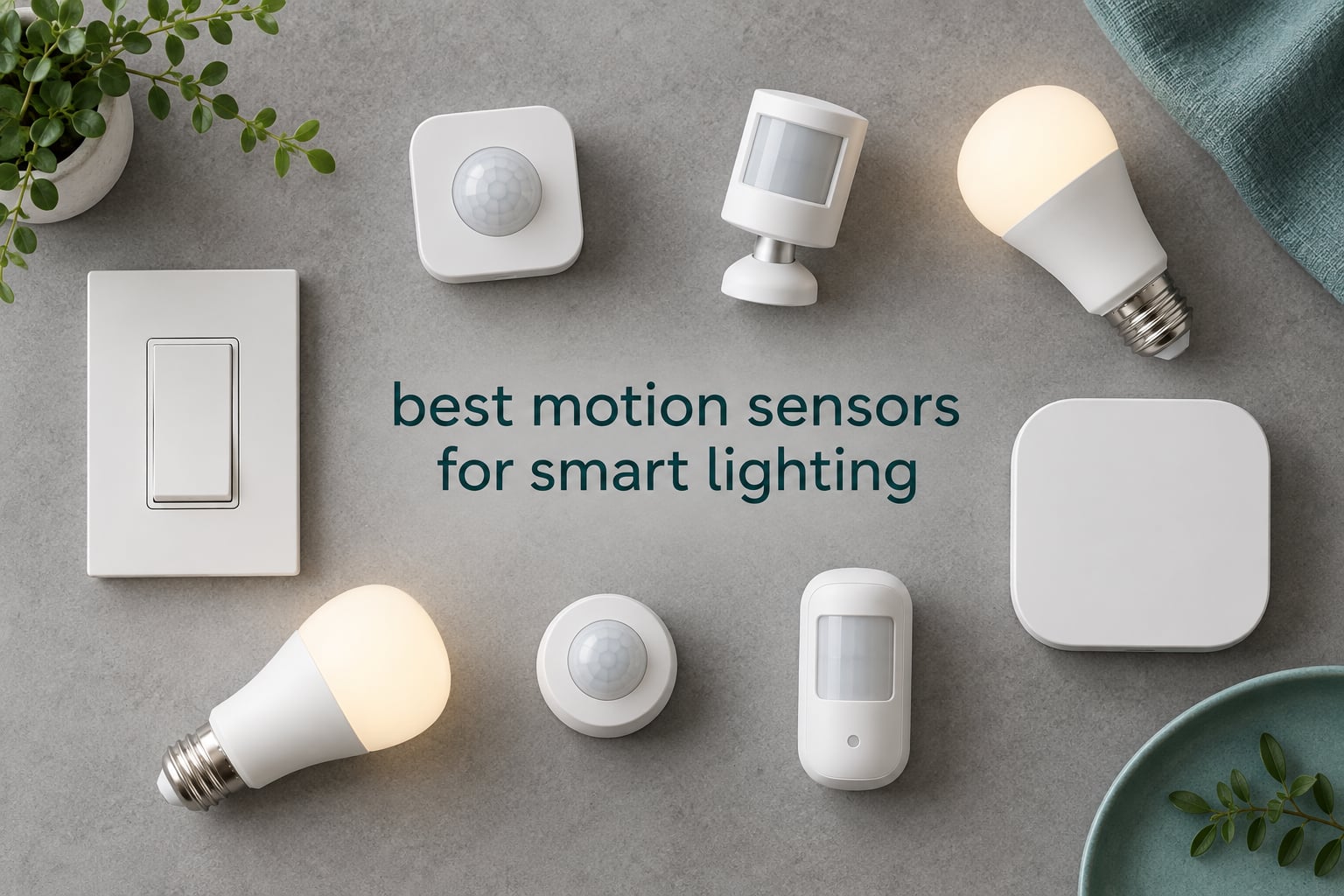
The lights cut out while you were still reading. That is the failure that pushes most people to buy their first motion sensor, and it is also the failure that ruins the ones they buy first.
Every sensor in this roundup detects heat-based movement. Not one of them sees you sitting still. That single technical fact explains the timeout frustration, the hallway lights that flicker on for a cat walking past, and the sensor that works beautifully in a small closet and then does nothing in an open-plan living room.
We spent weeks with the twelve sensors below, wiring them into hubs, setting automations and watching how quickly each one triggered and how fast it went quiet again. This is our guide to the best motion sensors for smart lighting in 2026, covering all three approaches: wall switches that need a neutral wire, battery sensors that talk to a hub over Zigbee or Wi-Fi, and a couple of units that only work inside one brand’s ecosystem.
Start with the table below if you already know your setup, or read on if you are still working out whether you need a sensor at all. If your main goal is a dark hallway at two in the morning, we have a guide on smart motion sensor lights for hallways that goes deeper on that single use case.
Table of Contents
Top 3 Picks for Best Motion Sensors for Smart Lighting (October 2026)

Kasa KS200M Motion Switch
- Wi-Fi
- no hub needed
- Neutral wire required
- Built-in daylight sensor
- Works with Alexa and SmartThings
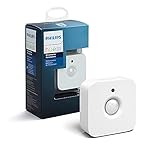
Philips Hue Motion Sensor
- Fast response
- 39 ft range
- Magnetic no-wire mount
- Two AAA batteries included
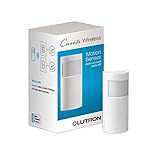
Lutron Caseta Occupancy Sensor
- 180 degree field of view
- Fine motion sensing at 15-18 ft
- 10 year battery life
- Corner or table mounting
Best Motion Sensors Compared Side by Side in 2026
| Product | Specifications | Action |
|---|---|---|
| Kasa Smart Wi-Fi Motion Sensor Switch KS200M |
|
Check Latest Price |
| Philips Hue Motion Sensor |
|
Check Latest Price |
| Lutron Caseta Wireless Occupancy Motion Sensor |
|
Check Latest Price |
 SONOFF SNZB-03P Zigbee Motion Sensor SONOFF SNZB-03P Zigbee Motion Sensor |
|
Check Latest Price |
 Aqara Motion Sensor P1 Aqara Motion Sensor P1 |
|
Check Latest Price |
 Philips Hue Outdoor Motion Sensor Philips Hue Outdoor Motion Sensor |
|
Check Latest Price |
 Deako Smart Motion Sensor Switch Deako Smart Motion Sensor Switch |
|
Check Latest Price |
 GoveeLife Wireless Smart Motion Sensor GoveeLife Wireless Smart Motion Sensor |
|
Check Latest Price |
 Aeotec SmartThings Zigbee Motion Sensor Aeotec SmartThings Zigbee Motion Sensor |
|
Check Latest Price |
 THIRDREALITY Zigbee Motion Sensor 2 Pack THIRDREALITY Zigbee Motion Sensor 2 Pack |
|
Check Latest Price |
 THIRDREALITY Zigbee 3-in-1 Night Light THIRDREALITY Zigbee 3-in-1 Night Light |
|
Check Latest Price |
 SwitchBot Smart Motion Sensor SwitchBot Smart Motion Sensor |
|
Check Latest Price |
1. Kasa KS200M Motion Switch – The Only One That Needs No Hub
Kasa Smart Wi-Fi Motion Sensor Switch KS200M, Single Pole
Wi-Fi 2.4GHz
Neutral wire required
120V, up to 600W incandescent
Built-in daylight sensor
UL certified, 2 year warranty
Pros
- Works without any hub or bridge
- Adjustable motion sensitivity
- Daylight sensor stops daytime triggering
- Largest review base in this roundup at 3419 ratings
- Handles every bulb type
Cons
- Detection cone is narrower than expected
- Needs a neutral wire and a standard wall box
- Shallow back boxes may not fit
We have recommended the KS200M more than any other device on this site, because it removes the single biggest obstacle to smart lighting automation: the hub. It joins your Wi-Fi network directly and reports to Kasa, Alexa, Google Assistant or SmartThings, so you can start automating a room today without buying a bridge, a coordinator or a dongle.
Installation is the part that decides whether you keep it. A neutral wire has to be present at the switch box, and the body sits deeper than a standard toggle. Owners put this switch in pantries, laundry rooms, mudrooms, basements and garages, which tells you the sweet spot: rooms where your hands are full and the door is always the thing you forget.
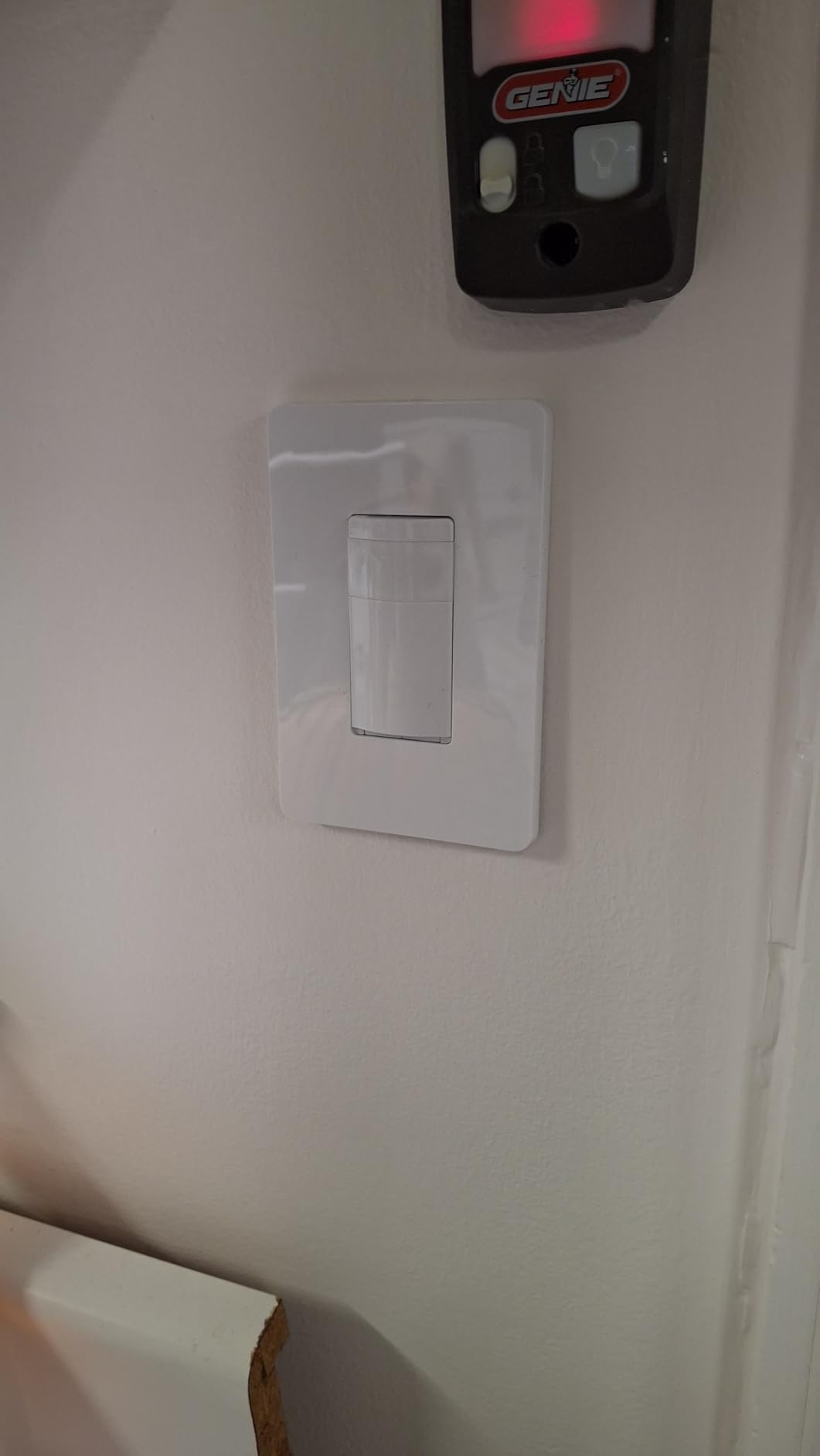
The daylight sensor is the feature that surprised us most. It reads the room before it fires, so the pantry light stays off at two in the afternoon and only wakes up when you actually walk in. Sensitivity is adjustable across several levels in the app, and Smart Mode and Away Mode scheduling let you kill automation while you are home.
Load handling is not a limitation here. It covers 600W of incandescent or halogen and 300W of CFL, MLV or ELV, so it works with whatever bulbs are already in the house rather than forcing a smart-bulb purchase. The one thing to know is that it is a switch, not a stand-alone sensor: it turns the fixture it is wired to, and everything else happens through routines.
Where the Kasa KS200M earns its place
Choose it when you have exactly one room to automate and no existing smart home hardware. It carries a neutral wire requirement, so it suits houses built after the mid-1980s and any renovation where an electrician has already run a three-wire cable. At 3419 ratings it is by a wide margin the most thoroughly reviewed sensor in this group, and the 4.4 average reflects a product that behaves consistently rather than one that excites people.
It is also the answer for renters and for anyone who does not want to maintain a Zigbee network. Automation runs in the Kasa app, in Alexa routines and in SmartThings, and the UL certification plus two-year warranty mean an electrician will sign off on it without an argument.
Where the Kasa KS200M frustrates you
The detection cone is the weak point. Owners repeatedly describe a narrower and more sensitive field than they expected, which produces two failures at once: lights triggering from an adjacent room, and lights missing someone walking along the wall rather than straight at the sensor. Mounting height and aim matter more with this switch than with any other device here.
Some users also report that the timer does not always match what they set in the app, and the rocker button has a soft, inconsistent click that feels cheap next to a mechanical switch. If your existing box is shallow, you may need a back box replacement before it will fit at all.
2. Philips Hue Motion Sensor – Fastest Response for Hue Lights
Philips Hue Motion Sensor, Exclusively for Philips Hue Smart Lights, 1-Pack
Hue Bridge required
Two AAA alkaline batteries included
Magnetic or single screw mount
Up to 12 m / 39 ft range
Pros
- Very fast trigger and quick clear in real use
- Magnetic mount means repositioning takes seconds
- No wiring of any kind
- Time-of-day lighting profiles in the Hue app
Cons
- Needs a Hue Bridge to do anything at all
- Controls only Hue lights and not generic bulbs
- Two AAA batteries need periodic swapping
Homeowners in the Home Assistant Facebook group describe this sensor as fast, and clearing within about fifteen seconds after motion stops. In a hallway that timing is everything: the light arrives before you do and it leaves almost as soon as you turn the corner, which is the opposite of what most budget sensors manage.
On community.hubitat.com, owners who chose it over an Iris sensor cite the cheap AAA batteries and long-term reliability. That matters more than it sounds. A coin cell in a sealed sensor is a two-year problem; a pair of AAAs behind a magnetic face is a ten-second problem with a coin in your hand.
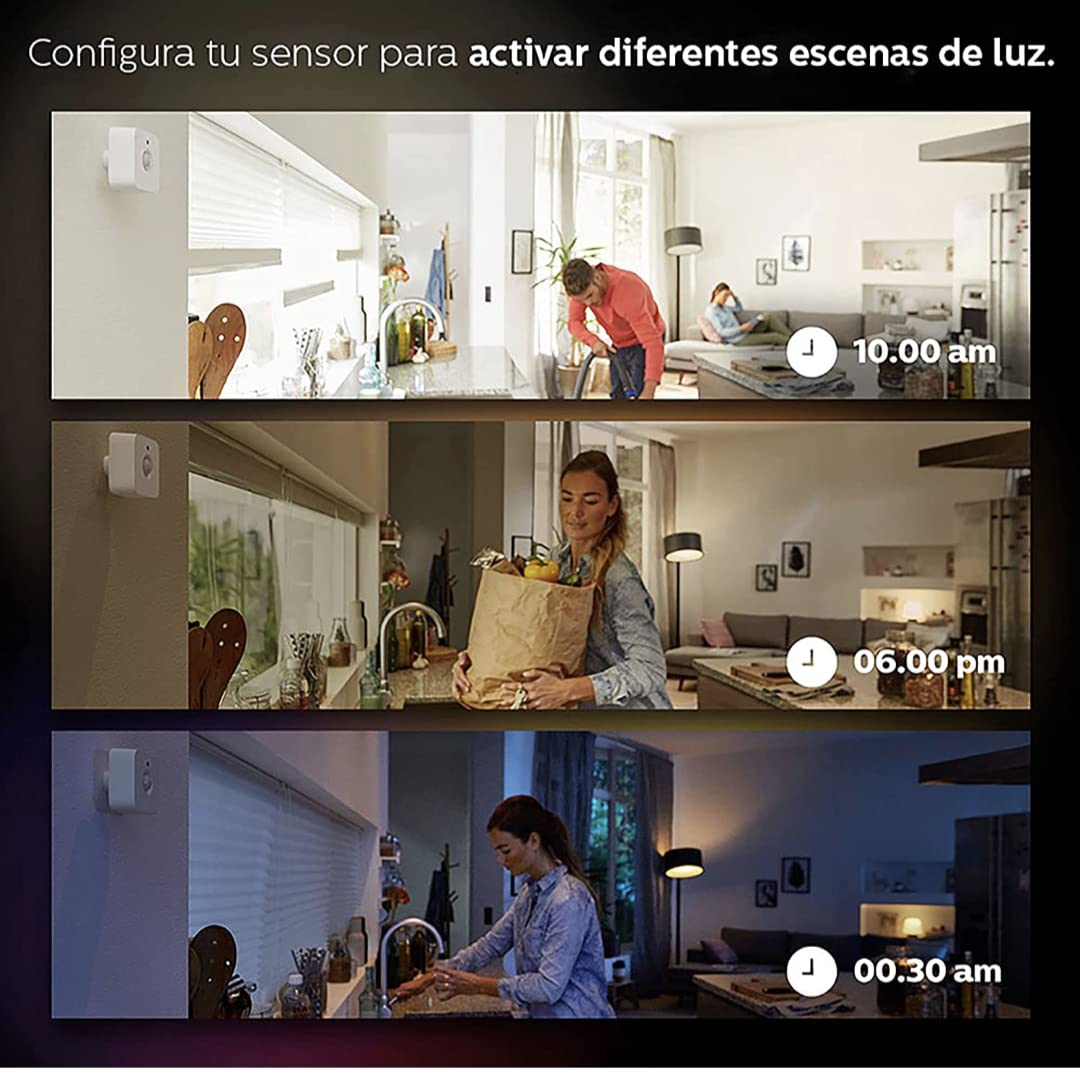
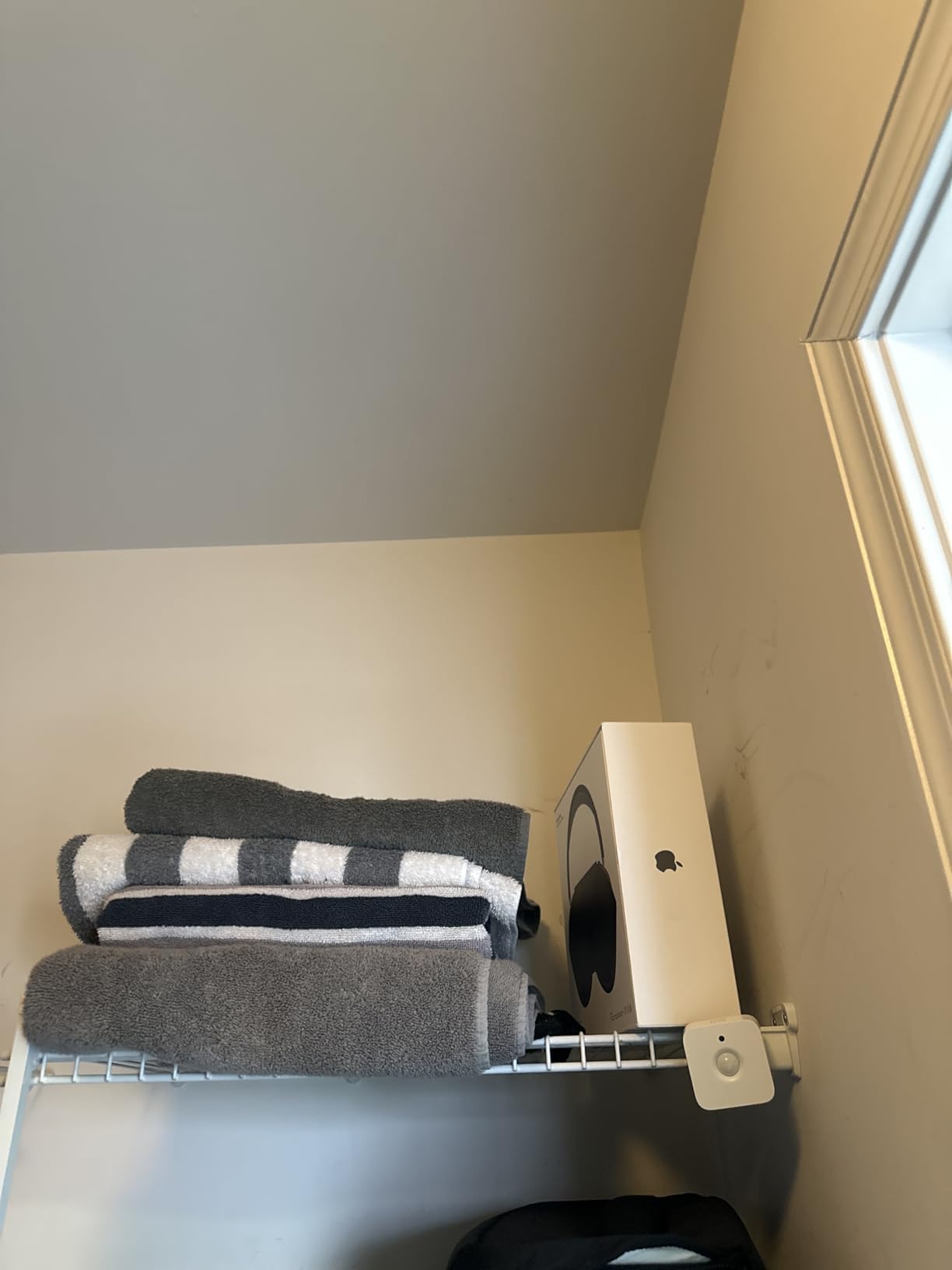
Mounting is genuinely wireless. The back plate is magnetic, or a single screw holds it in place, so you can move it from the hallway to the landing and back as your lighting habits change. The Hue app lets you set different behaviour by time of day, which is how most people run it: dim and warm after midnight, full brightness during the evening.
Detection reaches up to 12 meters, or about 39 feet, which covers a hallway or a generous living room corner without help. The hub does the automation, so it pairs cleanly with Hue routines, and it also answers to Alexa, Google Assistant and Apple HomeKit once the Hue Bridge is in play.
Where the Hue Motion Sensor earns its place
It belongs in a home that is already Hue. If your bulbs are Hue and you have the Bridge, this sensor is the least fiddly way to make them automatic, and the 4.6 rating across 1036 reviews reflects how few surprises it produces once it is mounted.
It is a good first sensor for anyone nervous about Zigbee coordinators or wiring. No neutral wire, no back box, no electrician. Peel the adhesive or use one screw, pair it in the app, and you have working motion lighting before your coffee cools.
Where the Hue Motion Sensor locks you in
The Bridge is not optional, and the sensor only speaks to Hue lights. Add non-Hue bulbs and you are back to building a bridge of your own, which undoes most of the simplicity. Reviewers are consistent on this point: the integration inside Hue is excellent and the integration outside Hue is thin.
Battery changes are routine rather than rare. Two AAAs is a fair trade for the weight and the speed, but in a three-bedroom house with a sensor per room you are swapping cells several times a year, and a sensor with a flat battery simply stops reporting without much warning.
3. Lutron Caseta Occupancy Sensor – Widest Coverage Without Wiring
Lutron Caseta Smart Lighting Auto On/Off Wireless Occupancy Motion Sensor
180 degree field of view
50 ft maximum range
One CR123A lithium battery included
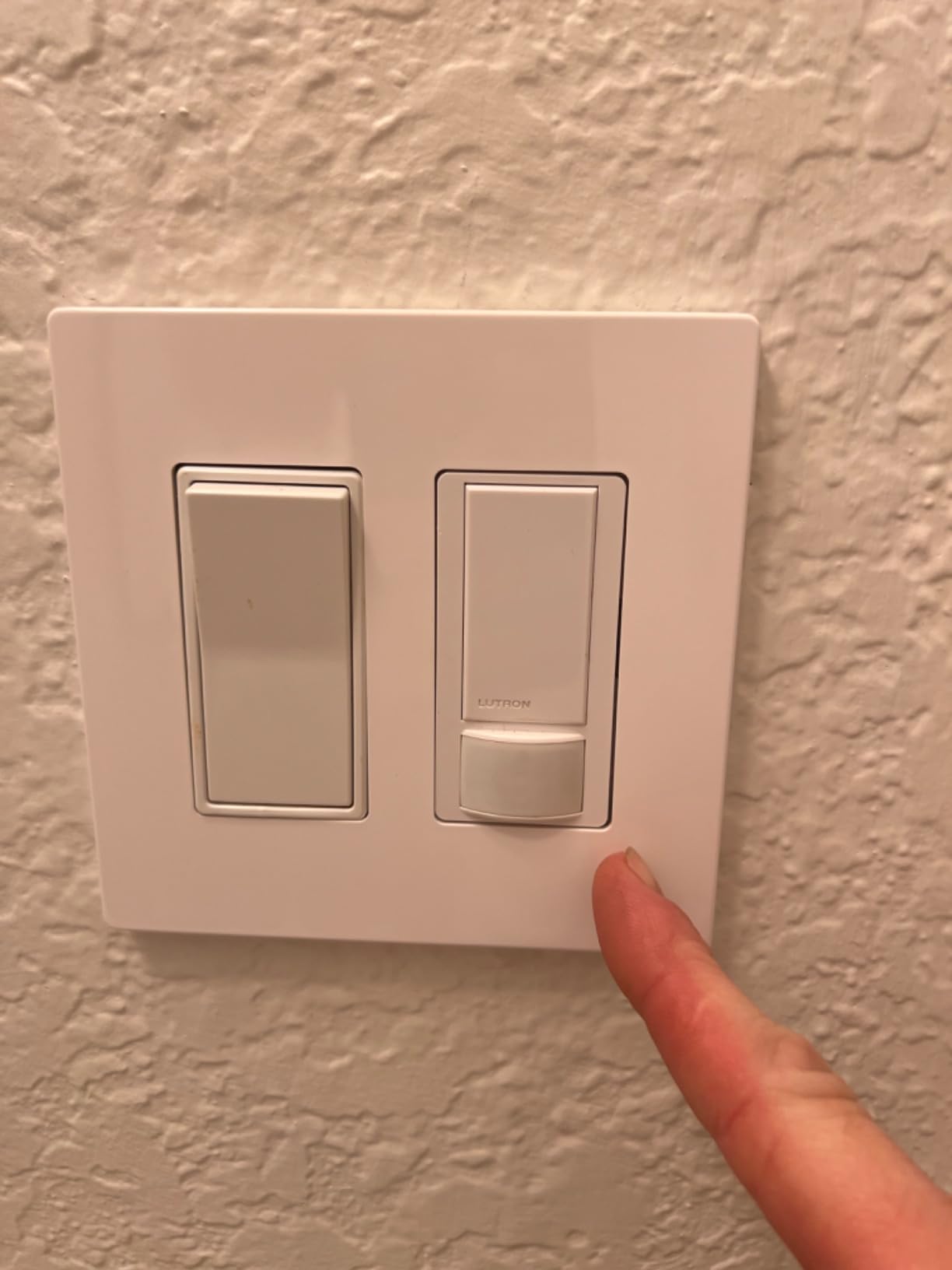
10 year typical battery life
Pros
- Picks up fine motion from a standing person at 15-18 ft
- 180 degree sweep covers rooms a corner sensor misses
- Freestanding wall or corner mounting with no wiring
- Controls dimmers fan controls and Serena shades from one sensor
- Active Hours scheduling in the Lutron app
Cons
- Costs more than the sensor it replaces
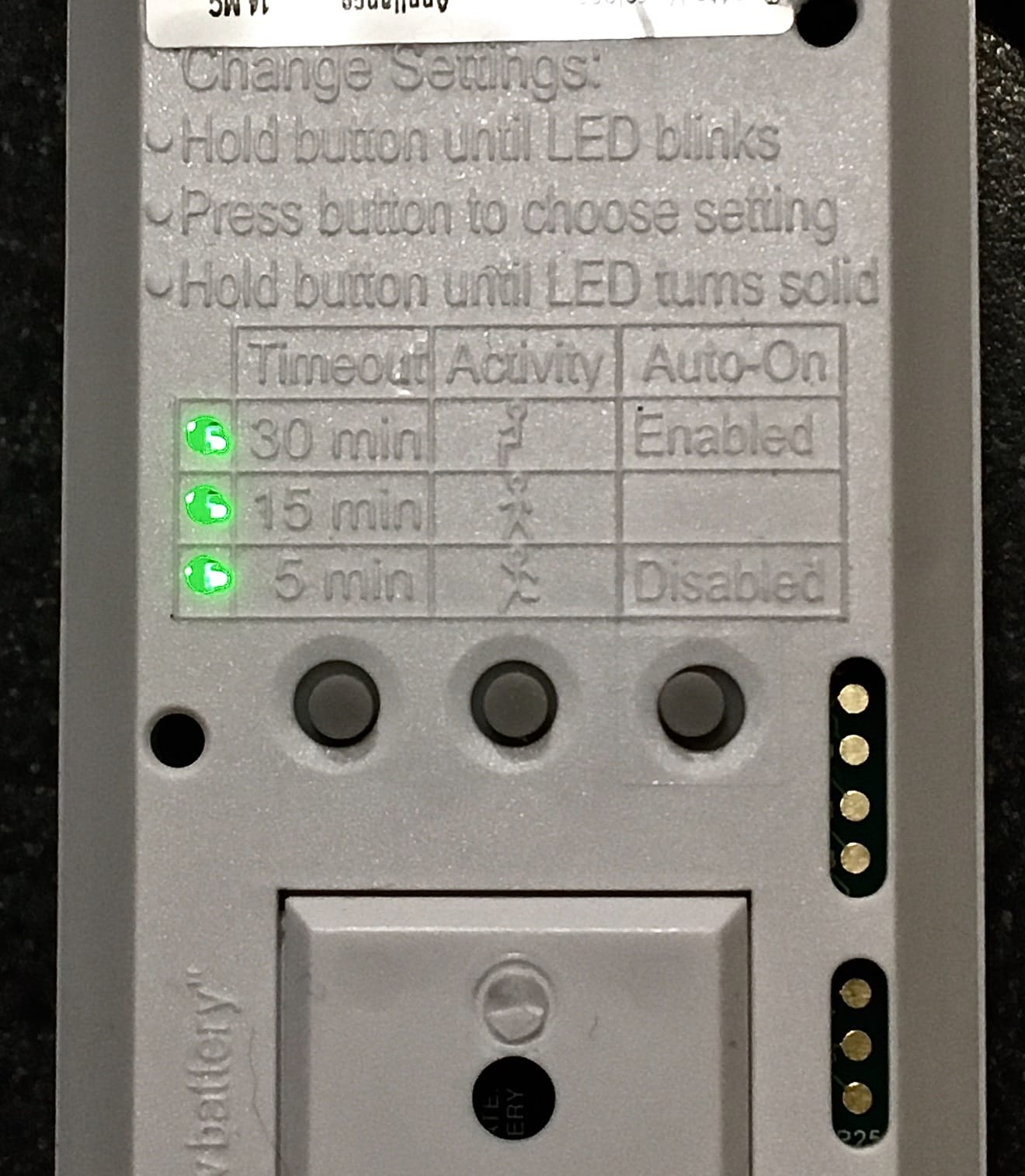
- Settings configured on hardware buttons rather than in the app
- Not weather resistant so no outdoor use
The Caseta sensor solves the seated-occupancy problem better than anything else on this list, though not because it uses radar. Lutron claims fine motion detection rated three times better than competing sensors, and owners report it picking up a person standing still at 15 to 18 feet. A person reading on a sofa is not a heat signature in motion, but a hand turning a page is, and that is often enough.
A 180-degree field of view is the number that changes room coverage. Pair that with a 50-foot maximum range and one sensor can watch a garage, a workshop or a large open living area without the blind corners that force you into two sensors and awkward placement. Caseta owners put it in exactly those spaces, where a table saw or full hands make manual switching genuinely inconvenient.
One sensor drives any number of Caseta switches, dimmers, fan controls and Serena shades within 60 feet. That is a different proposition from a sensor that only reports motion to an app and leaves you to build the logic yourself. The Active Hours feature, available through the Caseta Smart Hub, adds dusk-to-dawn and custom schedules.
Battery life is the standout spec: a single included CR123A lithium cell rated for about ten years of typical use. You will not be opening this sensor with a coin in your hand in a hallway at midnight, which is the single most common complaint we heard about coin-cell sensors.
Where the Lutron sensor earns its place
Pick it for large rooms and for people who move slowly. Garages, workshops, laundry rooms, stair landings and open-plan living spaces are all cases where a narrow PIR cone fails and a wide one succeeds. The 180-degree sweep means fewer sensors for the same floor area, which is where the money you spent per room starts to look reasonable.
It also suits anyone already in the Caseta system, since it controls dimmers and shades that other sensors simply cannot address. And if you want no wiring at all, it mounts freestanding on a shelf, on a wall or tucked into a corner.
Where the Lutron sensor frustrates you
Configuration happens on the sensor’s own hardware buttons rather than fully in the app. You are pressing a sequence on a wall unit instead of dragging a slider, and mapping different rooms to different sensors is awkward in the Lutron app. That is a real friction point for a product priced as a premium option.
Two other limits are worth weighing. It is not water resistant, so outdoor and driveway use is off the table entirely. And if a room light is switched off manually during the timeout window, the sensor will not bring it back on for you, which catches out anyone who expects a physical switch override to reset the automation.
4. SONOFF SNZB-03P – Cheapest Zigbee Route Into Lighting Automation
SONOFF SNZB-03P Zigbee Motion Sensor, 3-Year Battery Life, for Alert System and Automations Wireless Motion Detector, SONOFF Zigbee Bridge Required, Batteries Included (1 Pack)
Zigbee 3.0
Zigbee bridge or coordinator required
19.7 ft maximum range
One CR2477 lithium cell included
Pros
- 5 second shortest detection response in this roundup
- About three years of battery life from one coin cell
- Local scenes keep running during a Wi-Fi outage
- Adhesive and screw mounting included
- Pairs quickly with Echo and Home Assistant
Cons
- Needs a separate Zigbee bridge or coordinator
- Home Assistant motion entity can report stuck while occupancy is fine
- About 19.7 ft range struggles in open rooms
Response speed is where the SNZB-03P wins its place. A 5-second shortest detection response is the fastest figure in this group, and in a hallway between the door and the stairs that difference is the whole experience. The light is on before you have finished taking your coat off.
It works with the SONOFF NSPanel Pro, iHost, ZB Bridge Pro, ZBDongle-E and Echo Plus 2nd Gen, among others. That matters for anyone who already runs a coordinator, and for anyone who wants a USB dongle in Home Assistant instead of a dedicated hub. Users pair it with Echo, Home Assistant and Hubitat coordinators and report the process is quick.
The most interesting feature for lighting specifically is local smart scene execution. Automations stored on the device keep firing even if your Wi-Fi drops, which means a hallway light still comes on during an internet outage. For a home security angle, the same sensor can trigger camera recording, gateway alarms and app notifications.
Battery life is rated at around three years from the included CR2477 lithium cell. It also carries a built-in ambient light sensor, so you can suppress daytime triggers, and the body is small enough at 1.7 by 2.5 by 1.7 inches to disappear into a corner.
Where the SNZB-03P earns its place
It suits a multi-room house on a budget, especially hallways and closets. A pack of these across a hallway, a pantry and a landing costs less per room than most of the ecosystem-bound sensors here, and local scene support means the lighting half of your system keeps working without the internet.
Home Assistant users who like to own their stack will appreciate that it does not require a proprietary bridge. The 4.2 average across 831 ratings reflects a sensor that does the basic job quickly and cheaply rather than one that offers deep configuration options.
Where the SNZB-03P frustrates you
The Home Assistant integration has a specific weakness: the motion entity can report stuck and need a manual reset, while the occupancy entity behaves correctly. If your automations are built on the motion entity, you will spend time diagnosing automations that are fine.
Range is about 19.7 feet, which is plenty for a hallway and short for a large open room. The ambient light sensor also reports only a coarse dim or bright state rather than a numeric lux value, so you cannot build daylight-based dimming curves from it. And there are no printed instructions for removing the battery tab, which catches people out.
5. Aqara Motion Sensor P1 – Best Timeout Control of Any Zigbee Sensor
Aqara Zigbee 3.0 Motion Sensor P1 1 Pack, for Alert System Automations
Zigbee 3.0
Aqara hub required
Two CR2430 coin cells included
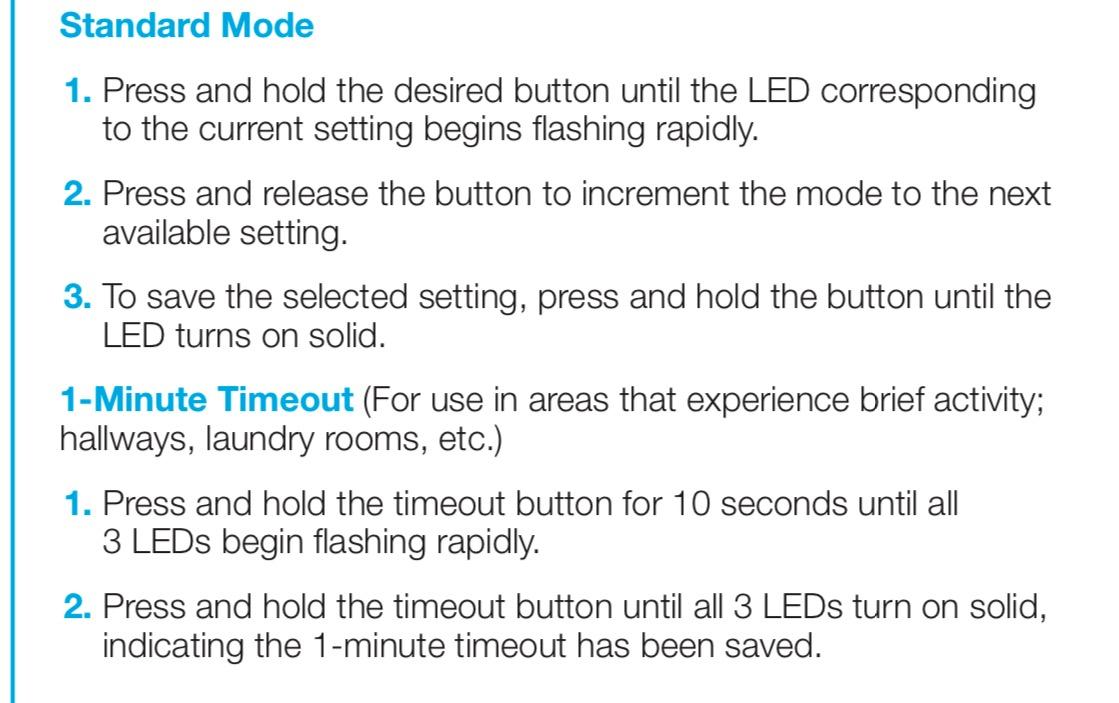
Timeout adjustable from 1 to 200 seconds
Pros
- Detection timeout tunable from 1 to 200 seconds
- 170 degree field of view at 4 m and 150 degree at 7 m
- Three sensitivity levels
- 360 degree adjustable stand for precise aiming
- Runs about five years on a charge
Cons
- Requires an Aqara hub and rejects other Zigbee coordinators
- Light sensitivity not exposed in HomeKit or Alexa
- Third-party Zigbee dongles are not officially supported
The timeout slider from 1 to 200 seconds is the feature that separates this sensor from every other Zigbee option here. The Home Assistant Facebook group makes the opposite complaint about Aqara sensors, noting a one-minute default time-out that leaves lights hanging after you have gone. That default is a starting point, not a ceiling, and the P1 lets you set the number your routine actually needs.
Field of view is 170 degrees out to 4 meters, dropping to 150 degrees at 7 meters. That two-stage coverage is sensible: close range catches a person crossing the room, longer range keeps a wall from being ignored. Three sensitivity levels give you a coarse dial before you go deeper into the app.
Mounting gets a 360-degree adjustable stand, so you can tilt the sensor after it is on the wall rather than guessing at the angle first. Owners commonly pair it with Aqara smart plugs and wall switches so that a single sensor drives a whole room rather than one fixture.
Where the Aqara P1 earns its place
It is the pick for anyone who has been annoyed by a fixed timeout. Set the hold time to match how long your hallway stays occupied, adjust the sensitivity to ignore a draught, and the routine stops overrunning. It runs about five years on two CR2430 cells, so battery anxiety is not part of the deal.
Aqara Home, HomeKit, Alexa, IFTTT and Home Assistant are all listed as compatible, and it works within about 10 meters of the Aqara Zigbee Hub. Anyone building automations around an Aqara hub gets the full feature set here.
Where the Aqara P1 frustrates you
The hub requirement is strict. It needs an Aqara Zigbee Hub, and third-party Zigbee coordinators are not compatible, so this is not the sensor for a Home Assistant install built around a generic dongle. The sensor must also sit within 10 meters of that hub, which constrains larger homes.
Ecosystem limits show up in day-to-day use as well. Light sensitivity is not exposed in HomeKit or Alexa, so a daylight cutoff you can see in Aqara Home disappears when you control the lights by voice. Zigbee2MQTT and third-party USB Zigbee dongles are not officially supported, which means you may lose functionality rather than gain compatibility.
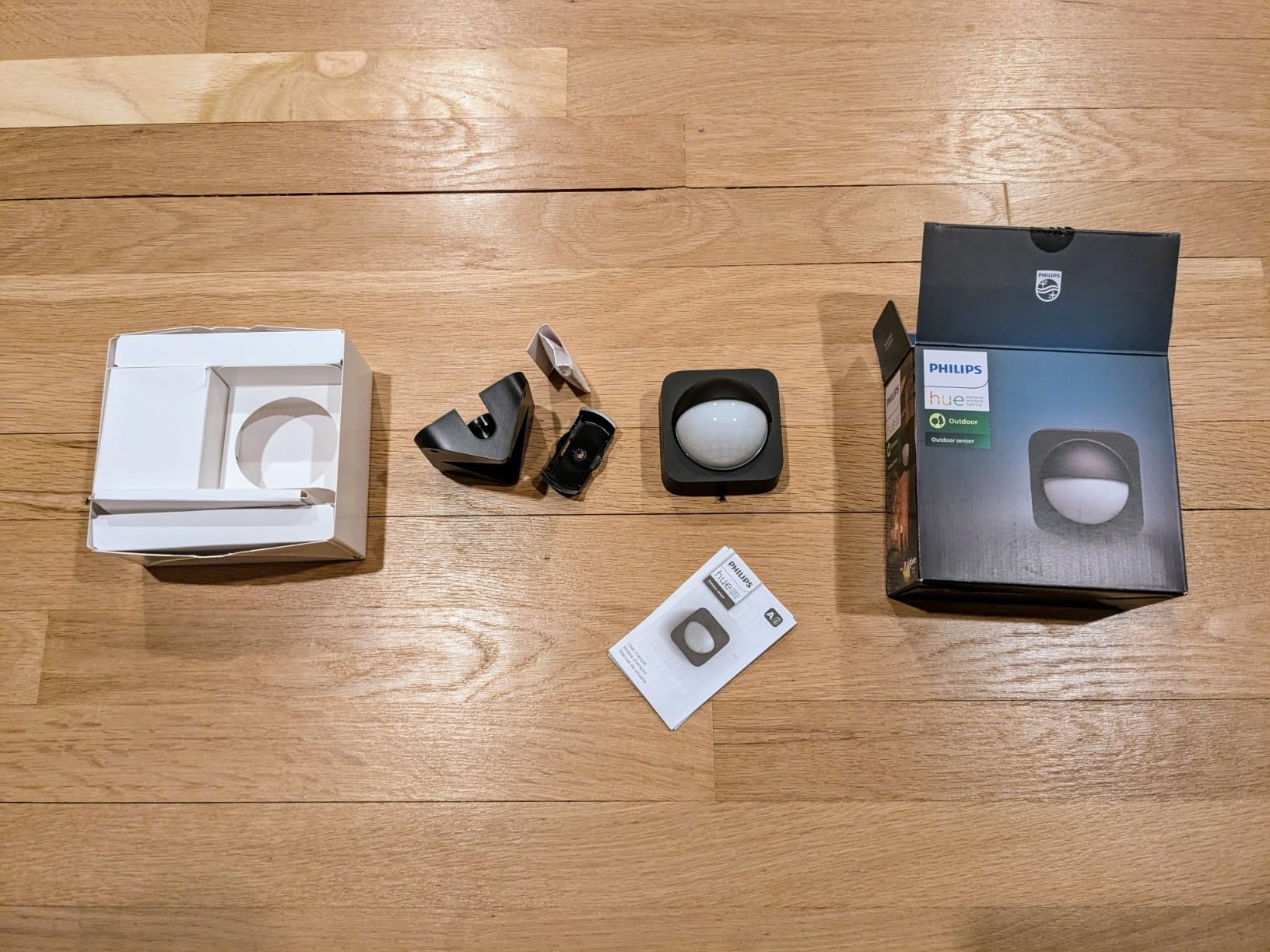
6. Philips Hue Outdoor Motion Sensor – Driveways and Porches
Philips Hue Outdoor Motion Sensor, 1 Pack, Automatic Dusk to Dawn, Sensor Turns Lights On When Motion is Detected, Requires Bridge, Works with Alexa, Google Assistant, and Apple HomeKit, Weatherproof
IP44 weatherproof
160 degree detection area
39 ft maximum range
AA battery powered, operates to -20 degrees C
Pros
- Only weatherproof sensor in this roundup
- Built-in dusk-to-dawn sensor stops lights firing at dusk
- Reports faster through HomeKit than generic Matter sensors
- Adjustable sensitivity helps with false triggers
- Long gaps between battery changes
Cons
- Triggers on cars
- branches and wind-blown leaves
- Needs a Hue Bridge and controls only Hue lights
- Less flexible to position than the indoor Hue sensor
Outdoor lighting is a separate problem from indoor lighting, and only one sensor here handles it properly. An IP44 weatherproof rating plus an operating range down to -20 degrees Celsius covers the porch, the driveway and the backyard in climates where a plastic indoor sensor would fail in a season.
The dusk-to-dawn ambient light sensor is the piece that makes it usable rather than irritating. Without it, a driveway sensor fires every time a car passes in broad daylight. With it, the lights stay off until it is genuinely dark, which is what you actually asked the sensor for.
A 160-degree detection area and a 39-foot range cover most front approaches. Owners report this unit running a year or more without a battery change, and mounting hardware supports wall, inner corner and outer corner positions, so you can aim it along a path rather than straight out from a flat wall.
It reports faster through HomeKit than generic Matter sensors, which matters outdoors because the delay between walking up the path and seeing light is most obvious on a dark driveway. That responsiveness is why it holds a 4.5 average across 454 ratings.
Controls run through the Hue Bridge to both indoor and outdoor Hue lights, and it works with Alexa, Google Assistant and Apple HomeKit. If your exterior lighting is already Hue, this is the shortest path to automated outdoor lighting.
Where the outdoor Hue sensor earns its place
Choose it for the front door, the driveway, the back patio and the path lighting. A 39-foot reach and 160-degree spread means one unit covers most suburban approaches, and the corner mounting options let you cover a walkway that a wall-mounted unit would only catch head-on.
It is also the choice for anyone tired of lights switching on at dusk. The ambient light threshold handles the timing so your automations do not have to.
Where the outdoor Hue sensor frustrates you
Sensitivity is the recurring complaint. Owners report triggers from passing cars, street traffic and moving foliage, and at a 160-degree angle aimed at a driveway there is a lot of street in frame. Expect to turn sensitivity down after the first week.
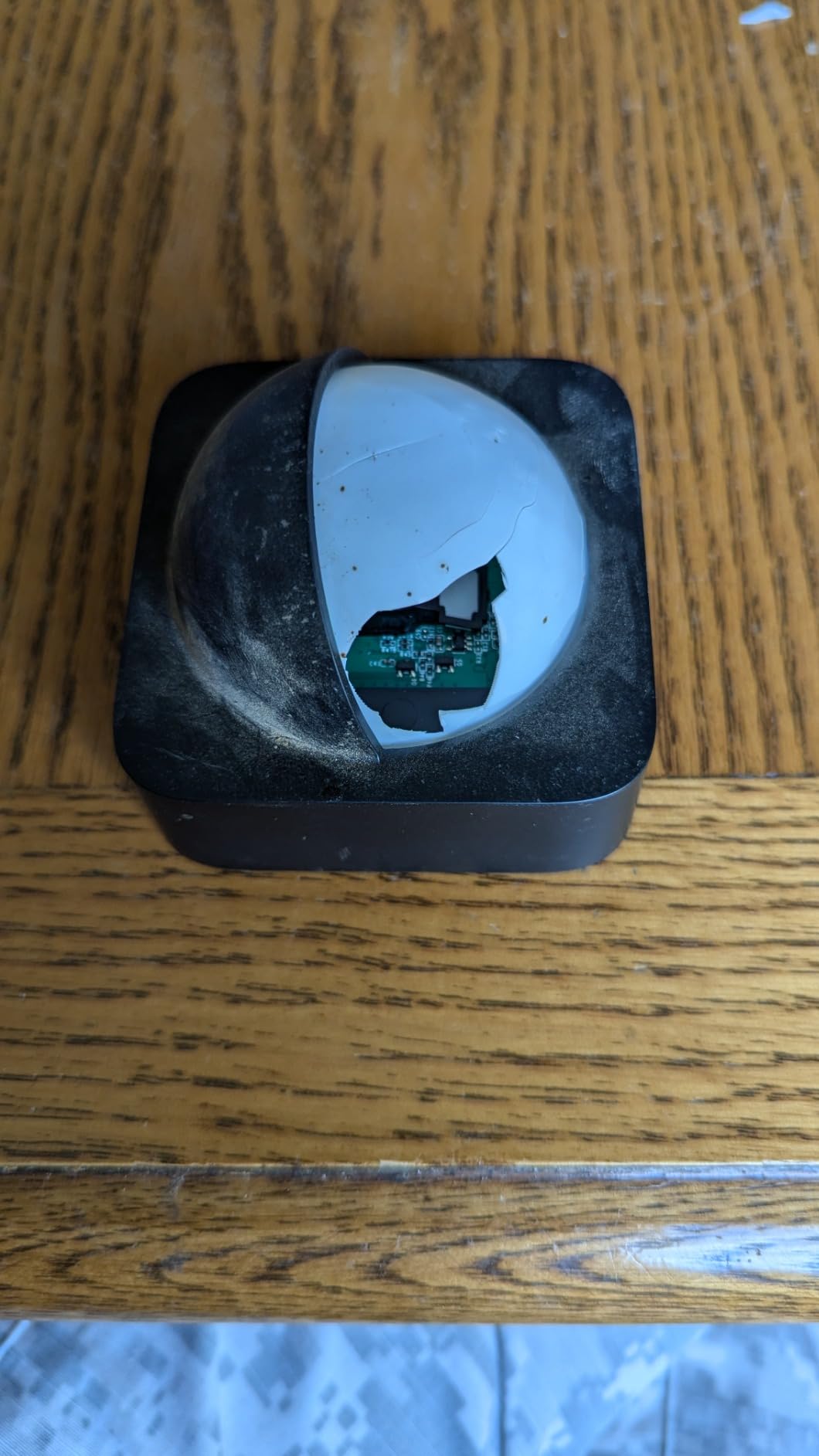
It is less flexible than the indoor Hue sensor when it comes to position. The back housing is also awkward to open for a battery change, and the Bridge plus Hue-lights-only requirement applies here exactly as it does indoors.
7. Deako Smart Motion Sensor Switch – Pet-Resistant Detection You Can Dial In
Simple Motion Sensor Switch by Deako, Automatic Timer, Occupancy and Vacancy Modes, Auto On and Off, Single Pole, Neutral Wire Required, White
Neutral wire and Deako backplate required
Single pole circuits only
Supports 600W lights and fans
Three timer settings of 30 seconds, 5 and 20 minutes
Pros
- Highest average rating in this roundup at 4.7 across 457 ratings
- Pet-resistant detection ignores small animals
- Three clearly selectable timeout options
- Occupancy and vacancy modes cover both on and off behaviour
- Handles lights and fans up to 600W
Cons
- Needs a Deako backplate with a neutral wire
- Single pole only so no 3-way wiring
- No voice assistant or smart home ecosystem listed
Pet households usually treat motion lighting as a compromise: lower the sensitivity, accept missing people, or accept a cat-triggered light show at 3am. The Deako switch sidesteps that with dedicated pet-resistant detection, and it carries the highest average rating of any sensor we reviewed, 4.7 across 457 ratings.
The timer options are deliberately limited to three choices: 30 seconds, 5 minutes or 20 minutes. That sounds like a downgrade next to a slider running to 200 seconds, but in practice three named options are faster to set correctly and far less likely to be left on a bad value by a household member.
Occupancy and vacancy modes cover both directions. Occupancy mode turns lights on when you enter and off when you leave. Vacancy mode keeps the manual switch in charge of turning lights on and uses the sensor only for turning them off, which is what you want in a room where people already switch the light on by hand.
Load handling is generous: up to 600W incandescent or halogen, 600W LED, ELV or MLV, and 1/6 HP motor loads, so a ceiling fan counts as well as a light. Owners report consistent hands-free lighting in pantries, laundry rooms, walk-in closets and garages, and a manual override on the main button.
Where the Deako switch earns its place
It suits homes with pets and rooms where the timer has to be predictable. A walk-in closet, a laundry room or a garage where a dog walks through should not light up at night, and the pet-resistant detection is the specific answer to that problem rather than a sensitivity compromise.
The 4.7 rating is worth taking seriously. Across 457 reviews that is a consistent report rather than a lucky streak, and it comes with a manual override so a guest can still switch the light on.
Where the Deako switch frustrates you
Installation is the constraint. It needs a Deako backplate with a neutral wire connection, so standard existing back boxes may not accept it, and single-pole circuits only means it will not work where you have 3-way switch wiring.
There is also no voice assistant or smart home ecosystem integration listed. Unlike the Kasa switch, this is a self-contained device that automates the fixture it is wired to and nothing else. If your plan is a whole-home routine across many rooms, that is a real limit to weigh against the pet detection.
8. GoveeLife Wireless Motion Sensor – Smallest Entry Point
GoveeLife Wireless Smart Motion Sensor, Group Control Multiple Devices
16-19 ft sensing distance at plus or minus 60 degrees
CR2 battery included
Govee distributed gateway required
Up to 10 sensors per app account
Pros
- Quick and simple pairing in the Govee Home app
- Compact enough to hide on a shelf or door frame
- 180 ft effective range between sensor and Govee gateway
- Adjustable 60 to 180 second trigger interval cuts false activations
- Group control of multiple Govee devices from one routine
Cons
- Only controls devices inside the Govee ecosystem
- Cannot connect to Alexa or Google Assistant
- Needs a Govee dual-mode gateway device sold separately
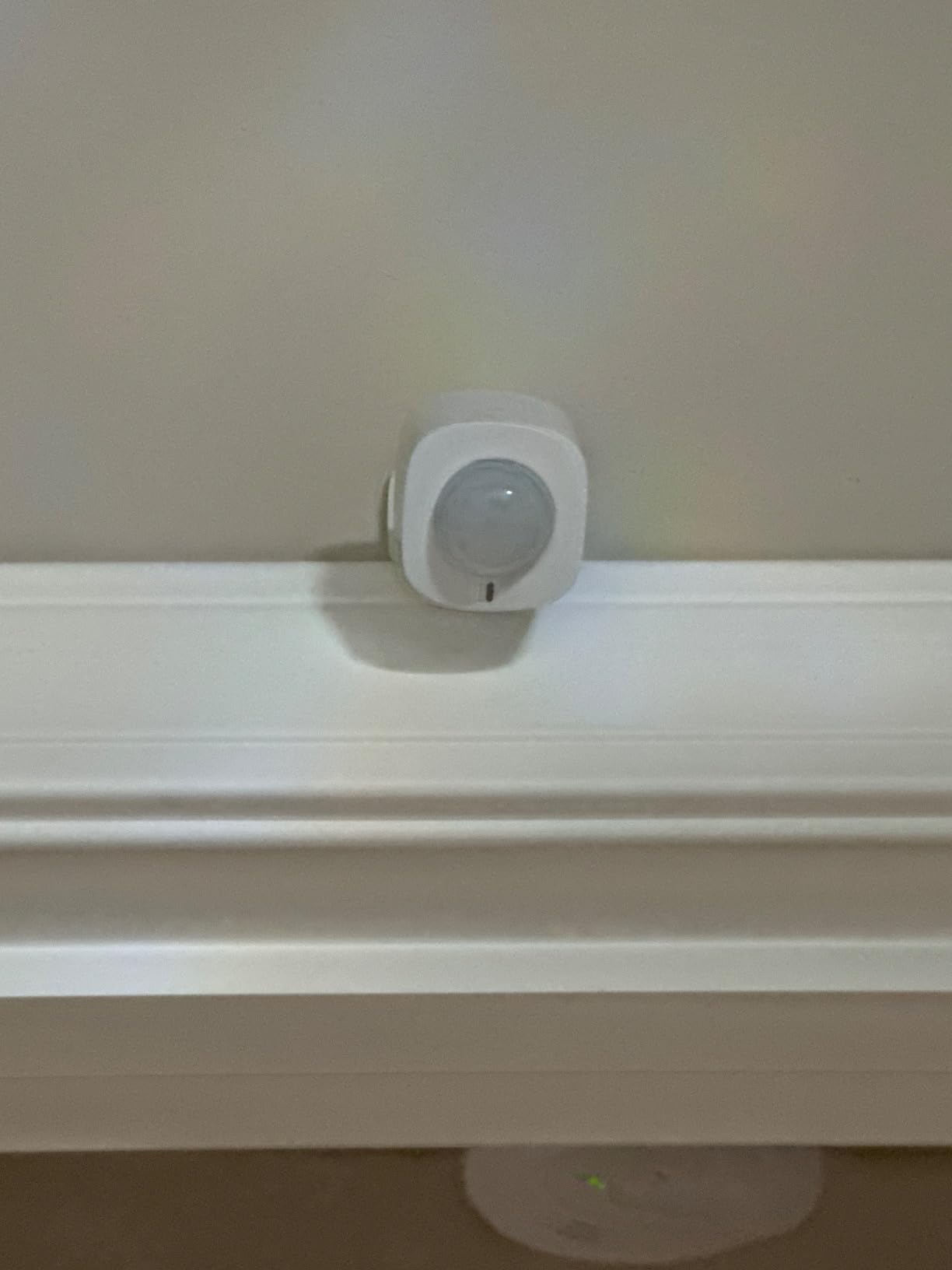
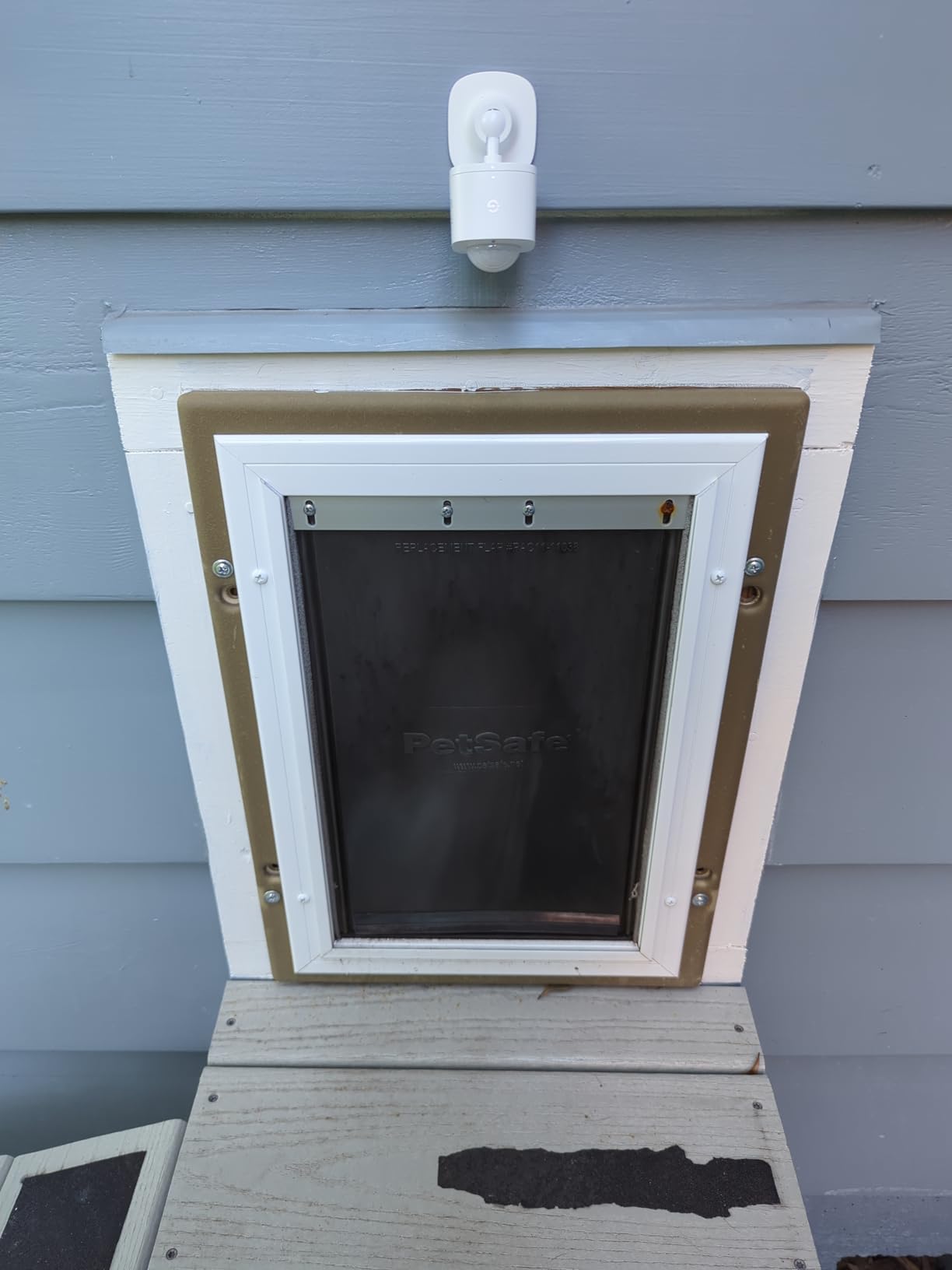
The GoveeLife sensor is the smallest unit in the roundup at 1.18 inches square and it mounts with the adhesive strip in the box. If you want motion lighting in a closet, a pantry or a laundry room and you already own Govee smart products, setup takes a couple of minutes in the Govee Home app.
The sensing window is 16 to 19 feet at plus or minus 60 degrees, which suits small rooms and misses large ones. What it does offer is an adjustable trigger interval from 60 to 180 seconds, and raising that floor is the single most effective way to stop a light flickering on every time a curtain moves.
The device-to-gateway distance is listed at 55 meters, or about 180 feet, so the sensor does not have to sit next to the hub. Up to ten sensors can live under one app account, and group control lets one routine drive several Govee devices at once.
Battery life is reported at anywhere from about four months to a year depending on how often the room is triggered, on a single CR2 cell. That range is wide enough that it depends on your traffic rather than the sensor, which is worth remembering before you commit to a coin cell in a high-traffic hallway.
The reason this sits low in the ranking is not the hardware. It is the closed loop: the sensor pairs over Bluetooth with a Govee dual-mode Wi-Fi and Bluetooth distributed gateway, and it explicitly does not work with Alexa or Google Assistant.
Where the GoveeLife sensor earns its place
Pick it for a small room inside an existing Govee setup, or as a first experiment before you commit to a hub-based system. Bathroom, closet and laundry automation are the use cases owners mention most, and for those a 16-foot cone at 60 degrees is genuinely enough.
The adjustable trigger interval is the underrated part. Anyone tired of lights firing on a draught or a pet can raise the floor to 180 seconds and the problem largely disappears, which is a cheaper fix than buying a different sensor.
Where the GoveeLife sensor frustrates you
It controls Govee devices and nothing else, with no Alexa or Google Assistant compatibility. If you later move to a different ecosystem, the sensor becomes shelf weight, so treat it as an ecosystem decision rather than a standalone purchase.
Some users also report laggy, non-instant response and, more seriously, a number of reviewers across several units report that the automatic turn-off command fails to fire. That is the failure that ends a lighting routine, because a light that never switches off is a light you will end up switching off by hand.
9. Aeotec SmartThings Motion Sensor – Fastest Reporter for Zigbee Meshes
Aeotec SmartThings Motion Sensor, Zigbee, Magnetic Mounting, Works with Smart Home Hub and Compatible Zigbee Hubs
Zigbee
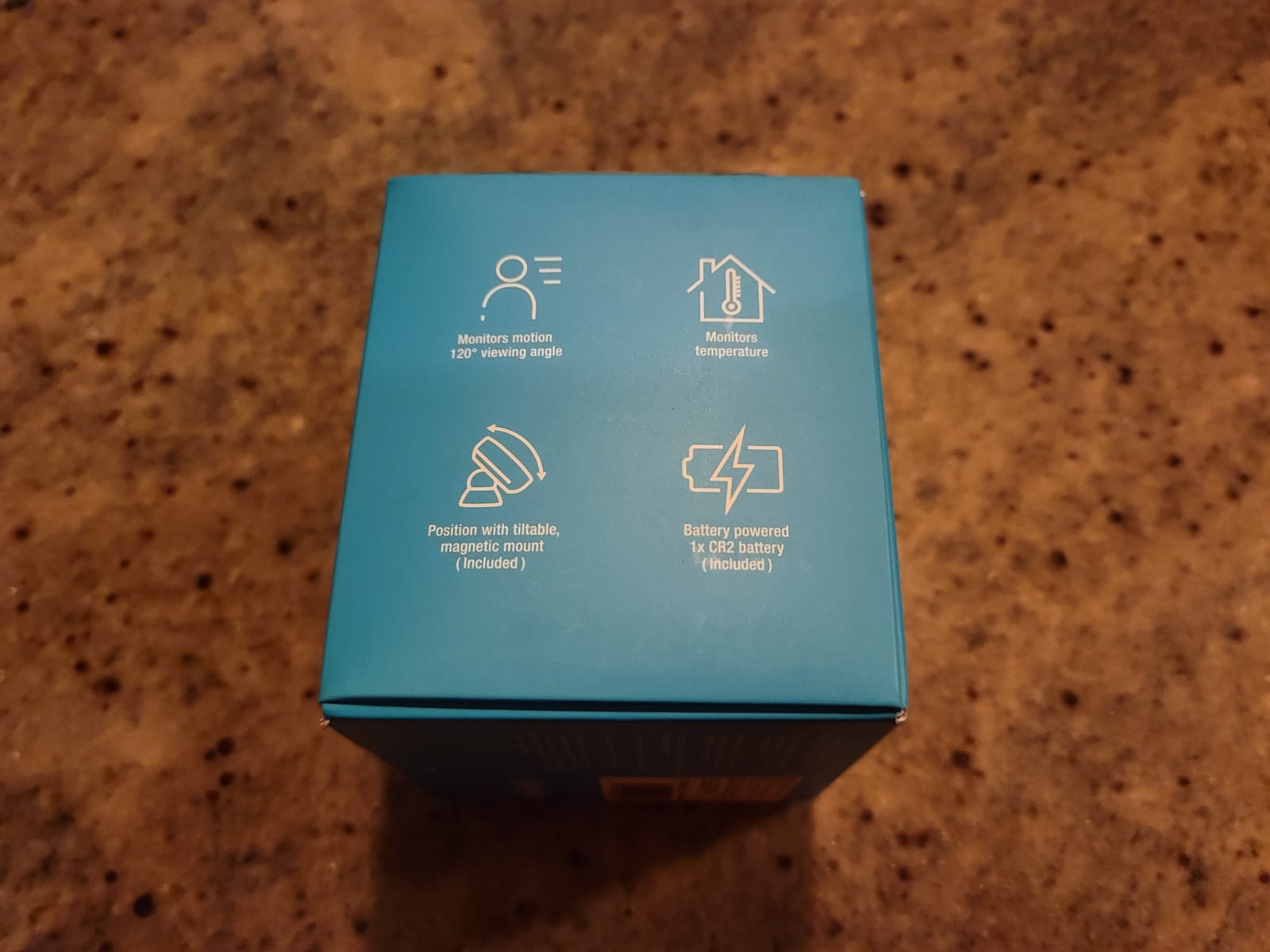
Up to 15 ft at 120 degrees
CR123A battery included
Built-in temperature sensor
Pros
- Millisecond-level reporting from motion to light on
- Pairs with SmartThings Home Assistant and Hubitat without disrupting other devices
- Built-in temperature sensor enables occupancy logic
- Tilt-adjustable magnetic ball mount for accurate aiming
Cons
- Battery drains faster than expected in early months
- No straightforward dwell or hold time adjustment
- Battery type listed inconsistently as CR2 and CR123A
A user on r/homey described the Aeotec multisensor as very fast, particularly when it is powered, with a down time that can be set to about a second. That is the report you will hear most often about this unit, and it matches the 4.6 average across 421 ratings. It pairs with SmartThings, Home Assistant and Hubitat without interfering with other device pairings, which matters once your mesh gets busy.
Detection reaches up to 15 feet across a 120-degree view, and the magnetic ball mount tilts so you can aim it after installation rather than before. For a hallway or a room corner, that adjustment is the difference between full coverage and a blind strip along one wall.
The built-in temperature sensor is the quietly useful part for lighting. Because a warm room usually means an occupied room, you can keep a shower light or a hallway light on when the temperature rises even if nobody moves. Owners use it exactly that way.
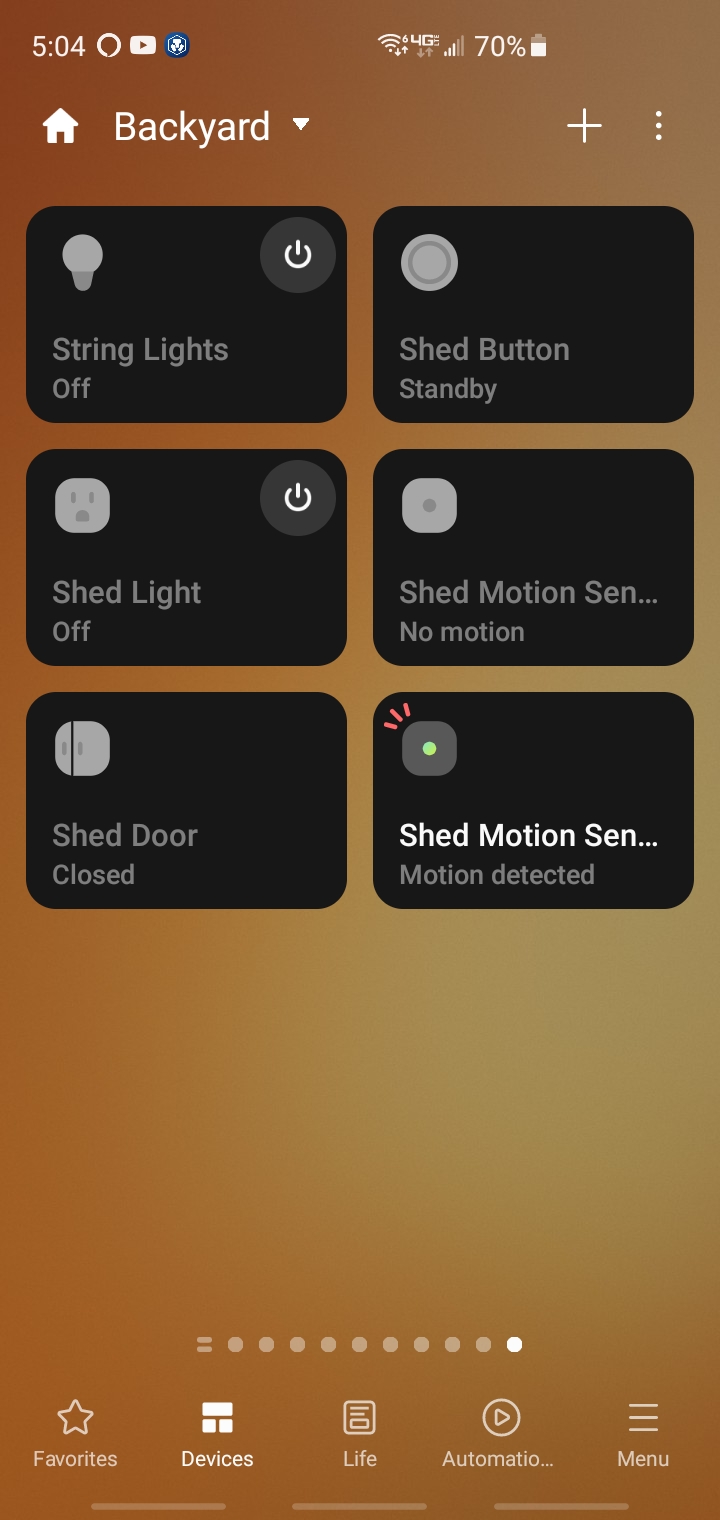
It pairs with the SmartThings app, Aeotec hubs, the Samsung SmartThings Hub Gen 3 and other compatible Zigbee hubs, works with Alexa routines, connects to Home Assistant through Zigbee2MQTT, and supports Hubitat. Low battery notifications appear at 5 percent or lower in SmartThings, so you get warning rather than silence.
It also works through Zigbee relays on wall switches and outlets, so a motion trigger can energise a hardwired fixture rather than only a smart bulb.
Where the Aeotec sensor earns its place
It suits a house with several sensors already on a Zigbee mesh, because reporting speed matters more the more devices are competing for the same network. A home that turns lights on before anyone reaches the doorframe notices the difference immediately.
SmartThings users get the fullest experience, including battery reporting and a temperature reading that most competitors do not provide. Home Assistant users running Zigbee2MQTT and Hubitat users are supported too.
Where the Aeotec sensor frustrates you
There is no straightforward way to adjust the dwell or hold time, which is frustrating if you want lights to run for a specific duration after you leave. You are left tuning that behaviour in the controller rather than on the sensor.
Battery drain appears faster than expected in the first months of use, and the battery type is listed inconsistently as both CR2 and CR123A, so check before you buy spares. It also needs a smart home hub, which adds a cost the Kasa switch does not have.
10. THIRDREALITY Zigbee Motion Sensor 2 Pack – Two Rooms From One Purchase
THIRDREALITY Zigbee Motion Sensor 2 Pack, Zigbee Hub Required, Pet Friendly, Work with Home Assistant,SmartThings, Aeotec,Homey, Hubitat or Echo Devices with Built-in Zigbee hub
Two sensors and four AAA batteries included
Zigbee hub required
Up to 20 ft / 6 m detection
Indoor use only
Pros
- Two sensors in the box covers a hallway and landing immediately
- Works with Echo 4th Gen
- Echo Plus and Eero models with a built-in Zigbee hub
- Broad support including Home Assistant SmartThings Hubitat and Homey
- Alexa routines can trigger lights plugs and spoken announcements
- Over-the-air firmware updates
Cons
- A Zigbee hub or coordinator is required and not included
- Indoor use only
- HomeKit Google Home and SmartThings need the separate MZ1 Smart Bridge
Two sensors in a box solves the most common objection to motion lighting, which is that you need more than one. A hallway plus a landing, a hallway plus a pantry, a ground floor plus a basement are all covered by a single purchase, and the per-sensor cost drops below anything else in this roundup.
Compatibility is the other strength. It works with Echo 4th Gen, Echo Plus, Echo Studio, Eero 6 and Eero Pro 6 devices that have a built-in Zigbee hub, plus Home Assistant, SmartThings, Aeotec, Homey Bridge, Homey Pro and Hubitat. Setup is described as automatic Echo device discovery, meaning most people never open a pairing menu.
Detection reaches up to 20 feet, which covers a hallway and a small room comfortably. Each sensor runs on two AAA batteries for up to two years, and detection is described as pet friendly so a cat does not wake the household.
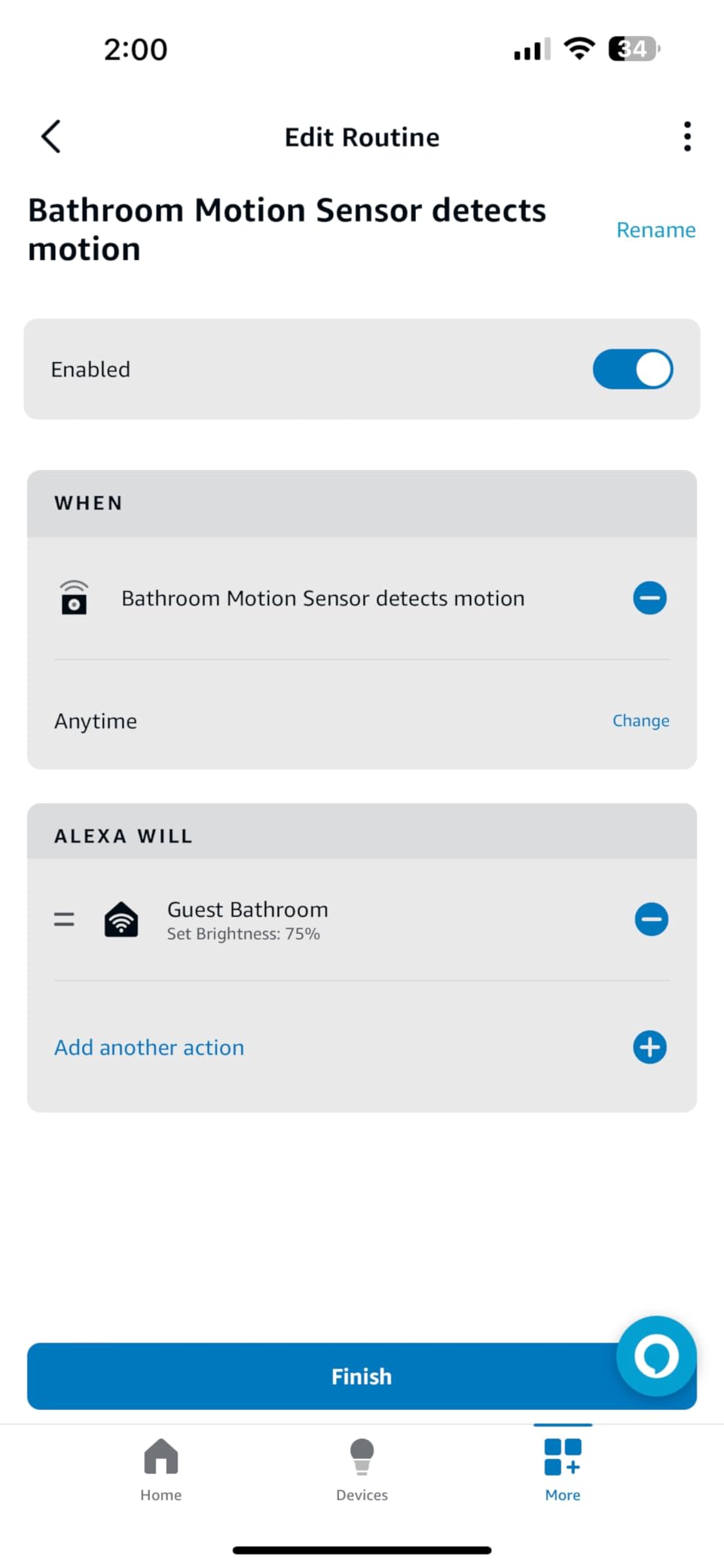
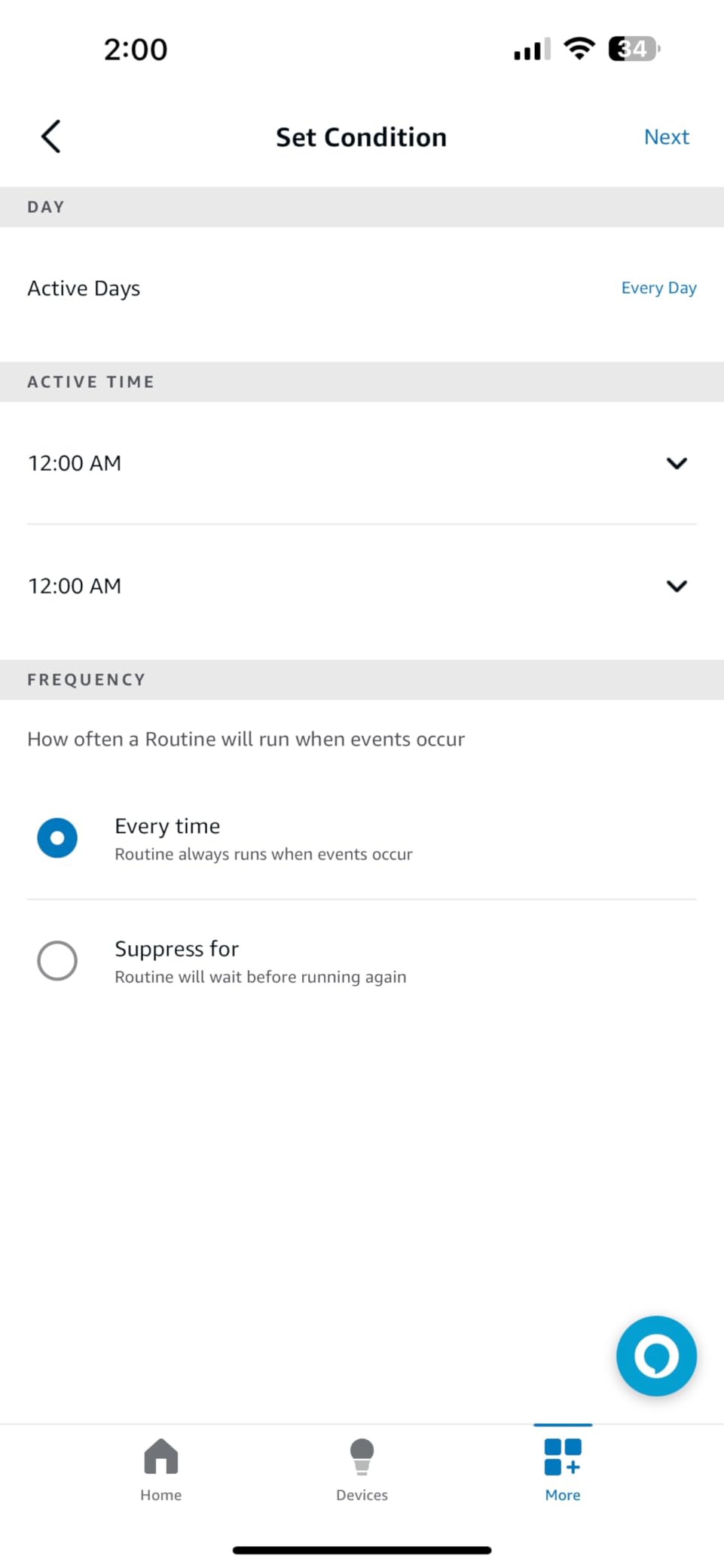
Alexa routines are the strength here beyond detection. You can build a routine where motion turns on a smart light or smart plug and the Echo announces it, and over-the-air firmware updates mean fixes arrive without you touching the sensors.
For lighting, the practical pattern most owners use is one sensor downstairs and one upstairs, both feeding the same routine, so the lights follow you rather than switching off behind you.
Where the 2-pack earns its place
It suits households covering multiple rooms on a budget, especially anyone with an Echo that already has a Zigbee hub inside it and no other reason to buy one. The pet-friendly detection also makes it a reasonable choice in homes with animals.
If you are running Home Assistant or Hubitat, the broad device list means you are not buying into a single vendor. Two years from two AAAs per sensor is also a comfortable gap between changes.
Where the 2-pack frustrates you
It is indoor use only, so it cannot go on a porch or in a garage that is not fully enclosed. A Zigbee hub or coordinator is required and not included, which is the cost people forget at checkout.
Full HomeKit, Google Home and SmartThings support needs the separately sold Third Reality Smart Bridge MZ1. And Alexa routines with custom spoken announcements only work through the Alexa app, so the announcement feature is lost if your household runs a different assistant.
11. THIRDREALITY 3-in-1 Night Light – Sensor, Light and Zigbee Repeater in One
THIRDREALITY Multi-Function Night Light, Zigbee Repeater, 3-in-1 Combines a Motion Sensor, a Illumination Sensor and RGB Color Night Light, 1-100% Adjustable Brightness, Zigbee hub Required
Zigbee
Motion sensor plus illuminance sensor plus RGB night light
1 to 100 percent brightness
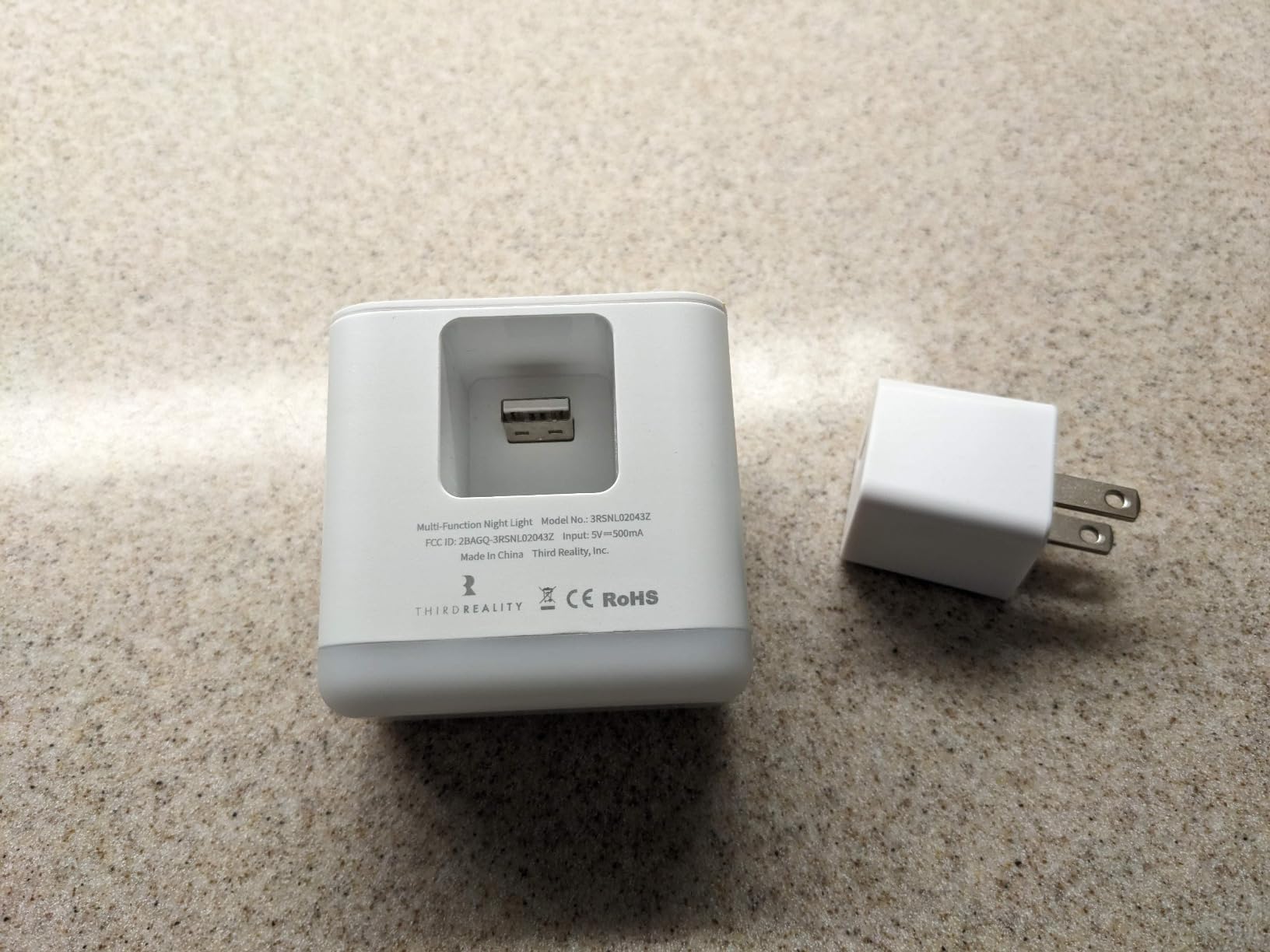
Zigbee hub required, adapter included
Pros
- Handles night light
- motion detection and ambient light measurement in one device
- Doubles as a Zigbee repeater which strengthens a weak mesh
- 1 to 100 percent brightness across multiple RGB colours
- AC adapter included in the box
- Indoor use in bathrooms
- bedrooms and baby rooms
Cons
- Bulkier than a dedicated motion sensor
- Indoor use only and not water resistant
- HomeKit Google Home and SmartThings need the separate MZ1 Smart Bridge
Three devices in one is the whole idea here: an RGB night light, a standalone motion sensor and an illuminance sensor. That combination suits a hallway, a bathroom, a baby room or a path, where you want a low-level light and you also want that light to trigger something bigger, like a main ceiling light.
The illuminance sensor is what separates it from a plain night light. It can trigger automations based on an ambient light change, so you can build a rule where the night light comes on when the room gets dark and the main overhead light only comes on when it is genuinely dark and someone is moving.
It also functions as a Zigbee repeater, which extends network coverage. In a house where a sensor at the back of the property has trouble pairing, adding this unit in between is a fix that costs less than another repeater or a second hub.
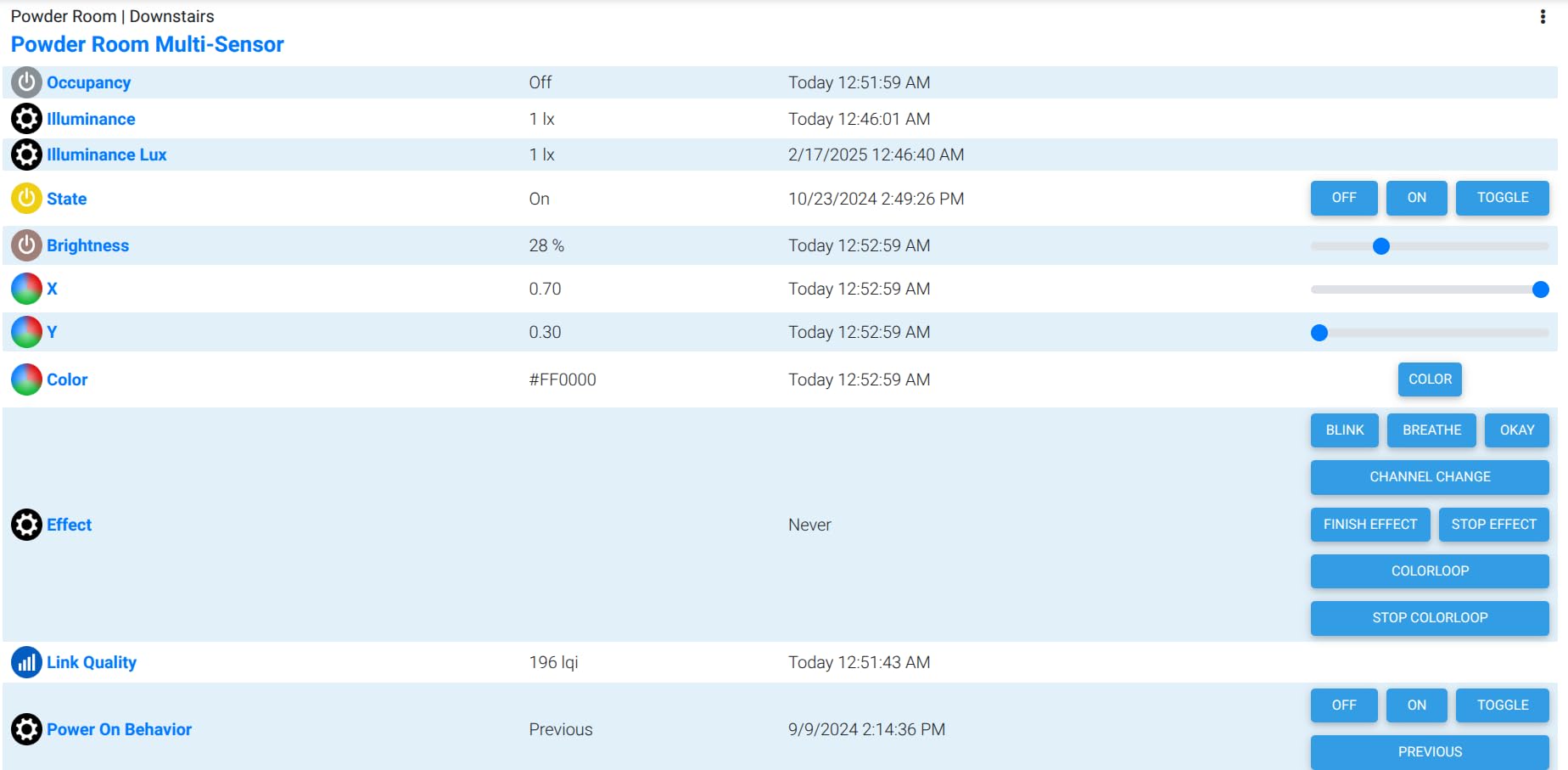
Brightness runs from 1 to 100 percent across multiple colours, so the same hardware works as a path light, a bathroom night light or an accent. Reviewers note a quick response to both movement and light level changes, and the AC adapter is included in the box.
Rating is 4.3 across 249 reviews, which is respectable for a niche combination device. The appeal is efficiency: one unit, one power source, three functions.
Where the night light earns its place
It suits anyone building a low-level path, bathroom or nursery light who also wants that device to feed automations. Rather than pairing a cheap night light with a separate sensor, one unit does both and stays powered from the wall instead of a coin cell.
Zigbee mesh users get a bonus. In a home with weak signal in a far room, the repeater function often resolves pairing problems that were previously blamed on the sensor.
Where the night light frustrates you
It is bulkier than a dedicated motion sensor, so mounting it where a small PIR would hide is harder. It is indoor use only and not water resistant, which rules out a garage or any damp location.
As with the 2-pack, Apple HomeKit, Google Home and SmartThings support requires the separately sold Smart Bridge MZ1, and a Zigbee hub is required in the first place. If your only goal is triggering smart bulbs, this is more hardware than the job needs.
12. SwitchBot Smart Motion Sensor – Best Fit for SwitchBot Setups
SwitchBot Smart Motion Door Sensor – Wireless Home Security System, PIR Motion Detector Alert, Add SwitchBot Hub to Make it Compatible with Alexa
PIR detection up to 30 ft
110 degree horizontal and 55 degree vertical field of view
Two AAA batteries included
SwitchBot Hub optional, needed for Alexa
Pros
- Wide coverage at 110 by 55 degrees out to nearly 30 feet
- Built-in light sensor so lights only activate when it is dark
- Customizable sensitivity filters irrelevant movement
- Works with the SwitchBot Bot for hands-free switching
- Can feed a home security routine with phone alerts
Cons
- Alexa
- scenes
- remote alerts and camera automation all need the separately sold SwitchBot Hub
- Integrates with the SwitchBot ecosystem only
- Indoor form factor
The SwitchBot sensor covers 30 feet across a 110-degree horizontal and 55-degree vertical field. That vertical figure is unusual in this group and matters in practice: it means the sensor can be mounted lower or aimed downward at a doorway and still catch a person rather than only their legs crossing at ceiling height.
The built-in light sensor triggers the SwitchBot Bot when the environment is dark, so a bulb it physically operates only comes on at night. If your lighting is already SwitchBot hardware, this removes the need for smart bulbs entirely, which is the cheapest path to automated lighting in a room where rewiring is not an option.
Sensitivity is customizable, so the same sensor works in a narrow hall and an open room. It runs on two included AAA batteries with a stated life of up to three years, and it can feed a SwitchBot Scene that turns on a light when you arrive or activates a camera when nobody is home.
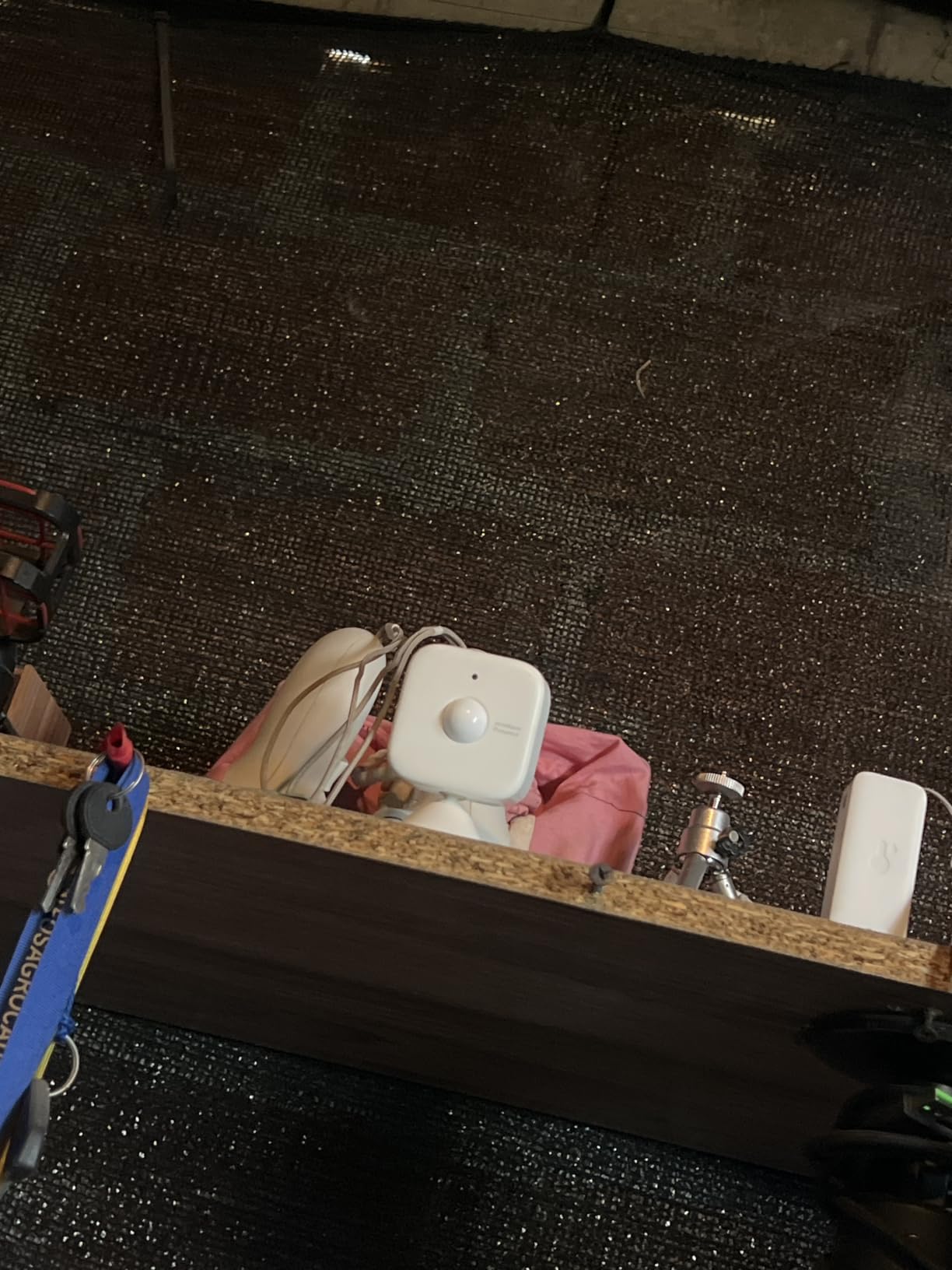
The honest caveat is the review base. At 168 ratings this is the newest and least proven product here, and a 4.1 average reflects a device with a shorter public track record than the sensors above it. Reviewers who own SwitchBot products highlight the 30-foot detection area, the light sensor and straightforward pairing.
Alexa compatibility, scenes, remote alerts and camera automation all require the separately sold SwitchBot Hub. Without it, you are limited to local SwitchBot automations.
Where the SwitchBot sensor earns its place
It suits a household already running SwitchBot hardware, or one that wants automated lighting without rewiring and without smart bulbs. The Bot it controls is a physical actuator, so it can turn a standard lamp or a wired fixture on and off.
The wide vertical field of view is the differentiator. In a hallway where a conventional sensor at eye height misses a child or a seated visitor, a sensor that can be aimed downward from a shelf handles the geometry better.
Where the SwitchBot sensor frustrates you
Everything beyond the basics sits behind the SwitchBot Hub. Alexa, scenes, remote phone alerts and camera automation all need it, so budget for the extra device if you want those features rather than assuming the sensor covers them.
It is also an indoor form factor with no weather rating, and it integrates with the SwitchBot ecosystem only. Given the smaller review count, it sits at the bottom of our ranking as the option to consider last, unless you already own SwitchBot devices.
How Motion Sensors Detect You: PIR, mmWave and Photocell
Every sensor in this roundup uses passive infrared, or PIR. A PIR sensor watches for changes in infrared radiation, which is heat, across its field of view. When a warm body moves, the pattern changes and the sensor fires. It needs no light and almost no power, which is why battery sensors run for years.
mmWave radar sensors work differently. They send out microwave signals and measure how those signals bounce back, so they can detect a person who is present but perfectly still. That solves the seated-occupancy problem that frustrates people with PIR sensors, though none of the twelve units here uses mmWave.
Photocell and dusk-to-dawn sensors do not detect people at all. They measure ambient light and only permit a trigger when it is dark. Several sensors here include one, and pairing a PIR with a daylight threshold is what stops your hallway light firing at two in the afternoon.
Microwave Doppler sensors are the older outdoor technology, still common in security floodlights. They detect movement through walls and across open space at the cost of false triggers, which is why none of the lighting sensors we recommend use them.
How to Choose a Motion Sensor: 7 Factors That Decide Fit
Protocol and hub requirement. This is the first decision because it can rule out a sensor entirely. The Kasa KS200M and the Deako switch need no hub at all. Hue, Aqara, Aeotec, SONOFF, THIRDREALITY and GoveeLife sensors all require a bridge, hub or coordinator of some kind. Our guide to how IoT sensors work covers how these networks mesh and why one coordinator can carry sensors across a whole house.
Detection technology. If you need to detect people who are sitting still, mmWave presence sensing is the answer and none of these twelve deliver it. For most lighting, PIR is enough provided you set a sensible hold time.
Detection range and field of view. Ranges here run from about 15 feet on the Aeotec to 39 feet on both Hue sensors. Field of view matters more than range in a hallway, since a long range at 60 degrees still leaves a corridor blind.
Timeout and hold time. This is the setting that decides whether you love or hate your lights. Aqara offers 1 to 200 seconds, Deako offers three fixed options at 30 seconds, 5 and 20 minutes, GoveeLife offers 60 to 180 seconds, and Aeotec has no straightforward adjustment. Check this before you buy, because fixing it later is often impossible.
Power source. Wall switches draw power from the circuit and last indefinitely, which makes them the most reliable option if you have a neutral wire. Battery sensors are easier to place but need maintenance. Coin cells like the CR2477 in the SONOFF last longest; the CR2 in the GoveeLife sensor needs replacing sooner. AAAs are the easiest to change in a hallway with a flashlight.
Mounting options. Magnetic mounts (Hue, Aeotec) let you reposition in seconds. Adhesive works for small sensors. Freestanding, wall and corner mounting (Lutron) covers rooms where a stairwell or a garage shelf is a better location than a wall.
Ecosystem. Hue sensors control only Hue lights. Aqara requires an Aqara hub. GoveeLife works only inside Govee. If you already have smart bulbs, match the sensor to them and you avoid a bridge. We deliberately left out anonymous Tuya-branded units, because the forum consensus is consistent that they need a specific hub and ship with firmware that behaves unpredictably. More detail on protocol choices is in our wired versus wireless sensor guide.
Where to Mount a Sensor for Full-Room Coverage
Mount sensors slightly above eye level and away from direct sunlight. Homeowners on the Aqara forum report placing sensors a little above eye height and still needing two of them to cover one large living room, which matches our experience with wide open-plan spaces.
Aim across the direction of travel rather than along it. Someone walking along a corridor passes through the edge of a detection cone, while someone walking toward it passes through the centre, so rotate the sensor until the main path crosses the middle of the field of view.
Use the corners. A sensor in a corner of a room sweeps the whole space with two cones instead of one, which is why Lutron supports corner mounting and why the Hue sensors include corner hardware for outdoor use.
Keep sensors away from heat sources and air vents. A warm air vent, a radiator or a ceiling fan in the detection cone reads as movement and produces the constant light cycling that makes people give up on automation.
Fixing False Triggers and Lights That Cut Out Too Early
If lights switch on for no reason, raise the minimum trigger interval or lower the sensitivity before you buy a different sensor. GoveeLife goes to 180 seconds, Aqara offers three levels, and SwitchBot and Hue both offer adjustable sensitivity.
If lights go out while you are still in the room, extend the hold time and aim the sensor so your usual seated position is inside the field of view. A small movement adjustment on a tilt mount, which the Aeotec and Aqara sensors have, often fixes it faster than any software change.
If a pet triggers everything, look for pet-resistant or pet-friendly detection. The Deako switch ignores small animals by design, and the THIRDREALITY 2-pack is described as pet friendly. Raising the sensor so it looks over a sofa back rather than across the floor works too.
If lights flicker on and off repeatedly, the trigger is almost always a moving curtain, a ceiling fan or an HVAC draught inside the cone. Our guide to how sensor-driven lighting savings actually add up covers the placement decisions that keep automation stable over time.
Frequently Asked Questions
What is the best smart motion sensor?
For most people the Kasa KS200M is the best starting point because it connects over Wi-Fi with no hub, has a built-in daylight sensor and works with Alexa, Google Assistant and SmartThings. If your bulbs are already Philips Hue, the Hue Motion Sensor is faster and clears sooner. If you need wide coverage in a large room, the Lutron Caseta sensor covers a 180 degree field of view.
Do motion sensors need a hub or bridge?
It depends entirely on the sensor. The Kasa KS200M motion switch and the Deako switch work as standalone devices because they control the fixture they are wired to. Hue sensors require a Hue Bridge, the Aqara P1 requires an Aqara Zigbee Hub, and SONOFF, Aeotec, THIRDREALITY, GoveeLife and SwitchBot sensors all need a hub, coordinator or gateway. Budget for that hardware before buying a sensor.
Which Zigbee motion sensor is the best?
For lighting automation the SONOFF SNZB-03P is a strong pick, with a 5 second shortest detection response, about three years of battery life on a CR2477 cell and local scene execution that keeps working during a Wi-Fi outage. The Aqara P1 wins on configurability with a timeout adjustable from 1 to 200 seconds. The Aeotec SmartThings sensor reports fastest and adds a temperature sensor.
Why do motion sensor lights turn off too quickly?
Almost always because of the timeout setting. A PIR sensor needs a change in heat to register, so a person sitting still looks identical to an empty room. The fix is a longer hold time plus aiming the sensor at your seated position. Aqara allows 1 to 200 seconds, Deako offers 30 second, 5 minute and 20 minute options, and GoveeLife runs from 60 to 180 seconds.
What are the downsides of using motion sensor lights?
The main drawbacks are false triggers from pets, fans and moving curtains, and the fact that PIR sensors miss people who are sitting still. You can also end up with lights that stay on longer than you want. Many sensors require a hub or bridge, which adds cost, and several are locked to one ecosystem: Hue sensors control only Hue lights and the GoveeLife sensor works only with Govee devices.
The Best Motion Sensors for Smart Lighting in 2026
Our pick for the best motion sensors for smart lighting in 2026 is the Kasa KS200M. It needs no hub, it reads the room before it fires, and at 3419 ratings it is the most thoroughly reviewed sensor in the group. If your bulbs are already Hue, move up to the Hue Motion Sensor for faster response; if you need wide coverage in a large room, take the Lutron Caseta sensor.
Start with one room, set the timeout deliberately, and adjust the aim before you buy a second sensor. Most of the disappointment people report with smart lighting comes from a default setting, not a bad device.