
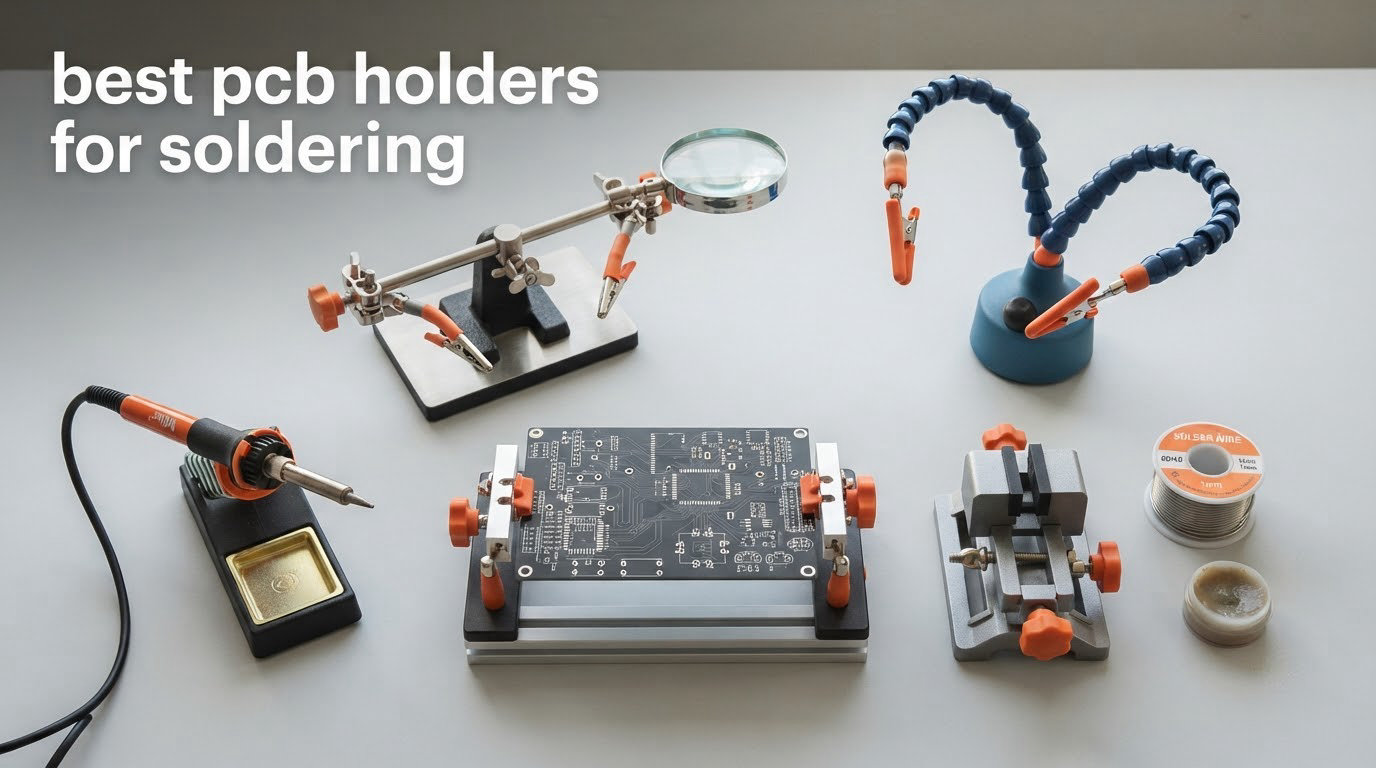
A PCB holder for soldering is a clamp, bench vise, or third-hand tool that grips a circuit board so it cannot slide, tilt, or flex while you apply a soldering iron. Our picks below range from a budget helping hand with a built-in magnifier to weighted-base stations built for fine-pitch SMD rework.
The reason it matters comes down to physics. Solder melts at around 95C, and if the board shifts even slightly while the joint cools, the solder freezes against a moving surface and you get a cold or bridged joint. Your two hands are already committed to the iron and the solder feed, so a holder is the third point of contact that keeps the work still.
We spent weeks with all ten of these on a crowded bench, moving boards, leaning on clips, and re-posing arms under load. Three complaints came up again and again, and they shaped the way this list is organised: clips that bite into solder mask, arms that spring back after you pose them, and bases that creep across the table mid-joint. If you are still choosing an iron, our soldering iron roundup covers the temperature control side of the bench.
Table of Contents
Top 3 Picks: PCB Holders for Soldering Right Now (October 2026)
The KOTTO four-arm weighted base is the one we reach for first because its base does not move and its arms hold a pose through a full joint. Fstop Labs is the better value if you want an iron holder in the box, and the SainSmart station is the pick for anyone doing fine-pitch SMD work who also wants magnification and lighting in the same footprint.
KOTTO 4-Arm Helping Hands
- Weighted steel base
- 4 gooseneck arms
- 360-degree clips
- Rubber tip caps
Fstop Labs Magnetic 4-Arm
- 2 lb steel base
- Magnetic accessory mount
- Integrated iron holder
- Silicone tip sleeves

SainSmart Magnifying Station
- 11.1 x 7.1 inch base
- 5x LED magnifier
- 4 PCB pillars
- Magnetic arms
Best PCB Holders for Soldering in 2026
All ten models below are rated for bench soldering and clamp boards by edge rather than by component. Sort them by base type if your main worry is stability, or by jaw material if you work hot for long stretches.
| Product | Specifications | Action |
|---|---|---|
| KOTTO Helping Hands 4-Arm PCB Holder |
|
Check Latest Price |
 NEIKO 01902 Helping Hand with Magnifier NEIKO 01902 Helping Hand with Magnifier |
|
Check Latest Price |
| SainSmart Magnetic Helping Hands Station |
|
Check Latest Price |
| Fstop Labs Magnetic 4-Arm Helping Hands |
|
Check Latest Price |
 NOEVSBIG Heavy Duty Helping Hands NOEVSBIG Heavy Duty Helping Hands |
|
Check Latest Price |
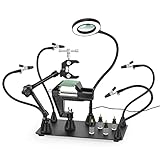 NOEVSBIG 3X Magnifier Station NOEVSBIG 3X Magnifier Station |
|
Check Latest Price |
 EOOKU Magnetic Helping Hands with 3X Lamp EOOKU Magnetic Helping Hands with 3X Lamp |
|
Check Latest Price |
 MMOBIEL Adjustable PCB Holder MMOBIEL Adjustable PCB Holder |
|
Check Latest Price |
 Stickvise Low-Profile PCB Vise Stickvise Low-Profile PCB Vise |
|
Check Latest Price |
 Toolour Y-Arm Clamp-On Helping Hand Toolour Y-Arm Clamp-On Helping Hand |
|
Check Latest Price |
1. KOTTO Helping Hands 4-Arm PCB Holder – Our Pick for Most Benches
KOTTO Helping Hands Soldering,Third Hand Soldering Tool PCB Holder 4 Arms
Weighted steel base
4 gooseneck arms
360-degree alligator clips
Rubber tip caps
450 C rating
Pros
- Weighted base with rubber feet does not creep across the bench
- Four arms cover a board and a solder feed at once
- Rubber caps stop clip teeth marking solder mask
- Simple assembly
- no tools needed
Cons
- Arms spring back toward their original position after bending
- Clip jaws suit flat workpieces better than round ones
- A few buyers reported stripped threads on an arm screw
This is the holder we keep within reach on our own bench. The base is weighted steel with rubber feet, and across weeks of use it never crept once, even when we were leaning on a clip to hold a stiff board down. That single behaviour matters more than any feature on the box.
Four gooseneck arms each end in a stainless steel alligator clip that rotates 360 degrees, so you can set the angle once and forget it. The clips carry rubber caps, which is the detail that keeps solder mask intact. We clamped the same board edge a dozen times and found no bite marks, no dents, no lifted pads.
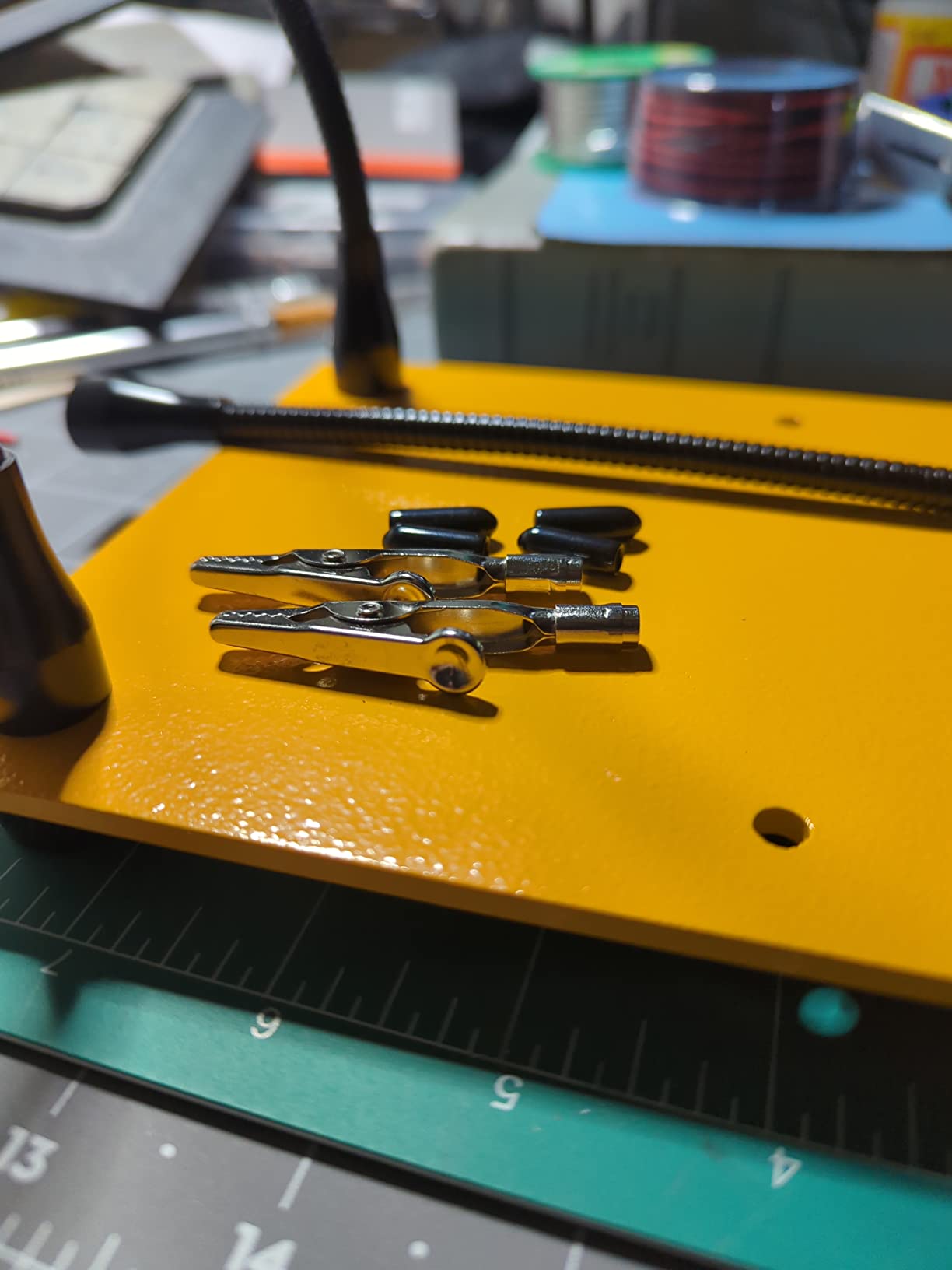
What the arms do not do is stay bent where you leave them. There is real memory in the gooseneck, so a pose that looks right will drift back toward the arm’s original curve the moment you let go. Owners work around this by bending each arm once to the depth you actually use and treating the rest as adjustable height rather than free shaping.
The clips are also shaped for flat objects. Holding a component lead or a wire is fine, but a round connector or a cylindrical capacitor will sit less predictably in the jaws than it would in a spring-loaded round-jaw clip. The stated upper temperature rating is 450 C, and the unit is sold with a one-count helping hands kit and alligator clip included.

What decides it for a beginner
A first kit build involves long stretches of holding a board while both hands work the iron and the solder. That is exactly the job this one does well, because the base is heavy enough that you can rest a forearm on the bench and the whole stand stays put.
The rubber caps are the second reason. Most cheap clips leave a visible crescent in the green solder mask after a few minutes, and beginners tend to clamp harder than they need to. Having a soft contact point removes the temptation to overtighten.
When to choose something else
If your work is mostly on full-size boards and you want the board held flat and low rather than tilted up in the air, a low-profile vise suits you better. Several owners also report arm screws arriving with stripped threads, so if you have a history of overtightening small hardware, keep the included spanner in mind.
Magnification is not part of this package either. Fine-pitch SMD under a microscope needs lighting and a lens, which is a separate purchase and a separate footprint on the bench.
2. NEIKO 01902 Helping Hand with 2x Magnifier – Best Entry Point Under Twenty Dollars
NEIKO 01902 Adjustable Helping Hand with Magnifying Glass, Third Hand Solder Aid, Soldering Wire Station Stand with Dual Alligator Clips and a Heavy Base, Beading & Jewelry Making Tools, Solder Holder
2x magnifying glass
Cast-iron base
Dual alligator spring clamps
480 C rating
Pros
- Built-in magnifier for fine detail
- Heavy cast-iron base
- Long review history
- Compact footprint
Cons
- Small footprint and short arms limit it to small workpieces
- Ball-jointed arms droop under sustained load
With more than fifteen thousand reviews behind it, this is the most proven tool on this list and the cheapest way to get two useful functions at once. The cast-iron base is short and wide, which makes it awkward to knock over but very difficult to slide.
The 2x magnifier sits on its own ball-jointed arm, so you can swing it over the work and out of the way. We found it genuinely useful for inspecting a joint after it cools and for tinning a fine-pitch header, where the naked eye is working too hard.
The honest limitation is size. The unit measures 5 inch deep by 3 inch wide by 2.68 inch high, and the arms are short. That is a good footprint for a bead, a joint, a small breakout board, or a trimmed piece of a panel, and a poor one for a full-size development board or an Arduino shield.
Under sustained load the ball joints can droop. If you clamp something and then lean the iron against the clip for a long desoldering job, come back and re-check the position rather than trusting it. The stated upper temperature rating is 480 C, among the highest in this group.
When this is the right buy
Start here if your bench is small, your work is on small boards, and you want magnification without buying a separate lamp. The price-to-capability ratio here is hard to argue with, and the review volume means you can read hundreds of accounts of long-term behaviour before you commit.
It is also the natural first stop for a jewellery or beadwork bench that occasionally handles electronics, because the same tool covers both.
When to choose something else
Skip it if you routinely work on boards larger than about four inches across, or if you clamp a part and expect it to hold that position unattended. Larger work needs longer arms and a wider footprint.
If you plan to leave a board clamped for an hour while you do something else, choose a holder with a mechanical lock rather than a ball joint holding tension.
3. SainSmart Magnetic Helping Hands Station – Best for Fine-Pitch SMD Rework
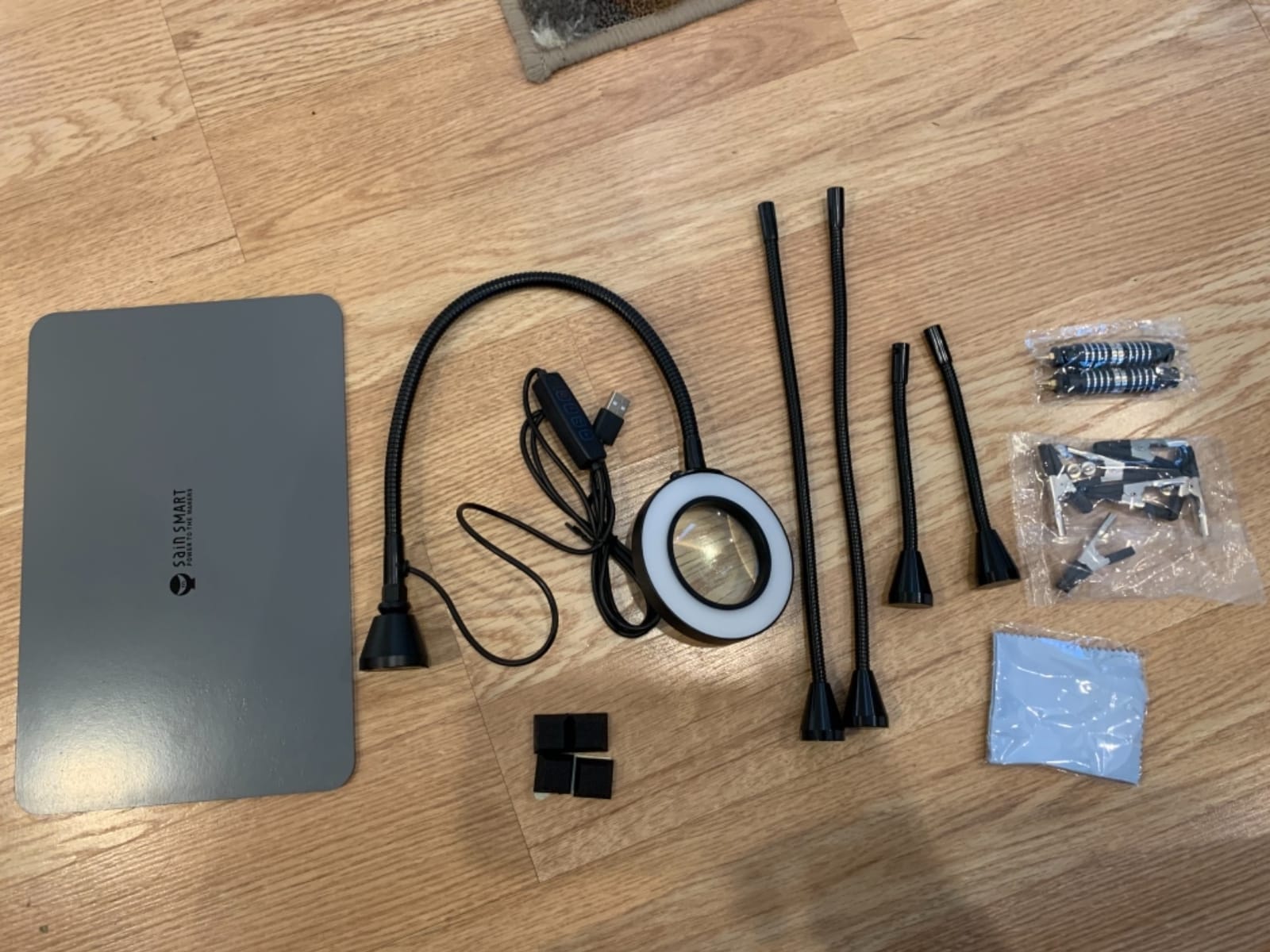
SainSmart Magnetic Helping Hands Soldering Station with an 11.1 x 7.1 Inch Larger Base, 5X LED Magnifying Lamp, 4 PCB Circuit Board Holder & 4 Flexible Magnetic Helping Hands
11.1 x 7.1 inch base
5x LED magnifier lamp
4 PCB pillars
2.35 kg
Pros
- Large heavy base gives a generous working area
- Magnifier with three color temperatures and ten brightness levels
- Four PCB pillars reposition anywhere on the plate
- Remove modules for simpler jobs
Cons
- Alligator clamps are hard to tighten and can twist
- No wider clamp option for large items
- Magnifier arm droops at full extension
- LED lamp needs USB-A power
This is the station we would set up for rework on a board with a lifted pad or a removed component. The magnifier and lamp are the reason: a 5x lens with three colour temperatures means you can drop the light temperature when you are looking at a matte solder mask and raise it when you are reading a silkscreen label.
The base plate measures 11.1 by 7.1 inch and weighs 2.35 kg, so the working area feels like a small bench of its own. Four magnetic arms and four PCB pillars can be placed anywhere on the plate and rearranged between jobs in seconds, which matters more than it sounds when you are switching between two different board sizes.
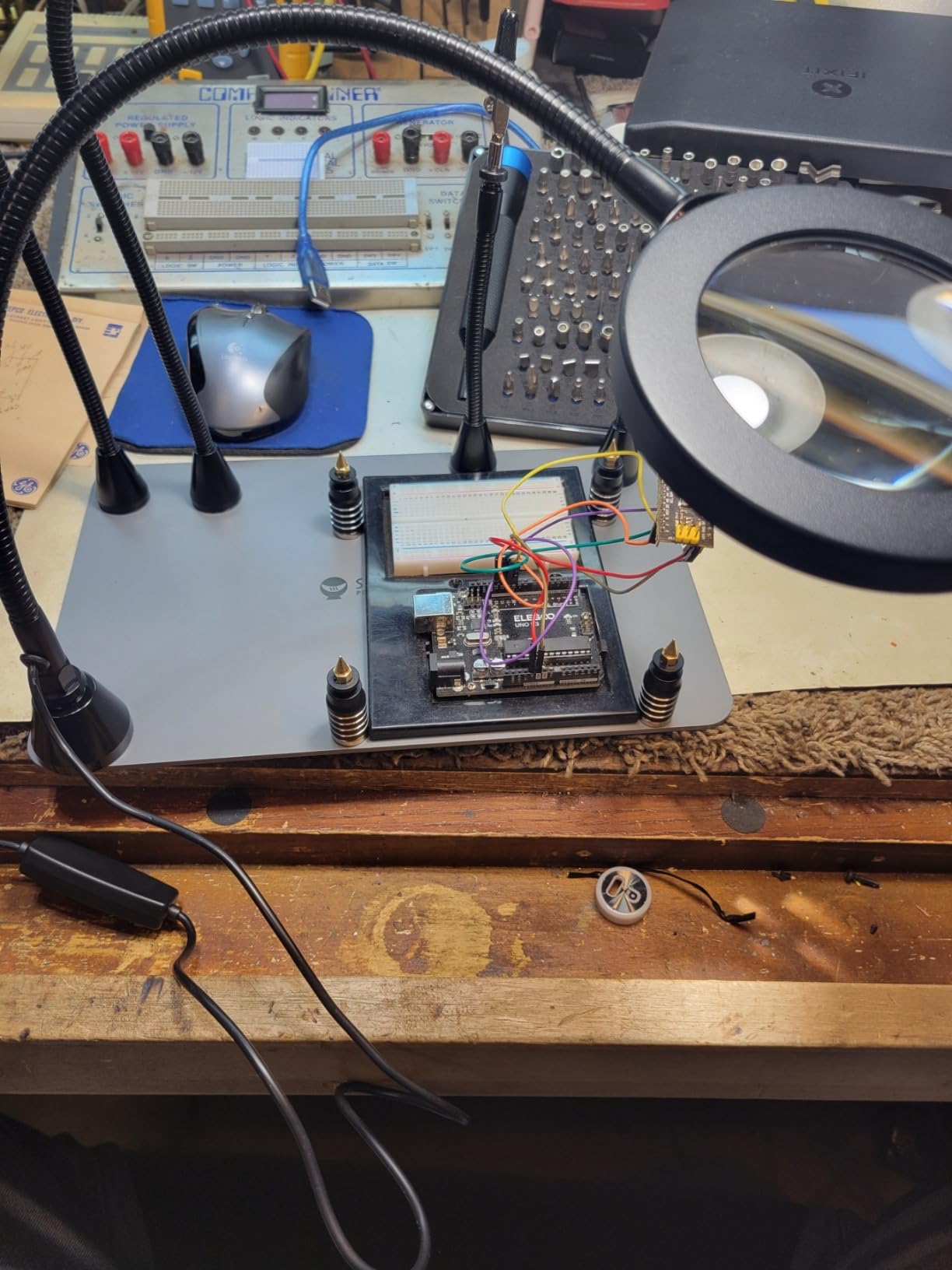
What frustrated us was the clips. The alligator clamps are genuinely hard to tighten without twisting the whole arm, and we found ourselves using two clips in opposing directions just to stop the twist propagating. The included rubber sleeves did protect both the board and the clip teeth, and we saw no scoring.
There is also no wider jaw in the box. For a large or awkwardly shaped assembly, the rigid clips on the bigger stations are a better answer. The magnifier arm holds its position near the base and loses some authority at full extension, and the lamp is dimmer than a dedicated bench light, so plan on supplementing it for long sessions. A one-year manufacturer warranty is included.
What decides it for SMD rework
Two features earn their place here. The first is adjustable colour temperature, because warm light makes a green board glow and hides a dull joint while cool light exaggerates contrast on a matte surface. The second is the ten brightness levels, which let you dial down to a level that does not wash out your view of a shiny solder blob.
If your work is fine-pitch rework, this is the single most useful tool in the list, and the pillars mean you can hold a board and still have all four arms free for tweezers and a probe.
When to choose something else
Choose a low-profile vise if you are probing or testing rather than soldering, because you want the board flat at table height with a scope probe on it, not tilted up toward the light.
Choose a heavier station if you routinely clamp heavy parts such as battery packs or a large shield, because this plate is stable but not designed to take that kind of leverage.
4. Fstop Labs Magnetic 4-Arm Helping Hands – Best Value Bench Upgrade
Fstop Labs Third Hand Soldering Tool PCB Holder Four Magnetic Based With Iron Holder, Flexible Metal Arms Helping Hands Crafts Jewelry Hobby Workshop Helping Station Non-Slip Steel Weighted Base
2 lb weighted steel base
4 magnetic gooseneck arms
Integrated iron holder
Silicone tip sleeves
Pros
- Weighted base resists shifting and tipping
- Strong magnets allow placement anywhere on the plate
- Silicone sleeves protect delicate surfaces
- Iron holder included
- Useful far beyond electronics
Cons
- Bendable arms can drift slightly under load
- Iron holder is narrow for larger all-in-one irons
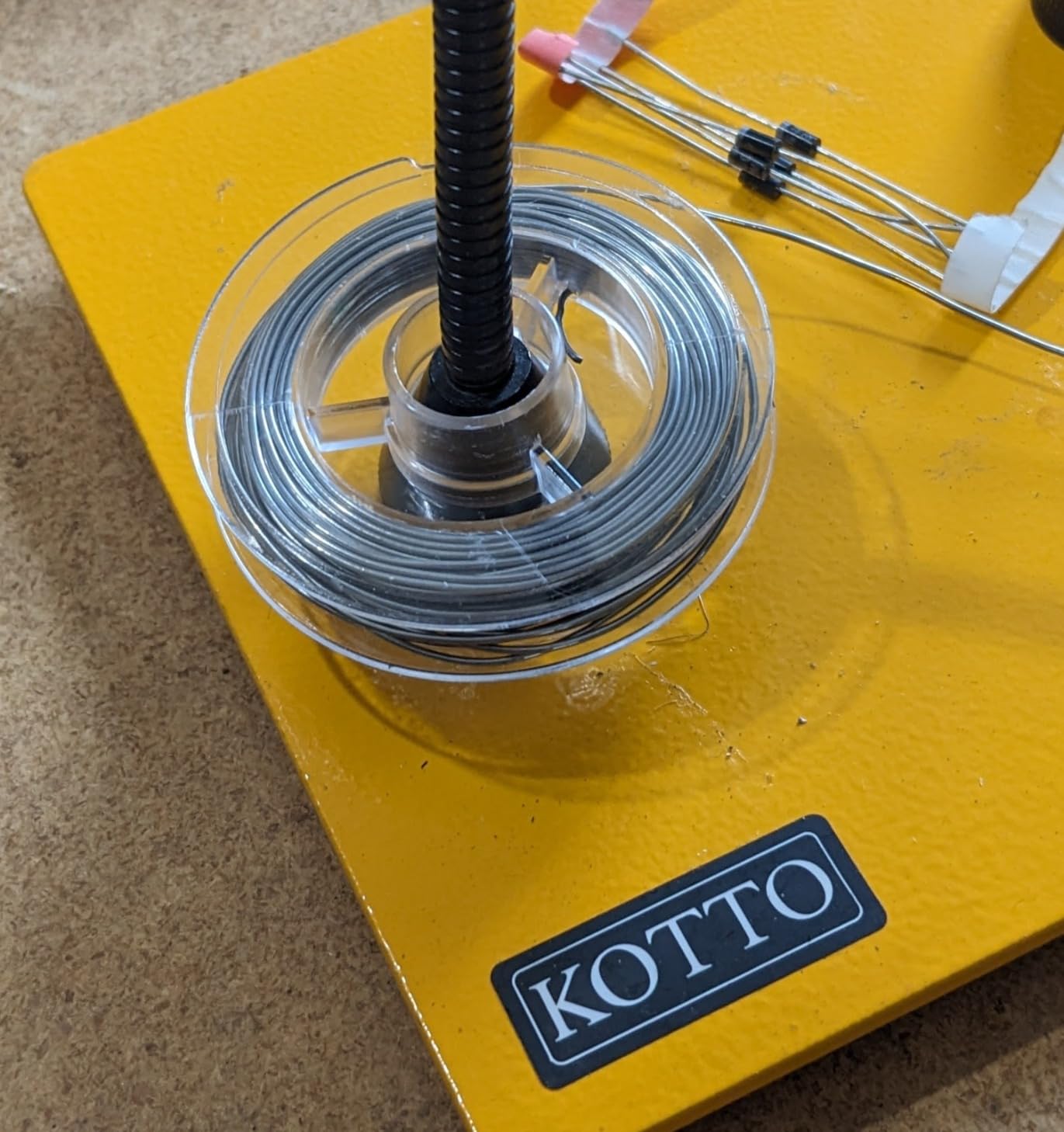
Reviewers consistently describe this as a clear step up from the small cast-iron helping hands, and after a month we agree. The base is a 2 lb weighted steel plate and the arms attach by magnet, so you can lift the whole assembly or set a clip on any magnetic surface on your bench without hunting for a socket.
The four 30 cm gooseneck arms bend freely and hold most poses. Clips rotate 360 degrees and lock with knurled thumb nuts, and the silicone tip sleeves spread the contact load so a thin board edge does not concentrate pressure into a single point.
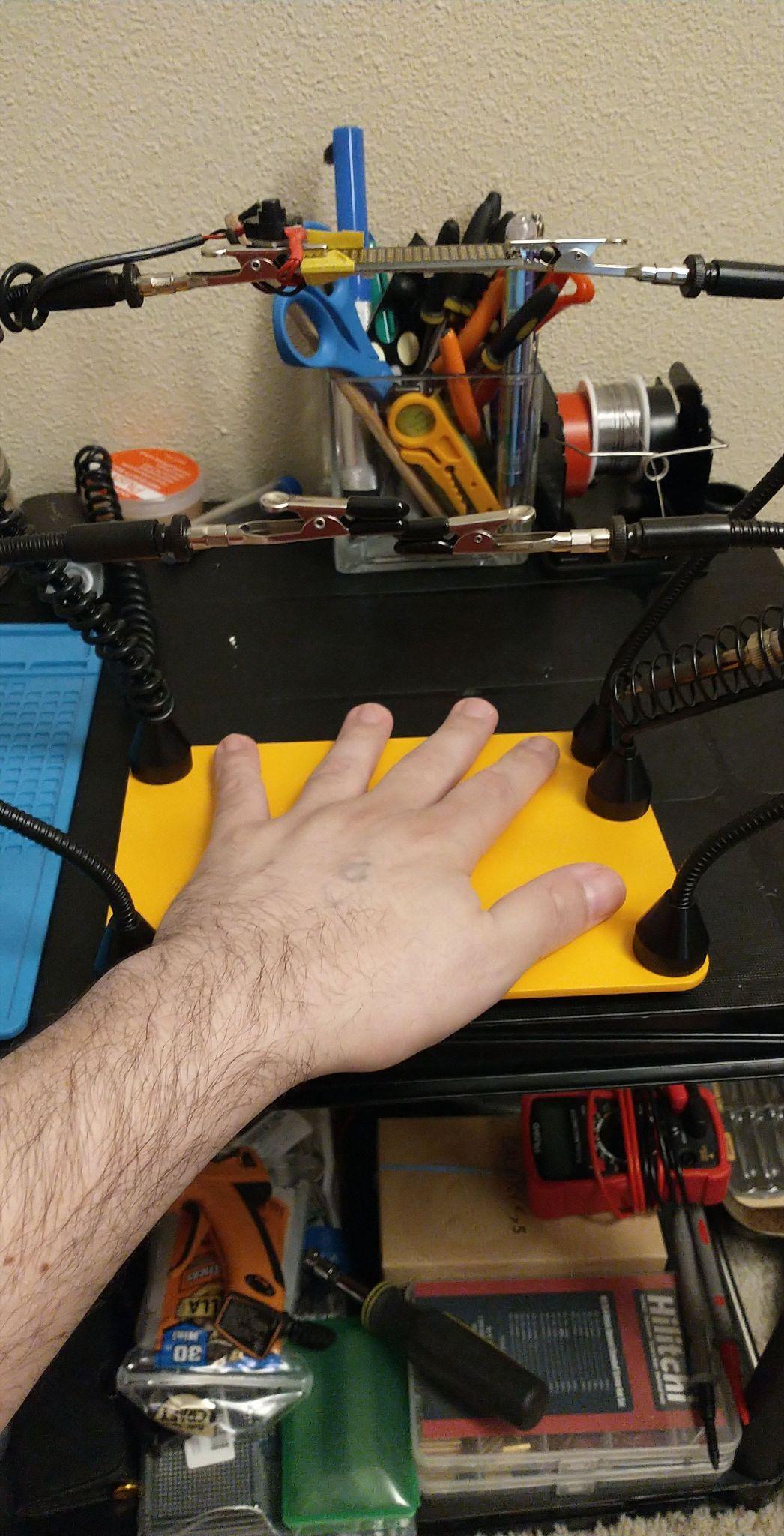
The integrated soldering iron holder is the quiet win. It removes the loose iron stand from the bench and keeps the tip away from your components and your helping hands, which is both a safety and a tidiness improvement. It is sized for a lighter pencil-style iron, so a chunky all-in-one station will not sit in it comfortably.
Arms do drift a little under load, and the review consensus matches what we saw: a light workpiece stays put, a heavy clamped part pulls the arm down by a few degrees. This is also not a soldering-only tool. Owners use it for fly tying, model painting, and cable assembly, and for a lot of those jobs it is simply the better instrument.
What decides it against a classic third hand
The deciding factor is base mass. A 2 lb plate lets you brace your forearm on the bench and push a board into position without the stand walking across the table, which is the single most common complaint we heard about lighter helping hands.
Second is the silicone sleeve. If you have ever peeled a solder mask crescent off a board, you know that a soft contact point is worth more than another arm.
When to choose something else
It has no magnification, so fine-pitch inspection under a lens is not part of the package. If that is your regular work, the station options further down handle light and optics in the same base.
Choose a rigid clamp-arm model instead if you routinely hold something with real weight or heat, since a gooseneck arm is a compromise between flexibility and load capacity.
5. NOEVSBIG Heavy Duty Helping Hands – Best for Large Boards and Connectors
NOEVSBIG Magnetic Helping Hands Soldering Station with Large & Heavy Duty Base,2.16-inch Jaw Opening Soldering Clamp,4 PCB Holders,4 Flexible Arms Helping Hands for Electronic Repair Soldering Jewelry
Over 3.3 lb steel base
2.16 inch jaw clamp
Single-knob joint tensioning
Hot air gun frame
Pros
- Very large base plate resists tipping
- Embedded neodymium magnets hold arms firmly
- One knob tensions every joint at once
- 2.16 inch jaw handles XT60 and XT90 connectors
- Hot air frame and six pillar holders included
Cons
- Toothed center clamp adjustment wears with repeated loosening
- Alligator clips slip slightly when tightened by thumb screw
- One small plastic part feels lower quality
- No carrying case
This is the one to buy if you build packs, and the 2.16 inch jaw is the reason. That opening grips an XT60 or XT90 connector body and even a small battery cell, which no alligator clip on this list will do cleanly.
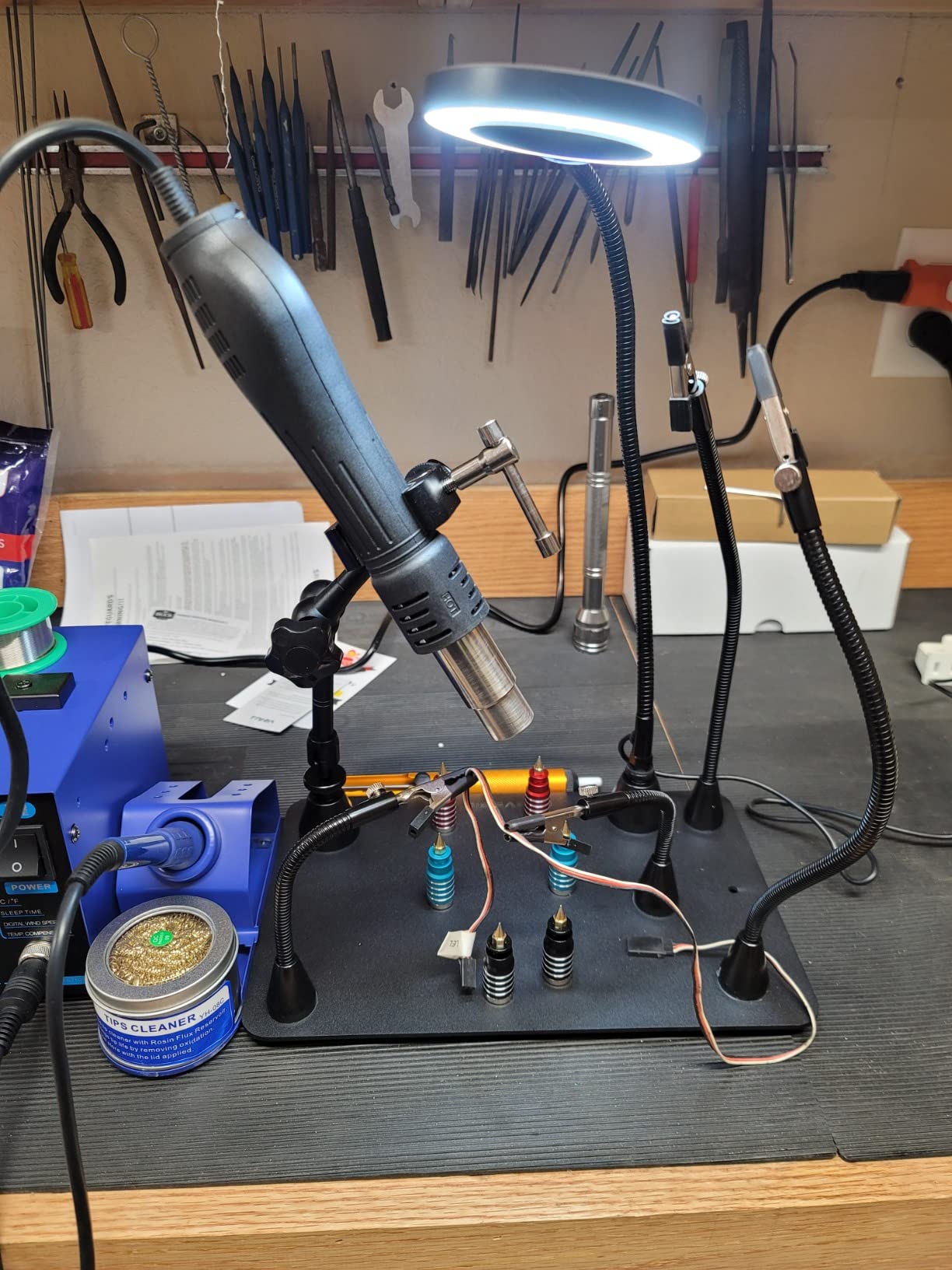
The base plate is 11.4 by 7.1 inch powder-coated steel weighing over 3.3 pounds with rubber feet, and the embedded magnets are strong enough that an arm stays exactly where you place it. Four magnetic gooseneck arms, a 360-degree rotating hot air gun frame, four board clips, six pillar holders, and 3M adhesive pads for the underside round out the kit.
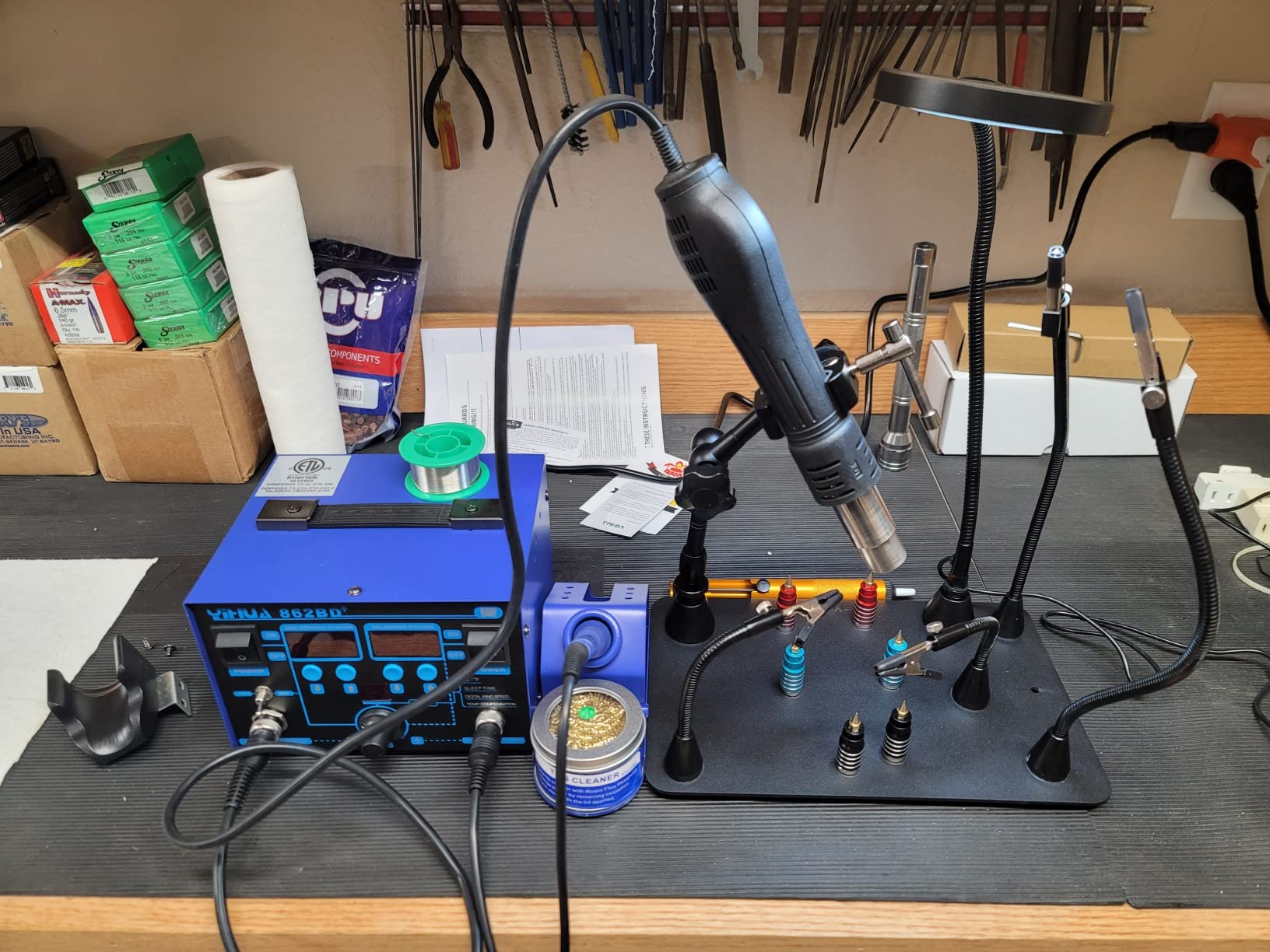
The single tensioning knob on the center clamp is the design detail that impressed us most. One control sets the angle and rotation of every joint at once, so re-posing the whole assembly takes one motion instead of four, and that speed is what keeps the arms tight during a long build session.
The catch is durability in one specific place. The toothed mesh on the center clamp adjustment degrades if you loosen and re-tighten the joint repeatedly, and that is exactly what a re-posing workflow encourages. Clips also slip slightly when tightened by the thumb screw alone, and one small plastic piece on the clamp feels out of step with the rest of the build. There is no carrying case, so plan storage before you commit.
What decides it for connector work
Jaw opening is the whole argument. If your work includes battery connectors, banana leads, or screw terminals, an alligator clip deforms them over time and a 2.16 inch machined-style jaw holds them without marking.
The hot air gun frame is the second reason. It turns the base into a station for rework as well as soldering, and a 360-degree rotating frame keeps the nozzle out of your way when you are not using it.
When to choose something else
Pick something smaller if bench space is the constraint. The overall footprint is 20.4 by 11 by 15.7 inch with the frame fitted, which is a serious commitment to one corner of a desk.
Pick the next station up if you need magnification, because this one has no lens or lamp, and a heavy plate with no optics is at its best on large through-hole work.
6. NOEVSBIG 3X Magnifier Station – Best All-In-One Bench Setup
Magnetic Helping Hands Soldering Third Hand, PCB Circuit Board Holder with 3X LED Magnifying Lamp, 360 Hot Air Gun Holder, Extra Large & Heavy Duty Base Plate | Flexible Arms for Soldering Station
7.6 lb base plate
3x optical glass magnifier
2.1 inch magnetic vise
Hot air gun frame
Pros
- Extra heavy base resists tipping
- Real optical glass magnifier with minimal distortion
- Dimmable lamp with three color temperatures
- Magazine-style vise with 2.1 inch jaw and 360-degree swivel
- Complete kit with power adapter
Cons
- Larger footprint than simpler helping-hands models
- Magnifier arm less stable at full extension
Judged on completeness, nothing else here covers as much bench work. The plate weighs 7.6 pounds on an 11.4 by 7.1 inch footprint, so you can push hard on a board without any sense of the base wanting to move, and that is a different experience from the 2 lb plates.
The 3x magnifier uses real optical glass rather than acrylic, and the difference shows at the edge of the field where cheaper lenses smear. The lamp is dimmable with three colour temperatures and ten brightness levels, and the magnetic workbench vise has a 2.1 inch jaw on a 360-degree swivel for holding a board, a connector, or a part while the arms stay free.
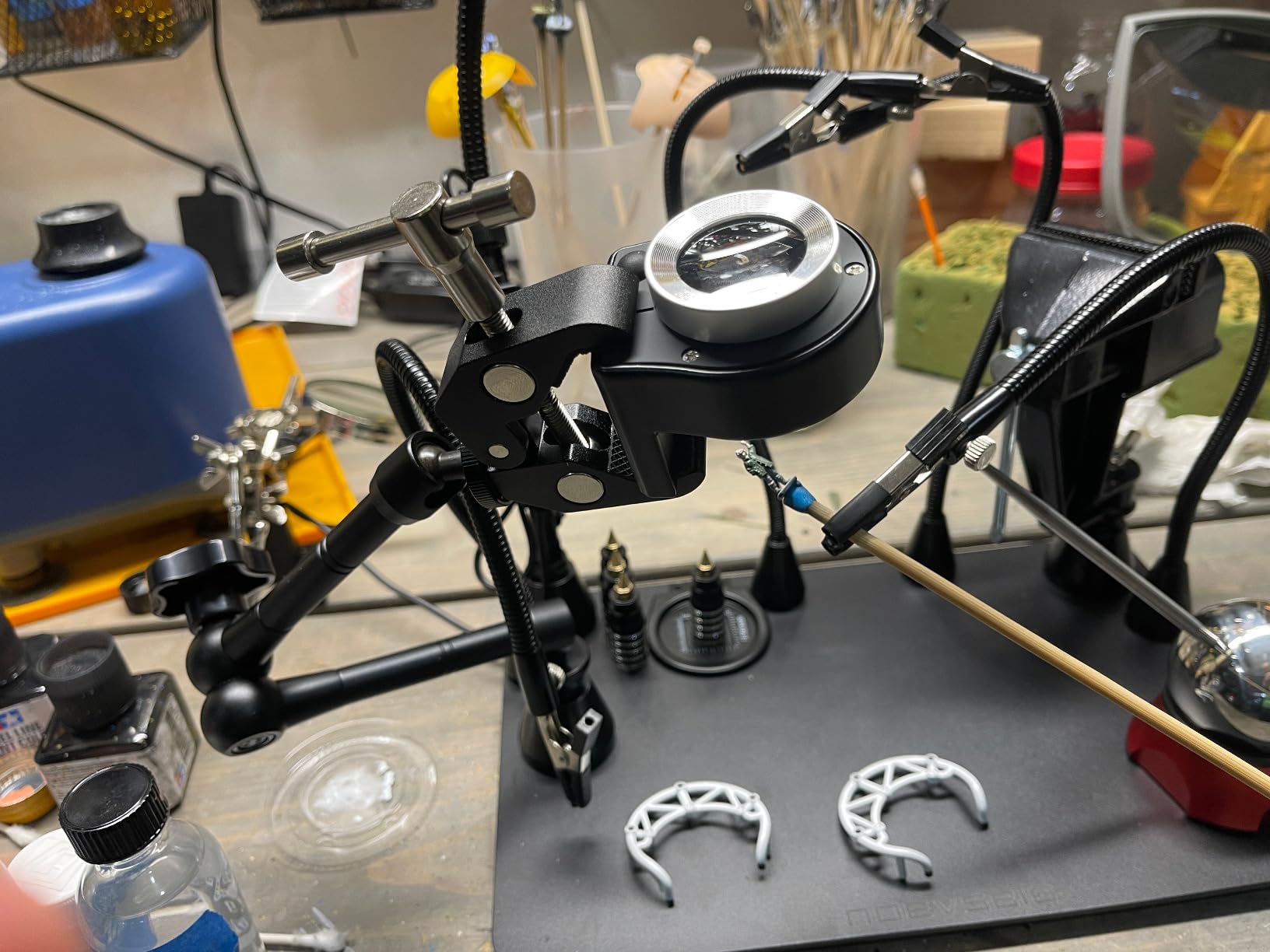
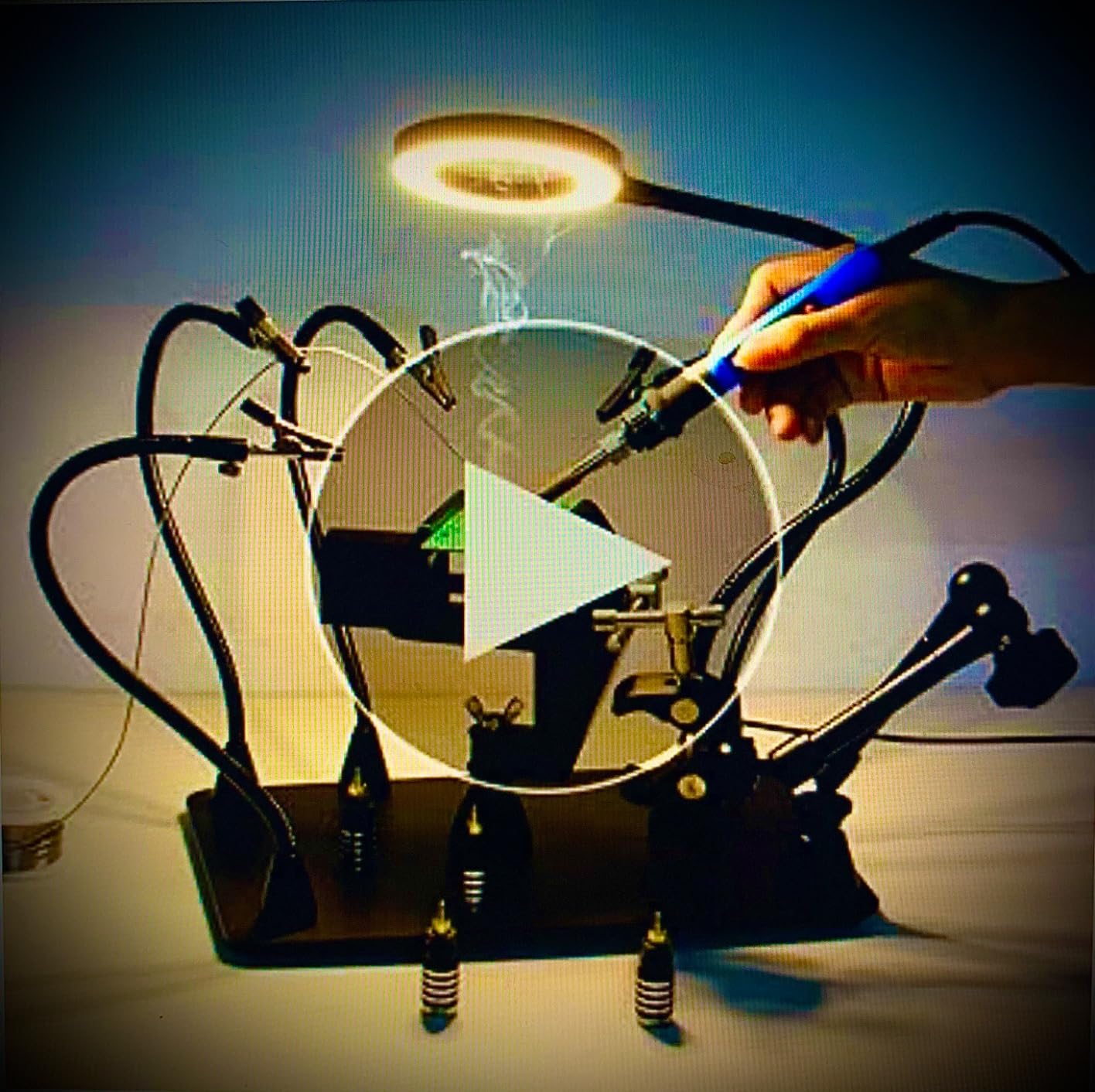
It is an all-in-one kit, and that is both the appeal and the warning. It includes an iron base, a metal swing-arm magnifier lamp, a USB adapter, the 360-degree rotating hot air gun frame, four magnetic flexible arms, four PCB board clips, and a 5V/2A power adapter. You assemble the bench and you have finished it.
Two things gave us pause. The footprint is large and the swing arm adds bulk above the plate, so this suits a dedicated bench corner rather than a shared desk. And the magnifier arm is less stable at full extension, which means you position the lens once and work within that cone rather than swinging it constantly mid-joint.
What decides it for a one-time build
If you are setting up a bench from nothing, this removes five separate purchases. Base, holder, magnifier, lamp, and hot air frame arrive in one box, which is a real saving in both money and the time lost to sourcing parts that do not match each other.
The 7.6 pound base also makes it the most forgiving choice for someone who leans forward and pushes a board into position, a habit most beginners pick up within a week.
When to choose something else
Choose a small helping hand if you work at a kitchen table or a shared bench where footprint is the deciding factor. Everything here is sized for a dedicated workspace.
Choose a lower-cost magnifier station if the 2.1 inch vise and the hot air frame are features you would never use, because you are paying for capability you do not need.
7. EOOKU Magnetic Helping Hands with 3X Lamp – Best Magnifier for Tiny Parts
Helping Hands Soldering Circuit Board Holder Magnetic Third Hand Tools with 3X LED Magnifying Lamp, 360 Hot Air Gun Holder, Flexible Metal Arms Heavy Duty Base Electronic Repair Tool Magic Hand
11.4 x 7.1 inch steel base
3X real glass magnifier
4 magnetic arms
Rigid clamp arm
Pros
- Magnifier is small and the magnification is strong for its size
- Base magnets take real effort to pull off
- One elbow knob locks angle and rotation together
- Mix of long and short arms suits mixed part sizes
- Adjustable rigid clamp arm for larger pieces
Cons
- Magnifier is only about 2.25 inch across
- Metal housing warms up during use
- Alligator clips feel inexpensive beside the rest
- One report of a scratched rusting base
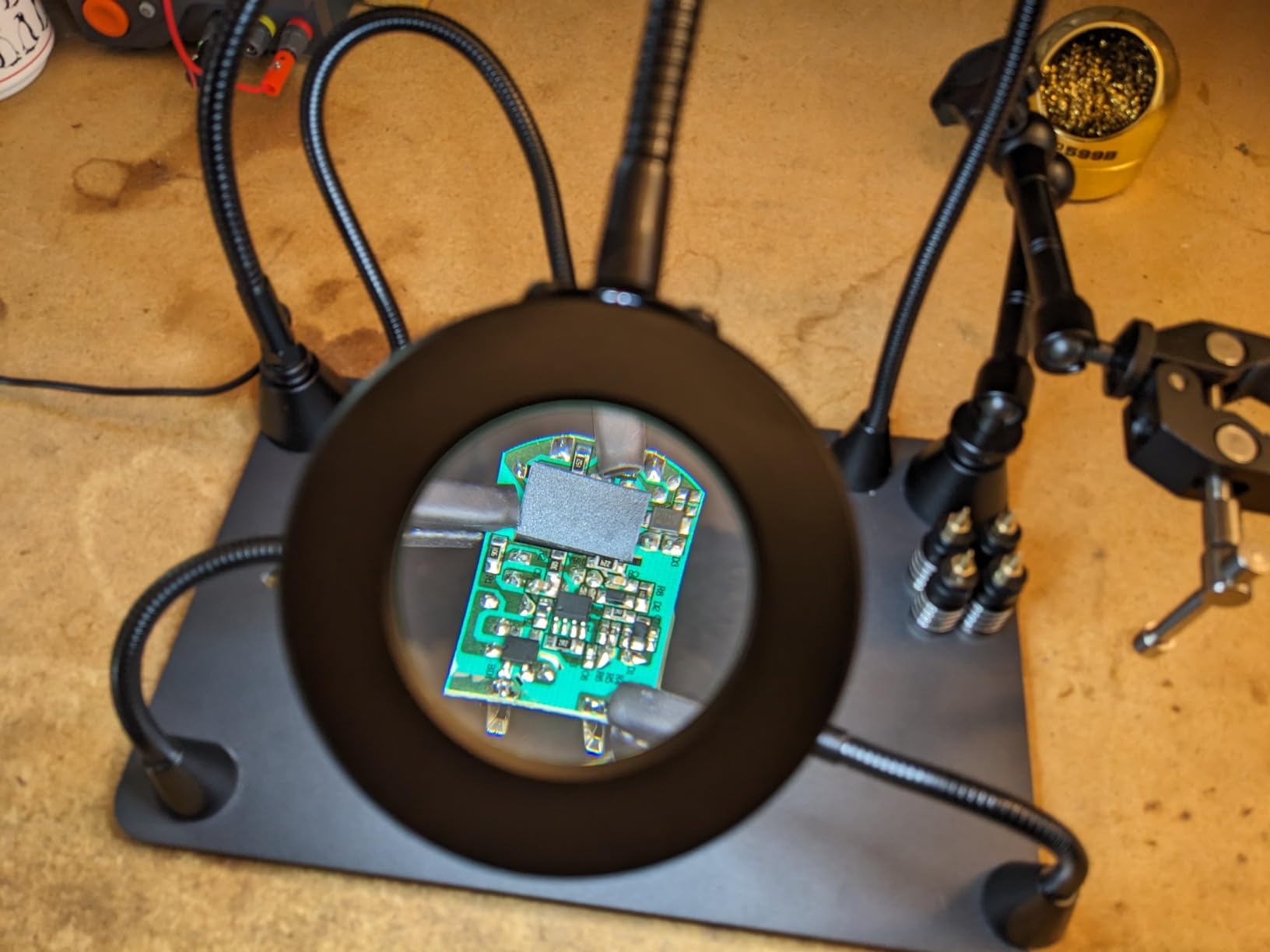
The lens is small, roughly 2.25 inch across, and that turns out to be a feature rather than a flaw for a specific job. A smaller lens gives a tighter field of view, so a 0402 chip or a single header pin fills the glass instead of floating in a wide circle.
The base is 11.4 by 7.1 inch powder-coated steel weighing 6 pounds, and the magnets are strong enough that pulling an arm off takes real effort. A single elbow knob on each arm locks the angle and the rotation together, so a pose you set stays a pose you set.
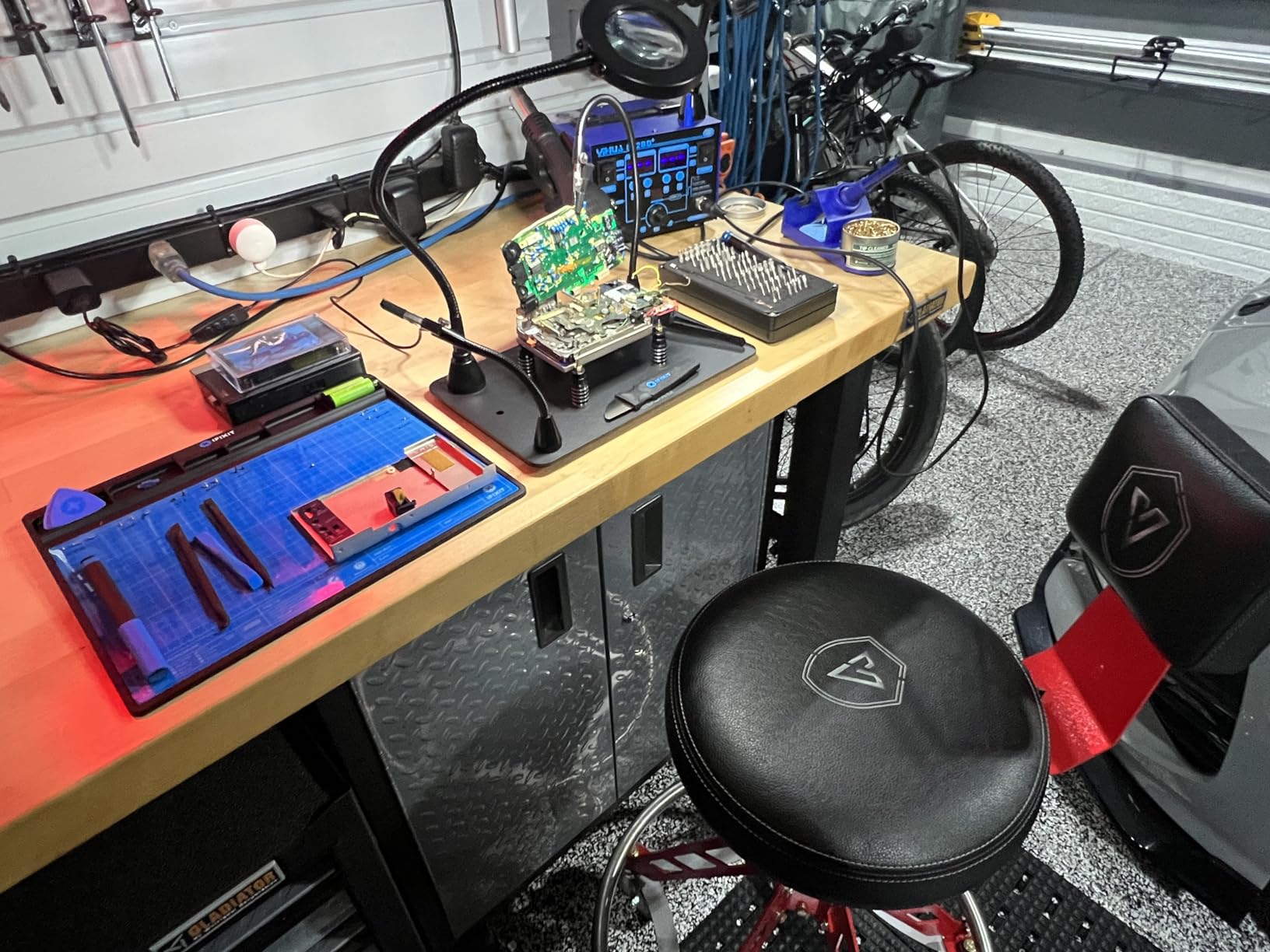
The arm mix is two 9 inch and two 4.5 inch gooseneck arms, which is a sensible split. Short arms for a close joint, long arms for a board that needs holding from the side, and the adjustable rigid clamp arm is there when you want a straight, fixed edge instead of a flexible clip.
The compromises are honest ones. The metal housing around the magnifier gets warm during extended use, so rest it between long sessions. The alligator clips feel cheaper than the rest of the kit and are the first thing to replace. One buyer reported a base arriving scratched and already showing rust, which suggests the coating on some units is worth checking on arrival.
What decides it for small-part work
Magnification power is not the only factor in inspecting fine work. A tight, distortion-free field with the part centred in it beats a wide lens that pushes your eye to the edge, and that is the argument for this lens over larger ones on cheaper kits.
The three-month unconditional exchange or return policy is also a genuine help when you are buying a station sight unseen.
When to choose something else
Choose a wider-lens station if you routinely work on an entire board rather than a single component, because a 2.25 inch lens means more repositioning when you need an overview.
Choose a lighter base if you move your setup frequently. Six pounds is a deliberate choice, not a flaw, but it is a weight to lift when you repurpose your bench space.
8. MMOBIEL Adjustable PCB Holder – Best for Microscope and Overhead Work
MMOBIEL Adjustable PCB Holder Circuit Board Holder Tool for Circuit Board Soldering Desoldering, Repair Tool 360° Degree Rotation
Holds boards to 20 x 14 cm
360-degree rotation
Ceramic fire-resistant jaws
Fixed height working position
Pros
- Board stays flat and at a constant height
- Unobstructed access underneath for microscope and overhead light
- Ceramic clamp parts are fire resistant
- Four rubber pads grip the base
- Handles boards up to 20 x 14 cm
Cons
- Thumb screws are fiddly and hard to tighten enough
- Locking screws do not always hold the board
- Less stable with boards larger than about 6 inch
- Full rotation limited on short boards
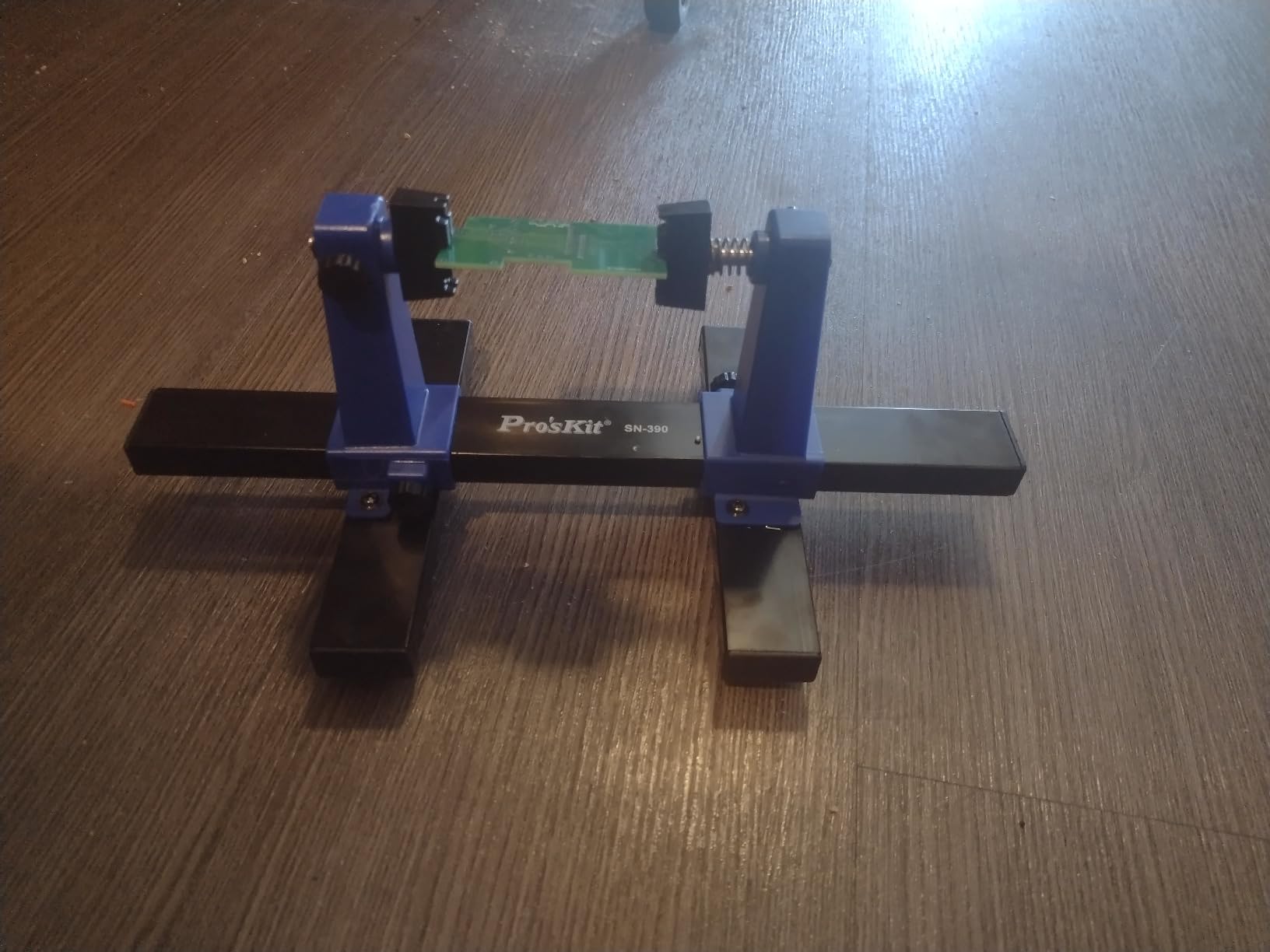
This is the only holder here that keeps the board flat and at a fixed working height rather than tilting it up toward you. If you work under a microscope or a ring light, that is the entire point: the objective has somewhere to go, and your hands come in from the side instead of from above.
Spring-loaded clamps come in four different opening widths, so you can move between a small sensor board and a larger module without re-configuring anything. The clamp parts are fire-resistant ceramic, which is the correct material for a tool that sits next to a 450 C iron, and the solid metal base has a scratch-resistant black coating over four soft rubber pads.
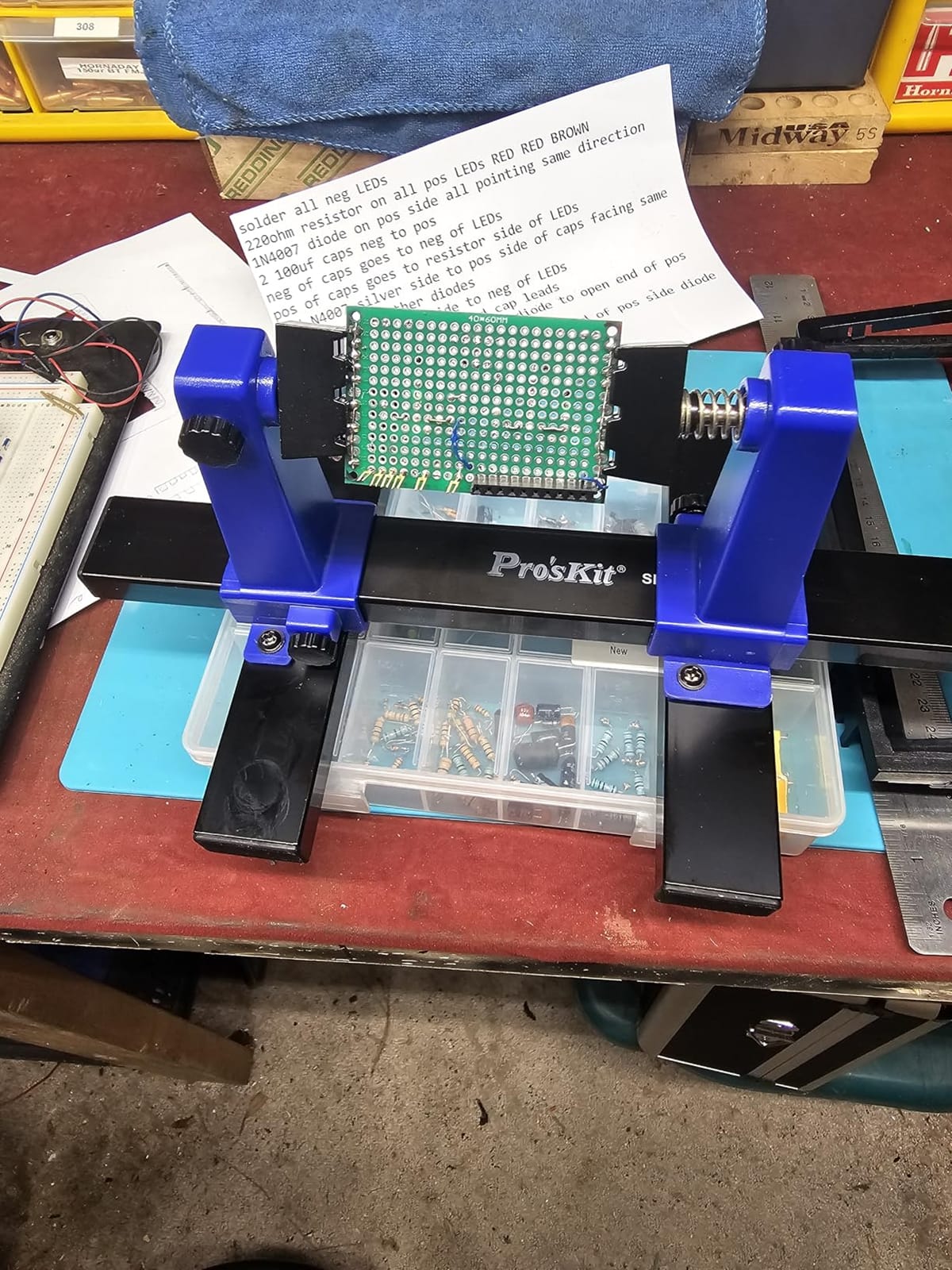
The complaint that appears most often is about hardware. Reviewers find the thumb screws fiddly, and several owners added friction tape inside the clamp faces to stop boards sliding out during work. That is a workable fix, but it is a fix, and you should know you are buying into it.
Stability also drops for larger boards. With something over about 6 inch the whole assembly can wobble, and the total length is 30 cm with a maximum opening width of 20 cm. The 360-degree rotation is genuinely useful, with one caveat: on a board shorter than the clamp-to-base height you cannot swing all the way around, because the base gets in the way. Maximum board size is listed at 20 by 14 cm.
What decides it for microscope benches
Height consistency is what you are paying for. Arm-based helping hands are fine at holding a board for a through-hole joint, but for inspection under a scope you need the board in the same place every time you come back to it, and a rigid upright plus clamps gives you that.
Ceramic jaws are the second reason. They stay put when an iron passes close, and they will not creep or deform the way plastic does after a few months.
When to choose something else
Choose a magnetic or clamp-on model if you move between sessions and do not want to set up a fixed station. This one wants a permanent spot because getting the height right is part of the setup.
Choose an arm-based helping hand if your boards are large. The 6 inch stability ceiling is the limit here, and beyond it the wobble will show up in your joints.
9. Stickvise Low-Profile PCB Vise – Best Low-Profile Holder for Rework and Testing
Stickvise PCB Vise with Standard Nylon Jaws Grey
Clamps board flat at table level
Standard nylon jaws
Supports custom jaw plates
1500 lb tensile rating
Pros
- Holds the board flat at table level for stable hands
- Unobstructed access for rework probing and testing
- Lightweight and compact
- Open platform with 3D-printable custom jaw plates
Cons
- Standard nylon jaws are not ideal for sustained high-heat work
- Accessory jaws and the PartLift support are sold separately
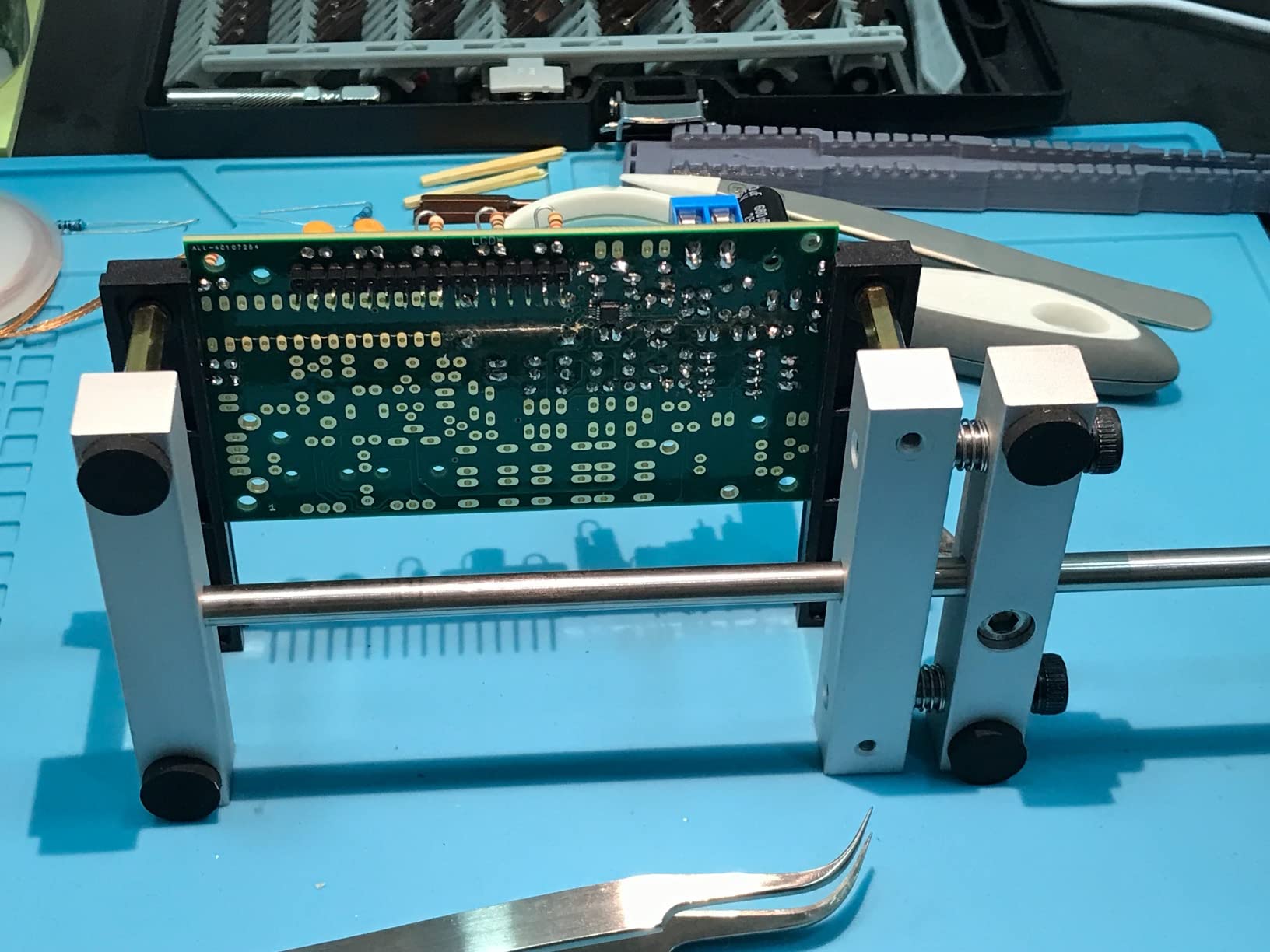
At 7.87 by 3 by 0.75 inch and 5.28 ounces, this is the smallest holder in the roundup and the only true bench vise. It clamps the board flat at table level, which changes how the work feels: your forearms rest on the bench, your wrists stay neutral, and the board does not need to be held up at an angle.
That geometry is the reason it wins for rework, probing, and test work. With the board at table height you can get a scope probe or a multimeter tip onto a test point without a third hand in the way, and the tensile strength is rated at 1500 pounds, so it holds without any give.
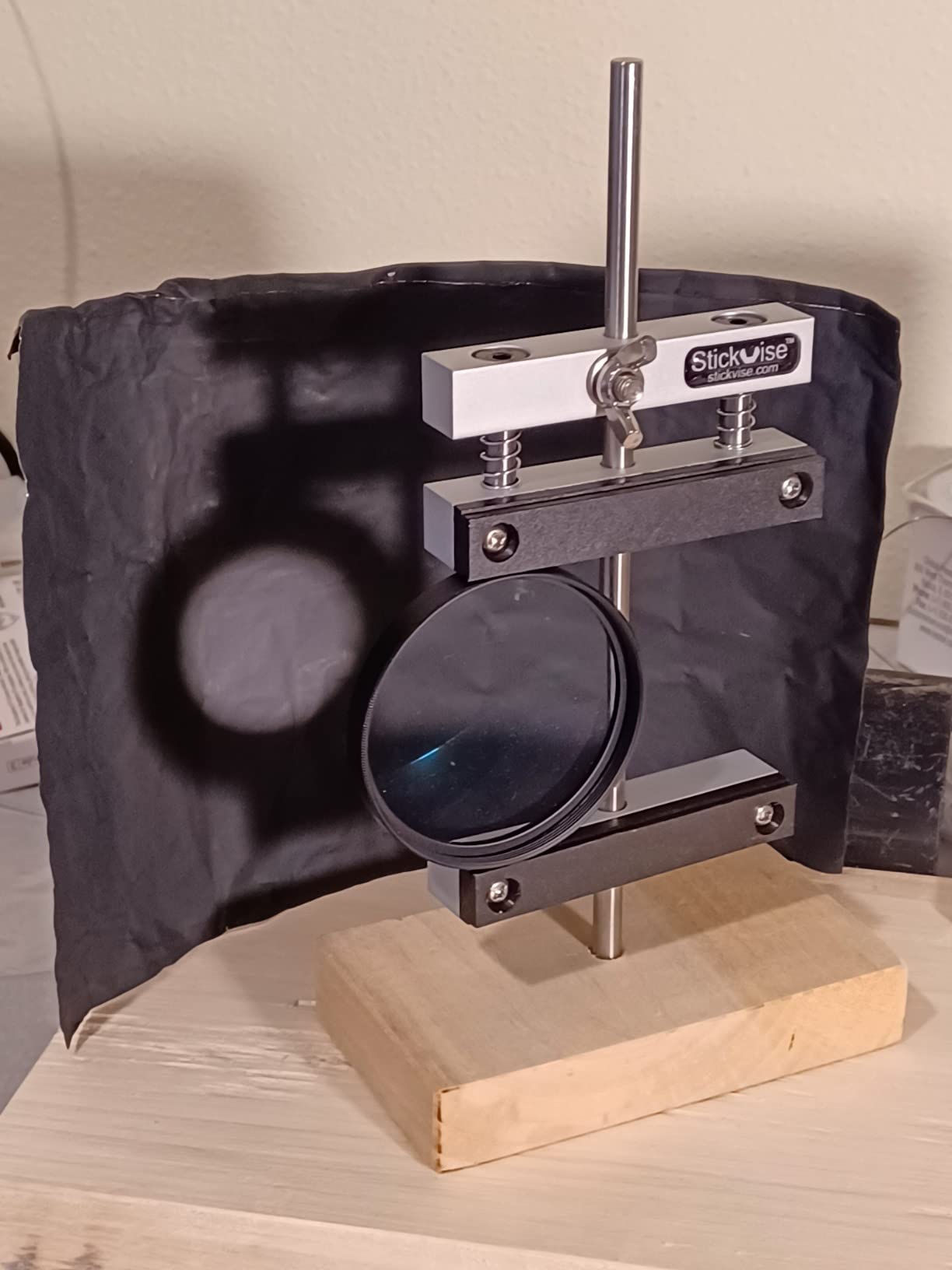
The nylon jaws are the limitation to plan around. They are fine for moderate heat and for the probe-and-measure work this vise is best at, but they are not the right surface for extended iron contact or for a board that is still hot from the previous joint. There is an upgrade path to anodized aluminium or high-temperature PTFE jaws if your work runs hotter.
The open platform is the underrated part. Because the design is documented and there is an active community printing custom jaw plates, you can shape the contact surface for your own board outlines, whether that is a notch for a connector, a soft pad for a finished surface, or a clearance for a tall component. The included set is one fully assembled Stickvise with standard nylon jaws.
What decides it for rework and test benches
Flat and low is the whole argument. A board clamped at table level gives you a stable reference for a probe, steady hands for a drag-soldering pass, and an unobstructed view of the underside that an angled arm simply cannot give you.
It is also the easiest to move. At 5.28 ounces you can carry it to another bench in one hand, which no weighted-base station on this list allows.
When to choose something else
Choose a weighted-base helping hand if your board is too wide for the jaws or if you need accessories held in the air at the same time, because a single low-profile vise does not offer an arm for a component lead or a wire.
Choose a high-temperature jaw option if you routinely leave an iron resting on the board. The standard nylon set will not thank you for that habit.
10. Toolour Y-Arm Clamp-On Helping Hand – Best Clamp-On Design for a Shared Bench
Toolour Helping Hands Soldering,Third Hand Tools,PCB Circuit Board Holder,Flexible Y-Shaped Arms with Non-Slip Desk Clamp Base for Electronics Repair Modeling Jewelry Assembly Hobby Craft Workshop
Edge clamp base
Y-shaped arms
4 rotating alligator clips
Silicone sleeves included
Pros
- Clamp base grips the bench so the tool never slides
- Y-shaped arms adjust height and angle in one move
- No weighted base means more free bench space
- Two extra clips included and they swap without tools
- Fits benches up to 2.75 inch thick
Cons
- Plastic arms spring back and need repeated repositioning
- Alligator clips feel low quality and some loosen or break
- Arms arrive stiff and tight to bend first
The edge clamp is what separates this from every weighted-base model here. Instead of a plate competing for bench space, the base grips the edge of your desk and fits benches up to 2.75 inch thick, which means the tool cannot slide or tip no matter how you lean on it.
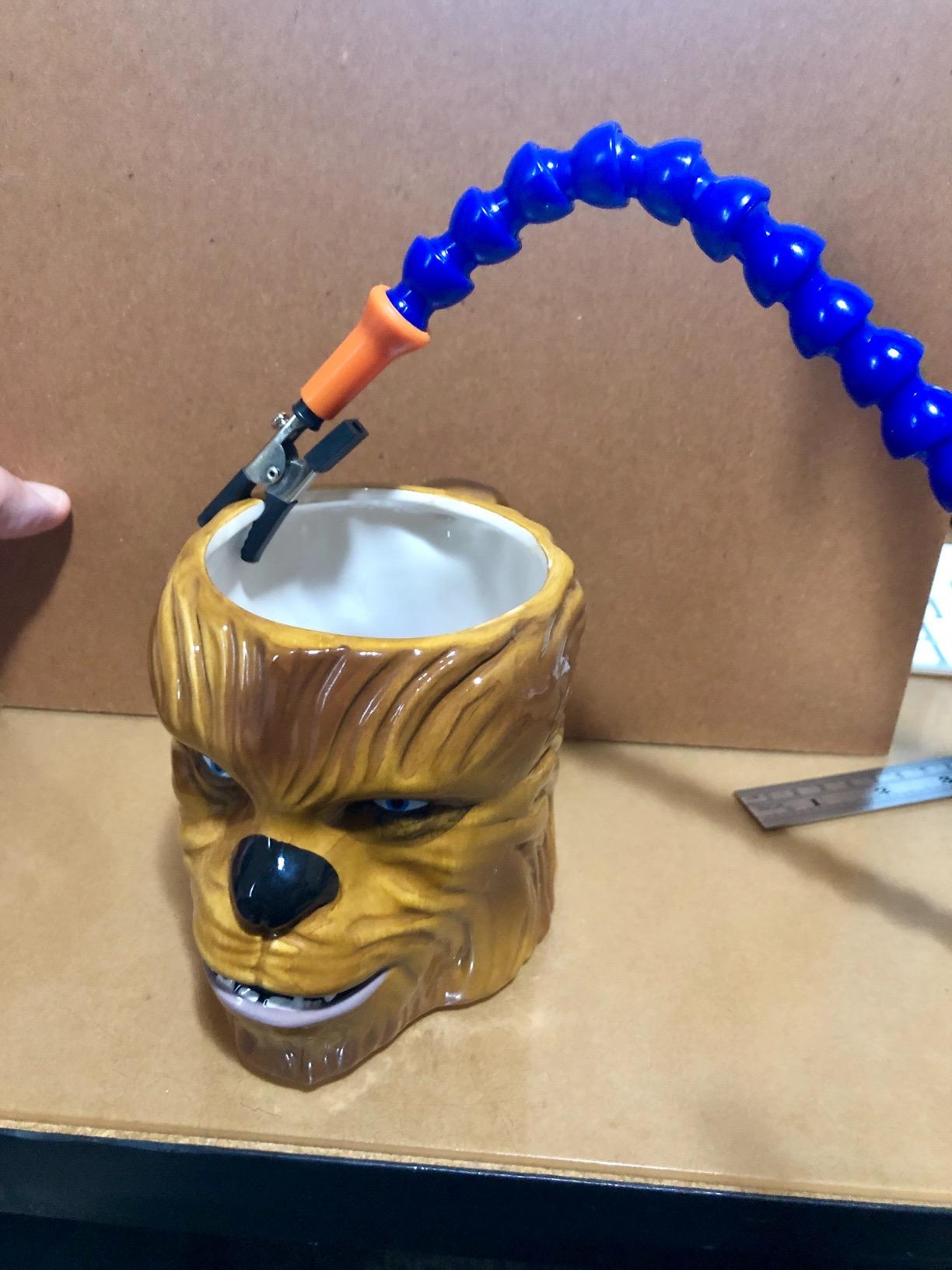
The Y-shaped arms change the adjustment pattern. Height and angle are set from the base rather than arm by arm, so a two-second correction is possible mid-job without rebuilding the pose of four separate joints. Long ball-jointed arms then reach across a board from that anchor point.
The trade-off is in the arms themselves. They are plastic, they have real spring-back, and they arrive stiff enough that the first few bends take effort. The alligator clips are the weakest part of the set, with owners reporting clips that loosened at the joint or came apart entirely, so treat them as replaceable consumables rather than permanent fittings.
The insulated silicone sleeves are a good decision and one we would copy onto other kits. They stop the teeth from scratching and reduce the chance of a clip shorting across a trace, which matters more than most people expect when the clip is sitting on a populated board. The package includes two Y-shaped arms, four stainless steel alligator clips, a desk clamp, and a mini spanner.
What decides it for a small or shared bench
Two things. First, there is no weighted base, so you get the whole surface back and you can use the space the base would have occupied for parts trays and a spool. Second, a mechanical clamp has no creep, so a slide is not something you need to test for every few minutes.
It is also a genuinely multi-purpose tool. The same set gets used for leatherwork, gluing, model assembly, and crafts, which spreads the cost of ownership in a way a single-purpose clamp does not.
When to choose something else
Choose a weighted steel base if you work on a glass or polished surface where a clamp would need a pad you do not have, or if you need the assembly to stand independently of the bench edge.
Choose a rigid arm model if you clamp hot parts. Plastic arms and a bench edge are both temperature-limited compared with a steel base and ceramic jaws.
How to Choose a PCB Holder for Soldering
The best pcb holder for soldering is the one that stays still under pressure, grips the board edge without marking it, and puts the work where your hands can reach it. Beyond that, the decision narrows quickly once you are honest about the size of your boards and how long you spend on each joint.
1. Match the holder to your board size. Clip helping hands with 30 cm arms handle anything from a small breakout board to a full-size development board. Compact cast-iron models with short arms only suit small parts. Anything rated above roughly six inch across deserves a weighted base or a rigid clamp rather than a light stand.
2. Weight beats friction on the bench. A heavy plate with rubber feet resists a leaning forearm better than a light plate on a smooth surface. If your base is light and your bench is slick, weighting the base yourself or choosing a clamp-on design solves the problem before it starts.
3. Check the contact material, not just the grip. Silicone sleeves, rubber caps, nylon jaws, and ceramic jaws all mark boards differently. Rubber and silicone are the gentlest on solder mask. Nylon suits moderate heat but is the first thing to upgrade if you run an iron against the board. Ceramic stands up closest to the iron.
4. Decide whether the board tilts or lies flat. Tilted holders present a board toward your face and let you see both sides by rotation. Flat holders keep the board at table height, which is what you want for microscope work, probing, and test-point access. Both are correct, but they serve different jobs.
5. Count the arms and the accessories you actually need. Two arms means one hand position, a third gives you a lead or a wire to hold, and four or more is where multi-board and batch work becomes comfortable. Extra parts you never touch still add weight and cost to the base.
6. Factor in the noise and light budget. A magnifier is only worth having if you can see through it. Look for real optical glass rather than acrylic, and for adjustable colour temperature and brightness, which let you match the light to the board surface instead of fighting a fixed tint.
PCB holder, third hand, or soldering iron holder?
These three get confused constantly. A soldering iron holder is a stand for the iron itself, and it is about safety and tip life rather than holding a board. A third hand, or helping hands, is a general-purpose tool with flexible arms and alligator clips that can hold a component, a wire, a small workpiece, or a board. A PCB holder is narrower by design: it grips the board edge and does it securely.
That distinction matters for a purchase. Helping hands are versatile and often cheap, and they are perfectly adequate for a first kit build. A dedicated PCB holder is better at exactly one thing, which is keeping a board motionless while you heat it.
Through-hole work versus SMD rework
Through-hole joints are forgiving. A through-hole pin has enough mass to hold still, and a clip on the board edge is enough. SMD rework is a different discipline: pads lift from a board that flexes, and fine-pitch work needs magnification and light to see what you are doing at all. For SMD, a station with a magnifier, adjustable lamp, and a base heavy enough to take a leaning forearm is the sensible spend.
How to Stop a Helping Hand From Damaging Your Board
Board damage from holders almost always comes down to two things: concentrated pressure from a hard clip, and micro-movement during cooling. Both are addressable in a few minutes and neither requires a better tool.
Fit the clip where there is no trace. Clamp the board edge over a bare laminate margin or a grounded pour, never across a signal trace, and never on a pad. If the board has no clean edge, add a strip of Kapton tape to the jaw face first.
Put a soft layer between clip and board. Silicone sleeves or rubber caps are the best answer, and a small square of cloth or a self-adhesive rubber dot works nearly as well. This spreads the load and takes the edge off the clip teeth.
Tighten only until the board stops moving. Overtightening is what turns a clip into a cutter. Test by pushing the board gently with a finger; if it shifts at all, add one more fraction of a turn.
Use green or Kapton tape as the sacrificial surface. Masking a small patch where the clip will land means that when something does mark, it marks the tape. This is also the standard substitute when a board is too awkward to hold otherwise.
Stop the base from moving before you start. A holder that creeps is a holder that will move mid-joint. Rubber feet, a bench clamp, or a weighted plate onto the bench all solve this, and bracing your non-tool hand against the bench is the last line of defence.
What Hobbyists Actually Say
Across the r/diyelectronics, r/soldering, and r/PrintedCircuitBoard threads and the diyaudio and pedalpcb forum discussions on this topic, the complaints land in the same four places. That alignment is why this roundup is weighted toward base mass and contact material rather than arm count.
Cheap alligator clips cutting into the board is the most repeated complaint in r/diyelectronics, and the fix is always the same: soften the jaw or move it off the trace. A helpful-hand arm whose screw backs out of the base plate is the second most common, and it is a hardware problem, not a technique problem, which is why weighted and clamped bases score better here than light plastic stands.
On r/PrintedCircuitBoard, batch through-hole work is where a single board clamp runs out. Holders with several pillars, or a wide base that accepts more than one board, are the ones people end up recommending for assembly runs. On diyaudio, foam-based cradles get criticized for not gripping small components, and tape gets recommended instead for boards that need repositioning constantly.
Two habits come up that cost nothing. Weighting a light base is a real technique for stopping drift, and bracing both the iron hand and the solder hand against the bench is preferred by experienced solderers over any clip for fine work. Neither replaces a holder, but both reduce how much you ask the holder to do.
Frequently Asked Questions
What is the best PCB holder for soldering?
The best PCB holder for soldering is a weighted-base third hand or a bench vise with soft contact points on the jaws. Look for a base heavy enough that leaning on it does not move it, clip tips covered in rubber or silicone, and arms or clamps that hold a pose. For fine-pitch SMD work, add a real-glass magnifier with adjustable light.
Do I need a PCB holder to solder?
You do not need one to finish a joint, but you will produce better ones with it. A board that slides or flexes while solder cools sets against a moving surface, which is how cold and bridged joints happen. A holder also frees your attention for the tip rather than the grip.
Why does my helping hand keep loosening?
Usually the arm screw is backing out of a threaded hole in a light base, or a ball joint is losing tension under load. Fix it by tightening with the correct tool rather than by hand, applying thread-locking compound to the arm screw, and choosing a weighted or clamp-on base so the joint is not fighting movement. Arms with spring memory will also drift, which is a different problem from a loosening screw.
Why do cheap alligator clips damage my circuit board?
Because the teeth concentrate pressure into a very small area, and because beginners tend to overtighten. Over time this indents solder mask, marks laminate, and can lift a pad. Fit silicone or rubber sleeves, or put a strip of Kapton tape on the jaw face, and clamp the board edge over bare laminate rather than across a trace.
What is the difference between a PCB holder and a third hand?
A third hand, or helping hands, is a general-purpose tool with flexible arms and alligator clips that can hold components, wires, or small workpieces. A PCB holder is narrower: it grips the board edge specifically and does that more securely. Helping hands suit a first build; a dedicated holder suits repeated soldering on boards.
Can I hold a PCB with tape instead of a holder?
You can, and hobbyists on electronics forums do it regularly for boards that need constant repositioning. Green masking tape and Kapton tape both work, and mounting putty is another common substitute. Tape is a good occasional solution but no match for a holder when you need both hands on the iron and the solder feed at once.
Do PCB holders scratch the solder mask?
Hard metal jaws can, if they are bare or overtightened. Silicone sleeves, rubber caps, nylon jaws, and ceramic jaws all reduce marking, with rubber and silicone the gentlest and ceramic the most heat-tolerant. If you are marking boards, move the clip to a bare laminate edge or add tape before changing tools.
Is a heavier PCB holder better?
Usually yes, because the main failure mode is the base creeping across the bench while a joint cools. A heavy base with rubber feet resists a leaning forearm, and a clamp-on design resists it completely. The trade-off is footprint and portability, so the best balance for most hobby benches is a medium weighted base with soft clip tips.
The Best PCB Holders for Soldering in 2026
The KOTTO four-arm weighted base is the best pcb holder for soldering in 2026 for most people, because a 1.26 kg base that does not move and clips with rubber caps solve the two problems that ruin the most joints: a board that shifts and a board that gets marked.
For your first kit build on a small board, the NEIKO 01902 gives you magnification and a cast-iron base for very little money. For fine-pitch SMD rework, the SainSmart station gives you a 5x lens, adjustable light, and pillars that hold a board while all four arms stay free.
When your boards get large, the NOEVSBIG heavy duty model with its 2.16 inch jaw is the answer for connectors and packs. When your bench is small or shared, the Toolour clamp-on design takes up no surface area and cannot slide at all.
Whichever you pick, test it on a scrap board first. Set the pose, push the board with a finger, and confirm nothing moves before you heat anything.